#helpdesk-selive
1 messages · Page 189 of 1
 kindred obsidian
Obviously the fallback is to just use OBS.Live for one account and the other can use the default activity feed, it just feels wrong when it seems like the solution isn't that far removed from the functionality on your website
This is the thing from the website I'm talking about by the way
I mean you generate the dock's content from the activity feed widget at https://streamelements.com/dashboard/activity right?
 quick scaffold
Hi, hopefully this is the right area to post this question, new to stream elements, iv'e tried everything to get alerts to work, the tests work but doesn't show up when i simulate a follow from an alternate account.... also the only thing showing up in feed are when i was raided or hosted, not showing recent follows or anything like that... not sure what else to try
kindred obsidian
When I switch channels on the site, that then switches the information in the dashboard
It also stays on the activity page and updates the activity feed with the new channel's notifications
So, whatever happens behind the scene to set that context would need to be replicated in the dock using a similar switching drop-down, right?
Does that make sense @nova scaffold ?
 nova scaffold
kindred obsidian
When I switch channels on the site, that then switches the information in the da...
nova scaffold
kindred obsidian
When I switch channels on the site, that then switches the information in the da...
It makes sense but it is not designed that way. OBS.Live and the website are separated in most areas and this is why the workflow is different. And it will stay like that.
kindred obsidian
Hmmm
nova scaffold
If you quickly want to switch between channels - use the website or relog in OBS.Live.
kindred obsidian
Looking at the way OBS handles it, when switching profiles it refreshes all docks
So is there no way you can hook into that or just perform a refresh with the new channel?
Cause like, no offence meant by this honestly (again, I'm a dev so I feel the pain of having to work on a system someone else refused to integrate with our other systems) but it seems like you're not even willing to entertain the idea?
I may be wrong - again, not trying to be awkward 🙂
quick scaffold
is this the place to get help with alerts not showing up in stream elements?
won't show in chat box says bot is enabled
and alerts are enabled
nova scaffold
kindred obsidian
So is there no way you can hook into that or just perform a refresh with the new...
No because it is different by design.
It can be changed when we get a high priority on that - a lot of users wish for it.
kindred obsidian
Yeah I mean that makes sense
But why was it different by design may I ask?
Cause from the outside that seems like a really limiting decision for both users and your devs
nova scaffold
kindred obsidian
But why was it different by design may I ask?
This is the way how our designed decided to create OBS.Live.
A simple and fast twitch login switches everything.
And the usecase of switchting between multiple twitch profiles in OBS is more than niche.
kindred obsidian
Simple and fast isn’t true when your passwords are as secure as mine haha
nova scaffold
quick scaffold
is this the place to get help with alerts not showing up in stream elements?
Yes. We would need more data for it - can you provide us your channel name and platform?
kindred obsidian
But yeah if it’s niche then I get that, you’ll have other priorities
quick scaffold
yeah it's khack99 twitch
kindred obsidian
It’s unfortunate though
nova scaffold
kindred obsidian
Simple and fast isn’t true when your passwords are as secure as mine haha
May i ask why you want to switch between the profiles in OBS on the fly?
 true jackal
hello i having an issue when im playing without OBS pulled up i get around 235 - 300 fps but as soon as i pull it up i get 140 - 200 fps
kindred obsidian
It’s not during a stream or anything, just it would make the whole process seem much more fluid and would make OBS.Live feel more “native” to have it switch accounts when OBS does.
nova scaffold
quick scaffold
yeah it's khack99 twitch
deployed a small fix, you should get new alerts for upcoming events.
quick scaffold
thanks i'll check it out
kindred obsidian
So if I’m coming to stream on one account having streamed on the other the night before then one profile switch should handle it all from a UX perspective, you know?
quick scaffold
do i have to be live to test alerts from ... like an alternate twitch account or can i test that not live
kindred obsidian
It’s not like I can’t stream without the functionality, it would just massively help UX in those cases. But obviously if I’m like the only one in 3 years to ask about it then I’m betting not a lot of people have multiple twitch accounts in their OBS lol
It’s because I have my channel and then a group channel with two friends
nova scaffold
quick scaffold
do i have to be live to test alerts from ... like an alternate twitch account or...
You can ask anyone to re-follow you and check. Emulating alerts is different.
kindred obsidian
Also from an OCD point of view it bugs me that it’s literally the only thing thing not to update 😂
nova scaffold
kindred obsidian
It’s not like I can’t stream without the functionality, it would just massively ...
Sadly the gain from that function would be really minor. It would also mean that OBS.Live would need to store more sensitive data rather than pulling it from the servers. So this is highly unlikely. The current workflow takes you like 30sec to switch including 2FA on both channels.
quick scaffold
awesome looks like it's working, thanks man!
kindred obsidian
Oh longer lol, my passwords are hieroglyphs lol
If you ever considered implementing it I’d be happy to beta test and give detailed feedback
But thanks for explaining the background. The niche problem I’m familiar with; you can’t give every since user every single thing they want
*every single user
true jackal
👀
nova scaffold
true jackal
hello i having an issue when im playing without OBS pulled up i get around 235 -...
OBS is using your hardware to encode the videofeed.
true jackal
soo what do i do exactly
didnt have this problem with my previous card (6800)
but with the 3080 it does this?
nova scaffold
true jackal
didnt have this problem with my previous card (6800)
Yes it can do it.
New card, new encoder (unless you got up from 2000 Nvidia series) and the top FPS will be limited when OBS is running
true jackal
So it’s normal that I lose 80 FPS when i have obs pulled up
My friend had identical build and he only loses maybe 10
nova scaffold
true jackal
My friend had identical build and he only loses maybe 10
Each setup is different - different overlays and widgets etc. And different settings in OBS.
Also identical hardware on paper has different performance - a few %, nothing that big.
 dry topaz
Afternoon helpful peeps, I'm having some issues connecting a custom BOT account
- I set the bot to "Custom Bot Name" in OBS.live
- I log in successfully when asked to
- It has successfully authorised connecting to my BOT's account as I can see StreamElements is connected in the 'Connections' part of Twitch
- But it still won't change to my bot, it stays on StreamElements as the bot
true jackal
So you’re saying it is normal I have 80+ frame drop vs his 10
 hoary canyon
hi there
i do have probs with the window "we value your privacy"
even after accepting they dont disappear.....do i have to accept it in a different window?
anyone?
 wraith inlet
I've got a pretty strange issue. Whenever an alert gets played in my 2nd Scene Collection, I have this John Cena thing happen. The scene can be completely empty, it doesn't matter.
I've tried adding the browser source my alerts to this 2nd Scene Collection, but it's still doing this. If I switch back to my 1st collection, I have no issues at all. I've been scratching my head over this for a couple of days and figured it was time to ask the experts.
nova scaffold
wraith inlet
I've got a pretty strange issue. Whenever an alert gets played in my 2nd Scene C...
You sure that the 2nd collection does not have an alertbox with that sound?
wraith inlet
I've certainly never set it up to have one myself. As the video showed, it happens in a scene with no sources in it whatsoever
nova scaffold
wraith inlet
I've certainly never set it up to have one myself. As the video showed, it happe...
Sounds can play from other scenes under certain settings.
So you need to find out where the sound comes from.
wraith inlet
I've gone through all the sources in all the scenes and nothing I have plays this sound.
I just tried creating a third scene collection, and I don't have this issue with that, so it's definitely something here, I just don't know what...
nova scaffold
wraith inlet
I just tried creating a third scene collection, and I don't have this issue with...
You can find it when you narrow down the issue.
You repeated a follower alert to get it.
 vital crane
Hello there,
I cant accept the privacy thing.
So if I click on accept nothing happens and it doesnt disappear
nova scaffold
That means somewhere IS a follower alert playing.
And since it was repeated on our platform, that means it is on StreamElements in one of the overlays.
nova scaffold
vital crane
Hello there,
I cant accept the privacy thing.
So if I click on accept nothing ha...
Hey, please try to log out and back into your account in OBS, via StreamElements > Logout, and OBS > Settings > Stream. Please DM us to let us know if this notice disappears after you log back in.
wraith inlet
You mentioned that sounds can play from other scenes under certain settings. Can you elaborate on this, as it may help me figure out the issue?
vital crane
So i logged out an logged in but it still does nothing if I click on accept.
So there's still the notice in the chat and streaminformation dock
nova scaffold
wraith inlet
You mentioned that sounds can play from other scenes under certain settings. Can...
Sources can be loaded on other scenes (not scene collections) and they can of course be playing both video and audio while being on a different scene.
I was pointing more towards our overlays on the site 🙂
So you can find the source there
You can look for overlays on our platform that have an alertbox with the follower alert enabled and that sound set as an alert.
Instead of searching for them in OBS.
wraith inlet
I think I may have found it... yup!
I've never heard of a source that can play sounds in other scenes that it's not nested or placed directly in before, so I was really thrown for a loop
I had a custom widget in one of my scenes that was even set to hide, which normally stops audio from my experience. Talk about a strange situation lol
Well, glad to at least have stopped it!
nova scaffold
wraith inlet
I've never heard of a source that can play sounds in other scenes that it's not ...
Well now you know, hiding does not prevent the audio from playing back 🙂
 bitter yew
vital crane
So i logged out an logged in but it still does nothing if I click on accept.
So ...
bitter yew
vital crane
So i logged out an logged in but it still does nothing if I click on accept.
So ...
I'm having the exact same thing
nova scaffold
vital crane
So i logged out an logged in but it still does nothing if I click on accept.
So ...
You need to log out in 2 places:
Stream settings
Top menu - StreamElements - Logout
That solves the issue.
nova scaffold
bitter yew
I'm having the *exact* same thing
same applies here^
Ignore the StreamElements - Logout if you are not using OBS.Live.
vital crane
nova scaffold
same applies here^
yeah i found it in #🇩🇪︱deutsch a sec ago
bitter yew
nova scaffold
same applies here^
Thank you!
 noble hollow
If I emulate alerts they works, but they don't work in real chat . Why?
nova scaffold
noble hollow
If I emulate alerts they works, but they don't work in real chat . Why?
Would need some more details. Have you got real alerts recently like new followers?
noble hollow
I try with an account already followed me, but also in the activity feed nothing happen
 ancient kernel
@nova scaffold Thanks for the earlier steps to resolve the incredibly irritating privacy notice in OBS 
nova scaffold
noble hollow
I try with an account already followed me, but also in the activity feed nothing...
I would need your channel name, i can fix that.
noble hollow
lele1687
noble hollow
nova scaffold
I would need your channel name, i can fix that.
lele1687 thank you so much!
nova scaffold
Check now, i did a test follow and fixed it
noble hollow
nova scaffold
Check now, i did a test follow and fixed it
Yes it works! Why it doesn't work before? I set something wrong?
nova scaffold
noble hollow
Yes it works! Why it doesn't work before? I set something wrong?
No, was a minor issue that requires a quick fix
short version: we lost connection to twitch, needed manual reconnecting
noble hollow
nova scaffold
short version: we lost connection to twitch, needed manual reconnecting
thank you so much for your support
dry topaz
Hi everyone, I posted here but don't think my issue was spotted in between a few others having issues at the time, I'm having some issues connecting a custom BOT account
- I set the bot to "Custom Bot Name" in OBS.live
- I log in successfully when asked to
- It has successfully authorised connecting to my BOT's account as I can see StreamElements is connected in the 'Connections' part of Twitch
- But it still won't change to my bot, it stays on StreamElements as the bot
I've tried logging out of both OBS.live and StreamElements (on the website dashboard) and disconnected the connection from the account I'm trying to connect to, and re-did all the steps above
But still no success
I can't perform a test message, so I had to setup a custom command (literally just !test) to get a response
 full thunderBOT
If your commands recently stopped working and you're using OBS.Live and a custom bot name do the following:
- In OBS.Live, click on the hamburger menu (three stripes) at the top left of your activity feed
- Click on Stream Settings > Custom bot name
- In the Custom bot name field select Set custom bot name, not your already existing username (with capital letters). Note: If you already connected an account that way, the third entry will show as the account name (see image https://i.imgur.com/sO7fWOX.png).
- Scroll a bit down and click on the purple Connect Custom Bot Account button
- Log in as usual and Authorize the custom bot name
- Back in the Activity feed, click on the Send Test Message button and check if your custom bot name starts working again
 dry topaz
^^^ That doesn't help, commands work fine, it's literally the bot itself won't connect
Well, it has connected, as shown by this
It just won't change to that account I have setup on OBS.live
nova scaffold
dry topaz
^^^ That doesn't help, commands work fine, it's literally the bot itself won't c...
So the custom bot function is not working properly?
dry topaz
Yes, it allows me to use StreamElements as a bot, and it allows me to use my own name, but just not a custom bot, but on the account I have setup for my bot, it shows StreamElements as connected
 toxic fern
And you chose the 3rd option?
dry topaz
yup
full thunderBOT
"1) Right click on your OBS desktop shortcut and open the Properties
2) In the Target field, add the following to the very end: --remote-debugging-port=40404 (don't forget to add a space before the current path)
3) Open OBS (or restart if it was open)
4) Open your web browser and type in: localhost:40404
5) Click on StreamElements - Activity feed
6) Navigate to the Console tab
7) Type the following into the console and hit enter: store.customBot.removeCustomBotIntegration()
8) Try setting the custom bot name
9) Remove the additional flag in step 2 from your shortcut properties."
nova scaffold
Firefox might cause issues, try to do that in Chrome
and console in Chrome is on F12
dry topaz
Ah ok
 glacial hull
I want to unlink a facebook page from my account
 nimble zinc
anyone able to help me?
nova scaffold
nimble zinc
anyone able to help me?
How can we help you?
nimble zinc
im trying to add a overlay when i click the m key, so hide my map when streaming

what option do i click on to do that? and how do i add the image/bind the key
nova scaffold
You add the image as a source first on that scene
then you find that source in the hotkeys and add the hotkey
nimble zinc
so ill add that source to the were gaming one then?
nova scaffold
so step 1: get the image set up as source
step 2: add hotkey to that source.
nova scaffold
Yes, go to the hotkey menu and find that source
nova scaffold
 clever pecan
how do i get da follow alerts working?
clever pecan
how do i get da follow alerts working?
Hi. Is it just the follow alert not working?
nova scaffold
Can you give me the account ID located here?
https://streamelements.com/dashboard/account/channels

StreamElements
The Ultimate All in One Platform for Streamers
clever pecan
60102a9bd85c365b128f149e
nova scaffold
Hm, i see a follow event on your channel 4h ago.
So that is working fine.
Let me see your alertbox
Alertbox also works fine
clever pecan
its just showing a white box-
do i not have to do anything on obs like put a link in or smth?
nova scaffold
Yeah you need the overlay that you made 6h ago to be added as a browser source in OBS
clever pecan
o
nova scaffold
how else would your OBS get the overlay?)
nova scaffold
go to "my overlays", click on the 3 dots below the overlay name.
Click on "Copy URL"
clever pecan
ok
nova scaffold
then go to OBS, add a browser source with 1920x1080 pixels and paste the link in there.
clever pecan
ok
nova scaffold
not posting the link here for you because of the sensitive data
nova scaffold
have you added the correct link?
clever pecan
should it look like dat?
clever pecan
i did -
nova scaffold
please go the steps through that i posted before.
nova scaffold
👍
clever pecan
ty
 tawdry glen
Just installed last OBS.Live & when i try to start OBS, OBS constantly crash...
nova scaffold
tawdry glen
Just installed last OBS.Live & when i try to start OBS, OBS constantly crash...
Hi.
Can you explain a bit more, do you get an error while crashing it?
tawdry glen
nova scaffold
Can you pull the crashlog from that folder for me?
tawdry glen
When I started OBS, it told me OBS.Live had an update to fix a bug, i did it then now I crash everytime
yes I can$
clever pecan
with the obs loyalty point sound things do i have to do anything on obs?
@nova scaffold
e
help
welp
 fallow quarry
Hello, whenever I launch obs it crashes instantly
clever pecan
try reinstalling it
fallow quarry
just obs live or obs too?
full thunderBOT
@clever pecan Not all staff are able to assist with support issues. Please refrain from pinging them or sending them DMs unless asked to.
fallow quarry
Well it is only obs live that is causing crashes so that is cool...
clever pecan
full thunder
<@!702459127191961622> Not all staff are able to assist with support issues. Ple...
.
why 2 pings
 humble stone
hello! I am wondering how I can have a chat overlay ingame with obslive, I am having trouble seeing chat and play game as the game I am streaming is X-plane 11 a full windowed game that I have to press the windows key go into obslive and see the chat from there, so I can not fly and see chat at the same time it gets frustrating, do any of you happen to know how I can have an overlay with chat in the game? Thanks!
 solemn timber
How I can usw my overlays? DM
humble stone
DM?
full thunderBOT
@solemn timber To add your overlays to OBS, add a new browser source in your scene. Paste your overlay URL in the browser source properties, set the dimensions to 1920x1080 (unless you changed them on the website) and check Shutdown source when not visible. https://youtu.be/KDvLynUqXI4
@humble stone If you have one monitor and/or would like the chat overlay on the screen, please look at the link below.
Please note this is not a plugin for OBS and not maintained by SE.
https://github.com/baffler/Transparent-Twitch-Chat-Overlay
solemn timber
Ok
humble stone
full thunder
<@!502305244433350666> If you have one monitor and/or would like the chat overla...
got it
 visual pecan
So I've already got SE.Pay activated and set up through the streamelements website, but in obs.live setup wizard it's prompting me to connect my paypal with no other option. Will this affect anything in my stream/alerts/notifications if people tip through the SE.Pay link?
 tulip hamlet
visual pecan
So I've already got SE.Pay activated and set up through the streamelements websi...
tulip hamlet
visual pecan
So I've already got SE.Pay activated and set up through the streamelements websi...
That's normal, it won't affect anything. Just skip the step.
visual pecan
ok sweet sweet, yeah i skipped it but it keeps coming up so was hoping there was some workaround but good to know lmao cheers
 rugged quail
HELP! stream elements down? i click my dashboard and it just refreshes the page!
full thunderBOT
@rugged quail Please logout of StreamElements at https://streamelements.com/logout and then login again to your account (Twitch/YouTube/Facebook).
 velvet shell
my stream element notifs dont seem to be working.
tulip hamlet
velvet shell
my stream element notifs dont seem to be working.
Which notifications?
velvet shell
the ones for follower, subscriber, tip, etc.
full thunderBOT
@velvet shell Please provide your account ID found at the top of this page: https://streamelements.com/dashboard/account/channels This ID is public info and safe to share here.
velvet shell
6002b41553459d0fa9b8b521
tulip hamlet
Are you sure it's all of them or can you only just confirm a specific type?
You're not an affiliate, so you can't receive subscribers.
velvet shell
I had someone follow while streaming and it didn't show up
tulip hamlet
velvet shell
I had someone follow while streaming and it didn't show up
Your webhooks have been resubscribed and you should receive new follower alerts moving forward.
velvet shell
Alright, thank you!
 lapis frigate
Hello Guys, i got a big pop up in my chat in obslive. everytime i click accept i doesnt go away what can i do?
true jackal
When Im Gaming Without OBS pulled up i get around 240-300 FPS but when i pull up OBS (not even streaming i lost almost 100 FPS in game)
lose*
full thunderBOT
@lapis frigate Please provide a proper screenshot with the issue visible. If not sure how to take a screenshot, you can check here: https://www.take-a-screenshot.org
lapis frigate
everytime i clikc "zustimmen" which means "accept" it doesnt go away
logged already out and restartet the program
 tender python
true jackal
When Im Gaming Without OBS pulled up i get around 240-300 FPS but when i pull up...
tender python
true jackal
When Im Gaming Without OBS pulled up i get around 240-300 FPS but when i pull up...
Not streaming doesnt mean it's not compositing the image
Depending on the game, and (gpu) load
you will lose frames, with OBS open
true jackal
But losing 100+ FPS??? i had a 6800 about 3 days and only lost about 10...now i have a 3080 and 100?
lapis frigate
Hello Guys, i got a big pop up in my chat in obslive. everytime i click accept i doesnt go away what can i do?
tender python
@lapis frigate it helps not spamming it 3 times in a row. thanks
tender python
true jackal
But losing 100+ FPS??? i had a 6800 about 3 days and only lost about 10...now i ...
again, depends on the (gpu) load, game, etc.
i can't run 60fps on raytraced Cyperpunk w/ OBS open
and that's also on a 3080
however
true jackal
my friend has pretty close to the same setup he only loses 10
he has 3080
something has to be wrong
lapis frigate
ur settings?
tender python
Two systems are hardly identical, unless they're the exact same image, drivers, versions, etc;
but
@true jackal run the game or whatever you're running
and OBS
open taskmanager
look at GPU usage.
if that's 100%, you found your reason why.
tender python
Validate it for me.
true jackal
heard*
tender python
total GPU system usage, not just the game.
true jackal
one second
tender python
Some borderless games and mostly Vulcan games run outside of windows native resource monitor, so the game will show 1-5% but a different process will show ~50-80
and another easy way to verify it's OBS, and not your settings or scene setup
Beyond this, however, you're talking about an OBS specific issue and - while i dont mind talking about this - we're reaching the limits of OBS support, as this is a channel tailored to OBS.live 🙂
tender python
To put it in perspective (and this is in a downclock state)
Nothing is happening in OBS, but because of filters, effects, etc that are still working:
7.4% for "nothing". this will affect performance.
true jackal
i understand that
but 6800 vs 3080
the 6800 comes out on top?
let alone my 5700XT was doing better as well
true jackal
reg 6800
true jackal
also the 5700xt was doing better with it pulled it
true jackal
yea
tender python
did you do a DDU ?
true jackal
5700xt --> 6800 --> 3080
yep did DDU
just wipe my C drive so i have to set everything back up again
tender python
tender python
did this and checked the performance loss?
for both profile and scene, by the way
true jackal
ok
tender python
beyond that, if that still persists, you're probably going to have to dive into the OBS discord
true jackal
wait so i make a new profile is what you saying
true jackal
ohh ok
tender python
just to make sure it's not something scene/profile related
 plucky oracle
hey guys. when i open streamelemnts obs i get a screen with privacy stuff and when i click confirm nothing happens.
tulip hamlet
plucky oracle
hey guys. when i open streamelemnts obs i get a screen with privacy stuff and wh...
It's something added by Twitch to their chat; the dock is just their chat window, embedded.
We'll be looking into it.
tulip hamlet
Don't think so. First I've even heard of it was today.
plucky oracle
ah okay^^
tulip hamlet
German?
 round wren
french !
tulip hamlet
Good to know, thank you.
round wren
No problem 
tulip hamlet
Probably all EU countries by my guess.
round wren
Yeah probably !
 sleek inlet
Hello! Anyone use Logi Capture for Twitch Streaming? My wife has been having some video lag issues in OBS and we are unsure how to fix it
tulip hamlet
You'll need to ask Logitech about their software.
sleek inlet
see but it appears to be an obs issue, because logi caputre video will be in sync with my audio but obs cam lags behind audio. does that make sense?
full thunderBOT
@sleek inlet Obs.live is a plugin for OBS Studio for the best OBS support, please join their Official Discord @ discord.gg/obsproject
 white lodge
Hello, I have a problem with frame loss and bit rate, but it is only in OBS live, in OBS streamlabs it works normal without crashing live. How can I fix this?
full thunderBOT
@white lodge Please provide a log from your last stream. To do this, in OBS go to Help > Log Files > Upload Last Log File and paste the link to the log file here.
full thunderBOT
@white lodge Obs.live is a plugin for OBS Studio for the best OBS support, please join their Official Discord @ discord.gg/obsproject
 dusk flame
Hello, im trying to switch my obslive from Twitch to facebook, but it keeps setting me up to Twitch
full thunderBOT
@dusk flame StreamElements menu, on top of OBS > Logout > Login
dusk flame
ty
round wren
btw just wanted to say that the cookie confirmation bug on obs live is good now ! a little buggy because we need to move the pop out but it works now !thanks 
 short fjord
Yo very late reply but bless you!
 tropic moth
Hey. How do I set up my chat to display on my stream?
tulip hamlet
tropic moth
Hey. How do I set up my chat to display on my stream?
You can add the widget called "Your stream's chat" to your overlay in the overlay editor.
tropic moth
How do I add the overlay?
full thunderBOT
@tropic moth To add your overlays to OBS, add a new browser source in your scene. Paste your overlay URL in the browser source properties, set the dimensions to 1920x1080 (unless you changed them on the website) and check Shutdown source when not visible. https://youtu.be/KDvLynUqXI4
 river sundial
Anyone here on ps4 and using a hyperx quadcast with steelseries arctis pro gamedac? I'm having a problem with the quadcast not picking up my voice and only the headset microphone is picking me up
 limber lichen
Hi im using streamelements obs and streaming on fb gaming. when i go live my chat isnt showing up at all and it says it should once i go live
ive tried restarting everything but that doesnt help and i also tried like getting rid of the chat and poping it back up again but nothing
full thunderBOT
@limber lichen StreamElements menu, on top of OBS > Logout > Login
limber lichen
okay thank you! ill give it a try
 fallow rampart
I'm having trouble getting the StreamElements editor to use a default font family (Baloo 2). I have the font installed on my computer, yet it seems to want to use a default font instead. How do I solve this?
 shy mountain
Restart your browser
fallow rampart
did that, and it's still not recognizing the font
my usual work around has been to use a "custom font", however a widget I'm wanting to use doesn't give me that option when selecting a font to use
shy mountain
Are you using a custom widget or a normal widget?
and just to confirm, is this in the editor only or in both editor and OBS?
fallow rampart
custom, it's the rotating feed from Alpha Gaming
shy mountain
Ok, so in that case either ask in #dev-chat OR in the Alpha gaming as we are not fully able to support custom widgets with custom coding in it.
fallow rampart
it shows the wrong font in both the editor and obs when I set it up as a browser source
I was thinking of asking alpha gaming, but since it's a problem with any default writing using that font in StreamElements, I was hoping to figure out the source of the problem
shy mountain
If you are trying to set a default font on a custom widget
then it might be an issue with the custom widget not loading different fonts correctly
if you add a default widget, like lets say just a recent sub label
check and see if the same behavior happens with the font choices there
if it does, then maybe its a local issue on your side that prevents Chrome from showing different font, so a restart of the PC might be needed
or clearing the browser's cache
and if that doesn't fix any of the issues, then we can take a look at both the custom widget and the default widget not loading the fonts and try and reproduce the issue
so many things, i just confused my self a bit 
fallow rampart
okay, so apparently now it's wanting to work? Between me setting up the test scenario and taking a screenshot of it, the dumb font fixed itself
shy mountain
in both widgets?
fallow rampart
give me one sec
Alright, so it seems that complaining fixed the issue lol.
Thank you for your help
shy mountain
I love it when that happens. The issue gets scared and fixes it self 
rugged quail
Okay, so im live right now, one of my main bit donators just gave me 10 bits an no notif. What am i doing wrong? Its a custom overlay
im still live and its a short stream
rugged quail
bits are counted on a different label, not on the tip widget
my cheers yeah
my pop up never came up. And yesterday my follow notif never came up.
Please give me your account ID, we'll take a look
 dapper oracle
Hello, i don't know where i can post my issue, so i asking here, i want to register SE.Pay but my button is still gray after filling all text
rugged quail
Do I need to keep streaming for that? also 5f665d1fa2d5fd31a6e617db
no not 1... i forgot its a late stream
4ish ak time
shy mountain
No, you don't need to be streaming for us to check the issue
rugged quail
okay, im going to bed then. Like it shows up in the activity feed but doesnt do the pop-up or the alert sound.
I was wondering if I had the command in OBS wrong?
not command.... where to put it...
im tired
Thank you for looking at it. Goodnight
full thunderBOT
@dapper oracle Please contact us via email for support with SE.Pay. You can use our contact form here: https://streamelements.com/contact Thank you.
@rugged quail The default resolution for StreamElements overlays (theme and custom) is 1920x1080. Please add them in OBS at their full resolution and use CTRL+F to fit to screen if necessary. You can then downscale your stream in OBS settings > Video if you'd like https://i.imgur.com/6bWXxjR.png
 clever pecan
with the obs loyalty point sound things do i have to do anything on obs?
shy mountain
Make sure your overlay has the redemption widget and added to OBS
clever pecan
mine?
shy mountain
yes
shy mountain
You are asking, what you have to do with the loyalty points sound things - which I assume you are referring to the Stream store
which is basically redemptions
so make sure
your overlay
has the redemption widget
thats it
shy mountain
If you are referring to the stream store items
then you may need to add sounds because thats the point of the redemption items more or less
shy mountain
Click on the (+) button
and in the search field on top type in "redem" and follow the highlighted options in the menu
shy mountain
no
clever pecan
like the sounds
clever pecan
ok
 urban hollow
Does anyone know if the instant replay widget is broken?
urban hollow
urban hollow
Does anyone know if the instant replay widget is broken?
For those who are asking theirselves the same xD https://twitter.com/MikeyHay/status/1352727469841899520


Updated the instant replay widget recently! Patched some breaking changes and added a long awaited option- custom borders! 🖼️
Select your own images and videos, then use the handy testing mode to get it lined up perfectly with your clips 👌🎬
 Twitter
·
Twitter
·
 normal nacelle
Quick question, how do I get the overlay I saved on streamelements into obs.live?
full thunderBOT
@normal nacelle To add your overlays to OBS, add a new browser source in your scene. Paste your overlay URL in the browser source properties, set the dimensions to 1920x1080 (unless you changed them on the website) and check Shutdown source when not visible. https://youtu.be/KDvLynUqXI4
 fickle herald
Quick question, I can't seem to get new follower alerts to happen on live stream, no matter what I do. Do I have it sequenced wrong in OBS?
full thunderBOT
@fickle herald Please provide your account ID found at the top of this page: https://streamelements.com/dashboard/account/channels This ID is public info and safe to share here.
fickle herald
5ffa89f85415bb4b910f010d
shy mountain
fixed
shy mountain
Something on our side
fickle herald
Thank you @shy mountain
shy mountain
Can elaborate please?
 woven lake
Theres a edit widget there last time i use it, but now its gone
shy mountain
That sounds like one of the beta features we've pushed to the beta branch.
click on obs.live versions -> beta branch
but fair warning - anything there is not fully tested and may cause issues
 obsidian heath
is there a way to combine alerts for YT, Twitch and FB into one alerts source? I want to multicast and im trying to find a combined solution
shy mountain
No - we do not have restreaming support, so the only way to have alerts from all 3 is to have overlays added from all 3 accounts to OBS
 tawny solar
Hello. Im a smal streamer who is fairly new to streamelements own overlay system. I have been playing around with the shared widgets in this group, but I have come across a strange issue with most of the widgets when I iport the browser source on my SLOBS (tried OBS and same issue there) When I add a widget source it seem to crop it out in a strange way that I can't use ALT to uncrop. I dunno if the answer is fairly simple or if I need to restart my pc or anything. Any way you guys can help me? Here is a screen shot of the issue.
obsidian heath
oof seems like that will be a waste of resources but if thats the only way then off to races lol
full thunderBOT
@tawny solar The default resolution for StreamElements overlays (theme and custom) is 1920x1080. Please add them in OBS at their full resolution and use CTRL+F to fit to screen if necessary. You can then downscale your stream in OBS settings > Video if you'd like https://i.imgur.com/6bWXxjR.png
tawny solar
thank you!! that worked!! Thanks for helping my silly question 😂 ♥️
 mild epoch
Hi there, I just did the official update and now I can't seem to open obs.live. is anyone else having this problem?
shy mountain
did you try and restart your PC and then try opening OBS?
mild epoch
yes I did that and then redownloaded the update, same crash
shy mountain
There is a difference between a crash and not being able to open OBS
which is happening here?
mild epoch
I click on the icon and get a warning box that says "OBS has crashed"
full thunderBOT
A crash log is required to investigate the cause of your issue. Please upload the last crash log.
- In OBS, click the Help menu
- Select Crash Reports and then Upload Last Crash Report
- Copy the URL and paste it to the chat here.
Note: If you are not able to follow the above steps, open your file explorer and go here: %appdata%\obs-studio\crashes and provide the last listed file.
shy mountain
I haven't seen this .dll crash in a while.
So open control panel -> add/remove programs -> uninstall OBS.Live -> restart PC -> uninstall OBS studio -> restart PC -> install OBS Studio -> restart PC -> install OBS.Live -> restart last time -> try opening OBS
and yes in that order
mild epoch
gotcha. thanks a bunch
 sonic dawn
Hello, i am having rendering problems
full thunderBOT
@sonic dawn Please provide a log from your last stream. To do this, in OBS go to Help > Log Files > Upload Last Log File and paste the link to the log file here.
sonic dawn
shy mountain
https://obsproject.com/tools/analyzer?log_url=https%3A%2F%2Fobsproject.com%2Flogs%2FuPyM9J2w5GqJ1kD4
OBS (Open Broadcaster Software) is free and open source software for video recording and live streaming. Stream to Twitch, YouTube and many other providers or record your own videos with high quality H264 / AAC encoding.
 rich nova
My chat for Stream elements add on doesn't work on obs any help?
 long bobcat
are you logged in @rich nova ?
rich nova
Yes, everything else with the add on works however the chat dosent
Been popping up with that error message all week @long bobcat
long bobcat
do u see chat properly on twitch?
rich nova
Yep
everything is fine on twitch along with a chat browser source overlay but not the addon
long bobcat
have u previously tried closing the chat dock and reopening it?
full thunderBOT
StreamElements menu, on top of OBS > Logout > Login
long bobcat
or this?
long bobcat
let's try something extreme
full thunderBOT
Please logout of StreamElements at https://streamelements.com/logout and then login again to your account (Twitch/YouTube/Facebook).
long bobcat
and then log out of streamelements on OBS
close OBS, close Chrome (in my heart you also restart ur PC  )
)
reconnect on site
start OBS, reconnect in OBS
that'll prolly not work (  )
)
I actually have never seen this issue personally
long bobcat

 polar warren
I had the same issue after I changed my name, it's literally just log out and log back in
Idk why it does that
long bobcat
u referring to the chat thing @polar warren ?
long bobcat
log out and back in in OBS.Live?
polar warren
Should work
long bobcat
homie here says it doesn't  @rich nova
polar warren
Oh
Maybe OBS.Live just dosen't want u to stream
Have u tried apologizing to OBS and asking it if it needs a hug?
rich nova
Jesus christ chill
 sharp turret

long bobcat
no jokes here lets keep it for troubleshooting 
@rich nova update after you tried. I've asked internally but it might take time
rich nova
Aight im in a game of league so ill do everything then see if it works
rugged quail
https://stats.streamelements.com/c/tomuk I'm having a problem with ffz and bttv emotes not being tracked in my chat. Is there a quick way to get this sorted. Any help would mean a lot.
StreamElements
Description Chat Stats tracks emote usage on Twitch in real time. See which emotes are the most popular on every Twitch channel
rugged quail
So whoever answered my question last night... THANK YOU! I think it might be working now. I appreciate this discord soooo much.
 unreal verge
Hey I need some help with my OBS.Live. The text in the stream-information and chat docks are really small as you can see in the screenshot
 spare wigeon
Hey, I want to use onlye the StreamLabs Alerts, but all te rest, I want to use in OBS Studio + StreamElements. How do I do that?
 austere root
i had originally set a premade alerts theme when i started with stream elements, but now i have made my own. how do you shut off or remove the original ones, because i have two alerts popping up every time now.
 hearty kite
Hey all!
I have a short question.
Is there any way to drop delay on stream if you are live, skipping a short part of a content?
E.g. I stream with a 5-10 sec delay and BAM, there is a dickpic on my stream. I press button and this banworthy content doesn't show up on stream.
 teal nova
Hey emmmm.. I cant go live?
No settings have changed, nothing has changed and i stream almost everyday, I pressed start streaming in Streamelements OBS Live and it says Im live but I am actually not live on twitch...
 fresh sail
Hi, I have the same problem as Bella. 😦
 whole thunder
i cant go live either on OBSlive
 hexed venture
I cant go live either (Australia)
 marble yarrow
i have been trying to go live for about 30 mins i have tried everything is it me or twitch
hexed venture
Same Brittany
teal nova
I already disconnected my account, reset my Stream key, restarted my PC and my program by the way - none have worked.
<@&382267076632379392>
marble yarrow
yeah i have done the same thing bella
teal nova
Hope its fixed soon, suppsoed to be in a COD Comp in 5 mins!
long bobcat
it sounds like a twitch issue 
teal nova

whole thunder

long bobcat
ok ok chill no need to spam
full thunderBOT
Use the Twitch Bandwidth Test to find the best Twitch server to stream to. Set Duration to Medium. You can uncheck any regions you're not near.
After the test completes, click the Share Result button to upload a screenshot, which can then be copied and pasted here.
Get Twitch Test from https://r1ch.net/projects/twitchtest.
long bobcat
We can try to select different server
Guys go ahead and do that and let us know if it helps
marble yarrow
how do you do that still new to obs
 slender terrace
Hi there. I was about to stream a few minutes ago but the stream is not going live. can anyone help me?
 thick charm
hello, today I have a problem when I start streaming on twitcht does not recognize it and does not show me live, however obs recognizes it
slender terrace
yeah same for me
sharp turret
slender terrace
Hi there. I was about to stream a few minutes ago but the stream is not going li...
Unfortunately that's twitch issue, you need to wait for them to fix it
teal nova
Read up guys.
fresh sail
Guys, pls read some messages before.. many people has the same problem,.
slender terrace
oh damn.. RIP my bday stream
 wary dew
slender terrace
oh damn.. RIP my bday stream
wary dew
slender terrace
oh damn.. RIP my bday stream
could be over in 10 minutes
you never know
slender terrace
thank you
wary dew
i didn't say it IS over in 10 minutes 😛
 vapid elbow
Well glad to see that I'm not alone in this!
sharp turret
Try go live now
marble yarrow
yeah i thought it was me lol but im glad im not the only one was freaking out lol
 ocean gull
what would be the best encoder to use? i was just streaming and it was constantly overloading
vapid elbow
I'm not exactly tech savvy, so i was googling like crazy before I made myself look the fool
thick charm
there are live Hispanic streamers, but how do they do it?
wary dew
they probably clicked on the 'start stream' button in OBS
teal nova
The issue doesn't affect everyone on twitch of course @thick charm it depends on a lot of things
fresh sail
Im online right now. Try it guys ❤️
long bobcat
@teal nova
long bobcat
Did choosing a different server solve this @teal nova ?
fresh sail
Automaticly
teal nova
long bobcat
Did choosing a different server solve this <@!523528782716338177> ?
i didnt choose a different server, just went live after running the test
hexed venture
Changing servers made no difference (Australia, Sydney to Auto)
long bobcat
 rose ledge
hey has anyone else had the obslive media request just die on them
and when I go to try to edit it through obs it says ther is an authentication error
tender python
ocean gull
what would be the best encoder to use? i was just streaming and it was constantl...
X264 for quality, h264 for less overhead, but needs more bitreate.
ocean gull
less overhead? what do you mean
tender python
ocean gull
gotcha
 indigo urchin
hi, can anyone tell me how I can debug dropping frames(network). Streaming to discord works perfectly but I can't stream on twitch for some reason.
It's not just today its been like this for a while now. I was able to stream fine 1-2weeks ago
full thunderBOT
@indigo urchin Please provide a log from your last stream. To do this, in OBS go to Help > Log Files > Upload Last Log File and paste the link to the log file here.
 wise silo
He said "its not just today" @tender python 
indigo urchin
https://obsproject.com/logs/NaKdnqOaWWIazL4h does this help
im doing a test stream right now with test mode on
wise silo
Immediately, always run your OBS as admin.
Run your OBS as admin, do a quick test stream, and resend the log file
wise silo
Im aware, and you need to
rose ledge
Does anyone have any ideas about the obslive media request having an authentication error?
indigo urchin
running as admin didn't help https://obsproject.com/logs/El11Z6tnXh_Yio9M
wise silo
Mostly because its still not running in admin
22:23:33.268: Running as administrator: false
indigo urchin
hmm
 manic burrow
how i can see my current viewer counter?
indigo urchin
i ll post it when it says true there 1 minute :D
figured it out https://obsproject.com/logs/t5ut0Em2tNjwk-jh still cant stream tho
dropping 60%
wise silo
Immediate presumption is your internet is slightly slacking, headover to speedtest.net and run a quick test
indigo urchin
not great but should be fine for right? I ran this while doing the bandwith test
on obs
I see some red spikes on this site could this be related? https://ping.canbeuseful.com/en#ping
Test your ping and the stability of your Internet connection, free and online, it can be useful ;) Internet stability test ping and others tools...
wise silo
Outside of telling you to run a auto-config on OBS that may or may not help, youd best bet is to contact your ISP
indigo urchin
I ran the auto-config but I wasn't running on admin I'll try it again and contact them if it doesn't help
I wanted to know If i could do something on my end thanks for your help 👍
auto-config set my bitrate to 1200 and 480p but I still get drops 😅 I'll just ask my ISP hopefully they know what streaming is
rose ledge
Am i asking in the wrong channel for help with the media request feature?
 shell fable
in obs when I try to stream it gives me a message saying "Hostname found, but no data of the requested type. This can occur if you have bound to an IPv6 address and your streaming service only has IPv4 address".
anyone think they can help?
rose ledge
shell fable
in obs when I try to stream it gives me a message saying "Hostname found, but no...
that Ive found to just be in setting go to advanced and set the network bind to ip to be set to default that solved it for me
shell fable
ok, thank you
 elfin flame
When I'm streaming, my alerts won't show during the stream & I can't hear them. I'm using the StreamElements alert box
shell fable
elfin flame
When I'm streaming, my alerts won't show during the stream & I can't hear them. ...
I would search up a few tutorials on how to navigate streamelements
 old carbon
I am trying to capture a game, specifically Valorant. However when I select the specific window, all I get is a black box.
 pearl stratus
My Game Capture Isn't Working Can Some One Help Me
old carbon
Im having the same issue
full thunderBOT
@pearl stratus Obs.live is a plugin for OBS Studio for the best OBS support, please join their Official Discord @ discord.gg/obsproject
@old carbon Obs.live is a plugin for OBS Studio for the best OBS support, please join their Official Discord @ discord.gg/obsproject
pearl stratus
THEY ARE NO HELP
rose ledge
@pearl stratus dm me i might be able to help but i need to see the screen in this case i had a simmlar issue
elfin flame
shell fable
I would search up a few tutorials on how to navigate streamelements
Thx man. I got it to work 🙂
 lofty agate
That sounds like an OBS specific issue. Some games just don't work with some capture methods, @old carbon , I suggests testing changing the capture method inside the Window capture:
full thunderBOT
@oak vortex To add your overlays to OBS, add a new browser source in your scene. Paste your overlay URL in the browser source properties, set the dimensions to 1920x1080 (unless you changed them on the website) and check Shutdown source when not visible. https://youtu.be/KDvLynUqXI4
 proven kestrel
Hi there, I have been using OBS for about a month. I downloaded the StreamElements add-on 2 days ago. Since then, OBS is not recording my game sounds. Any ideas why?
 oak vortex
I followed the instructions thoroughly, and it still isn't working :/
full thunderBOT
@oak vortex OBS > Settings > Advanced > Scroll down > Enable or disable Browser Source Hardware Acceleration, depending on its current state > Restart OBS (This does not apply for OBS on Mac)
https://i.imgur.com/ggMe9ZE.png

 twilit robin
my last screen follows and the obs chat ended up disappearing. how do i go back?
tulip hamlet
twilit robin
my last screen follows and the obs chat ended up disappearing. how do i go back?
Pardon?
 urban blade
65% dropped frames in obs
full thunderBOT
@urban blade Dropped Frames means that you have a bad connection between your device and the streaming platform and most likely something related to your ISP not handling the connection properly.
Speed tests usually cannot help solve this problem and its best to use this guide: https://obsproject.com/wiki/Dropped-Frames-and-General-Connection-Issues
If you stream to twitch, use the !twitchtest command and do a connection test to your regional servers.
Use the Twitch Bandwidth Test to find the best Twitch server to stream to. Set Duration to Medium. You can uncheck any regions you're not near.
After the test completes, click the Share Result button to upload a screenshot, which can then be copied and pasted here.
Get Twitch Test from https://r1ch.net/projects/twitchtest.
oak vortex
i keep on subbing and unsubbing with my alt account and still no luck
urban blade
did i do it right
urban blade
full thunder
Use the Twitch Bandwidth Test to find the best Twitch server to stream to. Set *...
oak vortex
Nothing is actually working when I stream, but works when I test it ;-;
tulip hamlet
oak vortex
Nothing is actually working when I stream, but works when I test it ;-;
YouTube? If so, see pinned messages in #helpdesk-youtube
oak vortex
ah okay sorry, I just didn't know where the problem came from.
 lean topaz
My OBS Live will not open
full thunderBOT
@lean topaz A crash log is required to investigate the cause of your issue. Please upload the last crash log.
- In OBS, click the Help menu
- Select Crash Reports and then Upload Last Crash Report
- Copy the URL and paste it to the chat here.
Note: If you are not able to follow the above steps, open your file explorer and go here: %appdata%\obs-studio\crashes and provide the last listed file.
 mystic leaf
Hey, how do I add an overlay?
full thunderBOT
@mystic leaf To add your overlays to OBS, add a new browser source in your scene. Paste your overlay URL in the browser source properties, set the dimensions to 1920x1080 (unless you changed them on the website) and check Shutdown source when not visible. https://youtu.be/KDvLynUqXI4
 earnest prism
I am unable to hear alerts in OBS, can only hear them if I emulate them in Chrome. I am using a virtual audio mixer which shows the alerts playing when emulating from chrome but not when I do it from OBS. Any suggestions?
mystic leaf
How do I change the dimensions in the website?
marble yarrow
I have my alerts sit up and been using them for a couple months the only one that does not work is my host one it is sit up and I can emulate but when I'm streaming it doesn't pop up on my activity feed or as a alert just wondering what I can do to fix this thanks
full thunderBOT
@marble yarrow "Due to changes to Twitch API, we have filtered out hosts and will only show these ones on your activity feed:
- All hosts coming from an online channel with at least 1+ viewer
- Auto host events with at least 1 viewer - only from a channel that just went offline
Note: If you see X channel has hosted you with no viewers on the back, that is considered an offline host or a host with 0 viewers, we do not show these."
tulip hamlet
mystic leaf
How do I change the dimensions in the website?
Note that changing the resolution only changes the canvas size. It does not resize or reposition any widgets in the overlay.
mystic leaf
@tulip hamlet Ok, Thanks!
 twin oyster
my activity feed and chat on obs, doesn’t work work when I go live
It wasn’t like this before, it worked fine, then suddenly it’s not working :/
 split gazelle
twin oyster
It wasn’t like this before, it worked fine, then suddenly it’s not working :/
split gazelle
twin oyster
It wasn’t like this before, it worked fine, then suddenly it’s not working :/
Re authenticate yourself on the OBS. In that first picture, reconnect with Twitch. Every so often, you have to reauthenticate to keep your info active.
full thunderBOT
@twin oyster StreamElements menu, on top of OBS > Logout > Login
mystic leaf
I'm having problems with the overlays, I put them on the scenes but they still don't work.
full thunderBOT
@mystic leaf OBS > Settings > Advanced > Scroll down > Enable or disable Browser Source Hardware Acceleration, depending on its current state > Restart OBS (This does not apply for OBS on Mac)
https://i.imgur.com/ggMe9ZE.png
twin oyster
@split gazelle THANK U IT WORKED, U ARW AMAZING
mystic leaf
It is working now, thanks for the help.
twin oyster
Is there a way I can add live viewer counter gadget, so I can see how many viewers I’m having live ?
In obs
tulip hamlet
twin oyster
Is there a way I can add live viewer counter gadget, so I can see how many viewe...
You can enable viewer count in the menu in the top left of the activity feed.
 uncut ether
how do i add my stream elements overlay to my obs live
full thunderBOT
@uncut ether To add your overlays to OBS, add a new browser source in your scene. Paste your overlay URL in the browser source properties, set the dimensions to 1920x1080 (unless you changed them on the website) and check Shutdown source when not visible. https://youtu.be/KDvLynUqXI4
twin oyster
@tulip hamlet I didn’t rlly get it, can u explain again in baby steps🥲
tulip hamlet
There... really isn't a much better way to explain it than that.
Oh, hold on, you're streaming to YouTube.
Not possible, then.
 serene void
So, why is this automatic update causing OBS to crash?
If I go to the website, download the "latest" version, and install that over top, it seems to work.
but it still wants to auto update
and then obs just crashes until I reinstall the old one overtop again
full thunderBOT
@serene void Please provide a proper screenshot with the issue visible. If not sure how to take a screenshot, you can check here: https://www.take-a-screenshot.org
serene void
No screenshot. It's just the generic OBS crash message. But I have this.
Like I said, if I reinstall the download of OBS live from the site, it works fine. But still wants to auto update. If I go through with the update, it just goes back to crashing at launch.
mystic leaf
When I record the image quality is low, and there are no audio even if I put the mic on the scene. There's something I could make
?
full thunderBOT
@mystic leaf Obs.live is a plugin for OBS Studio for the best OBS support, please join their Official Discord @ discord.gg/obsproject
mystic leaf
To put the animatic overlays is the same process as the statics ones, right?
tulip hamlet
mystic leaf
To put the animatic overlays is the same process as the statics ones, right?
Correct.
mystic leaf
Ok, thanks
 karmic grotto
twin oyster
<@107215138561478656> I didn’t rlly get it, can u explain again in baby steps🥲
karmic grotto
twin oyster
<@107215138561478656> I didn’t rlly get it, can u explain again in baby steps🥲
In your OBS.LIVE // "View > Docks > Custom Browser Docks..."
then u will add this url as a custom url: https://youtubelikecounter.com/
after applying, a new browser window will open and load this website. Now u can close the custom browser docks window and just drag and'drop that browser window to pin it in the obs workspace, finally u will grab your livestream code (the one that goes after "v=" in youtube URL) and paste it in this website and click search, it will then start a realtime counter of the live stats.
 vast pelican
Hi guys, yersterday i tried a cloud backup to store my scenes and everything cause i was going to make a restoration on my pc
But now, when i'm trying to restore that backup, the "restore" button is not working...
it's not even clickable
 honest dew
I keep getting frame stutter on my stream but my game FPS is completely fine. Is there any help I can get with it? I’ve tried different bitrates and different resolutions but nothing is working.
karmic grotto
what encoder?
honest dew
Using the nvidia nvenc
full thunderBOT
Dropped Frames means that you have a bad connection between your device and the streaming platform and most likely something related to your ISP not handling the connection properly.
Speed tests usually cannot help solve this problem and its best to use this guide: https://obsproject.com/wiki/Dropped-Frames-and-General-Connection-Issues
If you stream to twitch, use the !twitchtest command and do a connection test to your regional servers.
tulip hamlet
vast pelican
Hi guys, yersterday i tried a cloud backup to store my scenes and everything cau...
A restoration must have both a profile and a scene collection.
vast pelican
so i lost everything, cause i didn't knew i was saving only the scenes... i thought that everything was going along
oh boy
 fathom horizon
I downloaded Voice meeter banana to split up audio tracks and for some reason OBS picks up my mic and game as well as Discord but when i watch my recordings back i cant hear myself nor Discord. Help please i wanna make content for YT so bad!!
full thunderBOT
@fathom horizon Obs.live is a plugin for OBS Studio for the best OBS support, please join their Official Discord @ discord.gg/obsproject
 red delta
i cant stop getting lagging during the stream..what do i do
full thunderBOT
@red delta Please provide a log from your last stream. To do this, in OBS go to Help > Log Files > Upload Last Log File and paste the link to the log file here.
 fervent falcon
I have an authentication error. Invalid refresh token (HTTP 400) and I cannot seem to resolve it. Any suggestions guys?
full thunderBOT
StreamElements menu, on top of OBS > Logout > Login
uncut ether
why wont my whole overlay show up on my obs, when i copied the url
full thunderBOT
@uncut ether The default resolution for StreamElements overlays (theme and custom) is 1920x1080. Please add them in OBS at their full resolution and use CTRL+F to fit to screen if necessary. You can then downscale your stream in OBS settings > Video if you'd like https://i.imgur.com/6bWXxjR.png
 solemn walrus
Hello, my stream chat in OBS.Live is always bright when I start my OBS, even though I switch it to dark mode every time. Why would it not safe the dark mode settings?
*save
shy mountain
@uncut ether i'm 99.99% sure you haven't done the above properly and not set the resolution correctly.
@solemn walrus check first pinned message
uncut ether
Even when I set it just a hair smaller than the full screen size it still only shows that one alert box
solemn walrus
Is there a way to disable the gifted subs and cheered bits at the top of the stream chat in the OBS.Live view (not the chat on Twitch)?
solemn walrus
So there's no way to disable it just in the OBS.Live chat?
shy mountain
No
solemn walrus
Ok thanks. Hope you can implement that in the future.
shy mountain
That might not happen, as the chat we show is literally an embed from Twitch
 ruby veldt
Hey guys, so I have a problem. I want to use 2 different image mask for my webcam on 2 different scenes. But, everytime I move to another scene I have to deactivate and activate the camera so it shows up. How to fix this problem?
shy mountain
Delete the cam source from one of the scenes
go to the other scene where the cam source is, refresh it to activate it
Right click the source -> copy
Go back to the other scene -> right click in the source dock -> paste as reference
oak vortex
hello, im trying to switch my streaming platform. I changed it in stream settings but whenever I click start streaming it still says "start streaming on youtube". Any idea?
 nova granite
hey guys, my English is not so god i hope understand me 😅 my Problem is i want to set a Custom bot name for my Channel but when i do this its not works i have try it a lot of times
full thunderBOT
@oak vortex StreamElements menu, on top of OBS > Logout > Login
oak vortex
aight thx
 river sorrel
nova granite
hey guys, my English is not so god i hope understand me 😅 my Problem is i want...
river sorrel
nova granite
hey guys, my English is not so god i hope understand me 😅 my Problem is i want...
Hi! Have you followed this tutorial? https://support.streamelements.com/hc/en-us/articles/360017413239-Creating-a-Custom-Bot-name-with-OBS-Live-

StreamElements
Currently, renaming your StreamElements bot to display a custom name\the broadcaster's name,
Can be achieved either with Ground Control, or with OBS.Live.
If you are not currently using the Groun...
nova granite
river sorrel
Hi! Have you followed this tutorial? https://support.streamelements.com/hc/en-us...
yes i do it he show me in the activity feed all its done/good i have connect my bot acc but its not works the Button send Test massage its still not works
full thunderBOT
If your commands recently stopped working and you're using OBS.Live and a custom bot name do the following:
- In OBS.Live, click on the hamburger menu (three stripes) at the top left of your activity feed
- Click on Stream Settings > Custom bot name
- In the Custom bot name field select Set custom bot name, not your already existing username (with capital letters). Note: If you already connected an account that way, the third entry will show as the account name (see image https://i.imgur.com/sO7fWOX.png).
- Scroll a bit down and click on the purple Connect Custom Bot Account button
- Log in as usual and Authorize the custom bot name
- Back in the Activity feed, click on the Send Test Message button and check if your custom bot name starts working again
nova granite
full thunder
If your commands recently stopped working and you're using OBS.Live and a custom...
jea thats what i have try but its not works
full thunderBOT
@nova granite "1) Right click on your OBS desktop shortcut and open the Properties
2) In the Target field, add the following to the very end: --remote-debugging-port=40404 (don't forget to add a space before the current path)
3) Open OBS (or restart if it was open)
4) Open your web browser and type in: localhost:40404
5) Click on StreamElements - Activity feed
6) Navigate to the Console tab
7) Type the following into the console and hit enter: store.customBot.removeCustomBotIntegration()
8) Try setting the custom bot name
9) Remove the additional flag in step 2 from your shortcut properties."
river sorrel
Hmm have you check the connections on your bot account? I would try removing the connection and connecting again
nova granite
i think its dosent Conect because i can click send a massage i have click cennect logg in my Bot acc but when i autoriziren close the 2. window but its change nothing
nova granite
full thunder
<@!406883204650369034> "1) Right click on your OBS desktop shortcut and open th...
thank you guys that have work its now change thank you
river sorrel
Good to know!
 lyric bloom
Hello! I switched to StreamElements from Streamlabs and I'm having massive alerts issue. All alerts work and all stream data shows, except followers. Any new followers do not pop up on the screen even though the alert works, and I have a rotating bar with latest follow, bit, and sub, and the last follow is always empty, even though I get follows during the stream... I've been googling for two days and I'm quite lost. I appreciate any guidance!
full thunderBOT
@lyric bloom Please provide your account ID found at the top of this page: https://streamelements.com/dashboard/account/channels This ID is public info and safe to share here.
lyric bloom
600da34520a5854431dc6c4f Here you go!
shy mountain
I've reported your account to the devs to fix.
lyric bloom
Thank you!
clever pecan
What does the thingy have to be on the Overlay Browser? What size?
full thunderBOT
@clever pecan The default resolution for StreamElements overlays (theme and custom) is 1920x1080. Please add them in OBS at their full resolution and use CTRL+F to fit to screen if necessary. You can then downscale your stream in OBS settings > Video if you'd like https://i.imgur.com/6bWXxjR.png
 glacial cedar
Hi! I have a problem , I was setting up my alerts in OBS and it was going well, but then I dont know what happend and they dont fully show anymore, only half of the alert its showing and its really annoying, its like its not focused right or something!
nova scaffold
glacial cedar
Hi! I have a problem , I was setting up my alerts in OBS and it was going well, ...
Check the resolution of the browser source. By default our overlays are 1920x1080 pixels, OBS default is 800x600 pixels
glacial cedar
Thanks!
 willow palm
hello my friends told me i could find help here. I've recently been having having trouble with obs specific window game capture specifically on fortnite, on any other game like apex or cod its fine but when i open up fortnite it crashes. ive tried running in admin, uninstalling obs, and redoing the whole scene and nothing so id like to know whats wrong?
nova scaffold
willow palm
hello my friends told me i could find help here. I've recently been having havin...
I have seen a couple of reports like that, but no proper solution.
I would suspect drivers, maybe the anti-cheat hook in the game capture settings etc.
Would look up on the forums if that issue has a solution there, we do not know it sadly.
willow palm
thanks for the info, at least will do 
 south bison
Hi! I want to set up TTS for my stream, but I'm worried about profanity and spam, since I try to run a mostly family-friendly stream. Is there any way to add a filter to my TTS on donations or bits? Thanks!
nova scaffold
south bison
Hi! I want to set up TTS for my stream, but I'm worried about profanity and spam...
We have a pretty good standard filter and a custom filter on top of that, those are located in the tipping settings (but they also affect TTS for subscriber and cheer messages).
So you can customize the filter with your own set of words to make sure it fits your needs.
 uncut oar
Hello! Can I ask for help regarding the Activity Feed feature of StreamElements on OBS?
context: I have a Browser source Alert Box from StreamLabs OBS.
problem: I keep trying to refresh the alerts from the Activity Feed but it doesn't show up
nova scaffold
uncut oar
context: I have a Browser source Alert Box from StreamLabs OBS.
problem: I keep...
The Streamlabs alerts are separate from our tools, we can't support those.
And about the activity feed on our OBS.Live - do you see alerts there?
Because repeating alerts on our platform would NOT trigger anything on Streamlabs and so on.
uncut oar
I see alerts on OBS.live, yes. It still activates when I test it from the StreamLabs website though
nova scaffold
uncut oar
I see alerts on OBS.live, yes. It still activates when I test it from the Stream...
Yes, because this is a Streamlabs alertbox.
We are not connected in any way, different company, we are StreamElements.
If you use our alerts, you will be able to repeat them from OBS.Live.
 silver wigeon
everytime i try to go live the box goes from green to red and instantly starts dropping frames massivly i have never had this issue happen before
nova scaffold
silver wigeon
everytime i try to go live the box goes from green to red and instantly starts d...
Dropped frames indicate a network issue. Check your connection and talk to your ISP about it.
silver wigeon
lol no my network is perfectly fine everything is working fine except obs so its not my network
nova scaffold
You are dropping frames instantly as you start the stream, so there is no proper connection to the server.
You can never be sure that your network is fine, specially outside of your house.
silver wigeon
ok so why is nothing else running on my pc having any sort of issue
nova scaffold
Because the connection to Twitch is separate from anything else.
Every connection is unique
So check your network, check other servers and talk to your ISP.
silver wigeon
just had my network checked and its perfect from the hub to my pc
nova scaffold
silver wigeon
just had my network checked and its perfect from the hub to my pc
There is a tool called Twitch Test from r1ch - try it out, it will check the actual connection from your endpoint to the server.
You can test all your network all day, if you do not test the specific connection - then you will never find the issue.
south bison
@nova scaffold okay! Thanks a lot!
silver wigeon
10000+kbps rtt is 18ms quality is 100 so its not my isp
nova scaffold
silver wigeon
10000+kbps rtt is 18ms quality is 100 so its not my isp
Ok. Have you checked the OBS log, what is showing up there?
nova scaffold
silver wigeon
send not sent sorry
Yes, you can DM me with the OBS log
 autumn flame
Hi - I'm trying to set up a media request feature for my stream but when i select show on stream I get a horrible echo/delay. Anyone know what causes this?
long bobcat
make sure to 'shutdown source when not visible' for all the browser sources that contain the MR widget
in all scenes
plus make sure you don't have the editor opened in the browser as it will duplicate audio
autumn flame
okay fantastic! Thanks @long bobcat
 short ibex
I am working on setting up my scenes and for 2 of those scenes I want my mic to be inactive but only on those 2 scenes, how can I do that
nova scaffold
short ibex
I am working on setting up my scenes and for 2 of those scenes I want my mic to ...
Disable the mic input in the ALL audio settings and add the audio source on a per-scene basis.
This is the only way, as there is no option to mute sources on scenes specifically
 ashen parrot
Is it possible to display a chat command variable's result on the overlay? if so can someone fill me in?
I also don't know if this is the proper channel or if it'd be better suited for a different one?
 long bobcat
Are you logged in to your account @rugged quail ?
what platform are you streaming on?
rugged quail
long bobcat
Are you logged in to your account <@456226577798135808> ?
what platform are you ...
I just reinstalled it
 tame solstice
Hello, my custom bot isn't working. 😦
I disable the donation panel, I forgot that it was a requirement for the custom bot
Now I added it again, but still not working.
tame solstice
full thunder
<@!406883204650369034> "1) Right click on your OBS desktop shortcut and open th...
I'm trying this, but idk where to put the store.customBot.removeCustomBotIntegration()
I want to put my name as the bot name
But I can't
Finally did it, I just logout and log in again from OBS.Live after doing the remote-debugging and adding the donation panel
Thanks
 flint agate
i just recently bought a custom stream overlay off of fiverr, my question is where do i go to incorporate it? is there a YT video on how to do this? nothing is popping up on google atm..
full thunderBOT
@flint agate We've released our new Overlay Editor revamp. You can check out the changes and how to work with it here: https://youtu.be/X5VzXjqAsjk
Check out our blog post as well: https://blog.streamelements.com/streamelements-overlay-editor-just-got-even-better-c22cb5b4853e
 silent ore
Can someone help with this plz
silent ore
silent ore
Can someone help with this plz
If you can Please DM Me
tulip hamlet
silent ore
Can someone help with this plz
Go to Settings>Advanced and set Bind to IP back to Default.
silent ore
tulip hamlet
Go to Settings>Advanced and set Bind to IP back to Default.
Thanks It Now Working
 forest parcel
Anyone any good with sorting camera settings? I keep trying to work with mine but it is always looking grainy when i have it larger. When i put my camera fullscreen for instance like other streamers would, but theirs looks clear
karmic grotto
forest parcel
Anyone any good with sorting camera settings? I keep trying to work with mine bu...
isn't it related to camera hardware quality at all?
wary dew
probably needs better lighting then
 spark crag
guys i just clicked in import alert boxes and other things but the progress loading doesnt ends, I think got bugged
anyone can help?
tulip hamlet
spark crag
guys i just clicked in import alert boxes and other things but the progress load...
The import can fail if your assets are too large or if you're trying to upload Streamlabs-owned assets.
 buoyant dock
@tulip hamlet Hi again. How are you doing?
I am having a really big issue that I could not manage to fix
Aborting due to FD_CLOSE, error 0
This explains my issue the best
https://obsproject.com/forum/threads/obs-studio-fd_close-error-tried-everything.71417/
And this is the log
https://obsproject.com/logs/RePieE45U_iQbUVb
And many others are having the same issue.
OBS Forums
Hey,
2 weeks ago I started having a problem with OBS-studio... after couple of minutes (sometimes after 2 minutes, sometimes after 10 minutes) my bitrate drops to 0kb/s I drop few hundred frames (cca 300) and then stream disconnects. In error logs I found an error:
11:30:28.349...
tulip hamlet
buoyant dock
<@!107215138561478656> Hi again. How are you doing?
I am having a really big ...
That'd be a question more for the OBS Project Discord.
full thunderBOT
@buoyant dock Obs.live is a plugin for OBS Studio for the best OBS support, please join their Official Discord @ discord.gg/obsproject
buoyant dock
OK Thanks ... I thought you might know more about the issue
 potent grail
Hello, guys. It's said that I can make a custom name for streamelements bot with Ground Control, what should I do there tho?
 gilded pebble
How do I implement my overlays into obs so they run on my stream?
full thunderBOT
@gilded pebble To add your overlays to OBS, add a new browser source in your scene. Paste your overlay URL in the browser source properties, set the dimensions to 1920x1080 (unless you changed them on the website) and check Shutdown source when not visible. https://youtu.be/KDvLynUqXI4
potent grail
potent grail
Hello, guys. It's said that I can make a custom name for streamelements bot with...
I've found out the way. Sorry to trouble you!
 reef lily
Hello! 🙂 I'm new to SE, and the last time I used it, there was a panel in my stream interface that showed the music I was playing through SE/youtube (not the widget-- like an actual control window), but now I can't find that window in order to play background music. Can someone please help me? Thank you!
pearl stratus
Can Someone help me change my stream name
tulip hamlet
reef lily
Hello! 🙂 I'm new to SE, and the last time I used it, there was a panel in my st...
Media request, in the StreamElements menu at the top.
tulip hamlet
pearl stratus
Can Someone help me change my stream name
Pardon?
pearl stratus
@tulip hamlet Thx
reef lily
tulip hamlet
Media request, in the StreamElements menu at the top.
Oh yay! Thank you so much!
pearl stratus
oh I want to change The name of my stream
tulip hamlet
As in, the stream title?
pearl stratus
Yes
tulip hamlet
Well, there's a number of places to do that.
pearl stratus
whats the easiest way
tulip hamlet
If you're logged in directly in Settings>Stream, the View>Docks>Stream Information dock will have a spot for it.
There's a spot in the menu in the top right of the activity feed.
Can do it on the StreamElements website, on the right side of your dashboard.
Can do it directly from Twitch.
 olive bone
Hi can someone tell me how to get the chat widget back on my OBS live
It was there but now it is gone
tulip hamlet
olive bone
Hi can someone tell me how to get the chat widget back on my OBS live
StreamElements menu at the top.
 warm marten
Any idea why the audio sync offset now no longer works when streaming but the recorded video still has the offset?
full thunderBOT
@warm marten Obs.live is a plugin for OBS Studio for the best OBS support, please join their Official Discord @ discord.gg/obsproject
 slim gyro
Hello, I recently switched to Stremelements, and although I've successfully linked my Twitch account and completed all the setup steps, the Dashboard says I have 0 followers and the Activity Feed always says I have no stream activity so I'm forced to keep using my Streamlabs overlays for now. Any idea why? Thanks!
tulip hamlet
slim gyro
Hello, I recently switched to Stremelements, and although I've successfully link...
The dashboard is recents, not totals, and Twitch doesn't send a history through their API. Once new events come in, things will start updating.
 burnt sphinx
uh so i made a free artwork for one of my friends using the website and i was just wondering how do i give it to him? like with it saying his recent followers instead of mine? and superchats etc
i made overlays btw
slim gyro
@tulip hamlet I've been streaming for a few weeks and still nothing on the Activity Feed in OBS.live even tho I get a couple followers each stream...also the Dashboard on the StreamElements site says 0 followers, even though I'm logged in and my Twitch account is linked.
full thunderBOT
@slim gyro Please provide your account ID found at the top of this page: https://streamelements.com/dashboard/account/channels This ID is public info and safe to share here.
tulip hamlet
slim gyro
<@!107215138561478656> I've been streaming for a few weeks and still nothing on ...
Again, the dashboard is recents, not totals. It will never reflect your total.
But the new followers not coming into the activity feed is something we can fix.
slim gyro
my id is 5ff759704835e42a52319614
I understand about the Dashboard, but like I said it's been a few weeks and still 0.
tulip hamlet
slim gyro
my id is 5ff759704835e42a52319614
Your webhooks have been resubscribed and you should receive new follower alerts moving forward.
slim gyro
thank you! really appreciate it
 dusky bobcat
i started streaming on FB, and the OBS.live chat window in OBS is showing my facebook profile. How do I get it back to my chat?
full thunderBOT
@dusky bobcat StreamElements menu, on top of OBS > Logout > Login
 granite siren
Hi my followers and follower alerts do not work. My dashboard says 0 although i received followers today. My id is 5ff60dde578531a621a4178a
 mortal needle
I go into view -> docks but I can no longer see "stream information" I used to be able to update my stream right in obs and now I can't. Any idea for why this maybe? thanks
 twin island
No audio is coming to my OBS Sources when they are coming through my headset and my Elgato Wave Link Application. Any help>
Also my mic audio mixer on OBS is moving up and down, but when I go to record and remux the recording, the file has no audio
full thunderBOT
@granite siren Please provide your account ID found at the top of this page: https://streamelements.com/dashboard/account/channels This ID is public info and safe to share here.
@mortal needle If you are not seeing the OBS Twitch integrations and have OBS.Live installed, please follow these steps:
- Make sure you are on the latest and greatest version of OBS.Live
- Exit OBS (make sure OBS is not running)
- Delete
%appdata%\obs-studio\plugin_config\obs-browser\obs_profile_cookies - Start OBS.Live
- Settings > Stream > Disconnect > Connect
@twin island If you are not hearing your alerts and/or Media Request, you are most likely using the Control Audio via OBS option in your browser source properties.
To make sure you hear the alerts and the stream also hears them, follow along the screenshot bellow.
https://cdn.discordapp.com/attachments/199460642975907840/685371800456134686/unknown.png
 granite siren
@full thunder My id is 5ff60dde578531a621a4178a
twin island
That was not any help for me
full thunderBOT
@twin island Obs.live is a plugin for OBS Studio for the best OBS support, please join their Official Discord @ discord.gg/obsproject
shy mountain
@granite siren fixed
twin island
@shy mountain do you know the audio issues i mentioned previously/
twin island
yeah no one responding yet. i dont know how the monitoring was supposed to help, when you record or stream, you dont want to hear yourself talk the whole time
or am i wrong
shy mountain
No audio is coming to my OBS Sources
this implies you are not hearing the alerts when they trigger
twin island
im getting zero audio
shy mountain
but considering this is the 2nd time I hear about Elgato Wave Link - this can be hindering audio at the moment
twin island
Its weird because my mic has its own source and audio mixer, and when i speak, itll go up and down as if its registering my voice and everything. but when i record and remux the recording file, theres no mic audio or anything
strange to me
shy mountain
Just to clarify - OBS.Live is a plugin for OBS Studio, we add to OBS Studio and do not touch the audio settings or setups of OBS Studio
The extend of our knowledge when it comes to Audio settings and issues is more towards our overlays and the audio monitoring. Everyone has a different audio setup which can affect OBS in different ways and we are not familiar on how to troubleshoot that.
Select few from the company may help, but they are currently not available, so your best best is to wait or poke again in the OBS discord
 mental siren
I just switch from using SLOBS to using OBS Studio with OBS.Live. When i try to stream it disconnects from OBS and says 0/kbs. Does anyone know why this might be happening?
shy mountain
If you remove OBS.Live, do you get the same issue?
 pine garnet
Hello... I would like the custom name feature enabled for me on GroundControl.
What do you need from me?
shy mountain
Restart GC
pine garnet
5x5... Thanks @shy mountain !!!
 solemn burrow
so im trying to edit socials on the stream elements website for a premade overlay and it wont let me
any solutions?
shy mountain
Click widget -> click layers tab to collapse it -> click settings tab to exapnd -> edit text there
solemn burrow
thank you
 midnight quarry
Hello i have updatet to the new obs live but my obs starts freezing if i uninstall it i doesnt freeze what can be the issue ?
solemn burrow
any way to edit their location or position so text doesnt run into each other?
like it seems super hard to have to manually type in location is there no way to drag them?
shy mountain
You can literally click hold and drag the widgets
expand them, make them smaller, etc
@midnight quarry I'm not sure I understand. You want to update and uninstall? What exactly freezes as well? the update window? the install/uninstall window?
solemn burrow
@shy mountain it moves the over all box but not the smaller icons and text inside
shy mountain
Then its grouped most likely
and its moving all the widgets
at least thats what i'm understanding that you are reporting
solemn burrow
yeah how would i select individual things?
shy mountain
open the layers tab again
and click hold + drag the selected widget out of its grouping
midnight quarry
shy mountain
You can literally click hold and drag the widgets
I have already installed the obs.live update and after i installed and launched the obs the windows freeze after a few seconds, but when i remove the obs.live. plugin it works fine and i want to know what causes the problem because this not happend before the update
full thunderBOT
@midnight quarry A crash log is required to investigate the cause of your issue. Please upload the last crash log.
- In OBS, click the Help menu
- Select Crash Reports and then Upload Last Crash Report
- Copy the URL and paste it to the chat here.
Note: If you are not able to follow the above steps, open your file explorer and go here: %appdata%\obs-studio\crashes and provide the last listed file.
shy mountain
Assuming OBS makes a crash log cuz it freezes
midnight quarry
solemn burrow
yeah i still cant figure it out rip
full thunderBOT
@solemn burrow New to StreamElements?
Check out our YouTube channel https://www.youtube.com/c/streamelements/videos
with tutorial videos from setting up the basics, to in-depth details on how to use our product.
New to OBS? Here is a 4 step quick start guide
https://obsproject.com/wiki/OBS-Studio-Quickstart
Want to learn even more? Here is an in-depth overview
https://obsproject.com/wiki/OBS-Studio-Overview
shy mountain
midnight quarry
https://obsproject.com/logs/GPSgjA2rqxx7gVlt
Fault address: 7FFD5E7C9211 (c:\program files\obs-studio\bin\64bit\qt5core.dll)```

Assuming this was the most recent freeze, it may not be usbut considering the other stuff in the log try this:
full thunderBOT
- Uninstall OBS.Live and OBS Studio completely, but leave this unchecked https://i.imgur.com/LBaHgM1.png
- Download and install OBS Studio from https://obsproject.com/
- If it doesn't crash, install OBS.Live too.
-
It's fixed? Nice!
-
It crashes again?
- Repeat steps 1 and 2
- Duplicate the current "Scene Collection" at the very top of OBS, call it something like "Backup" and remove all browser sources in that backup
- Install OBS.Live and see if it still crashes
- If yes, repeat steps 1 and 2, leave OBS.Live uninstalled, tell us that it didn't work and use your old default scene collection again.



 rugged quail
When I add a overlay to the screen option it only shows a 1/4 of it. Not the full overlay. any help?
full thunderBOT
@rugged quail The default resolution for StreamElements overlays (theme and custom) is 1920x1080. Please add them in OBS at their full resolution and use CTRL+F to fit to screen if necessary. You can then downscale your stream in OBS settings > Video if you'd like https://i.imgur.com/6bWXxjR.png
oak vortex
Game capture black screen, it only works the first time I boot up the game if I restart the game it doesn't show anymore.
full thunderBOT
@oak vortex Obs.live is a plugin for OBS Studio for the best OBS support, please join their Official Discord @ discord.gg/obsproject
oak vortex
👌
 lofty lily
How do i import the overlays ?
full thunderBOT
@lofty lily To add your overlays to OBS, add a new browser source in your scene. Paste your overlay URL in the browser source properties, set the dimensions to 1920x1080 (unless you changed them on the website) and check Shutdown source when not visible. https://youtu.be/KDvLynUqXI4
 serene dirge
hi guys i want use browser and i toke the URL... but when i want see on obs or streaming its hide. what can i do?
full thunderBOT
@serene dirge The default resolution for StreamElements overlays (theme and custom) is 1920x1080. Please add them in OBS at their full resolution and use CTRL+F to fit to screen if necessary. You can then downscale your stream in OBS settings > Video if you'd like https://i.imgur.com/6bWXxjR.png
 severe orchid
Where can I download the Linux version?
shy mountain
There is no linux version of OBS.Live
severe orchid
🤨
nova scaffold
You would need to compile that yourself, this is possible - but nothing we can help with, as this goes beyond our capabilities.
rugged quail
hi i want to capture my window the xbox companion app to stream ect but its just a black screen
nova scaffold
rugged quail
hi i want to capture my window the xbox companion app to stream ect but its just...
This is a windows universal app, those had issues with capture since the beginning. Try to bypass that with display capture or a capture card.
 hollow niche
Hey, I've recently upgraded my monitor. Now I got a 4k monitor to game on and a second monitor for my OBS, which is a 1080p monitor. But now the quality of OBS Live is aimed towards a 4k monitor, so the quality of very low. Is there a way to chance that?
nova scaffold
hollow niche
Hey, I've recently upgraded my monitor. Now I got a 4k monitor to game on and a ...
What do you mean?
This is not how that works
You set your Canvas size in OBS to 4K, your output to scaled 1080p
and this is it.
hollow niche
When I move OBS to my 4k screen the quality of OBS is good. But when I move it towards my 1080P monitor I can't hardly read the text and everything is very small
Looks like it's trying to output 4k settings in a 1080P monitor
nova scaffold
hollow niche
When I move OBS to my 4k screen the quality of OBS is good. But when I move it t...
First: make sure your 1080p monitor is set up correctly.
Second: OBS.Live is scaling pretty well with any display and there are font settings for everything - the activity feed, the chat, the actual OBS functions and buttons.
So if the text is hard to read, you probably want to adjust the size.
 exotic pebble
Hi. I'm trying to setup a NoD stream package, currently having difficulty with widgets, I've got the scene with widgets imported to streamelements overlay dashboard and it looks a mess and I'm tying myself in knots. Any advice? https://prnt.sc/xtcwsx
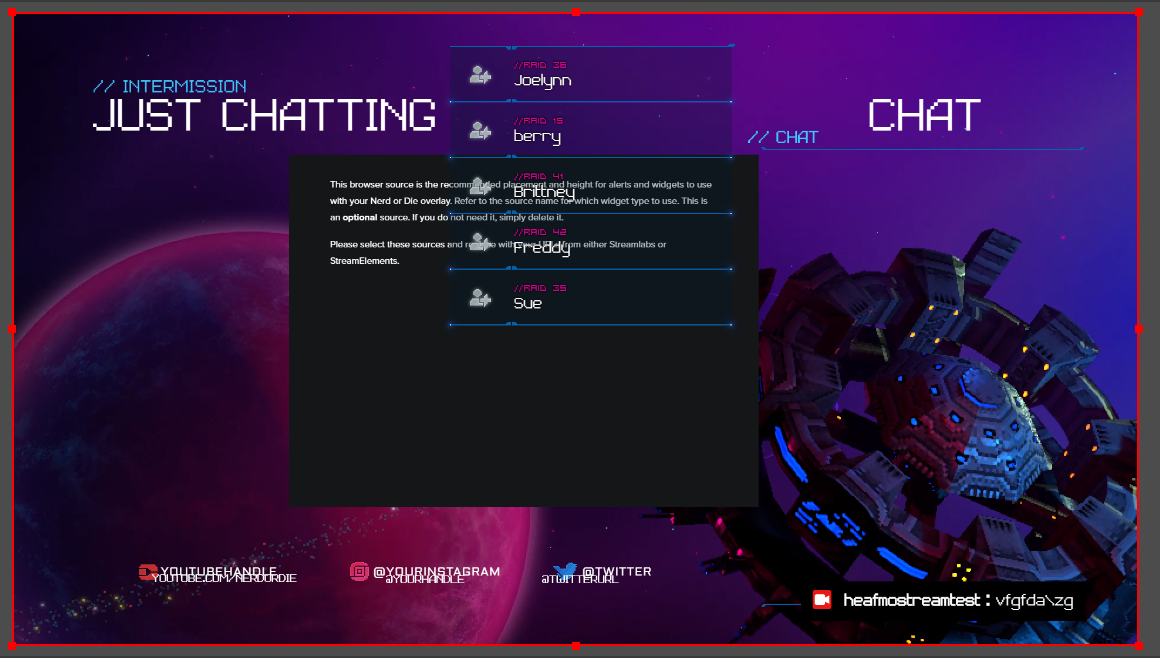 nova scaffold
exotic pebble
Hi. I'm trying to setup a NoD stream package, currently having difficulty with w...
nova scaffold
exotic pebble
Hi. I'm trying to setup a NoD stream package, currently having difficulty with w...
Have you imported directly from the NoD package (via link) or from a different platform?
exotic pebble
I'm trying to get streamelements to take care of the animated elements but I have imported a lot to OBS via .lua as obviously layering a camera with no green screen on top of the scene given as is isn't going to work.
Does that answer your question?
From the NoD Files, yes.
 sage siren
hi my stream chat isnt working when someone says something it doesnt show up on the chat so i have to literally go on twitch to check chat
nova scaffold
exotic pebble
From the NoD Files, yes.
Have you edited the overlays in our editor after the import? I'm not sure if everything is in the right spot after the import.
nova scaffold
sage siren
hi my stream chat isnt working when someone says something it doesnt show up on ...
You mean the twitch chat in OBS.Live?
Try to log out and log back in with your Twitch account and check.
sage siren
ok ill try that thanks
exotic pebble
@nova scaffold I'm trying too but a lot of things just aren't making sense and I'm struggling to articulate.
I think I'm just going to have to mess around with it for days on end until things make sense, just kinda frustrating as NoD sold this as being easy. Maybe it was, but now it's not and I can't find a comprehensive tutorial.
nova scaffold
exotic pebble
<@!149255081194160129> I'm trying too but a lot of things just aren't making sen...
Are you familiar with our editor in general? If not, i suggest you look up a few video guides on our YT channel called StreamElements.
The installation of packages from NoD and others is super simple, but they are not 100% ready to rock out of the box
exotic pebble
Well I must be thick. I'm sure it is simple when you know. I'll give the videos on the streamelements YT and probably be back when I can ask the right questions.
nova scaffold
exotic pebble
Well I must be thick. I'm sure it is simple when you know. I'll give the videos ...
Yep, this would help a lot so we can figure out what is actually broken or not correct.
 brittle jay
i have some animated social media pop up videos, how do i make these rotate and pop up automatically throughout my stream?
nova scaffold
brittle jay
i have some animated social media pop up videos, how do i make these rotate and ...
Try the rotator widget in our overlays. It can work with multiple videos.
nova scaffold
brittle jay
where do i find it?
When you edit one of our overlays, check the widgets
nova scaffold
brittle jay
do i have to turn them all into gifs first? <@!149255081194160129>
No, the rotator widget supports videos too. Gifs have lower quality, do not recommend.
brittle jay
it doesnt let me import any mp4s or .mov
what should i use for a transparent video which it supports?
wary dew
webm would be best suited
brittle jay
yikes not sure if sony vegas lets me render to that
wary dew
I used that for a couple of things, worked like a charm
brittle jay
ight, last q will i need to use a green screen and then edit it with the widget or will the transparent background stay?
nova scaffold
brittle jay
what should i use for a transparent video which it supports?
try to use webm via the Premiere webm plugin.
This is what i do if i need to convert those
ffmpeg also would work with webm plugins
brittle jay
yh ive got the webm but ion know how to keep the backkground transparent
nova scaffold
edit the original to be transparent and export in premiere into webm with alpha channel enabled.
rugged quail
Why when I put in a overlay in it it is super small in the top right coroner. I can't grab it.
full thunderBOT
The default resolution for StreamElements overlays (theme and custom) is 1920x1080. Please add them in OBS at their full resolution and use CTRL+F to fit to screen if necessary. You can then downscale your stream in OBS settings > Video if you'd like https://i.imgur.com/6bWXxjR.png
rugged quail
Its a animated one so its a media sorce
karmic grotto
rugged quail
Its a animated one so its a media sorce
u need to use the streamelements editor to place animated stuff also. If u do directly u should go to obs oficial support for help 🙂
 spiral fossil
i can´t stream on several platforms. Because every time when i click the button Start Streaming pop´s a window for Youtube setup and this window didn´t load and i can´t stream on Twitch
 vagrant geode
Hi everyone! I have a problem with my alert overlay. The animation is choppy and freezes about 1 second after starting but runs smoothly once the text is displayed. Has anybody encountered this behavior before or knows what the cause could be?
full thunderBOT
StreamElements menu, on top of OBS > Logout > Login
karmic grotto
@spiral fossil ^^^
spiral fossil
thank you it works
rugged quail
I need help! - I downloaded Stream Elements OBS yesterday so I'm not exactly good at using it, I accidentally deleted the part where it shows you the things that you have added to the scene, I also would like to know how to get the overlays from the Stream elements dashboard to the OBS
hollow niche
Hey, i got another question in regards to the web based overlays. I've added some notifications like followers, subscribers etc. That works fine. But goals that I've set up, recent followers and recent subscribers are not working.
tender python
rugged quail
I need help! - I downloaded Stream Elements OBS yesterday so I'm not exactly goo...
OBS > View > Docks > Reset
hollow niche
It does work in the live preview, but not in the real stream when I copy and paste the link
tender python
full thunderBOT
@rugged quail To add your overlays to OBS, add a new browser source in your scene. Paste your overlay URL in the browser source properties, set the dimensions to 1920x1080 (unless you changed them on the website) and check Shutdown source when not visible. https://youtu.be/KDvLynUqXI4
hollow niche
As you can see here, it works in the browser, but not in the stream itself. Although the notifications work
right is the browser, left the stream, it's not there the goals, recent followers etc
tender python
1: nieuweste ?
rugged quail
tender python
OBS > View > Docks > Reset
tysm
hollow niche
Yeah, it's Dutch. means latest. But it does show op on the preview browser, but not in my stream. Even though the notifications do show up when I emulate them
tender python
hollow niche
As you can see here, it works in the browser, but not in the stream itself. Alth...
Nieuweste .
hollow niche
Hahah i know 😉
tender python
Just saying.
exotic pebble
Alerts don't disappear?
tender python
hollow niche
As you can see here, it works in the browser, but not in the stream itself. Alth...
Still don't 100% get what the issue is
both show the same
hollow niche
Here I emulated a follow, that works as intended. But on the right where the recent followers and subscribers should be, it's not there
exotic pebble
Video's on the youtube super basic that they read more like a sales pitch and aren't very relevant to trying to use the NoD package which has given me a whole overlay just for widgets?? When in the video's it's just being done individually into appropriate scenes?
wary dew
exotic pebble
Video's on the youtube super basic that they read more like a sales pitch and ar...
might want to ask around there too
rugged quail
Is there a way to test alerts?
tender python
in dashboard on overlay: bottom, hit + icon, emulate
tender python
no