#helpdesk-selive
1 messages · Page 143 of 1
 wintry cloak
 odd kraken
Delete that source and add it again with the correct dimensions. @wintry cloak
wintry cloak
Deleted, added with correct dimensions and still no image, though the words at least aren’t cut off
odd kraken
Try to enable/disable Hardware accell.
odd kraken
only some alerts do not work?
wintry cloak
Donations worked once but then hasn’t worked since
I saw everything perfectly, but then I tried the tip event again and no image
 steel bladeBOT
@wintry cloak Right click on the BrowserSource > Properties > Scroll down a bit > Refresh Cache of current page
odd kraken
I am gonna ask internally on your issue.
wintry cloak
Thank you! I appreciate your help!
 tepid temple
Hey all - I've been trying to use obs.live. I've tried reinstalling it a couple of times but the problem is I get a bunch of visual artifacts on the streamelements plugin windows. Any suggestions?
steel bladeBOT
@tepid temple Please follow these steps:
close OBS,
open the Nvidia Control Panel,
in the left menu select "manage 3D settings" and then under the list of options (right panel) press "restore default settings",
Start OBS again.
tepid temple
I love you Support AI. Now to figure out what nvidia option is causing this 😦
It worked though
odd kraken
@wintry cloak If you add an image soure to that overlay, does it show?
odd kraken
yes.
wintry cloak
 plain sonnet
@wintry cloak can you press windows+R
paste and search this
%APPDATA%\obs-studio\basic\scenes
then DM me the .json file
thx
wintry cloak
no problem! I tried to dm but it posted here
plain sonnet
no worries, i got it, let me just look through
wintry cloak
Alrighty, Thank you so much for your help!
 tender python
Just download and install the plug in I’m assuming
@sly delta through scripts, yes
plain sonnet
@wintry cloak could you emulate an event for me quickly please, anything will do
wintry cloak
Send you a picture of it?
plain sonnet
did you get just text or a picture also?
wintry cloak
Just text, and the text was there for about 15 seconds or so
plain sonnet
ok, and the same with that one? only text?
wintry cloak
Actually text is there for about 30 seconds, yes
plain sonnet
should there be any images on those alerts?
plain sonnet
hmm ok, im going to get the bot to send you something, please DM me the link
steel bladeBOT
@wintry cloak Follow these steps to grant managers/moderators access to your dashboard:
- Click on your Channel Name at the top of the dashboard and select Settings
- Create a new invite at one of three access levels (Bot Supervisor, Editor, Full Control)
- Send this invite to a mod/manager to give them access to your dashboard. The link is one-time-use and expires after 72 hours if not accepted
Video tutorial: https://youtu.be/zl_h-ttZDF0
wintry cloak
Sent!
 hard bridge
how do I move the obs live to a different moniter?
it always opens up and stays on the same one and I cant move it
 grizzled marsh
Uh, that's weird. You should be able to? Click the middle button so it isn't maximized, drag it over?
 kind sequoia
Why is it doing that and how do I fix it?
plain sonnet
im guessing the overlay?
settings > video
set base canvas to 1920x1080
kind sequoia
Sorry, yes, the overlay. Thanks.
 narrow cipher
narrow cipher
narrow cipher
ok :)
 alpine sun
Hello, I have a problem with my obs.live, the transmission chat says "error loading data" can someone help me please?
steel bladeBOT
@alpine sun Streamelements on top of OBS -> Logout -> login
alpine sun
Thx ❤️
 hardy gull
Any idea why I would have worse performance than in slobs? This seems so much less resource intensive but I get insane dropped frames
 hidden jackal
guys, do someone know what is the best setting for obs amd for streaming warzone?
steel bladeBOT
@hidden jackal There are no "best settings".
Please understand that every setup will be very different.
Any guides or videos that claim otherwise are misinforming. Your best option is to start with a base and adjust as necessary.
You can run the OBS auto-configuration tool. To use the auto-config, click on the Tools menu in OBS, select Auto-Configuration Wizard, and then just follow the on-screen directions.
You can use this tool to get baseline settings for your hardware and adjust as necessary from there.
Test, test, and test again. We are happy to offer suggestions for any issues you may be having afterwards, but not a list of settings.
Thank you 
 tribal merlin
How do I fix a grainy webcam? I am trying to setup my webcam and there seems to be static or grain to it.
steel bladeBOT
@tribal merlin For the best OBS support, please join their Official Discord @ discord.gg/obsproject
 obsidian cradle
is there a way to have the media request widget default to "On". a restart turns it off and makes me need to turn it back on.
 timber depot
Hello! Apologies if this has been asked before, but I could not find something similar from a quick search.
I am trying to configure the bot for moderation. Right now it is timing out the user that posted a link, but is not giving them the reason. It also deletes all their previous messages. Is there a way to configure it to delete just the message with the link? Thank you!
obsidian cradle
@timber depot it should only timeout for 1 sec on first offense then 500 secs timeout for the next offense. when a user is timed out it deletes all messages in chat from that user
deleting all messages on timeout is a twitch thing.
odd kraken
@timber depot No, the bot can only time people out and there is no message from the bot in chat when it does.
timber depot
Thank you!
obsidian cradle
its suppose to provide a message telling them why they got timed out
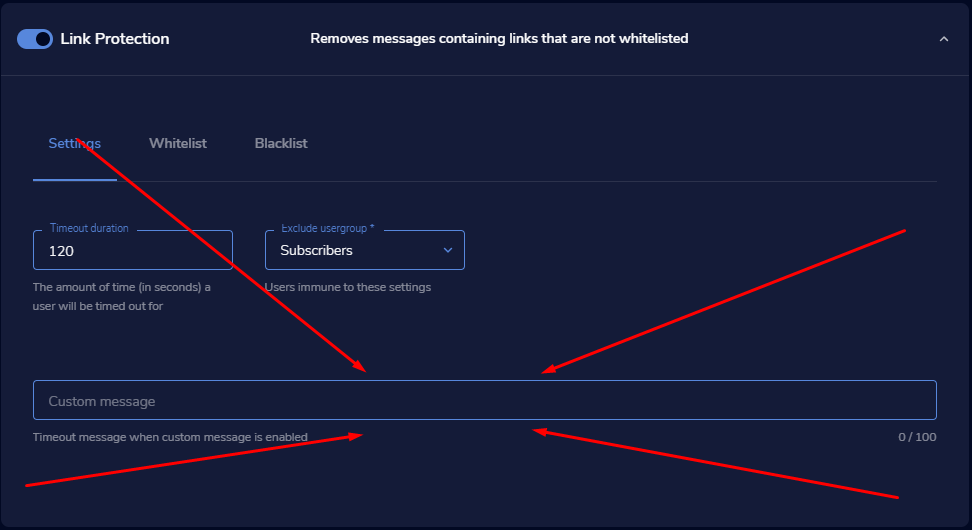
like how my question got ignored though. gg
 heavy blade
Does someone know how to set up the panel where it allows me to change my Twitch description & stuff?
steel bladeBOT
@heavy blade If you are not seeing the OBS Twitch integrations and have OBS.Live installed, please follow these steps:
- Make sure you are on the latest and greatest version of OBS.Live
- exit OBS (make sure OBS is not running)
- delete %appdata%\obs-studio\plugin_config\obs-browser\obs_profile_cookies
- start OBS.Live
- Settings -> Stream -> disconnect -> connect
timber depot
@obsidian cradle I do have the message, but I am the only one seeing it. The user themselves only sees their messages deleted and no indication why.
obsidian cradle
@timber depot it should tell them in chat. not by whisper
odd kraken
This is not correct, this message is only visible for mods and the broadcaster.
timber depot
@odd kraken this is more like what seems to be happening and was wondering if this is normal.
odd kraken
yes, this is intended behaviour.
timber depot
Great, thank you.
odd kraken
@obsidian cradle The settings in the media request section should stay after a change or reload of the page.
obsidian cradle
they don't, i click "Show on stream" refresh and it is off again.
odd kraken
Ok, the show on stream action has to be hit every time, the page is reloaded, yes.
obsidian cradle
i don't want to turn it on manually for every stream. i want it on all the time
odd kraken
Not possible from what I know. At the beginning you would need to press the button, as the overlay is then active.
odd kraken
StreamElements > Activity feed.
 visual gust
hi im having a problem with obs, i have media request enabled but whenever i click "show on stream" double audio plays
steel bladeBOT
@visual gust Make sure to ☑️ “Shutdown source when not visible” for all browser sources (all OBS scenes). If using studio mode, uncheck “Swap Preview/Output scenes After Transitioning.” Also keep in mind that sound can play from any overlay loaded in the browser (editor or launched). https://i.imgur.com/6bWXxjR.png https://i.imgur.com/yY0wcFl.png


 stiff canopy
 kindred fox
Unfortunately there is no OBS.Live plug-in for macOS
 karmic shoal
Hi so my se pay for some reason I made a a account and now my money does not do to my paypal what do I do
It made me a account I did not make one typo
steel bladeBOT
@karmic shoal Please contact us via email for support with SE.Pay. You can use our contact form here: https://streamelements.com/contact Thank you
karmic shoal
Thank you
steel bladeBOT
@elder viper Welcome to the helpdesk! Please let us know how we can assist you today and a support volunteer or staff member will assist you as soon as they are available. Thank you for your patience.
 elder viper
the button is non pressable ("Start Streaming") and i cant press it pls helop
and i cant seup twitch donos
/idk hoqw
steel bladeBOT
@elder viper New to Stream Elements?
Check out our YouTube channel https://www.youtube.com/c/streamelements/videos
with tutorial videos from setting up the basics, to in depth details on how to use our product.
New to OBS? Here is a 4 step quickstart guide
https://obsproject.com/wiki/OBS-Studio-Quickstart
Want to learn even more? Here is an in-depth overview
https://obsproject.com/wiki/OBS-Studio-Overview
 crystal cypress
Should alerts be on the scene overlay or as a separate element? I'm having an issue where if i place it on the scene overlay the audio plays about 4 times
 sullen stone
How do I get my alert overlays from being completely out of the Source box???
elder viper
IT DOESNT LET ME STREERAM
steel bladeBOT
@elder viper Please provide a proper screenshot with the issue visible. If not sure how to take a screenshot, you can check here: https://www.take-a-screenshot.org/
 plain sonnet
can you get a log from obs
help > log files > upload current
paste the url here
elder viper
wheres help
plain sonnet
top menu in obs

 maiden aurora
I'm getting a black screen for my game input. I'm using a capture card with xbox one. Has anyone else had this happen or know how to fix it?
plain sonnet
restart obs
then go into settings > output > stream
change your encoder
elder viper
okay wait
so i change it off x264?
wait tadpole
it says start streaming
but do u know how to setup twitch donos
plain sonnet
its all in the alert boxes
your dono link can be found here
https://streamelements.com/dashboard/tipping-settings
elder viper
i know
but i dont know how to create those twitch boxes
that u click on
to link to the dono
plain sonnet
click the "edit panels" button on your twitch channel then add a new "text or image panel" and add your tip link
sullen stone
Nvm. Got it
crystal cypress
Should alerts be on the scene overlay or as a separate element? I'm having an issue where if i place it on the scene overlay the audio plays about 4 times
grizzled marsh
Whatever works best for you but the beauty of StreamElements is that it can all be one browser source. However, it really should not be playing four times.
crystal cypress
its as if its delayed in playing on each scene. It's a nerdordie alert so im on support with them
grizzled marsh
@crystal cypress Be sure that in all your scenes that you have a StreamElements overlay that "shut down when not in use" is checked in the properties.
 prime copper
Crossposting to this channel to incase helpdesk-twtich is wrong place:
I saw another question above about something similar but going to ask since it didn't seem resolved. !kappagen is only kinda working for me. Regardless of the number I put it always only sends 1 to screen. e.g. !kappagen musicNote 50 ... am I doing something wrong?
 rancid oxide
im having issues getting my custom overlays from streamlabs to transfer over
crystal cypress
@grizzled marsh but then when you switch scene, you have that awkward, black screen waiting for the scene to load up
 lilac marsh
 scenic meadow
hello! so im trying to set up my webcam and even tho i can add it as a source its not showing up after i add it and im stumped on what to do
steel bladeBOT
@scenic meadow For the best OBS support, please join their Official Discord @ discord.gg/obsproject
 calm ether
Any tutorial on how points work for the duel command ?
 slate valve
Hello, I'm pretty much stuck here for the past few minutes
I'm importing from StreamslabsOBS
 zinc lark
@slate valve looks like it is done, so I would just "X" out and check to see if everything is there
zinc lark
I am unfortunately not familiar with this issue, but there are two things I would try before going too far.
- Run it with SLOBS open.
- Run it with SLOBS closed.
If still erroring, close both, run OBS as admin and try again. Even a computer restart can help sometimes
 rugged quail
Good day! I want to ask about animated theme preset. It is not animated both in my OBS and stream, but in preview it works. I am using Mac and I have copied the URL to the browser in OBS. Do anyone have any idea? Thanks
 shy mountain
OBS on Mac may have issues rendering our animated themes
and I would recommend using the static variant
@slate valve It can fail due to:
- Copyrighted assets from SL
- Media assets being over 100MB
- OBS sources that cannot be converted into overlay items, such as standalone music/sound bites
slate valve
oh alr. thats unfortunate. ty btw
rugged quail
alright copy that. I thought this was probably the cause. Thanks a lot!
 soft cove
hello . where is the viewer count toggle ?
shy mountain
Activity feed dock -> 3 lined button on the top left -> Stream settings -> toggle
 tranquil shell
Hey team!
I am a current long term Streamlabs user looking to move to SE due to the advanced functionality that is provided. Can I please ask some questions around the programs and features?
soft cove
Activity feed dock -> 3 lined button on the top left -> Stream settings -> toggle
@shy mountain its not here
shy mountain
The viewer count is only available for Twitch users
Facebook doesn't provide the viewer count via their API so we are not able to show it
soft cove
oww i see . thank you 🙂
shy mountain
@tranquil shell Yes
tranquil shell
@shy mountain want me to drop them here or are you available to DM? 🙂
shy mountain
Its best here
tranquil shell
Okay great!
Streamlabs has a system where by you pay a yearly subscription and get access to a custom website etc, does SE have any similar paid features etc.
Does SE have the ability to make Stickers and accessories through it's merch store?
Can I set elements in OBS live to cover one entire side of the screen?
shy mountain
-
We are 100% free service. Everyone gets the same thing. Only different is our Dreamteam members receive some additional perks, but thats about it.
-
I would suggest to check our FAQ here: https://support.streamelements.com/hc/en-us/articles/360011391080-SE-Merch-FAQ - it has all the items listed and anything that is not listed is not available or it might already be planned
-
I'm not sure what you mean by that.
tranquil shell
Can I have the chat bar run all the way down the side rather than be confined to the top 2/3rds
shy mountain
you can do this if you wanted to
or
have the bottom row of docks be as small as possible and this is the maximum you can have it
or you can undock the chat dock and stretch
but thats about it
tranquil shell
Okay! How do I remove entire windows from that display? 🙂
shy mountain
View on top -> docks -> start unticking the docks
but i would not recommend it cuz you will loose the scenes and start/stop streaming buttons
tranquil shell
I want to remove media request actually
shy mountain
Streamelements on top -> media reqeust or the X button on the dock
tranquil shell
Any way to change the colour of the activity feed section?
shy mountain
only from dark mode to white mode and vise versa
tranquil shell
any functionality of moving the viewer count from activity feed to anywhere else? 🙂
shy mountain
No - the viewer count is bound to our docks
You can connect your account directly into OBS and have the Twitch stats dock open
this little thingy
tranquil shell
Okay sweet. Being in Australia is there any disadvantage to me currency wise? Can I set tipping to AUD?
shy mountain
You can
from the tipping settings

StreamElements
The Ultimate All in One Platform for Streamers
Page settings
tranquil shell
Any way to re order these so they display properly?
rugged quail
Yo, I need help
I cant use my chat tool in live obs
I cant text in it and cant see messages
steel bladeBOT
@rugged quail Streamelements on top of OBS -> Logout -> login
@tranquil shell For the best OBS support, please join their Official Discord @ discord.gg/obsproject
rugged quail
ty
tranquil shell
Is there any way to change the thumbnails on your own widgets and overlays?
 wary dew
nope, but there is an idea somewhere on the ideasboard for it
shy mountain
3 dots -> properties -> set a game
 sage wedge
Hello everyone. Is there a way to selectively record on OBS.Live? As in select which overlays/sources end up in the recording and which don't (akin to slobs)
odd kraken
Afaik, that is nothing OBS Studio is offering.
sage wedge
Oh. Shame, it's a very handy function
 drifting patrol
Anyone got time to help me with Media Request pls i got my overlay done . when i put it into my overlay dose it go under browser source?
steel bladeBOT
@drifting patrol To add your overlays to OBS, add a new browser source in your scene. Paste your overlay URL in the browser source properties, set the dimensions to 1920x1080 (unless you changed them on the website), and ☑ “Shutdown source when not visible” https://youtu.be/KDvLynUqXI4
tranquil shell
Okay great! Is there a page link I can send my moderators so they know what all of the chat bot commands are?
steel bladeBOT
Follow these steps to grant managers/moderators access to your dashboard:
- Click on your Channel Name at the top of the dashboard and select Settings
- Create a new invite at one of three access levels (Bot Supervisor, Editor, Full Control)
- Send this invite to a mod/manager to give them access to your dashboard. The link is one-time-use and expires after 72 hours if not accepted
Video tutorial: https://youtu.be/zl_h-ttZDF0
shy mountain
!levels
steel bladeBOT
Chat/Bot Levels
100 - Viewer
250 - Subscriber (Twitch subscribers automatically placed at this level)
300 - Regular
400 - VIP (Twitch VIP automatically placed at this level)
500 - Moderator (Twitch chat moderators automatically placed at this level)
1000 - Super Moderator
1500 - Broadcaster
Dashboard Manager Levels
Bot Supervisor
Editor
Full Access
Owner
https://i.imgur.com/s61Liry.png
 shy mountain
then they can roleplay as you and check the commands, edit, etc
tranquil shell
Excellent thanks for answering all of these questions. Is there any way to increase the 1GB of cloud storage available for assets?
shy mountain
Unfortunately no
tranquil shell
Is that something being looked into? Is there access to this ideas page that was mentioned before? 🙂
steel bladeBOT
Check out the StreamElements ideas board: https://strms.net/ideas. You'll be able to add ideas, upvote ideas you agree with, and track their progress with email notifications. Adding and upvoting ideas also helps the staff know which ideas should be prioritized so please take some time to upvote.
 formal folio
Hello, I have a problem uploading a video as a notification alert. When I upload it, it is not lagged, but as soon as I make adjustments and change the site its starts to lag a lot in the OBS but not on the Streamelements website. I already tried to compress the video or export it in another format but that always happens to me. Is it a problem with my OBS? Thank you very much.
shy mountain
@formal folio I would suggest to convert it to .webm file and then upload
and then try this:
!accel
steel bladeBOT
OBS -> settings -> advanced -> scroll down -> enable/disable hardware accel.
https://i.imgur.com/ggMe9ZE.png
 sage wedge
Does OBS.live have an Undo function when editing overlays?
In SLOBS you can undo placements and transform actions on sources etc., can't seem to find it in .live
shy mountain
For sources and such, im not sure, but since you said editing overlays, the built in overlay editor has all the functions of the overlay editor from the dashboard
sage wedge
I mean inside of OBS.live itself. I prefer to edit overlays in the program rather than website
shy mountain
sage wedge
I put my overlay together in OBS live, not the streamelements website editor.
shy mountain
I don't understand where you are seeing streamlabs in the video I just showed you
sage wedge
I recently transitioned from SLOBS and was therefore under the impression that I could do the same here, in-program
typo
sage wedge
Here are all my elements. Inside of OBS. Let's say I move one of them, and don't like its position and want to have it back
In SLOBS, I could just hit ctrl+z
And it would put it back the way it was. There was basically a "history state" within OBS itself
shy mountain
Thats an OBS feature then, as OBS.Live is a plugin for OBS Studio.
steel bladeBOT
@sage wedge For the best OBS support, please join their Official Discord @ discord.gg/obsproject
sage wedge
I see, thank you.
tranquil shell
How exactly does the chat stats function work? I go to it and it says 404 error
steel bladeBOT
@tranquil shell If you changed your name on Twitch please follow these steps:
🔹 Visit https://streamelements.com/logout and then log in again with by connecting with Twitch.
🔹 On the right side of the dashboard page that opens, select "Join" under bot settings. If it says "Part" select that and then select "Join" to send the bot to the chat. Don't forget to mod the bot by typing /mod streamelements in your channel if you have not already.
🔹 Post your old and your new name here so that we can update your channel's chatstats tracking (must be done by staff).
tranquil shell
Will doing this keep all of my commands intact?
I believe my old username was MaxPanda_ and my new one is just MaxPanda
 lilac ocean
yes it only changes your username
shy mountain
@tranquil shell done
tranquil shell
Danke
 nimble stratus
Excuse me, I need help with trying to upload a specific file for an alert variation. It says that one of the acceptable formats are .gif files, but I can't find the file when searching for it to upload, I've tried to drag it in while finding it through my file explorer but it still won't take the file. I don't know how to get it to take the file
shy mountain
When setting an image or video, make sure you click on the right option. If its an image/gif click "change/set image"
if its a video "change/set video"
nimble stratus
Ah I got it, thank you!
 safe knoll
Hi, I launched the program and was prompted to update, I did, and now when I launch it I am greeted by a white preview screen. nothing shows up there at all, not even that annoying prompt to link youtube and twitch or whatever
tranquil shell
Is there any way to update my username on SE? It displays as maxpanda everywhere but it is meant to be capitalised as MaxPanda
safe knoll
 karmic grotto
can u try to reinstall it monmaker? probably a bad update happnened
safe knoll
will that reset my scenes and stuff?
karmic grotto
could, i recommend first backup your profile and scene collection in the top menu
safe knoll
How do I do that?
lilac ocean
can you try relogging first?
steel bladeBOT
Streamelements on top of OBS -> Logout -> login
karmic grotto
hm, i think he is not even logged @lilac ocean as he said the buttons for logging in not even showing
safe knoll
It says login, but when I click it, nothing happens
 maiden horizon
is there a way to hotkey start/pause media request ?
safe knoll
Looks like there is a slight loading circle in the white area, then it goes right back to white
karmic grotto
is there a way to hotkey start/pause media request ?
@maiden horizon yep in the obs settings go into hotkeys and there should be hotkeys for pause mute unpause voluume up and down
lilac ocean
@safe knoll ill ask around about this first before you reinstall straight away
safe knoll
ok
tranquil shell
Is there any way to update my username on SE? It displays as maxpanda everywhere but it is meant to be capitalised as MaxPanda
maiden horizon
@karmic grotto is the media request audio coming from the browser? so i just mute the audio in the browser? I cant pause and unpause the actual media request like clicking the button in OBS.live?
lilac ocean
can you try, View > Reset UI @safe knoll
safe knoll
doesn't change anything
lilac ocean
alright, was worth the try, im waiting on an answer in the mean time
karmic grotto
@karmic grotto is the media request audio coming from the browser? so i just mute the audio in the browser? I cant pause and unpause the actual media request like clicking the button in OBS.live?
@maiden horizon if u use it in browser it will come from the browser, i recommend using the one inside obslive
safe knoll
So, it looks like it works just fine if I switch it to OBS Studio, it's just when trying to use OBS live that it gives me trouble
karmic grotto
also u need to use the obslive MR if u want to use hotkeys
maiden horizon
what is obslive MR?
lilac ocean
Mediarequest
maiden horizon
oh ok, yes i use the one in obs.live
i just can figure out how to hot key it
i know how to use the hotkey settings, i just dont see any about media request
lilac ocean
use the StreamElements -> Report an Issue feature in OBS.Live so that staff can properly look into it please @safe knoll
It's been a known issue with OBS.Live
maiden horizon
i found the hotkeys... i was looking in the OBS settings, I found the Media Request settings - hotkeys
rugged quail
good day
i have a custom alert i made on another webiste how do i add the alerts with a url i was provided with
i made it with muxy
steel bladeBOT
@rugged quail The default resolution for StreamElements overlays (theme and custom) is 1920x1080. Please add them in OBS at their full resolution and use CTRL+F to fit to screen if necessary. You can then downscale your stream in OBS settings > Video if you'd like https://i.imgur.com/6bWXxjR.png
tranquil shell
Is there any way to update my username on SE? It displays as maxpanda everywhere but it is meant to be capitalised as MaxPanda
 distant breach
I'm not familiar with Muxy, but if you put the URL in that highlighted area it should show that source. (if you have HTML/CSS/JS code then it is a different setup)
rugged quail
it does have css code
distant breach
It is linked to your log in account @tranquil shell .... I'm guessing your Twitch name is lowercase
tranquil shell
Yes my twitch name is lowercase and my twitch displayname is uppercase
distant breach
i'm honestly not sure there is.... i can see your Discord connection and even that is lowercase. I'm guess that S.E. along with many other places is grabbing your twitch 'username' (also lowercase) instead of the 'display name'
tranquil shell
ahh that's unfortunate! 😦
Another question, are alertbox settings global. IE, should I be setting up one master alert box and adding that to my overlays or doing it one by one?
distant breach
where exactly is your name lowercase that you would want for it to be 'Display Name' ?
tranquil shell
on my main profile
distant breach
I personally (and i'm not great with OBS) just have 1 master alert box. Then I copy that to other scenes.
tranquil shell
It flows through to tip page etc
distant breach
your tipping page looks correct to me:
tranquil shell
Maybe I did something, I don't even know anymore. Thanks for helping anyway! 🙂
Is it possible to group overlays?
 unreal eagle
Hi, I need help if possible with working something out. I just become a affiliate so decided to buy a pc to be able to put overlays on top of the stream.
I have got most things working I think, but when I copy my overlay url (from streamelements) into my obs, I add a browser source to my scene, paste the url, click on shutdown when not visible, and set dimensions to 1920 1080.
And for some reason when I click accept, I doesn't show anything on screen, just the box outline, no overlay, alert sound or anything.
Could someone possibly help me find out what I'm doing wrong, and what I can do to fix it ASAP, as I had my very first subscriber last stream, and missed him even doing it for the first 10 mins because I had no notification to the stream atall, not even a chat bot
distant breach
Congrats on the affiliate! ... i am not great with OBS, but what you have said so far is correct. Are you using the 'Alert Box'? and when you go to the overlay editor you should see a 'show love on stream' option in the emulate menu. Can you post a screen shot of what you see in OBS; i'll grab one of my newb setup
unreal eagle
Thanks alot! It's all exciting but now it needs to be professional lol. Yes I have that on here, just getting it up to take a pic of
distant breach
that is correct. on the overlay editor; when you click a "follow" or "sub" event they pop up?
🙂 and good blackout with the URL
 dense helm
Hello, I wanted to upload a soung file that is .ogg. As screenshot says, it should be supported, but I try to upload it there is an error. So I looked up at network and in network the response is: 415 - Unsupported Media Type.
lilac ocean
ill ask around for you @dense helm
 dry sphinx
I think converting it to .wav may help
dense helm
I know, but the thing is it shouldn't be there as supported you know. It could lead to confusion for somebody wondering why the hell it is not uploading.
dry sphinx
Are you using Chrome?
dense helm
Firefox
 unreal eagle
Yes they pop up on screen there, but that's as far as they get, will it have something to do with the fact that my actual gameplay capture is through a ps4 remote play window, I have took a quick screen record to show it all, but I wouldn't be comfortable sharing on a open channel @distant breach
distant breach
I understand @unreal eagle, I'm going to pass along to someone with more experience with OBS
dry sphinx
@unreal eagle Do you have your Overlay Source above your Game Capture in OBS?
unreal eagle
@distant breach thanks!! Amazing fast responses 👌🏻 @dry sphinx yes, I made it to be on top of everything
dry sphinx
Vivaldi prob more Chromium than Firefox. I never used Vivaldi but glad it works 
@unreal eagle So just to be sure when you do a test alert: It only shows up in the Editor & not in OBS?
unreal eagle
@dry sphinx no it doesn't show up atall in obs, I just tried again 😭
dry sphinx
Do you have the Overlay dimensions set to 1920x1080 in OBS & is Hardware acceleration turned off in OBS @unreal eagle ?
tranquil shell
Can you group overlays? 😦
unreal eagle
@dry sphinx where do I find hardware acceleration? And by having them set in obs, I think so, when i click add source, browser etc in obs, then paste url, direct underneath I put the dimensions
steel bladeBOT
@unreal eagle OBS -> settings -> advanced -> scroll down -> enable/disable hardware accel.
https://i.imgur.com/ggMe9ZE.png
unreal eagle
Ooo okay!! Found it! It's on, so I need to turn it off correct? I feel like I sound so dumb but I'm brand new to pc within the past week
@dry sphinx omg, you fixed it, straight away!!! Thank you so much!❤️
dry sphinx
 shy kestrel
Hello all. I can't seem to get the OBS.Live Media Request DOCK to show in my obs, any ideas? I recall it being there when I was setting it up but can no longer see it. The option to add it into my docks also isn't there.
unreal eagle
It looks amazing now! Thanks to you my stream can finally start to come together and look professional
dry sphinx
You prob just have to sign out of OBS.Live & sign back in @shy kestrel
Glad it's working now, Ravenn.

 blazing brook
yooo i need help i switched my account on obs.live but my activity feed and chat is still stuck on my old account any way how to fix this ?
shy kestrel
@dry sphinx I'll give it a bash later, thanks.
tranquil shell
Can you group overlays? 😦
rugged quail
Hello everyone, I have a question... sometimes I have to restart OBS a bunch before the sreamelements widgets load in, is there a reason for this?
tranquil shell
Overlays in the stream elements editor
wary dew
you can group layers
tranquil shell
Yes but i want to be able to group the actual overlays themselves
Otherwise im stuck assigning them games to remember whats what
tranquil shell
Is that a feature coming? :/
tranquil shell
Link me? 🙂
 gray jolt
I'm trying to add sources to my scene and though the sources appear in the window, I am not able to see them as visible under sources, even though when I added them, I had "Make source visible" checked.
blazing brook
yooo i need help i switched my account on obs.live but my activity feed and chat is still stuck on my old account any way how to fix this ?
@blazing brook anyone ?
nvm fixed
 round pier
anyone know why stream elements timers arent working no matter what i do?
hardy gull
hello, any idea why tips seem to be taking a hard priority over recent bits in the event list? is it maybe because the tips had to be imported?
rugged quail
Hiii !! I have a little problem... OBS Live is at 70% of my CPU, and I just can't reduce that... :/
tepid temple
Using the Stream Elements Editor. I'm trying to put text over an image but I do not see that option anywhere. The order of layers in the edit section on the left is set to have the text on top of the layer I'm placing it in front of. However, no matter what I do it hides behind the image. Any thoughts?
steel bladeBOT
@rugged quail 1) Restart OBS
2) Start your stream/recording for about 30 seconds. Make sure you replicate any issues as best you can, which means having any games/apps open and captured, etc.
3) Stop your stream/recording.
4) Select Help > Log Files > Upload Current Log File. Copy the URL and paste the link here.
(Note: If you do not see an obsproject.com URL, you will need to update OBS Studio to version 22+)
lilac ocean
please give me one of those
screenshot the cpu percentage as well
and check the following:
steel bladeBOT
@rugged quail To add your overlays to OBS, add a new browser source in your scene. Paste your overlay URL in the browser source properties, set the dimensions to 1920x1080 (unless you changed them on the website), and ☑ “Shutdown source when not visible” https://youtu.be/KDvLynUqXI4
lilac ocean
^shutdown source when not visible should be checked
 dry dock
How do I get access to my twitch docks (eg Quick Actions) because since I've installed OBSLive it just tells me "Access Denied"
steel bladeBOT
@dry dock Streamelements on top of OBS -> Logout -> login
dry dock
Didn't work
 dark quail
I just changed my profile pic on twitch, and my hypecup follower coins inside have nothing but a green square now...any ideas?
steel bladeBOT
@dark quail Please logout of StreamElements at https://streamelements.com/logout and then login again to your account (Twitch/Youtube/Facebook/Mixer)
 topaz shadow
Hello, I have a question (With the media request). If someone puts a song with the media request page will I get flagged with a copyright strike?
dark quail
That didn't work 😦
wary dew
Hello, I have a question (With the media request). If someone puts a song with the media request page will I get flagged with a copyright strike?
@topaz shadow that could very well be the case yes
unless it's copyright free music
but i doubt that 😛
topaz shadow
Ok thank you 👍
 mint sky
Im missing most of the options on the dashboard like chat commands and whatnot is it because i logged in with facebook?
mint sky
dang yeah thats what ive been figuring out unfortunately
wary dew

shy kestrel
You prob just have to sign out of OBS.Live & sign back in @shy kestrel
@dry sphinx When you say signing out of OBS live, do you mean on the website or obs live? cos I signed out of OBS live on the app and the media request dock still is not available
 dusky ember
hi i need help with the width and height for a overlay
wary dew
standard resolution for SE overlays is 1920x1080
kind sequoia
Is there a download for Mac, I only saw one for windows
wary dew
no there is not
kind sequoia
Thanks
 rigid geyser
Trying to Import from Streamlabs onto OBS using OBS.Live plugin and it gets stuck at this every time. it's been like this for about an hour!
Would love some help/suggestions
Even does it when I don't select import alertbox
lilac ocean
be sure that you dont have any slobs copyrighted stuff in there
we cant import that
also files cant be bigger than 30mb
 dapper pine
When I get bits, my tts doesn’t always work. It worked with the 200 bits but everything under didn’t get a tts noti. The sound effect worked tho
odd kraken
Check your variations.
odd kraken
Have you checked the TTS activation amount in the TTS settings?
odd kraken
Set it to 0 and try again.
odd kraken
You can replay the event in the activity feed, which did not get the TTS.
hardy gull
what are the dimension of the default cups?
karmic grotto
what are the dimension of the default cups?
@hardy gull there isn't a dimension at all as the cup can be moved in the "box"
hardy gull
im trying to do a custom one and the wireframe setting is a bit much so im trying to match a default one as best i can
 sour sequoia
Hi, I was trying to stream destiny 2 and the game capture was a black screen. How do I fix this?
wary dew
by using a window capture
tender python
and/or checking the game capture settings
wary dew
D2 doesn't allow game capture
tender python
did it?
tender python
still not fixed huh
sour sequoia
ok thanks for the help!
rigid geyser
@lilac ocean how do I check that? And why does it get stuck on importing alerts when I can just browser source them anyway?
Also I haven't even got alerts checked and it still imports them
shy kestrel
Hey boys. Annoying mapppi back at it again
Still can't find the Media Request Dock. info on it, relating specifically to that OBS live DOCK is also sparse.
plain sonnet
media request is in the Streamelements menu
rigid geyser
Check the stream elements menu
shy kestrel
I'm so sorry. wtf I'm so dumb. Why did I not see that 
plain sonnet
all good 👍
 dim gyro
Hi. Does the amount of different scenes in OBS effect the performence of my PC?
e.g more PC takes more perforemce
plain sonnet
scenes, no.
sources (and more importantly sources on in the background (ie browser sources not set to shutdown)) yes
dim gyro
so filled scenes with sources yes then
Is it just browser sourecs I need to check the shutdown option or something more?
hardy gull
so does anyone know what the actual numbers in the wireframe for the cup reference so i can properly mod them?
 honest echo
@hardy gull https://overlays.thefyrewire.com/tools/pype/
 hardy gull
@honest echo it doesnt seem to do anything? i open the image and all i can do is change the color of a square
got it, it doesnt work in chrome, thanks for the link!
tepid temple
To use the Banned Words list do I have to manually add the words I want blocked? Or if I enable minimum/medium level of protection, will it automatically ban the most common words for me?
honest echo
@tepid temple you need to enable the banned words > EDIT> create new group > https://streamelements.com/dashboard/bot-spam-filters
StreamElements
The Ultimate All in One Platform for Streamers
 fickle oyster
Hi, I'm having OBSLINK to elgato hd60s mac audio issues
Can anyone please help me ASAP
rugged quail
Any guides on adding stream layouts?
 rigid pine
I have been using browser source hardware acceleration, but now the browser source is only showing a black screen. Audio is fine. Turning off HW acceleration in OBS fixes it, but makes the source stutter (which is why I had enabled it). The only thing I can think of is I recently updated my Nvidia drivers and Chrome. Any ideas?
tender python
so filled scenes with sources yes then
@dim gyro it depends..
you can have 200 sources, but while managed well, can take little performance.
if you leave them all enabled.. ofcourse. that'll hurt
 urban quail
Hey guys! I'm working on my stream layout using the editor and I can't figure out how to add links to my social icons
 rugged flint
yeh me either Bizzarleymarlee
its like...why have the text there when it doesn't do anything
honest echo
@urban quail @rugged flint Do you guys mean the overlays? if so, you can change the text, click on the label and then go to settings
tender python
Hey guys! I'm working on my stream layout using the editor and I can't figure out how to add links to my social icons
@urban quail it's static.
they can't click your overlay
rugged flint
yeh that is what i'm tryin to figure out, no youtube video on it, so I just remove youtube and add text with my channel url? https://streamelements.com/overlay/5ef7ecac8f6e620c03d747a8/Vc3gned2wlp34IclT17PCLa92ZPEjDQ3wJzen_GdEHVRY4NS
StreamElements
The Ultimate All in One Platform for Streamers
tender python
again, it's static.
rugged flint
seems rough because i can't resize the overlay graphics
tender python
they wont be able to click it, if you think that's the case.
rugged flint
ok so basically put the handle names in there
tender python
Yes 🙂
rugged flint
ok one last question...i can use normal obs to alt+click to move a border to crop or expand it. obs live doesn't seem to recognize that. is there some other shortcut?
tender python
alt hold 🙂
 gilded stream
How do i add a custom overlay that i made in Photoshop to my stream elements dashboard?
gilded stream
ok
One more question can you get rid of the frame around the countdown timer?
Or change the color?
gilded stream
it does when i add it...its grey
gilded stream
ohhh im dumb sry
 slender lion
someone can help me? how i paste my overlay on OBS?
steel bladeBOT
@slender lion To add your overlays to OBS, add a new browser source in your scene. Paste your overlay URL in the browser source properties, set the dimensions to 1920x1080 (unless you changed them on the website), and ☑ “Shutdown source when not visible” https://youtu.be/KDvLynUqXI4
tender python
ohhh im dumb sry
@gilded stream it happens to the best of us
 ashen zealot
So i just downloaded this program after slobs messed with me. I have some nerd or die panels. Do i have to edit every single one of those scenes in the editor to take out all the stuff i dont want, then paste the url?
 drowsy kestrel
Anybody know how to fix this. When ever I press start streaming it says failed to connect to server. Address not available
steel bladeBOT
@drowsy kestrel Streamelements on top of OBS -> Logout -> login
ashen zealot
i wish it was as easy as one click. Setting up my stream in this program looks way more complicated than slobs.
drowsy kestrel
It didnt work
honest echo
@drowsy kestrel check here
drowsy kestrel
Its on auto rn
honest echo
@ashen zealot better ask to NoD but once you have it on your overlay page just add it to OBS
steel bladeBOT
@ashen zealot To add your overlays to OBS, add a new browser source in your scene. Paste your overlay URL in the browser source properties, set the dimensions to 1920x1080 (unless you changed them on the website), and ☑ “Shutdown source when not visible” https://youtu.be/KDvLynUqXI4
honest echo
@drowsy kestrel disconnect your account and connect it again
drowsy kestrel
This is what pops up
 toxic fern
General tab and scroll to bottom.
drowsy kestrel
Ok then what
toxic fern
There should be a bind to IP option or something similar. Disable that or set to default
drowsy kestrel
I dont see it anywhere
ashen zealot
Can i add audio to my stinger transition?
 hushed nymph
Hello is there a software based Multistream like streamlabs obs but it streams to twith and youtube at the same time and not Facebook
Also does it have the ability to seperate a discord chat from desktop audio without third party software
ashen zealot
restream
hushed nymph
I was hoping a non third party option so i'll thake that as a no
maiden horizon
anyone have a elgato stream deck... Im not able to install the streamelements obs.live plugin...
 ionic dagger
Hi I have a small problem, I cant add a browsersource on obs streamelement can someone help me pls ?
rugged quail
When i use display capture it wont let me record my screen
tender python
I was hoping a non third party option so i'll thake that as a no
@hushed nymph I mean, there's a plugin..
When i use display capture it wont let me record my screen
@rugged quail some games do that. What game are you trying?
tender python
^ 🙂
oh no
there's a new one @karmic grotto
OBS Forums
This is a plugin to streaming to multiple RTMP servers concurrently.
It's able to share encoders with main output of OBS to save CPU power.
It can also use standalone encoders with basic configuration (bitrate)
Current release comes with...
🙂
karmic grotto
sorry sir
tender python
That one was the old one yeah, no worries, this one you can add multiple rmtp urls for multi streams, from within OBS
karmic grotto
i was trying to find that one, but idk why the search didn't found it :/
tender python
@hushed nymph https://canary.discordapp.com/channels/141203863863558144/494513233416421386/726694174123884636 see this one
hushed nymph
Yes Thanks
tender python
1: that's a browser game
2: you can't game capture, browser games.
3: use window capture. @rugged quail
rugged quail
i used display capture
karmic grotto
that will capture your entire screen, and if for some reason you open up a photo of your credit card, boom :/ better use window capture for preventing mistakes @rugged quail
 rugged quail
lol
How come when I use display capture it doesn’t work?
I use window capture now btw
Just wondering
rugged quail
I used it to record google chrome
tender python
do you get a black window from chrome?
rugged quail
Yeah
wary dew
you already posted it there
tender python
@sage river overlay general should be fine here
welp
@wary dew says no 😛
@rugged quail chrome sometimes does this, i don't know exactly why, but the latest 25.0.x OBS should've fixed this
rugged quail
Oh
 sage river
will it show my subscriber count once I start streaming?
wary dew
@sage river stick to #helpdesk-youtube
sage river
kk
tender python
yeah as per 25.0:
By default, it will use "Automatic", which will use the normal method on most windows, and the new method on browsers, browser-based windows, and Microsoft Store (UWP) programs
The downside of the new method is that it can cause a bit of cursor lag, as well as a highlighted border around the captured window. The border itself does not get captured, however.
You can choose which capture method to use in window capture properties``` sullen idol
WHY DOESNT OBS LIVE HAVE A UNDO FEATURE I JUST ACCIDENTLY DELETED A WHOLE SCENE WHEN I WANTED TO DELETE A SOURCE!!!!!
wary dew
it seems your caps button is also broken
sullen idol
A WHOLE HOUR WORTH OF WORK GONE IN A INSTANT
wary dew
do you have a cloud backup?
sullen idol
I DONT KNOW I JUST STARTED USING OBS LIVE AFTER SWAPPING FROM SLOBS KINDA REGRETTING IT NOW
wary dew
stop using caps
did you import all the scenes from slobs?
there is an import tool in the StreamElements menu
sullen idol
yes and spent a hour tinkering for obs live cause the import didnt work
wary dew
sullen idol
why dont you guys have a simple undo button
wary dew
it's just stock OBS with a plugin, so you would be better off asking in the OBS Discord server
i know things like this are super frustrating, for future reference: it might be useful to make a backup using the cloud backup function after completing a scene.
sullen idol
honestly might just stick to slobs
 sleek totem
hello! I have trouble on my obs.. the media request disappeard (in the docks too) and the activity feed also different.. I cant refresh any docks as well. Its been like this since I update the obs.. any ideas? 
odd kraken
StreamElements at the top in OBS.Live > Acitivty Feed / Media Request
sleek totem
odd kraken
StreamElements at top.
https://i.imgur.com/E67PfEa.png
 steel bladeBOT
@sleek totem Streamelements on top of OBS -> Logout -> login
sleek totem
oh it works now.. so I just had to relog in.. thank you ^^
sullen idol
Hey guys any way to change my facebook donation link i hate having numbers in it https://streamelements.com/dynastyxl-3378/tip
steel bladeBOT
@sullen idol To change your tippinglink, please get your current name, account ID & your desired name.
You can submit a request for the change via https://streamelements.com/contact or have a Support Hero request a staff member.
Your account ID is public and safe to share.
StreamElements
StreamElements is the leading platform for live streamers on Twitch and Youtube. StreamElements includes Overlay management, ChatBot, Tipping, Alerts & Loyalty
steel bladeBOT
@prime skiff A crash log is required to investigate the cause of your issue. Please upload the last crash log.
- In OBS, click the Help menu
- Select Crash Reports, and then Upload Last Crash Report
- Copy the URL, and paste it to the chat here.
--
If you are not able to follow the above steps, open your file explorer and go here:%appdata%\obs-studio\crashesand provide the last listed file.
 prime skiff
prime skiff
prime skiff
😦
odd kraken
- Uninstall OBS.Live and after that OBS Studio completely, but leave this UNchecked https://i.imgur.com/LBaHgM1.png
- Download and install OBS Studio from https://obsproject.com/
Does it crash without OBS.Live installed?
odd kraken
Have you tried to uninstall OBS.Live and then uninstall OBS Studio completely without loosing your assets and then just install OBS Studio to see if it crashes?
prime skiff
trying to re-install both now..
odd kraken
Please only install OBS Studio from https://obsproject.com/, to see if it crashes without OBS.Live already.
 steady creek
Hi all, I wonder if anyone can help. I’m trying to add a transparent chat box into my streaming scenes. But I can’t even work out how to add any kind of chat box!
odd kraken
Create an overlay on the website and via the plus, add the your streams chat widget to your overlay and add this to your OBS.
steady creek
It’s sound so easy it makes me feel dumb XD. Thanks I’ll come back if I get stuck. Is there a way to make the box transparent or will it be bordered?
odd kraken
That would be the background color transparency in the widgets settings.
steady creek
Oh perfect! Thank you a bunch for taking time to help 🤘🏻
prime skiff
uninstallation taking time
odd kraken
Have you uninstalled OBS Studio before OBS.Live?
prime skiff
yes
odd kraken
Then install OBS Studio again and then uninstall OBS.Live first.
prime skiff
both uninstalled.. re-installing obs studio now :>
 toxic solar
Hello StreamElements, i do have a problem with my cheer alert. When i'm going to upload a video for the cheer event in the overlay section of your website, the video is not updating. It is still showing the default one. What do i have to do, to get it proper working?
odd kraken
Check the variations of the cheer alert.
prime skiff
now working! thank you
toxic solar
@odd kraken thank you mate! Now i got it 😉 ...
hardy gull
Hey so my "unique chatters" count on the summary is way off. Like I have 1 and it says 16, any ideas why?
 merry matrix
i have added an overlay, but on obs itself it is cut off
and on the right of the screen
steel bladeBOT
@merry matrix To add your overlays to OBS, add a new browser source in your scene. Paste your overlay URL in the browser source properties, set the dimensions to 1920x1080 (unless you changed them on the website), and ☑ “Shutdown source when not visible” https://youtu.be/KDvLynUqXI4
wary dew
make sure the resolution is set right
merry matrix
i did all of that already and it is still vut off
wary dew
what is the size of your base canvas?
merry matrix
its just fixed istelf
gray jolt
Hello - I'm trying to use a stinger transition I purchased and I'm new to OBS Live. When I initiate the transition between screen A and B, it will show screen B for a brief second before the animation plays, and then it fades back into B. How do I make it so that it remains on screen A until the transition is complete?
steel bladeBOT
@gray jolt For the best OBS support, please join their Official Discord @ discord.gg/obsproject
 fervent oracle
My chat hasnt loaded in awhile and ive tried uninstalling and reinstalling a few times but idk what else I should do im new to streaming and its softwares
steel bladeBOT
@fervent oracle Streamelements on top of OBS -> Logout -> login
 livid carbon
trying to get my laptops to talk to eachother but yeah they arent and i'm using an hdmi cable to do it i've tried detecting their both windows ten laptops
odd kraken
Connecting them via an HDMI cable won't get you anywhere, as normally the HDMI ports are outputting ports.
livid carbon
ugh i was told i could use an hdmi cable....
only other screen is my tv. but that is quite a way my desk in a fixed position
i'll check my bag of cables see what i got
i legit have a bag of cables
livid carbon
Nope but dad says he has the cable i need! He got a few too many... so has a spare i can have 😁
 covert acorn
hi, i was working on splitting audio and I am using the media request widget in OBS.Live and it doesn't seem to play for the stream
 tough inlet
Is there a way to remove mixer from "my channels" on the website
 fickle depot
Any help with this? trying to stream marbles on stream and added it as a game capture to my scene through sources but that still continues to feature
 tulip hamlet
@covert acorn Audio mixer setups are a bit too complicated for us to provide assistance with here.
steel bladeBOT
@tough inlet There is no easy way to unlink 2 owner type accounts from each other. The only way is to make a closure request from here: https://streamelements.com/dashboard/account/security
WARNING: In submitting a closure request you will delete both linked accounts and loose all data from both accounts. This includes overlays, custom commands, timers and past data(tips, subs, etc). You can still relogin with the deleted account, but you are essentially starting fresh.
tulip hamlet
@fickle depot Screenshot your OBS window please.
tough inlet
I tried closing it but nothing is happening
tulip hamlet
It's not an automatic deletion. It sends a request to the devs for manual deletion.
tough inlet
I see, thanks for confirming
hushed nymph
I got the multi RPDM plugin but i don't know how to install it where to i put the Data and OBS-PLUGINS folder or do i Put the dll's and put them in the 64bit folder in the directory
tulip hamlet
We can't help with other peoples' plugins, just our own.
 stoic trout
I am looking to upload some custom overlays, can anyone help me?
steel bladeBOT
@stoic trout New to Stream Elements?
Check out our YouTube channel https://www.youtube.com/c/streamelements/videos
with tutorial videos from setting up the basics, to in depth details on how to use our product.
New to OBS? Here is a 4 step quickstart guide
https://obsproject.com/wiki/OBS-Studio-Quickstart
Want to learn even more? Here is an in-depth overview
https://obsproject.com/wiki/OBS-Studio-Overview
@stoic trout We've released our new Overlay Editor revamp. You can check out the changes and how to work with it here: https://youtu.be/X5VzXjqAsjk
Check out our blog post as well: https://blog.streamelements.com/streamelements-overlay-editor-just-got-even-better-c22cb5b4853e

We are thrilled to announce the launch of the remastered StreamElements Overlay editor!
https://p.strms.net/newoverlayyt
Why StreamElements Overlays are better?
😎 Simple: Load your entier setup using only 1 link
⚡ Fast: Cloud-powered Overlays arrive in real-time, say goodb...
hushed nymph
Is there a way to make a unified chat between Trovo Twitch and Youtube without having to use the services Multi stream thing (Mobcrush and restream makes me use them and restream makes me pay for trovo)
lilac ocean
We dont offer multiplatform services @hushed nymph
Also we do not support Trovo.
hardy gull
hello, is there any way to omit things like the overlay from recordings?
 brisk cairn
where is the alert box
lilac ocean
for what platform? @brisk cairn
lilac ocean
do you have a overlay made?
brisk cairn
no
lilac ocean
Okay, you'll have to make a overlay and get the alert box in there via here: https://streamelements.com/dashboard/overlays -> create blank overlay
check this on how to use the overlay editor:
steel bladeBOT
We've released our new Overlay Editor revamp. You can check out the changes and how to work with it here: https://youtu.be/X5VzXjqAsjk
Check out our blog post as well: https://blog.streamelements.com/streamelements-overlay-editor-just-got-even-better-c22cb5b4853e
We are thrilled to announce the launch of the remastered StreamElements Overlay editor!
https://p.strms.net/newoverlayyt
Why StreamElements Overlays are better?
😎 Simple: Load your entier setup using only 1 link
⚡ Fast: Cloud-powered Overlays arrive in real-time, say goodb...
steel bladeBOT
@leaden kettle Please ask your question in one helpdesk channel only. A support volunteer or StreamElements staff member will assist you as soon as they are available. Asking in multiple places will only result in confusion, not faster answers. Thank you for your patience.
 leaden kettle
but like this on stream
fickle depot
@tulip hamlet
steel bladeBOT
@leaden kettle OBS -> settings -> advanced -> scroll down -> enable/disable hardware accel.
https://i.imgur.com/ggMe9ZE.png
lilac ocean
try the above ^
 ebon rapids
Hi, I play on Xbox and I am wondering how to customise my stream layout. Any ideas?
leaden kettle
maybe like have a thing showing wat buttones you press or what directions your stick things move in
idk
i play pc
bordeaux btw it no work still looks weird
steel bladeBOT
@ebon rapids Consoles do not have native support for overlays. You would need a capture card and a PC with OBS in order to have Overlays over your console gameplay.
We have an blog post about how to setup console streaming with our essential tools: https://blog.streamelements.com/how-to-stream-on-console-7b620b1c46c3
lilac ocean
@leaden kettle can you send a screenshot of it?
lilac ocean
what are your resolutions on that within obs?
you can right click on the browser source, then go to the properties
lilac ocean
I'll have to ask around about that
leaden kettle
ok
ebon rapids
Thanks for your response! What is a capture card and does it cost anything?
lilac ocean
A capture card is a piece of hardware, so yhea you would have to buy that
leaden kettle
most of them are expensive tho
lilac ocean
around 180$
leaden kettle
a lot
ebon rapids
I should rlly just move to pc lol
leaden kettle
ye probaly
lilac ocean
if you want overlays, yes
leaden kettle
btw stream elements is the best
 tawny peak
anyone else having issues with obs.live stream management not working. like the live chat in obs isn't showing.
lilac ocean
please follow these steps @tawny peak
steel bladeBOT
Streamelements on top of OBS -> Logout -> login
lilac ocean
if that doesnt work, you can manually check them under Docks and StreamElements menus
tawny peak
lol appreciate the help
 echo arch
Can you remove mixer from my account
 sharp lark
what is the purpose of a animated talk scene overlay?
 timid delta
Hello I cant get media request overlay to work any suggestions ?
tulip hamlet
@timid delta Please describe the behavior in detail.
steel bladeBOT
@boreal abyss New to Stream Elements?
Check out our YouTube channel https://www.youtube.com/c/streamelements/videos
with tutorial videos from setting up the basics, to in depth details on how to use our product.
New to OBS? Here is a 4 step quickstart guide
https://obsproject.com/wiki/OBS-Studio-Quickstart
Want to learn even more? Here is an in-depth overview
https://obsproject.com/wiki/OBS-Studio-Overview
timid delta
Ok. So i create a Media Request Overlay in streamelements and when i copy the link into my OBS live it doesn't show up on stream, just an empty box. @tulip hamlet
steel bladeBOT
@timid delta To add your overlays to OBS, add a new browser source in your scene. Paste your overlay URL in the browser source properties, set the dimensions to 1920x1080 (unless you changed them on the website), and ☑ “Shutdown source when not visible” https://youtu.be/KDvLynUqXI4
@timid delta The default resolution for StreamElements overlays (theme and custom) is 1920x1080. Please add them in OBS at their full resolution and use CTRL+F to fit to screen if necessary. You can then downscale your stream in OBS settings > Video if you'd like https://i.imgur.com/6bWXxjR.png
timid delta
I Have done that many times
When i click show on stream on media request panel in my obs is says no active widgets were detected
Although there is one activated
tulip hamlet
@timid delta Works fine.
timid delta
It does not show up on my OBS stream preview is that okay ?
tulip hamlet
Screenshot your browser source properties.
timid delta
steel bladeBOT
@timid delta The default resolution for StreamElements overlays (theme and custom) is 1920x1080. Please add them in OBS at their full resolution and use CTRL+F to fit to screen if necessary. You can then downscale your stream in OBS settings > Video if you'd like https://i.imgur.com/6bWXxjR.png
sharp lark
my overlays arent displayng on twitch?
steel bladeBOT
@sharp lark To add your overlays to OBS, add a new browser source in your scene. Paste your overlay URL in the browser source properties, set the dimensions to 1920x1080 (unless you changed them on the website), and ☑ “Shutdown source when not visible” https://youtu.be/KDvLynUqXI4
sharp lark
i have done this but it still isnt displaying when i look at my twitch channel page
tulip hamlet
Screenshot your browser source properties.
sharp lark
tulip hamlet
And you understand this only appears while you're live and streaming from OBS, correct?
sharp lark
Yes I went live and streamed from obs but when I looked on my twitch channel it didn’t show the overlays
tulip hamlet
Go live and screenshot OBS.
 boreal abyss
Hi , i cant found the information about transmition on obs
steel bladeBOT
@boreal abyss New to Stream Elements?
Check out our YouTube channel https://www.youtube.com/c/streamelements/videos
with tutorial videos from setting up the basics, to in depth details on how to use our product.
New to OBS? Here is a 4 step quickstart guide
https://obsproject.com/wiki/OBS-Studio-Quickstart
Want to learn even more? Here is an in-depth overview
https://obsproject.com/wiki/OBS-Studio-Overview
sharp lark
its now saying it cant connect to my twitch account
saying issue connecting to the server
tulip hamlet
Then check your stream settings.
sharp lark
on obs or twitch?
tulip hamlet
OBS.
sharp lark
what should i be looking for?
tulip hamlet
Please read the two OBS articles linked above.
steel bladeBOT
@sharp lark For the best OBS support, please join their Official Discord @ discord.gg/obsproject
 ornate jay
How do I disable animation for an alert box? Don't want any show or hide animation since I've already animated exactly how I want it
 lilac heron
on your alert there should be the animation settings that you can change to none
@ornate jay
ornate jay
@lilac heron Under show/hide animation there is no option for none
lilac heron
is this for like a follower alert etc? Cause if it is you clcik the alert box select the alert you want to change by clicking the wheel. After that scroll down the side to animation settings and you can change the animation to none @ornate jay
rugged quail
windows capture doesnt work
steel bladeBOT
@rugged quail For the best OBS support, please join their Official Discord @ discord.gg/obsproject
rugged quail
ok
 calm swallow
Hello, anyone wanna help me figure out why streamelements only shows my first available redemption as a video and not any other ones?
using an overlay
only displays the first redemption as a gif+sound but not any of the other ones
what am I doing wrong?
ornate jay
@lilac heron This is the alert box widget
calm swallow
lilac heron
@ornate jay yea so you can just do what I said before to make sure the alerts dont have any additional animations
unless I am misunderstanding what you are trying to do/explain
calm swallow
works with the video
does not work with the video
Ui is the first redemption in the 'store'
if anyone else comes to this for answers. Make sure you have the items you want showed as "stream perks" and not just a sound effect
i accidentally solved this myself
sigh
distant breach
ornate jay
@lilac heron I don't have any option to not do animation here. Can select none for things like text, but not for the whole alert.
ornate jay
streamlabs obs
lilac heron
ah okay yea you are in streamelements discord, try stream labs discord
 stray wadi
sorry if I am in the wrong spot. Im trying to switch stream elements to stream on switch but it keeps making me use youtube. i have both accounts on the website. It lets me put in my stream key and pulls all twitch stuff out but when i hit stream it brings up youtube
steel bladeBOT
@stray wadi Streamelements on top of OBS -> Logout -> login
stray wadi
@steel blade did not work.
ornate jay
Hi. So I'm using 2 separate alerts for my overlay. Is there a way to test them both at the same time? I need to make sure they sync properly
distant breach
You can emulate them on the overlay editor; should see them in OBS
ornate jay
That let's me emulate one but doesn't emulate the second overlay I also have
distant breach
Are both overlays checked with that button?
ornate jay
They would both be follower, but they are separate overlays since I can't CSS text placement, so I needed a second box to place where I want my text
distant breach
When you emulate one; everything will emulate at the same time
ornate jay
I think I found the issue. One is through Streamelements and I did the other as an alert box through Streamlabs. Ugh, now I'll have to redoi it
distant breach
Ahh. yes. that would be an issue as well.
You might be able to import the Alert box here: https://streamelements.com/dashboard/account/import?provider=streamlabs
ornate jay
This worked, however the overlay canvas size isn't correct. Is there a way to change this?
ornate jay
Bless you
 upper copper
For some reason the EXE for OBSLive wont install, any ideas?
distant breach
You are using windows? and downloaded it from https://www.obs.live/ ? correct
ornate jay
Well, have imported and everything looks good, but the only emulated alert that'll actually work is the follow one. Rest do nothing even though they appear to be set up
distant breach
try to right-click run as Admin. Which Windows are you using? And post a screenshot of your error please 🙂
upper copper
Win 10, no error listed, simply wont launch the prog @distant breach even as admin
distant breach
Are you running any anti virus that might be blocking it? .... this might be a Windows issue.
upper copper
@distant breach I suspect it is, I will try to disable AV, do I need Firewall down as well?
distant breach
I just grabbed the .exe package from the website and it boots
shouldn't need firewall down for it to load the main install screen. but if you get errors when it downloads other files, then yes.
upper copper
@distant breach is the exe launcher CPU intensive?
distant breach
@ornate jay .... i'm trying to reach out to others that have done an import from SLs and see if maybe there is a quick fix
not to my knowledge on the CPU intensive
ornate jay
I actually figured out what had happened, got it corrected.
Custom CSS was enabled for some reason, disabling worked
 half reef
Hello, not sure if I'm in the right channel but I'm trying to get one of the alerts to fill up the whole screen 1920 x 1080. Is this possible? And what does Opacity do? I assume it would make your alert transparent but it doesn't seem like it.
distant breach
First question is yes. Second is also correct Opacity 0-1, 0 being invisible 1 being opaque
For the first, you want to set the 'text over image*' option ** then you'll want to had a 'margin top' to the text .... like 540- 1/2 font size should be close
half reef
@distant breach thank you for the reply and the link. I will take a look at it. When I emulate it though, it doesn't seem to centralise it, resize it or show faint opactiy. Not sure if I have to hit save first before checking the emulate. But I looked at your link, there might be some tips there on the margins.
distant breach
Are you looking on the Website or on OBS (there should be no margins if you are making it full screen)
distant breach
🙂 perfect.
half reef
I'm also using Firefox and I'm wondering if it is the browser that is making it weird.
distant breach
Generally, Chrome works best. but what you see in OBS is what stream will see
I set up a quick overlay with what I mentioned above and opacity at like 30%; this is what my OBS sees
that 'coral' image is not normally there on the right
half reef
Yeah, that looks great. Exactly what I want it to do.
I've got text over image, position and style - 1920 x 1080 px. Opacity 25%. Top and Left O px. However, it is just not doing that. I do have a GIF image though, so I'm not sure if that is also a factor.
distant breach
So; first question is. do you have the 'custom css' toggled on or off?
half reef
oFF
 sharp hedge
Hello
distant breach
ok ... phew. that is good.
make sure your alert box is set to full screen dimensions @half reef
sharp hedge
I just made my overlay but I dont remember how to add it to obs
steel bladeBOT
@sharp hedge To add your overlays to OBS, add a new browser source in your scene. Paste your overlay URL in the browser source properties, set the dimensions to 1920x1080 (unless you changed them on the website), and ☑ “Shutdown source when not visible” https://youtu.be/KDvLynUqXI4
half reef
@distant breach yup, I've got that. No margins also. So I'm going to try to enter on Chrome and see if that makes a difference.
distant breach
🤞 if it doesn't please share a screen capture
half reef
@distant breach thanks for your help though! Really appreciate it 🙂
tender python

distant breach
not a problem 🙂
distant breach
thank you @steel blade 🙂
 fossil bluff
in obslive my overlays dont work neither does the alertbox
distant breach
Do they work on the website editor?
fossil bluff
yes the overlays come up and everything but one someone subs it doesent pop up
distant breach
when you emulate the events on the website do you see them in OBS?
distant breach
so is it working now @fossil bluff that you are emulating?
fossil bluff
yes
distant breach
🙂
distant breach
no problem. glad it's working now. happy streaming!
fossil bluff
actually one more question how do i change text in overlays
distant breach
In some of the prebuild ones; it's best to alt-click the field. then you should be able to edit on the left menu
fossil bluff
i pressed alt click but theres no thing there for me to change the text
distant breach
can you post a screen shot?
distant breach
yup.... just don't show the URL!
distant breach
click the settings tab at the top
fossil bluff
it works
distant breach
🙂
fossil bluff
thanks because it was showing my old yt name
distant breach
no problem 🙂 i had that same issue making mine hahaha, it's a common thing
lilac ocean
@rugged quail did you set the right dimensions?
rugged quail
I guess so, yes.
 hearty bolt
I think I'm having a similar issue to @fossil bluff, but my alerts aren't showing in OBS when I'm emulating them - and subsequently aren't showing when they're actually triggered. I do have the sound coming through though which is annoying
lilac ocean
can you get me a screenshot? @rugged quail
rugged quail
yessir
steel bladeBOT
@hearty bolt OBS -> settings -> advanced -> scroll down -> enable/disable hardware accel.
https://i.imgur.com/ggMe9ZE.png
lilac ocean
^try this
steel bladeBOT
@rugged quail To add your overlays to OBS, add a new browser source in your scene. Paste your overlay URL in the browser source properties, set the dimensions to 1920x1080 (unless you changed them on the website), and ☑ “Shutdown source when not visible” https://youtu.be/KDvLynUqXI4
lilac ocean
you'll have to add the overlay to obs ^
hearty bolt
@lilac ocean oddly my version of that jumps straight from Network to Hotkeys - I don't have a panel for Sources.
lilac ocean
altohugh I edited it
@rugged quail try editing the actual text and not the layer title
rugged quail
Yes, got it
lilac ocean
@lilac ocean oddly my version of that jumps straight from Network to Hotkeys - I don't have a panel for Sources.
@hearty bolt what version from OBS are you on and what version from OBS.Live?
rugged quail
How do I unlock a widget? last question 😄
hearty bolt
Running OBS 25.0.8 (mac), which is the latest version, but I haven't got OBS.Live downloaded, just been generating alerts etc through the browser site.
lilac ocean
ahh alright, yhea OBS.Live doesnt support Mac indeed, I'll actually have to ask about this then, since i dont have Mac experience
hearty bolt
Sorry! Haha. The moment you asked I figured that was going to end up being the issue. It's just annoying that I get the sound alert but not the media/graphic part.
lilac ocean
Yhea i can totally relate on how that is annoying, im just going to ask around if we can do something about it 
hearty bolt
Beautiful. Thanks @lilac ocean
lilac ocean
can you try this for me?
steel bladeBOT
@hearty bolt Right click on the BrowserSource > Properties > Scroll down a bit > Refresh Cache of current page
hearty bolt
Still just getting the sound without the alert in emulation
lilac ocean
the overlay with the alertbox is above the capture source?
rugged quail
And how can I create a Followers Progress bar, that actually updates itself with my followers count?
hearty bolt
Yep, the Alerts Browser Source is at the very top
wary dew
And how can I create a Followers Progress bar, that actually updates itself with my followers count?
@rugged quail click on the big + button in the overlay editor and type: follow in the search bar
rugged quail
I did add the followers goal bar, but it doesnt work as in updating and stuff.
I currently have 27, it says 24.
steel bladeBOT
@rugged quail To reset goals:
- from the overlay editor -> session data on top right (monitor symbol) -> goals tab -> reset progress of desired goal
- from the dashboard -> activity feed on the left -> widget data on the right -> goals tab -> reset progress of desired goal
Note: Goal widgets(progress) only counts up and doesn't go down automatically, if you loose followers/subs
lilac ocean
Last thing you can try is readding the browser source @hearty bolt
Otherwise I'm sorry that I'll have to say we can't help you with the Mac support, you can try in the OBS Discord however, see if they can help you!
steel bladeBOT
For the best OBS support, please join their Official Discord @ discord.gg/obsproject
hearty bolt
I'll give that a go and if not, I'll check out the OBS Discord. Thanks for the help though @lilac ocean, very much appreciated!
lilac ocean
No worries, hope it works out for you!
rugged quail
and how do I unlocked a locked widget?
wary dew
There is a small lock icon behind it in the layers tab
Click that
Or of it's grouped: shift+u
tranquil shell
How does one get a twitch stats that I can dock inside OBS Live?
tranquil shell
I don't have a twitch stats there :/
tranquil shell
Twitch Stats isn't in the list but Stats is
shy mountain
!obscookies
steel bladeBOT
If you are not seeing the OBS Twitch integrations and have OBS.Live installed, please follow these steps:
- Make sure you are on the latest and greatest version of OBS.Live
- exit OBS (make sure OBS is not running)
- delete %appdata%\obs-studio\plugin_config\obs-browser\obs_profile_cookies
- start OBS.Live
- Settings -> Stream -> disconnect -> connect
shy mountain
try this
tranquil shell
ill have to do that after my stream 🙂
Does deleting those cookies erase any of my setups?
shy mountain
no
 hollow marsh
Hi, i'm having trouble with one the layout, it's not showing fully in the Browser
i figured it out
all good
lilac ocean
o7
tender python
all good
@hollow marsh These are the best problems; the ones that solves themselves 😛
 raw acorn
I can't seem to get in game sound from my PS4 with stream elements but had no issues with slobs, any pointers?
 mellow jasper
Hello. Can some one let me know what the minimum specs i must have to be able to stream with obs from stream elements its for a laptop/ps4/capturecard setup
tender python
so, that's a bigger question than just that can't be easily answered with: "Just this [..]"
But, if you want an easy answeR?
8 cores/threads or more
minimum 8GB ram
Preferably a dedicated GPU (nvidia, because Nvenc)
and something from atleast 2016 and later.
 jade adder
Hello 👋 #helpdesk-selive
Hello, my Camera and OBS.LIVE freezes constantly. Help please.
steel bladeBOT
@jade adder For the best OBS support, please join their Official Discord @ discord.gg/obsproject
tender python
I can't seem to get in game sound from my PS4 with stream elements but had no issues with slobs, any pointers?
@raw acorn but it seems he's out of time for today, so try it here
steel bladeBOT
For the best OBS support, please join their Official Discord @ discord.gg/obsproject
 latent ginkgo
how can i logout into obs live?
steel bladeBOT
@latent ginkgo Streamelements on top of OBS -> Logout -> login
latent ginkgo
How i re-login the bot in my channel?
steel bladeBOT
@latent ginkgo Go to the dashboard -> right side -> part channel -> join channel (https://streamelements.com/dashboard)



 tender python
Streamelements on top of OBS -> Logout -> login
 minor lark
Grand Rising! I AM New TO The Stream Elements Platform & Attwmpted my first LiVE without Sucess... I Am Logged In under to accounts and need to consolidate them - 2nd is there a way to stream to all platform at the same time? - 3rd my live would broadcast from facebook or youtube ... help!
distant breach
You can only stream to 1 platform at a time.
minor lark
also is there a way to consolidate layovers to one sceene
distant breach
Do you want to merge your Youtube and facebook accounts?
minor lark
@distant breach ugh ok - i know streamlabs lets you stream all ... might have to go back ... no!
mellow jasper
But, if you want an easy answeR?
@tender python
Thanks!! A big help here
tender python
@distant breach ugh ok - i know streamlabs lets you stream all ... might have to go back ... no!
@minor lark use restream.
minor lark
@distant breach well some how i logged in originally with youtube and then went back and loggedin with youtube adding my fb and twitch to the one with fb and now cant get the youtube i need on the one with the others
@tender python ok illl have to google that one is it free? i wish they would link i like streamlabs website option, streamelements merch store
you guys are quick and amazing!
@tender python aye restream from my homtown lol just googled it
tender python
🙂
 soft granite
Hey yall i just lost the scene selector in obs so its just stuck on my last scene does anyone know how to fix?
plain sonnet
view > docks > scenes
soft granite
thanks
 glacial moat
Hey, is there anyway to change the streamchat on OBS.Live to darkmode?
toxic fern
@glacial moat pinned messages.
 spice frigate
Every time I restart OBS Live, I lose my audio input and Video input settings.... Am I misssing something? Can i "save" them some how?
 storm herald
Question about the activity feed... I only see followers; I don't see subs, cheers, raids, etc. All the boxes are checked in the "filter" column. Any suggestions?