#helpdesk-selive
1 messages · Page 104 of 1
 rugged quail
 plain sonnet
O........k........ ??
rugged quail
Hey guys i currently run desktop audio and mic capture in obs when i stream. I use elements media request for music but for my stream to hear i have to have it loud but its too loud in my headset. How can i split it so i have a control for that on obs and i dont hear it in my headset? Much love
plain sonnet
easiest way to do this, if you dont want to hear it yourself.
make media request its own overlay, and add it as a source in obs,
select "control audio via obs" in browser properties
you will then get a volume slider in the audio mixer to control it for your stream
rugged quail
Thank you @plain sonnet
 wary dew
where did you buy it?
 pearl spear
I need help. I turned on Directx12 in fortnite and whenever I try to stream fortnite with obs it crashes my game. Any solutions? https://obsproject.com/logs/Ali3LBvANcC4abUu
wary dew
click on the pencil
it will open the editor
there you can change position and all that

Learn how to customize your alerts and setup different alerts variations with StreamElements Alertbox
Overlay Manager guide: https://youtu.be/X7XrDdRE7Fk
Add HypeCup to your Stream: https://www.youtube.com/watch?v=8LVRd2X4HvU
Got any questions, or just want to say "Hey"...
here is a tutorial

StreamElements Overlays are loaded from a single browser source in your streaming software, making streaming easy. https://streamelements.com/
StreamElements overlay editor enables full customization of your overlay, improving stream visibility and an increase of audience int...
pearl spear
and what can I do?
 weak palm
Can someone help me
my game captur is just blacl
wary dew
but is has no output session, could you do the following:
 steel bladeBOT
@pearl spear 1) Restart OBS
2) Start your stream/recording for about 30 seconds. Make sure you replicate any issues as best you can, which means having any games/apps open and captured, etc.
3) Stop your stream/recording.
4) Select Help > Log Files > Upload Current Log File. Copy the URL and paste the link here.
(Note: If you do not see an obsproject.com URL, you will need to update OBS Studio to version 22+)
wary dew
@weak palm are you on a laptop?
wary dew
what kind of capture are you trying to do? display, game or window?
pearl spear
https://obsproject.com/logs/FX4ipPGfnloOlRYm thats my resault after streaming for 30 seconds than tabing in my game (fortnite with directx12) and it crashes instantly
weak palm
@wary dew can i go in a call with you and show you
wary dew
no time for calls at the moment
weak palm
ok but do you know how I can fix this
wary dew
you can use the green links in there for more answers and read the tips that are given too
@weak palm i'm going to see if anyone is around to help you out, as i'm not the best with black screen issues 😛
 hoary crown
Is an overlay meant to be everything in one?
hoary crown
How would you switch between easily
wary dew
@weak palm run OBS as admin
 frail brook
Question.. im trying to help a friend with obs and i want to add a window capture but in the windows option obs.live is not listed
whaat can i do?
hoary crown
I used to use slobs and I don't know how to use OBS
pearl spear
its still crashing. When I turn off direct 12 and turn on direct 11 in fortnite its not crashing anymore.
@wary dew
wary dew
i have no idea 😛 but sounds like it's better to not use D12
frail brook
browser source dontshow OBS 😦
pearl spear
hm with direct 12 my game runs so smooth damn it
hoary crown
@wary dew I can't find how to get the free overlays I saw
wary dew

StreamElements
The Ultimate All in One Platform for Streamers
frail brook
Help i want to window capture OBS to teach a friend how to use it but i cant find it listed in the properties of the window capture
upss.. screenshot got my full desktop
OBS is not listed any idea why?
hello??
 bold fiber
hello im having some issues as i was streaming and box at bottom vorner turned red and interupted my stream. i restarted obs and my computer and router and now obs wont open porperly. my chat and media request and activity are white and my overlays are gone
https://obsproject.com/logs/UjNXa6XZoecw9TYY
 safe lily
Can someone please help me
Every time someone follows me my DS comes up with a sound and the sound doesn’t go away
How do I reset it or make it go away
safe lily
Hello
 young shore
I'm using your "My Overlay" on your website and while im live, my widgets are always changing by length and not sure why.
steel bladeBOT
@young shore To add your overlays to OBS, add a new browser source in your scene. Paste your overlay URL in the browser source properties, set the dimensions to 1920x1080 (unless you changed them on the website), and ☑ “Shutdown source when not visible” https://youtu.be/KDvLynUqXI4
 vivid willow
guys how do i add a subscriber count on my stream?
 late furnace
via SE site there is a widget called total subscribers you can add that within an overlay that you have created under "my Overlays"
 pallid pendant
plz OBS dark chat ?
 shy mountain
pallid pendant
shy mountain
pallid pendant
merci bro
hoary crown
How can I merge an overlay into another
shy mountain
You can't - you can copy over widgets by clicking on them -> layers on the left -> 2 white papers with red dot
late furnace
what exactly gets cut off?
late furnace
try deleting it and readd it to see if it fixes?
cause it looks like your MARGIN is way off
late furnace
resizing the WxH?
cause it should auto correct itself when resizing that?
unless youre resizing the text then you will need to edit your MARGIN
to make it fit the size
hoary crown
I dont know how too
late furnace
well you could just delete it and re add it. it should fix itself
hoary crown
and Ill be able to resize it with the black box?
late furnace
resize thwe witdth and height right?
late furnace
is so, there is 2 ways 1 you can resize on the left side panel doing Width and Height 2 or place your mouse around the blacc lines and your mouse will turn into an arrow
hoary crown
thats the default size
late furnace
clicc on "alert box" layer then hit the dropbox arrow down and you should see "position,size and style"
hoary crown
I see
late furnace
ill make you a quicc mp4 showing how
late furnace
which overlay widget are you using? cause if you resize it whatever is inside should auto-correct it self
late furnace
go to nerd find the custom that you got and it should show the resolution on the site
late furnace
ah i see
it should be able to auto correct it self but seems to be a hiccup so you will have to edit each MARGIN on the cog wheels you see
in order for it to have the alert to fit within the size you set it too
 granite vessel
How to fix whenever I’m in high intensity movement my stream looks pixelated I have a good pc idk why it does that
I stream on 720 60fps but I want to go to 900p 60fps
steel bladeBOT
@granite vessel Please provide a log from your last stream. To do this, in OBS go to Help > Log Files > Upload Last Log File and paste the link to the log file here.
granite vessel
Ok give me a sec
hoary crown
how can I send test alerts
 hoary crown
ty
I try to minimise my alerts
but it just cuts it off
I've tried holding shift
and that doesn't work
I can't fix it doing what you said
late furnace
afaik since your custom overlay cam from another place, this is where you will have to mess with each single alert for follower,sub, etcc... the MARGIN is what you will have to adjust within its setting to match the WxH of the overlay
wary dew
just ask @ashen vapor 
late furnace
@hoary crown yeah just ask the guy who Ruben mentioned he is an expert an will go bam bam done with it 🙂
hoary crown
Yeah ty
I ended up setting it up seperately
as a seperate browser source
How can I fix this issue though
wary dew
what are you trying to do?

 sinful flint
If you right click on your Audio Mixer section then go to Advanced Audio Properties I'm confident you'd be able to easily change the volume of it there
 strong steeple
thanks but is not showing 😄
 wise silo
@strong steeple I shot you a DM regarding your issue 
rugged quail
is there no way to auto scale everything to 1280x720 in the overlays since i stream with a base canvas/output canvas of 1280x720
sinful flint
You can add the overlay into OBS then use Ctrl + F to fit it to your canvas
safe lily
Someone help me. When I exited the stream labs obs the noise stopped
Why is it doing that
I think it’s streamelements
Im about to try streamlabs
steel bladeBOT
@safe lily We're not able to troubleshoot issues with using our overlays in StreamLabs OBS (SLOBS) as we don't have the tools to support their software. We recommend using OBS Studio or OBS Studio with our plugin OBS.Live.
plain sonnet
does it make the noise if you only have the editor open and you emulate an event
safe lily
When I’m streaming and someone follows me the notification comes up but my overlay keeps making noise and doesn’t stop.
It supposed to stop after a few seconds
After someone follows but a loud noise just repeats from it in my ear
Do u understand tadpole
Hello
When I’m on steam elements and emulate it. It stops but when someone follows it keeps going and when I get the streamelements obs it stops
plain sonnet
go into obs and delete all alert/overlay sources you have (in every scene)
add 1 source and select the option to shutdown when not in use in the obs browser properties
then test again
NOTE
mute the SE editor otherwise you will hear the alert twice
plain sonnet
have you added any overlay or alerts to obs?
safe lily
Yes
plain sonnet
then delete all of them in obs
plain sonnet
you have said that multiple times
safe lily
So can u connect to my computer and help me
Or tell me what I have to do it I’ll try and fix it
Do you want me to delete all the alerts and then put them back on or watt
plain sonnet
as i said above, delete all of them then add 1
safe lily
What do you mean add one
plain sonnet
only add 1 overlay or alert
safe lily
I have all them set up on stream elements
And it’s one browser sourcr for all of them
So are you saying just do one and connect the source to it
What do u mean mute the SE editor
wary dew
safe lily
Okay but what do u mean just add one source
Streamelemenrs u add more than one source at the same time
Do I just uncheck all them on streamelements.
Do I keep the steam elements open
wary dew
do you mean OBS? or the website?
wary dew
keep the website open, as long as it's muted with that button
safe lily
It’s making a reoccurring loud noise when someone follows me
wary dew
yes we know
safe lily
But it’s coming from my obs
wary dew
you have said that a thousand times now
safe lily
Cause when I exit obs it stops
So what solution should I try
Not trying to be annoying
How do I test it on stream elements to show up on obs
safe lily
Do I click on shutdown source when not visible
plain sonnet
yes
safe lily
See it works when I’m not streaming
But when someone follows when I steam that’s when it makes the noise
Over and over
Idk why
plain sonnet
have you selected that shutdown option?
safe lily
Well I tried what u said. I unchecked all the other ones besides the followers one and just added that one source
Onto the obs
U said that right
plain sonnet
no
plain sonnet
you have 1 alert box on the editor, with all the options that you want to show ticked.
you add that to obs, make sure to check the shutdown option
then test to see if it makes the noise
plain sonnet
if you did that last time then it wont duplicate
always add the same browser if you have more than one
safe lily
Should that webcam volume be off or all 3 should be on
plain sonnet
thats up to you
if you use the webcam as a mic then have it on
if not then turn it off
safe lily
Well I have my hyper x and I have a yeti
 dark urchin
hey guys, looking for a bit of advice. I'm currently using streamelements OBS for streaming and I'm having some issues with my transitions. I have to use the feature of "shutdown source when not visible" because I was having videos/alerts playing twice in the background (because I use the overlays from the URLs) but it's causing my transitions to be very "hard" I'll record a second and show you

Is there anything I can do to make it a bit smoother
 novel cape
Hello, quite recently my media request window on my SE OBS has stopped working. Any info as how to make it work again as having to have a web window open is not ideal 🙂 Many thanks in advance 🙂
 onyx laurel
how do i add chat
rugged quail
Whats up. I'm a beginner streamer on Twitch. During the live several people "donated". There is a total of $ 160. How can I withdraw it? I have PayPal account
@onyx laurel
 kindred fox
push CTRL+F
 midnight gorge
how do i get msic player to show up?
wary dew
@midnight gorge click on StreamElements in the top bar and then on Media Request
 odd kraken
There is no MR for Youtube.
midnight gorge
sop how do u sync up music when streaming? iw as able to pull that up @wary dew
wary dew
what do you mean with sync up?
is it delayed?
(because i have no idea how Media Request works) 😛
 west sundial
any particular reason i cant get the merch alert to play? you set it up the same way as all the other alerts right?
wary dew
yes but you need the merch alert widget for it
it's not yet integrated in the normal alertbox widget
west sundial
ohhh so if i use the widget it will work currently? @wary dew
wary dew
yes
west sundial
alright cool, thank you
 umbral moth
On my activity feed my reload overlays button isnt working and neither is the hotkey to do so
 slim dock
am i able to run a streamlabs follower goal widget alongside streamelements activity feed? i have obs.live imported to standard obs
 proper swift
when i try and add a custom bot and i click authorize after logging in nothing happens. any suggestions on how to fix this?
wary dew
sure, but if you use the StreamElements alertbox you won't get notifications from the streamlabs follower widget @slim dock
odd kraken
@proper swift
1) Right click on your OBS desktop shortcut -> properties - in the "Target" field add this -> --remote-debugging-port=40404
2) Open OBS(or restart if it was open)
3) Open your browser and type in "localhost:40404"
4) Click on "StreamElements - Activity feed"
5) navigate to the Console tab
6) type in the console this: store.customBot.removeCustomBotIntegration() and hit enter
7) Try setting the custom bot name
Delete the target field extension you added in step 1 after that.
slim dock
so it won't update the goal widget if i get followers?
wary dew
don't know
could be, because they have their own implementation with Twitch ofcourse
but why not use the follow goal widget from StreamElements?
odd kraken
@umbral moth Are you referring to OBS.Live Activity Feed or the Activity Feed on the website?
slim dock
i can't get it to center with my damn obs overlay
wary dew
you could always make a seperate overlay for the goal widget and just move it around in OBS
wary dew
what is the resolution of the overlay in the browser source properties in OBS?
slim dock
nvm i got it on
but it looks really weird in the overlay editor lol
okay now how do i set the denominator for my goal ?
i found the data part of the editor
kindred fox
@slim dock add it as 1920x1080 in obs
kindred fox
In the data section of the editor you can set your goal total and the amount existing towards the goal
steel bladeBOT
@slim dock To reset goals:
- from the overlay editor -> data on top -> goal tab -> reset progress of desired goal
- from the dashboard -> activity feed on the left -> widget data on the right -> goals tab -> reset progress of desired goal
Note: Goal widgets(progress) only counts up and doesn't go down automatically, if you loose followers/subs
slim dock
i don't want progress reset
odd kraken
You can edit the progress state there, too.
slim dock
right now it says 37/100, i want it at 37/50
odd kraken
The goal can be edited in the widget settings in the overlay editor on the left when the goal widget is selected.
slim dock
i found it, thank you 🙂
 unborn ibex
hey - this is my sound messed up again https://obsproject.com/logs/xq4p36r5hDUJun2P
as soon i went live, it sstarted audio spiking
(currently live)
steel bladeBOT
@unborn ibex For the best OBS support, please join their Official Discord @ discord.gg/obsproject
 peak hazel
helloo i need help or i need to ask a question
so i think like two or three weeks ago i asked about twitter not tweeting about when i'm live, do you know when it will be fixed?
odd kraken
No ETA.
 white dagger
do I use the OBS Studio shortcut, or the actual StreamElements OBS.Live shortcut?
because I have a desktop shortcut for both
odd kraken
shouldn't matter. Both start OBS.Live if you have it installed.
wary dew
and always use it as admin
white dagger
what do you mean as admin?
white dagger
oh sweet thanks
umbral moth
@odd kraken on obs.live
steel bladeBOT
@umbral moth Streamelements on top of OBS -> Logout -> login
white dagger
With the streamelements B42 overlay can you edit the overlay in obs to add your twitter and all that or do you have to get photoshop?
odd kraken
This is the StreamElements support discord. If you are having issues with StreamLabs related things, best to contact them.
white dagger
i meant streamelements
odd kraken
I am personally not aware of a B42 overlay and not sure if I understand what you are referring to. Could you elaborate please?
white dagger
Nevermind, I didn't know that the streamelements had a overlay editor
white dagger
How do I get my overlay from the streamelements website to the obs.live without using it as a browser?
steel bladeBOT
@white dagger To add your overlays to OBS, add a new browser source in your scene. Paste your overlay URL in the browser source properties, set the dimensions to 1920x1080 (unless you changed them on the website), and ☑ “Shutdown source when not visible” https://youtu.be/KDvLynUqXI4
odd kraken
The overlays are designed to be added as a browser source.
white dagger
oh okay nvm thanks
 wary vector
Is it possible to share a modified supertheme?
odd kraken
The person you want to share it with can give you an editor access to their account and you can copy the overlay over to their account.
steel bladeBOT
Follow these steps to grant managers/moderators access to your dashboard:
- Click on your Channel Name at the top of the dashboard and select Settings
- Create a new invite at one of three access levels (Bot Supervisor, Editor, Full Control)
- Send this invite to a mod/manager to give them access to your dashboard. The link is one-time-use and expires after 72 hours if not accepted
Video tutorial: https://youtu.be/zl_h-ttZDF0
safe lily
Can someone help me
Please I’m getting really frustrated
Hello
I’m really need help
 white spade
how do you reset the amount in the tip goal widget?
steel bladeBOT
@white spade To reset goals:
- from the overlay editor -> data on top -> goal tab -> reset progress of desired goal
- from the dashboard -> activity feed on the left -> widget data on the right -> goals tab -> reset progress of desired goal
Note: Goal widgets(progress) only counts up and doesn't go down automatically, if you loose followers/subs
white spade
THANK YOU!
umbral moth
@odd kraken that did not fix the issue
 empty schooner
every time i load in obs live the chat is in light mode, is there a way to default to dark mode so i don't have to change it each time?
 mild anvil
currently having the issue of obs randomly closing whilst live.. every few hours. never crShes whilst not live
what do you need from me? or is this a known issue?
mild anvil
Is their an idle timer on obs that closes it if youve been afk streaming for a certain amount of time?
 marble bronze
I am having issues with the Media request I followed the tutorial and it didn't create a widget and every time I make a playlist I keep getting a red bar that says no active widget go to overlays. I added one and still the same thing.
kindred fox
@marble bronze Make sure that you add the Media Request widget to the overlay you're currently using in OBS and make sure to click "SAVE" when you're done adding it.
marble bronze
I added the widget and I go to play a song and as soon as it pops up I get that red bar
I even closed the program and opened it up again and same thing, I saved it to every scene and still red bar
 cunning folio
#helpdesk-selive hey i am new to streamelements (started yesterday) i did a live stream today and at the start of the stream where you update info i picked "never show me again" and now i cant update different info or games😩
late furnace
@cunning folio
kindred fox
@marble bronze click streamelements at the top of obs and then click log out. Log back in.
Are you trying to use it for youtube by chance?
cunning folio
thanks i actually uninstalled and re installed it and it worked
marble bronze
I'm trying to use the Media Share/request in the OBS Client.
 charred trail
Not entirely sure as to if this is the right spot... but only thing close to it, i guess? lol.
Trying to get where a song plays for when people follow, raid, host, etc,. but can't find it anywhere? Was told it's an extension by a streamer, then another said it's through SE website.. anyone able to help me out?
charred trail
Also, was the feature for a 2nd twitch account name for the bot name removed? There was a video posted here last year in march bout how to do it, but i dont have the option to use a custom name? Only mine and SE's.
wary dew
Only availay inside OBS.Live now because Twitch broke the API
mild anvil
Help please mods / staff
OBS closes while I'm live every 2-3 hours
I afk stream using bots. and it just closes. No error message
recent logs
late furnace
thats just a text file
steel bladeBOT
@mild anvil Please provide a log from your last stream. To do this, in OBS go to Help > Log Files > Upload Last Log File and paste the link to the log file here.
late furnace
just clicc the 3 lil dots next to the link on your post above
something is causing to max audio buffering
late furnace
hopefully that resovles it i didnt notice all the elgatos you had
late furnace
not at all but do note everyone's pc is different
but something did make your audio buffering hit maximum height
 dense patrol
Hey everyone, I'm having trouble updating the obs.live plugin. I keep getting thsi NSIS Error saying "error launching installer". I googled a few things but i wanna make sure if the installer corrupted or my computer broken. anyone else had this problem before ?
late furnace
few have ran into while trying to update this thru obs it self
you can go to the SE site and re-download the exe again and reinstall it and it should patch it
dense patrol
yup , i tried it too, same problem. thanks for the reply tho
late furnace
have you tried unistalling it and wiping out the app data folder and reinstalling it?
dense patrol
no, I'll give it a try now
dense patrol
nothing really worked, and plus now i have no SE setup on my PC , so checkmate ! 😄
late furnace
i am so sorry to hear that. Looks like were going to have to try and install this while in safe mode
dense patrol
the stupidest solution: i moved the installer to a external drive and now it works.
dense patrol
thanks ^^
 soft hemlock
@late furnace
 strange wasp
whats the site to check my obs log
to see whats wrong with me stream
cuz my upload is fine, but my bitrate keeps dropping to 0.
odd kraken
strange wasp
either the server im streaming to is a mudhut server
idek why its happening
thx
ok apparently nothing is wrong :/
but my bitrate 0'd like 5 times
sweet
 tardy cliff
I changed bot'
bot's name on OBS.Live in chat through nickname function yet it doesn't change name for the real Twitch chat on Twitch page
name changed just for the chat showing in obs.live
ahh, so it isn't working because of Twitch changing API stuff
ok
steel bladeBOT
@low horizon For the best OBS support, please join their Official Discord @ discord.gg/obsproject
 indigo apex
Hello, having some problems with my Logitech Brio that is not the known directshow issue. It will freeze/stutter like a horror show(it's really uncomfortable to look at,) but only on my 60fps normal monitor. It never happens if the window is exclusively on the 144hz freesync panel running gsync compatible. It also does not happen in SLOBS. Tried everything and spent hours last night erasing every registry entry and Logitech file to start fresh. Got my clean install, but it fixed nothing.
Seems to be a bug introduced in an OBS.Live update within the past 30 days or so. Was not present when I first got the Brio, and only started a few weeks ago. Can go back through my VODS and figure out when it started to correlate onset with the OBS.Live update that may be causing it if needed.
It's driving me nuts and I don't want to have to go back to SLOBS if I can avoid it. OBS.Live has been mostly better for me, except a couple feature SLOBS has that OBS.Live would benefit from integrating 😉
steel bladeBOT
@indigo apex For the best OBS support, please join their Official Discord @ discord.gg/obsproject
dark urchin
hey guys, looking for a bit of advice. I'm currently using streamelements OBS for streaming and I'm having some issues with my transitions. I have to use the feature of "shutdown source when not visible" because I was having videos/alerts playing twice in the background (because I use the overlays from the URLs) but it's causing my transitions to be very "hard" I'll record a second and show you
https://gfycat.com/EthicalConstantGoose
Is there anything I can do to make it a bit smoother
odd kraken
Make a longer transition, so the overlay is loaded when when the transition finishes or use studio mode to preload the overlay.
 west basalt
it cant unzoom my camera
steel bladeBOT
@west basalt For the best OBS support, please join their Official Discord @ discord.gg/obsproject
 stoic hill
Why is TTS on bits/donos not working? It's enabled and minimum amounts set.
odd kraken
https://discordapp.com/channels/141203863863558144/199460642975907840/683733657202196509 Please keep the conversation in one channel. Thank you.
stoic hill
I just really want it resolved this time. :/ But you're right should do that
 stoic cove
Anyone know why none of the hotkeys for muting the mic work
steel bladeBOT
@stoic cove For the best OBS support, please join their Official Discord @ discord.gg/obsproject
stoic cove
thx worked
 gaunt basin
Hi, gang. My stream has been running great till this morning. All of a sudden my talk overlay disappeared. All the others are OK. When I went in to fix it, I couldn't create a new scene. Going to editor (from OBS.Live) it said incorrect key. No idea whats going on.
steel bladeBOT
@gaunt basin Streamelements on top of OBS -> Logout -> login
gaunt basin
Did that. Even did a system reboot.
wary dew
have you used the cloud backup function in OBS.Live? if so, you can just download it from there again
gaunt basin
Let me see. Oops don't have any, I guess.
gaunt basin
Works just fine.
wary dew
in that case you can just re-add it again in the talk scene
gaunt basin
But dosn't change the OBS.Live stuff
gaunt basin
Uhhh that seems a scary step. Will I get my stuff back?
wary dew
your stuff should always still be in OBS, but you can always make a cloud backup now just in case
the reconnect thing is purely for the platform you want to stream to, but that should fix the invalid key thing 😉
gaunt basin
Did it -- no change
wary dew
hmm okay, going to ask around internally if anyone has ideas
gaunt basin
Yeah. No matter what source I go to -- it still says invalid key. Also can't add new to any of my sources.
wary dew
yeah but usually logging out of the StreamElements part and logging back in fixes that part
gaunt basin
OK! That fixed the key problem. Still can not add new scenes to the sources, though.
wary dew
what happens when you select a scene and click on the + icon to add a source? does it give any error message?
gaunt basin
No, it just won't let me click on "create new".
gaunt basin
You guys are so great!
 honest echo
@gaunt basin mind to share a Screenshoot?
gaunt basin
No not at all. I've got it back -- by re doing it from scratch. But can't remember how to get the video to fit in the frame LOL! I'm old and not the most tech guy. Anyway -- screen shot of what?
gaunt basin
@honest echo Still want that screen shot?
honest echo
@gaunt basin the scenes are the far left dock, the next one is the source (where you add the browser source) on OBS there is a + sign in each dock (scenes and sources) think of scene as a collection of sources, and a browser source (where you put your overlay's URL) is a source
if you share a screenshoot maybe i can guide you to where to click 😁
 nova harness
why is it that when i tried to update my obs to obs live i get this error message? https://i.imgur.com/q9GizvZ.png
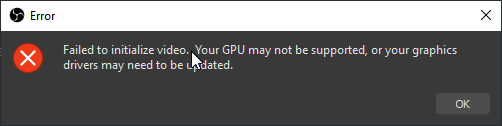
its happening for both obs and obs live
odd kraken
Have you done what the error requests?
 sharp meteor
I couldn't decide which helpdesk this belongs in so sorry if I got the wrong one... My timer font is not showing the one I selected. When I initially select it appears correctly. If I save it then reload overlays the font goes back to whatever is default. What am I doing wrong?
steel bladeBOT
@nova harness For the best OBS support, please join their Official Discord @ discord.gg/obsproject
gaunt basin
@honest echo Sorry, had to cook dinner. Anyway, I know where to click. What I'm saying is, when I have a Source window open and have sources for a scene (i.e. Video Capture, audio capture, etc.) and try to add a new source, it will not let me click "create new" in the dialogue box.
 shell shore
Is the store redemption stuff broken?
odd kraken
When you are referring to the alert is staying on your screen, then yes, this is a known issue.
@gaunt basin Is it working when you close the source window first, before trying to add a source?
gaunt basin
No
odd kraken
So you cannot add any sources?
gaunt basin
Not new ones. Only existing
odd kraken
Sorry, but what are you trying to do exactly? I do not really get what you are serching for.
Can you share a screenshot of the "create new" dialogue box in your OBS.Live please.
 hidden edge
when starting a new donations goal how does one refresh the amount back to zero?
steel bladeBOT
@hidden edge To reset goals:
- from the overlay editor -> data on top -> goal tab -> reset progress of desired goal
- from the dashboard -> activity feed on the left -> widget data on the right -> goals tab -> reset progress of desired goal
Note: Goal widgets(progress) only counts up and doesn't go down automatically, if you loose followers/subs
hidden edge
sweet ty kindly for that help and advice!
rugged quail
Is there a way i can change music to ncs instead of monstercat??
odd kraken
^ answered in #helpdesk-twitch
 vivid nexus
For the wheel of fortune, how do I make it invisible until a spin?
 craggy zealot
How do I get rid of the 26 second delay? There's a huge delay audio wise, as well as from when i change scenes in real time... to when viewers see it....26 + seconds later.
I am in FTL (streaming on mixer)
white dagger
when using an overlay from the streamelements website do the widgets already work from within the overlay you downloaded or do you have to add widgets in?
 jade gazelle
Having a tough time getting audio to work and also hearing my alerts go off inside the software. I have never been able to get audio right, but tonight I guess it was ok but everyone an alert went off, I couldn’t hear it myself. Viewers could but I could not. Any help for audio is greatly appreciated. I use an Arctis 7 that has to be plugged into the controller because it’s wireless for pc and ps4 only. Thank you guys and gals
Also curious as to why StreamElements doesn’t register hosting for mixer and why that also didn’t pop up when I got hosted by small streamers tonight. This stuff seems so easy sometimes and straightforward but really does take a lot of work, either that or I am just slow at using computers and software. Thanks again for any help guys
 prisma torrent
so I just made the move from streamlabs obs to stream elements. There is an overlay on there that I am particularly of that I would like to bring with me. In OBS stream elements offers the ability to import overlays from streamlabs. Every time I try to do this nothing happens. not sure what I'm doing wrong.
 pallid marsh
I cant install obs.live's integration with streamdeck, everytime i hit install, nothing happens 😦
 stuck dove
Hi guys I have been chatting about this in the Twitch channel but only just realise this one existed :). Last night my OBS silently crashed 3 times on my encoding machine and there is not crash log or anything I can see strange in the normal logs does anyone have any ideas?
I am using NDI to connect my 2 computers together too
I have not had any issues before too
stuck dove
anyone there with any ideas to help??
shy mountain
@vivid nexus It should go invisible until an event happens by default, but the widget might need a rewrite as it was one of the first widget we had.
steel bladeBOT
@craggy zealot If your Mixer stream has "Low Latency" greyed out in the player while using OBS.Live, do the following:
- Stop your stream
- Go to your stream settings in OBS and return them to your previous settings, where your service is listed as "Mixer.com - FTL"
- In "live video settings" for OBS.Live on the left-hand side (in the chat window) change the setting on top of the window to "Go Live with Mixer Broadcast Dashboard settings" and press "Go Live!" from there
shy mountain
@white dagger Depending on the widgets you have added on to the overlay via the overlay editor, they will show up right away. You don't download anything
steel bladeBOT
@jade gazelle Due to changes to Twitch API, we have filtered out hosts and will only show these ones on your activity feed:
- All hosts coming from an online channel with at least 1+ viewer
- Auto host events with at least 1 viewer - only from a channel that just went offline
Note: If you see "X channel has hosted you" with no viewers on the back, that is considered an offline host or a host with 0 viewers, we do not show these.
Note for Mixer streamers: The above 2 filters currently apply for Mixer and we are aware its actually not how Mixer hosts work. We do plan on changing it, but no ETA on when.
shy mountain
@jade gazelle As for the alerts - try this:
- turn monitoring on
@prisma torrent https://streamelements.com/dashboard/overlays - check this page for imported overlays. Each imported scene from SLOBS should now be an overlay in that page
steel bladeBOT
@pallid marsh - Open %appdata%\Elgato\StreamDeck\Plugins
- Delete the
com.streamelements.obslive.sdplugin folder
shy mountain
@pallid marsh After that try and install the SD integration
steel bladeBOT
@stuck dove A crash log is required to investigate the cause of your issue. Please upload the last crash log.
- In OBS, click the Help menu
- Select Crash Reports, and then Upload Last Crash Report
- Copy the URL, and paste it to the chat here.
stuck dove
There is no crash log to uplaod 😦
and there is not mention of anything unusual in the other logs
shy mountain
Then the Windows Event viewer can help you determine why OBS crashed
pallid marsh
you guys the best. thanks 😄
stuck dove
if you are still there do I upload the text file here?
shy mountain
Ok, so did this started today?
shy mountain
and did you restart your PC afterwards?
stuck dove
Interestingly I have had it up (not streaming) for the last 2 hours and it has not crashed
um no it has not been restarted yet
shy mountain
I would suggest to restart the PC.
If the crash happens again, let me know in DMs
as it might get buried here if it happens later on
stuck dove
ok sure thanks @shy mountain
one thing I was wondering if as I was running as Administrator would have made a difference do you think?
I have been doing that the last week or so as I hear it can help reduce dropped frames which it seems to have
shy mountain
dropped frames is internet connection based
it has nothing to do with opening OBS as admin
shy mountain
i don't know what that is
stuck dove
missed or skipped frames then
shy mountain
For that I would need a log file
steel bladeBOT
@stuck dove Please provide a log from your last stream. To do this, in OBS go to Help > Log Files > Upload Last Log File and paste the link to the log file here.
stuck dove
EposVox has said when he has talked to some of the OBS devs they suggested to do that if you are skipping or missing frames as there seems to be an access issue communicating with the graphics cards sometimes
I can say it would seem to work too as I have had less of those happen when my GPU utilisation is max
shy mountain
https://obsproject.com/wiki/General-Performance-and-Encoding-Issues
https://obsproject.com/wiki/GPU-overload-issues
Encoding video is a very CPU-intensive operation, and OBS is no exception. OBS uses the best open source video encoding library available, x264, to encode video. However, some…
Causes and Solutions Guide This guide contains an explanation for the common issues that will cause OBS, or a game you may be playing, to suffer performance issues while trying to…
Depending on the issue at hand, depends on which guide you will need to check up with
if its mainly encoding issues, the first link, if rendering lag, then the 2nd one
Also Im not sure who EposVox is. 
stuck dove
He is the streaming Doctor 🙂
shy mountain
Ugh.. i know another streaming doctor..sort of but ok
stuck dove
he is a YouTuber / Twich streamer who focuses mostly on streaming software and tech
you should look him up on YT
shy mountain
 👍
👍
Just note that OBS.Live is a plugin for OBS Studio, meaning that we mainly support the plugin here, but we also provide to our best of knowledge help for OBS Studio as well
all this info I provide is basically info i've gathered over time
Like the one for the audio monitoring
stuck dove
sure I understand that
shy mountain
and how to analyze a log file and provide the proper guide or info in case the log analyzer shows something specific
stuck dove
I know you do not make OBS
you are in some ways very similar to SLOBS except your implementation is not as custom or as heavy I think
shy mountain
SLOBS is an entire fork of OBS Studio
meaning that they took the base and made their own copy and version at this point
we on the other hand work with the OBS Studio guys on some fixes as well, but that doesn't mean we are super technical with it, like their own support people 🙂
stuck dove
I believe SLOBS still uses the exact same base code just with a custom skin and some other features
do you know if there is an OBS dsicord?
that is public
shy mountain
!obshelp
steel bladeBOT
For the best OBS support, please join their Official Discord @ discord.gg/obsproject
shy mountain
SLOBS forked at around OBS Studio 21.0.1 i believe or 22 - don't remember when exactly
stuck dove
cool thanks I can always ask them there too
shy mountain
and they have been working on their own improvements, some of which OBS Studio is finally looking into
if the OBS guys say something about any issue being related to our plugin and ask you to uninstall it, first check in with us 😉
stuck dove
I was using SLOBS until a few months ago but it was too heavy and I wanted to try using the NDI to use 2 computers which they only support to receive that but not send
sure I will do that
 hardy tulip
Hello , In the Category Section of the Stream Information tab , the category names don't auto complete . Is this a known issue?
 ionic raptor
hello, i have a problem...
reload overlays button not working
shy mountain
@hardy tulip where?
 lilac ocean
have you tried logging out and back in again, then after that trying to reload? @ionic raptor
shy mountain
@ionic raptor I saw the issue, poking devs about it
@hardy tulip this or the other one that is the black one?
steel bladeBOT
@hardy tulip For the best OBS support, please join their Official Discord @ discord.gg/obsproject
shy mountain
That dock is not part of our integration
hardy tulip
oh ok thx
ionic raptor
@lilac ocean i did but nothing happens
@shy mountain you mean that am not the only one with this problem?
ionic raptor
Ok so am waiting for a fix...
Tu very much
 rough pawn
Hello, I changed my name on Twitch and my commands don't work from streamelements now. How can I fix it?
steel bladeBOT
@rough pawn If you changed your name on Twitch please follow these steps:
🔹 Visit https://streamelements.com/logout and then log in again with by connecting with Twitch.
🔹 On the right side of the dashboard page that opens, select "Join" under bot settings. If it says "Part" select that and then select "Join" to send the bot to the chat. Don't forget to mod the bot by typing /mod streamelements in your channel if you have not already.
🔹 Post your new name here so that we can update your channel's chatstats tracking (must be done by staff).
rough pawn
@steel blade This worked tahnk you, my new Twitch name is Miss_Gizem
honest echo
@rough pawn and your old username was gkreatives right?
rough pawn
@honest echo yes
honest echo
Ok, already forwarded to the Staff, now you have to wait a little bit 🙂 btw remember to update your discord-twitch integration 🙂
rough pawn
@honest echo Do I need to disconnect and reconnect for that?
steel bladeBOT
@rough pawn Please connect your streaming account (Twitch, YouTube, or Facebook) with Discord by going to ⚙ Settings and then Connections here in Discord. https://streamable.com/eg92w
 lilac ocean
yes doesnt go automatically Gizem
rough pawn
@lilac ocean Thank you
odd kraken
@rough pawn Your chat stats have been fixed.
rough pawn
@odd kraken Thank you so much
gaunt basin
OK -- I'll now ask for the great secret, to wit: how does one get to the custom Bot name? And yes, I've overlays, linked my payment info, tried settings in ground control and watched I don't know how many videos. Still not feelin' the love...🤪
odd kraken
The custom bot name is only available via OBS.Live at this time.
gaunt basin
I use OBS.Live -- hence the comment about Ground Control...
odd kraken
gaunt basin
@odd kraken Nope. Don't have the "custom bot" settings in ground control.
honest echo
@gaunt basin the video linked is the activity feed dock con obs.live
gaunt basin
@honest echo Duuuh. I'll give that a go...
 shrewd scroll
trying to get into streaming. went to stream elements website and downloaded the obs.live addon. virus scanned it - fine. run as administer to install, the installation bar gets to about 60% graphically and i get this message: Failed downloading OBS.Live Latest Release installation package. i'm running this program as an administrator and turned off my virus program to install and still get this message.
oh and yes i DO have OBS Broadcaster already installed
odd kraken
@gaunt basin Yes, there is no way to set a cusom bot name via GroundControl at this time.
You can only set a custom bot name via OBS.Live at this time.
 quasi snow
have you tried running it without admin right see if it works @shrewd scroll ?
shrewd scroll
yes
gaunt basin
@odd kraken Thanks, that did let me set my username as the bot name -- but I see so many other people using true custom bot names. Can one do that in OBS.Live?
quasi snow
I suggest redownload it then
odd kraken
Yes, follow the link provided.
quasi snow
!Obslive
steel bladeBOT
OBS.Live is a Plugin for OBS created by StreamElements. You can download OBS.Live here: https://streamelements.com/obslive
Please make sure you have the latest version of OBS installed, Current Version: 24.0.3. You can install OBS here: https://obsproject.com/
shrewd scroll
i have....twice...
gaunt basin
@odd kraken I did. (there is no sound BTW). If I try to set up a custom Bot account with anything other than my used name it won't let me log in
odd kraken
@gaunt basin
Try these steps:
1) Right click on your OBS desktop shortcut -> properties - in the "Target" field add this -> --remote-debugging-port=40404
2) Open OBS(or restart if it was open)
3) Open your browser and type in "localhost:40404"
4) Click on "StreamElements - Activity feed"
5) navigate to the Console tab
6) type in the console this: store.customBot.removeCustomBotIntegration() and hit enter
7) Try setting the custom bot name
 static basalt
I use OBS.Live and have tried everything I can think of to get the "Reload Overlays" button/hotspot to work on the Activity window, it used to work, then it was intermittent and now, NADA. Any ideas?
shrewd scroll
and how do i do that?
quasi snow
open any folder, change it to C drive
and copy installer there, see if you can run it from there without being on any folder
shrewd scroll
nope still same message.
odd kraken
@static basalt Is the reload overlays button working in your activity feed on the website?
shrewd scroll
ok look is the zip file obs browser-master the "addon" and if so just tell me where to put the files as i have that downloaded.
quasi snow
no clue what that is
shrewd scroll
(download obs live source code) it's a small download link at the bottom of the download page for obs.live
it's a zip file
quasi snow
I'm not sure but I think it goes into program files\obs-live
gaunt basin
@odd kraken -- it breaks down when I try to find the Console tab. Can't find it. Sorry, man, I.m 74 years old -- din't grow up with this stuff..
odd kraken
It should be on the website on the right.
shrewd scroll
well.... since obs.live is not installed that kind of makes it hard to put it in that folder and since it's in it's own folder obs main program won't know it's there just my take on that suggestion
odd kraken
something like this:
quasi snow
@shrewd scroll what? ofc you need to create the folder hehe
same folder you have OBS Studio installed on program files, go one folder back to program files and make a new one there
static basalt
@odd kraken yes it does
steel bladeBOT
@static basalt Streamelements on top of OBS -> Logout -> login
quasi snow
not really sure if name matters and I'm not home to check/test what is the folder name
shrewd scroll
yes i can do that but then there's the problem still of obs not knowing it's there. if i knew that zip was in fact the full addon of obs.live i can maybe figure it out.
quasi snow
once u open it, it will look for where obs studio is installed, not the other way around afaik
really weird that you can't run the installer, perhaps try and delete files from your temp folder, might help
static basalt
@odd kraken nope, didn't work...
quasi snow
%appdata% then go back to folder Local > Temp @shrewd scroll
odd kraken
@static basalt Close and reopen the activity feed dock, try to reload the dock with the cycle on the top left of the dock.
gaunt basin
@odd kraken I'm lost. Can't find anything like that. Also when I type the "local host. etc" get google search.
odd kraken
have you added the first step to the target field in your OBS shortcut?
gaunt basin
Yes.
odd kraken
type in the localhost thing without the " in your browser url line.
gaunt basin
And it WAS the OBS, not OBS.live, yes?
odd kraken
doesn't matter. the shortcuts are the same.
static basalt
@odd kraken, nope, I am using the Streamelements/Activity Feed pop out. When I use the Activity Feed DOCK it doesn'teven have a Reload Overlay butoon anywhere on it.
gaunt basin
No, like I said, it refuses to connect. Ah, well... got to get ready for my stream - thanks anyway, I'll have to try again another time.
odd kraken
@static basalt I am asking internally on your issue.
@static basalt This is a known issue.
vivid nexus
odd kraken
Can you please share a picture without your ovelray url.
Also as this is a custom widget, either use #dev-chat or contact the creator directly.
vivid nexus
I can. I was following up with the answer i was given here last night.
 vestal mirage
my OBS keeps crashing i think its cause of obs live
 rancid badger
can someone send me the raw streamdeck files to try and add them to my streamdeck please. I've been trying to install it for over a week now and its just getting frustrating.
I've reinstalled all sorts of settings and still got nothing
 toxic fern
@rancid badger the OBS.Live plugin?
rancid badger
yeah
I reported it last week and tried everything suggest + more
it just always goes back to "install"
toxic fern
You tried this?
- Open
%appdata%\Elgato\StreamDeck\Plugins - Deleting the
com.streamelements.obslive.sdplugin folder
rancid badger
thats not there to delete
toxic fern
And you're explicitly sure you're in the Application Data and not Program Files?
toxic fern
 You're the 2nd person who's had this issue and not the folder either.
rancid badger
I GOT IT - there is a json that was still another folder
rancid badger
I deleted that then reinstalled SD and it seems okay now
I'll get you the full path now
nope, ignore me haha
toxic fern
Still borked?
rancid badger
thats just removed it from the appp list completely 😂
toxic fern
Ah 
rancid badger
I'm just going to wipe the whole app data folder so it starts over and try a reinstall
or is that a bad idea?
toxic fern
That would be something to ask them on the elgato server.
rancid badger
okay, I took the risk
and it worked, but I lost my existing profiles because I cleared the whole appdata folder for elgato
toxic fern
It installs now?
rancid badger
It's a last resort, but if I had maybe backed up the profiles folder I wouldnt have lost those
and yes it works and installs OBS.live extension as it should now
toxic fern
@rancid badger You wanna know what sucks?
You were 4 minutes late from saving you the grief as they had just reenabled the plugin due to false positives recently.
That's why it worked after that.
rancid badger
oh so what I did was coincidental @toxic fern ? haha
toxic fern
Pretty much
rancid badger
damn, oh well!
I'm set back up and re-made my profiles now anyway so its not so bad
 north shoal
pls help me, today my obs overlays are not working, idk why
steel bladeBOT
@north shoal OBS -> settings -> advanced -> scroll down -> enable/disable hardware accel.
https://i.imgur.com/ggMe9ZE.png
 north shoal
and i cant use the reaload overlays in the top left
rugged quail
I just got a overlay. How do i add it to my stream?
steel bladeBOT
@rugged quail To add your overlays to OBS, add a new browser source in your scene. Paste your overlay URL in the browser source properties, set the dimensions to 1920x1080 (unless you changed them on the website), and ☑ “Shutdown source when not visible” https://youtu.be/KDvLynUqXI4
 sour musk
Hello!
I don't know if this is the right channel for this but I'm having problems installing the Stream deck plugin for StreamElements. I hit the install button and the bar fills up but afterwards it says install still
kindred fox
@sour musk make sure your StreamDeck software is updated.
 livid tulip
Im having issues with the reload overlay button in obs is anyone else having this issue
steel bladeBOT
@livid tulip Right click on the BrowserSource > Properties > Scroll down a bit > Refresh Cache of current page
livid tulip
Thats one way to do it thanks, but is there a way i can fix the button on my stream deck or the actual button in obs?
kindred fox
Make sure your stream deck software is up to date and have obs.live open when setting up the buttons
There should be a button to refresh it
If not I think it’s ctrl+shift+R to refresh obs?
 neat cobalt
hey guys, was wondering if somebody could help me, im trying to change the size of my webcam overlay to fit correctly around my webcam, this is easy to do in slobs and obs itself as i can stretch and resize the overlay and change the aspect ratio as i like, however in the stream elements editor its not allowing me to do that?
honest echo
@neat cobalt the only way that i can think of, is adding the webcam frame as a multimedia source directly on obs, but i would recommend you to try a little bit more with the web editor 😁
neat cobalt
i can add it as an image in obs and change it to the correct size if i have to, was just hoping i could do it the web editor so its easier to overlay my text etc afterwards
kindred fox
Once you add it to your overlay, the best practice is to crop and resize your webcam to fit the border.
Instead of trying to fit the overlay to the webcam
sour musk
@kindred fox it is updated and so is obs.live. I've also uninstalled and reinstalled both
steel bladeBOT
@sour musk - Open %appdata%\Elgato\StreamDeck\Plugins
- Delete the
com.streamelements.obslive.sdplugin folder
kindred fox
Then try reinstalling the plug-in
sour musk
@kindred fox I couldn't find that folder
sour musk
@kindred fox that worked! Thank you so much for the help!
 broken sleet
guys i need help
so i just built a PC, Ryzen 9 3900x, 2070 gpu, 32 gbs ram, crazy good mobo, but for some reason everytime I try and stream a pc game the game runs great, but obs completes poops the bed. drops frames horribly.
steel bladeBOT
@broken sleet Please provide a log from your last stream. To do this, in OBS go to Help > Log Files > Upload Last Log File and paste the link to the log file here.
honest echo
@broken sleet by any chance you have 2 monitors?
broken sleet
i do @honest echo
honest echo
@broken sleet check if both have the same frame rate
broken sleet
one is 60, the other is 144
honest echo
try to change the 144 to 60 to try
odd kraken
There is only rendering lag and encoder overload in the log file.
Guides: https://obsproject.com/wiki/GPU-overload-issues and https://obsproject.com/wiki/General-Performance-and-Encoding-Issues
Also start OBS as admin.
broken sleet
so what log file do i need to look at?
odd kraken
The log file you just send us showed these issues.
broken sleet
so lower bitrate possibly and lower game settings?
 crude ice
how do i insert the widgets from widget share? do you need to be prime to go over their channel??
odd kraken
No prime required.
There is a setup link, which wil create a new overlay in your account with the widget.
crude ice
where do i find that? it gives me the option to embed it but when i do that it just copies across the actual example i was lookin at and couldnt do anything with it
honest echo
@crude ice Hi, what widget you want to use?
crude ice
i was tryin to put the bounce logo on the brb screen
honest echo
in that post is a link something like this > strms.net/... click on it and then and overlayd will be created on you account with the widget in it
crude ice
yeah thats the one i click on the top link and it comes up platform mismatch change to appropriate channels, and the other 2 let me embed what you see at the bottom of that post but i cant do anything with it
honest echo
what platform do you stream?
crude ice
ummm what do you mean like ps4 or facebook or obs elements haha??
honest echo
twitch, facebook, youtube, or mixer?
crude ice
through facebook
honest echo
maybe its that why you getting the error, im not quite sure, but let me ask the codeguru who developt the widget, i will have to comeback to you in a couple of hours... ok?
 boreal wren
Hello, on obs.live I seem to be having a problem with the activity feed. It doesnt update when I get donations but it does on streamelements
crude ice
cheers bruz ill hear from you in a few hours:)
steel bladeBOT
@boreal wren Streamelements on top of OBS -> Logout -> login
 formal mulch
Is there anyone here that can help me?
steel bladeBOT
@formal mulch Welcome to the helpdesk! Please let us know how we can assist you today and a support volunteer or staff member will assist you as soon as they are available. Thank you for your patience.
formal mulch
My OBS will not allow me to reload overlays, but i can do it through streamelements online
steel bladeBOT
Right click on the BrowserSource > Properties > Scroll down a bit > Refresh Cache of current page
formal mulch
I have done that already
odd kraken
@formal mulch Known issue.
formal mulch
it will reload the overlay but i cant do it over on my activity feed like i normally can
@odd kraken Are they working on fixing it?
odd kraken
No ETA.
formal mulch
okay
How about the streamelementsobslive on stream deck wont install ive tried everything for that. i am up to date with the version
steel bladeBOT
@formal mulch - Open %appdata%\Elgato\StreamDeck\Plugins
- Delete the
com.streamelements.obslive.sdplugin folder
formal mulch
where do i find that
honest echo
@formal mulch just copy and paste that folder path to your windows explorer
 solemn copper
Hey I've made an alert widget and I've put the link into the browser source and it's not showing anything when I test them
honest echo
@solemn copper little questions
Any sound on OBS?
On the web editor, you see it correctly?
steel bladeBOT
@solemn copper To add your overlays to OBS, add a new browser source in your scene. Paste your overlay URL in the browser source properties, set the dimensions to 1920x1080 (unless you changed them on the website), and ☑ “Shutdown source when not visible” https://youtu.be/KDvLynUqXI4
honest echo
Read this instructions carefully ^
solemn copper
Already done all that
steel bladeBOT
@honest echo You can test Alerts via the bell on the lower right corner of the Overlay Editor. Simply go to your Dashboard -> My Overlays -> Pencil/edit button on the overlay. Make sure the "Show Emulated events on stream" option is on to see the alert in OBS/Xsplit https://streamable.com/h6qgy


 solemn copper
That was it, thanks lol. I didn't even see it.
honest echo

 inner plover
Anyone know how i can customize my bot name?
honest echo
@inner plover you have to install obs.live
inner plover
I have obs.live installed
toxic fern
And as far as how to do it https://discordapp.com/channels/141203863863558144/494513233416421386/561516184718278676
inner plover
and i can autorize the custom bot but how do i set the name
toxic fern
@inner plover See my response above.
inner plover
literally have done that have the the new name option but i cannot customize the actual name just what auto populates
guess it can only have the name of the account that logs in
does not seem very custom
toxic fern
Did you create a second account to use?
inner plover
No is that what i have to do?
toxic fern
Yes.
inner plover
ahh ok thanks 🙂
guess it makes sense if the name does not exsist on twitches side no way to customize it
Thanks a bundle
 faint hollow
Anyone from OBS live support able to help, My issue is When i stream with obs on csgo my fps is halfed if not more and mad input lag / stutters, Seemes to be only csgo, I thought it was a problem with csgo as other games wasnt having as much of a issue, not as noticable, but when i have OBS on atall my CSGO goes from 250-400 fps to 120-200 fps, turn of obs live, fps shoots back up, put it back on, down goes fps, Only on csgo is it this noticable, some drops as expected with other games say, 5-15 frames give or take a few here and their but nothing like this, Right heres the most frustraiting part, Today, Before i realised it was the OBS It was all running perfect, OBS was on with CSGO on and i was getting no drops atleast not more then the expected 5-15 i would get before when i used to stream csgo and same as other games like apex legends etc, I have a latest drivers, clean install -
GPU - Nvidia gtx 1080ti
CPU i7 4790k
Gpu about 30% utility
cpu about 80% utility
Ram at about 5000 out of 16000
Its frustraiting, ive found people have had the same issue with this in earlier versions of the obs, the fix was a updated obs driver, got fixed in the obs live update, but problem is that dont help me and i cant find anything else! 😦 Im dieing here lol!
faint hollow
i stated above my Drivers are ALL up to date bro
Fresh install of windows
OBS 24.0.3
shy mountain
the fix was a updated obs driver
faint hollow
yeah a old fix
shy mountain
you mention OBS driver
faint hollow
old drivers now
faint hollow
I have a latest drivers, clean install -
GPU - Nvidia gtx 1080ti
CPU i7 4790k
shy mountain
Thats on me then
faint hollow
xD ❤️
dw im just frustraited
been at this for about 4 days now
and thought it was driver / pc related
turns out its pesky little obs
shy mountain
what streaming settings in OBS are you using?
faint hollow
The auto ones but i can screenshot you them, Ive got 500mbs connection up and down
erm
6000kb 60fps 1920x1080 and before you say about cpu intensive etc etc on csgo or that their high i stream newer more GPU intensive games (using new improved nvidia nvenc so it has its own seperate part for streaming which dont effect the gpu's usage)
shy mountain
internet connection has nothing to do here
faint hollow
Internet is a playing factor here
im guessing you dont have a fix
as ive done all your asking me to good old google i was hoping someone may have been having issues and posted in here or maybe something was known to be up 😦
steel bladeBOT
@faint hollow Speed tests mean very little with regards to streaming and your choice of bitrate. They measure your raw upload speed to a server that's near you (likely run by your local ISP), instead of your stable upload speed to a streaming server. Your stable speed will determine the bitrate you can comfortably stream at.
https://www.speedtest.net/
The stable speed can be estimated as roughly 70-85% of the speed test result in a lot of cases, however this is by no means a perfect estimate. In reality, it may end up being much worse if there's problems between your ISP and the streaming service.
shy mountain
I'm just pointing out that your internet speed has nothing to do with dropping from 50000000000 FPS to 1 FPS
faint hollow
i know
shy mountain
Internet is a playing factor here
faint hollow
Keizar
aint got time for this bro 🙂
have u got a fix or know of issues?
all im here for
shy mountain
Yes - don't stream on 1080p
faint hollow
okay no
shy mountain
that is my opinion
steel bladeBOT
@faint hollow For the best OBS support, please join their Official Discord @ discord.gg/obsproject
crude ice
how do i unbind an ip address??
shy mountain
crude ice
cheers for that it wouldnt let me before for some reason
no ones herd anything boutthe problem im havin with the widgets ive try put in a photo
shy mountain
You can't use the widget share links on the platform you are currently on
They are meant for Twitch
crude ice
ohh ok all g then couldnt work out what was goin on
 swift shale
my streamdeck has lost the elements plugin, i have lost all my media controls. when i try and reinstall the plugin the loading bar gets to the end then nothing happens. has anyone had the same problem?
steel bladeBOT
@swift shale - Open %appdata%\Elgato\StreamDeck\Plugins
- Delete the
com.streamelements.obslive.sdplugin folder
swift shale
omg lifesaver. ive tried everything i could think of for an hour.
lilac ocean
❤️
steel bladeBOT
@stuck shard To add your overlays to OBS, add a new browser source in your scene. Paste your overlay URL in the browser source properties, set the dimensions to 1920x1080 (unless you changed them on the website), and ☑ “Shutdown source when not visible” https://youtu.be/KDvLynUqXI4
 stuck shard
sorry i mean how to put media share on my stream ?
lilac ocean
You'll have to add the media request widget to your overlay
and then add the overlay like above if you havent already
stuck shard
where can i find a media request widget ?
i followed the tutorial and clicked add widget but still nothing is showing up
stuck shard
my overlay ?
lilac ocean
my overlays -> edit
shy mountain
stuck shard
thank you so much guys ❤️
 gleaming sinew
so i have actually signed into facebook thinking it was just a user log in thing then i can switch to twitch, however i seem to only be able to stream on facebook, every time i click start streaming it brings up the facebook streaming window which i dont want (yes i have connected my twitch account and linked the steam key, how do i switch over, or sign out of facebook?
steel bladeBOT
@gleaming sinew Streamelements on top of OBS -> Logout -> login
gleaming sinew
... that works XD
rugged quail
for some reason i cant get any of my game displays to show up
quasi snow
try running obs as admin plz
but also depends on game, so try and let us know if it worked
rugged quail
its league of legends
cant get the client to show
I'm pretty sure that for league, the game itself need a different capture than the launcher
yeah
i can get the actual game showing easy
just the client
odd kraken
Use screen capture or try window capture for the client.
 pure tide
any one have any issues with obs not out putting alert audio but obs picking it up ?
the viewers hear it i dont
ive selected the right audio options i believe that i need
lilac ocean
@pure tide please keep your questions to one channel only in this discord
with 'obs dudes' @quasi snow meant the support over at the OBS studios Discord
which he linked in #651453660810838026
pure tide
oh sorry
quasi snow
yep, from screenshots you aren't using OBS.Live or I need better glasses, ty Bordeaux
honest echo
@crude ice Hi, ping me when you are available 🙂
 daring raft
i need some help with my obs my bitrate keeps fluxuating and im dropping frames hard
daring raft
ill look into this but its like everything i do isnt fixing it but im thinking its obslive because i used streamlabs before and never had this issue
lilac ocean
It is probably a setting that isnt right, if you cant seem to find the issue please provide us with one of these
steel bladeBOT
@daring raft 1) Restart OBS
2) Start your stream/recording for about 30 seconds. Make sure you replicate any issues as best you can, which means having any games/apps open and captured, etc.
3) Stop your stream/recording.
4) Select Help > Log Files > Upload Current Log File. Copy the URL and paste the link here.
(Note: If you do not see an obsproject.com URL, you will need to update OBS Studio to version 22+)
daring raft
ok let me see what i can do
lilac ocean
gives us a bit more insight where it goes wrong
daring raft
lilac ocean
so here you can see a small summary of the issues going on atm:
https://obsproject.com/analyzer/?url=https%3A%2F%2Fobsproject.com%2Flogs%2FLOIt8EntXWYQ43Jp
like Benno linked, be sure to follow the steps about dropped frames over at the obs projects site
daring raft
so im actually confused because right before i asked for help the percentage was going into the 60 plus
is there anyway to get into a call with someone for extra help
lilac ocean
there is not a lot more i can tell you in a call tho
daring raft
i understand that im just getting confused at this point because its so random ill stream 2 times a day for weeks with no issues then it all just slams out of no where and then will be fine a few days later and my ISP is saying there are no issues with the connection or my equipment so its a very confusing situation im trying to do what benno sent now
the dynamic bitrate is limiting me to 500 bitrate right now for some reason
lilac ocean
do you know what your upload speed is?
otherwise you can test via https://www.speedtest.net

Speedtest.net
Test your Internet connection bandwidth to locations around the world with this interactive broadband speed test from Ookla
daring raft
upload is 20 about what it usually is i have speedtest and already ran it
20 up 480 down
 wise coral
Hello, my Obs.Live isnt showing ''Activity feed'', ''Chat'' and ''Media Request'' in the StreamElements tab. how do i fix this?
steel bladeBOT
@wise coral Streamelements on top of OBS -> Logout -> login
rugged quail
hi i am having issue with media source the sound is not playing
odd kraken
Please keep the question in one channel. Thank you.
rugged quail
but i am not getting the reply
odd kraken
Please be patient. We will get to you as soon as someone is free. Thank you.
 sour cove
I need help my obs.live will not connect to my stream deck even uninstalled the software reinstalled tried multiple times to install the plugin still not working. It was working prior to an update that was recently released. ???? Help please
steel bladeBOT
@sour cove - Open %appdata%\Elgato\StreamDeck\Plugins
- Delete the
com.streamelements.obslive.sdplugin folder
sour cove
thanks
steel bladeBOT
@dense sinew Please follow these steps:
close OBS,
open the Nvidia Control Panel,
in the left menu select "manage 3D settings" and then under the list of options (right panel) press "restore default settings",
Start OBS again.
 frank monolith
my stream is not being broadcast. How do I fix this? and on my OBS it is just black screen
 valid dove
http://prntscr.com/rb4wm7 Does anyone knows how to make activity feed and twitch stats with light mode? and not dark mode?

I put everything in light mode and nothing happened there...
 summer tangle
Hi. I know this is probably a simple answer. But I created a theme on StreamElements but when I put it in the browswer source in OBS/StreamElementsOBS it is too big to show the whole screen. How do I resize it appropriately so that everything shows and is an appropriate size relative to the size of the display? Thank you.
steel bladeBOT
@summer tangle To add your overlays to OBS, add a new browser source in your scene. Paste your overlay URL in the browser source properties, set the dimensions to 1920x1080 (unless you changed them on the website), and ☑ “Shutdown source when not visible” https://youtu.be/KDvLynUqXI4
summer tangle
@steel blade thanks! Let me try that
kindred fox
Also make sure that your base canvas size is 1920 x 1080 in uhhh obs settings somewhere....
I think video?
summer tangle
Ah! Both worked. Thank you so much for the quick response @kindred fox !
kindred fox
👍
 dusty lantern
Hello, I'm streaming right now and my activity feed is super broken it keeps showing the same notifications a few times and clogs up the whole feed. If you guys could help me out that'd be amazing.
dusty lantern
Going to try that now, I actually just did not notice it up there, thank you!
 hoary prawn
Hello, Im having trouble installing the new update v20.2.17.565 ..... when installing it, it says something about error opening file for writing: yada yada BugSplat64.dll, click to abort to stop the installation or retry or ignore to skip file. When skipping the file, theres at least 10 more that has errors and then can never install it. Any idea on how to fix this so I can update it?
rugged quail
I'm trying to add a video capture device to my streamelements obs and it crashing everytime
 old breach
obs keeps crasing anything that is a known problem?
 crystal forge
Hello... my media player is not working..
I guess they work (-5?
Anyone know anyy steps to attempt?
I have signed out and in everywhere I can think off and i am still seeing a message that says No Active overlays...
I played my enterance screen without any issue and then...
 quaint haven
my media request won't play on stream and it says no active widgets but they are active..the que will update on site but not on obs? any ideas
guess im not the only one lol
quaint haven
i finally got it to play songs lol but still won't go out on stream..we shall see..me 2
crystal forge
Exactly... I kinda Need the Video...
I get it but... I need to Get Back on...
Chrome needs to Update...
 wind sand
i'm getting this message when i try to load my overlay in OBS Studio
"Uh-oh...
Invalid authorization token"
any help would be greatly appreciated
wind sand
will i need to generate a new browser sourse after?
honest echo
@wind sand please try login out and log in again .. om OBS > StreamElements > Log out
crystal forge
I have Done that @honest echo
wind sand
ok, i did that and i'm still receiving the same message when i try to open the streamelements overlay editor
in the browser source
crystal forge
and the Site and obs through the wizard...
it will not play the Video... the Audio Plays Fine..
honest echo
Ok, our devs are looking into this issue
crystal forge
I get the Chrome update but...
Well I am Live.. Please let me know How we can Fix this... #theshowmustgoOn
kindred fox
@wind sand can you open chrome and sign into streamelements website?
wind sand
yes, i can do that
i just can't use the overlay editor or my alerts in OBS
i'm going to do a full restart of my PC and see if that works
ok, after restarting the PC, i can open the overlay editor through OBS but my alerts are not playing at all. no GIFs or sounds
crystal forge
I did that too
honest echo
Hi everyone, there's an issue with twitch websocket at the moment. Our engineers are working on it with twitch. Hang tight 
All alerts should appear once the connection is reestablished and you should be able to replay any alerts that occurred during the downtime
wind sand
ok, glad to hear it isn't my computer. thanks for the info!
crystal forge
Indeed thanks For the Headsup
wind sand
my alerts are working again. thanks for the quick response and fix!
 silent root
Hello, I am having an issue where 1: I can't seem to get SteamElements OBS back after manual switching to OBS. Bigger issue: This just started today and I previously didn't have any issues with it. My microphone audio is like... stuttering every second or two. Apologies if I've posted in the wrong channel.
shy mountain
For the microphone - change the USB port
If the "Streamelements" menu is missing from the top bar in OBS, then its not installed properly
@silent root
crystal forge
was Looking Fine But I started dropping Mad Frames, and NOw its Back...
steel bladeBOT
@crystal forge Please provide a log from your last stream. To do this, in OBS go to Help > Log Files > Upload Last Log File and paste the link to the log file here.
shy mountain
What are you sending?
I need the log file here
not a "report an issue"
please read what the bot said as instructions
crystal forge
ohai 3.0
shy mountain
crystal forge
Gotcha..