#helpdesk-youtube
1 messages · Page 57 of 1
 lime walrus
 atomic canyon
@lime walrus in a private message?
lime walrus
thats what the message above says, yes
 narrow moss
Hello! I have a question guys if anyone can help me out I am grateful! I am a streamer on twitch and I am using streamelements and now I want to start streaming on Youtube different content but no idea how to use streamenets for this also?
 near stag
narrow moss
Hello! I have a question guys if anyone can help me out I am grateful! I am a st...
near stag
narrow moss
Hello! I have a question guys if anyone can help me out I am grateful! I am a st...
Youtube and Twitch settings around Livestreaming are pretty much identical.
Youtube just has less functions in general (no loyalty etc.) and instead of bits and subs you have members and superchats.
 whole bloom
So question: when people sub to me on youtube, it doesn't register on streamelements and doesn't pop up as an alert.. any suggestions as to why this is happening?
 fresh zenith
Check pinned messages
whole bloom
got it thank you
 versed tangle
Can someone help me with media share on obs.live?
 nova anchor
versed tangle
Can someone help me with media share on obs.live?
nova anchor
versed tangle
Can someone help me with media share on obs.live?
how can i help you?
 tardy cloud
@versed tangle twitch only
versed tangle
Ahh danm okay
Also is there a way to retream twitch to YouTube?
Without using up to much CPU ;-;
nova anchor
versed tangle
Also is there a way to retream twitch to YouTube?
u mean multistreaming?
nova anchor
versed tangle
Yes
just careful if u are affiliate in twitch its against it TOS
versed tangle
Nah I’m not I’m only using it for mediashare
 untold mural
Hey can anyone help me. Stream Elements widgets and things no longer work for me.
I no longer get popups when someone donates etc and my member goal never updates
its been like this for almost a week
versed tangle
Yes same my sub goal doesn’t either
untold mural
any idea why?\
versed tangle
Nah twitch works fine
It’s just youtube
It’s not made for streaming so it doesn’t update as fast
untold mural
no it doesnt update at all
I will receive a stream donation
they dont pop up
i get a new member, my goal wont change
versed tangle
Hmm
 versed tangle
This browser or app may not be secure.
Try using a different browser. If you’re already using a supported browser, you can refresh your screen and try again to sign in.
 eager lilyBOT
Please ask your question in one helpdesk channel only. A support volunteer or StreamElements staff member will assist you as soon as they are available. Asking in multiple places will only result in confusion, not faster answers. Thank you for your patience.
 bitter sparrow
So i am trying to link my you tube and twitch account because i made separate accounts for them years ago. But i need to remove and close the youtube account so i can link it to the twitch account. I try to close it and i put the key and my username and my email. But it says email is wrong, I went to check it out and there is no email with the account what should I do????
eager lilyBOT
@bitter sparrow Account Merging - Please note:
- Merging accounts only allows faster ways to switch between accounts
- Merging accounts does not allow data sharing between accounts - different streaming platforms, different type of events
- Merging accounts allows duplicating/sharing overlays between the accounts
If you understand the limitations of merging and want to proceed, please find the JWT tokens (!jwt) from both accounts you want to merge and you will be directed to DM them to a staff member
 wooden moat
Is the YT chat still not showing in the chat widget?
lime walrus
Its been working for a month or two

 nova anchor
 wispy peak
That method is disabled/not working
wispy peak
rip
 undone osprey
Does anyone know if youtube's report system is automatic?
 timber tapir
It doesn’t seem like my bot is in chat when live-streaming. No sub notifications or tip notifications come through
 lean shadow
my se pay doesn't work, that option don't even pop up
eager lilyBOT
@lean shadow Please provide your account ID found at the top of this page: https://streamelements.com/dashboard/account/channels This ID is public info and safe to share here.
lean shadow
604b3138b2c0be0131cbbf16
lean shadow
thank you very much
 sage lantern
Refresh the SE site, should be available now
 eager lilyBOT
@lean shadow Please logout of StreamElements at https://streamelements.com/logout and then login again to your account (Twitch/YouTube/Facebook).
 sage lantern

 sturdy granite
today as i was livestreaming , the new subscribers didnt show on live neither on the SE dashboard , any suggestion please?
nova anchor
check pinned msgs @sturdy granite
sturdy granite
so there is nothing to do about it ...
 smoky ember
There is a bug right now, I have been having my super chats randomly repeating and duplicating, they pop back up on the screen as well as add to the donation counter. Any idea on how to fix this?
They also seem to be duplicated in the stream elements dashboard. Just ping me if you can help. Thank you!
 deep valve
Can someon help me set this up so i can stream'
 rotund idol
@smoky ember im having the same problem too i have no idea how to fix it
 modern quartz
smoky ember
There is a bug right now, I have been having my super chats randomly repeating a...
modern quartz
smoky ember
There is a bug right now, I have been having my super chats randomly repeating a...
same here. superchats play once after the donation happens then 15-20 mins after they play again.
 strong surge
@smoky ember @deep valve @modern quartz Can you share your account IDs?
 graceful crypt
When i try full screen capture its just a black screen
tried restartting doesnt work
 past beacon
what game are trying to capture? and have you tried using the display capture?
versed tangle
I need technical support
Sure, what's up?
I want to know how long it will take to verify my bank account
I think it has been going on for over a week
Please DM me
versed tangle
hi how much bitrate should ı give ı have 150 upload
past beacon
@versed tangle https://support.google.com/youtube/answer/2853702?hl=en
It's important to make sure your live stream is high quality. Make sure you choose a quality that will result in a reliable stream based on your Internet connection. We recommend running a spe
smoky ember
strong surge
<@!392516850870779905> <@!561751894737813525> <@!280917795167010817> Can you sha...
Sure when I get home from work I will make sure to get you mine.
 tribal urchin
Hi, Hoping someone can help, this is mostly YouTube but does effect Facebook in a way too. I have set up alerts which all work through tests and for Facebook these work when not actually live too. The problem with YouTube is that the activity feed for subs does not update for many hours (they are public subscribes, I know non public ones will never show). This means my alerts do not come through in any reasonable or useful time and sometimes they never show up at all!
With Facebook, new followers are instant and it all works fine, Shares however never come through as alerts or in the activity feed.
I am rather new to all this but pretty tech savy, I do stream through restream but since the activity feed never works well offline either I am guessing it has nothing to do with restream?
Any help would be great!
sage lantern
check the pinned messages
tribal urchin
Thanks Ruben, so youtube completely no use for subs then! The facebook shares part will be the only issue then?
Oh and I guess that some subs never show up, is that going to be YouTube too?
past beacon
@tribal urchin let me check something, what is your account id please?
tribal urchin
Thanks 🙂
 tall sun
tribal urchin
tall sun
tribal urchin
@past beacon @tall sun Sorry, I'm having a brainless morning lol! FB-5fa6533a68819184fbac3a8f YT-602cd891a1166337d610ea46
 cyan fable
is se pay available on yt
eager lilyBOT
@cyan fable SE.PAY is available for streamers who are at least 18 years old, with bank account under their name in one of the following countries and have at least 101 follower (Twitch) / 101 subscribers (YouTube):
Austria, Belgium, Czech Republic, Denmark, Finland, France, Germany, Ireland , Italy, Netherlands, Poland, Portugal, Slovakia, Spain, Sweden, Switzerland, United Kingdom, United States.
If you meet these criteria and don’t see SE.Pay, let us know.
For information on SE.Pay payment methods, their fees and settlement times see https://streamelements.com/dashboard/tipping/fees
cyan fable
how can i unlink a yt from my se acc
past beacon
@cyan fable We cannot unlink your account only delete or merge
cyan fable
can you del it then
past beacon
@cyan fable that will also delete your linked twitch account
tribal urchin
@past beacon did I give the right ID's above? Just wondering if you saw any problem?
past beacon
@tribal urchin yes, im still looking into it
tribal urchin
ah cool, thanks 🙂
past beacon
@tribal urchin its best you'd open a ticked so we could keep following the issue https://streamelements.com/contact
StreamElements
StreamElements is the leading platform for live streamers on Twitch and Youtube. StreamElements includes Overlay management, ChatBot, Tipping, Alerts & Loyalty
tribal urchin
Ok will do
 pulsar cave
Hey, why does my activity feed get updated after like 12/14 hours and when it does update that is when I get the alerts too?
pulsar cave
Got it. Thanks
 main vector
@cinder oar You have been muted for that spam. I will unmute you in a few minutes but please keep your question in here and not in other unrelated channels.
 lament drift
Does anyone know the problem that subscription alerts are not displayed on youtube have now checked all things and it still does not work.
sage lantern
check the pinned messages here
 sturdy crescent
I need help because when someone subscribes my alerts doesnt update and it doesnt do it automatically
lament drift
@sage lantern So there is no solution since it is a problem of youtube?
sage lantern
Correct, they are severely delayed
 brazen silo
There is a bug right now, I have been having my super chats randomly repeating and duplicating, they pop back up on the screen as well as add to the donation counter. Any idea on how to fix this? @eager lily
 trail dock
i need help : for me why loyalty points tag not showing in my dashboard ? need for fix it please @eager lily
sage lantern
There is no loyalty for youtube
sturdy granite
still nothing with the delayed youtube subscribe notification on SE?
nova anchor
sturdy granite
still nothing with the delayed youtube subscribe notification on SE?
still in the pinned msgs, and that issue is caused by youtube, recommend u follow their socials if u want something like a update note about when this will be noticed
sturdy granite
nova anchor
still in the pinned msgs, and that issue is caused by youtube, recommend u follo...
thanks
versed tangle
why when someone subscribes there is no animation?
lime walrus
Check pinned message
lime walrus
You are asking in the #helpdesk-youtube channel.
If you are referring to Twitch subscribers, you are asking in the wrong channel.
 lime walrus
Did you check the pinned message?
versed tangle
I had a live yesterday and no notification came when someone subscribed to the channel
where
it is my second day with streamelemnts well :/
lime walrus
 versed tangle
so in fact the notification with subs misses the point now right?
nova anchor
versed tangle
so in fact the notification with subs misses the point now right?
yea close to this
but it will alert sometime, i would use it
versed tangle
I can't find a guide on adding a spotify widget on the scene anywhere, help anyone?
main vector
There isn't one.
versed tangle
:/
timber tapir
HELP!! It doesn’t seem like my bot is in chat when live-streaming. No sub notifications or tip notifications come through??
eager lilyBOT
@timber tapir To set up the bot for your YouTube stream, please follow these steps:
- Make sure your stream is public. The bot cannot join a private/unlisted stream.
- Your stream must be live for the bot to join the chat.
- Go to https://studio.youtube.com/, click on Settings > Community and add https://youtube.com/c/streamelements or https://www.youtube.com/channel/UCjerlCIbLPQwSnYlClkjDXg as a Moderator.
- When live, be sure to look at Live chat instead of Top chat, as Top chat will hide the bot messages.
 warm fulcrum
Hello, Is there a way to use both twitch and youtube alerts in one obs scene for mulitstreaming? I hope to stream to both platforms using my backend mux server but wish to use one set of overlays... then include a separate browser source from YT and Twitch. I'll be inside VR so I'll need to do a bunch of other tricks to actually see the chats inside VR... I'm just trying to figure out the best way to approach my OBS setup. I'll be doing a video podcast "chatting" session with a remote guest first and then will transition to streaming a multiplayer game session of Synth Riders. YouTube is my primary content creation platform, twitch is new to me but also seems to have better engagement options for the audience. I'm just 5 away from 1000 subs on YouTube so, I'd like to make sure my followers there can easily interact with my stream also. Any tips? Thanks.
main vector
@warm fulcrum not possible. Alertbox is separate for each platform.
warm fulcrum
ok. Thanks for letting me know.
warm fulcrum
main vector
<@575740636154691609> not possible. Alertbox is separate for each platform.
quick followup: when you say "not possible" do you only mean regarding the double alerts? OR do you also mean that I cannot use the alerts if I stream using mux server while including the SE alert browser source in OBS at the same time? For example, in OBS i use the mux stream key which sends my feed to both platforms, but I get to decide which Alert system to use? Like stream to both, but only use YouTube alerts box?
near stag
warm fulcrum
quick followup: when you say "not possible" do you only mean regarding the dou...
Does not matter how you stream - for each platform you need a separate overlay. All the widgets including alerts are separate for that platform.
warm fulcrum
right. I think I get it. Just to clarify, I am only allowed to use one platform at a time. I cannot use both. Correct? I cannot use a youtube widget and twitch in the same OBS feed.
near stag
You CAN use both. You just need to set up everything separately and you will have more sources in OBS - overlays for Twitch and Youtube
warm fulcrum
Oh PERFECT! Thanks much.
 magic blaze
eager lily
<@!238135367029489674> To set up the bot for your YouTube stream, please follow ...
magic blaze
eager lily
<@!238135367029489674> To set up the bot for your YouTube stream, please follow ...
i kinda got the same problem, it looks like it does enter the chat since the timers work and such but it doenst welcome ppl when subbed etc, also does it looks like the alerts wich i made with the obs source doesnt work, is this due to the same problem?
and is there a way to conect ground control to youtube?
 somber trail
Hello
I am really new what comes to live streaming and every now and then it is really good if is place where i can ask things👍
now i haven't found creator studio from youtube of mine. there is only youtube studio in that place what Stream elements adviced
brazen silo
There is a bug right now, I have been having my super chats randomly repeating and duplicating, they pop back up on the screen as well as add to the donation counter. Any idea on how to fix this? @eager lily
near stag
brazen silo
There is a bug right now, I have been having my super chats randomly repeating a...
We have a minor outage right now, developers are fixing it already.
near stag
brazen silo
Thank you for the update
once the issue is solved, we will have time to look into that specific issue.
brazen silo
Ok, I know a few others here were having the same issue with repeating alerts and duplicating logs. I have to refresh the cache everytime it happens
near stag
brazen silo
Ok, I know a few others here were having the same issue with repeating alerts an...
this is forwarded to developers already, we will update you when we know more.
brazen silo
Much appreciated
 fickle jay
My apologies if this has already been asked. I did a search and found a few things related but not specifically to the streamelements tips alert visuals. This happens on YT as well as Twitch for me. I have a seperate alert overlay and for the past month, I have noticed when someone tips through streamelements, I do not see a visual alert on the screen. I can hear it, but not see it. Only happens with the tip system. I have a second monitor that I can see to my right for visual reference and the tips do not appear on the overlay. I am aware of the YT "intended feature" of having sub alerts coming up to 4 hours later (which btw I am turning off now as it is irritating to see 10 sub alerts coming at once from hours previously) Anyone have any issues with the tipping system?
 honest spire
Hello i wanted to stream on youtube and was wondering if i can change my donation link? it currently displays my old youtube channel name
I wasnt sure if a staff had to change it or if it was a option to change it myself because i cant find a way
Can anyone help me?
versed tangle
honest spire
Hello i wanted to stream on youtube and was wondering if i can change my donatio...
If you renamed your channel, you can try logging out and logging back into the platform, that should update the link
versed tangle
fickle jay
My apologies if this has already been asked. I did a search and found a few thi...
Do other alerts appear for you as they should?
 gilded echo
Noob question. the Variations setting for my Youtube Alerts (subscribe) won't work it shows the non variant one. What should i do to fix this?

 near stag
gilded echo
Noob question. the Variations setting for my Youtube Alerts (subscribe) won't wo...
near stag
gilded echo
Noob question. the Variations setting for my Youtube Alerts (subscribe) won't wo...
Both variations are set to exactly 0 months. That will not work, you need to 1) make sure the month count is higher and 2) use the chance settings for them to be randomized if they are set to the same number.
gilded echo
Where can i change that months
gilded echo
near stag
Both variations are set to exactly 0 months. That will not work, you need to 1) ...
I can't seem to find the Chance Settings. Will you help me?
near stag
gilded echo
I can't seem to find the Chance Settings. Will you help me?
Check the variation settings please.
gilded echo
can you screen shot it for me. I really can't find it. i'm dead serious
gilded echo
Yes i have done that
but i can't seem to change the Subscribed months exactly 0
i can't change this how to change this?


i can't see it...
versed tangle
I understand that due to the changes imposed by YT about subscriptions, it is impossible to make a current alert box about subscribers, right?
main vector
Do what?
versed tangle
the moment someone gives subscriptions, the alertbox does not come.
main vector
Thati know and understand. It's your 2nd part that doesn't make sense.
versed tangle
is otherwise what it might be that no notification is coming
versed tangle
Algún español que me ayude
eager lilyBOT
@versed tangle Welcome to the helpdesk! The regular helpdesk channels are in English but we do provide multi-language support in the following channels: #🇩🇪︱deutsch | #🇫🇷︱français | #🇪🇸︱español | #🇵🇹︱português | #🇳🇱︱nederlands | #🇮🇹︱italiano | #🇵🇱︱polski | #🇨🇳︱中文語言服務區-chinese | #🇯🇵︱日本語-japanese | #🇭🇺︱magyar | #🇰🇷︱한국어-korean | #🇹🇭︱ไทย-thai | #🇷🇺︱русский | #🇺🇦︱українська | #🇨🇿︱czech
 devout marsh
I need to remove my youtube channel from my streamelements. Is this possible?
eager lilyBOT
@devout marsh Please provide your account ID found at the top of this page: https://streamelements.com/dashboard/account/channels This ID is public info and safe to share here.
devout marsh
5eb6b82b5aab2dfac8bcef76 - This is the Youtube ID
magic blaze
versed tangle
is otherwise what it might be that no notification is coming
I got the same indeed but also the chatbot doesnt alert you on that
eager lilyBOT
@versed tangle Read and follow our server rules:
- We do not tolerate toxicity! Treat the community team, staff and all members with respect.
- No advertisement or channel promotion, anywhere on the server.
- No NSFW/NSFL
- No unsolicited DMs or friend requests to server members
Make sure to read the #welcome in any server you join.
brazen silo
@near stag The alert duplication has progressively gotten worse over the past 5 days. As of yesterday, the donation alerts would duplicate almost immediately after I received a tip. The alerts box is pretty much unusable until this is resolved. Just wanted to update
near stag
brazen silo
<@!149255081194160129> The alert duplication has progressively gotten worse over...
We are looking into that issue, developers are aware.
smoky ember
I posted this bug three days back and just curious if there has been a solution found to it.
"I have been having my super chats randomly repeating and duplicating, they pop back up on the screen as well as add to the donation counter. Any idea on how to fix this? They also seem to be duplicated in the stream elements dashboard. Just ping me if you can help. Thank you!"
Nevermind I just read the posts above.
sage lantern
The devs are looking in to that issue as you are not the only one with that problem 😄
 trim siren
hi all.. Im new to this fantastic System, but im looking for the loyalty system, but it doesnt show up in my dashboard. Also i want to change the name of the ChatBot but all video's on youtube arent the same as the functions i see in OBS Live Add-on. Any idea?
 narrow locust
trim siren
hi all.. Im new to this fantastic System, but im looking for the loyalty system,...
narrow locust
trim siren
hi all.. Im new to this fantastic System, but im looking for the loyalty system,...
loyalty system and bot renaming are for twitch
 granite shard
Every time I start live, that is, I go into Live Studio and give it a name to Live and select an image. A live opens with a different name and no image. I tried scheduling live and it did not help.
Do you have a solution?
 bitter gust
Hello, when I’m live on YouTube and someone subscribed it doesn’t show up. No alert, not even when I have stream elements site open on my browser it doesn’t show up. Anything I can do to fix it? I also test it on the site to see if it works and it does, just not when I’m Live.
past beacon
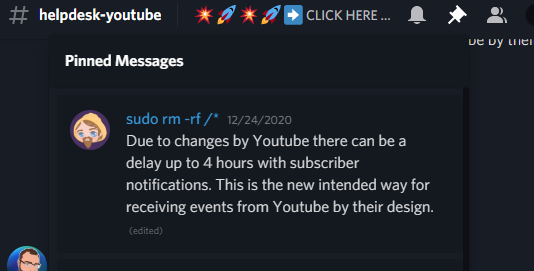
Due to changes by Youtube there can be a delay up to 4 hours with subscriber notifications. This is the new intended way for receiving events from Youtube by their design.
 tender jacinth
i came up here for same issue related subscriber alert, thank you for helping ✌️
 steady river
where do you find your partner programs? The tab dissapeared
eager lilyBOT
@strong ravine Read and follow our server rules:
- We do not tolerate toxicity! Treat the community team, staff and all members with respect.
- No advertisement or channel promotion, anywhere on the server.
- No NSFW/NSFL
- No unsolicited DMs or friend requests to server members
Make sure to read the #welcome in any server you join.
gilded echo
I wish the staff that "helped me" was a little bit more helpful lol.
 peak sage
@gilded echo do you feel like that comment is somewhat productive to cooperation?
I advise refraining from posting such things, and if you need additional assistance, request it without this irrelevant unproductive sarcasm
What browser are you using to view the website and edit your overlays?
 neat vigil
need some help. Im trying to set up a live stream on stream elements for the first time through obs. in the past I've just youtubed the screen alone but with no problems. I've done some tests in the past, but today, whenever i go to test my stream, even when set as private or unlisted, its going public. usually it shows my stream output quality in youtube but this isn't showing either, just states "Start sending us your video from your streaming software to go live" even though when i go live, it streams publicly! The weirdest thing is, it’s appearing live under scheduled streams as public?
 lethal ingot
i need help mini feed not updating in streamlabs and my alerts not working for youtube
tender jacinth
i have one issue lately. while stream i realised that superchats keep repeating and does not read latest superchat unless i goto obs and refresh browser url scene. is there a way to fix that?
brazen silo
The developers are aware, but the problem is still very active rendering the alert box unusable until fixed @tender jacinth
tender jacinth
Its not repeating for now.... But it repeats a lot when there is a flood of superchats... But thanks for responding mitch ✌👍
 spiral yoke
Is there a way to import/export settings from other accounts? As in streamelements to streamelements
narrow locust
spiral yoke
Is there a way to import/export settings from other accounts? As in streamelemen...
what kind of settings? overlays?
spiral yoke
commands, tip settings, overlays if possible, etc
narrow locust
if you have your accounts merged you can duplicate overlays into other accounts but you can't duplicate other settings afaik
 tight dagger
Hey I need help with my "Latest Subscriber Widget" please?
So I just got a new subscriber from a live stream yesterday, and when i go in my YouTube dashboard to see my latest subscribers it says that the latest was that person who subbed yesterday. But in Stream Elements on my Latest Subscriber Widget it dosent show that latest subscriber
if anyone has answers, I'm all ears
 inner shore
Does anyone have any advice on getting a better quality stream on YouTube? I stream at 1080p 60fps. My first YT stream I had my OBS set to stream at 5000kbps. Got comments during the stream that it looks really bad, so i looked up YT's recommendation for that resolution and it was 4500kbps - 9000kbps. So I bumped it up to 9000kbps for the stream I did tonight. The highest any of my viewers could see was 720. It looked significantly better from what I hear, but still not 1080. What am I doing wrong? Is there a setting on my channel that I need to enable or do I just need to keep upping the bitrate until I get a 1080p stream?
strong surge
inner shore
Does anyone have any advice on getting a better quality stream on YouTube? I str...
You can try looking at this: https://stream.twitch.tv/encoding/
strong surge
tight dagger
Hey I need help with my "Latest Subscriber Widget" please?
YouTube does have delays in their alerts by their design, so that may be why they aren't showing up.
inner shore
strong surge
You can try looking at this: https://stream.twitch.tv/encoding/
Not sure the Twitch chart is going to help my YouTube streaming problem. But it did inspire me to search for a YouTube encoding chart, and I just found the same information I had seen before. 4500kbps-9000kbps for 1080p at 60fps. I was at 9000, but couldn't get more than a 720p on the stream.
strong surge
inner shore
Not sure the Twitch chart is going to help my YouTube streaming problem. But it ...
Yeah, the youtube one didn't seem to have to much detail on hardware, but I get what you mean. Usually if it's not your settings, it's your hardware. I am not aware of any settings you'd have to enable on youtubes end though
inner shore
strong surge
Yeah, the youtube one didn't seem to have to much detail on hardware, but I get ...
I'm running a 2080Ti GPU and a Ryzen 9 3950X on my Streaming PC. It's kind of overkill honestly - But that's why I'm puzzled. I don't know what the answer is.
strong surge
inner shore
I'm running a 2080Ti GPU and a Ryzen 9 3950X on my Streaming PC. It's kind of ov...
I looked around, and some people seem to suggest setting the bitrate to 8800, instead of maxing it out at 9000. maybe that's worth a try?
inner shore
strong surge
I looked around, and some people seem to suggest setting the bitrate to 8800, in...
I actually just got some good advice from someone on another server. Apparently to achieve the quality you have to work against YT's compression. They showed me a bitrate chart for YouTube that I hadn't seen before and it explains why I was able to get to 720, but not to 1080. Based on this info, I was told I need to be at least 12,000kbps to get a good 1080p stream. She noted that I should give it as much as I can in terms of bitrate to better quality - YT can handle up to 50,000kbps apparently.

I'll likely do a test stream tomorrow morning to see if this will work out. Thanks for talking it through with me @strong surge
strong surge
inner shore
I'll likely do a test stream tomorrow morning to see if this will work out. Than...
No problem, and thanks for sharing that here. that should be helpful for others
inner shore
@strong surge Yup! Figured it is useful for anyone that might be having similar issues as more people start streaming on YouTube.
 rapid monolith
hey i need help
nova anchor
rapid monolith
hey i need help
?
 iron oriole
Hello Its been almost a Week and still StreamElements Not showing or giving any alerts Help me...
past beacon
iron oriole
Hello Its been almost a Week and still StreamElements Not showing or giving any ...
Can you see alerts in the activity feed?
iron oriole
past beacon
Can you see alerts in the activity feed?
Nope last alert is Week Ago..
iron oriole
past beacon
Can you see alerts in the activity feed?
when someone subscribe its giving no alert
past beacon
Have you received any alerts before?
iron oriole
past beacon
Have you received any alerts before?
yup last on March 4
past beacon
May I please have your account id?
iron oriole
past beacon
Have you received any alerts before?
 iron oriole
past beacon
May I please have your account id?
iron oriole
past beacon
May I please have your account id?
here or in DM ?
past beacon
here is ok
iron oriole
past beacon
here is ok
603f8480559040b97cea232a
iron oriole
past beacon
here is ok
any fix ?
past beacon
can you see any other alerts? or is it just the subs ?
iron oriole
past beacon
can you see any other alerts? or is it just the subs ?
i cant see any alerts.. while streaming, i just see you do some test alerts
past beacon
iron oriole
i cant see any alerts.. while streaming, i just see you do some test alerts
I've informed our Dev team of your issue. i'll update you once they reply back
iron oriole
past beacon
I've informed our Dev team of your issue. i'll update you once they reply back
Thank You So much for your Help.
 autumn laurel
How do i remove a YouTube Chanel from my streamelements?
 worn hamlet
For what purpose do you want to remove the YouTube channel?
autumn laurel
What do you mean for what purpose?
worn hamlet
If you want the YouTube account to be linked to another account (Twitch, Facebook etc.), we can link them for you without removing anything. Otherwise, you can delete the account completely. Depends on what your purpose is.
autumn laurel
I just want to remove YouTube from withing my streamelements I don't want to delete my streamelements I have my twitch on it
worn hamlet
I see that your accounts are already linked, which means that unfortunately we can't unlink them.
autumn laurel
So i would have to delete my streamelemts acount relink my twitch and set everything up again?
worn hamlet
Yes.
autumn laurel
@worn hamlet Ok thanks
 loud ferry
hey guys
i need some help with my stream elements
so basically i used to stream on ttv and slobs but now i decided to switch to obs and yt
in slobs i know how to get the alerts as there was a builtin alert box
but in obs it is very hard
because i want alerts for my yt
for example: ..... just subscribed
like for just the stuff exclusive to yt
like likes
can any of u please help
ping me if u can ty
eager lilyBOT
@loud ferry New to StreamElements?
Check out our YouTube channel https://www.youtube.com/c/streamelements/videos
with tutorial videos from setting up the basics, to in-depth details on how to use our product.
New to OBS? Here is a 4 step quick start guide
https://obsproject.com/wiki/OBS-Studio-Quickstart
Want to learn even more? Here is an in-depth overview
https://obsproject.com/wiki/OBS-Studio-Overview
iron oriole
@past beacon hey so you got any reply regarding to my problem ?
 fervent raft
hey guys apon closing my account i get a popup saying that my username is invalid where do i find my username on the streamelements website
lethal ingot
i have a problem with activity feed streamelemnts not updating my activity feed how to fix it ?
nova anchor
lethal ingot
i have a problem with activity feed streamelemnts not updating my activity feed ...
not possible, check pinned msgs.
 summer quarry
is youtube/streamlabs going to fix it?
main vector
YouTube can if they choose but most likely gonna stay as is.
 chilly moat
Hello. I just moved from the tipeeestream platform to StreamElements and my loyalty settings don't appear on the left. Can you help me please?
I only get the BOT category
main vector
@chilly moat Youtube doesn't have loyalty.
chilly moat
Well, how do I place my orders and go to YouTube?
main vector
Do what?
chilly moat
Well, how do I get alerts? that none of them work for me
nor by subscribe or donation
bitter gust
inner shore
I actually just got some good advice from someone on another server. Apparently ...
let us know how it looks. I've run into the same problem. It also depends largely on your upload speed and what setting you have it at, for instance "ultra low latency" the highest I heard you should do is 5500. DId that to my stream and it looked god but nor crisp. Wouldn't bit rate hurt the viewer as well though? I heard the higher it is the bitrate, the more data the viewer on their phone (thats how the majority of people see YT content) has to have to see your stream clearly. Idk of thats how it works though.
 thin sphinx
Hello streamers! Not sure if this is the right place to ask... But where is the option to change the name of the chatbot? I just can't seem to find it anywhere. Please @ me so I can find your reply if you do happen to know. Many thanks!
 patent swan
Hello! I am having some issues with Streamelements not recognizing when i am live, and it doesn't show any of my subscribers on the dashboard, i have streamed for nearly 2h and the dashboard says no activity and it shows me as offline. If there is someone who can help me with this please @ me. Thanks in advance!
 pearl dawn
Hello, is there a way to change the chat from twitch to youtube while streaming? Thanks
strong surge
pearl dawn
Hello, is there a way to change the chat from twitch to youtube while streaming?...
I think that would require you logging out and back in, which might cause issues during a stream.
strong surge
patent swan
Hello! I am having some issues with Streamelements not recognizing when i am liv...
As for the activity, there is a delay due to a design choice by YouTube. As far as the Online status, has it been working for you before?
strong surge
thin sphinx
Hello streamers! Not sure if this is the right place to ask... But where is the ...
I believe that is a twitch only feature at this time
patent swan
@strong surge I just started streaming on youtube, the stream took place yesterday and the dashboard still doesn't show the subs i got during that stream. Another issue was that i had sub alerts and they didn't show when the people subscribed.
Thank you for replying!
strong surge
patent swan
<@!801850149260886118> I just started streaming on youtube, the stream took plac...
Yeah, the reason they may not be showing when the viewer subs is likely due to the delay, which you can read in the pinned messages. But it sounds like other things may be acting up too. Can you share your account ID?
patent swan
@strong surge Do I send it on DMs or is it something i can post here?
strong surge
You can share it here
patent swan
@strong surge Account ID: 60344e1bd7b30c4a5b068f45
The sub alert works when i Emulate it on the streamelements website, but it doesn't work when people actually subscribe
pearl dawn
strong surge
I think that would require you logging out and back in, which might cause issues...
Thank you so much!
thin sphinx
strong surge
I believe that is a twitch only feature at this time
Ah I see. Thanks for the answer 🙂
 atomic urchin
hello there i need some help anyone ??
eager lilyBOT
@atomic urchin Please ask your question in one helpdesk channel only. A support volunteer or StreamElements staff member will assist you as soon as they are available. Asking in multiple places will only result in confusion, not faster answers. Thank you for your patience.
 hard karma
Hello, how can I get this working with StreamElements bot? I can't get @pearl reef response to the message 😦

 brave solstice
on youtube?
patent swan
Hello! I posted my question yesterday and didn't get to a conclusion yet, TraffyDLaw was helping me for a bit, but i didn't get an answer after he requested my Account ID. I don't want to be annoying or anything, just was expecting some reply after i provided what was asked for.
 minor obsidian
How do i get the streamelements youtube livestreaming bot?
eager lilyBOT
@minor obsidian To set up the bot for your YouTube stream, please follow these steps:
- Make sure your stream is public. The bot cannot join a private/unlisted stream.
- Your stream must be live for the bot to join the chat.
- Go to https://studio.youtube.com/, click on Settings > Community and add https://youtube.com/c/streamelements or https://www.youtube.com/channel/UCjerlCIbLPQwSnYlClkjDXg as a Moderator.
- When live, be sure to look at Live chat instead of Top chat, as Top chat will hide the bot messages.
minor obsidian
How do you make custom commands for the streamelements youtube live stream bot?
versed tangle
When someone sends me money using my link how much money is taken off?
sage lantern

StreamElements
The Ultimate All in One Platform for Streamers
 lavish iris
so i signed in to streamlabs to make a new overlay and i noticed they added a chat feature for yt, when did they do that, cuz about 3 or so months ago when i made my last overlay this was not a feature
 gilded glade
hello! how can i delete my old youtube channel and one i got there by mistake?
And my main one isn't updating subscribers and stuff
Thanks in advance
eager lilyBOT
@gilded glade There is no easy way to unlink 2 owner-type accounts from each other. The only way is to make a closure request from here: https://streamelements.com/dashboard/account/security
WARNING: In submitting a closure request, all linked channels within the account will be deleted and you will lose all associated data. This includes overlays, custom commands, timers and past data (tips, subs, etc). You can still reconnect with the deleted account, but you are essentially starting fresh.
 vast jay
greetings, my commands are not working in the youtube stream chat. there is no response when I enter the command and I can't find any troubleshooting methods anywhere
 languid moth
Hello I’ve downloaded the streamelements plugin for the obs software I have timers etc setup and have chat notifications on but none of these are showing up on my YouTube chat any reason for why this is ?
eager lilyBOT
@languid moth To set up the bot for your YouTube stream, please follow these steps:
- Make sure your stream is public. The bot cannot join a private/unlisted stream.
- Your stream must be live for the bot to join the chat.
- Go to https://studio.youtube.com/, click on Settings > Community and add https://youtube.com/c/streamelements or https://www.youtube.com/channel/UCjerlCIbLPQwSnYlClkjDXg as a Moderator.
- When live, be sure to look at Live chat instead of Top chat, as Top chat will hide the bot messages.
@strong ravine Read and follow our server rules:
- We do not tolerate toxicity! Treat the community team, staff and all members with respect.
- No advertisement or channel promotion, anywhere on the server.
- No NSFW/NSFL
- No unsolicited DMs or friend requests to server members
Make sure to read the #welcome in any server you join.
languid moth
eager lily
<@!383357777072095252> To set up the bot for your YouTube stream, please follow ...
What do you mean ?
 strong ravine
what
languid moth
I’ve linked streamelements to a YouTube channel as moderator I’ve done that part but there’s no timers showing on my YouTube live chat and what’s the difference between top chat and live chat ?
minor obsidian
languid moth
I’ve linked streamelements to a YouTube channel as moderator I’ve done that part...
Top chat is like the most liked comments and pinned comments, live chat is live messages/comments (this means that when you are using top chat the messages won't be live and when you are using live chat the messages will be live.)
versed tangle
My subscriber count is way different than my actual one, why is that. Also, my alerts are like 4 hours delayed
strong surge
versed tangle
My subscriber count is way different than my actual one, why is that. Also, my a...
The pinned messages should explain the delay, and if you've just started using SE than it's likely only counting the subs since you've started using it.
languid moth
strong surge
The pinned messages should explain the delay, and if you've just started using S...
You know the stream element timers etc I stream to YouTube should they appear in that like they do when using twitch because if they are mine are not showing
strong surge
languid moth
You know the stream element timers etc I stream to YouTube should they appear in...
If the chatbot is added to the channel properly and the timers have the right settings for chat (intervals), they should work normally.
languid moth
strong surge
If the chatbot is added to the channel properly and the timers have the right se...
Okay thanks brother
 stuck geyser
What would happen if i delete an account? Would I be able to claim it from another user?
 strong surge
stuck geyser
What would happen if i delete an account? Would I be able to claim it from anoth...
strong surge
stuck geyser
What would happen if i delete an account? Would I be able to claim it from anoth...
In submitting a closure request, all linked channels within the account will be deleted and you will lose all associated data. This includes overlays, custom commands, timers and past data (tips, subs, etc). You can still reconnect with the deleted account, but you are essentially starting fresh.
versed tangle
how do you start a stream
eager lilyBOT
@versed tangle New to StreamElements?
Check out our YouTube channel https://www.youtube.com/c/streamelements/videos
with tutorial videos from setting up the basics, to in-depth details on how to use our product.
New to OBS? Here is a 4 step quick start guide
https://obsproject.com/wiki/OBS-Studio-Quickstart
Want to learn even more? Here is an in-depth overview
https://obsproject.com/wiki/OBS-Studio-Overview
 balmy whale
Is SE Pay only for Twitch?
balmy whale
I havent the SE Pay Button. Have I first connect my PayPal Account and then SE Pay is available?
main vector
For YouTube it's a little fucky as the system is weird sometimes.
eager lilyBOT
@balmy whale Please provide your account ID found at the top of this page: https://streamelements.com/dashboard/account/channels This ID is public info and safe to share here.
 olive oracle
Tip probs
 dapper remnant
How do i let the overlay i made be seen in my livestream ?
eager lilyBOT
@dapper remnant To add your overlays to OBS, add a new browser source in your scene. Paste your overlay URL in the browser source properties, set the dimensions to 1920x1080 (unless you changed them on the website) and check Shutdown source when not visible. https://youtu.be/KDvLynUqXI4
 hollow violet
Hello i'm trying to close my youtube account, i didn't meant to create it i meant to link it under my twitch account, there is no email showing however so i cannot close the account and cannot link it under my main account.
the account ID is 6055e00030761d3cfe2375d7
balmy whale
eager lily
<@!603991075056779264> Please provide your account ID found at the top of this p...
Here is my Account ID: 5ee9177dd9d226c1223b721b
I hope I will get soon the SE.Pay
main vector
@hollow violet actually don't need to delete to add it. I can have staff merge them.
However there's these bits first.
eager lilyBOT
Account Merging - Please note:
- Merging accounts only allows faster ways to switch between accounts
- Merging accounts does not allow data sharing between accounts - different streaming platforms, different type of events
- Merging accounts allows duplicating/sharing overlays between the accounts
If you understand the limitations of merging and want to proceed, please find the JWT tokens (!jwt) from both accounts you want to merge and you will be directed to DM them to a staff member
There is no easy way to unlink 2 owner-type accounts from each other. The only way is to make a closure request from here: https://streamelements.com/dashboard/account/security
WARNING: In submitting a closure request, all linked channels within the account will be deleted and you will lose all associated data. This includes overlays, custom commands, timers and past data (tips, subs, etc). You can still reconnect with the deleted account, but you are essentially starting fresh.
main vector
If you understand that and wanna proceed let me know and I'll send you to staff.
balmy whale
sudo, how long does it take to get the SE.Pay?
hollow violet
yes i'd like to proceed thank you, i don't want two accounts
main vector
By doing this XXL
eager lilyBOT
Please logout of StreamElements at https://streamelements.com/logout and then login again to your account (Twitch/YouTube/Facebook).
@hollow violet You can find your JWT token on your account channels page (Show Secrets to reveal the token): https://streamelements.com/dashboard/account/channels
READ ME: This is a private security token. Do NOT share this token here or other public places, only with a StreamElements staff member in private.
main vector
Get those for both accounts and DM @near stag indicating which is which.
balmy whale
Thx sudo
sage lantern
balmy whale
sudo, how long does it take to get the SE.Pay?
refresh the page now
I let staff activate it for your YT account
balmy whale
Its already activated
versed tangle
eager lily
<@456226577798135808> New to StreamElements?
Check out our YouTube channel <http...
Thanks
versed tangle
eager lily
<@456226577798135808> New to StreamElements?
Check out our YouTube channel <http...
Yes I am new
 dense lion
I can't get my chat to sign in on OBS for my stream so the bot can't access the chat. How do I sign in?
 cedar snow
Hey, I'm trying to set my stream overlay to work on youtube. I have got it so when I test them in the editor, they appear in OBS and on stream. But when someone actually subscribes to the youtube channel that's connected to streamelements, no data is logged and stream elements doesn't register the subscriber, so no alert is sent to the overlay. Does that make sense
sage lantern
yes, check the pinned messages
cedar snow
Thank you! I see what you mean. Does that mean alertboxes just won't work like they do on twitch because of the delay?
cedar snow
Okay, i wish i'd known that an hour ago ahaha. Thanks so much 🙂
sage lantern
eager lilyBOT
@fleet jacinth To set up the bot for your YouTube stream, please follow these steps:
- Make sure your stream is public. The bot cannot join a private/unlisted stream.
- Your stream must be live for the bot to join the chat.
- Go to https://studio.youtube.com/, click on Settings > Community and add https://youtube.com/c/streamelements or https://www.youtube.com/channel/UCjerlCIbLPQwSnYlClkjDXg as a Moderator.
- When live, be sure to look at Live chat instead of Top chat, as Top chat will hide the bot messages.
 quasi stream
hello i cant login with Youtube
i loginin and streemer with facebook now i want to change youtube
eager lilyBOT
@quasi stream StreamElements menu, on top of OBS > Logout > Login
 sacred temple
Hello guys please help me my activity feed dons work exp if somone subscribled my yt chanel not show me why ?
nova anchor
check pinned msgs @sacred temple
sacred temple
where is it?
nova anchor
"Due to changes by Youtube there can be a delay up to 4 hours with subscriber notifications. This is the new intended way for receiving events from Youtube by their design."
 sage lantern
are you on mobile?
sacred temple
yes
sage lantern
swipe from right to left
sacred temple
but type pc
sage lantern
then look at the top where you see the pin icon

or just read the screenshot from Mateus
because that literally has the message in it
sage lantern
 sacred temple
yes i read 4 h dealy but yesterday sub my channel and i not see i see one only but i knowe sub me 6
sacred temple
okey so yt have problem this
sage lantern
yes
sacred temple
okey i dont know and when fixet?
sage lantern

the 4 hour delay will never be fixed because that is how youtube made it
the rest, no idea
sacred temple
i see now the pinned
okey thanks for help hm but i live in facebook and want stop and now start yt cus yt much better
okey thanks guys you are very helpful me good night and stay safe
 delicate sage
Hi Trying to delete my youtube account and add it to my twitch account. When I try to add youtube acct to twitch account it said already owned
eager lilyBOT
@delicate sage Account Merging - Please note:
- Merging accounts only allows faster ways to switch between accounts
- Merging accounts does not allow data sharing between accounts - different streaming platforms, different type of events
- Merging accounts allows duplicating/sharing overlays between the accounts
If you understand the limitations of merging and want to proceed, please find the JWT tokens (!jwt) from both accounts you want to merge and you will be directed to DM them to a staff member
@delicate sage You can find your JWT token on your account channels page (Show Secrets to reveal the token): https://streamelements.com/dashboard/account/channels
READ ME: This is a private security token. Do NOT share this token here or other public places, only with a StreamElements staff member in private.
sage lantern
DM those tokens to @strong surge when you get them
delicate sage
sage lantern
DM those tokens to <@!801850149260886118> when you get them
ok got it
 oak chasm
hi, why my bot is not working on the channel, i have added and i gave him mod as well but when i try my commands they are not working
not even the timers
oak chasm
i try it live cuz if not i cant right in chat
but is not working and also when I go live the chat in obs is not getting connected is giving me an error
eager lilyBOT
@oak chasm StreamElements menu, on top of OBS > Logout > Login
nova anchor
screenshot of the error please @oak chasm
nova anchor
@versed tangle we are not streamlabs so u are fine XD
eager lilyBOT
@versed tangle Welcome to the helpdesk! Please let us know how we can assist you today and a support volunteer or staff member will assist you as soon as they are available. Thank you for your patience.
strong surge
We have removed the user, so i'm going to be clearing out the messages as well. Thank you for reporting.
versed tangle
thanks mods
 modern spindle
Thank you
 dusty pelican
cheers
 fallen oracle
thanks
versed tangle
thanks a lot
worn hamlet
 brisk spoke
Can I vc with anyone to discuss?
brisk spoke
Can I vc with anyone to discuss?
Please describe your issue here and someone will try to help you.
brisk spoke
Oke
Basically I was planning to stream a game tomorrow and I want to get everything set up before I wake up so I am not rushing and freaking out about what to do. Since I can't get work done under pressure. So I was wondering if I could go over all the elements that I can set up now to make sure I am 100% clear with everything I need to do to get my stream running. I have used OBS before, but I have not done it with Stream Elements. So I was hoping I could get help the night before so I can wake up and just start streaming when I need to! 😄
I just asked to talk with someone in VC cause I feel more comfortable and more relaxed when I am getting live help from someone so if I have a question I can just ask it and know that I can get an answer
worn hamlet
I don't think we have the resources to provide this kind of support right now. I'd love to answer any specific questions you have about features and the correct ways to use them.
Have you seen our video tutorials?
eager lilyBOT
@brisk spoke New to StreamElements?
Check out our YouTube channel https://www.youtube.com/c/streamelements/videos
with tutorial videos from setting up the basics, to in-depth details on how to use our product.
New to OBS? Here is a 4 step quick start guide
https://obsproject.com/wiki/OBS-Studio-Quickstart
Want to learn even more? Here is an in-depth overview
https://obsproject.com/wiki/OBS-Studio-Overview
brisk spoke
worn hamlet
I don't think we have the resources to provide this kind of support right now. I...
Could a staff member come into VC with me and walk me through everything
versed tangle
@brisk spoke that's not something we really do at the moment, apologies
brisk spoke
worn hamlet
Have you seen our video tutorials?
No I haven't, but like I said I prefer live help cause videos may not be able to answer the questions I have so I can ask them
brisk spoke
versed tangle
<@!817213297945870346> that's not something we really do at the moment, apologie...
Wdym?
I just need like 5 minutes
versed tangle
We do not go on voice, that's not a service we provide
you can however view all the video tutorials and have it all figured out
brisk spoke
Cause I am streaming in the morning and I want to get help with it now so I don't stress out and wake up not knowing what to do
I
I don't think I will feel as mentally prepared if I just watched the videos then if I got live help from someone who knows all about this
versed tangle
Like I said, we do not go on voice, this is not up for debate, I'm afraid.
brisk spoke
I can try to watch the videos, but I want an extra crutch just in case something goes wrong
I just can't handle doing work under pressure which is why I was hoping I could be streaming tomorrow and get the help tonight
worn hamlet
We're here around the clock if anything goes wrong with your setup. Just go for it and if something is unclear or goes wrong, ask us.
brisk spoke
I know
I just
It stresses me out working on it like this. I am not trying to make excuses I promise. I am just trying to keep my mental health in check while I do this.
I'm very sorry for bothering you all
I just feel less pressured when I have someone guiding me cause I mess up at a lot of things and I second guess myself on everything so I never know if what I am doing is 100% right
 nova anchor
if u aren't going to use overlays then u are fine @brisk spoke
 proud crescent
when i tried to tip my own channel for testing tips with my sister paypal it gave an error saying ERROR! SELLER RESTRICTION pls help
nova anchor
proud crescent
when i tried to tip my own channel for testing tips with my sister paypal it gav...
restricted by paypal, contact them.
 rich owl
Earlier I had custom emotes that showed up on screen after someone came on stream. I removed the emote and the layers and even now the custom emotes show up. Do I have another option than to close my account and start it again?
nova anchor
did u already restarted the streaming software (obslive or)?
rich owl
emote yt chat
 wary sonnet
@eager lily I'm trying to delete the second account I accidentally made for youtube so I can add it to my main account. But it keeps telling me that the email I'm using is incorrect. But when I go to the settings page, no email is shown. What do I do?
eager lilyBOT
@wary sonnet Account Merging - Please note:
- Merging accounts only allows faster ways to switch between accounts
- Merging accounts does not allow data sharing between accounts - different streaming platforms, different type of events
- Merging accounts allows duplicating/sharing overlays between the accounts
If you understand the limitations of merging and want to proceed, please find the JWT tokens (!jwt) from both accounts you want to merge and you will be directed to DM them to a staff member
wary sonnet
eager lily
<@!711277247885082644> Account Merging - __Please note:__
- Merging accounts onl...
I want to merge my accounts
narrow locust
wary sonnet
I want to merge my accounts
dm me your tokens
wary sonnet
narrow locust
dm me your tokens
Done!
 twin pine
Anyone know how I can stream to more than one youtube channel at once?
twin pine
@nova anchor does this work with SLOBS?
eager lilyBOT
We're not able to troubleshoot issues with using our overlays in StreamLabs OBS (SLOBS) as we don't have the tools to support their software. We recommend using OBS Studio or OBS Studio with our plugin OBS.Live.
worn hamlet
 stark wagon
hi sir
stark wagon
hi sir
Hi, go ahead.
 karmic reef
hello , i have a problem with SE , my last couple subs dont show on my dashboard or on my activy feed als my widgets don't work on youtube
strong surge
karmic reef
hello , i have a problem with SE , my last couple subs dont show on my dashboard...
On YouTube, alerts can be delayed for hours or entirely, but this is by YouTube's design
karmic reef
thank you for your reaction , i know that youtube has a lot of delay for the widgets but my new subs also dont show anywhere in SE dashboard or my activity feed and that are subs from the last 10 days that dont show up
 half ridge
karmic reef
thank you for your reaction , i know that youtube has a lot of delay for the wid...
half ridge
karmic reef
thank you for your reaction , i know that youtube has a lot of delay for the wid...
Hi, i'm having the same problem, it seems that youtube activity is no longer shown anywhere on activity feed or alert box, labels aren't updating too. i had some people subscribing in the last week and never noticed it.
karmic reef
i work with obs studio and streamelements , i opened streamlabs to check if that was working , but that worked correctly , i can see my newest subs in streamlabs but not in elements. i prefer elements because i don't like streamlabs so i hope someone knows how to fix this😩
half ridge
yeah, i started streaming for fun mostly to hangout with my friends but lately i am getting some subs and i hate the fact that i am unable to give a shoutout
karmic reef
exactly
 regal zinc
It doesn't work when i click the "connect my account" button

anyone here?
ok i'll come back together hopefully someone knows what's going on
regal zinc
still not...?
strong surge
@karmic reef @half ridge Currently there is an issue with Youtube API wehere some events are taking up to 4 hours to come our way or even not coming at all. Unfortunately, this is out of our control.
strong surge
regal zinc
It doesn't work when i click the "connect my account" button
Does this work with other platforms (like twitch?) and can you login to the dashboard online? The browser in OBS is not accepted by Google, so YouTube logins are being affected.
 mild maple
I stream yesterday on youtube and never changed anything i get on today and i will go live but its like its not connecting to my youtube
mild maple
please help me out
eager lilyBOT
@mild maple StreamElements menu, on top of OBS > Logout > Login
 quaint void
YO I NEED HELP
eager lilyBOT
@quaint void Welcome to the helpdesk! Please let us know how we can assist you today and a support volunteer or staff member will assist you as soon as they are available. Thank you for your patience.
quaint void
How do i change the dollar currency for my merch?
lime walrus
At the current moment only USD is allowed.
regal zinc
strong surge
Does this work with other platforms (like twitch?) and can you login to the dash...
yeah it does work for Twitch. What can i do to login on youtube? do i just wait? or can i use a vpn or something (if that affects it at all)
lime walrus
Where exactly are you seeing the above image?
 tender meadow
Hello i have two accounts on streamelements one for youtube and one for twitch, on the account of youtube wanted to add another channel but of course error system is providing my that is already claimed. How to solve it? Can I just close the account on the twitch one and then will be able to add another channel in my youtube account?
 eager lilyBOT
@tender meadow Account Merging - Please note:
- Merging accounts only allows faster ways to switch between accounts
- Merging accounts does not allow data sharing between accounts - different streaming platforms, different type of events
- Merging accounts allows duplicating/sharing overlays between the accounts
If you understand the limitations of merging and want to proceed, please find the JWT tokens (!jwt) from both accounts you want to merge and you will be directed to DM them to a staff member
tender meadow
Yes I understand and have both tokens from both accounts. I would like to proceed to merge.
lime walrus
DM me
karmic reef
strong surge
<@!813862686194270218> <@!597002662692782093> Currently there is an issue with Y...
okay , i hope it fix itselves. thank you for your reaction!
versed tangle
regal zinc
yeah it does work for Twitch. What can i do to login on youtube? do i just wait?...
I have same problem
 round sparrow
Help! Activity Feed isnt updating and not showing live alerts on stream.. Activity only sometimes update 1 sub out of 10
 crimson lotus
hey there... is it not possible to use a Custom Font in my Alerts?
(it is a font on my computer locally, not in Google Fonts)
round sparrow
round sparrow
Help! Activity Feed isnt updating and not showing live alerts on stream.. Activi...
can anyone help?
nova anchor
check pinned msgs @round sparrow
 oblique smelt
I change the link on my obs screen but the link display is still the same
can anyone hel me
spell error.
can anyone help me
looks like the helpdesk channel is inactive.
Icscl
sage lantern
or you just wait a second until someone is available
oblique smelt
ok
 woeful moat
is there a way to import my SE twitch commands and timers to SE youtube or do i have to manually enter?
oblique smelt
i dunno your question, @woeful moat
woeful moat
oblique smelt
i dunno your question, <@!679462313530622012>
basically im transitioning from twitch to youtube gaming, is there a way to import all of my SE stuff from the twitch side to the youtube side
oblique smelt
ok
woeful moat
obviously not all commands will work but you get the point right?
oblique smelt
yes
oblique smelt
anyone here?
is anyone sleeping
guys?
Where Are Youuuuuu...
anyone active?
streamelements support please, halp me
jkl
narrow locust
@oblique smelt don't spam and state your issue here if you have one
oblique smelt
i have an issue
oblique smelt
what do i do then, @narrow locust
 quiet glacier
So heres my issue okay. When I get new Subs on YouTube while I am live, Those subs don't give me Alerts or appear in my Activity feed. However I get Alerts and Activity feed for Subs while Offline. I don't know if anyone see's my issue with that or not so I'll explain why it is an issue. I want to thank people for going out of their way and hitting that sub button
sage lantern
check the pinned messages
oblique smelt
streamelements support please help me
eager lilyBOT
@oblique smelt Welcome to the helpdesk! Please let us know how we can assist you today and a support volunteer or staff member will assist you as soon as they are available. Thank you for your patience.
quiet glacier
okay but then why is it that the offline subscriber alerts come through instantly?
I just don't get it lol
thanks for the info though
sage lantern
those are probably the ones that subbed during stream 😛
but it takes so long that you are offline before they show
quiet glacier
No I can tell you I was online when I got the most recent subscriber
oblique smelt
streamelements support, I Have An Issue. The Issue Is: I change The Browser Link on my OBS Screen but the link display was the same. It Was a Google Account Sign Up To Continue To YouTube. It Showed On My OBS Screen.
eager lilyBOT
@oblique smelt Please provide a proper screenshot with the issue visible. If not sure how to take a screenshot, you can check here: https://www.take-a-screenshot.org
oblique smelt
This is The Issue Screenshot
 narrow locust
oblique smelt
This is The Issue Screenshot
narrow locust
oblique smelt
This is The Issue Screenshot
what are you trying to display here?
narrow locust
on the browser source
oblique smelt
yes
narrow locust
I don't understand
oblique smelt
Here's Where The Issue Happened:
quiet glacier
what are you using the browser source for though...?
oblique smelt
 quiet glacier
Unfortunately the browser source will take a web page and display it but it isn't interactive. So if you beed to sign in to see a page its gonna go to that sign in page first I tried to also do this with a D&D browser but it doesnt have intractability so you have to window capture and just have it elsewhere
quiet glacier
the best way to maybe do this would be window capturing it
and then have that window open on the side while you stream
even if its minimized if you have the window open but minimized and selected in obs to display that it should display then to crop out what you don't want you just hold alt and drag the box to crop the stuff you don't want out
That's an OBS thing and not a streamelements thing unfortunately
oblique smelt
Here is where i Saved:
eager lilyBOT
@oblique smelt Obs.live is a plugin for OBS Studio for the best OBS support, please join their Official Discord @ discord.gg/obsproject
oblique smelt
I Clicked Ok & The Browser Link Was Still Ths Same. Here's A Screenshot Of The Last error:

 sage lantern
I don't see an error anywhere
it's just showing the browser
so you need to log in to your google account somewhere apparently
but as mentioned before, this has nothing to do with StreamElements
round sparrow
nova anchor
check pinned msgs <@!254172322703998976>
So Subscribe alerts are basically useless?
nova anchor
round sparrow
So Subscribe alerts are basically useless?
not useless but not as we wanted for sure :/
 gentle oriole
Hello! I was wondering if I could get some help merging my Youtube accound into my Twitch account please? 🙂
past beacon
sure
past beacon
gentle oriole
Hello! I was wondering if I could get some help merging my Youtube accound into ...
Can you DM me your account id and JWT for both accounts?
 last thicket
Hi! could someone please help me merging accounts? I liked the wrong Twitch account to my youtube account
versed tangle
last thicket
Hi! could someone please help me merging accounts? I liked the wrong Twitch acco...
please send both JWT tokens to me over DMs, I'll be more than happy to solve it for you
 gusty turret
Hello! When I do a livestream while I play a videogame there might be someone making a donation with streamelements dropframe is granted, any way to fix this?
 manic mortar
Hi, can a mod help me with the bot on yt lives and some probs within streamlabs?
round sparrow
nova anchor
not useless but not as we wanted for sure :/
how can you overpass it ? how can you still use it?
 restive lantern
hi i have a question, do you have to put your paypal email to continue?
or
you dont need to
sage lantern
no, click on do it later to skip it
 true tapir
Hi everyone, I have weird question - why some of widgets are not working while trying to add with link from DC? (I realised that it happened on accounts made with YT while with TTV is tottaly fine). Is it a bug or it's intended to be like this?
sage lantern
Some widgets are only made for Twitch
true tapir
I understand that but they are working as well for YT so thats why im diggin that topic 😄
 amber galleon
Hi! I am new to Streamelements and have linked my YT channel, when I emulate the alerts they work perfect and was able to set it all up. When I am streaming and someone subs (I have not had anything else happen) it does not actually come through. Any help please, thank you!
nova anchor
round sparrow
how can you overpass it ? how can you still use it?
as i said, not as we wanted, its not a issue in SE end's, youtube made that way.
@amber galleon check pinned msgs.
amber galleon
I see, thank you. I just tested and tried commands using the SE bot but I was not able to get any commands to work. 😦
 frozen juniper
hi could anyone help me? I wanna delete an Accout from Streamlelemtns to get it into a second account but i cant because the "email is wrong" i signd in with google to my second acc
and when i send my youtube accounts email it says wrong again
narrow locust
frozen juniper
hi could anyone help me? I wanna delete an Accout from Streamlelemtns to get it ...
I can merge your accounts instead
eager lilyBOT
@frozen juniper Account Merging - Please note:
- Merging accounts only allows faster ways to switch between accounts
- Merging accounts does not allow data sharing between accounts - different streaming platforms, different type of events
- Merging accounts allows duplicating/sharing overlays between the accounts
If you understand the limitations of merging and want to proceed, please find the JWT tokens (!jwt) from both accounts you want to merge and you will be directed to DM them to a staff member
frozen juniper
@narrow locust well i just need to merge my yt acc to my twitch acc that i have the same alerts
narrow locust
frozen juniper
<@!131420870244564992> well i just need to merge my yt acc to my twitch acc that...
I can do that for you, DM me your jwt tokens
frozen juniper
i dm you @narrow locust
crimson lotus
is it not possible to have simple text alerts on YT via SE?
strange that I can’t just remove the video & maintain a basic text alert.
 daring socket
How can i reward viewers with channel points on youtube?
Also whenever i do !points this is what i get "${user} has ${user.points} points"
strong surge
YouTube does not have access to the loyalty points system.
daring socket
oh damn, okay
 hallow osprey
Hello Everyone myself Mimcaster a part time gamer/youtuber/streamer and i need someone's help regarding stream-elements alerts not showing whenever im live on youtube
would anyone like to help me here sir, ma'am?
past beacon
hallow osprey
Hello Everyone myself Mimcaster a part time gamer/youtuber/streamer and i need s...
Can you see them in the activity feed?
👉 Due to changes by Youtube there can be a delay up to 4 hours with subscriber notifications. This is the new intended way for receiving events from Youtube by their design.
hallow osprey
Yes just yesterday a guy subscribed it showed in activity tab
but when im streaming it does not pops up on the live stream
i meant the alerts are not showing up on the stream
see i already linked my youtube channel within stream elements
 main vector
Exactly. For the reason Maya mentioned until YouTube says "Hey! Here's a new sub" nothing in the activity feed or alerts will trigger.
 main vector
Were you live at that time?
past beacon
and the activity feed showed the new sub while live correct?
past beacon
then its like I said before, YT can have a delay of 4 hours with subs notifications
hallow osprey
so is there any fix for this?
versed tangle
no
past beacon
@hallow osprey let me check something, whats your account id?
hallow osprey
and another thing is i have 126 subs on youtube and DASHBOARD ONLY shows me 1 sub on streamelement
Im like really new with stream elements
so which id you want me to send?
the youtube one or stream element one?
@past beacon
eager lilyBOT
Please provide your account ID found at the top of this page: https://streamelements.com/dashboard/account/channels This ID is public info and safe to share here.
hallow osprey
my account id : 5fbe8ae99f76376322c984b0
@past beacon i provided my id sir help me out if you can.
past beacon
@hallow osprey YT has also a policy that they only allow us to show a number of weeks of data there for you only see one sub, how ever if you go to the widget data you can see your whole sum of subs https://streamelements.com/dashboard/session
StreamElements
The Ultimate All in One Platform for Streamers
eager lilyBOT
@hallow osprey Users can choose to make the channels that they subscribe to public or private. By default, all settings are set to private.
Private: When a user's subscriptions are set to private, no other user can see what channels they subscribe to. A user's account does not show in a channel's Subscribers List, even if they are subscribed.
Public: When users subscriptions are set to public, another user can see what channels they subscribe to. User subscriptions are listed on their channel page and their account is listed in the Subscribers List for any channel they subscribe to.
If a user has it set to Private they will not show up in the activity feed. More info: https://support.google.com/youtube/answer/7280190
Users can choose to make the channels that they subscribe to public or private. By default, all settings are set to private.
Private: When a user's subscriptions are set to private, no other user can see what channels they subscribe to. A user's account does not show in a channel's Subscribers List, even if they are subscribed.
Public: When users subscriptions are set to public, another user can see what channels they subscribe to. User subscriptions are listed on their channel page and their account is listed in the Subscribers List for any channel they subscribe to.
If a user has it set to Private they will not show up in the activity feed. More info: https://support.google.com/youtube/answer/7280190
past beacon
its up to the users privacy settings not yours
hallow osprey
No sir im good with enabling it on, will the fix up and show all the alerts on live stream?
just help me here sir, i really need all that pop ups alerts on the stream
past beacon
hallow osprey
No sir im good with enabling it on, will the fix up and show all the alerts on l...
im not a sir, and the privacy is related to the users that sub to you not the other way around
hallow osprey
SORRY FOR THAT
This one we are talking about aight?

the second option @past beacon ?
past beacon
that will affect your subscriptions to other channels
hallow osprey
yeah i got that as you explained it to me
that might fix all the alerts issues im facing with StreamElements?
past beacon
it might not affect your alerts
past beacon
its YT policy.
past beacon
no worries 🙂
hallow osprey
thanks for helping me here @past beacon
past beacon
anytime
 outer vault
is there any way to show my screen on yt like an app or somethin cause ive got to stream soon so i dont dissaapoint my viewer(s)
past beacon
outer vault
is there any way to show my screen on yt like an app or somethin cause ive got t...
what do you mean like an app?
outer vault
an app to share my screen and block the notifications basically
past beacon
Can you clarify on which notification are you planning to block?
outer vault
all notifications i dont want people seeing some personal info y'know it can get me reconized a ;pt if one of them actually goes viral soon enough
sorry for making you help out this late though appreciate it
past beacon
Are referring to chat? because notifications for example shown on activity feed only shows followers ,subs, tip .etc
outer vault
basically also i get notifactions for discord sometimes and yt too
past beacon
outer vault
basically also i get notifactions for discord sometimes and yt too
Have you connected to streamelements with your YT account?
outer vault
not yet give me a link please
past beacon
StreamElements
StreamElements is the leading platform for live streaming on Twitch,Youtube and Facebook gaming. StreamElements features include Overlays, Tipping, Chat Bot, Alerts, merchandise, stream integrated and cloud-based.
outer vault
connected
eager lilyBOT
New to StreamElements?
Check out our YouTube channel https://www.youtube.com/c/streamelements/videos
with tutorial videos from setting up the basics, to in-depth details on how to use our product.
New to OBS? Here is a 4 step quick start guide
https://obsproject.com/wiki/OBS-Studio-Quickstart
Want to learn even more? Here is an in-depth overview
https://obsproject.com/wiki/OBS-Studio-Overview
outer vault
... wut?
past beacon
use the links above to help you set it up
outer vault
thanks for the help (i also
downloaded an overlay that i liked already)
 quiet moat
hey having a bit of an issue with the bot integration with youtube... it just doesnt seem to want to connect
if someone could give me a helping hand that would be awesome
main vector
Are you doing public streams?
quiet moat
yup... im wondering if it something to do with streaming on both youtube and twitch ( not at the same time although)
can you check it in non public streams ? does the bot only join the chat when you go live ? sorry im so used to how the twitch one works bit of noob 😛
main vector
Only public.
quiet moat
hmmm i guess i will have to check next time i go live 😮
its weird even the chat window / activity feed etc wont connect on obs.live
its still on my twitch one even when the twitch one isnt logged in anymore
 twilit snow
Hey, I need some help. Usually when i stream for some reason streamelements doesnt work for me. channels with subs public sub to me and it doesnt show up the screen nor the activity feed if i check it out later. do i have to be logged into streamelements when i stream. and no my alerts are not hidden in obs
fresh zenith
twilit snow
Hey, I need some help. Usually when i stream for some reason streamelements does...
Check the pinned messages
crimson lotus
hey there... is anyone willing/capable of creating simple text Alerts for YT streaming using a custom font in SE?
nothing extremely complex, but the SE platform, as great as it is, seemingly requires Jedi-level CSS knowledge to allow custom fonts (not Google fonts).
if you're interested, please hit me up 👍
 brittle silo
 vital kraken
Can I add the bot to YouTube live chat.
eager lilyBOT
@vital kraken To set up the bot for your YouTube stream, please follow these steps:
- Make sure your stream is public. The bot cannot join a private/unlisted stream.
- Your stream must be live for the bot to join the chat.
- Go to https://studio.youtube.com/, click on Settings > Community and add https://youtube.com/c/streamelements or https://www.youtube.com/channel/UCjerlCIbLPQwSnYlClkjDXg as a Moderator.
- When live, be sure to look at Live chat instead of Top chat, as Top chat will hide the bot messages.
vital kraken
👍
 obtuse mist
Hello I really need some help.. I have tried almost every thing but i am unable to get new subscriber alerts on you tube live stream anymore
 obtuse mist
so does it mean there is no solution to this?
sage lantern
correct
crimson lotus
is anyone here capable of making custom Alerts for YT?
thin sphinx
Hey guys! Where can I ask about the bot commands? I'm trying to make one that links my discord so I don't have to do it manually all the time.
strong surge
thin sphinx
Hey guys! Where can I ask about the bot commands? I'm trying to make one that li...
You should be able to make a timer that automatically shares a link, and that can be done here: https://streamelements.com/dashboard/bot-commands/custom-commands
thin sphinx
strong surge
You should be able to make a timer that automatically shares a link, and that ca...
Actually, I don't see any way to do this. Cant find anything about timers. Could that be another one of those 'twitch only' features?
Nevermind
I found it 
strong surge
thin sphinx
Actually, I don't see any way to do this. Cant find anything about timers. Could...
Sorry! I linked the wrong page for the timers aha
thin sphinx
I was being blind sorry haha
 celest phoenix
Streamelements says i'm offline when i'm live on youtube. I reset my stream key, logout, login, restart the Pc and still don't works


 celest phoenix
Ok, thx
 autumn rose
I changed my name on YT but my uptime, donate command, and streamelements account still has my old name when used. How do I change this? I tried parting the channel and also logging out and logging back in. It now says the new name on the website but the “owner” is still my old name
near stag
autumn rose
I changed my name on YT but my uptime, donate command, and streamelements accoun...
The owner can be changed manually, but usually this is not needed - this is only internal on StreamElements and not visible to public.
This needs to go to our developers for a manual fix.
 near stag
We can do that, only if you need to change this - like i said, this is just visual and does not impact any features.
near stag
Need the account ID aswell, that one is here: https://streamelements.com/dashboard/account/channels
StreamElements
The Ultimate All in One Platform for Streamers
autumn rose
Account ID: 5bd13e643607bcf6838690d7
near stag
Ok, let me make a task for developers. Can take several business days to change it.
 crimson lotus
hi there.... setting up new basic Alerts in SE for YT streaming....
I've removed the stock Alert video animation, yet it continues to remain.
1) How do I remove the Video animation entirely & permanently?
2) I want to change the Font used to a Custom Font on my PC (not a Google Font) - how do I do so?
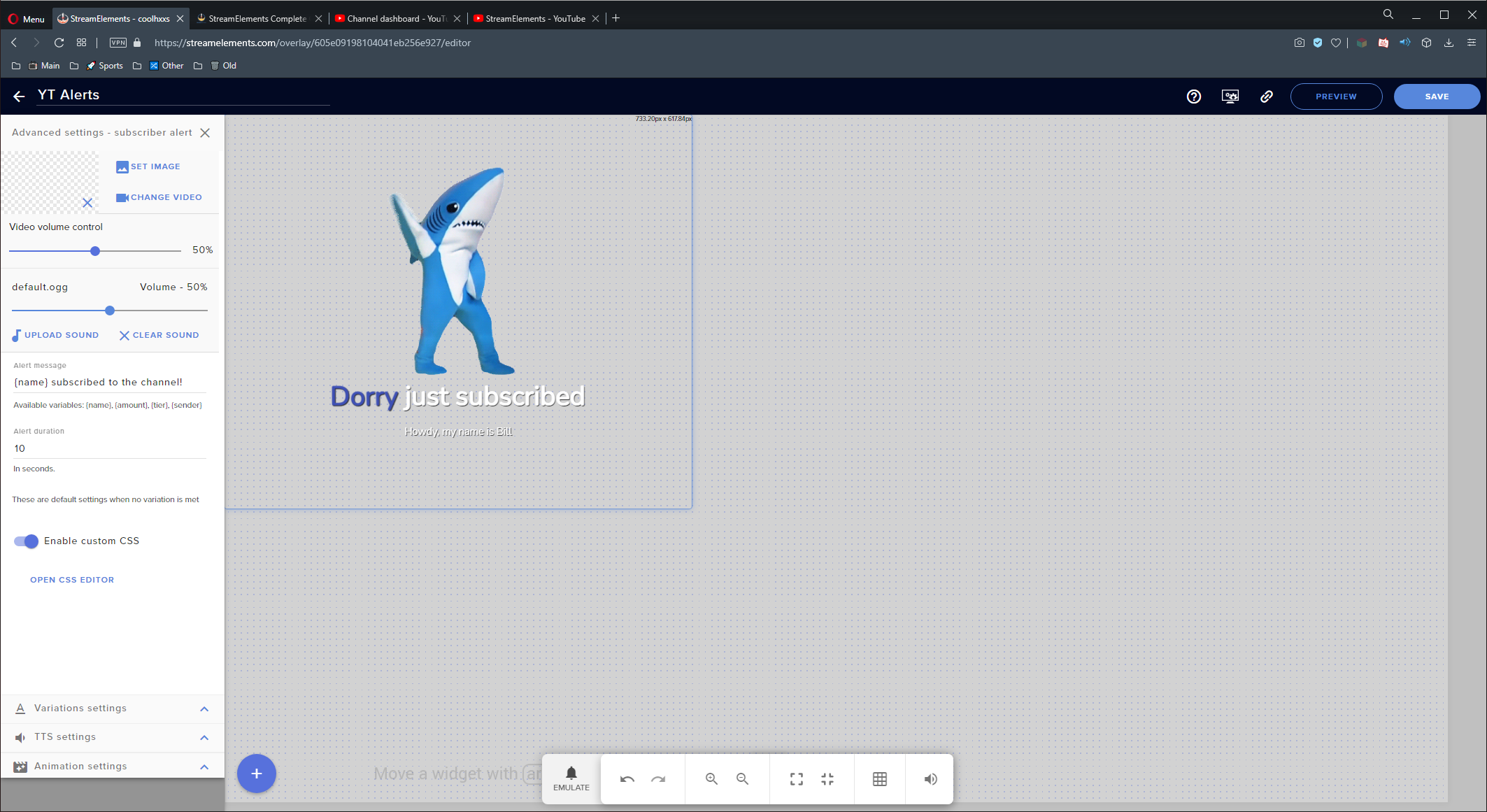 eager lilyBOT
@crimson lotus Google Fonts
More than 900 google fonts are supported at this time. You can preview them here: https://fonts.google.com/
Custom Fonts
Steps:
- Install the font on the streaming PC or choose a pre-installed windows font.
- In the overlay widget settings, select Text Settings
- Click on Enable Custom Font
- Type the name of the font as it appears in the windows font directory (This is usually
C:\Windows\Fonts)
Note: After installing fonts, the browser and OBS must be restarted for the font to appear.
crimson lotus
@shy quail - the Enable Custom Font option is not present at all... as shown in image above
 shy quail
Disable custom css option.
crimson lotus
shy quail
Disable custom css option.
thank you!
How to force the Alert text to be set to All Caps? @shy quail
shy quail
Use the text settings.
 dull scaffold
How can I delete a YouTube Channel from my StreamElements-Account?
eager lilyBOT
@dull scaffold There is no easy way to unlink 2 owner-type accounts from each other. The only way is to make a closure request from here: https://streamelements.com/dashboard/account/security
WARNING: In submitting a closure request, all linked channels within the account will be deleted and you will lose all associated data. This includes overlays, custom commands, timers and past data (tips, subs, etc). You can still reconnect with the deleted account, but you are essentially starting fresh.
dull scaffold
It´s a 1 owner-type Youtube-Account.
shy quail
Why do you want to delete your account? Any chance we can assist you with anything?
You can delete the account here: https://streamelements.com/dashboard/account/security
dull scaffold
I don´t want to delete my hole Streamelements-Account. I have a Streamelements-Account witch a Twitch-Channel and a YouTube-Channel. I will only remove my YouTube-Account from it.
shy quail
Please read what the bot posted above.
There is no easy way to unlink 2 owner-type accounts from each other.
dull scaffold
Can I save my Overlays before I delete my Account?
shy quail
You can try to transfer them to another account, but I am not sure about the assets.
dull scaffold
Ok
crimson lotus
is it possible to create a YT Donation Goal Widget which counts BOTH superchats & traditional SE donations? @shy quail
near stag
crimson lotus
is it possible to create a **YT Donation Goal Widget** which counts BOTH superch...
No. Superchats, members and tips are separated. Not sure about Youtube, on Twitch it is not allowed to combine cheers with real money tips.
strong surge
outer vault
will the overlays work even though its on a different streaming device?
What do you mean by different device? The overlays are browser sources, so as long as you can add them to OBS they should work.
outer vault
i mean by ps4 or will it only work by browser
sage lantern
overlays don't work on consoles, only from pc
eager lilyBOT
@outer vault Consoles do not have native support for overlays. You would need a capture card, PS4 remote play or Xbox companion app and a PC with OBS in order to have overlays over your console gameplay.
We have a blog post about how to set up console streaming with our essential tools: https://blog.streamelements.com/how-to-stream-on-console-7b620b1c46c3
 distant grotto
@eager lily is there a way to combine the superchat and tips (through the tipping page) into one widget so that regardless of where someone donates, it all gets added together on stream into one?
lime walrus
No - superchats are separate event from tips and cannot be combined
 finite cobalt
Hello, On my streamelements dashboard my channel information is not showing up. I am also not getting any information on my activity feed.
lime walrus
Check your email, as I just answered you there
 cyan oyster
On my OBS.Live, my widgets glitch out and it only shows about quarter of it
eager lilyBOT
@cyan oyster The default resolution for StreamElements overlays (theme and custom) is 1920x1080. Please add them in OBS at their full resolution and use CTRL+F to fit to screen if necessary. You can then downscale your stream in OBS settings > Video if you'd like https://i.imgur.com/6bWXxjR.png
 near stag
cyan oyster
Then it only shows half of OBS.Live
near stag
cyan oyster
Then it only shows half of OBS.Live
What do you mean half? You need to make sure your resolution for the browser source matches the resolution of the overlay. And then adjust the size of the widget in the preview.
cyan oyster
near stag
What do you mean half? You need to make sure your resolution for the browser sou...
I already fixed it
eager lilyBOT
@hearty arrow Read and follow our server rules:
- We do not tolerate toxicity! Treat the community team, staff and all members with respect.
- No advertisement or channel promotion, anywhere on the server.
- No NSFW/NSFL
- No unsolicited DMs or friend requests to server members
Make sure to read the #welcome in any server you join.
 late flame
Hello! I've noticed my subscriber widget doesn't update in real-time... Is there a way to achieve real-time updates?
strong surge
late flame
Hello! I've noticed my subscriber widget doesn't update in real-time... Is there...
YouTube alerts have a delay, should be some info in the pinned messages.
late flame
strong surge
YouTube alerts have a delay, should be some info in the pinned messages.
Does the widget update count as an alert? 🤔
strong surge
late flame
Does the widget update count as an alert? 🤔
I think the issue is that the event itself is delayed, so anything that would respond to it is also delayed.
late flame
strong surge
I think the issue is that the event itself is delayed, so anything that would re...
Ohhh! Okay. That makes sense. Thank you for your help! ... Separate question - Should the subscription goal progress in widget data be the same as total subscribers an, if so, would the session data for new subscribers automatically update the goal progress and total? (I hope that makes sense! 🤣)
and*
strong surge
late flame
Ohhh! Okay. That makes sense. Thank you for your help! ... Separate question - S...
If I understand that correctly, the goal should update with new subscribers. But you can also manually edit totals and goals through the dashboard if you are looking for something in particular.
late flame
strong surge
If I understand that correctly, the goal should update with new subscribers. But...
Awesome! Thank you so much 🙂
versed tangle
i need help setting up a overlay with obs i need help
 wooden estuary
I need help pleaseeeeee
I want to terminate my streamelents account so I can get a new donation link and stuff but I cant untill I delete the account so please tell me
balmy whale
Hi is there a way to add a custom browser dock with the activity feed for youtube in obs? Because when I do it I can only login with twitch and not with YouTube. I know I can use OBS.live but I want to do it with a custom browser dock.
versed tangle
Hi, where are the Timers settings?
sage lantern
 frank dew
Is it legal to change your location so the monetization feature is going to be available for you?
main vector
What do you mean? 
frank dew
for example: you live in a country where monetisation is disabled but you want to enable it, so you just change your location to a country where monetisation works. @main vector
🤔
main vector
Still no idea what you mean.
main vector
Still don't know what you mean by monetisation.
sage lantern
It is illegal and won't work, because you need to give your address and copy of your ID
So you can try, but it won't help
 fresh relic
Guys i wanna see alerts on my youtube Chanel when i get sub or donationen does it work of i dont have a pc
eager lilyBOT
@fresh relic Consoles do not have native support for overlays. You would need a capture card, PS4 remote play or Xbox companion app and a PC with OBS in order to have overlays over your console gameplay.
We have a blog post about how to set up console streaming with our essential tools: https://blog.streamelements.com/how-to-stream-on-console-7b620b1c46c3
versed tangle
My "session data" shows "all time" data and never resets. Like if I want to show donations per session, it shows all time donation amount and even when i try to reset session data, it doesn't change
I tried google to resolve the issue but I just kept getting a mountain of unrelated articles and pages. sorry
versed tangle
i found a way to manually reset session data nevermind
 strange lily
Hey, is there a reason that my member alerts dont show in my feed or my actual alerts dont pop?
narrow locust
@frozen juniper your account was successfully closed
 lusty spire
Hello, I'm trying to close my youtube stream elements account so i can consolidate it with my streamlabs twitch account. It keeps saying invalid email, however I have ensured it is the correct email several times
issue is,, no email is listed in my settings.
narrow locust
@lusty spire please email support@streamelements.com with the same information as the form
 true rampart
Does anyone know why my tip event doesn't seem to populate any data?
I tried resetting my session and everything but the session top tip just doesn't do anything. My alert emulates but the data doesn't populate.
true rampart
In fact session top tip isn't working on any of my overlays for any channel (YT, Twitch, Facebook).
versed tangle
hello my se.pay isn't enabled, can someone enable it?
 north pecan
Having a really hard time getting ANY alerts to come up. I just moved over from twitch and ive been streaming for a while and I cant figure it out at all. I have everything loaded right and all the info is correct but it never shows up during stream and always updates afterwards. Please help
main vector
@north pecan pinned messages.
eager lilyBOT
@versed tangle Please provide your account ID found at the top of this page: https://streamelements.com/dashboard/account/channels This ID is public info and safe to share here.
versed tangle
oddkast
main vector
Not that. The numbers and letters.
 winged quarry
i cannot add media request
past beacon
Media request doesnt work on YT @winged quarry
past beacon
yes
winged quarry
or can i use some other software to do songrequest on youtube
main vector
Not something we can really answer.
versed tangle
May I know what font you used to create the Streamelements string? I would like to use this font for my latest tipper.
worn hamlet
versed tangle
May I know what font you used to create the Streamelements string? I would like ...
What do you mean by the Streamelements string?
 glass grove
Is there a special command I can use so I can do the command !watchhours in my YouTubestream
past beacon
its !watchtime and it doesnt work as well on YT @glass grove
glass grove
No but there is no command that I can tick that has !watch time on YT I want it in my livestream
main vector
Because it's tied to loyalty which isn't available for YouTube.
glass grove
Ok thx
 snow gazelle
Hello
I have a problems to unlink one account in Streamelements for link the same account to another
past beacon
snow gazelle
I have a problems to unlink one account in Streamelements for link the same acco...
You mean wish to merge accounts?
past beacon
no problem, Please DM me your account id and JWT of both accounts
snow gazelle
past beacon
You mean wish to merge accounts?
I want to link one account with my main account but this is the result...

 ruby hull
what software can i use to make cool thumbnails
 restive crescent
how can I get my JWT Token
 frosty violet
Hi there, I tried to stream to youtube yesterday and my overlay was having issues. Although the chat was properly connected and appearing on the overlay, my subscriber alerts did not show up. How can I resolve this?
strong surge
frosty violet
Hi there, I tried to stream to youtube yesterday and my overlay was having issue...
There is a delay with those alerts, which could cause them to show up late or not at all.
frosty violet
Is the loyalty system currently in development for Youtube? Is there an ETA for it?
strong surge
frosty violet
Is the loyalty system currently in development for Youtube? Is there an ETA for ...
No ETA for that as of now
tight dagger
hey so Im trying to add a total subscriber count in stream elements but it says 109 subs, but I have 111. How can I fix that?
eager lilyBOT
@tight dagger To reset goals:
- from the Overlay Editor > Session data on top right (monitor symbol) > Goals tab > reset progress of desired goal
- from the Dashboard > Activity feed on the left > Widget data on the right > Goals tab -> reset progress of desired goal
Note: Goal widgets (progress) only counts up and doesn't go down automatically, if you lose followers/subs.
 tranquil prairie
Why do you hate YouTube streamers so much you won't add loyalty points?
tight dagger
I dont i just wanted to fix somthing
i love streaming on youtube
and I fixed it
so nevermind
tranquil prairie
I am asking Stream Elements why they hate YouTube streamers so much they wont add loyalty points. It seems like it's been requested for years now and StreamLabs does it without issue.
tranquil prairie
All good! I literally only joined this discord because I want to switch but I hate that I will have to continue running StreamLabs for loyalty points since Stream Elements just doesnt care about adding it to YouTube
"No ETA" means "No Plans to Implement"
Why should YouTube streamers get the shaft?
You can't use "API restrictions" as an excuse anymore, StreamLabs currently offers Loyalty and StreamLabs sucks lol
I'd also prefer a real answer vs a canned response
tight dagger
dam
i switched because everything was web based and i don't have to have like a separate program open for my alerts and stuff. But I know what your saying
 cold sonnet
Is the giveaway feature not available for youtube? I can't find it
main vector
Correct. It is tied to loyalty which isn't available for YouTube.
cold sonnet
is there a similar and good alternative you'd recommend?
main vector
Unfortunately no.
 worldly basin
the youtube bot doesn't seem to be working for me
got custom commands, modules enabled etc
eager lilyBOT
@worldly basin To set up the bot for your YouTube stream, please follow these steps:
- Make sure your stream is public. The bot cannot join a private/unlisted stream.
- Your stream must be live for the bot to join the chat.
- Go to https://studio.youtube.com/, click on Settings > Community and add https://youtube.com/c/streamelements or https://www.youtube.com/channel/UCjerlCIbLPQwSnYlClkjDXg as a Moderator.
- When live, be sure to look at Live chat instead of Top chat, as Top chat will hide the bot messages.
worldly basin
I'll give it a shot next time ty
past beacon
StreamElements
The Ultimate All in One Platform for Streamers
main vector
@somber dust It's not available for YouTube though.
past beacon
true
 somber dust
oh ok thats why it gives me an error when i click on the link
main vector

 cold fractal
Hi
Are the API issues with YouTube fixed yet?
I cannot get the sub overlay to work well
main vector
Read pinned messages.
cold fractal
where is that? 🙂 Im a discord noob
tranquil prairie
Its nice I got completely ignored.
sage lantern
You are not ignored, and it isn't that they don't want to make it, it's that it doesn't work with the systems
 arctic wren
what is link to download streamelements ?(sorry for my english i am brazilian)
narrow locust
arctic wren
what is link to download streamelements ?(sorry for my english i am brazilian)
our plugin can be downloaded here: https://streamelements.com/obslive
arctic wren
narrow locust
our plugin can be downloaded here: https://streamelements.com/obslive
thank you very mutch
 boreal sorrel
What happen if I tell people to unsubscribe and dislike the video on YouTube
sage lantern
your own video? why would you do that?
boreal sorrel
I also hate sitting in school
 dapper valley
Hi there, is there anyway of getting SE chatbot to work with an unlisted stream? I only want to use the timer to post a message every 15 minutes
sage lantern
I do not think that is possible no
dapper valley
Any suggestion for anything else thats capable of doing it? No worries if not, dealing with a client that asked for "clickable links" on a stream
💩
tranquil prairie
So StreamLabs does it for YouTube, saying it doesnt work with the system is just a flat out lie
sage lantern
It doesn't work with StreamElements system
dapper valley
It appears I have tricked it into working anyway
sage lantern
you want to build a whole new system? then go ahead
dapper valley
by listing the stream, letting SE connect then unlisting the stream again
Re the issue being about SE its actually related to the way Youtube works, doesn't seem to be any chatbots that work because the url isnt exposed through the channel when unlisted. May end up building something myself which just lets you put in a URL however
tranquil prairie
So tell me how Streamlabs makes it work without an issue
but you guys arent smart enough to figure it out or just dont care at all
tight dagger
Hey so my latest subscriber widget is not showing e my latest subscriber. a little context, I just finished a stream and I gained 3 new subs and for some reason the widget didnt update. It was just stuck to one name the whole stream. I resat the session data so it would be blank and now its not showing the latest subscriber. Can someone plz help a bratha out
 west compass
Hey, I'm messing around with the chat commands and I was wondering if there's any way to trigger a long command using a command. For example, have the !remove command typed by a moderator in my chat, and it would run a command such as !command remove !randomcommand. Is this possible in any way?
Here's a more concrete example: My goal is to be able to open and close my in-game party to my stream viewers. If I have room for people to join, I'd run !open in my chat (or a mod would) and it would edit an existing !join command to respond with "${user} wants to join the party!". Then, when the party gets full, a mod or myself would run !close which would edit the !join command to respond instead with "Sorry ${user}, the party is currently full."
I can successfully do this using Nightbot, the problem with it is the cooldown delay. It's minimum 5 seconds globally, so when two people try to !join at the same time, only one gets a response. SE bot however has the option to have 0 global cooldown delay, and I've tested it, and even with 5 people simultaneously typing !join, all of them got an answer from SE.
Now I just need that method to be able to easily edit !join's response using another command.
 coral arrow
Anyone have an issue with the chatbot? ive added streamelements as a mod and still nothing?!
lime walrus
tranquil prairie
but you guys arent smart enough to figure it out or just dont care at all
SL uses a different API provided by Youtube. I can vouch that the API we try to use relies explicitly on the stream being PUBLIC and also people who subscribe having their subscription list set to PUBLIC as well. If Youtube enforces a privacy rule, we cannot go around it.
How SL does it, is their own business and I can assure you that Youtube forced some things us to change, like how we keep data as well.
lime walrus
tight dagger
Hey so my latest subscriber widget is not showing e my latest subscriber. a litt...
Check pinned message
lime walrus
west compass
Hey, I'm messing around with the chat commands and I was wondering if there's an...
The bot cannot edit or trigger its own commands via a command that you've used.
That being said, we don't have a queue system for YT as well and the only queue system I can think of, works for Twitch to my knowledge. https://thefyrewire.com/docs/api/twitch/queue/
eager lilyBOT
@coral arrow To set up the bot for your YouTube stream, please follow these steps:
- Make sure your stream is public. The bot cannot join a private/unlisted stream.
- Your stream must be live for the bot to join the chat.
- Go to https://studio.youtube.com/, click on Settings > Community and add https://youtube.com/c/streamelements or https://www.youtube.com/channel/UCjerlCIbLPQwSnYlClkjDXg as a Moderator.
- When live, be sure to look at Live chat instead of Top chat, as Top chat will hide the bot messages.
 tawny patio
Chat widget isnt working properly on a scheduled stream
As in the overlay chat widget
past beacon
tawny patio
Chat widget isnt working properly on a scheduled stream
please clarify what you mean by not working?
tawny patio
like chat messages simply does not appear
I think I might just have something set up wrong
they appear on the overlay editor
ok nevermind that it just fixed itself 🤔
 fair mortar
My channel is on youtube and ground control shows twitch logo and redirects to random twitch channel.
 lime walrus
That is sort of what is suppose to be. Since we do not plan on updating Ground Control as its an old software, we recommend using OBS>Live.
lime walrus
MR is not supported on Youtube accounts.
fair mortar
Okay, thanks!
true rampart
So is there something special I have to do to get the top tip labels to work? They never seem to work for me.
worn hamlet
Other labels work? If so, it's probably the widget settings.
eager lilyBOT
@true rampart Please provide your account ID found at the top of this page: https://streamelements.com/dashboard/account/channels This ID is public info and safe to share here.
true rampart
I think I figured it out. I guess the tip labels won't work with emulated events. You actually need real data. :/
 gloomy oasis
hello i need some help
i dont know why but when i receibe a new suscriber it doesnt apperar as a notification
i try with a lot of tutorials but still without working
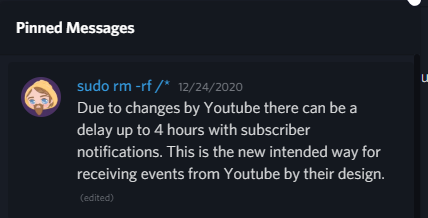


 gloomy oasis
ou i get it so it dont have any solution
sage lantern
no 😦
gloomy oasis
but for example with donations?
sage lantern
those work normal and should show
gloomy oasis
ok perfect thanks man
 nova plover
Hi there, is it possible to rename the StreamElements bot in YT like it is in Twitch?
tardy cloud
That's not possible
tardy cloud
!sepay @versed tangle
versed tangle
My channel meets requirements that i read, united states, over 700 subscribers, but for some reason it isn't there.
eager lilyBOT
@versed tangle Please provide your account ID found at the top of this page: https://streamelements.com/dashboard/account/channels This ID is public info and safe to share here.
 runic sierra
Good morning, I'm looking for help with the stream chat layer when creating an overlay. My account id is 6048f07fc3144a6a47447a1f
past beacon
runic sierra
Good morning, I'm looking for help with the stream chat layer when creating an o...
how may we help?
runic sierra
past beacon
how may we help?
I have personalized some of the overlays that are available on your homepage and added a chat-box to them. Up to yesterday, they were working just fine. But as of my stream last night they just stay empty, despite chat happening, as I can see in the regular YT chatwindow. I'm not sure how to get it back to work. I've tried logging out and back in both on the homepage and within OBS
I have also tried to create a new overlay that just contains a chatbox, thinking that maybe creating a new one solves the issue, but it didn't
versed tangle
do the rest of the widgets work fine?
runic sierra
versed tangle
do the rest of the widgets work fine?
Unfortunately I don't have any other widgets active so I cannot say.
looking at the different tabs in my account I can see that I'm not connected to Tiltify in the integrations tab. Is that what's causing the issue maybe?
versed tangle
Nope, that has nothing to do with that
let me check something
are you using OBS.Live or anything of the sort?
like Ground Control?
runic sierra
I think I'm using obs.live