#helpdesk-youtube
1 messages · Page 13 of 1
 somber herald
 upbeat furnace
@somber herald Then you are logged in with your Twitch account. Connect your Youtube or switch to your StreamElements dashboard for your Youtube channel
Here's how it looks when logged in with YouTube
 cunning glacier
Also only works if you actually have "Sponsor" support available on youtube.
 livid jungle
my stream elements is replying to itself over and over cause of a keyword
any way to ignore itself?
 tropic atlas
on YouTube?
Can you screenshot this?
livid jungle
I mean I had to timeout the bot when it happened. Basically I had a command with various keywords and the response has that same keyword in it so it was replying to itself over and over
 fickle pagoda
This is known behavior. You'll need to either change the keyword or the response.
livid jungle
When will there be an update for this?
fickle pagoda
It's on our to-do list but there's no ETA currently.
livid jungle
Also all my notifications are delayed by like 5 mins
 lime walrus
@versed tangle Are you live right now?
 versed tangle
yes
lime walrus
Then give it around 15-20-30 minutes for Youtube's API to tell us that you are live so that the bot can join.
versed tangle
ok
lime walrus
If it doesn't join, do come back
 polar caveBOT
Please refrain from using [at]everyone or [at]here
 lunar iris
The bot joins based off of what youtube api tells us when you're live.
If it isnt joining, youtube api is being slow.
versed tangle
ok
 elder bramble
hi there
i'm trying to use predefined fortnite overlay but there is something already written on it how can i remove it?
this -0, how can i remove it?
lunar iris
Edit the overlay and remove the widgets over those.
elder bramble
ok thank you problem solved, only 1 more query though
can someone please tell me what these 4 boxes are for? I mean 1 is for Top donation & others i don't know
lime walrus
Recent sub, follow, cheer and donator
The overlay is mostly meant for Twitch, so I'm not sure how the alert box will work for YT
elder bramble
i see, anyway thank you for help
 azure parcel
Android app invite code
polar caveBOT
@azure parcel The app is currently in closed beta, and is expected to be available to the public by mid October.
If you'd like to assist with beta testing, please fill out this form: https://goo.gl/forms/3DaiLckKDjeMAeVt2
azure parcel
Thanks @polar cave
 near phoenix
Hi, where the loyalty program for YouTube
azure parcel
How much time takes to receive invite code for Android app
polar caveBOT
@azure parcel The app is currently in closed beta, and is expected to be available to the public by mid October.
If you'd like to assist with beta testing, please fill out this form: https://goo.gl/forms/3DaiLckKDjeMAeVt2
 dire adder
polar caveBOT
dire adder
polar caveBOT
@dire adder The app is currently in closed beta, and is expected to be available to the public by mid October.
If you'd like to assist with beta testing, please fill out this form: https://goo.gl/forms/3DaiLckKDjeMAeVt2
 dense galleon
Hi! I just joined and i'm wondering if someone can tell me how to get my chat bot to work in my youtube live stream
Is there a certain command to bring it up in my chat to get it to first start working?
 cyan lake
First, make sure your stream is public. Then, make sure you have the bot join from the dashboard. After it joins, add it as a moderator
 granite loom
Hello
I just joined and i am having trouble setting up my alert box
Is anyone available to help me
Like i set it up and everything but when someone subs it doesn't show up
granite loom
yes
cyan lake
ok. Did the sub show up in your activity feed?
granite loom
Yes, like it worked once but it has yet to work since
it works when i emulate it but when i put it in my broadcaster source its only ever worked once
cyan lake
What happens if you try to replay the event
granite loom
I replayed it and it did not work
cyan lake
ok. If you open the overlay in a browser tab (in chrome or something), and replay, does it show up there
granite loom
ok first off i never saved it on the first one cause i changed the overlay to see if that worked so let me try this really quick
ok it worked when i replayed it so does this mean it works now cause i really have no way of testing it
cyan lake
This means that the overlay is getting the information, and that the alertbox is popping. BUT, it also means we need to figure out why your broadcasting software is not showing this
What software are you using
granite loom
ok i was using obs at first but i am using stream labs obs right now
i can go to obs right now if i need to
do you want me to try obs itself
cyan lake
yeah
granite loom
so wait if i was to unsubscribe on a account and sub again would it work
??
so i have obs opened what should i do now
polar caveBOT
@granite loom To add your overlays to OBS, add a new browser source in your scene. Paste your overlay URL in the browser source properties, set the dimensions to 1920x1080 (unless you changed them on the website), and :ballot_box_with_check: “Shutdown source when not visible” https://youtu.be/KDvLynUqXI4
cyan lake
Add the browser source as listed above
hit CTRL+F to make it fit your canvas
then run the test again
as in replay the event, and see if it pops up
cyan lake
For youtube, no. We have limitations with the youtube API that slow us down on getting that kind of information (it isn't like twitch, were you can just join an mIRC chnanel and see the chat as you come in. Its more ping youtube api, see if any new chat messages, use up resources for our API quota if there isn't, use up a lot more if there is)
granite loom
ok do you know any ways to get a chat box for my stream
so does my alert box work no
now'
cyan lake
Your alertbox always worked, it was just the broadcasting software was not showing it 😉
if you use OBS Studio instead of SLOBS, it will work fine
granite loom
is there any way for me to make sure that it does
cyan lake
replay previous events
cyan lake
What is your youtube name? And do you have a twitch? Did you change your youtube name?
 lapis shard
@versed tangle is your StreamElements Dashboard say "live" on the top left?
versed tangle
nvm
 misty wave
How do you add a most recent sub popup
 toxic summit
Is there a way to get a top Superchat list like we have with the top Twitch Cheer list?
Also is there a way to pool tips from the Twitch and YouTube side into one list?
 thorn wedge
Hello @toxic summit The tips are coming in separate way since those are different platforms
 candid cobalt
Can someone help me stream elements is not talking in my friends chat and it’s joined the channel and he’s using OBS (elgato)
@lapis shard @thorn wedge
 visual swallow
 Pinging random people is not the way to go about betting help. With YouTube, their API need to notify us that you are live (has to be a live public stream) then after we get the notification the channel is live, the bot will join the chat. YouTube has had issues with their API in the past and this process can be very short for some people, 3-5min, for can be much longer
so, unless their StreamElements dashboard says they are live, the bot will not join, once that says they are live, the bot will join
visual swallow
if the stream is not public, the bot will never join
candid cobalt
How does my friend set it to public ?
visual swallow
and on their dashboard, this needs to say live
I dont know, I dont stream to YouTube, I'm sure google hos plenty of docs on how to make a stream public on YT
visual swallow
This guide should cover setting up the bot as a mod if that has not been done yet https://strms.net/youtubeguide
candid cobalt
We set it up using the website
visual swallow
if they did not set it to allow StreamElements to manage their account like in the guide above, this will also not work
 lethal yarrow
I would like to get an invite for youtube streaming via my phone! Can you help me out?
polar caveBOT
@lethal yarrow The app is currently in closed beta, and is expected to be available to the public by mid October.
If you'd like to assist with beta testing, please fill out this form: https://goo.gl/forms/3DaiLckKDjeMAeVt2
 short moat
I need invite code
polar caveBOT
@short moat The app is currently in closed beta, and is expected to be available to the public by mid October.
If you'd like to assist with beta testing, please fill out this form: https://goo.gl/forms/3DaiLckKDjeMAeVt2
 errant scaffold
⤴ Just gotta fill the form & we wait if they release it Mid October 😎
lime walrus
@vague ravine OK I was told that the Sponsor goal is the paid version of Twitch subs, but for YouTube. Looking at the bigger widget list you provided in the wrong channel, I can def. see you are a youtuber.
I don't think when you emulate a sponsor alert, it will count towards the sponsor goal, unfortunately. @vague ravine
 robust mango
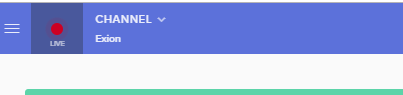
When this changes to live it'll mean we have been informed by YouTube that you're live 😃
And it just changed 😮
lime walrus
magic in the works 
 near stag
youtube takes a while to detect live status
so nothing wrong here, it is just how YT works
robust mango
🐌
 cursive tartan
Hurry up, youtube 
lapis shard
Sadly the Youtube API doese what ever it thinks... 😦
livid jungle
my friend says same thing, even its down for him since yesterday
robust mango
Yeah, sadly we can only work on things from our end
lapis shard
we rely on Youtube giving us a signal that you are live currently. If we don't receive this we cant activate it otherwise. So nothing we can do on our end. Youtube is extremely unreliable in that case unfortunately 😦
livid jungle
But if it shows LIVE on streamelements, it should be working right?
 dusky lintel
cursive tartan
dusky lintel
cursive tartan
Hey raja, if you have a question it is best to just ask it, as we support people can answer it asap. If you only want to chat then please do so in #general-chat!
 zenith horizon
Hi. For the past several days the chat bot has not been working with my YT channel.
versed tangle
Same^
 blissful laurel
How I get free access code for app
polar caveBOT
@blissful laurel The app is currently in closed beta, and is expected to be available to the public by mid October.
If you'd like to assist with beta testing, please fill out this form: https://goo.gl/forms/3DaiLckKDjeMAeVt2
blissful laurel
Ty
lime walrus
@vague ravine
 vague ravine
@lime walrus hot that can be related to YT if the source doesn't work through OBS?? Is there anybody who can resolve the issue instead of delegating?
lime walrus
In your original question you never said that it didn't appear in OBS
You only mention it never changes, so first assumption its not changing in the editor as well, hence why I said, when emulating a sponsor alert may not change the widget!
vague ravine
@lime walrus well that's funny. The browser source placed in OBS doesn't work. How the problem with sponsor goal placed in OBS can be related to YT at all...
@lime walrus we have a problem but no solution. Let me know how to resolve it?
polar caveBOT
@vague ravine The default resolution for StreamElements overlays (theme and custom) is 1920x1080. Please add them in OBS at their full resolution and use CTRL+F to fit to screen if necessary. You can then downscale your stream in OBS settings > Video if you'd like https://i.imgur.com/6bWXxjR.png
 lime walrus
Now you are saying a different problem, which is fixed this way
vague ravine
@lime walrus when someone acts as a sponsor the sponsor bar doesn't show mopney income. What is the solution?
lime walrus
Would you mind STOP tagging me everytime you start a sentence?
Its just you and me talking here, no need to tag me every time
vague ravine
@lime walrus that is the only way for you to be involved into the problem resolving. Yesterday you said the same and now i need to describe the issue once more...
robust mango
That doesn't mean you need to tag him every time at all 🤔
vague ravine
When someone in respond u receive a notification! that how it works. @lime walrus i will check now. thnx
lime walrus
@vague ravine Just to point out the obvious. The channel you started originally is about a PLUGIN for OBS Studio that DOESN'T work for YOUTUBE yet. Channel is called HELPDESK-OBSLIVE.
vague ravine
and it is much easier to find the message in the mass of issues
lime walrus
So your issue is not originally related to the plugin to begin with.
vague ravine
You suggest me to fix the problem in OBS and say that i am referreing to wrong channel.. i am confused..
lime walrus
There is a difference, even if minor between OBS.Live and OBS Studio.
vague ravine
when someone acts as a sponsor the sponsor bar doesn't show money income. What is the solution?- problem is not resolved with your advice to change resolution at all. however when someone leaves a tip everything works and i can see the amount recieved
livid jungle
why are my youtube dono / member alerts are like 5 mins delayed?
lapis shard
@livid jungle are you marked as "live" on your StreamElements Dashboard on the uper left?
lime walrus
@vague ravine as im not familiar with youtubes widgets i will ask internally about this
vague ravine
@lime walrus i am tryiong to use stremelmnt widget which i place as a browser source inOBS and money income BAr doesn't react whem someone leaves sponsor income while tip widget works properly
cursive tartan
@vague ravine thank you for clearing that up. We will get you the help you need, please be patient.
lapis shard
@vague ravine we know what you are talking about we just need to check internally why it could not work for you
vague ravine
@cursive tartan roger that
may i ask you to send any result when it appeares to me directly?
lapis shard
@vague ravine dont worry we will
upbeat furnace
@livid jungle There is some delay with how youtube sends channel events to 3rd party services. We have to poll for events every so often as opposed to Twitch which sends them to us when they happen so it can take minutes for us to receive info on sponsors, subs, superchats
near stag
@vague ravine how can i help you with the Youtube widgets?
lapis shard
@livid jungle you are marked as live in the dashboard, and have the bot set as a moderator and it never joined your chat in the past 3 days?
livid jungle
nope
near stag
try the !ping command once you go live, it will show you if the bot is active and for how long.
livid jungle
nothing is working ;/
near stag
are you live right now? bot will not join unless you have a public stream running
livid jungle
not right now, i already tested the commands none of it worked.
I been using streamelements for a while now, I even tried parting the bot and re moddeing it
cursive tartan
the commands will only work if the bot is there. if you are not online and public the bot wont be there
livid jungle
Let me get this straight, I been using StreamElements for months now just until last 3 days. The bot stopped showing up. I didn't part the bot or change anything. AND YES I WAS STREAMING AT THAT TIME TOO. So next stream I Remodded the bot and Part and Repart the Bot. Still it's not showing up.
and yes the streamelements page was showing i was live. I hope that cleared everything up.
near stag
@cobalt flare any ideas? ⬆
@livid jungle pinged a developer. In general i can say we have reports of bot being slow, but it always shows up in the channel once you go live, just not instant
livid jungle
my friend streams too he said the same thing. Suddenly stopped working.
 cobalt flare
@livid jungle i see the bot is reading the messages fine. Does it not respond at all?
livid jungle
nope
cobalt flare
did you see the "streamelements bot running" message?
livid jungle
nope
cobalt flare
hm 
near stag
@cobalt flare he is live, tried the ping command - nothing, bot is also not listed
 soft crater
I spent streaming 1080p 60fps lately. All was good. Loss of frames was not. The bitrate is set to 6000, both on the Twitch and YouTube. Today I observe a frame loss of up to 80%. Whats happend?
livid jungle
I am live right now, still. It's not working, even my friend
near stag
@soft crater dropped frames are usually a good indicator of network problems. If you see just the frames dropping, but OBS/Xsplit etc shows stable FPS, it is your network.
@livid jungle the developer is notified. can you give me a screenshot from your dashboard? it should show you live and that the bot joined.
 near stag
So i see you are live, try to remove the bot and add him again.
near stag
like i said, it takes some time for the bot to join, it is not instant like on twitch.
our developers look into that.
livid jungle
still not uip
livid jungle
It started working again now.
near stag
@livid jungle we know, i checked your channel multiple times with commands etc 😃
 thin tusk
How can I remove my youtube acount from steam elements?
cyan lake
@thin tusk you can unlink your youtube connection from your youtube settings. I am not sure where that is, but I know it is possible. This will stop us from receiving any more information from your youtube account
thin tusk
I cant find that. Thats why I'm asking for help
YOu don;t help me by saying "i am not sure where is that"
cyan lake
all I am going to do is google it, lol
thin tusk
Professional help desk, what can I say..
cyan lake
We are helpdesk for our tools
youtube is not one of our tools
we provide tools for youtube

In this video I show you how to remove application permissions on your YouTube account.
ok, I just clicked through how to do it. So before I forget again (I am primarly twitch support, not youtube). Go to Settings, then Connected Apps. Then click Authorized sites to your Brand Account
That will give you the list of authorized sites
Click the site you want to remove, click remove access.
@thin tusk
versed tangle
Lol
vague ravine
@near stag sorry for late reply. seems my request is under control of Kiwa so i think we would better wait until any update appears. rgrds
near stag
@vague ravine i work together with the developers and i stream to youtube myself, Kiwa is our twitch and commands guru. so let me help you.
vague ravine
@near stag does this mean that i need to once more repeat the point of my issue?
near stag
@vague ravine no need to repeat. Like i messaged you before, i stream myself on youtube, i have active sponsors and the sponsorship bar shows the correct number
vague ravine
@near stag can you plase than make a video guide how to set it up or share the one that already posted
near stag
@vague ravine you just need to open your active overlay in the editor, add the sponsorship goal (or other sponsorship widgets) in the widget tab and done. Data can be also adjusted in the editor > data tab > goals.
@vague ravine we have videoguides but only for twitch - but there is no real difference on our side, this is still a browser source overlay which has a widget pulling data from Youtube instead of Twitch. On Twitch the mentioned widgets would just be called subscriber XYZ
robust mango
Click on Join Channel on the dashboard page, add the StreamElements channel as a Mod of your YouTube Live chatroom and make sure that you're streaming with a public stream. Then you just need to wait for the YouTube API to update us that you're live, this can take some minutes as it's pretty slow
 slow geode
I have to made stream element mod as i make mod nightbot..?
robust mango
Yes
slow geode
why streamlab chatbot unable to send links..?
links timers not working or commands so
slow geode
why it channel name as helpdesk when no one helping...😓
errant scaffold
The Youtube knowledge Gurus are prob busy doing something. I would help if I had more knowledge with Youtube 😔
visual swallow
The bot needs to be in your channel to be able to respond to commands, or post timers. You must be live, with a public stream, and your SE dashboard must also say you are live. Then the bot can join the chat. YouTube API's can also be very slow and unreliable, so it can take some time for the bot to join your chat
slow geode
@visual swallow I just stop my stream now because SE chatbot not posting timers
 idle shale
Could I snag a invite code ^^
polar caveBOT
@idle shale The app is currently in closed beta, and is expected to be available to the public by mid October.
If you'd like to assist with beta testing, please fill out this form: https://goo.gl/forms/3DaiLckKDjeMAeVt2
idle shale
Ahh perfect thank you:)
versed tangle
Hey suuport team, how can i get activities feed from yt on my obs app?
Coz i got the activity feed from twitch there
How do i switch it for yt?
visual swallow
It is only for Twitch at this time
versed tangle
I got a problem
when i try to link my twitch account i got this message
and its only linked to my yt channel
near stag
@versed tangle this is normal, you logged in with your twitch before so it has a separate account.
versed tangle
:(((
near stag
@versed tangle we can merge the two together by hand, @tropic atlas can do this.
near stag
@versed tangle wait for his reply and be ready to give him your tokens from the account page for both twitch and youtube.
near stag
@versed tangle can take some time, please be patient 
versed tangle
still here :>
in case i didnt see the mention, please send a priv message so i got the sound effect
 floral tinsel
hello, I have a stupid question. Am i going to be able to use the streamelements overlays when i stream on youtube via PS4. I'm not using OBS, just straight from PS4...
errant scaffold
Awesome! With streaming directly from Console you'll be able to use the Alerts still. Overlays are not available unless you have a PC with/without a Capture Card.
Here's a guide as well with setting up on console
polar caveBOT
@floral tinsel Here is a guide on how to setup the most essential tools for streaming from your console, while using StreamElements tools without involving a Capture Card! It's easy to do, take 4 minutes to read and 10 to 15 minutes to setup!
Read all about it here: https://blog.streamelements.com/how-to-stream-on-console-7b620b1c46c3
 worthy lodge
Hey, I need help with OBS studio. I cannot save my video as a file
uh is anyone here?
there aren't any broadcast settings either
upbeat furnace
@worthy lodge please be more specific
worthy lodge
I'm trying to save a video file in OBS...
visual swallow
If you are having issues recording with OBS, then it would be best to get support from them
!obshelp
polar caveBOT
For the best OBS support, please join their discord where OBS devs and support volunteers are available all the time discord.gg/obsproject
floral tinsel
i've read over the console streaming article but the overlays won't show up when i stream. is this not possible without obs?
visual swallow
You need to be streaming from a PC and using a capture card (preferred) or remote play in order to have overlays for a console
visual swallow
The console article does mention its not possible to have overlays streaming directly from a console
worthy lodge
I can't type on that server
ok. I record but where does the file save? I'm trying to make it a mp4 file
visual swallow
It saves where you configured it to save in the settings > output > recording. Also, these channels are for support with our services, and recording issues with OBS is not going to be related to them. Any questions not related to our services would be best asked in #general-chat
worthy lodge
thanks that helped!
livid jungle
my bot is not working again
streamelements shows its live but not responding to anything
errant scaffold
@livid jungle Have you tried parting the bot & joining your Youtube channel again?
As like before it can take a few minutes since it's not instant like Twitch.
livid jungle
yep did
errant scaffold
May have to get a Dev to look at that again. Gonna see if I have permission to ping one.
How long have you been live @livid jungle ?
livid jungle
3 HOURS
errant scaffold
Gotcha. Still tryna poke a dev about that.
errant scaffold
Devs have been alerted & will be looking into this 😃
 green trellis
Hello! So is this a good place to ask for help about stream element payments? Because When people try donating to me it supposedly says "seller restriction" or something like that. I streamed today and it worked fine at first but nobody could donate afterwards. If anyone could help out that would be awesome <3
 sour vortex
Can I get a shout-out or something
polar caveBOT
@sour vortex Are you a StreamElements all-in-one streamer and interested in stream promotion when you go live? Please fill out this application https://strms.net/sellout and if you meet the 3 requirements posted in the :pushpin: pinned message in #welcome you will be added to the stream announcements.
sour vortex
Thx
robust mango
No problem
robust mango
If you're asking if we can shout you out then only by doing the thing I made the bot post before
If you're asking for something else then you'll have to re-word it because i'm not making sense of it 😄
sour vortex
PayPal*
robust mango
Wait, are you asking if you can avoid the tipping panel requirement?
sour vortex
Yes
robust mango
I see, sadly if you don't meet the requirements then nothing can be guaranteed because it's a feature designed for people who meet the requirements
sour vortex
Oh ok
versed tangle
Hello support team! Do you guys know when will it be possible to use Activity Feed and Chat from yt stream on obs? Coz right now its only possible for Twitch from what ive heard
robust mango
Haven't heard of any ETA on that, sorry
 tight turret
Do you guys think I'd get in any possible copyright troubles using this on youtube? I added the text, and it's only about 90% of the full size image
versed tangle
regarding nintendo, I would always assume they're gonna copyright strike you
 ripe jacinth

errant scaffold
Need help? 😄
 wooden oriole
How do i get a early access code?
polar caveBOT
@wooden oriole The app is currently in closed beta, and is expected to be available to the public by mid October.
If you'd like to assist with beta testing, please fill out this form: https://goo.gl/forms/3DaiLckKDjeMAeVt2
 steep horizon
How do you get early acces code for stream elements for phone
polar caveBOT
@steep horizon The app is currently in closed beta, and is expected to be available to the public by mid October.
If you'd like to assist with beta testing, please fill out this form: https://goo.gl/forms/3DaiLckKDjeMAeVt2
versed tangle
How do I unlock the loyalty for chat bot? All I see is revenue & bot?
upbeat furnace
@versed tangle We are not able to offer loyalty program for YouTube at this time. We hope in the future when YouTube provides us with the necessary information we can do this
 languid bay
CAN I USE STREAM ON PS4?
polar caveBOT
Here is a guide on how to setup the most essential tools for streaming from your console, while using StreamElements tools without involving a Capture Card! It's easy to do, take 4 minutes to read and 10 to 15 minutes to setup!
Read all about it here: https://blog.streamelements.com/how-to-stream-on-console-7b620b1c46c3
robust mango
!console
If you want to use overlays and media request though you'll want to get a PC and a capture card in your setup too though
 fallen galleon
You dont have to use a capture card
errant scaffold
You don't but it is the recommended option with Console Streaming.
 leaden glen
why its not detecting my live streaming
cursive tartan
YouTubes api is slow sometimes, it might take a while for it to tell SE that you are live! @leaden glen
 pseudo kite
Where to find invite code for stream labs app?
polar caveBOT
@pseudo kite The app is currently in closed beta, and is expected to be available to the public by mid October.
If you'd like to assist with beta testing, please fill out this form: https://goo.gl/forms/3DaiLckKDjeMAeVt2
pseudo kite
Sure ill apply
 stiff yacht
polar caveBOT
stiff yacht
polar caveBOT
@stiff yacht The app is currently in closed beta, and is expected to be available to the public by mid October.
If you'd like to assist with beta testing, please fill out this form: https://goo.gl/forms/3DaiLckKDjeMAeVt2
lime walrus
The app doesn't work with Youtube currently.
versed tangle
Hello, i would like to merge my twitch and yt account on Streamelements, can you help me out?
lapis shard
pls provide me with your JWT token for both accounts IN A DM
do not post them here out in the open please 🙏
@versed tangle
leaden glen
hey guys how can i use loyalty reward system on youtube ?
as streamelement chat support responded youtube not support it
fickle pagoda
Yeah, that was me.
leaden glen
but i saw many people use coin system
fickle pagoda
Like I said, it's a Twitch only feature; that's why it doesn't show up in the side menu.
leaden glen
I just came here to ask if someone using any alternative or trick for loyalty system on youtube
fickle pagoda
There is no way to use our loyalty point system on Youtube. That's why it's not listed at all when looking at a Youtube account in StreamElements.
leaden glen
i can give you few very small channels link
who still using reward points
and all of them give custom name to their coins
and that person said he use fussbot
fussbot is not providing support anymore but look like people still use it.
That is why I dont want use it
but now going to give it a try
@fickle pagoda are you there?
can you tell me how can I disable or remove StreamElement from my youtube channel?
fickle pagoda
@leaden glen If you'd like to have the bot no longer join your channel, you can click Part channel on the right side of the dashboard page.
leaden glen
ok
 wind cape
I have a question
Why doesnt a notification pop up in my chat for everyone who has just subscribed?
@fickle pagoda
@everyone
polar caveBOT
Please refrain from using [at]everyone or [at]here
thorn wedge
Hello @wind cape did you enable the Chat alerts? https://streamelements.com/dashboard/bot/modules
wind cape
Yes
@thorn wedge but it stick doesnt alert me when i have a new subscriber every time
Still*
 brazen silo
Hello, the messages I receive on StreamElements alert box show up sporadically
Sometimes they show up and other times they fail to show up
It makes no sense and follows no pattern
Been streaming for 8 months and it just started becoming an issue
fickle pagoda
@brazen silo Work with the YouTube API is ongoing and we're talking with their devs to get things like this ironed out.
brazen silo
Thank you
 kind nest
Please send Stream element Invite code
polar caveBOT
@kind nest The app is currently in closed beta, and is expected to be available to the public by mid October.
If you'd like to assist with beta testing, please fill out this form: https://goo.gl/forms/3DaiLckKDjeMAeVt2
green trellis
Anyone got advice with chargebacks? I stream on YouTube and I use streamelements for donations. I've been dealing with wayyy too many chargebacks in the past month or two. Is there any sort of strategy to deal with chargebacks? Let me know <3
 tight crow
greetings I have been getting members but streamlelments isnt updating any ideas
cyan lake
@green trellis are the chargebacks through paypal?
green trellis
Yep
cyan lake
Are they from multiple accounts, or just a few?
green trellis
I searched through the ToS and it says that donations are non refundable, could that help out when they chargeback?
Well chargebacks arent extremely frequent, probably once or twice a month
and its from different accounts
cyan lake
The thing is, these are not technically "donations" unless you are a registered charitable organization
they are tips
green trellis
ah yeah thats what i meant
cyan lake
The next step is to provide certain confirmations to paypal, like the username, email address used, have they donated before, etc. Another option is to use another tipping provider. Where are you located (region matters)
green trellis
I'm in the US
cyan lake
I think the best thing to prevent the chargebacks is to speak with paypal on these, and see the best route to fight them. I have heard talking through their fraud department helps as well @robust mango used that method before
robust mango
Yep, if you ask to speak to their fraud department and explain to them that somebody is fraudulently claiming they didn't make a payment or fraudulently claiming they didn't receive an item which never existed in the first place then they'll usually side with you
green trellis
Thank you! I'll probably end up calling paypal and asking them about it. I appreciate the help fellas
robust mango
No problem
cyan lake
@green trellis random questions: are you american, and have american bank account?
cyan lake
@green trellis I just activated a new payment method option on your youtube account. It has cheaper chargeback costs, lower fees, and advanced fraud detection (to prevent fraud tips before they even happen)
you may have to hard-refresh your tipping settings page, but it will show up
green trellis
is it called SE pay?
Is that an option people can donate through? Is it card only or what?
cyan lake
It provides other payment method options, like credit cards
tight crow
I have looked around and I cant seem to get stream elements to update
kinda pointless to use the stream element overlays when they dont work
cyan lake
@tight crow have you changed your youtube name before?
tight crow
no have had the same one for 2 years and have used it as a streamer for the last year
cyan lake
so you never changed your name on the account before
tight crow
i just started stream elements about 2 weeks ago
tight crow
no never change my youtube name before
cyan lake
ok
sos the best thing I can recommend for this is to go to the dashboard, go through the menu and log out, clear your browser cache, then log back in
tight crow
ok
cyan lake
this should re-fresh our connection to youtube
green trellis
@cyan lake With the SEpay would people still be able to use paypal?
robust mango
It's designed to be a second payment method alongside PayPal
cyan lake
so people would choose between them
green trellis
ohhhh thats awesome
Wait so I'm not 18 yet, I turn 18 in January. Will I not be able to create an SEpay account until then?
cyan lake
let me reach out about that part. It was a question I asked, but they were still researching it. I think there are some technicallities to it (like parents to help, etc)
but hey, at least you only have a few months to go, lmao
green trellis
true that LUL. I think I'll be able to last until then. But if my parents could help out with it or whatever that would be cool, until then that is
tight crow
yeah still not showing my new members
cyan lake
Have any new ones come through since re-connecting?
green trellis
Btw dude I got another question. It's about the alerts. My sub alerts and super chat donos are REALLY delayed
any idea for a fix?
tight crow
no just the one from yesterday
green trellis
its like 5-10 minutes delayed
cyan lake
@green trellis basically, youtube
green trellis
But sub alerts weren't always that bad. And when I used stream labs the subs were instant
cyan lake
we are working with them to help increase the speed on the responses, but its how quickly we can get the information from them
green trellis
rip
tight crow
oh ok the 4 showed up now thank you
cyan lake
The other issue is that we have a much more limited API quota compared to SL, because youtube reduced the default limits by a ton before we got dev access (SL had it before the reduction). So we have to manage that as well
green trellis
So there's absolutely no fix for it right? Because everyone has been complaining in my chat that they subbed but it didnt show up on stream
I don't really mind it too much, it's just for them to be on stream and shout them out ya know
cyan lake
Yeah. We are doing the best we can from our side, mostly trying to get youtube to throw us a bone
green trellis
kk. Thanks for all the info, it cleared up a lot
cyan lake

 burnt relic
I wanna use this for my streams for youtube and I turned in the application how do I know if I get an invite code?
lunar iris
You wait and you'll get an email if you are selected.
 novel mulch
polar caveBOT
novel mulch
polar caveBOT
@novel mulch The app is currently in closed beta, and is expected to be available to the public by mid October.
If you'd like to assist with beta testing, please fill out this form: https://goo.gl/forms/3DaiLckKDjeMAeVt2
lime walrus
No need to ping a group
robust mango

 tawdry pond
Hello
versed tangle
Hi
 unique rune
!code
polar caveBOT
@unique rune The app is currently in closed beta, and is expected to be available to the public by mid October.
If you'd like to assist with beta testing, please fill out this form: https://goo.gl/forms/3DaiLckKDjeMAeVt2
 safe valve
I just made a livestream but it's just blackness both on the app and on yt...Just saying I bearly have any idea of what I'm doing :D
errant scaffold
@safe valve Are you using OBS Studio for the streaming service?
errant scaffold
Let's try again. What are using to Live Stream?
safe valve
Uh, OBS..
errant scaffold
Okay. In OBS did you add the Scene & Browser source to capture what you want to show? (Examples: The video game your placing, Computer Display)
safe valve
Uh...Where can I find that..?
near stag
I guess it's best to start with some basic OBS guides and our guides afterwards 😃
safe valve
Welp, okay then
visual swallow
We have some good guides here https://www.obs.live/
near stag
feel free to use twitch guides, 99% is the same for youtube streaming
safe valve
I read those guide things and did the things but it's still not working..
 obsidian nimbus
Can you just tell him how to do it
safe valve
Oh, you're doing a stream too?
safe valve
Then why say 'us' ? '-'
near stag
we all are streamers here, not just staff etc.
If you have a black screen in OBS, you need to learn the basics - how to capture webcams and games/monitor video feed etc.
safe valve
Fair enough
 hidden horizon
Is it possible to share settings between my twitch account and youtube account?
Layouts, music, chat bot, etc?
I'm trying to see how difficult it would be if I wanted to rotate between platforms every now and then
near stag
Those are separate on our platform and many functions are designed for Twitch only. So most people with a dual platform stream use the biggest chunk on twitch and use just alerts from youtube and bot on youtube.
hidden horizon
Oh, alright
near stag
Are you on a Mac? On windows you will have those options.
near stag
Yeah since those are your two audio input sources - PC audio and mic.
safe valve
Well I don't have a mic... '-'
near stag
We offer a lot of help, but for that i would say asking on the OBS discord might bring more, since this is their software.
polar caveBOT
@safe valve For the best OBS support, please join their discord where OBS devs and support volunteers are available all the time discord.gg/obsproject
safe valve
Oh, okay..
near stag
And streaming without a mic will not get you far 😃
safe valve
Eh '--'
 drowsy sigil
Hi, i have been waiting for weeks. And I haven't received my early access code yet. Can you please let me know what im missing?
near stag
@drowsy sigil nothing. This is a closed beta, codes are given out randomly and nobody is guaranteed to get one. Open beta will be for everyone.
drowsy sigil
Thanks, how long till its open for everyone?
cursive tartan
It is targeted to be open sometime in october.
 bleak osprey
where do i find my jwt
lime walrus
Linked in #helpdesk-twitch ⤴
 solemn pagoda
Anyone having issues with the subscribers widget? My subs are not updating or being notified through alerts.
 sly scaffold
@solemn pagoda is this something that happened recently?
versed tangle
!code
polar caveBOT
The app is currently in closed beta, and is expected to be available to the public by mid October.
If you'd like to assist with beta testing, please fill out this form: https://goo.gl/forms/3DaiLckKDjeMAeVt2
versed tangle
when i try to add my twitch to my channels i get "The Channel you tried to add is linked to a different account."
 hallow tiger
I want to use alert variations
When someone subscribes it will choose a random variation from the list.
How do I do that?
solemn pagoda
@sly scaffold yes 2 days ago and still happening
lime walrus
@regal bough You should be able to from here: https://streamelements.com/dashboard/bot/timers this page is located on the bottom of the left menu.
versed tangle
Hello support team! What tool can you recommend me for youtube chat on live? I really like streamelements, but i need the chat on my 2nd monitor
unique rune
When is the app coming.I thought its mid october
errant scaffold
It is not guaranteed Mid October.
It was targeting for Mid October. Could be soon, could be later.
lapis shard
Patience is a virtue
 queen rose
!code
polar caveBOT
The app is currently in closed beta, and is expected to be available to the public by mid October.
If you'd like to assist with beta testing, please fill out this form: https://goo.gl/forms/3DaiLckKDjeMAeVt2
 fallen copper
When is loyalty system coming to yotube
versed tangle
Can some1 respond to me please? Since stramelements doesnt support yt live chat, what else can i use for that purpose?
lapis shard
I have no clue what you mean with "youtube live chat"
@versed tangle
You talk about showing the chat on stream?
Having the chat in obs
@fallen copper ask youtube they making a big fuzz
versed tangle
No, im talking about chat room visible in obs, stramelements only supports twitch chat
how else can i see yt chat?
fallen copper
K but they don't have any way of support
Oh and that is probably not for here but do you think you will have a Facebook bot?
versed tangle
@lapis shard
lapis shard
@fallen copper no promises here
@versed tangle well youtube will be available with OBS studio at one point
But I would say use a pop out chat of youtube or something 
 torn nest
We r going to conduct a tournament. We need to test your streaming application
errant scaffold
The App is for IRL Streaming at the moment.
torn nest
Okay
hallow tiger
How do I use alert variations when someone subscribers on youtube? I want it be random out of the variation list
lime walrus
@hallow tiger when you setup the alert there is avariation tab - on it if you set the same conditiona on the variations then you can use a "use at random" option bellow the variation list. Or so thats how on the twitch side - it should be present dor YT as well
versed tangle
Hi! I have been changing the image in tip alerts and the image while streaming is not changing. It worked when I changed image in subs and not working in tips. THanks 😃
 earnest stone
@versed tangle check variations
versed tangle
ooohh... so I had to check that. lol. Thank you @earnest stone 😃
earnest stone
you're welcome 😃
versed tangle
Hello support team! When im adding short -video file- like that, am i able to set hwo often does it popup? Because if i put it on the loop its popping all the time, what if i want it every 10 mins?
cyan lake
@versed tangle if you use the Custom event list widget, you can program it with HTML/CSS/JS to do what ever you want. But I don't think we have a widget that can do that by default right now
 cerulean mica
how do i find my jwd token for ground control
polar caveBOT
@cerulean mica You can find your JWT token on your account channels page: https://streamelements.com/dashboard/account/channels
(Don't forget to click on "Show Secrets")
 tardy nest
Use business
 regal bough
how can I change my tipping link because I change my YouTube channel name
cursive tartan
what do you mean? your tipping link url is still using the old name on the SE site? it should be https://streamelements.com/YourUserName/tip
 long mural
hey can u tell me when my steambot join youtube its say ${user} inset of hey pro gabbar
thorn wedge
@long mural Try to change it for ${sender}
long mural
u means replace user to sender?
thorn wedge
Yap
thorn wedge
Not sure I will check
long mural
ok whenever u find plz tag me here will chk it
thorn wedge

 plush violet
What is code
polar caveBOT
@plush violet The app is currently in closed beta, and is expected to be available to the public by mid October.
If you'd like to assist with beta testing, please fill out this form: https://goo.gl/forms/3DaiLckKDjeMAeVt2
versed tangle
Hello. trying to get Ground controll and now i need the JWT token...any idea how i get it?
polar caveBOT
@versed tangle You can find your JWT token on your account channels page: https://streamelements.com/dashboard/account/channels
(Don't forget to click on "Show Secrets")
versed tangle
thank you
earnest stone
you're welcome 😃
versed tangle
Hello! Is it possible to add a chat box into my stream overlay?
I dont see that option in editor
Is there a chat widget?
near stag
Not on youtube, this is a twitch only function for now.
near stag
check widgets in the overlay editor 😃
 steel hill
hola queria saber si van a dar soporte para youtube en el streamelemtens obs
upbeat furnace
#🇪🇸︱español @steel hill
 pulsar moss
hello i do not see the loyalty in my dashboard?
 rigid schooner
Loyalty is not available on Youtube.
pulsar moss
ok bummer thanks
 oblique topaz
I need key for fire stream
polar caveBOT
@oblique topaz The StreamElements Mobile IRL streaming app is currently in closed beta.
If you'd like to assist with testing when public beta testing becomes available, please fill out this form: https://goo.gl/forms/3DaiLckKDjeMAeVt2
 final cobalt
brazen silo
final cobalt
brazen silo
Any update on YouTube and The API issue with text not showing up on the alert box?
 oblique widget
hey, do I have to change in paypal so people who tip see my business name instead of real name?
cursive tartan
@final cobalt the devs are working on making the SE experience on Youtube as good as possible. I dont have any details or ETAs at the moment, but stay tuned!
@brazen silo not sure I know what you mean? What is your exact issue? And did you report it here earlier?
@oblique widget you can change your Paypal account to be a business account, then people will only see your business name when tipping.
oblique widget
Thanks!
cursive tartan

 viral bone
How can I get an invite code?
visual swallow
You literally just asked this one min ago in #helpdesk-twitch , and were given a response
viral bone
@visual swallow I asked in both at the same time for just in case
visual swallow
or, you could ask it in one channel, and be patient for a response
versed tangle
i am using 1920x1080 layout
but the layout is too small. can I change it to 720p?
so that its a bit larger in font
visual swallow
if its an overlay from a theme, if you resize the overlay, it changes the canvas size, all of the elements will remain the same size
versed tangle
oh i c
visual swallow
the overlays are made for 1920x1080
versed tangle
so i have to increase the font for each layout?
visual swallow
if you want the font to be larger, yes.
 radiant pollen
I need an invitation code to try the early access to the app please
polar caveBOT
@radiant pollen The StreamElements Mobile IRL streaming app is currently in closed beta.
If you'd like to assist with testing when public beta testing becomes available, please fill out this form: https://goo.gl/forms/3DaiLckKDjeMAeVt2
unique rune
!code
polar caveBOT
@unique rune The StreamElements Mobile IRL streaming app is currently in closed beta.
If you'd like to assist with testing when public beta testing becomes available, please fill out this form: https://goo.gl/forms/3DaiLckKDjeMAeVt2
livid jungle
is multiple audio track recording added on SLOBS yet?
visual swallow
you need to ask them that
 odd prism
How do I use the stream elements mobile it says I need a code
visual swallow
Look at the above comments posted by the bot
 balmy swallow
so who can help me
 fossil agate
May I request an invite code?
polar caveBOT
@fossil agate The StreamElements Mobile IRL streaming app is currently in closed beta.
If you'd like to assist with testing when public beta testing becomes available, please fill out this form: https://goo.gl/forms/3DaiLckKDjeMAeVt2
 normal glade
is there a video to show me how to setup StreamElements with OBS and youtube. I'm new at this.
@polar cave I could use some help. at my age I just don't under stand how to set this up with youtube.
cursive tartan
@normal glade hey, here is a video to get you started! https://youtu.be/eeOsML7o5cY
normal glade
@cursive tartan Thanks thats the one I saw a little while ago and I just don't under stand, She goes to fast in the video and no enough detail.
She talks about other parts that don't relate to youtube. All this at one time is too confusing for me
all I want to know is how I connect youtube to my streamelements account and how to connect my SE to OBS
versed tangle
Hi i want an invitation code
polar caveBOT
@versed tangle The StreamElements Mobile IRL streaming app is currently in closed beta.
If you'd like to assist with testing when public beta testing becomes available, please fill out this form: https://goo.gl/forms/3DaiLckKDjeMAeVt2
near stag
@normal glade this is pretty simple, you log in with your youtube, create an overlay with the parts you want to have there and put the overlay link into OBS. everything else is explained in the video.
cursive tartan
To connect to your account go to https://streamelements.com/dashboard/, click on channel and add your Youtube account @normal glade
For putting the overlays into OBS please refer to our video tutorial playlist.
normal glade
ok, youtube is listed in the channel. Is there a video without all the extra stuff. I just need to know how to link my SE to OBS. Sorry I just don't under stand that part of it. She goes way too fast for me. that's why I'm lost.
I added 2 overlays to my SE channel. Now I have no idea what to do
I added the URL. then it all asks for a stream key. I have no idea what that is where where to get it from.
well I hope what I did it right.
ok, well that didn't work, Ok thanks anyway
visual swallow
The stream key is something you get from YouTube, nothing to do with our services, if you dont know how to find it, a simple Google search should get you there
normal glade
I fount it and added it to OBS and tried it and it didn't work, So I have no idea. I'm watching that tutorial video again
idk what I'm doing wrong. I'll to see if someone is willing to help me on this issue. She doesn't say what OBS is connected too.
visual swallow
You dont connect OBS to anything
You add your stream key to OBS settings, then you add your overlay as a browser source
normal glade
well OBS setup is blank and it still doesn't work, So I don't know what to do
visual swallow
what do you mean its blank
normal glade
I don't have it set to anything. I don't know what to do.
visual swallow
you go into settings > stream > select YouTube in the droop down, and add your stream key
normal glade
I tried that all ready. didn't work, or I don't know what I'm doing. maybe I'm getting too old for this kind of stuff
visual swallow
If you are not familiar with OBS, you should probably get familiar with it before trying to get too far ahead of yourself. We have a collection of OBS guides here https://www.obs.live/articles/2018/7/23/the-best-obs-video-guides
normal glade
I have videos on it.
It's been along time since I used OBS and I wanted to get some vids made and well I'm just having a hard time with it.
visual swallow
If you are having issues with OBS itself, it would be best to get some help from them
!obshelp
polar caveBOT
For the best OBS support, please join their discord where OBS devs and support volunteers are available all the time discord.gg/obsproject
normal glade
oh, cool. Thanks
 unreal wharf
how do i get an invite code
polar caveBOT
@unreal wharf The StreamElements Mobile IRL streaming app is currently in closed beta.
If you'd like to assist with testing when public beta testing becomes available, please fill out this form: https://goo.gl/forms/3DaiLckKDjeMAeVt2
visual swallow
This channel is for support with our services, it's best to ask questions like that in #general-chat
 patent birch
Sorry
 floral swallow
Hey how do you use the app
errant scaffold
Answered in #helpdesk-selive ⤴
versed tangle
I need a invite code
errant scaffold
Answered in #helpdesk-twitch ⤴
 jaunty hound
is the loyalty system available for youtube
cursive tartan
sadly no @jaunty hound, only for twitch
jaunty hound
@cursive tartan when it will be available, and can you recommend any loyalty system for youtube
cursive tartan
i dont know of any loyalty system for youtube, sorry. also i have no ETA for now.
jaunty hound
oh ok, thanks for the info 😃
errant scaffold
@jaunty hound Just a heads up it is planned but no ETA 🙂
jaunty hound
😃
 hot lintel
Guys I have a Mac and wanted to download obs.live on it for streaming purposes. How do I do it
fickle pagoda
OBS.Live is currently only for PC, and currently only for Twitch.
 fervent flower
I need invite code. How do i get one?
polar caveBOT
@fervent flower The StreamElements Mobile IRL streaming app is currently in closed beta.
If you'd like to assist with testing when public beta testing becomes available, please fill out this form: https://goo.gl/forms/3DaiLckKDjeMAeVt2
fickle pagoda
Filling out the form does not guarantee you a code.
versed tangle
@polar cave ik heb 1euro gedoneert gekregen via tipping en heb het nog steeds niet op mijn rekening.
 radiant crypt
@versed tangle #🇩🇪︱deutsch
cursive tartan
@radiant crypt thats not german
@versed tangle does the donation show up in your activity feed?
radiant crypt
@cursive tartan what is it? 🤔 thought it's german
cursive tartan
Its dutch
versed tangle
@cursive tartan what is a activity feed
errant scaffold
@versed tangle The Activity Feed on SE's Dashboard.
polar caveBOT
@versed tangle Please connect your Twitch and/or YouTube channel with Discord by going to ⚙ Settings and then Connections here in Discord. https://streamable.com/eg92w
 versed tangle
Done!
errant scaffold
@versed tangle Okay I do see the Tip in the Tip page. Just to be sure cause I'm using Google Translate: It's not showing in your Paypal?
errant scaffold
I would have to ask interally if ideal is used with our SE Tip Page as I'm familiarized with Paypal being the default.
versed tangle
I dont know what you say.i am a young YouTuber im 13years old
normal glade
Since I got youtube setup on OBS. can someone, anyone tell me just what StreamElements is for. just what does it do. in plain English so that this old man can under stand.
At 1st I thought is was related to streaming. I was told it's not. So ?
 weak trellis
Hi, I stream with an elgato capture card and I set up my alert box but I dont hear the sound when someone subscribes
Also do I have to manually update my sub goal bar or is there a way for it to automatically update?
 true tree
how do i make my stream public
weak trellis
What are you streaming on Sxprem
 idle dune
hey guys so i am having issues with stream elements bot on yt. it works perfectly fine on twitch and does all of the timer and ! commands. but on youtube it does nothing. i have added the stream elements youtube channel as moderator but still nothing works. any ideas i could try? thanks
lapis shard
@idle dune are you displayed as "live" on the SE dashboard for YouTube?
idle dune
i should be but havent really checked when i go live as i close everything down. let me just do a quick test
i fixed it..... 🤦 the bot wasnt joined to my channel.... GOD DAM IT! thanks anyway
 dusk wedge
@everyone I need help with setting up song commands
I need help with setting up song commands
earnest stone
plz refrain from using the everyone tag, and what do you mean by song commands?
just media request, song request?
livid jungle
Does Streamelements OBS Live support Youtube chat?
robust mango
Not currently
 turbid crest
cyan lake
turbid crest
cyan lake
right now, obs.live is focused on twitch. There is no youtube login yet
versed tangle
Hello, please help me fix this. I did save the changes in the overlay editor, but the donator text sows twice in my obs screen
Also, the text is located in a different way as you can see, any idea why?
 exotic lagoon
it looks like some resolutions settings <@&382267076632379392> please help @versed tangle here
cyan lake
@versed tangle from the looks of it, it could be that OBS is holding onto some old cache. Try double clicking the source, scroll down, and hit refresh. That should reset the cache for that source, and get a new sample of the page
versed tangle
how do i add streamelements as a mod in my chat
 wary ibex
@versed tangle per YouTube Help "Moderate Live Chat": Select menu chat dots next to username in chat and select Set User as Moderator or follow these instructions:
1 Click the three dots (...) next to the chat text box.
2 Enter a username.
3 Set up one list of moderators for your channel. Moderators remain on the list until they are unassigned.
versed tangle
streamelements won’t even show up in my chat even though i have it on
lapis shard
The bot only joins when you are live @versed tangle
versed tangle
i figured it all out i just had to find the link and add mod
lime walrus
HypeBoss is still not fully implemented for YouTube. Soon.
lime walrus
No ETA
 glacial haven
ow to create subscribe popup there are very less themes please someone help me im new here
how to create subscribe popup there are very less themes please someone help me im new here
lime walrus
I'd suggest to watch this video guide: https://www.youtube.com/watch?v=LwAfMIR3Cj0&list=PLCDDKlFdScbEwdx5AntcQIS1InkFJwHtv
The widgets may be different to an extent, but it should help you understand the editor and how to change stuff.
glacial haven
thanks it helped me a lot
 split raven
robust mango
split raven
robust mango
You can drag it, there's a grid icon to toggle snapping on/off in the top right
robust mango
No problem
 pale venture

 robust mango
OBS is free, yes
 grizzled kite
i have $11.25 in my streamlabs account how do i get it transfered to my paypal account?
thank you
earnest stone
we are not streamlabs, perhaps ask them 😃
grizzled kite
it says stream elements on my page and the help link brought me here
sorry i know i said stream labs
earnest stone
there's no way you can have money on StreamElements since we don't act as bank or paypal, if you have your donation link via StreamElements it has to be connected to someplace like Paypal, what you have on StreamElements is the activity from donation etc
unless I'm missing something
grizzled kite
i know it should go straight to my paypal correct?
earnest stone
yes it does, check paypal, perhaps you need to approve it
grizzled kite
ok thanks
also can i link both my twitch and youtube account?
i cant seem to do both on one account
earnest stone
I'm not sure but think for that needs to be one staffer, can I know both your channel names plz? Youtube and Twitch
grizzled kite
Jose arteaga on Youtube and josearteaga1 on twitch
also the 11.25 is not showing up anywhere in my paypal
it was 7 days ago
i wonder what happened?
ummm....
earnest stone
probably got cancelled 😦
if you don't see it on approval for being a diff currency etc
will also need JWT token from both accounts, but those send in private message please
!jwt
polar caveBOT
You can find your JWT token on your account channels page: https://streamelements.com/dashboard/account/channels
(Don't forget to click on "Show Secrets")
 polar yoke
I need access code please
cursive tartan
⤴ helped in #general-chat
near stag
And i messaged him in obslive channel. he should be good
 hot ether
Is there any way to test all the chat commands without having to go live
I'm assuming I messed up somehow and just can't find it
near stag
@hot ether not on Youtube, the bot will arrive on the channel only when live. I recommend a second test channel with the same commands. Can be a lot of work, but you will have peace while testing
near stag
@hot ether not really since both platforms are independent and not really compatible.
so a lot of commands have to be different
hot ether
Alright just wanted to check if I could export my twitch custom commands as like a CSV
since they're just text stuff
so thanks for clearing that up
 analog nebula
I set up my streamelements bot but when I streamed it was not in there does anyone know why?
errant scaffold
How long were you streaming? As I believe Youtube takes a bit with the bot to join.
analog nebula
I was streaming for like 2 hours or so and in my friends stream the bot comes very fast
analog nebula
No its public
 weak sundial
So I downloaded the streamelements andeoid app beta. Where do I get an invite code?
polar caveBOT
@weak sundial The StreamElements Mobile IRL streaming app is currently in closed beta.
If you'd like to assist with testing when public beta testing becomes available, please fill out this form: https://goo.gl/forms/3DaiLckKDjeMAeVt2
idle dune
Abyss on the stream elements dashboard is the bot invited to your channel also does the bot had admin rights?
idle dune
also what i found was it didnt work right away, not sure if this is a bug, but as soon as i done a chat ! command everything else started working
near stag
@idle dune on youtube the bot can take some time to join and it will only work when you are live with a public stream. Youtube has limits.
idle dune
yeh i know. everything was set up but the timers didnt work until i done the first ! command. thats the bug (if it is one) i was on about. nothing happened before that, no notifications about the bot joining or posting before the ! so that might be something abyss could try to see if the bot is set up for their stream
near stag
Like i said, those are Youtube limitations, we try to solve that 😃
 blissful pawn
Hi I don't understand why the stream element is asking some code ,when I don't even get it
near stag
@blissful pawn did you install the mobile app? or do you need a different code?
blissful pawn
Yes I installed it from mobile app and to start stream element , the device is asking for a invite code , which I don't have .
near stag
@blissful pawn will give you a form to fill out. the app is for IRL streaming and in closed beta right now.
polar caveBOT
@blissful pawn The StreamElements Mobile IRL streaming app is currently in closed beta.
If you'd like to assist with testing when public beta testing becomes available, please fill out this form: https://goo.gl/forms/3DaiLckKDjeMAeVt2
analog nebula
Ok @idle dune I will try that
normal glade
Hi everyone. a general question. Can someone in plain english just what StreamElements is and does someone have the links to the video tutorials.
near stag
@normal glade did not understand the first part, you mean what StreamElements is in total? And you get the Youtube link for the videoguides in a second
@normal glade here you can find all the videoguides in playlists:
https://www.youtube.com/channel/UCjerlCIbLPQwSnYlClkjDXg/playlists?disable_polymer=1

YouTube
Official youtube channel for StreamElements tutorials https://StreamElements.com
normal glade
cool, thanks for the link on the 2nd question and the 1st question is total
I thought it was a streaming service of some kind and I guess not. So I don't under stand it
near stag
@normal glade this is an all-in-one service for streamers on both Twitch and Youtube. we have everything that a streamer needs, from a chatbot to tips, overlays, loyalty, desktop clients etc.
normal glade
I watch the tutorial videos before and I just don't under stand them, or why. ??? maybe I am getting to old for this to under stand all of this.
normal glade
Well I guess it would be an under standing just how too. Now I have all ready setup 2 overlays. (I have no idea what these's are for) and the tips and all I have to do is add a browser to my scenes.
I guess it would be very basic stuff for you
near stag
yeah, but all that is explained with the videoguides and this is really basic stuff
If you use OBS or Xsplit, i suggest you watch videoguides for that first
normal glade
Yes, That I do know. It's just I don't under stand what I'm doing or what should happen.
near stag
I can't tell you what should happen since i have no idea what you actually want to achieve.
normal glade
that's just it. idk
near stag
go watch all the videoguides, it will take me even longer to explain everything. you need to get the basics right before we can help you with our tools
normal glade
let me ask you this. when I add a new browser to the scene to the stream in obs. and I add that link for the overlay, Just what does that do
near stag
Overlays are mostly designed to show information in realtime, alerts (subs, members, superchat and tips) and summary like how many subs you got this stream etc.
And everything around that is just to make it look good and not just plain text
normal glade
so it's like it turns my stream into like a web page or something with the chat box and tips in it.
near stag
yeah. and everything else is designed to work with the overlays and the chatbot
normal glade
so anyone viewing my stream would see this and be able to chat and tip and what ever else I setup. Now what about the chat option that youtube has setup, will this over ride it and show only SE's or ?
near stag
For the overlay - yes. For the chat - no, you will just get a chatbot that can run commands and timers. Youtube is pretty simple and has less features than twitch
normal glade
do you have a screen shot on what this would look like by chance.
near stag
@normal glade all the videoguides will show you how everything works and how it looks in the end
normal glade
Well I don't know what video to watch that will show me that. It's just I didn't want to run this if it's going to screw some thing up. See I never done it like this before
so i really don't know what will happen
anyway thanks for your time
near stag
You should watch all the videos to understand what does what, take your time.
normal glade
ok
 frigid vigil
Yo people, i accidently made a new streamelements Youtube account. I wanted to connect my Youtube channel with my Twitch channel. But now i doo have 2 account on streamelements and i wanted just one where i could see youtube and my twitch channel.
near stag
@frigid vigil yes, those accounts can be merged together. Can i ask you to come back in like 10h and ping hectic? Most of our people are at Twitchcon right now and the office is empty due to nighttime.
frigid vigil
Sure!
thorn wedge
@versed tangle what are you using for Streaming? make sure it is OBS Studio
idle dune
Are you running Windows 95?
 bold tartan
How to get the invite code for the mobile version?
polar caveBOT
@bold tartan The StreamElements Mobile IRL streaming app is currently in closed beta.
If you'd like to assist with testing when public beta testing becomes available, please fill out this form: https://goo.gl/forms/3DaiLckKDjeMAeVt2
versed tangle
@thorn wedge I am using OBS Studio..
@thorn wedge It makes my Computer too slow .. 😦 resources are used alot..
 granite ether
How do u set up roulettes there is no option
fickle pagoda
Youtube does not support loyalty points.
fickle pagoda
Just ask your question and someone will respond.
fickle pagoda
There are no Hebrew speakers available at this time.
fickle pagoda
Go ahead.
fickle pagoda
What about it?
fickle pagoda
We cannot update the Youtube nickname after you've changed it.
 remote crypt
My previous name on YouTube was this and now it's different so I want to change
fickle pagoda
It cannot be changed in our system.
remote crypt
So how can he change?
fickle pagoda
You cannot.
remote crypt
Ok
 exotic iron
When i will recive my code?
fickle pagoda
Filling out the form does not guarantee you a code.
lunar iris
Theres no garauntee you will recieve one. If you do, you will be emailed.
 obsidian tiger
What is my code ?
polar caveBOT
@obsidian tiger The StreamElements Mobile IRL streaming app is currently in closed beta.
If you'd like to assist with testing when public beta testing becomes available, please fill out this form: https://goo.gl/forms/3DaiLckKDjeMAeVt2
 haughty sorrel
I need help with the code
polar caveBOT
@haughty sorrel The StreamElements Mobile IRL streaming app is currently in closed beta.
If you'd like to assist with testing when public beta testing becomes available, please fill out this form: https://goo.gl/forms/3DaiLckKDjeMAeVt2
 nocturne mantle
why does the coins command not work propperly
earnest stone
which coins command, something you created?
earnest stone
afaik there is no coins command by default
nocturne mantle
${user} has ${user.points} ${pointsname}
earnest stone
ahh, points command
nocturne mantle
oh but another yt makes it work
earnest stone
are you using default command or something you created?
also enabled currency for channel?
my default command for points is $(user) has $(user.points) $(pointsname) and is rank $(user.points_rank) on the leaderboard.
did u enable currency here? https://streamelements.com/dashboard/loyalty
nocturne mantle
yes
earnest stone
try the command like mine, for instance add a new custom command with that on bot response
versed tangle
oke i stop streaming with streamelements i cant get my money
ik go over to tipeeesstream
versed tangle
anyone know how to do a live sub counter and a goal sub counter?
fickle pagoda
@swift hamlet Please DM me with the JWT tokens of your two accounts.
 swift hamlet
@fickle pagoda Done
analog nebula
Ok the streamelements bot is responding to commands but it does not display my timers during the stream. It will respond to commands but then not do anything else the entire stream but respond to commands
fickle pagoda
What is the "chat lines" setting set to?
analog nebula
100
fickle pagoda
That means there needs to be 100 messages in the last 5 minutes for the timer to say what you set it to say.
 lunar thistle
I am trying to add a coin game. What response can I add?
fickle pagoda
Can you describe what you mean by coin game?
toxic summit
Is there a way to get a Top Superchat List widget like you have for tips and cheers?
fickle pagoda
@toxic summit You have all of these options available for widgets pertaining to superchats.
toxic summit
So there is no option for a list then. Is that going to be added in or is it just not possible for some reason?
fickle pagoda
You can add an event list that only displays superchats and not other types of events. Is that what you're looking for?
toxic summit
I'd like to list the all time top super chatters that have donated to my channel. Basically the same thing that you have for Twitch bits with your Top Cheerers List widget but for superchats
fickle pagoda
There's nothing like that currently available. You'd have to script something yourself using the custom widget.
 mint gale
How do I get verified on streamlabs to use my credit card
fickle pagoda
This is StreamElements, not Streamlabs.
lunar thistle
It's like a coin bot and when you put a bet, you get so many coins for the time you're watching
fickle pagoda
I still don't entirely follow. Please go into more detail.
lunar thistle
Say you bet 5 coins and you win that and get 10 etc..
fickle pagoda
So basically our Roulette module?
lunar thistle
Yeah
lunar thistle
Oh ok thanks
lunar thistle
Oh ok no worries
 brisk linden
I've been streaming on YouTube through my ps4 and haven't had any chat bots or anything and my friend suggested this to me and I'm not sure how to work this? Does the chat bot talk to my viewers by itself or what?
fickle pagoda
The chat bot doesn't magically talk to your viewers like a rogue AI, no. We've not developed Skynet. It can respond to commands, and it can be set to repeat things at intervals.
lunar iris
skynet 
mint gale
When do I get to my invite code
polar caveBOT
@mint gale The StreamElements Mobile IRL streaming app is currently in closed beta.
If you'd like to assist with testing when public beta testing becomes available, please fill out this form: https://goo.gl/forms/3DaiLckKDjeMAeVt2
frigid vigil
@tropic atlas i accidently made a new streamelements Youtube account. I wanted to connect my Youtube channel with my Twitch channel. But now i doo have 2 account on streamelements and i wanted just one where i could see youtube and my twitch channel. I needed to ping you so ^^
tropic atlas
np, let's talk in dm
 full epoch
How do you get a invite code I'm interested
polar caveBOT
@full epoch The StreamElements Mobile IRL streaming app is currently in closed beta.
If you'd like to assist with testing when public beta testing becomes available, please fill out this form: https://goo.gl/forms/3DaiLckKDjeMAeVt2
versed tangle
my music for donation don't work i still hear the basic sound
earnest stone
check variations @versed tangle
versed tangle
where? @earnest stone
earnest stone
I'm assuming you have an overlay, so check alertbox on the overlay
versed tangle
yeah but i want it basic for al my donations
earnest stone
if so just delete variations
versed tangle
and then i add my music but there is no sound
earnest stone
need to have this page open for music https://streamelements.com/dashboard/mediarequest/general
versed tangle
??
earnest stone
to have music on stream you need to have that page open and also set it up over here https://streamelements.com/dashboard/mediarequest/settings
or what do you mean
 exotic raptor
can i get the link for the beta sign up please? 😃
polar caveBOT
@exotic raptor The StreamElements Mobile IRL streaming app is currently in closed beta.
If you'd like to assist with testing when public beta testing becomes available, please fill out this form: https://goo.gl/forms/3DaiLckKDjeMAeVt2
exotic raptor
thank you
exotic raptor
cool cool, i signed up
doing a live stream now 😃
engineering for other live people on discords
 grim relic
I have changed my YouTube channel name. Do I also need to change it on StreamElements or will it sinc up with time? If I do need to do it manually, how?
exotic raptor
i was wondering this too
fickle pagoda
Youtube name changes do not reflect in StreamElements; Youtube does not send that updated information over. The one you had when you signed up is the one that will continue to appear in StreamElements.
versed tangle
my fade out is not smooth does someone knows how to fix it?
never mind i see the problem already it's the text animation settings !
exotic lagoon
quick solution right here ^ :D
 shrewd thistle
i do not know how i can make my streams with more viewers i did 12 h stream but 2 viewers and they left in 1 h
😦
on youtube
 drowsy niche
Hi, there is a way to merge two accounts?
robust mango
@drowsy niche Yes, send a DM if you'd like to know how
 hallow barn
any chance for ground control to get youtube event support?
superchats and memberships (youtube equivilant of twitch sub)
i cant always catch the overlay alert
near stag
@hallow barn use our website and the "activity feed" page to check alerts.
And no, Ground Control will not support YT. OBS.Live - maybe in the distant future, for now it is just Twitch.
hallow barn
😦
near stag
Youtube has many limits, for example we can't bring loyalty points to Youtube right now.
hallow barn
more apps to keep track of whats going on while also in VR is tons of fun
near stag
we have no VR tools yet
near stag
OBS.Live will eventually replace GroundControl entirely.
And it is getting updates with new functions every month pretty much. Keep an eye open 😃
hallow barn
i have the plugins installed