
#helpdesk-twitch
1 messages · Page 886 of 1
 ebon forum

 fringe flint
@ebon forum when i do press your link it works
 tired gorge
 oblique steeple
<@!282699374046347278> Did you disable that command?
oblique steeple
<@!282699374046347278> Did you disable that command?
THXXXXXXX
fringe flint
@ebon forum but when i'm trying doing the same from website it's making 404 page error
tired gorge
oblique steeple
<@!282699374046347278> Did you disable that command?
THAT WAS IT
fringe flint

 regal juniper
@oblique steeple this was what i had done but i did have a different one for full cam
fringe flint
@ebon forum i did even found why. your link is "https://stats.streamelements.com/c/glob_glob_plob"
and mine link has wrong latter at the end "https://stats.streamelements.com/c/glob_glob_plop"
 sinful rain
in my stream is green and red coulors that are a bag and i don´t no how i can fix it you can sea it this because i m live (cxcasparxc)
fringe flint
@ebon forum but my twich nickname is Glob_Glob_Plop
 viscid pebbleBOT
@sinful rain Obs.live is a plugin for OBS Studio for the best OBS support, please join their Official Discord @ discord.gg/obsproject
oblique steeple
regal juniper
<@!141932909480116224> this was what i had done but i did have a different one ...
With "different one", do you mean another physical one like a C920 and a C922?
ebon forum
fringe flint
<@!149255081194160129> but my twich nickname is Glob_Glob_Plop
This is also updated now, please check that with the current name
regal juniper
its the same camera but i made a new one for a different size on screen - it was all working fine before but not sure what changed recently for it to stop @oblique steeple
oblique steeple
Well when you add it as shown above, it should works as expected. I just tried it myself without a problem.
Try to create a new scene collection (not just a "scene") at the top of OBS with two scenes in it. Add the cams as shown above. If that works, you have the cam still hidden somewhere in the other collection. If it doesn't work, try to restart your PC and open OBS before anything else. If that also doesn't work, then we can't help you fixing this, especially because it's not related to SE 
 worthy yarrow
Hey Guys, I'm having an Issue trying to make a Subathon timer... The website that my Peers use is down for maintenance so I cannot add one myself, Is there a way I can add a custom Timer that increases when People Donate / Sub?
regal juniper
thank you for the help tho, i will try what you suggested and see if i can get it working in a new scene collection and restart to see if that makes a change too 👍
 plucky aurora
Hi, guys, need some help. Today while streaming Streamelements got disconnected from my chat twice. I had to manually part and rejoin. What's the issue?
sinful rain
in my stream is green and red coulors that are a bag and i don´t no how i can fix it you can sea it this because i m live (cxcasparxc) have you one idea
oblique steeple
sinful rain
in my stream is green and red coulors that are a bag and i don´t no how i can fi...
Please don't cross post your issue and ask in the Discord server linked above. We're not OBS help
 pastel marten
Hello guys i changed my Streamelemnts bot Name into my Streamer name, after i changed the name my commands are not working they only working if i change the name back to StreamElements. Someone have a idea to fix this?
viscid pebbleBOT
@pastel marten If your commands recently stopped working and you're using OBS.Live and a custom bot name do the following:
- In OBS.Live, click on the hamburger menu (three stripes) at the top left of your activity feed
- Click on Stream Settings > Custom bot name
- In the Custom bot name field select Set custom bot name, not your already existing username (with capital letters). Note: If you already connected an account that way, the third entry will show as the account name (see image https://i.imgur.com/sO7fWOX.png).
- Scroll a bit down and click on the purple Connect Custom Bot Account button
- Log in as usual and Authorize the custom bot name
- Back in the Activity feed, click on the Send Test Message button and check if your custom bot name starts working again

@pastel marten If you changed your name on Twitch, please follow these steps:
- Visit https://streamelements.com/logout and then log in again by connecting with Twitch.
- On the right side of the dashboard page that opens, select Join under bot settings. If it says Part select that and then select Join to send the bot to the chat. Don't forget to mod the bot by typing /mod streamelements in your channel if you have not already.
- Post your old and your new name here so that we can update your channel's chatstats tracking (must be done by staff).
ebon forum
Also please do this after you have changed your name^
regal juniper
@oblique steeple After trying all the steps nothing worked but then i uninstalled logi tech capture and reinstalled and it appeared again no problem 👍 ---- i have another problem now tho with transforming certain elements, if i select center to screen it is not doing it anywhere near center. When i changed it manually to center, closed and reopened SE it had moved to a different location 😅 everything has been working fine up until today haha
i right clicked and pressed center to screen and it put it there instead of on the X

 covert otter
Hi! I'm a member of Ramon's community (#helpdesk-twitch message)
He has just went live now and is already having issues with his StreamElements bot, I believe he was speaking to @ionic kelp in regards to it and said someone else would come back here if there were issues
 placid raptor
what are the issues @covert otter
covert otter
His bot just stops working completely when he goes live, but when offline it works fine
viscid pebbleBOT
@covert otter If your commands recently stopped working and you're using OBS.Live and a custom bot name do the following:
- In OBS.Live, click on the hamburger menu (three stripes) at the top left of your activity feed
- Click on Stream Settings > Custom bot name
- In the Custom bot name field select Set custom bot name, not your already existing username (with capital letters). Note: If you already connected an account that way, the third entry will show as the account name (see image https://i.imgur.com/sO7fWOX.png).
- Scroll a bit down and click on the purple Connect Custom Bot Account button
- Log in as usual and Authorize the custom bot name
- Back in the Activity feed, click on the Send Test Message button and check if your custom bot name starts working again
placid raptor
if the above doesn't work please reconfigure the custom bot name integration
tag me if it doesn't fix it and i'll share the steps
covert otter
@placid raptor I believe he already tried this last night
viscid pebbleBOT
@covert otter "1) Right click on your OBS desktop shortcut and open the Properties
2) In the Target field, add the following to the very end: --remote-debugging-port=40404 (don't forget to add a space before the current path)
3) Open OBS (or restart if it was open)
4) Open your web browser and type in: localhost:40404
5) Click on StreamElements - Activity feed
6) Navigate to the Console tab
7) Type the following into the console and hit enter: store.customBot.removeCustomBotIntegration()
8) Try setting the custom bot name
9) Remove the additional flag in step 2 from your shortcut properties."
covert otter
Appreciate it! I've forwarded this onto him but he's live at the moment so he won't be able to try anything that requires restarting OBS
placid raptor
ok
you can also try this just in case
Please part the bot from your dashboard > logout of StreamElements at https://streamelements.com/logout > log in again > re-invite the bot > mod it (make sure it's not muted).
but i'm not sure it'll help based on the description of the issue
 crimson zinc
I changed my username on twitch and now none of my commands work in chat.
placid raptor
@crimson zinc Please part the bot from your dashboard > logout of StreamElements at https://streamelements.com/logout > log in again > re-invite the bot > mod it (make sure it's not muted).
covert otter
placid raptor
Please part the bot from your dashboard > logout of StreamElements at https://st...
Again it's unfortunately something he's also already tried 😦 I've forwarded on the shortcut properties steps to him, thanks so much for the help so far!
placid raptor
perhaps it's worth reinstalling OBS.Live and the do these steps @covert otter
that's sudo recommendation I'd trust it 👍
 wary halo
People that just want to chat, use the #general-chat channel
covert otter
placid raptor
perhaps it's worth reinstalling OBS.Live and the do these steps <@!3532992773736...
Yeah I appreciate it, I'll try and talk him through installing Obs.Live when he ends his stream and fingers crossed that will fix the issue! 🤞
crimson zinc
placid raptor
<@!474810133042429985> Please part the bot from your dashboard > logout of Strea...
thank you it worked
placid raptor
nice
@covert otter OBS.Live is a prerequisite for the custom bot name integration to work
https://streamelements.elevio.help/en/articles/53-creating-a-custom-bot-name-with-obs-live
so after installing OBS.Live do the steps shared above and when setting up, follow the article
 bold birch
can someone update my chat stats emotes?
ID: 607b36803cc1db8ab4bc5935
placid raptor
what @bold birch ?
 astral shore
I am supposed to have a payment today and have yet to see it hit my PayPal. Who should I talk to or are these things processed later in the day.
placid raptor
reach out via https://streamelements.com/contact @astral shore
ebon forum
Chatstats page is fixed @bold birch
covert otter
placid raptor
<@!353299277373636610> OBS.Live is a prerequisite for the custom bot name integr...
Cool thanks, noted! He actually doesn't use a custom bot name either, but is it possible that installing Obs.Live may also rectify the issue even for non-custom named bots?
astral shore
Okie dokie
placid raptor
it should yeah, make sure to install > do the steps > and if using the regular bot, select it in the activity feed > settings > custom bot
bold birch
thx
covert otter
placid raptor
it should yeah, make sure to install > do the steps > and if using the regular b...
You're amazing, thanks so much for the advice!
bold birch
quick question: why doesnt it update automatically? @ebon forum
on my friends channel it does
placid raptor
it's sudo I'm just following up on what he already advised  @covert otter
ebon forum
bold birch
quick question: why doesnt it update automatically? <@!149255081194160129>
Chatstats will update automatically once we fix it. Which is done now.
bold birch
aight ig
 short slate
Hello. I’m looking for help with SE pay. I withdrew my tips on Sunday and still haven’t received them. My PayPal email is correct it seems but I don’t have any indication of receiving it.
ebon forum
short slate
Hello. I’m looking for help with SE pay. I withdrew my tips on Sunday and still ...
SE.Pay has nothing to do with PayPal.
SE.Pay withdrawals go to your bank account that you have set up. Please check your bank account.
short slate
It’s not their either
ebon forum
Can you give me your account ID, i take a look. It is here:
https://streamelements.com/dashboard/account/channels
StreamElements
The Ultimate All in One Platform for Streamers
short slate
This just takes me to the “welcome-back” page
regal juniper
When transforming elements, if i select center to screen it is not doing it anywhere near center. When i changed it manually to center, closed and reopened SE it had moved to a different location. this is where it goes when i choose center
 ebon forum
short slate
This just takes me to the “welcome-back” page
ebon forum
short slate
This just takes me to the “welcome-back” page
Log in, click on your channel name on top and then copy the account ID from there.
short slate
5dd1848b9f905b1ca4062e40
 young rampart
@viscid pebble Hi, still waiting to hear about seeing my historical data? I'm only seeing data for activity/followers after I joined steamelements
ebon forum
short slate
5dd1848b9f905b1ca4062e40
Thanks, looking into that
ebon forum
short slate
5dd1848b9f905b1ca4062e40
Feel free to DM me, we might need to exchange private information. I see that the payout was successful on 03.05 - 3 days ago
 wary cipher
Hello all! im new to OBS Studio from Streamlabs, so far I'm enjoying it but have one issue. When I start my stream, onn the program it tells me im live and everything looks fine but im not actually broadcasting to Twitch. Anyone familiar with this issue?
 wise ridge
Hey there! Quick question i am not sure if thats the right place but i hope so ;D if not i am sorry for asking ^^ So i wanted to set up a shoutout command for a friend where i am the mod and the command works but when i try to edit the permission level via chat, its not working ;D because non mods can still use the command. The way i tried it was with the flag for level and it looked like this: !command options !so level (1000) the bot responded it was successful but it was not ;D is there anything i am missing?
wary cipher
So I found it works with my strem key but i cant change stream title or other info this way, anyone that can help it would be greatly appreciated!
 robust gyro
Hi, anyone know where I can see my redeemed rewards?
 smoky tide
If someone navigates to your tip url and they are prompted with this modal, to choose a platform, does this also determine which alert is triggered when they tip? (i.e. the YT Tip Alert, FB Tip Alert, or Twitch Tip Alert)
 smoky tide
robust gyro
Hi, anyone know where I can see my redeemed rewards?
smoky tide
robust gyro
Hi, anyone know where I can see my redeemed rewards?
This should work for you if you are referring to the Loyalty System https://streamelements.com/dashboard/store/redemptions/items
StreamElements
The Ultimate All in One Platform for Streamers
robust gyro
smoky tide
This should work for you if you are referring to the Loyalty System https://stre...
Lovely, thanks! 😄
 quiet jackal
guys how to setup multi platform alerts ?
it is only working on single channel either facebook or twitch
 foggy heart
quiet jackal
guys how to setup multi platform alerts ?
foggy heart
quiet jackal
guys how to setup multi platform alerts ?
You'd probably need to add both your Facebook alerts overlay and your Twitch alerts overlay to the same scene in OBS
smoky tide
Yeah SE doesn't technically support Multi-Streaming.
So you'd have to have the browser source for each platform added to your streaming program
and honestly, I feel the YT and FB ones seem delayed in my experience
 karmic pivot
Ich wurde gebotet wie kann ich die ganzen Follower Bots jetzt los werden und löschen ?
smoky tide
karmic pivot
Ich wurde gebotet wie kann ich die ganzen Follower Bots jetzt los werden und lös...
There's a tool that you can use to remove follows. As long as you know a time range of when it happened. Just gotta be careful not to remove real followers https://twitch-tools.rootonline.de/follower_remover.php

Twitch tools by @CommanderRoot
Manage your Twitch follower list, for example to remove follow bots
 cosmic dagger
is there currently an issue with the stream store API? it's not allowing subs to use sub-only rewards in the store, it's telling them they aren't subbed, it's been happening for two days now
viscid pebbleBOT
@cosmic dagger Go to the Dashboard > Right side > Part channel > Join channel(https://streamelements.com/dashboard)
 cosmic dagger
@viscid pebble just restarted the bot in the channel, still having subs unable to use sub-only rewards, it's still saying they are not subbed and asking them to sub. all non-subbed rewards work.
 muted hound
Am i able to sign into the owner account on streamelements if i am the mod? I need to set commands. i am the moderator.
@se.support Am i able to sign into the owner account on streamelements if i am the mod? I need to set commands. i am the moderator.
 lament blade
How come my game capture only puts up a black screen when I go and put the game I’m playing in the source it doesn’t display
 dry hare
lament blade
How come my game capture only puts up a black screen when I go and put the game ...
dry hare
lament blade
How come my game capture only puts up a black screen when I go and put the game ...
What game?
dry hare
muted hound
Am i able to sign into the owner account on streamelements if i am the mod? I ne...
The person you moderate for would need to give you permission to edit bot commands from their dashboard.
 royal herald
Hi, I am trying to connect the Tiltify integration to stream elements. When I start the connection process it says "StreamElements has request the following scopes/permissions:" It seems that the URL is not requesting any permissions so the linking is failing. When I did a quick debug I found the &scope= parameter in the URL bar has no value.
lament blade
Hi! I try to change my tipping page pic and it just says "something went wrong" when trying to save PLEASE help! 😦
@viscid pebble
muted hound
@dry hare it said in streamelements that if i am the moderator on twitch i am the moderator in streamelements. Is this where he would need to go to assign me permission:Streamelememts/bots/user management/select Moderator/ add my name... if not please tell me where to get the instructions for the user. He does have a clue
viscid pebbleBOT
@muted hound "Follow these steps to grant managers/moderators access to your dashboard:
- Click on your channel name at the top of the dashboard
- Create a new invite at one of three access levels (Bot Supervisor, Editor, Full Control)
- Send this invite to a mod/manager to give them access to your dashboard. The link is one-time-use and expires after 72 hours if not accepted
Video tutorial: https://youtu.be/zl_h-ttZDF0"
dry hare
muted hound
<@!128166843360739328> it said in streamelements that if i am the moderator on t...
^^^^ they need to do this for you
 tranquil igloo
Giveaways aren’t working on the stream i mod. Is there something i can do to fix it
muted hound
@viscid pebble Thanks that is what i needed!
 abstract hemlock
tranquil igloo
Giveaways aren’t working on the stream i mod. Is there something i can do to fix...
abstract hemlock
tranquil igloo
Giveaways aren’t working on the stream i mod. Is there something i can do to fix...
username of the streamer?
tranquil igloo
asecondreality
abstract hemlock
i'll check
tranquil igloo
Thank you
 late furnace
Hello. Who do I contact with a shirt I purchased that got ruined on the first wash when I followed all directions? The design is all tattered up...
Edit: I dont want people buying it if it will not last
viscid pebbleBOT
@late furnace Please contact us via email with issues regarding merch print quality or delivery. You can use our contact form here: https://strms.net/merch-support. Thank you.
 cobalt rune
Anybody play Cold War
 novel fjord
Hello! does anyone know if there is a way to create text files of recent activity (resent sub, follow dono etc) so that I can pull the data into OBS for labels? Basically looking for a replacement for streamlabs "streamlabels" but so far everything I find just tells me to make labels in my streamelements overlay which I'm trying to avoid
abstract hemlock
novel fjord
Hello! does anyone know if there is a way to create text files of recent activi...
not possible, all our widgets are meant to be use on an overlay (cloud-based)
 icy remnant
hello, im looking for a quiz buzzer effect both visual and audio for a streamelements overlay. (maybe a widget)
icy remnant
ty
novel fjord
abstract hemlock
not possible, all our widgets are meant to be use on an overlay (cloud-based)
ah okay, thank you!
lament blade
hello can someone tell me for how long will I be able to wihtdraw money sent by paysafe card? It tells me the balance is pending for 2-3 days, but its been like 2 weeks
 drowsy egret
lament blade
hello can someone tell me for how long will I be able to wihtdraw money sent by ...
drowsy egret
lament blade
hello can someone tell me for how long will I be able to wihtdraw money sent by ...
settlement times depend on the payment method, paysafecard is around 16-21 days https://streamelements.com/dashboard/tipping/fees
lament blade
drowsy egret
settlement times depend on the payment method, paysafecard is around 16-21 days ...
ah okay, thanks didnt know that
 dim oxide
Good evening, i've just ended my first stream after a twitch name change and i've come across an issue where my twitch activity feed is showing subs, bits, channel point redemption, etc. But the SE activity feed only shows activity for my previous stream 2 days ago.
I have attempted to reconnect SE to my twitch, to which it has updated to my new name, via both browser dashboard and connecting via osb. Is there anything else i could try or that I've missed. Thanks, Hestie
viscid pebbleBOT
@dim oxide If you changed your name on Twitch, please follow these steps:
- Visit https://streamelements.com/logout and then log in again by connecting with Twitch.
- On the right side of the dashboard page that opens, select Join under bot settings. If it says Part select that and then select Join to send the bot to the chat. Don't forget to mod the bot by typing /mod streamelements in your channel if you have not already.
- Post your old and your new name here so that we can update your channel's chatstats tracking (must be done by staff).
dim oxide
old name Hestie_is_Thirsty
new name ItsHestie
abstract hemlock
 vapid notch
how do I add custom emotes and other images to my chat.
vapid notch
how do I add custom emotes and other images to my chat.
what do you mean? 😅
foggy heart
dim oxide
old name Hestie_is_Thirsty
new name ItsHestie
Chatstats are set. let us know if you are still having issues
 solar oak
Guys there is no way for me to get tips yeh? Im from North Macedonia(Balkan) near Greece
 zealous haven
figured it out ty! hi everyone, i need some help with the Emotesplosions on kappagen.
i have added it as a browser source to my streamlabs OBS, but when i emulate to see how it looks, it doesn't show up at all on my streamlabs OBS, it only shows the emotes on streamelements website
drowsy egret
solar oak
Guys there is no way for me to get tips yeh? Im from North Macedonia(Balkan) nea...
can you use paypal?
viscid pebbleBOT
@zealous haven We're not able to troubleshoot issues with using our overlays in StreamLabs OBS (SLOBS) as we don't have the tools to support their software. We recommend using OBS Studio or OBS Studio with our plugin OBS.Live.
 uneven creek
hi i have an issue with SE showing me as having 0 followers giving me an issue with recent followers widget can anyone help with this? cheers
solar oak
Have u checked Data in the right top , near the save and copy link,thats where every data id
Is
@uneven creek
 ionic kelp
@royal herald Is this from the integrations page or trying to do so in the overlay edifor?
uneven creek
its tracking donations subs and cheers just not follows for some reason @solar oak
ionic kelp
@cosmic dagger have them do this.
viscid pebbleBOT
Please logout of StreamElements at https://streamelements.com/logout and then login again to your account (Twitch/YouTube/Facebook).
uneven creek
even on my dashboard shows as 0 followers so session data isnt showing for follows ive relogged a few times and still the same
but data is there for everything else
they arent showing in activity feed either for some reason but i see them in OBS
viscid pebbleBOT
@uneven creek Please provide your account ID found at the top of this page: https://streamelements.com/dashboard/account/channels This ID is public info and safe to share here.
uneven creek
5ff74a2d0b64a80a5a367fc7
foggy heart
uneven creek
5ff74a2d0b64a80a5a367fc7
You should be seeing those followers now
uneven creek
i got a fright with that one haha glad its fixed whatever it was thanks 🙂
i had obs open and the alert came blasting through speakers lol
foggy heart
Sorry! 😅
 umbral current
Hi I need help. My followers and Host does'n work still at 0
viscid pebbleBOT
@umbral current Please provide your account ID found at the top of this page: https://streamelements.com/dashboard/account/channels This ID is public info and safe to share here.
 wooden gate
hey i have a problem stream elements dosent work anymore in my channel 😦
umbral current
viscid pebble
<@!765560433108582401> Please provide your account ID found at the top of this p...
5fcc289c6af1429f7a812a95
viscid pebbleBOT
@wooden gate Go to the Dashboard > Right side > Part channel > Join channel(https://streamelements.com/dashboard)
wooden gate
viscid pebble
<@!384475914475405313> Go to the Dashboard > Right side > **Part channel** > **J...
wow thanks i have to let him leave and join again now it works xD
 valid oxide
Hey, I have a question, after some OBS uptade I cant switch my stream title from OBS. I imagine they switched position but I cant find it now. where can I set that up?
viscid pebbleBOT
@valid oxide Please ask your question in one helpdesk channel only. A support volunteer or StreamElements staff member will assist you as soon as they are available. Asking in multiple places will only result in confusion, not faster answers. Thank you for your patience.
royal herald
ionic kelp
<@173237627955314689> Is this from the integrations page or trying to do so in t...
Never got the ping 😦 but it happens on both the integrations page under the account and on the overlay page when I select the component,
plucky aurora
Streamelements keeps disconnecting from chat. Any one has ideas?
viscid pebbleBOT
@plucky aurora Go to the Dashboard > Right side > Part channel > Join channel(https://streamelements.com/dashboard)
plucky aurora
I did that twice while streaming...I cant be doing it so many times!
drowsy egret
plucky aurora
I did that twice while streaming...I cant be doing it so many times!
what exactly is happening? is the bot not responding?
plucky aurora
drowsy egret
what exactly is happening? is the bot not responding?
Yes
So I have to manually reconnect the bot and then it works again
It just stops doing everything
Happened twice on my last stream!
viscid pebbleBOT
@plucky aurora Please provide your account ID found at the top of this page: https://streamelements.com/dashboard/account/channels This ID is public info and safe to share here.
plucky aurora
viscid pebble
<@!720520421186994176> Please provide your account ID found at the top of this p...
60129e16c017836fccbf3200
ionic kelp
@royal herald apologies for the delay. What browser are you using?
If you're using something beyond chrome please try that. If that doesn't work try in incognito mode.
royal herald
ionic kelp
<@173237627955314689> apologies for the delay. What browser are you using?
I have used edge and chrome both in both ignore and incog
ionic kelp
And this is for your channel and not someone else's?
royal herald
Yes I am logged into the channel on both twitch and se
viscid pebbleBOT
Please provide your account ID found at the top of this page: https://streamelements.com/dashboard/account/channels This ID is public info and safe to share here.
royal herald
ionic kelp
And this is for your channel and not someone else's?
Account ID: 609066d274aa4f898b33944c
drowsy egret
plucky aurora
60129e16c017836fccbf3200
I made the bot join your channel but I dont see any issues so far, maybe you're timing out the bot and that makes it leave?
plucky aurora
Nope I'm not...it's a mod only my channel as well
Ill see what happens on the next stream and get back to 😀😀
Thanks
👍👍
foggy heart
royal herald
Never got the ping 😦 but it happens on both the integrations page under the acc...
Just checking in on this, have you connected the SE account to tiltify through the tiltify webpage as well?
royal herald
I have tried but it never asks for any permissions
 royal herald
foggy heart
Just checking in on this, have you connected the SE account to tiltify through t...
royal herald
foggy heart
Just checking in on this, have you connected the SE account to tiltify through t...
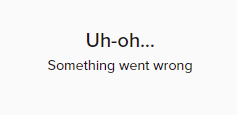
Also when I try connecting though the overlay I get this error whenever I try to open the overlay again. I have to delete it to fix it. https://i.imgur.com/vmugjq9.png
Only happens with tiltify it seems like
 foggy heart
royal herald
Also when I try connecting though the overlay I get this error whenever I try to...
foggy heart
royal herald
Also when I try connecting though the overlay I get this error whenever I try to...
Let me see if I can take a look
foggy heart
royal herald
Also when I try connecting though the overlay I get this error whenever I try to...
Can you try doing all of this through a set of incognito windows(Add the overlay, connect to tiltify, open it and connect, then go back)?
royal herald
sure
royal herald
foggy heart
Can you try doing all of this through a set of incognito windows(Add the overlay...
Got the same error page as before Uh-oh... Something went wrong
foggy heart
royal herald
Got the same error page as before ```
Uh-oh...
Something went wrong```
Gotcha. So other than the 2 images you posted here, is there any other error messages you see?
royal herald
nope
foggy heart
royal herald
nope
Okay, i'm going to write up a message to our devs on this
royal herald
foggy heart
Okay, i'm going to write up a message to our devs on this
ok perfect ty. Could you email or ping me when you think you a fix has been put in?
foggy heart
royal herald
ok perfect ty. Could you email or ping me when you think you a fix has been put...
Sure, I'll try and ping when I see an update, but you can dm me an email to add to the message if you'd like
royal herald
ok Ill dm now
 vestal remnant
hi, i'm trying to add a command to my twitch that will show my current time from streamelement. I've tried several ways but doesn't seem to have any luck
can someone help please?
foggy heart
vestal remnant
hi, i'm trying to add a command to my twitch that will show my current time from...
Do you mean uptime of the stream, or time of the day in your timezone?
foggy heart
You would probably have to use some custom syntax for that, might be worth checking out the developers api channel for possible ideas
vestal remnant
Ok thank you very much
 novel barn
Hi I was trying to setup media share and I paste the URL in the browser source in OBS and the overlay isn't popping up when I test it. Can anyone help?
 rough marlin
hello, for some reason whenever I type "!emotes ffz" the bot doesn't show the ffz emotes, but the command "!emotes bttv" and "!emotes update" does work, what can I do to fix it, it has been like this for a couple of days now
ionic kelp
Channel name? No links.
 analog hawk
hey is any1 here who can help me setup alerts over streamelements? Im confused on how i manage to put the layers in the correct way
lament blade
Hi, I've gotten all my alerts to work except for the host one. I read that I should try adding a variation for 1 viewer and that hasn't worked either. Any advice?
viscid pebbleBOT
"Due to changes to Twitch API, we have filtered out hosts and will only show these ones on your activity feed:
- All hosts coming from an online channel with at least 1+ viewer
- Auto host events with at least 1 viewer - only from a channel that just went offline
Note: If you see X channel has hosted you with no viewers on the back, that is considered an offline host or a host with 0 viewers, we do not show these."
 earnest galleon
Hey guys, my bot hs stopped working on my stream, tried to part of and rejoin it to my stream and that hasn't worked, any suggestions on how to get it working again, it hasn't worked for two streams now
ionic kelp
Do you use the custom bot name in OBS.Live?
 hexed hazel
Hey there, I'm new to twitch streaming and am trying to add an alert overlay
earnest galleon
ionic kelp
Do you use the custom bot name in OBS.Live?
Yes
viscid pebbleBOT
If your commands recently stopped working and you're using OBS.Live and a custom bot name do the following:
- In OBS.Live, click on the hamburger menu (three stripes) at the top left of your activity feed
- Click on Stream Settings > Custom bot name
- In the Custom bot name field select Set custom bot name, not your already existing username (with capital letters). Note: If you already connected an account that way, the third entry will show as the account name (see image https://i.imgur.com/sO7fWOX.png).
- Scroll a bit down and click on the purple Connect Custom Bot Account button
- Log in as usual and Authorize the custom bot name
- Back in the Activity feed, click on the Send Test Message button and check if your custom bot name starts working again
hexed hazel
but when I add the overlay, for some reason only the sound plays
viscid pebbleBOT
OBS > Settings > Advanced > Scroll down > Enable or disable Browser Source Hardware Acceleration, depending on its current state > Restart OBS
https://i.imgur.com/ggMe9ZE.png
 hexed hazel
That did't work. Any other ideas?
viscid pebbleBOT
The default resolution for StreamElements overlays (theme and custom) is 1920x1080. Please add them in OBS at their full resolution and use CTRL+F to fit to screen if necessary. You can then downscale your stream in OBS settings > Video if you'd like https://i.imgur.com/6bWXxjR.png
 hexed hazel
Thank you! that fixed it
 narrow carbon
halfway through my stream yesterday my total sub count just reset to 0, even though my true sub count just isn't 0
is there any way to fix this? I'm using the "total subscribers" label in the overlay menu
narrow carbon
<@&382267076632379392> anyone able to help me with this? posted the same question earlier today and didn't get any info, so bumping it
 orchid pendant
I noticed that its taking duplicate notice of the donos im getting so itll say like "5 dollars from Jane Doe" and then immediately after say "5 dollars from Jane Doe" above it. it doesnt show up as alerts on stream or anything, but it clutters the revenue page. suggestions?
ionic kelp
Um... screenshot?
 noble bear
Hi. I have a silly question. I'm looking to create my own overlay, but I want the flexibility to move things around in my obs instead of going to edit it in the backend of Streamelements. I'm separating the diff widget/tools instead of having it all fixed.
For alert boxes, chat boxes etc, do I need to (1) create my own template (2) add that widget only, OR is there somewhere I can navigate to to just copy the link for the widget without making it into an overlay thing and saving it separately piece by piece?
I can't seem to find out. Could someone guide me please. Appreciate it much! ❤️ Thank you in advance!
ionic kelp
@narrow carbon do this, wait 10 minutes, log back in.
 crude pecanBOT
Please logout of StreamElements at https://streamelements.com/logout and then login again to your account (Twitch/YouTube/Facebook).
solar oak
Guys is there really a way for me to get tips?
ionic kelp
You do not live in a supported country for PayPal according to you and our CC is not available there.
In short not really.
 young sinew
Is it possible to make a !song command that will work for spotify?
ionic kelp
Officially no.
However there is a 3rd party api that can. Downside is it isn't always reliable.
And even then you should not be streaming it.
young sinew
okay thanks for the info
 proper junco
how do i get my overlays on obs?
crude pecanBOT
@proper junco To add your overlays to OBS, add a new browser source in your scene. Paste your overlay URL in the browser source properties, set the dimensions to 1920x1080 (unless you changed them on the website) and check Shutdown source when not visible. https://youtu.be/KDvLynUqXI4
proper junco
ok thank you for the help
 frail cargo
How do I get the custom bot name to work? After linking the account the test doesn't work but if i switch back to SE the bot works.
crude pecanBOT
If your commands recently stopped working and you're using OBS.Live and a custom bot name do the following:
- In OBS.Live, click on the hamburger menu (three stripes) at the top left of your activity feed
- Click on Stream Settings > Custom bot name
- In the Custom bot name field select Set custom bot name, not your already existing username (with capital letters). Note: If you already connected an account that way, the third entry will show as the account name (see image https://i.imgur.com/sO7fWOX.png).
- Scroll a bit down and click on the purple Connect Custom Bot Account button
- Log in as usual and Authorize the custom bot name
- Back in the Activity feed, click on the Send Test Message button and check if your custom bot name starts working again
solar oak
ionic kelp
You do not live in a supported country for PayPal according to you and our CC is...
so i cant get tips?
ionic kelp
From what you've basically said no.
solar oak
ok
frail cargo
I did all that still not working
crude pecanBOT
@frail cargo 1) Right-click on your OBS desktop shortcut and open the Properties
2) In the Target field, add the following to the very end: --remote-debugging-port=40404 (don't forget to add a space before the current path)
3) Open OBS (or restart if it was open)
4) Open your web browser and type in: localhost:40404
5) Click on StreamElements - Activity feed
6) Navigate to the Console tab
7) Type the following into the console and hit enter: store.customBot.removeCustomBotIntegration()
8) Try setting the custom bot name
9) Remove the additional flag in step 2 from your shortcut properties.
frail cargo
Thank you! It's working now! I appreciate the help!
 robust crag
Not sure if this is the right place to ask but. Kappagen works great except for some reason the first time an emote is posted in chat it does not show up on kappagen. It's weird and I can't figure out why?
robust crag
thanks for the help
 pastel atlas
how to configure streamelements donate?
 crystal yoke
Hey folks! I'm starting to get confused about the Stream Stats thet are emailed to me after my streams. Could someone tell me how I had 12 unique chatters, but for the whole 6 hour stream the viewer count stayed at 1 (I'm assuming that's the bot, it's always locked at 1)
I've just been operating as though nobody is watching
ionic kelp
Unique chatters can refer to lurkers that have joined chat but said nothing.
lament blade
hi
crystal yoke
But to be a "chatter" they have to signed in to twitch right? How can they be in chat if they aren't viewing the stream?
ionic kelp
Yes
They can have chat opened by itself while either the stream is paused or closed.
And not count as a viewer for you.
crystal yoke
Yeah, I guess that makes sense, Ive heard that even having the video muted can do that; I guess I just don't get why. 🤷♂️ Thanks mate

 vagrant peak
Hey so im not too sure whats going on, I have been googling for literally hours and hours, and I have gotten nowhere
so here is my issue:
I can start streaming, everything works, from chat (twitch's end), to my other overlays from PixelChat
But the issue arises when it comes for streamelements to work
the overlays are there, just dont update when there is a new follower, or text in the chat etc.
my streamelements account is offline?? not sure if that has anything to do with it??
also discord doesnt update with the live status ??
But i have tried literally everything so any help would be amazing
thanks :)
+100 cuteness to who ever can help haha
and ping me 100 times to get my attention
im desperate-
wary halo
crystal yoke
Yeah, I guess that makes sense, Ive heard that even having the video muted can d...
Also, the bot does NOT count as a viewer
vagrant peak
so if i close my account can I open another one?
under the same details
aaand nothing happens when i click close my account
 floral pebble
hello all anyone knows why i only see the paypal option and not the ideal option in donation settings in streamelements?
crude pecanBOT
@floral pebble SE.PAY is available for streamers who are at least 18 years old, with bank account under their name in one of the following countries, and have at least 101 followers (Twitch) / 101 subscribers (YouTube):
Austria, Belgium, Czech Republic, Denmark, Finland, France, Germany, Ireland, Italy, Netherlands, Poland, Portugal, Slovakia, Spain, Sweden, Switzerland, United Kingdom, United States.
If you meet these criteria and don’t see SE.Pay, let us know.
For information on SE.Pay payment methods, their fees, and settlement times see https://streamelements.com/dashboard/tipping/fees
 fleet yacht
IM struggling with getting screens set u
 pulsar dove
hi - I am trying to get the leaderboard to work in my channel - the cheers part works but the chat emote part and channel points does not? I.e the leadervord panel is not counting chat stats or channel points stats

 icy remnant
@thin skiff was the bot in the channel while they followed?
 thin skiff
Yes
wary halo
This is only showing from when you joined, and per month
Not a total
So if you joined yesterday and already had 80, then it will show 0 until you stream and when you get a follow it will show 1
thin skiff
I know, but in the last month I gained about 11 followers.
My deskboard doesn't show who followed me, it only shows the subs and messages bought at the store. My chat also stopped working on the deskboard, I had to import the twitch chat to use in OBS, I already reset the bot, but the problems continued.


yesterday I won a follower and it is not showing up
crude pecanBOT
@thin skiff Please provide your account ID found at the top of this page: https://streamelements.com/dashboard/account/channels This ID is public info and safe to share here.
thin skiff
5ff8b34687f4725d51d7205e
 crisp yew
Hi! The commands and chat alerts never show during my streams. how can I solve that?
ebon forum
thin skiff
5ff8b34687f4725d51d7205e
Just checked, everything works - left you a test follow event.
ebon forum
crisp yew
Hi! The commands and chat alerts never show during my streams. how can I solve t...
Is the bot modded and in your channel? And if you have the custom bot name feature enabled - try to disable it for testing.
 rotund jungle
Im completely new to this... I use OBS and want to stream with Twitch.. even though Twitch is selected OBS always wants to start the Stream with Youtube... can anyone help?
ebon forum
rotund jungle
Im completely new to this... I use OBS and want to stream with Twitch.. even tho...
You probably logged in with Youtube into OBS.Live - go to the top menu - StreamElements - Logout.
Then log in with Twitch and doublecheck OBS Stream Settings
thin skiff
OK thx
crisp yew
ebon forum
Is the bot modded and in your channel? And if you have the custom bot name featu...
I have it activated in streamelement and I suposed that conected streamelement with twitch it would apply it directly. Shall I do something? Sorry Im new also
ebon forum
crisp yew
I have it activated in streamelement and I suposed that conected streamelement w...
Go to the dashboard, check if the bot is in the channel and not muted (2 buttons on the right)
 blissful fractal
hello there. i can't activate my streamelements bot. i wanted to put the !roulette and other funny features but it doesnt work. please help. i'm using obs studio
and the bot is active
ebon forum
blissful fractal
hello there. i can't activate my streamelements bot. i wanted to put the !roulet...
You would need to get the bot into the channel first - check the Dashboard
Give me your twitch channel name, i check
Name please, not a link
ebon forum
blissful fractal
i cant send you a link of my channel
Custom bot name is enabled - please disable that function
And test the commands afterwards
ebon forum
That is in your OBS.Live
crisp yew
ebon forum
Go to the dashboard, check if the bot is in the channel and not muted (2 buttons...
Thank you very much!!! 😄
 winter basalt
Hey all, added a bank a while back (for payment withdrawal) and just noticed this.
I don't see a place to remove and "re-add" my bank, far as I can tell, I got my details right.
Help? 🙂

(it says below that "your bank details are being verified: this may take up to 7 business days" )
...it has been much longer than 7 business days. 🙂
crude pecanBOT
Please contact us via email for support with SE.Pay. You can use our contact form here: https://streamelements.com/contact Thank you.
blissful fractal
i changed the custom bot to stream elements is that what i need to do?
ebon forum
blissful fractal
i changed the custom bot to stream elements is that what i need to do?
Yes. Please test the commands now
ebon forum
Not send the test message. Just go to your chat and test the commands as if a viewer would write them.
blissful fractal
nothing is happenig
ebon forum
blissful fractal
nothing is happenig
The bot is also muted, please unmute it in the dashboard
blissful fractal
i did
ebon forum
blissful fractal
i did
Now i see that the bot is working
blissful fractal
ohh thanks it is working
thank you so much
much apreciated. and thank you for the follow
 old swallow
Hi, since yesterday also my bot doesn't work anymore... Can anyone help me? Nothing has changed since last stream.
Im using OBS.live btw
ebon forum
old swallow
Hi, since yesterday also my bot doesn't work anymore... Can anyone help me? Noth...
custom bot name active? if yes, please try to disable that function and check the commands.
old swallow
Where can i find the custom bot name? Sorry for the question but im new to this.
I found it already. I never changed the bot name.
@ebon forum
ebon forum
old swallow
I found it already. I never changed the bot name.
Please give me your channel name, i check the status of the bot
old swallow
@ebon forum MikeGT_NL
ebon forum
old swallow
<@149255081194160129> MikeGT_NL
checking it now.
old swallow
Thnx @ebon forum i appreciate it!!
ebon forum
old swallow
<@149255081194160129> MikeGT_NL
Check if the bot is banned. Try that:
/unban streamelements
in the twitch chat
ebon forum
Also give the bot moderator rights, i see that the links are getting blocked
not sure, the bot is not modded, so any mod or tool can ban it
old swallow
Ive give the bot moderator rights atleast my twitch chanel say so
ebon forum

 covert plinth
Hello, I know it could be stupid question but when I already created and linked SE.pay account with my streamelements account, can I disconnect AND create a new one under a different email? Asking because I want to change the currency and it doesn't let me (as I was warned.. thats why the stupid part) ?
ebon forum
covert plinth
Hello, I know it could be stupid question but when I already created and linked ...
No the account that is already created will stay with you. If you need to change some details about it, we could arrange that (personal and bank details).
Changing the currency is not possible - SE.Pay is using the local currency for the account owner. So if you are living in the USA - you get $USD, in Europe - €EUR and so on
covert plinth
ebon forum
No the account that is already created will stay with you. If you need to change...
I had my Tip Currency as USD (default I guess), but since I live in Czech Republic, I set it to CZK when creating SE.Pay account sadly without paying attention. The problem is that is changed my account currency to CZK and now I cannot change it back unless I unlink my SE.Pay account. When I do that, change my currency to EUR and then try to link it again tho, I get an error. It also changed currency (obviously) on my overlays and stuff so now somebody who tipped 20$ is now shown as 20 CZK which is completely different amount, which is not what I want.
Is there anything that can be done with this ? Or have I just messed it up too much :c
ebon forum
covert plinth
I had my Tip Currency as USD (default I guess), but since I live in Czech Republ...
Ok. Let's explain how that works.
First, the currency will auto-update for all your widgets. So if you use CZK, all widgets will show CZK and if somebody donates in $USD, it will be converted to CZK on their end - so you only see CZK, the conversion happens before it hits our system. So the numbers are always correct.
And there is no way to change it, SE.Pay is always connected to the correct currency for your bank account and location.
To have $USD in SE.Pay you would need to be a resident in the USA with a bank account on top. Same for € - you would need to move to a country that supports € and have a bank account there.
covert plinth
ebon forum
Ok. Let's explain how that works.
First, the currency will auto-update for all y...
oh okok, I understand 🙂 Thank you for your help 🙂
 oblique tree
Hi, I can't create a account with SE PAY, the button grays out. How can I create an account?
ebon forum
oblique tree
Hi, I can't create a account with SE PAY, the button grays out. How can I create...
Can you give us your account ID? It is located here:
https://streamelements.com/dashboard/account/channels
So we can check and enable that etc.
oblique tree
Should I sent the ID here?
ebon forum
oblique tree
Should I sent the ID here?
Yes you can post the account ID here
oblique tree
ebon forum
Yes you can post the account ID here
5fe4cf9dc1f13f7f59b557eb
ebon forum
oblique tree
5fe4cf9dc1f13f7f59b557eb
SE.Pay is enabled and you can enter your details without any issues.
So if you see an issue with filling out details - most likely an issue with the country - you need to select that from the menu, it is a dropdown menu.
covert plinth
ebon forum
Ok. Let's explain how that works.
First, the currency will auto-update for all y...
One more thing .. my bank account supports Other currency accounts, but even if I had that, since my Bank resides in Czech Republic, I will always get my account currency set to CZK and cannot have EUR?
ebon forum
covert plinth
One more thing .. my bank account supports Other currency accounts, but even if ...
Since you are a resident in Czech Republic, you will be using CZK. There is no way to alternate the currency for SE.Pay
covert plinth
ebon forum
Since you are a resident in Czech Republic, you will be using CZK. There is no w...
ok, thank you
 sly niche
Is there certain settings you have to do to your paypal to accept donations?
 echo root
Hi, I am getting encoder lag with my scene transition. how can I fix this so it stops stuttering>#
 vagrant mulch
Hi everyone! Is it possible to add emotes to a custom command in the streamelements bot?
ebon forum
sly niche
Is there certain settings you have to do to your paypal to accept donations?
Not really. As long as the PayPal account is verified, it can accept tips without any issues.
ebon forum
echo root
Hi, I am getting encoder lag with my scene transition. how can I fix this so it ...
Encoding issues always refer to the hardware being overloaded and not being able to keep up with the settings. So lower your quality settings/encoder preset etc.
ebon forum
vagrant mulch
Hi everyone! Is it possible to add emotes to a custom command in the streameleme...
Yes. Make sure the bot is modded so it can use the emotes
sly niche
ebon forum
Not really. As long as the PayPal account is verified, it can accept tips withou...
What do you mean by verified? I was here before with this issue but couldn't fix it with paypal.
vagrant mulch
ebon forum
Yes. Make sure the bot is modded so it can use the emotes
How do you mean? I apologize in advance 😦 Pretty much what I have done is enabled the bot in my channel, and I created a custom command. I have 'modded' anything otherwise. Is there a particular method you have in mind?
 Thank you for the help
ebon forum
vagrant mulch
How do you mean? I apologize in advance 😦 Pretty much what I have done is enabl...
Wait, this is me being confused 😄
The bot needs to be a subscriber for that channel to be able to use channel emotes
This is what i mean.
Modding the bot helps with it not being banned/timed out and being able to post links.
vagrant mulch
I am sorry  So to clarify, this is what I am looking to do: I wanted to create a custom command using Streamelements that would provide my discord server link to those who use the command. So I made the command !discord, which in return responds with 'Here is our server link! blah blah blah.' I want to include emotes in the response that the bot provides when someone uses the command !discord. 🙂 I hope that clarifies xD
@ebon forum
ebon forum
vagrant mulch
I am sorry <:pugLUL:814619191818453024> So to clarify, this is what I am looking...
Yep. And like i said, the bot needs to be a subscriber to use the channel emotes on Twitch. Then you just add the emote names and it is done
vagrant mulch
ohhhhhhhh
oblique tree
ebon forum
SE.Pay is enabled and you can enter your details without any issues.
So if you...
We can't push the save button. If we choose individual account.
regal juniper
When transforming elements, if i select center to screen it is not doing it anywhere near center. When i changed it manually to center, closed and reopened SE it had moved to a different location. this is where it goes when i choose center, anyone know why its doing this?
 vagrant mulch
ebon forum
Yep. And like i said, the bot needs to be a subscriber to use the channel emotes...
vagrant mulch
ebon forum
Yep. And like i said, the bot needs to be a subscriber to use the channel emotes...
Wait, how can I make the bot a subscriber then on my twitch? Don't tell me I have to actually gift it a membership xD Pls no
Again, thank you for your assistance
ebon forum
oblique tree
We can't push the save button. If we choose individual account.
Feel free to DM me, i can help you with that.
Since that includes private data - let's not do it here 🙂
ebon forum
vagrant mulch
Wait, how can I make the bot a subscriber then on my twitch? Don't tell me I hav...
Yes. If you are a partner, you might ask Twitch for a lifetime sub for the bot
If not - gift the bot a subscription
regal juniper
am i asking in the wrong place for people to help with my issue?
 tranquil ermine
hello guys can help me pls @everyone
vagrant mulch
@empty gardenthat hurts, xD thank you! I'll pick your brain once more, if you don't mind. So I just joined this discord server and I really liked the pop up that required me to click and agree to the rules before being able to chat. Is this available for everyone to use in their own server or is that a custom thing?
tranquil ermine
how do I show host alerts? @everyone
vagrant mulch
@ebon forum
crude pecanBOT
@tranquil ermine Due to changes to Twitch API, we have filtered out hosts and will only show these ones on your activity feed:
- All hosts coming from an online channel with at least 1+ viewer
- Auto host events with at least 1 viewer - only from a channel that just went offline
Note: If you see X channel has hosted you with no viewers on the back, that is considered an offline host or a host with 0 viewers, we do not show these.
 surreal plume
I have a question when people go to stream elements under bot then under modules then you go to live announcements what’s the text supposed to say under live announcements?
tranquil ermine
@wary halo oh ok sorry mate
ebon forum
vagrant mulch
<@453790334644649998>that hurts, xD thank you! I'll pick your brain once more, i...
Not sure about that, you should be able to check that in the settings of the server. Did set up mine ages ago, do not remember
sly niche
Do you need a paypal business account for donos?
ebon forum
sly niche
Do you need a paypal business account for donos?
No, but that is recommended since Business Paypal does not share your real name - this is the only difference
lament blade
Hey everyone, I got a question I just can't work my head around... A month ago I set up a death counter, which, when triggered via a command a) showed a message in chat with the death counter and b) triggered a store item to be redeemed. I somehow seem to have deleted that during a drunken banter and cant remember how i did it... anyone got an idea?
tranquil ermine
a friend of mine made me a donation did not appear alert and did not even receive the money and the money came out of his account?
sly niche
Gotcha. I'm just having trouble with the donations not showing up on the events page, can't seem to figure it out
ebon forum
tranquil ermine
a friend of mine made me a donation did not appear alert and did not even receiv...
Was that via PayPal? Then check your account.
@sly niche Same here^
tranquil ermine
yes paypal @ebon forum and not receive in my paypal mate
sly niche
It was via paypal, the transaction says pending & have to approve the donos
ebon forum
lament blade
Hey everyone, I got a question I just can't work my head around... A month ago I...
No idea, we do not save logs of those changes
ebon forum
sly niche
It was via paypal, the transaction says pending & have to approve the donos
Pending transactions do not trigger an alert. Make sure your PayPal is verified.
@tranquil ermine same^
sly niche
So that's what would fix the problem?
tranquil ermine
@ebon forum is verified mate
surreal plume
I have a question when people go to stream elements under bot then under modules then you go to live announcements what’s the text supposed to say under live announcements?
ebon forum
tranquil ermine
<@!149255081194160129> is verified mate
If you need to approve the tip on PayPal, you will get no alert until that is approved. So you need to talk to PayPal in that case.
lament blade
@ebon forum yeah, thats not what i meant sorry. i was wondering if someone knew how to get the command to send the text message and to redeem the store item again^^ (sorry not a native english speaker, i might misphrase things)
ebon forum
sly niche
So that's what would fix the problem?
Usual fix is to get that account fully verified. Only PayPal can help here.
sly niche
What would I need to tell paypal in that case?
ebon forum
sly niche
What would I need to tell paypal in that case?
Ask why the transaction was pending and how to prevent that in the future.
ebon forum
lament blade
<@!149255081194160129> yeah, thats not what i meant sorry. i was wondering if so...
we should have that in #command-share - look for the counter command
lament blade
thank you
sly niche
Thanks man! Appreciate it a bunch ❤️
surreal plume
I have a question when people go to stream elements under bot then under modules then you go to live announcements what’s the text supposed to say under live announcements?
 unborn pasture
Is stream elements down atm? Alerts and commands arent working atm
ebon forum
unborn pasture
Is stream elements down atm? Alerts and commands arent working atm
No, no such reports, we are fully operational.
Both alerts and commands stopped just now?
Need more information here
unborn pasture
Hmmm wonder why sub alerts and commands arent working then.
ebon forum
unborn pasture
Hmmm wonder why sub alerts and commands arent working then.
What is your channel name?
unborn pasture
Its in my husbands, im not streaming right now but Vorti75
surreal plume
Ok well my question got ignored not typing it again
ebon forum
unborn pasture
Its in my husbands, im not streaming right now but Vorti75
Checking
unborn pasture
Thank you
@surreal plume are you talking about a go live notification for your discord?
ebon forum
unborn pasture
Thank you
Alert worked
unborn pasture
That follower alert worked but the sub alerts arent working
surreal plume
No
ebon forum
unborn pasture
Its in my husbands, im not streaming right now but Vorti75
Bot seems fine, please check if the bot is not banned (can't see that on my end) with that command: /unban streamelements
unborn pasture
Not currently banned from this channel.
surreal plume
@unborn pasture read this
I have a question when people go to stream elements under bot then under modules then you go to live announcements what’s the text supposed to say under live announcements?
ebon forum
unborn pasture
Not currently banned from this channel.
was the channel renamed recently? i can't find that in the system
surreal plume
Last time I’m posting it
ebon forum
Can you get me the account ID from that page?https://streamelements.com/dashboard/account/channels
@unborn pasture
unborn pasture
Yes he just renamed from Vorticoseline75 yesterday actually.
ebon forum
Ah well that explains it
Please let him log out and log back in from everywhere - website and OBS.Live (if that is in use)
Can be done while live
unborn pasture
@surreal plume im just a regular person, no need to get angry with me for trying to help.
Ah ok ill have him do that
Sorry wrong ping in that last message.
surreal plume
I’m not
ebon forum
unborn pasture
<@!564164112741826644> im just a regular person, no need to get angry with me fo...
Trying to figure out what happened. Please let the streamer know that after a namechange a full relog into every tool is needed so we can catch new data 🙂
Could not find the new name in the system yet
unborn pasture
Thanks for your help, that explans a lot.
Probably will just take a day or 2 to get things situated.
ebon forum
Relog is pretty much instant, can be done while live on Twitch, but the streamer has to do it
It will not catch up automatically
surreal plume
My question got ignored ty
unborn pasture
${channel.display_name} is now live! Streaming {game}: {title}
There, not ignored.
surreal plume
Ty
unborn pasture
Seriously, dont be rude about it. They werent ignoring you.
surreal plume
I wasn’t trying to be rude I asked it like three times
unborn pasture
Give a few min between each question. And dont say "well I guess Im being ignored" or "last time Im gonna ask"
Im sure they are dealing with a lot of other things as well.
dry hare
surreal plume
I wasn’t trying to be rude I asked it like three times
That simply posts a message in your chat
 daring raven
Hi there, im trying to close my account and it keeps saying I have the wrong username which makes 0 sense
ebon forum
daring raven
Hi there, im trying to close my account and it keeps saying I have the wrong use...
your display name is not always 100% accurate with the internal account name.
can you give me your account ID from that page?
https://streamelements.com/dashboard/account/channels
I will be able to check the usernames
daring raven
just pmed it to you
 viscid sage
crude pecanBOT
viscid sage
crude pecanBOT
@viscid sage Welcome to the helpdesk! Please let us know how we can assist you today and a support volunteer or staff member will assist you as soon as they are available. Thank you for your patience.
 toxic mica
yo how come my song request dont work?
for stream elements
i saw u were in the discord
?
dry hare
toxic mica
yo how come my song request dont work?
for stream elements
i saw u were in the d...
Did you add the media request widget to your overlays?
toxic mica
i dont want over lays i just want the song request to work
dry hare
You need the overlay widget for it to work.
If you just want music on your stream, I would suggest pretzel.rocks
crude pecanBOT
@toxic mica Check out our YouTube channel https://www.youtube.com/c/streamelements/videos with tutorial videos from setting up the basics, to in-depth details on how to use our product.
New to OBS? Here is a 4 step quick start guide https://obsproject.com/wiki/OBS-Studio-Quickstart
Want to learn even more? Here is an in-depth overview https://obsproject.com/wiki/OBS-Studio-Overview
toxic mica
ok thx
 graceful musk
i really hope this is the correct place to put this (sorry if it isn't...) but I need a bit of guidance on the Loyalty points system. I just got it set up for yesterday's stream, but how do I direct my viewers to the stream store exactly? Is there a Twitch panel image/link everyone uses, or do you use other means?
toxic mica
that pretzel website has no gud music
graceful musk
if it's ok for me to recommend one here I have one that I use
graceful musk
StreamBeats
toxic mica
free?
graceful musk
Put together by Harris Heller. yes it's free
wary halo
but if you don't like Pretzel, then you probably won't like that too
Don't expect to be playing the latest hits on stream
graceful musk
I think the Chillhop website also has a stream option with some DMCA safe stuff but don't quote me on that for sure
if it makes any difference though, i haven't had any DMCA strikes on Twitch since using SB
and ppl really seem to like the music too
unborn pasture
There is a very limited amount of music on StreamBeats though. Harris Heller does a great job but after a while the songs get a little old.
dry hare
graceful musk
i really hope this is the correct place to put this (sorry if it isn't...) but I...
There is a panel extension which can display certain things in your loyalty store. You can also put a link in your panels to take users to your loyalty page
graceful musk
dry hare
There is a panel extension which can display certain things in your loyalty stor...
oh thank you! that's perfect
dry hare
Not a problem! You might also want to check out Triggerfyre as it does have integration into Twitch Channel Points for additional engagement 😉
graceful musk
ooooo i'll definitely check that out thank you
 frank tiger
hi, it seems like no commands work on stream. How can I reload it so that they work again?
the bot isn't responding either
without stopping my stream, ofc
ebon forum
frank tiger
hi, it seems like no commands work on stream. How can I reload it so that they w...
Did you enable the custom bot name function? if yes, please disable it
graceful musk
oh my goodness i am goof.apparently i already had the extrension and didn't realize it had stuff on there for the loyaty points 
frank tiger
ebon forum
Did you enable the custom bot name function? if yes, please disable it
yes, my bot has a custom name
ebon forum
frank tiger
yes, my bot has a custom name
Please disable it and test the bot with the default name
ebon forum
frank tiger
it has been working with custom name though
Custom bot names are not 100% stable, please test it
dry hare
graceful musk
oh my goodness i am goof.apparently i already had the extrension and didn't real...
It’s all good! You can configure the default display of the panel so it shows your schedule, top cheers, stream store, etc. so it’s pretty slick
crude pecanBOT
@frank tiger 1) Right-click on your OBS desktop shortcut and open the Properties
2) In the Target field, add the following to the very end: --remote-debugging-port=40404 (don't forget to add a space before the current path)
3) Open OBS (or restart if it was open)
4) Open your web browser and type in: localhost:40404
5) Click on StreamElements - Activity feed
6) Navigate to the Console tab
7) Type the following into the console and hit enter: store.customBot.removeCustomBotIntegration()
8) Try setting the custom bot name
9) Remove the additional flag in step 2 from your shortcut properties.
ebon forum
And that would be a fix for the custom bot issues^
frank tiger
how do you know it works now?
ebon forum
Because i tested that on stream
frank tiger
ebon forum
And that would be a fix for the custom bot issues^
ok i'll try that fix after my stream
frank tiger
ebon forum
Because i tested that on stream
i noticed you used !sedebug
what part of the return info informed you that the bot was working again?
or you just saw that custombot name was disabled?
 woeful juniper
The logout/login doesn't work. Why does the viewer have to do that?
frank tiger
while the bot is down, do my viewers get points?
woeful juniper
I have had that happen to viewers in the past where it stops working for just one or two random viewers, doesn't work for a few weeks and then just randomly starts working again.
ebon forum
frank tiger
while the bot is down, do my viewers get points?
The bot is not down if you leave it with the name "StreamElements"
since it works with that name
ebon forum
plucky aurora
im live now and streamelements keeps disconeecting
OBS.Live or our mobile app?
crude pecanBOT
@cosmic finch Welcome to the helpdesk! Please let us know how we can assist you today and a support volunteer or staff member will assist you as soon as they are available. Thank you for your patience.
plucky aurora
ebon forum
OBS.Live or our mobile app?
OBS
ebon forum
plucky aurora
OBS
Ok. And is the stream disconnecting our chat and other docks? Please provide more details
ebon forum
 cosmic finch
guys can i get some help? im really desperate
cosmic finch
guys can i get some help? im really desperate
Then let's start with your question, how can we help you?
cosmic finch
so i add nerw overlay right?
i add counter i add custom text i add goals, everything is ok
ebon forum
Please provide a screenshot, since the description is not clear. Discord and Youtube links are usually added as panels and custom commands by users.
cosmic finch
i add alerts .. they are not showin in obs
i swear to god i dont know what is causing this
ebon forum
cosmic finch
i add alerts .. they are not showin in obs
Have you tried to add them as a separate overlay, with the correct resolution (1920x1080 by default) and then emulate them from the overlay editor?
ebon forum
cosmic finch
nope same overlay
Should work too, but let's try a separate overlay.
And refresh the cache of the browser source in OBS if you use the same overlay.
cosmic finch
i tried as well
ebon forum
Might be a cache issue.
cosmic finch
how do i refresh nthe cache?
ebon forum
You need to edit the overlay in "My Overlays" - you can change the names there
ebon forum
cosmic finch
how do i refresh nthe cache?
OBS - browser source - properties - scroll down and click the button to refresh the cache
cosmic finch
nope still doesnt work
i can add everyting and it shows
except alerts
i can provide even a teamviewer for this pc if anyone knows exactly how to fix
ebon forum
cosmic finch
except alerts
Please make sure your alerts are not paused or muted and that your emulated alerts are enabled in the editor
plucky aurora
ebon forum
Ok. And is the stream disconnecting our chat and other docks? Please provide mor...
Well the bot is inactive in chat...I am using obs studio...I am parting and adding but it disconnected again!
cosmic finch
indeed i had unchecked the audio part
im so dumb
my only problem now is that i can't hear anything from the store ... the audio files
@ebon forum thanks for the help man
 sturdy yacht
frank tiger
ebon forum
The bot is not down if you leave it with the name "StreamElements"
sturdy yacht
frank tiger
ebon forum
The bot is not down if you leave it with the name "StreamElements"
yes but I wanted to know if that duration left my viewers with no points
because it was down for a while
 wanton heart
Hey guys I need help I haven’t streamed in awhile and when someone new follows I don’t now why it doesn’t pop up and say (user) thanks for the follow your the goat 🔥 like it did before
We’re can I find that in stream-elements?
 twin sentinel
Is the follow event in your StreamElements activity feed?
twin sentinel
twin sentinel
If someone followed you and that event is not in your StreamElements actitity feed, could you give me your acountId?
wanton heart
TTVGalaxyGamin
crude pecanBOT
@wanton heart Please provide your account ID found at the top of this page: https://streamelements.com/dashboard/account/channels This ID is public info and safe to share here.
twin sentinel
Please provide your account ID
 acoustic rain
Hi. Could someone possibly give me a hand; I've created an alert box on SE dashboard, uploaded the animated alert and sound but but am struggling to get the text to appear inside the animated box. Thanks.
twin sentinel
Check the layout options and the Margins in the advanced text settings inside the alertbox settings.
acoustic rain
twin sentinel
Check the layout options and the Margins in the advanced text settings inside th...
I've looked at that - not sure what they need to be set to though.
 bleak surge
Someone help me I'm trying to create an item in the store but just give it "Something went wrong ..."
 wheat night
Hi! I'm looking for some assistance with SE Pay. It says my bank details are invalid and to contact support. It also says my bank details are being verified and it can take up to 7 days, but it's been about 2 weeks of this message. Also to add, I've had it set up for about a year and done many withdrawals so I'm not sure what happened. I also tried disconnecting my SE Pay to reconnect it to see if that would work, and when disconnecting, it verifies that I successfully disconnect from SE Pay, but when I refresh the page, it pops up again that I am still connected and I can't do anything. What would a solution be? My Account ID is 5c18957a847b093386e5668a if needed. Thank you in advance 🙂
twin sentinel
Set the top margin to -50 and the layout option to the last one. @acoustic rain
 near drum
SE pay won't let me withdraw from my account
crude pecanBOT
@wheat night Please contact us via email for support with SE.Pay. You can use our contact form here: https://streamelements.com/contact Thank you.
@near drum Please contact us via email for support with SE.Pay. You can use our contact form here: https://streamelements.com/contact Thank you.
wheat night
Thank you!
bleak surge
Someone help me I'm trying to create an item in the store but just give it "Something went wrong ..."
acoustic rain
twin sentinel
Set the top margin to -50 and the layout option to the last one. <@!516371796421...
Didn't work, unless I'm missing something.
crude pecanBOT
@acoustic rain Text not showing up over your alerts? Go to the Advanced Text Settings and set the top margin to 50, you can work your way to the right position from there.
acoustic rain
twin sentinel
Set the top margin to -50 and the layout option to the last one. <@!516371796421...
The text appears below the animation.
oblique steeple
Try without minus
acoustic rain
Nope.
oblique steeple
Nope what?
It of course depends on your background image. There's no "magic number" to fix it. https://s.imparium.de/niho0/mIRahAto79.mp4
acoustic rain
oblique steeple
Nope what?
This is what's happening.
 oblique steeple
Then you also have to set a "left" margin like in my video
acoustic rain
I don't though - its set to the one on the far right, which I'm assuming is centre.
crude pecanBOT
@acoustic rain Follow these steps to grant managers/moderators access to your dashboard:
- Click on your channel name at the top of the dashboard
- Create a new invite at one of three access levels (Bot Supervisor, Editor, Full Control)
- Send this invite to a mod/manager to give them access to your dashboard. The link is one-time-use and expires after 72 hours if not accepted
Video tutorial: https://youtu.be/zl_h-ttZDF0
oblique steeple
DM that to me please
 quasi talon
Hello, does anyone know how to fix problems with text editing in overlays. It just not reacting to my changes. It was working yesterday one time when I changed the text position but now nothing. Also tried a different browser.
 acoustic rain
oblique steeple
DM that to me please
acoustic rain
oblique steeple
DM that to me please
Sorry. DM what; what it says in the Bot message?
oblique steeple
Yes. An editor link so I check your overlay in person
acoustic rain
Oh ok. Sorry, new to this.
 mild snow
is there a staff here that can help me with a question via private chat?
twin sentinel
What is the question roughly about?
mild snow
the question is about SE.sponsoring
crude pecanBOT
@mild snow Please contact us via email for support with your campaign or sponsorship. You can use our contact form here: https://streamelements.com/contact Thank you.
mild snow
But I don't want this system there is shit or I understand the sense nicno front but why do I have to give when I want to ask a normal question felt all the data about my entire life xd
 gloomy sail
Has there been any major changes to OBS use of NVENC? I had some issues trying to start up my stream with my usual settings that I've always used, only for OBS to error out and saying it couldn't start output stream, checking the log seems to show it claiming the Preset that I'm using is depreciated for P1 through P7 for CBR_HQ and VBR_HQ as well as the low latency profiles. I've had to alter my settings to use a different profile at the cost of cutting quality down.
crude pecanBOT
@gloomy sail Obs.live is a plugin for OBS Studio for the best OBS support, please join their Official Discord @ discord.gg/obsproject
gloomy sail
not using OBS Live
oblique steeple
Exactly
We're not the OBS server. We are StreamElements
for the best OBS support, please join their Official Discord
 orchid harness
Having issues with overlays from streamelements being faded when added as a browser in OBS studio.
mild snow
I just wanted to know if I will receive a confirmation email when the money is transferred because I did not receive an email after I was invited to the payment and entered the data. @twin sentinel
twin sentinel
I cannot assit you with that, please use the contact form on the website. I am only a volunteer support.
orchid harness
this is how it looks in the overlay editor
https://gyazo.com/c19045454b4d5211ab04493fd1b7b883
and this is how it looks in obs
https://gyazo.com/6719783546911047d1827310a5e7e3fd
does the same thing with my alerts overlay
oblique steeple
What OBS (Not OBS.Live) version are you using?
mild snow
But this contact formula is crap I can not write there can not help me one of these supporters of it on discord? @twin sentinel
twin sentinel
I am sorry, but I cannot assist you, as I do not have any power to look into any details.
orchid harness
oblique steeple
What OBS (Not OBS.Live) version are you using?
27.0.0
oblique steeple
orchid harness
27.0.0
There's your problem. Known issue with with the OBS RCs. Roll back to 26.1.1 and wait for OBS.Live to be fully compatible
Or rather, wait for OBS 27 to be fully released
orchid harness
oblique steeple
Or rather, wait for OBS 27 to be fully released
Gotchaa, thanks I appreciate you.
mild snow
@twin sentinel Is there anyone with the necessary rights on this Discord who can help me with this?
wary halo
There is, in the tickets from the bot link 🙂
twin sentinel
@mild snow What happens when you try to use the form on the website?
mild snow
I just can't use it because I don't have the data right now because my dad is not around for the next 2d and he has the data written down
oblique steeple
Sponsorships, donation and merch problems are all handled via the ticket system on the website, because only then SE can guarantee to get you the right contact for your issue. Aside from that, the internal ticket system is way safer than discussing it over Discord. Also, a lot of StreamElements' employees aren't even on this Discord, because Discord isn't the typical way for user support on large companies.
mild snow
and I just wondered that you get no mail when the payment data has entered and I wanted to know if that is normal
I just have this simple question nothing more
@twin sentinel
 robust thunder
hi does anyone kno why the gameplay from my elgat isnt coming up on streamelements?
elgato
crude pecanBOT
@robust thunder If you are having issues with Elgato hardware or software, we recommend reaching out to their support here: https://e.lga.to/help
robust thunder
na the elgato software is working but its not on streamelements
 merry holly
Hi. how do i manually up the sub count in the overlay with a Subscriber goal?
ebon forum
mild snow
and I just wondered that you get no mail when the payment data has entered and I...
Hi. What is the payment for? But in general we do not send a confirmation email - does not matter if that is a payment for merch, campaigns or SE.Pay withdrawals.
merry holly
i have a monthly sub goal overlay (using the subscriber goal layer in one of my overlays), that i reset at the end of every month. i was slow to reset it, and a couple ppl subbed before the reset. how do i manually add them now that ive reset the sub count?
thx for any help
ebon forum
merry holly
i have a monthly sub goal overlay (using the subscriber goal layer in one of my ...
You can edit the goal counters as you like here under "widget data":
https://streamelements.com/dashboard/activity
StreamElements
The Ultimate All in One Platform for Streamers
If you are using other widgets and make them look like a goal - they can't be altered since they are time-based or total amount based.
mild snow
Can I write to you privately? @ebon forum
ebon forum
mild snow
Can I write to you privately? <@!149255081194160129>
Yes
merry holly
ebon forum
You can edit the goal counters as you like here under "widget data":
https://str...
thanks so much @ebon forum !


 final coral
Hi I would like to insert the link of my discord in the automatic messages, but they are deleted and overwritten with the **** what am I wrong?
 nimble dune
final coral
Hi I would like to insert the link of my discord in the automatic messages, but ...
nimble dune
final coral
Hi I would like to insert the link of my discord in the automatic messages, but ...
Mod the bot
Type /mod streamelements in your chat

I can't post links?
final coral
I did not understand you can give me an example
nimble dune
final coral
Ok now or got it, thanks
nimble dune
You're welcome! I just found the right command name 
 carmine pivot
Hi there, I had a quick question and was wondering how to fix this issue i experienced in my stream today. Whenever someone would come in to the stream they would get timed out for 600 seconds and the message they sent would be deleted. I am using Steam Elements so not sure why this is happening but if there is an easy fix I can use to disable this feature so that none of my viewers are timed out that would be appreciated. I don't want to have to turn the bot off every time this happens it kills my stream.. any information is appreciated. Thank you.
foggy heart
carmine pivot
Hi there, I had a quick question and was wondering how to fix this issue i exper...
Do you know what those people are typing in chat? Spam/Link filters will catch those messages and timeout immediately
carmine pivot
@foggy heart they were coming in saying good morning, how are you today? Nothing that was spam or offensive to where the bot should time them out.
foggy heart
Have you taken a look at the spam/filter settings in your dashboard?
carmine pivot
@foggy heart I think that was it.. the caps protection was enabled so it would time any viewer out that came in using caps.. i turned it off so hopefully it will be smooth again moving forward. Thank you!
foggy heart
No problem! Hopefully that keeps it from triggering.
 strong oasis
hello
not sure why im having problems with my FPS
everything else is working no problems with my internet only issue is with obs
crude pecanBOT
@strong oasis Dropped Frames means that you have a bad connection between your device and the streaming platform and most likely something related to your ISP not handling the connection properly.
Speed tests usually cannot help solve this problem and its best to use this guide: https://obsproject.com/wiki/Dropped-Frames-and-General-Connection-Issues
If you stream to twitch, use the !twitchtest command and do a connection test to your regional servers.
lament blade
Hola
crude pecanBOT
@versed mica Welcome to the helpdesk! Please let us know how we can assist you today and a support volunteer or staff member will assist you as soon as they are available. Thank you for your patience.
@atomic plover, posting links is not allowed in this server and are automatically blocked.
lament blade
Hello, I have a problem and it is that my alerts do not appear in OBS or in the overlay editor, when I give emulate nothing works and I get an ad that says "Emulation sent, but alerts are paused in the activity feed "
twin sentinel
Unpause/Resume the alerts in the activity feed by selecting the red play button: https://streamelements.com/dashboard/activity
 kindred ruin
Hey everyone.. Having an issue.. All of a sudden my HOST ALERTS over ride my RAID alerts when I get raided.. I'm lost at what the fix is. Any been through this?
 fervent snow
Hi, I have a question. I have been trying to use the $readrandline thing in the commands and it hasn't worked at all. I have looked at every forum and it seems it works for everyone else. Was this feature deactivated?
 glossy parcel
Hey everyone.. Having an issue.. All of a sudden my HOST ALERTS over ride my RAID alerts when I get raided.. I'm lost at what the fix is. Any been through this?
twin sentinel
@fervent snow There is no such variable with StreamElements. You can find all available variables here: https://streamelements.com/dashboard/bot-commands/variables
 potent steppe
Hey, I have been trying to use the add command function in chat and allowing my mods to do the same - I read around on it and everywhere says that its: !command add !test this is a test - but when i type !command add into my chat followed by the command and text nothing happens - is there a way to fix this?
twin sentinel
Is the default command !command enabled?
potent steppe
im such an idiot, thank you so much ❤️
 shell basin
hello guys, i need help is there someone?
i've set all good to my gf for her streaming, since 5 days all allerts is showing except for followers that don't count in stremelements and don't show on activity feed, how can we solve?
Also, her streamelements channel always show "oflline, even when she's live
crude pecanBOT
@shell basin Please provide your account ID found at the top of this page: https://streamelements.com/dashboard/account/channels This ID is public info and safe to share here.
 flint mica
how do I remove the obs plugin?
shell basin
crude pecan
5ff719168c12c30712fd7ac6
 sage quiver
Who do i get in contact with to ask about changing my card details for S.E pay?. Please and thank you 🙂
crude pecanBOT
@sage quiver Please contact us via email for support with SE.Pay. You can use our contact form here: https://streamelements.com/contact Thank you.
 neat plover
So is there a way to allow viewers to redeem sounds in chat without having to go through redemption? Like just type the command in chat and have it go off?
 mellow rock
How would I go about having two alerts at once in one alertbox?
without a delay?
I have followers' names appear on the upper right hand of the screen, and subs/donos/etc. in the middle. The follower names are delayed if there's a sub alert, and vice versa
foggy heart
neat plover
So is there a way to allow viewers to redeem sounds in chat without having to go...
Are you looking for a way outside of the !redeem command?
foggy heart
mellow rock
How would I go about having two alerts at once in one alertbox?
You could have a separate alert box for each alert, but for one alert box they will always be one at a time.
mellow rock
foggy heart
You could have a separate alert box for each alert, but for one alert box they w...
gotcha, thanks!
 supple lantern
Is there a way to make a command that displays a message like 10minutes after the command was posted, like a reminder?
mellow rock
foggy heart
You could have a separate alert box for each alert, but for one alert box they w...
wait, i made a new alert box but it's still only one at a time...
I can obviously make another overlay, but I'd rather keep the alerts consolidated
 rapid vigil
Hello !
The alert overlays dont read the TTS from cheer, what can i do ?3
lament blade
Hello guys. Did streamelements has some issues atm? No commands are working in our twitch channel 😦
foggy heart
supple lantern
Is there a way to make a command that displays a message like 10minutes after th...
You could have a timer that does something similar to that, but there isn't a setup for a command that does that
foggy heart
mellow rock
wait, i made a new alert box but it's still only one at a time...
I might not have an exact idea of what you're trying to do with the alerts, could you break it down a bit more?
crude pecanBOT
@upbeat lance Go to the Dashboard > Right side > Part channel > Join channel (https://streamelements.com/dashboard) https://i.imgur.com/uYVb8OK.png
 pale scaffold
can someone help me out im having trouble finding transition scene on obs
lament blade
the rejoin does not fix the issue
mellow rock
Well, I have two alert boxes. One with everything minus the followers, and one with just followers. My follower alert box is positioned in the upper right hand corner, displaying the name of those who follow. Other than that, the other alert box is positioned in the center top.
What I'm trying to achieve is a disconnect between the follower and subscriber/tip alerts, allowing for the followers to be displayed simultaneously with any subscriptions or donations.
Pretty confusing, sorry. Hopefully I explained it well enough.
I think you had the right idea. I just want more than one alert box showing in one overlay simultaneously. I'd rather not create new overlays for each alert box I need, due to organization.
pale scaffold
@mellow rock would you be able to assist me
mellow rock
pale scaffold
<@!392868711075414016> would you be able to assist me
I'll be honest, I would if I could. I'm new to transition scenes, as I have a simplistic aesthetic for my stream, so I don't know much about transitions, only super simple stuff.
pale scaffold
hahah no problem my man
foggy heart
lament blade
the rejoin does not fix the issue
Is it a custom named bot?
 minor mortar
Hello! I am trying to go live on Twitch but I keep getting prompted for YouTube. I am on my Twitch Profile and my settings are set to stream to Twitch
 foggy heart
mellow rock
Well, I have two alert boxes. One with everything minus the followers, and one w...
foggy heart
mellow rock
Well, I have two alert boxes. One with everything minus the followers, and one w...
Based on the way SE receives the alerts, they will follow that order of appearing. So they can be separate, but SE will go through the list by each alert.
crude pecanBOT
@minor mortar StreamElements menu, on top of OBS > Logout > Login
lament blade
@foggy heart yes its custom
mellow rock
darn, okay thanks a bunch! @foggy heart
crude pecanBOT
@upbeat lance If your commands recently stopped working and you're using OBS.Live and a custom bot name do the following:
- In OBS.Live, click on the hamburger menu (three stripes) at the top left of your activity feed
- Click on Stream Settings > Custom bot name
- In the Custom bot name field select Set custom bot name, not your already existing username (with capital letters). Note: If you already connected an account that way, the third entry will show as the account name (see image https://i.imgur.com/sO7fWOX.png).
- Scroll a bit down and click on the purple Connect Custom Bot Account button
- Log in as usual and Authorize the custom bot name
- Back in the Activity feed, click on the Send Test Message button and check if your custom bot name starts working again
strong oasis
hello I went through all of the proper diagnostics to see why the frame rate is dropping and its not because of the internet I am also hard wired with the ethernet to the router and the speed test i did showed 208 download speeds and 8 for upload speeds and it is still not working
supple lantern
foggy heart
You could have a timer that does something similar to that, but there isn't a se...
what about a command that enables/disables a timer, is that possible?
strong oasis
strong oasis
hello I went through all of the proper diagnostics to see why the frame rate is ...
this also includes calling the internet company restating the router and my computer multiple times is there an update im missing?
can someone help me 🙂
foggy heart
supple lantern
what about a command that enables/disables a timer, is that possible?
The timers themselves don't have triggers, so you wouldn't be able to activate it with a command
crude pecanBOT
@strong oasis Obs.live is a plugin for OBS Studio for the best OBS support, please join their Official Discord @ discord.gg/obsproject
supple lantern
alright, thank you 😄
strong oasis
crude pecan
is this not the proper discord?
foggy heart
strong oasis
is this not the proper discord?
OBS is a separate program for our plugin, so while we try to help out we can't answer all the OBS related questions 😅
strong oasis
foggy heart
OBS is a separate program for our plugin, so while we try to help out we can't a...
okay gotcha do you happen to know where i can go for those questions?
foggy heart
strong oasis
okay gotcha do you happen to know where i can go for those questions?
discord.gg/obsproject <-- This should be the invite for their discord!
strong oasis
thank you so much!
 flint minnow
I just switched to stream elements and am just trying to get my head wrapped around a few things. I've purchased an overlay/alerts/stinger pack and am having a bit of trouble figuring out how.. or even where.. the stinger would be located.
rough marlin
hi, streamelements is not showing my ffz emotes whenever I type !emotes ffz, it works for the bttv ones, and yes I did update it by !emotes update, anybody knows why this is happening and how to fix it? It has been like that for the last few days
foggy heart
flint minnow
I just switched to stream elements and am just trying to get my head wrapped aro...
The stingers are made more for OBS than they are for the SE overlay tools. I would suggest checking out the OBS discord for help on use with that
crude pecanBOT
@rough marlin Please logout of StreamElements at https://streamelements.com/logout and then login again to your account (Twitch/YouTube/Facebook).
rough marlin
oh wow that actually did work, thank you
rough marlin
crude pecan
if anybody else is having issues with the !emotes command not working just logout and it should fix the issue
flint minnow
Are stingers hosted on streamelements, or on the streamers computer?
Totally new to streamelements, a couple hours in and am just getting the hang of it.
analog hawk
hello, can some1 help me how to center my Alert Box from the person who donated with the Text for the TTS message? Like have both FIT in the BOX? Ive been trying to figure this out since 3 hours and my brain is dead
foggy heart
flint minnow
Are stingers hosted on streamelements, or on the streamers computer?
Usually those are files local to the computer that you point OBS to use
flint minnow
Thanks, thoughts so but was scratching my head a bit
foggy heart
analog hawk
hello, can some1 help me how to center my Alert Box from the person who donated ...
Have you tried messing around with the alignment settings for the text?
analog hawk
yes that is what i have been doing now since the last 3 hours man 😦 Everytime i get it somewhat right but not perfect it fks up everything @foggy heart
 copper cairn
Is there a way to make a Follow Count command with commas? so it shows channel xxxxx has 1,234 Follower?
 halcyon falcon
Possible to have on screen count controlled by chat command?
 sour dust
Trying to improve my Apex streaming (been running in single frames lately), and now my overlay wont scale to the size of my screen (realised I had base settings as smaller than my screen anyway)? As in, my overlay seems to only be sized to my previous resolution, and not the output I'm at now (16:9)
ttv/theunbounddeity if you want to see what I mean in terms of the overlay
analog hawk
Why is my Alert now all of a sudden SO SMALL? - https://gyazo.com/7154f0c50d6b537ab16af43df56ba3b2
foggy heart
copper cairn
Is there a way to make a Follow Count command with commas? so it shows channel x...
No native commands, but there may be custom ones out there that accomplish that.
foggy heart
sour dust
Trying to improve my Apex streaming (been running in single frames lately), and ...
Have you tried removing the overlay completely, and adding it back with the proper settings?
analog hawk
can some1 please help me, im loosing my mind
i srsly dont know what to do anymore, i've been on this for 4 hours
foggy heart
analog hawk
i srsly dont know what to do anymore, i've been on this for 4 hours
Each overlay setting is going to be different per user. I'd suggest you start a new one from scratch and see if you can adjust it better fresh.
analog hawk
why should i now start a new one?
i just adjusted everything for 4 hours
i need to know what numbers i got to put in to make the overlay fit again
it works on some of the alerts, but on others (the same numbers) do not apply
foggy heart
You don't have to, it's just a suggestion. If you've been changing the alignment for a few hours, it might be hard to get back to a point you had before
analog hawk
it doesnt work on those why?
i have new alerts, i've been trying to set them up, this is pretty much the back story of the last 4 hours
some Alerts work 100% fine
some dont work at all with the same numbers, can u explain me why that is the case?
My Alert now got SUPER small and i dont get why
like this just makes no sense, i am so confused, please help
i send u my ID over dm, can u look over it pls? ❤️
foggy heart
Unfortunately, i'm not able to at the time. My reason for suggesting to start a new overlay is so you can find the settings that look best, then apply it to your current alertbox.
analog hawk
We HAVE some that work, it is just with THESE ONES THEY DONT WORK
who can help me?
I now did a complete new one and now i dont even see ANY text
like?
Its literally getting worse
flint minnow
Are alerts and general graphical overlays usually pulled from the streamelements cloud?
I feel like they are, having some issues getting mine to work but again, I'm a supernoob right now
crude pecanBOT
@flint minnow OBS > Settings > Advanced > Scroll down > Enable or disable Browser Source Hardware Acceleration, depending on its current state > Restart OBS
https://i.imgur.com/ggMe9ZE.png
copper cairn
foggy heart
No native commands, but there may be custom ones out there that accomplish that.
hmm Okay, Thank you then i need to take a look 🙂 haha
foggy heart
analog hawk
Its literally getting worse
When you made the new one, did you leave an image, or is it just text?
@flint minnow They do come from a browser source to OBS, what issue are you seeing?
flint minnow
I've got this overlay I bought and click the file to add it to streamelements, but I can't really seem to compute how to add like something as basic as a box around my videoimage.
analog hawk
i uploaded a video which has my bit alert, there is no image @foggy heart
dry hare
flint minnow
I've got this overlay I bought and click the file to add it to streamelements, b...
Around your game or webcam?
flint minnow
Webcam
dry hare
You have to scale your webcam
flint minnow
It has an alerts 'overlay' in stream elements.
dry hare
So resize your webcam in obs to fit the overlay
flint minnow
And it was filled with a bunch of graphics, some just different options.
Ya I don't see the overlay
Yet
dry hare
Have you added it to obs?
flint minnow
So I removed some of the options, just feels like I'm missing something.
I've added a browser source
It shows up as a box with nothing
it's layered properly
crude pecanBOT
@flint minnow To add your overlays to OBS, add a new browser source in your scene. Paste your overlay URL in the browser source properties, set the dimensions to 1920x1080 (unless you changed them on the website) and check Shutdown source when not visible. https://youtu.be/KDvLynUqXI4
flint minnow
Ya did that
Hmmm.. the shutdown source when not visible... maybe that's it checking
foggy heart
analog hawk
i uploaded a video which has my bit alert, there is no image <@!8018501492608861...
How is the text aligned to the video? Did you change the layout, or adjust the text to see how it would look with that video?
dry hare
And did you enable or disable hardware acceleration?
flint minnow
It was already enabled.
dry hare
Did you disable it and restart obs as the bot suggested
analog hawk
I've done all that already @foggy heart as far as ur questrion goes on how the text if margined to the video, i am trying to adjust the margins SO it ALLIGNS UP to the VIDEO
but thats the problem, it doesnt work
flint minnow
I had not done that, but now I have, no change.
I feel like I might be missing something on the streamelements end of things
dry hare
flint minnow
I feel like I might be missing something on the streamelements end of things
Make sure you copied the overlay URL correctly
flint minnow
Ya that could be it, though I've done it a bunch... maybe I'm just being super dumb. one sec
dry hare
At your list of overlays you can click the … and select Copy URL
That will make sure you have it copied correctly
foggy heart
analog hawk
I've done all that already <@!801850149260886118> as far as ur questrion goes on...
What does "it doesn't work" mean? Is the text not appearing at all, or just not the way you would like it to?
 left oriole
Hello, im having an issue with the chat bot. i cant get it to work in my twitch chat and ive followed a few diffrerent guides but nothing works
flint minnow
Got it working, I was just copying the wrong one. Anyone know if you can change the native resolution in the streamelements overlay editor ? I'm using a widescreen. I guess I could just micky mouse it together.
foggy heart
left oriole
Hello, im having an issue with the chat bot. i cant get it to work in my twitch ...
Anything specifically not working with the bot?
foggy heart
flint minnow
Got it working, I was just copying the wrong one. Anyone know if you can change ...
You should be able to use the 3-dot menu that appears before you open the overlay to adjust settings for it
analog hawk
It doesnt work means, that everytime i adjust it, it fucks completely with the Alert Video and is Small now and idk why, cos i just adjusted the margins
analog hawk
@foggy heart ok, i put in THE EXACT SAME NUMBERS on the NEW ALERT against the OLD ALERT, why is on that one example, the TEXT WAY OUTSIDE of the Alert BOX and on the other Alert is it completely centered?
flint minnow
Rolling a bit now, any easy way to select a cluster of items in the stream elements editor or is it shift click and guess your way along?
dry hare
flint minnow
Rolling a bit now, any easy way to select a cluster of items in the stream eleme...
You can shift+click/ctrl+click to select multiple items and group them as well
There’s a “group items” button somewhere
lament blade
Hello I have a question about an SE.Sponsorship. Would I post it here? 😊
flint minnow
Thanks
foggy heart
lament blade
Hello I have a question about an SE.Sponsorship. Would I post it here? 😊
Think I caught your question in Live Chat!
lament blade
foggy heart
Think I caught your question in Live Chat!
Yes you did! Thank you 😊 I was just confused because the preview they sent had a different starting screen than the one I got and I wasn't sure if it's okay to use my normal LIVE overlay since they didn't send me one
 drifting mulch
Good night I want to know why I can't download an overlay and edit it I already tried on other devices not even then I can't someone could help me?
foggy heart
drifting mulch
Good night I want to know why I can't download an overlay and edit it I already ...
Our overlays are edited through our online overlay editor, so there wouldn't be anything to download.
lament blade
@foggy heart So I would be good to use my normal LIVE overlays?
Sorry to bug 😅
foggy heart
lament blade
<@801850149260886118> So I would be good to use my normal LIVE overlays?
Sorry ...
Generally you'll get the starting and ending screen, and the widget. As long as they don't interfere with those, you should be good!
lament blade
foggy heart
Generally you'll get the starting and ending screen, and the widget. As long as ...
I got a starting scene and widgets.
It says to do 2 hours of normal gameplay then 2 hours of the game that was chosen.
Would I use the sponsored starting scene from the beginning?
foggy heart
lament blade
I got a starting scene and widgets.
It says to do 2 hours of normal gameplay the...
Nope, just when the segment starts
neat plover
foggy heart
Are you looking for a way outside of the !redeem command?
Yes, exactly. So instead of using !redeem, the viewer just types !applause or !jane or whatever, and the alert activates.
 bold gulch
Hello i changed my twitch handle from awrongway to awongwayy. My chatstats do not appear
neat plover
foggy heart
Are you looking for a way outside of the !redeem command?
Also, can I segregate commands? So there are some that only I can use, and some for my mods?
foggy heart
neat plover
Also, can I segregate commands? So there are some that only I can use, and some ...
You can adjust mod levels of commands in the same area you make them! As for the redeem, you can add an alias but it would still have to work like the redemption command
crude pecanBOT
@neat plover If you changed your name on Twitch, please follow these steps:
- Visit https://streamelements.com/logout and then log in again by connecting with Twitch.
- On the right side of the dashboard page that opens, select Join under bot settings. If it says Part select that and then select Join to send the bot to the chat. Don't forget to mod the bot by typing /mod streamelements in your channel if you have not already.
- Post your old and your new name here so that we can update your channel's chatstats tracking (must be done by staff).
 spark plaza
I renamed my channel and chatstats is broken (I had the bot enter and leave my channel). Doesn't look like the activity feed is updating either.
old channel was belboztv renamed to techdungeon
 lyric kettle
Twitch Question: Can I Stream On Twitch Using My Laptop Even Tho I Stream On My IPhone On Twitch?
foggy heart
spark plaza
I renamed my channel and chatstats is broken (I had the bot enter and leave my c...
Let me look at that page, one moment
 floral crane
spark plaza
I renamed my channel and chatstats is broken (I had the bot enter and leave my c...
floral crane
spark plaza
I renamed my channel and chatstats is broken (I had the bot enter and leave my c...
same thing happen to me
foggy heart
lyric kettle
Twitch Question: Can I Stream On Twitch Using My Laptop Even Tho I Stream On My ...
Not entirely sure what you mean by that. If you have the tools on your laptop, then you should be able too.
floral crane
im using one of the super themes, and it has a cool chatbox in the brb scene. how can i add that chat box to the stream ended scene?
foggy heart
spark plaza
I renamed my channel and chatstats is broken (I had the bot enter and leave my c...
You should be able to see that page now
lyric kettle
foggy heart
Not entirely sure what you mean by that. If you have the tools on your laptop, t...
Oh Ok
spark plaza
foggy heart
You should be able to see that page now
Yes I can. Any idea why the activity feed doesn't show stuff from the recent stream?
 molten thicket
i need help every time when i start my stream my bit rate drops fast and only since 10 minutes can someone show me the reason
pls need fast help
foggy heart
spark plaza
Yes I can. Any idea why the activity feed doesn't show stuff from the recent str...
Anything specific not showing up? Or just no activity?
spark plaza
No activity. Last thing was a follow while I was offline a day ago, but nothing when I went live today
crude pecanBOT
@spark plaza Please provide your account ID found at the top of this page: https://streamelements.com/dashboard/account/channels This ID is public info and safe to share here.
 calm scarab
Hey I'm new here .
foggy heart
Should be showing up now
crude pecanBOT
@calm scarab Welcome to the helpdesk! Please let us know how we can assist you today and a support volunteer or staff member will assist you as soon as they are available. Thank you for your patience.
spark plaza
foggy heart
Should be showing up now
I see a new follow. Assuming new stuff going forward will show, but stuff that was missed won't repopulate?
Also will that kick start my event list in my overlay working too?
foggy heart
You won't see it in the activity feed, but the totals should update with twitch for the right numbers
spark plaza
foggy heart
You won't see it in the activity feed, but the totals should update with twitch ...
Thanks for the assistance!
 rich fulcrum
Hey guys, I need support on how to customize chatbot name on Ground Control. Am I in the right channel ?
floral crane
im using one of the super themes, and it has a cool chatbox in the brb scene. how can i add that chat box to the stream ended scene?
 fair agate
My stream elements isnt working
pretty much when i request a song it doesnt autoplay. even though the autoplay setting is on
 edgy lodge
When someone donates through my streamelements link, do i recieve the full amount or is a percentage retained?
dry hare
edgy lodge
When someone donates through my streamelements link, do i recieve the full amoun...
It’s processed via PayPal, so any fees would be handled by PayPal
edgy lodge
Okie thank you
Do you know if I would recieve the full amount or would PayPal retain a %
dry hare
I honestly don’t remember.
edgy lodge
No worries man thank you for helping 👍
dry hare
It’s been so long since I had a tip
edgy lodge
Oh dam
dry hare
I had to stop for IRL stuff
edgy lodge
That's not a problem, irl first. Period
analog hawk
Is there a Scrolling option for a donation goal for the Name of the Text?
so the name of the donation goal is scrolling
lament blade
crude pecan
We tried it but actually no commands are working.
ionic kelp
Disable follower mode please.
lament blade
@ionic kelp what did you mean?
ionic kelp
Disable followers only mode.


 lament blade
sympulsmusic is channel name
on my own channel it works fine
the problematic channel is sympulsmusic - I'm mod and editor for chat channel.
ionic kelp
Ok. they have custom bot name enabled and it actually respond to that so gonna need to start from there.
Unfortunately it requires interaction from them to troubleshoot.
crude pecanBOT
If your commands recently stopped working and you're using OBS.Live and a custom bot name do the following:
- In OBS.Live, click on the hamburger menu (three stripes) at the top left of your activity feed
- Click on Stream Settings > Custom bot name
- In the Custom bot name field select Set custom bot name, not your already existing username (with capital letters). Note: If you already connected an account that way, the third entry will show as the account name (see image https://i.imgur.com/sO7fWOX.png).
- Scroll a bit down and click on the purple Connect Custom Bot Account button
- Log in as usual and Authorize the custom bot name
- Back in the Activity feed, click on the Send Test Message button and check if your custom bot name starts working again
ionic kelp
That would be the first step.
 grave sierra
Hi. I'm trying to use the Leaderboards extension, but the chat isn't registering, and when I go to the "Chatstats" page it says 404 - page not found
ionic kelp
Then this.
crude pecanBOT
- Right-click on your OBS desktop shortcut and open the Properties
- In the Target field, add the following to the very end:
--remote-debugging-port=40404(don't forget to add a space before the current path) - Open OBS (or restart if it was open)
- Open your web browser and type in:
localhost:40404 - Click on StreamElements - Activity feed
- Navigate to the Console tab
- Type the following into the console and hit enter:
store.customBot.removeCustomBotIntegration() - Try setting the custom bot name
- Remove the additional flag in step 2 from your shortcut properties.
lament blade
ok I check it 🙂
grave sierra
pulsar dove
hi - I am trying to get the leaderboard to work in my channel - the cheers part ...
Did anyone ever help you with your issue? I think I'm having the same problem
lament blade
@ionic kelp we tried it but it does not work. it also not work with streamelements as name.
ionic kelp
Did they do it with the OBS.Live shortcut or the OBS one?
lament blade
in obs
ionic kelp
Have them try this.
crude pecanBOT
StreamElements menu, on top of OBS > Logout > Login
grave sierra
So, I did some research and this may be the problem. I might need to have an admin change my chatstats page user name? https://streamelements.helprace.com/i848-my-chatstats-have-gone-to-a-404-page-since-switching-my-username-help
crude pecanBOT
@grave sierra Please provide your account ID found at the top of this page: https://streamelements.com/dashboard/account/channels This ID is public info and safe to share here.
grave sierra
JellyManKellyy
ionic kelp
It's by your email. Not the username.
grave sierra
ionic kelp
It's by your email. Not the username.
Are you talking to me? If so, that doesn't help because I still don't know what I need to change.
ionic kelp
No. Your account ID.
lament blade
crude pecan
@ionic kelp we tried this as one of the first steps but didn't help
ionic kelp
Your account ID is right by your email following that link.
Do you have actual access to their PC sofa or are you screenaharing?
lament blade
@ionic kelp it's ok we do this at 6pm CEST. he is going to bed now because he was streaming from yesterday 8pm CEST until 6:30am CEST today
grave sierra
6093be72c6a7fe8afe577d01
abstract hemlock
grave sierra
6093be72c6a7fe8afe577d01
i didn't find any chatstat under that accountID, i created a new one
crude pecanBOT
@upbeat lance 1) Right-click on your OBS desktop shortcut and open the Properties
2) In the Target field, add the following to the very end: --remote-debugging-port=40404 (don't forget to add a space before the current path)
3) Open OBS (or restart if it was open)
4) Open your web browser and type in: localhost:40404
5) Click on StreamElements - Activity feed
6) Navigate to the Console tab
7) Type the following into the console and hit enter: store.customBot.removeCustomBotIntegration()
8) Try setting the custom bot name
9) Remove the additional flag in step 2 from your shortcut properties.
lament blade
we tried this as u can see above
grave sierra
abstract hemlock
i didn't find any chatstat under that accountID, i created a new one
Thank you! There is no more 404 page. Is it possible to upload past chat data? Or will it only start recording from now on?
ionic kelp
Now on.
grave sierra
Bummer. Okay, thank you! I tested by typing in my own chat and it works now. Is there any way to customize the appearance of leaderboards?
lament blade
I have a quick question. I'm a mod for a channel and am trying to add some commands. They want a new command name for the KappaGen. How would I type that out?
dry hare
You’d need bot editor permissions in their dashboard
lament blade
Gotcha
 prisma relic
@lament blade try the alias command?
crude pecanBOT
You can add, remove and make changes to custom commands in chat with !command/!cmd flags:
!command add (commandname) (commandresponse) - allows you **to add **a new custom command
!command remove (commandname) - allows you to delete a custom command
!command edit (commandname) (commandresponse) - allows you to edit an existing custom command
!command show (commandname) - allows you to see the raw response of a command before variables are used
!command options (commandname) -(flag) - allows you to change settings for an existing custom command
More information here: #helpdesk-twitch message
 limber kernel
Changed my username on Twitch and followed steps to add the bot back as prescribed. Providing previous username: Kittystone and current username: gub_bie to finish steps.
prisma relic
are you using ground crontol?
limber kernel
Where can I locate that?
prisma relic
When your bot talks in chat is it "streamelements" or do you have a custom bot name?
limber kernel
It was the standard "StreamElements"
prisma relic
ah ok; you should just need to log out and relog in
crude pecanBOT
Please logout of StreamElements at https://streamelements.com/logout and then login again to your account (Twitch/YouTube/Facebook).
limber kernel
So as long as I authenticate thru Ground Control I should be good to go?
prisma relic
ground control is an old software that is used for custom bot names and has been replaced with OBS.Live
grave sierra
Okay, I have another problem with leaderboards. Even though I'm setting the default panel to "chat stats," when I refresh the page it still has "countdown" as the default panel. I can't find anything online about this.
prisma relic
limber kernel
So as long as I authenticate thru Ground Control I should be good to go?
it one of those things that if you use it then you know what is is. Basically the old OBS.Live
limber kernel
Yeah, I was already using Live to begin with
prisma relic
@grave sierra it's in the extension settings:
 grave sierra
prisma relic
<@!234638935509172224> it's in the extension settings:
grave sierra
prisma relic
<@!234638935509172224> it's in the extension settings:
That is what I am talking about. I have CHAT STATS set to the default panel, but on my twitch about page it still is prioritizing countdown for some reason.
prisma relic
limber kernel
Yeah, I was already using Live to begin with
you should be good with a log out from the platform; and you will probably need to log out of OBS.Live as well
toggle off the countdown in the settings; will it default to stats then?
grave sierra
I tried that earlier and yes it does. The problem is that I also want the countdown. For some reason it takes priority.
prisma relic
🤔 ... well shit; that means i have to set it up at test it. 1 minute
prisma relic
yup you are correct; the countdown overrides all the default options
grave sierra
yay!
prisma relic
it's a bug. I'll send it in.
grave sierra
Thanks for your help
abstract hemlock
@mint cove don't share the link of your overlays!! 
 mint cove
abstract hemlock
<@!241658055098368000> don't share the link of your overlays!! <a:AKsweat:710242...
mint cove
abstract hemlock
<@!241658055098368000> don't share the link of your overlays!! <a:AKsweat:710242...
That's not my overlay xD A person sent me it since I was asking for it, but I don't know how to replicate it
Wait, is it dangerous to share it?
prisma relic
Overlay links shouldn't be shared.
mint cove
oooh
Sorry about that
Any idea how I can copy an element from another person's overlay?
mint cove
prisma relic
Are they your friend?
It's a guy from the R/Twitch discord server
I want to get a scrolling alert thing like this (where it changes rom Subs, Follows, and etc)
