#helpdesk-twitch
1 messages · Page 875 of 1
 wild dawn
 zenith widget
OK i just tested it on my account - its not going to work as a "it was X amount of days/hours from time"
 wild dawn
oh it works thanks @zenith widget ❤️
zenith widget
it does? 
wild dawn
oh nope i was just that sleep deprived i didnt notice how many years it says
id need to say 10 months X days Xhours for that one
zenith widget
Yea it won't work unfortunately 😦
so I don't have a solution for what you are looking for
wild dawn
I wish there was a way to math the different timezones like XX: XX: XX timestamp - current
And is there a way that i could see what all time.xxx commands do maybe i can figurite something out
 olive stump
but how can i fixed this issue? I see an report on my dashboard from yesterday but a i said not the one per mail wich is important for me
zenith widget
wild dawn
And is there a way that i could see what all time.xxx commands do maybe i can fi...
unfortunately, not possible with commands
zenith widget
olive stump
but how can i fixed this issue? I see an report on my dashboard from yesterday b...
You can't. I just need a confirmation if you go live, that the dashboard is not showing you as live. If its not, then I add you to a list for devs to look at as to why we are failing this detection
olive stump
ok i will check today. where must what exactly stand that I am live?
zenith widget
 olive stump
zenith widget
You can't. I just need a confirmation if you go live, that the dashboard is not ...
olive stump
zenith widget
You can't. I just need a confirmation if you go live, that the dashboard is not ...
what i can say is, there was no automaticly alert in my chat from the bot the last 2 streams
zenith widget
In that case I'm adding your account id to the list
 jolly pumice
im using obs and just got into stream elements how do i get tips collect to reflect on stream?
 viscid pebbleBOT
@jolly pumice New to StreamElements?
Check out our YouTube channel https://www.youtube.com/c/streamelements/videos
with tutorial videos from setting up the basics, to in-depth details on how to use our product.
New to OBS? Here is a 4 step quick start guide
https://obsproject.com/wiki/OBS-Studio-Quickstart
Want to learn even more? Here is an in-depth overview
https://obsproject.com/wiki/OBS-Studio-Overview
 twilit charm
Logged in via twitch on the dashboard, the media request tool isn’t showing playback or volume controls, only prev and skip - otherwise it works. I just can’t turn up volume
zenith widget
Hover over the YT video ember it self - the volume control is there
olive stump
zenith widget
In that case I'm adding your account id to the list
What do you think when i get an feedback?
zenith widget
No ETA
 maiden orchid
I recently updated my name on twitch and now kappagen can no longer be used.
it does not detect my channel emotes . it does not work
 zenith widget
The sub emotes missing is a known issue. No ETA on a fix
maiden orchid
Then what do I do?
 lament blade
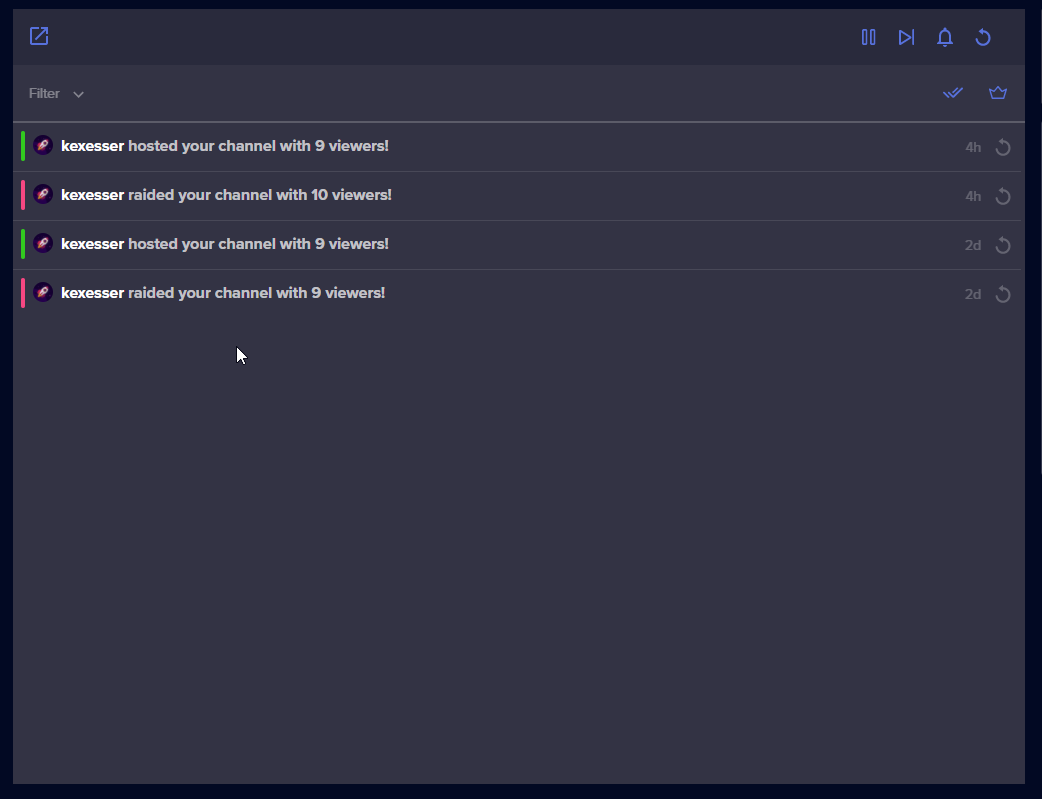
https://i.imgur.com/rIaEDME.png
Stream Elements dont track my new followers so I dont get any follower alerts. Do I have to enable that anywhere?
 zenith widget
maiden orchid
Then what do I do?
zenith widget
maiden orchid
Then what do I do?
wait
viscid pebbleBOT
@lament blade Please provide your account ID found at the top of this page: https://streamelements.com/dashboard/account/channels This ID is public info and safe to share here.
lament blade
5ff609cdab474fd953bb6934
 muted tusk
anyone know issue fix for this for friend mine?
 zenith widget
part the bot from the dashboard, logout from the dashboard, login back again, join the bot
but the streamer needs to do this, not you
muted tusk
ah ok gimmi sec
zenith widget
lament blade
5ff609cdab474fd953bb6934
fixed
lament blade
ok thank you
 austere hemlock
Hi there. I have been getting a email at the end of each stream that shows my stream report, but 2 days ago it just stopped. I really like it because it allows me to easily track everything and see what my total revenue was each stream. How do I get that back?
 real barn
Hi! I'm trying to create an SE.pay account, but I can't klick "Save"
zenith widget
austere hemlock
Hi there. I have been getting a email at the end of each stream that shows my s...
There is currently an issue with us detecting channels as Online, so this prevents the stream reports from being generated.
austere hemlock
zenith widget
There is currently an issue with us detecting channels as Online, so this preven...
ok, is there a time frame on a fix?
zenith widget
no ETA of a fix
austere hemlock
ok thanks
real barn
real barn
Hi! I'm trying to create an SE.pay account, but I can't klick "Save"
Is this a known issue?
zenith widget
is your dashboard set to a different language then English?
real barn
Yes, Dutch
zenith widget
set it to English and then use the form
lament blade
Hey I got a question and lately I've been seeing issues about charge backs with twitch and by chance does stream elements provide protection against that?
 sturdy turtle
I can't connect my bot account to use custom bot name.
I made a test stream using my bot account, and after that I cannot use that account anymore as a custom bot account. Is there something I can dot?
lament blade
Just been seeing videos of people still doing chargebacks and just kinda worries me.
zenith widget
We are not able to help when there is a chargeback over PayPal, but if the chargeback claim happens for a tip made via SE.Pay, we fight it for you.
viscid pebbleBOT
@sturdy turtle If your commands recently stopped working and you're using OBS.Live and a custom bot name do the following:
- In OBS.Live, click on the hamburger menu (three stripes) at the top left of your activity feed
- Click on Stream Settings > Custom bot name
- In the Custom bot name field select Set custom bot name, not your already existing username (with capital letters). Note: If you already connected an account that way, the third entry will show as the account name (see image https://i.imgur.com/sO7fWOX.png).
- Scroll a bit down and click on the purple Connect Custom Bot Account button
- Log in as usual and Authorize the custom bot name
- Back in the Activity feed, click on the Send Test Message button and check if your custom bot name starts working again
 sturdy turtle
viscid pebble
<@!477882913816444929> If your commands recently stopped working and you're usin...
sturdy turtle
viscid pebble
<@!477882913816444929> If your commands recently stopped working and you're usin...
already done that, but no "reconnection" happens
lament blade
I do use stream elements donation thing so I should be fine right?
 granite swift
good morning. Quick question... my sub emotes don't show up on the Kappagen widget...and both of my bots are subbed to me..is this a glitch? whennever i get an alert only the bttv and fttv emotes show up live on my display screen
zenith widget
lament blade
I do use stream elements donation thing so I should be fine right?
If you receive tips via our link but if they are processed via PayPal, there is nothing we can do to help you fight the chargeback claims. If the tips came through SE.pay, then we fight the claim for you.
viscid pebbleBOT
@sturdy turtle Please provide your account ID found at the top of this page: https://streamelements.com/dashboard/account/channels This ID is public info and safe to share here.
zenith widget
granite swift
good morning. Quick question... my sub emotes don't show up on the Kappagen widg...
known issue - no ETA on a fix
granite swift
zenith widget
known issue - no ETA on a fix
thanx😩
zenith widget
I can't say
sturdy turtle
viscid pebble
<@!477882913816444929> Please provide your account ID found at the top of this p...
5fbe84a51e18a11d3c925949
 sturdy turtle
I think i didn't explain myself
I had a custom bot name
connected the bot to that account
but now I can't do that anymore
zenith widget
Right, and right now the normal bot is responding
viscid pebbleBOT
"1) Right click on your OBS desktop shortcut and open the Properties
2) In the Target field, add the following to the very end: --remote-debugging-port=40404 (don't forget to add a space before the current path)
3) Open OBS (or restart if it was open)
4) Open your web browser and type in: localhost:40404
5) Click on StreamElements - Activity feed
6) Navigate to the Console tab
7) Type the following into the console and hit enter: store.customBot.removeCustomBotIntegration()
8) Try setting the custom bot name
9) Remove the additional flag in step 2 from your shortcut properties."
zenith widget
hence its working right now
sturdy turtle
ok
 ionic kelp
Try after that
sturdy turtle
Ok, thanks
 flint pulsar
Sorry if this is the wrong channel for this question, correct me if I'm wrong!
We're getting a lot of followbots at the moment, is it possible to skip ALL alerts?
sturdy turtle
viscid pebble
"1) Right click on your OBS desktop shortcut and open the **Properties**
2) In t...
it's working perfectly after this, thank you so much @zenith widget @ionic kelp
ionic kelp
@flint pulsar closes is mute
 flint pulsar
Ahw that's unfortunate, gonna have to ride them out then
What does "reset session" do?
I'm just a moderator there, don't wanna press random buttons and screw up the stream 😅
zenith widget
resets the current session
flint pulsar
I deduced that already, I mean more like what effect does it have on stream. Like does it reset the update, does it maybe cancel all alerts
 flint pulsar
Ah I see, not gonna touch that button then. As for the alerts-question, skipping them all at once... Gonna have to wait that out as Sudo said or are there any options?
zenith widget
Have to wait it out. They can try and clear the browser source cache, that might clear the queue, if they are trickling down slowly and show up gradually in the activity feed as well, its just a waiting game
the other solution would be to turn off the follower alert from the alert widget
flint pulsar
Yeah we already muted the alerts and hidden the alert overlay. Thanks for the quick replies!
real barn
Hi. Is there a way to put an action (play specific sound) when there is a specific amount of donation? Like; play jumpscare with 6,66 dono
zenith widget
Variations
real barn
In the overlay settings?
zenith widget
Yes
 tacit briar
Hello I'm having trouble getting my chat stats to display on stream elements due to me changing my twitch name a while ago. Is there anyone who can help me?
viscid pebbleBOT
@tacit briar If you changed your name on Twitch, please follow these steps:
- Visit https://streamelements.com/logout and then log in again by connecting with Twitch.
- On the right side of the dashboard page that opens, select Join under bot settings. If it says Part select that and then select Join to send the bot to the chat. Don't forget to mod the bot by typing /mod streamelements in your channel if you have not already.
- Post your old and your new name here so that we can update your channel's chatstats tracking (must be done by staff).
lament blade
Buongiorno chi mi aiuta per settare il sito?
 ebon forum
lament blade
Buongiorno chi mi aiuta per settare il sito?
ebon forum
lament blade
Buongiorno chi mi aiuta per settare il sito?
#🇮🇹︱italiano
lament blade
@ebon forum mi aiuti bro
ebon forum
lament blade
<@149255081194160129> mi aiuti bro
Please use english. I do not speak italian sadly 
lament blade
Ok brother. Help me Setting stremelements please
ebon forum
lament blade
Ok brother. Help me Setting stremelements please
Have you looked at our support page already?
https://support.streamelements.com/hc/en-us
And our Youtube channel with videoguides how to set it up?
If you have a specific question about a specific function, i will be able to help you
lament blade
TWITCH
ebon forum
@lament blade Abbiamo buone guide video su Youtube in modo che tu possa configurarlo per il tuo account Twitch.
Google translate 
lament blade
Hello i have a question
My fans want a Pink hoodie but there is no pink hoodie can that been fixed for me pls
ebon forum
lament blade
My fans want a Pink hoodie but there is no pink hoodie can that been fixed for m...
Replied to you in the #helpdesk-merch channel.
 slate latch
can't you guys create a "APPROVE ALL" button in streamelements redeems page?
ebon forum
slate latch
can't you guys create a "APPROVE ALL" button in streamelements redeems page?
Might be a good idea, we will look into that
slate latch
thank you, it's really laggy to see last purchases, i have over 20.000 entries 😦
ebon forum
slate latch
thank you, it's really laggy to see last purchases, i have over 20.000 entries �...
I would clean up the old ones, the system is not really designed to handle that many entries
slate latch
i use X and A before every item name, so i can separe them
thats why its taking the old ones
but approving 25 by 25 for 20.000+ its kinda scary
hahaha
 proven sierra
hi
ebon forum
slate latch
but approving 25 by 25 for 20.000+ its kinda scary
We have no other way
proven sierra
i founnd a pack on twitch but i cant find the alerts for it can anyone help? it is called BLUE METROPOLIS ANIMATED SUPER THEME
ebon forum
So please clean up old ones. There must be a limit, not sure how big it is
ebon forum
proven sierra
i founnd a pack on twitch but i cant find the alerts for it can anyone help? it ...
Please go to the Themes Gallery > Alerts.
We have two packs of alerts that are for this theme, but they are separated in that section.
We have:
BLUE METROPOLIS STATIC ALERTS
BLUE METROPOLIS ANIMATED ALERTS
So you can use them with the theme
proven sierra
ah oki ty 🙂
 uneven pewter
Can someone help me, I'm not getting my StreamElements after stream report via email anymore.
 wispy fern
esessa_2 стримлю здесь
ebon forum
wispy fern
esessa_2 стримлю здесь
А вот рекламу не надо, есть русский канал - но и там рекламу не надо
ebon forum
uneven pewter
Can someone help me, I'm not getting my StreamElements after stream report via e...
We are looking into some issues with detecting channels live - this is related to stream reports.
Can you provide your email and your account ID from that page?
https://streamelements.com/dashboard/account/channels

StreamElements
The Ultimate All in One Platform for Streamers
lament blade
I have aquestion, about alerts. I see streamers have popup alerts when someone subs or raids that shows their profile pic from twitch. How can i do this?
I already have streamelements on obs studio
I already have alerts but i wanna show the profile pic on stream from the user
ebon forum
lament blade
I have aquestion, about alerts. I see streamers have popup alerts when someone s...
Our alerts do not have that functionality. Might be a 3rd party solution that i'm not familiar with or a custom widget that i'm also not familiar with.
lament blade
ok thank you
lament blade
i tried search but cant find anythign rly n im not much of a nerd to figure out all these things
uneven pewter
ebon forum
We are looking into some issues with detecting channels live - this is related t...
Trvs_junior@yahoo.com
Account ID : DJLovaboi
lament blade
hi i need help on streaming on twich
ebon forum
lament blade
hi i need help on streaming on twich
Well please post your question, what exactly you need help with
lament blade
streaming
 sonic quarry
hello im stuggling with the watchtime command it constantly says 0 seconds on any user any reason or help someone could give?
ebon forum
lament blade
streaming
Well streaming can be anything, we need specific questions
viscid pebbleBOT
@sonic quarry The !watchtime command is directly tied to the Loyalty system. The Loyalty system must be enabled for viewers' watchtime to count up.
To enable Loyalty, please go to the Loyalty section of your account: https://streamelements.com/dashboard/loyalty
Watchtime counts up every 10 minutes alongside Loyalty points, and only while the stream is live. Reruns will not be counted.
Please note that watchtime is not tracked by Twitch and there is no way to retroactively apply past watchtime to viewers.
StreamElements
The Ultimate All in One Platform for Streamers
 fallen agate
@ebon forum actually my streamelements didnt notice me in the chat when someone doante, sub, bit, host or raid....someone can help me?
ebon forum
fallen agate
<@!149255081194160129> actually my streamelements didnt notice me in the chat w...
Ok. Let's start checking it. Can you see any events on your activity feed?
lament blade
well i need to know wat streaming service i should use
ebon forum
lament blade
well i need to know wat streaming service i should use
We can't tell you that, you need to decide yourself what service you want to use.
And what fits your needs
lament blade
on obs i try to stream and it dosent work
 mellow oak
i cant get any response in the OBS live Channel, so im reaching out here. Im running OSX 10.4 (Mojave) and i cannot install OBS live unless im running 10.15. Is there a previous version that runs on 10.14?
fallen agate
ebon forum
Ok. Let's start checking it. Can you see any events on your activity feed?
in the activity feed on obs.live i can see only new following and subscriber, but in the chat allert only the following.....i didnt see host,raid, donation in both of them
ebon forum
fallen agate
in the activity feed on obs.live i can see only new following and subscriber, bu...
Then please check the module with the chat alerts settings
fallen agate
sorry on internet or on obs.live?
ebon forum
mellow oak
i cant get any response in the OBS live Channel, so im reaching out here. Im run...
The only one i can see right now is our Stable release:
https://cdn.streamelements.com/obs/dist/obs-streamelements/macos/stable/obs-streamelements-setup.pkg
That one might be able to run on outdated OSX installations, please try it out
mellow oak
Thank you for the response , i will try it out.
lament blade
with twich i need help streaming on obs
ebon forum
fallen agate
sorry on internet or on obs.live?
On our website. Activity feed in OBS.Live also works
mellow oak
ebon forum
That one might be able to run on outdated OSX installations, please try it out
doesnt work, still asking for OSX 10.15 or higher
fallen agate
ebon forum
On our website. Activity feed in OBS.Live also works
ok im in the activity feed
lament blade
i dont know how to stream on obs
ebon forum
mellow oak
doesnt work, still asking for OSX 10.15 or higher
What does prevent you from updating OSX?
I could ask developers if we have a version that can run on this version, but it will be outdated at best..
ebon forum
fallen agate
ok im in the activity feed
So do you see all the mentioned events or are you missing some?
ebon forum
lament blade
i dont know how to stream on obs
Please watch a few guides how to use OBS Studio and stream with it
ebon forum
lament blade
plese ]
Same, please watch some guides how to use OBS with Youtube livestreaming
We can't really teach people how to do the basics
lament blade
k sorry for takeing up your time
mellow oak
ebon forum
What does prevent you from updating OSX?
I could ask developers if we have a ve...
going from 10.14 (Mojave) to 10.15 (Catalina) is a major jump. There could many impacts on other programs
fallen agate
ebon forum
So do you see all the mentioned events or are you missing some?
i have all following, some sub and 1 donation in activity feed....but he dont show me if someone host or raid.....also streamelements notice me in the chat only for new following event
ebon forum
mellow oak
going from 10.14 (Mojave) to 10.15 (Catalina) is a major jump. There could many ...
Well at some point old builds become too old and are not supported anymore. We recommend updating those.
viscid pebbleBOT
@fallen agate "Due to changes to Twitch API, we have filtered out hosts and will only show these ones on your activity feed:
- All hosts coming from an online channel with at least 1+ viewer
- Auto host events with at least 1 viewer - only from a channel that just went offline
Note: If you see X channel has hosted you with no viewers on the back, that is considered an offline host or a host with 0 viewers, we do not show these."
ebon forum
This is the current situation with the hosts, that might explain that part.
And for StreamElements chat alerts - please check Modules - Chat Alerts on our site, this is where you find the settings for it.
fallen agate
ebon forum
This is the current situation with the hosts, that might explain that part.
And...
in chat alert i have all setted on ON
ebon forum
fallen agate
in chat alert i have all setted on ON
Then it should catch all alerts
We need more information to help you out
 solid salmon
ebon forum
We need more information to help you out
solid salmon
ebon forum
We need more information to help you out
ur busy today lol
 wary delta
I need help
 normal panther
Yep?
solid salmon
 wary delta
I have just transferred to StreamElements from StreamLabs and I don't know how to actually stream, it says my stream key is wrong? How do I change it? and where can I find the correct stream key to put in there?
solid salmon
wary delta
I have just transferred to StreamElements from StreamLabs and I don't know how t...
just use the login with twitch feature
normal panther
you can reset your steam key
wary delta
I have logged in
fallen agate
ebon forum
We need more information to help you out
if u want i can share my screen here on disc
wary delta
Sure
normal panther
wary delta
I have logged in
have you tried to reset your stream key?
wary delta
no?
normal panther
try that then renter the stream key
wary delta
How do I do that? Also where do I find my stream key?

 rocky hill
Anyone know how to change the user level of a command from chat
wary delta
Still not working, how do I change my stream key in StreamElements obs?
solid salmon

 solid salmon
click disconnect account
ebon forum
fallen agate
if u want i can share my screen here on disc
Not possible, we do not offer voice or video calls for support.
ebon forum
solid salmon
ur busy today lol
Yep. Got something for me? Too much stuff everywhere
fallen agate
ebon forum
Not possible, we do not offer voice or video calls for support.
not telling about voice or video calling
solid salmon
ebon forum
Yep. Got something for me? Too much stuff everywhere
lol im broke
ebon forum
solid salmon
lol im broke
Well can't really help with that, but we do hire 😄
solid salmon
ebon forum
Well can't really help with that, but we do hire 😄
under 18 lol
ebon forum
solid salmon
under 18 lol

fallen agate
so how can i try to resolve it?
ebon forum
fallen agate
so how can i try to resolve it?
Like i said, we need more information, what events were missed and when, what did the bot during the alerts etc?
wary delta
Done it ty
solid salmon
wary delta
Done it ty
it fixed?
wary delta
Yep
solid salmon
good good :)
fallen agate
ebon forum
Like i said, we need more information, what events were missed and when, what di...
the missed events in activity feed are host and raid, in the normal chat miss all (only the following as been written)....during the event like donation host ecc... the bot send in live the alert box but didnt write the event in the chat. (sorry for the bad english)
 velvet ingot
Hi can anyone tell me if the Kappagen Twitch connection has been fixed yet?
I'm still not seeing my emotes from the 'select emotes' menu
solid salmon
velvet ingot
Hi can anyone tell me if the Kappagen Twitch connection has been fixed yet?
idk what that is
velvet ingot
This was a question more aimed at staff dude
solid salmon
k
velvet ingot
@ebon forum was the one to tell me there is a bug
ionic kelp
@velvet ingot nope. Still bork
velvet ingot
I'm still not seeing them though, and it's been a week or so.
Thanks for the heads up @ionic kelp
ebon forum
fallen agate
the missed events in activity feed are host and raid, in the normal chat miss al...
About the hosts i posted the response above
ebon forum
velvet ingot
Hi can anyone tell me if the Kappagen Twitch connection has been fixed yet?
Kappagen is still affected by that bug where we do not see channel emotes pretty much.
Few other things might be affected aswell, like the Bingo widget.
velvet ingot
Thanks @ebon forum buddy
fallen agate
ebon forum
About the hosts i posted the response above
but for donation sub and raid there is some possibility to understand the problem?
ebon forum
fallen agate
but for donation sub and raid there is some possibility to understand the proble...
Like i said, we need more information about the issue, what exact event was missed, what happened. Without data we can't diagnose issues.
fallen agate
ebon forum
Like i said, we need more information about the issue, what exact event was miss...
so what can i do?
ebon forum
fallen agate
so what can i do?
Provide us more data. If you do not have data from the past - test it again the next time you are live, note down what alert was not announced by the bot but did appear in the activity feed etc.
 leaden flame
fallen agate
ebon forum
Provide us more data. If you do not have data from the past - test it again the ...
leaden flame
fallen agate
ebon forum
Provide us more data. If you do not have data from the past - test it again the ...
without counting the hosts and the followers I see everything in the activity feed .... but the bot does not show them to me in chat
ebon forum
fallen agate
without counting the hosts and the followers I see everything in the activity fe...
This is why i need more data about that
With the exact events
 tacit ridge
Is there a issue for !hype not showing the emotesplosions?
ebon forum
Yes.
fallen agate
ebon forum
This is why i need more data about that
where did i can find the data of events??
ebon forum
We are working on a fix
tacit ridge
Ty cryonic
 violet jackal
I currently have 50 followers and stream elements is only showing 28
 empty silo
Hello 🙂 I added my overlay into OBS but it doesnt showing up. It was good until 2 or 3 days ago.
 gaunt raptor
Can somebody help me with stream related things ?
Is it possible to connect a go pro to the app?
ebon forum
empty silo
Hello 🙂 I added my overlay into OBS but it doesnt showing up. It was good until...
Try to refresh the cache of the browser source in OBS
ebon forum
gaunt raptor
Can somebody help me with stream related things ?
Our mobile app does not support external capture devices or cameras
empty silo
ebon forum
Try to refresh the cache of the browser source in OBS
I tried, also deleted and redo the overlay but nothing
ebon forum
empty silo
I tried, also deleted and redo the overlay but nothing
What happens if you add a different overlay from our service to your OBS?
Does that show up?
empty silo
Yes, Game capture is working
ebon forum
empty silo
Yes, Game capture is working
No, try a different overlay from our service as a browser source.
Game capture is not related to browser sources in any way
empty silo
No, Other browser inputs are not working as well
 sacred narwhal
Kappagen already broken ?
ebon forum
sacred narwhal
Kappagen already broken ?
Yes. there is a bug currently preventing it from using channel emotes
sacred narwhal
@ebon forum thx grr always as i stream its broken lol
ebon forum
empty silo
No, Other browser inputs are not working as well
Ok, we need to look depeer. If you want, you can check logs. I would recommend reinstalling OBS at that point.
ebon forum
sacred narwhal
<@!149255081194160129> thx grr always as i stream its broken lol
Just the last few days We are working on it
uneven pewter
uneven pewter
Trvs_junior@yahoo.com
Account ID : DJLovaboi
Any help on this @ebon forum
empty silo
ebon forum
Ok, we need to look depeer. If you want, you can check logs. I would recommend r...
I reinstalled OBS and still nothing from browser source. Where can I check my logs and what can I get from it?
 astral shore
Is the bot having issues? Did the remainder of my sponsored stream last night and my timer only increased 15 minutes and did not add the two hours of game play to being completed.
(also didn't get my stream report from SE)
 silver citrus
@ebon forum Hi I don't know if you remember my ticket, but after 2 days still no news how can I solve?
empty silo
ebon forum
Ok, we need to look depeer. If you want, you can check logs. I would recommend r...
Found the logs: 18:30:15.656: Browser Hardware Acceleration: true
ebon forum
uneven pewter
Any help on this <@149255081194160129>
Developers are looking into that issue
ebon forum
silver citrus
<@!149255081194160129> Hi I don't know if you remember my ticket, but after 2 da...
Not sure, we have too many tickets, please give me an update
ebon forum
astral shore
Is the bot having issues? Did the remainder of my sponsored stream last night an...
Not the bot, we have a minor issue detecting streams that go live - so that impacts multiple features
ebon forum
empty silo
Found the logs: 18:30:15.656: Browser Hardware Acceleration: true
hardware acceleration is fine, that can only impact performance of the browser sources, but not break it
empty silo
ebon forum
hardware acceleration is fine, that can only impact performance of the browser s...
Then do you have an idea what can be he problem? Or what else should I check or correct?
ionic kelp
@empty silo Could you try disabling it and restarting OBS?
 empty silo
ionic kelp
<@!699583684725964841> Could you try disabling it and restarting OBS?
empty silo
ionic kelp
<@!699583684725964841> Could you try disabling it and restarting OBS?
I deleted source and added again, also I redownloaded OBS
ionic kelp
Disable HW acceleration
silver citrus
ebon forum
Not sure, we have too many tickets, please give me an update
The problem is that I cannot proceed, it does not unlock the third party
empty silo
How can I do that? Sorry I am new to this...
viscid pebbleBOT
OBS > Settings > Advanced > Scroll down > Enable or disable Browser Source Hardware Acceleration, depending on its current state > Restart OBS
https://i.imgur.com/ggMe9ZE.png
 empty silo
ok I disabled and its working. Thank you for the support all 🙂
uneven pewter
ebon forum
Developers are looking into that issue
Thank you, appreciate your response
ebon forum
silver citrus
The problem is that I cannot proceed, it does not unlock the third party
We are still looking into that issue.
 dapper goblet
Not sure if i should post this here but where can i look up on how to extract a donation message ? Using custom css and html but not succeeding to get the message
empty silo
ebon forum
We are still looking into that issue.
I used this video for fixing the problem: https://www.youtube.com/watch?v=awXP6_kDii4

If this helped you, please drop a comment.
I've had this issue pop up multiple times over the years. Every time it would take me forever to figure out how to fix. Even once I "fixed" it, I didn't actually know what I did in order to get it to work again. BUT FINALLY, I've figured the steps needed to fix this consistently and easily. So today, I...
 honest fable
Hi, I did a sponsor stream yesterday with Stream ELEMENT SE SPONSORSHIP and dit all they ask but some reason it didn't counted my stream time. I need to have a 2 hours stream for the game wich I did 3 and have a 4 hours with the overlay I did 6.. I need assistance
 gritty salmon
Hi, i am trying to use media request but it keeps skipping back about 30 secs of the video every so often. does anybody know why?
ebon forum
honest fable
Hi, I did a sponsor stream yesterday with Stream ELEMENT SE SPONSORSHIP and dit ...
Hi. We have a minor bug preventing us from catching streams live
We can manually override that
honest fable
@ebon forum What do I need to do ? Thank you by the way!
ebon forum
honest fable
<@!149255081194160129> What do I need to do ? Thank you by the way!
Please provide us the account ID from here:
https://streamelements.com/dashboard/account/channels
StreamElements
The Ultimate All in One Platform for Streamers
honest fable
Thank you!
ebon forum
honest fable
Thank you!
Deployed a manual override for the 2 goals related to stream time. Please refresh the campaign page and check it
ebon forum
honest fable
It worked
Enjoy the campaign and we will go hunt bugs over the weekend 😄
 fossil stump
Hello, I need some help with the streamelements bot during the livestream. Everything was working just fine, every command and notifications were ok but one moderator decided to ban and unban the streamelements bot and everything stopped working, from notifications to commands. What can we do? Thank you!
ebon forum
fossil stump
Hello, I need some help with the streamelements bot during the livestream. Every...
Try to remove and add the bot again
ebon forum
fossil stump
Hello, I need some help with the streamelements bot during the livestream. Every...
And if you give us the channel name, we will be able to check the status of the bot
fossil stump
ebon forum
Try to remove and add the bot again
How can we do it? I'm trying to assist my friend and she does not know how to do it. Her channel is lunaticaxx
ebon forum
fossil stump
How can we do it? I'm trying to assist my friend and she does not know how to do...
Check if the bot is not banned
fossil stump
ebon forum
Check if the bot is not banned
it is not
ebon forum
fossil stump
How can we do it? I'm trying to assist my friend and she does not know how to do...
I do not see that in the chat.
Let her try that:
Remove bot on our dashboard
Log out
Log back in
add the bot
fossil stump
ebon forum
I do not see that in the chat.
Let her try that:
Remove bot on our dashboard
Lo...
does she need to save the commands or can she just do it directly?
ebon forum
fossil stump
does she need to save the commands or can she just do it directly?
No need to save anything, just do that in the exact order
and please make sure the bot is not banned with that command: /unban streamelements
ebon forum
fossil stump
does she need to save the commands or can she just do it directly?
i can write in the chat, but do not speak portuguese, that's tricky 😄
ebon forum
The reaction tho @fossil stump 
fossil stump
hahahaha shes been struggling since yesterday, thanks!
ebon forum
fossil stump
hahahaha shes been struggling since yesterday, thanks!
Let her know - please do not ban the bot again, bot does not like it 🙂
fossil stump
hahaha will do
 mossy maple
Hello, I was recently offered a sponsored stream, I got it all set up and officially started the campaign.. I haven’t streamed yet but I had someone click the campaign link and complete the tutorial but goal is not updating. I’m curious:
How long does it typically take to register a download/play?
Do I have to stream first?
Do download/plays only count during my stream or am I able to meet the requirements for download/play while offline as well?
Thank you
ebon forum
mossy maple
Hello, I was recently offered a sponsored stream, I got it all set up and offici...
Hi.
About that:
Events from the game are usually based on tutorial (sometimes level10, check the campaign description) - once users use your link and get into the game and finish the tutorial - this is where the event is triggered. Mobile events can be delayed.
Stream first - no, you need to do the gameplay stream during the campaign duration, 7 days. We recommend doing it early, but you do not have to.
And the events count during the whole campaign duration, 7 days. Does not matter if the stream is live or not or what game/category is set.
 leaden ether
Hey guys! Wanted to ask why in the KappaGen Emoteplosion did StreamElements remove the option for channel emotes? Please, if I'm on the incorrect discord channel lmk
ebon forum
leaden ether
Hey guys! Wanted to ask why in the KappaGen Emoteplosion did StreamElements remo...
It is a bug, being fixed by developers right now. Kappagen currently can't use channel emotes.
leaden ether
ebon forum
It is a bug, being fixed by developers right now. Kappagen currently can't use c...
I see, too bad. Started using past week or something, I loved the feature so much. Any idea when its coming back? And where I can see if it has returned?
 acoustic ridge
hello! I've recently changed my username from toemmyy to toenono and my chat stats aren't displaying on stream elements. Is there anyone who can help me update it? thank you!!
ebon forum
leaden ether
I see, too bad. Started using past week or something, I loved the feature so muc...
It should be fixed soon, but no ETA. We will most likely not announce that, so you can test that in a few days.
viscid pebbleBOT
@acoustic ridge If you changed your name on Twitch, please follow these steps:
- Visit https://streamelements.com/logout and then log in again by connecting with Twitch.
- On the right side of the dashboard page that opens, select Join under bot settings. If it says Part select that and then select Join to send the bot to the chat. Don't forget to mod the bot by typing /mod streamelements in your channel if you have not already.
- Post your old and your new name here so that we can update your channel's chatstats tracking (must be done by staff).
leaden ether
ebon forum
It should be fixed soon, but no ETA. We will most likely not announce that, so y...
K, thx
 foggy rock
Hi! I have a problem within obs, it doesn't want to verify with the Twitch 😦
So now, in the docks, I don't have the live stream statistics
ebon forum
Argh, wrong command
ebon forum
foggy rock
Hi! I have a problem within obs, it doesn't want to verify with the Twitch 😦
Try to log out in OBS.Live and log back in
Top menu - StreamElements - Logout
 spring bane
i had a question with the raiding it says there was only a raid with one but the raid itself would have 12+ viewers was wondering if it was a visual bug or not
lament blade
I am in need of bot help, apparently my bot doesnt want to do any commands.
ebon forum
lament blade
I am in need of bot help, apparently my bot doesnt want to do any commands.
Try that:
Remove bot
Log out
Log back in
Add bot
In that exact order
lament blade
with remove bot you mean part channel? did that
foggy rock
It says invalid refresh token 😦 nothing changed
ebon forum
lament blade
with remove bot you mean part channel? did that
custom bot name function enabled?
lament blade
ebon forum
custom bot name function enabled?
no its my name, cant figure out how to change it...no wait its streamelements
ebon forum
foggy rock
It says invalid refresh token 😦 nothing changed
You could also refresh the connection to Twitch in the stream settings in OBS
ebon forum
lament blade
no its my name, cant figure out how to change it...no wait its streamelements
please give me your channel, i take a look
lament blade
ebon forum
please give me your channel, i take a look
its linked
Hi, I have a problem with watch time because I want to check users' watch time and it keeps showing me 0 secs
ebon forum
lament blade
its linked
The bot works. And custom bot name is enabled and set to your account name
lament blade
ebon forum
The bot works. And custom bot name is enabled and set to your account name
ok nothing is showing up in my chat on OBS
 ebon forum
lament blade
ok nothing is showing up in my chat on OBS
ebon forum
lament blade
ok nothing is showing up in my chat on OBS
Try to log out and log back in into OBS.Live
viscid pebbleBOT
@lament blade The !watchtime command is directly tied to the Loyalty system. The Loyalty system must be enabled for viewers' watchtime to count up.
To enable Loyalty, please go to the Loyalty section of your account: https://streamelements.com/dashboard/loyalty
Watchtime counts up every 10 minutes alongside Loyalty points, and only while the stream is live. Reruns will not be counted.
Please note that watchtime is not tracked by Twitch and there is no way to retroactively apply past watchtime to viewers.
StreamElements
The Ultimate All in One Platform for Streamers
lament blade
ebon forum
Try to log out and log back in into OBS.Live
that did it, weird but thanks
 wanton arch
Hi I'm laving an issue setting up an animated overlay, I can successfully customize most things except for the names on the social media bars I can't seem to find the text related to them to change it to my own name
ebon forum
wanton arch
Hi I'm laving an issue setting up an animated overlay, I can successfully custom...
Click on the layer, it should select the correct layer for you
All names can be changed on the themes outside of the animated in the video files
wanton arch
for some reason it doesnt select anything when i click it
 weary sand
Hey guys does anyone know can you turn off the viewers/comments notification on PS4 when live?
ebon forum
Please check the settings for each layer. There are separate settings for the layer name and layer internal text fields
 nimble dune
To edit the text of a widget, click on it and select Settings at the bottom left.
wanton arch
@nimble dune thank you got it! @ebon forum thank you!
 tepid wadi
Can anyone help me? I got looping social animations that I wanna add to streamelements as a overlay but is there anyway to have it play every 5 mins for example?
I don't wanna resort to streamlabs for this
ebon forum
tepid wadi
Can anyone help me? I got looping social animations that I wanna add to streamel...
Try the asset rotator widget in our overlays
tepid wadi
Thanks so much man!
 spiral furnace
Is this the right channel for SE.Pay questions re: tipping? I'm having some difficulties finding where to update bank info verification. It's just hung on
 ebon forum
spiral furnace
Is this the right channel for SE.Pay questions re: tipping? I'm having some dif...
ebon forum
spiral furnace
Is this the right channel for SE.Pay questions re: tipping? I'm having some dif...
Hi.
Have those 7 business days passed already?
ebon forum
spiral furnace
It's been months.
ok, please get me your account ID, i take a look at it.
Account ID is located here:
https://streamelements.com/dashboard/account/channels
StreamElements
The Ultimate All in One Platform for Streamers
spiral furnace
bustedwideopen
ebon forum
Account ID, not the channel name please
spiral furnace
5d4258b7cf00e015a057e76c
ebon forum
spiral furnace
5d4258b7cf00e015a057e76c
thanks, taking a look now
spiral furnace
thank you!
ebon forum
spiral furnace
thank you!
Did some magic, please refresh the SE.Pay tab on our site and check it.
ebon forum
No, just little internal voodoo
Your account is fully verified on all stages
so that should never happen again
spiral furnace
We did change bank accounts a few months ago for what it's worth that triggered the re-verification. I just thought it had already gone through
spiral furnace
Appreciate the assist!
Is there a way to set up auto withdrawal at certain amount/date thresholds by chance?
ebon forum
spiral furnace
Is there a way to set up auto withdrawal at certain amount/date thresholds by ch...
Nope. It is fully manual, gotta click that button after some time
 blazing island
Hello there, is there a way to change the output from giveaway?
wanton arch
i'm confused, not that it's an issue i'm having but aren't tips sent directly to paypal? what needs to be clicked manually
blazing island
blazing island
Hello there, is there a way to change the output from giveaway?
So the output is custom?
spiral furnace
@wanton arch If they use paypal as the payment method, yes. SE.Pay requires manual withdrawal (if the tipper uses a card)
My dad once told me: "Never get in the way of people giving you money." So, if you're not using SE.Pay, you could be missing out if you're assuming everyone has paypal. I get a healthy mix of both each month.
ebon forum

blazing island
blazing island
So the output is custom?
Anyone know?
wanton arch
thanks @spiral furnace ! also, while setting up an overlay i'm struggling to fit video capture (webcam) into my overlay border for the cam as they are not the same size to start how can i adjust them accordingly
 outer blaze
Hello guys, the bot doesn't work because when I try to run auto commercials or when I do it through command is says failed to run commercial
the bot is a moderator and an editor
and I do it while im live
viscid pebbleBOT
@outer blaze To have StreamElements run ads for you, do the following:
- The bot StreamElements is added as an Editor to your Twitch channel here: https://dashboard.twitch.tv/community/roles
2.a) To create a Timer, go here: https://streamelements.com/dashboard/bot-timers - add a timer with a response /commercial <30|60|90|120|150|180> to indicate the ad duration and also select the time interval that the response will be sent while you are online. Example: /commercial 30 and timer every 10 minutes (online interval).
2.b) To create a Custom command, go here: https://streamelements.com/dashboard/bot-commands/custom-commands and add command with the response /commercial <30|60|90|120|150|180> to indicate the ad duration. Example: !ads command with response /commercial 30
outer blaze
I’ve already done all of that, that’s the problem
 opaque badger
Hi everybody, is there a way to filter usernames from the Top Gifters widget? It's super easy to do on the Twitch extension but I can't find a similar option on the SE website! Cheers 🙂
EDIT: The widget is also showing a user that was banned from the chat
 rustic meadow
hello,
is there a way to merge 2 overlays into 1 overlay?
viscid pebbleBOT
@outer blaze Please provide your account ID found at the top of this page: https://streamelements.com/dashboard/account/channels This ID is public info and safe to share here.
 foggy heart
opaque badger
Hi everybody, is there a way to filter usernames from the Top Gifters widget? It...
foggy heart
opaque badger
Hi everybody, is there a way to filter usernames from the Top Gifters widget? It...
I don't know if the default widget has that ability. You can adjust some of the session data, but I don't think Gifters is an option you can adjust/hide
 gloomy coral
hey my friend just reedemed a voice message on my stream store and it didnt work
can anyone help me
its muted
somewhere
but i cant find it
 dry hare
rustic meadow
hello,
is there a way to merge 2 overlays into 1 overlay?
dry hare
rustic meadow
hello,
is there a way to merge 2 overlays into 1 overlay?
You can duplicate widgets from one overlay to another overlay, but if they are for different platforms you will need to use both overlays
foggy heart
gloomy coral
hey my friend just reedemed a voice message on my stream store and it didnt work
Did you hear it and the stream didn't, or did nothing play at all?
blazing island
Is there a way to change the output message from giveaway and when a winner i chosen etc
opaque badger
foggy heart
I don't know if the default widget has that ability. You can adjust some of the ...
Thanks for the info, it'd be a great feature to have for sure - it's also picking up me (the streamer) in the list and that's not ideal, the list should be for gifters only 🙂
foggy heart
blazing island
Is there a way to change the output message from giveaway and when a winner i ch...
The giveaway messages can't be changed
blazing island
foggy heart
The giveaway messages can't be changed
Is there a option to add a message after a winner is drawn? That will automatically send?
foggy heart
opaque badger
Thanks for the info, it'd be a great feature to have for sure - it's also pickin...
It adds you to the gifters list without you gifting subs?
foggy heart
blazing island
Is there a option to add a message after a winner is drawn? That will automatica...
You probably can't make the giveaway message do anything, but you can create a custom one to trigger after it
opaque badger
foggy heart
It adds you to the gifters list without you gifting subs?
No it's all good, I've gifted subs to followers in the past, it's working fine in that respect 🙂 It'd be great to filter that too it's what I meant 🙂 🙂
foggy heart
Oh, I see what you mean
blazing island
foggy heart
You probably can't make the giveaway message do anything, but you can create a c...
Do you know how?
foggy heart
blazing island
Do you know how?
You would just go here, and set up the command to your liking,(Your own message, and "!" trigger): https://streamelements.com/dashboard/bot-commands/custom-commands
blazing island
foggy heart
You would just go here, and set up the command to your liking,(Your own message,...
I want to add a trigger that says: You have 30sec to reply in that chat so you can win the giveaway!" And then when there is 10sec left a new trigger that says the same but then 10sec.
And if no response a new person will be chosen for the giveaway
outer blaze
viscid pebble
<@!257969404661334016> Please provide your account ID found at the top of this p...
That's my account id: 5c5629bf94161f9e2ee153e9
foggy heart
blazing island
I want to add a trigger that says: You have 30sec to reply in that chat so you c...
I was indicating more of a simple trigger word. For more advanced ideas, i'd suggest checking out the command share channel for possible ideas
 blissful sphinx
hello, i have a kappagen on my overlay that has emotesplosions with my custom emotes. but starting yesterday, it stopped showing on my stream. when i went to streamelements overlay editor, the only emotes i could select were bttv ones. my friend also experienced a similar issue. could this be resolved somehow? thank you
foggy heart
blissful sphinx
hello, i have a kappagen on my overlay that has emotesplosions with my custom em...
There is a known issue with that, and it is being looked into.
blissful sphinx
foggy heart
There is a known issue with that, and it is being looked into.
ohh okay, great to know. thank you!
gloomy coral
foggy heart
Did you hear it and the stream didn't, or did nothing play at all?
it just didnt play
 ornate rover
Hey.
Just built the Events Rotator - Last Event Rotator by CO6STUDIOS but it is not appearing on my OBS. Anyone to know what it may be?
blazing island
foggy heart
I was indicating more of a simple trigger word. For more advanced ideas, i'd sug...
How do I make a trigger to reply when a winner is drawn?
foggy heart
gloomy coral
it just didnt play
was there a message in chat for the redemption?
foggy heart
blazing island
How do I make a trigger to reply when a winner is drawn?
The "trigger" in my example would be you typing the "!xxx" command you made, it's not an auto replay.
viscid pebbleBOT
@ornate rover OBS > Settings > Advanced > Scroll down > Enable or disable Browser Source Hardware Acceleration, depending on its current state > Restart OBS
https://i.imgur.com/ggMe9ZE.png
blazing island
foggy heart
The "trigger" in my example would be you typing the "!xxx" command you made, it'...
So no possible way to add an auto reply?
foggy heart
blazing island
So no possible way to add an auto reply?
From the giveaway command, no.
blazing island
foggy heart
From the giveaway command, no.
Ah okey. So a trigger from mods then
foggy heart
blazing island
Ah okey. So a trigger from mods then
Basically, yeah
blazing island
foggy heart
Basically, yeah
Sure. Thank you! I'll have to notify the mod-team about the new command then 😉
wanton arch
why am I getting this notif when I open even though all my notifications in activity feed are accurate

 graceful dragon
wanton arch
why am I getting this notif when I open even though all my notifications in acti...
graceful dragon
wanton arch
why am I getting this notif when I open even though all my notifications in acti...
I think the Bot/ webhook is unable to login. Had you changed your Password?
wanton arch
nope
dry hare
That’s an obs message. It would indicate you need to double-check your obs settings > stream?
ornate rover
viscid pebble
<@!808288199209779200> OBS > **Settings** > **Advanced** > Scroll down > Enable ...
Hey. Didnt work 😔
 gray glade
What's the most efficient way to mark a moment on stream to clip later? For example, I want to clip funny moments that happened after the stream ends but I end up having to look through the VOD to find the moment. Is there a way I can "mark the time" on my end so I can come back to it later?
dry hare
Highlights
dry hare
gray glade
What's the most efficient way to mark a moment on stream to clip later? For exam...
gray glade
Errr, rather I meant as I'm streaming if that's possible
Like clicking a button to mark a moment or something.
 worthy stirrup
gray glade
Like clicking a button to mark a moment or something.
worthy stirrup
gray glade
Like clicking a button to mark a moment or something.
on the stream manager you can add a button to add a marker
gloomy coral
i managed to put the voice message
dry hare
I believe there’s also a command that mods can use? You’d have to read the help article
Stream deck can also do markers/highlights
 icy flint
Hello, dunno if this is the right place to ask but,
I'm trying to set up tipping for song requests so people can move their song to the top if they want. but
When i edit the media request settings it doesn't seem to save when i refresh / reload. 
i know most settings within stream elements seem to auto-save upon changing, but this particular setting doesn't want to save.
tepid wadi
Can anyone tell me how to mute the playback for the asset rotating videos?
Nvm got it, I just controlled the audio from OBS
 onyx yacht
Hey everyone, I have questions about widgets. Can anyone help me out?
viscid pebbleBOT
@onyx yacht Welcome to the helpdesk! Please let us know how we can assist you today and a support volunteer or staff member will assist you as soon as they are available. Thank you for your patience.
astral shore
My progress tracker has not updated since yesterday for the campaign I am doing. The total signups has changed but it has not counted the time in game or additional time streamed after last nights stream.
onyx yacht
I have 2 rotating widgets that I have added to an overlay in the Streamelements site. I want them to sync up so that they rotate at the same time. The times are the same for both of them (display time, change time, etc)
viscid pebbleBOT
@astral shore Please provide your account ID found at the top of this page: https://streamelements.com/dashboard/account/channels This ID is public info and safe to share here.
foggy heart
onyx yacht
I have 2 rotating widgets that I have added to an overlay in the Streamelements ...
Is it not working as you want it to?
onyx yacht
foggy heart
Is it not working as you want it to?
The widgets are fine, they are working as intended. However I want the timing of them to sync up. One is social media, and one is metrics. When they rotate I want them to rotate at the same time
foggy heart
 pastel pendant
streamelements doesn't work when I am on stream
pastel pendant
streamelements doesn't work when I am on stream
Could you explain a bit more about what's not working?
foggy heart
onyx yacht
The widgets are fine, they are working as intended. However I want the timing of...
I see, I don't know if there's any specific timing for that.
 digital needle
Why dont i get emails anymore after a twitch stream?
foggy heart
digital needle
Why dont i get emails anymore after a twitch stream?
How long has it been since you've gotten one?
onyx yacht
foggy heart
I see, I don't know if there's any specific timing for that.
There is no way to reset the overlay or the widgets on screen at all?
pastel pendant
@foggy heart streamelements don't answer to the commands
To all the commands
And for example you put !commands, it doesn't work
What can I do
digital needle
@foggy heart nevermind, just got an email lol
foggy heart
onyx yacht
There is no way to reset the overlay or the widgets on screen at all?
In OBS, you should be able to refresh a browser source (which would be the overlay). Not exactly sure if that's what you're looking for
viscid pebbleBOT
@pastel pendant Go to the Dashboard > Right side > Part channel > Join channel(https://streamelements.com/dashboard)
 pastel pendant
I just do it and it doesn't work
foggy heart
Are you using a custom name bot?
astral shore
5f69fd4fc47ee13b4ce4b3c2
pastel pendant
@foggy heart nope
astral shore
I also didn’t get my stream report so I feel the two events are connected
pastel pendant
I have Nightbot and Streamelements in my channel
foggy heart
pastel pendant
I have Nightbot and Streamelements in my channel
Do you get any responses when you try commands in your chat?
 coarse field
cheer100 hype cup token not displayed correctly, looks like it side on facing, no obvious way to correct, any ideas
pastel pendant
@foggy heart yes I have the predeterminated and news that my mods and me added before
coarse field
cheer100 hype cup token works better when "is spritesheet" unticked. Strange as all other cheers works with their respective twitch cheermotes when set as spritesheet. Can developer look into it? Probably a simple fix thx
wanton arch
how do i change my bots name?
viscid pebbleBOT
@wanton arch Currently renaming the bot fully works with OBS.Live.
You can follow this video guide to set it up: https://discordapp.com/channels/141203863863558144/494513233416421386/561516184718278676
foggy heart
astral shore
5f69fd4fc47ee13b4ce4b3c2
Not seeing anything for that, what's the account name under?
foggy heart
pastel pendant
<@!801850149260886118> yes I have the predeterminated and news that my mods and ...
So some commands work, just not all? Anything other than "!command" not working?
 frozen karma
hi my overlays turn off after 2 seconds im not sure y
 pine iris
hey everyone, I'm trying to run a giveaway right now but no one seems to be able to enter through the chat
foggy heart
frozen karma
hi my overlays turn off after 2 seconds im not sure y
Could you explain what you mean by turn off?
foggy heart
pine iris
hey everyone, I'm trying to run a giveaway right now but no one seems to be able...
is the enter command enabled?
frozen karma
whilst im ingame they dont appear
foggy heart
frozen karma
whilst im ingame they dont appear
What happens when you emulate them using the online overlay editor? And do they cutoff early, are they set to a short time? Could you give a few more details about it?
pastel pendant
@foggy heart all the commands doesn't work
I desactivate the bot and try to put it on my stream but it doesn't work
What I can do
foggy heart
pastel pendant
<@!801850149260886118> all the commands doesn't work
So what are "predeterminated and news that my mods and me added before"?
pastel pendant
@foggy heart I am reffering to the commands that are predeterminated that the bot suggest to me and the new ones that my mods put on stream
foggy heart
pastel pendant
<@!801850149260886118> I am reffering to the commands that are predeterminated t...
Can you give me an example of those commands so I can make sure i'm understanding properly?
astral shore
foggy heart
Not seeing anything for that, what's the account name under?
Fluffylives
foggy heart
astral shore
Fluffylives
Passed your info over to the devs to look at
astral shore
awesome thank you
 native rock
Any new up dates on the KappaGen? I see that it is still down. Thx.
 south karma
I have an old Twitch account linked that I would like to remove, can anyone help me with this?
 high sparrow
im trying to use points to join a giveaway on a streamer i watch, and it wont go through, just gives me an error
 foggy heart
south karma
I have an old Twitch account linked that I would like to remove, can anyone help...
foggy heart
south karma
I have an old Twitch account linked that I would like to remove, can anyone help...
If the accounts are linked, you won't be able to remove one without deleting them all
foggy heart
high sparrow
im trying to use points to join a giveaway on a streamer i watch, and it wont go...
Do you have enough points for the redemption?
south karma
foggy heart
If the accounts are linked, you won't be able to remove one without deleting the...
If that's the case I would like to delete the whole account then, on the site I tried to do that and for some reason I get Invalid Username popup in the corner, not sure what is wrong.
foggy heart
south karma
If that's the case I would like to delete the whole account then, on the site I ...
I'll have you send an email then!
Let me grab the info we need
Send us an email with the following:
Username:
Email:
Account ID:
JWT Token:
Reason for closure:
Error when using the closure form:
south karma
foggy heart
I'll have you send an email then!
What's the email?
foggy heart
south karma
What's the email?
pastel pendant
@foggy heart the commands are:
The basic ones that are the predeterminated of streamelements and the new that are added by the mods like !twitter, !facebook, etc
lament blade
Hi i'm setting up my loyalty settings on stream elements but I don't see any point system for subscribers. Anyone know how i can add twitch subscribers to my loyalty settings?
 tawdry elk
When you receive a donation through streamelements, will the donator be able to see your full name through their transaction history?
 languid rock
Hey StreamElements, These setting isn't working for mass gift subs. is it due to other variations?
 foggy heart
pastel pendant
The basic ones that are the predeterminated of streamelements and the new that a...
foggy heart
pastel pendant
The basic ones that are the predeterminated of streamelements and the new that a...
Okay, now can you list off the commands that aren't working?
foggy heart
lament blade
Hi i'm setting up my loyalty settings on stream elements but I don't see any poi...
You should be able to adjust that here: https://streamelements.com/dashboard/loyalty
foggy heart
tawdry elk
When you receive a donation through streamelements, will the donator be able to ...
I believe it shows personal name (whatever is on your account), but if you have a business account you can change that
foggy heart
languid rock
Hey StreamElements, These setting isn't working for mass gift subs. is it due to...
Variations will override settings, so you'll have to make sure they don't have similar triggers
tawdry elk
foggy heart
I believe it shows personal name (whatever is on your account), but if you have ...
Thank you, is their anyway to change that? And by personal name do you mean just first name or full name?
foggy heart
tawdry elk
Thank you, is their anyway to change that? And by personal name do you mean just...
Not exactly sure, but I think it's the full name on the account
tawdry elk
foggy heart
Not exactly sure, but I think it's the full name on the account
Alright thank you.
 potent snow
My OBS.live app is crashing everytime I close after I have finished streaming. its been like this for a while now and Im wondering is it Nvidea drivers or somthing thats being worked on?
foggy heart
I'd suggest re-installing if it's OBS.Live crashing, but if it's OBS I'd suggest checking out their discord
viscid pebbleBOT
@potent snow Obs.live is a plugin for OBS Studio for the best OBS support, please join their Official Discord @ discord.gg/obsproject
 carmine blade
Hello, I have an issue with the page "Chat Stats", it shows 404 Not Found. How can I fix it? Thank you!
 naive flower
Hey! may i get some help activating the custom bot name feature for stream elements? id really like to avoid switching from steamlabs but id like to use the timer and command features of stream elements. I read i need to ask somebody on the discord to help activate.
potent snow
ill check over there, cheers guys
viscid pebbleBOT
@naive flower Currently renaming the bot fully works with OBS.Live.
You can follow this video guide to set it up: https://discordapp.com/channels/141203863863558144/494513233416421386/561516184718278676
@carmine blade Please provide your account ID found at the top of this page: https://streamelements.com/dashboard/account/channels This ID is public info and safe to share here.
 verbal hawk
I hope this is the right place to ask and I feel like its a silly question. Im trying to change the color of the message text for my alerts right now its set to black and its difficult to read on screen but I cant seem to find the setting to change the text color. Any help would be greatly appreciated.
naive flower
This is using ground control? those options in settings do not appear for me. nothing below 'show viewer count' shows up for me.
carmine blade
viscid pebble
<@!414276059920596992> Please provide your account ID found at the top of this p...
604ff57dc4f5c948dfc90ee4
verbal hawk
@naive flower when obs.live is open in the activity feed panel click the three lines icon in the top left then stream settings then theres a section called custom bot name
tawdry elk
Does anyone know anyway on how to prevent donators from seeing your full name when they donate to you?
 arctic venture
Hai
foggy heart
carmine blade
604ff57dc4f5c948dfc90ee4
Have you changed your name at all?
carmine blade
foggy heart
Have you changed your name at all?
No, I haven't
foggy heart
carmine blade
No, I haven't
Page should be up now
viscid pebbleBOT
@arctic venture Welcome to the helpdesk! Please let us know how we can assist you today and a support volunteer or staff member will assist you as soon as they are available. Thank you for your patience.
carmine blade
foggy heart
Page should be up now
Thank you, it is up now. All the data is in 0, is there a way that it shows the data from all my streams? Or it has to start from scratch?
foggy heart
carmine blade
Thank you, it is up now. All the data is in 0, is there a way that it shows the ...
It'll be starting from scratch
languid rock
I look more it and still cant work out the mass gift subs with community gifting keeps doing 1 alert at a time still. do i have you remove the normal gift sub varition too?
foggy heart
languid rock
I look more it and still cant work out the mass gift subs with community gifting...
The community gifts is when they gift multiple subs to the community and the gift one is when they gift one sub to a specific person in chat, so you'll need to adjust the community gift one. If that one isn't set, it'll use the default I believe

 foggy heart
So after you've saved, when you emulate what do you see?
 pseudo jewel
languid rock
pseudo jewel
languid rock
Just to let you know, if someone gifts randomly just one sub, this configuration will not trigger the alert. You have to change it to 1. Community gifts and sub gifts are seen as different things
languid rock
at least or exact @pseudo jewel ?
pseudo jewel
languid rock
at least or exact <@!282327953864523776> ?
at least 1
languid rock
i tried that and still not working and still shows 1 at time and tested the alert in the emulate and it show it works
 chrome crystal
i would put link but idk if that breaks rules
pseudo jewel
languid rock
i tried that and still not working and still shows 1 at time and tested the aler...
What are you expecting, exactly?
languid rock
for say like if i get 5 subs to say This user gave 5 subs amount instead of 1 at time alerts when gifting
tawdry elk
With se pay do you HAVE to link a bank account or can you link PayPal?
foggy heart
Any reason you're using Se.Pay with paypal, and not just paypal?
frozen karma
foggy heart
What happens when you emulate them using the online overlay editor? And do they ...
they show up for a few seconds on the stream then they dissapear
viscid pebbleBOT
@steady elbow Welcome to the helpdesk! Please let us know how we can assist you today and a support volunteer or staff member will assist you as soon as they are available. Thank you for your patience.
foggy heart
I don't think there's a way to force it to start from the beginning each time
 thorn belfry
Sorry if this is a frequently asked question, but how do I get the overlay working if I'm streaming from xbox?
viscid pebbleBOT
@thorn belfry Consoles do not have native support for overlays. You would need a capture card, PS4 remote play or Xbox companion app and a PC with OBS in order to have overlays over your console gameplay.
We have a blog post about how to set up console streaming with our essential tools: https://blog.streamelements.com/how-to-stream-on-console-7b620b1c46c3
thorn belfry
Right. Ok thanks for letting me know
pseudo jewel
languid rock
for say like if i get 5 subs to say This user gave 5 subs amount instead of 1 at...
So in this option here, you have to change the "Alert message" to {sender} gave {amount} subs amount
 languid rock
the thing is that is done that and the stuff you guys said and still not doing the alert for community gifting
tawdry elk
foggy heart
Any reason you're using Se.Pay with paypal, and not just paypal?
Just more secure and doesn’t tell donators my full name
pseudo jewel
languid rock
the thing is that is done that and the stuff you guys said and still not doing t...
Hmm, when you emulate a community gift, does it show correctly?
languid rock
yes
ionic kelp
@tawdry elk upgrade to business account. It'll show the name you use. Not your actual one.
pseudo jewel
languid rock
yes
So maybe he's using the wrong overlay.
Click on the link button (next to the Preview button) to copy the overlay link and ask him to check if the link is the same.
 slow salmon
Hi there, does Streamelements have a bot that auto clips donations on a stream just like how Streamlabs does with their Jack_the_clipper bot? Im looking on the site but can't find anything related.
ionic kelp
Nope
chrome crystal
my chat stats link goes to a 404
tawdry elk
ionic kelp
<@636104231882850312> upgrade to business account. It'll show the name you use. ...
Tried that PayPal won’t let me they will keep locking down my account and even then when I do what they want they will consistently revert me back to personal
But anyway are you able to link PayPal to SE pay but not with a bank account?
ionic kelp
No
pseudo jewel
chrome crystal
my chat stats link goes to a 404
What do you mean by "chat stats link"? What link are you referring to?
chrome crystal
StreamElements
Description Chat Stats tracks emote usage on Twitch in real time. See which emotes are the most popular on every Twitch channel
 zenith blaze
So, I'm not sure where to post this, but I'm getting frusturated with Stream Elements right now.
I'm trying to edit my template for my alertbox, but it won't display the gif that I uploaded...
On top of that every time I try to edit the font, color, or anything it reverts back to default instead of being saved.
And for some of the other alerts it won't even play the audio I uploaded.
 lament blade
Hey, I'd recommend checking the variations for that alert to make sure you're editing the correct one
zenith blaze
lament blade
Hey, I'd recommend checking the variations for that alert to make sure you're ed...
I haven't even touched the Variations and all of the settings are correct.
lament blade
that's what I'm saying
zenith blaze
Okay what about the text settings being reverted back to default?
ionic kelp
It starts with that until changed.
zenith blaze
Starts with what? I changed them already, but it reverts back.
zenith blaze
You have to change the text settings of -each- variation too?
That's annoying af. @_@;
Things like color, font, ect. should just be universal.
ionic kelp
Correct. Each variation is it's own individual version.
zenith blaze
Why isn't there a "Change all setting" to be linear?
I mean, having the option to each is nice, but being able to change them all to be the same should also be an option for something monotonous as font, color, ect.
ionic kelp
Imagine if you didn't wanna do that and you accidentally saved it.
zenith blaze
True, but the same could apply here doing each one by one.
I could say the same that I wanted to do a whoel revamp of my template with everything being a universal font and color, with the same text size.
That's why we have different templates right? So we can separate it.
I dunno, I just think that's a bad excuse for not having a setting that you can flip to make all text settings be the same.
I mean if you're worried about that so much, it could be a layered affect where the universal text settings take priority over the individual ones and -then- when it's turned off, it'll revert back to the previous settings you had placed. No harm, no foul.
viscid pebbleBOT
Check out the StreamElements ideas board: https://strms.net/ideas. You'll be able to add ideas, upvote ideas you agree with and track their progress with email notifications. Adding and upvoting ideas also helps the staff know which ideas should be prioritized so please take some time to upvote.
zenith blaze
And yeah, no.
I'm trying to edit the varation's colors right now and they revert back to the default color for whatever reason even though I click "save variation".
 worldly escarp
which variation? the follower?
zenith blaze
Subscriber.
worldly escarp
you have 3 variation options under subs
zenith blaze
Yeap.
I edited each.
One of them took the color.
The other two refuse to take the color.
worldly escarp
the animation is also the default
zenith blaze
Do I need to change the animation to change the color? That's weird.
Weird, it took the animation change, but not the color change.
worldly escarp
you dont have to change the animation as well i was just stating a fact
zenith blaze
That's fine, I just want to change the highlight text color to a different color... And it won't take. Re-iterating the problem I had earlier with settings not saving even though I press "save variation".
worldly escarp
i just did..its pink now
zenith blaze
You... changed my color for me? Or you changed the color on your personal template?
I'm confused right now.
worldly escarp
i changed it for you but i didnt save anything just checked to see it was working
zenith blaze
It didn't change anything though.
I refreshed the page. I don't see pink anywhere. Which one did you change?
Just to be sure I'm currently working on the "Alert Box" template.
 zenith blaze
I reiterate that one of them took, that's the one that I had no issues with, the other two I still have issues with changing.
Additionally, my settings aren't pink for either text.
 prisma relic
staff won't actually change your settings. they just load up the overlay to check for errors.
zenith blaze
Ah, I got'cha.

This is the problem child. This green won't go away no matter what I do.
prisma relic
that is odd? which variation are you trying to edit, and are you emulating that event?
zenith blaze
Subscriber Gift and Community Gift. They both won't take the color I want them to.
As for emulating the event... I mean, I've been at this for a couple hours now. I'm pretty sure its a bug.
prisma relic
1 sec
zenith blaze
Okay, one of them magically fixed themselves.
The Community Gifts one is still broke.
And they both fixed themselves now. Hopefully, it stays that way.
I appreciate the help if someone in the background was fixing the issue.
 muted loom
how to i make a command mod only from twitch chat
prisma relic
viscid pebbleBOT
@muted loom You can add, remove and make changes to custom commands in chat with !command/!cmd flags:
!command add (commandname) (commandresponse) - allows you **to add **a new custom command
!command remove (commandname) - allows you to delete a custom command
!command edit (commandname) (commandresponse) - allows you to edit an existing custom command
!command show (commandname) - allows you to see the raw response of a command before variables are used
!command options (commandname) -(flag) - allows you to change settings for an existing custom command
!command alias basecommand - Shows the alias commands for !basecommand
!command alias add basecommand aliascommand1 aliascommand2 - Adds alias commands !aliascommand1 and !aliascommand2 for command !basecommand
!command alias remove basecommand aliascommand1 - Removes alias command !aliascommand1 from command !basecommand
Valid flags for !cmd options include: -enable -disable -cd (number in seconds) -usercd (number in seconds) -cost (number) -level (number) -type (say, whisper or reply) -count (number)
Syntax example: !cmd options twitter -usercd 60 -type reply -level 250
zenith blaze
prisma relic
Interesting.
Well, it got fixed for me either way. I was stuck with that problem for a few hours now and somehow it got fixed?
I mean it's a simple process, you choose another color, click save variation. You can't really screw that up.
It just wasn't working for me for like a long time.
prisma relic
🤣 that's what i was thinking
zenith blaze
I should have recorded me doing the process over and over.
xD
It didn't even occur to me I should've done that.
prisma relic
the other text color is tricky, cause it is kinda hidden
🙂 screenshots and videos are best if ever possible in the future
astral shore
New sign ups are not showing and neither is my overlay....
worldly escarp
astral shore
New sign ups are not showing and neither is my overlay....
you mean followers and subs alert?
astral shore
Just specifically the widget for the sponsored stream
earlier i had sent a request because it wasn't registering my time
i am live now and new sign ups are not prompting notifications
prisma relic
you got the overlay in your OBS right?
astral shore
Yes
it shows in the editor but not on stream
yes it is selected to be visible and is top of my sources
prisma relic
does it show in the OBS preview?
astral shore
no
prisma relic
when you say 'editor' you mean the Website?

 viscid pebbleBOT
The default resolution for StreamElements overlays (theme and custom) is 1920x1080. Please add them in OBS at their full resolution and use CTRL+F to fit to screen if necessary. You can then downscale your stream in OBS settings > Video if you'd like https://i.imgur.com/6bWXxjR.png
 prisma relic
does the source have those settings?
astral shore
there that got the widget to appear but last 2 new recruits didn't prompt a notification
ooop
something happened one came through
prisma relic
I can see widget now on your stream; so that is good.
astral shore
but it still doesn't show my 2 hours of game play from my last stream
prisma relic
....i'm not sure how the alerts work though .... that is all from the sponsor API i would think
astral shore
 prisma relic
You will need to reach out to the sponsorship team I think; unless staff corrects me.
viscid pebbleBOT
Please contact us via email for support with your campaign or sponsorship. You can use our contact form here: https://streamelements.com/contact Thank you.
astral shore
alright awesome thank you
 blazing lintel
Hello, so i am a mod on a twitch channel, and i made a "!mw" command to set the game to modern warfare, but the thing is i want it to be for moderators only? i know you can change this in the streamelements dashboard, but i don't have access to the dashboard, so i am only able to do changes to commands thru chat. So my question is: Is there a way to limit a command to moderators only, BUT THRU THE CHAT, and not thru the dashboard
viscid pebbleBOT
Chat/Bot Levels
100 - Viewer
250 - Subscriber (Twitch subscribers automatically placed at this level)
300 - Regular
400 - VIP (Twitch VIP automatically placed at this level)
500 - Moderator (Twitch chat moderators automatically placed at this level)
1000 - Super Moderator__
1500 - Broadcaster
Dashboard Manager Levels
Bot Supervisor
Editor
Full Access
Owner
https://i.imgur.com/s61Liry.png

You can add, remove and make changes to custom commands in chat with !command/!cmd flags:
!command add (commandname) (commandresponse) - allows you **to add **a new custom command
!command remove (commandname) - allows you to delete a custom command
!command edit (commandname) (commandresponse) - allows you to edit an existing custom command
!command show (commandname) - allows you to see the raw response of a command before variables are used
!command options (commandname) -(flag) - allows you to change settings for an existing custom command
!command alias basecommand - Shows the alias commands for !basecommand
!command alias add basecommand aliascommand1 aliascommand2 - Adds alias commands !aliascommand1 and !aliascommand2 for command !basecommand
!command alias remove basecommand aliascommand1 - Removes alias command !aliascommand1 from command !basecommand
Valid flags for !cmd options include: -enable -disable -cd (number in seconds) -usercd (number in seconds) -cost (number) -level (number) -type (say, whisper or reply) -count (number)
Syntax example: !cmd options twitter -usercd 60 -type reply -level 250
blazing lintel
so the edit should be !cmd options (cmd-name) -level 500 ?
prisma relic
correct @blazing lintel !cmd options mw -level 500 would be what you want
blazing lintel
prisma relic
correct <@!278206316810600449> `!cmd options mw -level 500` would be what you w...
thanks for the help!
prisma relic
you can also request the streamer* send you a bot supervisor link and you can edit via the dashboard 😉
blazing lintel
prisma relic
you can also request the streamer* send you a bot supervisor link and you can ed...
yes i will 😄 Makes things alot easier!
 viral acorn
@viscid pebble Hey! When I do Media Share / Song Requests, changing volume frequently makes the sound cut out intermittently on the video. I've checked, and it doesn't appear to be peaking or blowing out the audio or anything. Any fix? Or do I have to change volume before I play any given video?
prisma relic
viral acorn
<@!155149108183695360> Hey! When I do Media Share / Song Requests, changing volu...
that's a tough one to debug; different media shares have different volumes. I'd suggest to have your mods use the !volume command to adjust as needed
viral acorn
prisma relic
that's a tough one to debug; different media shares have different volumes. I'd ...
That's the problem, unfortunately -- using !volume mid-video causes the sound to cut out entirely in parts.
prisma relic
Do you have a stream replay with it happening?
I can't really help much with it (i don't stream or use the media share) but if you have a replay timestamp/clip it will help immensely.
 golden thicket
se. merch page not loading? I can access everything else but that.
prisma relic
ask over in #beta_merch @golden thicket ... but https://streamelements.com/dashboard/se-merch should load up
golden thicket
Thanks, yeah I saw the Merch section after I posted
 spare moth
my stream is stuck on one scene
worldly escarp
spare moth
my stream is stuck on one scene
can you please elaborate?
viral acorn
prisma relic
I can't really help much with it (i don't stream or use the media share) but if ...
prisma relic
thanks @viral acorn .... ya... i'm pretty sure that is not as intended. i'll pass along and see if someone else has seen this
spare moth
never mind i got it thanks tho
chrome crystal
Help my chatstats link leads to a 404 and i was told you guys can fix
spare moth
never mind it still confusing the scenes arnt working
prisma relic
@chrome crystal did you change your name on twitch?
 chrome crystal
BATNoah24 and NopoTheGame
 lapis thunder
hello, im having trouble streaming, obs keeps disconnecting and reconnecting?
prisma relic
OBS questions will get best support in the OBS Discord
viscid pebbleBOT
@lapis thunder Obs.live is a plugin for OBS Studio for the best OBS support, please join their Official Discord @ discord.gg/obsproject
lapis thunder
oh right tyy
prisma relic
chrome crystal
BATNoah24 and NopoTheGame
passed along 😉 will let you know
chrome crystal
tysm
worldly escarp
chrome crystal
Help my chatstats link leads to a 404 and i was told you guys can fix
has the chatstats worked before the change?
worldly escarp
ok
 keen wigeon
chrome crystal
tysm
keen wigeon
chrome crystal
tysm
Hey, it's taking a bit longer than we expected. We're working on it. Thanks for being patient.

 velvet fog
If the chatstats leading to a 404 requires an individual fix instead of a global one, I would also like to report mine being affected.
Username gambloide, never changed the name, started streaming with SE 20th March, 9 streams so far. So far I simply thought it was a matter of not having generated enough data to display meaningful content. Also no haste here, thank you for the great service. 
keen wigeon
velvet fog
If the chatstats leading to a 404 requires an individual fix instead of a global...
Added your chatstats page, should be up.
 crystal folio
I was trying to stream the original Witcher last night and the sound was going through but I got Black Screen I tried running as Admin and out of Full screen I just want to play ther game for the first time on stream
viscid pebbleBOT
@crystal folio Obs.live is a plugin for OBS Studio for the best OBS support, please join their Official Discord @ discord.gg/obsproject
velvet fog
keen wigeon
Added your chatstats page, should be up.
Thank you 
crystal folio
thank you
 storm flower
Hey Streamelements, i am doing my Overlay with your program but i couldn´t make it bigger... Could you help me?
worldly escarp
storm flower
Hey Streamelements, i am doing my Overlay with your program but i couldn´t make ...
what do you mean?
viscid pebbleBOT
The default resolution for StreamElements overlays (theme and custom) is 1920x1080. Please add them in OBS at their full resolution and use CTRL+F to fit to screen if necessary. You can then downscale your stream in OBS settings > Video if you'd like https://i.imgur.com/6bWXxjR.png
storm flower
 worldly escarp
thats a custom overlay right?
storm flower
Ya
prisma relic
is that an image you have there?
storm flower
Ya...
 wary halo
It's not transparent either, so it will show up with a white background on your stream
just a heads-up
storm flower
Ya but how can i do it that it is 1080 Pixel?
keen wigeon
chrome crystal
yea its fine
Your chatstats page is up and running.
Old stats aren't tracked, unfortunately.
 hasty star
keen wigeon
Ask in <#259680142459142144>, there are people there who will know how to help.
hasty star
keen wigeon
Ask in <#259680142459142144>, there are people there who will know how to help.
much love, thank you.
lament blade
Hello, can i have some help please?
viscid pebbleBOT
@lament blade Welcome to the helpdesk! Please let us know how we can assist you today and a support volunteer or staff member will assist you as soon as they are available. Thank you for your patience.
lament blade
Ok, so i want to know how i can get stream elements to thank new followers and to people how have sent bits etc
lament blade
In chat
wary halo
On screen: https://youtu.be/PsoxlbI-3ss
In chat: https://streamelements.com/dashboard/bot-modules alerts module there
lament blade
YOU ABSOLUTE LEGEND THANK YOU
wary halo

lament blade

wary halo
I see you don't use StreamElements in your tipping panels, so those donations through streamlabs won't trigger an alert in chat or on screen with StreamElements
lament blade
Yeah i have streamlabs open in another tab so i can check on the recent events tab
 river nebula
Hey, I'm a little confused about how to do something with the automated going live tweets. When I first started it, it used to post the tweet as my stream title and link, but after I wrote in a specific tweet to output a few months ago, I can't seem to change it back to when it would post my stream title instead. Is there a way to make it go back to that?
ionic kelp
To my knowledge that's not possible due to "restrictions".
river nebula
Was it changed at one point to no longer post the title? I can't seem to remember what happened exactly, just that I couldn't change it back to what it used to do.
ionic kelp
Never been able to.
 keen wigeon
 exotic agate
You need to add the game as a source in one of your scenes.
exotic agate
ok tanks
exotic agate
keen wigeon
You need to add the game as a source in one of your scenes.
and how can i add alerts?
viscid pebbleBOT
@exotic agate New to StreamElements?
Check out our YouTube channel https://www.youtube.com/c/streamelements/videos
with tutorial videos from setting up the basics, to in-depth details on how to use our product.
New to OBS? Here is a 4 step quick start guide
https://obsproject.com/wiki/OBS-Studio-Quickstart
Want to learn even more? Here is an in-depth overview
https://obsproject.com/wiki/OBS-Studio-Overview
 vagrant spear
Is there a way to add a custom chat response for Stream Shop redemptions?
 steel summit
Need some help. MTGA went black on my stream. I was able to play but on stream it is nearly black. Here is a clip from it https://clips.twitch.tv/HungryDoubtfulMagpieStinkyCheese-7teut0rLtqp3K789 Any ideas on what is happening? The only way I was able to get rid of it was closing the program and rebooting it. But that only last 2 games.
keen wigeon
Did it look normal on your computer?
Really looks like a client problem on MTGA's part.
 robust maple
Hello. Please tell me why on the channel I can use the channel point rewards with the commands from the chat? (points are not spent). For example !reward name
wary halo
channel point rewards are not linked to the loyalty system and the stream store
those are two completely different systems
robust maple
I just don't understand where I can turn it off. the first thought was that it was from bot
 tranquil hound
how do i get my viewer count to show up on my obs studio?
nimble dune
tranquil hound
how do i get my viewer count to show up on my obs studio?
Activity feed > stream settings
 tranquil hound
and then click it on?


 visual dust
Streamelements cant find my Stream-Key, what can i do?
viscid pebbleBOT
@visual dust StreamElements menu, on top of OBS > Logout > Login
nimble dune
And disconnect and reconnect account in OBS Settings > Stream
visual dust
Did it 2 times, but it still dosnt work "couldn't find the Streaming key or channel"
if i write a message in Obs its working and i can see it on my Twitch Stream but i just cant start a stream
viscid pebbleBOT
@visual dust Obs.live is a plugin for OBS Studio for the best OBS support, please join their Official Discord @ discord.gg/obsproject
 lucid prairie
not sure which helpdesk to go to, but when i add my bot the list to ignore for the on screen chat in overlay , it still shows up there
 tepid plover
hello on my stream chat i see this msg from one of my followers "/// has the donated €5 with message" my question is where i can see the msg, were is the money and why i can't see even on my videos the alerts?
wary halo
if it's only in chat, and not send by the bot... it's fake
tepid plover
haha nice 😛 but event the follow alerts i can't see on my videos
viscid pebbleBOT
@tepid plover Please provide your account ID found at the top of this page: https://streamelements.com/dashboard/account/channels This ID is public info and safe to share here.
tepid plover
5ea9fd351c624e84d1f31241
wary halo
I'll send it to staff 🙂
tepid plover
thnx 🙂
wary halo
Missed events won't show but new ones will after the fix is applied
tepid plover
i don't if i have made any mistake from side
but i have add alert msg as a first layer
 trail jungle
exotic agate
trail jungle
exotic agate
media source for game streaming?????? ❓ 😕
honest fable
Quick question I have completed a quest for a sponsorship and it says I’m going to receive a email for the payment portal on the campain. How long does it actually take to receive the email?
tepid plover
@wary halo also i have see a a lot of bots in chat that only coming for the coins, is any way to make automatic ignoring?
 wary halo
honest fable
Quick question I have completed a quest for a sponsorship and it says I’m going ...
wary halo
honest fable
Quick question I have completed a quest for a sponsorship and it says I’m going ...
Up to 30 days after completion
tepid plover
yes i know this way but this is manually
wary halo
there is not automatic way
tepid plover
wary halo
there is not automatic way
ok, is there any way to prevent them from making similar fake donations like the one I told you about?
wary halo
no, they are just using /me donated $5
oldest trick in the troll book
Donations will ALWAYS be announced by the bot
no bot, no dono
trail jungle
xd
tepid plover
hahahaha ok thnx iam noob on streaming
lament blade
Guten Tag zusammen, ich möchte ein Overlay von einem streamelements account auf einen anderen importieren. unter der rubrik meine overlays gibt es ja die möglichkeit "von anderen kanälen importieren". Die Funktion ist allerdings ausgegraut und ich kann sie nicht verwenden. Kennt ihr ne Lösung? Vielen Dank schon mal vorab
nimble dune
lament blade
Guten Tag zusammen, ich möchte ein Overlay von einem streamelements account auf ...
➡️ #🇩🇪︱deutsch ⬅️
lament blade
Hey all - is there a way to unclaim a YouTube channel and link it with an existing account? I'd like to have my YouTube channel and Twitch channel under the same login
When I try to claim my YouTube channel under my Twitch login, it says "channel has already been claimed". I'm sure there's a way to fix it it's just not jumping out at me.
viscid pebbleBOT
@lament blade Account Merging - Please note:
- Merging accounts only allows faster ways to switch between accounts
- Merging accounts does not allow data sharing between accounts - different streaming platforms, different type of events
- Merging accounts allows duplicating/sharing overlays between the accounts
If you understand the limitations of merging and want to proceed, please find the JWT tokens (!jwt) from both accounts you want to merge and you will be directed to DM them to a staff member
You can find your JWT token on your account channels page (Show Secrets to reveal the token): https://streamelements.com/dashboard/account/channels
READ ME: This is a private security token. Do NOT share this token here or other public places, only with a StreamElements staff member in private.
dry hare
lament blade
When I try to claim my YouTube channel under my Twitch login, it says "channel h...
One sec and I'll tell you who to DM those to
lament blade
Thanks!
dry hare
DM them to @placid raptor and they will get it taken care of
 hollow crescent
Hi there,
My streamelement bot dos not work on my channel
can some help me please
viscid pebbleBOT
@hollow crescent Go to the Dashboard > Right side > Part channel > Join channel(https://streamelements.com/dashboard)
lament blade
hey how can I import one overlay from one streamelements account to another? the button "import from other channels" doesn´t work.
hollow crescent
nice thanks
 rigid moon
How does the label widget data update?
My bit data for Twitch (among other labels) currently registers as having no data, but I've already streamed a couple times since logging into SE and received bits during that period. I could understand if it can't process a backlog of bit data, but shouldn't it be able to recognize new data at the very least? I really hope this isn't something that needs to be updated manually every time someone cheers...
 slow knot
hello good people!
i have tried googling this to no avail.
I am trying to trigger a kappagen event by typing !kappagen in the chat.
I have the !kappagen command enabled in my chat settings (on the SE dashboard), and also have the Kappagen overlay enabled (it works fine for subs, cheers, other events that I have specified).
So there must be something I'm missing. Many thanks for your help in advance!
dry hare
lament blade
hey how can I import one overlay from one streamelements account to another? the...
You can “duplicate” overlays between accounts you own or manage
wary halo
rigid moon
How does the label widget data update?
My bit data for Twitch (among other labe...
- tips are still through streamlabs as far as I can see
- the StreamElements bot is not in your channel
- bits send through a sound extension can't be tracked
 loud walrus
Hello, I don't know why, but my overlay (animated) only appears as static on OBS Studio while streaming. When someone follows or something like this, the alert doesn't appear. It appears only when I emulate without streaming. What do I have to do?
 tiny kelp
Good time of day. I apologise for asking what might be a really simple question. I decided to start streaming with an alt account, and every time I start streaming with it, it just goes straight to my main account. I was told I needed to change the stream key on Twitch. Ok, simple enough. I found my stream key on my alt account, logged into SE with my alt account, and I went into settings to input the stream key. However, I am not finding where I can insert the stream key. A friend showed me where they did it, and I am on that exact page, but I am not having the same results. I am on windows computer. Any ideas?
dry hare
tiny kelp
Good time of day. I apologise for asking what might be a really simple question....
Obs settings > stream. The recommendation is to create a new profile in obs and name it for your alt account, then go into the obs settings > stream > connect to twitch. You’ll also want to create a new scene collection for the alt account as well. Then you should just be able to switch between the two within obs and it will load the relevant stream settings and overlays. You will however need to log out in the streamelements menu and log in with the alt account when you switch for the bot to work
tiny kelp
Thank you very much, I will give that a try.
 unborn lodge
I am trying to use the loyalty points with streamelements, but keep the bits and subs to another service, is that possible ?
the bits and subs got automatically transfered, which i didnt want to, but the setup from the other service wont work now, is it a way for me to fix it ?
unborn lodge
wanted to use streamelements to redeem sounds ! which is why alerts is on, but why did the bits and gift subs transfer over ?
 rotund harbor
someone here ?
I have accidentally deleted my overlay in streamelements can you undo this ?
wary halo
nope
rotund harbor
I have the link but still in my OBS, can you not do anything there ?
pseudo jewel
rotund harbor
I have the link but still in my OBS, can you not do anything there ?
There is no way to recover your overlay if you removed it from Streamelements. Unless you have it duplicated (or maybe a copy in another channel), that won't be possible.
rotund harbor
ty 🙂
 sinful talon
When I try to open my dashboard it just shows me a white screen. All other sources are functioning. Does anybody has a tip?
viscid pebbleBOT
@sinful talon Our Dashboard and Overlay Editor are Chromium Optimized. We strongly recommend using Chrome. Opera GX and the new Microsoft Edge Chromium might work closest to Chrome as its also Chromium built. Firefox also works, but some things might look a bit different or not work. We do not recommend using Internet Explorer with our Dashboard as it does not support functions.
If the website doesn’t work on chrome, be sure none of your plugins is blocking our website or clear your cookies. You can try if the website works in an incognito tab.
sinful talon
Thank you
 thorn bluff
i need help with obs when i stream the h=game image is zoomed in what do i do
pseudo jewel
thorn bluff
i need help with obs when i stream the h=game image is zoomed in what do i do
Right-click on the game source > Transform > Fit to Screen (or press CTRL + F)
 brittle tapir
hello, is there a moderator who can help me with my problem? i asked a view times in that chat about the stream elements leaderboard panel and got all time the same answer but it did not help..
thorn bluff
pseudo jewel
Right-click on the game source > Transform > Fit to Screen (or press CTRL + F)
it wont let me
pseudo jewel
thorn bluff
it wont let me
Hmm, maybe your source is locked. Try to click on the lock button to unlock it and then go to Transform option again
 mild wadi
I have my own overlays and I can’t get them to work with streamElemint’s /fine how to upload them to my thing?
 ancient quarry
How do I make loyalty points store show up on my stream like next to my chat
pseudo jewel
ancient quarry
How do I make loyalty points store show up on my stream like next to my chat
You don't. Maybe you are making confusion about" Streamelements loyalty points" and "Twitch chat points". They are completely different.
pseudo jewel
ancient quarry
Can you help me with twitch chat points then?
Twitch chat points are enabled when you reach affiliate status.
 cloud spear
I have a question if anyone can answer. I am trying to set up a contest with my twitch channel points, but it claims that no one has enough points. What points is the contest actually referring to?
 scarlet granite
cloud spear
I have a question if anyone can answer. I am trying to set up a contest with my ...
scarlet granite
cloud spear
I have a question if anyone can answer. I am trying to set up a contest with my ...
StreamElements Loyalty Points
scarlet granite
 bold birch
my chatstats dont work.
bold birch
my chatstats dont work.
Define Chat stats
cloud spear
ahh i see, so they dont link to your ch points. That's a shame
scarlet granite
Correct
scarlet granite
Did it ever work
bold birch
nope
scarlet granite
But the bot works in your twitch/youtube chat


 scarlet granite
I confused
scarlet granite
I get your situation.. just not why it happens
wary halo
gotcha
bold birch
thx 
wary halo

bold birch

I actually have 1 more question.
Can I disable the !kappagen Command but still use kappagen
 unreal crystal
Is there a way to let VIPs add quotes?
 last locust
hello, how could i add in the whitelist from streamelements bot the clipurl from twitch?
i had tried http://clip.twitch.tv/*
scarlet granite
I have the problem that GMT and BST are treated as the same timezone.
When I enter "The current time for WZRDDoom is ${time.BST}" for my time command, the output is that of GMT
 sweet bluff
Hello, I have a question, how to add a command that counts each time someone enters this command
 shrewd steppe
Hey there! I'm trying to create a custom bot name, I think i've done the prerequisites but I can't find the option anywhere
 near glen
i need some help with setting up quotes, where can i see the quotes that have been added and edit them etc
 orchid solstice
I've been using the kappagen emotesplosion on my channel for a few months. a few days ago it stopped working and i went over and checked to see why. My emotes arent showing up for a option for kappagen and twitch global emotes arent showing either. the only emotes i can see is the bttv global emotes. does anyone know how to fix this or why this is happening? I'm logged in with my twitch so i'm very confused.
 plush vessel
How to move scenes from stream Elements to oBS
 quiet spade
i need help
 blissful crane
I got a question real quick I reset my computer amd wiped it because it ha bugs from other people using it and when I put everything back on it wont pick up steam to stream a game like doom
viscid pebbleBOT
@quiet spade Not all staff are able to assist with support issues. Please refrain from pinging them or sending them DMs unless asked to.
@plush vessel To add your overlays to OBS, add a new browser source in your scene. Paste your overlay URL in the browser source properties, set the dimensions to 1920x1080 (unless you changed them on the website) and check Shutdown source when not visible. https://youtu.be/KDvLynUqXI4
wary halo
orchid solstice
I've been using the kappagen emotesplosion on my channel for a few months. a few...
it's being worked on, can take a couple days
viscid pebbleBOT
@shrewd steppe Currently renaming the bot fully works with OBS.Live.
You can follow this video guide to set it up: https://discordapp.com/channels/141203863863558144/494513233416421386/561516184718278676
 woven anvil
Hi all.
Is there a way that our Patreon supporters earn "x" amount of StreamElements points just like Twitch subscribers can?
wary halo
not possible
 serene spruce
I have changed my Name and now my Chat Stats are not working is there a way to fix that
viscid pebbleBOT
@serene spruce If you changed your name on Twitch, please follow these steps:
- Visit https://streamelements.com/logout and then log in again by connecting with Twitch.
- On the right side of the dashboard page that opens, select Join under bot settings. If it says Part select that and then select Join to send the bot to the chat. Don't forget to mod the bot by typing /mod streamelements in your channel if you have not already.
- Post your old and your new name here so that we can update your channel's chatstats tracking (must be done by staff).
serene spruce
Highstreamer21 changed to Vernis_SU
wary halo
reported it for you, shouldn't be too long before they fixed it
woven anvil
wary halo
not possible
Was that in response to me?
wary halo
yes
woven anvil
Thank you
serene spruce
Thank you
wary halo
scarlet granite
I have the problem that GMT and BST are treated as the same timezone.
When I enter "The current time for WZRDDoom is ${time.BST}" for my time command, the output is that of GMT
 agile breach
Does anyone have a free set up for the New Sub/Follow/Top Dono/Latest Dono?
And can help me set it up, if its just just a drag and drop?
wary halo
Everything is free from the StreamElements website
but you can also take a look at this https://youtu.be/K6iWMsJp3_c
The whole playlist has some nice tips and tricks
agile breach
Oh thanks I will for sure, because I couldnt really find anything I feel like
 dark pier
Hello, I am trying to stream but it keeps saying cant find stream key, just I don't even see a place that I can put my stream key, I have my twitch linked too. Can anyone help?
viscid pebbleBOT
@tacit roost Read and follow our server rules:
- We do not tolerate toxicity! Treat the community team, staff and all members with respect.
- No advertisement or channel promotion, anywhere on the server.
- No NSFW/NSFL
- No unsolicited DMs or friend requests to server members
Make sure to read the #welcome in any server you join.
quiet spade
how do i give my self points
 narrow birch
Is there any status update on Micropayment accounts being available for European users? Micropayments themselves have been available in Europe for at least a year now.
 bright bolt
Hi everyone, I apologize in advance for my English, I have a problem with the streamelements alerts that do not work with the live live, and another problem with the broadcast feeds as it does not show me anything.
lament blade
I've been using wireless headphones for a bit now. Ive just downloaded OBS Live and for some reason no audio goes through when I use them. Please help
i didnt have this problem with streamlabs.
i dont know why im having it with streamelements
 celest portal
Hi! 🙂
I wanted to add a subcount to my stream but the subcount is always wrong because StreamElements only counts for 30 days but Twitch Dashboard does for 31 days.
Is there a way to change it?
 drowsy egret
celest portal
Hi! 🙂
I wanted to add a subcount to my stream but the subcount is always wrong ...
drowsy egret
celest portal
Hi! 🙂
I wanted to add a subcount to my stream but the subcount is always wrong ...
subs are fetched from twitch, you can refresh that data by going to your activity feed > reset session
celest portal
Hmm. I reset the session, reloaded the overlays but it is still different from the number in the dashboard.
But a sub only lasts 30 days, not 31. So the number on Twitch seems to be wrong. 😄
narrow birch
Are you using the default "Total subscribers" widget?
lament blade
Hey I need quick help, so on my activity feed on stream elements, it doesn’t show the new followers, just subs, etc in the feed, how do I get it to show followers, in chat and in activity feed? 🤞🏽
Need help with the followers, not popping up 😁
 viscid pebbleBOT
@lament blade Please provide your account ID found at the top of this page: https://streamelements.com/dashboard/account/channels This ID is public info and safe to share here.
 echo spindle
where do i go to make a ticket
drowsy egret
lament blade
Do I need to Put my account ID in here?
yeah
drowsy egret
echo spindle
where do i go to make a ticket
you can email us at support@streamelements.com
drowsy egret
please paste it here so I can copy it
echo spindle
so the follower, donation, subs widget etc. they are different widgets
i want to make all of them into one widget
is there a way to do that
lament blade
Just pasted it brother 😁
drowsy egret
lament blade
Okay brother!
try relogging to our dashboard using this link: https://streamelements.com/logout
lament blade
Bettt appreciate it brother 🤞🏽
 fluid flax
So I bought the Void Shard Pack and it did not give me the items
I see it pending on my bank account
It says limit 5 per month in game and shows I have purchased 1/5
lament blade
drowsy egret
try relogging to our dashboard using this link: https://streamelements.com/logou...
Just did that, but nothing changed yet ♥️
And for my follows don’t pop up in chat, at all just my Other Alerts pop up, host,subs etc
😁
drowsy egret
lament blade
Just did that, but nothing changed yet ♥️
I'll report this to our devs, it might take a while before they fix it but they will eventually
lament blade
Betttt thanks brother! ♥️🤞🏽
 obtuse quiver
i just got stream elments fully set up with everything and when i tired to stream my aduio from my caputer card won't show up. any ideas.
 outer silo
how can i make my twitch stream chat and information dark mode?
never mind i fixed it
obtuse quiver
never mind i fixed it i think
 wintry beacon
Is kapagen still not working with channel emotes?
drowsy egret
wintry beacon
Is kapagen still not working with channel emotes?
still bugged
 vocal heart
I added a panel to my channel with chat stats to show the top chatters and top emotes and after two streams it still says no data. I then tried to check my chat stats on my account under more and it says page not found. Can I get help with accessing my chat stats and allowing it to show on the panel


 radiant urchin
Hi! Question...
Is there a way for me to check what am I missing to apply for a partnership? (I stream Magic, and I was hoping to apply for the WotC Content Creator Program, but it's always disabled XD)