#helpdesk-twitch
1 messages · Page 867 of 1
 foggy heart
 topaz topaz
HEELLPPPP
topaz topaz
I HATE AUDIO
 viscid pebbleBOT
@topaz topaz Welcome to the helpdesk! Please let us know how we can assist you today and a support volunteer or staff member will assist you as soon as they are available. Thank you for your patience.
 lavish crane
foggy heart
You should be able to reset that here: https://streamelements.com/dashboard/sess...
lavish crane
foggy heart
You should be able to reset that here: https://streamelements.com/dashboard/sess...
Thanks
viscid pebbleBOT
@solar flower Welcome to the helpdesk! The regular helpdesk channels are in English but we do provide multi-language support in the following channels: #🇩🇪︱deutsch | #🇫🇷︱français | #🇪🇸︱español | #🇵🇹︱português | #🇳🇱︱nederlands | #🇮🇹︱italiano | #🇵🇱︱polski | #🇨🇳︱中文語言服務區-chinese | #🇯🇵︱日本語-japanese | #🇭🇺︱magyar | #🇰🇷︱한국어-korean | #🇹🇭︱ไทย-thai | #🇷🇺︱русский | #🇺🇦︱українська | #🇨🇿︱czech
 rigid star
Hello I have been running stream elements and obs for a few weeks now and it does not update my followers. My activity feed shows no followers, i have to manually enter the follower on my overlay. My alert does not work because it does not recognize a follow. I know subs work and the alert. Any idea how to fix?
viscid pebbleBOT
@rigid star Please provide your account ID found at the top of this page: https://streamelements.com/dashboard/account/channels This ID is public info and safe to share here.
rigid star
@viscid pebble 5fd18169cf3428209629e677
topaz topaz
viscid pebble
<@!623541039679930399> Welcome to the helpdesk! Please let us know how we can as...
I'm using a capture card on a Ps4 and my stream has zero game sound. I can hear my discord notifications, and all other desktop audio. My granddaughter can hear the game through her headset which is plugged into the controller.
viscid pebbleBOT
@obtuse sonnet Read and follow our server rules:
- We do not tolerate toxicity! Treat the community team, staff and all members with respect.
- No advertisement or channel promotion, anywhere on the server.
- No NSFW/NSFL
- No unsolicited DMs or friend requests to server members
Make sure to read the #welcome in any server you join.
 bold gulch
I am getting a 404 error when I try to see my chatstats
 solar flower
hi i exchanged my points on the loud_coringa streamer and i didn't win my prize
???
 ionic kelp
@solar flower you'd have to speak with them about hat.
solar flower
ionic kelp
<@827374492002811945> you'd have to speak with them about hat.
Thank you I don't understand very well I'm from Brazil
 oak falcon
I am having some trouble, if anyone has a spare moment
 stray swift
Hello all, I have search this channel and found many user having the same issue but no official answer to resolve this. When I get a raid, StreamElements Bot will announce in chat a Raid and a Host at the same time. And my alert will only show the Host when its actually a raid... Is there a way to seperate both and not having the bot announce both Raid and host at same time?
 autumn olive
Anything on this?
 carmine apex
hey all. can anyone answer a PayPal/Tip-related question for me?
oak falcon
So my problem is I have a user on my twitch who has over 4,000 stream element loyalty points, but when he goes to redeem anything, it says he doesn't have enough points (he does)
 lament blade
I need some help. I want to hear my everything in my headset, but i dont want twitch to hear my music. just the game sounds... is this possible
 regal knot
is there different audios coming in?
generally there is an audi mixer that you can turn down different audios. like mic 1 and elgato and desktop
lament blade
i have desktop audio in the obs.live
regal knot
there is a setting in there that turns off audio play back
lament blade
that is the only one i have other than my mic
okay thank you i will do some looking and reading
regal knot
for instance. if you go to properties in the elgato setting. (right click the source in obs) and scroll down there will be a setting that says audio output mode
you can set it to capture audio only and turn the audio down
 upper steeple
is there a way to freely rotate an image in the overlay editor?
i know you can do set rotations but that is not what I'm looking for
 zenith widget
oak falcon
So my problem is I have a user on my twitch who has over 4,000 stream element lo...
zenith widget
oak falcon
So my problem is I have a user on my twitch who has over 4,000 stream element lo...
remove the link
zenith widget
upper steeple
is there a way to freely rotate an image in the overlay editor?
No - there are not image editing options in the overlay editor
oak falcon
zenith widget
remove the link
I removed the link. Is there a way someone can help me with this user though?
viscid pebbleBOT
@lament blade If you are not hearing your alerts and/or Media Request, you are most likely using the Control Audio via OBS option in your browser source properties.
To make sure you hear the alerts and the stream also hears them, follow along the screenshot bellow.
https://cdn.discordapp.com/attachments/199460642975907840/685371800456134686/unknown.png
 upper steeple
zenith widget
No - there are not image editing options in the _overlay_ editor
upper steeple
zenith widget
No - there are not image editing options in the _overlay_ editor
gotcha, thank you
zenith widget
stray swift
Hello all, I have search this channel and found many user having the same issue ...
there is a resolution to this -> if twitch sends us the host event before the raid event, the alert widget will play the host event but ignore the raid one. If the raid even comes in first, it will ignore the host event and play the raid event. Thats intentional.
zenith widget
oak falcon
So my problem is I have a user on my twitch who has over 4,000 stream element lo...
tell them to login to our dashboard and then to try and redeem
stray swift
@zenith widget thx for taking time to reply. So twitch will send both alerts to the bot every time ? That’s why the bot announce on chat both event but only trigger the first that is received ? So no way around this on streamelements alert?
zenith widget
Yes, twitch sends both events and bot responds to both. The alert box is intended behavior.
stray swift
How can could I trigger the raid alert instead of host? Replace the host alert video by my raid one ?
oak falcon
zenith widget
tell them to login to our dashboard and then to try and redeem
dashboard? I don't understand. He's redeeming things with chat commands from my twitch
viscid pebbleBOT
Go to the Dashboard > Right side > Part channel > Join channel(https://streamelements.com/dashboard)
 ionic kelp
Disregarding that message that's the link.
zenith widget
oak falcon
dashboard? I don't understand. He's redeeming things with chat commands from my ...
Tell them to login to here: https://streamelements.com/dashboard
 scarlet root
*ChatStats needs fix
Old Username: activecollapse
New username: stopsigncam
*ChatStats Needs Fix
Old Username: VapeTyler
New Username: tylermauro
 toxic basin
Hey, how do I add media request to my OBS.Live? I can't find it in the "Docks" section and the youtube guides aren't showing how you add that window. 
viscid pebbleBOT
@toxic basin StreamElements menu, on top of OBS > Logout > Login
 runic fox
my vods on twitch jump we
zenith widget
and check the docks section again
but the docks section under Streamelements -> obs.live docks
 zenith widget
runic fox
my vods on twitch jump we
zenith widget
runic fox
my vods on twitch jump we
I don't understand
toxic basin
Oh it's there! Thanks a lot KeiZar
runic fox
my vods on twitch stutter when watching them any advise
zenith widget
What vods? I don't see any vods on your channel
runic fox
on twitch ther is
zenith widget
 runic fox
akabonkers thts my channel
viscid pebbleBOT
@runic fox Please provide a log from your last stream. To do this, in OBS go to Help > Log Files > Upload Last Log File and paste the link to the log file here.
zenith widget
its not your VODs that are stuttering, its your OBS
zenith widget
https://obsproject.com/tools/analyzer?log_url=https%3A%2F%2Fobsproject.com%2Flogs%2FwDpIS4VH64wmwXBw
OBS (Open Broadcaster Software) is free and open source software for video recording and live streaming. Stream to Twitch, YouTube and many other providers or record your own videos with high quality H264 / AAC encoding.
runic fox
wers source software on stream elements
zenith widget
what?
runic fox
i am streaming to twitch why my obs stuttering
zenith widget
Did you even click the link i provided?
runic fox
yes wat do i do
zenith widget
read the analyzer and what it suggests
runic fox
shall i upload last log files to that
its says this https://obsproject.com/logs/wDpIS4VH64wmwXBw
zenith widget

If you opened the link I gave you
you would see this
and if you click on the link provided in that explanation
you'd see what you'd need to do
runic fox
ok thanks
 void spear
I am using the Last Event Rotator widget and I'm noticing at certain points in my stream, it just stops appearing. It will constantly run while not streaming and other widgets such as Emote Wall work all the time. But this widget has been intermittent
lament blade
i have asked for help so many times now can someone tell me whats going on with my chat stats it always just says this
 void spear
@lament blade Cant speak for the mods but I saw the question answered a few Q's ago
void spear
4040 here
zenith widget
void spear
I am using the Last Event Rotator widget and I'm noticing at certain points in m...
If you are using one of the custom widgets from the theme galery, you may have to ask in #dev-chat
viscid pebbleBOT
@lament blade If you changed your name on Twitch, please follow these steps:
- Visit https://streamelements.com/logout and then log in again by connecting with Twitch.
- On the right side of the dashboard page that opens, select Join under bot settings. If it says Part select that and then select Join to send the bot to the chat. Don't forget to mod the bot by typing /mod streamelements in your channel if you have not already.
- Post your old and your new name here so that we can update your channel's chatstats tracking (must be done by staff).
void spear
@zenith widget Thank you very much! I'll go check
lament blade
ive never changed my twitch name
my current one is arise_0
but its never been changed @viscid pebble
zenith widget
fixed
lament blade
oh my thanks so much
oak falcon
zenith widget
Tell them to login to here: https://streamelements.com/dashboard
It worked btw. Thank you so much!
 warm tide
Hello everyone, i have a question: I set up my streamelements overlays a few days ago and everything works perfect, except the latest follower name won't update and the Alerts aren't working aswell. Is it maybe because i used streamelements on another account a few months ago? Thanks in advance for any help/ideas. It shows the right channel in streamelements btw.
 verbal flower
Hello i have a question My countdown is not working what i can do for fix him
 orchid copper
Hi everyone.
viscid pebbleBOT
@orchid copper Welcome to the helpdesk! Please let us know how we can assist you today and a support volunteer or staff member will assist you as soon as they are available. Thank you for your patience.
zenith widget
verbal flower
Hello i have a question My countdown is not working what i can do for fix him
Can you elaborate on what exactly is not working with it?
viscid pebbleBOT
@warm tide Please provide your account ID found at the top of this page: https://streamelements.com/dashboard/account/channels This ID is public info and safe to share here.
warm tide
5faeeb60aece78d4be602df8 is my ID
 flat bolt
Hi guys, good morning! I basically have kappagen added, but when I use for example, 10 emotes, 2-3 of them appears and the rest doesn't, I already used emotesupdate, but still didn't work out. Also, I saw in some streams that they also enable for random sizes, and so, how am I able to do that?
verbal flower
zenith widget
Can you elaborate on what exactly is not working with it?
Thanks I have fixed it
lament blade
I'm having some trouble getting my alerts to work properly when live but they work if I emulate but don't show when viewers follow, is anyone free to help me test them?
flat bolt
@zenith widget could you please let me know where can I get such help for kappagen or so? It is like the fifth time that I come here and I am just being ignored ;(!
 remote quarry
bump
zenith widget
remote quarry
bump
you might need to use the regex on the bottom to capture it with a question mark on the bottom or add word*, so instead of ? place *
but that might cause the command to trigger every time the word is used regardless
zenith widget
flat bolt
<@!120611700993949696> could you please let me know where can I get such help fo...
what exactly is the issue?
viscid pebbleBOT
@lament blade Please provide your account ID found at the top of this page: https://streamelements.com/dashboard/account/channels This ID is public info and safe to share here.
lament blade
@viscid pebble solved the issue myself, thank you though
zenith widget
@warm tide fixed
 visual kite
hi does anyone know why when i changed my twitch name my commands dont work anymore with stream elements
viscid pebbleBOT
@visual kite Go to the Dashboard > Right side > Part channel > Join channel(https://streamelements.com/dashboard)
flat bolt
zenith widget
what exactly is the issue?
I have kappagen installed, but the emotes randomly appears, when for ex: someone uses 5 emotes, 2 of them will appear and 3 will be ignored, and in the configuration I set as 15, so it should appear, no? I also used !emotesupdate already
flat bolt
flat bolt
I have kappagen installed, but the emotes randomly appears, when for ex: someone...
also, I saw some twitches with random size, etc and for me that's amazing and I'd like to know how to do it
zenith widget
Our kappagen doesn't have random sizes
This may indicate that its going to wait for someone to use 15 emotes of the same type before actually showing anything

the lower the above setting, the more emotes will show up, less emote spam will be required in chat
flat bolt
zenith widget
This may indicate that its going to wait for someone to use 15 emotes of the sam...
so if I set it to 0 or 1, it will always appear?
flat bolt
zenith widget
This may indicate that its going to wait for someone to use 15 emotes of the sam...
but the thing is, I set to 1, for example, "1 every 2 seconds" so only 1 emote is going to appear and when I set it to 15 for example, it appears 2-3
but still not all of them
so what would be the right configuration to appear every emote?
that is written on chat?
flat bolt
the problem
is not
the problem is that, different emotes
when 10 of them are used, 5 or so will appear
and basically as you just left chat, it is not working anymore xD

check the second one
I used 12 emotes
only 4 appeared
zenith widget
Its because of the animation that you are using
some emotes spawn behind others and they are just hidden there
under random animation, i see all of the emotes
flat bolt
oh, for real?
zenith widget
but sometimes ones hide behind the monkaeyes one

the ove one floated away
couldn't capture it
also you don't need the widget to be full size, while using this option
 flat bolt
zenith widget
also you don't need the widget to be full size, while using this option
flat bolt
zenith widget
also you don't need the widget to be full size, while using this option
oh so should I unable it or reduce the size?
what is the best option?
zenith widget
in my screensho
you can see the widget is just square
but the emotes are on the other side of the editor
flat bolt
yes, indeed
flat bolt
zenith widget
also you don't need the widget to be full size, while using this option
if I unable this, would this be the best option then?
zenith widget
if you untick this, the emotes will be only in the area of teh widget
its not part of the 'issue'
zenith widget
the size of the widget
and that option
is a suggestion from me
nothing to do with the "issue" you are describing
after testing on my own channel and on yours
emotes spawn behind each other
so use the random animatio nsettings
rather then a fixed animation option
flat bolt
Ok, it is set up for a random animation now
Regarding the size of it, which one would you choose?
zenith widget
That is up to you to choose what size of the emotes you'd want
 fickle ridge
Hello everyone, I am in dire need of help. I set up an overlay, including a "Total amounts of subscribers"-Widget, which always shows 0, while I do have several subs. The total amount of followers meanwhile are displayed correctly.
Also the StreamElements-Bot which I have set up does not send the interval-messages I did setup.
Can someone help? Thanks in advance!
zenith widget
Logout from our dashboard and login again. Give it 5-10 minutes and then navigate to Activity feed on the left -> widget data on the right -> totals tab -> reset session
fickle ridge
Will do, I'll keep you updated, thanks
That did indeed work. Thanks!
Do you have any idea about the bot? It is connected to the chat and modded awell.
 vapid turret
Hello. Did streamelements have any glitches that could lead to a decrease in the watch time on the channel?
 tawdry gate
Hello! Is there a way to setup a connection with remote OBS to send video/audio output to my OBS?
From computers which are not on my network.
zenith widget
vapid turret
Hello. Did streamelements have any glitches that could lead to a decrease in the...
I haven't seen anyone report any issues about the loyalty points both internal and external
viscid pebbleBOT
@tawdry gate Obs.live is a plugin for OBS Studio for the best OBS support, please join their Official Discord @ discord.gg/obsproject
fickle ridge
zenith widget
Theres a pinned guide on timers in this channel.
I rechecked the guide to make sure I did not set it up wrong, but everything seems to be fine. I also rechecked wether the bot is connected, which he is. Had him reconnect and typed a chatcommand which is setup to work both when stream is off- and online, he does not respond. Any ideas? Thanks!
zenith widget
Are you using OBS.Live?
fickle ridge
I did install the Stream-Elements Addon for OBS, other than that it is pretty much vanilla
viscid pebbleBOT
@fickle ridge If your commands recently stopped working and you're using OBS.Live and a custom bot name do the following:
- In OBS.Live, click on the hamburger menu (three stripes) at the top left of your activity feed
- Click on Stream Settings > Custom bot name
- In the Custom bot name field select Set custom bot name, not your already existing username (with capital letters). Note: If you already connected an account that way, the third entry will show as the account name (see image https://i.imgur.com/sO7fWOX.png).
- Scroll a bit down and click on the purple Connect Custom Bot Account button
- Log in as usual and Authorize the custom bot name
- Back in the Activity feed, click on the Send Test Message button and check if your custom bot name starts working again
 fickle ridge
Thanks, will check!
vapid turret
zenith widget
I haven't seen anyone report any issues about the loyalty points both internal a...
ust one viewer, an acquaintance asks where he has gone 3 days of watching the broadcast, and other viewers are all right
fickle ridge
viscid pebble
<@!232883062415949834> If your commands recently stopped working and you're usin...
Did work perfectly, thank you very much! Splendid support
 main mountain
csgo wont get captured, i have -allow_third_party_software.... please help
i use obs
viscid pebbleBOT
@main mountain Valve has implemented a trusted mode which does not allow OBS to hook CS:GO using Game Capture. Read more in their announcement post here https://blog.counter-strike.net/index.php/2020/07/30736/.
Additionally, they have no plans on allowing OBS in trusted mode.
https://support.steampowered.com/kb_article.php?ref=8835-KLXV-0292#whitelist
You will need to run the game in either windowed or borderless fullscreen and use Window Capture instead.
Alternately, you can launch the game with -allow_third_party_software.
zenith widget
vapid turret
ust one viewer, an acquaintance asks where he has gone 3 days of watching the br...
you can just add those 3 days back if they have proof that they indeed have 3 days missing
vapid turret
zenith widget
you can just add those 3 days back if they have proof that they indeed have 3 da...
I know, just wondering where they went 🙂 thanks for the answers
remote quarry
zenith widget
you might need to use the regex on the bottom to capture it with a question mark...
If I use * instead of ? it does trigger the command when I type word* but it doesn't work with question mark 😦
It would be really cool if u guys make it work since answering the same questions everyday gets kinda annoying
zenith widget
user regex then
 scenic meadow
hey, i need help with alert box issue, its not working, test is working fine
but real subs and followers and raids not showing
pls help me
remote quarry
zenith widget
user regex then
I used this [gza]{0,2}gra[ms]?.+ and it still didn't work. I deleted all command keywords. It worked for "zagramy" but if I include "?" it doesn't work
 dry hare
scenic meadow
hey, i need help with alert box issue, its not working, test is working fine
dry hare
scenic meadow
hey, i need help with alert box issue, its not working, test is working fine
When you added your overlay did you add it as 1920x1080?
 soft oracle
I want to add a simple progressbar from 0 - 100%. Something where i can typ the percent fast and the bar fills up automatically to the proper size. How do i go about doing that?
 untold crest
@soft oracle Check this one: #widget-share message
@remote quarry Try this expression: (?i)\b(po|za)?gra(my|sz)
 tacit halo
The streamer i moderate for is trying to get media share to work, they have the browser source added to obs and the overlay is set up and everything, but it just isnt showing up. Also, im a manager on their dashboard but the mediashare controls listed in the streamelements blog for media share arent showing up either
 keen dock
Good 🌅
Seems I am having trouble getting my Subscriber notification to my play my custom sound and image.
I've tried deleting the layer and redoing it, that's working either. Can someone help me please.
ionic kelp
@wanton pilot That's something you'd wanna ask on the OBS server https://discord.gg/obsproject
@tacit halo controls missing are intentional due to requests from YouTube. Only visible within OBS.Live and ground control.
 wanton pilot
ionic kelp
<@744716533472952462> That's something you'd wanna ask on the OBS server https:/...
wanton pilot
ionic kelp
<@744716533472952462> That's something you'd wanna ask on the OBS server https:/...
thank you sorry about that ❤️
untold crest
@keen dock Take a look on "variations" tab in left panel. Probably you are updating the main alert
keen dock
ionic kelp
<@222011517556490240> controls missing are intentional due to requests from YouT...
It's happening on your platform. I do not see the change I made to the image/video.
I continue to see the default image. Sound is working.
ionic kelp
I cannot help you at the moment.
lament blade
how to unauthorize bot from my channel?
viscid pebbleBOT
@lament blade Go to the Dashboard > Right side > Part channel > Join channel(https://streamelements.com/dashboard)
lament blade
I cant seem to authorize custom bot, please help
I know how to do it
I did it before and it worked but now it is just not working
viscid pebbleBOT
@lament blade If your commands recently stopped working and you're using OBS.Live and a custom bot name do the following:
- In OBS.Live, click on the hamburger menu (three stripes) at the top left of your activity feed
- Click on Stream Settings > Custom bot name
- In the Custom bot name field select Set custom bot name, not your already existing username (with capital letters). Note: If you already connected an account that way, the third entry will show as the account name (see image https://i.imgur.com/sO7fWOX.png).
- Scroll a bit down and click on the purple Connect Custom Bot Account button
- Log in as usual and Authorize the custom bot name
- Back in the Activity feed, click on the Send Test Message button and check if your custom bot name starts working again
 runic hound
Just wondering if I'm SOL. This seems like such a rare issue, as I've not seen another user report it, and none of the "simple" fixes are working. To re-iterate: I've logged out/logged back in, unpaired SE from my Twitch, deleted the widget and remade it without making any customization, yet chat widget still only works for about 5 minutes before it stops pulling chats in. Refreshing my overlay works, but only for about 5 minutes before it craps out again.
lament blade
hey, i don't know if this is the right place to post this, but whenever i clear video and sound for the cheer event in stream elements, in the settings it says i have, but when i emulate a cheer event it shows the default cheer video and sound. i've done this with follower and subscriber and they have worked, please can someone help if they know how
 stone dawn
hey, I made a donation to a streamer and it never showed up either on stream or in his streamelements. is there some way to look into what happened?
 clever void
Hello everyone! I’m having trouble with my stream audio. For some reason my audio sounds a bit watery or muffled (especially during overwatch ) and it’s a problem that I can’t seem to solve and have been struggling to find a solution! If anyone has any idea what could be the problem and a possible solution, please let me know! Thank you all so much!
 tacit salmon
Hello everyone... I'm having a lot of truble to login with my twitch account.. I do the login and nothing happens, like I haven't done the login.. can someone help me?

I see this also when I do the login..
remote quarry
untold crest
<@!147818165382938624> Try this expression: `(?i)\b(po|za)?gra(my|sz)`
Sadly it is not working
viscid pebbleBOT
@stone dawn If a viewer tipped through PayPal but no information appears in your StreamElements account, this generally means PayPal has held the tip for verification.
Until PayPal clears the tip and sends back a confirmation to your StreamElements account, no information will appear there and no alert will play, as that confirmation is the only way for us to be aware of a successful transaction.
There is a posibility that the tip may have been sent as an eCheque/eCheck - these tips can take from 7 up to 21+ days to show up on our side. Tippers can usually cancel these.
If you believe there may be an issue with the transaction, you'll need to contact PayPal support as StreamElements is only a passthrough service and never actually gets involved with the transaction or touches the money
stone dawn
it was a credit card based tip, I'll check with the company
 stark helm
Hi! Is there anyway to set an alert for gifts that says the ammount of gifts?
I mean, at this moment if someone gifts 10 subs, it will apear 10 times de gift alert. What i want is to set an special alert that will appear 1 time and say that someone gifted 10 subs
untold crest
@remote quarry What is the outcome you are looking for? Seems to be working for me:

@stark helm Add "Community Gift" variable and set amount "above 2"
stark helm
can i test it? can i put the number of gifted subs in the message?
untold crest
@stark helm

And about message you can have {sender} gifted {amount} subs to community
@tacit salmon Try to force logout here: https://streamelements.com/logout
tacit salmon
ok thnaks
still getting the error
:/
only with twitch, youtube and facebook login works
stark helm
oh ty! ^^
tacit salmon
@untold crest if u want I can show u by streaming on ds
 ashen jacinth
Hii. How can I turn on the timer? He doesn't stream.
 jaunty forum
Can someone tell me when livechat on the site opens? I need a staff member to help me reset my banking info for SEpay. Thanks
viscid pebbleBOT
@jaunty forum Please contact us via email for support with SE.Pay. You can use our contact form here: https://streamelements.com/contact Thank you.
jaunty forum
Thanks
 ionic talon
i activated the slotmachine minigame (module), but wanted to put a 60 seconds cooldown for users. It is set to 60 in streamelements, yet the same person can spam it 3 times every second. Why?
viscid pebbleBOT
@tacit salmon Please provide your account ID found at the top of this page: https://streamelements.com/dashboard/account/channels This ID is public info and safe to share here.
@icy tendon Welcome to the helpdesk! Please let us know how we can assist you today and a support volunteer or staff member will assist you as soon as they are available. Thank you for your patience.
 icy tendon
my friend is currently doing his sponsored stream via streamelements, 24 hour stream, his raids counter was going up and now its stopped for several hours, but people have been signing up and sending us pictures, im one of his staff members, hes currently live so trying to aid him whilst he's live

 icy tendon
any help would be amazing
 wary halo
icy tendon
any help would be amazing
wary halo
icy tendon
any help would be amazing
Is this about Gregstar? if so, he has been told what to do and where. No need to come in with multiple people here.
wary halo
Nope
icy tendon
ah lol
 placid raptor
what's your username then @tacit salmon
tacit salmon
the same on discord
icy tendon
@wary halo whats been told to him, he supposedly hasn't received any constructive helped to why its bugged
placid raptor
open a ticket here https://streamelements.com/contact @tacit salmon and describe the issue, mention you've done it on chrome
we'll need dev to fix this for you
 bold hawk
Is there anyone here can help me with a overlay/SE.pay issue? I can't get tips/donos to appear on stream in the alertbox, only in the events list. I have tips enabled o the alert box too, idk if I need to subscribe to something maybe?
 knotty rampart
Hello! Is there a way to check your bet?
 rocky sierra
Can a mod or someone working for the streamelements team in here please dm me about my query as its quite a personal one
runic hound
runic hound
Just wondering if I'm SOL. This seems like such a rare issue, as I've not seen...
I've been running more tests. The chat goes out for about 5-10 minutes at a time but will reconnect, only to then go out again after about 5 minutes. If a mod here would rather DM me so I can stop having to post what's going on I would appreciate it. I'm really liking this service, it's just so frustrating to have my chat go in and out like this with near consistency every time.
 slim dock
How do you fix the bug where your bot just keeps saying "Response message" randomly
 nimble dune
slim dock
How do you fix the bug where your bot just keeps saying "Response message" rando...
nimble dune
slim dock
How do you fix the bug where your bot just keeps saying "Response message" rando...
check the pinned messages
 loud rover
My Streamelements won't allow me to go to the dashboard so I can edit my chat commands ect. It will refresh the page every time I click on "my dashboard"
viscid pebbleBOT
@loud rover Please logout of StreamElements at https://streamelements.com/logout and then login again to your account (Twitch/YouTube/Facebook).
loud rover
Thank you!!
nimble dune

 silent frost
hallo
 cunning birch
Hello, I am hoping someone might be able to tell me how I can turn off the Narration in StreamElements please https://cdn.discordapp.com/attachments/398836252603973632/827582272165249024/unknown.png
everytime I stream I hear the Narrator read out my name & what game I streaming

 haughty crater
Can someone please explain in detail the difference in the Hype Boss settings Overkill vs Final Blow vs Increasing HP vs Fixed HP? Also, is the minimum base HP 500 - it seems to set at 500 no matter what I set it at below that and how does it affect the other settings?
nimble dune
cunning birch
Hello, I am hoping someone might be able to tell me how I can turn off the Narra...
https://streamelements.com/dashboard/bot-modules disable the live announcements
cunning birch
nimble dune
<https://streamelements.com/dashboard/bot-modules> disable the live announcement...
this is what I see https://streamelements.com/dashboard/bot-modules

StreamElements
The Ultimate All in One Platform for Streamers
silent frost
helllo
cunning birch
 nimble dune
cunning birch
nimble dune
cunning birch
Sign out and login with Twitch
cunning birch
nimble dune
Sign out and login with Twitch
ok 1 moment
nimble dune
You're on the YouTube account
 neat depot
Any idea why a pastebin for !filesay* wouldn't be working?
cunning birch
nimble dune
You're on the YouTube account
Thank You I have disabled that now, very much appreciated. please stay safe & well
nimble dune
You're welcome!
ionic kelp
@neat depot Is it public?
neat depot
Unlisted I believe, should it always be public?
ionic kelp
1 sec
 vernal marlin
Anyone else having issues uploading WebM files to streamelements?
viscid pebbleBOT
@silent frost Welcome to the helpdesk! Please let us know how we can assist you today and a support volunteer or staff member will assist you as soon as they are available. Thank you for your patience.
ionic kelp
Did the bot respond with running this command will take more than 5 minutes, please use a file no longer than 400 lines. @neat depot
ionic kelp
Ah
ionic kelp
Is it for your channel or another? If so just the name please.
 gusty dawn
Hello StreamElements Team,
I have a question about the RAID: SHADOW LEGENDS campaign.
I would like to know why the goal bar is not refreshed ?
We realized 2h29 of streaming but the goal bar isn't refreshed. We can confirm to you that 8 people (at least) used our campaign link (we can prove that to you with their Plarium ID, and our stream will help too if you need).
Could I have some information about that before the next stream (on this weekend)?
Thank you so much in advance and take care @viscid pebble
Kind regards,
Olivier NURIT
Co-Founder and Director of Sommet Company
ionic kelp
Is it supposed to trigger fossbot?
viscid pebbleBOT
@gusty dawn Please contact us via email for support with your campaign or sponsorship. You can use our contact form here: https://streamelements.com/contact Thank you.
 last plinth
How long does it usually take to receive payment info after a campaign? It's been almost a week and I haven't received anything from SE, wanted to know if that's normal
wary halo
up to 30 days max
last plinth
30 days to be paid or to receive the info? Or is that at the same time?
neat depot
@ionic kelp ah yeah i turned it off for now, fossa does it too
 solemn hamlet
Any updates regarding the !kappagen issue?
neat depot
I have all bots in my channel lol
gusty dawn
viscid pebble
<@!343413055708856340> Please contact us via email for support with your campaig...
Thank you 🙂
viscid pebbleBOT
@last plinth Please contact us via email for support with your campaign or sponsorship. You can use our contact form here: https://streamelements.com/contact Thank you.
 neon chasm
Hi guys, is there a way to add your own emotes to the commands? I have looked everywhere and tried everything but nothing seems to work 🤔
ionic kelp
Give the bot a sub or use custom bot name in OBS.Live
neat depot
just add the code, but the bot has be subbed
neon chasm
I seee! Cheers guys
ionic kelp
@neat depot The bot "responds" to me in my channel but doesn't do as it should. Not sure why it's not even answering in your channel so I'm poking people that might know.
neat depot
Thank you! I tried making it another channel too and it says the same
ionic kelp
For now I'm gonna say it's not usable unfortunately.
neat depot
Thanks anyways!
funny how it detects the link from me lol

so if I use it without /raw/ it shows that it needs more than 5 mins, with the raw it shows nothing
 cedar mulch
Hello, i just wanted to use the Twitter Module, but it wont work for me.
Do i need to do something special that it would work. I read that you shouldn´t use the @ and write everything in lower case to work, but this didn´t worked for me.
bold hawk
Is there anything I need to do to enable donos to appear in the alert box? The overlay says its enabled but they dont pop up, only in the event list
viscid pebbleBOT
@bold hawk The default resolution for StreamElements overlays (theme and custom) is 1920x1080. Please add them in OBS at their full resolution and use CTRL+F to fit to screen if necessary. You can then downscale your stream in OBS settings > Video if you'd like https://i.imgur.com/6bWXxjR.png
 bold hawk
Nt bot, nt
viscid pebbleBOT
@bold hawk OBS > Settings > Advanced > Scroll down > Enable or disable Browser Source Hardware Acceleration, depending on its current state > Restart OBS
https://i.imgur.com/ggMe9ZE.png
 bold hawk
Again, nt
vernal marlin
@wary halo I can't seem to upload WebM files on the site and just says that only supported files can be uploaded
bold hawk
Overlay works, bits, follows, subs, just not the donos
viscid pebbleBOT
@bold hawk If a viewer tipped through PayPal but no information appears in your StreamElements account, this generally means PayPal has held the tip for verification.
Until PayPal clears the tip and sends back a confirmation to your StreamElements account, no information will appear there and no alert will play, as that confirmation is the only way for us to be aware of a successful transaction.
There is a posibility that the tip may have been sent as an eCheque/eCheck - these tips can take from 7 up to 21+ days to show up on our side. Tippers can usually cancel these.
If you believe there may be an issue with the transaction, you'll need to contact PayPal support as StreamElements is only a passthrough service and never actually gets involved with the transaction or touches the money
bold hawk
The tip shows up on everything BUT my alert box widget. It shows up on the event list though, is that actually the cause?
wary halo
is it only for one person or for all tips?
because right now, nothing makes sense of what you are saying 😛
If it's in the event list, it should play an alert
bold hawk
All people, and only tips. It doesnt make sense to me either! I can show a clip in a sec if that helps
That's what I'd think
Lol
It shows up in the preview in browser but it's like at 10% opacity for some reason
wary halo
unless people have ass in their name like assassin for example then it could get filtered out by the profanity filter
that's why I was asking if it was just one person
bold hawk
Nah I can screenshot in a minute. Lemme get on my pc
wary halo
bold hawk
It shows up in the preview in browser but it's like at 10% opacity for some reas...
is it a separate alertbox for donos?
that opacity thing sounds like you have made invisible
wary halo
bold hawk
It's all on one SE overlay
there is a difference between all on one overlay or multiple alertbox widgets on that overlay
viscid pebbleBOT
@bold hawk Please provide your account ID found at the top of this page: https://streamelements.com/dashboard/account/channels This ID is public info and safe to share here.
bold hawk
5ed962cf6d32b92b6cc93b8c
wary halo
and the name of the overlay please 😄
bold hawk
wot overlay
wary halo
which the alertbox is on
bold hawk
Alertbox 1 on "wot overlay"
wary halo

 granite galleon
Is anyone else having issues with being unable to enable or disable items in the Stream Store?
wary halo
okay, you got me confused for a second with that name
 wary halo
my brain is so slow today
thanks for clarifying
I've send your issue to staff, so they can look around for you
bold hawk
np, i've been trying to figure out this thing for like a month lol. anything you can do to help is appreciated
wary halo

wary halo
bold hawk
can i step away for a while or should i stay on hand for a min <@!15604856505814...
no that is fine, will ping when I get more info
granite galleon
Anyway, normally enabling or disabling a item in the Stream Store will show "item saved." Some my items will do nothing & editing them directly will say "Something went wrong".
Clearly something on the backend is going wrong with these.
This issue seems to be affecting a few Streamer perks & access codes but I'm not 100% as I can be bothered toggling every item in my stream store to see what saves & what doesn't. I'm not bothering to recreate the items either as if this issue happen afterwards then I'm not going to keep working around the problem.
Well if you need more information, just DM. I'm going to get setup on my end.
 drifting briar
I need help with the media requests please! I've had it setup for awhile and all was running smoothly till afew days ago. Now every time I open obs media request won't start up. Any ideas? Cheers
 shell turtle
so i set up my stream elements bot and i set up all my commands and timers, but they don’t work
anybody got any suggestions?
neat depot
@shell turtle did you make it join your channel and mod it?
neat depot
if you see it in the list it should be done
shell turtle
what do you mean
neat depot
if it's not in the viewer list then go to your dashboard and on the right side it says "Bot Settings" and join channel
neat depot
No worries! At least that's something I knew haha
lament blade
I've got a question how do I get alerts as a message in the stream of another Discord said I had to insert the QAlert link in the browser, my question where exactly do I have to insert the link from the alert and how exactly does it work
neat depot
You mean like the bot saying in your Twitch chat that x user subbed or gave bits and such?
On the dashboard under BOT, there's Modules, first one is chat alerts, check that one and you can see the options there
 safe ibex
hey guys! not sure if this is the place to ask but i enabled the quote feature on the bot dashboard but i'm lost on how to make it work. i have it set to subscriber level and above, and i can add quotes myself, but my subs can't.
neat depot
@safe ibex I don't think subs are supposed to be able to add them, what you do with "subs and above " is if they can call the quotes, only mods and you should be able to add them
Also sorry, I'm just here answering things but I'm just another user lol
 limber escarp
Can anyone point me in the right direction? It would be much appreciated. I want to be able to use my Twitch emotes within the responses to the chat commands...
neat depot
@limber escarp Your bot has to be subscribed to use them
safe ibex
neat depot
<@!462318746770472960> I don't think subs are supposed to be able to add them, w...
oh that's frustrating
neat depot
Bots are just another user so yeah they have to be subscribed as any other account
wary halo
You can also let the bot take your name, and then it can also use the emotes
neat depot
@wary halo is that a feature for every user?
wary halo
yes 🙂
viscid pebbleBOT
Currently renaming the bot fully works with OBS.Live.
You can follow this video guide to set it up: https://discordapp.com/channels/141203863863558144/494513233416421386/561516184718278676
If you don't want to use OBS.Live and want to stick with Ground Control, please let us know your Twitch username.
wary halo
^^
neat depot
thank you
 errant zenith
I need help on multi streaming. I have everything set up and ready to go but I can’t get it to show what I’m playing
wary halo
StreamElements does not support multistreaming
 unborn sparrow
im doing a RAID sponsored stream and the alert isnt updating when people download the game with my link and play through the tutorial, what should i do?
viscid pebbleBOT
@unborn sparrow Please contact us via email for support with your campaign or sponsorship. You can use our contact form here: https://streamelements.com/contact Thank you.
errant zenith
wary halo
StreamElements does not support multistreaming
So why does it have a spot for me to set it all up?
wary halo
?
errant zenith
I gotta get home to explain it better I guess
wary halo

neat depot
I'm intrigued too 
limber escarp
neat depot
<@!626264916210352138> Your bot has to be subscribed to use them
Oh that's neat. How does one's bot subscribe? lolol I'll do some googling thank you.
wary halo
You either gift it a sub or do the rename thing
soft oracle
Thanks lx, beginner question but how do i move the progressbar on the widge? where do i type, and what?
lament blade
Hi quick question I need help with
I was wondering about the StreamElements bot. How do I get one and set it up for the live-chat box on Streamlabs and Twitch to let people know about what I do, I'm Deaf and all that stuff when I'm live-streaming on Twitch?
 viscid anvil
Hi I Need Help I Dont Know Where I See The Size Of The Purple Void Theme
 twin sentinel
The overlays are by default 1920x1080px.
viscid anvil
ok thx
viscid pebbleBOT
@lament blade New to StreamElements?
Check out our YouTube channel https://www.youtube.com/c/streamelements/videos
with tutorial videos from setting up the basics, to in-depth details on how to use our product.
New to OBS? Here is a 4 step quick start guide
https://obsproject.com/wiki/OBS-Studio-Quickstart
Want to learn even more? Here is an in-depth overview
https://obsproject.com/wiki/OBS-Studio-Overview
 signal arch
Hello everybody, I will host a marathon on my channel tomorrow, and I am trying to set the marathon timer widget I have found on the site. I set it all good, but when I click the start/reset button, nothing happens. If I emulate follow/sub/tips everything is fine, but I can't reset the timer, nor stop it, nor start it, because nothing happens when I click the button. Any help?
 summer granite
hello can someone tell me how to make this transparent event list widget with these icons?

 formal gull
does anyone know how to fix chatstats when it just says not found 404 or something like that
 languid walrus
Hey! How do I install My Overlays to obs?
viscid pebbleBOT
@formal gull Please provide your account ID found at the top of this page: https://streamelements.com/dashboard/account/channels This ID is public info and safe to share here.
@languid walrus To add your overlays to OBS, add a new browser source in your scene. Paste your overlay URL in the browser source properties, set the dimensions to 1920x1080 (unless you changed them on the website) and check Shutdown source when not visible. https://youtu.be/KDvLynUqXI4
languid walrus
ty!
 bronze basin
I got affiliate on twitch and im doing a giveaway but i dont have an option for subscribers to get more points when they subscribe? is there something im suppose to do?
viscid pebbleBOT
@bronze basin Please logout of StreamElements at https://streamelements.com/logout and then login again to your account (Twitch/YouTube/Facebook).
bronze basin
oh ok thank you
 vapid finch
so im trying to run multiple commands on one command.
how do i do it?
for example run !loadout to respond as !destiny loadout, !destiny primary, !destiny secondary, ......
summer granite
summer granite
hello can someone tell me how to make this transparent event list widget with th...
please
 round orbit
Hello I just had a really small question, my friend streams on 3000 bitrate 1080p60 and when he plays Fortnite the stream (sometimes) has pixels on the screen what can he do to fix that? Lower his bitrate will help or something else?
viscid pebbleBOT
@round orbit Please provide a log from your last stream. To do this, in OBS go to Help > Log Files > Upload Last Log File and paste the link to the log file here.
 brave ember
I'm getting a 404 on my chat stats and watchtime command says 0 seconds for everyone. Does anyone know how to fix this? Many Thanks
round orbit
It's for my friend and he doesn't use StreamElements so he doesn't have "Log files" I just wanted to know if he should lower his bitrate or do something else.
 hidden siren
@clever mango - i reviewed the pinned messages about quotes but still seem to be a bit foggy about it. the only available command is "!quote" but do I have to create a custom command of "!add quote" to even generate a list to reference?
hidden siren
nm figured it out! thanks all!
 tender flicker
is the website dashboard down as can't log into my dashboard every time i click dashboard it keeps taking me back to the connect with twitch, youtube or facebook screen
viscid pebbleBOT
@tender flicker Please logout of StreamElements at https://streamelements.com/logout and then login again to your account (Twitch/YouTube/Facebook).
 subtle zealot
hey all. im having an issue with my overlays not updating/using the video and audio files I uploaded. it shows that theyre both in there, but keeps playing the previous video and audio
and I did hit save in the top corner/ copied the link and made a second "test" browser source
bold hawk
Was anyone ever able to figure out my issue with the donos not working in my alertboxd?
looks like someone tried to mess with a new overlay
foggy heart
subtle zealot
hey all. im having an issue with my overlays not updating/using the video and au...
You may need to check your variations, as they can override your settings if they aren't changed
foggy heart
bold hawk
Was anyone ever able to figure out my issue with the donos not working in my ale...
Could you explain your issue again? Sorry, not sure on the context.
bold hawk
I can get donos to appear in my event list, and the alertbox only shows tips in the preview window
they appear at first in preview, then go to like 10% opacity
foggy heart
bold hawk
I can get donos to appear in my event list, and the alertbox only shows tips in ...
Do other alerts work normally?
bold hawk
and the tips that appear are the emulated ones
all other alerts work properly, yes
bits/follows/subs/raids
foggy heart
Can you share you account ID?
 finite kettle
Hello I get a "404 - Page Not Found" on my stat page https://stats.streamelements.com/c/xraiken and my leaderboard does nothing and says no data. I had 4 streams already and quite a few messages.
 muted cosmos
is there a way i can check the watchtime of viewers on other peoples channels?
like a leaderboard
 sinful smelt
I seem to only be able to change the size of the canvas of all my elements in the streamelements editor. Is there any way to change the scale of things? (make an image or widget larger or smaller)
 somber falcon
muted cosmos
is there a way i can check the watchtime of viewers on other peoples channels?
somber falcon
muted cosmos
is there a way i can check the watchtime of viewers on other peoples channels?
you can do !watchtime @<account> if the streamer has it enabled
 vestal ledge
Is there a way to use StreamElements API with insomnia? I've trying and I cannot get any information
 merry belfry
I need to unban someone from my song request, ping me when you can help me
viscid pebbleBOT
@finite kettle Please provide your account ID found at the top of this page: https://streamelements.com/dashboard/account/channels This ID is public info and safe to share here.
 fickle ravine
muted cosmos
is there a way i can check the watchtime of viewers on other peoples channels?
fickle ravine
muted cosmos
is there a way i can check the watchtime of viewers on other peoples channels?
In the channel you want to know the watch time of, type "!watchtime" without quotation marks, if you want to know how much other people have watched, put their username after the command
So if I wanted to see how much time i'd spent watching my twitch channel, in my own chat box i'd put !watchtime TakeOnMike
finite kettle
viscid pebble
<@!105376568666275840> Please provide your account ID found at the top of this p...
My id is 6061d8e610eab2208ca6ced7
foggy heart
finite kettle
My id is 6061d8e610eab2208ca6ced7
Have you changed your username on Twitch?
finite kettle
foggy heart
Have you changed your username on Twitch?
No I don‘t think so.
foggy heart
finite kettle
No I don‘t think so.
Your page should be up
finite kettle
foggy heart
Your page should be up
Thank you so much! 
bold hawk
Any luck on my alertbox issue traffy?
foggy heart
I have not had a chance to look at that, but will check it out now
 unkempt lantern
it says my stream key is wrong but its right
lament blade
Could someone update my ChatStats? :)
Old user: bnuuy00
New user: coldwavesss
foggy heart
bold hawk
Any luck on my alertbox issue traffy?
Which overlay are you using that has this issue?
foggy heart
bold hawk
i use "wot overlay" though mostly
Would we be able to test after stream? I see you are live now
foggy heart
lament blade
Could someone update my ChatStats? :)
Old user: bnuuy00
New user: coldwavesss
Should be up now, there wasn't an old page for the old name
lament blade
ty !
 tropic flume
Hello! I was wondering (sorry if this has already been asked and answered), is it possible to just disable people from redeeming their loyalty points from the redemption store and only allow them to redeem it via chat but still have everything shown on the store website?
Basically sometimes people will spam redeem things with the store website.
bold hawk
foggy heart
Would we be able to test after stream? I see you are live now
might be a while, but sure lol 🙂
 loud monolith
Got a dumb question but can't seem to figure it out on my own.
isn't their a link that i need to put into obs that would make the alerts from streamelements pup up on my stream? Like when someone goes onto my tipping-page and donates it doesn't pup up on stream
Hopefully this questions makes sense 
 rugged wren
so i just moved to a new pc re-downloaded obs.live but the obs.live dock are grayed out and not available? help please
viscid pebbleBOT
@loud monolith To add your overlays to OBS, add a new browser source in your scene. Paste your overlay URL in the browser source properties, set the dimensions to 1920x1080 (unless you changed them on the website) and check Shutdown source when not visible. https://youtu.be/KDvLynUqXI4
@rugged wren StreamElements menu, on top of OBS > Logout > Login
 harsh yew
Is there any information available on when/if StreamElements will support Glimesh.tv streamers? I know you guys are busy so I hope this question hasn't been asked before
rugged wren
did it once ill do it again
sorry i know this wrong channel i just saw the other onew
had to do it 2 more times but got it now
lament blade
Any way to change the stream elements donation link? https://streamelements.com/se-3310562/tip, i wanna change the se-3310562 thingy.
 half rampart
Hi, is there a way to share my own overlay to my friend? like visualbyimpluse 1 click setup?
 wanton jetty
this is a command API for Nightbot for a game how would i get this to work with SE ?
!addcom !codes $(eval let r=$(urlfetch json https://a.roguetrader.com/graphql?query=%7BdashboardSummary(type:%22nukecodes%22)%7Bid%20results%7D%7D).data.dashboardSummary.results;let s=new Date(r.range[0]);let e=new Date(r.range[1]);"Codes for "+(s.getMonth()+1)+"/"+s.getDate()+"-"+(e.getMonth()+1)+"/"+e.getDate()+" Alpha: "+ r.codes[0].alpha +" Bravo: "+ r.codes[1].bravo +" Charlie: " + r.codes[2].charlie+"")
@ me if you respond with an answer ❤️
 formal drift
Hey guys, can anyone help me? It's been a few days that my !volume command stopped working. !sr !skip and other commands are fine, but when I try to change the volume, I get a message saying "Eeiris, an error ocurred, please try again later."
 wanton nacelle
how to i add more then one color to the cups in merch
viscid pebbleBOT
@formal drift Go to the Dashboard > Right side > Part channel > Join channel(https://streamelements.com/dashboard)
formal drift
viscid pebble
<@!76108602934308864> Go to the Dashboard > Right side > **Part channel** > **Jo...
I did that, and I'm still getting the same error
 cinder juniper
@viscid pebble how do i get my overlay to save to my computer then add it to my OBS?
viscid pebbleBOT
@cinder juniper To add your overlays to OBS, add a new browser source in your scene. Paste your overlay URL in the browser source properties, set the dimensions to 1920x1080 (unless you changed them on the website) and check Shutdown source when not visible. https://youtu.be/KDvLynUqXI4
 upbeat violet
Not sure where this goes but I guess Twitch. I don't know if my SE.Pay is 100% set up and idk how to fix that. Cuz I was told it would ask for social and it didnt for me.
 river wing
any time i try to connect my twitch it says "unable to reach streamelements server"
ashen jacinth
Hi, guys. How do I turn on the timer so that it automatically writes to the chat?
 iron fulcrum
Hey, is is just me or is ${user} variable no longer functioning correctly; it's acting like ${touser} instead?
zenith widget
${user} will respond with the sender(aka, user of the command) if there is no user tagged after the command
thats a default behavior since for ever
 dapper quartz
Hi guys I'm trying to do the !time command but i can't seem to figure it out... Could someone help me? (Central time)
ionic kelp
@neat depot good news and bad news.
Good news is I've got an answer.
Bad news is your idea won't work.
 round crater
hi ! can someone help me ?
i wanna make a command like :
example
!Follow "x"
response: go follow "x" channel that have just gave us a follow ...
does anybody know how to ?
zenith widget
there is a shoutout command template in the custom commands
zenith widget
dapper quartz
Hi guys I'm trying to do the !time command but i can't seem to figure it out... ...
last pinned message in this channel.
zenith widget
ashen jacinth
Hi, guys. How do I turn on the timer so that it automatically writes to the chat...
https://streamelements.com/dashboard/bot-timers Add a timer here
StreamElements
The Ultimate All in One Platform for Streamers
zenith widget
river wing
any time i try to connect my twitch it says "unable to reach streamelements serv...
canyou show a screenshot?
dapper quartz
zenith widget
last pinned message in this channel.
Ty 
zenith widget
upbeat violet
Not sure where this goes but I guess Twitch. I don't know if my SE.Pay is 100% s...
You need to receive a tip, in order to fully complete the account setup.
ashen jacinth
@zenith widget I have already done it. But it doesn't work. 
zenith widget
Then check this: #helpdesk-twitch message
round crater
round crater
i wanna make a command like :
example
!Follow "x"
response: go follow "x" cha...
SOLVED THANKS !
ashen jacinth
@zenith widget Oh, um, thanks 
neat depot
@ionic kelp hit me 
ionic kelp
I've been told it's an alias for another command that uses a different syntax but behaves in the same way.
neat depot
nuke?
ionic kelp
Yup
neat depot
Wait but, why does it work though
lol
just NOT with that file
well, certain files
it 100% works 
ionic kelp
Do !nuke in chat and it follows that format.
neat depot
well 99
neat depot
yeah it is
zenith widget
else it won't work properly at all
zenith widget
whats the link?
zenith widget

i think you just need to list the words/names
and not have anything in front or back
just
user1
user2
word1
word2
not really sure as the thing i'm looking internally doesn't really specify this
neat depot
I think I figured out why
It's not the file, it's that some or all users were already banned
so it's "working" but not doing anything cause of that
Idk how I didn't think of checking those first but also, too many lol
zenith widget
ah well 
neat depot

but yeah it works well if they have .ban
Thank you very much though!
Do you guys know if there's a way to make !nuke a supermod only thing?
zenith widget
It should be a supermod only command
neat depot
Ah ok thank you
lament blade
Is there an API for chat bot similar to Twitch? what is the documentation link?
zenith widget
I'm not sure I understand what you are looking for exactly.
our own API documentation can be found in #dev-chat
 coarse wraith
I'm trying to recover a profile backup but the open option is not selectable
lament blade
zenith widget
I'm not sure I understand what you are looking for exactly.
Twitch provides a link to your chat documentation (https://dev.twitch.tv/docs/irc).
Isn't there anything similar documented?
(sorry i don't write well in english)
coarse wraith
coarse wraith
I'm trying to recover a profile backup but the open option is not selectable
 zenith widget
There is a profile option missing, meaning that the backup cannot be used due to the profile not being backed up
This can happen when you don't have a defined profile in OBS
@lament blade That is not our chat documentation. That is Twitch's documentation. As mentioned we do have our own documentation in #dev-chat
coarse wraith
zenith widget
This can happen when you don't have a defined profile in OBS
how to do that?
zenith widget
When backing up make sure you have 2 profiles here:
 lament blade
zenith widget
<@456226577798135808> That is not our chat documentation. That is Twitch's docum...
lament blade
zenith widget
<@456226577798135808> That is not our chat documentation. That is Twitch's docum...
Exactly I wanted something similar for chat bot. Thank you I found the Kappa documentation.
coarse wraith
zenith widget
When backing up make sure you have 2 profiles here:
so i lost my backup? because if I'm not mistaken I managed to restore it again.
zenith widget
i don't understand what you mean by " if I'm not mistaken I managed to restore it again."
did you restore it or not?
coarse wraith
I meant that I did it before, however I formatted my PC and now I can't do it anymore
zenith widget
Is the backup lost? Most likely, unfortunately.
coarse wraith
it is impossible to back up without a profile, how did this happen?
viscid pebbleBOT
@coarse wraith Please provide your account ID found at the top of this page: https://streamelements.com/dashboard/account/channels This ID is public info and safe to share here.
coarse wraith
5b06167b0879730afc67ba7a
zenith widget
I will ask if we can get the backup, but I can't guarantee anything
coarse wraith
ok
 waxen gate
If i removed the panel where i can switch name/category, how can i add it back?
im on obs live stable patch
 iron sentinel
Can anyone assist me. I have 2 different Twitch accounts that I wish to stream to at different times. I made another profile in OBS.live with the 2nd accounts stream key. but when changing profiles it still shows other account info and does not change the Chat window to reflect the new account. Any help would be appreciated.
zenith widget
@iron sentinel OBS.Live does not support different profiles from OBS Studio
meaning you will have to logout from OBS.Live each time
@waxen gate Streamelements on top -> OBS.Live docks -> Activity feed
waxen gate
it shows my activity feed but i still don't see the panel with the stream's name and category
zenith widget
click on burger menu button (top left) -> stream settings
waxen gate
Oh it works, even tho before i had the "stock" one
viscid pebbleBOT
@waxen gate If you are not seeing the OBS Twitch integrations and have OBS.Live installed, please follow these steps:
- Make sure you are on the latest and greatest version of OBS.Live
- Exit OBS (make sure OBS is not running)
- Delete
%appdata%\obs-studio\plugin_config\obs-browser\obs_profile_cookies - Start OBS.Live
- Settings > Stream > Disconnect > Connect
waxen gate
it worked, thank you very much
iron sentinel
@zenith widget that is disappointing. But ty for the info.
viscid pebbleBOT
@celest heath Please provide a log from your last stream. To do this, in OBS go to Help > Log Files > Upload Last Log File and paste the link to the log file here.
 celest heath
zenith widget
celest heath
zenith widget
https://obsproject.com/tools/analyzer?log_url=https%3A%2F%2Fobsproject.com%2Flogs%2F-pHzdVGsHshlSAUy
OBS (Open Broadcaster Software) is free and open source software for video recording and live streaming. Stream to Twitch, YouTube and many other providers or record your own videos with high quality H264 / AAC encoding.
there is some encoding overload and rendering lag
but besides that not sure what you mean by "slow-mo"
celest heath
can we go in a private call i'll show you
zenith widget
No
celest heath
like my kbps is set to 6k yesterday i streamed csgo and it was goinng perfectly , today i am trying to stream minecraft but , on twitch my livestream is like a slomo , and on SE its nnormal
viscid pebbleBOT
@celest heath Obs.live is a plugin for OBS Studio for the best OBS support, please join their Official Discord @ discord.gg/obsproject
 paper ruin
Hi can someone help me I cant change the font of my secondary text for my twitch subscribers. Thank you
 zenith widget
Secondary text is the message part usually @paper ruin
are you looking to change that?
 trim moat
Is there an easy way to set ALL the alerts to the same settings? There has got to be a faster way to have alll the text settings for all the alerts be the same instead of having to manually set each one.
zenith widget
Variations take in the default alert's setting - this is the closest to what you are looking for
trim moat
So I have to mmanually change every alert if I change the color of the text on 1 alert?
paper ruin
trim moat
Is there an easy way to set ALL the alerts to the same settings? There has got t...
I know right hehe but it's fine I am just thankful for the program
trim moat
I'll be here for hours with all the adjustments i made to one alert
paper ruin
zenith widget
Secondary text is the message part usually <@!375181944759123969>
yes it is in default arial black and its ugly it wont let me change it, temporary solution I did was just to remove it for now.



 ember iron
When using OBS, all alerts are working BUT when someone cheers me bits, I see the bits in the twitch chat but not in the activity feed. This means I don't get an alert from my overlay. This was working just fine until I "re-branded" my twitch. I changed my twitch name and all of a sudden the alerts are a bit wonky. I signed out/re-installed both obs and stream elements and still the problem occurs. Does anyone know how to resolve this?
zenith widget
@ember iron Please do not post in multiple channels. Thank you.
viscid pebbleBOT
@ember iron Please provide your account ID found at the top of this page: https://streamelements.com/dashboard/account/channels This ID is public info and safe to share here.
zenith widget
provide your account id and we will look into this
 dapper glade
hello just checking up on a update about the email i sent 24 hours ago thanks
zenith widget
ember iron
5a5abf4cfeb6f1000125036b
I see the issue. Reporting it to the devs.
@dapper glade What email?
ember iron
oh shoot, soorry
 unborn lodge
Is there a way for viewers to check how much they bet in a contest ?
and/or the total bet
zenith widget
i believe on your profile page they can see
dapper glade
i sent a email about my photo id the front and back requested by you guys
zenith widget
Ah right, we are looking into this, but we are doing an investigation right now.
I cannot share any more information on the matter.
dapper glade
okay thank you for the update @zenith widget
unborn lodge
zenith widget
i believe on your profile page they can see
I will try it out ! Thank you !
 wind python
Hey! I changed my username on Twitch and my chat stats and leaderboards havent been working, any chance I can get some help on fixing this?
viscid pebbleBOT
@wind python If you changed your name on Twitch, please follow these steps:
- Visit https://streamelements.com/logout and then log in again by connecting with Twitch.
- On the right side of the dashboard page that opens, select Join under bot settings. If it says Part select that and then select Join to send the bot to the chat. Don't forget to mod the bot by typing /mod streamelements in your channel if you have not already.
- Post your old and your new name here so that we can update your channel's chatstats tracking (must be done by staff).
zenith widget
chatstats fixed
wind python
ty!
bold hawk
foggy heart
Would we be able to test after stream? I see you are live now
Here's a screenshot of the edittor on the left and the preview browser on the right

the alert shows up for like a split second on the edittor and then goes to that 5% opacity but never appears on the browser source
I'll be awake again whenever you're able to get back 🙂 I'm sure you're asleep lol
viscid pebbleBOT
@bold hawk You can test alerts via the Emulate bell on the lower left side of the Overlay Editor. Simply go to your Dashboard > My Overlays > pencil/edit button on the overlay. Make sure the Preview LIVE on stream option is on to see the alert in OBS/XSplit** https://streamable.com/vtulg9

 bold hawk
should it not show on the overlay?
zenith widget
What the end goal here?
Based on what you are replying, you want it to show on the overlay, but its not
bold hawk
everything BUT tips/donos appears in my alertbox
zenith widget
when you emulate
bold hawk
even though everything is enabled
viscid pebbleBOT
@bold hawk Please provide your account ID found at the top of this page: https://streamelements.com/dashboard/account/channels This ID is public info and safe to share here.
bold hawk
i have real donos not appear
round 3 kek, someone made a overlay named "uuu" to test i think
the primary overlay i use is titled "wot overlay"
zenith widget
Ok so give me 30 minutes or so
to have my lunch break
and then i will go back in time and read the stuff you've spoken with my colleague
 zenith widget
the tip alert just showed up and just went away within a second
bold hawk
i tried re-connecting my paypal and setting up Se pay and all

 zenith widget
 checks MyAnimeList and sees 200 completed animes
bold hawk
yoikes
zenith widget
i know offtopic, but to end it with this statement: I've been watching anime since Naruto episode 50
bold hawk
i might be at most around 40 because i usually work while watching so subs is no good
bold hawk
ah, technically for me since inuyasha/yu-gioh/bleach?
ye
is it a configuration error or is this whack
zenith widget
 bold hawk
it's literally the default notification 
 zenith widget
👍
bold hawk
why did it let me uplaoddd
zenith widget
did it?
bold hawk
i mean it must've
zenith widget
it should have been fixed to not be able to
zenith widget
yea about like a few months ago we changed that
and are limiting it to select few files now
due to this specific file type
well issue found 

 bold hawk
i found a better sound
i needed a palce for this but couldn't find a way to fit it on streamdeck
remote quarry
untold crest
<@!147818165382938624> What is the outcome you are looking for? Seems to be work...
No, it does work with common word but if you include "?" to the word it just don't. That's the only letter not working and it is suppose to answer questions
untold crest
@remote quarry If you want to include ? to Regular expression, you have to escape it like \?
 stable sinew
hello there! I want to enable my custom bot name and control it through Ground Control rather than OBS.live; would someone be able to activate that option for me, please? my twitch channel name is virizeze
 orchid drift
@viscid pebble , Where can i change the StreamElement Bot settings
stable sinew
thank you!
orchid drift
Found it never mind
 midnight tartan
Where can I change the point multiplier for Subs?
 somber mason
I am not exactly sure if this channel or OBSlive is the right channel for Streamelement-site related questions, but I was wondering if there is a way to adjust the paypal structure when using two paypal links.
e.g. I am located in Germany, which runs other conditions for micro-payments than the US. Micro-payments here is viable from 1-5EUR, if the link only swaps at the threshold of 12 USD, it would render unviable. I wonder if there is a way to maybe adjust the treshold manually.
zenith widget
micropayments from us is only available for USA residence.
somber mason
So even if I have a second paypal with those conditions while in Germany, I can't set up two links?
somber mason
Thank you for getting back to me on that, then. Means I can terminate the second account and have less clutter
I appreciate the quick feedback
 steady portal
hello i need help with putting my overlays in my stream
whoever can help me dm me
plzzzzzzzzzzz
viscid pebbleBOT
@steady portal To add your overlays to OBS, add a new browser source in your scene. Paste your overlay URL in the browser source properties, set the dimensions to 1920x1080 (unless you changed them on the website) and check Shutdown source when not visible. https://youtu.be/KDvLynUqXI4
steady portal
i mean to add it to twitch studio
zenith widget
I would recommend using OBS Studio are bare minimum
 storm copper
Stremelements doesn't track my followers does anyone know how to fix this? It tracks subs and cherring.
viscid pebbleBOT
@storm copper Please provide your account ID found at the top of this page: https://streamelements.com/dashboard/account/channels This ID is public info and safe to share here.
steady portal
zenith widget
I would recommend using OBS Studio are bare minimum
the thing is idk how to stream there
viscid pebbleBOT
@steady portal New to StreamElements?
Check out our YouTube channel https://www.youtube.com/c/streamelements/videos
with tutorial videos from setting up the basics, to in-depth details on how to use our product.
New to OBS? Here is a 4 step quick start guide
https://obsproject.com/wiki/OBS-Studio-Quickstart
Want to learn even more? Here is an in-depth overview
https://obsproject.com/wiki/OBS-Studio-Overview
steady portal
thank u so much @zenith widget
 severe igloo
hi. i have some trouble with streamelements bot. anyone can help me?
zenith widget
And what exactly is the issue with the bot?
viscid pebbleBOT
@severe igloo Go to the Dashboard > Right side > Part channel > Join channel(https://streamelements.com/dashboard)
severe igloo
he is set moderator and he join the chanel but nothing happen
viscid pebbleBOT
@severe igloo If your commands recently stopped working and you're using OBS.Live and a custom bot name do the following:
- In OBS.Live, click on the hamburger menu (three stripes) at the top left of your activity feed
- Click on Stream Settings > Custom bot name
- In the Custom bot name field select Set custom bot name, not your already existing username (with capital letters). Note: If you already connected an account that way, the third entry will show as the account name (see image https://i.imgur.com/sO7fWOX.png).
- Scroll a bit down and click on the purple Connect Custom Bot Account button
- Log in as usual and Authorize the custom bot name
- Back in the Activity feed, click on the Send Test Message button and check if your custom bot name starts working again
 wild pasture
hey 🙂 I stream through an elgato HD60s using my ps5. I keep getting a little crackle in audio every time i input something using the controller. how do I fix this its really irritating 😦
viscid pebbleBOT
@wild pasture If you are having issues with Elgato hardware or software, we recommend reaching out to their support here: https://e.lga.to/help
severe igloo
thanks a lot!
wild pasture
@viscid pebble Hi, I don't think its an elgato issue as it works fine on my ps4
zenith widget
If its not with Elgato and OBS while working fine on your PS4
then its your PS5
or your cable
nothing we can help with
wild pasture
have you heard of this issue before? @zenith widget I only just got the ps5 2 days ago so I have no idea
zenith widget
No, its not related to us and our tools
so we can't help you with this
@lament blade
- Do not randomly DM staff members! We have a rule for unsolicited DMs!
- Do not post links like that, unless asked to.
Thats 2 rules broken
Now that being said, you can email us here: support@streamelements.com with the account ID and the desired alias you want for the link
and we will make a task with the devs to change the link
lament blade
alright, that s what i wanted to hear, thanks
brave ember
Hello! Still having trouble with some chat commands! My chatstats is a 404 page and my watchtime command always tells people they’ve been watching for 0 seconds. Does anyone have any suggestions?
viscid pebbleBOT
@brave ember The !watchtime command is directly tied to the Loyalty system. The Loyalty system must be enabled for viewers' watchtime to count up.
To enable Loyalty, please go to the Loyalty section of your account: https://streamelements.com/dashboard/loyalty
Watchtime counts up every 10 minutes alongside Loyalty points, and only while the stream is live. Reruns will not be counted.
Please note that watchtime is not tracked by Twitch and there is no way to retroactively apply past watchtime to viewers.
StreamElements
The Ultimate All in One Platform for Streamers
@brave ember If you changed your name on Twitch, please follow these steps:
- Visit https://streamelements.com/logout and then log in again by connecting with Twitch.
- On the right side of the dashboard page that opens, select Join under bot settings. If it says Part select that and then select Join to send the bot to the chat. Don't forget to mod the bot by typing /mod streamelements in your channel if you have not already.
- Post your old and your new name here so that we can update your channel's chatstats tracking (must be done by staff).
brave ember
@viscid pebble old name: simeoncos new name: simeoncostello
And thank you for the help!
zenith widget
There weren't any chastats on the old name so i made you a new page
brave ember
Thank you @zenith widget ❤️
 jagged skiff
hello! i have a problem with donations. They dont show up as revenue on streamelemts, and none of my alerts go off.
But I do get an email from paypal that I've got a donation
zenith widget
Check your paypal account directly and see if you need to accept the transactions
if you do,then you need to also verify youraccount
jagged skiff
okey will check this!
brave ember
One other thing, does anyone have a subage command they could share with me please? I’m not too sure how to set it up
zenith widget
Documentation for the project DecAPI, a custom API provider intended for Twitch chatbots.
 radiant turret
Hola, alguien me puede ayudar, pasándome un linck a video o algo, para solucionar que el bot de streamelements no me funciona bien, no saluda nuevos seguidores en el chat y no realiza algunas acciones, gracias y un saludo
viscid pebbleBOT
@radiant turret Welcome to the helpdesk! The regular helpdesk channels are in English but we do provide multi-language support in the following channels: #🇩🇪︱deutsch | #🇫🇷︱français | #🇪🇸︱español | #🇵🇹︱português | #🇳🇱︱nederlands | #🇮🇹︱italiano | #🇵🇱︱polski | #🇨🇳︱中文語言服務區-chinese | #🇯🇵︱日本語-japanese | #🇭🇺︱magyar | #🇰🇷︱한국어-korean | #🇹🇭︱ไทย-thai | #🇷🇺︱русский | #🇺🇦︱українська | #🇨🇿︱czech
 exotic herald
Im trying to setup a theme overlay for my stream, the overlay is 1920x1080 but my monitor is 2560x1080, so it looks a little wierd and only fits halv my screen. how can i change the overlay to be 2560x1080?
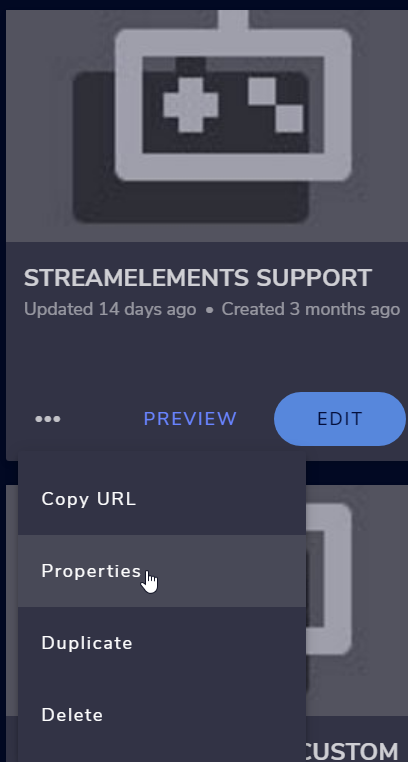 exotic herald
you're a saint
wary halo


 ebon forum
 rain jacinth
Bot duplicates text
rain jacinth
Bot duplicates text
Check if you have a second process for the custom bot name running in the background.
That usually happens with GroundControl running multiple bot.exe processes
 harsh lark
I can't run my stream on twitch. when I go to my channel I don't see my stream
ebon forum
harsh lark
I can't run my stream on twitch. when I go to my channel I don't see my stream
would need more details to help you.
 versed isle
Hello, my Overlay Alertbox isn't working anymore. When a event triggers, nothing happens. I'm using the Alertbox since Months and it worked correctly, but now, its not reacting.
ebon forum
versed isle
Hello, my Overlay Alertbox isn't working anymore. When a event triggers, nothing...
just the alertbox? do you get the events in the activity feed?
If yes, you can refresh the cache of the browser source in OBS and check again
versed isle
ebon forum
just the alertbox? do you get the events in the activity feed?
Yes. In the Events are my latest events visible. Already refreshed, same problem. Also deactivated Widget in Overlay and reactivated - refreshed cache after that - same result.
ebon forum
versed isle
Yes. In the Events are my latest events visible. Already refreshed, same problem...
can you open the overlay in a browser and check if you can replay events or emulate new ones?
ebon forum
what was it?
versed isle
Alerts where paused in my Ground Control - never mentioned that o.O - but thanks for your help.
were*
rain jacinth
ebon forum
Check if you have a second process for the custom bot name running in the backgr...
In task manager?
ebon forum
ah yeah makes sense
ebon forum
rain jacinth
In task manager?
yes
versed isle
 ebon forum
rain jacinth
I cant find it in the background
ebon forum
rain jacinth
I cant find it in the background
you use obs.live for the custom bot name?
 ivory horizon
hier ook nederlands??
wary halo
ivory horizon
hier ook nederlands??
#🇳🇱︱nederlands <<
versed isle
so my alerts are working fine, thanks for the help. Have a great Easter Holiday Guys.
rain jacinth
How do i disable it?
ebon forum
Switch from the custom bot name back to StreamElements and test it
rain jacinth
How do i do that?
ebon forum
rain jacinth
How do i do that?
3 stripe menu in the activity feed in OBS.Live - custom bot name - set to StreamElements
 arctic valley
Hi is possible to add a custom text to speech ? Ty
ebon forum
arctic valley
Hi is possible to add a custom text to speech ? Ty
what exactly would be custom? we can't customize it, but we have a lot of voices to choose from.
arctic valley
ebon forum
what exactly would be custom? we can't customize it, but we have a lot of voices...
fe if i would like to use my voice as a text to speech
rain jacinth
@ebon forum I uninstalled ground control and the bots name got reset back to streamelements and now it doesnt duplicate text
ebon forum
rain jacinth
<@!149255081194160129> I uninstalled ground control and the bots name got reset ...
Ok. yeah i tried to figure out if you use that function via OBS.Live or Ground Control
ebon forum
arctic valley
fe if i would like to use my voice as a text to speech
Not possible. TTS is a complex thing, we use a lot of voices for it, but it is not possible to upload your own.
arctic valley
ebon forum
Not possible. TTS is a complex thing, we use a lot of voices for it, but it is n...
ok, thank you
rain jacinth
Is there anyway to have the custom name without it duplicating?
ebon forum
rain jacinth
Is there anyway to have the custom name without it duplicating?
Via OBS.Live - try it out
wary halo
can do while live yes
rain jacinth
It crashed my OBS XD
rain jacinth
All the docks started to flicker and stuff and just borked XD

 marsh copper
is there a way to get streamelements commands over onto a discord server aswell?
marsh copper
will there ever be or do i have to do it manually?
 scarlet tiger
You can use some discord bot.
marsh copper
yea i know but then i have to do it manually, if there was a streamelements discord bot i could do it automatically but thanks tho
 mighty garnet
Um is it possible to stream with your overlays on ps4
viscid pebbleBOT
@mighty garnet Consoles do not have native support for overlays. You would need a capture card, PS4 remote play or Xbox companion app and a PC with OBS in order to have overlays over your console gameplay.
We have a blog post about how to set up console streaming with our essential tools: https://blog.streamelements.com/how-to-stream-on-console-7b620b1c46c3
nimble dune
^
mighty garnet
Ok thank you
 gloomy burrow
Is there a way to import overlay themes from streamlabs into stream elements?
ebon forum
gloomy burrow
Is there a way to import overlay themes from streamlabs into stream elements?
yes, either via website or via SLOBS
viscid pebbleBOT
@gloomy burrow In order to import scenes/overlays from SLOBS, you need to have OBS.Live installed.
After you install OBS.Live, click on StreamElements on top, then on Import from other services and then click on StreamLabs - Import Now
Each scene from SLOBS will be imported as a stand alone Overlay here: https://streamelements.com/dashboard/overlays
gloomy burrow
ok, that was a lot easier than I thought it would be. Thanks!
Keeps saying failed to import 
wary halo
- You need to have StreamElements and streamlabs open at the same time
- Overlays owned by streamlabs cannot be imported due to copyright issues
- or it could be the size of the files, I'm checking on the max file size right now.
it's 30mb per file
gloomy burrow
I did it through exporting the file on streamlabs and importing the scene on obs live, but want to upload the sources to the cloud
 neon crest
can I dm any SE Agent ? I can't have one on the website, it's about a sponsors that I'm doing rn
viscid pebbleBOT
@neon crest Please contact us via email for support with your campaign or sponsorship. You can use our contact form here: https://streamelements.com/contact Thank you.
neon crest
ty
 blissful sundial
anyone able to assist with account merging? I understand the limitations and have the username/JWT tokens from both accounts
ebon forum
blissful sundial
anyone able to assist with account merging? I understand the limitations and hav...
Yes. Feel free to DM me with the tokes (sensitive information).
 granite fern
Hi, I want the chatbot to thank and list all the users that are hosting my Twitch stream. What would be the command for that? Thanks
granite fern
wary halo
https://streamelements.com/dashboard/bot-modules
Thanks, but that's not what I'm after. I want the bot to list all the users that are currently hosting the stream i.e. "Thank you to all the following users who are currently hosting my stream; MrTest, OneDuck, BigMike, Gamer100"
ionic kelp
@granite fern 1 sec
$(customapi.https://api.crunchprank.net/twitch/hosts/channelnamehere?implode)
Replace obvious spot
granite fern
ionic kelp
`$(customapi.https://api.crunchprank.net/twitch/hosts/channelnamehere?implode)`
Awesome, i'll try this. Thank you :)
harsh lark
I can't run my stream on twitch. when I go to my channel I don't see my stream when I log in to my twitch account, I log in to my broadcast directly from the page, and it doesn't start
 fallen agate
hi, how can i connect another twitch channel with streamelements?
viscid pebbleBOT
Account Merging - Please note:
- Merging accounts only allows faster ways to switch between accounts
- Merging accounts does not allow data sharing between accounts - different streaming platforms, different type of events
- Merging accounts allows duplicating/sharing overlays between the accounts
If you understand the limitations of merging and want to proceed, please find the JWT tokens (!jwt) from both accounts you want to merge and you will be directed to DM them to a staff member
ebon forum
Saw that issue multiple times today.
Disable your custom bot name function and enable it again, that fixes it.
Set the bot back to default please.
And then turn it on again. Restarting OBS.Live during that also helps.
Like i said, set the bot to default (which is StreamElements, not your channel name or custom bot name).
Restart OBS.Live
that issue will be fixed.
It can. If you set the bot to StreamElements which is default, the bot will reply with the StreamElements account.
Custom bot name IS a custom function and can sometimes be buggy, this is why we disable it for testing purposes.
And only with running OBS.Live the custom bot name is active.
So yes, you see the shiny "SAVE" button? Press it, close OBS.Live, test the bot in chat.
Again - custom bot name can't physically be active when OBS.live is not running, the system is using OBS.Live as a proxy.

See that? Tells me that custom bot name is enabled

 viscid pebbleBOT
@quaint shuttle The !watchtime command is directly tied to the Loyalty system. The Loyalty system must be enabled for viewers' watchtime to count up.
To enable Loyalty, please go to the Loyalty section of your account: https://streamelements.com/dashboard/loyalty
Watchtime counts up every 10 minutes alongside Loyalty points, and only while the stream is live. Reruns will not be counted.
Please note that watchtime is not tracked by Twitch and there is no way to retroactively apply past watchtime to viewers.
StreamElements
The Ultimate All in One Platform for Streamers
ebon forum
so you are either using another instance or GroundControl to run the custom bot name @cosmic remnant
 quaint shuttle
viscid pebble
<@!241261901265371137> The !watchtime command is directly tied to the Loyalty sy...
quaint shuttle
viscid pebble
<@!241261901265371137> The !watchtime command is directly tied to the Loyalty sy...
oh great thank you!
ebon forum
By saving that as "StreamElements" and making sure no instance of OBS.Live is running anywhere with the custom bot name @cosmic remnant
Yes
Like i said, OBS.Live is pretty much a proxy that enables the custom bot name function, without it it always reverts to default.
Please check your processes then, you might have one running in the background.
was about to suggest that
ember iron
When using OBS, all alerts are working BUT when someone cheers me bits, I see the bits in the twitch chat but not in the activity feed. This means I don't get an alert from my overlay. This was working just fine until I "re-branded" my twitch. I changed my twitch name and all of a sudden the alerts are a bit wonky. I signed out/re-installed both obs and stream elements and still the problem occurs. Does anyone know how to resolve this? (not sure if this is in the right chat channel so I do apologize if it is not).
viscid pebbleBOT
@ember iron If you changed your name on Twitch, please follow these steps:
- Visit https://streamelements.com/logout and then log in again by connecting with Twitch.
- On the right side of the dashboard page that opens, select Join under bot settings. If it says Part select that and then select Join to send the bot to the chat. Don't forget to mod the bot by typing /mod streamelements in your channel if you have not already.
- Post your old and your new name here so that we can update your channel's chatstats tracking (must be done by staff).
@cosmic remnant If your commands recently stopped working and you're using OBS.Live and a custom bot name do the following:
- In OBS.Live, click on the hamburger menu (three stripes) at the top left of your activity feed
- Click on Stream Settings > Custom bot name
- In the Custom bot name field select Set custom bot name, not your already existing username (with capital letters). Note: If you already connected an account that way, the third entry will show as the account name (see image https://i.imgur.com/sO7fWOX.png).
- Scroll a bit down and click on the purple Connect Custom Bot Account button
- Log in as usual and Authorize the custom bot name
- Back in the Activity feed, click on the Send Test Message button and check if your custom bot name starts working again
ember iron
Alright, I preformed steps 1 and 2, so for step 3 I'll provide you with my old name and new name
Old wazupmynu33ets
New nu33ets
ebon forum
Please follow the exact custom bot fix that i posted for OBS.Live
this will reset everything so you can set it up as you like
There is nothing else we can do.
One more thing:
https://www.twitch.tv/settings/connections
Go here and delete the connection to StreamElements.

This will force stop the connection from the Twitch end of things.
Check now
Well we killed the connection
Remove the bot, log out, log back in, add the bot. All that on the website
wary halo
where did you try to join it?
viscid pebbleBOT
Go to the Dashboard > Right side > Part channel > Join channel(https://streamelements.com/dashboard)
 charred gulch
Evening, How can I sync my emotes to add the correct emotes to the emote bomb widget? I just uploaded a new emote but it is showing the old one.

 obsidian bramble
Hi, sorry I'm new to discord so sorry if I'm doing this all wrong. I'm wondering if a staff member can help me out via private message. This is regarding stream elements on twitch.
viscid pebbleBOT
@cosmic remnant SE.PAY is available for streamers who are at least 18 years old, with bank account under their name in one of the following countries and have at least 101 follower (Twitch) / 101 subscribers (YouTube):
Austria, Belgium, Czech Republic, Denmark, Finland, France, Germany, Ireland , Italy, Netherlands, Poland, Portugal, Slovakia, Spain, Sweden, Switzerland, United Kingdom, United States.
If you meet these criteria and don’t see SE.Pay, let us know.
For information on SE.Pay payment methods, their fees and settlement times see https://streamelements.com/dashboard/tipping/fees
viscid pebbleBOT
@obsidian bramble Welcome to the helpdesk! Please let us know how we can assist you today and a support volunteer or staff member will assist you as soon as they are available. Thank you for your patience.
ebon forum

 hearty fjord
can someone help me? this is what keeps happening with images I try to import which makes it a pain to arrange my overlay
is there an easier way to resize images on streamelements?
 brazen bloom
Hello! Can someone assist me in setting up commands for mods only and also for changing an existing command to mod only? Thank you!!!
wary halo
brazen bloom
Hello! Can someone assist me in setting up commands for mods only and also for c...
https://youtu.be/l6Xcq_kBBbw?t=80 from 1.20
 potent delta
Hello! I'm looking to get some help with the: Contact an Agent button on Streamelements website, it doesn't prompt me with a live chat. But I need some assistance with my sponsorship.
viscid pebbleBOT
@potent delta Please contact us via email for support with your campaign or sponsorship. You can use our contact form here: https://streamelements.com/contact Thank you.
potent delta
Done and Done! Last time I had a live chat, thats why I was wondering
 keen wadi
Is it possible to extend a SE Sponsorship?
viscid pebbleBOT
@keen wadi Please contact us via email for support with your campaign or sponsorship. You can use our contact form here: https://streamelements.com/contact Thank you.
keen wadi
Thank you!!
brazen bloom
wary halo
<https://youtu.be/l6Xcq_kBBbw?t=80> from 1.20
Thank you!! Any idea how I can do this within Twitch? I don’t have access to the streamer’s stream elements dashboard.


 fickle ravine
hearty fjord
fickle ravine
hearty fjord
You'd be much better using the overlay pieces in OBS itself rather than SE so you can resize and move easier and adding the labels in streamelements seperately
wary halo
and getting higher CPU usage doing that
hearty fjord
doing the SE or OBS one?
wary halo
try using the size and position settings
hearty fjord
it does the same thing
wary halo
the SE one is better for resources because it's only loading one browser source and not 10 files
hearty fjord
wary halo
the SE one is better for resources because it's only loading one browser source ...
right thats why im trying to do it this way
like would it be easier to just make the full overlay in photoshop and then import the full image over?
instead of using multiple images snapping
wary halo
If it's the same picture every time, just copy the other one, that way it should already be the same size as the others
fickle ravine
hearty fjord
doing the SE or OBS one?
No just add the image into OBS or OBS live and work it around in there
hearty fjord
even when I increase the res it still doesnt seem to make much of a difference since if it gets too big or too small then it freaks out
wary halo
fickle ravine
No just add the image into OBS or OBS live and work it around in there
again, that will use more resources as you need to load more files
hearty fjord
yeah and im trying not to do that since im working with a gaming laptop
fickle ravine
wary halo
again, that will use more resources as you need to load more files
It will, but easier to edit around
hearty fjord
I can stream just fine but idk if my PC can handle all the sources
wary halo
As you can see, that is not what the user wants
fickle ravine
Plus they're static images so it's not exactly a huge increase
hearty fjord
well some will be gifs tbh
like if I were to import a full overlay image that I made in photoshop would that work and what would the res need to be to fill the whole scene without stretching?
wary halo
default overlay size is 1920x1080
hearty fjord
oh ok so then adding a 1920x1080 image would fill SE just fine then
wary halo
yup
hearty fjord
I would just have to work on how to arrange everything properly so that it translates onto SE
then ill just add the widgets on top of that to make it easier
wary halo
fickle ravine
Major thing to remember, if you do add it all into one image and then put it into the overlay you can't physically move everything manually
hearty fjord
Im able to move my widgets by hand just fine when I have them on top of my current images
wary halo
That is true, but since they have photoshop they can always change it when needed
fickle ravine
So if your camera border is on the same image as your dono bar etc, you'll have to reshuffle the image and reupload
wary halo
You can still move the widgets, just not the image
fickle ravine
Yeah it's just effort for something that should be simple 😂