#helpdesk-twitch
1 messages · Page 842 of 1
 lament blade
 ornate heart
hey guys, can overlays be exported and imported between 2 SE accounts? I have a twitch one and a fb gaming one and i wanna move the overlays from one to the other without starting from scratch?
 ionic kelp
@ornate heart Click the 3 dots under the overlay in the library and click duplicate. You should have an option to copy to your other account.
ornate heart
@ionic kelp that's if your 2 channels are under 1 SE account - Mine are 2 separate SE accounts
 viscid pebbleBOT
"Follow these steps to grant managers/moderators access to your dashboard:
- Click on your channel name at the top of the dashboard
- Create a new invite at one of three access levels (Bot Supervisor, Editor, Full Control)
- Send this invite to a mod/manager to give them access to your dashboard. The link is one-time-use and expires after 72 hours if not accepted
Video tutorial: https://youtu.be/zl_h-ttZDF0"
ionic kelp
Then you can do it.
ionic kelp
You can either irreversibly merge your accounts to do as I initially said or you can keep them separate and be added as an editor and keep them separate.
ornate heart
how do i merge accounts - i didn't see you say that previously?
ionic kelp
I didn't. I was referring to the copy while linked.
ornate heart
can you see how i may be confused?
ionic kelp
Yeah.
With them currently separated you can add yourself as an editor to copy it the way I initially said.
You can also merge the accounts together (And can't be undone without deleting both accounts) and making a simple flop back and forth between accounts to copy it instead of logging in and out.
 jaunty finch
Good night, how are you? My name is Raphael and I'm having problems with the store and about "!" in my lives. I have the items registered in the store but they don't appear in the store, only on my streamelements dashboard. I also have a problem about "!", I create my commands but they don't work in my lives. What can it be?
ornate heart
ok ok so i've made myself editor from both, but not sure how i now duplicate the overlay from my fb to my twitch
ionic kelp
While you're "roleplaying" as your twitch click the 3 dots for the overlay you wanna copy and then choose duplicate.
ionic kelp
@jaunty finch Did you set the correct usage for them to be redeemed?
ionic kelp
Next one.
ionic kelp
Would help if the bot was in your chat.
viscid pebbleBOT
Go to the Dashboard > Right side > Part channel > Join channel(https://streamelements.com/dashboard)
 ionic kelp
Yeah. Think that was the issue.
jaunty finch
thanks for the help of the commands. But the problem of not showing items in my store continues :/
ionic kelp
You've got them set to be redeemed via chat. Not the website #helpdesk-twitch message
ionic kelp
That's redeem from chat. Not website.
jaunty finch
is already in this configuration
okkkk
now everything is right! Thanks a lot for the help. It was very quick and helpful. good night
❤️
 brisk hull
im having trouble setting up stream store alerts. for some reason when it is redeemed half the alert is cut out on slobs. anyone else have this issue?
ionic kelp
2 things.
viscid pebbleBOT
We're not able to troubleshoot issues with using our overlays in StreamLabs OBS (SLOBS) as we don't have the tools to support their software. We recommend using OBS Studio or OBS Studio with our plugin OBS.Live.
The default resolution for StreamElements overlays (theme and custom) is 1920x1080. Please add them in OBS at their full resolution and use CTRL+F to fit to screen if necessary. You can then downscale your stream in OBS settings > Video if you'd like https://i.imgur.com/6bWXxjR.png
 brisk hull
ty
 near horizon
Hi I'm trying to use chat stats for my twitch chat but everytime i go to the link for where it'd be I get the error saying page not found. Is there anyway to fix this or will it be created with time?
lament blade
did you chance your name recently?
viscid pebbleBOT
Please provide your account ID found at the top of this page: https://streamelements.com/dashboard/account/channels This ID is public info and safe to share here.
near horizon
viscid pebble
Please provide your account ID found at the top of this page: <https://streamele...
5ff6ed28dc4aef4dec7a6179
lament blade
does anyone know how to tweet a link to their twitch live stream from OBS when they go live
ionic kelp
2 ways.
There's the automatic way which has partial limits or the manual way from a custom dock.
lament blade
like if i click "start streaming" it'll send a tweet as soon as the stream is live
ionic kelp
Social media tab at the very bottom of the dashboard.
lament blade
i just see StreamElements live support on the bottom of OBS
ionic kelp
The tab on the left.
lament blade
im using OBS 26.1.1 64 bit- windows
ionic kelp
No.
It's on the website.
@near horizon It should be working again. Otherwise wait a little bit for it to wanna behave.
near horizon
okay thank you :)
 thin fiber
Hola. He cambiado mi nombre en Twitch, y desde entonces, no me reconoce ningún comando de Streamelents en el chat. Me reconoce todos los que tengo con Nightbot, pero ninguno de Streamelents. He cerrado y abierto sesión varias veces, pero nada. ¿por qué puede ser?. Gracias
 vital vault
does the ' Google Sheet To-Do List ' command also work with pastebin, because its not pasting anything for me in chat.
code in streamelements:
${customapi.https://pastebin.com/raw/bwUY7fT5?todo=$(queryencode $(1:))}
code in pastebin:
var todo = (request.parameter.todo || "").trim();
if (todo == '') {
return ContentService.createTextOutput('you need to give me something to do!');
}
SpreadsheetApp.getActiveSheet().appendRow([todo]);
return ContentService.createTextOutput('thanks! This will get done later (hopefully)');
}``` grave plank
morning guys.. Is there a reason im missing here for why TTS is just refusing to work? Does it need to be on for the master variation (i.e Subscriber) for it to trigger on the variation?
 west fog
hi guys... for some reason, none of my commands are working. i tried parting and rejoining the streamelements bot from the stream but nothing is working. is there something else that i could do or try? would really like some help on this one 🙂
viscid pebbleBOT
If your commands recently stopped working and you're using OBS.Live and a custom bot name do the following:
- In OBS.Live, click on the hamburger menu (three stripes) at the top left of your activity feed
- Click on Stream Settings > Custom bot name
- In the Custom bot name field select Set custom bot name, not your already existing username (with capital letters). Note: If you already connected an account that way, the third entry will show as the account name (see image https://i.imgur.com/sO7fWOX.png).
- Scroll a bit down and click on the purple Connect Custom Bot Account button
- Log in as usual and Authorize the custom bot name
- Back in the Activity feed, click on the Send Test Message button and check if your custom bot name starts working again
 west fog
i dont have the hamburger
west fog
i dont have activity feed in OBS.Live
viscid pebbleBOT
StreamElements menu, on top of OBS > Logout > Login
west fog
okk i figured it out. thank you so much for the help. much appreciated 🙂
 analog hawk
i have a question for a sponsored payout, can any1 quickly help me?
 torn kettle
😋
viscid pebbleBOT
@torn kettle Read and follow our server rules:
- We do not tolerate toxicity! Treat the community team, staff and all members with respect.
- No advertisement or channel promotion, anywhere on the server.
- No NSFW/NSFL
- No unsolicited DMs or friend requests to server members
Make sure to read the #welcome in any server you join.
analog hawk
It says: Please enter your first and last name as they appear on your PayPal account under the 'Profile' menu:
i do exactly that and it tells me
The account information could not be validated by PayPal. Please verify that your details are exactly as they are in your PayPal account (name and email address).
maybe the @googlemail is important
viscid pebbleBOT
Please contact us via email for support with SE.Pay. You can use our contact form here: https://streamelements.com/contact Thank you.
ionic kelp
Disregarding that message fill out that form and someone will help you.
analog hawk
ok nvm it was the ending
vital vault
what programming language can i use in custom commands?
 soft onyx
Hello,
Is it possible to link channel point reward to SE commands or to Item on the store ?
analog hawk
like @googlemail.com
ionic kelp
No.
 nimble owl
guys I cant loadup my follow sounds. are the servers slow rn?
analog hawk
got it now, thx doe @ionic kelp ❤️
ionic kelp
ionic kelp
No.
@soft onyx For you btw.
nimble owl
 soft onyx
ionic kelp
<@!179695522435694592> For you btw.
soft onyx
ionic kelp
<@!179695522435694592> For you btw.
Bad news. I will have to use other website to link my sound asset. Thanks
ionic kelp
What browser are you trying this in?
nimble owl
firefox like always
ionic kelp
Could you try in chrome please?
nimble owl
its just today they wont load
sure
gimme a sec
same there
its like the servers are overwhelmed with traffic all the sudden
or the cloud or whatever xP

 wary halo
But then it would be a lot more busy in here :P
nimble owl
true
wary halo
You are the only one reporting this issue
nimble owl
🤔
wait let me check if its my connection
nah its good on my side

I dident change anything 🤔
I tried logging out and in again but its the same
well then again its only if I load up the videos/media ive stored online
everything else works fine
Il just check in tomorrow and see if its better
eh I dident mean that in a rude way ofc xD
il just check if its better tomorrow :3
nimble owl
in incognito nothing is loading in from the cloud
I guess the things that do load in are from cookies on normal mode or something
guys il check tomorrow. maby something is just slow today and they need to reset something
 unreal crypt
excuse me please, people donated me but i forgot to save where the money should go and now there is standing that all tips are lost at 15 February and now the 16 February can I do something to get the tips anyway?
vital vault
I've been trying to make this code work for ages now... at the point of giving up. it doesn't seem to understand what I want it to do.
$(customapi.https://script.google.com/macros/s/AKfycbxG7v5CQVthjv_rueqOB3m51agsYWurA3qUJRiRFcI42rnOh7WZ/exec?input=$(queryencode $(1:))&user=$(sender))
by the way when i paste the link in my browser it does give me the right response, but its not pasting in chat? the code thats in Google Script is:
  var input = (request.parameter.input || "").trim().toLowerCase();

  if (input.includes("nothing")) {
    return ContentService.createTextOutput('you need to give me something to do!');
  }
  else{
  return ContentService.createTextOutput('thanks! This will get done later (hopefully)');
  }
}```
btw I do get that the person needs to type "nothing" for it to get that..excuse me please, people donated me but i forgot to save where the money should go and now there is standing that all tips are lost at 15 February and now the 16 February can I do something to get the tips anyway?
 elfin atlas
I deleted a few inappropriate donations in the sessiondata -> labels -> Recent tips. They are not in the list there anymore. Nevertheless they still show up in the total tips. Is there a way to delete them?
wary halo
https://youtu.be/PsoxlbI-3ss @fluid creek @random current @plain bronze
 plain bronze
Thanks 🙏 il take a look
 fluid creek
thanks
wary halo
TTS options are inside the alertbox widget as shown in the video
 marble ferry
Hi guys, after that I change my twitch username the bot doesn't work, what can i do?
 modest garnet
Is it normal Dashboard doenst show my followers - I have 180 but it says 0. Maybe it gives the followers during the stream?
viscid pebbleBOT
@marble ferry If you changed your name on Twitch, please follow these steps:
- Visit https://streamelements.com/logout and then log in again by connecting with Twitch.
- On the right side of the dashboard page that opens, select Join under bot settings. If it says Part select that and then select Join to send the bot to the chat. Don't forget to mod the bot by typing /mod streamelements in your channel if you have not already.
- Post your old and your new name here so that we can update your channel's chatstats tracking (must be done by staff).
wary halo
modest garnet
Is it normal Dashboard doenst show my followers - I have 180 but it says 0. Mayb...
This is the amount you got for this month
Look at the top bar ;)
modest garnet
wary halo
This is the amount you got for this month
Offcourse - Thnx again
wary halo

lament blade
HI I NEDD SOME HELP FOR CREATE MY OVERLAY IN STREAMELEMENTS FOR OBS PLEASE
sorry about capital leters
 south snow
lament blade
HI I NEDD SOME HELP FOR CREATE MY OVERLAY IN STREAMELEMENTS FOR OBS PLEASE
south snow
lament blade
HI I NEDD SOME HELP FOR CREATE MY OVERLAY IN STREAMELEMENTS FOR OBS PLEASE
If you already have your own overlays you can add them to My Overlays> Create new Overlay
If you want to use some of the free themes from SE go to Themes gallery
viscid pebbleBOT
@lament blade To add your overlays to OBS, add a new browser source in your scene. Paste your overlay URL in the browser source properties, set the dimensions to 1920x1080 (unless you changed them on the website) and check Shutdown source when not visible. https://youtu.be/KDvLynUqXI4
south snow
viscid pebble
<@456226577798135808> To add your overlays to OBS, add a new browser source in y...
this
lament blade
how to i make my stream elements put my discord link and other stuff in my chat
 elder oracle
hey i want to have obs on my vertical monitor but the layout looks very shitty then bc i need the chat and events in there but also the scenes audiom etc. how can i make that custome ?
 remote cradle
i'm trying to get media requests set up. i'm able to get the backup playlist playing, but i have no idea how my viewers can submit free requests. help appreciated
lament blade
my bot isnt working
 trim pelican
How can i put my OVerlays from Onwd3D, Which i bouhgt, import to Streamelements
ionic kelp
Unless they have instructions on how to do that you have to manually add the files.
lament blade
my commands wont work
ionic kelp
Channel name? no links.
viscid pebbleBOT
If you changed your name on Twitch, please follow these steps:
- Visit https://streamelements.com/logout and then log in again by connecting with Twitch.
- On the right side of the dashboard page that opens, select Join under bot settings. If it says Part select that and then select Join to send the bot to the chat. Don't forget to mod the bot by typing /mod streamelements in your channel if you have not already.
- Post your old and your new name here so that we can update your channel's chatstats tracking (must be done by staff).
ionic kelp
Disregard #3 as I have that handled.
ionic kelp
Do part.
lament blade
part im super confused sorry im new to this
viscid pebbleBOT
Go to the Dashboard > Right side > Part channel > Join channel(https://streamelements.com/dashboard)
 feral sierra
my alerts are not triggering. is there a way to reset the overlay
 tawny anchor
Anyone can help me to create a waiting queue with the chatbot that increases automatticaly when a specific command is used?
 unborn stratus
can i have some help
plz
is there any way i can chat with someone
on one on one
 finite raven
hiii, anyone know how to make refollows not show up on stream?
ionic kelp
@finite raven There is a way but it's an all or none "blockage". You basically block ANY alerts from the username.
finite raven
yea, i banned a person and they refollowed, so didnt want that
unborn stratus
Im trying to put a custom overly webm file on stream elements. can you tell me how to do it.
ionic kelp
Here > tipping settings tab > Tipping moderstion at bottom > enable custom filter and add their name. https://streamelements.com/dashboard/tipping-settings
finite raven
thanks!
vital vault
in this customapi streamelements replies with $(sender) instead of the actual username of the user. I have the following code set in streamelements command:
$(customapi.https://script.google.com/macros/s/AKfycbxG7v5CQVthjv_rueqOB3m51agsYWurA3qUJRiRFcI42rnOh7WZ/exec?input=$(queryencode $(1:))&user=$(sender))
this is the return value from Google Script:
return ContentService.createTextOutput("Hey ${sender}. Welcome to the stream! I hope you enjoy it.")
I thought the user=$(sender) in the streamelements command would replace this with the actual username??
unreal crypt
excuse me please, people donated me but i forgot to save where the money should go and now there is standing that all tips are lost at 15 February and now the 16 February can I do something to get the tips anyway?
viscid pebbleBOT
@unreal crypt Please provide your account ID found at the top of this page: https://streamelements.com/dashboard/account/channels This ID is public info and safe to share here.
thin fiber
Hello. I've changed my name on Twitch, and since then, no Streamelents commands in chat have recognized me. I recognize all the ones I have with Nightbot, but none from Streamelents. I've logged out and logged in multiple times, but nothing. Does somebody knows why it could be?. Thanks
ionic kelp
channel name? no links.
 shrewd frigate
how do i change the stream name and game on twitch
thin fiber
ionic kelp
channel name? no links.
newthezar_
ionic kelp
Could you disable follower mode please?
thin fiber
ionic kelp
Could you disable follower mode please?
Thank you. The problem is solved
 sullen atlas
im using a local file as video source but im not getting audio in stream. video coming thru perfect
 muted sail
Is there a way to add a current viewer count widget to my overlays?
ionic kelp
Should be a widget I believe. Just click the + symbol in the editor and search for viewer. Should show you where it is.
muted sail
yup, I'll give it a shot, thanks!
Ah, doesn't appear to be one for current view count. All good 🙂
 nimble dune
Hi, can staff reset my tipping page background and header to the default image?
 drowsy egret
nimble dune
Hi, can staff reset my tipping page background and header to the default image?
drowsy egret
nimble dune
Hi, can staff reset my tipping page background and header to the default image?
sure, whats your account id?
nimble dune
drowsy egret
sure, whats your account id?
59832b7df3b13a44f61c27fd
drowsy egret
nimble dune
59832b7df3b13a44f61c27fd
done 😄
nimble dune
Thank you! 
 granite talon
heyy i need help with streaming on twitch directly from xbox can someone help me on here?
drowsy egret
granite talon
heyy i need help with streaming on twitch directly from xbox can someone help me...
this article might help you https://blog.streamelements.com/how-to-stream-on-console-7b620b1c46c3
 ebon forum

granite talon
drowsy egret
this article might help you <https://blog.streamelements.com/how-to-stream-on-co...
ok thank you :))
 placid raptor
 @granite talon
granite talon
it isnt letting me include party audio on my xbox when streaming on twitch??
placid raptor
no tagging of groups plz kthx
 topaz bluff
hello I have a problem because when I put the overlay in obs it doesn't put the complete overlay only the half appears
viscid pebbleBOT
The default resolution for StreamElements overlays (theme and custom) is 1920x1080. Please add them in OBS at their full resolution and use CTRL+F to fit to screen if necessary. You can then downscale your stream in OBS settings > Video if you'd like https://i.imgur.com/6bWXxjR.png
topaz bluff
thanks
granite talon
its not letting me include xbox party audio on twitch when all my settings are okay and on twitch it lets me mute and unmute party chat option but not decrease or increase volume, it doesnt let my party members include their audio also
on xbox series x
placid raptor
use the xbox app
and stream on PC
0 idea on how that works, but if you're connected to your party via your controller it won't be heard
granite talon
placid raptor
0 idea on how that works, but if you're connected to your party via your control...
oh ok ok thank you so much!
placid raptor
it needs to go via your desktop audio and the xbox app allows you to chat with your party on your PC
no worries
 cloud portal
We figured it out. It had a extra space when we copy n pasted it
granite talon
thank u :)_
 lusty wedge
I'm trying to put animation on text like animation in and out but it's not doing the affect i pick do i need to do anything else?
 velvet spoke

drowsy egret
lusty wedge
I'm trying to put animation on text like animation in and out but it's not doing...
make sure you're also editing the alert variations as they may override the one you're editing
lusty wedge
drowsy egret
make sure you're also editing the alert variations as they may override the one ...
its for the Alpha Rotating Feed to show my recent bits.followers and subs and i'm trying to put it slide in and out but it will not do that?
 marble cave
 drowsy egret
lusty wedge
its for the Alpha Rotating Feed to show my recent bits.followers and subs and i'...
drowsy egret
lusty wedge
its for the Alpha Rotating Feed to show my recent bits.followers and subs and i'...
I think this is because it uses custom css
 teal crater
Hi, How do I set a cooldown as a Channel moderator in twitch chat? Is this correct? !command add !test -cd 120 this is a test! ?
drowsy egret
teal crater
Hi, How do I set a cooldown as a Channel moderator in twitch chat? Is this corre...
first add the command and then edit it with !command options test -cd 120
viscid pebbleBOT
You can add, remove and make changes to custom commands in chat with !command/!cmd flags:
!command add (commandname) (commandresponse) - allows you **to add **a new custom command
!command remove (commandname) - allows you to delete a custom command
!command edit (commandname) (commandresponse) - allows you to edit an existing custom command
!command show (commandname) - allows you to see the raw response of a command before variables are used
!command options (commandname) -(flag) - allows you to change settings for an existing custom command
!command alias basecommand - Shows the alias commands for !basecommand
!command alias add basecommand aliascommand1 aliascommand2 - Adds alias commands !aliascommand1 and !aliascommand2 for command !basecommand
!command alias remove basecommand aliascommand1 - Removes alias command !aliascommand1 from command !basecommand
Valid flags for !cmd options include: -enable -disable -cd (number in seconds) -usercd (number in seconds) -cost (number) -level (number) -type (say, whisper or reply) -count (number)
Syntax example: !cmd options twitter -usercd 60 -type reply -level 250
drowsy egret
@unique charm please refrain from posting links to your channels
 unique charm
Sorry
viscid pebbleBOT
@unique charm Go to the Dashboard > Right side > Part channel > Join channel(https://streamelements.com/dashboard)
unique charm
@drowsy egret Thanks bro
 lean saddle
when I try to upload a custom .mp3file for my follower notification in my stream, it doesn't get added. It just says "file uploading..."
ionic kelp
What browser are you trying it in?
lean saddle
?
ionic kelp
We can't help you with streamlabs.
lean saddle
wtf
ionic kelp
We're 2 different companies.
lean saddle
others helped me here too and didn't say anything about it being the wrong server
ionic kelp
No idea but we can't help you if you're using streamlabs.
lean saddle
bruh
viscid pebbleBOT
We're not able to troubleshoot issues with using our overlays in StreamLabs OBS (SLOBS) as we don't have the tools to support their software. We recommend using OBS Studio or OBS Studio with our plugin OBS.Live.
 opal moon
viscid pebbleBOT
opal moon
viscid pebbleBOT
@opal moon The !watchtime command is directly tied to the Loyalty system. The Loyalty system must be enabled for viewers' watchtime to count up.
To enable Loyalty, please go to the Loyalty section of your account: https://streamelements.com/dashboard/loyalty
Watchtime counts up every 10 minutes alongside Loyalty points, and only while the stream is live. Reruns will not be counted.
Please note that watchtime is not tracked by Twitch and there is no way to retroactively apply past watchtime to viewers.
granite talon
then it comes up this but on my preferences it doesnt come up anything related and the other preferences are all ok but i just want to fix the situation w party chat then i will b ok
 clear galleon
is there any way to overlay my stream chat onto my screen so I can read the chat without having to go into obs?
viscid pebbleBOT
@clear galleon If you have one monitor and/or would like the chat overlay on the screen, please look at the link below.
Please note this is not a plugin for OBS and not maintained by SE.
https://github.com/baffler/Transparent-Twitch-Chat-Overlay
clear galleon
thank you!
 quasi quest
Hey
 signal badge
Can someone fix the topcat432 chat stats page?
 ashen rapids
How can I upload overlays to my obs?
viscid pebbleBOT
@ashen rapids To add your overlays to OBS, add a new browser source in your scene. Paste your overlay URL in the browser source properties, set the dimensions to 1920x1080 (unless you changed them on the website) and check Shutdown source when not visible. https://youtu.be/KDvLynUqXI4
 vagrant nymph
Make a new source and select Browser and paste the link from streamlink there. @ashen rapids
drowsy egret
signal badge
Can someone fix the topcat432 chat stats page?
did he recently change his username?
signal badge
nope
vagrant nymph
My chatstats aren't working any advice? It just shows a 404 page: https://stats.streamelements.com/c/izbuddyiz
Also not sure if this is related but my chat bot also isn't working. I just had the bot part from my channel and had it rejoin but am not sure how to test to see if it works without going live again. Any advice would be super helpful thanks!
 solemn meteor
Can you add overlays on iPhone to twitch channel?
vagrant nymph
What do you mean by overlays from your iPhone @solemn meteor
 ivory kettle
What happened to the host alerts??? Someone hosted me and I didn't hear an alert
viscid pebbleBOT
@ivory kettle "Due to changes to Twitch API, we have filtered out hosts and will only show these ones on your activity feed:
- All hosts coming from an online channel with at least 1+ viewer
- Auto host events with at least 1 viewer - only from a channel that just went offline
Note: If you see X channel has hosted you with no viewers on the back, that is considered an offline host or a host with 0 viewers, we do not show these."
 hot iron
anyone tell me how to disable trhe streamelemtnts bot
vagrant nymph
hot iron
anyone tell me how to disable trhe streamelemtnts bot
on my dashboard click part underneath the bot on the right
hot iron
does it say part chanell
vagrant nymph
Yeah if you click part channel that will remove the bot
If you need it back just click join channel
hot iron
ok
 sick owl
Como configuro o pacote completo own3d ?
viscid pebbleBOT
@sick owl Welcome to the helpdesk! The regular helpdesk channels are in English but we do provide multi-language support in the following channels: #🇩🇪︱deutsch | #🇫🇷︱français | #🇪🇸︱español | #🇵🇹︱português | #🇳🇱︱nederlands | #🇮🇹︱italiano | #🇵🇱︱polski | #🇨🇳︱中文語言服務區-chinese | #🇯🇵︱日本語-japanese | #🇭🇺︱magyar | #🇰🇷︱한국어-korean | #🇹🇭︱ไทย-thai | #🇷🇺︱русский | #🇺🇦︱українська | #🇨🇿︱czech
vagrant nymph
My chatstats aren't working any advice? It just shows a 404 page: https://stats.streamelements.com/c/izbuddyiz
Also not sure if this is related but my chat bot also isn't working. I just had the bot part from my channel and had it rejoin but am not sure how to test to see if it works without going live again. Any advice would be super helpful thanks!

StreamElements
Description Chat Stats tracks emote usage on Twitch in real time. See which emotes are the most popular on every Twitch channel
drowsy egret
vagrant nymph
My chatstats aren't working any advice? It just shows a 404 page: https://stats....
did you recently change your username?
 drifting mica
I'm having a serious problem with streamelements where my alerts don't work on live, but when I do the test everything works, even appears in the obs. I didn't find anything about it while doing my research, if anyone knows and explains how it works for me I would be grateful 🙂
vagrant nymph
drowsy egret
did you recently change your username?
I believe I changed my name last year, but that was before I even connected stream elements to my account. Could that be the problem?
 alpine stream
not sure if this is the right section, do you have a chat widget similar to sreamlabs? I want to migrate to stream elements but I don't see the twitch chat box as an option.
alpine stream
Thanks!
ivory kettle
Thank you!
drowsy egret
vagrant nymph
I believe I changed my name last year, but that was before I even connected stre...
should be fine then, I'll need your account id
viscid pebbleBOT
@vagrant nymph Please provide your account ID found at the top of this page: https://streamelements.com/dashboard/account/channels This ID is public info and safe to share here.
 floral knot
Is there any way to make the scrolling text wider than the default width? I want to make it scroll across the bottom of my screen
vagrant nymph
drowsy egret
should be fine then, I'll need your account id
601f350ee9998bdf60fbdc81
drowsy egret
vagrant nymph
601f350ee9998bdf60fbdc81
chat stats page is up 😄
drowsy egret
vagrant nymph
601f350ee9998bdf60fbdc81
bot seems to also be working so let us know if you need any further assistance
vagrant nymph
drowsy egret
should be fine then, I'll need your account id
Thanks so much, I see the messages you sent as well as the stream elements test. I really appreciate it. 🎉
If you have a moment, one thing that I think I am not understanding is why my custom commands are not showing up. for example, I made !discord command but when I type that in the chat window its not posting the message an url I made. I have it set to everyone. Am I doing something wrong?
drowsy egret
vagrant nymph
Thanks so much, I see the messages you sent as well as the stream elements test....
try this
viscid pebbleBOT
@vagrant nymph If your commands recently stopped working and you're using OBS.Live and a custom bot name do the following:
- In OBS.Live, click on the hamburger menu (three stripes) at the top left of your activity feed
- Click on Stream Settings > Custom bot name
- In the Custom bot name field select Set custom bot name, not your already existing username (with capital letters). Note: If you already connected an account that way, the third entry will show as the account name (see image https://i.imgur.com/sO7fWOX.png).
- Scroll a bit down and click on the purple Connect Custom Bot Account button
- Log in as usual and Authorize the custom bot name
- Back in the Activity feed, click on the Send Test Message button and check if your custom bot name starts working again
vagrant nymph
drowsy egret
try this
Incredible! Its all working now! You are the best! I followed you for being so helpful! Thanks so much again!
drifting mica
drifting mica
I'm having a serious problem with streamelements where my alerts don't work on l...
Does anyone know how to solve this?
viscid pebbleBOT
@drifting mica Please provide your account ID found at the top of this page: https://streamelements.com/dashboard/account/channels This ID is public info and safe to share here.
drifting mica
viscid pebble
<@!512432668559015966> Please provide your account ID found at the top of this p...
5fa95bf230478a28da51bfd1
wary halo
i've send it to staff
drifting mica
wary halo
i've send it to staff
ok 👍
 abstract hemlock
drifting mica
ok 👍
abstract hemlock
drifting mica
ok 👍
Everything should be good for now on
drifting mica
abstract hemlock
Everything should be good for now on
Okay, I'm going to test this
unborn stratus
how do i fix the gift alert the words are all bunch up how to fix it
viscid pebbleBOT
@unborn stratus Please provide a proper screenshot with the issue visible. If not sure how to take a screenshot, you can check here: https://www.take-a-screenshot.org
drifting mica
abstract hemlock
Everything should be good for now on
Thank you everything is right now
 leaden hamlet
I feel stupid asking this but does streamelements hide personal info that paypal would share when tips are used? I was informed by a viewer that SE does not help hide personal info.
ionic kelp
That's beyond what SE can do.
That's why we generally suggest upgrading to a business account as that does offer that "security".
 lusty mirage
hey so when i use stream elements and i get a tip through is there a way to connect it to my alert box iff so can someone help me do it?
 fringe egret
hey yo does anyone know why setting up SE Pay always fails? its not giving me details why it failed. just fails once i put all my info to withdraw my balance out
unborn stratus
how do i fix the gift alert the words are all bunch up how to fix it
viscid pebbleBOT
@fringe egret Please contact us via email for support with SE.Pay. You can use our contact form here: https://streamelements.com/contact Thank you.
 charred cosmos
Hi, I made the mistake of connecting streamelements with facebook for a test, now that I'm back on twitch I can't reconnect activity feed to twitch
viscid pebbleBOT
StreamElements menu, on top of OBS > Logout > Login
unborn stratus
how do i fix the gift alert the words are all bunch up how to fix it
viscid pebbleBOT
@unborn stratus Please provide your account ID found at the top of this page: https://streamelements.com/dashboard/account/channels This ID is public info and safe to share here.
 feral forge
Curious, is there a way to disable BTTV/FFZ/other non-Twitch emotes?
 rancid peak
My media songs wont play on stream. How do you fix that?
 worn wadi
Hi. Using Stream Elements through LightStream but the overlays aren't showing up once i import them. I can see the outline and the Stream Elements logo but not the actual theme i chose and edited in SE. Any thoughts?
 clever jolt
Hello I need some help I have a bot that's called OWN3D. It's coming from StreamElements. How do I remove that. Thank you
 acoustic galleon
Is there any type of outage not being reported? I have tried to make 2 overlays in the last few hours and when I go to edit them I get the second image
unborn stratus
how do i fix the gift alert the words are all bunch up how to fix it can someone help me
viscid pebbleBOT
@acoustic galleon Please provide your account ID found at the top of this page: https://streamelements.com/dashboard/account/channels This ID is public info and safe to share here.
@unborn stratus Please provide your account ID found at the top of this page: https://streamelements.com/dashboard/account/channels This ID is public info and safe to share here.
acoustic galleon
The Acct ID is 602c2dfc531613e1dfc05a19
abstract hemlock
i'll report this to our dev team, and they will check into it
 eager copper
trying to delete my account? Can someone let me know how I can do this?
I just get Username not valid when trying to Close My Account in the settings menu
abstract hemlock
send us an email with the same information as the form to support@streamelements.com @eager copper
clever jolt
Sorry wrong chat
eager copper
abstract hemlock
send us an email with the same information as the form to support@streamelements...
sent
lusty wedge
i'm using the Alpha Rotating Feed to show my recent bits.followers and subs and i'm trying to put it slide in and out but it will not do that?
 teal trout
@lusty wedge Hello, for this particular custom widget you'll want to set the 'Animation Options' towards the bottom of the widget Settings, not in Animation settings.
abstract hemlock
@lusty wedge custom widgets are meant to be use at is it, since we did't made those you need to check with the person that code it
@serene kayak please let me know your accountId
 serene kayak
im gonna have to get back to you later. sorry for the waste of time today
lusty wedge
@teal trout hi i have tired that but it doesn't do anything rip
 wide fulcrum
is there anyway to turn off the mediashare tipping on my tip page? and how do i know if tts is on for my tips?
teal trout
wide fulcrum
is there anyway to turn off the mediashare tipping on my tip page? and how do i ...
You can disable media requests via the slider on the top left of this page https://streamelements.com/dashboard/mediarequest/general. As for the TTS, you can check if it is enabled in the overlay editor. Click your alertbox, go into the setting for Tip alert, and check the TTS settings tab.
 vocal bridge
I am trying to go live via streamelements on twitch but a Start Streaming to YouTube box keeps popping up. I don’t know what’s wrong and I’m kinda sad
viscid pebbleBOT
@vocal bridge StreamElements menu, on top of OBS > Logout > Login
vocal bridge
I actually X out instead smh. Do I open it back up?
vocal bridge
I’m logged into my twitch
drowsy egret
There's 2 logins, one for OBS and one for StreamElements, you're logged into your youtube account on SE
 modest birch
Doing my first giveaway with stream elements on twitch
wide fulcrum
teal trout
You can disable media requests via the slider on the top left of this page https...
thank you!!
vocal bridge
drowsy egret
you can still click the StreamElements menu
Found the stream elements menu
drowsy egret
vocal bridge
Is there a way to disconnect YouTube from the elements
yes, there's a StreamElements menu on your OBS.Live, click it and click logout, then login with your twitch account
modest birch
any advice. cause I dont even know how to control the giveaway
vocal bridge
drowsy egret
yes, there's a StreamElements menu on your OBS.Live, click it and click logout, ...
Oh ok I’m doing it now
vocal bridge
drowsy egret
yes, there's a StreamElements menu on your OBS.Live, click it and click logout, ...
Will my discord show that I am stream from stream elements? I’m not sure if there is a set up for that.
drowsy egret
vocal bridge
Will my discord show that I am stream from stream elements? I’m not sure if ther...
nope, discord will only say you're streaming on twitch
vocal bridge
Oh ok that’s what I was hoping for thanks
vocal bridge
drowsy egret
nope, discord will only say you're streaming on twitch
That’s what I was hoping for thanks
drowsy egret
modest birch
any advice. cause I dont even know how to control the giveaway
it's pretty simple, you just create your giveaway on here https://streamelements.com/dashboard/giveaways and make your viewers enter it by typing !enter in chat, you can then close it and pick a winner
vocal bridge
I think it’s working it’s moving slower than usual tho
Now it says becoming a streaming legend. Do I log in again?
Oh wow I clicked twitch and it took me to my stream elements page while in stream elements.
modest birch
drowsy egret
it's pretty simple, you just create your giveaway on here <https://streamelement...
How do you start the giveaway drawing?
drowsy egret
modest birch
How do you start the giveaway drawing?
once you create the giveaway you will see this
you can close the giveaway and pick the winners on that page
 lyric shore
Hello! My twitch bot stopped working recently! Anyone know how I can fix this?
vocal bridge
Thanks for your help. Thought that my desktop audio was working but it’s not. How do I fix this?
viscid pebbleBOT
@lyric shore Go to the Dashboard > Right side > Part channel > Join channel(https://streamelements.com/dashboard)
@vocal bridge Obs.live is a plugin for OBS Studio for the best OBS support, please join their Official Discord @ discord.gg/obsproject
 idle sentinel
I have OBS with the OBS live installed and everything is a go, but I don't see where I can set up custom alerts. Can someone help me?
viscid pebbleBOT
@idle sentinel New to StreamElements?
Check out our YouTube channel https://www.youtube.com/c/streamelements/videos
with tutorial videos from setting up the basics, to in-depth details on how to use our product.
New to OBS? Here is a 4 step quick start guide
https://obsproject.com/wiki/OBS-Studio-Quickstart
Want to learn even more? Here is an in-depth overview
https://obsproject.com/wiki/OBS-Studio-Overview
 steady brook
how do I set an overlay
viscid pebbleBOT
@steady brook To add your overlays to OBS, add a new browser source in your scene. Paste your overlay URL in the browser source properties, set the dimensions to 1920x1080 (unless you changed them on the website) and check Shutdown source when not visible. https://youtu.be/KDvLynUqXI4
lyric shore
Thank you!!!!
 shrewd grove
how do i change the text to the overlay
 pulsar pine
how can I get BTTV emotes to show up on my stream?
viscid pebbleBOT
@shrewd grove We've released our new Overlay Editor revamp. You can check out the changes and how to work with it here: https://youtu.be/X5VzXjqAsjk
Check out our blog post as well: https://blog.streamelements.com/streamelements-overlay-editor-just-got-even-better-c22cb5b4853e
 vapid pulsar
I have updated my store, but the link to my store does not reflect all of the changes - only a few. Is this normal?
abstract hemlock
wdym? @vapid pulsar
vapid pulsar
Woah that was fast! 🙂 lol. I mean that the “Merch.streamelements.com” link shows my products that I’ve updated, but it does not show any other updates. Like name, pictures, etc.
abstract hemlock
@vapid pulsar have you try Hard refresh your browser? (ctrl+shift+r)
vapid pulsar
I have. The link also still has my old twitch name.
abstract hemlock
well about the "old username", each merch store URL is generated with the "current" username so we need to reset it in order to update the URLs
please provide your accountID
viscid pebbleBOT
Please provide your account ID found at the top of this page: https://streamelements.com/dashboard/account/channels This ID is public info and safe to share here.
vapid pulsar
5f4064011385f77456464a4a
abstract hemlock
@vapid pulsar should i proceed?
vapid pulsar
To update the name?
abstract hemlock
reseting the store (once you upload the design again it will generate with your current username)
vapid pulsar
Will it delete all of my current designs?
abstract hemlock
Yes 😦
vapid pulsar
Hmm. Is there a way that I can manually do myself whenever I get ready to do that?
Or do I just come back here?
ionic kelp
It's a staff only thing.
 hardy bronze
How come when i click "start stream" i dont see myself live on twitch?
vapid pulsar
abstract hemlock
Yes 😦
Yes, please reset
abstract hemlock
vapid pulsar
Yes, please reset
done
viscid pebbleBOT
@hardy bronze StreamElements menu, on top of OBS > Logout > Login
vapid pulsar
Thank you. Do I need to have any other pages reset as well?
 boreal geyser
Whenever I switch to a scene my streame element overlay does not pop up is there a way to fix that ?
abstract hemlock
vapid pulsar
Thank you. Do I need to have any other pages reset as well?
that should be all
abstract hemlock
boreal geyser
Whenever I switch to a scene my streame element overlay does not pop up is there...
since all overlays are cloud based it will take some seconds to appear
boreal geyser
abstract hemlock
since all overlays are cloud based it will take some seconds to appear
Even when its been 30 minutes?
 sinful quiver
So normally when I start streaming it should say on discord that i'm streaming with that purple symbol under my name but it hasn't been doing that lately and i was wondering why? please help
 crude bear
Why isn't the StreamElements Leaderboards working? Like it isn't displaying any data.
Like, the Top Chatters leaderboard isn't working. No data is being outputted.
teal trout
sinful quiver
So normally when I start streaming it should say on discord that i'm streaming w...
Hi - You may need to re-enable the 'Automatically Enable/Disable' option under 'Streamer Mode' in your Discord settings.
viscid pebbleBOT
@crude bear If you changed your name on Twitch, please follow these steps:
- Visit https://streamelements.com/logout and then log in again by connecting with Twitch.
- On the right side of the dashboard page that opens, select Join under bot settings. If it says Part select that and then select Join to send the bot to the chat. Don't forget to mod the bot by typing /mod streamelements in your channel if you have not already.
- Post your old and your new name here so that we can update your channel's chatstats tracking (must be done by staff).
 crisp topaz
Hi, my overlays aren't responding to real activity feed events, though they do work when I emulate those events in the browser. I've noticed that my activity feed is showing as empty in both OBS and the streamelements dashboard in the browser, and I think they might be related to the overlays not working. How can I make sure that these events are updating properly? Also, does the activity feed only update (assuming it's updating at all) while I'm live? I'd love to test this integration while I'm not live, and if emulation isn't a full representation of an end to end test, what can I do to test it while not live?
 hollow tartan
HOW DO I SAVE MY OVERLAY TO MY PC??????
viscid pebbleBOT
@hollow tartan To add your overlays to OBS, add a new browser source in your scene. Paste your overlay URL in the browser source properties, set the dimensions to 1920x1080 (unless you changed them on the website) and check Shutdown source when not visible. https://youtu.be/KDvLynUqXI4
@crisp topaz Please provide your account ID found at the top of this page: https://streamelements.com/dashboard/account/channels This ID is public info and safe to share here.
crisp topaz
5ff940f05415bb5934081fcc
ionic kelp
@crisp topaz Everything should behave now. Previously missed things unfortunately were missed. New ones shouldn't be.
crisp topaz
Great, thanks! I did see the test follow just happen so that's great. Was there something I did wrong or just some weird issue?
Just want to make sure if I modify things I won't break it in the future.
ionic kelp
stuff on the backend go  sometimes.
ionic kelp
Just come back if it seems something is amiss and we'll do it again.
lament blade
hi guys
crude bear
viscid pebble
<@!771627443235717141> If you changed your name on Twitch, please follow these s...
i changed my twitch usernae PRIOR to using streamelements. but i did the above instructions anyways. I finished #2 on said instructions, now this is for #3:
old username was radiantMemory
new username is AwakenedMemory
 zenith widget
fixed
 chilly moon
Can anyone help me close my account?
I keep trying to and I get the error "invalid user name"
ionic kelp
try lowercase username
 drifting jewel
HI. i wanna ask if it is possible to bet against my viewers. so currently, the feature in the contest section is that the total prize pool goes divided to everyone.
I want it so that when we bet, the losing team loses all the points they bet, and the winning team doubles up in the points they bet.
Is that plausible? because most times my viewers already know i suck at something and they ALL bet on the lose. but they split very little points for correctly predicting.
 prisma relic
You would have to bet against them as the streamer and put your points "into the pot"
lament blade
Anyone know why I cant get a GIF file to be uploaded?
 uneven geyser
I’m getting issues with SE pay
viscid pebbleBOT
@uneven geyser Please contact us via email for support with SE.Pay. You can use our contact form here: https://streamelements.com/contact Thank you.
zenith widget
@lament blade upload where?
lament blade
I am trying to upload a GIF in StreamElements for my tipping background but for some reason, its not being added to the list of Images
uneven geyser
viscid pebble
<@!686204819643432962> Please contact us via email for support with SE.Pay. You ...
Thank you
zenith widget
@lament blade try in incognito mode
 wheat sparrow
my viewers keep trying to use the watchtime command and it keeps saying that they've been viewing for 0 secs, how can I fix it?
viscid pebbleBOT
The !watchtime command is directly tied to the Loyalty system. The Loyalty system must be enabled for viewers' watchtime to count up.
To enable Loyalty, please go to the Loyalty section of your account: https://streamelements.com/dashboard/loyalty
Watchtime counts up every 10 minutes alongside Loyalty points, and only while the stream is live. Reruns will not be counted.
Please note that watchtime is not tracked by Twitch and there is no way to retroactively apply past watchtime to viewers.
StreamElements
The Ultimate All in One Platform for Streamers
lament blade
Alright
ornate heart
my timers and commands stopped working tonight but loyalty points are still adding? i removed and re-added the bot already but didn't help?
viscid pebbleBOT
@ornate heart If your commands recently stopped working and you're using OBS.Live and a custom bot name do the following:
- In OBS.Live, click on the hamburger menu (three stripes) at the top left of your activity feed
- Click on Stream Settings > Custom bot name
- In the Custom bot name field select Set custom bot name, not your already existing username (with capital letters). Note: If you already connected an account that way, the third entry will show as the account name (see image https://i.imgur.com/sO7fWOX.png).
- Scroll a bit down and click on the purple Connect Custom Bot Account button
- Log in as usual and Authorize the custom bot name
- Back in the Activity feed, click on the Send Test Message button and check if your custom bot name starts working again
drifting jewel
prisma relic
You would have to bet against them as the streamer and put your points "into the...
thanks!
lament blade
how to make a death counter plz
if anyone knows how to make/add a death counter as im looking to add 1
hi
my activity feed doesn't update
got a few followers and it doesn't show in streamelements but it's fine in Twitch
 knotty jewel
Hi there, my SE Bot has stopped 'talking' in my chat. It'll do what the command says, but won't show up in chat
 quaint oriole
Buttons are being blocked, and the 'Supercharge Your Bot' won't close, either.
 halcyon yoke
Hi, If i set OBS with overlay, allert in a pc, and i open OBS in another pc, with the same account, the settings remain?
Sorry for my english
 oak terrace
Hello, is there a way to connect Stream Elements to my Twitter so that I can get it to auto tweet when i am going live on Twitch?
 coarse loom
hey, how fast does a sponsorship take to come into paypal after compleetion?
 marsh canyon
Hello hello. Relatively new to game streaming here, quite seasoned in podcasting etc though. Simple question I hope. Just looking for probable causes/solutions to choppy stream playback via obs to twitch. I have 1Gb upload, broadcasting at a max bitrate of 8000kbps, 1080p, 60fps, barely even hitting my network, but not going higher for fans on lower connections. Ryzen 9 3950x and 2070 Super, system is not overloaded at any point by rendering or encoding as reported by any hardware monitor of choice whilst broadcasting. Ideas?
lament blade
hey, stream cant hear my music but I can. The music video is showing on stream if that helps, I think its super low volume but still playing
 blissful reef
Hello, good afternoon. I have a question that I would like to be able to solve. I tell you. I installed the stream elements obs and I already have more or less configured the oberlay the chst and stuff. The problem is that I don't know why it won't let me capture the screen, that is to say that those windows do not come out so that people can see what I'm playing.
nimble dune
coarse loom
hey, how fast does a sponsorship take to come into paypal after compleetion?
I think 30 days after completion.
viscid pebbleBOT
@blissful reef Obs.live is a plugin for OBS Studio for the best OBS support, please join their Official Discord @ discord.gg/obsproject
 clever rapids
Good Afternoon my Problem is my Streamelementsbot dont do the work he sends no Messages und i dont know what to do please Help me
nimble dune
oak terrace
Hello, is there a way to connect Stream Elements to my Twitter so that I can get...
Yes you can here https://streamelements.com/dashboard/social-media
viscid pebbleBOT
@clever rapids Go to the Dashboard > Right side > Part channel > Join channel(https://streamelements.com/dashboard)
nimble dune
Click part channel and join channel
 loud locust
I'm trying to migrate fully from using anything from streamlabs but the only thing i cant figure out is enabling a chat widget option with transparent background for my just chatting scene. Does stream elements have this feature and Im just unaware of it?
teal trout
loud locust
I'm trying to migrate fully from using anything from streamlabs but the only thi...
In the overlay editor, the chat widget is under 'Stream tools' when you go to add a new widget. From there you can set the chat widget theme to Custom and set the background color to transparent.
loud locust
teal trout
In the overlay editor, the chat widget is under 'Stream tools' when you go to ad...
Awesome! Ill try and check that out! I looked everyone online and couldnt find anything on it!
 short summit
Hey!
Is there a way to give all viewers in chat points at the same time? When I use the 'all' command, does that mean everyone that follows or everyone that is currently active in chat?
teal trout
short summit
Hey!
Is there a way to give all viewers in chat points at the same time? When I...
Hi! This will give points to everyone that is in the chatter list when you use the command, generally meaning anyone whos currently logged in & watching the stream.
short summit
oh perfect, thanks!!
teal trout
short summit
oh perfect, thanks!!
Np
short summit
Sorry I have another question ><
Whenever I change scenes on obs, I get a massive emote-splosion of whatever emotes had just happened on the previous scene. What am I doing wrong? xD
 devout cape
Is there any approval process that a 16 year old, parental supervised Twitch streamer can go through to allow SE.Pay account?
 real jasper
Hi all, I’m wondering if you may be able to help. I withdrawn money from my SEPAY account. How long does it take for the deposit to hit my account or does it very?
lament blade
hi everyone
Just looking for help
for this
I want to make advanced
things in streamelements
but
{
that things how I work with them
any professional help?
 turbid wraith
sup i need help
viscid pebbleBOT
@turbid wraith Welcome to the helpdesk! Please let us know how we can assist you today and a support volunteer or staff member will assist you as soon as they are available. Thank you for your patience.
 hybrid helm
Do I need higher rights to use !nuke?
 worldly elbow
Hey guys, I was just wondering if this is a common problem or not, but i recently started using stream elements for my alerts etc. and my follows work fine and they come up and they show in my activity, but i got a sub and nothing showed, it didnt say it ever happened in the stream elements activity feed, the alert didnt show.. I was just wondering if there is a way to fix it or if its a known issue or anything like that??
 covert garnet
ciao, quando vado a mettere la mail sul collegamento di streamelements mi dice in alto a sinistra saving ma la spunta rimane spenta, sono sicuro al 100 % che la mail è giusta
viscid pebbleBOT
@covert garnet Welcome to the helpdesk! The regular helpdesk channels are in English but we do provide multi-language support in the following channels: #🇩🇪︱deutsch | #🇫🇷︱français | #🇪🇸︱español | #🇵🇹︱português | #🇳🇱︱nederlands | #🇮🇹︱italiano | #🇵🇱︱polski | #🇨🇳︱中文語言服務區-chinese | #🇯🇵︱日本語-japanese | #🇭🇺︱magyar | #🇰🇷︱한국어-korean | #🇹🇭︱ไทย-thai | #🇷🇺︱русский | #🇺🇦︱українська | #🇨🇿︱czech
 thin belfry
Not sure what I'm doing wrong, but when using the "Connection" overlay, the Social tags won't update when I change the text. still says @Instagram
viscid pebbleBOT
@thin belfry To edit the text of a widget, click on it and select Settings at the bottom left.
thin belfry
Thank you
 calm minnow
hey, my gf is having some issues with the host button not showing for her? i tried helping her with enabling dark theme, thinking it would work, but it doesn't..
 kind jacinth
Ehy guys! I started playing Control today but I had a tons of problems (the same I had when I streamed Cyberpunk). Chat not reloading, so not showing me the latest messages, no follow/sub notifications on stream but there was just the sound. Even when I closed the game and switched overlay, it wasn't working! For example, kappagen wasn't working and the latest follow, sub, donation not showing, not even the chat box!
 slim cargo
how do i edit stream title
 half dawn
i need help adding alerts from the overlay i just bought from own3d
teal trout
@slim cargo Stream information can be set through your dashboard on Twitch. http://dashboard.twitch.tv/stream-manager
 viscid pebbleBOT
@half dawn We've released our new Overlay Editor revamp. You can check out the changes and how to work with it here: https://youtu.be/X5VzXjqAsjk
Check out our blog post as well: https://blog.streamelements.com/streamelements-overlay-editor-just-got-even-better-c22cb5b4853e
teal trout
calm minnow
hey, my gf is having some issues with the host button not showing for her? i tri...
Are you referring to the host button that appears under a stream on Twitch? IIRC that is a feature of the BetterTTV Chrome extension. To host someone without the extension, you can type /host username in your Twitch chat.
calm minnow
teal trout
Are you referring to the host button that appears under a stream on Twitch? IIRC...
ah, I don't have BetterTTV installed though, and I see it just fine.. which it why it's weird
and yes, I'm talking about the host button under the streams 🙂 I use Firefox though and she's using Chrome.. I'll have to ask her to try Firefox to see if that would fix it
 knotty mango
Everything was fine with Streamelements until recently, now the modules just dont work anymore
people cant use !roulette !8ball !points
anything like that, cane someone help?
wary halo
did you change your name on twitch?
knotty mango
yes
viscid pebbleBOT
@knotty mango If you changed your name on Twitch, please follow these steps:
- Visit https://streamelements.com/logout and then log in again by connecting with Twitch.
- On the right side of the dashboard page that opens, select Join under bot settings. If it says Part select that and then select Join to send the bot to the chat. Don't forget to mod the bot by typing /mod streamelements in your channel if you have not already.
- Post your old and your new name here so that we can update your channel's chatstats tracking (must be done by staff).
knotty mango
thank you, I'll let yall know if it worked
 exotic flame
How long does it normally take to receive SE. Sponshorship payout?
wary halo
I believe it's around 30 days
exotic flame
oh my... well cheers mate
knotty mango
I dont see anything by the name of bot settings
 peak heron
ok so i keep getting this after the medi starts to play anything i am doing wrong " NO ACTIVE WIDGETS WERE DETECTED FOR MEDIA REQUEST" yes there is a widget for the thing to use
viscid pebbleBOT
@knotty mango If your commands recently stopped working and you're using OBS.Live and a custom bot name do the following:
- In OBS.Live, click on the hamburger menu (three stripes) at the top left of your activity feed
- Click on Stream Settings > Custom bot name
- In the Custom bot name field select Set custom bot name, not your already existing username (with capital letters). Note: If you already connected an account that way, the third entry will show as the account name (see image https://i.imgur.com/sO7fWOX.png).
- Scroll a bit down and click on the purple Connect Custom Bot Account button
- Log in as usual and Authorize the custom bot name
- Back in the Activity feed, click on the Send Test Message button and check if your custom bot name starts working again
knotty mango
I did what that told me and its still not wroking
 fast kindle
how do i get the overlay up?
viscid pebbleBOT
@fast kindle To add your overlays to OBS, add a new browser source in your scene. Paste your overlay URL in the browser source properties, set the dimensions to 1920x1080 (unless you changed them on the website) and check Shutdown source when not visible. https://youtu.be/KDvLynUqXI4
knotty mango
nvm I got it
 brave ferry
hey ^^ can me help anyone?
can i set the custom bot from here and my account by a friend into stream?
twitch **
viscid pebbleBOT
@brave ferry Currently renaming the bot fully works with OBS.Live.
You can follow this video guide to set it up: https://discordapp.com/channels/141203863863558144/494513233416421386/561516184718278676
If you don't want to use OBS.Live and want to stick with Ground Control, please let us know your Twitch username.
brave ferry
thanks. but the thing is, i use the custom bot, another over elements to... only in obslive custom bot accept? or anytime account change in Obs?
better say. how can i handle 2diff. bots accounts, in 2 different channels from here?
drowsy egret
 vague plank
how do i change stream title on obs studios?
vague plank
how do i change stream title on obs studios?
if you're logged into your twitch account on OBS you will be able to add your stream information as a docked window
 carmine vessel
I'm trying to stream but keep getting error 4000. I streamed 6 days ago with no problems. The only device I can watch the stream on is the twitch app on my phone and I only hear audio. I disconnected and reconnected the stream key. Audio and graphics are up to date.
drowsy egret
brave ferry
better say. how can i handle 2diff. bots accounts, in 2 different channels from ...
can you reformulate your question? I don't understand 😦
velvet spoke
carmine vessel
I'm trying to stream but keep getting error 4000. I streamed 6 days ago with no ...
Isn't that the twitch error message you see when trying to watch a stream?
carmine vessel
Only audio is being sent to twitch.
velvet spoke
That usually happens when the stream has wrong (or too high) settings, but that's a stretch
if im not mistaken.
carmine vessel
I've had the same settings for months with no issues. If I can post images of my settings I'll do that.
velvet spoke
Twitch error 4000 indicates that the video you are trying to watch is either unavailable or your browser does not support the respective video format.30 Oct 2020
^ which indicates a wrong format being sent/received by twitch
The reasons why or how to fix it vary
but it's mostly client (player) side.
brave ferry
@drowsy egret so i want to add my twitch acc "xyz" with "xyz" custom bot .. i do this all okay. now I would like to integrate another custombot "123" into channel "123" from here, my question is how is this possible without always having to log out and in between the acc? because I need this code from my colleague every time.
velvet spoke
carmine vessel
I've had the same settings for months with no issues. If I can post images of my...
carmine vessel
I've read that. Those didn't help me. About to run errands. I'll try stuff later.
velvet spoke
Yeah there's no real: "this is the probable cause"-solution.
carmine vessel
I did set up a hook key for a different game for recordings. Would that be an issue?
brave ferry
@drowsy egret do u have any idea?
 deep flower
hey i'm trying to add a follower goal but it isn't displaying my current follower count how would i fix this
carmine vessel
I figured it out. I forgot to change color format back after I was done recording something.
velvet spoke
🙂
See, wrong settings 😉
I usually get it when i overshoot 6000kbps by a lot due to CFR 😛
drowsy egret
brave ferry
<@131420870244564992> so i want to add my twitch acc "xyz" with "xyz" custom bot...
have you tried having those accounts in different OBS profiles?
lament blade
hi gibt es einen deutschen suport?
velvet spoke
#🇩🇪︱deutsch
carmine vessel
I also realized I posted in wrong channel.
lament blade
ok thx
drowsy egret
brave ferry
log twitch acc in obs or what u mean?
whats the purpose here anyways? are these not your channels?
brave ferry
look 420cunox is my acc. 420 + 420 custom bot over live work no problem...
how can i integrate from here subdwellersbot in subdwellers
but dont want anytime log change, is it anyway to manage?
drowsy egret
brave ferry
but dont want anytime log change, is it anyway to manage?
I don't think so, you can keep separate stream accounts on separate profiles but you will always have to relog your bot
brave ferry
bog relog no problem
close the main acc dont work because the other country code
bot log*
can u say me or show a link maybe? really killer if this would work anywise
drowsy egret
brave ferry
can u say me or show a link maybe? really killer if this would work anywise
connect your obs to one account, then create a new profile an connect the second account
 hearty raven
hi i am having problem creating a custom death counter i can't reset the numbers of death of a command no matter how much i try make the command different
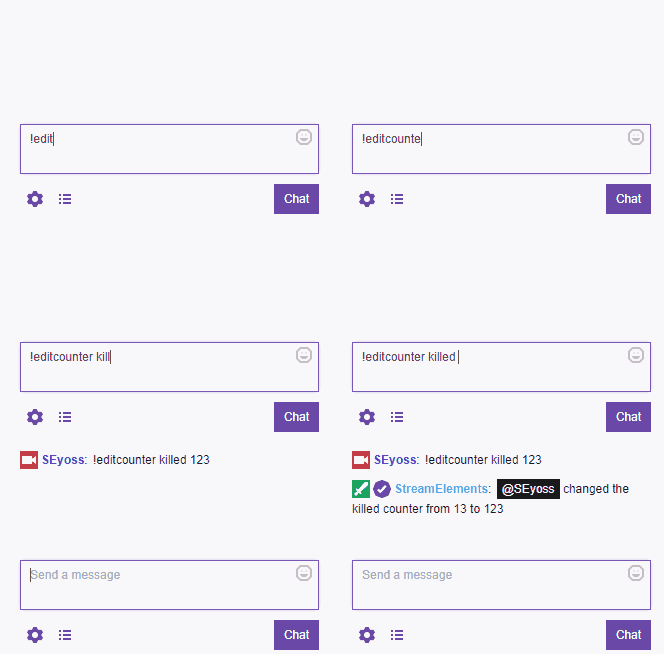 velvet spoke
👍
brave ferry
drowsy egret
connect your obs to one account, then create a new profile an connect the second...
so news.... also
hearty raven
the problem i was having was i was using the variables examples <> instead of just typing the texts
velvet spoke
😄
turbid wraith
yo any staffs?
drowsy egret
turbid wraith
yo any staffs?
how can I help?
turbid wraith
can you maybe unban someone from my songrequest
drowsy egret
turbid wraith
can you maybe unban someone from my songrequest
post your account id and i'll look into it
deep flower
anyone able to help with a number issue while i'm trying to display followers
turbid wraith
drowsy egret
post your account id and i'll look into it
where can i find my account id
or do u mean this
https://i.imgur.com/rOenqJj.png
 drowsy egret
turbid wraith
where can i find my account id
drowsy egret
turbid wraith
where can i find my account id
yes, sorry for not clarifying
drowsy egret
turbid wraith
or do u mean this
https://i.imgur.com/rOenqJj.png
can you copy/paste it here?
teal trout
deep flower
anyone able to help with a number issue while i'm trying to display followers
Hi, what number are you trying to display/which widget are you having issues with?
drowsy egret
turbid wraith
5d6fad4aca2b01a7f6212f83
dm me the user you want unbanned
deep flower
teal trout
Hi, what number are you trying to display/which widget are you having issues wit...
hey i'm trying to set a follower goal and it's not using the correct number and even when i look at all time followers it shows an incorrect number
I assume it's only counting the twitch follows i'ev gotten since i started using elements but i don't know how to change that
brave ferry
@drowsy egret RECOMMAND AS TOP USER/SUPPORT/MEMBER here. cool dude/girl idk, thanks!!!
top. i mean i got my answer :D not these i want but not our problem. :) thanks!!!
teal trout
deep flower
hey i'm trying to set a follower goal and it's not using the correct number and ...
For the goal - you can modify the progress by going into Session Data in the top right of the overlay editor under the Goals tab to reflect your total follower count. As for the 'all-time' followers - I would double check that you're looking at the Total followers widget, not the Follower Count. Follower count is tied to a specific time period, Total followers should reflect how many followers your channel has.
deep flower
teal trout
For the goal - you can modify the progress by going into **Session Data** in the...
thanks i'll give it a look
deep flower
teal trout
For the goal - you can modify the progress by going into **Session Data** in the...
it worked thanks so much
one other quick question how do i set up a shout out command
teal trout
deep flower
one other quick question how do i set up a shout out command
Entering this in your chat would create a basic shoutout command - !command add !shoutout Check out ${1} at https://twitch.tv/${channel ${1}} !
You can learn more about the types of variables you can include in commands here - https://streamelements.com/dashboard/bot-commands/variables
deep flower
thank you
 stable patio
@teal trout JW I am using the Free overlay for my stream, I got a donation but it didnt display it, it will only display Followers.
teal trout
stable patio
<@!806620848889921637> JW I am using the Free overlay for my stream, I got a don...
Are you using StreamElements to accept tips?
 hoary holly
Hey, I'm changing the video on my new Overlay but when I test it for some reason shows the old video and not the new one. Can someone help, please? (I already Saved)
stable patio
@teal trout yes, do I need to redo mine?
drowsy egret
hoary holly
Hey, I'm changing the video on my new Overlay but when I test it for some reason...
check alert variations, they might be overriding the main one
steady brook
how do I add game capture to an overlay
teal trout
stable patio
<@!806620848889921637> yes, do I need to redo mine?
To clarify - does the tip show up in your activity feed on StreamElements, it's just not playing the alert on the overlay?
steady brook
Yes
lament blade
Hello
steady brook
it is obs
lament blade
Anyone have free, good overlay?
lament blade
lament blade
Anyone have free, good overlay?
!!!!!!+
drowsy egret
steady brook
it is obs
click the + sign on sources and select game capture

@steady brook your overlay should be on top of your game capture source
lament blade
I say anyone have own free?
can someone give me the command !Slots help if I enter that I lose 99% of the time. Can you change that?
Help me*
teal trout
stable patio
<@!806620848889921637> ya it does
In the overlay editor, click on the alertbox and verify that Tip alert is toggled on. If it is, take a look at the settings- there could be a minimum amount set for the alert to show
teal trout
lament blade
Anyone have free, good overlay?
StreamElements has a bunch of cool overlays available for free - https://streamelements.com/features/superthemes

StreamElements
SuperThemes are stunning, free and ready to use overlays. Choose an overlay for your favorite game, customize as your own and start streaming
stable patio
@teal trout got it Thanks! It was randomly turned off
drowsy egret
lament blade
can someone give me the command !Slots help if I enter that I lose 99% of the ti...
you can customize that on your dashboard under bot modules (https://streamelements.com/dashboard/bot-modules)
 tranquil apex
anyone having trouble with the store redemptions?
 blazing briar
Heya, was wondering if there was a way I can view a list of only the people who have gifted subs in my channel please
lament blade
Thx @drowsy egret got it
drowsy egret
blazing briar
Heya, was wondering if there was a way I can view a list of only the people who ...
I don't know if there's a different way but you can use the leaderboards extension to see this
blazing briar
yeh I tried that but this only gives top 50, I am looking for all time - but thanks
tranquil apex
I'm trying to use the audios on the overlay, but none are playing
drowsy egret
blazing briar
yeh I tried that but this only gives top 50, I am looking for all time - but tha...
I suggest you reach out directly to twitch, they might be able to provide that
teal trout
lament blade
Hi - this looks like a Tip Goal. You can add this in the overlay editor under Labels -> Tips -> Goals -> Tip Goal
brave ferry
hey is it possivle to change the followage custom? cant find anything the variable for follow
drowsy egret
brave ferry
hey is it possivle to change the followage custom? cant find anything the variab...
you would have to use a custom api for that
 elfin berry
When i create an alert overlay on streamelements and put it on one of my scenes it shows but when I copy and paste it into the other scenes it doesn't show up...
 vagrant ocean
hello my host alert is not showing and I've got it from 0 people host... raid shows correctly, not show on the chat and not on the stream alert 😦
elfin berry
why?
viscid pebbleBOT
@vagrant ocean "Due to changes to Twitch API, we have filtered out hosts and will only show these ones on your activity feed:
- All hosts coming from an online channel with at least 1+ viewer
- Auto host events with at least 1 viewer - only from a channel that just went offline
Note: If you see X channel has hosted you with no viewers on the back, that is considered an offline host or a host with 0 viewers, we do not show these."
hoary holly
@drowsy egret That was the problem yeah, not changing the alert variations. But now even changing the Variations settings it doesn't show the new version on Preview.
drowsy egret
elfin berry
When i create an alert overlay on streamelements and put it on one of my scenes ...
uhm, you don't have to copy/paste them, you can add a browser source and it will show up as existing so you select that one
elfin berry
drowsy egret
uhm, you don't have to copy/paste them, you can add a browser source and it will...

 drowsy egret
 strong pike
is media request dead?
strong pike
is media request dead?
not for me, have you tried relogging?
hoary holly
For some reason the font on my obs is different from streamelements preview, someone know how to fix?
elfin berry
How do you change streamelements bot name?
teal trout
elfin berry
How do you change streamelements bot name?
Through OBS.Live - here's a guide https://support.streamelements.com/hc/en-us/articles/360017413239-Creating-a-Custom-Bot-name-with-OBS-Live-

StreamElements
Currently, renaming your StreamElements bot to display a custom name\the broadcaster's name,
Can be achieved either with Ground Control, or with OBS.Live.
If you are not currently using the Groun...
elfin berry
When i go to streamelements > bot & tipping settings Im stuck at this window

@teal trout
teal trout
Have you tried clicking 'Do it later' in the top right?
elfin berry
teal trout
Have you tried clicking 'Do it later' in the top right?
options are Leave or Continue, leave exits out and continue doesnt do anything
teal trout
Hmm, I've gotten stuck in this before too - try relogging
viscid pebbleBOT
@elfin berry StreamElements menu, on top of OBS > Logout > Login
tranquil apex
tranquil apex
I'm trying to use the audios on the overlay, but none are playing
anyone?
 foggy heart
tranquil apex
anyone?
foggy heart
tranquil apex
anyone?
is the alert itself playing? Like an image?
tranquil apex
@foggy heart That's the thing, when I open the preview tab, it doesn't play anything, but on the OBS itself plays,
foggy heart
tranquil apex
<@!801850149260886118> That's the thing, when I open the preview tab, it doesn't...
So it plays in OBS. It doesn't play in the preview tab, but does it play in the overlay tab when you emulate?
lament blade
Hello I need some help on making a custom command ? where would i go fo that?
foggy heart
lament blade
Hello I need some help on making a custom command ? where would i go fo that?
You can check out some stuff here: https://support.streamelements.com/hc/en-us/articles/115000373852-Chat-Commands-
tranquil apex
@foggy heart when I emulate no
elfin berry
viscid pebble
<@!658544342289481748> **StreamElements** menu, on top of OBS **> Logout > Login...
Nothing changed
nevermind!
drowsy egret
@elfin berry press the back button
elfin berry
I see it now in my activity feed!
drowsy egret
ah nice
elfin berry
Thankk you
 vague hedge
Hello! I am having trouble starting my stream. Every time i click "start stream" on OBS it says "starting the output failed"
foggy heart
tranquil apex
<@!801850149260886118> when I emulate no
So the preview will have to be of the saved overlay, I don't believe it updates as you make changes. Also, if it works in OBS you should be seeing something in the overlay editor.
lament blade
ive seen all of the available items but im trying to create a command in which a command is ran then automatically gives loyalty points. any idea on what that would look like with the variables?
tranquil apex
foggy heart
So the preview will have to be of the saved overlay, I don't believe it updates ...
that's the thing, on the editor or preview, it doesnt play the audio
teal trout
vague hedge
Hello! I am having trouble starting my stream. Every time i click "start stream"...
Hi, one thing you can try is going into Settings -> Output and changing the encoder to x264 if it's not already
foggy heart
tranquil apex
that's the thing, on the editor or preview, it doesnt play the audio
So if the audio isn't playing on the editor in a web browser, is it possible that the site is muted?
vague hedge
Thank you! That worked!! @teal trout
teal trout
vague hedge
Thank you! That worked!! <@!806620848889921637>
Np. This likely means that your graphics card drivers are out of date, or otherwise don't support GPU encoding.
brave ferry
here fly questions in :D rlly guys oh .. support next here how start i the programm? :D
lament blade
is there a way to make a check in command that would grant the user loyalty points?
foggy heart
lament blade
is there a way to make a check in command that would grant the user loyalty poin...
you can use the ! addpoints command to give a user points
lament blade
right, i get that, but is there a way to make a command that would almost be automated after a specific command is ran... Lets say someone comes in and types in !checkin and that command would grant them 50 loyalty points
 keen narwhal
Hi There. I've copied the SE URL as an overlay Web element in OBS, but I can't get the animation to play/work. I tried simulated, and live.
foggy heart
lament blade
right, i get that, but is there a way to make a command that would almost be aut...
I think you could make that command, but there isn't a native way to do it. Might be worth checking out the command share channel
foggy heart
keen narwhal
Hi There. I've copied the SE URL as an overlay Web element in OBS, but I can't g...
Have you saved the overlay before trying to emulate it? And do you have the overlay showing up over the other captures?
lament blade
which channel is that? @foggy heart
keen narwhal
foggy heart
Have you saved the overlay before trying to emulate it? And do you have the over...
I have tried both, yes
lament blade
nvm
drowsy egret
lament blade
right, i get that, but is there a way to make a command that would almost be aut...
I think I have a way, let me try it out
 kindred mural
Hey all. I'm having a weird issue where if I have obs studio open, streamelements bot will not work. Here is a video of it happening. https://streamable.com/09yt14
 foggy heart
keen narwhal
I have tried both, yes
foggy heart
keen narwhal
I have tried both, yes
I would try removing the overlay and re-adding it. Also, do you not hear sound as well as not see the alert when you emulate it through OBS?
viscid pebbleBOT
@kindred mural If your commands recently stopped working and you're using OBS.Live and a custom bot name do the following:
- In OBS.Live, click on the hamburger menu (three stripes) at the top left of your activity feed
- Click on Stream Settings > Custom bot name
- In the Custom bot name field select Set custom bot name, not your already existing username (with capital letters). Note: If you already connected an account that way, the third entry will show as the account name (see image https://i.imgur.com/sO7fWOX.png).
- Scroll a bit down and click on the purple Connect Custom Bot Account button
- Log in as usual and Authorize the custom bot name
- Back in the Activity feed, click on the Send Test Message button and check if your custom bot name starts working again
kindred mural
viscid pebble
<@!196046552395939840> If your commands recently stopped working and you're usin...
Legendary Support lives up to the name. Thanks! ❤️
drowsy egret
@lament blade false alarm, my idea didn't work 
 humble plaza
Hi y'all, I have a problem with one of the alert layers. Cheer alert doesn't save any changes and stays with default sound and animation. Can you guys tell me what should I do with it?
foggy heart
humble plaza
Hi y'all, I have a problem with one of the alert layers. Cheer alert doesn't sav...
Check you variation settings, sometimes these can override what you have set to the defaults.
 wary creek
Hello, I configured the overlays on the stream elements website, copied the link, and inside the obs opened as a browser with the right link, but for some reason it's not showing up on live, can someone help me?
drowsy egret
wary creek
Hello, I configured the overlays on the stream elements website, copied the link...
is this for alerts?
wary creek
yep
humble plaza
foggy heart
Check you variation settings, sometimes these can override what you have set to ...
It was really that simple?! Thanks a million! 


 fringe swan
I'm having issues uploading .webm files into Streamelements as an alert video. It keeps saying that it's an unsupported file format. Any help on what I could try?
keen narwhal
foggy heart
I would try removing the overlay and re-adding it. Also, do you not hear sound a...
I don't see or hear anything, no. I will try to remove and readd though
foggy heart
keen narwhal
I don't see or hear anything, no. I will try to remove and readd though
Sure thing. If you're still having issues it might help to see a screenshot of your overlay settings
drowsy egret
lament blade
dang <@!131420870244564992> i was excited lol
maybe someone at #dev-chat has an idea on how it could be done
wary creek
wary creek
Hello, I configured the overlays on the stream elements website, copied the link...
somebody help me, please? I've tried everything
 full harness
Hey Folks - Having some issues with Store Redemptions not coming through as alerts, the sound works, I have the correct widget overlay set up and the test one works, but the real one doesn't!
foggy heart
fringe swan
I'm having issues uploading .webm files into Streamelements as an alert video. I...
Have you had success with other formats? webm should be supported, but the file itself might just have an issue. It may also be worth testing another webm to see if that works.
fringe swan
foggy heart
Have you had success with other formats? webm should be supported, but the file ...
I have tried rendering the video as a .mp4 and it uploaded fine but it doesn't have the transparent background as .webm would. I've tried rendering it multiple different times, but I can try and render it through Adobe media encoder rather than through premiere and see what happens
foggy heart
fringe swan
I have tried rendering the video as a .mp4 and it uploaded fine but it doesn't h...
That might be worth a try! I just tried a webm and it worked fine for me, so the format itself should't be the issue
 calm zenith
Anyone else having problems with the Streamelements bot? My bot kept timing out an extension bot for posting a link so I did "!bot mute" and now I can't "!bot unmute" none of the commands are working
 native kestrel
hi
abstract hemlock
@calm zenith check the unmute button on the dashboard
viscid pebbleBOT
Go to the Dashboard > Right side > Part channel > Join channel(https://streamelements.com/dashboard)
calm zenith
THANKS @abstract hemlock
native kestrel
my streamelements bot stopped working when i opened my last live, what should i do to make it work again?
viscid pebbleBOT
@native kestrel Go to the Dashboard > Right side > Part channel > Join channel(https://streamelements.com/dashboard)
calm zenith
^^^ @native kestrel same. it's still not working. Does it take some time? @abstract hemlock I did part channel and rejoined
fringe swan
@foggy heart I found the issue (you may want to add this to your list of things to ask people to double check). The issue was Safari not allowing StreamElements to recognize .webm files. The moment I switched to Chrome, the files were no longer grayed out and uploaded immediately
native kestrel
Which transmission software should I use, aiming that my pc does not support OBS?
foggy heart
fringe swan
<@801850149260886118> I found the issue (you may want to add this to your list ...
Good to know! We do recommend that everyone use chrome as other browsers don't work well with the editor.
calm zenith
Okay I changed the custom bot to my username and then back to streamelements and that seemed to fix it
 fierce forge
I'm having an issue with my alert sounds. I use Elgato Wavelink to split my audio, and I hear the alerts perfectly clear in my headphones (at about 50% master volume so the Youtube music isnt too loud in my ears) and the stream sound is barely audible when I'm live and on VODs (master volume at 100%). I have tried to boost the volume on the alerts to 90% and it hasn't changed anything. Been trying to figure out a solution for a while, any help?
native kestrel
when i try to add my chat to the layers of my transmission it just doesn’t appear, it’s a completely black screen. Why does this happen and what should I do to resolve it?
lament blade
anoymore ideas
 halcyon remnant
anyone available to teach an old dog? want to make sure i know what im doing before o start streaming
viscid pebbleBOT
@halcyon remnant New to StreamElements?
Check out our YouTube channel https://www.youtube.com/c/streamelements/videos
with tutorial videos from setting up the basics, to in-depth details on how to use our product.
New to OBS? Here is a 4 step quick start guide
https://obsproject.com/wiki/OBS-Studio-Quickstart
Want to learn even more? Here is an in-depth overview
https://obsproject.com/wiki/OBS-Studio-Overview
foggy heart
fierce forge
I'm having an issue with my alert sounds. I use Elgato Wavelink to split my audi...
Are you adjusting the audio through OBS or through the overlay editor? That might be why in stream it's not getting any louder.
foggy heart
native kestrel
when i try to add my chat to the layers of my transmission it just doesn’t appea...
When you add it, it might just be blank if there's no chat. When you start chatting, you should see things populate. Also, you'll want to make sure that your overlays are the size/resolution you want them to be
 surreal cradle
can anyone help me its saying i am live but i go to twitch and it is not streaming how do i fix?
foggy heart
surreal cradle
can anyone help me its saying i am live but i go to twitch and it is not streami...
you'll want to make sure you have your streaming software (like OBS) properly connected with Twitch
surreal cradle
it is
lament blade
anyother ideas for the chat command giving loyalty points?
fierce forge
foggy heart
Are you adjusting the audio through OBS or through the overlay editor? That migh...
Through the overlay editor. When I select “Control audio via OBS” it duplicates my alerts
fierce forge
fierce forge
Through the overlay editor. When I select “Control audio via OBS” it duplicates ...
I’ll try that option and see if it works differently than last time. Let you know if it’s still giving me issues on my stream tonight.
viscid pebbleBOT
@fierce forge If you are not hearing your alerts and/or Media Request, you are most likely using the Control Audio via OBS option in your browser source properties.
To make sure you hear the alerts and the stream also hears them, follow along the screenshot bellow.
https://cdn.discordapp.com/attachments/199460642975907840/685371800456134686/unknown.png

 lyric lava
hello everyone. I'm trying to stream using OBS NDI but I'm losing a lot of FPS in game could anyone help please? thank you
halcyon remnant
I just need someone to walk me through all this, not a bunch of 30 second videos im an automated respomse plz and ty
keen narwhal
foggy heart
Sure thing. If you're still having issues it might help to see a screenshot of y...
Still having issues, here are screenshots:
native kestrel
foggy heart
When you add it, it might just be blank if there's no chat. When you start chatt...
oh thanks, but even with chat messages, they don't appear
keen narwhal
foggy heart
Sure thing. If you're still having issues it might help to see a screenshot of y...
 tranquil apex
foggy heart
So if the audio isn't playing on the editor in a web browser, is it possible tha...
tranquil apex
foggy heart
So if the audio isn't playing on the editor in a web browser, is it possible tha...
I checked, it wasnt muted
drowsy egret
halcyon remnant
I just need someone to walk me through all this, not a bunch of 30 second videos...
what exactly do you need to know?
drowsy egret
lyric lava
hello everyone. I'm trying to stream using OBS NDI but I'm losing a lot of FPS i...
if you have an nvidia card try streaming with the NVENC encoder
foggy heart
keen narwhal
Can you share your overlay settings in the editor?
foggy heart
native kestrel
oh thanks, but even with chat messages, they don't appear
Can you share a screenshot of your overlay settings?
keen narwhal
foggy heart
Can you share your overlay settings in the editor?
OK so I got things to show up, but the scale is all wack... I must be doing something wrong:
 halcyon remnant
drowsy egret
what exactly do you need to know?
halcyon remnant
drowsy egret
what exactly do you need to know?
everything. i dont even know how to set things up. i do better with 1 on 1 instruction
 foggy heart
keen narwhal
foggy heart
keen narwhal
So the actual settings within the overlay, like what sound and image you have set to play when triggered
keen narwhal
foggy heart
So the actual settings within the overlay, like what sound and image you have se...
oh sure
keen narwhal
foggy heart
So the actual settings within the overlay, like what sound and image you have se...
 keen narwhal
foggy heart
So the actual settings within the overlay, like what sound and image you have se...
keen narwhal
foggy heart
So the actual settings within the overlay, like what sound and image you have se...
also, it looks totally fins on the test page
keen narwhal
foggy heart
So the actual settings within the overlay, like what sound and image you have se...
 drowsy egret
halcyon remnant
everything. i dont even know how to set things up. i do better with 1 on 1 instr...
drowsy egret
halcyon remnant
everything. i dont even know how to set things up. i do better with 1 on 1 instr...
it will depend on what you need, if you ask a specific question we might be able to help
halcyon remnant
how about how to set all this up for a stream
drowsy egret
halcyon remnant
how about how to set all this up for a stream
we can't guide you through everything there is to know, there are a bunch of guides that can help you setup your stream but we can help you setup StreamElements tools if you are having issues with any of them
foggy heart
keen narwhal
So I see the resolution is set to 1440, and it may need to be set to 1080 to scale right if it looks weird. Or at least make sure it's the same resolution on SE and OBS
keen narwhal
foggy heart
So the actual settings within the overlay, like what sound and image you have se...
So I did get the animation to finally show up, but it looks like my resolution is off somewhere,,,
 halcyon remnant
i dont know how to do any of this and a bunch of 30 second vidros om you tube are no help
keen narwhal
foggy heart
So I see the resolution is set to 1440, and it may need to be set to 1080 to sca...
ok cool I'll mess with the resolution, thanks so much for your continued help, I want you to know that I GREATLY appreciate it and hope you have an amazing night. 🙂 I'll let you know when I finally get this figured out.
 amber grail
Hola no me funciona sidewide chat, que puedo haces? HELP!
foggy heart
keen narwhal
ok cool I'll mess with the resolution, thanks so much for your continued help, I...
No problem, hopefully the resolution will fix things up!
drowsy egret
amber grail
Hola no me funciona sidewide chat, que puedo haces? HELP!
#🇪🇸︱español and I'll help
halcyon remnant
so no help from yhe helpdesk then?
keen narwhal
foggy heart
No problem, hopefully the resolution will fix things up!
So it's DEFINITELY acting super weird, and it's not a 1:1 even when the resolution matches, but atleast I can get it working and set my screen boundries with images lol. I can work with this even if it isn't smooth.
foggy heart
keen narwhal
So it's DEFINITELY acting super weird, and it's not a 1:1 even when the resoluti...
I would definitely try making a new overlay at 1080p, and adding it to OBS at 1080p and see if that changes anything.
drowsy egret
halcyon remnant
so no help from yhe helpdesk then?
as I said, if you have a specific question about SE tools we can help but we can't give you a full guide on how to setup your stream
halcyon remnant
well no one will even tell me how to set up a dang overlayh.
like i said i dont know what im doing so I come to the helpdesk fort HELP
drowsy egret
halcyon remnant
well no one will even tell me how to set up a dang overlayh.
overlays are created using our overlay editor (https://streamelements.com/dashboard/overlays), once you created it you can copy the URL and add it as a browser source in OBS
halcyon remnant
this might as well be foreign language, i dont understand. I asked for someone to teach me. how hard is that?
drowsy egret
halcyon remnant
this might as well be foreign language, i dont understand. I asked for someone t...
follow this quick start guide and get back to me after that https://obsproject.com/wiki/OBS-Studio-Quickstart
lyric lava
Hello. How can I reduce FPS drop in game while using OBS NDI? My gaming pc is CPU i7-9750H AND GPU GTX 1660Ti
And my streaming pc CUP i7 3537U and GPU GeForce GT 740M
Thank you
viscid pebbleBOT
@lyric lava Obs.live is a plugin for OBS Studio for the best OBS support, please join their Official Discord @ discord.gg/obsproject
serene kayak
I know i asked for help yesterday but i had to leave before my issue was fixed. is there any way someone can help me with stream elements commands and why it doesnt respond to the commands anymore?
 violet wigeon
How to change the ''names'' like the YouTube Channel
 abstract hemlock
@violet wigeon click on the label that you want to change and then click on "Settings"
halcyon remnant
how do i add a dang overlay to obs
viscid pebbleBOT
@halcyon remnant To add your overlays to OBS, add a new browser source in your scene. Paste your overlay URL in the browser source properties, set the dimensions to 1920x1080 (unless you changed them on the website) and check Shutdown source when not visible. https://youtu.be/KDvLynUqXI4
halcyon remnant
i cant figure this out, bout ready to give up. I cant do this by reading a bunch of stuff cause i havew no way to make sense of it
 somber mauve
is there any support for linux?
 crystal bluff
so i made overlays and stuff for my streams i just dont know how to add it to obs stuido
oh wait nvm i see a video
viscid pebbleBOT
@crystal bluff To add your overlays to OBS, add a new browser source in your scene. Paste your overlay URL in the browser source properties, set the dimensions to 1920x1080 (unless you changed them on the website) and check Shutdown source when not visible. https://youtu.be/KDvLynUqXI4
drowsy egret
somber mauve
is there any support for linux?
there's no OBS.Live support for linux but you can add SE overlays to regular OBS
 stray wigeon
@drowsy egret U asked me the other day if the loyalty points were active bcs i was having issues with the store. yes it's active, but new items added are still having issues being redeemed


But older ones i added a year ago work fine

 viscid pebbleBOT
@stray wigeon Please provide your account ID found at the top of this page: https://streamelements.com/dashboard/account/channels This ID is public info and safe to share here.
drowsy egret
stray wigeon
<@!131420870244564992> U asked me the other day if the loyalty points were activ...
give me your account id and I'll check 😄
lament blade
Does anyone know if I can add timers as a moderator?
stray wigeon

5cfe213ade51be240c377de8
and if u find the mistake pls tell me bcs a friend of mine has the same problem
drowsy egret
stray wigeon
and if u find the mistake pls tell me bcs a friend of mine has the same problem

@stray wigeon try now
 drowsy egret
stray wigeon
still nothing
drowsy egret
stray wigeon
still nothing
oops, I didn't hit save, try again
stray wigeon
yup that worked, how did you fix it ?
drowsy egret
stray wigeon
yup that worked, how did you fix it ?
in the part where you choose the sound file you need to type the name of the command
like this
 stray wigeon
OHHHH

u might want to fix that where u can add it after xD i'm assuming i'm not the first one to miss this lmfao
also why the f do i not have dark mode ? XD
drowsy egret
stray wigeon
also why the f do i not have dark mode ? XD
👀
 lament blade
@drowsy egret Can you help me out with something?
drowsy egret
lament blade
<@!131420870244564992> Can you help me out with something?
sure, ask away
lament blade
Can I add a bot timer while beeing a mod? Or only the channel owner can add it?
prisma relic
If you are a supervisor/mod on the website then you can add a timer. I don't think you can add them via chat; need to be added on the website.
hardy bronze
my twitch account is connected to OBS but when i "go live" on obs it does nothing with my twitch account
lament blade
prisma relic
If you are a supervisor/mod on the website then you can add a timer. I don't thi...
Oh ok, thank you ^^
drowsy egret
hardy bronze
my twitch account is connected to OBS but when i "go live" on obs it does nothin...
note that there's a streamelements login and an OBS login, check settings > stream
hardy bronze
drowsy egret
note that there's a streamelements login and an OBS login, check settings > stre...
oh jeez im such a noob thank you
drowsy egret
hardy bronze
oh jeez im such a noob thank you
no worries!
viscid pebbleBOT
@mellow prawn Read and follow our server rules:
- We do not tolerate toxicity! Treat the community team, staff and all members with respect.
- No advertisement or channel promotion, anywhere on the server.
- No NSFW/NSFL
- No unsolicited DMs or friend requests to server members
Make sure to read the #welcome in any server you join.
viscid pebbleBOT
@violet wigeon To add your overlays to OBS, add a new browser source in your scene. Paste your overlay URL in the browser source properties, set the dimensions to 1920x1080 (unless you changed them on the website) and check Shutdown source when not visible. https://youtu.be/KDvLynUqXI4
violet wigeon
thanks
 tight tapir
Is there a way I can fix my watchtime command to stop saying "0 seconds"?
viscid pebbleBOT
The !watchtime command is directly tied to the Loyalty system. The Loyalty system must be enabled for viewers' watchtime to count up.
To enable Loyalty, please go to the Loyalty section of your account: https://streamelements.com/dashboard/loyalty
Watchtime counts up every 10 minutes alongside Loyalty points, and only while the stream is live. Reruns will not be counted.
Please note that watchtime is not tracked by Twitch and there is no way to retroactively apply past watchtime to viewers.
 tawny bay
Is there a way to sync alert box across different Streamelement overlays?
ionic kelp
If they're triggered by the same requirements they automatically are. Not sure what you mean by that though.
@lament blade Should be good now.
 heady root
Good evening everyone.
I've been trying to 'whitelist' the pretzel rocks on the SE bot but it's not working. Thing is pretzel always change part of the link (since music changes). the fixed part is https://prtz.io/
Does anyone know how to do it? Thx in advance ❤️
ionic kelp
Could you share where the issue happens?
heady root
the bot simply times out the pretzel user since it doesn't understand the link as white listed
ionic kelp
Put the link here under the whitelist tab for link protection https://streamelements.com/dashboard/bot-spam-filters
Otherwise just make it mod.
heady root
yeah, ty sudo, i know... maybe i didn't express my problem good enough, sry
let me find some links
lament blade
surreal cradle
can anyone help me its saying i am live but i go to twitch and it is not streami...
could it be that you're on bandwidth test mode?
heady root
example of links

 sharp forge
Hi guys, I have a question, I recently became an affiliate of twitch and I have my points from the twitch channel, but before (when I was not an affiliate) I had my loyalty points from streamelements, is there any way to link the points of streamlabs with twitch?
heady root
so, the only part that repeats on the links are 'https://prtz.io/ '
foggy heart
sharp forge
Hi guys, I have a question, I recently became an affiliate of twitch and I have ...
The two point systems do not have any integration.
lament blade
My question - relates to Alert Box : Raid & Host Alert . While doing an emulation it works correctly ; image , name & number . Now while i am live the name section doesnt work but it literally says {name} has raided with X people and/or {name} has hosted for X people .
viscid pebbleBOT
"Due to changes to Twitch API, we have filtered out hosts and will only show these ones on your activity feed:
- All hosts coming from an online channel with at least 1+ viewer
- Auto host events with at least 1 viewer - only from a channel that just went offline
Note: If you see X channel has hosted you with no viewers on the back, that is considered an offline host or a host with 0 viewers, we do not show these."
sharp forge
foggy heart
The two point systems do not have any integration.
okay I understand.
How do I get my followers to look at the store of my streamelements loyalty points so that they can redeem something, they can only do it through commands in the chat?
ionic kelp
When you create the items for the store you need to choose the option to redeem via website.
Then the !items command can link the page for it.
lament blade
viscid pebble
"Due to changes to Twitch API, we have filtered out hosts and will only show the...
Both Host and Raid is set to Minimum Amount 1. Additionally i had reset the alert message but the issue still remains
ionic kelp
Are they showing in your activity feed?
lament blade
ionic kelp
Are they showing in your activity feed?
yes it does show in my activity feed but it is the same literal message of {name} has raided/hosted with 7 people (for example) . Instead of John Doe has raided/hosted with 7 people
lament blade
ionic kelp
I reread it
my apologies if i was not clear with the issue at hand
ionic kelp
It was. I'm just a little  atm
atm
{name} {amount} should be the 2 points that show in the alert message.
lament blade
ionic kelp
`{name}` `{amount}` should be the 2 points that show in the alert message.
in which {name} should show the name of the raider for example John Doe.
but and this is the kicker here; {name} is exactly what is shown followed
viscid pebbleBOT
Please provide your account ID found at the top of this page: https://streamelements.com/dashboard/account/channels This ID is public info and safe to share here.
ionic kelp
What's an example of an overlay with the issue? Just the overlay name.
ionic kelp
Had staff take a looks and both the testing in the editor and replaying from the activity feed both properly return what it should show. Got an example of when it happened last?
 signal quiver
I'm trying to Connect my PayPal but every time it's show me (Tipping Setup 50% ) so I leave it for a day but nothing change
is there something I need to do ?
zenith widget
Click o the link field and then on the complete button
 frosty lintel
hello. does anyone else get a message saying ‘response message’ in chat after a timer command goes of? if so how do you fix that.
ionic kelp
@frosty lintel Click the triangle at the end of all timers and find the one that has the extra thing saying that.
lament blade
ionic kelp
Had staff take a looks and both the testing in the editor and replaying from the...
Here is an example. part circled in red is a bit off. Overlay animation seems to work . unable to find a vid that does the issue though
 ionic kelp

I thought you mean alertbox.
Not chat alerts.
@lament blade Correct usage is {user}.
lament blade
ionic kelp
<@456226577798135808> Correct usage is {user}.
alright and this will be under the advanced setting of host alert - Alert message correct?
ionic kelp
It actually tells you the usable variables but yes.
zenith widget
What option are you referring to?
prisma relic
 zenith widget
idk what wedges, its widget
My overlays -> edit on the overlay you want to add the media request widget -> follow the above screenshot
Ok
- My overlays -> edit on the overlay you want to add the media request widget -> follow the above screenshot
- then follow this bot command
viscid pebbleBOT
To add your overlays to OBS, add a new browser source in your scene. Paste your overlay URL in the browser source properties, set the dimensions to 1920x1080 (unless you changed them on the website) and check Shutdown source when not visible. https://youtu.be/KDvLynUqXI4
lament blade
ionic kelp
It actually tells you the usable variables but yes.
changed from {name} to {user} . When i did an emulation it is just " is hosting/raiding with X people"
zenith widget
You either play music from Spotify, Winamp, Google Music, iTunes, Youtube or Media Request
ionic kelp
name is valid for the alertbox. user is for the chat alerts.
zenith widget
OBS will pick up all sounds from the PC and paly it on stream.
viscid pebbleBOT
@lament blade To add your overlays to OBS, add a new browser source in your scene. Paste your overlay URL in the browser source properties, set the dimensions to 1920x1080 (unless you changed them on the website) and check Shutdown source when not visible. https://youtu.be/KDvLynUqXI4
prisma relic
if you just listen to the music while you are playing it will play on stream.
lament blade
ionic kelp
name is valid for the alertbox. user is for the chat alerts.
alright. many thanks.
prisma relic
correct. OBS is picking up the audio from your machine.
if you want to have viewer requests from youTube then you want to set up the Media Share. If you just want to play your music... you just play it.
lament blade
lament blade
alright. many thanks.
oh wait just to be absolutely sure; by placing {user} in alert message section of raid/host SE Bot will show the correct text in chat and at the same time the overlay animation text will show the same exact thing ?
frosty lintel
ionic kelp
<@!360413774315782144> Click the triangle at the end of all timers and find the ...
oh thanks. i didnt realize i accidentally added it.
ionic kelp
@lament blade Assuming {name} is set in the alert box message yes.
zenith widget
Explain in super details all your steps, please @lament blade
every single one of them
lament blade
ionic kelp
<@456226577798135808> Assuming {name} is set in the alert box message yes.
ok. so it sounds like in my alert box message i should have both {name} and {user} ?
prisma relic
prisma relic
you don't have this option in your widget editor?
^ see image above
are you using Twitch?
frosty lintel
what video are you watching?
viscid pebbleBOT
Please provide your account ID found at the top of this page: https://streamelements.com/dashboard/account/channels This ID is public info and safe to share here.
lament blade
ionic kelp
Alertbox ONLY uses {name}.
alright. then where in SE do i set the bot to display the correct message in chat
viscid pebbleBOT
@lament blade Please provide your account ID found at the top of this page: https://streamelements.com/dashboard/account/channels This ID is public info and safe to share here.
lament blade
ionic kelp
<https://streamelements.com/dashboard/bot-modules>
thanks again. you have been of great helped.
frosty lintel
where in the video are you? timestamp?
prisma relic
frosty lintel
where in the video are you? timestamp?
K's gonna fix it. Probably the video in the title of this channel
ionic kelp
They're talking of a video that used the old editor.
zenith widget
You see how long this account ID is?

paste this into the chat
thats an invalid ID or its missing a letter or two
Ok, i will try ID 000000000000000000
The way you said "try zeros" implies literally to try 0000000
frosty lintel
zenith widget
Ok, i will try ID 000000000000000000
seriously…
zenith widget
And rule break 🙂
@frosty lintel yes, seriously 😐
I'm sorry, but if we are giving clear instructions on how OBS works and how to setup the media request widget on an overlay
 tame nymph
Hey
zenith widget
and they are being stubborn, the issue is not with us
 zenith widget
SE.pay requires a login, due to requirement of an email
tame nymph
Ok then I'll just disable it
Alright second question haha sorry: how do i disable SE Pay
 tame nymph
Alright second question haha sorry: how do i disable SE Pay
tame nymph
tame nymph
Alright second question haha sorry: how do i disable SE Pay
^ so then I would like to just have Paypal then


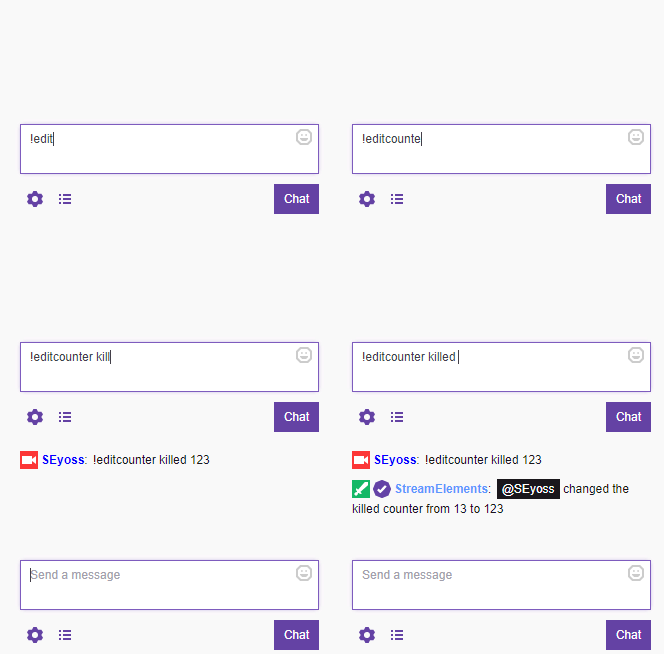


 tame nymph
 zenith widget
well you do have the option for the login requirement
so anyone trying to tip via paypal will have to login
tame nymph
Well I don't have it by default because of the SE pay
zenith widget
but this option, as mentioned, does not affect SE.Pay