#helpdesk-twitch
1 messages · Page 839 of 1
 frigid wraith
 little oak
@inner flower clicc on widget https://streamelements.com/dashboard/themes
 inner flower
Thank you
 viscid pebbleBOT
@frigid wraith You can find your JWT token on your account channels page (Show Secrets to reveal the token): https://streamelements.com/dashboard/account/channels
READ ME: This is a private security token. Do NOT share this token here or other public places, only with a StreamElements staff member in private.
little oak
you need to put the original name and then use all lower case letters
little oak
the name tied to the twitch account that youre trying to delete
 hasty knoll
little oak
hasty knoll
little oak
hamburger menu on the activity feed
 undone wing
any server issues going on? our stream store stuff isnt working
 ocean temple
Hello, I'm having issues opening the StreamElements Dashboard in the website. It doesn't open as well the other Dashboard I have full control.
 ionic kelp
Does it redirect to the main page?
 ocean stream
hi i need help with custom chat bot name. I switched to SLOBS and have tried to get custom chat bot name back thru Ground Control but the option still hasnt popped up for custom bot... please help? THX
Does custom chat bot name not work with SLOBS? Even with ground control running
 ebon forum
ocean stream
Does custom chat bot name not work with SLOBS? Even with ground control running
ebon forum
ocean stream
Does custom chat bot name not work with SLOBS? Even with ground control running
It can work with GroundControl, but we recommend OBS.Live for it
ebon forum
ocean stream
Does custom chat bot name not work with SLOBS? Even with ground control running
If you really want to use Ground Control, give me your account ID from here:
https://streamelements.com/dashboard/account/channels

StreamElements
The Ultimate All in One Platform for Streamers
ocean stream
DM info? @ebon forum
little oak
No... Post it here please
ocean stream
5e4aeb5fa1c9b2ce2a56cb17
little oak
Thank you! he should grab it in a second. Thanks for your patience. 🙂
ebon forum
ocean stream
5e4aeb5fa1c9b2ce2a56cb17
Should be working now
ocean stream
Awesome THX alot!
undone wing
fixed my streamstore, kicked the bot and rejoined
 lament blade
hey is there a way to add stream elements alertbox to gamecaster ?
ionic kelp
If it can use a browser source yes. Otherwise you'd need to window capture it and crop if needed.
lament blade
is this the one?
lament blade
but it doesnot work lol
little oak
should be the same as xsplit
lament blade
okay ill try to get it to work
lament blade
okay thank you so much!
little oak
wow, never in my life i had fight hard over the resolution 
ocean temple
ionic kelp
Does it redirect to the main page?
Yes it does
ionic kelp
Both you and the other person need to do this
viscid pebbleBOT
Please logout of StreamElements at https://streamelements.com/logout and then login again to your account (Twitch/YouTube/Facebook).
ocean temple
I did that and it went to my dashboard right away but the issue still persist if i go to the other dashboard that I have full control. I can't view that anymore.
ionic kelp
Reread what I said.
ocean temple
I'm managing other Twitch channel which is using StreamElements which is working fine last week. Now, I can't go to the Dashboard, it keep redirecting to the main page.
I logout and login many times already, same issue
ionic kelp
You didn't read what I said.
 molten tinsel
hello. is it possible with the streamelements bot to play songs or video clips when people first talk in the channel?
 worthy stirrup
is there a way to add multiple words to the banned words list instead of one by one
little oak
@molten tinsel  what if Streamelements had this? <#widget-share message>
molten tinsel
well, now i know it has this when i didn't even know where to look for it 
thank you @little oak
ionic kelp
That's actually EVERY message.
Not just first.
So someone is gonna be ringing your doorbell a bit.
little oak
we are here to guide you  we have a lot in #widget-share feel free to grab whatever you want @molten tinsel
molten tinsel
well, i'm close. just not close enough. time to read up
little oak
i feel ya but i just cant reach ya
molten tinsel
is there a way to search through the widget list using something better than discord search?
 sudden wren
 I have a question - is it possible to gift a Tier 2 or 3 sub on mobile (Android) and if yes, how do I do that? I would like to gift my friend a T2 sub. Thanks in advance
molten tinsel
is the list on a website somewhere for example?
ionic kelp
Unfortunately everything is listed in there.
little oak
@molten tinsel I HATE DISCORD SEARCH lol easiest way it hit in channel then see a room on the left add say #widget-share then type a word you may just get a hit lol
molten tinsel
little oak
<@!195319699104333824> I HATE DISCORD SEARCH lol easiest way it hit **in channel...
discord search go
little oak
i agree
ionic kelp
@sudden wren It would require browser but this
https://www.twitch.tv/products/streamername_2000?recipient=newsubname
Simply replace the appropriate names.
sudden wren
 thats unfortunate, still, thanks for helping
 cloud veldt
yo
ebon forum

little oak

cloud veldt
how do you delete your stream elements acc?
viscid pebbleBOT
There is no easy way to unlink 2 owner-type accounts from each other. The only way is to make a closure request from here: https://streamelements.com/dashboard/account/security
WARNING: In submitting a closure request, all linked channels within the account will be deleted and you will lose all associated data. This includes overlays, custom commands, timers and past data (tips, subs, etc). You can still reconnect with the deleted account, but you are essentially starting fresh.
viscid pebbleBOT
You can find your JWT token on your account channels page (Show Secrets to reveal the token): https://streamelements.com/dashboard/account/channels
READ ME: This is a private security token. Do NOT share this token here or other public places, only with a StreamElements staff member in private.
little oak
original account name you wanting to delete and make it all lower cases
 tight oriole
why can i don't use sepay on my streamelements?
viscid pebbleBOT
Please provide your account ID found at the top of this page: https://streamelements.com/dashboard/account/channels This ID is public info and safe to share here.
viscid pebbleBOT
Please logout of StreamElements at https://streamelements.com/logout and then login again to your account (Twitch/YouTube/Facebook).
tight oriole
i have logout but no sepay? 🙂
ionic kelp
That's why I need the ID.
The logout was to make sure you had certain things that only happen when you reach affiliate 😉
tight oriole
i have 100 follows and affiliate 😄 are the my acc id on streamelements 😄
ionic kelp
I need the ID so I can have staff fix it.
tight oriole
601941694869cf78ccad2daa
ebon forum
tight oriole
601941694869cf78ccad2daa
And done, you should see SE.Pay now if you refresh
 timid crag
heyho ... so i have the problem that my instant replay isn´t working anymore... it posts the clip in the chat and the clip is working but it´s not showing up in obs and it always says in the chat preview "An error occurered No data was returned" anyone knows a fix for this
tight oriole
thanks guys now working 😄
 dense portal
hey, does the sound still record including my mic and also on discord chat while i have my head phones connected ??? sorry for this silly question but just starting off
 drowsy egret
dense portal
hey, does the sound still record including my mic and also on discord chat while...
drowsy egret
dense portal
hey, does the sound still record including my mic and also on discord chat while...
yes, everything you hear will go into the recording/stream unless you use different channels which requires a bit more advanced ways
dense portal
sweet, already made a few mistakes live. thanks
 iron fulcrum
OK, I'm at my wits end. My host alert is broken. I emulate it, no matter the number...fires perfectly.
Try to use it live...nothing. I've been over the settings, made variations, nothing.
Every other alert seems to be functioning fine but this one. Ideas?
iron fulcrum
dense portal
sweet, already made a few mistakes live. thanks
Welcome to streaming! LOL
 frosty lintel
does anyone know if anything weird happens in stream elements if you change your username on twitch?
@iron fulcrum have you tried barebonesing it and see if it works and redoing settings from scratch? i basically mean turn it back on and of lol
drowsy egret
iron fulcrum
OK, I'm at my wits end. My host alert is broken. I emulate it, no matter the num...
not all hosts will trigger an alert, they need to have at least 1+ viewer
 brazen jolt
On my Channel my ads dont work, im from Denmark and i have put preroll ads on, when i take an adbreak, also nothing happens, any solutions?
drowsy egret
frosty lintel
does anyone know if anything weird happens in stream elements if you change your...
not really, your chat stats page may break but we can fix that
iron fulcrum
The same alerts trigger via a streamlabs alert box, but not the SE one....
frosty lintel
drowsy egret
not really, your chat stats page may break but we can fix that
what do you mean break and how can SE fix it?
drowsy egret
frosty lintel
what do you mean break and how can SE fix it?
your chat stats url could keep your old username but if you give us your old/new usernames we can move it to your new username
frosty lintel
drowsy egret
your chat stats url could keep your old username but if you give us your old/new...
ohhhhhh ok. do i send an email or?
also do you know if anything in twitch would break if i change my username?
drowsy egret
frosty lintel
ohhhhhh ok. do i send an email or?
also do you know if anything in twitch would ...
I think your analytics might break on twitch's end but all the info should be on the rename page
I don't know if that's still the case
drowsy egret
frosty lintel
ohhhhhh ok. do i send an email or?
also do you know if anything in twitch would ...
and you can send an email or post here after you change it if you see it didn't update itself
brazen jolt
Could anyone please help me?
 ocean sentinel
@frosty lintel one of my streamer friends changed there name on twitch and he lost the !commands but he got them back
@brazen jolt with?
brazen jolt
ocean sentinel
<@437916503212294144> with?
On my Channel my ads dont work, im from Denmark and i have put preroll ads on, when i take an adbreak, also nothing happens, any solutions?
 left thistle
Hello - I'm having trouble with the Video on Command widget. Everything about it works correctly except on OBS; the video only plays the first 1-2 seconds then freezes until the video is over and goes away.
drowsy egret
brazen jolt
On my Channel my ads dont work, im from Denmark and i have put preroll ads on, w...
I suggest you send a ticket to twitch, I don't know if anyone here will be able to answer this
 alpine charm
hey I have a question
drowsy egret
alpine charm
hey I have a question
go ahead
drowsy egret
left thistle
Hello - I'm having trouble with the Video on Command widget. Everything about it...
see if enabling/disabling this makes a difference
drowsy egret
drowsy egret
see if enabling/disabling this makes a difference
under advanced settings in obs
alpine charm
so i have streamelements chatbot and I'm worried when some gifts a sub it would go to the bot, can i prevent it or does twitch ignore bots?
 grave tiger
can mods create commands ?
left thistle
drowsy egret
see if enabling/disabling this makes a difference
awesome! it worked thank you
timid crag
alpine charm
so i have streamelements chatbot and I'm worried when some gifts a sub it would ...
i wouldn´t mind it if your bot gets a sub ... my streamelements bot is subbed to my channel because he is using my own emotes but twitch does not ignore bots tho
drowsy egret
alpine charm
so i have streamelements chatbot and I'm worried when some gifts a sub it would ...
I think there's still a chance it will go to the bot, not much SE can do about it
drowsy egret
grave tiger
can mods create commands ?
yes, they can use !command add !name response
 timid vault
!command
grave tiger
drowsy egret
yes, they can use **!command add !name response**
tyty 
 wary halo
no ! needed for the name though
drowsy egret
oh, I guess it works both ways 😄
lament blade
is there a way to hide edition commands to non- moderator in chat?
drowsy egret
lament blade
is there a way to hide edition commands to non- moderator in chat?
you mean them not seeing in chat that someone edited a command?
lament blade
yes
 cinder olive
Not unless edited through the dashboard.
lament blade
I am moderator and dont have accesss do dashboard of the streamer
cinder olive
Then your answer is no.
lament blade
tks
timid crag
normal viewers don´t see editing commands in the chat as far as i know not even the editing chatline they can see ... only mods and editors can
cinder olive
timid crag
normal viewers don´t see editing commands in the chat as far as i know not even ...
If you type in the twitch chat, every person in that chat unless on a actively banned account will see it.
lament blade
thats it...
timid crag
ok ... i never recognized that
but has anyone an answer for my question why the instant replay is not replaying on obs?
drowsy egret
timid crag
but has anyone an answer for my question why the instant replay is not replaying...
you're using the replay buffer feature in obs?
timid crag
no the instant replay widget from SE from fyrewire ... it creates the clip but isn´t replaying it in obs
drowsy egret
timid crag
no the instant replay widget from SE from fyrewire ... it creates the clip but i...
no idea, your best bet would be to contact the developer of the widget
 distant pumice
how can i make a timer for raffles, i want to start a raffle every hour
drowsy egret
timid crag
no the instant replay widget from SE from fyrewire ... it creates the clip but i...
you will find some troubleshooting and a way to contact them about issues on their website
drowsy egret
distant pumice
how can i make a timer for raffles, i want to start a raffle every hour
I don't think its possible to do that, you can setup a reminder but you can't trigger commands in the timers
 tawny crystal
Hi the bot stopped working on my channel on my twitch
i rejoined the bot
and still it doesnt work
viscid pebbleBOT
@tawny crystal If your commands recently stopped working and you're using OBS.Live and a custom bot name do the following:
- In OBS.Live, click on the hamburger menu (three stripes) at the top left of your activity feed
- Click on Stream Settings > Custom bot name
- In the Custom bot name field select Set custom bot name, not your already existing username (with capital letters). Note: If you already connected an account that way, the third entry will show as the account name (see image https://i.imgur.com/sO7fWOX.png).
- Scroll a bit down and click on the purple Connect Custom Bot Account button
- Log in as usual and Authorize the custom bot name
- Back in the Activity feed, click on the Send Test Message button and check if your custom bot name starts working again

 ripe mantle
Hey, does anyone know how to make tipper message appear under the animation of this widget?https://cdn.discordapp.com/attachments/485869269469626368/808680031860555876/unknown.png

 foggy heart
ripe mantle
Hey, does anyone know how to make tipper message appear under the animation of t...
foggy heart
ripe mantle
Hey, does anyone know how to make tipper message appear under the animation of t...
you should be able to add the message variable to your alertbox
lament blade
so i got the overlay loaded in obs now how do i get it to show on my twitch? im using elgato to stream from xbox to laptop to twitch
can a nyone helm me with that please?
help
drowsy egret
lament blade
so i got the overlay loaded in obs now how do i get it to show on my twitch? im ...
if its showing on obs it will show on twitch (assuming you have your twitch account connected to it)
foggy heart
ripe mantle
It does literally nothing
what does show up when the tip alert is triggered?
drowsy egret
lament blade
i have but it doesnt
you see your overlay on your OBS preview screen?
ripe mantle
same tip alert. nothing changes if i set message variables or not
lament blade
drowsy egret
you see your overlay on your OBS preview screen?
yes its in the middle box with next to it my chat on the right
and on the left stream info
i feel so blonde... with all my blue hair LOL
do i switch to obs studio? think im in live now
foggy heart
ripe mantle
same tip alert. nothing changes if i set message variables or not
can you provide a screenshot of your alert settings?
drowsy egret
lament blade
do i switch to obs studio? think im in live now
what are you currently using? obs.live?
drowsy egret
lament blade
it sais i can switch to studio
its basically the same as obs studio, just with StreamElements integration
ripe mantle
drowsy egret
lament blade
it sais i can switch to studio
pm me your channel if you're live
foggy heart
ripe mantle
your "Alert Message" box is empty. Try using something like this: {name} tipped {currency}{amount}{message}!
ripe mantle
i did
foggy heart
save, then do a test
viscid pebbleBOT
@ripe mantle The default resolution for StreamElements overlays (theme and custom) is 1920x1080. Please add them in OBS at their full resolution and use CTRL+F to fit to screen if necessary. You can then downscale your stream in OBS settings > Video if you'd like https://i.imgur.com/6bWXxjR.png
 ripe mantle
lmao ok i have it already
foggy heart
ripe mantle
lmao ok i have it already
What happens if you make a new default alertbox and adjust the message?
ripe mantle
same thing
its a custom widget from #widget-share
oh wait
oh i see what u mean
give me a minute
foggy heart
sure thing
 sly finch
Hello Community, is it possible to make the loyalty system public for an all time watch list, i.e. the viewing time for Twitch ?!
I can see this list in my settings, but I can't make it public, could someone help me? 🙂
ripe mantle
so
the problem is that if i enable custom css
i dont see the option "show tip messages"
 thin wing
Does anyone know how i can import a font into the stream elements widgets?
ripe mantle
and i also cant set if i want the message to be on top of animation, below or in front of
lament blade
i saw someone have a shout out custom bot command that flashed on the screen with a sound alert. does anyone know how to do that?
 drifting rivet
Does anyone know how to make arguments in bot commands optional? Right now when I don't put anything for the arguments the command just fails
ripe mantle
ok i think i got it with my friend
we made 2 different alertboxes and first one is with the animation and second one is with the message only that we placed under the animation XD
foggy heart
ripe mantle
we made 2 different alertboxes and first one is with the animation and second on...
Yeah, the custom widget may not work exacted as you want, but it sounds like you found a solution aha. It also might not hurt to see if anyone who made/uses the custom widget has run into that problem
 stray wigeon
Hey everyone ^^ Does anyone know why the variable " ${redeem} " no longer works ? you just get this message item not found, you can see all items here The old ones i've added years ago still work, but not new ones
i checked, the names are correct, the variable is correct, it's just not working
ripe mantle
@foggy heart yea i asked the creator if he has any idea. thanks for help
 grave panther
hello I'm not sure if this is the right place to ask, but does anyone know why my stream goes missing from the games I'm playing even though I'm live?
foggy heart
sly finch
Hello Community, is it possible to make the loyalty system public for an all tim...
Do you mean the leaderboard? You can use the !leaderboard command or go to streamelements.com/"YOUR TWITCH NAME"/leaderboard to see it publicly
sly finch
foggy heart
Do you mean the leaderboard? You can use the !leaderboard command or go to strea...
The thing is, i see my Leaderboard, with a list of the the user with their watchtime. But iff they use the command, they see not the list of the all time watchtime!
viscid pebbleBOT
@thin wing Google Fonts
More than 900 google fonts are supported at this time. You can preview them here: https://fonts.google.com/
Custom Fonts
Steps:
- Install the font on the streaming PC or choose a pre-installed windows font.
- In the overlay widget settings, select Text Settings
- Click on Enable Custom Font
- Type the name of the font as it appears in the windows font directory (This is usually
C:\Windows\Fonts)
Note: After installing fonts, the browser and OBS must be restarted for the font to appear.
foggy heart
lament blade
i saw someone have a shout out custom bot command that flashed on the screen wit...
I would check the #widget-share channel for that
thin wing
Where is the overlay widget settings?
foggy heart
thin wing
Where is the overlay widget settings?
when you have the overlay you want to edit open, go to the specific alertbox you want to edit, and you should see a settings option pop up below the layers of the overlay
 wheat surge
Hi help team, I have been recently having issues with the bot functions on my channel. specifically all the command, user management and timers...last time I had the issue (This past tuesday) when i went offline they started working again even though they are set to online. Today i streamed and the bot didn't do any of it's commands, or timers.
viscid pebbleBOT
@wheat surge If your commands recently stopped working and you're using OBS.Live and a custom bot name do the following:
- In OBS.Live, click on the hamburger menu (three stripes) at the top left of your activity feed
- Click on Stream Settings > Custom bot name
- In the Custom bot name field select Set custom bot name, not your already existing username (with capital letters). Note: If you already connected an account that way, the third entry will show as the account name (see image https://i.imgur.com/sO7fWOX.png).
- Scroll a bit down and click on the purple Connect Custom Bot Account button
- Log in as usual and Authorize the custom bot name
- Back in the Activity feed, click on the Send Test Message button and check if your custom bot name starts working again
 undone laurel
Hi ! I've got one problem. My bot does'nt show links from commands. What I should to do ?
viscid pebbleBOT
@undone laurel If links in chat are appearing as ***** either mod the bot or disable block hyperlinks in your twitch channel settings: https://dashboard.twitch.tv/settings/moderation
lament blade
hey guys! im trying to add a new overlay although its purely through html and i realize its calling the default.gif ... does anyone know the path link to the videos that i've uploaded?
thank you ahead of time ^ 🙂
wary halo
lament blade
hey guys! im trying to add a new overlay although its purely through html and i ...
might want to ask around in #dev-chat
lament blade
okay no problem thank you!
foggy heart
sly finch
The thing is, i see my Leaderboard, with a list of the the user with their watch...
can you share a screenshot of what it is you want them to see?
stray wigeon
Does anyone know why the variable " ${redeem} " no longer works ? you just get this message item not found, you can see all items here The old ones i've added years ago still work, but not new ones
i checked, the names are correct, the variable is correct, it's just not working
sly finch
foggy heart
can you share a screenshot of what it is you want them to see?
This is the public Leaderboard
sly finch
foggy heart
can you share a screenshot of what it is you want them to see?
and this is my Leaderboard and i want to make "Zuschauerzeit" which means Viewertime make public
stray wigeon
stray wigeon
Does anyone know why the variable " ${redeem} " no longer works ? you just get t...
actually even !redeem is not working for new sound effects
foggy heart
sly finch
and this is my Leaderboard and i want to make "Zuschauerzeit" which means Viewer...
I do not believe that can be made public, that portion requires you to be logged in to view. Users can trigger a !watchtime command in chat to see their individual stats, and you can add/take away minutes of watchtime manually
wheat surge
so my commands are fixed and the bot name is fixed but I won't be able to check the timers till i go live again. I tried to set one or two to a small offline interval but they didn't activate
sly finch
foggy heart
I do not believe that can be made public, that portion requires you to be logged...
Damn this is sad....
This command i know, but is there any other way to create a command for a top 10 watchtime?
foggy heart
sly finch
Damn this is sad....
This command i know, but is there any other way to create a...
it may be worthwhile to check #dev-chat or #widget-share
 unreal mortar
i have an elgato cam link and gopro hero4 and my camera is live for a few seconds then stops displaying, or would say usb connected files available etc etc i need help having my camera stay on
viscid pebbleBOT
@unreal mortar Obs.live is a plugin for OBS Studio for the best OBS support, please join their Official Discord @ discord.gg/obsproject
sly finch
foggy heart
it may be worthwhile to check <#259680142459142144> or <#457957557470887947>
Thank you for your tips and your try to help 🙂
wheat surge
I am doing a test stream and in my twitch chat the timers from SE bot still aren't activating but the other things seem to be working fine
foggy heart
wheat surge
I am doing a test stream and in my twitch chat the timers from SE bot still aren...
what requirements have to be met for the bot to operate?
It's possible they aren't being triggered
wheat surge
it is a mod, it has all the statuses i thought it would need. I can go back in and check the triggers..I have unjoined and rejoined it as well as signed out and signed back in to see if that's the issue
 red sinew
I am trying to set up a command to reset a custom counter but it is not working. I tried using the variable I found on the website under variables $ { count <name> <value> } but it is not resetting the number.
wheat surge
nevermind i think i solved it
thankyou for all your hard work and help.. i had chatline set high
 quick horizon
Hey I was wondering why I am unable edit the overlays in stream elements?
 sharp portal
Spelling error on contest "Winnion"
foggy heart
quick horizon
Hey I was wondering why I am unable edit the overlays in stream elements?
Are you getting any kind of error?
quick horizon
No but I try to edit the templates but it doesn't let me click on it
When I'm in layers, I'm not able to edit anything expect where everything is placed.
foggy heart
quick horizon
When I'm in layers, I'm not able to edit anything expect where everything is pla...
Can you share a screenshot of that?
quick horizon
 dry lynx
Would there be a place to ask questions about SE Tips and Paypal by chance?
drowsy egret
dry lynx
Would there be a place to ask questions about SE Tips and Paypal by chance?
I'd suggest sending a ticket instead as it involves more sensitive information
dry lynx
It's more so just a general thing. But I can send in a ticket for it
dry lynx
Appreciate it
foggy heart
quick horizon
so when you choose a layer and go down to settings, you do not have the option to change the text? Is this a custom/special overlay?
quick horizon
Wow I'm Just dumb lol
Didn't know I had to go to the settings to change it, thank u
foggy heart
quick horizon
Didn't know I had to go to the settings to change it, thank u
No problem!
red sinew
Okay, an update to my issue, I am just using the command options edit in the chatbox so that reset it, but I have another command with ${getcount !command} and it's not bring up the value, it's stuck on the number 16 for some reason.
foggy heart
red sinew
Okay, an update to my issue, I am just using the command options edit in the cha...
try removing the ! in the command

 ancient hawk
Hello there! I'm creating my alerts on StreamElements. I have had no issues with my follower, subscriber, and host/raid alert, but when I try to create the bit cheer alert, it won't register any of my audio or pictures i add to it. any thoughts? thank you!
red sinew
@foggy heart This is my parent command: Sweller has murdered $(count !soul ) with the command !soul.
The child command is: In her quest to wipe them out, Sweller has killed $(getcount !soul ) with the command !mass.
I have tried not using !, removing spaces, removing the !soul from inside the parent command dialogue, and they give me varying results but no others match when giving me outputs. the child command stays at a singular number and the parent command changes frequently. My !command options also is now not resetting the count for the parent command.
 fallen dune
I changed my name on twitch and now my thank you for following is not my new name how do I fix it
drowsy egret
fallen dune
I changed my name on twitch and now my thank you for following is not my new nam...
you can customize the message here under chat alerts: https://streamelements.com/dashboard/bot-modules
drifting rivet
Does anyone know how to make arguments in bot commands optional? Right now when I don't put anything for the arguments the command just fails
foggy heart
red sinew
<@!801850149260886118> This is my parent command: Sweller has murdered $(count !...
can you share your syntax of the command as it is in the dashboard?
red sinew
@foggy heart
ancient hawk
My streamelements is definitely bugged. It won't let me create a bit alert.
foggy heart
red sinew
<@!801850149260886118>
can you also share the !getcount command?
foggy heart
ancient hawk
My streamelements is definitely bugged. It won't let me create a bit alert.
Are you getting an error?
red sinew
@foggy heart The getcount commands is at the bottom. !mass
ancient hawk
@foggy heart no error pops up, but when I'm creating the alert (adding the sound and video) it only plays the default and doesn't register what I uploaded. But it works for every other type of alert, just not the bit alert.
foggy heart
ancient hawk
<@!801850149260886118> no error pops up, but when I'm creating the alert (adding...
It's possible that variations are enabled. Check this setting and see what those are set to, as they can override what you set as default.
ancient hawk
@foggy heart it was and that was the issue. works fine now, thank you very much!
drowsy egret
 dusty lava
somebody can help me?
dusty lava
somebody can help me?
ask away
drowsy egret
dusty lava
can u or somebody go call? then i can explan mi problem?
try to explain your issue here
dusty lava
well
i am from brazil but lets try
i am tring to start doing lives
and mi idea was to make lives on twich and youtube
foggy heart
red sinew
<@!801850149260886118> The getcount commands is at the bottom. !mass
I see. Give me one moment to look at some syntax and get back to you
dusty lava
thant i found a site
"restream"
that in he
i can make lives in more that one site in same time
BUT
here on restream
dont have that option to make a overlay to more that one
how can i resolve that?
@drowsy egret
drowsy egret
dusty lava
dont have that option to make a overlay to more that one
StreamElements doesnt support multistreaming, your best way would be to make 1 overlay that works for both platforms
dusty lava
whait
off topic
if i log-in
whif twich
when i start the live, automatic the chat off me twich gonna appear in my obs?
@drowsy egret
or i have to config that inside off obs?
drowsy egret
if you're using the chat widget it will show your twitch chat in your overlay regardless if you're live or not
you can test that by typing in your chat, it should appear in your overlay
dusty lava
ok let me test
 sweet ingot
anyone know if I need to have stream elements open for alert sound to work? im using a 2 pc setup and using streamelements overlays as a browser source in obs but the notification sounds arnt going to me or my stream, any help would be appreciated (:
 queen shadow
can someone tell me how to claim my merch money i had someone buy it but idk how to claim it its not on my paypal
sweet ingot
the alert sounds do work when i emulate them in streamlabs overlay edit but not when im streaming
dusty lava
drowsy egret
StreamElements doesnt support multistreaming, your best way would be to make 1 o...
ok, but how can i do that inside stream elements
@drowsy egret
drowsy egret
dusty lava
ok, but how can i do that inside stream elements
you mean typing in chat? if you're logged in with your StreamElements account you will see a twitch chat window on your OBS
dusty lava
whait
if i add
my youtube and twich by there
in chat and donates
gonna apair?
@drowsy egret
dusty lava
drowsy egret
you mean typing in chat? if you're logged in with your StreamElements account yo...
yes, i whant to make apair the chat and donates off twich and youtube
 worthy crest
Test alerts are working, real alerts are not. Common issue? Fix?
drowsy egret
dusty lava
yes, i whant to make apair the chat and donates off twich and youtube
you would have to add a custom dock for the activity feed that you're missing, you can't have both in the same window
foggy heart
red sinew
<@!801850149260886118> The getcount commands is at the bottom. !mass
So i tested the syntax out and it was fine. For the editing, try using the syntax !editcounter soul 7
dusty lava
drowsy egret
you would have to add a custom dock for the activity feed that you're missing, y...
what is a dock?
red sinew
Mmm, that I don't understand. What command do I type? When I tried doing ${count <name> <value>} it didn;t work
foggy heart
red sinew
Mmm, that I don't understand. What command do I type? When I tried doing ${count...
try doing !editcounter soul in chat instead of ${count <name> <value>}
it's a built in command
dusty lava
dusty lava
what is a dock?
. @drowsy egret
drowsy egret
dusty lava
what is a dock?
docks are windows that you can have inside OBS, you can create new ones in view > docks > custom browser docks - in this case you can login to OBS.Live with your twitch account and add a separate activity feed for youtube but you won't be able to use the one from SE
red sinew
Thank you @foggy heart This command for whatever reason did not work earlier but now it is. ❤️ I appreciate the help!
foggy heart
red sinew
Thank you <@!801850149260886118> This command for whatever reason did not work e...
No problem! Sorry that took so long, I was testing it and realized I missed a step!
dusty lava
hmmm ok, but like..
dusty lava
dusty lava
on this photo
if i connect youtube and twich, the chat gonna apair bolf off then?
drowsy egret
dusty lava
if i connect youtube and twich, the chat gonna apair bolf off then?
no, activity feed and chat will work for only one of them
 uneven lodge
Hi everyone! My single host alerts have never ever showed either on the activity feed or as a message from the bot in chat. My minimums are 0, and they are enabled. Any ideas on what to check?
Im on Windows 10, updated as of right now to the latest version. OBS, same story.
viscid pebbleBOT
"Due to changes to Twitch API, we have filtered out hosts and will only show these ones on your activity feed:
- All hosts coming from an online channel with at least 1+ viewer
- Auto host events with at least 1 viewer - only from a channel that just went offline
Note: If you see X channel has hosted you with no viewers on the back, that is considered an offline host or a host with 0 viewers, we do not show these."
uneven lodge
Oh, so they work, just not for offline channels. Got it
dusty lava
drowsy egret
no, activity feed and chat will work for only one of them
but like, heve some solution for i can do live on bolf of then^?
drowsy egret
dusty lava
but like, heve some solution for i can do live on bolf of then^?
restream has a chat that you can use
red sinew
I don't mind if it takes time, just that it's solved. I appreciate you working on it ❤️ @foggy heart
drowsy egret
dusty lava
like a chat that a pops up in the screen?
yes, I suggest you reach out to restream support as they are the experts on that matter
dusty lava
like this one
dusty lava
drowsy egret
yes, I suggest you reach out to restream support as they are the experts on that...
oh, ok
drowsy egret
dusty lava
like this one
oh no, I don't think they have a widget like that but contact them and see if they can help
 grizzled robin
Scusate io ho un problema uso streamelement sul cell ma su Discord non mi fa sentire la mia voce e quella del mio amico
viscid pebbleBOT
@grizzled robin Welcome to the helpdesk! The regular helpdesk channels are in English but we do provide multi-language support in the following channels: #🇩🇪︱deutsch | #🇫🇷︱français | #🇪🇸︱español | #🇵🇹︱português | #🇳🇱︱nederlands | #🇮🇹︱italiano | #🇵🇱︱polski | #🇨🇳︱中文語言服務區-chinese | #🇯🇵︱日本語-japanese | #🇭🇺︱magyar | #🇰🇷︱한국어-korean | #🇹🇭︱ไทย-thai | #🇷🇺︱русский | #🇺🇦︱українська | #🇨🇿︱czech
 placid wind
hi ive got a question. i changed my name today on twitch and my activity feed is only showing followers now. the alerts work fine in the when im in 'my overlays' but most of the activity is not showing therefore im not getting the alert. any tips on how to resolve?
viscid pebbleBOT
@placid wind If you changed your name on Twitch, please follow these steps:
- Visit https://streamelements.com/logout and then log in again by connecting with Twitch.
- On the right side of the dashboard page that opens, select Join under bot settings. If it says Part select that and then select Join to send the bot to the chat. Don't forget to mod the bot by typing /mod streamelements in your channel if you have not already.
- Post your old and your new name here so that we can update your channel's chatstats tracking (must be done by staff).
placid wind
ok did all that. old name was UpsettiSpaghetti4 and new name is SadSketti . thanks!
 proud bay
hi, if i am a full control editor on streamelements for someone can i upload overlays for them?
 tropic snow
Hey i have some problems
frosty lintel
@drowsy egret hi! i just changed my user and as you said my chatstats are gone lol. how do i get it back?
drowsy egret
frosty lintel
<@131420870244564992> hi! i just changed my user and as you said my chatstats ar...
post your old and new usernames and I'll get that fixed
tropic snow
with obs and when i enter in cs go is show me blackscreen i have allow_third_party_software on
frosty lintel
drowsy egret
post your old and new usernames and I'll get that fixed
itsavonell -> capnvon thank you
drowsy egret
proud bay
hi, if i am a full control editor on streamelements for someone can i upload ove...
yes, you should be able to use their overlay editor
viscid pebbleBOT
@tropic snow Valve has implemented a trusted mode which does not allow OBS to hook CS:GO using Game Capture. Read more in their announcement post here https://blog.counter-strike.net/index.php/2020/07/30736/.
Additionally, they have no plans on allowing OBS in trusted mode.
https://support.steampowered.com/kb_article.php?ref=8835-KLXV-0292#whitelist
You will need to run the game in either windowed or borderless fullscreen and use Window Capture instead.
Alternately, you can launch the game with -allow_third_party_software.
proud bay
the import from other channels is greyed out and not clickable any ideas on what I should do? @drowsy egret
frosty lintel
drowsy egret
post your old and new usernames and I'll get that fixed
oh nvm! i log out and in and it came back sweet!
drowsy egret
frosty lintel
oh nvm! i log out and in and it came back sweet!
fixed 🥷
 pure juniper
Hey there!
I'm wondering whether or not it's possible to change the user level for quotes and quote-associated commands through Twitch chat rather than going through StreamElements dashboard?
placid wind
are you able to fix my activity feed? i did the steps, old name UpsettiSpaghetti, new name is SadSketti . thanks 🙂 @drowsy egret
drowsy egret
placid wind
are you able to fix my activity feed? i did the steps, old name UpsettiSpaghetti...
lets see
drowsy egret
pure juniper
Hey there!
I'm wondering whether or not it's possible to change the user level f...
not sure, let me see if I can find something about that
foggy heart
pure juniper
Hey there!
I'm wondering whether or not it's possible to change the user level f...
I think you can make changes to commands in chat using flags on the !cmd command.
I'd have to find the variables though
placid wind
drowsy egret
lets see
yeah changed my twitch name and now i only see follows in the activity feed
drowsy egret
placid wind
are you able to fix my activity feed? i did the steps, old name UpsettiSpaghetti...
should be fixed now
drowsy egret
proud bay
the import from other channels is greyed out and not clickable any ideas on what...
I'm not sure that feature is enabled for anyone other than the owner
proud bay
ah ok that's what i was wondering about. thanks
appreciate the responses @drowsy egret
foggy heart
pure juniper
Hey there!
I'm wondering whether or not it's possible to change the user level f...
!command add/remove/edit/alias/options/show Add, edit and delete chat commands. might be what you are looking for
viscid pebbleBOT
 I can't find the add/remove/edit/alias/options/show command
placid wind
drowsy egret
should be fixed now
should i be able to see the missed activity from today in the activity feed now?
drowsy egret
proud bay
ah ok that's what i was wondering about. thanks
that feature lets you import from others channels you own, so they will have to be on the same account
pure juniper
foggy heart
!command add/remove/edit/alias/options/show Add, edit and delete chat command...
It's less the ability to edit the command itself but more to edit the level of the use of the command, if that makes sense?
drowsy egret
placid wind
should i be able to see the missed activity from today in the activity feed now?
I don't think so, it will start tracking from now
drowsy egret
pure juniper
It's less the ability to edit the command itself but more to edit the level of t...
try !command edit !name -level xxx haven't tested it myself but let me know if it works
pure juniper
So " !command edit !quote add -level moderator " ?
Or am I confusing things, @drowsy egret ? 😄
placid wind
drowsy egret
I don't think so, it will start tracking from now
i just tested a gifted sub and it did not work, still not showing the activity
foggy heart
pure juniper
So " !command edit !quote add -level moderator " ?
that one seems to edit the response instead of the level aha
drowsy egret
pure juniper
So " !command edit !quote add -level moderator " ?
I'll try to find the correct syntax for it
pure juniper
foggy heart
that one seems to edit the response instead of the level aha
Trust me. 😂 I'm such a noob.
pure juniper
drowsy egret
I'll try to find the correct syntax for it
Thank you, much appreciated!
 turbid wraith
yo guys i need help
drifting rivet
Does anyone know how to make arguments in bot commands optional? Right now when I don't put anything for the arguments the command just fails
drowsy egret
pure juniper
Thank you, much appreciated!
alright so its !command options quote -level xxx
foggy heart
drowsy egret
alright so its `!command options quote -level xxx`
levels for permissions: 100 -> everyone 250 -> subs 300 -> regular 500 -> mod 1000 -> supermod 1500 -> broadcaster
viscid pebbleBOT
@turbid wraith Welcome to the helpdesk! Please let us know how we can assist you today and a support volunteer or staff member will assist you as soon as they are available. Thank you for your patience.
drowsy egret
drifting rivet
Does anyone know how to make arguments in bot commands optional? Right now when ...
not sure about this, let me look around
drifting rivet
Thank you!
lament blade
hey! I created a follow alert, how do I test it in streamelements??
drowsy egret
turbid wraith
yo guys i need help
post your question here
turbid wraith
aight
viscid pebbleBOT
@lament blade You can test alerts via the Emulate bell on the lower left side of the Overlay Editor. Simply go to your Dashboard > My Overlays > pencil/edit button on the overlay. Make sure the Preview LIVE on stream option is on to see the alert in OBS/XSplit** https://streamable.com/vtulg9
 pure juniper
@drowsy egret @foggy heart Like this -> !command options quote -level 500 ?
 deft leaf
hey need help by raid shadow legends
turbid wraith
drowsy egret
post your question here
I have recently removed and added my bank account and since then the debiting of my SE.PAY balance no longer works
 rough comet
I'm having an issue when changing the video file for my subscriber alert. It works perfectly for my follower alerts, but for the subcriber alert, the wrong image is showing despite me uploading the file
drowsy egret
drifting rivet
Thank you!
try asking for help in #dev-chat, they are more experienced in that area
drifting rivet
Ok cool
turbid wraith
deft leaf
hey need help by raid shadow legends
wobei homie
drowsy egret
turbid wraith
I have recently removed and added my bank account and since then the debiting of...
submit a new ticket as it may involve more sensitive information (https://support.streamelements.com/hc/en-us/requests/new)
drowsy egret
drowsy egret
submit a new ticket as it may involve more sensitive information (<https://suppo...
be sure to include your account id
turbid wraith
what is the subject?
drowsy egret
turbid wraith
what is the subject?
SE.Pay issue should be enough
turbid wraith
do i need to create a new acc or can i connect my twitch acc ?
drowsy egret
turbid wraith
do i need to create a new acc or can i connect my twitch acc ?
no need to create an account, just make sure to include your account id
viscid pebbleBOT
@turbid wraith Please provide your account ID found at the top of this page: https://streamelements.com/dashboard/account/channels This ID is public info and safe to share here.
turbid wraith
i need my account id or?
drowsy egret
turbid wraith
i need my account id or?
yes, include that in your ticket description
rough comet
I figured it out. Please ignore.
lament blade
how to connect the bot ?
viscid pebbleBOT
@lament blade Go to the Dashboard > Right side > Part channel > Join channel(https://streamelements.com/dashboard)
 sweet ingot
anyone know if I need to have stream elements open for alert sound to work? im using a 2 pc setup and using streamelements overlays as a browser source in obs but the notification sounds arnt going to me or my stream, any help would be appreciated (:
foggy heart
lament blade
how to connect the bot ?
follow to the above spot, but it should just say join
sweet ingot
the alert sounds do work when i emulate them in streamlabs overlay edit but not when im streaming
foggy heart
sweet ingot
anyone know if I need to have stream elements open for alert sound to work? im u...
you don't need to have the dashboard open, you just need to have them as sources in OBS
sweet ingot
I have them as browser sources but on twitch it doesnt have a notification sound alert although obs picks up the sound when i emulate the alerts on dashboard
foggy heart
sweet ingot
I have them as browser sources but on twitch it doesnt have a notification sound...
What do you mean? So when you test an alert in the dashboard, it also plays on obs. Does it not activate while you live stream?
sweet ingot
yup
whenever i test the alerts I get the sound but not when im streaming
and obs shows that its picking up the sound whenever i test it
not sure if it shows it picking up during livestream or not
foggy heart
sweet ingot
whenever i test the alerts I get the sound but not when im streaming
have any of the alerts worked since you added the overlays?
lament blade
the bot is connectet and dont work
viscid pebbleBOT
@lament blade Go to the Dashboard > Right side > Part channel > Join channel(https://streamelements.com/dashboard)
@sweet ingot If you are not hearing your alerts and/or Media Request, you are most likely using the Control Audio via OBS option in your browser source properties.
To make sure you hear the alerts and the stream also hears them, follow along the screenshot bellow.
https://cdn.discordapp.com/attachments/199460642975907840/685371800456134686/unknown.png
 sweet ingot
the "alerts" source would be the browser source from SE right?
 vagrant bloom
i have 2 stream elements accounts. how do i combine them into one? (one is youtube, one is twitch)
do i close one of the accounts and intergrate it into the other? if so, whats a JWT Token?
foggy heart
sweet ingot
the "alerts" source would be the browser source from SE right?
Usually alerts will play through desktop audio
viscid pebbleBOT
@vagrant bloom Account Merging - Please note:
- Merging accounts only allows faster ways to switch between accounts
- Merging accounts does not allow data sharing between accounts - different streaming platforms, different type of events
- Merging accounts allows duplicating/sharing overlays between the accounts
If you understand the limitations of merging and want to proceed, please find the JWT tokens (!jwt) from both accounts you want to merge and you will be directed to DM them to a staff member
sweet ingot
ill mess around with it some more, thank you for the help @foggy heart
drowsy egret
@vagrant bloom if you wish to proceed feel free to dm your tokens to @abstract hemlock
vagrant bloom
hmm, i think ill hold for now. still finding my feet in all this. bit overwhelming 🙂
thankyou though!
drowsy egret
vagrant bloom
hmm, i think ill hold for now. still finding my feet in all this. bit overwhelmi...
Feel free to ask me questions about it
turbid wraith
yo skill u answered my email but how can i repeat i’m sry haha
drowsy egret
turbid wraith
yo skill u answered my email but how can i repeat i’m sry haha
You can reply to the email
turbid wraith
okay ty dude
and i did a mistake i wrote two of them idk why
do i need to answer both of them?
drowsy egret
turbid wraith
do i need to answer both of them?
one should be enough
turbid wraith
aight
 silver bloom
I'm setting up my alerts but I can't get the text to show over the animation even though I've selected text over image.
drowsy egret
silver bloom
I'm setting up my alerts but I can't get the text to show over the animation eve...
make sure to do this for your variations as well as they may be overriding your default alerts
 terse heart
am i the only one who can't open the S.E. Merch store?
drowsy egret
terse heart
am i the only one who can't open the S.E. Merch store?
works fine for me, is it stuck on the loading screen?
 vital iris
Hi all! So I am working on building a custom widget, and writing the js right now to handle incoming events from the default onEventReceived listener. The obj.detail.event is kind of confusing to me, particularly I don't see any clear way to tell whether its a new sub or a re-sub. Any ideas on how to tell the difference?
THANKS!
foggy heart
vital iris
Hi all! So I am working on building a custom widget, and writing the js right no...
i would ask that in #dev-chat , they may be able to better direct you
vital iris
thanks I can do that - didnt know which spot was best since im just using the SE editor and not directly interacting with the api myself 🙂
 runic sun
any admin here please?
foggy heart
runic sun
any admin here please?
How can we help?
runic sun
@foggy heart check pm
 ivory flame
bonjour toute personne qui m'envoie une musique avec la commande !sr avec le lien a la suite sa m'envoie toujours la même vidéo bizarre qui n'a rien à voir avec la musique que la personne a envoilée
viscid pebbleBOT
@ivory flame Welcome to the helpdesk! The regular helpdesk channels are in English but we do provide multi-language support in the following channels: #🇩🇪︱deutsch | #🇫🇷︱français | #🇪🇸︱español | #🇵🇹︱português | #🇳🇱︱nederlands | #🇮🇹︱italiano | #🇵🇱︱polski | #🇨🇳︱中文語言服務區-chinese | #🇯🇵︱日本語-japanese | #🇭🇺︱magyar | #🇰🇷︱한국어-korean | #🇹🇭︱ไทย-thai | #🇷🇺︱русский | #🇺🇦︱українська | #🇨🇿︱czech
ivory flame
hello everyone who sends me a music with the order !sr with the link afterwards sa always sends me the same weird video that has nothing to do with the music the person has sent me.
cinder olive
ivory flame
hello everyone who sends me a music with the order !sr with the link afterwards ...
Can you show this happening in a vod?
ivory flame
this is what I get when someone sends me music with the command !sr
 prisma relic
do you have link protection on? and all the people are requesting *** ?
viscid pebbleBOT
If links in chat are appearing as ***** either mod the bot or disable block hyperlinks in your twitch channel settings: https://dashboard.twitch.tv/settings/moderation
ivory flame
Already done
prisma relic
it's a Twitch setting. see link from bot above. Do you see links in your chat as *** ?
ivory flame
thank you for walking
 lethal zinc
hey guys how can i create a count command?
like, Shayra forgot to switch screens 124 times
prisma relic
best example is in the pinned messages in this channel 😉
lethal zinc
thank you!
 empty dirge
Hello, I'm being invited as Editor for a channel, but once I click on the invite link I am only seeing a red "roleplay.missing scope invitations:manage" error and I'm not getting access
prisma relic
🤔 try to relog
viscid pebbleBOT
Please logout of StreamElements at https://streamelements.com/logout and then login again to your account (Twitch/YouTube/Facebook).
empty dirge
That worked, thank you!
 river finch
Hi! im having trouble connecting to this streamers link to see something. everytime i click on it, it reroutes it to i guess the main page for streamelements (not familiar) and then i tried to click on my profile.. same thing happened. Is there a way around/fix this? thanks
viscid pebbleBOT
@river finch Please logout of StreamElements at https://streamelements.com/logout and then login again to your account (Twitch/YouTube/Facebook).
river finch
yesss thank you!!
 paper kite
hi im having trouble figuring out the asspect ratio i was trying to set up overlays and i accidently "shrunk?" the preview when i tried streaming it didnt fill the screen like it normally should instead its in a box in the middle of the screen.
viscid pebbleBOT
@paper kite The default resolution for StreamElements overlays (theme and custom) is 1920x1080. Please add them in OBS at their full resolution and use CTRL+F to fit to screen if necessary. You can then downscale your stream in OBS settings > Video if you'd like https://i.imgur.com/6bWXxjR.png
paper kite
thanksss
wait it didnt change it the preview screen is still small when i ctrl f it just fills the small box the space to fill used to be bigger.... i dont know how to expain
 zenith widget
providing a screenshot might explain the issue better
zenith widget
👍
 royal vector
Hi, I'm trying to change the video alert for a a subscription alert but it's not changing. Any help?
zenith widget
Check the variations of the sub alert.
lament blade
Hi All , how do i resolve the text issue ?
zenith widget
In the text settings make sure you have line height set to 1
 shut oriole
Hi, I accidentally deleted my media share source on OBS, how do I recover it or make a new one?
zenith widget
If you have it as an overlay, you can simply just add it back
viscid pebbleBOT
To add your overlays to OBS, add a new browser source in your scene. Paste your overlay URL in the browser source properties, set the dimensions to 1920x1080 (unless you changed them on the website) and check Shutdown source when not visible. https://youtu.be/KDvLynUqXI4
shut oriole
okay thanks i will try that
lament blade
zenith widget
If you have it as an overlay, you can simply just add it back
thank you very much for the quick response and that did help. Another question if you don't mind; under Cheer event.. I have set a custom image and sound but it is still defaulting to the original.
zenith widget
check the variations
lament blade
zenith widget
check the variations
perfect. just a few more edits and i am good to go. Thanks again !
shut oriole
tysm it worked!
lament blade
goodmorningI still havent solve my problem of how to get overlays to show on twitch.. I hope someone has the golden solution for me here lol I stream from my xbox using a elgato between my xbox and laptop and xbox and tv. I have my obs studio linked and stream elements too I have a streamelements overlay loaded in the middle frame in obs. the chat section shows my stream chat in obs studio but i see no overlay in twitch. what am i missing?
its like its not sending to twitch
oh sorry its obs live.. cus it sais i can switch to studio so i assume im on obslive
viscid pebbleBOT
@lament blade Right click on the BrowserSource > Properties > Scroll down a bit > Refresh cache of current page
viscid pebbleBOT
OBS > Settings > Advanced > Scroll down > Enable or disable Browser Source Hardware Acceleration, depending on its current state > Restart OBS
https://i.imgur.com/ggMe9ZE.png
 zenith widget
mixed the two trigger commands
lament blade
ok let me get on to that
still no overlay
its like my laptop doesnt send it to twitch
onoly receives
only*
zenith widget
streamelements overlay loaded in the middle frame in obs. middle frame?
In general, you are saying that you see the overlay in OBS' preview, but not on your twitch channel when you are live?
zenith widget
I would need screenshots of this
it doesn't make any logical sense
are you starting the stream directly from OBS or from the Elgato capture software?
zenith widget
Ok that explains it
zenith widget
So lets confirm here the setup
lament blade
ok
zenith widget
You play on your console. You capture the console feed with an elgato capture card and have it play on your PC/Laptop.
You add that feed into OBS, you add overlays and other stuff
but you hit "Start streaming" from your Xbox?
lament blade
i cant see the play on the obs or my cam only the chat feed
 sly minnow
@ionic kelp I have checked if it is working well when one of is open GC or Obs.live and all good, so it was my bad that I have opened two in the same time, completely useless I was damn as damper 🙂
lament blade
on my laptop
lament blade
ok so im streaming right now.. i see no game in the obs preview im nit sure if i should i only see the overlay and my chat updating in the obs not my cam either.. cams plugged into the xbox
zenith widget
Are you capturing the gameplay/feed from Xbox with a capture card?
Becuase you initially said you do
lament blade
yes
zenith widget
Then add the video or capture the elgato software in OBS
lament blade
my elgato is hooked up to my tv with hdmi and xbox .. then the xbox and the lap top with usb
ok hold on
made a quick pic with my phone got no graphix software rly on this laptop yet
brb
viscid pebbleBOT
Please provide a proper screenshot with the issue visible. If not sure how to take a screenshot, you can check here: https://www.take-a-screenshot.org
lament blade
ok im on it
zenith widget
If you are capturing with elgato
you should have this at least
you capture this software in OBS
once you have it setup in OBS, you start streaming from OBS, not your console
and then you will have an overlay
lament blade
yeah i dont HAVE IT FOR SOME REASON I DONT KNOW.. SORRY IM INSTALLING
and sorry for caps i felt like shouting apperently
zenith widget

 LOUD NOISES!
lament blade
lol so sorry
zenith widget
I"M ALSO ENJOYING THE MUSIC IN THIS PLACE! bounces a little bit awkwardly
lament blade
sorry new to discord i dont know how it works
zenith widget
don't worry about it, i'm just joking here
lament blade
whew
zenith widget
can't be serious all the time 😄
zenith widget
So yes, with window capture you should be able to capture that
 green cosmos
hello guys I'm a new streamer and am looking for any help or info, I do streaming via twitch
lament blade
Why does streamelements just timeout random people? Pls fix it
viscid pebbleBOT
@green cosmos New to StreamElements?
Check out our YouTube channel https://www.youtube.com/c/streamelements/videos
with tutorial videos from setting up the basics, to in-depth details on how to use our product.
New to OBS? Here is a 4 step quick start guide
https://obsproject.com/wiki/OBS-Studio-Quickstart
Want to learn even more? Here is an in-depth overview
https://obsproject.com/wiki/OBS-Studio-Overview
zenith widget
@lament blade most likely because you have the filters on
lament blade
still struggling
green cosmos
thanks will look
lament blade
streaming the overlays to my twitch now but no game capture in it
or mic
only game sound
zenith widget
@lament blade #helpdesk-twitch message
check this for how to add the capture of the software
as for the mic, make sure you mic is plugged into the laptop
or leave it in the console or how ever you have it
and once you add the capture software into OBS it should be fine with the mic as well
lament blade
i got the overlay on the game capture now n its streaming
missing my sound im guessing thats another setting somewhere
i got the game sound no mic
ill get that later
and no cam
do i add anothr source for cam?
zenith widget
you will need a new source for the cma
lament blade
ok
 analog hawk
hey, can some1 help me quickly and answer 1 question for a sponsored campaign on stream elements?
 errant pagoda
Updated and saved layouts got all wonky?
zenith widget
analog hawk
hey, can some1 help me quickly and answer 1 question for a sponsored campaign on...
What is the question?
@errant pagoda press CTRL + F
errant pagoda
zenith widget
<@!307567738971488256> press CTRL + F
Oh lmao i'm dumb ty
I keep only remembering that as search for word
 analog hawk
So my question is, i got everything setup on the sponsorship but i wanna start doing that sponsored stream on sunday, so it says: Start campaign, but i am worried that if i won't start it today, it might expire until sunday cos it said that the offer for that sponsorship is gonna expire soon @zenith widget
 wraith cargo
My streamelements bot and commands aren't working in chat. I've parted and joined several times. This began after setting up bot timers.
zenith widget
@analog hawk as long as its accepted, you can start it when ever you want
viscid pebbleBOT
If your commands recently stopped working and you're using OBS.Live and a custom bot name do the following:
- In OBS.Live, click on the hamburger menu (three stripes) at the top left of your activity feed
- Click on Stream Settings > Custom bot name
- In the Custom bot name field select Set custom bot name, not your already existing username (with capital letters). Note: If you already connected an account that way, the third entry will show as the account name (see image https://i.imgur.com/sO7fWOX.png).
- Scroll a bit down and click on the purple Connect Custom Bot Account button
- Log in as usual and Authorize the custom bot name
- Back in the Activity feed, click on the Send Test Message button and check if your custom bot name starts working again
zenith widget
@wraith cargo ⤴️
wraith cargo
Thank you
analog hawk
ahhh, wait so i can technically do the sponsored content for that game next month by pressing start campaign? @zenith widget
zenith widget
No
Pressing Start campaign will start a 7 day timer
you can press start campaign next month though
analog hawk
i know that, but will that button saying: Start campaign go away maybe like lets say this Saturday or whenever cos it said this offer expires soon
zenith widget
Since you have already accepted the campaing, it will NOT go away from your account
You can press the start button this sunday or in 2 months if you want to.
analog hawk
oh ok and from the time i pressed that button, i will have 7 days to fulfill that goal right?
zenith widget
yes
lament blade
cam only shows a static screen not my videocam
it shows a still basically
when i add a windowed n i have frames all around everything from the windowed screen i cant find the settign to turn that off my capture software looks diff.. i got the 4k software
worthy crest
I'm not getting alerts, but I was last week. Right now my test alerts work (OBS), but when streaming real events don't trigger the alerts. Help?
lament blade
when i do my commands nothing works/shows up in chat
viscid pebbleBOT
@lament blade Go to the Dashboard > Right side > Part channel > Join channel(https://streamelements.com/dashboard)
@worthy crest Please provide your account ID found at the top of this page: https://streamelements.com/dashboard/account/channels This ID is public info and safe to share here.
@lament blade Obs.live is a plugin for OBS Studio for the best OBS support, please join their Official Discord @ discord.gg/obsproject
worthy crest
@viscid pebble dugthefreshest
 jolly furnace
Someone knows how can I fix this?
 gritty sorrel
I'm not getting follow alerts just raid/host alerts which is weird. When I test my Stream Elements overlay alerts they work on (OBS), but when streaming I don't see my follow alerts. Also, my Stream Elements dashboard is not showing any followers as well but I'm getting follows everyday which is weird. Always shows zero followers since I started streaming almost two months ago and never changes. Help?
zenith widget
@worthy crest I just followed you and I showed up in the activity feed. Can you elaborate which alerts are not working?
@jolly furnace that looks like the mousepad pricing field. There needs to be a number there
viscid pebbleBOT
@gritty sorrel "Due to changes to Twitch API, we have filtered out hosts and will only show these ones on your activity feed:
- All hosts coming from an online channel with at least 1+ viewer
- Auto host events with at least 1 viewer - only from a channel that just went offline
Note: If you see X channel has hosted you with no viewers on the back, that is considered an offline host or a host with 0 viewers, we do not show these."
@gritty sorrel Please provide your account ID found at the top of this page: https://streamelements.com/dashboard/account/channels This ID is public info and safe to share here.
worthy crest
@zenith widget so far resub - twitch prime
jolly furnace
zenith widget
<@!600445598528831491> that looks like the mousepad pricing field. There needs t...
Ok tnx ☺️
jolly furnace
zenith widget
<@!600445598528831491> that looks like the mousepad pricing field. There needs t...
Solved 😅
viscid pebbleBOT
@worthy crest Prime Gaming (new and resub) and paid subscriptions (resub only) must be shared in chat manually by the person subscribing in order for the subscription information to be sent to StreamElements. For Prime Gaming, the user needs to have sharing enabled on https://www.twitch.tv/settings/prime. For paid subs, if the share box doesn't show up immediately it will when they refresh the page. https://i.imgur.com/VNJN0Uv.gif https://i.imgur.com/2297EA7.png

 gritty sorrel
@viscid pebble JustinOS18
zenith widget
fixed
gritty sorrel
@zenith widget thank you, see you followed me and it's showing in the dashboard. Hope this fixes the overlay follow too.
lament blade
question 1 - for the ${user} variable , this will be the username of person activating the command correct ?
question 2 - I am looking for the command variable to manually add loyalty points from the chatbox but can't find it. The Dashboard does work but i'm looking for a command.
zenith widget
- ${user} can be the user of the command and can be someone you tag after teh command. ${sender} will always be the user of the command.
!addpoints username 100(or -100 to remove points)/!setpoints username 100
lament blade
1)Thanks.
2)Tried both commands and did not work. Username that I am trying add/minus is in the leaderboard and the "!points username" command does work to show the amount of points the user has
zenith widget
make sure you don't tag the person
but rather spell out their name
if you have bttv, tag completion will help
lament blade
doesnt seem to work though, unless i actually have to be online streaming ? do i?
zenith widget
make sure teh commands are enabled on your account
lament blade
zenith widget
make sure teh commands are enabled on your account
OH. my bad.
 keen trench
Hello all, I am trying to set up streamelements for my stream today, yet when I import my old overlay from streamlabs none of my static text is appearing? Even trying to manually reinput it into the boxes doesn't cause any changes, am I doing something wrong?
zenith widget
This text?
with Font size 288 it won't show up right away :/
Something most likely didn't translate well during the import
Check the text settings of the widgets
keen trench
I see it now, thank you! It was driving me crazy because I really like the overlay haha
 soft needle
i want to stream but it doesnt show up on twitch
viscid pebbleBOT
@soft needle StreamElements menu, on top of OBS > Logout > Login
 tardy hornet
i everyone, i want to stream minecraft on twitch but my game crash when obslive is starting. Can you help me ?
 wanton parcel
@tardy hornet java or windows
Hey guys. my follower and sub counts are quite literally broken. If I go into settings I see the right information. But When I emulate a follow my total sub count widget switches to a random number and the sub goal goes to when when I emulate a sub, and it stays at 1. Sub and follows goals also do not work. Anything I can do to fix, it's really annoying not having total counts and goals as part of my overlay
lament blade
Hey, I got a Question about the tipping. If someone tips me without using a PayPal Account, will I still recieve the tip?
tardy hornet
wanton parcel
<@!696032959941312584> java or windows
what do you mean ? my crash crash because of java or windows ?
my game crash*
wanton parcel
tardy hornet
what do you mean ? my crash crash because of java or windows ?
what game are you using, java or windows
tardy hornet
java
zenith widget
lament blade
Hey, I got a Question about the tipping. If someone tips me without using a PayP...
if they tip you, without logging into PayPal, its still a paypal transaction so it will be listed in your account.
zenith widget
wanton parcel
Hey guys. my follower and sub counts are quite literally broken. If I go into se...
when emulating, the random number is intentional, so you will need to refresh the editor to see it revert back to normal.
lament blade
Thats really nice, I know SL has this but I wonder if its Restricted to the type of paypal account you have
viscid pebbleBOT
To reset goals:
- from the Overlay Editor > Session data on top right (monitor symbol) > Goals tab > reset progress of desired goal
- from the Dashboard > Activity feed on the left > Widget data on the right > Goals tab -> reset progress of desired goal
Note: Goal widgets (progress) only counts up and doesn't go down automatically, if you lose followers/subs.
zenith widget
lament blade
Thats really nice, I know SL has this but I wonder if its Restricted to the type...
this has nothing to do with with us or SL - its a paypal thing
lament blade
Ahhh gotcha. Thank you so much :)
tardy hornet
@zenith widget do you have the solution for my problem ?
zenith widget
no
viscid pebbleBOT
@tardy hornet Obs.live is a plugin for OBS Studio for the best OBS support, please join their Official Discord @ discord.gg/obsproject
wanton parcel
zenith widget
when emulating, the random number is intentional, so you will need to refresh th...
Ok, so if I was to stream it would be fine? What about for sub goals
viscid pebbleBOT
@wanton parcel To reset goals:
- from the Overlay Editor > Session data on top right (monitor symbol) > Goals tab > reset progress of desired goal
- from the Dashboard > Activity feed on the left > Widget data on the right > Goals tab -> reset progress of desired goal
Note: Goal widgets (progress) only counts up and doesn't go down automatically, if you lose followers/subs.
lament blade
when I try to add my bank account details I press submit and nothing happens
viscid pebbleBOT
@lament blade Please contact us via email for support with SE.Pay. You can use our contact form here: https://streamelements.com/contact Thank you.
 gilded shard
hi ive been trying to set up some sounds alerts for my channel e.g. lurk ive got this working with the sound on my obs but the message that pops in chat no longer pops up if i have the ${redeem lurk} in the bot command. is there anyway to get get both the redeem of sound and chatbox message with the single !lurk command for example?
zenith widget
Do you have the !redeem command turned on?
gilded shard
Ive currently got bot set up with a !lurk command which should read like this We wish ${user} safety upon their travels ${redeem lurk} - the sound is playig in OBS but no message in chat. If i remove the ${redeem lurk} I get the message in chat but no sound. Ideally id like both
zenith widget
You can't have a custom message
and have the ${redeem} in one spot
as in, in the same response
as the ${redeem} variable has a default response of 'X user has redeemed Y item"
gilded shard
that doesnt show either just plays the sound in OBS
zenith widget
And this is why I asked, is the default !redeem command turned on?
 outer solar
Hi! I have been receiving tips but the bot does not notify me through stream alerts both on chat and on the alert box. How can I fix this? Thank you in advance!
ionic kelp
How do you know you're getting them?
outer solar
paypal notifies me and I get an email I received money
viscid pebbleBOT
If a viewer tipped through PayPal but no information appears in your StreamElements account, this generally means PayPal has held the tip for verification.
Until PayPal clears the tip and sends back a confirmation to your StreamElements account, no information will appear there and no alert will play, as that confirmation is the only way for us to be aware of a successful transaction.
There is a posibility that the tip may have been sent as an eCheque/eCheck - these tips can take from 7 up to 21+ days to show up on our side. Tippers can usually cancel these.
If you believe there may be an issue with the transaction, you'll need to contact PayPal support as StreamElements is only a passthrough service and never actually gets involved with the transaction or touches the money
outer solar
thank you!
 silk viper


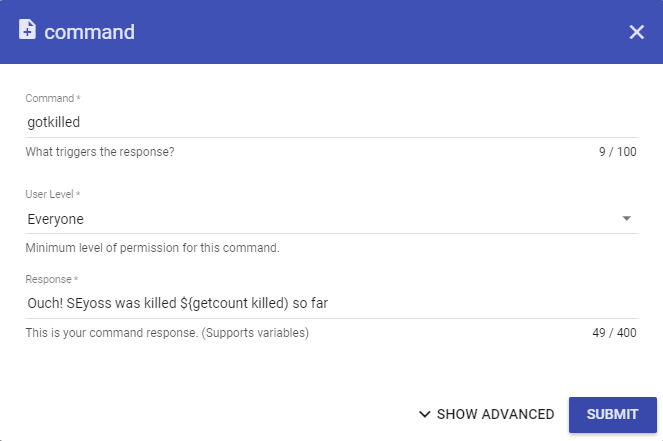


 sullen ledge
can somebody help me pleas ?
dusty lava
more than 50 staffs, and nobody can help us LOL🥲
 vast rivet
anybody know why my chat commands are not working?
ive already parted bot and re joined no luck
sullen ledge
i can't stream because i have always black screen
 nimble dune
vast rivet
anybody know why my chat commands are not working?
nimble dune
vast rivet
anybody know why my chat commands are not working?
Are you using custom bot option?
nimble dune
sullen ledge
i can't stream because i have always black screen
Game capture?
vast rivet
nimble dune
Are you using custom bot option?
nope
nimble dune
vast rivet
nope
Mod the bot
vast rivet
nimble dune
Mod the bot
already done
vast rivet
i did that earlier said it was already modded but i just granted again still nothing
viscid pebbleBOT
@vast rivet Go to the Dashboard > Right side > Part channel > Join channel(https://streamelements.com/dashboard)
viscid pebbleBOT
@dusty lava Welcome to the helpdesk! Please let us know how we can assist you today and a support volunteer or staff member will assist you as soon as they are available. Thank you for your patience.
dusty lava
@nimble dune hi, can you help me?
nimble dune
Maybe I can, what is your question?
dusty lava
well, i was trying to make lives on youtube and twich on same time whif restream
but then
in you guys site, the chat can only be for just one of them
nimble dune
StreamElements does not support multistreaming
dusty lava
then a staff off you guys sad me that they have a chat too
dusty lava
nimble dune
StreamElements does not support multistreaming
i now that
dusty lava
dusty lava
then a staff off you guys sad me that they have a chat too
so i can use that
nimble dune
dusty lava
.
Maybe this? https://restream.io/chat
nimble dune
lament blade
hello
Hi
dusty lava
lucks like thai in obs
they chat
but my question
is
have how i IMPORT my link from restream to SE
?
like here
@nimble dune ?
nimble dune
As I know it's not possible
dusty lava
ok
now more 2 questions
1:
for donates
can i like
in SE
create, two themes off live, but delete all and leave just the donate box, than import to obs whif twich, and make the same thing again whitf youtube, than have two donates elements in my obs?
like works?
 noble sorrel
Hello! Can someone help me? It's not working 😦 i need to restart bot?
dusty lava
dusty lava
like works?
. @nimble dune
 silver mist
hi guys, I was in here a little over 24 hours ago with a problem with my chat-stats page. It just comes back with a 404. The advice was to wait and see if it fixed itself, but it still has the same problem. I was wondering if there's any advice on further steps to fix the problem? https://stats.streamelements.com/c/shaggedy
StreamElements
Description Chat Stats tracks emote usage on Twitch in real time. See which emotes are the most popular on every Twitch channel
nimble dune
dusty lava
. <@!334412925739728918>
Yes you could create then just keep the donation alert. You need to do in twitch account and on the youtube account, but as I said StreamElements does not support multistreaming. When you live and in OBS.Live the activity feed will show events for 1 platform.
nimble dune
noble sorrel
Hello! Can someone help me? It's not working 😦 i need to restart bot?
Try this:
viscid pebbleBOT
Please logout of StreamElements at https://streamelements.com/logout and then login again to your account (Twitch/YouTube/Facebook).
Go to the Dashboard > Right side > Part channel > Join channel(https://streamelements.com/dashboard)
dusty lava
nimble dune
Yes you could create then just keep the donation alert. You need to do in twitch...
thats lie, obs live support yes multistreaming
lol.
noble sorrel
@viscid pebble thank u so much u are the best ❤️
wary halo
Yeah let's not start tagging dreamteam streamers for updates. Harris has his own Discord where you can ask that.
 forest oyster
okay so i try to open the app and it says that its missing a file ?
when i open it
noble sorrel
why when I click on chat stats I have something like this? I do not know what's going on :/
lament blade
hello, ive been working on my overlays and im editing parts of it. like my social media links. but when i wrte them down instead of the word instagram the words on screen change
forest oyster
nevermind i got mine working
 distant cedar
Hello all brand new here, all good with Discord though. Looking to get my twitch stream setup working I stream WGT Golf. Just installed the StreamElements package and am hoping to get a bit of advice.
I use a desktop PC running 10 pro x64 and use my Samsung 46" LED as my display connected via DVI-D.
lament blade
could someone explain how i can change the textxin a overlay in the editor because it doesnt change even tho i did change them
distant cedar
This is the resolution I have been using for a long time now with no scaling.
HyperX Cloud 2 via usb
Biggest thing is I want to show the entire display while streaming, I use a spreadsheet I made for in game calculations and and would like viewers to see how I use that alongside the game itself.
Ran the auto config and now need to add proper sources.
Can post screen grabs of settings if that helps? or possibly some DM time?
 bronze valve
I changed my Twitch name last month, and I'm trying to check everything to make sure everything works.
As I went through my Dashboard I clicked the Chat Stats. It leads me to a page with the correct url, but it shows a 404. I already reset the session a couple of times, updated/renamed myself with the command in my chat, logged out/back in again several times, removed the bot from my channel and added it again. But it still won't show my stats on my new url. The old one still works for some reason.
I found a thread on Reddit with people having the same issue, but it's over a year old so I can't reply with my username there. Apparently SE staff needed to update the channel chat stats manually? https://www.reddit.com/r/streamelements/comments/f4xd53/stream_elements_not_working_after_twitch_name/
So where do I go from here?
reddit
2 votes and 32 comments so far on Reddit
viscid pebbleBOT
@bronze valve If you changed your name on Twitch, please follow these steps:
- Visit https://streamelements.com/logout and then log in again by connecting with Twitch.
- On the right side of the dashboard page that opens, select Join under bot settings. If it says Part select that and then select Join to send the bot to the chat. Don't forget to mod the bot by typing /mod streamelements in your channel if you have not already.
- Post your old and your new name here so that we can update your channel's chatstats tracking (must be done by staff).
noble sorrel
@viscid pebble i have same problem like @bronze valve i did all and my new nickname is : damex420
last time i had nick : d4mex_
bronze valve
Already did step 1 and 2
old name: simsnetwerk
new name: rosiewosie
 hard tinsel
Hello, I want to ask. Does anyone know why I can't connect to the robot on the site? I can only connect to myself, but it doesn't work for another channel where I have rights. always appear just for clicking on the dashboard and nothing. I also tried to log out and nothing ..
my nick on twitch and streamelemennts klariinka_
idk where is problem.
 dawn quartz
Hy, i need recovery the points of all my viwers on twitch, how i can do this ? i used wrong command to remove the streamelements points of all, and now i need back than, someone can give me the light plisss ?
 gritty surge
I have obs.live downloaded and it shows up on my homescreen and in the obs file itself as well but when i click on the shortcut it keeps opening ms paint and showing the logo
 analog shadow
Hi! why the font type that i pick doesn't show in obs? it shows a different one 
ebon forum
analog shadow
Hi! why the font type that i pick doesn't show in obs? it shows a different one ...
Hi. Does that happen to every font? I know a couple from our system are a bit unreliable.
If that happens to every font, please refresh the cache of the overlay.
analog shadow
ebon forum
Hi. Does that happen to every font? I know a couple from our system are a bit un...
Nop, it happens with: Press Start 2P
ebon forum
analog shadow
Nop, it happens with: Press Start 2P
Ok, then that font might be problematic.
analog shadow
soo there is no solution?
analog shadow
ebon forum
You can use the custom font as a workaround for now.
k thanks
dawn quartz
dawn quartz
Hy, i need recovery the points of all my viwers on twitch, how i can do this ? i...
please someone?
lament blade
The fonts in stream elements do they come from the windows fonts folder?
ebon forum
lament blade
The fonts in stream elements do they come from the windows fonts folder?
For custom font option - yes
lament blade
ive installed a new font and it doesnt show in my streamellements
ebon forum
Otherwise those are on our side
lament blade
do i need to restart windows to show up?
 lethal dragon
HELLO
lament blade
those are big letters 😛
lethal dragon
lament blade
those are big letters 😛
نتب ىتش تشبشبق نشبات
lament blade
ok cant read that lol
ebon forum
lament blade
yes i did
In that case, just restart OBS
And make sure the font name is exactly the one in the Fonts folder
 glacial bone
Where can I ask questions about Emoji's for Twitch?
lament blade
tty
wary halo
glacial bone
Where can I ask questions about Emoji's for Twitch?
what about them?
glacial bone
Is there a way they can be made from drawings?
Nobody is answering my questions so I am going around looking for answers.
I have drawings that I wanna use on my stream as emoji's
 sly tulip
Yes you can make twitch emotes from a drawing. It will likely look BAD because making emotes is difficult, and you need someone who clearly knows how to make small drawings look good at emote size.
Any image that can be put into 112x112 size can be an emote. But if you are made it yourself, and you're not an experienced artist, it likely will look pretty damn bad.
ebon forum
We have the #art-marketplace channel for that. There are a ton of creative people who can turn your drawings into really cool emotes that actually fit into Twitch requirements and will look good.
glacial bone
@ebon forum Really?
@sly tulip Ah no I won't be doing them myself
@ebon forum Wait do I have to call them? 😮
wary halo
DM them or check their websites
ebon forum
glacial bone
<@!149255081194160129> Wait do I have to call them? 😮
Just message them, they usually write down what they prefer as a communication method - DM here, Twitter, website, emails.
ebon forum
Well people do not work for free, they want security for their work.
 summer moss
Hello, I would like to know how can I set my bot in order to be able to see new followers in my channel chat please ? When someone follows my channel, I can't see it written in the chat, despite having the stream elements bot... Thanks for your answer !
 twin sentinel
It is in the modules section -> chat alerts.
summer moss
twin sentinel
It is in the modules section -> chat alerts.
Ahaha thanks, I am so dumb
worthy crest
@viscid pebble they did share their resub, that's how I knew they did it. I saw it in the chat. Didn't get alert
 fiery wharf
Hey guys, hopefully a quick question. Trying to import commands/quotes from Streamlabs Chatbot into OBS.live, I keep receiving an error - "Import Failed, want to try again." I followed the steps outlined on the website - with regards to exporting the required files, but it seems to be failing. Am I selecting the wrong files?
 spice mist
Hi all. I have two 'Goal' widgets added to a overlay/scene one for subs and one for followers, but the numbers are wrong. I don't know where it got them but they are just way off. How do I fix it?
viscid pebbleBOT
@spice mist To reset goals:
- from the Overlay Editor > Session data on top right (monitor symbol) > Goals tab > reset progress of desired goal
- from the Dashboard > Activity feed on the left > Widget data on the right > Goals tab -> reset progress of desired goal
Note: Goal widgets (progress) only counts up and doesn't go down automatically, if you lose followers/subs.
spice mist
Thank you bot! Very helpful.
 sacred silo
anyone happen to know how to remove an image from an alert so i can make it just text and sound?
ebon forum
sacred silo
anyone happen to know how to remove an image from an alert so i can make it just...
There is an X that let's you remove the attached video/image file.
sacred silo
whats its position in the icon, i think it might be blending in a little
fiery wharf
Speaking of alerts, it shows my Webm file for my follow alert in the preview window, but when i hit Emulate, it doesn't show up, just the text.
Switching to an mp4 file instead did not help, any solutions ?
Update: if I remove the CSS (this was imported from SLabs), the file shows up, but then it is just out of line and such.
 storm dome
Hello, i redeemed a code for a free MUG but clicked away the code, where i can find that code again?
 rocky peak
Where can I find some kind of End Credits ?
ionic kelp
@storm dome You'd have to ask whoever you had it from. We don't provide free merch.
storm dome
ah ok but thx a lot 😉
rocky peak
nice how how he did that?
ebon forum
rocky peak
nice how how he did that?
That's a custom widget
Coding skills required to make those.
rocky peak
I'm out😅
ebon forum
So then use the existing widgets 🙂
 hybrid ginkgo
Hi guys, I have a small problem with the media request, practically on my mods on streamelements the button with the wording "show on stream" does not appear in order to start the video via live overlay, someone has ever used it and knows how it works? 🙂
ebon forum
You can install any custom widget from there
ebon forum
hybrid ginkgo
Hi guys, I have a small problem with the media request, practically on my mods o...
Hi.
That might depend on the settings. Not 100% sure, but are those Editors or do they have the Full access role?
hybrid ginkgo
I tried both, Editor and Full access, but nothing
ebon forum
Yep looks like it. Do not remember exactly, but that should be limited to the broadcaster.
ionic kelp
Don't forget #dreamteam is always available as well.
hybrid ginkgo
they don't see this button
rocky peak
ebon forum
Try that^ <@!483557896630829058>
Where can i edit my text for this widget? like shadows
ebon forum
rocky peak
Where can i edit my text for this widget? like shadows
In the overlay editor.
Go to my overlays, edit the overlay and move on from there
hybrid ginkgo
ionic kelp
Only the streamer can.
hmm got it! I would like to do try not to laugh challenge, how can I automatically start the videos approved by my moderators? 😦
rocky peak
ebon forum
Go to my overlays, edit the overlay and move on from there
Well i dont see shadows, only color and size adjustments maybe bc it's and animation
 round palm
Is there a way to allow mods to edit a text box on an overlay? Kinda like the bot counter widget, but with text.
 silent rock
need help with donations withdrawls error message Personal Information Invalid. Contact Support please help!!!!
viscid pebbleBOT
@silent rock Please contact us via email for support with SE.Pay. You can use our contact form here: https://streamelements.com/contact Thank you.
silent rock
viscid pebble
<@!417315315853164545> Please contact us via email for support with SE.Pay. You ...
thank you email form sent
 rustic flicker
Hi, i connect my account with twitch but my followers don't count on dashboard and my alerts don't work.
ebon forum
rustic flicker
Hi, i connect my account with twitch but my followers don't count on dashboard a...
Hi. Can you provide us your account ID?
 grave minnow
Streamlabs Deck with Streamelements?
ebon forum
StreamElements
The Ultimate All in One Platform for Streamers
ebon forum
grave minnow
Streamlabs Deck with Streamelements?
OBS.Live has a specific plugin for Streamdeck. Check the additional extensions in the Streamdeck software.
rustic flicker
ebon forum
Hi. Can you provide us your account ID?
DjCHLive
grave minnow
ebon forum
OBS.Live has a specific plugin for Streamdeck. Check the additional extensions i...
Where can I find it?
ebon forum
rustic flicker
DjCHLive
Account ID, not a name please.
ebon forum
grave minnow
Where can I find it?
Click on More Actions in the Streamdeck software and search for OBS.Live
rustic flicker
ebon forum
Account ID, not a name please.
5ff65fe3d27510d65f95df9f
lament blade
Are alert boxes already on stream elements obs?
grave minnow
ebon forum
Click on More Actions in the Streamdeck software and search for OBS.Live
Im using streamlabs software not elgatos
lament blade
Cus I can’t find where to add them as a source
ebon forum
rustic flicker
5ff65fe3d27510d65f95df9f
deployed a small fix, that problem should be fixed. test with real alerts now.
lament blade
I use streamlabs but everything else I do is using stream elements
ebon forum
grave minnow
Im using streamlabs software not elgatos
But this is a StreamElements discord, not Streamlabs. We do not provide any support for Streamlabs.
ebon forum
lament blade
Cus I can’t find where to add them as a source
Browser source. This is universal for all OBS versions, but we do not support Streamlabs tools.
So we can't help with that
lament blade
I’m trying to come away from streamlabs if I can cus I use the stream elements bot and use the stream elements merch etc as well
rustic flicker
lament blade
Are alert boxes already on stream elements obs?
yes on set on obs, and work on tests
rustic flicker
ebon forum
deployed a small fix, that problem should be fixed. test with real alerts now.
tnks
lament blade
rustic flicker
yes on set on obs, and work on tests
Wdym by that? I don’t understand, like will they come up visible on my stream for others to see etc like an alert box does on stream labs
ebon forum
lament blade
Wdym by that? I don’t understand, like will they come up visible on my stream fo...
May i suggest our YT channel with some useful videos how to use our system?

YouTube
Official YouTube channel for StreamElements
StreamElements (www.StreamElements.com) is the premier provider of tools and services for livestream and video on demand production, monetization, audience engagement, influencer marketing, and brand sponsorships. Representing a new type of media company, StreamElements powers over 1 million digital c...
That should get you started.
lament blade
Yeh of course I’ll take a look
 idle pendant
guys, i'm messing with chat bot maybe, my commands don't seems to works, not only the custom ones but all of them, is there something I'm missing?
 azure copper
Hello, how i can get my cash from bits?
wary halo
You will get it from Twitch once you hit at least $100 for bits and sub money combined
lament blade
hi i try to make donation panel and its done on twitch but stream elements doesnt see that i refreshed site some times
 slender yoke
When I change the name of !points to another name, the new command name works, but the message still says they have 'points' not my new currency name. How do I fix that?
ebon forum
slender yoke
When I change the name of !points to another name, the new command name works, b...
You need to change the currency name in the loyalty settings. Changing the command name is separate from it.
lament blade
hi i try to make donation panel and its done on twitch but stream elements doesnt see that i refreshed site some times
slender yoke
ebon forum
You need to change the currency name in the loyalty settings. Changing the comma...
thanks!
 maiden moth
Hi- Is it possible to use the Discord Streamkit widgets on Streamelements overlays?
lament blade
hi i try to make donation panel and its done on twitch but stream elements doesnt see that i refreshed site some times
 void moss
Can you have the same custom sound for your follows, subscribers and cheers
 steel otter
Hiya! Got a question for anyone who may be willing to field it.
I'm trying to use a video for a raid alert, but Stream Elements isn't letting me make the video itself take up the full canvas space. I can increase the bounding box for the alert, but the raid video stays the same small size.
 polar nova
Hello everybody. Can someone help me please. Every time someone wants to donate, the same thing always happens at Se.pay:
ebon forum
polar nova
Hello everybody. Can someone help me please. Every time someone wants to donate,...
Hi.
That looks like a specific method, can you tell me which one?
polar nova
ebon forum
Hi.
It does not matter. It doesn't matter whether you try to use a credit card, Sofort or EPS, and even if you want to pay with a Paysafe card. The window always comes with every donation
ebon forum
polar nova
It does not matter. It doesn't matter whether you try to use a credit card, Sofo...
Checking now. I see you have no past transactions on your channel, is that channel correct? leonhardtd2
polar nova
jap
lament blade
CAN SOMEONE HELP ME
hi i try to make donation panel and its done on twitch but stream elements doesnt see that i refreshed site some times
slender yoke
I see !sraffle is a default command for moderators. I you don't type in your own parameters (time and value) it defaults to a predetermined set of parameters. Is there a way to change that preset?
ebon forum
polar nova
jap
Confirmed, just getting an error. Let me dig deeper.
steel otter
If anyone could help with my alert video sizing issue, it would be both appreciated and epic.
ebon forum
lament blade
hi i try to make donation panel and its done on twitch but stream elements doesn...
The backend looks OK, no issues there. Looking into it
 craggy anvil
Is there a way that we can change the chat box somehow, that the text comes from above? and not from the bottom?
ebon forum
polar nova
jap
Can you fill out the remaining information here? https://streamelements.com/dashboard/se-pay/?showPersonalInformation=true
City, Zip code etc.
polar nova
ebon forum
Can you fill out the remaining information here? https://streamelements.com/dash...
done
ebon forum
polar nova
done
Checking now
polar nova
ebon forum
Checking now
nop always the same Problem
ebon forum
polar nova
nop always the same Problem
Working on it, hold tight.
But the information is arrived where it should be
ebon forum
polar nova
done
We would need to contact the payment provider and see what the issue is. On our end we tried everything and it looks correct.
polar nova
ebon forum
We would need to contact the payment provider and see what the issue is. On our ...
ok thanks for the effort
 pulsar sedge
Help pls
craggy anvil
help pls too
 pure crag
${count.streamerscore +'+${1}'}
I used the above to add a certain input amount to a counter
How can I just display the variable without incrementing in another command?
getcount.streamerscore doesnt seem to work
steel otter
Is it possible to resize an actual video and not just the bounding box for the element? All I can seem to do is make the bounding box bigger, while the video that I want to be fullscreen on stream stays much smaller than the full canvas size.
craggy anvil
Is it possible to autodelete colored messages in the chat with the bot?
 wild wraith
for some reason i can't safe my settings with SEPAY, i fill in the form fully, and the button is not popping, i can't click on it, can somebody help?
I can't press the Save button, can somebody help me?
lament blade
how do i impot my overlay into obs
 fluid pivot
lament blade
how do i impot my overlay into obs
fluid pivot
lament blade
how do i impot my overlay into obs
Once you get the overlay made in StreamElements, you are able to view the URL that links to it and you just add it as a Browser Source
wary halo
@wild wraith did you use autofill to fill in the form? if yes, redo it but do everything manually
wild wraith
@wary halo nope, i fill in manualy and clicked the name on the list that poped out
wary halo
the name for yourself or the country?
btw, we also have a #🇳🇱︱nederlands channel here 😉
viscid pebbleBOT
@lament blade To add your overlays to OBS, add a new browser source in your scene. Paste your overlay URL in the browser source properties, set the dimensions to 1920x1080 (unless you changed them on the website) and check Shutdown source when not visible. https://youtu.be/KDvLynUqXI4
 wind willow
I have a problem with my stats on streamelements, i think is because i changed my twitch name.
What can i do to fix it?
fluid pivot
wind willow
I have a problem with my stats on streamelements, i think is because i changed m...
I had someone run into the same. she had to go to streamelements.com, part the channel and then rejoin
viscid pebbleBOT
@wind willow If you changed your name on Twitch, please follow these steps:
- Visit https://streamelements.com/logout and then log in again by connecting with Twitch.
- On the right side of the dashboard page that opens, select Join under bot settings. If it says Part select that and then select Join to send the bot to the chat. Don't forget to mod the bot by typing /mod streamelements in your channel if you have not already.
- Post your old and your new name here so that we can update your channel's chatstats tracking (must be done by staff).
wind willow
viscid pebble
<@!142017044299120641> If you changed your name on Twitch, please follow these s...
done 1 and 2, thanks for the help! 
OLD: ShimoM
NEW: ShiMonKey
steel otter
steel otter
Hiya! Got a question for anyone who may be willing to field it.
I'm trying to us...
Can anyone help with this?
gritty surge
How do i get donations to show up on my stream labs OBS? I tried using the OBS.live but it doesnt seem to work with streamlabs
viscid pebbleBOT
@gritty surge We're not able to troubleshoot issues with using our overlays in StreamLabs OBS (SLOBS) as we don't have the tools to support their software. We recommend using OBS Studio or OBS Studio with our plugin OBS.Live.
lament blade
hallo
gritty surge
okay thanks
 inland sphinx
Hi, how i can change my bank account number in SE.pay? 🙂
 indigo steeple
are there any good "stream starting soon" gifs i can add to my stream
viscid pebbleBOT
@inland sphinx Please contact us via email for support with SE.Pay. You can use our contact form here: https://streamelements.com/contact Thank you.
foggy heart
indigo steeple
are there any good "stream starting soon" gifs i can add to my stream
You can check the widget share channel, they may have some things in there to look at
indigo steeple
thx
inland sphinx
viscid pebble
<@!267554331891335168> Please contact us via email for support with SE.Pay. You ...
what is the waiting time for a reply?