#helpdesk-twitch
1 messages · Page 833 of 1
 median dove
 zenith widget
click on the arrow on the right and click "Feb 2021"
to get this monthly's count
 steel willow
hello my OBS is not sending me LIVE. I have already restarted the PC, OBS.LIVE & OBS does not work normally. what can I do ? to go live now? Stream with stream elements.
zenith widget
Check your stream key
 grim niche
I reset the session data, and now my total subscribers shows as 0. Any help on this?
 coral maple
how would i configure the shoutout command so that there is only one shoutout for a particular streamer per stream? like to prevent multiple shoutouts for the same streamer
zenith widget
@coral maple just add a cooldown to the command
that way, if one mod uses the command, the others won't trigger the command
@grim niche logout from our dashboard and login again and try to reset the totals again.
 lament blade
can you help me with my facecame
 viscid pebbleBOT
@lament blade New to StreamElements?
Check out our YouTube channel https://www.youtube.com/c/streamelements/videos
with tutorial videos from setting up the basics, to in-depth details on how to use our product.
New to OBS? Here is a 4 step quick start guide
https://obsproject.com/wiki/OBS-Studio-Quickstart
Want to learn even more? Here is an in-depth overview
https://obsproject.com/wiki/OBS-Studio-Overview
lament blade
thanks
grim niche
zenith widget
<@!311531433485402113> logout from our dashboard and login again and try to rese...
already tried
 ionic kelp
Log back out but wait about 15/20 minutes before logging back in.
 humble bone
I have been using Visual Shoutouts in Streamlabs, but I was trying to figure out how to add animation to the overall shoutout - come in from the left
coral maple
@zenith widget thanks, i've added a 2 minute user cooldown, but a 5 second global cooldown. i believe this can help, but there might still be a chance a particular channel still gets multiple shoutouts if enough time passes in between. perhaps i should just work with my moderators to ensure we're not abusing the shoutout command.
zenith widget
user cooldown affects the user that used the command
as in, the same user won't be able to use the command again for 2 minutes
while the global cooldown affects everyone
But in general, yes its up to you to moderate your own moderator team
 vast holly
hello
my alert box didn't work in my last stream
why?
My alert box in every stream was great but last one no; can you help me?
 sharp seal
How to add comand from #command-share to our dashboard??
viscid pebbleBOT
@vast holly Please provide your account ID found at the top of this page: https://streamelements.com/dashboard/account/channels This ID is public info and safe to share here.
zenith widget
@sharp seal You copy the contents of the command response from the channel, go to the dashboard -> commands -> custom commands tab -> add new command
 trim panther
For some reason, my !subcount command isn't working. It always says 0 subs even though I have more then that. Is this not the correct command: We currently have ${channel.subs}
 vapid moon
Hello, thank you for responding to my previous question @zenith widget. In regards to seeing who joined the raffle ( not chat ) is there a way to do so?
zenith widget
@trim panther that is the correct variable yes. Logout from our dashboard and login again, give it 10-15 minutes, navigate to Activity feed on the left -> widget data on the right -> totals tab -> reset button
@vapid moon not really, in raffles you can only see the bet
vapid moon
Ok, thank you again.
vast holly
viscid pebble
<@!731500752136306759> Please provide your account ID found at the top of this p...
5ffad31f19a3add28d97be7a
zenith widget
wait I confused it with the contest @vapid moon
raffles have no way to see who joined
vapid moon
No problemo @zenith widget I do really enjoy utilizing StreamElements.
zenith widget
@vast holly I see that events are working for you. Can you elaborate on the issue?
vast holly
zenith widget
<@!731500752136306759> I see that events are working for you. Can you elaborate ...
somebody just raided me on my last stream and the alert box didnt show up & also follower alert didn't work too
vapid moon
I have another question. I have recently started adding items to my stream store which has been so much fun! Now when it comes to the dimensions of both of the images for the stream perk unlocks what would that be? Just I have a few that hate cut from the thumbnail and want to make it look a little neater. Also when I use sounds, I would need to follow twitch tos right I mean let's say one of the perks feature 5 seconds of a song that I don't own rights to. That's a no no right
viscid pebbleBOT
@vast holly "Due to changes to Twitch API, we have filtered out hosts and will only show these ones on your activity feed:
- All hosts coming from an online channel with at least 1+ viewer
- Auto host events with at least 1 viewer - only from a channel that just went offline
Note: If you see X channel has hosted you with no viewers on the back, that is considered an offline host or a host with 0 viewers, we do not show these."
zenith widget
@vapid moon the sizes don't matter, its up to you what size you make the image/video and upload it. its going to take up as much space as it can in the redemption widget, based on its own size.
As for the sounds, its up to you about the rights and DMCA stuff, we can't enforce it our selves
vapid moon
Thanks @zenith widget
vast holly
viscid pebble
<@!731500752136306759> "Due to changes to Twitch API, we have filtered out hosts...
It was with 16 viewers
 rose jacinth
MY ALERTS WONT SHOW UP BUT THE SOUND CAN
viscid pebbleBOT
@rose jacinth The default resolution for StreamElements overlays (theme and custom) is 1920x1080. Please add them in OBS at their full resolution and use CTRL+F to fit to screen if necessary. You can then downscale your stream in OBS settings > Video if you'd like https://i.imgur.com/6bWXxjR.png
 zenith widget
@vast holly i don't see any host or raid event on your account. Are you able to show a screenshot of the twitch dashboard showing this raid event?
rose jacinth
i fixed it but the sound got muted
viscid pebbleBOT
@rose jacinth If you are not hearing your alerts and/or Media Request, you are most likely using the Control Audio via OBS option in your browser source properties.
To make sure you hear the alerts and the stream also hears them, follow along the screenshot bellow.
https://cdn.discordapp.com/attachments/199460642975907840/685371800456134686/unknown.png

 hoary vessel
hello, I want to add a command, which shows how often a user sended an emote to my chat, but I don't know how
zenith widget
We don't have a variable for this type of stat
hoary vessel
wow, fast answer thanks
 pure crag
Is there a way to have different categories of quotes?
Like if I want funny quotes or inspirational quotes but I don't want them in the same pool
ionic kelp
@pure crag Unfortunately no.
 last locust
then i ask it again here ->
hey guys, i'm looking for an way, to activate an command with another command, is that given in some things?
i would look !so Suerion
the second command should automaticaly activate !soat @last locust
ionic kelp
Not possible.
 earnest sun
I read about a plugin but I´m just asking myself if there is a easier way for now.
I wanted to have trigger sources/make them visible on the overlay if I write a command in twitch chat
just a short video when you type !anything
but can only be used by the owner
last locust
@earnest sun ther is the widget in #widget-share "Video by Comman"
earnest sun
Does it play the source which is on StreamElements?
last locust
if you want more sounds to add, send me an dm i had added in an newer version more sounds and global cooldown
earnest sun
I found this: #widget-share message
But there is no explanation
last locust
you don't need explanation's it is easy to understand,
zenith widget
@earnest sun Steps to make a command trigger sound on stream:
- Go to Stream Store page here: https://streamelements.com/dashboard/store/items
- Add an item that has these settings on it:
- Stream Perk
- Loyalty settings to your desire
- (Next step) Add contents (image and/or sound you want to play)
- "Redeeming this item shows an alert
- Redemable via chat
- Skip Requirements
- Get the item name/command from the 2nd creation page
- Go to commands page here: https://streamelements.com/dashboard/bot/commands/custom
- Add command with desired name and have response for command as:
${redeem item_name_here} - Go to your overlays and edit the overlay you use.
- Click on "widgets" and add "Store redemptions" widget. Click save and you should be golden.
- Test your own command in chat and have OBS or editor open to hear sound
- ???
- Profit in viewer interaction and that dosh
last locust
🙂
earnest sun
last locust
you don't need explanation's it is easy to understand,
if this above is correct, it's really easy to use LOL
Thx KeiZar =)
btw does it include that only the admin can used specific commands?
last locust
you could look on the dropdown menu, there is an option, who could use this
i think i would rewrite the widget again and add for every sound an video the permission config xD
 slender spade
Hi, how can i enable '!drops' command?
ionic kelp
For....?
 quick seal
Just an easy simple question: How do you save Lives/Podcasts/etc. As Videos in your twitch channel? Is it in settings or an extension?
slender spade
for Don't Starve Together on Twitch
ionic kelp
@quick seal https://dashboard.twitch.tv/settings/channel store past broadcasts
still dont know what you mean by it.
quick seal
ionic kelp
<@!592722565206638602> <https://dashboard.twitch.tv/settings/channel> store past...
Thank you!
 naive dirge
Could i get some help  I've gotten these notifications about my details but i haven't changed anything and my bank details haven't changed
viscid pebbleBOT
@naive dirge Please contact us via email for support with SE.Pay. You can use our contact form here: https://streamelements.com/contact Thank you.

 rancid minnow
is there a way to change the chat alert for giveaways
 grand sundial
the sounds ive uploaded to my overlays, can i download them somewhere?
 green elbow
Hey guys, got a problem with my overlay and commands. using commands seems useless, cause they won't work anymore (two days ago everything was fine and since yesterday nothing)
 narrow ibex
green elbow
Hey guys, got a problem with my overlay and commands. using commands seems usele...
narrow ibex
green elbow
Hey guys, got a problem with my overlay and commands. using commands seems usele...
Hey, did you use a custombotname?
green elbow
narrow ibex
Hey, did you use a custombotname?
changed streamelements into my channelname - but a while ago
viscid pebbleBOT
@green elbow If your commands recently stopped working and you're using OBS.Live and a custom bot name do the following:
- In OBS.Live, click on the hamburger menu (three stripes) at the top left of your activity feed
- Click on Stream Settings > Custom bot name
- In the Custom bot name field select Set custom bot name, not your already existing username (with capital letters). Note: If you already connected an account that way, the third entry will show as the account name (see image https://i.imgur.com/sO7fWOX.png).
- Scroll a bit down and click on the purple Connect Custom Bot Account button
- Log in as usual and Authorize the custom bot name
- Back in the Activity feed, click on the Send Test Message button and check if your custom bot name starts working again
 narrow ibex
try this 🙂
green elbow
yey thanks!
 light tulip
hey my widget is only showing like half of it on obs and i have no idea how to fix it
its a really weird thing i cant really explain it in words
viscid pebbleBOT
@light tulip The default resolution for StreamElements overlays (theme and custom) is 1920x1080. Please add them in OBS at their full resolution and use CTRL+F to fit to screen if necessary. You can then downscale your stream in OBS settings > Video if you'd like https://i.imgur.com/6bWXxjR.png
light tulip
thank you!
 scenic dust
i got streamelements as a mod and loyalty settings are enabled and when i use the watchtime command it still says 0 seconds
and yes i was live when i tried it
viscid pebbleBOT
@scenic dust The !watchtime command is directly tied to the Loyalty system. The Loyalty system must be enabled for viewers' watchtime to count up.
To enable Loyalty, please go to the Loyalty section of your account: https://streamelements.com/dashboard/loyalty
Watchtime counts up every 10 minutes alongside Loyalty points, and only while the stream is live. Reruns will not be counted.
Please note that watchtime is not tracked by Twitch and there is no way to retroactively apply past watchtime to viewers.

StreamElements
The Ultimate All in One Platform for Streamers
 quick flame
I costumized all my alerts in SE, everything works, except the cheer alert, i still have the default picture and sound, altough i changed it.
ionic kelp
Variations?
scenic dust
viscid pebble
<@!517081765542756370> The !watchtime command is directly tied to the Loyalty sy...
I had that enabled and i was live tho
quick flame
ionic kelp
Variations?
Thank u!
 olive ibex
i accidentally changed my merch email address for withdraws and now i cant get into tipalti. I don't remember what the old address was. can anyone help?
zenith widget
You can request a recovery from here I believe: https://payments.streamelements.com
olive ibex
that would work if i could remember which email i had used lol
lament blade
it should be the same email your twitch account is under
Hi ive been tipped but its not showing up any ideas?
ionic kelp
@lament blade How do you know it happened?
 next ether
Hi, I need help getting my commands to work! Stream elements ones wont but nightbot ones were. I have removed nightbot from my channel and now streamelements commands still arent working. I have parted/joined the bot already!
ionic kelp
@next ether Channel name? No links.
next ether
sorry, Nathyy_
viscid pebbleBOT
If your commands recently stopped working and you're using OBS.Live and a custom bot name do the following:
- In OBS.Live, click on the hamburger menu (three stripes) at the top left of your activity feed
- Click on Stream Settings > Custom bot name
- In the Custom bot name field select Set custom bot name, not your already existing username (with capital letters). Note: If you already connected an account that way, the third entry will show as the account name (see image https://i.imgur.com/sO7fWOX.png).
- Scroll a bit down and click on the purple Connect Custom Bot Account button
- Log in as usual and Authorize the custom bot name
- Back in the Activity feed, click on the Send Test Message button and check if your custom bot name starts working again
next ether
thank you ever so much 🙂
lament blade
@ionic kelp had a paypal notification
ionic kelp
Is your paypal email verified with them?
lament blade
How would i tell
 torn pumice
It's saying that people have watched me for 0 seconds when they do !watchtime
Is there a way to fix it?
viscid pebbleBOT
@torn pumice The !watchtime command is directly tied to the Loyalty system. The Loyalty system must be enabled for viewers' watchtime to count up.
To enable Loyalty, please go to the Loyalty section of your account: https://streamelements.com/dashboard/loyalty
Watchtime counts up every 10 minutes alongside Loyalty points, and only while the stream is live. Reruns will not be counted.
Please note that watchtime is not tracked by Twitch and there is no way to retroactively apply past watchtime to viewers.
StreamElements
The Ultimate All in One Platform for Streamers
 zenith wind
why wont my links so on stream they keep showing as stars?
zenith widget
mod the bot
zenith wind
how do i do that?
zenith widget
in yourchat type /mod streamelements
zenith wind
done it show now it should show links?
ionic kelp

 wispy jay
I know there is #beta_selive but is there somewhere to give feedback/suggestions to specific to obs.live or just using the https://strms.net/ideas link in the top of this channel?
ionic kelp
ideas link.
 cursive void
hi, some new about content creator challenge? Ty
 fiery meteor
hi
fiery meteor
cursive void
hi, some new about content creator challenge? Ty
yeah
 oak idol
Is there a way to have alertbox notify " User has gifted 10 subs" opposed to reading out all 10 subs?
 placid raptor
Use the 'Community gift' variation  👍 ❗
👍 ❗
make sure that there's no variation for gifts that will clash with the community variation
oak idol
Bless your heart thank you
 mint mortar
When I setup SE will my current channel stats populate in Se
 teal lark
how do you set up watchtime
viscid pebbleBOT
@teal lark The !watchtime command is directly tied to the Loyalty system. The Loyalty system must be enabled for viewers' watchtime to count up.
To enable Loyalty, please go to the Loyalty section of your account: https://streamelements.com/dashboard/loyalty
Watchtime counts up every 10 minutes alongside Loyalty points, and only while the stream is live. Reruns will not be counted.
Please note that watchtime is not tracked by Twitch and there is no way to retroactively apply past watchtime to viewers.
StreamElements
The Ultimate All in One Platform for Streamers
teal lark
ok
 wanton wagon
Didn't even need to ask for help. This is why I search before asking 👍 👍
 fresh warren
 fast inlet
I been using watchtime from your settings but it only says watchtime 0 seconds , how do i fix that ? ANd second question is , can i manage my friends streamelements somehow with full access ?
mint mortar
How the heck do you get a reply in this channel??
 jolly trellis
Hi, how can i setup that i have only one alert for a subbomb?
 muted zinc
Hi, my overlays cut themselves of so it's like zoomed in but when i zoom out it's still cut off instead of just being like it is supposed to be
placid raptor
@fast inlet they need to give you that access. and what do you mean 'using watchtime from your settings'? the Loyalty system needs to be enabled for watching to properly work
@mint mortar what do you mean 'will my current channel stats populate in SE'?
we will only get your totals (followers\subs etc), but all the previous events won't be propagated
fast inlet
Allright :) will check on that thanks
muted zinc
muted zinc
Hi, my overlays cut themselves of so it's like zoomed in but when i zoom out it'...
nvm fixed it
placid raptor
@jolly trellis not sure what you mean? by subbomb you mean a subgift for multiple viewers?
and at the moment what's happening? does it announce individual subs? if so, make sure to use the 'community gift' variation
@muted zinc nice well played! <:
muted zinc
I fixed it but actually have the feeling I'm doing it wrong
when I imiport a browser it is automatically 600 x 800 but that's to small so you have to get that bigger but how do you know exactly how big you should make it?
viscid pebbleBOT
The default resolution for StreamElements overlays (theme and custom) is 1920x1080. Please add them in OBS at their full resolution and use CTRL+F to fit to screen if necessary. You can then downscale your stream in OBS settings > Video if you'd like https://i.imgur.com/6bWXxjR.png
muted zinc
thanks
muted zinc
are there other methods for donations than paypal?
viscid pebbleBOT
@muted zinc SE.PAY is available for streamers who are at least 18 years old, with bank account under their name in one of the following countries and have at least 101 follower (Twitch) / 101 subscribers (YouTube):
Austria, Belgium, Czech Republic, Denmark, Finland, France, Germany, Ireland , Italy, Netherlands, Poland, Portugal, Slovakia, Spain, Sweden, Switzerland, United Kingdom, United States.
If you meet these criteria and don’t see SE.Pay, let us know.
For information on SE.Pay payment methods, their fees and settlement times see https://streamelements.com/dashboard/tipping/fees
muted zinc
thanks
 tacit lintel
Hey there i have a question about counters
Is there anyway i can specify how much to add to the counter
for example if i have:
!counter_command 20
how do i format the command ro add the valeue after the command instead of the default value of 1?
Archi has washed $(count dirtymoney + <value after command>) dollars of Dirty money.
 peak kiln
Does anybody know how to edit a command and change the global cooldown through twitch chat ?
viscid pebbleBOT
You can add, remove and make changes to custom commands in chat with !command/!cmd flags:
!command add (commandname) (commandresponse) - allows you **to add **a new custom command
!command remove (commandname) - allows you to delete a custom command
!command edit (commandname) (commandresponse) - allows you to edit an existing custom command
!command show (commandname) - allows you to see the raw response of a command before variables are used
!command options (commandname) -(flag) - allows you to change settings for an existing custom command
!command alias basecommand - Shows the alias commands for !basecommand
!command alias add basecommand aliascommand1 aliascommand2 - Adds alias commands !aliascommand1 and !aliascommand2 for command !basecommand
!command alias remove basecommand aliascommand1 - Removes alias command !aliascommand1 from command !basecommand
Valid flags for !cmd options include: -enable -disable -cd (number in seconds) -usercd (number in seconds) -cost (number) -level (number) -type (say, whisper or reply) -count (number)
Syntax example: !cmd options twitter -usercd 60 -type reply -level 250
peak kiln
I have tried adding in -cd 10, but whenever both mod does a shoutout, its still working twice
viscid pebbleBOT
You can add, remove and make changes to custom commands in chat with !command/!cmd flags:
!command add (commandname) (commandresponse) - allows you **to add **a new custom command
!command remove (commandname) - allows you to delete a custom command
!command edit (commandname) (commandresponse) - allows you to edit an existing custom command
!command show (commandname) - allows you to see the raw response of a command before variables are used
!command options (commandname) -(flag) - allows you to change settings for an existing custom command
!command alias basecommand - Shows the alias commands for !basecommand
!command alias add basecommand aliascommand1 aliascommand2 - Adds alias commands !aliascommand1 and !aliascommand2 for command !basecommand
!command alias remove basecommand aliascommand1 - Removes alias command !aliascommand1 from command !basecommand
Valid flags for !cmd options include: -enable -disable -cd (number in seconds) -usercd (number in seconds) -cost (number) -level (number) -type (say, whisper or reply) -count (number)
Syntax example: !cmd options twitter -usercd 60 -type reply -level 250
 bitter parcel
hi I was sent here when I was trying to figure out why my streamelements live obs wouldn't connect with my chat
 lofty shuttle
My alerts are still dying more often than they work. Follows, raids, subs, every type of alert will just fail. Reloading overlays doesn't seem to truly help (it might fix the problem for a couple hours or a few alerts, but then they tend to die again). I've switched between nested scenes for the alertbox and just the direct browser source a few times to see if one is more consistent. Nothing helps. Someone helped me before by resetting something on your backend and re-linking it, but it honestly didn't help in the slightest.
Is there any way to get some clues as to the root cause of the problem so we can solve it?
 ornate quail
so my 30 days for affiliate were up 2 days ago, and my stats havent changed/reset. will those stats carry over to the next 30 days?
 sand lagoon
I recently changed my twitch name and wanted to make sure that things were synced up on the SE side before we started the next giveaway. I do that here right?
jolly trellis
placid raptor
<@!272102207099371523> not sure what you mean? by subbomb you mean a subgift for...
In the moment i have 5 alerts in a row if someone makes a 5x subgift
 surreal briar
 crystal thistle
I need help. My settings got all jacked up. My chat is gone from stream elements obs
This is all I see now. Chat used to be on the right but is gone
 nimble dune
@crystal thistle StreamElements menu, on top of OBS > Chat
crystal thistle
Thank you so much!!!

 kind holly
Hi, can you tell me what to do with this problem ?
bitter parcel
does anyone know why my streamelements obs live is not connecting to my chat?
lament blade
bitter parcel
does anyone know why my streamelements obs live is not connecting to my chat?
oh, you should connect here
you should go to your own dashboard
and press here
 tame fiber
can someone dm about donaten and then you will get them to your paypal?
lament blade
You should go on your revenue area, then tipping settings
actually can someone help me with my stream store?
bitter parcel
it says the bot is in my chat @lament blade
viscid pebbleBOT
@bitter parcel Go to the Dashboard > Right side > Part channel > Join channel(https://streamelements.com/dashboard)
 bitter parcel
But its still not connected in my streamdeck
yes i clicked part channel. do i then rejoin chat?
 wary halo
yes
lament blade
I want to make the item just for subscribers, but it's not showing the option
what should i do?
lament blade
bitter parcel
yes i clicked part channel. do i then rejoin chat?
maybe, i think so
lament blade
lament blade
I want to make the item just for subscribers, but it's not showing the option
can someone help me with this?
bitter parcel
this chat wont connect when i stream is the problem and its not working when I stream
viscid pebbleBOT
@lament blade Please logout of StreamElements at https://streamelements.com/logout and then login again to your account (Twitch/YouTube/Facebook).
@bitter parcel StreamElements menu, on top of OBS > Logout > Login
 old oxide
 blazing spoke
hello
I really need help
I started doing live Monday, I'm using obs live
But in the stream elements the information on the control panel is not showing
And the alerts do not appear on the screen, even if they are configured
bitter parcel
thank you it worked
 agile marsh
Hi all! I get a random Stream Elements: Response Message in my chat whenever I go live. I've tried googling the issue and can't find a solution. Anyone else have knowledge on this issue?
 drowsy egret
agile marsh
Hi all! I get a random Stream Elements: Response Message in my chat whenever I g...
drowsy egret
agile marsh
Hi all! I get a random Stream Elements: Response Message in my chat whenever I g...
is this for a specific command?
agile marsh
@drowsy egret It'll pop up randomly when people are just talking in stream. It's quite odd. I'm going to try disconnecting and reconnecting streamelements to my channel again. It's just difficult because I can only really diagnose and get info when I'm live
tame fiber
@lament blade i know but my paypal says is pending on the donation?
wary halo
tame fiber
<@456226577798135808> i know but my paypal says is pending on the donation?
contact paypal
drowsy egret
agile marsh
<@!131420870244564992> It'll pop up randomly when people are just talking in str...
it might be that one of your commands is using an api thats having issues, could you share your account id so I can ask someone to check it?
viscid pebbleBOT
Please provide your account ID found at the top of this page: https://streamelements.com/dashboard/account/channels This ID is public info and safe to share here.
lament blade
I need help with my over lays
tame fiber
its is my id is asking fore XD?
wary halo
tame fiber
its is my id is asking fore XD?
no, you just need to contact paypal, nothing we can do for you
agile marsh
@drowsy egret for this step do I need to generate an invite link and send to you? sorry I'm not understanding very well
wary halo
paypal is holding your money and only they know why and how @tame fiber
tame fiber
ty so much! 🙂
viscid pebbleBOT
@lament blade Welcome to the helpdesk! Please let us know how we can assist you today and a support volunteer or staff member will assist you as soon as they are available. Thank you for your patience.
drowsy egret
agile marsh
<@!131420870244564992> for this step do I need to generate an invite link and se...
hey, if you are logged into your dashboard you should see a number under account id (https://streamelements.com/dashboard/account/channels)
viscid pebbleBOT
@lament blade To add your overlays to OBS, add a new browser source in your scene. Paste your overlay URL in the browser source properties, set the dimensions to 1920x1080 (unless you changed them on the website) and check Shutdown source when not visible. https://youtu.be/KDvLynUqXI4
 covert bolt
I have to pause all donations coming through my paypal account for a while, will the tips be stored until I link my paypal again or will the entire tipping feature be disabled?
wary halo
disabled, if you don't have SE.pay set up
agile marsh
@drowsy egret Yeah I see it, do I need to share that number here or through private message?
drowsy egret
here is fine, its public information
 stuck totem
Hi! My alerts are being all wierd. i can hear the sound, but it wont pop up on screen or give of any sound for the ones watching. any idea what could be wrong? Test alert seems to work fine tho 🙂
 rough junco
Hi! So I’ve linked stream elements to my twitch channel but I don’t have a pc I use my Xbox to stream is it still possible for me to go stream elements to work
viscid pebbleBOT
@rough junco Consoles do not have native support for overlays. You would need a capture card, PS4 remote play or Xbox companion app and a PC with OBS in order to have overlays over your console gameplay.
We have a blog post about how to set up console streaming with our essential tools: https://blog.streamelements.com/how-to-stream-on-console-7b620b1c46c3
 vagrant root
Hello! Is there an option to change the email that was originally used to sign up?
placid raptor
The email is derived from the streaming platform you logged into SE with @vagrant root
vagrant root
Ahh ok thanks so much @placid raptor
scenic dust
i got streamelements as a mod and loyalty settings are enabled and when i use the watchtime command it still says 0 seconds
and yes i was live when i tried it
 azure marsh
Hi quick question: rather new to StreamElements (tried Streamlabs before). Is there any option of kind of optimize the stream settings to have best performence for a Minecraft stream?
wary halo
@stoic kernel you need to enable the roulette module
StreamElements
The Ultimate All in One Platform for Streamers
 stoic kernel
Roulette? Hmm ok let me look lol
 vapid tendon
Trying to find the helpdesk for S.E. Pay
viscid pebbleBOT
@vapid tendon Please contact us via email for support with SE.Pay. You can use our contact form here: https://streamelements.com/contact Thank you.
vapid tendon
Thank you
stoic kernel
I found it thx ruben
 undone pike
how do i make SE redemptions from my store nopt be requested, it just insta purchases them
 weary mason
How do I get chat on my game that I am playing? I only have laptop streaming- I do not have mutiiple screens except I tried to hook up my big screen TV but then quality was worse.? The only way I can see chat and viewers is open up twitch on my phone.
undone pike
how do i make SE redemptions come up in chat?
stoic kernel
Last question what do you need to have to allow music being played on stream? Like !Sr (song) then it playing
 edgy inlet
oh... I got pulled into other things and this notification got lost with many others... the affected overlay is "FF7 - Gameplay" and reverting back to 1/28 would be amazing if that's still possible.
 true quail
anyone know why the streamelements bot isn't responding to any of my commands? I tried making it leave and rejoin the channel through steramelements dashboard but still no luck. It has all permissions in my twitch dashboard.
 languid spire
Hi! I was trying to look at my chat stats and I noticed that they didn’t transfer over whenever I changed my Twitch username. I did some searching and was told to go here for some help.
 dusky junco
hello. i have the problem that my chatstats dont working after enabling Loyalty. Any suggestion?
 nova slate
So the Streamelements bot is a subscriber on my buddy's channel but not on mine. What's the reason for that?
 fallow glen
Hello, my StreamElements bot keeps going offline. I just ran the ping command in my chat and it is now up for 37 minutes. But almost every stream for a few weeks now it has not been working. Any help you can provide is much appreciated.
wary halo
nova slate
So the Streamelements bot is a subscriber on my buddy's channel but not on mine....
He gave it a sub?
nova slate
Oh right lmao
 delicate niche
Hello , i need help
my streamelements bot stopped working in chat
anyone can help me?
viscid pebbleBOT
@delicate niche Go to the Dashboard > Right side > Part channel > Join channel(https://streamelements.com/dashboard)
lament blade
I need help about getting the invitation to payments portal, I completed a campaign, and I still do not receive it, I don't know where I have to write this to receive help
true quail
this doesnt work for me either @delicate niche I'm having the same issue
delicate niche
@true quail i remove the bot and mute streamelements bot, and my bot nightbot come back to work... but i preffer the streamelements bot
@true quail you can fix?
 hushed eagle
I cant seem to get into my dashboard, everytime i click go to dashboard it just takes me back to the home screen...
viscid pebbleBOT
@inland zodiac To add your overlays to OBS, add a new browser source in your scene. Paste your overlay URL in the browser source properties, set the dimensions to 1920x1080 (unless you changed them on the website) and check Shutdown source when not visible. https://youtu.be/KDvLynUqXI4
@hushed eagle Please logout of StreamElements at https://streamelements.com/logout and then login again to your account (Twitch/YouTube/Facebook).
 inland zodiac
ok cool ty
nimble dune
You're welcome
 glossy anchor
guys i have a problem with the dashboard and everything on streamelements , i started streaming lately from streamelements, before i was on streamlabs, but, the dashboard does not save my followers and it says that i dont have any stream activity when i actually do, when someone follows the alerts does not pop up because its not registered on streamelements
 mellow aspen
does the host alert for 0 still not work for streamelements
inland zodiac
probably a dumb question but how do you edit text?
 foggy heart
glossy anchor
guys i have a problem with the dashboard and everything on streamelements , i st...
foggy heart
glossy anchor
guys i have a problem with the dashboard and everything on streamelements , i st...
In the StreamElements dashboard, does it show that StreamElements has joined the channel?
glossy anchor
how do i see?
nimble dune
inland zodiac
probably a dumb question but how do you edit text?
What text do you mean?
foggy heart
glossy anchor
how do i see?
Go to the Dashboard > Right side > Join channel (https://streamelements.com/dashboard)
nimble dune
Hi Traffy 👋
glossy anchor
it is
foggy heart
nimble dune
Hi Traffy 👋
Hellooo 👋
foggy heart
glossy anchor
it is
Do you sign into StreamElements using your twitch account, or did you create one to use?
inland zodiac
@nimble dune this text
glossy anchor
i logged in with the same i stream on
nimble dune
Okay 
foggy heart
glossy anchor
i logged in with the same i stream on
I'd suggest try parting from the channel, and then join it back up and check.
viscid pebbleBOT
@glossy anchor Go to the Dashboard > Right side > Part channel > Join channel(https://streamelements.com/dashboard)
glossy anchor
how do i check if it worked?
foggy heart
glossy anchor
how do i check if it worked?
You can always test with chat. Would you be able to share your account ID, as it might be a different issue than what I suspected.
glossy anchor
you mean my channel name, right?
viscid pebbleBOT
@glossy anchor Please provide your account ID found at the top of this page: https://streamelements.com/dashboard/account/channels This ID is public info and safe to share here.
foggy heart
Yes!
glossy anchor
now it worked
 echo blaze
when i try to edit my socials name in the everlay editor nothing changes
5fadb04d68737ec8d75966e3 my ID
foggy heart
glossy anchor
now it worked
Great!
glossy anchor
thanks, what was the problem? i just needed to part the bot?
foggy heart
glossy anchor
thanks, what was the problem? i just needed to part the bot?
Actually it was something on our side, so just something we needed to reset!
viscid pebbleBOT
@echo blaze To edit the text of a widget, click on it and select Settings at the bottom left.
glossy anchor
ah ok
echo blaze
awesome thank you! Its working now
inland zodiac
it is the weirdest shape frame ever...
 strong kernel
inland zodiac
it is the weirdest shape frame ever...
strong kernel
inland zodiac
it is the weirdest shape frame ever...
For starters your camera source should be under it, not on top of it.
inland zodiac
oh there we go lol
 hearty condor
If I have a picture of my merch from SL can I move it over to SE?
drowsy egret
hearty condor
If I have a picture of my merch from SL can I move it over to SE?
you can re-upload the design to your SE merch store
hearty condor
drowsy egret
you can re-upload the design to your SE merch store
How?
 granite pilot
Question (By the way I am new to this server.): does anyone have a list of keywords I can reference to ban them from chat?
 amber cliff
drowsy egret
hearty condor
How?
amber cliff
drowsy egret
hearty condor
How?
you can download your design from SL and then upload that same design to your SE.Merch page
drowsy egret
granite pilot
Question (By the way I am new to this server.): does anyone have a list of keywo...
twitch built-in AutoMod does a pretty good job, you can even choose the level of moderation that you want, you can read more about it here: https://help.twitch.tv/s/article/how-to-use-automod?language=en_US
hearty condor
So create new item then upload artwork?
drowsy egret
hearty condor
So create new item then upload artwork?
yup
granite pilot
drowsy egret
twitch built-in AutoMod does a pretty good job, you can even choose the level of...
the program doesn't notice cleverly written profanity. ONE DAY
drowsy egret
granite pilot
the program doesn't notice cleverly written profanity. ONE DAY
yeah, there will always be a way to avoid the filters 
hearty condor
Thanks!
I put it and it just puts the design on the shirt lol
like the image of the other shit with the design.
 prime oasis
Is there option to add delay to last sub/tip in streamelements? its updating before my animation covers it :/ I need it to update with like 1s delay so my animation is able to coved it before it updates
strong kernel
prime oasis
Is there option to add delay to last sub/tip in streamelements? its updating bef...
Not at this time.
drowsy egret
hearty condor
like the image of the other shit with the design.
you would have to download the original design, not the tshirt image, I think can go into edit mode in SL and then download the artwork from there by right clicking the asset but I'm not entirely sure it downloads the full res image
hearty condor
So i'd just have to grab the font image then place it on the SE apparel?
drowsy egret
hearty condor
So i'd just have to grab the font image then place it on the SE apparel?
check if this works for you
 cerulean phoenix
I am looking for assistance with the !kappagen command please? does it work if i am using the streamlabs cloudbout and not the streamelemnts chat bot? i am trying to launch and emote in chat but it fails?
strong kernel
cerulean phoenix
I am looking for assistance with the !kappagen command please? does it work if i...
No, of course not. If you want to use our bot's commands, you have to use our bot.
cerulean phoenix
strong kernel
No, of course not. If you want to use our bot's commands, you have to use our bo...
sorry - lol - i am new to twitch etc but i had to ask 🙂
strong kernel
@delicate niche No links.
 gusty fox
Having issues with my alerts. My follower alert works fine. My tip alert works fine. My cheer alert, however, won't let me change the photo & sound. Any help would be greatly appreciated.
delicate niche
sorry... my bot dont work in my chat.. i logout and enter again but dont fix... have 2 ou 3 days i have this problem.
strong kernel
gusty fox
Having issues with my alerts. My follower alert works fine. My tip alert works f...
Edit the variations, not just the main alert.
gusty fox
@strong kernel would that stop the old image & sound from still coming up?
strong kernel
delicate niche
sorry... my bot dont work in my chat.. i logout and enter again but dont fix... ...
Please provide your account ID found at the top of this page: https://streamelements.com/dashboard/account/channels This ID is public info and safe to share here.
strong kernel
gusty fox
<@!107215138561478656> would that stop the old image & sound from still coming u...
Variations take priority when their requirements are met.
hearty condor
its saying my artwork is 157 dpi and I can't make it the size I want it because of it, how do I fix that?
gusty fox
@strong kernel thank you!!
viscid pebbleBOT
@delicate niche If your commands recently stopped working and you're using OBS.Live and a custom bot name do the following:
- In OBS.Live, click on the hamburger menu (three stripes) at the top left of your activity feed
- Click on Stream Settings > Custom bot name
- In the Custom bot name field select Set custom bot name, not your already existing username (with capital letters). Note: If you already connected an account that way, the third entry will show as the account name (see image https://i.imgur.com/sO7fWOX.png).
- Scroll a bit down and click on the purple Connect Custom Bot Account button
- Log in as usual and Authorize the custom bot name
- Back in the Activity feed, click on the Send Test Message button and check if your custom bot name starts working again
@verbal gazelle Read and follow our server rules:
- We do not tolerate toxicity! Treat the community team, staff and all members with respect.
- No advertisement or channel promotion, anywhere on the server.
- No NSFW/NSFL
- No unsolicited DMs or friend requests to server members
Make sure to read the #welcome in any server you join.
prime oasis
@strong kernel is there option to do it with custom widget somehow?
delicate niche
@strong kernel you ARE GOD the best in THE WORLD THANKS A LOTTT i aprreciatte that man ... thanks a lot jah Bless U
 cloud kraken
Im having an issue where my follower notifications are not activating. It seems to not be pulling the info from Twitch? Also followers are not mentioned in the activity feed. Ive double checked the filter. any help?
viscid pebbleBOT
@cloud kraken Please provide your account ID found at the top of this page: https://streamelements.com/dashboard/account/channels This ID is public info and safe to share here.
cloud kraken
5ff5da80c358694a5dc701ca
strong kernel
cloud kraken
5ff5da80c358694a5dc701ca
Your webhooks have been resubscribed and you should receive new follower alerts moving forward.
cloud kraken
ok thank you!!
inland zodiac
what is the command to request music? for the media request?
strong kernel
inland zodiac
what is the command to request music? for the media request?
By default, !songrequest or !sr
inland zodiac
ok cool ty
cloud kraken
So I heard the notification but no update to the activity feed of visual notification on stream?
lofty shuttle
My alerts are still dying more often than they work. Follows, raids, subs, every type of alert will just fail. Reloading overlays doesn't seem to truly help (it might fix the problem for a couple hours or a few alerts, but then they tend to die again). I've switched between nested scenes for the alertbox and just the direct browser source a few times to see if one is more consistent. Nothing helps. Someone helped me before by resetting something on your backend and re-linking it, but it honestly didn't help in the slightest.
Is there any way to get some clues as to the root cause of the problem so we can solve it?
strong kernel
lofty shuttle
My alerts are still dying more often than they work. Follows, raids, subs, every...
You will need to reach out to Nerd or Die for help with their custom widgets. Events are being seen by your account just fine.
lofty shuttle
thank you
 zinc kite
I logged into the wrong twitch account and it automatically signs me into the same account. I dont know how to switch accounts now
strong kernel
zinc kite
I logged into the wrong twitch account and it automatically signs me into the sa...
Log out of Twitch's website first.
 edgy spruce
what does this mean? how can i fix it
viscid pebbleBOT
@edgy spruce Obs.live is a plugin for OBS Studio for the best OBS support, please join their Official Discord @ discord.gg/obsproject
 astral ibex
Is this the only place to discuss streamelements issues? I'm having problems with my tips account.. would prefer a private way to message and get this resolved
viscid pebbleBOT
@astral ibex Please contact us via email for support with SE.Pay. You can use our contact form here: https://streamelements.com/contact Thank you.
astral ibex
Thank you!@
 main jewel
Why i am hearing me double ?
viscid pebbleBOT
@main jewel Make sure to ballot_box_with_check: “Shutdown source when not visible” for all browser sources (all OBS scenes). If using studio mode, uncheck “Swap Preview/Output Scenes After Transitioning.” Also, keep in mind that sound can play from any overlay loaded in the browser (editor or launched). https://i.imgur.com/6bWXxjR.png https://i.imgur.com/yY0wcFl.png

 fervent anchor
Why didn’t it ask for paypal and said queue too long when i tried to tip a streamer
lament blade
can anyone explain this?
foggy heart
lament blade
can anyone explain this?
That's usually what happens when your stream source and twitch lose connection momentarily.
It will go to this screen instead of going offline
foggy heart
lament blade
what could be the cause if it happens alot?
I would check you connections and make sure you aren't seeing any drops during your stream. OBS has logs that record information like that.
viscid pebbleBOT
@lament blade The !watchtime command is directly tied to the Loyalty system. The Loyalty system must be enabled for viewers' watchtime to count up.
To enable Loyalty, please go to the Loyalty section of your account: https://streamelements.com/dashboard/loyalty
Watchtime counts up every 10 minutes alongside Loyalty points, and only while the stream is live. Reruns will not be counted.
Please note that watchtime is not tracked by Twitch and there is no way to retroactively apply past watchtime to viewers.
olive ibex
olive ibex
i accidentally changed my merch email address for withdraws and now i cant get i...
Whomever sent me the password reset link THANKS!!! I was able to get in. You are awesome
 jovial herald
Hello I was here yesterday because streamelements did not recognize any followers. I was told that it has been fixed but now it's worse than before. Streamelements doesn't recognize ANY change at my channel (follows, bits, Donos, subs, hosts, raids) My account ID: 5ff719e2845fc2adf7703ae2
PS: only those features mentioned. Other features work like loyalty (watchtime) and changing stream title etc
 zenith plover
how do i readd stream elements bot to my channel
viscid pebbleBOT
@zenith plover Go to the Dashboard > Right side > Part channel > Join channel(https://streamelements.com/dashboard)
zenith plover
doesn't work ive tryed this
hasnt worked since recently changed twitch name but stream labs knows and shows correct name but bot wont re join or depart from channel at all from settings.
viscid pebbleBOT
@zenith plover If you changed your name on Twitch, please follow these steps:
- Visit https://streamelements.com/logout and then log in again by connecting with Twitch.
- On the right side of the dashboard page that opens, select Join under bot settings. If it says Part select that and then select Join to send the bot to the chat. Don't forget to mod the bot by typing /mod streamelements in your channel if you have not already.
- Post your old and your new name here so that we can update your channel's chatstats tracking (must be done by staff).
@jovial herald Please logout of StreamElements at https://streamelements.com/logout and then login again to your account (Twitch/YouTube/Facebook).
jovial herald
Done. Is it fixed now?
zenith plover
stream labs always has me log into it..
has correct twtich name but the bot settings dont work the bot doesnt rejoin
NVM i kno why
jovial herald
No it's sadly not fixed yet
cloud kraken
I'm Still not getting my follower alerts?
strong kernel
You cannot.
 digital cloak
hiya.
is there a variable where if i tag someone with @inner pivot or username, it returns it without the @?
example: !shoutout @lament blade or !shoutout someone will return twitch.tv/someone
the problem is that i see a lot of people writing the name with @ if i use ${1} and that messes up the final URL, twitch.tv/@lament blade
strong kernel
digital cloak
hiya.
is there a variable where if i tag someone with <@720347590876594178> or u...
${user}
digital cloak
I tried that, it always returns my own username :(
strong kernel
The person you @ must have typed in chat already.
digital cloak
oh...
digital cloak
strong kernel
The person you @ must have typed in chat already.
yeah, worked after they said something in chat.
is there a way to be able to do that without the user having to say something beforehand?
jovial herald
jovial herald
Hello I was here yesterday because streamelements did not recognize any follower...
I don't know if that helps finding the problem but it seems like Alerts not coming through is deeper rooted than just one Account (twitch/youtube) because I have two accounts added and they have the same issue. Maybe Staff finds the issues some others also seem to have with this information?
 tender elk
is their away inside of streamlemt bot to add spam filter for people that keep trying to use twitch commmand to give broadcaster fake donation
something like this /donation username 10$ and it keep saying username donated 10$
 sleek perch
i've tried searching on google, but how do i put custom emojis in a command response? i'm trying to create raid command for people to copy and paste and can't seem to get it
strong kernel
sleek perch
i've tried searching on google, but how do i put custom emojis in a command resp...
The bot must be subbed to your channel to use your emotes, just like any other account.
sleek perch
ah okay! not sure that's happened yet. thank you!
strong kernel
If you're not a partner, you need to gift it a sub.
languid spire
I changed my twitch name a bit ago and I was wondering if there was a way to merge chat stats from before I changed my username to the stats after.
sleek perch
strong kernel
If you're not a partner, you need to gift it a sub.
thank you! i've gifted the sub now. i'm sorry for bothering you with another question, but what is the proper way to make the emoji work when setting up the command??
viscid pebbleBOT
@languid spire If you changed your name on Twitch, please follow these steps:
- Visit https://streamelements.com/logout and then log in again by connecting with Twitch.
- On the right side of the dashboard page that opens, select Join under bot settings. If it says Part select that and then select Join to send the bot to the chat. Don't forget to mod the bot by typing /mod streamelements in your channel if you have not already.
- Post your old and your new name here so that we can update your channel's chatstats tracking (must be done by staff).
languid spire
old: tater_tot_18 new: tatertot_gg
 elfin atlas
Hi, I'm trying to make my own animated alerts. Now I want to make my current alert the way it is shown in the video. The problem is that the name changes before I want it to change.
Is there a way to 'delay' the text of a follower, donation etc? Such that it will change when the whole layer is closed.
Thanks in advance
strong kernel
elfin atlas
Hi, I'm trying to make my own animated alerts. Now I want to make my current ale...
There is no way to delay.
elfin atlas
strong kernel
There is no way to delay.
Okay, there goes my plan. Thanks tho
 pastel spruce
Hey there folks. Hope you're doing fine.
First of all, a little bit about my setup: I'm streaming on Linux (Ubuntu 18.04, fully updated) and using OBS Studio 26.1.1 (64 bit).
My problem is with the Alert Box custom videos. Everything works fine in the emulation phase inside the StreamElements Dashboard, but neither the video nor the audio shows up in the OBS preview screen.
The overlay is above every other source in the scene, I configured the Browser Source with 1920x1080 resolution, but the only thing I can see is the text related to the event. None of the alerts (Followers, Raids, Host etc.) works as expected.
Thanks in advance!
viscid pebbleBOT
@pastel spruce Obs.live is a plugin for OBS Studio for the best OBS support, please join their Official Discord @ discord.gg/obsproject
ionic kelp
Doesn't show when doing this either?
viscid pebbleBOT
You can test alerts via the Emulate bell on the lower left side of the Overlay Editor. Simply go to your Dashboard > My Overlays > pencil/edit button on the overlay. Make sure the Preview LIVE on stream option is on to see the alert in OBS/XSplit** https://streamable.com/vtulg9
 pastel spruce
I've been on OBS forums and they suggested to look for support here, since they don't provide overlay-related support.
pastel spruce
ionic kelp
Doesn't show when doing this either?
No it doesn't.
I even found an YT video, from Jimmy K1nves, explaining a similar problem, but the field he used to solve the issue it's not even there anymore.
jovial herald
Well it's late... I'll try again tomorrow to get a fix for my issue... 3rd time's the charm eh? 😉
ionic kelp
You have it exactly like this?
viscid pebbleBOT
The default resolution for StreamElements overlays (theme and custom) is 1920x1080. Please add them in OBS at their full resolution and use CTRL+F to fit to screen if necessary. You can then downscale your stream in OBS settings > Video if you'd like https://i.imgur.com/6bWXxjR.png
pastel spruce
ionic kelp
You have it exactly like this?
Yep, except for the CSS portion.
Can I post a screenshot?
ionic kelp
Now as far as the link you're using the same one when you click view from the overlay "library"?
pastel spruce
pastel spruce
The alert shows up, but only text,
In the OBS preview screen, I mean.
By the way, that's a very risky username 
ionic kelp

pastel spruce

ionic kelp
@pastel spruce Are you using a GIF or video for the alert?
 ionic kelp
Normally video would be fine but I've got a feeling based on a question I asked oon the OBS discord I know the "issue".
pastel spruce
Oops, I have to be AfK for about 10 minutes. When I'm back I'll post the result of the test you suggested.
ionic kelp

pastel spruce
Hey, what you know... The static image shows up nicely.
ionic kelp
Just as I figured.
ionic kelp
Linux builds lack hardware acceleration which is needed for our stuff to work.
Anything animated don't play nice.
GIFs MIGHT but I have doubts.
pastel spruce
😢
I see. I had my hopes up because I saw the same problem reported by a few windows users as well.
ionic kelp
That can be fixed by toggling the HA option.
pastel spruce
Yeah, I figured =/
Thanks a lot, man!
(I was about to @ you, but I don't think I should ¬¬)
strong kernel
What is there to fix there?
 primal python
I linked it to a giveaway
But I want I to show my merch
For some reason it doesn’t show up
ionic kelp
Stream store =/= merch.
primal python
It is not same?
ionic kelp
You can't connect a giveaway to merch. Either you would have to get said winner's address to ship it or give them the money and trust them to be honest and buy it.
primal python
Ohhhhh gotcha thank you!
 golden otter
Hey guys, none of my alerts are coming through on my current overlay or in my dashboard. Any fixes??
ionic kelp
Nothing showing in the activity feed?
golden otter
Nope 😦 just tried linking everything again with no luck
viscid pebbleBOT
Please provide your account ID found at the top of this page: https://streamelements.com/dashboard/account/channels This ID is public info and safe to share here.
ionic kelp

golden otter
I just had another at 8:01 that isnt on the activity feed and didnt go through
ionic kelp
Just needed some magic done.
ionic kelp
Anything prior to this witchcraft won't show but will going forward
golden otter
hahaha perfect
cloud kraken
Is there a way to have someone work with me to figure out my follower issue? I get the sound alert but none of the animations are coming up, and nothing is in my activity feed?
I have been working on this for hours with no fixes. any ideas?
 tawny arrow
im just looking for some interesting customapi commands i can use for a channel i am a super-mod in. any suggestions?
 prisma spade
My audio has a delay compared to my mouth but the people in my chat arent delayed. how do i fix that?
my twitch is PeteyPabloXIV if you want to see what is wrong
viscid pebbleBOT
@prisma spade Obs.live is a plugin for OBS Studio for the best OBS support, please join their Official Discord @ discord.gg/obsproject
prisma spade
thank you
 thick lintel
Hello, I've put the old email on streamelements tip with paypal account ... and someone sent to me a donation in the old one... and I put the new email after this donation.... for how long I'll wait for credit? Thanks
 balmy notch
Hello where can i have an overlay of chat on my screen cause i only have 1 monitor and i want to have a chat overlay on my game
strong kernel
balmy notch
Hello where can i have an overlay of chat on my screen cause i only have 1 monit...
We do not provide one.
 edgy hawk
how do i make my follower goal actually sync up with my followers
viscid pebbleBOT
@edgy hawk To reset goals:
- from the Overlay Editor > Session data on top right (monitor symbol) > Goals tab > reset progress of desired goal
- from the Dashboard > Activity feed on the left > Widget data on the right > Goals tab -> reset progress of desired goal
Note: Goal widgets (progress) only counts up and doesn't go down automatically, if you lose followers/subs.
 modern void
Im having issues with the webm that im uploading not starting at the beginning but like half way through
cant see the alpha in this case but it starts like half way through
and also loops from the middle
 cerulean bramble
when streamelements send in a message in chat, is there a way to put emotes in it? because now when it send the message it will just type the word for the emote instead of the emote itself.
zenith widget
@modern void Since I see a sliding animation in the video, most likely the actual alert animations are making the video fade in when its half-way done, becuase it does seem like a quick animation. Check the animation settings and just disable them.
@cerulean bramble If you want it to respond with subscriber emotes, you need to gift it a sub.
cerulean bramble
@zenith widget is there a way around it that it will not actually cost me giving the sub to streamelements? and I guess I need to do that every month then?
cerulean bramble
okay thank you! 😄
 warm thorn
Hello, my Twitch followers are not visible in activity feed and are not display in alerts
viscid pebbleBOT
@warm thorn Please provide your account ID found at the top of this page: https://streamelements.com/dashboard/account/channels This ID is public info and safe to share here.
 nocturne quest
You could be the person that saves my upcoming (and first) charity stream. Where exactly do I have to copy the campaing shortname? Never done any programming so I don't want to mess anything up. Thanks!
ionic kelp
@nocturne quest It'll be somewhere in the widget settings to the left. Not in a position to get a proper screenshot for specific place unfortunately.
nocturne quest
ionic kelp
<@802037931103092798> It'll be somewhere in the widget settings to the left. Not...
HI! Yes, I'm into the editor right now and there's a lot of tabs : HTML, CSS, JS, FEILDS and DATA
modern void
is there a way to copy/paste attributes from say followers to host?
like text font, animation, etc
ionic kelp
Supposedly that is supposed to be possible/will be but can't look for previously mentioned reason.
lament blade
Hi. I'm struggeling with a tip goal counter. I'v made a new tip goal counter, but it has reset it self, so I don't get the old tips in there. Is there a way do make this happen? I'm using Streamelements & OBS 26.1.1
viscid pebbleBOT
To reset goals:
- from the Overlay Editor > Session data on top right (monitor symbol) > Goals tab > reset progress of desired goal
- from the Dashboard > Activity feed on the left > Widget data on the right > Goals tab -> reset progress of desired goal
Note: Goal widgets (progress) only counts up and doesn't go down automatically, if you lose followers/subs.
nocturne quest
I was WAY off @ionic kelp I see now Thanks a lot! I was making it way too complicated
modern void
okay one more think  is there a way to make text reformat size wise to always fit within a bounding box
Im assuming its possible with CSS but i dont know how to code 
zenith widget
There is an auto size option in the text settings
modern void
:0
lament blade
viscid pebble
To reset goals:
- from the Overlay Editor > **Session data** on top right (monit...
I don't want to reset it, I want to add the donation tip I've got 🙂
viscid pebbleBOT
You can test alerts via the Emulate bell on the lower left side of the Overlay Editor. Simply go to your Dashboard > My Overlays > pencil/edit button on the overlay. Make sure the Preview LIVE on stream option is on to see the alert in OBS/XSplit** https://streamable.com/vtulg9
 ionic kelp
Do that but with the specific amount you wanna add.
 hardy saddle
question why doesnt my music auto play
lament blade
ionic kelp
Do that but with the specific amount you wanna add.
does it then stay?
 lament blade
viscid pebble
You can test alerts via the Emulate bell on the lower left side of the Overlay E...
lament blade
viscid pebble
You can test alerts via the Emulate bell on the lower left side of the Overlay E...
Thanks so much. Now Its working 😄
zenith widget
@modern void
modern void
zenith widget
<@!603443056884318230>
that just isnt there on my end
should be here
but isnt 
would font matter
zenith widget
On what type of widget do you want to use the option?
if its alerts - that option is not present there
zenith widget
Notice the widget i'm having on the overlay
its not the alert widget its a label widget
modern void
ahh so would I kinda have to layer things then
since its not possible in the host alert?
lament blade
I have another question. When I get subs, the 20 first subs gets the #1 mark, But my 1st sub have'nt got it. How do we fix this?
zenith widget
#1 mark?
ionic kelp
Founders badge most likely.
lament blade
yes, founders badge
zenith widget
As an affiliate you get 10 spots and as a partner you get 25 and its always going to be the first 10/25 subscribers that are NOT gifted
if anyone subs, gets the badge and never shows up again, can't do anything about that
plus we are not twitch to be able to do anything
lament blade
a-aa. its 10 first, but hes in my stream every day 🙂 I'll contact twitch again 🙂
 topaz tiger
hi, i wanted to link my twitch to my streamelements, but it said the channel is already claimed
viscid pebbleBOT
@topaz tiger Account Merging - Please note:
- Merging accounts only allows faster ways to switch between accounts
- Merging accounts does not allow data sharing between accounts - different streaming platforms, different type of events
- Merging accounts allows duplicating/sharing overlays between the accounts
If you understand the limitations of merging and want to proceed, please find the JWT tokens (!jwt) from both accounts you want to merge and you will be directed to DM them to a staff member
hardy saddle
Why isn't my music auto playing in stream elements
 mystic sable
the bottom does not want to enter my chat after I have changed my name
zenith widget
@hardy saddle Music from where? Media Request? Is it a song request or a backup playlist?
viscid pebbleBOT
@mystic sable StreamElements menu, on top of OBS > Logout > Login
mystic sable
help not
hardy saddle
@zenith widget it is a music request and its a song request
mystic sable
 drifting wraith
Hey guys! Hopefully someone has an answer for me.
I've set up the Mic/Aux to be the source where all me PC audio goes to within streamelements obs (this is from the Elgato wavelink stream).
While the green bar is moving because audio is being played, there is no sound on my twitch video?
 lusty fossil
is there a way to add a follower goal bar?
zenith widget
My Overalys -> edit -> (+) button -> goal on the search bar -> follow highlight -> add goal bar @lusty fossil
viscid pebbleBOT
@drifting wraith If you are not hearing your alerts and/or Media Request, you are most likely using the Control Audio via OBS option in your browser source properties.
To make sure you hear the alerts and the stream also hears them, follow along the screenshot bellow.
https://cdn.discordapp.com/attachments/199460642975907840/685371800456134686/unknown.png
zenith widget
@lofty spear save the overlay and restart OBS
zenith widget
mystic sable
i don't understand what you are trying to show here
drifting wraith
No sounds are coming through Twitch but its says that they are inside STreamelements
mystic sable
zenith widget
i don't understand what you are trying to show here
streaming elements bottom chat that you can check how long they have full and stuff do not want to come in after I made a new name on Twitch
zenith widget
hardy saddle
<@!120611700993949696> it is a music request and its a song request
from what i see, everything is playing normally and your settings look fine
that you can check how long they have full
full what?
I'm still not sure what you are referring to here @mystic sable
viscid pebbleBOT
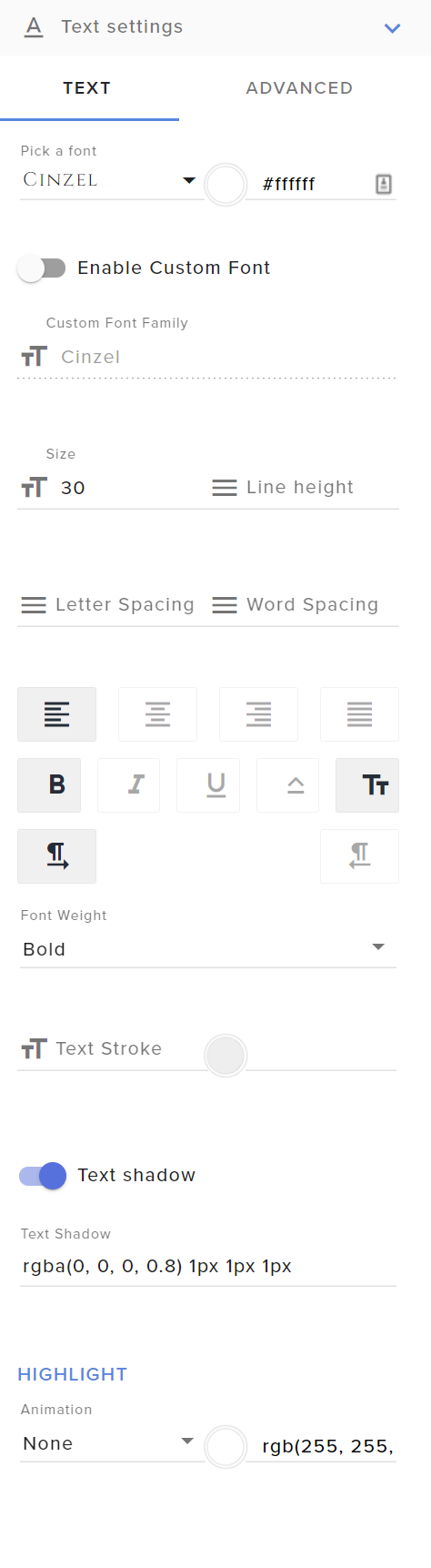
@lofty spear Google Fonts
More than 900 google fonts are supported at this time. You can preview them here: https://fonts.google.com/
Custom Fonts
Steps:
- Install the font on the streaming PC or choose a pre-installed windows font.
- In the overlay widget settings, select Text Settings
- Click on Enable Custom Font
- Type the name of the font as it appears in the windows font directory (This is usually
C:\Windows\Fonts)
Note: After installing fonts, the browser and OBS must be restarted for the font to appear.
lusty fossil
@lament blade I am confused
My Overalys -> edit -> (+) button -> goal on the search bar -> follow highlight -> add goal bar @lusty fossil
ur asking me to type goal in search nothing is happening'
zenith widget
lament blade
lusty fossil
thanks
lament blade
@lusty fossil is mistaken me with my brother
@zenith widget
I am the pretty one of the two brother though!
I swear
lusty fossil
one should be banned I am having issues as it is then to deal with 2 near identical users - lmao
thanks
lament blade
I vote for @zenith widget
lusty fossil
ar eu 2 really brothers?
lusty fossil
k
lament blade
Although he ignores us


 full flame
Hello
 orchid furnace
hi! i have discovered that my commands are not working.. i have tried to part from channel and rejoined..
viscid pebbleBOT
@orchid furnace If your commands recently stopped working and you're using OBS.Live and a custom bot name do the following:
- In OBS.Live, click on the hamburger menu (three stripes) at the top left of your activity feed
- Click on Stream Settings > Custom bot name
- In the Custom bot name field select Set custom bot name, not your already existing username (with capital letters). Note: If you already connected an account that way, the third entry will show as the account name (see image https://i.imgur.com/sO7fWOX.png).
- Scroll a bit down and click on the purple Connect Custom Bot Account button
- Log in as usual and Authorize the custom bot name
- Back in the Activity feed, click on the Send Test Message button and check if your custom bot name starts working again
 inner oar
Hey, my friend has the SE sponsorship tab at streamelements, but I don't have it and wanted to ask if you could fix it, friends of my size have that, which is also why I was surprised
ionic kelp
@inner oar It's invite only. Once certain (but unspecified) requirements you'll be able to use it.
inner oar
and when i have the requirements i automatically get the tab?
ionic kelp
I can't say as I'm not aware of how it is "unlocked".
 shy hinge
Is it possible to reset the follow goal? I had a few people unfollow so its now out of sync.
viscid pebbleBOT
To reset goals:
- from the Overlay Editor > Session data on top right (monitor symbol) > Goals tab > reset progress of desired goal
- from the Dashboard > Activity feed on the left > Widget data on the right > Goals tab -> reset progress of desired goal
Note: Goal widgets (progress) only counts up and doesn't go down automatically, if you lose followers/subs.
 ruby vector
Hi! I accidentally created a separate account for Twitch and YouTube instead of linking my YouTube to the Twitch account, and I'd like to merge those two accounts together, if possible.
 hidden vigil
Donete
viscid pebbleBOT
@ruby vector You can find your JWT token on your account channels page (Show Secrets to reveal the token): https://streamelements.com/dashboard/account/channels
READ ME: This is a private security token. Do NOT share this token here or other public places, only with a StreamElements staff member in private.
ionic kelp
Do note this as well
viscid pebbleBOT
Account Merging - Please note:
- Merging accounts only allows faster ways to switch between accounts
- Merging accounts does not allow data sharing between accounts - different streaming platforms, different type of events
- Merging accounts allows duplicating/sharing overlays between the accounts
If you understand the limitations of merging and want to proceed, please find the JWT tokens (!jwt) from both accounts you want to merge and you will be directed to DM them to a staff member
ruby vector
I understand, I already have the JWT tokens.
ionic kelp
@ruby vector DM @lament blade indicating which is which.
viscid pebbleBOT
@hasty zodiac The !watchtime command is directly tied to the Loyalty system. The Loyalty system must be enabled for viewers' watchtime to count up.
To enable Loyalty, please go to the Loyalty section of your account: https://streamelements.com/dashboard/loyalty
Watchtime counts up every 10 minutes alongside Loyalty points, and only while the stream is live. Reruns will not be counted.
Please note that watchtime is not tracked by Twitch and there is no way to retroactively apply past watchtime to viewers.
StreamElements
The Ultimate All in One Platform for Streamers
 limpid bison
Hey my audio files cant and wont upload to streamelements. id want to change the follow notification sound but cant
lament blade
hey i was wondering where is the widget for the store redemptions so i can get sound effects on stream?
 terse roost
im trying to add mediashare to my stream but the video wont show. Ive created an overlay for it and made it a browser source for obs but it still wont work?
 slender acorn
What is achievement to unlock channel points
lament blade
@slender acorn affiliate
 marble walrus
Hey just checking this is legit
 sour rapids
what is loyalty setting for?
jovial herald
3rd day of trying to get a fix: my activity feed does not show any new events after someone in this discord „fixed“ that no followers went through the activity feed of streamelements. It’s sad to see people’s disappointment that there are no alerts for them supporting my stream. My account ID: 5ff719e2845fc2adf7703ae2
ionic kelp
@marble walrus It is. It's the new method for Merch and Sponsorship payouts.
marble walrus
@ionic kelp thank you!!!!!
lament blade
@jovial herald your activity feed also doesn't show the followers, right?
jovial herald
Correct but after someone told me it has been fixed nothing new shows up anymore
Some friends tried to test with me by hosting
lament blade
Hosting has its own rules, let me test it real quick
jovial herald
Showed up at twitch but not streamelements
lament blade
yup, saw it
jovial herald
Just for information the same problem happened on my YouTube account that is merged with the twitch account maybe something deeper rooted ? Just a thought
For subs at YouTube but nothing else
lament blade
We'll have our devs look into it @jovial herald
jovial herald
Thank you do I get a way of receiving a confirmation once it's fixed?
lament blade
We've saved your discord ID just in case
jovial herald
Alright hope that you find the issue.
Thank you
And apparently (even though my friends said they hostet) the hosts did not show at another events log so I might have been wrong with other events being not delivered. Didn't want to make it look like someone here broke stuff when nothing wrong happened 😉
 grizzled girder
hey, ive made a donations thing on streamelements and ive added it to my a
about but it doesnt pop up on my stream eventhough ive added the overlay with the alerts
is there a way to fix this?
 safe pawn
yeah im struggling with the donations that i have added the tipping link to a panel but its not checked off and i cant click the check button.
grizzled girder
what do you mean checked of?
safe pawn
grizzled girder
you have tto press on the link
safe pawn
oh lol thanks
grizzled girder
then it will come up green and you can press check
grizzled girder
haha its good it happens
 errant raptor
Hiya, I've got an issue with data syncing... Stream Elelements doesn't seem to have my follower data coming in from twitch
Anyone any ideas :/
jovial herald
Streamelements devs have to do some dark magic. They will need your Account ID. I have the same issue and they are looking into it. Good luck.
jovial herald
It's public data so just send it here. ONLY account ID no "secrets". Wait for a response then :p
errant raptor
Very well: 5ff9b189be772b1d9bfb2d84
Thanks 🙂
@ me pls cos I'm probs gonna server mute
 upbeat sun
Can anybody tell me what the "preview asset" is for in stream perks? When redeeming videos on stream, it shows a video screen still before the video itself
 lean temple
hey guys,
i have the following problem:
my overlays are working this far. BUT. My alerts are not working. My followers count is working like a charm but I do not get an alert.
The second problem, might be related, is that the Chat bot is not sending the test message (the one in OBS live's activity feed.
Please can somebody help?
Thanks in advance!
 ebon forum
lean temple
i have the following problem:
my overlays are working this far. BUT. My alerts a...
ebon forum
lean temple
i have the following problem:
my overlays are working this far. BUT. My alerts a...
HI. Can you give me your account ID, located here?
https://streamelements.com/dashboard/account/channels
StreamElements
The Ultimate All in One Platform for Streamers
lean temple
ebon forum
HI. Can you give me your account ID, located here?
https://streamelements.com/da...
5ff7564bf3c4c7e9dd99ec65
Sure! Thanks in advance!
ebon forum
lean temple
5ff7564bf3c4c7e9dd99ec65
Sure! Thanks in advance!
Fixed the alert issue.
About the custom bot - log out from OBS.Live and log back in
and restart the custom bot settings
lean temple
ebon forum
Fixed the alert issue.
About the custom bot - log out from OBS.Live and log ba...
Perfekt! Thank you!
 harsh mason
Could I get some help unlocking the custom chatbot name feature in Ground Control?
errant raptor
@ebon forum I have a similar issue but no data at all, do ya think you could help?
errant raptor
errant raptor
<@!149255081194160129> I have a similar issue but no data at all, do ya think yo...
I take that back, it's the same issue as @lean temple
 mental oak
Where can i find 'Sources' in Obs. I want to add a overlay but i cant find it
errant raptor
It's a tab @mental oak similar to scenes
mental oak
Yes iknow, but i cant see the tab of Sources
mental oak
I found it thank you!
ebon forum
errant raptor
<@!149255081194160129> I have a similar issue but no data at all, do ya think yo...
I would also need your account ID, grab it here: https://streamelements.com/dashboard/account/channels
StreamElements
The Ultimate All in One Platform for Streamers
terse roost
im trying to add mediashare to my stream but the video wont show. Ive created an overlay for it and made it a browser source for obs but it still wont work?
ebon forum
terse roost
im trying to add mediashare to my stream but the video wont show. Ive created an...
When you have the overlay for media share, you need to click "Show on stream" to switch from the media page to the overlay.
terse roost
i have
ebon forum
And what happens, do you get an error message etc?
stuck totem
Heyhey guys! anyone know why my TTS wont activate on my stream sound? i can hear it myself, but the stream sound in OBS wont acknowledge it =/
terse roost
ebon forum
And what happens, do you get an error message etc?
no i literally just doesnt show, i have the overlay on in sources i hav it set to show stream, and everytime i play media it only plays sound, but it still doesnt show
ionic kelp
Do alerts properly show if they trigger?
stuck totem
asking me Sudo?
ionic kelp
No. Bruh.
stuck totem
oh, sry 🙂
ionic kelp
As far as yours it's the TTS for alerts?
stuck totem
it is yes:)
errant raptor
errant raptor
Very well: `5ff9b189be772b1d9bfb2d84`
@ebon forum
ebon forum
terse roost
no i literally just doesnt show, i have the overlay on in sources i hav it set t...
Have you checked if the overlay behaves the same in a browser or our editor?
ebon forum
errant raptor
<@!149255081194160129>
Done, please test with follows etc
harsh mason
@ebon forum my acct id is 5d1251e9baf8fffa02d94950
 shut jackal
So i'm trying to get my Stream Elements shop to show the command above "Redeem Item" like someone elses, how do I d this?
terse roost
ebon forum
Done, please test with follows etc
how do i test in browser

 ebon forum
terse roost
how do i test in browser
ebon forum
terse roost
how do i test in browser
just open the overlay in a browser and check
shut jackal
see how her's shows the !redeem rain but mine doesn't
terse roost
ok
terse roost
ebon forum
just open the overlay in a browser and check
yes the exact same thing in browser
errant raptor
ebon forum
Done, please test with follows etc
I believe it's working now thx 🙂 Why is this happening to so many people?
ebon forum
errant raptor
I believe it's working now thx 🙂 Why is this happening to so many people?
Can't say the technical reason, but this is a really quick fix.
shut jackal
@ebon forum - are you able to assist with my query?
ebon forum
terse roost
yes the exact same thing in browser
Is your widget set to display the video?
errant raptor
ebon forum
Can't say the technical reason, but this is a really quick fix.
Ok, I hope you guys can fix the underlying issue soon, love the system
jovial herald
@errant raptor congrats.. hope mine is fixed too 😛
ebon forum
shut jackal
<@!149255081194160129> - are you able to assist with my query?
have you checked the settings for the item, redeemable from chat?
shut jackal
Yes, I can type !redeem rickroll in my chat and it plays
errant raptor
jovial herald
<@!187220453423579137> congrats.. hope mine is fixed too 😛
Thanks 🤞
shut jackal
But for some reason it's not showing in the store
terse roost
ebon forum
Is your widget set to display the video?
yeah
shut jackal
the command to type
ebon forum
terse roost
yeah
I can check, please give me your account ID
ebon forum
shut jackal
But for some reason it's not showing in the store
StreamElements
The Ultimate All in One Platform for Streamers
 proper ember
is it possible that the commands use my personal emotes? I cant get it to work
shut jackal
Thank you, i'll check that. But where do I go once i'm on there?
mental oak
When I add a Overlay to OBS it gives me a blackscreen and not my overlay, can someone help me with that?
 frank badge
I recently changed the name of the Streamelements bot, now it doesnt respond to a single command anymore.. (tried resetting the name, parting, muting, permitting, timeout etc)
ebon forum
proper ember
is it possible that the commands use my personal emotes? I cant get it to work
Yes. You can either gift the bot a subscription or ask Twitch to give the bot a lifetime sub (for partners).
shut jackal
ebon forum
https://streamelements.com/dashboard/account/channels
I checked the link you sent me, it just took my to my account. Didn't let me amend the actual command.
viscid pebbleBOT
@frank badge If you changed your name on Twitch, please follow these steps:
- Visit https://streamelements.com/logout and then log in again by connecting with Twitch.
- On the right side of the dashboard page that opens, select Join under bot settings. If it says Part select that and then select Join to send the bot to the chat. Don't forget to mod the bot by typing /mod streamelements in your channel if you have not already.
- Post your old and your new name here so that we can update your channel's chatstats tracking (must be done by staff).
ebon forum
shut jackal
I checked the link you sent me, it just took my to my account. Didn't let me ame...
Cry i responded to the wrong line, this was for the message above 
shut jackal
Oh!
ebon forum
Just send it here
shut jackal
5f304b49b37ee9009ee77789
frank badge
Reinstalled OBS.Live once again and now it looks like its working
ebon forum
shut jackal
5f304b49b37ee9009ee77789
https://streamelements.com/callumroyy/store
I see the item in the store.
StreamElements
The Ultimate All in One Platform for Streamers
shut jackal
Yes, but do you see the link to show !redeem RickRoll?
Like above Redeem Item?
For example, this person you can see the actual command you need to type
But for me only shows the comment and the price
jovial herald
Mmmhh my followers are still invisible to streamelements 😦 BigSad
ebon forum
shut jackal
Yes, but do you see the link to show !redeem RickRoll?
The link is not posted for some items, audio effects do not have that for example.
ebon forum
jovial herald
Mmmhh my followers are still invisible to streamelements 😦 BigSad
Can you give us your account ID? You can see it here: https://streamelements.com/dashboard/account/channels
StreamElements
The Ultimate All in One Platform for Streamers
mental oak
When I add a Overlay to OBS it gives me a blackscreen and not my overlay, can someone help me with that?
jovial herald
@ebon forum 2 staff in the discord wanted to fix and one said it's fixed but maybe you can make it happen 5ff719e2845fc2adf7703ae2
shut jackal
ebon forum
The link is not posted for some items, audio effects do not have that for exampl...
What's the best setting to suggest then? I just did a test test but didn't actually do anything
ebon forum
jovial herald
<@!149255081194160129> 2 staff in the discord wanted to fix and one said it's fi...
This needs a manual fix by our developers. Will take a few days.
proper ember
ebon forum
Yes. You can either gift the bot a subscription or ask Twitch to give the bot a ...
Thanks!
jovial herald
ebon forum
This needs a manual fix by our developers. Will take a few days.
ouch.. ok I'll wait
ebon forum
shut jackal
What's the best setting to suggest then? I just did a test test but didn't actua...
The settings are up to you, those are personal. Most people do not visit the store, they use the chat commands.
shut jackal
ebon forum
The settings are up to you, those are personal. Most people do not visit the sto...
But how do they know what to type to redeem the command?
So they just do !items and then view what the command is e.g rickroll
ebon forum
jovial herald
ouch.. ok I'll wait
And it is already in the task. Please be patient, we just updated it.
ebon forum
shut jackal
But how do they know what to type to redeem the command?
Yes or you have the commands listed somewhere.
shut jackal
OK, thanks.
 spark perch
not sure if I should put this in developers-api or here, but here goes. : the streamelements.com/(profile name) page has two lines that do not reflect custom "point" naming
(profile name) rewards (#) points every (#) minutes. <- "points" instead of (custom name)
Subscribers are rewarded with (#)x points. <- "points" instead of (custom name)
(Ranking)
All followers will recieve (#) (custom name) upon following.
and the rest of the lines reflect the appropriate custom name.
If it is done on purpose, I think it's confusing and breaks cohesion. If it was just a simple oversight (I have them allll the time lol) then I hope this helps!
ebon forum
spark perch
not sure if I should put this in developers-api or here, but here goes. : the st...
This is actually too technical for us here, #dev-chat is a better place 🙂
spark perch
roger 🙂
 torn basin
Hey friends! Hope you're all doing well. Not sure if this is the right place for this, but how exactly do I add the custom overlays to my scenes? I have an overlay here that I've edited slightly from Streamelements and I have Obs.Live.
ebon forum
torn basin
Hey friends! Hope you're all doing well. Not sure if this is the right place for...
You grab the URL from the overlay in the "my overlays" section and add this as a browser source in OBS.Live - remember the correct resolution, default is 1920x1080 on our end.
torn basin
Ah, had a feeling that was it! Thank you 🙂 How exactly do I size it properly? It is incredibly zoomed in to the top left - Perhaps there are videos out there so I don't have to spam this chat? 🙂
ebon forum
torn basin
Ah, had a feeling that was it! Thank you 🙂 How exactly do I size it properly? I...
first - check the properties of the overlay on our site
second - check the properties of the browser source in OBS
the resolution has to match or be higher in OBS
lament blade
how do I add a store redemption widget to my OBS?
ebon forum
lament blade
how do I add a store redemption widget to my OBS?
Go to your overlays, edit the one you want to have the widget in and add the "Item redemption" widget and hit Save.
lament blade
@ebon forum Cheers for your help!
So that worked thanks, just wondering do i need to change the sfx in the widget that pops up even if i made it a sound effect in the store?
ebon forum
This is up to you. The sound is for items that are not audio files.
 lilac wadi
Hello can i make an streamelements danate page with no paypal?
ebon forum
lilac wadi
Hello can i make an streamelements danate page with no paypal?
Yes, we have other payment methods.
lilac wadi
sow how if i will make it i most be have paypal
ebon forum
lilac wadi
sow how if i will make it i most be have paypal
If you do not have a Paypal account, you can't use Paypal as a payment method.
Use the other ones for now.
lilac wadi
yes but how i find that i can only find paypal if i will make an streamelements donation page
torn basin
I've been fiddling around with this for a good while now and can't seem to fix this?
When I go into my settings on OBS.Live - Video, my Base (Canvas) Resolution is set to 1920x1080, as is my Output (Scaled) Resolution.
ionic kelp
Ctrl+F
ebon forum
lilac wadi
yes but how i find that i can only find paypal if i will make an streamelements ...
This means you are not eligible for other payment methods - those vary based on region and require 100+ followers.
lilac wadi
so i have need 100 followers for a ideal donation setup?
ionic kelp
Yes
hidden vigil
Doneta
lilac wadi
okay than i wait for 8 more follows 🙂 very thank for your help!
 eternal relic
We're having trouble setting up a notification for TreatStream. How would I add that to my overlay?
ionic kelp
@eternal relic You can't. You have to use their own overlay separately.
eternal relic
How do I add a new overlay?
viscid pebbleBOT
To add your overlays to OBS, add a new browser source in your scene. Paste your overlay URL in the browser source properties, set the dimensions to 1920x1080 (unless you changed them on the website) and check Shutdown source when not visible. https://youtu.be/KDvLynUqXI4
ionic kelp
Do that but with their URL.
eternal relic
Currently using overlays from Stream Elements
lament blade
can you help me with my facecame
ionic kelp
And theirs won't work in ours.
eternal relic
Can you use two browser sources in the same scene?
ionic kelp
Yes
lament blade
why can I only select 1 at the target bitarte
 whole grove
Hi, does anyone knows is there a way to cap the !kappagens Explosions to a certain amount?
 little oak
doing like !kappagen :DansGame: 1000 no you cant not put a cap to it afaik
errant raptor
@ebon forum My friend has the same issue as I did, his account ID is: 5ff9c074fe2bad2db07ca233, could u fix his too pls?
ebon forum
errant raptor
<@!149255081194160129> My friend has the same issue as I did, his account ID is:...
Should be fixed.
 slender rock
Hey, guys! Sorry for strange question but I have no volume slider on my Media Request page. How could I add it?
ionic kelp
@slender rock click the downwards arrow to expand.
slender rock
@ionic kelp Still no controls
 nocturne junco
Hi everyone! I have a big issue with streamelements. I have all my alerts and commands with streamlabs, but I enabled loyalty points with streamelements because it really is better and easier.
Few days ago any loyalty command on streamelements stopped working. I removed streamelements from channel and then add it again: then all commands started working (!top, !top points, !points) but ONLY offstream!
But of course I've enabled it for both "online" and "offline" :sob:
Everytime I start a live on twitch only the first command during the live (yesterday was !points, for example) works, and then all the commands/notifications with streamelements stop working... Can you please help me?
errant raptor
ebon forum
Should be fixed.
Cheers ❤️
 sacred sleet
how do i fix this
ebon forum
sacred sleet
how do i fix this
Make sure you have correct dimensions for the browser source. Default are 1920x1080p.
sacred sleet
okay ill check
 left blade
Hey guys! My stream is crashing about 5 minutes into it. Ran some test and seems to be my Ram is running at 100% any thoughts on what settings I can mess with to maybe help this? Thanks for the help!
ebon forum
left blade
Hey guys! My stream is crashing about 5 minutes into it. Ran some test and seems...
Not much you can do. If your RAM is full, then it is time to upgrade.
You can lower some settings in the game etc. but that will not give you much.
sacred sleet
oh thanks so much that fixed it
left blade
My CPU is running around 60-70% so you believe upgrade is just the best option?
ebon forum
CPU is running at 70% is totally fine 🙂
Check your RAM usage, if you are hitting 90% RAM usage, this is where you see a huge slowdown
left blade
Thank you so much for the info!!
scenic dust
is it possible to get a public leaderboard for watchtime?
 ebon gorge
Recently I've been dropping frames every stream to the point where my obs disconnects from the server, yet when I run internet quality tests, my internet is perfectly fine, like right now I'm rocking 0 bit rate... yet internet is perfect. I've tried swapping servers but nothing seems to work. Any ideas as to whats happening?
viscid pebbleBOT
Obs.live is a plugin for OBS Studio for the best OBS support, please join their Official Discord @ discord.gg/obsproject
little oak
@scenic dust Watchtime is tied to your account, so therefore it can not be displayed publicly
lament blade
hola
scenic dust
little oak
<@!517081765542756370> Watchtime is tied to your account, so therefore it can no...
dammit
thx anyways
 brisk hatch
guys i deleted the chat bar by accident how can i restore it back
nimble dune
brisk hatch
guys i deleted the chat bar by accident how can i restore it back
StreamElements menu, on top of OBS > Chat
 dire sierra
how do you change the follower options that you can only hear it once per person
brisk hatch
nimble dune
StreamElements menu, on top of OBS > Chat
thanks
 twilit rock
just switched to SE and I love it. Problem though, I'm not getting alerts when I go live. I have everything setup correctly and they work when I test them using the emulate feature. Any ideas?
viscid pebbleBOT
@twilit rock The default resolution for StreamElements overlays (theme and custom) is 1920x1080. Please add them in OBS at their full resolution and use CTRL+F to fit to screen if necessary. You can then downscale your stream in OBS settings > Video if you'd like https://i.imgur.com/6bWXxjR.png
 charred quartz
btw, does the events show in activity feed? @twilit rock
twilit rock
yes
twilit rock
I did that. They are literally not work. No sound plays and the animation is not playing.
 tight phoenix
I need help re scaling a twitch overlay from 1920x1080 to 1280x720.
 wanton jetty
@tight phoenix Thats pretty easy, you can do that one of a few ways, leave it at 1920x1080 on SE and set like the above image to 1280x720
twilit rock
wait, I didn't have the "Shutdown source when not visible" checked. Would that have caused it?
wanton jetty
No that wouldnt of caused it, do you have alerts on every scene thats only needed if you have your link on EVERY scene, if you have a dedicated alerts scene dont tick that box
twilit rock
Got it. I use a dedicated alert scene. Makes it easier
wanton jetty
thats to stop audio lapping if you have it on every scene, but can be rather CPU intensive when swapping scenes having to turn on and off the scene
oka may i see your current setup
tight phoenix
it goes from this http://prntscr.com/yam3ru to http://prntscr.com/yam5s0 when i set custom to 720p
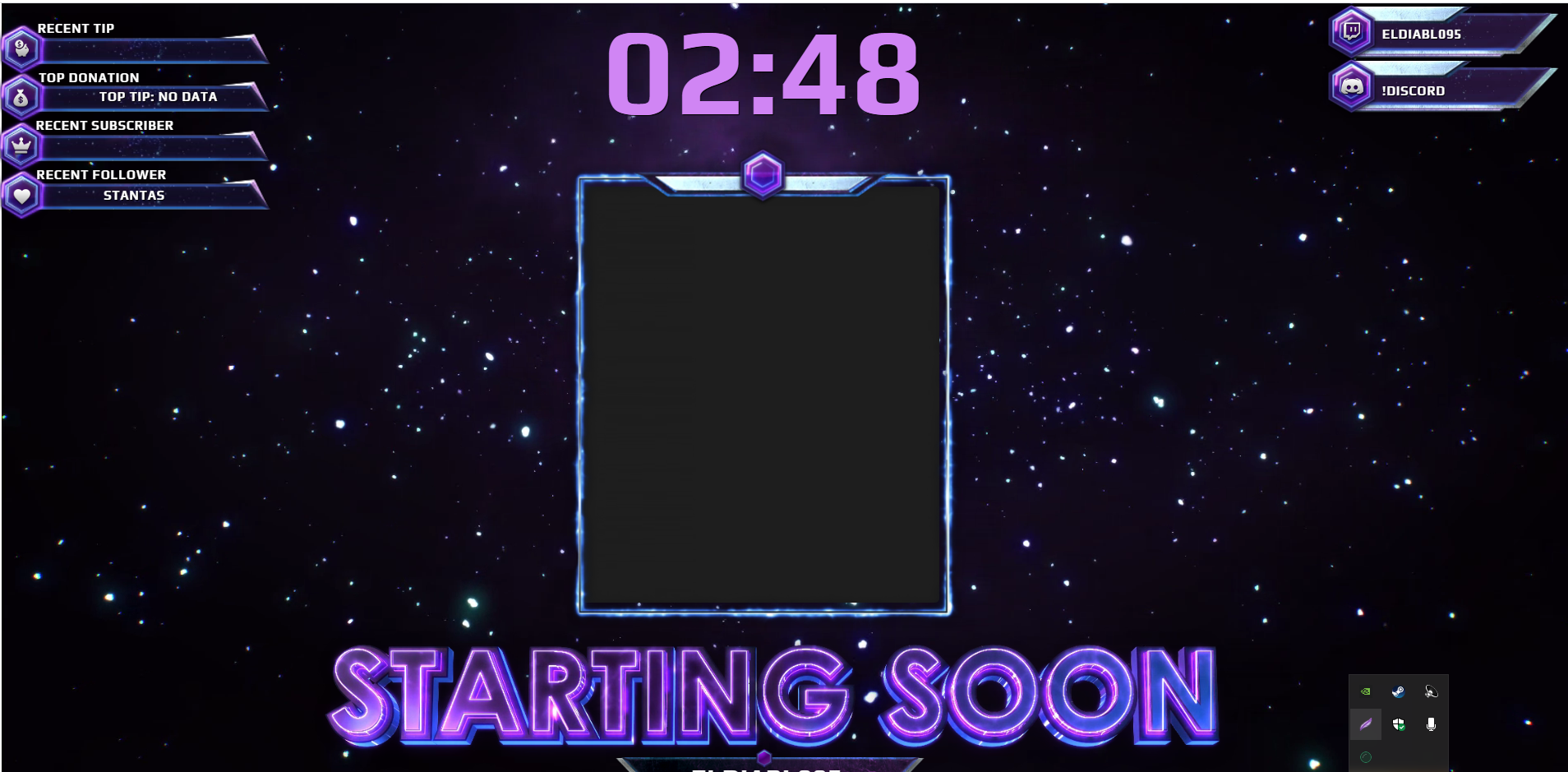
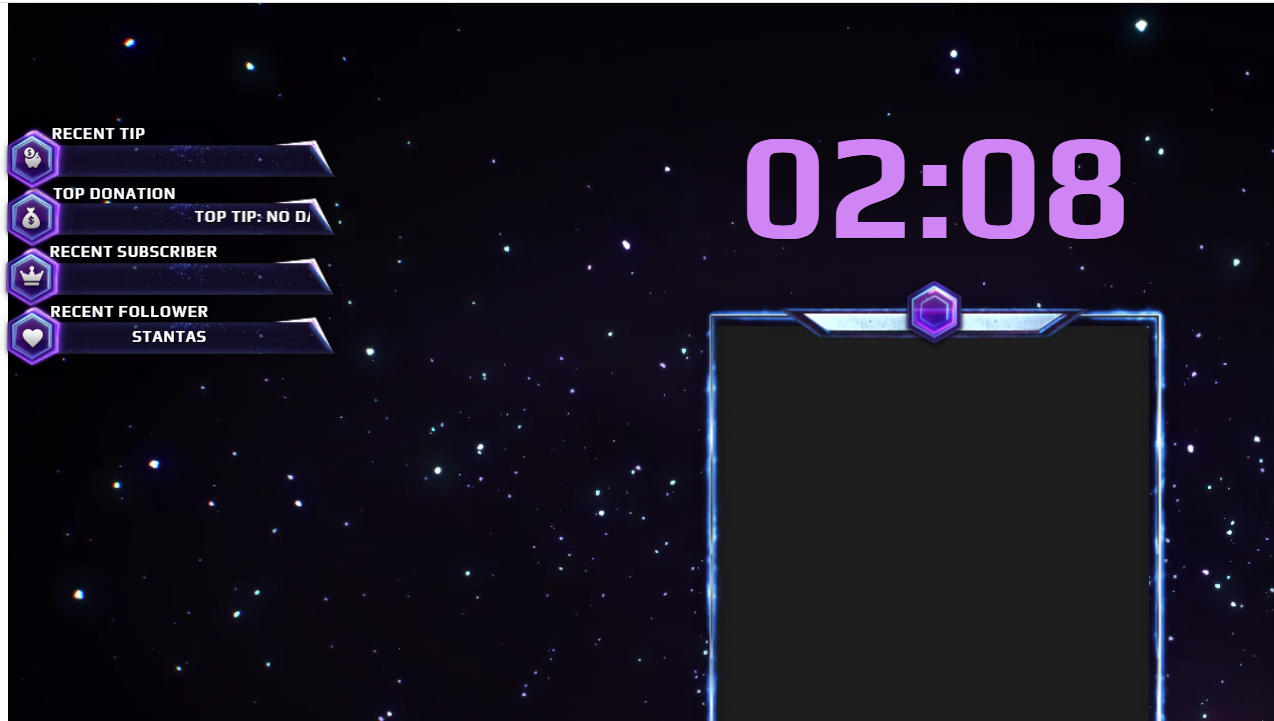 tight phoenix
in SE
wanton jetty
change the resolution in OBS
charred quartz
are yours overlay working @twilit rock ? other stuff besides alerts?
wanton jetty
🙂 you will have a much easier time @tight phoenix
leave it at 1920 x 1080 in StreamElements
tight phoenix
I have, still the same problem
wanton jetty
Ok
- Set SE size to 1920 x 1080
- Set the overlay in OBS to 1280 x 720 and resize the box to cover all the window
then show me result
tight phoenix
okay
twilit rock
charred quartz
are yours overlay working <@!661305714253496320> ? other stuff besides alerts?
yes they are.
wanton jetty
If that doesn't work im more than happy if you DM me a link to sit and make everything 720p compatible. @tight phoenix
 rapid cloud
hello i got a problem im trying to start my streamelements live obs and its says starting streaming to youtube when im on twitch ? and its a blank page
 dawn anvil
Hello. I had a staff memeber join my discord and try to get in contact with me and didn't give me a reason for wanting to communicate. I've never been in this discord besides joining today and just want some clarification on some things.
viscid pebbleBOT
@rapid cloud StreamElements menu, on top of OBS > Logout > Login
ebon forum
dawn anvil
Hello. I had a staff memeber join my discord and try to get in contact with me a...
Hi. We would need some more details to help you with that.
twilit rock
wanton jetty
oka may i see your current setup
How would I go about showing you my "current setup"
wanton jetty
screenshot of the OBS scene with alerts on please to begin
dawn anvil
Would you like me to screen shot and share here?
tight phoenix
wanton jetty
Ok
1. Set SE size to 1920 x 1080
2. Set the overlay in OBS to 1280 x 720 and re...
 twilit rock
rapid cloud
twilit rock
rapid cloud
ok now it worked but its stuck full screen view and even when i do F11 i can resize the app
tight phoenix
wanton jetty
If that doesn't work im more than happy if you DM me a link to sit and make ever...
I've tried to rescale it to 720p but cuts most of the screen off, when i rescale output to source it changes all my obs settings to 1920 from my usual 1280
rapid cloud
ok now it worked but its stuck full screen view and even when i do F11 i can resize the app
wanton jetty
@twilit rock have you imported the "scene" to all the other scenes ?
twilit rock
yes I have.
wanton jetty
🤔 give me a moment
wanton jetty
tight phoenix
I've tried to rescale it to 720p but cuts most of the screen off, when i rescale...
Go here please and DM me a editors link
https://streamelements.com/dashboard/account/channels so i can assist with the downscaling
StreamElements
The Ultimate All in One Platform for Streamers
twilit rock
wanton jetty
🤔 give me a moment
wanton jetty
could you do the same for me @twilit rock i want to apply your alerts scene to my OBS and trigger a follow, so i can help ya get to the bottom of this 🙂
ebon forum
dawn anvil
Yes this is correct. He is also here in the server.
We usually contact people directly for sponsorship requests etc. - please work with FrenkiP on that.
dawn anvil
Okie. just haven't gotten a response yet and was just a little sus. wanted to confirm.
ebon forum
dawn anvil
Okie. just haven't gotten a response yet and was just a little sus. wanted to co...
That's fine, give it some time 🙂
rapid cloud
hello my app is stuck at full screen even when i do F11 i cant resize my application
 cinder olive
FrenkiP is good people, im sure youll love working with him 
ebon forum
rapid cloud
hello my app is stuck at full screen even when i do F11 i cant resize my applica...
Hi. Which app are we talking about?
rapid cloud
@ebon forum my streamelements live obs
 haughty urchin
hey guys, the donates on SE Pay dont work ATM?
ebon forum
rapid cloud
<@!149255081194160129> my streamelements live obs
Can you share a screenshot? Alt+Enter or F11 should resize it
ebon forum
haughty urchin
hey guys, the donates on SE Pay dont work ATM?
They do, we have no issues around SE.Pay that are coming in. Can you give us more details?
 restive zinc
Good evening everyone. I try to delete my connected Twitch account from Streamelements and connect another one. Can you help me here ?
ebon forum
restive zinc
Good evening everyone. I try to delete my connected Twitch account from Streamel...
Hey. Is the account linked to other accounts on our platform?
 static swallow
hello there, I would like to know that how to import my overlays in https://streamelements.com/dashboard/overlays to obs?
ebon forum
Otherwise you can just log out and log back in with your 2nd account.
restive zinc
No it is not
ebon forum
static swallow
hello there, I would like to know that how to import my overlays in https://stre...
Try to use the import tools here: https://streamelements.com/dashboard/account/import
StreamElements
The Ultimate All in One Platform for Streamers
rapid cloud
@ebon forum i did the F11 and alt enter not working and seems i cant screenshot
ebon forum
rapid cloud
<@!149255081194160129> i did the F11 and alt enter not working and seems i cant ...
If you can't screenshot then you have bigger issues with Windows.
We need some more data, have you changed the resolution etc?
rapid cloud
yes
ebon forum
restive zinc
No it is not
So you try to link multiple accounts together?
restive zinc
my problem is i cant add a second account because streamelements says its already claimed
ebon forum
rapid cloud
yes
Change the resolution back, resize OBS and then move forward
rapid cloud
Yes it worked !
ebon forum
restive zinc
my problem is i cant add a second account because streamelements says its alread...
We can merge Accounts together, please DM me, i guide you through (sensitive information)
 marble raptor


 hybrid garnet
o/ witch section could I get help with chatbot renaming in streamlabsobs
viscid pebbleBOT
@hybrid garnet We're not able to troubleshoot issues with using our overlays in StreamLabs OBS (SLOBS) as we don't have the tools to support their software. We recommend using OBS Studio or OBS Studio with our plugin OBS.Live.
hybrid garnet
It should be possible with ground control isn't it
wanton jetty
Well thats both of those helped 🙂
wanton jetty
hybrid garnet
It should be possible with ground control isn't it
What seems to be the issue chief
tight phoenix
@wanton jetty just did me a huge favor by fixing my issue with down scaling my overlay from 1920 to 1280 without my OBS settings getting messed up. Thank you so much for the huge help, saved me a massive headache ❤️
 rigid echo
For setting up TTS for donations, cheers etc. Is there like a global settings for bad words filter? I don't really care about common swear words. I am more meaning if someone put something racist etc into the donation message would the TTS read it out?
twilit rock
wanton jetty
could you do the same for me <@!661305714253496320> i want to apply your alerts ...
Thanks for the help. Problem solved!
 wild junco
Hi, could someone help me set up a custom bot name using ground control? Thanks
hybrid garnet
same here
ebon forum
rigid echo
For setting up TTS for donations, cheers etc. Is there like a global settings fo...
Yes, check the tipping settings, it has a basic and a customizeable filter in there.
rigid echo
okay great cheers, is there any global settings already set up for bad words filter?
@ebon forum
ebon forum
rigid echo
okay great cheers, is there any global settings already set up for bad words fil...
yes, there is a basic filter
wanton jetty
rigid echo
okay great cheers, is there any global settings already set up for bad words fil...
Id hazard a guess there is but for obvious reasons its not disclosed so people cant skirt around it.
rigid echo
yeah that makes sense, I just don't wanna get banned for something bad being put in it
nimble dune
@wild junco @hybrid garnet Channel username? No links.
wanton jetty
wild junco
Hi, could someone help me set up a custom bot name using ground control? Thanks
Ground control is currently outdated for a custom bot name theres 3 requirements, OBS.live, a tiping link in description and atleast one active overlay with SE.
same for you @hybrid garnet
wild junco
nimble dune
<@!686942053589975100> <@!212239729729470475> Channel username? No links.
Same as my username on here
nimble dune
@ebon forum ^^^ can you enable?
wanton jetty
hybrid garnet
obs.live is just for obs and not for streamlabs c/d
Why are you using StreamLabsOBS with StreamElements alerts etc, may just be better to make the swap to OBS Studio with OBS.live, I wont go into reasons why but SLOBS sometimes doesnt like playing nice with SE, and SLOBS is built to use all of StreamLabs's stuff
OBS.live is built to use everything for StreamElements
foggy heart
@rigid echo This page may have a better breakdown on enabling filters for TTS https://support.streamelements.com/hc/en-us/articles/115000370992-Tipping-System

StreamElements
Jump to section
Setting up your tipping page is crucial for getting donations through StreamElements.
We have created this video to help you get started setting up your tipping page.
Got any mor...
ebon forum
wild junco
Same as my username on here
And done, try to set it up.
rigid echo
foggy heart
<@!221834357143371776> This page may have a better breakdown on enabling filters...
Thank you I will check it out
warm thorn
Hello, my Twitch followers are not visible in activity feed and are not display in alerts
viscid pebbleBOT
@warm thorn Please provide your account ID found at the top of this page: https://streamelements.com/dashboard/account/channels This ID is public info and safe to share here.
wild junco
ebon forum
And done, try to set it up.
Amazing thank you, it's working but everytime I try a command I get the response twice?
warm thorn
viscid pebble
<@!244917621538029568> Please provide your account ID found at the top of this p...
5ff9d3b60d8cfb12c778a8aa
ebon forum
warm thorn
5ff9d3b60d8cfb12c778a8aa
Done, test with a follow from someone.
hybrid garnet
wanton jetty
OBS.live is built to use everything for StreamElements
cause normal OBS can't do everythink I need
wanton jetty
May i ask what @hybrid garnet 🙂
if your willing to take the leap from SLOBS to Obs.live @ me in the #helpdesk-selive and i will sit and help you transition from SLOBS to Obs.live with pleasure, I know alot of plugins / features SLOBS uses so the transfer should be easy
warm thorn
ebon forum
Done, test with a follow from someone.
thanks
hybrid garnet
wanton jetty
May i ask what <@!212239729729470475> 🙂
Instand adding sceens swaping stuff and an custom build api thing but the other question is why is there no option on the webpage for eighter switch the name of the bot or the color? The name I guess I could understand for addvertise purpose but color?
wanton jetty
lets move this to either DM's or #helpdesk-selive as were getting off topic
wild junco
wild junco
Amazing thank you, it's working but everytime I try a command I get the response...
Never mind, reset and it's working perfectly now
 fast forge
Hello! I'm trying to figure out item redemptions through streamelements. Do I need to create a different layer for each type of item redemption I have? I'd like to use specific images/sounds for each item redemption, and for now they all come through as the generic present animation with the predetermined sound. Any ideas? Thanks!
wanton jetty
fast forge
Hello! I'm trying to figure out item redemptions through streamelements. Do I ne...
the alert widget can use the image posted on the redemption item (if that makes sence)
let me double check that a moment
 tired delta
Hi everyone, this may seem like a really silly issue but here goes. I have just started using SE, setup all my bot commands for new followers in the chat, but when they come through, i get the overlay notification but nothing appears in my chatbox?
any help on this would be great
TIA
wanton jetty
fast forge
Hello! I'm trying to figure out item redemptions through streamelements. Do I ne...
So any image uploaded here will show in your alert https://thecynicalkitty.com/s/20210447495.png

 fast forge
wanton jetty
So any image uploaded here will show in your alert https://thecynicalkitty.com/...
fast forge
wanton jetty
So any image uploaded here will show in your alert https://thecynicalkitty.com/...
Thanks! Yeah that's what I thought was supposed to happen-- but for some reason my images/sounds associated with my stream store redeemables are not coming throught that way?
wanton jetty
tired delta
Hi everyone, this may seem like a really silly issue but here goes. I have just ...
as insane as it sounds do you have the bot in the channel ?
 empty geyser
Hello Everybody 🙂 maybe here is someone, who can help me 🙂
I have a lot of sound effect redemptions, but anytime one user tries to redeem them it says they do not have enough points. I know he has much of points, on other users it working 😦 any idea how i can solve it? Many thanks ❤️
nimble dune
empty geyser
Hello Everybody 🙂 maybe here is someone, who can help me 🙂
I have a lot of sou...
Are they logged in to the dashboard?
wanton jetty
fast forge
Thanks! Yeah that's what I thought was supposed to happen-- but for some reason ...
check the Item type in the store page
that could be a factor
empty geyser
nimble dune
Are they logged in to the dashboard?
let me check it one sec
nimble dune
empty geyser
let me check it one sec
Send them to login in website with twitch http://streamelements.com/
ionic kelp
Are they a sub?
nimble dune
Then try again redeem
empty geyser
the person is mod in the twitch channel and i can find him on the Loyalty --> Leaderboard 🙂
fast forge
wanton jetty
check the Item type in the store page
Should they only be listed as stream perks?
empty geyser
nimble dune
Then try again redeem
all users, who use cmds on chat need to login on streamelements? that's new for me 🙂
wanton jetty
fast forge
Should they only be listed as stream perks?
in the 2nd tab change these to your stuff
https://thecynicalkitty.com/s/20210472113.png

 fast forge
wanton jetty
in the 2nd tab change these to your stuff
https://thecynicalkitty.com/s/20210472...
fast forge
wanton jetty
in the 2nd tab change these to your stuff
https://thecynicalkitty.com/s/20210472...
Ok yeah-- so I've definitely done that for all of my items! It's just not showing up on my stream for some reason with the images/sounds I've uploaded
nimble dune
empty geyser
all users, who use cmds on chat need to login on streamelements? that's new for ...
Yeah, they need to login in dashboard and after that they can redeem via chat
empty geyser
nimble dune
Yeah, they need to login in dashboard and after that they can redeem via chat
okey thank you i will try it 🙂
fast forge
fast forge
Ok yeah-- so I've definitely done that for all of my items! It's just not showin...
wanton jetty
fast forge
Ok yeah-- so I've definitely done that for all of my items! It's just not showin...
try stream perks then instead of sound effect maybe, mines down as access-code list but that wouldnt work for you.
nimble dune
empty geyser
okey thank you i will try it 🙂
Who has issue with that, just send them to login with twitch and try it again redeeem via chat.
empty geyser
nimble dune
Who has issue with that, just send them to login with twitch and try it again re...
THANKS ❤️ it worked ❤️
nimble dune
You're welcome!