#helpdesk-twitch
1 messages · Page 794 of 1
 unborn rampart
for the last two days, all my overlays have been really choppy. was wondering if something is going on? whether it's kappagen or my follower alert, everything has been really choppy for about two days
 viscid pebbleBOT
@unborn rampart OBS > Settings > Advanced > Scroll down > Enable or disable Browser Source Hardware Acceleration, depending on its current state > Restart OBS (This does not apply for OBS on Mac)
https://i.imgur.com/ggMe9ZE.png

 tame birch
i just started using streamelements and seeing some bugs kinda frequently, wdym by choppy? @unborn rampart
unborn rampart
like my animation for a follower, sub, or donation are usually all very smooth
but for the last two days, it has been like...idk, missing frames, just looks choppy, like not a smooth animation look
@tame birch
 abstract hemlock
@unborn rampart disable the hardware acceralation, make sure that you open OBS with admin rights
tame birch
im not support or anything but try using 30 fps alerts instead of 60 fps if you are
unborn rampart
@abstract hemlock thank you for the reply. it is running w/admin rights
 mild hinge
hi
tame birch
I had some lag too, not sure if the 30 fps was the thing that fixed it tho
unborn rampart
only been having this issue for 2 days, has been okay before then
mild hinge
WASSUp NEW
tame birch
lag on the streamelements website or just obs?
mild hinge
i have stream elements but also nightbot
unborn rampart
music request is also stuttering, like it'll stop and start itself randomly throughout a song (whether from request or backup playlist) so it is currently not usable 😦
@abstract hemlock thank you that solution worked for the first issue so far, ty ty
 eager sigil
Every other tab but the sub tab seems to be updated after todays stream, except the most important one 😦 the subs. But the streamlabs extension somehow finds the subs? Did I configure it wrong?
abstract hemlock
@eager sigil that information is gather for the chat itself so it could take up to 30 days to fully update
eager sigil
@abstract hemlock Can i turn off the extension in that waiting period? Or does it have to be on the panel? It doesnt look good seein an empty sub list 😅
tame birch
for some reason I can't change text size and color or anything for cheer alerts but for tips and subscriptions it's working, any help?
really weird bug
 lament blade
I'm having problems again with alerts. They take a lot to show and today they didn't show a sub alert.
tame birch
found some post on reddit about testing cheer alert is bugged for them aswell
lament blade
@lament blade is Browser Source Hardware Acceleration on? 
@lament blade I think so. The activity feed dosn't show the sub either but Twitch shows me a new sub today so I don't know
@lament blade did you relog in OBS.live?
tame birch
it's just displaying this message over and over as a test and even though I change text color and size it remains like this
 frozen jackal
I cannot access my chat statistics. Could you help ? https://prnt.sc/vrkcq3 @here

 silk harbor
Hi there. I actually had a viewer send a donation through the !donate page which is linked to my PayPal. I have no activity of a donation and the viewer says it shows it went through on his end
lament blade
@lament blade Yeah, re launch OBS, relink my account to StreamElements but the sub alert dosn't show
@frozen jackal did you change your name? 
viscid pebbleBOT
@lament blade OBS > Settings > Advanced > Scroll down > Enable or disable Browser Source Hardware Acceleration, depending on its current state > Restart OBS (This does not apply for OBS on Mac)
https://i.imgur.com/ggMe9ZE.png
lament blade
try with this
abstract hemlock
@tame birch I will apreciate if you stop sayin "bug" everytime that you post here 🙂
i'll try to help you settings thing up.
First let's check the variations settings on the cheers
frozen jackal
I haven't changed it recently, but this is the first time I activate this feature. @lament blade
lament blade
Your twitch name is PcKolog?
frozen jackal
yes right now @lament blade
lament blade
@lament blade It is activated. No problem with that
frozen jackal
my old name was pckologtr @lament blade
 leaden scarab
I want to unlink my streamelements from my twitch but every signle thing i do doesnt unlink it?
lament blade
disable that and try it again @lament blade
frozen jackal
what should I do ? @lament blade
lament blade
@frozen jackal short wait 
frozen jackal
ok i'm waiting 🙂 @lament blade
lament blade
Done @lament blade think that will solve the delay problem but what about the lost sub in the activity feed?
@lament blade do you see the new feeds in the Dashboard?
@lament blade yeah, Bits and Follows but no clue about that sub. I'm starting to think that it's Twitch fault bcuz no menssage displayed in chat either
maybe you removed the hook from subs in the feed?
tame birch
@abstract hemlock oooh okay might be it, thanks. It was weird because I was really sure that changing text size worked for a while but suddenly it went standard and nothing I did had an impact
lament blade
https://i.nuuls.com/87Yy-.png @lament blade

@lament blade I don't know how to do that even lol :c
Nono it's activated
weird  let me thinking
frozen jackal
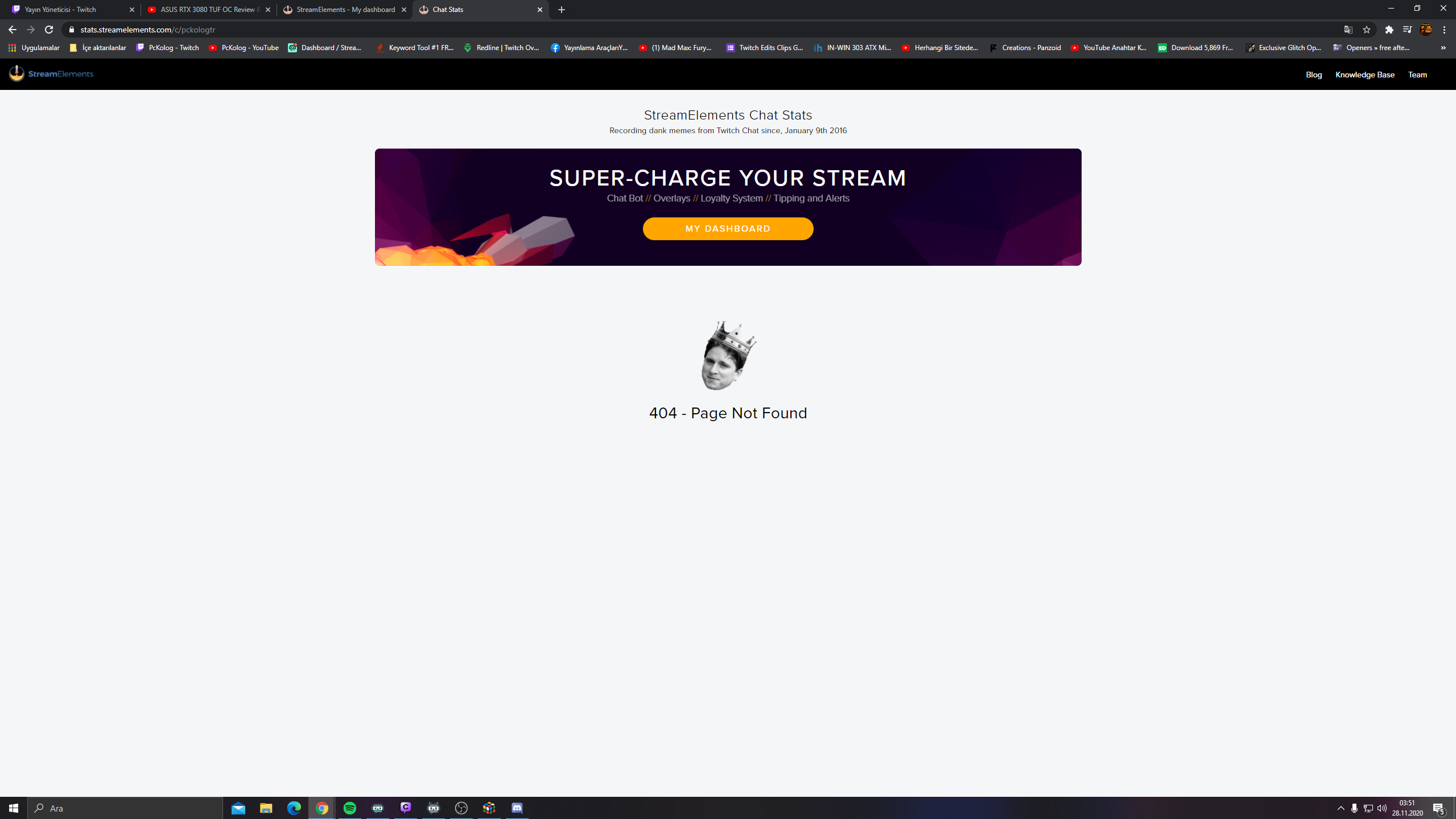

 slate gale
Where do i find stream key in program
lament blade
slate gale
In stream elements
?
It says i need to double check my stream key
when i try to start stream
lament blade
you paste the stream key into Stream
slate gale
haha no
lament blade
which stream key? from twitch?
slate gale
Where is the location of the stream key in OBS live
lament blade
File -> Settings -> Stream
you can login in obs.live for streaming or you get the stream key and paste into
im having trouble how do you log out of ground control?
 haughty marsh
I'm trying to get BetterTTV Emotes to show up on my on-screen chat feed, how do I do that with StreamElements?
lament blade
@haughty marsh 
you click on the Chat Settings and then click on Switch to Non-Mod Settings.
After this click on BetterTTV Settings, type betterttv Emotes and activated both functions
haughty marsh
is that on the chat window in overlay editor on stream elements?
lament blade
streamelements
haughty marsh
i'm not seeing that on the stream chat settings tho in the overlay editor
lament blade
do you use OBS.live?
lament blade

 sinful grotto
Got a question. My stream elements isn't showing new followers on my chat I've gone to my dashboard checked everything but I can't find the command where it should notify me does anyone know where to find it. Oh and FYI I'm using a mobile phone so Computer won't show the same
haughty marsh
@lament blade i did that and i've already had that come up and it still doesn't show up like, on my overlay on the output feed. That's what I meant. If I'm like looking at my own chat on browser it does it but it won't put it up on the output
frozen jackal
Do I have to wait now? I do not fully understand . @lament blade
 tiny carbon
Hi there I have just changed my name on twitch and need my channel updated. Previous name was Casualtbag, new name is Tea_Resa. Please could you make the changes that are required. Thank you!!!
lament blade
@frozen jackal it should work soon
@lament blade Yes, yesterday the feed have no problems with thtat
@haughty marsh mh, did you disable the Browser Source Hardware Acceleration?
haughty marsh
lament blade
<@!177766499124117506> <a:peepoHey:743801732974248057>
you click on the Chat Se...
uhhhhh not sure lemme see
haughty marsh
lament blade
<@!177766499124117506> mh, did you disable the Browser Source Hardware Accelerat...
do i wanna disable that or leave it not disabled if it's not disabled?
viscid pebbleBOT
@haughty marsh OBS > Settings > Advanced > Scroll down > Enable or disable Browser Source Hardware Acceleration, depending on its current state > Restart OBS (This does not apply for OBS on Mac)
https://i.imgur.com/ggMe9ZE.png
lament blade
@sinful grotto is the bot joined in your chat?
sinful grotto
@viscid pebble why is stream elements not giving me notifications to my chat when someone new follows
@lament blade yes it is
sinful grotto
No no it's modded I just checked
The only notification it gives me is when I go live that's it
lament blade
is the module disabled?
sinful grotto
I wouldn't know how do I check that?
haughty marsh
lament blade
<@!177766499124117506> mh, did you disable the Browser Source Hardware Accelerat...
so i disabled it and that didn't change it. I figured it wouldn't because even on the Steam Elements overlay editor on the website, if I type in the emotes on my chat on OBS or another browser tab, the emote shows up fine, but then ON THE OVERLAY it just renders as text, so on the video output that I use the overlay on the emotes aren't there
lament blade
ahh
waait 02:18 am The moderators of this channel are: division_slayer, jd_white, rebelxboxnoob, sorcereraman, wizebot, xtiger4ever1980x where is the Streamelements bot?
He isn't mod in your chat
sinful grotto
Because I have two twitch channels
The Twitch channel I am currently using is ISAxShadowStalker
ISAShadowStalker is the main channel
lament blade
ahh okay
😄
https://streamelements.com/dashboard/bot-modules @sinful grotto here is the link to the bot modules
sinful grotto
Appreciate it
tiny carbon
@lament blade How long will it take to work and will it affect how my obs chat works. Since the name change my obs chat isn't working at all, to the extent that I can type but won't allow me to press enter to send any messages in my chat box. I have relinked my twitch acc and obs with a new stream key, unsure whether that's a stream elements thing or an obs thing. Any thoughts?
sinful grotto
@lament blade chat alerts I would assume be it
haughty marsh
@lament blade is the chat displayer on the Stream elements overlay incapable of rendering BetterTTV emotes properly?
tiny carbon
do you mean relogging stream elements from obs and reconnecting @lament blade
lament blade
@tiny carbon yes
tiny carbon
Just trying that now, thanks 🙂
lament blade
@haughty marsh Sure
haughty marsh
lament blade
<@!177766499124117506> Sure
? so I can't have BetterTTV emotes actually play as part of the on screen chat on my video feed?
it isn't the chat widget on OBSLive that i'm having a problem with, it's getting those emotes to show up on the video feed itself that I can't figure out
tiny carbon
Yeah that's working now, I guess I'll have to do the same for my stream deck as now that's not working. Thank you so much @lament blade
lament blade
@haughty marsh try it with 1920x1080 as size for overlay widget in in OBS
haughty marsh
that already is my overlay size
with 1920x1080 JUST for the chat box part of the overlay you mean? Cuz I don't think OBS is the problem here at all. It's the chat widget within the OBS overlayh
Not OBS overlay, stream elements overlay that i create in browswer then import as a browser source. if I'm looking at the overlay editor and i pull up my chat on my other monitor and type POGGIES it shows up as the emote in that chat, but NOT on the overlay editor. on the overlay editor all that shows up is the text POGGIES
so I just tried making just the chatbox 1920x1080 and that did nothing
abstract hemlock
@haughty marsh let's try !emotes update (make sure to have that command enable) and reload your browser source
haughty marsh
ok
haughty marsh
abstract hemlock
<@!177766499124117506> let's try `!emotes update` (make sure to have that comma...
I just did that, it still just displays POGGIES in the overlay chatbox rather than the actual emote
haughty marsh
abstract hemlock
<@!177766499124117506> let's try `!emotes update` (make sure to have that comma...
actually just noticed something. it uses the global BetterTTV emotes just not the specific ones that I added. It will render the emotes on the overlay if i type like PedoBear or RebeccaBlack
but not POGGIES or HYPERS
OK there we go
thanks a lot everyone i appreciate it
silk harbor
Is this where I post to see about getting a problem fixed on my streamelements?
viscid pebbleBOT
@silk harbor Welcome to the helpdesk! Please let us know how we can assist you today and a support volunteer or staff member will assist you as soon as they are available. Thank you for your patience.
tiny carbon
Sorry one more query regarding name change to my twitch account. I've just re done my tipping link from twitch to stream elements and all is working. However when you go to the link it still says CasualTbags' tipping page, instead of my new name Tea_Resa's tipping page. Is there something I've missed or is that your end?
silk harbor
Hi there. I actually had a viewer send a donation through the !donate page which is linked to my PayPal. I have no activity of a donation and the viewer says it shows it went through on his end.
viscid pebbleBOT
@silk harbor if a viewer tipped through PayPal but no information appears in your StreamElements account, this generally means PayPal has held the tip for verification. Until PayPal clears the tip and sends back a confirmation to your StreamElements account, no information will appear there and no alert will play, as that confirmation is the only way for us to be aware of a successful transaction. If you believe there may be an issue with the transaction, you'll need to contact PayPal support as StreamElements is only a passthrough service and never actually gets involved with the transaction or touches the money
tiny carbon
Regarding my above message ignore it please. I found the setting for this. Thanks again.
 fading lily
Hello can I stop a specific person from entering a giveaway? Like say in the instance they already won?
 weak whale
Can someone help me understand chat timers a bit better? I have online intervals set to 30, 45, and 60 minutes with 5 lines for each. However, there are some instances where there will be a timer message, followed by one or two viewer messages, followed by a timer message. Shouldn't there be 5 lines before it sends a timer message with how I set it up?
 ocean pond
Tried searching previous answers here but no luck. My merch url reads my old username, is there a way I can update this to my new user name? Thanks
 timid solstice
Hi. I switched my username on twitch and my stream elements is showing my old name in a few sections, what can I do so it can reflect my new name everywhere and to see my income report. I'm having a little trouble.
lament blade
is there anyone here that may be able to help with an issue concerning a payment made through stream elements that doesnt seem to have hit paypal yet? it was already taken out of the tippers account
 dry hare
@lament blade that’s a PayPal issue if you’re using PayPal
lament blade
thank you
dry hare
@weak whale bot messages count towards the timer. 5 lines is not a lot for a 45/60 minute timer
 stoic jacinth
Hi everyone! my alerts on my channel are incredibly delayed, sometimes by around 5 minutes. Last night I had 5 gifted subs and it took over an hour to process them through alerts. (one alert every ~10ish minutes. I've never had this problem before.
I did recently change my alerts from mp4 files to webm files with sounds, the sounds in question are 10mb each but are uploaded to SE
the webm's are 400kb
I've tried switching to the default SE alertbox and generating a heap of emulated followers and subs and that seems to work seamlessly
lament blade
hello!!
i need help with my stream elements
i just switched from slobs
and i like the layout of elements
So
i imported my overlays two the webiste
how do i get them to pop up in my application
stoic jacinth
@lament blade welcome and you've made a great choice
@lament blade the scenes from SE must be imported as a browser source into obs
lament blade
thank you!!!
stoic jacinth
SE is a little trickier to use but trust me once you read up and familiarize yourself, your obs and stream will run much smoother. I did the exact same thing over a year ago @lament blade and np!
 drifting dragon
 ivory prairie
i cant connect another account becasue it says its claimed i need help
viscid pebbleBOT
@ivory prairie Account Merging - Please note:
- Merging accounts only allows faster ways to switch between accounts
- Merging accounts does not allow data sharing between accounts - different streaming platforms, different type of events
- Merging accounts allows duplicating/sharing overlays between the accounts
If you understand the limitations of merging and want to proceed, please find the JWT tokens (!jwt) from both accounts you want to merge and you will be directed to DM them to a staff member
 supple forum
everything works fine on my stream until i activate the music widget in obs.live (streamelements obs) once i turn it on, my game starts stuttering and it wont stop until i restart it. this has only been happening as of the past couple of days
viscid pebbleBOT
@lament blade New to StreamElements?
Check out our YouTube channel https://www.youtube.com/c/streamelements/videos
with tutorial videos from setting up the basics, to in-depth details on how to use our product.
New to OBS? Here is a 4 step quick start guide
https://obsproject.com/wiki/OBS-Studio-Quickstart
Want to learn even more? Here is an in-depth overview
https://obsproject.com/wiki/OBS-Studio-Overview
lament blade
ive asked for help hours ago and no one has responded
how do you log out of ground control?
the app you guys made.
dry hare
@lament blade it’s in the pinned messages
lament blade
Hello i need someone to help me Set up my overlays and stuff i just switched to this and i will screenshare
i need help with someone else also
 wraith torrent
Hello! i need help as on my activity feed recent followers are not showing up.
viscid pebbleBOT
@lament blade Welcome to the helpdesk! Please let us know how we can assist you today and a support volunteer or staff member will assist you as soon as they are available. Thank you for your patience.
@wraith torrent Please provide your account ID found at the top of this page: https://streamelements.com/dashboard/account/channels This ID is public info and safe to share here.
 tepid yacht
Trying to do a webm animation for followers, and I have that showing up in a new overlay, but my text just flashes in and then goes away (I think, its very fast). Any idea what could be the problem? (I know that is vague and I assume its in my css somewhere)
 woeful tapir
hi, using shoutout command, is there any solution to non-english streamer names? it's pasting the chinese name in the URL.
 ionic kelp
@woeful tapir Gimme a sec to turn my PC on and do some digging. I know the issue from someone who was trying the same thing with non-latin characters but don't remember if it worked out in the end.
woeful tapir
@ionic kelp thanks mate.
 candid moss
Hello ! I am very new to streaming and wanted to know to put the window with my face in front of the gameplay window. It keeps going behind the gameplay window
woeful tapir
i was trying this command..
${user} is awesome, check out http://www.twitch.tv/ ${user.name} last played: ${game ${1}}
dry hare
@woeful tapir
@candid moss make sure your camera source is above your game source in obs
woeful tapir
candid moss
Hello ! I am very new to streaming and wanted to know to put the window with my ...
assuming you are using OBS? just make sure it is above what other layers
candid moss
thank you !!!
woeful tapir
dry hare
<@91578597516529664>
that is perfect for english name streamers. but for non-english names.. it appears as this:
湯裡有 is awesome, check out http://www.twitch.tv/~~ ~~湯裡有_ last played: just chatting
ionic kelp
@woeful tapir It might be a couple or so hours before the person I can ask is available. I've got the stuff needed to get clarification.
woeful tapir
no probs @ionic kelp not urgent 🙂
ionic kelp
In the mean time could you try ${user.name}
woeful tapir
appreciate your assistance.
ionic kelp
And thats why you make sure you're in the correct channel before posting >.<
ionic kelp
He did but there seemed to be some issues still with what was returned when using the variables.
woeful tapir
for below command..
${user} ${user.name} ${1}
when i do !so matcha0814, it returns
146哇系抹茶 matcha0814 matcha0814
so i guess i'll just have to take user.name for the URL link.
and suppose will have to avoid using @ for the command.
woeful tapir
and if i !so the chinese name, it returns myself for the first 2 variables
isnt ${channel.display_name} for myself?
dry hare
testing
 hazy fulcrum
have a question... my alerts are not showing up properly and its displaying a white box that doesn't seem to go away any help would be greatly appreciated
i figured it out my width and height was off
 vivid plaza
does anyone know how to change ur stream name before i start streaming with streamelements
i usually change it through twitch modview but like it still stays as the original title after the stream
dry hare
Or click the hamburger menu in the obs.live activity feed panel
ionic kelp
#🇷🇺︱русский
tiny carbon
Hi there, I've just changed my name on my twitch channel and have done all the things that I know of...buuut my alerts like follows and subs aren't working, please help 🙂
 long rover
why is it that when new follows don't pop up on my activity feed and also alerts aren't popping up
viscid pebbleBOT
@long rover Right click on the BrowserSource > Properties > Scroll down a bit > Refresh cache of current page
@tiny carbon Right click on the BrowserSource > Properties > Scroll down a bit > Refresh cache of current page
long rover
viscid pebble
<@!368400890647805952> Right click on the BrowserSource > **Properties** > Scrol...
did that didn't do anything
tiny carbon
I've just done that but still my alerts aren't working. I have also tried reconnecting the link. I'm live now and it didn't help at all. So sub alerts and follows are the ones not working. it says Error check the bot command setup.
I have reconnected the bots too btw, so not sure what to do next...
viscid pebbleBOT
@tiny carbon Go to the Dashboard > Right side > Part channel > Join channel(https://streamelements.com/dashboard)
 tiny carbon
Yeah I've done that already...and just redid before too. No change
 prisma relic
🤔 ..... can you try to relog?
viscid pebbleBOT
@tiny carbon Please logout of StreamElements at https://streamelements.com/logout and then login again to your account (Twitch/YouTube/Facebook).
 upbeat moat
Follow alerts not working They show up on twitch dashboard but not on the obs pannel, other alerts working tho
 zenith widget
@tiny carbon @long rover There is currently an issue with alerts. They are delayed because of a follower bot attack. I would suggest to wait it out and eventually the alerts will show once the servers stabilize
long rover
zenith widget
<@!445895585145421825> <@!368400890647805952> There is currently an issue with a...
alright htanks
 high apex
Hey, I'm trying to set up media requests with moderation but the moderation for me isnt working at the moment, It just plays it without being approved, does anyone have similar issues with this
zenith widget
Check the exempt levels in the settings on the bottom
and if you are requesting the songs, they will be exempt from being approved
high apex
thanks!!!
 fathom oasis
i need help i was using the song request thing and the song wont start
prisma relic
please don't try to ping tags.
when someone that knows an answer is here they will respond. only advice I can personally give you is "did you watch the youTube video on how to set it up?"
zenith widget
@fathom oasis can you elaborate on the issue?
tiny carbon
Thank you @zenith widget, they did start to work intermittently. I'll give it some time and see what happens...
frozen jackal
I wrote yesterday, I can't access my chat statistics page. It was said that it will be okay yesterday. Is there anyone who can help?
 zenith widget
Still waiting on devs on this
frozen jackal
I did not understand how that is ?
I used to change nicknames, they said it was related to it. but I did not understand what I need to do to make it better.
zenith widget
Wait
We've reported the issue to the devs and they will look into it
but its saturday and they don't work today
frozen jackal
ok then, let me write again on monday
 crystal lake
I have a Problem with showing FrankerFaceZ emotes on my chatbox. Global Emotes are displaying but not the ones i added myself. Anyone has a fix?
prisma relic
Can you check the settings and see if they are selected in the overlay editor?
crystal lake
What settings exactly?
 jaunty stream
How do i setup nuke for SE, i normally use Fossa for those things but i have seen !nuke with SE before
ionic kelp
@jaunty stream It's a hidden command that's used for situations that I can't think of offhand but 99% never needed by most users.
jaunty stream
ionic kelp
<@!282871543787159552> It's a hidden command that's used for situations that I c...
im not even finding it in the documentation
prisma relic
it's cause it's a secret 🙂
lament blade
!nuke 4 4 'ban/delete' WORD @jaunty stream try it with this
jaunty stream
lament blade
``` !nuke 4 4 'ban/delete' WORD ``` <@!282871543787159552> try it with this
tyvm
crystal lake
@prisma relic What settings do you mean? I'm a little confused since the global ffz emotes are working just fine
prisma relic
give me a minute; i gotta set up an overlay
what is 'FrankerFaceZ' @crystal lake ?
is that BTTV emote?
crystal lake
It works just Like BTTV emotes. Its another Add-on /Plugin you can use to add more emotes
monkaS is a global emote from FrankerFaceZ (every channel that adds the addon can see them) and there are non global emotes you need to add to your channel yourself and these are so ones that are not displayed
prisma relic
ahhh ya. i'm not sure haha; i use BTTV emotes..... but monkaS is also a BTTv one
crystal lake
Ahhhh that would explain why monkaS works
because my bttv ones are working perfectly fine
prisma relic
... if it is a non-global emote then it probably won't work (because it is the S.E. bot reading your channel)
crystal lake
But it says that the StreamElements bot is a frankerfacez supporter 
prisma relic
ya. ya. i was wrong. FFZ is supported
ionic kelp
Are you using the default chat widget?
crystal lake
prisma relic
I just don't know what that is 🤣 ^ sudo knows more
crystal lake
Uhm im not sure @ionic kelp i imported a widget
ionic kelp
I'd suggest this one as the default widget is rather "lacking" https://strms.net/custom-chat_by_lx

StreamElements
The Ultimate All in One Platform for Streamers
crystal lake
Still not working :/
viscid pebbleBOT
@polar night Read and follow our server rules:
- We do not tolerate toxicity! Treat the community team, staff and all members with respect.
- No advertisement or channel promotion, anywhere on the server.
- No NSFW/NSFL
- No unsolicited DMs or friend requests to server members
Make sure to read the #rules in any server you join.
ionic kelp
@crystal lake 2 things: Grab this and which overlay?
viscid pebbleBOT
Please provide your account ID found at the top of this page: https://streamelements.com/dashboard/account/channels This ID is public info and safe to share here.
ionic kelp
Please don't post the link. Name would suffice.
crystal lake
I took the chat from "LOL LEGENDARY ANIMATED SUPER THEME" and my account id is: 5e513f8ff2f849c95cfea3a1
 finite sparrow
so im having this issue with my mic but in other programms it works normally this only started when i switched headphones and mic's
ear r warning
ionic kelp
@crystal lake Could you do !emotes update in chat?
crystal lake
"Successfully updated" still doesnt work tho @ionic kelp
 little flower
Hi, I am having serious problems using SE. The overlay editor frequently stalls and becomes totally unusable. When I preview alerts or have them go off while live, my CPU spikes into the high 90s and stutters the entire stream while alerts go off.
I was told by SE support that it was OBS, and then that it was my connection, and finally that it was my PC. My connection is Gigabit and OBS Support has independently confirmed multiple times that this is not an OBS Issue. I just bought a Brand-new, $3000 streaming machine specifically to solve this issue and I am having the same issue: Alerts triggering even when not streaming spikes my CPU into the high 90's and makes alerts unusable.
PLEASE HELP ME. I am now out over Three Thousand Dollars and am no closer to solving this problem.
little flower
You are telling me to enable something that is already enabled
little flower
I am shaking with adrenaline. Three thousand dollars and this issue is not fixed
Sir, I have been testing this for four hours. This setting has been enabled and disabled multiple times with no effect
zenith widget
I'm not sure as to why you'd go the route of spending so much money on something that might not be hardware related.
little flower
You literally told me... I can't. I can't even. You literally implied this was my PC
and that this was in no way a SE site issue
I can't even.
zenith widget
Where have I implied its your PC? The settings i provided affects a software not a hardware thing.
There is a difference between software and hardware settings as well
zenith widget
Now, knowing that you've tried to disable hardware accel. in OBS, then we try something else.
Idk who ever advised you to upgrade your PC, but me personally would never tell anyone to do so
 trail turret
Oii
 robust venture
How can I block any 12 digit numbers in my chat? SE bot spam filters says it can block patterns but I see no option .
 woven saffron
How can i change the Time in Overlay "Starting soon"?
 terse isle
i need help whilst using SE when somebody requests a song using !sr it is meant to confirm it but it doesnt confirm it in the chat when it says the song has being added to the queu but the song still gets added to the queue when im on the website anything to help?
 warm basin
Hello! 🙂 Anyone can help me updating my old user data on the site, because i cant see my chat stats and use the modules correctly
My old name: Worman_ARG , New name: Diegote_TV
warm basin
oh, in stream elements site?
terse isle
dk
 wary halo
that is only for loyalty points in someone else's stream
warm basin
:c i mean, the bot works perfectly, but my problem is with the chat stats
wary halo
I'll send the names to staff so they can fix the pages
wary halo
nope, that's it
warm basin
❤️
jaunty stream
how do i use regex for banned words? 
 surreal swan
Ok not sure if this is the right area to ask this but how does the followage command work like what variable does it use?

 sonic nexus
Тут русские есть?
ionic kelp
#🇷🇺︱русский @sonic nexus
 dusty oracle
 glass locust
HELLo there, i work for a big italian streamer and we are having issues with our alerts! league stream on average 140-100 fps and when theres a sub (and the alert) the game goes from 120 to 50 fps until the alert is finished.. any idea of what should be the problem?
viscid pebbleBOT
@dusty oracle New to StreamElements?
Check out our YouTube channel https://www.youtube.com/c/streamelements/videos
with tutorial videos from setting up the basics, to in-depth details on how to use our product.
New to OBS? Here is a 4 step quick start guide
https://obsproject.com/wiki/OBS-Studio-Quickstart
Want to learn even more? Here is an in-depth overview
https://obsproject.com/wiki/OBS-Studio-Overview
 frank thorn
hello, i got problem with donation, one viewer sent me multiple donates with debit card, but i got no notification or any other clue of receiving it. Money were withdrawn from his account with "STREAMELEMENTS.." descript, any help?
 ember gyro
Hello, recently when I am going to view an overplay of mine, after opening my screen it is totally white, I tried to go to view it on my cell phone and computer, or in another account on twitch, only a white screen always appeared.
lament blade
I’m trying to stream but my audio isn’t working for the game so I can’t hear game play and the stream is lagging like hell I’m streaming on twitch from my ps4 any help
 uneven badger
Hi, I'm having a problem with the StreamElements Leaderboards Extension. Yesterday someone made a subscription to my channel but in the leaderboard i can´t see anybody
 paper iron
Hi. When editing alerts, if i set the text layout to "text over image" I cant see it. This has always happened to me. Is there something I could be doing wrong?
viscid pebbleBOT
Text not showing up over your alerts? Go to the Advanced Text Settings and set the top margin to 50, you can work your way to the right position from there.
 stuck totem
I had to change my Twitch password, anything i need to think about after i did that? will things still work the same between my twitch and streamelement?
viscid pebbleBOT
@stuck totem Please logout of StreamElements at https://streamelements.com/logout and then login again to your account (Twitch/YouTube/Facebook).
stuck totem
ok, did that. so all good then i hope 🙂
 icy light
How can I change my Stream Elements email?
 vast geyser
@viscid pebble how long is turnaround for merch sales right now?
 wheat olive
hello how can i use the countdown without edit overly?
 kindred bronze
hi, i need help with my chat stats. im not sure why mines not working again its been like 3mos. i havent changed my twitch name either. if anyone can help that would be great ty. **Twitch: Duhnni **
 uncut holly
I'm having a strange issue with alerts. The vast majority of the time they work just fine, but every stream there are a few that don't activate and they won't play even if I try to manually activate them from the event list. It's disheartening to see people follow, cheer, raid, etc. and have the alert randomly not work. I've done all the standard "turn it off and on again" type stuff and nothing has solved it. Is there anything else I should try? I really don't want to go back to Streamlabs, but I can't have alerts that don't work consistently.
 storm trout
@uncut holly this randomly happens to me and i had create a new overlay to get the alerts to work again. I never figured out why they stopped working.
uncut holly
storm trout
<@!597456334312570885> this randomly happens to me and i had create a new overla...
Thanks. Re-creating a whole new overlay is the one thing I didn't try yet, mostly because it'll take a long time to set up as many alerts as I have. But if it means they'll work 100% of the time, it's worth it.
storm trout
@uncut holly so first try and simply duplicate the overlay which should generate a new URL you can paste into your streaming platform
if that does not work, creating a new one would be the next step. I am not an expert, but that is what i did
dry hare
uncut holly
I'm having a strange issue with alerts. The vast majority of the time they work...
Make sure you check your alert settings and you don’t have random variations
uncut holly
I don't think I do, but I'll double check. I have just one alert for each specific set of conditions. It's just weird to me that it will play an alert and then just a few minutes later under the same conditions (e.g. someone giving the same amount of bits) not play the alert.
 queen sleet
Hey im a small streamer and my viewers want to check their watchtime witht he !watchtime command but its not working anyone got any ideas
viscid pebbleBOT
@queen sleet 10 minutes of watch time is given to those in chat when the loyalty points are handed out (every 10 minutes). Therefore, loyalty must be enabled to watch time to work properly.
There is no direct link between watch time and all-time points.
It can’t be calculated from the number of all-time points a user has because subs may earn points at a faster rate and !bonus all command increases all-time points for users in the chat at that time.
Giving points to a single user do not affect all-time, only when giving to all in chat.
 foggy rose
Does anyone know if the Tiltify widgets work with Team Campaigns? I am all connected but my campaign info isn't showing up...
Nothing appears in the dropdown
supple forum
still having issues with the song widget. everything had worked perfectly for months and then using the song widget directly off the website - the songs from our backup playlist would start halfway through, or towards the end over and over again for hours. additionally trying to change the volume through the bot with the !vol command would cause the volume to occilate way up and down without landing at the desired point. was seen by someone from SE and after trying all modified settings (essentially one thing, refreshing the cache) it still was not fixed and was told it was not a priority for devs. so I was THEN advised to get on obs.live. So i switched to obs.live and it seemed to work fine for a few weeks. Now as of the last several days, running the song widget directly through obs.live it causes my kappagen to stutter, my marquis overlay to stutter, and my game capture to stutter. I have already turned off and on browser hardware acceleration to no effect and I already run obs with admin privelage. my stream works fine if i restart and simply do not use the song widget but now i don't have what has been a big part of community engagement active on my stream. stream machine running with i9-9900k, 2080 ti, 64gb ram, m.2 ssd drive, etc. am not dropping frames at all. have not changed internal settings at all. this only seems to occur when attempting to use the song widget. any ideas?
dry hare
foggy rose
Does anyone know if the Tiltify widgets work with Team Campaigns? I am all conne...
Can you try disconnecting the tiltify integration and reconnecting it?
 odd sedge
@odd sedge If you changed your name on Twitch, please follow these steps:
- Visit https://streamelements.com/logout and then log in again by connecting with Twitch.
- On the right side of the dashboard page that opens, select Join under bot settings. If it says Part select that and then select Join to send the bot to the chat. Don't forget to mod the bot by typing /mod streamelements in your channel if you have not already.
- Post your old and your new name here so that we can update your channel's chatstats tracking (must be done by staff).
@viscid pebble
theSwampThings > realswampthings
 eager shuttle
Good evening, in the Italian subsection they told me to write here. This is the second time something like this happened, and not to me alone. This are submitted challenges of the StreamElements Content Creator Program for MTGA, and they are pending since days and days, last time, two challenges like this stayed Pending until the end of the challenge itself, resulting in me NEVER receiving my challenge rewards. Since this are ending in one day like the last time, I'd like the thing to not happen again, and maybe, receive my two challenge rewards from last month.
wary halo
@eager shuttle what is your Twitch username (no links)
eager shuttle
ilDelmo
wary halo
eager shuttle
ilDelmo
The devs are going to take a look at it
eager shuttle
thank you, will I get a response here or via PM?
wary halo
I'll ask, one moment
 radiant field
hi i have account on facebook but i cant login to it right now problem with otp code I'm asking if i create another account with twitch with same paypal account
is that a problem ?
wary halo
i think not
wary halo
should be the same yes
radiant field
ok last question when i solve this problem can i ask for link them all on same account or i cant do it on my own
radiant field
this happend while im was gona link youtube too streamelement
wary halo
eager shuttle
thank you, will I get a response here or via PM?
either one of those options will be done, not possible to say which one as it's up to the person that is on shift when it's fixed. but you will be notified
eager shuttle
thanks a lot
wary halo
no problem 😄
wary halo
radiant field
this happend while im was gona link youtube too streamelement
If you have separate accounts a staff member has to link them
viscid pebbleBOT
@radiant field Account Merging - Please note:
- Merging accounts only allows faster ways to switch between accounts
- Merging accounts does not allow data sharing between accounts - different streaming platforms, different type of events
- Merging accounts allows duplicating/sharing overlays between the accounts
If you understand the limitations of merging and want to proceed, please find the JWT tokens (!jwt) from both accounts you want to merge and you will be directed to DM them to a staff member
lament blade
hi guys, i have a question.
viscid pebbleBOT
@lament blade Welcome to the helpdesk! Please let us know how we can assist you today and a support volunteer or staff member will assist you as soon as they are available. Thank you for your patience.
lament blade
ci wanna close my konto on streamelements but he say me all the time wrong username?
radiant field
i cant get jwt code without login to facebook right ?
wary halo
i think not no
 frank linden
hi guys, i have a question.
The donations I received through bynogame do not appear in the revenue history
wary halo
To integrate, open https://bynogame.com/ben/bngpay and click on the StreamElements Kurulumu button (if you can't see it, open the link again).
You will be asked to authorize the connection on our site. Once authorized, all the tips you receive through ByNoGame will generate alerts on StreamElements, and show up in your activity feed, revenue history, labels, dashboard, etc.
frank linden
I authorized from the site
@wary halo
i have total tips 2
but it doesn't appear here
wary halo
Maybe the payment hasn't gone through yet? Is it already on your bynogame account?
 safe lion
hello everyone hope u'r doing well.
Is there a possibility to make a custom command, which when triggered is givin the person who triggerd the command a timout for like 10 seconds?
frank linden
appears on my bynogame account
tame birch
is there a way to turn off alert sounds only?
like temporarily, all alert sounds on and off
frank linden
@wary halo
wary halo
I have no idea, I've never used BynoGame but i'll ask around to see if anyone else does
safe lion
i found kind of the soluten for my problem, just on thing left. If a usere types "!wojule" in the chat, the bot answers with: /timeout ${user.name} 30 ${sender} u asked for it *** and here should be an custome emote (emote code: " ") ***
But the bot, just replies with the code not the emote. How do i have u implement the emote-code into the last part, so the bot posts the emote, not the code?
Info: Streamelements is a subscriber on my twitch
glass locust
HELLo there, i work for a big italian streamer and we are having issues with our alerts! league stream on average 140-100 fps and when theres a sub (and the alert) the game goes from 120 to 50 fps until the alert is finished.. any idea of what should be the problem?
 orchid nova
my alerts have been getting worse and worse, more delayed and now they just aren't working
non of the previous methods used which normally worked previously work
any idea? or someone that can look into this?
 covert wing
Hi
 ocean gate
Possibly the same issue as @orchid nova? The channel I mod for is currently live (@itsGemmaEdwards) and we're noticing a delay on alerts of up to 60 seconds or so. (edit: some are taking longer)
Is there any known service issues on SE, or is it Twitch being Glitch again (I'm leaning towards the latter)
lament blade
How do I apply overlays to my stream I added them from stream labs but they aren’t showing up on my stream
Stream elements my bad
viscid pebbleBOT
@lament blade To add your overlays to OBS, add a new browser source in your scene. Paste your overlay URL in the browser source properties, set the dimensions to 1920x1080 (unless you changed them on the website) and check Shutdown source when not visible. https://youtu.be/KDvLynUqXI4
 idle helm
Hi there, my alerts are not working and streamelements isn't even picking up events at all even on the website activity feed. i'm live now. Help!?
ocean gate
@idle helm We're having a similar issue on the channel I mod, so it may not be just you
idle helm
thanks @ocean gate ! I just had one finally go off 9 minutes late.
ocean gate
Yeah, we're seeing significant delays in alerts, and counter updates. Have asked the streamer if her dashboard is delayed, but obv she's a little busy right now
Apparently her activity dashboard is showing things fine, but the alerts and on-screen elements are super delayed
 long frost
Can confirm the dashboard and Ground Control are also delayed
 solemn drift
I have the same problems
lament blade
Hello, i'm having the same problems here
The alerts are showing up after +/- 10 minutes
 light sun
@viscid pebble
lament blade
Same here, alerts are trigging 10-15 min after lol
long frost
You tagged a bot 
 frosty crow
cant load site here. its broken
solemn drift
bits are ok, but donates are not avalaible
 slender patio
how do you edit a command that responds to multiple words (e.g. the streamer I mod for has it when someone types "first time here" it responds with "loving the vibes", and wanted to know how you can include multiple words in the command?
 wary pumice
I have some problems with the alerts
ocean gate
slender patio
how do you edit a command that responds to multiple words (e.g. the streamer I m...
You'd probably be best off writing a RegEx (Regular expression) to detect it
wary pumice
thanks, it's hard with 8000 viewers...
slender patio
ocean gate
You'd probably be best off writing a RegEx (Regular expression) to detect it
I have no idea how to do that unfortunately
when i've modded chats in the past they've had nightbot which was pretty basic
ocean gate
something like /(first time)/i would detect any occurrence of that exact text in a chat message (case-insensitive), and trigger the command
 dapper burrow
Hi hello, quick question. The "activity feed" doesn't update anymore. Is this a known issue?
 barren prairie
hey are notifications not working right now?
lament blade
Help me....
https://prnt.sc/vrz6rt
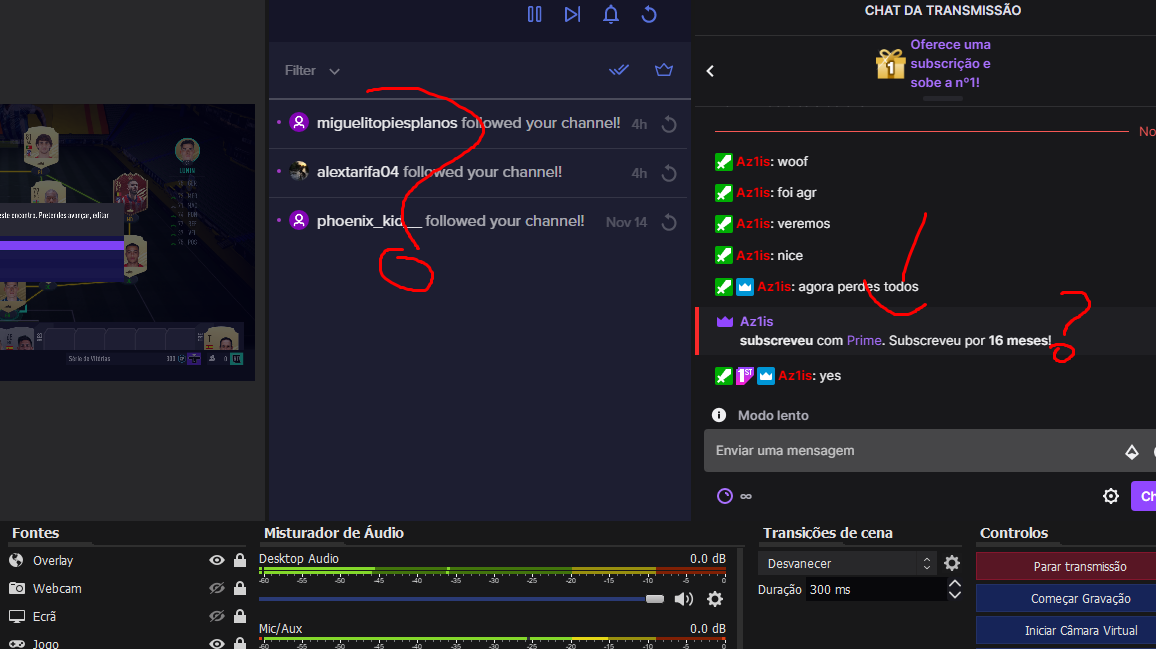 lament blade
cant you just test the donation or something?
ocean gate
wary halo
look above
If only it was possible to scroll, eh? 
 knotty citrus
Anyone know how to disable the loyalty points from Stream Elements in Streamlabs? I have disabled it on the Stream Elements dashboard, but its still showing up in my chat when i type '!points'
light sun
@barren prairie super delayed still
 raven swallow
Good evening. I have a little problem with the Bot. I am a Mod and have access to streamelements bot. But at the top I have no possibility to switch to my Streamelements bot 😄
 azure stratus
How do I authenticate obs live with twitch?
viscid pebbleBOT
@azure stratus StreamElements menu, on top of OBS > Logout > Login
azure stratus
ty
 rustic karma
Ah good to see that very delayed alerts are not just a me issue. Hopefully that gets sorted soon.
robust venture
How can I block any 12 digit numbers in my chat? SE bot spam filters says it can block patterns but I see no option. What do I enter into the field to express a placeholder for any 12 digit combo?
 brazen jolt
My follow notifikation in chat is mega mega slow, what to do?
 wanton jetty
Anyone having issues with activity feed ?
 hardy oracle
yes
brazen jolt
Yes
ocean gate
robust venture
How can I block any 12 digit numbers in my chat? SE bot spam filters says it can...
You'd need a RegEx, something like /([0-9]{12})/ I think (I'm a little rusty)
wary halo
I guess no one has a scroll button anymore
robust venture
@ocean gate Do I have to look for RegEx syntax or is there a SE guide?
 faint dove
whats scrolling? 
ocean gate
robust venture
<@!271640094660624395> Do I have to look for RegEx syntax or is there a SE guide...
it'd be regex syntax. I just tested that on regexr.com and it seemed to work
lament blade
Not working yet. still delayed
robust venture
@ocean gate Thanks for the answer I'll give it a look and try to make it work also with spaces in between the digits.
ocean gate
robust venture
<@!271640094660624395> Thanks for the answer I'll give it a look and try to make...
This might work /([0-9\s]{12,})/. its not perfect, but should do the trick.
It'll match any pattern of numbers and spaces of at least 12 characters
robust venture
@ocean gate Thank you so much. I'll give it a try
brazen jolt
What’s happening with the “thanks for follow”?
ocean gate
robust venture
<@!271640094660624395> Thank you so much. I'll give it a try
no problem. regexr.com is a good free site I use for testing regex patterns
 jolly cipher
Was anyone else having delay issues and the dashboard not loading? or was it just me?
wary halo
brazen jolt
What’s happening with the “thanks for follow”?
it's delayed
ocean gate
Lurk for the updates, stick around to help with regex. Not how I saw my saturday evening going
wary halo
ocean gate
Lurk for the updates, stick around to help with regex. Not how I saw my saturday...
story of my life

surreal swan
What's the variable for followage?
wary halo
is it showing 0 everytime? 😛
surreal swan
I want to implement it into a different command but don't see the variable they use for the default command
robust venture
@ocean gate So on a RegEx site the testing works but in SE it tells me "Phrase doesn't match any groups"
ocean gate
robust venture
<@!271640094660624395> So on a RegEx site the testing works but in SE it tells m...
hmmm, not sure. Did you tick the box? Maybe take out the /'s
I'm not massively clued in on how SE have implemented it
robust venture
I already tried some things, seems the syntax needs to be different for SE
It's the /'s . Lovely
 slender reef
Hey peeps, my alerts today were really delayed
like 5/10 mins, does anyone have an idea why
ocean gate

slender reef
also subs/followers werent even showing in the "events" until like 10 mins after
ocean gate
@wary halo I'm guessing the dev squad are making progress? Chatbot just went full ham catching up on delayed follow notifs
slender reef
oh shit, just read up, apologies!
ocean gate
wary halo
things are starting to look better
I'm assuming it'll take a few for updates to fully propagate and catch up?
Just waiting for overlay alerts to catch up, that's gonna be wild to watch 
 ocean gate
Appreciate all the work you and the devs are doing 
wary halo

 hybrid bough
I am having a hard time setting up my overlays only a quarter of the overlay will show....
viscid pebbleBOT
@hybrid bough The default resolution for StreamElements overlays (theme and custom) is 1920x1080. Please add them in OBS at their full resolution and use CTRL+F to fit to screen if necessary. You can then downscale your stream in OBS settings > Video if you'd like https://i.imgur.com/6bWXxjR.png

 full fable
Still having this same issue as well, 5-10 minutes before subs go by, follows not coming through at all
also not showing on the activity dashboard in SE
 fervent igloo
I want to be able to import my over lay into stream elements and it will not let me do that for some reason I use standard OBS I have overlays that i've been using for a while and when i go to import it keep redirecting me to Export any help please because i am coming over from SLOB
 sharp acorn
anyone know why my follower alerts are like a hour delay?
wary halo
yes
wanton jetty
Anyone elses Activity feed look like this ?
https://thecynicalkitty.com/s/20202830366.png


ocean gate
wary halo
yes
¯_(ツ)_/¯
wary halo
wanton jetty
Anyone elses Activity feed look like this ?
https://thecynicalkitty.com/s/202028...
no, mine is in dark mode
fervent igloo
Guys I am new to stream elements and would really like some one's help here I have my own overlay and i would like to import into stream elements and the import will not let me for some reason I was using slobs at one point in time but heard stream elements was better then streamlabs and i would like to keep using the same overlays i have ad for about like 3 years now how with out me having stream labs obs on my computer and i have all the files even the source how can bring it over when the import will not let me and it keeps taking me to chrome extensions
wary halo
You need to have both streamlabs and StreamElements open at the same time for the extension to work
fervent igloo
@wary halo because i do not have stream labs obs on my pc only standard obs
wary halo
if you just want to import from a file you just add it in the overlay editor as a widget then pick a file from the library (in which you can select a file on your pc)
viscid pebbleBOT
@fervent igloo We've released our new Overlay Editor revamp. You can check out the changes and how to work with it here: https://youtu.be/X5VzXjqAsjk
Check out our blog post as well: https://blog.streamelements.com/streamelements-overlay-editor-just-got-even-better-c22cb5b4853e
fervent igloo
@wary halo Okay do i have to make a new overlay to do that
 cloud barn
Hi I think I've managed to overwork the alerts box and can no longer change the minimum bits for tts. I wanted to change the required from 200 to 100 but it completely ignores the setting. I currently have 200 variations in one alertbox. Is there a known issue with this? @abstract hemlock sent me this way for help 
viscid pebbleBOT
@cloud barn Please provide your account ID found at the top of this page: https://streamelements.com/dashboard/account/channels This ID is public info and safe to share here.
wary halo
fervent igloo
<@!156048565058142208> Okay do i have to make a new overlay to do that
yes, just a blank one, then get everything in there
cloud barn
Account ID is 5a8338aac07368000135e30e
fervent igloo
@wary halo okay thank you
abstract hemlock
@cloud barn the name of the overlay is "Notifications" ?
cloud barn
yeah, that's the one 😄
abstract hemlock
@cloud barn ok your overlays wasn't saving due to the amount of the variations.. which variations is the one that should be at 100?
cloud barn
oh was it timing out? I want to change it so all cheers excluding 4200, foghorn, thank you and awp activate tts above 100 bits
fervent igloo
@wary halo yea that did not work because my hole them is animated show a static background
fervent igloo
Okay
abstract hemlock
@cloud barn it looks like its already at 100
cloud barn
have you tried running a test notification with it? for me it would still only activate at 200
and continued to be that way on stream
abstract hemlock
@cloud barn But you're right the min amount for TTS doesn't have a field on each variation and by default its 200
cloud barn
should I look at separating out my notifications to other alertbox widgets to ease the load?
or is it something else causing the problem?
abstract hemlock
i may have a workaround for it
 atomic spire
Good night guys, I have a problem with my overlays, when I try to edit they are just loading and does not open, and in my obs all alerts and goals are gone, only the sound comes out!
ocean gate
@wary halo All seems to be working again over here. Thank the devs for us please!
 exotic dew
where can i set up my tipping such as customizing it and stuff
viscid pebbleBOT
@exotic dew New to StreamElements?
Check out our YouTube channel https://www.youtube.com/c/streamelements/videos
with tutorial videos from setting up the basics, to in-depth details on how to use our product.
New to OBS? Here is a 4 step quick start guide
https://obsproject.com/wiki/OBS-Studio-Quickstart
Want to learn even more? Here is an in-depth overview
https://obsproject.com/wiki/OBS-Studio-Overview
 upper steeple
is there anything going on with alerts right now? I just got raided activity feed didn't pick it up till 2 mins later, then the host alert for the raid went off 6 minutes after
 dusky cipher
@upper steeple yeah alerts have been slow for the last couple of hours. Not sure if it's Twitch or SE
upper steeple
gotcha, ty
 north cove
Hello guys, i got a question
For tipping page it only shows me paypal but unfortunaletly paypal is banned in my country
I can not see any other options
atomic spire
Hello guys, is anyone else having a problem with overlays? All alerts / chat / goals all disappeared from the obs and when I try to open it on the streamelements website it's just loading
viscid pebbleBOT
@north cove SE.PAY is available for streamers who are at least 18 years old, with bank account under their name in one of the following countries and have at least 101 follower (Twitch) / 101 subscribers (YouTube):
Austria, Belgium, Czech Republic, Denmark, Finland, France, Germany, Ireland , Italy, Netherlands, Poland, Portugal, Slovakia, Spain, Sweden, Switzerland, United Kingdom, United States.
If you meet these criteria and don’t see SE.Pay, let us know.
For information on SE.Pay payment methods, their fees and settlement times see https://streamelements.com/dashboard/tipping/fees
abstract hemlock
@atomic spire make sure to have the latest version of chrome, even try incognito mode maybe an extension is causing troubles
north cove
The thing is i don't use se.pay method. I got verified by another website and in the youtube video it shows me how to connect. But when i try it i cannot see the other options
lament blade
I was wondering how to add the overlays from stream elements into streamlabs obs
viscid pebbleBOT
@lament blade To add your overlays to OBS, add a new browser source in your scene. Paste your overlay URL in the browser source properties, set the dimensions to 1920x1080 (unless you changed them on the website) and check Shutdown source when not visible. https://youtu.be/KDvLynUqXI4
@lament blade We're not able to troubleshoot issues with using our overlays in StreamLabs OBS (SLOBS) as we don't have the tools to support their software. We recommend using OBS Studio or OBS Studio with our plugin OBS.Live.
atomic spire
@abstract hemlock I tried this but the same thing happens, I tried to open it on other devices and the same happens =/
lament blade
where can i download obs studio
abstract hemlock
@lament blade https://obsproject.com/
viscid pebbleBOT
@atomic spire Please provide your account ID found at the top of this page: https://streamelements.com/dashboard/account/channels This ID is public info and safe to share here.
 mild crater
Hello! My channel extensively uses the !roulette command and we have a bug that removes points when someone cheers/gifts subs. Has anyone else seen this issue?
 snow trail
Can i export my loyalty database as csv?
lament blade
Thankyou so much @abstract hemlock
supple forum
still having issues with the song widget. everything had worked perfectly for months and then using the song widget directly off the website - the songs from our backup playlist would start halfway through, or towards the end over and over again for hours. additionally trying to change the volume through the bot with the !vol command would cause the volume to occilate way up and down without landing at the desired point. was seen by someone from SE and after trying all modified settings (essentially one thing, refreshing the cache) it still was not fixed and was told it was not a priority for devs. so I was THEN advised to get on obs.live. So i switched to obs.live and it seemed to work fine for a few weeks. Now as of the last several days, running the song widget directly through obs.live it causes my kappagen to stutter, my marquis overlay to stutter, and my game capture to stutter. I have already turned off and on browser hardware acceleration to no effect and I already run obs with admin privelage. my stream works fine if i restart and simply do not use the song widget but now i don't have what has been a big part of community engagement active on my stream. stream machine running with i9-9900k, 2080 ti, 64gb ram, m.2 ssd drive, etc. am not dropping frames at all. have not changed internal settings at all. this only seems to occur when attempting to use the song widget. any ideas?
 patent venture
Hey, a viewer of mine donated 100 euro's like 30 minutes ago, but it did not go through yet nor did he get it refunded from his bank. Can anyone check and see what happened with that donation?
supple forum
well so trying to fix my problem since switching to obs.live with my stream stuttering like crazy (which it had never done before) i uninstalled obs.live and now all of my overlays in the original obs are just gone. not sure why that is
well after uninstalling obs and reinstalling it my overlays came back thankfully without having to manually plug all of them in
 burnt summit
for the tipping/ donating, how do I add that panel/ extension?
 silk mountain
is there a way to get an up count timer in the overlays or is just a countdown?
 novel mirage
Hey I have recently added an overlay to my stream but I am having a problem some of the widegets are saying no data like the tips and stuff and I am wondering if that's because I haven't set my tips up correctly I cant see them or the link on my stream for tipping and was hoping to get some help
 cinder junco
I'm getting echo on my alerts. It happened after a windows update. Does anyone know how to fix it?
viscid pebbleBOT
@cinder junco Make sure to ballot_box_with_check: “Shutdown source when not visible” for all browser sources (all OBS scenes). If using studio mode, uncheck “Swap Preview/Output Scenes After Transitioning.” Also, keep in mind that sound can play from any overlay loaded in the browser (editor or launched). https://i.imgur.com/6bWXxjR.png https://i.imgur.com/yY0wcFl.png
 abstract hemlock
@cinder junco Have you checked the device output on obs (settings > Audio) sometimes after an update the name of the devices changes
cinder junco
abstract hemlock
<@!747778511871148103> Have you checked the device output on obs (settings > Au...
there are 2 desktop and 4 mic options. I just set 1 of each right?
abstract hemlock
Let's try that.. windows updates always mess things up 
cinder junco
abstract hemlock
Let's try that.. windows updates always mess things up <:NotLikeThis:63951237159...
I did already put voicemeeter input (vaio) for desktop and I put voicemeeter output (vaio) for mic
I'm using voicemeeter banana
abstract hemlock
cinder junco
I did already put voicemeeter input (vaio) for desktop and I put voicemeeter out...
Oh.. you're working with voicemeeter 
 autumn vector
are notifications delayed today ?
cinder junco
Yeah It used to work fine and now its echoing every time it comes on
Not much delay I think
All the other sound is working fine
just the alerts echo
abstract hemlock
@cinder junco let's check the browser source (alert) properties and see if "control audio via OBS" is enable, if so disable it
cinder junco
O Jesus I fixed it by refreshing the source in obs! omg Im so dumb
cinder junco
Spent 2 hours on this already
cinder junco
abstract hemlock
<@!747778511871148103> let's check the browser source (alert) properties and se...
@abstract hemlock Thank you so much anyway! lol Im just a silly girl
abstract hemlock
don't say that, i'm glad that its working now 
cinder junco
abstract hemlock
don't say that, i'm glad that its working now <:okk:586723503860875265>
yayy! Glad to know that I can get help here . I will probably need it again 💯
autumn vector
how do i fix twitch delay notifications
 willow orchid
Running into some issues with alerts.
https://clips.twitch.tv/InexpensiveSuperDeerNononoCat

They're lagging and stuttering on my stream.
Anyone know a fix?
Willing to paypal someone who can fix 'em. Been having this issue for weeks now.
abstract hemlock
there was some reports of delay our dev team is aware of this and will work on a perm solution
willow orchid
 scarlet scaffold
yo anyone know how to improve color on twitch ? ive been playing around with it for an hour and cant get any color it looks dull
 small breach
I stream from my xbox using lightstream and want to use my phone as a cam, my overlay is through Streamelements too. Is there a way to plug up my phone into my xbox for the cam or into my laptop?
 strong bone
My alerts are very very delayed , reading through i see the devs are working on a fix? just so i'm upto date ;p
strong bone
Thanks
lament blade
Hello for some reason my stream elements alert have a long.... delay like a minute or 2
and its annoying
viscid pebbleBOT
@scenic nexus Read and follow our server rules:
- We do not tolerate toxicity! Treat the community team, staff and all members with respect.
- No advertisement or channel promotion, anywhere on the server.
- No NSFW/NSFL
- No unsolicited DMs or friend requests to server members
Make sure to read the #rules in any server you join.
dry hare
small breach
I stream from my xbox using lightstream and want to use my phone as a cam, my ov...
I believe lightstream has instructions somewhere about how to do this. You should be able to plug it into your laptop using elgato’s EpocCam and the lightstream app
tame birch
Same for me @lament blade first stream with streamelements and there was many minutes delay on the alerts
Anyone knows why?
dry hare
lament blade
Hello for some reason my stream elements alert have a long.... delay like a minu...
Known issue at the moment and devs are aware. Unfortunately no ETA on permanent fix
tame birch
ah okey
 deep crystal
im streaming from my ps4 directly to twitch and i wanted to see if i was able to use overlays on it and if so how to activate it
viscid pebbleBOT
Consoles do not have native support for overlays. You would need a capture card, PS4 remote play or Xbox companion app and a PC with OBS in order to have overlays over your console gameplay.
We have a blog post about how to set up console streaming with our essential tools: https://blog.streamelements.com/how-to-stream-on-console-7b620b1c46c3
deep crystal
damn alright thanks
 sterile vessel
any easy way to send all my SLOBS sources to OBS?
 crimson patio
on the Alpha Rotating Feed widget why does the latest tip not show the amount when I set it to [amount]
 lyric flame
Is there a way for ${1} to trigger without arguments? I basically want something like ${touser} but if there is no username it will be blank.
so for example: !test would return - hello and !test @randomuser would return @randomuser - hello
dry hare
You could use {sender}
lyric flame
${sender} just mentions the sender no matter what? am I using it wrong
 raven dune
hello
so my media request widget stays blank even after refreshing does anyone know how to fix?
viscid pebbleBOT
@fading geode Read and follow our server rules:
- We do not tolerate toxicity! Treat the community team, staff and all members with respect.
- No advertisement or channel promotion, anywhere on the server.
- No NSFW/NSFL
- No unsolicited DMs or friend requests to server members
Make sure to read the #rules in any server you join.
 placid raptor
you can just part it from your dashboard @lament blade
do you see it in your twitch chat user list?
on your twitch channel, in the chat section, top right, like a two person icon thing
 gentle basin
Hello, I have a problem, I created my store with itens on it and if someone redeems it only shows the sound properly, the gif is not the one on the store, but shows the gif from the store redemption overlay. I want it to show the one from the store. Anyone know how to correct it? thanks for the help
placid raptor
sorry I didn't understand the issue @gentle basin
wdym 'shows the sound properly'? wdym gif is not the one on the store?
What gif do you see?
gentle basin
I see always the one from the overlay storeredemption
not the actual one I put along with the sound on the store
sorry for my bad english
placid raptor
the widget itself comes with an alert for redemption
you can clear it by pressing the X by the video
it'll remove the video, and after u save there'll be no visual alert for the redemption
and the item will be what the alert shows
placid raptor
well check and let us know here 👍
gentle basin
it worked thank you
placid raptor
nice thanks for confirming
 sick sentinel
Hey, what's the best way to get the restream chat into an overlay? I didn't wanna have it as a separate browser source in OBS because of layering issues
ionic kelp
@sick sentinel not possible.
sick sentinel
Darn
 ruby rampart
what does PogChamp mean?
 grizzled tulip
Hello, can I get Staff to update my channel's ChatStats due to the name change? Old channel: justinplaysgaymes New Channel: JustinGaymes
 carmine wave
Hi! I cant make an se.pay account. Ive attempted mutliple times and it wont let me click the continue button. All my information is filled out and i cant proceed
placid raptor
what browser are you using?
carmine wave
Chrome, my friend just fixed it nvm! Ive been trying for a week and it refused to let me make an account
Sorry for the trouble!
placid raptor
no worries thanks for letting us know
ruby rampart
is there a version of obs live for mac. when i try to download says it is a windows product unsupported by mac
 sage maple
Hey guys - trying to figure out why i cant turn off the "chat alert" module? I dont want callouts for followers/bits/subs/etc and whenever I disable them, they re enable themselves 😐
Anytime i try to turn off the "chat alerts" it says something went wrong and goes right back on
placid raptor
are you using Chrome @sage maple ?
sage maple
Yep!!
sage maple
Nope didnt work
viscid pebbleBOT
@sage maple Please logout of StreamElements at https://streamelements.com/logout and then login again to your account (Twitch/YouTube/Facebook).
sage maple
WOW why did that work 😂
placid raptor
usually an expired token and stuff like that :p
placid raptor
the bot posts these based on volunteer\staff commands @sage maple :P
ruby rampart
@placid raptor can you answer my question about OBS live for mac?
 shy aurora
Hello 🙂 , im a mod in someones channel, how do i add commands , isnt it like !addcom !ornament blablabla?
placid raptor
did u post in #helpdesk-selive @ruby rampart ?
viscid pebbleBOT
@shy aurora You can add, remove and make changes to custom commands in chat with !commands/!cmds flags:
!commands add (commandname) (commandresponse) - allows you **to add **a new custom command
!commands remove (commandname) - allows you to delete a custom command
!commands edit (commandname) (commandresponse) - allows you to edit an existing custom command
!commands show (commandname) - allows you to see the raw response of a command before variables are used
!commands options (commandname) -(flag) - allows you to change settings for an existing custom command
Valid flags for !cmds options include: -enable -disable -cd (number in seconds) -usercd (number in seconds) -cost (number) -level (number) -type (say, whisper or reply) -count (number)
Syntax example: !cmds options twitter -usercd 60 -type reply -level 250
ruby rampart
ill post in there now thanks
shy aurora
thankyou @placid raptor
 carmine anchor
Hi can you help me fix my chatstats i changend my name and now its not working anymore :s
viscid pebbleBOT
@carmine anchor If you changed your name on Twitch, please follow these steps:
- Visit https://streamelements.com/logout and then log in again by connecting with Twitch.
- On the right side of the dashboard page that opens, select Join under bot settings. If it says Part select that and then select Join to send the bot to the chat. Don't forget to mod the bot by typing /mod streamelements in your channel if you have not already.
- Post your old and your new name here so that we can update your channel's chatstats tracking (must be done by staff).
lament blade
Hi, My start button bugged away on Obs how can i get it back?
 nimble dune
lament blade
Hi, My start button bugged away on Obs how can i get it back?
nimble dune
lament blade
Hi, My start button bugged away on Obs how can i get it back?
You mean starting stream button?
lament blade
yes
nimble dune
lament blade
yes
View->Docks->Controls
lament blade
Thank you ^^
carmine anchor
viscid pebble
<@!561897794571337750> If you changed your name on Twitch, please follow these s...
my old name is ( kap_kommando_iviuginn ) and my new is ( Muginn_KK )
viscid pebbleBOT
@carmine anchor Please provide your account ID found at the top of this page: https://streamelements.com/dashboard/account/channels This ID is public info and safe to share here.
carmine anchor
5e12899dab34ef6fb40b690d
 fleet gyro
is there a way to get the last song from someone's last.fm profile from the streamelements bot, like is there a variable like Nightbot
ionic kelp
@fleet gyro I know of a way but unfortunately it is a standalone desktop app and would wrote to a local textfile.
fleet gyro
 mmm, yeah i would rather not do that, thank you tho
 jolly trellis
can i have a custom bot name in twitch?
fleet gyro
yes
jolly trellis
how can i do that?
fleet gyro
in obs.live there is a setting for it
jolly trellis
ah ok ... i dont use obs live because of noalbs...
do i need to use it or just make the settign there?
fleet gyro
yes, you have to use either obs.live or the Ground Control desktop app iirc
viscid pebbleBOT
@jolly trellis Currently renaming the bot fully works with OBS.Live.
You can follow this video guide to set it up: https://discordapp.com/channels/141203863863558144/494513233416421386/561516184718278676
If you don't want to use OBS.Live and want to stick with Ground Control, please let us know your Twitch username.
jolly trellis
does obs.live support websocket addon?
 dusky warren
does anyone know why streamelemnts is not catching info of any new followers?
 quartz halo
Once, I have created an SE.merch store, how can I find the link to it to share with people?
quartz halo
And that will have the link?
 acoustic stone
Is there a FAQ or troubleshooter guide somewhere for getting the tipping url to link on twitch panels? I keep getting the "Something went wrong" message.
wary halo
Make sure the link is 100% correct when pasted in the correct place
acoustic stone
it's correct.
acoustic stone
I used the default tip banner
wary halo
okay
acoustic stone
the third png
viscid pebbleBOT
@acoustic stone Twitch's official help guide for Panels: https://help.twitch.tv/customer/portal/articles/2416760-how-to-edit-info-panels
 smoky coral
hi it is because my activity feed does not work it first shows things that have happened after the stream and there is no alert after as streamelements do not intercept it
wary halo
there was a glitch with the alerts and events, should be working fine from now on
if you really want to play those older alerts you can just use the replay button in the activity feed
wary halo
yes
acoustic stone
I can't submit a support request. Is twitch just down right now, or glitchy?
all the boxes are filled in, but the submit is greyed out. anyone else run into this problem?
 eternal oasis
Hey, i have a problem with the chatstats side. It Says "404 - Page Not Found". Can somebody help me? This should be the link: https://stats.streamelements.com/c/lmh01 (I did not change my name)
 undone heart
Anyone know how to get text to slide onto the screen like this https://gyazo.com/def911fcaa7b59b94ac5e37ae0a0ebf6
prisma relic
that would be CSS or Transition "slide left" ? i believe
check the widget share? maybe this one has that option? (just pulling my first search find) #widget-share message
 agile blade
I have an issue where my stream elements alerts sometimes works, sometimes doesn't any idea how to fix this? I feel as though it just has a mind of its own
 rapid glacier
How can I transfer alert box settings to an another overlay please?
undone heart
@rapid glacier Click the alert box layer you want to move, then in the upper left click the 3rd icon "duplicate", then select "other overlays"
prisma relic
^
 celest plaza
Wondered if someone can help ASAP please. I’m using the browser to display my overlays in obs. However, when I copy the link they don’t show up. Any ideas how I can fix this ASAP please?
viscid pebbleBOT
@celest plaza The default resolution for StreamElements overlays (theme and custom) is 1920x1080. Please add them in OBS at their full resolution and use CTRL+F to fit to screen if necessary. You can then downscale your stream in OBS settings > Video if you'd like https://i.imgur.com/6bWXxjR.png
celest plaza
Thank you. I’ll try that
 shell flower
Hello I'm looking into my alert settings, what's the difference between gift and community gift?
celest plaza
Still doesn’t show my overlay unfortunately. I use this method around 5 times per week. I don’t understand why my overplays won’t show.
prisma relic
a gift would be a single user sub gift. community gift is a gift 10 to the community
prisma relic
let's start from 0 @celest plaza ... have you had any SE overlay into OBS correctly?
 strong raptor
is there away to set up a sounder on a command on the website please
prisma relic
ya; with the stream store you can do a sound command @strong raptor .
.... or if you want to set up a custom thing for your viewers, there was just an update to the "awesome shoutout widget"
 dark thorn
Is it possible to put a colored animation for a text? I would like the color to be animated
Thanks
prisma relic
A password change and reconnection will not affect this @celest plaza .... does it look right on the website?
getting it from the website to OBS is the tricky part (at least for me)
celest plaza
Yeah seems fine as normal
Just literally when I copy it and paste it doesn’t want to show
strong raptor
@prisma relic i have it in the Stream Store but was just wanting to set it to !(commandName) instead of !redeem (Name)
prisma relic
i'm trying to check the commands @celest plaza ... haha sorry. i don't know OBS. 🤞 someone else does
i think it is a setting
dark thorn
I didn't specify, but I'm talking about the text for an overlay. For the example: a donation, I would like the text (its nickname) to be a color game.
prisma relic
are you going with something that is built in or the custom route?
strong raptor
Thank you
dark thorn
prisma relic
Ah; ya @dark thorn that looks like the default set-up. I don't know of a way do dynamic colors with it.
 little oak
@strong raptor are you wanting to turn example: !redeem itemname to !scare {redeem scare} via chat?
dark thorn
Arf :/
And with custom ?
strong raptor
i managed to get it to work from looking at the pic above from pjonp and set it live this ${user}Has just ${redeem} and it worked
little oak
sweet , we are good to go Thanks Pjonp 
prisma relic
custom is much more difficult .... but very powerful... like you could have the alert be in the color of their Twitch name... and that 'color' could get points.
so red has $10 points; blue $30, .... etc
dark thorn
Oh?
I just wish there is an animated color gradient (the same color each time) just that. Or just a color that moves or pulses, you know? So I can't ? 😕
prisma relic
there are some pretty sweet "rotators" in #widget-share if you check in there.
wary halo
Give me some points too!
dark thorn
Ok nice, thank you ! 🙏
prisma relic
🙂 there's gotta be something there that works for you
...sorry; i suck with the default overlay stuff.... I'm more into the custom stuff.... my default answer is ..." yes, .... it is possible .... but...." -> custom overlay
dark thorn
Ahah, no problem 😁
For the moment I don't see anything for me, but I'll look for it !
 west flame
Hey, i want to change from paypal to visa card for my donations, but i cant find there to change it.
frozen jackal
https://prnt.sc/vs9irq I wrote yesterday, I can't access my chat statistics page. It was said that it will be okay yesterday. Is there anyone who can help?
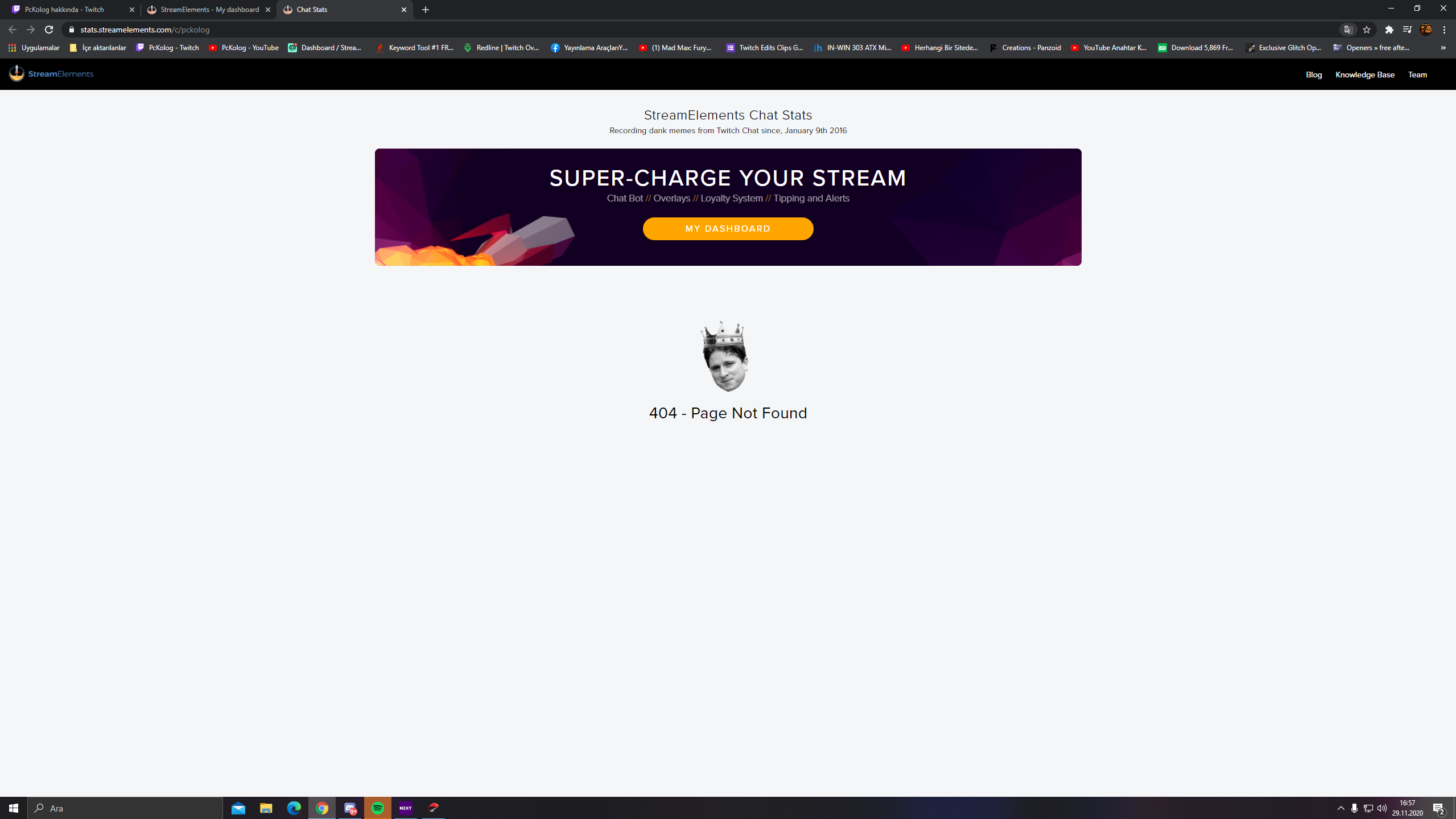
 solar hedge
Hi, i've just started using StreamElements on my twitch channel again but I changed my twitch username a couple months back but it hasn't updated on my SE could somebody please let me know how to change this. It has my new user in the top right but my old user everywhere else. Thanks 🙂
 gray birch
anybody available to help me real quick?
@solar hedge if you came over from streamlabs I know they have an import button where you can just import your stuff from there
 tawdry reef
Why are non of my commands working in my chat
lament blade
@tawdry reef did you rejoin the bot?
tawdry reef
?
lament blade
@solar hedge relog should be help
 toxic stream
Hallo mein bot ist kaka im stream steht die ganze Zeit (enter a message
lament blade
@tawdry reef https://streamelements.com/dashboard Bot Settings > Part Channel > Join Channel
@toxic stream #🇩🇪︱deutsch
toxic stream
#🇩🇪︱deutsch
lament blade
Ja klick darauf 😄
toxic stream
Ah
 tacit rover
Hi, I have a problem with the Chat stats, i changed the name of the channel and now i can't see the stats.
lament blade
@frozen jackal chat stats should be fixed in the next time
@tacit rover What's your old and new name?
 dusty granite
Hello, I'm designing some merch to use with SE.Merch and was wondering, will a design like this be a problem? https://alpha.endeavor.pw/sharex/2020/11/lmn9ge.png

 lyric shadow
alguien sabe como encontrar el link del bot de streamelements para ponerlo en mi canal de youtube
dusty granite
Like, too many little bits and pieces?
viscid pebbleBOT
@lyric shadow Welcome to the helpdesk! The regular helpdesk channels are in English but we do provide multi-language support in the following channels: #🇩🇪︱deutsch | #🇫🇷︱français | #🇪🇸︱español | #🇵🇹︱português | #🇳🇱︱nederlands | #🇮🇹︱italiano | #🇵🇱︱polski | #🇨🇳︱中文語言服務區-chinese | #🇯🇵︱日本語-japanese | #🇭🇺︱magyar | #🇰🇷︱한국어-korean | #🇹🇭︱ไทย-thai | #🇷🇺︱русский | #🇺🇦︱українська | #🇨🇿︱czech
tawdry reef
My commands still aren’t working in my chat
viscid pebbleBOT
@tawdry reef Go to the Dashboard > Right side > Part channel > Join channel(https://streamelements.com/dashboard)
lament blade
@tawdry reef is the Bot muted?
frozen jackal
do not understand what you mean @lament blade
gray birch
I'm having the same issue as Owen and my tips and stuff arent showing up in chat eithert
I've tried rejoining the bot and also mute and unmute it
tacit rover
lament blade
<@!372406652449849355> What's your old and new name?
The old one was twichgroup (without the t), the new the_octopodes
lament blade
@tacit rover
 echo aurora
Im new at this and new at streaming and I downloaded the app and edited my backgrounds and overlays on the website and saved it but it doesn't pop anything up when I start too stream
gray birch
@echo aurora you have to add the scenes to OBS
echo aurora
Okay ill try that
gray birch
get the link for the scenes from Streamelements. Then create a scene in OBS using the (browser) selection then input the link and resize it to your liking
viscid pebbleBOT
@echo aurora To add your overlays to OBS, add a new browser source in your scene. Paste your overlay URL in the browser source properties, set the dimensions to 1920x1080 (unless you changed them on the website) and check Shutdown source when not visible. https://youtu.be/KDvLynUqXI4
echo aurora
It won't let me open file
I downloaded obs in Chrome and when I click on it it says cant open file?
 lyric kernel
I dont know if this has been answered many times, but is it possible to show a "Top monthly sub gifter" lable? If yes, how? Its hard to keep updating it manually
frozen jackal
lament blade
<@!210526781948559364> chat stats should be fixed in the next time
I did not understand what you said
lament blade
frozen jackal
I did not understand what you said
Your chat page should be back soon
tacit rover
@lament blade so the stats will be back?
lament blade
Hey i need help i got donations but dont know how to accept the money or have it go to my paypal
 round phoenix
how do i import the stream overlays from stream elements with the url?
lament blade
round phoenix
how do i import the stream overlays from stream elements with the url?
Do you know how to accept the donations or withdraw it to paypal
 bright torrent
why do my viewers get blackscreen on mobile?
round phoenix
no
 outer halo
@bright torrent your viewers are getting black screen on mobile ?
lament blade
does any one know how to withdraw the money to paypal or accept the money
outer halo
thats the issue im having now @lament blade, its why im trying to stop SE.Pay i dont want it going into my bank account
bright torrent
yes @outer halo they cant watch my stream, only chat and a circle that loads
outer halo
that may be a buffering issue, is this from multiple accounts or a few ?
lament blade
outer halo
thats the issue im having now <@456226577798135808>, its why im trying to stop S...
Oh so i cant withdraw it to paypal well thats mess up
bright torrent
2 people told me and and i have tested it with my browser on mobile android and its the same, but works with the app on mobile for me @outer halo
outer halo
@lament blade ur gona have to do what im doing, send a email to them and try get them to stop the whole SE.pay thing
bright torrent
but not for my friends and they use IOS
outer halo
hmm im not sure, honestly it sounds like a data or personal issue, not one i have heard of, i cant imagine its something from your side other than slow dl & ul
bright torrent
they told me that it only happens on my channel, all others work fine
yes twitch replied me with just a link to beginner streaming and the web couldnt help me either
it worked just fine i think 10 days ago
my ul is 12 and dl is like 43
outer halo
your ul and dl are good numbers, im not sure i still doubt its anything to do with your streaming software or any issues your side, DM ur twitch link and ill stop by to try see if i have any issues. could also be an ios problem
 lucid star
How on earth do i select multiple boxes on my streamelements overlay at once? for the life of me cannot get it right and driving me insane. Help ASAP would be appreciated as trying to get my stream up but taking ages to get this overlay as I would like it. Thanks in advance. -Tigress
outer halo
dm me and give me a call ill see what i can do to help
lucid star
Just having dinner quickly, Thanks @outer halo
outer halo
np, at all
 junior seal
My chat box isn't working..
lucid star
@outer halo I have finally managed to get it right. Thanks so much for the offer of help so promptly. Much appreciated indeed. xx
 austere pond
my obs-live keeps disconnecting and everytime i restart all my settings are resetted (chat and activity feed) but my internet works fine. any ideas?
lament blade
how can i edit this
Hey i have a Question, On the Stream elements Website the bot is offline. But iam Streaming how can I change it to online !?
 undone hearth
bot is gone from the channel. Have signed out, signed back into OBS, StreamElements, Ground Control. Not sure what else to do.
lament blade
lament blade
how can i edit this
how do i get to that page
StreamElements
The Ultimate All in One Platform for Streamers
 crimson scroll
Yohoho, I need your help... My alerts works nearly perfect, but the duration-time on my sub alert is always 10sec, even if I change it to 5 or to 15 it is always 10sec. Is there any reason for that? Wit' my other alerts every duration-time is immediately accepted.
I tried to fix it with the following:
- delete the widget
- starting the browser again
Any other ideas to fix the problem, or do you have the same problem?
Much Love,
The GlodRoger 

ionic kelp
@crimson scroll Check variations?
crimson scroll
OMG THANK YOU SO MUCH! @ionic kelp...this was a big facepalm for myself! 
 trim blaze
Can anyone help me with se.pay
 prisma monolith
Hello, I accidentally created a twitch account on Streamelements. Now I have 2 accounts including the one created with Facebook.
Is there a way to remove the twitch account and transfer that to the Facebook account so that I can only have 1 account?
ionic kelp
@prisma monolith couple things
 narrow ibex
trim blaze
Can anyone help me with se.pay
narrow ibex
trim blaze
Can anyone help me with se.pay
What kind of problem you have? 🙂
viscid pebbleBOT
Account Merging - Please note:
- Merging accounts only allows faster ways to switch between accounts
- Merging accounts does not allow data sharing between accounts - different streaming platforms, different type of events
- Merging accounts allows duplicating/sharing overlays between the accounts
If you understand the limitations of merging and want to proceed, please find the JWT tokens (!jwt) from both accounts you want to merge and you will be directed to DM them to a staff member
ionic kelp
And it's a one way street once merged. No unlinking without deleting EVERYTHING.
 pearl spruce
Hello
I'm having a problem on OBS... I'm trying to stream to Twitch but it keeps launching the Start Streaming to Facebook popup. Even though in settings the stream is set to twitch.
Can anyone help please?
prisma monolith
Ok thanks! I think I will stick on my Twitch account. LOL
viscid pebbleBOT
@pearl spruce StreamElements menu, on top of OBS > Logout > Login
pearl spruce
@viscid pebble Thank you very much
trim blaze
@narrow ibex so ive been streaming for years now and im 3 months from 18 and i need to setup an se pay i have all the bank acc stuff but i was wondering if there was anyway to make one early
Or if one of my parents could help or sign something
viscid pebbleBOT
@trim blaze SE.PAY is available for streamers who are at least 18 years old, with bank account under their name in one of the following countries and have at least 101 follower (Twitch) / 101 subscribers (YouTube):
Austria, Belgium, Czech Republic, Denmark, Finland, France, Germany, Ireland , Italy, Netherlands, Poland, Portugal, Slovakia, Spain, Sweden, Switzerland, United Kingdom, United States.
If you meet these criteria and don’t see SE.Pay, let us know.
For information on SE.Pay payment methods, their fees and settlement times see https://streamelements.com/dashboard/tipping/fees
 haughty lance
Hi i am working on the alerts for my channel and would love to know if there is a list of all variables we can add on the text fields (such as {name} and so on)
Is there a list somewhere?
 lone rock
How to set up a giveaway?
tacit rover
Hi, i changed name on twitch and i can't see my chat stats. The old name was twichgroup (without the t), the new the_octopodes
There i a metod to solve?
 dawn mountain
hi i accidentally deleted my bot on twitch, how can i add it again
nimble dune
/mod streamelements in chat
viscid pebbleBOT
@dawn mountain Go to the Dashboard > Right side > Part channel > Join channel(https://streamelements.com/dashboard)
dawn mountain
thx
nimble dune
click join channel
frank linden
@nimble dune notifications arrive after 10 minutes
paper iron
Could anyone help please? I don't know how to edit css, but, it like to make it so the text for my alerts swipes in from the left of the screen on the swipes back out afterwards.
nimble dune
haughty lance
Hi i am working on the alerts for my channel and would love to know if there is ...
For custom CSS?
paper iron
@nimble dune thank you
undone hearth
bot commands are not working. Have Ground Control running, have used part/join from the dashboard. Do not see it in the channel. Have signed out and back into OBS, StreamElements, Ground Control, and Twitch. What am I missing?
haughty lance
nimble dune
For custom CSS?
no, from the fields itself. Like the variables you can add with {} on the text fields
i'm not native with english sorry if i'm weirdo at typing or trying to explain myself xD
nimble dune
haughty lance
no, from the fields itself. Like the variables you can add with {} on the text f...
You mean this? example this is for follower alert Available variables:
 stone wedge
Kinda panicking 😅
haughty lance
nimble dune
You mean this? example this is for follower alert Available variables:
yes but im working on a Nerdordie overlay and there are custom fields everywhere and i was thinking of using some of them to display certain information like sessional data and stuff like that
patent venture
The sub points are not accurate when I want to display them on my stream, is that a known bug right now?
viscid pebbleBOT
@stone wedge Go to the Dashboard > Right side > Part channel > Join channel(https://streamelements.com/dashboard)
nimble dune
haughty lance
yes but im working on a Nerdordie overlay and there are custom fields everywhere...
Oh. i see i also have Nerdordie alerts
bright torrent
no one could fix my problems with the streamn. people cant watch on mobile my stream, even with 4500kb/s
im out
 torpid sparrow
Is streamelements working
nimble dune
torpid sparrow
Is streamelements working
Yes
patent venture
Anyone?
 glacial igloo
Our chatbot is not working, for the ZenSports account, currently live and hosting an esports tournament, would love some assistance ASAP if possible
viscid pebbleBOT
@stone wedge Due to a recent change from Twitch API, these features are affected by the change:
- Ground Control does not have Custom Bot name
- Subscriber count will count the Channel and any other permanent sub you may have (+1 or +2 or +3 on top).
We are working on fixing both issues, but there is no ETA. OBS.Live still has Custom Bot name working fine in it.
stone wedge
I'm mainly concerned about the giveaway system not functioning.
glacial igloo
@viscid pebble Can someone give us a hand here? We depend on StreamElements for our productions and today is one of our biggest events of the year. We really need some first-party assistance here. We've requested Join Channel without success
viscid pebbleBOT
@glacial igloo Go to the Dashboard > Right side > Part channel > Join channel(https://streamelements.com/dashboard)
wary halo
The bot is not in your channel at all
glacial igloo
@viscid pebble @stone wedge has already done that, and it did not work
wary halo
then maybe mention you are both asking around for the same stuff
glacial igloo
Cheers, will do so
wary halo
the giveaway system works with the loyalty system
wary halo
not a mod
/mod streamelements
type that in your chat for once
then we have the custom bot thing, check this out:
viscid pebbleBOT
@glacial igloo If your commands recently stopped working and you're using OBS.Live and a custom bot name do the following:
- In OBS.Live, click on the hamburger menu (three stripes) at the top left of your activity feed
- Click on Stream Settings > Custom bot name
- In the Custom bot name field select Set custom bot name, not your already existing username (with capital letters). Note: If you already connected an account that way, the third entry will show as the account name (see image https://i.imgur.com/sO7fWOX.png).
- Scroll a bit down and click on the purple Connect Custom Bot Account button
- Log in as usual and Authorize the custom bot name
- Back in the Activity feed, click on the Send Test Message button and check if your custom bot name starts working again



 glacial igloo
@wary halo I believe we've done that now
@viscid pebble checking now, thanks
@wary halo Was not done before, but now I'm certain that the SE account is a mod
wary halo
and did you do all the steps from the bot as well?
glacial igloo
On the phone with our stream producer doing as we speak, will update shortly, huge thank you for the help guys
@wary halo @viscid pebble The bot is now working on the channel! Thank you again for jumping on and lending a hand, it's greatly apprecaited
RE "fix your shit" That wasn't me lmao, feel free to reach out if you want to get a word in
 supple musk
Hryy
 quaint crane
can you add custom modules for this bot? or is there a game like Hiest from chat bot?
 prisma vine
Hi! Hope someone can help me. I'm trying to configure my alerts but for some reason the "text over image" is not working, the other 2 options "row" and "column" are working tho
viscid pebbleBOT
@prisma vine Text not showing up over your alerts? Go to the Advanced Text Settings and set the top margin to 50, you can work your way to the right position from there.
 hardy basalt
the !tip command is not working in my chat on twitch any advice?
lament blade
Have you disabled it?
hardy basalt
no its currently enabled
lament blade
It works for me
hardy basalt
so is it that i tried it myself?
wary halo
works fine yeah
hardy basalt
I see its working for viewers, thank you for relieving my concern, its much apprecited
lament blade
You are welcome
hardy basalt
I'm still really new to stream elements so thank you both for answering my questions, I'm sure there will be many more HA!
lament blade
😄
 whole thicket
I cant connect my Costum bot whit OBS idk why
 olive flume
Hey, My Media request isnt working, do you know what i should do
viscid pebbleBOT
@whole thicket If your commands recently stopped working and you're using OBS.Live and a custom bot name do the following:
- In OBS.Live, click on the hamburger menu (three stripes) at the top left of your activity feed
- Click on Stream Settings > Custom bot name
- In the Custom bot name field select Set custom bot name, not your already existing username (with capital letters). Note: If you already connected an account that way, the third entry will show as the account name (see image https://i.imgur.com/sO7fWOX.png).
- Scroll a bit down and click on the purple Connect Custom Bot Account button
- Log in as usual and Authorize the custom bot name
- Back in the Activity feed, click on the Send Test Message button and check if your custom bot name starts working again
 gilded yew
my dashboard barely loads nowadays
why is it so laggy guys?
has been like that for quite a while
viscid pebbleBOT
@gilded yew Our Dashboard and Overlay Editor are Chromium Optimized. We strongly recommend using Chrome. Opera GX and the new Microsoft Edge Chromium might work closest to Chrome as its also Chromium built. Firefox also works, but some things might look a bit different or not work. We do not recommend using Internet Explorer with our Dashboard as it does not support functions.
If the website doesn’t work on chrome, be sure none of your plugins is blocking our website or clear your cookies. You can try if the website works in an incognito tab.
 surreal shadow
Hi a follower has changed their name and used the command to change their name to get their points; but when they try to redeem from the store, it won't allow them to, yet they can use their points to gamble? Any help with this would be appreciated. Using Twitch with stream elements live
nimble dune
gilded yew
i use Chrome
Clear your browser's cache and cookies.
 quartz nacelle
Anyone help with this, my obs won't pick up twitch as the server!
Anything else if this doesn't work
I have done this they dont have any idea either 🥺🥺
dry hare
@quartz nacelle make sure in your OBS Settings > Advanced that you don't have anything other than default set under the Bind to IP settings
quartz nacelle
Yeah checked all this! And done the log out log in! Still nothing is working! 🥺
dry hare
Also make sure that in your OBS Settings > Stream that you have clicked the Connect button to authenticated to Twitch
you may have to disconnect/reconnect
I would also recommend running this as well: https://r1ch.net/projects/twitchtest/
Test your upload bandwidth and connection quality to Twitch
quartz nacelle
Yeah done all this too!
dry hare
that will tell you if there's a specific issue connecting from your computer to the twitch servers
quartz nacelle
How do I get this to work tho as I downloaded it earlier and it wouldn't do anything
dry hare
you download the zip file, extract the application and double-click it
same as you would with any other zipped file
quartz nacelle
Yeah I've done this! And then it doesn't come up with the areas of anything I click europe and it doesn't do anything 🥺
dry hare
try just clicking start
viscid pebbleBOT
@quartz nacelle Please provide a proper screenshot with the issue visible. If not sure how to take a screenshot, you can check here: https://www.take-a-screenshot.org
dry hare
had to delete your screenshot for security purposes. sorry
quartz nacelle
dry hare
so you can log into Twitch via web, but it's inaccessible other than that?
quartz nacelle
Yeah!
dry hare
can you reach NA servers at all?
quartz nacelle
I'm in the UK so I doubt I would be able to
dry hare
you should be able to see the servers assuming that your ISP or Anti-virus/firewall are not blocking the connections
quartz nacelle
There not blocking obs as I sorted all that I dont know what else to do with the firewall would be stopping anything
dry hare
Can you change your DNS on your computer to 1.1.1.1 or 8.8.8.8 and re-test?
quartz nacelle
Going to sound silly no idea how to do it and I dont want to mess anything up!
dry hare
and you're currently able to reach twitch.tv and view multiple random livestreams via web browser?
quartz nacelle
yeah
dry hare
considering that OBS rtmp runs on a different port from http/https traffic, it's either A) Firewall or B) ISP
quartz nacelle
Well I am allowing obs through the firewall ive allowed it and no idea about IPS!
dry hare
ISP = Internet Service Provider
quartz nacelle
Well I can stream from my laptop! Its such a strange thing!