#helpdesk-twitch
1 messages · Page 656 of 1
 mental imp
 unreal plover
Okay. But if people have enough loyalty points and they buy the discord rank, do they buy it and then it ends up in some sort of request cue where i can manually do it then? Or can i somehow create my own bot that can somehow read the loyalty store requests and do something in discord then?
 strong kernel
Our bot doesn't ban, only times out.
(Well, it can ban, but most users don't know how to make it.)
 prisma relic
It would be a manually process @unreal plover for the Twitch to Discord thing.
strong kernel
Yeah that seems more likely. 
prisma relic
because it's not possible to read Twitch & Discord names at the same time
 round brambleBOT
@verbal jungle Go to the dashboard -> right side -> part channel -> join channel (https://streamelements.com/dashboard)

 drifting zodiac
By any chance is there a way to have a custom message displayed for when you get a tip for now it just says Username just tipped $5.00 can I change this to like Username just made it rain $5.00
 ivory wave
Hi there can someone help me please im moving from slobs to elements and im trying to import my scenes but its is failing at the last few assets
prisma relic
because this is elements chat.
 lament blade
Yo guys
drifting zodiac
because people have two options for donations. They can donate with streamlabs or they can donate through the stream elements chat bot. I get no audible noise with the SE chatbot so I am would like to change what it says to activate an aduible command.
prisma relic
did you look at the variations in the SE overlay editor?
unreal plover
Ahh yes that makes sense! I guess it would only work if the Streamelements bot would be invited to discord servers. Hm, maybe i could post that in the suggestions!
drifting zodiac
@prisma relic I will start there thank you
lament blade
Anybody?
prisma relic
like a sound "shhhh" noise ?
lament blade
Yeah
prisma relic
that would be a mic or input / obs thing ?
drifting zodiac
streamlabs I get an audible for donations but I use the streamlbs chat bot only for sound effect and user sound effects. I use Stream elements for all adverstisements so I use it as just a chatbot but I have to monitor chat for donations if someone select that tipping page versus the streamlabs bot
prisma relic
try to ask in #helpdesk-selive or jump over the the OBS discord for help (you have more of a settings/hardware thing that others might know a quick answer)
 fading sedge
My second question, I have a custom command set to trigger a redeem command: !caw triggers !{redeem caw}. I know you can customize the response for the !redeem command but it looks like the response for variable !{redeem} is not able to be changed. Am I missing this or is this feature just not available?
strong kernel
You cannot change the redemption confirmation message.
fading sedge
thank you.
 sharp tundra
Hello everybody, I have a question
I want to set up the "link protection", but, I want it not to affect moderators, how can I do it?
 weak delta
Mods won't be affected by SE bot Link Protection.
sharp tundra
So, if I select "No one" from the list that would affect everybody but the mods?
prisma relic
(mods can't time out other mods)
sharp tundra
Thank you very very much!
 jade crescent
why cant i see my screen like how can i make it to what my stream sees
idk what happened i just cant see my stream but it looks normal on twitch
weak delta
Let's move down to #helpdesk-selive
 mighty junco
Hi there is anyones dashboard opening?
strong kernel
@mighty junco Log out and back in with the menu in the top right.
mighty junco
yeah ive done that and it loops back to the same page
ok so it lets me into my own dashboard but im trying to get into one that i mod for
 abstract hemlock
@mighty junco The streamer must do it 😉
mighty junco
sorry what does that mean? Ive got access to it. I try to change to it on the dashboard but it loops back to the page above
strong kernel
The streamer themselves must log out and back in.
 chrome folio
good live! @thorny knoll 😉
mighty junco
ok logging out and in worked thank you!
 thorny knoll
Thank you @chrome folio , your the man
 quartz girder
so I have a stream delay how do I get rid of stream delay
 stoic belfry
Hello everyone i have a question about the loyalty system through stream elements is there a way to give my whole chat the points? Because I can’t find a button
quartz girder
yes
stoic belfry
How
quartz girder

The new updated version of the loyalty system guide: https://youtu.be/mBDY4RdoZ4A
Loyalty system keeps your viewers coming back for more and increases engagement. Watch our video guide and learn how to take it to the max.
Got any questions, or just want to say "Hey"? ...
quartz girder
i need help
 viscid pebbleBOT
Hi @quartz girder, Please ask your question(s) or describe the problem you're looking to solve so staff or a support volunteer can assist you as soon as they are available.
prisma relic
i don't understand your question?
quartz girder
do you see the black
prisma relic
yes. you are 'offline'
quartz girder
yes i am how do i make it say something if i am offline
 short bramble
i tested tip for bynogame. How can I reset this money? No such money No test money.
weak delta
Twitch Creator Dashboard > Preferences > Channel > Video Player Banner @quartz girder You should really explore the entirety of your creator dashboard. You will find a lot of useful things there.
quartz girder
i dont see that
weak delta
It's there.
prisma relic
https://dashboard.twitch.tv/u/ URTWITCHNAME /settings/channel
 unreal mesa
i need help
viscid pebbleBOT
Hi @unreal mesa, Please ask your question(s) or describe the problem you're looking to solve so staff or a support volunteer can assist you as soon as they are available.
prisma relic
is it in here https://streamelements.com/dashboard/session @short bramble
quartz girder
i cant
unreal mesa
so i saw that my friend has something activated that stream elements welcomes a new viewer but i can’t seem to find it on stream elements
weak delta
Bot > Modules > Chat Alert @unreal mesa
 jade remnant
@quartz girder something like that?
unreal mesa
i’ve been there
 eager hawk
Hey guys!
weak delta
Well, let me dissect this. Do you just mean welcomes all new people who appear in chat? Or new followers/subscribers? @unreal mesa
unreal mesa
welcomes all new people
weak delta
As soon as they what? Talk?
unreal mesa
Yeah type
strong kernel
Not an option. The minimum required action for a bot response is a follow.
prisma relic
^
 grizzled fern
Ok i'm lost, tried multiple alert settings, but i can not get the custom donation allert to show message 😮
worked fine last night
prisma relic
are you using the basic "alertbox" ?
grizzled fern
Yeah, are there better options'?
weak delta
Which part isn't showing up? The alert in its entirety , the donators custom message?
short bramble
is it in here https://streamelements.com/dashboard/session @short bramble
@prisma relic thxxx

StreamElements
The Ultimate All in One Platform for Streamers
grizzled fern
@weak delta the donators custom message
weak delta
This enabled?
 leaden edge
I am trying to stream my Xbox live game using Game Capture. I am using OBS. It is not picking my mic
round brambleBOT
@leaden edge If you are having issues with Elgato hardware or software, we recommend reaching out to their support here: https://e.lga.to/help
grizzled fern
@weak delta well, it was when I was working on it today trying to get it fixed, but did nothing., now i'm back home and see it is not active, activated it again, and now it works. well. thanks! lol
Is there a way to create custom Alerts (special images etc) and save it as template for other screens?
grizzled fern
yeah sorry other overlays. lets say I create special alerts, and want them on different spots in each overlay, looking for a way so i don't have to make them all again from scratch,
weak delta
Duplication!
Choose the alertbox, click that button!
It will copy the entire widget as it as at time of duplication.
Then you will have two independent alertboxes. Any changes you make in one will not affect the other.
grizzled fern
well now I just feel like the noob I am. thank you. I just took it that dublication would only dublicate within this overlay, didn't even think of checking closer.. sorry and thanks
Then you will have two independent alertboxes. Any changes you make in one will not affect the other.
@weak delta Yeah that is good enough. but would be nice to be able to create template that ones edited will effect other overlays aswell. but this works just fine since we can always just dublicate again and replace old ones
leaden edge
I'm not using Elgato I am using OBS
weak delta
Some people like to create an overlay that is only the alert box and an overlay that is everything else and use two browser sources when streaming, @grizzled fern
round brambleBOT
@leaden edge For the best OBS support, please join their Official Discord @ discord.gg/obsproject
weak delta
That way you can use a single alert box in all scenes and have different placement in every one but all working off of the same alert box.
grizzled fern
yeah I suppose that's an option aswell, just edit placement within OBS, guess 2 Browser sources at same scene won't effect stream so much..
 vast summit
Guys is there anyway to allow for 1viewer hosts
to show a notification on streamelements
it only works on streamlabs from what i saw
round brambleBOT
@vast summit Due to changes to Twitch API, we have filtered out hosts and will only show these ones on your activity feed:
- All hosts coming from an online channel with at least 1+ viewer
- Auto host events with at least 1 viewer - only from a channel that just went offline
Note: If you see "X channel has hosted you" with no viewers on the back, that is considered an offline host or a host with 0 viewers, we do not show these.
Note for Mixer streamers: The above 2 filters currently apply for Mixer and we are aware its actually not how Mixer hosts work. We do plan on changing it, but no ETA on when.
vast summit
cant see raids
 crude patrol
Hey guys, Im trying to upload an image to my custom overlay in streamelements but getting the error file failed on upload, any ideas what may be the problem?
 clever nimbus
Hello all - quick question...Media request dock is visible in my OBS but it is blank. HOw can I refresh?
vast summit
Why does streamlabs allows 1 viewer host notification but streamelements doesent?
round brambleBOT
@clever nimbus Streamelements on top of OBS -> Logout -> login
@vast summit Due to changes to Twitch API, we have filtered out hosts and will only show these ones on your activity feed:
- All hosts coming from an online channel with at least 1+ viewer
- Auto host events with at least 1 viewer - only from a channel that just went offline
Note: If you see "X channel has hosted you" with no viewers on the back, that is considered an offline host or a host with 0 viewers, we do not show these.
Note for Mixer streamers: The above 2 filters currently apply for Mixer and we are aware its actually not how Mixer hosts work. We do plan on changing it, but no ETA on when.
clever nimbus
Thank you
 analog sandal
My media request wont load/open even when i reload and uninstall and re-install stream elements
weak delta
Have you clicked the "show on stream" in the media request section of the Dashboard?
analog sandal
weak delta
Ah
round brambleBOT
@analog sandal Streamelements on top of OBS -> Logout -> login
analog sandal
That worked thank you.
 wide stump
Hi!
I have a problem with my session sub goal... and my over all sub goals..
I need someone to look at them, something is wrong
 alpine tinsel
im having trouble with positioning text in my overlay section on stream elements could anyone help?
wide stump
@weak delta my subs numbers don't align with reality, something seems to be broken...
 round narwhal
my widget in the left side of obs and my chat on the right dissapeared
unreal plover
Thank you so much guys for the help earlier, i just did the Auto configuration wizard thingy and its epic now!!! Im so excited to start working with StreamElements!
weak delta
@wide stump Where are you looking right now?
@round narwhal OBS Studio base, or OBS.Live?
round narwhal
live
weak delta
Click streamelements at the top
wide stump
@weak delta Can I send a you a link to my overlay preview?
weak delta
activity feed and chat, make sure there are check marks
wide stump
I am done stream for like 5 hours and the counter did not reset
weak delta
Send a screenshot here without your overlay URL in the image.
wide stump
ok will do
round narwhal
thx
round brambleBOT
@wide stump To reset goals:
- from the overlay editor -> data on top -> goal tab -> reset progress of desired goal
- from the dashboard -> activity feed on the left -> widget data on the right -> goals tab -> reset progress of desired goal
Note: Goal widgets(progress) only counts up and doesn't go down automatically, if you loose followers/subs
wide stump
Same for my monthly sub goal: the reality is 880 and it is showing up 913... I don't know what is going on, I did not change anything on ym end
wide stump
But each time I restart the stream it does not go back to 0
weak delta
That daily sub goal in your picture, is it not the labels > subscriber > goals > subscriber goal widget?
quartz girder
how do i let people sub to me on twitch
wide stump
@weak delta no it is the sub count one: Label / subs / totall / all time / sub count
abstract hemlock
@quartz girder you need to reach affiliate
quartz girder
?
 whole axle
so i have full control over a friends streamelements bot i am trying to figure out why nobody is earning points when they gamble the rigged number is at 1 yet no one can win apart from the streamer
anyone able to help
wide stump
@weak delta Do I need to redo all my overlay since the editor update?
@weak delta OK, I added the sub count to double check and it is still showing 20 even I have been of for 5 hours
quartz girder
how do i get someone to sub to me on twitch
whole axle
are you affiliate @quartz girder
weak delta
You shouldn't have to redo your overlays @wide stump at all. Just checking something on my end real quick, one moment.
jade remnant
have good content worth subbing for
quartz girder
what do you mean @whole axle
jade remnant
also this isnt SE helpdesk related
whole axle
if you arent affiliate you cant be subbed too
wide stump
@weak delta appreciate this
quartz girder
so what do i need to get that
jade remnant
again, not SE helpdesk related, please use #general-chat
whole axle
so i have full control over a friends streamelements bot i am trying to figure out why nobody is earning points when they gamble the rigged number is at 1 yet no one can win apart from the streamer
anyone able to help
crude patrol
Can someone have a look at this screenshot, Im trying to update my overlay with a new .png and when I go to upload the file it says "Failed While Uploading File" any Idea?
prisma relic
try the #helpdesk-selive for OBS or even the OBS Discord
@whole axle ... so no one else can win but the the streamer?
 vague marten
is there a way to make a command @ the user if they dont provide an argument
abstract hemlock
@crude patrol Dm me file 😉
abstract hemlock
@vague marten wdym?
prisma relic
are* you sure it's not like really bad luck / odds
whole axle
well the standard is on 15
vague marten
@abstract hemlock so like if someone types !gt the bot would chat the gamertag and @ the user but if they add an argument after the !gt it would @ the argument
prisma relic
i'm don't know the odds or really how this works....
but i think !gamble red should be almost 50/50
abstract hemlock
@vague marten use the ${touser} variable
vague marten
thank ya very much @abstract hemlock
prisma relic
.... @abstract hemlock i think they want !command -> res = @pjonp you forgot an arg / !command arg -> res = @arg has been targeted
wide stump
@weak delta Any idea?
grizzled fern
If I add a video to a overlay, is there now way to have the video start from the beginning each time that overlay (scene) is selected in OBS? If I start the scene, then stop it in the middle of the video, it will resume from the middle of the video when I enter that scene again, but would like it to start from beginning
weak delta
@wide stump sorry for delay, just a few more minutes.
 cunning gull
Anyone have a solution for showing media requests on stream but also listening to it yourself? It's like I can't also listen unless I take it off stream within OBS
prisma relic
can you create that video as it's own separate Overlay @grizzled fern ?
then shutdown source when not visible
 silk roost
How do I upload my dissing to de plataforma
abstract hemlock
@silk roost #🇪🇸︱español 😉
 cursive delta
Is it possible to whisper song/media requests?
strong kernel
It is not. There's no way to tell who they're watching when they whisper the bot.
cunning gull
Why does showing media requests on stream mute the audio? D:
strong kernel
Because the audio is coming from the overlay, not where you're controlling it.
cunning gull
Is there a way to disable it in overlay and enable it on desktop? So I can listen to it just within OBS?
grizzled fern
@prisma relic that works. but it takes a bit of time to buffer, about one sec of black screen. maybe best to keep it locally loading from obs
cunning gull
Or any way for me to hear it also? Thanks for any guidance
strong kernel
You should be setting your audio so you can hear and capture the audio from the browser source.
cunning gull
Aha that makes sense. Thanks a lot! I think I can figure that one out
grizzled fern
@prisma relic that works. but it takes a bit of time to buffer, about one sec of black screen. maybe best to keep it locally loading from obs
Although that does not seem to play sound :/
prisma relic
is the sound in that overlay with the gif image?
 acoustic trout
Anyone know how can i set Special Donation in SE?
round brambleBOT
@lofty lance Welcome to the helpdesk! Please let us know how we can assist you today and a support volunteer or staff member will assist you as soon as they are available. Thank you for your patience.
grizzled fern
@prisma relic it's a MP4 file
Just did a recording test, and seems like the sound from the video is delivering to the recording so that's good but kind of strange that i'm not hearing it. but atleast it is now like I want it to be
strong kernel
@lofty lance You can't.
@lofty lance Also, why ask about YouTube and Facebook in the Twitch support channel?
cunning gull
Aha I got it from that @strong kernel tyvm (advanced audio properties of browser source - switched Audio Monitoring from Monitor Off to Monitor Only
strong kernel
Then ask in #helpdesk-facebook
 lofty lance
or yt
strong kernel
It's a bit late, though, since you were already answered.
You cannot put your YouTube or Facebook chats into your overlay for YouTube or Facebook streams.
acoustic trout
How can i set special donates in Twitch?
prisma relic
ya. that is odd @grizzled fern ... can you hear the sound in the overlay editor on the SE website?
strong kernel
@acoustic trout What do you mean? Provide details.
grizzled fern
yeah. if I use the overlay editor on SE website I hear sound there and in OBS when previewing that scene
acoustic trout
Sample: When someone donate R$ 6,66 plays a screaming sound
acoustic trout
Is that possible to do?
strong kernel
Yes. Please read my response above.
 wraith fog
Is there a way that the my RGB lights that I have. My stream can control them as they change color every time someone subscribes or follows me?
prisma relic
i'm not really familiar with audio set-up at all with OBS @grizzled fern so i don't know how to have the overlays record to both the stream/recording and to the output speakers/headphone
wide stump
@weak delta Please send me a msg if you find a solution, I am out for the day
grizzled fern
@prisma relic thank you though for your time, apriciate it
abstract hemlock
@wide stump i just DM you 😉
grizzled fern
@prisma relic I just ended up doing a second browser extension with the video, worked fine that way 🙂
prisma relic
no problem, i wanna tell you to go into the advanced audio area and play with that (but again i have no experience with it) maybe #helpdesk-selive can get it resolved for ya
grizzled fern
thx 🙂 i'll have a closer look. might figure something out, just day 2 off messing about with OBS live
prisma relic
not easily @wraith fog that i know of. but that is a great idea... chat commands like !green to set it would be sweet
grizzled fern
that would actually be a epic idea haha
ok I guess I have one more problem for today... it seems like my webcam is having issues loading if it's active on more then one scene.. works fine on one scene, will not load on the other, so I selected to disable when not active, and then it worked on the other scene,, did same setting there, but now it will only load on one scene.. ideas? lol
abstract hemlock
@grizzled fern did you mean Deactive when not showing ? that shouldn't be necessary , restart OBS and try again
grizzled fern
just did and now no webcam anywhere. hmm
think I might have found out the issue. - was creating new source for cam in each scene, ones I deleted all but one, copy that and paste (reference), seems to work fine - I hope
abstract hemlock
@grizzled fern yeah you shouldn't add a new one, reuse the one that you have
grizzled fern
good to know. does that go for all sources then I suppose ?
abstract hemlock
exactly 😉
grizzled fern
Thank you @abstract hemlock - you don't happen to know how to cut down the delay on browser links when they activate, those that are selected to disable when not in use?
 humble temple
hey all, not sure which help chat to put this in since its for the website.. but i have not been able to get it to load for a few weeks now.. it just brings up a white screen and sometimes the help button in the bottom right corner.. I cleared my cache and all of my browsing data also and that didn't help.. any suggestions?
abstract hemlock
@grizzled fern That depends on your internet connections an the assets on the overlay itself and how big their are, more (and big) assets will make the delay bigger... so keep it simple.. 😉
@humble temple Try google chrome
grizzled fern
@abstract hemlock well my internet is 1gb, so fast.. it's a 30sec video so might be the reason, thx
humble temple
@abstract hemlock well that was simple.. lol i assume that's a common problem for edge.. Thanks!
 ionic kelp
Is it IE edge or chromium edge?
 waxen pendant
idk which chat this belongs in but when im streaming using Stream elements, the chat doesnt work on the OBS Chat panel?
ionic kelp
Do you stream to twitch?
waxen pendant
yes
 sharp canopy
is it possible to capture/use a dynamic (content updating) website as part of the overlay?
round brambleBOT
@waxen pendant Streamelements on top of OBS -> Logout -> login
waxen pendant
ok
 velvet ravine
Hey everyone, I am just starting to build up my "Stream Store" and the Loyalty system. I was wondering if I could get some assistance with Updating widgets with the new UI for the overlays. Having a heck of a time trying to figure it out
abstract hemlock
@sharp canopy you could add the website as a browser source directly on OBS
round brambleBOT
@velvet ravine We've released our new Overlay Editor revamp. You can check out the changes and how to work with it here: https://youtu.be/X5VzXjqAsjk
Check out our blog post as well: https://blog.streamelements.com/streamelements-overlay-editor-just-got-even-better-c22cb5b4853e

We are thrilled to announce the launch of the remastered StreamElements Overlay editor!
https://p.strms.net/newoverlayyt
Why StreamElements Overlays are better?
😎 Simple: Load your entier setup using only 1 link
⚡ Fast: Cloud-powered Overlays arrive in real-time, say goodb...
sharp canopy
in this situation that's not an option @abstract hemlock although I appreciate where it would normally be the case
ionic kelp
Nor is adding it to the overlay unfortunately.
Partly due to security reasons (and design) it's not possible.
sharp canopy
fair enough, just trying to figure out the solution for a weird problem and this was a path worth checking
ionic kelp
Add the widget for it.
chrome folio
@velvet ravine add on the overlay the widget Store Redemptions
velvet ravine
@ionic kelp @chrome folio got it thanks! It's separate form the regular alert box, that's what I was missing. Thanks!
 hasty briar
So when ever i try n make a discord command it says *** instead of the link
ionic kelp
Mod the bot.
hasty briar
k thx
viscid pebbleBOT
Hi @quartz girder, Please ask your question(s) or describe the problem you're looking to solve so staff or a support volunteer can assist you as soon as they are available.
abstract hemlock
@quartz girder that is up to your internet connection
 peak comet
How do I save new text to any of the widgets from a super theme? I click the text box and enter new text but it does not display in the preview. Sorry if this is in the wrong channel
 calm cypress
does anyone know how to get channel points? i can't seem to find it where i heard it should be.
strong kernel
You can set up points for your channel in the Loyalty settings section of your account.
calm cypress
thanks
strong kernel
@peak comet You are probably just renaming the widgets and not actually changing the text. Open the settings menu after selecting the widget.
quartz girder
what do i need to do
 oblique steeple
@quartz girder you issue has nothing to do with StreamElements. It would be the best to ask Twitch or your ISP. We can't help with that.
peak comet
I made sure the text box is highlighted, not the icon itself. in the left tool bar, the line that is selected is indicated with a large TT symbol.
calm cypress
where is the loyalty settings section?
abstract hemlock
@calm cypress https://streamelements.com/dashboard/loyalty
peak comet
Better example of it. highlighted text box, and over on the left I believe I have the correct box clicked. I cut off the word "tube" and the preview still shows the full word.
oblique steeple
@quartz girder https://lmgtfy.com/?q=Twitch+Support
calm cypress
thanks. i figured it out eventually!
 dapper wind
Hello, one of my overlays is not working properly, even on the website. I use one of the overlays as a browser source and it is not loading at all, on OBS and the website. Is there a way to fix this?
strong kernel
@dapper wind Which overlay, and what isn't loading?
dapper wind
It's called the purple wave animated and the "in game" scene's animations do not load at all for me
ionic kelp
Are you on a Mac by chance?
dapper wind
i am not
ionic kelp
And you're sure the layer for the asset is enabled for the overlay?
velvet ravine
Anyone know why, when you redeem an Loyalty store item with the chat command it adds "elementsOkay" at the end of the message?
dapper wind
Yes, everything is enabled, it does not even load for me in the overlay editor/preview
strong kernel
@velvet ravine That's an emote the StreamElements bot has. If you renamed it, obviously your custom bot account doesn't have access to it. You can type !pepes disable in your chat to remove it.
ionic kelp
That's why I removed that. I noticed you said site as well.
Which means something else is amiss.
dapper wind
@ionic kelp it's only that scene, the talking and BRB scenes are working 100%
ionic kelp
I'll actually go back to the corner and let Nethyr handle this since I'm on mobile and trying to load the editor is a no-no.
 whole ocean
Hi my account has been stuck on "Your bank details are being verified. This process takes up to 7 business days." for like a month. Wat do
round brambleBOT
@whole ocean Please contact us via email for support with SE.Pay. You can use our contact form here: https://streamelements.com/contact Thank you
velvet ravine
@strong kernel It doesnt seem to have gotten rid of that text at the end of the message
dapper wind
@ionic kelp some more things are starting to load now, it might just be some strain on the servers, will give it a bit to see if it improves
working perfectly now
 lilac surge
Does anyone know how to get streamlabs overlays to work in stream elements?
 gaunt matrix
hey guys, is there a way to get a !subcount command with the streamelements bot?
abstract hemlock
@gaunt matrix you need to create a custom command and in the response use this : ${channel.subs}
gaunt matrix
oh word! thank you bro!
 unkempt berry
Hi everyone, do you guys know to change the alert position, for exemple follower alert, in the alert box widget? By default it is in the top - center, how can I change to the bottom, or left/right?
abstract hemlock
@unkempt berry you can move the alerbox all over the overlay 🙂
unkempt berry
@abstract hemlock but you can't move one specific alert, such as followers alert for example
abstract hemlock
@unkempt berry Just that one? you will need to create 2 alertbox, one for the follower alert and the other one with the rest
unkempt berry
@abstract hemlock i see, too bad :/ haha thank you ❤️
 primal sundial
Hi, so my bot isn't working in my stream. It's not muted or banned. And I did try to part the channel and rejoin.
round brambleBOT
@primal sundial If you changed your name on Twitch please follow these steps:
🔹 Visit https://streamelements.com/logout and then log in again with by connecting with Twitch.
🔹 On the right side of the dashboard page that opens, select "Join" under bot settings. If it says "Part" select that and then select "Join" to send the bot to the chat. Don't forget to mod the bot by typing /mod streamelements in your channel if you have not already.
🔹 Post your new name here so that we can update your channel's chatstats tracking (must be done by staff).
primal sundial
paranoidwonton
strong kernel
We'll need your old username as well.
 steady path
Hi, how can I find my JWT Token?
round brambleBOT
@steady path You can find your JWT token on your account channels page ("Show Secrets" to reveal the token): https://streamelements.com/dashboard/account/channels
READ ME:
This is a private security token. Do NOT share this token here or other public places, only with a StreamElements staff member in private.
 languid dust
@dapper wind Check to see the order things are listed in OBS (in the scene, make sure the assets load in the same relative order, top to bottom) - that determines the order they display in. It sounds likely that the overlay is "behind" whatever game you're playing.
dapper wind
@languid dust it wasn't, just wasnt loading properly, the text showed but animations were either frozen or not showing. most likely was just a dip in the servers i assume, all fixed now thank you 
 pearl flint
So uh streamelements allows u to give better odds to subs in giveaways. Isn't that illegal in the US?
 zenith widget
Being from EU I can't confirm that, but I can confirm that as long as you don't give out something physical that might involve address sharing then it should be fine?
 minor oak
can you sync your channel points with loyalty ??
zenith widget
No - different types of points
minor oak
ohh
minor oak
Still trying to figure out a way to do song request by purchasing with twitch points
easier for subs and followers to see the points on twitch
zenith widget
I don't think Twitch will like that
minor oak
like, requesting a song with channel points
pearl flint
You can do it but you have to manually input the song
minor oak
how do you keep up with that though? you know what I mean?
pearl flint
Like u just see the song they request in chat and play it on spotify or youtube
zenith widget
Or ask your mods to help keep track of songs
pearl flint
@zenith widget After a lot of reading, it does seem to be illegal in the US to run giveaways that require subbing or give better odds to subs. So yes, even though it is offered by SE, doesnt mean its legal in all locations
pearl flint
oh nice haha
zenith widget
I believe this is called liability shift 🙂
so yea, I don't think in my country this specific thing is of any issue, unless it involved the winner giving me their address
and then i can be GDPR'ed of it 
damn EU law, right?
pearl flint
yeah haha. I just don't want random people who dont know me entering my giveaway but oh well haha
zenith widget
personally I would not give out any physical items
its too much of a hassle and what not
pearl flint
yeah
 real cliff
does anyone know how to put an overlay i made in stream elements on streamlabs obs?
round brambleBOT
@real cliff We're not able to troubleshoot issues with using our overlays in StreamLabs OBS (SLOBS) as we don't have the tools to support their software. We recommend using OBS Studio or OBS Studio with our plugin OBS.Live.
ionic kelp
But in short add it as a browser source.
 serene vine
Hi, does someone know why my Streamelements panel won't load all my store items on my channel? I've tried resetting the panel and re-adding it, and I've tried relogging in. No luck. Thanks in advance for the help!
ionic kelp
@serene vine for nivvpix?
serene vine
@serene vine for nivvpix?
@ionic kelp yes, twitch.tv/nivvpix
@ionic kelp yes, twitch.tv/nivvpix
@serene vine it should be displaying 5 items
ionic kelp
@serene vine Song request one isn't set to redeem via website. That's why it's not showing.
serene vine
@serene vine Song request one isn't set to redeem via website. That's why it's not showing.
@ionic kelp GOT IT! tyvm!!
 steel spire
Hi, I'm not sure why, but on my "tipping settings" I can only connect my account with paypal. Some peoples from my chat want to donate with paypal or by mobile, but the only thing they can do is donating by paypal. Is it somehow possible to add more tipping options?
round brambleBOT
@steel spire SE.PAY is available for streamers who are atleast 18 years old, with bank account under their name in one of the following countries and have at least 101 Follower (Twitch) / 101 Subscribers (Youtube):
Austria, Belgium, Czech Republic, Denmark, Finland, France, Germany, Ireland , Italy, Netherlands, Poland, Portugal, Slovakia, Spain, Sweden, Switzerland, United Kingdom, United States.
If you meet these criteria and don’t see SE.Pay, let us know.
For information on SE.Pay payment methods, their fees, and settlement times see https://streamelements.com/dashboard/tipping/fees.
steel spire
Alright, so when I'll hiy 101 subs/follows this option automaticly will be avalible?
hit*
ionic kelp
Should be.
steel spire
Thats good to hear, thanks for help 🙂
 ivory lava
Hi everyone, absolute noob question... What is the command id? I thought I knew what it was but it isn't working. I assumed that it was either the "!name" or "name" (without the !) but neither have worked. I'm trying to make a counter that only I can increase and decrease and then allow the viewers to ask what the counter is at by calling upon the variable established in the first counter. It's not cross referencing between custom commands.
Thanks in advance 😄
Or is there a way to establish a variable which all commands can access?
 twin sentinel
Command id?
You have variables for counters to show or show and increase them.
steel spire
Hi, I've got one more question, this time about streamelements addon to obs. Is it possible to have different scenes when I change from twitch to yotube account? I mean is it possible that scenes that im using on twitch are showing up when I log in by twitch and scenes that im using on youtube are showing up when I log in by youtube? Or is it obs fault?
twin sentinel
@steel spire You can use scene collections in OBS for this.
ivory lava
Thanks, but what I’m asking is this:
${count <name>}
Displays the <name> counter and increments it by 1. <name defaults to the command-id
When making a separate command to step it up, I need to know what the command id is. Do you know if what I put in <name> defines the variable?
twin sentinel
the name is the name of the counter, which defines the counter.
ivory lava
Okay well I’ve done that and it’s not working
round brambleBOT
@ivory lava Please connect your streaming account (Twitch, YouTube, or Facebook) with Discord by going to ⚙ Settings and then Connections here in Discord. https://streamable.com/eg92w

 mystic finch
i just opened up obs and random audio started playing, i found that it's some random fortnite streamer who i don't know or follow, i can't get his audio to stop playing on my obs
twin sentinel
@ivory lava
The names have to be the same and also enter a step as a number, or another variable in the step space.
mystic finch
like in my volume mixer it's saying the audio is coming from obs
 untold crest
@mystic finch maybe you have a browser source with his stream?
Try to disable your browser sources one by one to check it
ivory lava
@twin sentinel the names are the same there? Or does <> make it different?
mystic finch
i removed all my sources and still hear it
ivory lava
Well that makes sense
 fresh furnace
how do I add my own custom font to my overlay?
round brambleBOT
@fresh furnace Google Fonts
More than 900 google fonts are supported at this time. You can preview them here: https://fonts.google.com/
Custom Fonts
Steps:
- Install the font on the streaming PC or choose a pre-installed windows font.
- In the overlay widget settings, select Text Settings
- Enable Custom Font
- Type the name of the font as it appears in the windows font directory (This is usually
C:\Windows\Fonts)
Note: After installing fonts, the browser and OBS must be restarted for the font to appear.
fresh furnace
thx
mystic finch
@untold crest i removed all my sources but still hear his audio
untold crest
This is like impossible. OBS doesn't produce audio on it's own
mystic finch
yeah this is really really weird
i opened it up and audio started playing and i could not find out what it was
and my mixer said it was obs
i forced closed everything but obs and it was still playing
i have no idea
when i close obs the audio stops
round brambleBOT
Please provide a log from your last stream. To do this, in OBS go to Help > Log Files > Upload Last Log File and paste the link to the log file here.
mystic finch
 merry quail
hi guys.. what noob mistake am i making that i can't google how to set up the !kappagen command?
i thought it would just work with the browser source activated
untold crest
Hmmm. There's nothing in the log besides OBS is bit outdated
mystic finch
this is so bizarre
twin sentinel
@merry quail Is the default !kappegen command enabled?
mystic finch
i'm not sure what i can do
 maiden locust
need help. how do i get overlays into obs
mystic finch
is it possible for me to go live and show you
oblique steeple
Check if your browser source links are right and that you didn't add any weird browser docks which can be found in the "View" menu at the top of OBS @mystic finch
round brambleBOT
@maiden locust To add your overlays to OBS, add a new browser source in your scene. Paste your overlay URL in the browser source properties, set the dimensions to 1920x1080 (unless you changed them on the website), and ☑ “Shutdown source when not visible” https://youtu.be/KDvLynUqXI4
untold crest
@mystic finch Did you remove or hide sources?
mystic finch
removed them
untold crest
Huhhh. So there's no scene with a single source now, right?
oblique steeple

mystic finch
it's as if the stream is playing on obs it's weird
untold crest
This is absolutely strange as it seems that your obs is like "out of the box" and still there are issues
merry quail
command is switched on. - ooh i need the streamelements chatbot to kick it off right?
maiden locust
it also wont let me edit text in my overlays
 icy wagon
HOW DO I PUT THE STREAM ELEMENTS ON MY CHAT AS A MOD?
twin sentinel
@icy wagon /mod StreamElements
icy wagon
THX
untold crest
NO PROBLEM
twin sentinel
@icy wagon Also join it via the dashboard.
@maiden locust Make sure you are editing the message of the widget, not the layer name.
oblique steeple
One thing you can try:
Create a new "Scene collection" at the top @ruby fable
twin sentinel
@merry quail Yes, you need to make the bot join your channel, to pick up the command.
round brambleBOT
@mystic finch For the best OBS support, please join their Official Discord @ discord.gg/obsproject
untold crest
This could be the best place to ask
maiden locust
and how do i do that @twin sentinel
untold crest
As I see no other options
mystic finch
alright thanks
twin sentinel
@maiden locust Select the widget and edit the message in the settings on the left.
maiden locust
sorry but i dont see widget
 hasty rain
Is it possible to sync channel points and stream points?
twin sentinel
@hasty rain No.
maiden locust
never mind @twin sentinel i found it
merry quail
ok.. streamelements bot is in and modded, only command is the default !kappagen command
syntax is command - emote - number ??
 craggy anvil
okey, is there any variable for the targetname? haven't found something in the variable list :I
merry quail
ok.. i just did command only and got the fountain i have set for subs, raids etc
craggy anvil
like example | !hug > {name} gives {targetname} a hug.
but don't seems like there is anything to get that :I
twin sentinel
Use ${1} @craggy anvil
@merry quail I think, this is intended behaviour if you do not give an emote and amount.
merry quail
!kappagen ❤️ 100
that gets me one heart on the screen
is it number then emote?
yes... had it backwards!!!
woot !! thanks 🙂
craggy anvil
So I would use it like this? ${user} gives ${1} a big hug!
twin sentinel
correct.
craggy anvil
Well it says the target name twice so im confused
twin sentinel
then use ${sender}
twin sentinel
craggy anvil
then im just dumb I guess, din't saw any of those you were giving me rn lol
maiden locust
how do i get my stream ended overlay on my twitch offline screen
twin sentinel
Not possible.
maiden locust
ok
oblique steeple
But if you want to change your offline screen in general, you can upload an image here https://dashboard.twitch.tv/settings/channel where it says "Video Player Banner"
weak delta
Loyalty Settings on your Dashboard that you've recently accessed via Chrome @outer flicker
 lime prairie
Hey, I changed my name recently on Twitch and now chat stats aren't showing on the StreamElements extension or when I go to the website. Any fix for this?
weak delta
Please provide old and new name.
lime prairie
old- Outcast_Leader
new- JijiV1
weak delta
OK, I'll let you know when taken care of. Please stand by.
lime prairie
Thanks~
weak delta
@lime prairie Should be good.
steel spire
Hi, I have really annoying problem with my overlays. The colour of donate description is changed for white, but then when I simulate the subscribe it automaticly change into black font again. I dont know what could be a reason. It happen on all the overlays.
(video to understand what am I talking about)
twin sentinel
@steel spire #helpdesk-youtube
steel spire
Didn't know that is because of yt, sorry mb
 short cargo
 dusky path
Hey! I changed my name on twitch recently as a rebranding thing, and immediately after my stream elements stopped working. I’ve tried logging out and logging back in, as well as trying to leave and rejoin the channel. It shows me that my channel is live when I go live but none of the commands work such as !watchtime and I can’t find a fix anywhere. My old name was: saltyshiorii and my new name is: mahluna
 primal oxide
on my stream i have only 1 FPS on this overlay, someone know what is the problem ?
oblique steeple
@primal oxide Never post an overlay link publicly like you just did. Also, it's probably because it's animated. Animated overlays need a powerful PC
primal oxide
ok sry, did you think ? my pc is powerfull but little old, but when i stream everything is ok except my overlays.. :/
oblique steeple
I bet like 80% of people that use animated overlays have performance problems, including me. And I can play and stream pretty much every game. That's why I switched back to static overlays.
primal oxide
oh ok i have found the problem, my CPU is overloaded when my overlay is running..
twin sentinel
@finite plover #helpdesk-youtube
oblique steeple
Nope they spammed in literally every channel. That gets da boot
Yup. Files with transparency or often .webm's in general get rendered on the CPU instead of the GPU.
primal oxide
ok thx for help ! i will try something else !
round brambleBOT
@snow radish Please follow our community rules:
- No advertisement or stream promotion
- Respect ALL server members
- No NSFW/NSFL
Thank you
 snow radish
oblique steeple
snow radish
oblique steeple
Congratz! But for non-help related things, please stick to #general-chat or one the community channels a but further down the list.
primal oxide
ok i have found the solution, if u have the same problem, i have delete the video on streamelement so i have only the information of my "new sub", "new follow", ect and on my OBS I have add an other source with my wideo, so i have the "filter" with the information on my channel and my video on the backgroun and it's working well !
oblique steeple
Exactly. Having the video as a "Media" or "VLC" source lowers the CPU usage as these types of sources are actually meant for showing a video
lament blade
I'm having problem with redemptions... this use to work
People wuld redeem something, I get a let notification on the overlay and in chat
Yes, I have to approve it, don't know why every single one
But when I approve it, nothing happens
zenith widget
Usually items that trigger an alert don't need to be approved
Where are you seeing the approval thing?
lament blade
When you go to to stream store from your dashboard, then click redemptions
zenith widget
Oh that, you can ignore it honestly
lament blade
?
zenith widget
You don't need to approve the redemptions in order to trigger an alert
if you have the redemption widget
when someone redeemd a stream perk item
the sound and image will show up via the widget
lament blade
There lies the problem, it doesn't
I've tried myself almost 5 times
This use to work fine
I don't by adding another channel cause problems?
zenith widget
It worked fine just now viewing the overlay and redeemping the jump scare
lament blade
Uh, it doesn't pop on my stream, I just redeemed a jump scare
Nor does it play the sound
When I play the emulate, it shows, but redeeming perks only get me a notification in chat
round brambleBOT
@lament blade Right click on the BrowserSource > Properties > Scroll down a bit > Refresh Cache of current page
 split gulch
How do I add an overlay for alerts in StreamLabs OBS? And how do I create an alert in my stream that someone has followed, for example.
round brambleBOT
@split gulch To add your overlays to OBS, add a new browser source in your scene. Paste your overlay URL in the browser source properties, set the dimensions to 1920x1080 (unless you changed them on the website), and ☑ “Shutdown source when not visible” https://youtu.be/KDvLynUqXI4
@split gulch New to Stream Elements?
Check out our YouTube channel https://www.youtube.com/c/streamelements/videos
with tutorial videos from setting up the basics, to in depth details on how to use our product.
New to OBS? Here is a 4 step quickstart guide
https://obsproject.com/wiki/OBS-Studio-Quickstart
Want to learn even more? Here is an in-depth overview
https://obsproject.com/wiki/OBS-Studio-Overview
 still frigate
Hey, I just set up the leaderboard extension on my twitch but it's not showing the names of my subs. It's showing the top gifters and cheers, just not the subs. I've tried reinstalling but idk how to fix it
zenith widget
If this is the first time you've setup the extension, then subs need to resub in order to show, as the data the extension pulls from is directly from Chat.
Meaning it can take up to 30 days for it to fully populate
still frigate
Oh ok, thank you 🙂
zenith widget
Can you elaborate? which twitch chat?
 unreal ember
Can someone tell me why my watchtime in my chat isn’t working?
round brambleBOT
@unreal ember 10 minutes of watchtime are given to those in chat when the loyalty points are handed out (every 10 minutes). Therefore, loyalty must be enabled for watchtime to work properly.
There is no direct link between watchtime and all-time points.
It can’t be calculated from the amount of all-time points a user has because subs may earn points at a faster rate and !bonus all command increases all-time points for users in chat at that time.
Giving points to a single user does NOT affect all-time, only when giving to all in chat.
unreal ember
How do I turn on loyalty?
weak delta
@unreal ember
weak delta
10 minutes have to pass.
zenith widget
So, lets clear something out first. This is Streamelements discord. Are you referring to the chat widget for the stream to see or just general chat dock that you want to type into? @lament blade
unreal ember
Like somone has to watch ten minutes for it to work or just ten minutes and then it will work
zenith widget
You need to be live for a minimum of 10 mintues right now
in order to gain 10 minutes of watchtime
unreal ember
Can I send a screen shot what I did ?
zenith widget
left or right?
Then I assume you are saing "yes" to this part of the question just general chat dock that you want to type into?
zenith widget
@unreal ember If you toggled the loyalty system on, then its working
@lament blade So is it Streamlabs or Streamelements you need help with?
unreal ember
Alrighty thanks sm for you guys help I appreciate it
oblique steeple
y'know... I don't see StreamLabs anywhere on this discord 
unreal plover
I want to set the Loyalty function so that viewers get no points for watching (aka idling, in most channels) but do get points for watching actively aka chatting atleast once every ten mins.
How can i do this?
Or like in streamlabs: points for watching (idle): 1 points for active watching: 100
(and you can fill out the amounts yourself ofc
 glossy oar
hi, i have a problem with sound alerts, the people watching my stream can hear them but i hear nothing while on game, how can i hear it too?
round brambleBOT
@dusky cradle Please follow our community rules:
- No advertisement or stream promotion
- Respect ALL server members
- No NSFW/NSFL
Thank you
@glossy oar If you are not hearing your Alerts and/or Media request, you are most likely using the "Control Audio via OBS" option in your browser source properties.
To make sure you hear the alerts and the stream also hears them, follow along the screenshot bellow.
https://cdn.discordapp.com/attachments/199460642975907840/685371800456134686/unknown.png

 pliant jungle
please remove your bot from my twitch account im hidden_4
round brambleBOT
@pliant jungle Go to the dashboard -> right side -> part channel -> join channel (https://streamelements.com/dashboard)
weak delta
Except the last step if you don't want the bot in the channel.
dusky path
Hey again, as I already mentionend I have recently changed my Twitch name and now my commands such as !followage are not working. Can someone help? old name: saltyshiorii new name: mahluna
 wooden fossil
my streamelements bot used to have a customized name but now it doesn't seem to be working. I no longer see the Custom Name option on the ground control settings. Is there a new method to this from recent updates or is this no longer an option?
round brambleBOT
@dusky path Please logout of StreamElements at https://streamelements.com/logout and then login again to your account (Twitch/Youtube/Facebook/Mixer)
 drowsy trout
is there a twitch dbot for discord? which notifies my discord members?
weak delta
@wooden fossil What's your Twitch name?
wooden fossil
LizziesLC
dusky path
i already did that but it still doesnt work @round bramble
round brambleBOT
@dusky path Go to the dashboard -> right side -> part channel -> join channel (https://streamelements.com/dashboard)
weak delta
@wooden fossil Stand by.
dusky path
I also did that already @round bramble XD
weak delta
@dusky path Check again, I just checked your channel and the bot isn't in your channel.
That's why it isn't responding.
@dusky path  Good to go then?
dusky path
no I click on part channel, then I click on join channel, then it says "successfully joined channel" at the bottom right and when i click on part channel again, it says, the but isnt on my channel/ is that supposed to be like that?
the bot*
weak delta
I see right now a mod of yours and the bot in the channel, the message of it joining has popped up a bunch of times. Click join channel once then don't click again. If it looks like this, you should be fine and your commands are working right now that I see:
As of right now, it is working so you should be good.
So you shouldn't have to click anything again. It is there.
round brambleBOT
@dusky path 10 minutes of watchtime are given to those in chat when the loyalty points are handed out (every 10 minutes). Therefore, loyalty must be enabled for watchtime to work properly.
There is no direct link between watchtime and all-time points.
It can’t be calculated from the amount of all-time points a user has because subs may earn points at a faster rate and !bonus all command increases all-time points for users in chat at that time.
Giving points to a single user does NOT affect all-time, only when giving to all in chat.
weak delta
Yes. ^
dusky path
well im stupid
 frail zodiac
Hello everyone , i have a problem while creating a widget for my overlay 🙂
Every kind of overlay i make dosen't show me anymation:
for example i created a social media rotator animation , perfectly setted but beetwen one social and the other i had no animation , and this for every other aniamted widget. no idea on how to solve this problem. tryed different browser. dunno if it is the correct section , but the widget is created for twitch 🙂
wooden fossil
@weak delta Though, I am not sure if this is an issue, but I had created a separate twitch account so the bot name could not be my own and look like I am sending messages. That account name is littlecornerbot
weak delta
Shouldn't be, @wooden fossil - what you're doing with the separate account is good. I gotta make sure some switches are flipped for you. I'll tag you once I have verified it.
wooden fossil
@weak delta Thank you for the help!!
lament blade
@frail zodiac In editor?
 obsidian tulip
!watchtime broken? !followage broken??
round brambleBOT
10 minutes of watchtime are given to those in chat when the loyalty points are handed out (every 10 minutes). Therefore, loyalty must be enabled for watchtime to work properly.
There is no direct link between watchtime and all-time points.
It can’t be calculated from the amount of all-time points a user has because subs may earn points at a faster rate and !bonus all command increases all-time points for users in chat at that time.
Giving points to a single user does NOT affect all-time, only when giving to all in chat.
obsidian tulip
😦 but i dont want loyalty 😦
frail zodiac
@frail zodiac In editor?
@lament blade ye exactly. i saw in video tutorial people doing it peerfectly fine , but in mine it just dosen't show animation.
lament blade
What browser are you using?
frail zodiac
i tryed with firefox (my main one) then tryed chrome (same problem) and right now using edge.
lament blade
You did the usual steps to eliminate the common problems, IE clear cache, log out and log back in? Works for me
frail zodiac
ye , i retryed now , but same problem with edge 🙂
lament blade
idk
round brambleBOT
@frail zodiac Our Dashboard and Overlay editor are Chromium Optimized. We strongly recommend using Chrome. Opera GX and the new Microsoft Edge Chromium might work closest to Chrome as its also Chromium built. FireFox also works, but some things might look a bit different or not work. We do not recommend using Internet Explorer with our Dashboard as it does not support functions.
If the website doesn’t work on chrome, be sure none of your plugins are blocking our website or clear your cookies. You can try if the website works in a incognito tab.
 sweet socket
^try this
frail zodiac
atm i'm working with chrome and edge (chromium) , let you know (thanks for the help!)
weak delta
@wooden fossil reboot ground control, please.
wooden fossil
Yay! Thank you bunches for getting that fixed @weak delta !!!
frail zodiac
nope , again same problem "aniamtion" gets ignored and he just make it disappear and re appear with other info
 abstract geyser
I'm streaming on streamlabs and when im streaming it looks fine on streamlabs and twitch. But my stream isn't being shown on the game directory im streaming on and people can't find my stream without a direct link to it. any reason why and how can i fix this?
weak delta
@frail zodiac delete, please. Block overlay link when sending screenshots.
@abstract geyser This is StreamElements.
frail zodiac
@frail zodiac delete, please. Block overlay link when sending screenshots.
@weak delta sorry.
abstract geyser
its saying im not live on stream elements either
sweet socket
If you arent streaming with OBS.Studios and OBS.Live I'm not sure it picks it up
however, the website sometimes shows offline, best is to watch your twitch profile page to see if youre online
thorny knoll
@chrome folio hello ?
abstract geyser
@sweet socket im online and says im streaming but when i go to the game directory im streaming from.. its doesnt show my stream and no one can find my stream without a direct link to it
 sharp portal
Quick question. I've added some new animated gifs from BTTV but they are not showing on the overlay (Kappgen). How do I refresh it so that it picks up the newly added emotes? Please @ with an answer. Thanks
sweet socket
well if you stream through Slobs their application, I'd ask slobs tbh
thorny knoll
my alert box jus stopped working, it was working. I had someone unfollow then follow & it did not work >
sweet socket
we dont capture re-follows
frail zodiac
ok i'm an idiot. i had animation blocked from windows...thank you guys for the help!
thorny knoll
ah ok, thanks
so i new to find somebody new to follow me, hahahaha, story of my life
frail zodiac
you can emulate a follow event from streamelements editor. @thorny knoll
sweet socket
Roger, I was helping him, but thanks, he was trying to see if other people could see it, but he wasn't live
 glossy otter
How do i add a subcount Command in my twitch chat??
thorny knoll
yes, the emulater works
i had someone unfollow then follow to test it and it did not work
 proud spindle
I can’t set it up for my stream
thorny knoll
thanks @sweet socket
sweet socket
use this as response @glossy otter: We currently have ${channel.subs} subs
@thorny knoll i just said refollowing doesnt work
round brambleBOT
@proud spindle New to Stream Elements?
Check out our YouTube channel https://www.youtube.com/c/streamelements/videos
with tutorial videos from setting up the basics, to in depth details on how to use our product.
New to OBS? Here is a 4 step quickstart guide
https://obsproject.com/wiki/OBS-Studio-Quickstart
Want to learn even more? Here is an in-depth overview
https://obsproject.com/wiki/OBS-Studio-Overview
 acoustic dagger
Mind me asking where do i find this for steam elements?
glossy otter
@sweet socket TY
acoustic dagger
that slider animation
thorny knoll
so i wont get an alert on refollows ?
 fair osprey
Can somebody enable G2A pay on my stream elements please
weak delta
Due to regulations issues, is G2A pay not available at this time.
 swift swan
Hi can you use webm in SE?
weak delta
Yes @swift swan
swift swan
Can't remember how if possible sorry never used these files
How please ❤️ @weak delta
weak delta
Upload them to your overlay.
 queen tundra
howwww do I remove the streamelements bot from my channel?
untold crest
@coral elk Try to clear cache of browser source that has your overlay URL
round brambleBOT
@coral elk To add your overlays to OBS, add a new browser source in your scene. Paste your overlay URL in the browser source properties, set the dimensions to 1920x1080 (unless you changed them on the website), and ☑ “Shutdown source when not visible” https://youtu.be/KDvLynUqXI4
@queen tundra Go to the dashboard -> right side -> part channel -> join channel (https://streamelements.com/dashboard)
weak delta
Except the last step, of course.
swift swan
@weak delta What do I select to uce the webm
untold crest
Just upload your webm file from your hard drive
weak delta
Choose the file when modifying your alert.
swift swan
Oh weird it's under alerts h uh
Thanks! 😄
Mine isn't meant to be an alert which is why I was lost! XD
lament blade
i just named change yestarday and lost my watchtime on a stream is there a way to merge my old name with my new name on that stream? like a command or something?
 scarlet tiger
!rename <old username> <new username>
lament blade
thanks 🙂
unreal plover
Hey again, as i asked before, how can i set it up that only ACTIVE watchers gain Loyalty points every ten minutes? (Aka required to type in chat, and idlers who i dont know dont gain any points or only 1 point per ten mins?
 versed socket
Hiya. I'm making a new overlay and was wondering if it was possible to get 2 slide shows to be in sync with each other. Because I have used it so I can add animation to an image but want them to come in at the same time
unreal plover
While active watchers get 100?
(this is possible in streamlabs obs and i am hoping to switch to streamelements but it looks like it lacks the feature at first sight?)
lament blade
Hi, I'm trying to create two commands (ban and timeout) with a unique counter per user. Currently I have !ban BanTest ${count ${sender}_Ban}. But when I use the command !ban I don't get a counter. I get the text ${count ${sender}_Ban}. What I'm I going wrong?
fair osprey
Apart from G2A is there another alternative tipping method like a personal bank account
round brambleBOT
@fair osprey SE.PAY is available for streamers who are atleast 18 years old, with bank account under their name in one of the following countries and have at least 101 Follower (Twitch) / 101 Subscribers (Youtube):
Austria, Belgium, Czech Republic, Denmark, Finland, France, Germany, Ireland , Italy, Netherlands, Poland, Portugal, Slovakia, Spain, Sweden, Switzerland, United Kingdom, United States.
If you meet these criteria and don’t see SE.Pay, let us know.
For information on SE.Pay payment methods, their fees, and settlement times see https://streamelements.com/dashboard/tipping/fees.
fair osprey
What if I am under 18 years
weak delta
Your parents can sign up in your place if you meet all other qualifications.
fair osprey
Ok thanks
 digital trench
How do i use this now
weak delta
Delete image please, don't post your overlay URL.
digital trench
?
round brambleBOT
@digital trench To add your overlays to OBS, add a new browser source in your scene. Paste your overlay URL in the browser source properties, set the dimensions to 1920x1080 (unless you changed them on the website), and ☑ “Shutdown source when not visible” https://youtu.be/KDvLynUqXI4
digital trench
Thanks
Do you also know how to move the camera box, and the small latest subscriber and tip bellow the camera
weak delta
In the overlay editor, just click and hold on it and move it or use your arrow keys for more precision.
Then move and match your webcam source in OBS to line up with it and how you want it to look.
The camera box, the latest subscriber and tip are all three individual elements within the editor that you can manipulate and move around. Move them as you see fit.
swift swan
How do I use the webm sorry!
I'm feeling really dumb right now.
It's in the area to use but can't use it.
Found it
weak delta
If you've uploaded it and you're changing the video/image of whatever widget you're working out of... you should see it in your uploaded library and you just select it.
lament blade
on the stream that i lost my watchtime the streamer tried doing the !rename oldusername newusername and its not working any idea why?
 vague path
my tiltify notifications aren't going through, ive unconnected it and connected it back but its till not working, any ideas on how to fix this?
swift swan
Finally I feel stupid sorry!
 dry hare
@lament blade I believe you have to type the !rename command instead of the streamer
@vague path is the tiltify widget on your overlay and the campaign selected in the widget settings?
lament blade
it doesnt work when i type it either
on her chat it doesnt work but on mine does which is kinda confusing why its not working there..
 lament pagoda
My .gif is too small on alert, but the actual size of the .gif is big enough
I guess I'm looking for how to make the alert box bigger
weak delta
You can click and hold the outer edges of the alert box and drag.
Or go into the size settings of the alertbox and modify the height and width.
lament pagoda
Thank you very much
lament blade
does a command need to be created or something for !rename? im completely lost now
weak delta
Have the streamer verify that it is turned on in the default commands of the BOT > Chat Commands
It should be blue with the circle to the right if turned on.
lament blade
thanks she didnt had that option on
 coarse raptor
Hey there! I name changed a little over a year ago but my tip page is still using my old username. Is there anyway for me to get that updated?
 rose lichen
Just a general question. Is there a way to show the "continued sub from ____ " in your activity feed? Ive noticed that those alerts dont appear as if it didnt happen. I noticed today that I had a new tier 3 and it was from someone continuing a sub. Felt kinda dumb that i didnt know it was a tier 3 since it doesnt say.
round brambleBOT
@rose lichen Twitch prime (new and resub) and paid subscriptions (resub only) must be shared in chat manually by the person subscribing in order for the subscription information to be sent to StreamElements. For twitch prime, the user needs to have sharing enabled on https://www.twitch.tv/settings/prime. For paid subs, if the share box doesn't show up immediately it will when they refresh the page. https://i.imgur.com/VNJN0Uv.gif https://i.imgur.com/2297EA7.png


 jovial void
hey guys? How can I see my extension overlays on my twitch channel if im not live so i can see how they work and make sure they work right?
rose lichen
I get the alert like its a re sub but it doesnt show in the actual feed. So if i happen to miss the alert on stream or my chat, its gone and i dont have a clue how did it. Its not a renewal of a sub, its when they continue their sub from someone who gifted them it prior.
 midnight gazelle
Hello, I added the Streamelemets extension to my channel. Yesterday everything was working properly, but today, my channel stats section is showing no data. I've tried uninstalling and reinstalling, but it didn't fix it. Any ideas?
jovial void
@rose lichen Where are you looking at your alerts?
lament blade
is there any way to make a source paste into a different scene when copying from the original source, currently it resizes it to the full resolution instead of keeping its rescaled scale
 queen jolt
One message removed from a suspended account.
round brambleBOT
@lament blade For the best OBS support, please join their Official Discord @ discord.gg/obsproject
 copper lodge
Has anyone got that problem where you where streaming normally and the next day when u start to stream the frames dropped instantly? My internet is fine and I didnt do anything to the OBS. It just suddenly drop frames for no reason.
round brambleBOT
@copper lodge Dropped frames / disconnecting? Follow the troubleshooting steps at: https://obsproject.com/wiki/Dropped-Frames-and-General-Connection-Issues
 queen solar
Hi, trying to set up the Hype boss on Streamelements and set its HP to 10000 instead of 1000, but changing the value in "Base HP" Doesnt alter its HP
 ionic epoch
hi all i was looking for some help im just started streaming and streamelements is the first software i have used i have managed to do a stream on twitch before then done 1 on youtube but now i cant swtich back everytime i click start stream to trys to start youtube i have removed youtube streamkey but still the same any idea what i have done wrong
round brambleBOT
@ionic epoch Streamelements on top of OBS -> Logout -> login
queen jolt
One message removed from a suspended account.
fading sedge
Can anyone point me to a guide to enable chat commands (points based) to activate gif appearances on screen?
twin sentinel
@queen jolt Working fine on my end:
queen solar
not possible Kad as it would have to play through OBS, you can add to store redemptions though @fading sedge
queen jolt
One message removed from a suspended account.
One message removed from a suspended account.
queen solar
I am trying to set up a Countdown for a 24 hour stream, I input the values and it just shows my message "Time Left:" Do I need to input something in that chat box after like using {hours} etc?
twin sentinel
Your old chatstats did not seem to have them. @queen jolt
fading sedge
@queen solar so no way to have a chat command trigger the gif inside an obs overlay?
queen solar
no, not to my knowledge maybe with expert coding
queen solar
would need the store !redeem Dance
 warm wedge
guys i am trying to do a command to make it rain, and now i got it working sounds and a little giff, i need to somehow make a command (!addpoints all 100) to execute after the make it rain is redeemed, does anybody got an idea how i do that !?
weak delta
rose lichen
My OBS live activity feed as well as stream elements activity feed on the website. Neither show the renewal of the subs. Yet, they are subs and the alert went off on stream. @jovial void
fading sedge
@weak delta thank you! gonna have a read
queen jolt
One message removed from a suspended account.
midnight gazelle
My chat stats are not working. Twitch username is EatMyPoohBear
midnight gazelle
No, never
 open fiber
Sorry I have a problem, I go to my dashboard I copy the link of my overlay, then I paste in my OBS but I just see a black screen
midnight gazelle
My stats were working yesterday, but not today.
round brambleBOT
@open fiber To add your overlays to OBS, add a new browser source in your scene. Paste your overlay URL in the browser source properties, set the dimensions to 1920x1080 (unless you changed them on the website), and ☑ “Shutdown source when not visible” https://youtu.be/KDvLynUqXI4
weak delta
Then make sure there isn't another layer above your browser source, do you see the overlay in the preview/properties window?
swift swan
How do I make a scenetransition use the audio?
weak delta
@midnight gazelle Streamelements on top of OBS -> Logout -> login < - try, please.
midnight gazelle
@weak delta what do you mean by Streamelements on top of OBS? My chat stats are not loading on my twitch panel
i have tried uninstalling>logging out>installing and still nothing
open fiber
Well I have change the dimensions that I had incorrectly but I still watching the black screen
round brambleBOT
@open fiber OBS -> settings -> advanced -> scroll down -> enable/disable hardware accel.
https://i.imgur.com/ggMe9ZE.png
 open fiber
Oh thank you now it is working :DDD
round brambleBOT
@swift swan For the best OBS support, please join their Official Discord @ discord.gg/obsproject
weak delta
@midnight gazelle Try relogging on the actual StreamElements site for me, there's been a weird kink here and there. We might just have to wait a minute.
 outer flicker
Does anyone know how to switch to desktop mode on iOS
warm wedge
guys i am trying to do a command to make it rain, and now i got it working sounds and a little giff, i need to somehow make a command (!addpoints all 100) to execute after the make it rain is redeemed, does anybody got an idea how i do that !?
twin sentinel
@outer flicker #general-chat
@warm wedge Not possible, as there is no variable for giving points and no chat message with the redeem variable.
warm wedge
right good to know thx
 zealous gyro
Yo
weak delta
What's your Twitch name?
zealous gyro
djbauer
weak delta
Just a moment.
swift swan
Can resettiing the cache with obs not loading ceraint scenes correctly?
zealous gyro
@weak delta TY so much my dude! ❤️
swift swan
Hmm one scene keeps stopping
I save it on website it works again
If slightest difference
 formal plaza
hi guys, i've uploaded my web.m that has no black background as my alert and its came out with the black background on stream elements. Could someone help please https://gyazo.com/54e008e0be9eb614c11962d416b9a534
 ionic kelp
Did you add alpha transparency when you made it?
formal plaza
I didn't make it bud the designer did. I just asked him though
lament blade
Hi i switched from Slobs to obs.live the only problem that i have is that i can't see my subscriber on Stream element (Sub list,last sub etc.). Donator a can see them just fine. if i try to test the allert for sub, it show me {from_display_name} (instead of a random name). any possible solution ?
 plush jungle
So I just downloaded OBS and when trying to add any source to the scene I just created, they just won't appear and all that shows is a red dot on the top left corner of the black screen that disappears when touching it. What should I do?
weak delta
Check the size in the properties by right clicking the source @plush jungle looks like it's super small.
plush jungle
I'll check, thanks
weak delta
@lament blade for subs the variable in the overlay is {name}
For gift variations, it is
Ohh, it's doing that in emulation, sorry. Hmm, let me think.
lament blade
ohhh.. gonna try to explain my self better. it's like stream element desn't recive information about subscriber. Follower and tips works fine. Usually subs appear in the feed buy in StreamElement i don't see them. Hope it's more clear!
round brambleBOT
@lament blade Twitch prime (new and resub) and paid subscriptions (resub only) must be shared in chat manually by the person subscribing in order for the subscription information to be sent to StreamElements. For twitch prime, the user needs to have sharing enabled on https://www.twitch.tv/settings/prime. For paid subs, if the share box doesn't show up immediately it will when they refresh the page. https://i.imgur.com/VNJN0Uv.gif https://i.imgur.com/2297EA7.png
 sullen raptor
Hi, can someone help with the alert? I can«t use the option to put the text over the animation
weak delta
Check the line height. I see the text is configured correctly. Play with the line height and it should appear.
formal plaza
does anyone know if .avi files can be used as alerts?
swift swan
What do I do about the scene not loading correctly?
weak delta
@formal plaza
plush jungle
@weak delta I'm at the properties and I don't find a size option :c
formal plaza
thanks AbroadKew 🙂
plush jungle
@weak delta still won't appear lmao
plush jungle
wait no, it changed the settings i put in it
weak delta
Tell me if it appears.
weak delta
And your positioning is 90000000000001.
You're in the right place, you just gotta get the position and size to be right.
plush jungle
I just click in close after I configured it all?
 robust oxide
I can’t get on that website what shall I do?
 wary halo
@robust oxide which browser are you using?
robust oxide
Safari
round brambleBOT
@robust oxide Our Dashboard and Overlay editor are Chromium Optimized. We strongly recommend using Chrome. Opera GX and the new Microsoft Edge Chromium might work closest to Chrome as its also Chromium built. FireFox also works, but some things might look a bit different or not work. We do not recommend using Internet Explorer with our Dashboard as it does not support functions.
If the website doesn’t work on chrome, be sure none of your plugins are blocking our website or clear your cookies. You can try if the website works in a incognito tab.
robust oxide
Shall I go on stream elements.com then go on the dashboard?
wary halo
depends on what you want to do
lament blade
I wait to ask about the configuration of loyalty points ...
wary halo
just ask 😉
robust oxide
I want to check that my alerts are 100% working
round brambleBOT
@robust oxide You can test Alerts via the Emulate bell on the lower left side of the Overlay Editor. Simply go to your Dashboard -> My Overlays -> Pencil/edit button on the overlay. Make sure the "Preview LIVE on stream" option is on to see the alert in OBS/Xsplit https://streamable.com/vtulg9
 lament blade
The new widget creation interface has messed up the entire streamH store so far everything worked fine. Objects that should only be heard are not heard. What should be seen and heard always shows the last image displayed, but it sounds like it should. I don't know where to start to repair, and in fact, I'm not solving anything either. Any ideas?
round brambleBOT
@lament blade Please follow our community rules:
- No advertisement or stream promotion
- Respect ALL server members
- No NSFW/NSFL
Thank you
 zinc dagger
hi can any one help im sorting my alerts out and want my alert message inside my alert image but cant seem to think how to split my alert message on 2 lines so it fits in the image at a reasonable size i pressed enter which splitt it but there was a massive gap say about 11 lines difference between them and cant figure it out any help will be great thanks
 sage gull
Hi guys, I wonder if someone can help me with this. I'm drying to set up a subscriber goal bar through Streamlabs. But the count is wrong? I've tried refreshing the session and going live to reset numbers etc, but i'm not sure what the issue is. It just shows 110 subs, when my current count is 138
round brambleBOT
@sage gull To reset goals:
- from the overlay editor -> data on top -> goal tab -> reset progress of desired goal
- from the dashboard -> activity feed on the left -> widget data on the right -> goals tab -> reset progress of desired goal
Note: Goal widgets(progress) only counts up and doesn't go down automatically, if you loose followers/subs
sage gull
Aah, ok. Fantastic. Thanks
 cursive nimbus
 keen aurora
Hello, I had a quick question about the sub display as a stream elements widget. The widget will count myself as a subscriber, I was wondering if there was any way that the sub count can be reduced by 1 to show the correct amount. Thanks!
round brambleBOT
@keen aurora Due to a recent change from Twitch API, these features are affected by the change:
- Ground Control does not have Custom Bot Name
- Subscriber count will count the Channel and any other permanent sub you may have (+1 or +2 or +3 on top).
We are working on fixing both issues, but there is no ETA.
OBS.Live still has Custom Bot name working fine in it.
 bronze falcon
Quick question: I'm moving from Streamlabs. The loyalty page asks how many points I want to give, but does indicate at what interval. How frequently is that?
wary halo
10 minutes
bronze falcon
Thank you
 zenith cobalt
quick question: were do i find my JWT token?
round brambleBOT
@zenith cobalt You can find your JWT token on your account channels page ("Show Secrets" to reveal the token): https://streamelements.com/dashboard/account/channels
READ ME:
This is a private security token. Do NOT share this token here or other public places, only with a StreamElements staff member in private.
zenith cobalt
i clicked the link, i dont find any show secret?
 lavish compass
hi, how I can reset my goal to 0?
round brambleBOT
@lavish compass To reset goals:
- from the overlay editor -> data on top -> goal tab -> reset progress of desired goal
- from the dashboard -> activity feed on the left -> widget data on the right -> goals tab -> reset progress of desired goal
Note: Goal widgets(progress) only counts up and doesn't go down automatically, if you loose followers/subs
lavish compass
thx
zenith cobalt
i keep coming back here, and there is no show seceret here?
round brambleBOT
@zenith cobalt Please logout of StreamElements at https://streamelements.com/logout and then login again to your account (Twitch/Youtube/Facebook/Mixer)
lament blade
Why do audio-only loyalty point objects display the image of the last image object that was purchased? (SOLVED)
lavish compass
how I can take away the date that goal is ending?
zenith cobalt
ok i got it 🙂
 lilac wave
 spice crane
anyone know how to rename the bot?
round brambleBOT
@spice crane Currently renaming the bot fully works with OBS.Live.
You can follow this video guide to set it up: https://discordapp.com/channels/141203863863558144/494513233416421386/561516184718278676
If you don't want to use OBS.Live and want to stick with Ground Control, please let us know your Twitch username.
spice crane
tanks!
 dull oak
So is the countdown broken or am I not seeing a setting I should be seeing to activate it? In other words, I can't get it to work >.> pls help
 sullen granite
i deleted obs then redownloaded it and now when i click start stream i get enter twitch url?
can anyone help?
 rocky lava
How do i add the chatbot to mixer I've spent the last 4 hours trying to work it out and I'm going to have an anuerism
Do I need to download obs for it to work
My bad didn't realise this was the twitch chat
dull oak
velvet ravine
Anyone have issues with Twitch constantly "connecting to chat" and having the "Welcome to the chat room!" message pop up constantly? Does it have to do with bots? Or poor internet connection?
dull oak
I'd say poor internet because mine is mostly fine
weak delta
Definitely poor internet, unfortunately.
 craggy mauve
Hi im a mod in a channel. The streamers commands arent working usally you would type !epic and it would respond with her epic accound id. streamelements is a mod in her chat and its not banned. Also her timer isn't working.
 white heron
So basically my stream keeps restarting at the 2 hours and minute mark every time. I have 200down and 40 up. Yet it happens every single time. I power cycle my devices too tight before streaming. Does anyone know how or why this is happening? I'm at my wits end at this point.
 modest grove
Just wondering how to import overlays from streamelements to streamlabs obs
round brambleBOT
@craggy mauve Go to the dashboard -> right side -> part channel -> join channel (https://streamelements.com/dashboard)
abstract hemlock
Tell the streamer to do it ⤴️
craggy mauve
thank you!
abstract hemlock
@Miss Chaotic ツ#0001 Better ask Slobs support about that
 primal sleet
Hey guys, I wonder why all links I try to go in the streamelements.com, like stores in other channels or even my own dashboard, leads to the frontpage of streamelemets
round brambleBOT
@primal sleet Please logout of StreamElements at https://streamelements.com/logout and then login again to your account (Twitch/Youtube/Facebook/Mixer)
 latent turret
Anyone familiar with Custom name for Streamelements bot? With Ground Control
Why is my Custom bot name not there in settings
I logged into, added bot, modded streamelements, added overlay, added tip thing and put it in my bio
strong kernel
Restart Ground Control.
latent turret
I've done that a few times
strong kernel
Do it again. 😉
 lilac saffron
I'm trying to add some custom chat commands...And under the advanced settings it has the User Cooldown and the Global Cooldown. Is it in Minutes or Seconds?
strong kernel
Seconds.
lilac saffron
Thank you!
 tired widget
I've tried a few things to try and get my ground control working and I'm still having issue can anyone help? It keeps getting stuck on the updating screen whenever I open it and it just stays on it, no matter how long I leave it
abstract hemlock
@tired widget Check the %appdata% an delete the ground control folder
tired widget
I think this is one of the solutions I have tried previously but I will try again. How long should it usually take to open once I do that?
Again it's just on the updating screen with the spinning circle again @abstract hemlock
abstract hemlock
Ok i have another solution in my pocket
latent turret
What is JWT Token under Settings in Ground Control?
abstract hemlock
@tired widget close Ground Control in Task Manager, then open up a command prompt as administrator and enter this:
del %homepath%\.se-gc\config.json
tired widget
Once I've done that then what do I do? @abstract hemlock
abstract hemlock
open Ground control 🙂
 crisp jackal
@prime dragon or @lament blade or anybody else who has been having problems with elgato game capture this week, could you please try again? We seem to have resolved the conflict.
 grizzled tide
Hi guys why can’t I see my commands when I type for example !epic
latent turret
@grizzled tide Go here and Join channel: https://streamelements.com/dashboard
dull oak
😒
round brambleBOT
@lament blade Please logout of StreamElements at https://streamelements.com/logout and then login again to your account (Twitch/Youtube/Facebook/Mixer)
@lament blade Go to the dashboard -> right side -> part channel -> join channel (https://streamelements.com/dashboard)
tired widget
Same problem by the looks of it @abstract hemlock been sitting here for 5 minutes and its not opening
dull oak
So is the countdown broken or am I not seeing a setting I should be seeing to activate it? In other words, I can't get it to work >.> pls help
round brambleBOT
@next wigeon Please follow our community rules:
- No advertisement or stream promotion
- Respect ALL server members
- No NSFW/NSFL
Thank you
 next wigeon
a okey
grizzled tide
Hi can anyone tell me how to make my responses in my chat for youtube because no one is replying on there?
How to make them show up
 soft spindle
Hello guys. I got the problem that I only can link my PayPal Account at the Tip-settings. So other people just could donate me via PayPal. How is it possibile that I can link my bank account too? I saw at other streamers that this works!
round brambleBOT
@soft spindle SE.PAY is available for streamers who are atleast 18 years old, with bank account under their name in one of the following countries and have at least 101 Follower (Twitch) / 101 Subscribers (Youtube):
Austria, Belgium, Czech Republic, Denmark, Finland, France, Germany, Ireland , Italy, Netherlands, Poland, Portugal, Slovakia, Spain, Sweden, Switzerland, United Kingdom, United States.
If you meet these criteria and don’t see SE.Pay, let us know.
For information on SE.Pay payment methods, their fees, and settlement times see https://streamelements.com/dashboard/tipping/fees.
strong kernel
!helpdesk @soft spindle
round brambleBOT
Please ask your question in one helpdesk channel only. A support volunteer or StreamElements staff member will assist you as soon as they are available. Asking in multiple places will only result in confusion, not faster answers. Thank you for your patience.
 abstract valley
Hello, I have a question more than a problem, so I hope I'm still in the right place. If I wanted the bot to display predetermined messages using a timer, but I wanted it so that it sent a different message every 5 minutes from a predefined list, is that setup possible?
Example: I want the bot to say "Hi bob","Hi Mom","Hi Jim" and "Hi Janet". Can I make it say one of the 4 every 5 minutes cycling through them, or do I simply create a timer for each and make their intervals 20 minutes
twin sentinel
@abstract valley Create a timer and add multiple messages and it will cycle throug them.
 fiery fossil
Is there any way to give points from a custom command? For example: If someone types PogChamp in the chat, they should be awarded 10 points.
abstract valley
@twin sentinel so https://i.imgur.com/Gcqsem3.png
that button there will have it cycle through them?
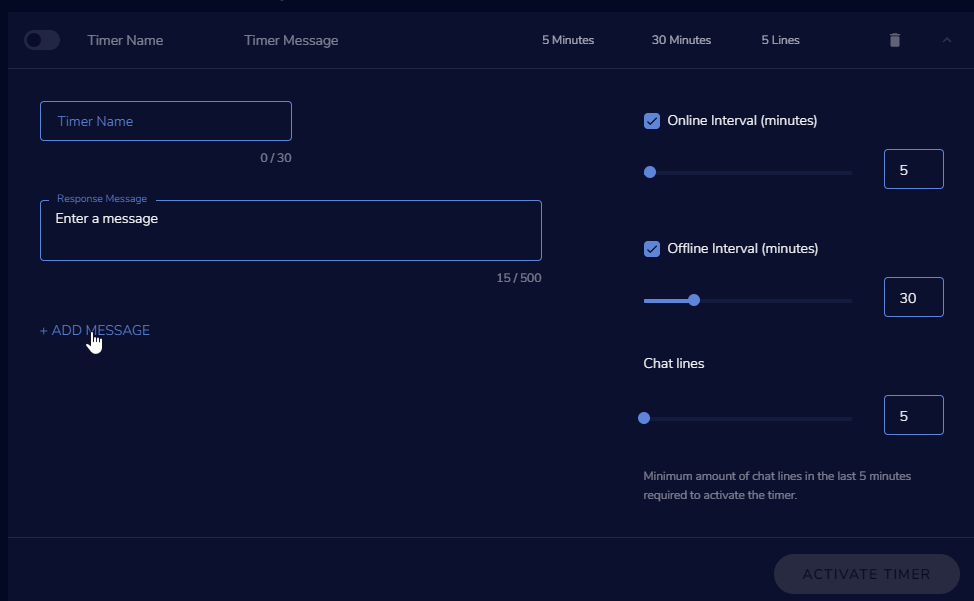 twin sentinel
yes.
abstract valley
That seems quite obvious to me now...
Thank you for the help.
lament blade
question about sub goal widget for overlay: why is it showing lifetime subs instead of monthly subs?
strong kernel
It's not showing either of those.
Goals are counters that go up, never down, and aren't tied to any sort of total.
You can edit progress at https://streamelements.com/dashboard/session
StreamElements
The Ultimate All in One Platform for Streamers
lament blade
ah, thank you
 sharp turret
How to make gifs for with sound s on ingame overlays pop up
dull oak
i guess im getting ignored cuz there's no solution for the countdown timer, cool beans 👌
lament blade
My stream elements is not in my stream always, how do I fix this?
strong kernel
@dull oak The countdown widget starts counting down immediately once loading the browser source.
 jaunty token
question, I use xspilt to stream to twitch will streamelements overlays work with it? or dose it have to be obs?
strong kernel
@jaunty token Our system is optimized for Chromium to be in line with OBS. Your mileage may vary with XSplit.
fiery fossil
Is there any way to give points from a custom command? For example: If someone types PogChamp in the chat, they should be awarded 10 points.
I tried setting the response to "!addpoints ${user} 10", but the command doesn't register
strong kernel
@fiery fossil There is not.
 next laurel
Alguém ?
strong kernel
@next laurel 🖱️ ➡️ #🇵🇹︱português
 terse salmon
Hello! is there a way to add my webcam directly to my overlay on the overlay editor?
strong kernel
No. Your webcam is added in OBS, not in the editor.
terse salmon
oh ok so then i just have to customize it to the best fit border on the overlay?
lament blade
hey, id like to know how to set up channel points with stream elements, do i need to be affiliated for that?
 frozen sigil
why do alerts have a 60sec cap on them? if you want a special alert to play a song in full for a set donation, this kinda ruins that...
sweet socket
@frozen sigil it is just the way it is, if you want to share your feedback, be sure to do so over at the ideas website!
round brambleBOT
Check out the StreamElements ideas board: https://strms.net/ideas. You'll be able to add ideas, upvote ideas you agree with, and track their progress with email notifications. Adding and upvoting ideas also helps the staff know which ideas should be prioritized so please take some time to upvote.
frozen sigil
such a simple thing that should not be there in the first place. why cap it? ideas section is a waste of time. such a niche thing. may just move back to slobs, from the outside this looks like it ticks all the boxes. then there is limiting stuff like that which is just so unnecessary...
sweet socket
@frozen sigil please share your idea over at the website
I dont know the exact reason about capping it, but it's probably been thought through 😄
twin sentinel
Most likely the queue would just grow too long too fast by chance.
frozen sigil
not for average streamers
 unborn rampart
I have a question about Kappagen: I'm using StreamElements overlays, and I want to enable Subscriber Only use of on-screen chat emotes (via Kappagen). This appears to work fine for Tier 1 subs, but it does not work with my Tier 3. If I uncheck "Subscribers only", my Tier 3 sub's emotes suddenly show up. Does Kappagen not recognize T2-T3 subs? Or am I missing something? Help would be much appreciated. Thanks for your time!
 balmy sluice


 strong kernel
@balmy sluice See the Loyalty settings section of your account.
 rancid brook
Are streamelements managers with full access able to listen to the youtube video song requests in Media request? I'm a manager for my friends stream and if I try listen to the music playing through the Media request page the video just keeps auto-muting. Is this supposed to happen or am I missing something?
strong kernel
@rancid brook If the "show on stream" option is being used, you should instead launch the overlay to monitor the playback.
 kind epoch
Hi , getting internal server error when adding songs to playlist in media request, please advise
rancid brook
@strong kernel is the "show on stream" option the only way for that to work?
 gusty ice
happening to me to
coarse raptor
Tipping page is using my old username (over a year ago since I've changed it). I've logged out and back in multiple times. No luck 😢
round brambleBOT
@coarse raptor If you changed your name on Twitch please follow these steps:
🔹 Visit https://streamelements.com/logout and then log in again with by connecting with Twitch.
🔹 On the right side of the dashboard page that opens, select "Join" under bot settings. If it says "Part" select that and then select "Join" to send the bot to the chat. Don't forget to mod the bot by typing /mod streamelements in your channel if you have not already.
🔹 Post your new name here so that we can update your channel's chatstats tracking (must be done by staff).
coarse raptor
New username: JustFream
old username: jessicafreaxx
 dark terrace
Hi
I just started using streamelements in which i was using streamlabs before. I am trying to access the overlay settings however the website isn't working. was wondering how i would access these things as well as setting up my alert boxes and scenes etc.
round brambleBOT
@dark terrace We've released our new Overlay Editor revamp. You can check out the changes and how to work with it here: https://youtu.be/X5VzXjqAsjk
Check out our blog post as well: https://blog.streamelements.com/streamelements-overlay-editor-just-got-even-better-c22cb5b4853e
We are thrilled to announce the launch of the remastered StreamElements Overlay editor!
https://p.strms.net/newoverlayyt
Why StreamElements Overlays are better?
😎 Simple: Load your entier setup using only 1 link
⚡ Fast: Cloud-powered Overlays arrive in real-time, say goodb...
 strong dock
hey hey! having an issue. trying to setting up sub goals and its showing total sub goals EVER vs current active subs.
strong kernel
It's actually not. Goals are counters that go up, never down, and are not tied to any sort of total. You can edit goal progress at https://streamelements.com/dashboard/session
strong dock
yep. i knew i needed to edit something, just couldnt remember where it was. 😉 only been two years! ty!
lament blade
Hey when i get a gift sub i have TTS engaged for their message but it also says "User x gifted a sub to user y, they have gifted x amount of subs" how do i get rid of that
strong kernel
Disable TTS for gift subs. Gift subs don't have attached messages.
 worthy kraken
Hi there, is it possible to change the e-mail I have associated with my streamelements account? I'm having difficulty finding the option