#helpdesk-twitch
1 messages · Page 635 of 1
 lament blade
 grand bloom
hi
 final turret
i found this but i cant edit 😦

StreamElements
The Ultimate All in One Platform for Streamers
 kindred wharf
hello community! At the moment there is an issue with the watchtime comment. I turned loyalty system on and the watchtime command still shows 0 sec watchtime.
Did anyone else experience this? Is there a Solution?
 twin sentinel
Hey @grand bloom 😄 What's up?
Remember, you have the #dreamteam for support.
 wary halo
my stream is live and running but the extension is stuck like this
@lament blade ask spotify, we have nothing to do with that 😉
lament blade
ALRIGHT
final turret

final turret
#AD
 round brambleBOT
@lament blade Please follow our community rules:
- No advertisement or stream promotion
- Respect ALL server members
- No NSFW/NSFL
Thank you
 oblique steeple
🔨
 halcyon falcon
Is there a countdown timer for chat?
 wheat mortar
hello my alerts keep on cutting in half when i but them in obs it dosent work can anyone help
wary halo
make sure the overlay is added with a resolution of 1920x1080 in the browser source properties
wheat mortar
ok thanks
 minor glen
What should I do if my !watchtime doesnt work?
 dawn wolf
how do i get the media request widget?
round brambleBOT
@minor glen 10 minutes of watchtime are given to those in chat when the loyalty points are handed out (every 10 minutes). Therefore, loyalty must be enabled for watchtime to work properly.
There is no direct link between watchtime and all-time points.
It can’t be calculated from the amount of all-time points a user has because subs may earn points at a faster rate and !bonus all command increases all-time points for users in chat at that time.
Giving points to a single user does NOT affect all-time, only when giving to all in chat.
wary halo
how do i get the media request widget?
@dawn wolf in the overlay editor click on the big blue + button and use the searchbar for request
wary halo
yes
round brambleBOT
@dawn wolf We've released our new Overlay Editor revamp. You can check out the changes and how to work with it here: https://youtu.be/X5VzXjqAsjk
Check out our blog post as well: https://blog.streamelements.com/streamelements-overlay-editor-just-got-even-better-c22cb5b4853e

We are thrilled to announce the launch of the remastered StreamElements Overlay editor!
https://p.strms.net/newoverlayyt
Why StreamElements Overlays are better?
😎 Simple: Load your entier setup using only 1 link
⚡ Fast: Cloud-powered Overlays arrive in real-time, say goodb...
 hidden topaz
Last night @zenith widget enabled Custom bot name on Ground Control for me rather than obs.live. (Thank you again.) Before I went to bed I had it fully functioning and it was working; however, when I woke up when Ground Control is open my bot is no longer functioning. Just returns nothing. When I close GC it reverts back to StreamElements. I generated a new OAuth Token, disabled Custom Bot name, Retyped Bot name and test bot and !points no longer function w/GC open. Any ideas as to why and how to get it working again? Thank you!
 slow apex
I dont know where better to write about my problem. I applied to MTGA creator program
 cursive orbit
As far as I can see in the source code, it could be the JWT, the OAuth, or the Channel ID that could be wrong
 abstract hemlock
@hidden topaz I see that is enable for you, sure that you don't like obs.live?
hidden topaz
I have been using another program separate from OBS completely and really like it. Just confused as to why it was working last night and not this morning w/o anything being changed. Name is correct, OAuth is correct. My JWT Token is pulling from the correct stream elements account. @abstract hemlock
 distant oxide
just joined the discord, not sure if this is where i should ask but is anyone else not able to open their dashboard page mine just reloads the main page whenever i click it idk what to do
on the streamelements site not twitch
abstract hemlock
@hidden topaz restart GC
distant oxide
i did already but i just did again and now its working idk what changed but im good now thx 🙂
hidden topaz
@abstract hemlock I restarted GC and still nothing.
abstract hemlock
Check on the task manager if there i any bot.exe running and kill it and try again
hidden topaz
Don't see anything labeled bot.exe
I attempted to restart my computer and now my bot isn't returning any commands even with GC closed.
abstract hemlock
i will take a look 😉
wary halo
rule #1: never go to bed
cursive orbit
@wary halo Rule #2: if feeling asleep, refer to rule #1
hidden topaz
Yeah apparently lol
round brambleBOT
@idle sphinx Please follow our community rules:
- No advertisement or stream promotion
- Respect ALL server members
- No NSFW/NSFL
Thank you
 orchid nova
 haughty shoal
streamelements is down 0 alearts working 0 goals worksing website down
 half basin
How do I set up the store redemption. I have the overlay setup and the alert for it but it doesn't play the sound on my stream
 velvet spoke
im guessing
Twitch is having a stroke 🙂
 tribal river
is SE broken for anyone else?
 crystal river
 void epoch
yes SE is broken for me @tribal river
it's not letting me past the log in page and is logged out in OBS as well
velvet spoke
im guessing
Twitch is having a stroke 🙂
 lost solstice
is switch having a stroke?
wary halo
it's not letting me past the log in page and is logged out in OBS as well
@void epoch https://discordapp.com/channels/141203863863558144/199460642975907840/699330127347187764
has nothing to do with the other issue 😛
void epoch
thank you! @wary halo
lost solstice
im just starting out, do tips through stream elements trigger the streamlabs donation alert?
lament blade
yes
lost solstice
alright thats what i assumed, thanks
wary halo
i don't think so
velvet spoke
@wary halo just letting you know; everything took a dookie 😉
lament blade
it does for me
velvet spoke
so be prepared to repeat a whole lot of questions/answered.
velvet spoke
You will
lament blade
alright well i trust you so
velvet spoke
do it
 torn nexus
 viscid pebbleBOT
Hi @torn nexus, Please ask your question(s) or describe the problem you're looking to solve so staff or a support volunteer can assist you as soon as they are available.
wary halo
which country are you from?
wary halo
 light hare
Thank you thank you
twin sentinel
lament blade
are servers back up yet?
wary halo
SEpay is not available in India @torn nexus
if it's for youtube then why were you asking in the Twitch channel btw? 😛
wary halo
i don't know what PayTM is, never heard of it
 trim socket
how can i remove streamelements bot from my twitch chat?
round brambleBOT
@trim socket Go to the dashboard -> right side -> part channel -> join channel (https://streamelements.com/dashboard)

 icy depot
Hi there,
I had a name change at twitch, 3 days ago. In SE it is changed as well, I am also the channel owner but since this change my Bot and my commands are not working... How can I fix it?
round brambleBOT
@icy depot If you changed your name on Twitch please follow these steps:
🔹 Visit https://streamelements.com/logout and then log in again with by connecting with Twitch.
🔹 On the right side of the dashboard page that opens, select "Join" under bot settings. If it says "Part" select that and then select "Join" to send the bot to the chat. Don't forget to mod the bot by typing /mod streamelements in your channel if you have not already.
🔹 Post your new name here so that we can update your channel's chatstats tracking (must be done by staff).
wary halo
@quartz girder check the hyperlink protection settings in the twitch settings and make sure the bot is a moderator
icy depot
okay, will try, my new name is don_paco_lp
 unborn epoch
How do you add commands
wary halo
okay, will try, my new name is don_paco_lp
@icy depot and the old name please 😄
 quartz girder
icy depot
quartz girder
icy depot
fettesfrettchenpaco
wary halo
@quartz girder settings in Twitch account
wary halo
yes
quartz girder
now what do i do
Hello
ok i am there
if you need to DM me you can
what do i do now
quartz girder
ok sorry
 quartz girder
wary halo
quartz girder
wary halo
replace username in the link with your channel name
 prime grove
Right just a quick question, my host alerts arent showing up in stream. They do when I test them but not when I get an actual host. Someone in my chat said its probably due to Twitch changing API settings recently any ideas?
round brambleBOT
@prime grove Due to changes to Twitch API, we have filtered out hosts and will only show these ones on your activity feed:
- All hosts coming from an online channel with at least 1+ viewer
- Auto host events with at least 1 viewer - only from a channel that just went offline
Note: If you see "X channel has hosted you" with no viewers on the back, that is considered an offline host or a host with 0 viewers, we do not show these.
Note for Mixer streamers: The above 2 filters currently apply for Mixer and we are aware its actually not how Mixer hosts work. We do plan on changing it, but no ETA on when.
quartz girder
icy depot
thx a lot
quartz girder
@wary halo can you see if you can post a link
wary halo
no because your old channel is linked to Discord 😛
prime grove
Thanks for the answer
quartz girder
what went worg
round brambleBOT
@quartz girder If you changed your name on Twitch please follow these steps:
🔹 Visit https://streamelements.com/logout and then log in again with by connecting with Twitch.
🔹 On the right side of the dashboard page that opens, select "Join" under bot settings. If it says "Part" select that and then select "Join" to send the bot to the chat. Don't forget to mod the bot by typing /mod streamelements in your channel if you have not already.
🔹 Post your new name here so that we can update your channel's chatstats tracking (must be done by staff).
wary halo
the bot is not in your channel at all 😛
quartz girder
i put the in there tho
quartz girder
ok'
wary halo
i'm off to bed, someone else will help you further 😄
viscid pebbleBOT
Hi @quartz girder, Please ask your question(s) or describe the problem you're looking to solve so staff or a support volunteer can assist you as soon as they are available.
round brambleBOT
@quartz girder Go to the dashboard -> right side -> part channel -> join channel (https://streamelements.com/dashboard)
quartz girder
i did
abstract hemlock
So everything should be working now
abstract hemlock
@quartz girder You could try the Spam filter on SE page
StreamElements
The Ultimate All in One Platform for Streamers
Enable the link protection
abstract hemlock
Enable the Link Protection
quartz girder
i did
 nova root
can someone help me? The option to change the bot name isn't showing up in ground control. I went through all the steps to get it to show up and it hasn't worked.
abstract hemlock
@nova root Do you have obs.live installed?
abstract hemlock
quartz girder
so
nova root
@abstract hemlock Yeah, I tried that. The option doesn't pop up below the "use media request"
abstract hemlock
Sure? are you looking the Activity Feed dock on obs?
nova root
@abstract hemlock No, the ground control app
 west agate
We are posting a giveaway link on our stream elements on twitch but it can’t be accessed it just keeps giving the circle any idea as to why.
abstract hemlock
@nova root check the Activity Feed dock on OBS 😉
quartz girder
i have to go
abstract hemlock
@west agate mind to share a SS
nova root
@abstract hemlock still nothing
abstract hemlock
 dim marten
Thanks benno. (Don't see these unless I'm mentioned)
nova root
@abstract hemlock As I said before, no options like that pop up. I use OBS.live, I have streamelements as a mod, and I have the tipping account set up. I get no option like the one highlighted
west agate
@abstract hemlock
 serene relic
hello
When someone buys merch how long does it take to appear on the orders. been a while and nothing is coming up that i sold it
@nova root
abstract hemlock
@serene relic it could take up to 24 hours
serene relic
ok just making sure that it went through
@abstract hemlock
@abstract hemlock Thanks
nova root
@abstract hemlock see, nada
round brambleBOT
@full cove Streamelements on top of OBS -> Logout -> login
abstract hemlock
@full cove but you will see the "StreamElements" menu now
round brambleBOT
@full cove Streamelements on top of OBS -> Logout -> login
 full cove
trying now, computers being a bit slow
 alpine basalt
Is there not a way to add only audio to an overlay? I have a song I want to run when this one scene is active but I can't locate how to add the audio to the overlay.
nova root
@abstract hemlock This is the only activity feed I get through obs.live... Looks nothing like what you got there
abstract hemlock
@nova root click on the cog icon for settings
nova root
@abstract hemlock
abstract hemlock
@nova root It look like the Twtich activity feed not the SE Activity feed
nova root
Im I outdated @abstract hemlock
abstract hemlock
try to relog
round brambleBOT
@nova root Streamelements on top of OBS -> Logout -> login
nova root
you're saying that reloging will give me an option for SE activity feed?
@abstract hemlock
 night sorrel
Does anybody know if I can stream from mobile and still have my alerts that I made in Streamelements?
abstract hemlock
@nova root Did you try it ? 😉
@night sorrel once you log on the StreamElements app (android) a overlay will be created and you can customize that one 😉
west agate
@abstract hemlock
night sorrel
cries in iPhone
abstract hemlock
@west agate send me your link on my DMs
nova root
@abstract hemlock was able to get the activity feed to pop up, thanks man I appreciate it
abstract hemlock
👍
night sorrel
My other solution is to somehow use my iPhone as a webcam but I can't find a good way to do that either
maybe need to look into it more
 hot canyon
why wont OBS Studios pick up desktop sound
but it pics up microphone audio
@lament blade
abstract hemlock
@hot canyon check this
 wet pelican
i accidentally hit "x" media request on my obs , how can i get that back ?
abstract hemlock
@wet pelican Go to StreamElements menu on the top right and click Media Request
wet pelican
omg thank you so much !! @abstract hemlock
 left lagoon
Im having trouble with commands not working specifically the !addpoints command
abstract hemlock
I'm on your channel right now @left lagoon
 gloomy nest
no images are showing when I add the alert overlay
abstract hemlock
any image?
round brambleBOT
@gloomy nest OBS -> settings -> advanced -> scroll down -> enable/disable hardware accel.
https://i.imgur.com/ggMe9ZE.png

 stoic elbow
Could someone help me in a call/talk channel? I´m absolutely confused by the alert settings because i want to switch from Streamlabs to Streamelements
round brambleBOT
@stoic elbow We've released our new Overlay Editor revamp. You can check out the changes and how to work with it here: https://youtu.be/X5VzXjqAsjk
Check out our blog post as well: https://blog.streamelements.com/streamelements-overlay-editor-just-got-even-better-c22cb5b4853e
We are thrilled to announce the launch of the remastered StreamElements Overlay editor!
https://p.strms.net/newoverlayyt
Why StreamElements Overlays are better?
😎 Simple: Load your entier setup using only 1 link
⚡ Fast: Cloud-powered Overlays arrive in real-time, say goodb...
stoic elbow
Yeah ive already seen this Video but it doesnt work 😦
So i mean i hear the sound i imported but the isnt my video
stoic elbow
The thing is, i see the text but not the video 😦
round brambleBOT
@stoic elbow OBS -> settings -> advanced -> scroll down -> enable/disable hardware accel.
https://i.imgur.com/ggMe9ZE.png
stoic elbow
oh and sometime i hear the sounds mutiple?
ok i try
still doesnt work
It also doesnt work in the editor
 elfin shale
when i want to stream how do i change youtube to twitch
u see how it syas youtube
how do i change it to twitch
stoic elbow
could someone talk with me? I think this would be much easyer 😅
viscid pebbleBOT
Hi @elfin shale, Please ask your question(s) or describe the problem you're looking to solve so staff or a support volunteer can assist you as soon as they are available.
round brambleBOT
@elfin shale Streamelements on top of OBS -> Logout -> login
elfin shale
where
abstract hemlock
@stoic elbow if it doesnt work on the editor, it wont work on OBS
gloomy nest
@stoic elbow the enable hardware worked, but when I breview lets say an explotion it shows fine from the website, but on my OBS everything is cut out, and coming from the side instead of the bottom
abstract hemlock
@elfin shale sir right there
stoic elbow
@abstract hemlock realy? cmonBruh. Fine then i have to recreate all my alerts. This is probably much faster then finding the error here.
Maybe i doesnt switch from Streamlabs to Streamelements. "Never change a running system" is a true sentence. Sorry but i try to import my alerts since 3h
abstract hemlock
what i meant is if something doesn't work on the web editor, won't work on OBS
maybe its the video itself
stoic elbow
Yeah, i know. It is obvios but i try to find the solution for this.
But the Video worked in Streamlabs and none of my vids works here? @abstract hemlock
abstract hemlock
the video is in webm format?
 undone isle
@abstract hemlock could you help me after
stoic elbow
The video is a gif?
And in the top right corner i see the video as a preview but it doesnt work as a alert
abstract hemlock
@stoic elbow gif is image not video
round brambleBOT
@undone isle For the best OBS support, please join their Official Discord @ discord.gg/obsproject
gloomy nest
I'm using streamlabs, When I put the alerts overlay on it, nothing shows up
stoic elbow
Yeah.... But WHY does it work in Streamlabs and here not?
round brambleBOT
@gloomy nest We're not able to troubleshoot issues with using our overlays in StreamLabs OBS (SLOBS) as we don't have the tools to support their software. We recommend using OBS Studio or OBS Studio with our plugin OBS.Live.
gloomy nest
ohhhh, so that could be it for now
abstract hemlock
@stoic elbow if you want a gif you will need to click on "Change Image" on the alertbox widget
abstract hemlock
mind to sent me the gif over my DMs so i can test it?
stoic elbow
Yeah...
 quasi fog
@gloomy nest my bud had them fail to show up when the browser source was smaller than 1080p, so try resizing it's properties
I've removed my stupid question because I realised I just didn't have enough commands in the list to have a scrollbar  sorry
sorry
stoic elbow
Wait i have to find it
 quasi fog
sorry, I wanted to delete it before you deleted it for me!  I'll stop being a nuisance now - have a good day/evening/night
stoic elbow
is it possible to download the gif from my uploaded storage thing? I thing i deleted it accidatly but i uploaded it in streamlabs and streamelements
stoic elbow
Ah i found it
i downloaded it from my Streamlabs upload
wait i send it to you
if it is easyer we could go in a talk channel or something like this 🙂
I´m absolutely confused with Streamelements
 chrome folio
@stoic elbow what is the problem? if you can explain again
 sterile aurora
(I always feel dissonant in discord channels like these since I have a question but feel like I'm interrupting the above conversation/help haha)
Hi! 😅 I had a QQ: In Overlays (editing one), when I try to add Labels > Tips > Latest > Latest tipper, it shows the first tipper I've ever had. In the revenue history it shows all the tips. Any way to pick the latest instead of the first tipper in the settings of this label?
abstract hemlock
@sterile aurora check this page :
https://streamelements.com/dashboard/session
quasi fog
Command-variables question: If I want to generate a random number, which is scaled by user-level (so mods and vips have a much higher chance of a big number), can I do math inside the command? I see the random number variable, but not sure if math is evaluated inside braces?
sterile aurora
@abstract hemlock If I set it to the proper one, will it work properly/automatically after that? Still getting to know SE haha
 untold tide
Hello
There's a way to when my viewers shop a thing in Stream Store it shows on a Excel file or something so my viewers can view how many itens in stream store are buy in real time?
quasi fog
possibly look at this custom command https://discordapp.com/channels/141203863863558144/424943321794871296/652419535613329409, instead of !todo make a duplicate of what the redeem command is called, then add a counter equation at the side, that counts all of the same named things, so you get running totals? @untold tide
untold tide
i will see it, thanks from the start
quasi fog
the SE guys might have a better solution, that's just the first thing that popped into my head 🙂
untold tide
if the SE team made something like this it will help a lot to help sometimes
 maiden umbra
Any one having an issue where the Dashboard links on Streamelements home keeps sending me back to StreamElements Home page?
abstract hemlock
@sterile aurora Yes
maiden umbra
Is there a fix
abstract hemlock
@quasi fog not a built-in command for math
quasi fog
no javascript/python eval either, I guess?
or maybe you can expand variables inside variables?
abstract hemlock
@quasi fog you could use something like this ${customapi.https://twitch.center/customapi/math?expr=100-1}
quasi fog
would I be able to pass ${user.level} into that api call?
abstract hemlock
${customapi.https://twitch.center/customapi/math?expr=${user.level}*2}
 chrome folio
you can create many commands with the same alias and set for each command differents user levels... so... you can set a command for mod, other for vip, ...
abstract hemlock
@quasi fog test it before you thank me 
quasi fog
haha, will do @chrome folio ooh good tip, ty
chrome folio
😉
sterile aurora
Thanks @abstract hemlock!
abstract hemlock
@fallen tangle you added the widget to the active overlay?
 fallen tangle
like, i havent changed anything about it
it just stopped working now when i was streaming
quasi fog
@chrome folio @abstract hemlock I ended up with !rekt --> ${customapi.https://twitch.center/customapi/math?expr=${user.level}*${random.80-200}/100}% REKT and it works a charm  ty both for your help
 bleak geode
so im running into an issue with a custom widget. I'm making a custom goal bar and added a background image to the container. it shows up just fine and looks great on the overlay editor but when saving it and displaying on twitch/obs, the background image disappears and just the content remains. can show images and code if needed. any idea why this is?
sterile aurora
QQ: when I added the browser source and switch between scenes, I get a few seconds lag before everything shows up. Probably a simple answer, but couldn't really google it (every video I've seen hasn't really addressed it)
quasi fog
Is there any way to have one command that returns the response from a selection of commands, but still as separate messages? (grouping them but not sending as a single message, like a macro)
abstract hemlock
@bleak geode better leave this question on #dev-chat rn i have a lot on my hands to test and debug 😦
bleak geode
10/4 sir
abstract hemlock
@sterile aurora that's is needed cause the overlay is fetch though internet, you could setup a stinger transition to "hide" that little fetch time
@quasi fog wdym?
sterile aurora
@abstract hemlock ahh, thanks!
quasi fog
if I have an !instagram, !twitter, and !youtube, can I have a !socials that posts each of the 3 command responses from the 1 command call?
and/or is there a way to tell SE to split responses into separate messages?
abstract hemlock
@quasi fog the bot can't call other commands and there isn't a way to split responses afaik
quasi fog
roger that, I'll mess around with formatting it in 1 so it's readable then, ty
abstract hemlock
@lament blade se merch?
 jovial birch
hello, is there anyway to stop the backup list songs playing once all songs requested have finished?
abstract hemlock
@jovial birch remove the backuplist here: https://streamelements.com/dashboard/mediarequest/settings
 little dew
Hey im trying to stream classic and cant get rid of black bars
jovial birch
thank you @abstract hemlock
abstract hemlock
@little dew wdym?
little dew
So i switched to streamelements obs.live
and now when i stream i have black bars on the side
abstract hemlock
mind to share a screenshot?
little dew
ill link you my stream
 hallow arch
How do I get notifications to pop up
abstract hemlock
@little dew you can move your mouse on top the black bars?
lament blade
@abstract hemlock no it was a tip but its still pending
abstract hemlock
@hallow arch you need to add the Alertbox widget in your overlay and then add the overlay on your OBS
hallow arch
How
abstract hemlock
@little dew hav eyou check the resolution on your OBS?
on in the game settings?
little dew
yes
hallow arch
Ok
abstract hemlock
its look like you are streaming al 1920 x 1050
hallow arch
So I go to streamelements
abstract hemlock
round brambleBOT
@hallow arch We've released our new Overlay Editor revamp. You can check out the changes and how to work with it here: https://youtu.be/X5VzXjqAsjk
Check out our blog post as well: https://blog.streamelements.com/streamelements-overlay-editor-just-got-even-better-c22cb5b4853e
We are thrilled to announce the launch of the remastered StreamElements Overlay editor!
https://p.strms.net/newoverlayyt
Why StreamElements Overlays are better?
😎 Simple: Load your entier setup using only 1 link
⚡ Fast: Cloud-powered Overlays arrive in real-time, say goodb...
 old pike
why wont my overlays show up in obs? i have been trying for hours now its a joke!
lament blade
@abstract hemlock ?
abstract hemlock
@lament blade You tip someone and you see it Pending on paypal?
round brambleBOT
@old pike OBS -> settings -> advanced -> scroll down -> enable/disable hardware accel.
https://i.imgur.com/ggMe9ZE.png
little dew
im set to 1920-1080
lament blade
well i got tipped but its pending
abstract hemlock
@little dew i think you already get the error 😉
@lament blade Se.Pay or paypal?
lament blade
paypal
abstract hemlock
This generally means PayPal has held the tip for verification.
If you believe there may be an issue with the transaction, you'll need to contact PayPal support as StreamElements is only a passthrough service and never actually gets involved with the transaction or touches the money.
little dew
i still have blac bars 😦
old pike
crash on loadup?
abstract hemlock
@little dew Its the ratio of the window that you are capturing
little dew
before i switched to stream elements obs addon it was full screen with no blackbars
abstract hemlock
@little dew Check the source dimension (press ctrl + f to fit in the screen or play with the width)
 marsh vector
Hello! I'm making my transition from SL to StreamElements and I'm trying to customize the Store Redemtion alerts and I have a custom animation but I can't add it for some reason. All of the animations worked well in the alerts but not for the redemtions. I can upload the animation but when I want to insert it doesn't let me. Only appears Delete. Any help please? Thanks in advance guys. https://media.discordapp.net/attachments/199460642975907840/703289816292524103/SPOILER_SPOILER_unknown.png

 hollow notch
Hy i need some help with something
I recently got a donation but i got the email sent to my paypal but the tip didn't trigger any donation alert on my stream
abstract hemlock
@marsh vector The redemtion widget will take the image/video on the StreamPerk you don't need to add every one of them on the widget
@hollow notch Do you see it on your activity feed?
 hollow bay
I don't know where to go for this but my Stream elements has been extremely slow, and will just sign me out every time.
marsh vector
So I just upload one and It should work right?
hollow notch
@abstract hemlock Yes it came through on my activity feed
hollow bay
I have to resign back in every time, and my chat never loads.
round brambleBOT
@hollow bay Please provide a log from your last stream. To do this, in OBS go to Help > Log Files > Upload Last Log File and paste the link to the log file here.
abstract hemlock
@marsh vector like i said, this will take the image of the item redeemed
hollow notch
Is there something else i must do Renzito? It cam through on my activity feed
marsh vector
@abstract hemlock Sorry to bother you man, I upload the animation and It doesn't show up. The format is WebM just in case it helps you. Thanks man and sorry about it
abstract hemlock
@hollow notch probably it get to your activity feed after your stream ends
sometimes paypal take their time to process donations, or do extra verifications
@marsh vector You'll need to add items as StreamPerks on your store
StreamElements
The Ultimate All in One Platform for Streamers
marsh vector
I tried, still, same problem 😭
hollow notch
@abstract hemlock Okay so the tip is pending on my Paypal.... and it wants me to accept it. Do i need to link a Bank to have the money go into?
abstract hemlock
@hollow notch im not really sure how paypal works or what it needs, but iirc they ask for a credit/debit card registered on their system
marsh vector
Renziito, I did what you told me still doesn't show up the animation I selected. I tried to change it from the store redemptions on the alerts and it does not allow me the animation.
This is what you told me and It does not show up 😦
abstract hemlock
i will take a look
marsh vector
Appreciate it man
abstract hemlock
@tawny sable You need send the signal of your PS4 to your PC and capture it on OBS and add your overlay on the OBS as well
abstract hemlock
I don't really have a video handly to give you, but you will need to get the signal of your PS4 on your PC
 tawny sable
I really don’t know how but thanks for the help man
 slender hinge
Hey guys, good night ^^ how do i set the bot so the answers for the commands and actions can be replied by the streamer? as the image above
abstract hemlock
Custom bot name @slender hinge , you will need obs.live and check this video : https://discordapp.com/channels/141203863863558144/494513233416421386/561516184718278676
slender hinge
made it here, thanks a lot @abstract hemlock ❤️
lament blade

 hollow horizon
either i am getting too old and forgetful ... or a complete moron.. i remember doing it before. but can't find it for the life of me. i setup a bunch of things to post a message depending on new subs. like if they are a year they get a special announcment (wording) .. but can't remember where i changed all of the different 1 month, 2 month.. etc.. ?
 manic shore
hi why doesnt my new subs and resubs every show up in my overlay notifications and in chat ?
well not my new subs but my re subs show up on my overlay notifications or my chaat notifications
abstract hemlock
@hollow horizon Check the variations on your Alertbox widget
round brambleBOT
@manic shore Twitch prime (new and resub) and paid subscriptions (resub only) must be shared in chat manually by the person subscribing in order for the subscription information to be sent to StreamElements. For twitch prime, the user needs to have sharing enabled on https://www.twitch.tv/settings/prime. For paid subs, if the share box doesn't show up immediately it will when they refresh the page. https://i.imgur.com/VNJN0Uv.gif https://i.imgur.com/2297EA7.png

 manic shore
so even my notifications overlays is the same thing? If they resubscribe my overlays wont go off either ?
hollow horizon
@abstract hemlock i did but didn't see the drop down .. i know it was there just might be missing it..
hollow horizon
right that's where i am at but i remember there was a whole list i was able to edit without having to create multiple different ones
abstract hemlock
when you click on that "Variations Settings" button you don't see the list of variations?
hollow horizon
so i only see subscriber default.. so i am talking about in chat.. like right now i setup only to a year .. so after 13 months it says 1 frickin year lets gooo! but i remember just a text that you could change for all still was one at a time
abstract hemlock
@hollow horizon i misunderstood your question .. that's right here : https://streamelements.com/dashboard/bot-modules
 velvet knoll
Hey, anyone knows how to set the StreamElements' twitch bot to send a whisper thanking a user after a subscription on my twitch channel?
 neon trail
i have a question i can capture game audio from my ps4 with my capture card but i have a blue yeti mic connected to my pc and i get no audio from it even though it is showing me that it is picking it up in obs
hollow horizon
ok one other question @abstract hemlock i started adding a bunch and everytime i clicked off to save it and go to the next section it didn't save 😦
 zenith widget
@velvet knoll unfortunately the chat alert module does not support that.
 fickle ocean
Hi, how can I withdraw money from StreamElements? Because I can't find this option.
zenith widget
Se.pay or se.merch?
zenith widget
Then idk what money you are referring to
hollow notch
THIS MIGHT BE A DUMB QUESTION...... BUT CAN I USE STREAMELEMENTS FOR STREAMLABS OBS? OR ONLY REGUALR OBS?
Sorry all caps
velvet knoll
@zenith widget So, there is any way to send the message on the stream chat thanking for the subscribe and giving instructions to the user?
zenith widget
@velvet knoll customs commands can whisper
But they can only be triggered by the command it self
fickle ocean
so I must make SE.Pay acc to withdraw money on paypal?
hollow notch
@zenith widget Is there a way i can talk to you over voice? I have a few questions to ask you
zenith widget
No
@fickle ocean se.pay doesnt support withdrawal to paypal only to a bank account
fickle ocean
so what support withdraw to paypal
zenith widget
If you have received tips via se.pay then there is a withdraw button there
If you have received tips via paypal they are already in your paypal balance
fickle ocean
😮 thanks
hollow notch
Okay Is there a way to import my streamlabs overlay into streamelements? And if yes, is there a guidefor setting that up?
velvet knoll
@zenith widget ok then, but anyways, thank you so much for your time, have a great weekend mate 😄
fickle ocean
Why is the commission so high? from $ 1 I got 0.67. Can I cover the commission?
round brambleBOT
@hollow notch In order to import scenes/overlays from SLOBS, you need to have OBS.Live installed.
After you install OBS.Live, click on "Streamelements" on top, then on "Import from other services" and then click on "StreamLabs - Import Now"
Each scene from SLOBS will be imported as a stand alone Overlay here: https://streamelements.com/dashboard/overlays
zenith widget
@fickle ocean thats up to paypal unfortunately
fickle ocean
and what will be the commission to the bank account?
zenith widget
StreamElements
The Ultimate All in One Platform for Streamers
All fees are listed here that we are aware of
If you are still referring to paypal i dont thu k we show the withdrawal fee from paypal balance to bank as its different
For everyone
fickle ocean
And can I keep this money on my StreamElements account and then I would pay everything at once and have a smaller commission than for every $ 1
 sand plover
I want to know why! The watchtime command always shows 0 seconds. How to fix it? I use streamlabsOBS.
round brambleBOT
@sand plover 10 minutes of watchtime are given to those in chat when the loyalty points are handed out (every 10 minutes). Therefore, loyalty must be enabled for watchtime to work properly.
There is no direct link between watchtime and all-time points.
It can’t be calculated from the amount of all-time points a user has because subs may earn points at a faster rate and !bonus all command increases all-time points for users in chat at that time.
Giving points to a single user does NOT affect all-time, only when giving to all in chat.
 woeful spruce
Hello, I think the chat bot is broken, streamelements is not even a mod in my channel.
round brambleBOT
@woeful spruce Go to the dashboard -> right side -> part channel -> join channel (https://streamelements.com/dashboard)
 topaz night
im trying to remove streamelements from my channel
woeful spruce
Thanks, they should put bot setting in the bot section.
sand plover
I want to know how to fix it !watchtime works
zenith widget
@topaz night Check the screenshot above - its the same location to remove it -> part channel.
@woeful spruce for 2 buttons? not worth it
@sand plover Enable loyalty system
@fickle ocean I'm not still not sure if you are referring to SE.Pay or PayPal here.
sand plover
@zenith widget In twitch or bot ?
topaz night
thanks
zenith widget
In our dashboard @sand plover
sand plover
@zenith widget Sorry, I still don't understand,
I have already enabled the bot, set it in twitch as a mod and still haven't, Is only available for chat. Followers are not allowed for 10 minutes.
 little oak
https://streamelements.com/dashboard/loyalty go here to enable the loyalty in order for it to capture ones watchtime via cmd in chat
sand plover
@little oak Ohhh Thx you very much
 severe owl
@round bramble here to fix my chat stats, dear bot. Old username "Nerdheim", new username "Siormax". The first is probably empty since I switched 100% to SE only recently, but I want the new page to start running as intended 
hollow notch
Is there a way to allow StreamElements Tipping Page to trigger the Tip/Donation alert with SLOBS?
zenith widget
@severe owl its fixed now
@hollow notch You need an overlay with our alert widget to handle tip alerts via our link
hollow notch
Hopefully last question @zenith widget Can i use an imported overlay and if yes are their videos showing me how to set that up?
zenith widget
!add
round brambleBOT
To add your overlays to OBS, add a new browser source in your scene. Paste your overlay URL in the browser source properties, set the dimensions to 1920x1080 (unless you changed them on the website), and ☑ “Shutdown source when not visible” https://youtu.be/KDvLynUqXI4
 iron spade
Well, ahm, I changed my Nick on Twitch and now my bot is Broken. The Feed only shows me Follows, nothing else, besides, other widgets like Alert Box, Event Rotator, and others doesn't get back feed either. I lost my original files with ones I created the Alert box so I can't make a new one; If I can't fix my feedback I'd like to get my files but I know that's a little harder than my first option. Hoping for your help, I would like to thank you in advance.
round brambleBOT
@iron spade If you changed your name on Twitch please follow these steps:
🔹 Visit https://streamelements.com/logout and then log in again with by connecting with Twitch.
🔹 On the right side of the dashboard page that opens, select "Join" under bot settings. If it says "Part" select that and then select "Join" to send the bot to the chat. Don't forget to mod the bot by typing /mod streamelements in your channel if you have not already.
🔹 Post your new name here so that we can update your channel's chatstats tracking (must be done by staff).
wary halo
new and old name (for that last part)
iron spade
This is my new nickname, I already did those steps but I'll do it again just in case!
MrHeber689 <--- Old One
jib3r <-- New One
@wary halo Ty 
zenith widget
page fixed
 sterile vigil
The StreamElements bot in my friends channel is Displaying 0 subs when using the ${channel.subs} variable, however a couple of nights ago when setting it up it clearly showed she had 520 subs
zenith widget
part the bot and join it again
sterile vigil
how to part?
zenith widget
!part
round brambleBOT
Go to the dashboard -> right side -> part channel -> join channel (https://streamelements.com/dashboard)
iron spade
I already did what I was said to but nothing've changed ;A;
May I Share Screenshots in order to show the problem?
halcyon falcon
How do I refund a donation?
 slate kernel
In the overlay maker how can I re-name a layer?
wary halo
In the overlay maker how can I re-name a layer?
@slate kernel double click on the layer
zenith widget
@halcyon falcon paypal or se.pay?
halcyon falcon
se.pay
zenith widget
@iron spade non of the custom commands are turned on and the bot responded to one of my commands
zenith widget
I resubbed your webhooks
new cheers and subs should show up
nothing we can do about missed ones
round brambleBOT
@halcyon falcon Please contact us via email for support with SE.Pay. You can use our contact form here: https://streamelements.com/contact Thank you
zenith widget
What I meant by the above @halcyon falcon is that we can refund the tip for you so send in an email.
slate kernel
@wary halo thanks a lot. Also is there a way to make the chat background transparent?
iron spade
@zenith widget Ok now it has been fixed thank you for all your help ❤️ @wary halo
little oak
at the top when you add your chat you should see right under the Settings Theme choose custom @slate kernel
when you clicc on the layer tab
slate kernel
@little oak thanks a lot! prompt help today ^^
wary halo
how i can fix this
@honest island enable dark mode under the settings tab
and make the bot a moderator
and check the hyperlink protection setting in Twitch settings
wary halo
did you mod the streamelements bot?
 honest island
ye
 olive lintel
streamelements!!! no streamelemets!... there is one N missing! @honest island
 tawdry path
Hey guys, Im using obs.live for streaming! One question though, with Streamlabs obs i have a way less pixelated stream but i dont use it cause i hate the system. Do you know a solution for this, couldnt find it on google.
wary halo
@frank glade who is the streamer you mod for? so we can check the settings for the raffle
since the limit is 100k and not 6k
(no links please, just the name)
lament blade
Hey everyone! So I have been having this weird occurrence for the past few days with the chatbot. Every so often I get a chat message that says "response message" is there any way to get rid of that?
wary halo
ask streamlabs
little oak
we are not streamlabs
wary halo
this is the StreamElements server 😉
 keen rose
I did, 9 days ago
little oak
this doesnt concern us 🙂
lament blade
Yeah I checked all of my default and custom commands and none of those commands should be triggering the chatbot to respond with "response message"
zenith widget
Its one of your timers
lament blade
Checked my timers as well, nothing should be triggering this to go off. Yet it incrementally comes in chat.
 lapis stone
hello, I'm having a hard time trying to figure out on how to connect my second account to Activity Feed. I cant find the option to log out from my main account either
zenith widget
@lament blade Disable all timers, and then start enabling one at a time
until you get the one that is responding with that message
then edit that specific timer
lapis stone
@zenith widget
 little merlin
Is it possible to connect Spotify with stream elements?
zenith widget
Unfortunately no
lapis stone
no?
 ionic kelp
@little merlin to request or show song info?
 near seal
How do i use the the over lay i selected in my stream with OBS?
little merlin
song info 🙂
tawdry path
@little merlin not yet
round brambleBOT
@near seal To add your overlays to OBS, add a new browser source in your scene. Paste your overlay URL in the browser source properties, set the dimensions to 1920x1080 (unless you changed them on the website), and ☑ “Shutdown source when not visible” https://youtu.be/KDvLynUqXI4
ionic kelp
@little merlin https://www.youtube.com/watch?v=nwfZopFWOCk
little merlin
thanks
lapis stone
hello, I'm having a hard time trying to figure out on how to connect my second account to Activity Feed. I cant find the option to log out from my main account either
anyone?
tawdry path
@near seal just click on the 3 dots and "copy URL" make a browser source (1920x1080) in obs and paste the URL in there
near seal
What three dots im sorry im kinda new at this
tawdry path
@lapis stone the option to log out from main acc is in the obs settings on the tab stream i think. Delete your stream key or connected account and it will deconnect
zenith widget
@lapis stone We cannot show events from a 2nd account on the same activity feed.
near seal
i made a new scene
tawdry path
@near seal maybe u should watch a turtorial about this if youre new. Its very very easy
near seal
sadly i did i just didnt see anything ab how to add the theme selection such as "PURPLE VOID IN GAME SCENE"
tawdry path
If you go to my overlays on SE dashboard you can select an overlay and copy the URL
lapis stone
@tawdry path @zenith widget thanks for the reply. I tried logging out from setting > stream. but my activity feed is still connected to my main account?
zenith widget
@near seal click this to get the URL
tawdry path
Maybe trying a reinstall would be helpfull?
near seal
KeiZar it just shows the image in another tab
tawdry path
@near seal do you see that 3 dots on the left from the post from @zenith widget )
*?
tawdry path
Click that and click on copy URL
Should be no problem
@near seal can u maybe screen share with me in dm on discord?
I will type it step by step
near seal
yea sure
 timid gale
Can u use overlays in twitch if you have an Xbox and no pc
 languid herald
Hey 🙂 I changed my channel name on Twitch a few days ago and since then I've had trouble with stream elements. Some things work (like media request) but my commands don't work at all. I've tried logging in and out several times and can see on my dashboard that its the new, correct name that is attached to elements.
lament blade
Alright i'm back with an update on the "response message" the streamelements chatbot is saying. I checked all of my chat logs and this seems to happen every 2 hours, it is not on my timers nor can any of my existing timers trigger it since they are all 10 or 20 minutes apart. If an existing timer were to trigger it, then the response message would happen immediately after the timer. Is there any way I can fix this or does absolutely no one know?
lament blade
@timid gale unfortunately not, you need a broadcasting software to be able to add overlays to your stream.
 split gale
New to discord..... a bit lost. Hello peoples hope your having an awesome day...Not sure if i am in the right place..
timid gale
What kind of software would you need
little oak
obs
tawdry path
 lament blade
@timid gale you need OBS or Streamlabs OBS
little oak
@timid gale obs, xsplit etc....
timid gale
Ok so I would need a laptop or pc correct
little oak
but to use ours you need obs.live with obs
tawdry path
You will need a capture device like the elgato
lament blade
yes @timid gale
tawdry path
@timid gale you need a laptop or pc, but also a capture device. And if u want one that has no delay or something you will need an elgato and thats like $180
Otherwise u wont be able to send gameplay to a pc or laptop
@lament blade no it doesnt
Anyone know this: "Hey guys, Im using obs.live for streaming! One question though, with Streamlabs obs i have a way less pixelated stream but i dont use it cause i hate the system. Do you know a solution for this, couldnt find it on google."
split gale
Hello Im editing alertbox in streamelements ... preview live sound is registering on encoder but no video....any help would be greatly apreciated....thanks in advance
timid gale
So I have my twitch linked to stream labs as well do I need to disconnect it from that and just have it linked to stream elements
round brambleBOT
@tawdry path There are no "best settings".
Please understand that every setup will be very different.
Any guides or videos that claim otherwise are misinforming. Your best option is to start with a base and adjust as necessary.
You can run the OBS auto-configuration tool. To use the auto-config, click on the Tools menu in OBS, select Auto-Configuration Wizard, and then just follow the on-screen directions.
You can use this tool to get baseline settings for your hardware and adjust as necessary from there.
Test, test, and test again. We are happy to offer suggestions for any issues you may be having afterwards, but not a list of settings.
Thank you 
zenith widget
@split gale wdym no video?
@timid gale having your account connected to SL doesn't mean you can't have it connected to us
timid gale
Ok jw
tawdry path
@round bramble i know that, i mean with the same settings streamlabs obs gives me less pixelated streams
zenith widget
afaik SLOBS doesn't have these I believe
One of these I believe can either help with the pixelation or not
or by a long shot, maybe increase the bitrate a bit
timid gale
So when I go live on twitch and when I’m done stream elements will send a report right
From the previous stream
split gale
@zenith widget The sound from Preview live button is coming through encoder fine, however the image/animation associated with that alert is not... sorry if im not using the right words ...still learning....
round brambleBOT
@split gale The default resolution for StreamElements overlays (theme and custom) is 1920x1080. Please add them in OBS at their full resolution and use CTRL+F to fit to screen if necessary. You can then downscale your stream in OBS settings > Video if you'd like https://i.imgur.com/6bWXxjR.png
 zenith widget
@timid gale yes
 peak sentinel
Silly question. How do I setup Sound FX with specified commands? Ex. !hello - "Hello <Username>
zenith widget
Steps to make a command trigger sound on stream:
- Go to Stream Store page here: https://streamelements.com/dashboard/store/items
- Add an item that has these settings on it:
- Stream Perk
- Loyalty settings to your desire
- (Next step) Add contents (image and/or sound you want to play)
- "Redeeming this item shows an alert
- Redemable via chat
- Skip Requirements
- Get the item name/command from the 2nd creation page
- Go to commands page here: https://streamelements.com/dashboard/bot/commands/custom
- Add command with desired name and have response for command as:
${redeem item_name_here} - Go to your overlays and edit the overlay you use.
- Click on "widgets" and add "Store redemptions" widget. Click save and you should be golden.
- Test your own command in chat and have OBS or editor open to hear sound
- ???
- Profit in viewer interaction and that dosh

fickle ocean
How can I set a chat character limit?
lament blade
Hello, is there a way to view my SE Pay account information?
zenith widget
Not really - what is it that you need? @lament blade
@fickle ocean character limit where?
fickle ocean
yes
zenith widget
Left or right?
fickle ocean
Just where I can set it to have a chat character limit that means they can write e.g. 50 letters maximum.
😦
zenith widget
by default twitch's charater limit is 500
you cannot change that - its a default setting in Twitch
fickle ocean
I want to reduce this limit.
zenith widget
The 500 character limit in the twitch chat is a global settings by twitch and cannot be changed
 short hound
getting an error message that stream url is missing cant get it to work any help please 🙂
wary halo
check stream settings in OBS
short hound
i've disconnected and signed back in still not working?
lament blade
@zenith widget i wrote on support day ago cuz i have problem with payment, when someone wants to tip me, it says payment failed so im looking everywhere if i made mistake
round brambleBOT
@short hound Streamelements on top of OBS -> Logout -> login
zenith widget
Did we reply back to the email? @lament blade
 scenic nova
Hi there, does anybody know if the same channel hosts twice in the same session if the second alert gets filtered out?
 night scarab
smol question, with the chat overlay widget, can i change the text color?
zenith widget
yes in the text settings
lament blade
@zenith widget yes, Sean from Streamelements contacted me, i gave him photo of error and info about my error and he said, developers are working on it and will reply as soon as possible so im still waiting
zenith widget
@scenic nova it should not trigger, no
@lament blade then i would suggest to wait patiently if developers are involved
lament blade
@zenith widget yes thank you 🙂
scenic nova
@zenith widget ok great thanks. Shame, because the second one was a bigger host. Thanks for your time
lament blade
also do they work at weekend?
zenith widget
there is also this
round brambleBOT
@scenic nova Due to changes to Twitch API, we have filtered out hosts and will only show these ones on your activity feed:
- All hosts coming from an online channel with at least 1+ viewer
- Auto host events with at least 1 viewer - only from a channel that just went offline
Note: If you see "X channel has hosted you" with no viewers on the back, that is considered an offline host or a host with 0 viewers, we do not show these.
Note for Mixer streamers: The above 2 filters currently apply for Mixer and we are aware its actually not how Mixer hosts work. We do plan on changing it, but no ETA on when.
zenith widget
@lament blade it may also depend on the payments mediator
so no, devs are not around on the weekends unless its an emergency and something is on fire 
lament blade
okay so i will wait
 glossy moon
Hi! I've just started out trying to stream and am having issues with skipped and dropped frames while streaming Overwatch. I notice it only lags when I start the game and everything else is fine and smooth before I enter any sort of gameplay. My gameplay is fine and I think my pc specs and wifi are adequate; I've tried using both studio and streamlabs and changing the settings according to youtube tutorials and suggestions of friends but I'm still having trouble :/
Do you guys know any possible solutions?
 frank glade
I mod for a streamer that has channel points built into watching his community. I’m not talking about the ones that you use to highlight your message and such, but ones you can gamble/raffle. I’m trying to edit the raffle amount he has for his stream, as it only goes up to 6000 points I’m able to raffle away. I can put any number of points in there in a !raffle 6000 command or less, but if I do anything over 6000, such as !raffle 10000 it automatically goes down to 6000. Anyone know of a copy pasta I’d be able to put in his chat that’ll help get rid of the 6000 point cap?
quasi fog
@frank glade this is set in the Modules > Raffle section, as maximum amount. Default seems to be 3000 (as I've never touched it), so the streamer has probably previously changed it to 6000. Ask them to change it to a larger number 🙂
@glossy moon this could depend on a whole host of things. If you get dropped frames on stream and not in game, I recommend you first make sure you open your OBS in administrator mode, as this will remove any power/performance limitations that could cause your stream quality to suffer.
If the game itself is dropping frames, do your best to optimise it, and drop the quality as required.
You might also be trying to encode at a bitrate that is higher than your system can maintain, and so are dropping frames due to encoding lag.
@fickle ocean if you really want to restrict chat to 50 characters per message, you could time people out using Paragraph Protection in Spam Filters, but I really, really would not recommend it.
 quasi hazel
So I'm having this problem where I can't import my overlays as browser sources unless I do it a single widget at a time. Like I've grouped a text field with a background image and I can import that, but I can't import an entire overlay, laid out the way I want it. I don't know if I'm doing something wrong or if this is a bug
quasi fog
SE doesn't let you save it/grab the link after, or you aren't able to add multiple widgets?
 waxen orbit
hi i set up all the features and it worked all so far i haven't changed my name
it doesn't work now
v
Can you help?
quasi hazel
@quasi fog the link imports a blank screen. It does this with overlays I've created and overlays I've imported from streamlabs
quasi fog
might be worth showing me, can I give you a quick call and you can show me?
quasi hazel
sure
round brambleBOT
@quasi hazel The default resolution for StreamElements overlays (theme and custom) is 1920x1080. Please add them in OBS at their full resolution and use CTRL+F to fit to screen if necessary. You can then downscale your stream in OBS settings > Video if you'd like https://i.imgur.com/6bWXxjR.png
zenith widget
@waxen orbit can you elaborate abit more?
waxen orbit
it really just doesn’t work for something
i try
setting
worked until then I haven't changed my name
waxen orbit
yes
zenith widget
obs?
round brambleBOT
@waxen orbit Please provide your account ID found at the top of this page: https://streamelements.com/dashboard/account/channels This ID is public info and safe to share here.
lament blade
So when I put my donate link in for the command when people type the command it starts out the link
oblique steeple
Disable link protection in twitch and mod the bot
zenith widget
@waxen orbit there - its responding now in your chat.
lament blade
What do you mean mod the bot and I didn’t disable link protection and it still stars it out @oblique steeple
oblique steeple
@lament blade https://dashboard.twitch.tv/settings/moderation
quasi fog
type /mod streamelements to give the bot mod privileges
oblique steeple
And type /mod StreamElements in your chat
 gray otter
hey there when I try to go online it shows me: Stream URL is missing. Open settings to enter URL in the 'Stream' tab. I have no idea what is going on because this never happened before and also I tried unlink and link twitch account but it still not let me go live
lament blade
@oblique steeple thank you 🙏
oblique steeple
@gray otter -> #helpdesk-selive
 red lantern
Hello there, how do i make overlay for music? still trying and nothing.
lament blade
My times, my recent followers, and the ghoust which is haunting are added to overlay on stream elements but it does not work when I release OBS Studio. Do I have to go and refresh my overlay on the website every time when I go live?
 faint mauve
round brambleBOT
faint mauve
round brambleBOT
@lament blade OBS -> settings -> advanced -> scroll down -> enable/disable hardware accel.
https://i.imgur.com/ggMe9ZE.png
zenith widget
@red lantern overlay for music? can you elaborate?
red lantern
Well i tried to make my own overlay for music , i mean my sound request doesn't work on my stream
and i heard i need overlay for that
zenith widget
you need an overlay with the media request widget in order to show the video from the media request page ,yes
red lantern
i have no idea to make one to find one on your site
 next marten
Hey 🙂 May i ask about overlay? 🙂
next marten
I have old donation goal overlay
wish to reset it... no clue how 🙂
i can change the amount, the end date, almost everything
round brambleBOT
@next marten To reset goals:
- from the overlay editor -> data on top -> goal tab -> reset progress of desired goal
- from the dashboard -> activity feed on the left -> widget data on the right -> goals tab -> reset progress of desired goal
Note: Goal widgets(progress) only counts up and doesn't go down automatically, if you loose followers/subs
next marten
but i cant reset it
red lantern
@zenith widget i did everything like in video and still not taking my music on stream
 knotty copper
how do I fix streamelements showing watchtime as 0?
round brambleBOT
@knotty copper 10 minutes of watchtime are given to those in chat when the loyalty points are handed out (every 10 minutes). Therefore, loyalty must be enabled for watchtime to work properly.
There is no direct link between watchtime and all-time points.
It can’t be calculated from the amount of all-time points a user has because subs may earn points at a faster rate and !bonus all command increases all-time points for users in chat at that time.
Giving points to a single user does NOT affect all-time, only when giving to all in chat.
zenith widget
@red lantern you still need to click on the "show on stream" button
 ornate wyvern
hey everyone need some advice when i try to go live it doesnt. says starting the output failed. all drivers upto date redone the stream cd key and logged in and out
round brambleBOT
@ornate wyvern Please provide a log from your last stream. To do this, in OBS go to Help > Log Files > Upload Last Log File and paste the link to the log file here.
knotty copper
watchtime shows for all viewers even though I know some are around for days.
another thing is adding points to people returns %!(EXTRA string=username)
ornate wyvern
zenith widget
theres a lot of stuff wrong imo
@knotty copper Did you enable the loyalty system?
also don't use the [at] symbol when trying to give or add points
wait, who deleted their message i was about to test it 
 ocean oar
How do I give editors permissions to see media requests
 potent swan
hey i have a question everytime i want to set up withdraw with SE.Pay its says "Form Submission Failed" what can i do ?
red lantern
@zenith widget btw i don't have that "activate audience request" to accept on my media reuqest like that girl on youtube when she did the tour.
 spark geyser
Hey guys, I'm currently streaming but my users or even me can't use watchtime command, it says 0 everytime you use it
I've also enabled loyalty now
but nothing
tawdry path
Hey guys, streaming atm and everytrhing working but people cant downgrade my stream while i am affiliate. Anyone know what to do?
potent swan
Partners have priority .affiliate only if server space is enough or have good viewers
@tawdry path
spark geyser
someone can help me?
 plush sapphire
hello, i'm having a problem in my lives. the quality that a spectator can choose to watch the live is only one. how can i solve and also put quality through obs?
pls, help me D:
potent swan
the answer is over you
spark geyser
you are talking to me?
spark geyser
np
lament blade
@spark geyser The bot only starts counting after 10 minutes at watchtime
spark geyser
@lament blade still stucked at 10mins
 mellow ledge
whem in trying to stream i get an error that says that my stream url is missing
any idea why?
spark geyser
@lament blade want to come on my live to see the problem?
lament blade
Let your bot re-join the channel
mellow ledge
@lament blade how?
lament blade
https://streamelements.com/dashboard on the right side under Bot Settings -> Part Channel after part join
StreamElements
The Ultimate All in One Platform for Streamers
@spark geyser
Did you insert the streamkey in OBS.LIVE? @mellow ledge
mellow ledge
yes
i regenerated it aswell
also tried when i connected my twitch acc
nothings working
lament blade
and it doesn't work with Stream Key?
lament blade
Dutch is the same language as German 
mellow ledge
stream url missing
open setting and add the url in the tab 'stream'
please dont 😂
so, any idea?
lament blade
So if you connect to Twitch in OBS.Live in the settings, do you still get this message or only with the stream key?
Hello. What am I doing wrong? It doesnt matter how rigged I set my slots and roulette to be, my viewers always loose?
Also... why I cant set my items in the store for subscribers only even if I am affiliate"?
round brambleBOT
@lament blade Please logout of StreamElements at https://streamelements.com/logout and then login again to your account (Twitch/Youtube/Facebook/Mixer)
@lament blade
The slider increases the payout if you manage to win
Less than 100 on the slider means people will not win money over time using the slot machine. 80-100 is a good range
less emotes = higher win chance
It's like 5 emotes = 3%, 4 emotes = 7%, 3 = 12%
actual formula : n / n^3
n = number of emotes
 loud dove
is there a way to add a command that searches a certain game wiki based on a keyword the user types after the command
twin sentinel
@loud dove You would need to have a customAPI for that.
twin sentinel
unless this link is public.
loud dove
its public wiki
 hidden osprey
I ordered one of my hoodies but my logo wasn’t on it when o got the hoodie
How can I get a refund for it
 placid compass
I do not have emote protection enabled, yet it was banning users for 300 seconds for using 3 emotes? I have streamelements bot enabled.
quasi fog
@loud dove use https://pathofexile.gamepedia.com/index.php?search=${queryescape ${1:}}&title=Special%3ASearch&profile=default&fulltext=1
twin sentinel
@hidden osprey #helpdesk-merch
loud dove
now it gives me this @quasi fog
quasi fog
oh my bad, edited my message to just give link
loud dove
and it works TY sir 
 rigid quest
Is there a way to include a browser view/source within a Streamelements Overlay?
 misty bough
I'm having problems accessing HypeBoss, but I can't seem to find it under Theme Gallery/Widgets. Does this still exists?
twin sentinel
blue plus > Alerts > HypeBoss
@rigid quest Afaik there is not, due to security concerns. What are you trying to achieve?
lament blade
I am sorry to disturb again but does anybody know what happened to my OBS Studio? Everything was fine yesterday, but today I changed my overlay in elements, added to my OBS, and now I try to go live but I get an error that my stream URL is missing. I went to settings - stream, disconnected account, connected it again. Still same issue. 😦
round brambleBOT
@lament blade Streamelements on top of OBS -> Logout -> login
misty bough
Hmm... I'm sorry @twin sentinel, I can't seem to find blue plus? I'm still new (ish) to it. Is there a screencap I could look at, maybe a link. I'll appreciate it very much 😊
lament blade
I receive same issue. My URL is missing 😦
round brambleBOT
@lament blade For the best OBS support, please join their Official Discord @ discord.gg/obsproject
twin sentinel
@misty bough
 crude totem
@wary halo sup mate 😄
misty bough
facepalm ... thank you very much @twin sentinel. I greatly appreciate it!
wary halo
@crude totem 
crude totem
@wary halo am trying different ways to change it, but doesnt seem its working
rigid quest
@twin sentinel we are running a charity stream this weekend, and I have found that the tiltify donation tracker does not provide the total raised for all associated tiltify campaigns (support campaigns) just for the specific campaign its looking at. So the streamelements overlay says we have raised $418 but the Tiltify campaign is at $1175
if I could add one of the Tiltify campaign overlays directly it would be accurate
I can put in a request to have the widget updated but I know that will take a while to happen
wary halo
@crude totem it might be these two lines in the JS tab, but i would need confirmation from the VBI team or one of the code gurus here
crude totem
I think there must be somethink saying user cyrrency
wary halo
next marten
i can start stream - its says something about wrong URL - any1?
Yesterday all was ok
 jade remnant
you need to ask streamlabs
twin sentinel
@rigid quest I have asked internally about your issue, as I do not have the needed experience with tilitfy.
rigid quest
OK thanks its probably that the widget will need some updating
twin sentinel
It seems we do not have the ability to track the head campaign.
lament blade
I have it set to chat stats but it always defaults to the countdown
and my chat stats don't exist anymore?
they were there yesterday..
twin sentinel
@lament blade Have you renamed yourself?
round brambleBOT
@lament blade Please provide your account ID found at the top of this page: https://streamelements.com/dashboard/account/channels This ID is public info and safe to share here.
lament blade
5e9f5fae37ebde43d19fb907
 fresh mural
Stream URL is missing, open settings to enter the url in the 'stream' tab
Never seen this before not sure how to fix it, I was just about to start streaming too. :/
twin sentinel
@fresh mural Switch from Auto to a different server in Settings > Stream
lament blade
@fresh mural stream tab?
fresh mural
@twin sentinel That worked, thanks man. 🙂
lament blade
Anyone know how to remove auto tweets for going live?
 scarlet tiger
You can disable it
lament blade
i cant find it anywhere on the site?
like social media or anything
IM DUMB, there was a drop down called "More"
scarlet tiger
lament blade
@scarlet tiger tysm 
scarlet tiger
And disconnect
lament blade
👍
twin sentinel
@lament blade Are your chat stats have been fxed.
I recommend to remove the extension and readd it.
 opal ocean
Greetings, folks, I have issues with widgets on OBS studio, some widgets don't show up, just a black screen instead, any ideas what could help with this?
twin sentinel
@opal ocean What widgets exactly do not show up? Do you have a screenshot of that?
lament blade
@twin sentinel yeah its fixed
spark geyser
hi guys I have a big problem
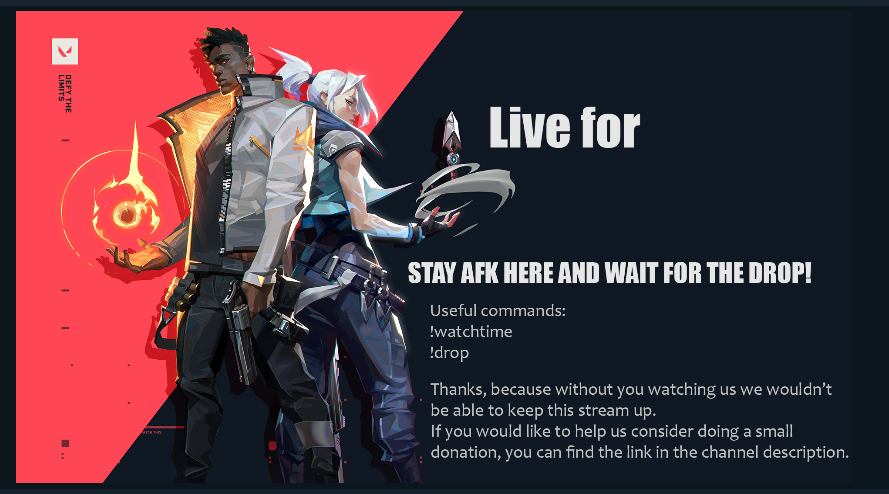
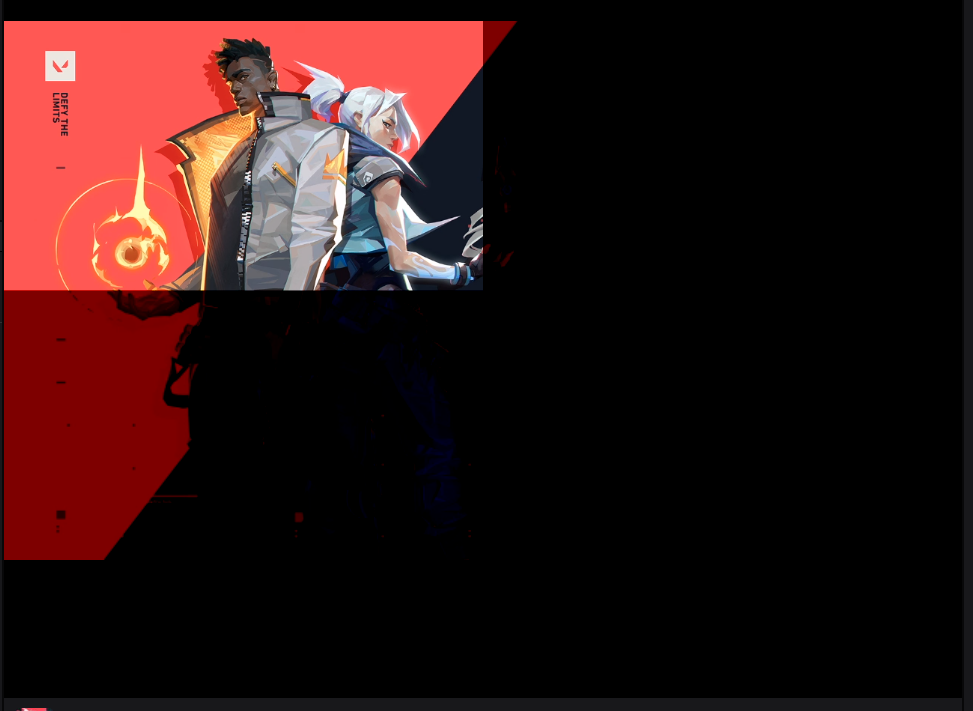
my stream should look like this https://prnt.sc/s5rzet
 ebon spruce
how do i set a moderator to update my stream store?
 round brambleBOT
@ebon spruce Follow these steps to grant managers/moderators access to your dashboard:
- Click on your Channel Name at the top of the dashboard and select Settings
- Create a new invite at one of three access levels (Bot Supervisor, Editor, Full Control)
- Send this invite to a mod/manager to give them access to your dashboard. The link is one-time-use and expires after 72 hours if not accepted
Video tutorial: https://youtu.be/zl_h-ttZDF0
@spark geyser The default resolution for StreamElements overlays (theme and custom) is 1920x1080. Please add them in OBS at their full resolution and use CTRL+F to fit to screen if necessary. You can then downscale your stream in OBS settings > Video if you'd like https://i.imgur.com/6bWXxjR.png
lament blade
@twin sentinel still stuck on countdown instead of chat stats tho, even after readd
twin sentinel
@austere bloom Switch from Auto to a different server in Settings > Stream
spark geyser
i don't think it's the solution I was looking for
twin sentinel
@lament blade Try to set it to something different, save that, see if it is set to that and try to set it to chat stats.
 austere bloom
i will do so @twin sentinel
lament blade
@twin sentinel didn't work
twin sentinel
@spark geyser Can you show a screenshot of your browser source properties with the overlay please.
@lament blade Try to set it to chat stats using an incognito chrome tab.
austere bloom
it worked thank you! @twin sentinel
spark geyser
@twin sentinel where can I found brower source properties
twin sentinel
@spark geyser Rightclick on the browsersource > properties.
twin sentinel
Then this is not connected to OBS Studio or OBS.Live, as it is the offline banner of your channel. Contact twitch then.
spark geyser
it was working an hour ago
I restarted the live and now it show like that
I think it's a resolution problem or smth
 sterile veldt
Quick question. Im an editor on someone's channel. How do I download their past broadcasts? Or do I need to use a third-party downloader?
twin sentinel
@spark geyser Where is this picture? Is it your offline banner in twitch you took the screenshot of, or is the screenshot while live streaming and showing an image source via OBS?
 dry juniper
How do I get a bot to announce something lets say every 5 minutes? I set up a timer but it's not 'announcing'
twin sentinel
check the chat lines of the timer.
@sterile veldt In the video produce on the twitch dashboard of the channel you have twitch editor access to, you can download them.
dry juniper
@twin sentinel thanks! i see what you mean now
twin sentinel
@spark geyser And now you are having issues with this screenshot in OBS Studio?
spark geyser
yes
opal ocean
@opal ocean What widgets exactly do not show up? Do you have a screenshot of that?
@twin sentinel, I'm not sure if you can help with this, it's from www.qiwi.com, guess I'm going to have to use something else.
twin sentinel
@spark geyser What source do you use to show it in OBS?
sterile veldt
@twin sentinel Thank you I was looking in the wrong spot c:
twin sentinel
@opal ocean Then best to contact them.
spark geyser
 twin sentinel
@spark geyser Contact Streamlabs then.
opal ocean
@opal ocean Then best to contact them.
@twin sentinel, got it, thanks, what other website would you suggest? I wanted to use streamelements, but it requires more followers, currently I have only two.
@opal ocean Then best to contact them.
@twin sentinel, I tried a very few based on my country which is Russia, this time I need something international.
twin sentinel
@opal ocean I am sorry, I do not know any payment providers besides StreamElements.
opal ocean
@opal ocean I am sorry, I do not know any payment providers besides StreamElements.
@twin sentinel, does it always require one hundred followers to receive donations?
twin sentinel
For SE.Pay yes.
ionic kelp
Not PayPal.
opal ocean
For SE.Pay yes.
@twin sentinel, what is SE?
twin sentinel
StreamElements.
opal ocean
Not PayPal.
@ionic kelp, got it.
StreamElements.
@twin sentinel, thank you, guess, I have an idea, I can use some widgets from SE, some others depending on purposes from other sources.
I can use different sources, first ones are for donations, others only to see subscriptions.
 lapis grotto
Any way to create a command that pulls the user with the most gifted subs and most bits cheered?
 sullen grove
Hello 🙂 For the loyalty points store, what size should be the background image?
twin sentinel
@lapis grotto Best to ask this in #dev-chat , as there is no variable for this. But I think this is not possible.
lapis grotto
Alright, thanks Benno!
twin sentinel
@sullen grove Afaik it is 235x186.
 undone rose
Media Request audio playing twice when video is shown on screen.
round brambleBOT
@undone rose Make sure to ☑ “Shutdown source when not visible” for all browser sources (all OBS scenes). If using studio mode, uncheck “Swap Preview/Output scenes After Transitioning.” Also keep in mind that sound can play from any overlay loaded in the browser (editor or launched). https://i.imgur.com/FegZJQS.png https://i.imgur.com/yY0wcFl.png




 lament blade
Always a white screen on the main page... Any idea?
 fringe spruce
Hello guys!
I have a question.
I want to add a Donation opportunity to my tip site. For example I want that people are able to donate with paysafecard. How can I add this?
round brambleBOT
@fringe spruce SE.PAY is available for streamers who are atleast 18 years old and with bank account under their name in one of the following countries:
Austria, Belgium, Czech Republic, Denmark, Finland, France, Germany, Ireland , Italy, Netherlands, Poland, Portugal, Slovakia, Spain, Sweden, Switzerland, United Kingdom, United States.
If you meet these criteria and don’t see SE.Pay, let us know.
For information on SE.Pay payment methods, their fees, and settlement times see https://streamelements.com/dashboard/tipping/fees.
fringe spruce
okay I got it. But how can I add it?
wary halo
how many followers do you have?
fringe spruce
59
fringe spruce
Oh okay. Thank you 🙂
 sick osprey
so when im making a command it says user cooldown what does that mean? cuz i just want the bot to post it every 25 minutes or so
ionic kelp
You want the bot timers section at the bottom of the left tabs.
sick osprey
@ionic kelp so ive set the new Command up now i have gone into timers it says timer name and response message whats that mean mate??
ionic kelp
No.
If you want something to automatically post just use the timers.
No commands needed.
sick osprey
Ah i get you cheers buddy
round brambleBOT
To add your overlays to OBS, add a new browser source in your scene. Paste your overlay URL in the browser source properties, set the dimensions to 1920x1080 (unless you changed them on the website), and ☑ “Shutdown source when not visible” https://youtu.be/KDvLynUqXI4
sick osprey
@ionic kelp also i made an overlay from you guys, so do my alerts come through automatically?
ionic kelp
Assuming you have an alertbox added with the desired alert types they should decently quick.
sick osprey
@ionic kelp im using OBS live mate, how do i add an alertbox through there?
ionic kelp
Simply create the overlay and follow the instructions from the bot above.
sick osprey
im using an overlay off you guys i just edited it @ionic kelp
i could test alerts while making the overlay
editing it sorry
@ionic kelp this is what im doing right now
lament blade
hey guys! So I use the labels to show the latest sub and follower, but it isn't updating to show the newest, it is stuck on showing the newest ones when I initially set it up. Help? ❤️
 ocean plinth
Hello, I am having trouble with my JWT token. I am unable to locate in "My Dashboard"
 copper sun
How do you set up a chat bot to announce follows
round brambleBOT
@ocean plinth Please logout of StreamElements at https://streamelements.com/logout and then login again to your account (Twitch/Youtube/Facebook/Mixer)
twin sentinel
@copper sun Enable the module chat alerts here: https://streamelements.com/dashboard/bot-modules and make the bot join your channel via the dashboard.
ocean plinth
Woooowwww!!! Thank you!! 🙂
lament blade
How do I add SE's Song Request as a source, I can't make the video for a request appear on-screen
twin sentinel
@lament blade Can you elaborate?
@lament blade Add the media request widget to an overlay and add this as browser source to your OBS.
 coarse raptor
Hey there! I'm switching over from streamlabs to streamelements and noticed that my my tipping url is using my old twitch username. It's been years since I've changed it. Is there any quick way for it to reflect my current username?
lament blade
@twin sentinel So I created the labels on streamelements to show the latest follower/sub and when I created it it displayed the most recent follower/sub which it great. But since then I have had a couple new followers but the label hasn't changed to show the new follower.
twin sentinel
Are the follow events in your activity feed on StreamElements?
twin sentinel
@lament blade Correct, add the media request widget in the overlay editor to your overlay.
round brambleBOT
@lament blade Please logout of StreamElements at https://streamelements.com/logout and then login again to your account (Twitch/Youtube/Facebook/Mixer)