#helpdesk-twitch
1 messages · Page 601 of 1
 quiet bramble
 strong kernel
@quiet bramble Use !rename oldusername in the streamer's chat to reclaim points from an old username.
 hushed snow
sorry for asking so much but does anyone know how to edit the boxes inside
 round brambleBOT
@hushed snow New to Stream Elements?
Check out our YouTube channel https://www.youtube.com/c/streamelements/videos
with tutorial videos from setting up the basics, to in depth details on how to use our product.
New to OBS? Here is a 4 step quickstart guide
https://obsproject.com/wiki/OBS-Studio-Quickstart
Want to learn even more? Here is an in-depth overview
https://obsproject.com/wiki/OBS-Studio-Overview
 graceful wave
 strong kernel
@graceful wave A cropped screenshot does not help. Please provide a screenshot of the full window.
 young gorge
Hi there, I'm in the StreamElements OBS and just trying to figure out, once I've set up a custom outlay and added it to my sources, what the next step is to make it appear on my stream? Pretty sure i read it won't appear when I'm offline, but I wanted to make sure I hadn't missed any steps before I start my PS4 stream later today
graceful wave
Wait do I need a widget for media request?
strong kernel
@young gorge Are you streaming from OBS or from your console?
@graceful wave If you'd like to show the video on stream.
young gorge
From my console
round brambleBOT
@young gorge Here is a guide on how to setup the most essential tools for streaming from your console, while using StreamElements tools without involving a Capture Card! It's easy to do, take 4 minutes to read and 10 to 15 minutes to setup!
Read all about it here: https://blog.streamelements.com/how-to-stream-on-console-7b620b1c46c3
strong kernel
Consoles cannot use overlays on their own. You must be streaming from your PC and get your console gameplay via capture card or remote play.
young gorge
Ahhh okay. Do loyalty systems and commands still work if I'm streaming from console? Spent a lot of time last night setting them up 😅
I tested my custom commands in Twitch chat and that seemed to work
strong kernel
The bot works as expected.
young gorge
Okay great, Thanks. When you say streaming from my PC, do you mean if I have a second device next to me (I.e laptop)? Or literally if I'm playing a game on PC and streaming it? (Sorry for the dumb questions!)
Because I was planning on having the second device besides me to assist
graceful wave
 strong kernel
Disable browser extensions, that's the YouTube embed that isn't loading.
 simple thistle
how do i make a redeem command not require the !"redeem"
strong kernel
@young gorge As stated: You must be streaming from your PC and get your console gameplay via capture card or remote play.
@simple thistle Custom command using the ${redeem} variable.
simple thistle
ohhh okay, thanhks
young gorge
Thank you for the help :)
graceful wave
which extension is preventing it
strong kernel
I don't know what extensions you have installed.
Just disable all of them, or one at a time, whatever you prefer. Or do it in an incognito window.
 lilac idol
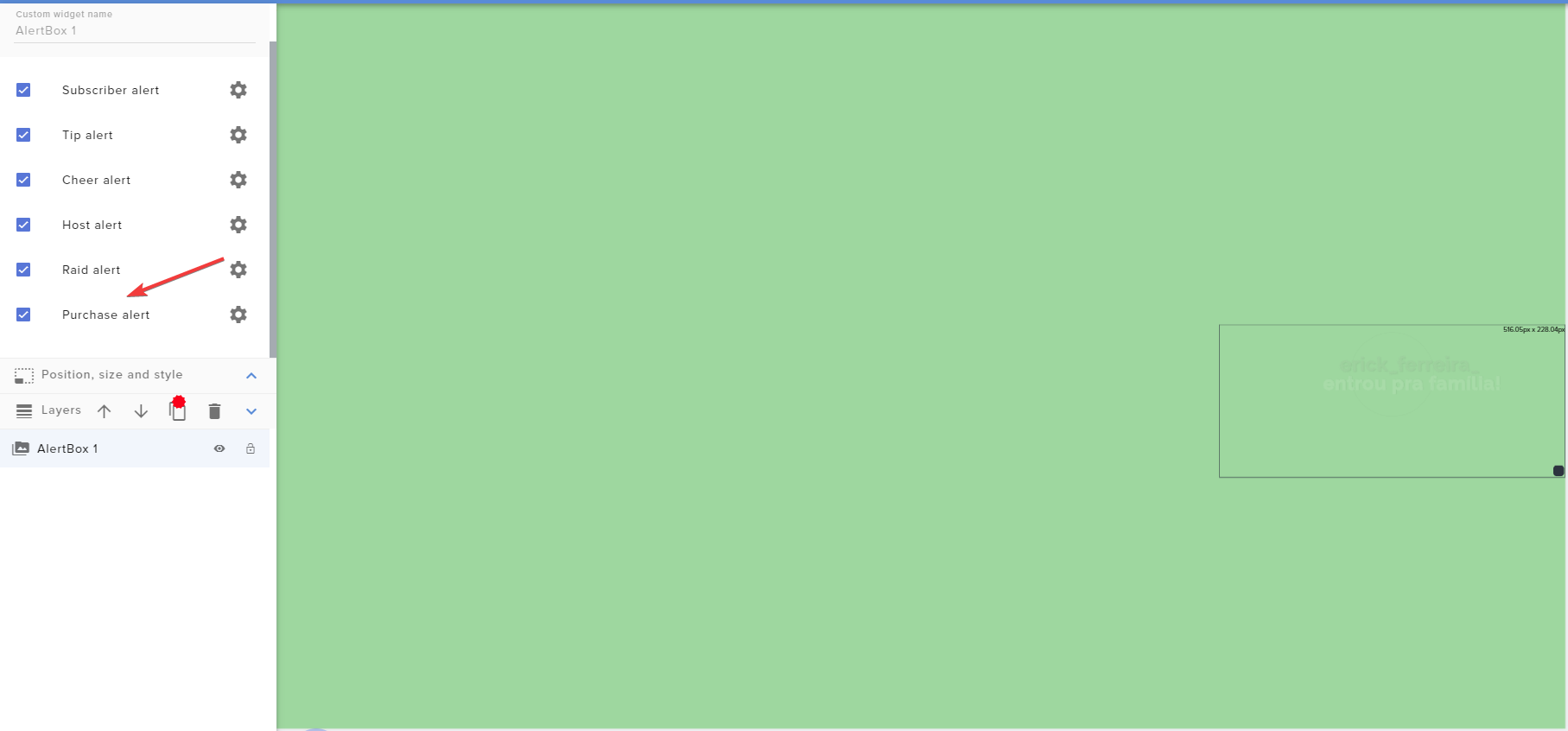
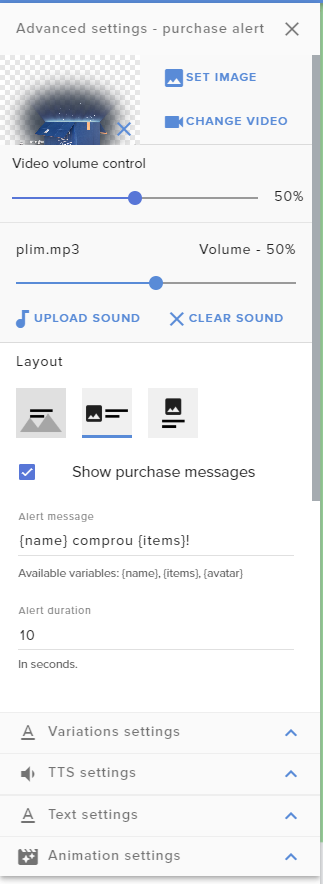
Please help me. Purchase alerta don't show in the live.
https://i.imgur.com/kdKJFGx.png
https://i.imgur.com/lhsJiEx.png
https://i.imgur.com/FcR294n.png
https://i.imgur.com/ucpBjfD.png
https://i.imgur.com/XKmBtd4.png
https://i.imgur.com/LXET0xk.png
 strong kernel
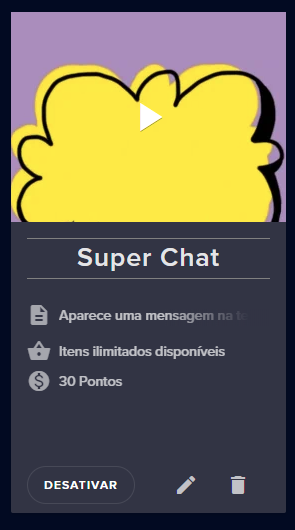
Purchase alert is not for stream store items.
The store redemption widget is for the stream store.
It is not handled by the alertbox.
lilac idol
I can't use live a MSG in the stream?
strong kernel
Please read my response again. If you do not understand, you can ask your question in your native language in one of the Non-English channels.
lilac idol
got it, thanks @strong kernel
 plain crater
HI, I switched recently from stream labs to you guys. Now I get in my Twitch chat next to my timers sometimes the message from streamelements: "response message" WHAT IS THAT? cant figure out on my own why this message comes up from time to time...pls help me
strong kernel
@plain crater Can you take a screenshot?
plain crater
Ok have to look it up if i can find it now or I have to wait til I'm online again...will send it as son I get it
strong kernel
That, uh.
Would you like to try again? 🙂
That's not a proper image file. An image would actually display the image here.
plain crater
what size is max?
strong kernel
More than what a screenshot would be. 🙂
It's not an issue of size. The file you're providing is not an image file.
round brambleBOT
@plain crater Please provide a proper screenshot with the issue visible. If not sure how to take a screenshot, you can check here: https://www.take-a-screenshot.org/
plain crater
My proper screanshot will give you both screens....pls look in the Twitch chat area!
Can you see it? "Response message"
plain crater
thank you very much !
 lofty mason
I tried to set up streamelements tipping on my twitch. A viewer tried to tip but a notification didnt pop up and there is no record of the tip being sent in. He received an email saying purchase-pending. What's the best way to go about finding help on this? I didnt see a channel I thought fit this question best.
 ionic kelp
@lofty mason PayPal?
lofty mason
its through the streamelements tipping webpage I set up. That would be an issue with paypal though?
ionic kelp
No. I mean how they did it.
ionic kelp
1 sec
lofty mason
no rush :)
ionic kelp
This should answer it https://discordapp.com/channels/141203863863558144/199460642975907840/686197238506324096
 lament blade
So I requested merch payout on March 2nd and never received any money to my paypal
ionic kelp
@lament blade #helpdesk-merch but it's manually done in batches. You should be receiving it soon.
lofty mason
thx!
lament blade
Oh oh ok thank you. I didn’t realize that I appreciate you
 spring ferry
couldn't find anything in the documentation for this, is there a way to change a user's moderation level for bot-side access through twitch chat, or only through stream elements dashboard?
round brambleBOT
Chat/Bot Levels
100 - Viewer
250 - Subscriber (Twitch subscribers automatically placed at this level)
300 - Regular
400 - VIP (Twitch VIP automatically placed at this level)
500 - Moderator (Twitch chat moderators automatically placed at this level)
1000 - Super Moderator
1500 - Broadcaster
Dashboard Manager Levels
Bot Supervisor
Editor
Full Access
Owner
https://i.imgur.com/s61Liry.png

 tender sorrel
Kukis
 soft tusk
Hello everyone. How do I unclaim a channel. I have both Mixer and Twitch but for some reason it was not added to the same account on StreamElements and made 2 separate claims
round brambleBOT
@soft tusk There is no easy way to unlink 2 owner type accounts from each. The only way is to make a closure request from here: https://streamelements.com/dashboard/account/security .
WARNING: In submitting a closure request you will delete both linked accounts and loose all data from both accounts. This includes overlays, custom commands, timers and past data(tips, subs, etc). You can still relogin with the deleted account, but you are essentially starting fresh.
soft tusk
This makes absolutely no sense, why did it create 2 separate claims then?
soft tusk
But thats exactly what I did
I closed one of the accounts and reclaimed it. Thanks for the help. P.S. This should be looked at by the devs, imho
 vast cradle
Hello! I am having an issue with text scrolling for my recent donation widget and such. I have the setting turned on in the overlay editor on Streamelements, but whenever I paste the link into OBS, the text is static. Why is this happening, and how can I fix it?
vast cradle
both
vast cradle
I actually have top tip, recent follower, and recent sub
 zenith widget
you can trigger it by replaying the last event
vast cradle
okay, then all of them should work?
zenith widget
yes
vast cradle
Thank you!!
It seems like that might not have worked.. I went in my dashboard --> activity section and then clicked the replay button next to my top dono.. The alert happened but the widget is still not scrolling
Okay, I actually figured it out. I had "refresh browser when source becomes active" under properties, deselected. All I needed to do was check that box and now it works!
zenith widget
Sorry, doing something else as well here. I was gonna suggest to try the "reload overlays" button from the activity feed
but that works as well
vast cradle
All good! Thank you for your help!
I actually tried your idea and it works as well. The issue I had with what I did to "fix" it was when I switched between scenes the whole overlay would disappear and the reset. Your idea made it so that that doesn't happen lol
so your idea was much better 😆
 dark patio
I've setting up tip goal bar how do i set it so starts from zero because for some reason shows bar full
round brambleBOT
@dark patio To reset goals:
- from the overlay editor -> data on top -> goal tab -> reset progress of desired goal
- from the dashboard -> activity feed on the left -> widget data on the right -> goals tab -> reset progress of desired goal
Note: Goal widgets(progress) only counts up and doesn't go down automatically, if you loose followers/subs
dark patio
ah thanks
 empty pilot
Can anyone help me?
 sweet socket
what is your question?
empty pilot
I wanna delete s.e bot in my channel
sweet socket
then it should be out of your channel
if its not, that should be something on twitch side, maybe try banning it
empty pilot
ah thanks I banned it
lament blade
Hello I changed my twitch name long time ago, but my chat stats wont work after I changed my name.
round brambleBOT
If your chat stats aren't working it's most likely because you changed your username! If you can give us your old and new username, we will get a chat stat fix for you.
sweet socket
ive passed it through to staff!
lament blade
thank you so much 😄
 sweet socket
#dreamteam would be the best place to shoot your questions Redshell 
 covert grove
Hey, my streambot keeps posting a timer in chat that I would like to disable but it says I have no timers on my dashboard
sweet socket
not seeing any over here? https://streamelements.com/dashboard/bot-timers

StreamElements
The Ultimate All in One Platform for Streamers
just to be sure, are you logged in to the right account?
 pallid osprey
@lament blade are alert variations broken currently? can't edit them Sub and Bit (sorry for the tag. yolo)
pallid osprey
nothing. cant edit them
 oak creek
can i make a custom command that's a shortcut for adding a fixed amount of points to a user, is there a variable that supports it?
pallid osprey
cant add one either
lament blade
sec gonna try to duplicate
pallid osprey
10-4
lament blade
I'm able to, but it looks like the UI was changed up a little
bit redundant, but can you try logout and login?
lament blade
screenshot?
pallid osprey
had a customer bring this to me. only reason i found out
 dry hare
I blame Ruben
sweet socket

pallid osprey
me too
lament blade
Can they produce screenshots?
pallid osprey
dry hare
Is it only bit and sub variations?
pallid osprey
i'll do ya one better
lament blade
N o i c e
 twin sentinel
@oak creek Afaik that is not possible, as there is no variable for this.
lament blade
Hmm.
Well since you're already on it, I assume they're using Chrome and all that good stuff?
lament blade
could be account specific, can you DM me the name?
lament blade
REE
dry hare

oak creek
@twin sentinel thanks for letting me know!
lament blade
@pallid osprey so I added an alertbox to one of your overlays and I was able to create a variation there
maybe that particular widget is broken?
 abstract hemlock
So Ruben is clear?
dry hare
Never
lament blade
Not yet, I'll find something to blame him for
sweet socket

abstract hemlock
dry hare
Ruben is our patsy
pallid osprey
hm. thats odd. it had worked fine. let me check something
abstract hemlock
Prime you really need to find those emotes, i wanna see them in full HD 😉
pallid osprey
@lament blade works fine on all platforms besides twitch. iunno. i normally build on twitch, then just copy over and edit them. im checking with some other guys to see if theirs is working
lament blade
np, I'll see if any of the devs is around
lament blade
where do i go to add commands
 gentle imp
sweet socket
gentle imp
sweet socket
StreamElements
The Ultimate All in One Platform for Streamers
gentle imp
I think there's an echo here 😄
sweet socket
👀
lament blade
ok thanks
 tulip island
Hello, i have one problem. For 2 weeks i can't set volume. I tried to turn it off and on, and change the settings but everytime i try change volume i'm getting "an error occurred, please try again later." What should i do?
gentle imp
mine wasn't working, turn it off and then on and now it does
but since you said you tried that, go to dashboard, part the bot and logout of the website
then login and join the bot
make it a mod and try again plz
can't test commands on your twitch since it is on followers only mode
gentle imp
try disable and enable command again plz
I'm on your channel and didn't see anything being typed
tulip island
It's not on my own channel
tulip island
I'm an editor for Dzukatana
 agile hazel
I can't get the scenes to show in OBS. I am creating new overlays in Streamelements, but when I add the browser source to OBS all I get is a black page.
gentle imp
I'm going to ask about it @tulip island and will get back to you, thank you
round brambleBOT
@agile hazel OBS -> settings -> advanced -> scroll down -> enable/disable hardware accel.
https://i.imgur.com/ggMe9ZE.png
 agile hazel
OK, let me try that. Thank you.
tulip island
@gentle imp Ok, thank you, i'm waiting 🙂
agile hazel
@agile hazel OBS -> settings -> advanced -> scroll down -> enable/disable hardware accel.
https://i.imgur.com/ggMe9ZE.png
@round bramble Ug, my OBS doesn't have that option. I'm on MacOS.
missing...
lament blade
@pallid osprey fix'd
pallid osprey
LOL sum biscuit ... i just finished rebuilding it
i appreciate the help @lament blade
abstract hemlock
@agile hazel can you show me the properties of the Browser source
and just for the record .. MAC 
 distant bluff
Hello, I can hear the alert's sound but I can't see the animation on obs.live
round brambleBOT
@distant bluff To add your overlays to OBS, add a new browser source in your scene. Paste your overlay URL in the browser source properties, set the dimensions to 1920x1080 (unless you changed them on the website), and ☑ “Shutdown source when not visible” https://youtu.be/KDvLynUqXI4
abstract hemlock
check the dimensions of the browser source ^^
gentle imp
@tulip island they know of the issue and are working on a fix, nothing we can do right now, sorry to say
distant bluff
@abstract hemlock done yet
 static jolt
Hello, i can't start stream with streamelements obs. There is a problem or something?
abstract hemlock
@distant bluff by anychance do you speak spanish?
distant bluff
Nope
abstract hemlock
@static jolt not that we are aware of .. and remember you have #dreamteam 
round brambleBOT
@distant bluff OBS -> settings -> advanced -> scroll down -> enable/disable hardware accel.
https://i.imgur.com/ggMe9ZE.png
abstract hemlock
i ask that cause your name Acido citrico 😛
distant bluff
@abstract hemlock I imagined but I'm italian 😁
abstract hemlock
ok 🙂 Try the hardware accel
agile hazel
and just for the record .. MAC
@abstract hemlock I know. I'm saving for a gaming PC. For now it's all I have.
page2
dry hare
@agile hazel can you DM me your overlay link so I can test it on my MacBook Pro?
agile hazel
@agile hazel can you DM me your overlay link so I can test it on my MacBook Pro?
@dry hare Sure
 dense tapir
👍
tulip island
@gentle imp Ok, thank you for info, and wish a good day.
agile hazel
@agile hazel can you DM me your overlay link so I can test it on my MacBook Pro?
@dry hare Tried to reply and it said I was blocked. But anyway, thanks for the help. Just bought Parallels 15.
 verbal cargo
My PC isn't strong enough to run a game and stream at the same time, but I have a mac too. Is it possible to play on one while streaming on the other using a video capture card or something else?
dry hare
@agile hazel Not a problem. I will recommend Boot Camp over Parallels as BootCamp will use less resources overall. Parallels will run fine, just remember that there will be limitations as to what you can do with it since it's running inside macOS
agile hazel
@dry hare Good to know. I had a copy of Parallels from 2013 so I was able to get the new version at a deep discount. So I went with that. I think to use Bootcamp I need to buy a full version of Windows 10...
dry hare
well.........technically...............no............
windows just has a watermark that just says "Activate Windows"
 glossy tiger
Can i do 2 more message in 1 command response like: !suicide - 1st message : /timeoute ${user} and 2nd message: ${user} killed him self ?
twin sentinel
No.
glossy tiger
😦
dry hare
Those messages alone are against Terms of Service on Twitch
glossy tiger
Yes, just example
And can how to do !hug ${random.chatter} and !hug %user%?
Does it possibe?
abstract hemlock
!hug <touser> => ${sender} give a hug to ${touser|random.chatter} something like that?
abstract hemlock
if touser is null take random.chatter
glossy tiger
Thank u
abstract hemlock
i didn't test it but i think you got the idea
gentle imp
@glossy tiger use this as response $(sender) gives a hug to $(1)
to trigger type !hug user
glossy tiger
That how does it now
I need hug %nickname% and if %nicname% is null hug a random chatter
gentle imp
well I don't know if that's possible but you can use random.chatter instead and it triggers someone randomly
glossy tiger
It works with $(1:|random.chatter)
but if 1: = null then bot send Hug random.chatter
gentle imp
I know but that always uses input of the sender after !hug
glossy tiger
😦
 charred kite
@zenith widget hello, I posted on the subreddit about having trouble updating someone's profile page
glossy tiger
That works then Trigger is !hug and response is ... ${1|${random.chatter}} @gentle imp @abstract hemlock
thank for help
round brambleBOT
@undone kernel Please follow our community rules:
- No advertisement or stream promotion
- Respect ALL server members
- No NSFW/NSFL
Thank you
 lament arrow
Hi My chatstats have gone to 404 page not found on the website and therefore my stream panel has no data
what can I do to fix this? thanks!
lament blade
what is your old and new name? 
lament arrow
i havnt changed my name
lament blade
Try to login again
 jade remnant
what one is yours?
lament arrow
sorry that isnt my name
spenceriscomin4u
I was copy and pasting the error code and bbona is the name of the kappa picture that comes up
username: Spenceriscomin4u
ionic kelp
Yeah. You're one of the randomly sometimes bugged ones. Will pass it along to staff.
lament arrow
oh no! ok thanks. does it usually take long to fix?
 sand nacelle
Hello, how I share the media request youtube video on stream? The "Media Share" works only with donations. Thanks
lament arrow
all working thanks alot 😄 !!!!!
round brambleBOT
@dense tapir Please follow our community rules:
- No advertisement or stream promotion
- Respect ALL server members
- No NSFW/NSFL
Thank you
 patent storm
hello, I'm having some issues with my gifted sub variation settings, the sounds i've uploaded don't seem to be triggering with each different variation. It worked when I had the overlay editor open live on stream, but when I closed it, it didnt play the sounds? Sorry if im being dense.
 little oak
make sure that lil box is checced, sometimes it gets uncecced when emulate a alert
patent storm
yeah thats ticked
little oak
so it only shows on editor but not on your obs?
patent storm
nah it shows on everything, but its playing and old alert even though my variation settings are set to play a completely different sound.
 humble hound
is here someone who can help me with donation troubles?
i set up my donation and pay pal, but when someone send me the money, they recive that i didnt recive money
please
 rare cairn
make sure you put the right email in that is assoicated with your PayPal
 cold hawk
can someone give me a quick definition of what a supermod is when compared to a normal mod
humble hound
where can i find that
humble hound
yep its correct
rare cairn
Supermod may be more along the lines of an editor
Next thing i would check is your link that they are clicking on.
cold hawk
but a supermod will still need to be named as an editor as well, no?
or am i misunderstanding how you mean editor here
rare cairn
I dont get many donations but i wouldnt think that PayPal would tell the person donating to you that you didnt get the money unless you rejected it
Where do you see Supermod? in SE?
cold hawk
user mgmt
little oak
you can your user level roles here https://streamelements.com/dashboard/bot-commands/user-management
humble hound
i mean like you didnt get the alert and the person and on paypal they have that i didnt recive that
cold hawk
that doesnt say what they are tho
little oak
and a supermod can execute commands that a mod cant
little oak
any one you set to supermod level
rare cairn
@humble hound that may be a false donation. As in someone pulling a joke on you
cold hawk
ok so supermod is default moderation privileges unless otherwise altered
little oak
on the cmd you have or made
cold hawk

humble hound
but i did it from my second pay pal account and its the same
rare cairn
do you have manual tip approval turned on?
little oak
does the donation show up on your activity feed? via se site dashboard?
little oak
on your dashboard via se site
humble hound
itdoesnt
little oak
was the donation in color on your chat?
humble hound
nope, i didnt recive the donation alert
twin sentinel
If it's not in your activity feed or revenue history, then PayPal is not sending us a confirmation. Which means it is being held for some reason. Usually because someone didn't finish completely setting up their PayPal account, or some other reason.
rare cairn
^^^ that would have been my next guess
 wary halo
i had this under cntl+v ...
If a viewer tipped through PayPal but no information appears in your StreamElements account, this generally means PayPal has held the tip for verification. Until PayPal clears the tip and sends back a confirmation to your StreamElements account, no information will appear there and no alert will play, as that confirmation is the only way for us to be aware of a successful transaction. If you believe there may be an issue with the transaction, you'll need to contact PayPal support as StreamElements is only a passthrough service and never actually gets involved with the transaction or touches the money.
humble hound
i made a new one, because i forgot my old password but like how can i check that my paypal is ok
little oak
you can checc where you received the payment via SE site
is there anything there in that history?
cold hawk
does se detect bttv and ffz emotes as emote spam?
little oak
detects all emotes
cold hawk
including 3rd party?
little oak
if twitch chat has it
cold hawk
that doesnt answer my question which is regarding bttv and ffz
little oak
any emote that is within twitch chat can be detected as spam depending on the settings you make with the bot
cold hawk
so you dont know
wary halo
it seems to me that you don't understand it
he is saying that every emote can be seen as spam according to how you set the spam protection in your bot settings
cold hawk
yes but bttv and ffz require third party plugins to see text as emotes within twitch chat
so it's not native to twitch and would need to be clarified, which is what i'm trying to do
There isnt a place to add "emotes" in the emote protection area, so I want to know if it automatically detects bttv and ffz emotes and recognizes them as emotes along with native twitch ones
i cant be like, "yo se, please count PepeHands as an emote"
 cobalt kindle
Was the ability to make the raffle module "sub only" on the raffles removed? I no longer have that option, and non-subs are now winning the currency raffles
cold hawk
turn on submode before turning on raffle for only subs to join the raffle, no?
cold hawk
twitch subscriber mode only chat
cobalt kindle
Absolutely not.
cold hawk
well that's the only workaround that seems to exist in order to make sure a subscriber wins the raffle as far as i can see
cobalt kindle
That's my point. This was an option before they messed with the Dashboard UI
and it is no longer an option it seems.
I wanted to know where it is, or why such an ability would be removed.
rare cairn
i dont think i've ever seen that option in raffle
are you thinking of maybe giveaway?
 clever kernel
can so one help me out i have just add good stream as i fixed got to about hour of the stream and then it lagged out on me again
round brambleBOT
@clever kernel Please provide a log from your last stream. To do this, in OBS go to Help > Log Files > Upload Last Log File and paste the link to the log file here.
 crude warren
so i have been having an issue with my obs crashing and not allowing me to use it ie "not responding" and then half way through a stream it will just shut down and end my stream! i redownloaded OBS Streamlabs and i dont seem to be having and issue with them. is there any fixes or reason? because i want to continue to use streamelms but its just been a nightmare for the past few weeks
 mental oriole
can we add keywords to a command from the twitch chat as a mod?
abstract hemlock
@mental oriole the streamer need to invite you on SE site
round brambleBOT
@mental oriole Follow these steps to grant managers/moderators access to your dashboard:
- Click on your Channel Name at the top of the dashboard and select Settings
- Create a new invite at one of three access levels (Bot Supervisor, Editor, Full Control)
- Send this invite to a mod/manager to give them access to your dashboard. The link is one-time-use and expires after 72 hours if not accepted
Video tutorial: https://youtu.be/zl_h-ttZDF0
@crude warren Please provide a log from your last stream. To do this, in OBS go to Help > Log Files > Upload Last Log File and paste the link to the log file here.
@crude warren A crash log is required to investigate the cause of your issue. Please upload the last crash log.
- In OBS, click the Help menu
- Select Crash Reports, and then Upload Last Crash Report
- Copy the URL, and paste it to the chat here.
 acoustic wing
Just installed Streamelements today and added a sound command, but it doesn't make any sound in chat despite being redeemed successfully. Any ideas?
abstract hemlock
@acoustic wing have you add the overlay with the AlertBox widget?
acoustic wing
Erm. no... 
clever kernel
ok cool i do it now guys
round brambleBOT
@acoustic wing New to Stream Elements?
Check out our YouTube channel https://www.youtube.com/c/streamelements/videos
with tutorial videos from setting up the basics, to in depth details on how to use our product.
New to OBS? Here is a 4 step quickstart guide
https://obsproject.com/wiki/OBS-Studio-Quickstart
Want to learn even more? Here is an in-depth overview
https://obsproject.com/wiki/OBS-Studio-Overview
clever kernel
abstract hemlock
@clever kernel eveything seems fine on your log
you see lag on your preview? or the stream?
young gorge
Hi there, I wanted to set up so my SE bot replies automatically to thank new followers and welcome them when they hit Follow. I've looked online for how to set that up but couldn't find a definitive answer. Can you please point me in the right direction?
 paper scaffold
Could i get some help
abstract hemlock
@young gorge Enable the chat alert module
https://streamelements.com/dashboard/bot-modules
young gorge
Note on the big picture I'd like to be able to set the bot.to aut-respond to other cues too. I figure it's probably same process
round brambleBOT
@paper scaffold Welcome to the helpdesk! Please let us know how we can assist you today and a support volunteer or staff member will assist you as soon as they are available. Thank you for your patience.
young gorge
@abstract hemlock thank you!
clever kernel
both @abstract hemlock
acoustic wing
@abstract hemlock Hey why do I need an overlay to make sound commands work properly? Also, what is an alert box widget?
clever kernel
i not get any overload all any think no drop ffp
abstract hemlock
@acoustic wing on SE its all Web-based an overlay is the "canvas" where all the widgets works 1 widget is the "Alertbox" in this widget you can set up all the alerts for example the redemtions alert

Learn how to customize your alerts and setup different alerts variations with StreamElements Alertbox
Overlay Manager guide: https://youtu.be/X7XrDdRE7Fk
Add HypeCup to your Stream: https://www.youtube.com/watch?v=8LVRd2X4HvU
Got any questions, or just want to say "Hey"...
acoustic wing
@abstract hemlock I already have all that setup through Streamlabs. I don't need it. I just want sound alerts to work through SE chatbot. The command works, but the sound isn't coming through.
clever kernel
can you help on this @abstract hemlock as im seeing you see lag on preview and the stream?
but as you no get no overload
 stark current
hey does anyone know how to do a daily subgoal that auto renews every 24 hours?
jade remnant
as said above, the log you provided has no errors in it
https://obsproject.com/analyzer/?url=https%3A%2F%2Fobsproject.com%2Flogs%2FHxdLoH5q7v3eNHzE
your report so you can look through 👆
i see that you was asked to post a log from when you had the issues,
judging by the time in the log you provided, you did a clean log
clever kernel
yes i no that @jade remnant but why my stream lagging out then at about hour in to my stream
jade remnant
and thats the log we need
a log with no info wont help anyone
again, the log file from the stream that had the issues,
NOT a clean log
clever kernel
i sent it and was told it all good as you seen now you telling me that you guys are not get it
clever kernel
just now as i my stream was lagging out and @abstract hemlock @jade remnant as as for the log i sent it and then asked me where im get the lag the stream or preview i said both then he went off
i get that log saying my stream is good but when i get to 2 hours to stream i lags out
jade remnant
i am looking at the log you sent today
21:50:49.718: ==== Streaming Start
21:52:22.256: ==== Streaming Stop
you streamed for 2 minutes, there is nothing in this log that has any issues
clever kernel
and all the log are saying it good
abstract hemlock
im stil here btw 🙂
jade remnant
@clever kernel what you was asked for was a log where the issues happened after 2 hours. NOT a clean log which this was
clever kernel
so @abstract hemlock you told me that my stream was good and he telling there not anythink there
abstract hemlock
@acoustic wing you need an overlay and add the AlertBox you can disable all the alert except for the store redeption one
acoustic wing
Gotcha. Is the overlay visible on my stream?
abstract hemlock
@acoustic wing if you like, is up to you 🙂
jade remnant
@clever kernel i strongly recommend you read what renziito said and then look at the report i sent you
the log is CLEAN, no errors
acoustic wing
Ok thanks. Weird setup. But I'll give it a go.
clever kernel
yes and i see log on the stream and preview
i no what he said i not some who can not read
jade remnant
so why do a clean log for 2 minutes when you wasnt asked to do that?
for the last time, please provide a log from when you streamed for 2 hours and had this issue.
a clean log will not help to resolve anything.
would you like me to re-send the command so you can read the instructions again?
clever kernel
i am seeing the lag on preview and stream in obs
and then my views see it
i send you agian one mim i go live for 30s and said agian
clever kernel
so what have got do then
jade remnant
i have said at least 3 times now
please READ what i have said above
hang on, i hope this will help
go to help > log files > show log files
find the file for the date you had the issue
clever kernel
where do i get that 2 hours last log from them
please
i think that one is it
is that it @jade remnant
 tepid citrus
how do i connect my elements to streamlabs
lament blade
I've been away for a while and are just getting back into streaming and I cannot for the life of me find chat commands. HELP!
lament blade
@little oak Thank you so much. 💖
stark current
my question got buried so I'll ask again, how do you do a DAILY SUBGOAL THE REFRESHES EVERY 24 HOURS?
crude warren
so in the software of obsstreamelements this is what my preview is and i cant fix it im sure im missing something can anyone help?
stark current
so I don't have to type it manually
crude warren
?
 modest jewel
hi i have a couple issues and i was wondering if someone can help?
so rn i've got back into streaming but i've realised my mic is extremely quiet, the media request is either too quiet or too loud (i cant perfect it bc its blasting in my ears when its quiet in stream) and then my mic is silent and idk how i can make it louder
btw i use obs.live
also for some reason my quality of games (i've only streamed overwatch when i got back) dipped since the last time, anyone know why that would be too? i know my capture card is capable of better
 deep tide
hi how can I ban someone from receiving points/using on my store at streamelements please? does someone know?
twin sentinel
You can ignore users here: https://streamelements.com/dashboard/loyalty
deep tide
oh thanks !
twin sentinel
@modest jewel If your mic is too quiet, lower the volume of the other inputs.
@crude warren Select the game source and hit crtl + F, to make the source fit the canvas.
@stark current There is only a session based sub count widget you can make kinda a goal with adding /XY to the message.
round brambleBOT
@modest jewel Please provide a log from your last stream. To do this, in OBS go to Help > Log Files > Upload Last Log File and paste the link to the log file here.
modest jewel
i have but heres the issue with that
i put my desktop sound lower but then the media request is too low but then i put that louder it gets extremely loud in my ears and i cant hear anything (not even game sound properly)
 tender stump
Hello! I'm having issues with a default command for !commands. Anytime anyone in my chat puts that command, we just get the response "You can find a list of all Commands here ***" without actually linking to a location to check them at. I can't edit the default command, and was wondering how to get that fixed. My only thought is to turn off that default command, and insert the link manually to a custom command
twin sentinel
@tender stump Disable link protection in your twitch settings.
modest jewel
https://obsproject.com/logs/X0CvY91IBACCBOEC @twin sentinel
little oak
youre streaming on wi-fi this is your result https://obsproject.com/analyzer/?url=https%3A%2F%2Fobsproject.com%2Flogs%2FX0CvY91IBACCBOEC
twin sentinel
@modest jewel For the audio issue, you would need to find a way to balance the sources. You can edit the volume of the media request in the MediaRequest settings on the website and the general desktop audio volume and the mic volume in the OBS settings.
little oak
^^
modest jewel
i have the media request at its lowest but its loud for me but quiet for the stream, ill check the desktop audio volume and see if thats something that'll work, my mic is the loudest yet still seems quiet even when the music is off
also i cant get wired connection where i am unfortunately :(( @little oak
little oak
ah gotcha, but its non related to that. although being wired would be best but i just now saw that you have an audio issue instead of that the results was so if you have no issues while on wi-fi then youre good
modest jewel
yea i dont see any fps drops or anything
just the quality is dropped and i think i must've messed with the settings to cause that, and also the audio issue which i can mess with to see what can work
little oak
im sure you will be able to balance it out just do what benno suggested and do some tweaks and hopefully you can get your audio going
modest jewel
yea ill try!
any suggestions or could you guide me to possible settings that can affect my quality of the gameplay? i remember i followed someones settings a little while back to help with previous fps issues but i think it severely messed with my quality @little oak
deep tide
@twin sentinel is it possible to separate the streamelements message from the bits' message? for them to not play simultaneously
little oak
@modest jewel you can also have your mods play with the !volume <set #> as well to help you via chat on the audio as well
modest jewel
ooooo
 blissful verge
@lament blade I just checked my settings and my tip and merch links are still wrong. Are you able to get them changed before my birthday stream? 🤞
twin sentinel
@deep tide Can you elaborate please.
modest jewel
but with the video quality, like if i linked my latest stream, you can see how bad it looks now and idk what to do to fix it
it used to be good but idk what setting i messed with
little oak
where do you play the audio at? obs , gc or via site?
deep tide
If, for example, I have a streamelements store and it has a message per point, and at the same time I have message per bit, if both are sent at the same time they will play simultaneously, so both of them will be inaudible. sorry if my english is bad it's not my main language
clever kernel
so can you any one say why preview screen is jumping
little oak
@modest jewel just one song or all?
modest jewel
wait, i think i didnt explain properly
little oak
cause different audio varies it could be loud an the next could be low
twin sentinel
@deep tide As these are two separate widgets, afaik there is no way to sync them using one queue.
lament blade
@blissful verge this would require dev assistance, I can't promise anything, but we'll do our best
twin sentinel
@clever kernel Can you ealborate what you are referring to with screen is jumping?
deep tide
@twin sentinel oh ok
blissful verge
@lament blade thanks. I hope you make it in time. Thanks for the help so far.
 bleak drum
Does linking StreamElements to Twitch automatically apply the overlay I made for the audience to view?
round brambleBOT
@bleak drum To add your overlays to OBS, add a new browser source in your scene. Paste your overlay URL in the browser source properties, set the dimensions to 1920x1080 (unless you changed them on the website), and ☑ “Shutdown source when not visible” https://youtu.be/KDvLynUqXI4
bleak drum
I am a console player and only have a tablet at the meantime. I did not bring my PC with me.
little oak
in order for your community to see the overlays you built for them to see is you need a pc and a capture card. Overlays can not be displayed on a console
clever kernel
sorry to message you here i have done everythink there have said there said my log fine and there not anythink worng with my stream but it stil lag out on me not bad but i am get mod with this and don.t wanna get kicked your discord again like let night
strong kernel
@clever kernel You have not provided a log from a stream where the issue took place. Until you do so, there's little guidance we can provide you.
bleak drum
@little oak This I know. A friend made my Overlays as he uses the software too, and said i should try streaming to Mixer from console, then watch that stream from my tablet and record it to Twitch to apply the overlays. I need to confirm this will work
clever kernel
i did
strong kernel
You have not.
clever kernel
can i di this now then as i have just come off stream it doing it when i hit hour in to stream
round brambleBOT
@clever kernel Please provide a log from your last stream. To do this, in OBS go to Help > Log Files > Upload Last Log File and paste the link to the log file here.
clever kernel
strong kernel
As was previously expressed to you, your CPU is unable to keep up with what you're doing, which is causing your audio buffering to max out.
clever kernel
ok cool thanks see i get somethink right then new iusse is there fix on this as i get somethink work then and next thing gos bad
is there video that i can watch on youtube to fix all this please
strong kernel
There is not. You're overtaxing your CPU by having too much set to too high.
You need to lower settings.
 civic vessel
HI there. I created an overlay, got it onto OBS just fine. How can i have a twitch command trigger the overlay? IE i have a video ive put in there and want twitch chat to be able to play it
clever kernel
where do i lower settings please for this
strong kernel
@civic vessel There's a community-made widget for that purpose, you can find it in #widget-share
civic vessel
ty
strong kernel
@clever kernel The settings button in the bottom right of OBS.
abstract hemlock
 arctic ember
So this is going to sound dumb, how do I title my stream in obs live?
strong kernel
@arctic ember One option would be within the menu in the top left of the activity feed.
arctic ember
amazing, thank you!
strong kernel
@clever kernel Audio settings won't do anything for this issue. You'll need to lower your video settings.
strong kernel
Sorry, I meant output.
clever kernel
well can i send you what my output on please then as im no good at this guys i no that i might not be useing the best pc yet
little oak
.0
clever kernel
strong kernel
We cannot advise you on settings.
You need to adjust them yourself and test thoroughly.
clever kernel
well i loseing alot views to this guys is there away i can test with out them seeing this
strong kernel
An alternate Twitch account is usually what's done.
So you stream to that one and test there.
clever kernel
so make up up twitch account you saying yes
strong kernel
Yes, that's how most do it.
clever kernel
ok cool thanks @strong kernel and sorry about yesdayer
yeserday
now im get that when i try to open obs
civic vessel
@strong kernel there isn't an option to edit the commands on this overlay

editor is unselectable
strong kernel
Please watch the video that was provided alongside the widget. Community widgets are provided as is and it's your responsibility to get them going.
civic vessel
ah, i inserted a video instead of a widget. thanks. What widget do you use for what im trying to do?
strong kernel
Again, please watch the video that was provided alongside the widget: https://www.youtube.com/watch?v=Z7ub7j2uRR8

This widget allows you to have commands that play gifs, sounds, and videos on stream. This is built right into Streamelments and it's very easy to add your own for your chat to enjoy while watching your stream on Twitch or Mixer!
How-To-Get links: https://www.youtube.com/w...
civic vessel
the beginning of the video literally says "after you've gotten the widget added to your overlay" so i think thers a video before this you are thinking of?
strong kernel
There is not. You get the widget by clicking the widget's share link.
bleak drum
A friend made my Overlays as he uses the software too, and said i should try streaming to Mixer from console, then watch that stream from my tablet and record it to Twitch to apply the overlays. I need to confirm this will work
strong kernel
No, this won't work. You must have a way to apply your overlay to your stream feed.
A console on its own can't. A tablet can't. You must be using a PC to use overlays.
No exceptions.
bleak drum
I was told it will work. There has to be a way.
abstract hemlock
@bleak drum thats someone lie to you, if you want to use overlays you'll need some software on a PC (obs, xplit, etc)
bleak drum
Great...
 quaint geyser
alert box from stream elements in obs studio doesnt work at ALL...followed every steps from forums, youtubes etc and no matter what i do it doesnt appear in OBS Studio
little oak
make sure that is checced
 spark brook
Hello good evening, I was just wondering how I can get paid the amount of money I’ve earned during streaming via twitch?
Because for example I can see that I made 12 euro today... but where do I see that back?
 keen tusk
how do u cahnge title on obs
strong kernel
@spark brook If you've received tips, you can review it in your revenue history and see where it came from: https://streamelements.com/dashboard/tipping/list
StreamElements
The Ultimate All in One Platform for Streamers
PayPal tips go to your PayPal.
clever kernel
@strong kernel what every i put the it it still doing it
 unborn portal
my bot can't set points for users, is this normal? it's a supermod
strong kernel
@unborn portal Can you screenshot your Twitch chat and what you're writing?
unborn portal
little oak
@quaint geyser on obs.live up top on left side go to File>>settings>>advance and scroll down a lil and disable hardware acceleration then reboot and see if it will show 
unborn portal
I'm trying to make a bank for the points, any suggestions on how I can use the bot to remove the points from users after the points have been added to bank?
unborn portal
well thanks for the suggestion
is there a way to switch between me and the bot when giving a replay to a command?
strong kernel
Pardon?
unborn portal
if I do !points my bot will replay, can I replay instead of the bot from some commands?
strong kernel
No, it's all or nothing. You can't pick and choose per command where the response comes from.
unborn portal
I see, thanks
I have logged in with the bot account and it still can't give/set points for users
strong kernel
You're using it incorrectly. Making it say its own command does nothing.
You need to be the one using the !setpoints command.
unborn portal
ok, that makes sense I guess
quaint geyser
@little oak I'ved tried that also..still wont bugde,,even after a reset
dry hare
@quaint geyser can you screenshot your browser source properties window for me?
@quaint geyser change the resolution to 1920 x 1080
Enjoy
round brambleBOT
@quaint geyser You can test Alerts via the bell on the lower right corner of the Overlay Editor. Simply go to your Dashboard -> My Overlays -> Pencil/edit button on the overlay. Make sure the "Show Emulated events on stream" option is on to see the alert in OBS/Xsplit https://streamable.com/h6qgy
 quaint geyser
which i did...it works fine within the browser's interface..but shows nothing more than a black screen (ived removed everything) and when i test the alerst...nothing
dry hare
Refresh the cache of your browser source
quaint geyser
in the video it shows what i done..the alerts,,.HA!!! it doesnt work
oh......
emptying the browser's cache...it did something... i think it works
lament blade
Hey guys, I need to change some of my panels, change sponsors and stuff, but my " account manager " @weak needle haven't answered me in a month +
since I requested the changes
who else do I contact?
strong kernel
Please send me a DM.
 rustic dock
hey is there any way i can change the email that i have with my stream elements ?
strong kernel
It's obtained from your Twitch account. Change it in Twitch, then log out and back in to StreamElements.
rustic dock
ohh okay thank you ❤️
 opal adder
HI, there is no data in the Subs portion of my leaderboard extension. Username: runduppy
strong kernel
You only just connected to StreamElements. Twitch does not send a full history or list of subs through their API.
Give it a month, and then it will be accurate.
opal adder
Ok Ty 🙂
 fathom zodiac
Hey guys under chat alerts in the subscribers tab, it says that available arguments are {user}, {amount} and {msg} But does that mean we can't use choose.random{}, or any of the other variables?
strong kernel
You're welcome to try. Some may work. But it can be mixed results.
fathom zodiac
thanks!
 oblique gale
Quick question. How do i disable SE from saying "@soandso, you successfully redeemed Thing for amount points "
strong kernel
There is currently no option to disable redemption confirmation messages.
oblique gale
:/ I looked through the Ideas pages and see thats it been asked for for over 2 year now with still no staff opinions.  I hope they add it oneday
 fervent mist
hey folks, is there any issue with the raffle system, noticing members who have _ or other special characters winning the raffles a significantly higher amount
almost a 75% win rate if they do...
 silk orbit
I have issues just memorizing everything I have to do, in order to set up my twitch
fervent mist
im streaming right now if anyone wants to see what I'm talking about
guarantee anyone with a _ in their name is winning the raffle
round brambleBOT
@silk orbit New to Stream Elements?
Check out our YouTube channel https://www.youtube.com/c/streamelements/videos
with tutorial videos from setting up the basics, to in depth details on how to use our product.
New to OBS? Here is a 4 step quickstart guide
https://obsproject.com/wiki/OBS-Studio-Quickstart
Want to learn even more? Here is an in-depth overview
https://obsproject.com/wiki/OBS-Studio-Overview
zenith widget
@fervent mist Is anyone with the underscore a VIP by chance?
 fallen turret
I have a question regarding my alerts
 scarlet tiger
What is your problem?
fallen turret
is there anyway to test my alerts on streamelements obs like you can on stream labs?
dry hare
You mean inside OBS? No
round brambleBOT
@fallen turret You can test Alerts via the bell on the lower right corner of the Overlay Editor. Simply go to your Dashboard -> My Overlays -> Pencil/edit button on the overlay. Make sure the "Show Emulated events on stream" option is on to see the alert in OBS/Xsplit https://streamable.com/h6qgy
 fervent mist
@zenith widget one is, does that make a difference, I noticed the behavior before the vip status though
also I have other vips who are not winning as often
zenith widget
so specifically that person with the underscore is winning more then the other VIPs?
fervent mist
any person with a _ is winning more than my vips
now have two people in chat, seems it's one or the other all the time
10 - 15 people on average
zenith widget
How many people join the raffle?
fervent mist
usually that many
enough that statistically these two people shouldn't be winning as much as they are
zenith widget
Right, if our QA needs more information I will poke you
fervent mist
sounds good!
 timid yacht
hey guys, was just wondering about SE.pay and if its up an running? not showing under revenue for me
zenith widget
What is your username?
timid yacht
berto_93
zenith widget
You need to have 100+ followers and be from one of the supported countries(like USA and most of EU countries)
zenith widget
👍
 livid stirrup
HI There. one of my viewers gifted subs but accidentally selected anonymous. Could one edit this so they count to his total gifted subs?
zenith widget
Unfortunately, its not possible to edit that, as that is how the event came in :/
livid stirrup
Aww dang. Ok Thank you 😄
 worn finch
hello excuse I restart my obs.live and g lost everything I had how to do to put them back thank you
zenith widget
Can you elaborate a bit more?
worn finch
I had four scenes they disappeared and I had thirty sources which also disappeared
How do I do for everyone please help me
zenith widget
Did you reinstall OBS?
worn finch
no
zenith widget
Click on "Scene collection" and see if you have another scene collection added - most likely it switched to an empty scene collection
worn finch
I have nothing
zenith widget
Open the file explorer and type in this: %appdata%\obs-studio\basic
 weak leaf
how do i get my chat points leaderboard to show up as a panel?
sweet socket
You need to get the extension over at twitch
weak leaf
where do i go for that?
round brambleBOT
@weak leaf Our Panel extension can be added to your channel here: https://www.twitch.tv/ext/uaw3vx1k0ttq74u9b2zfvt768eebh1
weak leaf
thank you guys
worn finch
@zenith widget In pc or obs documents
worn finch
I have two choices of scenes
zenith widget
Then for some reason they got corrupted
round brambleBOT
@worn finch For the best OBS support, please join their Official Discord @ discord.gg/obsproject
zenith widget
I would suggest to ask in the OBS discord about this
lament blade
I stream on twitch on console how do i use obs live and do overlays?
twin sentinel
^ handled in #helpdesk-selive
 humble ether
is it possible to hide a text-widget with a command in chat ?
but just that text-widget not an entire browsersource
sweet socket
I think that's not possible
however best place to ask would be for our Code Guru's in #dev-chat
maybe they know a way on how to do it
humble ether
okay cool thx
 naive pilot
I'm streaming from ps4 how can a I set up bot to play music
round brambleBOT
@naive pilot Here is a guide on how to setup the most essential tools for streaming from your console, while using StreamElements tools without involving a Capture Card! It's easy to do, take 4 minutes to read and 10 to 15 minutes to setup!
Read all about it here: https://blog.streamelements.com/how-to-stream-on-console-7b620b1c46c3
blissful verge
Is it possible to rotate text in the editor so it reads downwards ? Not rotate it, but like this;
T
e
x
t
zenith widget
Only way I can think of
blissful verge
Okey thanks 🙂
 rough aspen
Do alerts need to be on their own scene in OBS?
sweet socket
Alerts just have to be on a overlay
and then you add the overlay as a browser source
round brambleBOT
To add your overlays to OBS, add a new browser source in your scene. Paste your overlay URL in the browser source properties, set the dimensions to 1920x1080 (unless you changed them on the website), and ☑ “Shutdown source when not visible” https://youtu.be/KDvLynUqXI4
rough aspen
Okay, so like I can put the alerts into the overlay and have just one source?
And Hello, by the way. Thanks for taking the time to help me out. 🙂
sweet socket
Hey, no worries!
all the alerts are in the alertbox widget
and they just have to be on one overlay, in one browser source
if you're new to using us or OBS, be sure to check out the following guides:
round brambleBOT
New to Stream Elements?
Check out our YouTube channel https://www.youtube.com/c/streamelements/videos
with tutorial videos from setting up the basics, to in depth details on how to use our product.
New to OBS? Here is a 4 step quickstart guide
https://obsproject.com/wiki/OBS-Studio-Quickstart
Want to learn even more? Here is an in-depth overview
https://obsproject.com/wiki/OBS-Studio-Overview
rough aspen
Okay, I think I understand. This might be more of an OBS question, but is there a way to test the alerts after making the sources?
sweet socket
you can in the overlay editor!
rough aspen
Okay, thanks. I'll check it out.
sweet socket
it will state 'emulate events'
rough aspen
Yeah, I tested it in the overlay editor, I'm just paranoid it might not work after putting it in OBS lol
sweet socket
you can emulate after you put the browser source in ant it should get mirrored then 
rough aspen
Okay, awesome. Thanks so much and I hope you have a good day.
rough aspen
Will do!
 faint dragon
My kappagen only shows emoji if they are used more than once in a short period, even though I have "all" selected, is this normal?
faint dragon
🙂
zenith widget
delete the widget and add it again
zenith widget
and it should work when triggering the emote just 1 time
i jsut tested by deleting the widget and adding it again
and it worked from 1 emote
faint dragon
looks good now, thanks
lament blade
Hello is possible sream/recording the screen of phone?
 smoky tide
yes but the best way to do that would be to show your phones screen on a computer and then capture that window
smoky tide
I think there are apps out there to do that, but that is outside of StreamElements
dry hare
Recording phone screen is usually built into the OS
Like this
But to stream what you’re doing on your phone, usually you need something like elgato screen link
Or an HDMI output to a capture card
I do believe Vainglory was once going to have streaming integrated into it, but I haven’t played that game in forever
 slow bridge
Hi there, is there a way to have something like the streamelements bot intergrated in Discord that will automatically add members to the correct role in Discord? I know that Nightbot has this function, but I rather stay with just one bot in my channel.
ionic kelp
There is no discord integration atm.
slow bridge
Aaahh too bad. Thanks for the answer!
 tranquil plume
türk varmı
 inner bane
So I recently changed my twitch username, which has caused the bot to stop sending messages in my chat (I think)
how do I fix this?
dry hare
log into the dashboard and part the bot and rejoin the bot
 slender yoke
Anyone know if the kappagen widget will be able to import the new Cheer Bit Tier Emotes?
dry hare
when you log into the StreamElements website, it should be right there on the main page
on the right side
 karmic fossil
Can someone help me figure out why I can’t trigger a stream perk with a chat command? Yes the “chat command” box is checked lol. I can trigger it from the store itself, just not with the command. I believe it should be “!redeem no”
gentle imp
do you have !redeem command enabled? @karmic fossil
looking at your public commands page, you don't
gentle imp
you're welcome 🙂
 frigid juniper
Hello, can someone explain how does the ' (apostrophe) work in commands? It's function... 🤔
Or is there a page where I can check it...
ionic kelp
You got an example what you mean by it?
frigid juniper
Sure:
$(count b2 '+$(+1)')
 That's too much for my brain
 sudden ore
can anyone help me about kappagen widget
 woeful juniper
I've been having constant issues with my music widget. It will randomly stop the music in the middle of tracks, and having to fiddle with the media request constantly during stream is really annoying. Solutions??
twin sentinel
@frigid juniper The apostroph in commands says to execute the variable within the apostrophs.
But the expression you set into there does not seem to be a variable.
scarlet tiger
@sudden ore you can use #dreamteam channel 😉
 gloomy merlin
Is there support for Streamelements oyunfor.com?
twin sentinel
Not that I am aware of.
 rustic quiver
So; I am having an issue with testing my alerts.......
The webm file that I have on as BOTH default and and variation aren't showing and instead, I get a dancing shark.....??
twin sentinel
Disable the custom CSS option.
rustic quiver
But, I need my Custom CSS turned on....
twin sentinel
Then you would need to include the pic/gif in there, too.
twin sentinel
The shark is included in the HTML afaik. But you can also code it to set the pic/gif in the JS or get it in the JS from the FIELDS section.
What do you need the custom CSS for? Can't you achieve that with that option disabled?
rustic quiver
It calls a webhook to flash my RGB lights a certain colour
twin sentinel
Then yes, you would definetly code it in there.
rustic quiver
Would you happen to know the script for the 'custom' webm to call for JS??
twin sentinel
That is already in the example in the custom CSS. You can exchange the default shark url.
gloomy merlin
How are the publishers using streamelements with Oyunfor.com?
ionic kelp
No idea how they would as we have nothing connected or integrated with the website.
rustic quiver
Which part do I have to change for custom webm to replace the shark??
(I am no good at this stuff)
twin sentinel
It is in the HTML tab.
rustic quiver
Ah
So instead of;
blah,blah,blah/static/alertbox/default.gif
I change it to
blah,blah,blah/static/alertbox/Follower_Alert.webm
right??
twin sentinel
yes.
twin sentinel
dm me the link to the file pls.
 half matrix
hi! i'm moderator for a friend but it's my first time so i'm getting used to it and trying to learn as much as possible. My question is: can Ii interact directly with his stream? for example by changing scene on obs or editing one of them
twin sentinel
You would need an editor access to edit scenes on their account with StreamElements.
round brambleBOT
Follow these steps to grant managers/moderators access to your dashboard:
- Click on your Channel Name at the top of the dashboard and select Settings
- Create a new invite at one of three access levels (Bot Supervisor, Editor, Full Control)
- Send this invite to a mod/manager to give them access to your dashboard. The link is one-time-use and expires after 72 hours if not accepted
Video tutorial: https://youtu.be/zl_h-ttZDF0
half matrix
i have full control access, but i can't set a scene on his stream while he's streaming
half matrix
ok, so there isn't a way to control his obs with "moderator access" or things like that? I have to login using his twitch credentials or use something like teamviewer i think
twin sentinel
Nothing SE provides is capeable of that.
half matrix
thank you!
 gusty relic
Hi, I would like to know if there is a way for counters to automatically be resetted each time a livestream starts?
gusty relic
thank you, Appreciate it, so that will reset all counters to 0 @dry hare
dry hare
I believe so?
gusty relic
ok, thank you
 compact gust
How do I use normal twitch usernames instead of all lowercase in the Top Tippers List? The only available variables are username, total, and currency.
lament blade
how do i give like 30 points for following and 10 points per 10 minutes in stream store?
twin sentinel
@compact gust Afaik there is no way to do so. You can only make it all lower or uppercase.
compact gust
ok
 wild jetty
I'm just setting up streamelements after all the reviews and need some help! I've got something going on with twitch and need to be set up by friday. I'm having a nightmare switching from streamlabs but I'm committed!
round brambleBOT
@wild jetty Welcome to the helpdesk! Please let us know how we can assist you today and a support volunteer or staff member will assist you as soon as they are available. Thank you for your patience.
wild jetty
Is there any chance of a discord call?
round brambleBOT
@dusty isle For the best OBS support, please join their Official Discord @ discord.gg/obsproject
 dusty isle
thanks
twin sentinel
@wild jetty Best to ask your question here, as I do not have the ability for voice support atm.
lament blade
on twitch i am trying to make a command where only moderators can use it this is the command i have been trying to use !command option !sr 1000 and each time stream elements says "no command with trigger sr found" despite whenever doing !sr (link) it works
 amber obsidian
is their a variable to allow a custom command to output into chat if it's on Cooldown and how long is remaining?
twin sentinel
@lament blade You would set the minimum user level for MediaRequest in the media request settings on the page.
@amber obsidian No, there is not.
@compact gust #helpdesk-selive
gusty relic
when it comes to resetting counters after each stream, is there a way to just reset certain counters and not all counters?
twin sentinel
Do you mean counters like the chat variable counters?
twin sentinel
Afaik you can only reset these via chat command.
 ornate bolt
Hi! I want to clear the complete watchtime-list in loyality settings for ALL my viewers. How can i do this?
amber obsidian
I really don't get why you don't allow me to disable chat output for StreamElements when viewers !redeem SFX and then when it comes to Custom commands you guys don't allow for CD output. It's kind of frustrating having no control over what is outputted to Chat. Seems like some basic quality of life stuff? I've tried your suggestion board but it just seems baron and nobody looks at it :/.
gusty relic
ok one last question is there a way to automate counters, meaning for instance if someone sub the sub counter automatically adds one to the sub count without doing it manually
twin sentinel
For the overlay use the subscriber goal and for the chat command use the variable ${channel.subs}. This variable is updating automatically.
@ornate bolt Afaik there is no way to reset all watchtime at once. You would need to reset it one by one here: https://streamelements.com/dashboard/leaderboard/current
ornate bolt
for ~30.000 entries?!?
wary halo

gusty relic
ok what I meant is let's say you have a sub counter that counts how many new subs you got during a livestream, so each time someone subs the sub count should go up by one automatically. Is there a way to do it automatically? without having to add 1 each time manually to the count?
ornate bolt
Situation: I made a "test import" from the current streamlabs chatbot data to see what happened and which options I have for the data in the SE Loyality system.
(we currently evaluate to switch from SL to SE...)
again: there is NO possibility to wipe the watch time data for a big amount of users? really? 😦
so i have to clear the 5.500 pages with single mouse clicks?
 short pasture
hi I need help importing a theme into my streamelements layout so I can start streaming and recording a nuzlocke
wild jetty
@twin sentinel thanks! I'm just struggling to convey in words what I need help with
short pasture
can somebody help me with this?
I have it on the website, but I can't get it into the actual app on my computer
round brambleBOT
@short pasture To add your overlays to OBS, add a new browser source in your scene. Paste your overlay URL in the browser source properties, set the dimensions to 1920x1080 (unless you changed them on the website), and ☑ “Shutdown source when not visible” https://youtu.be/KDvLynUqXI4
 cunning quiver
i need som help
im trying to update obs.live
but some of the files wont update
what do i do?
wild jetty
I want to use custom alert variants and I'm struggling with some of the settings. Really need some one on one help. I'm a twitch partner with an upcoming exclusive contract with twitch and an EA Game Changer in hope of help with the switch from StreamLabs. Feel like a brat at the moment but I just can't seem to figure out what I'm doing wrong and I don't want to have to go back to streamlabs
wary halo
which settings do you have trouble with exactly?
dry hare
@cunning quiver navigate to that folder and manually delete it
cunning quiver
okay, ill try that @dry hare
i cant delete it, because it keeps telling me the file is open, when there is nothing open
dry hare
open task manager and make sure OBS is not running
cunning quiver
its not
dry hare
open task manager, click on the Details tab and verify
cunning quiver
yep, its closed
wild jetty
@wary halo the implementation of alert variations (i know how to create one but I would like more specifics) and the ability to have alert text over a video alert
wild jetty
wrong @ yikes sorry
wary halo

wary halo
Orsuna is way better with those kind of issues than i am 😦
you can have text over an alert @wild jetty it's selectable for every alert
cunning quiver
alright thxc
wary halo
the most left option
 cobalt jackal
Trying to create a custom image for alerts for my wife in streamelements, but when you choose "text over image" the text doesnt appear?
Any ideas guys?
cobalt jackal
Ill have a look
wary halo
it sometimes gets placed too far up
dry hare
@cunning quiver Can you screenshot the Details tab of your Task Manager sorted by name for me?
cunning quiver
sure'
dry hare
Otherwise restart and then re-run the installer for OBS.Live by downloading a fresh copy from the streamelements website
a restart will ensure that nothing else is running
dry hare
at all?


 dry hare
are you running the update via OBS or manual download?
cunning quiver
@dry hare yep
i just clicked install update when u popped up, when i opend up obs
dry hare
Okay, go ahead and download a fresh installer from streamelements.com/obslive
restart and run the installer you download
dry hare
click "Show Details"
dry hare
okay push Start + R >> type %appdata% and hit OK then go delete those folders
you'll probably have to navigate back one level manually in order to get to Local because %appdata% puts you in App Data\Roaming
cunning quiver
ah
dry hare
temp files are FUN
dry hare
I'm terrible at it
cunning quiver
hmh sure
dry hare
I probably just gave you instructions on how to bake a cake for all I know 😉
dry hare
the individual things in Temp yes
short pasture
hey I have a turtle beach headset that I use for a mic, but there is no desktop audio, so my audience can't hear my gameplay. How do I get my desktop audio to come through and have mic audio?
dry hare
yeah delete all the stuff listed in the screenshot
cunning quiver
ight
short pasture
can someone help with that?
dry hare
ummm......
dry hare
so it's a console headset?
short pasture
yes
dry hare
and you're trying to use it on a PC?
dry hare
so it was working before?
short pasture
up until now, the audio has gone through my headphones and shown up as desktop audio, and the mic has worked as well
dry hare
Where is your headset connected to on your PC?
short pasture
left side usb port and headphone jack
dry hare
you're on a laptop?
dry hare
And in your windows settings, what is your default audio output device listed as?
cunning quiver
OMFG
dry hare
If you play sound does the headset volume light up?
cunning quiver
IM GOIN G TO SCREAM
dry hare
still no dice on that install?
short pasture
on which setting
short pasture
the speaker output setting?
dry hare
@cunning quiver did you download the installer from https://streamelements.com/obslive and run it instead of through OBS?

StreamElements
Download StreamElements OBS.Live to make live streaming on Twitch/YouTube/Facebook/Mixer easy. Live Stream your broadcast from anywhere, save on CPU with StreamElements Open Broadcast Software (OBS) plugin.
@short pasture correct
dry hare
So if you do this, does your headset make noise:
cunning quiver
imma just throw my pc out the window
dry hare
@cunning quiver where does it error out?
cunning quiver
can i screen share?
short pasture
no it does not
dry hare
then check where your headset is plugged in
make sure the audio output device is active
I'm not sure what else to suggest as it is going to be something with your headset's connection to your laptop
Once you get the sound to play, we can go from there
if it doesn't play, you might have to contact Turtle Beach
 opaque cloak
i all. just had to reinstall obs stream elements and all of settings / scenes were reset. I logged back in to SE but they are gone, anyone know how to get them back?
short pasture
it isn't playing anywhere, so I'll try to find a different solution. Thanks for your time
cunning quiver
@dry hare can i call so i can screen share?
short pasture
orsuna i figured it out by making the output my speaker and the input my mic
so now both show up
thank you for the help @dry hare
cunning quiver
oog, okay
oof*
ill explain ig
so i delete all the files it tell me to, and ass soon as i click yes to uninstall, another folder comes up, and does not allow me to uninstall
 marsh igloo
How can I make a command trigger another command? For example if I do !follow there is another message from the bot that appears? Is that possible ?
strong kernel
A command cannot trigger another command.
cunning quiver
im gunna cry
marsh igloo
opaque cloak
is there someone available to help me? I reinstalled SE and lost all of my scenes etc. When I logged back into, its all been reset to 100% default.
strong kernel
@opaque cloak Did you use the cloud backup option in the StreamElements menu to save your setup?
cunning quiver
OMFG
opaque cloak
no I did not, I was under the impression logging in would bring the old settings up. I did that previously.
 midnight plaza
I thought that was automatic how does one do that (sorry for jumping in)
strong kernel
No, logging in does not automatically save anything.
short pasture
hi i'm back and I'm having more issues
strong kernel
It is an option in the StreamElements menu.
midnight plaza
Ty
opaque cloak
So i've lost it all? big yikes.
cunning quiver
@strong kernel maybe you can help me, im trying to uninstall SE and reinstall, but it wont let me uninstall
short pasture
i loaded a stream overlay into streamelements, and yet I can't see my gameplay in the window that Is supposed to show gameplay, can anyone help?
strong kernel
@cunning quiver Restart your computer.
cunning quiver
@short pasture do u have a game capture?
short pasture
what is that?