#helpdesk-twitch
1 messages · Page 462 of 1
 frank dove
 zenith widget
Unfortunately, no.
zenith widget
sorry.
frank dove
ty
 lament blade
Mediarequest stopped 2 times the last 5 minutes "autoplay media" is on :/
lament blade
Yes.
zenith widget
And these videos that stop MR, can be played normally via your browser?
lament blade
a sec
Yes, also when I press play again it plays the last song requested. Not sure if it helps, but more information may not hurt lol
If you need more information I will happily help any way I can.
zenith widget
I'm at a loss here to be honest and I'm trying to get a dev's attention so that i can get some suggestions
lament blade
Do you want screenshots with my settings?
zenith widget
If the dev aks for them I will ask.
lament blade
Sure, I will turn streamer mode of in the meanwhile to get your notifications. 😃
 toxic spruce
Hi! I'm trying to stream PC games (mainly fortnite at the moment) and I'm dropping a hell of a lot of frames in game and it's choppy in game and on stream. I've tried using different encoders, lowered bitrates, lowered FPS, and it doesn't make a massive difference. I know someone with a worse PC than me who doesn't drop frames, is anyone able to help please?
Build:
i5 6660k OC 4.2ghz
GTX 1060 Zotac 3GB Mini
16GB RAM
 nocturne pelicanBOT
@toxic spruce Please provide a log from your last stream. To do this, in OBS go to Help > Log Files > Upload Last Log File and paste the link to the log file here.
toxic spruce
Thanks
zenith widget
Can you please use the option from OBS that uploads the logfile to a more trusted location?
toxic spruce
sure
toxic spruce
zenith widget
@toxic spruce https://h4ndy.eu/obslog?url=https%3A%2F%2Fobsproject.com%2Flogs%2Fz7g07LmYQ9IZCos3 follow the things shown in the analyzer
nocturne pelicanBOT
@lament blade Please provide a log from your last stream. To do this, in OBS go to Help > Log Files > Upload Last Log File and paste the link to the log file here.
zenith widget
No output session - please run a test stream of 5 to 10 mintuse.
then upload the log file and link it
lament blade
Alright.
toxic spruce
@zenith widget is that analyzer a general one or is it specifically catered to myself?
zenith widget
It analyzed your log file you linked
lament blade
I will send it to you later, My game is still updating. It is only when I play it starts to lag.
toxic spruce
all done @zenith widget. shall i just test now?
toxic spruce
@zenith widget https://obsproject.com/logs/-ZZFdA0d96XQLX-b
ran a test
incredible difference
zenith widget
zenith widget
https://h4ndy.eu/obslog?url=https%3A%2F%2Fobsproject.com%2Flogs%2FwfXhOmB8O2UIbqFb. There are still some issues to cover, but you should be better now
toxic spruce
oh there's an amazing difference
it's playable now
i have a g sync monitor, should i enable vsync anyway and should that make any difference?
 normal fog
Have you removed viewer count from obs.live?
toxic spruce
Okay @zenith widget, one last time: https://obsproject.com/logs/KGWz6WtYGYZOtqFr
used quicksync instead
 tight harness
Viewer count is still in OBS.Live - if you don't see it you may have turned it off in the activity feed menu > stream settings > show viewers count
 strange summit
Anybody else seeing issues with bit cheers less than 100 not working with Hypecup right now? Showing in chat but not dropping in the cup. No changes were made in the SE overlay, looks fine. 
tight harness
Your account on our website doesn't see you as an affiliate yet, so you need to do the following: Click on Part Channel on the dashboard, click on Sign Out, sign back in and then click on Join Channel on the dashboard
Also, make sure that cheer messages in your chat consist of lowercase lettering, i.e.: cheer1 instead of Cheer1, as this is a known issue at the moment that's being addressed 👍
strange summit
This is Timmac's channel, I run his Streamelements for overlays etc.
Ahh, it does show Cheer1 in the activity feed.
tight harness
I see, then it is most likely the second thing in this case
We've submitted a bug report for it to be fixed
strange summit
Is there a known issues log somewhere to review?
tight harness
We have an internal bugs board, I'm not aware of an up-to-date public one, this was intended to be one: https://streamelements.helprace.com/s1-streamelements/problems but we tend to fix problems as they arise so most bugs don't find their way to it
This particular issue was only first noticed yesterday night
strange summit
Ahh, alright. Hopefully this won't take long to fix. Thanks. 
 scarlet tiger
Hello, there are many inaccurately presented phrases in the Czech language. How can I help you fix it? PS: I live in the Czech Republic 😉
 winter cradle
Hey @scarlet tiger!
I'm in charge of our localisation project. I'll DM you.
scarlet tiger
@winter cradle
OK, I'll send you a private message within an hour. Thank you for your response. 😉 
frank dove
hi. I have an issue with my chat font
whatever font I use, in the browser it displays it, in obs it doesn't seem to recognize it and replaces it with some random one
nvm... refreshing the cache the 4th time worked
tight harness
👍
 orchid nova
I don't know if this is something suitable for here ( sorry if it's not )
I am looking to purchase an IRL set up but there's nothing showing how to get alerts to play out of a speaker.
Is this something you guys can help with ? Like I said apologies as it's not actually troubleshooting but thought it would be worth the ask.
toxic spruce
https://obsproject.com/logs/uWVEL1pihy0MCL4X - is this any good?
it feels improved but wanted to check
tight harness
@orchid nova I'm not so audio-tech savvy myself, but I can ask around
 cyan plaza
hi everyone ihave got lot of problème with my synchronisation on my overlay on twitch and a little problème with my overlay can u help me pliz? thx!
tight harness
Could you please go into more detail about your issue?
cyan plaza
i have create my bits events and mores and when i have got cheeres he dont apear in my cup
and i have got mor drop on my overlay i have litle movie when u can see it
I had to delete all my account Wizbot streamlabs so that it does not interfere with stream elements but I still have follow that is not displayed I can find them in my dashboard twitch but not in streamelements I wonder if my account and sync badly
 manic abyss
Hey, Im using a Floureon BM-800 mic and ive tried every port, every setting and my software is not saying that there is any sound coming from the mic. What do I do?
lament blade
You tried everything, return it 😛
lament blade
I was just joking lol
tight harness
@cyan plaza If you signed up to us after these cheer events happened that would be why they don't show up
cyan plaza
how can I do to find a clean base?
tight harness
I'm not sure I understand, sorry. I see that you speak French so if it is easier for you to speak French you can speak with our French support champions in #🇫🇷︱français
cyan plaza
oki no problème thx
lament blade
has there been any update with my report?
tight harness
@lament blade Are you still having the issue?
 placid marlin
I am currently on streamelements and I cannot upload images.
lament blade
yes
tight harness
Try with Chrome if you're not already
manic abyss
When I select Stereo Mix on my computer {Which is where my mic is plugged in at. It makes a horrific screech sound...
I have headphones on
 worthy dawn
when i link the alert browsersoucre to obs they get stuck and frozen.... my cpu is on 30 but why they get frozen?
tight harness
@manic abyss Sorry but that issue is not related to our service so please keep it to the channels such as #general-chat which are not dedicated for official StreamElements support such as this one
@worthy dawn That issue is better suited in the #helpdesk-selive channel, but you can try sending in a report if you're using OBS.Live using the menu at the top: StreamElements -> Report an Issue
worthy dawn
ah true i try it on that channel
lament blade
does my problem have something to do with how it says offline in the top left corner next to the streamelements logo?
tight harness
@lament blade Could you try the following: Click on Part Channel on the dashboard, click on Sign Out, sign back in and then click on Join Channel on the dashboard
I also just followed you and there's nothing showing in your activity feed or alert box, so I think we don't have the connection to your Twitch account. Doing that ⤴ will re-establish that connection
lament blade
i did it
 frozen apex
yo it wont let me record when i am streaming can someone help?
keeps saying error has occurd
nocturne pelicanBOT
@frozen apex Please provide a log from your last stream. To do this, in OBS go to Help > Log Files > Upload Last Log File and paste the link to the log file here.
frozen apex
?
Im live right now trying to record a reaction vid
while im live
and it wont let me record while im live
tight harness
!rename
nocturne pelicanBOT
Custom bot name requirements
- StreamElements bot modded and in chat
- Active overlay with alerts
- StreamElements tipping page in the panels below the stream (!panels)
- OBS.Live or Ground Control open
- Create a twitch account for the name you want to use or run the bot under your own name
- Custom bot name doesn't work on Mac
tight harness
Yes
 delicate oxide
thanks
tight harness
No problem 😃
tight harness
Just Twitch
 round mesa
Hi just joined the chat
delicate oxide
can i stop notifications or pause?
tight harness
You can pause/play overlay alerts, there's a button for it in the activity feed
And you can enable/disable chat alerts in Modules
lament blade
Hey I am seetting up obs live and such? but I am confused on one last thing lol, how do I get it so my game/screen shows up? its just black..
 twin sentinel
Yes, in the activity feed of ground control, there are these options to pause alerts or mute them.
lament blade
yo guys, for some reason my Currently Playing for my music ain't working when it normally does
Any reason why?
 strong kernel
It's a known issue. The devs already have a solution and it will be deployed Soon ™
lament blade
Do you know when?
lament blade
huhu, anyone her how can tell me how my Bot can Say Welcome or somethink, if a Viewer comes into the Stream and write Hello or some think. Thanks 😃
strong kernel
There is no greeting option in StreamElements as they're often counterproductive. The minimum required action for the bot to react is a follow.
lament blade
oh, thanks
 drowsy sail
@zenith widget The Now Playing bug is still wriggling. 🐛
strong kernel
@drowsy sail We're aware. The devs already have a solution and it will be deployed Soon ™
drowsy sail
@strong kernel Was troubleshooting it with K last night, just reporting that the fix didn't hold. ❤ holds breath
strong kernel
Oh, it held, but something else happened and we had to roll back.
Expect it in the "morning." As in, our morning.
drowsy sail
#thankful
 carmine knot
anyone know why sometimes it does show how many subs someone has gifted, and sometimes it does not
In the image above, it did not mention it (how many subs they've gifted)
 dry sage
Is there a way to download files I've uploaded to StreamElements?
I did a stupid and need a file that's on my overlay but no longer on my computer
strong kernel
Unfortunately not. It's actually against our ToS.
 worldly minnow
Anyone else having issues with song requests on Twitch?
strong kernel
What issue are you having?
worldly minnow
is there away to reset the bot?
For the past 3 days only a few people have been successfully able to request songs via text on twitch..
strong kernel
Okay. So what are they doing differently from everyone else?
worldly minnow
nothing as far as i can tell
it is my friends channel. I am a mod and am able to request
but when i check permissions everyone should be allowed to
strong kernel
What's your friend's username?
strong kernel
The command was set to be only usable by Regular or higher. Regular is not an automatically applied role and has nothing to do with Twitch. It's a StreamElements bot role that can only be manually applied, and is considered higher than subscribers.
worldly minnow
right followers and higher
strong kernel
No.
worldly minnow
that is regular, yes?
worldly minnow
what should it be set to?
strong kernel
There is no way to restrict to Followers or higher. The lowest restrictive role is Subscriber.
 vestal gate
How can I place an order in my store as a message that the viewer needs loyalty to send a message to my stream?
strong kernel
@vestal gate What do you mean?
worldly minnow
thank you very much @strong kernel
vestal gate
how my viewers send a message to my stream spending loylalty
in my store
like the message system of streamlabs
worldly minnow
you want regular chat to cost points? or special TTS messages?
 restive oak
Not sure if anyone will know but when I’m playing a pc game full screen and go to second monitor and click with mouse my game loses audio
worldly minnow
@restive oak that happens to me too with some games, you have to change that IN the game settings.
restive oak
Thanks @worldly minnow
vestal gate
@worldly minnow can i help me?
strong kernel
@vestal gate There is no option for that at this time.
vestal gate
there is something similar?
strong kernel
Not at this time.
 flat hare
is it just me or did the "Now playing" Widget break if its source is media request?
strong kernel
Known issue, fix to be deployed Soon ™
flat hare
Glad its not on my end, thanks
for future reference, are known issues public anywhere?
strong kernel
No, we usually try to fix them before it gets to that point. 😛
flat hare
Fair enough, thanks again
 proper latch
Quick question: - I have a streamer who's !settitle has never worked - the hotfix is to part/rejoin the bot to the channel - like a reboot - If we remove the bot from the channel just to rejoin, will it remove points or anything else that is already set?
strong kernel
Nothing is affected other than the actual presence of the bot in the chat.
proper latch
thank you.
 fallow latch
hi. im having trouble with my media request echoing; when i have displayed on my overlay. no echo when its not showing on the overlay. just when i click show on stream. im not sure why. i cant really find any info of this happening to others. i may just be doing something wrong. i could really use some help please.
nocturne pelicanBOT
@fallow latch Make sure to ☑ “Shutdown source when not visible” for all browser sources (all OBS scenes). If using studio mode, uncheck “Swap Preview/Output scenes After Transitioning.” Also keep in mind that sound can play from any overlay loaded in the browser (editor or launched). https://i.imgur.com/FegZJQS.png https://i.imgur.com/yY0wcFl.png

 fallow latch
oooh so i have to cut that off of each overlay like my brb scenes?
lament blade
anyone available
nocturne pelicanBOT
@lament blade Welcome to the support channel! Please let us know how we can assist you today and a member of the support staff will be with you as soon as possible.
lament blade
im using bluetooth headphones and it seems to mute all other audio on my computer when i open obs
nocturne pelicanBOT
@lament blade For the best OBS support, please join their Official Discord @ discord.gg/obsproject
 nimble zinc
im trying to do a !shoutout command and i want it to display like this " twitch username" is awesome and deserves a follow. Check them out at https://twitch.tv/ url where they were last seen playing the game
 strong kernel
You can use the shoutout template as a guide for how to build a command for that.
nimble zinc
where is that
strong kernel
When creating a new command, there's a dropdown for command template. They're premade commands that you can use.
nimble zinc
im doing it through the chat
as it is in my friends stream
!cmd add !shoutout Follow ${1} at https://twitch.tv/${channel ${1}}. They were last streaming ${game ${1}}.
nocturne pelicanBOT
You can make changes to custom commands in chat with!command add/remove/edit/options/show Valid flags for !cmd options are: -cd (number) -usercd (number) -cost (number) -level (number) -type (say, whisper or reply) -count (number). --- Example: !cmd options twitter -usercd 60 -type reply -level 250
nimble zinc
${1} at https://twitch.tv/${channel ${1}}. They were last streaming ${game ${1}}.
the 1's just stay displayed as that and I dont know what to put there
strong kernel
${1} is a variable for pulling the first word after the command.
nimble zinc
I want to have it type the username of the twitch channel im shouting out though
strong kernel
Well, yeah, it doesn't just automatically know who you're shouting out. You gotta write their name first.
So !shoutout whoever
 rapid robin
Hey, do you have to be a mod in chat in order to be an Editor on the site?
strong kernel
No.
 deft valley
Does the streamelements song request widget work for ps4 streams? Trying to help a streamer get it running & they can hear it on their side but none of us trying to help can. None of the people whove used it before use ps, on pc so they have OBS.
strong kernel
Consoles don't have the functionality on their own. For any sort of audio or visual additions, you need to stream from a PC and use a capture card or remote play to get the console gameplay.
 daring swallow
hi, good evening. Is there a way to come up with a command with random pick, in which one of the answers is a timeout command?
I tried it, but it didn't give a timeout
strong kernel
Show me how you made it?
daring swallow
${random.pick 'A' 'B' '/timeout ${sender} 120 ${sender} levou bala no peito: 2 min sem falar'}
I think I saw my error, it had a /me before haha
strong kernel
Haha.
daring swallow
but is it supposed to works?
strong kernel
It should. Pretty sure I've seen something similar.
 late coral
Hey
nocturne pelicanBOT
@late coral Welcome to the support channel! Please let us know how we can assist you today and a member of the support staff will be with you as soon as possible.
 cerulean siren
How u make commands
late coral
I am a small streamer
cerulean siren
How do u make commands
strong kernel
@cerulean siren 1. Don't spam. 2. You can create custom commands at https://streamelements.com/dashboard/bot/commands/custom

StreamElements
The Ultimate All in One Platform for Streamers
@cerulean siren Stop spamming multiple channels. You've been answered here already.
deft valley
Thanks @strong kernel
late coral
Yo guys can you help me out
nocturne pelicanBOT
@late coral Welcome to the support channel! Please let us know how we can assist you today and a member of the support staff will be with you as soon as possible.
late coral
@nocturne pelican I need help I am a small streamer
strong kernel
First off, you @ a bot.
late coral
??
strong kernel
That's a bot you just spoke to.
Second, just ask your question. We can't help if you don't ask a question. 😃
late coral
Like what man I am new to this
strong kernel
"I am a small streamer" isn't really a question.
late coral
Well I need help going the same peace and learning how to interact with him
strong kernel
What?
late coral
Well I need help growing my stream I want to learn how to interact with my followers
strong kernel
We have a blog article with tips from our DreamTeam members:
https://blog.streamelements.com/twitch-youtube-live-streaming-tips-from-streamelements-dreamteam-members-caca0e791e0c

StreamElements - Legendary Live Streaming
Happy holidays, dear streamers! We hope that the holiday break is treating you well and that you’re enjoying a hot cup of cocoa while…
 karmic bronze
anyone have any ideas on how to increase audio quality
like switching obs settings
 remote basin
I am trying to change the chat bot name, I got all the steps down but I am unable to obtain an OAuth
where do I find that?
strong kernel
There's a link provided for you in Ground Control.
remote basin
Does Ground Control have it's own discord?
remote basin
oh okay I click on that link and it brings somewhere but doesn't provide a OAuth
remote basin
NVM I found it TY! My blonde roots are showing.. and 2 days of agrivation
 radiant shard
umm so my cheer sound is at a good volume level in the editor but in obs it is super loud it is only with the cheer sound though
 floral tree
when i create widget now playing, that doesnt show the title of the music, just current playing. i choose media request as a program for doing this
but doesnt work
som1 can help me?
zenith widget
@radiant shard check volumw of variation
radiant shard
ok
zenith widget
@floral tree its a known bug that will be fixed today
radiant shard
ok thanks
 formal perch
I've got a slight issue, and I'm not sure it's a simple fix. I've heard that the streamelements bot can be web-hosted, meaning I could be IRL streaming elsewhere and all my commands will still work. At this moment, my bot commands will only work if I have my OBS open signed into the OBS.Live plugin.
Is there a setting I need to turn on to get this working? I haven't been able to find anything either in the plugin or on the website for this.
zenith widget
Are you using the custom name option in obs.live?
zenith widget
Not really.
but when obs.live is not running the normal bot should be there
can you turn off obs.live now?
formal perch
oh okay
TY ❤
what was wrong?
OH it needed mod perms
LUL
thanks for the help I'm just an idiot 😂
zenith widget
👍
 weary sparrow
I can't enable song request in the default commands, it tells me "controlled by module setting" but I enabled all of them and still can't do it
formal perch
song requests i'm pretty sure run from the obs.live plugin
the 'media request' dock
zenith widget
Go here: https://streamelements.com/dashboard/mediarequest/general -> enable viewer request toggle from top left 😃
weary sparrow
I want to enable the command in chat =/
zenith widget
@formal perch you are not wrong though 😉
formal perch
👍
weary sparrow
 zenith widget
Yes and now its working.
The toggle for the command is a visual bug that is planned to be fixed
weary sparrow
 zenith widget
The toggle for the command is a visual bug that is planned to be fixed
Go try the command in your own channel.
weary sparrow
I tried the command i nchat and its not working
zenith widget
Because the command is set to work only when you are live
i've set it to both online and offline
zenith widget
Ooh and your request type is set to tips only
so the command won't work at all
@weary sparrow If you want both chat !sr and via tip -> set the option to both
you are most welcome @weary sparrow
cerulean siren
Thx @stream elements
 wicked hatch
Whats link commands to allow URL's from youtube and twitch. I want people to post these with out getting timed out. I want any clips or videos from twitch or youtube. Whats the command I would put in the link pertextion setting for the bot?
 potent ibex
!permit? Isn't that a default command
Alternatively you can turn off the links filter
Or add specific websites to a whitelist
 lavish yoke
Hey, Is there any simple option for dummies to put currently played game in text form to overlay?
wicked hatch
No i meant what the url i type in for the settings to whitelist it
zenith widget
https://clips.twitch.tv/ is for clips
wicked hatch
I want all of twitch and youtube to be whitelisted
zenith widget
be specific which URL you want to whitelist
wicked hatch
is there any * i need to add for it
zenith widget
@lavish yoke No. In my opinion, you have 3 ways to show what game you are palying. A bot command ${channel.game}, the actual Twitch directory you are using and the game it self that you are playing.
@wicked hatch No
lavish yoke
@zenith widget thanks for info. AFAIK there is no option to put ${channel.game} nowhere on overlay? That's too bad, I thought that you can put it like ${count}... 😦
zenith widget
There is no way to show what game you are playing on the overlay and have it dynamically change.
lavish yoke
ok... thanks 😃
toxic spruce
@zenith widget did you check my old log file from yesterday?
zenith widget
No. I was not on my PC if you pinged me after my shift ended
zenith widget
There is still some rendering lag
but to be honest when I stream with an i5-4440 and a 1060GTX
I still have a little rendering lag
0.5% is in the good zone that can be ignored.
If you are not feeling any lag and its smooth and all
toxic spruce
eyyy nice
zenith widget
then you are fine
toxic spruce
yeah it feels great
zenith widget
no need for more checkups
toxic spruce
😄
 leaden kettle
quick question guys just went live but my stream was just showing a green screen and wont disapear any reason for this?
 snow mauve
Hey everyone, having a bit of trouble. Just baught an elgato soI can use it for my ps4 stream and it's way harder than I thought. I've just spent 7 hours trying to get some overlays running, media requests to work and my sound to come through the stream. The sound is either through my headset or my stream, not both. Insane. If someone has some time in about say 10 minutes. Could they dm me or jump in a call and assist me? I really need to eat before I pass out from stress lol. I would be forever grateful!
 jade remnant
@leaden kettle try Settings > Advanced > In Video > Colour format = i420
leaden kettle
@jade remnant you absolute star its woorking now had to pick i444 420 just showed it but in green
leaden kettle
😃 thank you
jade remnant
@snow mauve the sound will need to go to your pc in order for your stream to hear it. you can set the sound of you elgato in obs to be monitored so you can hear it also.
right click on your elgato in the mixer the select advanced audio properties, change the elgato to monitor AND output.
if you have the sound come out of your ps4 headset then the stream wont hear it
snow mauve
That makes sense. I will try that.
Do you know how to get media requests to work? It plays really loudly through streamelemets rather than just on the stream. So viewers hear through my mic and on the stream.
If you could inform me on how to set that up from scratch as I've probably ruined it that would be amazing ❤
 clever nexus
Hi my top tip widget doesn't seem to be working on my overlay. I've only had tip, is that why? Does it need more than one to calculate the top one?!
jade remnant
@snow mauve you have volume control for the videos but you would need to check that (a) you have the media widget on your overlay and (b) you click the "show on stream" button.
tutorial links here
https://www.youtube.com/watch?v=ICyqSN3rO18
https://www.youtube.com/watch?v=17eUkoZ6eIs
@clever nexus if you go into your overlay editor and check the settings for the top tip and click the drop down for "period" you would have a few options to choose from.
if the tip is outside of that range then it will say no data
clever nexus
@jade remnant Ah thanks didn't spot that, have changed to all time and it's fine now 👍
jade remnant
awesome 👍
clever nexus
I'm going to be really pedantic now and ask is there any reason why it doesn't capitalise the persons name for the top tip? 😂
jade remnant
it either goes by their twitch name or what they enter in paypal, you can change it to all caps in the text menu
snow mauve
@jade remnant I did what you said and changed desktop audio to monitor and output but still no luck
Am I missing something?
jade remnant
you dont want to set the desktop, you want to set the elgato to monitor and output. you may need to add it as an extra audio source but i dont own an elgato so not sure on the best way to go about it. the best place to ask would be the obs discord as they can give you the correct settings
nocturne pelicanBOT
@snow mauve For the best OBS support, please join their Official Discord @ discord.gg/obsproject
snow mauve
Okay thanks man. I'll give it ago. I want to get sound working before I worry about media request
snow mauve
Ill hit you back up when I get there lol
 torpid estuary
@snow mauve you should still ask in the OBS discord probably, but when I started using my elgato I had to right click it in OBS - properties - configure video source and there I had to fiddle around with the audio settings a bit. I am currently on mobile and can't look, but it had to do with how it treated audio over hdmi.
snow mauve
Yeah I asked them, waiting for a reply
torpid estuary
Meanwhile you can try what I said maybe.
torpid estuary
Did you add the elgato as a video capture device?
torpid estuary
Right click that - properties - configure video
snow mauve
Alright im with ya
torpid estuary
An old windows looking window should come up with an audio section somewhere in the lower part if I remember correctly
Something about audio over hdmi
snow mauve
When I click configure video. Nothing happens
 snow mauve
No window, checked under all tabs
torpid estuary
That's odd
snow mauve
I haven't really set much up. Maybe I've done something wrong
Since I clicked configure video, my picture no longer shows on stream :L
torpid estuary
That sounds like something is scuffed. A new window should open. Can you screenshot the section where you clicked on configure video?
torpid estuary
Click on deactivate and then activate it again
torpid estuary
Nope, that I know of
torpid estuary
For the sound you'd need to be able to get that configure video window open. But I don't know why it doesn't open for you. Maybe the OBS supports know what to do.
leaden kettle
another question so when i click on some apps to stream all it does is show a black screen is there anyway to fix that
snow mauve
I got the video confiure screen to open @torpid estuary
torpid estuary
@leaden kettle depending on the app you might to do a display capture instead of a window capture
@snow mauve well, then look if there is an audio over hdmi option, as I mentioned before
 reef leaf
Hi I really need help if any one is free
nocturne pelicanBOT
@reef leaf Welcome to the support channel! Please let us know how we can assist you today and a member of the support staff will be with you as soon as possible.
snow mauve
 fierce bear
i'd really like to switch over to streamelements, but I can't seem to import my event list from streamlabs
it's the one from: https://nerdordie.com/product/glitch-full-stream-overlay-package/
Nerd or Die
Fans of clean designs, sci-fi nerds, and live streamers unite! We've created this full stream package to celebrate the technologies we love. With a sci-fi influence and minimalist execution this stream package is perfect for streamers needing a professional understated look, ...
 red trellis
Hi. I am modding a channel for a streamer and he has spotify as his main media play for most days except one day a week he makes song requests. I have altered the embedded song command to be !srsong and the !song command just reads from the spotify api. I wonder if there is a way to put some code so the !song command automatically gets the songs from the media request stream elements when media request is enabled and from the api when media request is not enabled
zenith widget
@fierce bear You can import the event list from SL if you use SLOBS as well.
fierce bear
how would that work?
zenith widget
@red trellis Not an automatic way, but the default command reads the MR current song.
fierce bear
it's a browser source
zenith widget
@fierce bear You add the event list from SL to SLOBS
Close down slobs(I think)
and then install OBS Studio + our plugin OBS.Live -> in OBS.Live we have an importer tool that imports all scenes from SLOBS
as an overlay.
red trellis
No I meant this is for the twitch chat
people type !song to see current song playing
and I altered that command to read from the spotify api because the streamer uses spotify on most days
and only 1 day he uses the media request from streamelements
and I altered that command to be !srsong
zenith widget
And like I said, the default !song command reads from the MR current song. This means, disable the custom !song command you did and enable the default one. Easy as that 3 steps
red trellis
I just want to know if there is a code that I could do to automatically make the command do either this when song request is on or this when song request is off
zenith widget
!cmd
nocturne pelicanBOT
You can make changes to custom commands in chat with!command add/remove/edit/options/show Valid flags for !cmd options are: -cd (number) -usercd (number) -cost (number) -level (number) -type (say, whisper or reply) -count (number). --- Example: !cmd options twitter -usercd 60 -type reply -level 250
zenith widget
or you can do this from the chat.
red trellis
@zenith widget yes thanks I know how to do that from the interface or chat
I was wondering if I could make the command read the status automatically and do one action depending on the status of the media player if song request is on or off
 zenith widget
but you need to setup your own handler for each of use case.
I can't say what the exact code would be for that.
red trellis
the :channel part needs to be replaced with the channel name including the : or without the : ?
from the api?
zenith widget
Use this documentation: https://docs.streamelements.com/reference/songrequests
 formal spire
What kind of video can I upload into the overlay builder? Im looking to upload my webcam overlay
zenith widget
we recommend .webm
formal spire
Okay how can you render that out of something like Adobe After Effects,etc.
zenith widget
I'm not sure which video format also supported alpha channel, but you can convert it here: https://convertio.co/ to a .webm file
formal spire
Okay I just converted my video into a .webm via that website and its telling me its not supported.
@zenith widget
zenith widget
What do you mean its not supported?
formal spire
The platform for StreamElements is not allowing me to upload it and is telling me that its not supported.
zenith widget
What browser are you using?
formal spire
I was using Safari but now am using chrome and it worked. Would there be a reason that the video doesnt come up transparent and is there a way for me to make it transparent in streamelements?
zenith widget
in streamlabs?
formal spire
Stream Element sorry
zenith widget
The .webm should be transparent in the overlay editor, as long as you use Chrome.
if its not transparent in safari - then its not, but I can guarantee you it is, if you place the overlay as abrowser source in OBS.
formal spire
Doing all of it in chrome now and it is not transparent for some reason.
zenith widget
Since you mentioned Safari, I assume you are on a Mac?
formal spire
Yes
zenith widget
ugh its not transparent in my chrome as well - what type of video file did you originally save it as?
formal spire
.mov
formal spire
Okay I will try that im doing it out of after effects
zenith widget
then converting that to .webm
 heady knot
i have a custom animation i made for a command feature, i want to make it happen when someone uses a ! command,. how would i do this?
tight harness
@heady knot Best to ask this in #dev-chat as I believe it'll require a custom coded widget 😃 help for that can be provided there
@formal spire I'm told converting from .avi to .webm may very well work, worth a try
heady knot
it's a mov file, converted using quicktime
formal spire
@tight harness Unfortunately out of the media encoder there is no way to get to AVI anymore.
tight harness
That's a shame 😦
formal spire
@tight harness Yea theyve made this type of work way more difficult than it needed to be.
 clever mica
Did custom bot name ability got disabled
my bot does not change it name despite ground control being open
tight harness
Answered in the dreamteam channel ⤴
strange summit
@tight harness Is there any kind of ETR for the issue with bits/cheers not working with the Hypecup due to case-sensitivity? I had to create a command to keep telling chat that only lowercase will work. 
tight harness
@strange summit We don't provide ETAs on bug reports so I couldn't say for certain, all I can say is that the bug was posted yesterday and it was prioritised and assigned to the developer who made the cup feature this morning. Hopefully shouldn't take long, I've expressed how necessary it is for a swift fix in the bug report
strange summit
Thank you. 😃
 lone turret
Sorry for the beginner question: I just switched from streamlabs to streamelements. however my subscriber count widget shows 0 (it's 23) and also the twitch widgets does not show the existing subscribers. Can you help?
2nd question: can I somehow migrate the streamlabs loyalty points?
tight harness
@lone turret If you would like a widget which shows your total subscribers count there is a Total Subscribers widget which does exactly that 😃 Subscribers Count shows how many you've gained over a certain period so it is different.
In regards to your second question, yes we have import tools available here: https://streamelements.com/dashboard/account/import
StreamElements
The Ultimate All in One Platform for Streamers
lone turret
I found the subscriber count widget and it only shows ‚no data‘ it seems not to load all data from twitch
tight harness
@lone turret Use the Total Subscribers widget that I mentioned, not the Subscriber Count widget. You haven't had subscribers since signing up to us so the widgets like Subscriber Count which use the events which come through us will serve no purpose for you yet, the Total Subscribers widget I told you about however will show your Total Subscribers number.
It is just a case of using the correct widget for what you are trying to show 😃
 turbid helm
Is there a way to add next line/ new paragraph? - I want to add my livestream schedule as new line for each day.
twin sentinel
No, the bot cannot make line breaks. You could use other symbols like | or - to mark a new line.
lone turret
@tight harness is that also the reason why the twitch extension does not show subscribers?
tight harness
@lone turret Yes, it records subs now that you're signed up to us, but it won't show events from before you signed up to us because we didn't have the permissions to record those events prior to you signing up to us
 ripe herald
@formal spire when you convert to mov do you choose RGB +Alpha for rendering
If mov is not over 100mb you can use convertio website for converting to webm
lone turret
I can't find it, how can I export existing loyalty points from streamlabs to a csv file?
for import into streamlabels
twin sentinel
lone turret
it's not on the website? I don't use the streamlabs bot
 fallen lava
alright so i asked this question awhile back but we still cant figure it out. i am a mod for a streamer and she is using obs.live and we are trying to figure out the volume settings so stream can hear herm game chat, game volume and song requests playing without it effecting what she hears in her headset
twin sentinel
@lone turret I am sorry, but I am not that familiar with the SL Bot. Maybe another supporter has any ideas.
@fallen lava I think the tool Voicemeter Banana can set different audio levels for different outputs. But I am sorry as I can't help you setting this up, as I am not that savy in this tool.
fallen lava
@twin sentinel no need to apologize!
 gentle imp
fallen lava
gentle imp
fallen lava
okay i can throw that recommendation out because i told her to lower her mic and lower her desktop audio since thats what the game is coming through but then the music was still loud in her headset
ill take a look thank you!
gentle imp
what I use is just my headset volume thing and lower it, but music always seems too loud for me anyway
fallen lava
right but wouldnt your headset lower the game volume and game chat also i assume?
 vestal bone
Hey Guys, I´m not sure, if this is the Correct Spot.. But i want to Add the Media-Request to my Streamlabs.. So I´ve Created an Media-Request / Media-Queue and Added some Medias.. But it´s completely not working.. Any ideas?
gentle imp
yes @fallen lava ^^
twin sentinel
We're not able to troubleshoot issues with using our overlays in StreamLabs OBS (SLOBS) as we don't have the tools to support their software. We recommend using OBS Studio or OBS Studio with our plugin OBS.Live.
fallen lava
@gentle imp ahh okay yeah we dont want to lower her game volume or her game chat. we just want to lower it for the stream so its not overpowering the music
vestal bone
But the Overlay / Widget isn´t even working within the Editor (or by pressing Launch)...
fallen lava
ill send that guide over to them though!
gentle imp
good luck, that works but needs a lot to setup
twin sentinel
@vestal bone SO you added the media Request widget to your overlay, launched the overlay in your browser by using the overlay link and then pressing "Show on stream".
What happens then? Does it show in the opened overlay in the browser?
vestal bone
No it doesnt show anything nor playing Sound... (I Actually only want to show the "Music" Without the Video
twin sentinel
What browser are you using to test this?
vestal bone
Chrome/Safari/Opera, tried with almost every Browser
twin sentinel
So when you hit "Show on stream" in the media request section of the website, is there an error message?
Have you saved the overlay after adding the MediaRequest widget?
vestal bone
No there isnt.. Update: I can show the "Now Playing", but the sound isn´t available
lone turret
is it somehow possible to reuse an overlay eg alerts within other overlays?
gentle imp
yes @lone turret there's a copy
twin sentinel
do you have the media request muted by any chance? is it an added video or from your backip playlist?
vestal bone
Yeah, but its a bit confusing, because on the GroundControl i´ve got none Tracks added...
gentle imp
create the new overlay you need, go back to the other that has the alerts you want to use, select the alert widget and copy to the new overlay @lone turret
option is on the bottom left
lone turret
thanks @gentle imp
lament blade
how can I delete timer? ihave many, unactivated because I messed them up.
twin sentinel
If you hit show on stream, the sound should be coming through your widget then.
gentle imp
it's actually called duplicate widget @lone turret
@lament blade yes, option to delete it's on the far right side on the window right after the command/timer
vestal bone
It wont.. And also the GroundControl Media-Request isn´t the same as the website ones...
twin sentinel
Just use one tool to control the MedaiReuqest at the time. Either ground control, or the browser.
vestal bone
i actually wanted to use GroundControl, but there it wont recognize the MediaRequest Overlay
gentle imp
@lament blade
twin sentinel
So you have your browser open with the overlay url and the MediaRequest widget. Then you hit show on stream in groundcontrol and it should show the video in the widget in the browser window.
vestal bone
No it can´t recognize the overlay and always tell, that i dont have one
On Ground Contro l it says NO ACTIVE WIDGETS WERE DETECTED FOR MEDIA REQUEST
twin sentinel
Let's move in ot DMs.
 prisma grove
I thought regular chatters / non-mods could vote to !skip and 5 votes would skip a song request song - did my settings change?
gentle imp
you can check them over here https://streamelements.com/dashboard/mediarequest/settings
lone turret
that's weird, the total subscribers also adds subs that are not subbed anymore. it shows 31 but it's only 23?
tight harness
@lone turret Sure you're looking at Total Subscribers and not Total Subscriber Points?
Because your Total Subscribers still shows 23
Just checked both widgets on your account and both showed 23, not sure where you see 31
leaden kettle
for some reason with my version i cant seem to keep a descent frame rate with my games because the app is using a huge amout of ram
anyway around it?
 pulsar gulch
Does anyone know why my overlay is on a higher resolution ? even when I setted on my laptop resolution ?

lone turret
only problem I still have, their seems to be no way to move the loyalty points from streamlabs extension to streamlabels, streamlabs browser version is missing an export cvs for loyalty points
 sharp yarrow
The StreamElements Bot Is Not Working After I Changed My Twitch Name And Ive Unmodded The Bot And Re-modded it and nothing is working
twin sentinel
Make the bot leave your channel, log out, log back in, invite bot back.
pulsar gulch
Can anyone help me with the overlay resollution ?
twin sentinel
Please try !command edit !mouse Logitech g305 and make sure the default command !command is activated here: https://streamelements.com/dashboard/bot/commands/default
 waxen hare
Hello, using OBS.Live, the cheer cup isn't picking up cheers
Raids, Hosts, Subs seem to work
Unless it's only an issue with the cheer ShowLove?
On that note -- I remove the variations to make them all work all the time, save, close the overlay -- when I go back in, they are back there again.
twin sentinel
@pulsar gulch What is the issue exaclty?
pulsar gulch
this is how I see one one of my overlay
the starting one for example it worked
i got the res to 1600 x 900 on my laptop
twin sentinel
what resolution does your browser source have and what does the overlay have in the overlay section?
 normal igloo
there is your problem 
 i'm blind where
normal igloo
i'm blind where
normal igloo
you got the source at 1600 x 900
pulsar gulch
riighhht
 normal igloo
yep
pulsar gulch
thank you 
normal igloo
np 
pulsar gulch
@twin sentinel
normal igloo
@waxen hare overlays have and always will be 1920x1080
twin sentinel
the credit goes to @normal igloo @pulsar gulch but you are welcome
waxen hare
I made a bunch of custom small ones to suit my needs (and keep things simple for my wife) .. to manage in OBS itself
normal igloo
oh no I'm not having that you helped too @twin sentinel 
pulsar gulch

waxen hare
So ... anyone else having issues with cheers not making it into the cheer cup? Test works.. Subs/raids/hosts live work.. But live cheers do not work (or at least the ShowLove)
tight harness
@waxen hare Yes, this is an issue with capitalised cheers at the moment, i.e. cheer1 will work but Cheer1 won't. This is on our bugs board and assigned to the relevant developer 😃
waxen hare
ohhhhhh, ok!
i thought it may be the variations, which I removed, but they come back on their own after you close the overlay & re-edit.
tight harness
Until we can get the issue fixed I'd suggest asking people to ensure they use lowercase cheers in their messages
waxen hare
glad it's not just me. i did check the 'streamelements.helprace.com' page.. looks like a bug tracker?
ahh, ok, that i can do!
tight harness
We tend to fix issues very quickly so most don't make their way onto there
waxen hare
i think people are using the bits panel, which uses capitalized letters...
but, that's allright, glad to have an answer
and I can stop pulling out my hair
😛
tight harness
Yeah, if people aren't sure they use the cheers feature in Twitch which types it out with capitalisation for them
tight harness
When the fix is pushed it should fix the issue without you needing to do anything 👍
waxen hare
thanks so much, appreciate the help!
tight harness
No problem at all
normal igloo
@leaden kettle Using obs?
leaden kettle
yeah
nocturne pelicanBOT
@leaden kettle For the best OBS support, please join their Official Discord @ discord.gg/obsproject
leaden kettle
yeah thanks streamelements lmao

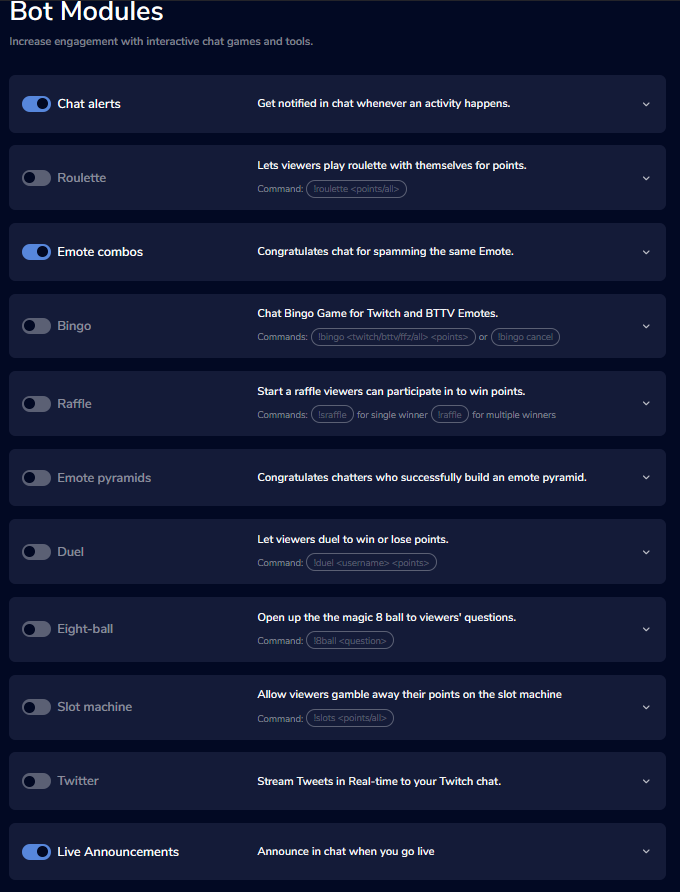 lament blade
Hello guys , i need help with stream store
 mystic pendant
Im live right now so i need help asap
 elder sorrel
@mystic pendant You enable !songrequest through the Media Request tab in the Dashboard or if you have OBS.Live downloaded to enable it.
As it'll be listed as "Viewer Requests: Enable/Disable Slider"
nocturne pelicanBOT
@lament blade Welcome to the support channel! Please let us know how we can assist you today and a member of the support staff will be with you as soon as possible.
lament blade
@elder sorrel hello, can you help me with streamstore, redeem ?
 lament blade
Im trying to put the command !redeem for triggering some sound..but i dont know what to do
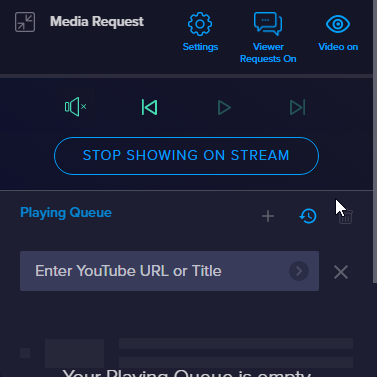 elder sorrel
@lament blade Are you trying to make a custom command for redeem?
As in the stream store when setting up a new item automatically adds the !redeem command. You just need to fill in the name of the store item that needs to be redeemed.
Such as "item". The stream store will change it to !redeem item
lament blade
@elder sorrel yeah man, i have already put the overlay wideget ''store redemtion'' on my overlay then i have created the command
but when i try to use the command on streamlabs nothing happen
can someone help me out
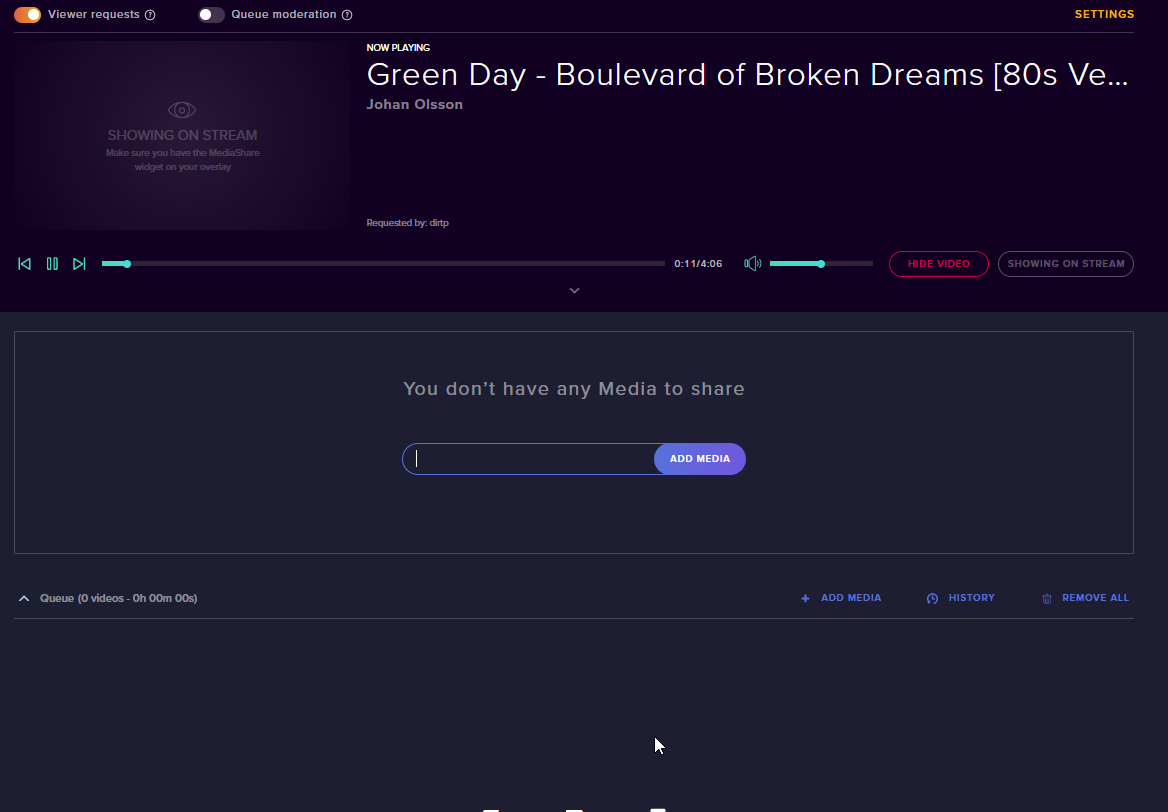

 elder sorrel
@lament blade By chance can you check the default commands tab if you have the command !redeem enabled?
lament blade
 elder sorrel
@mystic pendant I will have to ask a Staff member about that. As I never seen that before & can't replicate it.
nocturne pelicanBOT
@lament blade Welcome to the support channel! Please let us know how we can assist you today and a member of the support staff will be with you as soon as possible.
lament blade
@elder sorrel where can i check this ?
elder sorrel
StreamElements
The Ultimate All in One Platform for Streamers
lament blade
should i add the command there ?
elder sorrel
No. check the default commands tab if you have the command !redeem enabled
lament blade
ah k no is enabled
elder sorrel
Okay. Back to the stream store. Do you have it listed as a stream perk? That'll be on the first step when creating a store item.
lament blade
Uh yeeeeeeees now work ! thank you man ! ❤
Is like sound effects
I dont really understand what change if i put sound effects or stream perks
i just want someone that write !redeem item and then he can listen the song
elder sorrel
Ah okay. So you don't want a redemption alert to show on stream?
Cause Stream Perk will show the alert on stream + play the audio while sound effects is only the audio 🙂
 plush heart
?
tight harness
You put your question in multiple channels which isn't necessary
I left it in the relevant channel
plush heart
oh oaky sorry
 sand ravine
He needed help on importing Streamlabs stuff.
plush heart
okay*
sand ravine
That is why he asked that question.
tight harness
I'm aware, he put it in another channel which was a more relevant channel for his question.
elder sorrel
@mystic pendant Everything is looking fine. People have requested songs which are in the queue,
sand ravine
Zambfy, did you try downloading the extension to import streamlabs stuff into streamelements?
It's the simple way to get all the stuff transferred.
I've done it once and it worked well for me.
 merry geyser
I withdrew my tips from se.pay 5 days ago who do I contact to find out what happened with my money?
tight harness
@merry geyser We can't discuss financial matters in our Discord, you should send in an official ticket: support@streamelements.com
merry geyser
Ok thank you
mystic pendant
I made it work, thanks @elder sorrel
 astral shore
Is there an IOS app?
twin sentinel
No, it is planned. No ETA.
cerulean siren
How do connect u to my stream
lament blade
my obs stream elemtns isnt showing chat etc
twin sentinel
@cerulean siren I recommend watching some youtube videos on how to set up StreamElements.
Are you asking for the bot on youtube, or on twitch?
cerulean siren
On utube
twin sentinel
https://www.youtube.com/watch?v=eeOsML7o5cY Best to ask in #helpdesk-youtube for further support.
twin sentinel
 gilded mountain
Hello, I have beguna using stream elements, and have created an overlay based on an existing template from your site. I launch it, and see an overlay key ID, but I cannot figure out how to actually see it on my twitch page.
nocturne pelicanBOT
@gilded mountain To add your overlays to OBS, add a new browser source in your scene. Paste your overlay URL in the browser source properties, set the dimensions to 1920x1080 (unless you changed them on the website), and ☑ “Shutdown source when not visible” https://youtu.be/KDvLynUqXI4
gilded mountain
Thank you
 twilit quail
Hey guys, I have my overlays, twitch alerts and el gato capturing my gameplay. But I have zero clue how to capture my screen so I can show my stream videos, other streamers or a giveaway wheel. Does somone know how to fix the black screen issue when I try to window capture?
 sly barn
Hi, am i blind or is there no option to put URL in my Overlays? i want to put my kappamon into my overlays.
 worthy badge
@sly barn , you would need to add a browser source via OBS.live if I understood your question correctly.
lament blade
SE.pay
I am trying to withdraw my money but it keeps on going on an infinit loop on withdrawing and going back then withdrawing again any help with this
twilit quail
Anyone able to help me?
 pallid osprey
possibly. whats up @twilit quail
twilit quail
Ok I’m in obs, have everything working as for alerts, overlays and my el gato capturing my gameplay but when I try to window capture for example a YouTube video it doesn’t pop up or show anything
@pallid osprey
 leaden kiln
Is there a way to add a twitch emote to a command line?
pallid osprey
@twilit quail try opening obs as administrator
twilit quail
I did that but I’ll try again
 tranquil radish
so i stream on xbox for tiwtch and i have a computer by me that i can use and im wondering what can i get on the computer for my stream on xbox
?
 muted crown
What reason could I have for streamelements taking about 10 seconds to redeem a sfx?
pallid osprey
@twilit quail I just reread you question again. You'll need to use desktop capture and then just crop out the browser
tranquil radish
I just set up the chat bot now how do i use it
pallid osprey
@tranquil radish there is a ton of how to videos on YouTube of the chatbot
tranquil radish
ok
 bright plume
pallid osprey
bright plume
pallid osprey
@bright plume try manually entering in your stream key?
tranquil radish
@pallid osprey can u post one of the videos
 placid pond
I'm having issues with blocked hyperlinks even though I have no link protection turned on across all platforms.
I get *** instead of the link, which seems to be a cloudbot issue.
Does anyone have any advice? This is driving me nuts.
 slow dew

lone turret
question about giveaways, once you close it, can you somehow reopen it so that new participants can join? I tried the reopen button on the overview but it remained closed
tranquil radish
does anyone knows how to get the countdown and ovalys from computer to xbox twitch stream
 wanton mango
@placid pond I think that's the inbuilt Twitch moderation. Try going to Dashboard > Moderation > Chat Options > make sure 'Block Hyperlinks' is toggled off
 zinc oak
when i stream on twitch it just shows a green screen and not my game
placid pond
@wanton mango it is 😦 I've been all over google trying it out
wanton mango
@zinc oak Try setting the color format in OBS to i420.
OBS: Settings > Advanced > Video > Color format = i420
placid pond
Actually, it's only links that come back from chat commands.
wanton mango
Hmm so whenever the StreamElements bot says a link?
placid pond
Yep!
I've un-installed, re-installed, deleted the command & re-entered it, put said link on the whitelist for both streamelements and twitch. I got nothing!
wanton mango
Do you mind DM-ing me said link (if it's not sensitive) and your channel? I'll try adding it to mine and seeing what happens
placid pond
Done!
wanton mango
Solved! 
 grave lance
is there a way to have a differnt word for a giveaway I am doing, so I can keep them seperate
 true solstice
can you help me go live
leaden kiln
are bits broke atm? dont seem to be showing up
grave lance
Is there anyone online who can help me with my question "is there a way to have a differnt word for a giveaway I am doing, so I can keep them seperate"
 golden raven
how do i change my bot name is there a guide?
wanton mango
!rename
nocturne pelicanBOT
Custom bot name requirements
- StreamElements bot modded and in chat
- Active overlay with alerts
- StreamElements tipping page in the panels below the stream (!panels)
- OBS.Live or Ground Control open
- Create a twitch account for the name you want to use or run the bot under your own name
- Custom bot name doesn't work on Mac
wanton mango
@grave lance can you elaborate a bit more? Do you want to change the default !giveaway command to something else?
 dire glacier
wait im trying to rename it
but it isn't working still
@wanton mango oh hey, you are from harris
can i get some help?
 digital sierra
is it possible capture ps4 audio on streamelements, using an elgato HD60?
dire glacier
oh nvm i got it
wanton mango
Haha hey! and awesome 
 simple chasm
Is it possible to set Song Request to be follower only?
grave lance
@wanton mango I want to change it just for one giveaway and still have other giveaways with the "!giveaway" the giveaway will run concurrent along with any others I hold.
wanton mango
To my knowledge you can only have one giveaway active and open at a time? 🤔
simple chasm
@wanton mango is it possible to set up song requests so they can be follower only
wanton mango
I don't think that's a thing unfortunately. The next best thing you can do is set it to regulars only or make it cost a certain amount of points that you can only get by following or something.
@digital sierra this is more of an OBS question so would definitely recommend asking there first for probably better response 😄
grave lance
I will have to use another 3rd party service for this giveaway then
digital sierra
Thank you. @wanton mango will do.
 mighty tree
Hey can i get some help with a getcount command? its not getting the right count.
 woven ledge
could someone who knows what their doing jump in a call with me Im pretty lost rn
 soft otter
Hi I downloaded obs live this week and am wondering how to put things on my overlay like the tipping cup
 wanton mango
@mighty tree Guessing you're looking at your swear jar command.
This variable increments and returns the new value: ${count swearjar}
And this returns the value without adding to it: ${getcount swearjar}
mighty tree
i am
wow i love you.
i didnt use ${count swearjar} i just had swearjar
i mean ${count}
wanton mango
I think if the counter name is missing it'll default to the command name. The counter names are useful if you want to make it more descriptive for organisation or whatever
@soft otter The YouTube channel has some great tutorials for setting up stuff! https://youtu.be/DldAjALjpbY

Add extra HYPE to your stream with HypeCup - the best cup on Twitch. HypeCup visualizes all your stream events into tokens that drop into a container - your ...
soft otter
Ok Thank you
woven ledge
Hey so I'm currently trying to stream a game called mad father however, because it's an older title, game capture can't detect the game so I attempted to use display capture, however my screen remains to be black, I'm not sure what I'm doing that is wrong and I need help, please.
lament blade
Hi! I need help. My friend activated the streamelements leaderboard panel so it can show how many subs people have gifted but it doesnt show the option to add it. it only shows the bits and how long youve been subbed options. Can Someone help me ? 😃
 ivory crystal
I wanted to know if anyone can tell me how to get my video game in the game capture because I don't see it. I was trying to stream on twitch but couldn't.
nocturne pelicanBOT
@woven ledge For the best OBS support, please join their Official Discord @ discord.gg/obsproject
zenith widget
@lament blade Im not understanding the issue here.
@ivory crystal Run OBS as admin. If that doesn't help, use the discord link above.
lament blade
He wants to see the panels to see how many have been gifted
It doesn’t give the option to add it
@zenith widget
zenith widget
This is not visible?
lament blade
He wants to see this. Can you tell me what he needs to click on to activate that?
lament blade
See even in your screenshot above it doesnt give the top gifters option.
zenith widget
His not using our extension. His using SLs extension.
lament blade
Uh? Well that’s the problem then 😐
zenith widget
yes
soft otter
The video didn’t help. I have my own overlay in obs that I created and the video doesn’t say how to put it in that
So apparently since I’ve already created an overlay I need to add the tip cup as a browser source and they said ask here how to do that
 rapid oxide
Longshot here...Trying to run audio through HDMI to OBS using Voicemeter. Can anyone help?
nocturne pelicanBOT
@rapid oxide For the best OBS support, please join their Official Discord @ discord.gg/obsproject
zenith widget
@soft otter What exactly is this about?
soft otter
I’m trying to add thing to my handmade overlay in obs like the tip cup
Obs discord said add as a browser source
soft otter
How?
zenith widget
!add
nocturne pelicanBOT
To add your overlays to OBS, add a new browser source in your scene. Paste your overlay URL in the browser source properties, set the dimensions to 1920x1080 (unless you changed them on the website), and ☑ “Shutdown source when not visible” https://youtu.be/KDvLynUqXI4
soft otter
No I have the overlay made and inserted but trying to add tip cup and some fun things
zenith widget
Ok, so go here: https://streamelements.com/dashboard/overlays - if you don't have an overlay for the cup - make a new one -> widgets on top -> hypecup -> save -> add the overaly to OBS.
soft otter
So I wasted my time creating an overlay directly into obs?
zenith widget
Our overlays are cloud based. What you did, can be uploaded as assets to our media gallery and you can use it freely to remake your overlay.
soft otter
And how can I do that?
zenith widget
Here is a video guide of our overlay editor: https://www.youtube.com/watch?v=LwAfMIR3Cj0&list=PLCDDKlFdScbEwdx5AntcQIS1InkFJwHtv&index=5&t=0s
soft otter
Thank you
Ok so that video taught me how to make an overlay but I have one I just wanna add the cup to
soft otter
It’s not on streamelements site that is what I’m asking how to do. I don’t wanna spend another 2 hours making an overlay
It’s in my obs I created it there
zenith widget
Are you using SLOBS?
soft otter
No it’s obs live
soft otter
That only works if it’s on streamelements site and it’s not. I’m asking how to get the overlay to my overlay on the site
zenith widget
Which site? which overlay?
soft otter
I made my own overlay inside obs. It is not in streamelements website on my account
zenith widget
So you've added an image source to OBS?
soft otter
Yes I added a background, camera and images and made an overlay inside obs not using the streamelements editor
zenith widget
Then go here: https://streamelements.com/dashboard/overlays -> "Create blank overlay" -> enter the editor -> click on widgets on top -> add the hypecup -> save -> add the overlay as browser source.
You don't need to add your own assets then to our overlay system.
soft otter
Ok so I’ll only add the widgets and put that in as a browser source?
zenith widget
Yes - thats what I suggested even above.
 astral junco
@zenith widget can you help me out with Teamviewer
astral junco
my browser source with the media request wont show up
zenith widget
Have you added the MR widget to the overlay?
astral junco
the what
zenith widget
The Media Request widget.
 zenith widget
No.
Take a look at this video guide for our overlay editor: https://www.youtube.com/watch?v=LwAfMIR3Cj0&list=PLCDDKlFdScbEwdx5AntcQIS1InkFJwHtv&index=5&t=0s
astral junco
@zenith widget thank you very much for the help it works now
nocturne pelicanBOT
@onyx bane The default resolution for StreamElements overlays (theme and custom) is 1920x1080. Please add them in OBS at their full resolution and use CTRL+F to fit to screen if necessary. You can then downscale your stream in OBS settings > Video if you'd like https://i.imgur.com/6bWXxjR.png

 onyx bane
Well. The issue is that one of my static overlays isn't scaling properly
zenith widget
The themed overlays and the assets in them are meant for 1080p resolution.
If you increases the resolution of the overlay, you need to increase the sizes of the widgets to fit the green area again.
onyx bane
Yeah it just keeps bugging and the page dies
onyx bane
Chrome
Is it posslble to group select?
and move at the same time
Can't seem to find it
zenith widget
Unfortunately no.
frank dove
hey! I have a dual PC setup and I always had problems with setting up my sound in a way in which I can hear the alerts on both PC's. So far the sound has only been going through to the streaming PC so I never hear the alerts. Now, I tried to open the overlay on the gaming pc so I can hear them too but it echoes with the ones on the streaming pc (because of the delay - short delay but enough to be noticed). Do you know any way in which I can make it work, maybe mute the alerts on the streaming pc somehow or do you know other method? PS. Been looking all over the internet and that is what I found so far.
zenith widget
How do you have the PCs connected?
frank dove
through a capture card
zenith widget
How do you have the overlay open on the gaming PC?
and I assume the overaly is open in the streaming PC in OBS right?
frank dove
I had it open in the browser
and the streaming PC runs only obs
and yes, it is added as a source on the streaming pc in obs
zenith widget
Im not really familiar with dual PC setups to be honest, but most people have used this method:
Have their overaly in the streaming PC OBS
Have the overlay in the gaming PC in OBS - but OBS is not streaming - its just idleing there, as if the overlay is open in a browser and minimized, sound doesn't play.
Not sure if they mute the overlay somehow in the streaming PC, but in most cases people have not complained of double sound using this method 
One thing that comes to mind - can you separate the capture card audio in its own audio track in the streaming PC obs?
If yes, then you can mute the desktop audio in teh streaming pc and have teh captured audio+video unmuted
frank dove
it is on its own on the gaming pc (because that is the sound I wanna capture)
hmmm I will try
thank you
zenith widget
@onyx bane second, you can popout the challenge extension from the activity feed
 deep hound
is something going on with the streamelements alerts? The streamer I'm modding for all of his alerts and event lists have stopped working
deep hound
superstevio
deep hound
He just got an 100 odd person raid, follows, subs bits and nothings coming up on the overlay. His dashboard is showing everything though
zenith widget
Reloaded his overlays and I now show up on stream:
chat on screen now works as well.
A bit of hard cached but it works now
Next time try using this in the activity feed page
deep hound
Thanks man! You're the best. Anything we can do in the future to fix it?
I will pass on the info after the stream. Thanks again
zenith widget

 blissful gull
mng .. seems i don't have enough coffe yet ... i am trying to reset a counter using smt like !command add !resetxxx $[count xxx 0] however the next time i call xxx which is "This happened $[count xxx] times." it does not start at 1 again
zenith widget
I don't think square brackets work properly, so use curly ones {} or normal brackets ()
blissful gull
lol, even though [] is in docs? hmm ok
blissful gull
StreamElements
The Ultimate All in One Platform for Streamers
zenith widget
usually in programing [] indicate indexing
zenith widget
I don't any square brackets
blissful gull
my bad
zenith widget
 👍
👍
blissful gull
sometimes the error is 60cm in front of the screen .. have a great weekend
 you too


 kindred pendant
hello. can someone help me please?
i want to import from streamlabs to streamelements. i dont know where is right files to import
twin sentinel
normal fog
In the "my overlays" sections, you can choose to have a specific game to a overlay, when you choose that you get a picture to that game.
Is it possible to have my own picture there?
twin sentinel
Not that I am aware of.
normal fog
Atm it looks like this, i want my picture isteed of twitch picture 😄
zenith widget
That picture is usually for your own ease of recognizing the overlays. No one else sees that except you and your editors.
But you can change the pictures to a custom one via our API, if you know how to code
normal fog
i do not know xD dammit haha
Is obs.live, obs studio with some extras or is it a new program? xD
normal igloo
@normal fog obs.live is a obs Plug-in What will allow you to use song request twitch chat and the ability of seeing new follows subs etc all-in-one nice little package
normal fog
So all funktions included in STUDIO is also in .LIVE?
 dire abyss
do you have to input everything manually? like new follower, donations etc?
normal igloo
@normal fog yes obs.live Is not exactly anything new you will still be using obs studio but obs.live will be there as a extra
dire abyss
oh ok thanks!
normal igloo
@dire abyss donations can be Imported by the import tab on your se dashboard
normal fog
Can i rotate stuff in the editor, text for example 😃
zenith widget
Unfortunately, no.
 flat dust
Hey, I accidentally imported all my donations twice and it doubled all the amounts so I deleted them and tried to import them again but now they're not pulling through at all. Anyone got any idea on how I can get these through without manually adding them?
zenith widget
Are you getting an error when trying to import? @flat dust
flat dust
No error, says it all goes through but then when I check revenue history it says no data available
flat dust
I've had both dashboards open and tried it over 2 days now
I'll try clearing my cache though
nope restarting chrome and clearing cache doesn't work either
ah, I removed the extension and reinstalled and that seems to have done it
zenith widget
i was about to send you on an error hunt, but i guess i should have suggested a reinstall of the extension
 👍
👍
 shrewd trail
hello, why when i go live have a delay audio?
normal igloo
@shrewd trail Using obs?
shrewd trail
yes
nocturne pelicanBOT
@shrewd trail For the best OBS support, please join their Official Discord @ discord.gg/obsproject
fierce bear
wondering how I can get my event list from streamlabs working in streamelements, it's heavily based on js/css, when I made a custom widget and added all the html,css,js and custom fields the widget is just blank with nothing there
twin sentinel
Best ot ask in #dev-chat cause this where the code gurus reside. I am not sure, if it is possible.
 rain crypt
Is there any reason why the bot isn't responding to me? I'm trying to test commands before going live ?
it's connected to my channel and not muted
tight harness
Did you rename yourself recently?
rain crypt
no
tight harness
What's your username?
rain crypt
invi_tv
tight harness
Remember to mod the bot: /mod streamelements in your Twitch chat
rain crypt
ah, all working now, thanks 😄
tight harness
No problem 👍
 somber shoal
i have some weird problem when i play the "music request" i hear the song playing as i have it oppend on two placeses at the same time but i only have it playing from "obs.live"
When i press the button "show on stream" thats the only time i can hear the eco
anyopne that can help me out?
nocturne pelicanBOT
@somber shoal Make sure to ☑ “Shutdown source when not visible” for all browser sources (all OBS scenes). If using studio mode, uncheck “Swap Preview/Output scenes After Transitioning.” Also keep in mind that sound can play from any overlay loaded in the browser (editor or launched). https://i.imgur.com/FegZJQS.png https://i.imgur.com/yY0wcFl.png
 normal terrace
I have an issue where when I redeem a stream perk in my stream store, it wont show an alert in my stream, I have selected for it to have alerts too
somber shoal
jesus never thought about that i have been tearing my hair out
normal terrace
But it makes the sound i want it too
tight harness
@normal terrace Is it a sound item?
If so, the alert isn't meant to show as it is only a sound item
normal terrace
no its a perk
 wispy lynx
Hey there! Brand new to the server and StreamElements but I am having an issue with my activity feed . Only my tips are showing (I have all options selected for what to display) and those tips are being duplicated in the list 3 times. Super frustrating. Any help?
tight harness
Then it sounds like you have the alert part hidden behind something else if you can still hear it 🤔 either that or it is live in another scene but not this one and you haven't shut that other scene down
normal terrace
can I screen share you it?
tight harness
One sec, checking out your account
normal terrace
ok
twin sentinel
@wispy lynx Have you imported your tips from another system to StreamElements?
wispy lynx
@twin sentinel yep!
twin sentinel
We can only show events in your activity feed from the moment you let StreamElements access your account, so when you logged in to SE and invited the bot to your channel.
tight harness
@normal terrace Saw the alert and heard it in the overlay editor, the alert is working as intended
!add
nocturne pelicanBOT
To add your overlays to OBS, add a new browser source in your scene. Paste your overlay URL in the browser source properties, set the dimensions to 1920x1080 (unless you changed them on the website), and ☑ “Shutdown source when not visible” https://youtu.be/KDvLynUqXI4
normal terrace
hmm
wispy lynx
@twin sentinel my most recent events have actually been follows and none of those are showing. It is just showing tips and that's it
twin sentinel
From what I can see, the bot is not invited to your channel. Please invite the bot to yur twitch channel via the StreamElements dashboard.
wispy lynx
Hmm. Okay lemme check that
@twin sentinel it is a bot in my channel
It runs commands just fine
 oak thistle
Hi I'm having a problem with media share. It's really bad quality on the videos. It's all blurry