#helpdesk-twitch
1 messages · Page 458 of 1
 stark helm
 junior cliff
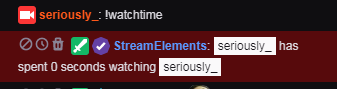
the !watchtime command doesnt work, it says "notpiks has spent 0 seconds watching pilikss", i already active the loyalty settings
 quasi kiln
Hello, I have an intressting problem with the streamelementS bot, can someone help ?
 untold adder
so if i enable my donation page and enable the "Subscribe to global chargeback protection". does that mean that no one can chargeback donation thru paypal?
quasi kiln
Iam trying to add a command for checking Rocket League stats, and it did not work, so i deleted it, which made it so that i no longer can see it through the Dashboard,
But the command works in the Chat, but i can't edit it or remove it from the twitch Chat
 torpid estuary
@untold adder it means that people who were caught doing chargebacks cant donate to you
untold adder
Ok
torpid estuary
@quasi kiln part and rejoin your bot to update it
@lament blade self promo is not allowed in this discord
dont do this again
quasi kiln
ah okey @torpid estuary
 keen vale
Can anyone help me understand a device like the Elgato HD60S?
Would it help AT ALL if I am only using one pc
to record and stream at the same time? I can't determine proper settings to do both while not crashing everything else
 eternal spire
yup, no problem
eternal spire
yeah, open the software for elgato,
keen vale
ok i think i get it. if i press record on the elgato, it then uses the elgato hardware to do the local recording?
thus offloading some cpu usage from my pc?
eternal spire
i dont know if if will lower cpu usage but that the only thing that i found that works for record and straeming at the same time
keen vale
ok, i will mess around with that. thanks a lot!
eternal spire
np
 umbral jungle
somewone send me a dono but my alert from streamlabs dont pop up
how can i fix this?
 buoyant raptor
How to I set a overlay
 nocturne pelicanBOT
@buoyant raptor To add your overlays to OBS, add a new browser source in your scene. Paste your overlay URL in the browser source properties, set the dimensions to 1920x1080 (unless you changed them on the website), and ☑ “Shutdown source when not visible” https://youtu.be/KDvLynUqXI4
 jade remnant
you would need to ask stream labs @umbral jungle
umbral jungle
Owh okay thx
buoyant raptor
How do I put on my stream my follower goal
 strong kernel
Add the "Follower goal" widget to your overlay.
buoyant raptor
Fuck it won’t work for me I’m too broke and only have a chrome book 😢
strong kernel
How are you even streaming with a Chromebook then?
buoyant raptor
I stream off my Xbox
strong kernel
Consoles don't have the functionality for overlays on their own anyway.
You need to stream from a PC using a capture card or remote play to get your gameplay to your PC.
strong kernel
Yes, you can use the bot and a tipping page.
buoyant raptor
Thanks
 severe hornet
hello so its been a few times that i have streamed and for some reason my obs.live keep crashing my stream non stop but my internet is just fine with everything else its only my obs thats been crashing has anyone had this happen to them or is there anything i should check on
nocturne pelicanBOT
@severe hornet Please provide a log from your last stream. To do this, in OBS go to Help > Log Files > Upload Last Log File and paste the link to the log file here.
 kind epoch
Hi , does anyone know why this custom API is not working ?
@${customapi.http://twi .exlux.co/weather/${sender}/${1:}}
strong kernel
We're not responsible for third party APIs.
kind epoch
Or can someone tell me where i can get a weather api?
severe hornet
sorry how do i post a link to the log file?
strong kernel
Copy and paste?
strong kernel
Your stream log doesn't have anything too severe that'd be crash-inducing. Best to go to OBS support and give them your crash log.
nocturne pelicanBOT
@severe hornet For the best OBS support, please join their Official Discord @ discord.gg/obsproject
severe hornet
thank you for your help @strong kernel
 lament blade
All I cinda need help with right now is transitioning from streamlabs to streamelements, theres stuff I have on there that is not on obs
nocturne pelicanBOT
@lament blade Welcome to the support channel! Please let us know how we can assist you today and a member of the support staff will be with you as soon as possible.
lament blade
I need help transitioning to streamelements from streamlabs
strong kernel
That was your cue to be specific about where you need help.
lament blade
xd Sorry, like getting well all my scenes from streamlabs to streamelements, I can do the rest on my own
strong kernel
We can't help if we don't know what exactly you need help with. 😃
You can try to use the import function in OBS.Live to get your SLOBS scenes but if it can't get your scenes you'll need to recreate them in the overlay editor on the site yourself.
lament blade
Got it
strong kernel
You'll need to edit or create an overlay in your account.
The widgets tab is in the top left.
 cinder olive
When doing media requests for tips & displaying them on stream, how do you set mods to have to approve the videos, how do they do so, and what are the commands? (Sorry for loaded question!)
cinder olive
So if a mod requests a song - it goes through auto approved
but if a viewer requests it pops up in the pending approval below where it needs to be approved afterwards?
strong kernel
In the settings.
lament blade
Hello, guys. Is there a proper guide on how to change StreamElements bots name? I found one posted on a forum but it is super confusing
strong kernel
OBS.Live or Ground Control?
nocturne pelicanBOT
@lament blade Custom bot name requirements
- StreamElements bot modded and in chat
- Active overlay with alerts
- StreamElements tipping page in the panels below the stream (!panels)
- Create a twitch account for the name you want to use
- Ground Control app must be running
Steps to enable custom name
- Sign in to https://twitch.tv with the bot account
- Install and run Ground Control (!gc for download)
- Visit https://twitchapps.com/tmi/ and generate an oAUTH token
- Copy/paste everything in the box to Ground Control oAuth settings and enter the name for the bot account
- Restart Ground Control (custom name may take a few minutes to take effect)
Mac does not currently support renaming the bot.
lament blade
do I enter Ground Control under bots name?
strong kernel
The JWT token is from your StreamElements account. The OAuth token is from your bot account.
 steady helm
Hi! I have a webm file that is 1920x1080 for a sub alert. For some reason when I size it as 1920x1080 in streamelements, it shrinks it. How can I fix this?
 tawny bay
can you make a command that shows how many entries a person has? does the bot support this?
strong kernel
@steady helm Make sure you're selecting the right layout for the alert.
@tawny bay No, they'll need to go to the giveaways page to see.
tawny bay
rip cause that is painful as the entries number show is small and a lot of mobile users fail to see. I'd say 50% fail
lament blade
Hi
lament blade
i accidentally deleted the media request overlay from OBS now i cant get it back T_T
anyone?
 jaunty vigil
Hey guys, i currently am having trouble getting my stream fps to consistently stay at 60fps
lament blade
ez fix deleted my SE account, then i made a new one FeelsOkayMan
nocturne pelicanBOT
@jaunty vigil Please provide a log from your last stream. To do this, in OBS go to Help > Log Files > Upload Last Log File and paste the link to the log file here.
 zenith widget
@lament blade If you removed an overlay/browser source from OBS, you can readd the overlays by getting the links from "My overlays".
If you are referring to something else, like the MR dock/widget in OBS.Live thats a different thing
 patent raptor
Can I have proof of the refunds?
All my tips have been refunded recently and I want proof of the refunds being made
Thanks
zenith widget
Please contact us about this issue ONLY through the ticket, DM'ing multiple people and writing in public channels results in you receiving poorer service
lament blade
how can I remove the !donate
 ocean echo
Can we change the appearance of the Streamelements twitch panel? Maybe the background colour?
 twin sentinel
Afaik, no.
lament blade
Is there a Way to give myself "Bits"?
zenith widget
No. You can't cheer in your own channel.
ocean echo
Thanks Benno 👌
 junior tangle
how do i stream through my computer live
 cedar lynx
What have you set up so far @junior tangle 😃
junior tangle
just the basics as i see but cant getmy camera on my desktop to work
i know it is up to date cause i use it to talk to my girlfriend all the time
cedar lynx
are you using OBS?
cedar lynx
I think you'll be able to get much better help in the OBS Discord, while some folks here are knowledgeable with OBS, our general expertise is about StreamElements integration 😃
nocturne pelicanBOT
@junior tangle For the best OBS support, please join their Official Discord @ discord.gg/obsproject
 solid crystal
If a viewer says hi is there a way to make the bot say hi back
solid crystal
Ok thx
 copper sandal
So is there anyway to limit the !kappagen multiplayer like when someone types !kappagen 1000000 for instance is there away to limit that number to like 500 or 1000?
lament blade
HI
 winter zenith
Not really. I prusume you could blacklist this specific phrase and punish the user for using it. Gradually teaching him to not use the command like that.
But you can't restrict the amount. The users should just type Kappagen. Then the amount of emotes will appear you set the emote explosion to in your overlay Editor @copper sandal
lament blade
I was wondering if anyone could help me activate bots and the tipping setup?
winter zenith
@lament blade you can put the bot and mod him yourself on the StreamElements Dashboard
Same goes for your Tipping settings
lament blade
thanks
winter zenith
If you have specific questions we can assist
lament blade
No. that was it and thanks for the help
copper sandal
Ahh ok thats unfortunate but thanks for the response and the tips ill keep that in mind
winter zenith
@solid crystal maybe do it from a browser not your phone.
winter zenith

 nimble oriole
can someone help me please
i downloaded the Streamelemestns obs and poped out the media player thing and went to put it back then i pressed the X and now i cant find it to put back in under the chat
 elder sorrel
Let's go to #helpdesk-selive
 clever surge
Hello, I change my nickname on my twitch account since I did that everytine i type points or comans !sr dont show anymassage. I log out and log in on streamelements nothing work how can I fix it?
winter zenith
Try taking the bot out of the chat and back in cia the dashboard.
"part bot"
log out
clear cache
log into twitch
log into StreamElements
Let the bot join again.
clever surge
!yes ! yes thank you @winter zenith
winter zenith
no problem 
 obtuse dome
I have over 100+ hours of watchtime and he just added ‘chat bucks’ and it says I have 0
 cyan plaza
hello everyone !! i have got a problem my follow dosnt on my channel can u help me
appear on my stream
i have got disable streamlabs and wizebot
jade remnant
follow overlay alerts or chat alerts?
cyan plaza
follow overlay
with mu stream avatar i look when i have got a follow but in my activity fead i have nothing
jade remnant
do you have the alert box on your overlay and in obs?
jade remnant
does emulating the event work?
nocturne pelicanBOT
@cyan plaza To test/emulate alerts, hover over the blue bell at the bottom of the overlay editor. From here you can select the type of event and the amount to test.
cyan plaza
i know taht
that
its oki
but in 2 min i have got a follw
but isnot appear on my stream
One follow on two appeared on my stream"
nocturne pelicanBOT
@cyan plaza To invite managers to your dashboard, Click on your Channel Name at the top of the dashboard and scroll down to Settings. Click the drop down arrow to expand your channel managers and then create a new invite at one of three access levels (Bot Supervisor, Editor, Full Control) Check this video out for more help: https://youtu.be/zl_h-ttZDF0
jade remnant
can you dm me the link above
 bright oak
Hello, so I keep starting my stream and then after a minute or so it stops on Twitch. I get this http://prntscr.com/ntzx6c and also sometimes error #2000 I have reset my router, restarted my PC as well as restarted OBS multiple times.
 lament blade
is there a way to let emotes trigger as a command
 tight harness
@lament blade You mean so a command triggers when an emote is used?
lament blade
yes
tight harness
You could try setting the emote trigger word (i.e. Kappa) as a Keyword for the command in the command's settings
lament blade
doesnt work for me
 delicate monolith
If anyone could help me with this: I want to make a transparent video play when I get a follow, but the problem is that It doesn't let me upload the .mov file. Is there a work around to this?
torpid estuary
You can convert your mov to webm @delicate monolith
delicate monolith
Does it preserve transparency ?
torpid estuary
It should be supported, yes
delicate monolith
Heck yeah thanks, lemme try it out
torpid estuary

 north scarab
hello
nocturne pelicanBOT
@north scarab Welcome to the support channel! Please let us know how we can assist you today and a member of the support staff will be with you as soon as possible.
 jade pumice
Hi, is there a way to make StreamElements have the sub badge? or does it need to be gifted?
torpid estuary
@jade pumice you have to gift your not a sub, or if you are partnered you can get a free lifetime gift sub I believe
torpid estuary
@north scarab what exactly do you mean by that?
Song requests?
Also, please stay in one helpdesk and don't spam the same question in different help desks
north scarab
the audio of my music isent coming out on my stream
torpid estuary
Uhm. So you don't hear the music or the stream doesn't hear the music?
And what is your setup? Obs? Obs.live?
north scarab
no i hear it but my stream dosent
obs
i ment obslive
also when i connect with twitch on my obs.live it crashes
nm
i just pressed continue without sighning in
 versed crane
im streaming atm but when people request songs they dont play
only when i refresh the browser and then 1 new request will play and after that its only playing backup list
and the song requests also dont appear in the queue
and i also noticed that when they do !sr it skips the song but it plays a random song form the backup list
 grave python
hi support
your tutorial on ndi is to shallow 
u didnt explain fully how to fix audio "lag" over NDI

grave python

OBS.Live | Open Broadcaster Software Streaming Knowledge Base
This new tutorial shows you how to use OBS Studio and the free NDI plug-in to stream with two PCs and how it can boost the quality of your broadcast.
there's always slight audio desync no matter how good your network is
they patched it up then it broke again
 south idol
hello. can i somehow use stream labels in streamelements or is that only for streamlabs obs?
jade remnant
there are a bunch of labels in the widget section of the editor
south idol
yes i know but i cant set them so they are in the top of OBS, max is what you see encirkled in the picture. stream labels i can have at the top of the window thats the reason i would like to use it
 mint flicker
You could make the Label from SE as its own "overlay" with the size of like 200x200 or something, then copy and paste the URL for that "overlay" in to your OBS and then you can freely put it wherever you want.
that's what i did with all of my widgets tbh 
for reference of what i mean
jade remnant
what do you mean in the top of obs? the layers in the editor and sources in obs are layered. you need to make sure they are in the correct order to see them
south idol
in the top of the screen i mean. moving the layers around i have no problem with. it just wont let me use the top 10cm off the screen
ill try that zambee thank you 😃
jade remnant
select the layer then use your arrow keys to mve it up
mint flicker
nah he means that his overlay is just a tiny bit smaller than his "canvas" in OBS, so even though that he is putting it at the very top of his overlay, it doesnt show at the very top in OBS. he could probably re-adjust the size of his overlay, but he would have to reorganize everything created on there. yeah @south idol i think your easiest solution is just making the labels as their own overlay, and adding them as their own browser sources in OBS and you should be good 
mint flicker
not a problem 
lament blade
my chat fails to connect to twitch and it says error loading data
i have the problem that my obs doesent take my fortnite gamecapture
try display capture
gonna try it thx for the help hopefully it works
Hey guys, does anyone have any idea why my alerts would suddenly stop working? 😃
tight harness
Any particular alerts?
 thin spruce
Hello. My overlay does not show the right gif in my alertbox
No matter the gif I put there
lament blade
@tight harness - All alters. When testing them in Steamlabs it doesn't even sound off in Streamlabs OBS Elements or anything. Just happened suddenly.... ? Installed in C drive and all.
 thin spruce
There are no variations
And i unchecked the box thats says “pick alert randomly....”
mint flicker
hmm. maybe try changing it in a different web browser? could be the web browser acting up on you
thin spruce
Ok ill give that a go right now
lament blade
I fixed it @tight harness Had to refresh the cashe on the source screens for all,.
 ancient otter
Guys how do I test top tip on my overlay editor?
tight harness
@turbid rune ah okay, glad that did the trick :)
mint flicker
@ancient otter https://streamelements.com/dashboard/session you can manually input the information here if you wanted to test it to see how it looks on your overlay

StreamElements
The Ultimate All in One Platform for Streamers
lament blade
Does anyone know what's happening? when im starting my stream, it's all going green
ancient otter
No, i mean on my editor i put some big value to see the animation
But just shows up the normal donate animation
Should be in Emulate tip event > Custom I think, but doesn't work D:
mint flicker
you have the variation set up to be the "top tip" right?
ancient otter
Yep
mint flicker
have you reset the session?
mint flicker
https://streamelements.com/dashboard/activity go here, on the right side, click on "Reset Session"
StreamElements
The Ultimate All in One Platform for Streamers
then try
lament blade
I just went live, and my entire screen is green, can someone help?
mint flicker
on the stream it's green, but in your obs it's not?
lament blade
yeah
mint flicker
can you link me your stream quick so i can take a look?
ancient otter
Now I go to the same way, right?
mint flicker
@ancient otter yep
 jade ore
Can anyone help me with chatstats?
ancient otter
Still the same =/
mint flicker
@ancient otter yeh then a staff member might need to give you more insight on that. not sure if it allows it to work that way with a test
lament blade
@mint flicker you see the issue?
mint flicker
@lament blade any chance you can send me a screenshot of what you see in your OBS?
torpid estuary
@lament blade try setting the color format in OBS to i420. In OBS: Settings > Advanced > Video > Color format = i420.
ancient otter
Thank you anyway Zambee :D
mint flicker
best of luck. if i figure it out, ill let you know
elder sorrel
@jade ore You change your Twitch Name recently?
jade ore
Not recently, but my streamer did yeah
torpid estuary
jade ore
https://stats.streamelements.com/c/misslumii old name, new name 'lumi'
elder sorrel
Thank you. Will forward to Staff member.
jade ore
Thanks
elder sorrel

 woeful pewter
Hello all having issure with lag and starting to think could it be the size of my screen
nocturne pelicanBOT
@woeful pewter Please provide a log from your last stream. To do this, in OBS go to Help > Log Files > Upload Last Log File and paste the link to the log file here.
elder sorrel
@jade ore Done!
woeful pewter
😃
jade ore
Wow so fast 
jade remnant
@woeful pewter report here https://h4ndy.eu/obslog?url=https%3A%2F%2Fobsproject.com%2Flogs%2F5Qs5DJ1DXeoplPe_
how-to links in the report
woeful pewter
ok
normal use something else but love the look of the stream elements, so i am lost in the settings tbh
jade remnant
in the encoder settings change your encoder from x264 to NVENC (new) then turn off psycho-visual tuning and look-ahead
woeful pewter
ok
mint flicker
@lament blade if you have your Sub Count on your YouTube Channel set to private, that could be why. Go in to your Privacy Settings on YouTube and make sure you aren't hiding your Sub Count.
torpid estuary
@lament blade also please use the correct helpdesks for your questions, in this case #helpdesk-youtube
 compact yew
need help, when i press start streaming on obs.live my stream isnt starting up
strong kernel
Check your OBS settings, make sure your stream key is correct or that you're logged into your Twitch account.
compact yew
@strong kernel i am, gives me the option to disconnect my account
nocturne pelicanBOT
@compact yew For the best OBS support, please join their Official Discord @ discord.gg/obsproject
 bright orchid
This important
I really need to know and I can’t see I am on mobile
Please don’t delete
U can delete after I know
strong kernel
Telling people to go to your Twitch amounts to self-advertising. You can state your issue without doing that.
bright orchid
Can u do it? I don’t want a folow or anything, I am not even live I just wanna know my top bit donator
I have been told rumours
strong kernel
It should be visible to you.
strong kernel
Regardless, if there's an issue with it, you'd be contacting Twitch, not us.
bright orchid
Not an issue
Just a rumour that I thought someone may be able to help me
It’s ok if no
strong kernel
@bright orchid On mobile, you can open your stream in a browser instead of the app and use "Desktop mode" to see it.
bright orchid
It only lets me see half the page tried that
strong kernel
"Desktop mode" will show you the full page. Just make sure you're on twitch.tv and not m.twitch.tv
jade remnant
not sure what you want to know on your twitch?
bright orchid
The top bit donator
 shell marlin
Can i see donators from streamelements page in my streamlabs obs? 🤔
strong kernel
StreamElements and Streamlabs do not communicate. We're competitors. If you'd like your activity feed in OBS, use OBS Studio with our plugin, OBS.Live.
shell marlin

shell marlin
Can i import my overlays from Labs to Elements? 🤔
strong kernel
There's a tool for it in OBS.Live.
shell marlin
I already downloaded
strong kernel
Then click the StreamElements menu at the top of OBS.
And use the Import function there.
 devout aurora
literally the same reason i came to this discord^^ but uhm i can only import alertbox and tips from atreamlabs but not overlays? Am i being just dummy or ?
strong kernel
The import is in OBS.Live, not on the site.
devout aurora
yea i am on obs.live
strong kernel
devout aurora
yea i have done that probably 10 times now and i get only the 2 first ones not overlays?
nocturne pelicanBOT
@devout aurora Please connect your Twitch and/or YouTube channel with Discord by going to ⚙ Settings and then Connections here in Discord. https://streamable.com/eg92w
 devout aurora
this is what i get :/
strong kernel
@devout aurora Your overlays appear to be all imported into your StreamElements account. Repeatedly. They don't appear immediately in OBS.Live; you need to add them. Find them in the "My overlays" section of your account on the site.
devout aurora
oh okay thanks
cyan plaza
hi everyone ! i have got a probleme with my follow! 1 on 2 appear on my stream can u help me pliz?
strong kernel
What do you mean?
cyan plaza
i have got many follow today but isnot appear in my activity feed
 swift swan
Hi I have 2 different scenes showing the same on obs but not on the site?!
I stream in 10 can I get some help!
strong kernel
Double check your URLs and make sure you saved.
strong kernel
If it works in the browser there's no reason for it not to work in OBS. Try clearing the cache or completely remaking the browser sources.
swift swan
How I clear it?
strong kernel
The button at the bottom of the properties.
swift swan
where is properties
strong kernel
Right click>Properties.
cyan plaza
yes and?
strong kernel
@cyan plaza I was speaking to Manah.
@cyan plaza Your follows appear to be working fine now.
cyan plaza
where i can reset cash?
strong kernel
You don't.
cyan plaza
oki nethyr sorry i stand u finich with him
strong kernel
Screenshots are fine.
swift swan
Not sure if that will exlapin enough
strong kernel
Which two overlays are different on the site but appearing the same in OBS?
swift swan
MANAH'S BE RIGHT BACK SCENE ALERTS
MANAH'S GAME SCENE ALERTS
I know sad names xD
yet they show up different in se site
but in obs they don't
strong kernel
The URLs are not the same.
swift swan
It's weird o n obs
strong kernel
The middle is different, not the end.
swift swan
I know
strong kernel
Please screenshot the properties of both browser sources.
strong kernel
Here.
swift swan
it's giving mew the same link then
swift swan
ok 1 second ❤
shell marlin
it's taking forever, doesn't move
strong kernel
Please try to import your alertbox via the browser extension instead and see if you're able to.
swift swan
I did
That fixed it
I had to make another entore new thing lol
Thanks though
Got it
shell marlin
still not moving :/
strong kernel
@shell marlin Again, please try to import your alertbox via the browser extension instead and see if you're able to. Not in OBS.Live.
shell marlin
how i do it?
strong kernel
StreamElements
The Ultimate All in One Platform for Streamers
shell marlin
Can i move my scenes also?
 prisma grove
Where do I find these buttons?
strong kernel
The Revenue history section of your account.
prisma grove
thanks!
 undone cliff
Hi there! How do I access the Custom Bot function in SE Mac Ground Control?
strong kernel
Rename is not available for Mac at this time.
undone cliff
Got it, thanks!
 heady sparrow
Hey there is there a way to disable clip request inside the tipping page???
strong kernel
Set media request options to free only, not tipped or both.
heady sparrow
in the web interface??
strong kernel
Yes.
heady sparrow
I got it thank you so much
bright oak
So today I kept having my stream go down it would be up working then go down OBS still showed streaming and recording. I renamed the obs cache directory started back up and it seem to run fine. However, when I used my brb screen after coming back it was offline completley. Again OBS never showed issues, but twitch showed off air. I would have to stop/start OBS again I am using latest v. OBS, OBS.LIVE Streamelements.
nocturne pelicanBOT
@bright oak Please provide a log from your last stream. To do this, in OBS go to Help > Log Files > Upload Last Log File and paste the link to the log file here.
bright oak
Ok, I will ASAP, on mobile will send over shortly
nocturne pelicanBOT
@tired zephyr Welcome to the support channel! Please let us know how we can assist you today and a member of the support staff will be with you as soon as possible.
 tired zephyr
I created a giveaway in streamelements, and the ticket command isn't working for anyone
they canb buy tickets via the page
but not via command
strong kernel
Because you disabled it.
bright oak
strong kernel
Some issues with your setup: https://h4ndy.eu/obslog?url=https%3A%2F%2Fobsproject.com%2Flogs%2FPJWFmEyeeYEmOizK
But Twitch not saying you're live, that's either Twitch or OBS; OBS.Live doesn't change the streaming/encoding things.
nocturne pelicanBOT
@bright oak For the best OBS support, please join their Official Discord @ discord.gg/obsproject
 young bobcat
Hello, whoever can help me with the problems ive been having thank you. i cant import streamlabs obs to OBS, it keeps telling me failed importing scene collection
 tardy mulch
@twin sentinel im super sorry, i just saw the message, when i ignore an user, aka typing his name and pressing enter, nothing happens, the name i typed disappears
bright oak
@strong kernel looks like it may have been multiple captures in one scene. I cleaned up, but using monitor capture. The reason is, is because rage2 doesn't work with game capture so my question is, will monitor capture suffice for all games and best solution?
strong kernel
Couldn't tell you but generally there's no one-capture-fits-all, games can be picky.
bright oak
Ok, so just have to choose on scenario. Why doesnt certain games work on game capture, just curious?
bright oak
Someone told me why but cant remember some api issue I think.
Thx for help
Great community always responds and supportive.
strong kernel
Don't forget the 5 stars on TripAdvisor. Wait... 
 austere tendon
Heya ;).
Still having issues Nethyr
If I use a non-custom bot name it works fine. If I use a custom - it works for one command only. I totally unlinked and re-linked the bot account... Still not working.
strong kernel
What are you using to rename?
austere tendon
It's worth noting I only did the rename because it wasn't working at all. Tried undoing and redoing the rename - didn't fix it.
I did it via the UI in OBS.Live - same way I set it up initially.
strong kernel
Screenshot the rename section please?
strong kernel
Set that dropdown menu to StreamElements (default bot) for now please.
austere tendon
Done but now it can't use my emotes 😦
austere tendon
Done
strong kernel
Is OBS running as admin?
strong kernel
It's not showing up at all. That's why I ask.
austere tendon
I just re-did it again via the same way - bot just sent a message to chat.
And now nothing works.
strong kernel
Again: Is OBS running as admin?
austere tendon
Not sure how to tell.
Haven't had any issues with this for weeks, no new installations or updates or anything though.
Launched it the way I always do.
strong kernel
You may need to run it as administrator, which is generally recommended anyway.
austere tendon
That's odd because it's able to send a message to the chat.
strong kernel
One message does not a bot make. 😃
I recommend using the default bot for now, and at the end of your stream, restart OBS as administrator, turn on the rename again, and see if it sticks.
austere tendon
I opened Ground Control on the other computer and it's working.
So I'll have to look into OBS I guess.
Granted ground control isn't running as admin either.
I'm launching OBS via my StreamDeck.
Not sure how to launch as admin using that.
strong kernel
I'm not personally familiar with Streamdecks so I can't help you with that one myself.
austere tendon
Yeah I'll have to mess around with it.
Ok, I went to the obs64.exe and right clicked, went to properties, checked 'run as administrator' and now it launches as admin via StreamDeck or a shortcut - and the bot is working fine now.
There was a StreamDeck update before this stream I forgot about - they probably changed something in how they launch things.
Glad we got it sorted 😉
Thanks for your help.
strong kernel
👍
austere tendon
Are you nethyr on Twitter, @strong kernel
strong kernel
Click on my name.
strong kernel
Then click on the profile pic.
austere tendon
"Streamer Mode Enabled"
strong kernel
You're not live, so it's safe to disable it.
austere tendon
Yeah OBS is closed - it's still showing the same thing... Sigh. Must be my day for weird issues.
I'll check on my other PC
strong kernel
I foresee a PC restart in your immediate future. 😃
austere tendon
That's weird...
It shows the same thing on the other machine.
It doesn't even have OBS installed [never has].
strong kernel
austere tendon
I went into the settings and turned it on and off again, and voila - working 😉
 formal sparrow
So I have my alerts on and when someone hosts me the alert didn't go off even though it's active
nocturne pelicanBOT
@formal sparrow Due to changes to Twitch API, we have filtered out hosts and will only show these ones on your activity feed:
- All manual host events (0 hosts included and if filter set to 0)
- All hosts coming from an online channel. If the hosting channel has been offline, we do not show it
- All auto host events with at least 1 viewer
 oak creek
can i ask about widget help in here?
zenith widget
What sort of help do you need? 😃
oak creek
it's for the Latest Tips and Bits by Benno & LX
After tinkering with the widget I realised that the donations (both tips/cheers) are not arranged in a recent order?
The cheers that was around months ago is ranked 1st and overshadow the latest tip I got last night
Is there a way to ensure they're all in a order (sort by newest)?
zenith widget
 as far as I know the widget is a simple event list, but modified to show tips and cheers only with some style
oak creek
zenith widget
There are things I might suggest:
- DM @twin sentinel about this and see how he can help resolve this. Feedback on custom widgets is really good and its a simple matter for us to update the link provided in #widget-share
- Add the event list widget and see if the same effect happens when you show only tips on it
 worn copper
is the streamelements bot down? just stopped working mid stream
zenith widget
@worn copper Can you try "/unban streamelements"?
zenith widget
What was the last command used?
zenith widget
did it respond to that command?
worn copper
i removed the bot from my channel completely then re added and still nothing
it was for a bit then a viewer tried and got nothing
zenith widget
are you using Ground Control or OBS.Live?
worn copper
obs.live and the website
zenith widget
Do you know where the custom bot name option is in OBS.Live?
zenith widget
Check this and see if its set to SE or the custom name
if its set to custom name - you either need to login or just change back to STreamelements
zenith widget

worn copper
thanks so much!
 brisk stratus
any way to make the donation/follower goals look any better like in stream labs where you can get custom themes for them?
 wise valve
Can anyone help me with how to make a command?
zenith widget
@wise valve https://www.youtube.com/watch?v=FUAmzaj70Js&list=PLCDDKlFdScbEwdx5AntcQIS1InkFJwHtv&index=10 - chat commands video tutorial
ancient otter
Guys what's the variable to get months from sub?
There's some list?
The bot variables don't work on variables for sub, tips, right?
zenith widget
Where are you trying to set that up?
wise valve
Thank you @zenith widget
ancient otter
I'm trying to make a variable for Resub
zenith widget
@brisk stratus We do have themed alerts if that is what you are looking for. https://streamelements.com/dashboard/themes - Alerts tab
@ancient otter Where? bot chat alerts? alert widget?
zenith widget
use {amount} for months
ancient otter
Oh nice, thank you <3
There's some list to save on my favorites?
I really don't like to bother with some simple things like that hehe
zenith widget
zenith widget
No - those are available variables you can use, depending on the alert type you are editing
ancient otter
I see, gonna pay more attention on that
zenith widget
😃
twin sentinel
@tardy mulch Are you using the chrome browser? If not, please try that.
 clear sapphire
Ok I have a weird issue, The bot joined my channel and keeps autojoining and becoming a mod
every time I reload the streamelements website
zenith widget
Screenshot of the chat?
clear sapphire
went to the panel and muted it now cause every time i reloaded it would say [04:57] '?^StreamElements: StreamElements bot running elementsOkay
zenith widget
So you just reload the dashboard?
clear sapphire
notice the timestamp this started at ~5am local time and then i went to sleep before reporting
yes and the first time i did do that i didn't even hit join channel. while i use SE i don't use the SE bot
version info of the browser accessing the panel if relevant
clear sapphire
so I assume its not a local issue on my end and I just wait? thank you 😃
 runic fox
austere tendon
runic fox
austere tendon
@worn copper make sure to run OBS as an admin. Do you, by chance, launch OBS via a streamdeck?
@worn copper because I had the same issue yesterday after a StreamDeck update. I had to go to the properties of “obs64.exe” and set it to run as admin. That fixed my custom bot - only the default worked. Custom would work for one command then stop responding.
zenith widget
His issue was that the activity feed in OBS.Live - the custom bot option was changed from the main SE bot name to the custom name option and OBS.Live was waiting for a login, so it blocked the bot from talking.
If you are saying that launching OBS via the streamdeck, forced our plugin to change the custom bot name via running it as admin or not, then I will have to report this to our QA
@austere tendon
austere tendon
I’ll explain in more detail. @strong kernel helped me last night.
I’ve been using OBS.live for weeks with a custom bot - 8 weeks I think.
Yesterday the only change is that StreamDeck software updated.
Launched stream - bot wasn’t working.
Not responding to commands.
Turned off custom name - bot worked fine.
Turned on custom name - test message worked. It responded to ONE command.
Then it stopped responding.
Did that ~3 times.
Closed OBS and launched it as admin - bot worked perfectly.
As I launch it via OBS on a multi-function key I had to set the executable itself to run as admin.
zenith widget
what does the multi-function key do?
austere tendon
So it looks like something changed in the way StreamDeck was launching OBS in the update.
austere tendon
It just launches obs then waits 10 seconds and sets my “starting soon” scene.
But even the plain “launch obs” key behaves the same.
zenith widget
Ok, so to sum it up:
You've had no issues with custom bot name and OBS.live so far
You've launched OBS multiple times via Streamdeck - not as admin
Issue is:
- Bot stopped responding after 1 command
- it started after yesterday's streamdeck update
- fixed it by running OBS as admin from Streamdeck key
Was the issue reproducible by you without launching OBS.Live from Streamdeck?
austere tendon
I didn’t try it without going via the StreamDeck but I’ll be at my PC within an hour and I can test that no problem.
But yeah that’s essentially it. Worked fine - suddenly stopped until I made obs admin. I did it via the file manager in windows though. I made no changes in the StreamDeck itself.
zenith widget
I tried my custom bot name and its working fine.
will try and launch via streamdeck
if I manage to reproduce, i'll be giving this info to our QA
austere tendon

@elgatogaming did something change in the latest StreamDeck update in regards to how applications are launched? I had to set obs64.exe to run as admin to get something working which I didn’t have to do before the update. Custom bot in https://t.co/TXyhS5hqFR.

 Twitter
Asked Elgato about it.
zenith widget
Well this is mostly to do with our plugin for OBS Studio
and maybe something on our side, unless you are using our Streamdeck integration
austere tendon
I figure if they acknowledge something changed that makes it simple. 😉
zenith widget
but I don't think it launches OBS
austere tendon
Actually give me a min I’ll go to the PC now.
austere tendon
All those pings?
zenith widget
39 pings on discord 
austere tendon
I had no idea there was a StreamElements StreamDeck integration ... so I learned something... Love to put those on keys ;).
I can't seem to reproduce this now - so maybe it was something transient that got fixed?
 austere tendon
I work in IT / Networking / Systems Administration so I've seen some .... weird things happen.
I mean like maybe the twitch API was having issues - or something between me and StreamElements.
zenith widget
2 years as a support person and 1 year as a dev - i've seen strange stuff as well 
austere tendon
At any rate I hate it when I feel like I'm wasting somebody's time - but I was able to reproduce this readily last night LOL. Should have tested by just launching OBS directly.
zenith widget
I'm trying to reproduce this right now - the streamdeck part i can't
running as non-admin
To be honest, you are not wasting our time. We are are in a process of testing OBS.Live and the new 32 streamdeck thingy they announced
austere tendon
Wasn't working - changed bot name back to default, then changed it back to custom - worked for one command and then stopped responding.
That's from last night's VOD
zenith widget
austere tendon
As you can see, very weird behavior... But if we can't reproduce ... not much can be done ;).
zenith widget
I'll give it to the QA guys just to be sure we cover our basis with Streamdeck
austere tendon
Sure thing. If I come across anything else I'll report it. So far things have been great - really liking StreamElements so far over StreamLabs. There are some things I can do in SLABS I can't seem to do in elements but it's mostly minor stuff ;).
I ordered the 32 key StreamDeck so I can have moar keys hahaha.
 wanton jetty
Does OBS.live stop Websocket plugin from working ? i cant seem to get it to work 
 raw gazelle
Hello guys I was recently donated 51 pounds and that person confirmed it with a photo... but the donation didn’t go through... any help?
It also didnt show in chat with ur bot!
Idk what to do
are any staff online
twin sentinel
Is the tip in your activity feed? Has the person used your StreamElements tipping link to tip?
raw gazelle
Yes they used the link
It’s not in the activity feed
@twin sentinel
Can I send a pic showing that they did it? And also send one showing that it doesn’t show anywhere in streamelements? @twin sentinel
It sent just don’t show anywhere
Lemme get the tip thingy
twin sentinel
As I am just a volunteer supporter, I would recommend to wait for a staff to get on your issue, cause I do not have the qualification and the needed access to check payment issues.
raw gazelle
@twin sentinel no worries thanks for the help anyways bro
tight harness
@raw gazelle I'm not seeing any tips in your Revenue History, find out what payment provider they claim to have used and then check that website if there's any actions required or if the payment is pending
raw gazelle
I think they used PayPal @tight harness
This was this month
But is this fake?
So was this
tight harness
You should check if your paypal account needs further verification
raw gazelle
Kk thankyou @tight harness
tight harness
Or if this tip is pending in your paypal dashboard
tight harness
Alright
tight harness
No problem
raw gazelle
Right I’m back and my account is verified. It isn’t making any difference and the money still says that it hasn’t been sent. The guy that game me the money has donated a lot of money to one of my friends, so he is a man of his word. Could be streamelements fault? Is there a way I can prove the money was sent?
@tight harness
Sorry for terrible punctuation
tight harness
PayPal donations are handled by PayPal themselves, we get the payment info after the transaction from PayPal, so if it isn't in your PayPal then it isn't a fault on our end, it means the transaction wasn't successful on PayPal's end which is why we also have no record of it
raw gazelle
O ok I will try and contact PayPal then! Thanks again @tight harness
cedar lynx
can you also double check that you've entered your paypal email correctly in your StreamElements settings? I've seen a few people with typos or using the wrong gmail/hotmail ending etc
and running in to trouble that way
cedar lynx
no worries about proving it, that would just clear up why you haven't seen it and be a different issue to resolve 😄 if it is correct then definitely follow up with PayPal on the issue
as Legendary/Sean recommended
raw gazelle
@cedar lynx yep it’s correct ☺️ I will make sure to contact PayPal! Thankyou
cedar lynx
good luck! 🤗
raw gazelle
😀
 gentle imp
check if it isn't sent on a currency different from the one you setup, I've had that, so it was waiting for me to approve it's conversion
raw gazelle
@gentle imp I will. Thankyou
Nope it’s broken I don’t get it. This guy just wasted his money. PayPal won’t help me
 autumn lava
Hey guys. I have a problem obs settings. Nvenc (new) is not available. there are just x264 and nvenc
how can ı fix this?
I have 1050ti
nocturne pelicanBOT
@autumn lava For the best OBS support, please join their Official Discord @ discord.gg/obsproject
 delicate karma
can anyone tell me how to start streaming with streamelements obs.live and i click start streaming but when i go on my twitch channel it does not show me live
gentle imp
look in options if you didn't enable test bandwidth or something similar
lament blade
Hi! I wanted to go live and some people where typing in commands which have a response with a link! But when StreamElements is supposed to put a link, it just replaces it with some asterisks! Any ideas why??
To clarify ... it doesn't put in a link for some reason! I am wondering if I messed up a setting or something.
tight harness
@lament blade The *** is Twitch deleting the link in the message, this happens when a) the bot isn't modded b) you have Block Hyperlinks enabled in your Twitch settings
lament blade
Oh okay! Cause StreamElements is modded. I probably made a mistake with the hyperlink thing! Thanks @tight harness
 obtuse bloom
Hi, can someone explain how much Fee SE takes from donations?
tight harness
@obtuse bloom Everything is available to see here: https://streamelements.com/dashboard/tipping/fees - we don't take a cut ourselves, so you just receive payment provider fees as you normally would
 strong shadow
Hello, I just updated SE and everything was fine before (streaming Apex, no lag, no choppy frames) and there were no changes made to the settings but now my game is occasionally choppy
nocturne pelicanBOT
@strong shadow Since Apex Legends doesn't have optimized GPU drivers yet, it tends to take up all your GPU resources, leaving nothing for OBS. If you're having OBS performance issues, you'll likely need to limit the game somehow. The easiest way to do this is to enable Vsync in the game, or use a frame limiter. You can limit the game to 60fps by adding `+fps_max 60` to the game's launch properties in Origin.
https://twitter.com/OBSProject/status/1093974215877951493

If you stream @PlayApex and are having FPS issues with OBS due to a maxed-out GPU, you'll need to reduce GPU usage so that OBS can run as well. The quickest way to do this is to enable Vsync with triple buffering and disable Windows 10 Game Mode. https://t.co/FOPmDyJMNx
Retweets
472
Likes
1352
Twitter
strong shadow
it's not apex, everything was fine (streaming apex for 3 months) up until today's update
elder sorrel
Log is gonna help 
nocturne pelicanBOT
@strong shadow Please provide a log from your last stream. To do this, in OBS go to Help > Log Files > Upload Last Log File and paste the link to the log file here.
strong shadow
 edgy tide
hi folks. So I am in the process of personalizing the animated forcefield supertheme overlay and I have run into an issue (besides the one where I'm not very techy) that I could use some clarification on. Forgive me if this gets a bit long winded.. I am working on setting up the webcam and the webcam frame. Since the frame is part of the overlay but the webcam has to be input via obs live, how is it possible to group the two together to allow for resizing, and moving about the screen while live? The only workaround I could think of was to run the webcam frame as a seperate browser source which leads me to, is it possible or even reccomended to rum multiple browser sources in the same scene?
mint flicker
@edgy tide you can create a "Group" in your OBS and put both the webcam and the border in that group. Then, when you go to resize them, it will resize both at the same time.
edgy tide
@mint flicker that doesn't really answer the questions.
mint flicker
Ah you're using one of the premade overlays? So yeah you should be able to make another overlay on the website with only the webcam frame, add that as its own Browser Source in your OBS, and then group that Browser Source with your Webcam in your OBS.
I would imagine that is the only possible way you can do that.
edgy tide
okay, gotcha that's about what I figured. So it is no big deal to have multiple browser sources running full time then? @mint flicker and thanks.
mint flicker
I run 9 of them myself because I created my overlay as separate ones for each individual widget. I saw no increase in resource usage. I recommend making sure you make them smaller than 1920x1080 though, and use only the size that you need for just the webcam.
doing that, you should be good
edgy tide
@mint flicker gotcha, I always downsize to 720 anyway just as a way to make for better quality. thanks again.
mint flicker
np
strong shadow
is there any way to reverse updates in SE?
 dim eagle
I'm having trouble adding audio files to my stream store. It says it supports .ogg files but it only uploads my .mp3 files. It fails the upload each time.
lament blade
my tts of my bit alerts are not working
dim eagle
I started switching the files to .wav and they work now. Still not sure why it won't upload when its .ogg
 signal moss
mhh i have a different question and since so many are in here maybe someone can tell me : Does Streaming fall under this ? :
- You must keep the pre-release software secure and in good condition. You are licensed to use the pre-release software on a non-exclusive, revocable, non-transferable, limited basis and only for the Testing. You must not copy the pre-release software, give or sell it to anyone, try to reverse engineer it, nor use it to create derivative works.
thanks in advance 😃
cedar lynx
I would contact the license holders when in doubt
signal moss
okay hopefulyl they answer in time 😃 the alpha ends in 5d :x
 rustic wagon
Anyone else having trouble loading alerts? @candid wolf currently cannot load any alerts or sounds from SE. Even after reloading overlays, toggling on/off alerts.
lament blade
Having issues with Kappa Gen not being set up properly
nocturne pelicanBOT
@rustic wagon You can test Alerts via the bell on the lower right corner of the Overlay Editor. Simply go to your Dashboard -> My Overlays -> Pencil/edit button on the overlay. Make sure the "Show Emulated events on stream" option is on to see the alert in OBS/Xsplit https://streamable.com/h6qgy
 lament blade
When I press show emulated events on stream nothing happens
 candid wolf
yeah I see the alrert on the overlay editor when I do a test but nothing via OBS. website is having issues even loading overlays....
lament blade
guys how come my stream quality says 614p
my resolution isn't that, is there any way to fix it?
candid wolf
my issue appears to be on my end. all flash stuff is messed up.
so when flash is broken so are alerts
cant seem to fis it without a reboot which sucks mis stream
so no alerts 😦
lament blade
Can anyone help with my stream quality?
cedar lynx
have you checked your output resolution @lament blade ?
have you checked your output resolution @lament blade ?
@candid wolf if you hop on over to the #dreamteam channel there is more dedicated support there! hopefully one of the support team who is more knowledgeable on this particular issue than I can help out 😃
lament blade
my native resolution is
1280x768
@cedar lynx
I got the resolution to 768p60
the stream quality ^
cedar lynx
glad you got it sorted!
lament blade
I want it to be higher though
cedar lynx
if you are not a partner and stream at a high resolution, viewers with poor internet connection will have a hard time watching your stream
cedar lynx
no, you can stream at a higher resolution regardless. but Twitch will not always offer viewers lower resolution options, so they will often be forced to stream your channel at that very high resolution which isn't always optimal over normal internet
lament blade
a'ight well
cedar lynx
lament blade
at a later time, how will i be able to higher my resolution?
cedar lynx
using this dropdown menu
lament blade
I don't see 1920 or anything
cedar lynx
Standard is 420, HD is 720, and Full HD is 1080 -- these are the vertical heights, so the smaller of the two numbers from the dropdown options in the screenshot
lament blade
my TTS is not working on cheering alerts?
 sullen granite
i need help putting my overlay into obs to stream
 ocean mason
Is there anyone that can help me in a voice call support? I am looking for help with a green error screen when i stream on twitch using stream elements obs live
nocturne pelicanBOT
@sullen granite To add your overlays to OBS, add a new browser source in your scene. Paste your overlay URL in the browser source properties, set the dimensions to 1920x1080 (unless you changed them on the website), and ☑ “Shutdown source when not visible” https://youtu.be/KDvLynUqXI4
jade remnant
@ocean mason try Settings > Advanced > In Video > Colour format = i420
ocean mason
@jade remnant what does this colour format do differently from NV12?
@jade remnant also it tells me that i420 is not recommended for streaming, and that only NV12 is.
jade remnant
i know that has solved issues before which is why i said try, if it doesnt work then let us know and we can recommend something else
ocean mason
will do!
@jade remnant now on twitch the colour format shows as green and pink
it shows the screen which it didnt before but now i need normal colouring and showing what im trying to stream at the same time
jade remnant
what version of obs are you on?
ocean mason
@jade remnant i just switch the colour format to RGB and it fixed everything, but could this cause my problems in the future for streaming?
I am on the latest version
jade remnant
rgb is basic but should hold up im just looking of other fixes
 jade remnant
@ocean mason are you on a laptop?
ocean mason
@jade remnant no i have a desktop
jade remnant
so im seeing people say update GPU drivers (clean install), here is the link
You can perform a clean driver installation for your GPU by following the instructions at http://obsproject.com/forum/resources/performing-a-clean-gpu-driver-installation.65/
 thorny pelican
@jade remnant Did u know what the problem is?
jade remnant
do you have the loyalty points turned on?
 ocean mason
@jade remnant im good for now, the stream works but now my obs live says that it has failed to get token from remote. Also do you know how to calculate how much bitrate one should use?
jade remnant
@thorny pelican yeh that, i will ask internally for you
thorny pelican
ok thx
jade remnant
@ocean mason a good rule of thumb for bitrate is to do a speed test, convert your mbps into kbps (use google) then use 75 - 80% of your total upload speed. twitch has a limit of 6k
ocean mason
@jade remnant does that mean that at 6000 you would be able to stream 1080p 60fps
jade remnant
as far as im aware, yes. it would just depend on hardware if it can produce it constantly
ocean mason
@jade remnant okay well my 80% is 8312 so im not able to use that much on twitch
but i assume it would be safe to use 6000
@jade remnant my stream key isnt in obs live anymore for some reason and it says that it failed to get token from remote/ authentication has failed
 slender yoke
anyone here know why the latest streamdeck update is not allowing me to reinstall the obs.live plugin?
north scarab
did you save//
 worn cradle
Mhm
north scarab
???
 astral shore
Hey everyone, I am looking to find a font list to the overlay editor
 tidal arch
Heya 😃 I had an update to the OBS live right before the stream (restarted and all), we experienced a lot of lag and frame drops during the stream(till the point it wasn’t watchable at the end), CPU usage was ok and same for the internet connection. Is there a problem with the latest update?
torpid estuary
@astral shore the fonts in the overlay editor are the Google fonts
You can just Google them
astral shore
hmm i tried a few google fonts and they didn't seem to work
at least the ones i wanted lol
tidal arch
Thank you fluffy
torpid estuary
@tidal arch no problems were reported so far. Did your OBS display your Bitrate as green?
@astral shore how did they not work? Did you select them from the list in overlay editor?
astral shore
I am trying to use them in widgets
tidal arch
Nope it went Red every few min
torpid estuary
@north scarab yes. You need a capture card to stream your Xbox via a pc.
@tidal arch then something might be up with your ISP
@astral shore can you be more specific? Widgets normally also come with a text field where you can choose the font from a drop-down menu
tidal arch
No we checked and we played on both PCs like always, the only difference was the update. Have partner 1000/100
Didn’t have any lag on discord and didn’t have any issues besides the OBS
torpid estuary
@tidal arch I will inquire internally about it, I haven't heard of any reports of any problems like that occurring. but obs.live updates don't change anything about the connection of obs. So it going into the red should have nothing to do with the update.
tidal arch
Thank you, I’m trying to figure out what the problem :/
north scarab
can i use something else instead of a capture card
astral shore
While using google chrome there does not appear to be a drop down menu... i am currently trying to modify the recent follower text. I can type into custom font but when i try to pop the drop down menu it doesn't do anything. it works fine if i want to create a new text box however
@tidal arch do you notice drops while watching netflix or anything?
torpid estuary
@north scarab no, sadly not.
tidal arch
I can check but I don’t think so, I was so bad that the stream got black screen even tho I saw the OBS is still running, after a min it went back to be ok, then again and again
It*
astral shore
Wired or wireless connection?
tidal arch
Wired ofc
astral shore
All windows updates done i assume
tidal arch
If you want we can test it so you can see it, it was weird
Yes my pc is up to date
Windows and all
astral shore
i am not stream elements staff lol i am just a guy with some IT experience
torpid estuary
@tidal arch have you tried restarting your router/modem? Your upload is different than download, so checking Netflix doesn't tell you if your ISP is having problems
tidal arch
Lol thanks fluffy and me 2 haha
astral shore
added
tidal arch
Didn’t try during stream but we checked pings during the stream and it was solid no drops, did speed test as well the moment the stream ended and it was fine
astral shore
Did you call your internet provider to see if similar issues have been reported?
tidal arch
Nope but I’ll surly will
Thank you guys I’ll keep looking, have to find the problem ASAP. If you here smt plz dm me if you can ❤
torpid estuary
@tidal arch have you tried checking https://inspector.twitch.tv
 blazing narwhal
hello, my stream is pretty fuzzy and would like some help configuring the settings
lament blade
I need help with my se.pay I want to make my paypal or my prepaid card the withdraw option and so I did my paypal first and I with drew the money then I never got it help me please
tidal arch
@torpid estuary no I’ll check it out thanks!
torpid estuary
@blazing narwhal what do you mean by fuzzy?
@tidal arch no problem! I left a message internally, I hope you can figure it out and else I hope staff will be in contact soon. It's 1:30am at the office at the moment sadly
blazing narwhal
when my viewers watch or when I watch my live streams off my phone the picture off twitch isnt clear
torpid estuary
@blazing narwhal what is your resolution you try to stream and what is the bitrate you set in OBS?
tidal arch
@torpid estuary more than understandable and thank for always replying here guys, never got stuck without an answer 💪🏻 good night! If I’ll fine the problem I’ll let you know 2
blazing narwhal
ive tried changing my bitrate but nothing seems to help
torpid estuary
@tidal arch thanks, I hope you will have a good night too! And it would be highly appreciated if you let me know
@blazing narwhal please try to answer my questions
blazing narwhal
my video bitrate is at 3000 and encoder is at 264
torpid estuary
And what resolution? 720p? 1080p?
lament blade
I am trying to receive my money that I got from an se.pay donation I put all of my information and everything it went threw then withdrew the money and haven't seen the money yet
torpid estuary
@blazing narwhal that is the reason why your image is fuzzy. You should either use 1080p or 720p. 1280x720 would be the one I would suggest.
blazing narwhal
ok thank you, is there any other setting I should change? and at what bitrate?
torpid estuary
@lament blade did your account get verified and is ready to withdraw money?
@blazing narwhal bitrate should be fine with that resolution
The one you are using I mean
@lament blade also, withdrawing money is a normal bank transaction, so it can up to a week for the money to arrive. How long ago did you withdraw the money?
blazing narwhal
ok thank you for your help!
torpid estuary

lament blade
Yes I manually withdrew the money and it went threw
Manual Withdrawal
$13.80
1 week and a half
torpid estuary
I asked internally about it, as staff needs to take a look at it. Thanks for bringing this up, they will ping you when they find something out! As it is currently nearly 2am in the office it might be a while. Thanks for understanding!
 full fable
Hey all - anyone know why I can hear my alerts (which I sing along to) comes out to my speakers at one time, but on play back andmy chat is telling me that it is 3 seconds off from what I'm singing?
torpid estuary
@full fable are you using snapchat face filters or other stuff like voicechanger etc?
full fable
nope
torpid estuary
Did the problem occur on earlier streams too or just recently?
full fable
its happened before and it seems to correct itself then the problem comes back
Seems to be the first time in a little while (maybe a month?)
full fable
our mics come first, then alert sound
full fable
do you know where I'd find that setting?
If anything, that would be strange because it would be inconsistent
torpid estuary
Are you watching your CPU usage while streaming? Is it close to 100%?
full fable
14-17% only
torpid estuary
I am actually running out of ideas of what it could be. You might consider asking in the obs discord if they have any idea what could be happening.
full fable
hmm ok. 😛 So weird !
torpid estuary
Absolutely! Sorry that I am of no help to you!
Let me at least link you the obs discord!
nocturne pelicanBOT
@full fable For the best OBS support, please join their Official Discord @ discord.gg/obsproject
full fable
thanks @torpid estuary
 ember kraken
Is there any way to import fonts to an overlay?
eternal spire
have you tried custom font @ember kraken
ember kraken
I'm not entirely sure how to use it. I can't imagine I can just type any font name I want and have it magically appear, I'm curious if I have to upload it first or something.
bright oak
Hello - my OBS.Live keeps crashing. I reached out to OBS support and they said it looks to be one of my browser sources. I stopped OBS started new stream and this is the latest log. Same one I shared with OBS Discord support. https://obsproject.com/logs/hQZzpix0mHrUKqz9
 long frost
I have a Twitch channel that I manage who changed their username awhile back, and using the Chat Stats hyperlink it produces a 404, but accessing the URL by manually putting in his old username works (but doesn't produce updated stats, just old ones). I'm wondering if there is a way to fix this or if its a known issue?
 wanton mango
@long frost if you can ask the streamer to visit the discord here and give their old username and new username I think a staff member will be able to help
 keen willow
Hello to all.
I was used Streamlabs OBS and, while I do enjoy it, I noticed it eats up about 30--40% of my CPU. I want to try streaming using OBS Live.
I have everything set up in SLOBS, and I was wondering if I could use the stream set-up that I had on SLOBS? I had pictures of the game, etc. Or am I going to have to start from scratch?
 oblique steeple
That's not possible because StreamLabs changed the file type of the file where the scenes/sources are stored in, probably to make it harder for users to change. You'd have to start from scratch. @keen willow
 potent shore
Cannot get my twitch alerts to work on streamelemets obs
oblique steeple
Cross spamming your problem in multiple channels won't get you any faster help. More likely the opposite. Please be patient. If someone knows how to help you with your problem, they will get back to you @potent shore
potent shore
More likely the opposite? Very professional. Everything was working yesterday before it updated.
lament blade
there isnt a general help so i'll post here
having a problem with stream store sounds dont play in the overlay
i have created stream store sound effects, verify they play when pressing the button
created the stream store overlay + widget
created custom command !sfx command $(redeem sfx)
now here is the fun part, it plays the SFX in the EDITOR if you mute then unmute the audio in editor
but go to the Overlay URL and it gives an error
[0528/211437.022751:INFO:CONSOLE(35)] "[QUEUE]: Broadcasting event (redemption-latest)", source: https://streamelements.com/scripts/vendor-307a6e5d2d.js (35) [0528/211437.022809:INFO:CONSOLE(35)] "se-widget-store-redemptions(id: 1) - event:redemption-latest", source: https://streamelements.com/scripts/vendor-307a6e5d2d.js (35) [0528/211437.029414:INFO:CONSOLE(35)] "se-widget-store-redemptions 1: muted", source: https://streamelements.com/scripts/vendor-307a6e5d2d.js (35)
which plays in the EDITOR but does not play in the overlay URL
... any help?
before we go off trying pointless tasks, yes my sound works for other overlays
yes the stream store overlay IMAGE works
thanks for the help
zenith widget
@keen willow we do hsve an import from slobs . Install obsLive and on the top click streamelements anf then import
nocturne pelicanBOT
@potent shore To add your overlays to OBS, add a new browser source in your scene. Paste your overlay URL in the browser source properties, set the dimensions to 1920x1080 (unless you changed them on the website), and ☑ “Shutdown source when not visible” https://youtu.be/KDvLynUqXI4
potent shore
I have my overlays up, but the alerts are not working, and they are part of the same overlay
zenith widget
@potent shore which overlay?
@lament blade If you are missing anything from these steps do it:
Steps to make a command trigger sound on stream:
- Go to Stream Store page here: https://streamelements.com/dashboard/store/items
- Add an item that has these settings on it:
- Stream Perk
- Loyalty settings to your desire
- (Next step) Add contents (image and/or sound you want to play)
- "Redeeming this item shows an alert
- Redemable via chat
- Skip Requirements
- Get the item name/command from the 2nd creation page
- Go to commands page here: https://streamelements.com/dashboard/bot/commands/custom
- Add command with desired name and have response for command as:
${redeem item_name_here} - Go to your overlays and edit the overlay you use.
- Click on "widgets" and add "Store redemptions" widget. Click save and you should be golden.
- Test your own command in chat and have OBS or editor open to hear sound
If you have everything from these steps, let me know.
 peak sentinel
Question. How do I remove the Bot account(s) from Chat stats?
zenith widget
From the chatstats page specifically? You can't. If you are referring to the extension/leaderboard -> there is an ignore option there.
potent shore
It is a static blue overlay (not the royal)
lament blade
oh hmmmm its ${redeem sfx} not $(redeem sfx) my eyes are blurry
changing from Sound Effect to Stream Perk does change the output
but its still muted, i dont hear anything
[0528/231922.839268:INFO:CONSOLE(35)] "[QUEUE]: Adding widget:1 to playing", source: https://streamelements.com/scripts/vendor-307a6e5d2d.js (35) [0528/231928.094978:INFO:CONSOLE(35)] "Hiding alert", source: https://streamelements.com/scripts/vendor-307a6e5d2d.js (35) [0528/231928.095073:INFO:CONSOLE(35)] "[QUEUE]: Removing widget:1 from playing", source: https://streamelements.com/scripts/vendor-307a6e5d2d.js (35) [0528/231928.095146:INFO:CONSOLE(35)] "Alert is done playing", source: https://streamelements.com/scripts/vendor-307a6e5d2d.js (35)
also the bot replies to either ${redeem sfx} or $(redeem sfx) so it wasnt that...
nocturne pelicanBOT
@lament blade Please connect your Twitch and/or YouTube channel with Discord by going to ⚙ Settings and then Connections here in Discord. https://streamable.com/eg92w
 lament blade
also ive tested this via the overlay URL in a browser, chrome, firefox, and obs. it DOES play audio in the EDITOR.
zenith widget
Can you either connect your twitch account or tell me your username?
 round shell
hello, my viewers cannot add quotes using chat commands and i don't know why
zenith widget
If I remember correctly, the !quote add/remove was a mod only function even though !quote can be used by anyone in chat.
lament blade
so using the overlay URL chrome's Console (F12) it does not load any media at all
if you check this in the EDITOR it loads the media file .mp3
i feel like there is an error with the widget, and i have set this up correctly
something is broken in the overlay
lament blade
darkness
zenith widget
umm
lament blade
there is no images, only audio
lament blade
odd i swear ive toggled that several times to make sure it was ON
does it Start Hidden or does it start Visible?
zenith widget
it starts visible
but as I said - when i expanded the overaly and widget
the borders were greyed out
even though i changed it hidden state - it didn't seem to be showing up properly
so i deleted and readded it
lament blade
this is odd, i even tried with a default widget with nothing changed
ok but thanks a lot for taking a look!! now i can enable these in obs
round shell
@zenith widget OOOOOH.... well thats dumb
idk, it says "quote add/remove" user level "everyone"
zenith widget
but they can't use the add/remove right? Those are separate internal permission levels
set to be moderator and up(moderator, super mod and broadcaster)
this is set at the moment like that to prevent some malicious quotes going in.
round shell
...that needs to change, what is the point of having the add quotes it viewer can't add them
guess i'll just turn it off
nocturne pelicanBOT
@round shell Check out the new ideas board https://strms.net/ideas. You'll be able to add your ideas, upvote others that you like, and track their progress with email notifications. Adding and upvoting ideas also helps the staff know which ideas should be prioritized so please take some time to upvote the features that you’d like. The #💭︱feedback-and-ideas channel is best used for discussing ideas already on the board.
 spark cypress
Hi! I have problem from yesterday evening, alerts not working on all overlays (new and old). Even when I emulate events, it's not working on edit panel
zenith widget
Or you can check this out: @round shell https://discordapp.com/channels/141203863863558144/259680142459142144/565129141314256896
nocturne pelicanBOT
@spark cypress You can test Alerts via the bell on the lower right corner of the Overlay Editor. Simply go to your Dashboard -> My Overlays -> Pencil/edit button on the overlay. Make sure the "Show Emulated events on stream" option is on to see the alert in OBS/Xsplit https://streamable.com/h6qgy
 spark cypress
I have checked this but don't work
nocturne pelicanBOT
@spark cypress Please connect your Twitch and/or YouTube channel with Discord by going to ⚙ Settings and then Connections here in Discord. https://streamable.com/eg92w
 spark cypress
connected
zenith widget
Which overlay?
spark cypress
all, custom, new, old
I'm testing on my first overlays, testing when creating new and don't work everywhere
zenith widget
In text form: you've paused your alerts - that blocks emulation of alerts as well.
spark cypress
Oh, thank you very much!~
zenith widget

lament blade
Morning guys,
I have a question, I want to duplicate my widgets to another overlay, I did duplicate it to the other overlay, but what do I have to do in the overlay where I duplicated it to?
Since it doesnt show up and I dont see where to load them in or anything 
zenith widget
From which overlay did you duplicate and what?
lament blade
i duplicated my alertbox from my old overlay to my new one
lament blade
from the b42 to the first minecraft in game
so its in another overlay
the duplicated goals etc work tho
 normal ember
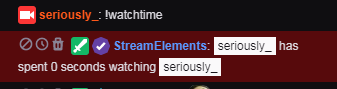
 nocturne pelicanBOT
@normal ember To add your overlays to OBS, add a new browser source in your scene. Paste your overlay URL in the browser source properties, set the dimensions to 1920x1080 (unless you changed them on the website), and ☑ “Shutdown source when not visible” https://youtu.be/KDvLynUqXI4
zenith widget
@lament blade Did you use this?
zenith widget
well it wasn't there so I did it 
lament blade
oh weird but thanks
zenith widget
what browser are you using?
lament blade
Firefox
zenith widget
hmm ok.
lament blade
i was busy in the editor, can i just remove the other alertbox and save or?
zenith widget
refresh the editor
zenith widget
well save i guess
and try the duplicate part again
but this time open the dev console (f12) and then do the copy/duplication of the alert widget
lament blade
okay i never used that but ill try
zenith widget
if the duplication fails, the error will be in red at the bottom of the console tab