#helpdesk-twitch
1 messages · Page 444 of 1
 signal cedar
 fallen lava
thanks @signal cedar !
 fast glade
Themes i put in my browser are not showing up
 nocturne pelicanBOT
@fast glade To add your overlays to OBS, add a new browser source in your scene. Paste your overlay URL in the browser source properties, set the dimensions to 1920x1080 (unless you changed them on the website), and ☑ “Shutdown source when not visible” https://youtu.be/KDvLynUqXI4
fast glade
OMG yes yes yes thank you
nocturne pelicanBOT
@sturdy scaffold Welcome to the support channel! Please let us know how we can assist you today and a member of the support staff will be with you as soon as possible.
 sturdy scaffold
im also in voice support
 twin sentinel
It is best do describe your issue here and we'll try to help you as good as we can, but we are not specialised on OBS Support. Also I don't have tome for voice support. I am sorry.
 forest storm
Hey, im trying to put the text for followers alert in in the image. Is there a way for this to be done?
twin sentinel
When you select the alert boix and the cogwheel next to the follower alert, there is a text field where you can edit the alert message.
forest storm
@twin sentinel theres 3 options and none of them give me the option to put the text in the image. only under, above or to the side of the image
twin sentinel
You can try to move the text in teh advanced text settings in the alert settings.
 amber topaz
Hey guys, I just tried the app but the mic audio is waaaay too low, almost inaudible. Any way to raise it?
 hollow spindle
what is the name of the menu how i can chance the stream name
forest storm
@twin sentinel dont see that option
 jade remnant
@amber topaz make sure obs is picking up the correct mic and adjust the levels in the audio mixer
@hollow spindle its called "stream information"
amber topaz
Obs? I was testing out the IRL app on my phone
jade remnant
you can see my confusion as this isnt in #helpdesk-mobile
 abstract gyro
hello guys i just wanted to start streaming but i have a little problem with streamelements
nocturne pelicanBOT
@abstract gyro Welcome to the support channel! Please let us know how we can assist you today and a member of the support staff will be with you as soon as possible.
abstract gyro
well i was using normal obs and then i decided to make live stream and i installed SE and then catch screen and catch game screens gives black screen
i tried some ways to fix it but none of them worked
and i tought you can help me to fix it
 strong kernel
You need to be clearer with your description of the issue, or use screenshots if needed. I don't think anyone understood you.
If English is not your first language, please check the Non-English section of the Discord.
abstract gyro
none of them is my fisrt language
strong kernel
What language? I can check to see if we have someone who speaks it.
abstract gyro
the problesm is i got black screen on obs and it started when i install streamelements
turkish is my first language
twin sentinel
maybe try to start OBS as admin.
twin sentinel
are your video drivers up to date?
twin sentinel
What OBS Studio and what OBS.Live version are you on?
abstract gyro
obs 23.1.0 and i dont know what version obs.live but i jst downloaded
 acoustic vessel
Is there still no way to customize default responses on default commands such as !redeem?
strong kernel
You cannot change the redeem confirmation message, no.
twin sentinel
@abstract gyro Could yo select StreamElements on top in OBS and select switch back to OBS Studio? and try again please?
After the next restart of OBS, you will be back with OBS.Live.
abstract gyro
i tried it too but i'll try again
acoustic vessel
alright, what about whispering the bot this is not possible either? - i have a scenario where I want to play a sound effect, but I do not wanna be warned about it at all, an example would be a shooting game, I will have a viewer whisper a bot a command, that will then trigger a sound effect such as a shot, to give the users an opportunity to make me jump.
Any idea on how to accomplish this? 😮
abstract gyro
@twin sentinel not worked
acoustic vessel
Do tell me if i need to elaborate
strong kernel
The bot has no way of knowing what channel the viewer is in when it whispers the bot. It's a public bot.
It cannot work like that.
acoustic vessel
alright, so I would need to create a bot myself to accomplish this
twin sentinel
did the capture work before you installed OBS.Live @abstract gyro
Also what are you using? game capture or display capture? Do both these two not work?
acoustic vessel
@strong kernel Thank you for your responses was helpful
abstract gyro
both and yes it was working before obs.live
twin sentinel
I am sorry, as I am out of ideas at this point. Maybe another supporter has any ideas.
abstract gyro
thank you anyway i'l try reinstall obs and restart my comp
 lament blade
My Streamelements Leadboard not working
This is the setting and not working
does not count anything
strong kernel
Have another look. 😃
lament blade
Don't count who whrite the chat
strong kernel
It will now. It was looking at one of your old channel names until now.
lament blade
it works now?
strong kernel
That's the idea.
lament blade
also offline?
strong kernel
See for yourself.
strong kernel
Delete what data?
And please don't ping people, there's more than one person who can answer your questions.
strong kernel
There is no reset button in your dashboard.
strong kernel
What button?
lament blade
no reset button?
strong kernel
No reset button.
lament blade
oh okay
 nova lodge
hi im in obs but i want to have a window of the chat so that i can see it
strong kernel
You can have your Twitch chat in OBS using our plugin for OBS Studio: https://obs.live

OBS.Live | Open Broadcaster Software Streaming Knowledge Base
OBS (open broadcaster software) knowledge base for live streaming. Find articles and videos about streaming with OBS.
nova lodge
i dont want a whole new window when i first opened obs there was already onw there and i pressed the X on it and cant get it back
twin sentinel
In OBS: View > Docks > Chat
With our plugin OBS.Live you are also able to sse the activity feed inside of OBS, too.
nova lodge
i dont see "chat"
jade remnant
are you logged in?
settings > stream
nova lodge
ooof lol it works now thanks a lot my guy
jade remnant
👍
 hardy yew
in obs live, theres buttons for pause alerts and skip alerts, but im looking to set up a hot key for pause alerts, yet i only see a hot key for skip alert. am i doing something wrong?
twin sentinel
There is no hot key feature for this in OBS.Live. If I am informed correctly, you can set such a hotkey up in a streamDeck.
 teal flicker
is it required to use the stream elements donation link and overlay?
twin sentinel
Required for what? We recommend it nevertheless. 😄
teal flicker
idk i was just curious is everything still worked even if i just used the stream elements bot and nothing else
twin sentinel
For some features to work properly we recommend using our tip link and an overlay in our system in combiation with our chat bot.
teal flicker
alright thank you
 cobalt laurel
Its possible to reedem a voice message with points?
strong kernel
Unfortunately not.
 exotic root
heyy yall, I get a message error where it is saying : "connection address or invalid path. please check your settings to confirm their validity" when I try to launch the stream :/
can someone help me pls ?
twin sentinel
Check your stream key or try to relogg please.
exotic root
relog in obs ?
twin sentinel
Settings > Stream
exotic root
working, thx
nova lodge
hey i have pretty decent specs but for some reason when i stream fortnite at all low settings at 720p in game im fine but on twitch it so laggy and freezes a lot i have a ryzen 5 1600 a gtx 1050 and 16 gb of ddr4 ram
nocturne pelicanBOT
@nova lodge Can you please provide a log from your last stream. In OBS go to Help > Log Files > Upload Last Log File. Once this is complete, please provide the link to the log file.
nova lodge
do you need the link or do you want me to copy and paste everything it says
@twin sentinel so is there a problem with my computer not being able to put out enough power or my internet or do i just have to fix some settings?
twin sentinel
Take a look at the link I provided you, there are some advice in it.
nova lodge
alright
 elder sorrel
Are you streaming directly from your console @plush crag ?
Sorry unless you got help. Have been away 😅
 urban shard
How do you get viewers
 glass heron
There used to be a dockable window thing that had like... my stream title game dropdown genre etc, and now I can't find this window. Where did it go? I thought it was part of like some twitch plugin but it seems totally gone now and I can't remember where I found it the first time.
twin sentinel
if you are referring to OBS.Live, let's jump in #helpdesk-selive
glass heron
yes, sorry and thank you!
urban shard
How do you get viewers somebody
strong kernel
@urban shard That part is up to you.
urban shard
Gotcha
 modest ice
Anyway to import things from wizebot?
twin sentinel
I am not aware, that there is an option for an import from wizebot. Maybe you can try to export the wizebot points data into a csv file and import it to StreamElements.
modest ice
Wizebot doesn't support exporting atm.
 winged pewter
activity feed is completely white, what to do?
@glass heron they took it out due to a bug, it'll be back later
 slate mulch
So on a twitch channel there's an "!hype" command but there's a cool down. I've set the cool down to 0 but it still has 1. How can I fix this?
still has one*
strong kernel
Was it given 0 cooldown for both user and global cooldowns?
slate mulch
Yes
strong kernel
Is the bot a moderator?
strong kernel
If the bot's not a moderator in the channel it won't be able to speak that fast.
slate mulch
People are what type the message. Are you saying the if Streamelements is s moderator, it won't have a cool down?
strong kernel
Yes. Twitch imposes a limiter for chat messages on regular chatters.
If the bot's not a mod, aside from the fact it won't be able to do some of its functions, it won't be able to send messages as fast as you want.
slate mulch
Alright. Thanks, I'll pass along the information
 prisma trellis
How do i get the bot in my YT stream?
twin sentinel
@prisma trellis best to ask in #helpdesk-youtube
 raw talon
hey @strong kernel , I've been setting up stream elements on stream. Its been fantastic so far, but I've encountered 1 problem i don't know how to fix. I have a tip alert i want to stretch to the whole screen, but no matter how big i make the alert box the size of the animation doesn't change.
strong kernel
You're playing a 720p video on a 1080p overlay.
raw talon
I am. Can i not stretch to fit?
strong kernel
Videos don't like to stretch, especially webm.
But there's a simple solution, though there's a bit of work for you.
Set the overlay to 720p and reposition everything.
@raw talon I duplicated your overlay and brought you halfway there.
The assets don't resize and reposition when you change the resolution.
I resized the tip alert for you.
The rest is all you, but feel free to test the alert and take a peek.
In OBS, set the browser source to 1280x720 for this one instead.
 feral sandal
hi i was wondering if someone can help me, all my commands r not working while im live, its been happening for a week now
and when i go offline it works
strong kernel
Did you rename the bot?
feral sandal
no its named streamelements
strong kernel
So you didn't use the rename function in OBS.Live or Ground Control?
feral sandal
no i dont use obs live
strong kernel
Because the behavior I'm seeing indicates the regular bot name isn't being used in your channel.
It's modded, not muted, yet says nothing when parted and rejoined to your channel. That's typical rename behavior.
feral sandal
what should i do, should i try to rename it or something
strong kernel
Where would you intend to rename it?
feral sandal
no
strong kernel
You misread the question.
strong kernel
Do you have Ground Control?
feral sandal
yes
strong kernel
Okay. Take a screenshot of your Ground Control settings for me.
 quartz valley
I was testing Media requests and its not taking any loyalty points away when i request a song. does it matter if the stream is up or not?
strong kernel
@quartz valley You're the broadcaster in the channel, I'm assuming?
quartz valley
Yes and im using test account to do requests
strong kernel
Is the test account a mod?
quartz valley
yes
strong kernel
Unmod it.
quartz valley
okay i just test it, it is still letting me queue songs without taking any points
feral sandal
strong kernel
@quartz valley Wait, the bot isn't even in your channel.
feral sandal
@strong kernel
strong kernel
@feral sandal Clear out that OAuth token and restart Ground Control.
quartz valley
@strong kernel If you mean the twitch channel, yes it is in the channel that I am testing for
strong kernel
Then please specify which channel you're referring to because that's what I was checking when I asked if you were the broadcaster.
quartz valley
channel name is Syaori
feral sandal
@strong kernel its working now thanks i appreciate it
strong kernel
👍
quartz valley
@strong kernel Oh i thought that part still had to do with the skip/votes. Thank you sir 😃
strong kernel
Always check the info icons. 😃
quartz valley
👌 thank you
 solar shore
Hey everyone, I am running duel monitor and sometimes my display capture won't capture my primary screen


How to fix black screen in OBS. In this video I'll be showing you how to fix the black screen gltich when using display capture in OBS Studio Channel Banner ...
 fair token
Can some one help me so I can put it on my ps4 butbut make it on mobile
nocturne pelicanBOT
@fair token Here is a guide on how to setup the most essential tools for streaming from your console, while using StreamElements tools without involving a Capture Card! It's easy to do, take 4 minutes to read and 10 to 15 minutes to setup!
Read all about it here: https://blog.streamelements.com/how-to-stream-on-console-7b620b1c46c3
 zenith widget
View - docks - reset ui
 fallen ruin
i did but it doesnt change
zenith widget
Or streamelements on top and enable our widgets
Caht activity feed and/or media request
fallen ruin
oh ok thank you
 nimble olive
Hey, just wondering theres a way to change the size of the image thats been uploaded into the alert widget. The picture i use seems to be waay too huge so i made it smaller and reuploaded but it stayed the same. Changing the alert box size just cuts the image off.
zenith widget
Use the layout options to change how the image is being sized. The options are right under the image/sound options in the alert box.
nimble olive
Sorry I cant seem to see where these are.
I see change image, volume, upload sound, layout, message, duration.
zenith widget
nimble olive
That hasnt been changing the size of the image
zenith widget
Wheres your alert box?
nimble olive
bang in the middle of the screen while i edit it right now
zenith widget
where?
nimble olive
top
zenith widget
3rd times the charm i guess...where is your alert widget located?
zenith widget
No need to be snarkly.
nimble olive
Agreed friend.
zenith widget
I see that you've saved your changes now with the alert widget.
And you started being snarkly with saying "in the middle of my screen".
nimble olive
You asked me where it was, that was my assumed answer
nimble olive
So the answer to my question is that i cant change the image size. Cheers.
 scarlet vessel
Hm... anyone else use cheer alert custom html with the {{message}} variable added and having it cause the alert to not show any text? As soon as I get rid that variable in my html... everything works, and it's only for bits. It works just fine for resubs and donos.
Does it maybe have something to do with the fact that bit messages tend to have the bit gif in them, and so it breaks as a result?
zenith widget
Let me take a look at your code.
scarlet vessel
DM?
zenith widget
lol
zenith widget
Ok, so why is this in the HTML tab between <script></script>?
why not place it in the JS
scarlet vessel
It's just something I've utilized from before, and it works for everything save for bits
It works for donos, works for resubs, etc.
zenith widget
I just emulated a tip - it didn't show up for me
 sweet rose
when i go look at server, no options come up, i have to type it im manually, and that doesn't work? help?
zenith widget
@sweet rose What are you talking about? what server?
sweet rose
like Australia, Sydney, Us, the places that are closest to you. on the stream elemnts settings.
zenith widget
Have you chosen twitch on top?
zenith widget
@scarlet vessel I changed it to {{rawMessage}} and it at least started showing the name of the person and amount 
scarlet vessel
For which, bits or tips?
zenith widget
bits
scarlet vessel
Yeah, I honestly think it has something to do with gifs typically being included into a bits message
nocturne pelicanBOT
@sweet rose For the best OBS support, please join their Official Discord @ discord.gg/obsproject
zenith widget
@scarlet vessel To be honest, the gifs not showing in custom css alert for cheers, was an issue before and afaik it was fixed.
hence why we have {{message}} and {{rawMessage}}
scarlet vessel
Right, I've just tried across multiple services so far, so it's definitely something with my code. It works in Muxy, but that's been unreliable, hence why I'm making the switch to StreamElements
Thanks for your help though, I'll see if I can figure it out further or just simply disable the message.
zenith widget
To be honest, I haven't dabbled much with code for the past few months. I would suggest to poke LX in #dev-chat with your HTML for example and see if he can figure it out.
scarlet vessel
Sounds good. BTW, where did you get the source for the {{message}} and {{rawMessage}} in the screen above?
is there documentation?
lament blade
hey guys, are you planning on adding stabilization option to the IRL app
zenith widget
Its not planned at the moment
lament blade
do you think there is another way to enable it?
zenith widget
I can't say
 potent pecan
Any staff around that can help a friend set up on streamelements?
 lament blade
which server is the mobile app choosing?
zenith widget
The App chooses a server closest and most stable for you.
lament blade
well, the other program keeps my bitrate stable and streamelements doesn't. I like streamelements better, but I'd love to choose the server manually and get camera stabilization option ^^
zenith widget
Server choice and bitrate really depends on your phone reception.
lament blade
I did test it just now, tested the other software and streamelements, both at the same place/time
zenith widget
If the connection is unstable, I suggest to either change the bitrate to another option or hope you get a stable reception connection.
lament blade
I will just use the other one for now since its more stable
and wait for streamelements to add these features ^^
 modest juniper
So it seems like my hypecup is broken. As in I see the cup, but no matter what, nothing is ever falling into it. The bits/subscription/follow items never appear.
zenith widget
The cup will show events from the last time it was loaded and it highly depends on a localstorage of the browser source.
modest juniper
Well I mean even if I do test subscriptions in the editor nothing happens
 brazen iris
How does the ${count <name> <value>} variable work?
 wind quail
which audio is the game audio, cos when i stream i cant hear whats going on in game. and also how do i mute my friends in the call
zenith widget
@wind quail Game audio should default to desktop audio, unless you are using Voicemeter for example
or you have multiple audio channels (speakers, headhpones, monitor speakers).
And to have your friends muted, you still need to use Voicemeter
but this has nothing to do with us at this point.
wind quail
yh with the desktop audio everytime my mate speaks the bars show the level of volume. how do i make it so they as the watcher can only hear me and the game not my mate
nocturne pelicanBOT
@wind quail For the best OBS support, please join their Official Discord @ discord.gg/obsproject
zenith widget
Like I told you, this has nothing to do with our tools and features we provide
Either ask for audio channel management guide in the OBS discord or ask in #general-chat or just google Voicemeter
wind quail
ok thank you
 gentle yoke
Hi guys I'm streaming st the moment and I've set up a contest but nothings happening. If you click the link it works but type !ticket nothing happens any suggestions
twin sentinel
Does the start chat message apper in chat?
gentle yoke
Yea it appears
twin sentinel
you have created the commands to enter the contest in the set up of the command. What are the settings for the two commands?
Like normally it is !bet <option>
Also make sure the default command !bet is enabled in the default command settings https://streamelements.com/dashboard/bot/commands/default
gentle yoke
I've not made any commands I thought it was a default and became active when I created the give away
Sorry I put contest I meant giveaway
twin sentinel
Create the contest and activate the !enter defautl command and check if the alias ticket is set.
gentle yoke
Thank you so much! It was looking me in the eye! Super helpful
 smoky elm
Hey guys. So I'm trying my hand at streaming and I stream directly from the PS4 without a capture card or camera but I use a headset. Am I still able to use StreamElements as a bot and an automod?
elder sorrel
Yes. Can still use the bot for Chat Alerts / Commands.
nocturne pelicanBOT
Here is a guide on how to setup the most essential tools for streaming from your console, while using StreamElements tools without involving a Capture Card! It's easy to do, take 4 minutes to read and 10 to 15 minutes to setup!
Read all about it here: https://blog.streamelements.com/how-to-stream-on-console-7b620b1c46c3
smoky elm
Also is PayPal the only donation method that Twitch accepts?
elder sorrel
No but is the most common.
smoky elm
Are the banned phrases and the parameters for the symbols and emotes already programmed into the bot?
 proud bone
hey i'm on xbox and stream on twitch i'm i still able to get alerts?
twin sentinel
Do you have a capture card or remote play? You need a pc to get on screen alerts.
proud bone
so if i got a capture card you would say it works?
twin sentinel
a capture card and a pc.
proud bone
k thanks for your help if i need anymore ill come to you
 karmic canopy
I've got a sound linked to a stream redemption, but for some reason it plays twice. Any way to make it play once?
nocturne pelicanBOT
@karmic canopy Make sure to ☑ “Shutdown source when not visible” for all browser sources (all OBS scenes). If using studio mode, uncheck “Swap Preview/Output scenes After Transitioning.” Also keep in mind that sound can play from any overlay loaded in the browser (editor or launched). https://i.imgur.com/FegZJQS.png https://i.imgur.com/yY0wcFl.png

 proud bone
hey i have a question does OBS run on chromebook
 scarlet mauve
Is there a way to set up a custom bot in obs.live?
or do i have to use ground control
twin sentinel
Take a loook at the pinned messages in #helpdesk-selive
@proud bone Afaik there is no support for chromebooks.
proud bone
😦
 craggy jewel
@twin sentinel whats the link to change your follower amount again forgot to save it
twin sentinel
https://streamelements.com/dashboard/session -> Goals tab
lament blade
i want a recent follower nice overlay with a recent donation beneath and a total folllower count beneath that in a nice box - how do i do that
 untold crest
@lament blade Hi. I recommend you checking our themes gallery. I am sure you will full overlay setup matching your needs. You can find it here: https://streamelements.com/dashboard/themes

StreamElements
The Ultimate All in One Platform for Streamers
lament blade
dud this is amazing i didnt know it existed - do i need a facecam for these to work because it says it has space for it
 small violet
Hi! Could i talk with any staff member? I've a lot of problems with my loyalty points
 dawn lily
my overlays are overlapping how do i stop that
like someone hosted me and followed then both came up at the same time
jade remnant
you need to move where your alerts sit on the overlay editor
nocturne pelicanBOT
@small violet Welcome to the support channel! Please let us know how we can assist you today and a member of the support staff will be with you as soon as possible.
dawn lily
@jade remnant i dont get it please show me
craggy jewel
@twin sentinel how do I color text in for the twitch chat overlay?
 golden fox
how the F do i whitelist clips
lmao
i think im putting in the wrong thing. but people keep getting timed out for clips
 stark furnace
Hi there 😃 A friend who uses SE and who's channel and SE Dashboard I have access to, is having problems with his 2FA (he's an affiliate) so that he has not been able to login for over a week, and Twitch have not yet responded to his support ticket. He has now set up a 2nd account that I also have control over and access to his SE Dashboard. Is it possible to do copy ALL his timers and commands from one account to the other, including all his alert commands where they play an audio clip and show a gif or pic (redeemed from the stream store) ? If anyone can help it would be appreciated as it will take hours to recreate everything he had before.
fallen lava
hello I am currently creating an overlay for a streamer I mod for and she has a goal of 1500 widget. It currently only shows 764 but she actually has 1141.... How can I get that number to show the correct follower count?
I have tried going into the edit overlay-->data tab and changing it but it just keeps giving me an error pop up saying I am unable to save the change
elder sorrel
Are you using Chrome @fallen lava
@stark furnace Afaik that only stuff in the overlay editor can be duplicated to other overlays.
Timers & Store redemptions will have to be set up manually again.
fallen lava
yes @elder sorrel
elder sorrel
@golden fox Add https://clips.twitch.tv/
fallen lava
i assume the same for youtube for song requests https://youtube.com/ ?

Enjoy the videos and music you love, upload original content, and share it all with friends, family, and the world on YouTube.
elder sorrel
@fallen lava You can try going to the Dashboard -> Left Side menu click Activity Feed -> Widget Data -> Goals & see if that updates.
stark furnace
@elder sorrel I know that is normally the case from my end. I was wondering if it might be possible at your end maybe ? He is an elderly gentleman (nearly 70) and this has really got to him. Twitch have let him down badly.
fallen lava
@elder sorrel unfortunately i have the same issue. her current followers is 1142 so we would like the goal to be 1500 but it show 1142/1500 but instead for some reason it is doing 764/1500
 steep ravine
Hello my peeps. I had a question, maybe y'all could help me with. Soo... I dunno when, but nowadays whenever someone either subscribes or donates money to the stream, I don't hear that notification, even though I made a specific notification sound for whichever happens to occur, the sound is on and everything but I hear nothing. Follower notification works like a charm. Any help is appreciated and I love you face ❤
 warped copper
morning... i have a question i am trying to get the !me command to work in my twitch chat and the command will not work for some reason. any ideas y?
elder sorrel
@stark furnace I can ask.
@fallen lava Can clearing your Cache on your Web Browser & try again.
@steep ravine Check your variations for the Subs / Tips as could be muted.
@golden fox Yes it does matter. https://cdn.discordapp.com/attachments/342748377416466442/568527700390838311/unknown.png

@warped copper What is the !me command suppose to do?
Also do you have it set to work when you're online & offline?
stark furnace
@elder sorrel It would be great if you could please. 😃
warped copper
its the !shoutout command so other streamers can shout out their stream in my chat and yes its set to both online/offline
its a preset command in custom commands i just changed the shoutout to me but i tryed both ways
steep ravine
I will most definitely do that, thank you so much @elder sorrel :3 Will report back if that did anything, b0ss
warped copper
warped copper
you have to put in the twitch name can you do it where you just have to put in !me?
 spiral sable
I’m trying to setup my chat bot. But it won’t allow me to activate it
elder sorrel
Not that I know off, Rambow. The Shoutout template to my knowledge requires the command then username.
What do you mean not activate it? As it would be signing in Streamelements website with your Twitch Login -> Join bot -> /mod streamelements in your Twitch Chat
fallen lava
@elder sorrel attempted that as well and it didnt work
it wont even let me reset goals either
spiral sable
I’ve done that @elder sorrel but my chat bot isn’t activated
Never mind. Yes it is. Sorry.
fallen lava
maybe itll update next time she goes Live? @elder sorrel
spiral sable
But I can’t get timers to post in my chat @elder sorrel
elder sorrel
Are your chat lines 0?
If not: Viewers have to chat whatever chat lines you have to trigger the timer to start.
 slender yoke
Hello! Is there anyone that can explain how the train widget works? Is it always on, or does it come on when the chosen event happens and disappear when the timer runs out?
warped copper
@elder sorrel all i would like for the streamer to do is put in !me, what would the responce code be?
spiral sable
@elder sorrel Thanks for the help. It worked
@warped copper Thanks for adding me to this discord
warped copper
@spiral sable your welcome
elder sorrel
@stark furnace Currently it is not possible. Eventually it would be possible. No ETA when though.
 ionic cobalt
How long do donations take to come through on paypal
stark furnace
@elder sorrel Ok then. Thanks very much for asking 😃
elder sorrel
Should be instant if your Paypal is verified @ionic cobalt
ionic cobalt
Ok
 wanton mango
@warped copper
Check out $(sender), they were playing $(game $(sender)) at twitch.tv/$(sender)!
 tribal oracle
ionic cobalt
tribal oracle
ionic cobalt
If I register my account now how long will a donation take
warped copper
@wanton mango awsome thank you!
slender yoke
Can anyone answer my question above?
ionic cobalt
Hello
jade remnant
@slender yoke this is what it shows when there is no sub and the counter runs out
depending how you set it up
ionic cobalt
How long dose a donation take when I just verified my account on PayPal
 ebon forum
Paypal transactions are nearly instant
jade remnant
ebon forum
check transaction history on Paypal, it might be on hold there
but it should show up anyway with a status
slender yoke
I’ll @jade remnant thanks
lament blade
trying to setup an overlay
is there anyway to import my followers so that the most recent one isnt empty? 😃
 pseudo ravine
Hello everyone.
Lately when redeeming a store item via chat gives me this
How do I fix that elementsOkay? It's not showing in the default commands !redeem a place where to edit that sentences at all
elder sorrel
@pseudo ravine Go to default commands. Locate !pepes
Or type in Twitch Chat !pepes disable
 cyan iron
hey does anyone know if there's a way to keep your stream up during a reboot?
jade remnant
not really as you need obs open to stream
wanton mango
Maybe try enabling 'Disconnection Protection' on your channel settings page on Twitch? If you reboot while OBS is actively streaming it might trigger that. Unfortunately you only get up to 90 seconds to reconnect before your stream ends as normal though.
 pastel rampart
I am unable to use my stream correctly unable to redeem things. Points are taken away but nothing shows up on my streams
 quiet portal
how do i add an overlay to this
 glass sluice
How do you reset the widget info again for followers? It's hidden and I can never remember where it is.
nocturne pelicanBOT
@quiet portal To add your overlays to OBS, add a new browser source in your scene. Paste your overlay URL in the browser source properties, set the dimensions to 1920x1080 (unless you changed them on the website), and ☑ “Shutdown source when not visible” https://youtu.be/KDvLynUqXI4
steep ravine
Hmmm... still no luck, brother. I don't see anything muted in that section, yet it refuses to play the sound
pseudo ravine
Anyone for my case mentioned few lines above (with screenshots) ?
 hollow blade
Hello, not sure where to ask but - does the chrome plugin to transfer from streamlabs to streamelements not work anymore? It gives me an error each time I try now..
ebon forum
@hollow blade make sure you are logged into StreamElements AND Streamlabs on Chrome (multiple tabs) before hitting import.
and import only once or you end up with multiple data sets which is not good.
lament blade
I'm having an issue with my output coming out like a slo-mo scene in the Matrix.
Or just OBS in general, just an entire issue with OBS lol
Please advise via PM. I have servers muted.
Thanks, love you. <#
<3*
nocturne pelicanBOT
@lament blade Can you please provide a log from your last stream. In OBS go to Help > Log Files > Upload Last Log File. Once this is complete, please provide the link to the log file.
 azure horizon
Do alerts not play based on a username? I have a sub that has been subbing for months now and all of a sudden like the last 3 subs when he resubs to me the alert wont got off for him but will for others, same if he gifts a sub
 amber juniper
Quick question! Just added the Leaderboard panel/extension to my channel. Will it only account for cheers/bits going forward since I added the panel? Currently says No Data even though I have received subs and bits over the past week. I use obs.live
 last sleet
Hey quick question about train count. The timer gets added when there's a new sub.. But nothing happens when someone tips or send you bits
Is there a way to use all these activities and not only pick one?
 bright oak
Hello, I am having a hard time getting the variations/sounds/alerts to work. They work by default, but when I upload my own sound the sound does not work. I tried adding to default alert as well as in the variations.
 rustic parrot
I need some help.
twin sentinel
@bright oak What browser are you using?
nocturne pelicanBOT
@rustic parrot Welcome to the support channel! Please let us know how we can assist you today and a member of the support staff will be with you as soon as possible.
bright oak
firefox developer edition
twin sentinel
@last sleet Afaik the train is just for one event.
rustic parrot
Alright so few weeks ago i can run games smoothly but not fortnite, then i tried streaming the game i can run smoothly and it somewhat just lags. Is there something i can do so it runs smoothly on any games ? Also fortnite.?
thats only when i stream.
nocturne pelicanBOT
@rustic parrot Can you please provide a log from your last stream. In OBS go to Help > Log Files > Upload Last Log File. Once this is complete, please provide the link to the log file.
rustic parrot
twin sentinel
Your Laptop has two GPUs. OBS is running on the weak integrated Intel GPU. For better performance as well as game capture being available you should run OBS on the dedicated GPU. Check the Laptop Troubleshooting Guide: https://obsproject.com/wiki/Laptop-Troubleshooting
bright oak
@twin sentinel looks like it works in Chrome - nice, just out of curiosity why is that? Thanks for the thought and idea behind browser, would have never guessed it.
twin sentinel
The system is developed and tested to work on chrome. Other browsers may work, but we can't guarantee it.
bright oak
ahh ok, thanks again.
 weary mist
OBS uses chromium, so it makes sense to have it working 100% in chrome
rustic parrot
I did what was recommended.
Is there something else to make my stream more on the performance side?
twin sentinel
You would have to provide a log with an output session, like when you streamed so we can try to take a look into it.
 hushed depot
@amber juniper in twitch, there is a setting to reset that or not weekly monthly or never
rustic parrot
twin sentinel
To analyse your stream performance we would need a log with an output session.
rustic parrot
How can I send you a log with an output session?
twin sentinel
To make a clean log file, please follow these steps:
- Restart OBS.
- Start your stream/recording for about 30 seconds. Make sure you replicate any issues as best you can, which means having any games/apps open and captured, etc.
- Stop your stream/recording.
- Select Help > Log Files > Upload Current Log File.
amber juniper
@hushed depot yeah i currently have it set to all time already
abstract gyro
hello again. I have black screen problem with obs.live anyone can help me?
 tropic ermine
Hi how do I add my streamelements notifications to my obs so that alerts will show up. I did it once in the past but forgot how to do it again
<@&382267076632379392>
 proud ibex
dont know if we are allowed to share links sorry if we are not allowed
nocturne pelicanBOT
@proud ibex Please abide by our server rules:
- No advertisement or stream promotion
- Respect ALL server members
- No NSFW/NSFL
proud ibex
ok sorry
 pine goblet
Hello! I am having some issues with the StreamElements Leaderboard extension. Is this a good place to ask for help?
 unreal depot
can i add streamelements as a bot foh discord
 old path
ok so i had 2 donations today and it shows in paypal but pending so my question is am i able to have the alert go off for them even if its pending in paypal? would be helpful cause it doesnt even show in activity
zenith widget
@pine goblet yes
@unreal depot we dont have a discord bot
@old path they need to he accepted in paypal
Or fully processed
zenith widget
Wdym fully chane?
old path
like i mean the next time they donate
pine goblet
@zenith widget I've been using the extension for a while now. I notice two issues: the avatar for each user simply do not show up (all we can see are default avatars) and cheers/subs simply do not show in their respective sections. I'm kind of at a lost. Is the extension in beta?
zenith widget
@old path this is highly dependent on why the tipa are pwnding at the moment. Make sure your account doesnt have any open issues and its fully verified. If you cant accept the tips, check with paypal support as to why they are still pending
@pine goblet no its not in beta. We show avatars as long as these people have logged into our system once and have not vhanged their avatars since logginf. As for cheers uninstall the extention and change the cheer leaderboard on youe chat to all tike then install the extension. This should allow it to retrieve proper bits/cheers data frok twitch
old path
@zenith widget thanks yep i think thats what it is i now see i never finished setting up thanks agian!
zenith widget

lament blade
pine goblet
@zenith widget So what you're saying is that if these people have never registered on StreamElements their avatars won't show? And for the bits/subs, I tried uninstalling and it didn't change anything. Still looking for help.
zenith widget
What exacrly is the issue with the bits?
You are just saying theres an issue but not being specific how or where in the extention
lament blade
My output during a live stream sorta.. renders in slo-mo. I've tried changing the rendering engine, my encoder settings, bitrate, etc. etc. I can't seem to find the issue, also sometimes I get sorta a motionblur that pixelates 90% of my content. I suffer no dropped frames, and it usually operates at 6-10 % CPU
I don't know what the issue is.
I can never get my stream output right.
nocturne pelicanBOT
@lament blade For the best OBS support, please join their Official Discord @ discord.gg/obsproject
pine goblet
@zenith widget they dont appear on the extension in their respective tab.. it is empty
The extension in general has multiple broken functions
Thats why I asked if it is beta
zenith widget
So did you uninstall and install the extension?
 inland knoll
Hey everyone, is there a queue function for StreamElements? - so i can organise my duets in Twitch Sings 😃
zenith widget
Either create an empty overlay or in one of your current overlays -> editor -> widgets on top -> custom widget -> add -> click on the custom widget -> open editor on the left -> replace all tabs with the code (html to html, css to css, js to js, json to fields).
the Fields is a way to allow customization of the widget on the left after you edit the fields
 stray ermine
Hey guys, when creating a custom !shoutout command and one of the mods uses !so @lament bladename what variable is best to use to have streamelements return the username without the @ symbol?
stray ermine
so basically instend of say ${touser} I should use ${user|${1}}
inland knoll
thanks @zenith widget I'll give it a go
stray ermine
and that will remove the at symbol? becuase when it comes to the twitch link I noticed my current shoutout is placing an at symbol in the url link
I want to avoid that
stray ermine
So it's ${touser}! Please check out twitch.tv/${1} and give them follow. Last seen streaming ${game ${1}}
not it's ${touser}! Please check out twitch.tv/${touser} and give them follow. Last seen streaming ${game ${1}}
zenith widget
yes, the first one
zenith widget

 vale kraken
so this is where I ask for help?
zenith widget
Yes
vale kraken
ok.. HELP!!!
I have a ps4, laptop, elgato, blue yeti and hyperx cloud II headset and obs hates all of them
nocturne pelicanBOT
@vale kraken For the best OBS support, please join their Official Discord @ discord.gg/obsproject
vale kraken
thanks.... guess I'll wait for someone to help me there
 ivory bramble
I've just installed Ground Control. I previously had everything working on Streamelements (store items, overlay etc)... since the install and setup of ground control, I have lost ALL access to my store items and the overlay. No sounds, pics, or anything. please help.
zenith widget
Ground control has nothing to do with your stream store or overlays.
vale kraken
so I have to sit and wait for someone to respond when I have both obs and stream elements?
aren't they both the same thing?
zenith widget
What you are describing is a big technical question, that I can't really help with. OBS.Live only provides 3 windows to OBS Studio - hence its just a plugin/addon.
ivory bramble
well in that case, I have no idea what is happening then. None of my store items are working, no feedback saying they have been redeemed, and no alerts or sounds via the overlay. It was all working yesterday. Weird
nocturne pelicanBOT
@ivory bramble Please connect your Twitch and/or YouTube channel with Discord by going to ⚙ Settings and then Connections here in Discord. https://streamable.com/eg92w
 zenith widget
So I'm seeing that the scrolling text is working fine on your stream.
ivory bramble
yep
nocturne pelicanBOT
@ivory bramble We have added a new feature, which allows testing of alerts only in the Editor or in both Editor and OBS. Hover over the bell and on the right side toggle it on.
https://media.discordapp.net/attachments/342748377416466442/564781551649292299/unknown.png
 ivory bramble
yep, everything seems to be working via the editor, but the viewer online atm has been unable to redeem any of the store items, even the free ones...
zenith widget
how are they trying to redeem?
ivory bramble
Through chat. I just redeemed my alert item through the store, and it worked fine
tried via the chat with !alert, nothing.
zenith widget
Steps to make a command trigger sound on stream:
- Go to Stream Store page here: https://streamelements.com/dashboard/store/items
- Add an item that has these settings on it:
- Stream Perk
- Loyalty settings to your desire
- (Next step) Add contents (image and/or sound you want to play)
- "Redeeming this item shows an alert
- Redemable via chat
- Skip Requirements
- Get the item name/command from the 2nd creation page
- Go to commands page here: https://streamelements.com/dashboard/bot/commands/custom
- Add command with desired name and have response for command as:
${redeem item_name_here} - Go to your overlays and edit the overlay you use.
- Click on "widgets" and add "Store redemptions" widget. Click save and you should be golden.
- Test your own command in chat and have OBS or editor open to hear sound
ivory bramble
Thank you
zenith widget
@ivory bramble You can still leave it as sound effect, but you are missing some steps if you want it to trigger as !alert
 forest umbra
i looked on the youtube for help on media request not working on ps4 from a different streamer.. is there something that other streamer needs in order for the media to activate from their ps4?
zenith widget
PC + Capture card + obs
forest umbra
alright. thank you
small violet
Hi! Excuse me, I've a lot of problems with my loyalty points, could anyone help me? I've put new items in my "store items" but followers can't redeem anything because it doesn't find points in their twitch account...it's so strange because if you look at the points section in the leaderboard they have a lot of these
zenith widget
They need to login into our platform at least 1 time
small violet
With the normal twitch login?
zenith widget
yes
small violet
We have tried to do it yesterday with my moderators but it doesn't work 😥
They connected in streamelement website with their twitch account trying to buy through the store in the same website
But anything... It didn't work again
zenith widget
What error message are they getting?
small violet
"Fail to purchase item, you have not enough loyalty points"
zenith widget
To skip the back and forth who is trying to redeem?
small violet
Something about this*
zenith widget
and what is your twitch?
small violet
My twitch channel?
zenith widget
just the name
small violet
S4Nth
zenith widget
small violet
Wait, I try again
zenith widget
I'm not even following your channel. Are you sure they have logged in?
small violet
Yes but they don't have the same real points. In my leaderboard he has 3245 points but during the purchase it says he has just 90 points
zenith widget
I need the viewers name
small violet
R0Mat
zenith widget
small violet
Do you see my predicament? If you go on my leaderboard you can see he has 3245 points and not 90
small violet
Yes, but it isn't linked to his account?
zenith widget
Loyalty points doesn't track when someone name changes
you will have to transfer their points
!addpoints r0mat <old points>
!addpoints r0ma -10000
small violet
Ok thanks a lot, have a good Easter and a good day!
So if anyone change its name in r0ma in my channel he can takes all his points? ;/
zenith widget
ye
 foggy cliff
So it seems like when I try to change the bot name from "Stream Elements" to a custom bot name via Ground Control, the new bot name is just my Twitch channel username rather than the custom bot name I chose. Help?
nocturne pelicanBOT
@foggy cliff Custom bot name requirements
- StreamElements bot modded and in chat
- Active overlay with alerts
- StreamElements tipping page in the panels below the stream (!panels)
- Create a twitch account for the name you want to use
- Ground Control app must be running
Steps to enable custom name
- Sign in to https://twitch.tv with the bot account
- Install and run Ground Control (!gc for download)
- Visit https://twitchapps.com/tmi/ and generate an oAUTH token
- Copy/paste everything in the box to Ground Control oAuth settings and enter the name for the bot account
- Restart Ground Control (custom name may take a few minutes to take effect)
Mac does not currently support renaming the bot.
zenith widget
So logout from twitch and login to the other account and visit the TMI site
foggy cliff
oh, ok, thanks!
hollow blade
Something I'm interested in - the media share etc. I wanted to see if I could entirely switch over to StreamElements. I get how the widget for media share works, how people donate to add media etc.. but where and how do mods see it all? I can add "mod" roles for sure. Where do they go to see it? Like a toned down version of the dashboard like on Streamlabs?
nocturne pelicanBOT
@hollow blade To invite managers to your dashboard, Click on your Channel Name at the top of the dashboard and scroll down to Settings. Click the drop down arrow to expand your channel managers and then create a new invite at one of three access levels (Bot Supervisor, Editor, Full Control) Check this video out for more help: https://youtu.be/zl_h-ttZDF0
zenith widget
When you invite them as a manager/editor/bot supervisor, they can roleplay as you and look at MR
hollow blade
Ye, they are added as that, but where do they go to see it? Logging into the site themselves?
Then down to media request I guess?
zenith widget
foggy cliff
@zenith widget I can't seem to be able to log out of my main streaming account on Ground Control such that I can use it to set up my custom bot there....
I even tried uninstalling ground control, but it just auto-logs back in with the original account
zenith widget
Why do you need to logout from your main account when you want to setup a custom bot name?
read the instructions on top
nocturne pelicanBOT
@foggy cliff Custom bot name requirements
- StreamElements bot modded and in chat
- Active overlay with alerts
- StreamElements tipping page in the panels below the stream (!panels)
- Create a twitch account for the name you want to use
- Ground Control app must be running
Steps to enable custom name
- Sign in to https://twitch.tv with the bot account
- Install and run Ground Control (!gc for download)
- Visit https://twitchapps.com/tmi/ and generate an oAUTH token
- Copy/paste everything in the box to Ground Control oAuth settings and enter the name for the bot account
- Restart Ground Control (custom name may take a few minutes to take effect)
Mac does not currently support renaming the bot.
zenith widget
You don't need to logout from Ground control
zenith widget
you need to logout from your main twitch account
login to your 2nd twitch account
IN TWITCH
foggy cliff
I tried a test and nothing happened at first
zenith widget
and then retrieve the oAUTH token
foggy cliff
but now it's working
foggy cliff
Will this message replace "PogChamp" with something else?
 with w/e you want there
foggy cliff
with w/e you want there
foggy cliff
Ok I guess I didn't know that that was a specific emote...thought it was just words...still new to this lol. Thanks!
lament blade
how do I do custom commands for stream elements - like !sens and it would display my sensitivity
nocturne pelicanBOT
@lament blade You can make changes to custom commands in chat with!command add/remove/edit/options/show Valid flags for !cmd options are: -cd (number) -usercd (number) -cost (number) -level (number) -type (say, whisper or reply) -count (number). --- Example: !cmd options twitter -usercd 60 -type reply -level 250
zenith widget
cd/usercd = cooldown/usercooldown
StreamElements
The Ultimate All in One Platform for Streamers
Or go here and add a custom command.
zenith widget
Well, what exactly you need help with?
 distant linden
I am watching a youtube vide on on how to add overlays to my obs 2 part question 1) from the browser link method my panels are slightly lagging when loading even though my computer and internet is very fast and I don't recall them doing it before when someone else helped me set it up (I changed what they did). 2) I can't get an overlay to work with my client showing inside of it. When I follow the tutorial just the overlay shows my client in queue disappears even when I click it and make sure it is open/selected.
I can show you better with discord screen share if needed.
zenith widget
What client are you referring to?
And what panels are you also referring that are lagging?
distant linden
League of legends Client, I had it working before I tried to add this overlay to the scene and before when the person was helping me so I know it is possible
and all of them, want me to show you on discord with my screen shared?
Basically if I load a scene the overlay scenes are lagging and before I recall them being instant, however I set them up this time and it is possible they had different settings toggled.
zenith widget
Do you have the "shutdown when inacitve" option on?
 quiet monolith
hey, i try to launch my overlay and all it open is just a white black tab i test my overlays and nothing is happening in obs even tho i did put the link and all
distant linden
I fixed the overlay not working the league client thing just by doing the basic delete it and re-add it situation I was just avoiding that because I didn't want to set up my automatic scene switcher again
the only issue I have left is when I load tabs my overlays load in slowly by a few secounds
seconds*
Let me look for that option you mentioned now
zenith widget
So you are using the "shutdown when inactive" option on the browser soures.
nocturne pelicanBOT
@distant linden Check out this tutorial for OBS’ studio mode which allows you to preload scenes before transitioning. https://www.youtube.com/watch?v=W8iWsD2Lq3U
zenith widget
That is one way to go around the "slow load"
other is, you can move your alertbox in 1 overlay by it self
and just add it as a browser source -> copy -> paste as reference in other scenes
and you can turn off the "shutdown when inactive" on the other overlays.
that don't produce sounds
the option is when you right click the browser source
nocturne pelicanBOT
@quiet monolith We have added a new feature, which allows testing of alerts only in the Editor or in both Editor and OBS. Hover over the bell and on the right side toggle it on.
https://media.discordapp.net/attachments/342748377416466442/564781551649292299/unknown.png
distant linden
to answer your question yes I have the shutdown when inactive option selected
the youtube tutorial did select that option so I just copied it, if I toggle it off you are saying it would load faster?
Also I am watching that youtube guide the bot linked as well.
zenith widget
You are running the risk of having multiple echoing sounds when not having that option on.
So what I suggested to move the alert box in its own overlay and copy + paste as reference is to avoid that echo
but have the overlays instantly loaded in
distant linden
ty for your patience with me
I am trying to read and understand
I really don't understand
So I got everything working perfectly
distant linden
so I have a stream elements theme on 3 of my scenes
I don't know if I have any alert widgets because I had someone help me set that all up
I don't even know where I would check to see if I have those
I know it makes a noise when I get a follower/subscriber I think
zenith widget
- Go here: https://streamelements.com/dashboard/overlays
- Click on "Create blank overlay"
- Click any of the 5 pencils here:
- locate the alert box
- click on the alert box
- Click on the 2 white papers with red dot next to layers
- Copy the alert box to the blank overlay
quiet monolith
not the overlay shows in the browser tab after i launch it but doesnt appear on stream
zenith widget
- Delete the alert widget from current overlay editor
- Save
- Exit
- Repeat almost hte same process, but only delete the alert widget from each overlay
@distant linden When you get to 11th step, let me know
nocturne pelicanBOT
@quiet monolith To add your overlays to OBS, add a new browser source in your scene. Paste your overlay URL in the browser source properties, set the dimensions to 1920x1080 (unless you changed them on the website), and ☑ “Shutdown source when not visible” https://youtu.be/KDvLynUqXI4
quiet monolith
oh yea dimensions were bad it works now, ty
 karmic nymph
Hi . Im new here any ideea if i can move all my stream labs overlays to stream elements ?
distant linden
Thank you Keizar
so the only thing I wasn't sure about was the copy the alert box to the blank overlay step
zenith widget
So now add the overlay that has the alert widget on its own
distant linden
so you wanted me to make a new overlay that is blank for the alert widget so that all my alert widgets from my overlays don't just run over each other
zenith widget
to OBS
and copy + paste as reference across your scenes
yes
you will have 1 centralized alert widget
that even if an alert is playing while switching scenes
it will still continue to play
since you are using the auto scene switcher
@karmic nymph https://streamelements.com/dashboard/account/import you can import with one of our tools here
karmic nymph
tnx 😃
distant linden
ty vm
 lusty axle
Good morning, I have question/need help. I wanting to mute discord voice chat on stream, but still be able to hear/ talk to everyone on the channel in discord. Not sure if I need audio mixer or if there setting am not aware of.
lusty axle
Thank you so much!
 pseudo loom
my donation alerts dont work and it doesnt appear in my paypal account although i get an email can anyone help?
jade remnant
If theres nothing in your PayPal account you need to contact PayPal. Who was the email from?
pseudo loom
email was from paypal
jade remnant
Yeh theres nothing that SE can do then. If you got an email but nothing is on your account you need to ask PayPal
pseudo loom
but there is also no alert but does that matter?
jade remnant
If the emulations work in the editor then it should be fine. The fact that nothing is in your account is probably why the alert didn't go off
pseudo loom
okay thanks
 humble fable
I have 3 accounts connected to my account. I wan't to delete one of them. Tried using delete account feature but it says invalid username
 agile rune
hi, im not great with pc and changed something recently that has now changed settings meaning im having trouble streaming now?
karmic nymph
hi can i copy paste the alertbox on other overlay somehow ?
elder sorrel
You sure can 
nocturne pelicanBOT
@karmic nymph To duplicate a layer on an overlay select the layer that you want to duplicate in the layers drawer (bottom left of the editor) and then select the duplicate button with the red asterisk right above the layers panel. You can duplicate a layer to the same overlay or to other overlays.
lament blade
Is it possible to get some type of reset with overlays?
My alerts just stopped working in the middle of a stream
 nimble dune
Hi how to be obs.live beta tester and twitch beta tester?Thanks
 pulsar gulch
Hello everyone 😃
is it possible to make a command !clip that's gonna make a clip with the last 30 sec ? 😮
 timid cape
I don't know if this is a bug, but the Host notification for me doesn't pop up at all and doesn't reward the view with loyalty points. Can someone help me troubleshoot?
 west raptor
Hello can anyone help me with the kappagen widget if it is possibile to use it in streamlabs?
timid cape
I think because they are competing services, that's not possible @west raptor
west raptor
ahhh okay i figured as much was just wondering if it was possible @timid cape
twin sentinel
@pulsar gulch Here is an external API you can use for that: https://thefyrewire.com/docs/api/twitch/clips/
Also there is a feature to show these clips on stream with StreamElements as a Replay-Feature.
pulsar gulch
So uhm I make a command using that line $(customapi.... ? @twin sentinel I'm pretty pepega about how to use that 
twin sentinel
You need to authorize your account with the API endpoint first. There is a link where to do so in the link I send you, as well as a description which link you have to use in the bot after {customapi.}
 calm maple
is there a way i can test my alerts
timid cape
yes
nocturne pelicanBOT
@calm maple To test/emulate alerts, hover over the blue bell at the bottom of the overlay editor. From here you can select the type of event and the amount to test.
calm maple
how can i add my recent followers/donators to this?
twin sentinel
There are widgets in the overlay editor you can add to your overlay. Selet the overlay you want to edit and in the blue bar at the top it says "widgets".
pulsar gulch
is it at the variables section the way I authorize that ? 🤔
twin sentinel
pulsar gulch
that moment when u feel stuped cuz it was just right there 
thank you @twin sentinel
pulsar gulch
So the command will basically make a 30sec clip right ?🤔 ?
 rapid vault
@zenith widget or whoever. In regards to the tipping issue. They used the Credit card link (the SE pay one) and it has shown up as a charge on their statement, but I don't see it in revenue history (and I see other peoples' there so I'm not sure where the issue is).
and it's a Canadian to USD conversion. maybe that has a longer processing time or something....
 clever nexus
Hi , I tried streamelements a few weeks ago and just couldnt get it to work well in terms of alerts working or bot posting in chat. Really want to try again and love the ease of use of bot and modules. Ive tried importing my alerts from slobs and it shows in my overlays, but they do not look like my slobs alerts?! Also nothing appears in chat when testing.
jade remnant
SLOBS uses their own format, so adjustments will need to be made in the editor to get it to look the same
nocturne pelicanBOT
@clever nexus We have added a new feature, which allows testing of alerts only in the Editor or in both Editor and OBS. Hover over the bell and on the right side toggle it on.
https://media.discordapp.net/attachments/342748377416466442/564781551649292299/unknown.png
jade remnant
have you set the bot to your channel and set the modules for it?
clever nexus
@jade remnant Bot is set to moderator in chat and all chat alert settings are enabled, nothing in chat when sending tests. Hmmm so im not going to get the alerts to instantly look like my slobs ones. Might be easier to start fresh with them!
jade remnant
have you joined the bot to your channel?
clever nexus
@jade remnant I did it a few weeks ago when I originally tried it. Streamelements is showing in my chat and is a mod. Is there anyway to maybe re-do the connection?
Should I choose part channel and then try to start again?
elder sorrel
Part the bot, sign out of streamelements. sign back in & join the bot.
nocturne pelicanBOT
@paper cobalt Please abide by our server rules:
- No advertisement or stream promotion
- Respect ALL server members
- No NSFW/NSFL
hollow blade
The extension to transfer from streamlabs to streamelements still doesn't work - it's like it actually doesn't work anymore. Both open. Restarted browser, removed and re-added the extension etc
clever nexus
@jade remnant @elder sorrel I have done that and still nothing being posted in chat when sending test alerts
elder sorrel
@clever nexus Do you have your commands to work when online & offline?
@hollow blade Are you using Chrome?
clever nexus
@elder sorrel Is there a setting for that? Yes Chrome
hollow blade
Yes @elder sorrel the Chrome extension
elder sorrel
Try incognito mode, Krewlex.
Yes there is, Hanimal.
hollow blade
Why would incognito mode work, gotta relog into literally everything, and get extensions again
clever nexus
@elder sorrel Isnt that setting for chat commands, not follow, host, raid etc alerts?
elder sorrel
If that doesn't work, Krewlex. Try updating Chrome please.
And check your version at chrome://settings/help
hollow blade
It's up to date - and the store doesnt even work in Incognito mode, so I can't get the extension that way
elder sorrel
Ah. Remove both & try again.
Also, Hanimal. You're trying to test alerts in Chat for follows , tips, donations? Not commands?
If so: Test chat alerts won't show in chat.
 supple nacelle
Is there any form of Alert test that isnt 3 pages deep in the Overlay Editor?
nocturne pelicanBOT
@supple nacelle To test/emulate alerts, hover over the blue bell at the bottom of the overlay editor. From here you can select the type of event and the amount to test.
supple nacelle
lol thanks bot I think I knew that
elder sorrel
What would you be referring to testing then?
supple nacelle
I was hoping there would be a test button in one of the dashboard menus
pine goblet
I am still having issues with the Streamelements Leaderboard extension. Can anyone help out?
supple nacelle
it takes 3 layers of the website to get to that one just to test
elder sorrel
You can replay events in your activity feed in the Dashboard. The alert will play if you have OBS.Studio open with the Browser Source Overlay.
clever nexus
Yes trying to test alerts and wondered why not in Chat but you have said tests don't show @elder sorrel
Last time I used it alerts didn't show in chat or pop up when I was live (which is why I stopped using it), so want to see if ok!
supple nacelle
K so no test button though I just figured with the Replay, Skip, and Mute button their would have been a test button for like prestream before youve had any so you cant repeat one to test
 clever nexus
@elder sorrel Awesome, glad it's behaving this time! Off to try and quickly figure out currency editing! Thanks for your help 🙂
supple nacelle
Also how does the custom Bot name actually work? I put a name it the field added my oath and now the bot just uses my name not the custom one?
elder sorrel
Is that referring to Ground Control? I use OBS.Live for the custom bot name. Not too verse with Ground Control since OBS.Live is a thing.
supple nacelle
Ya I switch to ground control I prefer OBS 23's Panels I tried Live but it felt bulky and took up a lot of real estate I'll keep an eye on it though
Their Activity Feed is Ground Control Squished into a panel basically in Live haha
@elder sorrel Can you manage to set a "Custom" name or does that setting just use the name of the account you provide the oath from?
elder sorrel
it's from the name + oauth token from the Twitch account.
other requirements have to be met as well.
nocturne pelicanBOT
@supple nacelle Custom bot name requirements
- StreamElements bot modded and in chat
- Active overlay with alerts
- StreamElements tipping page in the panels below the stream (!panels)
- Create a twitch account for the name you want to use
- Ground Control app must be running
Steps to enable custom name
- Sign in to https://twitch.tv with the bot account
- Install and run Ground Control (!gc for download)
- Visit https://twitchapps.com/tmi/ and generate an oAUTH token
- Copy/paste everything in the box to Ground Control oAuth settings and enter the name for the bot account
- Restart Ground Control (custom name may take a few minutes to take effect)
Mac does not currently support renaming the bot.
supple nacelle
Yep so I must create a twitch account with the name ok I figured after it used the name from my oath key. Is it really that picky about the tips panel would it not work at all? I hope it would just break the tip command. I switched to their tip page anyways but seems odd to be a requirement for a custom name
elder sorrel
Correct. If all requirements not met. Custom Bot name does not work 🙅🏻
supple nacelle
Thats kinda rude
of the dev
Theirs no way the tip panle actually effects anything more then tip commands
lament blade
so, I'm toying around with an overlay atm. kinda basic, shows most recent follower as of now. my question is: if I add an image after the widget, will it automatically move as the next followers name might be longer?
elder sorrel
@supple nacelle I have no idea since I'm no dev  Prob recognizes it in the panel if there or not.
@lament blade I don't think so. I believe you'll have to expand the Alert box in the overlay editor for longer names.
lament blade
hmm
you dont happen to know anyone with a ridiculously long username who could follow for a quick try-out? 😃
elder sorrel
I don't 
With the test alert I believe does some long ones if I remember. I know it's random but can't look since I'm at my day job
lament blade
well, I have an old account laying around, guess I could change the name on that one
 fleet obsidian
Hey all  Is there an overview of all quotes I have added? Also, is there a possibility to remove quotes and put another quote on "#1"? I've tried some things on my channel and deleted some quotes. Now I wanted to start again from 1 but I continue with 5
lament blade
hmm, username does not update on overlay 🤔
clever nexus
Quick question, can we edit ranks to personalise them?
 crystal osprey
how would i setup my c920 Logitech webcam
 desert briar
I can't seem to get the bot working in my channel, it has mod and it's in the channel
https://i.imgur.com/5XgW055.png
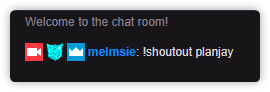
but it just won't respond to commands (which are enabled)

 clever nexus
So im live, people are hosting but alerts are not popping up or appearing in chat!!
wanton mango
@desert briar Was it maybe muted by accident? Try !bot unmute
desert briar
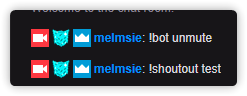
also I changed my username like a month ago (hasn't been working since at least then)
but I've even had it leave/rejoin
@wanton mango
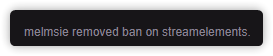
yikes, one of my mods decided to ban it a while ago I guess?
sorry for the trouble https://i.imgur.com/Bf92g75.png
 wanton mango
Yikes lol
pine goblet
My subs and cheerers do not appear on StreamElements Leaderboard extension. Is that normal?
clever nexus
Anyone have any idea why test alerts work and live alerts don't?!
fleet obsidian
is there an option to change the !givepoints response? So maybe to remove the "pogchamp" or to customize the response a little bit more?
 golden siren
Hello all, I am trying to upload images on streamelements but it is not responding. I click upload> select files> the image I want to use. Then the image pops up with the crop feature enabled but it is really small. I click upload and nothing happens. Have any ideas?
 cyan delta

 clever nimbus
Hello good StreamElements peeps. Does StreamElements have Stream Stingers for transitions as a part of the themes?
 frigid grotto
hey guys
i need some help auto optimizing my stream for the smoothest quality
does streamelements have the same feature as streamlabs?
jade remnant
@fleet obsidian you would have to make a custom command with the API variable for !givepoints
@golden siren whats the resolution of the original file and whats the resolution of it when its uploaded?
@clever nimbus no, no transitions provided
golden siren
I figured it out @jade remnant , I was using Microsoft Edge instead of Chrome! Thank you!
jade remnant
ah ok, glad its working
fleet obsidian
unfortunately I am not familiar with this API thing 
jade remnant
@frigid grotto no features like stream labs. slobs is their own version of obs.
obs.live uses actual obs with the SE plugin. best thing is to google/youtube settings and adapt them to your pc
amber juniper
Would like to use the streamelements leaderboard instead of streamlabs (love the gift subs option), but any idea why I'm getting no data? Here's both installed side by side. Tried re-installing once.
jade remnant
@fleet obsidian best thing is to ask in #dev-chat the gurus there will know.
however i know some commands cant be made into custom commands
fleet obsidian
okay, great! Thanks 
jade remnant
np 👍
@amber juniper have you streamed since having SE or have you changed your twitch name?
amber juniper
@jade remnant I have not changed my name but no I have not streamed since installing the extension panel. I do use obs.live to stream not sure if that matters.
jade remnant
i will ask internally for you
amber juniper
thank you!
 long sandal
Hello, I need help. I have disconnected the streamelements connection within twitch dashboard but now I do not know how connect again. I don't believe it is working without the connection. How do you make the connection again after disconnecting?
lament blade
hi how do i put a screen capture
 wanton jetty
is there a watched command ? as in like showing how many hours somones watched the stream for ?
scratch that 😃
 wary badge
HI i need some help. is ther a way i can test a notification ?
like is someone follows or something
wanton jetty
Are you using SE @wary badge
wary badge
Yea the obs live thing as well
wanton jetty
ok are you on the SE website right now
wary badge
yea
wanton jetty
Go to your overlay
wary badge
ok
wanton jetty
This button in the corner will let you test an alert :)
https://cruxedkat.live/s/201900460931.jpg
wary badge
oh ok tyty
 safe carbon
hosts didn't work for me today. what's the first step in troubleshooting why? they didn't appear in ground control, but tips worked fine, and "is live command" worked as well 
wary badge
click the "+" in sources
 steep lava
ok
wary badge
and then game capture
steep lava
that's it?
wary badge
steep lava
im trying to strem off obs onto my ps4 does that work
steep lava
you don't know how that works
wary badge
i know how to stream just off a pc, i don't know how to do it with a ps4
steep lava
does anyone else know how to do it
 regal kite
i do not know why but any vison of obs this is the only one that doest have this prolem is stream labs obs
 strong maple
We are having problem using !settitle !setgame and ${channel.subs} is there something wrong on twitch?
regal kite
Idk if stuff is online rn
strong maple
We are having problem using !settitle !setgame and ${channel.subs} is there something wrong on twitch?
regal kite
I need help
lament blade
Hey I would like to thank you for helping with me streaming experience
raw talon
has anybody had problems with alert sounds playing twice? i did not have 2 sources loaded in OBS, nor do i have a browser window open. It only happens with real live alert's, doesnt happen if i do a "test" alert.
regal kite
I fixed it
 dusty haven
Hello, how do I white list a term when using the SE filter? We have a friend who is a streamer but her name sets the filter off
twin sentinel
@dusty haven I think a whitelist is not possible. Only a blacklist for banned words is possible.
nocturne pelicanBOT
@gritty terrace Welcome to the support channel! Please let us know how we can assist you today and a member of the support staff will be with you as soon as possible.
twin sentinel
What exactly is not working?
 gritty terrace
like the commoend
commands
bec i mchange my name and now i can not get my commands 2 work
twin sentinel
Make the bot leave your channel, log out of your dashboard, log back in and invite the bot back to your channel.
twin sentinel
https://streamelements.com/dashboard There is a blue button to make the bot leave your channel and on the top right is a logout button.
twin sentinel
Have you used a custom bot name by any chance?
 sharp robin
Hello all you amazing people
wanton jetty
Hi
sharp robin
Looking to switch from slobs to stream elements obs
wanton jetty
okays 😃
wanton jetty
it certainly is ok 😃
sharp robin
awesome ty friend
wanton jetty
I prefer to guide people that way they learn whats needed & the basics 😃
DM me since its not a short process
sharp robin
i basically want to take what i have currently in slobs and import it over directly
will do now
 pliant axle
Hey there, set up a giveaway and started it, but its not responding to any chat commands i.e. !ticket 1
any ideas?
twin sentinel
Is the default command enabled?
pliant axle
being 'ticket' ?
let me check... thanks!
or is it !enter
that one was set to off, so let me try again
twin sentinel
It is called !enter with the variation !ticket.
 wind yarrow
hey there ! i created some overlays on stream elements for my stream just wondering how to actually get them from the site to my stream when i go live ? thanks in advance for the help :))
 runic frigate
I was wondering how to make a slideshow of my socials in my overlay. Can someone help me with that?
 mossy basin
Hey guys, So I'm trying to set up a loyalty system, so my viewers can send jumpscares my way. I set up a sound alert stream store item. But I can't figure out how to test it, as well as how to get the sound to play on stream so I hear it?
pliant axle
also, if you have a custom command setup for subs or VIPs with information only for them, running !commands as a non vip/sub and going to the link will show them the first good bit of the message, almost ruining the point of it 😄
feature reqeust?
 strange summit
Any idea what would cause a tip via the Streamelements tip page to not show on the stream overlay initially, but it works fine if resent via SE Dashboard? Not filtered or anything.
azure horizon
Do alerts not play based on a username? I have a sub that has been subbing for months now and all of a sudden like the last 3 subs when he resubs to me the alert wont got off for him but will for others, same if he gifts a sub
 stiff coral
Hi I need help trying to figure out how to add my webcam feed into my overlay
<@&364840891023622144>
lament blade
hey, is there a way to make the bot timeout cyrilic alphabet chatters?
add seperate cyrilic letters in the filter?
stiff coral
So nobody can help me figure out how to stream my game and my webcam at the same time. This is confusing it either will stream one or the other not both
lament blade
@stiff coral the overlay is trough streamelements right?
stiff coral
Yes
lament blade
Then you have to add the Webcam into the Streamingsoftware and adjust the overlay manually
Layers:
====== <--- SE Overlay
====== <--- Webcam in your streaming software
====== <--- Game / Desktop in your streaming software
stiff coral
In the overlay section there is no option for webcam just video
And in widgets there is nothing either that is where I assume it would be
 stiff coral
I have not made an overlay yet
lament blade
@lament blade yes give it a try ^^
stiff coral
I'm trying to
lament blade
@lament blade if that doesn't work you have to add each letter in its own section ( + add new banned phrase )
@stiff coral So they are empty. Your Webcam doesnt get streamed to the overlay btw , so the picture u showed was correct. You just add the Game and your Webcam in Sources and it should be visibile on Stream. Later if you have picture /overlay you want to use , you'll have to manually move it to fit correctly with your webcam
stiff coral
I check to see if that was the case and when I went on my phoneto see I was only able to view either the webcam or the game it would switch from the webcam as soon as the game client Boot up
lament blade
Is the webcam above the game at sources on obs?
stiff coral
No
lament blade
Then move the cam above the game
lament blade
👌
stiff coral
Thanks
lament blade
np
stiff coral
Now I need to figure out how to make overlays and I'm set
lament blade
Good luck!
stiff coral
But that's for another day I'm tired I'm gonna play and have fun for now. Thank you
nocturne pelicanBOT
@urban shard Please abide by our server rules:
- No advertisement or stream promotion
- Respect ALL server members
- No NSFW/NSFL
 frigid compass
Hello,
I am was able to get a test stream going with the bandwidthtest . once i was done i reentered the stream key without it and hit apply. tried to run the stream again, and now it keeps popping up the warning message that i still have obs in the bandwidthtest phase.
never mind i think i got it now, thank you
i will be on later if further issues 😃
clever nexus
Anyone able to help with alerts not writing in chat or popping when I'm live?!
 willow canopy
Anyone know how to fix chat yet?
twin sentinel
@willow canopy What chat are you talking about?
For the integrated chat in OBS.Live > StreamElements on top > Log out> Log backin
For the chat widget in overlay > Reload your overlays via the small button on top of the activity feed: https://streamelements.com/dashboard/activity
@clever nexus Is this for all StreamElements alerts? Are the events in your activity feed?
clever nexus
@twin sentinel I don't think the hosts showed in the activity feed, its ticked to show everything in the feed though. Its the 2nd time I've tried to use streamelements, 2nd time test alerts work and then it doesn't work when streaming. I've actually given up on it and gone back to using slobs and another bot, but thanks for trying to help.
 valid sleet
I have no alerts coming through to my OBS after checking on the SE alert preview. Is anyone able to help?
 echo elk
is there any form of putting my stream info (like stream name) on obs overlay? thank you
willow canopy
@twin sentinel thanks I found out I changed my name and forgot to sign back in!! 😂
 ornate python
i've got a problem nd im not sure how to fix it :))
lament blade
@ornate python Describe it ^^
ornate python
well
i have this person ddosing me and i bought a vpn and activated it
but eversince obs doesn't let me stream
when i have my vpn turned on


i get this error
lament blade
streaming and vpn is not a good idea
nocturne pelicanBOT
@ornate python For the best OBS support, please join their Official Discord @ discord.gg/obsproject
lament blade
You can't get a new ip?