#helpdesk-twitch
1 messages · Page 418 of 1
 untold crest
 fluid dust
But all said and done, this is a very welcome widget that should be intergrated to StreamElements as default. It is, genious
Thank you for your contribution 😃
untold crest
I am more than happy you like it
fluid dust
I'm definately recommending it to a few partner-mods that I team with. But you have my gratitude sir'
untold crest
Let me know what channels are using it or even clips. I would love to see 'first steps' if my baby widget
fluid dust
I'll be recommending it to "Bismarck83" who is my main streamer. "SiNNCakeSS" and "SP4RKPLU6_live" who've been anxious for a direct viewer-input that is like this. As it would make, single-player story-games have 'poll options' to trigger the streamer into choices. Essentially, an improvised Dungeon-Master vote-system.
untold crest
Have a great day mate.
 topaz moat
Hi all here! Does anyone have any thoughts about why my mediarequest module in SE.OBS does not mute itself when i click "Show on my stream"? It results in doubled music stream which i can not fix, only Pause button stops it.
 upper steeple
I mentioned this the other week and said it was told to the devs, but I wanted to check in on a possible eta of the TTS on cheers to ignore the "showlove" cheermote?
 rocky beacon
I was streaming some art the other day and was playing the media share like usual and the music was just stopping at random and kept saying the active widget isn’t active which isn’t the case. Does anyone know how to fix this?
 proud haven
Uh hi how do I get my bot to work if I stream directly from my Xbox?
proud haven
Ok so I have another question
 elder sorrel
@upper steeple No idea. Devs aren't usually around on the weekends to ask.
@rocky beacon That was in OBS.Live right? As I think that is a known issue to be fixed.
@proud haven 👀
proud haven
How do I get my overlays 2 work if I stream directly from my xbos
elder sorrel
Doesn't work unfortunately, Trickster. Streaming directly from console does not support Browser Sources
upper steeple
@elder sorrel T_T okay, well hopefully it is fixed soon. Thank you
elder sorrel
You'll need a PC compatible of streaming with/without a capture card
proud haven
Xbox
elder sorrel
to pair your Xbox with
proud haven
Oh
elder sorrel
Yeah. I use my Xbox & connect it to my PC via WiFi to stream & use OBS.Studio so my overlays show
proud haven
Thx
rocky beacon
@elder sorrel yes that is in OBS
elder sorrel
Do you have the Media Share widget in your Overlay?
rocky beacon
Yes, that widget is in my overlay. The sound was intermentent and then it stopped. Then it was saying no active widget so idk
Been working great before then
 normal cedar
Any reason my overlay isnt working anymore? I've redone it multiple times now and it doesn't show on the newest obs
 lament blade
is their anywere i can get support for se pay?
 dreamy canyon
hi! when i plug my headset into my pc to p[lay a game, my stream does not pick up the game audio when streaming. any suggestions?
 nocturne pelicanBOT
@dreamy canyon For the best OBS support, please join their Official Discord @ discord.gg/obsproject
dreamy canyon
thanks
 ornate pelican
I can only see half of my overlay in obs, anyone who knows how to fix? https://i.imgur.com/euV93jg.png
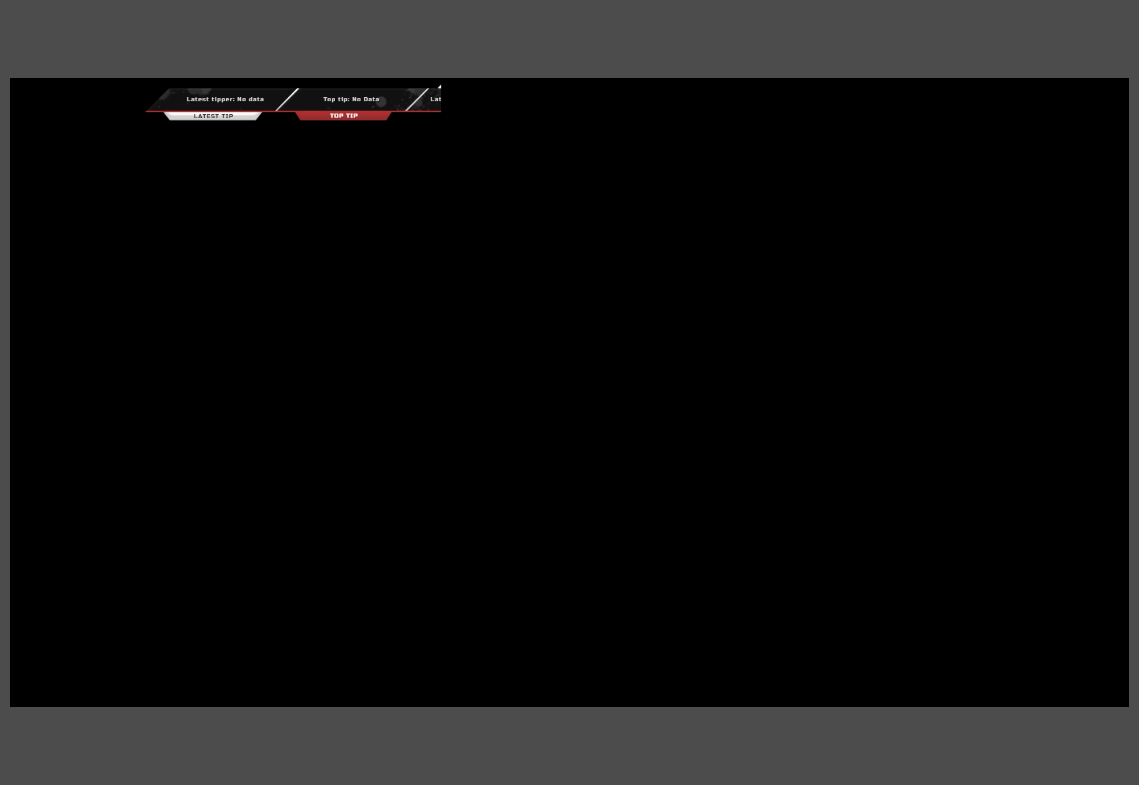
it's like cutting off at the middle
nocturne pelicanBOT
@ornate pelican To add your overlays to OBS, add a new browser source in your scene. Paste your overlay URL in the browser source properties, set the dimensions to 1920x1080 (unless you changed them on the website), and :ballot_box_with_check: “Shutdown source when not visible” https://youtu.be/KDvLynUqXI4
ornate pelican
that worked, thank you 😃
 magic totem
Hey !
I want to stream with 6000 kb/s, Nvidia Geforce 1060 & I3 8100 but i lost a lot of FPS when i stream.
Someone know why ?
(Pls mention me for answer)
 pine hemlock
Bitrate doesnt relate to fps.
nocturne pelicanBOT
@magic totem For the best OBS support, please join their Official Discord @ discord.gg/obsproject
magic totem
Thx
 meager owl
@jade remnant yeah that’s what I meant thanks man
 opal bridge
anyone know how to set up a watchtime command ?
 twin sentinel
@opal bridge You can enable the default command. Make sure to enable the Loyality System too, as it has to be enabled to get !watchtime work.
opal bridge
@twin sentinel where do i enable the default command at ?
twin sentinel
opal bridge
anyone know how to do a birthday countdown command
twin sentinel
There is a command variable you can try use: https://streamelements.com/dashboard/bot/commands/variables ${time.until <utc time>}
But I am not sure, if it can count down to a specific date.
You can add a UTC timestamp in the variable. So you can set up a countdown like this: ${time.until 2019-02-19T17:11:00Z}
 undone plume
Hello, I am not sure if this is a problem with Streamelements or OBS but I am having problems with playing sound with the Alertbox widget. The sound plays in streamelements overlay tab online but not in OBS, any answers or suggestions?
(I am using the Streamelements OBS studio)
 zenith widget
@undone plume Any other sound not playing via OBS?
lament blade
How do i import the overlays in
nocturne pelicanBOT
@lament blade To add your overlays to OBS, add a new browser source in your scene. Paste your overlay URL in the browser source properties, set the dimensions to 1920x1080 (unless you changed them on the website), and :ballot_box_with_check: “Shutdown source when not visible” https://youtu.be/KDvLynUqXI4
lament blade
Thank you
undone plume
Microphone and Desktop Audio are playing fine. I don't have any other sounds that play during my stream
@zenith widget ^
zenith widget
Are you using a pre-made theme? @undone plume
 sacred arrow
does anyone know if last names or names in general are shown when someone is donating to you?
also, i switched to OBS.live, i used to use streamlabs, is it true that streamlabsOBS uses a lot more CPU?
undone plume
No I'm using a one that I made myself @zenith widget
zenith widget
@sacred arrow You seeing who donated to you? Yes.
SLOBS is known take more CPU - yes.
undone plume
It worked fine before i started using the streamelements OBS. Do you think it could be the new OBS?
nocturne pelicanBOT
@undone plume Please connect your Twitch and/or YouTube channel with Discord by going to ⚙ Settings and then Connections here in Discord. https://streamable.com/eg92w
 zenith widget
What new OBS?
undone plume
The Streamelements OBS
untold crest
@sacred arrow and about personal data displayed to you when somebody tips you. We do not have that data (we have only data provided by user in tipping form), but you can access it via Payment processor history - at least PayPal provides tipper credentials to you.
untold crest
Maybe it is caught by variation?
For example you have edited main sub, but you have a variation for a resub?
untold crest
I don't understand that question
But we have alerts repository

StreamElements
The Ultimate All in One Platform for Streamers
In alerts tab
zenith widget
@undone plume I'll run some test alerts, so don't get scared if you have OBS open or something
 tribal tiger
no sorry my bad alerts i was using was from Green flare i forgot that i deleted everything else i keept the alert only. Thx guys
zenith widget
@undone plume So, I tested your overlay in OBS Studio 23.0.0rc1 and then reverted back to OBS Studio 22.0.2 with OBS.Live on it to test the overlay - i hear the default sound when playing a sub sound.
 small olive
Hi is there a way to set global cooldown but exclude mods so they can use a command without restriction?
zenith widget
Only the broadcaster is exempt from cooldowns, unfortunately, on commands.
sacred arrow
hey sorry was playing a game, i was talking about if someone donates to me, do they see my first and last name?
small olive
okay thanks for the quick response 😃
zenith widget
@sacred arrow If its a business account - no.
sacred arrow
so if i wanted to keep my last name private, make a business account and hook it up to stream elements?
zenith widget
yes
sacred arrow
thank you
 uncut quarry
Does anyone know a way to prevent people from spamming one store redemption after another? Like if they do different ones.
zenith widget
user cooldown, but it won't affect the other store items.
uncut quarry
Yeah that's our current issue... people are buying different redemptions to spam. Got the cooldown on the individuals.
 gentle imp
set a high global cooldown, sucks but it's the only way to prevent the spam
I set all of mine to 60 on user and global
uncut quarry
We have them on 600 but they come all one after another. Which is why I was wondering if there was a way to set it so users overall can't claim a redemption one after another.
gentle imp
user and global?
uncut quarry
Both.
uncut quarry
Oh it's not the same redemptions they do... they buy all redemptions they can afford.
uncut quarry
Aye
zenith widget
Increase the point cost of the items 
uncut quarry
That'll just make people not buy them as they won't be worth it.
 cerulean eagle
Hey guys, so I had a pretty nooby base question. So Im just starting out and tried using one of the amazing themes from your free themes store, the problem I have now is Im not able to capture my game WITH an overlay on. It's always either or. Can someone help me how to implement the overlay properly onto the game capture?
gentle imp
!add
nocturne pelicanBOT
To add your overlays to OBS, add a new browser source in your scene. Paste your overlay URL in the browser source properties, set the dimensions to 1920x1080 (unless you changed them on the website), and :ballot_box_with_check: “Shutdown source when not visible” https://youtu.be/KDvLynUqXI4
gentle imp
you probably have the game capture over the overlay @cerulean eagle
make sure game capture is the thing on the bottom, everything else goes over it
also make sure you run OBS as admin, edit shortcut properties and tick always run as admin
gentle imp
you're welcome mate 😃
cerulean eagle
Maybe another nooby question, where can I see my alert box, to setup follower animations /sounds etc ? Or do I need a 3rd party tool for that ? (im logged in right now at streamelemts and starting at my dashboard 😄 )
cerulean eagle
Okay I still dont see anything that says follower sounds or something like that
zenith widget
In the overlays -> big pencil -> enters you to your overlay editor
and if you use a pre-made themed overlay - there should be an alert box somewhere
use the bell on the lower left to trigger an alert and see where the alert box is.
Click on it eventually and on the left side cogwheel to edit the alerts.
If this a blank overlay - Widgets on top -> alert widget
cerulean eagle
Thank you a lot
 timber trail
Hey, why can't i activate SE Pay (dont want G2A Pay!! ). The submit button is just not there 😮
zenith widget
Do you see the SE.Pay option?
zenith widget
Did you use auto-fill to fill out the form?
timber trail
nope. I just open the form end there is just a white spot where the submit button should be 😮

 gusty fable
Hello, i cannot update chatstats settings, i am getting this error:
error: "Forbidden"
message: "missing scope chatstats"
statusCode: 403
zenith widget
Where are you getting that message?
gusty fable
https://streamelements.com/dashboard/chatstats
i checked the chrome dev console to get the message
StreamElements
The Ultimate All in One Platform for Streamers
timber trail
yeah its chrome @zenith widget ^^
zenith widget
Well, we know about the chatstats setings there not being saved or working properly, so by default all the settings are on @gusty fable
gusty fable
they're not on for me 😦
nocturne pelicanBOT
@gusty fable Please connect your Twitch and/or YouTube channel with Discord by going to ⚙ Settings and then Connections here in Discord. https://streamable.com/eg92w
 gusty fable
i cannot do that right now, i am moderating for my gf and she has the 2FA token 😃
zenith widget
then give me her twitch name
gusty fable
raindrophs
timber trail
@zenith widget Mh now i see the button but yeah still the button is disabled >_>
 gusty fable
old twitch name? it was never changed
gusty fable
sweet, thanks 👌
zenith widget
@oblique steeple Yo, can you help out @timber trail to setup SE.Pay (Germany)? I can't remember what your issue was and what was the fix. 
lament blade
Does anyone know if the Webm's support Sound on streamelements alertboxes?
zenith widget
Its the video format we even recommend
lament blade
@zenith widget does it support sound? Like if I were to use a WebM as an alert, the sound along with the Webm would play?
zenith widget
.webm is a video format that plays sound, but its web optimized video file.
So in short - yes.
lament blade
Sweeeet. I just figured I could make the file in Sony Vegas and then use Handbrake to convert it to Webm 😃
thanks!
 granite hinge
Hey so I'm using the new Apex overlays and the messages from cheers, tips, etc are not displaying in the box of the alert. How do I add "padding" to make it move into the box?
twin sentinel
When you select the alert box widget and select the cogwheel next to the event > Text Settings > Advanced > Margin
 vestal oracle
hi guys, anyone knows why the streamelements extention does not anymore on twitch?
zenith widget
Refresh
vestal oracle
does not change
zenith widget
Then something on your browser is blocking the extension from loading
 static vector
hi guys
I just noticed that my stream is buffering too much . I'm using streamlabs obs , my stream wasnt that good but i could stream . now I cant because my stream looks stuck but you can hear sounds. any help ? thanks
zenith widget
If you are using SLOBS, then best thing to do is ask their support.
static vector
what is the name of your software?
static vector
ok great
zenith widget
SLOBS (streamlabs obs) is a fork of OBS Studio
static vector
so i will download it
zenith widget
so our plugin will not work with SLOBS
static vector
i can use obs
 mental ginkgo
Good day. For some reason I can't get this shark to leave me alone, Although I could remove it in other alerts such as follow, raid, host, tips, etc. Except the sub alert.

 mystic spindle
yeah i ran into the same issue @mental ginkgo
 silent crane
What should I do if, when I put an order of music with all the galaxies in the overlay, I copied the link and pasted it as a browser into the streamlabs, and on the stream there is no music or video or video
elder sorrel
@dusky tartan Did the streamer have Loyalty get enabled & have the watchtime default command enabled?
 dusky tartan
The loyalty is enable idk about the watchtime default one
Lemme ask
Ha said he don’t find it at loyalty settings
How can he enable it?
elder sorrel
It'll be in the commands webpage https://streamelements.com/dashboard/bot/commands/custom
StreamElements
The Ultimate All in One Platform for Streamers
Streamer goes to default commands -> Find watch time -> Enable
 humble leaf
Hello
I can't get the desktop app to work
it's name is ground control I think
I get to this screen
zenith widget
Run as admin
humble leaf
@zenith widget I did
zenith widget
reinstall it
silent crane
What should I do if, when I put an order of music with all the galaxies in the overlay, I copied the link and pasted it as a browser into the streamlabs, and on the stream there is no music or video or video
humble leaf
what is a JWT token?
nocturne pelicanBOT
@humble leaf You can find your JWT token on your account channels page: https://streamelements.com/dashboard/account/channels
(Don't forget to click on "Show Secrets")
humble leaf
thank you
zenith widget
@silent crane I'm not understanding your issue. 
humble leaf
I don't understand how this software works, how exactly will it capture my game and stream it?
zenith widget
This doesn't capture gameplay
humble leaf
It looks like a set of overlays for a stream, not a stream itself
zenith widget
it just shows your activity feed.
humble leaf
ok, then I given the wrong information =/
zenith widget
If you are looking to stream - OBS Studio
zenith widget
humble leaf
I have used CTRL as push to talk key for over two decades, and it not being able to configure CTRL as a push to talk key on OBS blows my mind
nocturne pelicanBOT
@humble leaf For the best OBS support, please join their Official Discord @ discord.gg/obsproject
humble leaf
thank you again, @zenith widget
silent crane
I put in the overlay order of music and it does not play
zenith widget
What is your native language?
silent crane
Russian
lament blade
Hey Guys ive a problem with the new apex stream overlay, the overlay is over my killfeed even if i stream on 1920x1080. Someone knows how to fix`?
zenith widget
I would suggest to drop by our #🇷🇺︱русский channel @silent crane
@lament blade What do you mean? Can you provide a screenshot from OBS?
silent crane
@zenith widget they answer there for a very long time
zenith widget

zenith widget
hold on
lament blade
im holding on my friend
lament blade
yeah and give me some credit for finding this out 😄
can u post update here if its done ?
zenith widget
if I don't forget
gentle imp
 there you go
zenith widget
@lament blade In the mean time you can adjust the size of the bar a bit via the editor
 true halo
hi , i have a problem with quotes. I want it to be only available by regulars so i set that for the !quote command , problem is that ive set a few ppl as regular in the dashboard but they cant trigger the command , eventho $(user.level) outputs 300 for them. When i set them as moderator (500) , the command works. Is this a known bug/feature ?
 tight harness
Are you trying to make it so regulars can add quotes or call them?
true halo
call i do via a costum command , its adding/removing i want only by regulars
tight harness
Add/removing is only ever done by moderators, I believe that's hardcoded into the command
true halo
ok , was suspecting that, thanks for the answer , guess i need to find another option then
 vale kraken
please god someone help me
nocturne pelicanBOT
@vale kraken Welcome to the support channel! Please let us know how we can assist you today and a member of the support staff will be with you as soon as possible.
vale kraken
i just recently purchased an elgato and im having such a hard time getting it to work between my laptop/ps4/wired headset
elder sorrel
Have you tried contacting Elgato about that?
As our Support Channels is StreamElements related.
I only have knowledge of the Stream Deck
vale kraken
everything is connected right
its once i go to begin my overlays i cant get in game audio and my mic to the audience while hearing the game in my headset
 cinder pawn
hello 😃
trying to make out followage command work but its being difficult, can somebody help?
rocky beacon
For timers, what is a sweet spot for interval online and chat lines? Like not get too spammy but let folks know that you can interactive with the stream.
 jade remnant
@cinder pawn what are you trying to do? the default command will work if its not disabled
@rocky beacon it depends on what you want to be posted. my chat lines are all set to 0 so it runs off of the timer, i have a 5 minute interval between each post
 obsidian tree
is there any way to shuffle through the backup playlist when media request is empty?
elder sorrel
Not at this time @obsidian tree
I think it's in the #💭︱feedback-and-ideas board though. 
obsidian tree
gotcha. hope to have it soon
have a 300 song playlist but only get to hear the same 20-30
elder sorrel
Yeah it's in there.
rocky beacon
@jade remnant it’s mostly just gifs and sounds that can be played during the stream, it shows the commands and that’s it. Looking for a sweet spot so maybe 5-10 minutes off the timer then?
jade remnant
hmmm, i would say maybe 10 minutes, possibly 15 depending how active your chat is. somewhere between that should be fine
if its just quick info, look at Social Media Popup by nerd or die. i use it, its very good for things like that on your overlay
rocky beacon
Okay will do that then and see how it goes. Is the online interval timer suppose to be set at 10? Sorry for the dumb question . I noticed you had 30 minutes on your timer
jade remnant
yes, so the interval is purely for time (time between each post). if you have chat lines more then 0 than you will need that amount of chat posts before the timer will start
cinder pawn
@jade remnant I suspect that maybe the default command is disabled and other mods were trying to mess with the custom. Also the actual channel owner is not a follower by default so makes sense it didnt work for him when he tried
rocky beacon
Thank you @jade remnant
jade remnant
@cinder pawn ah ok, i honestly can remember if !followage is on by default, but if they arent a follower then yeh it wont work 😁
@rocky beacon np 👍
cinder pawn
!command edit !followage $(urlfetch https://2g.be/twitch/following.php?user=${sender}&channel=WantedOW&format=mwdhms)
I created this, it seems to work but cant query for other users
and I m sure your format is way better
 wanton mirage
I have a problem with sound effect items, any sound command I try to redeem doesn't work but I see the message with "you successfuly redeemed the item" in chat, I've checked the volume and everything but I can't see anything wrong
jade remnant
@cinder pawn some variable for making the followage command <${customapi.https://decapi.me/twitch/followage/:channel/:user}>
cinder pawn
ok that should also answer for other people like !followage tadpole ?
do you have the full command?
jade remnant
im not completely sure for making it @'able. best place to ask would be #dev-chat
this is the info i have
cinder pawn
will ask them, thank you
rocky beacon
Can’t seem to get song request media share to work, there is no sound and my widget is in the overlay and active. I reset the browser source and it’s still not working. Updated obs and running the media play through chrome
cinder pawn
@jade remnant API developer is asking what is the [touser] equivalent in Streamelements
 pulsar gulch
nocturne pelicanBOT
pulsar gulch
nocturne pelicanBOT
add You can make changes to custom commands in chat with!command add/remove/edit/options/show Valid flags for !cmd options are: -cd (number) -usercd (number) -cost (number) -level (number) -type (say, whisper or reply) -count (number). --- Example: !cmd options twitter -usercd 60 -type reply -level 250
 strange narwhal
Is there anyway to control media request volume via hotkey? Either in browser or with the ground control app
P.S. what I'm specifically looking for is volume up and down since different tracks can be way different in audio levels. Overall I really like what I see with Stream Elements, but this is a feature I can't live without as tabbing out to use the mouse for volume or having to type a !volume command in my own chat is just not viable mid-game
 glass sluice
Evening. Might not be an easy answer but do you know how to tie in the currency between SE and Stream Avatars?
glass sluice
Not to worry, I found it in the currency section.
granite hinge
Posted 6 hours ago with no response. Trying again.
Hey so I'm using the new Apex overlays and the messages from cheers, tips, etc are not displaying in the box of the alert. How do I add "padding" to make it move into the box?
jade remnant
@granite hinge you did have a response
lament blade
Yo why are my timers not working anymore? My commands and things like a chat when I get a follow still work so why no timers? I've tried deleting them and making new ones, unmodding and remodding streamelements but no dice. Anyone have this problem before?
granite hinge
wow. apologies. Didn't see that @jade remnant
jade remnant
@strange narwhal you can control the volume in ground control
@lament blade are the chat lines correct and have you recently changed your stream/bot name?
strange narwhal
but with hotkeys though? I need something I can use without having to tab my game out. currently I can do this in streamlabs chatbot, but there are other problems with it and overall I like A LOT about Stream Elements, but I definitely can't live without hotkeys to control song request volume
 strong kernel
Handled in live chat ⤴
lament blade
hi if i get host or follow it dont show up in the chat any idea ?
nocturne pelicanBOT
@lament blade Please connect your Twitch and/or YouTube channel with Discord by going to ⚙ Settings and then Connections here in Discord. https://streamable.com/eg92w
 lament blade
@jade remnant As far as I know chat lines are good, and I have not.
@nocturne pelican done
strange narwhal
thanks @strong kernel!
lament blade
hi if i get host or follow it dont show up in the chat any idea ?
strong kernel
@lament blade You didn't connect your Twitch to your Discord.
strong kernel
Helps if you show it on profile so we can reference it.
lament blade
@strong kernel done
strong kernel
@lament blade Seems to be working fine, just tested it.
lament blade
@strong kernel strange if i am online i dont see it in the chat
 astral ibex
Is there a way to setup custom Scene transitions in OBS live? Cant seem to figure it out. Like I want to setup a picture as the scene transition?
jade remnant
@lament blade i will ask internally for you
@astral ibex add stinger to the transitions
lament blade
dont use the alerts from you but the chat if i go online is working fine but if there is a new follow host raid or cheer then nothing happens @strong kernel
astral ibex
@jade remnant thanks sorry i posted in wrong channel
strong kernel
@lament blade To reiterate: I just tested by following your channel and the bot responded to the event in your chat. It's working as expected.
jade remnant
@astral ibex np 👍
 frosty escarp
not really an issue but was curious on how u get on that sellout mode
nocturne pelicanBOT
@frosty escarp Are you a StreamElements all-in-one streamer and interested in stream promotion when you go live? Please fill out this application https://strms.net/sellout and if you meet the 3 requirements posted in the :pushpin: pinned message in #welcome you will be added to the stream announcements.
frosty escarp
thank you
lament blade
@strong kernel look at 1 hour 15 minutes get there an gift but in chat no message https://www.twitch.tv/videos/381738858
 strong kernel
You realize you have your vods set to subscriber only, right?
jade remnant
@lament blade your chat lines are set quite high, the bot needs to reach these amount of chat lines before the timer starts. it might be worth lowering them
lament blade
@strong kernel vods?
strong kernel
Like that video you just linked.
That aside, gifted subs don't trigger chat alerts.
lament blade
@strong kernel you can see it now turn sub off i get no alerts in live streaming
strong kernel
lament blade
@strong kernel refresh its of here
@jade remnant Ok I'll set them lower to double check, I am like 99% percent positive I have hit that many line with no timers going off though. I will get back to you and let you know if that fixes the problem. Thank you for your help!
jade remnant
np 👍
lament blade
@strong kernel here you can see no action in chat
strong kernel
That's a tip, not a sub.
lament blade
@strong kernel by follow raid host or cheer the same not get an message in the chat
lament blade
@strong kernel yes
strong kernel
That's not going to communicate with our system.
You need to use our tipping page.
lament blade
ok what about host and raid? follow its working i see
lament blade
ok
 teal wolf
@strong kernel Hey so I need something that is going to look like this Hey $targetname Is a streamer their channel is $url They where last playing $game bla bla bla
pine hemlock
If the tip isn't processed through our website, we cannot show an alerts via chat.
teal wolf
But what you sent me didn't work
pine hemlock
Ok my chat wasnt scrolled down neat
@teal wolf create a new command, look for "Command Templates" or something at the top and theres one for Shoutout
Which will do what you are looking for
teal wolf
Alright thanks
 normal igloo
Relative Timing vs Calendar Timing I have weekly top cheer but only Relative Timing shows it now I understand Weekly Calendar Timing resets on Saturday 23:59 UTC. but How would that work for Relative Timing 
I would think it would work for the same way?
 oblique marsh
My donations alerts were always set to use TTS when over 1$ but they over the past few weeks havent been annoncing. Suggestions?
 neat sphinx
Just a quick question, my timers are being posted in chat by streamelements. Can I get them to be posted in chat by the renamed bot?
 scenic anvil
is streamelements having issues? ground control keeps changing to a black screen and ive got notifications permanently stuck in my overlay and they wont go away and i can't replay old notifications via ground control
 ashen swallow
Hey, I finally got my PayPal set up and I’ve been trying to get it connected to my twitch through your website but when I click on tipping settings in won’t started to load but never shows up
strong kernel
What browser?
strong kernel
You don't know what browser you're using?
strong kernel
Try Chrome.
ashen swallow
K
strong kernel
@scenic anvil Never heard of those issues before. Do you have screenshots or clips?
 split sluice
Was on front page today, Muted alerts, and it kept turning itself back on. I had to mute them 3 times at least in 2 hours. Hello?
This was using Ground Control
 copper bobcat
Media request not working? No song will play.
copper bobcat
No one can help? Music won't load at all.
 main adder
Hi everyone. Question about Hypeboss-- Is there a way so that when a new person takes over hypeboss i can display a store item or some kind of sound/animation?
lament blade
Yo
For some reason i update the obs and now i can't switch back to having chat on the side
strong kernel
@lament blade Log out and log back in.
@main adder Not possible.
@copper bobcat Working fine for me. Log out and back in with OBS.Live?
split sluice
Is that the new OBS Beta?
strong kernel
@wanton finch Working fine for me, no skipping. If you're controlling it through OBS.Live, try logging out and back in there.
 wanton finch
I am uninstalling obs.live, it's caused a ton of issues today
now no audio from media request
 urban oasis
Can someone help in obslive
strong kernel
@wanton finch Pending queue means you have manual approval set up for media request.
 near maple
question how to change the minutes for receiving points
strong kernel
You cannot. It will always be on a 10 minute interval.
 jade anvil
does the desktop app ground control only show activity feed? or can it do chat too?
 flat kiln
how do I receive USD payments in my paypal even tho my donation main currency is set as BRL, anyone know if it's even possible with streamelements?
strong kernel
No chat in Ground Control.
flat kiln
streamlabs used to be like that, like I receive donations from my NA friends in USD, on screen/goal it would count as BRL equivalent to the USD value and in paypal I would receive in USD
but in streamelements it only gives me as BRL
 echo ravine
So I've been trying to get TTS on my alerts and everything went fine until I went to try and get cheers to work... cheers TTS works when I make a new Alert Widget and doesn't work on the one I have everything else set up on what is happening?
strong kernel
@echo ravine Be more descriptive than just "doesn't work." Describe the behavior when you send an emulated alert.
echo ravine
It shows up makes the new cheer alert sound and then fades away with no TTS
strong kernel
You need to enable the TTS for each variation.
echo ravine
Ah now I feel stupid but what's the point of the big TTS button then if it does nothing
flat kiln
guess I'll need to go back to streamlabs lol
strong kernel
@echo ravine It's for the "main alert" which plays when no variations are applicable.
echo ravine
Good to know, thanks for the help and enjoy your day!
sacred arrow
can anyone explain to me why twitch cuts out some of the audio of VODs, is it because the music player (streamer) isn't showing the song name/giving credit or because of twitch TOS
lament blade
Hi! Can I use somehow overlays while streaming on ps4 ? Or Something like that? I’m real newbie on stream heh
nocturne pelicanBOT
@lament blade Here is a guide on how to setup the most essential tools for streaming from your console, while using StreamElements tools without involving a Capture Card! It's easy to do, take 4 minutes to read and 10 to 15 minutes to setup!
Read all about it here: https://blog.streamelements.com/how-to-stream-on-console-7b620b1c46c3
strong kernel
But to summarize, consoles are potato and you can pretty much only use bot and tipping page.
lament blade
Yea, but I’m poor student... pc comes after completing school hah
Got money for gas and my thing but not for computer for streaming 😏
pine hemlock
just steal a pc
sacred arrow

sacred arrow
am i able to close a overlay URL? or do i have to leave it open
strong kernel
You shouldn't have the overlay running in your browser.
That's an easy way to get duplicate sounds.
sacred arrow
yeah i was about to say, it was lagging my spotify audio as well
 hidden drum
how do i get to the stream elements thing where i can give mods/super mod roles to people
strong kernel
StreamElements
The Ultimate All in One Platform for Streamers
hidden drum
but is there any physical wayof getting there instead of a shortcut?
strong kernel
User management section.
hidden drum
thank you
so how do i join someone elses thing to edit their stream elements after becoming super mod
strong kernel
If you're looking for actual access to their StreamElements account they need to provide you with a manager invite link.
This is not something you do yourself.
 ripe scarab
Has anyone had the chance to look into my issue?
hidden drum
What is your issue?
ripe scarab
The animation never happens when I originally get a follower/tip/etc
I have to re-do the alert via the button in my activity center.
hidden drum
I am not a staff, and can't help with this kind of issue but I am pretty sure one of the staffs will popup to help though sorry for the inconvenience ;-;
ripe scarab
I keep mentioning it every few days. No one ever knows what I'm talking about when I do... 😦
strong kernel
@ripe scarab Worked fine.
ripe scarab
You saw the follow animation?
strong kernel
Yes. Didn't you?
ripe scarab
No, but I was typing/looking in here.
Hmmmmmm. Maybe they already looked into it and fixed it?
Sorry to bother.
strong kernel
I'll be deleting that clip shortly, but just so you see.
ripe scarab
Sweet, thanks for the quick testing.
One more question, is a viewer count overlay widget a possibility?
 wild flare
I'm having audio issues with song request doubling, does anyone have any tips?
nocturne pelicanBOT
@wild flare Make sure to :ballot_box_with_check: “Shutdown source when not visible” for all browser sources (all OBS scenes). If using studio mode, uncheck “Swap Preview/Output scenes After Transitioning.” Also keep in mind that sound can play from any overlay loaded in the browser (editor or launched). https://i.imgur.com/FegZJQS.png https://i.imgur.com/yY0wcFl.png

 lament blade
@jade remnant worked man thanks!
wild flare
thank you 😃
 waxen forge
nocturne pelicanBOT
waxen forge
nocturne pelicanBOT
@waxen forge The default resolution for StreamElements overlays (theme and custom) is 1920x1080. Please add them in OBS at their full resolution and use CTRL+F to fit to screen if necessary. You can then downscale your stream in OBS settings > Video if you'd like https://i.imgur.com/6bWXxjR.png

 paper elm
What is with the Chat - where is it ??? After the update (today) NOW Yesterday! the Chat is GONE - Steamelements - why !?
zenith widget
- Wrong channel -> #helpdesk-selive
- Click on "Streamelements" on top and either login or logout then login or if "Chat" is in the menu, just click it.
lament blade
@zenith widget News about the apex theme?
zenith widget
 exotic hull
still waiting on help, @zenith widget with giveaway?
zenith widget
I'm confused. What is this about? @exotic hull
lament blade
Could some1 do a overlay for my channel I'm so confused on doing it
zenith widget
@lament blade I would suggest to take a look at this video guide we have for the overlay: https://www.youtube.com/watch?v=LwAfMIR3Cj0&list=PLCDDKlFdScbEwdx5AntcQIS1InkFJwHtv&index=5&t=1s
lament blade
@zenith widget could u do it for me
zenith widget
No
lament blade
Oh
zenith widget
We have plenty of themed overlays you can use.
Its not that hard to wathc a video guide and then make your own overlay with simple labels.
lament blade
No but I have a shitty computer
 torpid estuary
A bad computer will still have the same setup process as a good one. We have pretty good tutorials, keizar already linked them for you. Try following them step by step and pausing the video to catch up! @lament blade
lament blade
Its say I have 2 have windows 8+ To run this app @torpid estuary lol
torpid estuary
What app?
 hazy blaze
Hello there, im not sure if this is the right group.. but could not find a different one so... are you planning on Support for Mixer.com ?
zenith widget
At the current moment we don't have plans for mixer.
hazy blaze
thanks @zenith widget sad to read it, since Twitch is kinda hard to grow if you are just starting
zenith widget
To be fair, no place is easy to grow at, just like any other job
everything takes time
hazy blaze
I understand that 100%, but being able to stream on multiple platforms and then make a choice is better in my opinion
 cloud mica
I'm using the same gpu as the game, but, when i stream on full screen mode, it goes well till when I'm in a match and the capture freeze...
nocturne pelicanBOT
@cloud mica For the best OBS support, please join their Official Discord @ discord.gg/obsproject
 pulsar nebula
Is there a remote control thing for OBS stream elements? Thinking of using my tablet that I got kicking around to use
I don't really want to switch to streamlabs to use a feature like that
twin sentinel
I don't think so. You can set up hotkeys to control a lot of features more easily via your keyboard or use a Streamdeck wich has gotten a new integration with StreamElements.
pulsar nebula
Yeah I dont fancy spending 130 odd bucks when streamlabs you can use your phone or a standard tablet, but thanks anyways
 wanton mango
@pulsar nebula Do you mean something like http://www.obsremote.com/ ? One of my friends uses that with his tablet I think.
zenith widget
Woah, ok that was from 8th February - i'm bound to not remember that.
exotic hull
I had mentioned your name prior to my most recent message, but there was no response
exotic hull
That's not the giveaway I'm looking to find a winner for.
zenith widget
You just click on "Giveaway" on the menu on the left and close the giveaway
exotic hull
There is a giveaway I had already closed, but I had not chosen a winner yet
zenith widget
StreamElements
The Ultimate All in One Platform for Streamers
normal igloo
@exotic hull do you realise that the staff are volunteers doing this in their free time so of course unfortunately some messages do get no responses perfect example I asked the question yesterday's still no answer  👍
👍
normal igloo
?
zenith widget
I work for Streamelements, but at the time of that ping its 3AM my time, to which should indicate that I'm sleeping 99% most likely.
I'm not volunteering and its my duty to provide support, but it was out of my shift scope and I usually don't got back to check on Sunday what has happened here unless i'm asked to find something or need to find something.
exotic hull
Okay, there must have been an update because it's there now.
zenith widget
@exotic hull I closed your currently running giveaway
@normal igloo Remember, my friend, red = staff => workers for Streamelements ////SE.Champs and Support heroes are volunteers 
exotic hull
Okay, is there a way to open it back up?
zenith widget
exotic hull
okay, thanks.
normal igloo
oh my bad KeiZar and I was just about to ask about that 
exotic hull
oh, wait. February doesn't have that option
zenith widget
what do you mean doesn't have that option?
exotic hull
zenith widget
@exotic hull Because I had to close it, in order to let you see this page.
exotic hull
The reopen option is only for the giveaway that's done
zenith widget
If I ruined something unintentionally, sorry about that.
With this you can restart it again
There was only 1 person in it - paragon757
You can check the results as well.
exotic hull
Okay, I'll have him re-enter, I guess
Okay, definitely a learning experience, thank you.
jade anvil
Is there a way to change game/title in OBS.Live?
twin sentinel
Select the bruger menu on the top left of your Activity feed.
 midnight pulsar
helo, have someone problem with nonfunction login buton in "StreamElements - GroundControl" platform?
and know how to solve this problem?
twin sentinel
You can also log into Ground Control using your JWT-Token.
midnight pulsar
sorry Im first time in StreamElements 😄 that token is some kind of IP?
twin sentinel
The JWT-Token is an api acces key to your account.
nocturne pelicanBOT
@midnight pulsar You can find your JWT token on your account channels page: https://streamelements.com/dashboard/account/channels
(Don't forget to click on "Show Secrets")
midnight pulsar
oh nice Im in 😄 thank you very much
oblique marsh
So I posted yesterday and still havent gotten an answer. My TTS is still not working on donations and cheers, I checked both and they are still set on to trigger on any donations over 1$ but TTS still isnt triggering. Could I please get someone to look in my overlays and find out why this isnt working or fix it? Thanks.
gentle imp
did you take a look at variations?
oblique marsh
I dont have variations for those. And I havent changed anything since it used to work, and now it doesnt.
Sorry, I dont have variations for Donations, And the variations for Bits (the original variations of all the different bit types) always worked before.
gentle imp
I'll ask if someone can take a look at your setup, I don't have access 😃
oblique marsh
I appreciate it ❤ It only stopped doing TTS within the last month or so.
zenith widget
@oblique marsh I'll run some tests, so don't get shocked
 calm mantle
hi, i keep getting stuttering in my game. i ran afterburner to figure out where it was coming from because i have a 1080 ti. i saw that i have 100% cpu usage when the stuttering starts and by process of elimitation, it's obs
what can i do to make my games run smooth?
nocturne pelicanBOT
@calm mantle For the best OBS support, please join their Official Discord @ discord.gg/obsproject
nocturne pelicanBOT
@calm mantle Can you please provide a log from your last stream. In OBS go to Help > Log Files > Upload Last Log File. Once this is complete, please provide the link to the log file.
gentle imp
which game gives you 100% cpu usage? 😮
 tepid frigate
so ive set up my bot and modded it and all, i added currency and music request and redeem rewards. But the stream elements bot isnt playing it back on the stream, any ideas?
same thing goes for the music request as well, i can tell it works but its not playing on stream
twin sentinel
You have to add the MediaRequest widget and teh Store Redemptions widget to your overlay in the SE Ovleray Editor.
tepid frigate
oh y i k e s
i never even touched the editor, okay. Ill learn the rest thanks benno ❤
twin sentinel
If you need anny assistance, please come back here and we'll try to assist you.
tepid frigate
For sure, thank you so much.
 empty anchor
why doesnt my uploaded sound work for a subscriber alert?
twin sentinel
check your variations please.
empty anchor
whats that?
twin sentinel
In the settings of the sub alert, on the left side there is "cariations". You can set up different alerts for different Tiers of Subs for example.
but the sound is already accessable in the SE Overlay?
empty anchor
i just want it for all subs
twin sentinel
yes, that should be in the variations.
empty anchor
thank you dad
tepid frigate
Okay, so everythings working now, the last thing im trying to do is show the music on the stream overlay
so far its not popping up on my stream but it is indeed playing now
 devout kettle
Hi! Quick question! How can i edit the permissions of a command from twitch chat? !command edit !whatever (...?) or something else?
pulsar nebula
@wanton mango thats something along the lines yes, do you know where the maunal file goes to work with OBSstreamelements?
 chilly nova
hellow
what ar the best settings for geforce gtx 970 and proccesor i7-4770k cpu 3.50 ghz
can some1 help me for that?
for streaming
twin sentinel
@chilly nova please don't spam multiple channels with the same question. Also these are helpdesk channels for the support of StreamElements. please keep other topics in #general-chat
chilly nova
sorry
 strong terrace
@chilly nova it also is highly dependent on what kind of connection your using 😊
chilly nova
i have 80 download and 35upload
 regal elk
Hi
nocturne pelicanBOT
@chilly nova For the best OBS support, please join their Official Discord @ discord.gg/obsproject
 unique niche
hello can someone help me setup for yt?
strong kernel
@unique niche https://www.youtube.com/watch?v=eeOsML7o5cY
StreamElements is the ultimate platform for streamers, now available on YouTube live! Watch this video guide to get started. StreamElements features include ...
@unique niche Please direct all future YouTube related questions to #helpdesk-youtube
 tepid marsh
Looking for help. I cannot get my overlay to show up in OBS. It worked last week, but not is not showing up. i have shutdown, restarted, removed every instance of the overlay, recreated the overlay entirely, yet I can't get it to show up. windows 10, obs22.0.2
strong kernel
@tepid marsh Works fine for me. Make sure you're setting the browser source to 1920x1080.
 gusty holly
How do I have my friends hear me when I’m streaming on the twitch through stream elements obs?
 static quartz
Hi. Is it possible to set the item cost in the item store to above 1 million? or is that impossible?
tepid marsh
@strong kernel Do you know if there are any firewall settings required for OBS that might change? i'm typically a Mac person, but needed more power than apple made.
jade remnant
@gusty holly make sure your mic is set and unmuted on the mixer
strong kernel
@tepid marsh Not that I know of.
gusty holly
@jade remnant yeah I’ve already checked it and all good. They still can’t hear me.
In game
jade remnant
they cant hear you in game or on twitch?
gusty holly
In game
static quartz
Hi. Is it possible to set the item cost in the stream store to above 1 million? or is that impossible?
jade remnant
looks like its not possible
static quartz
oh, thats sad.. Thanks
jade remnant
np 👍
gusty holly
Okay @jade remnant well I got it fixed where they can hear me in my game but now they can’t hear me in the stream nor hear game play audio
The chat can’t hear me. Party can
jade remnant
check your obs settings for both mic and desktop audio. they need to be set the same as your default audio options in windows control panel. click on the cog and go to properties
gusty holly
Okay, I did that. I can hear him now, he just can’t hear me.
 spare hull
hey, is it possible to disable the Song: No song message aka. fully hide the current-song-playing widget - but only while there's no song playing ?
 novel bone
hi.. I have issues with my channel... got a few things that isn't fitting the way they should.... one thing is the shoutout- commands, another is the loots-setting up
twin sentinel
I don't think so.
what is the issue with the soutuout command?
for the loot, you have to ask the loot guys I think. It seems not to be related to SteamElements.
nocturne pelicanBOT
@rare spindle Welcome to the support channel! Please let us know how we can assist you today and a member of the support staff will be with you as soon as possible.
 rare spindle
i need help
twin sentinel
Please let us know how we can assist you today and a member of the support staff will be with you as soon as possible.
rare spindle
how can you do shoutout commands on twitch
twin sentinel
ther is a example in #command-share and when you create a custo command you can choose it from a template.
 kindred token
Hey--does anyone know--can we rename the Hypeboss to be something other than our twitch handle?
kindred token
And is there a basic viewer count widget? Never been thrilled with with Streamlabs viewer count.
twin sentinel
what are you searchig exactly @rare spindle
rare spindle
can you stream a game on the app im on it right now
twin sentinel
What app?
twin sentinel
No, it is only for IRL streams as atm it just captures your cams. But the screen capture is plalnned, but no ETA.
rare spindle
ok
twin sentinel
@kindred token I am not familiar with the Hypeboss, I am sorry, but maybe another support can answer your question.
rare spindle
and you know on the shoutout image which command was that used in
twin sentinel
what image?
twin sentinel
@kindred token This is the StreamElements Support discord.
rare spindle
i got to go cya
twin sentinel
@rare spindle If you choose to ceate a cstom command, there are command templates at the top. Please select whatever you are looking for.
twin sentinel
go here https://streamelements.com/dashboard/bot/commands/custom and select "new command"
rare spindle
ok ivw done it but were do you place them
kindred token
@copper wolf Yep. I know--i was saying Streamlabs user count widget is not accurate. Don't like it. Eventually planning to move most of my stuff over to Streamelements.
twin sentinel
@rare spindle You can create the command on the page I just linked you and selet it from the dropdown after selecting "new command" then save your command.
After that type in your chat: !shoutout TWITCH-USERNAME. Replace TWITCH-USERNAME with which Twitch channel name you want to shoutout.
twin sentinel
@novel bone can you elaborate on your problem please?
rare spindle
ill search up on yt
twin sentinel
@kindred token I am not 100% sure, so a staff can feel free to correct me here, but I think there is no widget to display the current viewers on the overlay. You can see the user count watching in your OBS Live for example.
twin sentinel
yes, post your screenshot here please.
and also link your twitch channel to your discord account please, to make support easier.
novel bone
just in the channel here, posting a link?
twin sentinel
yes please.
novel bone
maybe that will be the easiest....
twin sentinel
oh, meant the picture link, not your twitch link.
novel bone
oh sry
 little zodiac
Hey I’m using stream element overlays but in the transitions it takes them a second or two to load is there a fix for this I have a 500 down 35 up connection w a pc running i7 4770k and 1070ti
novel bone
..... takes quite a while, as it seems like it won't take the screenshot when I ask it to from the key
 sinful apex
not sure if anyone can help me, but im having an issue with my tip alerts. ive gotten a couple 5 dollar donations which show up fine but anything higher than that (only have gotten $10 and $10.37 higher), the alert does not pop up. it does how ever show in the activity feed and in paypal. any help would be appreciated
twin sentinel
@sinful apex Take a look in your variations settingsn please.
sinful apex
i didnt have any variations made, so i created one hope to fix the problem, but it doesnt seem to work
 quartz locust
Hello. I have a question about the media request. If I do not have an overlay with a media request widget in it, how does the stream hear the audio? Do I have to keep a chrome tab open with SE media request page/player and pipe the audio to the stream that way, or am I missing something blatantly obvious?
 long frost
In the Revenue History, Top Tippers, the First Tip and Latest Tip are incorrect, the columns appear to be reverted in data/titles.
novel bone
not sure what to do... the screenshot key simply won't take any screen shots at all
I try to do a restart, and returns later...
twin sentinel
@novel bone Please take a look in the #command-share channel. There is an example of a shoutout command.
 umbral lion
Hi everyone, I reset my twitch password today and now my stream elemnsts is being weird. I can't add any media to the media requests among some other things, I've tried logging out and loggin in but that didn't fix it. Any thoughts? thanks!
novel bone
I'm bk
twin sentinel
@little zodiac Please don't ask the same question in multiple channels. Thank you.
novel bone
We try here in stead..
twin sentinel
@novel bone please look a few lines above. I already answered your question.
novel bone
then I wonder, is the spotify thing necessary?
twin sentinel
no, just srcoll up a but to the soutout example. there are many examples on different commands in this channel.
 narrow coyote
There is a shoutout template in the custom command templates as well
twin sentinel
@sinful apex So the alert for 5$ donations show up and in the same scene any donation higher than 10$ does not show up an alert?
@quartz locust You can try to play the music without the overlay widget, just with the MR page open in the background. Mabye it doesn't even has to be open, but I am not 100% sure on that one.
novel bone
works now.. thanks... sorry for appearing so slow-witted
twin sentinel
@umbral lion Do you use OBS Live or Ground control? Have you logged out of the StreamElements page completely and the Twtich page, too?
@novel bone I took a closer look at your shoutout command. I recommend deleting the !cmd add !shoutout in your shoutout command.
You can do this by going here https://streamelements.com/dashboard/bot/commands/custom selecting the pencil at the far right of the "!shoutout" command and delte the part I mentioned above and save your settngs.
novel bone
it has been edited now, changed to what it should be... thanks
tepid frigate
Which tabs need to be open for streamelements to work correctly with music and redemptions?
twin sentinel
I think you have to add the MediaRequest widget and the Store Redeptions widget to your overlay.
tepid frigate
yeah i did that but it just seems inconsistant when it works and when it doesnt work
twin sentinel
@long frost Can you please tell me the channel you are referring to, where the in the Revenue History, Top Tippers, the First Tip and Latest Tip are incorrect, the columns are appearing to be reverted in data/titles?
long frost
@twin sentinel gr8stumbino, Revenue History -> Top Tippers -> First Tip and Latest Tip sometimes render in the wrong order (the column data is swapped) - sometimes, refreshing or reloading the tippers resolves the issue.
twin sentinel
what browser are you using?
long frost
Chrome Version 72.0.3626.109
strong kernel
Bug confirmed and filed.
 rugged forge
Hi folks, are the fonts in the overlay editor pre-set by OBS? or can we add custom fonts? I'm trying to edit the follower text.
strong kernel
The editor uses Google fonts. You will need to use custom CSS to incorporate your own font, which you can only do if you own the license to use the font and have it hosted somewhere.
rugged forge
Thanks, lastly is it a know bug that the follower name is lower caps and the last dono name is all caps?
strong kernel
There's a text setting you can change to force all caps.
rugged forge
Ah thanks, might you be able to point me in that direction? I've not seen that.
strong kernel
rugged forge
Thanks! You've been most helpful, have a great day.
rugged forge
Sorry to both you folks again, i'm changing the font in the over;ay editor for last follower, but it doesn't seem to change, am i missing something?
strong kernel
Which font are you trying to change to? Some have had some ongoing issues.
 whole heron
In terms of the “price” for commands what do the users use to pay and how do the numbers correspond with the price. Does 10 = 10 points? 10 dollars? 10cents?
strong kernel
Points.
whole heron
That was quick XD thank you
rugged forge
@strong kernel I was trying to use the Play font at first, but it seems no matter which i choose it isn't changing on the stream itself. Changing the color works fine as does the shadow effect etc.
neat sphinx
My channels is posting my timers in chat as StreamElements. Is there a way to make it so the timers are posted from the bot that you name in ground control?
I worded that terribly. Currently my timers are being posted to chat by streamelements, I just want to know if theres something I can do so that the bot I named in ground control can post them instead. I hope that makes better sense.
strong kernel
It should be already.
Part the bot from your channel, turn off name change, turn on name change, tell the bot to join.
neat sphinx
I will double check it, but it wasnt when I was looking at it yesterday.
Ill give it a shot, thank you.
That worked, thanks @strong kernel I appreciate the help
whole heron
When i subscribe to charge back protection am i charge for the subscribtion?
strong kernel
StreamElements is free.
whole heron
You guy are awsome
strong kernel
Totally, utterly free.
whole heron
Guys*
 olive rock
Hi, is there a way to auto shuffle the backup playlist in song request?
strong kernel
There is not.
olive rock
oh thats annoying 😦 any possibility of it being added in the future?
strong kernel
I think we're interested in it? But either way, upvote it in our ideas board: https://strms.net/ideas
olive rock
ok thank you for your help 😃
 rocky minnow
Hey, i need help.
nocturne pelicanBOT
@rocky minnow Welcome to the support channel! Please let us know how we can assist you today and a member of the support staff will be with you as soon as possible.
rocky minnow
So, i am (fairly) new to streaming, and the stream starting soon overlay is stuck at 0:00
how do i fix this?
strong kernel
Check shutdown source when not visible in its properties, leave the scene, go back to it.
Or hide and show.
rocky minnow
ok thanks
whole heron
There is a small error on your guys page lol
The bottom text displays “Crafted ❤️ by stream elements with”
strong kernel

 oblique steeple

 somber robin
I just downloaded the app on android and was wondering am I able to stream a game from my cell or is it just irl for now
whole heron
My jwt key is my twitch stream key right?
strong kernel
No.
 cinder olive
Can you set it to where when you get a donation it pops up in chat?
nocturne pelicanBOT
@whole heron You can find your JWT token on your account channels page: https://streamelements.com/dashboard/account/channels
(Don't forget to click on "Show Secrets")
strong kernel
@cinder olive Chat alerts module: https://streamelements.com/dashboard/bot/modules
StreamElements
The Ultimate All in One Platform for Streamers
cinder olive
And if its already enabled but not working?
strong kernel
Then you haven't told the bot to join your chat yet?
cinder olive
strong kernel
@cinder olive
whole heron
My jwt token is enormous
 strong kernel
You should lead with that, then, along with their username.
cinder olive
HighHeeledHavoc
strong kernel
Actually has to use our tipping link for our system to react to it.
 native spindle
Hiiii
cinder olive
Is there a !timer command for say, time left on a 12hour stream?
zenith widget
Unfortunately, we don't have a countdown variable or feature for the bot.
 dark pike
Hey there im needing some help with a event package i have the css code but i dont know what to do with it or where ti put it if someone cloud help me out thatd be great
zenith widget
What event package are you referring to? @dark pike
 random stream
@zenith widget Hi, I'm the person with the Import issue
zenith widget
@random stream Repeat after me cat, Can you imagine an imaginary menagerie manager imagining managing an imaginary menagerie? 
random stream
Can you imagine an imaginary menagerie manager imagining managing an imaginary menagerie?
zenith widget
 failed
random stream
I forgot cat -sweats-
zenith widget
memes aside, i'll close the live caht and will poke you when i got more info
random stream
Okie dokie LOL thank you
zenith widget
@random stream Can you try again or check and see if the import is not already done?
Because devs are telling me that error is normal
 lilac musk
hi guys
im trying to add an on screen counter to my stream, i can get the counter on the overlay but is there anyway of formatting the text?
I cant seem to change font size or colour
zenith widget
@lilac musk I suggest to use this: https://github.com/StreamElements/widgets/tree/master/BotCounter

GitHub
Contribute to StreamElements/widgets development by creating an account on GitHub.
and to not post in multiple places your question, as I got confused as to where i answered you originally
 dusk pendant
Like many others i have a problem with game capture. tried everything but doesn’t seem to work. any ideas?
lilac musk
sorry needed a fast answer and didnt know if i had posted in the right place, ive used a totally different program now to do this until formatting is implemented on the website
zenith widget
- Are you using OBS.Live?
- What game are you trying to capture? @dusk pendant
zenith widget
If you are using SLOBS, and you have issues with SLOBS, best to ask their support.
This is streamelements.
But, granted I would suggest to try using OBS Studio.
zenith widget
Well, then its best to ask their support.
 winter zenith
you could also looking into Obs.Live wich is even BETTER and EASIER to use :3
@dusk pendant
nocturne pelicanBOT
OBS.Live is a Plugin for OBS created by StreamElements. You can download OBS.Live here: https://streamelements.com/obslive
Please make sure you have the latest version of OBS installed, Current Version: 22.0.2. You can install OBS here: https://obsproject.com/
random stream
@zenith widget How do I check that? o: I'm kinda new to StreamElements still ^^"
zenith widget
@random stream Just go to "My overlays" and if you see SL imported alerts then the import was succesfull.
random stream
No overlays o:
 gloomy hedge
Hey! I'm considering using the SE Leaderboard over my current SL Leaderboard on my Twitch Channel. Can the SE Leaderboard show Donations, Bits, Subs?
zenith widget
Tips(donations) - no
Bits and subs - yes
but only the ones from the moment you've logged in with us for bits and subs until the sub list repopulates over time
 fluid igloo
Can’t seem to find anything on the topic (on phone and at work) but I guess the bot require to be subbed to use the channel emotes?
zenith widget
yes
gloomy hedge
@zenith widget Thanks! And yeah, cuz that was my next question. Reason being for me swapping to SE is that my current SL leaderboard is missing half the subs I get lately.. So my question is, can I somehow transfer the current viewers on my Bit, Sub and Loyalty leaderboard from SL to the new SE leaderboard I make?
Or will it simply be a full reset? Showing 0 subs and 0 bits and all?
zenith widget
Like I said, when you first login to our dashboard, we can't extract your sub list or bits unfortunately, as that info we can't extract at this point from Twitch.
People will need to sub/resub to you in the course of 30 days.
in order to populate the sub list and to show that on the extension.
Also they need to share their sub.
fluid igloo
Would I have to gift the bot a sub each month then, or can I find a setting that allows me to make it go automatically?
zenith widget
for bits - at the current moment we can't extract of import it from SL like loyalty pounts.
gloomy hedge
What happens if someone subs or donate bits when I'm offline. Will that show on the SE leaderboard next time I go live?
zenith widget
@fluid igloo If you are a partner you can give 1 lifetime sub to the bot.
else each month
fluid igloo
Well, I’m a long way from partner😂 Probably never gonna go there either. But thanks for the reply! Was about to make a command for a friend with her emotes, but will probably just use some bttv emote instead then
zenith widget
@gloomy hedge yes
gloomy hedge
Awesome! Cuz that doesnt seem to work on SL..
Can I manually update the SE Leaderboard? Like, if someone subs and it doesn't show for some reason, can I then manually go add him from the dashboard?
zenith widget
No.
Or yes - not sure on this
usually the extension pulls data from the dashboard(ours not Twitch).
gloomy hedge
Alright. Cuz I guess if that's possible I can just write down all my current subs/bits and manually import them to the SE Leaderboard.
It'd be perfect, if thats possible.
zenith widget
https://streamelements.com/dashboard/tipping/cheers-list you can't manually add anyone to the cheer list.
for the sub list, its stored somewhere that is then populated by the aggregates, which in turn gets used by the extension
and the aggregates can't be edited
So to correct my self from above, no you can't add anything manually to have the extension populate.
and previously mentioned it takes up to 30 days to repopulate the subscribers, due to when they resub
gloomy hedge
ok, ty.
Today I'm using a mix of SL and SE. SL for leaderboard and loyalty, and SE for well, everything else. That means I have to have both the recent event tab open from SL and SE when I'm streaming right? Or doesn't SE require u to have that open?
zenith widget
Depending on which tipping link you have on the bottom of the channel
depends which activity feed you should have open.
gloomy hedge
using SE for tips (donations) and SE for alerts like subs, follows, bits etc.
zenith widget
then you just need our activity feed
gloomy hedge
Alright. 🙂
Last question then. Does SE offer any smart way to show Top 5 - 10 donations? (not bits). I can see them all on my SE dashboard in the tip list, but is there any Twitch Extension or anything that can show it on my Twitch panel?
zenith widget
No.
gloomy hedge
Darn it! Well, thanks for ur time. 😉
zenith widget
But you can show them via overlay widget.
gloomy hedge
I want them in my Twitch panel though, not on stream
 frosty hollow
Not sure if here is the right place to ask, I did try general chat but no response. For some reason host alerts aren't showing on my activity feed. I have it open through OBS.live and it tells me in chat but no alert appears or even shows in the activity feed. Can anyone help me fix this?
nocturne pelicanBOT
@frosty hollow Due to recent changes to Twitch API, we have filtered out hosts and will only show these ones on your activity feed:
- All manual host events (0 hosts included and if filter set to 0)
- All auto host events with at least 1 viewer
frosty hollow
Neither of those are showing
I've tried filtering it to both 0 and 1 and they still don't show
zenith widget
We filter out 0 viewer hosts by default, because of the sheer amount we receive at any given point. But if a user has set their filters to 0, another issue comes in play, when Twitch it self sends out a lot of 0 viewer hosts events at once and there is a chance we might not even receive some of them.
Because Twitch doesn't send them to us.
frosty hollow
I've filtered to 1 as well and that doesn't work either. It works for someone else I know uses stream elements. All of their hosts shoe no matter the viewer count so I'm not sure why mine just get ignored. When I look through the data I can see that it recognizes a host was done but it doesn't show anything in the feed or alert.
zenith widget
log out of the dashboard and log back in
also i see that your activity feed in general is not that populated with the last event from 10 days ago.
Next time you receive a host alert that is 1 or above, take a screenshot from the chat and come here while live.
frosty hollow
OK will do, thank you!
 grave lance
I keep seeing these death counters in the toip right of the twitch streams and wanted to no how to do this is this a widget i add in stream elements
then i put a url as a browser over lay on my page
in obs
 glacial jolt
can some1 help me?
normal igloo
@glacial jolt It's best to tell your issue instead of just asking for help
winter zenith
@grave lance exactly and you need to use the STreamElements bot
glacial jolt
sry,i got streamelements in my twitch channel,and i play league of legends while stream,but with the issues of "API" when i do a commands it says "level 0"
dont know how to fix it
sry for my bad english
jade remnant
@grave lance there is a widget section in the widget of the overlay editor for bot counter. or there is this one https://github.com/StreamElements/widgets/tree/master/BotCounter
normal igloo
@glacial jolt what commands?
winter zenith
@glacial jolt what API is it?
glacial jolt
commands are !bans,!elo,!rankof
glacial jolt
i uses commands generator to create them,but it doesnt work anymore
http://gotme.site-meute.com/api/v1/commands-generator
that was the site
@winter zenith u want an example of the response?
normal igloo
oh 
glacial jolt
i can actualy copy paste
normal igloo
Yeah I wouldn't recommend using commands generator
glacial jolt
${customapi.http://gotme.site-meute.com/query.php?action=rank&id=44758326&channel=${channel}&r=EUW&user=${sender}&bot=StreamElements}
that was the old one(the 1 that not work anymore)
@normal igloo how can i solve this?
winter zenith
did oyu change your name in LOL?
glacial jolt
nop
winter zenith
well I would contact the support of the generator site
since its there API
it can be that they have issues
or restarted the server
wich is out of our hands
glacial jolt
The commands generator is currently disabled since the v2 of the API will require you to recreate the commands anyway.
thats what they say
but i see so much ppl running the commands and it works,do u know how they do it?
winter zenith
then I am pretty sure there is nothing we can do with this specific API I am sure there are many other API's you could use
glacial jolt
do u know some1 ?
grave lance
what i was looking for was the widget that shows how many times you have died in a game
jade remnant
yes
winter zenith
Oh
grave lance
that is what i was looking for
jade remnant
thats what these bot do
normal igloo
@winter zenith and this is why I always recommend not using third-party websites
jade remnant
you need to make a variable and make !command to put in twitch chat
glacial jolt
@winter zenith oh thx
winter zenith
@grave lance create a Death counter command
and then you can select it in the widget and display what the counter said
normal igloo
Is always best to ask at the source aka SE then using third-party websites for future reference @glacial jolt 👍
glacial jolt
yeah,thx all
grave lance
ok this is beyound the scope of my knowlage , i will have to find some one who has done this to automate it and make it safe as not to comprimise my streamelements accoutn or twich account or steam account so it show an accurate death count durring the game
jade remnant
huh?
jade remnant
everything is done in se, nothing is compromised.
you have a choice of 2 bots to use. the second one (the one i linked) you will need to use the custom bot in the widget part of the overlay editor
copy the text from the link into the respective fields and change 2 or 3 lines in the JS (i think) feild
search for the "counter" variable and make custom !command to use in twitch chat
winter zenith

Step One:
write in chat:
!cmd add !death Streamer died $(count death) times
Step two:
write in chat:
!cmd add !dead $(channel) has diedn $(getcount death) times so far this stream!
Step three:
Go to the overlay editor add the counter widget
Select the Death Counter
Done
if I am not wrong

winter zenith
yes
sadly I am at work and cant look at the set up of the counter widget in the Overlay editor. after creating a counter you shoud be able to select or type in a counter name right? this will fetch the information from the command I posted above
but then again I could be wrong never used that widget
zenith widget
To help on the matter and explain it:
- You need out bot
- You need to make a custom command named
!winsor!deathswith response in the command to have either${getcount wins}or${count wins}.
${getcount} - gets the count
${count} - increments and shows the new count
grave lance
ok added the first 2 steps
zenith widget
the name after getcount/count is important!
Now in the overlay editor click on "Widgets" and add "Custom Widget"
Click on the widget, it looks like an event list
click on "open css editor"
replace the codes from the html/css/js/json file from the github link into html/css/js/fields tabs.
The fields makes a custom option bellow "Open css editor" that I think the current purpose of it is to actually place the name of the counter variable name you've placed inside the ${getcount}/${count}
so when ever you or a mod uses the !newwin command that uses ${count wins}, it will increment the variable and show it in the overlay.
grave lance
so do i need to remove the two things i just added that
Kiwa-🇩🇪 told me to add
 coral marten
How do i put a donation box in my stream?
zenith widget
that is the variable name you place in the overlay widget.
@coral marten what do you mean?
winter zenith
@coral marten you mean a donation goal or a alertbox?
coral marten
@winter zenith yes
winter zenith
Yes to
A
or
B?
coral marten
Alert box
zenith widget
@winter zenith
normal igloo

winter zenith
go to the Overlay editor of Streamelements and add a alertbox widget @coral marten
coral marten
K thanks for help
winter zenith
no biggie 
coral marten
👌
grave lance
when i added the cutom widget it showed the recent followers
jade remnant
you need to press the custom css button on the left panel and copy the text from the link i sent into the respective fields (CSS/HMTL/JS)
grave lance
ok
i have book marked them, i have to wait for the meds to ware down, the are not pain killers the are beta blockers and other stuff for the brain for tbi when my head clears, i will use what you have told me.
so after this is said and done it will incroment on its own when i am playing a game and i die the correct
is that correct
jade remnant
once the widget is set up to display the win / loss and you have made the !commands with the variables KeiZar listed above then this is what you would get when you do a !win or !loss (or whatever you call them)
grave lance
ok that is not what i was looking for all i wanted was a simple skull with the number of deaths below it that incroment when i die, because i have started playing my older games again
that is more then i needed
jade remnant
then you have 2 option. either add a skull image and text into obs and manually update the number every time. or use this and type !death and have the widget display and update the info for you
the text i have the bot say is additional for me
split sluice
alerts not working again, sorry, but I'm a hair away from switching back to SL for my alerts.
winter zenith
elaborate on "not working" you see events in your activity feed but no alerts?
jade remnant
its ok, the first cmds?
grave lance
yes
glacial jolt
@Kiwa-🇩🇪 im actualy using the api u sent to me,but they dont work
winter zenith
@glacial jolt I would assume you set it up wrong then?
upper steeple
my alerts are bugged out
no sound and no image, just the words
alert works fine in the overlay manager, but I'm live and they are messed up
zenith widget
We are aware of this and poking devs about it.
upper steeple
okay, didn't know what was happening cause I just had an alert earlier work perfectly fine and then they went weird.
Hope they get it fixed soon 😃
zenith widget
This seems to be a fresh issue that just started happening like 5-10 minutes ago
upper steeple
yep seems about right
 viscid charm
hey how do i import my scenes from slobs to obs live
narrow coyote
SLOBS has made their files a proprietary format that OBS Studio does not recognize
narrow coyote
SLOBS is a hard fork of OBS Studio, and way behind its development at this point. OBS.Live is a plugin for OBS Studio
viscid charm
hhm ok
and last thing
for some reason i cant get game capture to work on obs live
it just stays a black screen
zenith widget
Do you have the game running?
viscid charm
yeh
lament blade
Hi I cannot login in OBS LIVE because the tab where I need to login just dissapears.
nocturne pelicanBOT
@viscid charm For the best OBS support, please join their Official Discord @ discord.gg/obsproject
narrow coyote
game capture will not work with all games, especially if you are not running OBS as admin
oblique marsh
@zenith widget Thanks again so much for helping to fix my alerts. I dont know how they got messed up in the first place >.<
zenith widget
No Vahri
oblique marsh
O.O
zenith widget
ooh...well you welcome
oblique marsh
I need an auto respond like that in my discord lul
zenith widget
We just have an issue here and I thought you were also gonna mention it
@lament blade #helpdesk-selive
oblique marsh
After the alerts were fixed, my stream went AMAZINGLY
I just woke up, no clue anything else thats going on, lol.


 upper steeple
i just refired some alerts and they seemed to work okay 😃
zenith widget
Which is your alert overlay?
upper steeple
NEW FLUFFY under PInk Flat In game overlay
 inland dome
hey guys, I had a question, we were trying to set the streamelements bot to use the /marker command, is there any way to do this as of yet ? any idea of when it will be implemented ?