#helpdesk-twitch
1 messages · Page 381 of 1
 azure finch
 lament blade
I will get streamelements for my mobile and i need a invite code. Where is it?
 nocturne pelicanBOT
@lament blade The StreamElements Mobile IRL streaming app is currently in closed beta.
If you'd like to assist with testing when public beta testing becomes available, please fill out this form: https://goo.gl/forms/3DaiLckKDjeMAeVt2
This does not guarantee you to receive a Code.
lament blade
Tnx
 warm mortar
Is there a way to just copy one thing from a stream elements overlay to ure custom one? Say i just wanted the event list from one?
 terse canyon
@zenith widget is there a way to reset the cooldown timers?
for loyalty store items
 zenith widget
Click on it then on the 2 white papers with 1 red dot and copy over.
@terse canyon Reset? No. Change them to a lower timer.
terse canyon
i change it, tried to rerun it, said it was still on cooldown
zenith widget
Well you will most likely have to wait for the original one to end.
warm mortar
@zenith widget Appreciate the help 😊
 analog pivot
is there anyway to have a time command where it shows what time it is for the streamer and show in a 12hr clcok not 24hr and show am/pm ?
 haughty valley
in streamelements obs is there any way to add webcam??
 narrow coyote
Add a video capture source
haughty valley
thanks
 jaunty cave
I already set my song request to be available for everyone but only i can request songs from the chat command
narrow coyote
Either you have the command set for broadcaster only, the media request settings are not set right, or a combination of both
 torpid estuary
@jaunty cave so you have set it to something like this? (nevermind the cost)
jaunty cave
yes, it's already set to something similar like this
narrow coyote
Then check the command settings
jaunty cave
Oh! I think something is off there. It now works! Thanks!!!
How can I not let the requested song to finish playing before skipping to the next one?
torpid estuary
only the backup playlist can be skipped by song requests.
jaunty cave
Cool, thanks
torpid estuary
if you want to skip a song when a new song is requested you have to skip it, or use the command !skipin chat
 lucid crow
Hey so I am having trouble with my subscriber alert whenver I test it it pops up with this message and doesn't display in obs. https://gyazo.com/8cf95ed91a386cc98a635b3b74c20056 I worked perfectly fine yesterday and I tried changing all the alerts and putting them back in.
 terse canyon
Hope this helps, but I found something weird with the hypeboss
https://gyazo.com/eb729f29b2ba6c6488d426ea1eec1202

if you look on the left side of the bounding box, it clips itself off
Also, i'd like to be able to change that yellow fill color, but don't see an option
 shadow night
Someone here who can help me getting my Currency from Streamlabs/Ankhbot to Streamelements ?
I dont know where the .csv is getting Saved
torpid estuary
most likely in your download folder i would assume @shadow night
 keen pelican
hey guys, a little question, i want bann all links but not twitch links and not yt links fpr sr
shadow night
Nope nothing in there @torpid estuary
keen pelican
how i can do this ?
torpid estuary
@keen pelican https://streamelements.com/dashboard/bot/filters, there enable "Link Protection", click on settings and add youtube and twitch to your whitelists
warm mortar
Is it possible to intergrate SE with elgato streamdeck say for starting contests?
 buoyant onyx
I'm getting a 504 Gateway Timeout to api.streamelements.com and a Timeout of 15000ms when using OBS.Live. How can I fix this?
here's what it looks like on OBS
terse canyon
lol
buoyant onyx
"lol" doesn't exactly help me 😦
narrow coyote
Go into the StreamElements menu, logout, then close OBS. Go the the StreamElements site, logout and back in there, then launch OBS again and login
buoyant onyx
oh thank goodness! @narrow coyote thank you very much 💜
narrow coyote

 marble ermine
I can't seem to be able to stream
I changed the stream key and its still not working @everyone
nocturne pelicanBOT
Please refrain from using [at]everyone or [at]here
marble ermine
Is anyone actually going to help or am I not using this service anymore?
 tight harness
@marble ermine Your stream key is a token given to you by Twitch, if you're having issues with your Twitch-issued token you should speak to Twitch's support lines about that issue
 pulsar gulch
Is it possible to make an item in the store only for 1 person ? that's also a sub ?
tight harness
@pulsar gulch Not currently
It's very possibly on our ideas board already: https://strms.net/ideas
pulsar gulch
what about people giving points to other ppl ^^ ?
tight harness
That's always been available via the !give <username> <amount of points> command
pulsar gulch
oh , need to check that ty 😃
tight harness
No problem
 nocturne wadi
Wassup epic gamers😎
marble ermine
K its fixed but now I have no audio on my stream
tight harness
@marble ermine Did you set the correct audio source in your OBS settings?
marble ermine
I believe so
I normally use streamlabs and right now I'm on the verge of going back to it
My mic isn't being herd on stream and my capture card isn't either not to mention desktop audio either
tight harness
When you first install OBS it sets the audio devices to 'default', it's always best to make sure that you choose the correct devices yourself
marble ermine
That still doesn't help
tight harness
Are you using 3rd party audio mixer software?
tight harness
Are you using OBS.Live or just regular OBS Studio?
marble ermine
Live
tight harness
Alright, then I'd suggest taking screenshots of your OBS.Live's audio settings page and the audio mixer part at the bottom and posting them in the #helpdesk-selive channel explaining the issue you're having
marble ermine
Looks like I'm done. I'm going back to streamlabs
 delicate citrus
my streamelements keeps connecting to my wrong twitch account how can i fix this?
marble ermine
Streamkey
tight harness
@delicate citrus Are you currently connected to the correct Twitch account on the Twitch website itself?
delicate citrus
yes
marble ermine
I was looking forward to testing this out and talking about it but ya nope
tight harness
You can try either clearing your browser's cached data or try Incognito Mode
@marble ermine Sorry, you asked in the channel where we specialise in giving Twitch related StreamElements help rather than the channel where we give OBS.Live help, if you ask in the #helpdesk-selive channel someone can look into it for you
 vestal kelp
Where do I go if I think something is wrong with my modules on streamelements
tight harness
@vestal kelp If it's your modules for Twitch then here, if it's your modules for YouTube then #helpdesk-youtube
 sharp bane
is there anyway to have stream elements update the total bits for the month? in an overlay?
vestal kelp
For twitch
tight harness
@vestal kelp Then yes, you can ask here
@sharp bane As long as StreamElements is in your channel and has your Twitch authorisation from logging into our website it should be receiving the cheer events happening on your Twitch account, did these cheers happen under those circumstances?
sharp bane
I have no problem with bitsshowing up. I was wanting to see if theres anyway to havee the total bits cheerd for the month. As i stream for charity and all the bits go to charity at the end of the month. Have been manually adding them up. Just was looking for an easier solution.
tight harness
@sharp bane Best way I can think of is to use the Cheer Goal widget and reset it at the start of every month
sharp bane
@tight harness ty!
tight harness
No problem
sharp bane
would it be the same for paypal donatiions.
 molten marten
Hey, I tried using mediashare a while ago but it felt buggy and it still does now.. Is there anyone here that has it working 100% ? I cannot skip the song if there is nothing next in the queue. When i press show on stream is fails to detect widget. It only detects it when i press show on stream and then instantly skip the song...
Im not using ground control to skip and show, i'm using chrome.
tight harness
@sharp bane There's a Tip Goal widget which could be used for that, it'd calculate all tips though (including G2A Pay and SE.Pay if you have them set up as well, otherwise just PayPal)
sharp bane
sweet ty again!
tight harness
No problem
sharp bane
@tight harness how do i get the goals to be on the overlay?
tight harness
When you're editing the overlay you click on Widgets, they're located in there, you just need to click on Add for the relevant widget. Then it's just a case of adding that overlay to your OBS as a browser source
sharp bane
got it ty so much I was close 😃 sorry to bug you so much
tight harness
It's fine honestly, we're here to help you 

 late wave
Hi, I'm using OBS.LIVE and starting last night my store redemptions which contain auido clips are doubling in their output and I'm not sure why. I have only one store redemption widget in my overlay and I'm not sure where else to look to solve this. Has anyone else experienced this?
tight harness
@sharp bane Just an idea, you could clip that out within OBS by holding down the Alt key and dragging the border of that particular overlay the goal is within to not show that part of the bar which contains the 0
sharp bane
smart man
tight harness
@late wave Hey, if you have multiple overlays with this same widget in them make sure to tick the option 'shutdown source when not visible' in the properties of those overlays/browser sources
 cedar pollen
This might be a super easy question to answer but I'm trying to use emotes in my commands for my chat stream elements mod but Its not showing the emote, Just the text? >_<
 elder sorrel
@cedar pollen Gift the bot a Sub if trying to use your emotes.
late wave
actually it did work @tight harness - thank you so much.
tight harness
No problem
cedar pollen
@elder sorrel Ah ok! Thank you, and do I gift it a sub as well if its emotes from another channel?
elder sorrel
Yep. Only way to get access to Sub emotes.
cedar pollen
Gotcha. Thanks again ^-^
late wave
it's the same as with any gifted sub @cedar pollen , if you only gift a tier one your streamelements bot will only have a T1 emote. Just an fyi
cedar pollen
@elder sorrel Oh, so what if someone already gifted the bot a sub? Do I have to do it specifically? @late wave Ty!
Like someone else on twitch
elder sorrel
If someone already gifted it a sub for your channel or another channel. It'll automatically get access to T1 Sub emotes.
cedar pollen
Hmmm ok, so sub gifting to the bot it's emotes it has are universal for everyone to use?
Sorry If im making this more complicated than it is ^^; @elder sorrel
elder sorrel
No. Only available for the Bot to use.
When you gift the bot a sub for your channel & make a command using your sub emote: It will show the emote & not the text anymore.
cedar pollen
So everyone who has the bot is able to use the emotes through the bot on their channel is what I mean. If the bot was gifted a sub to a channel by someone. @elder sorrel
sharp bane
@tight harness https://gyazo.com/677b89a679da95f310f64a33c47d250c

is there anyway for this to not rest that way I can have one for all time then 1 for monthly?
cedar pollen
For example, I gift the bot a sub to my channel. Now that the bot is able to use my emotes, is another channel who uses the bot able to access my emotes as well.
elder sorrel
Oh no. Doesn't work that way.
The bot in the other channel will have to subscribe to your channel to be able to use your emotes.
cedar pollen
Oh ok. So each bot in each channel is different from what your saying.
Thanks for you help, sorry I made it confusing Haha
elder sorrel
No worries! If it worked that way that would be insane with the million of emotes to use 😆
pulsar gulch
How would the givepoints between viewers will acctualy works ?
can i set a maximum of points given or so ?
cedar pollen
@elder sorrel Sorry i'm back >_< Haha How do I gift the bot in my channel a subscription to another channel?
lament blade
hi guys, does anyone know if you can rotate or flip items in streamelements ?
 lament remnant
Hi
elder sorrel
@pulsar gulch Don't think you can.
@cedar pollen If you don't use a Custom Bot name: That would be the best to start to create a 2nd Twitch Account (Bot Account) so you can sub.
pulsar gulch
oh ok
cedar pollen
@elder sorrel Do you happen to have a link for a tutorial?
elder sorrel
With creating a Custom Bot name right?
cedar pollen
Yeah ^^
elder sorrel
Are you using OBS.Live by chance? 🙂
cedar pollen
No, should I download that?
elder sorrel
You don't have to but it's an amazing plug in to use with OBS Studio! As with the Plug in you have your OBS Screen, Twitch Chat, Activity Feed all in one window. You can also change your Bot's name with that, change Title /game.
Are you using OBS Studio or SLOBs as I saw you mentioned Slobs earlier.
cedar pollen
Yeah Im using slobs 😮
cedar pollen
Thanks guys ^^
elder sorrel
@cedar pollen What about Ground Control? Just another option if you don't want to change from Slobs.
 south sage
When someone follows me, streamelements bot says 'username thanks for the follow' can i make it so it says this and uses one of my emotes?
would I just do 'username thanks for the follow emotename'?
cedar pollen
@elder sorrel Hmm I'll look into them. I didnt realize there was other tools  Thanks so much for the help again! >3<
 pale elk
@south sage I think the bot would have to be subbed for that.
As emotes are only accessible by subscribers.
cedar pollen
@south sage I just asked the same question if you scroll up they explained it Haha
south sage
Ah ok @pale elk that makes sense, thanks for help
@cedar pollen oh haha should've done that first lol
pale elk
elder sorrel
I can't wait for my first Sub Emote 
cedar pollen
south sage
damn wish i could use my sub emote here would work with the emotes you're posting right now 😂
cedar pollen
@south sage Just connect your twitch to discord and you can use emotes 
 tepid forge
Hey, when I launch obs, it shows my browser source as the login screen for SE
pls help :<
nvm
fixed it
nocturne pelicanBOT
@minor axle To add your overlays to OBS, add a new browser source in your scene. Paste your overlay URL in the browser source properties, set the dimensions to 1920x1080 (unless you changed them on the website), and :ballot_box_with_check: “Shutdown source when not visible” https://youtu.be/KDvLynUqXI4
 gusty grotto
Hey guys, anyway to have time activated commands in chat? For example a “reason to sub” paragraph every 30 mins or so? Or my social media links?
elder sorrel
Nah. They're almost the same 😄
gusty grotto
Fantastic! Found it. Much appreciated!!!
elder sorrel
No problem
gusty grotto
❤
 bitter flume
can someone assist me with custom bot name?
elder sorrel
@bitter flume Are you using OBS.Live? 🙂
narrow coyote
There is a rename guide pinned in #helpdesk-selive
 dense adder
any ways to see top chatters by month?
bitter flume
thanks Kite
elder sorrel
@dense adder You referring to Chat stats?
 pulsar aurora
I'm interested in an invite code
nocturne pelicanBOT
@pulsar aurora The StreamElements Mobile IRL streaming app is currently in closed beta.
If you'd like to assist with testing when public beta testing becomes available, please fill out this form: https://goo.gl/forms/3DaiLckKDjeMAeVt2
This does not guarantee you to receive a Code.
dense adder
@elder sorrel yes
pulsar aurora
Noice
dense adder
need a way to see the most active by month, or to export the numbers that exist each month
elder sorrel
@dense adder Afraid not then. Set to all time currently. Think it's in the idea board about that.
pulsar aurora
So j don't have a PC so I use my ps4 for streaming would I be able to make special modifications for the stream on twitch?
as in overlays and stuff that is shown on twitch without a pc
elder sorrel
Nah. Consoles don't support Overlays.
nocturne pelicanBOT
@pulsar aurora Here is a guide on how to setup the most essential tools for streaming from your console, while using StreamElements tools without involving a Capture Card! It's easy to do, take 4 minutes to read and 10 to 15 minutes to setup!
Read all about it here: https://blog.streamelements.com/how-to-stream-on-console-7b620b1c46c3
pulsar aurora
Noice thank you
From what I understand is I'll have to use streamelemts on my browser until I can use the app
elder sorrel
The App is for IRL streaming on Android Phones atm.
You can still use the Bot for Chat Alerts (Follows, Subs, Cheers, Hosts, Raids, Tips).
Also can set up your own commands if you want & timers 🙂
dense adder
yeah
pulsar aurora
I just sent in a response so for now should I just use streamelements on my phones chrome browser?
as in for the boys and stuff while I stream on ps4
elder sorrel
You can if you want. I use my Phone to watch Twitch Chat & Alerts while streaming on console.
pulsar aurora
Thats what I usually do but I was wondering how I could add song request
cedar pollen
Is there a way to add a spin wheel on obs live like slobs?
or on stremelements overlays
elder sorrel
@pulsar aurora Won't work without a PC as using the Song Request through us needs an Overlay.
@cedar pollen You mean like this? https://streamable.com/omivx
 pulsar aurora
interesting I noticed that someone posted a spotify specific command would that counteract twitches stingy issue with spotify and its copyright system?
elder sorrel
That's in #widget-share by the way, Smoothie
cedar pollen
Oh ok ty again ^^
elder sorrel
No problem 😄
Spotify terms of service disallow the usage of Spotify on twitch as a SR service.
pulsar aurora
oh poo
and I even pay for spotify premium
and I dont even know I pan has a song service anymore I think they gave it to spotify
psn*
elder sorrel
Yeah 🤷🏻 Terms of Service stronk
pulsar aurora
heck I don't like YouTube being so nasty with its quality and data gobbling
 cedar vapor
Could someone please help me, I have no idea why my chat bot is sending double messages
torpid estuary
@cedar vapor try parting and rejoining it.
cedar vapor
have done that allready a few times
elder sorrel
Resolved ⤴
 normal igloo
@vital hull if you need help it’s best to say what you are having issues with
!code
nocturne pelicanBOT
The StreamElements Mobile IRL streaming app is currently in closed beta.
If you'd like to assist with testing when public beta testing becomes available, please fill out this form: https://goo.gl/forms/3DaiLckKDjeMAeVt2
This does not guarantee you to receive a Code.
normal igloo
@vital hull ^^
nocturne pelicanBOT
The StreamElements Mobile IRL streaming app is currently in closed beta.
If you'd like to assist with testing when public beta testing becomes available, please fill out this form: https://goo.gl/forms/3DaiLckKDjeMAeVt2
This does not guarantee you to receive a Code.
normal igloo
^^^
 pine hemlock
lol
elder sorrel
oof
normal igloo

nocturne pelicanBOT
The StreamElements Mobile IRL streaming app is currently in closed beta.
If you'd like to assist with testing when public beta testing becomes available, please fill out this form: https://goo.gl/forms/3DaiLckKDjeMAeVt2
This does not guarantee you to receive a Code.
elder sorrel
This helpdesk is for supporting with SE. Please stop spamming.
Streamelements. Last warning with spamming


 hasty rain
Hey is there a URL I can call to skip the current alert?
To give more insight I want to set a URL open command on streamdeck that will skip an alert for me since there's no integration yet
elder sorrel
@hasty rain Do you use OBS.Live?
 molten cipher
is it possible to roate a widget 180 degrees in the stream element overlays?
elder sorrel
@molten cipher What Widget?
molten cipher
the socials widget on the new xmas overlay
i can make another overlay and just rotate it in obs if not i was just wondering for future reference
oo and another question if i may. i just updated to obs.live but now my streamelement bots name has reverted back, any fix?
pine hemlock
I dont believes theres a way to rotate widgets.
If you updated obslive, check the settings for the bot name and if they're correct and the name isnt changing try reoping obs
molten cipher
i had to relogin as the bot, thanks!
marble ermine
Why does the overlay take so long to load between scenes
molten cipher
@marble ermine if it helps i had to set a fade on mine then change to studio mode then let it load there before switching screens
elder sorrel
@hasty rain Are you using OBS Studio? If so: You can download OBS.Live & there is a Hotkey option to skip an alert 🙂
I'm sure you can assign a Text with your streamdeck to also trigger the skip
normal igloo
@elder sorrel correct even without support for streamdeck should be able to set up a hotkey with no problems
marble ermine
So is there any fix with streamlabs obs cause when using obs studio none of my sounds were working so I said I was done with it
elder sorrel
Did you do what Kite mentioned in #helpdesk-selive ?
As that would be the correct place for those questions.
 frail moth
How do i change the streamelements bot name? I've seen it mentioned somewhere but cant find it
normal igloo
!rename
nocturne pelicanBOT
Custom bot name requirements
- StreamElements bot modded and in chat
- Active overlay with alerts
- StreamElements tipping page in the panels below the stream (!panels)
- Create a twitch account for the name you want to use
- Ground Control app must be running
Steps to enable custom name
- Sign in to https://twitch.tv with the bot account
- Install and run Ground Control (!gc for download)
- Visit https://twitchapps.com/tmi/ and generate an oAUTH token
- Copy/paste everything in the box to Ground Control oAuth settings and enter the name for the bot account
- Restart Ground Control (custom name may take a few minutes to take effect)
Mac does not currently support renaming the bot.
normal igloo
@frail moth ^^
frail moth
Thanks so much @normal igloo
normal igloo
Np 
hasty rain
I'm using OBS Studio. I tried OBS.Live and it screwed with my folders, and my streamdeck would not find OBS
 buoyant folio
Is there any way to move my Scenes from SLOBS to OBS.live easily? Or do I have to rebuild each scene
elder sorrel
I assume the scenes are from SL as well, @buoyant folio ?
Sorry
I meant overlays
😆
buoyant folio
Yes and No, I got them from NerdorDie but they setup for SL
elder sorrel
Ah. NerdorDie overlays is not compatible with StreamElements. Would have to enter the code manually
buoyant folio
Gross....Thanks anyway
 wintry flower
How do you get the invite code
nocturne pelicanBOT
@wintry flower The StreamElements Mobile IRL streaming app is currently in closed beta.
If you'd like to assist with testing when public beta testing becomes available, please fill out this form: https://goo.gl/forms/3DaiLckKDjeMAeVt2
This does not guarantee you to receive a Code.
 deep widget
I've had this fixed before but cant remember how - a viewer has changed their name and now StreamElements never thinks they have enough points to redeem when they have plenty
elder sorrel
The points don’t transfer when they change name @deep widget You’ll need to !bonus them the points
deep widget
I added points to their account. If the new username does !points they have plenty
pine hemlock
Have them log in to the website, or log out and back in
pale elk
Alternate suggestion if what cuda said doesn't end up working: make a mark of their points, wipe both their old and new names of points from both current and all time, then readd the points to the new name in both current and all time.
That's all I can think of at this point.
It's what I would try doing.
But try cuda's thing first.
 ebon stag
hey guys i cant find it but i want a way to show top10 in the leaderboards and the default is top 5 anyone got the code?
 radiant grove
Hi all,i putting a play list for song request,the playlist doenst show up,what should i change for v= or pl=??
pine hemlock
Theres no way to change from 5 to 10 @ebon stag
radiant grove
pls some one
pine hemlock
Playlist urls look similar to this: https://www.youtube.com/playlist?list=PL63F0C78739B09958
radiant grove
y
i remeber i gotta change the video and playlist in order to make it works
but now i have no clue
dats mine
and it downt work
doesnt
pine hemlock
radiant grove
cause is private
pine hemlock
it cant be private.
ebon stag
@pine hemlock theres no custom command i can add? there has to be
normal igloo
@ebon stag like cuda Said there's no way of changing 5 to 10
ebon stag
ok another question i have the widget going and everything for the stream store. The sound fx is playing but no notification like the picture i have for redemption. why is that?
normal igloo
@ebon stag Make sure the widget Is the right size If you haven't already
pale elk
Wrong username as in not the same as your twitch username?
@rugged pulsar could you provide a bit more information?
 foggy star
 chilly vigil
hello. I can't seems to get the expandable heart widget to work. it doesn't expand when I test it.
ah nvm. I forgot to put " "
nocturne pelicanBOT
@foggy star The StreamElements Mobile IRL streaming app is currently in closed beta.
If you'd like to assist with testing when public beta testing becomes available, please fill out this form: https://goo.gl/forms/3DaiLckKDjeMAeVt2
This does not guarantee you to receive a Code.
 worthy mulch
Hello would it be possible for someone to help me debug VST filters not showing up anymore? I had them installed and working perfectly with OBS but I just installed Stream Elements and now they don't showup in the drop-down menu at all :(
I have tried reinstalling the plugins
I'm using Reaper's ReaPlugs for noisegate, EQ, and compression
zenith widget
Are the VST Filters also installed or they come pre-installed with OBS Studio?
worthy mulch
OBS Studio does not ship with ReaPlugs, they are a 3rd-party plugin which I installed separately
zenith widget
Then you might need to reinstall that as well, after installing our plugin.
zenith widget
Just to point out, we are not familiar with this filter/plugin you use for your Voice filter
worthy mulch
It's a feature for audio inputs
ReaPlugs is a filter which I installed
aka a plugin
Okay, that's fine that you are not familiar with the plugin itself. I do not need help with the 3rd-party plugin. ReaPlugs works perfectly and I have a lot of experience using it
I'm surprised this is the first you've heard of them though. They are an extremely popular plugin
I need help getting OBS to recognize the plugin exists
It used to showup in this dialogue box (see my screenshot)
Now it isn't there at all
As I said I already tried reinstalling the plugin
I guess I could try reininstalling OBS
zenith widget
If you think this is related to our plugin blocking the other plugin
then I'd suggest to test out removing our plugin and see if it works.
If the problem persists, its best to ask OBS support here
nocturne pelicanBOT
For the best OBS support, please join their discord where OBS devs and support volunteers are available all the time discord.gg/obsproject
worthy mulch
Well, it worked before I installed Stream Elements so I don't know what to say
Okay, maybe I'll ask them
Thanks
 rugged pulsar
@pale elk Yes, exactly that. The username in the tip screen is something different than my twitch name
zenith widget
Reversing the situation @worthy mulch , as in, removing what might cause the issue, just to see if it really does, is the best thing you can do.
We can try and help out, but I'm not even sure who might be most familiar with your issue.
@rugged pulsar You have Streamlabs tipping page on your channel
@rugged pulsar If you are saying that here: https://streamelements.com/kwatzi/tip theres another name, I'd suggest to go to this location and update your profile details: https://streamelements.com/dashboard/profile The page still says your name here:
worthy mulch
It's just so bizarre to me because I just helped my friend install them like 30 seconds ago and that's actually how I found out about Stream Elements. She used Stream Elements and I did not, so I thought I'd give it a try. I literally just helped her install the plugins on her Stream Elements OBS and it took like 3 seconds to get it working properly but I don't know why mine won't even show up. I'll try uninstalling Stream Elements
zenith widget
Try and do what you did on their PC. If they has OBS Studio, then they had our plugin installed, then the filters, then you should follow the same steps. @worthy mulch
We have seen people complain that the elgato streamdeck software does not work, when people install our plugin for OBS, we suggest them to reinstall/repair the streamdeck software and it starts working.
Hence why I suggested in the first place, to reinstall your plugin/filter/w-e it actually is at this point, as I got confused as to what it is.
rugged pulsar
@zenith widget Reason i have streamlabs tipping page is because of this issue, but everyhthing seems good on the page you linked me
worthy mulch
Yeah I already did that
Like I said
So
idk
I linked you a page? @rugged pulsar
I don't think I ever linked anything
I did share a screenshot
In that screenshot no plugins are showing up
zenith widget
@worthy mulch He pinged me
zenith widget
no
@rugged pulsar Did you go the 2nd link i provided?
Sorry wrong link - edite the link above
Update this
@rugged pulsar ⤴
worthy mulch
@zenith widget Working now thanks :) Was a bug with Stream Elements. I uninstalled both Stream Elements and ReaPlugs, then reinstalled Stream Elements and ReaPlugs in that order, and now they are showing up in my filters. Is there a known bugs page where I can report this so the devs know about it?
Just so no one else has to go through this lol
zenith widget
I'll report it, as I think the Streamdeck issue was sorted out, not sure.
rugged pulsar
@zenith widget Thank you! It worked
worthy mulch
Okay
@zenith widget I literally just closed and reopened Stream Elements
And now they're gone again
zenith widget
run as admin?
worthy mulch
I'm going to have to reinstall stream elements and reaplugs every time?
I'll try that but I'm pretty sure it already is
Uh
It worked
:mind_boggled:
zenith widget
Try it 2-3 more times as admin to see if it still works properly
worthy mulch
Now it works when run not as amin as well
I'm so confused
:c
Well
It's working for now so
Lol
I'll just pray it keeps working haha
zenith widget
when in doubt - run as admin
nocturne pelicanBOT
@lament blade The StreamElements Mobile IRL streaming app is currently in closed beta.
If you'd like to assist with testing when public beta testing becomes available, please fill out this form: https://goo.gl/forms/3DaiLckKDjeMAeVt2
This does not guarantee you to receive a Code.
 late gulch
Is there a way when i use a overlay to place a picture behind the overlay? atm it is in front and i dont see the rest of the overlay caus it is behind the picture
zenith widget
@lament blade Read what the bot told you above.
late gulch
Ah perfect thx
zenith widget
If you've filled the form that the bot linked you, you wait patiently now.
zenith widget
When we open closed beta spots or we fully release the app - no ETA on both.
lament blade
When will be come date
zenith widget
No ETA => No estimated time of arrival.
lament blade
OK thanks
 plucky dock
good morning. I'm having some trouble with my cheer alert not working. can anyone help ?
 serene granite
@plucky dock are you emulating an alert, replaying one, or talking about a real cheer?
plucky dock
emulating
serene granite
ok, please try logging out and in by visiting https://streamelements.com/logout and then logging in again

StreamElements
The Ultimate All in One Platform for Streamers
let me know if you can emulate now
plucky dock
no still nothing all my other alerts work except cheer
serene granite
sbrooksie is the channel you're trying this on sbrooksie ?
plucky dock
yes
lament blade
Update is coming
serene granite
@plucky dock i just did an emulation and saw it on the overlay editor and on your stream
 spring ferry
is there a way to easy demo all of the tts voices, instead of scrolling through, picking them, saving the overlay, and then testing the notification?
zenith widget
You don't need to save when you change the TTS voice. You can pick one and test it out with the test alerts
spring ferry
ok, but I still have to manually pick each one, and then test the alert variation?
zenith widget
Yes
plucky dock
@serene granite nothing appeared on my side
serene granite
it was on your stream @plucky dock
zenith widget
@plucky dock I just sent a test cheer and it showed up in the overlay and stream.
What exactly isn't working with the cheer alert?
 wheat rampart
why my cheer event allert not working? All other allert working, example: Sub,tip ecc, except cheer! Help me plz 😦
zenith widget
Is this when you test a cheer alert?
wheat rampart
@zenith widget yes
zenith widget
Have you cahnged anything with the cheer alert recently?
wheat rampart
Nope
zenith widget
Which overlay? I'll take a look.

 limpid harness
Hi
zenith widget

zenith widget
Not really.
limpid harness
Why does the chat bot delete and time out PretzelRokcs?
wheat rampart
anyway i can't see cheer event when i trigger it
wheat rampart
Mozzila
torpid estuary
@limpid harness did he try to post a link?
wheat rampart
Yes doesn't work
torpid estuary
Then you have the link protection on.
zenith widget
@wheat rampart Can you open the dev console for mozilla and then clicking on .
wheat rampart
Okj now?
zenith widget
Run a cheer alert. If nothing shows up in red or no information at all, refresh the editor and open the dev console again and try to emulate.
Yes
wheat rampart
TypeError: "o is undefined"
torpid estuary
@limpid harness heres the link https://streamelements.com/dashboard/bot/filters
zenith widget
Can you screenshot it? @wheat rampart
zenith widget
I didn't actually do anything
i was trying to see if there was an error on your side via your browser dev console
so that we can investigate it
but if its working, the issue might have resolved it self 
limpid harness
Is it possible to change the name of the STreamElements chat bot? I want to call it Bob
zenith widget
You need to own the twitch account "bob" in order to rename our bot to it.
There are 2 ways to rename it - one via Ground Control and one way via OBS.Live.
nocturne pelicanBOT
@limpid harness Custom bot name requirements
- StreamElements bot modded and in chat
- Active overlay with alerts
- StreamElements tipping page in the panels below the stream (!panels)
- Create a twitch account for the name you want to use
- Ground Control app must be running
Steps to enable custom name
- Sign in to https://twitch.tv with the bot account
- Install and run Ground Control (!gc for download)
- Visit https://twitchapps.com/tmi/ and generate an oAUTH token
- Copy/paste everything in the box to Ground Control oAuth settings and enter the name for the bot account
- Restart Ground Control (custom name may take a few minutes to take effect)
Mac does not currently support renaming the bot.
zenith widget
This is the Ground control way. OBS.Live way - check pinned messages in #helpdesk-selive
limpid harness
Thanks.
I haven't tackled ground control yet, it confuses me. I thought it was just a music control addon
zenith widget
Its for now 3 things. Activity Feed + music request control + bot rename
but all those 3 eventually will be in OBS.Live (our plugin)
For now only Media Request is missing
limpid harness
I see. Thanks for the info
lament blade
...
keen pelican
hey, i want a trigger, so if some1 write !arrows i want the bot to answer with this command
like: u used the wrong command try this out
 sudden orbit
Hey guys installed the OBS Live Plugin. my question ist : All my alerts For my subs + my Donations goes via Tipeestream , and i dont weant to change this . so if somebody donates me or sub my channel . OBS live. shows it anyway in the activity feed? and what if im wanna relaunch the alert on the activity feed ? OBS Live will pick my alert/informations still from my tipeestream account ? Thanks in advance
serene granite
twitch subscriber events are going to show in the activity feed, but donations through tipeee won't show up
is there any specific reason you're using tipeeestream over streamelements for receiving donations?
we might have what you need 😃
 wary portal
How exactly does chargeback protection work?
serene granite
@wary portal we've got two things that we're doing to fight chargebacks
- If you use SE.Pay to receive tips through credit cards, we've got the most advanced protections on the market as we work with a payment processor that charges credit cards for uber, spotify, steam and more - so there's a huge network of protection making sure these fraud tips get stopped before they occur
- On top of that, we also maintain a list of viewers who wrongfully chargeback ANY streamer on our platform, and preemptively stop them from tipping anyone who subscribes to the global chargeback protection
wary portal
What if I receive tips through PayPal?
serene granite
the 2nd thing I mentioned still applies
these ppl who wrongfully chargebacked any channel that uses us for tipping will not be able to tip you
if you don't mind the risk, you can disable this on your tipping settings
 untold crest
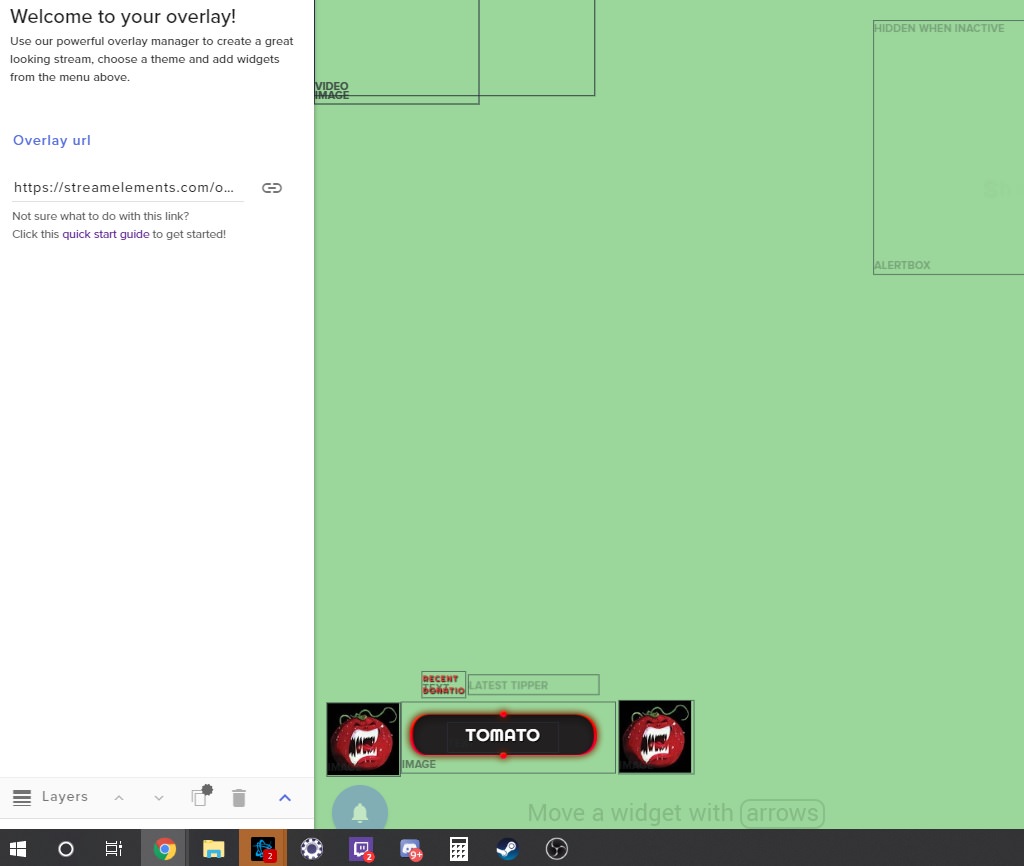
Press ctrl and - at the same time to zoom out as save button is on bottom of left white panel
 formal wharf
no dice mate. still nothing there
got it. jesus christ that was frustrating
thank you Ix
untold crest
No problem
formal wharf
resized the window and there it was hiding behind my task manager
start bar whatever
im too old for this shite ❤
marble ermine
How do I remove and cancel streamelements
I want nothing to do with it... made overlays and everytime I switched between scenes it took 5 t 10 seconds for the overlay to load
pine hemlock
You can solve that issue with studio mode transitions. Overlays are a webpage and the way obs handles webpages - it takes a moment.
nocturne pelicanBOT
@marble ermine Loading time for overlays will vary based on your internet speed, ping to servers, and the amount of data to load in the overlay. Using studio mode, you can preload your next scene before transitioning so that no loading appears on stream. You can also use a longer transition time. https://youtu.be/W8iWsD2Lq3U?list=PL_9rga23xIlJDyaOnO2avbss-PHm28oNs
 scarlet pier
Hello is there a command who viewer can give their points as a gift to another ? Like XXX gift 1000 Perks to XXXY
scarlet pier
thx 😃
scarlet pier
this command is for any user right @winter zenith
marble ermine
forget it... I just finnished talking to others and they refuse to you elements so im not even gonna bother
elder sorrel
@scarlet pier Correct
narrow coyote
Cuda said to use Studio Mode, not OBS Studio, SLOBS still has Studio Mode, its used to preload scenes. The overlays are browser sources, so they need to load. If you dont want to deal with the loading time, then you should make your overlays so you have your alerts and other widgets that make sound in their own overlay, so they can be marked to be shutdown when not visible. The rest of your elements would then be in their own overlay that is not set to be shutdown when not visible, so they are always running, and never need to load. @marble ermine
 jade remnant
dont bother KITE, its one of those people that just want to try and talk trash but doesnt know how to do it 😁
 jovial crane
how do I import my streamlabs scene to streamelements obs
zenith widget
You can only import the alert box and past donations from SL to us.
zenith widget
Then you can add the imported overlay alertbox to OBS
If you are referring to any SLOBS setup overlays, those we can't import.
jovial crane
yea.. well mb
zenith widget
jovial crane
how can I remove the bot from my channel
zenith widget
Which one?
jovial crane
streamelements
 warm hawk
https://streamelements.com/dashboard
Then part channel on the right.
:)
StreamElements
The Ultimate All in One Platform for Streamers
zenith widget
or !bot part in your chat
warm hawk
Stole your job @zenith widget
;)
So I have an issue where alerts are freezing on screen and the tips aren't going to the alerts this is an imported alerts from streamlabs also have configured it.
zenith widget
@jovial crane I assume you won't try importing. But do you know that our overlay is an all in one? No additional program needs to be ran to track your recent follower or sub or tip?
warm hawk
?
zenith widget
@warm hawk So if you've had issues with an SL alert box where if freezes and what not and you've imported it, the issues the alext box has are also imported.
Its best to make a fresh overlay.
I am saying this from personal experience, where I've tried my hardest to change a follower alert image and sound, even mute the sound, yet it doesn't update the alert box.
When I imported said alert box to SE some months ago, the issues were still there.
So I made a fresh overlay with a fresh alert box
Also you didn't steal my job, as its always best to know why someone doesn't want to use us 😃
warm hawk
I just imported it again.
Used the extension this time and it worked the only issue I had was all the alerts were at the top of the alert box
I fixed this by changing it from text of image to row.
 median quail
yo guys, quick question: how can I get an donation message to show under the text (who donated and how much)? For some reason it shows only who donated and doesn't show the amount 😭
 copper bobcat
Is there a way to search back through Item Redemptions to see how many times one specific item has been redeemed?
I have a "level up" item that I wanna see how many times has been redeemed.
zenith widget
@median quail add to the alert box message field {msg} & {amount}
copper bobcat
I know I can search through ALL item redemptions, but I wanna hunt down this ONE item.
zenith widget
@median quail
sorry its {message}
@copper bobcat https://streamelements.com/dashboard/store/redemptions/items
lament blade
Does Streamelements have anything to help me defend from the refunds?
zenith widget
To get back to this page, just go to "stream store" -> redemptions
@lament blade Yes.
lament blade
As well? Can you explain? @zenith widget
zenith widget
Generally, if its a paypal refund you can contact PayPal(in the dispute) and provide a screenshot of the transaction and description saying "This person gave me a tip." and provide said screenshot
paypal dispute*/chargeback
lament blade
Thanks men!
zenith widget
@lament blade Also jsut to make sure, you can go to your tipping settings -> page settings -> tick the "Subscribe to global chargeback protection"
lament blade
Yes.
zenith widget
This way, anyone who has been banned from tipping from another streamer, can't tip you as well.
lament blade
Thanks men!
sharp bane
@tight harness https://gyazo.com/677b89a679da95f310f64a33c47d250c
is there anyway for this to not rest that way I can have one for all time then 1 for monthly?
nocturne pelicanBOT
@lament blade The StreamElements Mobile IRL streaming app is currently in closed beta.
If you'd like to assist with testing when public beta testing becomes available, please fill out this form: https://goo.gl/forms/3DaiLckKDjeMAeVt2
This does not guarantee you to receive a Code.
elder sorrel
Help has arrived 🙂
lament blade
Thanks😉
elder sorrel
No problem! 🤘🏼
 woeful portal
Can I get an early access code?
nocturne pelicanBOT
@woeful portal The StreamElements Mobile IRL streaming app is currently in closed beta.
If you'd like to assist with testing when public beta testing becomes available, please fill out this form: https://goo.gl/forms/3DaiLckKDjeMAeVt2
This does not guarantee you to receive a Code.
 blissful apex
Question, getting donos through paypal, paypal take a small cut right?
woeful portal
I'm done with the form how long does it take to get a invite code
 pine egret
Is there a way to download a list of your viewers with their loyalty points? Live in a cvs file or something similar? Or do we just have to search through page by page?
elder sorrel
No ETA @woeful portal More codes will be emailed if more testers are needed.
woeful portal
Alright I
elder sorrel
@pine egret It would be the Leaderboard in the Loyalty section in the dasboard to view their points.
pine egret
@elder sorrel But is there a way to download that data? Or would I just have to scrape it if I wanted it in a different form?
 grand roost
hi everyone i need your help
zenith widget
@pine egret You can use our API endpoint to get all the current points: https://api.streamelements.com/kappa/v2/points/<CHANNEL_ID_GOES_HERE>/top or for alltime its this endpoint: https://api.streamelements.com/kappa/v2/points/<CHANNEL_ID_GOES_HERE>/alltime
grand roost
for some reason, another twitch user who has donated in streams berfore it always comes up for them a donation alert but for some reason, my presets i have them at 6.66 10.00 13.37 and 25 and up but when they donate 6.66 to activate a donation sound i get the alert on phone via paypal but the alert doesnt show up on screen...help anyone
i linked my tips page and everything
zenith widget
@grand roost You will need to set a variation in the tip alert to be exact amount of 6.66/10.00/13.37
zenith widget
Can you screenshot all the tip variations?
grand roost
i set when it is exactly 6.66 exactly 10 exactly 13.37 25 and at least 50
what button is screenshot lol i am not tech when it comes to this stuff i just know the games lol @zenith widget
grand roost
once i do that then what
zenith widget
ctrl + v the snippet, and ctrl+v directly here
grand roost
sorry for the left side but thats all my variations
zenith widget
close
pine egret
@zenith widget Thanks! Is there a way to get all the viewers? Is this limited by the number of points or number of viewers?
zenith widget

pine egret
For example, instead of having "/top", is there a variable for "all" ?
grand roost
i been having this problem for a while now and my viewers would like to scare me with the set amounts but they arent working
zenith widget
/top is the current point side of the loyalty
it just says "top"
@grand roost I will trigger some tip alerts.
grand roost
ok thats wierd that i got
but when he does it i dont get it
i have to manually do it
grand roost
so how do i look at that
zenith widget
I gave you the link
so on top of the activity feed you will have pending for approval
grand roost
its wierd your tests work but this user when he donates i get it from paypal phone but not alert on screen
zenith widget
So approve these and they will join the normal activity feed
pine egret
Is there no way to increase the size of the output from 100 viewers?
zenith widget
and it will trigger the alert
You need to approve his tips in order to trigger alert
you have tip moderation on
grand roost
so i have to add them so the alerts work
zenith widget
@pine egret The entire link I can get is this: https://api.streamelements.com/kappa/v2/points/CHANNEL-ID-HERE/top?offset=0&page=1 but I think there were some options without /top at the end
pine egret
Thank you!
grand roost
ok i approved them
and it shows in my activity feed 😃
so now when they go to tip that amount it will do it
zenith widget
So when you approve tips, they will also pop an alert as well
grand roost
ok so it allows the alerts from that user to show
zenith widget
You have tipping moderation on.
grand roost
do i need to turn that off to allow the alerts
zenith widget
If you don't want to do it manually every single time, yes
grand roost
ok
zenith widget
grand roost
and that i access thru the tip cog settings
zenith widget
grand roost
ok i unchecked so its not highlighted
so now it will do it automatically
the automatic tip filtering i can still have on though yes?
enable tts anti spam, should i have on
thank you so much for your help
 timber bolt
is the website/api down only for me?
elder sorrel
🤔 Website working fine for me. Don't know about the API since I don't mess with that personally.
woeful portal
Alright i edited my dashboard and stuff on chrome android But how can I start streaming I did not get a code after the email
elder sorrel
@woeful portal As I said. There's no ETA. More codes will be emailed if more testers are needed.
narrow coyote
what exactly is happening?
timber bolt
I get a timeout on OBS for activity feed, and when I try to connect to twitch I get a 504 gateway time-out
website works until I try to go to dashboard. antivirus scan done and speedtest 8ms 150mb up/down constant so I have really no clue @narrow coyote
narrow coyote
Go into the StreamElements menu, logout, then close OBS. Go the the StreamElements site, logout and back in there, then launch OBS again and login
Are you using Chrome for your browser? If not, try going to the dashboard on Chrome
 harsh imp
im trying to use obs live to stream but no game audio is going to my live stream
narrow coyote
harsh imp
ok
narrow coyote
in chrome, can you press F+12, go to the console tab, and provide a screenshot of any of the errors
 spark topaz
change the bot announce sentence?
ex:duel (@XX wants to duel... → @XX challenge duel to YY)
bitter flume
how do i make the stream starting countdown start?
 strong kernel
It starts automatically when you switch to that scene.
bitter flume
do you need to be live for it to start?
strong kernel
No.
bitter flume
hmm, mine is stuck at 0:00
strong kernel
This is why it's important to check "Shutdown source when not visible" for your starting scene. Basically, when that's checked, hiding and showing the source, or switching away from the scene and back to it, will "refresh" the browser source and start the timer over.
bitter flume
gotcha, thanks.
sharp bane
https://gyazo.com/677b89a679da95f310f64a33c47d250c
is there anyway for this to not rest that way I can have one for all time then 1 for monthly?
sharp bane
anyone?
sharp bane
OMG THANKS SO MUCH!!!!!
elder sorrel
@urban prairie What's up?
 pliant finch
im trying to setup my twitch paypal donations on the start up page and it wont recognise my payal link,even when im coming it straight from the email i just received,any thoughts.its driving me nuts
elder sorrel
Best to post your question
 urban prairie
because i want reset or delete my account
elder sorrel
How come, Arkhez?
urban prairie
I want to delete my account
elder sorrel
@pliant finch Setting up the Tipping page from us would only need the Paypal email address. Best to check the email you're using with Paypal.
urban prairie
@elder sorrel
pliant finch
i jsut set it up and when i click on the link in the email it takes me to my paypal but when i put it into the start up it wont work
it just stays red
elder sorrel
I don't have that kind of power  What would be the reason why for the request, Arkhez?
urban prairie
I would like to use it later
sharp bane
@strong kernel does the total tip account for PP fees? because its showing less than the 1,448
sharp bane
yes its off tho
total I have gotten $1,448 which is what shows when I do the tip goal howver when I do the total tips it shows 1390.5
 strong kernel
Did you receive tips outside of StreamElements? You've only received $1390.50 through your StreamElements tipping page.
strong kernel
Goal is the goal tab in your data and can be changed. Total tips reads directly from your revenue history in StreamElements.
strong kernel
You're misunderstanding.
StreamElements
The Ultimate All in One Platform for Streamers
Goals tab.
That can be changed manually.
Total tips is reading directly from your revenue history.
strong kernel
I don't know what has or hasn't happened, just pointing out where each gets its information.
sharp bane
I understand that. I am letting you know I have never once touched the goals section just found out about it 2 days ago. So my question for you now is who is it best to reach out to find out why theses numbers are so far off?
 pearl current
strong kernel
pearl current
strong kernel
Nobody, really. We don't keep a history of changes to the goals section of your widget data, and the revenue history is just what's been done in StreamElements or brought over through the import tool, minus anything that's been deleted from your revenue history, which again a history isn't really kept for.
sharp bane
I am telling you nothing has changed in the goals section once
so surly theres an IT person that can see that
strong kernel
And I am telling you there is no way for us to determine if, when, or what was edited. We don't track that.
sharp bane
ty for your help
 polar stump
on my obs.live i only have my screen not the chat or the follow stuff
strong kernel
@polar stump Do you see the StreamElements menu at the top?
elder sorrel
strong kernel
Also that.
 hard jasper
Hey guys sorry I cannot find anywhere how I can get the chat bot to start raffles on a timer, it works if mods enter the command but when the timer goes off and puts the raffle command in nothing happens, is there something obvious I’m missing here? The bot has mod status
torpid estuary
The bot cant trigger itself, so even if you let it say commands it wont trigger them.
hard jasper
Ok cool, thank you
torpid estuary
urban prairie
Hi i need a modérator pls
torpid estuary
what can we help you with?
urban prairie
I want to delete my account or reset my account
torpid estuary
oh, did something happen? and why do you need it reset if i may ask?
urban prairie
Because i Want to use it After because i dont need to use streamelements now
lament blade
Hey, I currently use streamlabs and it has been very nice for me. Is there by chance a Super Smash Brother's Ultimate Stream Overlay? If so I will be switching but if not I can't decide
torpid estuary
@urban prairie i will relay your wish for deletion internally. i dont have that kind of power.
@lament blade there is no super smash bros overlay right now, i can ask if one is planned in the future tho.
lament blade
Okay I would appreciate that. When can I expect a response?
torpid estuary
@lament blade as soon as i get an answer. i will ping you then.
lament blade
Thank you very much @torpid estuary I appreciate the help
torpid estuary
urban prairie
can you tell me internally from me mp for more information
torpid estuary
sorry, i did not understand what you meant?
 dusk axle
Ok so I have downloaded the stream elements app and I signed into my twitch earlier on but I've gone onto it now and apparently I need some invite code?
nocturne pelicanBOT
@dusk axle The StreamElements Mobile IRL streaming app is currently in closed beta.
If you'd like to assist with testing when public beta testing becomes available, please fill out this form: https://goo.gl/forms/3DaiLckKDjeMAeVt2
This does not guarantee you to receive a Code.
lament blade
So
My um cheer alert default settings cannot be changed
even tho there is no image or video or audio file, it keeps playing somehow?
dusk axle
Also how do u get a like chat bot/night bot because I asked my friend and he said that i need the stream elements app was he correct or is it something else
??
lament blade
you enable chatbot via streamelements dashboard ^
 atomic silo
hey, why doesn't banned tags work? i have banned ear rape yet my viewers still can request songs with such tags
pine hemlock
@lament blade Go to variation settings and remove the image/video from those as well
dusk axle
So i need to be able to use the app to get the chat bot thing
lament blade
@pine hemlock the variation works perfectly
atomic silo
also i can't see banned tags, they're gone
pine hemlock
@dusk axle You go to https://streamelements.com/ , login, and on the right there is a join button

StreamElements
StreamElements is the leading platform for live streaming on Twitch and Youtube. StreamElements features include Overlays, Tipping, Chat Bot, Alerts, Loyalty, all fully integrated and cloud-based.
lament blade
see here all variations work perfect
Idk why the default doesnt
ok so i deleted variations
and now the entire cheer alert doesnt work
pine hemlock
Have you tried reopening the page?
lament blade
Yep
I just restarted
finally fixed it
thats so annoying
the editor is full of bugs
sometimes doesnt even save
lament blade
hey, my alerts on every scene are coming through more than once, any tips?
nocturne pelicanBOT
@lament blade Make sure to :ballot_box_with_check: “Shutdown source when not visible” for all browser sources (all OBS scenes). If using studio mode, uncheck “Swap Preview/Output scenes After Transitioning.” Also keep in mind that sound can play from any overlay loaded in the browser (editor or launched). https://i.imgur.com/FegZJQS.png https://i.imgur.com/yY0wcFl.png


 agile charm
Hello! I am trying to set up sound commands but I'm not quite sure how it works. I want to set it up so anyone can put !dog into chat and dog sound will pop up
strong kernel
@agile charm
- Create an item in the stream store for it. Stream perks show gif and play sound, sound effects are sound only.
- Create a custom command for !dog with the response ${redeem dog} assuming you name the stream store item "dog."
- Make sure you have a store redemption widget in your overlay for it to play.
agile charm
It's still not working @strong kernel
strong kernel
Seems to be fine.
agile charm
Yup I just noticed it now. Thank you! Last question, stream elements bot automatically says "you successfully redeemed avocado for 0 wrecking balls" is there a way to change that wording?
strong kernel
There is not.
agile charm
Nor to stop it from coming up?
strong kernel
Nope.
agile charm
Awesome, thank you!
 golden ether
Hello, My chat bot is sending dupplicate messages when custom chat bot name is turned on 😄
strong kernel
You're using keywords for your commands?


 golden ether

narrow coyote
Close ground control, then go into task manager and make sure there are no running processes like bot.exe, if there are, kill them, and then restart ground control
golden ether
Just did a fresh install on a brand spanking new NVMe drive 😄 I'll check task manager
Saw nothing in my task manager, but it looks like a restart was all that was needed, a second one that is.
Thank you
strong kernel
Are you so sure?
Are you so sure?
Are you so sure?
Are you so sure?
golden ether
Yes, I clicked it that many times 😄
strong kernel
Keep an eye on it. 
pine hemlock
looks good to me
strong kernel
If it goes rogue, call John Connor.
 light basin
Hi, for the chat alerts if i put 0 in for example host, does that mean it will trigger for everything or only JUST those with 0?
 winter zenith
@light basin would mean anything but we don't Track 0 hosts anymore
 dry hollow
Hello! i am using streamelements in my twitch channel and i have a strange bug images don't load on the website and when ppl redeem items from the store, the store redemption widget show only the redeemed item's text but no sound and no gif, what can it be?
lament blade
How do we control volume of media request on Ground Control? seems like you can't
pine hemlock
@dry hollow Are you saying the images arent loading on the site? Or are you saying they arent showing when redeemed
pine hemlock
@lament blade Ground Control isnt up to date with media request, its better to use the website
@dry hollow If your store items are set to sound effect, no images will show on redemption.
dry hollow
@pine hemlock the images don't load on website, items are set as stream perks and the redeemed item doesn't show neither image nor sound effect even though they have both i'll post another screen capture so you can see the error more clearly
dry hollow
Ohhh ok ok i'll look into that and i'll come back if i can't find it thanks for the help
 velvet spear
How can I add a watchtime command?
like uh "user has been watching the stream for this many hours"
pine hemlock
its a default command that only works if you have loyalty settings enabled.
velvet spear
I figured it out, thank you though 😃
light basin
can i know why streamelements decide to not track 0 hosts anymore?
pine hemlock
I don't have a specific answer.. but I can assume that it saves API limits by not having to report on these events.
 slender surge
When importing the alert box from SteamLabs to StreamElements, do I still need to set them up in StreamElements?
pine hemlock
When you import, your alertbox is created on StreamElements under 'My Overlays'
lament blade
my bit alerts are still repeating and amplifying what should i do?
and i would like to basically copy and paste an alert from a different overlay, how would i do that/
nocturne pelicanBOT
@lament blade Make sure to :ballot_box_with_check: “Shutdown source when not visible” for all browser sources (all OBS scenes). If using studio mode, uncheck “Swap Preview/Output scenes After Transitioning.” Also keep in mind that sound can play from any overlay loaded in the browser (editor or launched). https://i.imgur.com/FegZJQS.png https://i.imgur.com/yY0wcFl.png
@lament blade To duplicate a layer on an overlay select the layer that you want to duplicate in the layers drawer (bottom left of the editor) and then select the duplicate button with the red asterisk right above the layers panel. You can duplicate a layer to the same overlay or to other overlays.
lament blade
@narrow coyote can you help me? i dont understand the bot.
 bitter holly
hello
i need help
with something
How i change those soccer balls to the normal bits imagine
i ready try to change it on the overlay but still the same
lament blade
i do not see an duplicate button and i dont know how to duplicate
what i really want to do is change the default bit alert
pine hemlock
@bitter holly Edit the hypecup widget, go to the variation settings and change the images on the variations.
@lament blade The duplicate button is where the bot said it is. but here is a visual aid: https://i.nuuls.com/V3rnD.png


If you want to change the default bit alert, edit your alert box and change the image.
lament blade
well the bit alert i want is literally the one you start with but its giving me a different one
pine hemlock
The alert variations are enabled by default, which change the alerts based off of how much is cheered.
 potent quest
I need a invite code
lament blade
thanks cuda.
nocturne pelicanBOT
@potent quest The StreamElements Mobile IRL streaming app is currently in closed beta.
If you'd like to assist with testing when public beta testing becomes available, please fill out this form: https://goo.gl/forms/3DaiLckKDjeMAeVt2
This does not guarantee you to receive a Code.
bitter holly
@pine hemlock i ready do that and save it and still the same balls
pine hemlock
have you tried refreshing after changing the images and saving?
 livid minnow
helo
hello*
im trying to figure out how to add the oveerlays to obs
it isnt as easy as 1 button install is it?
nocturne pelicanBOT
@livid minnow To add your overlays to OBS, add a new browser source in your scene. Paste your overlay URL in the browser source properties, set the dimensions to 1920x1080 (unless you changed them on the website), and :ballot_box_with_check: “Shutdown source when not visible” https://youtu.be/KDvLynUqXI4
livid minnow
on streamlabs i just 1 click install so im not familiar
ok but does it automtically use my twitch data? like foor ssubs etc?
for subs*
do i have to edit the overlays before i put them in obs?
zenith widget
All our overlays track your follows/subs/tips automatically, so you don't have to setup widgets like those, if you are going to use one of our pre-made overlays.
If you make a blank/fresh overlay, you can use the widgets tab, to add an alert box, recent follow/sub/tip widgets and other doodats as well. After you are done, click "save" and then click "launch" to get the overlay link and add it to OBS.
 serene viper
Really llike OBS Live, nice work!
I have just finished up setting up OBS Live and customizing an overlay.
My issue is that there is nothing in my Activity feed and the recent followers widget that I added shows nothing.
I know that it is connected but I do not know why this portion is not showing. (I'm a small streamer - 28 followers - but I did expect this to still be functional)
zenith widget
When did you first log in to our dashboard? @serene viper
livid minnow
@zenith widget ok but the overlay has socials on it and it doesnt say our socials lol
do they show on the stream as links or something?
zenith widget
You can still go into the overlay editor and edit those labels
Unfortunately, no they don't work as direct links.
zenith widget
Those are just normal text widgets.
zenith widget
If you update your profile here: https://streamelements.com/dashboard/profile
livid minnow
im already there
zenith widget
and then generate a pre-made overlay, then the social labels, should update automatically.
zenith widget
@livid minnow
lament blade
Good morning! I am having some trouble getting my resub variation to work. If I emulate custom test for resub, use 2 months as subscribed and tier 1 I always get the normal sub alert. Variation is set at months subscribed at least 1.any ideas?
zenith widget
Can you screenshot the variation settings?
livid minnow
@zenith widget hey sorry again, so after i put in those socials on the dashboard, they auto work in the overlay even without me editing them?
or i have to change the names to my socials
zenith widget
I would still go into the overlay editor and check if they are the correct ones.
lament blade
Just wanna say you guys are extremely talented and awesome to provide such gloriousness to streams ❤
livid minnow
is there a way to fit different icons in for the ones there already?
but not random icons like another set with same theme?
say i dont have facebook and dont want to put "no facebook" lol
but i have discord and want to put that
i see the edit option
zenith widget
All the pre-made overlays come with the same set of social icons. As in, FB/YT/Insta/twitter
livid minnow
but dont want to download any icon pic
zenith widget
those are just images/mini-video files
livid minnow
anywhere to get more of the same or nah?
zenith widget
Also for discord, if you have your own server, its best to have it as an invite link bellow your stream in the panels
or command
Not really.
 crude marsh
I'm trying to setup the widget "Your channel's twitch chat" and I see it appear in the stream element editor but not on OBS, do I have to be online to see it appear on OBS?
zenith widget
No. You need to set the overlay to be 1920x1080 resolution
for the chat widget to work properly
crude marsh
Ok I'll try, thank you
 kind stratus
Is there a stream elements app for Xbox?
zenith widget
No.
kind stratus
If not are you guys making one
zenith widget
And no.
zenith widget
Consoles in general don't allow direct streaming.
Or what I mean is, don't allow third party overlays.
 crude mountain
Всем привет, мне бы русского человека)
zenith widget
#🇷🇺︱русский @crude mountain
crude mountain
thanks
 gilded yew
hey guys
i need help a bit
i need to show top 30 days tipper with a text on strea,
i see "aggregates" in overlay settings
but how i am supposed to display this information in overlay?
ebon stag
moving over from streamlabs to elements........i love the free for all minigame. Does elements have anything like this?
zenith widget
ebon stag
ok thanks
gilded yew
is it possible to add a shadow or a stroke or maybe a gradient to a text in streamelements text widgets?
zenith widget
Click on text settings - text shadow and other text options are located there
untold crest
@gilded yew and if you are looking for more customization options, you can use "Custom Widget" and create CSS style you want
gilded yew
@untold crest mm i see thanx
yeah the customization setting are pretty poor in normal mode
it's even not possible to preview a font
so just clicking on random and checking results
zenith widget
All fonts we use are from Google's copyright free font gallery here: https://fonts.google.com/
nocturne pelicanBOT
@lament blade Are you a StreamElements all-in-one streamer and interested in stream promotion when you go live? Please fill out this application https://strms.net/sellout and if you meet the 3 requirements posted in the :pushpin: pinned message in #welcome you will be added to the stream announcements.
lament blade
@zenith widget here are the variation settings. I think it is right? Resub Alert does not come up though, always the normal sub
Completed my application
zenith widget
Good. Now you wait until you get added to the sellout
lament blade
Ah sweet man thanks
zenith widget
@lament blade I'll check out your account.
lament blade
Thank you!
zenith widget
Is it the SL imported alertbox overlay?
lament blade
Yes
zenith widget
Right. You have custom CSS option enabled.
zenith widget
Usually it shouldn't
the variation settings can handle amount and tier checks and then run the custom css from said variation
but I think you have too many tier 1 variations
and the months subscribed variation should be 2
lament blade
Ahh ok... I'll try cutting it down to one then. Just wanted to add some sound variety
Will give it a test. Thx
zenith widget
i haven't changed the changes I've made
usually the normal sub alert(not variation one) is considered a tier 1 new sub
so you don't actually need exact variation for tier 1 sub
lament blade
Ok cool thx a lot!
zenith widget
also the message was not displaying properly
in the HTML box, for the non-variation, change this from {{Message}} to {{message}}
zenith widget
So keep up with me as you need to adjust the variations as well 😄
Prime sub variation also has this issue
lament blade
Ok cool, will change those settings and delete the additional tier 1 variations
zenith widget
re-sub variation has {{userMessage}} - change it to {{message}}
lament blade
Will do!
lament blade
Also, any idea why my donation setting does not show up at all?
zenith widget
so in short, the problem is that the {{message}} is with a capitol letter
lament blade
Err alert
zenith widget