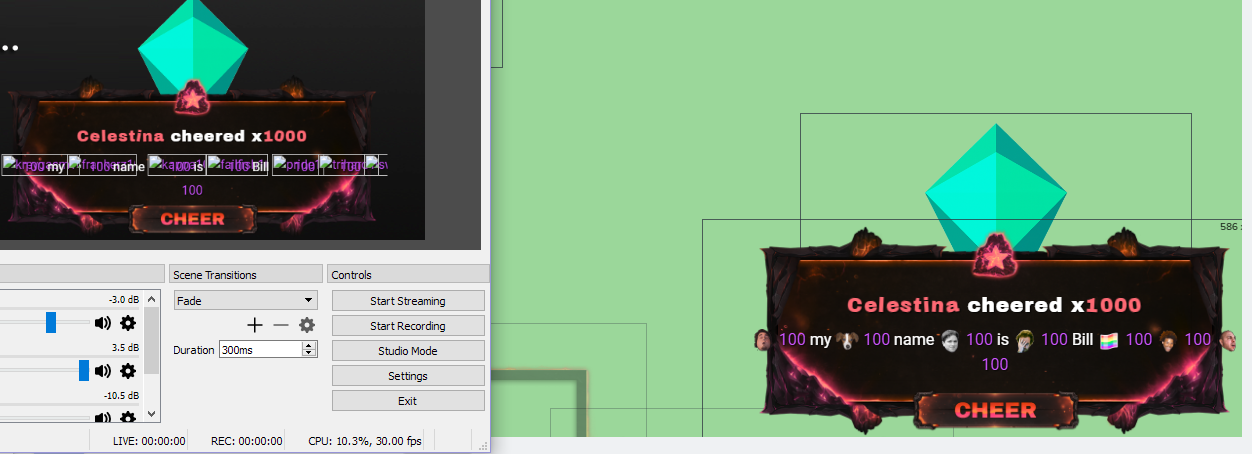
#helpdesk-twitch
1 messages · Page 352 of 1
 normal prairie
 zenith widget
@normal prairie Try to clear the browser cache
 nocturne pelicanBOT
@normal prairie Right click on the BrowserSource > Properties > Scroll down a bit > Refresh Cache of current page
normal prairie
@zenith widget i tried that a couple times to no avail
zenith widget
Can you try opening the overlay in your browser?
And replying the event to see if the emotes pop up?
normal prairie
they do in browser
should i try deleting the overlay source entirely and making a new one @zenith widget
zenith widget
Maybe.
 surreal parrot
A quick one, i know how i add the song-sound for the stream in the store and then redeem section, but if i want the sound RUn from the prank, where can i get that song/sound, just rip it off youtube or is there place someone have put these sounds. or...
normal prairie
@zenith widget hmm that didn't work either. this is so weird, and it only recently started happening
zenith widget
rip it - there are plenty of sites taht convert YT videos to just sound files @surreal parrot
 narrow pike
so no possible solution for my issue just that it filters out 0 viewer hosts?
zenith widget
I'm asking internally @normal prairie
surreal parrot
@zenith widget ty mate
normal prairie
@zenith widget thank you I appreciate it
zenith widget
@narrow pike I think by default, the 0 hosts are filtered out by the system it self.
Even if you force show it
narrow pike
maybe but again its does not work at all i have nay people that come host with viewers on there channel and it never mentions them. it was again working fine a few weeks ago. even with a forced even it will not show up in chat i did a 10 viewer host with nothing i have it shut off on the overlay but would like the bot to mention hosts
 jovial gale
Is there a way to center the text vertically? Or at least a custom css for all those text boxes?
 narrow coyote
what do you mean by center it vertically?
jovial gale
@narrow coyote for example in html you can using flex box align content in the center with justify-content: center for columns and align-items:center for row. And it allows content to be centered not just horizontally
 lament blade
hey, im trying to log in to the streamelements desktop app and it asks for my JWT token, which i can't seem to find anywhere. Can anyone show my where i would find it?
narrow coyote
for the text widget, what you see in the text settings is what you get, no CSS can be applied to it. You can use HTML text formatting tags, but that is it. Only the alert widget, and custom widget expose HTML/CSS/JS
nocturne pelicanBOT
@lament blade You can find your JWT token on your account channels page: https://streamelements.com/dashboard/account/channels
(Don't forget to click on "Show Secrets")
lament blade
ah yeah that would be it
jovial gale
@narrow coyote Okay, thanks
lament blade
didnt see the show secrets button 😂
 pine hemlock

jovial gale
What's up with the fonts not working? Few fonts I've seen in selection dropdown do not work, like Press Start P2
lament blade
i can't really figure out how to word this, is there a list of all the things like {name} that you would use for the widgets so i can see which ones there are?
narrow coyote
there are certain fonts where the character set does not work in our system, with Press Start P2 being one of them
jovial gale
Eh, FeelsBadMan
narrow coyote
@lament blade The widgets should show the available variables they support
lament blade
thank you 😄
 half shell
Heyy, my alert sounds appear on stream but the pictur and text doesn't show up
picture*
narrow coyote
Do you have your browser source under another source that would block the image?
 copper bobcat
Is there a way to add gifs to automated tweets from StreamElements?
half shell
@narrow coyote no i have it as the top layer
narrow coyote
Did you add it at the correct resolution then?
narrow coyote
I am not sure, I am really only familiar with OBS, but it looks like you should be able to set the resolution on the browser source. https://supportdesk.xsplit.com/customer/en/portal/articles/2230861-how-to-add-web-pages-as-sources
half shell
alright, thank you ^^
 uncut isle
@anyone I’m available now so can anyone help me set up stream elements?
narrow coyote

uncut isle
Last night I messaged you guys if anyone could help me get the commands for streamelements but it was late. 
narrow coyote
so, what exactly is the problem?
uncut isle
I want to get the commands for streamelements.
narrow coyote
What do you mean exactly, the bot is in your chat, so it should respond to any commands you have enabled or created.
 weary mist
There are a set of default commands that come with every account, so those commands are always active
until you turn them off
narrow coyote
weary mist
Then there are custom commands that you can create using chat variables, these are for more personalization
Then the modules which are pre-built activities to entertain your viewers
uncut isle
? All commands that are defeault are already there?
narrow coyote
Some of your commands might fire more than one bot, since you have more than our bot
uncut isle
Thanks?
weary mist
If you click the first link that Kite provided, you will see a list of all the default commands
uncut isle
Can I at least change the points to something else? Sorry I didn’t know all the default commands were there. 
narrow coyote
weary mist
Everything is accessable from the dashbaord, and very customizable
uncut isle
There’s one more question I have. On another user profile which is why I wanted streamelements. His name is TeddyBROSAVELstreams. Is there points for submitting levels in Mario Maker viewer levels streamers who have streamelements?
narrow coyote
I do not follow the question
 narrow coyote
I dont get what you are asking, are you asking that if someone submits mario maker levels, will they get points on your stream? If that is the case, you would have to manually give out points
uncut isle
And how do I do that?
narrow coyote
uncut isle
So do I do !addpoints @ the person I’m giving the points to? Also, what about the amount?
narrow coyote
it does not support using @, and you give whatever amount you want. If you just type a command in chat, it will give you the syntax for using it
uncut isle
Alright thanks for the help. 
surreal parrot
okay, so i made the redeems now, and people can use them, but there is no sound when they activate them, how come, do i need an overlay for it, and is there a template for it or premade one..
narrow coyote
you need to have a store redemption widget in your overlay
surreal parrot
okay, can i find that in the streamlabs obs or do i have to download it from the streamelements and manuelly out it in scene
and ty for the help
narrow coyote
You wont be able to find any of our widgets in SLOBS
you would need to make an overlay in our system, add the widget in there, and then add that overlay as a browser source to your broadcasting software
 dark path
hello how can I do to create a command that indicates what time it is in my country? I already believe it but it leaves me with 5 hours of difference to my country, I am from Ecuador. I use this command $ {time.ECT} but in my region it's 4:00 pm but the command marks me 5 hours later and I do not know what to do, suddenly they can help me ...
narrow coyote
check pinned messages in here for time zone conversion
dark path
Thankyou
narrow coyote

 wheat totem
@nocturne pelican Awesome server! Can I pay you guys to setup my stream for me?
 torpid estuary
Hey there @wheat totem here you can watch our playlist. It's really simple to set it up yourself and then you have the working knowledge to make changes whenever you need them! https://youtu.be/UuweQah3v00
 lavish wraith
How can i make a simple shining border for my camera capture layout ?
cant find it :X
narrow coyote
You can find something in a theme, and use the theme, or duplicate a cam border to your overlay https://streamelements.com/dashboard/themes
lavish wraith
wanted soemthign form scartch but ok i will give it a shot
narrow coyote
If you want something custom, then you will either need to make it yourself, or hire an artist to make you something
weary mist
ask away
 shy pulsar
I was donated 10 dollars but it's not showing on my paypal
weary mist
My questions is this: How do you know you received a donation?
weary mist
I am on your account right now, there is nothing showing in your revenue history (according to the account you have linked to your discord profile: aadeyemo)
shy pulsar
My account is sp4rr0wz
weary mist
you may want to connect that to your discord profile, free advertisement
So looking at your revenue history, you got that tip through G2A. That means the money went to your G2Apay account.
shy pulsar
K
 severe meteor
Hi
 grand kayak
Hello, how to get the invite code to stremelements?
 glossy nimbus
Are youtube songrequests and playlists working correctly?
I hear some bots have an issue right now due to codec licensing
nocturne pelicanBOT
@grand kayak The app is currently in closed beta, and is expected to be available to the public by mid October.
If you'd like to assist with beta testing, please fill out this form: https://goo.gl/forms/3DaiLckKDjeMAeVt2
 tight harness
@glossy nimbus Haven't heard anything about it personally
grand kayak
ty guys
tight harness
No problem
lament blade
Could I please have a code?
pine hemlock
@lavish wraith set the size of the browser source to 1920x1080
nocturne pelicanBOT
@lament blade The app is currently in closed beta, and is expected to be available to the public by mid October.
If you'd like to assist with beta testing, please fill out this form: https://goo.gl/forms/3DaiLckKDjeMAeVt2
lavish wraith
@pine hemlock thanks, if every thing need to be set like this why its not default ?
pine hemlock
I mean. The browser source needs to match the size of the overlay on our site.
If you're only using 1 widget, you could set the size of the overlay on the site to smaller dimensions and match those on obs
personal preference at that point
 little gazelle
Greetings fellow humans. I am new to pretty much everything, but I'm wondering where I might get a copy of the stream elements logo to use in my streams?
 tacit ridge
So I recreated a overlay from scratch from stream eleemtns
and even with a FRESH overlay. only using 1 browser in OBS I still get my alert notification then the streamlabs default alert notification. what. do. I. do?
pine hemlock
@little gazelle someone might have the link handy for images.. I unfortunately do not. Lol
@tacit ridge do you have multiple scenes?
 vague elm
Any way to get my animated overlays to work? I see limit is 30mb all my stuff is 34 to 38 :(
tacit ridge
yes. 1 starting. 1. main. 1 ending. 1 brb.
the main is the ONLY 1 that has the overlay in it.
 nocturne pelicanBOT
@tacit ridge Make sure to :ballot_box_with_check: “Shutdown source when not visible” for all browser sources (all OBS scenes). If using studio mode, uncheck “Swap Preview/Output scenes After Transitioning.” Also keep in mind that sound can play from any overlay loaded in the browser (editor or launched). https://i.imgur.com/FegZJQS.png https://i.imgur.com/yY0wcFl.png

 vague elm
Yeah it is webm
 iron valley
Dear Support, I've always had doubts about timers.
I created 5 sentences.
I want every 5 minutes you can only 1 of the 5 sentences.
After the 5 minutes he posted the 1st he will publish the 2nd
Until it forms a cycle of 25 minutes and then start repeating.
I made these settings and in the live became spam of "timers".
Where did I go wrong? I should put:
Phrase 1 5 minutes
Phrase 2 10 minutes
Franse 3 15 minutes
Or did I miss the amount of lines?
Thanks so much if you can help me.
torpid estuary
Hi @iron valley i know what you are trying to do but you set the times wrong for that. Your timers are p1: 5 mins, p2: 10 mins and p3: 15 mins. That means that p1 will be played every 5 minutes, so it will trigger also at minute 10 and minute 15, the times for p2 and p3.
With those timers p2 will play the same time as p3 in the 3rd cycle. Do you know what I mean?
 proud pumice

iron valley
@torpid estuary Many thanks for the answer, I get it. In case, however much I set p1: 5 | p2: 10 | p3: 15
p1 will appear in p2 and p3 right?
Could not be a cycle without repeating?
torpid estuary
So if you were to change your timers to something like p1: 25 mins, p2: 30 mins, p3: 35 mins you would have the desired result in the first cycle, after which the timers would space out more and have 10 mins between each other in cycle 2
Yes, absolutely correct @iron valley .
iron valley
@torpid estuary I also did not because he repeated if not 5 minutes passed and also did not spend the amount of lines. I also did not because he repeated if not 5 minutes passed and also did not spend the amount of lines. As the screenshot shows, the interval was not even 3 minutes.
torpid estuary
Was that screenshot taken after about 30 minutes? That would be the first time all 3 timers would occur about the same time, or as in your screenshot 30 seconds after another
iron valley
This capture was after 30 minutes online.
torpid estuary
Exactly. First timer triggered 6 times by then (5*6=30), second timer 3 times (10*3=30) and third timer for the second time (15*2=30)
iron valley
@torpid estuary Very grateful for answers, attention and generosity. I love the StreamElements more and more, you guys are amazing.
 untold apex
How do you get an invite code for the app?
nocturne pelicanBOT
@untold apex The app is currently in closed beta, and is expected to be available to the public by mid October.
If you'd like to assist with beta testing, please fill out this form: https://goo.gl/forms/3DaiLckKDjeMAeVt2
little gazelle
Anybody here, good with audio? When I'm using Media Share the audio is feeding back into the stream and echoing horrendously...How do I stop that!??
 limpid ferry
Just got Stream Elements, and i've set up the overlays for each of my scenes, but when i do a test alert it seems to play the alert on every scene not just the active one. anyone know how to fix that?
nocturne pelicanBOT
@limpid ferry Make sure to :ballot_box_with_check: “Shutdown source when not visible” for all browser sources (all OBS scenes). If using studio mode, uncheck “Swap Preview/Output scenes After Transitioning.” Also keep in mind that sound can play from any overlay loaded in the browser (editor or launched). https://i.imgur.com/FegZJQS.png https://i.imgur.com/yY0wcFl.png
limpid ferry
that fixed it playing 4 times. But now for some reason on only 1 scene it is playing the new sound i added and the one that was default on the overlay. I've tried removing the alert box entirely and re-adding it, but it still playing that default sound and the sound i submitted.
the audio in the editor is muted
it seems to be only doing it on the game scene
nevermind i figured it out. i had my webcame frame as a duplicate and i had the alert box "hidden" but it wasnt hiding the sounds. Thanks!
weary mist
No probs, glad you figured it out
 hexed zephyr
So, hopefully an easy one... I'm using the Blue Moonstone Animated Theme and I have all my alerts setup the way I want. BUT, there's this annoying bleep sound at the end of every alert that has been annoying me for a while and I'm finally trying to do something about it. I can't find where it's coming from though.
 sacred heath
hi, having trouble connecting donations from stream elements to my streamlab as alerts? Any help would be greatly appreciated
narrow coyote
@hexed zephyr are you using your own sounds?
@sacred heath what do you mean exactly, SE and SL are completely different services, SL is a competitor of ours
hexed zephyr
Yes
narrow coyote
are you sure its not coming from the sounds you are using? Do you have a clip of this, or can make a short video demonstrating the issue
hexed zephyr
It never did these beeps with other themes
and yeah, i'm sure it's not my sounds
Seems like when the X amount of seconds/duration is over with, it bleeps
sacred heath
i just use stream labs to live stream. its no sounds i just want there name to appear when they donate it but the donations is set up in streamelements and i want to link it with my streamlabs so their name pops up whenever they donate
hexed zephyr
I'll make a clip
narrow coyote
you need to make an overlay in StreamElements that has an alert widget in it, then add that as a browser source @sacred heath
narrow coyote
They were responding to what I said
hexed zephyr
@narrow coyote do you want me to DM it, or just post here? I have both the audio only and video/audio of it
narrow coyote
either way is fine
 livid ingot
Ring of Elysium cant be captured
narrow coyote
then try a different capture method, not all games work with game capture, or window capture. Some anti-cheat systems simply dont allow it
pine hemlock
It can be captured somehow, since people stream it
livid ingot
Got it captured, Needs to be Window captured 😃
 steep ruin
@misty wagon Do you guys help with overlay stuff?
I bought Apex from nerdordie.com and thought I was smart enough to be able to use it with streamelements but it's made for !@#$ ... Should I just refund it or is there a workaround?
narrow coyote
you would need to reconfigure it to use our event listeners, there is some documentation pinned in #dev-chat , and you can always ask questions in there
 frozen oxide
How do I get an invite code to the stream elements app
nocturne pelicanBOT
@frozen oxide The app is currently in closed beta, and is expected to be available to the public by mid October.
If you'd like to assist with beta testing, please fill out this form: https://goo.gl/forms/3DaiLckKDjeMAeVt2
 cold crypt
for the overlays, my recent sub widget, does it only show NEW subs and not REsubs?
 vital wyvern
afaik it should show resubs too @cold crypt
cold crypt
hmmm, it isnt showing resubs for me
 deep linden
Hello everyone, glad to be here. Hoping I can get some help with using stream elements
its a bit overwhelming to use everything, as I would be moving from streamlabs obs
but for now id like to just try and anable the bot's setting into my stream
zenith widget
You can just add the bot via the dashboard. You can also just check out its default commands here: https://streamelements.com/dashboard/bot/commands/default
And add your own custom commands in the Custom Tab
I'd also suggest looking at this video guide we have about the chat commands: https://www.youtube.com/watch?v=FUAmzaj70Js&list=PLCDDKlFdScbEwdx5AntcQIS1InkFJwHtv&index=8
deep linden
so i just have to enable the bot, with SE being connected to my twich account?
or do i have to make an overlay for any of it to work?
 fossil anvil
U just connect it
fossil anvil
deep linden
Thank you @fossil anvil, i feel like im missing something, but im going to watch the video you sent me @zenith widget
zenith widget
You are the owner of your channel. Only staff can ban/timeout your messages in your chat. A mod or bot can't do that. @deep linden
By staff I do mean Twitch Staff/Admins
deep linden
is theres a set of words and phrases that are scripted into the system that automatically blocks stuff that viewrs may write?
makes sense
fossil anvil
If u go to Spam Filters u can make your more scure and in your case there is a "system" that blocks offensive words.
zenith widget
We do have some default protection via Tip Moderation setting, but for Spam filter for the bot, you will most likely need to place words you don't want to see your self.
 lean summit
Soooo. I was testing the tip settings by importing tip's and I may have accidently blocked myself from tipping myself? idk but due to the block I can't delete it either soooo ya. thats my cool story
zenith widget
You can block people from tipping, but how did you manage to block/ban your self? 
lean summit
I'm just that good? To be clear: I used own deets for fake donation, clicked block and now I can't get rid of the donation. Apprently I have to contact support to remove the block?
zenith widget
Yes. I've already poked internally to remove the block, but this needs a developer touch so it may take a while.
lean summit
All good no rush, had a giggle at my stupidity. I gtg inlaws coming for the weekend, hope everyone has a good weekend.
deep linden
lol, gotta say that was a funny read
 lean night
Heyo can someone tell me why all my alerts trigger at once when i have multiple scenes with different overlays? Tried already to keep them "off" if not in use but then i have some sort of "laggs" where i have to wait about 5 seconds so the overlay will load when i change the scene
nocturne pelicanBOT
@lean night Check out this tutorial for OBS’ studio mode which allows you to preload scenes before transitioning. https://www.youtube.com/watch?v=W8iWsD2Lq3U
@lean night Make sure to :ballot_box_with_check: “Shutdown source when not visible” for all browser sources (all OBS scenes). If using studio mode, uncheck “Swap Preview/Output scenes After Transitioning.” Also keep in mind that sound can play from any overlay loaded in the browser (editor or launched). https://i.imgur.com/FegZJQS.png https://i.imgur.com/yY0wcFl.png
zenith widget
By multiple alerts I assume you mean you heard the alerts double @lean night , so the above 2nd text should help you solve that.
But it kinda doesn't add up with the 5 second load you say.
If you have the alert box in a separate overlay and added to the scenes - its best to have it as part of the main overlay(s) you use and not separate source that is copied over to other scenes
lean night
Okay so far with the studio mode and the video i was able to reduce the alerts from 3 scenes to only 2 different scenes where it triggers. I have an "alliance scene" , a "hord scene" and one "normal scene" for variety gaming. With enable the "shutdown when not visable" mode i can ensure that only the alliance and normal scenes trigger. Still im trying to get it to the point where only the active scene alone gets the trigger and i cant explain why my variety scene still triggers so far.
zenith widget
Because you are not using "shutdown when not active" option on them.
lean night
I do i swear xD
zenith widget
Then what I'd suggest is - delete ALL your browser sources or one by one, that you thing you've done the option
until you stop hearing the sound twice.
lean night
Okay ill try thanks alot for the help btw.
Is there an option to turn down the sounds of a scene im going to change on with the studio mode? So if im in my talkscene and i want to change it on brb over the studiomode and a alert is happening it wont trigger in both scenes?
zenith widget
One thing I suggest is, use a slow transition fade in and face out between scenes - this can allow the new overlay to load while transitioning, without using Studio Mode
lean night
Yeah i know what you mean. to cover up the loadingtime
 quaint gyro
nocturne pelicanBOT
quaint gyro
nocturne pelicanBOT
@quaint gyro The app is currently in closed beta, and is expected to be available to the public by mid October.
If you'd like to assist with beta testing, please fill out this form: https://goo.gl/forms/3DaiLckKDjeMAeVt2
vital wyvern


limpid ferry
does your stream have to be on for media request to play?
zenith widget
No. It essentially emulates a youtube playlist.
limpid ferry
that's what i thought. i'm having problems getting it to play
zenith widget
make sure you have backup list added to the settings
limpid ferry
yeah got a full list. cant get the backup or any requested songs to play. just sits there on buffer
zenith widget
if its buffering, then I'd suggest to refersh the page
clear your cache and if that doesn't help
turn off your router for 2-3 minutes and restart your PC
limpid ferry
tried everything except restarting my router 😦 no luck
zenith widget
If the video is buffering then you are not getting enough speed to download and play it
So clearing your router's built up cache via turning it off for 2-3 minutes might help solve that
torpid estuary
@limpid ferry you can also try going to Youtube and lowering the playback resolution. This way SR wont use 1080.
 gentle imp
go to youtube, watch any video, lower the resolution to 140p, exit then try media request again @limpid ferry
torpid estuary
Great minds think alike ripp 
lean night
Heyo me again is there any kind of custom made tipgoal? Im pretty bad at it and thought maybe someone knows a place to get something like that?
zenith widget
Currently there is no public custom made tip goal. I have one in my hands, but I need to readjust it for public use.
torpid estuary
You would need to know how to use css and js. Also nice name, I loved that show @lean night
 true moss
guys
zenith widget
yes? 
torpid estuary
yes? 
lean night
Thanks well watched it over and over again xD Just the ending was kinda lame...
 floral badger
hey just a question does stream ellements take a part of the donation money when someone donates via paypall and is there a possible way to get a link to an public page where all the ways of earning points are listed (50 for host / 150 follow /sub 1000 / ... )?
zenith widget
We don't take any fees when someone donates to you. Only PayPal does.
As for the points, you can from your profile page here: https://streamelements/YOURNAMEHERE
Example:
pine hemlock
younamehere
zenith widget
ya damn right you name there 
pine hemlock
lol
 steady solar
Where do we get the i vite code for the streamelements app? @everyone
nocturne pelicanBOT
Please refrain from using [at]everyone or [at]here
@steady solar The app is currently in closed beta, and is expected to be available to the public by mid October.
If you'd like to assist with beta testing, please fill out this form: https://goo.gl/forms/3DaiLckKDjeMAeVt2
steady solar
Okay thanks ^
 worldly stone
just wanted to ask if there is a music player overlay.
zenith widget
Yes. You can use the Media Share widget to show videos requests from your viewers
Add this widget to your overlay and then on the Media Share page click on "Show on stream".
worldly stone
i actually meant an overlay that shows the music that's currently playing. doing it via snip right now, but if SE has a better overlay, i'll obviously switch to that
worldly stone
where do I find those options? sry but i'm completely new to SE
narrow coyote
You need to add the widegt from the overlay editor
 icy maple
Where do i find access code or inv code
nocturne pelicanBOT
@icy maple The app is currently in closed beta, and is expected to be available to the public by mid October.
If you'd like to assist with beta testing, please fill out this form: https://goo.gl/forms/3DaiLckKDjeMAeVt2
worldly stone
i don't know where exactly to find existing widgets
worldly stone
there is no current song widget for spotify right?
worldly stone
sadly those are chat commands. i just wanted a more stylized current song overlay, but I guess it's not implemented yet.
zenith widget
Unfortunately, we had to push the spotify integration back, due to some changes on their side
worldly stone
so it's something that's actively worked on or is it now impossible to implement?
zenith widget
Lets just say, its not being worked on anymore.
narrow coyote
One of the problems with Spotify is that the way their terms work, streaming the majority of the music they offer, is a copyright violation
worldly stone
alright thanks for the info
lament blade
stream elements app access code
nocturne pelicanBOT
@lament blade The app is currently in closed beta, and is expected to be available to the public by mid October.
If you'd like to assist with beta testing, please fill out this form: https://goo.gl/forms/3DaiLckKDjeMAeVt2
lament blade
Hey, there is a person in my 'top tippers' list who does not appear in my 'tip list' anymore. How can i remove them from the 'top tippers' section?
 winter zenith
you want to delete there Tips via the Tip history? or you want them to show up in the Top tippers widget again?
lament blade
they are no longer in my tip history, but they show up in the top tippers widget, i do not want them on the top tippers list.
even when i have cleared out the tip list, they still show on my top tippers section
 high hemlock
Hi, i want to migrate my stream settings from streamlabs to streamelements, is there any guide that i can use? thanks in advance
winter zenith
@high hemlock there is a import tool on our site on the top right 😃
lament blade
It shows up on my overlay editor, OBS, and the top tippers list. But they are not in my tip list
high hemlock
Thanks @winter zenith I will try it!
winter zenith
@lament blade are they in any of the labels here:
https://streamelements.com/dashboard/session

StreamElements
The Ultimate All in One Platform for Streamers
like the tab Aggregates?
lament blade
no
 crisp cargo
Hi there, I need help to check the if my alerts are working or not
lament blade
but there are 2 anonymous tippers
winter zenith
@crisp cargo you can check that yourself with the little bell icon in the bottom left of the level editor
crisp cargo
Because I imported my alerts yesterday from streamlabs and during the stream I heared triple
torpid estuary
@crisp cargo you can trigger test alerts in your overlay editor
crisp cargo
I want to try it in OBS
torpid estuary
if you hear more than one alert trigger, you have more than one browser source with the alerts in OBS. also, open OBS and trigger a test alert, you will see and hear it in OBS.
nocturne pelicanBOT
@crisp cargo Make sure to :ballot_box_with_check: “Shutdown source when not visible” for all browser sources (all OBS scenes). If using studio mode, uncheck “Swap Preview/Output scenes After Transitioning.” Also keep in mind that sound can play from any overlay loaded in the browser (editor or launched). https://i.imgur.com/FegZJQS.png https://i.imgur.com/yY0wcFl.png
winter zenith
@lament blade when they are not in the aggregates tab then there is no way you label can pull that information. check your overlay in the editor. maybe input a second Top Tipper widget see what comes up
lament blade
still hasn't fixed it, im as confused as you probably are. i have no clue where it can be getting the information from
winter zenith
@crisp cargo you can test the alerts also via the little bell in the overlay editor the test event will also show up in your OBS . just make sure to mute the Overlay Editor on the top right by clicking the speaker
@lament blade so when you input a new TopTippers widget it still say'es the other users name?
lament blade
yes
narrow coyote
all time top tippers should be coming from this list https://streamelements.com/dashboard/tipping/top-tippers
does this line up with what you see in the widget?
lament blade
Yes that does, but not with the information from my tip list.
torpid estuary
could it be that your top tipper widget is set to "all time"?
lament blade
It is set to all time, but that's how i wanted it anyway.
it is one of my current donators, but he has never donated that money. That is why I am so confused.
and another thing, is there a way to show how many cents there are donated on the widget as well as the dollars, for example, someone has donated $2.50 but it only shows $2
torpid estuary
ok, just to clarify: there was a donation alert, and you have it in your list, but your donator says he never actually donated the money? and you deleted the tip from the tipping list, but the top dono list didnt update. is this correct? @lament blade
gentle imp
cents are showed if you got them, I have one with xx.30
lament blade
One of my donators has donated $24.99, that is how much they have donated and how much i have received and has appeared in my alerts. However, there is another $7.98 being added to my top tippers list that appears on my widget. I have gone through my tip list and counted up the donations and the total there is still $24.99.
high hemlock
Hi again, im trying to export my loyalty points from streamlabs chatbot but i cant find the "export to CSV" button, any idea on how can i export this information from streamlabs online panel?
gentle imp
ahh so all you want is to remove someone from the widget?
torpid estuary
have you checked if the donation was made a long time ago? you can select the date on the top of the tipper list. and there might be multiple sites, depending on how many tips you got @lament blade
gentle imp
@lament blade go here https://streamelements.com/dashboard/tipping/list change left date to when u started streaming and delete the person there
lament blade
Ah there we go
apparently they donated in 2016
even though i never had streamelements or even streamed back then
torpid estuary

gentle imp
😉
lament blade
but thats fine as long as its fixed now 😄
gentle imp
since you imported it, brings all u had
lament blade
It still isnt showing the $0.XX on my widget though, is there a setting for that?
gentle imp
yeah probably widget is not set to show the cents, edit it
lament blade
i cant see where i would edit that?
gentle imp
which widget are u using, top tippers?
lament blade
'Top tippers list'
high hemlock
Hi again, im trying to export my loyalty points from streamlabs chatbot but i cant find the "export to CSV" button, any idea on how can i export this information from streamlabs online panel?
gentle imp
yeah seems like it doesn't show cents @lament blade like the other widgets, strange
lament blade
ah that sucks
torpid estuary
a quick google search turned this up @high hemlock "My Donations -> Export to csv"
gentle imp
yeah, sorry about that, but you can add it to the ideas here https://strms.net/ideas
but Recent tips shows all fine, try that one @hard cove
high hemlock
@torpid estuary yes, but what im trying to export is the loyalty poins (from streamlabs to streamelements) and cant find out how
lament blade
yeah that one works
torpid estuary
oh sorry, misread that @high hemlock . go to this page: https://streamelements.com/dashboard/account/import?provider=streamlabs
there it tells you what you can import from what bot. depending on the bot you use you may not be able to import your loyalty points. as far as i am aware, you would need to set them manually. i will ask internally if that is the case.
 late heron
Hi Hi 😃 i started using Streamelements after Streamlabs failed me time and time again, but i see my host alerts don't do what they say, i have it set to 0 minimum to get EVERY host alert, yet why do some still don't trigger? 😃
torpid estuary
hi @late heron are the 0 viewers hosts showing up in your activity feed?
late heron
No that is the weirdpart
torpid estuary

late heron
they happen but only show up in Twitch hosts
its like its picky, some do some don't had this with Streamlabs to and it seems to persist with StreamElements 😦 atleast here my alerts don't stop working every OBS reboot 😂
high hemlock
Thanks! @torpid estuary, im actually using Ankhbot/Streamlabs (Bot) for my loyalty settings. The thing is that i can't export the "currency csv" from that bot because i use currency extrension from Streamlabs, and i dont know if its any workaround for this, thanks in advance mate.
narrow coyote
They do not provide a way to export from their extension
you could manually make a csv that is username points, and import that
torpid estuary
@late heron i have never heard of that problem before. so its like every other host will get ignored?
narrow coyote
@lament blade 

torpid estuary
Self promotion is not allowed in this server, consider this your first warning @lament blade
high hemlock
ohhh ok @narrow coyote 😦 thanks anyways so!
late heron
@torpid estuary some do yes and others don't, like a viewer of mine hosts me even if its with 0 its supportive and opens more doors as people might find his channel by chance and see me, but some hosts just don't trigger at all its weird
torpid estuary
so you checked, and some 0 viewers hosts trigger the alert, but some dont and also dont show up on the activity feed? thats what makes me go
late heron
no no those 0 trigger but the higher ones don't 🤔
like it looks like its selective, some trigger and some don't
like i got like 3/4 hosts each stream xD
1 triggers
if lucky
torpid estuary
so, hosts with more than 0 viewers get ignored?
late heron
i don't realy know wich number does or doesn't but some bring in viewers and get no alert i can see that, and then another with viewers trigger, and some 0 viewers trigger and some not
basicly some hosts trigger some don't even show on anywhere but twitch dashboard as hosts
torpid estuary
ok, so how do you know you get a host if there is nothing in the activity feed? how do you see those "invisible" hosts?
narrow coyote
Is this an alert widget alert in an overlay? do you have variations for the host alert?
 short hound
Hello, Is there a way to have a auto-refresh for the chat in OBS Live?
nocturne pelicanBOT
@graceful tree Twitch prime (new and resub) and paid subscriptions (resub only) must be shared in chat manually by the person subscribing in order for the subscription information to be sent to StreamElements. For twitch prime, the user needs to have sharing enabled on https://www.twitch.tv/settings/prime. For paid subs, if the share box doesn't show up immediately it will when they refresh the page. https://i.imgur.com/VNJN0Uv.gif https://i.imgur.com/2297EA7.png

 narrow coyote
@short hound what do you mean
short hound
well i have to keep refreshing the chat when people are talking cant it do it automatically?
@narrow coyote
narrow coyote
You mean scrolling?
short hound
scrolling then
narrow coyote
it should scroll, but there is a know issue if you have scaled the DPI higher than 100% in Windows where the chat will not scroll
short hound
does that mean if i have the chat zoomed out too far it wont work?
narrow coyote
No, that means if you have the DPI turned up in Windows above 100%, it will not scroll
torpid estuary
@short hound
narrow coyote
Since this is related to OBS.Live, we should move this to #helpdesk-selive
short hound
okay thanks
 graceful tree
hi I got a couple new subs and no alert came up in stream elements
just wondering if its down or something?
thanks
nocturne pelicanBOT
@graceful tree Twitch prime (new and resub) and paid subscriptions (resub only) must be shared in chat manually by the person subscribing in order for the subscription information to be sent to StreamElements. For twitch prime, the user needs to have sharing enabled on https://www.twitch.tv/settings/prime. For paid subs, if the share box doesn't show up immediately it will when they refresh the page. https://i.imgur.com/VNJN0Uv.gif https://i.imgur.com/2297EA7.png
narrow coyote
 the bot already told you this a few min ago
late heron
can it be a twitch => alert problem? 🤔
i tried redoing my API key and all but doesn't seem to fix it
gentle imp
do you have StreamElements dashboard open when those fail?
late heron
yes i did yesterday to see if it maybe doesn't go to OBS.live but they just don't show up sometimes
and its set to be all showing up @gentle imp
gentle imp
@late heron @zenith widget and @tight harness did a little trick for u, should be working now
zenith widget
We rehook your host webhook
so that should most likely fix it. let us know if it does not
late heron
will be able to tell you later 😃 @gentle imp
lament blade
Heya :)
Is there any way to make the streamelements bot display a gif on stream when a certain command is typed in chat?
narrow coyote
if you make a stream store item that is a stream perk, add the store redemption widget to your overlay, then the item can be redeemed in chat, or you can make a custom command using the ${redeem} variable
 elder sorrel
!redeem incepthorn
narrow coyote

lament blade
guys, is it ok to watch anime on stream ?
elder sorrel
Answered in #general-chat ⤴
lament blade
I dont use the streamelements overlays though since i made my own in obs
Also i want it to be free cause it's supposed to be a reaction to my !hug command
narrow coyote
thats how it would be done using our system. The bot cant show anything on your stream without having the widget added in an overlay that is added to your broadcasting software, even if that is the only widget in that overlay
lament blade
Okay i see, i'll figure out that part then 👍
Any other way to do it besides store items though?
narrow coyote
no, and if you want it free, just make the item cost 0 points, and the command 0 points
 lapis vault
but it is not possible to connect it to a donation
narrow coyote
tipped media request 
lapis vault
ye something like that
narrow coyote
I am saying to use tipped requests, from the media request system https://streamelements.com/dashboard/mediarequest/settings
lapis vault
oh okay LUL
lapis vault
hum
the video doesnt' appear
i mean, the audio, i'm interested only in that
it does appear in the queue on the media request panel
and i added on the overlay the media request widget
k fixed
mmmh no, it still doesn't work in the overlay
 nimble dune
Hi i need information what is minimum age to use donation? Or for g2apay?
weary mist
@nimble dune That would be something you would read in the payment providers TOS. I know for PayPal it is 18, so anyone under would need their parents to make an account.
weary mist
Like I said, you need to read the providers Terms of Service for the information. As for the email, you would receive it if there is not an account already set up for G2Apay
If you don't receive it, you can always go to G2Apay and register an account with the same information. Best practice is to create before you connect
nimble dune
okay
 hasty glacier
In chrome media request settings I set my backup playlist to https://www.youtube.com/playlist?list=PL12Mni8gqUUIXhVR8cDXjL6Tl-FAL2Sgh it then says its saved, but does not set theplaylist
zenith widget
the songs from the backup list should bein your queued list
make sure its public
the playlist
hasty glacier
Tried with a few playlists, none showing
weary mist
The playlist you linked is showing as "Does not Exist" when I click it
@hasty glacier
 primal lichen
How can i switch the color of the chat box?
Cant find it in my overlay settings the black text wont show with my dark background
narrow coyote
if you want to change the color of the text, go into the text settings, and change the color
 knotty raft
Hello I need an invite code to the stream elements app
 pulsar gulch
Hello everyone , are there any custom css subscribe alerts ? on the overlay page ?
pulsar gulch
i mean if i can find some already customized subscriber alerts
narrow coyote
oh, we only have one in #widget-share
primal lichen
Thanks i thought the RGB box was something else for some reason ❤
narrow coyote
otherwise other services sell some that are compatible, and some like the nerd or die can have some success converting to SE alerts
narrow coyote
 ebon atlas
kinda urgent is there a way to disable donations
i got trolls and to not get charge backs i need to disable donations
 stuck hamlet
Remove your paypal link.
ebon atlas
ok thanks
 upper steeple
is there a way to keep a sound effect going even if you switch scenes? I switched scenes today when a sound effect went off and it stopped it
narrow coyote
There would not be a good way of doing that, as the sound plays though a widget, and your widget will only be active in one scene at a time, and if you have the browser sources set to not shutdown, you would have echoes.
upper steeple
what widget? the store redemtions?
narrow coyote
if it was a sound effect from your store, then it would be the store redemption widget
upper steeple
okay well that sucks, thank you for helping
high hemlock
Hi, i have a question: What format do i need to import the "currency.csv" ( is "username","time_watched", "points"?)
lament blade
how do you add people as a SuperMod
weary mist
!level username 1000
lament blade
thnx @weary mist
torpid estuary
@high hemlock if i am not mistaken you need exactly that, a csv. click on import on the top right of the SE site
 low fractal
Hello, How are you?
I'm trying to set a stream countdown for later today...
but when i pick friday.. it sets it for 1 week from now
low fractal
probably not it's in military time isnt it?
torpid estuary
oh true, sorry. and have you selected your time zone?
low fractal
got it, I'm dense
torpid estuary
what was the problem?
torpid estuary
ahhh ok
torpid estuary
alright! then have a good stream later!
torpid estuary
haha, vape naysh 4 life dude
low fractal
LULULZZZ
lament blade
how do i sign into my streamelements account with my twitch
narrow coyote
Go to https://streamelements.com/ and connect with Twitch
lament blade
can i mod other streamers chats with streamelements ???
torpid estuary
no, they would need to mod you in their twitch chat
torpid estuary
@lament blade we have a very helpful playlist of videos to show you the basics of how to use the SE system. watch this video to learn everything about the loyalty system: https://www.youtube.com/watch?v=mBDY4RdoZ4A&list=PLCDDKlFdScbEwdx5AntcQIS1InkFJwHtv&index=16
 lavish marsh
Anyone now how to get code for test out the @nocturne pelican stream app for phone?
lavish marsh
It filld now^^
torpid estuary
very good! now you will have to wait until you get contacted!
late heron
Yep just sighted my hosts still don't trigger on every host i'm being hosted by 2 on twitch it says but no dice, and number to trigger is still on 0 🤔 (don't spam now please like streamlabs once did )
 cedar raven
How can we end the Oops, We got disconnected Hold on, I'll be right back screen?
Cant reconnect to the stream and cant go offline
narrow coyote
I assume you are not talking about your stream?
cedar raven
It's for another streamer who is having trouble starting his stream again
narrow coyote
Who?
cedar raven
Joeykaotyk
narrow coyote
Staff are already aware of this, and working with him in the appropriate channel for the app
cedar raven

narrow coyote
Hopefully they can address it soon 
@elfin oyster Promotion of any kind is not allowed in this Discord, do not do this again.
jovial gale
Hey. Question about custom css for alert box. Is there a way to get profile picture of the raider/host ?
narrow coyote
I am sure there is, but I imagine that it would involve some complex code, and might not be that straight forward to implement. You would be better off asking a question like that in #dev-chat
jovial gale
Okay, another quick question.. are there any other variables then {{name}} and {{amount}} and if so where can i find them?
jovial gale
Oky, Thanks
narrow coyote
 ocean portal
Hello I want to joint to the android app
torpid estuary
@slender mulch followage is how long someone is following you on twitch
 slender mulch
Yea but how do i display on a custom command
torpid estuary
sorry, its late, you need the variable
slender mulch
Yes i dont think its in the variable list though
torpid estuary
i couldnt find it either @slender mulch . i am asking around internally and will ping you if i find out!
slender mulch
Ok thanks alot
torpid estuary
@slender mulch alright
this is the droid you are looking for:
$(customapi.https://decapi.me/twitch/followage/YourTwitchName/${user})
slender mulch
So all that will display months days hours
torpid estuary
yes
narrow coyote
This is not the channel for small talk, and I have already waned you once for spam
torpid estuary
@slender mulch actually @narrow coyote suggested using this, as it covers all bases, like your channel name automatically, and if no username is used, the user who uses the command will be used as reference:
$(customapi.https://decapi.me/twitch/followage/$(channel)/$(1|$(sender)))
narrow coyote
torpid estuary

narrow coyote
@elfin oyster if you need help with our services for streaming on Twitch, you can ask questions in here, for small talk and generla chatting, you can do so in #general-chat , check channel titles and headers before posing, like spamming discord invite links
slender mulch
So the command displayes months and weeks but the normal followage does hours aswell, is it possible to add hours?
narrow coyote
there is another parameter, the default is 2, but not 100% sure on how to add it
 I dont think thats right, let me test
 heavy spoke
not sure if you guys answered this but, has anyone else been having issues loading their tipping page?
slender mulch
I haven’t or my friend
heavy spoke
its just a white page for me 
slender mulch
Haven’t had many tips though
narrow coyote
ok, try this $(customapi.https://decapi.me/twitch/followage/$(channel)/$(1|$(sender))?precision=4)
slender mulch
Thank you so much it worked!
narrow coyote
torpid estuary
@narrow coyote the hackerman! if you want to reduce the precision to hours put =3) at the end
slender mulch
Staff helping staff 😂😂
slender mulch
👌👍 thats just great, ill let you know if i need any more help
heavy spoke
preciate' that fixed it 
pine hemlock
Dont believe so
You can promote users to regulars and set the command to regulars only
but single users, no
torpid estuary
did you try updating OBS.live? @lament blade
narrow coyote

 royal saddle
Is there a section where we can update our alerts and etc without having to go to every overlay to edit it?
torpid estuary
you can update your alertbox in one overlay and then copy the widget in question to your other overlays @royal saddle
royal saddle
@torpid estuary yeah, i've been doing that, but I would still have to go to every overlay and remove the outdated alert widget
maybe something to consider in the future?
torpid estuary
@royal saddle sounds like something you could check https://streamelements.helprace.com/s1-streamelements/ideas for, and if its not already there, post it as an idea!
 calm thorn
Is it possible to change the Bot name from Stream Elements to my own username?
torpid estuary
@calm thorn if you skip creating a new account and just use your stream account you can
calm thorn
Thanks, i'm a Mac user ha. ah well
lament blade
Hey I'm interested in a early access code
 tidal swallow
hey! the past few times i've been live, host alerts aren't working. all my others work fine and host works when i test it from the site, but not when i get an actual one.
torpid estuary
Are the hosts with 0 viewers hosts?
 lunar owl
torpid estuary
lunar owl
torpid estuary
what is your problem?
tidal swallow
@torpid estuary some are and some aren't
 rapid gale
How would i go about gettin an early access code?
late heron
Myeah guys i tried it and some host still don't show i don't know what is causing this
 normal igloo
 vagrant lintel
hELLO
I accidently clicked on someones profile on the twitch overlay
and am unable to go back to the chat it was originally at
I can close it and re-open it but it always leaves off of where i am. whether it be on someones channel or my own
narrow coyote
Are you talking about OBS.Live? You can go to StreamElements > Reconnect Streaming account
 ebon rune
 lusty yacht
Can no longer click on settings for media request on ground control. This normal?
narrow coyote
Ground Control has not been updated to work fully with the newer Media Request system, and is in need for a complete rewrite. It is recommended to disable the song request option in Ground Control, and use the Media Request page on the site for now. It is also planned to add Media Request functions to OBS.Live
lusty yacht
Gotcha, it randomly stopped working the other day lol
 broken folio
Hi!! I was REALLY hoping to be able to add streamelements to another channel, I love the loyalty faeture but am having problems with it saturating chat, duels, gambles, etc. I made a seperate room for it but idk how to get the SR bot there!
 tropic elk
Would i be able to get a code for the Stream Elements app on googleplay!
 round leaf
 rough wren
Invite code for streamelements?!
nocturne pelicanBOT
@rough wren The app is currently in closed beta, and is expected to be available to the public by mid October.
If you'd like to assist with beta testing, please fill out this form: https://goo.gl/forms/3DaiLckKDjeMAeVt2
 lavish niche
Hi. I have migrated everything for my stream to SE (yay) but I am not receiving stream summary emails. I tried SE a long time ago and probably unsubbed from the emails after testing it. I saw that you all will have to manually fix that after i did a quick search here. I assume that is what's going on anyways. :P
tight harness
@lavish niche Hey, has this been resolved for you yet? If not, could you DM me with your email these reports used to be sent to?
 lilac merlin
Can I get the invite code for stream elements apps for Android?
nocturne pelicanBOT
@lilac merlin The app is currently in closed beta, and is expected to be available to the public by mid October.
If you'd like to assist with beta testing, please fill out this form: https://goo.gl/forms/3DaiLckKDjeMAeVt2
lapis vault
I've some issues with the song request
Is there a way to make it automatically start?
just like it was any alert
 clever nimbus
I’ve also had issues with host alerts mot showing. Any info?
 last sun
How can I get a code
nocturne pelicanBOT
@last sun The app is currently in closed beta, and is expected to be available to the public by mid October.
If you'd like to assist with beta testing, please fill out this form: https://goo.gl/forms/3DaiLckKDjeMAeVt2
torpid estuary
@lapis vault when you start streaming you have to manually start SR. There is no way I know of to trigger it automatically.
lapis vault
But the sad thing is that not even with full control a mod can launch it
torpid estuary
@clever nimbus check what "minimum amount" you have set for hosts to get displayed. By default 0 viewers hosts will be ignored, but you can set it otherwise.
@lapis vault if you have the SR page open, a trusted person who you gave managing rights to your SE account may be able to start it.
Or have you tried the !play command in chat?
lapis vault
i have full control for a friend of mine
and i don't see the button 'show on stream'
torpid estuary
Show on stream is only to show the video too, you dont need that to hear the music
lapis vault
mmm okay... i cannot seem to make it work tho
is there a check to see if the streamer is live?
crisp cargo
Hi there, I have 2 problems, two days ago I imported everything from streamlabs to streamelements, and now when someone donate me did not refresh into my OBS. With cheers, subs, and follows a
is working good but with the donation no
Also I have a donation goal from streamlabs and obviously now that I changed my tips to streamelements everytime that someone donate me the donation goal stay in the same money
Have u got any donation goal to put instead? And, how can I do it for have a refresh donater in my OBS
crisp cargo
ok, perfect. I will check it
clever nimbus
@torpid estuary thanks where specifically can I check that
crisp cargo
and with the last donor? How can I do it?
tight harness
There's a widget for Latest Tipper too
crisp cargo
ok I will check that too
tight harness
You should check all the widgets, then you'll know what's available for future reference 
@clever nimbus For chat alerts it's Modules > Chat Alerts > Hosts > Look at the 'viewers' number. For overlay alerts it's by Editing your overlay > Clicking on the alert box > Clicking on the gear/cog next to Host Alerts > Look at the 'Minimum amount' number
clever nimbus
Thank you
tight harness
No problem 😃
clever nimbus
Both were set at 1. In the stream, the chat alert showed, but the alert never went off.
tight harness
So they're both set to the same thing but one showed and the other didn't?
zenith widget
if you leave your question, you'll get a quick answer 😃
 plain grail
Can I get an early access code for the android app
nocturne pelicanBOT
@plain grail The app is currently in closed beta, and is expected to be available to the public by mid October.
If you'd like to assist with beta testing, please fill out this form: https://goo.gl/forms/3DaiLckKDjeMAeVt2
crisp cargo
Hi again, if I have items in my store why in the leaderboard appears the message has no items yet?
plain grail
Thanks
pine hemlock
Items that are set to not be able to be redeemed in chat don't show in the extension @crisp cargo
crisp cargo
are set to be able to be redeemed in chat @pine hemlock
pine hemlock
Are they codes? Those won't show up in the extension either
pine hemlock
Sorry
 sonic temple
Hi
tight harness

sonic temple
Wassup?
pine hemlock
clever nimbus
@tight harness correct
 kindred bison
Is there a way to reference the "gifter" for sub alerts? I can't find a command that'll show "{gifter} gifted {amount} of Subs"
It only shows the name of the first gifted sub or nothing at all since all i can see is {name} as a variable.
tight harness
@clever nimbus I see a lot of 0 viewer hosts in your activity feed
0 viewer hosts won't trigger a 1+ viewer alert
clever nimbus
But, that should also not show in chat correct? If I have that set to 1?
I was just wondering why it would show in one and not the other is all
tight harness
I can't think of any reason for that to happen
lament blade
why stream elements dont send me an activation email ?
 quaint pumice
Good morning folks... can anyone lend a hand with SE Revenue/Tipping Settings page?
I have the streamelements.com site whitelisted...
kindred bison
Like, your page wont load or???
quaint pumice
Correct... spinning wheel of ... nothing. Blank page.
IN an email, Sean (SE) suggested cookies were the issue... I thought pop-up blocker... cleared SE website for both... still have the same issue.
kindred bison
restart browser. try another browser. try from your phone. just let it sit there for a while to load? maybe you put something in there that was a big file for the background?
quaint pumice
I can try a different browser... are there known issues with Firefox?
kindred bison
I'm just a caster. I have no idea. 
tight harness
Chrome is always recommended
nocturne pelicanBOT
@quaint pumice If your tipping settings page is white, that would mean a specific cookie is being blocked on the page. Make sure that streamelements-yoink.netlify.com is allowed and not being blocked. In Google Chrome you can check by clicking Secure on the address bar, and going into cookies. You can also access these settings from chrome://settings/content/cookies
quaint pumice
I have the entire site whitelisted in my cookie manager
narrow coyote
If your tipping settings are not loading, it is a specific cookie, like the bot says, just whitelisting StreamElements.com won't be enough
quaint pumice
looking up Netlify...
 grave python
is there a way to autohide video for sr?
quaint pumice
https://streamelements-yoink.netlify.com won't load as a "domain", neither will netlify.com... checking for domain of netlify
https://www.netlify.com/ isn't a valid domain either

Netlify
Deploy modern static websites with Netlify. Get CDN, Continuous deployment, 1-click HTTPS, and all the services you need. Get started for free.
 qeynein it is
narrow coyote
qeynein it is
narrow coyote
https://streamelements.helprace.com/i1092-toggle-hide-video @grave python upvote this idea
quaint pumice
I try to whitelist it... won't accept it
grave python
@turbid reef turn this idea into action 
narrow coyote
that idea is what you are asking about, what you want to do is not possible, your only option is to not use show on stream if you don't want to always show the video
quaint pumice
https://www.netlify.com/ "URL doesn't work as a domain"... neither does https://netlify.com
Netlify
Deploy modern static websites with Netlify. Get CDN, Continuous deployment, 1-click HTTPS, and all the services you need. Get started for free.
Netlify
Deploy modern static websites with Netlify. Get CDN, Continuous deployment, 1-click HTTPS, and all the services you need. Get started for free.
pine hemlock
quaint pumice
I don't know what else to do... I can access the netlify site... I included it in cookie whitelist with a * wildcard as... *netlify.com . tipping settings page still won't load.
zenith widget
@quaint pumice Thats chrome right?
quaint pumice
Firefox
quaint pumice
I'm not certain how to do that.
zenith widget
or you could like open Firefox dev console and see what error it gives you when you try to load the tipping settings

⤴ this is for chrome
quaint pumice
looking at Firefox inspector window... no errors that I see so far
zenith widget
quaint pumice
Firefox shows no indication of java trying to load on https://streamelements.com/dashboard/tipping-settings
StreamElements
The Ultimate All in One Platform for Streamers
quaint pumice
I don't see one... which developer tool should I be looking at? Inspector showed me no errors that I could find.
zenith widget
Try using Google Chrome
kindred bison
^
zenith widget
its another browser
quaint pumice
Yes, I know... was really hoping to avoid needing to download, install, and use yet another browser... will go looking for it...
Well, Chrome opens the page immediately.
 fringe turtle
Hi! Is there any way to get an invite code for the mobile app? I have all my stream things hooked up on StreamElements and I wanted to also start doing some IRL stuff from the gaming events. The basic Twitch app doesn't really have much to offer.
If it's not the right place to ask then sorry in advance.
nocturne pelicanBOT
@fringe turtle The app is currently in closed beta, and is expected to be available to the public by mid October.
If you'd like to assist with beta testing, please fill out this form: https://goo.gl/forms/3DaiLckKDjeMAeVt2
fringe turtle
Thank you very much!
lament blade
Hey, I have a question about the built in giveaways. Is there a way to configure the messages that are posted in chat like for example with the raffle module?
zenith widget
Not at the current time. I think its planned or part of the ideas board here: https://strms.net/ideas
lament blade
ok, thanks @zenith widget
slender mulch
i cant get viewers to enter via chat commands
!enter doesnt do anything and !ticket 1 doesnt do anything either
zenith widget
Which exact commands are you referring to?
slender mulch
the giveaways
zenith widget
slender mulch
it doesnt show anyone entering on the giveaway page
zenith widget
You need to have this ticked on if you want a chat confirmation that people have entered. Else they need to visit the giveaway link, which can be obtained via !giveaway command
Do you have loyalty points enabled?
zenith widget
 azure drift
zenith widget
azure drift
zenith widget
Yes this is helpdesk. Writing a channel name doesn't ping anyone.
azure drift
@zenith widget no what is the invitation code
zenith widget
You could have started with that.
nocturne pelicanBOT
@azure drift The app is currently in closed beta, and is expected to be available to the public by mid October.
If you'd like to assist with beta testing, please fill out this form: https://goo.gl/forms/3DaiLckKDjeMAeVt2
 glad ruin
Sorry for the double-post but I figured it might get more visibility this way: Just curious, where would I direct questions about streamelements merch? We have a member that's getting "no match" when trying to pay for a hoodie, specifically https://merch.streamelements.com/collections/slade/products/slade-hoodie

Stream Elements
Please keep in mind that orders will only ship after the end of the campaign.
zenith widget
@weary mist ⤴
glad ruin
thanks a ton
 unreal kelp
Anyone knows te beta code?
nocturne pelicanBOT
@unreal kelp The app is currently in closed beta, and is expected to be available to the public by mid October.
If you'd like to assist with beta testing, please fill out this form: https://goo.gl/forms/3DaiLckKDjeMAeVt2
slender mulch
the !bet command
azure drift
I sign in the form now what @zenith widget
unreal kelp
Okah
azure drift
Ok @zenith widget
slender mulch
what stream is that on?
azure drift
@zenith widget wait are u on twitch
zenith widget
@slender mulch Yours
slender mulch
im not modifying my streamelemts
zenith widget
Well you could have said that, a bit earlier 
@slender mulch For starters, !giveaway and !contest seem to be disabled commands in his stream
slender mulch
i enabled it but still !bet doesnt do anything
zenith widget
nexts commands I don't see in the command list is !enter/!ticket/!bet
 mortal latch
When doing !setgame should you get a message in the chat window? This is what I typed and looks like
zenith widget
@slender mulch Ok I refreshed and now see bet
slender mulch
i turned the commands off and on again
narrow coyote
@mortal latch bots not in your channel
zenith widget
mortal latch
@narrow coyote ohhhhh, that would make sense. I'm on a stream team and streaming to their channel today but I need the title changed. RIP, need to have them add the bots, FML
zenith widget
If you are modding as them, you can add it your self as well.
And I assume you were the one on Live Chat, so I saw your name there as omnimusgaming or something similar.
From where?
zenith widget
This?
Why?
Your discord name is your name. If you want to use a nickname, you can rename your self.
But sure I removed it
If you click on my profile
you will see twitter with my face on it
and my twitch
narrow coyote
you posting in here is exposing your profile to anyone
zenith widget
If you don't want to show your twitch go to discord settings -> connections and remov your twitch link
narrow coyote
deleting that one post will not change people from being able to get to your profile if you are in a server

elder sorrel
Right. As I can use the Search bar & search all posts from you made from your username 🤔
sonic temple
I joined this server for the access code to the Stream Elements app
What is the code?
nocturne pelicanBOT
@sonic temple The app is currently in closed beta, and is expected to be available to the public by mid October.
If you'd like to assist with beta testing, please fill out this form: https://goo.gl/forms/3DaiLckKDjeMAeVt2
slender mulch
is there a variable for msg's sent ?
zenith widget
Meaning?
slender mulch
so there are stats for top chatters, can i convert that stat into a command
zenith widget
Unfortunately, no.
only command and connection to chat stats is the !chatstats command
 sinful pollen
@nocturne pelican
zenith widget
Streamelements is a bot - it won't answer to your ping.
 random lion
zenith widget
random lion
zenith widget
How can we help you?
 tropic axle
I'm trying to make a new chatbot for my streaming buddy, is it possible that I set up the bot and then send it to him or connect it to his stream without direct access to his computer?
zenith widget
If you want to rename the streamelements bot, you can use the steps for renaming
tropic axle
I can obtain any streamkeys and account info if needed
zenith widget
but you will need their JWT token for the bot to know where to join.
nocturne pelicanBOT
@tropic axle Custom bot name requirements
- StreamElements bot modded and in chat
- Active overlay with alerts
- StreamElements tipping page in the panels below the stream (!panels)
- Create a twitch account for the name you want to use
- Ground Control app must be running
Steps to enable custom name
- Sign in to https://twitch.tv with the bot account
- Install and run Ground Control (!gc for download)
- Visit https://twitchapps.com/tmi/ and generate an oAUTH token
- Copy/paste everything in the box to Ground Control oAuth settings and enter the name for the bot account
- Restart Ground Control (custom name may take a few minutes to take effect)
Mac does not currently support renaming the bot.
zenith widget
These are the steps, but Ground Control needs to have their JWT token and when ever you want the rename to work, Ground Control needs to be running on your PC.
So its better for them to do this.
narrow coyote
if you want to set up their commands and stuff, they can send you an invite link to their SE account
!invite
nocturne pelicanBOT
To invite managers to your dashboard, Click on your Channel Name at the top of the dashboard and scroll down to Settings. Click the drop down arrow to expand your channel managers and then create a new invite at one of three access levels (Bot Supervisor, Editor, Full Control) Check this video out for more help: https://youtu.be/zl_h-ttZDF0
tropic axle
So it's probably best for him to do all the set-up, then have me edit it later?
narrow coyote
if they have the bot added to their channel, and send you a manager link as outlined above, you can go in and configure everything for them
tropic axle
okay, thank you. makes sense now!
narrow coyote
 still pollen

tropic axle
Oh, this is alot easier than I thought. I'll just have him switch over to streamelements fully and add me as a manager. easier than streamlabs lol
you guys rock
still pollen

 lime chasm
some of my !commands stop working. I havent changed anything to them. Just turned on computer and streamed???
zenith widget
Part the bot and the join it again
 spare pine
hi
still pollen
👋
lime chasm
ok thaks @zenith widget
zenith widget
 👍
👍
lime chasm
Didnt work. All commands are funtianl except !shoutout I even deleted old command and went with a new one
zenith widget
Please no spam.
@lime chasm You see what I did with the command?
Its expecting a name or a word after the command name.
lime chasm
Ok. Let me run back over there n see lol
Yup thank you. It used to just shout whoever typed it but im happy with that. you are the best
narrow coyote
You can also use a bar, so it would be either $(1|$(sender))

 still kernel
My question is, how can I have many poins?
calm thorn
Does anyone know how to fix the !give command when the bot replies this for every user?....
still kernel
@zenith widget I mean, I would like to know how I can give myself 10,000 poins myself.
zenith widget
@calm thorn Whats this give command?
iron valley
Dear Support, how do I convert the days into hours on the watched time command? I would like that instead of showing 1 day and 1 hour it shows up 25 hours. It's possible?
zenith widget
@still kernel !addpoints <username> <points>
calm thorn
It is what i use instead of Addpoints
zenith widget
@calm thorn Don't use the @ infront.
still kernel
Thank you
zenith widget
@iron valley Unfortunately, the watch time format is in hours only and can't be changed manually.
calm thorn
@zenith widget Ah that did it thanks
the @ brings up the users so i don't have to type it, is there a way to do this?
calm thorn
bttv/ffz? what's that?
still kernel
@zenith widget I get that
calm thorn
How does one get these things? never heard of them
zenith widget
@still kernel I use <> to show placeholder location
remove the <>
and don't use @ like I told the other person that is asking about the same commnd
@calm thorn Google them
still kernel
@zenith widget
zenith widget
yes
 devout tiger
kk
slender mulch
is it possible to make your bot have a custom name
nocturne pelicanBOT
@slender mulch Custom bot name requirements
- StreamElements bot modded and in chat
- Active overlay with alerts
- StreamElements tipping page in the panels below the stream (!panels)
- Create a twitch account for the name you want to use
- Ground Control app must be running
Steps to enable custom name
- Sign in to https://twitch.tv with the bot account
- Install and run Ground Control (!gc for download)
- Visit https://twitchapps.com/tmi/ and generate an oAUTH token
- Copy/paste everything in the box to Ground Control oAuth settings and enter the name for the bot account
- Restart Ground Control (custom name may take a few minutes to take effect)
Mac does not currently support renaming the bot.
slender mulch
so the name has to be unique to any other account?
tight harness
@median dagger An individual channel or an entire account? Because an entire account is the only option here
2 accounts with separate channels linked can be merged together though
 fresh crown
Having problems with my mic volume. Only when using obs tho. I’ve streamed through Xbox for over a year and everything’s worked fine but recently bought a streaming pc and have been using stream elements obs but have had complaints of my voice being too low. I’m currently using the Astro a10s. When plugged in directly to the Xbox I’ve had people say my voice is too low in stream and if I use the y splitter to plug directly into the pc it doesn’t even pick up my mic. Just wanna see if there’s anything you guys have had to deal with similar as the mic itself/headset works fine if I’m just gaming but doesn’t come thru stream... I’ve adjusted the mixer at the bottom various times to try and help.... thanks for any help guys, sorry but just kind of lost and frustrated with the whole thing now
 ebon forum
@fresh crown add a filter to the mic input called "Gain", turn that up and record your voice. Do not go higher than +12, this will give you a nice volume boost. Compressor can also help, leveling out the loud and quiet parts.
 median dagger
@tight harness how can i merge 2 accounts ?
tight harness
DM me with the username and JWT token for both accounts. You can find your JWT token on your account channels page: https://streamelements.com/dashboard/account/channels (Don't forget to click on "Show Secrets")
StreamElements
The Ultimate All in One Platform for Streamers
median dagger
Here
tight harness
@median dagger The reason I said to DM me them is because they're private, please don't post personal tokens in the public channels.
median dagger
@tight harness Ok Sorry
 limpid spire
So guys, I have two Twitch accounts linked to the same email address... I now have an issue with StreamElements saying it is linked to another account... Help?
What should I do?
limpid ferry
I was here the other day with problems playing my media requests. It still doesn't even attempt to play. Just buffers. My internet is solid... i've tried turning down the quality.. i've reset the router, restarted my computer, tried different playlists... cleared google cache, not sure what to try next.
winter zenith
@limpid spire why you have that? Is that even possible to have two seperat twitch accounts linked to the same email adress?
ebon forum
winter zenith
@peak prism tagging randome people will not bring you far
Just State your issue. Like all people do
 peak prism
They’re not random people I need someone from staff lol
Isn’t that what this discord is for
winter zenith
@limpid ferry anti virus? Aggressive add blocker?
winter zenith
@peak prism I am a support Champion there for I support people who need help. Don't get your issue with it having to be a staff member they do far more important work behind the scene. Stop messing around and state your issue
 pine gyro
hey does anyone know what to do if your account on stream elements says its already linked to a twitch when it shouldnt be?
peak prism
I need a command that has the amount of subs I have and not have to update manually
limpid ferry
@winter zenith yes it was an adblock THANKS!
winter zenith
@pine gyro you have a StreamElements account for YouTube maybe?
@peak prism there is no variable for subs or sub points In our bot
pine gyro
mmmm that might be the problem
winter zenith
@peak prism you would need a external API for that so better ask in #dev-chat
And don't you dare ping anyone in there
@pine gyro maybe you linked your twitch account on your YouTube SE account pls look Into it 



 pine gyro
okay so i think i figured that out but does anyone know how to refresh the leaderboards in your twitch panels?
i find mine isnt updating
winter zenith
@pine gyro you can try to disable/deinstall the Pannel reinstalling it?
Doese it show up fine on the actual homepage from the leaderboard?
 eager turret
Trying to set up 2 alert boxes and it seems to only want to play 1
I separated them into two different sources and still having the issue
 cobalt spear
Hi I’m not getting any tips right now? I have people telling me I have to accept them but I don’t know where
weary mist
@cobalt spear log into paypal
lavish wraith
hey i did a giveaway where all the "points" for the tickets going for ?
tight harness
They get spent, they don't go to any particular person 🤔
tight harness
No, that's not the idea of a giveaway
 merry vessel
Anyone know how to import overlays/Scenes from SLOBS to OBS.Live
i kinda want to import my overlay from SLOBS to OBS.Live
 trim beacon
Hello
On my subs leaderboard at the top gifters page it's not up to date it says fatihy gifted 6 subs but fatihy gifted more than 10 subs as i know, how can i update that or is there a timer for that to update if yes what is the timer ? Month to month or what ?
And for becoming a dream team member who shouild i talk to, i had a mail about that weeks ago
 fierce trench
i need helo with my commands because im trying to import night not but it saids it connected to a other account but i dont know wich one but i use restream io to multi stream
tight harness
@merry vessel If you're referring to importing your alert box from SL you can use the 'Import' option at the top of the main dashboard page
@trim beacon It says here that your account manager is @oblique briar
@fierce trench Is this for Twitch or YouTube because you asked in both channels 🤔
merry vessel
@tight harness i'm talking about the scene files from SLOBS
tight harness
I don't believe that's possible
merry vessel
k
tight harness
But it'd be a question for #helpdesk-selive in any case
fierce trench
idk for any one but it shows that my account is linked somewhere else and i dont where
i use restream io to stream on both twitch and youtube do you think thats the problem
cobalt spear
@weary mist I have and it says there is nothing there. Lol
weary mist
Only other thing I could think to check would be your activity feed for pending alerts, if you have tip moderation turned on
zenith widget
@tight harness we can't import SLOBS overlays 
the .overlay file is an unknown for us
tight harness
I know, that's why I said alert box 🤔
zenith widget
i send him here bcs its not something for OBS.Live
trim beacon
@oblique briar i added u could you accept it so we can talk about dreamteam
tidal swallow
hey! my host alerts seems to be broken. all my others are working fine and when i test hosts from the site, they work but none of the actual ones do.
slender mulch
ok, so a bit of a crazy/hard question
is it possible to make a command that does counter +1
and then !counter tells you total
torpid estuary
@slender mulch yes, you can find the variables in here https://streamelements.com/dashboard/bot/commands/variables
slender mulch
can i directly edit the counter