#helpdesk-twitch
1 messages · Page 40 of 1
 plush zinc
 carmine shell
how can i enable for the mods that they can add a command with !command add ........ ?
 latent plinth
carmine shell
how can i enable for the mods that they can add a command with !command add .......
latent plinth
carmine shell
how can i enable for the mods that they can add a command with !command add .......
Enable the !command command https://streamelements.com/dashboard/bot/commands/default
 lament blade
My daily sub goal is 6302 out of 5 instead of 0 / 5 - any way to change it?
latent plinth
lament blade
My daily sub goal is 6302 out of 5 instead of 0 / 5 - any way to change it?
You can reset it here https://streamelements.com/dashboard/session
 wanton jetty
How do I reload StreamElements chat dock, its a line behind and cannot find a way to refresh the chat :/
 fathom current
is there any way to combine stream labels? would love to have latest follower and follower goal to be combined and scrolling
 dry hare
fathom current
is there any way to combine stream labels? would love to have latest follower an...
dry hare
fathom current
is there any way to combine stream labels? would love to have latest follower an...
 pseudo jewel
wanton jetty
How do I reload StreamElements chat dock, its a line behind and cannot find a wa...
pseudo jewel
wanton jetty
How do I reload StreamElements chat dock, its a line behind and cannot find a wa...
Right-click on the chat > Refresh
fathom current
dry hare
<#457957557470887947>
you know if theres any way to use custom fonts on said widgets?
fathom current
alright thank u regardless
 stark furnace
Heya 🙂 Is there a problem with the watchtime command please ? "StreamElements
: ZoeBallz has spent 0 secs watching justagirllexi"
 ionic kelp
stark furnace
Heya 🙂 Is there a problem with the watchtime command please ? "StreamElements
:...
ionic kelp
stark furnace
Heya 🙂 Is there a problem with the watchtime command please ? "StreamElements
:...
she doesn't have loyalty enabled.
stark furnace
AHH - Ok - I'll let her know
ionic kelp
Do note this as well
 crude pecanBOT
The !watchtime command is directly tied to the Loyalty system. The Loyalty system must be enabled for viewers' watchtime to count up.
To enable Loyalty, please go to the Loyalty section of your account: https://streamelements.com/dashboard/loyalty
Watchtime counts up every 10 minutes alongside Loyalty points, and only while the stream is live. Reruns will not be counted.
Please note that watchtime is not tracked by Twitch and there is no way to retroactively apply past watchtime to viewers.
stark furnace
Ok then. Thanks very much ❤️
 remote lake
Hello,
Im new here and wanted to switch everything to the incredible Service of Streamelements 🙂 There are just some problems with the import of several Services. Can somebody help me guiding throught this? Because every import fails...
 rain glacier
Hi! Recently I posted my new and old username because sub notifications were not working and my subs weren't being tracked - now they are! Everything is now working perfectly well EXCEPT for bits - the notification works fine when I test it or preview it but when I actually receive 100 bits (I set 99 as minimum to give notification) no alert appears.
crude pecanBOT
@rain glacier ⤵️
If you need to fill out a support ticket, please use the command !ticket in chat, following the subject of your issue! For example, please type "!ticket My chatbot isn't working", and then follow the prompts from our bot!
 spring hornet
i have a question about sponsorships. i got an email regarding that i had multiple options for sponsorships and that I can choose from them. I was only offered 1 and i declined it as I did not want to stream that specific game. I have no other offers even though the email says I have multiple
 hybrid trench
Hi! I just had a realization that I suck at giving active shoutouts unless reminded, so I'd like the bot to help me! Whenever a user I know is a streamer drops by and says hi, the bot would auto shout them out. I saw other streams using bots do this and I thought it would be helpful as well!
 primal scroll
Is there a way to set a "banned phrase" as a of combination of two or more words regardless of placement?
Example: "Mario Luigi" bans "Mario is Luigi", "Luigi Mario".
ionic kelp
@primal scroll using regex yes https://streamelements.com/dashboard/bot/spam-filters
Unfortunately outside of my knowledge of how to do it.
primal scroll
That helps, thank you!
 stark current
this isn't priority, just had a question. what happened to the custom bot name feature when the activity feed got updated?
ionic kelp
Still there.
 robust gyro
So, how do I do announcements through SE?
robust gyro
I tried that a while ago as I thought that's what it was, but it just appeared with "/announce" then the rest of my message. I'll try it again and see if it works.
 quasi wagon
We seem to be having a problem with the Watchtime feature not updating/adding time for a few weeks, Loyalty Settings are enabled, Bot is also responsive and joined to the channel, any other ways to fix this issue? Channelname is #faroooyt
I appreciate your help
robust gyro
So I've already tried resetting the docks but I can't drag my chat to the right window when I reactivate it as the bar is above where my screen ends.
I've tried the windows key + shift + arrow key but that isn't working
robust gyro
Fixed it by double-clicking on an available edge 
robust gyro
I set the wrong birthday on my SE pay, how can I change it? It's It's November 16th not November 11th.
ionic kelp
 terse holly
WTF IS THIS SHIT ?
Streaming, had a timer that resets every 15min with a countdown...
And randomaly this thing happened.... Anyone know what it is ?
(I have never seen it before, and it was in OBS browser, so pretty sure its not some extention or malware... so Im 95% sure its SE)
https://prnt.sc/H296kPTzKF9Q
 true depot
 lavish flax
Our team is currently working on solving that issue, and should be updated any minute if it hasn't already! Sorry for the inconveniences it may have caused!
 river ermine
Looking for assistance with a sponsorship promo code being expired. Tried contacting my personal contacts but no one is answering.
lavish flax
Filling out a support ticket will be your best bet! Check out #submit-support-ticket to fill one out!
 ancient citrus
Quick question: when I put subs receive 2x more points, does Vips count as well? or literally only subs?
 nimble dune
ancient citrus
Quick question: when I put subs receive 2x more points, does Vips count as well?...
nimble dune
ancient citrus
Quick question: when I put subs receive 2x more points, does Vips count as well?...
Only subs
 boreal knot
terse holly
WTF IS THIS SHIT ?
Streaming, had a timer that resets every 15min with a countdo...
boreal knot
terse holly
WTF IS THIS SHIT ?
Streaming, had a timer that resets every 15min with a countdo...
same shit on my stream. pls help
 ripe kayak
my tipping link results in a blank screen. it says everything is set up. what do I need to fix?
https://streamelements.com/viperstrikecentral/tip
 bold edge
someone know why i have Streamelements twice?
 latent plinth
bold edge
someone know why i have Streamelements twice?
latent plinth
bold edge
someone know why i have Streamelements twice?
What version of OBS are you using?
latent plinth
Run the OBS installer again, don't uninstall anything first.
It shouldn't have happened with a new install of 29.1.
 latent plinth
Uninstall OBS, uninstall SE.Live, install OBS 29.1, redownload SE.Live (https://streamelements.com/selive) and install it
 latent plinth
Is OBS open?
bold edge
no
latent plinth
Is it actually crashing or does it just hang there?
bold edge
latent plinth
Is it actually crashing or does it just hang there?
so i uninstall everything and reinstalled 29.1 currently install selive
only one so far 😮

i guess the download from se is maybe wrong
when i downloaded from here: it not worked

i try restart obs give me a second
no problem so far
thanks @latent plinth guess the link was the key ❤️
latent plinth
There was a bug a few versions ago, it should have been fixed but sometimes it gets confused/stuck
 deep lily
idk where to ask this but I'm trying to use the minimalist label ticker widget, but while the latest follower is working, the latest sub isn't showing anything. Is there something I can do to fix this on my end?
 low remnant
Please help, the chatstats are not there and I keep getting 404 error. Username Nazskia, I've never changed it before.
 nimble dune
ripe kayak
my tipping link results in a blank screen. it says everything is set up. what do...
nimble dune
ripe kayak
my tipping link results in a blank screen. it says everything is set up. what do...
Fixed
nimble dune
low remnant
Please help, the chatstats are not there and I keep getting 404 error. Username ...
fixed
 pale mirage
anyone know where to find the media share/donation widget? i cant find it under any category while in a new overlay setup
ionic kelp
Click the plus symbol then do request in the search box
low remnant
nimble dune
fixed
Thank you!
 ebon inlet
just got a prime sub and no alert
 spice bone
How do I update activity feed to the new one?
 hushed hemlock
Hello my chatstats are not showing up and I keep getting 404 error. Username FiaTheGemini, I've never changed it before.
crude pecanBOT
If you are receiving a 404 error on your chatstats page, please provide the following information:
- Channel name (old and new if changed recently)
- your account ID found at the top of this page: https://streamelements.com/dashboard/account/channels This ID is public info and safe to share here.
lavish flax
hushed hemlock
Hello my chatstats are not showing up and I keep getting 404 error. Username Fia...
That command above should help!
 balmy pagoda
i know i can open a support ticket. But before going through all that fuss ( as i am helping out a friend ) im coming here first.
Before continuing. when replying to this message please reply using the reply feature or use a direct tag. Otherwise i will not receive the ping.
So for the last week we have been trying to troubleshoot SE inside Twitch chat.
Our issue is that SE will only work while the Broadcaster is offline ( not streaming ). Once the user loads up and goes live SE will only work for one command if we are lucky. ( does not matter which command. only responds to one use overall ) user is also using OBS Studio as the broadcasting software. NOT OBS Labs.
The steps i have already taken to try and fix the issue.
Logging out and back into all applications. Twitch, OBS, SE and so on. And reconnecting. Failed
Tried to disconnect any parent applications for example how twitch has the "connections" section we have disconnected in order to re authorize the connection.
this as well was a fail.
We have tried to unmod and remod SE. This was a fail.
in conjunction with the previous step we also used the "Part from channel" feature already available in the SE dashboard. Thus was also a fail.
Just to try it. We removed and recreated the custom commands. this was also a fail.
Any input is welcome.
 topaz sedge
A question, I know that you can't but nothing hurt to ask.. Can you download the sounds you uploaded to Stream Elements?
 agile rivet
Try using the inspect element and go to network and in there once you play an event with that sound should appear a link there. Just open it and download
 normal igloo
topaz sedge
A question, I know that you can't but nothing hurt to ask.. Can you download th...
normal igloo
topaz sedge
A question, I know that you can't but nothing hurt to ask.. Can you download th...
unfortunately no you cannot 
topaz sedge
normal igloo
unfortunately no you cannot <:yogevGood:625391091591675954>
Yeah, so true. Unless if you play it then capture the audio of it.
agile rivet
I also got a question, I've starting using the elements (beta) and don't know if it's something i'm doing wrong or since it's a beta thing it isn't working properly, but I created an alert for subscriptions and every time I emulate a community gift it's always going for the duration alert instead the one I created for community gifts
normal igloo
agile rivet
I also got a question, I've starting using the elements (beta) and don't know if...
betas do tend to have more issues than standard things but to have this better looked at i would recommend sharing it in beta elements chat
 thin veldt
Hiya im trying to either create a widget that encompasses subs, bits, and donos into 1 specific point system for a subathon. for example 1 sub = 5 points, or 100 bits = 1 point. stuff like that. The best thing I've been able to come up with is creating a bunch of +x point stuff on my stream deck and having to manually do it. Is there anything out there that can be used for it automatically or a widget? this is what i currently have down below. I know i just typed out this message but ill be back in like 30min since I have to take care of something and just wanted to get this message out
 normal igloo
thin veldt
Hiya im trying to either create a widget that encompasses subs, bits, and donos ...
normal igloo
thin veldt
Hiya im trying to either create a widget that encompasses subs, bits, and donos ...
#widget-share message Not sure if this is exactly what you're looking for but
dry hare
thin veldt
Hiya im trying to either create a widget that encompasses subs, bits, and donos ...
Have you checked in #widget-share ? I’d start there.
normal igloo
Perfect timing Orsuna 
thin veldt
i apologize i didnt even see that channel, so many channels im sorry D:
also for the one widget that WOULD work, i need it to have more than 10 goals. i need about 16 but i could probably work with it
 hoary frost
so, about 9 months ago i asked in this channel about a hard limitation with regard to the StreamEleents overlay editor. that conversation can be found here:
long story short, StreamElements' overlay editor has a hard limit on how much code can live inside alert variations. this is a BIG problem for me because i have very specific alert variations depending on EXACTLY how much money is given through Twitch bits or YouTube super chats - down to the cent. so 100 bits is a completely separate variation from 101, 102, 103... etc. etc., theoretically i want to fill up absolutely as many as i possibly can, but SE's overlay editor just craps out after a while and saving no longer works
what i'm wondering is, with the new beta "Elements" editor - is this still an issue? can i add hundreds upon hundreds of variations for alerts without StreamElements breaking a sweat? or is there still some kind of undocumented limit that i will eventually hit?
pseudo jewel
hoary frost
so, about 9 months ago i asked in this channel about a hard limitation with rega...
Well, everything has a limit. This is usually to avoid degradation and slowness. The limit is not based on a number, but the amount of code the overlay needs to load.
I don't believe that will be documented somewhere, because it is not a simple response for "how many variations can I have?". I've seen someone who had issues with 20 variations, but each one had 200 lines of code (He was using custom code). So after that, the overlay was not able to be saved due to the time it took to send everything to the server and return with a response (timeout).
So yeah, the beta Elements editor also has a limit.
ionic kelp
However the limit is more obvious than the previous editor.
This being a specific question I personally asked when we were told of this new editor.
pseudo jewel
Maybe asking in #elements-editor-widgets20 as they are very active in there
hoary frost
that's very disappointing
thank you for the info though
probably going to need to move off of streamelements and to something custom
 regal condor
Hey someone i watch on twitch is receiving the 404 error on their stats page. Their channel username is FiaTheGemini (have never changed before) and their id is 61db419c1d85cb8414f27ddc. TIA
regal condor
lavish flax
That command above should help!
hey her id is 61db419c1d85cb8414f27ddc
dry hare
regal condor
Hey someone i watch on twitch is receiving the 404 error on their stats page. Th...
Fixed
regal condor
dry hare
Fixed
is there any way to add previous chat history stats I notice that all has been set to 0
ionic kelp
Some instances unfortunately have breakage that have this result while others may be times where a name was changed while SE was used but not in the current form.
regal condor
ionic kelp
Some instances unfortunately have breakage that have this result while others ma...
understandable thank you 
 cobalt olive
Is the use of the mercury beta completely free?
ionic kelp
Yup
cobalt olive
thx
 vapid peak
Any estimated response time for tickets? I include my problem here in the case its a easy fix: I have a problem displaying animated BTTV emotes in my SE overlay on my stream PC (kappagen) the emotes will not animate. They are frozen/static. The overlay (same link etc) works on my mac. Is there a setting I may have overlooked? Feel I've been debugging for days with no success. OBS and SE is updated on both platforms. Windows 10
ionic kelp
that is not something that we can answer as they are handled outside of these channels with only staff having access to them.
And please keep any inquiries to said ticket.
vapid peak
ionic kelp
And please keep any inquiries to said ticket.
OK, thanks for your reply anyway 🙂
 burnt terrace
Where can i find how long this alert is active? "Your bank details are verified. This process takes about 7 working days."
Because i was checking about my withdraw but then i saw this but i have no clue how long the alert is active. I put it here because is do not know where to ask it otherwise
ionic kelp
#submit-support-ticket @burnt terrace
 sleek shard
Hi, I am having an issue with logging into streamelements on chrome. It prompts me to log in. I click "log in" and then it just comes up with "no healthy upstream". I can't log in or anything
dry hare
sleek shard
Hi, I am having an issue with logging into streamelements on chrome. It prompts ...
Try again now
 midnight cairn
Hello
 crimson moon
Any idea why this shows up every time a video is shorter than the minimal donation * $ per sec?

 meager lava
So someone made the !so command into a custom command and now it will use your name if you try to !so someone that is not in chat instead of the name you've put in using {user.name}, if I do {touser} or {1} it will also copy the @ with it and so the link to their channel don't work, any way I could fix this?
latent plinth
meager lava
So someone made the !so command into a custom command and now it will use your n...
${channel ${touser}}
It works for getting the game they were playing as well: ${game ${channel ${touser}}}
meager lava
Thank you very much, this worked!
hybrid trench
Sorry, last message I sent was meant to be a question if the bot could do it or not.
Can the bot recognize a user that I recognize as a streamer and auto shout them out? I input person A somehwere in the bot settings and when person A types in chat, the bot recognizes them and auto shouts them out.
latent plinth
hybrid trench
Sorry, last message I sent was meant to be a question if the bot could do it or ...
Not that I am aware of
hybrid trench
Ack, thanks!
 frozen kite
Hey there I am having an issue with my activity feed whenever someone donates bits it does not show in there but subs do. It also does not pop up my alerts for cheers.
 native pasture
Hello everyone, NEW STREAMER here. I'm going to be streaming poker online and l have a few questions that hopefully someone can assist with... First, how do I make it on a time delay of say 1 minute so that anyone tuning in cannot see my hole cards until after the hand is complete? Or I have noticed that many streamers use a marker of some sort to cover the area where the cards are which would be an option as well.. how do I enable Twitch to begin capturing my screen along with my camera? Also, how do I remove the background and make it a pre-selected one? I know this is a lot to ask but hopefully someone has a second to help me out with getting my streaming career started! Tune in and maybe you can pick up a few poker tips as well! Successful multi tournament player here looking at another way of bringing attention to the game I love!
 bleak olive
I'm seeing an issue in a stream I moderate where none of the chat activities are working. We also believe that alerts are not working correctly either. They have tried reconnecting SE to the channel but it does not appear to have changed anything.
 empty stirrup
There is a minor issue with SE.Pay I noticed when I just checked how it looks to an user when donating to my channel.
Where should I report it? I couldn't find an appropriate channel.
latent plinth
!ticket subject here is probably the best place.
empty stirrup
Thanks.
pseudo jewel
native pasture
Hello everyone, NEW STREAMER here. I'm going to be streaming poker online and l ...
First, how do I make it on a time delay of say 1 minute so that anyone tuning in cannot see my hole cards until after the hand is complete?
OBS Settings > Advanced > Stream Delay
how do I enable Twitch to begin capturing my screen along with my camera?
You are going to create a scene with two sources:Window CaptureandVideo Capture device
Also, how do I remove the background and make it a pre-selected one?
It depends on what background you are trying to remove. If you referring to the webcam, the best option would be having a green screen. But you can do a quick search on Google and you will find other ways.
 static spoke
It wont let me upload sounds to my alerts box in my overlays
 dark adder
Hi,
I added sound commands in the StreamElements store, did the custom commands right because it worked well the first couple of streams but now all of a sudden my sound commands doesn't work.
Any ideas?
 wispy otter
I'm having an issue with the !addpoints all x command. It keeps saying it's adding points to zero people, but I have at least five people in my chat. What's going on?
 kind bridge
I have a problem with my chat bot showing up in the on screen chat, despite me adding it to the "to ignore" list. Does anyone know what could cause this problem?
 latent crater
midnight cairn
Hello
latent crater
midnight cairn
Hello
This happened to me as well tonight.
Hello Stream Elements Support Team. Please review @midnight cairn 's screenshot on the media request issue. I had the same exact experience tonight during my stream. I want to state this is a serious issue that caused a major loss in revenue for my stream tonight. Thank you so much for looking at this ASAP.
lament blade
I can't access my se merch, the bar just stays stuck loading at half.is there a problem with it?
ionic kelp
 stark coral
Anyone know why my commands wouldnt not be working. Still shows the Stated streaming in chat. They have never not worked before.
 halcyon sentinel
Mine also are not working. Bot may have gone down
stark coral
halcyon sentinel
Mine also are not working. Bot may have gone down
Thanks for responding, at least I know its not a me problem!
 vagrant pier
hi i need some help
when i upload a video in the alert box intro followers it does give one frame on my obs but not the others
its a browers problem of obs
crude pecanBOT
@vagrant pier ⤵️
OBS > Settings > Advanced > Scroll down > Enable or disable Browser Source Hardware Acceleration, depending on its current state > Restart OBS
https://i.imgur.com/ggMe9ZE.png
vagrant pier
thx 😄
agile rivet
Hi, I'm confuse about the variations in subscriber alerts.
-When creating a variation for subscribers the "months subscribed" is the number of months that a viewer had subscribed or the amount of months subscribed?
-How can I test a re subscription so I can show a different alert?
 pseudo jewel
agile rivet
Hi, I'm confuse about the variations in subscriber alerts.
-When creating a vari...
pseudo jewel
agile rivet
Hi, I'm confuse about the variations in subscriber alerts.
-When creating a vari...
1 - It is the amount of the months the viewer is a subscriber in your channel. When you click on a viewer username, it shows how many months that viewer is a subscriber... That's the value SE is taking into consideration.
2 - You have two options:
- Clicking on the play button next to the variation name you just created
- Go to Emulate > Subscriber event > Custom. Put the amount of months you want to test and click "Submit"3
agile rivet
Thank you 🙂
 stray notch
How do I change this? It's wrong; I have 8 subs, not 18.

Total sub count is correct hoever.
nimble dune
stray notch
How do I change this? It's wrong; I have 8 subs, not 18.
https://streamelements.com/dashboard/session Goals tab > sub goal progress
 rapid belfry
Hello,
is there any widget where u can put ytb links and it gonna play in loop and pause the video when u switch the scene?
Thanks,
spajKK
 primal sparrow
Is there a file for the default gif for followers and such?
I removed mine and didn't realize I could just not have it enabled
 floral talon
my bad if in wrong chat but just looking for some guidance on a command, ${random.pick '🐛' '🐞' '🐜' '🐌' '🦋' '🐝' '🕷️' '🦗' } but adding rarity to emotes for example the 🐝 is 1 in 500 etc. is this possible or nah
latent plinth
floral talon
my bad if in wrong chat but just looking for some guidance on a command, ${rando...
It is not
floral talon
oh, thanks for the response 
crude pecanBOT
@pearl wave ⤵️
If you are receiving a 404 error on your chatstats page, please provide the following information:
- Channel name (old and new if changed recently)
- your account ID found at the top of this page: https://streamelements.com/dashboard/account/channels This ID is public info and safe to share here.
 safe pendant
I found a simple chat widget that has a color behind the text that people send
but I would like to replace the simple color with an image I create
Any tips on where to start, I've been looking at some tutorials but the coding doesn't make sense to me
 pale plinth
Hi hi quick question if anyone knows.
This is probably super simple but is there a way to ban a user from one specific command such as !tts but nothing else?
 fervent raft
Hello there’s no way I’m still not unbanned after getting falsely banned for 8 months
crude pecanBOT
@fervent raft ⤵️
If you need to fill out a support ticket, please use the command !ticket in chat, following the subject of your issue! For example, please type "!ticket My chatbot isn't working", and then follow the prompts from our bot!
 forest wyvern
Hey! I am running a giveaway that lasts for 1 week and viewers are supposed to get 10 points every 10 minutes for watching the stream. But they are not getting any points. Anyone else experienced this problem before?
I have an open ticket, but the replies I have gotten, are not helpful and just say the system is working and people are getting points. The leaderboard shows they are getting points, but not 10 points per 10 minutes. Some people got 60 points for watching 5+ hours yesterday.
I have tried parting and re-adding the bot.
ionic kelp
If you already have a ticket open please keep any inquiries to it.
forest wyvern
ionic kelp
If you already have a ticket open please keep any inquiries to it.
I have tried. They have stopped replying to me, and I am desperate, as it is a $160 value giveaway, timed to end next saturday and I have marketed it all across my social media, making me look very bad unless we can fix it asap.
 fast copper
Where is the current problem? I am a moderator of a larger streamer - and both yesterday during about 7 hours of streaming as well as today (running for a little more than 40 minutes), the viewers are not assigned any stars - but the manual addition of stars works (mostly, although yesterday from and could not be fetched to any chat list). All other commands work fine.
Is Twitch having issues with their chat API? Or is this something from SE that isn't working correctly?
forest wyvern
fast copper
Where is the current problem? I am a moderator of a larger streamer - and both y...
Is Stars the name of your streamers Streamelements currency? If so, this seems to be the same problem I have been having. Right now at this moment, it seems to be working, but I've been struggling with this all day yesterday for my 14 hour stream..
fast copper
forest wyvern
Is Stars the name of your streamers Streamelements currency? If so, this seems t...
Yes, Stars are the streamer's loyalty points. 🙂
forest wyvern
fast copper
Yes, Stars are the streamer's loyalty points. 🙂
Yea, exact same problem I have been having! I have no idea how, but just now, about an hour ago, it suddenly started working for my viewers.
Pretty debilitating when I have taking 1 week of vacation, planning on 9 days of 12 hour streams with a big giveaway if we reach specific goals 😦
latent plinth
fast copper
Yes, Stars are the streamer's loyalty points. 🙂
Have them part the bot, log out of the website, log back in, and rejoin the bot
forest wyvern
latent plinth
Have them part the bot, log out of the website, log back in, and rejoin the bot
I tried this twice and had Streamelements customer service do it for me as well, but it did not work.
latent plinth
Hmm, that usually fixes it
forest wyvern
Yea, it's pretty strange, they said they are going to look further into it, but that it's gonna take a couple of business days.
latent plinth
Rip. 😦
forest wyvern
Right now, at this moment, it has suddenly started working, so it's good right now. I just hope it keeps working for the rest of the week as well and that they find the source of the issue.
fast copper
latent plinth
Have them part the bot, log out of the website, log back in, and rejoin the bot
it ticks occasionally - it ticked once 5 minutes ago - and all other commands work normally. Can you de- and re-authorize the bot while a giveaway is running?
forest wyvern
fast copper
it ticks occasionally - it ticked once 5 minutes ago - and all other commands wo...
Yes, at least removing bot and adding it again did not seem to mess with my giveaway
latent plinth
You should be able to
fast copper
ok, I'll wait and see if the next tick comes again, if not, I'll ask my streamer to reauthorize the bot. Thanks for the help so far 🙂
 gleaming bronze
@dark adder I have the same problem, if you get it right then let me know too.
Hello everyone, Text to speech for cheers & subs alert suddenly stop working for me (donation tts still work). I couldn't seem to find the issue. Is it on my end or is streamelements having issues?😞😞
fast copper
The bot doesn't tick the points again - and can't get the chat participant list of the current stream (only outputs an error message) for a manual payment to "all". I believe the unofficial ststatus page (for Twitch) is correct and the TMI API servers are down or offline. 😦
 winged mesa
fast copper
The bot doesn't tick the points again - and can't get the chat participant list ...
winged mesa
fast copper
The bot doesn't tick the points again - and can't get the chat participant list ...
If you're referring to the unofficial TMI chatters endpoint, it was decommissioned last month. Official Twitch API is up and running
fast copper
winged mesa
If you're referring to the unofficial TMI chatters endpoint, it was decommission...
ok, i didn't realize that. However, the bot is currently reporting '@EngelOfWar, an error occurred while retrieving the chat participant list' when trying to pay out with '!addpoints all' points. Try again later 4Head' - except now earlier 18:36. Then it worked again. So something isn't working. But good to know that the TMI APIs are out, then I know that I have to look for other libs for a tool.
oh, the translator tore up the sentence a bit, i see it now. :S
 elder delta
Anyone else having Slow commands including shoutout commands, these commands could be instant, they could take between 5-10 seconds to respond or just not work at all.
dark adder
gleaming bronze
<@446460545747517451> I have the same problem, if you get it right then let me...
I found the issue and it was that I needed to add store redemptions on my overlays for it to work!
 olive veldt
could anyone help me for some reason stream elements is not seeing bits
crude pecanBOT
@olive veldt ⤵️
Please provide your account ID found at the top of this page: https://streamelements.com/dashboard/account/channels This ID is public info and safe to share here.
forest wyvern
forest wyvern
Right now, at this moment, it has suddenly started working, so it's good right n...
And now it has stopped working again. Nobody getting points anymore.
gleaming bronze
@dark adder ok
 proven plover
Hey,
I'm having to use a VPN to connect to my minecraft server but it seems to stop StreamElements chat bot from working?
nimble dune
Fixed
proven plover
proven plover
Hey,
I'm having to use a VPN to connect to my minecraft server but it seems to ...
fixed by binding ip
 pearl wave
nimble dune
Fixed
pearl wave
nimble dune
Fixed
Thank so much
 calm hill
Acc ID: 6401c67868f4a4807c1d809e
Twitch Username: saff777
Issue: chatstats and followage commands
bleak olive
I have a shoutout that uses variables to display the shoutout target, provide a link to their channel, and displays the last game they were playing. (spaces and missing dots are to break the link)
Command: Big shoutout to fellow streamer ${1}! Check 'em out at https:// twitch tv/${channel ${1}} , they were playing ${game ${1}}! BearHug
Returns: Big shoutout to fellow streamer Snuggie! Check 'em out at https:// twitch tv/ , they were playing ! BearHug
It was previously working but just stopped working starting this stream. Any ideas what broke?
dry hare
bleak olive
I have a shoutout that uses variables to display the shoutout target, provide a ...
Delete your shoutout command and recreate it using the shoutout custom command template. There should be a drop-down when creating a new command that will generate your shoutout command for you with the correct variable usage.
bleak olive
dry hare
Delete your shoutout command and recreate it using the shoutout custom command t...
Can it be customized or does it need to stay as that template? I added some text to the command, not to change any variable, and it caused the variables to not function correctly again
dry hare
bleak olive
Can it be customized or does it need to stay as that template? I added some text...
Don’t mess with the variables and it should be fine
bleak olive
dry hare
Don’t mess with the variables and it should be fine
Alright, I had to delete the template to rebuild it again, but even with the rebuild, I am getting broken variables it seems
dry hare
How are you typing the shoutout command in chat?
bleak olive
!shoutout for right now since that is what the template generates
dry hare
bleak olive
!shoutout for right now since that is what the template generates
What are you typing for the name?
bleak olive
!shoutout Snuggie is what I am using to test it with
dry hare
Use the @ symbol
bleak olive
I haven't needed the @ before when using the variables it populates with
It also seems like with the @, I'm still getting wrong returns
dry hare
bleak olive
It also seems like with the @, I'm still getting wrong returns
Try this: Make sure to check out ${1}, they are an awesome person! They were last seen playing ${game ${1}} Give them a follow at https://twitch.tv/${user}
See if that helps
bleak olive
Looks like the only thing that didn't pull was the game
crude pecanBOT
@calm hill ⤵️
Go to the Dashboard > Right side > Part channel > Join channel (https://streamelements.com/dashboard) https://i.imgur.com/uYVb8OK.png
bleak olive
I did have him perform that action as well
calm hill
crude pecan
<@729066083851436143> ⤵️
me confused sorry, i did what you asked though
what does that do
dry hare
calm hill
me confused sorry, i did what you asked though
Everything should now be working
Stats and all
dry hare
bleak olive
I did have him perform that action as well
Is this for your channel or another streamer?
bleak olive
Another streamer I moderate
dry hare
bleak olive
Another streamer I moderate
Okay I got it: Make sure to check out ${1}, they are an awesome person! They were last seen playing ${game} ${1} Give them a follow at https://twitch.tv/${user}
Remove the second ${1}
Maybe not
Shoot
bleak olive
Close, it at least pulls a game lol
dry hare
A game…not the right game
bleak olive
Yeah, that looks like it pulls the game of the channel, not the target channel
dry hare
bleak olive
Yeah, that looks like it pulls the game of the channel, not the target channel
I’m gonna have you make a ticket
crude pecanBOT
If you need to fill out a support ticket, please use the command !ticket in chat, following the subject of your issue! For example, please type "!ticket My chatbot isn't working", and then follow the prompts from our bot!
dry hare
That is definitely borked
dry hare
bleak olive
Good to know that I'm not crazy then lol
No problem! I also reported the issue directly so it should get looked at asap
bleak olive
Cool, I'll try to make a ticket since my first attempt sent me over to my old ticket.
dry hare
Or have the streamer pop in and make it really quick
bleak olive
I can see if he can. Since he is live, it might be a while before he gets the chance
 vagrant cave
is there a way to follow that ticket? having a similar issue with the part where it builds the URL. the bot here didnt like my post cause it thought it had a URL, so heres the part where its returning nothing:
${channel ${1}}
 ivory tangle
Hello. Our shoutout command isn't working. When you do !so it won't put the streamers name in the url. Is this a SE thing or do we need to change something?
vagrant cave
vagrant cave
is there a way to follow that ticket? having a similar issue with the part wher...
nothing on my side changed, but it appears to be working now
edit: spoke too soon, still broke 😦
ivory tangle
So I have a ticket but I need some help with it, I can't get it set up.
 edgy goblet
If you change your Twitch name do you have to relink all your overlays again in OBS?
 toxic marsh
One of my custom commands doesn't respond with any of the defined keywords.
It is pretty much a chat game that is a copy/paste of another command I have, and I've even confirmed the response/keywords with a mod from another channel. For some reason, the command only responds to the aliases while the original responds to everything 
Update: found out the keywords work, but still dont work when the message is ONLY the keyword. The new/original command is made to be triggered by specific third-party emote names
 primal forum
Is the Bot delayed?
at least for shout out commands?
Any idea on when this is going to be fixed? i noticed it in a friends stream, i took a few days off and mine is delayed as well.
lament blade
primal forum
Is the Bot delayed?
I believe it is. Just ended stream trying to do a Twitter command but it didn't respond.
 alpine surge
hey, somoene's trying to use my hellofresh code but they got an email saying the code wasnt valid?
ionic kelp
 arctic bear
Hey. Can u help me with stats 404 problem? Nickname never changed
Nickname: balod9l
ID: 640af9377e69c812d5ec8cde
nimble dune
arctic bear
Hey. Can u help me with stats 404 problem? Nickname never changed
Nickname: bal...
Fixed
 warm geyser
Hello.
I have a problem with a ${random.chatter} variable. Both my channel and channel when I'm a moderator are affected by this issue. Variable seems to work randomly - sometimes it returns a chatter, but sometimes it returns <no chatters> . I tried to part/rejoin a bot, ban/unban, logout and login again (including removing twitch connection in settings→connections), setting custom bot name, but nothing seems to work.
Is there anything else I can do to fix this issue?

 fluid sundial
Howdy, my Stream Elements overlay provided by a Sponsor shows up in the browser but does not work in OBS.
supposed to look like this

looks like this instead

 crude pecanBOT
The default resolution for StreamElements overlays (theme and custom) is 1920x1080. Please add them in OBS at their full resolution and use CTRL+F to fit to screen if necessary. You can then downscale your stream in OBS settings > Video if you'd like https://i.imgur.com/6bWXxjR.png
wispy otter
Anyone know why !addpoints all 100 isn't actually giving anyone any points at all?
 honest sorrel
So im trying to add my raid sponsor overlay to my streamlabs and it just shows it being black with no animation. any tips i followed exactly how to do it..
ionic kelp
honest sorrel
So im trying to add my raid sponsor overlay to my streamlabs and it just shows i...
You were answered in #general-chat
honest sorrel
ionic kelp
You were answered in <#370226812669788161>
they said to come here i didnt get an answer
So if you use streamlabs youre just not allowed to do sponsors got it
ionic kelp
We can't help if you have issues using their software.
honest sorrel
well had obs ever had that issue? maybe its the same cause
ionic kelp
No idea as they're 2 different programs
wispy otter
While y'all are arguing over that issue, any chance someone can have a looksee at mine just above it? 🙂 ❤️
ionic kelp
And this is using the built in command and not custom?
wispy otter
Yes, built in tab for Timed Actions under Settings
oh I'm sorry, wrong thing one sec
yes I think it's the built in command and not custom
ionic kelp
If you're doing it via timers then that won't work as bot can't respond to itself.
wispy otter
ignore the timer comment, that's something else entirely
ionic kelp
ah
wispy otter
Essentially I have Streamerbot sending a command "as me" that does !addpoints all 100 and it's just adding zero points
ionic kelp
Unrelated note: I'd update connected profile links as it looks like you've had a makeover.
wispy otter
?
ionic kelp
Who's CitizenPrayer? 
wispy otter
I'm CitizenPrayer/CitizenFortress/CitizensFishTank
I recently changed my username to CitizenFortress from CitizenPrayer. And CitizensFishTank is another twitch account for my 24/7 fish tank stream, and that's the account that's having issues with this command.
ionic kelp
I've not abandoned you but waiting on staff reply for something
wispy otter
ok
crude pecanBOT
@wispy otter ⤵️
Go to the Dashboard > Right side > Part channel > Join channel (https://streamelements.com/dashboard) https://i.imgur.com/uYVb8OK.png
ionic kelp
Could you try with that and see if it behaves?
ionic kelp
And you've got actual people in chat that it should target outside of you/streamelements?
wispy otter
yes, I do
 shut glen
I seem to be unable to get the bot to join my channel's chat. I only see a gray box appear on the bottom right of my screen when I click the buttons but there's no text or action from the bot itself.
 proud pumice
Hey @shut glen
Let me see about that
Okay it seems its down for some updating work by our development team, it should be up and in your channel within a few hours, you can keep updating everything on your profile - it will be applied to the bot automatically when it starts up.
shut glen
Alrighty, I'll keep an eye on it. Thank you very much 😃
proud pumice
Thank you for trying us out! i know its a bit funky during beta testing, but we're working hard on getting everything 100% operational asap 😃
shut glen
Beta's will always do that 😉 but there's a lot of stuff to work with and you guys seem to have all the functionalities there and in the works a streamer could want. So I'm looking forward to seeing it progress ^^
proud pumice
Thanks for the vote of confidence! thats almost like a billboard quote right there 😛
proud pumice
hello @sly folio
 sly folio
hey man 😃
@tawny pivot was going to have me do some testing back a few months ago, but shit hit the fan right after that (still cleaning up) and wasnt able to help :). Its looking pretty awesome so far!
proud pumice
cool, thanks man 😄
sly folio
😃
 crude crescent
Oh Damn! Bots going nuts in Deths Chat lol any messages more then 2 characters suddenly spams a warning to everyone.
No long messages allowed 'Username' (WARNING)
 peak marsh
crude crescent
peak marsh
crude crescent
haha yeah i just got off a call with him, we couldnt disable it in the dashboard so just told him to ban it >.<
something happened 40minutes ago and just started going Ham everywhere lol
proud pumice
@crude crescent @peak marsh we're taking a look on it, we were working on some fixes for the filters, it must've tripped something on that filter, keep the bot banned for now is an easy fix
 autumn star
happened in mine too, had to ban it for now lol
 tulip badge
i can't let the bot part from my channel 😦
proud pumice
bot controls are offline until the new bot version is up, you'll be able to remove it then, if you want a temp solution you can ban it and it will eventually leave, but he's going to be very sad about it...
😉
 high patio
Bots don't have feelings 😦
proud pumice
ofc they do !
 storm berry
@everyone anyone awake to help me with the timer?
 sharp hawk
storm berry
sharp hawk
storm berry
😦
I'm sorry
WHY DO YOU HAVE LOUD ALERTS
should I yell is that better haha
If possible, dev buddies - I would like to suggest a way to edit timers, just like normal commands. All we can do rn is trash them if we don't like
 turbid reef
we wanted to make part of the dashboard accessible to mods soon, but it's a bit complicated to do that 😄
storm berry
ok 😄
I didn't realize I had any offline commands on, did u guys change that?
I'm not sure how often the campaign is supposed to show - inormous originally said 20 min? 5 is too often. spams chat and then ppl won't click 😦
and then the overlay I'm supposed to use is the same from yesterday, but just click play ad?
and it shows up every 20 min on it's own, or do I have to click again?
turbid reef
you should not have to click again as far as I know
and you also should be able to edit timers on the bot without having to delete them unless we broke something LUL
 weary sequoia
#helpdesk-twitch Hi, I cant get the bot to leave my twitch channel and I looked at Bot Overview and it says "Join Channel" so im asuming it shouldnt be in my channel.
weary sequoia
@hollow zinc help?^
proud pumice
click join, click leave again, it should leave
if it doesnt let me know
and i'll take care of it for you
weary sequoia
it didnt I tried that
proud pumice
oki
weary sequoia
did*
proud pumice
channel?
weary sequoia
fir30x
weary sequoia
Thank you 😃
proud pumice
keep in mind after its gone it wont be able to track stats for both SE
and chatstats.io
oki?
weary sequoia
thats okay
weary sequoia
@proud pumice still in my channel
🤔 is the account secure? cause I saw something on my obs chat saying from the account saying "7 viewers"
This is was at like 2am my time (7:32pm) orginally contacted in here then at 8:00am (AEST)
Didnt think of anything till now
proud pumice
@weary sequoia we're still on it, account is secure.
weary sequoia
any idea yet what it wont leave my channel?
lament blade
Bonjour, comment retirer streamelements de mon stream, Hi how to remove streamelements from my stream, got one fake viewer all the time for no reason, I never link my twitch to that.
lament blade
pls it would be nice when you can leave my channel ty
 burnt leaf
What is the Channel name?
lament blade

Twitch
[𝒢𝐸𝑅] 𝐹𝑒𝓂𝒶𝓁𝑒 𝒴𝒶𝓈𝓊𝑜 𝑀𝒶𝒾𝓃 𝟨𝟩𝟢𝓀 ♥ | 𝒩𝑒𝓌 𝒱𝒾𝑒𝓌𝑒𝓇 𝑅𝒶𝓃𝓀𝓈 !𝓅𝓇𝑜𝒿𝑒𝓀𝓉𝒾𝓁𝑒 | 𝒥𝒶𝓅𝒶𝓃𝒾𝓈𝒸𝒽𝑒 𝒱𝑜𝒾𝒸𝑒𝓈
ty
 solid spear
what is the api endpoint to use with the uris on the developers page?
theres only a list of endpoints on the dev page and no mention of a base url
 tawny pivot
Hey man @solid spear api docs are pretty lacking right now. 😁
But it's something we're working on 😃
Feel free to poke me here if you need any ressource, and i'll try to be the docs until we get that sorted out. 😃
solid spear
Well honestly I can probably work it out as long as I get a base api url 
I tried working it out myself but it seems I'm bad at guessing games
tawny pivot
@solid spear Everything you'd need would be under https://caipirinha.streamelements.com/kappa/v1 😃
 simple pebble
"!bot part" isn't work
 rapid tapir
/ban streamelements LUL
simple pebble
 burnt leaf
its remove 😄
rapid tapir
meme
burnt leaf
toodank benni
rapid tapir
@burnt leaf how can I remove the bot from every channel it is in?
OpieOP
!removebotfromallchannelsplease
right?
burnt leaf
@rapid tapir Sure Kappa
burnt leaf
haha 😄 np
 hard edge
Hey guys i love your bot 😃 just wondering is there anyway you can change the bots name for a specific channel? Is there a way to pay for it maybe ?
turbid reef
not yet but were thinking about adding that
hard edge
That would be epic. The bot is top notch dude. Great work 👌
turbid reef
thanks 
tawny pivot
👌
hard edge
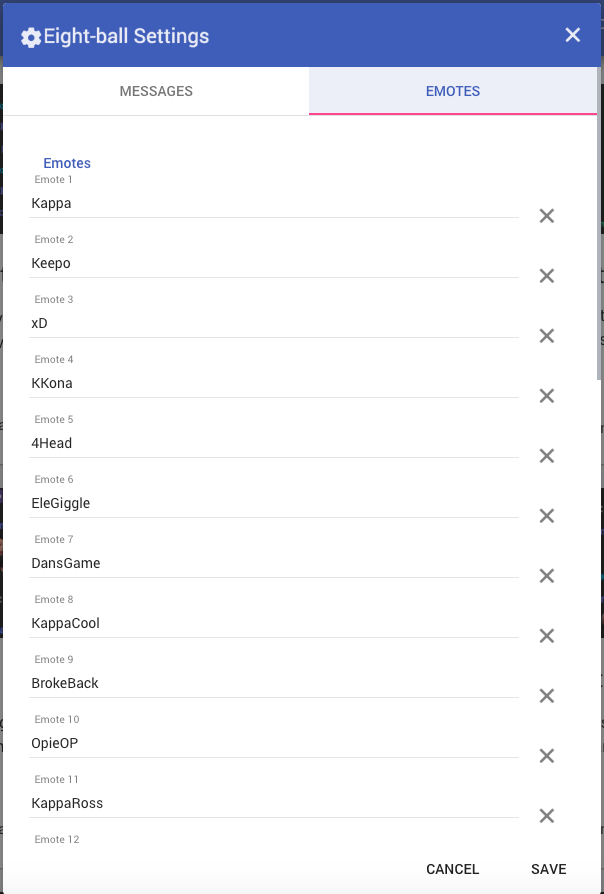
Quick question are your built in emotes not removeable in the bot extension 8ball?
tawny pivot
@hard edge We'll push an update for that tonight 🔧 😊
hard edge
@tawny pivot awesome there's no problem just would be cool to have it ☺
tawny pivot
If there's anything else you think we're lacking, just hit us up 😉
hard edge
The bots pretty epic to be honest. One thing i would like to see is of someone types an emote for example Kappa or OpieOP the bot would have a reaction without a command. Not sure of I explain myself correctly. If some posts Kappa on its own is there a way to have the bot reply with something ? I'm a noob
turbid reef
yeah we wanted to do that 
hard edge
Just for a raw example is someome posted an OpieOP Ir would be pretty cool to have a response like "get rekt m8" just am example. But anyhow great work guys 👏👏👏
tawny pivot

 sacred edge
😄 👌 🔥 💯 lit af
hard edge
Can you supply a donate link or a patreon ? 😮
turbid reef
we have this if thats what you mean https://streamelements.com/dashboard/tippingpage

hard edge
Thankyou @turbid reef
tawny pivot
@hard edge We added the emote menu under 8-ball settings. 😃
https://i.imgur.com/SMpyA6P.png
 hard edge
@tawny pivot that is damn awesome 😃
Gg Boiz
Any new features you are planning to implement in the future ?
turbid reef
currently working on making the command variables more flexible 😄
hard edge
Nice 😃 random text in a saved txt doc would be pretty sweet
turbid reef
there currently is only one for random numbers and emotes, but that sounds like something i can do
hard edge
Cool 😃 having a lot of fun playing around with the bot extensions the emote pyramid idea is sweet, we implemented that with the 8ball. I do have a question maybe I haven't figured it out yet, is there a way in chat for a super moderator to add points to another user/everyone in chat by using chat commands ? Super mod is another great addition
turbid reef
yes, there is !addpoints and !setpoints but its currently not documented
that should be available to super mods
hard edge
Cool, so for a rough guide !addpoints user 100?
tawny pivot
We're currently working on improving the docs with examples. 😀
turbid reef
yep , like that
hard edge
Nice Boiz
turbid reef
hard edge
Yo guys not sure of this is even possible but would there be a way to add a strawpoll system or command? For example !strawpoll #question# @option , @option.. etc? That would be pretty lit
turbid reef
we actually started building a poll system some time ago but never got around finishing it, so yeah its on our list
hard edge
Awesome @turbid reef 👍
hard edge
Not sure if possible or if cleverbot even allow it but @streamelements autoreply that allows you to talk to an AI? for example @streamelements or maybe !chat (question) how are you? And response etc from the cleverbot.
turbid reef
it is possible but we cant really do that because of ratelimiting :/
hard edge
What is ratelimiting ? 😮
turbid reef
basically when a lot of people would spam the !cleverbot command we would get banned from using it
hard edge
Ah I see , sorry of my questions seem a little silly im just getting into bots and stuff 💃
But I'm hyped asf for song request 😃
hard edge
Awesome 😮/ I was wondering does the $(user.lastseen) variable only read for the current stream? For example if it was maybe last broadcast the user was in chat, will it still show when last seen?
 atomic hollow
hi, can someone here help?
I really dont understand how I am suppose to show the new overlay I created in my stream
proud pumice
@atomic hollow sure thing
go on your OBS Studio
add a Browser Source
now on our overlay manager click Launch Overlay, take that link, put that on Browser Source, with the right resolution (1920 x 1080)
this should help http://i.imgur.com/UN7C3gd.png
 atomic hollow
Thanks! I figured that out eventually but now I have a different issue, during the stream the browser source crashed, the stream continued but without the overlay, it happend 3 times during a 2 hour session.
tawny pivot
@atomic hollow Hey man, what version of OBS are you using 😃 ?
atomic hollow
17.0
tawny pivot
I haven't seen any issues so far.
hard edge
Boiz just a question or two Kappa. Is there any upcoming possibility that the bot could be subscribed to a channel for emotes ? I would t give a shit of you guys got a cut in fact I think that would be pretty cool. Also the slots plugin, is it possible to have it accept points amounts over the lower limit ? For example if a viewer inputs !slots 50 and I have it set to 30 the bot replies viewer has lost 30 points. So to rectify this should I just say command is !slots (blank)
TEXT WALL
Sorry
turbid reef
yeah the !slots 50 or whatever is a good idea, ill add that when i get the time
hard edge
Krey to the gasm
turbid reef
and im gonna ask the others about subbing
but if you are the channel owner you can ask twitch to make the bot lifetime sub for free 
hard edge
It's just the channel we use it in has a lot if people trying !slots 200 or 800 or whatever.
Wait wut
turbid reef
yeah just send them an email :keepo:
 slender treeBOT
 hard edge
I'm just a pleb asking questions
Ideally I would like to sub to 3 or 4 channels for emotes
turbid reef
yeah we'll think about that
hard edge
@turbid reef thanks dude just some suggestions 😊
turbid reef

hard edge
One more?
The ability for viewers to pass points onto each other ? I've seen this a few times in a couple of streams that uses streamelements
turbid reef
you mean points transfer ?
turbid reef
i was thinking about adding !givepoints <user> <points> but it could be abused pretty easily
hard edge
@turbid reef from any user or just mods , super mods?
I mean super mods already have it
turbid reef
i think im gonna add it and you would be able to set a minimum required level or something
hard edge
POGCHAMP
turbid reef
so people cant create bot accounts that farm points and give it to the main account 
hard edge
@nuuls you know what your doing dude PogChamp but one more little question is there any way to reset the chat/emote stats each week or monthly. It's an extremely small issue but would be a neat little feature if easily done. 😃
turbid reef
yeah it would be possible, but its gonna be low priority 😄
tawny pivot
@hard edge We could provide a button to reset it manually for now if that helps 😄 ?
hard edge
That would be excellent if it's not to much trouble 😄😃😃😃😃
Bot is lit though Boiz good job
 river prism
if only the cmonBruhs would be back 
hard edge
Boiz anybody got a good random joke api? I have one but can't get rid of the JOKE :: [ ... ]
tawny pivot
What's the link for it?
hard edge
Yo styler its http://tambal.azurewebsites.net/joke/random
slender treeBOT
slender treeBOT
hard edge
You the man @nuuls
turbid reef
@hard edge https://beta.nuuls.com/z0owc.png
 turbid reef
hard edge
One question though I see you have a streamelements discord bot hiding 😮 is it work in progress ? 😃
turbid reef
not yet, but we wanna look into it at some point
hard edge
Awesome would be widely used on our server , points checking etc PogChamp
storm berry
^ I've never had a problem with !givepoints before. Had it in Ankhbot. Would like to have as well
Maybe if u think ppl could abuse, u could add a bit where u could block certain individuals from using the command
that could theoretically apply to all commands i guess
river prism
@tawny pivot @turbid reef
proud pumice
Yeah, we know, we'll need to clean those from the database at some point
@hard edge @lament blade let me introduce @atomic hollow , he's here to help you with onboarding everything StreamElements related
atomic hollow
Nice to meet you guys, I am here for you.
hard edge
@atomic hollow what's good man 😃
hard edge
Anybody have a how long api? Not !followage as such. Account age is the one I am after. I've seen it before but can't get my hands on it 🤔
atomic hollow
you mean a twitch account age?
hard edge
Yes @atomic hollow 😃
atomic hollow
thats definitely something that will be added soon, along with the follower age
hard edge
Nice 😎 on the upcoming song request will it just be YouTube links allowed? Or will names be suffice? For example !songrequest (name of song)
turbid reef
both
hard edge
Gg boiz 😎😎😎
turbid reef
hard edge
I'm asking stupid shit now but just one more 😂 would it be possible to limit bot modules to just followers? The duel system and slots is brilliant but it would be pretty cool if the person using the command could be told you must be following to use this? Maybe a manual switch ? Hard to explain 🤔
turbid reef
thats not possible because of twitch api limits 
but you could use the new followers only mode
hard edge
Never thought of that 😎 as always dudes thanks for your help !
@turbid reef that joke api you sorted out is lit by the way , thanks again
turbid reef
np
hard edge
Please get a patreon or some shit
tawny pivot
We'll add it to the list 
turbid reef
:lul:
tawny pivot
😄
slender treeBOT
 high patio
:4head:
slender treeBOT
 sacred edge

hard edge
Touchy subject 😂😂😂😂
 lapis gate
song widget for dubtrack is not working properly FeelsBadMan
turbid reef
whats your dubtrack @lapis gate 🤔
lapis gate
Snailcat
turbid reef
gonna take a look
lapis gate
I could upload a screenshot but my imgut is not working NotLikeThis
turbid reef
just upload to discord
lapis gate
turbid reef
try using lower case
turbid reef
:LUL:
slender treeBOT
turbid reef
🔧 
 velvet onyx
Hey guys, I was just wondering if the stats for b0aty could be fixed? Everything is doubled. One message counts for 2, and so does one emote. https://stats.streamelements.com/c/b0aty
turbid reef
gonna take a look
velvet onyx
all right, thanks
turbid reef
restarted it, should be back in a couple minutes 
velvet onyx
awesome PogChamp
velvet onyx
thanks again for fixing it c:
turbid reef
np
river prism
It happens here and then that a message counts twice
Experienced that too a couple times
lament blade
I'm testing out the new chat alerts and so far the command for hosts isn't triggering
Just tested follows, and that isn't triggering either
tawny pivot
@lament blade I'll take a look 😃
lament blade
Update: the follow alert came 3 minutes delayed. No change to host
I've tried having the bot part and rejoin. Let me know if there's anything else I can do. I'm live now
tawny pivot
The delay on follower alerts is a limition from twitch.
And hosts require an overlay to be active.
lament blade
Oh ok. Will the same be true of tips then?
tawny pivot
Tips should be instantly
lament blade
Ok haven't been able to test that, I'll ping back if there's an issue
tawny pivot
Ping me if there's anything
proud pumice
Keepo
hard edge
The new chat alerts are sick, would it be possible to automatically add points as an incentive to someone that hosts the stream?
tawny pivot
@hard edge I'll see if i can add that asap
hard edge
@tawny pivot that would be pretty cool!
 tidal swallow
hey! i'm trying to switch my stuff over to SE but i can't figure out how to edit a command i've already made.
tidal swallow
never mind! my browser was just being weird haha
atomic hollow
@tidal swallow 😃 let us know if you need help with something else
tidal swallow
do you guys have a shotout command or do i have to build one?
i want to be able to have a command that's like !shoutout username and then it says something like "Check out username currently play xxx" or "Check out username last seen play xxx"
atomic hollow
cool, let me see if I can help with that
tidal swallow
oh and a link to that channel
awesome! thank you
i was also wonder if there's any way we could get a !quote for the bot? or if there's already a way to build one that i'm not seeing.
proud pumice
@tidal swallow we have a quote system planned in the near future.
tidal swallow
oh cool!
proud pumice
We also have shoutout command variables so you can create it just how you want it
tidal swallow
where do i find that? i wasn't seeing it.
proud pumice
Check the vars tab. If you get stuck with it ill make it for you
tidal swallow
i was looking at that but the only thing i saw in there was how i could shout out the peron's username. i didn't see the other parts i was looking for.
i just took another look and i still don't think i get it. would you mind helping me build one?
proud pumice
This is how gvd does it
/me 
 Go give some love and butt touches to fellow streamer, ${1}! You can find them here - twitch.tv/${1}
tidal swallow
ah okay, so there's no way to have it include the game they're playing/were playing?
proud pumice
Hmmmm
We'll have to wait for @turbid reef to answer this one
Hes still sleeping
😉
tidal swallow
alrighty. i'll set that one up in the meantime. thanks!
tidal swallow
perfect! Sunday is when i do most of my maintenance usually. haha
tidal swallow
hey! so i recently transferred everything over to SE and i've been having a couple major issues.
1.) my follow chat alerts aren't working at all. i will have to go back to Moobot if there's no solution to this because it's extremely important to me as a console streamer.
2.) i've set up four timer commands. they're all set up on the same timer and i'd like them to rotate, but currently only one of the commands is ever going off. help?
turbid reef
ill take a look
tidal swallow
also, does the site only work in specific browsers? i didn't have any issues on Chrome at home but i'm running into a lot of problems on Safari and Firefox at work. like currently i am trying to edit my page graphics but the site won't let me upload more than one image at a time even though it shows i have space. i click on upload, video, anything at the top and nothing happens. it just tries to highlight the text on the page.
turbid reef
the chat alerts issue will be fixed later today, not sure whats wrong with the timers tho 
tidal swallow
awesome! thank you.
yeah, the timers have been doing this for days. i'm not sure if i have them set up wrong or what. i'd like them all on the same interval but rotating.
tidal swallow
oh
turbid reef
you could just up the interval for now
tidal swallow
but if i were to set ones up for say 15 minutes, 30 minutes and 60 minutes, would i potentially have three go off in chat at once when the 60 minutes hits?
turbid reef
you can set them all to 60 minutes and they will all have a random offset
tawny pivot
@tidal swallow Do you know if you're rocking the latest version of firefox / safari? 😃
tidal swallow
yes for Safari but probably not for Firefox.
tawny pivot
Alright thanks! I'll do a bit of research 😄
tidal swallow
thanks!
turbid reef
@tidal swallow your chat alerts should be working now, we just didnt have any default messages before 
tidal swallow
awesome! thank you
turbid reef
also make sure to /mod streamelements or some stuff might not work properly 
tidal swallow
ah right. been so long since i got a new bot haha
 vague jungle
Hi guys, the website doesn't seem to be loading and the layouts don't seem to be working through OBS, is something down?
turbid reef
@vague jungle yeah it looks like our main API is down but everyone is sleeping right now :feelsbadman:
slender treeBOT
 vague jungle
O rip, all good @turbid reef just wanted to make sure you knew!
turbid reef
yeah thanks for the notice 😄
storm berry
fack 
 cursive anvil
 broke it
turbid reef
can't get @tawny pivot to wake up and fix it, sorry for the downtime
tawny pivot
Everything should be back up 👍
tidal swallow
sorry to be such a pain but i had some major issues again last night.
1.) chat alerts still aren't working. is there something i'm doing wrong?
2.) someone tried to donate last night but the tips page wouldn't let them. he said he was using a Navy Fed debit card. are some cards not accepted by your system?
turbid reef
the chat alerts were working when i tested it in your channel, or the follower alert at least 🤔
are all of them not working ?
tidal swallow
the follow one wasn't working last night. i don't know about the tip one because he was denied and i ended up having him go through Stream Labs.
turbid reef
we had a major outage last night from about 3am to 7am CET , that might have been it if you were streaming at that time
tidal swallow
maybe but i'm pretty sure the follow was after you guys said the site was back up. hopefully i can get someone to follow tonight and test it out again just to be sure.
what about the tipping issue?
turbid reef
we only support paypal currently, but more is planned
tidal swallow
oh, so people can't use a credit card to donate through that?
turbid reef
no, currently not
tidal swallow
hm, okay. you can still use a card through PayPal, though, so i'm not sure what his issue was. haha. good to know for the future, though. thank you!
turbid reef
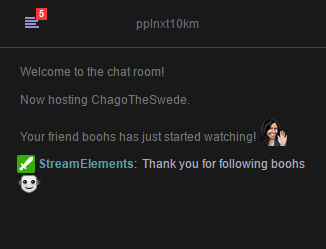
seems to be working 😄 https://i.nuuls.com/YW5kL.png
 tidal swallow
yay!!!
thank you for all the help you've been giving me this week. you have no idea how much i appreciate it. you guys rock!
turbid reef
np 
 opal sable
These guys are pro 
 crisp skiff
is this where I open bug reports? @burnt leaf ?
the TTS doesn't handle apostrophes well, and I'm assuming any HTML-unsafe characters
crisp skiff
yeah, but not unescaped
tawny pivot
I'll take a look at it 😃
crisp skiff
I'm a software developer so I understand this a bit. I've had to deal with bugs like that all the time
tawny pivot
Oh nice, that makes everything a little easier
I'll try to push a hotfix for it right now
turbid reef
dont blow it up 
tawny pivot
@turbid reef You're still awake ?
tawny pivot
Yeah 🔧
turbid reef
 👌
👌
opal sable
Nuuls. Why are you up? Haha
 clear egret
Also when people cheer with swiftrage kappa kreygasm, etc it reads the emote name in the TTS message. not sure if that's intended or not
tidal swallow
@turbid reef my chat alerts did work live last night. whoot whoot! thanks again for taking care of that.
turbid reef
nice
tawny pivot

proud pumice
@teal gull
proud pumice
m90? 😄
turbid reef
 exotic minnow
weird bug, but if someone does "cheer100 cheer99 this message" with a 100 bit minimum, the tts reads "cheer99 this message"
tawny pivot
@exotic minnow Gonna take a look quickly 😃
@exotic minnow We're gonna push a fix for it right now
exotic minnow
alright, thanks 😄
 steady saffron
the apostrophes are now being read as "& Number 39"
makes for fun spam 
' ' ' ' ' ' ' ' '
steady saffron

crisp skiff
seems like the HTML characters just need to be un-escaped at some point. not sure of the inner workings of the alerts, but after turning ' into ' , it needs to be turned back into ' before being displayed/sent to TTS
tawny pivot
You can go nuts with the bits now.
We had a microservice going rogue 
crisp skiff
😃 neat looks like apostrophes are fixed now. Thanks 
turbid reef

burnt leaf

lament blade
"Symbol protection" automatically mutes users who writing in Russian, can you fix it?
proud pumice
@lament blade we just fixed it
Can you please check and confirm that its ok for you?
turbid reef
try to part the bot and join it again, it doesnt update properly
lament blade
Yep, working! Thanks you for fix :)
turbid reef
👌
proud pumice
StreamElements service level
crude crescent
Is there a way to update my Display picture on the Stream Elements Profile page? using my old DP from twitch is kinda triggering me lol
proud pumice
yo @crude crescent its usually updated on sign out sign in, but since twitch is balls these days we'll add a button to update profile pic so you could do that
will ping you once its up
❤
hard edge
Yo dudes is it possible to use a command to add points to everyone in stream ?
turbid reef
no, but it should be pretty easy to add, i can do it in a couple days if you want
crude crescent
Sounds good
river prism
@proud pumice @tawny pivot @atomic hollow i think setting up the tipping page isn't working
proud pumice
What's the issue?
river prism
typing in my paypal email and donation memo, uploading the backgrounds and stuff, then clicking "save" but when i go to "open my page" it says "Sorry, xspyyro has not setup donations yet."
seems like it doesn't want to apply
it maybe is stuck on my old twitch username
because it tells me "Tipping xX_Spyro_Xx"
proud pumice
We'll fix it for you right now
river prism

hard edge
You the man @turbid reef thanks for the bonus all command !
turbid reef
np 😄
burnt leaf
If an alert did not go off. You can repeat the alert here https://streamelements.com/dashboard/activity
river prism
alright. seems like all alerts don't go off rn so yea might fix that after stream
wait wtf
it doesn't even recognize the actions
doesn't show the 2 hosts i got lol
tawny pivot
@river prism I'll take a look.
proud pumice
@river prism ever since i visited it was all fine right?
river prism
@proud pumice yea
proud pumice
Is nice much excite!
hard edge
Yo Boiz just wondering would it be possible to automatically give bonus points to anyone who hosts you?
tawny pivot
Currently not, but surely something we can do 😄
hard edge
You the man @tawny pivot
tawny pivot
🔧
turbid reef
hard edge
One more question , do you have a giveaway module in the pipeline ? 😃
turbid reef
the raffle module could be abused for giveaways
tawny pivot
Yeah it's something we've been talking about internally, no eta yet tho 😃
tidal swallow
i like the sound of that
proud pumice
Giveaways module eh? Let's hear more about what you'd like to see it do
tidal swallow
something specifically for long term giveaways where people spend X points to buy a ticket. being able to see how many tickets have been purchased period and seeing how many tickets per user would be helpful to have too.
 coral loom
hello, I've changed my name on Twitch. Could you guys bring my points over? Or is that WIP? thanks 😁
coral loom
oh it worked by itself 
tawny pivot
👌
turbid reef
hard edge
Just a quick one I've changed my currency name and saved but it doesn't reflect the name in chat. Perhaps im doing something wrong as usual
hard edge
Nuuls you the man as always
turbid reef
should probably fix that tho
hard edge
That's not working , shall I perhaps leave it disconnected for 15 mins or so and re join?
turbid reef
wait its not?
hard edge
No I want to call the points midgets
tawny pivot
😄
hard edge
Channel name you need?
turbid reef
also the custom pointsname currently only works in custom commands
hard edge
Oh sorry
turbid reef
gonna fix it at some points tho
turbid reef
thanks
hard edge
Me again  Anyone have any better host apis ? I use this to see who is hosting the channel and award points but it only works half of the time https://twitchstuff.3v.fi/hosts/?ch=(channelname)
 tight harness
I added the Sub Goal widget today and it told me that I have 6 more Twitch subs than I do, any knowledge as to why this might be? 😮
atomic hollow
@turbid reef ? or @hollow zinc ?
turbid reef
on it
atomic hollow
thanks!
turbid reef
did that happen right after you added it or after a couple days or so?
tight harness
Right after I added it, it says 52/50, I have 46 
turbid reef
tight harness
So I somehow have 6 phantom subscribers 
turbid reef
oh, its just bound to the session right now, and it adds 1 when you get a sub
https://streamelements.com/dashboard/session you can reset it here
so its not actually live
or it will never go down
tight harness
Ohh, I thought it was showing a live count 
turbid reef
were probably gonna add a live one sometime soon
tight harness
 sounds good!
hard edge
Is it possible to have the bot call a second command automatically after the first is placed ?
proud pumice
this sounds like a looping problem
turbid reef
yeah
proud pumice
D:~
turbid reef
doesnt sound like a good idea
tawny pivot
command recursion sounds dank
turbid reef

tawny pivot
You essentially mean just like in deepbot right?
hard edge
Ah I get you, im trying to set up timing someone out if they lose slots but the /me stops me
turbid reef
you could just remove the /me and make it /timeout 1 {user} instead i think
or /timeout {user} 1 actually
turbid reef
it will only show the rest of the message in the ban reason then
so that might get confusing
tight harness
We all know that everybody loses slots, so that's going to be a lot of purging
hard edge
tight harness
Just been told that the text on the right of the event list that explains what the person did is too small, the text that shows what they did isn't changeable at the moment is it?
 tribal shore
How do you check how many points you have in chat? Like what's the default command?
proud pumice
!points
you got to enable in first tho 😄
@tribal shore do this http://i.imgur.com/wiwQGS1.png
 tribal shore
Thank you ❤
proud pumice
❤
tidal swallow
Is there a way I can adjust the roulette command so people can see the number they won or lost with? I've been getting a lot of requests for that.
 hollow zinc
@lament blade welcome bro 😄
lament blade
thanks 😄
 civic tide
Can i ask? What can supermod do? I mean can he help with something like loyality points giving , setting up Streamelements or something?
turbid reef
if you take a look here https://streamelements.com/dashboard/bot/commands/default a super mod can edit loyalty points and change other peoples level
and im also gonna add a !setgame and !settitle command in a couple days for super mods
civic tide
Well thanks but i mean like directly from website, because i was using Revlo for royality and i need to import files and points
turbid reef
no that is currently not possible
turbid reef
we dont take anything from tips
civic tide
som the only paymant which si taken is from paypal? 😄
How do you than guys gets money?
turbid reef
yes we currently only support paypal, but more is planned 😄
civic tide
Well thanks i will use it 😄 And can i manualy add donates? 😄 i don´t want my topD to loose his position 😄
civic tide
Thanks im blind 😄
tight harness
It's no problem, happy to help
 tight harness
But more importantly, how do you do it?
atomic hollow
@red vine best QA EU
 red vine
http://i.imgur.com/BoMdUif.png when does "today" start :S
 atomic hollow
will wait for @turbid reef for this one though
red vine
ok 
turbid reef
it actually only resets if the bot restarts
tight harness
It starts at the beginning of time, before dinosaurs
high patio
I blame @hollow zinc tbh
tight harness
Somebody just donated in Euros, my PayPal only seems to auto-accept Pounds so it didn't accept it automatically, when I did get around to accepting the payment I thought that the alert would go off and that the event list and donation goal would update like normal, but nothing has happened even after a few minutes any ideas?
proud pumice
@tight harness let us check
@tight harness did you see it in the recent activity feed?
tight harness
Nope, it's not showing in recent activity at all
proud pumice
its possible the donation wasnt even through SE at all?
but directly to your paypal address?
gief his twitch username @ PM, i'll check if it was through us
tight harness
I know what it was
We changed the links in the panels but the banner for the Support panel still linked to the old donate link and they were clicking on that
All updated now 
@turbid reef It let INORMOUS donate in dollars the other day and it's always been set to GBP 🤔
Unless he converted it beforehand
turbid reef
🤔
crude crescent
I know with other platforms also cause of Paypal if you get a donation thats in another currency you do have to approve it in paypal before it goes through successfully to trigger the alert. Happened when i was drunk and accidentally donated in Israeli dollars to NoireRaevan one night. and donate in AUD to Clamtaco
proud pumice
Basically we made it on SE so a streamer always get his chosen currency
the conversion is made on the fly on the donor's side, so no matter what currency donor chooses, streamer doesnt pay conversion and gets it in his chosen currency.
so no approvals required
(we learned thats the best way cuz on forsenlol his community donated with every possible currency we had)
turbid reef

burnt leaf
red vine
Does he accept Bosnian war effort tokens
vague jungle
Hey guys, with the song request thing, I have link protection on, so if someone who isn't a regular tries to request it'll time them out and not accept the song request. Is there a way to let it bypass for song requests or should we just turn off link protection when we have song requests on?
proud pumice
You can exclude YouTube url from link protection
@vague jungle
Ours supports wildcards. So all youtube domain can be whitelisted
proud pumice
You can add that too, yes
vague jungle
Oh okay sweet thanks @proud pumice wasn't sure if it had to be specific links
Also if a video isn't available in my country it'll just halt the song requests and I have to click next, not a huge problem, just thought I should let you guys know since it's beta
 tight harness
I remember that happening on other bots before, there is a way that the bot can skip them but I have no idea how they did it, i'll leave that to the experts 😄
 gray chasm
guys, maybe a dumb question but how do i set up donationalerts
atomic hollow
there are no dumb questions here
watch these 2 YT vidoes and you are a SE expert - 7 minutes


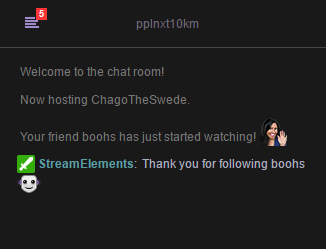


if you still need help after watching let us know @gray chasm
gray chasm
question
your cups dont have physics?
i mean the bits just stack but u cant bomb them?
tight harness
It's still in the works, they want to have a really nice and fancy cup eventually, not just another standard cup 😃
gray chasm
hmm i see
it's gonna be ablot of work to set up all my custom donation alerts again >.>
tight harness
There's a feature where you can import your StreamLabs alerts 😃
Let me find it for you
gray chasm
oh wow thnk you
tight harness
gray chasm
😄
tight harness
There you go 😃
Yeah it's a nice feature 😃 I set it all up from scratch personally, it did take me quite a while but seeing as I wanted to add some new widgets and move some things around it made sense to do it that way for me personally 😄
atomic hollow
yeah just go over it when youre done to make sure everything is OK since StreamLabs are changing their API every day for some reason
and thanks @tight harness 😃
tight harness
No problem 
 gentle imp
is gamewisp integration in the agenda?
turbid reef
btw for song requests, the YouTube video id is enough , you don't need the full url
gentle imp
speaking of that, can we have import list option too? 😄
tight harness
I've already suggested to INORMOUS as well that the options to add playlists, add previously added playlist and shuffle songs in the queue be added to the to-do list as a lot of people use these features so there's continuous music on their streams without any silent gaps 😉
gentle imp
aye, ty Legendary gg
tight harness
Then if a person suggests a song their song should take priority as the next song in the queue
Pushing the playlist back a song 👍
gray chasm
the variations didnt get imported tho
tight harness
May need some manual tweaking for that then it seems, it's possible that how they're set up makes importing everything a bit of a nightmare, hopefully it got the most of it done 😄
It's best to check everything over once you think you're done 
proud pumice
@gray chasm streamlabs aint making it easy to migrate away, some variations might not pass, if you have a lot of them and want us to help you do that manually, lmk
gray chasm
I have a few and most of the images i already removed from pc
tight harness
I removed most of mine as well, you can download them from StreamLabs if they're still uploaded there but they don't like to make it easy
I even removed my sounds for my alerts, I simply opened OBS, hit record, played them, then uploaded the MP4 to an MP4 to Wav converter, uploaded the Wav files, tada! 😃 A lot of work >.<
@gray chasm Hit this Magnifying glass and it'll open your image in another window, from there you can save it and upload it to Stream Elements 😃
gray chasm
Ooo
high patio
Eee
tight harness
My girlfriend did all of my art, she's done a crazy amount, she drew my offline screen, my banner, at least half of my BTTV emotes, my Twitch sub badges, my panels, my avatar, literally so much
Sorry that it's irrelevant for support but I need to show this
atomic hollow
Fucking amazing
high patio
Free of charge?
tight harness
She does all of my art free of charge
high patio
Nice. Emotes and art are usually quite expensive
tight harness
She does sell pretty much everything available, she sells emotes, panels, banners, offline screens, etc. But because she's new to doing commissions she's still as cheap as you'll get yet very talented so it's a good opportunity to utilise her services
 burnt sigil
I hope she gets commissions
tight harness
She got commissioned for a really cool drawing of a guy and his girlfriend's Elder Scrolls Online characters fighting a boss recently, the end result was so good 
burnt sigil
I bet
burnt sigil
maybe if we were talking about this in #welcome it wouldn't but we got carried away
¯_(ツ)_/¯
high patio
Im sure inormous can add an offtopic channel.
tight harness
One question, why doesn't event list save for the next day? 😮
burnt sigil
mine didn't load recent ones, idk if it was because I didn't test it but I couldn't put it into position
doesn't matter tho
i don't really use it
tight harness
Mine works fine, it just wipes if you edit it or if it's a new day, could even be if you restart OBS, not too sure without some testing
hollow zinc
We'll take care of it.
hollow zinc
 regal iris
@turbid reef I was thinking a cool feature for the song request would be to have the ability to disable it for specific users in chat
turbid reef
that is planned yes
proud pumice
ban user from songreq?
regal iris
okay wicked. @proud pumice yeah, just specific ones tho
turbid reef
it will be there once its out of beta 😄
tight harness
Maybe "Hosted for x viewers" is a little long for the event list
turbid reef
yeah
burnt leaf
 Yup
Yup
burnt sigil
yeah true
burnt sigil
i think you might be able to change it
maybe
nvm i thought you could change what each individual even said
hollow zinc
@tight harness we are already working on fixing that 😃
burnt sigil
oh darko is darkeo
hollow zinc
turbid reef
high patio
:omgScoots:
slender treeBOT
 tight harness
It's just been suggested to add the ability to trigger sound clips with custom commands
turbid reef
coming soon 
 wary laurel
i dunno if yours can do this but one thing i hate about deepbot raffles is that they refresh when you restart the app causing it to be impossible to run long term raffles using loyalty points, so like for 2 months viewers can buy tickets to the raffle with their loyalty points and it keeps a record of all of it
turbid reef
2 months 
tidal swallow
i think they might be working on something. a lot of us have been asking for long-term giveaways.
wary laurel
yeah if i want to giveaway a XBOX for instance or something big like that
tidal swallow
¯_(ツ)_/¯
turbid reef
yeah a giveaway system is on the list
 icy stirrup
What's that @wary laurel, monthly Xbox giveaways??? 😉
tight harness
I'll give away a Freddo chocolate bar, they're expensive nowadays
Also, for long term giveaways, Gleam is always an option 😉
It's what I use, I even pay for it  p.s. I don't recommend paying for it, it's damn expensive!
Use the free version
icy stirrup
You said Freddo and I read Frodo @tight harness
tight harness
Frodo too
lament blade
hey there...how do i get streamelements to leave the channel? i click on part with the channel but the bot is still there
tight harness
Part with the channel should do it