#community-helpdesk
1 messages · Page 55 of 1
 marsh zinc
 candid gulch
We don't know, we haven't been informed of anything by SE staff yet
 sacred lance
a random overlay just started working again, we coming back?
 short basin
The entire of Stream Elements is having issues. I was setting up my stream too. Hopefully we hear something soon.
marsh zinc
😭
 glass ember
dang, an i thought my install just bugged out. i reinstalled ang it just loops.
short basin
glass ember
dang, an i thought my install just bugged out. i reinstalled ang it just loops.
yeah I thought I did something bad too lmao.
marsh zinc
IG the staffs are celebrating valentines day🤣
 wanton knoll
sacred lance
a random overlay just started working again, we coming back?
wanton knoll
sacred lance
a random overlay just started working again, we coming back?
mine is still broken :c survivng tho lol
sacred lance
yeah it seems like it was a false alarm kek
glass ember
SE already suddenly wont connect me to tiktok. then it all goes down. happy valentines i guess LMAO
 timber plume
 versed torrent
well happy valentines day lol go out with your partner today
 normal moth
I am supposed to do a subathon later today, I am terrified that the stream element tokens won't work
 pulsar tiger
is stream elements down atm cant connect twitch account
 random hollow
pulsar tiger
is stream elements down atm cant connect twitch account
random hollow
pulsar tiger
is stream elements down atm cant connect twitch account
yup
glass ember
pulsar tiger
is stream elements down atm cant connect twitch account
yes. its whack rn
pulsar tiger
sweet
wanton knoll
i assume people have bigger issues than me, i just use SE mostly for my onscreen chatbox
 tall ember
I was gonna ask if its down cause I cant connect to twitch but I see other have asked as well. I was like wtf why am I getting a server error lol
versed torrent
streamelements is up check now
 hallow quest
Working now
 torpid crane
yay
 gentle coral
Hey  just wanted to add som perks in the stream store, but every tim i want to upload media (image or video') it says "some of your files are invalid". What ca i do?
 true dock
pls i have all do but nothing work have anyone a idea how i fix this (Cannot read properties of undefined (reading 'toLocaleLowerCase'))
 true dock
????
pulsar tiger
Is the server back up and running now
 obsidian fog
pulsar tiger
Is the server back up and running now
obsidian fog
pulsar tiger
Is the server back up and running now
The earlier issue has indeed been fixed.
 woeful steeple
anyoneelse have issues with this?

 thin daggerBOT
We're not able to troubleshoot issues with using our overlays in Streamlabs Desktop as we don't have the tools to support their software. We recommend using OBS Studio or OBS Studio with our plugin SE.Live.
pulsar tiger
obsidian fog
The earlier issue has indeed been fixed.
Awesome thanks bud
 hallow fractal
how do i get my youtube chat on my stream? i'd prefer it to be like the twitch chats with a transparent bg, but idk how to do it
 upbeat crow
Hi, we’ve been having issues since a 24-hour Twitch ban nearly a month ago.
Working perfectly: Donations via Tipply.pl (notifications show and amounts count correctly), subscriber notifications, and raids.
Not working: Subscriber counter (notifications show but overlay count doesn’t update), Bits (no notifications/count, not on dashboard), Follows (not working at all, not on dashboard).
We think Bits and Follows are Twitch API-related, and the subscriber counter is likely a Tipply overlay issue. Could you advise how to restore all notifications and counters?
 tranquil cypress
Evening guys, I'm hoping someone can help me out. I recently set up ground control, when I attempt to use the stream preview for a mature rated game (Tarkov), I sign in then then I get an endless loop and I can't watch the preview through the app.
I also do not get any browser prompt at all.

 gentle coral
hallow fractal
how do i get my youtube chat on my stream? i'd prefer it to be like the twitch c...
gentle coral
hallow fractal
how do i get my youtube chat on my stream? i'd prefer it to be like the twitch c...
Maybe take a look at restream it has a chat you can embed in OBS
 vocal dirge
Has anyone else found the livestreaming on tiktok worked for almost two weeks and then back to stopping working again and now when I reapply, it says appled and then i check the next day it wants me to reapply again.
 vagrant ore
hello, someone has problems to create a giveaway in streamelements? it doesnt let me upload anything like an image or video, how do i fix it¿?
yep same problem, not working anything i try to upload,
did try asking help in streamelements support, no response in likea week
 gentle coral
vagrant ore
hello, someone has problems to create a giveaway in streamelements? it doesnt le...
gentle coral
vagrant ore
hello, someone has problems to create a giveaway in streamelements? it doesnt le...
🙋🏻♂️
 rapid turret
heya, i'm trying to use a follower element in streamelements and the audio is just not playing, not in the editor nor on OBS
vagrant ore
gentle coral
🙋🏻♂️
found a temporary fix... its annoying but well, you can upload the file in the overlay section, as an image or video i think, there it works, then just close that and go where you need it and select the file already uploaded, remember meeee

 sly turret
I'm having the same issue with "Some of the provided files are invalid". I see a workaround for images, but my main issue is I'm getting this for sounds too.
sly turret
Getting this message when uploading an image and sound file. Hopefully it can be fixed soon.

 main bobcat
Hiya, I installed the SE Live plugin for multi streaming tonight, however I must have done this a long time ago and deleted it, as it has my old twitch and YouTube usernames loaded into the output sections. I can’t see any way to change this?
Whenever I choose to go live, it won’t allow me to authorise my twitch because SE Live thinks my username is Caliknightauthor when it’s since been changed to Caliknightt.
Does anyone know how I can update SE Live to the correct, current usernames?
 deep basin
im trying to go live and have been using se live plug in for a while. Tonight its not working i logged out of se live in obs and now I cant log back in, I try to log in via twitch and get a black screen. Chrome is default browser and I dont have any extentions like vpn running. I have cleared my cache please advise


i have also removed se live and redownloaded it and nothing has fixed the issue
tried connecting with youtube and still the same blank screen
 limpid bluff
deep basin
limpid bluff
deep basin
pinned post
 pure solstice
 midnight bane
hello im new to streaming and im just trying to get everything working properly and the only thing that is not working for me is I have a turtle beach stealth 600 P Gen 3 headset and im wanting to get game audio and game chat through them and through OBS but right now if i have game and chat audio going through them then my stream has no sound but if i have just chat going to the headset and game audio going through my tv then i have sound in OBS. By the way im playing on PS5 and have a capture card going to my laptop for OBS. if anyone could help me i would greatly appreciate it.
 thin rock
guys how can i make so my chat only queue's media share (youtube videos), without my backup playlist ever starting on its own?
I want when someone posts funny video in media share, it plays instantly, and after its done, the player just closes, i dont want backup playlist after video
 vernal saffron
Hi everyone.
I'm struggling a bit with editing scenes in my canvas. I'm unable to rename them. Mostly wanting to do this to be able to link to other scenes and change one to reflect on both main/vertical canvases but that doesn't seem to be working either.
Would anyone know how to fix that?
 umbral owl
Having a little problem when trying to go live on Tiktok through OBS. I checked and saw the red exclamation mark on Tiktok. After that I check my request for Tiktok live access through SE live if it was green lit, turns out it is still pending days after I requested it
 umbral owl
vernal saffron
Hi everyone.
I'm struggling a bit with editing scenes in my canvas. I'm unable ...
umbral owl
vernal saffron
Hi everyone.
I'm struggling a bit with editing scenes in my canvas. I'm unable ...
Having a problem myself similar to you. I usually just try and make a new scene and try and rename that one before making changes to it. And if I can rename it I'll proceed to edit the renamed scene and delete the old one
vernal saffron
umbral owl
Having a problem myself similar to you. I usually just try and make a new scene ...
I was hoping to not have to redo it but that's a fair way to handle it haha. Thanks
 normal nimbus
question why am I seeing two accounts instead of one?

 glacial rover
normal nimbus
question why am I seeing two accounts instead of one?
glacial rover
normal nimbus
question why am I seeing two accounts instead of one?
One for short and one for normal
glacial rover
normal nimbus
question why am I seeing two accounts instead of one?
Create a vertical canvas for that
The 2 work for it
normal nimbus
glacial rover
One for short and one for normal
but i just want to do one only
glacial rover
normal nimbus
but i just want to do one only
Then you only use 1
normal nimbus
let me see
normal nimbus
glacial rover
Then you only use 1
it is still forcing me to create two broadcast instead of one for youtube
why it forcing me to make two?
only selected one


 spice gulch
deep basin
im trying to go live and have been using se live plug in for a while. Tonight it...
spice gulch
deep basin
im trying to go live and have been using se live plug in for a while. Tonight it...
Same as you, impossible to log but i think this staff have no problem with it because it was during all the day long...
Impossible to login :
 obsidian fog
Pinned messages.
spice gulch
obsidian fog
Pinned messages.
?
 restive crest
Does anyone have experience with TTS settings when someone donates bits? I'm not getting any TTS sound when I test it in SE.
 oak mountain
Sorry if this has been asked before and I am unable to create a ticket for some reason. how do I enable the feature to give my channel bot a custom name on twitch?
limpid bluff
oak mountain
Sorry if this has been asked before and I am unable to create a ticket for some ...
You submit a ticket. What error are you getting?
 latent oracle
Does anyone know of a fix to get a sponsored game to load in the Brave browser properly??
I'm already logged into my Twitch account but, when I copy/paste the streamer's game link, there's some pop up before it goes to the Twitch log in and whatever that is... and no matter what I do, I can't get to it fast enough to lower Brave's shields on that singular page.
Oddly I've never had an issue before now.
limpid bluff
latent oracle
Does anyone know of a fix to get a sponsored game to load in the Brave browser p...
Brave is a known issue for a lot of Twitch related things. You can try the things in the pinned post.
latent oracle
Okay thanks.
oak mountain
limpid bluff
You submit a ticket. What error are you getting?
i dont have the option at all
limpid bluff
oak mountain
i dont have the option at all
When you submit a ticket.
oak mountain
limpid bluff
When you submit a ticket.
can tickets only be submitted on the websote?
thin daggerBOT
@oak mountain ⤵️
You can choose a custom name for the streamelements bot by logging into the option on this page. https://streamelements.com/dashboard/bot/settings
If the option to login is not visible while logged into your Twitch account please make a ticket so staff can fix it for you (!ticket custom bot name).
Certain restrictions may apply.
limpid bluff
Tickets can be submitted on the website, in discord, and via email.
oak mountain
where on discord?
limpid bluff
thin dagger
<@426988991783501825> ⤵️
^
oak mountain
thin dagger
<@426988991783501825> ⤵️
this doesnt work.. which is why im looking to submit a ticket
limpid bluff
Why doesn't it work?
oak mountain
limpid bluff
Why doesn't it work?
because there wasnt an instruction to use the command to submit a ticket.. and the ticket channel doesnt have any submission options other than the website... asking me why it doesnt work doesnt help...
limpid bluff
It tells you to type !ticket custom bot name in here; there is no reference to any ticket channel.
oak mountain
i went here: #support-ticket
the message with that command just popped up.. youre not being helpful
thanks anywa
obsidian fog
You type it in here
And you get a channel specific to your issue where you handle it.
 hollow jolt
Hey, how do i log in with Kick to StreamElements in OBS?
i get only this

i cant get acces to activity feed tab, like through twitch login
 urban cape
was uploading sound files fixed? i was unable to upload a 24kb mp3 last night
 copper dagger
I cannot get my streamelements to connect to my twitch.
It just stays stuck on saying connecting...
Now it is at least telling me that it is timing out.
limpid bluff
copper dagger
I cannot get my streamelements to connect to my twitch.
pinnged post
copper dagger
limpid bluff
pinnged post
It doesn't ask me about local network access
limpid bluff
copper dagger
It doesn't ask me about local network access
You'll have to follow the rest of the directions and enable it in the settings
copper dagger
Ah, It took forever to find it, but I got it fixed. Thanks.
 wide grove
do you guys now want to do when the tik tok chat shows 404 in obs i deleted se and installed back logged in and out tried a lot of things still cant see the chat
 blazing nimbus
Hi, StreamElements website keeps disconnecting my twitch account. I can't log into OBS or conenct the multi stream. Icannot find any answers anywhere. Does anyone have any advice?
limpid bluff
blazing nimbus
Hi, StreamElements website keeps disconnecting my twitch account. I can't log in...
pinned post
upbeat crow
upbeat crow
Hi, we’ve been having issues since a 24-hour Twitch ban nearly a month ago.
Wor...
Hey, just checking if anyone knows a fix for this?
 ocean sigil
can anyone help me out? ive just downloaded it and when i boot up it asks me to login which i press to do and it takes me to google to login and then it goes to a black screen and on obs it just gets stuck on connecting with twitch
limpid bluff
upbeat crow
Hey, just checking if anyone knows a fix for this?
Channel name? No links.
limpid bluff
ocean sigil
can anyone help me out? ive just downloaded it and when i boot up it asks me to ...
#community-helpdesk message this post
upbeat crow
limpid bluff
Channel name? No links.
Can I send you the channel name in DMs? Don't want to share publicly here
limpid bluff
My DMs are off, I don't do support in them.
limpid bluff
I refreshed some back end things. Have them log out of the website and log back in. New events should show up but unfortunately all the missed ones will stay missed.
 mellow pagoda
 upbeat crow
limpid bluff
I refreshed some back end things. Have them log out of the website and log back ...
upbeat crow
limpid bluff
I refreshed some back end things. Have them log out of the website and log back ...
Thanks! She's sleeping now, will test when she wakes up and let you know if it worked. Appreciate the help!
 ember ermine
Add me to the list. Doesn't matter what the resolution is or the format (JPEG, GIF, PNG, etc.)

 plush canopy
hey guys
when i mustistream to youtube vertical and horizontal using the streamelements plugin i can't modify the stream settings in youtube anymore
like to put the game, monetization on, etc
if i do it after i'm live nothing changes
do you guys know a way around that?
normal nimbus

how do I clear settings from this section?
it does not goes go away even after removing youtube platform
upbeat crow
limpid bluff
I refreshed some back end things. Have them log out of the website and log back ...
Perfect, it finally worked after the reset + relog!
Everything's good now. Thanks for the quick fix!
 strange minnow
need some help using the OBS multistream plugin of Stream elements I want to know how i can set up a thumbnail and Description and plan the stream for later for my YouTube side of the stream in normal OBS i could do that but now i don't see how i can do it. Now it only is start streaming
 drowsy holly
having a log in issue rn anyone know the fix? i updated obs and se plug in and it wont let me log in... i get this

 thin daggerBOT
@drowsy holly ⤵️
Not all staff are able to assist with support issues and they do not assist outside of tickets. Please refrain from pinging them or sending them DMs unless asked to.
drowsy holly
was just asking for help but ok no worries
 sharp dragon
Could someone help me solve a problem when sending images to the store? It's been showing an error for 4 days.

 wintry moss
I try to login in the streamelements obs but it gets me to the page but it stays loading and I cannot login...
 soft tulip
Can you assist with an issue i have with se.live on my obs ?
 boreal abyss
My Activity Feed is only showing very old tips from 4 years and prior. I've tried refreshing the dock, relogging in, restarting OBS... I'm at a loss. I can't even see recent follows or subs
obsidian fog
boreal abyss
My Activity Feed is only showing very old tips from 4 years and prior. I've trie...
I've poked something here to hopefully help.
Try relogging from the website as well if you haven't already.
Do note nothing will change ATM but after this it should work.
boreal abyss
obsidian fog
I've poked something here to hopefully help.
Try relogging from the website as ...
my activity feed on the website reflects the old tips as well :S I refreshed and opened OBS and still same.
obsidian fog
It won't update to match anything in-between then and now that you may have received.
It'll reflect anything going forward.
boreal abyss
Okay I hope so ^^; thank you for your help, sudo!
strange minnow
strange minnow
need some help using the OBS multistream plugin of Stream elements I want to kno...
i need to find out how i can plan Streams on youtube with the plugin any help needed for future would be nice
 shell jackal
hey guys, new bug I faced now...
my main youtube account has not the option for the broadcast , in order to create a new broadcast

 sage pelican
Greetings Everyone!
I'm trying to change my ChatBot name to my name on Twitch. When I go to attempt to change the settings in streamelements.com/dashboard/bot/settings, i'm not getting where i can change to a seperate twitch profile (I have a separate twitch profile set up that's ready to be mirrored to a bot).
I'm also noticing that any updates to my VIPs and Mods are not showing up correctly in User Management.
TwitchID: @LockAndKeyMedia

 keen ferry
how can i use my phone ass a webcam?
thin daggerBOT
@sage pelican ⤵️
You can choose a custom name for the streamelements bot by logging into the option on this page. https://streamelements.com/dashboard/bot/settings
If the option to login is not visible while logged into your Twitch account please make a ticket so staff can fix it for you (!ticket custom bot name).
Certain restrictions may apply.
limpid bluff
sage pelican
Greetings Everyone!
I'm trying to change my ChatBot name to my name on Twitch...
For the vips and mods, you may have to add the current ones manually. I refreshed some backend things which might help. Can you log out of the website and log back in?
 jade frost
hey hey! ive been trying to get access for duel stream for tiktok and i havent gotten it yet, is there any way i can get help with that?
limpid bluff
jade frost
hey hey! ive been trying to get access for duel stream for tiktok and i havent g...
Have you applied for access with tiktok?
jade frost
limpid bluff
Have you applied for access with tiktok?
yes i have and ive waited too
limpid bluff
It's best to check with them, there's not much we can do.
 fossil rapids
limpid bluff
Have you applied for access with tiktok?
fossil rapids
limpid bluff
Have you applied for access with tiktok?
Same issue here, I've been reapplying for the past two weeks... nothing new
limpid bluff
Yea, TikTok manages all the approvals and such, all we do is connected.
fossil rapids
TikTok says that they can't tell me why I lost access and I need to check my access in one month to see if it gets approved
 wind sparrow
hi! i keep having this issue where my Stream Elements browser sourses break on stream all at once for seemingly no reason and become these grey boxes until i re-load them? I've re-logged into stream elements via OBS multiple times and it still happens, any insight would be super appreciated! 
 limpid bluff
fossil rapids
TikTok says that they can't tell me why I lost access and I need to check my acc...
limpid bluff
fossil rapids
TikTok says that they can't tell me why I lost access and I need to check my acc...
That's about the same amount of information SE gets unfortunately :(
limpid bluff
wind sparrow
hi! i keep having this issue where my Stream Elements browser sourses break on s...
Can you remove the sources and re-add them?
thin daggerBOT
To add your overlays to OBS, add a new browser source in your scene. Paste your overlay URL in the browser source properties, set the dimensions to 1920x1080 (unless you changed them on the website) and check Shutdown source when not visible and Refresh browser when scene becomes active, as shown in this GIF: https://imgur.com/a/2JhJD0S
wind sparrow
limpid bluff
Can you remove the sources and re-add them?
i for sure could but i'm not sure what that would change really?  i'd just be adding back in the same sources and codes
limpid bluff
Refresh the local cache on all the browser sources as well; it's a button in the properties.
wind sparrow
o7 ty! i'll refresh all the caches 
i've been using browser sourse for years and never had issues like this before though  it's very strange
 prisma crystal
So for some reason stream elements multi stream is saying I can't stream on TikTok while my tiktok live studio is letting me do it. Anyway to set that up so it works?
limpid bluff
prisma crystal
So for some reason stream elements multi stream is saying I can't stream on TikT...
This is a restriction on the TikTok side, you need to reach out to them.
 rigid wind
can i remove those accounts or am i stuck with them 4ever? 🙁

like i don't want to see them anymore there
limpid bluff
rigid wind
can i remove those accounts or am i stuck with them 4ever? 🙁
https://streamelements.com/dashboard/account/channels can you remove them from here?
rigid wind
limpid bluff
<https://streamelements.com/dashboard/account/channels> can you remove them from...
you're the besttt
ty
any idea why i have yt twice there?
 limpid bluff
It's by design, one for horizontal and one for vertical/shorts.
rigid wind
but on yt i have activated that setting
for dual stream
to stream vertical, u know
 drowsy holly
can i get some help this is day 2 and still cant even log in, ive contacted support and have not got a response yet.

cant log in
 weary sierra
can anyone help me with this problem with my tiktok chat?
 limpid bluff
drowsy holly
can i get some help this is day 2 and still cant even log in, ive contacted supp...
limpid bluff
drowsy holly
can i get some help this is day 2 and still cant even log in, ive contacted supp...
pinned post.
drowsy holly
limpid bluff
pinned post.
cant find local network access
limpid bluff
drowsy holly
cant find local network access
It's in the settings, you may have to search for it.
limpid bluff
Are you using brave?
drowsy holly
chrome
limpid bluff
Brave shield is part of the brave browser

 blissful trout
anyone know se live supports the dual layout that tiktok studio uses i like using se live but i want to do dual layout so people can rotate their phone or have the option to go fullscreen.
 worthy seal
drowsy holly
worthy seal
drowsy holly
Try switching your default browser. I switched to edge and logged into twitch. Then logged into SE.live and it worked for me. Don't know why but it worked. Then switched back to my default browser.
 storm token
in the Steam Elements Overlay editor is the any way to move the preview window away from the left side menu cause not being able to get access to that side is making it impossible to resize my images to make them big enough for waht i need
also can anyone please explain why everytime i go to grab my image to continue making it bigger it keep resetting to a smaller ratio?
 sacred burrow
thank you lmfao
ive been going insane because its been days since !emotes reload worked
drowsy holly
worthy seal
Try switching your default browser. I switched to edge and logged into twitch. T...
tryed that and using edge to
drowsy holly
worthy seal
Try switching your default browser. I switched to edge and logged into twitch. T...
ill try it again tho
tried with chrome and edge
 wooden knot
Does anyone know where SE Live canvas' and scenes are saved on your harddrive?
I need to do a clean install of OBS but cant becasue i dont wanna lose my canvas
 chrome vortex
I just started the Freecash sponsorship but the widget looks like this instead of how it should. i send in a ticket but i intend to stream in an hour or so and this looks really bad and i need help. has anyone been able to fix this?

 raw crypt
storm token
in the Steam Elements Overlay editor is the any way to move the preview window a...
raw crypt
storm token
in the Steam Elements Overlay editor is the any way to move the preview window a...
Not possible, but you can zoom out the preview window as well as specify the width, height and position manually

 fair beacon
I am writing this message to urgently request help from this company, which is a complete mess. I've been trying to receive money and unlock my account since October of last year, but nobody responds to my damn tickets, nobody ever sends a message back, and I need help. I can't receive my money or unlock my account because I can't access my payment method. It says I need support help, BUT THE DAMN SUPPORT DOESN'T RESPOND. WHAT HAPPENS NOW?
limpid bluff
fair beacon
I am writing this message to urgently request help from this company, which is a...
There is no way to get support for sponsorship issues outside of tickets.
fair beacon
limpid bluff
There is no way to get support for sponsorship issues outside of tickets.
It's not just sponsorship; my payment method isn't working, campaigns aren't arriving, I can't connect my accounts to SE.Live, but nobody has ever responded.
limpid bluff
fair beacon
It's not just sponsorship; my payment method isn't working, campaigns aren't arr...
Unfortunately all of those can only be addressed via tickets. We can't help via discord.
 versed obsidian
hi every! as i'm trying to click Import, the entirety of OBS keeps crashing, is there any workaround?
well that was stupid, just decided to work this time, however..
 urban cape
??? any help...
all files are MP3, ive also tried OGG and they are WELL under upload limit...
 sly turret
urban cape
??? any help...
all files are MP3, ive also tried OGG and they are WELL under up...
sly turret
urban cape
??? any help...
all files are MP3, ive also tried OGG and they are WELL under up...
Having the same issue. Ticket created and waiting for a fix. I’m guessing something with website changes. Site for store and commands have changed. Hopefully giving us control over the assets.
 formal osprey

 pearl token
Hey guys, I'm having a hard time understanding how to make Ground Control work as a moderator, specifically for multiple channels. Is ground control limited to viewing one of the managing channels as a time, but as the main account - they're able to see all the chats in the single panel?
 lime elm
Hey can someone help me figure out how to get custom chat box name? I wanted to show my Twitch's profile name instead of StreamElements
thin daggerBOT
@lime elm ⤵️
You can choose a custom name for the streamelements bot by logging into the option on this page. https://streamelements.com/dashboard/bot/settings
If the option to login is not visible while logged into your Twitch account please make a ticket so staff can fix it for you (!ticket custom bot name).
Certain restrictions may apply.
 rotund arrow
Hello guys, my twitch chat is not being shown in the obs streamelements overlay even though I use the stream chat tool
lime elm
hey can someone help me with my ticket
sage pelican
limpid bluff
For the vips and mods, you may have to add the current ones manually. I refreshe...
When doing that, i didn't have the option. I'll just add them manually, Thanks!
limpid bluff
lime elm
hey can someone help me with my ticket
Tickets can not be addressed in discord.
lime elm
limpid bluff
Tickets can not be addressed in discord.
so what happens after my ticket is open?
obsidian fog
You'll get a reply from staff in that channel.
lime elm
obsidian fog
You'll get a reply from staff in that channel.
okay, thank you. How long does it take for tickets to receive a response?
sage pelican
thin dagger
<@435061505977745408> ⤵️
Do I create the ticket here in Discord or on StreamElements' site?
obsidian fog
Either one but since you're here it might be better.
obsidian fog
lime elm
okay, thank you. How long does it take for tickets to receive a response?
Unfortunately I do not have that information.
lime elm
obsidian fog
Unfortunately I do not have that information.
Thank you
 buoyant burrow
Hello guys,
does anyone know why the Tiktok chat cannot connect? I also resetted the connection to Tiktok Live

 errant trout
Hey I have questions about stream elements not working and wanted to see if someone could help
thin daggerBOT
@errant trout ⤵️
Welcome to the helpdesk! Please let us know how we can assist you today and a support volunteer or staff member will assist you as soon as they are available. Thank you for your patience.
 stuck sluice
Hello all, I'm setting up the SE.live plugin and a bit confused about the outputs - there seem to be two separate outputs for each of my platforms, and I'm not able to delete any of them. I understand I could just disable one of each, but any reason for the duplicate outputs?
 errant trout
please i really need help with this, my alerts dont show up when i emulate in streamelements or on stream but thhey pop up in my activity feed
 proud barn
Im able to stream to tiktok, youtube, and twitch but i ant get it to connect to tiktok chat. is there a fix to this issue?

 tidal pumice
Can you guys please fix your third party TikTok approval system? I am sick and tired of having access for 2 weeks then all of a sudden I'm ineligible and have to reapply even though I still have access. Then getting eligible on SE.Live again for 2 weeks then I have to reapply. This keeps happening and it's definitely on your guys end. When will there be a fix so I don't have the same annoying cycle getting access, becoming ineligible, then getting access again? I want to reiterate that I only lose access through SE.Live, that I have to get back every 2 weeks, and not my access to TikTok Live.
limpid bluff
tidal pumice
Can you guys please fix your third party TikTok approval system? I am sick and t...
TikTok is revoking your access and refuses to communicate to StreamElements why it is happening. Take it up with them.
 stoic knot
Is The Stream Elements Plugin compatible with the main obs key binds. because i want to be able to setup key binds to switch scenes with my vertical layout on (which is setup for youtube streams) i had the autim installation and it allowed it i was curious if SE allowed keybinds usage aswell. thank you.

 warm steppe
Hello. I posted in here a few months ago as there was a problem with SE in chaoticmuch twitch chat, but it resolved itself but now happening again. I'm a mod in his channel and when changing title and other commands it says "please relogin..." but hes tried that. Hope you can help
errant trout
Can anyone help me?
 tight grotto
Everytime I go to "Update category" on a sponsorship it keeps taking me to my old twitch username. I have logged out and unlinked/relinked all that I can see. Is there anyway to get it to direct to new twitch name?
old twitch username not used for about 7 months
stoic knot
errant trout
please i really need help with this, my alerts dont show up when i emulate in st...
u have 2 youtube streams maybe disable 1
errant trout
stoic knot
u have 2 youtube streams maybe disable 1
That isnt me
stoic knot
ye my fault
errant trout
All good
stoic knot
I know a bit abt it if there's anything ya need i could try n help with all I know. no promises i can help tho
errant trout
stoic knot
I know a bit abt it if there's anything ya need i could try n help with all I kn...
My alerts in stream elements aren’t showing up when I emulate it. And not showing up on stream and I don’t know how to troubleshoot that
stoic knot
I assume you have made sure the browser source link for the alerts is correct?
errant trout
Yea I have copied it a couple times. The confusing part is that it doesn’t even emulate it. But it shows up in my activity feed so I know they are “working”
stoic knot
hm interesting
errant trout
Yea and no videos have helped. I’ve tried disabling hardware acceleration and all of that
stoic knot
open your alert overlay link directly in a browser (Chrome is best).
---> If the overlay loads correctly, you should see a blank page with “StreamElements” in the tab title.
If it doesn’t load, or shows an error, the overlay is corrupted or deleted.
stoic knot
Okay. lemme check smth rq.
- Make sure the AlertBox widget is actually present,
- Make sure it’s not hidden, not set to 0% opacity, and not placed off‑screen.
I'm just going down from what I know pardon me if I'm not helping, but i have to go through the mental list of things that could be wrong to try and see what's up with it.
errant trout
I also don’t get no sounds from the alerts
stoic knot
errant trout
I also don’t get no sounds from the alerts
Okay go to
Audio (on obs main screen) ---> Click Gear Icon, bottom left corner, click the "Monitor Off" section and enable "Monitor and Output" for your alerts.


That will fix you being able to hear sound if your sound is setup properly in stream elements
 stoic tiger
I am trying to help a friend out and setting up her alert box in SE overlay. The follower and sub alert worked when I added a gif for the image but when I added a gif for the cheer alert, it shows correct in the box but when I emulate it shows the default
I also cant change the raid alert as well to my WEBM video...
 errant trout
Ok I will try that. Now it’s troubleshooting not getting the alert to pop up in stream elements or on my stream
stoic knot
stoic tiger
I am trying to help a friend out and setting up her alert box in SE overlay. The...
Try these maybe...
If a video is set (even accidentally), Stream Elements will ignore the image and use the video or default.
How to fix:
- Go to Cheer Alert
- Click Clear Video (if anything is set)
- Re‑upload the GIF under Change Image
Other Solutions:
- GIF under 3 MB
- Reasonable resolution (e.g., 500px–800px wide)
Some layouts prioritize text and animation and ignore the uploaded image.
Fix:
- Switch between layouts and test:
- Try Layout #1 or #2
- Save
- Emulate again
stoic knot
errant trout
Ok I will try that. Now it’s troubleshooting not getting the alert to pop up in ...
Uhh. lol i don't get paid for this but i help as well as I can. lolp
disregard
 stoic knot
errant trout
Ok I will try that. Now it’s troubleshooting not getting the alert to pop up in ...
stoic knot
errant trout
Ok I will try that. Now it’s troubleshooting not getting the alert to pop up in ...
try thse obs settings rq if you haven't already.
Open the Browser Source → Properties:
-
Refresh browser when scene becomes active (turn this ON)
-
Control audio via OBS (ON)
-
Hardware acceleration (ON is usually correct — OFF only helps rare cases)
-
Width/Height at least 1920×1080
 pulsar plover
how do i connect tiktok
stoic tiger
stoic knot
Try these maybe...
If a video is set (even accidentally), Stream Elements will i...
Sadly non of these worked. I even put in a new alert box, unchecked all of the other alerts except cheer. Uploaded a gif I know works (I used it for the follower alert) and still only the default is showing up
stoic knot
hm. well... again I ain't technically the support team and don't know all the fixes your best bet if you need it quickly and the support team doesn't respond is to tell an ai app of some sort like chatgpt or copilot the ai apps are very good at finding the problem just be plane and clear to it with what your problem is.
pulsar plover
stoic knot
hm. well... again I ain't technically the support team and don't know all the fi...
can y help me with adding tiktok
 stoic knot
pulsar plover
how do i connect tiktok
stoic knot
pulsar plover
how do i connect tiktok
The “Unauthenticated” message means OBS is not logged into StreamElements properly. This must be fixed before TikTok Live Studio or TikTok Stream Key will work.
1. Log Out of StreamElements in OBS
Inside OBS:
- Go to StreamElements → Logout
(If you don’t see this, you may need to reinstall the plugin.) - Close OBS completely.
2. Log Back In to StreamElements
- Reopen OBS
- Go to StreamElements → Login
- A browser window will open
- Log in with the same account you use on the StreamElements website
You MUST use the same account you use for overlays.
Try these.
pulsar plover
thanks
stoic knot
pulsar plover
can y help me with adding tiktok
Rest of instructions i totaly forgot to tell ya lol... 👇
- Confirm the Overlay is Connected
On the StreamElements website:
- Go to My Overlays
- Open the overlay they are using
- Click Launch Overlay
- Copy the URL
- In OBS, make sure the Browser Source uses that exact URL
If the URL is wrong or outdated, it will show “Unauthenticated”.
- TikTok Setup (Important!)
TikTok streaming works in two different ways, depending on what they are trying to do:
A. TikTok Stream Key (most common)
If they have a TikTok stream key:
- In OBS → Settings → Stream
- Choose Custom
- Paste the TikTok RTMP URL
- Paste the TikTok Stream Key
B. TikTok Live Studio / TikTok Login (newer method)
If you are trying to use the StreamElements TikTok integration:
- Go to StreamElements website
- Go to Streaming Tools → TikTok Live
- Log in with TikTok
- Approve permissions
- Copy the TikTok RTMP info into OBS
pulsar plover
stoic knot
Rest of instructions i totaly forgot to tell ya lol... 👇
3. Confirm the Overl...
it worked tha ks ❤️
stoic knot
Glad to be of assistance. lol not even support team. 😂 have fun.
limpid bluff
stoic tiger
Sadly non of these worked. I even put in a new alert box, unchecked all of the o...
You need to edit the variations for the alert as well.
stoic knot
limpid bluff
You need to edit the variations for the alert as well.
is there any hotkeys for stream elements plugin? like how obs has built in hotkeys?
limpid bluff
stoic knot
is there any hotkeys for stream elements plugin? like how obs has built in hotke...
🤷 I don't multi stream so I don't use the plugin.
limpid bluff
AI is usually about 80% wrong when it comes to streaming, but worth a try.
warm steppe
Think my message got buried...
Hello. I posted in here a few months ago as there was a problem with SE in chaoticmuch twitch chat, but it resolved itself but now happening again. I'm a mod in his channel and when changing title and other commands it says "please relogin..." but hes tried that. Hope you can help
limpid bluff
warm steppe
Think my message got buried...
Hello. I posted in here a few months ago as ther...
The streamer needs to log out and log back in and then you need to do the same
 uncut nymph
I posted a ticket a month ago to ask for my bot to have a custom name.. it has gone unanswered. I requested the ticket be deleted since it seems it has been overlooked, and I would like to start over - but yet it still sits there..

 spiral sundial
I emailed the support team YESTERDAY to get help, they sent me the manuscript from the bot i talked to, i responded, and its been nothing for well over 12 hours
urban cape
is there anyway to add a simple camera overlay to my SE.live youtube veritcal stream?
or am I forced to use aitum vertical + aitum multistream for this?
 obsidian atlas
Anyone else seeing this from obs with the elements used from SE?
 limpid bluff
obsidian atlas
Anyone else seeing this from obs with the elements used from SE?
limpid bluff
obsidian atlas
Anyone else seeing this from obs with the elements used from SE?
Delete the overlay from obs, re-copy the link from the website, and re-add the overlay
thin daggerBOT
To add your overlays to OBS, add a new browser source in your scene. Paste your overlay URL in the browser source properties, set the dimensions to 1920x1080 (unless you changed them on the website) and check Shutdown source when not visible and Refresh browser when scene becomes active, as shown in this GIF: https://imgur.com/a/2JhJD0S
 midnight sandal
anyone know why i cant login on my stream elements it loads into my browser to log in and then just stops and doesnt log in
limpid bluff
midnight sandal
anyone know why i cant login on my stream elements it loads into my browser to l...
pinned post
midnight sandal
how do i pinned post
midnight sandal
ok thnaks
errant trout
is someone in here able to join a call and i shre my screen and possibly help me troubleshoot my problem?
limpid bluff
There are no voice channels here.
errant trout
like i call them on disscord
if someone is willing and able to do that it would be much appriciated
limpid bluff
Are you using the default alertbox widget?
errant trout
i have tried teh default alert box. nothig. i have tried a alert box pack and still nothing
the alert shows in my activity feed. but no sound or visual shows in stream elements when i emulate and doesnt show on my stream in obs
would someone be able to join a call and possibly help me troubleshoot this?
limpid bluff
When you emulate does it work in the browser? If not, log out and log back in. Try with chrome, and if none of that works, you'll need to submit a ticket
errant trout
no it does not show up in the browser. and i have submitted a ticket and no one has gotten back to me
limpid bluff
There's nothing we can do to fix it, a staff member will have to help.
errant trout
will they ever get back to me? cause people have mentioned in here that its been months since they heard anythinmg
 digital geyser
Hi
 verbal hearth
Anyone know how to remove music from VODs on YT?
limpid bluff
verbal hearth
Anyone know how to remove music from VODs on YT?
You can't. Youtube doesn't support a vod track.
verbal hearth
limpid bluff
You can't. Youtube doesn't support a vod track.
Darn. Thank you!
 haughty sable
I closed out the default chat dock, how do i get it back?
 lone vortex
guys i need help .. why is my obs cant start streaming ? i already updated my driver, i run the obs as administrator+try to run the obs through the NVIDIA App but still no good result

 elfin jacinth
Hello, I created a banner for my YouTube main photo where I see my subscribers. I think it was in Mercury by Stream Elements and I can't get into Mercury. I can't find it anywhere. Can you give me some advice?

 strong pagoda
anyone know how to get the twitch chat up with YT chat on stream elements plsss? frying my brain lol
like on the se live dashboard, i want yt chat and twitch chat but cant find a setting to put twitch chat up, is it a case of having a pop out from twitch?
hollow jolt
Why does my chat overlay not work with kick?
limpid bluff
elfin jacinth
Hello, I created a banner for my YouTube main photo where I see my subscribers. ...
Mercury was shut down a year ago,
limpid bluff
strong pagoda
anyone know how to get the twitch chat up with YT chat on stream elements plsss?...
You can add chat as a dock in obs or as an overlay but there is no way to add it to the website.
 sudden cave
Hi! To be honest, I'm not sure if this is the right place to ask this kind of question, but I came here looking for help with a problem. Basically, I'm installing and configuring the multistream plugin for the first time, but when I try to configure the canvases, nothing appears; the section is just black. Does anyone know what's happening and how I can fix it?
 strong pagoda
limpid bluff
You can add chat as a dock in obs or as an overlay but there is no way to add it...
strong pagoda
limpid bluff
You can add chat as a dock in obs or as an overlay but there is no way to add it...
how do i add it as a dock in obs mate?
 river tangle
Hello, how can I fix this error, please?

 ripe wharf
I've been having a heck of a time getting my streams to go live on YouTube when I activate it in multi streaming. It shows it is going out. I selected the correct stream key that I have set up for each of those games yet it won't hit live on my channel
 balmy lake
YouTube API request failed: The user is blocked from live streaming.
how can i fix i tried multiple thing's and failed
 long steppe
Scusate ragazzi buonasera, un informazione. Ho installato il plug-in di streamelements per fare la multistream, ma collegando tiktok mi da questi errori, sapete come risolvere?
Questo e' l'errore se provo ad andare live solo su tiktok, e poi mi da errore sulla chat di tiktok
 urban cape
is there anyway to make SE.LIVE not share settings between profiles???
 digital nymph
uhh... just me or others having issues authenticating with twitch presently?

 eternal stone
can anybody hop in a chat and try to help me figure out why i cant emulate alerts on the stream elements website
digital nymph
digital nymph
uhh... just me or others having issues authenticating with twitch presently?
fixed now!
 short pewter
Heya! If I stream on both twitch and youtube at the same time, how can I make sure necessary alerts are present in my stream? Like how do I customize and add Subscriber notifs AND super chat notifs?
would I need like two accounts for the stream elements dashboard?
 tidal glen
please tell me someone else has been having issues with the alert setup for gifted subs. 5 gifted and 10 gifted will trigger the single gifted sub every time no matter what variables i add/change/remove
fair beacon
Please, I need help. I've been looking for help since October of last year and I don't know what else to do. Who do I talk to about problems with my StreamElements account related to payment issues, campaign problems, and the fact that my account hasn't received any more campaigns since October?
lime elm
Hey I’ve had a ticket open for a few days now, when will someone get to it?
limpid bluff
lime elm
Hey I’ve had a ticket open for a few days now, when will someone get to it?
Tickets are answered in the order they are received. Usually within a few business days.
limpid bluff
digital nymph
uhh... just me or others having issues authenticating with twitch presently?
The OBS website was down.
fair beacon
limpid bluff
Tickets are answered in the order they are received. Usually within a few busine...
That's a lie, I already opened a ticket in October and never received a response, OCTOBER.
limpid bluff
eternal stone
can anybody hop in a chat and try to help me figure out why i cant emulate alert...
If you click emulate and it doesn't work on the website you will need a ticket.
fair beacon
I'm having a problem with my account and I've never received any help. The only thing they say is, "Open a ticket and it will be resolved," but they never resolve it or even respond.
eternal stone
It just pops up like I’m trying to type in a search bar if that makes sense
But like where the alerts are supposed to be emulated
limpid bluff
fair beacon
That's a lie, I already opened a ticket in October and never received a response...
I'm going to assume English is not your first language and help you out a bit... "usually" means "according to the usual or ordinary course of things : most often : as a rule". It does not mean the same as "always".
limpid bluff
eternal stone
It just pops up like I’m trying to type in a search bar if that makes sense
Which browser?
eternal stone
I was using chrome but it didn’t work on opera either
limpid bluff
When you click one of these it doesn't pop up in the blue alert box on the overlay?
 fair beacon
limpid bluff
I'm going to assume English is not your first language and help you out a bit......
fair beacon
limpid bluff
I'm going to assume English is not your first language and help you out a bit......
I'm from Brazil and I never thought I'd have such a bad problem with this platform as I'm having now. How is it possible that it's been more than 4 months since I opened a ticket and I've never received a response? My account has its payments blocked and they've never helped me, campaigns stopped arriving and I've never received my money from the platform, and this has been going on for more than 4 months.
Yes, what you said about them being answered in a few business days isn't true. I've seen many people complaining that nobody responds to their tickets.
eternal stone
limpid bluff
When you click one of these it doesn't pop up in the blue alert box on the overl...
Yes , it just brings up the line to start typing
limpid bluff
eternal stone
Yes , it just brings up the line to start typing
Try using a private browser and disable any plugins. Other than that you'll have to reach out to a developer via a ticket.
eternal stone
limpid bluff
Try using a private browser and disable any plugins. Other than that you'll have...
I’ll try it when I’m back on appreciate the help
tidal glen
Im completely at a loss and genuinly confused as to what would of caused this since I havent made any changes to my alert elements in months but as of a week or so ago it started doubling Gifted alerts and im losing my mind because no matter how i set the variables it doubles. Ive submitted a request because theres no way i could break my alerts without touching anything. please tell me theres a solution to this
 fluid kindle
can someone explain this? Im trying live on tiktok but it doesnt work


 stray wave
hi and hawe a goot day,please it is possible to display chat in the game, not just on the stream
 dense blade
Hi there, the tiktok chat from Se.Live in OBS has not been working for a long time now. Any suggestions if it is a bug that still needs fixing?

 sturdy mortar
full screen in minecraft does not work in obs
 supple meadow
Hi! I’m experiencing a persistent audio issue with my Alert Box and I’ve already performed extensive troubleshooting.
The problem: Visuals work fine, but there is no audio output at all (the audio bar in OBS doesn't move).
What I've already tried:
- Tested the overlay link in a private/incognito browser tab and on a mobile device (using 4G data) — still no sound.
- Verified that 'Control audio via OBS' is enabled and the source is not muted.
*Created a brand-new overlay with default settings, but the issue remains. - Using default SE Gallery sounds (no custom uploads).
- Refreshed the cache and toggled the 'Mute' button in the editor several times.
 hidden wyvern
fluid kindle
can someone explain this? Im trying live on tiktok but it doesnt work
hidden wyvern
fluid kindle
can someone explain this? Im trying live on tiktok but it doesnt work
I am getting the same message while trying to go live on any service..


 gilded zinc
Hi, I have a question for you. I disconnected my SE from my OBS earlier because I couldn't access anything on SE, even though it was working the day before yesterday. Now I can't link my SE to my Twitch anymore because the browser page isn't loading. Are any of you experiencing this, or do you know what I can do about it?
Small update: I just had to download a new browser and log in to Twitch there, now everything works normally.
 teal spruce
Hi! How do I remove a connected channel? Some of my channels are duplicated, but the red delete button is inactive.

 stark saffron
When I make a custom browser dock for my Activity Feed, the window is in light mode, but on the browser it is in dark mode. Any way to fix this?
 obsidian fog
stark saffron
When I make a custom browser dock for my Activity Feed, the window is in light m...
obsidian fog
stark saffron
When I make a custom browser dock for my Activity Feed, the window is in light m...
Add this as a custom dock and choose it via the top right corner dropdown. You csn remove it afterwards. https://streamelements.com/dashboard

StreamElements
The Ultimate All in One Platform for Streamers
dense blade

Hi tiktokchat on obs has not been working for a long time with Se.Live Any suggestions other than using tikfinity?
 subtle inlet
lime elm
subtle inlet
lime elm
Can someone activate my custom chatbox name please its all I need i have almost a week with a ticket open that nobody’s gotten to
 gray sorrel
Can someone help me fix this?

 real totem
Guys, I have a question that doesn't necessarily correlate to StreamElements, but it is a question about streaming in general. I've been livestreaming for the past year or two whenever I could, but even with consistent schedule, I've had on average zero viewers on Twitch. Could someone please tell me what I'm doing wrong? My guess is I need to talk more on stream. The only issue is finding the right topic to talk about. Because nobody is watching and nobody is writing in chat, I don't really have any kind of valuable feedback while on stream. Right now I've taken a break to pull myself up, as I'm busy with preparations for graduation from my university (finals and Bachelor Thesis defense coming up, and then the graduation ceremony), and at the same time I'm looking for a flat to move in so I can start living comfortly (right now I'm living on dormitories, which is not ideal), and of course I'm actually working a full time job, where I work in a 4-shift day/night short/long week alternating system, which isn't ideal for either studying or live streaming. You may find relevant links on my Discord profile, I've got them publicly visible.
 livid sage
real totem
Guys, I have a question that doesn't necessarily correlate to StreamElements, bu...
livid sage
real totem
Guys, I have a question that doesn't necessarily correlate to StreamElements, bu...
want an honest opinion? I think you should keep chasing your dreams. I started with zero to and as hard as it is anyone can push past that. But I was luckily had a following on mixer followed me to twitch over time. I think my honest opinion you should post on youtube and tiktok to likes clips and that would help you out a lot. Think is I remember starting from zero and it took me 11 years build up where I have been. Meet other like minded creators get to know them. Like don't self promote obviously but just make friendships.
livid sage
real totem
Guys, I have a question that doesn't necessarily correlate to StreamElements, bu...
But if someone like me can get youtube partner and grow a following from the ground up anyone can. Just obviously things have changed since 2017
livid sage
real totem
Guys, I have a question that doesn't necessarily correlate to StreamElements, bu...
never give up though
 tranquil garden
Hello, maybe someone can help me, everytime I try to login to twitch via OBS streamelements on my macbook, i get a blank screen in safari, any ideas of what I should do?
nvm i think i figured it out
limpid bluff
real totem
Guys, I have a question that doesn't necessarily correlate to StreamElements, bu...
- Talking is good, most people don't want to just watch, they want to interact
- Talk about anything, what you're doing, why you're doing it, what you're thinking, etc.
- Narrate everything you're doing, talk like people are there
- Record your streams and watch them, or watch your vods to make sure the volume on your music/mic/etc. is good
- What do you stream?
- Variety: Do specific games on specific days
- A specific thing: Check the category and see how many streamers and viewers there are.
- Watch other streamers who stream what you do, get to know them and their viewers.
- DO NOT ADVERTISE
- When those streamers are offline and people are looking for something to watch, they will recognise your name.
- Stay an active viewer, then see if they want to collaborate
- Your schedule may rotate, but be consistent.
- Stream on the same days of your days off (e.g. all four days, the first and third day, second and fourth, etc.)
- People love a streamer they can count on to entertain them at known times and intervals, if you are inconsistent, they find someone else
 abstract jewel
I setup alerts from botrix. When im testing on page everything is working fine, but in OBS when im replay in activity feed to test is not working, so thats mean on the stream too. How to fix it? i did everything with ixer, clear cache etc.
 cyan stream
dense blade
Hi there, the tiktok chat from Se.Live in OBS has not been working for a long ti...
cyan stream
dense blade
Hi there, the tiktok chat from Se.Live in OBS has not been working for a long ti...
Has anyone fixed this I get this too
 fair narwhal
So im trying to stream to YouTube with the SE Live (Multi streaming) and the YouTube keeps failing to go live? Any way to fix it? Youtube lets me go live on their native studio, and also lets me go live if i use a different multi streaming program.
I get this error
"The user is not enabled for live streaming."
dense blade
cyan stream
Has anyone fixed this I get this too
friends got this aswell i think its a bug everyone got
 humble rivet
in SE Multi chat, is there a way to get chat for tiktok? Only thing i see under the multi chat is twitch kick and youtube
stark saffron
obsidian fog
Add this as a custom dock and choose it via the top right corner dropdown. You c...
That fixed it!! Thank you so much!
cyan stream
dense blade
friends got this aswell i think its a bug everyone got
I hope they fix it 💀
dense blade
cyan stream
I hope they fix it 💀
u found any other way for a chat? i use tikfinity but its so badly optimized it takes a lot of my cpu
cyan stream
dense blade
u found any other way for a chat? i use tikfinity but its so badly optimized it ...
You can use TikTok studio on another device maybe , or open it in browser
 dark ether
Has anyone had an issue where the sub alert box will show an image for a second and then go away? My follower alerts work just fine though
real totem
livid sage
never give up though
Thank you. I'm not giving up, just taking a break since I've got a lot of stuff going on IRL and I hardly find time for myself. But yeah, friendship definitely helps. I'm already friends with a couple of small local streamers, but I can expand my network for sure. I'm also looking at making long form content for YouTube, aside from Twitch. My ideas include playing Death Swap in Minecraft with some YouTubers. Many of them are also Twitch streamers. Might be a good way of getting friends with them. We will get to know each other a bit.
real totem
limpid bluff
- Talking is good, most people don't want to just watch, they want to interact
...
Thank you. Yes, talking is definitely going to help, I think. I'm already recording my streams, I automatically publish my vods on Twitch and export them to YouTube, and I already publish clips as shorts on YouTube and TikTok as well. As to what I'm streaming, it's mostly Minecraft, I'm also adding Hytale into the mix as well, and sometimes some Quake III Arena, Quake Live, and some coding as well, and level design and modelling for Quake 3 and Quake Live. Sometimes you might see me playing a random game that is announced beforehand, in the future it might be a subject for voting. Making friends is definitely something I'm keen to do. Again, thank you for your advice. Much appreciated.
 sour harbor
tik tok chat dock is signed out. but wont let me sign back in. everytime I click sign in it takes me to sign up and vice versa
 viscid drum
anyone know how to fix this?

 somber portal
So my streambot
I only see it 1 time during 3 hr live
I don’t see it communicating with viewers
Why is that
 worldly flicker
Hi guys, I really need help with SE.Live login.
I'm on Windows 10 and OBS 32.0.4 (64-bit).
The plugin loads correctly, but when I try to login:
Browser opens
I authorize Twitch
It redirects to the localhost callback
OBS gets stuck on “Connecting…”
It never finishes the authentication
I already tried:
Full OBS reinstall
Full SE.Live reinstall
Deleting plugin_config
Reinstalling WebView2
Running OBS as admin
Checking firewall
Testing different browsers
Clearing Google permissions
Nothing works. The login never completes inside OBS.
Is this a known WebView2 or callback issue?
Is there a specific fix for Windows 10?
Thank you 🙏
thin daggerBOT
@worldly flicker ⤵️
Not all staff are able to assist with support issues and they do not assist outside of tickets. Please refrain from pinging them or sending them DMs unless asked to.
limpid bluff
worldly flicker
Hi guys, I really need help with SE.Live login.
I'm on Windows 10 and OBS 32.0....
Read the pinned post
 midnight smelt
Hello I was wondering if anyone could help; I have a few different overlays but for some reason they all have the same URL so when i go to save an overlay it updates all my other scenes in OBS to look like the last ovelay I updated instead of seperate overlays. I was wondering how to make the URLs different
obsidian fog
midnight smelt
Hello I was wondering if anyone could help; I have a few different overlays but ...
Click and hold the icon for the overlay while you're on the overlays page and drag it into the preview window when you're on the scene you want said overlay.
 worldly flicker
limpid bluff
Read the pinned post
worldly flicker
limpid bluff
Read the pinned post
I apologize for the persistence, but I urgently need assistance to resolve this matter. I am currently unable to work due to this issue, and my sponsors are requesting updates.
obsidian fog
The referenced message should've solved the issue with not being to log in.
What isn't working?
worldly flicker
obsidian fog
What isn't working?
Hi, The referenced message did not solve the issue.
The problem is not sponsorship-related. It is the SE.Live authentication inside OBS.
What happens:
• SE.Live opens inside OBS
• I click Login
• Browser opens
• I authorize Twitch successfully
• It redirects to localhost (callback URL)
• OBS shows “Connecting…”
• It never completes authentication
The login token is never finalized inside OBS.
I already submitted a support ticket, but I am trying to understand if this is a known issue with:
• OBS 32.0.4
• Windows 10
• WebView2 callback
• Port blocking (localhost redirect)
Is there any debug step I can try?
Is there a way to force manual token login?
Thank you.
obsidian fog
What browser are you using?
worldly flicker
THANKS!!!!!
worldly flicker
obsidian fog
What browser are you using?
Done, thanksss for @limpid bluff HERO!
 raw crown
hey, can i multistream twitch and tiktok without the stream key from tiktok?
 somber vale
Is it possible that on the StreamElements Chatstats page, when someone renames, it doesn’t start tracking from scratch but continues tracking under the new name?
 naive violet
hey y'all when i was using tiktok live studio to stream on tiktok everything went fine, now that i am able to stream on tiktok with my se.live plugin on obs it also works, but theres one issue: the fps is normal on twitch, but on tiktok its super laggy. can anyone help me with the output settings or whatever is causing this? my viewers really cant stand the fps anymore
restive crest
i didnt get TTS Sound when somebody send me bits, pls help
restive crest
i got it 🙂
 fair oyster
hi guys, i need help with my tiktok chat in obs? stream works nice but i cannot see my tiktok chat. any fixes for it?

 mellow dragon
fair oyster
hi guys, i need help with my tiktok chat in obs? stream works nice but i cannot ...
mellow dragon
fair oyster
hi guys, i need help with my tiktok chat in obs? stream works nice but i cannot ...
No this issue is abouth two months old and the Devs cant fix it ... unlucky
restream DOT io ist the best option rn guys ... supports everything
 fickle flicker
I’m missing payouts from over 50 days ago and sponsored stream time just isn’t updated
thin daggerBOT
@fickle flicker ⤵️
Sponsorship questions can only be handled with the ticket system. Please type !ticket sponsor support in #community-helpdesk and follow the instructions from the bot.
Attempting to open multiple tickets will not quicken staff response as they are handled in the order they are received.
 heavy lodge
my tic toc wont let me add a webcam
 trim tinsel
Why is it only broadcaster and mods that can add quotes????
 teal idol
my stream elements I’m on the website and it’s saying that their bot is banned in my channel when it is not but when I go and click unban bot on their website, it doesn’t do anything
 whole cave
I still have no idea how to remove the extra youtube channel from my OBS

 tough tusk
Every time I try to stream on TikTok using the multi-streaming feature, Obs says Im live but on tiktok Im not.. How do I get help with this
 polar shoal
tough tusk
Every time I try to stream on TikTok using the multi-streaming feature, Obs says...
polar shoal
tough tusk
Every time I try to stream on TikTok using the multi-streaming feature, Obs says...
I'm having the same issue. And I dont want to use 2 different apps just to stream because its killing me when im gaming

 timid oar
whole cave
I still have no idea how to remove the extra youtube channel from my OBS
timid oar
whole cave
I still have no idea how to remove the extra youtube channel from my OBS
this is to allow simultaneous vertical and horizontal streaming, se.live won't let you delete them, only disable
 ember grail
hey sorry to bother guys but how do i get my alerts to work on youtube its all set up i thought but nothing happens when someone subcribes or anything
 open helm
Idk why but it only happens when I install SE.Live, my OBS has to be opened like 3 times to get it to actually stay open
It loads for like 2 seconds then closes then freezes at the oops something not right for like ever til I have to open task manger to close it
 hushed silo
tough tusk
Every time I try to stream on TikTok using the multi-streaming feature, Obs says...
hushed silo
tough tusk
Every time I try to stream on TikTok using the multi-streaming feature, Obs says...
There's nothing you can do, SE and TikTok won't do anything either, all i can tell you is uninstall SE put Aitum and use virtual camera on TikTok Live. It keeps more resources but it's the only way
Or if you have a separate pc/laptop you can use as a streaming source, do it
I did this and my life feels better now
 little cipher
I got an issue with my chatbox where only youtube shows up
it could be the unban bot button that shows up when I switch the channel to twitch

but whenever I click it it opens a window for a quick second and then dies
 random mountain
I;ve got multistream set up to send to Twitch, YouTube, and Kick but when I hit stream it only goes live to Twitch. Everything is connrected and I can't forthe life of me see why it's not working?
 gaunt wolf
Anyone having trouble with the tipping settings design section not saving? I cant even see a save button. Any ideas?
 arctic copper
i had this problem yesterday, did you find any way to fix it? it has to do with resolution?
 random mountain
arctic copper
i had this problem yesterday, did you find any way to fix it? it has to do with ...
random mountain
arctic copper
i had this problem yesterday, did you find any way to fix it? it has to do with ...
I just had to keep trying to fix it, it worked eventually
 tiny heron
arctic copper
i had this problem yesterday, did you find any way to fix it? it has to do with ...
tiny heron
arctic copper
i had this problem yesterday, did you find any way to fix it? it has to do with ...
I think what happened was that after some update if SE or OBS, the output settings were changed. I went over my video settings in output, streaming, and turned the quality down a bit. Not had issues after that.
arctic copper
tiny heron
I think what happened was that after some update if SE or OBS, the output settin...
which setting? bitrate? codificator? i have these right now
 tiny heron
My bitrate was also at 10 000, and I changed it to 7000, constant bitrate. I think that's the only thing I did. Another thing that occasionally worked, was to log in and out of stream elements in OBS. Try that a few times. Try logging into Stream Elements in the browser. Log in and out of streamer bot and run updates. I also occasionally made it work by going to another persons stream, change their video settings to something else (typically, to 720 from 1080, or to 720 from 120p).
arctic copper
tiny heron
My bitrate was also at 10 000, and I changed it to 7000, constant bitrate. I thi...
i changed the bitrate to 8000 and now it's working thank you so much
i will put it to 7000 to minimize any problems now
haha
 clear saddle
any idea why i cant create the lurk command ??? so comfused

i been trying to make that god deam lurk command but when i do add it says there already one when i then ask for show it says no trigger found
 candid gust
guys i have a problem that in twich only it shows everything black but in other apps its ok, does anyone know why?'
 stiff fiber
polar shoal
I'm having the same issue. And I dont want to use 2 different apps just to strea...
stiff fiber
polar shoal
I'm having the same issue. And I dont want to use 2 different apps just to strea...
How long did it take?
polar shoal
stiff fiber
How long did it take?
It still won’t let me go live even though I’m approved. It says that I’m ineligible to go live even though I’m approved
stiff fiber
polar shoal
It still won’t let me go live even though I’m approved. It says that I’m ineligi...
Oh really, thats sucks! How long did it take before it said you was approved thiugh?
polar shoal
3 days
stiff fiber
polar shoal
3 days
Ok hmmmm yeah that’s weird there must be something going on, have you tried uninstalling and reinstalling
polar shoal
I did and nothing
open helm
It’s only when I use SE. Live that my OBS refuses to open, it crashes and if I use admin mode or not, it still crashes. I won’t use this application til it’s fixed bec I’m tired of this happening. I may just pay for multi stream if necessary
 karmic dawn
Hi, I had an intermittent problem when trying to open StreamElements > Stream Setup > Edit Widgets Data. It will open and close the window multiple times quickly until it crash my obs.
Does anyone else have this problem or is there are already fix for it?
hushed silo
polar shoal
It still won’t let me go live even though I’m approved. It says that I’m ineligi...
Sadly, the only way is how i wrote last messages ago. SE is not worth the time to keep trying
 muted orchid
hi uhhhh anyone know why none of my overlays are showing up on browser?

 sour mason
muted orchid
hi uhhhh anyone know why none of my overlays are showing up on browser?
sour mason
muted orchid
hi uhhhh anyone know why none of my overlays are showing up on browser?
I encountered the same issue. Tried 3 different browsers
 south silo
muted orchid
hi uhhhh anyone know why none of my overlays are showing up on browser?
south silo
muted orchid
hi uhhhh anyone know why none of my overlays are showing up on browser?
same here
obsidian fog
I can attest to it as well and have poked someone about it.
muted orchid
thank gods i'm not the only one 😭
obsidian fog
Try refreshing the page.
 robust kettle
does somebody know why alerts are not showing live on my stream? when I emulate it works, but when somebody follows me it doesn't show any alert on twitch nor OBS 🙁
timid oar
@robust kettle follows only trigger once per account, if you missed one notification there will not be another
 sly schooner
Hello!! I am curious if there is a way to make my idea for a command work or if I would need to submit a request for a feature update. I moderate for a few people, and recently found out from someone that the command
${sender} hugged ${touser}! ${touser} has been hugged ${count ${touser}} times!
works to count how many times touser has been hugged. What I want to do though, is to count how many times sender has hugged touser. I'm curious if that's possible or not with the current variable functionality?
 fossil turret
i'm trying to setup the bet for dual format andi cant see the option for SE.Live plugin when following the instructions

 golden crystal

Keep getting this message after failing verification
And no one is replying to my email
thin daggerBOT
@golden crystal ⤵️
Sponsorship questions can only be handled with the ticket system. Please type !ticket sponsor support in #community-helpdesk and follow the instructions from the bot.
Attempting to open multiple tickets will not quicken staff response as they are handled in the order they are received.
raw crypt
sly schooner
Hello!! I am curious if there is a way to make my idea for a command work or if ...
Check here to understand the variable behaviour: #dev-chat message
raw crypt
golden crystal
Where can I find it
Try to create another ticket and the bot will show your old ticket if it’s still open:
!ticket new test ticket
sly schooner
raw crypt
Check here to understand the variable behaviour: https://discord.com/channels/14...
Thank you so much!! All I was missing the double quotes!! I didn't know that was a feature until now, and it's so useful!!
 burnt dune
Wonder if anyone could help me I’m having trouble can’t seem to get the bot in my chat to welcome new followers,send my discord link out etc etc???
limpid bluff
burnt dune
Wonder if anyone could help me I’m having trouble can’t seem to get the bot in m...
Have you joined the bot to your chat?
burnt dune
limpid bluff
Have you joined the bot to your chat?
It says underneath bot settings
The bot is in your chat
limpid bluff
Channel name? No links.
burnt dune

That’s what it says
But when someone follows nothing comes up or if someone puts in !discord nothing comes up
limpid bluff
limpid bluff
Channel name? No links.
^
burnt dune
Sorry I don’t understand! I’m new to this 🤣
limpid bluff
What is your twitch channel name? Don't post a link, just the name.
burnt dune
Ohhhhh it’s
o_reevo_o
limpid bluff
Part the bot, logout of the website, log back in, rejoin the bot; it is not showing up in your chat.
thin daggerBOT
Please logout of StreamElements at https://streamelements.com/logout and then login again to your account (Twitch/YouTube/Trovo/X).
burnt dune
I think that’s done the trick!! Thankyou mate!!!
 shrewd forge
Has anyone ever experienced all of your overlays refuse to emulate alerts? Literally nothing works anymore. I even made a new overlay and added the default alert box and it doesn't do anything. Did I screw up some global setting?
limpid bluff
shrewd forge
Has anyone ever experienced all of your overlays refuse to emulate alerts? Liter...
Does it emulate on the website?
shrewd forge
No
limpid bluff
logout, log back in, if that doesn't fix it you'll probably need a support ticket.
thin daggerBOT
To open a support ticket, in #community-helpdesk type !ticket followed by a short subject (under 60 characters). Example: !ticket My chatbot isn't working. Then follow the bot's steps.
 round flower
Not connecting . What is the fix?

 limpid bluff
round flower
Not connecting . What is the fix?
limpid bluff
round flower
Not connecting . What is the fix?
Read the pinned post.
 delicate lance
Hello, every time i try to log into twitch onto obs thru the se.live plugin it just leads me to a black screen. Any ideas?
limpid bluff
delicate lance
Hello, every time i try to log into twitch onto obs thru the se.live plugin it j...
Pinned post
 stoic mist
any1 know a fix for this my ad blocker is off?

 velvet sorrel
Hi there, i recently changed my twitch name and now Streamelements doesnt work like it does. I use SoundAlerts for regular Alerts. I parted the bot, rejoined, logged out of StreamElements, Obs and soundalerts. My Commands with Elements work, my Alerts working on the soundalerts Website and showing in obs, when i test them there, but not in obs, when i emulate alerts. Does anyone know, what i am missing there maybe? 
 upper lark
Hi. I've sent a ticket more than a month ago and haven't hear back once. I need the custom name option activated for the bot. Can anyone help?
obsidian fog
upper lark
Hi. I've sent a ticket more than a month ago and haven't hear back once. I need ...
Assuming you've already looked at the spot in the settings where it would be enabled there's nothing we can help with regarding that if you've opened a ticket for it already.
 heady meteor
Does anyone know how I can make my YouTube subscriber counter update in real time?
I see YouTubers like KreekCraft and Caiusblox whose counters update instantly, but mine keeps freezing.
 velvet pecan
i'm unable to add several users as bot moderators, "User does not exist"
 stoic hamlet
Your update button does this like every update for the last year or so. At this point, I'm confident you're unaware, and feel the need to inform.
 umbral owl
Hello, when I try to pick Art category for live stream in Tiktok through SE I cant seem to pick it. Is there a workaround for this?
 limpid bluff
heady meteor
Does anyone know how I can make my YouTube subscriber counter update in real tim...
limpid bluff
heady meteor
Does anyone know how I can make my YouTube subscriber counter update in real tim...
Due to how YouTube works it's not possible.
limpid bluff
stoic hamlet
Your update button does this like every update for the last year or so. At this ...
Switch to the beta version of the plugin and see if that fixes it.
supple meadow
supple meadow
Hi! I’m experiencing a persistent audio issue with my Alert Box and I’ve already...
Someone?
Can anyone tell me if it works properly?
 strange sorrel
Hi.
I have a problem.
It won't let me link my TikTok account to Stream Labs.
It says I don't have access to do live streams, but I do.
I've already done everything I was instructed to do.
I don't know what else to do
I'm tired and fed up with streaming on the official TikTok app
.
I know this is in Spanish, but if anyone here can help me, I'd appreciate it.
Those who speak my language haven't been able or willing to help me.


 hushed silo
strange sorrel
hushed silo
strange sorrel
long (endless) solution: keep waiting for a fix from SE<>TikTok
short solution: install Aitum Vertical and sent OBS Virtual Camera to TikTok Live Studio
strange sorrel
hushed silo
long (endless) solution: keep waiting for a fix from SE<>TikTok
short solution:...
deam
strange sorrel
hushed silo
long (endless) solution: keep waiting for a fix from SE<>TikTok
short solution:...
The problem is that TikTok Studio is garbage that consumes 30% of my performance
Any other recommendations that don't involve that?
TWT
obsidian fog
It is not available atm.
 timber plover
I cant close my ticket
sly schooner
I have a new question. Can I increment a counter by 1 when I run a command like !hug without calling the counter? And then when I run !hugcheck it would run a getcount for me?
hushed silo
strange sorrel
Any other recommendations that don't involve that?
sadly not, i'm forced to do this if i want to stream on tiktok
sly schooner
Say that I want to run "!hug streamelements" and get the counter "hug_andreygalaxy__streamelements" ("hug_$(sender)_$(touser)") to show up when I run that command and show how many times I have hugged streamelements, but I also want to increment "hug_andreygalaxy_" and "hugged_streamelements" as well without calling them in the reply to !hug. I then want to run a getcount for "!hugcount andreygalaxy_" to return the "hug_andreygalaxy_" and "hugged_andreygalaxy_" as total given hugs and total received hugs.
TLDR: I want to silently increment two counters when I run a command so that I can then call those two counters using a different getcount command.
limpid bluff
sly schooner
Say that I want to run "!hug streamelements" and get the counter "hug\_andreygal...
As far as I am aware, you cannot increment a counter without the value being displayed.
sly schooner
Ah, that's unfortunate. It would be a really neat feature so that I could reduce the message length and call it in a different command
Next question. Is there a way to make a leaderboard for all the "hugged_$(touser)" counters to see who has been hugged the most? Same with "hug_$(touser)" to see who has given the most hugs?
sly schooner
limpid bluff
Maybe? I would ask in <#259680142459142144> since it will require using the API.
Thank you
 river siren
I've been running a custom dock in OBS for a while for the Activity feed and when I came to open OBS today it's gone to Light mode and I can't figure out why. I've deleted it and added a new one. refreshed it. Deleted cookie data from OBS in AppData but nothing works. Any clues as to what's changed overnight please?
sly schooner
I have another question regarding the counters. I mentioned that I want to pull hugs received and hugs given when I run !hugcount, but can I also make a !hugshared that shows me the getcount of "hug_$(sender)_$(touser)" by inputting !hugshared streamelements andreygalaxy_ to get "hug_$(2)_$(1)" or input !hugshared streamelements to get "hug_$(sender)_$(1)" instead of $(2)?
Like have $(2) defalut to the sender if there is no input for $(2)?
round flower
After how long?
 obsidian fog
river siren
I've been running a custom dock in OBS for a while for the Activity feed and whe...
obsidian fog
river siren
I've been running a custom dock in OBS for a while for the Activity feed and whe...
Add this as a custom dock as well and change it via your profile pic dropdown https://streamelements.com/dashboard
After that just reload the dock with the activity feed.
river siren
obsidian fog
After that just reload the dock with the activity feed.
tried that and still showing white. I think OBS is broken. Thank you though
obsidian fog
Are you doing it via SE.Live and that menu option or the actual custom browser docks?
 hushed pivot
Can someone tell me how to do the automatic go-live notifications in my channel? I have made the webhook, but I'm not sure where to put that in StreamElements.
 hoary comet
My YT chat overlay via streamelements has stopped working suddenly. I've tried reconnecting/restarting, checking links and settings. Not sure why it would have stopped when it was working great a week ago.
 valid egret
Hey, we are using streamelements media request feature, it was ok. But lately, like TTS, blerp etc. other sounds are interrupting the media volume. There is no problem like that before.
 hot nacelle
how do i change the name of my streamelements chat bot?
hot nacelle
valid egret
Hey, we are using streamelements media request feature, it was ok. But lately, l...
sorry i dont have an answer, replying because i want to add Blerp and 1) am curious how you like it compared to Sound Alerts and Tangia (if at all relatable?) and 2) curious on an answer for your question/issue for if I download and this happens since I use media request, too. Wishing you luck.
 hazy pond
So i need help. i have to normal alertbox set up, so nothing fancy, bits follows, raids everything is working. Donations are buggy, i got 50 yesterday from a viewer and he was sad cause i did not notice right away, yeah cause no alert came. if emulate, sometimes nothing happens, sometimes late, or sometimes right away, but if i try to replay the activity than nothing happens. but it counts cause my tip goal widget goes up.
what´s wrong with the dono alert box ?
hot nacelle
hazy pond
So i need help. i have to normal alertbox set up, so nothing fancy, bits follows...
curious if you have different settings for different dollar amounts?
hot nacelle
hushed pivot
Can someone tell me how to do the automatic go-live notifications in my channel?...
dashboard > chatbot > modules > Live Announcements
hot nacelle
hot nacelle
how do i change the name of my streamelements chat bot?
I saw you have to send in a ticket to support to get this setting activated when its not in your chat bot settings but i've not heard from anyone from support on this yet and its been awhile...
stoic tiger
Anyone know if there is a limit to how many people u can mod for? My friend is trying to add me for full control on stream elements. He pressed generate link and sent it to me but when I click on the link it just takes me to my own dashboard and he never shows up in my channel list
limpid bluff
I would assume the limit is over 50, but I have no idea. You would need a support ticket for any kind of official response.
 fickle agate
Anyone else have this problem when trying to edit a canvas.
I get this crash message every time I press the three dots on any of the scenes in my OBS crashes

 fickle agate
Anyone else have this problem when trying to edit a canvas.
I get this crash m...
fickle agate
fickle agate
Anyone else have this problem when trying to edit a canvas.
I get this crash m...
i am on obs 32.0.4 idk if that matters
 ember leaf
Is there a way to show charity donations in t he event list?
I made a tiltify charity, the alerts work . . . but i don't see anything in the event list.
river siren
obsidian fog
Are you doing it via SE.Live and that menu option or the actual custom browser d...
Actual custom broswer dock. Worked ok yesterday and opened today, it was not showing correctly. Didn't update to OBS either. Bascially no changes at all other than closing and reopening Attached is what it looks like. It's not "light" mode as such more white for when not loaded. Mouse over and shows dark mode underneath.

 analog rover
can i get some help getting my tiktok to work through obs?
analog rover
strange sorrel
Hi.
I have a problem.
It won't let me link my TikTok account to Stream Labs.
I...
im having the same issues did you figure it out and able to help?
 halcyon grove
anyone know how to fix my browser widgets just showing the stream elements website?😞 🏳️
 cinder heron
Hello, I want to know why the page keeps loading when I try to register and then it doesn't load anymore.

 limpid bluff
cinder heron
Hello, I want to know why the page keeps loading when I try to register and then...
limpid bluff
cinder heron
Hello, I want to know why the page keeps loading when I try to register and then...
Pinned post.
cinder heron
limpid bluff
Pinned post.
thx
round flower
cinder heron
Hello, I want to know why the page keeps loading when I try to register and then...
Use brave browser and turn off shield.

It has been 3days now
 torn edge
Hey.
Had a few issues this evening and it all resulted it in me trying to logout and log back in again. I login fine and the SE.Live app gets to the next screen but it hangs at the screenshot provided. The spinning wheel just keeps spinning forever. It looks like behind the scenes something is failing at the streamelements api...
In the StreamElements dropdown at the top it does say I'm logged in but the SE.Live Docks option is greyed out.
Anyone seen this before?

 tall drift
does anybody know how to see what version of se.live plugin I currently have on my machine. There's an update today and I just to know what this last version I'm on which has been super stable for me is before upgrading to SE.LIVE ver. 26.2.5.549. I know what my obs version is I'm asking specificly for the SE.Live Plug-in.
limpid bluff
tall drift
does anybody know how to see what version of se.live plugin I currently have on ...
It's in the bottom right corner of OBS.
tall drift
limpid bluff
It's in the bottom right corner of OBS.
oh my god. thank you dude. i'm a scrub
limpid bluff
torn edge
Hey.
Had a few issues this evening and it all resulted it in me trying to logou...
logout from se.live, logout of the website, close obs, login to the website, open obs, login to se.live. If that doesn't work, you'll need a ticket.
thin daggerBOT
To open a support ticket, in #community-helpdesk type !ticket followed by a short subject (under 60 characters). Example: !ticket My chatbot isn't working. Then follow the bot's steps.
torn edge
limpid bluff
logout from se.live, logout of the website, close obs, login to the website, ope...
Support ticket it is, oh well cheers for the help
strange sorrel
analog rover
im having the same issues did you figure it out and able to help?
NOPE qWQ
 shell oasis
I got sent a manager invite link and it just boots me to https://streamelements.com/dashboard without actually adding me as a manager
fair beacon
Good evening, I would like to know how to resolve the payment problem on StreamElements. I can't change my payment method and support isn't responding to my requests for help. I've been having this problem since October.
limpid bluff
fair beacon
Good evening, I would like to know how to resolve the payment problem on StreamE...
Support tickets are still the only way.
thin daggerBOT
To open a support ticket, in #community-helpdesk type !ticket followed by a short subject (under 60 characters). Example: !ticket My chatbot isn't working. Then follow the bot's steps.
fair beacon
limpid bluff
Support tickets are still the only way.
There's only this way; not getting a response since October is complicated, especially since I have money to receive from you and I've never received it.
 vestal belfry
shell oasis
I got sent a manager invite link and it just boots me to https://streamelements....
vestal belfry
shell oasis
I got sent a manager invite link and it just boots me to https://streamelements....
hi, i am experiencing this myself, did you get it fixed?
stoic tiger
vestal belfry
hi, i am experiencing this myself, did you get it fixed?
Been having this issue for 2 days and still happening to me as well
vestal belfry
stoic tiger
Been having this issue for 2 days and still happening to me as well
have you opened a ticket?
stoic tiger
vestal belfry
have you opened a ticket?
Yep yep! Submitted a ticket
vestal belfry
:( hope it works soon
stoic tiger
Me to... I want to make a death command for my friend and not be spamming his chat 
shell oasis
Nope 🙁
 vital hearth
can somebody tell me why exactly my ticket was deleted
cause my issue sure as hell still persists
 topaz falcon
Streamelements is down? Trying to login to website it gives black screen with "No healthy upstream"
 vestal dawn
im getting the same issue
vestal dawn
topaz falcon
Streamelements is down? Trying to login to website it gives black screen with "N...
im getting the same issue
i attempted a reboot. and to logg out of stream elements
i tried switching browser as well
vestal dawn
topaz falcon
Streamelements is down? Trying to login to website it gives black screen with "N...
i tried restarting obs in safemode. and was able to login
topaz falcon
vestal dawn
i tried restarting obs in safemode. and was able to login
Working agian
vestal dawn
and i was now able to start stream
vestal dawn
topaz falcon
Working agian
with or withouth attempting to start in safemode?
topaz falcon
vestal dawn
with or withouth attempting to start in safemode?
I had my stream running I just closed the dock and opened it again and it did let me log back in.
hot nacelle
I opened a ticket a week ago on how to change the name of my chatbot (because my setting to do so is not available) and I haven’t heard back yet. How long do support tickets take? Is that normal or is that a long time?
 hardy blade
i got a offer from sponsorships@streamelements.com saying i can earn ~$20 per new user on an app. how can i check if it is not a scam
obsidian fog
hardy blade
i got a offer from sponsorships@streamelements.com saying i can earn ~$20 per ne...
You'd need a ticket to ask since we can't answer anything about that.
thin daggerBOT
To open a support ticket, in #community-helpdesk type !ticket followed by a short subject (under 60 characters). Example: !ticket My chatbot isn't working. Then follow the bot's steps.
 shell ridge
!ticket-kingbay need tax documentation 1099
vestal belfry
stoic tiger
Yep yep! Submitted a ticket
Hey!! My link worked today
 vital sleet
I know my config url isn’t correct. How do I get the right one ? After the update. It completely messed my stuff up

 obsidian fog
Any particular reason you're using custom?
vital sleet
thats what i used for obs streamelements multi stream
thats what i belive i used lmao
vital sleet
vital sleet
thats what i used for obs streamelements multi stream
sorry if that wasnt clear
stoic tiger
vestal belfry
Hey!! My link worked today
Same!!
Anyone have any idea why on the !followage command in twitch, it shows the followage then follows up with @user, something went wrong while checking the followage, please try again later
 topaz raft
Auto update is hilarious: it starts updating then asks me to terminate some programs... and it closes itself 😄
And after update SE OBS keeps crashing on quit. EVERY SINGLE TIME.
 lament tapir
Hi, since its taking ages streamelements to reply, did anyone have the problem where the stats paused? And because of that, alerts and other metrics stopped working?
P.s: The stats are not paused with the button, already checked, i tried relogging, departing and rejoining the bot into the stream, im really stompped, since i get no alerts when someone follows for example. But the chat function i have works, so it partly has a communication with my twitch.
topaz raft
Ok this app sucks
Now I have TWO youtube channels, exactly the same, I can't delete any.
And I can't rename scenes of secondary canvas
delete is grayed out
 hushed silo
topaz raft
Ok this app sucks
Now I have TWO youtube channels, exactly the same, I can't de...
hushed silo
topaz raft
Ok this app sucks
Now I have TWO youtube channels, exactly the same, I can't de...
The only way (not official cause they will tell you it's not possible) is to delete from the json file, but if you disable and re-enable the flag it will appear again
gaunt wolf
Where are my streaming apps? They used to appear.
 topaz raft
hushed silo
The only way (not official cause they will tell you it's not possible) is to del...
topaz raft
hushed silo
The only way (not official cause they will tell you it's not possible) is to del...
I uninstalled SE OBS and reinstalled, DELETING EVERYTHING.
They're still here. THIS APP SUCKS.
hushed silo
topaz raft
I uninstalled SE OBS and reinstalled, DELETING EVERYTHING.
They're still here. ...
you have to manipulate a json file, it won't do anything reinstalling the app
topaz raft
I did. Nothing changed
and OBS keeps crashing on exit
T can't even rename scenes, first one in list is Scene 1 and nothing changes. If I create a new scene, first one takes name "scene 1"
it really sucks but is the only doing multistreaming
crappy stuff
 silent flame
I keep getting this message in a chat i mod

 limpid mantle
i had tiktok live access for two weeks and now when i tried to stream today it suddenly said i dont have permission to stream to tiktok anymore, did anyone have this issue?
 full raft
I can't update StreamElements, as the setup closes itself

 desert oar
my kbps is low and some of the server options for twitch disappeared
 dusky dune
Hello, i just wanted to ask if anyone had these blank docks happened to them and if they were able to fixed it. thanks in adavanced!

 pale escarp
has anyone been having trouble with the tiktok streamelements. mine is saying user is ineligible for live streaming : user has no live auth which it didn't used to say that
 amber veldt
Is this real?
 obsidian fog
amber veldt
Is this real?
obsidian fog
amber veldt
Is this real?
Absolutely not as that domain is not ours.
@amber veldt actually hold one.
I'm fairly certain that is very much spam but I'm doing some due dilligence before I actually say with certainty.
amber veldt
Alright
 marble zenith
How can I fix the TikTok error. It says I cannot Stream on TikTok even tho I can.
I reconnected it 4 times
Restarted my PC 3 times
Force closed OBS like 10 times
Nothing worked
And when I start a Stream it says OBS Diconnected, Reconnected, Disconnected, Reconnected and so on

Like this


 swift prairie
topaz raft
delete is grayed out
swift prairie
topaz raft
delete is grayed out
I got this problem, you cant delete it, and when you use one of them, you got two streams at same time for YouTube, but one you use the other one you got only one Stream working, you need to identify it. At least that's how it works for me
I'm about to pass from Twitch to Kick, sponsorships are working for Kick too or they are only working for Twitch? I need to get Kick affiliate or something?
obsidian fog
amber veldt
Alright
I've been told it is indeed a valid email.
limpid mantle
pale escarp
has anyone been having trouble with the tiktok streamelements. mine is saying us...
SAME
i have no idea why
elfin jacinth
limpid bluff
Mercury was shut down a year ago,
Yes, I already found out that it's Mercury but I can't get to it at all. Where can I find it? Don't you have a website for it? The one I have from Elements doesn't work for me.
limpid bluff
elfin jacinth
Yes, I already found out that it's Mercury but I can't get to it at all. Where c...
Mercury? No, it's completely gone.
elfin jacinth
limpid bluff
Mercury? No, it's completely gone.
yes Mercury is no longer working, and it's still working for me on YouTube couch. I think the page is just deleted but the process is still running, now I got an official notification from Stream Elements after 8 days that it's no longer working for them, so I know from them too
 limpid bluff
elfin jacinth
yes Mercury is no longer working, and it's still working for me on YouTube couch...
limpid bluff
elfin jacinth
yes Mercury is no longer working, and it's still working for me on YouTube couch...
You'll have to submit a ticket, nobody outside staff would have any access to anything related to it.
 upper helm
Hello, I set up the Multichannel chat overlay for my Twitch stream but it doesn't seem to show my Youtube chat, is there something I can do to fix it? In the secondary channel section I have my YT channel's link so I thought it'd work.

 trim tinsel
Hi. I wonder why followers can't make new quotes? It's a very fun feature and I have it on everyone. But adding new quotes doesn't work.
obsidian fog
upper helm
Hello, I set up the Multichannel chat overlay for my Twitch stream but it doesn'...
that widget is twitch only.
obsidian fog
trim tinsel
Hi. I wonder why followers can't make new quotes? It's a very fun feature and I ...
Not possible. Only mods/streamer.
upper helm
obsidian fog
that widget is twitch only.
Oh, how would I be able to show both chats on the same stream then? o:
obsidian fog
You'd need a 3rd party thing outside of our stuff for that.
upper helm
Okay, thank you 🙂
 random flax
I'm attempting to check my SE Pay options, but i jsut keep getting a spinny loading wheel. other revenue pages work (Paymetns, Merch, tipping settings) but i can't get into SE Pay. I got a tip and i can't access how to withdraw it
trim tinsel
obsidian fog
Not possible. Only mods/streamer.
is there a way you can change that? streamlabs has that feature for example. But I think you guys are the best
 fathom tiger
i can`t connect my tiktok on se.live obs....
 fathom tiger
i can`t connect my tiktok on se.live obs....
fathom tiger
fathom tiger
i can`t connect my tiktok on se.live obs....
i check on inspect
okey my settings its works

i can on live tiktok on obs...
 oak maple
How do I get the pet widget I just got from Etsy to Twitch
lament tapir
lament tapir
P.s: The stats are not paused with the button, already checked, i tried reloggin...
Anyone has any idea what could cause this problem?
 tiny verge
random flax
I'm attempting to check my SE Pay options, but i jsut keep getting a spinny load...
tiny verge
random flax
I'm attempting to check my SE Pay options, but i jsut keep getting a spinny load...
Did u resolved it? I still can't withdraw money! The page just keep spinning and never loads.
 misty pine
hey guys idk if im the only one but i cant connect my twitch/tiktok through OBS like i used to? when i try to connect them, it opens a website page "callback" but i get no feed back and i cant login at all 
limpid bluff
misty pine
hey guys idk if im the only one but i cant connect my twitch/tiktok through OBS ...
pinned post
misty pine
limpid bluff
pinned post
THANKS A LOT
 night stone
Viewers in my channel haven't been getting channel points for the last three days. Also, when I try to add points to everyone in chat, I get this message: "an error occurred while fetching the chatters list, please try again later"
tiny verge
Why SE Pay Payouts still doesnt work? Its been days and SE still doest fix payouts. Insane. They hold money and dont reply
 old stump
are you sure you have everything setup properly ive never had issues with se pay
it also could be a problem with the banking service you have as well
limpid bluff
tiny verge
Why SE Pay Payouts still doesnt work? Its been days and SE still doest fix payou...
A ticket is the only way to get help with anything related to money or sponsorships.
tiny verge
old stump
are you sure you have everything setup properly ive never had issues with se pay
When I enter webpage - SE Payouts - Revenue - it never opens. There is just circle spinning. Doesnt work on any device. Someone else mentioned this issue today here - also someone else on Twitter. So I am not the only one affected
 old stump
tiny verge
When I enter webpage - SE Payouts - Revenue - it never opens. There is just circ...
old stump
tiny verge
When I enter webpage - SE Payouts - Revenue - it never opens. There is just circ...
As the person above said a tickets your best bet if multiple people are experiencing the issue they are most likely working to fix it
tiny verge
old stump
As the person above said a tickets your best bet if multiple people are experien...
I made a ticket 2 days ago, but there has been no response. I found someone who is in the same situation but for even longer - 2 weeks and payouts don't work -and no one replies to her tickets. It got to the point where she switched to another tipping service.
A company that can't fix payouts in 2 days already is a joke to me. I have used their tipping service for 2 years for my streams, and this is the first time I've seen such an absurd technical issue on my account.
old stump
tiny verge
I made a ticket 2 days ago, but there has been no response. I found someone who ...
Idk what to tell ya mate i just was giving advice on what I know and have seen if its really that bad ig dont use se for any payment processing till the issues get resolved like I genuinely don't know what other advice to give as again as I said I've never experienced problems with se so I dont know how to help you out here I gave the advice I could
 sinful badger
Hey I’m having issues with multi streaming it won’t show up YouTube or Twitch, it says this what can I do??

 harsh zinc
I had a sponsorship game rolling and the goals did not track. I've left a ticket like three weeks ago and opened a new one now. Anyone know will I get a response in a timely manner?
 granite saddle
tiny verge
When I enter webpage - SE Payouts - Revenue - it never opens. There is just circ...
granite saddle
tiny verge
When I enter webpage - SE Payouts - Revenue - it never opens. There is just circ...
Hello ! Me too ! it's so bad !
lament tapir
Hi, my follower count stopped updating a while back and as a result my alerts stopped working, can someone help me if they had the same issue, been waiting for support but its been 10 days.
 sick mesa
Hey I`m not eligible for using multi-streaming to stream on TikTok. Do you have any ideas on how I could fix this quickly?
karmic dawn
anyone can help figure what this is

 hard wyvern
Hi everyone, I have a question or rather a small problem. A friend of mine asked me to help him a little with OBS Studio and Streamelements with all the overlays, chat commands, etc. So he set me up with full control in Streamelements. Now i can create chat commands and edit his old commands. In the “My Overlays” tab, I can also change and delete his old existing overlays, etc. But strangely enough, I can't create new overlays for him. When I click on “Overlays Gallery,” this blue loading circle appears, but it stops halfway through and nothing else happens. What could be the reason for this? Does anyone have any ideas? Thanks in advance.
 obsidian fog
hard wyvern
Hi everyone, I have a question or rather a small problem. A friend of mine asked...
obsidian fog
hard wyvern
Hi everyone, I have a question or rather a small problem. A friend of mine asked...
I assume at slight glance that's Chrome.
Does it behave the same way if you try in incognito?
hard wyvern
obsidian fog
I assume at slight glance that's Chrome.
Does it behave the same way if you try...
I haven't tried it in incognito mode yet, but it behaves the same way in the Brave browser.
obsidian fog
That is "expected" as the website works best with chromium browsers (Chrome & edge specifically).
hard wyvern
obsidian fog
That is "expected" as the website works best with chromium browsers (Chrome & e...
Just tested it, the same thing happens in Chrome incognito mode. 😢
obsidian fog
Alright. Gonna forward this for someone to take a look at.
hard wyvern
obsidian fog
Alright. Gonna forward this for someone to take a look at.
Thank you very much. 🙏
 versed wigeon
hello! how you doing, hopefully fine, im running into a little problem, im new to this and im starting, and when i try to connect with twitch, it just get stuck there and eventually times out, idk what to do :p
and eventually this msg pops up: Auth flow timed out
Please try again
ive been trying for a while now

 solar crown
since yesterday, If I open SE dashboard tab / activity feed on Chrome (Version 145.0.7632.117) the CPU spikes and the page freezes. Other tabs seem to work properly
limpid bluff
versed wigeon
hello! how you doing, hopefully fine, im running into a little problem, im new t...
pinned post
limpid bluff
lament tapir
Hi, my follower count stopped updating a while back and as a result my alerts st...
channel name? No links.
limpid bluff
lament tapir
Have it in my connections also
People don't always update those xD
I updated some backend things, it should start working on your next stream. The events that were missed will stay missed unfortunately. It's also advisable to log out of the website and log back in.
lament tapir
limpid bluff
People don't always update those xD
I updated some backend things, it should st...
Oooh, thank you. And it is fine. Just i have a lot of widgets that use the stats. That's why i needed it. Thank you
Is this usually an issue?
limpid bluff
It's rare, but it happens. Sometimes the connection between SE and Twitch gets stale.
 leaden ice
if im using obs how do i input the overlay?
thin daggerBOT
@leaden ice ⤵️
To add your overlays to OBS, add a new browser source in your scene. Paste your overlay URL in the browser source properties, set the dimensions to 1920x1080 (unless you changed them on the website) and check Shutdown source when not visible and Refresh browser when scene becomes active, as shown in this GIF: https://imgur.com/a/2JhJD0S
leaden ice
thank you
obsidian fog
@hard wyvern what's the username for the person you're doing this for and if you press F12, switch to the network tab of that and refresh the page could you screenshot the chunks of red text that appear?
hard wyvern
obsidian fog
<@1051625174216212511> what's the username for the person you're doing this for ...
Hi, I have this problem with all my friends who have given me full control of Streamelements. So it's not just one person.
Several red text sections were found. I took a screenshot of all of them. I hope that's what you need? I'd better send you the screenshots via private message, right?
obsidian fog
Any name will do if it's more than one and here is fine actually.
raw crypt
obsidian fog
Any name will do if it's more than one and here is fine actually.
I deleted the images since they have private info. But I forwarded them to the internal channel
 hearty linden
did anyone do zenless zero sponsorship? i have completed goal, but only one install did count
i have alot of people who did sign up for sure properly, but nothing did count
only the first install did go ok
thin daggerBOT
@hearty linden ⤵️
Sponsorship questions can only be handled with the ticket system. Please type !ticket sponsor support in #community-helpdesk and follow the instructions from the bot.
Attempting to open multiple tickets will not quicken staff response as they are handled in the order they are received.
 ornate creek
hey, so I have a problem with streamelements for a channel I moderate, I tell the streamer to part it and re-join, and nothing happens, the bot is not responsive after the rejoin in the dashboard
I checked and it's not banned as well
ornate creek
erm, I identified a problem and I need an adult to enlight me
 lapis shard
i had a question
ornate creek
ornate creek
erm, I identified a problem and I need an adult to enlight me
the problem:


 thin daggerBOT
@lapis shard ⤵️
Not all staff are able to assist with support issues and they do not assist outside of tickets. Please refrain from pinging them or sending them DMs unless asked to.
ornate creek
ornate creek
the problem:
ok, problem solved, the 10th try to part and rejoin fixed it
hard wyvern
raw crypt
I deleted the images since they have private info. But I forwarded them to the i...
That's exactly why I wanted to send the pictures via private message and not publicly in the forum.😆
obsidian fog
I was on mobile at that moment and didn't see something that I normally would've on desktop 
 timid niche
SE Alerts.
SE Alerts has AI text to speech and onscreen message.
$ai{Thank my follower like Micky Mouse and include their {name} just subscribed! }
Problem I have is Emojis, it always adds emojis and speaks them out with TTS.
dose anyone have a solution to prevent the text to speech saying the Emojis ?
 tiny verge
I made a ticket 2 days ago, but there has been no response. I found someone who ...
tiny verge
tiny verge
I made a ticket 2 days ago, but there has been no response. I found someone who ...
Does anyone else use SE Pay in Europe? Does the payout page work for you? It’s been 3 days for me and it doesn’t load at all. Support tickets are unanswered.
raw crypt
timid niche
SE Alerts.
SE Alerts has AI text to speech and onscreen message.
$ai{Thank my ...
It's easier than you think:
$ai{Thank my follower like Micky Mouse and include their {name} just subscribed! Don't use emojis! }
timid niche
raw crypt
It's easier than you think:
`$ai{Thank my follower like Micky Mouse and include ...
Ok, I think I see my Mistake - I didnt write it inside the Brackets - that makes sence - thanks ill try that
raw crypt
timid niche
Ok, I think I see my Mistake - I didnt write it inside the Brackets - that makes...
Maybe you need to rewrite the sentence, so the IA won't think the "Don't use emojis!" is part of the message. But you get the idea anyway 🙂
timid niche
raw crypt
Maybe you need to rewrite the sentence, so the IA won't think the "Don't use emo...
Excerlent - its working now Thank you
 storm basin
Hi! Why am I receiving the message „failed while uploading file“ when trying to upload a picture to use on my 600x1080 overlay? I tried every basic solution approach but nothing seems to work.
lament tapir
limpid bluff
It's rare, but it happens. Sometimes the connection between SE and Twitch gets s...
So next time i stream my follower count will update to current one and wont have problems with alerts right?
leaden ice
Question how do i make all my chats show up in ground controll
 near ridge
Is anyone else having trouble with their Vertical canvas? I can setup the scenes and give them “unique” names, and link them to the main scenes and everything is fine, but as soon as I exit out, and then re-open, the first scene always changes to “scene 1” therefore the scene linking isn’t functioning correctly… any suggestions or fixes?
 full cobalt
anyone know how to fix the streamelements multistream tab when it says cannot read properties of undefined(reading'tolocalelowercase')
anyone at all
 severe rivet
I don't know if anyone can help me. When I want to use multi-streaming, for some reason it only lets me do live with the default canvas. I have a vertical canvas created, but when I start live with that one, nothing happens. But when I switch it back to default, it does. Can someone please help me?
 stray stream
Will SE.pay ever be avaible for Kick?
leaden ice
This app just made my streaming 100 times less complicated
but how do i see tiktok chats in multi streaming
tiny verge
What happened to the support, they used to reply to tickets under 24 hours, now it takes weeks 🙁
limpid bluff
tiny verge
What happened to the support, they used to reply to tickets under 24 hours, now ...
Tickets are answered in the order they are received. There's probably just more tickets now.
 cloud mulch
im trying to create a tiktok canvas but everytime I connect it says I dont have access to be able to stream on tiktok even though I do. is this an issue with tiktok or stream elements?
 mystic storm
Hi my streamelements bot for kick isn't working I tried all I could think of please help! ❤️
 raven blade
Hi, if anyone can help me Id appreciate it. Every time I try to resize anything, the resize box automatically gets bigger as soon as I click to resize. I also may need assistance with the CSS editor too but I just want to sort this out first
 hollow hazel
Hey, how long does it take to answer a support ticket regarding missing events on a sponsorship? It's been over a week without any reaction
 fierce prawn
I’m trying to multi stream on all platforms all the platforms work except for kick it keeps disconnecting my stream and reconnecting it I looked up videos but I don’t want to touch my setting cause the last time I did I messed up everything is there an easy fix ?
 prisma kestrel
Hi there, ive been trying to figure this out for a few days. I am wanting to make a daily check in via twitch redeem that triggers a prompt thanking the user and telling them how many times they collected it. Is there possibility to do that with a custom command? Im console streamer so I trying to use the program I somewhat understand.
fierce prawn
fierce prawn
I’m trying to multi stream on all platforms all the platforms work except for ki...
This is what it looks like on my end

 unkempt spear
hello, im setting stream elements up to my follower goal, i can set 2k fine, but wont some how show my correct followers, i have 1965, but cant update it, anyone be able to help
 velvet pecan
is it possible to set up kicks' alerts?
 grand latch
anyone know why when i log in via the SE multi stream for tiktok it tells me i need to apply for live but i can use the studio and go live?
 wintry mauve
grand latch
anyone know why when i log in via the SE multi stream for tiktok it tells me i n...
wintry mauve
grand latch
anyone know why when i log in via the SE multi stream for tiktok it tells me i n...
im having the same problem
grand latch
wintry mauve
im having the same problem
I let you know if I get an answer
 dull laurel
I would love to know why I havent gotten my tips from SE Pay, i have withdrew it almost 2 weeks ago and nothing. Submitted two tickets and nothing back.
 delicate crescent
Hey Guys just to be clear can I use my twitch tip page for streaming on kick? I mean a while ago you cannot send a tip when stream was offline but I cant set up by myself se SE.PAY for kick 
 hidden mortar
Hi i have a problem since i've update my s.e i cant use my alert anymore
limpid bluff
delicate crescent
Hey Guys just to be clear can I use my twitch tip page for streaming on kick? I ...
Yes. But the alerts and payout will be tied to your Twitch account.
delicate crescent
limpid bluff
Yes. But the alerts and payout will be tied to your Twitch account.
thats ok for me thx
limpid bluff
@grand latch @wintry mauve TikTok separates users who can go live via TikTok studio and thoes who can with third party apps.
hidden mortar
Maybe someone can help for a stream element rollback ?
grand latch
limpid bluff
<@522096291338256404> <@1267184298377871540> TikTok separates users who can go l...
So will I need to apply then? That the only way to bypass it?
limpid bluff
grand latch
So will I need to apply then? That the only way to bypass it?
With TikTok? Yes.
limpid bluff
hidden mortar
Maybe someone can help for a stream element rollback ?
Rollback what?
grand latch
limpid bluff
With TikTok? Yes.
Sound cheers mate
hidden mortar
hidden mortar
Hi i have a problem since i've update my s.e i cant use my alert anymore
@limpid bluff I don't know what to do
limpid bluff
hidden mortar
<@351166251445518337> I don't know what to do
Why can't you use them?
hidden mortar
limpid bluff
Why can't you use them?
i don't know, it don't show up anymore, when someone follow i dont have the alert
limpid bluff
hidden mortar
i don't know, it don't show up anymore, when someone follow i dont have the aler...
Do they work when you emulate them?
hidden mortar
limpid bluff
Do they work when you emulate them?
nope
limpid bluff
Channel name? No links.
hidden mortar
limpid bluff
Channel name? No links.
Niimilith
thin daggerBOT
@hidden mortar ⤵️
Please logout of StreamElements at https://streamelements.com/logout and then login again to your account (Twitch/YouTube/Trovo/X).
limpid bluff
I adjusted a couple backend things, alerts should start working again on your next stream but the missed events will stay missed.
 light yoke
hey so i'm a pretty novice streamer and I didn't want to use streamlabs because of how recpurce depenent it is, I found SE online and wanted to give it a try but everytime i log in to yt and twitch it times out and i can't. Does anyone have a fix for this issue?
limpid bluff
hidden mortar
uh..don't work
You had someone subscribe or follow already?
limpid bluff
light yoke
hey so i'm a pretty novice streamer and I didn't want to use streamlabs because ...
pinned post
hidden mortar
limpid bluff
You had someone subscribe or follow already?
no but i've tried to emulate and it still dont work
limpid bluff
hidden mortar
no but i've tried to emulate and it still dont work
If it doesn't emulate on the website either, you'll need a ticket.
thin daggerBOT
To open a support ticket, in #community-helpdesk type !ticket followed by a short subject (under 60 characters). Example: !ticket My chatbot isn't working. Then follow the bot's steps.
light yoke
limpid bluff
pinned post
thanks! I'll check it out
hidden mortar
limpid bluff
If it doesn't emulate on the website either, you'll need a ticket.
oki thank you
 grand elbow
Hey if anyone can help me, I cant login into stream elements through obs at all. I can login into stream elements site itself on google but not through obs whatsoever it just wont connect.
 brave pine
hello, how are you? I have a problem. I downloaded Se Live for Obs and when I wanted to log in, it sent me to the browser, connected and it went black and from there it didn't happen. Do you know what the problem could be? I have Windows 11
 distant schooner
This is regarding the media player. I have been trying to get it to work, most everything is set up properly. I'm not sure if it's just not working anymore in general, but I can't set up a backup playlist, the error "Field "youtube streamGeoLocation" is invalid" occurs. Not only that, but anytime I try to share the music to stream, it will keep muting the video, pausing it, then taking it off stream completely. I read a few things saying the media player just isn't working anymore, but I haven't looked into it all too much. Anyone have some advice?
 atomic haven
is anybody else unable to login with the browser
just nonstop callback errors
nevermind it legit just decided to work cool
 flat token
I'm getting this error while trying to log in to my twitch account on my browser from OBS"ERR_CONNECTION_RESET" is there any workaround?
 astral eagle
hey guys. i recently started streaming on youtube and kick. i also stream on twitch and have been for a while. i added a bunch of custom chatbot commands for my YT and kick accounts but theyre not working. am i missing something?
fierce prawn
I’m trying to multi stream on all platforms all the platforms work except for kick it keeps disconnecting my stream and reconnecting it I looked up videos but I don’t want to touch my setting cause the last time I did I messed up everything is there an easy fix ?
 foggy ledge
there was a update to my streamelements, it had a window that popped up and it was awesome it had a customizable layout and it showed all the things i wanted to see in its own windows seperate from obs, what was that and where can i enable it again, streamelements said i was logged out so i had to login and it went away, any help is appreciated
 neat moth
Hi, I need to fix something as fast as possible.
I created my own panel using my own program, but there’s a problem with anything that’s outside of StreamElements Live and OBS. Normally everything works fine without StreamElements Live.
When I try to add a panel (chat) on the right side and then close OBS, after reopening OBS I have to start the panel manually. I want it to always start automatically together with OBS.
Unfortunately, StreamElements Live breaks this behavior. Is there any solution for this?
Reinstalling OBS does not help.
 shut meteor
Hello. Trying to get the option set up to change my bot's name, but I do not have the option. Online posts say it should be there, and I've started a support ticket. If anyone has any other ways to fix it please let me know.
 empty sapphire
How do I completely remove Stream Elements from my Twitch? Not happy that something associated with Athene has access to my Twitch account.
AtheneGPT.AI is owned by The Naughty Cult LTD. Which is owned by Athene. It is a cult that uses slave labour to pour out AI generated slop and crypto scams. And Stream Elements are now affiliated with them.
 static basin
anyone know how to get my custom alert to be transparent?
 gusty kayak
Is anyone else's SE.Pay dashboard not loading? I'm just getting a constant revolving circle.

 hoary steeple
hi! i'm a content creator and i received an email from someone claiming to be SE sponsorships staff. i just wanna verify that its them before i give any personal info. is that something i should submit a support ticket for?
old stump
hoary steeple
hi! i'm a content creator and i received an email from someone claiming to be SE...
Its better safe then sorry
hoary steeple
okay, im fairly confident someone is impersonating @stark smelt in my emails (im so sorry to ping you) but just confirming, SE staff don't use gmail email addresses yeah?
limpid bluff
hoary steeple
okay, im fairly confident someone is impersonating <@324542511655944192> in my e...
No, not for official communications. Who is the user impersonating?
hoary steeple
noam, who i pinged above
limpid bluff
That account is legitimate.
dm me a screenshot of the email and I cab forward it on
 meager ledge
Hello, im trying to multistream with streamelements but for some reason it's giving me this error. I've tried logging out and in, restarting obs and everything.. Nothing seems to work. Help please 🙁

 whole epoch
sorry i was just wondering how long is normal for donations to be on hold for S.E Pay?
 past badger
Hello guys anyone had this issue my SEpay has currently 600+ plus in it and it won't load on any pc, browser, phone,laptop, private, cleared cachce honestly everything. I've received payouts always fine I can't even get on there but people can still send payments!
 past badger
gusty kayak
Is anyone else's SE.Pay dashboard not loading? I'm just getting a constant revol...
past badger
gusty kayak
Is anyone else's SE.Pay dashboard not loading? I'm just getting a constant revol...
Omg this is been happening for a week have u fixed it? Let me know I've got 0 clue what's going on 😹
timid niche
How do I save changes to my Bot modules chat alerts - followers.
I have tried to update this but it keep reverting to original and I don't see a save option.


 limpid bluff
timid niche
How do I save changes to my Bot modules chat alerts - followers.
I have tried t...
limpid bluff
timid niche
How do I save changes to my Bot modules chat alerts - followers.
I have tried t...
Try enabling it before you edit it
You also may try logging out and back in, just in case something got stuck.
timid niche
limpid bluff
Try enabling it before you edit it
Ive tried logging out and back in, Ive tried it both enabled and disabled,
al I want to do is correct it from saying followed on Twitter to twitch.
But I dont get an option to save / update.
I have even tried to remove the command and it just returns when I return
limpid bluff
Can you submit a ticket? I'll let someone know as well
timid niche
limpid bluff
Can you submit a ticket? I'll let someone know as well
Ok how do I do that, the link take me to a page that simply send me in circles
thin daggerBOT
To open a support ticket, in #community-helpdesk type !ticket followed by a short subject (under 60 characters). Example: !ticket My chatbot isn't working. Then follow the bot's steps.
 soft hollow
Does anyone know how to remove/disable kick and youtube from multi streaming? they pop up when i click the streaming button but dont appear in the dock whatsoever, they're not in the outputs but in the broadcast settings
 quartz canyon
Hi guys. I am trying to change the tipping currency but I get this error Field "loginType" is invalid. Any suggestions how to fix this?
 glass trellis
!ticket access the customization parameter of their bot to associate a twitch story and therefore have the name they want, and if there was the same thing for a Discord bot. Thank you in advance
 runic lichen
Heyo everyone. For some reason I get this error on the multi streaming-dock.
Everything else seems to work fine. I tried relogging into OBS and into SE, but nothing seems to work. Did/Does anyone have the same issue?
A week ago it was still working
EDIT: Turns out, deleting the obs browser cache fixed it

 shut heart
quartz canyon
Hi guys. I am trying to change the tipping currency but I get this error Field "...
shut heart
quartz canyon
Hi guys. I am trying to change the tipping currency but I get this error Field "...
Gonna take a look.
granite saddle
SE Pay is still stuck on infinite loading, but SE is still receiving donations 
 snow gorge
Hey I want to change my adress in SePay but it suddenly wants a Company Register Number which you dont have as a single person company in germany. Without that number I cannot change anything 🙁 can someone help ?
obsidian fog
snow gorge
Hey I want to change my adress in SePay but it suddenly wants a Company Register...
Ist Steuerliche Identifikationsnummer
hollow hazel
Why does the support ticket take ages to answer?
snow gorge
obsidian fog
Ist Steuerliche Identifikationsnummer
schon probiert aht nicht funktioniert 🙁 der will die Handelsregisternummer und die hat man als EInzelgwerbe jja nicht
obsidian fog
You'll need to make a ticket in that case since it requires info only staff can handle.
snow gorge
obsidian fog
You'll need to make a ticket in that case since it requires info only staff can ...
yeah thought so but they never reply takes ages 😄
 idle valley
hello, I was wondering does anyone know why ${user} doesnt work for youtube chat?
obsidian fog
idle valley
hello, I was wondering does anyone know why ${user} doesnt work for youtube chat...
I've asked someone internally about this as I have ideas why it "shouldn't" work but no idea if it was supposed to prior.
idle valley
obsidian fog
I've asked someone internally about this as I have ideas why it "shouldn't" work...
do we have any alternatives?? 
multiple responses also does not work but thats less important to me
obsidian fog
Immediate answer is no as that leads to similar variables that also possibly won't work.
idle valley
I see, thank you so much 
obsidian fog
touser "might" work but no idea how things are on YT side.
idle valley
obsidian fog
touser "might" work but no idea how things are on YT side.
I might need to use another source for youtube side then :/
Ill try that first tho!
 west beacon
Got an email from someone claiming to be streamelements (Luna Knight) regarding BrandConnect opportunity - looking to find out if this is legit.
obsidian fog
west beacon
Got an email from someone claiming to be streamelements (Luna Knight) regarding ...
Is the email from here?
 west beacon
obsidian fog
Is the email from here?
west beacon
obsidian fog
Is the email from here?
Yes
 tacit void
Hey!
Is it possible to track, how many times they used one command in the stream somehow?
 viral widget
Any known issue that the Chatbot Module for like follow announces dosnt work?  we tried over a few streams now, dosnt seem to react
shut heart
viral widget
Any known issue that the Chatbot Module for like follow announces dosnt work? <a...
Seems to be working unless its a different channel?
 viral widget
shut heart
Seems to be working unless its a different channel?
viral widget
shut heart
Seems to be working unless its a different channel?
oh different channel. my better half, just asking for her since she isnt here
sorry 
shut heart
viral widget
sorry <a:Laugh:1075431186601627649>
No problem, try loading the dashboard and see if there’s a banner at the top complaining about Authentication.
viral widget
shut heart
No problem, try loading the dashboard and see if there’s a banner at the top com...
can i also do that if i have full permissions?
shut heart
Only the owner unfortunately. 11/10 times it’s because we lost access to the account.
viral widget
shut heart
Only the owner unfortunately. 11/10 times it’s because we lost access to the acc...
i dont remember a popup at the top when we looked 2hrs ago.. but i let you know in a hour when she got time  if u okay with that
shut heart
I released it 45 min ago  so that’d explain it
viral widget
released what? 
shut heart
The banner
viral widget
Oh..  yeah.. ill have a look in a hour and let you know
shut heart
But let me know if you see it. If not I’ll take a look
past badger
granite saddle
SE Pay is still stuck on infinite loading, but SE is still receiving donations <...
Do u know how to fix I have the issue
granite saddle
past badger
Do u know how to fix I have the issue
Unfortunately no, I have the same problem and I feel like the response to the ticket is going to take a long time
gusty kayak
gusty kayak
Could someone please address this? I do my SE.Pay withdrawals at the first of every month and I can't because it's still giving me a revolving circle.
shut heart
gusty kayak
Could someone please address this? I do my SE.Pay withdrawals at the first of ev...
Gonna dm you. Lets see whats happening.
viral widget
shut heart
But let me know if you see it. If not I’ll take a look
just reconnect or you need to do smth? 

 static basin
is there a way to share my overlay?
or change from what side it the text slides in on useing the Elements things
viral widget
shut heart
Perfect. Just reconnect <:scheming:823229656022777856>
okay i hope it works then xD have no option to test sadly except on next stream ig
shut heart
What's the channel name?
viral widget
shut heart
What's the channel name?
want me to send it here or dm's?

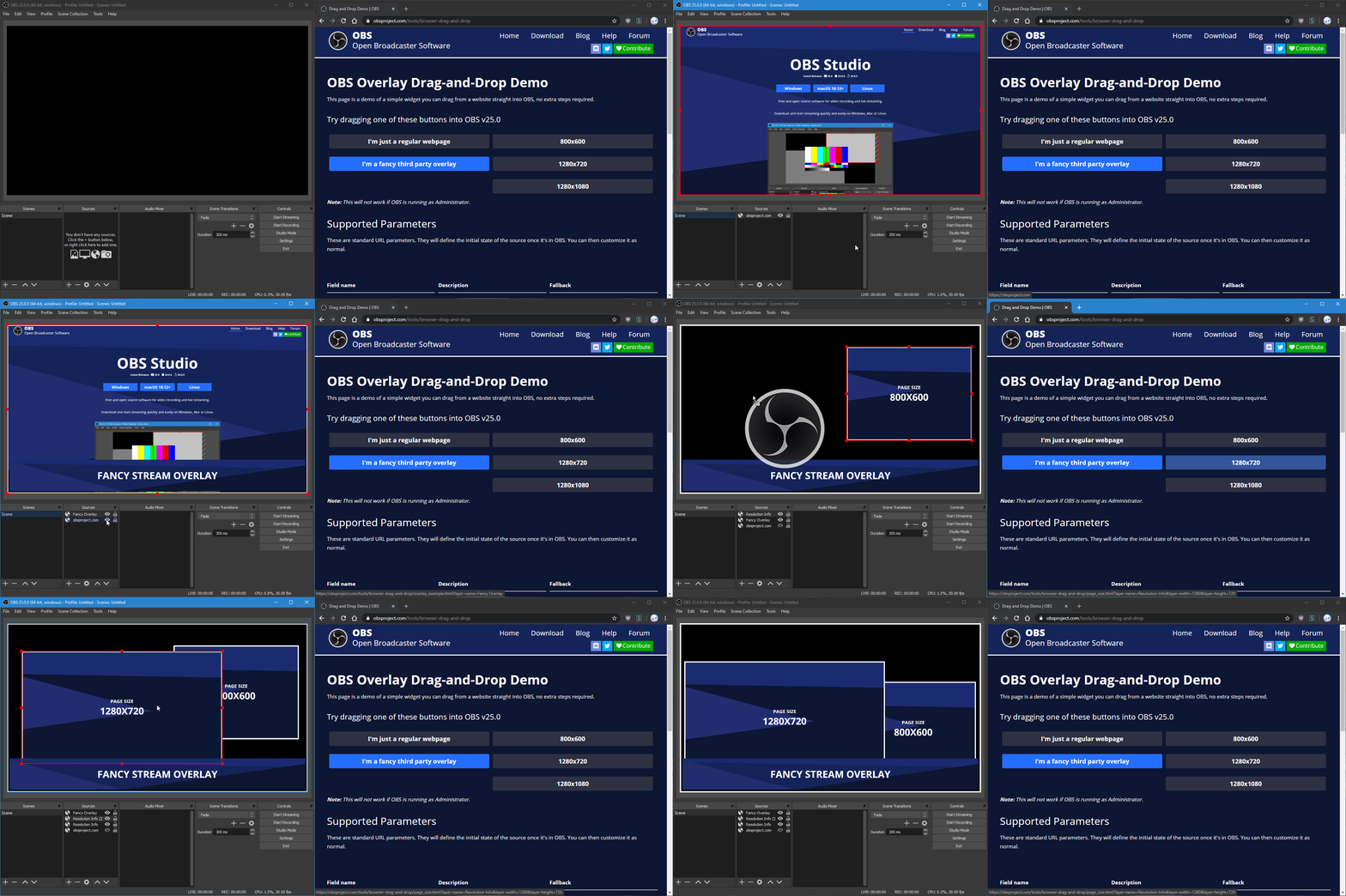 viral widget
shut heart
whatever works for you
viral widget
shut heart
whatever works for you
sent c:
viral widget
shut heart
whatever works for you
much luv for the help
 delicate citrus
friends I can't delete some sources from my multistream. this makes my multichat to gather all source's chat
the "delete" option is not available for any of mine
 timid niche
viral widget
Any known issue that the Chatbot Module for like follow announces dosnt work? <a...
timid niche
viral widget
Any known issue that the Chatbot Module for like follow announces dosnt work? <a...
I cant seem to update or change mine, but its working for me. - Ive sent a support ticket because i cant seem to save it with corrected spelling
timid niche
delicate citrus
friends I can't delete some sources from my multistream. this makes my multichat...
I found SE live for multistream was so buggy its not funny, you cant even select a scheduled YouTube stream key without issues.
I have uninstalled and returned to aitum multistream, its a simple plug in
runic lichen
runic lichen
Heyo everyone. For some reason I get this error on the multi streaming-dock.
Ev...
Lil' push
EDIT: Fixed
 dense lava
hey everyone, new here ... in dire need of help. my streamlabs on my obs is not currently working ? can someone help me restart my whole obs/streamlabs system ?
 quasi geode
Hi everyone, I can't seem to get the add new command feature to show up for me no matter how much I try to de-activate and re-active the bot, refresh, try in incognito, verified I was on the owner account, and etc
shut heart
quasi geode
Hi everyone, I can't seem to get the add new command feature to show up for me n...
seems fine?
 quasi geode
I meant creating entirely new commands in the bot, but I waited an hour and refreshed and its there now so all good lol. Thank you though
 jolly grove
Stream Elements has been not giving a streamer friend of mine tips for months, including a recent one for several hundred USD. Has anyone encountered this and know how to make them give up the money
dense lava
im new here and having trouble with my streamlabs/obs ... does anyone know how to restart my whole obs/streamlabs ?!
limpid bluff
jolly grove
Stream Elements has been not giving a streamer friend of mine tips for months, i...
That person will have to submit a ticket.
limpid bluff
dense lava
im new here and having trouble with my streamlabs/obs ... does anyone know how t...
StreamElements or StreamLabs?
 daring ingot
is anyone else having trouble getting to SE pay to withdraw?
fierce prawn
I’m trying to multi stream on all platforms all the platforms work except for kick it keeps disconnecting my stream and reconnecting it I looked up videos but I don’t want to touch my setting cause the last time I did I messed up everything is there an easy fix ?
gusty kayak
past badger
Omg this is been happening for a week have u fixed it? Let me know I've got 0 cl...
We got it fixed now
old stump
fierce prawn
I’m trying to multi stream on all platforms all the platforms work except for ki...
ur first mistake was trying to connect to kick in all honesty mate with everything that company has going on its not the best idea to associate your brand with kick
fierce prawn
old stump
ur first mistake was trying to connect to kick in all honesty mate with everythi...
Why would you say that could you elaborate more? And honestly I haven’t seem to get it to work so I just left it honestly but now I don’t feel bad cause you said the company is going to shit
old stump
fierce prawn
Why would you say that could you elaborate more? And honestly I haven’t seem to ...
a dude died on live on their and they are being sued by france because of it
fierce prawn
Doooooooode thats fucked imma keep that guy in my prayers !!
Do you think they will recover from this ?
hazy pond
My normal Donation Alert is bugging, the Goal Widget goes up, but the Donation Alerts doesn’t come 🥲 nothing changed, and now it doesn’t work randomly. Any ideas how to fix it?
 raven pollen
I need help, when i do multi-streaming, the stream goes perfectly om tiktok, twitch, youtube, but in kick starts 5s, ends, starts 5s, end... What i have to do?
 hasty sky
not me seen the option with change name the bot

where write the ! ticket and the name personalized bot ??
thin daggerBOT
You can choose a custom name for the streamelements bot by logging into the option on this page. https://streamelements.com/dashboard/bot/settings
If the option to login is not visible while logged into your Twitch account please make a ticket so staff can fix it for you (!ticket custom bot name).
Certain restrictions may apply.
limpid bluff
hasty sky
where write the ! ticket and the name personalized bot ??
Here
hasty sky
but no appear this option to write !ticket and the name 🙁
limpid bluff
Just type it in here
dull laurel
has anyone actually gotten a response from support, i cannot withdraw my tips for 3 weeks now and ive submitted 2 tickets, i have 400$ almost in there that i cant touch
dull laurel
daring ingot
is anyone else having trouble getting to SE pay to withdraw?
yes
I’ve noticed numerous reports from users stating that they have not received their withdrawals when searching this issue. Could you please clarify when this matter will be addressed? Withholding funds from users raises serious legal and compliance concerns, and I would appreciate transparency regarding the steps being taken to resolve it.
 jovial ocean
wondering if I can get help here since nobody on the team has given me a response: does anyone know what to look for to resize images in the JSON editor for the element overlays? Do I have to add the line myself or is the line already there and I just have to change it??
limpid bluff
jovial ocean
wondering if I can get help here since nobody on the team has given me a respons...
There should be a section that look something like this:
            "style": {
              "left": "",
              "top": "",
              "width": "",
              "maxWidth": "",
              "maxHeight": ""
            },
#dev-chat would have a better answer for you though.
limpid bluff
dull laurel
I’ve noticed numerous reports from users stating that they have not received the...
Support tickets are the only way to get answers for anything related to sponsorships or money.
dull laurel
limpid bluff
Support tickets are the only way to get answers for anything related to sponsors...
Yeah ive submitted tickets. They never answered.
limpid bluff
Unfortunately nothing we can do here.
 spice tinsel
currently having an issue with SE live, i multi stream to twitch and tiktok and everything was working perfectly no issues then i went to restart my computer after stopping stream. After restart i went to stream again i pressed live both twitch and tiktok where highlighted as they are active then pressed stream, then my tiktok chat opens up but nobody joins i check on my phone to see if i was live yet and it never went live i was live on twitch for a good 30 mins before trying to mess with it, ive uninstalled everything with files and reset everything and nothing. ive logged out and signed back in nothing
 signal mauve
Hello
 spark latch
I have a problem, If i add a new dock on OBS (Activity feed from StreamElements) it appears like this in OBS

I copied the activity feed URL then I pasted it in OBS then it appears ^^ somehow
 abstract venture
spice tinsel
currently having an issue with SE live, i multi stream to twitch and tiktok and ...
abstract venture
spice tinsel
currently having an issue with SE live, i multi stream to twitch and tiktok and ...
Same here
 grim canyon
Hi 👋
I am using the stream elements obs plugin to multistream and I am wondering is there away to stop my music coming on my vods at all I had it working before I installed the plugin
Thank you in advance.
 balmy hazel
I'm having trouble with the multi-streaming plugin. I log into TikTok and everything seems fine; I don't get any errors or anything. But when I try to stream, it shows that it's live, but when I try to check, the stream doesn't appear. I tried this for 10 minutes in case there was a delay, but the stream still doesn't work. Tikfinity is supposed to detect when you're live, and it showed that you were live, but nothing actually appeared. If anyone has had this problem and found a solution, I would be very grateful for your help.
abstract venture
Mine has been doing the same tiktok is not live
 wintry void
Im trying to open my my obs with streamelements and I need to log in using my twitch account, but I click the sign in with twtich option the page it pops open is empty and obs keep getting an error saying "having trouble logging in? try again". Anyone know how to fix this?
jovial ocean
limpid bluff
There should be a section that look something like this:
```css
"sty...
I just assumed the channel for the widget was best since its, ya know, regarding the widget lmao
Also there's like multiple sections that look like that but only have left and top, and I have 2,000+ lines 
I feel like it would be 1000 times easier if they just gave us the option to resize the image without having to go into the code
limpid bluff
You're not really resizing the image itself, you're just resizing the box the image is displayed in.
As far as I know, there is no image editor in SE.
jovial ocean
Which is silly imo but
Probably gonna switch back to the overlays as cool as the elements are if this is the only way to resize things, it's a bit of a pain to re-export and upload one thing numerous times to make sure it's not too big 
 wary osprey
plz help me get rid of all the youtubes so i can re-ad it correctly ive tried everything but it wont let me delete
 dense lava
limpid bluff
StreamElements or StreamLabs?
dense lava
limpid bluff
StreamElements or StreamLabs?
stream elements bro smh but i ended up just going back to restream in the mean time until i figure it out
 safe bough
Does anyone know if it's possible to use the chat widget for a Members Only stream on YouTube?
 flat temple
hello someone can help i cant connect my account on streamelements the site load and after just stay grey and dont connect
 fresh cedar
don t work to select categories why ?

 scenic shoal
fresh cedar
don t work to select categories why ?
scenic shoal
fresh cedar
don t work to select categories why ?
im having this same issue and its also saying im connected to my tiktok account(i was able to stream to it yesterday) but when I try to go live its now saying im not connected but wont let me reconnect.
 stiff sun
Anyone finding a solution to this? It’s happening to me as well
 narrow crow
Hey everyone, quick question. I use streamelements for my alerts. They are showing up on stream but for some reason my last two prime subs it didnt alert me, and it didnt change the latest sub to the subscriber. Any ideas why?
limpid bluff
narrow crow
Hey everyone, quick question. I use streamelements for my alerts. They are showi...
Channel name? No links.
narrow crow
xxcreeper1989
limpid bluff
narrow crow
xxcreeper1989
I refreshed some backend things. Missed events will stay missed, but new events should show up. Can you logout and log back in tomake sure it's refreshed on your end?
thin daggerBOT
Please logout of StreamElements at https://streamelements.com/logout and then login again to your account (Twitch/YouTube/Trovo/X).
narrow crow
sure, i will once i end my current stream. Thank you
 winter orchid
Anybody else having problems streaming to tiktok on obs?
limpid bluff
winter orchid
Anybody else having problems streaming to tiktok on obs?
TikTok in the US is having an outage.
raw crypt
safe bough
Does anyone know if it's possible to use the chat widget for a Members Only stre...
Not possible. StreamElements needs to have access to your stream, and SE only has access to public streams.
old stump
I cant seem to get plug-ins to work with obs via se obs I've tried for like 6 hours each in the past 2 days trying to get it to work
 boreal bronze
My progress and goals have stopped tracking on my SE current sponsorship, I've already submitted a support ticket last week no response yet, does anyone know if there's anything else I can do or any way to get ahold of support?
old stump
you could try pinging or emailing maybe?
altho they do have a rule against pinging from what i remember
limpid bluff
boreal bronze
My progress and goals have stopped tracking on my SE current sponsorship, I've a...
There is not. Tickets are the only way.
 granite hound
Stream elelments keeps crashing my obs no matter what I do whenever I stream to tiktok and twitch at the end of stream it crashes. I have uninstaleld na dreinstalled mayn times it has been on going for about 2 weeks now. What is happening? Can some one help me get this to stop?
 hot latch
Is it possible to use the Media Play without having the Twitch connection?
obsidian fog
hot latch
Is it possible to use the Media Play without having the Twitch connection?
No. It explcitly requires a connected acfount and the page/dock for it open.
 small tendon
Is it possible to use URL params (query's) inside the SE Widgets?
e.G <overlay-url>?player-a'=joe&player-b=Doe&hello=world
I'm asking because my normal way of doing so does not work:
const urlParams = new URLSearchParams(window.location.search); urlParams.get('player-a') || "P1", urlParams.get('player-b') || "P2"
Thanks in advance!
stoic tiger
Is anyone else having trouble with timers for the chat bot in SE? I set one up and put it for every 5 minutes online to test and it never shows up in my chat
random flax
Anyone having any luck getting support tickets answered? Had one open 6 days with no response
 ruby sage
is anyone else having an issue with the kappagen alert? when i go to choose custom emotes, it is showing old channel emotes that are not the current ones. this is causing my animated emotes to show up as stagnant images on stream
delicate citrus
delicate citrus
friends I can't delete some sources from my multistream. this makes my multichat...
can anyone help with that?
limpid bluff
delicate citrus
can anyone help with that?
limpid bluff
small tendon
Is it possible to use URL params (query's) inside the SE Widgets?
e.G <overlay-...
delicate citrus
limpid bluff
<https://streamelements.com/dashboard/account/channels>
love it! thank you
small tendon
limpid bluff
<#259680142459142144>
Will do cheers mate 🫡
limpid bluff
delicate citrus
love it! thank you
To get there in the future, click your profile picture in the upper right corner of the dashboard.
ripe wharf
Has the outage issue with TikTok been resolved?
limpid bluff
ripe wharf
Has the outage issue with TikTok been resolved?
🤷 You would have to check with TikTok; they had a major outage for a good portion of yesterday.
 toxic rose
anyone know whay my kbps would be dropping so low
 quick ridge
Hi I need to get someone on a voice chat right now!! I need help
 idle steppe
Has anyone run into an issue where you load a webm video for an animated overlay and it squashes the texture down in the StreamElements overlay system but if you load it directly into OBS as a Media Source it works fine?
I had my artist update my overlay (which worked fine for the last couple years) but the updated one setup in the same way won't work in the online overlay.
 dusky creek
Streamelements activity feed dock in OBS seems broken, it's just showing as blank for me
 timber vortex
Hello! Is this where I update my namechange in twitch? I've parted the bot and rejoined the new name. Old was "crane_lostwright" New is "cleavedeanrp" Thanks for your help!
idle steppe
dusky creek
Streamelements activity feed dock in OBS seems broken, it's just showing as blan...
try logging yourself out of OBS, restarting it and logging back in. sometimes it just needs a refresh
dusky creek
idle steppe
try logging yourself out of OBS, restarting it and logging back in. sometimes it...
That did it! Thank you! 
limpid bluff
timber vortex
Hello! Is this where I update my namechange in twitch? I've parted the bot and r...
it should be automatic. logout of the website and se.live then log back in.
 cedar pebble
Does anyone know why my SE.Live Multistream is so weird?

My base canvas resolution and scaled resolution is 1440p
When I set SE.Live to scale my YouTube output to 1080p it just puts out whatever this is
 solemn hatch
i can't login to the Stream Elements on the OBS, im stuck while the stream elements trying to logging in on the browser, can anyone help ?
 raven sphinx
hey so, sometimes the filter bot that stops certain words from being sent doen't work. is there any way i can force it to activate?
 cloud wraith
Why do only some 7TV emotes show up in my chat meanwhile all the other ones are just showing up as text
is there any solution for this
i have tried making a copy of the chat overlay but didnt work and tried refreshing the obs source ect. triad a lot nothing works
cloud wraith
would it solve my issue to make a new overlay?
 deep wraith
Im having issues using obs not sure why it has authorization from twitch
limpid bluff
deep wraith
Im having issues using obs not sure why it has authorization from twitch
Do you stream to Twitch?
deep wraith
Yes
limpid bluff
That would be why
limpid bluff
solemn hatch
i can't login to the Stream Elements on the OBS, im stuck while the stream eleme...
Read the pinned message.
limpid bluff
raven sphinx
hey so, sometimes the filter bot that stops certain words from being sent doen't...
You cannot force it to activate. Is it ignoring messages from regulars/vips/mods or a specific user by chance?
 edgy fable
hey do you have problems with timers?
i have one (follow reminder) and it works 50/50. but when i have capmaign timers (required to finish campaign) it ALWAYS work - 0 issues. im a small streamer so i have only 1 timer and even that no idea how make it work. do you have working solutions for that?
deep wraith
limpid bluff
That would be why
I've been streaming on it via twitch though
limpid bluff
deep wraith
I've been streaming on it via twitch though
OBS requests access to Twitch so it can stream. That's why it has authorization.
limpid bluff
edgy fable
hey do you have problems with timers?
i have one (follow reminder) and it works ...
Can you screenshot the timer settings for me?
deep wraith
limpid bluff
OBS requests access to Twitch so it can stream. That's why it has authorization.
And I’ve given it authorization already and yes I can after I’m done eating I can
limpid bluff
deep wraith
And I’ve given it authorization already and yes I can after I’m done eating I ca...
What issue are you having?
edgy fable
limpid bluff
Can you screenshot the timer settings for me?
and today is working... 🫠 two days ago it started working after ~2h of stream
