#community-helpdesk
1 messages · Page 51 of 1
 gusty kayak
 raw crypt

 dusky wadi
Ok i hope this is the right channel for this question. Hey guys, i just started using streamelements and I am having a nightmare of a time getting my twitch chat to appear in obs. I have followed guides and even a youtube video and it just simply will not show up. Is there some trick I am missing to make this work
 old stump
Make sure you got to stream elements website and make an overlay for the chat
 grim wedge
hi
has anyone ran into tiktok issues like "Some streams failed to create:"
 dusky wadi
old stump
Make sure you got to stream elements website and make an overlay for the chat
dusky wadi
old stump
Make sure you got to stream elements website and make an overlay for the chat
I figured it out. It was entirely me being silly lmfao, i had already made an overlay and all that, but at the very beginning i linked my youtube account to streamelements... but then forgot to link twitch. This was a case of me skipping the most important step
 pale escarp
my tik tok streams keep getting restricted.... I'm doing nothing differnt

like the 5th time
 echo crest
they did pin the solution, hents why they dont respond
 sonic escarp
im having trouble settings up my vertical canvas in obs, i activate it and it doesnt show up?
would anyone be able to help me with this?
old stump
dusky wadi
I figured it out. It was entirely me being silly lmfao, i had already made an ov...
glad you got it sorted out man i know obs shit can be confusing just keep learning as ya go and eventually it starts to make sense bout half the time as its obs
 rugged crane
Hello everyone!! I just joined because i am new and was looking for a little help. Right now I’m in stream elements trying to create overlays. When I try to add a stream tools widget to the overlay it does nothing and shows no settings. It’s like not triggering for some reason. Would anyone know why this would be happening?? I tried Google chrome and perplexity comet browser and had the same issue.
If anyone could help me with custom overlays in general
That would be cool and I also want to set up an AI co streamer if I can.
If anyone has any cool AI co streamer suggestions please share them.
I won’t be using a camera in my streams at first until I can get the hardware for it. So I will just be recording gameplay. And maybe music production
rugged crane
dusky wadi
Ok i hope this is the right channel for this question. Hey guys, i just started ...
I am having the same issue. Did you ever find a solution?
Oh I’m an idiot I figured it out

You have to click on this 🤣
 raw wolf
sonic escarp
im having trouble settings up my vertical canvas in obs, i activate it and it do...
raw wolf
sonic escarp
im having trouble settings up my vertical canvas in obs, i activate it and it do...
Go to the top where it says stream elements. And then it has a drop down I forget what it says but I think it’s the third option. It should show all of the functions like TikTok chat, twitch chat, etc etc. click on the TikTok canvas and it should show up after that.
 inner knot
Hey, does anyone know how to remove this from my tip page?

 obsidian fog
inner knot
Hey, does anyone know how to remove this from my tip page?
obsidian fog
inner knot
Hey, does anyone know how to remove this from my tip page?
Change the top option from tip/combined to free. https://streamelements.com/dashboard/mediarequest/settings

StreamElements
The Ultimate All in One Platform for Streamers
 vocal dirge
pale escarp
vocal dirge
pale escarp
You can stream again don’t worry right now. Just click got it and start just the tiktok stream again. Don’t need to end any of other streams. Just untoggle and retoggle tiktok.
 stable pivot
hey guys, does anyone know why SE.Live won't multi stream to KICK? it did work before. then i started streaming to Twitch in 1440p but for some reason, it doesn't matter what downscale settings i use in SE.Live, KICK says i am offline. Sometimes, when i refresh the KICK page, i see my stream for a sec and then the Offline screen goes up.
 dim imp
The new SE live is out yet it didn't fix the issue where the multistreaming dock won't work.


 timid oar
@dim imp use aitum multistream or obs-multi-rtmp instead, then
@stable pivot what target bit rate did you set for kick.com?
dim imp
timid oar
<@100114514191597568> use aitum multistream or obs-multi-rtmp instead, then
Won't it conflict with SE multistreaming API?
timid oar
@dim imp no
stable pivot
timid oar
<@311818033436033026> what target bit rate did you set for kick.com?
- but i thought maybe my internet isn't big enough for 1440p and 1080. i'll try setting twitch back to 1080 and see what happens
timid oar
@stable pivot iirc kick.com has hidden thresholds for disconnecting less popular streamers, try 720p at 3.5 mbps
(this is not confirmed by hard evidence, but a few streamers said they get dropped unless they stream at 3.5 mbps, which might have been a network connection issue)
stable pivot
i tried that too. the multi stream worked before i set me twitch to 1440p
 limpid bluff
dim imp
Won't it conflict with SE multistreaming API?
limpid bluff
dim imp
Won't it conflict with SE multistreaming API?
Generally Aitum and SE.Live conflict and you cannot use both. Your overlays will be fine though.
timid oar
@limpid bluff could you elaborate?
limpid bluff
timid oar
<@351166251445518337> could you elaborate?
I never asked; never used Aitum but multiple people who used both reported issues and uninstalling one or the other fixed it. I believe it had to do with the way OBS manages scenes, but it's been a while.
 gusty peak
vocal dirge
You can stream again don’t worry right now. Just click got it and start just the...
gusty peak
vocal dirge
You can stream again don’t worry right now. Just click got it and start just the...
is this update supposed to fix the restriction stuff going around?
obsidian fog
Any SE.Live updates are mainly towards the crashes that people have been experiencing on shutdown/start.
 lime furnace
Hey, the multi-stream chat isn't working on SE Live Multistream anymore. What could be the reason?
 warm pike
Just updated se.live and now OBS is giving issues. For whatever reason, it starts flickering between docks and then stops responding
 round pilot
Hi, good afternoon. I wanted to know if it's possible to get an answer to a question about multi-streaming. I'm trying to do it on TikTok and Twitch. I already made my scene, which took quite a while, and when I try to stream only on TikTok, it shows that I'm live, but when I check on TikTok, nothing appears. Does anyone know if I'm doing something wrong?

 late tiger
New to the discord and to Stream Elements 😄 Can someone tell me why I have to sign back into youtube and connect my account before every stream? I'm using OBS. Before Stream Elements, it was working great and I never needed to reconnect or sign back in. (I'm using SE mostly for the graphics that pop up for subscribers and eventually other overlays, like goals, etc...) Thank you in advance!
 halcyon pike
i am now getting this annoying ass popup with tiktok and stream elements... every 20ish minutes having to reset stream

 woven smelt
I am trying to multistream with SE.Live and am finding that if I stream in 2k to Twitch and Youtube, my 1080p stream to Kick doesn't work. It will often turn on for 2 seconds and then disconnect and stay off. I'm wondering if there is something on my end that is causing this or if SE.Live just can't stream at different resolutions to different platforms. If I stream to all 3 platforms at 1080p Kick stays on.
Also, I loads of bandwidth and a very beefy computer.
 random girder
Hi, is there any way to add delay to the transmission of the canvas created by se.live?
 daring cradle
halcyon pike
i am now getting this annoying ass popup with tiktok and stream elements... ever...
daring cradle
halcyon pike
i am now getting this annoying ass popup with tiktok and stream elements... ever...
I get the same problem
daring cradle
halcyon pike
i am now getting this annoying ass popup with tiktok and stream elements... ever...
you probably got 4 violations you haven't appealed so you have to wait 30 days - 90 days till it disappears. You either use tiktok studio or stream somewhere else for the time being....

 vestal bloom
I have an issue that's new. The most recent OBS update signed me out of multistream and now when i go to connect it gets to the browser, says connect, then goes to a black browser screen. I've treid everything I've read online and idk what the issue could be? I was using multistream fine not too long ago
limpid bluff
vestal bloom
I have an issue that's new. The most recent OBS update signed me out of multistr...
check the pinned post
vestal bloom
Blessed be, thank ye!
vocal dirge
@halcyon pike @daring cradle @hexed smelt don’t worry you have no violations. It’s happening to everyone at the moment. Only think you can do right now is just untoggle/retoggle TikTok and restart that stream. No need to stop the other streams.
 velvet trout
hi community, please i need help with OBS and streamelements widgets
inner knot
Does anyone know if there is a way to trigger the alert box for when I receive tips from somewhere else? (say Ko-Fi or Streamlabs)
 stoic crescent
With mutlistream how do I open up the multistream chat dock? It didn't auto open when I started it and idk how to enable it
 tawdry fractal
Why can't I see my videos?
It was working fine until a few days ago.

 sharp plinth
Hey @tawdry fractal same by my side. I uploaded a few webM video files (about 850kb) and now same issue.
maybe its a streamelements problem? or is it by our side?
No overlay file with video is working atm. only picture overlay files.
 south fossil
tawdry fractal
Why can't I see my videos?
It was working fine until a few days ago.
south fossil
tawdry fractal
Why can't I see my videos?
It was working fine until a few days ago.
Can confirm is happening here too in 3 channels I work for
Cannot change or view videos properly using the file selector
- The alerts work when previewed
- Cannot edit all variation settings like trigger criteria
- Cannot preview the video in the alert or variation
 upper dove
has anyone elses videos and stuff been removed? like my entire OBS is just black where videos and stuff were...
south fossil
upper dove
has anyone elses videos and stuff been removed? like my entire OBS is just black...
 modest canopy
I need to update my stream elements on my obs
It isn't giving me an option every time its just an error saying my streamlabs on obs needs to be updated? Please assist or am I missing something easy to do?
 random pond
Ah so I’m not the only one here getting an error saying my TikTok live was suspended due to stream elements but when I check the view details on stream they don’t show any errors at all
Been having to restart my TikTok stream multiple times cause of it
 hybrid prairie
how can I get all my chats in one single widget?
 tulip yarrow
alerts randomly stop working sometimes but its fine after for a few weeks
 winter spruce
Is it possible to output whatever I have on my vertical canvas as a virtual camera output? I know I can output a selected Scene but was wondering if I could just output the vertical canvas
I am thinking of a way to use it on TT Studio as I keep getting the 7 day ban on SE connection to tiktok
 remote quiver
Hiiii so prior to using this plugin I had my audio separated so that my music wouldn't go to my VOD. Since I've installed it, its just going to my VOD. Anyone know how to fix this?
winter spruce
remote quiver
Hiiii so prior to using this plugin I had my audio separated so that my music w...
In the audio settings on OBS there is a setting for VOD Audio Track. Set this to whatever track you like. Then in the audio output properties make sure the music track is not being output to the track you chose as the VOD audio
remote quiver
winter spruce
In the audio settings on OBS there is a setting for VOD Audio Track. Set this to...
Thank youuuuu some how it changed my connection to twitch. I had to switch it back to see the VOD setting again!
 tidal cove
hi idk if this is the correct channel or not but i changed my username on twitch and the image i sent is my old user. I just noticed the chatstats dont work with my new user, does it just take a while to update or something? (when i chat on my new user it doesnt update this one btw, stays at 119,259 msgs)

current usernaame is baconbreakfast0
timid oar
@tidal cove this requires some additional actions, but i don't have specifics
try disconnecting the twitch account, then connecting it again
tidal cove
timid oar
<@1123651690105688124> this requires some additional actions, but i don't have s...
ok ill try
unfortunately it didnt work
still the same number
 velvet ferry
will they eventually fix the multistream / login bug?
limpid bluff
velvet ferry
will they eventually fix the multistream / login bug?
What bug?
dim imp
limpid bluff
What bug?
That bug too... it's been there for almost 3 weeks now and yet nothing
 plucky marsh
Is there a way to get the alerts to show superchats in the currency donated, instead of converting it to my currency?
velvet ferry
there is a bug that you cant login to your twitch via Se.live and bcs of that you cant multistream and the bug is there since 3 weeks or longer and yet there is still no patch. the patch they announced isnt there either yet
limpid bluff
velvet ferry
there is a bug that you cant login to your twitch via Se.live and bcs of that yo...
What error do you see?
limpid bluff
dim imp
That bug too... it's been there for almost 3 weeks now and yet nothing
Interesting, haven’t seen that one in a long time. I’ll have to see if I can find the fix, but you’ll probably need a ticket
dim imp
limpid bluff
Interesting, haven’t seen that one in a long time. I’ll have to see if I can fin...
I had a ticket, and they closed it, stating that they had forwarded it to the developers for further investigation. They never got back to me 
halcyon pike
any reason this is happening??
 limpid bluff
halcyon pike
any reason this is happening??
limpid bluff
halcyon pike
any reason this is happening??
Can be a few reasons, are you on WiFi? It could be your internet provider.
velvet ferry
dim imp
I had a ticket, and they closed it, stating that they had forwarded it to the de...
had the same response never got an answer if its fixed, few days ago a update came but no bug fix to the issue
limpid bluff
velvet ferry
had the same response never got an answer if its fixed, few days ago a update ca...
Have you tried the fixes in the pinned post?
velvet ferry
In only see a pinned Post were its about se.pay and stuff like that but not multistreaming or login issues
limpid bluff
The most recent pinned post is about login issues
 young plume
Hey folks! I'm wondering if there's a way to turn the !uptime command into a timer that says how long a stream's been active and have it put it into chat every 15 minutes?
 shut heart
young plume
Hey folks! I'm wondering if there's a way to turn the !uptime command into a tim...
shut heart
young plume
Hey folks! I'm wondering if there's a way to turn the !uptime command into a tim...
You could use the ${uptime} variable -> https://docs.streamelements.com/chatbot/variables/uptime
The official documentation for StreamElements
young plume
shut heart
You could use the ${uptime} variable -> https://docs.streamelements.com/chatbot/...
But am I able to make it so it automatically posts rather than needing to be a command?
shut heart
You should be able to use variables in timers yes.
young plume
shut heart
You should be able to use variables in timers yes.
Thank you.
 marsh dock
not sure if this is the correct channel but was wondering if i could get an explanation for this? i can still stream on tiktok just fine however trying to do the multistream way gives me this message

 hybrid python
marsh dock
not sure if this is the correct channel but was wondering if i could get an expl...
hybrid python
marsh dock
not sure if this is the correct channel but was wondering if i could get an expl...
TikTok is banning stream elements for violating several community rules. Today, it shut down my stream twice in a row.
marsh dock
thats dumb lowkey
it kept saying i wasnt eligible to livestream on tiktok so i kept disconnecting and reconnecting until it finally told me that when i went to stream again
 sage glade
Any solution for tiktok stream getting revoked constantly. No ban but I had to relaunch it like 10 times over 2 hours.
marsh dock
i tried streamlabs ultra for the multistreaming but it didnt work so i paid 27$ for no reason lol
sage glade
I just kept launching mine it never said days of suspended.
marsh dock
yeah it was only streamelements that said that, my actual tiktok live access isnt suspended so i just had to use the virtual camera and tiktok studio which i hate doing
 covert peak
 sturdy tulip
Does anyone have a fix for connecting Twitch to SE.Live? When it redirects me, it shows a blank page.
 sturdy tulip
Does anyone have a fix for connecting Twitch to SE.Live? When it redirects me, i...
sturdy tulip
sturdy tulip
Does anyone have a fix for connecting Twitch to SE.Live? When it redirects me, i...
Nevermind, I had to reset the permisions of this site within Google not just Windows!! Thanks
 foggy hatch
If someone could help I would appreciate it... so, I am trying to make an alert - say follow alert to test this out.. I was trying ad multiple webm files together when a follow happens, so multiple alert boxes. Is there a way to have an alert box 1 and 2 fire off normally but have the 3rd alert box delay like 2 seconds so it will be like layering them and adjusting timing?
 pearl stratus
@sturdy tulip How did you reset the permissions on the site you used?
obsidian fog

 ripe wharf
sage glade
Any solution for tiktok stream getting revoked constantly. No ban but I had to ...
ripe wharf
sage glade
Any solution for tiktok stream getting revoked constantly. No ban but I had to ...
I keep having that happen too. The chat keeps for tiktok keeps saying I am revoked for community rules, but I've been doing nothing wrong.
inner knot
Hey guys,
Currently working on a custom widget that is essentially a spin wheel with custom options.
Does anyone know how to send a message to my twitch chat via this custom widget?
 amber dragon
sturdy tulip
Nevermind, I had to reset the permisions of this site within Google not just Win...
amber dragon
sturdy tulip
Nevermind, I had to reset the permisions of this site within Google not just Win...
wdym, i have the same problem and yk
 foggy jackal
Hey so i downloaded the SE plugin for obs, but when i try to connect it to twitch but the web page just goes blank, any help?
amber dragon
foggy jackal
Hey so i downloaded the SE plugin for obs, but when i try to connect it to twitc...
I have the same problem here
amber dragon
sturdy tulip
Nevermind, I had to reset the permisions of this site within Google not just Win...
.
he somehow did it but he left the server and i cant ask him for help
But @foggy jackal if i fix it, imma send here how to
obsidian fog
Did you not see my image below that message?
amber dragon
obsidian fog
Did you not see my image below that message?
I saw.
 near sapphire
Hello
why this thing is not seeing my 7tv emotes?
 inner knot
in the elements alert box, how can I mute the alert video?
 rough tundra
Hello,
This window keeps popping up whenever i try to start streaming. I already tried updating my graphics driver and reinstalling obs and streamelements. Any idea on how to fix it?

 velvet glen
Hello guys is there any way to control the scenes of other canvas while using se.live multistreaming via websocket or hotkeys
 dusty umbra
Hello, can someone help me? i already turned off all add blocker and still got this error

 civic fjord
dusty umbra
Hello, can someone help me? i already turned off all add blocker and still got t...
civic fjord
dusty umbra
Hello, can someone help me? i already turned off all add blocker and still got t...
same problem
clearing browser cache didnt help also
civic fjord
amber dragon
.
How did you do it?
inner knot
Also, does anyone know how to loop the video in an alert?
dusty umbra
foggy jackal
Hey so i downloaded the SE plugin for obs, but when i try to connect it to twitc...
Try it with opening twitch on another tab, i have the same problem with youtube login and somehow it works when i open youtube while connecting it
 lusty goblet
Guys is there a way to re-order scenes? In OBS you left left click and drag, but I can't seem to do the same in SE Live?
lusty goblet
Every time I close OBS and re-open the app the first Scene changes name to 'Scene 1' without any sources in it 😢 is it a bug? I can't rename scenes either. What am I doing wrong? Thank you 🙂
 rigid leaf
anyone else experienced an issue with going live on twitch, youtube horozontial but having issues with the vertical not appearing ? when i streamed to both horizontal and vertical yesterday it worked but today its not showing up.
 weary turtle
New update keeps failing. It crashes while it's trying to download. Says I need to close the program but does not let me do so before crashing.
 distant silo
rough tundra
Hello,
This window keeps popping up whenever i try to start streaming. I already...
distant silo
rough tundra
Hello,
This window keeps popping up whenever i try to start streaming. I already...
Install Fortnite and everything will go. I'm not kidding. That's what I did. You can see that Fortnite installs libraries that are needed. Then let me know.
old stump
i put in gen chat but ill ask here too does anyone know any good tts bots for streaming on youtube
 shut hornet
I have a question ? so here lately my tiktok stream says streamelements access restricted an closes my tiktok stream. so i have to delete multi source an reconnect it
 pure oyster
Does anyone know how to name your stream on obs BEFORE you actually start streaming? The option which I thought was standard is now gone :/
 chilly barn
i'm running into the same issue and unable to solve it. strangely enough the same exact command works perfectly fine with nightbot so its some interaction between streamelements and groke specifically
 limpid dagger
chilly barn
i'm running into the same issue and unable to solve it. strangely enough the sam...
limpid dagger
chilly barn
i'm running into the same issue and unable to solve it. strangely enough the sam...
Oh really… interesting
amber dragon
civic fjord
How did you do it?
i still didnt
 still ether
i am unable to use my chats in the way that i am suppose to use them in. They are connected correctly with stream elements but do not respond when I type in any chat window for my chat
 leaden mason
lusty goblet
Guys is there a way to re-order scenes? In OBS you left left click and drag, but...
leaden mason
lusty goblet
Guys is there a way to re-order scenes? In OBS you left left click and drag, but...
Not sure whether you worked it out but if you put your mouse over the nine dots to the left of the scene or source you can grab and drag
leaden mason
shut hornet
I have a question ? so here lately my tiktok stream says streamelements access r...
don't delete it just add another tiktok under multi stream by pressing the + then hit connect it will reactivate it without having to delete it
leaden mason
pure oyster
Does anyone know how to name your stream on obs BEFORE you actually start stream...
under your canvas go to settings then tab across to broadcast settings 🙂
 modern bluff
Hey, quick question. I run tournaments with delay, and when I set a delay timer in OBS, it doesn’t delay the feeds going out via se.live. Is there any way to fix this? We’ve had issues with people stream cheating before and I want all platforms to have the delay
dim imp
Hey guys! QQ: Is there any way to disable the SE multi-streaming option? It's not working for me anyway with the error that I have mentioned, and it's also preventing other plugins from working. So it's not really helping.
timid oar
@dim imp if the plugin doesn't work, you can disable it, most of its feature are available without it or with other plugins (aitum vertical, aitum multistream)
 late spindle
every time i stream using SE.live (multistream) the tiktok stream suddenly stopped after several times and appear this pop up. anyone experience the same thing like this? please help
 shut hornet
late spindle
every time i stream using SE.live (multistream) the tiktok stream suddenly stopp...
shut hornet
late spindle
every time i stream using SE.live (multistream) the tiktok stream suddenly stopp...
Yes my same issue I'm searching for a answer as well
 jovial halo
What on earth did SE change recently, this is getting mind numbingly annoying.

Yet iv ZERO Violations on my dashboard on tiktok... Sumns scuffed
Only since the new update too.
timid oar
@late spindle@jovial halo do you recall what you were streaming? i still don't have much hard data on why this happens, but i suspect this happens if your gaming content is less than 50% of all your livestream uptime
late spindle
timid oar
<@1265913037886591048><@158743862427385856> do you recall what you were streamin...
my content is full of game like this. and I dont think that i make some violations.
I think its a bug. when I started again the streaming, it runs normally
 fathom acorn
everytime i try to start a stream using streamelements multi-stream, it sends me a specific message and doesnt work. ive been using it right and streaming on tiktok and twitch at the same time, however, i just switched the primary source from my twitch to my tiktok and it began not working. i then tried to switch my primary source back from tiktok to twitch, and now its not letting me start my stream back up at all. it says stream start requested after i press "ok" to both of the messages it gives me
rough tundra
Hello,
This window keeps popping up whenever i try to start streaming. I already tried updating my graphics driver and reinstalling obs and streamelements. Any idea on how to fix it?
 jovial halo
timid oar
<@1265913037886591048><@158743862427385856> do you recall what you were streamin...
jovial halo
timid oar
<@1265913037886591048><@158743862427385856> do you recall what you were streamin...
Arc Raiders
 stable lance
Hello all ... first time here. I can't seem to get youtube chat to appear on screen. I have Twitch messages coming through, I tried unlisted/public broadcast, I reauthed 3 times, changed all the settings in the overlay amd still nothing. Is there anyone that would have an idea on why Youtube chat wouldn't come through to the overlay?
limpid bluff
stable lance
Hello all ... first time here. I can't seem to get youtube chat to appear on sc...
Youtube has to be public and live or it won't work.
 worthy drum
rough tundra
Hello,
This window keeps popping up whenever i try to start streaming. I already...
worthy drum
rough tundra
Hello,
This window keeps popping up whenever i try to start streaming. I already...
same thing for me. nothing i do fixes it.
timid oar
@rough tundra@worthy drum se.live suppresses the error message that obs-studio is supposed to log when this error appears, so the next troubleshooting step would be to disable se.live and try streaming without it
worthy drum
timid oar
<@1396176551761936486><@260275179341479938> se.live suppresses the error message...
well of course it works with out it. i was using restream before but decide to give this a go so i could have better bit rate for my youtube but it is just broken when i use SElive
timid oar
@worthy drum this is going to be near impossible to figure out, se.live won't tell me what's wrong in the log and i can't validate your encode settings since se.live doesn't show them in their entirety in the UI either, try the aitum multistream plugin
worthy drum
that crap didnt work either guess ill keep using restream
timid oar
@worthy drum this is the first time i hear of anyone having issues with aitum multistream beyond first-time setup nvm, this counts as first-time setup
want to try setting it up again?
worthy drum
timid oar
<@260275179341479938> ~~this is the first time i hear of anyone having issues wi...
I just got SElive to work. You need to set your stream to what ever your primary account is and sign in. it never explained that and defaulted to custom with no info put in. but i tried it where i logged in with my youtube and set my settings how i wanted and it worked.
worthy drum
fathom acorn
everytime i try to start a stream using streamelements multi-stream, it sends me...
^^^^^^^^
 cold wharf
Every time I try to login my twtich it opens the browser, tells me to log in and then just blackscreen, cleared cache and tried on other browser
anyone know how to fix it
Ima try the pinned
 dawn ivy
Anyone having issues with SE.Live and Tiktok? I had it working fine for months, and all of a sudden the last few weeks it's decided I can't stream on TikTok anymore, saying I'm banned (but I'm not banned and can still go live on TikTok).
dawn ivy
late spindle
every time i stream using SE.live (multistream) the tiktok stream suddenly stopp...
Me actually! Started scrolling after I posted. I have been having this happen the last few days. It's incredibly frustrating because I have no issues on the TikTok side, just on the streaming side. I am attempting to see if it's better for me to stream straight through the TikTok Live instead because it's incredibly irritating losing half my chat whom I was mid-convo with
hybrid prairie
cold wharf
Every time I try to login my twtich it opens the browser, tells me to log in and...
Use a different browser
 heavy belfry
Yup since last update TikTok has been ending my lives claiming to have multiple violations on stream elements behalf . Check and there are no violations, I have to restart stream and it works . I multi stream to twitch and YouTube as well and no issues there . Only TikTok ending due to a new bug claiming there have been multiple violations by steam elements . Today I did a 8.5 hr stream and TikTok ended approximately 6 times. It’s clearly a bug after last update , others are experiencing the exact same thing . How do you submit a ticket , or is there a way to roll back versions of SE.live . ???? PLEASE HELP
late spindle
heavy belfry
Yup since last update TikTok has been ending my lives claiming to have multiple ...
wow! there are so many members experienced the same issue like me. please fix this as soon as possible @thin dagger
heavy belfry
limpid bluff
late spindle
wow! there are so many members experienced the same issue like me. please fix th...
Not sure @'ing the bot will do any good. Submit a ticket and someone can look at it.
heavy belfry
I just submitted one
vocal dirge
heavy belfry
Yup since last update TikTok has been ending my lives claiming to have multiple ...
A lot of people are having this. SE claim it’s a tiktok thing so no point submitting a ticket. Just have to wait it out and hope it fixes itself.
vocal dirge
late spindle
wow! there are so many members experienced the same issue like me. please fix th...
Se claim it’s a tiktok issue so they won’t do anything. Will just have to wait it out and hope it fixes itself unfortunately
late spindle
vocal dirge
Se claim it’s a tiktok issue so they won’t do anything. Will just have to wait i...
absolute cinema🤣😭
heavy belfry
vocal dirge
A lot of people are having this. SE claim it’s a tiktok thing so no point submit...
As soon as I updated about 2 days ago , it’s been happening everyday , I’d call that an SE.live bug 💯
 sleek atlas
does anyone know if the "new subscribers" counter on streamelements counts gifted subs? Or does it count like actual first-time subscribers that are paid?
jovial halo
vocal dirge
Se claim it’s a tiktok issue so they won’t do anything. Will just have to wait i...
Ahhh yes pass the blame to someone else, good OLD SE Approach.
Its litterally the new update thats scuffed.
 stuck crystal
does anybody know why there is no "Kicks" in stream elements?
obsidian fog
Not added yet.
 hexed smelt
all my alerts work and pop up except sub alert, why would that be? it enabled and everything
 woeful zephyr
When I click on this, the menu doesn't pop up?

usually a clock menu pops up in the middle of my screen but it isnt working today
dim imp
Failed to connect to the server... that's the error I'm receiving from OBS hm
 tardy lake
Can anyone help me with vertical canvas please? I have it all setup but i cant find a way to add a source on there to my stream deck to toggle it off and on
 subtle palm
Hi everyone, I'm after some helkp please adding a simple chat bot with the !commands to my YT channel. I've been using OBS but I'm overwhelmed by the StreamElements plugin. I think I'm doing everything right but I'm not seeing the bot connect to my unlisted live stream. Any guide or help would be greatly appreciated
obsidian fog
Not possible. Needs to be explicitly public and live.
subtle palm
is that to me? @obsidian fog
obsidian fog
Yup.
subtle palm
blimey thnk you I thought I was going crazy
is there a way to periodically force some commands to be activacted, e.g. every 15 mins?
 civic tendon
anybody else getting a black screen on their "game capture" under sources? no matter what i change on the game capture setting i cannot get it to show on stream, but when i right click the "game capture" and select properties i can see a preview of the game there?
(i've made sure its on top of other sources etc) and its not that
obsidian fog
What game?
civic tendon
all my games
obsidian fog
Certain ones don't work in game capture but what exactly have you tried to capture so far?
civic tendon
dead by daylight, arc raiders to name a couple, i have also tried adding a new "game capture" under sources and that isn't working either
 thin daggerBOT
Please provide a log from your last stream. To do this, in OBS go to Help > Log Files > Upload Current Log File and paste the link to the log file here.
obsidian fog
Lemme see something.
vocal dirge
late spindle
absolute cinema🤣😭
😂 I know
vocal dirge
heavy belfry
As soon as I updated about 2 days ago , it’s been happening everyday , I’d call ...
I had problem last month were it wouldn’t even let me stream. One step forward, two steps back.
vocal dirge
jovial halo
Ahhh yes pass the blame to someone else, good OLD SE Approach.
lol don’t say to much. I got into trouble last time 😭
civic tendon
obsidian fog
Lemme see something.
this is what it says in the logs
16:33:36.426: [game-capture: 'Game Capture'] attempting to hook fullscreen process: DeadByDaylight-Win64-Shipping.exe
16:33:36.433: [game-capture: 'Game Capture'] init_pipe: failed to start pipe
just says that multiple times
civic tendon
isn't there sensitive info in the whole logs though?
obsidian fog
Unless your PC username contains your actual name no.
tardy lake
Is there hotkeys to control vertical canvas? I can't find anything
 south nova


 tawny egret
hello, does anyone know why my entire overlay for alerts and whatnot just disappeared? I worked on it and manually added everything just a month ago. I come back, updated se.live, obs, and streamelements desktop and its just all gone. If there isn't a way to recover it I can just start over, it's just annoying that even happened when I spent a few days working on it.
 mossy sparrow
Hello, In my alert box when i want to make an alert for a cheer or donation i cant specify an exact or at least number. all those options are gone in the top of the screen, how can i get them back? i can only put in the variation name and then an image, video or a sound.
 dire snow
^^ I'm having this same issue
 outer hinge
Hi there, my alerts are just refusing to work. Even in StreamElements itself, I cant even emulate a test subscriber as if i follow the normal steps. So my alerts arent going through when someone subscribers and its as if I dont have an alert system set up at all on StreamElements Overlays. Anyone know whats going on here?
 hexed smelt
wtf, bruh blooprint!? Love your videos my dude
outer hinge
lol hey man, ty!
hexed smelt
outer hinge
Hi there, my alerts are just refusing to work. Even in StreamElements itself, I ...
I was having the same issue, I opened a ticket and they helped me out. Not sure what the issue was but mine is working now
outer hinge
Do you have any info from that email?
hexed smelt
One sec I gotchu
outer hinge

hexed smelt
They did have me try to log out and back in but nothing
outer hinge
yeah same
hexed smelt
All your other alerts are working right? Just sub?
outer hinge
nope
nothing at all is, everything is set up in the overlay and hasnt changed in years
no raid alerts, tip, bits
cant even emulate them
hexed smelt
Yea same issue here
This is all I got from them but they ultimately fixed it backend

 outer hinge
shit i was planning to stream literally 10 mins ago 
hexed smelt
I haven’t tried my follow or bit alerts since they said it’s fixed but I did try my sub alert and it was working
hexed smelt
outer hinge
shit i was planning to stream literally 10 mins ago <:Sadge:848244059314323476>
Set up quick streamlab alerts 🥲
 lofty adder
Multichat ain't showing my twitch anymore, not a big deal but still a little annoying. Also is there any way to have a separate yt chat? I did recently have to reconnect my twitch to the plugin and that's when I noticed it wasn't showing on multi, only the dedicated twitch dock
 edgy mica
why mi obs studio is saying this Cannot read properties of undefined (reading 'toLocaleLowerCase')
 bronze lance
anyone know why after update on OBS i'm getting "failed to authenticate with Twitch"??
 ripe wharf
I keep getting this error only with tiktok streaming and I am doing nothing wrong in my stream.
 late spindle
every time i stream using SE.live (multistream) the tiktok stream suddenly stopp...
late spindle
late spindle
every time i stream using SE.live (multistream) the tiktok stream suddenly stopp...
@ripe wharf you have the same issue like me
 velvet hound
ripe wharf
I keep getting this error only with tiktok streaming and I am doing nothing wron...
velvet hound
ripe wharf
I keep getting this error only with tiktok streaming and I am doing nothing wron...
Also having this issue. Anyone know a fix to this?
mossy sparrow
dire snow
^^ I'm having this same issue
it magically appeared back for me 5 hours later than i posted the message
old stump
would anyone know why my banned phrase list was randomly cleared
i literally just had finished my banned phrase list 2 days ago it was around 80 phrases now its only 2
even my custom commands for my playlist of music i made has been removed
 latent mica
how do i properly set up streaming to twitch youtube and youtube shorts? im having sooo much difficulties
first it makes way too many keys, now it wont work with the keys i made
latent mica
i did it
dire snow
mossy sparrow
it magically appeared back for me 5 hours later than i posted the message
The same for me too right after I ended stream. So weird.
 restive hemlock
Are alerts not working right now?
limpid bluff
restive hemlock
Are alerts not working right now?
Working as far as I know
restive hemlock
limpid bluff
Working as far as I know
ok thanks
restive hemlock
limpid bluff
Working as far as I know
do alerts work for youtube?
obsidian fog
Outside of subs which have an unfortunate delay outside of our control everything else should be instant.
restive hemlock
obsidian fog
Outside of subs which have an unfortunate delay outside of our control everythin...
ok thanks
 shell zodiac
Hey guys, I'm having trouble on the youtube part of the SE Live and want to understand how the Stream Key functions on this window. Do i keep making new ones? what's the purpose of this? Also, it probably relates to the next problem... setting up the latency. The next picture is the YT Studio web browser... and i've set the setting to Ultra low-latency, but when I go live... it keeps reverting back to Normal Latency, and now there's a 5-10 second delay on stream. Can anyone lend a hand, please and thanks


 eager nymph
can someone help me? I have this problem where I try to see my canvas for youtube multistream the dock doesnt show up on any part, it only shows up when i create a NEW canvas and lose everything i had on the "default" one
 analog zinc
this stopped working? i can't edit a countdown from some days ago ( It is an overlay )

 obtuse aspen
My Tiktok live keeps turning off, while the other platforms keep running, is anyone having this issue to?
 weary mesa
Is there an issue with overlays? When I go to my overlays, it is saying I have none, even though I have made and am using some.
 timid oar
@weary mesa "overlays" and "elements" are not the same thing, check "elements", also verify this is the correct account
weary mesa
Elements is also empty, and this is the only account I have with streamelements, so it is correct.
limpid bluff
weary mesa
Elements is also empty, and this is the only account I have with streamelements,...
You appear to be logged in with an account that is not a twitch account; is that intentional?
weary mesa
I did not realize it switched for some reason, did not know it made one for each site. Thank you
 thin hound
I cant login to S.E Live
it gives me the "connect your channel" login, i click it and click on my google account that I use for youtube but the page just goes blank and nothing happens
Ive reset my computer several times
its been over a day
this is a OBS plugin by streamelements btw
can yall help me?
shut hornet
Anybody figured out a solution to why streamelements an streamlabs keep closing out tiktok streams???
 sullen roost
is there a way to mass delete overlays
limpid bluff
thin hound
can yall help me?
check the pinned post.
limpid bluff
sullen roost
is there a way to mass delete overlays
Not that I know of
sullen roost
i have so many that i don't use and it all looks like a mess
 junior willow
I can't pass the connect account page, I already tried with twitch, and youtube. I'm on MacOS Tahoe
heres a ss of what i'm currently looking at

I'm using brave browser
it was the browser... hahahaha
 tough thorn
junior willow
heres a ss of what i'm currently looking at
tough thorn
junior willow
heres a ss of what i'm currently looking at
same here not conntecing
tough thorn
does microsoft edge owrk?
limpid bluff
tough thorn
does microsoft edge owrk?
Pinned post.
shell zodiac
YouTube Live is tricky to me when I want to stream in both the Shortsfeed and Landscape at the same time. I'd make separate broadcasts for them, but it would sometimes only let one or the other actually go live (sometimes I get lucky and both would stream)... but today I had 2 landscape go live in YT. Anyone know what I'm doing wrong?
 valid agate
Hi, I have a problem with the Steamelement overlay in OBS. During live streams on Kick and TikTok, I get an error every now and then. Without the overlay, everything works fine. I've reinstalled it several times to no avail; it was working fine before. Regards.

 balmy carbon
valid agate
Hi, I have a problem with the Steamelement overlay in OBS. During live streams o...
balmy carbon
valid agate
Hi, I have a problem with the Steamelement overlay in OBS. During live streams o...
it's happening te same here
timid oar
@valid agate@balmy carbon this is a crash, SE is aware of it and are working on fixing it; in the meantime, try the obs-multi-rtmp plugin or the aitum multistream plugin
valid agate
timid oar
<@760563795851739186><@1077260823396896849> this is a crash, SE is aware of it a...
I care about Streamelements because I can do live on TikTok without using a key. Regards
 calm ridge
Not being able to stream on tiktok but can stream on YT and Twithc please help

 fossil rapids
Hi, I'm having a problem when I stream on YouTube. The stream is delayed by 20 seconds, but I don't have this delay on other networks. HELP
shell zodiac
Is this normal? having 3 Youtube sliders? (with one of them being greyed out)
 limpid bluff
shell zodiac
Is this normal? having 3 Youtube sliders? (with one of them being greyed out)
limpid bluff
shell zodiac
Is this normal? having 3 Youtube sliders? (with one of them being greyed out)
Yes
The first output listed is the one set in OBS; nothing can be done with that one outside of the OBS settings window.
The other two are from connecting SE.Live to YouTube.
shell zodiac
thank you
shell zodiac
where is this "stream start requested" requesting to? Going live on YouTube is so confusing. Is there anyone that can help? I'm doing a lot of trial and errors, but idk why i'm just not getting it...

managed to go live... but for some reason it's only streaming the Vertical stream on YT

no problems on twitch side
 woeful cloak
Hi guys, wondered if anyone had encountered this with the Multi Chat dock on OBS at all? Have tried signing out & back in but just tells me that the panel isn't found? 🙂
 shell zodiac
so this was the result of the stream... even tho this time i tried using different stream keys... it somehow melded both Vertical and Landscape streams on youtube... if you skip around the video, you should be able to see it go black screen with vertical mode https://www.youtube.com/live/6OP5RRHEJWs?si=bF75HAsKCmlbCsOf
like.. i have no idea what to do in this case... maybe I shouldn't even try going live on YouTube Shorts Feed anymore
 cosmic nimbus
Can you guys help me with multi-stream? I am trying to stream to both youtube and twitch. Youtube works fine(is my primary output). Twitch loads in OBS and says Im connected but when I open twitch VIA browser I don't see any video but I can chat between browser and OBS so I assume there is some kind of established connection. Why am I not able to see video?
timid oar
@cosmic nimbus what bit rate target did you set for twitch?
cosmic nimbus
Sorry to bother but I am still learning. Ended up messing with the encorders and found out Twitch didnt like 'HW AV1'. In the stream elements settings I over-rode OBS outputs and switched the Twitch to 'HW H.264' and works fine now. Thank you!
obsidian fog
Yeah. Twitch doesn't support AV1 yet and no public plans of if/when it'll happen.
shell zodiac
Is the support ticket for sponsorships only? cuz i only have technical streaming problems, i'm not really looking to get sponsored by companies
stable lance
When I do a scheduled stream off youtube it steams to break my chat ... has anyone ever seen this before? Chat was working fine last night then today it was working at all,
limpid bluff
shell zodiac
Is the support ticket for sponsorships only? cuz i only have technical streaming...
Yes, tickets are for all official support
 grim light
Um so not sure where to go exactly so I’ll ask. I updated obs and downloaded the se.live and im trying to connect to twitch so i log in but when it takes me to the browser the page opens but never “connects”, did i mess something up or am I missing something???
grim light

 north rock
trying to connect my youtube and kick but just pops up with a blank page. I even removed my ad blocker and do not have any vpn active
 obsidian fog
north rock
trying to connect my youtube and kick but just pops up with a blank page. I even...
obsidian fog
north rock
trying to connect my youtube and kick but just pops up with a blank page. I even...
Pinned messages.
north rock
I'm not seeing my issue in pinned messages
obsidian fog
Generally that issue would be fixed with using chrome.
You already are so the only other thing is resetting site permissions.
 livid sage
weird how I have scenes linked but the ones I have linked aren't switching when I switch scenes except maybe 2 of them
hope it gets fixed
I'm glad the crashes are fixed with obs finally
 somber bison
Hello, I wanted to duplicate the overlay from kick on Twitch. After duplicating it, it's basic - it doesn't duplicate correctly.
livid sage
Just wanna thank the stream elements team for fixing the obs crashes as that was my only complaint
other then the scenes not switching for my youtube scenes
Other then that the stream scenes work fine I added 3rd one and that switches to
it's just odd the youtube ones don't switch unless I click on the vertical ones and not the main one
 unborn gate
hello im not doing crossstreaming in the past few days,because of this bug, i stream only using tiktok live studio, i just wanna ask if u guys can stream now wihtout that bug ?

 frigid turret
hello guys, the alert is enabled, but it doesn’t appear and I can’t test it.
does anyone know how to fix this?
 limpid dagger
chilly barn
i'm running into the same issue and unable to solve it. strangely enough the sam...
limpid dagger
chilly barn
i'm running into the same issue and unable to solve it. strangely enough the sam...
sound alerts now allows you to use their bot once you connect your spotify to it to have access to now playing i just switched it to that as it seems more a website lookup issue and not an SE issue, hope that helps you for the replacement from groke to sound alerts or the local streamer bot/lumia stream also has options to get songs, that also allows oyu to do commands like add songs to the queue, skip songs and such
 desert wadi
hey there!
i wanted to start streaming again after 2 years and once i updated obs/SE.Live i'm getting this error!
i already re-installed everything, even in different directory/ssd
i also removed all saved settings etc..
and i still end up with this error, can someone please help/assist me?
 chilly barn
limpid dagger
sound alerts now allows you to use their bot once you connect your spotify to it...
chilly barn
limpid dagger
sound alerts now allows you to use their bot once you connect your spotify to it...
thank you that is very helpful 
 red mountain
The StreamElements phone app is great, but would be better with multistreaming added
 indigo dome
Hoping this is the right Channel,
anyway.
_
OBS Twitch Login issue.
I cleared out my browser files n %appdata%, &
now I can't even login to Twitch.
Using Stream Elements OBS
 polar mountain
Hi, Is there a way how to copy streamelements alerts and commands and overall settings from twitch to kick ? I am using streamelements for both but want it somehow connected...
 celest orbit
polar mountain
Hi, Is there a way how to copy streamelements alerts and commands and overall se...
celest orbit
polar mountain
Hi, Is there a way how to copy streamelements alerts and commands and overall se...
This is not possible, as different platforms have different features and variables which are not compatible
 coral scaffold
unborn gate
hello im not doing crossstreaming in the past few days,because of this bug, i st...
coral scaffold
unborn gate
hello im not doing crossstreaming in the past few days,because of this bug, i st...
I started getting the same message only for TikTok. All other streams stay active without issues.
 rancid rain
OBS and streamelements worked great up until today. Can anyone help? thanks!
 limpid bluff
indigo dome
Hoping this is the right Channel,
anyway.
_
OBS Twitch Login issue.
I cleared ou...
limpid bluff
indigo dome
Hoping this is the right Channel,
anyway.
_
OBS Twitch Login issue.
I cleared ou...
Pinned post
rancid rain
Okay, it's official, Streamelements is crashing my OBS. I just uninstalled SE.live and OBS opened properly. I then did a clean install of OBS and SE.live and it is crashing again. Was all working fine up until today!
 limpid bluff
rancid rain
Okay, it's official, Streamelements is crashing my OBS. I just uninstalled SE.li...
limpid bluff
rancid rain
Okay, it's official, Streamelements is crashing my OBS. I just uninstalled SE.li...
Which version of OBS and SE.Live?
indigo dome
Need some help here...
Checked my Bans List, & Stream Elements isn't even Banned.

I'd click Unban Bot, "Nothing"
rancid rain
limpid bluff
Which version of OBS and SE.Live?
both the latest
limpid bluff
25.12.15.535 ? and 30.0.4?
indigo dome
rancid rain
both the latest
OBS Studio 32.0.4
Stream Elements tho? I've no idea how to get that info.
limpid bluff
indigo dome
Need some help here...
Checked my Bans List, & Stream Elements isn't even Banned...
- Ban the bot on Twitch
- part the bot on the SE dashboard
- logout of SE
- disconnect SE and Twitch
- wait 10 minutes
- unban the bot on Twitch
- login to SE
- rejoin the bot
indigo dome
ok, let me try that.
rancid rain
limpid bluff
Which version of OBS and SE.Live?
Literally reinstalled the latest versions today. OBS 32.0.4 and SE.live installer from today through the official website
limpid bluff
rancid rain
Literally reinstalled the latest versions today. OBS 32.0.4 and SE.live installe...
Switch to the beta version, if that doesn't fix it you'll have to submit a ticket
thin daggerBOT
To open a support ticket, in #community-helpdesk type !ticket followed by a short subject (under 60 characters). Example: !ticket My chatbot isn't working. Then follow the bot's steps.
rancid rain
limpid bluff
Switch to the beta version, if that doesn't fix it you'll have to submit a ticke...
Latest Beta version of OBS?
indigo dome
rancid rain
Latest Beta version of OBS?
Using Stable
limpid bluff
rancid rain
Latest Beta version of OBS?
SE.Live, I don't think OBS has a beta
indigo dome
limpid bluff
SE.Live, I don't think OBS has a beta
it does, just checked
rancid rain
limpid bluff
SE.Live, I don't think OBS has a beta
Thank you for all your help. Cannot find link to SE.live beta version anywhere. Do you have a link?
indigo dome
can't even switch to other builds/ Stable, & beta
limpid bluff
indigo dome
it does, just checked
OBS says that OBS does not have a beta release right now.
indigo dome
limpid bluff
OBS says that OBS does not have a beta release right now.
that's not what I was on about.
indigo dome
limpid bluff
OBS says that OBS does not have a beta release right now.
was being too Logical
timid oar
desert wadi
hey there!
i wanted to start streaming again after 2 years and once i updated ob...
some parts of obs-studio are missing or your shortcut lacks the correct work directory setting, download and install obs-studio from https://obsproject.com again
indigo dome
I seriously can't figure this out.
how's it that on the Stream Elements Website,
the Stream Elements Bot is banned?
Yet,
it's n my Chat.
???
I'm so lost...
 opaque lintel
Hello, I have currently installed Stream Elements to stream in both Twitch and TikTok at the same time. I am currently running into a problem where I HATE the Elements Control Center and have not been able to recreate my Streamlabs Alertbox. When I attempt to import the Streamlabs Alert Box I get an error each time I try. Any suggestions?
 uneven gull
What's the deal with this? Just got it in the middle of a stream. Definitely wasn't anything going on

 brisk hamlet
hello. i am having an issue with SE.Live, i have switched over to a new PC and i am in the process of setting up OBS again, and when i try to sign into Twitch through SE.Live in OBS the webpage never loads and i get an error "failed to load module". does anyone know how to resolve this? nothing i find online is working.
that error, or it's just a blank webpage.
limpid bluff
brisk hamlet
hello. i am having an issue with SE.Live, i have switched over to a new PC and i...
Pinned post.
limpid bluff
indigo dome
I seriously can't figure this out.
how's it that on the Stream Elements Website,...
If you followed the steps I sent in the order I listed them, you can try reaching out with a support ticket to see if the UI bug can be fixed. If the bot is working, it's just a UI bug and not an issue with the bot.
 neat monolith
I see there's quite a lot of issues with TTS currently, but I haven't really nailed down what's affecting my TTS.
My TTS has stopped working using StreamElements's AlertBox. I'm not using any kind of third-party applications or anything. I'm just trying to get my resub TTS to work again.
It won't even consistently work in the overlay editor.
Anyone else experiencing this? I tried rebuilding my alert box in a new overlay just in case and it didn't help. Any thoughts?
 fleet orbit
Couldn't loggin the stram element plug-in. Can anyone assist me?
obsidian fog
Pinned messages.
thin daggerBOT
@fleet orbit ⤵️
Not all staff are able to assist with support issues and they do not assist outside of tickets. Please refrain from pinging them or sending them DMs unless asked to.
 empty nebula
was anybody able to fix their tiktok live access? i can stream using tiktok studio but not using obs and stream elements...
 frank haven
why's my tiktok access been restricted for 7 days? i'm not the only one seeing this?
frank haven
uneven gull
What's the deal with this? Just got it in the middle of a stream. Definitely w...
been getting that alot too
 marble mesa
anyone know why my stream is set to 60fps but only capturing in 30fps? specs are 32gb ddr5 6000mhz, amd 9800x3d and a 4090
very confused
using the nvenc encoder too
livid sage
what happen with tiktok?
I went live with it today and it didn't send? So weird
did that break with the new update or is that more to do with tiktok itself?
livid sage
empty nebula
was anybody able to fix their tiktok live access? i can stream using tiktok stud...
that's so weird
I have access but it didn't send out live
late spindle
 late spindle
late spindle
late spindle
im so frustrating of getting this every time i stream.
 stable magnet
late spindle
stable magnet
late spindle
It's happened to me too, and I haven't been able to go live for three days... They've revoked my access, but I can still use my mobile and TikTok Live Studio... I don't understand it 😓
 arctic lark
guys, yea-there is A TON of soulution tutorials for this issue, but ALL OF dont work at all for my specific problem. its the stupid NVENC AMD error! change to x264 blawbla- BUT this time (unusually) on a mac mini m4.. OBS Studio with StreamElements and Blackhole 16ch + VPN; i want to multistream- PLEASE HELP
 ember leaf
Besides this (see screenshot) being the thing the past year.
Access today was revoked without warning, leaving me . . . and probably many other people from what i see, unable to mutli-stream to TikTok.
Would the team have any idea what might have caused this, with the addition of a possible ETA when it could be fixed?
Appriciate any feedback during the holidays, and thank you for you hard work during these days ❤️
 frank haven
late spindle
frank haven
late spindle
same, it has to be an issue with streamelements?
 crisp valve
Hey everyone! I have a question, I unlinked my YouTube account from S.E and OBS but when trying to stream it is still showing under multi stream
plucky marsh
Stream elements seems to convert the currency of my superchats, is there a way to make it display in the currency the person sending used?
 opal meteor
can someone help me get the add ons in my stream
plucky marsh
opal meteor
can someone help me get the add ons in my stream
Wym
opal meteor
like add ons like thanks for the follow i downloaded it but i dont know how to add it
 lime mist
Does anyone know how to make or where to find a scrolling recent events ticker that is all in one line that I can use in OBS?
 thin furnace
I'm having two issues with OBS that I hope someone here can help with>
- I keep getting prompted to update SE.Live, even after doing the update multiple times. I've deleted the previous plugin and tried installing a clean plug in, but it tells me to update my plugin every time. I'm on a Mac Mini, running Tahoe 26.1. I am going to update my computer this evening because I just saw that there is an update.
- I'm not sure why, but OBS keeps trying to focus just on my face and blurs the background on my webcam. For some reason, it also does this with my Switch feed, so the video capture is usually blurry. When I ran SE.Live as a separate app ages ago, the SE.Live app didn't do this but OBS does. Has anyone run into this issue and know how I can turn it off?
thin hound
limpid bluff
check the pinned post.
i aint see none
limpid bluff
thin hound
i aint see none
thin hound
limpid bluff
https://discord.com/channels/141203863863558144/1151888420856143994/144728564015...
thanks, it works
 slim quail
I am trying REALLY HARD to switch twitch accounts on both the website AND IN ONS THROUGH THE PLUGIN
but it WILL NOT stop shoving me back to where I started 
what the hell do I do this is killing me
 obsidian fog
Use chrome.
 timid mural
ok
tries chrome and got this

tried*
and i cant even open stream element thru chrome, its just a white page

but on twitch it says its conncected
 obsidian fog
Pinned messages
obsidian fog
Yup
arctic lark
Hey everyone,
I'm currently battling an issue that's really driving me crazy. I keep getting the error: "Starting the output failed. Please check the log for details.
Note: If you are using the NVEN or AMD encoders, make sure your video drivers are up to date"
I've checked out a ton of solution guides, but none of them work for my specific setup. It's this annoying NVENC AMD error! Sometimes it’s suggested to switch to x264, but that just isn’t working.
And here’s where it gets tricky: I'm running on a Mac Mini M4 with OBS Studio, StreamElements, and Blackhole 16ch, plus I have a VPN running. I want to multistream, but it just won't cooperate.
Does anyone have any ideas on what I can do? PLEASE help me out!
 sturdy hawk
Hi does any1 know why SE.Live's secondary outputs for stream suddenly will go black? For game captures specifically, any quick checks I can do?
 hidden raptor
anyone know why my verticle window is soooo small?? Just installed SE Live lol

 vital moss
Yo I just installed SE.live. I love how it's way less buggy now than when I first installed it during its beta phase, but there's one thing that's annoying for me right now - the vertical canvas switches after the main canvas finishes it transition, is there a way to sync their transitions?
 vernal peak
I can access live through my phone and Tiktok studios, but no access on stream elements. How do I resolve this?
frank haven
Same, support told me TikTok handles all access issues yet I see so many people getting TikTok restricted. I can’t even apply for access till 7 days again when my TikTok said nothing about me being restricted on my dashboards
livid sage
frank haven
Same, support told me TikTok handles all access issues yet I see so many people ...
I got the same thing it's weird
I have access just not through stream elements I guess

 frank haven
So why is support saying it’s TikTok’s fault when I see so many people getting this issue
livid sage
frank haven
So why is support saying it’s TikTok’s fault when I see so many people getting t...
and you know the kicker? I went live it worked for like a minute then it said that message
but my screen was black
 verbal ember
does this link not exist anymore? I cant get into bot settings

or is this it? Im trying to change my bot name
thin daggerBOT
You can choose a custom name for the streamelements bot by logging into the option on this page. https://streamelements.com/dashboard/bot/settings
If the option to login is not visible while logged into your Twitch account please make a ticket so staff can fix it for you (!ticket custom bot name).
Certain restrictions may apply.
verbal ember
still cant change the name
obsidian fog
Read the bot response.
 manic urchin
verbal ember
obsidian fog
Read the bot response.
manic urchin
verbal ember
obsidian fog
Read the bot response.
so I should write !ticket and my custom bot name here?
obsidian fog
Exactly as written like that. Not including the name.
 near sleet
Hello, I have a question, my OBS it asks to connect my Youtube or Twitch. I use Aitum multistream, my main platform is Youtube.
Do I then select Youtube because of that? I assume yes and tried this but it doesnt do anything, but if I go to my Stream elements dashboards Youtube is connected.
obsidian fog
You'd need to speak with them about that.
near sleet
How do I do that? I tapped Live support it led me here
obsidian fog
We can't help with Aitum.
livid sage
obsidian fog
We can't help with Aitum.
do you know why this is happening?
 livid sage
sorry if I upset you 🙁
obsidian fog
Nope. Mobile keyboard moment.
livid sage
Yeah just know I wasn't trying to upset you, I get it though if you have lot going on. I guess I was just trying figure out what happen cause never use have that issue with tiktok. And only thing is my streams just me playing a game hanging with chat, I keep it brand friendly. Just odd just happened all of a sudden
and if I annoyed anyone else I'm sorry as well
 earnest pawn
Can I use StreamElements chatbot in my website? So if I click a button on my website, it triggers a command and sends me SE's response.
 vast dirge
My TikTok livestreams via SE.Live consistently stop after ~30 minutes, even though OBS shows the stream as live and healthy. Disabling/re-enabling TikTok, restarting the TikTok stream, or reconnecting the account does not fix it. The stream continues normally on other platforms.
This workflow is crucial for me because I stream to multiple platforms simultaneously. I understand I miss TikTok-specific features by not using their app, but that’s not a priority.
I’m on the latest versions of OBS and SE.Live, and prior SE.Live integration issues (crashes, lost custom docks) are resolved.
Any ideas?
 gaunt wolf
everytime i try and log into tiktok on stream elements it says im restricteed
 tight aurora
Hi!!! Can anyone tell me why I don't have the StreamElements Multi-Chat tools installed in OBS? I've been configuring it, but I'm missing this part.

 undone grove
I was wondering if there is a way to create alerts for tiktok through se.live or streamelements? (i already have the multistream setup)
obsidian fog
undone grove
I was wondering if there is a way to create alerts for tiktok through se.live or...
No. They have yet to give us needed access to the API to impliment this and until that happens it won't be possible.
timid oar
arctic lark
Hey everyone,
I'm currently battling an issue that's really driving me crazy. I...
with obs-studio, such issues are trivial to troubleshoot since it logs all your settings, but se.live suppresses those log lines for some reason, very difficult to troubleshoot, try disabling the se.live plugin
 empty basin
Guys how do I make this look right
 vast dirge
gaunt wolf
everytime i try and log into tiktok on stream elements it says im restricteed
vast dirge
gaunt wolf
everytime i try and log into tiktok on stream elements it says im restricteed
that's because your account isnt eligible
vast dirge
undone grove
I was wondering if there is a way to create alerts for tiktok through se.live or...
try casterlabs
gaunt wolf
I was on live through stream elements/obs earlier today
undone grove
vast dirge
try casterlabs
i just searched it upped it looks promising thanks for the suggestions!! :D
 wraith nebula
Got this but nothing on TikTok saying I got banned or anything. Is this to do with streamelements or TikTok?

 vast dirge
@wraith nebula that's because your account isnt eligible
wraith nebula
vast dirge
<@770394031359524895> that's because your account isnt eligible
Why wouldn’t it be eligible? That’s what I’m confused with
vast dirge
how many followers do you have?
wraith nebula
1.4k
vast dirge
hmmm
wraith nebula
Like I can go live on my phone but not on obs/streamelements
 modern grotto
Why can't add Custom RTMP for youtube?
vast dirge
wraith nebula
Like I can go live on my phone but not on obs/streamelements
try downloading tiktok studio, connect everything and do a test stream for like a minute
maybe it needs to give you access to pc lives
and then try from obs
wraith nebula
vast dirge
try downloading tiktok studio, connect everything and do a test stream for like ...
Okay I’ll try that now one sec thank you
 terse silo
Hello, I wanted to ask for help on setting up my kick chat to my OBS. Can anyone help me?
wraith nebula
vast dirge
and then try from obs
It did it
From TikTok live studio
It went live and everything
But still says the same thing on obs/streamelements
vast dirge
try to log out and back in
wraith nebula
vast dirge
try to log out and back in
Into streamelements or TikTok?
vast dirge
in steamelements
 sacred anchor
Hello everyone, my OBS with the StreamElements Live plugin doesn’t let me add new accounts. When it opens the StreamElements page (Transmission), the screen stays black. What can I do?

 limpid bluff
sacred anchor
limpid bluff
sacred anchor
Pinned post
gaunt wolf
wraith nebula
Got this but nothing on TikTok saying I got banned or anything. Is this to do wi...
This has happened to me but I’ve been streaming through it which makes no sense!
I’m not banned and I can go live on tiktok live studio so why has this happened I have streamed SE earlier today
 gaunt wolf
vast dirge
in steamelements
gaunt wolf
vast dirge
in steamelements
Hello
wraith nebula
gaunt wolf
I’m not banned and I can go live on tiktok live studio so why has this happened ...
It’s so weird isn’t it?
gaunt wolf
Yeah I’m so confused I literally streamed through it today
How do u get support
I’m not waiting 7 days that’s to long
wraith nebula
gaunt wolf
I’m not waiting 7 days that’s to long
Idk honestly that’s why I’m here love lol
 coarse galleon
gaunt wolf
I’m not banned and I can go live on tiktok live studio so why has this happened ...
coarse galleon
gaunt wolf
I’m not banned and I can go live on tiktok live studio so why has this happened ...
Hey! I am having the exact same issue today! Did you manage to get it sorted?
coarse galleon
I am having the exact same issue.... I have logged out and into everything multiple times, cleared cache in browser, downloaded Tik Tok Live Stdio and I can go live from there absolutely fine? I have no issues on my account, so I am very confused?

 livid stone
EDIT: I had a problem with my bot code.. i found out what it was and fixed it. Novel removed
 tired flame
hi is there a way not to overlap alerts with other alerts and if someone would like to guide me on how to do that in dm i would appericate it !
 fossil rapids
coarse galleon
I am having the exact same issue.... I have logged out and into everything multi...
fossil rapids
coarse galleon
I am having the exact same issue.... I have logged out and into everything multi...
It appears to be an issue directly between TikTok and SE. According to what I've read here from other people that have reported the issue (myself included as affected), TikTok doesn't like third parties to use other software to go live, so they are shooting those errors from time to time making people think "oh this software is so annoying, perhaps I should go back to TikTok live studio" . That's why multistreaming works fine with the exception of TikTok. There are no news regarding the solution of live transmissions being taken down randomly and/or the sudden suspension of the live access
wraith nebula
fossil rapids
It appears to be an issue directly between TikTok and SE. According to what I've...
Yep you’re right
 hidden raptor
undone grove
I was wondering if there is a way to create alerts for tiktok through se.live or...
hidden raptor
undone grove
I was wondering if there is a way to create alerts for tiktok through se.live or...
I would recommend TikFinity for the alerts, its really the ONLY thing for alerts, as SE stated, Tiktok is VERY tight with their API
distant silo
Any news on the SE.LIVE/TikTok issue?
coarse galleon
fossil rapids
It appears to be an issue directly between TikTok and SE. According to what I've...
Ok thank you for the response. Is there any news on when / if this issue will be fixed?
 fleet tusk
distant silo
Any news on the SE.LIVE/TikTok issue?
fleet tusk
distant silo
Any news on the SE.LIVE/TikTok issue?
whats the issue u mean? bc my issue is they do not accept my request to go live on se
distant silo
fleet tusk
whats the issue u mean? bc my issue is they do not accept my request to go live ...
The problem is that with SE Live you can’t go live on TikTok.
undone grove
hidden raptor
I would recommend TikFinity for the alerts, its really the ONLY thing for alerts...
Another guy reccomended casterlabs for me, and i have tested it yesterday and worked perfectly, but thanks for the suggetsions
fleet tusk
Anyone has othe suggestions other than ttlive studio?
coarse galleon
fleet tusk
Anyone has othe suggestions other than ttlive studio?
Nah sorry, I'm still waiting to hear back. Tik tok live studio causes my pc issues, so I'm I'm the same boat
distant silo
The funny thing is that if you write to StreamElements support, they tell you things that are already done and that it’s not their problem. I literally haven’t touched anything. Ridiculous.
They do an update for SE.Live check it out and there’s nothing new 🤣
Do we want to talk about scenes that can’t be renamed, scenes that can’t be linked, or sources that slide around in the canvas?
Seriously, who do they have as programmers? Babies?
late spindle
undone grove
Another guy reccomended casterlabs for me, and i have tested it yesterday and wo...
is casterlabs a plug in for obs as well?
undone grove
late spindle
is casterlabs a plug in for obs as well?
Its a separeted app that uses the browser source, to add in alerts from tiktok to your stream
gaunt wolf
Could this be the reason SE restricted my access?
 obsidian fog
That's all on TT. SE doesn't handle it.
 feral pivot
Hey I’ve been having some issues with the stream elements site not loading after I log into my twitch I’m a new streamer so I might be doing something wrong but I’ve run all the updates i can and turned off all the ad blockers or whatnot that might be the problem but idk I’m just a cook😭🤷🏽♂️
 empty nebula
I’m really disappointed by the lack of communication in the TikTok issue by stream elements
vocal dirge
It kicked me off again and now I have to wait 5 days again. Ugh 😒
 tardy elm
Hey guys
I'm trying to login to streamelements on obs specifically, the redirect isnt leading me back to the application though
it just freezes on the screen

got any ideas?
 tall bough
Hi. Is anyone else having a current issue of an overlay nolonger working/nothing showing while using an older version? I don't know what changed as of at least 4 days ago,but I didn't change anything myself, and it was working fine before. My slideshow works, but my hype cup,and the snow option from the overlay editor do not. I've tried clearing cache,refreshing, restarting computer, and that hardware acceleration thing from troubleshooting.
fleet tusk
tall bough
Hi. Is anyone else having a current issue of an overlay nolonger working/nothing...
I solved this issue by redownloading everything with the latest version. I uninstalled everything using revo uninstaller, which deletes all regedits and files connected to obs and selive, and redownloaded em, but now i have the problem that i cannto use se.live bc tik tok doesent like us ppl that have bad laptops🥲
sacred anchor
I’m missing that plugin and I don’t know how to install it. Also, I’m having issues when StreamElements tries to log in with some of my channels. Can anyone help me?
 tall bough
fleet tusk
I solved this issue by redownloading everything with the latest version. I unins...
tall bough
fleet tusk
I solved this issue by redownloading everything with the latest version. I unins...
Well, now when I go to the overlay editor I see
Internal server error Error code 500
Visit cloudflare.com for more information.
2025-12-28 17:58:24 UTC
You
Browser
Working
Atlanta
Cloudflare
Error
streamelements.com
Host
Working
What happened?
There is an internal server error on Cloudflare's network.
What can I do?
Please try again in a few minutes.
 neon mist
Cloudflare is down again??
fleet tusk
tall bough
Well, now when I go to the overlay editor I see
Internal server error Error c...
I think cloudfare is down
tall bough
neon mist
Cloudflare is down again??
sounds like a recurring issue then
thanks for the info
neon mist
I can't start my multistream either, aybe thats the reason?
Stuck at "Stream Start Requested". This is my first time using it as well
Also why do I have two youtube connections?

I can't delete any of these, the option is greyed out
So no streamelements plugin has worked for me outsde of using overlays via browser sources
 raw aurora
hi all,
Anyone got any clue why this stopped working suddenly?
Salut, ${user}! Nu uita de like si subscribe 🙂
ignore the language, point is when someone says "hi" on my stream the chatbot should reply "Hello, username" and it worked just fine. it stopped working 2 weeks ago and since then I couldnt find anything related why it doesnt work
 coarse knoll
Hello everyone,
I've been using this plugin for a while to stream on TikTok and Twitch at the same time, but I suddenly got a message saying I'm 'not eligible for live.' I haven't been banned, and I can still stream using TikTok Live Studio. I'm wondering what the problem is. Can someone help me and tell me what's going on?"

 summer raft
coarse knoll
Hello everyone,
I've been using this plugin for a while to stream on TikTok and ...
summer raft
coarse knoll
Hello everyone,
I've been using this plugin for a while to stream on TikTok and ...
Got this yesterday about 30 minutes into a stream as well. It cut the stream and then when I looked at it later to try it again it says not eligble to stream on Tiktok.
If you remove Tiktok and try to readd it does it show you still have access or does it says it was revoked?
 rugged cobalt
does somebody know why i cant login to se live plugin inside discord
limpid bluff
rugged cobalt
does somebody know why i cant login to se live plugin inside discord
Answered in #general-chat
coarse galleon
coarse knoll
Hello everyone,
I've been using this plugin for a while to stream on TikTok and ...
I think I know atleast 8 people all having this issue.... The email I recieved said it must be an issue on my end or Tik Toks but surely not when multiple people are having the same issue? I dunno, we all waiting to hear back at the moment
 forest badger
coarse knoll
Hello everyone,
I've been using this plugin for a while to stream on TikTok and ...
forest badger
coarse knoll
Hello everyone,
I've been using this plugin for a while to stream on TikTok and ...
Same issue.
 rare flint
i have the same issue as well
 visual minnow
Me too
 vivid garden
tardy elm
I'm trying to login to streamelements on obs specifically, the redirect isnt lea...
vivid garden
tardy elm
I'm trying to login to streamelements on obs specifically, the redirect isnt lea...
I'm having the same problem, were you able to fix it?
 cyan canyon
i recently added youtube to my multistream but i want to remove it but it is greyed out is there a wy to remove it
 meager wolf
im having issues with multi streaming . all of a sudden all of my multi streaming canvasa sre gone
vernal peak
Has anyone resolved the Tiktok issue?
 short pewter
Are there any recommendations you guys have for noise filters that work with stream elements? I noticed I can hear my inhales a little too much and want to add a source that will filter them out
timid oar
@short pewterdon't breathe
if your mic is so sensitive, a pop filter should help somewhat; try the noise suppression filters that obs-studio ships with, and/or use noise gate or expander to mute the mic when not speaking into it
 hushed silo
Any reason about TkTk banning the use of SE MultiStream?
short pewter
timid oar
<@140331204200103936>~~don't breathe~~
if your mic is so sensitive, a pop filter...
What does Expander refer to?
late spindle
I've tried to live using Streamlabs. But the problem is same as Streamelements. So i make a conclusion that the problem is from the tiktok side. Tiktok may restricted to live using third party apps, and forced user to live via their official sh*t app tiktok live studio😂

 limpid bluff
 ashen tundra
Yall don't have a live chat thing?
ashen tundra
Yall don't have a live chat thing?
For elements? I don't think so. Those are more for alerts. It should be available under overlays.
forest badger
Hello everyone. I've found a temporary solution for TikTok. Go to restream and connect tiktok. Then add an rtmp output for tiktok in streamelements multi stream.
ashen tundra
limpid bluff
For elements? I don't think so. Those are more for alerts. It should be availabl...
Oh I see
I just went thru all 3 sections-

@limpid bluff
There's no chat-
limpid bluff
ashen tundra
<@351166251445518337>
Create an overlay, add the chat widget
ashen tundra
limpid bluff
Create an overlay, add the chat widget
How do I add overlays
to OBS?
I created an overlay with the Live Chat widget.
But like how do I hook it up?
thin daggerBOT
@ashen tundra ⤵️
To add your overlays to OBS, add a new browser source in your scene. Paste your overlay URL in the browser source properties, set the dimensions to 1920x1080 (unless you changed them on the website) and check Shutdown source when not visible and Refresh browser when scene becomes active, as shown in this GIF: https://imgur.com/a/2JhJD0S
ashen tundra
@limpid bluff
Also!
Is there other
chat
overlays
OR that is the only one yall offer
as in the UI of it
timid oar
@short pewter the expander audio filter in obs-studio
limpid bluff
ashen tundra
OR that is the only one yall offer
There's only one official one, you can check #widget-share to see if there's others.
 stark violet
In obs, my se live shows my twitch once but my YouTube twice... And I can't find a delete button... Is there an ini file I can edit to fix this?
limpid bluff
stark violet
In obs, my se live shows my twitch once but my YouTube twice... And I can't find...
No, that is intentional
stark violet
I'm supposed to have two YouTubes?
 tardy sparrow
Is the multi-chat dock supposed to look like this?

 ashen quarry
It's been 30 days since I accepted and participated in the ROBLOX sponsorship. It said I would receive it today, December 29, 2025, but nothing appears on the invoice.
Talking to support used to help, but now with AI, it seems a bit disrespectful.
tardy sparrow
ashen quarry
It's been 30 days since I accepted and participated in the ROBLOX sponsorship. I...
Since it's regarding to sponsorship, you can open a #support-ticket
forest badger
stark violet
I'm supposed to have two YouTubes?
No. But one vertical and one horitontal if you want to stream two layouf
 outer cypress
Hi guys I am having an issue with the top gifter label? my widget on twitch is showing the correct name for top gifter but when I add the label to my overlay its showing the 2nd highest gifter
as you can see here they are different, does anyone have any advice?


I have removed and readded the bot and logged out and back into stream elements
limpid bluff
ashen quarry
It's been 30 days since I accepted and participated in the ROBLOX sponsorship. I...
Submit a ticket; as far as I know those are all still resolved by humans. Only the initial support chat window on the website is non-human.
limpid bluff
outer cypress
Hi guys I am having an issue with the top gifter label? my widget on twitch is s...
Channel name? No links.
outer cypress
Channel name is hiscloan on twitch
limpid bluff
outer cypress
Channel name is hiscloan on twitch
refreshed some backend things. Logout of the website and log back in. It should start updating properly on your next stream.
outer cypress
Thank you good sir 🙂
wraith nebula
I’ve managed to sort the issue with the access revoked from TikTok and I just simply used aitum multistream and It works
 finite edge
Hey everyone, I've recently installed the StreamElements plugin for OBS and I want to connect more streaming platforms as I currently only stream to Twitch and TikTok via Restream.io. If I could add YouTube and ditch Restream all together that would be cool as well. My issue is I currently just have a blank box for the "StreamElements Multi-Streaming" Tab and I'm unsure as to why I cannot add multiple streaming sources and why it's blank in the first place. I've closed OBS and reopened it as well as restarted my PC. Could it be due to my OBS setting saying my service is Restream.io?
ashen quarry
limpid bluff
Submit a ticket; as far as I know those are all still resolved by humans. Only t...
How do I do this? Every time I contact support, they just redirect me to email, without asking what happened or giving me an alternative.
ripe wharf
Still having the issue with stream elements and multi streaming to TikTok
 uncut edge
Yall im just having a moment....how to i bring back the "activity" feed and the "chat" feed in stream elements. I pressed to close them out on accident but don't know how to get them back up.
 deep bramble
does anyone know about this error?

 thick oak
Hey is there a way to use backtrack when not live? the replay buffer for vertical?
 native ledge
Can anyone Help Me i cant Log into my twitch account Because the LogiN website keep getting Fully gray I it happend nothing

 cerulean aspen
native ledge
Can anyone Help Me i cant Log into my twitch account Because the LogiN website k...
cerulean aspen
native ledge
Can anyone Help Me i cant Log into my twitch account Because the LogiN website k...
check pins
native ledge
cerulean aspen
check pins
wdym
native ledge
i am using brave ...
 misty escarp
Hi, i'm trying to connect my se.live to twitch, i'm redirecting on browser but there's nothing happening, the page is blank/black, isn't loading, can someone helps me? Thanks. ❤️
i have the same problem as Nebeltor
 cerulean aspen
cerulean aspen
cerulean aspen
@misty escarp the detail in pins comment
coarse galleon
wraith nebula
I’ve managed to sort the issue with the access revoked from TikTok and I just si...
Yeah as much as i don't want to I might switch over to Aitum. I cannot believe we haven't heard anything back from SE in here.... even a message to say that they are looking into it 🙄
cerulean aspen
anyway, how to live on tiktok only using multi stream?
when i click "Stream Start" then pop up a message like this, what i do?

 wraith nebula
coarse galleon
Yeah as much as i don't want to I might switch over to Aitum. I cannot believe w...
wraith nebula
coarse galleon
Yeah as much as i don't want to I might switch over to Aitum. I cannot believe w...
Yeah exactly! Just an announcement or something. And when you load up aitum don’t be overwhelmed by everything being everywhere. Just organise it and you’ll be fine
wraith nebula
cerulean aspen
anyway, how to live on tiktok only using multi stream?
when i click "Stream Star...
I’ve never seen this before
cerulean aspen

subtle palm
i thiunk i have setup stream elekents for YT, is there a way to validate that my bot in is my chat?
my stream is scheduled but not yet live
ans it is pretty stressful to try to validate that once live
cerulean aspen
cerulean aspen
anyway, how to live on tiktok only using multi stream?
when i click "Stream Star...
Okay, the problem is solved.
coarse galleon
wraith nebula
Yeah exactly! Just an announcement or something. And when you load up aitum don’...
No problem! Have you moved everything to Aitum or just using it for Tik Tok? I know some obs add ons conflict with each other
wraith nebula
coarse galleon
No problem! Have you moved everything to Aitum or just using it for Tik Tok? I k...
I just have nested scenes so I just download everything aitum and put my nested scenes together on my vertical scenes
Just like this

 subtle palm
can anybody help me please?
coarse galleon
wraith nebula
Just like this
Ahh i see thank you!
subtle palm
where do i find the url for the stream elements bot so that i can add it as a moderator on youtube?
thin daggerBOT
To set up the bot for your YouTube stream, please follow these steps:
- Make sure your stream is public. The bot cannot join a private/unlisted stream.
- Your stream must be live for the bot to join the chat.
- Go to https://studio.youtube.com/, click on Settings > Community and add https://youtube.com/c/streamelements or https://www.youtube.com/channel/UCjerlCIbLPQwSnYlClkjDXg as a Moderator.
- When live, be sure to look at Live chat instead of Top chat, as Top chat will hide the bot messages.
vocal dirge
coarse galleon
Yeah as much as i don't want to I might switch over to Aitum. I cannot believe w...
I ended up getting moaned at for saying this. Just an announcement or pinned post would help a lot.
ashen quarry
I know this might not be the place to complain about this, but there's nothing in the ticket creation section, the support team isn't helping me at all, the messages are standardized, and clearly no humans are responding. I just wanted a solution or some information, so I would never again enter another system without knowing that getting paid for your effort and work on the agreed dates is worthless.
I didn't like the Roblox game; I found it strange. But I'm playing MU Dark Epoch and I already have an extremely high amount of money to receive. However, I know that if this Roblox thing is causing a problem with a mere 16 dollars, imagine the other advertisement that will end in 26 days.

 broken kiln
Anyway to add tags to your stream when using OBS?
obsidian fog
What do you mean tags?
vocal dirge
doing this again since the update

 neon elk
how can i disable bot saying: We're taking a quick ad break. See you in 1 min 30 secs! on twitch
obsidian fog
neon elk
how can i disable bot saying: We're taking a quick ad break. See you in 1 min 30...
That would be here https://streamelements.com/dashboard/bot/modules/chatalerts/adbreak
StreamElements
The Ultimate All in One Platform for Streamers
neon elk
thanks
coarse galleon
vocal dirge
I ended up getting moaned at for saying this. Just an announcement or pinned pos...
Really! 😂 I mean any response even if it werent helpful would be nice 😂
 tough hound

 sage isle
someone having the following issue: i cant save advance audio settings only the ones inside vertical canvas(from Se.live). I have to redo the audio rerouting everytime i go live.
someone knows a fix?
 static hedge
I just got an error message saying that I couldn't stream on TikTok through StreamElements anymore due to "repeated community guidelines violations"...how do I appeal this? All my streams are sfw and I don't do anything that would break these guidelines. TikTok live works fine in the base app
 sour hedge
Does anyone know how to create a chat command to enable/disable an on-screen element like snow?
vocal dirge
coarse galleon
Really! 😂 I mean any response even if it werent helpful would be nice 😂
yeah huge drama lol
 weak sluice
anyone know why they're banning people on tiktok for fun? ive been banned twice in a week, for NOT MEETING THE REQUIREMENTS! I cant reach the requirements when theyve had me on a week ban and then a 6 day ban now for the same nonsense.
 visual mural
hey how do i set up twitch dual streaming with stream elements?
 fallen acorn
i have been multistreaming on twitch youtube and tiktok (with a stream key) for months using the se live integration for OBS
Today i get this message while i try to go live also on tiktok
I am not banned on tiktok for any reason (i just went live using tiktok studio) and it seems an issue on stream elements. Any clue?
 fallen acorn
weak sluice
anyone know why they're banning people on tiktok for fun? ive been banned twice ...
fallen acorn
weak sluice
anyone know why they're banning people on tiktok for fun? ive been banned twice ...
I have just got this message
weak sluice
^^^ EXACTLY THIS DAMN ISSUE
dawn ivy
I've had mixed things on the whole Tiktok situation. I heard somewhere (source escapes me as it was a few days ago) that Tiktok was the issue. I ended up Uninstalling SE.Live and went straight to Tiktok. Ended up doing a Tiktok Live Studio + OBS. This helped initially, but then I noticed I got "banned" again on TikTok--things would randomly start getting muted and as a result I would get "flagged" for unoriginal content.
However, if I just stream TikTok, there's no issue. If I just stream OBS, there's no issue. I need to do more testing to see if it's algorithm things with TikTok, or something else. I try not to promote one location over another, or sending folks elsewhere. There does seem to be something off with the whole SE.Live and TikTok integration
fallen acorn
streaming on tiktok studio works perfectly. if u do exclusively @dawn ivy
im pretty pissed off
as it states on the message:
 dawn ivy
I'm fairly annoyed myself. I'm pretty sure it's an integration issue, which means it's on the SE side.
fallen acorn
it is stream elements
honestly. if they dont fix this issue i migh move to aitum and ditch stream elements
I am that much pissed off
weak sluice
whats aitum?
dawn ivy
I'm starting to think that myself. It was working fine for MONTHS, and all of a sudden it became an issue
dawn ivy
So there was something that happened recently where it stopped working on the SE side
fallen acorn
but at this stage
weak sluice
ohh interesting. ill check it out! this is twice in a week theyve done it to me, im so over it
fallen acorn
i will just aitum twitch and youtube, and studio on tiktok exclusively
@visual barn i am fairly sure aitum works perfectly with youtube and twitch. not sure for tiktok yet. BUT
i might just dedicate one night to just tiktok on their own app and ditch se live for the rest. u cant have something working perfectly for months and all of sudden you look like banned. I got a panic attack
imagine loosing this:
 weak sluice
twice in a week has absolutely ruined my respect for it...
fallen acorn
it is surely something over permissions. and im sure the holidays wont help fixing this iossue quickly but is shocking
weak sluice
Whatever it is they need to sort it out before everyone starts leaving.. I'm so angry about it. I cant run studio because my laptop isnt powerful enough so I literally can't stream until they fix it
fallen acorn
thats a shame
dawn ivy
Okay, random question for those of you having issues....do you have any start-up music, or a BRB screen with music?
weak sluice
nope... I have my literal main screen thats it
fallen acorn
i use a starting soon only on occasions i need to gather crowd before live
otherwise straight in
dawn ivy
Hmm okay...yeah I'm just gonna throw a ticket out there and see if anything sticks.
limpid bluff
dawn ivy
Hmm okay...yeah I'm just gonna throw a ticket out there and see if anything stic...
It's being worked on. There's also reports of people using StreamLabs having the same issue; which means it's probably something TikTok is doing.
 deft bobcat
Is there a way to get virtual camera on the virtical so that you can stream it to TikTok?
dawn ivy
deft bobcat
Is there a way to get virtual camera on the virtical so that you can stream it t...
You can add your camera in OBS and add it to the vertical. I'd been doing that before things went sideways.
deft bobcat
dawn ivy
You can add your camera in OBS and add it to the vertical. I'd been doing that b...
what wetn sideways lol
dawn ivy
deft bobcat
what wetn sideways lol
TikTok and SE.Live.
deft bobcat
dawn ivy
TikTok and SE.Live.
you cant do it anymore?
dawn ivy
deft bobcat
you cant do it anymore?
Can but you get “banned” for it even though you’re not actually banned. I already put a ticket out there. Helpers claim it’s the TikTok side but TikTok isn’t banning me.
deft bobcat
dawn ivy
Can but you get “banned” for it even though you’re not actually banned. I alread...
hmmm, weird
coarse galleon
dawn ivy
Hmm okay...yeah I'm just gonna throw a ticket out there and see if anything stic...
I did submit a ticket yesterday morning and was told it's not SE but must be an issue on my end or tik tok. I replied saying it it's happening to multiple people at the same time, so something has to be going on and the ticket was closed 🙄
 little sleet
Good evening, sorry this isn't really related to StreamElements.
I'm having a bit of an issue configuring my Elgato 4K Pro. After about ten minutes, the entire screen shifts/offsets (as you can see in the screenshot). I've been trying everything since yesterday to get it to work, but nothing is helping.
I'm honestly considering returning the 4K Pro and checking out AVerMedia instead, but I need to be sure I won't run into the same problem. I've got to admit, I'm really hating Elgato right now
I'm using a dual-PC setup for my streams, and this is the first time I've used an internal capture card*

 hollow berry
coarse galleon
I did submit a ticket yesterday morning and was told it's not SE but must be an ...
hollow berry
coarse galleon
I did submit a ticket yesterday morning and was told it's not SE but must be an ...
i had exact same response, i m unsure if aitum multistream works any better
fallen acorn
hollow berry
i had exact same response, i m unsure if aitum multistream works any better
Not sure it supports yet the automatic going live se live has
If u have the tiktok key it should still work but u need everytime to input it
coarse galleon
hollow berry
i had exact same response, i m unsure if aitum multistream works any better
I've heard good things and a couple friends who use it but i didn't want to switch everything over! I'll wait until my revoked access ends and if it still don't work ill change over. My friends stream twitch, yt shorts and tik tok through aitum and don't have issues
hollow berry
fallen acorn
Not sure it supports yet the automatic going live se live has
If u have the tikt...
never had a key always use se.live since day one
fallen acorn
I do have a key to go live since i was using other ways before i was using se live (i got it through an agency) so i believe the only way to use aitum with it is to input my key everytime i go live
coarse galleon
Yeah either 1k followers on tik tok or be in an agency for a stream key. Or use tik tok live studio to get round it
fallen acorn
coarse galleon
I've heard good things and a couple friends who use it but i didn't want to swit...
I am thinking that if this issue doesnt get fixed, ill just aitum twitch+youtube and do exclusive tiktok streams on studio
halcyon pike
is there some new issue with se live and tiktok chat cause ive logged in at least 5 times now and its just telling me to log back in agin
logged in using every way. email qr code number all that
halcyon pike
ofc...
fallen acorn
if u scroll up we are all discussing it
halcyon pike
yea i see that now
coarse galleon
fallen acorn
I am thinking that if this issue doesnt get fixed, ill just aitum twitch+youtube...
May i ask why you wouldn't use aitum for tiktok aswell?
fallen acorn
last time i checked u needed to input every time the stream key when u go live. unless they automated this right now!
coarse galleon
fallen acorn
last time i checked u needed to input every time the stream key when u go live. ...
I'll find out as my friend uses it! Give me a few mins
halcyon pike
hopefully this is resolved soon most of my audience is on tiktok so wouldnt just not want that chat
fallen acorn
coarse galleon
I'll find out as my friend uses it! Give me a few mins
there is a way (im just watching a video of harris heller) but it doesnt show the option of using a key
coarse galleon
fallen acorn
there is a way (im just watching a video of harris heller) but it doesnt show th...
Yeah so my friend says he grabs his key everytime to be safe but apparently you shouldn't need to
fallen acorn
right ok
ill try it over seems
but is a bit of a faff at the moment. at the moment ill just exclusive tiktok or the combo twitch youtube
 lament matrix
small doubt, is it not possible to go live on YT shorts if i am using Twitch as my main Canvas, Because when i go live it only goes live on Horizontal to youtube and twitch while the Vertical doesnt even get any broadcast
 rough mountain
Can anyone help me get rid of the space between image and text?

I have been trying for 20 minutes and can´t figure out how to do that
 short vector
for the life of me I cant get my chat to show up in OBS. I can see it working in SE. Updates when I type into the chat as well. But when I copy paste my browser link into OBS, the box turns invisible. Any ideas? Ive cleared cache, logged out and logged back in of both SE and Twitch. Im stumped. Anyone else come across this?
 mild pasture
I can't get the different outputs to come up on my OBS streamelements thing... I'm watching the video and there isn't a + plus sign where it says there is... .at launch it was there and when I tried to connect my Twitch the page just went black after asking me to allow access which I did
the "streamelements multistreaming" box isn't there on my OBS
mild pasture

 clear flax
So I set up the twitch and Tiktok scenes on my OBS with the SE lives. I have been approved to stream on tiktok with the OBS, but when I went add the tiktok chat to one of the docks. I use the QR code, logged in with my phone, and email. And when it said logged in successful on the Tiktok chat on the OBS side, it just reloaded to ask for the different methods to login. I tried it multiple times while streaming and while not streaming. Any advice? And I'm version 32.0.4

 ember mesa
Hey guys, maybe this is a dumb question, maybe not. I updated the new version of SE live today and the audio is gone. Settings appear to all be correct. Have a big charity stream coming up and im starting to panic a bit. Is anyone else having issues at all?
old stump
i havent updated it today but i recommend maybe going back to the update before the new one and just ignore this update until the next one it should be fixed or patched by then
ember mesa
How do you roll back?
old stump
In the SE.live menu there should be an uninstall option. After you do that, you need to uninstall OBS and reinstall it to get everything back working properly. Only use the OBS downloads from the official site.
ember mesa
ok. Ill try that. Thanks!
old stump
ye no problem thats what the community is for is helping each other out and best of luck with the charity stream bro
ember mesa
thank you
 stuck silo
hey im new to the discord but I am trying to add a subscriber goal to my stream but the overlay that I made has me sitting at 804 subscribers when I am nowhere near that. How can i fix it? I am not seeing an option to edit starting point for the sub count
nvm i found it.
ember mesa
so now streamelements wont uninstall. Thats wild
limpid bluff
ember mesa
so now streamelements wont uninstall. Thats wild
Did you uninstall OBS first and delete the OBS folder?
ember mesa
Im going extremely hard and wiping the drive and starting from scratch. Had some power outage issues yesterday. Eliminate all problems and start over, see what happens.
old stump
make sure to back up your se.live settings
 karmic dawn
hello guys, i am having an issue where i want to disable multistreaming and unable to do it, how do i remove it completely
I can't seem to remove it from my tab
 limpid bluff
karmic dawn
I can't seem to remove it from my tab
limpid bluff
karmic dawn
I can't seem to remove it from my tab
The first one comes from OBS settings, you can't modify or disable it from within the SE.Live dock.
The rest are disabled and won't do anything
 obsidian fog
As shown there in the pic? Yes.
karmic dawn
okay thanks!
 scarlet mica
 past owl
any fixes for 7tv not appearing in chat overlay
past owl
any fixes for 7tv not appearing in chat overlay
could be 7tv api issue or re-add your overlay
scarlet mica
 winter mirage
my commands arent working for anyone but me
winter mirage
my commands arent working for anyone but me
rejoin your bot 
https://i.nuuls.com/Bg2H5.png
or check is your bot joined in chat/has mod
 inland flax
hi
 sharp umbra
When I Stream with the SE Multi-streaming plugin, it doesnt connect properly to Kick. Yesterday i tried and it connected/disconnected a million times.
Today it isnt even going live ( I do stream 1440p 2k on twitch with the enhanced broadcasting thing, so my canvas is 1440p. I Know Kick cant do that, so on settings i do put kick to downscale 1080 but it still doesnt connect.
Anyone know work arounds?
scarlet mica
sharp umbra
When I Stream with the SE Multi-streaming plugin, it doesnt connect properly to ...
did you already try to stream to kick without the SE MultiStreaming-Plugin?
sharp umbra
scarlet mica
did you already try to stream to kick without the SE MultiStreaming-Plugin?
yeah, have multiple times, and previously used AUTUM multi stream plugin with no issues
scarlet mica
you can try to delete the kick connection from the plugin and adding it again
sharp umbra
scarlet mica
you can try to delete the kick connection from the plugin and adding it again
ye still had the same issue when reconnected stuff
i think mainly cause for example on autum i have this option

i can choose t he encoder 2 index, (as 1 = 1440P) so it works
if i choose manually the encoder with downscale 1080 (autum also doesnt work)
scarlet mica
ah encoder problem
sharp umbra
so multi stream function with twitch enhanced (1440p) + multi stream on autum on kick only works when i can check this index
yeah
but SE doesnt that have that option
scarlet mica
maybe they have other solution for it 
 hearty prawn
hiya! Quick question I wish to use the stream elements to make a small API for my partner to use on their twitch (allows users to steal shop points from eachother randomly - on theme with their twitch vibe) I can see that the docs detail it as possible through endpoints - how do I get access for this? I know I need to use the 2-Oauth but when I apply it is asking about public application - anyway I can just do it for my partner?
scarlet mica
hearty prawn
hiya! Quick question I wish to use the stream elements to make a small API for m...
#dev-chat try it here
 tardy dune
Hello! I'm reporting a VRAM leak with the SE.Live plugin after the latest update. My VRAM usage keeps increasing until OBS crashes. Is anyone else experiencing this problem or is there a fix available? I'm using the latest version of OBS from Steam and the most recent SE.Live plugin.
scarlet mica
^ @obsidian fog 
tardy dune
I'm also having problems with the Vertical Screen. When I click to display the Vertical Screen, nothing happens. The user interface simply doesn't appear. I've had this problem before and managed to solve it, but I don't remember how, and now it's back and persisting.
scarlet mica
tardy dune
I'm also having problems with the Vertical Screen. When I click to display the V...
already restart OBS?
tardy dune
I already deleted everything and configured everything again, including deleting the OBS folder in %appdata% as well.
scarlet mica
then you need Help by a SE Champion
 long nymph
hey guys, just need an advice before I destroy my PC... if I just use twitch to stream my PS5 games, do I need SE Live? I am new to this btw, so apologies if it gets asked a lot. Thank you
apparently, i need it for making overlay?
scarlet mica
if you wanna stream on your PC, you need first a capture card like elgato, avamedia or ugreen Videograbber, then OBS SE Live with your Overlay 🙂
scarlet mica
long nymph
apparently, i need it for making overlay?
sure
long nymph
Gotcha. I’ve been searching for an Elgato CC, but I don’t want to spend around £145 on the 4K version since I don’t need it. I’ve also checked out the HD ones, but just want to get ideas what model of HD i should get
scarlet mica
check some refurbed websites 🙂
you'll find a good capture card with a perfect price
long nymph
Are the refurbed ones normally ok?
long nymph
Great! But I'd like to pick the right ones, ie S, S+ or X. Any ideas what works well for PS5?
scarlet mica
smol thing but good for consoles
long nymph
scarlet mica
or this `UGREEN Video Capture Card`
Thank you
scarlet mica
Some YouTubers made good tutorials for the Streamelements in 2025, so you find videos how you make an overlay with widgets, chat etc.
long nymph
Thanks again, I really appreciate the help!
scarlet mica
if you need some knowledge, don't be hysteric and ask 🙂
 white loom
Is this normal to be duplicated?
 scarlet mica
white loom
Is this normal to be duplicated?
scarlet mica
white loom
Is this normal to be duplicated?
restart your obs
white loom
I did its still like that
scarlet mica
white loom
I did its still like that
disconnect your profiles and adding back
 limpid bluff
white loom
Is this normal to be duplicated?
limpid bluff
white loom
Is this normal to be duplicated?
Yes, it's normal
long nymph
@scarlet mica just want to say thank you for helping me out, I've purchased UGREEN CC HD. £30 on Amazon! better than £145 😂
I've watched a few reviews on Youtube as well
scarlet mica
limpid bluff
Yes, it's normal
Good to know 
 worn arch
hello, when trying to stream through obs my tiktok chat dock is logged out, and when i log in it refreshes. is there any fix for this?
 misty gorge
worn arch
hello, when trying to stream through obs my tiktok chat dock is logged out, and ...
misty gorge
worn arch
hello, when trying to stream through obs my tiktok chat dock is logged out, and ...
same issue, its been like this since yesterday for me
worn arch
just fixed it. click stream elements at the top, logout and log back in
misty gorge
Ima try it right now, if it works your a god
misty gorge
worn arch
just fixed it. click stream elements at the top, logout and log back in
omg your a god
thank you so much
 hidden ginkgo
I am having troubles setting up a customized command and I have tried multiple different ways of setting it up and different types of variables. I just need help at this point.
 solar flicker
Hello everyone.. happy new year to everyone, I need some help, DM me
limpid bluff
solar flicker
Hello everyone.. happy new year to everyone, I need some help, DM me
Don't spam the discord. What do you need help with?
solar flicker
ok
hidden ginkgo
hidden ginkgo
I am having troubles setting up a customized command and I have tried multiple d...
I'm still needing help as well when you get the chance.
tardy sparrow
I tried to connect my TikTok but it isn't showing up at the multi-streaming dock


 midnight verge
Anyone ever installed SE.Live plugin in OBS and had it break all the scaling? All buttons appear super small now.
Doesn’t fix even running a new OBS instance in portable mode.
 jagged minnow
Anyone having issues with the built in chat not working?

 warped mortar
hiya !! im having trouble with my clip command it just keeps showing this
 limpid bluff
warped mortar
hiya !! im having trouble with my clip command it just keeps showing this
limpid bluff
warped mortar
hiya !! im having trouble with my clip command it just keeps showing this
Does the link to the clip still work?
warped mortar
yes
limpid bluff
Submit a ticket, probably something on the backend that is not working quite right
thin daggerBOT
To open a support ticket, in #community-helpdesk type !ticket followed by a short subject (under 60 characters). Example: !ticket My chatbot isn't working. Then follow the bot's steps.
indigo dome
Every so often when I'm LIVE, my SE OBS Glitches tf out, & my webcam freezes, & I'm then forced to restart OBS.
Using Canon T6i, & EOS Webcam Utility.
This just started to be a issue a few days ago, or just recently.
 torpid mortar
not sure what happened but i set everything up today (downloaded and imported things from streamlabs) and i went to make a test stream to see if everything was good but got this error asked chat gpt but wasnt helpful. anyone have any ideas? can provide information but im very new and dont know what to provide now 😭

 flat hare
Hello, I would like to ask whether you are able to log into StreamElements. It does not work for me at all
I’m logging in through Twitch
torpid mortar
torpid mortar
not sure what happened but i set everything up today (downloaded and imported th...
something seems to have worked for this and now its giving me another error of "YouTube API request failed: Request had insufficient authentication scopes." its signed in to youtube and everything
lament matrix
Is anyone free to help me please, i am unable to broadcast to YT vertical and it only goes out to horizontal and at times not even there.. my main is set as twitch and ive logged in with twitch. can anyone help me setup, i am sure m making like very very very small mistake but i am unable to find it
lament matrix

 fringe oriole
Hello im having trouble connecting my tiktok to my stream
 cold rune
white loom
Is this normal to be duplicated?
cold rune
white loom
Is this normal to be duplicated?
thats ok brother
distant silo
TikTok tells me that I can try submitting the request again in 15 hours.
old stump
distant silo
TikTok tells me that I can try submitting the request again in 15 hours.
to be honest streaming to tiktok just aint worth the hassle with obs and the way it interacts with stream elements makes everything crash for tiktok lives quite often
distant silo
old stump
to be honest streaming to tiktok just aint worth the hassle with obs and the way...
OBS – SE LIVE, TikTok has never given me any problems. I multistream on TikTok and YouTube, horizontal 1440 and vertical.
lament matrix
have a doubt, do i need like two instances of obs to be running to stream to YT vertical ( for Metadata of Vertical ) and YT+Twitch Horizontal (meta data of horizontal). Because my YT stream keeps dropping in random time. either 5 min after streams start or 1hr, never has it completed an entire run of the stream. i am confused
 raven sphinx
hi all! this is my first time using the SEmultitool, and i had a couple questions.
Is it possible to turn on the ability for me to chat in the multichat? It's currently in read only mode for me
if i have a duplicate of a channel (shown in picture) will it make a duplicate of the stream, or will only 1 stream be made?
 obsidian fog
raven sphinx
hi all! this is my first time using the SEmultitool, and i had a couple question...
obsidian fog
raven sphinx
hi all! this is my first time using the SEmultitool, and i had a couple question...
1: No. That's intended.
2: That's for shorts and standard YT stream.
raven sphinx
- Ah, thank you.
- so do i need both of them? they appear to be the exact same in every way.
Also, one more question, i had this issue while using restream that i couldn't remove individual messages from the chat, i could only ban the person and remove all their messages.
Is there a way i can do that with SE, or do i have no choice but to ban them?
 carmine perch
Trying to run one of the sponsorship stuff, but it's saying that I need to turn off my adblock. I am not using any, it worked fine for my gf, but my kids can't run it either. Tried multiple PCs, multiple browsers.
Running Google DNS (tried multiple others as well)
Anyone got any suggestions on what to check?
lament matrix
Any help is hugely appreciated, i have no clue what to do. ive tried reinstalling soo many times. i think its my settings in the end, i am beat.
#community-helpdesk message
 rustic inlet
im have problem, can somone help me ?
 scarlet mica
rustic inlet
im have problem, can somone help me ?
scarlet mica
rustic inlet
im have problem, can somone help me ?
Send a support Mail to support@streamelements.com with your YT Channel ID and Streamelements ID
scarlet mica
carmine perch
Trying to run one of the sponsorship stuff, but it's saying that I need to turn ...
which browser?
 rose saddle
Hello! I multistream on tiktok + twitch and I just recently have been getting this kind of warnings: "Your live access has been suspended because of a constant violations of rules and policys" something like that, I forgot to take a screenshot. When I get that warning, my stream on tiktok inmediately stops and then I have to restart my whole stream. This has never happened to me before and I've been constantly having this issue in the past few days. I'm completely sure that I'm not violating any rule or doing something wrong on my stream. I think that the SE PLUGIN might be bugged up. Does anybody know how to fix this?
scarlet mica
rose saddle
Hello! I multistream on tiktok + twitch and I just recently have been getting th...
Hey 🙂 best way for this is, do make a mail to support@streamelements.com
 fossil turret
anyone know why this is happening?
 raven sphinx
so when i livestreamed, it made 2 youtube livestreams and it didn't change the settings for the twitch stream. any idea what's going on? I'm brand new at using this so i'm kinda wandering blind ;w;
raven sphinx
fossil turret
anyone know why this is happening?
I'm having the same issue. and it's making a duplicate stream on yt
limpid bluff
fossil turret
anyone know why this is happening?
Why what is happening?
scarlet mica
limpid bluff
Why what is happening?
he means the 2 profiles for twitch and 2 profiles for yt i guess 
limpid bluff
scarlet mica
he means the 2 profiles for twitch and 2 profiles for yt i guess <:LuL:473766159...

 pin this message pls
 limpid bluff
scarlet mica
Or make an explanation, why 2 profiles exits <:kapp:695171982559543376>
limpid bluff
scarlet mica
Or make an explanation, why 2 profiles exits <:kapp:695171982559543376>
The first output in the SE.Live multi streaming dock is always whatever you have set up as your output in OBS. It cannot be removed, modified, disabled, or changed in any way except through the OBS settings
When you link Twitch to SE.Live, you get an output. This one can be edited or disabled.
When you link YouTube to SE.Live, you get two outputs, one for horizontal and one for vertical or shorts (I think). You don't have to use both, but they can be edited or disabled.
scarlet mica
can you pin this pls 
limpid bluff
Let me verify and I'll get it pinned somewhere.
scarlet mica
Styler 
visual mural
bit dramatic 🤣
 hard socket
Must be fun at parties.
1-- this isn't the OBS discord
2-- you haven't even described the problem in enough detail that anyone could hope to help you
3-- why would anyone actually want to help you when that's how you present yourself?
visual mural
for some reason my chat overlay isnt appearing on my scene? i have it set as browser and ive copied the url in
limpid bluff
@thorny mason You can try again tomorrow.
 red zenith
Hello - Is there any documentation that could show me how to display an image in OBS using a SE chat command? Thank you.
 last robin
i can't sign into my twitch account because it keeps timing out
 scarlet mica
can you send your OBS logs?
limpid bluff
last robin
i can't sign into my twitch account because it keeps timing out
Answerd in #general-chat
 woven phoenix
hey so i stream on YT and im trying to get my chat to show up my stream. When ever i create the overlay in stream elements and put the url into OBS it doesnt pop up on my stream when a chatter types. Also running into the problem where sub alerts dont pop up either? Anyone have any clue why?
limpid bluff
woven phoenix
hey so i stream on YT and im trying to get my chat to show up my stream. When ev...
Is your stream live and public?
 heady fiber
Hey im having an issue when trying to grab any sponsor at the moment, i get an error. Any idea how to fix this?

 tardy olive
hey does anybody know how can I separate the tiktok and twitch audio while using SE multistreaming, i dont want tiktok to have spotify audio but neither stream gets the spotify audio when i turn it off
torpid mortar
how do i fix this error? set this up yesterday and tried to test stream but it came up with this, im all signed in with youtube and twitch

 wild fossil
hihi new here.
tried to go live on Twitch but this popped up.
I just got the StreamElements docks on OBS so idk how to fix this.
I was doing fine before SE 😅

 scarlet mica
heady fiber
Hey im having an issue when trying to grab any sponsor at the moment, i get an e...
scarlet mica
heady fiber
Hey im having an issue when trying to grab any sponsor at the moment, i get an e...
Which browser?
heady fiber
scarlet mica
Which browser?
tried chrome and firefox, tried incognito without addons on both as well
scarlet mica
torpid mortar
how do i fix this error? set this up yesterday and tried to test stream but it c...
reconnect your YT Account
torpid mortar
scarlet mica
reconnect your YT Account
i do but it changes it back to service custom and then when changing to youtube it does the same thing
scarlet mica
heady fiber
tried chrome and firefox, tried incognito without addons on both as well
can you press F12 and make a screenshot from the console?
torpid mortar
is there another place to sign in again?
scarlet mica
torpid mortar
is there another place to sign in again?
Sounds like a own youtube problem
torpid mortar
scarlet mica
Sounds like a own youtube problem
it works fine with streamlabs steam goes up with no problems
scarlet mica
wild fossil
hihi new here.
tried to go live on Twitch but this popped up.
I just got the St...
Can you check your windows/driver updates?
scarlet mica
torpid mortar
it works fine with streamlabs steam goes up with no problems
@limpid bluff 
wild fossil
scarlet mica
Can you check your windows/driver updates?
i did. everything is updated.
 scarlet mica
wild fossil
i did. everything is updated.
scarlet mica
wild fossil
i did. everything is updated.
In OBS Studio under Help, you have the option logs, can you copy the log and post it into pastebin?
scarlet mica
heady fiber
already tried with relog?
heady fiber
scarlet mica
already tried with relog?
yep
wild fossil
scarlet mica
In OBS Studio under Help, you have the option `logs`, can you copy the log and p...
Where do i find the pastebin?
scarlet mica
wild fossil
Where do i find the pastebin?
you can upload the file here in the text channel
 scarlet mica
can you upload the file here?
wild fossil
scarlet mica
heady fiber
yep
SE Staff have to look at this 
scarlet mica
wild fossil
hihi new here.
tried to go live on Twitch but this popped up.
I just got the St...
how's your stream config in OBS?, just server selection with streamkey or custom?
wild fossil
scarlet mica
how's your stream config in OBS?, just server selection with streamkey or custom...
i had streamkey before SE. worked fine
but when I allowed SE to kinda "take over" so to speak i noticed it had changed it into custom
scarlet mica
yeah change it back
wild fossil
scarlet mica
yeah change it back
it didn't fix
scarlet mica
some of your sources wanna new config url
wild fossil
I however appreciate your help! for the time being i have uninstalled SE so i can go live lol.
made people wait for an hour x3
wild fossil
scarlet mica
some of your sources wanna new config url
ye ill look into it some other time
scarlet mica
wild fossil
I however appreciate your help! for the time being i have uninstalled SE so i ca...
have fun 
wild fossil
scarlet mica
have fun <:sodaLovee:830921212070461547>
sankuuuu
torpid mortar
scarlet mica
<@351166251445518337> <a:DinkDonk:774618197264695296>
so something happened and it made the error not pop up, asked me to make a new broadcast and then said starting stream but then had this error instead, i thought i fixed this yesterday but maybe something else is broken now?

 misty haven
haia all, I am trying to use a premade overlay, however everytime I test it, only the alerts for youtube work ;/ super new to this whol streaming thing
 wraith cobalt
is there a problem with streamelements help ?
 obtuse urchin
On SE.LIVE plugin. I can't see Twitter as multi chat option? Even though I have "X" connected.
 forest glade
Anyone else keep having their TikTok live being ended and it saying that stream elements is not following community guidelines but then when you go to your TikTok, there's not notification at all about it?
halcyon pike
tiktok multistream ahs crashed now 6 times in one 4 hr stream..
 jade cipher
has anyone encountered the 'storage access' issue in Ground Control? if so, How did you fix/ give access?
fossil rapids
forest glade
Anyone else keep having their TikTok live being ended and it saying that stream ...
It's been happening to a bunch of us the past month or so. Apparently TikTok isn't happy that people are not using their software so they are sending from time to time ending people's live streams
forest glade
fossil rapids
It's been happening to a bunch of us the past month or so. Apparently TikTok isn...
Ah ok. TikTok live sucks so much though lol
fossil rapids
forest glade
Ah ok. TikTok live sucks so much though lol
Absolutely, it just eats the PC performance and is worse with every "update"
I also tried using Restream's RTPM server info/key to send what I wanted to TikTok, but it was worse for me. My live was suspended together with a 7 day suspension of my restream permission to broadcast TikTok
forest glade
fossil rapids
Absolutely, it just eats the PC performance and is worse with every "update"
I ...
That's crazy. I'm getting to a point where I don't want to stream to TikTok anymore.
old stump
forest glade
That's crazy. I'm getting to a point where I don't want to stream to TikTok anym...
i dont get why people stream to it at all it has horrible discovery rates
 glossy wasp
Hey guys! New here and after reading the nightmares people have had with TikTok I'm hesitant to even add this here lol.
I have been streaming to both TikTok and Twitch recently and Have been trying to just get in front of more people. Everything has been going fine until just recently. I opened up OBS and in the TikTok chat dock it tells me I need to login. So as any sane person would I login. Comes up with a notification saying "Logged In" and then brings me right back to the login screen instead of going to my tiktok chat. Just curious to see if anyone else has experienced the same thing and if so, How did you fix it?
torpid mortar
still having this issue and not sure what to do, dont know what to do with logs and dont understand anything please help 😭
 distant silo
Welcome back!

 silent wraith
Hi. I’m experiencing the same issue for the second time with my streaming access.
The first time, I was told that my access was suspended for 7 days. I waited, then applied again — and my application was approved.
After that, I started a stream for literally one second, without a title or description, just to check the connection, and immediately stopped it. I did not actually stream any content.
Some time later, I received another message saying that my access was revoked again and that I need to wait another 7 days, supposedly because the broadcast content does not meet the requirements.
This is already the second time, and in total I have been waiting 8–9 days. At the same time, I get no response at all from email support.
Could you please clarify:
• what could be causing this issue?
• what exactly is considered a violation if no content was streamed?
• how can I correctly pass the review so this does not happen again?
I’m attaching a screenshot of the error.
 scarlet mica
silent wraith
Hi. I’m experiencing the same issue for the second time with my streaming access...
scarlet mica
silent wraith
Hi. I’m experiencing the same issue for the second time with my streaming access...
Please contact support via email support@streamelements.com
scarlet mica
torpid mortar
still having this issue and not sure what to do, dont know what to do with logs ...
Windows Updates there or hardware updates?
scarlet mica
wraith cobalt
is there a problem with streamelements help ?
Why?
scarlet mica
obtuse urchin
On SE.LIVE plugin. I can't see Twitter as multi chat option? Even though I have ...
Not possible
scarlet mica
halcyon pike
tiktok multistream ahs crashed now 6 times in one 4 hr stream..
Only on tiktok?
halcyon pike
yep it was only tiktok just crashing it was the live access thing happening all over again
but today was so bad
12 crashes today today
total
scarlet mica
Can you send your logfile in this chat?
halcyon pike
its not se live crashing
its just live access being removed mid stream

like this message
torpid mortar
scarlet mica
Windows Updates there or hardware updates?
there was one random security update but I updated and got same error
scarlet mica
halcyon pike
Please contact support via email support@streamelements.com
scarlet mica
torpid mortar
there was one random security update but I updated and got same error
What kind of error
silent wraith
scarlet mica
Please contact support via email support@streamelements.com
I have already contacted support before, but unfortunately I haven’t received any real help.
They keep saying that this is supposedly an issue on TikTok’s side, however this is not true. I can stream directly through TikTok without any problems, and I have no violations or restrictions on my TikTok account.
This means that StreamElements itself is blocking the TikTok broadcasts, not TikTok.
I would really appreciate a clear explanation of:
• why StreamElements is revoking my streaming access,
• what exactly is being flagged as a violation,
• and how this issue can be resolved, because at the moment I’m stuck in a loop of 7-day suspensions.
I’m attaching the screenshot again for reference.
torpid mortar
scarlet mica
What kind of error
this one
 halcyon pike
silent wraith
I have already contacted support before, but unfortunately I haven’t received an...
halcyon pike
silent wraith
I have already contacted support before, but unfortunately I haven’t received an...
this...
they will say its tiktok and then u message tiktok and they will say its se
scarlet mica
Classic
halcyon pike
silent wraith
I have already contacted support before, but unfortunately I haven’t received an...
i dont get any actual suspensions? so wdym suspensions
scarlet mica
The tiktok API has too many requests by your stream, so the multistreaming plugin get suspended
Its tiktok issue
Not SE
scarlet mica
torpid mortar
this one
Amd or nvidia gpu?
torpid mortar
scarlet mica
Amd or nvidia gpu?
nvidia gpy but amd cpu
scarlet mica
torpid mortar
nvidia gpy but amd cpu
Go to settings and look what your encoder used
torpid mortar
scarlet mica
Go to settings and look what your encoder used

there are no driver updates for nvidia though
scarlet mica
Cam you remove your last NVIDIA update and reinstall?


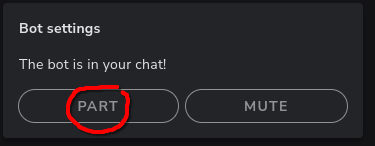 forest glade
old stump
i dont get why people stream to it at all it has horrible discovery rates
forest glade
old stump
i dont get why people stream to it at all it has horrible discovery rates
I mean it has helped me a little bit....I've had quite a few people come to twitch from there.
forest glade
glossy wasp
Hey guys! New here and after reading the nightmares people have had with TikTok ...
Yeah it does that a lot. I'll use the QR code to login after that and that'll usually do it for me
forest glade
torpid mortar
still having this issue and not sure what to do, dont know what to do with logs ...
Change your encoder. That happened to me too.
torpid mortar
forest glade
Change your encoder. That happened to me too.
What do I change it to? Or change it back later
forest glade
halcyon pike
Yeah I've been getting this every day for like a week
forest glade
torpid mortar
What do I change it to? Or change it back later
I was going to say the .264 lol what are your other options?
torpid mortar
Oh haha ok I'll try that tomorrow
forest glade
Also make your key frame 2 seconds
torpid mortar
I think more Nvidia ones
forest glade
What GPU do you have?
torpid mortar
4060 ti
forest glade
Hmm. That's weird that it's not working with that.
torpid mortar
Yeah I was wondering if it was a Nvidia problem but everythibg seems to be ok with it
forest glade
@torpid mortar
 torpid mortar
I haven't heard about the leyframes fix though so I'll play around with that and the other options
forest glade
Those were my settings on my 4060
forest glade
I was thinking of b frames not key frames lol my bad