#community-helpdesk
1 messages · Page 41 of 1
 slate iron
I wanted to try and use SE to stream on 3 platforms at one 🥲
I think... I might have talked too much. It seems like they answered on 1 ticket. But I didn't received any notifications
 dusky fable
My follow goal isn’t updating overlay ?
 warm tiger
slate iron
I think... I might have talked too much. It seems like they answered on 1 ticket...
warm tiger
slate iron
I think... I might have talked too much. It seems like they answered on 1 ticket...
Wait I’m confused wdym by this
slate iron
warm tiger
Wait I’m confused wdym by this
I had an issue with lagging tt and I submitted ticket (this was in may). I was told to wait for dm. But as it turned out they write it in "ticket center". Recently I said that they don't care about anything. Aand I'm admitting that I'm wrong
warm tiger
slate iron
I had an issue with lagging tt and I submitted ticket (this was in may). I was t...
Is ticket center when you go to reports and the current tickets?
slate iron
slate iron
Yea
@warm tiger
warm tiger
slate iron
You can see answer there, but you need to check it like everyday
Ok I have been, ty
slate iron
warm tiger
Ok I have been, ty
I saw this only now. It has been almost a month and I haven't answered their message....
warm tiger
Ooop
slate iron
warm tiger
Ooop
So i got thw answer. They say I don't meet the requirements. But they don't say what are the requirements.... why can't they tell from the beginning what I need to do so that I can stream on 3 platforms?
 upbeat gull
Bruh
Activity feed dock not working in OBS, tried updating, didn't fix. any solution

 thin daggerBOT
StreamElements menu, on top of OBS > Logout > Login
 serene dune
Update keeps failing but doesn't say why
 fickle fern
a fellow help seeker
 limpid bluff
serene dune
Update keeps failing but doesn't say why
limpid bluff
serene dune
Update keeps failing but doesn't say why
What version of OBS are you using?
serene dune
limpid bluff
What version of OBS are you using?
31.0.3
limpid bluff
serene dune
31.0.3
submit a ticket and the developers can take a look
thin daggerBOT
If you need to fill out a support ticket, please use the command !ticket in chat, following the subject of your issue! For example, please type "!ticket My chatbot isn't working", and then follow the prompts from our bot!
limpid bluff
It should work with that version.
 tidal epoch
hi i looking for help on how to add overlays in my twitch stream
thin daggerBOT
@tidal epoch ⤵️
To add your overlays to OBS, add a new browser source in your scene. Paste your overlay URL in the browser source properties, set the dimensions to 1920x1080 (unless you changed them on the website) and check Shutdown source when not visible and Refresh browser when scene becomes active, as shown in this GIF: https://imgur.com/a/2JhJD0S
tidal epoch
thin dagger
<@935633264616566964> ⤵️
thank you very much i really appreciate it
 opaque mango
any one having audio issues on streamlemenrts? no audio in the overlay editor. and confirmed audio is not muted
 hallow needle
Hi all, I’m trying to get a wheel spinner, so I have challenges for games during stream times. I just can’t seem to find a “Spin the Wheel” that functions off of the Loyalty Points or Channel Points. Can someone point me towards the right direction?
 grizzled meadow
Hi, I'm trying to connect my Kick account to StreamElements Multistream. I managed to disconnect a previous broken session, but now when I try to connect again I get "request failed with status code 401" that means unauthorized and also sometimes 403 wich means forbidden. I tried logging out, incognito mode, clearing cache, but nothing works
Please let me know if Kick support is officially enabled or if there's a current issue on stream elements side

 spare marlin
 viscid chasm
hi i just opened a ticket and it closed right away
viscid chasm
hi i just opened a ticket and it closed right away
They stopped responding to my ticket
 graceful bay
so... I was updating my obs and my antivirus reacted
and this is what I got in the antivirus report
Antivirus is Kapersky

 onyx hawk
I need help with changing and customizing the bot within my channel..
 neat garnet
Hola, alguien que hable español y me pueda apoyar
Lo que pasa es que cuando quiero iniciar stream en tiktok no prende cuando tengo el canvas en vertical, no es hasta que lo cambio a horizontal cuando logra encender stream, pero nomas en vertical no enciende
¿Alguien tiene la solución o que pase por el mismo problema?
 twilit quarry
thin daggerBOT
twilit quarry
thin daggerBOT
If you need to fill out a support ticket, please use the command !ticket in chat, following the subject of your issue! For example, please type "!ticket My chatbot isn't working", and then follow the prompts from our bot!
 lyric pilot
Hi y'all. Wondering if anyone has any issues with the kick chat bot failing to join the chat through streamelements. I have stream elements modded in my channel (i believe it's the right one) and the chat bot is not showing my chat in Multichat
 trail garnet
hello guys any idea why this is not working?

page is loading then stays black

ok, I had to change my default browser from brave to chrome 😛
slate iron
warm tiger
Ooop
they say that i "don't meet the requirements" but refusing to say what the requirments are
 lethal mortar
Two questions.
- How come my username icons not show in my OBS Twitch Chat, but do show on the overlay on the Streamelements site?
- Since a few weeks my activity feed from Straemelements went black. How do I fix this?

 hexed smelt
Whenever I try to multistream I have get a pop up to log into kick and YouTube. Every time I click to start streaming and am filling out the titles for each platform. Even though it already says connected.
Also whenever I click a link in obs it opens a strange obs browser window instead of my default chrome browser. Anyone else?
 iron heart
When I earn a gift sub from SE sponsorship, does the gift sub that I get from hitting the goals, goes to someone random, or it goes to the person that completed it?
 bleak hinge
Does anyone know if there's a problem with the $leagueoflegends variable? Right now it's showing the error: 'failed to get summoner stats: 403 Forbidden'
 gusty peak
After updating SE.Live Vertical Canvases stopped warning and its just streaming stretched normal canvas
 tired wasp
so i updated OBS today and Now OBS isnt reading my Asus TUF capture box
and i dont wanna stream straight from my PS5
 full quail
guys, I use StreamElements but when I go live, some error shows up. It only works if I delete the plugin. Any idea how to fix it?

 karmic vale
Trying to use multistream w/ a vertical canvas. I have the scenes linked and when I switch them in OBS, they work just fine, everything changes, all the linked scenes work. But when I switch them using the StreamDeck, the vertical linked scenes don't work.
 waxen wigeon
Hey trying to use multistream with twitch and kick my default obs stream whihc is linked to twitch starts fine but the kick stream just does not start
 balmy saffron
hi has anyone had an issue where obs literally disconnects and goes down, it looks like my internet goes down on obs but I am connected on other applications it is only obs. I think it may be the SE live plug in but not sure. Anyone experiencing this issue or just me?
 charred kite
why dosent my stream chat work with obs
 craggy mica
My Grand Trap missions are bugged and I can't progress, even though I've already passed level 141 in the Mu: Dark Epoch game.
 thin daggerBOT
@craggy mica ⤵️
Sponsorship questions can only be handled with the ticket system. Please type !ticket sponsor support in #community-helpdesk and follow the instructions from the bot.
Attempting to open multiple tickets will not quicken staff response as they are handled in the order they are received.
 winter torrent
So I’m trying to multi stream on twitch and TikTok. But TikTok won’t go live if I’m on vertical. Only horizontal
This is with the SE.Live OBS plugin
 glass shore
winter torrent
So I’m trying to multi stream on twitch and TikTok. But TikTok won’t go live if ...
glass shore
winter torrent
So I’m trying to multi stream on twitch and TikTok. But TikTok won’t go live if ...
I'm having the same problem! I have a ticket with them and trying to help me figure it out. I will keep you in the loop
winter torrent
Ok awesome thanks
 mossy kite
Is anyone els having issues making a new canvas? or i cant find it lol
 median apex
yeah i couldnt go live multistreaming with the vertical canvas.. yall find a fix let me know
mossy kite
never mind found how to make a new one
 sterile nexus
anyone know how to change bot name with se.live obs plugin?
thin daggerBOT
@sterile nexus ⤵️
You can choose a custom name for the streamelements bot by logging into the option on this page. https://streamelements.com/dashboard/bot/settings
If the option to login is not visible while logged into your Twitch account please make a ticket so staff can fix it for you (!ticket custom bot name).
Certain restrictions may apply.
 elder oasis
Hi there!
Quick sitrep, I multi to twitch/kick with the SELive Plugin, no issues whatsoever.
Had an interesting issue happen for the first time. 1080p on only twitch was causing a crazy weird audio scuff, but would not play back weirdly on the twitch VOD. Kick however was fine. First time in 5 years ive had that.
A buddy suggested the Enhanced Broadcasting feature on OBS to maybe negate that issue, however I see it's specifically dedicated for twitch.
Long story short, does Enhanced Brodcast work for multistreaming to Kick? Trying to make sense of it all, really appreciate it ❤️
 south cargo
Hi, i have a question. I want to move allmy overlays, commands etc to another twitch account. Is it possible quickly? And can i add more then 1 twitch account owner on my streamelements profile? And i don't talk to invite a manager.
mossy kite
is there a way to disable the preview to save on preformance recourses?
 calm viper
I cant connect to tiktok chat
 upbeat horizon
I have spawned underneath someone's base
Are any mods on
The base is owned by Triby of sketchy x
The dino project
The island is where I came from and was going back to place oil rigs
upbeat horizon
Ark
 obsidian fog
Same point.
upbeat horizon
I am playing ark
 hard crown
hey, does someone know how to adjust the line height for a chat widget? If I adjust it really nothing happens! :(
 cloud turret
Is there a way to get alerts from each platform I stream to on one alert overlay or do I have to make one for each platform?
waxen wigeon
Trying to use multistream with twitch and kick my default obs stream whihc is linked to twitch starts fine but the kick stream just does not start
 random osprey
waxen wigeon
Trying to use multistream with twitch and kick my default obs stream whihc is li...
random osprey
waxen wigeon
Trying to use multistream with twitch and kick my default obs stream whihc is li...
I had to re log into streamelements site like 3 times while going back and forth and one relog in obs. I think its meant to be set up from scratch not with a current obs
HELP
auto Scene switching help needed
2 scenes: LIVE & Lost Connection
1 Source: Mobile Stream
In advanced scene switcher, media tab Im able to have the scene switch to live when it receives the source stream HOWEVER when it loses connection it does not switch to the Lost Connection Scene.
I have tried all the available options in the media tab but none will make it switch scenes when it loses the mobile stream source.
Any help trying to get the scene to switch when a source becomes unavailable, thanks
 dull ibex
anyone know how to have different audio tracks for multistreaming ?
 strong lion
how can i delete stream element vertical canvas from OBS without deleteing stream element plugin?
 regal vigil
I applied and still getting denied and also i used to have access but still having this. any help please?


 pastel python
i have a question
 smoky dune
so i have the latest SE.Live update pending for obs, but wanted to get some feelers out here to see if anyone has had any issues with the latest update that would make u wanna tell someone to hold off on updating for a bit 🙂 thanks in advance!
regal vigil
i try to update and it tells me to close all programs i do and still nothing happens
smoky dune
regal vigil
i try to update and it tells me to close all programs i do and still nothing hap...
oh so the updater is still broken sounds like. How I got around this was downloading the installer from the se.live site, basically the same method like u would do if u were installing it for the first time. The installer installs the latest version overtop ur version, meaning its updated 🙂
regal vigil
smoky dune
oh so the updater is still broken sounds like. How I got around this was downloa...
thanks
smoky dune
regal vigil
thanks
its sad that this is still a damn problem and still hasnt been addressed. They claim they addressed it in the changelog notes, but seems to not have been the case
pastel python
I can't find my game slide so the people watching can see what I am doing on the games
 hazy igloo
pastel python
I can't find my game slide so the people watching can see what I am doing on the...
hazy igloo
pastel python
I can't find my game slide so the people watching can see what I am doing on the...
is it in your sources?
regal vigil
regal vigil
I applied and still getting denied and also i used to have access but still havi...
@smoky dune do you know the fix for this too?
smoky dune
regal vigil
<@291057046105620484> do you know the fix for this too?
looks like ur on a 30 day suspension for something. There is a tiktok live dashboard u might be able to try and access to see what u violated, but i cant post the link here. I tried to and it blocked it. Send me a DM and ill send u the link to the dashboard. I havent had to deal with this part in a while since i went and got linked up with a tiktok agency that manages me access stuff. i have a streamkey, but i like the customized canvas stuff with this plugin. Otherwise i would go another route cause of the stupid issues this damn thing has all the time
 vocal dirge
balmy saffron
hi has anyone had an issue where obs literally disconnects and goes down, it loo...
vocal dirge
balmy saffron
hi has anyone had an issue where obs literally disconnects and goes down, it loo...
is it just for twitch but streaming on but other are fine? because yes I am having this issue and i'm about to lose my mind
balmy saffron
vocal dirge
is it just for twitch but streaming on but other are fine? because yes I am havi...
So it turns out that the best way to fix it is to uninstall the plug in and use regular obs.
vocal dirge
balmy saffron
So it turns out that the best way to fix it is to uninstall the plug in and use ...
no offence but thank you, i'm glad its not just me. it started two weeks ago and i've done two clean installs of obs and i'm about to lose my mind. the only thing that se has going for it is tiktok built in but i might just have to go back to atium mulit
balmy saffron
vocal dirge
no offence but thank you, i'm glad its not just me. it started two weeks ago and...
That is what I am going to do. I sent a ticket in so they will look into it but who knows how long that will take.
vocal dirge
balmy saffron
That is what I am going to do. I sent a ticket in so they will look into it but ...
i've had a ticket for the past week but i'm getting no where tbh.
did this start happening during the last two weeks?
balmy saffron
vocal dirge
did this start happening during the last two weeks?
It actually happened for me starting last month. I thought it was my computer being old. So I have since built a new one, had the internet guy come out and check the connection, and done countless reinstalls. Nothing works accept when I put obs in protected mode (where the plug ins are shut off) and the problem disappears.
vocal dirge
balmy saffron
It actually happened for me starting last month. I thought it was my computer be...
my computer is like 2 months old so def not that
i had se problems when i switched over to this computer to. but i i would out it didn't like me having the atum plugin
balmy saffron
vocal dirge
my computer is like 2 months old so def not that
i had se problems when i switch...
Yeah it started happening last night again and this new computer is way to powerful and my internet is strong so I just got rid of it. I am sorry you are having this issue
vocal dirge
balmy saffron
Yeah it started happening last night again and this new computer is way to power...
is that with the se plugin?
 real totem
Hello. I've got these timers set up. The issue is: Once they're activated, they get sent all at once. I'd like for them to be sent one after another. For example: First Discord gets sent, then after 15 minutes BTTV Emotes, then after 15 minutes Socials, etc. Of course the minimum is at least 2 chat lines in last 5 minutes. And once the last timer gets sent, it loops back. How can I stagger the timers like that?
 balmy saffron
vocal dirge
is that with the se plugin?
balmy saffron
vocal dirge
is that with the se plugin?
Yes
real totem
BTW, I've got the Prime Sub timer disabled, since my channel isn't monetized (yet).
vocal dirge
balmy saffron
Yeah it started happening last night again and this new computer is way to power...
also se keeps changing the server to custom
 bitter heron
I'm trying to create a custom follower goal widget but I can't get the follower progress to update. It's stuck at 0, anyone know how to fix?
vocal dirge
balmy saffron
Yes
its a shame because its a good plugin. and i wanted it for tiktok side. now i'm going to have to down atium and then tiktok studio which is annoying. maybe obs will do an inbuilt plugin themseleves
balmy saffron
vocal dirge
its a shame because its a good plugin. and i wanted it for tiktok side. now i'm ...
That is what I am hoping for. I did a suggestion thing on their discord but who knows if they will ever see it. Lol
vocal dirge
balmy saffron
That is what I am hoping for. I did a suggestion thing on their discord but who ...
fingers crossed. gonna try a stream tomorrow without it. i thought I solved the problem earlier in the week and nothing happened and then boom just now
balmy saffron
vocal dirge
fingers crossed. gonna try a stream tomorrow without it. i thought I solved the ...
Same for me for two weeks nothing then last night it did it 4 times so!! Best of luck!!!
vocal dirge
balmy saffron
Same for me for two weeks nothing then last night it did it 4 times so!! Best of...
rip my yt and tik viewers tomorrow
limpid bluff
vocal dirge
its a shame because its a good plugin. and i wanted it for tiktok side. now i'm ...
I haven't seen anything from OBS that would indicate they are going to have multi streaming built in.
vocal dirge
balmy saffron
Same for me for two weeks nothing then last night it did it 4 times so!! Best of...
did it also incress your gpu usage on obs to?
vocal dirge
limpid bluff
I haven't seen anything from OBS that would indicate they are going to have mult...
it'll be a shame if they don't. i think SLobs has it now
limpid bluff
vocal dirge
it'll be a shame if they don't. i think SLobs has it now
From the last time I checked, they do, but it's not in the app it's done through the website, and you have to pay for it.
vocal dirge
limpid bluff
From the last time I checked, they do, but it's not in the app it's done through...
oh thats a shame, but a start. maybe it'll push obs to add it.
balmy saffron
vocal dirge
did it also incress your gpu usage on obs to?
No it didn’t for me
limpid bluff
vocal dirge
oh thats a shame, but a start. maybe it'll push obs to add it.
https://ideas.obsproject.com/posts/7/multi-service-streaming-output Been on the wish list since April 2018. :(
vocal dirge
balmy saffron
No it didn’t for me
ok. yeah it was getting to 30 at one point.
vocal dirge
limpid bluff
<https://ideas.obsproject.com/posts/7/multi-service-streaming-output> Been on th...
😦 maybe as multistream becomes more popular
 winged knoll
Hello, im trying to stream thro SE multi sream on Twitch but im getting this error on Twitch stream

 merry inlet
how to make a clock widget through stream elements
limpid bluff
winged knoll
Hello, im trying to stream thro SE multi sream on Twitch but im getting this err...
That seems like a twitch issue
vocal dirge
balmy saffron
It actually happened for me starting last month. I thought it was my computer be...
also btw the way how do you do protected mode?
vocal dirge
winged knoll
Hello, im trying to stream thro SE multi sream on Twitch but im getting this err...
Twitch error code 1000, "The video download was cancelled. Please try again," often indicates a problem with the video stream or your browser settings. It can be caused by issues like exceeding Twitch's bitrate limit, browser-related problems, or even ad-blocking extensions.
what is ur bitrate?
balmy saffron
vocal dirge
also btw the way how do you do protected mode?
When obs shuts down the “wrong way” and you reopen it, it should give you a prompt to open in safe mode or regular
vocal dirge
balmy saffron
When obs shuts down the “wrong way” and you reopen it, it should give you a prom...
oh is that what safe mode does.
balmy saffron
vocal dirge
oh is that what safe mode does.
Yeah, it puts obs in vanilla mode
vocal dirge
balmy saffron
Yeah, it puts obs in vanilla mode
makes sense.
 wintry crypt
For the last few days my google hasnt been wanting to open and now my SE Live plugin doesnt wanna login or work at all. Just keeps telling me to retry the login. Not sure whats happening or if this is happening to others or if its just my system. But i have been missing streams due to this and would love some assistance on it if possible 🙂
have made a post in the tech talk server and have emailed but havent gotten any help yet. Been dealing with this for a few days now
 vocal dirge
balmy saffron
Yeah, it puts obs in vanilla mode
vocal dirge
balmy saffron
Yeah, it puts obs in vanilla mode
well damn, it just did it without the se plugin on my bandwith test, it disconncted to twich and came back on.
i might cry
balmy saffron
vocal dirge
well damn, it just did it without the se plugin on my bandwith test, it disconnc...
Did u uninstall obs and download a fresh copy?
 sonic quarry
Has anyone else gotten this? i've been having problems with this for about a week! i was able to stream to TikTok at about the same time and it stopped letting me during a stream almost all the way through it.
 vocal dirge
balmy saffron
Did u uninstall obs and download a fresh copy?
vocal dirge
balmy saffron
Did u uninstall obs and download a fresh copy?
uninstalled se but not obs again
balmy saffron
vocal dirge
uninstalled se but not obs again
Uninstall obs and download a new one
vocal dirge
balmy saffron
Uninstall obs and download a new one
ok, be my third time cries lol
vocal dirge
balmy saffron
Uninstall obs and download a new one
did you have to unstall obs for it to work?
balmy saffron
vocal dirge
did you have to unstall obs for it to work?
I just did it automatically
vocal dirge
balmy saffron
I just did it automatically
ok
vocal dirge
balmy saffron
I just did it automatically
wth i unstalled it, how are you back in the new fresh download?
 balmy saffron
vocal dirge
wth i unstalled it, how are you back in the new fresh download?
balmy saffron
vocal dirge
wth i unstalled it, how are you back in the new fresh download?
Did u go to obs website?
vocal dirge
balmy saffron
Did u go to obs website?
yes
balmy saffron
vocal dirge
yes
Oh I have no idea, when I uninstalled it, it was gone.
vocal dirge
balmy saffron
Oh I have no idea, when I uninstalled it, it was gone.
i think cause i changed the drive it was on to a drive i took out of my old pc which originally had obs on i think it was still installed on there. managed to dind the folder and uninstall that way.
balmy saffron
vocal dirge
i think cause i changed the drive it was on to a drive i took out of my old pc w...
That makes sense
 potent geode
 vocal dirge
balmy saffron
That makes sense
vocal dirge
balmy saffron
That makes sense
it seems to still be doing it. i'm not sure what to do anymore
balmy saffron
vocal dirge
it seems to still be doing it. i'm not sure what to do anymore
You might need to put in another ticket or try the obs discord
 plush path
hi everyone, i try to stop recording and is freeze on stopping recording and never end, someone have a solution ?
vocal dirge
balmy saffron
You might need to put in another ticket or try the obs discord
yeah, i'm just lost right now. thanks for the help
balmy saffron
vocal dirge
yeah, i'm just lost right now. thanks for the help
No problem, sorry I couldn’t be more help!!
plush path
plush path
hi everyone, i try to stop recording and is freeze on stopping recording and nev...
nobody?
 hollow rose
i can not use the plugin to stream to tik tok it says i need to ask for permission and when i do i dont get a response. I applied once and got approved but when i refresh it doesnt work
like i apply for access. Had it before. and then cant set it up
 gleaming talon
trying to run obs with multi stream plugin built in and I am getting an error with the following logs: https://obsproject.com/logs/HM7uBztR6TTQin6q

can anybody help with advice on what I can do ? is NVENC not supported for multi stream?
 vagrant furnace
Hey folks! Just add a TikTok canvas and I add my audio sources. When I do that, it doesn’t double the audio for my listeners does it? Here’s a pic of my to audio sources. One is for my YouTube and the other is for my TikTok. I

 lime forge
Is the SE main site having a stroke?
it's acting like I just created a brand new account with the site
It's also weirdly setting my timezone as both -4 EST and +11 australia?
 stray fox
sonic quarry
Has anyone else gotten this? i've been having problems with this for about a wee...
stray fox
sonic quarry
Has anyone else gotten this? i've been having problems with this for about a wee...
.
lime forge
Thats just tiktok being tiktok they're legit the worst platform to stream on
 queen goblet
Guys, i have an issue that my viewers cant use !ticket max on giveways not even the first time... you know how i can solve this?
 frosty jackal
gleaming talon
frosty jackal
gleaming talon
Try to uninstall and install the new update i had the same issue
atium
frosty jackal
vocal dirge
is it just for twitch but streaming on but other are fine? because yes I am havi...
this is the same problem am facing too for now three weeks OBS disconnects to zero yet the internet is good and when try to stop OBS it hangs for ever on stopping stream but i have sent messages to Se but no help het even updated but it is the same issue. hope they can see this and work on it because we are many i thought it was only me
 quiet shore
Is $(leagueoflegends) api working?
No matter what account I put on the command, I only receive "failed to get summoner stats: 403 Forbidden"
Been 3 days with the same issue and I didn't find anyone with a similar problem by searching online
 vivid rapids
Yoo, I have 2 monitors, main one I play my games on and on second one there is OBS and Stuff, I prefer watching my stream using Chrome on that Second Monitor tho... so for some reason, when I want to show the stream the Discord Stream of one of my Homies (using window capture) it works as long as i am in obs or discord, but as soon as i open chrome on top of that discord application, the source turns black - as if the discord stream gets blocked or sum... any ideas on that?
vivid rapids
quiet shore
Is $(leagueoflegends) api working?
"Riot: "You know, you're absolutely right." disables API entirely"
found this on reddit, so seems like - no.
 shell blaze
Is there an option for adding youtube chat as a dock in obs? Like you can with twitch chat
vocal dirge
frosty jackal
this is the same problem am facing too for now three weeks OBS disconnects to ze...
I’m at a loss on what to do now. It’s making me not look forward to streaming because I’m just worried because I know what’s going to happen. Also yes they are no help. Just going backwards and forwards doing the same thing

 neon crow
i made 4 different overlays, with alerts in 1 corner, then moved them to the next, etc, etc... then switch between them, like the ui is moving in case something is in front of a game map or something... but now i realize the more browser sources you use, the more resources it uses, so just curious if theres a way to move the overlay elements that i may have missed? to make it one browser source?
 tribal mural
I cant connect to my channel in OBS with stream elements addon. I click connect with twitch, new card appears and then nothing happens after
connecting with other accounts doesnt work too
 glossy oak
Static audio from PS5 to OBS via Vivitar HDMI adapter
thin daggerBOT
If you need to fill out a support ticket, please use the command !ticket in chat, following the subject of your issue! For example, please type "!ticket My chatbot isn't working", and then follow the prompts from our bot!
 fringe sorrel
Does anyone know where to download older versions of StreamElements?
obsidian fog
Not possible.
fringe sorrel
obsidian fog
Not possible.
okay.
 hardy orbit
Hello Guys i just did an Update and Eset blocked this popup
Any Idea what that tiktok link is? Security Issue?

 humble birch
Hey. having problems with not hearing alerts, i can only hear the emulated ones from the website but not the ones through obs and i can't hear real follows, anyone that could help me pls?
humble birch
got it fixed, no need for help anymore
 verbal lava
i can't connect streamlaBs to OBS

 sacred mauve
hi sorry if its on the wrong channel.
my SE.Live Docks wont open, also TikTok login is gone, anyone know what happen?
 vocal dirge
frosty jackal
this is the same problem am facing too for now three weeks OBS disconnects to ze...
vocal dirge
frosty jackal
this is the same problem am facing too for now three weeks OBS disconnects to ze...
Ok so i've just been in the obs discord and they have suggested in settings to got to advanced, scroll down to network and change to IPv4 Only. Defult is both that and 6 but 6 is apparently what everyone is having probs with. I did a test stream with both and it kept crashing today and just did one on 4 by itself and it lasted the 30 mins I tested it on.
vocal dirge
balmy saffron
No problem, sorry I couldn’t be more help!!
Ok so i've just been in the obs discord and they have suggested in settings to got to advanced, scroll down to network and change to IPv4 Only. Defult is both that and 6 but 6 is apparently what everyone is having probs with. I did a test stream with both and it kept crashing today and just did one on 4 by itself and it lasted the 30 mins I tested it on. So fingers crossed thats the issue. Will see what happens when i stream longer today
balmy saffron
vocal dirge
Ok so i've just been in the obs discord and they have suggested in settings to g...
Also make sure to sign out of stream elements on obs
vocal dirge
balmy saffron
Also make sure to sign out of stream elements on obs
Oh I have
cloud turret
Is it possible to combine multiple platform alerts into one alert source?
frosty jackal
vocal dirge
Ok so i've just been in the obs discord and they have suggested in settings to g...
Ok let me try it and see
vocal dirge
frosty jackal
Ok let me try it and see
I’m hoping that’s the issue. As I said it lasted 30 mins without an issue. I’m hoping i haven’t jinxed myself.
frosty jackal
balmy saffron
Also make sure to sign out of stream elements on obs
But when i sign out of stream elements on OBS will multi stream work or not?
balmy saffron
frosty jackal
But when i sign out of stream elements on OBS will multi stream work or not?
No, it will not.
frosty jackal
balmy saffron
No, it will not.
Ok thanks
vocal dirge
frosty jackal
Ok let me try it and see
Let me know how it goes. If it holds up on my stream today without se I can then start experimenting and add multi stream back in once I’ve confirmed the problem.
 half cape
Hi does anyone know how to fix donations coming in. my friend tried it with followers. tyhat worked. but donations dont work
 real totem
Hello. I've got these timers set up. The issue is: Once they're activated, they ...
real totem
real totem
Hello. I've got these timers set up. The issue is: Once they're activated, they ...
Does anybody here know how to do stuff like that? Please?
 raw quest
Does the Mercury site with the dynamic Youtube banner not exist anymore?
obsidian fog
raw quest
Does the Mercury site with the dynamic Youtube banner not exist anymore?
No. Mercury was sunsetted.
smoky dune
oh shocker, install the latest SE.Live update for it to nuke every one of my canvases but my vertical one. Cant they please just get this shit right for once without breaking something every damn update.
smoky dune
hey all, has anyone every restored their data from the SE.Live cloud backup? Im wandering if it will restore canvas data
 quartz mirage
I wanna create a command that allows users to have a 50/50 chance of being able to steal a random amount of points from another user, is this possible?
bleak hinge
quiet shore
Is $(leagueoflegends) api working?
Not for me. Maybe Riot API
 plucky nimbus
what to do if streamelements cant give out actual watchtime ? - like it always says "0 sec" even loyalty is active
plucky nimbus
plucky nimbus
what to do if streamelements cant give out actual watchtime ? - like it always s...
i enabled it after the last stream - may this be the problem?
 abstract shadow
Hey guys, I can't see the loyalty tab on my streamelements dashboard, but my Editor can, what is the problem?
 opal crystal
Is there a way to download the beta version of SE live multistreaming without needing to first install SE live on OBS? after combing through the discord i see the RAM leak issue is still an issue and if i install it on my obs my pc will slow down severely.
vivid rapids
Yoo, I have 2 monitors, main one I play my games on and on second one there is OBS and Stuff, I prefer watching my stream using Chrome on that Second Monitor tho... so for some reason, when I want to show the stream the Discord Stream of one of my Homies (using window capture) it works as long as i am in obs or discord, but as soon as i open chrome on top of that discord application, the source turns black - as if the discord stream gets blocked or sum... any ideas on that?
 restive tree
Hello, I cant join my tiktok on streamelement for twitch, would like to reinitialize access.
Ty
 low harness
how do i add a stream delay for tiktok, it only shows on twitch
i stream valorant so i need ca stream delay
 gaunt wolf
is there more sponsorship other than the ones listed
 cyan saffron
is Mercury still a website? can use ????
obsidian fog
cyan saffron
is Mercury still a website? can use ????
Anything related to it is no longer available.
cyan saffron
obsidian fog
Anything related to it is no longer available.
dang. i notcied my sub goal banner stuff working.
 terse inlet
i need help with a command ...... and not sure where to get help from ...
 glad vigil
Hey guys i wanted to integrat SE:Live into OBS. When i try to login in streamelements in obs i just get in the browser and it dont load. I tryed it with googel chrome and firefox as standardbrowser as well and it didnt worked. Everything else was closed and the pc was new started. OBS and SE:Live are new installed multiple times. VPN is deactevated. Extensions of the browser are also off. So i dont understand why i cant login into streamelements in obs. I would be greatful if you could help, i tryed everything i found.
 river kelp
Hello
 fresh oak
Hello guys i cant use chat overlay because he dont work in my obs. On the site where i setting up him he works, but in obs and my stream no chat image
 paper shell
Hi! Is it possible to make a chat overlay display messages from different platforms (multistreaming)?
 flat sparrow
Hey guys I have been using the S.E live plugin for multi streaming, and I have been seeing a lot of browser sources all of sudden. Just wondering if there is anyway I can see which docks are browsers and if I can shut them down if I am not using them
 tacit sun
paper shell
Hi! Is it possible to make a chat overlay display messages from different platfo...
tacit sun
paper shell
Hi! Is it possible to make a chat overlay display messages from different platfo...
id be wary about this as its against twitch's TOS to show chats from other platforms on screen
 sacred sundial
My stream is actively shitting itself
I can't stream on twitch alone
stream starts fine, then stutters, freezes, hangs, OBS crashes
everytime
not sure if OBS updated and messed with SE dlls or SE updated and messed with OBS dlls
either way, it's unusable
or even driver update bugs too
glass shore
has anybody else been able to stream vertical canvas on Tiktok through Stream Elements?
 upbeat field
glass shore
has anybody else been able to stream vertical canvas on Tiktok through Stream El...
upbeat field
glass shore
has anybody else been able to stream vertical canvas on Tiktok through Stream El...
Not through TikTok, but that is from their side
glass shore
upbeat field
Not through TikTok, but that is from their side
Oh from Tiktok’s side? Stream Elements help desk have been trying to help me resolve this but we are having trouble lol
upbeat field
glass shore
Oh from Tiktok’s side? Stream Elements help desk have been trying to help me res...
What part are you getting stuck on? The verification from TikTok?
 dawn osprey
Hi. Every time I start OBS.Live I have to change the font size for the Activity feed because it doesn’t remember what I set it too. Not a huge deal but any fix for this?
glass shore
upbeat field
What part are you getting stuck on? The verification from TikTok?
Stream Elements won’t stream live on TikTok on the vertical canvas no matter what I set the canvas as. It will go live only on horizontal
paper shell
tacit sun
id be wary about this as its against twitch's TOS to show chats from other platf...
Thank You for the info!
 dawn topaz
Can I change game categories in the middle of a live stream?
 hot moth
Hi I just updated my OBS with the StreamElements intergration (SELive), now none of my overlays from streamelements are showing. I've tried recopying the URL and still nothing. Am I missing someting?
 boreal bronze
Does anyone know if there is a way that I can view my monthly top tippers in StreamElements?
 echo minnow
does anyone know why my overlays arent updating tried logging out and back into StreamElemets it didn't work
 wooden knot
Anyone else having an issue where recording doesn't work anymore on OBS and replay buffer doesnt work either?
 forest glade
any word on if/when we're getting mod ability on the SE.Live tiktok chat window?
obsidian fog
When TT gives us API access.
 dry veldt
i dont see any way to edit following notifications for stream elements live
 cobalt rose
my tiktok wonk ever go live does it have to do with the vertical stream
 hushed coral
Help. I can't use the multistream feature.

 quiet path
SE.Live has for me an big memory leak upto 21,6gb of ram? Does someone have it too?
 hidden marsh
Ok so I've got a couple things I need help with SE.Live.
- I've yet to actually stream with it and I'm already messing things up lol. I think? I messed up my primary by setting it from it's default to one of the platforms as seen in pic 1.
- When I restarted OBS and specifically started it up with the SE.Live shortcut, it launched with everything but the SE.Live docks. I put everything back where I had it except one is missing which is the SE dock that has all the panels like activity feed, multichat, preview, bots stuff, etc. I'd like to get that back if possible. I looked in the StreamElements tab of OBS and I don't see it anywhere.

 ivory rose
hidden marsh
Ok so I've got a couple things I need help with SE.Live.
1. I've yet to actuall...
ivory rose
hidden marsh
Ok so I've got a couple things I need help with SE.Live.
1. I've yet to actuall...
Ive got a similar issue. Ive set Twitch to default and now i cant change the Track or Video Quality.
forest glade
hidden marsh
Ok so I've got a couple things I need help with SE.Live.
1. I've yet to actuall...
In the regular OBS settings.....go to stream and logout and log back into twitch.....sometimes that helps me recover docks and whatnot
thin daggerBOT
If you need to fill out a support ticket, please use the command !ticket in chat, following the subject of your issue! For example, please type "!ticket My chatbot isn't working", and then follow the prompts from our bot!
hidden marsh
forest glade
In the regular OBS settings.....go to stream and logout and log back into twitch...
i tried that before i asked here. its ight i guess, honestly had a lot of stuff i never knew was a thing like the bot counters some other stuff. although i dont think my pc can handle 4 platforms in 1080p60 at the same time lol and i had to use 4000 bitrate instead of 6000 cuz not enough bandwith from my internet. I only get like 20-25mbps up.
 brisk edge
guys i need help with my obs, it just wont let me stream
hidden marsh
does an error come up when u hit start stream?
brisk edge
yea its like reconect youtube and i do it and it still doesnt work
idk why
twich works fine tho
heres a screenshot if you can help me
 hidden marsh
is that with the se multistream? if ur trying to start more than 1 stream at a time, i found out my pc couldn't do that so try starting 1 at a time.
alternative method, just use stream key if ur having issues when u login to yt thru obs
brisk edge
hidden marsh
is that with the se multistream? if ur trying to start more than 1 stream at a t...
yea sry for not responding
 normal ridge
Hey everyone Happy Sunday, I'm not sure if I should file a ticket for this issue. But Youtube is showing up twice in my multistreaming window and then puts 2 VODS in my youtube when I'm done streaming. Has anyone seen this?
 fiery marsh
Hi, did you found a solution to the YouTube chat not showing into the multi chat? I am having the same issue 
 plush valley
fiery marsh
Hi, did you found a solution to the YouTube chat not showing into the multi chat...
plush valley
fiery marsh
Hi, did you found a solution to the YouTube chat not showing into the multi chat...
I'm not quite sure what I did, I logged out and back in and re linked I think
I forget
fiery marsh
Ah lucky if that worked for you. I logged out and back in multiple times but no success on my part :(. It shows that its linked. Yet no Youtube chat nor notifications are passing trough
 plush valley
After logging in or connecting the accounts I think I clicked on my own icon to bring up the meny with import , lanague and siwtch to light mode
Clicked my icon again, which will show the linked accounts, I clicked on the youtube one and that somehow fixed it
plush valley
fiery marsh
Ah lucky if that worked for you. I logged out and back in multiple times but no ...
OBS or Ground control?
fiery marsh
Both have the issue. Right now I am trying on Ground control
plush valley
try to switch to your youtube account on ground controll
send some chat msgs, wait a while and see if it comes through
after coming through while you are on youtube with ground controll
Switch back to twitch
Wait a like 10s and send another message on yt chat
I think thats' more or lesswhat I did
fiery marsh
That's a good idea. I will give that a try tomorrow as I stopped streaming for today and I don't think the chat stays active on YouTube after a stream! Thank you for the tips 
plush valley
Yeah It's rather strange, IT's like there's some issue preventing it from showing up properly the second time
so kinda "forcing it" to upate should work
plush valley
fiery marsh
Both have the issue. Right now I am trying on Ground control
I hated installing stream elments obs pluggin so I think ground control could be better if IT's just for chat add activity
 sand wraith
Hello I have this problem where my overlay chat wont show up in my game. It shows up in obs or the stream but on my screen in the game it doesnt show up.
plush valley
Unless you're playing through obs it shouldn't
That's how things owrk
The image that appears on obs is replicating from your game and things you put under sorces
plush valley
Help with what
sand wraith
but from the stream the chat shows up
plush valley
if you want an overlay to appear overyour SCREEN
That's something completely different
sand wraith
but from my angle in the game i cant see it
sand wraith
plush valley
if you want an overlay to appear overyour SCREEN
That's something completely dif...
i want to do that
plush valley
Then you haev to look up that
sand wraith
i tried
plush valley
I saw that the official twitch streamingapp works like that
 smoky drum
Oiiii
glass shore
glass shore
has anybody else been able to stream vertical canvas on Tiktok through Stream El...
Stream Elements Help Desk found the solution! The Video Encoding had to changed in the vertical canvas settings to AMD HW H.256 (HEVC)
glass shore
median apex
yeah i couldnt go live multistreaming with the vertical canvas.. yall find a fix...
Stream Elements Help Desk found the solution! The Video Encoding had to changed in the vertical canvas settings to AMD HW H.256 (HEVC), I hope this will help!
Stream Elements Help Desk found the solution! The Video Encoding had to changed in the vertical canvas settings to AMD HW H.256 (HEVC) I hope this helps!
hey, I was able to Tiktok live access by applying for it on Tiktok Live Studio! The usual rule is needing 1000 followers, but they review your application and may accept you anyway (I did not have 1000 followers). Another route is to join an agency that gives you the stream key. The Stream Elements does not require a stream key to multistream on tikotk. It just requires you to have live access on tiktok
 coral wren
anyone know why everytime i open obs my tiktok section on streamelements says user is ineligible to live stream? I always reapply and get approved but its just everytime i open the app I have to reapply

 arctic nacelle
Why is SE Live creating a scheduled stream everytime I go live?!?!
And how do I stop it?
 gaunt wolf
can someone send me a link to the streamelements tiktok eligble thing
 mystic storm
Hey I'm losing fps and encoding for some reason anyway to get help?
smoky dune
glass shore
hey, I was able to Tiktok live access by applying for it on Tiktok Live Studio! ...
@tranquil bay I can offer some insight on the agency route, which is the route I went. Pretty simple, most dont have requirements and the ones that do are pretty low. They dont get any of ur revenue, tiktok pays the agency separately for increasing usage of Tiktok Live. Like the one I am with, they help eachother out promoting eachother, run campaigns, go to bat for u with the moderation team if u happen to get caught up in a suspension or anything as they have direct communication with that team. If thats the route ur thinking, I can refer u. Just thought id provide some info 🙂
 oblique bone
Hello, I have a problem with my stream element. I stream frequently on YouTube, but when people subscribe or unfollow, I don't receive notifications or alerts during or after the stream. It just increases my number on the YouTube channel. Please help.
 quiet venture
So I was given access to the twitch 1440p stream settings and I've been using it to go live and it works with tiktok but for some reason it won't work with kick aswell. Has anybody got any idea why this is?
obsidian fog
quiet venture
So I was given access to the twitch 1440p stream settings and I've been using it...
Kick doesn't support above 1080p at all.
quiet venture
oh so I have to do a new canvas
 broken pier
hey guys im trying to switch the tiktok account i multistream to on obs nut it keeps automatically connecting to the first tiktok account i connected what do i do please
ive tried deleting cookies signing out of tiktok none of that works
 broken flame
Heyo, can i ask, why I cant click on next step?
 south cargo
Hi, did someone get my same problem? Because i have overlays but can't edit or open them

 tardy sparrow
Why does my tipping page work in Firefox Incognito mode, but not in normal mode?
Because in normal mode it appears white and doesn't load, but in incognito it loads without any problems.
Edit: restarting the browser helped temporarily until I logged in, made some changes and it makes the white screen again
thin daggerBOT
If you need to fill out a support ticket, please use the command !ticket in chat, following the subject of your issue! For example, please type "!ticket My chatbot isn't working", and then follow the prompts from our bot!
 eternal geyser
guys how i can delete multi streaming
 tardy sparrow
eternal geyser
guys how i can delete multi streaming
tardy sparrow
eternal geyser
guys how i can delete multi streaming
click the ⋯ so there should be button to delete platform you want
 waxen plaza
hello guys i got problem while my tiktok chat wont connect
it says
Connect to LIVE chat to interact with viewers after you go LIVE
tardy sparrow
Did you connect Tiktok to OBS?
waxen plaza
yes
 drowsy fjord
I'm having an issue changing alert color on obs. I have an overlay made on streamelements and connected the browser source. everything is working fine except the text color is still the original color i chose (0,255,255). I changed the color in streamelements (140,0,140), but obs still has the original color.
tardy sparrow
In overlay, did you click the save button so it gets synced with obs?
half cape
anyone know how to connect my dono to streamelements? when i get a dono it does not show up with the custom sound
tardy sparrow
half cape
anyone know how to connect my dono to streamelements? when i get a dono it does ...
Do you have an alertbox, either inside the overlay or as a separate element?
half cape
tardy sparrow
Do you have an alertbox, either inside the overlay or as a separate element?
it came all in the free overlay i downloaded i think
but a follow works. but a donation does not
tardy sparrow
half cape
but a follow works. but a donation does not
Did you test it on the overlay editing page, where you can send test alerts to obs?
half cape
no idk how to do that and i cannot find a good tutorial on youtube on how to fix it
actualy idk where to send a test tho
thin daggerBOT
If you need to fill out a support ticket, please use the command !ticket in chat, following the subject of your issue! For example, please type "!ticket My chatbot isn't working", and then follow the prompts from our bot!
half cape
it says this tho
 tardy sparrow
half cape
it says this tho
tardy sparrow
half cape
it says this tho
- Streaming tools -> Overlays
- Click the edit button on any overlay, like chatting
- On the edititng page you should find this emulate button


do know that you have to be logged in your StreamElements Dashboard
half cape
i am but looking trough my layers i have the (alertbox)
but i cannot find what your picture has over there
oh wait found it
it works there but it did not work on my actual livestream
 smoky brook
Im having an issue with my handles showing up on my newly added elements, how do i make them show up??
 cursive falcon
Im having trouble with my alerts. Im trying to move away from the twitch default ones. I created an element, set it all up using element control, created the web source, but any time I test the alert nothing happens
 prime crater
ok im having a issue with my chat not showing im missing my chat and the edit stream info scene

ok nvm i got it
had to reconnect for whatever reason idk y but it is what it is
 acoustic leaf
is tiktok still not streamable from S.E?
 fickle nacelle
acoustic leaf
is tiktok still not streamable from S.E?
fickle nacelle
acoustic leaf
is tiktok still not streamable from S.E?
not working for me either
glass shore
acoustic leaf
is tiktok still not streamable from S.E?
I was recently able to get tiktok to stream on my vertical canvas! I had to change the video encoding in the canvas settings to AMD HW H.265
brisk edge
can someone help me plz i tyed to talk to someone yesterday and they didnt respond back
it wont let me stream on yt because its "not connected" EVEN THOUGH IT IS
brisk edge
no awnser...
thin daggerBOT
If you need to fill out a support ticket, please use the command !ticket in chat, following the subject of your issue! For example, please type "!ticket My chatbot isn't working", and then follow the prompts from our bot!
 rigid halo
Hi everyone, I’m having a serious problem here.
I use StreamElements multistream in my OBS Studio. The issue is that the StreamElements multi-chat window is stuck in one spot on my screen, and I can’t move it anywhere else. I’d like to move it to my second monitor, like I used to.
I’ve already tried installing, reinstalling, logging out—but whenever I log back into StreamElements, it resets the chat window to the exact same location, which seems to be “locked” due to my online account configuration.
Where can I go to reset the default window layout for StreamElements? I’ve tried everything and nothing works. I’ve spent hours on this.
Can anyone please help me?
glass shore
rigid halo
Hi everyone, I’m having a serious problem here.
I use StreamElements multistream...
were you able to get a hold of the helpdesk with a ticket about this?
 sharp bobcat
this is an art spammer
 limpid bluff
sharp bobcat
this is an art spammer
limpid bluff
sharp bobcat
this is an art spammer
Doesn't entirely seem to be
smoky dune
sharp bobcat
this is an art spammer
this is a daily occurance for me here lol.
smoky dune
limpid bluff
Doesn't entirely seem to be
i got the same request as well, and if u dig into the user info enough, u find out it is in fact an art spammer
sharp bobcat
limpid bluff
Doesn't entirely seem to be
Profile is copy pasted art scammer profile coupled with a spammed friends request.
south cargo
Hi, does someone know how to fix this problem? When i open or i try to edit ad overlay i get this error: "Uh-oh...Overlay does not exist"
 icy nest
If you coul leave that up long enough for me to see it I would.
 proven sonnet
for some reason, the items that i dont want to be turned on come back to be turned on after i turn them off
 shrewd copper
Wondering if anyone else is having sound distortion from Audio Application Beta sources. Not all the time but comes in waves and then fixes?
Wanting to eliminate it completely 😭
 thin daggerBOT
If you need to fill out a support ticket, please use the command !ticket in chat, following the subject of your issue! For example, please type "!ticket My chatbot isn't working", and then follow the prompts from our bot!
gaunt wolf
im from Belgium idk why it dont work
thin daggerBOT
SE.PAY is available for streamers who are at least 18 years old, with bank account under their name in one of the following countries, and have at least 101 followers (Twitch/Trovo) / 101 subscribers (YouTube):
Austria, Australia, Belgium, Canada, Czech Republic, Denmark, Finland, France, Germany, Ireland, Italy, Netherlands, Poland, Portugal, Romania, Slovakia, Spain, Sweden, Switzerland, United Kingdom, United States.
If you meet these criteria and don’t see SE.Pay, let us know.
For information on SE.Pay payment methods, their fees, and settlement times see https://streamelements.com/dashboard/tipping/fees
gaunt wolf
gaunt wolf
im from Belgium idk why it dont work
what do I do then
gaunt wolf
?

 strong mauve
Hello! I just got affiliated on Twitch and now my overlays are not updating new followers, subs, cheers, and tips. Has anyone got a solution to this problem?
 jade wagon
 pine jay
help i cant login on obs
pine jay
help i cant login on obs
ME TOO
pine jay
jade wagon
ME TOO
u can use chrome to fix that 😄
gaunt wolf
gaunt wolf
What even is this error guys??
please anyone help
 narrow crow
Hey, anyone have a moment to help me with two streamelement issues im having. I have an overlay setup working for recent tip, but my top tip overlay isnt working when i test using emulate nothing shows up. it just updates the recent tip only. I tried using both top tip and top tipper labels and neither one updates when i test.
 raw crypt
narrow crow
Hey, anyone have a moment to help me with two streamelement issues im having. I ...
raw crypt
narrow crow
Hey, anyone have a moment to help me with two streamelement issues im having. I ...
Labels don't get updated when emulating, that's why. If you want to test it, you can create a tip on "Revenue history" checking the "imported" checkbox and that will update it because it is a real data.
 raw crypt
south cargo
Hi, does someone know how to fix this problem? When i open or i try to edit ad o...
raw crypt
south cargo
Hi, does someone know how to fix this problem? When i open or i try to edit ad o...
Logout and login usually fixes that
raw crypt
rigid halo
Hi everyone, I’m having a serious problem here.
I use StreamElements multistream...
Firstly, make sure the dock is not locked (Menu Docs > Lock docks should be unchecked). After that:
- Click on the window, then press ALT + Space and then M.
- Using your keyboard arrows, move the window.
- When it is in the position you want, press ENTER
 faint python
Is it possible on StreamElements, with a connected Kick account, to grant another person full control so they can edit My Overlays? Or is this feature currently restricted on Kick's side? At the moment, the My Overlays feature works with Twitch.
raw crypt
faint python
Is it possible on StreamElements, with a connected Kick account, to grant anothe...
Yes, the same way you give full control for your overlays on Twitch, which is generating an invite link. Just make sure you are connected to your Kick account on top right of the StreamElements dashboard.
- Go to "Channel settings" from StreamElements Dashboard (Top right avatar >Your channel name > Channel Settings or https://streamelements.com/dashboard/account/channels)
- Select "Full Control"
- Click on "Generate invite link" and send it to the other person.

StreamElements
The Ultimate All in One Platform for Streamers
raw crypt
oblique bone
Hello, I have a problem with my stream element. I stream frequently on YouTube, ...
That's expected, unfollow doesn't generate notifications and SE doesn't have that info.Regarding new subscriptions, it will only notify if the user has their subscriptions set to public.
narrow crow
raw crypt
Labels don't get updated when emulating, that's why. If you want to test it, you...
but the other labels worked when emulating, the follow, sub and current tip. just the top tip isnt. does that one work different then the others?
raw crypt
half cape
it works there but it did not work on my actual livestream
Check if your donation link is correct. If you are using StreamElements donation, the correct link should be in Revenue > Tipping settings > Tip Panel Setup, or in https://streamelements.com/dashboard/tipping-settings
StreamElements
The Ultimate All in One Platform for Streamers
faint python
raw crypt
Yes, the same way you give full control for your overlays on Twitch, which is ge...
What I mainly want to ask is: even when someone is granted Full Control access to a Kick account on StreamElements, the 'Streaming Tools -> Overlays' section remains unavailable to that person. Currently, this feature only works for the account owner. I'd like to know if there are any plans to allow users with Full Control permissions to access and manage Overlays in the future.
 raw crypt
narrow crow
but the other labels worked when emulating, the follow, sub and current tip. jus...
raw crypt
narrow crow
but the other labels worked when emulating, the follow, sub and current tip. jus...
Unfortunately that's how it is. Emulation is not the best friend always 😦
narrow crow
raw crypt
Unfortunately that's how it is. Emulation is not the best friend always 😦
ok, ill try what you said later and see if that works. i appreciate it.
 signal aspen
Can someone help me. When I make a new title during the stream it doesn’t type the new title in the chat
raw crypt
faint python
What I mainly want to ask is: even when someone is granted Full Control access t...
Ohh, my bad, I got your question totally different, sorry.
Yeah, I just noticed the overlays is not in the list for full control for Kick yet. Probably the team will add that support in the future, as Kick is still a new thing on SE.
 signal aspen
I’m having a problem when I make a new title during the stream it doesn’t type the new title in the chat
 steady apex
I have a problem.
I have OBS installed, and I’m using StreamElements for multistreaming. I mainly stream on YouTube, and I’ve also connected my Kick and Twitch accounts. The issue is: the stream works perfectly fine on YouTube — no problems at all — but when I start streaming to Kick or Twitch as well, the stream on those two platforms only lasts for about 2 minutes, then it stops by itself. Occasionally it catches the signal again for 10 seconds or so, but that’s it.
How can I fix this?
 unique steppe
Stream elements no matter what I do sometimes doesn't stream to the primary platform. Anyone know what's going on or have any idea how to fix it? I even renew the credentials each time by toggling off and back on
narrow crow
raw crypt
Labels don't get updated when emulating, that's why. If you want to test it, you...
Just want to thank you, i just tested using your method and it did update it.
unique steppe
On top of this, I can't stop stream so I have to manually shut it down in task manager
When I start it back up, obs is frozen and non responsive, then when I close it again, everything is fine lol
after waiting 5 or so minutes for some reason
gaunt wolf
can anyone help me with this error im litt from Belgium but it dont work?

 tall latch
Hi streamers, I have a question.
I've been using SElive since the new Multistream update came out. I haven't had any problems until this week. I went on vacation for 2 weeks and I'm coming back with a ban, and I have no idea why. I did everything SElive asked me to do, and I'm still banned. The problem is that the same thing happened to 3 other content creators. They were banned just for connecting their accounts to SElive. Any ideas what's going on?
 limpid bluff
tall latch
Hi streamers, I have a question.
I've been using SElive since the new Multistrea...
limpid bluff
tall latch
Hi streamers, I have a question.
I've been using SElive since the new Multistrea...
It's a tiktok issue, you'll have to ask them.
 wraith cobalt
Don't know what happened tonight. I multi stream to Facebook. YouTube and TikTok. About 2 hours in . For some reason YouTube got disconnected . Don't know what happened. Any suggestions.
 twin topaz
Let me ask something, i can add other sources from my main canvas on the selive canvas but why can't i add an audio source that already exists?
gaunt wolf
gaunt wolf
can anyone help me with this error im litt from Belgium but it dont work?
Yall reply to everything but this !! I really need help guys
 bold magnet
gaunt wolf
Yall reply to everything but this !! I really need help guys
bold magnet
gaunt wolf
Yall reply to everything but this !! I really need help guys
You said you are from Belgium right?
gaunt wolf
bold magnet
You said you are from Belgium right?
Correct
bold magnet
Read the screenshot again 😁
gaunt wolf
I have but I think im confused tbh
bold magnet
What does the screenshot say?😂
gaunt wolf
Yo could u js tell me instead of js asking me 😭
bold magnet
But if you are from Belgium and read the screenshot then the problem is solved 🤔
gaunt wolf
Many people from here got it and Belgium is part of the SE PAY
bold magnet
Unsure on that one
gaunt wolf
Im pretty sure ab it tho
gaunt wolf
12 rn
bold magnet
Okay, so it says;
If you're from the US and have over 100 followers then contact support to get it activated
You are from Belgium and have 12 followers
gaunt wolf
yuhh
bold magnet
So maybe its just not available to you
gaunt wolf
nto really my friends got less than 100 and they have it ahaha
 bold magnet
Do you have over 100 followers
gaunt wolf
no
bold magnet
Then there you go 😂
bold magnet
I wouldn't know my friend
gaunt wolf
all good bro thank u still
gaunt wolf
alr alr
 near sapphire
hello, where do i login or relogin?xD it used to work
 brisk edge
glass shore
were you able to get a hold of the helpdesk with a ticket about this?
brisk edge
glass shore
were you able to get a hold of the helpdesk with a ticket about this?
how come gets an awnser
 jaunty dust
Hii, when i try to connect my twitch with selive its not working. A window opens in the browser, but then nothing happens. I just get grey/black screen on the website


 dreamy jasper
jaunty dust
Hii, when i try to connect my twitch with selive its not working. A window opens...
dreamy jasper
jaunty dust
Hii, when i try to connect my twitch with selive its not working. A window opens...
Does your browser block scripts, redirects and cookies? If so, try another one or deactivate this function.
 high musk
I have a question about SE live multi stream. Is there a way to do what im going to describe that's in the Atium multistream plug in.
if using Twitch enhanced broadcasting as the main encoder. We're able to select any of the resolutions being encoded for other platforms.
For example, if streaming 1440p on Twitch. We can select to use the 1080p encoding coming from enhanced broadcasting to stream to kick. Doing this allows us to use an output thats already being encoded instead of creating a new encoding for kick.
 brazen fern
jaunty dust
Hii, when i try to connect my twitch with selive its not working. A window opens...
brazen fern
jaunty dust
Hii, when i try to connect my twitch with selive its not working. A window opens...
I am having the same issue
steady apex
steady apex
I have a problem.
I have OBS installed, and I’m using StreamElements for multist...
who can help me with this ?
 winter fox
Hello, i just downloaded the se.Live plugin and i wanna start that wizard again that created scenes and theme for me but i just dont know how, can someone help me?
@trim prawn hey man, u here?
any staff online?
 topaz heron
Hi, up until yesterday I was able to stream vertical and horizontal at the same time on YouTube and Horizontal on Twitch. Today, when I go live it goes only for the horizontal canvas. I see the orange circle on Twitch Horizontal and YouTube. When I check YT it shows the horizontal just fine, but the vertical shows as upcoming live and it doesn't start.
I tried unlinking all accounts and linking it again, also logged out and back in on OBS twice, what could be my issue?
 solar ice
My YouTube chatbox is pulling the chat from a different stream, not my currently live one. I have scheduled a stream for friday and the chatbox displays Fridays stream chat. Any fixes?
thin daggerBOT
If you need to fill out a support ticket, please use the command !ticket in chat, following the subject of your issue! For example, please type "!ticket My chatbot isn't working", and then follow the prompts from our bot!
If you need to fill out a support ticket, please use the command !ticket in chat, following the subject of your issue! For example, please type "!ticket My chatbot isn't working", and then follow the prompts from our bot!
 wanton sleet
Any fix to not being able to log in to Twitch accounts on SE LIVE?
 fresh yew
Hello, does anyone know where the tiktok chat dock is for OBS? I am trying to add it.
Neverminf
wanton sleet
wanton sleet
Any fix to not being able to log in to Twitch accounts on SE LIVE?
If anyone else has this issue - for me it was OBS uptated to a version SE LIVE isnt on yet
 slim trench
Why are all my sounds like TTS on SE not playing the audio when configured?
slim trench
can you also not upload custom alert sounds? I keep getting an error
limpid bluff
slim trench
can you also not upload custom alert sounds? I keep getting an error
You can, what error are you getting?
 gentle dome
i had support ticket long ago, they said they would close it while they look into it, but that was months ago I have not heard anything since.
Does anyone know if they fixed loyalty settings yet?
limpid bluff
gentle dome
Does anyone know if they fixed loyalty settings yet?
I wasn't aware there was an issue. I would assume it's fixed.
gentle dome
it was some months ago, it just stopped awarding points and wouldnt start it again
limpid bluff
You would probably need to reach out via another ticket to see. Or make sure it's enabled and stream.
 raven shell
Uhh this is a very stupid question but how do I limit # of media requests for my subs as well? I have free requests set to 1 and paid requests set to 3, but there's some people that requests 5-6 songs and I keep telling them to stop.
obsidian fog
raven shell
Uhh this is a very stupid question but how do I limit # of media requests for my...
Fairly certain not possible.
thin daggerBOT
Check out the StreamElements ideas board: https://support.streamelements.com/hc/en-us/community/topics. You'll be able to add ideas, upvote ideas you agree with and track their progress with email notifications. Adding and upvoting ideas also helps the staff know which ideas should be prioritized so please take some time to upvote.
obsidian fog
However that's the best bet ATM.
raven shell
Well that sucks.....
 arctic idol
Well just submitted a feature request... hopefully it isn't ignore, lol!
Asking for a simple... auto-detector and to automatically fill up/auto-update your Title & Category information stated for each Dashboard of each site... instead of caching your old manually written text from the last time your started your stream from SE.Live.
To save you time... if you like to manually change titles & categories on each dashboard instead. 
 cedar star
Help! Failed to fetch dynamically imported module: https://selive.streamelements.com/assets/route.lazy-aItmMhcC.. that's what my multi stream dock says
 stable pivot
HI guys, i'm lookiing for the setting to display the last five something, (followers, Subscribers etc) and have them scroll by one at a time. i got it to scroll but i can't find how to add more names. can someone tell me where i can do that? or is it even possible?
 half tusk
keep getting the error message of "youtube api request failed" been trying everything to fix it and nothing works
 zenith pollen
#ticket - sailorsashimii
#ticket - sailorsashimii trying to set up custom bot name, folllowed instructions and added stream elements plugin to obs but in activity feed not showing setting for custom bot
 ruby lagoon
Does anyone know if it’s possible, using for a chat widget to make the message background different lengths based on how long the message is?
Like if there’s a colored box behind it, it doesn’t stretch all the way across the length of the widget size for just a “hello”
if it just does that normally I apologize for the incredibly dumb question I don’t normally use streamelements
 crude knoll
Are you making a custom one with HTML/CSS/JS ? (Idk what I'm talking about but I was tinkering with that using chatGPT and it worked for me)
ruby lagoon
Yes! (Mostly css but 😂)
crude knoll
If you're using an image as your message background, I personally used border-image ! If you wanna look into that. It uses your background png and cuts "slices" to know what to keep intact and what to stretch according to the length of the message
Other than that I think it was "width: fit-content" to make the size actually change depending on the length of the message ??
ruby lagoon
I’m just using a solid color so that second one should be it thank you!!!
crude knoll
Alright !! I hope that was it aahaha
thin daggerBOT
@zenith pollen ⤵️
You can choose a custom name for the streamelements bot by logging into the option on this page. https://streamelements.com/dashboard/bot/settings
If the option to login is not visible while logged into your Twitch account please make a ticket so staff can fix it for you (!ticket custom bot name).
Certain restrictions may apply.
crude knoll
ruby lagoon
It worked!!
Yay amazing !!!!!! You're welcome !!
 sullen flare
can i use alerts from 1 twitch profile into another twitch profile on streamelemt's website? if i can, how do i do it?
note: im not interested in any multi-streaming
the thing is: i have 2 twitch accounts. main twitch has alerts, 2nd twitch does not. so i wanna know, if i somehow can copy all of my alerts from Main Twitch to 2nd twitch
thin daggerBOT
If you need to fill out a support ticket, please use the command !ticket in chat, following the subject of your issue! For example, please type "!ticket My chatbot isn't working", and then follow the prompts from our bot!
 distant bridge
Hi guys, I have custom alerts on streamelements and always used them for twitch, now doing multistream on tiktok I would like the same alerts to be triggered on tiktok.
Is there any way to do this with streamelements?
obsidian fog
Until they give us API access no.
distant bridge
obsidian fog
Until they give us API access no.
Is there any way to integrate other services, which I won't name here, with elements in order to take advantage of alerts?
obsidian fog
Not that we could help with even if it were to work.
 sonic drum
Lol
 fluid ginkgo
Could someone please help me? I'm trying to link the kick to se.live, but the window stays black and nothing happens
sullen flare
someone who can help?
can i use alerts from 1 twitch profile into another twitch profile on streamelemt's website? if i can, how do i do it?
note: im not interested in any multi-streaming
the thing is: i have 2 twitch accounts. main twitch has alerts, 2nd twitch does not. so i wanna know, if i somehow can copy all of my alerts from Main Twitch to 2nd twitch
thin daggerBOT
If you need to fill out a support ticket, please use the command !ticket in chat, following the subject of your issue! For example, please type "!ticket My chatbot isn't working", and then follow the prompts from our bot!
 frigid stratus
i forgot- how do i log back in to show the twitch/youtube options on the side?

cant see the multistreaming dock
 distant bridge
Hi guys, I was editing this overlay for a friend, he would like to put the twitch channel points in this section, it just needs to show up with a label with the channel point name like these appear.
Can anyone tell me how to call them up?
 acoustic leaf
glass shore
I was recently able to get tiktok to stream on my vertical canvas! I had to chan...
acoustic leaf
glass shore
I was recently able to get tiktok to stream on my vertical canvas! I had to chan...
the issue more so is because of i think tiktok taking access of streaming of S.E
 fringe delta
hello, streamelements crashes my game, my steam and my OBS while multistreaming. Anyone else has the same problem? i'm streaming 2k and outputing to 1080
 keen cape
Streamelements store cant set some itens just for subscribers anymore?
 errant solar
Hello, excuse me. Has anyone experienced that when transmitting to TikTok, the program connects and disconnects every second and does not allow transmission?
 pliant kestrel
Hey all,
Does anyone streaming to tiktok via the se plugin have issues with the ability to interact with moderation settings on the live?
I noticed when live streaming that when I visit the tiktok live feed and try to edit the moderation settings it does nothing. Similarly, when I try to add someone as moderator, it does nothing

 craggy matrix
I didn't find any way to disable/change de primary output
 frosty sundial
slim trench
Why are all my sounds like TTS on SE not playing the audio when configured?
frosty sundial
slim trench
Why are all my sounds like TTS on SE not playing the audio when configured?
Did you ever find a resolution to this?
My alerts are deciding not to play audio whenever they want, but it's inconsistent and annyoing 
 molten isle
hi guys, why it says "The link you provided couldn't be accessed or does not verify your streaming history on a mainstream platform." i give my channel link like the username and the generate one and still cant get access

it a live access tiktok
 coarse mist
The TikTok chat for the SE.live plugin is not working can someone fix this please thanks
 patent hare
So se has connected to grab tap and I don’t have my creator button or dashboard anymore what do I did
 sacred sage
Anyone using Kick on SE LIVE multichat successfully ?
 frosty garnet
I connected my TikTok through SE.Le when I go to start streaming, it’s not gonna live at all my twitch is the only thing going live
i need help
thin daggerBOT
If you need to fill out a support ticket, please use the command !ticket in chat, following the subject of your issue! For example, please type "!ticket My chatbot isn't working", and then follow the prompts from our bot!
 median vale
Am I mad, or has SE stopped allowing the upload of .webm files for assets???
 hoary pecan
Is anyone else having issues where the alert box is greyed out and doesn't show in browser source?
 livid sage
Just letting you all know that stream elements chat showed duplicated messages of what other people said xD thought let the staff know about this that that's the only issue I had so far. Hopefully doesn't do that in the future
between both platforms
 brazen wave
I just started a sponsor campaign and it disappeared
 molten dew
My obs wont work at all it states "failed to initalize service"
 strange ice
hey dumb question but once i click start recording .. it doesn't let me stop recording .. why
 crude pecan
Where can i find "Redeem via chat" option?
is it renamed to "Redeemable via bot"? 🤔

 stray spire
Hey guys! Bit of a random question, i'm going to be using SE.Live for the first time tonight to stream on Twitch and TikTok. How do you go about changing the stream title of your TikTok live?
serene dune
craggy matrix
Click the 3 dots on the output you want as your primary and it will bring up a little menu with the option to Set As Primary.
 cyan laurel
We have an active subathon and are using this widget: https://widgets.streamelements.com/element/subathon-widget
For single subs/single gifted subs, the time added is correct. However, for bundles of 20-50+ gift subs, too little time is added. Has anyone run into the problem before?
craggy matrix
serene dune
Click the 3 dots on the output you want as your primary and it will bring up a l...
I trid this, but it doesnt allow me to do it
slim trench
frosty sundial
Did you ever find a resolution to this?
They don’t display sound on the website but once ported over to OBS you can simulate the “follow” and listen to TTS and your sound of choice, it has to be mp3. A lot of the mp3 YT converters convert to some sort of apple file type I had to find a website that downloaded mp3
 twilit zinc
anyone know how to add the multi chat dock in obs, i dont seem to have this
 viscid frost
I dont want SE Live but rather just the multistream plugin is that possible?
obsidian fog
viscid frost
I dont want SE Live but rather just the multistream plugin is that possible?
Not possible.
viscid frost
ahh ok, yea I realize that other plugins depend on it, all good though now
also SE is a business
 steady sierra
can i get coinflip with points in stream elements for twitch
steady sierra
steady sierra
can i get coinflip with points in stream elements for twitch
@obsidian fog
 strange iris
how do i pull up the multistream option on OBS?
 hasty oasis
this grabtap... is it region based? i have a vpn set to NA but i don't see the game i'm supposed to download to start my stream campaign. i need some help pls.
thin daggerBOT
If you need to fill out a support ticket, please use the command !ticket in chat, following the subject of your issue! For example, please type "!ticket My chatbot isn't working", and then follow the prompts from our bot!
 dusk coyote
hasty oasis
this grabtap... is it region based? i have a vpn set to NA but i don't see the g...
dusk coyote
hasty oasis
this grabtap... is it region based? i have a vpn set to NA but i don't see the g...
I don't think vpns worth with grabtap
raw crypt
hasty oasis
this grabtap... is it region based? i have a vpn set to NA but i don't see the g...
Very risky you asking here about something that explicitly breaks the TOS:
https://grabtap.com/terms
 raw crypt
crude pecan
Where can i find "Redeem via chat" option?
is it renamed to "Redeemable via bot"...
raw crypt
crude pecan
Where can i find "Redeem via chat" option?
is it renamed to "Redeemable via bot"...
Yes, that’s the renamed option.
 sleek edge
Hey guys I am quite confused. I have set up loyalty points etc. But when those points will be add to people who are watching me? I must be online and streaming or it works for offline too? Thanks...
near sapphire
hey, i use the se plugin for multi chat and multi streaming, we cant have multi chat from tiktok, but if I set it up here I get error


 swift depot
sleek edge
Hey guys I am quite confused. I have set up loyalty points etc. But when those p...
swift depot
sleek edge
Hey guys I am quite confused. I have set up loyalty points etc. But when those p...
It only gives points when you are streaming
swift depot
near sapphire
hey, i use the se plugin for multi chat and multi streaming, we cant have multi ...
You need to login but it says to try again later
sleek edge
swift depot
It only gives points when you are streaming
And I tried gave myself points when I was offline but it told me that I still have 0
do u have any idea?
like through !givepoints 500 and my name
or its maybe cuz I am not in leaderboard so SE cant connect my name and cant give me points
 storm merlin
Hey I'm new here and trying out the multistream plug-in. I've been using it for a few weeks now and am so far loving it!
This week I started running into a new issue with the chat doc for it. Suddenly, my viewers messages have started to appear super small. When I adjust the size of the font, it only adjusts the size for my chatters names but not their messages. Their messages still appear super tiny and almost unreadable no matter what I do to try to adjust its size.
Is anyone else running into the issue or know how I can fix it?
swift depot
sleek edge
or its maybe cuz I am not in leaderboard so SE cant connect my name and cant giv...
I don’t know maybe you need to be live and then try to use the command
hasty oasis
raw crypt
Very risky you asking here about something that explicitly breaks the TOS:
https...
I'm USA streamer, but my cell phone is using a singapore based SIM card so and I'm physically in korea. i'm not really breaking anything
esp since i'm returning back to LA in a couple days
sleek edge
I need another advice please - I have raffle and roulette active and if I try play roulette with my points I lose everytime same with raffle if I create raffle its everytime multi raffle for 5k points even if max is 10k points. Any ideas? I dont want that my viewers will lose all haha thanks
 cold radish
why cant i go live

I have 1.2k followers and I went live on tiktok a few days ago???
 mental sky
!ticket getting this on multistreaming. Failed to fetch dynamically imported module: https://selive.streamelements.com/assets/route.lazy-aItmMhcC.js
hushed coral
mental sky
!ticket getting this on multistreaming. Failed to fetch dynamically imported mod...
same here too... no answer till now
sullen flare
someone able to help please?
gaunt wolf
Are there alternatives to StreamElements sponsorships? Mine have disappeared without a trace since the beginning of the year lol
thin daggerBOT
If you need to fill out a support ticket, please use the command !ticket in chat, following the subject of your issue! For example, please type "!ticket My chatbot isn't working", and then follow the prompts from our bot!
 boreal dove
<@&382267076632379392> can anyone help me for like two seconds running into an issue linking my stream elements to my twitch
 remote abyss
Hi, I'm working on streamelements for a setup and have come to the name of the last donation but I can't find it ?

 dense agate
livid sage
Just letting you all know that stream elements chat showed duplicated messages o...
dense agate
livid sage
Just letting you all know that stream elements chat showed duplicated messages o...
hi im having this issue. did you solve it?
im waiting for staff to contact me back about it
but maybe you already solved it? @livid sage
remote abyss
no help ?
raw crypt
remote abyss
Hi, I'm working on streamelements for a setup and have come to the name of the l...
Tips
remote abyss
raw crypt
Tips
yeah okay I wasn't sure because it didn't say donation and Tips could be other things 😉
raw crypt
sullen flare
someone who can help?
can i use alerts from 1 twitch profile into another twitc...
Add the second account as an editor on your main account:
- https://streamelements.com/dashboard/account/channels
- Select "Editor"
- Click "Generate invite link" and open that link with your second Twitch account
- Then, go to your overlays, click on 3 dots on any overlay > duplicate and send to the other account.
raw crypt
remote abyss
yeah okay I wasn't sure because it didn't say donation and Tips could be other t...
Yeah, that's how StreamElements call donations, but they are the same thing 🙂
remote abyss
raw crypt
Yeah, that's how StreamElements call donations, but they are the same thing 🙂
okay I just don't understand when I use it that it says Top tip: No Data ?
because I have received 🙂
raw crypt
distant bridge
Hi guys, I was editing this overlay for a friend, he would like to put the twitc...
Channel points are alerted via onEventReceived. This is a response example when someone redeems a channel points item.
https://c4ldas.github.io/streamelements-api/eventreceived.html#channel-points-redemption
raw crypt
remote abyss
okay I just don't understand when I use it that it says Top tip: No Data ?
becau...
It will show whatever is here in this page for "Top tip":
https://streamelements.com/dashboard/session/session-data
You just have to make sure the donation you received is from your StreamElements donation page, which you can find here:
https://streamelements.com/dashboard/tipping-settings
Click on "Tip Panel setup" and copy the link that appears
 nocturne terrace
Does anyone know why every time I turn on Kick the streaming turns off in 6 minutes?
raw crypt
keen cape
Streamelements store cant set some itens just for subscribers anymore?
It's in "Item content" tab.
 remote abyss
raw crypt
It will show whatever is here in this page for "Top tip":
https://streamelements...
remote abyss
raw crypt
It will show whatever is here in this page for "Top tip":
https://streamelements...
so you can't get those who have given me tips before on the list ?
 tepid nova
Is there any delete button in the new Asset Manager? I need to remove something but the option been removed & I can't manage it.
keen cape
raw crypt
It's in "Item content" tab.
now it is, because I opened a ticket lol
raw crypt
median vale
Am I mad, or has SE stopped allowing the upload of .webm files for assets???
I've just tested and it is working fine for .webm files.
nocturne terrace
nocturne terrace
Does anyone know why every time I turn on Kick the streaming turns off in 6 minu...
porfaaaaaaaaaa
raw crypt
remote abyss
so you can't get those who have given me tips before on the list ?
If it isn't there, unfortunately, no. 😦
raw crypt
keen cape
now it is, because I opened a ticket lol
I arrived too late 😄
nocturne terrace
raw crypt
I arrived too late 😄
not with me
raw crypt
tepid nova
Is there any delete button in the new Asset Manager? I need to remove something ...
Yeah, strange you cannot delete them from Elements page...
But you can remove it from Overlays page, though. Open any alertbox overlay you have here (https://streamelements.com/dashboard/overlays), try to replace any alert with a new image/video and the asset manager will appear with the option to delete.
If you don't have any overlay, just create one, add an Alertbox and edit the alertbox
StreamElements
The Ultimate All in One Platform for Streamers
tepid nova
raw crypt
Yeah, strange you cannot delete them from Elements page...
But you can remove i...
Alright thanks, such a bad oversight & I hope this get sorted.
raw crypt
nocturne terrace
not with me
I don't know how to help with your issue, sorry.
nocturne terrace
pls
remote abyss
raw crypt
If it isn't there, unfortunately, no. 😦
I'm sorry to hear that or my following will be :/
storm merlin
This week I started running into a new issue with the chat doc. Suddenly, my viewers messages have started to appear super small. When I adjust the size of the font, it only adjusts the size for my chatters names but not their messages. Their messages still appear super tiny and almost unreadable no matter what I do to try to adjust its size.
Is anyone else running into the issue or know how I can fix it?
real totem
Guys, is it just me or did the tipping page stop working in general?
I had one viewer who told me that tipping page is blank. And when I went there, it's blank. What's going on?
 mild owl
 native gate
Can anyone tell me why I can't delete outputs in my Multi-Streaming dock? they're all greyed out.
 gray geyser
Hey guys so I am setting up a sub goal and I have my yt connected but it says 0/ my goal instead of 201/300
my goal is 300. Can u help me fix it? I believe it is something on stream elements
I found a comment on yt that may have fiixed it ty anyways
Okay still having issues on a different section
Should say 201
 limpid bluff
gray geyser
Okay still having issues on a different section
limpid bluff
gray geyser
Okay still having issues on a different section
I can see it missing a couple, but it's missed 200 new subscribers in the last week?
gray geyser
I just set it up today
YouTube has had 201 total for a few weeks
Is that just for new?
limpid bluff
Yes
gray geyser
If so, I’m sorry as I am an idiot
limpid bluff
And it won't count ones that showed up before you set up your account
limpid bluff
YouTube is also weird with subscribers
limpid bluff
gray geyser
I have issues with technology…
Users can choose to make the channels that they subscribe to public or private. By default, all settings are set to private.
Private: When a users subscriptions are set to private, no other user can see what channels they subscribe to. A user's account does not show in a channel's Subscribers List, even if they are subscribed.
Public: When users subscriptions are set to public, another user can see what channels they subscribe to. User subscriptions are listed on their channel page, and their account is listed in the Subscribers List for any channel they subscribe to.If a user has it set to Private they will not show up in the activity feed. More info: https://support.google.com/youtube/answer/7280190
YouTube subscription privacy settings: https://support.google.com/youtube/answer/7280190
Additionally:
Due to changes by YouTube there can be a delay up to 4 hours with subscriber notifications. This is the new intended way for receiving events from YouTube by their design.
Your stream must be live AND public for StreamElements to work with YouTube.

 stoic socket
How to update se plugin? It just tells me to close the updater...

 sick thorn
Anyone has the same problem right now? I honestly saying had a Live rejection from TT as i said on my live that "I´m not on OnlyFans!" Ai just then banned me for 2 weeks on TT xD
But this ban is gone since 2 weeks already and i was only able to go live once. Had no rejection since then on my account. So it seems as SE is banned?
When i press on "as for permission for live" then it says its getting checked but nothing happens after that....


 spare geyser
servis streamelement dont work now:
https://photos.app.goo.gl/9tsimLEwWiNjh8ou5
https://photos.app.goo.gl/iUo2TtYrpGtT9r5n8
 polar phoenix
zenith pollen
#ticket - sailorsashimii trying to set up custom bot name, folllowed instruction...
polar phoenix
zenith pollen
#ticket - sailorsashimii trying to set up custom bot name, folllowed instruction...
Hi, having same issue. Did they give you a solition how to fix this?
 hard sparrow
hey guys
im trying to setting up the multistream plug in but when i click to connect my twitch/youtube account it open my browser on a black screen
 green igloo
hello, i want to know why i cant click the SE.Live Docks?

 boreal leaf
Hii, i have a question, i have a new twitch account. I cant use my old account.. 😦 but i have many overlays on my old account. Is it possible to export it from old to new one? 🙂 my overlays are custom made 😄
 sonic stirrup
Hello! I'm having an issue with using SE-Live to multistream to Kick. I can go live on Twitch, Youtube and tiktok at the same time, but Kick connects for like 1 second and then instantly disconnects itself again. Any solutions?
 tribal pumice

 hushed harbor
I would need a hand once downloaded if live when I open obs it tells me that I have to connect an account. I select Twitch, but the black screen appears and it does not let me connect why? Who could help me?
thin daggerBOT
If you need to fill out a support ticket, please use the command !ticket in chat, following the subject of your issue! For example, please type "!ticket My chatbot isn't working", and then follow the prompts from our bot!
 raven mantle
When i select broadcast settings in StreamElements Multi Stream it gives me this, anyone know whats up?

!ticket, I get cannot read properties of undefied Reading 1 when trying to alter broadcast settings in multistream
#1391506447908737075 i get cannot read properties of undefined reading 1 when trying to change broadcast settings in multistream box
 devout wedge
hi does any one know if not being able to type in Ground control chat is normal?
 idle stream
(first screenshot is of the SE Live multi-chat window and second one is of the Lumia Stream chat widget)
 twin flint
Hi guys! Does anyone know if we can separate audio tracks using SE.live so the vod doesn't save copyrighted music from Song Request?
 oblique wadi
bruh I cant conect my tiktok
like I click connect on the menu in obs and nothing happens?
 native blade
verticle youtube not working nor is the prompt to make the video PRIVATE!!!..
every time i click to go live to test setting i toggle "unlisted" as privacy status i post Public..
native blade
fixed by uninstalling and using Aitumm..
 echo sphinx
How to fix this ?

I tried reinstalling it completely as well as the OBS and it doesnt seem to work properly it doesnt show the multi streaming platforms
 silver lynx
Hey People,
during the last view Streams, i always was struggling with streaming vertical to Tiktok.
Today i was playing a little bit with the settings and i've found a good solution for me.
If you're recording local, streaming at multiple Plattforms at the same time and your TT Stream won't start , stop the recording, start Mulitstreaming und now try to record again. hope this helps a little.
 rancid trout
For https://docs.streamelements.com/chatbot/variables/leagueoflegends, can't I define the queue type? Like solo or flex
 sturdy fractal
How do I remove an overlay that I don't want anymore?
I can add them to my gallery, but I can't remove them when I click on the three dots.

 sturdy hawk
!ticket Hi i accidentally downloaded the latest version of SE.Live and lost my SE.live menu on my OBS, redownloaded both OBS and SE.Live to revert to previous versions but I have lost SE.live in my OBS setup as well. Lost Aitum too, can some1 help?
 tender anvil
Anyone know how to get the SE Vertical Canvas to record as an MP4 file and not an MKV?
This doesn't seem to work

 strong stratus
Sorry to stack another unanswered question into the mix. My SE BOT is set to time-out long messages from viewers and I can't seem to find the setting to change this. Can anyone help? ❤️
limpid bluff
strong stratus
Sorry to stack another unanswered question into the mix. My SE BOT is set to tim...
https://streamelements.com/dashboard/bot/spam-filters Disable "paragraph protection"
strong stratus
limpid bluff
<https://streamelements.com/dashboard/bot/spam-filters> Disable "paragraph prote...
Thanks Semicolons! Made my morning
 snow burrow
Forgive me if this question has been asked 100 times, I'm happy to be pointed in the direction of a thread to read up on, but I've been finding that the song request feature is very finnicky, at least for me. I have to constantly "wake up" the browser by keeping it active. I have found that moving it to a second display and not having any other browser windows on that display keeps it active.
However, I've just switched to a headless setup and the music keeps stopping during the stream and I have to go in and just "touch" the window that the request app is open in.
I've also tried to use the SE.Live dock and it does a similar thing. Just seems very finnecky. Are there any tips or best practices so I don't have to keep fiddling with it constantly?
 weak magnet
Hi! I have two questions about SE.Live and streaming accounts:
I’ve added some streaming accounts like YouTube Shorts (vertical format) and Twitch, but I can’t remove them — the “Delete” option is greyed out and unclickable.
How can I completely remove those accounts from SE.Live?
I’ve been trying to go live on Instagram through SE.Live, but it doesn’t work. I followed several step-by-step guides, but the stream doesn’t start at all.
Is there an updated method or something else I need to configure?
Thanks in advance for the help! 😊
 woven smelt
**StreamElements Multistream in both 1440p and 1080p. **
I have started mutli-streaming to Twitch, YouTube and Kick with this addon to OBS and everything seems to work fine except one small issue. My stream to Kick does not seem to be working properly. It will either not turn on or only stream for the first 2 minutes (Roughly) and then the kick stream will stop even though the addon says we're still live. Was going to give an example for my VOD on Kick but no links allowed.
I currently have my OBS general settings to output at 1440p and am streaming fine to Twitch and Youtube with no issues. I am then trying to use the multistream addon with OBS to broadcast 1080p only to Kick thought the multistream canvas settings but as you can see from the video above it's not working/staying on.
In my Cancas settings I'm made a separate canvas called "1080p" and set kick to use that and stream at 1080p and then the other sites are using "default" which should be OBS settings of 1440p.
Is there anything else I should make sure that I'm doing?

 atomic tulip
I need some help so I have made custom images for my own chat bubbles and little avatars for the roles in my stream but when I try to code it into streamelements nothing has been working does there happen to be one out there that would let me set up my own images for these things
 clever junco
Can anyone help or explain why my alerts isnt showing up? its not registering in streamelements or on my obs
 ancient wagon
Hello ! I wanna start streaming , but my pc’s too old, the live is all laggy....
I have an android tab and want to do it from it.
How can i share screen within the app ?
Can i create scenes like in obs ?
smoky dune
woven smelt
**StreamElements Multistream in both 1440p and 1080p. **
I have started mutli-s...
Have you looked into potentially your internet upload speed not being enough to support 2 1440p and 1 1080p streams at once? For alot of people 1440p is enough of a chunk of their upload speed, let alone 2, and adding a 3rd stream at any speed only compounds it. You at min need 15-20 megabit per second PER 1440p stream (15 min, i added the range to give a cushion based on other factors like other devices in your home also on the same internet connection) and around 8-12 megabit per second for the 1080p stream, giving you a MIN of 40mbps UPLOAD needed, prolly closer to 50 just to be safe to prevent lag.
Now if speed isnt an issue, then the 2nd place i would look would be your Processor and GPU capabilities, you may be capping out on one or the other, though i doubt it as the whole thing would crash or have issues, not just one output, and if it was just one having issues, usually its the more demanding ones like your 1440p streams rather than the 1080p one.
woven smelt
smoky dune
Have you looked into potentially your internet upload speed not being enough to ...
I have a 500mb upload. Not a problem there.
Also have a new machine.
AMD Ryzen 7 9800 X3D CPU
4070ti Super Video Card.
smoky dune
weak magnet
Hi! I have two questions about SE.Live and streaming accounts:
I’ve added some ...
i believe to remove the primary twitch account, you need to do that from the settings in OBS and not from the SE.live multitool unless its a 2nd twitch account. The yt one is an interesting issue tho.
The IG thing is likely on the IG side, i know the stream key changes every time u stream with them, so i would check that dashboard first.
smoky dune
woven smelt
I have a 500mb upload. Not a problem there.
Also have a new machine.
AMD Ryz...
ok, just running down the list of options, what are we looking at cpu and GPU wise?
woven smelt
smoky dune
ok, just running down the list of options, what are we looking at cpu and GPU wi...
Edited the previous message to include
woven smelt
smoky dune
ok, just running down the list of options, what are we looking at cpu and GPU wi...
This is my processes while currently streaming at 1440p to both Twitch and Youtube. Adding a Kick stream at 1080p shouldn't be a problem with resources.

 long plume
hello all , first sorry for my english
second: i instal the pluging but when i open obs and click " sign up in twitch" , i have write sing up and black screen with out conexion
 frozen fern
tried connecting stream elements to twitch and now my obs isn't working it tells me to login to twitch then takes me to a blank tab in my browser any help?
 marsh estuary
I have been using grabtap, and cashed out, however I don't see the money anywhere, even in the payments tad on the app
thin daggerBOT
@marsh estuary ⤵️
Sponsorship questions can only be handled with the ticket system. Please type !ticket sponsor support in #community-helpdesk and follow the instructions from the bot.
Attempting to open multiple tickets will not quicken staff response as they are handled in the order they are received.
limpid bluff
frozen fern
tried connecting stream elements to twitch and now my obs isn't working it tells...
are you using the brave browser?
long plume
limpid bluff
are you using the brave browser?
me yes and same probleme
limpid bluff
long plume
me yes and same probleme
Twitch doesn't play well with brave, try chrome
long plume
i try copy coll url but dont work
 gleaming marsh
hi guys! in my stream elements Multi-Chat-Widget my font size for the text is stuck to tiny:

changing the font size in the settings only changes the font size of the username and to some extend the size of the icons
any idea how to fix this? i already updated se.live to 25.6.19.485 but it didnt change anything
gleaming marsh
If I comment the font-size of .text-base in the index css it works as expected:

is there any way to permanently fix that?
 severe trellis
!help after adding multi platform capabilities, I can no longer use a couple of my Scenes. If I try to select the scene, it will very quickly load the scene, then automatically change to a different scene. I cant even select the scene to try to duplicate it
tender anvil
Is multistreaming to Twitch broken for anyone else?
thin daggerBOT
@opal oasis ⤵️
StreamElements menu, on top of OBS > Logout > Login
 opal oasis
Ok
 lofty lodge
When i go to connect YouTube it brings me to this. Any reason?

 oblique summit
i notice my wifi DROPS super bad when i launch OBS with streamelements plugins
no clue whats slowing down my upload speed so bad if someone is available id love to break it down and help me fix it pls
planning to stream soon
(FIXED IT)
i just had a crap ton of plugins from streamlabs before switching to streamelements that i didnt remove LOL
its a bit emberassing 😭 ty to everyone that reached out 🫶
 vast geyser
Is tiktok part of SE activity feed?
sturdy hawk
sturdy hawk
!ticket Hi i accidentally downloaded the latest version of SE.Live and lost my S...
Hi I would like to follow up on this!
upbeat field
lofty lodge
When i go to connect YouTube it brings me to this. Any reason?
Is it your own YouTube account?
Or are you a content manager to that account for example?
lofty lodge
upbeat field
Is it your own YouTube account?
My own
upbeat field
Gotcha, I'll ask around why that pops up then!
lofty lodge
upbeat field
Gotcha, I'll ask around why that pops up then!
Ty!
upbeat field
tender anvil
This doesn't seem to work
Is the main canvas also set to export as MP4?
 sullen snow
what is goin on?
 tender anvil
upbeat field
Is the main canvas also set to export as MP4?
tender anvil
upbeat field
Is the main canvas also set to export as MP4?
Yup. I have no idea why all the SE canvas stuff outputs as MKV.
I'll have to use handbrake to reencode them as MP4 until it gets fixed.
 tender anvil
Yeh. It seems super odd. I cannot for the life of me figure out why it's doing that.
Also, has anyone else been having issues streaming to Twitch with multistream?
YT and TikTok work fine, but for some bizarre reason, the Twitch signal doesn't seem to want to go through....
upbeat field
At this specific moment? As I also see Rezzu is having an issue
Or just in general?
tender anvil
Last night and the stream I did before that.
Which is why I need to get that vertical clipping function to output as MP4.
The only reason I hadn't left Twitch yet was cause I like the clipping tool, but I have serious issues with their management lately...
Oh, and if possible, I need to tie a hotkey to the SE canvas replay save button in the next update so I can have a button for it on my stream deck.
slate iron
hey, quick question, everytime i try to start stream on yt it starts 2 brodcasts and i have standart delay even though i set it to have the lest delkay as possible
how to fix it?
 worldly cypress
Hello everyone,
I need your help with a TikTok live request linked to my Twitch channel. (With Multi-Stream)
I previously requested access to TikTok live streams via my Twitch channel, linking it to my main TikTok account.
Now, I want to use another TikTok account to go live, but keep the same Twitch channel.
Problem: When I make a new live request with my second TikTok account, TikTok displays this message ➡️ "The link to this channel has already been used."
So I'm looking for a solution to unlink my Twitch channel from my old TikTok account so I can reuse it.
Does anyone know how to force this unlinking, or have they already managed to bypass this block?
Thanks in advance, everyone 🙏
 shy raft
does anyone know how to make the chat overlay pop up on osu? it pops up on the stream for viewers to see but i cant see it when im playing the game and im using obs
thin daggerBOT
@shy raft ⤵️
If you have one monitor and/or would like the chat overlay on the screen, please look at the link below.
Please note this is not a plugin for OBS and not maintained by SE.
https://github.com/baffler/Transparent-Twitch-Chat-Overlay
tender anvil
tender anvil
Also, has anyone else been having issues streaming to Twitch with multistream?
Y...
Okay, turns out, my OBS override was not set correctly.
Still... kinda just considering ditching twitch entirely...
Still need to fix the MKV output though.
obsidian fog
You can remux via the option in the OBS menu (File > Remux Recordings) by dragging the files into the window that pops up.
bold magnet
tender anvil
Yup. I have no idea why all the SE canvas stuff outputs as MKV.
I'll have to use...
So a good fix for this
Use cap cut to re export it as a mp4 file
(Assuming you want mp4)
obsidian fog
No need to do that when it can be done via OBS (Albiet manually)
frozen fern
limpid bluff
are you using the brave browser?
yes
limpid bluff
frozen fern
yes
That causes issues, try Chrome instead.
 weary patrol
Heyo, is there a way to set a keyboard shortcut to start recording on a specific StreamElements canvas?
 magic pumice
Is there somebody that can help me get in contact with someone? Im having trouble docks on obs from TikTok to connect. It says connected on everything but not on the docks. I'm in a small rush. If anybody can help it would mean the world.
 still finch
tender anvil
Okay, turns out, my OBS override was not set correctly.
still finch
tender anvil
Okay, turns out, my OBS override was not set correctly.
Wdym override not set correctly? I had the same issue last night where YouTube and tiktok worked but tiktok wasn’t using the right canvas, then my twitch wasn’t even streaming
 simple obsidian
Anyone know what would randomly cause OBS to start dropping frames immediatly when clicking start streaming. I haven't changed ANYTHING from my last stream and it started acting up

Is this just because my internet?
EVen though I have 20 up right now
limpid bluff
simple obsidian
Is this just because my internet?
most likely yes
simple obsidian
limpid bluff
most likely yes
Any idea of how to fix?
Speed Tests show:

And I haven't changed anything from last week streaming which was fine
limpid bluff
simple obsidian
Any idea of how to fix?
Speed Tests show:
speed tests only show speed, stability is more important
simple obsidian
limpid bluff
speed tests only show speed, stability is more important
Best way to check?
thin daggerBOT
Please provide a log from your last stream. To do this, in OBS go to Help > Log Files > Upload Current Log File and paste the link to the log file here.
simple obsidian
thin daggerBOT
Use the Twitch Bandwidth Test to find the best Twitch server to stream to. Set Duration to Medium. You can uncheck any regions you're not near.
After the test completes, click the Share Result button to upload a screenshot, which can then be copied and pasted here.
Get Twitch Test from https://r1ch.net/projects/twitchtest.
limpid bluff
^ that will check your network better
It looks like the OBS log analyzer found a few things you could look at as well. https://obsproject.com/tools/analyzer?log_url=https%3A%2F%2Fobsproject.com%2Flogs%2F8DCTPlUJJRcVE9ef
simple obsidian
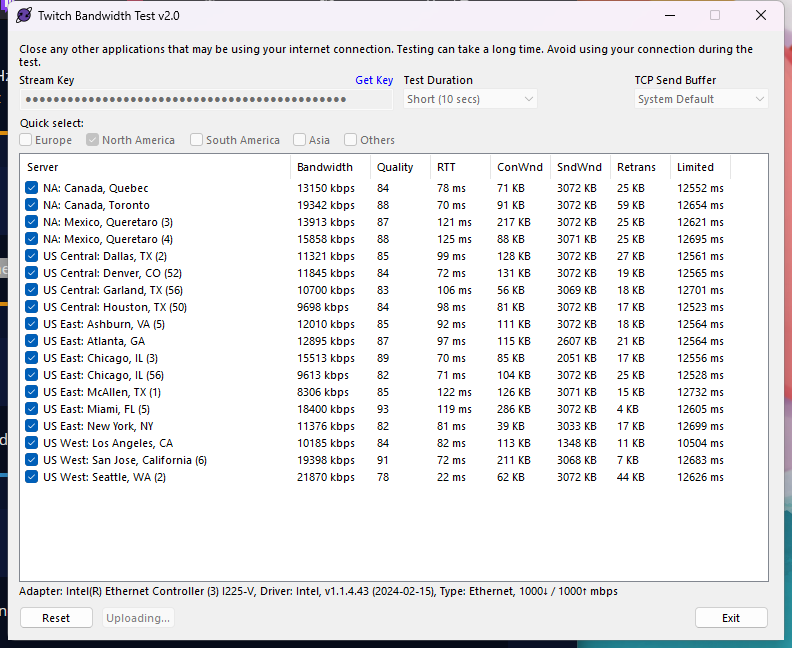 simple obsidian
limpid bluff
It looks like the OBS log analyzer found a few things you could look at as well....
simple obsidian
limpid bluff
It looks like the OBS log analyzer found a few things you could look at as well....
Changing things in here now. (My main obs profile doesn't have a few of the issues. using a test profile to check issues rn)
 slender tide
More or less having the same issue, I contacted my ISP last night and of course got the usual "everything seems okay on our end"
I did a test multistream to TikTok and when I got the spike in frame drops on twitch, TikTok was fine
simple obsidian
Lats time I had this exact same issue I did the usual trouble shooting and couldn't fix it. Decided to stream as usual even though it was shit, but it decided to crash once or twice and some how crashing randomly fixed it
simple obsidian
limpid bluff
It looks like the OBS log analyzer found a few things you could look at as well....
About to text again now that I did these
New log @limpid bluff seems to be working now. No idea what the exact issue was tbh though
https://obsproject.com/logs/3o0TRj9ZuJ6JCIZF
Any insight into what could be the exact cause besides maybe OBS version.
limpid bluff
simple obsidian
New log <@351166251445518337> seems to be working now. No idea what the exact is...
nothing else comes to mind. If it's still happening I would reach out to OBS
thin daggerBOT
SE.live is a plugin for OBS Studio for the best OBS support, please join their Official Discord @ https://discord.gg/obsproject
simple obsidian
Thanks homie
 rigid leaf
Does anyone know how to add a custom thumbnail when going live through the multistream plug in on youtube ?
lofty lodge
lofty lodge
Ty!
still not working
lofty lodge
lofty lodge
still not working
@thin dagger
simple obsidian
Hello, anyone knows how can i configure the backtrack hotkey for the vertical canvas
lofty lodge
simple obsidian
Hello, anyone knows how can i configure the backtrack hotkey for the vertical ca...
its in the obs settings under hot keys
lofty lodge
Still getting this error when trying to go live on youtube

 clear jay
how do i split music from youtube when i live stream?
limpid bluff
clear jay
how do i split music from youtube when i live stream?
You would have to split it out of the stream ahead of time, YouTube does not have a vod track.
shrewd copper
TikToks support are so annoying, you can't even contact someone for support. My old tiktok account has the SE mutlistream access. But need to do it on my new account. Keeps getting rejected even though im proving who I am! Anyone had this issue and been able to fix?
clear jay
limpid bluff
You would have to split it out of the stream ahead of time, YouTube does not hav...
how do i do that
limpid bluff
clear jay
how do i do that
You have to add an audio capture item for each thing you want to capture audio from to each scene. You also have to remove any desktop audio captures.
 balmy vortex
i got an error and this is what it said

does anyone know how to fix this?
i already checked for updates on all my drivers and they're all up to date
idk what to do
thin daggerBOT
If you need to fill out a support ticket, please use the command !ticket in chat, following the subject of your issue! For example, please type "!ticket My chatbot isn't working", and then follow the prompts from our bot!
 cedar elk
is there tiltify integration with the elements editor
 exotic zephyr
Stream elements log in auth would not show up after redirecting me to my browser (OBS)
limpid bluff
exotic zephyr
Stream elements log in auth would not show up after redirecting me to my browser...
Which browser?
exotic zephyr
limpid bluff
Which browser?
brave
limpid bluff
exotic zephyr
brave
brave is known to cause issues with Twitch's login.
exotic zephyr
limpid bluff
brave is known to cause issues with Twitch's login.
oh alr
cedar elk
limpid bluff
<https://streamelements.com/dashboard/account/integrations>
Ok. How do I select it in the element editor
limpid bluff
cedar elk
Ok. How do I select it in the element editor
I don't believe you can, I think the alerts themselves come from Tiltify but I am not completely sure.
exotic zephyr
limpid bluff
brave is known to cause issues with Twitch's login.
used google chrome and it worked thanks alot
 jaunty plover
What is the best way to allow quick login and logout for OBS SE.Live for event centers? I love the idea of including stream elements within our college esports arena but having concerns with ensuring different profiles based on the login feature. I am quite new to the SE.Live and came across it today. It could be that I am uneducated in the full features it allows.
 fathom knoll
Is there a way to quickly copy alerts from Twitch SE to Kick SE, without having to redo each individual one?
 lapis jackal
not sure if anyone can help, i'm trying to set up a daily subgoal inside a rotating feed but for some reason everytime I select the "New Subscribers this Session" option it just comes up as blank!
 orchid pagoda
Hello everyone, I have a problem with my youtube canvas. For some reason it captures the wrong sound output. I have separete audio channels for every app. I am playing some music in my chrome, in the main sources I have chrome capturing the sounds for the twitch, but for my YT stream I have separate canvas without that capture. But youtube stream still gets the music from the chrome. Any ideas what I am doing wrong and how to fix it?
 granite axle
Hi guys, do any other people using Elements have issues where the tts will not work with apostrophes? I tried different voices but it doesn't change anything. It always cuts off for some reason. Any fix to this or do I just go back to the old alert system?
 slate peak
I’m having the issue where multi chat glitches and names change but the new messages never show
 lean musk
Hello Im having issues with my SE Live completly shuts down. I can be streaming and all of a sudden the app closes no warning. Once I reboot the problem doesnt happen again until im idle for a day or so. Any suggestions. Im running Desktop Nvidea 4070 Super and AMD Ryzen 7 7800 3D
 tired valley
Hello guys i need some help with the se.live plugin when i get the sign in menu i click me twice and then i get a small message that says signing in then immediatly goes away then it gives me a grey screen and it doesn't sign me in
mystic storm
Hi I keep losing Frames during streams and my system is more than capable!
 fossil flint
Hey, I keep getting this error on random days. It doesn't always happen, but when it does, I can't stream on that platform for the ENTIRE day. I'm using the SE Multi-Streaming plugin. It happens on either YT or Kick, never on Twitch. When I click "Start Stream" after setting every platform's title and category, it would open a tab asking me to "log in" on one of the platforms and, when I do, this error appears on the plugin and I can't go live on that platform no matter how many times I retry until the very next day. This is highly annoying

It doesn't botter me as much on Kick, since I'm just starting there. But it's extremely annoying on YT because I want my vods to be there
Is the "Google Cloud Outage" responsible for these errors??
Or should I submit a ticket??
Is anybody here??
Hello??
frozen fern
limpid bluff
That causes issues, try Chrome instead.
thank YOU

 pure turret
Hello, im trying to make a Subscribers goal overlay, but the Subscribers number in the overlay creation window doesn't show the correct amount. How do i fix this? Thanks in advance.
limpid bluff
 verbal silo
I don't see the streaming option here. Please help :c
verbal silo
I don't see the streaming option here. Please help :c
What are you looking for?
pure turret
this is not my current subs amount.
 verbal silo
limpid bluff
What are you looking for?
verbal silo
limpid bluff
What are you looking for?
put the chat live
limpid bluff
pure turret
this is not my current subs amount.
YouTube?
pure turret
limpid bluff
YouTube?
Yes, how do i fix it?
limpid bluff
pure turret
Yes, how do i fix it?
https://streamelements.com/dashboard/session/ do any of these tabs show the right data?
limpid bluff
verbal silo
put the chat live
Which platform are you logged in with?
verbal silo
limpid bluff
Which platform are you logged in with?
twitch
thin daggerBOT
@verbal silo ⤵️
Please logout of StreamElements at https://streamelements.com/logout and then login again to your account (Twitch/YouTube/Trovo/X).
limpid bluff
It should be under the "Charity & Seasonal" box
verbal silo
yes... but it doesn't appear
limpid bluff
verbal silo
yes... but it doesn't appear
If it doesn't after logging out and back in, please submit a ticket so a developer can look
thin daggerBOT
If you need to fill out a support ticket, please use the command !ticket in chat, following the subject of your issue! For example, please type "!ticket My chatbot isn't working", and then follow the prompts from our bot!
pure turret
limpid bluff
<https://streamelements.com/dashboard/session/> do any of these tabs show the ri...
In the "Totals" tab, the subs data is correct.
limpid bluff
pure turret
In the "Totals" tab, the subs data is correct.
Session will usually be different. You can manually reset it or edit the count.
 solid condor
Hello! I want to have a command to convert celsius to Fahrenheit. I found directions to do this on Google, but it doesn't work! Can anyone help me? Thanks in advance.
pure turret
limpid bluff
Session will usually be different. You can manually reset it or edit the count.
ahhh, i didn't know it's editable field. thank you very much!
limpid bluff
pure turret
ahhh, i didn't know it's editable field. thank you very much!
The session ones are, the totals aren't
pure turret
limpid bluff
The session ones are, the totals aren't
Yeah, that's what i meant. Again, thanks!
solid condor
solid condor
Hello! I want to have a command to convert celsius to Fahrenheit. I found direct...
Here is the code I found which doesn't work:
$(sender), $(1)°C is equal to $(math (round ($(1) * 9/5) + 32))°F
limpid bluff
solid condor
Here is the code I found which doesn't work:
$(sender), $(1)°C is equal to $(mat...
$(sender), $(1)°C is equal to $(math "round($(1) * 9 / 5 + 32)")°F
solid condor
limpid bluff
`$(sender), $(1)°C is equal to $(math "round($(1) * 9 / 5 + 32)")°F`
It works! Thank you so very much.
thin daggerBOT
If you need to fill out a support ticket, please use the command !ticket in chat, following the subject of your issue! For example, please type "!ticket My chatbot isn't working", and then follow the prompts from our bot!
 floral coral
can you edit someone elses obs using stream elements?
since you can mess with the account on the website?
or is it like you edit the overlay and it edits it on thier end?
limpid bluff
floral coral
can you edit someone elses obs using stream elements?
since you can mess with th...
You can edit the overlay, but they may need to refresh it on their end for the changes to show up
 merry locust
why is streamelements not in my chat, nobody can use the commands because of it plz help
 haughty forge
Hello, is there a way to have an alert box that shows animated alerts from all streaming platforms?
 tawdry stratus
does anyone know how to test chat without typing in your chat?
when i add widgets that other people have made there's always a way to test
but i don't know how to do it with just regular streamelements chat
limpid bluff
tawdry stratus
but i don't know how to do it with just regular streamelements chat
There's no way to test the chat widget without typing in chat
tawdry stratus
limpid bluff
There's no way to test the chat widget without typing in chat
ah that's unfortunate because i know when i use a chat from etsy there's a way to do it
i suppose it's a code
thank you 🙂
tawdry stratus
sorry another question, when i duplicate an overlay why does it have the same browser source url?
i was trying to duplicate an overlay to slightly alter it for another scene and it has the same url so none of the changes actually work if that makes sense
I feel like in the past I've been able to do it, but for some reason it's been duplicating the overlay to have the exact same url

for a visual, i'm talking about when i do this
then if i go to copy url the duplicate has the same url as the original
pure turret
Does the "$(game) Variable" only work for twitch streaming or does it also work for YT?
obsidian fog
Only twitch.
 wary raft
Is there a way to reset the session data (its already resetted to 0 on the screenshot) via command and is there a way to update the goal (e.g. 10/10 to 10/20) via Command?

 thorn kettle
anyone know why my obs is stuck on starting stream? i just want to stream 

 remote forge


 twin jasper
thorn kettle
anyone know why my obs is stuck on starting stream? i just want to stream <:val_...
twin jasper
thorn kettle
anyone know why my obs is stuck on starting stream? i just want to stream <:val_...
same thing happening
thorn kettle
twin jasper
same thing happening
aa someone helped fix it, for me i just had to disable enhanced twitch settings or whatever its called !! idk if its the same for you
twin jasper
thorn kettle
aa someone helped fix it, for me i just had to disable enhanced twitch settings ...
will try ❤️ ty
i also believe the exit button is missing below settings
 obsidian fog
twin jasper
i also believe the exit button is missing below settings
obsidian fog
twin jasper
i also believe the exit button is missing below settings
If you're on v31.1 then that's intended.
It was purposely removed by the OBS Devs.
livid sage
anyone know why my obs keeps crashing when I hit the "X" where the minimize button is? Just weird keeps crashing on me when I hit that to exit
I use the se live plugin for multistreaming and never had that issue before
 echo cloud
hello, i see that SE has charity campaign alerts that use the twitch integrated charity function. does anyone know if this can also be connected to a timer & goals through SE?
looking around, it seems like i would have to use something like Tiltify then? which im trying to avoid
 tacit sparrow
help!
echo cloud
also for the loyalty point system, is there a way to display total loyalty points the community has accumulated?
 honest ravine
Hello, tik tok does not appear to be working for streaming with SE.LIVE anymore. Any idea why or am I the only one affected
 stray aurora
You are not the only one. I submitted a ticket and the person or Ai helping attempted to place the blame on tiktok. Gonna try to submit another ticket later today
 weary field
Hello, my media request can't send the sound to obs, while it work very hardly on the preview page too. I tried to make a new overlay with it, still same problem. New source, same problem. Any way to solve it ?
 hollow atlas
hey I am having this canvas issue when going live on tiktok using multistream. it is very frustrating, anyone else had this issue struggling to find anything online. This is only my 2nd stream so still learning too

 spice kernel
hey i had a queston i have multi streaming set up from youtube and twitch but my multie chat is not working as in its not showing any of the chats
 deft plover
Srry if this is a repeat question, but does anyone know how to control the timer on the overlays, I am playing with the "Grey Area" themed overlay and I cant for the life of me figure it out PFR

caancel that, my brain is working now
stray aurora
No one is responding to my open ticket and I can not create another one.
What am I to do now?

 tropic cypress
Does anyone know how to stream only to vertical on Youtube? If I set vertical Youtube as my prime stream source, then my streams for some reason get converted to horizontal ones when I go live.
Vertical Youtube works if I have a different source set as my primary like Twitch, but never on its own
craggy matrix
anyone knows how to delete / change the primary source on multi-streaming?


I don't know what else to do
limpid bluff
craggy matrix
anyone knows how to delete / change the primary source on multi-streaming?
That is set via OBS settings.
 limpid bluff
craggy matrix
I already tried changing this
limpid bluff
craggy matrix
I already tried changing this
That should be where you change it. If it doesn't work, try logging out of se.live and logging back in
thin daggerBOT
StreamElements menu, on top of OBS > Logout > Login
limpid bluff
You'll need to submit a ticket then so someone can take a look
thin daggerBOT
If you need to fill out a support ticket, please use the command !ticket in chat, following the subject of your issue! For example, please type "!ticket My chatbot isn't working", and then follow the prompts from our bot!
 forest elbow
Good evening, I'm having the following problem "You are redeeming too fast" on all channels where you have !speak (only with this command), but I'm the only one affected, does anyone know how to solve this?
 bright robin
I can't set my Kick category, nothing comes up when I search for one and I can't enter the full title of the game manually either.
I tried removing and re-adding kick but I can't delete it?
this is for SE.LIVE multistream btw
Idk what gives


 minor geyser
Is anyone available to hop into a call with me? I'm having trouble getting some features to work
limpid bluff
minor geyser
Is anyone available to hop into a call with me? I'm having trouble getting some ...
What issues are you having?
minor geyser
I'm trying to set up the alerts notifications and when i try to use the text to speech feature, sometimes it works but most of the time it doesnt
I dont know if its something Im doing wrong or what
limpid bluff
For which alerts?
limpid bluff
Make sure the max duration is long enough and you have it set for all variations
minor geyser
How do you set for all variations?
limpid bluff
You'll have to go through each one and enable it
weary field
Hello, my media request can't send the sound to obs, while it work very hardly on the preview page too. I tried to make a new overlay with it, still same problem. New source, same problem. Any way to solve it ?
sturdy hawk
Hi can I get some help? Downloaded OBS and Se.live and none of the Se.live docks show up at all
I've put a ticket a few days ago and bumped it and no1 reached out
 summer sail
Q: Can't seem to make this "Subathon" Element work. I set it up and tell it just Tips and Cheers but when I go into the setup window it just resets with everything back on again. Commands don't work in chat and it doesn't seem to add time on stream. Seems broken to me.
Anyone have any other suggestions for Subathon/Marathon Timers?
 winter spruce
I have added my FB as a custom RTMP but whenever I click start streaming all other outputs get the red dot and say they are streaming but the Custom (FB) one doesn't. Is there anything I can try?
obsidian fog
winter spruce
I have added my FB as a custom RTMP but whenever I click start streaming all oth...
If you're on 31.1 that's a known issue outside of our control.
winter spruce
Ah OK, seems to be a rtmps error when I check the logs. Guess I'll have to wait for OBS to update or revert to an older version
winter spruce
Downgraded to 31.0.4 and it is working fine again. Thanks
 surreal arch
any idea why my element text is like this?
even after do stream and someone follow me but the text doesnt change

 random owl
Could i get some assistance
?
dang, is no one on this server? i guess it is 6am lmao
 willow token
I need help, is it possible to stream on YouTube and twitch while having a separate overlay for each one. I’m using stream elements multi stream and I want it to display but YouTube chat in the top right for YouTube and then on twitch for it to display the twitch chat
 acoustic siren
Hey, quick question, is the watch time and points saved when you rename on Twitch or not?
 teal wharf
upbeat field
teal wharf
teal wharf
upbeat field
teal wharf
Try Grand Theft Auto
 dusky sedge
how to delete this multistream ? ... i tried to disconnect and click the delete, but i couldnt delete it. i want to only stream on twitch... so i dont want multistream...
 bright robin
dusky sedge
how to delete this multistream ? ... i tried to disconnect and click the delete,...
bright robin
dusky sedge
how to delete this multistream ? ... i tried to disconnect and click the delete,...
Recently opened a ticket for a similar issue and they told me to relog SE.Live
dusky sedge
bright robin
Recently opened a ticket for a similar issue and they told me to relog SE.Live
did it work for you ?
bright robin
Idk, I won't be able to test it for 7 hours since I didn't see their reply until I got to work today
dusky sedge
ohh ok..glad am not alone XD
bright robin
lol
dusky sedge
let me know when you get a reply hehe 🙂
bright robin
👍
 brazen mauve
Hello guys, were any of you able to solve the problem with the StreamElements multistream plugin? in my case it freezes the OBS
 molten crane
.0
 tawny spruce
I have a question about commands. I have seen it on other channels in which for example a hug command:
you use $(user) does x to $(targetuser) it'll display one message, but if you don't target a user specifically, it sends a different message.
It is my understanding that there are no if/else statements on Stream Elements. And I want to see if someone can help me understand how it's possible?
Side Note: I tried talking to like like Chat GPT, Gemini, and DeepSeek and they insisted there are ${if} and ${else} variables in Stream Elements, but I looked at the documentation to not seeing it.
haughty forge
bright robin
Idk what gives
Got the same issues...
haughty forge
I had that on my iPhone XR on iOS 17. I had to update my phone to moderate my own account on the go...
 wild relic
haughty forge
I had that on my iPhone XR on iOS 17. I had to update my phone to moderate my ow...
wild relic
haughty forge
I had that on my iPhone XR on iOS 17. I had to update my phone to moderate my ow...
But I’m trying to login on pc
On obs
haughty forge
Idk, never had that on desktop...
haughty forge
wild relic
But I’m trying to login on pc
Maybe try updating your browser?
 young kettle
Good morning, I have a problem with SE.live. It appears in the tabs but the option to display the window doesn't appear. If anyone knows and can help me, thank you.
bright robin
Dude, now everyone knows your password is •••••••
 hallow veldt
Hey! Question about roblox campaign. for PAID roblox incentives does it have to NEW USERS ONLY or can existing members also support through getting robux?
haughty forge
bright robin
Dude, now everyone knows your password is •••••••
Try to log in if you're brave
young kettle
Why doesn't the option appear?
 thin daggerBOT
@young kettle ⤵️
StreamElements menu, on top of OBS > Logout > Login
neon crow
Long shot, but my alertbox uses this very long svg code in it, if 2 alertboxes are in the same overlay, it will not save because of the svg code... im not familiar with svg, is there a way to load it externally so SE would let multiple alertboxes save? (multiple for positionings sake)
 buoyant wadi
stream elements not connected to OBS after i updated OBS
or its acting like its not anyway...i need my docks back
thin daggerBOT
@buoyant wadi ⤵️
StreamElements menu, on top of OBS > Logout > Login
buoyant wadi
thin dagger
<@1039932974105370684> ⤵️
i tried that already
after i log back in stream elements appears but then blinks out and crashes ...so it reverts back to me not having anything.....
ive restarted my computer already too
limpid bluff
You'll need to submit a ticket so someone can take a look
thin daggerBOT
If you need to fill out a support ticket, please use the command !ticket in chat, following the subject of your issue! For example, please type "!ticket My chatbot isn't working", and then follow the prompts from our bot!
buoyant wadi
!
 versed oar
!ticket since obs update that exit button is gone and the docks don't display unless I manually select them
did it work?
limpid bluff
versed oar
did it work?
You can't edit your message to include !ticket, the bot won't recognize it
versed oar
ok got it finally.. ty
 slate sigil
how come the youtube alerts when im live dont go off?
 round hazel
my streamelements - multi-streaming page wont load.... anybody else experiencing that???
limpid bluff
slate sigil
how come the youtube alerts when im live dont go off?
Users can choose to make the channels that they subscribe to public or private. By default, all settings are set to private.
Private: When a users subscriptions are set to private, no other user can see what channels they subscribe to. A user's account does not show in a channel's Subscribers List, even if they are subscribed.
Public: When users subscriptions are set to public, another user can see what channels they subscribe to. User subscriptions are listed on their channel page, and their account is listed in the Subscribers List for any channel they subscribe to.If a user has it set to Private they will not show up in the activity feed. More info: https://support.google.com/youtube/answer/7280190
YouTube subscription privacy settings: https://support.google.com/youtube/answer/7280190
Additionally:
Due to changes by YouTube there can be a delay up to 4 hours with subscriber notifications. This is the new intended way for receiving events from YouTube by their design.
Your stream must be live AND public for StreamElements to work with YouTube.
 echo cobalt
HELLO, does streamlabs actually allow you to stream from obs to tiktok AND twitch efficently without the use of tiktoklive studio
obsidian fog
echo cobalt
HELLO, does streamlabs actually allow you to stream from obs to tiktok AND twitc...
You'd need to ask them.
 sharp sinew
How can I stream to FB? I did a fresh install of Windows and now I cannot stream. "Failed to connect to server."

 barren flint
Hey! I'm trying to configure/customize the default quote command, but struggling to make it look how it appears in the [documention].
For example, when I type !quote I am expecting this:
StreamElements:
Quote #42: "This is peak gameplay!" - Added by Moderator1 (Jan 15, 2024)```
but instead am getting this
```StreamElements: @LiloZine, #2: I miss Luke```
its not as detailed and doesn't have date or who added etc.... rancid cloud
Hello, I am using streamelements for the chat widget onto my obs scene (via browser source). It works fine but it does not show my channel's 7tv emotes onto my live stream. I couldnt find the solution on how to fix this i.e. adding 7tv on overlay editor. Any helpers? Thanks in advance
pure turret
Is Streamelements unable to capture youtube private subscribers? Cos ever since i used streamelements, the only subs that it counted were public ones.
obsidian fog
pure turret
Is Streamelements unable to capture youtube private subscribers? Cos ever since ...
Correct on both points.
Numerically it may track if someone subscribed privately but outside of that nope.
pure turret
obsidian fog
Correct on both points.
Numerically it may track if someone subscribed privatel...
so, no workaround for this? i've just setup a subscribers goal overlay so i need it to count all subs XD
obsidian fog
That "should" work.
I say like that as i don't use the YouTube side of things and not sure if the issue falls under sub counting as well.
It's only for the subwcription alert specifically it won't track fully.
 true peak
I'm trying to multistream from Twitch and TikTok, but TikTok only connects to live when I set the default settings and not with my vertical settings. Does anyone know how to fix this?
random owl
Could i get some help?
summer sail
Q: How can I have a Channel Points Redemption trigger a chat command/text in Twitch Chat via StreamElements? (Not the other way around)
limpid bluff
summer sail
Q: How can I have a Channel Points Redemption trigger a chat command/text in Twi...
Unfortunately I don't believe there is any integration between Twitch channel points and StreamElements.
 gleaming willow
brazen mauve
Hello guys, were any of you able to solve the problem with the StreamElements mu...
gleaming willow
brazen mauve
Hello guys, were any of you able to solve the problem with the StreamElements mu...
I tried to Kick Multistrem din work when doing solo stream with stream labs is working with same settings