#community-helpdesk
1 messages · Page 36 of 1
 stoic tiger
 finite delta
TikTok access keeps getting denied after review? what am i missing? (twice now, trying again)
 arctic glacier
guys did u have problems with mutistream and Instagram lives? my lives always down
 fiery niche
How does TikTok not register my stream times when I am streaming from Stream Elements?
 ornate cobalt
I got suspended from tiktok live access but had my access restored but it's saying i have to wait an extra week for SE.live access. At this point imma just get a streamkey
 analog hazel
Fuck off useless support
 bleak ocean
Wow, lots of issues it looks like. Anyone got any idea what YouTube chat isn't working in streamelements chatbox? Been doing my head in the last 3 hours trying to figure it out
 uncut trellis
Keep in mind, for YT chat to show, you have to be Live.
Then again i don't use the built in chat from SE.Live
but the premise still applies.
 spice timber
Why is Ground Control not connecting or pulling any of my YT or Kick notifications or multichat?
 brittle tartan
hey everyone! anyone else having issues with the chat bot not working with Kick yet? I have it connected, in my chat, all set up, but no commands are working
 grim laurel
brittle tartan
hey everyone! anyone else having issues with the chat bot not working with Kick ...
grim laurel
brittle tartan
hey everyone! anyone else having issues with the chat bot not working with Kick ...
it's working on my end have you made sure to mod the correct id? 


 grim laurel
brittle tartan
grim laurel
brittle tartan
thanks for all the info in your kick chat i will pass this on to the team i'll let you know more when i get a response 
brittle tartan
grim laurel
thanks for all the info in your kick chat i will pass this on to the team i'll l...
not a problem! 😄 thanks for the help!
bleak ocean
uncut trellis
Then again i don't use the built in chat from SE.Live
Yeah did a unlisted live, where chat was active, still nothing, what do you use?
grim laurel
bleak ocean
Yeah did a unlisted live, where chat was active, still nothing, what do you use?
unlisted live would be the reason why the bot wouldn't work YouTube streams need to be live and public in order for the bot to work unfortunately
 cosmic inlet
any update on the memory leak on streamelements ?
uncut trellis
bleak ocean
Yeah did a unlisted live, where chat was active, still nothing, what do you use?
As far as I know Unlisted won't work, it has to be Public
oh, I see that was already answered... sheesh, teach myself to read.
 teal pagoda
brittle tartan
teal pagoda
brittle tartan
How teh heck do i find them?
Also, How do i get the Alerts to pop up on my overlay i have? doesnt wanna show
 acoustic walrus
via the SE live plugin, it is possible to insert objectives such as donations etc.. options that also allow you to insert tiktok studio?
 valid ocean
why doesnt my kick work when i try to connect it..
 analog herald
I've made a custom chat bot for kick without knowing that we can't do custom bot names yet lol I have also noticed that the chat bot for Kick isn't working properly with custom commands. I also did have to add two verified SE accounts to my mod list because idk which one is going to work in the chat lol
I do also notice that the activity doesn't recognize YT and Kick activity. I've been trying to use the Activity Feed for Kick and Twitch, but have noticed that nothing from Kick shows up in the activity feed even though it's all toggled on.
finite delta
Any idea on why youtube chat not showing up for multichat? i had this issue since yesterday, disconnected and reconnected the youtube, still nothing
brittle tartan
grim laurel
thanks for all the info in your kick chat i will pass this on to the team i'll l...
eyy! just wanted to let you know it was just a matter of removing and readding my Kick account to SE. that seems to have sorted it all out 😄
 rough mountain
I have tried to contact the support via email multiple times, everytime I get one initial response, asking me to please wait 2-3 more days and then I never hear back, can anyone tell me what I can do? It has been more than half a year since the first email and more than 2 months since the last
 brittle hazel
Hey guys, do you know why this is appearing in the TIP widget ?

It's not something i added, this is the basic goal from the website without any changes.
 limber ingot
I have a question, does anyone know how to make such a live currency?
I mean I want people to be able to earn currency for spending time live
Possibly currency for writing
I would also like to ask if there is an option to make, for example, 2-3 games such as roulette so that they can bet points, and then for these points unlock something
I saw a few years ago something similar on Live youtube for a lot of people
 steady scaffold
hi, I'm trying to get my alerts like new follower/subscribers etc to show up in chat. I've given stream elements mod statues and it's link to chat, I've enabled the chat alerts module and followers is on but it's still not showing up in chat. any help would be great, ty.
 gilded harness
Hi how do i fix this bottom right.

 craggy hatch
i try to updater and did what u ask but nothing is working and now it gone from my obs but it still in the file
 gleaming warren
when i use the subathon timer when someone subs it doesn't add time at all? everything is set up just when some subs it doesn't add time any ideas why it doesn't work https://i.imgur.com/wnYFBUx.png 
grim laurel
brittle tartan
eyy! just wanted to let you know it was just a matter of removing and readding m...
awesome feel free to reach out if you have anymore issues
grim laurel
gilded harness
Hi how do i fix this bottom right.
if you click on the StreamElements tab you should see a sign out option click that and sign back in that " should " fix that
 pulsar wyvern
Hey there!, does anyone have any advice on how to get alerts working again? My sub/follower/raid alerts are no longer working and I have no idea what to do. My other overlays such as sub/tip progress bars, images, and chat box are working. I have made sure the alerts are unpaused and unmuted, and streamelments is currently an active mod in the channel. They havent been working for 4 days now. Please help.
 carmine path
hi, I tried for several hours now to implement the "weather" command. It just fails on me every time. I copied the given syntax in the doc, but it doesn't work at all. All i get is some city in Africa....
Can anybody here give me a full command for copy and paste - not only a variable, but the full command line.
I would be grateful forever. 😉
 pine cape
if i use nvidia h.264 for twitch what should i use for tiktok with the multistream plugin=
the same?
limber ingot
Can I find Loyalty on youtube?
Or can't do it - it has been withdrawn?
limber ingot
okey
limber ingot
 obsidian fog
Never available nor planned for it.
obsidian fog
Never available nor planned for it.
I just used to use it about 7 years ago and maybe another app
obsidian fog
It was definitely something else as SE has never had it available for youtube outside of "glitches" where it was visually available.
 pale escarp
has anyone else been having issues with the TikTok Chat dock for stream elements multi streaming in obs? Mine randomly takes forever to start displaying chats and sometimes just stops displaying after a while and even a refresh doesn't help. Just wondering if someone else has experienced this or I need to put in a support ticket
limber ingot
okey
 tiny vector
Kick chatbot not working anymore ?
uncut trellis
@tiny vector #announcements LIsts something from yesterday in regard to kick
tiny vector
uncut trellis
<@461495109574328331> <#313419268471521291> LIsts something from yesterday in re...
huh ? nothing about issues
uncut trellis
Take you followed the steps to have the proper ID etc for Kick in the bot? A lot of folks didn't realize there's another step they have to take.
tiny vector
it worked yesterday but not anymore
uncut trellis
Gotcha, I have nothing to add to it other than what I've seen. I don't use Kick.
 gaunt junco
Anyone got a way how to "!shoutout @user" on kick so it doesn't display the At-symbol in the link?
 frosty glacier
Anyone know how to change chatbots name? Used to be a toggle in the chatbot settings but it's not there anymore.
 thin daggerBOT
@frosty glacier ⤵️
You can choose a custom name for the streamelements bot by logging into the option on this page. https://streamelements.com/dashboard/bot/settings
If the option to login is not visible while logged into your Twitch account please make a ticket so staff can fix it for you (!ticket custom bot name)
finite delta
Im a bit confused with the tiktok streaming, it says im streaming, but i dont see a stream anywhere on my tiktok? how am i supposed to see the comments or anything if i cant find the stream?
am i supposed to install tiktok live or something
 lunar river
hey, can somebody help me with this sound? i only hear it on one year and on another ear is effervescence.
 lime tundra
Hey all, do you know if there's a way I can create a Custom Command, that similar to !quote. I want to do like !lore and add random "Lore" things for stream and my community and have them come up at random if someone does !lore in chat
 peak valve

 mild echo
finite delta
Im a bit confused with the tiktok streaming, it says im streaming, but i dont se...
mild echo
finite delta
Im a bit confused with the tiktok streaming, it says im streaming, but i dont se...
tiktok requires authroization and stream key its not instant. If inside Tiktok Live you see a stream key then you got your fast track authorization that SE uses inside Tiktok ad agenecy partner system.
 wooden kayak
You closed my ticket without fixing my problem. I love it
mild echo
lime tundra
Hey all, do you know if there's a way I can create a Custom Command, that simila...
update quote to be lore and use the system that way, otherwise you would need to run a 2nd bot locally or another 3rd party bot to get a dual quote system.
mild echo
lunar river
hey, can somebody help me with this sound? i only hear it on one year and on ano...
best option use Audacity, its probably a channel thing where only left/right audio channel has information on it. also, mkv is a video file not an audio file.
mild echo
gaunt junco
Anyone got a way how to "!shoutout @user" on kick so it doesn't display the At-s...
there should be a (user) variable you can use in commands so people only put the name in and bot figures rest out like !shout $(s:1) ect from SE master list of variables for commands button
mild echo
rough mountain
I have tried to contact the support via email multiple times, everytime I get on...
use the ticket system here
finite delta
mild echo
tiktok requires authroization and stream key its not instant. If inside Tiktok...
i am very confused but what you are saying lol
I got the access on tiktok, and was able to stream through streamelements plugin on OBS, and the tiktok was even showing that "i streamed" but i couldnt actually see the stream live on tiktok (now i installed tiktok live studio and can stream through there but would rather stick to OBS if possible)
mild echo
finite delta
I got the access on tiktok, and was able to stream through streamelements plugin...
I don't understand the "tiktok showed I streamed" portion. If it says you streamed then you should be able to open up your own stream in say a Browser url lke tiktok.com/username to see your stream.
Only thing I can say is make sure your SE canvas is the correct size for 9:16 format (vertical) and that your not trying 4k or something weird that tiktok can stream encode.
 hot valley
pale escarp
has anyone else been having issues with the TikTok Chat dock for stream elements...
hot valley
pale escarp
has anyone else been having issues with the TikTok Chat dock for stream elements...
I’ve actually been having this same problem too @thin dagger
finite delta
mild echo
I don't understand the "tiktok showed I streamed" portion. If it says you stre...
Thats what youd think, but i tried and there was no visible stream anywhere, i tried the app and on a browser and using a different account, no stream was available, but then when i checked the tiktok live stats in the app it said "last stream today, and the length of the stream" im using the built in vertical setup, so doubt im doing anything that stream couldnt handle
ill test another stream later when i can and see if it works, if not then i guess im stuck with live studio for tiktok streams
finite delta
Tested it again, its not working, cheking with analytics it says the stream happened, but for 0 seconds? Anyone got a clue whats going on? i really dont want to have to use tiktok studio live
analog herald
So im currently live and I have noticed that the SE bot doesn't post my Kick chat after setting up everything. I'm not sure if there is a bug on SE's end but I have the bot modded as well.
 split wyvern
im trying to import my old alert box using the new most update SE.live. when ever i click on import it opens my streamlabs up and trys to log in with out me clicking on it. it is failing every time and i have no idea how to make this work.
 royal moth
is there a recommended OBS version for SE.Live?
 formal nacelle
I need help because this is happening when I try to multistream on TikTok.?

 topaz breach
I've opened a ticket (unanswered yet) but for what I see everyone is having issues with TikTok?
I did a stream yesterday, and had double audio. So I had the worst idea possible to delete the connection and add it again. Now it says "connection successful" but SE.Live stays on the same window saying "connect", no matter how many times I do it.
Anyone else on the same situation?

 rough mountain
mild echo
use the ticket system here
rough mountain
mild echo
use the ticket system here
I tried, they just get closed without ever getting an answer. No reply for 2 days, then closed
 deep summit
topaz breach
I've opened a ticket (unanswered yet) but for what I see everyone is having issu...
deep summit
topaz breach
I've opened a ticket (unanswered yet) but for what I see everyone is having issu...
I haven't seen anyone resolve any TikTok issues since they started.
TikTok have a support ticket open, after several back and forths I think they're finally understanding the issue and are "looking into it"
SE are aware of the issue.. that's all I know that side.
I'm getting by useing OBS virtual cam > TikTok Studio, but the quality of stream isn't as good. I can't get audio as nice as OBS natively, and I'm streaming horizontal to TikTok.
topaz breach
deep summit
I haven't seen anyone resolve any TikTok issues since they started.
TikTok have...
Oh, thanks for the update! What's weird to me is that I literally had everything working until yesterday, when I made my stream. So there was no issue with streaming on TikTok. The issue I'm having now is that they don't connect anymore. I can't even delete other services like X or YouTube, they're completely blocked, so I guess it's a SE issue.
deep summit
Yeah mine was great until 2 weeks ago.. but it will connect but then return "Not eligible for streaming" whilst I stream often to TikTok.
It'd be reassuring if SE actually put something out public to its users. I don't feel confident either party is invested in looking and resolving this at the moment, but I'm not aware of any alternatives.
topaz breach
I mean, it's still a Beta feature, so I'm aware this kind of stuff can happen. What it's not giving me confidence is that they're not coming back to us, or making an announcement like "we're aware of the issue, stay tuned" which would stop me from trying to find a solution myself
deep summit
I fully agree, communication would be appreciated.
I work for a software company, and whilst I'm not in support anymore, the team constantly will notify and update if there's an issue affecting multiple users/clients, even if to reduce multiple support tickets of the same issue coming in.
topaz breach
For everybody having issues adding TikTok: I've spoke to support, and after sending logs, we tried the simplest thing: which was switching default browser and use Chrome instead of Edge (which worked before, as it's Chromium based) and that did the trick.
It could be that they changed something, or Windows updates did, so the connection didn't work as expected.
That's something that could potentially work for you as well.
 wet jasper
hey guys! hopefully another quick answer - i might be looking in the wrong places, but is there a way to identify an incoming twitch user raiding you with a command rather than having to type out the name each time?
 wooden knot
wet jasper
hey guys! hopefully another quick answer - i might be looking in the wrong place...
wooden knot
wet jasper
hey guys! hopefully another quick answer - i might be looking in the wrong place...
For overlays you can use an event key
data["raid-latest"]["name"] - Name of latest raider
data["raid-latest"]["amount"] - Number of viewers in latest raid
wet jasper
wooden knot
For overlays you can use an event key
data["raid-latest"]["name"] - Name of lat...
is there anyway to identify them in chat? 🙂 or is that not possible?
wooden knot
wet jasper
is there anyway to identify them in chat? 🙂 or is that not possible?
Yeah I forget how, let me look
wet jasper
thank you so much
wooden knot
wet jasper
thank you so much
Go to stream elements dashboard, then go to bot modules under chat bot, in the panel chat alerts turn it on and hit the gear, there will be a toggle for raids to turn on so it announces who raided when you get raided
 terse aurora
how do i change what catagory im in and what my stream title is? i hit start stream on obs and it just does it now woithout asking
wet jasper
wooden knot
Go to stream elements dashboard, then go to bot modules under chat bot, in the p...
thank you 🙂
wet jasper
terse aurora
how do i change what catagory im in and what my stream title is? i hit start str...
there should be a dock in OBS called Stream Information 🙂

make sure it's checked 🙂 it'll show up in your UI and you can set it from there - just dont forget to press save at the bottom
 vernal saffron
Hey everyone. Are we able to use ground control for kick yet? Was wondering cause I see it as a filter but my kick chat doesn't show up so I'm not sure.
 flint cliff
Hello guys,
Is there a way to create a source of multi chat in OBS?
If yes, how to do that?
Thanks
 compact dew
Is the ticketing system still what's recommended on here?
 warped lichen
does anyone know how to fix this?


or how can i delete youtube & reconnect? it wont let me
 topaz breach
warped lichen
does anyone know how to fix this?
topaz breach
warped lichen
does anyone know how to fix this?
You can’t from OBS directly. Go to your account (https://streamelements.com/dashboard/account/channels) and remove it from there. Also try using Chrome when doing connections, it may did the trick for you as well.
warped lichen
topaz breach
You can’t from OBS directly. Go to your account (https://streamelements.com/dash...
ty will try
even with chrome 

 heavy magnet
Hi there, sorry for bothering. I've a quick question. I use OBS with SE.live multistream. I wanna use the virtual camera of my vertical canvas but i can't find the settings for it, only for my horizontal. Can ya help me please?
 junior atlas
Guys why it shown like this

 weak hinge
PLEASE HELP: OBS eats all my RAM!!
Since a few days my OBS eats all my RAM ( I have 32gb) even when not streaming. From Task manager, I see MANY obs-browser-page processes running in background.
I thought it was the last update of OBS, so I reinstalled OBS version 30.0.2 and without SE live plug-in there's no issue.
I think the problem is related to SE live plugin, not OBS itself.
Running SE live (stable ver) partially fixes the problem but it doesn't support multistream (the main reason why I'm using it).
Both SE live default and beta versions eat my RAM.
Is anyone still using a version of OBS + SE live that doesn't show this problem??
Thank you for your help!! 
finite delta
Need help figuring out why streaming to tiktok doesnt work (i installed live studio and it works on there, but through the plugin with the connection, it doesnt)
flint cliff
flint cliff
Hello guys,
Is there a way to create a source of multi chat in OBS?
If yes, ho...
Any ideas?
When I copy/paste the address of the dock as a browser source, it gets me to this, but I cannot click it (for obvious reasons).
 wooden knot
flint cliff
Any ideas?
When I copy/paste the address of the dock as a browser source, it ge...
wooden knot
flint cliff
Any ideas?
When I copy/paste the address of the dock as a browser source, it ge...
I do not believe there is, nor would you want to. I believe streaming services have some ToS restrictions about showing chat from other platforms on their platform.
 limpid bluff
https://help.twitch.tv/s/article/simulcasting-guidelines?language=en_US
You do not use third-party services that combine activity from other platforms or services on your Twitch stream during your Simulcast, such as merging chat or other features, to ensure the Twitch community is included in the entirety of the experience of your livestream.
 buoyant cargo
how do i get rid of trovo or fix trovo in the multistream thing cause it keeps telling me to log in and when i do it says its connected then obs/stream elements gives me an error to try again and it just doesnt work... i need a fix please!
thin daggerBOT
@buoyant cargo ⤵️
If you need to fill out a support ticket, please use the command !ticket in chat, following the subject of your issue! For example, please type "!ticket My chatbot isn't working", and then follow the prompts from our bot!
 worthy talon
anyone know why my activity feed is only showing me stuff from 7 days ago but nothing recently?
My follower alerts aren't going off either. I can emulate an alert just fine, but they aren't happening live when someone follows.
I've logged out and back into the site and still nothing showing for today, only 7 days ago.
Streamelements activity feed versus Twitch's activity feed

 limpid bluff
worthy talon
anyone know why my activity feed is only showing me stuff from 7 days ago but no...
limpid bluff
worthy talon
anyone know why my activity feed is only showing me stuff from 7 days ago but no...
Channel name? No links.
worthy talon
CielHoshii
limpid bluff
worthy talon
CielHoshii
Can you log out one more time and log back in?
thin daggerBOT
Please logout of StreamElements at https://streamelements.com/logout and then login again to your account (Twitch/YouTube/Trovo/X).
worthy talon
limpid bluff
Can you log out one more time and log back in?
did it
limpid bluff
New events should start showing up now. Unfortunately all the missed ones will stay missed.
worthy talon
limpid bluff
New events should start showing up now. Unfortunately all the missed ones will s...
do I need to log out of SE.Live as well since the follower alerts aren't happening either?
limpid bluff
worthy talon
do I need to log out of SE.Live as well since the follower alerts aren't happeni...
You shouldn't need to, all the alerts are processed on the website.
worthy talon
limpid bluff
You shouldn't need to, all the alerts are processed on the website.
ah and since they aren't on the activity feed that means there was never an alert sent?
limpid bluff
Generally, yea
worthy talon
alright, I'll keep an eye on it
limpid bluff
Sometimes the link between Twitch and SE gets a little broken :(
worthy talon
Thank you for testing, appreciate it
limpid bluff
Sure thing, glad it's working
 ember pawn
deep summit
Yeah mine was great until 2 weeks ago.. but it will connect but then return "Not...
ember pawn
deep summit
Yeah mine was great until 2 weeks ago.. but it will connect but then return "Not...
FWIW, the other major streaming app is having the same problem, except that they have notified all their users about it.
 untold marten
so i cant be the only one having this issue
i got the new stand alone ground control
fully updated
and i have to close it every 1-2 hours bc the multichat just stops working for any of the platforms i stream to..
 trail niche
was there ever a solution to this?
 hot elm
 ember tiger
Has multi stream been fixed with the ram issue ?
buoyant cargo
ember tiger
Has multi stream been fixed with the ram issue ?
works for me
ember tiger
buoyant cargo
works for me
I know last week people had issue with the obs using up 98% of their ram
buoyant cargo
ember tiger
I know last week people had issue with the obs using up 98% of their ram
yea i know i was there but it seems to work properly this time lol
ember tiger
buoyant cargo
yea i know i was there but it seems to work properly this time lol
Okay I’ll log back into it
 lost lance
I try to connect kick to the multistreaming but it doesn't show up, anybody know why?
 candid elk
quick TTS question: Every time TTS is read out loud during a cheer event during testing, it keeps saying "my name." How do I get rid of this? Will it say "my name" when I go live and someone actually cheers?
 neon rapids
i'm having the worst time trying to play league and stream with streamelements, my mouse CONSTANTLY has the wait icon and i get 0 frames a second in the game, but when i use older versions its fine and if i update it, it does it again, the only solution is to close streamelements entirely, any suggestions. i have a super strong computer 64 gb of ram and 4090 graphics card
 elder turret
Question: With SE Chatbot on Kick. Has anyone gotten the Shoutout command to work correctly where it doesnt have the @ in the name without having to manually remove it first?
 worldly sandal
Hey guys, is there a way to stream to TikTok with both vertical and horizontal outputs, like how multistream works on YouTube?
 wooden knot
worldly sandal
Hey guys, is there a way to stream to TikTok with both vertical and horizontal o...
wooden knot
worldly sandal
Hey guys, is there a way to stream to TikTok with both vertical and horizontal o...
Naw
worldly sandal
😩
 rigid valley
worldly sandal
Hey guys, is there a way to stream to TikTok with both vertical and horizontal o...
rigid valley
worldly sandal
Hey guys, is there a way to stream to TikTok with both vertical and horizontal o...
do you still have the "twitch VOD track" option after you installed "SE Live" to multistream?
uncut trellis
worldly sandal
Hey guys, is there a way to stream to TikTok with both vertical and horizontal o...
Add a second cvans for tiktok set to horizontal?
worldly sandal
uncut trellis
Add a second cvans for tiktok set to horizontal?
multistream does not allow you to add a second canvas, at least I was unable to add it
worldly sandal
rigid valley
do you still have the "twitch VOD track" option after you installed "SE Live" to...
Yes
tiny vector
kick chatbot issue. payment not completed but had chat alert for received 100 gifted subs. also 100 subs = 100 months lol and double nicknames..
 uncut trellis
worldly sandal
multistream does not allow you to add a second canvas, at least I was unable to ...
uncut trellis
worldly sandal
multistream does not allow you to add a second canvas, at least I was unable to ...
hmm.. unfortunately I cannot test TikTok as I do not stream on there yet.
but I'm pretty sure you'd just add another TikTok output and tie it to your default horizontal canvas
 sonic osprey
how do i put the chat box from all my streams onto a overlay on obs
 mortal forum
I connected, verified, restarted OBS, and STILL seeing this. Any clue why?

 cosmic night
mortal forum
I connected, verified, restarted OBS, and STILL seeing this. Any clue why?
cosmic night
mortal forum
I connected, verified, restarted OBS, and STILL seeing this. Any clue why?
Same here😔
mortal forum
cosmic night
Same here😔
I just hope I can get it working with FB. I have a TON of friends on there that would watch and get me chatting like a MADMAN
mortal forum
!submitticket
 summer parrot
just ticket
 worthy oar
my SE live is in this condition for about a week, is someone having the same issues here?


I can't even change the SE Live version because it always telling me that i'm in the beta version
 fierce kestrel
hi guys i am new at live stream how to add the chat to my stream
 orchid spruce
I have an Question about the Robloc sponsorship
as examplr do i get the money if Only 3 people bought an Roblox 400 ROBUX paket
or do i need 10 out of 10
people
who need to buy this
thin daggerBOT
@orchid spruce ⤵️
Sponsorship questions can only be handled with the ticket system. Please type !ticket sponsor support in #community-helpdesk and follow the instructions from the bot.
Attempting to open multiple tickets will not quicken staff response as they are handled in the order they are received.
 dense fern
YouTube Error: More than one ingestion is using the primary URL. Send one stream to the primary ingestion URL and one stream to the backup URL.
If you run into this error, please see below.
It appears that the primary Settings > Stream > Destination is being connected to when you click 'start stream' - even if the UI is not showing it (the OBS setting.). This is sending two uploads to YouTube's ingest which it does not like. This is reflected in task manager using 2x data, even though only one stream is showing. https://i.imgur.com/p6vnjBH.png
The two options I found that work are:
-
Start a stream in YT Studio. Configure the YT settings. Set YouTube to Primary in OBS and paste the stream key manually in OBS settings. Turn OFF the desktop YouTube canvas in Stream Elements. Can use Shorts canvas separately as normal.
-
Configure the Settings > Stream > Destination to the Backup Ingest Server. You can then use StreamElements Multi-Stream as intended and use canvases etc, even for your primary desktop stream. This will use 2x bandwidth, so keep that in mind.
Clicking the dots and clicking 'Set as Primary' seems to seriously break things. DO NOT DO THIS ON YOUTUBE'S CANVAS. What this does, as far as I can tell, is changes the Settings > Stream > Destination in OBS to the primary youtube ingest. And you can't turn it off. Meaning you will always double stream. I needed to clean reinstall StreamElements to resolve this.
Thanks to various users who ran into the problem previously over the last couple of months that pointed me in the right direction. Hopefully this helps anyone else out. This problem tanked an entire stream for me.
uncut trellis
If dual streaming to say Twitch and Youtube, it's recommended to use Twitch as your primary output.
 woven jay
I do not see the multichat option anymore in the SE docks. Did it go away for all or did I click on something to take it away?
uncut trellis
No, it didn't go away.
Try logging out of SE.Live through it's file menu at the top and logging back in
woven jay
uncut trellis
Try logging out of SE.Live through it's file menu at the top and logging back in
Thank you, it fixed it. 👍
 vernal furnace
is something wrong with streamelements alerts? they stopped working in the middle of a stream 2 days ago and still don't work. I also can't even test an alert, nothing happens
uncut trellis
vernal furnace
is something wrong with streamelements alerts? they stopped working in the middl...
Tried logging out of se.live plugin and back in?
vernal furnace
thanks, my activity feed got paused somehow, solved
uncut trellis
vernal furnace
thanks, my activity feed got paused somehow, solved
haha yeah I've done that before!
 earnest gazelle
why i get 60fps in youtube but not kick ?
 static shuttle
Hi I'm having some issues with the plugin SE that stop me from using it I wanted to know if it's just happening to me or if other people are having the same problems
With the plugin when I try to adjust the stream settings using the little gear icon my RAM goes up to 100% even though I have 32 GB of RAM
I also have another issue I configured my streams and when I restarted OBS Studio I got "Loading canvas... Awaiting from OBS" and I can't get the scenes to show up anymore even after waiting 30 minutes
It's really a shame because the plugin looks amazing I hope there's going to be a patch soon thanks
Ps:
Oh yeah I had one last question does anyone have a link to follow the plugin updates I can't seem to find it thanks
 errant forum
There's a memory leak issue with the beta plugin right now, it's about the multi stream parts, hasn't been fixed yet
 dim dirge
ember tiger
Has multi stream been fixed with the ram issue ?
dim dirge
ember tiger
Has multi stream been fixed with the ram issue ?
I didn't see an answer for this issue, but I am going to say no since there has not been an update released yet. Even rolling back to the stable branch is way more entirely laggy then before. My streams have not shut down properly since this update and even my vcam lags out. So no they haven't fix it mate. It's still a hot mess. And they don't even offer up a proper roll back either for the public for those who want/need it unfortunately.🤦♂️ Sorry. Wish I had better news for ya. lol🤣
ember tiger
dim dirge
I didn't see an answer for this issue, but I am going to say no since there has ...
Yeah thanks for letting me know definitely staying off of it till there is some fix for it
dim dirge
ember tiger
Yeah thanks for letting me know definitely staying off of it till there is some ...
You're very welcome my friend. And I don't blame you one bit honestly. I've been trying different things to see if I could sort out any of the problems I have had with it and so far nothing has worked. Even streaming with literally nothing else running except the bare minimum stuff I need hasn't seemed to have help mate. So if you haven't been dealing with then just know you haven't missed a bloody thing except additional headaches. lol🤣
ember tiger
dim dirge
You're very welcome my friend. And I don't blame you one bit honestly. I've been...
Yeah since I removed it obs been running fine so I’m just waiting
lost lance
why is Kick not showing up in the multistream no matter how many times I add it, it's not there.
 manic tundra
Haven't seen anything about this but will Facebook streaming be coming to the SE multistreams?
dim dirge
ember tiger
Yeah since I removed it obs been running fine so I’m just waiting
Ya I notice when I toss OBS in safe mode it runs smooth with out a hitch. So you are right in that whatever is going on is definitely a plug in issue. In fact when I close OBS after running normally with the plug in even that doesn't close properly. It literally asks me if I want to start up OBS in safe mode every single time. So something is definitely off with it.
 ruby lynx
First Before you sent out this announcement help people who are glitched and don't get sponsorships. And don't close tickets please and react to tickets my ticket got ignored.Everyone who has the same issue that they random stopped getting sponsorships from SE after they had alot of them do a thumbs up! 👍
 worthy oar
static shuttle
Hi I'm having some issues with the plugin SE that stop me from using it I wanted...
worthy oar
static shuttle
Hi I'm having some issues with the plugin SE that stop me from using it I wanted...
wait a sec, i get the same issue last week, where my obs was crashing cause the cpu overload, so you are telling me that the problem was the multistreaming plugin?!?
static shuttle
worthy oar
wait a sec, i get the same issue last week, where my obs was crashing cause the ...
Yes
worthy oar
no fucking way...
 agile patio
!ticket Hi, having an issue where when I switch scenes and overlays on OBS, the TTS that already played on the other overlay/scene will play again until i refresh the cache. Is there anyway to prevent this?
analog herald
lost lance
why is Kick not showing up in the multistream no matter how many times I add it,...
Yeah kick hasn’t worked properly with the multi chat, activity feed and SE chat bot since the integration and I haven’t been able to see any of my YT activity feed either.
 frail fog
I am trying to create widgets for my stream that have "latest follower/sub/tip" etc. I have seemed to replicate the element from other themes but I can't get it to work on mine
I literally JUST got it to show and now it won't again D:
rough mountain
ruby lynx
First Before you sent out this announcement help people who are glitched and don...
For real, this makes me genuinely mad, the support completely ignores me, gives me basic copy and paste answers or just closes my ticket
ruby lynx
rough mountain
For real, this makes me genuinely mad, the support completely ignores me, gives ...
Me to bro i have tried everything even emailing the CEO
But he doesn't reponse
rough mountain
I've had this issue for over a year now, i keep trying but no luck so far
 urban nebula
ruby lynx
Me to bro i have tried everything even emailing the CEO
urban nebula
ruby lynx
Me to bro i have tried everything even emailing the CEO
wait is the issue that you stopped seeing new sponsorships for a while? (please reply if you... reply so i can get the ping xD)
ruby lynx
urban nebula
wait is the issue that you stopped seeing new sponsorships for a while? (please ...
Yep
I haven't got any sponorships from august 10 2024 when i had my biggest sponsorship well above the others. I think our Ip adresses got flagged.
urban nebula
ruby lynx
I haven't got any sponorships from august 10 2024 when i had my biggest sponsors...
one of my campaigns got flagged by the system i think, because i reported too many missing events (i have the proof to boot). I immediately stopped being able to see sponsorships and i had jjust assumed I was shadowbanned since they hadn't said anything 
i wonder if its related at all
ruby lynx
I had alot of people playing and doing my campaign and i think that flagged me. But i also had some missing events.
urban nebula
mine was marvel
ruby lynx
urban nebula
mine was marvel
Star trek
 wispy narwhal
Hey all! any news/updates on the TikTok live access being revoked issue?
ruby lynx
<@&382267076632379392> Please can we start a channel we're we all can talk and fix this
urban nebula
had like 13 missing events, it was wild. including one for reaching lvl 70 which was worth $100, but now they're already sending me over the money without the missing events included
ruby lynx
That's wild i had lie 2
urban nebula
(this is after a month or 2 of silence from them)
 celest orbit
ruby lynx
<@&382267076632379392> Please can we start a channel we're we all can talk and f...
celest orbit
ruby lynx
<@&382267076632379392> Please can we start a channel we're we all can talk and f...
No. Sponsorships are a sentive topic that will only be discussed via tickets
ruby lynx
celest orbit
No. Sponsorships are a sentive topic that will only be discussed via tickets
Our tickets get ignored, or just after some talking ignored
I HAVE tried tickets but staff doesn't response anymore
celest orbit
ruby lynx
Our tickets get ignored, or just after some talking ignored
All Support Heros / SE Champions / most Moderators on this Discord are volunteers (like me) who're not supposed to have insight about ANYTHING related to sponsorships as it's way above our paygrade ($0). When opening a ticket, only staff can see it. Also, the Discord ticket system is tightly integrated into Slack. Something like Discord, but more professional and for companies.
My best guess about your ticket situation would be that either:
you spammed in that ticket or where disrespectful
you opened multiple tickets because you were impatient (good way to get new tickets INSTANTLY closed)
your problem is currently discussed internally which can take some time
Be aware: That are only my guesses, idk what's happening behind the scenes.
ruby lynx
Some thing are true what you are saying. And im sorry for that. But im just frutaded because this issue have been going on for a long time and so many other creators have simular issues as me. I have asked alot of time to sent me abit higher in the ranks. Sorry if i wa direspectful or spammed.
celest orbit
It's just the things I see multiple times a day here in our internal channels that I have access to.
Volunteer: "Did user XYZ create a ticket recently?"
Staff: "Yes. They spam opened multiple tickets over the last few days, after they got their final response. They also asked via Twitter, email etc. We keep closing new tickets because of that"
ruby lynx
Ow okay i understand thank you i will try contacting higher ups about this.
 slender sentinel
im having issues is there any way to communicate not in email
 reef peak
hi, is StreamElements bot in kick streaming chat yet? Also, there's two StreamElements account (both verified on kick) does anyone know which one is the correct one? I couldn't find further instructions on connecting SE Bot besides the status in SE settings
 frozen coral
Multistreaming works fine otherwise.
But when you change the scene in obs normally to twitch, then it doesn't change on the multistreaming side.
But as soon as you change the scene on the multistreaming side, for example, then it changes to the main side, i.e. twitch.
It would also be nice to have multistreaming for Transitions
and automatic skene change two stream
 frozen coral
My skenes obs and multistreaming:
Start
Just chating
etc...
OBS does not change the scene from the scene side to the multistreaming side.
But then when you change the scene from the multistreaming side, for example from Star to Just Chatting, OBS also changes.
But if you change the scene from the MultiStreaming side from Just Chatting to Start, it does not change.
Also, that Scene Transitions would be really great for that multistreaming side.
finite delta
Are you supposed to be able to multy stream to tiktok and twitch at the same time, im trying to figure out whats causing my tiktok stream not to work
frozen coral
finite delta
Are you supposed to be able to multy stream to tiktok and twitch at the same tim...
?
finite delta
frozen coral
?
?
 carmine mesa
I need help and dont know how to fix!
 uncut trellis
carmine mesa
I need help and dont know how to fix!
uncut trellis
carmine mesa
I need help and dont know how to fix!
Go to the Streamelement file menu, logout, and log back in
thin daggerBOT
@carmine mesa ⤵️
StreamElements menu, on top of OBS > Logout > Login
carmine mesa
I have loged in and out It still dont work
 ember hollow
is the youtube streaming to a scheduled stream broken for anyone else or is it just me? i want it pick it up but it's making me add a title
and add a new stream key as it doesn't seem to think there's one setup for the account
limpid bluff
ember hollow
is the youtube streaming to a scheduled stream broken for anyone else or is it j...
I don't think you can stream to a scheduled stream.
carmine mesa
hay how do i fix my prob
uncut trellis
carmine mesa
hay how do i fix my prob
Look up above
carmine mesa
I did multiple times it did not work
 plush crescent
how do I make a new canvas in OBS?
 random cape
Can I get a ticket to just stay open holy like please mods I need help no one replies
plush crescent
I just figured it out
 sick mulch
can someone explain what online interval and offline means

trying to setup my kick timers for streams
 dense venture
Does anyone else have bugged points? I'm not accumulating points on my LiveStream!"
plush crescent
I don't have bugged points but I do have that I can't delete stream connections for SE.Live 25.1.24.350 if anybody knows how to fix that
thin daggerBOT
If you need to fill out a support ticket, please use the command !ticket in chat, following the subject of your issue! For example, please type "!ticket My chatbot isn't working", and then follow the prompts from our bot!
dense venture
Guys, the points system on Twitch has been bugged for over 2 hours!
 clear cedar
 frozen coral
Why obs and multistream not dame time change scenes?
And how to add scene transistion multistream?
formal nacelle
Hi, sorry, I've had this problem for a month and a half.


 opaque jasper
Hello ive been having this problem for some time now... Can someone help me?

 deep python
opaque jasper
Hello ive been having this problem for some time now... Can someone help me?
deep python
opaque jasper
Hello ive been having this problem for some time now... Can someone help me?
change your stream key
 lethal hollow
i have 2 of the same default canvases for yt and twitch in my multistreaming tab how can I delete them? The delete button is actually greyed out for all the canvases I have
 dark imp
Am I the only one who can't choose a category in kick and therefore can't broadcast live there? Is there a way to fix it?
 ember hollow
i've been having this issue too. do you have to have the exact same stream title?
 rich basin
dark imp
Am I the only one who can't choose a category in kick and therefore can't broadc...
rich basin
dark imp
Am I the only one who can't choose a category in kick and therefore can't broadc...
I think I had that issue before. reconnecting to kick I think fixed it for me
dark imp
rich basin
I think I had that issue before. reconnecting to kick I think fixed it for me
kk ill try, ty
 atomic nimbus
OBS keeps crashing when goin live! anyone having this issue? When goin live on tiktok vertical it will crash!!
ember hollow
dark imp
Am I the only one who can't choose a category in kick and therefore can't broadc...
try starting the kick stream just after you've started the main stream. i've noticed the UI goes a bit buggy if you're trying to start multistreaming at the very beginning of your stream
 quick locust
Are anyone else's 'Valid Events' Numbers suddenly dropped?.. I had a campaign lose 25+ previously verified valid events from a campaign that ended a month ago, and I have yet to get paid for.
 sturdy sinew
hi is there any1 know how to fix this , because i use to stream in my tiktok for content creation account it not eligible,but when i apply eligble to my private tiktok account, its eligible.

 hard socket
And yet somehow they STILL haven't fixed the bug on the activity feed where it shows the wrong name if someone tips using an alternate name.
fiery niche
How do I get my time streaming on TikTok to register with the when I stream through stream Elements. I am streaming to TikTok but it does not register its likes or followers or views. It does not realise the amount of time streamed either. Anyone please help?
 abstract compass
So I went to change my encoding settings under Canvas settings for the vertical canvas. After changing the encoding settings and saving, my vertical canvas lost all scenes, and sources... They stayed removed after changing the settings back, and I even tried to import a scene collection. Why, and is there an easy way to get these back?
I can't even add them back in as a new scene because streamelements vertical "add scene" doesn't show any existing scenes, so I can't add them that way.
 vast pagoda
fiery niche
How do I get my time streaming on TikTok to register with the when I stream thro...
vast pagoda
fiery niche
How do I get my time streaming on TikTok to register with the when I stream thro...
You still can stream on tiktok via streamelements?
fiery niche
vast pagoda
You still can stream on tiktok via streamelements?
Yeah just no chat, tiktok does not register any of the time streamed 😞
vast pagoda
fiery niche
Yeah just no chat, tiktok does not register any of the time streamed 😞
May I know what country you are streaming from?
I think you cannot see how many viewers cause streamelements got no API for that
 delicate ether
does kick chat work in se live multi chat
fiery niche
vast pagoda
May I know what country you are streaming from?
UK. I can't see any of my chats at all 😞 no Twitch no YouTube or TikTok. It's really hard.
frozen coral
frozen coral
Why obs and multistream not dame time change scenes?
Can u help
 fallen nova
Anybody else having a nightmare getting Youtube multistreams to connect correctly without API failure? I've sucessfully got Multi-Streams to work on Youtube a handful of times.... just to eventually run into this API failure nightmare; even though I change nothing when I eventually get it to connect correctly.... which is basically just me continously unlinking, relinking, and hoping at some point it doesn't break.
Please look into this. I think multistreaming is such a good tool... just needs to actually work.
 rough nebula
Unsure if this is a problem that is currently being worked on or something I messed up in the setup -- But I'm currently having an issue with my custom bot name showing up with commands in my twitch chat. Anyone know any tips or fixes for this?
abstract compass
Why can you not seem to save your vertical scenes and sources? The vertical scenes appear in the normal OBS scenes dock, but there's no way to import them back to the vertical canvas??
 umbral relic
No
thin daggerBOT
If you need to fill out a support ticket, please use the command !ticket in chat, following the subject of your issue! For example, please type "!ticket My chatbot isn't working", and then follow the prompts from our bot!
 blazing hazel
me ayudan porfavor
 thin daggerBOT
please wait 0.7 more second(s) before reusing the ticket command.
blazing hazel
blazing hazel
me ayudan porfavor
desconecten cuenta en "logout" y vuelvan a ingresar con su cuenta en este caso yo use mi twitch
 summer parrot
Anyone having issues with the Kick chat overlay commands (for animations)
 simple obsidian
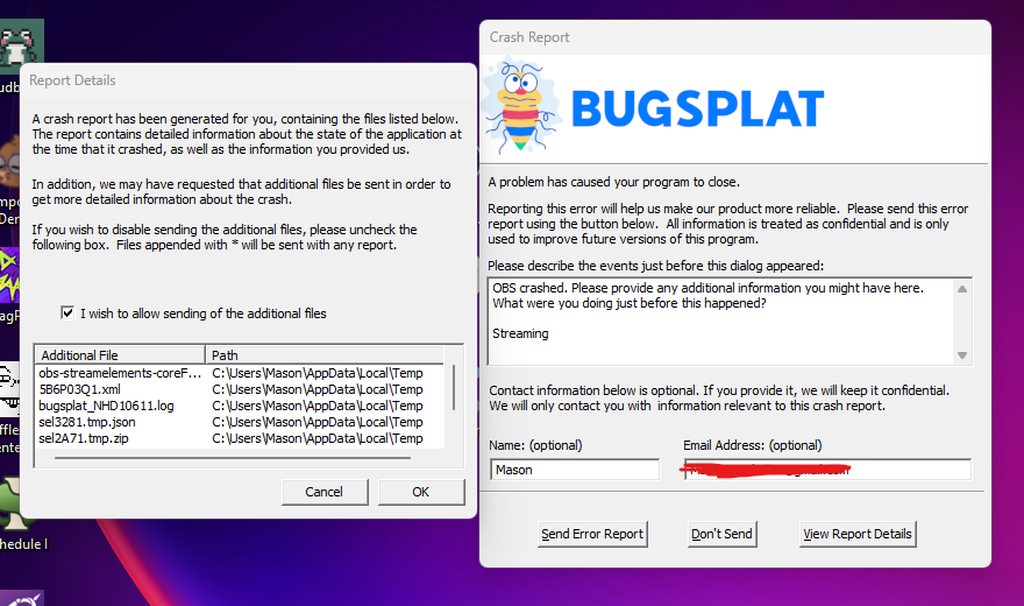
Anyone know what would be causing this crash:
https://imgur.com/a/i0p62yf
 uncut trellis
I'd upload your log to here: https://obsproject.com/tools/analyzer
 gaunt wolf
This is probably a common issue, but does anyone know how to fix alerts not showing up on YT or Twitch? I've tried reloading the link in OBS. It works with the emulator but not when a viewer does something that would cause an alert.
 brittle oyster
Is anyone else having major issues with the multistream tool in OBS? My streams are having major audio and video issues and I think it's the Multistream plugin.
 misty jolt
Anyone Tikok doesn’t work when attempting to link it
 tawdry wharf
My obs plug ins aren't showing up in SE live on Mac, I've been googling for the past hour to no avail
I have updated/reinstalled obs, SE live in the latest version
Also, don't see the multi streaming dock anywhere on my SE live. Any help would be appreciated I am stuck here 🥲
 quartz plinth
Is the website not loading for anyone else?
 coral sorrel
Not sure if anyone else is having the problem but just randomly while streaming, OBS will sort of freeze visually. The mic is still picking stuff up but after 10 seconds the whole program freezes and then crashes. I have no idea what is causing it. Doesn't matter if I use multi stream or not. Recent problem like a week ago
 royal bluff
Anyone else having the issue when trying to stream tiktok with the SE Live multi stream.
My issue is it continously connects then disconnects and am unsure on how to fix it
 sour hull
Does anyone know why it wont keep me logged in through OBS? i can't use my overlays 

Like I'll try to log in with twitch and then it says its connected so i go back to obs and it says its not logged in

 golden jewel
Quick question, is there any way to mass-remove follower notifications from SE Activity feed? "Hide from Activity feed" seems to do nothing at all. I got follow botted few months back and managed to remove all of them, but activity feed still has them

 stone cave
Having a multistream issue - I have been doing Twitch (1080p enhanced broadcasting) , Youtube (Vertical 1080p NVIDIA AV1) and Youtube (Horizontal 1440p NVIDIA AV1) for several months. On my last 2 streams, one of the two Youtube canvases has cut off after some time (say, 2 hours, 2 hours 40 min on another). today, the youtube studio shows 6:09:43 (vertical) 6:02:52 (horizontal) but the actual ingested file on youtube is 1hr 52 and starts mid-stream and ends early. Looking for suggestions on where to go with this. I have ensured I am on the stable branch of the SE Multistream plugin and I have recreated my canvases as well as restored from backup.
uncut trellis
Are you using the SE.Live multi-stream plugins or the obs-multi-rtmp
because there's no per canvas encoder settings in Stable branch of the multi-stream plugin within SE.Live, only the beta branch right now
warped lichen
how can i stop this window from popping up and me manually having to put stream name etc every time i press start stream? or how can i just disable multi streaming cant find settings for it
 uncut trellis
If you don't need multi streaming, just remove the se.live plugin?
warped lichen
uncut trellis
If you don't need multi streaming, just remove the se.live plugin?
well i want multi streaming the issue is i get this error, i tried different browsers, unlinking & relinking accounts etc but nothing elps

even tho i get this msg in the browser

 hard crown
Hey guys, I am new to affiliate and am wwondering. The Money showm in the Earning Analitics-Page in the Creator-Dashboard, is that befor the fees (to Twitch) or after?
 gritty sail
hard crown
Hey guys, I am new to affiliate and am wwondering. The Money showm in the Earnin...
gritty sail
hard crown
Hey guys, I am new to affiliate and am wwondering. The Money showm in the Earnin...
After
hard crown
gritty sail
After
Thank you alot! :)
uncut trellis
warped lichen
well i want multi streaming the issue is i get this error, i tried different bro...
Have you tried the Beta build?
warped lichen
uncut trellis
Have you tried the Beta build?
yeah tried all builds etc couldnt get youtube to work i tried unlinking, different browsers etc gives me 401 and sometimes 403 errors and API request fails
misty jolt
I get this probably everyday, i have live access on tiktok.Yes i can go live on tiktok studio.Does anyone know a fix for obs?


 zinc zinc
Is anyone having issues with their streamelements default commands not showing? If so how can I fix this? Please help
uncut trellis
warped lichen
yeah tried all builds etc couldnt get youtube to work i tried unlinking, differe...
So you turned on the Beta build within the Streamelements file menu and updated to the beta release?
warped lichen
uncut trellis
So you turned on the Beta build within the Streamelements file menu and updated ...
yeah tried beta , stable and default none of them worked
 heady jolt
Hey guys! How can I get the simulcast plugin to us a specific YT waiting room for going live?
 silent totem
Am i the only one that when you try and multi stream using the Streamelements thing, when i load valorant it crashes but if i use normal obs its fine ?
uncut trellis
warped lichen
yeah tried beta , stable and default none of them worked
Very odd, I use the beta, no issues here.
uncut trellis
It doesn't righ tnow
 fringe flower
need help with multi stream keeps saying unauthenticated
 winter spruce
misty jolt
I get this probably everyday, i have live access on tiktok.Yes i can go live on ...
winter spruce
misty jolt
I get this probably everyday, i have live access on tiktok.Yes i can go live on ...
I was getting this and when I checked my restrictions on the Live Centre I had a restriction. They expire after 30 days so once it expired I reapplied and it accepted immediately
 graceful sparrow
I lost my multi-stream window in obs after installing the stable build
 wintry yew
Guys, what happened here? Just one day before the update that arrived for the BETA version with Twitch now come out 2; OBS Settings Twitch and the Canvas Twitch. When I installed in SE Live it came out like this but when I started streaming they joined and there is only one Twitch but now they come out separate having 2 Twitch. The Elements did something, it was better when there was only one left.

 pastel zodiac
tiktok
stone cave
uncut trellis
Are you using the SE.Live multi-stream plugins or the obs-multi-rtmp
just rechecked and its actually 'default' which i guess I'm not sure on.

 uncut trellis
That's the stable release
You can flip to Beta and install that, see if it fixes your issue
 smoky rover
So ive been trying to multistream using the plugin, I can stream on Twitch Youtube but for some reason I cant stream on TikTok, It jus says Live will begin shortly and nothing happens. Did i do something wrong?
 frozen coral
uncut trellis
It doesn't righ tnow
frozen coral
uncut trellis
It doesn't righ tnow
Okay.
 forest glade
has anyone else here had issue with overlays not playing on obs for kick and youtube?
my twitch ones work no problem
but if i click emulate, itll show in obs
but i just had 2 people follow me on kick and neither one of them triggered the noti to pop up
 lone tapir
So I’m having trouble with the Stream elements Multistream canvases. I finished setting up 5 different scenes for my canvas and when I went to select my encoder it erased everything except the End Scene, the sources for it were deleted though. How do I fix this? cause I really want to multistream using this method.
misty jolt
winter spruce
I was getting this and when I checked my restrictions on the Live Centre I had a...

 teal bolt
Random question. Has anyone here had issues with OBS crashing on them when looking at the settings for the Vertical StreamElements Canvas?
It crashes every time I look at the vertical canvas settings. Which...I guess I could just not look at the vertical canvas settings, but I'd like to know why that specifically is causing a crash
winter spruce
misty jolt
are any of those 2 in the history within 30 days?
misty jolt
winter spruce
are any of those 2 in the history within 30 days?
Yeah the 22
winter spruce
the you need to wait 8 days
 brittle bronze
2 things, anyone know how to remove duplicate services from the Multi-Streaming section and does anyone know how to get into FrankerFaceZ's settings without it opening up a tab in chrome and it being the wrong browser session/app's FFZ settings?
 urban horizon
Does the loyalty system not apply to YouTube creators? I can't find it anywhere.
lone tapir
So it’s doing it again, when I change the encoder on the multistream canvas it deletes all my scenes and sources for that canvas. What’s going on? Can I get some help?
urban horizon
urban horizon
Does the loyalty system not apply to YouTube creators? I can't find it anywhere.
nevermind. Just saw it's not available. That's a shame. I don't do Twitch and probably never will. I would love to have redeems through Stream Elements!! I don't want to use StreamLabs. SE is so awesome. Please add this for YT creators!!
obsidian fog
urban horizon
nevermind. Just saw it's not available. That's a shame. I don't do Twitch and pr...
Unfortunately it won't happen as the restrictions that youtube would have regarding data retention via us is a non-starter and makes it impossible to justify it.
And this is from one of the people who would handle it.
urban horizon
obsidian fog
Unfortunately it won't happen as the restrictions that youtube would have regard...
Huh. I wonder what all that involves. I see other people doing it (with SL) but I didn't even think about it requiring data retention. Obviously it would require some sort of retention as otherwise, the points would never accumulate. Hmmm.
obsidian fog
We don't know how their system operates so can't speak on that but that is indeed the key bit that does kill it.
urban horizon
Also thank you so much for getting back to me!
urban horizon
obsidian fog
We don't know how their system operates so can't speak on that but that is indee...
Ok. So you're saying, SE isn't willing to hand over its users' data to YT?
urban horizon
Oh, I see. So YT itself is blocking your ability to offer this service ?
obsidian fog
and the restrictions for what we're able to do make it more or less pointless to impliment.
hindering is the proper word.
It's doable but not worth it.
urban horizon
Interesting. I wonder if they did that on purpose due to connections with SL
I'm sure it's all about $$$
That's ok. I'd rather support the "little guy"
I do hope to see more features and such added for YT. I think once I'm monetized, I'll have access to a couple more things that I can't use now. For now, I'll keep on keeping on. Thanks for your help @obsidian fog
 pulsar crag


 lapis pelican
misty jolt
I get this probably everyday, i have live access on tiktok.Yes i can go live on ...
lapis pelican
misty jolt
I get this probably everyday, i have live access on tiktok.Yes i can go live on ...
did u fix this
lapis pelican
sturdy sinew
hi is there any1 know how to fix this , because i use to stream in my tiktok for...
did u fix it?
 atomic roost
guys, when i try to stream to kick (after turning on twitch) it opens up the menu to setup the name of the stream and the category but before i can change anything, the same identical window but bugged (it doesnt show the menu for stream name and category) opens up and i cannot start the kick stream.. anyone had problems with this?
 narrow crown
Any reason the ticket I might have been deleted?
sturdy sinew
lapis pelican
did u fix it?
I havent
frozen coral
kick bot broken?
teal bolt
teal bolt
It crashes every time I look at the vertical canvas settings. Which...I guess I ...
Adding further context to this. It crashes when I’m looking at the settings after clicking on the cog next to the vertical canvas and am looking around in the settings. If I keep looking around in the settings it eventually crashes, usually crashing my entire computer, every time.
The same menu, that shows up when I’m going live, oddly navigates much more smoothly and doesn’t crash anything.
Well, I don’t think it does. When that screen got pulled up when I was going live I kind of rushed through it out of fear that it would lock OBS up again. 😅
delicate ether
Does kick chat not work in se.live multichat ?
 gloomy mountain
my chatbox is appearing as a black box whenever i import it and set it up in obs, why and how do i fix it?
 fallow galleon
I used your software to stream to twitch. And I'm still getting an unstable stream after getting issues with my own internet fixed. What could be the problem?
 drowsy leaf
brittle bronze
2 things, anyone know how to remove duplicate services from the Multi-Streaming ...
drowsy leaf
brittle bronze
2 things, anyone know how to remove duplicate services from the Multi-Streaming ...
This ☝️ duplicated services, scenes and sources is driving me nuts
 sage glade
Hey did they fix the Multistream issue that popped up with the OBS Update maybe a week ago? I haven't updated one of my PCs yet and don't want it to fall on its face like my other PC did for multistreaming etc.
 sharp zenith
Hey everyone, how's it going?
I'm dealing with a really weird issue and can't figure out why it's happening.
In my channel, the Chat Alerts option is enabled in Bot Modules, but for some reason, the follower alerts aren't showing up in chat - even though all other alerts are working normally.
The weirdest part is that it was working fine before and suddenly stopped working out of nowhere.
I've already tried:
- Removing and re-adding the bot to the channel
- Disabling and re-enabling Chat Alerts
But the follower alerts still won't work. Has anyone else experienced this same issue before?
 sullen roost
Hey all i wiped my pc due to a virus and i backed up my obs profile with SE and it wont restore it just sits at 0%
 tawdry fractal
I want to add a link in the overlay section on StreamElements. Can you help me with that?
 lavish dagger
Is anyone experiencing not being able to apply to the TikTok streaming service and get a quick response? I applied in the SE.Live widget but it's still not approved it seems and there's a weird error when click apply for access
 woeful ocean
Is anyone else's activity feed not separated by date on dashboard anymore? If so is there a way to get this back? Or has it been scrapped?
 wheat scaffold
just wondering if anyone got same problem when we already choose vertical canvas but during live still using the landscape canvas. how to fix that
i only use vertical stream for tiktok and youtube
rough mountain
support closed my ticket without replying again, genuinely the worst company experience I ever had
thin daggerBOT
If you need to fill out a support ticket, please use the command !ticket in chat, following the subject of your issue! For example, please type "!ticket My chatbot isn't working", and then follow the prompts from our bot!
 fresh laurel
i cant change my primary output
 hidden marsh
hi my friend is going ot be doing a subathon sometime within the next couple days. i was wondering since he does yt/ttv both does the SE Subathon timer see both members/superchats/ttv subs/bits/tips?
 livid sage
why does the kick multistream thing not update the catagory on kick is that still broken?
 steep island
SE on OBS issues with TikTok access!
livid sage
When will the kick catagory thing be fixed for the multistream?
 shell cliff
steep island
SE on OBS issues with TikTok access!
shell cliff
steep island
SE on OBS issues with TikTok access!
yeah, im still facing problem until now
steep island
shell cliff
yeah, im still facing problem until now
It says I have live access but can't seem to get it working, got the same issue? I was told I need to go to TikTok for help with that
shell cliff
steep island
It says I have live access but can't seem to get it working, got the same issue?...
Yeah, I got Tiktok LIVE Studio access, but somehow when I add my tiktok to SE its shown that I got no access to StreamElements, I tried to apply and always got not approved.
steep island
shell cliff
Yeah, I got Tiktok LIVE Studio access, but somehow when I add my tiktok to SE it...
Hey literally the same here!! Have you tried contacting TikTok? I'm on 40 days left on 180 access atm. What about you?
orchid spruce
why isnt the support answering?
worthy talon
Does anyone know if there is a goal widget that adds tips and bits?
steep island
orchid spruce
why isnt the support answering?
they do
 warped mortar
hey so im trying to import my streamlabs to ----> streamelements and keeps telling me failed trying again later
anyone know how to fix this

 slate peak
Is the YouTube shorts form the same one they posted before on twitter and all? And do I have to fill it out again
 civic lagoon
hi how do I fix this?

 calm pecan
why when someone gifts me a sub it sometiumes plays the normal sub alert instead of the gift alert?
uncut trellis
civic lagoon
hi how do I fix this?
Go to the Streamelements file menu at the top, logout, then log back in again.
 lime forge
Anyone know why after I made a donation goal it's just saying I have surpassed my goal?
uncut trellis
Did you do test with it? Sometimes with the goal widgets you have to clear the data.
lime forge
I just made the widget and set the goal to $1,000 and it instantly put it as being 552 over the goal
how would I clear the data lmao
nvm
 olive carbon
Hello, im having issues with my streamelements activity feed. it is not updating at all despite relogging-in.
uncut trellis
olive carbon
Hello, im having issues with my streamelements activity feed. it is not updating...
right-click, click refresh? DOes that work?
 limber bane
Is it possible to get the confirmation dialogue back before starting streams? It used to be a simple yes/no message. If I turn off multistream it just starts my streams as soon as I press the go live button.
obsidian fog
That's a core OBS setting.
limber bane
Its enabled but doesnt work now that SE Live is enabled
obsidian fog
This?
 limber bane
Yea its checked
 keen solar
Anyone know how to fix this issue?

I logged out and back in and this is what comes up now
 thin daggerBOT
If you need to fill out a support ticket, please use the command !ticket in chat, following the subject of your issue! For example, please type "!ticket My chatbot isn't working", and then follow the prompts from our bot!
 iron echo
i put game capture and nothing is appearing
 agile jasper
guys i need some help setup !watchtime command it doesnt seem to be working just says 0 hours watched
 craggy cedar
the Tiktok chat takes a very long time to load after going live if at all. is there a fix?
compact dew
Does anyone know if it's currently possible to show the session's highest tipper across Twitch, YT, Kick and Tips in a single browser source?
urban nebula
rough mountain
support closed my ticket without replying again, genuinely the worst company exp...
SAME. What was your topic?
 peak lantern
Anyone figure how to fix the multi stream for tiktok? It says i don’t have access to TikTok live but I do on TikTok studio
 sacred sigil
Anyone know why I don’t have the option to change the Chatbot name in settings? Others have it but I do not.
thin daggerBOT
@sacred sigil ⤵️
You can choose a custom name for the streamelements bot by logging into the option on this page. https://streamelements.com/dashboard/bot/settings
If the option to login is not visible while logged into your Twitch account please make a ticket so staff can fix it for you (!ticket custom bot name)
 earnest arch
compact dew
Does anyone know if it's currently possible to show the session's highest tipper...
earnest arch
compact dew
Does anyone know if it's currently possible to show the session's highest tipper...
kick got tips? i thought they only had subs
delicate ether
Is Twitch Vod track supported in SE.Live multistream?
 tired jackal
I get YouTube API request failed:
Although StreamElements says it has been connected succesfully
I don't understand
Twitch and TikTok Lives go live but Stream Elements doesn't recognize on dashboard that I am even live but in ground control yes.
Really weird situation
I uninstalled and re-installed but nothing happened
YouTube alerts are coming through
but Livestream ain't
compact dew
earnest arch
kick got tips? i thought they only had subs
I meant SE tips
 honest ravine
Can you guys add the option to set youtube shorts and regular youtube thumbnails, description, gaming catergory (Still doesn't work and still makes it an entertainment stream), and game being played? It would be nice to not have to set those up manually each time I set up my stream. Same thing with twitch and tiktok for more options to set things. Also have a memory so that if I play a game it auto populates that from my last stream?
rough mountain
urban nebula
SAME. What was your topic?
Sponsorships, I have 6x my friends views, he gets a new sponsorship 1x per week, I haven't gotten a single one in 16 months
calm pecan
why is the subscriber bonus not showing in stream elements loyalty points? i wanna change it but cant
urban nebula
rough mountain
Sponsorships, I have 6x my friends views, he gets a new sponsorship 1x per week,...
is that in addition to the like 13 others they show?
rough mountain
urban nebula
is that in addition to the like 13 others they show?
yup, I keep getting emails too that there is new sponsorships but I dont have any in my dashboard, its been empty for 16 months
urban nebula
thats wild
calm pecan
can someone please help em with my issue above it makes no sense
rough mountain
Everytime I ask support they close my ticket, one time I opened with a different topic, they answered, I switch to the sponsor topic, they close the ticket again
urban nebula
calm pecan
can someone please help em with my issue above it makes no sense
you might consider opening a ticket, most of us are3 just as confused about our own issues lol
rough mountain
its obvious they want to avoid the topic
urban nebula
yehga.. i know that if you open too many tickets they close the new ones...
but they closed the one ticket i had open... they solved the over arching issue in a different ticket tho which is so weird
rough mountain
probably, I dont know, they dont tell me anything
urban nebula
cause thats what got me in my situation before
rough mountain
yeah I had some things missing, i asked them about it, they said no problem and added it
after that I didnt get any new sponsorships
urban nebula
rough mountain
after that I didnt get any new sponsorships
weird
 opal gorge
Can anyone help me? It doesn't let me stream vertically on youtube
opal gorge
opal gorge
Can anyone help me? It doesn't let me stream vertically on youtube
I speak Spanish, I'm using a translator in case my English is bad
rough mountain
urban nebula
cause thats what got me in my situation before
you said it got you into the situation before, how did you fix it?
urban nebula
rough mountain
you said it got you into the situation before, how did you fix it?
they wouldnt answer it directly, it was only when it endeed up causing a payment of a following campaign to nto go thru because of "missing" info, which is bull since i had 5 months of perfectly fine payments and no information changed
so they fixed that which somehow unlocked everything else. they then immedately processed my withheld paymentds but did NOT fill the missing events im due
for a marvel campaign
rough mountain
hm I see, so I cant really fix it then
urban nebula
have you tried them on all platforms?
rough mountain
I tried via Discord, Email and even X/twitter
urban nebula
dsicord was my last hope, and this felt very random in terms of how i got it fixed, but like you they never told me about it to begin with
i see you're friends with the max guy collecting peeps with similar problems...
i wish you the best of luck (i gotta go back to my stream)
rough mountain
thanks bro, have a nice stream
opal gorge
Can you help me, or at least say no?
urban nebula
opal gorge
Can you help me, or at least say no?
i can't help you, im just an average person who doesnt use that aprt of the service, sorry. hopefully community staff can
opal gorge
thank you
 mental spire
anyway to display media share with just text?
 thin stone
Does anyone know in the mutli chat that if kick works ?
 sacred thunder
Hi there! May I ask if there is a solution to change default language of the tipping site?

My viewers are entirely from Poland, if I could change it from default as a streamer it would improve quality of life for my tippers
 crimson vapor
pale escarp
has anyone else been having issues with the TikTok Chat dock for stream elements...
crimson vapor
pale escarp
has anyone else been having issues with the TikTok Chat dock for stream elements...
figure it out?
 wild lagoon
hey, i have a problem with a sponsorship.. can i talk with someone?
thin daggerBOT
@wild lagoon ⤵️
Sponsorship questions can only be handled with the ticket system. Please type !ticket sponsor support in #community-helpdesk and follow the instructions from the bot.
Attempting to open multiple tickets will not quicken staff response as they are handled in the order they are received.
 subtle vapor
Hey there, my wife and I are having problems with connecting our TikTok chat to obs. While we are able to stream on TikTok with obs, the chat doesn’t seem to be working after the update. Repeatedly refreshing it hasn’t helped and we are already have approved access. Is there a way to solve this? !ticket


 velvet harbor
Good evening i have had a problem where my alerts from the Youtube platform are not coming threw to streamelements i cannot seem to unlink the account either as there isnt a button to link the account. if i try to re add the channel it doest do that either. any Ideas
 tall marten
Hello! I have issue where I;m trying to get kick chat to open on obs like it does for twitch and youtube but it doesn't show up? Also I have no idea why I can't change my recording setttings on obs and its set to simple. Please help
Never Mind I fixed the issue. When you add a new platform, just reopen the obs app and it should show up there.
cosmic inlet
hii I want to ask again if the memory leak was ever fixed ?
 calm crystal
Hi guys, I have a problem with the SE.live vertical canvas
When I change "scene collection" automatically some vertical canvas sources change from "example" to "example 1". In this way, however, they no longer match the respective original source. Does anyone know how to solve it?
 umbral sable
#1362038163044040866 can you help me?
 hexed meteor
hey. does anybody know why the line height option doesn't do anything? I hate how the line height between a chat message and another one is different from the line height in a particular chat message. I guess this happens because of the twitch badges being off centered too, does anybody have a workaround for this?

 orchid spruce
Why doesnt say 6 unique Clicks if this are different people?

or does it mean that different people clicked this link
 eternal forum
hey does any1 know a fix for trying to use multi-stream with kick. im trying to go live on twitch/tiktok/yt/kick
ill go live fine on all other platforms but when i try and go live on kick it says connected. i can go to my stream for just a moment and see myself live but then it ends the stream. - when this happens no changes happen on obs side it still just says connected
 lament glen
does anyone have any experience in adding your display capture into an intermission screen section?
hexed meteor
honestly they should just revamp this channel into a posts channel. too many questions with no order that get buried if they don't get their answer
obsidian fog
This is community helpdesk.
If someone needs support from staff then they need to make a ticket as they do not assist outside of it.
 honest mortar
I'm trying to delete elements, how do I do this?

when I go to the website dashboard it doesn't even show these elements, this is through OBS
obsidian fog
Click the 3 dots at end and delete
thin daggerBOT
If you need to fill out a support ticket, please use the command !ticket in chat, following the subject of your issue! For example, please type "!ticket My chatbot isn't working", and then follow the prompts from our bot!
honest mortar
obsidian fog
Click the 3 dots at end and delete
this is all that shows
 pale escarp
crimson vapor
figure it out?
pale escarp
crimson vapor
figure it out?
unfortunately no. the chat is just very janky. Sometimes it won't show up at all sometimes it freezes and when you reload it it can take up to 5 minutes to show back up if at all. It's really sad because my tiktok chat is the most active sometimes.
 dawn topaz
Is anyone getting copies of the same platform on the multi streaming panel in OBS. For example two tiktoks or two kicks.
 lapis crown
dawn topaz
Is anyone getting copies of the same platform on the multi streaming panel in OB...
lapis crown
dawn topaz
Is anyone getting copies of the same platform on the multi streaming panel in OB...
Unfortunately yes. I have 2 twitch, 2 tiktoks and 2 youtubes showing up.
 rotund rampart
ive clicked connect account to connect my youtube to SE.Live and it opens the google prompt and says it was connected but it doesnt show up in the muilt streaming channel listy
even when i set youtube as my output in the obs settings it doesnt show up in the multi stream dock
crimson vapor
pale escarp
unfortunately no. the chat is just very janky. Sometimes it won't show up at all...
Right. Thankfully tikfinitys tts works well
 tight yarrow
!ticket Hello, I'm having issues connecting my tiktok to se.live to stream. I keep getting the message that "TikTok output creation failed"
 strange ice
hey folks ! any news on when tiktok chat is comin to multi chat
 heavy nexus
so I am trying to get the multi stream to work and this is my 1st time with obs and stream elements over my streamlabs. I keep betting told that my stream key is messed up for my youtube (and dont get my started on my tiktok, but I think that is tiktok's issue) any help you can point me to to fix my youtube conection?
wooden knot
rotund rampart
even when i set youtube as my output in the obs settings it doesnt show up in th...
On the task bar go to stream elements and in the drop down hit log out, when you log back in log in through YouTube
rotund rampart
wooden knot
On the task bar go to stream elements and in the drop down hit log out, when you...
i found out the issue my obs was very very outdated lol
wooden knot
rotund rampart
i found out the issue my obs was very very outdated lol
That’ll do it lol
 thorn owl
Hello everyone, just wanted to ask a question if somebody knows how to add a thumbnail picture on StreamElements overlays like this one here?
 wooden knot
thorn owl
Hello everyone, just wanted to ask a question if somebody knows how to add a thu...
wooden knot
thorn owl
Hello everyone, just wanted to ask a question if somebody knows how to add a thu...
You would need the overlay to be published by stream elements I believe
 upbeat gyro

 ashen flint
Alright I got to ask I see people are saying about multi streaming to Kick but I asked them one day if it is even allowed and I got told no so how are people still able to multi stream to it?
 meager pier
hi im new to OBS is it possible to have it linked ti Twitch while i live stream on a PS5 with Twitch?
 lucid flare
Is signing in into StreamElement's support page broken for anyone else? 'Sign in' button just appends the login url everytime I click it, but nothing happens. Tried incognito, didn't help.
 slow fractal
How do I disable "automated by StreamElements" timeout messages?
 cerulean ore
Still no fix for the greyed out delete on multi stream?
 hushed vault
How do you set a output for Vertical and Horizontal?
 red charm
wintry yew
Guys, what happened here? Just one day before the update that arrived for the BE...
red charm
wintry yew
Guys, what happened here? Just one day before the update that arrived for the BE...
having this same issue, any fix?
 rancid ridge
i'm having a similar, but not identical, issue. when i connected to my youtube account, it timed out. there was nothing in my channels list for youtube, so i did it again. now i have 2 youtube entries.

my bigger issue is tiktok. tiktok's instructions about providing screenshots were vague. i thought i needed to submit proof that i owned the connecting twitch account since it asked me for my twitch URL. i got rejected even when i applied again. now i'm wondering if i have to submit screenshots as proof that i own the tiktok account. thoughts?
regardless, i can't seem to get to the point where i can submit new screenshots. it just says i've applied and will get a response in one business day. (i have yet to see said response...it doesn't show up in my tiktok dashboard that i can find.) can i somehow delete the tiktok entry completely and restart from scratch? if i remove it and readd it seems to remember the previous state.
i would like to express my heartfelt thanks to the SE.Live team for this plugin. it's awesome - just have to work out a few kinks. ❤️
 strong plover
rancid ridge
my bigger issue is tiktok. tiktok's instructions about providing screenshots we...
strong plover
rancid ridge
my bigger issue is tiktok. tiktok's instructions about providing screenshots we...
Same Problem here
 wheat crystal
guys my browser sources work with everything OTHER than streamelements. They show up but they are the incorrect size. Before you ask yes they're sized correctly in stream elements AND OBS. It must be a bug I see nothing else it could be
 storm depot
hiii so i have 2 accounts on twitch, gaming & music. However the activity feed seems stuck on the music one and i cant add more youtube accounts to multi-streaming can someone help me out?
 calm jewel
rancid ridge
my bigger issue is tiktok. tiktok's instructions about providing screenshots we...
calm jewel
rancid ridge
my bigger issue is tiktok. tiktok's instructions about providing screenshots we...
Everyone has the TikTok problem! From what I understood they don't accept external apps anymore, you just have to use their TikTok studio app to stream on TikTok
I have another super weird problem, I don't know if I can post screenshots here, but my Vertical canvas while streaming switches super weirdly to my horizontal main canvas, does this happen to anyone else? It's super weird the VOD is really bad
 mental drift
hey guys
can you help me with that

i dont see in obs where i can login myself in streamlabs
gaunt wolf
how would i disconnect my streamelement fom my obs
rancid ridge
calm jewel
Everyone has the TikTok problem! From what I understood they don't accept extern...
The advantage of using SE.Live is that you bypass some of the requirements to stream on TikTok, or so it seems.
gaunt wolf
rancid ridge
The advantage of using SE.Live is that you bypass some of the requirements to st...
so i would have to reinstall obs to get it off
red charm
mental drift
i dont see in obs where i can login myself in streamlabs
In the top menus on SE menu you'll see the log out button
red charm
gaunt wolf
so i would have to reinstall obs to get it off
No there's an uninstaller in the plugins
calm jewel
rancid ridge
The advantage of using SE.Live is that you bypass some of the requirements to st...
Yeah but it doesn't work right now, or at least from what I know, I don't know if there's someone here with a working TikTok multistream without using TikTok Live Studio
pale escarp
Mine works @calm jewel it has some hiccups here and there sometimes it doesn't activate off the rip and I have to turn it off and back on again sometimes the chat doesn't populate but it works
rancid ridge
red charm
No there's an uninstaller in the plugins
OBS plugins are typically uninstalled using Windows' built in Add / Remove Programs feature.
 main bone
I found this goal widget in the widget share channel. I preset 'Reset progres' in the settings tab of the widget. Then set the correct 'Tip goal progress' in my session data 47. But somehow the start value in the widget stays at 0. No matter what I try, hard refresh, add the widget again it doesnt update from 0 to 47. SE is updated because a default tip goal starts at 47, so the data is there. Somebody any idea how to fix this?
#widget-share message
calm jewel
pale escarp
Mine works <@215090238270210050> it has some hiccups here and there sometimes it...
With Tiktok? How did you get accesss? What screenshots did you provide?
That's really good to know, if so please can I DM you to ask one or two questions?
 celest snow
!ticket, OBS isnt streaming tiktok on my verticle canvas. It keeps using the horizontal side of obs as the output. I made sure the output was set to my tiktok vertical canvas and when I stream it still goes horizontal.
pale escarp
TBH @calm jewel I don't remember the screenshots I used. it was a few months back and I kind of cleaned out my system since then
 violet kestrel
Just curious does anyone know how to switch their TikTok account in se.live?
pale escarp
hmmmm I think I had changed my password somewhere and it made me log back into my tiktok when I tried to get back in. Not sure if that will work for you but you can give it a try @violet kestrel beware you may have to log back in everywhere after changing it
violet kestrel
pale escarp
hmmmm I think I had changed my password somewhere and it made me log back into m...
I’ll give that a try. I’ve tried disconnecting the account and then reconnecting but it just brings me to the same page. Thanks for the advice
 midnight agate
rancid ridge
i'm having a similar, but not identical, issue. when i connected to my youtube ...
midnight agate
rancid ridge
i'm having a similar, but not identical, issue. when i connected to my youtube ...
im also getting this issue
 feral hinge
hey sometimes when I do the multistream it won't update my youtube video name
 rocky kindle
yesterday i launched my obs and had to login to streamelements and i was presented a cracked streamelements dashboard that had activity/chat/live preview/ viewer count/ etc all in one dock. Now that i launched obs today i cant seem to get it back and i really loved that setup. Any ideas how to get it back?
rocky kindle
rocky kindle
yesterday i launched my obs and had to login to streamelements and i was present...
dount judge my paint skills, this is a rought draft of what it looked like

 nova compass
May I ask? I want to start a live stream on TikTok, but when I start my OBS, it keeps reconnecting, but strangely enough, when I use TikTok live, it works straight away. What do you think?
 warm laurel
Problems with showing alerts
 celest spear
so i was an idiot and decided to mess with things i shoulden't. i had this set up and thought it was great...i don't know what crossed my mind but i downloaded a plug in for streamlabs and it overwhelmed me, so i tried to uninstall it and get stream elements back in but i'm having trouble and it won't pup up in the obs for chats and stuff. what should i do?
 civic agate
I can't find an answer on Google. I'm using Twitch's own alerts for follows etc, but how do I utilise Streamelements donation alerts? I can't seem to find a widget and lack the ability to create an overlay
civic agate
Ahhhh cause I have the donation link through them 😦
civic agate
No worries xDD
obsidian fog
You can't use SE alerts within twitch alerts outside of merch.
If you want to have tip alerts with SE you'd need to got to the overlay editor and click the ➕ in the bottom left adding the alert box widget.
Disable all but the tipping option and configure as is.
civic agate
Thansk
obsidian fog
do note because you're using 2 different overlay systems alerts can/will overlap.
 hybrid forge
guys i have 1 fps on lol it's obs or the plugin?
wooden knot
violet kestrel
I’ll give that a try. I’ve tried disconnecting the account and then reconnecting...
You have to remove it from multi stream, then go to your default browser and go to TikTok website and sign out, when you then try to recreate the TikTok connection it’ll ask you to resign in
wooden knot
rocky kindle
dount judge my paint skills, this is a rought draft of what it looked like
Not sure how that would happen as activity dashboard never included chat.
 mystic hawk
Yeah TikTok multistreaming seems to have some problems, my friend is unable to start a stream, it says "Tiktok not supported"
Other platforms work fine..
rocky kindle
wooden knot
Not sure how that would happen as activity dashboard never included chat.
hmm, how would i add the stream preview with the ability to update title/game. Also how do i add the viewer/sub/chatter count ?
 eager oasis
i have a quick youtube question, how do you set the key to the right canvas in OBS? i stream to Vertical and Horizontal but before used to schedual my go lives, but theres no key section
wooden knot
rocky kindle
hmm, how would i add the stream preview with the ability to update title/game. A...
The stream preview for vertical or horizontal? Also the title and updated and stuff shows up if you log in through twitch in your OBS setting under the stream tab
wooden knot
eager oasis
i have a quick youtube question, how do you set the key to the right canvas in O...
What I do for YouTube is go onto YouTube and create a default for vertical and default stream for horizontal stream, don’t start it, then in multi stream under broadcast settings you hit the dropdown and select horizontal for horizontal canvas and then hit the drop down and select vertical for vertical canvas . You don’t need a stream key
eager oasis
ah fab 🙂 i didnt relise when i posted that i could choose further on which canvas goes where to which key untill you went live - means i can still write all my titals and bios in advance then it seems 🙂
wooden knot
eager oasis
ah fab 🙂 i didnt relise when i posted that i could choose further on which canv...
So here you can see i have a default stream and edit it in the top right for everything that i need, then i create two stream keys for it. Then i assign each of those keys to the individual output

 eager oasis
yeah i noticed that after, i used atium before so i only ever had to set up the key once, but since there was no "input" for the key untill i hit the live i wasnt sure where that option was to select what place/type i wanted to stream too
wooden knot
eager oasis
yeah i noticed that after, i used atium before so i only ever had to set up the ...
Ahhh gotcha, well glad it all worked lol
rocky kindle
wooden knot
The stream preview for vertical or horizontal? Also the title and updated and st...
the stuff you are recommending are built in obs docks that i get from just logging into twitch, what im looking for is something streamelements did by me logging into elements once logged in it presented such a beautiful dashboard/dock
wooden knot
rocky kindle
the stuff you are recommending are built in obs docks that i get from just loggi...
Gotcha well unfortunately I am not sure what happened but all stream element specific docks are under the stream elements drop down in the top middle of OBS
wooden knot
rocky kindle
the stuff you are recommending are built in obs docks that i get from just loggi...
Did you download stream elements new app called ground control? What you’re describing kind of sounds like that but it is a separate app outside of OBS
rocky kindle
wooden knot
Did you download stream elements new app called ground control? What you’re desc...
omg i think thats it, i dont think i installed that. from the screen shots im looking at it look like thats it
rocky kindle
rocky kindle
omg i think thats it, i dont think i installed that. from the screen shots im lo...
@wooden knot weird i downloaded it and this looks like it's it but before it was snapped into my obs like how docks behave.. i dont know what kinda magic happened but im happy i atleast i have this now ty
wooden knot
rocky kindle
<@392108702397628418> weird i downloaded it and this looks like it's it but befo...
you got it
 tacit bison
anyone know how to stream on tiktok through stream elements
 heavy mantle
Hey did all of the sponsorships just vanish for anyone else?
I don't see any campaigns
 vocal rock
is the chat bot still having some issues joining kick channels because im trying to get it to join my kick channel and it keeps failing
celest spear
celest spear
so i was an idiot and decided to mess with things i shoulden't. i had this set u...
I need help
 deft raft
Does anybody else have a situation where every time you open a fresh instance of SE.Live you get the prompt that it didn't close properly last time and asks to open it in Safe Mode?
uncut trellis
deft raft
Does anybody else have a situation where every time you open a fresh instance of...
ARe you on the latest OBS Studio?
vocal rock
why is it that we have to add /mod @ streamelements and not the non @ because that is confusing as fuck to know that i have the right one modded
why is there even 2 accounts verified for streamelements one with the @ as part of the name and the other with out it
deft raft
uncut trellis
ARe you on the latest OBS Studio?
Yes, no updates are available
 night shore
Looking to setup the Shoutouts Avatar .... I go thru the entirew process and no image appears when I trigger the command using twitch .... anyone able to assist ?
 olive tide
is anyone else getting crazy dropped frames with SE Live? 25.1.24.350 and im getting upward of 48% dropped frames with one stream running to twitch?
 river bloom
olive tide
is anyone else getting crazy dropped frames with SE Live? 25.1.24.350 and im get...
river bloom
olive tide
is anyone else getting crazy dropped frames with SE Live? 25.1.24.350 and im get...
theres an insane memory leak on SE LIVE right now,, i joined the server juist now to see if they have fixed it, but as far as i can tell they hav enot
it renders it completely unusable for me
olive tide
river bloom
theres an insane memory leak on SE LIVE right now,, i joined the server juist no...
yeah i seem to be having the same issue absolutely useless to try and stream like this
 prisma girder
Hey, have a quick question. I mod from mobile quite a bit and I am wondering if there is anyway to make a pin command so i can pin messages on mobile? If anyone has any insight it would be much appreciated.
 cedar orbit
is there a way to disable the new panels?
 ashen ginkgo
Having a hard time using Elements for the first time. I am setting one up and need to add an event for gifted subs on twitch but I am unsure of which event to use and which settings to use for them. All I am looking for is an alert for a single gifted sub and one for 2+ gifted.

 lavish coral
does anyone know why my live access was rejected, previously it was possible. this happened when I reinstalled SE live

 loud cargo
Every time I open SE.live I get these little red icons beside tik tok and it says I’m not eligible to go live even though I can, any one know a fix for this?

 fickle stump
How to setup auto shoutout
 sand drum
Hi guys, I'm using the StreamElements Vertical plugin. Is there a way to make the vertical canvas start recording automatically whenever I press 'Start Recording' for the normal canvas? I'd like both to start recording at the same time with a single button press.
 warm dew
Hello, i'm trying fix this problem. Activy feed black screen...

 sullen flare
hello, how do i set up mutistreaming using se.live?
and how do i install the StreamElements plugin for obs?
sullen flare
how do i export overlays to use as elements in se.live?
ashen ginkgo
Does anyone know if its possible to set up chat commands to mention the original user from a reply message?
Example, a user asks MrUser1: "did the streamer change their username?"
I reply to the message with "!namechange"
Streamelements: "MrUser1 , yes ...."
 mellow hollow
Hi, is there any sort of loyalty points system available for youtube live?
obsidian fog
mellow hollow
Hi, is there any sort of loyalty points system available for youtube live?
No and there aren't any plans for there to be.
 verbal terrace
Hi! I hope this is the right place to ask :)
I've added the roulette module to my StreamElements. However, when I try and set points, it tells me that the user was not found (even though I tagged them directly.) What can I do to fix this?
 broken glen
I have a feeling I am doing something wrong. Here's what I have. Running OBS with SE Live. I am able to stream to Twitch and YouTube with no issues. In my Multi chat feed I show as being connected to both Twitch and YouTube but only my Twitch chat shows up in the feed. Is there a setting somewhere that I may be missing?
 wheat maple
Hi, the Kappagen overlay is not showing the right channel emotes (have been changing some of them lately). Do i need to refresh it somehow? There is basically a problem with some old emotes still appearing although theyh ave been replaced.
Hope this is the right channel to ask this 🙂
 mighty geyser
My sideways chat is not showing regular user messages but prioritize VIP, mod, streamer. How can I change that? (it's not an "Ignored Users" thing I don't believe cuz all those are typical bots) I'll come back when I could have someone to help me on this 😦
mighty geyser
ok I think I figured it out? Apparently non-VIPs, non-mods need a chat badge for their msg to show up in sideways chat? is there a way to set it so every non-bot message shows up?
 vagrant furnace
Hey folks. I’m setting up my YouTube alerts. I’m wanting to make different alerts for different amount of super chats that people give. Is there a way to configure that?
 craggy relic
Hey I am new to obs and the se.live plugin, but when using the vertical 9:16 canvas and recording, the quality is terrible and blurry and pixelated. It looks fine when recording horizontally though through the normal 16:9 canvas in obs. Does anyone know how to fix this or where in the discord to ask?
 plucky marsh
Is there a way to duplicate your default canvas into an additional canvas? with SE live
 quartz mirage
red charm
broken glen
I have a feeling I am doing something wrong. Here's what I have. Running OBS wit...
quartz mirage
red charm
broken glen
I have a feeling I am doing something wrong. Here's what I have. Running OBS wit...
Turn on the chat on the top off then on. Worked for me
broken glen
red charm
Turn on the chat on the top off then on. Worked for me
I'll give that a try
 tropic merlin
Ok, so it's been awhile since my alert box stopped working and I assume it's no longer waiting on an API fix- my other account I manage's alertbox works just fine. Adding a new one to an overlay shows nothing when running tests. No defaults. No audio. No visuals. Nada. Is this an isolated issue for me or is there a known fix?
Apparently my alerts have been paused this whole time, I'm an idiot LMAO
 near pebble
Hello! I am having an issue where my "Most Recent Follower" isnt updating properly and its showing a follower that was like... 15 new followers ago and my goal bars arent updating... How can I fix this?
 abstract hazel
Hey, I found a person impersonating streamers on here, proved it my asking the actual streamer if they sent me the friend request and they didn't.

 elder pasture
Hei, so want to create a alert box overlay but when i press emulate nothing happends, whats wrong?
 low terrace
Anybody have a fix for tik tok chat not working in se live sometimes it will just randomly start working but right when i go live it shows nothing
 desert wasp
My text on My Overlays is small and not filling out the entire box and my scroll isn't working
vagrant furnace
I’m needing to set up my chat bot for YouTube and I realize that stream elements isn’t pairing? I’ve looked up the steps and followed them but I’m wondering? Do I need to set up a chat bot YouTube account in order for it to work?
thin daggerBOT
@vagrant furnace ⤵️
To set up the bot for your YouTube stream, please follow these steps:
- Make sure your stream is public. The bot cannot join a private/unlisted stream.
- Your stream must be live for the bot to join the chat.
- Go to https://studio.youtube.com/, click on Settings > Community and add https://youtube.com/c/streamelements or https://www.youtube.com/channel/UCjerlCIbLPQwSnYlClkjDXg as a Moderator.
- When live, be sure to look at Live chat instead of Top chat, as Top chat will hide the bot messages.
vagrant furnace
thin dagger
<@879191912865751091> ⤵️
Thanks! After the chat bot is linked, does it stay linked or do I have to do that every time I’m live?
sullen flare
can someone please help me with how i get stareted wtih multistreaming using se.live?
i tried to follow this guide here including the video, but that honestly left me with more questions than answers
https://support.streamelements.com/hc/en-us/articles/23190481122450-What-is-SE-Live-Multi-Streaming
 cloud sigil
im having trouble loading obs it just keeps crashing on launch
sand drum
I'm using the Multi-Streaming plugin as Vertical Canvas, is it a way to hide and unhide source with the streamerbot?
 blazing grove
does streamelements has a moderation bot for kick?
 mortal cedar
thin daggerBOT
mortal cedar
thin daggerBOT
If you need to fill out a support ticket, please use the command !ticket in chat, following the subject of your issue! For example, please type "!ticket My chatbot isn't working", and then follow the prompts from our bot!
thin daggerBOT
If you need to fill out a support ticket, please use the command !ticket in chat, following the subject of your issue! For example, please type "!ticket My chatbot isn't working", and then follow the prompts from our bot!
 turbid heart
hey guys, i removed the multi streaming plugin by mistake how to get it back again ?
its not here

 crisp cedar
hello, can anybody help me in czech language? if not please use simple english, thank you
my problem is that i have OBS with SE.live, i created element for alerts, specifically on new follows, donation etc, i set them on screen to be visible, but even in testing it wasnt showing on screen, what i did wrong? how can i set it to be seen when said alerts happen?
nevermind...
3 days... and when i write it hear.. i find solution.. goddamn 😄
 delicate thunder
Does anyone know why I would get a failure to load profile when adding YouTube branded account? Would it have anything to do with adding a second owner email to that? Or is something just being temperamental with the SE Live?
 tired kindle
Anyone know how to display the countdown timer for the SE raffle to show the time in minutes instead of seconds?
There is the {time} tag but Im not sure how to change it to minutes instead


 keen karma
Hello I have framedrops when using the multistream function currently i want to stream on ytub,twitch with a 10.2 mbps upload connection can anybody help me fix this problem 🙂
honest ravine
Can we get the Atium Vertical backtrack settings ported to SE.LIVe so we can record from the vertical track?
 cloud tree
Is there an known issue on why the single gift subs add 3 zeros at the end? I'm just assuming there's an issue with the code that produces the tier's identifier instead of a 1, 2, or 3 right now.

 summer rain

 dawn hound
Can’t tag mods but wanted to give a heads up that lulu_luvely is probably a bot / spam. I just got a friend request randomly and I’m preeetty sure she wouldn’t send me one.
 steady portal
Goodmorning, i'm trying to use groundcontrol for mac, but don't seen to catch any feed neither from Kick or Youtube. Just chat n activity from Twitch, but don't get the preview feed from that. I'm on version 2.1.13. Any one familiar with this issue, is there a fix? No, there is no SE form mac as far as I know. Any help will be appreciated
 elfin notch
Is anyone having the problem with tiktok and the multistreaming saying that the account is restricted due to a violation
 distant chasm
warm dew
Hello, i'm trying fix this problem. Activy feed black screen...
distant chasm
warm dew
Hello, i'm trying fix this problem. Activy feed black screen...
I'm having the same issue

 unkempt turret
Why does streamelements need these critical permissions on my channel? I'm just trying to log into the dashboard and it seems like that doesn't work if I don't allow it to completely manage my youtube account...
 unkempt turret
obsidian fog
<@1097151897955217488> Technically a bit dated but why that's there.
unkempt turret
obsidian fog
<@1097151897955217488> Technically a bit dated but why that's there.
Alr, thank you
 calm furnace
Is there a way that I can have youtube stream be low or ultra low latency within the stream elements multistream? I create a new broadcast each time, and that gets stuck on normal latency, which is usually 30-45 seconds behind my twitch stream.
uncut trellis
are setting the scheduled stream to ultra low latency?
I just schedule streams in studio.youtube.com, that way I know when I start the stream and select th eone I created, it'll use the settings I gave it
 vapid hedge
Hello, I was wondering if anyone is able to help me out with some coding for my chat widget. As it is now, the blinking arrow appears on every message, but I am wanting it to disappear from the older messages and only have it show up on the most newest one. I'm just not sure how I would go about doing that. Thank you.
 calm furnace
uncut trellis
are setting the scheduled stream to ultra low latency?
calm furnace
uncut trellis
are setting the scheduled stream to ultra low latency?
i can do that, but i was hoping i'd not have to schedule in advance, like with twitch
it just adds an extra step, and since im creating a new broadcast with custom settings anyway within the SE plugin when i start the stream, it feels like that should be something i can do
i'll use that for now, but hopefully they'll add the ability to set that for a new broadcast in the SE plugin
appreciate the help on that @uncut trellis
 neat canopy
Donations with cc don't work again 
 little sigil
Has anyone ever figured out how to get access to TikTok Live through multistream if you already have regular live access? It says that you don't have access to stream through StreamElements, but you can stream through TikTok Live Studio.
wooden knot
How much longer will the bug exist where my multistream sources duplicate every time i open up OBS lol
wooden knot
vapid hedge
Hello, I was wondering if anyone is able to help me out with some coding for my ...
id need to look at the widget to do that
 indigo perch
When using banned words on stream elements i set it up correctly but if i have the banphase penalty set to warn and delete message it wont let me save but if i set it to anything other then warn and delete message it savs fine
 maiden lichen
Are all streamer elements alerts censored by default or do I have to turn that functionality on?
rancid ridge
little sigil
Has anyone ever figured out how to get access to TikTok Live through multistream...
This seems to be a common problem for those with and without regular live access.
 warm granite
i am not able to relink my twitch account to streamelements under accounts and channels?
little sigil
rancid ridge
This seems to be a common problem for those with and without regular live access...
Yeah I've seen it a lot in this discord. I have live access through tiktok live studio, so I'm assuming the only thing for me to do would be to get 1000 followers and apply again? Although I do get the error that says my twitch link could not be accessed or does not verify my streaming history🤷♂️
 jagged goblet
Hey there! I am having trouble with the link scene when using the multi channel option, I linked it to the correct source but when I use my stream deck button to change it only changes the main stream not the short stream like I want it to do! Can someone help me out?
ember tiger
Any update on the Memory leak issue ?
 scarlet holly
guys i kinda need help, my youtube vertical canvas schene is gone, last night i stream, and today after 10 hours, the only schene that was left is be right back scene how to get all scene back
 mighty geyser
does anyone know how to change display settings for horizontal chat?
 wicked pewter
Hi, can you help me? My animated alerts are lagging. I've already cleaned up what I could to make them as light as possible, including removing the soundtracks from the overlays, and even so the alerts still have slow animations.
As you can see, the alert animation is very fluid, but in the live stream it lags.
I have already removed the audio tracks from all of them using ffmpeg.
https://www.twitch.tv/lolobranco/clip/TangibleTiredPheasantPrimeMe-5AdFE-FUOdLdMfB6
Two people followed me in this clip and yet both alerts were lagged.
I stream using OBS Studio StreamElements and they don't know what's going on there. This is the log of that broadcast.
earnest arch
wicked pewter
Hi, can you help me? My animated alerts are lagging. I've already cleaned up wha...
i can see that you have "Browser Hardware Acceleration: true" (obs setting), i remember it being an issue for streamers with multiple monitors that have different refresh rates (in your case, 60 and 144). try either setting the browser source to use a custom frame rate and set it to your stream's frame rate or disabling "Browser Hardware Acceleration" all together in obs' settings. try testing the fix by recording instead of streaming.
the first solution might not work, but if it does - it should be the better performance-wise solution. if the first one doesnt work, i'm 99% sure the second solution will.
 fast prism
Wonder if anyone knows - if you're doing a stream together on twitch and run a giveaway through the SE bot will it take entries from the shared chat or just your own?
 violet ore
I've added the Multi-chat to my OBS and can see Twitch fine but nothing comes through from YT chat? Has anyone seen this/know how to fix this?
 hot tiger
Points for viewers aren't automatically adding? Is it a known issue?
Ugh, come on

The ticket closed itself
 snow glade
hi is there currently any issues regarding multistreaming spefcifically twitch and tiktok?
uncut trellis
Did you create a support ticket as outlined in #how-to-get-help ?
 cosmic crag
Hello, I am new here, where are the saved overlays kepted in the SE editor?
 abstract coyote
Anyone know how to get the alert box working with stream elements live?
I've put it in but tried using an alt account to follow myself to see it work and nothing popped up
 light epoch
hi everyone, I connected tik tok to the multistream and it always writes to me that the connection is broken and then connected and so on for the umpteenth time
 vernal cosmos
hello I apparently lost ground control as a OBS dock and I was wondering how I get it back as one instead of a seperate window all together
 celest trout
Anyone know how to kick your tiktok that doesn't have live access off the multi stream thing? Accidentally logged in with the wrong thing and made a new account 😭
snow glade
hi, my multistream is running like garbage and idk why. my twitch stream is fine and tiktok isnt, speed test is fine and my hardware is very much upto spec
 clever roost
Also having issues with tik tok lol the chat doesn't work anymore.
snow glade
clever roost
Also having issues with tik tok lol the chat doesn't work anymore.
have try refreshing it, rioght click refresh had a few issues with that the refresh worked for me
clever roost
snow glade
have try refreshing it, rioght click refresh had a few issues with that the refr...
Yeah I tried still doesn't work sometimes it pops up like mid stream then boom goes out again
snow glade
not too sure then sorry
wicked pewter
earnest arch
i can see that you have "Browser Hardware Acceleration: true" (obs setting), i r...
Thanks, I'll try.
 silver glen
Hello peeps. Has anyone compiled the github version of SE.live aka obs-streamelements-core yet for macos and tested it out? I would like to test it myself but I am not comfortable with compiling onto MacOS yet
 white acorn
wondering why the **~Multi Stream Dock **consistently doesn't work
says "unauthorized please log in." i re-log in and update and restart etc.
 tawdry coyote
Has anyone gotten this when trying to use the SE multi-streaming dock?
I tried to restart OBS, PC and even reinstall SE plugin
(edit: checked for file corruptions and new updates. | I'm on version OBS: 31.0.3)

 spiral badge
Hi. I manage to download streamElements and connect youtube. Everyting works well. How can I connect also twitch? So I can stream on both?
btw, I have enabled the beta version of SE live, and I'm on mac (m3 max).

Not sure why, but I think I don't have the latest version... I tried to click on "Check for updates"... but I'm getting No software update available.
I can't see in my SE Live that StreamElements Multi-Stream panel.

 honest silo
tawdry coyote
Has anyone gotten this when trying to use the SE multi-streaming dock?
I tried t...
honest silo
tawdry coyote
Has anyone gotten this when trying to use the SE multi-streaming dock?
I tried t...
Same here!
 safe topaz
How do I separate audio from Media Request to avoid DMCA, so there will be no music from VOD?
I've tried and it seems it didn't work

Dekstop and Media Request have audio but I also wanna hear media request
 empty beacon
How can I see the chat on the right corner, i tried everything and I still can't see the chat on the right box

 thin daggerBOT
How to exclude audio sources for a stream or recording: https://obsproject.com/forum/resources/8/
VoiceMeeter Banana guide: https://obsproject.com/forum/resources/397/
 hardy trellis
hi ! i have a big problem . i installed SELive on OBS , noraml mode, but when i start in "administrator mode", i can't see my vertical scenes ... can you help me ?
normal mode

admin mode

 sturdy agate
I keep getting this error because obs overrides saying i have to start a brodcast, what do i do?
 limpid bluff
hardy trellis
hi ! i have a big problem . i installed SELive on OBS , noraml mode, but when i ...
limpid bluff
hardy trellis
hi ! i have a big problem . i installed SELive on OBS , noraml mode, but when i ...
Do you need to run it in admin mode?
hardy trellis
yes, for the stability of OBS ...
limpid bluff
hardy trellis
yes, for the stability of OBS ...
Logout of SE.Live and log back in. You may need to re-import things since you're sort of running it as a different user.
hardy trellis
how can i do that ?
thin daggerBOT
@hardy trellis ⤵️
StreamElements menu, on top of OBS > Logout > Login
hardy trellis
limpid bluff
Logout of SE.Live and log back in. You may need to re-import things since you're...
didn't work 😦
can i export my vertical canvas from the "normal" mode to the "administrator" mode ?
limpid bluff
Maybe? I've never run OBS as administrator before.
sturdy agate
sturdy agate
I keep getting this error because obs overrides saying i have to start a brodcas...
!
limpid bluff
hardy trellis
can i export my vertical canvas from the "normal" mode to the "administrator" mo...
I don't really know how SE.Live handles running as Administrator, you may have to manually re-setup everything. Submit a ticket so you can get an official answer and maybe the devs can take a look
thin daggerBOT
If you need to fill out a support ticket, please use the command !ticket in chat, following the subject of your issue! For example, please type "!ticket My chatbot isn't working", and then follow the prompts from our bot!
limpid bluff
sturdy agate
I keep getting this error because obs overrides saying i have to start a brodcas...
Have you updated your drivers? What do the logs say?
hardy trellis
yes drivers are updated automatically
sturdy agate
yeah i think so, but the youtube brodcast setup always appears right after i get the streamelements tab that lets me set up my stream, and when i press start brodcast, it dosent work
thin daggerBOT
@sturdy agate ⤵️
Please provide a log from your last stream. To do this, in OBS go to Help > Log Files > Upload Current Log File and paste the link to the log file here.
sturdy agate
 true laurel
Hello, i just installed SE.Live and multistream is not loading, in the Stream Elements Multistream Dock it show error message " Faild to read scoped storage item" i tried to reinstall OBS, deleted all settings but nothing helps
limpid bluff
sturdy agate
https://obsproject.com/logs/1lLhblUcNe35eyan
I don't necessarily see anything wrong. The OBS discord may be able to help you better.
thin daggerBOT
@sturdy agate ⤵️
SE.live is a plugin for OBS Studio for the best OBS support, please join their Official Discord @ https://discord.gg/obsproject
 twin surge
Commands
limpid bluff
true laurel
Hello, i just installed SE.Live and multistream is not loading, in the Stream El...
Have you logged out of SE.Live and logged back in?
thin daggerBOT
StreamElements menu, on top of OBS > Logout > Login
twin surge
I need to make s ticket
thin daggerBOT
@twin surge ⤵️
If you need to fill out a support ticket, please use the command !ticket in chat, following the subject of your issue! For example, please type "!ticket My chatbot isn't working", and then follow the prompts from our bot!
sturdy agate
limpid bluff
I don't necessarily see anything wrong. The OBS discord may be able to help you ...
When you start a stream with the plugin, is it supposed to include the OBS start brodcast thing?
true laurel
limpid bluff
Have you logged out of SE.Live and logged back in?
yes i did, several times, i even uninstalled everything including obs and deleted all settings, still same issue
thin daggerBOT
@true laurel ⤵️
If you need to fill out a support ticket, please use the command !ticket in chat, following the subject of your issue! For example, please type "!ticket My chatbot isn't working", and then follow the prompts from our bot!
true laurel
!ticket StreamElements Multistream dock error message "Failed to read scoped storage item"
 north onyx
#ticket Streamelements alerts not working with obs studio.
thin daggerBOT
@north onyx ⤵️
If you need to fill out a support ticket, please use the command !ticket in chat, following the subject of your issue! For example, please type "!ticket My chatbot isn't working", and then follow the prompts from our bot!
 boreal hinge
Hello. Does anyone know how to properly handle videos with transparency? I made a WebM video to use as an alert, but when I try to upload a WebM with alpha, it doesn't display the video when I test preview the alert
Nevermind, looks like it was a problem with my browser
Is there a way to loop a media asset for an alert?
 limpid bluff
sturdy agate
limpid bluff
sturdy agate
Usually you select a streaming service above that and it fills it in automatically.
 desert spear
Does anyone know how to fix this? Even when i go live it still tells me this and wont display my tiktok chat

Please help if you can
 autumn bison
#1364429844070400121 Multi-streaming dock not populating my other platforms to stream too?
limpid bluff
autumn bison
<#1364429844070400121> Multi-streaming dock not populating my other platforms to...
Nobody can see that but you and staff
autumn bison
limpid bluff
Nobody can see that but you and staff
Copy I just need help getting this multistreaming dock working in obs
limpid bluff
Staff will assist you as soon as they can
 opaque spruce
hey guys, having a weird error i cannot seem to find the answer to after upgrading my pc, the multistream panel says this
 limpid bluff
opaque spruce
hey guys, having a weird error i cannot seem to find the answer to after upgradi...
limpid bluff
opaque spruce
hey guys, having a weird error i cannot seem to find the answer to after upgradi...
Devs are aware and working on a fix.
opaque spruce
is this a newer issue? my old pc never had the issue, but my newer pc i upgraded to suddenly does!
im glad they are looking into it , stuff happens ❤️
limpid bluff
Yes, it just happened in the last few days
opaque spruce
welp glad it isnt something i fudged on! thanks for the quick answer
sturdy agate
limpid bluff
Usually you select a streaming service above that and it fills it in automatical...
if it dosent do i just put my primary server in or
where would i find it
limpid bluff
Uhh, you can probably find the Twitch ingest servers online. Not sure about other services.
 manic sorrel
GM, My Tik Tok stream keeps ending on its own what might be the reason for that

 bleak spade
 dense burrow
i have the same issue.
 cloud furnace
Hi, does anyone have the same problem where when i start to stream for tiktok it just goes on an endless loop of disconnecting and reconnecting?
 hollow dock
dense burrow
hollow dock
dense burrow
Same issue, how to fix this?
scarlet holly
guys just encounter this problem, anyone know how to fix it ?

yesterday it was fine, and i didnt tuch anything, the obs just change by itself
 thorny olive
just turn off and turn on the output
live turn this off and on again

it worked for me
scarlet holly
it doesnt
its still does that
ahh log off and log back in do the trick on the stream elements tab
 amber orchid
Have people been having issues with stream keys staying registered and or completely losing internet while streaming with the multi-stream plugin? Seems every time I have been streaming lately and some fellow broadcasters are having OBS disconnect them. Was so bad one day it dropped my internet.


There is about 4 of us that I am aware that are having this issue to one extreme or another. All experiencing dropouts while using the plugin and it is a new occurance.
 naive fossil
Why is my activity feed black? One day I opened OBS and it has been like that since

 fringe sorrel
naive fossil
Why is my activity feed black? One day I opened OBS and it has been like that si...
fringe sorrel
naive fossil
Why is my activity feed black? One day I opened OBS and it has been like that si...
I had this before and the fix is to log out of StreamElements in OBS and just log back in
Why it went black? no idea
fringe sorrel
naive fossil
How can I logout
found it? ok cool
 naive fossil
Now it is fixed thank you 🙂
fringe sorrel
yea np
fringe sorrel
cloud furnace
Hi, does anyone have the same problem where when i start to stream for tiktok it...
Yes, I do. and this happened to me months ago when I tried to "force" stream to TikTok. There's no fix. TikTok hates us, the only way is a stream key or they actually want to work with SE.
Right now, I heard even Restream doesn't work with TikTok. I don't know if StreamLabs works with TikTok but so far the most stable method is using the TikTok Live Studio (which I dislike for some reason lmao)
You're just greeted with this.

 rotund rampart
im getthing this error when trying to multistream with youtube and twitch Cannot set properties of undefined (setting 'checkpoint')
 sleek holly


 zealous matrix
 balmy marten
what does this mean how can i fix?
balmy marten
what does this mean how can i fix?
Having the same issue..
Tried reinstalling and updating SE live to no avail.

 proud galleon
Hey folks - if you're still running into this issue, our Devs did some troubleshooting and it should be fixed and working as intended now 👍
If you're still running into any issues, can you please submit a Support Ticket so our team can investigate further
Thanks! 🙏
 balmy marten
betbet
zealous matrix
balmy marten
least were in this together
oh I think I fixed it somehow.. I added another YT platform and it suddenly fixed itself
 charred sequoia
glad i came here, you all are struggling like i am
balmy marten
zealous matrix
oh I think I fixed it somehow.. I added another YT platform and it suddenly fixe...
howd you do dat?
like disconnect the output?
zealous matrix
I added another YT canvas on the settings and then when I tried streaming it automatically filled out the deault YT so I just removed the newly added one
 charred sequoia
guess i'll try that then
balmy marten
just did it and it worked
balmy marten
zealous matrix
I added another YT canvas on the settings and then when I tried streaming it aut...
life saver
zealous matrix
weird right? hahahah Glad we were able to somehow fix it 🙂
balmy marten
hell yeah
snow glade
hi anyone having issues with a 5090 and multistreaming?
 glad snow
can I type in ground control? Instead of it just being "read only"?
 main canyon
i still have game audio fwiw, i just can't control it
 viscid imp
Is there a way to keep media playing without having the StreamElements tab open on my browser? like not having it closed out, but just having another tab open while Stream elements tab is still up. Everytime i swap off of the SE media request tab it stops the media
 fierce comet
its saying im unauthenticated to use stream elements multi streaming even though i do have access to the feature, and it says to try logging back in but im confused on what i should log back into? i have already searched for something to log out or log back in but icant find it
 orchid spruce
wtf whyyyy

 weary sandal
Hello i got a question why are there 2 youtube multi streaming connections and can i remove 1

 deft stag

 limpid gate
my SE- OBS is freezing idk whats going on it was working fine last night cants stream
viscid imp
Does anyone know how to have media share playing when the SE website isnt the opened tab? Every time i go to a game, the media stops.
 lucid nebula
Hello, I'm trying put the overlay to my stream but youtube doesn't help.
 covert lodge
Hello good evening, does anyone know why when I start the live simultaneously, the YouTube and Twitch ones open, but the Twitch one closes at the same time?
My YouTube live stream won't close.
My Twitch live stream barely even opens, the timer stays at 0:00
 zinc current
Hello, I have connected both my YouTube and Twitch accounts to StreamElements. I've made an overlay for my stream, but I've noticed that I seem to have a different Dashboard for each platform. I can only access my overlay on my YouTube Dashboard. Why are these separated, and are there any problems to do with it (like only displaying one live chat)?
wicked pewter
earnest arch
i can see that you have "Browser Hardware Acceleration: true" (obs setting), i r...
It workeeeeeeed, thanks for your tip.
earnest arch
wicked pewter
It workeeeeeeed, thanks for your tip.
youre welcome! which solution worked for you? im curious!
wicked pewter
I did both lol... but before I had unchecked the graphics acceleration and it was already fine.
earnest arch
enjoy streaming 🙏
autumn bison
So after the multi-streaming fix today I was able to stream on both youtube and twitch but when people used my channel points redemptions they wasn't playing for them at that moment and when I did some investigating my stream was 10 minutes behind. All my settings are the same before I intergrated SE Live into my OBS so that shouldn't be the issue. I love stream elements for the widgets but I'm having a really rough time liking the SE live intergration for multi-streaming. its hurting my streams pretty bad.
amber orchid
I really don't want to risk using the multi-stream plugin when it is just kicking peoples connection mid stream which seems to be tied to being logged in (connect account) as opposed to stream key. On top of that SE chat doesn't show point redemptions.
 zenith skiff
hey! I was wondering if someone could please help me out. I am new to streaming and just downloaded stream elements to use. However I have somehow stuffed up and made my OBS screen horizonal and it won't let me make it vertical again. I have tried to manually adjust the screen tab but it won't work. 🙂
 dim imp
For some reason my activity feed is showing nothing other than a black screen/window. I tried restarting, disabling and enabling the dock but still the same.
 orchid spruce
Why is SE vlosing my tickets the whole time
 uncut spade
So streaming Twitch & YouTube horizontally works. But when I try to go vertical on YouTube it says can’t connect to stream key. Even though it’s connected and linked with my vertical scene. Anyone having this issue?
amber orchid
dim imp
For some reason my activity feed is showing nothing other than a black screen/wi...
Try log out of SE.Live and back in
zinc current
zinc current
Hello, I have connected both my YouTube and Twitch accounts to StreamElements. I...
I haven't gotten any response to this
 candid vigil
Hi folks. I have 2 canvases set up, horizontal for twitch and YouTube, vertical for TikTok. But seem to be having issues with TikTok. Yesterday streamed for 2 hours, everything worked but the TikTok stream didn’t register in my accumulated hours and I wasn’t able to review the stream after. Also, how can I link the chat to multi chat? It’s incredibly frustrating.
lucid nebula
lucid nebula
Hello, I'm trying put the overlay to my stream but youtube doesn't help.
^^
red charm
this plug in really really NEEDS an option to set specfic bitrates unless someone has a solution? My main stream is to twitch and then i multistream to youtube horizontally and vertically. twitch only allows a bitrate of 6000, which messes up youtube quailty streams and I cant get them higher than 480p? if I put my bitrate to 10000 for youtube it will mess up the twitch stream and vise versa. any work arounds here? I was getting 1080p on youtube prior but not anymore
Seems like the only option would be to have 2 separte OBS running for twitch and youtube?
 red totem
Hi. Question: How come I cannot get my SE Chat to show on my OBS? I made the overlay, I copied the URL, added the browser source, put same dimensions in both OBS and SE and yes, I did save on SE. But upon typing on my twitch chat, it doesn't show up on my OBS, whatsoever. I do not have SE.Live installed (yet). I recall seeing this issue before, but I just don't know how to fix it...
lucid nebula
Hello, I put overlay on OBS and streamlab, the screen went blank how can I fix that
limpid bluff
red totem
Hi. Question: How come I cannot get my SE Chat to show on my OBS? I made the ove...
You don't need SE.Live to work for the overlays to work. What's your channel name? No links.
orchid spruce
why is SE not answering my ticket
red totem
I am asking for a friend of mine. I am helping her with her OBS and SE stuff, but the chat is somehow not wanting to co-operate with us.... :/ I wonder why that is. I am not at her PC right now, but I was just wondering what can be the issue on why the chat is not displaying the chat content on her OBS. When I check on my own SE and OBS, everything works fine there, so yeah, I don't know...
@limpid bluff
limpid bluff
red totem
I am asking for a friend of mine. I am helping her with her OBS and SE stuff, bu...
When they're around ping me and we can take a look
amber orchid
orchid spruce
why is SE not answering my ticket
Just curious how many people/tickets do you think they have. You have responded twice within 7h impatient, accusatorily, and inflamitory. The reason for your ticked was cause you breached terms of service and did not get payed due to that breach correct? If you think you are in the right get a lawyer, if you know you are in the wrong, be patient and wait till they respond to you and also read through the terms of service.
thin daggerBOT
If you need to fill out a support ticket, please use the command !ticket in chat, following the subject of your issue! For example, please type "!ticket My chatbot isn't working", and then follow the prompts from our bot!
 wide grove
1
orchid spruce
amber orchid
Just curious how many people/tickets do you think they have. You have responded ...
But why don't you explain WHY and what exactly I did wrong? I read it through and didn't do anything wrong.
 odd sierra
hello
can someone help me with a problem im having
im trying to multi stream tiktok and twitch but only the twitch is streaming and tiktok is telling me im suspended but when i chen my account its saying im not banned or suspended and i stream on tiktok without a problem everyday
streamelements is saying im suspended from streaming on tiktok but im not


 limpid bluff
orchid spruce
But why don't you explain WHY and what exactly I did wrong? I read it through an...
limpid bluff
orchid spruce
But why don't you explain WHY and what exactly I did wrong? I read it through an...
If you question is related to sponsorships, unfortunately tickets are the only way for an answer.
orchid spruce
limpid bluff
If you question is related to sponsorships, unfortunately tickets are the only w...
they are closing my ticvket the whole time
amber orchid
orchid spruce
But why don't you explain WHY and what exactly I did wrong? I read it through an...
If you did nothing wrong get a lawyer. Also with filing a ticket and they are closing it seems a little suspecious. Are you filing it correctly? Do you have any tickets open? Are you spamming tickets?
orchid spruce
amber orchid
If you did nothing wrong get a lawyer. Also with filing a ticket and they are cl...
i am not spamming but everytime they close it i am opening a new one

Look they answered me and in the same message they said they are closing it
amber orchid
What were the requirements?
 zenith otter
heyy there. is a youtube chat dock also available in OBS from SE?
orchid spruce
amber orchid
What were the requirements?
Stream 2 hours chatbot 2 hours and overlay 2 hours
i did ecerything
amber orchid
orchid spruce
Stream 2 hours chatbot 2 hours and overlay 2 hours
That doesnt tell me what the requirements were and for which campaign?
orchid spruce
herr
orchid spruce
amber orchid
That doesnt tell me what the requirements were and for which campaign?


here
amber orchid
It says the campaign ended before you achieved the goals.
orchid spruce
but you can see
orchid spruce
amber orchid
It says the campaign ended before you achieved the goals.
i achieved all goals
before the campagne endes
amber orchid
Did you submit it before deadline?
amber orchid
It says it ends on the 22nd in Singapore and you being in Germany? That would be 12h ahead approximately.
orchid spruce
amber orchid
It says it ends on the 22nd in Singapore and you being in Germany? That would be...
what do you means
it ended at 22 April
i ended it ended trust
there was an timer
i had 1 day and a half left
amber orchid
Are you sure that timer wasnt to submit results not just complete goals? Also you sure its just stream 2h bot for 2h and widget? Nothing else in the brief that was required of you?
orchid spruce
100%
i still have the VOD
its line 2 hours and a half long
i just need to talk to the support idk why they aint answrring
sturdy agate
How do I add this exact resource to a canvas?

(where do i locate it, idk about adding an audio imput capture bc i already have this)
amber orchid
orchid spruce
100%
They likely wont if they haven't already. You submitting more tickets will most likely not help. Contact a lawyer like I said if you want to take things further. They have said they have done all they can. So either there is something you are missing or something you are not telling me about the requirements. Most sponsors I have seen have a viewer requirement. Something the viewers need to do a minimum off to pass for any payment.
orchid spruce
amber orchid
They likely wont if they haven't already. You submitting more tickets will most ...
where can i see it
a lawyer will cost money too
amber orchid
I mean that is up to you I can't see the full dashboard and I can not see your brief.
loud cargo
Anytime I try to stream to tik tok, my tik tok chat will not update or come through at all. Anyone else have this issue?
 pulsar lintel
I'm also having issues with TikTok in the multistream setup. I currently have YouTube set as my default platform. I've added TikTok, gotten the approval through TikTok to stream via OBS/Steam Elements. After all of that I have a red exclamation point on TikTok saying I'm not eligible. I start my stream, YouTube and twitch work fine but TikTok goes live for about 10 minutes and then it drops completely and the TikTok stream ends. Any help would be appreciated. I want to make sure I can stream to all my platforms without having to set up two separate streams.
 smoky dune
Question about the SE.Live multistream canvas feature. I know you can link specifc canvases to specifc platforms which is awesome, But i also noticed you can record the canvases as well and it gave me an idea:
One of the only features i liked about SLOBS when I used to use it was that it had a selective recording feature, allowing the user to toggle which sources they wanted in their local recordings, and which ones they didnt, allowing someone to stream and also record content without having to edit out things like a particular overlay, or chat, or alerts etc. I wish OBS had an easy way to do this, that is until i looked into the canvases. I created a canvas that essential has only the items i want to record, and none of the things i dont.
Which leads to my real question: I noticed in the settings that you can choose whether to edit the audio settings for ur canvas, or choose the "use OBS settings", same with encoder selection for recording. That being said, is it safe to say when it comes to the particular output settings for recording with the canvases (bitrate, tracks, rescale, recording format, file spliting, etc) does the canvas recording for the SE.Live tool just auto use whatever the recording output settings are in OBS, or is there somewhere else to change this?
Any input is appreciated, sorry this got long winded, thats just me when it comes to explaining something 🙂
 steep pebble
! ticket
smoky dune
steep pebble
! ticket
make sure u dont add a space between the ! and ticket, it should be !ticket REPLACE WITH TICKET SUBJECT
make sure u dont add a space between the ! and ticket, it should be !ticket REPLACE WITH TICKET SUBJECT
orchid spruce
amber orchid
I mean that is up to you I can't see the full dashboard and I can not see your b...
so i should wait until they answer me?
i cant do something else
amber orchid
orchid spruce
so i should wait until they answer me?
I an done responding to you. You either take it further or move on your choice.
orchid spruce
amber orchid
I an done responding to you. You either take it further or move on your choice.
You don’t tell me what do you need
what do i need to send you so you can look if i did something wrong
but if you don’t wanna respond anymore thanks for the help
amber orchid
I am not staff. You clearly missed something or SE is in the wrong if SE is in the wrong and them refusing talking to you get a lawyer or see if you have a local government agency that deals with this sort of thing. That is all I can say.
 west monolith
Would anyone mind helping me with a dumb syntax question for the new $(ai)?
I just started learning all this and I'm pretty ignorant so be nice lol. And I've got it to work with a few, well, with what I think are more complicated commands.
But then again I don't know what I'm talking about. But I'm curious if there's any way to get it to just respond to a general question with a basic answer? I've tried a few things and It will respond with " sure, Tell me the question" or similar ,so I think it's trying but I can't figure it out. I can get it to respond like an anime character and give someone a shout out lol. But not answer the time, or tell me it's favorite color etc
 dusk narwhal
hello, can anyone help ? streamelements dashboard is not showing the latest cheer. all other info is correct. but cheer is not updating
earnest arch
west monolith
Would anyone mind helping me with a dumb syntax question for the new $(ai)?
I ...
did you check https://docs.streamelements.com/chatbot/variables/ai ?
west monolith
Yes, it helped ALOT but I can't get it right for that one command. I'm sure it's user error
earnest arch
is it giving you an error in chat..?


 earnest arch
west monolith
earnest arch
west monolith
you wrote ${question} , i think that ${1:} will work for you
west monolith
I think that 1: confuses me, I really need a tutorial video lol. I'm trying to learn, ty for helping, sorry for the dumb questions
earnest arch
west monolith
I think that 1: confuses me, I really need a tutorial video lol. I'm trying to l...
basiaclly ${1:} means "the first word after the command and everything that comes after"
earnest arch
🙏
west monolith

The time but didn't work which I thought it read date and time naturally, but the reply is funny AF lol. Tysm again, I got a lot to learn 

earnest arch
west monolith
The time but didn't work which I thought it read date and time naturally, but th...
the ai probably doesnt know your timezone... i assume that you can give it some "hints" before ${1:} so that it will know stuff like that
west monolith
That's so cool, tysm for the help. Other than that one Google doc, I can't find any resources to help with the AI variable on stream elements, so I really appreciate it. I'm sure it's mostly I just need to know about the other variables and not just the AI stuff and I need to learn in general the basic things lol. So I really really appreciate it
earnest arch
youre welcome 🙏
thin daggerBOT
If you need to fill out a support ticket, please use the command !ticket in chat, following the subject of your issue! For example, please type "!ticket My chatbot isn't working", and then follow the prompts from our bot!
thin daggerBOT
If you need to fill out a support ticket, please use the command !ticket in chat, following the subject of your issue! For example, please type "!ticket My chatbot isn't working", and then follow the prompts from our bot!
 halcyon pike
hello everyone, is this the right place to ask questions abt SE live/obs?
how come i can stream off tiktok live studio, however it says i dont have access to stream with stream elements? and i need to wair for access?
gaunt wolf
Takie pytanie, może ktoś mial podobnie, zdublowały mi się kanały do multistrimingu, klikajac prawym mam opcje delete ale nie aktywna, jak moge usunac zdublowany kanał ?
how im can delete dubble canal ?

 safe horizon
will start making custom alerts, widgets, goals etc. But who do i share it so i can sell it
pale escarp
has anyone been having issues with tiktok just randomly going black and won't come back up? It just started with mine like 2 to 3 days ago
 green quiver
How i can manage steamelements for a another creator? (I am a Moderator)
limpid bluff
green quiver
How i can manage steamelements for a another creator? (I am a Moderator)
They will need to invite you on here: https://streamelements.com/dashboard/account/channels
 civic kettle
Hey guys, I'm trying to multistream on YouTube and Twitch, but on Twitch I only have one blackstream