#Forza Horizon 6
1 messages · Page 3 of 1
 slim schooner
Thanks!
 spark meteor
But i wouldn't consider them "must have" in general. MY personal choice so to speak.
slim schooner
Yeah I just checked all mods and there doesnt seem to be anything must have for now
spark meteor
or try that mod here ? https://www.nexusmods.com/forzahorizon6/mods/77

Nexus Mods :: Forza Horizon 6
Custom lighting overhaul for Forza Horizon 6 featuring brighter headlights, stronger high beams, enhanced taillights, and improved brake light intensity. Tuned for a cleaner, more cinematic night driv

 fallow swallow
spark meteor
or try that mod here ? https://www.nexusmods.com/forzahorizon6/mods/77
fallow swallow
spark meteor
or try that mod here ? https://www.nexusmods.com/forzahorizon6/mods/77
those day screenshots 
 visual nova
really wish they just kept the motorspart art style
 spark meteor
visual nova
really wish they just kept the motorspart art style
spark meteor
visual nova
really wish they just kept the motorspart art style
is that you grandma ? i love your videos ^^
spark meteor
fallow swallow
those day screenshots <:SCbigeyes:632893877484912641>
that guy was not convinced that headlights would blind you at day xD
with this mod he can experience it
 grizzled helm
spark meteor
or try that mod here ? https://www.nexusmods.com/forzahorizon6/mods/77
grizzled helm
spark meteor
or try that mod here ? https://www.nexusmods.com/forzahorizon6/mods/77
lmao is this like a joke or serious mod
spark meteor
grizzled helm
lmao is this like a joke or serious mod
meme mod
visual nova

Nexus Mods :: Forza Horizon 6
Forza DualSense is an application for managing the PlayStation 5 DualSense gamepad in Forza Horizon. The program provides extended controller customization capabilities, including adaptive triggers, h
slim schooner
Running 66fps with al maxed out DLSS performance at 4K with a 4080. Not bad at all
I expected it to be much heavier based on what y’all were saying
Hitting 120fps easy with FG too
 chrome fiber
Reno OFF/ON


 slim schooner
Reno mod is subtle but seems good btw. Great work as always Jon
 pulsar peak
spark meteor
or try that mod here ? https://www.nexusmods.com/forzahorizon6/mods/77
pulsar peak
spark meteor
or try that mod here ? https://www.nexusmods.com/forzahorizon6/mods/77
Ohhhhh haven’t seen this one yet. Gonna try it
pulsar peak
visual nova
https://www.nexusmods.com/forzahorizon6/mods/79
OH LETS GO wireless tho?
Now that the game is out fully even more modders at work
Crimson desert mod goodness and now Forza horizon 6 too. We eating good
Batman tomorrow!
Wonder if they’ll do a specific Reno for it or just unreal engine 5. I hope they do custom given the art style and colours. But does it even have hdr?
It doesn’t even have ps5 pro support lol
And the of system requirements look so awful lol
Unreal engine 5 open world oh boy
grizzled helm
pulsar peak
Wonder if they’ll do a specific Reno for it or just unreal engine 5. I hope they...
according to the steam page, there is HDR support for steam OS, so i assume for windows as well
 olive junco
spark meteor
or try that mod here ? https://www.nexusmods.com/forzahorizon6/mods/77
olive junco
spark meteor
or try that mod here ? https://www.nexusmods.com/forzahorizon6/mods/77
what in the nightrider headlights are these lmao
 grizzled helm
love that hdr impact
 digital sentinel
chrome fiber
Reno OFF/ON
digital sentinel
chrome fiber
Reno OFF/ON

 restive violet
When I install reshade + addon and the latest renodx, the game would jus tcrash after the logo intro. Anyone else have this problem ?
 olive junco
 south grotto
do mods on fh6 prevent you from playing online?
digital sentinel
 frozen edge
is there a renodx for fh6?
frozen edge
is there a renodx for fh6?
Think the absolute latest one is in here, just search for FH6
https://github.com/clshortfuse/renodx/wiki/Mods
GitHub
Renovation Engine for DirectX Games. Contribute to clshortfuse/renodx development by creating an account on GitHub.
 dawn latch
Anyone got fix or problem with degrading performance overtime? 5800x3d, 4070
pulsar peak
olive junco
what in the nightrider headlights are these lmao
oh I am not getting those jesus fucking christ what the fuck lol
pulsar peak
olive junco
what in the nightrider headlights are these lmao
someone use this for a reno off/on compariosn to troll people LOL
 steady crypt
visual nova
https://www.nexusmods.com/forzahorizon6/mods/79
steady crypt
visual nova
https://www.nexusmods.com/forzahorizon6/mods/79
ooo this mod I am definitely interested in when I play the game later tonight
works well?
digital sentinel
steady crypt
ooo this mod I am definitely interested in when I play the game later tonight
I use this, works like a charm
https://github.com/HamzaYslmn/Forza-Horizon-DualSense-Python
GitHub
Forza Horizon DualSense Adaptive Triggers. Contribute to HamzaYslmn/Forza-Horizon-DualSense-Python development by creating an account on GitHub.
steady crypt
thanks! Will check it out for sure tonight
frozen edge
Hmm something is making my game crash at launch
Display commander it seems
No hdr display detected?
 bronze cosmos
 sour scaffold
does renodx fix the discrepancy of peak/paper white in regards that if you set paper white 200 and peak 2000 you won't get peak 2000?
 low wren
frozen edge
Display commander it seems
low wren
frozen edge
Display commander it seems
ReLimiter works 😄
pulsar peak
steady crypt
thanks! Will check it out for sure tonight
I was until I saw its an entire app bleh
slim schooner
digital sentinel
I use this, works like a charm
https://github.com/HamzaYslmn/Forza-Horizon-DualS...
You’re using it on steam right? I tried getting the dualsense to work on gamepass but it’s a nightmare
low wren
slim schooner
Didn’t capture fps for me
you need to set an fps target and not leave uncapped
 coral marsh
digital sentinel
I use this, works like a charm
https://github.com/HamzaYslmn/Forza-Horizon-DualS...
coral marsh
digital sentinel
I use this, works like a charm
https://github.com/HamzaYslmn/Forza-Horizon-DualS...
man thats so much work. it has no haptic feedback either just triggers right?
frozen edge
low wren
ReLimiter works 😄
or opti
digital sentinel
coral marsh
man thats so much work. it has no haptic feedback either just triggers right?
idk what qualifies as haptic feedback but triggers work
digital sentinel
slim schooner
You’re using it on steam right? I tried getting the dualsense to work on gamepas...
steam yes, I think I saw somewhere some other, similar project that works with gamepass version with a workaround but I could be wrong

 slim schooner
low wren
you need to set an fps target and not leave uncapped
slim schooner
low wren
you need to set an fps target and not leave uncapped
Oh so if I keep the limiter off I can’t use the fps tracking in the OSD?
digital sentinel
my little shitbox

 woeful bay
Guys, what’s the difference between these latest RenoDX releases and the older ones?
spark meteor
 pulsar peak
I’m excited to try the dual sense haptics with that app
woeful bay
digital sentinel
I use this, works like a charm
https://github.com/HamzaYslmn/Forza-Horizon-DualS...
I followed the tutorial for the Game Pass version, but inside the game the triggers didn’t change at all
digital sentinel

 winged garnet
Does anyone find this game kinda dim?
 wet dragon
restive violet
When I install reshade + addon and the latest renodx, the game would jus tcrash ...
wet dragon
restive violet
When I install reshade + addon and the latest renodx, the game would jus tcrash ...
either reshade or reno were causing crashes for me, I had 3 before I got rid of both and haven't crashed since.
coral marsh
does the game have memory leak? it gets very slow after some time
slim schooner
pulsar peak
I’m excited to try the dual sense haptics with that app
Don’t think it has haptics. Just triggers
pulsar peak
slim schooner
Don’t think it has haptics. Just triggers
Yeah my bad the adaptive triggers. Haptic seem to work nicely already
 calm holly
wet dragon
either reshade or reno were causing crashes for me, I had 3 before I got rid of ...
calm holly
wet dragon
either reshade or reno were causing crashes for me, I had 3 before I got rid of ...
citrix
wet dragon
I don't know what that is?
woeful bay
Apparently I’m the only one whose DualSense triggers didn’t work. The program even makes the trigger sound, but inside the game nothing changes
wet dragon
I gave up and used an xbox controller, but I'm on gamepass.
woeful bay
I’m on the Game Pass version using DS4Windows.
wet dragon
I was doing that but having a weird issue with the perspective button triggering it self so it was switching perspectives at random.
 native yacht
The smoke in the night races has been pixelated garbage since the Horizon 4 and it's still the same in this one... I don't understand where the next-gen features are in this game.
 fringe mesa
new patch
slim schooner
pulsar peak
Yeah my bad the adaptive triggers. Haptic seem to work nicely already
It has haptics?
 opaque elm
yo does mei have down syndrome
 hardy canopy
woeful bay
Apparently I’m the only one whose DualSense triggers didn’t work. The program ev...
hardy canopy
woeful bay
Apparently I’m the only one whose DualSense triggers didn’t work. The program ev...
im using dsx a steam alternative to Ds4windows and I got it to work perfectly. it was working partailly but I had to just erase everything on dsx. im on gamepass
spark meteor
opaque elm
yo does mei have down syndrome
judging at how many of the npc's are disabled and have some sort of aid i would guess she has
 dapper rapids
Anyone noticing memory/ vram leaks after playing for a couple of hours?
spark meteor
dapper rapids
Anyone noticing memory/ vram leaks after playing for a couple of hours?
yes, known issue. i restart game after 2-3 hours on average
spark meteor
fringe mesa
new patch
game patch ?
fringe mesa
ya
dapper rapids
Quick question regarding HDR, should I use Windows HDR calibration in order to create a peak brightness HDR preset, or is it not needed when using Reno? Using Asus PG32UCDP
spark meteor
fringe mesa
ya
i see it now. 6,9gb on gamepass version
fringe mesa
dapper rapids
Quick question regarding HDR, should I use Windows HDR calibration in order to c...
it'll make it so that the reset button next to peak brightness in other reno mods sets it to your peak but otherwise not necessary
dapper rapids
Finally, just to confirm, whenever I have my second monitor on and checking HDR brightness calibration in-game, it usually peaks at around 450 nits. Should I ignore that value and set it to my known peak of 1300 nits?
fringe mesa
probably reading the calibration from that or something
ultimately all it does is give us a default value that can be overriden by moving the slider anyway
pulsar peak
slim schooner
It has haptics?
I get haptics when braking, hit bummps etc sometimes the game doeswnt do it and then works ona restart
dapper rapids
So, the monitor should correctly display 1300 nit at peak when overriding the calibration value. Is that correct?
slim schooner
pulsar peak
I get haptics when braking, hit bummps etc sometimes the game doeswnt do it and ...
That´s just normal vibration
pulsar peak
still feels good on the dual sense
fringe mesa
TEST BUILD
added some fixes for UI/videos being deep fried in HDR, only issue is that it makes the peak brightness test image in the calibration menu slightly off. You can see the test image doesn't go to 10k.
photo mode doesn't work in this

 modest lance
not seeing the new patch on steam is it just xbox app version
 solar shard
fringe mesa
**TEST BUILD**
added some fixes for UI/videos being deep fried in HDR, only issu...
solar shard
fringe mesa
**TEST BUILD**
added some fixes for UI/videos being deep fried in HDR, only issu...
whoops didn't mean to pin, meant to copy link
grizzled helm
fringe mesa
**TEST BUILD**
added some fixes for UI/videos being deep fried in HDR, only issu...
To what point is the icon reliable though? On a 1000 nit screen the logo only disappeared at around 1400 with HGIG
or is it just that above 5000 nits it doesn't show
fringe mesa
grizzled helm
To what point is the icon reliable though? On a 1000 nit screen the logo only di...
well if you set it to off the icon should be reliable
anyway the slider value is accurate
grizzled helm
good to know, will set it according to that then
solar shard
@fringe mesa think it would be safe if we overrode the peak brightness option with windows calibration specifically if the slider is set higher than display peak? That way someone could still tune it down if they wanted to, and afaik most of the time edid is wrong by being too large anyway so I don't think it would negatively impact anybody but would make it easy to get the "correct" value by just cranking peak.
the 100 nit increments are annoying to me....
don't really care on my tv cause 900 vs the 920 I get is whatever, it's already plenty bright for good range, but on my monitor it feels bad to have to go to 400 instead of 465 or w/e
solar shard
it wouldn't need a cbuffer would it? Oh I guess it pulls the info at runtime nvm
damn
fringe mesa
also might be worth trying to do the ue thing where you look for whichever root signature causes issues and skip that
fringe mesa
fringe mesa
**TEST BUILD**
added some fixes for UI/videos being deep fried in HDR, only issu...
anyway someone test if this version fixes that overly bright ui element during races
 abstract verge
UI looks weird now that I have seen deep fried one for days. Gotta adjust my eyes back kekw~1
 fringe mesa
I felt like something was off with the videos when I first saw them
solar shard
fringe mesa
anyway someone test if this version fixes that overly bright ui element during r...
it does not
abstract verge
Photomode shows pureblack with reno on latest version

Goes away when I turn it off
solar shard
grab from my snapshots
solar shard
GitHub
Renovation Engine for DirectX Games. Contribute to clshortfuse/renodx development by creating an account on GitHub.
 obsidian panther
does this renodx have a menu?
solar shard
no
obsidian panther
ic thx
solar shard
well, a simple one, we're just currently limited in what we can do since we can't inject cbuffers. Has an on/off toggle and that's it
everything else is controlled in game
pulsar peak
Ok we good on photo mode with snapshot
Did we finally decide what DLSS preset to use? lol
Someone was saying J since it’s fast moving?
solar shard
I find that the on/off toggle is unstable when I have hdr analysis up specifically
abstract verge
I use M but I dont use RTGI so I dont get the downside of noisy GI
solar shard
maybe it's a "when reshade shaders are running" kind of thing
 sturdy niche
which dlss preset do u guys use with extreme+rt settings
coral marsh
sturdy niche
which dlss preset do u guys use with extreme+rt settings
I use M
no wait I just remembred I saw that K is way better, I forgot to switch
coral marsh
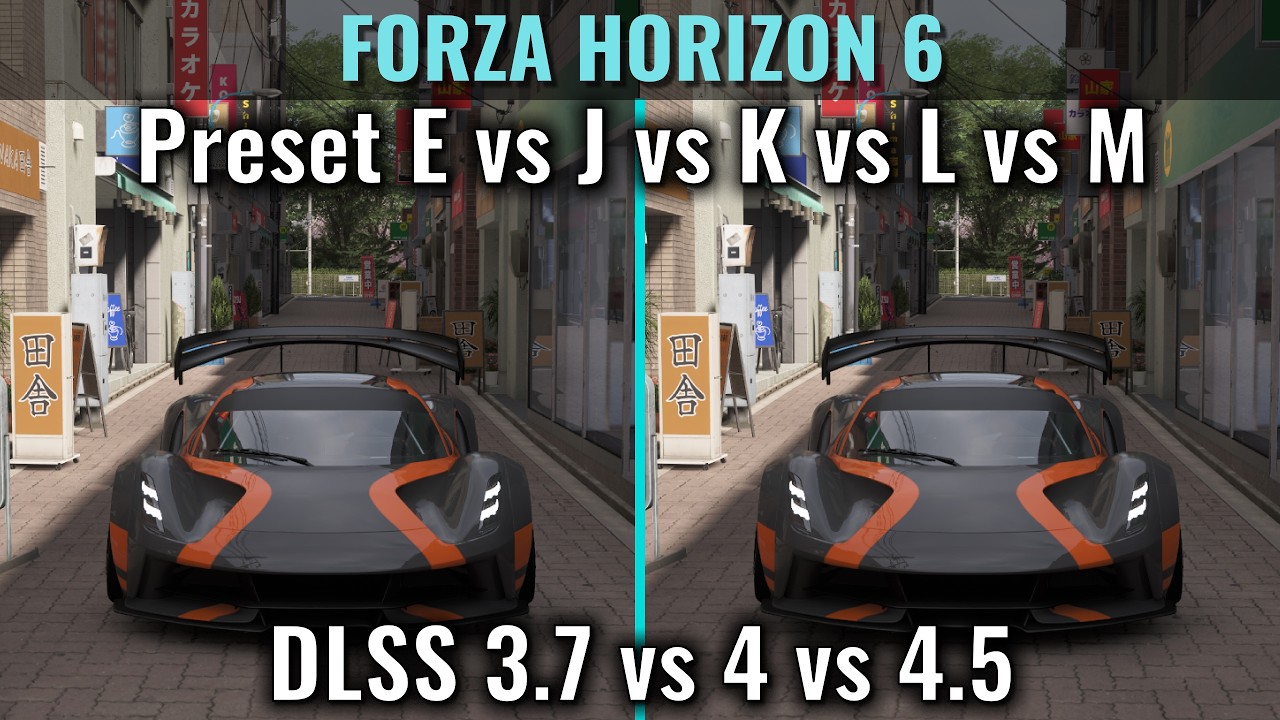
nvm Im on K. there was a video from S2bench which showed K is way better in this game
here it is https://youtu.be/ZISkwGdCXx8?t=124
Detailed PC Specs
GeForce RTX 5060 Ti 16GB Asus TUF - Core +300 Memory +3000, power 110%, PCIE 5.0
AMD Ryzen 7600 (Asus Enhanced PBO On) (Deepcool AG620 Air Cooler)
32GB Ram DDR5 6,000Mhz CL30 (16x2 Dual Channel)
Gen4 NVME SSD (Read/Write 7,300/6,700 MBps)
Asus Rog Strix B650E-F PCIE 5.0 Motherboard
Resizable Bar - On
Windows 11 Pro
Recording ...
sturdy niche
i noticed camera mode is fully black when reno is on
not sure if this is a known issue or not, just saying
modest lance
abstract verge
Photomode shows pureblack with reno on latest version
omg i was losing my mind i thought the game bricked or something
modest lance
how is K better than L/M when its previous gen  (im not familiar)
coral marsh
does anyone here play on wheel? I tried a short time and it was terrible but maybe my settings where just bad idk
wet dragon
K wasn't good for me personally, I stuck with M.
 idle vessel
DLSS 4.5 has well documented issues with RT noise
abstract verge
modest lance
how is K better than L/M when its previous gen <:considering:1460731900699344988...
It depends on game/content
modest lance
idle vessel
DLSS 4.5 has well documented issues with RT noise
i do notice this especially at night
coral marsh
modest lance
how is K better than L/M when its previous gen <:considering:1460731900699344988...
watch the video I posted, normally I would pick 4.5 but in this case not
modest lance
modest lance
i do notice this especially at night
or like bridges underside
idle vessel
nvidia forgot to include game denoisers in their training data for it (speculation)
 jaunty star
That python script to get the dualsense adaptive triggers working with the game is amazing
modest lance
hmm idk extreme+rt with K leaves more ghosting for me than M 
 random furnace
pulsar peak
Someone was saying J since it’s fast moving?
random furnace
pulsar peak
Someone was saying J since it’s fast moving?
here
#1504717987876180119 message
and here
#1504717987876180119 message
pulsar peak
I’ll text J today
 brazen gorge
coral marsh
does anyone here play on wheel? I tried a short time and it was terrible but may...
brazen gorge
coral marsh
does anyone here play on wheel? I tried a short time and it was terrible but may...
I haven’t played myself, but my friends who do play with wheels say the Horizon games are just better for controller
 spark meteor
pulsar peak
I’ll text J today
spark meteor
pulsar peak
I’ll text J today
i am on J
 sour tapir
Haven't tried the renodx mod yet, does it fix the raised blacks in HDR?
random furnace
sour tapir
Haven't tried the renodx mod yet, does it fix the raised blacks in HDR?
one would hope so, just try it, it's quite quick to install
modest lance
lol RT noise always wilding when going under bridges
spark meteor
modest lance
lol RT noise always wilding when going under bridges
or in tunnels
 fallen jolt
sour tapir
Haven't tried the renodx mod yet, does it fix the raised blacks in HDR?
fallen jolt
sour tapir
Haven't tried the renodx mod yet, does it fix the raised blacks in HDR?
yes
pulsar peak
spark meteor
i am on J
Looks good?
spark meteor
pulsar peak
Looks good?
K is better imo
fringe mesa
fringe mesa
**TEST BUILD**
added some fixes for UI/videos being deep fried in HDR, only issu...
ok so black screen here was just some debug code I forgot to delete
coral marsh
my game after a while goes down to like 30 fps. I need to restart it to fix, anyone get that problem?
 spark meteor
coral marsh
my game after a while goes down to like 30 fps. I need to restart it to fix, any...
spark meteor
coral marsh
my game after a while goes down to like 30 fps. I need to restart it to fix, any...
known vram leak issue, yes
coral marsh
spark meteor
known vram leak issue, yes
man thats ass
olive junco
this game really needs to just be Nvidiamaxxed: run 3x fg with DLAA Preset L
minimal noise from RT with good image quality
and use long motion blur to hide FG artifacting
spark meteor
olive junco
this game really needs to just be Nvidiamaxxed: run 3x fg with DLAA Preset L
try prest K , way better
coral marsh
so nothing we can do about that? I have 16gb vram play 4k balanced everything extreme rt high
olive junco

grizzled helm
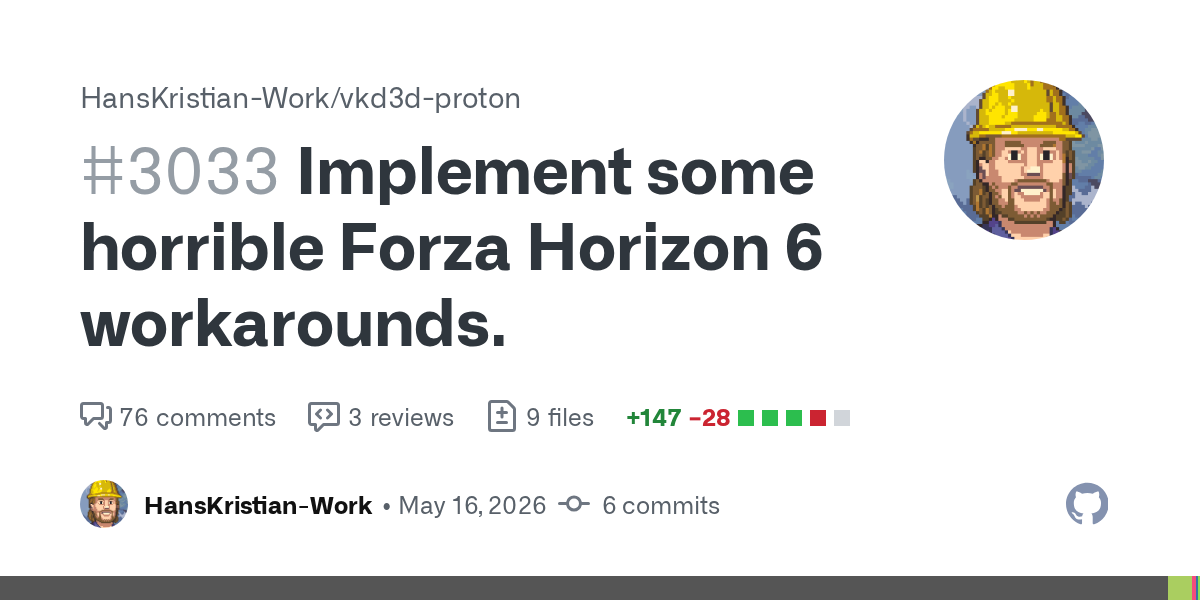
apparently this game relies on a lot of driver trickery to display properly. detailed here: https://github.com/HansKristian-Work/vkd3d-proton/pull/3033
GitHub
This game is extremely broken:
This pulls in the rest of descriptor heap, since it's only reasonable way right now to get working benchmark without rendering glitches on my system. At best,...
probably related i guess
olive junco
spark meteor
try prest K , way better
too much fine detail smearing in movement sadly
south grotto
olive junco
this game really needs to just be Nvidiamaxxed: run 3x fg with DLAA Preset L
guess im rip on 4090
spark meteor
olive junco
too much fine detail smearing in movement sadly
we can't have both, i know
olive junco
south grotto
guess im rip on 4090
am doing this on 5080
south grotto
yeah but i dont have mfg
olive junco
2x is probably fine too
spark meteor
i also use only 2x on 5070ti
south grotto
what res you doing that on
olive junco
spark meteor
we can't have both, i know
it's a game in a lot of motion, the noise at DLAA is bearable and only shows up in very specific scenes
while preset K constantly smears while racing
olive junco
south grotto
what res you doing that on
1440p
spark meteor
olive junco
it's a game in a lot of motion, the noise at DLAA is bearable and only shows up ...
personal preferenc ei guess, i prefer k with a bit more ghosting
3440x1440 here
olive junco
it's not my preferred way of playing but I guess this works since input lag isn't really a concern anyway
spark meteor
south grotto
yeah im quite a bit higher res so prolly no dlaa
you can run that res with preset K and dlaa
south grotto
at what frames
spark meteor
45-60 base fps
south grotto

spark meteor
slap 2x fg on top, you're good
 smoky cloak
I'm using preset K, DLAA, FGx2, locked to 120fps
I might try M/L after what Shrubby says
 smoky cloak
Looks slightly smeared in motion anyway. Maybe L stops that
south grotto
most games dont have good motion blur thats why im asking
grizzled helm
this one has good motion blur I feel, and necessary too
smoky cloak
Generally with those settings I find this visually stunning in many scenes
smoky cloak
grizzled helm
this one has good motion blur I feel, and necessary too
Why necessary? I never understand that. What FPS?
grizzled helm
90 for me. just the way our eyes work. same with film grain, chromatic aberration etc
stuff looks fake if its as clean as an operating table
smoky cloak
You see chromatic abberation as necessary?
grizzled helm
matter of preference of course
I wouldn't call it necessary but for me it helps with the realism
abstract verge
I turn mb on because it helps with sense of speed
spark meteor
smoky cloak
Game feels fast AF for me anyway!
#1504717987876180119 message
smoky cloak
RTGI completely fails as a solution in tunnels
grizzled helm
never seen a game do tunnels well. they look like absolute ass in tokio extreme racer too
something about the transition between open and closed spaces
spark meteor
grizzled helm
something about the transition between open and closed spaces
absolutely, it is broken
grizzled helm
its like they turn on the lights in the tunnels once you enter it and it takes half a second to propagate
smoky cloak
Takes too long to "switch on", then the light bounce on the top of the car looks weird. Plus the noise
spark meteor
artistic intent ^^
spark meteor
smoky cloak
I mean, I'm keeping it on because I sold my kidney for a 5090
you got ripped off , kidneys are more worth
smoky cloak
I'm a heavy drinker
 valid folio
olive junco
this game really needs to just be Nvidiamaxxed: run 3x fg with DLAA Preset L
valid folio
olive junco
this game really needs to just be Nvidiamaxxed: run 3x fg with DLAA Preset L
61FPS M DLAA at 3440x1440, 85FPS at Quality preset, 275FPS with Quality and 4x FG (5080 with some OC)
fringe mesa
added some fixes for UI/videos being deep fried in HDR, only issue is that it makes the peak brightness test image in the calibration menu slightly off. You can see the test image doesn't go to 10k.
fixed the photo mode issue from the build I uploaded earlier
 placid wind
After a bunch of tinkering I was happy with 4K DLSS quality, preset L, high RT. Best balance of shimmering vs perf vs RT noise
But there’s an argument to be made for disabling RT, if I was on anything 70 series that’s probably what I’d do…
Im not sure it’s worth the massive perf hit AND the instability at anything less than high
(Even on high in tunnels..)
spark meteor
placid wind
After a bunch of tinkering I was happy with 4K DLSS quality, preset L, high RT. ...
try preset k and dlaa, way less noise in rt
but a bit of ghosting
spark meteor
K is easier on performance
placid wind
DLAA And high rt is still too low with K
spark meteor
bummer

 modern heart
im getting cooked with 16gb ram lmaaaooo, high rt at 4k is the most i can do with 5070ti
it gives me the warning that im hitting 17 or 18gb, will my ram explode?
 tiny shore
Yup. One by one each die will blow up
 slim token
preset M is the best for DLAA 4K ?
tiny shore
modern heart
u serious?
no
tiny shore
slim token
preset M is the best for DLAA 4K ?
Yeah
One of the best looking environments I have seen in a game

I am seeing casual 21GB lol

wtf
sturdy niche
damn im using only 13-15GB at maxed out settings 3440x1440
how tf u reach 22gb almost
south grotto
tiny shore
good even with FG

steady crypt
Yeah the adaptive triggers mod is pretty sweet with the dualsense
Finally got on the game and set it up
steady crypt
God i can't stand the story in these games
They could just remove them and I doubt many would care

 frigid monolith
I notice highlights get dimmer in HDR if u lower paper white, does renodx help with that?
 stoic phoenix
fringe mesa
anyway someone test if this version fixes that overly bright ui element during r...
stoic phoenix
fringe mesa
anyway someone test if this version fixes that overly bright ui element during r...
10k nits stars after race

 twilit lily
Golly
grizzled helm
it's time to get an X11L clearly
stoic phoenix
score pop-ups are too 10k nits
woeful bay
hardy canopy
im using dsx a steam alternative to Ds4windows and I got it to work perfectly. i...
I’ll test it, thanks.
 visual cloak
Is the current native HDR in this Game considered good?
placid wind
visual cloak
Is the current native HDR in this Game considered good?
I’d classify it as “artistic intent” / 10
 solar shard
Should have an update out tonight. Musa and I reworked some stuff.
 brisk valve
visual nova
https://www.nexusmods.com/forzahorizon6/mods/79
brisk valve
visual nova
https://www.nexusmods.com/forzahorizon6/mods/79
have you tested this yourself?
visual cloak
placid wind
I’d classify it as “artistic intent” / 10
Lmaoo
 cold trout
how are we feeling about the game
is it a good relaxing game to just buy and play at night
 wet locust

 misty epoch
cold trout
is it a good relaxing game to just buy and play at night
misty epoch
cold trout
is it a good relaxing game to just buy and play at night
Yeah I played till 2am lastnight just hooning around doing the Freeroam stuff. I love that you can do stuff like drag racing in Freeroam by just parking at the start line and hit the ready up button
I would love proper ingame text chat and proximity voice. I know it would get spammed a bit but with a simple mute that would be solved.
 pale palm
is it safe to use this online?
 limber fiber
 limber fiber
pale palm
is it safe to use this online?
limber fiber
pale palm
is it safe to use this online?
y
wet locust
pale palm
is it safe to use this online?
Yh. Playing pirated version online on my main account with optiscaler and reshade no issue. 
tiny shore
solar shard
Should have an update out tonight. Musa and I reworked some stuff.
It already looks great, so damn. Just bug fixes or some tonemapping changes too?
solar shard
more or less rewrote tone mapping
 sturdy torrent
current build looks flawless
 marble quiver
Is there a config file where we can edit the hdr slider values? My peak brightness is 465 nits but the in-game slider can only be done by 100. So i am stuck with 400/500 only
 wispy eagle
is this ok for online use?
smoky cloak
marble quiver
Is there a config file where we can edit the hdr slider values? My peak brightne...
No. Whenever that happens I just set to the lower one. But in your case I'd probably go 500. It will be fine
marble quiver
smoky cloak
No. Whenever that happens I just set to the lower one. But in your case I'd prob...
Cheers
 leaden tendon
What's the best DLSS model to use for this game>
 fierce ice
leaden tendon
What's the best DLSS model to use for this game>
fierce ice
leaden tendon
What's the best DLSS model to use for this game>
If not using RT M/L
If using RT F
Maybe K if you can handle the ghosting/noise
digital sentinel

⏰Timestamps:
00:00 Intro
00:28 Solid environmental visuals, but not a major upgrade.
00:41 Highly detailed car models
01:00 Enhanced user interface / graphics menu
01:53 Upscaling (DLSS4,DLSS4.5,FSR3 and XeSS)
03:45 Anti-Aliasing (DLAA,FSR3 AA,XeSS AA and TAA)
04:24 Car Level of Detail
04:54 Environment Texture Quality
06:06 Environment Geo...
finally, the king returns
leaden tendon
Forza is fine with the ReShade Online full addon support?
low wren
leaden tendon
Forza is fine with the ReShade Online full addon support?
yeah seems so
had no issues so far
solar shard
- rewrite tone mapping/grading and retune it
- implemented LUT scaling
needs more testing, I may tune the look a little bit more, but I'm tired
digital sentinel
solar shard
needs more testing, I may tune the look a little bit more, but I'm tired
 low wren
8 hour power nap
 somber ridge
south grotto
im still so torn on if i should get this game <:Stronge:1442285847951970557>
somber ridge
south grotto
im still so torn on if i should get this game <:Stronge:1442285847951970557>
Don't do it. It's still the same old. The open world is the only thing that has gotten better. I'm regretting paying those 120€
fallow swallow
solar shard
* rewrite tone mapping/grading and retune it
* implemented LUT scaling
UI motion blur seems to break things when on in this build? turns transparent/dim when scrolling and in wheelspins when its on, fixed when its off

dirt roads on minimap also broken rn, on vs off


switched on and off too fast lmao, nice typo game
 sturdy torrent
fallow swallow
UI motion blur seems to break things when on in this build? turns transparent/di...
sturdy torrent
fallow swallow
UI motion blur seems to break things when on in this build? turns transparent/di...
Yeah I installed the previous version
fallen jolt
somber ridge
Don't do it. It's still the same old. The open world is the only thing that has ...
Why did you pay 120€? The usual keyseller all had it for like 70-80€
chrome fiber
Reno OFF/ON


 somber ridge
fallen jolt
Why did you pay 120€? The usual keyseller all had it for like 70-80€
somber ridge
fallen jolt
Why did you pay 120€? The usual keyseller all had it for like 70-80€
I really enjoyed 5 so I bought the premium edition
chrome fiber
Off/On

 digital sentinel
I've only played FH1, 3 and 4 (have not fully completed either of them) and this newest one is easily the best one
 copper maple
solar shard
needs more testing, I may tune the look a little bit more, but I'm tired
copper maple
solar shard
needs more testing, I may tune the look a little bit more, but I'm tired
Take a break, not every hype game needs Reno mods, it can wait a couple months until the game is ready with all initial updates
misty epoch
Not sure if its related but just had my first crash after downloading the latest version of this mod. After about 20mins of gameplay. Played 5 hours lastnight with another version with zero crashes.
No other mods installed.
pulsar peak
didnt the game get a massive patch less than 12 hours ago?
could be the update
ueah tuesday in the afternoon it got an update
fringe mesa
- build without the broken ui stuff
- not the same tonemapping as the build jon just posted
fringe mesa
fringe mesa
- build without the broken ui stuff
- not the same tonemapping as the build jon ...
 marble geyser
fringe mesa
marble geyser
fringe mesa
something I wrote
 red lagoon
Idk if you found a fix... Do you by any chance have amd? I've heard using taa reduces it. Worked kinda for me.
wet locust
red lagoon
Idk if you found a fix... Do you by any chance have amd? I've heard using taa re...
yh im on amd, cant deal with TAA tho, im using fsr4 from optiscaler
smoky cloak
fringe mesa
something I wrote
Awesome, how would you compare it in layman's terms?
misty epoch
pulsar peak
could be the update
Did not know there was one out. But maybe. I have cashed twice now in the last hour.
twilit lily
Tonemapping battles in here
sturdy niche
game looks great
 wet dragon
misty epoch
Did not know there was one out. But maybe. I have cashed twice now in the last h...
wet dragon
misty epoch
Did not know there was one out. But maybe. I have cashed twice now in the last h...
reshade or reno were causing me crashes so I had to get rid of em, none since. Lots of stutter though.
sturdy niche
ive had stutters when i downloaded the game yesterday, for like the first 15 minutes, since then 0 stutters
i was on an old nvidia driver, not sure if it helped but i updated afterwards
south grotto
somber ridge
Don't do it. It's still the same old. The open world is the only thing that has ...
red lagoon
wet locust
yh im on amd, cant deal with TAA tho, im using fsr4 from optiscaler
The taa implementation is really good. One of the best implications of taa....
On another note, is fsr4 working now? I remember the menu not showing up.
misty epoch
south grotto
i regreted fh5 quite a bit
if you regretted FH5, you will regret this one too, its more of the same, on a slightly different map. I still enjoy it, but only enough to rent it for a month through Gamepass. If it ever went dirt cheap I would buy it. Its $120.00 in NZ, I would happily pay $50 on deep sale.
wet locust
red lagoon
The taa implementation is really good. One of the best implications of taa....
...
Work on every game with my 6800xt
Till the game got a upscaler to hook like dlss, fsr or xess
Xefg framegen work as well and its so much better than fsr fg
coral marsh
did anyone get banned for using reshade or is it fine_
wet dragon
sturdy niche
i was on an old nvidia driver, not sure if it helped but i updated afterwards
I even did a clean install, but that didn't help
wispy eagle
you guys know how to install reshade on the game xbox version.

 copper locust
wispy eagle
you guys know how to install reshade on the game xbox version.
copper locust
wispy eagle
you guys know how to install reshade on the game xbox version.
select the gamelaunchhelper.exe file instead
wispy eagle
copper locust
select the gamelaunchhelper.exe file instead
thanks. i'll try
south grotto
misty epoch
if you regretted FH5, you will regret this one too, its more of the same, on a s...
well FH5 i really disliked the map after a bit
but the second biggest complaint i have is the tuning and customization of cars which they barely touched from what ive seen so yeah.. iunno
red lagoon
wet locust
Work on every game with my 6800xt
Same but apparently this game had and the optiscaler menu wasn't opening
 gleaming tulip
wispy eagle
you guys know how to install reshade on the game xbox version.
gleaming tulip
wispy eagle
you guys know how to install reshade on the game xbox version.
you can usehttps://github.com/RankFTW/RHI/releases/tag/RHI-1.9.6

GitHub
v1.9.6
New Features
Game Launch — Launch your games straight from RHI! Hit the new green "▶ Launch" button or double-click any game in the sidebar. Steam games launch through Steam (with...
visual nova
woeful bay
I followed the tutorial for the Game Pass version, but inside the game the trigg...
use ds4windows, toggle hide ps4 in the setting when you're in game
wet locust
red lagoon
Same but apparently this game had and the optiscaler menu wasn't opening
Its right opening here
wet locust
digital sentinel
Think the absolute latest one is in here, just search for FH6
https://github.com...
Shouldnt the last one be the one posted in this chat ?
digital sentinel
No idea they've been tinkering with stuff for the past few days
 worthy thorn
anyone done the oka cross country circuit because that race is infuriating and also dont think those colors are quite right

 sturdy niche
i think ive done this one and havent had that xd
south grotto
blud driving on psychedelics
 grizzled helm
worthy thorn
plus this race is so hard im going insane
grizzled helm
worthy thorn
plus this race is so hard im going insane
something is up with the difficulty scaling in this game. and its not my skill issue
street races are really stupidly difficult, all of them
while the single lap ones are typically so much easier
sturdy niche
yea i sometimes get ultra destroyed and sometimes im way ahead
worthy thorn
ive found the cross country to be borderline impossible unless you lower the difficulty and ive seen people say the mountain street races are very difficult
1st place is always just so far ahead and just doesnt lose traction at all
sturdy niche
what difficulty do you play on? i think i ended that one on 2nd place and just moved on, gonna try it later
i play on like the 3rd or 4th hardest for now, no assists except launch contol
sturdy niche
worthy thorn
1st place is always just so far ahead and just doesnt lose traction at all
yeah well i noticed the opponents in front of me always rubberband away like crazy, and as soon as i overtake them, they are way slower falling behind
worthy thorn
im playing on expert with the same assists as you
but even if i go to like above average some CC races still feel like the gap between 1st and 2nd is huge
my friend is on a snow race and he said the AI literally doesnt have any issues with traction on it
sturdy niche
my friend was saying the same on snow races
sturdy niche
ive actually had more fun racing CC and dirt races, especially the rally ones more than road
smoky cloak
Is it worth learning manual?
worthy thorn
i like the CC races tracks
smoky cloak
I've already turned off traction
worthy thorn
just the AI fucks with it
smoky cloak
I'll take the plunge
worthy thorn
yea manual you go way faster and it doesnt take long to learn
sturdy niche
sometimes with clutch too but usually i do without clutch cuz im just playing for fun, i got clutch irl lol
worthy thorn
i do wish there was more road/street races in the progression tho
since we are in tokyo
south grotto
grizzled helm
something is up with the difficulty scaling in this game. and its not my skill i...
AI has been fucked in Forza for years
Crazy that they still didn’t fix it
coral marsh
I just tried with wheel and gotta say its way more fun but more difficult too
obsidian panther
worthy thorn
ive found the cross country to be borderline impossible unless you lower the dif...
My first forza game, playing average difficulty, I legit tried an hour on cross country race and only could get 5th
 fierce rover
a good tune really makes a big difference
wispy eagle
obsidian panther
My first forza game, playing average difficulty, I legit tried an hour on cross ...
do not use simulation damage. the ai cars don't get damaged so cant win against them in unbeatable cross country
btw is it normal that the highlights rarely reach the peak brightness that i set in game? i set 1000 peak but the sun is only at about 500
worthy thorn
1000 peak is pretty bad for forza imo because of how bright the game is the ABL is strong
worthy thorn
obsidian panther
My first forza game, playing average difficulty, I legit tried an hour on cross ...
yea tuning does help but some of the races first is so far ahead its kinda wild
 sand glade
Is this game out of beta yet
 topaz ferry
sand glade
Is this game out of beta yet
topaz ferry
sand glade
Is this game out of beta yet
never was
spark meteor
limber fiber
#1504717987876180119 message 😉
 half hemlock
obsidian panther
My first forza game, playing average difficulty, I legit tried an hour on cross ...
half hemlock
obsidian panther
My first forza game, playing average difficulty, I legit tried an hour on cross ...
also worth mentioning that the ai difficulty is severly more of a pain than the previous titles
feels like expert is the new unbeatable
modest lance
sometimes in menus it freezes for a couple secs, and i also just had a moment while driving game is completely frozen, any knowers

 full aurora
The AI in this game has no concept of racecraft.
It will dive on you on the inside, compromising both you and it's exit out of the corner, killing all momentum for basically everybody behind the pack and causing the rest of the people ahead to get away.
And for some reason their cars weigh like 20,000lbs compared to you.
worthy thorn
the amount of times ive attempted to dive for an overtake and the car behind me just drives straight into the side of me
they will also just push you off the road to follow the racing line
sturdy niche
does anybody else also get crashes when FG is on? I can only use 2x since im on a 4090, could it be cuz i forced preset B and its causing the crashes or am i just unlucky?
worthy thorn
i also have a 4090 and frame gen works fine for me
sturdy niche
could it be the preset im forcing or? i dont even know what preset B does, i just saw someone recommend it xd
abstract verge
sturdy niche
does anybody else also get crashes when FG is on? I can only use 2x since im on ...
I had more crashes since day 1 patch
I had less in early access for premium
I was playing with Preset B all the time
Idk if the causes are from fg tho
sturdy niche
preset B isnt meant for like MFG only or
worthy thorn
im using preset b and its fine
abstract verge
Its for normal fg too
topaz ferry
preset B is fine for me
abstract verge
It helps with UI ghosting
worthy thorn
^
sturdy niche
i had 1 crash when i played yesterday, i was on DLSS Quality and no FG, since then 0 crashes, today i changed to DLAA+2x FG and i had atleast 4 crashes today
worthy thorn
im playing dlaa with frame gen on preset b and max settings and i havent had a crash
sturdy niche
but the 1 crash i had yesterday, i got a crash error message from forza, but the crashes today the game jsut froze, sound kept playing normally and i had to force end task
worthy thorn
i think you might be unlucky
worthy thorn
the only issue i have is that it says my vram is using more than i have
but its not the game just lies sometimes
worthy thorn
yea i get a pop up for every GB that it goes over 24
but when i check its using like 14
sour scaffold
might be off topic but does lego batman has a channel for hdr? i can't find any 🙁
abstract verge
Its in unreal engine generic
sour scaffold
figured! hdr is not that bad to go with a generic reno
sturdy niche
worthy thorn
yea i get a pop up for every GB that it goes over 24
weird, i havent seen my game report anything vram related
sour scaffold
i just wanted to unlock peak brightness seems max at 2000
random furnace
sour scaffold
figured! hdr is not that bad to go with a generic reno
use UE Extended, Lazorr is working on it on that branch #1411800884303626311 message
worthy thorn
sturdy niche
weird, i havent seen my game report anything vram related
ive seen people say it has a vram leak but ive not had actual issues with that
ive also come to the conclusion that im just ass at rally racing
random furnace
worthy thorn
ive seen people say it has a vram leak but ive not had actual issues with that
some "leaks" are not infinite and can be cushioned by high V/RAM hardware
worthy thorn
yea i just dont know why the game thinks its using more vram than i have
random furnace

 boreal garden
So I just installed the addon for this game through RHI and I'm seeing some jumps up to 5500 nits. Should I keep using the addon installed from RHI or grabbed the one Musa just dropped in here from this morning?
random furnace
boreal garden
So I just installed the addon for this game through RHI and I'm seeing some jump...
fixed a small bug compared to Jon's version (which is the one the Wiki), so you can try if it fixes it
boreal garden
random furnace
fixed a small bug compared to Jon's version (which is the one the Wiki), so you ...
good to go now thanks
misty epoch
sturdy niche
but the 1 crash i had yesterday, i got a crash error message from forza, but the...
I'm getting that exact same crash. DLSS Quality, FGx2 Extreme+RT
I started getting it after the update to the game and after yesterday's HDR mod update.
sturdy niche
i have a suspicion that its FG doing it to me, cuz it only started today and i turned on FG today
misty epoch
I had zero crashes for the 5+ hours on day 1 using the same settings. Post game update and mod update I crash alot. So it must be one of those that changed something.
 dense yoke
which reshade insstaller to use for this game?
placid wind
fringe mesa
- build without the broken ui stuff
- not the same tonemapping as the build jon ...
What da scoop on yours vs Jon’s. I am trying to (slowly) learn more around these parts.
visual cloak
dense yoke
which reshade insstaller to use for this game?
DX12
dense yoke
visual cloak
DX12
i mean the installer with addon support or wthout?
fringe mesa
placid wind
What da scoop on yours vs Jon’s. I am trying to (slowly) learn more around these...
his is per channel tonemap in lms with some hue stuff
mine is by luminance tonemap which then takes per channel lms purity and then applies display mapping per channel in lms then restores the luminance of pre display map color then does a max channel display map
visual cloak
dense yoke
i mean the installer with addon support or wthout?
Ohhh always with addon support
slim schooner
fringe mesa
his is per channel tonemap in lms with some hue stuff
mine is by luminance tonem...
Ahhhhh yessss sure I got it (I probably need to take side by side screenshots or something )
leaden tendon

 pallid pine
Latest update messes with colors (darkens, changes tone, and oversaturates) and the HDR slider now doesn't show the forza symbol. Rolling back to previous version.
fringe mesa
pallid pine
Latest update messes with colors (darkens, changes tone, and oversaturates) and ...
ye ui broke with that, for now use this one
#1504717987876180119 message
its gonna be updated in a bit
solar shard
Soon™
abstract verge
fringe mesa
his is per channel tonemap in lms with some hue stuff
mine is by luminance tonem...
 leaden tendon
fringe mesa
his is per channel tonemap in lms with some hue stuff
mine is by luminance tonem...
leaden tendon
fringe mesa
his is per channel tonemap in lms with some hue stuff
mine is by luminance tonem...
Can you ELI5
fringe mesa
maybe
not even sure
basically
I do more to separate how hues, saturation, and contrast all change
wispy eagle
sturdy niche
i had 1 crash when i played yesterday, i was on DLSS Quality and no FG, since th...
could be unrelated but i crash when using jon wip build. musa build is fine. FG on or off doesn't make a difference for me.
i would suggest to cap the frames and make sure that you arent at 99% gpu usage. around 90 should be enough to hit hundreds of frames especially 4x MFG. it could be a standard GPU power delivery or driver issue.
leaden tendon
When I do the slider the icon disappears at 900 at least to my eyes

Is that normal even tho my peak is 1015?
should I set it to 1000?

 kindred kettle
Many such cases, actually.
My Samsung S95D realistically caps out at around 1400 nits peak when I use Windows' calibration tool, but Windows reports a 1500 nits peak rating.
leaden tendon
Should I set paper whites to 100?
leaden tendon
What does it change realistically?
fringe mesa
depends what you mean
the greater the ratio between paper white and peak
means highlights stand out more
compared to the rest of the scene
if you set peak and paper white to the same value
that's essentially what sdr is
if you like overall brightness then set paper white high
if you like dynamic range set it low
the correct way to set it is based on what's comfortable to your eye in your viewing environment
leaden tendon
Thank you
I set it to 100
The difference in brightness was very minimal but the pop of light from the smaller lights within the overall scene looked great
 wooden linden
Should I set my display peak brightness? Logo is not hidden so it seems not working correctly
solar shard
- add tone map option to menu with vanilla, vanilla+, and custom
- vanilla+ has the same contrast profile as SDR, with gamma correction and improved hues
- custom uses a custom tuned contrast profile, with lut scaling and improved hues
no UI stuff in this one so there shouldn't be any issues 😅
frigid monolith
love how the renodx mod in this game allows me to set paper white to 120 nits and still get 2000 nit highlights! Without the mod, it seems the lower paper white lowered peak brightness quite a lot, and I noticed less dynamic range overall if I wasn't at 200 nits paper white.
smoky cloak
solar shard
* add tone map option to menu with vanilla, vanilla+, and custom
* vanilla+ has ...
Awesome. Which TM do you prefer Jon, I tend to align with your preferences
solar shard
I will likely end up adjusting custom more. This has largely been me just experimenting
solar shard
smoky cloak
Awesome. Which TM do you prefer Jon, I tend to align with your preferences
not sure right now tbh
I think vanilla+ might look better right now
need to add gamma correction to custom, the LUTs just don't look right without it
 storm trout
Is the Musa version and Jon's version two seperate mods? or just iterative versions of the same mod?
solar shard
vanilla+ is what musa was doing
 static sparrow
Can’t wait to play and load all the mods with my poor 16GB of RAM
surely I’ll survive
solar shard
Pushed code but for the RHI users, I have no clue if the change I made to make the tone map type option possible is gonna compile correctly in snapshots
wet dragon
anyone found a fix to the game only seeing 12/16gb of vram?
Massive stutter even though I'm getting decent performance.
digital sentinel
it needs to be patched by the devs
misty epoch
Does the Steam version use the same system as Xbox PC app? Like achievements and game save? i am using PC Gamespass right now but want to get on Steam later, will I lose progress?
Also, mod relatd - Should I be deleting casche or soing anying when I update the mod with each new version?
pulsar peak
I’m getting crimson desert vibes here lol
red lagoon
smoky cloak
Is it worth learning manual?
Yep
pulsar peak
Patch broke Reno! Roll back! Roll back!
red lagoon
storm trout
Is the Musa version and Jon's version two seperate mods? or just iterative vers...
Wanted to know the same
frigid monolith
I find the custom option helps a bit with the overbrightened gamma I feel like I notice, especially at nighttime! Pretty similar to Vanilla+ though.
smoky cloak
pulsar peak
Patch broke Reno! Roll back! Roll back!
what patch?
pulsar peak
game patch
frigid monolith
when was the game last patched? today?
pulsar peak
i believe there was a second smaller one yeah
frigid monolith
interesting. I wonder if they will alleviate the noise with RTGI soon. I also notice my game crashes when I switch the renodx options in game sometimes.
 keen fossil
pulsar peak
Patch broke Reno! Roll back! Roll back!
keen fossil
pulsar peak
Patch broke Reno! Roll back! Roll back!
I'm surprised Reno ever worked at all, Forza Horizon is notorious for not liking things trying to hook into it...
pulsar peak
yeah thats why the settings are so limited to in game
keen fossil
Even RTSS having app detection level on anything but none crashed game on launch over and over
frigid monolith
keen fossil
I'm surprised Reno ever worked at all, Forza Horizon is notorious for not liking...
I know especially considering it being online and all that. I'm really glad renodx works, it's such a relief for my cirumstances. Can actually lower paper white and still have my bright highlights.
keen fossil
I mean apparently it doesn't anymore?
I've been resorting to RTX HDR personally cause I don't trust Forza's anti-cheat XD
FH5 it'd be whatever, their anti-cheat sucked, pretty sure they tried to upgrade it this time round
keen fossil
frigid monolith
when was the game last patched? today?
Also unless the game can patch while still running <.>
Cause I can still connect to online and I left the game running overnight lol
Meanwhile the first patch refused to reconnect till I restarted
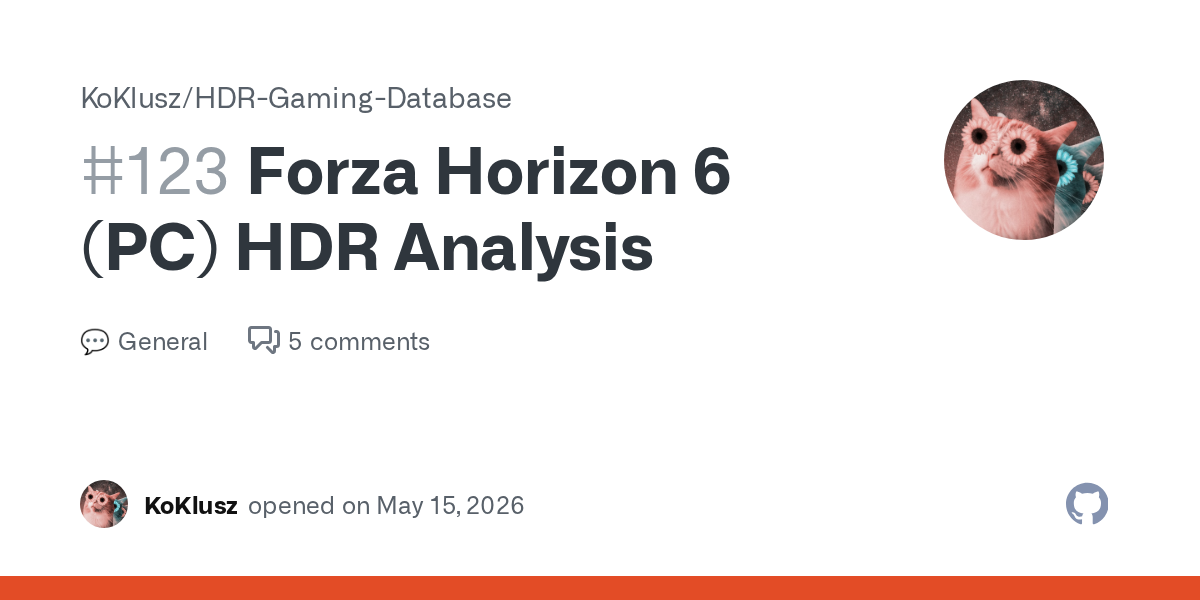
Idk if this interests anyone btw https://github.com/KoKlusz/HDR-Gaming-Database/discussions/123
GitHub
Technical Info: ForzaTech Engine HDR available in the windowed mode Ignores peak brightness from EDID/OS calibration No apparent sRGB/G2.2 EOTF mismatch in HDR HDR Settings: Peak Brightness - minim...
fierce rover
The support site only lists one patch on the 18th
keen fossil
Yeah I don't think it's been patched since
My biggest problem with the game is the white point just seems to shift all over the place at will
Either that or it's the black levels or something keeps changing
Like I just said about this in the HDR Discord but why... is the night sky actually dark in the city, but gets lighter outside the city, much lighter... it's meant to be lighter in the city... that's how light pollution works.


 keen fossil
leaden tendon
keen fossil
leaden tendon
Speaking of night sky being too bright outside the city, that screenshot shows it
Go to the city on that same setup, night sky will actually be near black
 tender mauve
keen fossil
Go to the city on that same setup, night sky will actually be near black
tender mauve
keen fossil
Go to the city on that same setup, night sky will actually be near black
its realistic
due to light pollution
keen fossil
tender mauve
its realistic
It's the opposite of realistic....
The city sky is brighter because of light pollution irl
frigid monolith
keen fossil
Either that or it's the black levels or something keeps changing
yes I noticed this. it's why I love renodx in this game! lower paper white lowered dynamic range with the native HDR. but blacks would look raised at night and in the car which looked so ugly. with renodx and the custom option, I find it's soooo much better and natural to my eyes!
keen fossil
I would be confused if everything suddenly got brighter as I went out into the countryside irl ngl XD
keen fossil
frigid monolith
yes I noticed this. it's why I love renodx in this game! lower paper white lower...
I will have a look at it then, if that's something RenoDX is managing to compensate for
Easily my biggest peeve with the game rn lmao
frigid monolith
its like sometimes the game just wants the blacks to be raised especially in the car, no idea why.
keen fossil
Game has a lot of weirdness still atm tbf... Feels more like an early access or beta
frigid monolith
yeah I was switching between vanilla, vanilla+ and custom in the car when it was dark. vanilla was HORRIBLY washed out with basically no dynamic range. Vanilla+ was way better. Custom was a bit better than Vanilla+.
keen fossil
Like the lights projecting into my Toyota Chaser were just pulsing, for no reason
frigid monolith
Overall I love the color grading though especially near foresty areas. It just looks so natural and nice.
keen fossil
keen fossil
Like the lights projecting into my Toyota Chaser were just pulsing, for no reaso...
Only happened once btw, and only on that car, dunno why
frigid monolith
hmm, haven't noticed anything like that yet.
keen fossil
I felt like if I had epilepsy I'd have been having a seizure at high speed lmao
frigid monolith
that doesn't sound pleasant lol. did renodx fix that issue?
keen fossil
I haven't tried it, only just heard there's RenoDX for FH6 tbf <.>
If I do try it, will be tonight, got hospital appointment later today and just cba doing anything that might annoy me before then lmao.
I've just been using RTX HDR atm which I'm not happy with but it was better than what the base game was doing in HDR
 grizzled helm
You're better off using Reno and changing settings on your monitor or TV to get more contrast. rtx HDR is just absolute garbage
frigid monolith
I love RTX HDR. it does look nice in that pic. Honestly, I'd choose RTX HDR over the native HDr only because I'm in a dimly lit room and I want it to be 120 nits and still get bright highlights. It really neutered highlights lowering paper white with the native HDR. not an issue with renodx.
as long as you use "accurate" settings with RTX HDR lol
keen fossil
grizzled helm
You're better off using Reno and changing settings on your monitor or TV to get ...
RTX HDR is the only solution at all in some games, especially if you get paranoid with bans in online games <.>
Like GTA Online annoyingly....
On Enhanced
keen fossil
frigid monolith
as long as you use "accurate" settings with RTX HDR lol
It can look great but yeah, that's the big struggle
Plus the fact it pulls from the game's base image
grizzled helm
I guess yeah, but if you're going to use a postprocess filter I'd recommend Pumbo's AutoHDR or specialK. RTX HDR also has a performance hit
keen fossil
keen fossil
Plus the fact it pulls from the game's base image
And is not remotely smart about how it actually handles that
grizzled helm
Most TVs nowadays offer "HDR remastering" or something similar which essentially does the same thing as rtx hdr
personally if I don't find a HDR image pleasing or fit to my environment I enable DTM
keen fossil
My LG C2 uses HGIG but it really doesn't look as good as even RTX HDR. I will agree though that it's a suboptimal solution (RTX HDR that is)
frigid monolith
my issue with pumbo and specialK is I need my 1000 nits, I'm just very picky about that lol. but also the debander with RTX HDR is amazing and really clears up color banding. I just can't with any other methods sadly. And the ReShade debander ruins texture detail, so idk, I'd rather have crushed blacks with RTX HDR but smooth color gradients and it looking "right" to my eyes :)
keen fossil
Basically asking an AI to actively repaint your game <.>
grizzled helm
I get why people like it though. It is very good at creating an HDR-y image
keen fossil
frigid monolith
my issue with pumbo and specialK is I need my 1000 nits, I'm just very picky abo...
The crushed blacks is one of the things driving me mad but it doesn't actually look too bad in RTX HDR
grizzled helm
for me honestly a dim HDR picture is better than overblown highlights and not being able to see the sun in a skybox
keen fossil
grizzled helm
for me honestly a dim HDR picture is better than overblown highlights and not be...
That's another problem I was having with the base game's HDR....
Being blinded by the skybox.
keen fossil
I will defo try it later today, just hope it doesn't end up crashing constantly lol
frigid monolith
keen fossil
The crushed blacks is one of the things driving me mad but it doesn't actually l...
honestly I almost prefer the crushed blacks, especially with VRR on in a lot of games, which actually raises the gamma tad if you didn't know. it's worse if you are below 100fps, however. but it can make games look a bit more milky and hazy from my testing. and idk, RTX HDR is nice and convenient, and I can set paper white to a low value and get 1000 nit highlights still. yeah, it's not ideal. but I'm really thankful to have it as an option. I hope nvidia improves on it with future updates.
keen fossil
Should be stable enough considering I don't use frame gen or RT
keen fossil
frigid monolith
honestly I almost prefer the crushed blacks, especially with VRR on in a lot of ...
Maybe one day, when they're eventually done obsessing over AI for other things <.>
grizzled helm
Without AI Nvidia would cease to be
don't think they can just go back to making consumer products
as in, after dropping AI in a hypothetical scenario
frigid monolith
I get why everyone is bothered by Ai and their insistence on saying it nonstop and putting it in everything, but idk DLSS 4 proved to me that AI has its uses. Same with RTX HDR. Even Auto HDR on the Xbox to me was a godsend for older games and made me happy. but I think they really need to cut down on the data centers since it's causing environmental issues and memory prices are skyrocketing too. It's a complicated issue I feel like.
frigid monolith
wait I thought Microsoft said they trained AI to look at a bunch of images when they worked on Auto HDR
keen fossil
frigid monolith
I get why everyone is bothered by Ai and their insistence on saying it nonstop a...
It's that they don't care about us anymore, not that AI is necessarily bad, they care about their big corporate partnerships now, they make significantly more money than they ever did from all of us combined
The fact I'm still having to use driver version 566.36 on my 4090 says enough <.>
frigid monolith
yeah, and I feel like Jenseng has a lot of ulterior motives, like he cares more about money and not so much being pro consumer. Nvidia definitely seemed to change around 30 or 40 seires it seems like.
grizzled helm
frigid monolith
wait I thought Microsoft said they trained AI to look at a bunch of images when ...
the series x I believe doesn't have any hardware capable of running AI models of any capacity
keen fossil
frigid monolith
yeah, and I feel like Jenseng has a lot of ulterior motives, like he cares more ...
I mean their choice on the launch state of the 50 series and 32 bit PhysX shows he's either out of touch or doesn't care
grizzled helm
frigid monolith
yeah, and I feel like Jenseng has a lot of ulterior motives, like he cares more ...
nah they've always been like this lol, since the start
keen fossil
keen fossil
I mean their choice on the launch state of the 50 series and 32 bit PhysX shows ...
Speaking of this, I bet the only reason he actually went back on this is it made the cards look like crap running Mirror's Edge at 3fps XD
grizzled helm
I would say the most major change Nvidia had was establishing themselves as the company that makes halo products. Before the Titan, AMD was always one step ahead or behind
at some point Nvidia realized they could have these super rich customers, those who would purchase a Titan X
 grizzled helm
They could just not bother competing with AMD in that sense, which they stopped doing
Ray tracing, DLSS, CUDA
keen fossil
grizzled helm
Ray tracing, DLSS, CUDA
That's why his jacket gets shinier XD
keen fossil
Oh god ray traced Jensen Huang sounds like something I don't want to see in my video games ngl
grizzled helm
have any of you watched any of his keynotes. he's like a child, it's sort of scary to know he's one of the richest people alive
keen fossil
grizzled helm
have any of you watched any of his keynotes. he's like a child, it's sort of sca...
Yup lmfao, I can't help but laugh at him but yeah it's true
grizzled helm
technocrats are as evil as industrialists but now they wear stupid clothes
keen fossil
grizzled helm
have any of you watched any of his keynotes. he's like a child, it's sort of sca...
Speaking of like a child <.>


His entire body language and everything and he's basically playing with upgraded action figures <.>

Yeah I always thought rich people were weird, but he's a dif kind of weird to the others
grizzled helm
Damn he's short
keen fossil
grizzled helm
Damn he's short
Pretty average for his people, accompanying with a picture, it's not racist, the facts are right there XD

Kinda weird that contrast with the 1 middle guy
Btw what's a cool car that's in FH6 that wasn't in 5
Wtf is this lamppost doing

Anyone seen this before? <.>


That ain't right
Every single one of those specific posts with that light, is now like that
digital sentinel
it shows da way
 fallen delta
i feel like the sun is too big of a white blob
keen fossil
Interestingly enough as soon as it went back to day, that went away
And it was only on those posts, the ones with the lamp attached in that exact design
 hidden epoch
solar shard
* add tone map option to menu with vanilla, vanilla+, and custom
* vanilla+ has ...
hidden epoch
solar shard
* add tone map option to menu with vanilla, vanilla+, and custom
* vanilla+ has ...
Can be used online?
frigid monolith
Curious what you all would choose: 4K DLSS Quality Preset L, RTGI on High, everything else maxed, with 90-100fps; or 4K DLAA Preset M (or L?) no RTGI, max everything else, with 120fps?
I'm a bit torn honestly
with the RTGI noise and what not
I sometimes notice it with foliage that is darker, but most of the time trees look really nicely shaded and crisp. only see a little noise. 90fps is fine, but 120 is sooo nice. I wish I could do DLSS Performance but I know the noise would get worse.... so yeah.
keen fossil
frigid monolith
Curious what you all would choose: 4K DLSS Quality Preset L, RTGI on High, every...
I don't use RTGI on the game cause I think it looks weird so you've got my answer <.> framegen off too although I do use preset k not M or L lol.
frigid monolith
keen fossil
I don't use RTGI on the game cause I think it looks weird so you've got my answe...
it does look weird! I just compared in a forest during the day and there's this ugly green tint applied to trees and foliage gets super dark with RTGI on High! SSGI on Ultra looks way more natural!
red lagoon
keen fossil
I've been resorting to RTX HDR personally cause I don't trust Forza's anti-cheat...
Forza never really had any proper anti cheat
frigid monolith
oof, I see a lot of ghosting with Preset M even with DLAA, damn
would use K but I like the better HDR effects with L/M
 queen knoll
frigid monolith
oof, I see a lot of ghosting with Preset M even with DLAA, damn
queen knoll
frigid monolith
oof, I see a lot of ghosting with Preset M even with DLAA, damn
Do you use FG too, because if you use change to preset B on NVPI, and no more ghosting
frigid monolith
I'm not using FG honestly. I would but I noticed some weird frame pacing issues, even with Display Commander's DCPacelock=1 setting.
L cleared up a lot of the ghosting thankfully
queen knoll
Im on Preset L with Performance mode and 2x FG and i dont have ghostig, only the ray tracing denoise, which is ocasionaly not all time
frigid monolith
that's really good to hear
queen knoll
This i have on NVPI
 frigid monolith
thanks, I'll be sure mine is set to that rn. Do you use any external fps limiters?
south grotto
grizzled helm
Not even what rtx hdr is
Acting like rtx hdr isn’t a post process filter 💀
They are both just inverse tonemapping and look virtually identical with the same gamma/contrast
Only difference is that you can tweak the contrast n stuff with rtx hdr but both are just dogshit

frigid monolith
I'll always love RTX HDR, but it is definitely just a smart post processing filter. I love how granular the controls are and the debander helps me with my peace of mind since I don't see as much color banding.
 solid canyon
frigid monolith
I'll always love RTX HDR, but it is definitely just a smart post processing filt...
solid canyon
frigid monolith
I'll always love RTX HDR, but it is definitely just a smart post processing filt...
It's only good for auto converting movies and shows into "HDR" using MPC-HC imo
queen knoll
I play on my PC + OLED G3 which is a 120 Hz, and i set my fps limitter to 117 fps on Nvidia control panel which will follow the reflex guidlines!
Also Vsync ON on nvidia control panel and off in game becsuse gsync!
frigid monolith
It's also the only method on YouTube for HDR other than Auto HDR (which just blows up the highlights and everything). I can't live without my RTX HDR on YouTube now lol
frigid monolith
queen knoll
I play on my PC + OLED G3 which is a 120 Hz, and i set my fps limitter to 117 fp...
thanks. I'll try that. I'm also on 120hz on my S90C TV, so I'll set it to 117 and try FG and see how it goes. I'm NOT going to look for judder or stutter though since I have a bad habit of that. Also, do you use Reflex+Boost in game? I found Reflex on does nothing lol. Only Boost lowers latency.
queen knoll
REFLEX is only ON , without boost
south grotto
boost more often than not introduces stuttering/framepacing issues from my experience, not sure about fh6
frigid monolith
it definitely caused more stuttering for me in FH6 with Bosot on
solid canyon
frigid monolith
thanks. I'll try that. I'm also on 120hz on my S90C TV, so I'll set it to 117 an...
If you already have reflex on in game or using Rtss, limiting your frames again with Nvidia is at best counter productive and at worst applying reflex algo to 117hz instead of 120hz
south grotto
reflex wont really lower latency if youre at like 90% gpu usage or below
solid canyon
Based on my testing
south grotto
its generally just for gpu bound scenarios
and also FG
FG without reflex
is hideous
most games wont even allow setting that
solid canyon
south grotto
FG without reflex
It NEEDS the reflex info
frigid monolith
solid canyon
If you already have reflex on in game or using Rtss, limiting your frames again ...
thanks! Yeah, I'm using the 117 fps cap right now with the game maxed out and DLAA Preset L and FG at 2X and it's actually really nice and smooth! I'm getting LESS LATENCY than before when I had the 120fps cap and no FG (45-48ms). Only reason I didn't do 117 fps cap was I did notice some judder. But I'm not seeing that right now, so I'm happy :)
south grotto
solid canyon
It NEEDS the reflex info
what info
it just needs the streamline stuff like motion vectors
queen knoll
If you set right all on nvidia control panel and NVPI, you will have a great experience on gaming🍾
Also when use dlss 4.5, set sharpness dlide to 0 in game
frigid monolith
I'll try Display Commander again at some point and see how it affects motion with FG on, but I'm starting to wonder if the Nvidia FPS cap at 117 is just the way to go now...
frigid monolith
well DC caps it at 115, that's the thing, and to me it definitely wasn't as smooth compared to locked 120 in this particular game. not the case with many other games. But this one just seems finicky and much smoother when locked at the refresh rate I guess.
south grotto
yeah dc will cap lower because it doesnt want to run into the cap that nvidia will do on its own via reflex
reflex cap is kinda meh framepacing wise
frigid monolith
yeah
I feel like even at 144Hz, 139 fps cap seems smoother than 137 from Reflex. I know Reflex has it's own frame pacing issues it can induce too though
queen knoll
Low Latency Mode: On
This will noticeably reduce input latency without being too heavy on the CPU like the "Ultra" setting (which can cause frametime spikes/stutters in CPU-bound games)
That said, contrary to "Ultra" and NVIDA Reflex, the "On" setting doesn't include an auto-fps limiter so you have to set it manually for your display through the separate/dedicated option in NVCP for the best smoothness and responsiveness.
Max Frame Rate: Manually set it based on your current Refresh Rate (following Reflex guidelines +1fps above them)
If you have a 60hz display set it to 59 fps
If you have a 120hz display set it to 117 fps
If you have a 144hz display set it to 139 fps
If you have a 165hz display set it to 158 fps
If you have a 180hz display set it to 172 fps
If you have a 240hz display set it to 225 fps
If you have a 360hz display set it to 326 fps
If you have a 480hz display set it to 417 fps
This will ensure to always be within your VRR/G-Sync range in-game without ever activating V-Sync (which otherwise could still work as a fallback to fix tearing but increasing latency and making frametime consistency worse).
The "+1fps" above the Reflex guidelines for each Refresh Rate ensures you're actually giving priority to the Reflex auto-cap whenever available (e.g. 116fps at 120hz) which will have the lowest latency possible while still correctly capping all other games without Reflex support (e.g. at 117fps at 120hz instead)
This method will also immediately make you aware of which game is actually using Reflex (e.g. if you see 116fps) or not (if you see 117fps)
frigid monolith
Oh so you do Low Latency Mode On along with the 117 or 139 fps cap depending on the refresh rate?
south grotto
tf is this shit
south grotto
frigid monolith
Oh so you do Low Latency Mode On along with the 117 or 139 fps cap depending on ...
no
reflex overrides low latency mode
bs info above kek
sturdy niche
is it even worth to have low latency enabled in control panel, i just have it off and any game that supports it i enable ingame lol
south grotto
only for pretty old games i guess
frigid monolith
queen knoll
Low Latency Mode: On
This will noticeably reduce input latency without being to...
this seems like a sound guide to me honestly
the only thing I have concern over is Low Latency Mode set to On. I tested it in RE4R and I'm pretty sure I had more frametime spikes, but it could have been something else with my PC. Not an issue anymore though, I have it off currently. Just worried my games will stutter more if I have it on lol. I'd kinda prefer JUST doing the fps cap for now
south grotto
well if you follow that guide youll always run the Reflex limiter in applicable games... which is shit
xd
frigid monolith
Right, but it's not an issue if I disable reflex :D which I honestly like doing in games without FG just because Reflex on it's own tends to mess with frametimes so much in my experience
queen knoll
If you use GSync is a must, if you not you can stick with normal mode😂

 queen knoll
south grotto
well if you follow that guide youll always run the Reflex limiter in applicable ...
queen knoll
south grotto
well if you follow that guide youll always run the Reflex limiter in applicable ...
You can set for any game, you dont need to set globally
frigid monolith
Reflex can be nice when GPU bound, so I enable it depending on the game and if it causes more stutters. I care a lot about good motion lol and am nitpicky with microstutters and what not.
solid canyon
south grotto
tf is this shit
Those numbers are based on the reflex equation
 solid canyon
south grotto
reflex doesnt cause stutters if you dont run the shitty reflex limiter
solid canyon
south grotto
reflex doesnt cause stutters if you dont run the shitty reflex limiter
+Boost in most games in my experience due to developer implementation issues
solid canyon
In this game it works fine tho is my point, your just saying your opinions my dude
frigid monolith
I think the guide is fine because you get lower latency and don't HAVE to use Reflex if you want a smooth, low latency expeirence... I get 18 ms in BO7 if I cap my fps to 139 vs 25-30ms if I do 144. reflex drives me crazy with judder and microstuttering in a lot of games. I do like Display Commander's reflex mode and Special K has really good Reflex injection too.
but you can do an fps cap in NVCP at 139 or 117 and pretty sure it's not gonna cause stuttering with Reflex's 116 or 138 fps cap... I could be wrong, maybe somewhere here knows more about that. But Low Latency Mode set to On I feel like will maybe complicate things more or add more variables, idk.
abstract verge
Low Latency Mode on only works with DX11 and if reflex is on it doesnt do anything
 old quartz
Really like this “inaccurate“ profile that my cal guy gave me separately for gaming. Works great for Forza 6 and Diablo 4
 olive junco
low latency mode just sets the max prerendered frames to 1
 wraith grove
Guys how are you?
For an Oled panel , should i use Vanilla or Vanilla+ for best color acurrate?
Tks
 olive junco

frigid monolith
wraith grove
Guys how are you?
For an Oled panel , should i use Vanilla or Vanilla+ for best...
Vanilla+ for sure
pallid pine
Game needs ray reconstruction like yesterday. The fizzle is really bad.
 opaque garnet
New version looks great, thanks Jon!
keen fossil
red lagoon
Forza never really had any proper anti cheat
I mean you say that but they defo know when you're doing dodgy stuff, modded a car I missed (because their game wouldn't work properly for months) into my garage on FH5 once, OFFLINE, then went online after. Within like a week I got a message in my ingame message center basically saying "we know what you did, don't do it again"
I also played from FH5 launch and that was the only time ever, so it defo wasn't a coincidence
I do wonder how exactly they catch some of this stuff and why it doesn't always seem consistent
Like FF14 has a similar warning system for RWT
But it's like an automated system thing, it just knows
That's the same message I got sent on Fh5 lol
 abstract verge
There was a car I wanted in FH4. But it was awarded for summer playlist and we were at winter. Each season lasted one week at that time. I fast forwarded my PC's local time two weeks later and it changed game into summer. I got that car by playing the playlist two weeks early. I got 1 month online ban from that time 💀
keen fossil
That's weird
 proper fulcrum
i s2g theres something off with the game's physics, i find myself getting stuck like 10x more often than in FH4 or FH5
keen fossil
proper fulcrum
i s2g theres something off with the game's physics, i find myself getting stuck ...
The physics were updated, to be more simcade than purely arcade
proper fulcrum
makes sense
keen fossil

 pure grove
anyone else getting crash when the startup loading screen finishes? only happens when reno/reshade installed
wooden linden
frigid monolith
love how the renodx mod in this game allows me to set paper white to 120 nits an...
why 120? I thought 203 is kind of "best" for overall brightness
wooden linden
fringe mesa
I like 100
why not 203? isnt 100 is too dark?
frigid monolith
wooden linden
why 120? I thought 203 is kind of "best" for overall brightness
since I am in a dimly lit room. 203 can look a bit too bright overall. 120 is more comfortable. I like 203 if my window is open and it is daytime though
wooden linden
frigid monolith
since I am in a dimly lit room. 203 can look a bit too bright overall. 120 is mo...
okay thank you
my room is pretty light, so ill stay with 200 then. Just wondering if it worse somehow
frigid monolith
no, it's preference and subjective
I like highlights standing out more as well but sometimes 200 nits can look more pleasing. it's all accurate in the 100-200 nits range.
wooden linden
thanks
One more question: should I rely on the logo in the HDR settings when adjusting peak brightness? My Windows profile is set to around 2000 nits, but the logo only disappears at around 3500 nits. Why does it work this way?
frigid monolith
what display do you have?
wooden linden
modded samsung s95c to 2000 nits
frigid monolith
lmao that's what I'm using!
wooden linden
frigid monolith
lmao that's what I'm using!
OH MY
frigid monolith
I have it set to 2000 nits in Windows for mine and it disappears at 2000 for me
wooden linden
frigid monolith
I have it set to 2000 nits in Windows for mine and it disappears at 2000 for me
hmmmmm weird
frigid monolith
so I'm thinking you might be havign the good ole Samsung bug where you need like a black level mismatch. So maybe go in TV settings to external devices or where it lets you change HDMI Black Level. Try setting it to LOW. See if the logo disappears at 1800? Or, open the HDR calibration app, and look at the test patterns, then go back to the game. I found that usually helps "fix" the tone mapping state of the TV when it's bugged. What I do to prevent it is by using this tool here https://customresolutionutility.net/
Run that, go to Extension BLocks, click on this:

Download Custom Resolution Utility - Download. CRU shows how the monitor defines resolutions and other capabilities and gives you the power to change it.
go to HDR static metadeta

set it like that
hopefully that fixes the issue. it probably will.
make sure GameHDR is set to Basic and HDR10+ is Off
and restart the PC and turn off/on the TV after you mess with CRU too
wooden linden
it worked okay for me before, maybe something changed since latest nvidia driver update or tv update. Ill check it later. Thanks for detailed answer
frigid monolith
believe me, it'll work, then not work. that's the thing with this TV, IT decides what it wants to do. it has a mind of its own lol. As much as I love it, it can be quite a headache at times. Usually I don't have any issues and can set all my games to 2000 nits and HGiG works as expected.
wooden linden
yeah. Awesome hardware and dogshit software by samsung
frigid monolith
Like almost every Sony exclusive I play whether it's on PS5 or on PC, I have to set the HDMI black level to Low in order for it to track the EOTF properly and give me 2000 nit highlights. I didn't have to do that on my LG CX, or even the LG G5 which I tried for a few weeks. But idk, I love QD-OLED....
slim schooner
Afaik Samsung has always been sort of a pain for HDR gaming
frigid monolith
the community really made the S90C/S95C something special though, that's for sure
fringe mesa
solar shard
vanilla+ is what musa was doing
Mine was doing custom without gamma correction
I had the vanilla+ option in the code but wasn’t using it
sturdy niche
fringe mesa
I had the vanilla+ option in the code but wasn’t using it
so the custom option is from you?
the TM i mean
fringe mesa
Custom is John’s own thing
I wrote vanilla+ but was unused in the code in the previous addon
sturdy niche
ahh okay i see
fringe mesa
I also have my own custom thing that’s separate
 solar shard
pulsar peak
game patch
solar shard
pulsar peak
game patch
Patches didn’t break anything in this
smoky cloak
slim schooner
What’s being picked up by RHI? Jon’s latest?
I never really know the answer to this. For any of the things RHI installs.
fringe mesa
wooden linden
why not 203? isnt 100 is too dark?
In a dark room 203 is too much for me personally
slim schooner
smoky cloak
I never really know the answer to this. For any of the things RHI installs.
Hahahaha yeah me neither
I guess I’ll just roll with RHI most recent one
sturdy niche
just drag the one from discord into RHI
slim schooner
sturdy niche
just drag the one from discord into RHI
Yeah that works too. I just don’t know which one to use from here since there’s 2 different options
Choice paralysis
digital sentinel
this is what I have installed via RHI, from Jon, it looked just fine, think I wont update for a few days till they get their stuff in order 

this one if anyone's interested
solar shard
RHI should be my latest
Should have tone mapping options in the menu
Though idk if they will work
If someone wanted to confirm that would be nice lol. Idk if GitHub actions is based on the repo cmakelists.txt
 shrewd spruce
Updated through RHI and i got the 3 tonemapper options. 3 are working and have subtle differences.
Thanks for your work btw :)
modest lance
is there like no way to fix this rt noise its so bad bro 
solar shard
shrewd spruce
Updated through RHI and i got the 3 tonemapper options. 3 are working and have s...
Awesome thanks!
 dark moss
modest lance
is there like no way to fix this rt noise its so bad bro <:sob1:1498962801278976...
dark moss
modest lance
is there like no way to fix this rt noise its so bad bro <:sob1:1498962801278976...
How is your night so dark mine looks bright
modest lance
dark moss
How is your night so dark mine looks bright
hv u done windows hdr calibration
dark moss
modest lance
hv u done windows hdr calibration
Yup
modest lance
idk what else tbh i just have reno on 
modest lance
i havent taken much night pics other than these


 dark moss
modest lance
i havent taken much night pics other than these
dark moss
modest lance
i havent taken much night pics other than these
Looks crazy
sturdy niche
modest lance
is there like no way to fix this rt noise its so bad bro <:sob1:1498962801278976...
my noise isnt this bad wtf
i only see noise rarely, usually on trees or wheels
south grotto
modest lance
i havent taken much night pics other than these
where hdr
sturdy niche
im on Preset M also, DLSS Quality
south grotto
🥀
modest lance
south grotto
where hdr
im using medal to take scrshots 🎋
sturdy niche
just use reshade xd
 modest lance
yea ik but i was sharing to some my friends
the reshade ones dont load for em
heres one with reshade
 modest lance
sturdy niche
my noise isnt this bad wtf
modest lance
sturdy niche
my noise isnt this bad wtf
help me fix 
wooden linden
frigid monolith
Did as you told me and now logo in settings works correctly and disappears at 2000, and slightly visible at 1900
Thank you
sturdy niche
 frozen edge
optiscaler is ghosting like crazy
gonna try dlss enabler
since that has ghost buster
 edgy lintel
Can we have peak brightness retarget in renodx menu? My Oled in true black mode hit 450 nits but i end up using 400 nits peak because fh6 doesnt allow *50s
solar shard
wish we could but we can't
I suppose I could use this new system I made to build out a bunch of options in 50 nit increments
but at the end of the day, that 50 nit difference will fade into the background if you stop measuring it
something else I could do is cut the range of the effective slider in half so it works in 50 nit increments, but then you have to set the slider to double the target which isn't intuitive at all
modest lance
modest lance
preset M extreme+RT
i swapped to preset K and now ghosting arrives instead of rt noise omgbruh i cant win

look at the sideview mirrors 
abstract verge
Preset E has less ghosting than K and less noise than M/L but more blurry in general. You may want to give that one a try
solar shard
with how much I have to restart this game, I've gotten so sick of this opening song
I really feel like I'm waking up where they are, every day
steady crypt
I got sick of that opening song the 2nd time I opened the game up, so I really feel for you there 
modest lance
modest lance
is there like no way to fix this rt noise its so bad bro <:sob1:1498962801278976...
ok well everything else overall seems better but its kinda still there with preset K vs M
the reflections are actually lowk better than preset M with the rain
olive junco
@solar shard found something interesting: thewheelspin UI is so bright probably that it makes my monitor go into a save mode and turns itself off.
has happened 4 times now, and last time this happened was over a year ago before that.
solar shard
- add gamma correction to custom
- implement gamma correction compensation into lut scaling
- update vanilla+ to run by luminance with chrominance of LMS
basically finished with the HDR side of things now. SDR could probably use some more tuning though.
wooden linden
abstract verge
Preset E has less ghosting than K and less noise than M/L but more blurry in gen...
Does ray reconstruction enabled automatically when RT is on in forza?
 cursive venture
worthy thorn
ive seen people say it has a vram leak but ive not had actual issues with that
cursive venture
worthy thorn
ive seen people say it has a vram leak but ive not had actual issues with that
The only leak i see is the game hogging nearly all your ram with standby memory, but i keep ISLC running in the background (as admin!) to clear it when it gets below 2GB available ram, plenty of games have this issue and causes stutters if you let it hog all your available ram, no issue on the vram though
abstract verge
wooden linden
Does ray reconstruction enabled automatically when RT is on in forza?
No it does not use RR
wooden linden
abstract verge
No it does not use RR
But you mentioned preset e, I thought it’s RR
edgy lintel
solar shard
something else I could do is cut the range of the effective slider in half so it...
Maybe you can make it a toggleable option?
wooden linden
By the way game have RR dll (it can be overridden with DLSS swapper in this game)
abstract verge
wooden linden
But you mentioned preset e, I thought it’s RR
By Preset E I meant CNN's upscaler model E
wooden linden
abstract verge
By Preset E I meant CNN's upscaler model E
Old stuff
modest lance
modest lance
ok well everything else overall seems better but its kinda still there with pres...
tried going down to 1440p with dlaa n taa same thing
is rt just chopped
solar shard
edgy lintel
Maybe you can make it a toggleable option?
Actually yeah that makes sense…
pulsar peak

 edgy lintel
solar shard
Actually yeah that makes sense…
edgy lintel
solar shard
Actually yeah that makes sense…
1/2 - 1/3 and 1/4 options would be great i think. If actual peak brightness ends up a floating point, just use its integer part, throw out the decimal. If it is possible ofc.
solar shard
Not much reason to be more precise than 50 nit increments really.
digital sentinel
solar shard
I really feel like I'm waking up where they are, every day
 solar shard
AI just edited this file and apparently had a cached state of the lutbuilder that it worked off of, and it undid all my work and can't recover it 
I hadn't committed it yet
low wren
solar shard
AI just edited this file and apparently had a cached state of the lutbuilder tha...
jesus man, that sucks
sorry
solar shard
phew nvm, there was a saved state that worked
low wren
my AI deleted the entire RHI online manifest earlier 🤦♂️
solar shard
tiny shore
modest lance
i swapped to preset K and now ghosting arrives instead of rt noise omgbruh i can...
You can't use upscaling this game
It's just meant to be played at >Native like FH5/4/3/2/1 are
tiny shore
wooden linden
Old stuff
Model E with output scaling costs essentially the same as the modern transformer presets and can look better in certain problematic games
 drifting hare
Any ingame recommendations for HDR Setting on a G8 Oled?
fringe mesa
drifting hare
Any ingame recommendations for HDR Setting on a G8 Oled?
i have g80sd and in a dark room I play with 100 paper white 400 peak with 400 mode on the monitor
 exotic cape
Sorry for asking a noob question… will RenoDX with Reshade get me banned in FH6 and do we have a working version of RenoDX available to try? Also, if the logo disappears at 2500 should I set it at 2400
 safe jacinth
fringe mesa
i have g80sd and in a dark room I play with 100 paper white 400 peak with 400 mo...
safe jacinth
fringe mesa
i have g80sd and in a dark room I play with 100 paper white 400 peak with 400 mo...
I have same display, how do I enable 400 mode on the monitor?
fringe mesa
safe jacinth
I have same display, how do I enable 400 mode on the monitor?
peak brightness off
 zealous bramble
latest reno. on lg g5 custom looks better: brighter highlights. more believable colours. less brightness when where shouldnt be - but vanilla plus looks like .. vanilla plus [better vanilla] which is a VERY important option to have.
both fantastic - to me on my panel i use custom
exotic cape
I have G5 what do you mean by custom
zealous bramble
latest reno build now has 3 options off vanilla plus and custom
for tonemapping mode setting in reno
exotic cape
Oh nice, no ban risk?
zealous bramble
man i see people play cracked versions with all wheelspins cars and everything unlocked
i hope we legit players just with reshade w addons will be fine
so far are
exotic cape
So there’s a risk then 😝
zealous bramble
i think for an mp game there is always some risk for reshade w addons
smoky cloak
miniscule
red lagoon
keen fossil
I mean you say that but they defo know when you're doing dodgy stuff, modded a c...
Yea for stuff like getting cars through modding or getting ton of levels or credits, that's what can get you warned or banned
But using qol mods or other simple stuff won't
red lagoon
abstract verge
There was a car I wanted in FH4. But it was awarded for summer playlist and we w...
Yea they are very strict on getting unobtainable cars....
exotic cape
@zealous bramble with ur g5 what do you put for paper white
red lagoon
exotic cape
So there’s a risk then 😝
I would say very close to zero.....
grizzled helm
solar shard
* add gamma correction to custom
* implement gamma correction compensation into ...
hate to be the taillight guy but reds in SDR seem a bit wrong


Vanilla/Custom/Vanilla+
solar shard
it is largely dependent on the car
also at night as the relative brightness of the tail lights is increased, the shift to orange is more pronounced
 vestal pulsar
Is custom some kind of psychoV?
solar shard
kinda sorta
vestal pulsar
Nice
solar shard
I may need to tune the primaries for this game, would be the first time I've done that...
I'm surprised vanilla is shifting as much as it is there
grizzled helm
solar shard
also at night as the relative brightness of the tail lights is increased, the sh...
seems to be the case, yeah. Now in daylight it is an extremely bright red
this is kinda stupid and hacky i feel like. they shouldn't have to do this
solar shard
it's just the usual complications of accurately presenting HDR information on a screen without causing a bunch of other perceptible problems
like I could very easily make the tail lights look right, but then everythign else would kinda "glow" when it's bright
I can probably find a better compromise though
grizzled helm
just rawdog it like cyberpunk with unlimited nits for each highlight /s
zealous bramble
exotic cape
<@261006594903375872> with ur g5 what do you put for paper white
110-150 depending on mood and vibes.. I really prefer range but sometimes 110 feels darkish so i up a little. i run G5 permanently in 165hz fmm dv tv-led mode for best tonemapping the panel can do
keen fossil
red lagoon
But using qol mods or other simple stuff won't
The problem is they don't always know what's actually going on, and depending on what they do with their cheat detection it 100% can flag stuff that's not actually cheating.
I'm not trying to discourage anyone, just saying, they aren't stupid but their software is lmao
Bots just follow rules set in place by people that makes mistakes and detect wrong stuff cause it just sees things as "the same"
Happens all the time
On many dif games
exotic cape
zealous bramble
110-150 depending on mood and vibes.. I really prefer range but sometimes 110 fe...
So u run with DTM set to On?
zealous bramble
no god no
no no no DTM = evil evil evil
if you HAVE to use HDR you use HGIG
lgs have a fantastic tv-led dv tonemapping mode - it looks NOTHING like DTM very close to HGIG but a bit better to me
smoky cloak
At first I enjoyed the punch of Custom at night, but then it seemed a bit crushed at points
zealous bramble
game mode is broken so i use filmmaker for both dv and hdr
smoky cloak
I've gone back to Vanilla+
zealous bramble
vanilla+ is very good indeed! custom is like vanilla plus plus plus - but very tasteful plusing
 spice drum
pure grove
anyone else getting crash when the startup loading screen finishes? only happens...
spice drum
pure grove
anyone else getting crash when the startup loading screen finishes? only happens...
I have the same issue. Did you find any solution? It was working fine for me, I tried to add ReLimiter and now it crashes everytime, even without the ReLimiter addon
frigid monolith
wooden linden
Did as you told me and now logo in settings works correctly and disappears at 20...
nice!
exotic cape
zealous bramble
lgs have a fantastic tv-led dv tonemapping mode - it looks NOTHING like DTM very...
Are you talking about the Pro mode? The only 3 modes that I know for g5 is DTM / Pro / HGIG
zealous bramble
no. so G5s are interesting but broken. game mode broken both hdr and dolby vision. for hdr you switch tv to fmm mode then force hgig with color control. the pro hack doesnt achieve full nits
but it has a literal tv-led dolby vision mode which works at 165 hz - you tunnel rgb 8bit container to the tv. as i said before game mode there is broken so you have to switch to fmm mode. there is a further bug when you switfch res or hz or boot pc or anything tv always forgets and sets dv game mode - i use color control app to quickly go back to fmm
there are fantastic owner threads on avsforums and such check them out - this is very off topic at this point
low wren
the game just let me know i'm in the top 100% in the world
nice!
pure grove
spice drum
I have the same issue. Did you find any solution? It was working fine for me, I ...
Nope still happens
exotic cape
@zealous bramble thanks bro I will check it out, I thought pro sliders were the best choice
twilit lily
low wren
the game just let me know i'm in the top 100% in the world
nice!
Always happens for me too. Is this just broken rn?
low wren
twilit lily
Always happens for me too. Is this just broken rn?
either that or we're bad
twilit lily
 slim schooner
vestal pulsar
Is custom some kind of psychoV?
slim schooner
vestal pulsar
Is custom some kind of psychoV?
Whats the consensus about this? Custom way to go?
Seems significantly more punchy
olive junco
low wren
either that or we're bad
bad, buddy of mine got top 28%
or it's both
where it only sometimes does it correctly
 solid plinth
For me both of those almost have no change, vasnilla vanilla + or custom
 gleaming tree
when i open RenoDX through Reshade, it says hdr settings are handled in game, but ive seen people here talking about paper white settings. I'm pretty sure i downloaded the snapshot but i dont see settings
did i download the wrong version?
gleaming tree
ah ok, i feel dumb lol
spark meteor
 obsidian panther
solar shard
* add gamma correction to custom
* implement gamma correction compensation into ...
obsidian panther
solar shard
* add gamma correction to custom
* implement gamma correction compensation into ...
whats vanilla+?
solar shard
Vanilla SDR curve extended to HDR, by luminance with LMS chrominance and display mapping.
obsidian panther
hmm is this like something I can toggle
solar shard
There is a setting in the mod menu
obsidian panther
oh I didn't know there was a mod menu, I tried home key like its cyberpunk
but that didnt work
solar shard
It should
fierce ice
assuming thats what you have reshade set to


