#Unity Engine
9869 messages · Page 10 of 10 (latest)
 main wharf
 woven crag


broooo
its peeeeerfect!
who needs sloptracing and trashformers??? just look at this game!!
easy 120 fps in native 4K too
 odd osprey
is there an effective reshade tool for removing ui in unity?
odd osprey
@main wharf so how is it best to link renodx unity? I have only grabbed it from here, there must be a git? and is the git one updated to support mouse?
main wharf
odd osprey
<@328585230657257473> so how is it best to link renodx unity? I have only grabbe...
Pinned link. Same as RenoDX Github wiki's snapshot button.
Yes it is.
main wharf
odd osprey
<@328585230657257473> so how is it best to link renodx unity? I have only grabbe...
Does it even work along your HDR mod? If you're modifying shaders then chances are Unity Engine addon won't work.
It's meant to mod SDR games, not HDR ones. The few supported games with native HDR need HDR disabled to work.
odd osprey
main wharf
Pinned link. Same as RenoDX Github wiki's snapshot button.
Yes it is.
My bad! Yes it adds hdr but doesn’t for those without and the settings we have for them help make the game look better. Like removing the vignetting that bands and looks horrible. We are bundling the config just not actual Reno. Will link that!
So it’s useful for hdr and sdr users
And the hdr we modded in is just the stock unity one with some adjustments
this is correct?
main wharf
odd osprey
And the hdr we modded in is just the stock unity one with some adjustments
That's my point. This addon isn't supposed to work with Unity's native HDR. It only mods SDR.
So RenoDX doesn't work with native HDR games, HDR has to be disabled for addon to work.
odd osprey
the way we coded it, it will disable HDR/enable HDR based on windows settings, then the non hdr preset just uses the vignette option to remove that awful banding circling and a few other things, HDR mode it stays on default off but with the vignette off
main wharf
odd osprey
the way we coded it, it will disable HDR/enable HDR based on windows settings, t...
Yea so may not be compatible with RenoDX. 🤷
odd osprey
It’s been fine in all testing so far. HDR and non hdr
main wharf
RenoDX can remove vignette aswell.
main wharf
odd osprey
HDR just turns vignette on and stays vanilla
HDR without changing tonemapping?
odd osprey
Isn’t that what vanilla does? I do like how it changes things regardless to give an actual BLACK ink. So I’m going with it lol
main wharf
So like, is it still tonemapped to SDR then scaled up to HDR?
odd osprey
But it won’t be included
No it’s choosing based on windows setup with the code with did
main wharf
odd osprey
Isn’t that what vanilla does? I do like how it changes things regardless to give...
Well yea for SDR it tonemaps to 1. Unity Neutral iirc, maybe ACES aswell in some scenes.
ACES should have equivalent HDR code in Unity already, dunno about Neutral Tonemap though.
Though with URP I don't know how it goes, since it has SDR grading LUTs (both baked and internal) after tonemapping.
I'd be quite curious how code looks with native HDR enabled.
odd osprey
The code we made basically chooses the sdr or hdr preset for reshade/reno that’s in the files already for people. They just have to plop in Reno via the link
It’s definitely doing good work to get that BLACK versus the grey and banding the game has out of the box which like killed me day one
Make this amazing art style then surround it with GREY AND BLACK BANDING MY HEART
what goes on at studios when stuff like this happens is beyond me
main wharf
odd osprey
The code we made basically chooses the sdr or hdr preset for reshade/reno that’s...
Ok so like, you claim adding HDR support but what it means is "it works with RenoDX"? I'm confused.
odd osprey
well we enable the unity HDR, and for that profile it only uses the vignette option for HDR
thats at the code level beyond reshade or reno stuff
and then the custom code to fill in a sdr or hdr profile for reshade/reno
which yes the hdr profile is just no vignette lol
here is an example in HDR before and after in an area, left before, right after, its so washed out etc


so its doing work lol
now we can get actual blacks versus everything a shade of grey
main wharf
odd osprey
here is an example in HDR before and after in an area, left before, right after,...
Both pics are SDR 🙈
 bronze galleon
main wharf
That's my point. This addon isn't supposed to work with Unity's native HDR. It o...
bronze galleon
main wharf
That's my point. This addon isn't supposed to work with Unity's native HDR. It o...
RenoDX Unity Extended wen ? 
odd osprey
main wharf
Both pics are SDR 🙈
yeah posted the sdr version sorry lol
the left one is basic out of the box no sdr nothing

must have deleted it
but this shows no banding, darker
RED INK BLOOD
haha
main wharf
bronze galleon
*RenoDX Unity Extended* wen ? <:HTrollFace:480710173581639690>
Soon™.
And it will support every native HDR Unity game. All 10 of them!
bronze galleon
Gigachad

 true carbon
odd osprey
true carbon
odd osprey
wtf, did they release a new update? Why do that, the game had such a unique experience and look going for it.
Now it's just another toon game.
odd osprey
We be modding
We added a sepia and full colour modes we are expanding on
It’s the most demanded things from people. Were modders. We gonna do it
 uneven sluice
people just don't want cool art direction
odd osprey
I didn’t know we went to every persons house who purchased it and held a gun to their head to use one of our modes
People are excited to play it again with new modes. And we tell people to play it regular way first
It is so amazing
odd osprey
Haha yeah
true carbon
odd osprey
I didn’t know we went to every persons house who purchased it and held a gun to ...
I don't think they meant that towards you
Just the people demanding it and such.
odd osprey
Yeah my bad lol
true carbon
odd osprey
People are excited to play it again with new modes. And we tell people to play i...
Every game I play with mods, especially something that drastically change the art like this, it's always on my second run, yeah.
Or like if I'm adding texture mods in stuff like GTA etc
First run always vanilla, except for few QoL mods.
Second ones, go all crazy.
Unless it's some really old game and such, so already lost the true intent by playing on modern hardware, emulation, etc.
Looks cool for a mod, though.
Good enough that I thought it was a patch 🙂
woven crag
true carbon
Now it's just another toon game.
I find purely black&white games a bit harsh to look at on oled/hdr, I know it sounds a bit counterintuitive but sometimes too much contrast like this can be just too much. I agree it ruins the original art direction but I would be interested to try it out (if it's more pleasing to my eyes, like physically)
There was this another popular game recently that was almost entirely pure white (opposite of this) and very little black on it. Games like that I just do a full skip. Just can't look at it
true carbon
It’s fine, you paid for the game, you play as you like.
At least you’re self aware enough that you know you’re ruining the original art.
To each their own in the end, tbh.
What’s considered ruined for me is an enhancement to you.
And vice versa.
woven crag
Might even not look good and I would hate it idk  but there's something about purely black&white I find hard to look at for longer periods
It's just tiring
There's a reason we use warm50
It's just about getting more warmer colours I think. Black & white, even with a warm white profile, can still be tiring
odd osprey

ModDB
We are excited to share the very first early Alpha of MOUSE: Reloaded, this brings multiple colour modes, main and side mission replay, HUD toggle, the cut shooting range level and much more to MOUSE: P.I. For Hire. Play the mod today!
we live
 queen totem
 dense ferry
I didn’t realize how different the game looked until I saw it on my MacBook with the bloom, been playing on PC with Reno so missing out.
main wharf
 small token
Some more missing shaders for Star Ocean 2
small token
Some more missing shaders for Star Ocean 2
Just 1 it seems, here.
small token
main wharf
Just 1 it seems, here.
thank you. Out of curiosity, is there a way for me to tell which ones are the shaders missing? cause if I auto dump I just get a big list
main wharf
small token
thank you. Out of curiosity, is there a way for me to tell which ones are the sh...
Using devkit's snapshot, or decompiling all shaders then check interesting ones against the ones already in addon...
I wouldn't bother, full list is fine by me.
woven crag

Muse Dash with fakeHDR turned up to 80 and swap chain encoding switched to gamma, in case you want to look at it
Otherwise clamped and washed out if swapchain default
Sliders/UI work

SDR reference
fakeHDR looks pretty nice actually probably not much that can be done but there's dump just in case
main wharf
woven crag
Muse Dash with fakeHDR turned up to 80 and swap chain encoding switched to gamma...
Can't find much in dump, not sure what you'd want added there. Game doesn't look like it has any post-processing going on, can't see much clipping in Steam pics either.
If sliders work and UI is separated, I guess it could be BlitCopyHack's doing.
Might be as good as it can get, though you could also use some ReShade.fx as ITM along REST to separate UI.
woven crag
Mhm, figured it'll be like that since sliders were already working. Alright fakeHDR it is for this one
 last scarab
is Palworld working with the addon with DLSS yet?
uneven sluice
palworld is unreal
woven crag
Raise the cutest daughter in all of the land in the ultimate parenting simulation!
In Magical Princess, step into the shoes of a single, widowed father as he brings up his only beloved daughter from early childhood all the way to graduation at the magical academy.…
Price
$11.99
Recommendations
199

has anyone tested if mod is working with this game, if not i will
i played demo but don't think i tested it because it looked like an UI only game, however from the new screenshots i noticed there's combat too:

i was planning to buy the game and play it someday later (when i have time currently busy with other games) on my steamdeck or whatnot, but the thing is it might get a while to get to the combat section to capture the shaders
so idk if or when would i be able to do that but i don't wanna miss the early purchase discount too
main wharf
woven crag
i played demo but don't think i tested it because it looked like an UI only game...
Demo was updated on game launch day, maybe worth checking again 🤷
woven crag
main wharf
Demo was updated on game launch day, maybe worth checking again 🤷
lmao it already works

it just somehow happens that particles in the menu/UI use shaders and adds this beatiful sparkling effect when they pop up, it's so perfect ❤️
UI/game brightness works too 🔥

main wharf
woven crag
lmao it already works
Addon works in more games than the ones listed on wiki. I feel I mostly get reports when stuff doesn't work/shaders are missing, and even then wiki isn't updated when I add shaders.
Will try to add entries and also make existing entries more consistent for upgrades and stuff next month.
woven crag
if you want i can help with that and make you a list of stuff that works for me and what upgrades are on
bronze galleon
We could just collect our working installs reshade inis 😉
main wharf
woven crag
if you want i can help with that and make you a list of stuff that works for me ...
Feel free to let us know here if you find more, but I'll just skim through thread for those y'already reported or shared dumps for.
main wharf
bronze galleon
We could just collect our working installs reshade inis 😉
Yea though some stuff is situational, like RGB10A2 when using FSR1/STP, Output Ratio when using DSR/VSR/resolution scaling or Output Size with window-boxing (e.g. 16/9 game on 21/9 monitor, though preferably one would use dedicated mod or some app like SK to remove window-boxing instead).
I should probably add this on wiki, or even in addon's UI. Will also move warnings at the top.
bronze galleon
Ah, yeah, not that good an idea then collecting inis
Better to stick to required upgrades for Wiki and maybe per-game in addon's UI tips for those cases
woven crag
if it's universal add-on our only option is wiki notes
woven crag
rip, now that i'm going trough my list i'm finding new ones that are missing shaders not gonna bother you with that for now
woven crag
main wharf
Yea though some stuff is situational, like RGB10A2 when using FSR1/STP, Output R...
I have a game that's limited to 1080p so it needs output ratio instead of size, i noticed this trend before, if you mess with resolution output size doesn't work
main wharf
woven crag
rip, now that i'm going trough my list i'm finding new ones that are missing sha...
Do, don't worry. Helps every user.
If there's warning then these shaders are easy for me to add, generic Unity stuff.
woven crag
yeah some have missing notification and some are clamped or cursed (in pq) those are probably more work, but at least everywhere so far UI slider is working, which makes for a pretty ok workaround with the fakehdr booster
most common fix for games we haven't tested tho seems to be required swapchaing encoding and swapchaing gamma stuff, even output ratio instead of size seems to be common
main wharf
woven crag
yeah some have missing notification and some are clamped or cursed (in pq) those...
Even more work is fine. I need edge cases to test addon rewrite anyway.
Will have more free time from tomorrow night.
 compact rover
Using this with Tainted Grail in DX12 mode results in 3D elements not rendering. Or being rendered fully black, not sure.
I am trying to force DX12 (which works), so I can try using OptiFG through optiscalar.
Reshade works without issue, I just need to rename it to reshare64 dll. But if RenoDX is enabled within reshade, rendering breaks.
I see another user talking about this a few weeks back, sounds like there are multiple issues here. I'll just keep an ear out
main wharf
compact rover
I see another user talking about this a few weeks back, sounds like there are mu...
Yea haven't had time to check what's going on yet, reminder is appreciated.
compact rover
cool beans, thank you 🙂
 fading cradle
Please tell me if the Reno mod for The Last Case of Benedict Fox will work correctly?
main wharf
fading cradle
Please tell me if the Reno mod for The Last Case of Benedict Fox will work corre...
Try it and let us know?
fading cradle
main wharf
Try it and let us know?
I don't have this game at the moment, so I'm wondering if anyone has tried it.
 lyric wraith
Hello. I'm enjoying this game much more with this renodx-unityengine plugin. but I've encountered a certain event in the game where it turns to this. I am looking forward to investigating this issue, I already have dumped the shaders


 torn rose
seems to work out of the box for Heroes of Might and Magic: Olden Era
loaded tutorial map
if anyone else can verify
main wharf
lyric wraith
Hello. I'm enjoying this game much more with this renodx-unityengine plugin. but...
Assuming devkit was there when event occurred, you can just send the whole dump here and I'll do the rest.
main wharf
torn rose
seems to work out of the box for Heroes of Might and Magic: Olden Era
I remember adding a couple shaders for this from demo. There may be a few more in full game I dunno, but at least partial support is expected.
 crimson spear
lyric wraith
Hello. I'm enjoying this game much more with this renodx-unityengine plugin. but...
crimson spear
lyric wraith
Hello. I'm enjoying this game much more with this renodx-unityengine plugin. but...
Game name?
lyric wraith
crimson spear
Game name?
Nocturnal. It's a very short experience, but very polished on all aspects. And looks spectacular in HDR, after fiddling a bit with the settings
lyric wraith
main wharf
Assuming devkit was there when event occurred, you can just send the whole dump ...
many thanks! your effort is greatly appreciated
main wharf
lyric wraith
many thanks! your effort is greatly appreciated
Thanks will check that later on
lyric wraith
main wharf
Thanks will check that later on
It's most likely the 0xCE3E675F shader
fading cradle
Replaced has released an update today that allows you to remove the dark bars on top. Therefore, is there a need to update the renodx mod?
bronze galleon
Bruh, yet another Steam only patch for now...
Very unlikely the mod would need updating tho
main wharf
lyric wraith
It's most likely the `0xCE3E675F` shader
Yes it was, here
 odd ridge
Hey guys. I'm new to this stuff. I'm looking for some guidance on how to get Planet of Lana 1 to work with the universal Unity Engine mod. I may be wrong, but OOTB, HDR doesn't seem to work correctly. Has anyone figured out a solution? Thanks.
bronze galleon
It does work correctly for the most part but some sections in which the mod will show another set of tonemappers are weird, iirc those scene are rather dark so it's no biggie using a preset with some sliders set to vanilla for them imo but maybe Voosh fixed them since last time that was brought on
odd ridge
bronze galleon
It does work correctly for the most part but some sections in which the mod will...
Ok. So it does indeed work as intended OOTB? That's reassuring to know.
(Incoming dumb question)
When I use RTX HDR instead on the RenoDX mod, the game's HDR pops a lot more (white details a lot brighter etc). But am I correct in understanding that this is not the intended look if aiming for original creators intent? Thanks again.
bronze galleon
RTX HDR is never gonna be the intended look of anything tbh
odd ridge
bronze galleon
RTX HDR is never gonna be the intended look of anything tbh
Hehe, fair enough. I guess what I'm really getting at is that, at the start of the game, it doesn't look like the game is hitting my peak brightness anywhere, like the RTX HDR did. HDR looks a bit clamped. But maybe that's intended? Again, sorry for my lack of knowledge on this stuff.
 ebon stream
odd ridge
Hehe, fair enough. I guess what I'm really getting at is that, at the start of t...
ebon stream
odd ridge
Hehe, fair enough. I guess what I'm really getting at is that, at the start of t...
RTX HDR will always make whites hit full brightness, its just the nature of how it works. Native hdr will not always hit peak but it will have more details in highlights than sdr.
odd ridge
Makes sense. Maybe my untrained eyes didn't notice the increased highlight details compared to SDR.
Anyways, I mainly wanted to know if the mod works as intended OOTB in Planet of Lana. If it does (for the most part), then all is good. Thanks for the help guys.
lyric wraith
main wharf
Yes it was, here
I just tested, it works perfectly 😎
 celest sapphire
grime 2 is unfinishable, game cant end
 last nexus
celest sapphire
grime 2 is unfinishable, game cant end <:kekpepehands:1409649023870173377>
last nexus
celest sapphire
grime 2 is unfinishable, game cant end <:kekpepehands:1409649023870173377>
sounds like intel arc problem
 raw crow
Hi, upgraded R8g8b8 in Elementallis in order to push highlights past paper white, it worked but the highlights sort of undulate and get extremely blown out, particularly with things like light sparkles in water. Is there a fix for this?
main wharf
raw crow
Hi, upgraded R8g8b8 in Elementallis in order to push highlights past paper white...
Send ReShade.log please, will have a look later.
Not sure what you mean by "upgraded r8g8b8" as this should be set to Output Size by default.
raw crow
main wharf
Send ReShade.log please, will have a look later.
Not sure what you mean by "upg...
Thank you, attaching log and screenshots of r8g8b8 at output size (highlights staying @ 203) and any size (highlights past 203 but wacky as the water "shimmers")


 main wharf
raw crow
Thank you, attaching log and screenshots of r8g8b8 at output size (highlights st...
main wharf
raw crow
Thank you, attaching log and screenshots of r8g8b8 at output size (highlights st...
Aye thanks. Try that maybe
raw crow
thank you, the issue is gone now
 faint loom
sliders for contrast and saturation are missing?
 main wharf
faint loom
sliders for contrast and saturation are missing?
main wharf
faint loom
sliders for contrast and saturation are missing?
Yea, usually means game isn't supported. As in sliders wouldn't do anything in this case anyway since addon can't find any relevant shader to replace.
What game is it? Feel free to dump shaders and share but can't promise anything here.
faint loom
main wharf
Yea, usually means game isn't supported. As in sliders wouldn't do anything in t...
The game is Moomintroll Winter's Warmth. I will dump shaders later, thanks.
 rocky steppe
are there any specific advice on subnautica, many of the sliders don't work so i'm likely not doing everything correctly
main wharf
rocky steppe
are there any specific advice on subnautica, many of the sliders don't work so i...
Uhm, any warning in addon UI? Maybe LutBuilder hides in which case sliders values would only update on game reload or maybe setting change.
rocky steppe
didn't see any warning in the reno tab that i can remember
i'll have a look again tomorrow
main wharf
faint loom
The game is Moomintroll Winter's Warmth. I will dump shaders later, thanks.
Mmh, I dunno if there's any HDR or even post-processing there, looks pretty raw and flat.
https://store.steampowered.com/app/3256150/Moomintroll_Winters_Warmth
odd ridge
Hey guys. I'm trying to use the mod on Nocturnal. I'm not getting HDR. Max nits seems stuck to whatever Game Brightness is set to (203). I upgraded R10G10B10A2_TYPELESS according to the wiki mods page and set it to Output Size. What am I doing wrong?
Appreciate all you guys's work. Loving RenoDX mods when I get it to work.
main wharf
odd ridge
Hey guys. I'm trying to use the mod on Nocturnal. I'm not getting HDR. Max nits ...
Set the upgrade to Any Size for this and also default upgrade (R8G8B8A8_TYPELESS).
Or get rid of letter-boxing somehow I guess.
Oh, maybe game renders in 21/9 ratio like REPLACED at launch 🤔
odd ridge
Omg, setting both to Any Size worked. Thank you so much! 🙏
The game has black bars on top and bottom. Is this what you mean by 21/9 ratio? Is this the reason I have to pick Any Size and not the other two options?
Sorry, I'm a total newbie to these things.
main wharf
odd ridge
Omg, setting both to Any Size worked. Thank you so much! 🙏
The game has black ...
Yes, and yes.
I have 21/9 monitor so I wouldn't get any black bars and Output Size would be enough for me.
"Output" is window size (= monitor in fullscreen). Resources upgrades happen when game renders.
So Output Ratio can have to be used when using upscaling (DLSS/FSR) or driver's VSR/DSR.
And Any Size when ratio doesn't match (e.g. window boxing/black bars).
odd ridge
main wharf
Yes, and yes.
I have 21/9 monitor so I wouldn't get any black bars and Output Si...
Ok, interesting. Here's what I gathered from what you wrote:
- Output Size if the game renders in the same aspect ratio as my monitor in full screen?
- Output Ratio if upscaling or downscaling using DLSS/DSR etc?
- Any Size if the rendering aspect ratio doesn't match my monitors aspect ratio in full screen?
If there's a guide or something explaining this I'd gladly let you point me in that direction. I'm sorry to bother you. You're helping me out a ton here, though. Very much appreciated. 🙏
main wharf
odd ridge
Ok, interesting. Here's what I gathered from what you wrote:
* Output Size if th...
Yea pretty much.
Latest Most recent pinned message (troubleshooting) must have that somewhere.
odd ridge
main wharf
Yea pretty much.
~~Latest~~ Most recent pinned message (troubleshooting) must ha...
I didn't even know there was a pinned troubleshooting message in the channel. That's perfect. I'll look through it right away.
Thanks again for all the help.
 cyan shadow
So I was trying out Cloudpunk with the latest version of the mod and it doesn't matter which options I configure (I looked at the pinned troubleshooting guide), Game/UI sliders behave wrong and the game looks overblown.
I'm surprised nobody mentioned this game yet, because it has a fantastic cyberpunk artstyle and begs for HDR! Some screenies to see what's wrong:


SDR vs HDR
I also made a shader dump after playing for a while:
main wharf
cyan shadow
So I was trying out Cloudpunk with the latest version of the mod and it doesn't ...
Try that.
FYI ReShade.log's mostly useful to me when unity addon is loaded. Also devkit can be loaded along addon (in most cases).
Anyway, hoping this works and I don't need log 😅
cyan shadow
Ahh lol, I removed the addon when using the devkit, because the game kept crashing with both active. 😱 Should've thought at generating the log without the devkit. Silly me!
Thanks for the updated mod! I'll try it when I'm home later today. 😉
 main hornet
so getting HDR to work in zenless zone zero is a pain or no?
ive modded some other games and they have these dedicated .addon64 files
main hornet
thank you boss
cyan shadow
main wharf
Try that.
FYI ReShade.log's mostly useful to me when unity addon is loaded. Also...
Good news. HDR works properly now! I played for a bit and it looks stunning! Game and UI brightness sliders also behave correctly now. Me very happy!!!! 😁 What was the solution to Cloudpunk?
main wharf
cyan shadow
Good news. HDR works properly now! I played for a bit and it looks stunning! Gam...
Unity's post-processing shaders I found in dump were already in addon, but one from some store asset was not so I added that.
 ebon mauve
Heya! Im using this mod for Kerbal Space Program and it looks great with all engine fire and stuff reaching max nits, but it looks a bit odd that the sun only reaches like 40% of my max nits. Is there any way to like manually pick out the sun and allow it to reach higher nits?
It's so close to perfection 😭
main wharf
ebon mauve
Heya! Im using this mod for Kerbal Space Program and it looks great with all eng...
Using REST addon maybe
ebon mauve
Sorry, but what is that?
Found it! I'll play around a bit and see if i come up with anything
main wharf
ebon mauve
Sorry, but what is that?
https://github.com/4lex4nder/ReshadeEffectShaderToggler
You'd need shader that draws the sun to be "unique". Then by selecting it in a group in REST you should be able to apply a ReShade.fx only to that, allowing for example to bump its brightness or change its color or whatever.
It can be tricky at first, feel free if something is unclear. Also I'm not sure what ReShade effect should be used there, but would have to be HDR-compatible one, which there aren't many.
ebon mauve
The guide for REST seems to recommend SuperDepth3D
main wharf
ebon mauve
The guide for REST seems to recommend SuperDepth3D
Uhm nah I don't think you need that
ebon mauve
Seems like there is no shader that only has the sun :(
main wharf
ebon mauve
Seems like there is no shader that only has the sun :(
Oof. Well in this case, not sure what could be done... To mod game another way I guess, not from shaders.
 brave summit
Force_Pipeline_Cloning crashes my game with Easy Red 2 DX12
It works with DX11, but not with DX12.
Some things don't load on DX12
Like the UI
celest sapphire
btw i found why grime 1 and grime 2 are too dark by default.. its because of vignette, idk if you can set it to 0 specificaly for theses games on the addon 
brave summit
brave summit
I fixed it by installing the devkit
main wharf
celest sapphire
btw i found why grime 1 and grime 2 are too dark by default.. its because of vig...
Uhm, too dark compared to what?
Default Vignette value should be vanilla game untouched.
 chilly yacht
@main wharf Man, I’ve really enjoyed Replaced in HDR; it has some truly impactful moments. Thanks for your work!
 chilly pine
addon completely fucks up ingame screenshots for demons tide lol

works great otherwise
main wharf
chilly pine
addon completely fucks up ingame screenshots for demons tide lol
Still got access to game's demo, will see if I can reproduce and fix there.
Thanks for feedback!
chilly pine
np, its really funny so I dont mind at all
main wharf
Yea game gets HDR when it expects SDR so shit goes wild. Resource format mismatch or something I dunno.
I've had that happen in multiple mods/games, couldn't always fix it. Managed to do so in Tainted Grail which is Unity aswell, so it's worth a shot.
 fiery vapor
main wharf
Yea game gets HDR when it expects SDR so shit goes wild. Resource format mismatc...
fiery vapor
main wharf
Yea game gets HDR when it expects SDR so shit goes wild. Resource format mismatc...
sounds like what happens with the source engine when using DXVK-HDR
woven crag
main wharf
Yea game gets HDR when it expects SDR so shit goes wild. Resource format mismatc...
This happens in Starsand Island whenever you use ingame camera to take pictures (some quests require you to). It's some horror grade hilarious stuff when you give this slop back to NPCs and they're so pleased with what a great photographer you are
 proper vine
chilly pine
addon completely fucks up ingame screenshots for demons tide lol
proper vine
chilly pine
addon completely fucks up ingame screenshots for demons tide lol
weird never had this issue
wait is this reshade?
or special feature in the game
woven crag
Also Starsand Island seems to have some weird issues again (missing textures on ground?) last I played it, but I'm not playing it atm because all the new gacha slop completely took over all my time, it's an early access state anyway and sometimes it just seems weird stuff going on with that game that reinstalls (or shader wiping?) can maybe fix
It's probably something that is not mod related, that game is just weird sometimes
NTE came around and it's basically kinda like Starsand in some ways but also much more at the same time and the game is like do you want to dedicate all your time to an enhanced version of this instead? Me: yes 
 primal saddle
has anyone tried frozen ship demo? cant get reno to work. ui brightness for me affects highlights, image is washed out and peak brightness is ui nits
rtx hdr off, tried R11G11B10_FLOAT, tried R8G8B8A8_TYPELESS, tried both hdr10 and scRGB. borderless mode
main wharf
primal saddle
has anyone tried frozen ship demo? cant get reno to work. ui brightness for me a...
UI Brightness affecting highlights usually means there's some SDR clamp somewhere.
R11G11B10 already supports HDR range, it only unclamps colors from BT709 space so it wouldn't help here.
RGB10A2_typeless or RGBA8_typeless to Any Size maybe.
Though it's a free demo, I'll just have a look in a bit and let you know.
primal saddle
Hero! Looks like a cool game, sorry i searched - I absolutely just reporting my experience with it.
interestingly. rtx hdr doesnt hook for me either which is extremely rare in my memory
Thank you very, very, very much for kinds words and support - I tried all your and all pinned suggestions - sorry to report that neither worked.
main wharf
primal saddle
has anyone tried frozen ship demo? cant get reno to work. ui brightness for me a...
Uhm, I'm not sure why you have issue, addon works just out-of-the-box here.
Maybe some overlay is messing with RenoDX ? Usually either RTSS or Nvidia App.
I never use any so I dunno about Steam's overlay or others.
Everything just works as intended, no need for any upgrade or messing around.
main wharf
main wharf
Maybe some overlay is messing with RenoDX ? Usually either RTSS or Nvidia App.
I...
Please send ReShade.log if you keep having issues after disabling overlays/background apps.


(I'm using LUT scaling hence HDR/Reno being darker than vanilla)
primal saddle
wow! that looks incredible!! let me see and ill report back immediately thank you
i restarted the rig disabled all overlays and killed everything running and its working im sorry to have bothered you :/
LUT scaling option where may I ask please, scaling per channel luminance OR user lut scaling (the latter one doesnt seem to do much/anyting).
my only remaining concern is peak nits are almost a 1000 lower than I set - but night and day better than SDR
main wharf
primal saddle
i restarted the rig disabled all overlays and killed everything running and its ...
No worries.
Internal LUT Scaling is the one I used there.
Yea game doesn't seem to get much bright, though I think skybox is clamped in shader before post-processing/tonemapping. Will see if I can improve that.
primal saddle
Thank you very much for your brilliant help and Im honestly sorry to bug. have a wonderful day
bronze galleon
REPLACED 1.1.0.2 finally dropped on GOG 🙂
Idk what you think about the Chapter Selection preview videos, Voosh, but there might be some bespoke stuff to do to these
Doesn't really matter tbh but as is, they don't look right
main wharf
bronze galleon
REPLACED 1.1.0.2 finally dropped on GOG 🙂
Idk what you think about the Chapter ...
Uhm, will have a look thanks.
Still haven't played game 🙈
bronze galleon
main wharf
Uhm, will have a look thanks.
Still haven't played game 🙈
Waiting for it to become FineWine is a great move 😉
If you have a Dualsense, you may as well hold a little longer (like maybe a couple months) for them to implement Haptics (at least - I hope they'll use all features)
primal saddle
oh wow devs said they will include haptics? thatd be nice. there is now a wireless solution (involving pico 2 w) for proper wireless haptics under win
bronze galleon
There's DSX too but vDS Audio is still in closed beta
Pico does work rather nicely tho
main wharf
main wharf
No worries.
Internal LUT Scaling is the one I used there.
Yea game doesn't seem ...
Aw, this is trickier than I thought because bloom goes wild with stuff unclamped...
main wharf
bronze galleon
Doesn't really matter tbh but as is, they don't look right
Uhm, the one I can see (Prologue) looks the same with or without addon. Any detail what's going on on your side? Or screenshot maybe
bronze galleon
main wharf
Uhm, the one I can see (Prologue) looks the same with or without addon. Any deta...
Yeah that's the thing, there's no "upgrade" or partial auto HDR to them
Not that it would make them look better, I genuinely don't know, hence the suggestion/question
main wharf
bronze galleon
Yeah that's the thing, there's no "upgrade" or partial auto HDR to them
Oh right. Well yea they're just pre-rendered videos.
Uhm I get what you mean though, I actually have videos shaders in addon but I'm not doing anything inside. I probably planned to add ITM and forgot 😅
Will add this in addon rewrite along with an "HDR Videos" toggle.
Just waiting for devkit to be fixed so I can test and debug stuff there.
bronze galleon
That'd be interesting 🙂
 rotund steppe
bronze galleon
Pico does work rather nicely tho
rotund steppe
bronze galleon
Pico does work rather nicely tho
It’s probably better than a software solution. DSX got overtaken badly
bronze galleon
main wharf
Oh right. Well yea they're just pre-rendered videos.
Uhm I get what you mean tho...
Do you think it can play nice in that UI since it's not fullscreen ?
bronze galleon
rotund steppe
It’s probably better than a software solution. DSX got overtaken badly
It has hw limitations which still make local software solution more powerful and flexible
Also there's absolutely no remapping abilities (yet ?) with that method
rotund steppe
bronze galleon
It has hw limitations which still make local software solution more powerful and...
Whats the hw limitation?
bronze galleon
DSX still has way more features as is but yeah, the closed beta has been worked on so snaily past few months that "dongle" is a hit... but overtaken surely not
Pico's power, simply
It's almost maxed out as is, already OC'd for the FW to work
rotund steppe
But it works. What’s the issue if it works
bronze galleon
It can't do anything more
Basically
So adding logic to remap stuff might not be feasable
rotund steppe
Doesn’t need to do anything else (?) I get the point of DSX having more options but I tried that app and I thought it was a bloated mess
main wharf
bronze galleon
Do you think it can play nice in that UI since it's not fullscreen ?
No clue. It'll work since game upgrades "Any Size", but will it look any good I dunno, hence why I'm not adding that without a toggle to enable/disable it 😅
bronze galleon
And it only supports one controller (but all official dongles are like that anyway)
bronze galleon
rotund steppe
Doesn’t need to do anything else (?) I get the point of DSX having more options ...
I'm intimately familiar with said mess, I know... But still has the edge over anything else currently, just not in availability for those game native audio based features
rotund steppe
bronze galleon
I'm intimately familiar with said mess, I know... But still has the edge over an...
The haptic feature is the only one that matters imo. Everything else can be handled with things like steam input usually
bronze galleon
I'm partially to blame as I pushed back desires to release early but it just wasnt ready yet in the feature set
Far from it, SI can't do shit about DS specific features
rotund steppe
I mean if you want to do custom stuff for games yeah
But to take advantage of native dualsense features like if it was a ps5 the pico is more than enough
bronze galleon
Yeah but that's all it can do, being a bridge for BT use
Now I get it's what many DSX users were and are still waiting for, but then if the Pico satisfies them fully they're not the target audience
rotund steppe
bronze galleon
Now I get it's what many DSX users were and are still waiting for, but then if t...
Could be yeah
bronze galleon
Personally I couldn't do without DSX (not as a former team member, I've no horse in this race anymore but) because of the (re)mapping features and DSX mods, the day it gets out and the Mod System API is available to modders, it will be a powerhouse for modders to craft native like experiences for any game
Tapping into any game engine to re-route some SFX and tweak them on the fly (or use externally added ones if need be) to a DS would be so awesome
rotund steppe
bronze galleon
Personally I couldn't do without DSX (not as a former team member, I've no horse...
Yeah the custom mods if it’s massively adopted it could be cool. Thats true
bronze galleon
That's what I pushed Pali to focus on since september last year in the midst of early R&D for wireless haptics/speakerfx, alas he only started tackling this recently but the potential is there, just needs solid foundations delivered to modders and hopefully adoption indeed
bronze galleon
Oh ofc, it does
rotund steppe
Nice!
bronze galleon
DSX sees it as a wired DS like any other soft 🙂
rotund steppe
I say that cause it also acts as a individual dongle and I like that
rotund steppe
bronze galleon
DSX sees it as a wired DS like any other soft 🙂
Yeah but it would override the native haptics with the DSX ones no?
bronze galleon
rotund steppe
I say that cause it also acts as a individual dongle and I like that
Yeah many users love its complementary nature to the app already, helps some of them having shitty BT dongle too lol
bronze galleon
rotund steppe
Yeah but it would override the native haptics with the DSX ones no?
Nope, Pico only resamples and encodes what it's fed
And sends over BT ofc
Guess you could double boost haptics/speaker tho  but it would be distorted af
rotund steppe
bronze galleon
Nope, Pico only resamples and encodes what it's fed
Ohhhhhh gotcha
Well then I hope DSX mods become an actual thing
Would be cool
bronze galleon
They are cool already 😉 Just none do Haptics/SpeakerFX (yet 🤞 ), only Adaptive Triggers and LED effects
rotund steppe
Im just interested in the haptics tbh
And when I looked there weren’t many available
rotund steppe
Yeah that’s why I don’t see much use in DSX for me
I just use pico and enjoy the games that have it native and that’s it
bronze galleon
🙂 for me the only things missing from it are remote wake (just to have it tho, would likely not use it often at all) and SK being able to show the input latency (it shows everything else otherwise)
Trying to get chat back on topic somewhat (sorry Voosh), it's a pity most Unity games don't have Haptics/SpeakerFX support with Dualsense, Unity's implementation is nice an many games use the LED but usually that's it, often no feedback or just Rumble
In a way it's like HDR, engine is totally capable but it's never made use of
main wharf
brave summit
Here's some shaders I dumped from Easy Red 2
Here, added one missing shader from dump
 glacial plank
 calm smelt
Hey voosh, I am trying to use the renoDX mod in outer wilds, and there's a specific conflict with the number 1 mod used in outer wilds, vanilla fix
main wharf
calm smelt
Hey voosh, I am trying to use the renoDX mod in outer wilds, and there's a speci...
Uuuh, tell me more, what's going on ?
 main wharf
calm smelt
main wharf
calm smelt
What buttons? Is that screenshot of the issue? Also, how is this related to RenoDX..?

 calm smelt
main wharf
What buttons? Is that screenshot of the issue? Also, how is this related to Reno...
calm smelt
main wharf
What buttons? Is that screenshot of the issue? Also, how is this related to Reno...
I tried reverting to an older version of vanillafix that i know works, and it still doesn't load, so I'm, assuming its something that changed with renodx?
I made sure to tell the dev of vanillafix
main wharf
calm smelt
I tried reverting to an older version of vanillafix that i know works, and it st...
I don't think RenoDX has anything to do with this to be honest. I didn't know about vanilla fix mod before you mentioned it so I'm not sure about that.
https://www.reddit.com/r/outerwilds/comments/pxat6w/comment/henly7c/
Seems like it could just be a game issue..?
calm smelt
main wharf
https://www.reddit.com/r/outerwilds/comments/pxat6w/comment/henly7c/
Seems like ...
without renoDX works fine, until I use it, and the issue is with vanillafix
if i disable vanillafix, works fine, its weird
main wharf
Yea weird, I dunno. I can download game and try to reproduce
Though again I really don't think it has to do anything with RenoDX
 main wharf
Is this vanilla fix?
https://github.com/JohnCorby/ow-vanilla-fix
calm smelt
calm smelt
vanillafix on + renodx on^
calm smelt
main wharf
Is this vanilla fix?
https://github.com/JohnCorby/ow-vanilla-fix
yes
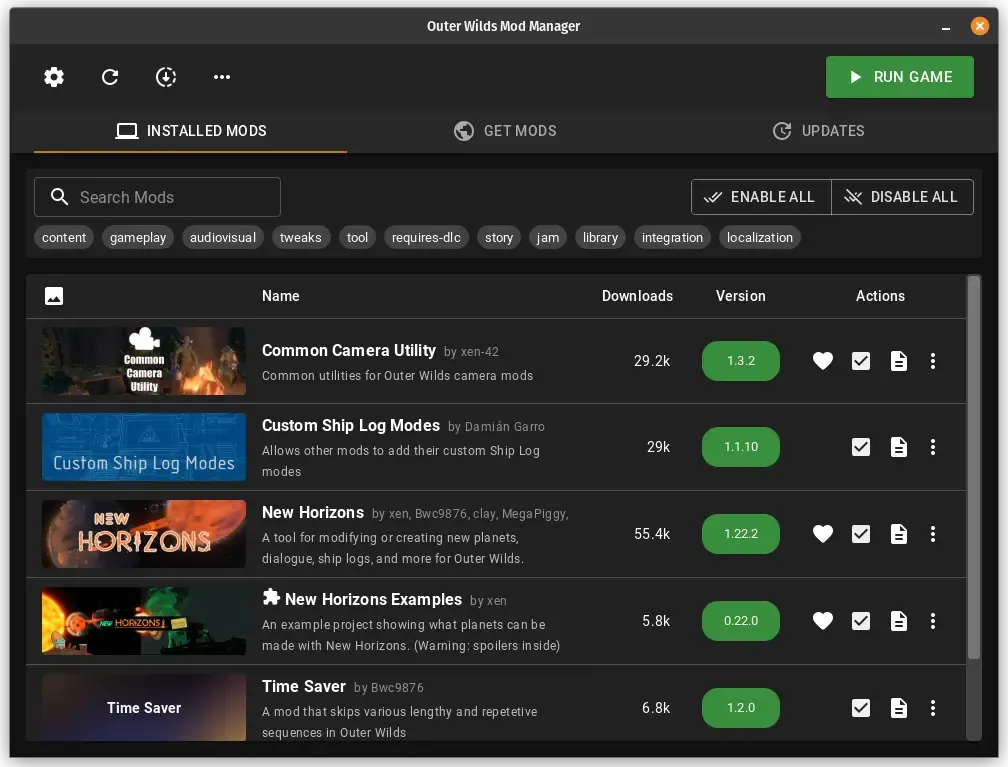
Download, install, and manage Outer Wilds mods using the Outer Wilds Mod Manager for Windows, Linux, and MacOS.
vanilla fix is a dependency for quantum space buddies which is multiplayer basically
fully modded in multiplayer 4p coop

install these 2 mods, time saver will skip the splash screen that will waste 30 seconds everytime
if i disable vanillafix, loads with renodx, vice versas
enable force exe in the OWML settings to save a few extra seconds
main wharf
calm smelt
if i disable vanillafix, loads with renodx, vice versas
Doesn't mean issue is caused by any of these mods.
Either way I tried and can't reproduce, sorry. Both RenoDX and Vanilla Fix, still got main menu buttons. 🤷
Found the issue. Was skipping tonemapping curve indeed 🤦
sdrCurve = (color * (color + a) - b) / (color * (c * color + d) + e);
sdrCurve = max(0, color);
I adjusted the settings for a while until I could configured it to look decently. I can share my preset for Nocturnal, if you wish

 odd ridge
lyric wraith
I adjusted the settings for a while until I could configured it to look decently...
odd ridge
lyric wraith
I adjusted the settings for a while until I could configured it to look decently...
Cool! I'm completely new to all of this stuff, but if you feel like guiding me through how to use your preset, then sure. Is it a file or do I just copy your settings from a screenshot?
main wharf
odd ridge
Cool! I'm completely new to all of this stuff, but if you feel like guiding me t...
RenoDX presets are stored in ReShade.ini file.
It's possible to copy/paste values there to share presets.
lyric wraith
here is my preset for Noctural. I finished the game, and it looked pretty decent overall. put in the game folder, it will replace the one you have
main wharf
odd ridge
Cool! I'm completely new to all of this stuff, but if you feel like guiding me t...
I wouldn't copy the whole file as it also stores other stuff.
Just [renodx-preset] section
lyric wraith
maybe the [renodx] too? I enabled the upgrade on a bunch of other formats, I did a quick inspection with the devkit, and I just noticed some targets weren't upgraded. not sure if necessary, but it didn't break anything
main wharf
lyric wraith
maybe the `[renodx]` too? I enabled the upgrade on a bunch of other formats, I d...
Up to you. Required upgrades are Any Size (=3) for RGBA8_typeless and RGB10A2_typeless, at least on 16/9 screen due to game rendering in 21/9 ratio.
Output size would work if you can get rid of letter-boxing (black bars).
calm smelt
main wharf
Doesn't mean issue is caused by any of these mods.
Either way I tried and can't ...
With time saver?
 main wharf
calm smelt
With time saver?
main wharf
calm smelt
With time saver?
No. Just Reno and Vanilla fix.
Feel free to disable Time saver and try just both mods I had, but again I'm not sure if issue is related since it seems to happen for some without any mod.
calm smelt
happens with and without time saver either odd
main wharf
calm smelt
happens with and without time saver either odd
Yeaaaa, try to check what those reddit posts say. Something about deleting game settings save or whatever.
main wharf
calm smelt
is reshade/renodx possibly messing with something related to saves
No.
Doesn't affect gameplay, only rendering/graphics.
And given vanilla fix seems to mostly affect gameplay I wouldn't expect both to have any interaction.
calm smelt
i see
 sweet mural
So Sonic Superstars is made on Unity? Does that mean it works with this mod? 🤔
uneven sluice
try it
main wharf
sweet mural
So Sonic Superstars is made on Unity? Does that mean it works with this mod? 🤔
Yea this, try and see. If doesn't work and you're motivated plug devkit from pinned message, dump shaders and send here.
Will see if I can do something.
 chrome crescent
Settings for inKONBINI: One Store. Many Stories (which on Unity) to make RenoDX works.
 main wharf
chrome crescent
Settings for inKONBINI: One Store. Many Stories (which on Unity) to make RenoDX ...
main wharf
chrome crescent
Settings for inKONBINI: One Store. Many Stories (which on Unity) to make RenoDX ...
The 2 latest are very unusual, sure they're making any difference?
Thanks for sharing either way


 odd ridge
lyric wraith
here is my preset for Noctural. I finished the game, and it looked pretty decent...
odd ridge
lyric wraith
here is my preset for Noctural. I finished the game, and it looked pretty decent...
Thanks! I played around with your preset. I copied the [renodx-preset] and [renodx] sections. To my eyes, it was a bit too dark on my LG C1 in some parts. I might have to tune the contrast or game brightness a smidge to make it work for me. Aside from that, I dig it.
I have a few questions if you wouldn't mind. Again, I'm completely new to RenoDX mods.
Nocturnal is currently "in progress" on the wiki page. Is the preset you now shared taking the game from the "in progress" state to what you guys (RenoDX modders) would consider to be "Working" state? Or is this more just your "subjective take" on this particular game? I'm guessing it's the latter?
Building on that - With the default OOTB settings + RGBA8_TYPELESS and R10G10B10A2_TYPELESS set to Any Size, is this considered having achieved the RenoDX goal presentation for this game OOTB? Or is this where the "in progress" icon on the wiki page comes in?
Sorry for the lengthy questions. I'm just a confused noob trying to formulate these things as best as I can.
main wharf
odd ridge
Thanks! I played around with your preset. I copied the [renodx-preset] and [reno...
Most games are marked in progress, means lack of testing/feedback or wiki update. No subjective stuff, just a kind of "mod is compatible but may break at some point.".
Automating resource upgrades/compatibility settings per game is possible, and done for a few already.
Dunno if I'll ever add all games, there's a lot. But anyone can contribute these, should be similar to https://github.com/clshortfuse/renodx/wiki/Unreal-Engine:-Contributing-Game-Specific-Defaults
 severe burrow
hey good fellas
I was looking into how you guys do specific games reno addons in the tutorial sections but got heartbroken when I saw there's quite a bit of coding and understanding of some bit of shading language etc when you do mods
we have the unity and unreal generalist addons that luckily work with a bunch of games but is there anything even more generalist? I was planning on reading and following tutorial steps to make my first renodx mods but got deflated when I realize how out of my league the doing it from scratch is :(
Wanted to give it a go at The Rifbreaker and Surviving Mars - specially cause they''ve just realeased a remaster of sorts but both use proprietary engines
I tried using the unity one on the first suviving mars and couldn't even get past a black screen menu lmao
are there any things I could theoretically try or is there really no way unless I can bribe someone with a gift to make one if it's not one of those odd cases of cursed games? :p
brave summit
More Easy Red 2 shaders I dumped
 twin wharf
Probably more effective to use Special K for that.
It can change the fixed tick rate as well as limit the simulation thread rather than render.
main wharf
brave summit
More Easy Red 2 shaders I dumped
Nothing I can use in this. Is addon still warning about missing shader?
woven crag
twin wharf
Probably more effective to use Special K for that.
It can change the fixed tick ...
So it doesn't break the game physics?
brave summit
main wharf
Nothing I can use in this. Is addon still warning about missing shader?
yeah
main wharf
brave summit
yeah
Aye, well dunno why that 2nd one only has a very few shaders. Just send the whole folder again please, doesn't matter if already added shaders are there.
twin wharf
woven crag
So it doesn't break the game physics?
Depends on the game for the fixed-tick change.
But the fact that SK paces the game thread also fixes a massive amount of the timing problems, the fixed-tick problem mostly just results in animation that's not appropriately smooth for the current framerate... rarely is it the cause of stutter.
It's an absolute night and day difference in Prince of Persia The Lost Crown.
I always thought that was fixed update rate, but it's largely just the render and game thread being separate.
woven crag
I wish I could know how to do this. Framegen (smooth motion) creates artifacts in this game and I don't like it
And panning at 60 certainly is jittery once you notice it can't unsee it, just one of those things
uneven sluice
woven crag
I wish I could know how to do this. Framegen (smooth motion) creates artifacts i...
it's 2 boxes to tick in SK
can't get any simpler
woven crag
hm, never seen them. Ok I'll take a look. Is that in-game or in the app? And does it persist between sessions?
I need it to persist otherwise it's too much hassle
torn rose
@main wharf hello, i tried loading Hellish Quart again with updates. The good thing is - all the sliders work correctly, but there is still this terrain bug i was mentioning the last time. There is still nothing that can be done about it?
 verbal lotus
twin wharf
It's an absolute night and day difference in Prince of Persia The Lost Crown.
I ...
verbal lotus
twin wharf
It's an absolute night and day difference in Prince of Persia The Lost Crown.
I ...
oh man I 100%'d that game not knowing this was available. I kind of want to go back and try now.
Hoping the Replaced devs finally fix it soon so I can give it a play
twin wharf
verbal lotus
oh man I 100%'d that game not knowing this was available. I kind of want to go b...
Yeah. I couldn't actually sit down and enjoy the game until something was done about that stutter 😛
Resulted in a lot of Unity-specific features in SK for input and frame pacing, so that disaster of a game (performance wise) was a net positive.
It's actually hard-coded for 60 Hz.
So they knew it was a problem, but it just went from one very uncommon framerate to a more common but still not native framerate.
Most games stick with the default 50 Hz.
odd ridge
Hey guys. I'm still unsure of what to do with Nocturnal. I may be hallucinating, but i think Default OOTB preset with RGBA8_TYPELESS and R10G10B10A2_TYPELESS set to Any Size has some kind of gamma/mid tones raise compared to original SDR 2.2 gamma (HDR off. Reshade/RenoDX uninstalled).
I just want the original SDR look but with proper highlights like RenoDX usually gives, but I'm not fully comfortable with messing with the sliders to "fix" Nocturnal.
Has anyone else noticed this gamma/mid tones mismatch with the default OOTB preset or am I hallucinating this?
 sour drum
so about phasmophobia, I just got around to playing it and apparantely it does have eye adaptation

also I forgot to dump FSR
this dump should include fsr and some other graphical options
bronze galleon
twin wharf
Most games stick with the default 50 Hz.
Unity not changing this default value is infuriating
brave summit
main wharf
Aye, well dunno why that 2nd one only has a very few shaders. Just send the whol...
here's more ER2 shaders
woven crag
odd ridge
Hey guys. I'm still unsure of what to do with Nocturnal. I may be hallucinating,...
I don't know the game but it sounds unlikely that would be a thing even after applying the gamma toggles. Are you sure it's maybe not just the way game is? How does untouched SDR look?
odd ridge
woven crag
I don't know the game but it sounds unlikely that would be a thing even after ap...
I'm just going between pure SDR (Windows settings HDR Off, Reshade files removed) and HDR On with Reshade and RenoDX addon added.
My TV uses 2.2 gamma in both cases. SDR looks deeper and darker, as if there's a gamma difference between the two.
woven crag
Ok that's weird
odd ridge
I wish could see them side by side and even share it but I don't know how to do that. It would also confirm whether I'm hallucinating or not. Taking photos using my phone camera is not ideal, to say the least 😄
lyric wraith
works out of the box, partially. the Color Grading sliders don't have any effect. the game is called Arranger: A Role-Puzzling Adventure, and it's an excellent 2D puzzle game
 main wharf
lyric wraith
works out of the box, partially. the Color Grading sliders don't have any effect...
main wharf
lyric wraith
works out of the box, partially. the Color Grading sliders don't have any effect...
Shaders from this are already in addon. Though according to log they're not used... Pretty weird.
main wharf
brave summit
Uhm, all shaders from this are already in addon. Make sure to trigger "missing shader" while devkit is there, only then will it be able to dump it.
main wharf
lyric wraith
works out of the box, partially. the Color Grading sliders don't have any effect...
Uuuuuh. So I realized game was free on Epic, checking now.
No idea what's going on, shit's really weird. Devkit shows shaders are there, but they don't do anything. I also get no shader replacement in log despite devkit showing me it happens.
 dusty parrot
New to reno unity trying the Deep dish dungeon demo what do I do if everthing is black and red
Might be do to the costom pixle effect
dusty parrot
never mind just read pins
lyric wraith
main wharf
Uuuuuh. So I realized game was free on Epic, checking now.
No idea what's going ...
No worries. Thanks for the effort! It's a small 2d game, and the hdr is not that impactful, it's only noticeable for some blended effects
brave summit
main wharf
Uhm, all shaders from this are already in addon. Make sure to trigger "missing s...
Where can I find "missing shader"?
Another dump, since I noticed messed up colours
 paper sandal


some screens of olden era with unity reno (SDR/HDR)
on lava screen it was something about missing shader
 main wharf
odd osprey
main wharf
odd osprey
First time I see this, no idea what it is.
 desert herald
odd osprey
Why is it doing this when all is up to date?
desert herald
odd osprey
Why is it doing this when all is up to date?
"it"?
looks like display-commander, not renodx: https://github.com/pmnoxx/display-commander/blob/c2665db4a5a4626994abf015f07d97af8901625d/src/addons/display_commander/reshade_module_detection.cpp#L243
MessageBoxA(nullptr, debug_info.c_str(), "ReShade Version Incompatible - Update Required",
uneven sluice
Gamble With Your Friends dump
Reno complains about a missing output shader, however devkit + unityreno crashes the game instantly (no window is created)
Log is from devkit + reno crash
The game has an HDR toggle but it doesn't seem to be working at all, reshade picks up the game as SDR always
It also has DX11/DX12/Vulkan renderers
DX12 vsync is completely busted and has massive stutters (like, hitch every second), driver vsync + display commander is butter smooth
main wharf
I meant to trigger broken colors/addon warning about missing shader while devkit is loaded, so it can dump corresponding shader.
Anyway found a couple in latest dump, here should be gud hopefully.
Also @uneven sluice has GWYF stuff.
uneven sluice
will check it out after i get some sleep
main wharf
torn rose
<@328585230657257473> hello, i tried loading Hellish Quart again with updates. T...
Honestly no clue why this happens. Can it be fixed, very likely. Do I know how, absolutely not.
Maybe try that one 🤷
brave summit
brave summit
Another dump, since I noticed messed up colours
Could you check this dump? I found some more missing shaders
idk if you saw it
main wharf
brave summit
Could you check this dump? I found some more missing shaders
I did check and did find a couple.
brave summit
nice, could you send the updated Unity RenoDX?
main wharf
main wharf
I meant to trigger broken colors/addon warning about missing shader while devkit...
Added them in that one build
brave summit
got it
main wharf
main wharf
I meant to trigger broken colors/addon warning about missing shader while devkit...
^
brave summit
thanks!
brave summit
main wharf
^
Also, Easy Red 2 only works with devkit also being used
without it, it crashes on DX12.
torn rose
main wharf
Honestly no clue why this happens. Can it be fixed, very likely. Do I know how, ...
didnt work 🙁
but thanks anyway
uneven sluice
main wharf
I meant to trigger broken colors/addon warning about missing shader while devkit...
works with DX11, DX12 is completely broken:
mouse cursor is gone, most of the UI is gone, publisher logo doesn't appear when starting the game
forgot to dump shaders with in-game film grain enabled
main wharf
uneven sluice
works with DX11, DX12 is completely broken:
mouse cursor is gone, most of the UI...
Yea I'm not surprised, there have been similar reports on other games. It used to work before I updated RenoDX base code. Hopefully is fixed with latest. Feel free to try the TEST build above with dx12.
main wharf
main wharf
Honestly no clue why this happens. Can it be fixed, very likely. Do I know how, ...
^
uneven sluice
the game runs at 240 locked on my machine either way, so im not sure if dx12 is that much more worth over dx11
tooltip on steam says dx11 is for lower end machines, dx12 for higher end, and vulkan for performance lol
i'll try out the test build on dx12 later
uneven sluice
nope test build with dx12 is still broken
main wharf
uneven sluice
nope test build with dx12 is still broken
Still crashes with pipeline cloning? This is what devkit supposedly adds that fixes things, hence why I added a slider.
uneven sluice
doesn't crash, but still has the symptoms i described earlier
mouse cursor is gone, most of the UI is gone, publisher logo doesn't appear when starting the game
main wharf
uneven sluice
> mouse cursor is gone, most of the UI is gone, publisher logo doesn't appear wh...
Yea this is what pipeline cloning is supposed to fix... Mmh, what else would devkit be doing to fix this. 🤔
Anyway thanks for feedback, will try to figure this out.
paper sandal
with devkit in Olden era some game windows are black but game UI is available
I opened devkit window, how can I autodump?
bronze galleon
main wharf
Yea this is what pipeline cloning is supposed to fix... Mmh, what else would dev...
This reminds me, should you have not had a look at it yet, that Mirage7 is a relevant case to check a 32bit game for graphical issues caused by Reno, similar to the ones in iRacing Arcade but without the no UI thing
(missing textures, wrong Z position terrain etc)
paper sandal
Is that right? Just make zip of dump folder in renodx-dev folder?
main wharf
bronze galleon
This reminds me, should you have not had a look at it yet, that Mirage7 is a rel...
Wait uuuh, dx12 32-bit..?
Aw nevermind, it's not the missing UI thing but something else.
bronze galleon
Yeah two different things but that one GFX commonality
- Mirage7: 32bit dx11 with missing and wrongly positioned textures
- iRacing Arcade: 64bit dx12 with missing and wrongly positioned textures AND missing UI (devkit solving the UI, not the textures iirc should double check eventually)
Now iRacing Arcade does have a binding for toggling the UI (touchpad on Dualsense or Create/Share on Dualsense/Duashock4, dunno about keyboard) so maybe Reno could be triggering the function doing this but that's far fetched
main wharf
bronze galleon
Now iRacing Arcade does have a binding for toggling the UI (touchpad on Dualsens...
Doubt it. The missing UI thing seems to only happen in dx12 (d3d11on12) since I rebased some of RenoDX recent changes.
Something about swapchain proxy I think.
Missing textures has been reported in a few games, some dx11 aswell, and has been going on for a while.
The more cases I got the more likely I am to figure out what's going on, thanks for reports as usual!
main wharf
paper sandal
Is that right? Just make zip of dump folder in renodx-dev folder?
Yea looks about right. Try this
 desert tapir
This is working wonderfully for me in "Nuclear Option", with the Steam launch option set to simply "play NO", not DX12 or Vulkan 🙌
@fiery escarp You were the only other comment I could find about the game here lol, thought you'd want to know. Much better than RTX HDR on being able to tune the UI nits alone
 fiery escarp
desert tapir
<@172391143663730688> You were the only other comment I could find about the gam...
fiery escarp
desert tapir
<@172391143663730688> You were the only other comment I could find about the gam...
Yup, thanks for letting me know. Won't be home for a few weeks though,I'll definitely give it a try when I'm back
main wharf
uneven sluice
forgot to dump shaders with in-game film grain enabled
Oh, almost missed that. Here
desert tapir
This is also working perfectly for me in "Gunner, HEAT, PC!" (GHPC). Not having any foliage or ground texture bugs like were reported before IIRC, and those were systems in the game which have been receiving a lot of work in the recent updates so unsurprising.
sour drum
sour drum
this dump should include fsr and some other graphical options
@main wharf sry to ping, anything on this dump?
main wharf
sour drum
<@328585230657257473> sry to ping, anything on this dump?
Checked again, all shaders there are already in addon. Dunno if you got a "missing shader" warning, if so gotta trigger it again with devkit loaded.
chrome crescent
chrome crescent
Settings for inKONBINI: One Store. Many Stories (which on Unity) to make RenoDX ...
Update. For for inKONBINI: One Store. Many Stories.
Previous did create graphical artifacts when changin' graphics settings. Now it's works as it should.
 sour drum
main wharf
Checked again, all shaders there are already in addon. Dunno if you got a "missi...
sour drum
main wharf
Checked again, all shaders there are already in addon. Dunno if you got a "missi...
weird, it gave the usual missing output shader warning + deep fry when disabling some settings
I originally dumped with everything enabled, so I assumed I forgot some settings off
Ok, so I did the prev dump with PQ LUT shaper, maybe that was the problem? I re-dumped with vanilla. FSR and film grain seem to be missing output shaders
I'll also probably add the note to disable autoexposure setting in-game
main wharf
sour drum
Ok, so I did the prev dump with PQ LUT shaper, maybe that was the problem? I re-...
Nah addon settings should have no effect on that.
Will check in a bit thanks.
sour drum
main wharf
Nah addon settings should have no effect on that.
Will check in a bit thanks.
it warns about switching pq to vanilla for correct output
main wharf
sour drum
it warns about switching pq to vanilla for correct output
Yeaaaa visually speaking. To "un-deepfry" stuff
sour drum
main wharf
Yeaaaa visually speaking. To "un-deepfry" stuff
ooooh, right. I thought this meant correct output for the devkit
main wharf
sour drum
Ok, so I did the prev dump with PQ LUT shaper, maybe that was the problem? I re-...
I'm not sure why, no new/missing shader in this either. Are you sure devkit is actually dumping new ones? Maybe auto-dump is disabled and you didn't press "Dump All" button after changing game settings?
Aw wait, maybe shaders aren't decompiling for some reason... Lemme check .asm
main wharf
main wharf
Aw wait, maybe shaders aren't decompiling for some reason... Lemme check .asm
Nope. Yea I dunno
sour drum
main wharf
I'm not sure why, no new/missing shader in this either. Are you sure devkit is a...
yeah idk, this is what film grain off/fsr on show 🤷♂️

 woven crag
dump for this super fun (pun intended) evolutionary spin on survivors genre
i'm not sure if there's any point chasing HDR here but uhm just in case, because I really really love the game
so far UI slider = everything so tonemapping or fakehdr doesn't work
I played it clamped at 100 nits and i had so much fun had no time to think about HDR, but uhm.. well, made a dump anyway, just in case
woven crag
This might be one of those "raw" games actually without any shaders going on. If anything I only had issue at night and maybe if only there was UI seperation so I could get my game brighter (nights have significantly reduced vision and are very dark) it's why I had to play at 100 nits, otherwise the UI would keep blasting you

And I didn't even get to this snowy area, hmm. Maybe not the best candidate for HDR transformation but I'm interested what Voosh will have to say
Game is 10/10 funtime tho , I played a ton of survivor clones and this one really brings that invigorating evolution element to it, it's really well thought out and fun to play
Yes our most fun modern games run on literally NES Super Mario Bros 3 graphics
It's doesn't even try to be anything fancy. It's straight up old school 
 heavy axle
Hey Voosh, I see from this comment that Slime Rancher 1 worked at this time, do you remember any particular advanced setting to enable to make it work ? Because on my end the colors are washed out
main wharf
heavy axle
Hey Voosh, I see from this comment that Slime Rancher 1 worked at this time, do ...
Swapchain encoding to gamma likely
heavy axle
main wharf
Swapchain encoding to gamma likely
I get this, not sure if I can override this setting ?
 main wharf
heavy axle
I get this, not sure if I can override this setting ?
main wharf
heavy axle
I get this, not sure if I can override this setting ?
Oh shit, might be a bug. Will check when home
heavy axle
Thank you 👍 I had an earlier version of Unity yesterday and had the same issue, not sure if it's tied to the game specifically
paper sandal
main wharf
Yea looks about right. Try this
looks like it works, thanks
 surreal haven
 main wharf
surreal haven
main wharf
surreal haven
Here
main wharf
woven crag
Can't find anything that looks like post-processing here. Maybe REST with some ITM ReShade effect could do though
surreal haven
main wharf
Here
nice, thanks man
woven crag
main wharf
Can't find anything that looks like post-processing here. Maybe REST with some I...
thanks for looking into it!
woven crag
main wharf
Can't find anything that looks like post-processing here. Maybe REST with some I...
So you're saying even if you wanted to do the UI seperation, it wouldn't be possible because there's nothing to hook on? Just want to understand, so I don't bother you with similar situations
main wharf
woven crag
So you're saying even if you wanted to do the UI seperation, it wouldn't be poss...
I'd have to get my hands on game to be 100% sure, but I checked every single pixel shader from dump (there weren't that many) and it didn't seem like it yea.
Again REST might work though.
woven crag
Uhh what's REST tho? 👀
main wharf
woven crag
Uhh what's REST tho? 👀
woven crag
Oh and this gives you introspect into shaders while in the game? So I could maybe find the UI stuff myself?
main wharf
Among other things it allows for example to apply ReShade effects behind UI.
For example ITM or brightness scaling.
woven crag
I'll take a look at that. If I can figure it out it would be a good bandaid solution for games like this and I know a couple
main wharf
woven crag
I'll take a look at that. If I can figure it out it would be a good bandaid solu...
Yeaaaa. I remember @snow wyvern had shared a version of AutoHDR shader that had UI scaling separated and worked with REST. I have no idea current state of things tho, been a while since I used it I don't have shader anymore.
surreal haven
main wharf
Here
this worked perfectly man, thanks again

 south stream
Any update to the recommended settings for Pillars of Eternity II? I have followed them but game with Reno unity add on is super dark, almost like a gamma issue. No warnings being thrown in addon (once I enabled swapchain proxy).
 twin stump
10 bucks for Voosh, keep up the good work!
looks amazing for SPT
main wharf
south stream
Any update to the recommended settings for Pillars of Eternity II? I have follow...
Mmh no idea, I'll check what's going on when I get the chance, though wiki suggests game renders in gamma space so I wouldn't expect things to be darker than intended, rather washed out if Swapchain Encoding is set to Linear instead of Gamma.
south stream
I did try both. Primarily because I saw something in Special K about Unity games tending to render in linear. Or it might have been that Special K automatically changes them to linear (sorry, didn't fully understand). I tried it without special K with wiki settings - produced the darkened picture. Tried it with Special K with wiki settings - same result. And with special K with linear - to me looks like what happens when you leave HDR on in an SDR game. Hope that helps!
main wharf
south stream
I did try both. Primarily because I saw something in Special K about Unity games...
Yea that is the case for most Unity games, not all of them. Pillars of Eternity is one of the exceptions, even with just SpecialK HDR without RenoDX you'd likely have to set Content EOTF to SRGB here for things to look correct. Though again I'll double check and let you know what's going on.
Edit: nah, game very much renders in linear
south stream
You're awesome for even looking at it, thank you!
And yes when using special K I had to configure its HDR settings to srgb and then allow reshade to process (bypassing special K's HDR upgrades, tonemapping etc.)
main wharf
brave summit
Idk how to only capture missing shaders
Don't worry about it just send all I'll figure out.
main wharf
heavy axle
I get this, not sure if I can override this setting ?
Uhm it's weird af, mine is locked on Gamma. 🤔
Send ReShade.log please
main wharf
heavy axle
Hey Voosh, I see from this comment that Slime Rancher 1 worked at this time, do ...
Aaaah, I think I know what's going on. You likely already had the following in ReShade.ini:
[renodx]
Swapchain_Encoding=0
Remove that line and it should set automatically to the right value (=1). Though that'd definitely be a bug, I'm pretty sure I intended this to be overwritten if detected.
brave summit
main wharf
Don't worry about it just send all I'll figure out.
I sent all, could you send the updated renodx addon?
main wharf
brave summit
I sent all, could you send the updated renodx addon?
On it, one moment please
brave summit
thank you.
main wharf
brave summit
thank you.
Uhm that is odd, all shaders from that latest dump are already in addon.
brave summit
main wharf
Uhm that is odd, all shaders from that latest dump are already in addon.
strange, I was seeing some null pixels in the Stalingrad missions of Easy Red 2, so I made a dump.
main wharf
brave summit
strange, I was seeing some null pixels in the Stalingrad missions of Easy Red 2,...
What do you mean by "null pixels"
main wharf
brave summit
pitch black pixels
Aw so no deepfried visuals and missing shader output. I wasn't looking for the right thing then, thooooo this is trickier to find. I'll see if I can figure it out tomorrow, might be a long search.
brave summit
main wharf
Aw so no deepfried visuals and missing shader output. I wasn't looking for the r...


this is how the corruption looks like
main wharf
brave summit
Does it only happen behind UI or also "in-game"/render only ?
brave summit
main wharf
Does it only happen behind UI or also "in-game"/render only ?
both
though in-game is much rarer
it does happen
brave summit
main wharf
Does it only happen behind UI or also "in-game"/render only ?
wait, the corruption happens in vanilla too
must be an in-game bug
main wharf
brave summit
must be an in-game bug
That'd be the case only if it did happen without ReShade/RenoDX aswell, in which case I don't think there's much I can do.
But if RenoDX causes it, chances are that is because of resources upgrades. If you're familiar with ShaderToggler then you can use it to identify responsible pixel shader, select it and save toggle group then send ShaderToggler.ini file. Else I'll grab game to have a look myself eventually, just gotta be able to trigger it within 2 hours refund period. A game save would likely help in that case.
woven crag
Voosh, do you not have a Ko-Fi set up or something? As main upkeeper of this mod you should totally be listed on the contributions/support page it's like all this unity stuff is getting by unnoticed but so many games use this mod, it's universal yes but you're working on it all the time.
I know it's not much and might not even seem worth setting up for a couple of nickles and dimes, but I just feel like you should be listed there at least for recognition, because again unity is huge
twin stump
woven crag
Voosh, do you not have a Ko-Fi set up or something? As main upkeeper of this mod...
#📝welcome message
woven crag
What the hell is wrong with my eyes I was literally looking at it and I did not see it
 twin stump
for that you have to drop Voosh 1 more dollar 😛
woven crag
I'm sorry this is so embarrassing I was so sure it wasn't there sorry about this lol
main wharf
chilly pine
addon completely fucks up ingame screenshots for demons tide lol
Took a try at fixing this and couldn't figure it out, sorry. Info should be added to wiki.
I hope photos aren't part of gameplay? In which case one can hide HUD and use ReShade's screenshot functionnality. This would actually be even better as would result in HDR pictures, whereas in-game functionnality would produce SDR pics even if it worked with addon.
chilly pine
no no please dont worrt about it, its just an optional feature
main wharf
brave summit
strange, I was seeing some null pixels in the Stalingrad missions of Easy Red 2,...
Ugh, I'm trying to reproduce this but I don't have access to these missions, seems to be DLC. Tried some random other ones and haven't seen any artifact.
Lemme know if you need help using ShaderToggler to identify responsible shader, or if there's a way I can consistently reproduce artifacting.
fiery vapor
hey will the issue of the reflections being a different tonemapper in turbo overkill ever get fixed?

on the default grading
(altho yes this does appear in vanilla game, doesn't mean it should be left alone imo)
main wharf
fiery vapor
hey will the issue of the reflections being a different tonemapper in turbo over...
What do you mean?
main wharf
Or rather ACES perk 
fiery vapor
-# pls
main wharf
I'm fairly sure "Alt grading" is devs solution for that. "Alt grading" setting came in same update as SSR and all it seems to do is getting rid of ACES xD
fiery vapor
ah
lol
wait does turbo overkill in renodx unity just adjust ACES or does it completely replace ACES?
main wharf
fiery vapor
wait does turbo overkill in renodx unity just adjust ACES or does it completely ...
Replace. Been a while I played game but I think RenoDX should make it better
fiery vapor
main wharf
I'm fairly sure "Alt grading" is devs solution for that. "Alt grading" setting c...
while alt grading is an "easy fix" I do prefer base grading + renodx
maybe I'll dump the reflections shader?
main wharf
fiery vapor
maybe I'll dump the reflections shader?
Nah, that wouldn't help
main wharf
main wharf
Replace. Been a while I played game but I think RenoDX should make it better
Addon rewrite will modify it (= extended curve since it's not full ACES but rather Unity's approximation curve). I added an "SDR tonemapper hue" slider so maybe playing with that will do, I dunno.
Here you can try that, tho it may not work in the game yet.
fiery vapor
main wharf
Addon rewrite will modify it (= extended curve since it's not full ACES but rath...
oh nice
I've been wanting to get my hands on the rewrite just for Turbo Overkill
main wharf
fiery vapor
maybe I'll dump the reflections shader?
When game renders, shit is blue so reflections are blue. It's only at the end of rendering (post-processing) when tonemapping occurs that ACES breaks stuff.
Something like it turns very bright blue purple, and when reflection is less bright that actual light eventually it doesn't shit and remains blue.
ACES perk
I remember ShortFuse shared something similar in some lego game
Yea here
It's hilarious really.
Though I'm not that bothered by this, especially since I witnessed it happening in real life through my eyes.
main wharf
A blue light being purple, even pink but emitted light on the furthest wall would be blue. Camera would capture everything blue so I know light is actually blue.
main wharf
fiery vapor
oh btw do you have a build with neutwo?
I use neutwo max channel for baked luts, but removed it as a display mapper because it was the worse of 3 I experimented with.
main wharf
Ended up keeping just Psycho, removed Frostbite aswell to make addon lighter. Got really heavy after I moved tonemap & grading from lutbuilders to uber shaders.
Benefit of this is that we can now use most sliders even when lutbuilder "hides"/doesn't build lut every frame.
main wharf
fiery vapor
neutwo is probably best used with `RENODX_RENO_DRT_WHITE_CLIP`
Psycho also has clip I think, though I dunno if it's currently working, didn't seem to do anything when I tried.
fiery vapor
I think RENODX_RENO_DRT_WHITE_CLIP works in reverse?
the lower the number, the more clipping there is
it's how I got highlights in ULTRAKILL to look similar to SDR
main wharf
fiery vapor
I think RENODX_RENO_DRT_WHITE_CLIP works in reverse?
the lower the number, the m...
Yup'
main wharf
fiery vapor
it's how I got highlights in ULTRAKILL to look similar to SDR
Yea current snapshot uses that heavily to match SDR. Whether it is with Reinhard or Hermite Spline.
Though it's not consistent, depends how bright game gets kinda.
fiery vapor
fiery vapor
it's how I got highlights in ULTRAKILL to look similar to SDR
I still need to make the 3D hud in that game obey the UI brightness instead of game brightness
and then add the ITM'D shaders as a toggle
main wharf
fiery vapor
I'll see how the rewrite looks
There are 3 Hue sliders in this. I don't think I added description yet, also default values are pretty arbitrary (50 right in the middle for all 3 I think ?)
fiery vapor
fiery vapor
I still need to make the 3D hud in that game obey the UI brightness instead of g...
I'll be releasing it as a standalone addon but when it's out feel free to add some of the shaders to RenoDX Unity
main wharf
main wharf
There are 3 Hue sliders in this. I don't think I added description yet, also def...
One to match SDR tonemapper (if any), one to match straight clipping (= saturate) and Psycho's Hue Restore which undoes Psycho's own shifting.
fiery vapor
also am I the only one that likes to increase the highlight saturation when playing Turbo Overkill?
feels like the game should be a little more neon
main wharf
I am slowly testing it in different games/scenarios, things may change if it doesn't work well I dunno. Feedback's welcome!
Right now the thing that misses the most imo is some way to handle blowout/"white". Psycho's bleaching feels very light, though this may be from me misusing it I dunno.
Though from what I read ShortFuse may add something related in next Psycho versions, will see.
main wharf
fiery vapor
also am I the only one that likes to increase the highlight saturation when play...
Rewrite is way more colorful overall, basically because of what I just said. There isn't a "Highlight saturation" slider anymore for now.
fiery vapor
main wharf
Rewrite is way more colorful overall, basically because of what I just said. The...
-# 

okay maybe in this version it's still there
unless it didn't actually load
OH
I PUT IT IN ROR2 NOT TURBO OVERKILL 😭
actually speaking of RoR2, I feel like ROR2 is a very ACES griefed game
main wharf
fiery vapor
actually speaking of RoR2, I feel like ROR2 is a very ACES griefed game
Mmh, I dunno, iirc game renders everything super flat, then adds a bunch of contrast with grading and another bunch with ACES.
So probably grading is responsible aswell for whatever.
Then again I personally don't mind games look that much, as long as gameplay is fun and game's overall coherent.
fiery vapor
main wharf
Mmh, I dunno, iirc game renders everything super flat, then adds a bunch of cont...
fair
I do play with the sliders a bit with RoR2
I see that psycho hue restore doesn't do anything?
in the menu at least
fiery vapor
main wharf
Mmh, I dunno, iirc game renders everything super flat, then adds a bunch of cont...
I find that the fire shader in SOTV's Siphoned Forest environment gets griefed pretty hard
main wharf
fiery vapor
I see that psycho hue restore doesn't do anything?
It should, at least it did when I tried, though it is light indeed. Basically depends on how much Psycho shifts in the scene. If it does nothing then it's not shifting anything.
From what I've seen it's the usual per channel stuff, so for example orange turning yellowish. Hue restore would make it orange again, undoing the shift.
fiery vapor
oh yeah
I see now
turbo overkill's gonna need a lot more work, the rocket launcher screen turns from red to orange with psycho
main wharf
fiery vapor
turbo overkill's gonna need a lot more work, the rocket launcher screen turns fr...
I mean, that's what Hue restore is there for. Just set it to 100 and psycho shouldn't shift anymore.
main wharf
main wharf
There are 3 Hue sliders in this. I don't think I added description yet, also def...
^ "default values are pretty arbitrary"
I've been mostly looking for bugs/issues rather than matching SDR out-of-the-box for now. And even then, everyone seems to have a different expectation from HDR. Imo it shouldn't 100% match as it gets ugly, rather just have the same "direction". But sliders should allow you to match 100% if you want (e.g SDR Tonemapper Hue set to 100 matches pretty well in the couple ACES games I tried, it gets all the blurple and rorange the same).
main wharf
fiery vapor
turbo overkill's gonna need a lot more work, the rocket launcher screen turns fr...
Aw, I think Clipping Hue should be set to 0. Doesn't really make sense when game originally doesn't clip (e.g. uses Unity's ACES)
I just added slider earlier today, haven't experimented much with it yet but it's mostly meant for games that don't originally tonemap.
So like, Turbo Overkill's "Alt Grading" would benefit from this, if you wanna match SDR that is.
main wharf
south stream
Any update to the recommended settings for Pillars of Eternity II? I have follow...
Aw wait, ignore what wiki says and what I said (I blindly trusted wiki info), Swapchain Encoding should be Linear, not Gamma.
That's why stuff's too dark, it was probably looking fine with default "Linear" setting, I guess
Awell since I got game installed now, will take another shot at fixing Bloom/"Glow effect".
Also I'm not sure about MSAA not working note in wiki, seems to be ok here. Will check later
fiery vapor
main wharf
Aw, I think Clipping Hue should be set to 0. Doesn't really make sense when game...
yeah for some reason clipping defaults to 100
SDR tonemapper hue also causes reds to go orange
main wharf
fiery vapor
SDR tonemapper hue also causes reds to go orange
Yea so does SDR in this case. ACES's "rorange"
main wharf
fiery vapor
yeah for some reason clipping defaults to 100
I mean Hue, not Clipping slider
main wharf
main wharf
I mean Hue, not Clipping slider
I'll probably enable either one or the other. Both together don't make sense I think. Either SDR Tonemap Hue or SDR Clipping Hue
fiery vapor
oh huh alt grading is fixed in the rewrite nice
also is it me or are the blacks in the alt tonemapper raised?

I was always wondering what was so off about the alt grading and I finally figured it out?
here's base grading
 main wharf
fiery vapor
also is it me or are the blacks in the alt tonemapper raised?
main wharf
fiery vapor
also is it me or are the blacks in the alt tonemapper raised?
There's no alt tonemapper. They remove ACES for straight clipping. I don't know if color grading is also changed, maybe a bit but they surely didn't make up for ACES's removal loss of contrast so yea it's less "crushed"
fiery vapor
ah
woven crag
Theres no way you guys are still cooking with turbo overkill what the heck is up with this game
main wharf
woven crag
Theres no way you guys are still cooking with turbo overkill what the heck is up...
I didn't do anything specific to that game, changes done in the build I shared above affect all games.
main wharf
main wharf
Addon rewrite will modify it (= extended curve since it's not full ACES but rath...
^
south stream
main wharf
Aw wait, ignore what wiki says and what I said (I blindly trusted wiki info), Sw...
Thanks again for looking at it. I felt like linear was a bit washed out but probably just my monitor hitting ABL in HDR1000 instead of TB400. Hey if it ends up resulting in fixed bloom/glow, it will be a win!
 haughty dock
XF is coming out of early access very soon and the price will go up when it does
https://store.steampowered.com/app/2539910/XF_Extreme_Formula/
Race at the speed of sound and beyond in the great XF Extreme Formula championship! Taking place in the year 3000, you will tour trough the solar system proving you’re worthy of the title of champion.
Features:…
Price
$11.99
Recommendations
267

game is great
played it a good bit many months ago, been waiting for full release to jump back in
 fallen linden
brave summit
fallen linden
brave summit
Dumped from Easy Red 2's beta, since I noticed some missing shaders.
main wharf
brave summit
Dumped from Easy Red 2's beta, since I noticed some missing shaders.
Uhm, can't find anything new in there, same shaders as before that are already in addon.
chilly pine
haughty dock
XF is coming out of early access very soon and the price will go up when it does...
the dev is working overdrive releasing story chapters
he's awesome, check out his earlier games
verbal lotus
Anyone mess with Final Fantasy Pixel Remasters for upgrades? Was curious if there was any specific upgrades. Was testing with FFV but seems to mostly just change with UI brightness
main wharf
verbal lotus
Anyone mess with Final Fantasy Pixel Remasters for upgrades? Was curious if ther...
Is there any highlight? Looks pretty flat on screenshot. Some VFX maybe, are they unclamped with just resources upgrades?
If so you can see if Offsets are available in compatibility, to separate UI and render.
Can also try to enable Blit Copy Hack in case it isn't running in Auto mode for some reason, assuming this is available aswell.
rocky steppe
I recently played through all 6 of them, don’t think I recall seeing any point I thought it would be hdr under the hood
MAYBE some battle effects, MAYBE
main wharf
Yea stuff like that
 rocky steppe
oh yeah
brave summit
I've been crashing randomly with DevKit + RenoDX Unity, and there is a ton of log spam.
Easy Red 2 crashes instantly with Force Pipeline Cloning on without DevKit.
I'll post the log
main wharf
brave summit
I've been crashing randomly with DevKit + RenoDX Unity, and there is a ton of lo...
I assume dx12 (or d3d11on12 fwiw) ? It is currently borked, not sure why.
I added Force Pipeline Cloning because I thought that's how devkit was making a difference, but it seems it's not all there is.
Planning to look into it, just been delaying as I hope some RenoDX update or swapchain v2 changes fix it. It used to work, maybe I'll start by rolling back changes until I find which commit broke it.
main wharf
brave summit
Yup' D3D11On12CreateDevice
That's not game specific, it's been reported in other games for a bit now.
brave summit
damn
main wharf
south stream
Thanks again for looking at it. I felt like linear was a bit washed out but prob...
I think I got the glow effect working.
south stream
main wharf
I think I got the glow effect working.
Certainly no expert, but looks good to me! I just ran the opening because I remembered some crazy corruption there with glow effect on. Don't see any now!
main wharf
south stream
Certainly no expert, but looks good to me! I just ran the opening because I reme...
Yea purple would turn yellow 😅
Noice thanks for confirming, gonna push change to snapshot and update wiki!
south stream
main wharf
Yea purple would turn yellow 😅
Noice thanks for confirming, gonna push change t...
You're awesome Voosh!
main wharf
south stream
You're awesome Voosh!
Eeeeh to be fair it's mostly @snow wyvern's solution (had an old addon for the game somewhere). All I did is ask Copilot to tell me what code from Ersh's addon was responsible and to help me update it to recent RenoDX code as it wouldn't compile...
I mostly have no clue what's going on, but as long as it works... 🤷
 opal garden
Lots to look through here and a few files to pick from.... can someone let me know what the best addon for Yooka-Replaylee is please?
main wharf
opal garden
Lots to look through here and a few files to pick from.... can someone let me kn...
Snapshot. From this post's very first message (oldest pin) or wiki is the same.
I mostly add shaders blindly after people send dumps, so I tend to share updated build here first and wait for confirmation things are working as intended before I update snapshot. This doesn't usually take long, in this case snapshot is now same as that latest build above (Pillars of Eternity 2 bloom fix).
All previous files are not relevant, except for the one in [this message](#1413695723404398674 message) called renodx-unityengine_TEST.addon64 which is a preview of a consequent update I've been working on.
Though it has only been tested in a few games so far, I'm still working on it. Up to you if you wanna give it a shot, but prefer snapshot if you just want something that works.
opal garden
main wharf
Snapshot. From this post's very first message (oldest pin) or [wiki](https://git...
Awesome. Thank you 🙏
chilly pine
I've come across another issue with demon tides


excuse the bad screenshots, this is just to show that its really dark
main wharf
chilly pine
I've come across another issue with demon tides
Check the very last paragraph of pinned troubleshooting message. Gotta use devkit to dump shaders and send folder here
 violet ginkgo
Hi, any good settings for Replaced?
chilly pine
main wharf
Check the very last paragraph of pinned troubleshooting message. Gotta use devki...
do I have to be at the same area or can I just dump shaders now?
main wharf
chilly pine
do I have to be at the same area or can I just dump shaders now?
Gotta trigger the issue again with devkit loaded so it can detect and dump corresponding shader.
main wharf
violet ginkgo
Hi, any good settings for Replaced?
Uuuh, default should be close enough to SDR.
Increase Internal LUT scaling to get rid of the raised black level if that's something that bothers you.
Then Color Grading/Effects are really up to personal preference.
violet ginkgo
main wharf
Uuuh, default should be close enough to SDR.
Increase Internal LUT scaling to ge...
Thanks, internal lut scaling at 40 and contrast at 55 seems to be a great balance 👍
bronze galleon
Hi Voosh, here's a dump for the newest patch of the game suddenly missing shaders (dunno why they'd change them so late in the cycle but whatever)
main wharf
bronze galleon
Hi Voosh, here's a dump for the newest patch of the game suddenly missing shader...
Dunno either. Just one shader it seems, no biggie. Here
main wharf
 bronze galleon
Oh, this week's Epic free game Down in Bermuda also suffers from the no-UI bug with RenoDX (which only asks for swapchain proxy)
Damn, RTSS crashes it lol (either on toggling its overlay on with ReShade + RenoDX or if just not excluding the game from RTSS without RenoDX)
Oh boy, won't even boot with devkit 
Correction, won't boot with devkit and reno, devkit alone is fine, I'll dump some just in case
Using -force-d3d11 makes it all work fine it seems 🙂
main wharf
bronze galleon
Correction, won't boot with devkit *and* reno, devkit alone is fine, I'll dump s...
This may be because your current devkit is too recent.
Actually that's my bad, link in pinned message is wrong, it should be from same repo as unity addon, gimme a sec.
bronze galleon
Ah, it is indeed
main wharf
bronze galleon
Ah, it is indeed
bronze galleon
Thanks, will keep it handy 🙂
main wharf
Updated pinned message.
main wharf
bronze galleon
Oh, this week's Epic free game Down in Bermuda also suffers from the *no-UI bug*...
Perfect though, I can grab it and try to figure out what tf is going on 😭
bronze galleon
Addon needs unlocking gamma for this one I bet
Slider is grayed out currently and colors don't match sdr
d3d12 is fucked anyway
main wharf
bronze galleon
Slider is grayed out currently and colors don't match sdr
Even preset off? Aye I might be able to figure that out from dump. Or even better if you got ReShade.log I can see what shaders are being replaced, one of them is triggering slider lock.
bronze galleon
Yep, even with off preset
main wharf
bronze galleon
d3d12 is fucked anyway
Yeaaaaaa I'll get to that, I keep forgetting about it 😅
bronze galleon
Moment, want it with or without SK the reshade.log ?
main wharf
bronze galleon
Moment, want it with or without SK the reshade.log ?
Shouldn't matter
main wharf
bronze galleon
Damn, RTSS crashes it lol (either on toggling its overlay on with ReShade + Reno...
Using Microsoft Detours hooking already? In RTSS settings
It usually helps with compatibility with other third party tools
bronze galleon
Yep but no luck here in d3d12
everything just works (besides gamma) in d3d11 tho 🙂
That's with SK
And a quick one without SK
main wharf
bronze galleon
everything just works (besides gamma) in d3d11 tho 🙂
Uhm, likely renders in linear. I see no reason addon would set gamma there
bronze galleon
Ah, so it's just the upgrade changing the feel of some colors then ig
main wharf
bronze galleon
Ah, so it's just the upgrade changing the feel of some colors then ig
Dunno might be something unusual game does. I'll check anyway, game's free sooooo 🤷
bronze galleon
Indeed 🙂
main wharf
500MB. Thanks again, I can keep that indefinitely on my drive until I figure out what's going on with d3d11on12
 hope this will be the key to unlock them all
  main wharf
bronze galleon
Ah, so it's just the upgrade changing the feel of some colors then ig
main wharf
bronze galleon
Ah, so it's just the upgrade changing the feel of some colors then ig
Yea I think Linear is fine. Haven't checked in-game yet tho, maybe something else is going on.
FYI changing API (dx11, dx12) can have undesirable effects if not planned by devs. I've seen some games skip grading or even whole post-processing when forcing different API.

 bronze galleon
Ah good to know 🙂 Saw the minimum specs were whatever gear and d3d11 whilst recommended were whatever and d3d12 so gave it a shot 🙂
main wharf
[build] [3592/3595] 🙈
crimson spear
Half the project's shaders in unityengine folder 😂
main wharf
crimson spear
<@328585230657257473> ZERO PARADES dump
Here you go I think
crimson spear
Perfect, thanks!
proper vine
main wharf
Yea I think Linear is fine. Haven't checked in-game yet tho, maybe something els...
oh that's the free epic game nice lol
bronze galleon
Oh and Monument Valley 3 the free mobile game, awesome !
 regal moth
bronze galleon
Oh and Monument Valley 3 the free mobile game, awesome !
regal moth
bronze galleon
Oh and Monument Valley 3 the free mobile game, awesome !
It's also finally 60 fps on android. It was locked to battery saver and wouldn't go higher than 30 fps for months. Thankfully they seem to have finally updated it to be inline with the iphone version.
 unborn tide
I get a missing output shader warning with Viewfinder (Steam version) with the Unity addon when using the PQ LUT shaper. It says to do a devkit dump. Is there a way to fix this as a "user"?
main wharf
unborn tide
I get a missing output shader warning with Viewfinder (Steam version) with the U...
Last paragraph in pinned troubleshooting message.
TLDR Use devkit to dump shaders when issue occurs
main wharf
chilly pine
i've finished 70% of the game and this was the only issue affecting gameplay
Here. Snapshot is building, should be up in a bit.
unborn tide
main wharf
Last paragraph in pinned troubleshooting message.
TLDR Use devkit to dump shade...
Thanks. The game only starts when the Unity addon is disabled and devkit is enabled, but that shouldn't be a problem, if I understand the instructions correctly?
main wharf
unborn tide
Thanks. The game only starts when the Unity addon is disabled and devkit is enab...
Yea no issue.
Just make sure to rerun into the situation with missing shader with devkit loaded.
unborn tide
Ok, I did, it happens right at the start of the game.
main wharf
unborn tide
Ok, I did, it happens right at the start of the game.
This should work
unborn tide
The warning is still there, but at least the beginning of the game isn't deepfried anymore.
main wharf
Aw yea forgot something 🤦
unborn tide
Can you ELI5 what's the issue? 🙂 There's missing metadata, even though it's a generic addon?
main wharf
unborn tide
Can you ELI5 what's the issue? 🙂 There's missing metadata, even though it's a g...
unborn tide
Warning is gone, looks great now, thank you 🙂
chilly pine
main wharf
Here. Snapshot is building, should be up in a bit.
thank you so much, just 100%ed demon tides with this mod and will do the same for bubsy 4d rn
main wharf
crimson spear
Getting visual errors in ZERO PARADES
Should be up to date already
crimson spear
Oh mb I checked wrong repo
 somber gazelle
what a nightmare name to search for, anyone know if "PEAK" climbing game works with this?
ebon stream
think it should, just try it out
surreal haven
i think i remember peak working when i tried it
somber gazelle
"Peak" seems to be capped to 82 nits without swapchain proxy, and is capped to 209 nits with swapchain proxy.
Switched to DX11 and now it appears to work 👍
true carbon
somber gazelle
what a nightmare name to search for, anyone know if "PEAK" climbing game works w...
Looooool
That truly is a nightmare name.
main wharf
somber gazelle
"Peak" seems to be capped to 82 nits without swapchain proxy, and is capped to ...
Oh, does that mean game doesn't crash anymore with Reno if dx12?
somber gazelle
main wharf
Oh, does that mean game doesn't crash anymore with Reno if dx12?
Didn't crash except when i tried to change some of the advanced settings to see if i could get it uncapped, but I have no idea what I'm doing so.
 glacial scaffold
is the tone mapper broken in ZERO PARADES? anything but vanilla gives visual bugs for me
main wharf
glacial scaffold
is the tone mapper broken in ZERO PARADES? anything but vanilla gives visual bu...
Just pushed fix @crimson spear found, here should be fine.
twin wharf
somber gazelle
what a nightmare name to search for, anyone know if "PEAK" climbing game works w...
Looks kind of mid
https://yoyoyollie.itch.io/peak

itch.io
IRS are coming for his hospital bills. He needs to climb to escape them
 rocky lagoon
@manic gale hi, is there any specific step to get your Star Rail mod to work? I'm seeing these in log
16:04:54:579 [55084] | WARN  | [RenoDX] utils::resource::upgrade::OnCreateResourceView(unexpected, reason: missing upgrade-target view format remap, will_assert: false, forced_native_format: false, view type: texture_2d => texture_2d => texture_2d, view format: r16g16b16a16_float => r16g16b16a16_float => r16g16b16a16_float, typeless view/resource: r16g16b16a16_typeless => r16g16b16a16_typeless, resource: 0x00000237d1ed67a0, resource width: 3440, resource height: 1440, resource format: r16g16b16a16_float, resource usage: shader_resource, tracked resource: true, is_back_buffer: false, has_upgrade_target: true, has_clone_target: false)
16:04:54:580 [55084] | WARN  | [RenoDX] utils::draw::SwapchainProxyPass::Render(failed: no clone after CloneResource, bb=0x0000023766e32620)
I don't think so nah.
 frigid dirge
Anyone figured out how to get Rogue Trader to work with this? Sliders seem to work but game max nits seemed to be capped at 203, tried swapchain proxy on
last scarab
anyone tried paralives with this yet?
main wharf
frigid dirge
Anyone figured out how to get Rogue Trader to work with this? Sliders seem to wo...
I'm not sure, maybe some third-party app/overlay is interfering with RenoDX? Commonly RTSS or Nvidia App.
If issue persists please send ReShade.log
frigid dirge
Thanks I'll try again later. It seems like Game Brightness (default 203 nits) becomes the max that ever gets output, peak brightness doesn't change anything until it goes below that 203 and starts to go darker below
main wharf
Sounds like missing resource upgrade maybe. Though iirc default one should be enough.
frigid dirge
With default R8G8B8A8_TYPELESS the output just looks like this, I tried every other resource upgrade option one at a time and with those, the peak output never goes above 203 even when I move the Game Brightness slider
main wharf
frigid dirge
With default R8G8B8A8_TYPELESS the output just looks like this, I tried every ot...
Mmh yea this looks broken. Is Scaling Offset in Compatibility section set to 2 ? Should've been set automatically.
frigid dirge
yep it's 2 by default
torn rose
pretty sure there was a hint on wiki page for rogue trader
at least at some point
i set it like there and game worked
main wharf
frigid dirge
With default R8G8B8A8_TYPELESS the output just looks like this, I tried every ot...
I'm not sure. Maybe try Output Ratio or Any Size instead of Output Size.
 sonic prawn
shaders for Magia Exedra
There was a game specific mod (right before this was released iirc) but I can't find the thread for it in either discord
 dusky garnet
Does anyone have the lastest unity addon? For some reason GitHub downloads are broken in my network and it downloads a 50.8 MB file at blazing fast speeds(that my internet can't reach).
frigid dirge
torn rose
at least at some point
I found an old version of the list which had the hints, but they're the default settings now it seems and it doesnt work. strange
https://github.com/clshortfuse/renodx/wiki/Mods/47fac66471566315e8756693035a2e5f09393b4b
GitHub
Renovation Engine for DirectX Games. Contribute to clshortfuse/renodx development by creating an account on GitHub.
main wharf
frigid dirge
I found an old version of the list which had the hints, but they're the default ...
Did you check for background apps/overlays?
It's weird no resource upgrade occurs in the log you sent.
Maybe something is interfering.
frigid dirge
main wharf
Did you check for background apps/overlays?
It's weird no resource upgrade occur...
hi, i actually uninstalled and re-installed with the Lex Imperialis DLC and now everything works just fine, no idea why 😅
 kindred nacelle
Cheap Car Repair is a new game, and it crashes in startup with reno. What can I do to fix?
verbal lotus
kindred nacelle
Cheap Car Repair is a new game, and it crashes in startup with reno. What can I ...
drop your reshade log, might be able to see what's happening
fiery vapor
for some reason I can't use the devkit with renodx unity
main wharf
fiery vapor
for some reason I can't use the devkit with renodx unity
Both built with same RenoDX code? If not it can lead to compatibility issue.
fiery vapor
ah
fading cradle
I just downloaded the demo of the Silver Pines metroidvania, and I immediately noticed the Banding .... I'm playing on an Sdr TV. Can I ask you to fix this issue?
 main wharf
fading cradle
I just downloaded the demo of the Silver Pines metroidvania, and I immediately n...
main wharf
fading cradle
I just downloaded the demo of the Silver Pines metroidvania, and I immediately n...
You can try the addon and resources upgrades.
Set peak/game/ui brightness to 80 and disable SDR EOTF Emulation.
twin stump
if nothing else works, try the Debanding shader from Reshade, it blurs a little, but it can be non-noticable depending on the strength/game
woven crag

this game used to work perfectly but latest dlc update somehow clamped it completely, even the peak brightness slider and tonemapper both completely dissapeared, i've never seen this before?? 😭
wait a second
why is my reshade looking into completely different location for addons..???
ok nvm false alarm lmao
for some reason reshade.ini got messed up and decided to look into a completly wrong folder for the addon, and it loaded unrealengine addon (that's why i didn't see tonemapper slider)
how could that have happened i haven no idea but it keeps doing that sometimes and it's pointing to some random game (always the same) as my add-on search path

so happy to have proper hdr back again 😅
 fossil ether
fading cradle
I just downloaded the demo of the Silver Pines metroidvania, and I immediately n...
fossil ether
fading cradle
I just downloaded the demo of the Silver Pines metroidvania, and I immediately n...
with default settings i don't have this banding but i do see clamped highlights in th esky and the lights with which upgrading a few things suggested in the pinned post helped
one thing that bugged out is the photos taken with the camera. and save screen frames as well all look pink like this
 fossil ether
there's also weird looking black clamps like these in ocuple occasions
 fossil ether
other than that - a very solid demo! can't wait for the full game in the fall!


 high herald
Using this mod for the precinct. Are stock settings fine or do I need to tweak the sliders at all ?
main wharf
high herald
Using this mod for the precinct. Are stock settings fine or do I need to tweak t...
Default settings should match SDR, with unclamped highlights.
Tweak Peak, Game and UI brightness. Rest is personal preference.
high herald
main wharf
Default settings should match SDR, with unclamped highlights.
Tweak Peak, Game a...
Ok thanks bud
fading cradle
fossil ether
with default settings i don't have this banding but i do see clamped highlights ...
Do you have an SDR TV or an OLED? I only have the SDR . 2080ti and 576.88 driver
fossil ether
fading cradle
Do you have an SDR TV or an OLED? I only have the SDR . 2080ti and 576.88 driver
Oled HDR monitor
kindred nacelle
No way to dump luts in the unity reno? Can't find the button
uneven sluice
follow pins to dump shaders
kindred nacelle
uneven sluice
follow pins to dump shaders
It's in the ''to do'' list then
main wharf
kindred nacelle
It's in the ''to do'' list then
Yea. You can use renodx-devkit to dump shaders for now
lyric wraith
this silly game (Clone Drone in the Danger Zone) looks washed, doesn't complain about missing shaders, but I couln'd find any settings to make it work. any ideas for settings I could try?


 wanton ferry
anyone know why WitchSpring R is marked as 🚧 on the compatibility list? can't seem to find any info on it on the server or the repo
main wharf
lyric wraith
this silly game (Clone Drone in the Danger Zone) looks washed, doesn't complain ...
Seems to have native HDR ? Might have to be disabled first.
woven crag
wanton ferry
anyone know why WitchSpring R is marked as 🚧 on the compatibility list? can't s...
Last I checked the add-on works fine, I can look into it again if you want
btw, No Rest For The Wicked has been mentioned here a couple of times it might need a lot of work/custom add-on, but for those that played it, what is actually "wrong" with the native HDR? Is it ok at least? If it's not too bad and no addon is planned for it I will just get this game on ps5.
1.0 was just announced coming out in October and they'll be running the last EA bonuses and discount before price goes up
main wharf
woven crag
btw, No Rest For The Wicked has been mentioned here a couple of times it might n...
Last time I checked dump it didn't look like custom nor a lot of work. Lutbuilder is already in this addon, has warning for missing output shader.
Only reason I haven't added them yet is that I don't know which ones are used and dump has way too many permutations.
Though I might pick the game now that there's a release date 🤷
woven crag
Hmm yeah if ever I would get it now it's the best time, but what is actually wrong with the native HDR?
woven crag
Heavily clipped highlights do we have any HDR analysis on it?
Didn't gamingtech make a video on it?

No Rest For The Wicked Is From @MoonGameStudios The Maker Of The Ori Games.
"superb" HDR
It's got paper white, max nits, UI brightness... I can't see where the issues could be. When they said clipped highlights, does this mean like is the games HDR ITMed or something?
 dusky vault
 woven crag
This sounds good enough to me to probably pick it up on ps5
main wharf
main wharf
It is ITM 🤔
Tonemapper goes slightly above 1. It is clipped then inverse tonemapped.