#The Witcher 3
11497 messages · Page 12 of 12 (latest)
 earnest rain
not sure what happend seem unstable when streaming espeically with obs
that and it not closing in the background was contributing
at one point obs was taking up 75% of my gpu just to stream a preview window to discord
seems to bug out with alt tabbing too
I still had some issues after reinstalling but it seems fine rn I even have way better fps
used to have like 50 fps
now it's like 80-100
after installing rt peformance mods and everything else
found this qol mod too it's sooo nice
https://www.nexusmods.com/witcher3/mods/943

Nexus Mods :: The Witcher 3
Shows on map all objectives for all player's active quests. Like tracking multiple quests in the same time. You can also change the currently tracked objective without going to the Quests menu. Option
 chilly crest
earnest rain
found this qol mod too it's sooo nice
https://www.nexusmods.com/witcher3/mods/94...
chilly crest
earnest rain
found this qol mod too it's sooo nice
https://www.nexusmods.com/witcher3/mods/94...
I used this too last year when I was replaying everything. 100% recommend it
earnest rain
Yeah mostly just have visual mods on besides the weight limit remover mod but I’m glad I saw it
chilly crest
I changed the code in "brothers in arm mod" to make all enemies to be 10 levels higher than your own level (I have forgotten how and don't have a backup :U). They had red skulls above them. It war really fun together with Death March, I even used "More Quick Slots (Potions Please Next-Gen)". But that is really it.
chilly crest
earnest rain
That does not sound fun lol
I was bored of one shotting everyone and honestly, there is literally no reason to use any mutation if you are not playing death march. I wanted to try the mutations and etc. after so many years. It was an interessting experience but you have to dodge/parry a lot otherwise you can get 2/3-shot
 dry dagger
Guys is the RTXGI unlocker necessary or I'm good to go with just the reno?
 rare scroll
the only RT mod you would need, it has performance cost though
https://www.nexusmods.com/witcher3/mods/8865

Nexus Mods :: The Witcher 3
Improves Ray-Traced Reflections and Shadows
the rest are not worth it tbh they cause bugs
rare scroll
worth it tbh specially for rt shadows
 rain creek
rare scroll
the only RT mod you would need, it has performance cost though
https://www.nexus...
rain creek
rare scroll
the only RT mod you would need, it has performance cost though
https://www.nexus...
I think you also forgot Ray Bleach (recommended even by Scoutbr0 himself)
 abstract tulip
yeah ray bleach is great

Nexus Mods :: The Witcher 3
This mod CORRECTS those annoying bluish artifacts/reflections caused by RTAO.


just finished clearing every single POI in the Skellige sea.. sold all the loot and exchanged all the coins I found and made 52K crowns 
 slate forge
rain creek
I think you also forgot Ray Bleach (recommended even by Scoutbr0 himself)
slate forge
rain creek
I think you also forgot Ray Bleach (recommended even by Scoutbr0 himself)
ah yes, the worst named mod (that is useful) of all time
rain creek
abstract tulip
Do you use the filmic Reno preset here or is it a lighting mod?
abstract tulip
The default
 shell kernel
Why does the sun look glaring blooming and unnatural in HDR?

 stark anvil
shell kernel
Why does the sun look glaring blooming and unnatural in HDR?
stark anvil
shell kernel
Why does the sun look glaring blooming and unnatural in HDR?
I’m tethered to the original bloom/glare behavior, which isn’t built for full HDR so I have to simulate the original tone map for it.
That said I’m not too sure what the problem is in this shot?
 hollow burrow
wish someone managed to mod in support for newer streamline so FG above x2 works
 cold basin
Yeah nah that won’t be happening I’m pretty sure, seems like something that would require some engine side changes
 gilded marten
Holy, this game is gorgeous!
 vernal temple
Hi everyone, apologies if this isn't the correct place to post this. I have witcher 3 complete edition on the PS5. I know RenoDX is not possible for consoles.
With that said, what in game values would y'all recommend for HDR? I'm on an Alienware QD OLED, and I usually play in True black 400 mode. I set peak brightness as 400 and game brightness at 120-150 usually when I am using RenoDX.
earnest rain
pretty sure you're just better off using SDR
vernal temple
earnest rain
pretty sure you're just better off using SDR
Ah okay 👍 that's what I was thinking too. Thanks!
stark anvil
vernal temple
Hi everyone, apologies if this isn't the correct place to post this. I have witc...
Nah you should use HDR still. The game just doesn’t get very bright often but you get benefits from the HDR.
Set paper white to preference. I wish I could remember how peak scales in this game, but it’s rare the game will push very high regardless. Maybe set peak something like 50% higher than your real peak (I’m assuming it compresses more than it should for what the “real” peak value is for the game).
The HDR will be fairly noticeable in kaer morhen and Skellige.
abstract tulip
Paper white 500 gang 
 patent raft
vernal temple
Hi everyone, apologies if this isn't the correct place to post this. I have witc...
patent raft
vernal temple
Hi everyone, apologies if this isn't the correct place to post this. I have witc...
With the vanilla HDR implemention Peak Brightness value always scales with the Paper White value.
I measured different PW values with 1500 nits Peak Brightness and got these values
PW 100 → ~273 nits
PW 200 → ~546 nits
PW 300 → ~814 nits
PW 400 → ~1084 nits
PW 500 → ~1353 nits
Approximate formula
Peak Brightness ≈ 2.6987 × PW + 4.30
Also do not forget that Paper White scale HUD brightness too
For example for my TB400 monitor which peaks at 460 nits I need to set 170 PW to get 460 nits peak brightness with vanilla HDR
rain creek
patent raft
With the vanilla HDR implemention Peak Brightness value always scales with the P...
This
rain creek
vernal temple
Hi everyone, apologies if this isn't the correct place to post this. I have witc...
Just because your monitor is Vesa 400 True Black certified doesn't mean it reaches 400 nits peak brightness. Often times it's actually significantly higher. Post the model number and I'll see if I can check it for you.
stark anvil
patent raft
With the vanilla HDR implemention Peak Brightness value always scales with the P...
Peak is highly scene dependent, their tone map parameters are dynamic with wildly different targets.
But the game was originally built to clip so there’s not a ton of harm in cranking it tbh
rain creek
stark anvil
Peak is highly scene dependent, their tone map parameters are dynamic with wildl...
Interesting. When I set up my settings back in the day for the PS5, I used GamingTech's video for help as well as this website:
https://www.hdrgamer.com/2022/04/the-witcher-3-wild-hunt-ps4-hdr-settings.html
I have an LG C2 OLED (roughly 800 nits peak brightness) and came up with the following settings:
Peak brightness: 1500
Paperwhite: 440

It works fine and looks good to the eye, though the average picture brightness is a bit much tbh
But since you mention that peak is highly scene dependent, I wonder if GamingTech's recommended settings were even reasonable at all, since he seemed to mostly test sunny days in White Orchard and Velen. Not a great representative sample potentially.
patent raft
rain creek
Just because your monitor is Vesa 400 True Black certified doesn't mean it reach...
I checked mine with colorimeter  , but thanks anyway
rain creek
Good, then you know your peak nits value, but I was responding to @vernal temple
In his case it might be different
rain creek
I know for a fact that certain TB400 laptop screens can reach 1000 nits peak easily
Also tested with calibration equipment
rain creek
patent raft
I misread quote target, bruh
np
stark anvil
rain creek
Interesting. When I set up my settings back in the day for the PS5, I used Gamin...
It’s not something someone would understand unless they were familiar with the code
And how tonemappers work
 night yarrow
rain creek
But since you mention that peak is highly scene dependent, I wonder if GamingTec...
night yarrow
rain creek
But since you mention that peak is highly scene dependent, I wonder if GamingTec...
he just doesnt know anything about anything
native hdr is essentially sdr in hdr
with hdr post processing
so you have to increase the paper white to some ridiculous value to get bright "highlights" (technically they arent even highlights)
rain creek
night yarrow
he just doesnt know anything about anything
Yeah, I figured.
I still like him though, he does offer some help, especially for console users.
But that's very entry level and obviously you get superb quality with RenoDX on PC.
vernal temple
rain creek
Good, then you know your peak nits value, but I was responding to <@417551752632...
Hi @rain creek ! I have an Alienware AW2725D. (Not the F version)
abstract tulip

 rain creek
vernal temple
Hi <@608746386841927690> ! I have an Alienware AW2725D. (Not the F version)
rain creek
vernal temple
Hi <@608746386841927690> ! I have an Alienware AW2725D. (Not the F version)
Well then you have two options:
-
The HDR True Black 400 mode gives you up to roughly 460 nits of peak brightness but much more consistent and uniform average brightness (the ABL - Automatic Brightness Limiter - doesn't kick in so often).
-
The HDR Peak 1000 gives you (as the name suggests) 1000 nits of peak brightness on small highlights, but potentially less consistent average brightness. This is because the heat generated by very bright content in specular highlights might engage ABL to dim the rest of the image.
My only recommendation would be to try both of the modes for yourself and see which one you like better. I've never tested such things in person, because I only have an OLED TV, which probably behaves more like your "HDR Peak 1000" mode, though mine has ~800 nits maximum. I never notice any aggressive ABL and I love the high brightness in small spots, so that's the mode I would perhaps gravitate more towards.
Just remember to calibrate with the in-game sliders to take advantage of each mode's capabilities. As mentioned before, I used two sources (HDR Gamer and GamingTech) to come up with my own settings, and it looks as good as it can on consoles in my opinion.

based on that, you can set the "HDR Peak 1000" mode to:
Max Monitor Brightness: 1000-1500 (doesn't seem to matter that much, though I would max it out)
Paper White: 500
and "True Black 400" to:
Max Monitor Brightness: here it's a bit of a guesswork, but theoretically values between 500-1500 should all give the same results, because the slider is borked (I would probably stick to values above 1000 or just max it out, just to be on the safe side).
Paper White: 250
Now, please keep in mind that this is NOT apples-to-apples comparison. The main difference you're gonna see is the average game brightness being different due to a different Paper White setting. There is no perfect solution here, since Peak Brightness is tethered to Paper White in the Witcher 3's vanilla HDR (and it shouldn't be). This is why I would probably go with using "HDR Peak 1000" mode and the corresponding in-game settings if I were you.
Ideally, if you wanted to compare "HDR Peak 1000" and "HDR True Black 400" scientifically, you would have to choose a different game than The Witcher 3, one that has actually good native HDR, or play on PC with the RenoDX mod. Then you would only change the peak brightness slider to ~1000 nits and ~440-460 nits for each mode respectively, keeping the rest the same or very similar and that would give you a more accurate, apples-to-apples comparison.
And also don't worry about the naming here - the "HDR Peak 1000" mode is just as "True Black" as the other "TB400" profile. The naming of the latter is just a name for the VESA standard, which requires certain sustained full screen brightness values.
Sources mentioned:
https://www.youtube.com/watch?v=v7cILfAk8fU
https://www.hdrgamer.com/2022/04/the-witcher-3-wild-hunt-ps4-hdr-settings.html
One last note: @patent raft's measurements seem to be different than those sources though, so maybe someone else here has better input as to what would be the optimal choice for you.

0:00 Intro - We have now HDR Settings
1:25 New HDR Setting + Old Gamma Settings
2:47 What is wrong with HDR in Witcher 3
5:30 No issue with HDR Black Level Raise
7:22 Recommended Settings 1 - Use HGiG
8:36 Recommended Settings 2 - In-game Settings
10:43 Outro - Some Explanation - Please Watch - Thanks!
patent raft
rain creek
Sources mentioned:
https://www.youtube.com/watch?v=v7cILfAk8fU
https://www.hdr...
I measured sun in Kaer Morhen prologue
rain creek
Yeah, that might be the scene dependency Jon talked about. Idk, the Vanilla HDR is such a mess to be honest 
vernal temple
@rain creek thanks for the detailed info! I prefer the TB400 mode, because I feel like it is more consistent. However, I always set peak brightness in KDE HDR Calibration as well as RenoDX to 400 for all games assuming it is what the monitor can do max in that mode. now that you have mentioned my monitor can do 460 nits, I will try setting it to that number going forward.
hollow burrow
Is there no way for modders to make the game accept newer versions of streamline so we can use MFG?
cant believe game is gonna stay gimped like this
 split wigeon
Nope, no way to upgrade SL 1.x games
Only solution would be to do another implementation using SL 2.x, OptiScaler will get there in the near future (taking just an Upscaler input and getting DLSSG output using its own set of SL files to use)
hollow burrow
interesting, how close is that to being a real thing?
split wigeon
Like "compile-it-yourself-to-check" close 😜 (well if it's still clonable, might have gone private because too many did or used it then asked for support)
No idea when it will be deemed stable enough and other features to be ready for that branch to get a release tho
abstract tulip
ngl I quite like the better vanilla changes mod
after spending a lot of time in Skellige and then going back to Novigrad I realized just how oversaturated it looks in comparison. And the mod tones it down a notch without altering the look too much.
 dapper dirge
Would you consider adding the toggle for SDR EOTF simulation (basically target gamma)? Cyberpunk has one which can toggle between on/off or only applies to UI
I use my custom color profile created via color control app which targets power gamma 2.2 already so it's crushed black sometimes while inside, if I could apply to only UI or fully off it'd be great
stark anvil
dapper dirge
Would you consider adding the toggle for SDR EOTF simulation (basically target g...
The game natively encodes with the correct gamma. It seems silly to add considering that.
You could work around it with reshade fx if you don’t want to disable the profile.
dapper dirge
stark anvil
You could work around it with reshade fx if you don’t want to disable the profil...
I guess I'll have to make do with turning down Contrast to like 45, not ideal or accurate by any means but that's that
 woven yacht

On April 28th (9 AM PDT | 6 PM CEST), gather round for a ~45min stream packed with #Dawnwalker content:
🩸 new open world gameplay
🩸 Story Trailer
🩸 RELEASE DATE
🩸 system reqs
🩸 dev insights into the game’s open world & storytelling
🩸 epic music
🩸 and much, much more!
Watch it live on the official @DawnwalkerGame channels:...
Witchers it's tiiiiimeeee!
stark anvil
I have ideas for a v4.0 
It would be a unified solution that nukes all the hue correction sat correction bullshit
cold basin

 rose whale
Sounds great
 clever jacinth
Guys i am using the recommended preset but for some reason my game looks washed out does anybody have a good preset?
This is what it looks like for me

I do have mods like New Clouds and Lighting/ Weather Mods installed can that be the cause?
stark anvil
clever jacinth
I do have mods like New Clouds and Lighting/ Weather Mods installed can that be ...
it should be compatible with weather mods, should just look like the weather mod but in HDR. I predominately designed the mod around vanilla weather however.
clever jacinth
Hm weird maybe i need to play around with the settings a bit
stark anvil
clever jacinth
Hm weird maybe i need to play around with the settings a bit
tbh your screenshot doesn't look like anything is wrong, just looks like most of the weather mods in terms of desaturation. What's your point of reference for this btw? Are you comparing the SDR mode of your monitor with the HDR mode or is it HDR before and after reno?
clever jacinth
Yeah i am comparing SDR without renodx with HDR with Renodx. SDR looks way more colorful do you know how i could tweak the settings a bit to get a more sdr/ colorful look because i am a complete noob
UPDATE: The "Problem Completely solved itself now. I dont know how but Game Looks Perfect now Thanks for your amazing work!
 tall merlin


 rugged nest
Puredark just updated Witcher 3 streamline lul https://www.patreon.com/posts/witcher3-dlss4-157627648
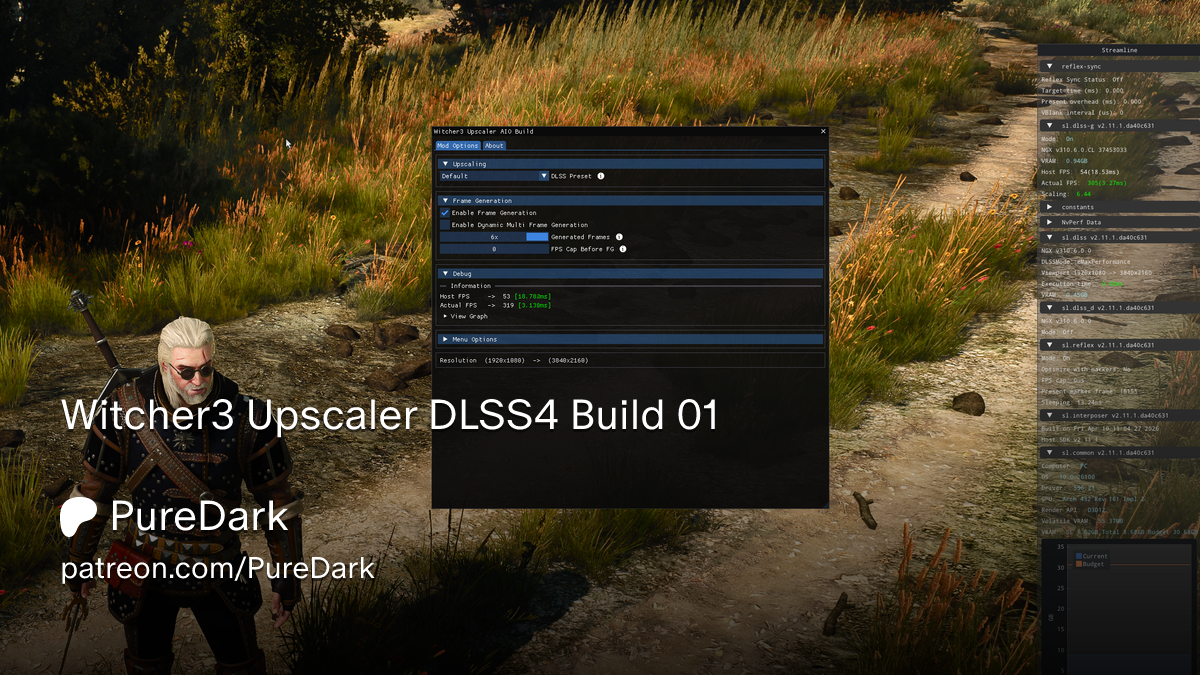
Patreon
Witcher3 Upscaler DLSS4 Build 01 by PureDark on Patreon. Join PureDark's community for exclusive content and updates.
Shame that its paid, I subbed for the KCD2 FG mod and it didnt fucking work with HDR lol
cold basin
yeahh his stuff often uses custom reshade builds as well which arent compatible with reno
rugged nest
cold basin
yeahh his stuff often uses custom reshade builds as well which arent compatible ...
I even tried the KCD one without reno but HDR is capped to 1K nits and was crashing on me so...
I will ask for a refund xD
But hopefully someone could one day do the same not paid and Reno compatible
cold basin
yeah i kinda stopped caring about his stuff
huutaiii does similar mods but not as many
and hes always been open to considering reno when i asked him, like for his sekiro mod
or elden ring
rugged nest
cold basin
huutaiii does similar mods but not as many
Don’t know him. Does he have a KCD mod? Where can I check his work
cold basin
nah no kcd i think
rugged nest
😔😔😔
 rugged nest
cold basin
rugged nest
cold basin
Doesn’t have a lot sadly
The silent hill f one is nice tho
I guess I’ll just play KCD 2 capped to 60 like a console pleb
rugged nest
cold basin
only came back like a few weeks ago
Oh nice. Hope he makes some more cool mods
I hate to live without FG nowadays
cold basin
real
tall merlin
rugged nest
Puredark just updated Witcher 3 streamline lul https://www.patreon.com/posts/wit...
tried sending this earlier but discord seemed to be down on mobile for me
rugged nest
tall merlin
tried sending this earlier but discord seemed to be down on mobile for me
Yeah it was down for a while
rugged nest
cold basin
real
It’s so silly KCD doesn’t have it
tall merlin
suggested to my friend who knows puredark to tell him to work on compatibility for renodx and hdr
dont mind paying for the mods but the compatibility should bw there imo especially given theyre both more or less currently for enthusiasts
there is overlap
rugged nest
tall merlin
dont mind paying for the mods but the compatibility should bw there imo especial...
And specially when his native HDR alternative is capped to 1000 nits
Thats just bad
hollow burrow
rugged nest
Shame that its paid, I subbed for the KCD2 FG mod and it didnt fucking work with...
what happened cuz it used to work when the reno mod first came out around the game's release
 fervent osprey
cold basin
yeahh his stuff often uses custom reshade builds as well which arent compatible ...
fervent osprey
cold basin
yeahh his stuff often uses custom reshade builds as well which arent compatible ...
he scammed the skyrim community and double dipped too. when he consolidated the fsr and dlss builds and added mfg he demanded people pay again
fervent osprey
tall merlin
dont mind paying for the mods but the compatibility should bw there imo especial...
when you're already paying money for a mod, the mod should be of good quality and have compatibility
rugged nest
hollow burrow
what happened cuz it used to work when the reno mod first came out around the ga...
No idea
cold basin
fervent osprey
he scammed the skyrim community and double dipped too. when he consolidated the ...
Yeah I saw that… bro that guy made millions he should just do it for free at this point or just fuck off from modding and enjoy his life
Like even now he’s making 25 grand a MONTH
rugged nest
cold basin
Like even now he’s making 25 grand a MONTH
And I’m asking him for help on the KCD mod and he’s like “someone got it working a few days ago, skill issue”
Thats it. LOL
Thats an answer I can understand with free stuff. But if its a paid service cmon man. sloppy HDR implementation, authentication bullshit, shitty support… I shouldn’t have paid him shit
split wigeon
rugged nest
Puredark just updated Witcher 3 streamline lul https://www.patreon.com/posts/wit...
Soon you'll be able to do that with OptiScaler
Actually you already could if compiling 0.10 builds yourself but not officially supported yet since in testing phase
Imo way better than PD's paid Reshade based slop
rugged nest
split wigeon
Soon you'll be able to do that with OptiScaler
Oh shit that’s huge
rugged nest
split wigeon
Imo way better than PD's paid Reshade based slop
It is slop indeed
No way to use Nvidia FG with opti on KCD 2 tho right?
split wigeon
With 0.10, yes, if the game has an Upscaler
rugged nest
Man. I need 0.10 
split wigeon
But it's also possible with huutaii's mods
rugged nest
split wigeon
But it's also possible with huutaii's mods
They are universal?
rugged nest
Then he doesn’t seem to have a KCD mod
split wigeon
But Opti would take a modded in upscaler input and go from there (like with Luma in UE although the dx11 barrier limits what can be done a lot)
rugged nest
split wigeon
But Opti would take a modded in upscaler input and go from there (like with Luma...
KCD 2 is dx12 no?
split wigeon
Dunno, never touched either
split wigeon
Just unreleased dev builds
If the branch is public tho, you could compile it yourself
rugged nest
Gotcha. Seems like I’ll have to wait a while. I don’t want to install a dev build that’s not release ready tbh. I imagine it could easily cause issues
rugged nest
split wigeon
If the branch is public tho, you could compile it yourself
I have absolutely no idea how to do that
split wigeon
It changes a few things tho like having Opti specific files in a subfolder (streamline files most notably for DLSSG output)
And yes it supports (D)MFG
rugged nest
Yeah makes sense
rugged nest
split wigeon
And yes it supports (D)MFG
Even for 4000 series? No right?
split wigeon
Nah
But you could use Artur's DLSS Enabler 4 (custom FSR MFG within Streamline) in "headless mode" (doing just MFG) and use 0.10 like this
OptiFG input (upscaler) => DLSSG => Artur's MFG
rugged nest
Thats nice for when it’s needed! Most times I would just use Nvidias FG at x2 with this new build probably
Other FG always produce notably worse results for me
split wigeon
Worth giving Artur's a try honestly
It even has an hybrid mode
Mixing DLSSG and his FSR MFG
rugged nest
I might yeah. Gotta wait for that opti build tho
rugged nest
OH
split wigeon
It's built on Opti 0.7 stable
rugged nest
So opti 0.7 includes this?
split wigeon
No 😅
rugged nest
Hahahahshshs man I’m dense for this today
split wigeon
split wigeon
It's built on Opti 0.7 stable
Should have said on top of
rugged nest
Could you please share a link for this? I’ll take it from there
split wigeon
DLSS Enabler 4 on Nexus mods 😉
split wigeon
Cyberpunk has no separate hudless + hud resources so gotta interpolate the whole thing, recently improved a lot but still not perfect ofc
rugged nest
Dunno if KCD would be different. I guess I can still try
split wigeon
If kcd doesn't have dlssg natively, can't use enabler
rugged nest
It had just SR DLSS
split wigeon
Unless it's one of those rare games with streamline but no dlssg, then it's possible to use forced dlssg but that's getting far out 😅
rugged nest
split wigeon
Unless it's one of those rare games with streamline but no dlssg, then it's poss...
Yeah no, no streamline
split wigeon
Then nope, only Opti 0.10 + DE headless would be possible
rugged nest
I see. I’ll wait for that then
split wigeon
Worth it 😊
rugged nest
I mean I might be finished with the game by the time that comes out hahahaha but still that’s gonna be handy for future occasions
split wigeon
Totally, I'm holding on The Ascent to do MFG in it this way
Damn, just realized it's Jon's tw3 channel...
Sorry for the
 smoky otter
rugged nest
Puredark just updated Witcher 3 streamline lul https://www.patreon.com/posts/wit...
smoky otter
rugged nest
Puredark just updated Witcher 3 streamline lul https://www.patreon.com/posts/wit...
So is this not compatible with Reno?
rugged nest
smoky otter
So is this not compatible with Reno?
Most likely not
And puredark seems not helpful at all so I would just say f him tbh. Paid service with 0 support
smoky otter
rugged nest
And puredark seems not helpful at all so I would just say f him tbh. Paid servic...
Dang. I paid lol
rugged nest
Rip, hope it works for you or you lost 5€ like me xD
smoky otter
rugged nest
Rip, hope it works for you or you lost 5€ like me xD
Well more frames over HDR but yeah. It'd be nice to have both.
tall merlin
smoky otter
Well more frames over HDR but yeah. It'd be nice to have both.
I disagree, but everyone has their own opinion
Still cant imagine taking framegen over hdr tbh especially cuz i could just use lsfg if i realllyy wanted it
smoky otter
tall merlin
Still cant imagine taking framegen over hdr tbh especially cuz i could just use ...
Frames impact gameplay. HDR does not.
Cyberpunk would make me reconsider but Witcher isn't exactly an HDR showcase
tall merlin
Its stunning in hdr, in my opinion. i see your point i just disagree
id rather just lower my internal resolution using dlsstweaks or something and adjust to a lower fps
2x fg is good too, i use it
split wigeon
HDR is single biggest gameplay upgrade imo, better scene legibility = better gameplay = better experience
More FPS is a luxury, HDR is a necessity

smoky otter
For anyone wondering, PureDark's DLSS mod works just fine with Reno
rugged nest
smoky otter
For anyone wondering, PureDark's DLSS mod works just fine with Reno
That’s nice. Do you notice any improvement?
smoky otter
rugged nest
That’s nice. Do you notice any improvement?
Worth it for MFG. Paired with Reno and a couple dozen mods this is now the definitive version.
rugged nest
smoky otter
Worth it for MFG. Paired with Reno and a couple dozen mods this is now the defin...
What about frame pacing and overall feel of FG. I can’t use MFG so I’m mostly interested in the x2
hollow burrow
If you can't use MFG then why are you even asking, the game has FG
The point of the mod was upgrading streamline to support MFG
smoky otter
Yeah 2x is natively supported
rugged nest
hollow burrow
If you can't use MFG then why are you even asking, the game has FG
The native streamline is 1.0 and has very poor quality
hollow burrow
totally irrelevant
rugged nest
Not true lol
abstract tulip
smoky otter
For anyone wondering, PureDark's DLSS mod works just fine with Reno
what does this mod do exactly?
rugged nest
abstract tulip
what does this mod do exactly?
Updates the ancient streamline for better FG and DFG/MFG in 5000 series
Dunno how well it works myself tho
smoky otter
rugged nest
Not true lol
PureDark says in his server to not bother with his mod unless you want MFG
Not a good sales pitch if there's a benefit for non MFG users too
What does streamline actually matter for 2x? Fewer artefacts?
rugged nest
smoky otter
Not a good sales pitch if there's a benefit for non MFG users too
It’s not guaranteed but it can improve the quality of FG. Specially cause Witcher uses 1.0 streamline which is ancient
It could have better latency and frame pacing mainly. Quality should be pretty similar. But it would need testing. Might not improve much in this game. In other games updating streamline has improved FG feel by quite a bit in the past for me
hollow burrow
source: trust me bro
rugged nest
Sure mate
Here you have some info if you want to educate yourself: https://www.reddit.com/r/nvidia/s/3owE8vL9o5
I tested it in several games on my RTX 4070 Ti at 4K resolution with DLSS scaling enabled. My brother noticed similar…
 Reddit
10 extra fps in forbidden west by just upgrading streamline 😉
14 extra in Forza horizon 5 but yeah. I guess I’m talking out of my ass 😜
hollow burrow
rugged nest
10 extra fps in forbidden west by just upgrading streamline 😉
that's from the upgraded FG model, not streamline
 hollow burrow
so what, this just suggests that games with older streamline weren't able to use the transformer FG
"The framerate increase will depend on the game, output resolution and only if you're GPU limited: compared to the old CNN model, the Transformer model can generate up to 15% more frames, further improving the smoothness in games like Alan Wake 2 or Stalker 2: Heart of Chornobyl at 4K when the CNN and Transformer models are compared directly, while at 1440p and 1080p resolutions the uplift in framerate is usually below 10%. "
rugged nest
hollow burrow
so what, this just suggests that games with older streamline weren't able to use...
That’s why I said Witcher 3 could benefit
And it depends on the game
But yeah source trust me 😉
hollow burrow
it's a slight improvement to framerate, not framepacing
rugged nest
Sure man. I just gave you the facts. Do with them what you will
split wigeon
Nvidia's own changelogs for the Streamline SDK did mention pacing improvements at some point (for dlssg, it's entirely on streamline, not dlssg)
As for performance, can't really take a reddit post with screenshots as a reliable bench to go with but if there's any, enjoy
rugged nest
split wigeon
As for performance, can't really take a reddit post with screenshots as a reliab...
Yeah I just couldn’t find any more solid info from my phone atm
But I know for a fact it can improve FG overall in all metrics. But it’s game dependent
hollow burrow
the performance increase is from the switch to transformer FG and it was officially announced and shown by Nvidia over a year ago
rugged nest
NTE is another example of a recently released game where updating streamline dramatically improves FG
hollow burrow
there should be an option to globally upgrade all the libraries
split wigeon
It's called the driver override
It will load and use all OTA'd dlssg and sl dlls instead of a game's own
rugged nest
I use ranks dlss swapper fork
hollow burrow
then it seems like a non issue if you're already doing that
rugged nest
And manually update what I want updated
split wigeon
hollow burrow
then it seems like a non issue if you're already doing that
It only works in whitelisted titles tho
rugged nest
hollow burrow
then it seems like a non issue if you're already doing that
No one said it was an issue, except in Witcher 3 where you can’t do that due to the really old streamline which can’t be normally upgraded
split wigeon
Can't be upgraded period
rugged nest
Well yeah. Till the pure dark mod
split wigeon
Still not upgrading
rugged nest
It’s not an upgrade even? WTF is it then
split wigeon
It's just using another set of SL files and isn't using anything native dlssg
rugged nest
Ohhhhhhhhhh I see
split wigeon
It's the usual adding FG to a game that doesn't have it
Except TW3 has it but SL1
So it's like OptiFG but using reshade
rugged nest
Meh
hollow burrow
did optiscaler already add the option to add dlss fg to any game
rugged nest
Then it probably won’t be a huge upgrade other than MFG indeed I’d imagine
split wigeon
Not yet, 0.10 will but it's not ready yet
rose whale
Enabling Mutlicolor Fog can make such a big difference
 rugged nest
Multicolor fog?
rugged nest
Interesting. Thanks for the share!
abstract tulip
I'll try it out as well
 steady moat
smoky otter
For anyone wondering, PureDark's DLSS mod works just fine with Reno
steady moat
smoky otter
For anyone wondering, PureDark's DLSS mod works just fine with Reno
Optiscaler is working on upgrading Streamline v1 and games without Streamline to Streamline v2. It's not official yet and I can't get it work with preview builds, but hopefully it works when they release it.
slate forge
rugged nest
Here you have some info if you want to educate yourself: https://www.reddit.com/...
If you are using the DLSS override stuff form the NV app it does update at least some of the Streamline files as well btw.
 spice yacht
rose whale
Enabling Mutlicolor Fog can make such a big difference
spice yacht
rose whale
Enabling Mutlicolor Fog can make such a big difference
Thank you for this tip! It really does make a huge difference at sunset/sunrise. I’m confused why this isn’t enabled by default
rare scroll
i think i know why cdpr went with first person in 2077
https://youtu.be/A4okqXF_30I

Incredible Witcher 3 First Person Mod with a Magic Twist! For those that has 'Role Play' Running through their Veins! Play the Witcher 3 in a whole new way with this First Person mod.
More Epic Than Ever! The Witcher 3 in Full First Person Mod With Magic Spells
mods:
FPS Mod:
https://www.nexusmods.com/witcher3/mods/5706
Magic Spells Mod:
https:...
looks insane
the only thing i don't like about first person in general is it kinda sucks when playing with a controller
rose whale
rare scroll
the only thing i don't like about first person in general is it kinda sucks when...
I think Skyrim does it really well. I only use first person when I collect stuff or shoot with an arrow otherwise 3rd person. So you can have it both ways by just clicking the left stick
steady moat
slate forge
If you are using the DLSS override stuff form the NV app it does update at least...
Not with Streamline v1 games (there's only a handful).
rugged nest
rare scroll
the only thing i don't like about first person in general is it kinda sucks when...
It can be done right. KCD 2 for example is pretty nice with controller
KCD 1 was horrible tho
rugged nest
rare scroll
i think i know why cdpr went with first person in 2077
https://youtu.be/A4okqXF_...
Man imagine this + VR 
Not for combat tho I would puke with VR combat


 tall merlin


 pallid falcon
Wow
woven yacht
Medallion's humming... that can only mean one thing! It's time to announce The Witcher 3: Wild Hunt - Songs of the Past! ⚔️
This brand new expansion for The Witcher 3: Wild Hunt will take you to the Path with Geralt of Rivia once more. It’s being co-developed with @Fools_Theory

 X
·
X
·
OMG!!!!
I can’t believe it’s happening!!!!
@stark anvil
rare scroll
🔥 
 stray sequoia
omg
no way
They're ending DX11 support with the DLC
so i assume we will see other upgrades
stray sequoia
oof
rare scroll
hopefully
rugged nest
I actually don’t know if I should wait to play the expansions till the new expansion drops cause of the potential optimizations it might bring
Playing Dx12 Witcher 3 now is a PAIN
fervent osprey
Maybe the game will finally not be cpu bottlenecked on a 9800x3d
 foggy gate
current RT runs like PT already 
rugged nest
fervent osprey
Maybe the game will finally not be cpu bottlenecked on a 9800x3d
Not a chance lol
fervent osprey
 abstract tulip
stray sequoia
They're ending DX11 support with the DLC
abstract tulip
stray sequoia
They're ending DX11 support with the DLC
I wonder if they've updated the engine to whatever version Cyberpunk uses
also I'm kinda glad it's not coming too soon so I have plenty of time to finish my current run lol
 naive bramble
rugged nest
abstract tulip
I wonder if they've updated the engine to whatever version Cyberpunk uses
naive bramble
rugged nest
abstract tulip
I wonder if they've updated the engine to whatever version Cyberpunk uses
Probably not
That would be A LOT of work
rugged nest
abstract tulip
also I'm kinda glad it's not coming too soon so I have plenty of time to finish ...
I would like it to come soon just for the potential perf optimizations that might come with it lol
abstract tulip
true but it's gonna break all my mods 
rugged nest
Yeah that’s for sure
woven yacht
rugged nest
I actually don’t know if I should wait to play the expansions till the new expan...
U gotta wait cause they will do some graphical update 100%
stark anvil
WOOOOOO
woven yacht
they updated the minimum specs too related to this DLC
rugged nest
woven yacht
U gotta wait cause they will do some graphical update 100%
You think so?
woven yacht
stark anvil
WOOOOOO
Jon it’s time for Psychov pls! 🙏
rugged nest
I suppose I could do the 3 expansions at once when they release and take advantage of the potential technical improvements. But I’m not too hopeful on that front lol
woven yacht
rugged nest
I suppose I could do the 3 expansions at once when they release and take advanta...
we gotta wait for HD Reworked update too from Halk
rugged nest
Nah that I’m ok on not waiting
I’m just really annoyed at this running like cyberpunk max out but with old streamline on top
I start playing and I’m like oof
woven yacht
@cold basin bro where u at? 👀
stark anvil
woven yacht
Jon it’s time for Psychov pls! 🙏
Sounds like engine improvements might be coming so idk if I want to work on it until that
rugged nest
stark anvil
Sounds like engine improvements might be coming so idk if I want to work on it u...
You really think they would “waste” time on that for a dead engine?
woven yacht
I mean let’s do it when we’ll get to know please!
stark anvil
I might have to see how the game looks if I run the tonemapper in LMS though
woven yacht
rugged nest
You really think they would “waste” time on that for a dead engine?
bruh they are wasting the time for a DLC with an external team, so yes they very well might update it after all!
rugged nest
woven yacht
bruh they are wasting the time for a DLC with an external team, so yes they very...
The dlc is marketing for the 4th. Having the engine not shit itself on pc is not really marketing. They are gonna sell the same
woven yacht
rugged nest
The dlc is marketing for the 4th. Having the engine not shit itself on pc is not...
There is no way they don’t update the engine for the DLC, even if it’s related to the DLC only. The same was done for Blood and Wine.
rugged nest
woven yacht
There is no way they don’t update the engine for the DLC, even if it’s related t...
A man can dream but I’m not getting my hopes up
I really hope they do
Currently it’s just awful to boot this game in dx12 and it’s a huge shame
woven yacht
rugged nest
A man can dream but I’m not getting my hopes up
Indeed
 rugged nest
woven yacht
Indeed
rugged nest
woven yacht
Indeed
Oh this is good!
No wait. It doesn’t specifically say better performance
It just says if you have crappy hardware they no longer support it lol
But I guess if they are nuking dx11 they will make extra sure dx12 runs well (?)
woven yacht
rugged nest
But I guess if they are nuking dx11 they will make extra sure dx12 runs well (?)
Running better I don’t know, but graphical improvements are certain
rugged nest
woven yacht
Running better I don’t know, but graphical improvements are certain
Mmmm I mean it will be modern assets so yeah probably. But I wouldn’t expect improvements outside the expansion itself
slate forge
woven yacht
There is no way they don’t update the engine for the DLC, even if it’s related t...
I agree I'd be shocked if they didn't
If there is one studio that would it would be CDPR anyway (although even through Basic QA I think it'd be obvious some pretty major changes are necessary)
Imagine if it was a Full DX12 port and they added Cyberpunk's PT. That'd be incredible.
that won't happen, but still
 rugged nest
If they didn’t kill the engine I would agree. But it’s a dead engine at this point. They are not gonna waste time and money in updating it
slate forge
"The game will exclusively run using DirectX 12, which allows us to support ongoing technical improvements and modern hardware more effectively."
They already confirmed they are to some extent though. Just a question of if it just bug fixes or a bit more
I think considering this is a full Expansion they will probably sell for 30-40$ and expect to sell millions of copies of almost nothing is totally out of the question.
But I'd just be happy with just basic improvements and bug fixes on the technically front. Which is obviously the most likely thing.
cold basin
I mean giving full Path tracing when RT is already in the game shouldn’t be much work at all
And I’m sure they know the game as of right now runs kinda ass
Like RT is running like Cyberpunk PT
 sharp gorge
Really hope that dlc fixes the vrr flickering this game has
slate forge
yeah it's crazy, I've always seen people say that the current version runs some type of Frankenstein version of DX12 that is really just DX11 with a DX12 layer on top of it or something. Idk how true that actually is, but if they actually are doing a full DX12 implementation (which would make sense to me why DX11 is just gone now) I do think PT is on the table but I don't want to get my hopes up.
slate forge
makes sense, it always seemed weird to me but I saw it all the time on forums etc.
stark anvil
yeah it was cause of a dll in the files or w/e
but people that spent some time looking at how the game works said it's not using it
cold basin
sharp gorge
Really hope that dlc fixes the vrr flickering this game has
Just cap your shid properly?

I did a 450h playthrough from November through February or so with virtually 0 Flicker
slate forge
I had some flickering when I pushed out draw distances too far it and was causing bad 1% lows, I just wasn't as greedy with my settings and 99% of it went away
stray sequoia
I had pretty distracting VRR flicker in witcher too
rugged nest
slate forge
I think considering this is a full Expansion they will probably sell for 30-40$ ...
FYI Blood and wine was sold at 20€
rugged nest
stray sequoia
I had pretty distracting VRR flicker in witcher too
Yeah same, its the main thing making it unplayable for me
I cant hit 60 without FG and VRR is flickery
rugged nest
sharp gorge
Really hope that dlc fixes the vrr flickering this game has
I dont really think it will, but praying. Cyberpunk is the same for me so...
rugged nest
slate forge
I had some flickering when I pushed out draw distances too far it and was causin...
Oh, interesting, I might try this
sharp gorge
cold basin
Just cap your shid properly?
Any advice on what to use I tried rtss async, using fg 2x, disabling reflex etc but the game flickers anyways. Only game on my pc that flickers.
rugged nest
sharp gorge
Any advice on what to use I tried rtss async, using fg 2x, disabling reflex etc ...
Async is poopoo. Try front edge, but it will likely still flicker
I couldnt get rid of it with any cap
Probably disabling RT would fix it
cold basin
Since stream line is kinda cooked you can’t cap with anything but the NVIDIA driver when using FG
sharp gorge
yea idk why invictus is acting like its not a problem with the game itself
rugged nest
He might not have it and you do, its not universal. Depends on each PC and system configs
sharp gorge
the dx12 flickering is pretty common from what ive seen
rugged nest
But If you have it I have no idea how to get rid of it. When I get flicker in a game i just disable gsync if I can or deal with it
cold basin
It’s just the ancient streamline that breaks most fps cap methods
rugged nest
You shouldnt get flicker even without capping in a game that runs well
cold basin
Originally when FG first came out you weren’t able to use caps at all
It’s just how FG was when it launched
sharp gorge
I dont cap with fg tho cuz reflex does it lol
cold basin
..
Reflex cap isn’t exactly known for its smooth frametimes bro
Cap it with driver under what reflex will do
rugged nest
The theory that capping gets rid of flicker is not true in my experience. I can have rock solid frames with a good capping method and the game will still flicker. Applies to several games
cold basin
And cap it somewhere you can hold 99.9% of the time
cold basin
rugged nest
The theory that capping gets rid of flicker is not true in my experience. I can ...
 rugged nest
cold basin
https://tenor.com/view/skill-issue-urge-resist-cat-gif-25536160
rugged nest
cold basin
https://tenor.com/view/skill-issue-urge-resist-cat-gif-25536160
Nah I´ve troubleshooted this in the past with many people and I made sure I was doing it right
sharp gorge
There are games where the frametime graph is perfectly flat with a cap and there is still vrr flicker this is one of them
rugged nest
sharp gorge
There are games where the frametime graph is perfectly flat with a cap and there...
KCD 2 is also another one for me
cold basin
sharp gorge
There are games where the frametime graph is perfectly flat with a cap and there...
Because you’re using wrong metrics to access them
Rtss overlay isn’t good
Use capframeX with the display times measurement and find a cap that way
I have no flicker in pretty much all games
You do you tho, stay flickering

sharp gorge
like I said only game that flickers on muh pc
rugged nest
Yeah for me its not every game either, just a few select ones
rugged nest
cold basin
Use capframeX with the display times measurement and find a cap that way
https://www.youtube.com/watch?v=EgzPXy8YYJw You use this as an overlay then?

A lot of people have asked me for either my RTSS or MSI Afterburner profile after seeing my CPU bottleneck video, so I decided to do a quick video on how to set up your on-screen display to show benchmark numbers in game.
In the CPU Bottleneck video I used CapFrameX, so I will be showing you how to set up CapFrameX in conjunction with RTSS (R...
rugged nest
You can assign them to a hotkey to check. That´s what I do
I aint tabbing in and out to check performance
cold basin
I just capture a bench a few times to see which caps works
slate forge
rugged nest
FYI Blood and wine was sold at 20€
one must adjust for inflation (I kinda espect a Phantom liberty price, but you never know with them)
rugged nest
Ahhh gotcha
rugged nest
slate forge
one must adjust for inflation <:heihachiPlasma:1413691312984559698> (I kinda esp...
Yeah I´d expect 30
cold basin
And then when k find the best one I just see what fps cap value is sensible
Ideally it’s something that works in the heaviest areas of the game
So say like some forest
In Witcher
Those slam hard with RT
I played with like 80-90fps cap with FG which worked surprisingly well
I couldn’t get any external cap but the NVIDIA driver to work decently
rugged nest
I could try the driver cap I guess
cold basin
Rtss caused crazy latency for me and occasional hard stutters
rugged nest
But in other games i´ve tried stuff like relimiter and it would still flicker no matter how low the cap went
cold basin
Haven’t used relimiter much yet, especially not the latest revisions
Last time I messed around was like march where I still preferred DC for FG games
slate forge
Also, DLSS 5 Yennefer doesn't exist she can't hurt you..
rugged nest
I also tried DC back in the day and same. Like I said no matter the capping method if a game flickers for me I havent been able to solve it by capping
I do have a newer CPU now so maybe I could re test this
slate forge
"Another thing is that it is our goal to always push and expand the limits of what we can offer you technically and visually. This means we need the latest graphics drivers in our actively developed games. And soon one of our partners, Nvidia, will end Windows 10 support."
From an official response about Windows 10 support (it just isn't officially supported but should still work), but does seem to confirm significant technical improvements being involved.
 unreal badge
OMG OMG OMG
(I was Thomas Covenant, the Unbeliever until now)
abstract tulip

Q/A on Witcher 3 Redstreams
︀︀
︀︀• Cross Platform Mod still coming
︀︀• New expansion hint - Belleteyn
︀︀• Expansion will be a similar scope to Blood and Wine
︀︀• More in game Gwent cards
︀︀• Info on Geralt 3 Swords will be shared later
︀︀• No mention of Switch 2 version
︀︀
︀︀🧵

 FixupX
·
FixupX
·


Expansion will be a similar scope to Blood and Wine
we will be feasting
 twin apex
ive only done one full playthrough plus dlc was gonna come back to play fully modded plus reno but guess i should wait now. Path tracing may be challenging on this game with all the foilage
I would bet it won't be added but who knows with CDPR
for wotcher 4 they have specific tech to run PT well with all the trees. Remember how heavy PT is in alan wake 2 forest?
 rugged nest
Theres 0 chance they will add PT to Witcher 3 cmon lets be real
Be thankful if they even fix the crappy RT that we have now
 radiant radish
I must be one of the only person to not be happy about the new DLC. I couldn't finish my game because of a bug at the very end of blood and wine but since I was really at the end of the game I convinced myself it was not that bad but now.... 🥺
 abstract heart
my only worry for it ironically is, because B&W was so good and such a perfect ending to W3 that if this expansion isn't better than B&W it will make that expansion slightly worse 🤷♀️
rare scroll
oh yeah true
but i want more w3 so bad, getting this dlc after 11 years is a miracle 😭
rugged nest
radiant radish
I must be one of the only person to not be happy about the new DLC. I couldn't f...
I mean you can always start a new game for the DLCs
It’s not that tragic
Tho it does suck
radiant radish
rugged nest
I mean you can always start a new game for the DLCs
I know but it's not the same I played for nearly 300 hours with "my" Gerald, I unlocked everything, I just had the last quest to finish. I don't want to play with an "empty" character
 carmine quarry
Hi there, I downloaded the .addon64 file from rhi. the game looks terrible now? is there something I'm missing?


 stark anvil
carmine quarry
Hi there, I downloaded the .addon64 file from rhi. the game looks terrible now? ...
stark anvil
carmine quarry
Hi there, I downloaded the .addon64 file from rhi. the game looks terrible now? ...
it definitely shouldn't look like that. Try using the pinned build here instead maybe.
here
carmine quarry
looks much better thanks
 dapper dirge
stark anvil
here
dapper dirge
stark anvil
here
This build is from January and is much older than the latest snapshot on github, almost half the size even. Is it truly the most recent and/or best build? Nexusmod is even older than that I believe
stark anvil
Yes, it hasn’t been updated since then in a functional sense.
Apparently a hue/chrominance processor broke at some point which is what those artifacts were. Anything wide color gamut was breaking.
dry dagger
carmine quarry
looks much better thanks
I don't think reno, or HDR even is working here, this is SDR
carmine quarry
dry dagger
I don't think reno, or HDR even is working here, this is SDR
That's what I was thinking, the chart says sdr
 tribal sable
means you don't have hdr enabled in game
 novel inlet
I have everything washed out, not sure why. Just installed reshade and the renodx addon
new to this hdr business so not sure where to start.
novel inlet
never mind. Apparently I had an hdr mode on in the nvidia app
woven yacht
@tribal sable @stark anvil u gotta try Fatekeeper cause it’s the best looking and performing UE5 game I’ve seen so far
stark anvil
I bought it already. As a dark messiah fan I'm looking forward to it.
and $8 is a no brainer
woven yacht
I’m a Dark Messiah fan too bro
I feel u
Just I wish they will add controller support
stark anvil
oh it doesn't have it?
woven yacht
No, we stuck mouse & keyboard and I suck with it
woven yacht
stark anvil
oh it doesn't have it?
Once u try the game let me know your thoughts bro
It’s a kinda of a tech demo ngl cause content is really limited
rugged nest
woven yacht
<@251818887526612992> <@82555599505588224> u gotta try Fatekeeper cause it’s the...
It’s early access no?