#archived-modded-support
1 messages · Page 702 of 1
 unreal stratus
 lapis void
vanilla
unreal stratus
Holy moly
 plain spruce
has bfav been updated yet? or does it not need it
lapis void
!compat
 native dragonBOT
See https://smapi.io/mods for a list of mods updated for the latest versions of SMAPI and Stardew Valley. :)
lapis void
there is an unofficial on the compat page, be aware that it has a few issues but it mostly works
plain spruce
nice
 twilit cliff
Has anyone noticed chests moving since the update?
unreal stratus
Is telephone vanilla or a mod?
 placid kraken
does loved labels work on 1.5?
 royal arrow
the chests move if you run into them hard enough o.o
placid kraken
thats a new feature i think
royal arrow
yes, should clarify, yes they move, as of 1.5 lol
unreal stratus
HOLY MOLY
 glacial meadow
Why did this crash? https://smapi.io/log/f33b5516dc864f4dba99fcc6f9b1b22e
unreal stratus
CA really went ham
 gentle glen
is there a another add with the fizzy drink 2.2.0
lapis void
yeah, you can "nudge" them
lapis void
gentle glen
is there a another add with the fizzy drink 2.2.0
!log
native dragonBOT
@gentle glen Can you upload your SMAPI log to https://smapi.io/log (see instructions on that page) and share the link here?
plain spruce
can anyone help me interpret the garble that is the SMAPI log https://smapi.io/log/33a6199ae1f64b9fa13c1ede33ff59b7 ?
gentle glen
https://smapi.io/log/30803dbae583416f9fa453a08988bf83 before i update the fizzy drink 2.2.0 there was another update [PFM] Fizzy Drinks Update it not in my log
 fast river
lapis void
gentle glen
https://smapi.io/log/30803dbae583416f9fa453a08988bf83 before i update the fi...
fast river
lapis void
gentle glen
https://smapi.io/log/30803dbae583416f9fa453a08988bf83 before i update the fi...
that was updated when you updated fizzy drinks. in your log it says that the PFM component of fizzy drinks is updated.
gentle glen
so it updated together and not spe
 tacit cape
Apologize if this was already asked, but does anyone know if they fixed the game crashing when marrying spouses in SVE multiplayer?
Like with the new update
lapis void
gentle glen
so it updated together and not spe
yes, mods that have JA and PFM components are always updated together.
lapis void
tacit cape
Apologize if this was already asked, but does anyone know if they fixed the game...
i believe it was fixed, you can try it
tacit cape
If it winds up crashing is there a way to fix it?
gentle glen
oakie cause i only detele main folder
lapis void
tacit cape
If it winds up crashing is there a way to fix it?
going back to a save backup from before the farmhand got engaged, probably
lapis void
i would make a backup of the save right before the farmhand goes to give a custom NPC a pendant
just copy it to somewhere
 terse pilot
Okay, so I added Content Patcher and SMAPI, the game finally loaded with an error saying:
"Invalid items were removed to prevent a crash"
I checked the smapi window log while running:
"[SMAPI] SMAPI 3.8.0 with Stardew Valley 1.5.0 on Microsoft Windows 10 Home
[SMAPI] Mods go here: C:\Program Files (x86)\Steam\steamapps\common\Stardew Valley\Mods
[SMAPI] Starting game...
[SMAPI] Loaded 3 mods:
[SMAPI] Console Commands 3.8.0 by SMAPI | Adds SMAPI console commands that let you manipulate the game.
[SMAPI] Content Patcher 1.19.1 by Pathoschild | Loads content packs which edit game data, images, and maps without changing the game files.
[SMAPI] Save Backup 3.8.0 by SMAPI | Automatically backs up all your saves once per day into its folder.
Setting breakpad minidump AppID = 413150
Steam_SetMinidumpSteamID: Caching Steam ID: 76561198415132811 [API loaded no]
[SMAPI] Type 'help' for help, or 'help <cmd>' for a command's usage
[SMAPI] Removed invalid villager 'MarlonFay' in AdventureGuild ({X:0 Y:0}) to avoid a crash when loading save 'Summer_240855594'. (Did you remove a custom NPC mod?)"
When I last played it and attempted to sleep to start a new day, the screen would go black but wouldn't crash and close out. The screen stayed black with the sound of the fireplace playing in the bg, so I had to manually close it. It did it again after I tested it just now.
Here's the log: https://smapi.io/log/c98eba13b815419d9b6c79993b3b70c9
Before I re-add older mods, I figured I'd have you guys look first to see if there's anything else.
 thick cairn
so I have a question so I have some mods and they usually do not mess with any event content but I started a new game but it said that I did not have the Cat2 file? So I never got to get a cat so far
gentle glen
did the Fresh Meat 3.0.3 ever get updated
thick cairn
it read as an error code in game
glacial meadow
glacial meadow
Why did this crash? https://smapi.io/log/f33b5516dc864f4dba99fcc6f9b1b22e
I keep getting this crash - Can I get some help in stopping it?
 naive drum
fast river
<@!289685670266535937> Try <https://cdn.discordapp.com/attachments/7475119339592...
naive drum
fast river
<@!289685670266535937> Try <https://cdn.discordapp.com/attachments/7475119339592...
didn't fix it but now with a lot of spamclicking i can get the thing to stay checked
fast river
It... didn't?
lapis void
thick cairn
so I have a question so I have some mods and they usually do not mess with any e...
!reset
native dragonBOT
@thick cairn See https://stardewvalleywiki.com/Modding:Player_Guide/Troubleshooting#Reset_your_content_files for instructions on resetting your game files! (This doesn't affect your save files.) You may also want to check this list of XNB > Content Patcher conversions (https://stardewvalleywiki.com/Modding:Using_XNB_mods#Alternatives_using_Content_Patcher) to see if there are already replacements for any XNB mods you may have been using :)
 dire fractal
is there a way to change windows so theyre not so obnxiously bright
fast river
@naive drum
plain spruce
my game won't start,,,
maybe i should just play vanilla for a while until the mod situation settles
naive drum
!log
native dragonBOT
Can you upload your SMAPI log to https://smapi.io/log (see instructions on that page) and share the link here?
naive drum
fast river
<@!289685670266535937>
It works!
thick cairn
It worked! 😄 ❤️ thank you
naive drum
random visual quirk, harmless but a little weird: the config menu button shows up before any of the other buttons, then disappears while the other buttons appear, then reappears once all the other buttons are doen appearing
terse pilot
brb
fast river
blames the android code
 ashen garnet
PyTK still hasn't updated, huh...
gentle glen
what is the old folder mermaid island
dire fractal
 blazing nest
updating mods is just a case of deleting the old folder and extracting the new one right?
 azure dust
dire fractal
so when smapi has higlighted mods in red and says to check for a new version at ...
azure dust
dire fractal
so when smapi has higlighted mods in red and says to check for a new version at ...
go to smapi.io/mods and type in the mod you are looking for and it will show a link to an update if there is one
dire fractal
ok thx
azure dust
ashen garnet
PyTK still hasn't updated, huh...
there's an unofficial update if you check smapi.io/mods
 heavy sail
blazing nest
updating mods is just a case of deleting the old folder and extracting the new o...
heavy sail
blazing nest
updating mods is just a case of deleting the old folder and extracting the new o...
pretty much
dire fractal
hey no red errors yay
 lilac tusk
What is the command again that makes smapi run a summery f stuff, like cp stuff? My game is stuck at the saving screnn after going to bed and I don't know what's going on. I though running that might help see. I'm so scared it won't save because I did so much work before going to bed.....I'll loose so much stuff....
plain spruce
https://smapi.io/log/33a6199ae1f64b9fa13c1ede33ff59b7 a a a a a a a a a a a a a
lapis void
gentle glen
what is the old folder mermaid island
[MNF] Island
lapis void
lilac tusk
What is the command again that makes smapi run a summery f stuff, like cp stuff...
you can just get a log like normal
!log
native dragonBOT
Can you upload your SMAPI log to https://smapi.io/log (see instructions on that page) and share the link here?
native dragonBOT
Can you do these steps to provide more info?
- Load your save and view the content that should be patched.
- Type
patch summarydirectly into the SMAPI window and press enter. - Upload your SMAPI log to https://smapi.io/log (see instructions on that page).
- Post the log link here.
lilac tusk
That's it!
lapis void
plain spruce
https://smapi.io/log/33a6199ae1f64b9fa13c1ede33ff59b7 a a a a a a a a a a a a a
!reset
native dragonBOT
@plain spruce See https://stardewvalleywiki.com/Modding:Player_Guide/Troubleshooting#Reset_your_content_files for instructions on resetting your game files! (This doesn't affect your save files.) You may also want to check this list of XNB > Content Patcher conversions (https://stardewvalleywiki.com/Modding:Using_XNB_mods#Alternatives_using_Content_Patcher) to see if there are already replacements for any XNB mods you may have been using :)
lapis void
you're missing base game files, verify them through steam or GOG and try again
dire fractal
https://www.nexusmods.com/stardewvalley/mods/3309 does anyone know a way to make this work 😭

Nexus Mods :: Stardew Valley
An unofficial port of Eemie's New Paths to ContentPatcher.Just some new paths you know. Credit to the owner
plain spruce
holy crap
 frigid lotus
Hi! I just removed all my mods and unistalled SMAPI and now my game won't launch. I also cleared the launch preferences through steam. I also tried doing the clear startup_preferences to no avail... Can anyone help me out? Thanks!
gentle glen
Few question i have one red text and other two are i have two Stardew Valley Expanded 1.12.1 update
glacial meadow
!log
native dragonBOT
Can you upload your SMAPI log to https://smapi.io/log (see instructions on that page) and share the link here?
gentle glen
and other one is PPJA More Recipes i just updated it
frigid lotus
When I try to use the SMAPI log I get an error message that it cannot be found for some reason
 analog helm
serious issue with SDV Expanded, and the grandpa farms side mod that goes along with it, endless red lines in regards to both mods
dire fractal
uhh in the smapi log thing entorax framework is having a fit spouting red code
 violet crown
It could be because Stardew Valley Expanded requires PyTK to run and PyTK didn’t release an update for 1.5 yet. Same with TMX Map Toolkit.
dire fractal
its looping endlesly
Has anyone been able to get the unoffical versions of pytk and Tmx to work with sdve?
my game is still running though, i can just ignore it right?
i have
i think
endless red code but the game is still working
violet crown
PyTK and TMX haven’t released an update for 1.5 compatibility yet. We have to wait for the mod devs to update it which shouldn’t be too long.
dire fractal
yeah whenever you load into a game that has any SDVE content smapi will revert to vanilla to avooid a crash
 timid granite
o: What are some cute clothing mods for girls?
violet crown
Wait for all of your mods to be updated for 1.5 compatibility to avoid a save corruption.
analog helm
not too worried about that part since I have no save file yet, waiting for this to clear up to actually start playing x_x, im a mod junkie in games I always need the full modded experience from the get go lol
dire fractal
am i ok then?
violet crown
I wrote a checklist of all the mods I have and I’m checking off the mods that have had a 1.5 compatibility update. Still waiting for some others to get that update though.
terse pilot
Not sure if anyone took a look at my previous post?
 unique sandal
dire fractal
Has anyone been able to get the unoffical versions of pytk and Tmx to work with ...
unique sandal
dire fractal
Has anyone been able to get the unoffical versions of pytk and Tmx to work with ...
i did :0
i had a few problems with em but it worked
violet crown
I’m just gonna wait for the official update to come out.
I’m okay with waiting anyway.
analog helm
i think in regards to PyTK and TMX its probably for the best to wait it out
violet crown
It’s worth avoiding save corruption.
plain spruce
okay i fixed the files
dire fractal
yall is there a way to not make the windows birhgt like this?
plain spruce
new problem: BFAV is as broken as my grandmothers politics
violet crown
PyTK and TMX should be updated within the next week or two. The dev has been busy trying to take care of himself which is most important.
violet crown
Of course.
unique sandal
yeah, super understandable
 sick minnow
Everyone gonna be raising pitchforks the longer it ain't updated lmaoooo
unique sandal
i started playing sdv just a couple weeks ago, so I'm kinda new with mods and the game itself... i made a new farm to test them :-)
plain spruce
the unofficial patch for bfav is for 1.4 i think
 south ravine
I'm not sure if this is the right place to ask, but is this the right channel to see previews of a mod? I been using Immersive Farm 2 for SDVE, but I was hoping to see what the Grandpa's Farm looks like, so I can decide which farm to use for 1.5.
 grim crag
anyone know what's up with mtn
 abstract rock
god i wish there was a 1.5 mod for children growing up
lapis void
plain spruce
the unofficial patch for bfav is for 1.4 i think
!compat
native dragonBOT
@plain spruce See https://smapi.io/mods for a list of mods updated for the latest versions of SMAPI and Stardew Valley. :)
lapis void
there's a 1.5 update on the forums for BFAV
lapis void
grim crag
anyone know what's up with mtn
it's broken
grim crag
yeah, ik but my mod layout 
violet crown
SDVE including Grandpa’s Farm and Immersive Farm require PyTK to run, however PyTK has not released its 1.5 compatibility update yet, therefore SDVE will not be stable until that mod is updated.
 limber plaza
Is there a mod that lets me break bushes and tree stomps where i would not be able to reach them?
grim crag
there's an alpha tho?
grim crag
limber plaza
Is there a mod that lets me break bushes and tree stomps where i would not be ab...
you could use noclip
terse pilot
Here's a link to the previous comment I made with more info and error logs:
grim crag
violet crown
SDVE including Grandpa’s Farm and Immersive Farm require PyTK to run, however Py...
limber plaza
grim crag
you could use noclip
does this let me walk on water and then break something on the water?
lilac tusk
I have not been able to get the log into the site like I normally can. I don't know why it won 't go but it won't. So I did it this way, sorry.
lapis void
yes it does
violet crown
I’m gonna wait for the official PyTK and TMX update. I don’t want to use unofficial updates.
limber plaza
ok nice!
violet crown
Thanks anyway, Josee!
abstract rock
are there any mods that are really good for convenience that someone knows of and thats 1.5 ready?
limber plaza
and there is a mod that lets you destroy bushes but it says that it’s for 1.0. Does this still work in 1.5? (I never had any mods)
grim crag
abstract rock
are there any mods that are really good for convenience that someone knows of an...
automate/automatic gates are very convenient
glacial meadow
Excuse me, but can someone help me with this crash?  https://smapi.io/log/f33b5516dc864f4dba99fcc6f9b1b22e
grim crag
limber plaza
and there is a mod that lets you destroy bushes but it says that it’s for 1.0. D...
Is it reset terrain? If so it doesn't work
 tardy coral
my game just straight up wont start
limber plaza
the name is destroyable bushes
grim crag
limber plaza
and there is a mod that lets you destroy bushes but it says that it’s for 1.0. D...
if not you can check with this tool,
edit: it's good, https://smapi.io/mods/#Destroyable_Bushes
abstract rock
glacial meadow
Excuse me, but can someone help me with this crash? <:SDVbun:479755176450981928>...
idk, but it might be a problem with npc map locations and another mod that messes with npc's
 dapper venture
Is there an appropriate place to request an update on a mod? the one i have is open source, but It's beyond my current capabilities to update it.
glacial meadow
limber plaza
grim crag
if not you can check with this tool,
edit: it's good, https://smapi.io/mods/#Des...
thanks! the mod that I’m looking for is green so I assume it is compatible?
south ravine
Has anyone have SMAPI say there is an update for a mod, but the link takes you to another mod? Cause I have been getting this message for awhile:
[SMAPI] Health Bars 1.29.0: https://www.nexusmods.com/stardewvalley/mods/541
The link takes me to Lookup Anything mod not Health Bars.

Nexus Mods :: Stardew Valley
See live info about whatever's under your cursor when you press F1. Learn a villager's favourite gifts, when a crop will be ready to harvest, how long a fence will last, why your farm animals are unha
lilac tusk
I'm sorry about the file to download. I tried both drag and drop and choose a file and neither will work for me right now. I don't know what the issue is with that.
royal arrow
south ravine
Has anyone have SMAPI say there is an update for a mod, but the link takes you t...
hi Mitsurugi, this happens if the update key in the manifest.json is incorrect. Sounds like the Health Bars mod has the update key for Lookup Anything
grim crag
limber plaza
thanks! the mod that I’m looking for is green so I assume it is compatible?
yep, green indicates compatibility
south ravine
royal arrow
hi Mitsurugi, this happens if the update key in the manifest.json is incorrect. ...
Is there a way for me to correct it or would the author have to do that?
 languid pike
tardy coral
my game just straight up wont start
languid pike
tardy coral
my game just straight up wont start
Hoi mothman! Have you tried reinstalling your game?
Is smapi up to date?
Are all your mods up to date?
Is your game installed properly?(verify game files)
native dragonBOT
See https://smapi.io/mods for a list of mods updated for the latest versions of SMAPI and Stardew Valley. :)
plain spruce
it takes me to the 1.4 version
tardy coral
languid pike
Hoi mothman! Have you tried reinstalling your game?
Is smapi up to date?
Are all...
i have no idea, im going through my mods and trying to update them atm, hopefully ittl work?
royal arrow
south ravine
Is there a way for me to correct it or would the author have to do that?
you're able to correct it yourself. So if you navigate to the Health Bars mod on nexus, you'll notice that the URL at the top has a number near the end, usually 4 digits. You'll need to copy that, then go to the manifest.json file, in the UpdateKeys field, replace the existing digits with the ones you copied
the mod author should fix that though
plain spruce
at this point i wanna just eat the laptop
languid pike
tardy coral
i have no idea, im going through my mods and trying to update them atm, hopefull...
There’s a very good chance updating will fix it mate, good luck
grim crag
tardy coral
i have no idea, im going through my mods and trying to update them atm, hopefull...
I'd do a quick verification through steam before you update them
languid pike
I would too
royal arrow
I don't think there's an update out for BFAV yet then? there may be one posted in this discord but idk if it's ready for use
plain spruce
damn
terse pilot
Could I get some help with this? Or just any suggestions? Or should I just update and reinstall all previous mods first to try to solve the issue?
#archived-modded-support message
tardy coral
grim crag
I'd do a quick verification through steam before you update them
how? i have almost no idea what im doing
plain spruce
out of all the mods that need updating i hope that gets fixed soon
most of the mods i have made are bfav animals
south ravine
royal arrow
you're able to correct it yourself. So if you navigate to the Health Bars mod on...
Okay and yeah, I think it's been like that since I started using the mod. Kind of weird to have the wrong link in the mod.
royal arrow
south ravine
Okay and yeah, I think it's been like that since I started using the mod. Kind ...
ye sometimes there's a weird typo in there
plain spruce
i did not pull my hair out making functional roosters just for it to blow up in my face
languid pike
tardy coral
how? i have almost no idea what im doing
Go into your steam library, locate stardew valley, right click on it, go into properties and select verify game files.
tardy coral
languid pike
Go into your steam library, locate stardew valley, right click on it, go into pr...
under local files?
dire fractal
tardy coral
under local files?
yes
royal arrow
plain spruce
i *did not* pull my hair out making functional roosters just for it to blow up i...
to be fair, the 1.5 update has barely been out for 2 days at this point  so I recommend giving it time!
dire fractal
anyone knows if there's a fix for this mod? https://www.nexusmods.com/stardewvalley/mods/3309?tab=posts
Nexus Mods :: Stardew Valley
An unofficial port of Eemie's New Paths to ContentPatcher.Just some new paths you know. Credit to the owner
tardy coral
hm failed to validate, will be reaquired?
dire fractal
ive been trying to get it to work but i keep getting the vanilla paths no matter what
languid pike
@tardy coral is it what steam says?
 compact osprey
is there any other mod to make it so tilled soil doesn't decay? No Soil Decay Redux isn't updated yet
tardy coral
languid pike
<@450781633126334475> is it what steam says?
yeah
languid pike
Reacquire it then
I say, was your game installed before?
Cause smapi didn’t seem to find game files location in your screenshot
lapis void
dire fractal
ive been trying to get it to work but i keep getting the vanilla paths no matter...
there were new paths added in 1.5
tardy coral
languid pike
I say, was your game installed before?
Cause smapi didn’t seem to find game file...
yeah its been on my laptop a while, i was playing it last week
dire fractal
ah i see. i just wanted something that made the paths darker in game rip
i literally just want the wood path darker, mostly lol
tardy coral
why is this happening to me the steam folder in application support is gone
gentle glen
can someone tell the old folder of the PPJA More Recipes A Collection Of Recipes
languid pike
Did you by accident hide the game?
tardy coral
i dont think so?
 naive drum
its...called more recipes
 clear epoch
 I have a question and i think / hope someone can point me in the right direction.
tardy coral
languid pike
What have you done?
i have absolutely no clue
clear epoch
I had a greenhouse mod that made it a nice square, and had tree plant holes, and now its either gone, or out of date, or something, but what would be the easiest way to either clear the greenhouse or make it big again?
south ravine
Does anyone use the mod Data Layers?
languid pike
tardy coral
i have absolutely no clue
I’m sorry I’m not a macOS user,
All I can recommend now is to try and launch the regular game through steam(reinstalling if needed) and checking compatibility of smapi with macOS
 this is what I'm dealing with and its awful
languid pike
clear epoch
this is what I'm dealing with and its awful
languid pike
clear epoch
:0
clear epoch
i broooooke it
tardy coral
ok ok ok i found it!! my dad showed me to go through the user not the system folder
ok i found the mods folder
royal arrow
clear epoch
<a:ablobgrimace:635255918442840075> this is what I'm dealing with and its awful
you changed greenhouses? Note that idk if any of these mods have been updated, but how I would fix that in 1.4.5 is:
Noclip Mode and Crop Transplant Mod. Noclip Mode lets you walk into the void, Crop Transplant Mod lets you pick up the plants and move them using a garden pot
languid pike
tardy coral
ok i found the mods folder
you know what to do
royal arrow
you'd lose what's in the preserves jars and kegs, so cheat those in if you want lol CJB Item Spawner is a doll
clear epoch
oh its totally fine
any use of the greenhouse is better than none
I just realllly didnt want to start again at 0
royal arrow
Crop Transplant Mod also lets you move full grown trees, but you need to set that in the config. It's toggled off by default
tardy coral
languid pike
you know what to do
for future mac issues reference, this is the path to the mod folder
languid pike
Love how the user is f-
south ravine
Does anyone know if the overlays in Data Layers can be toggle off? I'm asking cause the mod I use, Range Display, is out of date and the compatibility page is telling me to use Data Layers instead.
naive drum
the overlays are off by default and you use a hotkey to turn them on
also, it only displays 1 overlay at a time, you cycle through them with the ctrl keys
south ravine
Okay. Thanks. I didn't want the overlays on all the time, cause I was just using the Range Display mod to make sure I was putting my scarecrows and sprinklers in the right spot to cover my crops.
 quick umbra
Does anyone know a fix for this? All my mods are updated
royal arrow
@quick umbra update SMAPI, there's a new version and you're bit behind
 lunar dagger
Any health bar mods for 1.5?
I think mine is outdated, not a prob, just curious if anyone found an updated one
royal arrow
 loud stump
How do I disable my mods so I can boot up
loud stump
How do I disable my mods so I can boot up
you also have a very outdated SMAPI, try updating that
loud stump
I haven't played in over a year
how do I just
diasble my mods
as a whole
for now
or how do I update smapi I don't remember an yof this 💩
royal arrow
!smapi
native dragonBOT
SMAPI (https://smapi.io/) is the mod loader for Stardew Valley. It loads mods into the game, provides APIs for mods to use, intercepts errors, and backs up your save files automatically.
native dragonBOT
If you would like a guide to setting up mods for Stardew Valley, check out the getting started guide! https://stardewvalleywiki.com/Modding:Player_Guide
loud stump
how do I disable it so I can boot into vanilla to play with my bf
royal arrow
I think you're looking to uninstall SMAPI then, and that's also in the getting started guide above
south ravine
If I remove the mod Reset Terrain Features, would that break my game?
 restive zodiac
It will not, it's just a utility
south ravine
Okay
loud stump
I can't figure out how to get rid of smapi from the guide ;_;
restive zodiac
loud stump
how do I disable it so I can boot into vanilla to play with my bf
You can either... start the Stardew Valley.exe directly from the game folder, clear your launch options in Steam so it doesn't start SMAPI, temporarily rename your Mods folder to anything but mods, or use separate mod groups :) https://stardewvalleywiki.com/Modding:Player_Guide/Getting_Started#Can_I_have_different_mod_groups.3F
(Or if you want to get rid of SMAPI completely, just run the installer again and select the un install option! Don't forget to clear your launch options if you set them in Steam, though.)
 lilac tusk
Well I was right to be afraid...it didn't save...all that work gone... 😦 And I still can't get the error log to you any other way than the upload I sent earlier as the site still won't work for me. When I had the game running again I saw a lot of red, also saw that when the save froze. I saw entorox(the one that just got updated) mentioned a lot as not loading or working or something, something to do with events I think? I wish I could get the log to work without having to upload it as a zip here....
loud stump
nvm I got it to work!!!
dire fractal
so many of my mods are uncompatible, should i still play on an old save or should i wait till they get updated
lilac tusk
That though was after I had closed the game then reopened it to check the save. The one above, the uploaded file, is while the game was open before and frozen on saving. I may download it and see if I can get it on the site too for comparison.
 bright rain
is anyone else having issues with just, launching stardew after updating smapi? i was able to launch it before (got the message to update it and i did), but now i just keep getting the message “failed to update, missing executable.” is this a smapi issue or a steam issue? if i’m interrupting i apologize
gentle glen
can someone tell the old folder of the PPJA More Recipes A Collection Of Recipes so i can update to the new one
 fiery wagon
Would anyone smart out there want to help me try and figure out why my game crashes every time I go to sleep to end the day? My log is here https://smapi.io/log/afb832e449624981b7e7a3766ef5d0ca but I cant grasp anything from looking through it like you sometimes can.
royal arrow
bright rain
is anyone else having issues with just, launching stardew after updating smapi? ...
No worries, we are used to multiple conversations around here! 
Did you by chance update SMAPI? It's up to 3.8 now
lunar dagger
For NPC Map Locations for Stardew Valley Expanded, do I need the main file as well or just the SVE one?
lilac tusk
Okay I tried and for some reason it just will not upload that particular file on the log site. I don't know why. But at least I got a file on there.
royal arrow
lunar dagger
For NPC Map Locations for Stardew Valley Expanded, do I need the main file as we...
just the one that says it's for SVE!
lunar dagger
Appreciate it 🙂
bright rain
royal arrow
No worries, we are used to multiple conversations around here! <:SDVpuffersmile:...
yes i did, it was after i updated it and copied the link in launch options that i could no longer open the game at all
royal arrow
Huh, can you share a screenshot of the message you get?
bright rain
i just restarted my computer, as that was a recommendation to fixing the issue, and now it’s stuck on “preparing to launch”
royal arrow
bright rain
i just restarted my computer, as that was a recommendation to fixing the issue, ...
When I've had that one, I have gotten frustrate and closed it, then tried again lol and that's helped
bright rain
okay lemme try that
 distant plover
am i the only one experiencing issues with the smapi log parser or is my log just That Bad™
bright rain
royal arrow
@ Andy, what's the issue o: ? If it's a big enough filesize, it does not like it
bright rain
got the same message
restive zodiac
It worked for me a moment ago but if your large is extra huge it will have issues.
Can you show us what you have in launch options?
naive drum
mangoci can you show us your launch options and stardew valley game folder?
bright rain
do you want all the files i have in the folder? as a screenshot of course
royal arrow
(that's the 2nd time in 2 days that discord has decided to ping people against my will 
I'll have to add a space between @ Nickname)
bright rain
" "C:\Program Files (x86)\Steam\steamapps\common\Stardew Valley\StardewModding API.exe" %command% "
^ this is what i have in my launch options
the extra quotes on the end are not actually in there
gentle glen
can someone help me figure few issue's that i'm having
distant plover
royal arrow
@ Andy, what's the issue o: ? If it's a big enough filesize, it does not like it
the webpage doesnt load and then crashes, so i think it might be that it's too big
royal arrow
ye you can check the file size.
lilac tusk
distant plover
am i the only one experiencing issues with the smapi log parser or is my log jus...
I too have been having issues. I thought it was my log as I was able to get another one to upload but not that one. Maybe it's not my log if you are also having issues?
royal arrow
if it's hoog, you can open it up, copy from the very top, then down to the bottom of the first couple of errors, and paste that into the parser site
distant plover

royal arrow
I've seen this with folks who have a couple errors that repeat hundreds of times, so chances are it's the one error over and over
bright rain
then this is everything in my game folder (content got cut off at the top)
restive zodiac
Can you show us the whole thing with the file path showing? Alternatively, can you run the SMAPI installer and show us the green text at the end?
bright rain
yup one moment
restive zodiac
royal arrow
I've seen this with folks who have a couple errors that repeat hundreds of times...
The Red Wall of Death
royal arrow
The good news is, you fix the one thing and you're set lol
bright rain
restive zodiac
Yeah that 80mb log yesterday was just 2 minor JA conflicts. haha
JA really does not like duplicates :D
royal arrow
Exactly lol
restive zodiac
StardewModding API.exe
 shell coyote
god this this is so annoying, i dont even have that many mods added: https://smapi.io/log/395c8c1d69fa44158c3069c013ed6894
restive zodiac
No space between StardewModding and API
shell coyote
im SO confused?
lilac tusk
I tried the suggestion about opening it and copying the info. Had to open it in Google so it must be huge, lol. Still waiting for it to finish loading too.
restive zodiac
bright rain
yup one moment
Try "C:\Program Files (x86)\Steam\steamapps\common\Stardew Valley\StardewModdingAPI.exe" %command%
 unreal stratus
I think I just found a ridiculously obscure bug
shell coyote
this bug only seems to happen when i try to run sve, which is really annoying... I have all the other mods and stuff updated properly
restive zodiac
Does it happen if you take the mods that aren't SVE and specifically required for it?
shell coyote
im checking now
shell coyote
bruh
lilac tusk
Okay yes it was huge, lol. 557,992 KB!
shell coyote
also i tried to remove sve and got the same error...im wondering what's going on
is anyone else actually able to run sve since 1.5?
lilac tusk
Eventually it will finish loading so I can select and copy stuff, I hope.
restive zodiac
Yep, there are a lot of SVE players playing apparently.
shell coyote
hm
restive zodiac
unreal stratus
Someone was reporting something like that, but it doesn't happen for me. Does it happen for you without any mods? I can't make it happen on purpose :(
unreal stratus
restive zodiac
Someone was reporting something like that, but it doesn't happen for me. Does it...
Brb gonna check
 safe spade
shell coyote
is anyone else actually able to run sve since 1.5?
safe spade
shell coyote
is anyone else actually able to run sve since 1.5?
It is running for me (SVE)
restive zodiac
Is that a copper watering can or is it just reddish from volcano? Did you charge it first? Is it enchanted?
shell coyote
i have no idea why its not working for me :/
restive zodiac
Did you try removing the mods that aren't required for SVE yet?
distant plover
royal arrow
if it's hoog, you can open it up, copy from the very top, then down to the botto...
@lilac tusk yup it was my log and a bunch of repeated errors
lilac tusk
Okay I think I might have just made my computer quit on me, lol. That file was so big it froze first google then my computer. I think I'm going to have to restart and then just forget that log.
 uncut olive
hey, does anyone have a suggestion for a mod like https://www.nexusmods.com/stardewvalley/mods/1329 ? it doesn't work with the new remixed bundles, only shows the regular items. there's this one, but it doesn't have the same functionality (which is a tooltip on the item once its in your inventory): https://www.nexusmods.com/stardewvalley/mods/6893
smapi.io/mods shows that community bundle item tooltip mod is not broken and doesn't suggest any alternatives.

Nexus Mods :: Stardew Valley
Adds an item tooltip if the item is in the community bundle and has not been added to the appropriate bundle slot yet.

Nexus Mods :: Stardew Valley
Adds in-game suggestions of where to find items for the Community Center when you hover over them in the bundle menu.
restive zodiac
You might try renaming that crash log (in case you still need it), then just restarting the game in windowed mode and getting a new one. As soon as you see red text starting to scroll, close SMAPI and the game will close with it. It should prevent the log from getting too huge.
If you can get the log under 100mb, you can just drag the file here on Discord and it will upload.
 cloud dew
Need a bit of assistance; buddy is trying to play with me on linux. Base game runs, but SMAPI errors out saying system.dll was made with a different version of mono.
naive drum
what smapi version are they using?
cloud dew
3.8
naive drum
what stardew version are they running?
cloud dew
1.5
native dragonBOT
Try reinstalling .NET Framework 4.5.2 and XNA Framework 4.0 (see https://stardewvalleywiki.com/Modding:Player_Guide/Troubleshooting#Game_doesn.27t_launch for links).
cloud dew
yeah that was my first guess, but nope.
naive drum
(there have been a surprisingly large number of people coming in with like, smapi 3.1 or whatever and stardew 1.5, all "why is my game not loading :(")
cloud dew
I believe it ;3
as for the reinstall dependencies... doesn't apply to linux aparently :p just suggest using xterm
lilac tusk
Well I didn't have to restart after all. The computer finally started responding again and I got that tab closed. However I saw a message before I did that I had not seen before. Google failed to load the file due to being "out of memory"! Lol
cloud dew
Your mono runtime and class libraries are out of sync.
The out of sync library is: /home/luciana/.local/share/Steam/steamapps/common/Stardew Valley/System.dll```
mind you, they JUST installed mono.but says it's from 2014
lilac tusk
I will try running the game again, have her go straight to sleep and then close it(without the summary this time, lol) and see if that helps.
dire fractal
shell coyote
is anyone else actually able to run sve since 1.5?
i am
cloud dew
having them try updating
shell coyote
yeah i literally don't know what happened but now it's working totally fine
what a relief
lilac tusk
Also for some reason JsonAsets keeps telling me it doesn't know what batter is, lol.
restive zodiac
There was a batter conflict between mods, so if you removed one for compatibility and a recipe still referenced it, you'd see that
(or if the one that had recipes failed to be added because of said conflict... maybe?)
lilac tusk
Ah, makes sense. Still funny though, lol.
unreal stratus
@lilac tusk Isn't batter from https://www.nexusmods.com/stardewvalley/mods/5203 ?

Nexus Mods :: Stardew Valley
A crop mod that uses some of the less common vanilla ingredients.
 olive ermine
is there an unofficial for ui suite?
safe spade
Yes
royal arrow
There was a batter conflict between mods
I read this as bitter and pictured a battle
safe spade
Same XD
 civic plaza
Hey just wanna ask first to be 100% sure, can I post a SMAPI log to ask for help with mod problems here? Game hangs on starting a new game
cloud dew
oh, I am barking up the wrong tree, that mono version missmatch is a warning, not an error... how helpful.
SMAPI failed to initialize: System.TypeInitializationException: The type initializer for 'System.Runtime.Caching.MemoryMonitor' threw an exception. ---> System.MissingMethodException:  assembly:<unknown assembly> type:<unknown type> member:(null)
at (wrapper managed-to-native) ```I don't use that mod. And I got the log to work, got the game closed in time, before it could get too big. And yes it was one error being repeated over and over, lol.
royal arrow
civic plaza
Hey just wanna ask first to be 100% sure, can I post a SMAPI log to ask for help...
Absolutely, this is the place!
civic plaza
Ty!
Bought Stardew Valley and am trying to install some mods including Stardew Valley Extended. I'm on 1.5, but my mod folder includes the PyTK and TXML 1.5 compatible versions from the forums. Whenever I make a new character, my game hangs on a blue sky background without proceeding to the game. I've tried to read the logs but I can't determine which mod is causing the problem. The problem also occured before I installed SVE itself and Grandpa's Farm, as well as occuring before I installed the 1.5-compatible PyTK and TXML mods (I previously had the old versions.)
Here's the log. I'd appreciate if anybody can help me determine what the problem is. Thanks!
native dragonBOT
Can you upload your SMAPI log to https://smapi.io/log (see instructions on that page) and share the link here?
lilac tusk
What made the batter thing funny was the way JsonAsets was saying it: No idea what "Batter" is".
naive drum
yep
cloud dew
hmm no SMAPI error logs
naive drum
iirc for a long time over half the people with JA had at least one warning in every log: "No idea what zucchini is!"
lilac tusk
But yes the main issue seems to be wth Entorox Framework.
naive drum
its...buggy, right now
royal arrow
Mine with More Recipes is Tapioca lol
unreal stratus
@civic plaza Might wanna redownload SVE (?)
royal arrow
I manually edited those files to use something else instead of Tapioca 
unreal stratus
😮
lilac tusk
And that being repeated over and over was what made my log so big, lol.
civic plaza
I'll redownload and reinstall SVE. The blue sky hang was happening before I had it in my mod folder, though
royal arrow
@lilac tusk can you share your log rather than copying errors? They take up a lot of space 
lilac tusk
I did, before that. Sorry.
unreal stratus
@civic plaza Also, both gaveliere and SVE want to load the same asset
 torpid fox
and... here comes the red wall of death
 sweet flare
249 mods holy crap
civic plaza
Yeah, I'm not sure what that's about. I did download a furry mod but it was called Anthro Characters Continued, not Gaveliere's Furry Mod. Plus, I installed it using the Replacer method rather than Content Patcher anyway
torpid fox
lmao i used to play with 300,,,
sweet flare
i thought i had alot and i use 35
torpid fox
i do realise the animated fish mod is not working though so that might be one of the conflicts
civic plaza
In fact I have nothing with the name Gaveliere anywhere on my PC at all lol
 hollow condor
Hi everyone! I have recently updated Fishing, Farming, and Combat Made Easy Suite for SDV 1.5: https://www.nexusmods.com/users/47287173?tab=user+files
 unreal stratus
@civic plaza It's probably what it's called in its manifest. But It's probably Antro Characters Continued idd.
 gray orchid
@torpid fox can you share your smapi log link after running it through this website? it'll be clearer about the errors :)
!log
native dragonBOT
Can you upload your SMAPI log to https://smapi.io/log (see instructions on that page) and share the link here?
unreal stratus
That mod hasn't been updated since january earlier this year so it might be the one causing issues?
civic plaza
Okay got it. I did have ACC in my mods folder by accident I just noticed, but have removed that so it should just be replacer now
safe spade
sweet flare
249 mods holy crap
Im at 301 XD
civic plaza
Ok, new error log without the Gaveliere's errors https://smapi.io/log/b94974e3192e453698515f3753471656
I guess ACC could be causing the errrors but I hope not cause it seems discontinued as a promised update still hasn't happened 
 woeful fractal
I’m thinking of switching which recolor I’m using. Any recommendations? Im currently using Elle’s for reference.
unreal stratus
civic plaza
Ok, new error log without the Gaveliere's errors https://smapi.io/log/b94974e319...
I can't figure it out 😢
naive drum
the replacer is probably outdated and may cause issues
woeful fractal
safe spade
Starblue vally
Hm... Ok. Maybe I’ll mix it with DaisyNiko’s since they’re compatible
civic plaza
I'll try to verify game files and put my mods back in without reinstalled ACC
torpid fox
gray orchid
<@!693060585491005500> can you share your smapi log link after running it throug...
yeah one sec
civic plaza
yeah you install it by literally just putting the mod files into the game folder lol
torpid fox
woeful fractal
I’m thinking of switching which recolor I’m using. Any recommendations? Im curre...
I alternate between ATDSV and foliage redone
gray orchid
@civic plaza , that method is an easy one but it's super prone to breaking things when the game tries to update those files. I'm betting you've replaced some of the farmer customizations? The game is probably having trouble with those and that's why it's not loading for you. I don't think XNB files like those show up in your error logs.
In the future, try to find content patcher versions instead of trying to replace game files and it'll be much less likely to mess with things!
torpid fox
@gray orchid the smapi latest txt file was so big it crashed smapi.io/log...
civic plaza
I didn't specifically download any farmer customizations, but some of my mods may have some. I'm currently testing again without the replacer files
 carmine grove
cant get steam overlay to work when using smapi
and im 1000000% sure ive set up everything correctly including the launch command
any ideas?
 sage jetty
Question for people using SDV-E: are you getting the normal colors for vanilla NPC buildings? because when I re-installed it all the vanilla buildings had no color and were just blank white
civic plaza
Yes that was the problem  thank you for the help everyone!!
torpid fox
repeated around 150 times i think
gray orchid
oh dear :'D amaryn have you tried updating all of the mods that you can? someone earlier said entoarox framework was having issues, it looks like it might be what's causing your errors
torpid fox
yeah i updated everything 😂
dire fractal
Is anyone having issues with CJBItemSpawner?
dire fractal
Huh. Whenever I hit my key binding for it, my game freezes and stops responding.
I updated it, so I know it’s not outdated or anything.
 hidden zealot
is anyone else having problems with the industrial furniture sets? i’ve updated them but it’s still being buggy
torpid fox
I bound 'I' to mine and it works fine
gray orchid
isa, are you getting any error messages in your smapi when you do?
royal arrow
I am heading to bed, but could you provide your log for others to help troubleshoot, isabelonkr?
!log
native dragonBOT
Can you upload your SMAPI log to https://smapi.io/log (see instructions on that page) and share the link here?
dire fractal
No... which is weird. Been looking at my terminal interface for SMAPI and it doesn’t log an error.
How odd
Hold on I am going to try something out and see if it works, will report back.
terse pilot
I have far less errors now, I can at least get the game started and running, with most being mods that need updating and apparently double files? And now I can sleep and start the next day, whereas before I only had the black screen. I'm not sure how to deal with the double files :(
Log:
https://smapi.io/log/771f7df644774042879459d708841160
Also, I get this warning on every load up:
"22:43:09 WARN SMAPI Removed invalid villager 'MarlonFay' in AdventureGuild ({X:0 Y:0}) to avoid a crash when loading save 'Summer_240855594'. (Did you remove a custom NPC mod?)"
I never removed the custom NPC.
 sacred iris
So interestingly, my game runs perfectly with mods single-player even when I have my usual 150 going. But for LOCAL split-screen, it seems like jjson assets break.
https://smapi.io/log/a87ae944f84b40e9acbd83b3f1f9718a
It's perfect before I add more trees/more recipes/fruits and veggis and then spacecore gets involved for some reason
naive drum
yeah spacecore has some issues with split-screen so far, and as jsonassets relies on spacecore...
woeful fractal
Ok then... DaisyNiko’s Earthy Recolor is no longer compatible with Starblue Valley. Good to know...
sacred iris
Gotcha.
 wet thunder
wow 1.5 destroyed my mods haha... I wonder if it would be best to just delete everything and go download new mods for a fresh start
restive zodiac
woeful fractal
Ok then... DaisyNiko’s Earthy Recolor is no longer compatible with Starblue Vall...
Were they ever compatible? They're two completely different recolors
woeful fractal
Maybe not. IDK
sacred iris
It feels good to blame 1.5 anyway tho. 😛
lilac tusk
Was anyone able to figure out why Entoarox Framework failed on me like it did?
Here's the log again so you don't have to go search through here for it: https://smapi.io/log/05a2e2ed2ac7412e934870614aa1e87f
woeful fractal
Oh... I got it mixed up. Stardew Reimagined worked with Starblue, not Earthy Recolour...
naive drum
Ento framework got borked by the update, and while it got an update that lets it load at all it only works for some people
and for some people it works on some game launches, and not others, at seemingly random
lilac tusk
Great, guess I'm one of the unlucky ones then.
woeful fractal
Enterox Framework actually has a replacement in early development on Nexus. I think a lot of mods are going to switch to it in the future
 snow spade
literally was just coming here to ask about ento lol, it's throwing up unending errors in smapi (my latest smapi log was 81.9 MB instead of the usual 1 or 2 lmao)
lilac tusk
snow spade
literally was just coming here to ask about ento lol, it's throwing up unending ...
You should have seen mine, lol, 557,992 KB!
lilac tusk
Well guess I'm going to be waiting until Ento is more straightened out before trying to play again. Back to Neopets for now while I wait.
restive zodiac
What requires EF, out of curiosity?
woeful fractal
Furniture Anywhere is an example
restive zodiac
I don't think FA is going to be updated, is it? Since you can place a lot of furniture outside in vanilla.
lilac tusk
At least we don't need that one anymore.
restive zodiac
I just wondered what Angelique specifically needed it for in this case
lapis void
you don't need furniture anywhere yeah, and if you want MoreAnimals Adopt&Skin is updated
lilac tusk
I do use More Animals. had not heard of Adopt&Skin(don't know if I like the sound of the second part).
lunar dagger
[SMAPI] You can update 1 mod:
[SMAPI] Health Bars 1.29.0: https://www.nexusmods.com/stardewvalley/mods/541
Nexus Mods :: Stardew Valley
See live info about whatever's under your cursor when you press F1. Learn a villager's favourite gifts, when a crop will be ready to harvest, how long a fence will last, why your farm animals are unha
That aint health bars.....
restive zodiac
(Skin was meant as like "skins for your animals" ie it lets you use lots of different textures for them. It pretty much made More Animals obsolete a long time ago.)
(Plus it can use packs made for More Animals, just with more features.)
woeful fractal
Hm... Methinks Starblue needs an update so it works with the beach farm...
lapis void
Stardew Valley Forums
I couldn't tell you, sorry. Not a modder myself :(
That's okay, thank you anyway :)
Oh and can someone please update the Joy of Efficiency, I'm not sure if the author of the mod comes back anytime soon. And the mod was so amazing, it helped me out a lot of times...
woeful fractal
Where the grass blends with sand doesn’t show the Starblue palette. It shows the vanilla one
lapis void
this is actually an official beta update, gath just isn't ready for it to get the Audience of being on nexus lol
woeful fractal
Other than that, Starblue works perfectly
 errant reef
Any portrait mods that still work in 1.5?
snow spade
mods that require EF are:
advanced location loader, custom paths, extended minecart, faster paths, more animals, shop expander, xnb loader
restive zodiac
Starblue definitely needs updating, like any other similar recolor, and not just for the beach farm. Lita probably won't get to it until february so I will release an unofficial update that fixes the definitely-broken stuff within a few days. I may or may not tackle the non-critical new assets as Lita will probably want to do that
I am begging you to ditch XNB Loader
haha
snow spade
oh i dont use it Lmao!! just was looking at the compatibility page for all the ones that list EF as required lol
restive zodiac
Oh thank yoba, I saw it someone's log yesterday and almost cried haha. "Please, please, just check for CP alternatives https://stardewvalleywiki.com/Modding:Using_XNB_mods#Alternatives_using_Content_Patcher, and the worst part is that probably over half of THOSE are also broken, I can't imagine how broken your XNBs are"
(Even just loading the exact same XNB via CP would at least tell us what is patched :P )
snow spade
adlkjfs i understand completely
naive drum
ALL -> TMXL, More Animals -> A&S, i think people use STF instead of shop expander now maybe
restive zodiac
I would definitely switch to STF, it is better in every way than previous shop mods
naive drum
but yeah extended minecart and custom/faster paths are still good
except for, you know, being broken by 1.5 modpocaypse
restive zodiac
Faster Paths is nice though, I can see clinging to that one. I dropped all EF mods a long time ago though, but that would be nice 😔 I'd love to have more paths for Custom Paths, too! It's just those spritesheets look scary as hell 😅
snow spade
... man i gotta fix my personal frankenmod of starblue/flowervalley then, not looking forward to that........
woeful fractal
restive zodiac
Starblue definitely needs updating, like any other similar recolor, and not just...
Oh cool. Thanks for the heads up
snow spade
think im gonna try just taking ef out and seeing what breaks lmao
im also getting a ton of JA errors, not sure which mods are causing that.. dives back into my mods folder
restive zodiac
If you look at the very start of your JA errors, you'll probably have a duplicate key. It's easy to miss because those only show once, but then the error spam goes on forever... hehe
lunar dagger
Weird problem I'm coming across, double clicking in menus or fast clicking?
im trying to unclick a box and it keeps clicking an x back in it
lapis void
with GMCM savens?
naive drum
is it GMCM?
lunar dagger
Ohh yeah it is
lapis void
you got the link wing?
naive drum
there's a fixed version uhhhh somewhere lemme just check my pings
lunar dagger
maybe its on the smapio
timid granite
Are there any screenshot mods?
woeful fractal
Well, at least recolors like Starblue have most of their assets still working... Makes it easier to update I guess...
naive drum
the version uploaded in that message has the double input bug fixed
lunar dagger
you guys are the best 
yay all done, all mods compatible some might be unofficial patches https://i.imgur.com/wZ0yjJx.png
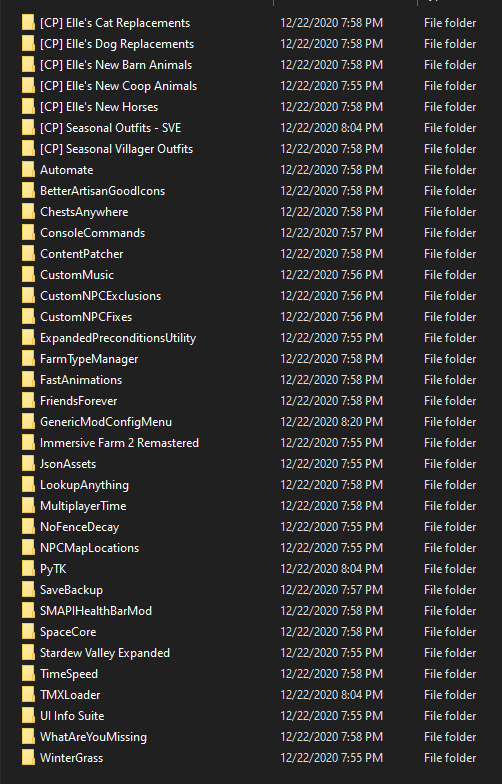
time to go play, happy holidays ❤️
restive zodiac
timid granite
Are there any screenshot mods?
Can you elaborate? What do you want the screenshot mod to do?
(Note that if you just want to take a screenshot of your entire farm - or any other map - you can do that in vanilla! Scroll down to the bottom of the options menu, then click the camera :) )
lunar dagger
Last question, will SMAPI tell me when theres updates for these unofficial fixes or will I have to keep an eye out?
lapis void
it will tell you yup!
terse pilot
I have far less errors now, I can at least get the game started and running, with most being mods that need updating and apparently double files? And now I can sleep and start the next day, whereas before I only had the black screen. I'm not sure how to deal with the double files :(
Log:
https://smapi.io/log/771f7df644774042879459d708841160
Also, I get this warning on every load up:
"22:43:09 WARN SMAPI Removed invalid villager 'MarlonFay' in AdventureGuild ({X:0 Y:0}) to avoid a crash when loading save 'Summer_240855594'. (Did you remove a custom NPC mod?)"
I never removed the custom NPC.
terse pilot
I updated the sve files though, I'm guessing it's missing from the update?
 muted pagoda
they may have changed how he works? no idea, havent dived into the dreaded 300 mod update yet, hehe.
terse pilot
I suppose I should ask on nexus.
muted pagoda
there are probably people here more familiar with the current sve
 calm cloud
its been a while since i've done any modding do you have to extract mods after downloading them
terse pilot
Yes
restive zodiac
terse pilot
I have far less errors now, I can at least get the game started and running, wit...
SVE is not loading, because you have to update the mods listed at the top. Make sure you get the unofficial updates to PyTK and TMXL.
calm cloud
cool
restive zodiac
The NPC was not removed, the mod is just not functioning.
terse pilot
Alright, I'll look for them then.
restive zodiac
(SVE is included in the mods that need to be updated by the way, so if you're sure you already downloaded the new update and installed it, I'd try a clean install by removing all old files first. Mod managers might also be affecting it.)
Oh, I see, you actually have multiple copies installed in addition to missing PyTK
restive zodiac
It looks like you may have accidentally installed twice, or else missed some folders. You have both Mods\(Stardew Valley Expanded) and Mods\[CP] Stardew Valley Expanded
terse pilot
ModDrop was fighting me over the pytk, so I'll get the unofficial one added tomorrow
restive zodiac
Ah, not very familiar with mod managers so I'm not sure how to fix it exactly without doing it manually.
dire fractal
https://smapi.io/log/250865dc20f84f9dbb0b14338cf7e7d6 anyone available to help with some issues im having. originally had trouble with the unofficial versions of pytk and tmxl. got them working and now smapi seems to be the problem
restive zodiac
You're missing JSON Assets https://www.nexusmods.com/stardewvalley/mods/1720
If you look at all the "did not load" errors, it tells you why each mod cannot load so you can fix it
!reset For the furniture front error, I'd reset your content files
native dragonBOT
See https://stardewvalleywiki.com/Modding:Player_Guide/Troubleshooting#Reset_your_content_files for instructions on resetting your game files! (This doesn't affect your save files.) You may also want to check this list of XNB > Content Patcher conversions (https://stardewvalleywiki.com/Modding:Using_XNB_mods#Alternatives_using_Content_Patcher) to see if there are already replacements for any XNB mods you may have been using :)
terse pilot
Thanks, @restive zodiac . I'll drop back in tomorrow, but your info is helpful.
 cosmic cedar
How do mods on switch lite?
safe spade
You cant mod on consol
cosmic cedar
Darn
safe spade
Its sadly only possble on pc (win/mac/Linux)
and to a degree on android but adroid is not so much optimised
Sorry forgot a word there
timid granite
Thanks @restive zodiac! I didn't know that
 spare basin
downloaded fresh mods from nexus and SVE is saying PyTK 1.19.6 isn't compatible?
restive zodiac
!compat Nope, you'll need the unofficial update.
native dragonBOT
See https://smapi.io/mods for a list of mods updated for the latest versions of SMAPI and Stardew Valley. :)
safe spade
Theres an unoffical update for pytk
spare basin
amazing! thank you guys!
safe spade
Np!
restive zodiac
Welcome! (I'm not even sure if I should call it an unofficial update since technically it's just the author's WIP that isn't ready yet while they are busy/working on it, but I guess that's still unofficial 😄 )
(Like "here this has a couple fixes and is recompiled but I have no idea if it works" "great!")
safe spade
Lets call it a beta update XD
 copper lotus
is the Bathroom After 2nd House Upgrade mod gonna be broken for a while? ;0;
lapis void
yeah, feel free to request an unofficial update for it on the forums, but with the new house renovations it'll be a pain to get it updated
copper lotus
how would i go about doing that in the forums? do i make a new thread or is there a requests thread already in place?
native dragonBOT
See https://smapi.io/mods for a list of mods updated for the latest versions of SMAPI and Stardew Valley. :)
copper lotus
oh so use the thread that the smapi mods list links me to?
by chance, is there a custom furniture pack that has bathroom furniture?
safe spade
Emmmmm i think the game did not center correcly here XD
lapis void
copper lotus
by chance, is there a custom furniture pack that has bathroom furniture?
custom furniture is broken buuut i made this mod which i hope to god still mostly works: https://www.nexusmods.com/stardewvalley/mods/5179

Nexus Mods :: Stardew Valley
Adds a placeable, working bathtub (animated, regens stamina and health), three variations of a bathroom counter with a working sink, and a toilet with 2 versions, cosmetic or a functional sewer warp,
calm cloud
is there a mod config mod
sick minnow
calm cloud
is there a mod config mod
when you install smapi one gets auto installed
bottom left of title screen
lapis void
lapis void
custom furniture is broken buuut i made this mod which i hope to god still mostl...
ugh and of course as i say that i get a bug report, the tub (the actual important part lol) doesn't work
calm cloud
ok cool
lapis void
the only mods that come with SMAPI are console commands and save backup, Generic Mod Config Menu is a separate mod. you can get the latest build from that link @calm cloud
calm cloud
i got this screen
native dragonBOT
Can you upload your SMAPI log to https://smapi.io/log (see instructions on that page) and share the link here?
muted pagoda
from just that error msg I would say antivirus ate your dlls
calm cloud
hmm how do i fix that
placid kraken
can someone help me figure out what's wrong with my friend's game
lapis void
.quote 5073
 devout pumiceBOT
[#5073] "If your antivirus is giving you warnings for SMAPI or SMAPI files disappear, please refer to this section of the troubleshooting guide https://stardewvalleywiki.com/Modding:Player_Guide/Troubleshooting#SMAPI_files_disappear_or_antivirus_complains  " - LenneDalben (18 Sep 2020 @ 08:53:51 PM UTC)
native dragonBOT
@placid kraken Can you upload your SMAPI log to https://smapi.io/log (see instructions on that page) and share the link here?
lapis void
can you run that through the parser please?
copper lotus
lapis void
custom furniture is broken buuut i made this mod which i hope to god still mostl...
this mod is fantastic! i'm going to try it out right now O: should i remove anything related to the bathroom upgrade in my mods folder?
placid kraken
lapis void
copper lotus
this mod is fantastic! i'm going to try it out right now O: should i remove anyt...
please let me know what issues you have, it looks like invisible building tiles block the swimsuit entry and exit tiles but i think you can still get into the tub, with noclip at the very least
copper lotus
also, what does "[SpaceCore] Found 1 transpiler targets, expected 2" mean?
lapis void
also yes, remove the bathroom after 2nd house upgrade folder!
calm cloud
i didnt copy the files into the folder
restive zodiac
copper lotus
also, what does "[SpaceCore] Found 1 transpiler targets, expected 2" mean?
Basically the mod was designed to patch the game code in 2 different places but its rewrite now only matches 1 thing instead of 2. But it is probably fine unless you run into any actual errors!
lapis void
(mouse, you're back to your winter nickname! :D)
restive zodiac
(I realized I was missing a prime opportunity :D )
lapis void
placid kraken
https://smapi.io/log/2d9e56228df3453da1f77a530fa07316
delete all SVE folders and reinstall
placid kraken
what comes with sve again?
copper lotus
uhhhhh so my bed is invisible lel
restive zodiac
If you're using any furniture recolors that replace the whole sheet, they'll need updating for all the new stuff on it (like beds)
safe spade
I like the fact that you finally can place furniture outside without a mod
restive zodiac
Me too, and I can plant my butt on so many pieces of furniture 
copper lotus
oh dear. thank you mouse
restive zodiac
My only modding need for that is that I really want someone to make fishing rod bypass the whole "activate button jumps you up again" so I can fish while sitting :D
copper lotus
are there any furniture recolors for the beds that work currently?
hidden zealot
is anyone else having problems with the industrial furniture sets?
copper lotus
i always have a notification to update it in smapi
restive zodiac
Someone just released one here https://www.nexusmods.com/stardewvalley/mods/7320 but other recolors might work as long as they don't replace the whole sheet
copper lotus
but ive already updated it
snow spade
i just moved my bed mods pngs to a new spot on the furniture.png... not sure if it will show up or not since i dont actually have the big bed lol
hidden zealot
yeah i’ve updated smapi, and the the mod but my intake textures are so messed up it hurts
Ingame**
placid kraken
https://smapi.io/log/eeefc2b72def4f3bb133af3ad5fa7148 can someone help
snow spade
i hate when smapi tells me to update something, and then i go to nexus and ive already downloaded the most recent files
copper lotus
yep loll
what do you mean, they may work as long as they don't "replace the whole sheet"?
snow spade
nice!
and im new to this, but it looks like the Grandpa's New Farm mod is missing a tilesheet .png, jess
copper lotus
is it possible for bed recolors to be updated given this update? i miss yellog's pretty flowery bed already
snow spade
it should be, just have to move it to furniture.png instead
 normal chasm
ok i have a question.. i'm looking for a mod that removes kids/cribs and i found one called no more nursery but it doesn't appear to be working. smapi says it needs to be updated but i only just downloaded it freshly... are there any good no crib/no nursery mods that actually work?
safe spade
It might broke due to the new stardew update
normal chasm
ah
copper lotus
i am not sure how to do that @snow spade
lapis void
you don't need a mod to do that, it's vanilla now
normal chasm
even when i removed the mod i still wasnt able to move/remove the crib in the nursery
lapis void
you can remove the crib by renovating your house at robin's
hidden zealot
yeah, i’m having an absolute horrible time working out what to do with these textures right now
lapis void
(and yes it will make it so you won't have children)
placid kraken
https://smapi.io/log/eeefc2b72def4f3bb133af3ad5fa7148 can someone help ne?
snow spade
placid kraken
https://smapi.io/log/eeefc2b72def4f3bb133af3ad5fa7148 can someone help ne?
try checking the mod folder for grandpas farm new locations, it looks like its missing a png or the png is in the wrong place. the map is looking for "z_farmshadows.png" Or something like that, and it cant find it
lapis void
general rule for texture mods: if it was made before december 21, 2020, and if you open up the content.json file and it only has a couple of lines that say something like
"Target: "Tilesheets\Furniture"``` (or wherever furniture is, or whatever texture it's replacing), you will end up with invisible itemsif you open up the content.json and there are a whole bunch of lines with "FromArea" and "ToArea" all over the place, it's probably okay!
snow spade
personally i have a frankenmesh of furniture/home deco mods, so i just use load and then rip out the new png from xnb with every update lolol
im easily confused by trying to do overlays oops
 primal citrus
Hello
lapis void
yeah, if your furniture mods are loads it's pretty easy to just unpack the new xnb and splice it together with the furniture mod
primal citrus
Is there SMAPI latest is 3.8.0?
lapis void
yes, that is the latest version updated for 1.5
primal citrus
I cant use the minimap
lapis void
!log
native dragonBOT
Can you upload your SMAPI log to https://smapi.io/log (see instructions on that page) and share the link here?
gentle glen
https://smapi.io/log/40d9aa4efa8a47499f52dda75fa7d2b7 i have red text and Double updates with the Stardew Valley Expaneded mod and the PPJA - More Recipes_A Collection of Recipes update is still showing i know i updated it
lapis void
SVE just updated today
primal citrus
No there is no an error but i cant access to the minimap feature
lapis void
the other update alert you have is for more food and you should ignore it, there was a problem with nexus and it's fine to use the one you have
lapis void
primal citrus
No there is no an error but i cant access to the minimap feature
even if there is no error, please post a log!
lapis void
gentle glen
https://smapi.io/log/40d9aa4efa8a47499f52dda75fa7d2b7 i have red text and Dou...
you need Multi Yield Crops for Fresh Meat as well
reset terrain features hasn't been updated yet, so remove it for now if you want the red text to go away
https://www.nexusmods.com/stardewvalley/mods/6069 this is the mod that you need to download

Nexus Mods :: Stardew Valley
Allows crops to yield more than one kind of harvest. Fully configurable and with content pack support
gentle glen
I don't think have Mulit Yield Crops For Meat
lapis void
you don't, that's why you are getting red text. download the mod i just linked and it will go away
20:25:24 ERROR SMAPI --------------------------------------------------
20:25:24 ERROR SMAPI These mods could not be added to your game.
20:25:24 ERROR SMAPI - [MYC] Fresh Meat 3.0.3 because it requires mods which aren't installed (Cherry.MultiYieldCrops).``` this part is telling you that part of fresh meat is not working because you need another mod for it to work, Multi Yield Crops, which is here <https://www.nexusmods.com/stardewvalley/mods/6069> alpine heath
if there a way to just like. delete and restart my mod folder from scratch? havent played in a bit so a lot of mine are out of date w the new update so i figured it would be easier to just redownload everything from scratch that id use
lapis void
alpine heath
if there a way to just like. delete and restart my mod folder from scratch? have...
yeah, you can just delete everything in the mods folder
muted pagoda
rename it to something like 1.4 mods, so you have a reference on what to get/update
gentle glen
So the rest terrain features hasn't update yet , i can wait for the update ... i don't know if there was one or not since there been alot of updating to main game and the mods... so what do i do with the other issue with two updates of the Stardew Valley Expaneded mod i updated it but it still show that need to be updated
primal citrus
there is 1 error in SMAPI
lapis void
primal citrus
I already put to the smap.io
you need to send us the link so we can see it
lapis void
when did you update SVE? it was updated fairly recently today
lapis void
primal citrus
Oh sorry
you don't have any mods installed. the minimap is from a mod, NPC Map Locations

Nexus Mods :: Stardew Valley
Shows the locations of NPC and farmers on the map page and on a minimap. Provides modified map pages that are much more accurate to the game.
 near karma
Hi, sorry, if someone could help take a look and see the issue? I believe it's something to do with furniture? The errors are all below, crashing my game. Thank you. https://smapi.io/log/fc8edb50ad2142089dd2a1ea84a85be0
lapis void
near karma
Hi, sorry, if someone could help take a look and see the issue? I believe it's s...
custom furniture hasn't been updated, try removing it
 terse cargo
Hello! Just asking if it's enough to download the updated mods and then just move the contents of it to the old folder files?
lapis void
terse cargo
Hello! Just asking if it's enough to download the updated mods and then just mov...
it's best to delete old folders, especially if any mods you're updating use Json Assets
lunar dagger
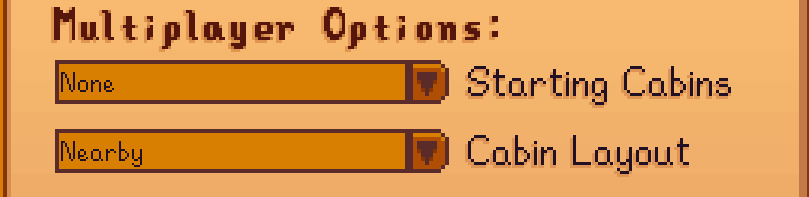
https://i.imgur.com/d6q27cB.png Can I change some of these while using SDV Expanded and the Immersive Farm mod?
 gentle glen
Do I still need PPJA More Recipes A Collection Of Recipes
lapis void
you already have it, so no, you don't need to do anything else with it
near karma
lapis void
custom furniture hasn't been updated, try removing it
Thank you for the help!
gentle glen
it still show up on my updated list mod update
snow spade
lies down about all my JA mods that need updating
 jaunty rover
corrin you’re great
lapis void
that's more food, and like i said earlier, there was an error on nexus and that isn't a real update. you can ignore that.
lapis void
LOL extremely valid, i never change my icon tho
gentle glen
oakie.. now what do i with stardew valley expaneded mod since i have to double of the update , i updated on mod drop
primal citrus
@lapis void Thank you very much now I already got minimap back
gentle glen
 copper lotus
i have some questions then since i'm a little confused.
- is there anyway i can make yellog's [CP] Farmhouse Tiles Replacer work for just the bed with this update? or should i just wait? i'm not sure what to do. im overly fond of this mod and hate the vanilla bed a ton lel.
- are any of my Narrative Overhaul by haywrites going to be messed up by this update? i haven't seen anything in my smapi window but im not sure if anything would even come up.
- is [CP] DaisyNiko's Earthy Recolour going to be all whacky on the new island area? im not able to go there yet and would like to know before i spend a ton of time getting there and it goes poopy.
thank you for reading this :'l
lapis void
.quote 5267
devout pumiceBOT
[#5267] "The 1.5 update adds several new crops and recipes that share names with items added by Json Assets (JA) mods. PPJA has already been updated to fix the problems; if you're experiencing issues with items added by PPJA, please delete ALL folders related to PPJA mods and completely reinstall.
Bonster's Crops currently needs a manual adjustment to fix this issue. You will need to either wait for Bonster to put out an update, or manually delete the Taro Root folders from BOTH Crops and Objects within Bonster's Crops." - Corrin (22 Dec 2020 @ 06:29:27 AM UTC)
lapis void
@gentle glen that's your problem with taro root
lapis void
copper lotus
i have some questions then since i'm a little confused.
1. is there anyway i can...
the bed is now on the furniture sheet, so you can manually copy it there if you want to
copper lotus
what if i use custom furniture?
lapis void
narrative overhaul shouldn't be messed up no, and earthy recolour will indeed be wacky on the island
gentle glen
i don't know the taro tooy looks like
copper lotus
ohh okay snow-rrin
lapis void
gentle glen
i don't know the taro tooy looks like
go into the Bonster's Crops folder and find the folder named Taro Root, you don't need to know what it looks like
you can just search for Taro Root and you should find two folders, delete them
gentle glen
Bonster Crop Folder that hasn' t been updated yet
lapis void
correct, it has not been updated and Taro Root is vanilla now
 deep spindle
Quick question. Given that Reset Terrain Features has not been updated yet (to my knowledge), how are we supposed to reset bushes and the like that have been updated?
gentle glen
oakie so just remove the Taro Root For now
lapis void
yes
@rare quest is SVE updated on ModDrop? this person updated it from there and it's giving them an update alert, and from what I can tell the MD version hasn't had an update since october?
dire fractal
Anyone know what happened here? https://i.imgur.com/veS2VNv.png
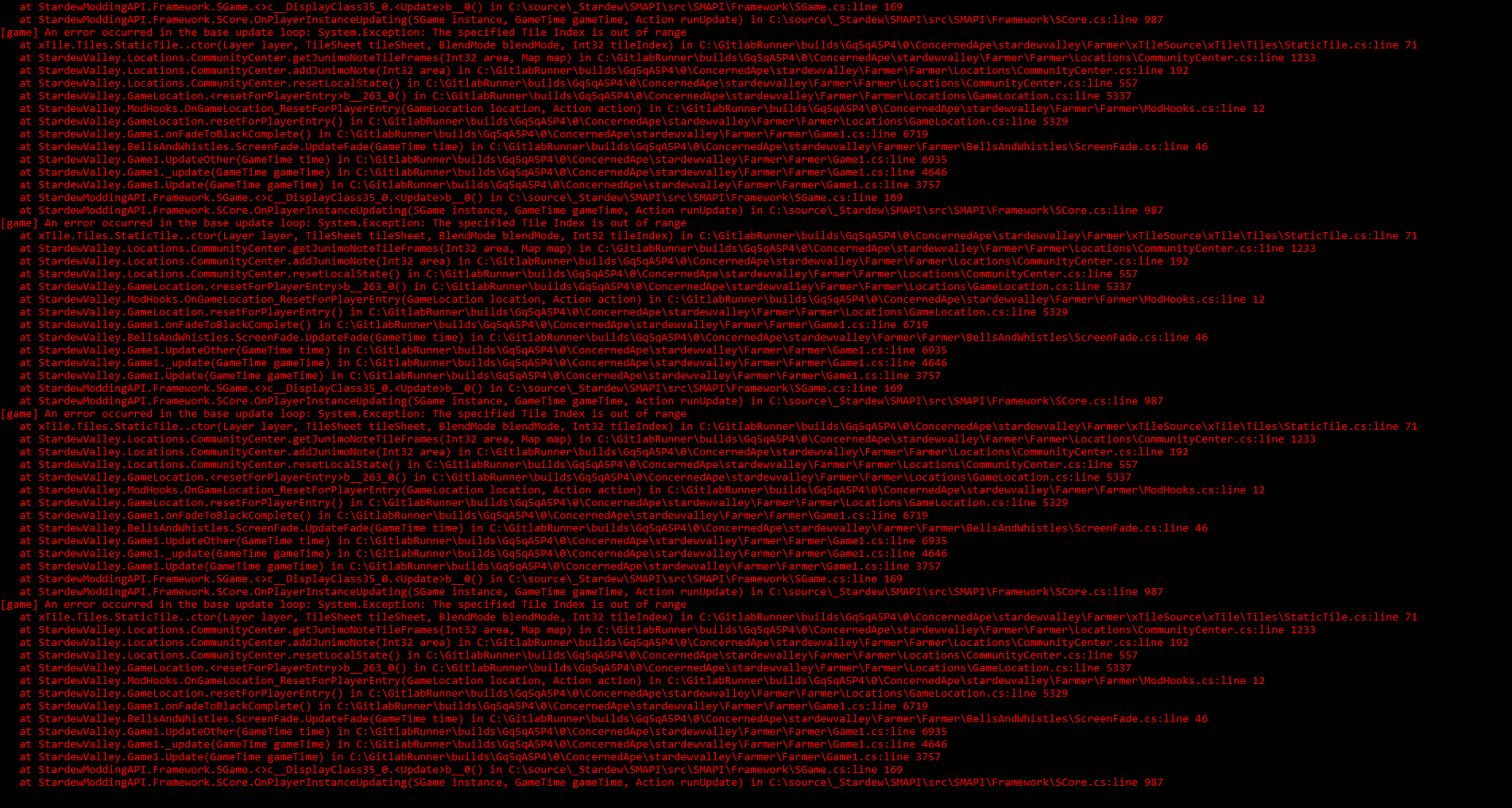
When my girlfriend or I go into our community Center we get stuck at a black screen
sick minnow
!log
native dragonBOT
Can you upload your SMAPI log to https://smapi.io/log (see instructions on that page) and share the link here?
 old vale
|| is there any mod yet for sprinklers to work on sand?||
sick minnow
old vale
|| is there any mod yet for sprinklers to work on sand?||
Yes
dire fractal
sick minnow
Literally on front page
old vale
Okay thankyou’ ill try to relearn using smapi forst lol
restive zodiac
copper lotus
i have some questions then since i'm a little confused.
1. is there anyway i can...
The Nexus version of Narrative Overhauls weren't even updated for 1.4, let alone 1.5 😅
sick minnow
dire fractal
https://smapi.io/log/1d470325c78b4f99960548e728cc796d
you didnt install Entoarox framework which is needed for furniture everywhere
and id suggest not playing SVE save until official release of Pytk and TMX is released
lapis void
you shouldn't be using furniture anywhere right now
dire fractal
Ah, I see
restive zodiac
I wouldn't recommend ever using a mod that completely replaces any dialogue files unless they a) are active and have updated since at least the last game update and b) they are doing something like changing a character into someone else entirely, so that it makes sense to completely overwrite the whole file
lapis void
they have entoarox's new mod, which, although it is new, is extremely broken
restive zodiac
(Most dialogue mods are just fluffing out the content and adding lots of new things, not replacing literally every line)
lapis void
remove entoarox modding utilities and see if the problem still happens please polly!
restive zodiac
(Well, not "just" but you know what I mean...)
lapis void
ah i didn't know haywrites replaced everything, yeah you'll miss out on a lot of new content then
dire fractal
Okay, thanks I'll try it out!
I removed FurnitureEverywhere as well
So hopefully that fixes it
gentle glen
Oakie snow i deleted the Taro Root
lapis void
hopefully that should fix that error for you isis! i pinged flash above about the moddrop version of SVE, you'll want to update it from nexus in the meantime
carmine grove
please god how do i get steam overlay to work with smapi
lapis void
!gettingstarted
native dragonBOT
If you would like a guide to setting up mods for Stardew Valley, check out the getting started guide! https://stardewvalleywiki.com/Modding:Player_Guide
lapis void
you'll need to set your launch options, the guide has instructions--once you've done that, launch SMAPI by running the game through steam, and overlay should work
gentle glen
i Normally did update with the nexus website it took me to moddrop i think at the time
 torn cloud
is ther a mod that allow us to warp from map?
lapis void
can you be more specific about what you're looking for, elv?
torn cloud
allow us to warp from map. like if i open map, i can click on beach than warped there
lapis void
you can look at CJB Cheats Menu or Plato Warp Menu, but there are no mods that specifically use the map for that
snow spade
Crosses fingers that log can actually be parsed this time since its only 15mb
lapis void
you probably have duplicate errors
carmine grove
@lapis void can confirm i have correct launch option and launch through steam and still no overlay
devout pumiceBOT
[#5267] "The 1.5 update adds several new crops and recipes that share names with items added by Json Assets (JA) mods. PPJA has already been updated to fix the problems; if you're experiencing issues with items added by PPJA, please delete ALL folders related to PPJA mods and completely reinstall.
Bonster's Crops currently needs a manual adjustment to fix this issue. You will need to either wait for Bonster to put out an update, or manually delete the Taro Root folders from BOTH Crops and Objects within Bonster's Crops." - Corrin (22 Dec 2020 @ 06:29:27 AM UTC)
snow spade
oh i definitely have dupe errors lol, just a question of how many
lapis void
^ that'd be a likely culprit for a 15mb log
carmine grove
i remember i had this issue with smapi years ago and no one could help, i can only get my controller to work by turning off all controller support on steam and restarting steam then launching smapi thru steam
snow spade
nah i already did the ppja updates, its sth else
carmine grove
same problem now
i know it problem with steam overlay
but ive reinstalled steam and still no dice
lapis void
did you delete completely and reinstall tho? there might be sneaky Ginger and Banana folders floating around
lapis void
(that was at leilacrystal, sorry!)
carmine grove
is there a way to launch smapi without the stupid black window
 wind plover
Btw Snow, might wanna mark spoiler for the new crops 🙂
lapis void
using-mods is a spoilery zone haha, we mark larger spoilers but it's gonna have stuff like new crops
wind plover
Oh does anyone use the Better Sprinklers mod? I just wanna know how to read the range 😅
snow spade
lapis void
did you delete completely and reinstall tho? there might be sneaky Ginger and Ba...
i did! just checking now for other JA mods floating around that i missed in my cleanup
restive zodiac
wind plover
Btw Snow, might wanna mark spoiler for the new crops 🙂
(See <#bulletin-board message> for more info on which channel is doing what right now :) )
wind plover
Does this mean that with the mod, iridium sprinklers would reach the green and red areas as well?
lapis void
(there is also a new item that ||changes the range of sprinklers when it's applied to them||, fyi)
naive drum
With the mod, it'll reach the green areas.
wind plover
Oooh thank you! I haven't started with the new update yet because I'm still waiting for a few of my mods to be updated so I'm mod shopping now hehe
naive drum
You can click a green or red area to toggle it to the other colour
wind plover
Ah I see! Thank you!
 prime tapir
https://smapi.io/log/167589a7079141ee845b3e30d6cd29d1 im terrible at modding and i dont know what this means
restive zodiac
It looks like you're running SMAPI from your desktop instead of where it's installed.
hehe
prime tapir
thats how i used to do it
restive zodiac
Did you just make a copy of the exe or something? You need to run it from the game folder or set your launch options in steam.
You probably used a shortcut before, not the whole exe.
You can right click the exe and click "send to ... desktop (as shortcut)"
prime tapir
ihave two mod folders, one for sve and one without
restive zodiac
Which you can switch between using shortcuts, but not copies of the entire exe 😄 I'd look over the instructions here again https://stardewvalleywiki.com/Modding:Player_Guide/Getting_Started#Can_I_have_different_mod_groups.3F to refresh
naive drum
put the non-shortcut one back in your game folder and make a shortcut to it
 feral bison
@carmine grove Unplug the controller Turn off Xbox Controller service, DS3, Or DS4 and close explorer.exe then turn the service back on it should fix the controller. Same goes for every game
prime tapir
i think it worked
i figured out what i did wrong, i only made a shrtcut to one and not the other
 small maple
mod update day is always a scary day for me ;-; just got the biggest amount of errors i think i've ever seen before
 vital badge
I have mods installed and I used to have the Teh's fishing, but it's broken so I removed it; however, my fishing in game seems to only give gold+ quality fish and really good loot now using a bamboo rod. Anyone else having this issue?
small maple
are there any known issues currently with PyTK? that seems to be the mod causing my errors right now. saying version 1.19.6 is no longer supported
vital badge
Stardew Valley Forums
I finally can buy a winery in the carpentry. But if I PLACE the winery I get an error message. Robin is still building it (I hope), but ... have I done an error or is it the mod? :owo:
lapis void
beat me to it haha
vital badge
pytk is on there alpha version
lapis void
for future reference check here for unofficial updates: http://smapi.io/mods
 final sigil
Updated Animal Husbandry Mod
Just a rebuild using SV 1.5 and the alpha version of PyTK.
Tested it very loosely, but the main features seem to be working.
restive zodiac
vital badge
https://forums.stardewvalley.net/threads/unofficial-mod-updates.2096/page-3#post...
Just personal preference but instead of linking to the forum post I would link to the compatibility page https://smapi.io/mods/#PyTK so that people know where to look (since if they don't realize there's an update, they must not know about/have checked compat page)
(It's also much easier to search through as a reference than what will no doubt grow to be a very long and messy thread, if they want to look for stuff in the future, hehe)
small maple
i never knew of the compatibility page so i'm definitely glad to have that saved to my bookmark bar now. will come in super handy
copper lotus
lapis void
the bed is now on the furniture sheet, so you can manually copy it there if you ...
would this mean i take the image of the bed i want and paste it over the vanilla bed in the furniture sheet using a picture editor? would said furniture sheet be in the steamapps folder? i hope am not bothering :'l
restive zodiac
!unpack
native dragonBOT
See https://stardewvalleywiki.com/Modding:Editing_XNB_files#Unpack_game_files for instructions on how to unpack XNB files in order to edit the assets inside!
restive zodiac
You can get all the vanilla assets by following instructions here
lapis void
yep, what mouse said! and yes you can use GIMP or paint or similar to paste the bed that you want, and then make a simple CP pack replacing the furniture sheet (you can even steal the content.json from another mod, like yellog's, that does it that way, since this is for personal use)
copper lotus
would Preview on a mac work? lolll
copper lotus
i mean for pasting the bed
lapis void
i doubt it tbh, isn't preview mostly for pdfs?
copper lotus
naw it works on jpgs and pngs too
lapis void
it probably works then, anything that'll let you edit an image
copper lotus
okie ty
restive zodiac
(as long as it preserves transparency!)
copper lotus
lapis void
yep, what mouse said! and yes you can use GIMP or paint or similar to paste the ...
making a simple CP pack, would i just mimic one i already have? i have no experience in doing that stuffs
yus it does! :0
restive zodiac
Hm, well, are you just doing the new furniture stuff?
lapis void
yup, like i said, you can literally just replace the furniture png in a mod like yellog's
copper lotus
sorry this is all very foreign and im just a bit weary
restive zodiac
This might be a little complicated but you could look at this pack https://cdn.discordapp.com/attachments/678284714829807636/790681108106051634/CP_Vanilla_Content_Bandaid_1.5.zip which is already edited to specifically overlay the new furniture over the old furniture So you could edit that how you want to recolor it for yours
copper lotus
yeah, i just want a nice bed. i have put in enough vanilla hours and am tired of normal textures haha--especially the bed
restive zodiac
Or just merge into Yellogg's :D once you are unpacking vanilla files and making edits, the world is your oyster....
 grim ridge
have there been talks to implement being able to move the main farmhouse around rather than rely on a mod to do it? 
lapis void
that's not likely to happen if i understand you right, but they've made it very simple for mods to do that on custom farm maps
grim ridge
it's as you think, i play vanilla with my friends but it sucks that we can't move the main farmhouse with robin due to it being part of the map, even though we can move the cabins around
naive drum
A map edit would do it easily, but yeah no moving the main farmhouse through in-game menus
restive zodiac
Maybe someday now that moving it at all is possible!
(Just to clarify though, I don't think a map edit would work mid-save, but we could probably make a SMAPI mod to reset it, like RTF only for farm features)
(Well, not "probably" in that I am sure it could be made, but I am thinking peabrain probably 😅 )
 sour wren
1.5 update spoilers I guess ||Does anyone know if the forge works on prismatic tools||
lapis void
i have no idea, maybe back up your save before trying it
however i do think that ||enchantments should work on custom weapons, so maybe they work on custom tools too?||
sour wren
Welp time to go experiment
lapis void
also ||if you enchant an earlier version of a tool, the upgraded one will retain the enchant, so in theory if you had an iridium tool, enchanted it and upgraded it to prismatic...||
wind plover
Hello 🙂 Is it okay to download retexture / recolour mods that haven't been updated in awhile?
lapis void
they'll look pretty awful when you go to new areas, and have some clashing tiles on old maps, but if that doesn't bother you, they'll work-ish
beach farm will look pretty bad too
mod authors are most likely working on updates right now, but recolors are gonna take a while because of all the new stuff
restive zodiac
Depending on how they edit things, they might remove certain gameplay content like the special orders board, or remove some new content sprites like flooring etc
 fathom helm
yeah my interior recolor from amahra is very glitchy after the update
i also am sad bc i cannot play on PC without the right click mouse mode mod and it's broken lol
wind plover
A teeny tiny one like this should work fine though right? 😅
restive zodiac
Teeny tiny should indeed be fine
lapis void
i think it's worth giving mod authors a heads up that 1.5 dropped if you don't see any comments on their mod page about it already and if you're polite haha, otherwise, updates will come!
i know some people who aren't here often or on twitter/check nexus often were pretty blindsided
restive zodiac
(For Starblue specifically, Lita won't be around to start on anything official until February, but I'll have an unofficial out sometime this week for the clashing/gameplay important stuff)
(Daisy is also out for the holidays)
wind plover
Oh yeah I didn't know about the update until my boyfriend told me about it 😂
lapis void
min is very busy too for eemie's, i'm planning to help her with it but i have a really long list of "stuff i'm helping people with" rn
restive zodiac
Yeah... and when you stop to try to help a little in Discord here and there, before you know it it is five hours later shifty
lapis void
was that a callout for me or yourself mouse :P
wind plover
Update came just in time because I've just retired my 10 year old laptop to a brand new one too
restive zodiac
"why not both?" haha
lapis void
yeah i think we're both guilty lmao
copper lotus
what's goin on with my game? it be crashing when i walk outside. im also using a farm map mod. https://smapi.io/log/7e28566eb7894e429618938dcafdba5b
restive zodiac
(It's probably your farm map mod.)
restive zodiac
It's easy to fix, but there won't be an official update for a few weeks
restive zodiac
(I am going to go through all of Daisy's mods tomorrow to see which ones need fixing, so unofficials should be out soon though)
copper lotus
oWo ill be waiting
i love Daisy's mods
I use Ali's mountain farm for my map but I use Daisy's earthy recolor
restive zodiac
If you want to take a stab at it in the meantime, you can check out the instructions at the bottom here https://forums.stardewvalley.net/threads/common-modding-issues-in-1-5.3199/ :D
copper lotus
should I omit those two until unofficial updoots are put out?
restive zodiac
(This part: How to edit maps to prefix tilesheets:)
copper lotus
thank you for this thread!
dire fractal
is pytk not updated yet?
lapis void
!compat
native dragonBOT
See https://smapi.io/mods for a list of mods updated for the latest versions of SMAPI and Stardew Valley. :)
dire fractal
thanks
copper lotus
restive zodiac
(I am going to go through all of Daisy's mods tomorrow to see which ones need fi...
where would you post these unofficial updates if you do them? o:
restive zodiac
I'm not sure They're not SMAPI mods so they won't go on the compat page, but probably still on the unofficial thread anyway. I will drop comments on the Nexus pages also though.
wind plover
If I want to start a new game while waiting for the other mods that I use to be updated can I just start a new game? Or would that cause some glitches?
lapis void
you should be able to add mods back in as they update, with minimal problems
 blissful rapids
could someone share the original shirts.xnb for me? mine got messed up, would be much appreciated!
lapis void
blissful rapids
could someone share the original shirts.xnb for me? mine got messed up, would be...
!reset
native dragonBOT
@blissful rapids See https://stardewvalleywiki.com/Modding:Player_Guide/Troubleshooting#Reset_your_content_files for instructions on resetting your game files! (This doesn't affect your save files.) You may also want to check this list of XNB > Content Patcher conversions (https://stardewvalleywiki.com/Modding:Using_XNB_mods#Alternatives_using_Content_Patcher) to see if there are already replacements for any XNB mods you may have been using :)
lapis void
this will fix it for you!
wind plover
I'll have to remove the incompatible mods before I start the new game?
lapis void
they'll remove themselves automatically, they just won't load
blissful rapids
dont want to verify integrity or redownload all my xnb files just looking for shirt.xnb, could anyone share it? thank you
naive drum
verifying integrity is going to be the best idea, hoenstly
lapis void
all your xnb mods will be outdated now with 1.5, i highly recommend just doing a content reset. you'll have all sorts of invisible textures, missing dialogue, and so on. if you really want to keep some XNB mods, make a copy of your content folder before verifying
naive drum
yeah probably the only non broken xnb mods right now are like...animal replacers...and you can drop those in an A&S folder or a DIY content pack folder
blissful rapids
ah shoot, that makes sense why some of my clothing isnt showing up. will do, thank you!
lapis void
the second link in governor's message might have CP conversions for some you were using!
https://stardewvalleywiki.com/Modding:Migrate_to_Stardew_Valley_1.5#Update_impact this has a full list of XNBs that changed in 1.5, there are a LOT
 steep gale
@blissful rapids hi, i changed your nickname so that it's typable with an english keyboard (as per rule 4). feel free to change it to anything else within the rules(:
 ocean halo


 restive zodiac
You can rerun the SMAPI installer just like you installed it, only pick the "uninstall" option! (Don't forget to change your launch options in Steam if you set those.)
 twin junco
Is their a way (modding) or not to share world saves? I doubt it but curious.
 civic rampart
I vaguely remember there was a mod somewhere that allowed a multiplayer game to have individual farm maps per player - Does anybody remember what that might have been called?
restive zodiac
twin junco
Is their a way (modding) or not to share world saves? I doubt it but curious.
What do you mean by world saves in this case?
restive zodiac
!log The Righteous Venom#7662
native dragonBOT
@fluid zealot Can you upload your SMAPI log to https://smapi.io/log (see instructions on that page) and share the link here?
dire fractal
can someone give me the thing to copy paste into here? thanks
restive zodiac
If you re-run the SMAPI installer, it will give you the exact line to put for your installation at the end!
(It depends where you have it installed, so it's simplest to just copy paste it from there)
dire fractal
thanks
 fluid zealot
 dawn iron
Is there a way to verify that SMAPI is working correctly? I'm trying to use it and the mod CJB Cheats but the P key to bring up the menu doesn't seem to be working (Apologies if I'm slow to respond, I'm also reading the comments on the CJB page)
fluid zealot
here is the log
restive zodiac
@dawn iron Yep, while SMAPI is running it logs all kinds of things. Is SMAPI running? When you start the game there should be a (usually black) terminal type window pop up that runs some text and then starts the game itself
You can find its log and share it by following the instructions here https://smapi.io/log
dawn iron
... it did NOT do that 😄
[02:17:52 TRACE SMAPI] Log started at 2020-12-23T09:17:52 UTC
I woops
restive zodiac
@fluid zealot Bonster's crops adds an item that is now in the base game - you need to remove the Taro Root folders from Bonster's crops and objects folders
I believe you also need to remove Custom Cask Mod unless it's been updated in the last 24 hours
dire fractal
how do i check if my mods are working in game
restive zodiac
!log dylannnnn#0744
native dragonBOT
@dire fractal Can you upload your SMAPI log to https://smapi.io/log (see instructions on that page) and share the link here?
restive zodiac
@dawn iron Hm, SMAPI is clearly running, but it shows no mods installed, not even the ones that come WITH SMAPI Are you using a mod manager?
dawn iron
No, I'm not- should I be?
 gaunt radish
is there a working unlimited player mod and can someone link it to me?
restive zodiac
dawn iron
No, I'm not- should I be?
Nah, I just thought that might be related. Is there anything in this folder? C:\Program Files (x86)\Steam\steamapps\common\Stardew Valley\Mods It's where SMAPI expects there to be mods, but there are none 😔
(If you renamed your Mods folder or moved them or something, that would do it as well)
dawn iron
I've got three directories in that folder - CJBCheatsMenu, Console Commands, and SaveBackup
I did drag CJB in there from the download location after unzipping.
restive zodiac
Can you show a screenshot of the inside of that Mods folder that shows the file path at the top too?
dire fractal
guys i clicked on that thing from the bot and it basically showed me all my mods that i have with ticks by their names, but when i try to use them in game, example click P to open up a cjb thing or something, nothing happens i dont know why or what im doing wrong
dawn iron
restive zodiac
@dire fractal Can you load the game, try to use a mod (like by pressing P), then upload your SMAPI log and share the link here so we can see it?
dire fractal
i can try
 dusty burrow
whats up modders i cant seem to talk to any of the townspeople since the update rolled out
restive zodiac
@dawn iron When you said "it did NOT do that" do you mean the little terminal window doesn't come up? Are you starting from Steam?
dire fractal
the date beside my smpai latest its this .
restive zodiac
@dusty burrow Do you still have SMAPI installed, and if so can you share your log? https://smapi.io/log Can you also try to reset your content files?
!reset
native dragonBOT
See https://stardewvalleywiki.com/Modding:Player_Guide/Troubleshooting#Reset_your_content_files for instructions on resetting your game files! (This doesn't affect your save files.) You may also want to check this list of XNB > Content Patcher conversions (https://stardewvalleywiki.com/Modding:Using_XNB_mods#Alternatives_using_Content_Patcher) to see if there are already replacements for any XNB mods you may have been using :)
restive zodiac
@dire fractal That's funny, I was so careful to check the timestamp on sky's log
dawn iron
restive zodiac
<@306305666442854404> When you said "it did NOT do that" do you mean the little ...
I am starting from Steam, and actually, I was wrong, it did pop up, it was just VERY fast 😄
restive zodiac
@dire fractal Please try reinstalling SMAPI https://stardewvalleywiki.com/Modding:Installing_SMAPI_on_Windows and setting your launch options in Steam!
restive zodiac
@dawn iron If you alt tab to the SMAPI console in game, does it show 0 mods loaded like your log said?
dawn iron
fluid zealot
Last problem lol
Should that console window be staying up? Because it closes 😄
restive zodiac
dire fractal
i just downloaded it tho. <@!293604284723888128> its the same
You need to follow the instructions on the page I linked so you can unzip and run the installer.