#archived-modded-support
1 messages · Page 290 of 1
 neat plaza
 languid raft
No, just appears in certain areas
neat plaza
so how are we meant to solve it without a log with it
 torn wadi
see?
 neat plaza
run from cmd/powershell
neat plaza
languid raft
I sent the screenshot of the error
yeah but we need the full log to be helpful
torn wadi
neat plaza
run from cmd/powershell
sorry, i only know the basic, how do i do that?
torn wadi
i will look on youtube for a step by step tutorial cuz i have the iq of a door when it comes to technology
thanks btw
neat plaza
I don't think a tutorial exists for that according to my very quick searching
torn wadi
okay
lets break this down
i search for cmd/powershell
right?
and it opens this cmd but in blue
and what i do now
neat plaza
you open a powershell/cmd window in the installer dir
and run the bat file
just type install and then press tab until the window one's name is autofilled
torn wadi
im running this command: Install.\Users[my name]\Downloads\SMAPI-3.18.6-installer\SMAPI-3.18.6-installer\install-on-Windows.bat
what am i doing wrong? 😭
torn wadi
english is not my native language, i dont have any idea what 'installer dir' means
 lament vortex
.q 5775 follow these instructions
 devout pumiceBOT
Syntax: .quote [#|nick|add|edit|remove] [#|"quote"] [- nick] | On Discord? React to a message with 💬
devout pumiceBOT
#5775
Try this:
- Open the installer folder.
- Hold
shiftand right-click on the folder background. - Click the option that says Open in command prompt / PowerShell / Windows Terminal (depending on your Windows settings).
- Run
"install on Windows.bat"(if Command Prompt) or./"install on Windows.bat"(if PowerShell or Windows Terminal). - Now if it crashes, the window should stay open so you can see the error.
- Post a screenshot of the full window when it shows the error here.
- @tired brook (Jump)
01 Dec 2021 @ 03:27:47 AM UTC
 vestal dust
@visual dove I guarantee that you can run artisan valley and raffadax at the same time. It ends up being a whole lot of things for perfection etc, but there are no inherent incompatibilities.
 visual dove
Oh i know. It's just due to the fact that my game is already stuttering a bit that i remove them lol. So adding more would make my game so laggy that it's unbearable
vestal dust
that makes total sense. I only said stuff because vulgary implied that the issue was due to duplication of items, which... between those two, it's not.
sheer number of things definitely causes lag though. :p
 primal wedge
Anyone here mod on mobile? Im trying to install a portrait mod but smapi wont work on latest mobile version, so i was trying to install the xnb but got stuck
neat plaza
!xnbzola
 native dragonBOT
XNB mods often break the game and are not recommended. See https://stardewvalleywiki.com/Modding:Using_XNB_mods for more info (and a list of Content Patcher alternatives), and https://stardewvalleywiki.com/Modding:Player_Guide/Troubleshooting#Reset_your_content_files to fix problems caused by XNB mods. For mod creators, see https://stardewvalleywiki.com/Modding:Editing_XNB_files for help unpacking & editing them (including for use with Content Patcher). https://media.discordapp.net/attachments/156109690059751424/575085766426886145/ZolasFury.png

 surreal orchid
LMAO PLS DON'T
primal wedge
Its just the portraits tho, like i can name all the files im touching if i tried.
vestal dust
primal wedge
Is this to show me how to install xnbs? Or saying i shoul not use xnbs
Quote: XNB mods often break the game and are not recommended.
torn wadi
lament vortex
.q 5775
IT WORKED I LOVE YOU SO MUCH THANK YOU I JUST NEEDED A STEP BY STEP TUTORIAL THANK YOU THANK YOU THANK YOU

 ocean dagger
i got mods for changing how the farm buildings look and it works on everything but the barn
neat plaza
!log
native dragonBOT
Can you upload your SMAPI log to https://smapi.io/log (see instructions on that page) and share the link here? Even if your game doesn't show any errors, logs are useful, and often necessary, for troubleshooting.
ocean dagger
native dragonBOT
Log Info: SMAPI 3.18.6 with SDV 1.5.6 (build 22018) on Microsoft Windows 10 Pro, with 20 C# mods and 24 content packs.
Suggested fixes: One or more mods are out of date, consider updating them
 scarlet quail
!log
native dragonBOT
Can you upload your SMAPI log to https://smapi.io/log (see instructions on that page) and share the link here? Even if your game doesn't show any errors, logs are useful, and often necessary, for troubleshooting.
scarlet quail
Going to guess you installed the megapack and the original ones
or the DGA version
But that's why we need the log
native dragonBOT
Log Info: SMAPI 3.18.6 with SDV 1.5.6 (build 22018) on Microsoft Windows 10 Home, with 59 C# mods and 100 content packs.
Suggested fixes: One or more mods are out of date, consider updating them
scarlet quail
seems to be working fine to me
you have some foods that are added by multiple mods, but they just don't add those
Define "isn't there"
In that case, going to need a log from when you've loaded into your save
this log only goes to the title screen.
do the same thing to get the log, just do it after you loaded into your save
and before you reboot the game
am confused.
native dragonBOT
Log Info: SMAPI 3.18.6 with SDV 1.5.6 (build 22018) on Microsoft Windows 10 Home, with 59 C# mods and 100 content packs.
Suggested fixes: One or more mods are out of date, consider updating them
native dragonBOT
The latest released version of PPJA (Project Populate Json Assets, a popular mod) is a conversion from JA to DGA, but it has some bugs in it, and the mod author has retired. Sticking with the older JA version is probably your best option.
You can download the JA version from the Old Files section on Nexus, or by downloading the latest versions of the standalone components instead of the megapack (except for Farmer to Florist, where you would need to look under Old Files in the standalone version).
 vivid veldt
How do i get my deleted mods folder back? I have smapi installed and ive tried verifying the files through steam but it hasnt worked
lament vortex
check your recycle bin?
verifying the files through steam is only for actual game files, not user-added stuff
vivid veldt
lament vortex
verifying the files through steam is only for actual game files, not user-added ...
Not there
I mean the mods file that came with the game? With errohandler and stuff inside it
scarlet quail
vivid veldt
I mean the mods file that came with the game? With errohandler and stuff inside ...
you'd have to reinstall SMAPI
they only come with the installer
 lost nacelle
does the updated mods work on older version?
scarlet quail
It's generally unlikely, but we don't know what you mean by older version or updated mods without clarification
 frank tartan
So I use adopt n skin to have more pets, at first when I start this savefile (without the mod) I’ve take a dog as my first pet then I got the adoptnskin mod and also got an cat as my second pet and now after a week using the mod without any problems suddenly the cats name show up in menu with an dog head icon, quick …is there an way to change the “main pet” in save files or something like this back to my dog that only he will appear again in the menu ? Or change the pet icon in the menu ? Sorry for the long question, don’t find any answer in internet
 loud anchor
https://smapi.io/log/31bc1188b89443e390c45bacdb2b9390 any advice on what to do here? cursory google search unhelpful 
native dragonBOT
Log Info: SMAPI 3.18.6 with SDV 1.5.6 (build 22018) on Microsoft Windows 11 Home, with 9 C# mods and 8 content packs.
 lament prairie
Somebody wrote a bad event, it’s difficult to tell who
Do you know what’s triggering the red text?
(When you enter a location, on save load, etc?)
loud anchor
trying to do an event, flower dance if i need to specify
loud anchor
i'll try it out, also suspecting ucr
scarlet quail
I can also state this by process of elimination:
- It's the festival, so furniture is out
- AT is also out, this would have been reported ages ago
- Main Three and GMCM are out
- Unique Response Core, while somewhat old, is still used a lot and this would have been reported as a bug ages ago
- Pregnancy Role shouldn't actively affect things
This leaves the content patcher things. Pregnancy and Birth events don't screw with that, dialogue mods (Canon Friendly/True Love Valley) don't either and wouldn't affect loadActors
and there are no animals at the event
So you're down to UCR (again, old but this would have been widely reported - and that only affects dialogue!), Vanilla Facelift (possible, if it affects the NPCs) and Anthro babies, which would affect the children attending the festivals as actors
And... I hate to tell you this, but Anthro mods have been a cause of a fair amount of issues when people have come in here
loud anchor
don't have any children so honestly leaning towards ucr or vf in that case
scarlet quail
Not sure if because old or something, but it's common
Still could be screwing with it
 short cypress
hello i have a question about SMAPI on android. I downloaded the SMAPI fro. the smapi installer then added the mods i want in the mod folder but SMAPI won't open. It just flashes white and immediately close. if it helps my smapi version is 3.18.3.3 and my stardewvalley version is 1.5.6 build 56
native dragonBOT
Android SMAPI does not currently work for SDV 1.5.6.61. We do not know if or when it will be made compatible.
Mod support for 1.5 on Android is still experimental, so many mods are broken or buggy. That's often something SMAPI needs to fix, and we may not be able to provide a solution.
If you find a mod bug on Android, first make sure that:
a) you have the latest SMAPI version from https://github.com/ZaneYork/SMAPI-Android-Installer/releases;
b) you have the latest mod version(s) or have the last-known Android-compatible version;
c) and the mod author hasn't already addressed it on the mod page (e.g. via an Android-specific version or comments).
If all of those are true, feel free to ask for help in #archived-modded-support with your full SMAPI log: https://smapi.io/log.
Once SMAPI on Android is more stable, updated instructions will be posted here: https://stardewvalleywiki.com/Modding:Installing_SMAPI_on_Android.
loud anchor
ohhh shit wait, lightbulb moment, i'm using a custom sprite for sebastian, vf may not be happy about me removing its sebastian sprites
native dragonBOT
XNB mods often break the game and are not recommended. See https://stardewvalleywiki.com/Modding:Using_XNB_mods for more info (and a list of Content Patcher alternatives), and https://stardewvalleywiki.com/Modding:Player_Guide/Troubleshooting#Reset_your_content_files to fix problems caused by XNB mods. For mod creators, see https://stardewvalleywiki.com/Modding:Editing_XNB_files for help unpacking & editing them (including for use with Content Patcher). https://media.discordapp.net/attachments/156109690059751424/575085766426886145/ZolasFury.png
scarlet quail
Do not use them
Anyway, Ray^2, if your Android SDV is not ending in .39, it will not work
loud anchor
the sprite itself is altered no game file stuff, "oops" if that still counts. i'll mess around with it still
scarlet quail
if you entered the Content folder of the game at all
That still counts
and you should verify files

 scarlet quail
Ye pls never go into the content folder
if you do you'll almost always break your game
Even more so if you do that in 1.6
loud anchor
 i have learned my lesson lol
short cypress
scarlet quail
Anyway, Ray^2, if your Android SDV is not ending in .39, it will not work
i see thank you very much 
ok so i downloaded a previous version of stardew valley but it still keeps stopping

 long brook
even more so when you download pirated copy of sdv, mobile smapi won't work
scarlet quail
It's essentially "if you already updated past .39, it won't work. Because either you're past the working version, or you got a pirated version which won't work either"
In essence, you cannot play with mods on mobile at present, Ray^2. There is no two ways around that.
 fringe pawn
Can someone look at my error log to see if you know how to fix any of these issues? I've been working on this for 2 days. I'm tired. I downloaded 300+ mods at one time. I've fixed about 60 errors already.
native dragonBOT
Log found, uploaded to: https://smapi.io/log/971c5cb156f04ddaa28b52b9bb13457b
scarlet quail
In order:
- Remove FeTK and Tool Upgrade Delivery Service (and probably ToolUpgradeDelivery). You already have Mail Services Mod (its replacement) and the former breaks mail.
- Delete and Reinstall Ridgeside Village and Boarding House. It's likely the skipped ones in your logs are portrait mods, so reinstall to make sure, then if so you'll need to delete the extra ones and install them normally
- Three of your NPC Adventure packs are not updated for the newest version (Aspen, Boarding House, and Shiko). I'm not sure if the former two have updates, but Shiko definitely doesn't since she's not even maintained anymore. Remove those packs.
- Reinstall Lyell's Animals - something went wrong with their portraits.
- I don't know what's going on with Entoarox. It's outdated, but technically works fine in some logs. Likely some issue with it being on the deck, but the errors aren't informative to me.
- Reinstall Stardew Access, though it may rely on PC stuff.
- Reinstall Forever Expanded and the John Mod - it's missing portraits that should be included in the mod.
- Uninstall Get Glam, it's broken
 quartz hawk
hello. my potrait mod isnt working for some reason. can someone help out
fringe pawn
scarlet quail
In order:
* Remove FeTK and Tool Upgrade Delivery Service (and probably ToolUpgr...
Thank you so much! The only things left are the the ridgeside portrait folder that doesn't actually exist, the stardew access mod, and the Entoaroxm mod. I think Stardew access mod fixes itself when i launch the game in gaming mode instead of desktop mode.
 thorn sluice
This is probably an incredibly niche request but can anyone recommend a mod that lets me turn off specific sounds? i've gone through whats on nexus and i'm not seeing anything that doesn't have a bunch of down votes or required you to know how to mod in the first place.
all i want to do is turn off the sounds of chests opening and closing.
 desert silo
does anyone know how to use destroyable bushes on the sunflower acres farm? im trying to remove a bush and i read the description already but it wont go away,,
 candid delta
HI, I cant seem to get the Bats and Mushroom farm cave to work? I have the content patcher, as well as the SMAPI modding API, but both the modding API and the FCFBAts and Shrooms mod have the little i under compatibility and they arent working? I am not running compatibility mode for stardew, and i am using a 64-bit computer on windows 11
 lethal mantle
candid delta
HI, I cant seem to get the Bats and Mushroom farm cave to work? I have the conte...
lethal mantle
candid delta
HI, I cant seem to get the Bats and Mushroom farm cave to work? I have the conte...
!log
native dragonBOT
Can you upload your SMAPI log to https://smapi.io/log (see instructions on that page) and share the link here? Even if your game doesn't show any errors, logs are useful, and often necessary, for troubleshooting.
candid delta
native dragon
Can you upload your SMAPI log to https://smapi.io/log (see instructions on that ...
native dragonBOT
Log Info: SMAPI 3.18.6 with SDV 1.5.6 (build 22018) on Microsoft Windows 11 Pro, with 6 C# mods and 1 content packs.
scarlet quail
looks like you're missing the framework mod needed for it to work
Yep. You have Content Patcher, but not Farm Cave Framework
candid delta
scarlet quail
Yep. You have Content Patcher, but not Farm Cave Framework
once installed, do i just uninstall the mod and redownload it? or should it just work?
scarlet quail
I mean, instructions are on your bats and shrooms mod page
essentially if you have the cave already, reset the event
if you don't, then it'll fire per normal
candid delta
ok, thats downloaded, but its still having the compatibility issue with the same two? https://smapi.io/log/a82afa915ef744fc8cacb076823307ec
native dragonBOT
Log Info: SMAPI 3.18.6 with SDV 1.5.6 (build 22018) on Microsoft Windows 11 Pro, with 6 C# mods and 1 content packs.
scarlet quail
uh
scarlet quail
candid delta
ok, thats downloaded, but its still having the compatibility issue with the same...
that's the same log as before
Farm Cave Framework isn't present in it
I'm guessing this is because you're using Vortex, but
!vortex
native dragonBOT
Using Vortex Mod Manager with Stardew Valley has the risk of your mods not getting installed properly, and other issues. Consider using Stardrop, a mod manager that was purpose built for SDV, instead!
 scarlet quail
!modmanagerbugs
native dragonBOT
Vortex (Nexus) and ModDrop both are mod managers that can help you keep your mods up to date, but they are difficult to troubleshoot. If you're looking for a mod manager that was written specifically for SDV and has troubleshooting logs built in, you can try Stardrop (!stardrop).
If you're using a non-Stardrop mod manager and ask for help troubleshooting, you can ask the Nexus Discord https://www.nexusmods.com/discord or the Moddrop Discord https://www.moddrop.com/app/about (scroll down). If you're using Stardrop, please remember to provide a Stardrop log.
desert silo
desert silo
does anyone know how to use destroyable bushes on the sunflower acres farm? im t...
does anyone know ? since theres a bush somewhere that im trying to remove and looked at the desc + configs and i cant seem to get it
scarlet quail
it's probably painted on the map and thus unremovable
desert silo
thats weird because on the maps desc it said its removeable
scarlet quail
I mean if that's the case it's probably a config
meaning it's definitely painted on
A map would not talk about a bush of its own being removeable without having a function to do so
desert silo
yeah,, thats what im not understanding since i checked the photos of the farm and it isnt a config it seems because it shows it with all the stuff, half or nothing and those bushes are still there
scarlet quail
then what exactly does the description say about it?
not the images. The description.
desert silo
the bushes im trying to remove are in the animal area, i edited the config on destroyable bushes and tried running the command and nothing

 scarlet quail
looks like you can just use remove_bush probs
 river pilot
so, more issues related to this. it seems like it's a festival issue- the day before and of a festival, the recolor breaks. in spring, it apparently only stops working for the path tiles and surrounding tiles, but in summer, the whole thing just stopped working. It it starts working again the morning after a festival. Anyone else experience this?
scarlet quail
river pilot
so, more issues related to this. it seems like it's a *festival* issue- the day ...
Remove More Festival Decor in town
river pilot
thank you!
out of curiosity is that a known bug/conflict with that mod, or is it just a probable conflict or?
scarlet quail
probable conflict. If I knew it was a thing I would have said, but given your log and the image you linked, it's pretty much guaranteed.
(Specifically, it's a festival issue, and those paths are part of spring_town... which only has:
00:02:59    TRACE    SMAPI    Content Patcher edited Maps/spring_town (for the 'Yri's Retro Recolor Trees' content pack).
00:03:00    TRACE    SMAPI    Content Patcher edited Maps/spring_town (for the 'Yri's Retro Recolor' content pack).
00:03:00    TRACE    SMAPI    Content Patcher edited Maps/spring_town (for the 'Juliet, Jessie and Lodging House' content pack).
00:03:00    TRACE    SMAPI    Content Patcher edited Maps/spring_town (for the 'Elle's Town Buildings' content pack).
00:03:00    TRACE    SMAPI    Content Patcher edited Maps/spring_town (for the 'More Festival Decor in Town' content pack).
00:03:00    TRACE    SMAPI    Content Patcher edited Maps/spring_town (for the 'Simple Foliage' content pack).
```)Obviously it's not J&J, that doesn't happen with it, Elle's town is pretty used as is simple foliage
Given I've never heard of Festival Decor in Town, it's a festival issue, and it's the only weird one out editing it... pretty certain.
river pilot
Cool- and sorry, i dont mean to sound like i'm doubting you, I just like to hear specifics cause mod stuff is complicated, and it's cool how people can just figure out whats wrong so easily.
scarlet quail
Feel free to come back if it doesn't fix it
Oh, right, additional piece of evidence
Festival Decor loads after Retro recolor, seems like
since it does that, it "wins" over retro recolor.
river pilot
Okay that actually makes a lot of sense- for quite a while, i hadnt seen the new festival decor, so i wonder if somehow they switched loading order? I started using stardrop a bit ago, so could that have changed load order?
scarlet quail
shrug probably. Not familiar with Stardrop, but manual mods should go in alphabetical order, so 'tis odd it's before Yri's Retro, tbh
desert silo
scarlet quail
looks like you can just use remove_bush probs
sorry if im being difficult, i tried running the command and it unfortunately is not removing the bush am i putting the command in the wrong area? where am i supposed to do it,,
 fluid siren
hi, im having issues with the smapi. It frequently says when im playing "Smapi is not responding" and it will crash or the game itself will suddenly crash when playing coop. how do i fix this?
scarlet quail
!log from both you and your co-op partner
native dragonBOT
Can you upload your SMAPI log to https://smapi.io/log (see instructions on that page) and share the link here? Even if your game doesn't show any errors, logs are useful, and often necessary, for troubleshooting.
native dragonBOT
Log Info: SMAPI 3.18.6 with SDV 1.5.6 (build 21362) on Microsoft Windows 10 Pro, with 24 C# mods and 20 content packs.
scarlet quail
.... there is a lot wrong with that log
However, since it's pirated, I don't feel inclined to help
(And it's probable that it's part of your issues)
fluid siren
how do i know that its pirated? its alr installed here, and i just used it
scarlet quail
12:08:35 INFO SMAPI Mods go here: C:\Users\hp\Downloads\Stardew.Valley.v1.5.6\Stardew.Valley.v1.5.6\Stardew.Valley.v1.5.6\Mods
your mod path is very obviously pirated
(Any games in "downloads" are already pirated, not to say the rest of the hallmarks which I'm going to not say to prevent pirates from trying to mask their modpath)
 modern python
three Stardew Valley folders nested in each other 
fluid siren
so if i delete this pirated game, and get the paid one, can i still have my mods? (im rlly sorry, i didn't notice that its pirated bc its alr installed here)
scarlet quail
it'll probably work better, yes.
 junior pendant
how do i make Adopt 'n' skin work with Elle's barn and coop mods
 tepid kelp
Hello! I'm wondering if anyone might help me troubleshoot two visual errors in my game.
The first is that ever since downloading and installing SVE, poor Maru's sprite has been sunburned. Seeing as she's in the clinic she should really get that looked at!


The second issue is likely stemming from the Museum Expansion + DaisyNiko's recolor, but I've tried multiple times to redownload/fix the issue but it still looks like that.
Here's my log: https://smapi.io/log/9d93e8c465ed4c138eb1b392e363ec3b
native dragonBOT
Log Info: SMAPI 3.18.6 with SDV 1.5.6 (build 1.3.37.0) on macOS Unix 10.15.7, with 169 C# mods and 583 content packs.
Suggested fixes: One or more mods are out of date, consider updating them
tepid kelp
They are only visual and totally not a big deal, but if anyone has any ideas I'd appreciate it!
(The out of date mods are the most recent versions on nexus afaik, just probably the wrong update key. I've checked them.)
modern python
sunburned how, she looks fine to me? regardless, her appearance is most likely being changed by Seasonal Cute Characters, not SVE. as for the library, this is a conflict between museum expansion and elle's town buildings. theyre incompatible since they both edit the museum sprite in drastically different ways. id recommend going to the config for Elle's buildings and turning the library off
river pilot
I think those may be glasses, not sunburn
scarlet quail
They are indeed glasses.
feel free to turn off that in SCA's config, but that's the glasses overlay
As for the second... that's a common issue with Museum Expansion - it's not the fault of DaisyNiko's recolor at all.
It's due to how Museum Expansion is coded/patched in.
tepid kelp
Glasses, whaaaaaaaat!
tepid kelp
I'll go check that right now, thanks!
OK, Maru's glasses are turned off in the config. I'll go check her in a minute. Also turned off the library/museum in Elle's buildings. It changed it to match the shape of the ME building, but the colors are still weird. Should I reload?
 modern python
reloading wont fix it, if you wanted it to match youd probably have to manually recolor the Museum Expansion sprite to match Earthy Recolor
tepid kelp
Yay Maru is back to normal! Those totally didn't look like glasses lol, but that'll teach me to go through the config once when I download a new mod
scarlet quail
you're pretty much locked to yeeting Museum expansion if you want it to look normal
sorry, but that's how it is at this stage.
tepid kelp
Oh OK. I thought since I had this mod (https://www.nexusmods.com/stardewvalley/mods/18477) it would fix it

Nexus Mods :: Stardew Valley
This is just a tweak to the Museum Expansion Mod to match Earthy Recolors.
No worries, I like the museum expansion content so I'll keep it and just ignore the color difference. At least the shape is now the same!
Thanks everyone for your help!
modern python
are you sure? its not in your log
tepid kelp
The instructions said to put it directly in the Museum Expansion folder
or I'm an idiot and I read the instructions wrong...
"Just overwrite the existing folder." is what it says... so I took that to mean put it in Earthy tilesheets folder
in the Museum Expansion mod folder
 vestal phoenix
Hey I'm having a small issue with a mod. The mod has been working properly but this one event won't trigger. The mod in question is the Immersive Family mod.
Here's the log : https://smapi.io/log/8288606c87f6473db4e80e5656aa6582
Any help would be appreciated!
native dragonBOT
Log Info: SMAPI 3.18.6 with SDV 1.5.6 (build 22018) on Microsoft Windows 10 Home, with 20 C# mods and 22 content packs.
modern python
tepid kelp
in the Museum Expansion mod folder
if you have deleted and reinstalled museum expansion at any point youd need to do that process again. and make sure youre overwriting ME, not earthy
tepid kelp
I followed the path of the image shown in the mods files, but I’ll try to redownload and reinstall both again. It’s clearly working with a quarter of the building so I think it’s in there, but it doesn’t hurt to try it all fresh. And if it doesn’t work then it’s fine!
fluid siren
hello. it still says later on when im playing that " Smapi is not responding", and the bed now and other items are invisible.how do i fix this? https://smapi.io/log/3cd556fbcc07404d8510c0ba8e4efd3a
native dragonBOT
Log Info: SMAPI 3.18.6 with SDV 1.5.6 (build 22018) on Microsoft Windows 10 Pro, with 29 C# mods and 23 content packs.
Suggested fixes: One or more mods are out of date, consider updating them
 visual thicket
native dragonBOT
visual thicket
native dragonBOT
Log Info: SMAPI 3.18.6 with SDV 1.5.6 (build 22018) on Microsoft Windows 11 Home Single Language, with 263 C# mods and 272 content packs.
Suggested fixes: Pytk isn't compatible with newer SMAPI performance optimizations, consider removing it, One or more mods are out of date, consider updating them
fluid siren
whenever i open the app, this pops up. please help

 dire fractal
Any idea what's causing this issue with a portrait mod? https://smapi.io/log/d0ed64a6cdee4a57971f3d98938ced45
native dragonBOT
Log Info: SMAPI 3.18.6 with SDV 1.5.6 (build 22018) on Microsoft Windows 11 Home, with 74 C# mods and 222 content packs.
Suggested fixes: Pytk isn't compatible with newer SMAPI performance optimizations, consider removing it, One or more mods are out of date, consider updating them
vestal phoenix
dire fractal
tried hitting em with every tool
just a goofy question... Have you tried bombs?
dire fractal
vestal phoenix
just a goofy question... Have you tried bombs?
Not yet, I can give it a go
dire fractal
vestal phoenix
just a goofy question... Have you tried bombs?
Nope that didn't work either
I'm gonna assume some mod is messing it up but idk what
 odd iris
long brook
odd iris
long brook
 lime notch
Me need help
lime notch
Me need help
!howtoask
native dragonBOT
When asking for help with modding issues, please:
- Ask in #archived-modded-support
- Try to explain what the issue or problem is. Please be specific!
- If it's SMAPI installation related, please state whether you're using Windows/Mac/Linux and Steam/GOG/Gamepass.
- Provide a log if you have one (see https://smapi.io/log for instructions). Please provide a log even if there's no errors or warnings! If you are playing multiplayer, we will need a log from every player.
- Please remember no one's getting paid to answer your questions! It may take some time for someone to answer! If no one has answered in a few hours, feel free to ask again
surreal orchid
Not the everyone ping
dire fractal
Idk why stardew valley expanded doesn’t open

It’s get stuck here
I did download all the files needed
Is the problem my pc performance ?
neat plaza
what is the problem with this ss
dire fractal
Ss?
neat plaza
 dire fractal
Ah the game is stuck
neat plaza
!log
native dragonBOT
Can you upload your SMAPI log to https://smapi.io/log (see instructions on that page) and share the link here? Even if your game doesn't show any errors, logs are useful, and often necessary, for troubleshooting.
dire fractal
Nvm it’s working now it just take too long ty !
 gaunt gust
dire fractal
Idk why stardew valley expanded doesn’t open
gaunt gust
dire fractal
Idk why stardew valley expanded doesn’t open
to be honest, that can happen, try installing spritemaster and/or waiting like half an hour
dire fractal
gaunt gust
to be honest, that can happen, try installing spritemaster and/or waiting like h...
Yea exactly I have to wait a looot
 lean star
that's what happens when you skip the intro, it loads everything on the creation screen
gaunt gust
it's better on save load
dire fractal
I’ll try
gaunt gust
and should be a lot better in 1.6
lean star
1.6 makes STF obsolete, right?
gaunt gust
STF isn't the problem (mostly)
the pathfinder is a major issue
but there are other things in 1.5.6 that are just, quadratic to the number of terrainfeatures on a map (of which there are a lot of when you add expansions)
vestal phoenix
vestal phoenix
Hey I'm having a small issue with a mod. The mod has been working properly but t...
I'm still waiting for some sort of answer for this. I was recommended to come here for better answers. Sorry that I had to be like this but I just want to go through everything that this mod has in store.(Without looking at spoilers)
gaunt gust
Tbh for specifics like this often asking the modder is faster
Which event do you think is missing?
Like, we would have to go trawl through the mod's code and with a mod that is mostly events, well.
 crystal lintel
I am using Smapi Android, but it crashes immediately when I enter the application. Is there a solution to this?
 carmine parcel
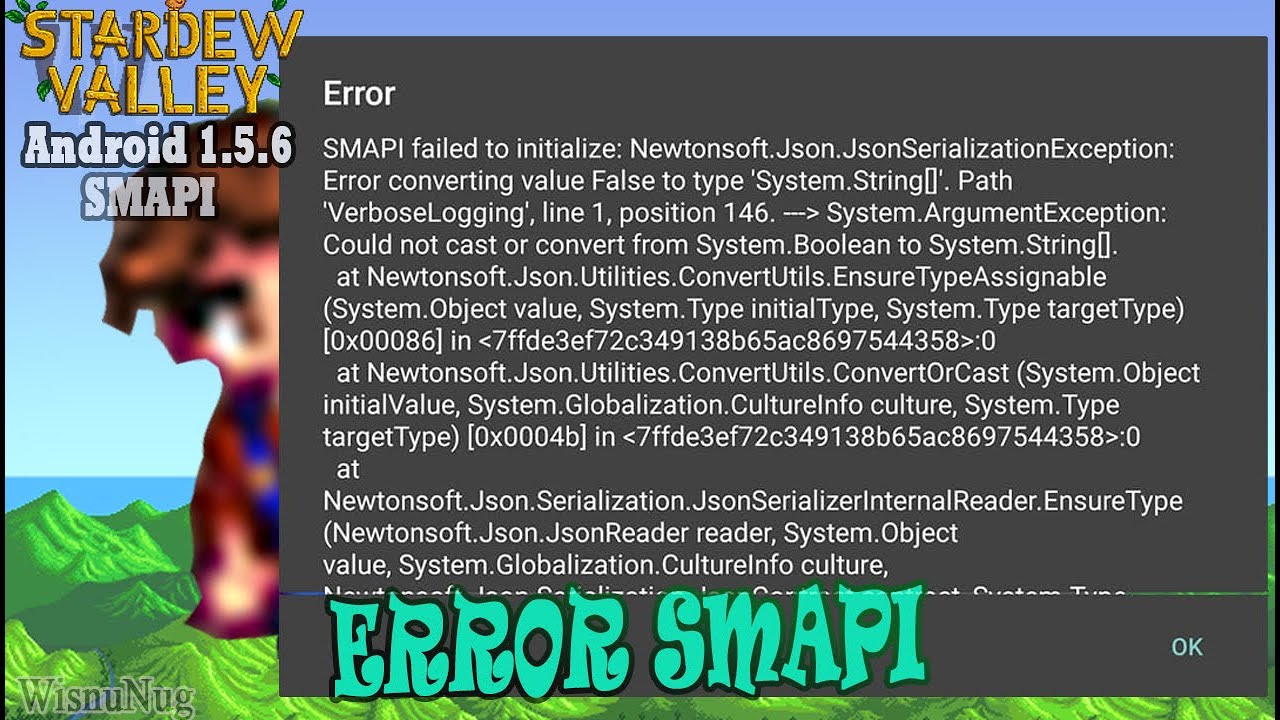
Smapi 3.18.3.3 Android ported By:ZaneYork
This video explains how to solved errors on smapi android that appear like in the video. This error causes one of the files in SMAPI to collide or not match SMAPI.
ENABLE SUBTITLES
Smapi Android Installer
https://github.com/ZaneYork/SMAPI-Android-Installer/releases
💛 Social :
Youtube= https://www.yout...
crystal lintel
carmine parcel
https://www.youtube.com/watch?v=--IcIX_TVcA&ab_channel=WisnuNug
This is not an error, it doesn't say error for me, it directly kicks me out of the game.
carmine parcel
immediately?
crystal lintel
carmine parcel
try going to appdata - roaming - stardewvalley and deleting the startup_prefrences file
 carmine parcel
you need to show hidden files
crystal lintel
The only hidden file is nomedia
carmine parcel
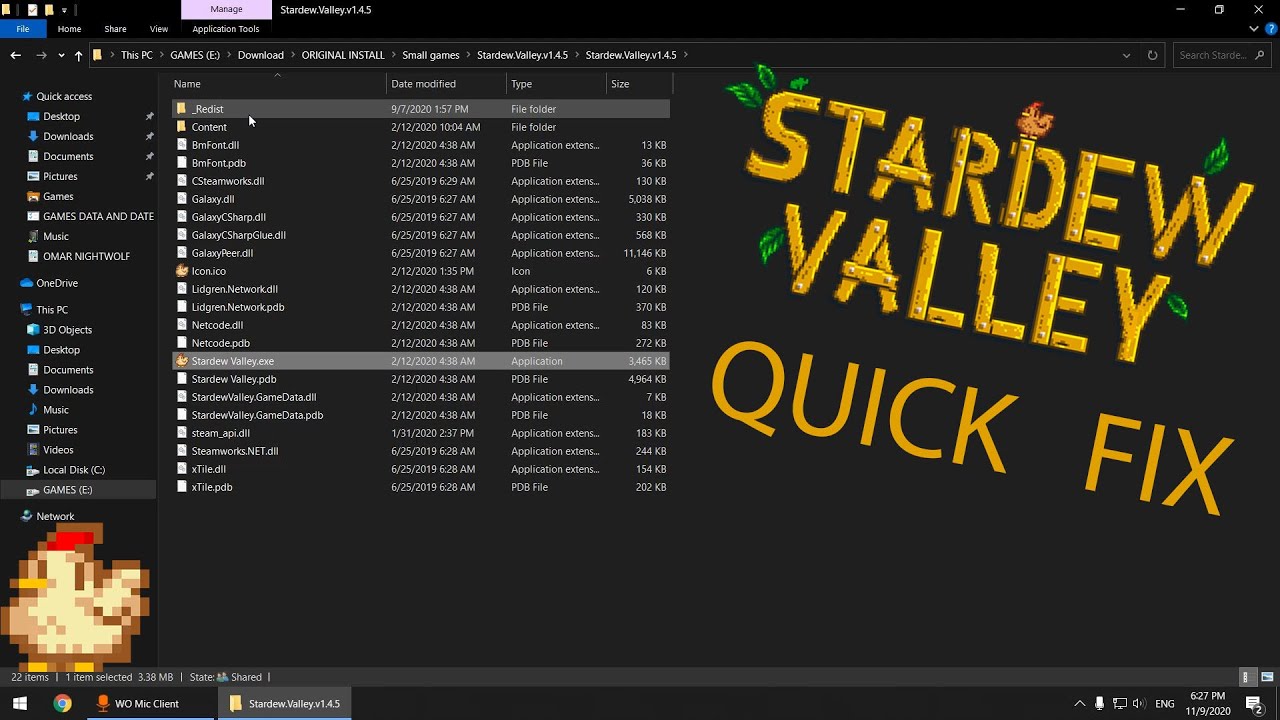
fix for stardew valley hope it works for u my game now working
the file u need to download: https://www.microsoft.com/en-us/download/details.aspx?id=20914
#Stardewvalley #Fix
crystal lintel
@carmine parcel
carmine parcel
wait im dumb
lean star
appdata on android?
crystal lintel
Appdata?
 crystal lintel
I tried to search a lot on Google but I couldn't find it or I may have used the wrong words
lean star
for starters, which version is your Stardew Valley app on?
carmine parcel
1.5.51 isn't compatable
crystal lintel
First, I tried the 1.5.6.39 apk, then I bought the paid version from the Google Play Store to try it, namely 1.5.6.52, and it did not work on either of them
lean star
ok, pirated won't work and anything other than .39 won't work either on android SMAPI
short answer, YOU can't run mods on android
crystal lintel
How can I install the old version as original?
lean star
you can't, google play store does not give an option to install previous versions
and you can't sideload paid apps either (unless they are sold on other stores, which stardew isn't)
crystal lintel
Should I wait for Smapi to release version 1.5.6.52?
lean star
!androidsmapi really nothing else you can do
native dragonBOT
Android SMAPI does not currently work for SDV 1.5.6.61. We do not know if or when it will be made compatible.
Mod support for 1.5 on Android is still experimental, so many mods are broken or buggy. That's often something SMAPI needs to fix, and we may not be able to provide a solution.
If you find a mod bug on Android, first make sure that:
a) you have the latest SMAPI version from https://github.com/ZaneYork/SMAPI-Android-Installer/releases;
b) you have the latest mod version(s) or have the last-known Android-compatible version;
c) and the mod author hasn't already addressed it on the mod page (e.g. via an Android-specific version or comments).
If all of those are true, feel free to ask for help in #archived-modded-support with your full SMAPI log: https://smapi.io/log.
Once SMAPI on Android is more stable, updated instructions will be posted here: https://stardewvalleywiki.com/Modding:Installing_SMAPI_on_Android.
 candid river
For modded Stardew valley on Android, is there a way to clone save files to another location? I want to do a factory reset for my phone.
Or is this not possible on mobile?
neat plaza
!saves
native dragonBOT
Use this guide to find your save files: https://stardewvalleywiki.com/Saves.
 tiny river
Is there a way I can find out which mods I used for any given save?
I don't want to corrupt a year 5 save just because I load it up with the wrong mods
modern python
youre not going to corrupt or permanently change anything about the save just by loading it up (things become permanent when you save after that point though). you can look through your nexus download history to get a good idea, and if you load into the game while missing a mod that adds NPCs, smapi will notify you of removing the characters from the game. so for example if you removed sve, itll notify you about removing andy, susan, etc.
so then you can close out the game and then add sve, and theyll be in the game now
tiny river
not even if I used something like custom farm layouts?
modern python
itll probably glitch but again, it wont be permanent until you sleep in bed and save the game
tiny river
okay, so I can just spend one day running around to check if anything is broken and just close the game should, for example, my greenhouse be messed up
candid river
neat plaza
!saves
I'm asking how get saves files from the modded Stardew valley. I've deleted the vanilla Stardew valley(I copied the vanilla save file on a sd card) and so the save folder is empty but my smapi Stardew valley is still downloaded. The wiki doesn't say where to find the save file for that.
modern python
tiny river
okay, so I can just spend one day running around to check if anything is broken ...
yep!
neat plaza
does it save the saves somewhere else?
candid river
neat plaza
does it save the saves somewhere else?
No clue that why I'm asking
river pilot
dire fractal
I'm gonna assume some mod is messing it up but idk what
It looks like you have immersive sprinklers. This is what the mod says about picking them up:
"To remove an immersively-placed sprinkler, hover over it and press the pickup key (default E)."
 shell cloak
hello can someone pls help i cant figure out how to make content patcher to work 🥹
scarlet quail
Content patcher works automatically
You're going to have to be specific on what actually isn't working
 scarlet quail
!log
native dragonBOT
Can you upload your SMAPI log to https://smapi.io/log (see instructions on that page) and share the link here? Even if your game doesn't show any errors, logs are useful, and often necessary, for troubleshooting.
scarlet quail
Please give an image As well of your mod folder with content patcher in it

 scarlet quail
shell cloak
scarlet quail
shell cloak
No. We need a log
An image is not enough
Please follow the instructions in the link
That being said you need to run normal SMAPI, Not strict mode
You also need to give an image of your mod folder with the full file path visible, Not just stardew valley and mods
scarlet quail
Follow the instructions. If smapi is running you cannot be without such a folder
!log
native dragonBOT
Can you upload your SMAPI log to https://smapi.io/log (see instructions on that page) and share the link here? Even if your game doesn't show any errors, logs are useful, and often necessary, for troubleshooting.
native dragonBOT
Log Info: SMAPI 3.18.6 with SDV 1.5.6 (build 22018) on Microsoft Windows 10 Pro, with 3 C# mods and 0 content packs.
Suggested fixes: SMAPI is running in strict mode, which removes all deprecated APIs. This can significantly improve performance, but some mods may not work.
scarlet quail
OK. We now need that image of your mods folder with the full file path visible And as previously stated please install regular smapi not strict
shell cloak
 shell cloak
scarlet quail
OK. We now need that image of your mods folder with the *full* file path visible...
shell cloak
scarlet quail
OK. We now need that image of your mods folder with the *full* file path visible...
regular smapi?......
this one?
 scarlet quail
shell cloak
scarlet quail
shell cloak
Full. Filepath. As long as it only says stardew valley and mods at the top It's not the full file path
scarlet quail
shell cloak
this one?
Yes
 scarlet quail
Yes. Delete and reinstall content patcher
You should be extracting it to this folder in the screenshot
!unzip
native dragonBOT
Files with the extension .zip, .rar, or .7z are archive files, which you can extract to get the actual files inside. For a .zip file, just right-click (or long-press on Android) it and choose the option like extract or uncompress. For .rar and .7z, you need to install third-party software first, like 7-zip https://7-zip.org/ on Windows (get the x64 version), Keka https://keka.io/ on macOS, PeaZip https://peazip.github.io/ on Linux, or ZArchiver https://play.google.com/store/apps/details?id=ru.zdevs.zarchiver on Android.
scarlet quail
I especially Need you to delete that. Because you're log is stating you have an extra folder where you shouldn't and content patcher isn't being detected at all
So a reinstall is definitely necessary
 scarlet quail
Log, Image of mod folder, And image of inside content patcher folder please
Because what I'm seeing here is telling me that it's not looking. At contact patcher at all
And given unzipped files should not have a bunch of numbers after them. I'm thinking it's an error in your extraction

 native dragonBOT
Can you upload your SMAPI log to https://smapi.io/log (see instructions on that page) and share the link here? Even if your game doesn't show any errors, logs are useful, and often necessary, for troubleshooting.
scarlet quail
shell cloak
This image is of content patcher in your downloads
I mean the image of the one in your mods folder
shell cloak
wait
scarlet quail
Especially because the one you gave an image of is also in the zipped folder.
shell cloak
content patcher should be in mods?....
scarlet quail
It should be if you extracted the one in your downloads and put it in your mod folder.
But the one you gave an image of is in downloads
Check your file path in Said image
shell cloak
ah hold on then
scarlet quail
Yeah, no, the mod folder you gave in the first screenshot as well. Doesn't have any content patcher in it
 scarlet quail
You got there eventually it's good
shell cloak

shell cloak
scarlet quail
You got there eventually it's good
thank uuu
 hollow marlin
hey im trying to make a mod pack and send it to another computer. i tried to just send to mods folder over discord but when i download it on the other computer its like a page and not a file. is there another way/right way to do it?
neat plaza
what
hollow marlin
im giving my sister a laptop so we can play stardew. im trying to get the mods i have on mine onto that one. how do i do it
can i just send the file? i really dont wanna download everything again for it
scarlet quail
definitely do not do that
that'd be mod piracy on here
assuming it's for a multiplayer game, zip up the mod folder, toss in Google Drive, download from there.
hollow marlin
ok ty
 fervent grotto
hello I am new here! Sorry just checking is this where I beg for help with mods lol
neat plaza
"Get help with installing and using mods here!"
yes
fervent grotto
thanks for being smart and pointing out my oversight anyway is there anything to do if I keep getting warnings that mods couldn't be added to my game due to being no longer compatible but its the latest update of the mod I could find using smapi.io/mods
scarlet quail
assuming you're not running strict SMAPI, then no. If they're no longer compatible, they can't be used with the current SDV version
You can, of course, state what mods they are, as there may be an updated version
But in a general sense, if they're no longer compatible as said by SMAPI and on latest update, then they just won't work.
gaunt gust
(or android)
scarlet quail
...oh god don't curse us with that atra XD
fervent grotto
its the shop tile framework mod needed for stardew valley expanded which also shows me im downloading the latest version... oh yes and the randomizer mod
scarlet quail
that means you're almost assuredly running strict mode SMAPI
But just to make sure
!log
native dragonBOT
Can you upload your SMAPI log to https://smapi.io/log (see instructions on that page) and share the link here? Even if your game doesn't show any errors, logs are useful, and often necessary, for troubleshooting.
fervent grotto
native dragonBOT
Log Info: SMAPI 3.18.6 with SDV 1.5.6 (build 22018) on Microsoft Windows 10 Home, with 16 C# mods and 13 content packs.
Suggested fixes: One or more mods are out of date, consider updating them, SMAPI is running in strict mode, which removes all deprecated APIs. This can significantly improve performance, but some mods may not work.
scarlet quail
native dragon
**Log Info:** SMAPI 3.18.6 with SDV 1.5.6 (build 22018) on Microsoft Windows 10 ...

Please install regular SMAPI TheyLoveYoshi, not strict mode SMAPI
strict mode will break STF which will break SVE
fervent grotto
ok thanks ill try
vivid veldt
Does anyone know why these two mods wont work? Theyre mods that change how buildings look in my game
 scarlet quail
!log
native dragonBOT
Can you upload your SMAPI log to https://smapi.io/log (see instructions on that page) and share the link here? Even if your game doesn't show any errors, logs are useful, and often necessary, for troubleshooting.
vivid veldt
native dragon
Can you upload your SMAPI log to https://smapi.io/log (see instructions on that ...
native dragonBOT
Log Info: SMAPI 3.18.6 with SDV 1.5.6 (build 22018) on Microsoft Windows 10 Pro, with 31 C# mods and 14 content packs.
vivid veldt
on the smapi logs they arent even showing up as mod files? should i just delete them and use different ones?
scarlet quail
vivid veldt
on the smapi logs they arent even showing up as mod files? should i just delete ...
18:49:48 ERROR SMAPI - (CP)Yellog's wood buildings because you have multiple copies of this mod installed. To fix this, delete these folders and reinstall the mod: Mods\_CP_Yellog_s wood buildings, Mods\_CP_Yellog_s wood buildings_grass_.
those have the same ID
you have to pick one
 coral oracle

 scarlet quail
for... months? that's odd.
the 0,0 glitch is common - spouses do it even in vanilla - but it's not usual for children to get permastuck
 hollow fractal
I was redownloading mods and tried to download a newer version of smapi and now when I open stardew it just closes
 inland oyster
Do you happen to have sve
dire fractal
I want to reset my Stardew Valley back to it's like base form, so no mods. how do I do that? I've done it once before but I forgot lol
neat plaza
just run vanilla
hollow fractal
hollow fractal
I was redownloading mods and tried to download a newer version of smapi and now ...
basically what was happening as I redownloaded the mods i kept opening the game to make sure it still worked and mods were working, I saw something about updating smapi, I tried to (I probably did something wronge...) and it said it couldnt delete some file, and to try to reboot my computer. I did and now stardew wont open...
hollow fractal
anyone know how to fix this
 robust bison
try reinstalling smapi
 tribal vapor
my smapi opens the mods but not the game
long brook
!smapislow
native dragonBOT
For some players, SMAPI can take a while to launch the game. See this section of the troubleshooting guide for some common causes and possible fixes: https://stardewvalleywiki.com/Modding:Player_Guide/Troubleshooting#Game_lags_or_stutters_in-game
 slow niche
I recently finished translating an NPC for personal use, as I loaded up the game, I noticed a few of my mods had some issues. the NPC mod '(CP) Custom NPC Zero' had some sort of error within the events JSON file, but I honestly have no idea how to fix it ;-; Northern Gulf Mod had some issues with events 8, 11, and 13.
SMAPI Log:
https://smapi.io/log/bd7ff3e797864d12a85a6d1150f63d4f
JSON Validator: (Events JSON for Zero NPC)
https://smapi.io/json/content-patcher/c124075798414800b022ee0b6e8011ea
native dragonBOT
Log Info: SMAPI 3.18.6 with SDV 1.5.6 (build 22018) on Microsoft Windows 11 Home, with 86 C# mods and 211 content packs.
Suggested fixes: One or more mods are out of date, consider updating them
scarlet quail
normally I'd say comma comma comma comma comma chameleon
But in this case you're missing the squiggly bracket next to Entries
'tis breaking everything
For future reference as well, you should go to #making-mods-general
slow niche
Oki ty! I’ve never really done anything like this before so I knew I’d have some errors😭😭
 pallid silo
Hello, I'm new, I joined to get information about the game, I'm from Mobil, I would like to know if the smapi is failing, because I get an error on the console and no mod comes out, do you know why? (excuse my English, I speak Spanish)
lament prairie
Unfortunately, the mobile version of SMAPI has a lot of problems
!androidsmapi this has a lot more details, but it might just not work for your install
native dragonBOT
Android SMAPI does not currently work for SDV 1.5.6.61. We do not know if or when it will be made compatible.
Mod support for 1.5 on Android is still experimental, so many mods are broken or buggy. That's often something SMAPI needs to fix, and we may not be able to provide a solution.
If you find a mod bug on Android, first make sure that:
a) you have the latest SMAPI version from https://github.com/ZaneYork/SMAPI-Android-Installer/releases;
b) you have the latest mod version(s) or have the last-known Android-compatible version;
c) and the mod author hasn't already addressed it on the mod page (e.g. via an Android-specific version or comments).
If all of those are true, feel free to ask for help in #archived-modded-support with your full SMAPI log: https://smapi.io/log.
Once SMAPI on Android is more stable, updated instructions will be posted here: https://stardewvalleywiki.com/Modding:Installing_SMAPI_on_Android.
pallid silo
Ok I understand, I will keep you informed, thank you very much
 past latch
Is there a mod that works with the latest Stardew update that allows you to change your farmer's hair to a different starter option? I have Fashion Sense, which is great, but doesn't let you access the hairs from the beginning of the game
 proven pewter
can't you change that with the Shrine of Illusions from vanilla?
IIRC it lets you change all non-clothing appearance options, as well as name, gender, favorite thing, and pet appearance
 languid wagon
Is there any way for player 2 on splitscreen to use the cheat menu? If I press P it only opens it for player 1.
 upbeat salmon
Hello everyone! Been playing with the Love of Cooking mod for a while now and I can't seem to get from level 8 to 9. Has anyone else had this issue and could offer a solution? Thank you!
If someone can confirm if getting to level 9 just takes forever, that would be a great help too!
candid river
For modded Stardew valley on Android, is there a way to clone save files to another location? I want to do a factory reset for my phone, I have already copied the file on vanilla Stardew onto a sd card and deleted the app. Or is this not possible on mobile?
dire fractal
I need urgent help with installing smapi, it used to work fine but now its acting so weird. I dont know what happened please someone help. I turned off all friewall and virus protections, tried to give it admin, retstart my pc, uninstall reinstall stardew. Im not knowledgable on technology im so lost please help. This is the red text i see when trying to download it on windows.
System.UnauthorizedAccessException: Access to the path 'D:\Steam\steamapps\common\Stardew Valley\smapi-internal' is denied.
at System.IO.FileSystem.CreateDirectory(String , Byte[] )
at StardewModdingApi.Installer.InteractiveInstaller.RecursiveCopy(FileSystemInfo source, DirectoryInfo targetFolder, Func2 filter) in E:\source\_Stardew\SMAPI\src\SMAPI.Installer\InteractiveInstaller.cs:line 650 at StardewModdingApi.Installer.InteractiveInstaller.RecursiveCopy(FileSystemInfo source, DirectoryInfo targetFolder, Func2 filter) in E:\source_Stardew\SMAPI\src\SMAPI.Installer\InteractiveInstaller.cs:line 661
at StardewModdingApi.Installer.InteractiveInstaller.Run(String[] args) in E:\source_Stardew\SMAPI\src\SMAPI.Installer\InteractiveInstaller.cs:line 388
at StardewModdingApi.Installer.Program.Main(String[] args) in E:\source_Stardew\SMAPI\src\SMAPI.Installer\Program.cs:line 55
 crimson willow
dire fractal
I need urgent help with installing smapi, it used to work fine but now its actin...
crimson willow
dire fractal
I need urgent help with installing smapi, it used to work fine but now its actin...
So I'm super totally new to modding stardew and this discord, but did you try to delete SMAPI from your mod folder and reinstall it there? That's honestly where I would start.
I'm sure someone else can give you better info though.
dire fractal
crimson willow
So I'm super totally new to modding stardew and this discord, but did you try to...
yes i uninstalled and reinstalled it a few times, even tried a slightly older version 3.18.5 instead of 3.18.6
crimson willow
hmmm
Have you checked out the SMAPI guide on the wiki?

Stardew Valley Wiki
Do you want to play Stardew Valley with mods? This guide is for you!
dire fractal
i have, a lot of the issues there dont talk about not being able to install smapi in the first place, unfortunately.
crimson willow
Oof. I'm sorry. I'm not sure how to help in this case. Little outside my experience level. :/ Is your game and everything fully updated? Including windows, steam, and SV?
Oh, and did you put the launch code into your steam options?
launch path, sorry, not code.
crimson willow
smapi will give you the command once it's installed, so before you launch it the first time, that path needs to be in steam.
 crimson willow
And you said you ran the installer as admin, right?
did you check the smapi.io/help page?
How did you download smapi?
dire fractal
through nexus
crimson willow
Did you do the manual download or the vortex download?
dire fractal
manual
crimson willow
The main 3.18.6 file?
dire fractal
yes
crimson willow
And when you extracted it, did you extract it to the mods folder directly or did you extract it elsewhere?
dire fractal
to D:\Steam\steamapps\common\Stardew Valley
which is where ive always done it
the mods folder doesnt exist anymore since i reinstalled stardew
crimson willow
Try extracting it to your downloads folder first. smapi doesn't work like other mods. You can't just paste it into your stardew folder like you do other mods.
long brook
change Steam folder permission to full control for everyone. you can find the steps on google
dire fractal
okay one sec i will look that up
long brook
before that, were you trying to install smapi as admin?
dire fractal
no i dont think so. i was doing it the way i normally did it. download smapi after reinstalling stardew (i launched stardew before installing smapi to make sure its fine). then i extract it to D:\Steam\steamapps\common\Stardew Valley. and clicked to open it and press to install while in the menu without having a custom path since i have it on steam.
long brook
try to put smapi installer somewhere else then install it. if it still doesn't work, try what i asked you earlier and install smapi again
dire fractal
okay ill give these a try, thanks for helping. it can be so frustrating 😓
crimson willow
Well that just gave me a boost in confidence seeing you suggest the same thing I last suggested. lol Thanks for making me feel like I know what I'm talking about even though I'm brand new to modding sv! 
dire fractal
crimson willow
Well that just gave me a boost in confidence seeing you suggest the same thing I...
oo are you making mods?
crimson willow
Thinking about it! If I can come up with an idea anyway!
I just read through a bunch of the info and watched a few videos.
dire fractal
what kind of mod would you do, utility, QOL, something to changes looks
crimson willow
dire fractal
i love the ones that make the animals cuter
crimson willow
OMG YES
long brook
please talk only about troubleshoot here
crimson willow
Understood!
dire fractal
sorry!
long brook
you can talk about it on #modded-stardew , and for question about making mod on #making-mods-general
dire fractal
long brook
you can talk about it on <#933546639669493791> , and for question about making m...
omg thank you so much, it turns out it was a steam folders permission issue.
 wintry belfry
Anyone know what this means? Whenever I try to enter smapi Stardew I just get kicked out to my phone's home page
 long brook
do you get the game by pirating?
wintry belfry
No?
long brook
what version your sdv? if the two number at the end is other than 39 (or said build 39), smapi can't be installed
 cinder forum
i am experiencing an issue

is this because i turned off the meadow farm in east scarp???
wintry belfry
wintry belfry
Anyone know what this means? Whenever I try to enter smapi Stardew I just get ki...
The smapi is 3.18.3.3 and the og Stardew is the most recent update
cinder forum
i can't go to east scarp either
 long brook
wintry belfry
The smapi is 3.18.3.3 and the og Stardew is the most recent update
long brook
wintry belfry
The smapi is 3.18.3.3 and the og Stardew is the most recent update
the most recent update is the reason smapi can't be installed on android right now
wintry belfry
long brook
the most recent update is the reason smapi can't be installed on android right n...
Rip, TYSM for help tho :]
 upper forge
Hey so I got the bigger farmhouse map and everything is fine except the spouse's gets stuck in this same position. On days the spouse leaves to go out, the schedule doesn't work. Any way to fix it?

 modest grove
hello first time chatting here 🙂
I have a question about the Ui mod.
most of the Ui mods on nexus does't work any more 😭
do you how to make them work or other UI mods to use thanks!
native dragonBOT
Can you upload your SMAPI log to https://smapi.io/log (see instructions on that page) and share the link here? Even if your game doesn't show any errors, logs are useful, and often necessary, for troubleshooting.
modest grove

 dusty spruce
!uiinfosuite
native dragonBOT
If you go to https://github.com/Annosz/UIInfoSuite2/releases, you can find UI Info Suite 2, which works with Stardew 1.5.5+. Download the first zip, not the source code.
modest grove
 upper forge
dusty spruce
!uiinfosuite
upper forge
dusty spruce
!uiinfosuite
does it work on macOS 14.1.2 on iMac M3?
modest grove
The current version of stardew is 1.5.6
modern python
it sure is
long brook
Download and install the one bot said above
modest grove
do you know any other UI mods?
upper forge
oh right i forgot sorry. so UI Info Suite 2 could show why Claire's schedule isn't working as designed with the Bigger Farmhouse Map?
modern python
no..?
long brook
Info about UI Info Suite is for Memenskii, not you
upper forge
upper forge
Hey so I got the bigger farmhouse map and everything is fine except the spouse's...
anyone know why this is happening?
long brook
No clue as i'm not using any mod that altering farmhouse
modest grove
what should I do with the link?
long brook
Use the link to download UI Info Suite 2
upper forge
long brook
No clue as i'm not using any mod that altering farmhouse
mind as well delete is as I have issues with every farmhouse expansion. might be an incompatability issue with another mod
modest grove
I can only find UIinfosuite 1 not 2 on nexus
long brook
native dragon
If you go to <https://github.com/Annosz/UIInfoSuite2/releases>, you can find UI ...
This link @modest grove
long brook
upper forge
mind as well delete is as I have issues with every farmhouse expansion. might be...
Yeah most likely
modest grove
do I need Smapi for this?
long brook
Yes
modest grove
Thanksyou so much bro ❤️
 reef bear
sir why does my sdv crash while sleeping, android sdv
here is the log https://smapi.io/log/4e8075782bee4cd3ab0fb701dbb29c3e
native dragonBOT
Log Info: SMAPI 3.18.3 with SDV 1.5.6 (build 0.0.0.0) on Android Unix 4.0.9.0, with 4 C# mods and 0 content packs.
 sullen hawk
My version us 1.5.6 and im new so can someone tell me the versions of the mods that works perfectly? Im in Android.
 long brook
!androidcompat
native dragonBOT
An incomplete list of android compatible mods can be found at https://android.stardew.rocks. If you find a mod that isn't on there, submit it by following the instructions here.

A list of mods that are compatible with Android SMAPI.
sullen hawk
native dragon
An incomplete list of android compatible mods can be found at https://android.st...
But even if its the version that it shown in the website which im using its still not compatible even if its the latest version..

 proper igloo
wprds
crystal lintel
I don't know what to enter HERE

 verbal ferry
I know nothing about mods, I haven't even played stardew valley in a year
proper igloo
that just shows your ip
verbal ferry
I think we need your social security number
crystal lintel
What?
verbal ferry
Nvm you're not American
proper igloo
crystal lintel
What?
you won't be able to play on phone
crystal lintel
@verbal ferry im turk
sullen hawk
Hello what content patcher version works for SDV 1.5.6?
Because if i use 1.29.3 its not compatible..
inland oyster
sullen hawk
Because if i use 1.29.3 its not compatible..
The newest version is on nexus
scarlet quail
1.29.3 should be compatible though
Which means they're probably on mobile
!androidsmapi
native dragonBOT
Android SMAPI does not currently work for SDV 1.5.6.61. We do not know if or when it will be made compatible.
Mod support for 1.5 on Android is still experimental, so many mods are broken or buggy. That's often something SMAPI needs to fix, and we may not be able to provide a solution.
If you find a mod bug on Android, first make sure that:
a) you have the latest SMAPI version from https://github.com/ZaneYork/SMAPI-Android-Installer/releases;
b) you have the latest mod version(s) or have the last-known Android-compatible version;
c) and the mod author hasn't already addressed it on the mod page (e.g. via an Android-specific version or comments).
If all of those are true, feel free to ask for help in #archived-modded-support with your full SMAPI log: https://smapi.io/log.
Once SMAPI on Android is more stable, updated instructions will be posted here: https://stardewvalleywiki.com/Modding:Installing_SMAPI_on_Android.
upper forge
question found in #modded-stardew
 scarlet quail
I see nothing really wrong with this image
upper forge
look in #modded-stardew I explained my problem there
scarlet quail
I still don't see a problem
There's an obvious ladder
As well as a minecart
If you're looking for an elevator, it probably doesn't exist. But I see two potential ways to access other levels
upper forge
the cart goes to the cave for IF2M and the other ladder goes to the mod that allows you to expand the cave and also more buildings upgrades
 visual bridge
I have no idea how to fix this. I'm not sure which mod makes the cursor look like this. But it bothers me a lot. Even if it's a small problem.

 scarlet quail
!log
native dragonBOT
Can you upload your SMAPI log to https://smapi.io/log (see instructions on that page) and share the link here? Even if your game doesn't show any errors, logs are useful, and often necessary, for troubleshooting.
visual bridge
native dragonBOT
Log Info: SMAPI 3.18.6 with SDV 1.5.6 (build 22018) on Microsoft Windows 11 Home Single Language, with 66 C# mods and 145 content packs.
Suggested fixes: One or more mods are out of date, consider updating them
scarlet quail
visual bridge
https://smapi.io/log/4688f8eb5184480d82fb94454cf7d832
Your culprit is one of these:
00:41:56    TRACE    SMAPI    Content Patcher edited LooseSprites/Cursors (for the 'Stardew Valley Expanded' content pack).
00:41:56    TRACE    SMAPI    Content Patcher edited LooseSprites/Cursors (for the 'Earthy Recolour' content pack).
00:41:56    TRACE    SMAPI    Content Patcher edited LooseSprites/Cursors (for the 'Bear Shipping Bin' content pack).
00:41:56    TRACE    SMAPI    Content Patcher edited LooseSprites/Cursors (for the 'Candle Torch Replacer' content pack).
00:41:56    TRACE    SMAPI    Content Patcher edited LooseSprites/Cursors (for the 'Earthy Interiors' content pack).
00:41:56    TRACE    SMAPI    Content Patcher edited LooseSprites/Cursors (for the 'Duck Fishing Rod Buoy' content pack).
00:41:56    TRACE    SMAPI    Content Patcher edited LooseSprites/Cursors (for the 'Elle's New Barn Animals' content pack).
00:41:56    TRACE    SMAPI    Content Patcher edited LooseSprites/Cursors (for the 'Elle's New Coop Animals' content pack).
00:41:56    TRACE    SMAPI    Content Patcher edited LooseSprites/Cursors (for the 'Elle's Town Animals' content pack).
00:41:56    TRACE    SMAPI    Content Patcher edited LooseSprites/Cursors (for the '(CP) Haneulbaragi's Farm Buildings' content pack).
00:41:56    TRACE    SMAPI    Content Patcher edited LooseSprites/Cursors (for the 'Horse to Broomstick' content pack).
00:41:57    TRACE    SMAPI    Content Patcher edited LooseSprites/Cursors (for the 'Rustic Country Town Interior' content pack).
00:42:01    TRACE    SMAPI    Content Patcher edited LooseSprites/Cursors (for the 'Overgrown Flowery Interface' content pack).
I assume it's not SVE or the Elle's Animals one, and it's definitely not Earthy recolor
So you're looking at Bear Shipping, Candle Torch, Duck Fishing Rod, Haneulbaragi's, Horse to Broomstick, Rustic Country Town Interior, or Overgrown Flowery Interface
Given the shape of the cursor, my money is on the overgrown flowery interface
visual bridge
I reinstalled overgrown flowery interface but it is still the same.
scarlet quail
...you can't reinstall it
I'm saying it's causing it
so you'd have to remove it
(And to be fair, I'm saying my money's on it, not that it 100% is)
 ripe raptor
1.5.6.52 on android doesn't work with any smapi I install. Am I missing something or do I need to find a downgraded version on sdv thats compatible with the current smapi version? Dm me if you prefer. Thanks in advance for the help.
neat plaza
dont do piracy
ripe raptor
Oh didn't know that would be frowned on since the OG copy is owned. Guess that would still fall under some piracy guidelines.
Any advice on the prior question?
scarlet quail
Look, to be upfront, we can't help you on the android smapi thing
it only works with .39
ripe raptor
Ah okay
scarlet quail
so it doesn't work with your current version, and the pirated version will have its own problems
And even if you did get the pirated version, we wouldn't offer support here
so you're kinda in the area of you literally can't :S
visual bridge
Thank you, now I have found the cause. It's because of the [CP] Bear Shipping Bin.
scarlet quail
Well, I wasn't right on the money, but I at least narrowed it down to one of the culprits
Glad you figured it out!
ripe raptor
Is the windows version in a better spot for modding? I could pick that up.
ripe raptor
Alright cool. I'll probably let the android one go in this case.
scarlet quail
Yeah. Just get the version on steam, then back it up somewhere safe since 1.6 will break mods
that way you'll have 1.5.6 backed up for modded and 1.6 for vanilla when it comes out
ripe raptor
Noted. Thanks again for the help.
reef bear
help me bro, my stardew is black screen at me go sleep
scarlet quail
!log
native dragonBOT
Can you upload your SMAPI log to https://smapi.io/log (see instructions on that page) and share the link here? Even if your game doesn't show any errors, logs are useful, and often necessary, for troubleshooting.
reef bear
scarlet quail
!log
https://smapi.io/log/4e8075782bee4cd3ab0fb701dbb29c3e
I don't know what's broken
native dragonBOT
Log Info: SMAPI 3.18.3 with SDV 1.5.6 (build 0.0.0.0) on Android Unix 4.0.9.0, with 4 C# mods and 0 content packs.
scarlet quail
where'd you get your game from?
Because your game is showing me you have Content Patcher, CJB, and the base stuff. None of those would throw a sprite error
reef bear
scarlet quail
where'd you get your game from?
i paly in android
neat plaza
reef bear
i paly in android
that's not a where
scarlet quail
I can see you play on Android, the log tells me that.
Where did you get the game from.
reef bear
scarlet quail
Where did you get the game from.
playstore
scarlet quail
to be honest, I don't really believe that. Your error indicates you either somehow managed to install something like an XNB mod on Android (which is unlikely) or you have a bad apk (i.e. not Play Store).
Because, much as I don't like Android SMAPI right now since it's broken on the latest SDV builds on Android and people keep asking for troubleshooting with it
It doesn't run at all with past .39
So the fact you've gotten it to a log itself means something's up.
 stark horizon
If you did get it from play store and it's not a version newer than 1.5.6.39, reinstalling SDV could help.
scarlet quail
The problem with that Logo is they can't really reinstall it from the Play Store at a lower version IIRC
stark horizon
You are correct, but not all regions got the .51 update.
scarlet quail
(Which is also why if they installed an XNB mod somehow they're kinda screwed)
stark horizon
Yep
reef bear
stark horizon
If you did get it from play store *and* it's not a version newer than 1.5.6.39, ...
I'll try this
stark horizon
Basically, @reef bear, don't pirate the game - if you bought it on Play Store, then you likely have the newer version, which doesn't work with Android SMAPI.
 stark horizon
!launchoptions
native dragonBOT
If you're using Steam or GOG on Windows, you will need to set your launch options in order for Steam/GOG to automatically launch with SMAPI. The SMAPI installer will tell you what to set as the launch options when it completes (green text). You can find instructions (with screenshots) on how to do that here: https://stardewvalleywiki.com/Modding:Installing_SMAPI_on_Windows#Configure_your_game_client
inland oyster
!log
native dragonBOT
Can you upload your SMAPI log to https://smapi.io/log (see instructions on that page) and share the link here? Even if your game doesn't show any errors, logs are useful, and often necessary, for troubleshooting.
stark horizon
What is the file folder path for the mod?
inland oyster
Or maybe that 😅
stark horizon
!findmodsfolder
native dragonBOT
Your Mods folder should be in your game folder after you install SMAPI. See here for more information on finding it: https://stardewvalleywiki.com/Modding:Player_Guide/Getting_Started#Find_your_game_folder
If you use Steam, you can also right click on the game name > Manage > Browse Local Files.
 torn bear
 inland oyster
Yea
modern python
(content patcher doesnt do anything on its own)
stark horizon
That folder you posted above? That's where all mods need to go
inland oyster
(it really doesn't)
torn bear
what do i do then
stark horizon
Launch the game via Steam
torn bear
i did
torn bear
 stark horizon
no no no
inland oyster
Thats whats supposed to happen yes
stark horizon
You should not be running the game through your downloads folder
inland oyster
But where did you place the earthly recolor mod
torn bear
all the colors are the same
inland oyster
Also wait what
torn bear
i ran it through my steam
torn bear
inland oyster
But where did you place the earthly recolor mod
mods
it said to download 2 files
which were SMAPI
stark horizon
In the picture you posted, Omar, it says you've installed your mods folder IN YOUR DOWNLOADS
torn bear
and

 high cairn
torn bear
high cairn
torn bear
You don't have earthy recolor installed. Put it in THIS folder. The one in your screenshot here.
inland oyster
Also you need to extract the mods to work
stark horizon
HOld up everyone, please.
 prime tendon
yo guys I am on mobile and I am havibg a difficult time trying to add mods to my current farm
stark horizon
Omar. You've set your game path to be in your downloads folder. This is why SMAPI is having problems finding other mods.
torn bear
so what do i do
stark horizon
This.

This is what your file path should look like.
And inside that will be your Mods folder, if you've installed SMAPI correctly
torn bear
C:\Program Files (x86)\steam\steamapps\common\Stardew Valley
stark horizon
Yes. Now go into your downloads folder and delete whatever you have set up in there
prime tendon
@stark horizon can u help me pls
torn bear
stark horizon
Yes. Now go into your downloads folder and delete whatever you have set up in th...
wdym
stark horizon
!androidsmapi
native dragonBOT
Android SMAPI does not currently work for SDV 1.5.6.61. We do not know if or when it will be made compatible.
Mod support for 1.5 on Android is still experimental, so many mods are broken or buggy. That's often something SMAPI needs to fix, and we may not be able to provide a solution.
If you find a mod bug on Android, first make sure that:
a) you have the latest SMAPI version from https://github.com/ZaneYork/SMAPI-Android-Installer/releases;
b) you have the latest mod version(s) or have the last-known Android-compatible version;
c) and the mod author hasn't already addressed it on the mod page (e.g. via an Android-specific version or comments).
If all of those are true, feel free to ask for help in #archived-modded-support with your full SMAPI log: https://smapi.io/log.
Once SMAPI on Android is more stable, updated instructions will be posted here: https://stardewvalleywiki.com/Modding:Installing_SMAPI_on_Android.
stark horizon
torn bear
wdym
According to the image you posted, you have a "new folder" INSIDE your downloads folder. Delete that
 stark horizon
That's all you have left in your downloads folder?
torn bear
yeah
stark horizon
Ok, good.
 prime tendon
stark horizon
!androidsmapi
prime tendon
stark horizon
!androidsmapi
I have my mods readying and downloaded snampi and launched stardew there but I dont want to restart a new farm I want to play my farm from the original non modded game
stark horizon
Now, open the SMAPI folder and re-run the installer.
 stark horizon
It should automatically find the game folder path C:\Program Files (x86)\steam\steamapps\common\Stardew Valley
torn bear
what do i do now
stark horizon
No......
torn bear
...
torn bear
wdym everything all the mod files/?
stark horizon
Everything in your downloads folder
torn bear
bro my pc will die out like that
prime tendon

stark horizon
Dude, you need to understand that you cannot run games or mods or anything from your downloads folder. It's a temporary location.
stark horizon
No
The game has a location: C:\Program Files (x86)\steam\steamapps\common\Stardew Valley
torn bear
i have to follow this location?
stark horizon
When you download something, you literally need to move the file folder somewhere else.
torn bear
ahh alrrr
stark horizon
You need to install SMAPI first - and it needs to be installed correctly
stark horizon
prime tendon
<:SDVpufferwaaah:982138774635020288>
If you've installed the mods correctly, then they should affect all save files, old and new.
torn bear
 stark horizon
Ok good
stark horizon
Launch the installer. BUT DON'T SELECT ANYTHING. Paste a screenshot of what the terminal shows
torn bear
extracted?
stark horizon
It should auto extract - Windows has that built in
torn bear
 torn bear
sure
stark horizon
Then input this: C:\Program Files (x86)\steam\steamapps\common\Stardew Valley
 stark horizon
yep
torn bear
 prime tendon
stark horizon
If you've installed the mods correctly, then they should affect all save files, ...
prime tendon
stark horizon
If you've installed the mods correctly, then they should affect all save files, ...
 stark horizon
Omar, I have to ask. Is this a cracked game?
 inland oyster
Maybe the path is not on C disc
stark horizon
Something isn't right here - can you please do the following. Press Win + R at the same time and input %Stardew Valley
That's what I'm thinking
 stark horizon
prime tendon
stark horizon
prime tendon
!saves
native dragonBOT
Use this guide to find your save files: https://stardewvalleywiki.com/Saves.
inland oyster
Maybe we can go through steam to find the path?
stark horizon
Yeah, we could do that
 inland oyster
Go to steam, right click on stardew valley
prime tendon
stark horizon
!saves
yeah I know where to find my saved farm but I dont know where to put it in the modded game
torn bear
inland oyster
Go to steam, right click on stardew valley
and
stark horizon
prime tendon
yeah I know where to find my saved farm but I dont know where to put it in the m...
The save folder location never changes, regardless if it's vanilla or modded.
inland oyster
There should be an option that says Manage
torn bear
 torn bear
 prime tendon
so this is my saved farm file in the current non modded game so where do i put it in smapi mod
 inland oyster
Why is Stardew valley downloaded on your downloads folder
stark horizon
prime tendon
so this is my saved farm file in the current non modded game so where do i put i...
You don't. That's the thing.
torn bear
inland oyster
Why is Stardew valley downloaded on your downloads folder
no idea
stark horizon
inland oyster
Why is Stardew valley downloaded on your downloads folder
Exactly what I've been saying this whole time
prime tendon
why not
torn bear
its on desktop
stark horizon
prime tendon
why not
You don't move save files to mod the game. The save files always stay in that location.
prime tendon
stark horizon
You don't. That's the thing.
why not i dont want to start a new farm to play with mods
inland oyster
No no im just surprised
prime tendon
why this has to be so complicated
stark horizon
prime tendon
why not i dont want to start a new farm to play with mods
The game will always pull the same save files, mods or no mods. So if your game is not showing the save files, then something isn't installed correctly.
torn bear
so what do i do
stark horizon
torn bear
:c
No. We just don't understand why you're running everything from your downloads folder
prime tendon
 inland oyster
Then just start the stardewModdingApi from the folder
torn bear
idk what i shoulod start doing rn
inland oyster
Do you have the mods?
stark horizon
Drag and drop them into the "Mods" folder
inland oyster
Yea
torn bear
what do i drag
reef bear
stark horizon
Basically, <@1069614310315266149>, don't pirate the game - if you bought it on P...
but why is it that when I delete all the mods, the game returns to normal
torn bear
and drop down
inland oyster
The mods you downloaded
stark horizon
reef bear
but why is it that when I delete all the mods, the game returns to normal
The game itself is fine. But if you have game version 1.5.6.51 you won't be able to mod
 stark horizon
No
torn bear
idk they are these
stark horizon
You need to download the mod itself, Omar
 stark horizon
On that page - look at the top right for a button - Manual Download
inland oyster
Scroll up there should be a downlad button
 reef bear
stark horizon
The game itself is fine. But if you have game version 1.5.6.51 you *won't be abl...
reef bear
stark horizon
The game itself is fine. But if you have game version 1.5.6.51 you *won't be abl...
my game version 1.5.6.52
torn bear
sure
stark horizon
 torn bear
now what
stark horizon
reef bear
my game version 1.5.6.52
Then, no you will not be able to mod. SMAPI does not work with this version
torn bear
 stark horizon
Now launch the game, Omar
torn bear
sure
inland oyster
Yeah the smapi tho not the vanilla
torn bear
wdym
stark horizon
Steam should launch modded, since Omar's set the launch options
torn bear
so where do i launch it from
inland oyster
stark horizon
Steam should launch modded, since Omar's set the launch options
Ok then
Just launch from steam
reef bear
stark horizon
Then, no you will not be able to mod. SMAPI does not work with this version
give me the solution
stark horizon
reef bear
give me the solution
There ISN'T one
torn bear
it wont work.
inland oyster
What happened
torn bear
no idea there is no change in game
stark horizon
What doees your SMAPI console say?
torn bear
lemme reinstall it
stark horizon
Wait, no
torn bear
??
reef bear
stark horizon
There ISN'T one
Should I downgrade to 1.5?
inland oyster
Just show us what the console says
stark horizon
reef bear
Should I downgrade to 1.5?
There is no legal way to downgrade. Any further discussion is against server rules.
reef bear
stark horizon
There is no legal way to downgrade. Any further discussion is against server rul...
okay okay I'll survive without mods
stark horizon
torn bear
??
When you launch Stardew from Steam, do you get a separate window popping up? A black terminal window?
torn bear
ill redownload and launch SMAPI
torn bear
stark horizon
When you launch Stardew from Steam, do you get a separate window popping up? A b...
nopes
not anymore
stark horizon
Ok, you probably need to reset your launch options
inland oyster
The smapi is downloaded correctly
torn bear
so what do i do
stark horizon
!launchoptions
native dragonBOT
If you're using Steam or GOG on Windows, you will need to set your launch options in order for Steam/GOG to automatically launch with SMAPI. The SMAPI installer will tell you what to set as the launch options when it completes (green text). You can find instructions (with screenshots) on how to do that here: https://stardewvalleywiki.com/Modding:Installing_SMAPI_on_Windows#Configure_your_game_client
inland oyster
If you wanna try it I would suggest you to go to the Stardew valley file
This is more of a basic way
inland oyster
Just go back to the folder that has the mods folder
 inland oyster
Then go to the stardew valley folder
torn bear
 stark horizon
Your Steam launch options should be "C:\Users\35699\Downloads\New folder\game\steamapps\common\Stardew Valley\StardewModdingApi.exe" %command%
torn bear
do i add that
inland oyster
Press 's' couple of times till you see StardewModdingApi.exe
Or just paste what logo said
 inland oyster
No the .exe
torn bear
 inland oyster
That should be it?
torn bear
yeah now what
stark horizon
Double click on it
inland oyster
Try launching it
 stark horizon
AND this is why we don't run computer programs from downloads folders
stark horizon
I've got to be real, Omar, you need to figure out how to get your Steamapps on your C drive
torn bear
C drive is my only drive
torn bear
how do i gte it there than
stark horizon
Move it
torn bear
sure
stark horizon
Literally. Drag your Steam folder into Program Files
stark horizon
Yes
 stark horizon
Ok. Now, open the folder and find the StardewModdingAPI.exe and launch it
stark horizon
When you open your Program Files directory, do you have a "Steam" folder?
Not "steamapps" but "Steam"
stark horizon
They should be the same - you should only have one Program Files directory
torn bear
steam aint there
long brook
!findmodsfolder last sentence tbh
native dragonBOT
Your Mods folder should be in your game folder after you install SMAPI. See here for more information on finding it: https://stardewvalleywiki.com/Modding:Player_Guide/Getting_Started#Find_your_game_folder
If you use Steam, you can also right click on the game name > Manage > Browse Local Files.
stark horizon
But you have "steamapps" right?
torn bear
mhm
stark horizon
We're in the middle of moving things around, Box
stark horizon
So, you moved the steamapps folder to the C drive...where did you put it?
torn bear
 stark horizon
Ok. Step 1. Open the Program Files (x 86) folder and once inside, create a new folder and call it "Steam"
stark horizon
But honestly, you will probably have to reinstall the entire Steam app, unless you have it still in your downloads folder?
stark horizon
Ok. When you open it, is it empty or does it have a bunch of other files?
torn bear
 stark horizon
That's still the downloads folder
stark horizon
No
torn bear
...
stark horizon
Go to Steam.com and download the entire application over again. BUT when you do, you need to install it ON the C DRIVE
stark horizon
Well, I don't know what to tell you. You shouldn't be running applications from your downloads folder.
stark horizon
No, you can leave what you have there already. Just download the Steam application again and install it on the C Drive
torn bear
sure
stark horizon
I'm hoping we can just move the contents from the old location to the new location, so you wouldn't have to download the games all over again.
 stark horizon
 stark horizon
No. Double click on that
When it asks you where you want to install Steam, choose C Drive
torn bear
 stark horizon
Click on Browse


 stark horizon
Click on Browse please
torn bear
and
stark horizon
Find users\yourusername\program files (x86)
torn bear
i go to