#archived-modded-support
1 messages · Page 72 of 1
 radiant valve

 halcyon igloo
p u f f
 full flax
hi, so, i'm playing the market day mod in multiplayer (my friend is the host) and we have the same settings for everything, but every time i try to open the menu to buy stuff from other market shops this keeps popping up, ,how do i fix it?
 halcyon igloo
would this not be taken care of by load order?

 native dragonBOT
Log Info: SMAPI 3.18.1 with SDV 1.5.6 (build 22018) on Microsoft Windows 10 Home, with 140 C# mods and 211 content packs.
Suggested fixes: One or more mods are out of date, consider updating them
halcyon igloo
halcyon igloo
https://smapi.io/log/5c37463fc3a8491291fc597288aa12f2
 it's all the "more new fish" sprites
 but they show up in my inventory fine

things i've done recently: tried to use the new SMAPI's "load mod early/late" configuration but i didn't touch anything about fishing
oh no it also makes them missing in the fishing game
i'll try a restart after this day
 rough kayak
Hi, does Automate break quests?
I think I might have put in 3 potatoes manually and the rest via Automate
Now I have 12 bottles but the quest didn't count it
 halcyon igloo
<:SDVpuffercry:280083536558555157> <:SDVpuffercry:280083536558555157> <:SDVpuffe...
halcyon igloo
halcyon igloo
<:SDVpuffercry:280083536558555157> <:SDVpuffercry:280083536558555157> <:SDVpuffe...
yep who knows what was wrong with the fish
 lime scarab
rough kayak
Hi, does Automate break quests?
I think I might have put in 3 potatoes manually ...
lime scarab
rough kayak
Hi, does Automate break quests?
I think I might have put in 3 potatoes manually ...
I’ve never known it to break quests. It takes the smelt a copper bar quest and finishes it. Maybe try manually doing the potatoes in the kegs and possibly open a bug report on the mod page
 sage moat
hey i need help with seasonal cute characters, slightly cuter aesthetic.
it works for the sprites, theyre all wearing theyre changing outfits, but when i go to talk to them, the portraits are the standard portraits
 dapper gazelle
sage moat
hey i need help with seasonal cute characters, slightly cuter aesthetic.
it wor...
dapper gazelle
sage moat
hey i need help with seasonal cute characters, slightly cuter aesthetic.
it wor...
!log please
native dragonBOT
@sage moat Can you upload your SMAPI log to https://smapi.io/log (see instructions on that page) and share the link here?
sage moat
getting the log now
native dragonBOT
Log Info: SMAPI 3.18.1 with SDV 1.5.6 (build 22018) on Microsoft Windows 10 Home, with 40 C# mods and 86 content packs.
Suggested fixes: Pytk isn't compatible with newer SMAPI performance optimizations, consider removing it, One or more mods are out of date, consider updating them
sage moat
its been happening since before the smapi update i did yesterday
dapper gazelle
hmmm.  I don't see anything editing the portraits besides Seasonal Cute. Are both sets of seasonal portraits failing? (vanilla and SVE) or just the vanilla characters?
dapper gazelle
(Airyn, he. Lives in Australia though so not for a few hours probably)
 jaunty geode
dapper gazelle
(Airyn, he. Lives in Australia though so not for a few hours probably)
jaunty geode
dapper gazelle
(Airyn, he. Lives in Australia though so not for a few hours probably)
oh sorry about that!
but i could still use anyone's help ?
dapper gazelle
sage moat
so i think just standard one
ok! possible silly request, but can you double check to make sure that in the config each vanilla character is actually set to true? I can't imagine the sprites would be showing up if they weren't but idk, just trying all possibilities here 😆
sage moat
dapper gazelle
ok! possible silly request, but can you double check to make sure that in the co...
i dont see a "true/false" but all the people are checkmarked
i tried to open the config file but my pc said it didnt have an app to open it
dapper gazelle
no worries--you should be able to open it with notepad fwiw, but if they're checked off in GMCM then that indicates true
sage moat
okay cool
dapper gazelle
and what season is it in game currently?
 gaunt gust
In the log, who did you try to talk to?
dapper gazelle
(yay Atra's here)
sage moat
gaunt gust
In the log, who did you try to talk to?
what do you mean
gaunt gust
native dragonBOT
Log Info: SMAPI 3.18.1 with SDV 1.5.6 (build 22018) on Microsoft Windows 10 Home, with 40 C# mods and 86 content packs.
Suggested fixes: Pytk isn't compatible with newer SMAPI performance optimizations, consider removing it, One or more mods are out of date, consider updating them
gaunt gust
sage moat
what do you mean
Which portrait did you try to view
I don't see the vanilla npcs reflected here at all
!patchsummary
native dragonBOT
Can you do these steps to provide more info?
- Load your save and view the content that should be patched.
- Type
patch summarydirectly into the SMAPI window and press enter. - Upload your SMAPI log to https://smapi.io/log (see instructions on that page).
- Post the log link here.
sage moat
oh i was talking to willy right before taking that log
native dragonBOT
Log Info: SMAPI 3.18.1 with SDV 1.5.6 (build 22018) on Microsoft Windows 10 Home, with 40 C# mods and 86 content packs.
Suggested fixes: Pytk isn't compatible with newer SMAPI performance optimizations, consider removing it, One or more mods are out of date, consider updating them
sage moat
btw the mods that are out of date are project yellog recolors and they said that from day one of downloading them from nexus so idk how theyre out of date
sage moat
oh shiz okay thank you so much
 shell vapor
Hi everyone! I recently got 'Redesigned Farmhouse Alternative Version' and since then I've had an issue with the sewer no longer using the VPR recolour and showing up as green. Also had a few trees with missing tiles so they're transparent in the trunks. I can see there's an issue with the farmhouse2_marriage file but not sure how to fix it!
I've updated SMAPI and same problem, tried toggling things off and no luck. The out of date mods have said they're out of date for a while, I checked tonight and have the latest versions installed.
native dragonBOT
Log Info: SMAPI 3.18.1 with SDV 1.5.6 (build 1.3.37.0) on macOS Unix 12.6.0, with 33 C# mods and 53 content packs.
Suggested fixes: Pytk isn't compatible with newer SMAPI performance optimizations, consider removing it, One or more mods are out of date, consider updating them
 somber viper
what is the latest smapi version for Android?
sage moat
its working now thank you so much@gaunt gust@dapper gazelle
dapper gazelle
shell vapor
Hi everyone! I recently got 'Redesigned Farmhouse Alternative Version' and since...
hm it looks like both Rustic Town Interior and VPR are trying to edit the sewer tiles so most likely neither is working correctly? also it looks like Aimon111 might've forgotten to include the sewerTiles in the farmhouse marriage 2 map. I don't thiiiink that's what's causing the issue here but he should add those in on next update. They're technically required b/c Krobus is a potential "spouse" with a spouseroom that uses those tiles
dapper gazelle
sage moat
its working now thank you so much<@853078462498340864><@784629966360412170>
hooray! 
shell vapor
dapper gazelle
hm it looks like both Rustic Town Interior and VPR are trying to edit the sewer ...
Ahh good catch! I couldn't figure out why the sewer tiles were being impacted! Would it be fixable if I added eg the sewer tiles from VPR into the assets folder for redesigned farmhouse?
dapper gazelle
so in terms of the house itself, the sewer tilesheet needs to be added into the actual house map via Tiled. If you don't know much about how Tiled works, I would recommend reporting that one on the mod page as it could potentially cause issues for people down the line if they want to room with Krobus using this house map.
For getting the actual sewer recolor to work properly, you may have to give one up, as neither Rustic nor VPR has a config specifically for the sewer. I think if you turn off VPR's Town Interiors in the config, then that will leave you with the somewhat brownish sewer of Rustic Interior. But Rustic only has a few configs, so there's not much you can do on that end. VPR has more config options so you can try playing around with it to make them work together.
halcyon igloo
halcyon igloo
would this not be taken care of by load order?
same error again 😐
 hoary bane
dapper gazelle
so in terms of the house itself, the sewer tilesheet needs to be added into the ...
hoary bane
dapper gazelle
so in terms of the house itself, the sewer tilesheet needs to be added into the ...
That's odd, the sewer tilesheet is vanilla right? Shouldn't Smapi have been able to pull it out from the Content/Maps folder itself in that case? 
dapper gazelle
I think Aimon just didn't add the tilesheet at all when he designed the house. Like it's not required for the non-marriage version of the house so it wouldn't surprise me if he missed it when transitioning from farmhouse1 to farmhouse1 marriage
 silent galleon
halcyon igloo
same error again 😐
silent galleon
halcyon igloo
same error again 😐
both "cuter fatter animals" and "cuter fatter pigs" are trying to load pigs. if you want to use the pigs from "cuter fatter pigs" instead of the pigs from "cutter fatter animals," go into the config for "cuter fatter animals" and set the config for "replace Pig": to false. then try reloading the game; the conflict should be fixed
dapper gazelle
(idk if you know of Delotti's second house expansion but I wanted to try and turn the non-upgraded version (farmhouse) into the first upgrade version (farmhouse1) b/c it's so cute. When I first tried it though, I forgot to add the sewer tilesheet in to the marriage version. So basically I got that same error about SMAPI having to fix this thing b/c I forgot it. That's the only reason I even recognize the error lol)
halcyon igloo
silent galleon
both "cuter fatter animals" and "cuter fatter pigs" are trying to load pigs. if ...
would that not normally be resolved by whichever mod loaded last though? or is it special for this one
dapper gazelle
jaunty geode
but i could still use anyone's help ?
were you able to figure this out rebecca? cause I thiiink I may have figured out the problem.
jaunty geode
dapper gazelle
were you able to figure this out rebecca? cause I thiiink I may have figured out...
um yep I figured it out. that's why i deleted it haha but thank you for all the help you do!! xox
dapper gazelle
great! 
hoary bane
dapper gazelle
(idk if you know of Delotti's second house expansion but I wanted to try and tur...
But why add it in the first place? Is it actually there in the original set of tilesheets for the house?
hoary bane
But.. wouldn't that be included in the spouse rooms instead of the house itself? 
silent galleon
halcyon igloo
would that not normally be resolved by whichever mod loaded last though? or is i...
tbh i'm not super knowledgable about how content patcher works? but it might have to do with the action that content patcher is being told to do, for ex. "Load." regardless i think it's a good idea to just make sure that your configs for different skins don't conflict! 
hoary bane
Yeah I'd second that. Likely both mods are trying to "Load" one animal hence the error.
halcyon igloo
silent galleon
tbh i'm not super knowledgable about how content patcher works? but it might hav...
yeah it’s just weird bc it’s only happening some of the time but ¯_(ツ)_/¯
don’t have to know exactly what’s wrong with it i guess LOL
hoary bane
Use the config if there is, but if you want to do something a little extra just change one of the Loads with EditImage
dapper gazelle
hoary bane
But.. wouldn't that be included in the spouse rooms instead of the house itself?...
it is! but it is also in Farmhouse1_marriage. This is what it looks like when you crack it open with no tilesheets lol
 halcyon igloo
o they know exactly what’s wrong with it nvm lmao
hoary bane
dapper gazelle
it is! but it is also in Farmhouse1_marriage. This is what it looks like when yo...

My Yoba I would have never known..
 hazy holly
Hello, I wanted to ask if someone can assist me regarding the DGA - PPJA mods (ex. Artisan Valley). I'm having trouble understanding the issue with certain machines like the drying rack. It clearly states to add some type of ingredient into it, like basil but when I try, it is rejected. "Basil is not a primary ingredient in a recipe." I'm not sure how to go about this considering I play with over 150 mods. It was suggested to add in other featured mods to help with ingredient-based machines, however, when I try - the mod shows an error saying I cannot add it because it requires the PPJA version of these mods for which I don't use because for some reason it won't run with my game.
Here is my smapi log: https://smapi.io/log/112c23f917dc4df1b62102deffd5e86b
native dragonBOT
Log Info: SMAPI 3.18.1 with SDV 1.5.6 (build 22018) on Microsoft Windows 10 Home, with 64 C# mods and 145 content packs.
Suggested fixes: Pytk isn't compatible with newer SMAPI performance optimizations, consider removing it, One or more mods are out of date, consider updating them
gaunt gust
!ppjadga
native dragonBOT
The latest released version of PPJA (Project Populate Json Assets, a popular mod) is a conversion from JA to DGA, but it has some bugs in it, and the mod author has retired. Sticking with the older JA version is probably your best option.
You can download the JA version from the Old Files section on Nexus, or by downloading the latest versions of the standalone components instead of the megapack (except for Farmer to Florist, where you would need to look under Old Files in the standalone version).
hazy holly
gaunt gust
!ppjadga
Will this affect my current save file? Because I just started a new save with some of the added crops.
 tough spire
does anyone know the mail id/name for the monster musk recipe?
I completed that quest a long time ago but never received the mail. Thank you so much!
halcyon igloo
does anyone else get like a steam cloud error
i don't think it's all that important but o.o
hazy holly
Does anyone have a list of all the mods needed for Artisan Valley and other PPJA mods to work? I spent 3 hours downloading everything needed which made me go from 150 to 216 mods. Out of anger, I just decided to delete everything because it was just giving error galore.
dapper gazelle
hazy holly
Does anyone have a list of all the mods needed for Artisan Valley and other PPJA...
Aside from the basic frameworks (CP, JA, PFM, and MFM), to get Artisan Valley working you need More Trees, Fruits & Veggies, Mizu's Flowers, and the two Recipes packs. The JA versions, not the DGA versions. The other PPJA stuff is mostly optional.
hazy holly
dapper gazelle
Aside from the basic frameworks (CP, JA, PFM, and MFM), to get Artisan Valley wo...
I understand that part, which I have done. However, when I tried using the drying rack, it wouldn’t let me - stating that the herb (basil) I was using was not a primary ingredient. I checked their website for what could be put into it and basil was on the list.
 lament prairie
!ppjadga
native dragonBOT
The latest released version of PPJA (Project Populate Json Assets, a popular mod) is a conversion from JA to DGA, but it has some bugs in it, and the mod author has retired. Sticking with the older JA version is probably your best option.
You can download the JA version from the Old Files section on Nexus, or by downloading the latest versions of the standalone components instead of the megapack (except for Farmer to Florist, where you would need to look under Old Files in the standalone version).
dapper gazelle
That is definitely not the question you asked above xD but anyway, I find Artisan Valley to be rather tedious, and I mostly use it for select things like butter. I would recommend using Lookup Anything so that you can see what each item goes into and what fuel is required. It's possible that it needs to be a basil leaf with something else. I don't know offhand though, sorry.
lament prairie
Note that Lookup Anything does not work with any DGA items/recipes/etc
hazy holly
dapper gazelle
That is definitely not the question you asked above xD but anyway, I find Artis...
Sorry, I meant to be more specific with my question and kind of forgot
 scarlet quail
!log will allow us to see which mods you're trying to have loaded. Depending on the mods, your friends loading vanilla will make them unable to join.
native dragonBOT
Can you upload your SMAPI log to https://smapi.io/log (see instructions on that page) and share the link here?
native dragonBOT
See https://stardewvalleywiki.com/Modding:Player_Guide#Do_mods_work_in_multiplayer.3F for details on how mods work in multiplayer. :)
scarlet quail
(This is in reference to the person in #modded-stardew , not the prior convo here, apologies if confusing)
shell vapor
dapper gazelle
For getting the actual sewer recolor to work properly, you may have to give one ...
Thank you this makes a lot of sense! I’ll post on the mod page and hopefully the author will include in the next update 🤞🏻
halcyon igloo
if i don't use teh's fishing overhaul do i still need the file for RSV?
also does anyone know the event codes to use as exceptions to event limiter
discord link for RSV is bad
maybe i should just turn off part of the community lol
somber viper
is stardew valley expanded possible to download on android?
 robust bison
yes
somber viper
robust bison
yes
o, okie okie ty! but, which file I should downloading on site?
robust bison
!androidmods
native dragonBOT
If you're using SMAPI on Android, you'll need specific older versions of most mods. For a list of many of the most popular mods compatible with android SMAPI, see here https://stardewmodding.miraheze.org/wiki/Mobile_Modding_Compatibility. For mods not listed here, they may or may not be compatible with android, but see https://stardewvalleywiki.com/Modding:Android for more info, including how to find a compatible version of a mod not listed in the first link.
 long brook
somber viper
o, okie okie ty! but, which file I should downloading on site?
long brook
somber viper
o, okie okie ty! but, which file I should downloading on site?
!androidsve
native dragonBOT
See this guide on how to install Stardew Valley Expanded on mobile: https://tinyurl.com/SVEMobileGuide
somber viper
long brook
!androidsve
ooo, tysm!! ^^
long brook
No prob

 neat plaza
and what's in the folders?
scarlet quail
And are you sure there's not duplicate folders in the mod folder that it's reading there as empty?
 rocky haven
I fixed it, i realized that the mods werent made for SMAPI, and i had to manually put the mods in my game .
rocky haven
neat plaza
and what's in the folders?
Furniture mods
neat plaza
rocky haven
I fixed it, i realized that the mods werent made for SMAPI, and i had to manuall...
!xnbzola
native dragonBOT
@rocky haven An XNB mod replaces some of your game's .xnb files to change the game (unlike newer mods that go in your Mods folder). This is an older type of mod that's no longer recommended, and can cause a number of issues. See https://stardewvalleywiki.com/Modding:Using_XNB_mods for help using them (and a list of alternatives using Content Patcher), and https://stardewvalleywiki.com/Modding:Editing_XNB_files for help unpacking & editing them (including for use with Content Patcher).
https://media.discordapp.net/attachments/156109690059751424/575085766426886145/ZolasFury.png
 scarlet quail
Yeah I would.... not, floofy
I would literally trash those mods before messing with Content folder
rocky haven
Im willing to take the chance, it gave me instructions on how to do it, if all else fails i’ll just use the steam verify file integrity function. Thank you for the warning, though.
neat plaza
you could just convert it to cp but your choice
rocky haven
Thats possible??
neat plaza
yeah...
rocky haven
I was unaware of this
neat plaza
https://www.nexusmods.com/stardewvalley/mods/12461 <-- works well enough
rocky haven
Its fine, though.
i think 55 mods is enough for my poor , poor computer
rocky haven
So do i send the smapi latest file cause i dont have an error log in my folder
native dragonBOT
Can you upload your SMAPI log to https://smapi.io/log (see instructions on that page) and share the link here?
scarlet quail
toss the log in the log parser, hit save and parse log, then post link in here
native dragonBOT
Log Info: SMAPI 3.18.1 with SDV 1.5.6 (build 22018) on Microsoft Windows 11 Home, with 28 C# mods and 27 content packs.
Suggested fixes: Pytk isn't compatible with newer SMAPI performance optimizations, consider removing it, One or more mods are out of date, consider updating them
 scarlet quail
floof I can't stress enough that we mean your saves folder
rocky haven
OH
scarlet quail
it was right next to the errorlogs folder
rocky haven
i didnt get to it that way lol, i pasted in the direct name of the errorlogs folder into run
scarlet quail
So you'll find it! Just... repeat the log steps 😛
Man I hate those SMAPI log instructions then... anyway
rocky haven
WAIT I HAVE MY STUFF BACKED UP DONT I
scarlet quail
do the windows run thing to errorlogs, then in the top thing listing folders
rocky haven
give me a second to figure out how steam backups work
scarlet quail
The way Steam cloud works is if it detects a missing file it replaces it
 scarlet quail
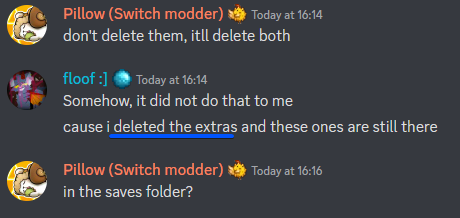
.... I.... well, congratulations, floof, you've apparently somehow discovered a mod combo that does, in fact, delete your saves
SMAPI may have backed it up when you first booted
so we'll check there
But like... any mod that deletes your saves would either need a warning or immediately be yeeted
Anyway. Go to local files of Stardew from steam
rocky haven
Okay
scarlet quail
Well, good. One of them has your saves then
rocky haven
probably gonna be the 12/4/2022 file?
scarlet quail
SMAPI backs them all up, vanilla included
sure, probably. Unzip that to the saves folder
neat plaza
scarlet quail
But like... any mod that deletes your saves would either need a warning or immed...
i don't think it's a mod tho https://i.imgur.com/hm7PuQz.png
 scarlet quail
or unzip it elsewhere, then move into your saves folder
.......well, at least they had the backups?
rocky haven
neat plaza
i don't think it's a mod tho https://i.imgur.com/hm7PuQz.png
Yeah , i had deleted them after you said that so that probably happened lol
scarlet quail
Well, at least it's not a mod, that saves me the trouble of scouring the log
rocky haven
Ye
scarlet quail
you can delete custom furniture - which wasn't even on the unofficial update - and PyTK, then
rocky haven
Oh. Maybe PyTK was for the magimatica and warm cozy fireplace mods then
Help it still wont show the game file??
Save*
halcyon igloo
is it in your recycling bin?
scarlet quail
Two things then floof
rocky haven
It still says no saved games found
 scarlet quail
okay, and while the game's open, what does your saves folder look like?
(do not close the game while checking, please)
rocky haven
It still has the save in it

Unless i did something wrong when putting the save into the folder lmao
scarlet quail
yeah that'd be why
rocky haven
should i close the game to fix it?
scarlet quail
you need to drag out everything in the folder there into the saves folder
Nah, just hit back on the saves screen
rocky haven
Okay
rocky haven
There we go
scarlet quail
(I do that for forcing the game to take older saves I backed up for debugging, it works)
rocky haven
now i know NOT to delete the extra saves that get glam threw at me
I fixed it though, thanks for the help.
 vestal flame
12:07:56 ERROR SMAPI Skipped mods
12:07:56 ERROR SMAPI --------------------------------------------------
12:07:56 ERROR SMAPI These mods could not be added to your game.
12:07:56 ERROR SMAPI - (BAGI) PPJA More Trees Mead Icons 1.0.0 because it requires mods which aren't installed (DaLion.Meads).
12:07:56 ERROR SMAPI - (BAGI) Teyla's style mead for Mizu's Flowers and Ancient Crops 1.0.0 because it requires mods which aren't installed (DaLion.Meads).
12:07:56 ERROR SMAPI - (PFM)Better Quality Increase Seeds - Ancient Crops 1.0.0 because it requires mods which aren't installed (PPJA.AncientCropsAddOn).
Anyone know what the dependent mods are that I need?
The bracketed ones? I tried searching nexus and nothing.
lament prairie
The PPJA one is going to be an optional file guessing from the name
Here’s the meads one https://www.nexusmods.com/stardewvalley/mods/11911

Nexus Mods :: Stardew Valley
Allows Better Artisan Good Icons to load custom flower mead sprites.
vestal flame
Thanks you, its been a chore to try and find the PPJA one LOL, its for Ancient crops but i cant find the addon anywhere
vestal flame
Delete it? How so?
scarlet quail
Go into manifest, delete its requirement from it
 scarlet quail
Ye, that should be it
vestal flame
Thank you!
vestal flame
I removed the mod that had this and it still is erroring, any ideas.

.... Seems the mod might not have removed o.O
Strange it didnt.... wtf.
any ideas how to fully remove a mod? It claims it's still there but its not.
scarlet quail
uh
Dork Boy, can you give a log? That's the sort of error that indicates you don't have error handler
!log
native dragonBOT
Can you upload your SMAPI log to https://smapi.io/log (see instructions on that page) and share the link here?
native dragonBOT
Log Info: SMAPI 3.18.0 with SDV 1.5.6 (build 22018) on Microsoft Windows 10 Enterprise LTSC, with 212 C# mods and 676 content packs.
Suggested fixes: One or more mods are out of date, consider updating them
scarlet quail
Alright. You have error handler, so now there's several ways to figure out what's supposed to be happening here. I'm gonna check the trace, but just in case for you
!xnb
native dragonBOT
XNB mods often break the game and are not recommended. See https://stardewvalleywiki.com/Modding:Using_XNB_mods for more info (and a list of Content Patcher alternatives), and https://stardewvalleywiki.com/Modding:Player_Guide/Troubleshooting#Reset_your_content_files to fix problems caused by XNB mods. For mod creators, see https://stardewvalleywiki.com/Modding:Editing_XNB_files for help unpacking & editing them (including for use with Content Patcher).
scarlet quail
verify your files, second link
Because that sounds like it's an XNB mod if Error Handler is there, but I'll check what might be patching it in
vestal flame
I can link the mod i was using if that helps.
Im verifying integrity of the game files now

Nexus Mods :: Stardew Valley
This mod adds Goombella, Vivian, Bobbery, and Mini-Yoshi from Paper Mario: The Thousand Year Door to Stardew Valley. They are in the Adventurer's guild and you can hire them to follow you.
All files validated
scarlet quail
yeah then if it's not XNB, it's definitely...
Yoshi (from Mods\[BFAV] Yoshi) [content pack]...
vestal flame
ooooh lemme check him out.
scarlet quail
That's the literal only other reference in your mods to yoshi, even in trace
scarlet quail
Only thank me if it kills your error XD
vestal flame
kk fair
 meager inlet
https://smapi.io/log/432d3fac1d17490b94dd229275285a20 Hello guys there's an error in my Ridgeside I just noticed this but I can play the mod properly but I'm afraid that im missing something out any fix for this?
 native dragonBOT
Log Info: SMAPI 3.18.1 with SDV 1.5.6 (build 22018) on Microsoft Windows 10 Pro, with 60 C# mods and 38 content packs.
Suggested fixes: One or more mods are out of date, consider updating them
scarlet quail
that happens after you reinstall?
i.e. delete the entire Ridgeside village folder, then re-unzip the main ridgeside village file back to mods
meager inlet
I haven't reinstalled it, I just noticed this problem just now
but I'm able to play RSV with no problems
just scared that I might be missing some content
 meager inlet
scarlet quail
that happens after you reinstall?
meager inlet
scarlet quail
that happens after you reinstall?
I found the problem
It's a folder that retextures RSV
idk why it's deemed empty
vestal flame
Bloody takes my Esc key and map key away with that damn error :/
scarlet quail
new log, then?
This somehow seems like the Yoshi thing should still be there even though error handler should remove it
vestal flame
and the location its sayiong doesnt even have yoshi in there.
scarlet quail
and now I'm wondering if I'm gonna have to kick this up to atra or something
vestal flame
Lemme close game and get new log
gaunt gust
Gonna bet missing error handler
vestal flame
native dragonBOT
Log Info: SMAPI 3.18.0 with SDV 1.5.6 (build 22018) on Microsoft Windows 10 Enterprise LTSC, with 212 C# mods and 675 content packs.
Suggested fixes: One or more mods are out of date, consider updating them
scarlet quail
They also verified their files, so it's not an XNB
gaunt gust
Odd
vestal flame
Though the error claims yoshi.xnb
gaunt gust
Well, I don't have time to take a look today
vestal flame
Id be fine if my bloody esc and M key worked :/
just gnna play with no map and no menu lol, i'll be fine ❤️
dapper gazelle
meager inlet
idk why it's deemed empty
SMAPI will deem a folder "empty" if it doesn't have a manifest or content json. If this is that RSV recolor mod, I believe you are supposed to drop the contents of that folder into the appropriate RSV subfolder and let it overwrite their assets. It doesn't work on its own.
meager inlet
dapper gazelle
SMAPI will deem a folder "empty" if it doesn't have a manifest or content json. ...
ohhhhhhhh gotcha, finally fixed it! thank you so much againn
 hollow lark
Has anyone downloaded and installed SVE on the steam deck? Follow a guide on youtube, downloaded all the mods into the right file and set terminal to true but its just loading and loading...
 abstract tusk
Are you supposed to lose hearts when you bring someone with npc adventure to the mines? I had 6 hearts with Juna but ended up with 0 at the end.
dapper gazelle
No, you're not supposed to though I think you're the second or third person to report that issue with Juna (Elhrvy--the mod author--mentioned it in the ES server) but since they're unable to replicate it on their end, they haven't been able to fix it.
abstract tusk
Ah that's a bummer, thanks for response! I'll just cheat in the hearts after 
 craggy edge
Question! So, I don't have any errors or anything, but my modded farm has unfortunately reached the point to where I cannot afk in other games while playing Stardew. First world problems, I know.  So I'm gonna wipe my farm and downgrade.
Which of my mods are (probably?) taking the most time to load and/or constantly ticking on the game's performance the most?
native dragonBOT
Log Info: SMAPI 3.17.2 with SDV 1.5.6 (build 22018) on Microsoft Windows 11 Home, with 39 C# mods and 68 content packs.
Suggested fixes: One or more mods are out of date, consider updating them
lime scarab
craggy edge
Question! So, I don't have any errors or anything, but my modded farm has unfort...
try updating mods
craggy edge
lime scarab
try updating mods
I'm not having any errors, I'm just asking which mods that I have are using the most CPU and/or are taking the longest to load. Would updating them reduce load time?
lime scarab
maybe
it could be that the out of date mods have been updated to use better functions and it would be better to update then see, the other thing I would do is remove the mods you don't use. 9 times out of 10, you could have mods that you thought you'd use but then don't.
But always keep things up to date, it makes stuff nicer in the long run
craggy edge
I'll do that I guess. This still doesn't answer my original question, though. 
dapper gazelle
It won't hurt to update your mods, but looking at the ones that need updating, I don't think those are what's causing the issue. In terms of load/startup time, SVE does add quite a bit, and some players have commented that after several in-game years of playing or adding too many mods with SVE can result in some performance hits, so that could be the case here. I think there are some configs in SVE to disable the fog and whatnot, so you might want to start there and see if anything changes?
 dire fractal
I am trying to play Stardew Valley Expanded with a friend but they keep getting stuck right outside their house. Unsure why.
 peak sedge
hi i have just installed some mods and it wouldnt let me get past creating a character before crashing. i removed mods until it worked and it seems to be starcore cuz even when i have all the other mods in the folder it works.
Heres my log
https://smapi.io/log/03a81667b71a49af9e6c10c12cef4b86
native dragonBOT
Log Info: SMAPI 3.18.1 with SDV 1.5.6 (build 22018) on Microsoft Windows 11 Home, with 26 C# mods and 13 content packs.
peak sedge
im starting a new game and when i try to actually play when im done with my character it crashes/stops working after the starting cutscene
scarlet quail
Also it would not be SpaceCore. Again, please define crashing
Does it go "not responding" or does the game just outright close immediately to desktop
peak sedge
not responding
scarlet quail
There ya go then. You're definitely clicking into the game. Do me a favor, start up the game, create the new character with skip intro, and then don't touch it. Maybe even for like 10 minutes
You have SVE, which is hard on computers that don't have great specs. What's likely happening is that when you have SpaceCore, you have all the required dependencies, for SVE, so it's taking a while to load
if you take spacecore out, SVE no longer loads (SpaceCore is required for it) so the game runs much faster
peak sedge
ooh ok cuz i just got a new gaming pc so
omg your advice worked
TYSM
i was about to go insane
scarlet quail
No probs. Patience is key with mods, especially with a lot of mods
 rugged charm
Guys some mod is making my game go fast I'm sure if it. I am moving a little faster the npcs moving faster and the time too
And also I have industrial furniture in my mod list but it's not visible in game
Pls help
scarlet quail
!log
native dragonBOT
Can you upload your SMAPI log to https://smapi.io/log (see instructions on that page) and share the link here?
native dragonBOT
Log Info: SMAPI 3.7.6.1 with SDV 1.4.5 on Android Unix 4.14.190.0, with 13 C# mods and 21 content packs.
Suggested fixes: One or more mods are out of date, consider updating them
scarlet quail
So your modlist doesn't seem to have much, I'm not going to lie. Content packs wouldn't do it, nor would the SMAPI mods including the custom localization. Nor would any of the Pathos mods
rugged charm
Mhm
scarlet quail
So I would assume your NPCs are running into paths and speeding up
er, blockages, not paths
Anyway, at this point since I can't see anything obvious, generally the suggestion is a binary search
rugged charm
scarlet quail
er, blockages, not paths
Nah every noc is speeding ip
scarlet quail
yeet half your mods, load your file, and see if the problem is still happening
if not, add in mods back one by one
if so, yeet the other half instead
rugged charm
Aight thnx
Also
My industrial furniture isn't working
Like I'm not able to see it in game
Could you pls check what's interfering here?
@scarlet quail sorry for the ping
scarlet quail
unfortunately I don't know Custom Furniture, even less mobile Custom Furniture, because I refuse to use PyTK
so I won't be able to help there.
your log indicates it's being loaded, at least.
rugged charm
Ok thnx for the help!
 hollow atlas
So, I'm having some issues with Alternative Textures. When I'm using the paint bucket tool, very often, the preview images don't match with the actual skin that shows up visually in game. Plus, there's no way to put things in order and only by searching. I've noticed this with objects and flooring mostly.
Log 1: https://smapi.io/log/23982adda3e3492498796b5a0f4363e3
The warnings for updates are false. I have the latest updates for those mods, since I use AT. I double checked.
Also, I need to figure out how to edit the resource clumps weight by Gems and Ores Nodes ( https://www.nexusmods.com/stardewvalley/mods/12352 ) since regular rocks rarely spawn.
Log 2, after updating UI Info Suite 2 and adding Content Patcher Animations: https://smapi.io/log/31aa276071534405bda6f19fd5159f2a
Does AT have a texture/content pack limit? I do have a lot of flooring installed, as I like variety and choice if I'm going to decorate. Any help would be appreciated.
 native dragonBOT
Log Info: SMAPI 3.18.1 with SDV 1.5.6 (build 22018) on Microsoft Windows 10 Home, with 135 C# mods and 294 content packs.
Suggested fixes: One or more mods are out of date, consider updating them
Log Info: SMAPI 3.18.1 with SDV 1.5.6 (build 22018) on Microsoft Windows 10 Home, with 136 C# mods and 296 content packs.
Suggested fixes: One or more mods are out of date, consider updating them
scarlet quail
While I don't know about a lot of that, the one error you do have.... goodness what was the number again?
.q 5983
 devout pumiceBOT
[#5983] "SpaceCore 1.10.0 has a change to a function in it that breaks PlatoTK. The only way to fix it is on PlatoTK's end. There's already been a pull request submitted to the author to fix this issue. For now, the two won't work together, so use an older version of SpaceCore." - @lament prairie (03 Nov 2022 @ 03:24:14 AM UTC)
hollow atlas
scarlet quail
While I don't know about a lot of that, the one error you do have.... goodness w...
Ah, the only thing I have that installed for is Public Access TV and the mod seems to be working fine, for now at least. 🤔
hollow atlas
The textures seem to be wrong in the catalog too. I might have to adjust how much flooring I have, though that doesn't solve the problem for when I'm using the paint bucket for objects.
 thorn fable
Hey guys! I'm not sure what i'm doing here and if i'm in the wrong place please lmk. I'm trying to figure out how to fix one of my mods Dynamic Crops. SMAPI says this: Any ideas what to do to try to resolve? it doesn't fail until I try to load my save
 scarlet quail
!log although I might try verifying your files in case there's any XNB stuff in there that's giving you a key not present
native dragonBOT
Can you upload your SMAPI log to https://smapi.io/log (see instructions on that page) and share the link here?
scarlet quail
!xnb
native dragonBOT
XNB mods often break the game and are not recommended. See https://stardewvalleywiki.com/Modding:Using_XNB_mods for more info (and a list of Content Patcher alternatives), and https://stardewvalleywiki.com/Modding:Player_Guide/Troubleshooting#Reset_your_content_files to fix problems caused by XNB mods. For mod creators, see https://stardewvalleywiki.com/Modding:Editing_XNB_files for help unpacking & editing them (including for use with Content Patcher).
scarlet quail
If the verifying doesn't do it, then your log will tell us what will
gaunt gust
thorn fable
Hey guys! I'm not sure what i'm doing here and if i'm in the wrong place please ...
Did you add or remove any JA mods
thorn fable
native dragon
Can you upload your SMAPI log to <https://smapi.io/log> (see instructions on tha...
native dragonBOT
Log Info: SMAPI 3.18.1 with SDV 1.5.6 (build 22018) on Microsoft Windows 11 Home, with 112 C# mods and 17 content packs.
Suggested fixes: Pytk isn't compatible with newer SMAPI performance optimizations, consider removing it, One or more mods are out of date, consider updating them
thorn fable
scarlet quail
!log although I might try verifying your files in case there's any XNB stuff in ...
I'm sorry i'm not sure how to verify my files. Are you referring to just stardew? (I can do that through the xbox app) or something in stardrop?
thorn fable
gaunt gust
Did you add or remove any JA mods
I'm so sorry... JA? I'm so new to this guys lol
If there's somewhere in this discord to look up this info please direct me there. I don't wanna waste anyones time 
scarlet quail
we called the commands for it above. In XNB's command, the second link will tell you how to verify your files
JA mods are Json Assets mods. For simplicity, did you remove any mods recently?
thorn fable
I did actually. Just a moment I can show you.
These are the mods I've disabled. Most of them are disabled because they made something in the game weird and SMAPI had an issue with them. So as SMAPI gives me errors for mods, I've been disabling them within stardrop

and i 1000% went overboard with the mods so if anyones willing to help me clean it up that'd be awesome too 
 cobalt dagger
do transmute (Fe) iron bars work like normal iron bars?
scarlet quail
...Yes? That's a vanilla thing, Shxroom
cobalt dagger
k i wasnt sure
scarlet quail
Alikat, you verify your files, I'll check for JA components in those mods
cobalt dagger
cuz it had a dofferent name
scarlet quail
Alright. So most of your mods that you disabled, alikat, do not have a JA component. I would assume "More shirts n shoes" does, but it does not appear to be available on Nexus.
 paper valve
Well, I was told to come here because both mine and my gf's games keep freezing for half a second constantly while playing. What do I do?
scarlet quail
!profiler
native dragonBOT
Profiler https://www.nexusmods.com/stardewvalley/mods/12135 is a mod that can help you narrow down what's causing lag
scarlet quail
!log
native dragonBOT
Can you upload your SMAPI log to https://smapi.io/log (see instructions on that page) and share the link here?
scarlet quail
install profiler, share log, is the easiest way. Otherwise it might just be mod load
Plus outdated hardware
(Not necessarily either, but profiler is a good starting point usually)
paper valve
Do I need to actually get in a farm for the log to allow the log to be able to figure out what's happening?
scarlet quail
yep
paper valve
Because it's freezing like that in the main menu too.
scarlet quail
Though that implies it might be a mod affecting it at the title screen too... hmm
still load into farm
thorn fable
scarlet quail
Alikat, you verify your files, I'll check for JA components in those mods
I am so sorry but I am truly struggling with this. I have the instructions in front of me and I'm still confused. I promise I'm not usually this incompetent it's just been a long day and I'm running on 3 hours of sleep 😅
scarlet quail
Do you know how to verify integrity of files on steam? Assuming you're on steam at any rate
thorn fable
I'm on xbox
scarlet quail
Oh, gamepass. For a second I was like "xbox can't use mods..."
thorn fable
I was going to verify through xbox but it gave me a warning before hand so I didn't do it
xbox
scarlet quail
Well, you'll have to do it despite the scary warning
thorn fable
oof. sorry i thought i was typing in my search bar lmao
how do I backup stuffs and things? 😅
 scarlet quail
!saves
native dragonBOT
Use this guide to find your save files: https://stardewvalleywiki.com/Saves.
scarlet quail
Find your save files, copy them out somewhere
As for mod files, SMAPI stuff shouldn't be rekt. The reason you're doing it is to get rid of XNB mod files, which would break the game.
So it'll reset your mod files that you put inside the content folder for any reason
paper valve
Okay, I have the log now.
native dragonBOT
Log Info: SMAPI 3.18.1 with SDV 1.5.6 (build 22018) on Microsoft Windows 10 Pro, with 34 C# mods and 50 content packs.
Suggested fixes: Pytk isn't compatible with newer SMAPI performance optimizations, consider removing it
 left marsh
I have tried to make sense of this, but it still evades me. It is telling me Visible fish is causing errors, which I am really hoping it is something else, I have like 40+ hours with Visible fish and I really do not want to drop it. https://smapi.io/log/c14f42bc4dab4501a4e813be2f08fbf2
thorn fable
scarlet quail
Find your save files, copy them out somewhere
I promise you i'm not a effin dumb butt. I went to the page and hit the windows key and the R button at the same time to open the run dialog and then I paste this: %localappdata%\Packages\ConcernedApe.StardewValleyPC_0c8vynj4cqe4e\LocalCache\Roaming\StardewValley\Saves into the box and hit okay and NOTHING happens
native dragonBOT
Log Info: SMAPI 3.18.1 with SDV 1.5.6 (build 22018) on Microsoft Windows 10 Pro N, with 238 C# mods and 450 content packs.
thorn fable
(I'm still not totally sure on mod rules for profanity so I'm sorry if my sensoring is funny 😅)
scarlet quail
paper valve
Okay, I have the log now.
https://smapi.io/log/7a45e9750fac4e519a4266d4d651c05a
Your issue is not related to lag times, but you have really bad weapon errors in Advanced Melee Framework screwing over stuff plus an SVE patch error. Reinstall SVE, verify your game files, then if that does not solve the red in your log, disable Advanced Melee Framework and let me know if it's still happening
paper valve
scarlet quail
Your issue is not related to lag times, but you have really bad weapon errors in...
Okay. And if I do have to disable Advanced Melee Framework, which in turn will cause me to have to disable Stardew Valley Armaments, will I have to start a new farm since I disabled those?
We don't use the weapons from Stardew Valley Armaments anyway. Not even sure why we got it.
scarlet quail
left marsh
I have tried to make sense of this, but it still evades me. It is telling me Vis...
Good news: It isn't visible fish. Bad news: One of your fish mods has created a fish that doesn't exist, and Visible Fish is trying to display said nonexistent fish, which naturally doesn't go well. You should also verify your files, but then after that go through your mods which add fish. I'm not sure off the top of my head which ones would cause it, but I could definitely see it being an XNB file. But if it isn't, it's one of your fish mods not adding a fish correctly, and I'd make a list and reinstall all of them until the error goes away
scarlet quail
paper valve
Okay. And if I do have to disable Advanced Melee Framework, which in turn will c...
You shouldn't, no. Error Handler takes care of it
gaunt gust
I don't like that JA error
That tells me something went very wrong
Either that or a bad png
Can't tell
scarlet quail
thorn fable
I promise you i'm not a effin dumb butt. I went to the page and hit the windows ...
Type %appdata% in your search bar, click the folder that comes up. Scroll down to StardewValley, double click it, and you'll see your saves folder
alikat's or Frankian's?
gaunt gust
Frankain
scarlet quail
Ahhhh yeah. Either way, that's likely the issue that's causing their frequent lag spikes
gaunt gust
Unfortunately skiasharp doesn't believe in good error messages
So that could be anything from "this one png is corrupted" to "you're out of RAM"
paper valve
Well, I can tell you that there's no way I ran out of RAM. I've got 32 Gb of it
thorn fable
scarlet quail
Type %appdata% in your search bar, click the folder that comes up. Scroll down t...
GOT IT! I copies the saves folder and pasted it to my desktop. Do I verify the game through xbox now?
left marsh
scarlet quail
Good news: It isn't visible fish. Bad news: One of your fish mods has created a ...
By chance does it mention the name of said non-existant fish, so I may be able to narrow it down better? I remember a few mods adding just one or two fish, but cannot remember what they were.
scarlet quail
left marsh
By chance does it mention the name of said non-existant fish, so I may be able t...
Nope. It just gives the nonexistent key
left marsh
scarlet quail
I gotta go make some food but I'll be back soon
when u have the time
ok
thorn fable
Enjoy Lyoko
paper valve
Well, I re-installed SVE. Didn't help. Then I removed Advanced Melee Framework and Stardew Valley Armaments. Didn't help. Will post another log.
native dragonBOT
Log Info: SMAPI 3.18.1 with SDV 1.5.6 (build 22018) on Microsoft Windows 10 Pro, with 33 C# mods and 48 content packs.
Suggested fixes: Pytk isn't compatible with newer SMAPI performance optimizations, consider removing it
 lament vortex
Frankian, can you try disabling PyTK?
paper valve
I did. Didn't help.
I figured that was the problem, but it's still freezing up every half second.
 dire anvil
I removed a few mods so that I wouldn't need TXML Loader or Pytk, and now I'm getting a bunch of errors when I load into a saved game, and I can't quite figure out which mod might be doing it, or if it's as simple of a fix as uninstall and reinstall
https://smapi.io/log/4037895de278406ba12ae3d82d75084b
native dragonBOT
Log Info: SMAPI 3.18.1 with SDV 1.5.6 (build 22018) on Microsoft Windows 10 Home, with 121 C# mods and 611 content packs.
Suggested fixes: One or more mods are out of date, consider updating them
paper valve
What mods even need Pytk/TXML Loader?
lament vortex
From what I can see in your log? None
paper valve
Not sure why I got them then. But still, the problem remains. Will send another log from after I removed them.
native dragonBOT
Log Info: SMAPI 3.18.1 with SDV 1.5.6 (build 22018) on Microsoft Windows 10 Pro, with 31 C# mods and 48 content packs.
scarlet quail
Uh, I have never seen Json Assets throw that duplicate error, Bri, so I'm deferring to atra or casey on that one
gaunt gust
What duplicate error
scarlet quail
Frank yours is confusing the hell outta me. The only error you have is Holiday Sales, which needs atracore. Your profiler is noting nothing in-game that's taking truly ages (except upon load, why is custom NPC fixes taking so long?)
Multiple question marks going "THIS IS DUPLICATE??"
one sec I'll reopen that log
20:07:36 ERROR Json Assets Object 9741 is a duplicate??? 20:07:38 ERROR Json Assets Fruit tree Persimmon tree is a duplicate?
scarlet quail
There's a bunch of "No idea what X is" in the log too
paper valve
scarlet quail
There's a bunch of "No idea what X is" in the log too
Yeah, I saw that. Not sure what to do about that. Currently verifying game files. If that doesn't ping anything, I am going to completely uninstall Stardew, re-install it, re-install SMAPI, and put my mods back on.
gaunt gust
No idea what X is isn't a major problem
scarlet quail
Right, it appears a lot on normal Love of Cooking logs or something
But StorytellerBri's has it....everywhere
paper valve
Wow. Spent two hours trying to figure this out. And all it took was a quick "Verify game files" thing.
scarlet quail
well I have some bad news for you then
you guys probably had XNB mods
And I'm going to call the one command that succinctly sums up what's up
!xnbzola
native dragonBOT
An XNB mod replaces some of your game's .xnb files to change the game (unlike newer mods that go in your Mods folder). This is an older type of mod that's no longer recommended, and can cause a number of issues. See https://stardewvalleywiki.com/Modding:Using_XNB_mods for help using them (and a list of alternatives using Content Patcher), and https://stardewvalleywiki.com/Modding:Editing_XNB_files for help unpacking & editing them (including for use with Content Patcher).
https://media.discordapp.net/attachments/156109690059751424/575085766426886145/ZolasFury.png
scarlet quail
Why that's a command IDK
But it encapsulates XNB mod usage from us in modded-game-support
scarlet quail
It states in the command, but bluntly: If a mod tells you to put itself in the Content folder, yeet it
Never enter the content folder
Convert it or trash it. Never use Content folder mods
paper valve
Hmm... Any mods that you can think of that would do that?
Oh, you know what? I think I know what happened.
scarlet quail
Several. And those several would not show up on your log
 scarlet quail
unlikely
dire anvil
I did have one that I knew of, but I put in my mods folder and deleted it after it didn't load and SMAPI said it didn't recognize the mod, but let me look and see if I can find any others
scarlet quail
Love of Cooking is a SMAPI mod so it'd be fine
that's just the source of the "no idea what X is" usually
We're talking about mods that would tell you to put them in your Content folder rather than in your mods folder
paper valve
scarlet quail
Love of Cooking is a SMAPI mod so it'd be fine
The UI Recolor, I mean. It's a mod that is apparently required, but you don't get it from nexus mods.
dapper gazelle
it's an optional download
scarlet quail
I have absolutely no clue on that one. I'd have to see what's inside that mod folder. And like Nicole said, it isn't required
dapper gazelle
linked under the requirements dropdown.
it's cosmetic and mostly only if you use a softer-toned interface like vintage, overgrown, or one of iyaho's
lament vortex
and if anything, it would go in the LoC mod folder, not in your content folder, so I don't think that's the mod 
paper valve
Is there a list somewhere of XNB mods?
I'm just confused. And I don't want to repeat this issue.
robust bison
read the description
if it says "put this in your content folder" or "backup your xxx.xnb" or "overwrite xx" then it's xnb
scarlet quail
There are far too many to list, unfortunately. Generally you can figure it out with hitting "preview file contents" when downloading as it will have the file extensions, but it isn't always indicative of what you need to do (because SVE, for example, has blank XNBs to load into the game via SMAPI, but it isn't an XNB mod).
Arcane is correct. The description should tell you. But even if it doesn't, remember the golden rule
Do not enter the Content folder
native dragonBOT
Log Info: SMAPI 3.18.0 with SDV 1.5.6 (build 22018) on Microsoft Windows 11 Home, with 117 C# mods and 22 content packs.
Suggested fixes: Pytk isn't compatible with newer SMAPI performance optimizations, consider removing it, One or more mods are out of date, consider updating them
thorn fable
I think it fixed it? I can't tell
scarlet quail
Load in to check
if you get errors again, we can continue
Otherwise, you also had XNB mods and I'm this close to begging a mod to help me correct XNBzola's text so I can use it more often XD
thorn fable
So when I load stardew from the xbox app it doesn't load SMAPI. I have to open SMAPI from within the folder in order for it to run with st
native dragonBOT
Installing SMAPI for Gamepass requires extra steps. Please see the guide here https://stardewvalleywiki.com/Modding:Installing_SMAPI_on_Windows#Xbox_app
scarlet quail
there's also.... something else Elizabeth usually calls on the correct fix steps or whatever
but I cannot remember and apparently backsearching Maru's robot doesn't work or something
thorn fable
I tried to do this part but it won't let me rename cause I already have one. i just want to make sure it's okay to delete the previous one or if i should just change the name of it a little more and continue. I don't wanna break it 😅

Hold on
I'm having a complete moment
It absolutely doesn't matter if I rename it to something different It shouldn't interfere with it at all.
Holy moly
give me a minute
dire anvil
Good news: I can now actually get into my game
Bad news: It's still taking forever and I'm still getting a lot of don't know what 'x' is errors
I'm going to try to clean up some of the duplicate item errors by uninstalling Floral Liquors and hopefully it might help but I'm not sure
dire anvil
Think I figured out the mass of don't know what 'x' is errors, I didn't download some mods that supported a different one
 kindred bronze
!log
native dragonBOT
Can you upload your SMAPI log to https://smapi.io/log (see instructions on that page) and share the link here?
native dragonBOT
Log Info: SMAPI 3.18.1 with SDV 1.5.6 (build 22018) on Microsoft Windows 10 Home, with 121 C# mods and 603 content packs.
Suggested fixes: One or more mods are out of date, consider updating them
 deft quest
Hi there! I was wondering if I was having unintended interference with a couple mods. I have the perennial flowers mod (compat version) and the roses look dead and drab all year round, not just in the winter. I can't find anything in the nexus page or game file that might help, but I think perhaps it's DaisyNiko's Earty Recolor that is the culprit
For comparison, the mod image and my own screenshot


 vast beacon
hi, im new to modding and i wanted to add a simple potrait mod. but the one i want is a non smapi mod. how do i use a non smapi mod since it wont launch it
robust bison
xnb or HD portraits?
robust bison
are the portraits non pixelated, or are they an .xnb file
vast beacon
xnb
robust bison
!xnb
native dragonBOT
XNB mods often break the game and are not recommended. See https://stardewvalleywiki.com/Modding:Using_XNB_mods for more info (and a list of Content Patcher alternatives), and https://stardewvalleywiki.com/Modding:Player_Guide/Troubleshooting#Reset_your_content_files to fix problems caused by XNB mods. For mod creators, see https://stardewvalleywiki.com/Modding:Editing_XNB_files for help unpacking & editing them (including for use with Content Patcher).
vast beacon
ok will look in to it tq

 near terrace
Wait which version of garden village are you using? The original or the Content Patcher conversion?
I ask because the original version is broken, you should use the content patcher version instead.
 urban tendon
I have no idea
native dragonBOT
Can you upload your SMAPI log to https://smapi.io/log (see instructions on that page) and share the link here?
urban tendon
Yeah yeah wait few minutes
near terrace
Sure
urban tendon
it kinda takes long time to load discord on my pc for some reason
near terrace
urban tendon
*it kinda takes long time to load discord on my pc for some reason*
I getchu, takes forever to load on my phone because my WiFi provider throttles certain things on mobile for some reason.
urban tendon
native dragonBOT
Log found, uploaded to: https://smapi.io/log/71e0c39a4d0f4f85801a4809df387e46
halcyon igloo
wow good bot
urban tendon
So what can I do
 shy orbit
you have the older version so try this instead https://www.nexusmods.com/stardewvalley/mods/12474

Nexus Mods :: Stardew Valley
Garden Village hasn't been updated in over a year. Technically, there has been no changes to this mod at all, it is still the 1.4.5 version on the old page. The only difference is, it uses Content Pat
it's best to delete the old version fully before installing that one
 runic owl
Ok so I'm coming here to ask how to activate Reset Terrain
I just added in NPC Cecilia, placed her in the forest, and am trying to reset Cindersnap so I can find her house.
However, SMAPI is of course giving me red text about the issue so Reset might not fix that.
native dragonBOT
Log Info: SMAPI 3.18.0 with SDV 1.5.6 (build 22018) on Microsoft Windows 10 Home, with 84 C# mods and 239 content packs.
Suggested fixes: One or more mods are out of date, consider updating them
runic owl
I may have to get the file that places her in town.
dapper gazelle
oh there's a fix for that I think. lemme see if I can find it (I was using the forest version and got her to show up)
runic owl
I mean I found her, I just can't seem to find her house. Or figure out how to use Reset Terrain again.
She went to the north and dissappeared into the trees. Which is appropriate for a ghost.
dapper gazelle
ok so go into this folder, take that ZCeciliaHouse file, copy it, and change the second one's name to ZCeciliaHouse2

that should stop the red error and allow her house to show up in the forest, after which you can use RTF to remove any bushes or trees in the way
scarlet quail
Yep Nicole has the right of it, that's how you get Cecilia to show up in the forest
N4Z, Define can't start a game
 dull bluff
a new save file, it's just not processing until it cancels or just get stuck
runic owl
dapper gazelle
that should stop the red error and allow her house to show up in the forest, aft...
Nice. But copy it to where?
 scarlet quail
dull bluff
a new save file, it's just not processing until it cancels or just get stuck
scarlet quail
dull bluff
a new save file, it's just not processing until it cancels or just get stuck
Until it cancels? You're saying when you hit new game And customize your character, you end up going back to the main menu?
Remember, when you make a new game, just wait it out. It might take longer than you think especially with PYTK and no sprite master
runic owl
Ok I had to figure out how to do it differently than I was doing it.
Anyway thanks.
Time to test.
dull bluff
scarlet quail
Until it cancels? You're saying when you hit new game And customize your charact...
It closes
native dragonBOT
Can you upload your SMAPI log to https://smapi.io/log (see instructions on that page) and share the link here?
jaunty geode
dapper gazelle
should end up looking like that
um i have also been having the same problem with Cecilia mod and I followed your steps but my folder looks like this:
 scarlet quail
jaunty geode
um i have also been having the same problem with Cecilia mod and I followed your...
scarlet quail
jaunty geode
um i have also been having the same problem with Cecilia mod and I followed your...
you have file extensions turned on (for some reason) so naming it just as nicole said will just make it an unreadable file
copy it, then rename it ZCeciliaHouse2.png
jaunty geode
will do! tysm
dire fractal
I am playing Stardew Expanded with a friend but they keep getting stuck right when they leave the house, not being able to see themselves etc.
This is my Smapi log.
https://smapi.io/log/b4e567de98504a908998917bdc1bca99
lament prairie
do they have all the same mods?
jaunty geode
Ah, yes, thank you so much Agent Lyoko and Nicole. That fixed my problem with Cecilia's home and now I can see it in the forest 😄 have a great day!
dull bluff
scarlet quail
It... closes? Can we get a SMAPI log, then?
Oh thanks I didn't know, I know found the error
Apparently there was a missing file from east scarp
just need to reinstall
thanks I didnt know latest logs exists 
 flat goblet
Started up a new game with a bunch of QoL and graphics mods. My farm's covered with these darkend squares. Anyone know which mod/how to fix it?

 echo scroll
Hi there, I am using the mod NPC Map Locations, does anyone know how I can disabled the minimap?
scarlet quail
flat goblet
Started up a new game with a bunch of QoL and graphics mods. My farm's covered w...
!log
native dragonBOT
Can you upload your SMAPI log to https://smapi.io/log (see instructions on that page) and share the link here?
scarlet quail
I don't think npc map locations provides the minimap You are referring to
I think that's UI info suite
native dragonBOT
Log Info: SMAPI 3.16.2 with SDV 1.5.6 (build 22018) on Microsoft Windows 10 Home, with 14 C# mods and 10 content packs.
Suggested fixes: One or more mods are out of date, consider updating them
echo scroll
Oh right, I am running that as well, i will check the readme on disabling it.
scarlet quail
Mainly because, mind you, if it was, Pathos would have put instructions on that mod, and I would have enabled it several times, since I use NPC Map Locations and not UI Info Suite 2 XD
flat goblet
I did not realize I was running an old SMAPI, could that be causing the squares?
scarlet quail
it's unlikely, inkster. I would still update SMAPI though because your GMCM requires a later SMAPI, and without GMCM good luck configuring all your mods
anyway. There are three potential culprits, so I would disable one at a time, load the game, and check for the issue Inkster
Way Back Pelican Town, Eemies Just a new Map recolor, and Eemie's victorian buildings for CP
echo scroll
@scarlet quail there is a minimap in the NPCMapLocations, https://github.com/bouhm/stardew-valley-mods/tree/main/NPCMapLocations#use the command to disable it is `

GitHub
My mods for Stardew Valley. Contribute to bouhm/stardew-valley-mods development by creating an account on GitHub.
scarlet quail
Really? Huh. You think Pathos, who is now maintaining, would have put something like that on the main page.... Hmmm. I guess it's just point to readme
flat goblet
scarlet quail
Way Back Pelican Town, Eemies Just a new Map recolor, and Eemie's victorian buil...
It was Emmies Just a new Map recolor. I'm gonna try some other mods to see if I can get a similar effect without the squares. Specifically it seems the mod recolors some of the tiles (the darker ones) while not recoloring the others
thank you very much
dapper gazelle
I think Eemie's recolor pre-dates 1.5 so it might be outdated unfortunately. I would suggest Vibrant Pastoral Recolor if you like Eemie's as I believe VPR was inspired by Eemie's
scarlet quail
!log
native dragonBOT
Can you upload your SMAPI log to https://smapi.io/log (see instructions on that page) and share the link here?
flat goblet
dapper gazelle
I think Eemie's recolor pre-dates 1.5 so it might be outdated unfortunately. I w...
Yep, VPR looks to be a great alternative, thank you
dire fractal
Im having so many issues lol. I don't use discord on my pc so its going to be hard to find a way to put the log here. But this is what I'm seeing every time I hit "load". I actually don't have a game to load ever since 20 minutes ago because I deleted it out of confusion and frustration
 scarlet quail
you're lucky - normally we'd need the log to diagnose your problem but that error is very specific
your save is corrupted
!saves
native dragonBOT
Use this guide to find your save files: https://stardewvalleywiki.com/Saves.
dire fractal
I've already deleted everything. What the heck Dx
scarlet quail
steam cloud will put everything back if you delete it
rugged charm
It's just stuck here for 2 mins
 scarlet quail
two mins is nothing on game start, shmexy, let it load unless you're seeing red in the log
dire fractal
I'd like to just start fresh. Im not tech savvy enough for fixing things haha
scarlet quail
then start the game and delete your files once you've started it
dire fractal
Ah okay
scarlet quail
steam will save the deletion if you're in-game when you hit the delete button
dire fractal
Thank you
rugged charm
scarlet quail
two mins is nothing on game start, shmexy, let it load unless you're seeing red ...
Well not game start that's the saving screen
I have already reset the day three times due to furniture lagging out
I don't wunna restart agn
native dragonBOT
Can you upload your SMAPI log to https://smapi.io/log (see instructions on that page) and share the link here?
scarlet quail
with mods, it's almost never a case of "we know it once we see it". We need the log to diagnose potential problems.
it could be your save cannot deal with a former version of Custom Furniture. it could be something completely unrelated to furniture itself stopping the save
But in general? Log
rugged charm
Aight then
urban tendon
shy orbit
you have the older version so try this instead https://www.nexusmods.com/stardew...
What is the name of the mod folder
rugged charm
native dragonBOT
Log Info: SMAPI 3.7.6.1 with SDV 1.4.5 on Android Unix 4.14.190.0, with 14 C# mods and 19 content packs.
Suggested fixes: One or more mods are out of date, consider updating them
rugged charm
@scarlet quail
scarlet quail
Yep, log instantly shows the problem
22:42:11 ERROR SMAPI Failed to save the game : System.InvalidOperationException: There was an error generating the XML document. ---> System.InvalidOperationException: The type CustomFurniture.CustomFurniture may not be used in this context. at Microsoft.Xml.Serialization.GeneratedAssembly.XmlSerializationWriter1.Write48_Item (System.String n, System.String ns, StardewValley.Item o, System.Boolean isNullable, System.Boolean needType) [0x00646] in <403da74f83c741e78e4b1802d359b736>:0 at Microsoft.Xml.Serialization.GeneratedAssembly.XmlSerializationWriter1.Write99_Farmer (System.String n, System.String ns, StardewValley.Farmer o, System.Boolean isNullable, System.Boolean needType) [0x004f9] in <403da74f83c741e78e4b1802d359b736>:0
rugged charm
Oooh tjnx
dire fractal
Well shit :)
rugged charm
Just in like simpler terms what would I do
dire fractal
I have more problems
I just started a new game and it's not loading past the intro with grandpa. This is coming up now

Maybe I should go back to playing vanilla xD
scarlet quail
dire fractal
I just started a new game and it's not loading past the intro with grandpa. This...
Now we actually are going to need a log, apologies D:
scarlet quail
rugged charm
Just in like simpler terms what would I do
I have no idea. Custom Furniture error, and I forswear all PyTK stuff, and that's mobile too
So uh, my only suggestion is yeet it, but I doubt you want to do that
rugged charm
I hate pytk with all my hearts content
rugged charm
scarlet quail
So uh, my only suggestion is yeet it, but I doubt you want to do that
True
It's just so gooood
The industrial furniture mod
I had everything arranged so nicely omfg
gaunt gust
dire fractal
I just started a new game and it's not loading past the intro with grandpa. This...
!reset
native dragonBOT
@dire fractal See https://stardewvalleywiki.com/Modding:Player_Guide/Troubleshooting#Reset_your_content_files for instructions on resetting your game files! (This doesn't affect your save files.) You may also want to check this list of XNB > Content Patcher conversions (https://stardewvalleywiki.com/Modding:Using_XNB_mods#Alternatives_using_Content_Patcher) to see if there are already replacements for any XNB mods you may have been using :)
scarlet quail
Oh lord, that's an XNB error, atra?
 Every day, I get one step closer to begging a mod to make XNB and XNBzola's text uniform
dire fractal
gaunt gust
!reset
Ty!
gaunt gust
scarlet quail
Oh lord, that's an XNB error, atra?
Not necessarily - although frankly I don't remember what CP does when you try to load things of the wrong type - but xnb of wrong type will cause that
scarlet quail
I tried to redefine it a while ago
it was made by mod so must be edited by mod
I think it was my first act as orange in gov's mansion XD
All I want, really, is
!xnb
native dragonBOT
XNB mods often break the game and are not recommended. See https://stardewvalleywiki.com/Modding:Using_XNB_mods for more info (and a list of Content Patcher alternatives), and https://stardewvalleywiki.com/Modding:Player_Guide/Troubleshooting#Reset_your_content_files to fix problems caused by XNB mods. For mod creators, see https://stardewvalleywiki.com/Modding:Editing_XNB_files for help unpacking & editing them (including for use with Content Patcher).
scarlet quail
!xnbzola
native dragonBOT
An XNB mod replaces some of your game's .xnb files to change the game (unlike newer mods that go in your Mods folder). This is an older type of mod that's no longer recommended, and can cause a number of issues. See https://stardewvalleywiki.com/Modding:Using_XNB_mods for help using them (and a list of alternatives using Content Patcher), and https://stardewvalleywiki.com/Modding:Editing_XNB_files for help unpacking & editing them (including for use with Content Patcher).
https://media.discordapp.net/attachments/156109690059751424/575085766426886145/ZolasFury.png
scarlet quail
The latter has the zola image, but lacks the middle link for resetting your content files, so I can't use it when my deepest desire is to warn people off XNBs XD
 spark parcel
huh
that time when things doesn't work for some reason

already reported, nothing to do but wait for the modder to fix it
thought it use an older version, but the content file is pretty much the same, so I doubt it will work
 little hawk
what command do you type for help to install mods?
neat plaza
!gettingstarted
native dragonBOT
If you would like a guide to setting up mods for Stardew Valley, check out the getting started guide! https://stardewvalleywiki.com/Modding:Player_Guide
little hawk
thanks!
 dim star
hiii i downloaded a mod before to have 1 extra dog 1 extra cat but now i dont want them and im pretty sure i removed that mod a long time ago but i still have those pets, how do i get rid of them?
robust bison
check the mod description and see if it says how to
 lethal orchid
I need help please, I'm trying to download smapi on my android and I keep getting g this pop up, I've allowed all permissions so idk what it wants

 silk oriole
can u have a mod where all people can join a server even though the host isnt online
 calm heron
you have asked this three times, and sadly the answer is no
silk oriole
ok thx u
 mild talon
ahh.. something broke and i'm 😨
https://smapi.io/log/00fec8d48069448c8bcd1a96da864250?Page=2&PerPage=1000
native dragonBOT
Log Info: SMAPI 3.18.1 with SDV 1.5.6 (build 22018) on Microsoft Windows 11 Home, with 183 C# mods and 654 content packs.
Suggested fixes: Pytk isn't compatible with newer SMAPI performance optimizations, consider removing it
mild talon
loaded game fine.. it crashed and exited instantly right after loading when the lights come on to let you start playing
the last thing SMAPI said in the log says something about a failed schedule for Leveret (my horse)
if anyone could help me please, i'd really appreciate it! havent played the game in a few days.. was looking forward to it
 tight granite
fix this
 native dragonBOT
Can you upload your SMAPI log to https://smapi.io/log (see instructions on that page) and share the link here?
tight granite
i just closed the mod loader
neat plaza
tight granite
i just closed the mod loader
and?
tight granite
i cant get back to it
neat plaza
tight granite
i cant get back to it
why do you need to do that
tight granite
to get what i need for duh
neat plaza
tight granite
to get what i need for duh
for what
why do you need the game open for a log
tight granite
the stupid shit for the websitee you linked
 sullen kettle
you find the file in your file explorer and put that into the website
sullen kettle
there's instructions on the website
tight granite
it doesnt make sense
sullen kettle
which part?
tight granite
all of it
sullen kettle
are you on windows ??
tight granite
idk
sullen kettle
do you have a search bar on your taskbar?
tight granite
idk
sullen kettle
what
lament vortex
just ignore them, moss
tight granite
but i physically dont know
mild talon
...It actually says "broke loop while loading character asset 'Character/schedules/Leveret" (my pet horse :/)
Tried again to load just for fun and this time it didn't get as far
neat plaza
tight granite
idk
press windows key + r
orrr, alternatively:
press the windows key, then paste in explorer "%appdata%\StardewValley\ErrorLogs"
native dragonBOT
Log Info: SMAPI 3.18.1 with SDV 1.5.6 (build 22018) on Microsoft Windows 10 Home, with 4 C# mods and 0 content packs.
mild talon
Okay... um... maybe it was just a glitch? 3rd time loading game... put it on windowed mode to watch the smapi and now I'm in.
WTH 🤦♀️ what even happened
Is it normal for there to be a slight disconnect or lag when the game is not maximized? Btwn what's happening in the game window and the smapi console. (I never played windowed mode just wanted to watch for clues and noticed the game loaded way before the console caught up. Idk if that makes sense.
 tight granite
this what other people see
 long brook
tight granite
https://smapi.io/log/297aa37eabe0493b95546d0327fab57d
long brook
tight granite
https://smapi.io/log/297aa37eabe0493b95546d0327fab57d
Try verify game file in steam. Open steam, go to library. Right click on sdv, then properties. On local files tab, click verify integrity of game file
long brook
 orchid lagoon
!log would help
native dragonBOT
@orchid lagoon Can you upload your SMAPI log to https://smapi.io/log (see instructions on that page) and share the link here?
orchid lagoon
long brook
!log would help
I'll have the person whose log it is upload it
tight granite
long brook
Try verify game file in steam. Open steam, go to library. Right click on sdv, th...
HUH!?
native dragonBOT
Log Info: SMAPI 3.17.2 with SDV 1.5.6 (build 22018) on Microsoft Windows 11 Home, with 19 C# mods and 5 content packs.
Suggested fixes: Pytk isn't compatible with newer SMAPI performance optimizations, consider removing it, One or more mods are out of date, consider updating them
long brook
 golden snow
https://smapi.io/log/17faf3ecb182465daef8026153b452e3
golden snow
https://smapi.io/log/17faf3ecb182465daef8026153b452e3
Not enough space on the disk/drive to make a save back up. Try cleaning the drive
golden snow
 will do
tight granite
long brook
Try verify game file in steam. Open steam, go to library. Right click on sdv, th...
says its fine
 dim star
hii, anyone knows how to delete these 2 pets? (using adopt n skin mod)
 lament prairie
try just sell 28
lament prairie
huh
the 2nd two formats are wrong
lemme double check the docs
Can you list_creatures all?
dim star
okay
lament prairie
Just to make sure the short IDs are all unique
dim star
oh nvm it worked, after i type the command, im supposed to go on game and confirm the selling..
oops
lament prairie
Ah ok, glad you figured it out!
 loud pier
I have some problems with not finding the file of a mod which is currently applied to the game. When i search up the mod in my explorer there is no result but when i boot up the game, the mod is active. And it is not in my Mods folder. Could anyone help me?
long brook
!log and what mod is it?
native dragonBOT
Can you upload your SMAPI log to https://smapi.io/log (see instructions on that page) and share the link here?
loud pier
long brook
!log and what mod is it?
its the ui info suite mod
Here is the log: https://smapi.io/log/710486a41bd04f889ab08c621e9e8939
native dragonBOT
Log Info: SMAPI 3.18.1 with SDV 1.5.6 (build 22018) on Microsoft Windows 10 Home, with 26 C# mods and 9 content packs.
long brook
Can you screenshot inside your mod folder? If smapi load it, then the mod is still in there
!uiinfosuite if you also wanna grab the new version
native dragonBOT
If you go to https://github.com/Annosz/UIInfoSuite2/releases, you can find UI Info Suite 2, which works with Stardew 1.5.5+. Download the first zip, not the source code.
loud pier
This is the folder and i downloaded the mods via vortex if that changes anything
 loud pier
long brook
!uiinfosuite if you also wanna grab the new version
loud pier
long brook
!uiinfosuite if you also wanna grab the new version
thanks
long brook
Ah you use vortex. You might wanna check ui info suite via vortex and disable it from there. Although i'd recommend to use stardrop mod manager for sdv
loud pier
Thanks for the help. I will try out stardrop mod and see if i like it more.
long brook
No problem
loud pier
i wanted to try out the star drop mop manager but i do not understand what exactly i need to fill in here.
 robust bison
your game path
loud pier
the path that shows up in the end when installing smapi?
 unique inlet
Yep 🙂
loud pier
i tried that, but this message comes up
 long brook
Remove the quotes (" ") and %command%
loud pier
oh ok thanks
long brook
Leaving just the path
long brook
loud pier
Thanks a lot. I appreciate the help
This link will give you on how to add mod with stardrop
https://floogen.gitbook.io/stardrop/guides/using-stardrop/adding-a-mod


 tawny moon
Just wondering what mods (that work) to age my child in my game 🙂
long brook
This one maybe https://www.nexusmods.com/stardewvalley/mods/5810

Nexus Mods :: Stardew Valley
Now your child has grown up, Add portraits and characters to your children with many designs as parents. Including adding schedules to school with Jas and Vincent , have daily activities and add Dialo
 sleek tartan
Hi everyone! Sorry to bother, but this has been bugged for me for a while and I'm not sure how to fix it. Once I read it, it keeps popping up and up and I can't read any other mail unless I close the game and open it again
 gaunt gust
sleek tartan
Hi everyone! Sorry to bother, but this has been bugged for me for a while and I'...
gaunt gust
sleek tartan
Hi everyone! Sorry to bother, but this has been bugged for me for a while and I'...
Remove fetk
sleek tartan
gaunt gust
Remove fetk
thank you!! ❤️
sleek tartan
gaunt gust
Remove fetk
i just wanna say thank you so much again, the problem is completely fixed, thank you!!! have a great night!!! ❤️
flat goblet
gaunt gust
Remove fetk
i'm just curious, how did you know this that quickly? is this a common problem?
scarlet quail
FeTK is wildly outdated
people usually use it for tool upgrade delivery service, also outdated
it's a common issue with FeTK
sleek tartan
that's exactly why I got it! but also I have all my tools already upgraded so no use anyways... but I didn't expect it to be such a problem, thankfully someone knew what it was
halcyon igloo
has anyone else gotten glitches with using animal social menu/whatever and ui info suite 2 where trying to click the menu brings up the ui info suite menu instead
 heavy briar
hi! my friend and i wanted to play stardew valley on a world together, im playing stardew off of an xbox live account and shes off of steam, is there any known way to make it possible or is it a lost cause?? i dont mind having to download third party things to make it work, been searching for hours now 😭 😭
native dragonBOT
Crossplay is not currently possible with Stardew Valley, and it is unknown if it ever will be. According to ConcernedApe there are technical barriers that make it unfeasible. He would like to add it and may start looking into how to do it but currently it is not implemented.
calm heron
there's your answer(?)
robust bison
xbhox live xbox or xbox live pc
calm heron
(hi arcane  )
)
robust bison
(hi)
lament prairie
What is xbox live?
heavy briar
robust bison
xbhox live xbox or xbox live pc
xbox live pc
im game sharing w my brother who plays on xbox soooo
heavy briar
calm heron
there's your answer(?)
ty skskskksks
lament prairie
heavy briar
ty skskskksks
Is this the same thing as gamepass?
heavy briar
lament prairie
Is this the same thing as gamepass?
yesyes
lament prairie
I'm not sure about multiplayer between steam and gamepass—this might be a #vanilla-tech-support question
If they say it's not possible, then I'm not aware of any mod that allows it
heavy briar
oh okay ill ask there
lament prairie
My impression from the wiki is that it should work, but I could be wrong
Gamepass is the newest of the PC stores to have Stardew
heavy briar
yeah no it said "connection error" when i sent her the invite code thing
for my co-op world
 thin crescent
Can anyone help me figure out who I need to report this error to? I'm guessing either the author of the mod Socializing Skill or Lunna (which includes Dianna) but I'm not knowledgeable enough: https://smapi.io/log/72f83265bab84b7697a3a7ddbc25f69c (possibly relevant context: I assume this happened when I was talking to Dianna ||who unexpectedly (to me) was wandering Cindersap Forest in human disguise|| but there was no in game effect of this error that I noticed)
native dragonBOT
Log Info: SMAPI 3.18.1 with SDV 1.5.6 (build 1.3.37.0) on Unix 5.4.0.135, with 104 C# mods and 236 content packs.
rugged charm
Does anyone know how can I make pytk stop (or CF idk) not saving my game even after I start a new day
I'm on mobile
rugged charm
???
 narrow trench
Back when I used custom furniture, I noticed it would crash during the start of a new season and not save
My temporary solution to that was to get rid of any furnitures i had in my game that was using custom furniture and then to add them the next day after I saved
rugged charm
narrow trench
My temporary solution to that was to get rid of any furnitures i had in my game ...
Ooh ookk... But wouldn't that require like a lot of work each day?
narrow trench
It only crashed when it was changing seasons for me
So you would just have to do that once before the day the season changes
Still alot of work tho depending on how much custom furniture you have placed
Is there any reason why you are using the custom furniture version of Industrial Furniture?
There is also a CP version of it
rugged charm
narrow trench
There is also a CP version of it
Wait WHATTTT
Fr?
Ok wait
Oh yeh i remeber i think I need it for industrial kitchen and mis and magimatica
Yeah so the cp version of industrial furniture doesn't work on mobile so yeah
narrow trench
Ah darn that sucks
Well hopefully 1.5 gets released on mobile soon so you guys can have access to more furniture mods thru Alternative textures
rugged charm
narrow trench
Well hopefully 1.5 gets released on mobile soon so you guys can have access to m...
Yeah... CA should post it till 25th i beloeve
long brook
The mobile porting team is working rn as CA tweet few hours ago. Hope mobile update come sooner
rugged charm
The porting process is a long one so...
narrow trench
Fingers crossed that it releases this month
long brook
Hope for the best
 warm nacelle
My SMAPI wont let me launch the game but it works without the Properties modification. I've reinstalled both the game and updated/reinstalled the mod launcher, I've also reset my content files and made sure that all files are disabled that may intercept the game but I'm still left with the same result. Any help?
long brook
I guess you play on steam windows, correct? When you put launch option smapi won't launch the game?
warm nacelle
Correct
long brook
So if you put launch option and press play, steam show error or smapi launch then close itself?
warm nacelle
No there are no errors appearing on my screen with SMAPI in use. It just doesn't open the tab unless I click on it and when I do, It shows a windows error that the game is unresponsive.
This is not the case when I remove the properties modification though so I'm confused on what else to do
long brook
By properties modification you mean launch option on steam, right?
warm nacelle
Yes
long brook
If you clear that, it means you just launch the game in vanilla. Can you try launch smapi from the exe inside game folder? The file named StardewModdingAPI.exe
long brook
I think it's a rare issue where people can't launch smapi. I've tried helping someone that smapi just close and windows error showed up. Hope someone know how to fix ypur issue
 sharp lion
how do i update mods
warm nacelle
Yeah it's weird. I just got back to using mods yesterday and I didn't have that issue. I've had SMAPI for about a month and this never happened to me
long brook
Go to the mod page, download and install as the way you install them the firat time. Some mods might warn you to delete older version first
sharp lion
so i move the older versions out of the folder
long brook
Move or delete, up to you
long brook
warm nacelle
Yeah it's weird. I just got back to using mods yesterday and I didn't have that ...
Does the window error said StardewModdingAPI.exe has stopped working?
If smapi can launch, maybe send a log here
!log
native dragonBOT
Can you upload your SMAPI log to https://smapi.io/log (see instructions on that page) and share the link here?
sharp lion
yo kinda need help again
why dont mu mod wanna work
Skipped mods
[SMAPI] --------------------------------------------------
[SMAPI] These mods could not be added to your game.
[SMAPI] - UI Info Suite 2.0.0 because it's no longer compatible. Please check for a newer version at https://www.nexusmods.com/stardewvalley/mods/1150 or https://smapi.io/mods

Nexus Mods :: Stardew Valley
Provides helpful information about things around you designed to help you be aware of what's going on without feeling like you're cheating.
this is what it says
long brook
!uiinfosuite
native dragonBOT
If you go to https://github.com/Annosz/UIInfoSuite2/releases, you can find UI Info Suite 2, which works with Stardew 1.5.5+. Download the first zip, not the source code.
sharp lion
thanks again
long brook
Anytime
 leaden crow
Hey I Recently got back into play stardew, so I went into my mods folders and reloaded all my mods, updated a bunch, and I noticed that two mods aren't working. 1 is the binning skill, I'm not getting any skill xp, as well as the dynamic crops isn't changing any of the crop prices like it is supposed too. I have the error log I just don't remember how to read it to fix what is going o, or if there is a mod conflict somewhere >.<
native dragonBOT
Log Info: SMAPI 3.18.1 with SDV 1.5.6 (build 22018) on Microsoft Windows 10 Home, with 53 C# mods and 67 content packs.
Suggested fixes: Pytk isn't compatible with newer SMAPI performance optimizations, consider removing it, One or more mods are out of date, consider updating them
leaden crow
even after removing PYTK, and a few others, I'm still receiving that Dynamid Crops issue.
scarlet quail
We just had this issue recently I believe. 1st verify your game files
That will at least eliminate the possibility that it's an XNB mod
Otherwise, it's trying to access it something that does not exist in your files dictionary which basically means something should exist but doesn't. So it would be one of your crop mods
Verify files 1st however
leaden crow
so verify the game files through steam? i will definitely try that!
I did recently add in a new mod that hads more foragables, so if the verifying things doesn't work, ill try deleting that one mod and seeing if it works!
Hmm I found out the mod it was giving issues with what baffles me is it worked before updating all my mods, but now it conflicts
Thank you for your help!
rugged charm
Ok so

I changed the manifest and the json for mobile here
And now it shows this
 quiet night
Are you able to take a screenshot of your manifest file?
rugged charm
quiet night
Are you able to take a screenshot of your manifest file?
Wait I'll do that
 quiet night
Just write 3.7 and see if it works
quiet night
Glad it works :D
rugged charm
Thnxxxx
quiet night
Yeah, the reason why it didn't work because you set it 3.7.6 instead of 3.7
Think I told you to set it to 3.7.6 instead of 3.7 so sorry 
 opal loom
Has anyone else had an issues with Sdve where you can't tap to move inside the house on android? Also maybe unrelated but 2nd wife's room only loads as black
halcyon igloo
leaden crow
Hey I Recently got back into play stardew, so I went into my mods folders and re...
i’ve leveled up exactly once with binning skill lol i think the exp gain is just suuuper slow
warm nacelle
long brook
Does the window error said StardewModdingAPI.exe has stopped working?
Sorry I was away for a bit. I've just found out that the mods arent the issue and it is instead SMAPI.
scarlet quail
SMAPI is almost never the issue with modded problems
you may want to explain why you think it is.
warm nacelle
i finished clearing my mods folder and reinstalling it and im still getting the same result as before
scarlet quail
you're on steam, yes? and you've installed SMAPI?
warm nacelle
correct
scarlet quail
Alright. So what specifically happens when you browse local files and double click on StardewModdingAPI?
no launch options in properties at the moment, please. Just load it from local files.
warm nacelle
the tab opens after the mods have finished loading and is now ready to play but remains inactive unless i click on my second monitor (where i usually play the game from). and when i do, the black screen comes up blocking me from using the monitor unless i click again to indicate that the program is frozen and unresponsive.
rn i have no mods in the folders besides the standard smapi mods that come with the installation
but its giving the same result as if i still have the mods in the folder
scarlet quail
!log
native dragonBOT
Can you upload your SMAPI log to https://smapi.io/log (see instructions on that page) and share the link here?
scarlet quail
Since it at least runs, some stuff will be in the trace
 little bloom
How do you get the sailor styles hair on android
warm nacelle
i paste the whole log from top to bottom right?
scarlet quail
No, you drop the log into the log parser
don't open smapi-latest, just drop it into the parser
battleknight, you probably don't, but I'll check to see if there's a mobile version temporally in a sec.
little bloom
No there isn't
scarlet quail
Then the answer is you don't
Not everything has the manifest/content.json modification trick, generally because if it was that easy, mod authors would offer it
little bloom
Nvm customize anywhere may work
scarlet quail
for the record, I just checked the Sailor Moon Hairstyles Clothing and Kimono mod
There's a feb 2020 version in old files
which means there will be one that works with mobile stuff.
warm nacelle
scarlet quail
No, you drop the log into the log parser
native dragonBOT
Log Info: SMAPI 3.18.1 with SDV 1.5.6 (build 22018) on Microsoft Windows 11 Home, with 3 C# mods and 0 content packs.
scarlet quail
Quick question - is your second monitor on your left?
Of the main monitor, that is
warm nacelle
yes
little bloom
scarlet quail
which means there will be one that works with mobile stuff.
And then to get the hair I'll try customize anywhere
scarlet quail
Hm, then technically SMAPI is registering the game launching correctly: 11:58:26 TRACE game Window_ClientSizeChanged(); Window.ClientBounds={X:-1920 Y:0 Width:1920 Height:1080}
And SMAPI isn't running slowly. But I don't believe SMAPI would cause that to happen, it's more likely some sort of software bug. Problem is, I don't know what that would be since you're launching with just the SMAPI mods
gaunt gust
warm nacelle
https://smapi.io/log/fe8d178939a24c0cad2053953c22ecb6
!smapislow
native dragonBOT
For some players, SMAPI can take a while to launch the game. See this section of the troubleshooting guide for some common causes and possible fixes: https://stardewvalleywiki.com/Modding:Player_Guide/Troubleshooting#Game_lags_or_stutters_in-game
scarlet quail
Is that really smapi slow though? That's my curiosity
gaunt gust
See especially bits about using your graphics card and the antivirus
scarlet quail
Because technically it's just running vanilla at the point it launches, no?
ahhhh
antivirus might prevent it launching or something, yes
11:58:25 TRACE SMAPI Running on GPU: NVIDIA GeForce RTX 3060 Ti/PCIe/SSE2 for the other part
gaunt gust
Ehhh, marginal, but the timestamps do show it's being a bit slower than expected
Ah, missed that, sorry
halcyon igloo
my computer takes a long time to load either the game itself or my actual save sometimes and it’ll give me the angry “not responding” message but if i keep waiting it’s usually fine
warm nacelle
scarlet quail
antivirus might prevent it launching or something, yes
Wouldn't that come with a popup saying that the action was blocked?
scarlet quail
Not always
You'd be surprised how many people come in here going "SMAPI won't load!" and then it turns out antivirus is quarantining the exe
scarlet quail
Well, as a temp fix to make sure it's your antivirus, turn off your antivirus for a few moments. Run SMAPI, and if it loads fine, then you'll have to figure out how to make your antivirus not respond to SMAPI
If it still has the problem, then it likely isn't the antivirus if you made sure you turned it off.
 raven yoke
I play on Chromebook Linux with everything updated, new install of everything from mono to game itself, and can not even get the game to load a save. Waited over 20 mins last time and there around errors in smapi. Not able to send a log right now as traveling.
 tribal trout
whats all the red mean?
 raven yoke
Looks to me like there are no assets in the Sailor Styles mod
urban tendon
Will something happen if I delete Garden Village?
shy orbit
probably not. if you have custom items or custom quests from it just trash or cancel them before removing the mod and it should be fine
 languid yarrow
!androidmods
native dragonBOT
If you're using SMAPI on Android, you'll need specific older versions of most mods. For a list of many of the most popular mods compatible with android SMAPI, see here https://forums.stardewvalley.net/threads/stardew-valley-mobile-mods-list.13322/. For mods not listed here, they may or may not be compatible with android, but see https://stardewvalleywiki.com/Modding:Android for more info, including how to find a compatible version of a mod not listed in the first link.
Stardew Valley Forums
I made a google spreadsheet of all the mods I so far installed and tried on my mobile Stardew Valley. This includes which version of the mod you need to get the mod to work with mobile. I made it so anyone with the link below can comment so I can add to this list.
Stardew Valley Mobile Mods
I...

Stardew Valley Wiki
This page explains how to install SMAPI (the tool which lets you use mods) on Android.
 limber cypress
it should already be there
in the game folder
Stardew Valley Wiki
Do you want to play Stardew Valley with mods? This guide is for you!
there’s instructions to find it in there
halcyon igloo
does anyone who uses the seasonal garden farmhouse know how to fix the tilesheets error that smapi throws? there's like a random errant "sewer" sheet in there for some reason lol can i just delete that? https://smapi.io/log/da2b83b6ee614172a1024fd8a3673bc9
native dragonBOT
Log Info: SMAPI 3.18.1 with SDV 1.5.6 (build 22018) on Microsoft Windows 10 Home, with 160 C# mods and 274 content packs.
Suggested fixes: One or more mods are out of date, consider updating them
 young jewel
do i extract content patcher into the mods folder?
 valid girder
Hey all, I may need a fresh eye on some weird problem I'm having, log: https://smapi.io/log/4d330a4ef4cd4b07946fe51c132e55f1
Quick note that this is on my Steam Deck, Linux SteamOS. I have no problems on my Windows PC.
Some of my mods stopped working. Things like furniture not showing, walls and floors from CP mods. Also clothes mods that run on Json, like clothes mods. Some mod examples: CP mod https://www.nexusmods.com/stardewvalley/mods/11104?tab=files JSon mod: https://www.nexusmods.com/stardewvalley/mods/14137
I reinstalled all major mods and everything under it. Tried out Stardrop for Linux and reinstalled it all again, but it doesn't load in but I don't see any errors either?

 native dragonBOT
Log Info: SMAPI 3.18.1 with SDV 1.5.6 (build 1.3.37.0) on Unix 5.13.0.21, with 110 C# mods and 127 content packs.
Suggested fixes: Pytk isn't compatible with newer SMAPI performance optimizations, consider removing it, One or more mods are out of date, consider updating them
valid girder
Oop.. sorry for the long message 
lime scarab
@valid girder Update your mod, and I am almost certain there is a better mod than Pytk as it's not compatible with the current version of SMAPI
valid girder
Yeah I know about PyTK but can't get rid of it yet, too many of my mods still run on it. The only mod I can update is HD portraits, which SMAPI didn't come with but only the log does so I will update that. But I doubt that will solve the whole problem no?
lime scarab
maybe? I don't know...Still looking through the log
valid girder
Fair haha, updating it now and will run a new test
valid girder
No worries! I was confused myself as well, I appreciate you taking a look 
Unfortunately the update of HD portraits didn't make a difference, I will upload the new log
native dragonBOT
Log Info: SMAPI 3.18.1 with SDV 1.5.6 (build 1.3.37.0) on Unix 5.13.0.21, with 109 C# mods and 125 content packs.
Suggested fixes: Pytk isn't compatible with newer SMAPI performance optimizations, consider removing it, One or more mods are out of date, consider updating them
young jewel
so I've downloaded all required mods for sve, however I'm unable to extract the actual sve mod into my mods folder..