#pzwiki_editing
1 messages · Page 73 of 1
 digital helm
 tulip kiln
Yeah, the loot distribution update thingy.
I also don't wanna do the M16 just yet since I'm pretty sure that it's still broken as fuck.
I haven't tested it but I'm pretty sure it can still hit several targets at once[not collateral shots]
digital helm
That doesn't sound right
tulip kiln
Yeah, don't think it even spawns in Knox Country aside from the hunter outdoor event.
So I'd say it's not worth doing right now in my opinion.
digital helm
Nah, not if there's other more completed weapons
I'll be looking at maintenance stuff. Most notably the new recipe stuff
As we said before, "only" 400 pages 😓
 languid kayak
Yeah, hopefully the properties changes to match; there are so many things I wish could be disasembled or moved but aren't and there are some with weird properties/look such as this one (plastic chairs that give wood are another one). I wish sofas and couches gave leather as originally planned, but at least they will be salvabgeable as of 41.51 IIRC
digital helm
I actually remember seeing your bug report a few years ago with the white plastic chair giving wood planks.
I wasn't aware of that - about sofas/couches
languid kayak
Let me see about the sofas and couches, it was in one of the the patch log but never worked
Here's the original patch log: https://theindiestone.com/forums/index.php?/topic/26819-iwbums-4120-released/
Boosted overall thread spawn rate, can also get leather strips when disassembling leather stuff (couch etc.)
I think I saw in TileZed that the couches indeed had those properties with them, but probably due to a bug they weren't disassemblable at all which was then fixed in 41.49 https://theindiestone.com/forums/index.php?/topic/32299-iwbums-4149-released/
- Fixed many couches not being dismantle-able.
I though I read about something changing in 41.51 but for some reason the changelist is not available anymore :/ https://projectzomboid.com/blog/news/2021/07/jumps-n-scares/
The Indie Stone Forums
PLEASE NOTE: This patch includes two Work in Progress new systems - being released now for general feedback and bug reports. The new thermal system should be seen as being in a debug state. Well likely add more streamlined feedback so as not to intimidate players with options to dig into the adva...
The Indie Stone Forums
A quick Xmas patch for the Public 41 IWBUMS See yall in the New Year, apart from the Xmas Eve Thursdoid - and indeed if weve managed to break anything in this patch. In which case well see you tomorrow! NEW - Added sawn-off double barrel shotgun. - Greatly reduce hit chance if shooting from a mov...
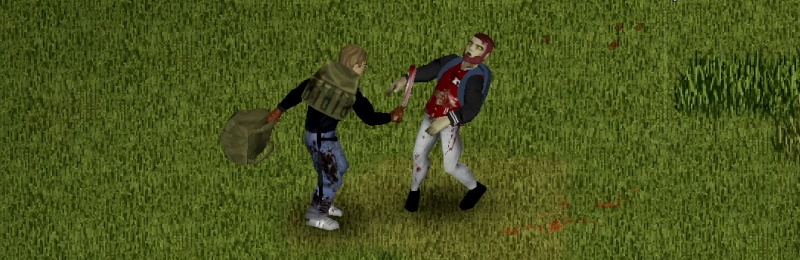
Well, two weeks takes ages to get through right? Here we are with the first fortnightly Thursdoid which hopefully contains enough morsels to keep you satiated. For details on what’s happening with MP, and why we’ve moved to blogs every two weeks for the foreseeable future, please check out our MP Status Update from last […]
languid kayak
@digital helm Will you still need me to make the list of the names? I didn't do it yet 😛 Guess it's best to compare the renamed to either iwbums files or even stable ones from steam, alternatively it is possible to retrieve old versions from GitHub
Here's also the bullet→round PR btw: https://github.com/TheIndieStone/ProjectZomboidTranslations/commit/366c7756098c8e32d95d239654dfd49a467a820c#diff-2620535e202cbacb2643cef2532f902fa57785afa8d56c4075300332cb447d57
GitHub
Changed bullets to rounds where applicable, i.e. when a cartridge is complete with case, gunpowder and primer and bullet it's typically called round. I left the bullets in molds though, as ...
Here's the oldest revision when the item file was introduced:
It's probably easiest to compare that to https://raw.githubusercontent.com/TheIndieStone/ProjectZomboidTranslations/master/EN/ItemName_EN.txt using e.g. meld https://meldmerge.org/
Recipes have to be compared to a different version, not much changed though:
https://raw.githubusercontent.com/TheIndieStone/ProjectZomboidTranslations/1eecf5e14a9ea4ba9ba9be09ff9332536d2ec992/EN/Recipes_EN.txt
vs
https://raw.githubusercontent.com/TheIndieStone/ProjectZomboidTranslations/master/EN/Recipes_EN.txt
keep in mind master link is not pernament, as that always point to the most recent one, so if something changes, it will update with newest version 🙂
digital helm
languid kayak
<@!109658126805905408> Will you still need me to make the list of the names? I d...
Nah, I'll just compare. Thanks
languid kayak
@digital helm I took liberty to update your page with the recent update to project leadership (adding Build 41 Update), but I noticed that you also have Navigation and Categories and in here leader is unassigned for that project; which one is correct? 🤔 https://pzwiki.net/wiki/PZwiki:Community_projects
digital helm
I just changed it. I'm going to start working on navigation and categories
I must've missed it
Thank you
digital helm
I'm going to add this to my list. I don't even know if it was ever available... I've wanted to know for a long time.
digital helm
On the topic of Exercise/Fitness. I'm wondering if the "Exercise" page should be moved to "Fitness" and have "Exercise" redirect to it. Then exercise can be a section on the Fitness page.
Similarly, we have a Metalworking and Carpentry page and not a Construction page. "Construction" is a part of "Metalworking" and "Carpentry", the same way that "Exercise" is a part of "Fitness"
@languid kayak thoughts?
Just seems odd that we don't have a Fitness page. But then all that it would be filled with is what's already on the Exercise page.
 elder estuary
digital helm
On the topic of Exercise/Fitness. I'm wondering if the "Exercise" page should be...
elder estuary
digital helm
On the topic of Exercise/Fitness. I'm wondering if the "Exercise" page should be...
Faalagorn has a PR on the translation repo for PZ to do Fitness->Exercise. Fitness is also the name of one of the two passive skills (the other being Strength) so maybe a disambiguation page? They're completely separate things that share the same name.
digital helm
That's where I'm confused. Does doing exercise increase your fitness skill?
Admittedly, I haven't played with exercise
languid kayak
elder estuary
Faalagorn has a PR on the translation repo for PZ to do Fitness->Exercise. Fitne...
Fitness→Exercise has been maually merged by @vital raptor and should be there in 41.51 🙂 @digital helm originally suggested here: https://github.com/TheIndieStone/ProjectZomboidTranslations/pull/528 and https://github.com/TheIndieStone/ProjectZomboidTranslations/commit/161e9a871821c10ea07d0faaa4c94153c1304a98#diff-db71be55bd17fabd98228693dc4a1802f5eaf07bd7b27a407eaa770f7c90c959R462
GitHub
It was discussed on Discord #pz_wiki_editing channel, following the page here https://pzwiki.net/wiki/Exercise as the fitness menu was confusing with the fitness stat.

GitHub
Merging from local before going over past PRs the coming week
languid kayak
digital helm
That's where I'm confused. Does doing exercise increase your fitness skill?
Excercise increase Fitness and Strength, that's why it was changed, to avoid confuson 🙂
It was added as an alternative for pushing trees or running in spot which was patched
elder estuary
That being said, the passive skills probably could use some help in the future. Possibly their own page(s)?
https://pzwiki.net/wiki/Skills#Passives
As if theres not already a lot to do 
I'm a bit busy this next week or two, but I'll start making these changes after that. Hopefully pretty rapidly too!
digital helm
elder estuary
I'm a bit busy this next week or two, but I'll start making these changes after ...
All good.
I'll take a look if I get the time. I'll start with figuring out if there's enough content for their own pages
elder estuary
digital helm
All good.
I'll take a look if I get the time. I'll start with figuring out if th...
"What does strength actually do" is something I've seen asked 2 or 3 times on reddit and then it's usually followed up with "the wiki doesnt seem to have the info". Which it does, I think, it's just not obvious where to find it.
Not to mention that it's a bit ugly on the current page (partially from my own edits from years ago IIRC)
digital helm
I recall seeing a post saying something very similar to that just today on steam
Skills and Health are 2 of those pages that I've wanted to dig into, but been too afraid to. They're 2 of the biggest and most useful/needed pages
I'll add it the list
 dry sable
The coordinates link on this page directs to Riverside instead of Valley Station on the pz map.
digital helm
dry sable
The coordinates link on this page directs to Riverside instead of Valley Station...
Should be fixed now. Thank you
languid kayak
41.51 released; might be worth slowly updating the pages: #tweets message 🙂
languid kayak
blame @vital raptor, he first sent a link from canary so I switched too 🙂
to me
Anyway, it's a beta version of Discord.
But yeah, probably gotta remove that part if you don't use it 🤔
I use the browser one 🙂
 vital raptor
Ha, yeah I don't remember what I wanted to try out that made me switch to canary but I stayed on it 😄
digital helm
Anyone opposed to merging "Seeding Broccoli" with "Broccoli" and adding a brief mention of its existence in the game files only (remnant of RJ's mod when being merged with base game).
Reason: This article appears to be generated based on speculation and the existence of Seeding Broccoli in the game files. Seeding Broccoli is non-obtainable and does not require its own page. There is no mention of Seeding Broccoli in any changelog and likely just a remnant from the mod created by RJ merged with PZ in 2012.
https://pzwiki.net/wiki/Seeding_Broccoli
Maybe leave as is (not blank page), but redirect to Broccoli with the brief mention?
languid kayak
There are a few of items that are still in the code but no longer used, though they can be spawned from the debug console (meaning multiplayer by admins as well), not sure if merging them won't be too confusing, but then again there's open and canned or left and right items so dunno 🤷
digital helm
Most 41.50 -> 41.51 item/tile changes should now be updated. Just missing weapon & clothing value changes.
Here's a list of the rest of changes that need to be done.
Ping me if I missed any pages that need to be moved/blanked
languid kayak
Not stricte wiki-related, but since wiki links to the FAQ it's inderectly related, @frail fossil you have a typo here: https://steamcommunity.com/app/108600/discussions/0/5717866822629155956/
mew garbage collector
Should probably be "new" 🙂

See here for the most up-to-date version: https://www.reddit.com/r/projectzomboid/comments/onzp65/comment/h5v0j1q/ Build 41.51 is out on IWBUMS. Changelog here: https://theindiestone.com/forums/index.php?/topic/38241-iwbums-4151-released/ Recap: delayed up to 6 months (see projectzomboid.com), so we’ll be releasing any complete sp stuff (that’ll...
digital helm
languid kayak
Not stricte wiki-related, but since wiki links to the FAQ it's inderectly relate...
Looks good to me 👍
 languid kayak
digital helm
Looks good to me 👍
languid kayak
digital helm
Looks good to me 👍
Indeed, my bad!
languid kayak
I was thinking about the Mew as well, but @digital helm went an extra mile actually pulling it further 😉
digital helm
Couldn't help myself
tulip kiln
Had to do a bit of an edit on the sandbox wiki page as well since smell has never been functional so I put a disclaimer there.
@amber prism This is a useful page for you btw. https://pzwiki.net/wiki/PZwiki:Project_Build_41_Update
It's detailing a lot of the b41 stuff that still need updating.
 amber prism
@tulip kiln mind if I PM you some questions?
tulip kiln
You can but if it's cool if you wanna do it here too.
digital helm
amber prism
<@!244669691333705728> mind if I PM you some questions?
No matter how small your question is, we'll help you
amber prism
I don't wanna clog chat. I've never done editing outside of like a story before lol
tulip kiln
It's no sweat.
I clogged the chat when I started editing.
This channel is here for that.
amber prism
So, I can just read through pages and see if there's anything wrong and try to edit it?
tulip kiln
It depends on how you wanna go about it.
amber prism
or do I test something in game and then edit the page?
tulip kiln
It depends on what you're fixing up.
A simple stat issue with a weapon or clothing? You can go into the games files and figure that.
Do you know how to find the weapon and clothing scripts?
tulip kiln
K, you know how to open the PZ files at least yeah? Through file explorer?
amber prism
yeah
tulip kiln
K, open that.
digital helm
tbh, probably best to start by taking a look around the wiki
tulip kiln
Media folder > scripts folder> and you'll be able to find the stat documents.
Yeah probably that too.
Are you focusing on any page types?
amber prism
I was looking at clothing and/or weapons
digital helm
Pour your knowledge out, then when you don't know something, look into the files and try to find more stuff
tulip kiln
That link I sent ya has lists of all the b41 weapons and clothing pages, though most of them aren't done.
amber prism
I saw, I was gonna go through the scripts and see what I saw
tulip kiln
I dunno if many of them have too many issues here since a good chunk of em were done not too long ago.
A lot of them don't have ingame screenshots actually.
tulip kiln
I'ma keep working on some of these gun pages.
amber prism
I'll take the Hats pages, can I create a zero mod save and just cheat-spawn stuff in so I can screenshot them?
tulip kiln
Oh yeah, that's what I do. I go into debug, spawn the shit in and take screenshots.
It's the most efficient way of doing it.
amber prism
Can I create the special text, or does it have to be something from the lore?
I don't wanna break any rules or piss anyone off lol
tulip kiln
Special text?
amber prism
this kinda thing, can I make a fun lil' quote for the Tinfoil hat and such?
 digital helm
amber prism
I don't wanna break any rules or piss anyone off lol
digital helm
amber prism
I don't wanna break any rules or piss anyone off lol
the "rules" are loose. It's more important we get the information. Anyone can fix-up the styling, but not everyone knows everything
amber prism
Yeah, I was hoping to make a fun joke line or something for it
digital helm
Think it's okay to start moving pages like this one, and update to build 41? https://pzwiki.net/wiki/Sawn_Off_Shotgun
Since build 41 changed all the firearm names
amber prism
okay I'm kinda stumped, I'm working on a hat. Do I need that image generator where it shows where on the body? It's a hat...kinda self explanatory?
awe man, I got a "bad request" now I gotta do it all over :/
@digital helm is there a way to use, or delete an image I uploaded already? I don't know how to get it off the wiki to my current page
digital helm
amber prism
<@!109658126805905408> is there a way to use, or delete an image I uploaded alre...
You can't. Can only be deleted by an admin
amber prism
crap
digital helm
You can upload a new version of the image, then ask me to delete the previous image
note that it can take up to an hour for an image to update
To put an image on a page use: [[File:Image.png]]
There's other magic you can use to add a link and hover name, etc.
digital helm
amber prism
now I can't upload an image 'cause it doesn't pass verification?
Send the image to me, I'll take a look
elder estuary
digital helm
Anyone opposed to merging "Seeding Broccoli" with "Broccoli" and adding a brief ...
I think this is a great merge.
tulip kiln
https://pzwiki.net/wiki/Hand_Axe How do we feel about this edit to the hand axe page?(Added pros and cons list, distribution and gallery)
digital helm
tulip kiln
https://pzwiki.net/wiki/Hand_Axe How do we feel about this edit to the hand axe ...
It's good. I think it'll be used a lot more than pretty much everything else on the page
tulip kiln
Aye, I was thinking eventually when we have the time, we could maybe use it for stuff like car pages?
digital helm
tulip kiln
Aye, I was thinking eventually when we have the time, we could maybe use it for ...
No reason why we couldn't
By the way, I created this template, which should (maybe?) make creating the table quicker and easier? https://pzwiki.net/wiki/Template:Pros-cons
Example:
<!-- #PROS# - below this line -->
|pros1 = pros1
|pros2 = pros2
|pros3 = pros3
|pros4 = pros4
|pros5 = pros5
<!-- #CONS# - below this line -->
|cons1 = cons1
|cons2 = cons2
|cons3 = cons3
|cons4 = cons4
|cons5 = cons5
}}```Or:
<!-- #PROS# - below this line -->
|pros1 = Fastest swing speed of any axe.
|pros2 = Weighs less than most axes.
|pros3 = Can be used as an effective tool for chopping down trees and breaking down doors.
|pros4 = Not too difficult to find.
<!-- #CONS# - below this line -->
|cons1 = Shortest range of any axe.
|cons2 = Deals less damage than most axes.
|cons3 = Not as durable as most axes.
|cons4 = Tied with the Stone Axe for lowest critical hit chance of any axe.
}}```@elder estuary I've made a minor addition to the weapon infobox. It shouldn't break anything in your tool. I just added the ammo variable.
Essentially: if "ammo_type" is blank, then check for "ammo"
The ammo variable is put into Template:Img_item to automatically generate an icon image, link, and name based on the input. Best to have it search for the *itemName* if possible, otherwise the DisplayName?
You can read more about that if you want https://pzwiki.net/wiki/Template:Img_item (currently only has firearms and ammo)
This is also used in the ammo infobox for the "weapons". https://pzwiki.net/wiki/Template:Infobox_ammo
tulip kiln
@digital helm I've tried em but for some reason they keep making the page look like this, it was fine when i tried the old method.

 digital helm
Ah, I'll try to fix that and let you know
tulip kiln
Cheers, I can get to work on it now and fix it up later on.
digital helm
tulip kiln
Cheers, I can get to work on it now and fix it up later on.
Should be good now. I just stopped it from trying to fill the screen. Better this way anyway.

It's only going to be as big as it needs to be
digital helm
tulip kiln
https://pzwiki.net/wiki/Wood_Axe
Awesome! Looks good.
tulip kiln
Aye, probably the thing I'm most proud of that I've done in pzwiki.
Since it'll really make the pages look better and easier to read.
Oh yeah, cheers for the boilerplates too.
digital helm
And creating an entire page hasn't been?
It'll add a lot. I think it'll be very useful. It was a good idea 😃
tulip kiln
I dunno if I've asked this yet but regarding the clothing for the pros and cons. If something is definitely designed for colder weather. Do I add that as a pro and make not designed for hot temperatures as a con or something?
digital helm
Hmm, that's a hard one. Because they're both positives, depending on what the weather is
elder estuary
Btw, I've mentioned it a couple times but havent gotten around to it: https://pzwiki.net/wiki/Wooden_Spear actually has a higher durability maximum based on your carpentry, which can be found in it's recipe code. Not sure whether or not to put the absolute maximum in the infobox or the default maximum
tulip kiln
Regarding that page, how did you find the info for the exact day that the weapon starts appearing impaled in zombies and the chance that it appears?
digital helm
elder estuary
Btw, I've mentioned it a couple times but havent gotten around to it: https://pz...
Maybe keep it as the default condition, but include an abbr/tooltip to mention it scaling to the player's skill?
I'll include it in the crafting recipe
tulip kiln
Agreed, that's the pain about spears. That whole carpentry influencing durability thing.
digital helm
Are they all like that?
tulip kiln
I believe so/
elder estuary
tulip kiln
Regarding that page, how did you find the info for the exact day that the weapon...
Without access to the scripts right now, and maybe vaileasys can be more specific, it's in a file called something like AttachedWeapons.lua
tulip kiln
Yeah, that's going to be super handy for the pages.
Gotta say though, feels like the pzwiki has been going pretty decently for the past few months. We had Faal doing tons of the furniture stuff, decent amount of the weapons having a page made.
digital helm
tulip kiln
I believe so/
Not quite. It doesn't take the skill into account. It seems to scale the durability depending on the weapon used to craft it.
(while I've been away)?
tulip kiln
Really? I swear it was carpentry?
People say it quite often.
Let me test it out ingame.
digital helm
I could be wrong, but it doesn't look like it
For the "Crafted Spear"
-- also lower the used knife condition```

For the "Upgraded Spear"
```-- get a mix of spear & upgrade item to do a correct condition of the result
-- we take the craftedSpear condition and substract the attached weapon condition```Done. The space was way to cramped to include any info, so I just linked to the Crafting section https://pzwiki.net/wiki/Wooden_Spear
just noticed that will need to moved to "Crafted Spear"
Also, feel like those spear recipes need to be consolidated into a single recipe... Except there's 13 spears, and the template only allows for 9 :/
elder estuary
digital helm
just noticed that will need to moved to "Crafted Spear"
Also the navbox has wooden spear under survival. I'm still not sure exactly how we're doing build 41, but it seems that crafted spear has completely replaced the old wooden spear that was used for fishing (both in game and on the wiki - the fishing info from pre-41 is gone except on some fishing pages)
digital helm
I'm tempted to just change everything over to build 41 names. But I have no idea how many people use 40 over 41. And build 41 is at least 6+ months from release 🤔
It can still be used for fishing though I assume? I might test it, I've never used it for fishing
tulip kiln
https://pzwiki.net/wiki/Wooden_Spear How do we feel about this new edit to the wooden spear page guys?
I wanna know if you like the "Special Ability" column. If you do, I might add the columns to weapon pages like guns[Driveby shooting ability], short blades[jawstabs and backstabs], etc. It's like a mini-guide in the page.
I added a gallery to the page, there was already a spear charge pic but I decided to recreate it and use this one instead.[What are you thoughts on this pic?]

Oh yeah, this is the current spear charge pic on the wiki too for context.
 digital helm
tulip kiln
I wanna know if you like the "Special Ability" column. If you do, I might add th...
digital helm
tulip kiln
I wanna know if you like the "Special Ability" column. If you do, I might add th...
Fits in perfectly. I think it'll be great to include that section
The pictures are good
tulip kiln
Do we add that to every spear wiki page then?
Same with every short-blade that can jawstab and backstab etc.
digital helm
Do they all have different stats?
tulip kiln
Regarding spears? I haven't tested the spear charge on all of them. I assume it works the same on all of them though except maybe the spear with spoon? Cause it's a spoon.
digital helm
nvm looks like they do
tulip kiln
Every spear charge I attempted, resulted in a one hit kill.
digital helm
I was just wondering if it'd be worth grouping them together...
tulip kiln
I gotta get around to making more pages too. I've only made one page lately and that was the katana page. I've just been editing pages.
digital helm
It's time consuming making a new page
I personally can't just leave it as a bare bones page. I have to do the research
tulip kiln
Yeah, usually I just find some page that already has the info and code parts done and build on it.
Cause we got a couple pages that just have the codes on it and not much else.
digital helm
btw I noticed the D-E Pistol and M9 Pistol models/icons are mixed up
tulip kiln
Oh yeah, I forgot to fix that. They recently fixed the DE pistol and m9 models.
Ingame it used to be that the M9 had the D-Es model etc.
digital helm
Yeah, I'll fix it
tulip kiln
Fuck, now that I think about it. Do we add sections for multi-hit? Considering it's a sandbox option and it's on survivor difficulty and [maybe builder? not sure]
digital helm
I also added a "ammo" variable to the weapons infobox. Just type in the ammo and it will automatically get the link, icon and name
e.g. ammo=.44 Magnum Bullets
Replace that ^ with ammo_type
digital helm
tulip kiln
Fuck, now that I think about it. Do we add sections for multi-hit? Considering i...
It's in the infobox isn't it?
digital helm
it's not... maybe I thought about adding it?
tulip kiln
Nothing saying about how many they hit.
Yeah, we could get away with it if it was just a sandbox option, but it's actually on some of the difficulty presets.
tulip kiln
Yeah, I don't have any stats but I feel like a decent amount of people probably use multi hit.
digital helm
Also, do you know what the latest is with how people feel about changing item names, etc. to the Build 41?
tulip kiln
Sorry, I'm stupid. What do you mean by changing item names?
tulip kiln
Ohhhh, I haven't seen anybody mention that? I'm cool with it though.
I'd imagine most people would be.
Cause it is confusing having both wooden and crafted.
Also, regarding stuff like the JS2000 regarding the "clip size" info, should I put "6+1 instead of 6?"
Since you can put one shell in the chamber and reload again for 6 bullets and 1 in the chamber.
digital helm
I think leave it as 6. To avoid the confusion.
tulip kiln
Aye, I could just mention it as a pro or something.
digital helm
Just because I think every gun would be +1?
tulip kiln
I think every gun except a revolver and double barrel.
digital helm
On the JS-2000 page I mentioned the +1 after racking https://pzwiki.net/wiki/JS-2000_Shotgun#Reloading
tulip kiln
Ah, right. Completely forgot we had this page already.
I thought it was the same as the pre-41 shotgun.
tulip kiln
Incase they rebalance it again or something?
digital helm
There's some stat changes. I think all the guns were changed
tulip kiln
I believe so. Minimal changes were probably made to stuff like the sawn-off.
digital helm
Speaking of which - I wanted it give it some love https://pzwiki.net/wiki/Sawn_Off_Shotgun
But wondered if I should move it to Sawed-off JS-2000 Shotgun
tulip kiln
Probably. I just feel like we're worrying too much about messing with pre-41 players though you know?
Cause the biggest complaint we got by far is how outdated the wiki is in quite a few areas.
digital helm
Yeah
tulip kiln
I wish we somehow had the ability to make some sort of legacy pzwiki or something for pre-41 but that sounds like shit tons of work.
digital helm
I don't know if you keep up with the Steam forum, but 99% of threads are about 41, as if that's the stable verison
Exactly
tulip kiln
I definitely do. Most steam forum posts, reddit posts etc.
I wouldn't be surprised if like 70-80% of the playerbase is currently on 41.
I also wanna update stuff like the zombie wiki page eventually too. Quite a lot of that is outdated. Especially when the entire spawning section just talks about Muldraugh,[So I imagine that was written years ago] no other town. Among other things.
digital helm
Yeah... Especially when West Point was added in 2013, along with the release on Steam
tulip kiln
Aye, it seems like quite an important page, but definitely not as important as clothing and weapons imo so I might avoid it for a while.
tulip kiln
@digital helm I'm doing the JS2000 page, you want me to do very brief descriptions of what the attachments do?
Or just make the words link the pages.
digital helm
tulip kiln
<@!109658126805905408> I'm doing the JS2000 page, you want me to do very brief d...
yes please, that would be good (and sorry for non-instant reply)
tulip kiln
No worries.
I'll have to also figure out the stats for the attachments too like the reload speed buff for ammo straps, choke tubes etc.
digital helm
tulip kiln
I'll have to also figure out the stats for the attachments too like the reload s...
I wouldn't worry about that. Leave it for their main pages e.g.: https://pzwiki.net/wiki/Choke_Tube_Improved
 tulip kiln
Aye, especially the driveby shooting stuff since it'd be the same for all of em.
digital helm
Particularly the "Special Ability", "Reloading" and "attachments" - with minor adjustments specific to each weapon
tulip kiln
Writing this page reminds me that I forgot to add suicide victims to the distribution list of the other gun pages.
Since you can sometimes find guns and ammo on people who've committed suicide in their bathrooms.
digital helm
I forgot too
tulip kiln
I also eventually gotta do the pages for vehicle/outdoor/survivor stories eventually.
I sometimes reference them in the distribution list for weapons and clothing and a decent amount of people probably won't know what i'm talking about.
digital helm
If you have it as a section within Distribution, that'd be fine.
===Survivor Stories===```Maybe we could have survivor stories as its own page? - one day
tulip kiln
Yeah, there's loads of different types of stories that a decent amount of players won't find.
Such as the Friday the 13th one.
digital helm
tulip kiln
Such as the Friday the 13th one.
"a decent amount of players won't find." -me
I've been out of the loop for a while...
tulip kiln
Ah, right. Sorry about spoiling it for ya.
But yeah, survivor stories are quite easy to take screenshots of. You just boot up debug mode, right click and spawn one in an area that allows it.
So you can't put a indoor survivor story outside for example.
digital helm
So greatful a lot of the debug options were added
I used to have to boot up a local server just to spawn items...
tulip kiln
Oh yeah, debug is insanely helpful for all this stuff.
digital helm
or use... that mod, which I forgot the name of
tulip kiln
Cheat menu or necroforge?
digital helm
That's it!
Necroforge
I want to put all weapon magazines on a single page, but I'm not sure what to title the page. Because you know... "Magazine" is already a thing
tulip kiln
I was gonna suggest gun accessories but that just sounds too weird.
I wouldn't consider a magazine a "gun accessory"
digital helm
I got it. "Magazine (firearms)". Thanks wikipedia https://en.wikipedia.org/wiki/Magazine_(firearms)

A magazine is an ammunition storage and feeding device for a repeating firearm, either integral within the gun (internal/fixed magazine) or externally attached (detachable magazine). The magazine functions by holding several cartridges within itself and sequentially pushing each one into a position where it may be readily loaded into the barrel...
tulip kiln
I do remember all my teachers saying not to use it as a primary source but it's way better than it used to be.
digital helm
I don't see the issue with wikipedia being a source for high school level
What else are you going to source at that level? a news article?
tulip kiln
Jeez, I opened the weapon navbox and saw that a lot of the weapons at least have a page, then I opened a clothing navbox and got disheartened by all of the red links.
At least a decent amount of the clothing don't protect much and won't be too difficult to make.
digital helm
A lot of the clothing should link to the same page though
So it shouldn't take too long...
tulip kiln
I'm thinking that it should be something like police linking to the same page but I dunno about the military ones.
Issue with is that there's just so many military items, I dunno if people would like trying to click on military camo pants to check it's stats and be sent to a page filled with all of the other military clothing.
digital helm
My idea was to have similar types of clothing linking to the same page, i.e. Police Shirt, Police Trooper Shirt, Police Deputy Shirt, Prison Guard Shirt & Ranger Shirt. Since they're all very similar - except their stats are all slightly different...
Which is annoying
tulip kiln
Ah, right. I thought you meant ALL military clothing and shit like that.
Yeah, I agree regarding that part.'
digital helm
Nah, I don't like that, for the reason you said
tulip kiln
Like the default baseball cap and the "KY" baseball cap should share a page.
digital helm
exactly
tulip kiln
The only difference is that you can't spawn with the KY one and it looks slightly different.
 tulip kiln
Yeah, so much shit.
Shit like polo-neck, round neck and diamond patterns definitely gotta share a page, only a visual difference.
digital helm
I think you've done most if not all of those
tulip kiln
I've done the most I'm positive. Mailo did a few ages ago and I edited his.
digital helm
Same with all the different ties
tulip kiln
Plus don't forget, a lot of those pages still need galleries and some rewrites. Also the pros and cons stuff.
digital helm
Maybe we'll be there in another 2 years?
tulip kiln
How optimistic.
digital helm
All these minor stat differences are annoying
 digital helm
How do you put that in an infobox
tulip kiln
Why have they done it like this?
digital helm
exactly
tulip kiln
Ok, I don't really feel like doing the scarf pages then. That feels like an absolute pain.
Cause I dunno how I'm going to write that stuff.
digital helm
There's more like that. I'll let you find them
tulip kiln
Oh yeah, this different colour scarf for some reason insulates more or something.
I love pz devs but fuck they make this hard.
digital helm
at least you now know to always go for the white scarf
tulip kiln
White scarf best scarf it seems.
Oh yeah, I wanted to show you how easy it is to spawn survivor stories in debug[and how there's so many].

Btw, that entire list is only the indoor stories. doesn't cover the outdoor and vehicle ones.
digital helm
You've got to have a lot for a game like PZ. Otherwise everything seems copy pasted
tulip kiln
Okay, I fucked up on that js2000 page. I forgot that the shotgun suicides seem to spawn in the bathroom.
And for some reason are referred to as "Bathroom Gunman" in the survivor stories.
digital helm
Can you do the drive-by shooting with any gun?
tulip kiln
I'm pretty sure, but ill double check right now
@digital helm I tested hunting rifles, handguns. All seem to work.
digital helm
sweet thank you
tulip kiln
Damn, I was doing the garden fork but there's no icon.
WAIT NO
IM BLIND
Thats another weapon page done then
digital helm
nice!
tulip kiln
Weapon pages just seem way more enjoyable than the clothing ones.
digital helm
had no idea the gun light had been added
 tulip kiln
That could just be because of the pros and cons thing though. Since I don't have to think of a description for the usage most of the time.
I had no idea too?
Some of these attachments don't seem to spawn except if they're already on a gun, I swear.
I've never seen a red dot sight or laser except the times I've found it off of a gun on a suicide victim or zombie.
digital helm
Doesn't seem to work though... it can be added and removed, and that's about it
tulip kiln
Aye, probably doesn't spawn at all.
digital helm
it uses the red dot icon too
tulip kiln
We don't have to do pages like the chainsaw either. Since I'm near certain that it hasn't been implemented properly yet.
digital helm
Not yet
It's not a priority. I'm sure you could imagine they'd want to spend some time on it to make it good.
Lots of blood
tulip kiln
Plus, since it's a chainsaw. Something else has to be added to vanilla alongside it.
Obviously Leather-face.
Also another annoying as fuck page. The "pants" page. It isn't just the randomized colour variant. There's variants that look kinda like jeans.
tulip kiln
Oh shit, yeah. This is the page where I got the pros and cons idea from.

So whoever wrote that in the sawn-off page, they're a legend.
digital helm
I'm editing that right now
digital helm
tulip kiln
Oh shit, yeah. This is the page where I got the pros and cons idea from.
I'm just re-using their descriptions for the pros-cons
digital helm
nah, I'm rewriting it all and fact-checking
tulip kiln
Ah, cool.
digital helm
it's 3.5 to 4
tulip kiln
I'm trying to think of a page to do right now.
digital helm
Close your eyes and stick your finger on one https://pzwiki.net/wiki/Template:Navbox_weapons
tulip kiln
Eh nah, I already thought of doing the DB shotgun.
Ima quickly debug that in and see how it goes ingame.
digital helm
could almost copy paste the JS-2000 probably
tulip kiln
Probably a few statistical differences other than the 2 shots. Stuff like accuracy or damage or some shit. But most of the JS-2000 page can be copied.
Few edits to the reloading section etc.
But obviously when I get the pic for the sawn-off DB shotgun. I gotta make the character kind of look like Mad Max.
But at this rate, I feel like by the end of next month, we'd probably have a page for every weapon.
HOLY FUCK!
THIS THING IS SO ACCURATE
The main downside is the ammo capacity and the meh spread.
I do find it extremely weird that the thing fires the same as a JS-2000 though. I thought a DB shotgun would be able to shoot both of it's shots very quickly. Possible oversight?
tulip kiln
I'm testing it, basically like 1 sec or a sec and a half till you can fire again.
It seems to have an extremely narrow spread rather than the JS-2000s wide spread.
digital helm
Aren't they suppose to use 2 triggers?
tulip kiln
I believe so? I definitely think this is some sort of oversight.
It isn't the only gun with weird shit like that.
I'm pretty sure the M16 still hits more than 1 targets even when they're spread apart.
Can't even put any attachments on the DB either.
The only one you can do is use the shotgun shells bandolier.
digital helm
nor the sawn off JS-2000
tulip kiln
I guess I can kinda understand the Sawn-off regarding the sling part for balancing purposes but this is just the stock db shotgun.
Do we inform people in the wiki pages of this weird shit? Like the DB not firing rapidly.
Like I can just go back and edit it later if they fix it.
digital helm
probably best to include it - what if it isn't fixed?
tulip kiln
We'd put it in the trivia category or something?
tulip kiln
The M16 definitely seems like it'll be fixed eventually.
The DB shotgun? Not sure.
Maybe it could be for balancing purposes, who knows.
Cause in it's current state, DB shotgun is actually pretty insane.
digital helm
Is the M16 even obtainable?
tulip kiln
In Kingsmouth, yes.
tulip kiln
I've heard that they also sometimes spawn on the "Hunter outdoor event" in Knox Country.
Probably an oversight there.
Other than that? Never spawn in Knox Country.
I still have no idea whether I should consider a narrow spread as a con or pro.
It's just so situational. Some situations that narrow spread can help more than wide.
digital helm
I think as a pro - i.e. high accuracy
tulip kiln
Yeah, cause you could just bunch them up in a single-file line kinda and fuck em up that way if you're doing routine horde clearing.
digital helm
it's 5 projectiles, compared to the JS-2000 which is 6
tulip kiln
K, we gotta keep in mind that the only attachment that works with the sawn-off and DB are the ammo strap bandoliers.
digital helm
So more projectiles would hit one enemy, therefore higher damage to individual enemies
tulip kiln
I'll list the projectile thingy as a con maybe?
I mean sure it's more accurate, but less projectiles seems like a bit of a con.
tulip kiln
https://pzwiki.net/wiki/Double_Barrel_Shotgun Done, somebody else has to do the crafting part for it. I have no idea how to include the sawn off db shotgun crafting thing.
Now that I've been thinking about it though, I can totally understand if they made it not rapidly fire as a balancing decision. The DB shotgun is actually insane. The accuracy destroys zombies, fast reload and it's incapable of jamming.
elder estuary
tulip kiln
Yeah, usually I just find some page that already has the info and code parts don...
I can do these pretty quick if you wanna shoot me a list of pages to create
elder estuary
digital helm
How do you put that in an infobox
I guess we do something like See #Stats or something
languid kayak
digital helm
I'm tempted to just change everything over to build 41 names. But I have no idea...
I'd change it all and leave redirects, though I know some are hardcore MP players… Though by the time MP updates to 41 and it will happen sooner or later I'd say they'd benefit more. Also a lot of hardcore MP players known the game really well without wiki anyway :P. And new players should definitely start with 41 as they'll be missing out a lot
languid kayak
digital helm
So greatful a lot of the debug options were added
Wish they'd add a way to spawn all the tiles, or at least the moveable ones. I finally learnet how to create a custom map, but still adding them by hand, saving the map and then logging to inspect them in-game is PITA :P. Some properties can be read in the editor, but I somehow prefer to see them in-game.
(especially as these properties are not plain text and quite cryptical sometimes, some are not used, too)
languid kayak
tulip kiln
I wouldn't consider a magazine a "gun accessory"
in Tarkov it's all "mods" IIRC
digital helm
elder estuary
I guess we do something like `See #Stats` or something
This sounds like a good idea. @tulip kiln for the Clothing infoboxes where they're the same item but slightly different stats. Let me know if you're not sure how to do this and need help
digital helm
languid kayak
I'd change it all and leave redirects, though I know some are hardcore MP player...
Sounds like a plan. I think they'd more want to lookup mechanics, like farming or carpentry, which haven't really changed much.
digital helm
languid kayak
Wish they'd add a way to spawn all the tiles, or at least the moveable ones. I f...
I think build 41.51 added at least some spawnable tiles
I imagine you should be able to just add to that file with your own tiles. You just need to know the sprite. Spawn it in with debug mode, then place it down. Once placed it should function and have the stats it normally has. Since iirc it uses the tile sprite rather than an item ID for all the stats
tulip kiln
digital helm
This sounds like a good idea. <@!244669691333705728> for the Clothing infoboxes ...
Yeah, no idea how to do that. Right now I'm working on editing the bread knife page and making the "Jawstab and backstab special ability" sections.
languid kayak
digital helm
Yup, they appear in item spawner which is nice
digital helm
tulip kiln
Yeah, no idea how to do that. Right now I'm working on editing the bread knife p...
I'll do the scarf page today as a mock-up. So you can always use it as a reference in the future.
tulip kiln
Fuck forgot to edit the broken-ass icon, that was there before I edited it.
gimmie sec
Oh yeah incase you're wondering, bread knife shares the same icon as butter knife ingame.
digital helm
I made a texture for the bread knife for a mod I was making
 digital helm
@tulip kiln Here's an image of the model
 digital helm
It's a process...
tulip kiln
That sounds like hell.
digital helm
hahah
tulip kiln
No wonder we don't have many 3d images then.
digital helm
The models are stored as X files. From my research, there's no simple way to just import to a 3D program like Blender. So I convert to obj, then import to Blender, then attach the texture, then render the image, then crop the image
tulip kiln
Fuck, that's going to sound like hell with clothing too, all the different variants.
digital helm
That's one of the reasons there aren't many clothing images
That and the fact that the UV vanishes when I convert the model. Meaning the texture will be a single pixel
languid kayak
digital helm
The models are stored as X files. From my research, there's no simple way to jus...
at least for furniture it's just stitching them together :P. I wonder if for both an automated way could be possible, but I'm a shit coder, sorry
digital helm
languid kayak
at least for furniture it's just stitching them together :P. I wonder if for bot...
of course it can. I'm sure half the wiki could be automated. But like you, I have no idea what I'm doing 🙂
 languid kayak
It's open source, so technically possible to add it, but I'm in no position to do that, unless someone forked it already like that
elder estuary
There is an old tool for an old version of blender that allows .x imports. It seemed to work okay, but doesn't work on newer blender which has a much, much better interface.
Thing is, it's a pretty involved process to convert them programmatically for someone who doesn't really understand the .x file format or how blend files work. And I really don't have the patience or interest to look into it
digital helm
I need some help with deciding what to do with this page: https://pzwiki.net/wiki/Recipe_Magazines
Should we keep it as is?
Or break it up into each magazine category? E.g. "Angler USA Magazine", "Electronics Magazine", "Engineer Magazine", "Laines Auto Manual", etc.
Because although most unlock recipes, I wouldn't consider them all to be recipe magazines, specifically, "How to use Generators" and "The Herbalist". But I wonder if they're unique enough to have separate pages.
languid kayak
I'm always on an inclusionist side https://en.wikipedia.org/wiki/Deletionism_and_inclusionism_in_Wikipedia, so I'd say split into more pages
digital helm
Had no idea that was a thing. I'd say I'm the same, so long as it doesn't create unnecessary work when updating pages. I.e. updating a lot of pages with identical info
At least I have one person to back me when I start changing stuff
languid kayak
digital helm
Had no idea that was a thing. I'd say I'm the same, so long as it doesn't create...
This can be automated, but I get your point. PCGW does that each time they change something in main template, but it still takes time to update all the pages even for bots. They do have more pages though, mind you
digital helm
Each page has a lot less text too, and I'm sure some much more tech savvy people
tulip kiln
I was feeling bored so I decided to do a tiny bit of work for my crossroads mall page project thingy, although I have an issue. What the hell would I call this store?(There's a second part of it on the floor above) but it seems to sell jewelry, furniture, clothing, etc.

I can't really think of a name for a store like that.
languid kayak
tulip kiln
I was feeling bored so I decided to do a tiny bit of work for my crossroads mall...
Seems like a general store of some kind, though keep in mind it has furniture for sale. Kinda reminds me how markets sell stuff here sometimes, with occasional showcasing of furniture
tulip kiln
languid kayak
Seems like a general store of some kind, though keep in mind it has furniture fo...
Maybe department store then?
languid kayak
Guess so; to make sure you can check what loot spawns here and what loot tables are called in files. I think there was a mod for that, not sure if it works with new loots though 🤔
If I won't forget, I'll try to check it, but don't count on it to be too quick 😄
tulip kiln
Ima be totally honest, no clue how to find the loot tables in the files.
languid kayak
tulip kiln
Ima be totally honest, no clue how to find the loot tables in the files.
I'd guess, but I guess there should be a more elaborate way, though for that, I'd say #mod_development would have to answer 😛
digital helm
tulip kiln
I was feeling bored so I decided to do a tiny bit of work for my crossroads mall...
Think Myer
@tulip kiln
 tulip kiln
digital helm
<@!244669691333705728>
tulip kiln
digital helm
<@!244669691333705728>
Ah cheers, did you make this? If so, do I just refer to it as unofficial or something?
digital helm
Yeah, I made it for that map mod I did
tulip kiln
I'll put it in the gallery section.
digital helm
Also, the file for the loot tables is Distributions.lua, which now also uses ProceduralDistributions.lua
tulip kiln
Ah cool.
digital helm
First the item is given a category in ProceduralDistributions.lua then that category is given a location in Distributions.lua
I think
tulip kiln
I'm not going for some elaborate page like I envisioned considering that there's so much shit with the mall and I don't wanna waste too much time doing it.
digital helm
Yeah... there's too much
tulip kiln
Main shit is going to be describing it kinda, listing the shops/cinema just outside the mall, the first floor, second floor etc.
digital helm
It'll definitely be the biggest location you've ever done
It's essentially an entire town in a building
tulip kiln
I ain't good at measuring shit so I can't tell whether it's slightly bigger than the prison or the prison is slightly bigger[not counting parking lot]
So I'll just say something like one of the biggest buildings in the game.
Especially since Louisville could have a bigger building anyway, who knows.
I'd say just expect a fairly lackluster page but it'll get the job done.
digital helm
Anything will be fine. Once the bones of the page are done, people are more likely to add to it
tulip kiln
Do you have some sort of crossroads mall logo?
digital helm
@tulip kiln
 tulip kiln
Cheers mate
Fucking hell, infobox is the most boring part.
Keep forgetting how boring it gets.
tulip kiln
Except when you realise that the image you were trying to post has already been done and you mildly inconvenienced yourself.
digital helm
🤭
digital helm
Hahaha shows how long you've been planning on doing this
tulip kiln

I think the infobox looks decent so far
Ima credit u for that map thing in the gallery.
digital helm
nice, and thanks
tulip kiln
That map pic wasn't taken by me too btw. It was just there already and it gets the job done.
digital helm
I found this
 tulip kiln
Is that already uploaded to the wiki?
digital helm
nah
tulip kiln
I'll upload it
digital helm
found it in one of my folders
tulip kiln
I can just use that other screenshot as a pic in gallery.
digital helm
I think I was planning on doing that page too at some stage
tulip kiln
Put it on the backburner cause it's annoying as hell to do?
digital helm
ProjectZomboid\media\texturepacks
digital helm
tulip kiln
That map pic wasn't taken by me too btw. It was just there already and it gets t...
Looks like I took that image too
tulip kiln
Yep, clearly we were both trying to do this.
digital helm
I've got some stuff for the prison and that secret facility
tulip kiln
Ik clothing and weapons are a priority but might as well get this shit over and done with since it's a pretty iconic location.
digital helm
but we realised how big the project really was
well, clothing and weapons were added in 41, crossroads was added in 30- something
pretty sure there is a sandbox setting
tulip kiln
Navigate+open doors.
tulip kiln
@digital helm Finally. https://pzwiki.net/wiki/Crossroads_Mall
Fairly barebones right now. Shit tons of red links too cause of all the businesses that don't have pages.
tulip kiln
I doublechecked a lot of ingame too incase the map might have been inaccurate due to the loot table change, seems all fine to me.
digital helm
That's pretty much what the location pages were https://pzwiki.net/wiki/Suburbs
tulip kiln
Probably the worst page I've ever had to do though, jeez. Glad that shit is behind me.
tulip kiln
Even that sounds more fun than the damn mall.
digital helm
haha, probably
tulip kiln
At least I just have to list sections of the prison, not all the individual shops
Next time I get around to doing business/location pages, it'd probably be stuff like prison, secret gov facility and the march ridge dormitory.
Since they're pretty notable locations.
digital helm
I'm trying to do all the remaining weapon models. Which'll be the last thing I do today. Then maybe onto the recipe magazines and the rest of the changes in 41.51
Also, if you notice any name changes, let me know. I'm starting to move them all.
tulip kiln
Nice, I might get some sleep now after all that shit. I'd probably do something like clothing or wep pages tommorow.
I can't think of any name changes either.
elder estuary
digital helm
I'm trying to do all the remaining weapon models. Which'll be the last thing I d...
Wow, that's a ton of work. That's amazing! Well done!
digital helm
elder estuary
Wow, that's a ton of work. That's amazing! Well done!
Yeah, I didn't quite get them all done that night... But all the current weapon pages should have their models now
languid kayak
btw, speaking of spoon, I see you added animation for it, nice! It's worth noting that fork has it as well, might add such a note. Also, as far as I know, there's currently no difference whatsover whether you eat with spoon or not, including animation length, but might be worth checking and adding appropriate note that it's currently only visual
digital helm
languid kayak
btw, speaking of spoon, I see you added animation for it, nice! It's worth notin...
I might do that today if I have time. I wasn't sure about the fork, but I knew the spoon did it (can I cheat and use the spoon anim? can you tell?)
elder estuary
digital helm
I might do that today if I have time. I wasn't sure about the fork, but I knew t...
What's the name of the file  You probably can :P
digital helm
elder estuary
What's the name of the file <:angry:609133340393603105> You probably can :P
Definitely not Spoon_Eating_Anim.gif
https://pzwiki.net/wiki/File:Spoon_Eating_Anim.gif
languid kayak
digital helm
I might do that today if I have time. I wasn't sure about the fork, but I knew t...
Yes, you can 🙂
I tested it some time ago but it can be tested easily by launching the game with -debug parameter and then loading or starting a game and spawning fork and bowl of beans for example from item spawner
I might retest it later today just to be sure, but I can't at the moment sadly
languid kayak
barely visible but it's a fork

There seems to be a bug with debug when satiate doesn't go away, resulting in two being available though 🤔

to clarify it's a fork 🙂

with fork on the ground

These might need sorting out for sanity sake someday: https://pzwiki.net/wiki/Special:DoubleRedirects
digital helm
languid kayak
These might need sorting out for sanity sake someday: https://pzwiki.net/wiki/Sp...
Maybe when the redirect links get fixed... Otherwise it's too confusing.
languid kayak
digital helm
Maybe when the redirect links get fixed... Otherwise it's too confusing.
yeah
 mortal surge
man imagine project zomboid with the exanima physics engine
mortal surge
to the people that thought of making a base at the fire station, this is it now
 elder estuary
Invite sent - my steam is: The Amish Haunt my Dreams
Should be sent
You do you, you've earned it
 limpid kettle
@digital helm
The design of the wiki is much more sophisticated than before. It is much easier to read and access articles.
Thank you so much 😄
digital helm
limpid kettle
<@!109658126805905408>
The design of the wiki is much more sophisticated than be...
That's okay! I'm trying to make it easier for some pages to be translated at the moment. Particularly the list of items, so they'll automatically translate 😀
elder estuary
We have a tiny issue
The infobox cannot display all of the relevant information. Specifically, it cannot have the water holding properties and the weapon properties, as we've separated those into two different infoboxes.
digital helm
elder estuary
The infobox cannot display all of the relevant information. Specifically, it can...
Aw man. Maybe we'll add the water properties to the weapon infobox? Is the saucepan the only one? I can't think of any others
languid kayak
elder estuary
Invite sent - my steam is: The Amish Haunt my Dreams
For Steam invites, you can also use https://steamcommunity.com/my/friends/add in the future 🙂

https://s.team/p/djw-hfrh/mcfkbhrb should be mine for example 😛 (these are one time use though, mind)
 languid kayak
digital helm
Aw man. Maybe we'll add the water properties to the weapon infobox? Is the sauce...
languid kayak
digital helm
Aw man. Maybe we'll add the water properties to the weapon infobox? Is the sauce...
Sausepan is the only one, yes.
At least in vanilla currently
That's why it's not called "Empty Sausepan", too
 mortal stirrup
Hey guys, Dave here, English technical communications specialist. I notice the Injuries and Poultice page lack concrete information on recovery and shortening times, respectively. Is data scraping for this information on the to-do list?
elder estuary
mortal stirrup
Hey guys, Dave here, English technical communications specialist. I notice the I...
Here is a list of ongoing projects: https://pzwiki.net/wiki/PZwiki:Community_projects
elder estuary
mortal stirrup
Hey guys, Dave here, English technical communications specialist. I notice the I...
In short, no, it isn't a priority. But that doesn't mean someone won't choose to work on it anyways.
elder estuary
elder estuary
Here is a list of ongoing projects: https://pzwiki.net/wiki/PZwiki:Community_pro...
@digital helm Speaking of this - what should I know about creating Community Project pages? There are quite a few blank ones - is it cool if I make them at some point and put what I think is relevant information on them? At least a skeleton? I think creating those so we know exactly what needs done in the project is pretty important.
digital helm
elder estuary
<@!109658126805905408> Speaking of this - what should I know about creating Comm...
Yeah of course. Go ahead. Anyone can create projects, etc.
elder estuary
I'm 99% sure they require a can opener just from looking at the scripts
 near osprey
@quartz bear tuna definitely does not
mortal stirrup
Is there a guide to how to get into the code and observe the numbers?


 elder estuary
mortal stirrup
Is there a guide to how to get into the code and observe the numbers?
elder estuary
mortal stirrup
Is there a guide to how to get into the code and observe the numbers?
It's not bad. Just go to your local Project Zomboid files (if windows, probably C:/Program Files (x86)/Steam/steamapps/common/ProjectZomboid) then go to /media/scripts and item definitions are found there
near osprey
get well soon bro
elder estuary
mortal stirrup
Is there a guide to how to get into the code and observe the numbers?
Again if in windows, I recommend using the findstr command to search for the item you want. Basically, go to the navigation bar (where the URI to the folder you're in is) and type cmd. It will open a command prompt already located in that folder. Then, type the following command: findstr /snip /c:"[text you wish to search for, no brackets]" *.*
near osprey

elder estuary
mortal stirrup
Is there a guide to how to get into the code and observe the numbers?
Basically, it will search all files in the current directory and recursively delve into subdirectories to search as well. The /snip is actually 4 separate parameters - I don't remember what each does individually, but in total it: 1. ignores binary (non text) files; 2. provides the line number associated with the text you searched for; 3. ignores the capitalization of the text you're searching for
mortal stirrup
Alright. My goal for now is to find out the effectiveness of poultices in injury recovery.
elder estuary
That being said, you can also just manually search for your text using your best judgement. Like if you're looking for Wrench, it's going to be under items_weapons.txt
Here's example output for searching for poultice: models_items.txt:4830: model Poultice models_items.txt:4832: mesh = WorldItems/Poultice, models_items.txt:4833: texture = WorldItems/Poultice, newitems.txt:1720: DisplayName = Plantain Poultice, newitems.txt:1723: WorldStaticModel = Poultice, newitems.txt:1740: DisplayName = Comfrey Poultice, newitems.txt:1743: WorldStaticModel = Poultice, newitems.txt:1760: DisplayName = Wild Garlic Poultice, newitems.txt:1763: WorldStaticModel = Poultice, recipes.txt:1073: recipe Make Plantain Poultice recipes.txt:1083: recipe Make Comfrey Poultice recipes.txt:1093: recipe Make Wild Garlic Poultice
So looks like newitems.txt is the definitions file, recipes to make it are under recipes.txt
mortal stirrup
Well, that tells me a lot but nothing about their usage effects.
elder estuary
If you're looking for that, you'd be lucky to find it under /ProjectZomboid/media/lua probably /server. If you're unlucky, it's in the source code itself and is written in java, not lua
If you're determined, you can decompile select java classes pretty easily and search the java code yourself. I have a fully decomped build 41.50 that I can look through if you'd rather
near osprey
can't unsee now
I've just finished playing around with some metalworking
it sucks - you get the best container at level 4
metal walls can still be set on fire, although it doesn't spread as easily
going to work on the metalworking page tomorrow
mortal stirrup
The most lacking article on the wiki is this: https://pzwiki.net/wiki/Debug_mode
 dark phoenix
Hey guys, quick question, how do you orientate things on the right on the wiki?
also is there is good resource for the formatting for the wiki, so those tables and things are easy to make.
An example of that right table would be https://pzwiki.net/wiki/Bandage
I'm currently working on Denim Strips, if it matters.
Thanks!
dark phoenix
Welp, imma need some help, but I just put this on for now. I want to expand to the leather strips as well after this. https://pzwiki.net/wiki/Denim_Strips
Thanks for help and editing peoples!
digital helm
dark phoenix
Welp, imma need some help, but I just put this on for now. I want to expand to t...
welp indeed. I'd recommend taking a look at this page https://pzwiki.net/wiki/Help:Editing_for_beginners
Here's the page template (copy and paste then delete the parts that aren't necessary: https://pzwiki.net/wiki/Help:Boilerplate_items
Those pages would use this infobox: https://pzwiki.net/wiki/Template:Infobox_item_custom
But you can just copy and paste the one from Bandages and change it (and remove sterilized):
|display_name=Bandage
|name_colour=Medical
|name_text_colour=Medical
|image=Bandage_120px.png
|alternate_image=BandageDirty.png
|alternate_name=Dirty Bandage
|weight=0.1
|function=[[Health#Bandaging|Bandage]] [[Moodles#Bleeding|bleeding]] wounds
|variant1=Bandage
|func1=Bandage power [[File:Moodle_bleeding.png|right|link=Moodles#Bleeding|Bleeding]]
|data1=4
|variant2=Dirty Bandage
|data4=0
|variant3=Sterilized Bandage
|data7=4
|func2=Other function(s)
|data8=Prevent or cure [[Health#Types of Wounds|infected]] wounds
|class_name=See [[#Item IDs|Item IDs]]
}}```And thanks for helping out 😁
languid kayak
@elder estuary they do not, tune was the most recent addition
languid kayak
elder estuary
Again if in windows, I recommend using the `findstr` command to search for the i...
for linux (and WSL) you can also use grep -rni -e "string" to search the current directory recursively
dark phoenix
digital helm
welp indeed. I'd recommend taking a look at this page https://pzwiki.net/wiki/He...
Thanks a bunch! Kinda love working on Wiki's as it helps others with what I was looking for
digital helm
dark phoenix
Thanks a bunch! Kinda love working on Wiki's as it helps others with what I was ...
The exact reason I do it. Feel free to ping me anytime if you need help
dark phoenix
thanks :)
 ripe junco
Hey, I love the game and I'd love to help with the wiki
I'm already reading all the relevant stuff but is there anywhere I should look to get started editing more than others?
 tepid shell
Shouldn't we put in the future occupations in the occupation page of the wiki?
 frail fossil
ripe junco
I'm already reading all the relevant stuff but is there anywhere I should look t...
frail fossil
ripe junco
I'm already reading all the relevant stuff but is there anywhere I should look t...
Nm thats the chat were in im dumb
mortal stirrup
No page on hair dyes?
mortal stirrup
literally nothing about TREEs on the wiki
near osprey
it's a tree
mortal stirrup
Well, what else? How many logs do different types of trees give at different sizes and stages of their life? How long does it take them to regrow? Does chopping trees down reduce the forage output of a 40x40 area? How common are injuries running through trees? What kind of visual or noise cover do trees provide?
A Tree page has a lot of potential for fact-finding thru the code.
mortal stirrup
Calm and focus, it ain’t like that mate. Simply don’t have the time and lua/java understanding to go in and data mine. Just pointing to a hole with a lot of potential for people better than me.
 thorny pike
i guess it does kinda come off like that
ik you dont mean to come off like that tho dw
frail fossil
mortal stirrup
Calm and focus, it ain’t like that mate. Simply don’t have the time and lua/java...
If you're not going to contribute in any way other than coming across as scolding others then don't do anything
mortal stirrup
I was typing neutral from the start; nothing about ‘scolding’ anyone. I brought trees up casually, wasn’t like “gIvE mE tReE!!1” I offered questions and said that it had potential, then the accusatory fireworks started. Next time I will throw in some flower emojis. /s Nobody likes being talked down to so how about we all agree to peacefully move on to the next pzwiki topic.

 clever cryptBOT
 Alluseri#1337 has been warned
Reason: Bad word usage
near osprey
@quartz bear have you done anything so far?
thorny pike
updated tailoring page a little bit
elder estuary
mortal stirrup
Calm and focus, it ain’t like that mate. Simply don’t have the time and lua/java...
You should create a project or skeleton page of information you think should exist. Start it off with an {{underconstruction}} and put the headers in.
limpid kettle
@digital helm
I can't create a new "Knox County/ja" page.
If I try to create a new "Knox County/ja" page, will be redirected to the "Knox Country/ja" page. Probably related to the "moved page".
limpid kettle
This page is "Knox_Country/ja".
In the Discord URL, it's "Knox_County/ja", but when you click on it to display the page, it becomes "Knox_Country/ja".
dark phoenix
Is there any way to know whats pics are uploaded on the pz wiki yet?
Im looking for a dirty denim strip
limpid kettle
I don't know, so I'll look it up.
dark phoenix
Additionally, How do you lookup recepies so you can use them in the article?
Like would there be a page that contains the master numbers for the recipes? I'm just having trouble finding things
thorny pike
{{RecipeLookup|3002}}
the number? i cant seem to find the list of numbers too
elder estuary
Which is apparently deprecated. So: https://pzwiki.net/wiki/Template:Crafting_header
@dark phoenix On https://pzwiki.net/wiki/Denim_Strips, you should put an {{underconstruction}}
thorny pike
nice, thank you
dark phoenix
Ah you don't like my fantastic custom under construction sign?
also thanks, I look backed on the page but I didn't see this (https://pzwiki.net/wiki/Template:Crafting/core)
@elder estuary so basically just make your custom recipe for whatever and don't use the {{RecipeLookup|****}} anymore. right?
one more question, is a database or something with all the uploaded pictures thus far for the wiki?
elder estuary
Honestly, I have no idea how to search for items better than going to https://pzwiki.net/wiki/Special:SpecialPages and selecting 'File list' (which takes you here: https://pzwiki.net/wiki/Special:ListFiles). Another way, less reliable but seemingly with different results sometimes, is to enter a search starting with File: and then letting autocomplete help out
@dark phoenix
elder estuary
dark phoenix
Ah you don't like my fantastic custom under construction sign?
also thanks, I l...
Here's an example: https://pzwiki.net/w/index.php?search=File%3A&title=Special%3ASearch&go=Go
dark phoenix
elder estuary
Honestly, I have no idea how to search for items better than going to https://pz...
Gotcha I see what you mean, thanks!
I presume for anything that isn't uploaded I would just need to unpack it from whatever folder myself and upload it then right\
Also thanks for all the help, getting started on this is a bit confusing, I've never really done too many wiki pages from scratch before
thorny pike
its fun to help the wiki, feels great to contribute
dark phoenix
Indeed it does, makes me want to write a tutorial for dummies for others to make pages
@thorny pike One last question while I have you here, Do you know what files to unpack to get the png's for items?
thorny pike
sorry, no idea. i have only been using png's that already exists
dark phoenix
aight np!
digital helm
@dark phoenix I've been working on this template for the item icons https://pzwiki.net/wiki/Template:Img_item
Generally, for an item icon we use the name given to it in the game's code. E.g. Denim Strips is DenimStrips.png https://pzwiki.net/wiki/File:DenimStrips.png
Dirty Denim Strips currently use the same icon as Denim Strips - same for Leather Strips
You can find the icon name in the item scripts ProjectZomboid\media\scripts
Denim Strips and Leather Strips are in newitems.txt
That's also where we get all the stats for the infobox
It's redirecting you. Go here and click edit: https://pzwiki.net/w/index.php?title=Knox_County/ja&redirect=no
If you want to edit a redirect, click the link to go back (it's currently bugged showing the page name of the page it's redirecting to)

@limpid kettle, I meant to ping
languid kayak
https://pzwiki.net/w/index.php?title=Knox_County/ja&redirect=no - the redirects are confusing and due to being fixed, I guess it's @restive adder who has to do it?
languid kayak
digital helm
It's redirecting you. Go here and click edit: https://pzwiki.net/w/index.php?tit...
oh, just realized I wasn't the first 😛
languid kayak
dark phoenix
Is there any way to know whats pics are uploaded on the pz wiki yet?
Im looking ...
Generally, they should be categorized, but it's sadly tedious job to do, especially as people often upload without category and I think it's not yet done right for all images, see https://pzwiki.net/wiki/PZwiki:Community_projects (Navigation and Categories). I did categorize images for tiles, but there are many images that are missing category: https://pzwiki.net/wiki/Special:UncategorizedFiles
Some might also be duplicate and/or outdated or named oddly, but like I said, it's a process to categorize them properly, I have my TODO https://pzwiki.net/wiki/User:Faalagorn#TODO do name images for Furniture, maybe something I'd like to deal with with @digital helm but guess not so soon™ for me 😦
Either way, it seems denims is not uploaded, unless it's with different name, you can search for it here: https://pzwiki.net/w/index.php?search=denim&title=Special%3ASearch&profile=images&fulltext=1
oh nvm, it was uploaded, just search is borked 😛
Also @elder estuary gave a good advice, too
digital helm
languid kayak
Generally, they should be categorized, but it's sadly tedious job to do, especia...
That's a pretty rubbish search engine. You have to practically type the entire name before it'll show up https://pzwiki.net/w/index.php?search=DenimStrips.png&title=Special%3ASearch&profile=advanced&fulltext=1&ns6=1
languid kayak
digital helm
That's a pretty rubbish search engine. You have to practically type the entire n...
That sux indeed, never really paid attention, as I rarely search fo files; is it the same on other Wikis including Wikipedia and Wikimedia Commons?
digital helm
languid kayak
That sux indeed, never really paid attention, as I rarely search fo files; is it...
as far as I know.
dark phoenix
languid kayak
Generally, they should be categorized, but it's sadly tedious job to do, especia...
Got it thanks for all the info!
 prisma dune
So you guys decided to move the wiki to build 41 instead of having info from both builds?
dark phoenix
Welp back for more help, working on (https://pzwiki.net/wiki/Denim_Strips) as always.
I copied the template for the crafting boxes from (https://pzwiki.net/wiki/Template:Crafting/core) but I can't figure out how to make the boxes only 2 things large and not 9 Ingredients
thanks as always
near osprey
@dark phoenix https://pzwiki.net/wiki/Template:Crafting_health
the guide for the new recipe lookup is on that page + pinned to this channel, I think your method would be used for the original table but you just add a lookup
I've added the new crafting table lookup below your one so you can see the difference
forgot to mention, the 'ing=2' makes the table length 2 ingredients long
dark phoenix
Apparently we're not supposed to use crafting lookup so I did it this way.
Thank again for the ing!
near osprey
don't use the old one yeah, that's the new one
elder estuary
I think I found the best media on the wiki: https://pzwiki.net/wiki/File:Fire_Pit.png
thorny pike
Added image of Tailoring screen along with multiple edits
 digital helm
elder estuary
I think I found the best media on the wiki: https://pzwiki.net/wiki/File:Fire_Pi...
digital helm
elder estuary
I think I found the best media on the wiki: https://pzwiki.net/wiki/File:Fire_Pi...
oh nice. Top quality
thorny pike
literally couldnt tell it was a campfire at first

 digital helm
near osprey
https://pzwiki.net/wiki/Big_Double_Pope_Gate
digital helm
near osprey
https://pzwiki.net/wiki/Big_Double_Pope_Gate
super secret feature
Oops... looks like the link was my fault. But someone blindly created the page 😆
 limpid kettle
digital helm
If you want to edit a redirect, click the link to go back (it's currently bugged...
limpid kettle
digital helm
If you want to edit a redirect, click the link to go back (it's currently bugged...
Thanks again!
digital helm
prisma dune
So you guys decided to move the wiki to build 41 instead of having info from bot...
Sorry, I missed your question.
Yes we're updating to build 41. There's so much added that it's far too much work to try to update and preserve build 40.
The majority of people play on build 41 now too.
thorny pike
edited some of the cooking article, for some reason its....idk, hard to edit?? just cant seem to find enough info
thorny pike
there, added info about hunger and nutrition. definitely gonna need more help improving
thorny pike
heading to bed, ill do how much % of hunger value and calories you take from rotten food at level 7-10 cooking, gn
thorny pike
thorny pike
heading to bed, ill do how much % of hunger value and calories you take from rot...
done
digital helm
So descriptive
elder estuary
@dark phoenix 😠
Probably didn't mean to make the page tbh
@digital helm Can anyone delete pages or is it admin privilege? I assume admin because history probably isn't conserved?
digital helm
elder estuary
<@!109658126805905408> Can anyone delete pages or is it admin privilege? I assum...
Nah it's only admin. Page history is deleted, but delete/move history is preserved iirc
I wouldn't delete a page just because it's blank anyway.
digital helm
all good. done
elder estuary
digital helm
Nah it's only admin. Page history is deleted, but delete/move history is preserv...
If it wasn't admin only, I was gonna do a sweep of https://pzwiki.net/wiki/Special:UnusedFiles
digital helm
I agree, but there's a lot of versions of the same icon. https://pzwiki.net/wiki/File:Plastic_Bag.png
elder estuary
I definitely disagree, here are some examples: https://pzwiki.net/wiki/File:Moodles.png
https://pzwiki.net/wiki/File:Unknownitem2.png
https://pzwiki.net/wiki/File:9d19de2a639e740fe3f0426f9012a69f.png
https://pzwiki.net/wiki/File:Fire_Pit.png
Man, zombies used to look bad
digital helm
elder estuary
I definitely disagree, here are some examples: https://pzwiki.net/wiki/File:Mood...
I deleted some of those. I'll take a better look in a bit
dark phoenix
Wait wtf did i do XD
I think i make a blank "jeans" page because there wasnt a link to it
So im like oh hey lets make a page
So that this link isnt dead and it leads to the jeans page!
dark phoenix
elder estuary
<@!226898243102048257> 😠
I think i fixed it!
https://pzwiki.net/wiki/Jeans
A masterpiece
thorny pike
yes

Wiki pages like these makes my eye watery - I cry every time I look at them. I just think about how much effort editors put into these articles to tell us all about the information of the game. I am just really glad we have a really great community. I am so proud!
 near osprey
I might do a bit of work on the cooking page @thorny pike
languid kayak
elder estuary
If it wasn't admin only, I was gonna do a sweep of https://pzwiki.net/wiki/Speci...
I gotta take care of furnitures there, some are duplicated and not really used, but I think I'm gonna rename them to follow the in-game names as per my TODO: https://pzwiki.net/wiki/User:Faalagorn#TODO
I have so much backlog on monitoring the changes on pzwiki lol. I used to patrol all the edits, since there were so few of them but now it's gone huge, good job guys 😛
Also added a small edit to jeans btw, but the page is nice now 🙂
thorny pike
great
languid kayak
thorny pike
should be fine now
💚
thorny pike

thorny pike
done, many more to go...

is there a way to search for every articles that has absolutely nothing/1% info
ty
near osprey
should the spears be squashed into one page?
thorny pike
idk, what do you think?
near osprey
it's the same item basically, would be useful for comparison between
thorny pike
good point
near osprey
like a screwdriver/hunting knife is better than a letter opener/scalpel
same or higher damage, much better durability I think.
thorny pike
should i just use the same info from https://pzwiki.net/wiki/Weapons and drag them in the spear page?
near osprey
yeah maybe
we don't need 14 different spear pages
not sure what the rules are for this sort of thing
thorny pike
ill still drag them in there anyway, see what Vaileasys think about it - ill still create different pages for the spears since i already started and dont really wanna delete them lol (unless required to do so)
done
 tulip kiln
While this sounds like some mild annoyance but shouldn't the spear upgrades go after the section on how to craft the spear?
thorny pike
sure
 near osprey
yeah see what the admins say about it
I'd prefer one big spear page than 14 different smaller ones
more usable, easier to update if something changes
thorny pike
changes saved
 nova fossil
thorny pike
should be fine now
nova fossil
thorny pike
should be fine now
There's a lot of clothing items lacking, damn
Maybe i should help out the wiki
thorny pike
nova fossil
There's a lot of clothing items lacking, damn
yeah...all those red names
thorny pike
nova fossil
Maybe i should help out the wiki
it would be nice to have more people helping the wiki out!
 thorny pike
oh it seems like denim and leather strips increase bullet defense too
crap - i messed up the defense value for different fabrics, sorry
ill test it and then fix it
digital helm
near osprey
I'd prefer one big spear page than 14 different smaller ones
We discussed this a week or 2 ago and decided that'd be best. As you mentioned, not much point having 14 pages we needed to try and keep updated with pretty much the same info.
 thorny pike
("This article might be outdated.")
Does the microwave actually make food items less nutritious? My laptop is updating atm so cant test it immediately
 elder estuary
thorny pike
("This article might be outdated.")
Does the microwave actually make food items ...
elder estuary
thorny pike
("This article might be outdated.")
Does the microwave actually make food items ...
Some foods have the attribute "badmicrowaved"
elder estuary
thorny pike
("This article might be outdated.")
Does the microwave actually make food items ...
At the very least, they will add unhappiness to certain foods with that attribute. Not sure about actual nutrition values
thorny pike
Thanks anyway

 thorny pike
elder estuary
At the very least, they will add unhappiness to certain foods with that attribut...
thorny pike
elder estuary
At the very least, they will add unhappiness to certain foods with that attribut...
doesnt make it less nutritious, only unhappiness and boredom
ill edit the page 👌
dark phoenix
thorny pike
should be fine now
Thanks for doing that, I was unironically going to do it after I fixed the denim STrips one
dark phoenix
As far as I know denim Strips are only craft-able correct?
 jolly plank
You can get them from jeans and such with scissors instead of ripped sheets
dark phoenix
Yeah I know that, I was just making sure that you could't find them in containers and such
jolly plank
I never have
dark phoenix
I'm just finishing the wiki entry and wanted to make sure of it
jolly plank
Speaking of wiki, one of the tables in the tailoring part has the rarity and patch effects swapped
jolly plank
Ty.
dark phoenix
Alright https://pzwiki.net/wiki/Denim_Strips has been mostly completed! I need some help with one last thing though. With the crafting boxes there are some rouge spaces that mess up the ingredient 2 box and make it larger and off-center
that and rip it apart (HA) for any mistakes
mortal stirrup
Why the spears table have a weapon durability column that ranges from 5 (crafted spear) to 12 (machete spear) when it says earlier in the article that durability is "defined by a random number between: 2 + carpentry and 4 + carpentry" https://pzwiki.net/wiki/Crafted_Spear
near osprey
a regular wooden spear has it's durability defined by the carpentry level
if you attach a weapon it uses that durability instead
it's all a mess at the minute 
elder estuary
near osprey
if you attach a weapon it uses that durability instead
uses it instead or it gets added on?
-- we take the craftedSpear condition and substract the attached weapon condition
function Recipe.OnCreate.UpgradeSpear(items, result, player, selectedItem)
    local conditionMax = 0;
    for i=0,items:size() - 1 do
        if items:get(i):getType() == "SpearCrafted" then
            conditionMax = items:get(i):getCondition()
        end
    end

    for i=0,items:size() - 1 do
        if instanceof (items:get(i), "HandWeapon") and items:get(i):getType() ~= "SpearCrafted" then
            conditionMax = conditionMax - ((items:get(i):getConditionMax() - items:get(i):getCondition())/2)
        end
    end

    if conditionMax > result:getConditionMax() then
        conditionMax = result:getConditionMax();
    end
    if conditionMax < 2 then
        conditionMax = 2;
    end

    result:setCondition(conditionMax);
end```Looks like it's capped by the maximum of the item in question. Ie. spear with machete has a set max durability that isnt influenced by the level of carpentry. But it seems like the condition at crafting is influenced by the spear's current condition - ie. a better crafted spear will have a higher durability than a poorer crafted one - if they use the same machete to craft
In short, it might influence how much durability remains on crafting, but it does not influence the maximum durability. Unless I'm not understanding entirely.
elder estuary
This might have a side effect of actually being able to repair the hand weapon on reclaiming
that is, if I use a 1 durability machete and put it on a high durability spear (from carpentry), then dismantle it and get the machete, it might have a higher durability
-- we also want to return the spear with appropriate condition
function Recipe.OnCreate.DismantleSpear(items, result, player, selectedItem)
    local conditionMax = selectedItem:getCondition();

    if conditionMax > selectedItem:getConditionMax() then
        conditionMax = selectedItem:getConditionMax();
    end
    if conditionMax < 2 then
        conditionMax = 2;
    end
    local spear = player:getInventory():AddItem("Base.SpearCrafted");
    spear:setCondition(conditionMax);
end```This one, I have no idea. They don't even set the durability of the hand weapon
Would require some testing in game, I think. If anyone ends up with some free time, it might be worth it
thorny pike
Attached a 1/13 condition machete to a 5/5 condition crafted spear with 10 carpentry
Result: 2/12 Condition Spear with Machete
Dismantled the spear
Result: reclaimed a 2/13 condition Machete and 2/5 condition spear
digital helm
dark phoenix
Alright https://pzwiki.net/wiki/Denim_Strips has been mostly completed! I need s...
You could've saved yourself a lot of time by just referencing the crafting index in https://pzwiki.net/wiki/Template:Crafting_general and https://pzwiki.net/wiki/Template:Crafting_health
There's a quick guide at the top of the page https://pzwiki.net/wiki/Template:Crafting_general#Usage
Template:Crafting/core should only be used to create a new index in one of the crafting templates. By using the index, we only have to update the recipe in one place if it ever gets changed.
E.g.
{{Crafting general|043|ing=2}}
{{Crafting health|004|ing=2}}
|}```

Re the big spaces: I'm not sure why that's happening... It's caused by the `ing` param, but why? I'm not sure...That comment is only relevant for the "Crafted Spear". The upgraded spears were only added to that page a day or 2 ago, so they're not properly referenced yet.
@elder estuary @near osprey what do you think about adding a the upgraded spears to a separate page? Crafted Spear and Spear with Upgrade or something like that?
dark phoenix
digital helm
You could've saved yourself a lot of time by just referencing the crafting index...
Welp fuck.
I thought the effort was to not use that anymore. There is a note in the crafting index from 4 years ago or something that says not to use it. (Degraded or something) also people said not to use index anymore.
Tbh it wasnt that bad, once you got the hang of it it went quite fas
digital helm
dark phoenix
Welp fuck.
I thought the effort was to not use that anymore. There is a note i...
No no. You're thinking of Template:RecipeLookup. Those crafting templates are new and listed here: https://pzwiki.net/wiki/Template:Crafting_see_also
Can you elaborate as to why?
digital helm
They're all crafted spears, but there's only one item called "Crafted Spear". Should we include "Baseball Bat" and "Spiked Baseball Bat" on a single page too?
I'm just of the opinion that pages should be grouped together sparingly and only where they're similar enough to be grouped together. For example: I've been breaking up https://pzwiki.net/wiki/Recipe Magazines to each magazine type such as: https://pzwiki.net/wiki/Angler_USA_Magazine
In this case, the types of spears are: Crafted Spear, Spear (upgraded), Umbrella and Garden Fork
Rather than having every upgraded spear having its own page, we reduce it by one, to have one page for every upgraded spear, rather than reducing it by two and having one page for every craftable spear.
I would personally want one page for every upgrade, but there's a lot of work to do that and maintain it.
mortal stirrup
I think combining would be best as long as there is no loss of technical details on the grouped items.
elder estuary
digital helm
<@!250391034280804352> <@!178566055084425216> what do you think about adding a t...
Just setting up the redirects would be enough for me to sign off on it. I think the info will be on the wiki regardless, just needs to be accessible. Ideally, spear with butter knife will take you to the stars for spear with butter knife, or at least the list in general.
My vote is yes: two pages in total for crafted spears and spears with upgrades.
languid kayak
digital helm
They're all crafted spears, but there's only one item called "Crafted Spear". Sh...
I'd also say splitting is better (though more work), especially when distribution gets updates, some items can be found in tottally different spaces
for things such as magazines you mentioned
near osprey
@digital helm @elder estuary late reply but yeah good idea, one for just the basic spear and a page for the upgrades
dark phoenix
Ah damn, welp thanks for letting me know
digital helm
So that's settled. I'll leave it as is for now, unless someone else wants to do it. I've got too much stuff I'm in the middle of and a lot more I want to do
There's also going to be models for pretty much every item, which will be fun
elder estuary
If anyone is looking for a page to do: https://pzwiki.net/wiki/Adhesive_Tape
Along with the similar items:
https://pzwiki.net/wiki/Duct_Tape
https://pzwiki.net/wiki/Wood_Glue
https://pzwiki.net/wiki/Glue
elder estuary
Can anyone confirm this? I don't think I've heard this before: The effects of Agoraphobic, Claustrophobic and Cowardly will get weaker and weaker as time goes on. Agora and Claustro will completely fade after approximately 4 months unless the player is speeding up time while Outdoors/Indoors.
frail fossil
elder estuary
Can anyone confirm this? I don't think I've heard this before: ```The effects of...
This is the only "proof" I have. B41 character, and can confirm that the effect gets way less stronger

Not completely gone, but you do get resistant. Also it seems to ignore player-made buildings
thorny pike
Removed the rest and only left the The effects of Agoraphobic, Claustrophobic and Cowardly will get weaker and weaker as time goes on part
I will try once my laptop is fixed, thanks
Although someone else will find it out already
limpid kettle
Could you please delete this page?
https://pzwiki.net/wiki/Practical_Survival_Guide/ja
tulip kiln
limpid kettle
Could you please delete this page?
https://pzwiki.net/wiki/Practical_Survival_G...
What's wrong with it?
 glacial wren
Just looks like a japanese translation of a survival guide. Doesn't seem anything wrong with that
 limpid kettle
The information on that page is quite old, and there is already a separate page with the following information.
https://pzwiki.net/wiki/Survival_Guide/ja
When I search for this game in my country's language, the page I just mentioned appears at the top of the search results. This can cause confusion for people who are just starting the game.
digital helm
limpid kettle
The information on that page is quite old, and there is already a separate page ...
Although old, it's an okay guide in general, other than the fact it's very specific as to the steps you MUST take to survive. Ideally a guide would give the reader a lot more freedom and be about a specific part of the game (not a big fan of a general survival guide). Like these guides from ye olde DayZ mod https://dayz.fandom.com/wiki/Mod:Guides_%26_Tutorials
I'll blank and redirect to Survival_Guide/ja for the reasons you've mentioned. I'll post a link to the previous version on the talk page.
 limpid kettle
digital helm
Although old, it's an okay guide in general, other than the fact it's very speci...
limpid kettle
digital helm
Although old, it's an okay guide in general, other than the fact it's very speci...
Thank you as always 😀
I think it's necessary to keep it to in-depth content, rather than describing the recommended way to play.
P.S
"Survival_Guide/ja" is by no means complete and the content needs to be added or translated.
frail fossil
frail fossil
This is the only "proof" I have. B41 character, and can confirm that the effect ...
is that existing house or you build it yourself?
frail fossil
frail fossil
is that existing house or you build it yourself?
The latter
dark phoenix
So i did hear somewhere on reddit that there is a claculation based on how long your character has survived and how much they panic with zombies. So I know for sure that regular panic with zombies is based off of that.
It could just be that it's not just panci related to zombies but panic related to ALL sources
Also it's time to update a page into the 21st century.
This time I'm going to do windows! (https://pzwiki.net/wiki/Window)
few questions regarding that.
1)how are we going to display picking up items in game?
Reason is that the only way to obtain windows AFAIK is through the use of a crow bar on an existing window in the game. You can only do this on normal widows that open in houses, but not on the large double windows commonly found in trailers and large windows like the ones found on the gas stations that do no open or close.
I swear I had more questions but those have escaped me for now, ill spam them later
if anyone wants to help with windows go ahead, imma try to find the actual models for the windows later today
frail fossil
Question, how can I change some of the information contained in tables like this one? I just wanna make a small change, replacing "clip" with "magazine". I tried with the edit button on the top but the preview showed me that part disappeared entirely
 prisma dune
@frail fossil its a template so you have find what template was used and edit it there
I believe when you edit, there is a button at the bottom that tells you which were used
frail fossil
Alrighty 👍
Oh I didn't notice that list, thank you
Huzzah!
Crap, I forgot to document it as a minor change
digital helm
dark phoenix
Also it's time to update a page into the 21st century.
This time I'm going to d...
Take a look at the Tiles page. I imagine it'll be documented like that, or even on that page, if it isn't already
near osprey
depending on who you ask the difference between a clip & magazine isn't minor
@frail fossil
 eternal shore
I can confirm that after 4-5 months my character with claustrophobic and cowardly didn't panic anymore in normal-sized house rooms, but still panicked in small closet-sized rooms, as the panic is tied to room size.
digital helm
Ever wanted to know how PAWS came to an end? Or what PAWS even is?
https://pzwiki.net/wiki/PAWS
Best read while listening to:
dark phoenix
^ fantsatic piece of history, thanks!
frail fossil
100% sure that was the music the replaced PZ's main menu music when you enabled the "mod template" mod
languid kayak
digital helm
Ever wanted to know how PAWS came to an end? Or what PAWS even is?
https://pzwik...
Great page, always wanted it to be done!
elder estuary
digital helm
Ever wanted to know how PAWS came to an end? Or what PAWS even is?
https://pzwik...
lmao, nice. I had no idea about this!
digital helm
frail fossil
100% sure that was the music the replaced PZ's main menu music when you enabled ...
That was originally the music for paws. But yes, you're right
elder estuary
digital helm
That was originally the music for paws. But yes, you're right
Sounds like some trivia to me
frail fossil
I'm aware of that, yes, I know it's from PAWS, but still a cool piece of trivia nonetheless
 dusky verge
Could anyone add this link to the https://pzwiki.net/wiki/Dedicated_Server page.
https://github.com/patrix87/SteamCMDServerManager
I think it could be very useful for anyone who wants to start a server without much hassle.

GitHub
Powershell script to automatically manage most SteamCMD servers - GitHub - patrix87/SteamCMDServerManager: Powershell script to automatically manage most SteamCMD servers
I built it around PZ dedicated servers but it works with most SteamCMD servers.
digital helm
dusky verge
Could anyone add this link to the <https://pzwiki.net/wiki/Dedicated_Server> pag...
Awesome! Looks useful. I've added it
limpid kettle
digital helm
Ever wanted to know how PAWS came to an end? Or what PAWS even is?
https://pzwik...
I've heard of Project Zomboid game in a few WIP videos.
 timid wyvern
Hey, I was looking through some stuff on the pzwiki and noticed that the Portuguesewiki is missing a lot of stuff
If someone could just guide me through how to edit things, I could copy the ENGLISH wiki part and simply translate it since it's already updated
@digital helm
digital helm
timid wyvern
Hey, I was looking through some stuff on the pzwiki and noticed that the Portugu...
Hi, that would be incredible if you could do that. For a quick general editing guide I'd recommend taking a look at: https://pzwiki.net/wiki/Help:Editing_for_beginners
The main thing though, when creating a new non-english page, it needs to be a subpage of the English page. You can change the display title by using {{DISPLAYTITLE:*page name to be displayed*}}. See: https://pzwiki.net/wiki/PZwiki:Style_guide#Translations
If you want to get more in-depth with the translating, take a look at Halkaze's talk page https://pzwiki.net/wiki/User_talk:Halkaze. I haven't gotten around to creating a proper guide for that yet. Just replace every mention of "ja" to "pt".
The templates (things like infobox) are still a WIP for translations. However the plan is to make them automatically translate depending on the language code. For an example, see: https://pzwiki.net/wiki/Saucepan/ja, it's a direct copy of the english page.
The translations need to be defined in https://pzwiki.net/wiki/Template:Translation/pt (you'll see I've already added the months). It might be worth copying and pasting the contents from Template:Translation/ja to Template:Translation/pt, then translating. Then it'll at least get the weapon infobox to automatically be translated: https://pzwiki.net/wiki/Template:Infobox_weapon
If you'd like, I'll collate a list of of words that need to be translated to get the infoboxes working (hopefully today). https://pzwiki.net/wiki/Category:Infobox
Any questions or issues, let me know.
timid wyvern
digital helm
Hi, that would be incredible if you could do that. For a quick general editing g...
All these links scared me at first but It's really more intuitive to do it then I thought. The main page at least is almost ready
But hey, I noticed on the Survival Guides that Tailoring ins't linked, yet a page exists in the wiki if you search for it
Could I add it to the translated Survival Guide already or should I wait til it's done?
digital helm
timid wyvern
All these links scared me at first but It's really more intuitive to do it then ...
Of course. Go ahead. Feel free to add anything that looks to be missing. Bigger changes, or if you're unsure about anything, best to discuss here
timid wyvern
digital helm
Of course. Go ahead. Feel free to add anything that looks to be missing. Bigger ...
I will add the Tailoring Link onto the Portuguese Wiki
but the Main Page I don't have permission to edit, so someone will still have to add it there
digital helm
timid wyvern
I will add the Tailoring Link onto the Portuguese Wiki
but the Main Page I don't...
Oh, yeah I'll add that. Thanks
timid wyvern
I was just about to say that
It's missing the Sneak from Build 41 and the Quiet Shout / Whisper
digital helm
I did not know that
thorny pike
the MaxHitCount is always 1 unless Multi-hit is Enabled right?
 digital helm
thorny pike
the MaxHitCount is always 1 *unless* **Multi-hit** is ***Enabled*** right?
digital helm
thorny pike
the MaxHitCount is always 1 *unless* **Multi-hit** is ***Enabled*** right?
Not from my experience. Something I'll need to test. I mostly play on Survivor and most weapons seem to hit 2+
thorny pike
digital helm
Not from my experience. Something I'll need to test. I mostly play on Survivor a...
i edited the code for baseball bat, i assume the MaxHitCount = 2 is only true for Multhit enabled
im pretty sure some weapons can only hit 1 no matter what and some can hit up to 3
yeah we should test it, ill do it rn in debug mode with different weapons, thanks
thorny pike
checked code
baseball bat - 2
woodaxe - 3
sledgehammer - 3
when i tested these 3 it seems like its correct
weapons can have 1, 2 or 3 maxhit
thorny pike
thorny pike
i edited the code for baseball bat, i assume the MaxHitCount = 2 is only true fo...
forgot there are still many weapons to update lol
thorny pike
actually are there anything else left to add in Tailoring?
i wanna check what are the chances of getting thread from ripping clothes from each level of tailoring skills
digital helm
thorny pike
actually are there anything else left to add in Tailoring?
I've been meaning to look into these that got added 41.51
-Added small XP gain when ripping clothing/sheets. Gaining small amounts of XP when you recieve some thread back from items so it can't be abused.```

there are new options to add Padding to all parts using fabric or Patch all Holes using fabric
 fair cedar
 frail fossil

frail fossil
 dusk finch
 rancid depot
 dapper minnow
 thick arrow
sadly on most browsers forced dark readers are resource hogs
 tranquil stone
 modest ginkgo
 calm tartan
hey
can I ask a quick question regarding 4 of the game modes that do not have a page for them?
I was wondering why the 4 don't have their own page
 wide bay
digital helm
calm tartan
can I ask a quick question regarding 4 of the game modes that do not have a page...
I assume you're talking about the challenges? That's simply because no one has created one yet (which anyone can do).
It's a community run wiki. So if no one within the community creates the page, there is no page.
calm tartan
digital helm
I assume you're talking about the challenges? That's simply because no one has c...
Ah, well, time to contribute

calm tartan
Neither do I but I shall do somrthing
frail fossil

 orchid widget
i found a bug?
on plank page for wiki, u can see the there is only 1 thing listed for what the planks can be crafted into

but when u look at another page like wooden crate

planks shows up.. ?
thorny pike
orchid widget
on plank page for wiki, u can see the there is only 1 thing listed for what the ...
Those are the recipes u can see in crafting menu
thorny pike
orchid widget

I guess the reason why the whole carpentry list isnt in the Plank page is because there are way too many buildings/there are already pages for it
orchid widget
thorny pike
I guess the reason why the whole carpentry list isnt in the Plank page is becaus...
they did this with nails lol
thorny pike
Well thats weird
Thanks, ill probably edit Plank when i get back home or someone else can do it
orchid widget
ty, i love crafting so having to go through many links just to find that certain one is a bit tiresome at times lol
frail fossil
is there a page for the specific mods? like say Ravencreek page?
elder estuary
frail fossil
is there a page for the specific mods? like say Ravencreek page?
I do not believe so. I think hydrocraft is an exception (probably because the mod is so old). I haven't seen a hydrocraft page updated in a long time, though.
thorny pike
orchid widget
ty, i love crafting so having to go through many links just to find that certa...
srry for being so damn late, but i have already edited the plank page 😃
frail fossil
Is there a template for mods? I don't want to add confusion to the wiki by adding page
orchid widget
thorny pike
srry for being so damn late, but i have already edited the plank page 😃
looks good! appreciate it 😄
digital helm
frail fossil
Is there a template for mods? I don't want to add confusion to the wiki by addin...
Mods aren't something that the wiki has ever really included. So there's no template.
I just ask that you include this at the top of the page:
{{Notice|Mod}}```
Ideally the mod would stick to being on a single page.

You can also take a look at the Hydrocraft page someone created a couple of years ago https://pzwiki.net/wiki/Mods/HydrocraftThank
frail fossil
 frail fossil
@digital helm
Let say I want to add recipe from mods. I don't want to fill up the 999 space for each categories, since mods have ton of recipe. I can repeat the first digit of the categories...
Legacy : Carpentry (Index: 1000-1999)
Mods: Carpentry (Index: 11000-11999)
I have no idea if that will impact the wiki system.
digital helm
frail fossil
<@!109658126805905408>
Let say I want to add recipe from mods. I don't want to ...
no, don't put mod recipes into that system. Just create it manually on the page you want to use it, as it'd only be used on one page anyway.
 digital helm
yeah, the lookup is just a way to update any recipe changes on a single page.
frail fossil
I will check it out, thank
frail fossil
but Vaileasys is right, the mod recipe, will only be on 1 page anyway.
 frail fossil
Someone should check these out as it's the first time I'm editing a wiki and it's probably fucked in some way.
Made edits to https://pzwiki.net/wiki/Skills#Combat - now it has the information for what the weapon skills actually do. Surprisingly, the maintenance skill doesn't work how most people think it works. Also weapons directly affect the chance of getting injured which I don't think anyone actually knew.
Also edited https://pzwiki.net/wiki/Traits Thin-Skinned/Thick-Skinned. I went through the source and realized it's even more bugged than previously thought - both traits do literally nothing - they each multiply the chance of not-getting-hit by 1.
thorny pike
frail fossil
Someone should check these out as it's the first time I'm editing a wiki and it'...
great! nothing is broken and thanks for adding more information to the wiki
frail fossil
ah damn so simple.
I was using the wrong page as a template. Thank
wait

That one got the "+"
thorny pike
is there a way to see how much the poultices boosts healing?
dusky verge
digital helm
Awesome! Looks useful. I've added it
Hi, I've updated the repo to https://github.com/patrix87/PowerShellGSM/ as it now supports many games.

GitHub
A Modular PowerShell tool to manage game servers. This PowerShell script will Install, Backup, Update and Start your server when executed. - GitHub - patrix87/PowerShellGSM: A Modular PowerShell to...
 hardy flume
Noticed in-game that lights (lamps, outdoor lighting, and switches) all seem to consume gas now. The info panel shows a 0.002L/h increase for each additional light. This WOULD be a negligible impact, but it seems that it actually increases the consumption of ALL lights by 0.002L/h with each new light. So with one light, you get 0.002L/h. With two, each light now consumes 0.004L/h, for a total of 0.008. At five, each light consumes 0.01, for a total of 0.05. At twenty, each light consumes a whopping 0.04L/h, for a total of 0.8L/h, a bit more than three refrigerators.
I have no idea how this converts into percentages, however. The info panel uses liters, but I'm unsure what the capacity of the generator is. It takes 1.25 gas cans to fill, but that leaves the question of what the capacity of the gas cans is.
 polar verge
Anyone know the current mechanics of panic? Especially the panic reduction as the apoclypse goes on?
frail fossil
2 month after, the panic drop, but that all I know.
 night berry
i thought it was kinda messed up how the wiki is kinda bad atm so i want to start helping. i figure out how to read the script files and i made a page for the Fanny Pack item as practice. itd be cool if someone could look at it and give me feedback
tulip kiln
Sorry for late reply, yeah it looks cool
 toxic vault
polar verge
Anyone know the current mechanics of panic? Especially the panic reduction as th...
toxic vault
polar verge
Anyone know the current mechanics of panic? Especially the panic reduction as th...
Afaik panic reduces by 20% every 150 days
 hard stag
makes sense
 tepid flame
does it ever go down to veteran levels or is there allways some panic left
thorny pike
tepid flame
does it ever go down to veteran levels or is there allways some panic left
your character will panic no matter how long they've survived (unless they have veteran trait, but they still get panic from nightmares)
tepid flame
the last one sounds like an oversight... or maybe its just emulating PTSD i guess
 gaunt sail
panic is reduced by 25% every 30 days irc capping out at 5 months i believe
You can either take the lion trait and reduce it by 70% from the start
or veteran proffession to remove it entirely
 wanton echo
If you're facing a horde of zombies, im pretty sure you'll still have some panic.
 mighty rover
!mpwhen
clever cryptBOT
 Spiffo
Please read this:
https://projectzomboid.com/blog/news/2021/06/mp-status-update/
The most important bit of it:
We have long shied away from giving any form of ETA, but in the interest of ensuring we are not stringing anyone along with vague notions of a timescale Thursdoid after Thursdoid, we have agreed with our MP team that anything up to six months should be the ballpark we’re now aiming for when it comes to getting a Build 41 MP release into player hands to a level of quality we’ll be confident it won’t blow up in everyone’s faces.
 hasty ginkgo
“The best method of finding a wood axe...”
-the page on the experimental machete.
tulip kiln
Cheers, fixed it.
 cedar quiver
I see inaccuracies on the wiki (tin can distribution, watering can cookable) but before I make changes I wanna check that the wiki should reflect the most current data in build 41 as opposed to the older build
prisma dune
@cedar quiverSince no one told you for some reason, the answer is yes the wiki is getting updated to build 41
 leaden cobalt
No?
calm tartan
Why do I not have permission to create a new page?
I want to add a page for the challenges but it just says: no
Edit: I wasn't logged in somehow
Time to suffer whilst making game modes better hopefully
 fair juniper

A complete guide for Melee Weapons with content straight from the source code....
The info here could be put in the weapons page on the wiki
thorny pike
fair juniper
https://steamcommunity.com/sharedfiles/filedetails/?id=2644480496
really good guide, also found some more extra information about how moodles and traits affects trip chance from searching those files
 young patrol
@fair juniper awesome ❤️
 languid osprey
Is there a page with the best skill combos in the game?




.png)


 fallen wren
nvm its fixed now, looks like its just down for a bit