#mod_development
1 messages · Page 448 of 1
 abstract raptor

they almost are
seems like I can get them to go everwhere except on the back 😭
 olive axle
Are they just not centered properly when they were originally created?
abstract raptor
I have no fucking clue
I keep messing around but
they just keep getting further away no matter what direction I rotate or move them
this is driving me insane
 abstract raptor
man

 grizzled grove
do you not have a character to place against in blender?
also be sure that you're applying transforms
abstract raptor
 grizzled grove
yay 😄
 late hound
Great!

 nimble spoke

 nimble spoke
doesn't it move a little when it is attached as backpack? I don't know how that's handled for the backpacks
abstract raptor
the backpack version makes them horizontal but they come out of the appropriate spot on the back
nimble spoke
you can always tweak the model to find the best spot.... and angle too
nimble spoke
grizzled grove
do you not have a character to place against in blender?
We don't have the character model. Blender can't import it
also, static models use the 0 0 0 point of origin and then get attached to the bone of choice in game
abstract raptor
I dunno
I tweaked and tweaked and tweaked but I can't get them to meet at the shoulder blades
I'm giving up on this for the rest of the day lol
nimble spoke
maybe you're using the wrong bone
I know there's left and right for torso animations, but I think there's one in the middle too
Are you using Spine? If so, try Spine1
abstract raptor
I was using spine1
Spine puts it closer to the waist
Might need to figure out a custom spot to put it if thats even possible.
nimble spoke
can you post a screenshot from the back?
abstract raptor
Im currently afk

But thats what it looks like from the back connected to spine1
nimble spoke
are they coming out of the shoulders?
abstract raptor
Yep :/
nimble spoke
just move the model in blender a little, in edit mode
abstract raptor
I tried that
olive axle
Oh shame it couldnt be easy
nimble spoke
I know the feeling, tweaking these things can take forever to get just right
specially when for some crazy reason you think it is done, close blender, and then you have to import again, fix all import bugs and resume work lol
grizzled grove
you guys have been doing all these clothing models totally blind?
grizzled grove
 nimble spoke
kinda yeah, most of mine are modified from an existing model so they're never far off in terms for placement, and size doesn't get screwed
grizzled grove
oh ok. was going to say that i was able to get this via some demo software, so it bungles the geo on purpose
but i don't have a proper bind pose for the joints
 nimble spoke
there was a guy around here, nurver I think that was trying to convert the models, but he couldn't figure out a way to convert armature correctly
if you can get the armature right and working it would be awesome, because I think that's all we need to make skinned models properly
grizzled grove
wasn't exporting skinned geo also a problem?
nimble spoke
I don't know, because I can;t ever get my hands on them anyway
grizzled grove
i need to get back to work, i can play with it more later. I'm using PolyTrans here btw
nimble spoke
thank you for trying
grizzled grove
I found a maya plugin but for 2016
nimble spoke
blender fails to import that fbx for me
grizzled grove
nimble spoke
blender fails to import that fbx for me
gives an error, or it imports incorrectly?
nimble spoke
no error, just imports nothing at all
FBX importing is kinda problematic in blender too
at least from the vehicle models
 nimble spoke
I'll need to download a more recent blender version then
2.75 doesn't import anything
could you try to use it in place of the original just to see what happens?
grizzled grove
in place of what original?
grizzled grove
oh, in game? yeah that, no
i'm not actually interested in modding clothes just yet, just thought i'd try to give the rest of you a leg up if i could
 fallow bridge
@nimble spoke your gonna be making modded clothes?
nimble spoke
I already have a clothes mod on steam
fallow bridge
nimble spoke
I already have a clothes mod on steam
Oh yeahhhhh
nimble spoke
awww shit, I downloaded blender 2.91 and it can import the model, but that version of blender doesn't export to X
grizzled grove
ain't it grand?
 willow estuary
I like how there's this blender version minigame as part of making models for games.
nimble spoke
yeah, I have 3 versions installed now
X format is such a pain in the ass
importing and exporting starcraft 2's own M3 format with a community plugin wasn't this hard
grizzled grove
seems that way for maya too, all i can find are antique plugins
I'm holding out for AnimZed though, I don't have time for the low level nonsense for a pair of pants these days
TIS had that blog post recently-ish showing their woes trying to support blender, I'm a bit worried they'll overtune their fbx handling for blender and inadvertently break maya-based fbx files
nimble spoke
I guess I'll have to test as fbx
setting up a test
it WORKS!!!!!!
Amazing! I guess I'll test skinning stuff tomorrow to see how it goes
abstract raptor
hi uwu
 shrewd grove
if i didnt have my semi truck project, like 200 math tests and online school id pick around aswell with that model, but still great to see people figuring it out
abstract raptor
can anyone hewp me pwetty pwease fix my wings uwu
jk, I just got back home bout to start the headache all over again
thanks blender
grizzled grove
nimble spoke
Amazing! I guess I'll test skinning stuff tomorrow to see how it goes
are you saying that goofy fbx i gave you works in-game with skinning?
nimble spoke
yes, it animates as it should
grizzled grove
sweeet
i'll work on getting the rest pose for sure. It looks like it's stored in the skin data, so i should be able to swing it. (in theory)
nimble spoke
I'll record it, just one sec
shrewd grove
wait soul, you're saying it animates clothes properly?
nimble spoke
I used it as the hazmat suit model just for the test
abstract raptor
spooky
nimble spoke
Looks like we can just use that as a base for setting the bone weights and all that is needed for skinned clothes
abstract raptor
what way would I have to rotate this to get the wings a little less horizontal do you think?
 shrewd grove
nimble spoke
Looks like we can just use that as a base for setting the bone weights and all t...
shrewd grove
nimble spoke
Looks like we can just use that as a base for setting the bone weights and all t...
so in theory custom clothes are now possible
nimble spoke
abstract raptor
what way would I have to rotate this to get the wings a little less horizontal d...
first you need to find the front of it, look from the left side and rotate clockwise
don't rotate the camera though
select the view option
nimble spoke
shrewd grove
so in theory custom clothes are now possible
they are! thanks to throttlekitty
grizzled grove
nimble spoke
Looks like we can just use that as a base for setting the bone weights and all t...
cool stuff! and yeah, copying skin weights is usually a breeze
nimble spoke
I need something as a first test
 abstract raptor
I'm really tempted to say "good enough" here...

It's better than being attached to the shoulders lol
how can you fly with wings on your shoulders XD
nimble spoke
abstract raptor
I'm really tempted to say "good enough" here...
If rotation is good just move the model to the front enough to make it touch the body
abstract raptor
it literally like refuses
nimble spoke
how?
abstract raptor
Like, I make an adjustment, it gets further away, I go the other way, it moves to the same place
am I in hell
nimble spoke
how's that even possible lol?
abstract raptor
sometimes adjustments don't even seem to do anything
nimble spoke
willow estuary
I will try it eventually but as a first test I need something simple in terms of bone weights, I think I'll make some kind of shoes
clown shoes!
willow estuary

AHahahaha, JINX
Not that it's surprising that that would be your first choice; but thanks for considering the one clothing item that I have the weird fixation on.
abstract raptor
like look BEFORE

after

literally nothing changed even though I moved the model
(and exported obvs)
this model just doesn't wanna touch the character -- Azakaela has cooties I guess
nimble spoke
Are you moving it in object mode? it should be in edit mode. Sorry it if is an obvious question but you need to be sure
abstract raptor
I have to move it in edit mode? :thonk:
abstract raptor
ok just tried moving it in edit mode and I'm having the same problem, where it'll refresh but nothing noticably changes 
I even moved it super far away
just to see if it would work
but still

I feel like there's some weird shit going on, cuz like even the craziest adjustments I'm making aren't doing jack
nimble spoke
you are missing something.... review your steps. Are you sure you're saving the model used there and not a copy?
abstract raptor
Yeah, I am overwriting the file in my workshop folder
nimble spoke
import -> edit mode -> fix bugs if needed -> object mode -> export
shrewd grove
nimble spoke
clown shoes!
also can recommend a pair of dunlop rubber boots, since they will be alot more interesting in terms of working
abstract raptor
I think the file just bugged out or something
nimble spoke
I've never seen a model ignore changes like that
but if you have a previous version maybe you should use that
before you moved it in object mode
abstract raptor
It was making adjustments earlier, I don';t understand what changed
grizzled grove
are there unapplied transforms?
 nimble spoke
shrewd grove
also can recommend a pair of dunlop rubber boots, since they will be alot more i...
nimble spoke
shrewd grove
also can recommend a pair of dunlop rubber boots, since they will be alot more i...
I think I'll actually make new hair or beard
abstract raptor
Just wish I could get this to land in the right spot XD
nimble spoke
abstract raptor
Just wish I could get this to land in the right spot XD
you will get it right
shrewd grove
i think ill have to grab that model and try my hand on some things now
say soul, thinking what im thinking?
nimble spoke
go crazy, I'm making a few simple test for today, real attempts to make clothes will start tomorrow
 grizzled grove
i just realized what you're doing aza. the game parents the mesh to the bone in-game, so it gets the proper rotation then?
abstract raptor
soul filcher was right
I was doin' it wrong the whole time
I needed to be in edit mode to make the adjustments
and switch back to object to export
I feel dumb
😄
shrewd grove
make sure someone gets a hold of paw low on this discovery
me and that man tried for months to get the animation set for skinned clothing
grizzled grove
we're not quite there yet
nimble spoke
as I feared, blender fucks up that too on export
grizzled grove
nimble spoke
as I feared, blender fucks up that too on export
i could see this going wrong in a few ways, what happened?
abstract raptor
 fallow bridge
abstract raptor
https://steamcommunity.com/sharedfiles/filedetails/?id=2406150851
fallow bridge
abstract raptor
https://steamcommunity.com/sharedfiles/filedetails/?id=2406150851
now people can RP as demons killing off the masses, nice work! XD
abstract raptor
I made it so like
you make the horns or the wings by sacrificing a mirror
but thank you so much @fallow bridge
that was the validation I needed 🥺
 analog saffron
Can we fly with it? Kappa
abstract raptor
no animations for flying yet so no
iz just cosmetic
but the wings act like a backpack
fallow bridge
they should have a infinite carryspace
abstract raptor
nah just 22
abstract raptor
I suppose youd edit the xml
 twilit drift
how does one allow hats to go over other hats i.e say a hat over a full-hatted item like the NBC hood and a helmet over it
i'm not seeing much in the terms of XMLs
abstract raptor
so like I found out the other day, but I closed the file
lemme do some searchin'
twilit drift
k thank you
abstract raptor
there's this file that sests clothes to be exclusive so textures don't overlap and stuff
tryna remember what it was called rn
twilit drift
do you have any idea where it was located in?
i could probably narrow it down if you did
twilit drift
thank you
abstract raptor
also if you say looked at a hat
like say
this one right here, in clothing/clothingItems
<?xml version="1.0" encoding="utf-8"?> <clothingItem> <m_MaleModel>static\clothes\m_bandana</m_MaleModel> <m_FemaleModel>static\clothes\f_bandana</m_FemaleModel> <m_GUID>0b210a48-3044-4f17-b35a-57d1d119363b</m_GUID> <m_Static>true</m_Static> <m_AllowRandomHue>false</m_AllowRandomHue> <m_AllowRandomTint>false</m_AllowRandomTint> <m_AttachBone>Bip01_Head</m_AttachBone> <m_HatCategory>Group01</m_HatCategory> <m_MasksFolder>media/textures/Clothes/Hat/Masks</m_MasksFolder> <textureChoices>bandanablack</textureChoices> <textureChoices>bandanablue</textureChoices> <textureChoices>bandanared</textureChoices> </clothingItem>
The Hat Category
if you remove that
then it's no longer exclusive
twilit drift
alright
abstract raptor
I had to do it to figure out how to get my character to wear her hair down while wearing a hat
twilit drift
alright thank you
i have gotten what i wanted working to work
it even fits nicely
abstract raptor
Screenshot? @twilit drift
twilit drift
i just wanted to get a helmet onto the NBC hood, worked pretty well
 abstract raptor
very nice! Glad I was able to help
twilit drift
yeah thank you man
fallow bridge
twilit drift
i just wanted to get a helmet onto the NBC hood, worked pretty well
fuck i need to download that mod again
the one with the overlays depending on your condition
twilit drift
yeah it reminds me of NMRIH
as in: blood appears on your screen when injured
very good mod
fallow bridge
what's it's name again?
twilit drift

all i've been seeing for the past
7 ingame days is
blood red because
fractured ribs exist
fallow bridge
lol
prepare for at least a month too two months of that
might as well just fast forward
abstract raptor
(I used free models)
twilit drift
oh
abstract raptor
BUT
it took a lot of fanagaling to get them in game lol
I have yet to make my own model and I will
And once I get the hang of it, I'll know how to put in game way easy
alternatively
I could be lazy and spend money to buy a good model
stimulating the modeling community's economy
XD
here's my first attempt

XD
grizzled grove
the maya .x translator i found doesn't seem to work on pz files 😦
But PolyTrans had an option to reset to bind pose before export, as well as not exporting with an animation. So I guess I'm stuck with fixing the model now
fixed the male's polygons, just have to deal with UVs, I'll get Female going tomorrow. (probably the stupidest thing i've done in a while)

 quasi ginkgo
Epic
 ember geode
a mod that lets you allow to attach 2 weapons on your bag
 humble kernel
dayZ intensifies
 drifting ore
You know what would be pretty pog? a rescue mod where like a heli or something else like a boat you can contact and they can come and rescue
i know that isn't the point of the game being an unescapable hell but it would be neat
drifting ore
or a higher chance for a heli to rescue you during the helicopter event?
even tho it's best to let the helicopter not see you at all cost anyhow
drifting ore
yeah and it follows you if it sees you
quasi ginkgo
I doubt someone with two braincells will try to rescue you
quasi ginkgo
drifting ore
yeah and it follows you if it sees you
to record for news
drifting ore
maybe it's mentioned on tv?
well we dont know if its a news helicopter or a military one so idk
quasi ginkgo
It's pretty obvious a news helicopter
the military one makes less sense
the news one makes sense
drifting ore
they both still make sense
or y'know news one is sent out by the military or something
quasi ginkgo
news reporters will do anything to get footage of a survivor inside the knox event zone
quasi ginkgo
drifting ore
or y'know news one is sent out by the military or something
makes no sense
the military is trying to hide it
drifting ore
what is there to hide?
quasi ginkgo
the zombies
drifting ore
besides i dont think they'll just let a random news chopper out in the zone
quasi ginkgo
drifting ore
besides i dont think they'll just let a random news chopper out in the zone
who said they will let it inside?
drifting ore
is it known by the public tho?
drifting ore
if you watch the news ingame there are riots and panic and shid
quasi ginkgo
this is after a photo of a man in west point gets leaked
ask anyone in #pz_b42_chat
drifting ore
what photo of a man
quasi ginkgo
read the lore
drifting ore
thought there was barely in lore in the first place
nimble spoke
grizzled grove
i could see this going wrong in a few ways, what happened?
I still have to give it some tests and try a few things to fix it. I'll report later today. I suspect one issue might be that blender uses 2011 version of FBX and zomboid doesn't accept that format, I think it uses 2013 and more recent
don't need to convert animations, those are in separate files. armature with t-pose would be enough
But I really think that going with FBX instead of X is the right approach
nimble spoke
I tried converting the model through Autodesk/s FBX converter but it says the file is corrupted. I can convert the model I exported through blender to ascii format, but I have nothing to compare it to
grizzled grove
nimble spoke
I still have to give it some tests and try a few things to fix it. I'll report l...
I'll take a closer look at blender once I get this model fix done. Blender has that paradigm of the armature always(?) being it's own hierarchy, and that might be a problem too. Also if you get a chance, how are you swapping pz's .X models with fbx, so I can also do game testing on my end?
nimble spoke
grizzled grove
I'll take a closer look at blender once I get this model fix done. Blender has t...
In my own experience armature isn't always its own hierarchy. You don't really have to do anything to use FBX instead of X, the game checks for both extensions when you define a model for clothing
I'm not sure overriding will work though, you have to change the xml file and use a new model name
grizzled grove
ok so here's what I guess i'll call a "proper" base male body v1_final_final for now.
I ran into a a bit of a snag, I noticed when i export from polytrans in Bind Pose with no animation, the joint orients are totally different from the export with straight animation. For example, the spine/neck/head joints in the BP version use Y for up, but in the Anim version, X is up for those.
I can't say for certain which is correct, it could be a quirk from polytrans. But when I tried to pull the matrices data manually from the .X into maya, they're equally wrong. I'd expect skinned geo to work fine, but this may need to be adjusted if it's incorrect for animations. (or wait/ask TIS for a proper fbx from 3dsmax)
Also, from those of you that have already done clothing mods, is this at the correct scale?
grizzled grove

the head edit is intentional, i'm replacing the default male body. however, joint orients are definitely jacked up, and i can't move.
grizzled grove
it's also interesting, since the head joint was one that i manually fixed because i thought it was wrong. So I guess their skeleton is just borked.
but I gotta stop here for now
oh, looks like PZ uses FBX version 2014/2015, doesn't look like Blender has any version option, at least in the copy i'm using.
abstract raptor
grizzled grove
this image is cursed af
abstract raptor
grizzled grove
"k-kill... me...."
grizzled grove
also the mesh needs to be a single entry, so i've combined the skirt back and exported as 2014
nimble spoke
blender only uses 2011 version, I tried using autodesk's fbx converter but it only covers up to 2013
it said the model was corrupted anywya and couldn't convert
 severe ridge
isnt it ASCII?
nimble spoke
nope
late hound
grizzled grove
That brings "cursed" to a whole new level
nimble spoke
this model doesn't work for me
so weird
something needs to be reverted to your first model, that one animated just fine
grizzled grove
nimble spoke
this model doesn't work for me
doesn't work in blender?
this is the bigbrain dude i was using for the first game test
nimble spoke
doesn't work in game, doesn't even show up
if you think that was disturbing

this one works, and only the head is out of place
obviously I made it so the clothing item doesn't replace body parts lol
abstract raptor
.....................................................
 chrome zealot
maybe it's just me but ever since b41 beta hit i've seen such a big influx of cool mods
severe ridge
im still playing ninja, with zombies :l
 nimble spoke
now the resulting FBX from blender can be converted by autodesk's FBX converter, but still won't show in game. But at least now I got an ascii model
 hollow shadow
Yall making some weird shit, wish i got time to work on my scrap stuff again, can yall make some kind of monster creatures in the meantime xD
nimble spoke
If anyone wants to take a look at the ASCII version of the model here it is. there's some weird shading going on, but it still shows in game. I will try to compare with whatever blender spits out and try to figure why one works and the other doesn't.
fallow bridge
 plucky nova
yeah me too, i guess its just more people playing and making mods?
plucky nova
yeah me too, i guess its just more people playing and making mods?
it's probably because they have more of a range of what they can do. with animations and clothing and what not
plus some other things
plucky nova
true
fallow bridge
fuck me making this edited hawaiian shirt into it's own shirt type is fucking agony
i don't understand any of it
XD
i've got this going but i don't know what to do with it
 nimble spoke
fallow bridge
i've got this going but i don't know what to do with it
nimble spoke
fallow bridge
i've got this going but i don't know what to do with it
you need to create a new ClothingItem = for it, it is a sml file that goes in clothing/clothingitems
xml
nimble spoke
open pz folder, go to media/clothing/xlothingitems/ copy shirt_hawaiianTINT.xml to your mod and edit
fallow bridge
don't even have a mod folder set up
i know nothing about this
and i'm not trying to swap the hawaiian shirt, i'm trying to add another shirt entirely
nimble spoke
uuuhhhhh, maybe take several steps back and find a guide for that then
nimble spoke
first you need to know how to set up a mod
fallow bridge
https://github.com/FWolfe/Zomboid-Modding-Guide this is a good guide right
GitHub
Guide to modding various aspects of Project Zomboid - FWolfe/Zomboid-Modding-Guide
i'm guessing it's good as it's from Fwolfe
 zealous wing
I need ice cream flavors.
For something I'm making.
Taking any and all suggestions.
 late hound
@fallow bridge I wrote the tutorial there on custom clothing. Follow it and you'll get it.
fallow bridge
@late hound yeah i was looking at it and was totally lost
when i say i know nothing about pz modding
i mean i'm fucking blind when it comes to it
exploring the files i can do
but making the files and understanding them
fuck no
nimble spoke
understanding can come from a lot of exploring
fallow bridge
true
but so far i haven't seen any mods add a custom shirt via just renaming and adding it's own variation of a vanilla shirt
so far it's either been retextures or full new clothing
from what i know
i'm sorry i'm terrible at this shit
must be fucking migraine inducing dealing with me
late hound
Well I don't think any of us fully understood the PZ filetypes and terminology when we started. It took lots of patience and troubleshooting to learn and understand the intricate rules of the engine and code.
 torn stream
Is there any vehicle mod tutorial out there btw? I think I saw one once but can't find it now
Thx in advance
twilit drift
@zealous wing do bubblegum icecream
 hoary pelican
hmmm what kinda energy drinks were around in the early 90s
olive axle
I wished I was born in the 90s so I was actually far away from the current gen
My brothers only 4 years younger and they think completely different, and they confuse me
fallow bridge
The only younger sibling I understand is my younger sister and that’s because I raised her so she imprinted off of me @olive axle
olive axle
Fair nuff
fallow bridge
My younger brother made me so confused I used to get mad
willow estuary
 willow estuary
 olive axle
ooo big bins, the models pretty nice too
 muted grail
is there already a DBZ clothing mod? I need it to become Super Saiyan
grizzled grove
 cunning canyon
um excuse me wtf
cunning canyon
um excuse me wtf
what? just a guy hanging out.
fallow bridge
muted grail
is there already a DBZ clothing mod? I need it to become Super Saiyan
nobodies made a real joke mod yet
closest we have is a few texture edits and paw low loots fantasy pack
olive axle
Make the joints real busted
nimble spoke
Because we try to pass our joke mods as serious mods.... and nobody noticed
 olive axle
Absolute jammin hat
grizzled grove
mmk, i'm totally stumped here. continuing on from yesterday with the skinned model stuff
there were some weirdnesses in the skeleton, so i rebuilt it all with what i assume should be proper transforms for now, but the game doesn't load this fbx at all. I can't find the difference from what I had working yesterday
nimble spoke
It's all dark magic... the model looked fine with the exception of the head of course
yesterday I spent some time trying to figure out what exactly breaks the model after going through blender
grizzled grove
oh, i think i found the difference. I had pushed rotation to joint orient, and i'm going to guess that's no bueno in pz
breaks, like a pile of poly soup on the floor?
nimble spoke
no, breaks like won't show up
olive axle
Yummy
nimble spoke
one thing I noticed is that blender recalculates the normals using a different method, it was easy to compare in ascii
but that's not the only difference
grizzled grove
all the 3d programs do, it's annoying actually.
nimble spoke
things I need to figure out in export settings: Axis, scale, what to include and what not to include in the file
grizzled grove
I suspect they use Z up, but i haven't gotten that far yet. I can help you get the rest sorted once I figure this stuff out on my end
shrewd grove
clothing defaults to Z up. if thats useful at all
grizzled grove
strange, using Y or Z up on export seems to do nothing?
nimble spoke
maybe -Z up?
and which one would be front?
forward, whatever that's called
should I apply transforms on export?
I'll export Z up and -Y forward now
looks like I got it right this time
nimble spoke
Hooray! I fixed the beldner model enough to make it appear!
 grizzled grove
nice!
I'm still stuck with a flipped spine and walking parallel to the ground. it's weirding me out that nothing that i'm changing is having any positive effect
 abstract raptor
nimble spoke
Hooray! I fixed the beldner model enough to make it appear!
abstract raptor
nimble spoke
Hooray! I fixed the beldner model enough to make it appear!
that's horrifying
shrewd grove
first trailer for my project is basically complete now
 nimble spoke
grizzled grove
I'm still stuck with a flipped spine and walking parallel to the ground. it's we...
nimble spoke
grizzled grove
I'm still stuck with a flipped spine and walking parallel to the ground. it's we...
but you got it right before, what happened?
grizzled grove
i never did
nimble spoke
What? Your model works for me, just the edited big head is wrong
 nimble spoke
awwww shit
grizzled grove
so i'm wondering how you got yours standing upright
nimble spoke
are you replacing malebody? I'm actually using it in a clothing item
grizzled grove
i am replacing malebody
nimble spoke
maybe that's why we have different results?
grizzled grove
must be
oh, the other difference today is that i can now walk around
turns out that the base bodies need a node called "Translation_Data"
nimble spoke
Do you want the file to make a quick test with clothes?
grizzled grove
yeah that'd be great
nimble spoke
Here, replace the model, and spawn a hazmat suit
grizzled grove
thanks! uhh noob me wants to know how to quickly spawn one
nimble spoke
I use the necroforge mod, or the debug launch option, it has an item spawner too
grizzled grove
aaa this is great
i noticed in the character setup before play starts that the females get broken by having a broken male in the folder somehow
nimble spoke
You just made a swim mod
 short forge
Where do i find the files for world tiles
grizzled grove
if you're talking about sprites for mapping, it's in the workshop tools

well cool
short forge
Where are the workshop tools
abstract raptor
grizzled grove
does he lift? 👀
abstract raptor
short forge
Where are the workshop tools

From there, you'll find all the tiles in C:\Program Files (x86)\Steam\steamapps\common\Project Zomboid Modding Tools\Tiles
grizzled grove
what's interesting is that the skirt part of the mesh isn't visible there. But the game has some sort of masking system in play, doesn't it?
 short forge
Oh ok
abstract raptor
So, ya'll know that really cool VHS tapes mod?
I was thinking about makin' an expansion for it that was compatible with Survivor Radio, and also just adding in a bunch of movies. Like remember how Survivor Radio used to have "The Big Lebowski" and "Pulp Fiction" in it?
grizzled grove
not a bad idea 🙂
abstract raptor
It looks like it calls to the Broadcast keys; so I tried swappin' one of these values with one of my own from my own radio xml file, however, when I inserted the tape, it didn't work :/

 wicked yacht
I vaguely remember seeing a tutorial shared in here on adding mod options to the options screen. I think it was done in a way that didn't require overriding any base files? Anyone know what I'm talking about?
short forge
interesting
 grizzled grove
wicked yacht
I vaguely remember seeing a tutorial shared in here on adding mod options to the...
grizzled grove
wicked yacht
I vaguely remember seeing a tutorial shared in here on adding mod options to the...
 short forge
anyone know where this dirt barrier is under? i cant find it under either fences or bushes which is what its surrounded by
 abstract raptor
never seen that before
grizzled grove
fencing
short forge
it doesnt exist in either the fencing or fencing burnt tiles
wicked yacht
grizzled grove
https://steamcommunity.com/sharedfiles/filedetails/?id=2169435993&searchtext=mod...
I don't think so?
short forge
i think it might be under vegetation walls but for some reason i dont have that file
grizzled grove
there are tiles the game has but the editor doesn't
short forge
bruh moment
nimble spoke
grizzled grove
what's interesting is that the skirt part of the mesh isn't visible there. But t...
Yeah, the transparecny in the texture
grizzled grove
idk how to work blender, doing even basic shit is infuriating
if i could somehow rotate the model by 90 degrees and keep the skinning...
anyway, if you can fix that, this should be a functional base for blender for you guys. that video is me testing the output straight from blender, just that the mesh sits funny when i imported it
nimble spoke
hhmmmm weird. I'll try to adjust it, but the model will never be the same again. I've copied over huge chunks of your file just trying to get a better result in game but so far it is a mess
grizzled grove
 nimble spoke
It will probably make it worse
nimble spoke
grizzled grove
Again, how? I'm baffled, the big head version appears correct when I import it
abstract raptor
hm I'm so stumped right now
abstract raptor
theoretically, all I should have to do is like change out this broadcast line. I wonder if for some reason it only pulls from RadioData.xml and not other radio xml files
grizzled grove
actually SF, let's take this private and not clog the channel
nimble spoke
yeah
grizzled grove
ok so yay
skinned models working out of maya, sounds like Soul Ficher has it working from Blender now
late hound
grizzled grove
actually SF, let's take this private and not clog the channel
I don't think you guys were clogging the channel. It's interesting how you guys were approaching this problem of importing/exporting the rig into Blender and such. It's something I was aiming to solve too.
grizzled grove
late hound
I don't think you guys were clogging the channel. It's interesting how you guys ...
i realized we had reached the point of "try x", "try x and y", "try x and y and z", try "x and z"... etc
shrewd grove
if you guys need me to, i can try to shit out a jacket on a model to test this out
my talent is dumping models out that are of average quality
nimble spoke
We got it working
shrewd grove
nimble spoke
We got it working
that model is unbelievably cursed, but god damn thats amazing to see it working
i remember i tried this before months ago, and managed to get down to the rigging bones. that was it.
nimble spoke
There's a weird texture/lighting/transparency glitch that needs to be fixed but that's it
shrewd grove
so this is working for singular clothing items aswell, such as just pants etc, not just full body items?
grizzled grove
and here's mine
nimble spoke
shrewd grove
so this is working for singular clothing items aswell, such as just pants etc, n...
I will test that
late hound
Thats epic @grizzled grove
grizzled grove
SF, that lighting is strangely alluring
nimble spoke
but I don't see why they wouldn't work
shrewd grove
need a model to test it with soul, or are you gonna just distort the hell outta some base clothes?
nimble spoke
I'm just going to attach some cubes to the hands or whatever and make it an item
shrewd grove
makes sense
shrewd grove
also, regarding the lighting, idk if you guys have tested ir or not, or if im just pouring a cup of water into the ocean, but check the normals and make sure they're correct.
nimble spoke
yeah, I think that the glitch comes from e not copying over the edited nromals
abstract raptor
ugh I wanna throw this computer out the window
shrewd grove
cause you and throttle have been testing this for days now and i dont wanna be throwin around shit y'all already did
abstract raptor
wish I could get a hold of Tiax and figure out why I can't add new broadcast keys
shrewd grove
on the same token aswell, wrong normals would sometimes make textures invisible.
so, it could or could not be that
nimble spoke
I'm testing that right now
shrewd grove
will say, no matter what it is, its still a huge breakthrough on the clothing modding
grizzled grove
where pawlow at
shrewd grove
working i think
nimble spoke
yeah, updating the normals fixed it
shrewd grove
haha
nimble spoke
Now I'm going to test the cubes
shrewd grove
probably do some rectangles aswell to see if they move properly?
shrewd grove
cause im wondering for the models for clothing if they move based on the model below, or the mesh its put to for the clothing
grizzled grove
 late hound
xD
shrewd grove
well thats that question
lmfao
throttle, i need to see that hold a gun
i need some laughs
grizzled grove
uvs are wrong for that texture 🙂
shrewd grove
more than likely, the UV for the clothing needs to overlap the existing player UV.
nimble spoke
shrewd grove
cause im wondering for the models for clothing if they move based on the model b...
I think all skinned models just use the base bones just like body models
grizzled grove
^
shrewd grove
so technically, any amount of faces then should work for clothing
be it 200 or 2000
grizzled grove
here's the silly cube versionif you want to play with it
media\models_X\Skinned\Clothes\
nimble spoke
in theory yeah, all you need is to respect the base body armature
shrewd grove
wait, yall got FBX clothing models working?
grizzled grove
i don't know if you need to hide the .x version of the model or not, but i did
nimble spoke
game sues x or fbx, it doesn't really matter
uses
the catch was to convert a body properly so we have it as a base
shrewd grove
soul, mind dm'ing me the base thingy you guys are using so i can make up a test model?
i gotta dip my toes down into this water
grizzled grove
shrewd grove
that'll convert fine into blender throttle?
grizzled grove
and this is the z up version, this is what i export from maya to pz
nimble spoke
I'll send the ASCII version in case you want to follow my copy/paste method of fixing it, because blender will screw up that
shrewd grove
somethin seems off yikes
 grizzled grove
blender joints are so oogly
shrewd grove
they dont seem correctly placed
grizzled grove
it's possible. i know on my end in maya, they're correct.
nimble spoke
Here is ASCII version. What I did to get my model working was to convert it to ASCII too and then copy mesh, vertex, edge, normals into that file
using autodesk's FBX converter
shrewd grove
hmmm, my blender all of a sudden doesnt support ASCII
nimble spoke
it doesn't
iport the binary version
then later use the ascii version to fix your model
shrewd grove
oh, i get what you're saying now

winded up here back in binary form
so when im done, convert it through the format back to ASCII?
nimble spoke
edit, export using Z up and X forward, convert to ascii, copy stuff over
I can send a screenshot of what exactly needs to be copied
shrewd grove
so by edit, you mean create a piece of clothing, correct?
im making sure i do it right so i dont create a fuckin mess lmao
also, @grizzled grove on crosschecking these models on eachother, my blender imported that maya one completely fine.
nimble spoke
yeah, create in the same mesh, don't create a new one or I won't know what you will need to copy later
shrewd grove
so throttle, what ways do i export yours out?
im testing yours since it seems to be complete for me
grizzled grove
I suspect that blender users won't need to do the copypaste ascii thing, I was able to get a crappy version exported to the game straight from blender, but i don't know blender well enough to try to fix it
#mod_development message
despite the name, this linked file is a different copy with bad skin weights, but it (kinda) works in-game. So maybe you guys can brainstorm over that one a bit
i'll work on getting the female body base tomorrow btw, gotta run now
shrewd grove
currently checkin out to see if my edits worked or not
if it did, i have an idea on how to make singular clothing items.
nimble spoke
I compared throttle's file and the resulting blender file in ascii and I think it was easier to fix everything by copying, but hey, if you feel you don't need it I'm ok with that
shrewd grove
well, im already loadin up the model ingame to check it around
haha

that went as well as i expected it to 😄
i think until the systems refined down ill let you guys pick with it
when it comes down to editing and picking with files, its not exactly my strong suit
nimble spoke
did you go with just using the resulting blender file?
nimble spoke
yeah, that's what I get even if I don't touch the model I imported, not your fault
let me finish my tests here with my method
nimble spoke
since when we wait for official support? lol
shrewd grove
never hehe
on a side note, it appears that custom clothing DOES work for tearing

i tore cube man 😦
but he did show the proper clothing underneath
probably be hopping off for the night aswell, been up since 7 am, had 6 online school classes and then finished modding my semi truck along with starting a box trailer
im mentally gone atm lmao
shrewd grove
just my 2 cents, but i think for jackets it has a special tag to show the characters model
same with all clothing that isnt full body
probably something related to the masks
the hazmat occupies these

while the jacket does not.
so, i think in order to show the model, you gotta have the right sections loaded.
nimble spoke
yeah, I already checked that 4 and 6 are the hands
short forge
Yeah i actually discovered that a couple days ago too lol
The masks hide certain parts under the clothing i think
I got rid of the masks on the clothing that made like for instance arms invisible and it worked
How hard is it to make this into an item that can actually be picked up?
 abstract raptor
one sec I know how to do that
just working on something else right now
I think you need to define it as a movable
abstract raptor
But then you might also need to add it into the scripts
and make sure it has a name and a group name etc
nimble spoke
yeah, tiledefinitions
Now I just need to figure if weights are wrong or I need to copy something else to fix it
short forge
yess it works
 eternal garnet
Anyone taking mod commissions (paying) for custom models in game
fallow bridge
Hey quick question, how difficult would t be to make a mod that uses clothing system (hoodies up/down and hats backwards/forwards) for clothing? I already know I could never do it but perhaps if it’s fairly easy I’d be willing to (once I get the funds) pay someone to make a mod that makes it so almost every long sleeved piece of clothing could have folded sleeves
muted grail
well, if you gonna pay somebody, let them also integrate a keybottun for put the hoodie off/on.
muted grail
i think you can do it, if you believe in yourself and with the power of friendship

but, i have no clue if its easy or not. but i hope the mod will come
plucky nova
fallow bridge
Hey quick question, how difficult would t be to make a mod that uses clothing sy...
bro, @craggy furnace is already making that mod
 craggy furnace
yes
plucky nova
also, while im here, anyone know if there is a way to increase player speed on the fly? like in game, whenever
because i have a mod idea
(not like i can even make it but whatever lol)
fallow bridge
plucky nova
bro, <@!484479517684138004> is *already making that mod*
So he’s making it so almost ALL VANILLA CLOTHES have the ability of folding their sleeves? Or is it just his mods clothes
 sour island
Is it me or do some clothes have color masks while others do not?
(colored on the fly, where the default assets are white or black)
 fast girder
So, I've looted every police station in the world, but i want full rogue set or hecu (pawlow loot), any idea where they are located ?
fallow bridge
sour island
(colored on the fly, where the default assets are white or black)
You might be referring to the TINT clothes which are just the clothing you can color
Like pink T-shirt and shit
They usually have a white texture
sour island
You have to have a white (or black) texture for color blending to be effective.
I noticed some items appeared to do this- but I also noticed there's like 8 shirt icons in the .pack files
nimble spoke
those are not tinted, they have variations, like the lumberjack shirt
or is it the lumberjack shirt? I don't remember
sour island
Yeah I was wondering why
I assume it's more expensive to color on the fly, but then you'd have unlimited colors
I used to work on a proof of concept where all the assets were white. The concept involved building objects using different materials (metals) that could be mixed.
Metals were given rgba defines
While something like that would be overkill for Zomboid, I was curious for things like mugs that are all blue - how much work would it take to have them initialize off a set of colors.
I stayed away from textures and models in most of my mods.
nimble spoke
with tint you don't have control over which colors spawn. Not all clothes should work like that
sour island
Not all clothes should, but solid colored clothes would look fine?
nimble spoke
yeah, but are there any solid color clothes that don't have a tinted version?


 nimble spoke
sour island
Are they being blended on the fly?
nimble spoke
sour island
Are they being blended on the fly?
What do you mean?
eternal garnet
If anyone knows how to put custom clothes in game, hit me up, commission of $100 for the job
nimble spoke
sour island
The icons in pack are colored
Yeah, some like Sweater have colors
sour island
And if their textures are colored when packaged too this makes them not colored "on the fly"
nimble spoke
Sweater receive tint even though their textures are colored
sour island
Just to clarify, there's a texture for each color of sweater and then there is a "tint" applied during game too?
That seems like the least effective approach if true
nimble spoke
they are separate items
sometimes you want to control which version will spawn in a zombie
chrome zealot
eternal garnet
If anyone knows how to put custom clothes in game, hit me up, commission of $100...
can’t you just learn to do it yourself for $0?
eternal garnet
chrome zealot
can’t you just learn to do it yourself for $0?
I have projects myself that I am already doing that is taking up most of my time and, it's my money, I can choose how I want to spend it.
chrome zealot
eternal garnet
I have projects myself that I am already doing that is taking up most of my time...
very steep for some custom clothes, that’s all i’m saying
eternal garnet
chrome zealot
very steep for some custom clothes, that’s all i’m saying
I'd rather go high than go low.
It catches the eye as well.
sour island
@nimble spoke but wouldn't the overhead be the same if you just colored it from the getgo and not having multiple icons/textures?
That's the thing I'm curious about
nimble spoke
sour island
<@315927413349416962> but wouldn't the overhead be the same if you just colored ...
Not if you plan to control how they spawn in zombies. There are cases where an item could have multiple colors instead of being separate items for each colors, but that way you can't spawn a zombie all in red, or all blue sports wear for example. It all depends on how you want the zombies to look like
sour island
Not sure what you mean by this? Colored items could be any color you want?
nimble spoke
For example a tinted tie can spawn as black, but I can't use the tinted tie in an outfit I want to add because it must always be black, so I need a separate item that is always black, and I need to add a black icon for it
they are random
sour island
Well... they don't have to (should) not be
But thank you for clarifying stuff
I was wondering about this while at work so I couldn't check
 main lion
fast girder
srm 12 16 definitely
main lion
fast girder
srm 12 16 definitely
yep! UTAS UTS-15 and Model 1216 / 1212
fast girder
American soul


main lion
fast girder
American soul<:Pistol:461984033941880867> <:shotgun:461979482039779348> <:drunk:...
Do you have a special shotgun you want?
 jovial summit
Is it possible to create/edit a trait via mods?
grizzled grove
eternal garnet
If anyone knows how to put custom clothes in game, hit me up, commission of $100...
i'm kinda busy, but i could use $100 or so, probably a bit high for a zomboid request, the game is lowpoly with low res textures. Shoot me a pm with what you're looking for if someone else hasn't
eternal garnet
grizzled grove
i'm kinda busy, but i could use $100 or so, probably a bit high for a zomboid re...
Will do
eternal garnet
The job is still open to anyone reading as well
severe ridge
depends if its applicable to actual limitations 🤔
abstract raptor
my script broke cheat menu and the debug item list
I dunno what the issue is exactly
plucky nova
main lion
Do you have a special shotgun you want?
oh! i know its not a shotgun but can you make a g43?
I LOOOOVE you mod btw, best gun mod out there imo
severe ridge
abstract raptor
my script broke cheat menu and the debug item list
i had a script that was breaking the whole ghost mode lul
abstract raptor
fallow bridge
severe ridge
i had a script that was breaking the whole ghost mode lul
Fuck that’s me rn
severe ridge
welcome to tee vee em!
grizzled grove

yay big progress
today i did:
Processed female body.
Fixed problems with male body and it's skeleton.
Exports working from maya and blender now!
For blender users, import the Y Up versions and let that be the base for your modeling and skin weight copying. I've been exporting as -Z forward, Y Up and it seems to work just fine. That's what's pictured in the female hazmat suit above.
(just wanted to point out there's no need for any conversion or copypaste that Soul Filcher was having to do before, you export as fbx straight to the game now)
Cool stuff aza!
pass that file around to anyone, I don't know who was all doing clothing mods
abstract raptor
Pulp Fiction
 ripe basalt
lets say i wanna get into modding PZ, where do i start?
nimble spoke
grizzled grove
For blender users, import the Y Up versions and let that be the base for your mo...
That's amazing!
 carmine cosmos
Does anyone know if OnKeyPressed works for joypad buttons?
shrewd grove
how does this look for a 26 foot reefer (stubby trailer for anyone wondering)

 shrewd grove
no
 shrewd grove
its not exactly a reefer atm, as its not refrigerated
their used in areas where the deliveries have super small roads
 ebon dagger
Like rural kentucky! That's neat
shrewd grove
im also gonna make the 52 foot version
im just wondering if itll fit in the vehicle editor even
nimble spoke
carmine cosmos
Does anyone know if `OnKeyPressed` works for joypad buttons?
I think it does
carmine cosmos
No, I checked, unfortunately it doesn't
Or at least I doubt it because it gets called from GameKeyboard class
ebon dagger
Vorpal Weapons looks neat
ebon dagger
Are there any mods that add a sharpened shovel? Or an entrenching tool?
nimble spoke
New hair and beard are now possible
 plucky nova
nimble spoke
New hair and beard are now possible
plucky nova
nimble spoke
New hair and beard are now possible
oh shit! nice!
severe ridge
👀
shrewd grove
you thinking what im thinking pawlow?
 shrewd grove
holy fuck those bananas bring back memories
abstract raptor

 ebon dagger
Mood
I keep my programming homework in files labeled "this fucking shit" and my prof loves it
severe ridge
my modding folder is like a hikikomori's room
fallow bridge
ebon dagger
I keep my programming homework in files labeled "this fucking shit" and my prof ...
My trash can is “the secret stash”
ebon dagger
Brilliant
late hound
♫ Hanging out with my friends ♫
 ebon dagger
late hound
♫ Hanging out with my friends ♫
ebon dagger
late hound
♫ Hanging out with my friends ♫
you and the boys
ebon dagger
shrewd grove
but is this too far for pz
Project zomdrip


 hexed anchor
bottom one is strawberry?
zealous wing
Yiss

 grizzled grove
zealous wing
severe ridge
grizzled grove
zealous wing
severe ridge
 severe ridge

Bulma comes in clutch and makes some drip for the boys.
My Instagram: https://www.instagram.com/buzz_lighthole
making some experiments :l
abstract raptor
yay
severe ridge
nothing solid so far 😅
 abstract raptor
 severe ridge
hue
 severe ridge
so close, yet so far :B
zealous wing
Got a question here: Does it look like the lid's off of this tub of ice cream?

A variant:


lid on for comparison:
 grizzled grove
by comparison it does
there's not a lot of room to play with there. I'd maybe suggest making the ice cream much brighter, and try placing the lid standing up and behind?
hexed anchor
I think placing the lid standing up behind it would be the best way to show it's open

 grizzled grove
yes 🙂
jovial summit
The little lean makes it a lot nicer
zealous wing
Thanks.
craggy furnace


Provided to YouTube by TuneCore
Strangers in Lockstep · Trent Reznor & Atticus Ross
The Vietnam War (Original Score)
℗ 2017 The Null Corporation
Released on: 2017-09-15
Auto-generated by YouTube.
 hollow latch
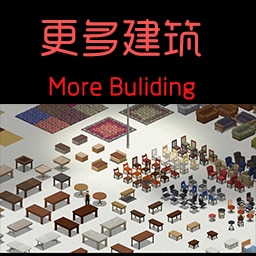
Hi guys, are there any good mods which expand on the base building aspect? More stuff to build, etc
zealous wing
hollow latch
Hi guys, are there any good mods which expand on the base building aspect? More ...
More Build Mod adds some new buildables.
Made some Ice Cream Sandviches:


 hollow latch
zealous wing
More Build Mod adds some new buildables.
hollow latch
zealous wing
More Build Mod adds some new buildables.
 zealous wing
hollow latch
This one? https://steamcommunity.com/sharedfiles/filedetails/?id=515555911
zealous wing
hollow latch
This one? https://steamcommunity.com/sharedfiles/filedetails/?id=515555911
Yes.
hollow latch
Thanks 🙂
fast girder
main lion
Do you have a special shotgun you want?
Chiappa triple crown if you ask me


 severe ridge
almost 100% people, just need to fix some uv related to the player model and it's good to go. all you need its to group your desired mesh to the specific linked vertex group in the model and remove the vertex groups you're not using.
The only workaround is... You can't delete parents of a vertex group or bone, so you have to hide the necessary parts in the UV, there's probably a better way to do this, but mission accomplished
@grizzled grove luv ❤️
It's some work but now everything is possible
btw, use FBX to this, don't even mind about DirectX wizardry
I'll probably explore and try more stuff before updating anything, no rush :B but we can pretty much use any model right now and link it separately in the player model
Still using old Blender for weapons and such tho 8V lul
willow estuary
 fallow bridge
main lion
Do you have a special shotgun you want?
fallow bridge
main lion
Do you have a special shotgun you want?
Trench gun
 old harbor
fast girder
Chiappa triple crown if you ask me
old harbor
fast girder
Chiappa triple crown if you ask me
stalker happy noise

 main lion
fallow bridge
Trench gun
main lion
fallow bridge
Trench gun
and M1897 trench gun is already in mod!
fallow bridge
Oh neat
main lion
plucky nova
oh! i know its not a shotgun but can you make a g43?
I'll make the g43 a little later..
fallow bridge
main lion
and M1897 trench gun is already in mod!
How about a Six12?
It’s basically a not trash pancor jackhammer
That actually works
main lion
fallow bridge
How about a Six12?
I have prepared a picture to make six12
fallow bridge
You got a saiga in there as well?
main lion
 fallow bridge
Looks hot
main lion
thanks)
fallow bridge
They also look like vanilla guns almost
Which few people do
@main lion how many guns have you textured/made so far?
main lion
for the new update?
fallow bridge
For your mod in general
Speaking of your mod what is it called? @main lion
Or will be called
main lion
Brita's Weapon Pack
main lion
Currently, there are about 120 gun variants in the mod.
and There are about 120 ~ 140 new weapons available for the new update.
severe ridge
fallow bridge
I have fps issues with that
you have fps issues with everything 👀 have you tried to manually allocate memory to the game and/or remove limits for RAM/VRAM use?
i remember i had the same issues when i first started to play skyrim years ago
drifting ore
@main lion Same guy who does the nice guns.......nice to meet a gun maker. Anytime you'll be doing a minigun or a nuke or a rpg?
main lion
drifting ore
<@!303435129873891340> Same guy who does the nice guns.......nice to meet a gun ...
I can make them, but I don't think it fits with vanilla motion ((
drifting ore
Ah. So your only a gun maker or?
zealous wing
A nuke is waaay too much bullshit for this game.
A man portable minigun is almost as much bullshit.
An RPG or its US equivalent would make marginally more sense for this game. BARELY.
craggy furnace
i should finish mine
drifting ore
I want to see a town or louisville get nuked.
craggy furnace
an M72 makes sense and is very balanced
it gets used and then is worthless
practically a directed pipe bomb
zealous wing
Semi-related, but that happens in the Return of the Living Dead.
Louisville actually gets nuked.
IIRC, TIS choosing KY as the setting was mostly inspired by those early zombie movies?
severe ridge
i have a minigun on debug lul
m134
but yeah, i can't see it fitting in the game, i just use it for the luls
drifting ore
Too overkill? Hmm.....what if we made a interesting ice sword?
zealous wing
A man portable minigun weighs, what? 50 kilos?
severe ridge
😆 maybe for fantasy oriented items, but even so, less is more in PZ
mine's around that /hmm, without 6> str its just always burdening
but nobody really carries a m134 ofc
even less a mk19 :p
craggy furnace
PZ already has an ice sword
drifting ore
what is it? a popsicle?
main lion
drifting ore
Ah. So your only a gun maker or?
I'm also making guns and equipment
like gas mask


 severe ridge
👌
drifting ore
What about gauntlets?
severe ridge

main lion
I haven't tried it yet because I don't know how to handle the bones of 3d tools (
drifting ore
Maybe for protection, pawlow makes a spiked gauntlet for the fantasy pack so i can get some pieces together from other mods to make a bad ass Ash williams character.
main lion
I don't know how to apply clothes and equipment in-game yet, so I try to focus on the guns..
main lion
severe ridge
👌
thanks!
severe ridge
Brita's weapons
https://nyc3.digitaloceanspaces.com/memecreator-cdn/media/__processed__/f62/template-everyone-liked-that-0c6db91aec9c.jpg
 drifting ore
They look good for a hazmat suit or combat.
drifting ore
What about those paint masks?
main lion
I haven't finished that work to release yet ((
craggy furnace
@main lion i have an M45 if you require good reference images
main lion
craggy furnace
<@!303435129873891340> i have an M45 if you require good reference images
oh, I have M45 mask
 main lion
 main lion
yep very rare one )
craggy furnace
i have an SF10 too


 autumn sierra
I feel like a sako 85 or a Winchester model 70 would fit the game well, if you need more gun suggestions
There’s a sako 85 in like every zombie game for some reason
fallow bridge
severe ridge
you have fps issues with everything 👀 have you tried to manually allocate memo...
I did the first one but i don’t know how to do the second one
main lion
autumn sierra
I feel like a sako 85 or a Winchester model 70 would fit the game well, if you n...

oh, I made sako85 last week
Savage Model 12 and Sako 85
severe ridge
cute
autumn sierra
Dang bro that looks great! Really does look vanilla which is perfect
main lion
autumn sierra
Dang bro that looks great! Really does look vanilla which is perfect
Thanks man)
autumn sierra
Yeah np
severe ridge
my first PZ rigged model (which Filibuster actually made)
main lion
severe ridge
my first PZ rigged model (which Filibuster actually made)
Did you rigging work on blender?
severe ridge
Yeppers, im using @grizzled grove models and grouping the parts i want to vertex groups related to those bones
grizzled grove
nice!
severe ridge
still learning lmao
grizzled grove
should be able to copy skin weights from the base body in most cases
like boom, done
 blazing totem
@severe ridge + Brita = Zomboid essential mods
eternal garnet
Job is still open
Payment: $100
Job description: Adding custom clothes to the game.
 half chasm
What kind of cloth do you want?
plucky nova
blazing totem
<@!258165773162381322> + Brita = Zomboid essential mods
agreed
fast girder
blazing totem
<@!258165773162381322> + Brita = Zomboid essential mods
true


