#mod_development
1 messages · Page 390 of 1
 shrewd tide
 rotund hazel
ok, followup question, this time about output mapping - again my understanding is that there should be some structure like:
module myModule { craftRecipe <RecipeID> {
    ... // recipe details
    inputs { item 1 [SomeItemOrListOfItems] }
    outputs { item 1 mapper:MyMapper }
    itemMapper MyMapper { correspondingOutputItems = inputItems, }

} }
however, currently getting the following error when i try to load my script:
ERROR: General      f:0> ScriptBucket.LoadScripts> Exception thrown
    java.lang.Exception: Could not find output mapper: GroundMeatType at OutputScript.Load(OutputScript.java:339).```

here is the script itself:
```module Base
{

    craftRecipe shella_MakeGroundMeat
    {
        timedAction = Making,
        Time = 40,
        Tags = AnySurfaceCraft;Cooking,
        category = Cooking,

        inputs
        {
            item 1 tags[SharpKnife] mode:keep flags[MayDegradeLight],
            item 1 [Base.Beef;Base.Steak;Base.Pork;Base.PorkChop;Base.ChickenFillet;Base.TurkeyFillet;Base.MuttonChop;] flags[IsUncookedFoodItem;InheritFoodAge;ItemCount],
        }

        outputs
        {
            item 1 mapper:GroundMeatType,
        }

        itemMapper GroundMeatType
        {
            Base.MincedMeat = Base.Beef,
            Base.MincedMeat = Base.Steak,
            VFX.GroundPork = Base.Pork,
            VFX.GroundPork = Base.PorkChop,
            VFX.GroundChicken = Base.ChickenFillet,
            VFX.GroundTurkey = Base.TurkeyFillet,
            VFX.GroundLamb = Base.MuttonChop,
        }
    }

}```i guess the problem could be that I'm trying to use items from a different mod - in that case, is there some way that I need to import that mod's items so I can access them, that isn't covered by having my mod require that other mod?
 bright fog
You have a left out ; in your second item input
 rotund hazel
bright fog
https://pzwiki.net/wiki/ZedScripts
rotund hazel
bright fog
https://pzwiki.net/wiki/ZedScripts
ah this is super helpful, thanks a lot for all your help and for the wiki entries :)
bright fog
rotund hazel
ah this is super helpful, thanks a lot for all your help and for the wiki entrie...
Also I suggest taking a look at this
https://pz-wiki-modding.github.io/PZ-API-Docs/scripts.html
In regards to craftRecipes it isn't yet as detailed as the wiki as I have yet to move information there, but for the rest it'll be the most detailed usually
Like for item parameters etc
rotund hazel
perfect
bright fog
I keep adding new scripts data to it
rotund hazel
bright fog
You have a left out `;` in your second item input
figured it out - i was also missing the mappers[mapperID] bit for the input
bright fog
Oh yea good catch
rotund hazel
i also see this overlayMapper thing on the wiki example for craftRecipes, are there any details about what that does/would I need to implement it?
bright fog
That's used for crafts that involve a crafting table
@lofty frigate knows it a bit better than me but you link a specific tile to show up in-place of the crafting table based on the input I believe
That's notably used for leather
You should be able to find some examples in the game code
shrewd tide
Might just send the code
 lofty frigate
rotund hazel
i also see this overlayMapper thing on the wiki example for craftRecipes, are th...
lofty frigate
rotund hazel
i also see this overlayMapper thing on the wiki example for craftRecipes, are th...
You can create an OverlayMapper for the result of itemMapper. Then, the name chosen for that OverlayMapper can be used in the workstation—in the style section, you would put that OverlayMapper name. It’s used so overlays appear on the workstation when, for example, a hide is being dried. If you create an OverlayMapper for each type of hide, the corresponding overlay will appear depending on which hide is being dried. Example:
    craftRecipe DryMediumLeather
    {
        itemMapper DryLeatherMedium
        {
            CoyoteMod.CoyoteLeather_Fur_Tan = CoyoteMod.CoyoteLeather_Fur_Tan_Wet,
        }
        overlayMapper
        {
            CoyoteMod.CoyoteLeather_Fur_Tan_Wet = CoyoteLeather,
        }
    }
    entity DryingRackMedium
    {
        component SpriteOverlayConfig
        {
            style CoyoteLeather
            {
                progress 0
                {
                    face S
                    {
                        layer
                        {
                            row = crafted_coyote_0 crafted_coyote_1,
                        }
                    }
                    face E
                    {
                        layer
                        {
                            row = crafted_coyote_3,
                            row = crafted_coyote_2,
                        }
                    }
                }
                progress 50
                {
                    face S
                    {
                        layer
                        {
                            row = crafted_skins_drying_coyote_0 crafted_skins_drying_coyote_1,
                        }
                    }
                    face E
                    {
                        layer
                        {
                            row = crafted_skins_drying_coyote_3,
                            row = crafted_skins_drying_coyote_2,
                        }
                    }
                }
                progress 100
                {
                  ETC
 clear aurora
hey everyone, is there any guide on how to make a clothing mod? i want to try something with a fullbody costume, i have the model in blender but i dont know how to introduce it into the game or maybe if the proportions are right
 silent zealot
Your clothing item can hide bits of the player body, if it's a full transformation costume.
Or just if it covers the player model to avoid clipping.
 haughty pasture
https://steamcommunity.com/sharedfiles/filedetails/?id=3725078880 NOW UP FOR TESTING!!!!


I redid my bit library and APis for b42
Animation are Native for B42 but i will work on batching them in. New animation player so I have to read into it to sync the states
Now includes hook for BANDITS MOD.
haughty pasture
 fresh patio
im developing a zomboid mod downloader

download mods directly to Zomboid/mods directly. can also download whole collection mods. export modlist.
 haughty pasture
https://steamcommunity.com/sharedfiles/filedetails/?id=3725078880
Out Now for Testing on B42! Working on 40-60 players BUTTER with new batch update scaler. Players in one area send a batch update instead of small direct ones. Large Scale meet up and Events arent going to bog you down nearly as much.

I also optimized the bit-lib I made for it 😄
fresh patio
fresh patio
currently not for release
too slow and cant handle very large mod collection without freezing
haughty pasture
add a sleeper or queue
change the files to bit logic so its not running full text.
and its unpacks as it downlaods
should reduce strain on datapacketing and writing
Im assuming its trying to preload a l;arge mod list at once?
memory issue? or runtime?
Let me know if I can help
 peak nymph
do I need to do anything else to create a new tag
i've just defined my item like this
  {
    DisplayCategory = Tool,
    ItemType = base:normal,
    Weight = 0.6,
    Icon = HandDredger,
    Tags = hiemdredging:dredgingtool,
    WorldStaticModel = HandDredger,
  }```

but when I try loop through the tags on my object the tag is nil
```DredgingUtils.isDredgingTool = function(item)
  local itemTags = item:getTags()
  local itemTagArray = itemTags:toArray()
  local isValid = false
  print(item:getName())
  for i = 1, itemTags:size() do
    if itemTagArray[i] then
      local tag = itemTagArray[i]:toString()
print(tag)``` mellow frigate
peak nymph
do I need to do anything else to create a new tag
i've just defined my item like...
mellow frigate
peak nymph
do I need to do anything else to create a new tag
i've just defined my item like...
check https://discord.com/channels/136501320340209664/1448602571810803785 test mod registries exemple. you need to register the tag and then use item:hasTag(yourRegisteredTag)
silent zealot
peak nymph
do I need to do anything else to create a new tag
i've just defined my item like...
Did you make a registries.lua file?
silent zealot
shrewd tide
Mod still not appears
Do you mean it's not showing up in the mod list in-game? Check the mod.info and file structure.
peak nymph
mellow frigate
check https://discord.com/channels/136501320340209664/1448602571810803785 test m...
thanks, this will be what i've missed
silent zealot
Also, that looks like a script file, which shoudl end in .txt not .lua. Also don't use teh same name/path as vanilla files or your not will replacethem.
shrewd tide
silent zealot
Do you mean it's not showing up in the mod list in-game? Check the mod.info and...
It shows, but i cannot spawn it
silent zealot
And unless you're using a namespace other than base, use a name that has no risk of conflicts like "DanSubmachineGun"
silent zealot
shrewd tide
It shows, but i cannot spawn it
do you mean it does not show in the list of items in debug mode?
silent zealot
Or that it does, but there is a probelm when you try to spawn it?
first, check console.txt for "exception" to see if anything failed to load.
Second, what files is the gun defined in, in your mod?
needs to be a txt file under .../media/scripts
You might have an issue using a magazine with a different capacity than MaxAmmo, since this looks like an M4 converted to use 1911 clips. But that probably won't stop it existing, just make reloading weird.
shrewd tide
silent zealot
You might have an issue using a magazine with a different capacity than MaxAmmo,...
No, it's supposed to have it's own mags
silent zealot
Not implemented yet? MagazineType = Base.45Clip,
shrewd tide
silent zealot
Not implemented yet? `MagazineType = Base.45Clip,`
It's supposed to have custom 20rnd magazine
silent zealot
Worry about it once you get the gun to show up in-game.
Same as sorting out models and stuff - for nwo just leave it looking like the M4.
Or M16. Whichever Zomboid uses, I can't remmeber.
there's only 3589 near-identical guns using that lower receiver...
 frank lintel
Show me the G3 !
peak nymph
what's the earliest event its safe to read sandbox options, is it "OnNewGame"?
bright fog
peak nymph
what's the earliest event its safe to read sandbox options, is it "OnNewGame"?
Mod data load
Forgot the exact name wait
mellow frigate
+1 for OnInitGlobalModData
Although: Someone made an global recheck in a recent B42.13+ version of PZ and found out the first available event depends on SP / MP.
Source: "someone said something" 😄
 dull moss
@bronze yoke sry for ping but I vaguely remember you saying that there's a lib that allows you to make traits unavailable from sandbox-level, can you remind me?
 bronze yoke
dull moss
<@119473430289448961> sry for ping but I vaguely remember you saying that there'...
bronze yoke
dull moss
<@119473430289448961> sry for ping but I vaguely remember you saying that there'...

 silent zealot
Just copy a vanilla script changing nothing but the item name name, then start making changes
You also never answered my questions on the file with the script or errors in console.txt
 low nexus
Can anyone confirm, are Realistic Car Physics gone?
 frigid helm
hi i need sum help with a vehicle mod. ive got the model and script all done how do i get the model into the game
its in fbx is there a model converter still for b42
 silent zealot
Project Zomboid's default multiplayer syncs every player to every other player on every tick
Wow. That's pretty terrible design, no wonder multiplayer is so janky.
 warm spire
Does anyone know how hard from a PZ standpoint it'd be to make a L4D tank mod?
haughty pasture
I FINALLY GOT THE RENDERS WORKING! I need to adjust spacing for one line but check it out!
Ill make a custom one for anyone 😄
frigid helm
frigid helm
hi i need sum help with a vehicle mod. ive got the model and script all done how...
can somebody please help me
frigid helm
i think ill just give up
bright fog
frigid helm
its in fbx is there a model converter still for b42
You are supposed to use fbx
Don't use direct x
silent zealot
frigid helm
i think ill just give up
Have you tried following a tutorial on adding a vehicle to Zomboid? I'm pretty sure there is one.
Otherwise what have you done other than make the model, and in what way is it failing to work?
silent zealot
warm spire
Does anyone know how hard from a PZ standpoint it'd be to make a L4D tank mod?
Very. Not impossible, but you'll be fighting with the core "all zombies are normal zombies" design, and adding any custom abilities beyond usual zombie behaviour is going to be a huge undertaking (and possibly a java mod)
Even increasing zombie health has some odd limitations because of the way health gets transmitted in multiplayer.
peak nymph
Does anyone know of any mods that add liquids? Bonus if anyone knows of any mods where a liquid is the output from a craft
bright fog
peak nymph
Does anyone know of any mods that add liquids? Bonus if anyone knows of any mods...
I invite you to read those two
And search the vanilla scripts to see how they define their fluids and craftRecipes that use/output fluids
silent zealot
peak nymph
Does anyone know of any mods that add liquids? Bonus if anyone knows of any mods...
Have you tried to add a fluid and encountered problems?
 unreal pewter
anyone know anything about this? did a little testing and i’m unable to figure out if this is an issue with my mod or if its a b42.18 issue thatll be fixed later. does anyone else have issues with vanilla loot tables just not existing?
bright fog
unreal pewter
anyone know anything about this? did a little testing and i’m unable to figure o...
They did remove some distributions / rooms yes
You can find a full list of the current rooms and distributions there
unreal pewter
huh weird, thank you
bright fog
unreal pewter
huh weird, thank you
Some of these were deprecated if I remember correctly
unreal pewter
makes sense
 shy mantle
Hope that means mapping tools soon (I'm desperate)
unreal pewter
surely itll happen one of these days, the unofficial ones crash my computer every now and then for reasons i cant figure out
unreal pewter
so desks in classrooms still have a distribution table? called ClassroomDesk so im not too sure why desks in classrooms just have no loot
 bright fog
unreal pewter
so desks in classrooms still have a distribution table? called ClassroomDesk so ...
bright fog
unreal pewter
so desks in classrooms still have a distribution table? called ClassroomDesk so ...
Could be a mistake tbh
peak nymph
what's the easiest way to delete an item from an OnCreate method? seems annoying is I have to loop through all player containers to find the container the item is in and remove it
either that or why isn't the fish item being removed in this craft
{
  craftRecipe MakeFishOilHand
  {
      timedAction = Making,
      Time = 200,
      category = Cooking,
      Tags = InHandCraft,
      OnCreate = HIEMOilLamps.OnHandPressFishOil,
      inputs
      {
          item 1 tags[base:uncutfish] flags[IsCookedFoodItem] mode:destroy,
          item 1 [Base.CheeseCloth] mode:keep,
          item 1 tags[base:sharpknife] mode:keep,
          item 1 [*],
          -fluid 0.5 [Water;TaintedWater],
      }
      outputs
      {
      }
  }
}```Hmm
Why do you have an OnCreate for in the first place ?
What is that craft supposed to do ?
unreal pewter
bright fog
Could be a mistake tbh
yeah im looking at the bug reports, and one of the top things is about a rosewood school just not having classroom desk look, so it might just be a bug
bright fog
There's barely any reasons to use OnCreate these days for the majority of recipe applications and what your recipe is supposed to do should probably not use an OnCreate
unreal pewter
unreal pewter
yeah im looking at the bug reports, and one of the top things is about a rosewoo...

The Indie Stone Forums
Version: [42.15.2] Mode: Singleplayer Server settings: N/A Mods: None Save: New Save
shrewd tide
Also, sounds are should be in OGG or WAV?
bright fog
shrewd tide
Also, sounds are should be in OGG or WAV?
wav works if I remember right, but preferably in ogg as it's a way lighter format without audibly losing in quality usually
peak nymph
bright fog
What is that craft supposed to do ?
It’s to calculate a fluid amount based on the fish size and add it to the water container
bright fog
I see
peak nymph
I just don’t understand why the fish isn’t getting removed
bright fog
peak nymph
I just don’t understand why the fish isn’t getting removed
Do you have multiple fish in your inventory ?
peak nymph
bright fog
Do you have multiple fish in your inventory ?
Two different kinds of fish so they don’t stack, one of each
but neither gets removed
bright fog
peak nymph
Two different kinds of fish so they don’t stack, one of each
Try with a single one, also you have a flag that makes you use only cooked fish
And do the other ingredients get used ? Perhaps there's a cheat that makes you have infinite ingredient or some shit idk
Also make sure you don't have mods that could interact with the crafting UI
peak nymph
made sure to disable admin cheats, no other mods enabled, and all the other ingredients are kept (I guess that water container isn’t flagged as kept and that isn’t removed but not sure if that doesn’t matter when it’s marked to just -fluid)
I can always just make sure to manually loop through the players inventory to find the fish and then remove it from its container
But it just feels like it shouldn’t be needed
I did spawn in the fish, maybe there’s something strange there as they are normally dynamically created?
unreal pewter
is there a wiki page or forum post somewhere on how to make a custom room definition/loot dist for containers in that room def?
bright fog
unreal pewter
is there a wiki page or forum post somewhere on how to make a custom room defini...
The best is this
https://pzwiki.net/wiki/Procedural_distributions
Doesn't detail how to add your own distribution to rooms tho
unreal pewter
sorry should have deleted hte message but i found this
https://theindiestone.com/forums/index.php?/topic/38329-customizing-loot-4151/
pretty much exactly what i was looking for

The Indie Stone Forums
Here is an example of a simple map mod using custom room definitions, custom loot zones and custom procedural distribution lists using the new loot distribution system (41.51+). 3 gas stations have been placed in a cell intended to be added to the vanilla map via a map mod, the Northern most stat...
bright fog
unreal pewter
sorry should have deleted hte message but i found this
https://theindiestone.com...
I don't know what this is worth tho
unreal pewter
goes in depth on how to make custom room definitions and dist tables and stuff so as long as it still works in b42 itll be useful
before the dist tables changes i used a very specific loot table that was depreciated because i didnt want it to be used anywhere else in the map so i thought id just stop avoiding the problem and learn how to make my own room definition / loot table
bright fog
unreal pewter
before the dist tables changes i used a very specific loot table that was deprec...
It's really easy to do tbh
There's nothing weird with that system for the most part
 atomic bridge
https://steamcommunity.com/sharedfiles/filedetails/?id=3541678579 Im actively trying to update this mod but I only have it in the base orignal 42 mod structure... it has since been broken in subsequent updates and i dont know what i need to do in order to actually get it up and running... if anyone is able to help out , id greatly appreciate it
bright fog
atomic bridge
https://steamcommunity.com/sharedfiles/filedetails/?id=3541678579 Im actively t...
If the mod throws errors, read the errors
That's what you need to do to make it work
unreal pewter
is RainManager buggy or nonfunctional in b42 multiplayer?
or rather has anyone had any issues with it or know about it not working?
frigid helm
bright fog
You are supposed to use fbx
i am using fbx but in the game, it appears entirely invisible, sometimes only some of it shows and sometimes nothing shows at all
frigid helm
silent zealot
Have you tried following a tutorial on adding a vehicle to Zomboid? I'm pretty s...
there is one from over 6 years ago but it doesnt help that much at all, doesnt say alot of basics, ive made the model and made the subfolders, that part is fine since it shows up in the game, its failing to work because the model is not showing up in the game, theres collision but the model itself appears invisible
you cant drive it either or get in
the kettenkrad is a tricky thing, it doesnt have any doors or trunk model, at first i was just going to upload the single mesh of the entire thing which is what ive been doing
hgeres the model
 silent zealot
Isolate the problem. Make an exact copy of a vanilla car, confirm it works, then step by step change it into your vehicle to see exactly where it breaks.
frigid helm
silent zealot
Isolate the problem. Make an exact copy of a vanilla car, confirm it works, then...
ive done that before
i think the issue is that this thing has 3 wheels
well one main wheel and two tracks
bright fog
frigid helm
i am using fbx but in the game, it appears entirely invisible, sometimes only so...
Model problems will NEVER be because of the format you use, that's all you need to know
silent zealot
Give it four wheels, see if that works
frigid helm
scripting wise ive got a simple placeholder to work but with this model it breaks the game
silent zealot
Does the model break the game?
Or does your script with non standard wheels break the game?
frigid helm
silent zealot
Give it four wheels, see if that works
turns into this thing

cant get into it but collisions are there
idk man ts is voodoo magic atp
silent zealot
If you're going to ignore my advice I'm going back to sleep.
frigid helm
silent zealot
Or does your script with non standard wheels break the game?
im unsure which breaks it
im pretty sure its the model since its invisible no?
frigid helm
silent zealot
If you're going to ignore my advice I'm going back to sleep.
im not
silent zealot
silent zealot
You don't know what is breaking it, that's a way to find out what is breaking.
 knotty stone
import an fbx model from another car mod, check your dimension and check the other mod vehicles script for model scale, my guess would be that your model is just overly huge
frigid helm
maybe, i thought that maybe the scale was so off it was appearing off the map, but its very werid
weird
sometimes parts of it would show up
ive never made a vehicle mod before only weapon mods so
im new to it
im gonna use the fiat500r mod since its a tiny vehicle
knotty stone
i mean theres also vanilla fbx and blend file for animated car if you need it
frigid helm
yes i know its just easier since i have the fiat mod already
it should work fine as the vanilla car drstalker told me to try out
frigid helm
silent zealot
You don't know what is breaking it, that's a way to find out what is breaking.
the game wont load anymore 😭 
nvm i got it working
 shrewd silo
frigid helm
turns into this thing
shrewd silo
frigid helm
turns into this thing
is that the crazy frog car?
 shrewd silo
frigid helm
https://tenor.com/view/shoujo-shuumatsu-ryokou-girls-last-tour-kettenkrad-wheeli...
shrewd silo
frigid helm
https://tenor.com/view/shoujo-shuumatsu-ryokou-girls-last-tour-kettenkrad-wheeli...
.>
frigid helm
God its been such a headache tho
frigid helm
silent zealot
You don't know what is breaking it, that's a way to find out what is breaking.
alright ive done what you told me and im pretty sure the model itself is broken or something, it works fine the script is good but when i swap it with my model and meshes it turns invisible
or maybe im not referencing it properly? in the script im using the meshdata name
frigid helm
OH MY GOD ITS RENDERING NOW BUT ITS LIKE THIS
 frigid helm
its rendering in does anyone know how i can get it to be properly in the box

 sonic needle
frigid helm
its rendering in does anyone know how i can get it to be properly in the box
sonic needle
frigid helm
its rendering in does anyone know how i can get it to be properly in the box
there should not be two.
frigid helm
sonic needle
there should not be two.
yeah i know, ive only put in the main frame of it, when i add the rest of it there will be only one
as i did do that but it still sits at that angle
how do i get it to seat properly, i dont know how to do that tbh
sonic needle
either change its coordinates in the text file. or move its location in blender.
frigid helm
sonic needle
either change its coordinates in the text file. or move its location in blender.
i can do rotate = 0.0000 and so on right
in model
model
{
file = 1970fiat600Base,
scale = 0.5000,
offset = 0.0000 0.4700 0.0000,
rotate = 0.0000 90.0000 0.0000,
}
clear aurora
Hey everyone, im working on a challenge mod, and im trying to change the intro text from "this is the end-times..." to other customized, im doing it using the .txt in shared/translate/en/en_ui, but it changes the text for any game even the vanilla challenges or the "normal" mode, it is possible to only change it for an specific challenge?
silent zealot
clear aurora
Hey everyone, im working on a challenge mod, and im trying to change the intro t...
Theres no option for conditional manipulation of the translation files, and the loading screen is in Java so you can't change it with a lua mod.
You could make a custom UI that covers the screen and shows what you want after the player loads into game, but that would be in additional to the loading screen. (and you'd want to pause the game while it was up to avoid teh player being killed by zombies while it covers the screen)
silent zealot
frigid helm
its rendering in does anyone know how i can get it to be properly in the box
I don't know the specifics of vehicle models, but do you have the correct number of materials/textures/meshes? All the model types I've worked with have been very fussy on this.
Also, are there two vehicle models in the exported model file?
frigid helm
silent zealot
I don't know the specifics of vehicle models, but do you have the correct number...
which number is "correct" i dont know theres no guideline for what there needs to be
frigid helm
silent zealot
Also, are there two vehicle models in the exported model file?
theres the model for the other vehicle and then theres my model
i did what you told me so ive been adding my model in pieces over
thats been good but i cant seem to get it into the box now, ive been tweaking with offset and rotation in the script but its pretty hard to just eyeball it till it works
silent zealot
frigid helm
which number is "correct" i dont know theres no guideline for what there needs t...
Have a look at some other vehicle mods and try to figure it out.
For the angle thing, are tehre unapplied rotations? and if so, are they the correct unapplied rotations? Guns are very fussy about this... again I don't know the specific of vehicles but it's worth checking
frigid helm
silent zealot
Have a look at some other vehicle mods and try to figure it out.
how am i supposed to look at their models in blender to see the mesh and object count, the only thing i can do is look at the script and see what they put
silent zealot
Look at their .fbx files?
I know it' s not the same as having a blender file, but it's something
frigid helm
silent zealot
For the angle thing, are tehre unapplied rotations? and if so, are they the corr...
i dont think so, the only rotations are the ones i put in and the ones for the seats
nothing im unaware of
the only thing is my vehicle has no doors
so for pretty much every vehicle mod which are cars its a bit confusing for me
atomic bridge
bright fog
If the mod throws errors, read the errors
it sends hundreds
frigid helm
silent zealot
download a motorbike mod
theres no motorcycle mod for b42 yet
eitherway i managed to get it properly fitted into the square!
silent zealot
hooray!
atomic bridge
Shooting my request again here... im trying to update the REMOD to the current version of build42.18 but im not sure what has changed in the distributions of character items like clothes and how to get them to get findable and usable in the current multiplayer... its already functional on build 41 and the orignal pre-mp build 42... just looking for a hand 🙂
silent zealot
To get better help... what is not working/what are the errors, and what have you tried so far?
bright fog
atomic bridge
it sends hundreds
It will be the same error, read it
peak nymph
bright fog
Try with a single one, also you have a flag that makes you use only cooked fish
Just noticed when I have one fish it says I have 36/1 fish, each 0.1 weight of fish seems to be a unit as far as crafting is concerned, is there a flag or mode that detects a whole fish instead?
bright fog
peak nymph
Just noticed when I have one fish it says I have 36/1 fish, each 0.1 weight of f...
Yea
Check the list of flags on the wiki
peak nymph
bright fog
Check the list of flags on the wiki
it sound like flags IsWholeFoodItem should do what I want, but it no longer detects the fish once i add that
item 1 tags[base:uncutfish] mode:destroy flags[IsCookedFoodItem;IsWholeFoodItem],
nevermind, it was ItemCount I needed, that's solved all my problems, thanks so much for your help
 dreamy quail
yo fellas i got these and all finally calm loops left before i finish the gameplay stuff for my mod can yall give me suggestions

mayb dm me some music or smth for this hell you can even suggest your selfmade stuff
 north arrow
Hello pz modders.
Im a rookie looking to get into map making, I just wanted to know if I can use the current map tools for 42 and if its safe to do so.
 icy night
north arrow
Hello pz modders.
Im a rookie looking to get into map making, I just wanted to k...
icy night
north arrow
Hello pz modders.
Im a rookie looking to get into map making, I just wanted to k...
#mapping People in this channel probably know
 modest tusk
 rich loom
for Guns of '93 with 42.18, guns are no longer spawning on the ground in Stendo's and now there are no ammo boxes. Were there any modding changes related to this that may have caused it?

 brittle swift
Debugging question, is there a way in game with debug mode to see an item's tags? I'm trying to troubleshoot my mod not working and I can't tell if it's a problem with the recipe or the item since the recipe calls for a tag and i'm adding the tag to the item.
brittle swift
rich loom
for Guns of '93 with 42.18, guns are no longer spawning on the ground in Stendo'...
I don't think that was a mod, that was a change to the base game in 42.17. They mentioned it in the blog post that the layout was a test case and they've removed it to use it elsewhere
Specifically in the 'Locations, Locations' blog under Loot Adjustments
 upbeat turtle
this ^^
rich loom
brittle swift
I don't think that was a mod, that was a change to the base game in 42.17. They...
ohhhhhhhh so both the guns on the wall and the ammo cases were part of that and were removed?
drats
brittle swift
Correct
It was a 'story scene' that was just forced for that location to test it
Good news, I figured out where to check the tag information and confirmed that to be the root cause. Bad news, I'm not entirely sure where I'm going wrong with it since i'm just adding a vanilla tag to a vanilla item so it can be used in a vanilla recipe. 😕
bronze yoke
how are you adding the tag?
 viral zinc
brittle swift
I don't think that was a mod, that was a change to the base game in 42.17. They...
viral zinc
brittle swift
I don't think that was a mod, that was a change to the base game in 42.17. They...
What a pity. It was really cool
brittle swift
Here's the start of the file with the first of many items
module Base {
item Base.OldBrake1 {
Tags = base:hasmetal;base:smeltablesteelsmall,
}
That's the syntax someone gave me before
bronze yoke
the item name shouldn't include the module there
bronze yoke
item Base.OldBrake1 {```


is basically saying `Base.Base.OldBrake1`I was copy pasting the item ids to make sure i didn't typo
Ok, scrubbed the Base from the recipe name but it still doesn't seem to be working. For better or for worse i'm not getting errors in the console 😒
🤦♂️
Apparently when I created the file my code editor dropped it in the wrong directory so it was in an earlier version locked folder so it wasn't even loading.
Ok, good news is now it's working. Bad news is now I need to figure out how to remove a tag from a vanilla item
silent zealot
brittle swift
It was a 'story scene' that was just forced for that location to test it
I really wish we could write "Random Stories" in lua, modders could do so much with that. But they are all java classes. 🙁
north arrow
icy night
<#279303619277488128> People in this channel probably know
Thank you
 main marten
Any chance I could come here to find someone to make a pretty advanced mod for a server 👀?
bright fog
main marten
Any chance I could come here to find someone to make a pretty advanced mod for a...
main marten
bright fog
https://pzwiki.net/wiki/Mods#Commissions
Thanks big dawg
 ionic vale
Found a couple errors and things that are outdated within PZwiki as of the recent couple builds. How can I go about either editing or mentioning these changes? (Nevermind, fixed and revised the wiki pages myself)
 shadow quiver
I am looking to make a mod to add armoured vehicle parts so when you click the install menu in the vehicle mechanics list you can install the default part as normal, but also armoured options etc too,
This is probably full of errors, but was hoping someone might be able to check it reads ok for what I intend before I move to look at the installation process etc.
item Standard_Vehicle_Hood_Armor_Reinforced
{
DisplayCategory = VehicleMechanics,
DisplayName = Standard Vehicle Hood Armor Reinforced,
Type = Normal,
ItemType = base:normal,
Icon = MetalSheet,
ConditionMax = 100,
ChanceToSpawnDamaged = 25,
MechanicsItem = TRUE,
Weight = 4.5,
MetalValue = 45,
WorldStaticModel = MetalSheet,
Tooltip = Tooltip_VehicleArmorHoodPlate,
Tags = VehiclePart;Armor
ReplaceTypes = Hood,
Does that seem ok, or is there anything that needs adding/removing/fixing etc?
knotty stone
type is no longer valid, since its itemtype. and you missed a comma at end of tags
shadow quiver
knotty stone
type is no longer valid, since its itemtype. and you missed a comma at end of ta...
Thank you 🙂
knotty stone
if you use vscode i recommend you get ZedScripts extension
shadow quiver
knotty stone
if you use vscode i recommend you get ZedScripts extension
Yeah, starting to realise what it is trying to tell me as I spend more time in there 🙂
bright fog
shadow quiver
Yeah, starting to realise what it is trying to tell me as I spend more time in t...
You were using it when you had that type problem ?
shadow quiver
bright fog
You were using it when you had that type problem ?
the extension or the mod? the mod isn't done yet, as I was wanting to get the item layout right before moving on. The extension is in place and I'm learning what the different "notices" are telling me lol
bright fog
shadow quiver
the extension or the mod? the mod isn't done yet, as I was wanting to get the it...
If you find something unclear don't hesitate, I'm the creator of the extension
ionic vale
bright fog
If you find something unclear don't hesitate, I'm the creator of the extension
Your modding tutorial videos got me interested in learning PZ modding!
haughty pasture

Adjust your servers eating and drinking speed on the fly!
Mod: https://steamcommunity.com/sharedfiles/filedetails/?id=3726845507
Im developing a server with fresh new mods made by me.
Realism Hardcore Roleplay for the enthusiasts and Content Creators looking to make quality content with a good story line. Register today on our discord!
http...
haughty pasture
shadow quiver
bright fog
If you find something unclear don't hesitate, I'm the creator of the extension
Thank you, im sure ill be back with lots more questions 🤣
 grand condor
Hello, can someone tell me how to add 3D objects in the mod?
 wraith carbon
hey would there be a way to add different attachment types to a weapon without having to override the weapon? im trying to add maces and short bat varients to my belt by making the attachment type a sword
it works but i would like to make it cleaner
bright fog
wraith carbon
hey would there be a way to add different attachment types to a weapon without h...
First off, you can't override weapons
If you copy their item script into your own mod, you'll just do a soft override of every parameters
wraith carbon
ok because it said overrides project zomboid i assumed it overrided it
im a bit new to modding


like i said it works but i was wondering is there was a way to just make the attachment type a sword without having to copy the entire item
bright fog
wraith carbon
ok because it said overrides project zomboid i assumed it overrided it
What said that ?
shadow quiver
Hello folks, I was wondering if anyone could help me work out how to add armoured parts to the install list to replace existing default parts. I have scripted for the hood to be moved to a new Armor section of the vehicle mechanics screen, but can't work out what I need to do to get my parts to appear as options on the right click > install menu
I have the replacement parts, skills and tools needed to install the new part, but they don't want to appear on this menu 🙁
 bright fog
wraith carbon
like i said it works but i was wondering is there was a way to just make the att...
bright fog
wraith carbon
like i said it works but i was wondering is there was a way to just make the att...
What parameter is that ?
 main pasture
shadow quiver
Hello folks, I was wondering if anyone could help me work out how to add armoure...
main pasture
shadow quiver
Hello folks, I was wondering if anyone could help me work out how to add armoure...
Did you add your armor item to itemType of the part? It defines what you can install there
shadow quiver
main pasture
Did you add your armor item to itemType of the part? It defines what you can ins...
module Base
{
item Standard_Vehicle_Hood_Armor_Scrap
{
DisplayCategory = VehicleMechanics,
DisplayNameTag = "Standard Vehicle Hood Armor Scrap",
** ItemType = base:normal,**
Icon = MetalSheet,
ConditionMax = 100,
ChanceToSpawnDamaged = 25,
MechanicsItem = TRUE,
Weight = 2.5,
MetalValue = 15,
WorldStaticModel = MetalSheet,
Tooltip = Tooltip_VehicleArmorHoodPlate,
Tags = VehiclePart;Armor,
ReplaceTypes = Hood,
}
This part?
main pasture
shadow quiver
module Base
{
item Standard_Vehicle_Hood_Armor_Scrap
{
DisplayCa...
No. The vehicle part definition in the vehicle script
shadow quiver
main pasture
No. The vehicle part definition in the vehicle script
module Base
{
template VehicleArmor
{
category = Armor
{
/* This links the visual section header to your IGUI.json key */
name = IGUI_VehicleCategoryArmor,
}
    part Hood
    {
        category = Armor,

        itemType = Standard_Vehicle_Hood_Armor_Scrap,
        itemType = Standard_Vehicle_Hood_Armor_Standard,
        itemType = Standard_Vehicle_Hood_Armor_Reinforced,
    }
}
}
Like this?
main pasture
If I remember correctly, it should be just one itemType with different items separated by ;
shadow quiver
Still no luck I'm afraid
module Base
{
template VehicleArmor
{
category = Armor
{
/* This links the visual section header to your IGUI.json key */
name = IGUI_VehicleCategoryArmor,
}
    part Hood
    {
        category = Armor,

        itemType = Standard_Vehicle_Hood_Armor_Scrap; Standard_Vehicle_Hood_Armor_Standard; Standard_Vehicle_Hood_Armor_Reinforced,
    }
}
}
 main pasture
shadow quiver
Still no luck I'm afraid
module Base
{
template VehicleArmor
{
...
main pasture
shadow quiver
Still no luck I'm afraid
module Base
{
template VehicleArmor
{
...
There should be "Base." prefix on each item
shadow quiver
main pasture
There should be "Base." prefix on each item
Updated and still same issue 🙁
itemType = Base.Standard_Vehicle_Hood_Armor_Scrap; Base.Standard_Vehicle_Hood_Armor_Standard; Base.Standard_Vehicle_Hood_Armor_Reinforced,
main pasture
shadow quiver
Updated and still same issue 🙁
itemType = Base.Standard_Vehicle_Hood_Armor_Sc...
That should be the correct format. Is standard hood still the only option?
shadow quiver
main pasture
That should be the correct format. Is standard hood still the only option?
Yeah, I'm afraid so 🙁
Could it be the install/uninstall script?
module Base
{
-- ==========================================
-- INSTALLATION RECIPES
-- ==========================================
vehicle-recipe Install_ArmorHood_Scrap
{
    tools = WeldingMask,
    proptext = PropaneTorch=4;BlowTorch=4,
    skills = Mechanics=3;MetalWelding=2,
    time = 150,
    anim = InstallVehiclePart,
}

vehicle-recipe Install_ArmorHood_Standard
{
    tools = WeldingMask,
    proptext = PropaneTorch=6;BlowTorch=6,
    skills = Mechanics=6;MetalWelding=4,
    time = 200,
    anim = InstallVehiclePart,
}

vehicle-recipe Install_ArmorHood_Reinforced
{
    tools = WeldingMask,
    proptext = PropaneTorch=8;BlowTorch=8,
    skills = Mechanics=8;MetalWelding=6,
    time = 250,
    anim = InstallVehiclePart,
}

-- ==========================================
-- UNINSTALLATION RECIPES
-- ==========================================

vehicle-recipe Uninstall_ArmorHood
{
    tools = WeldingMask,
    proptext = PropaneTorch=3;BlowTorch=3,
    skills = Mechanics=3;MetalWelding=2,
    time = 120,
    anim = UninstallVehiclePart,
}
}
main pasture
shadow quiver
Updated and still same issue 🙁
itemType = Base.Standard_Vehicle_Hood_Armor_Sc...
With that configuration it should only show your custom items. Are there any errors?
shadow quiver
main pasture
With that configuration it should only show your custom items. Are there any err...
Nope, i have checked the console.txt and I have the error magnifier mod installed to help spot them during loading too, neither show any issues
knotty stone
Template vehicle armor should be in script after the hood template too
shadow quiver
knotty stone
Template vehicle armor should be in script after the hood template too
So would I need to add a "template hood" section, or do you mean to move the existing "part hood" above the "template VehicleArmor" section?
grand condor
Hello, can someone tell me how to add 3D objects in the mod?
 sour island
Little sneak peek to gamenight update

Alot of QOL UI mechanics for handling pieces with more ease
 buoyant violet
sour island
Little sneak peek to gamenight update
buoyant violet
sour island
Little sneak peek to gamenight update
when I finally get my friends to play the game with me. and I do host a litttle server we will have gamenight
upbeat turtle
i finally got isoplayer npcs working without java modding 
 bronze yoke
do they show up in mp? that was the major barrier iirc
shrewd silo
upbeat turtle
i finally got isoplayer npcs working without java modding <:steamhappy:145755323...
D-Do you see it? THEY DON'T HAVE SHADOWS!! DEMONS
upbeat turtle
i had to do some black magic to get them to render lol 😂
although no class files were changed, i had to do reflection to pull this off
shrewd silo
upbeat turtle
although no class files were changed, i had to do reflection to pull this off

But they are dead!
I miss my reflections friends. I miss them.
 upbeat turtle
 icy night
Opinions on how I can improve this menu?

Also, what do yall think of the idea of Locked highly skilled professions? I think people who delete their entire saves after death might not like it but those who continue and like to mix it up, it might be enjoyable
upbeat turtle
icy night
Opinions on how I can improve this menu?
a tiny suggestion, what if it flipped between a couple pngs to semi-animate the selected profession icon? basically how they do it in the fallout games 
icy night
upbeat turtle
a tiny suggestion, what if it flipped between a couple pngs to semi-animate the ...
I could try it. I've never thought of trying to gif it
upbeat turtle
instead of trying to load a gif, what im thinking is swapping between 1-5 pngs every other frame
icy night
yea totally
upbeat turtle
it looks hella cool so far 
icy night
thx 🙂 It rotates around very smoothly. I havent gotten controllers to work on it yet though.
 scenic minnow
This might be the wrong chat to ask this, but is there a command in debug to change the ingame time like for example set the time to 9:00 am ?
bright fog
scenic minnow
This might be the wrong chat to ask this, but is there a command in debug to cha...
No
You have to speed up time until you reach that specific time
scenic minnow
I just wanted to sync the "days/hours survived" with the world time up again after a crash where it did differ for like 1,5 hours. In that case I will just wait till the clock hits any given hour, pause and then change the "days/hours survived" instead. Wont be 100% but close enough
Still thank you for your reply!
 past radish
icy night
Opinions on how I can improve this menu?
past radish
icy night
Opinions on how I can improve this menu?
@rich dagger
 rich dagger
Oof Im not good with UI design tbh I think it looks solid af
shadow quiver
Hi folks, is there anywhere that lists all the parts for a car including the IDs the game uses in the background etc?
main pasture
shadow quiver
Hi folks, is there anywhere that lists all the parts for a car including the IDs...
The vanilla vehicle and template scripts are at steamapps/common/ProjectZomboid/media/scripts. You can also access them ingame with lua from VehicleScript class
 queen oasis
scenic minnow
This might be the wrong chat to ask this, but is there a command in debug to cha...
queen oasis
scenic minnow
This might be the wrong chat to ask this, but is there a command in debug to cha...
you can put getGameTime():setTimeOfDay(9) in the little debug console thingy, obv 9 is 9am
 willow helm
is this up date for 42.18 https://pzwiki.net/wiki/Creating_a_trait_mod or are there more up to date guides to create a trait mod
icy night
willow helm
is this up date for 42.18 https://pzwiki.net/wiki/Creating_a_trait_mod or are th...
My pro mover trait mod still works in 42.18 if you wanna use the scripts as a guide for how to create your traits
bright fog
icy night
My pro mover trait mod still works in 42.18 if you wanna use the scripts as a gu...
Already answered him, it's accurate
dreamy quail
o yea btw mods out https://steamcommunity.com/sharedfiles/filedetails/?id=3729006976
 vague hedge
If I want a recipe to pull from a specific mod for an item, does the item required in the recipe need to have the mod's identifier with it? For instance if I wanted an item from Mod1, it would have to be Mod1.Item?
Or does the game just overwrite all items with the same name/function and it won't matter the mod it pulls from?
bronze yoke
it depends on the module the item is defined in
a lot of mods will use a module with the same name as the mod, others will just use base
vague hedge
So if I put the mod I want to pull from under imports it won't need a prefix from the mod I wish to pull from?
or rather the item won't need the prefix*
bronze yoke
you don't import mods, you import modules
vague hedge
modules my bad
bronze yoke
i honestly prefer to not import anything because imports don't work consistently (some things will still need the module specified) so it gets confusing
sour island
I guess look at my shops mod? 😅
 sterile scarab
sour island
I guess look at my shops mod? 😅
sterile scarab
sour island
I guess look at my shops mod? 😅
I have it, but unfortunately, I lack the programming and B42.18 MP knowledge to be able to understand any of it haha.
 spark halo
Hi guys! Thought id try my luck here. Trying to implement a randomizing function to my mod along with an update, but i am no professional, and i can't figure out what is wrong within my code. Would someone help me figure out whats wrong with it please? 
 upbeat harness
spark halo
Hi guys! Thought id try my luck here. Trying to implement a randomizing function...
upbeat harness
spark halo
Hi guys! Thought id try my luck here. Trying to implement a randomizing function...
This should work.
spark halo
Thanks! ❤️ ❤️ ❤️
unreal pewter
is there a good event to call a function that forcibly spawns loot in a specific container? i was doing OnNewGame but getGridSquare cant grab the tile if the player isnt near it, so i need some other method. is there a reliable method for this?
nvm figured it out its OnFillContainer
 arctic flicker
Would someone be so kind as to confirm for me if using images in sandbox tooltips is a little bit janky at the moment? Regardless of size or position mine will overflow the boundary of the tooltip, same goes for text if using a size larger than the default. Is this standard behavior or could I be doing something better to improve it? Picture for reference.

For B42.18 btw
mellow frigate
arctic flicker
Would someone be so kind as to confirm for me if using images in sandbox tooltip...
Last time I checked I had no problems with pictures on Moats mod. but it was before B42.18.
bright fog
arctic flicker
Would someone be so kind as to confirm for me if using images in sandbox tooltip...
Yea that's bcs it doesn't resize based on the image
The solution is to add text right after. I think I usually did a <BR> tag
arctic flicker
I'll play with it a bit. Any idea about the text overlap though SIZE:large just goes right over. Guessing id need to premptively use <LINE> before that happens maybe...
shadow quiver
Hi Folks, can anyone help with the part of a script that handles checking if you have a blow torch in your inv and how much charge it has?
I have this, but not sure if its correct:
-- Normalizes the item string to lowercase so mixed-case strings like "BlowTorch" match cleanly
if string.find(typeLower, "blowtorch") then
local calculatedUnits = 0
-- Verifies if the object holds fuel charges (Drainable)
if item.isDrainable and item:isDrainable() then
    local delta = 0
    if item.getUsedDelta then
        delta = item:getUsedDelta() or 0
    elseif item.getDelta then
        delta = item:getDelta() or 0
    end

    -- Converts standard delta (0.0 - 1.0) cleanly to a visual base-10 value.
    -- Adding 0.05 prevents rounding drop errors in math.floor.
    calculatedUnits = math.floor((delta * 10) + 0.05)
end

-- Catch case: if the torch has gas but rounds to 0, count it as 1 light unit
if calculatedUnits <= 0 and item.getUsedDelta and item:getUsedDelta() > 0 then
    calculatedUnits = 1
end

-- If multiple torches are carried, track the one with the highest fuel count
if calculatedUnits > report.torchUnits then
    report.torchUnits = calculatedUnits
end
end
basically I'm trying to set the UI to check if you have enough charges in the welding torch as part of the ingredients needed for an action
bright fog
arctic flicker
I'll play with it a bit. Any idea about the text overlap though <SIZE:large> jus...
Same idk, I suppose you could make a report / request in #mod_portal to ask for proper fix of it
Or patch it yourself by making a custom tag based on the vanilla one ... idk
A bit annoying but eh
 lilac basalt
Guys, here’s the thing. I’ve been playing Project Zomboid since its earliest releases.
And late game has become so uninteresting to me that I decided to make a mod for myself — something that brings the tension and excitement back.
Today, I decided to share this mod with the world.
With your permission, and with the permission of the admins of this chat, I’d like to ask everyone for a small action that means a lot to me. Please help me reach the long-awaited 25 likes on my Project Zomboid mod in the Steam Workshop.
I’m sure it won’t take much from you, but for me it would be a huge boost and a great source of motivation to keep developing in this direction. And who knows — maybe one day I’ll create the mod of your dreams.
I hope this doesn’t come across as too bold. Wishing everyone kindness and love!
https://steamcommunity.com/sharedfiles/filedetails/?id=3729428150
main pasture
shadow quiver
Hi Folks, can anyone help with the part of a script that handles checking if you...
This works for B42 function GetBlowtorchUses(item) if item:getFullType() and string.contains(string.lower(item:getFullType()), "blowtorch") then --Item is a blowtorch if item:IsDrainable() and not item:isEmptyUses() then --Is drainable and not empty return math.floor(item:getCurrentUsesFloat() * 10 + 0.05) end end return 0 --Not a blowtorch, or empty end
dull moss
https://pzwiki.net/wiki/OnWeaponHitCharacter
says thatit triggers when non-zombie character is hit, while https://pzwiki.net/wiki/IsoZombie says "OnWeaponHitCharacter - triggers when an IsoPlayer hits an IsoGameCharacter, so an IsoZombie as well as an IsoPlayer."

bronze yoke
it definitely doesn't trigger when players are hit
that line of enquiry has been exhausted
bright fog
Pretty sure it did before tho ?
bronze yoke
you're definitely aware that you can't catch zombies hitting players
you had that whole thing for it
bright fog
I thought you meant the other way around
dull moss
follow-up question, is there a reliable way to get damage that zombie will take from attack?
What I am trying to do is to check if player who killed a zombie is specific distance away
 bronze yoke
oh actually
you're right, i just misread what the wiki says, they both say the same thing
bright fog
bronze yoke
you're definitely aware that you can't catch zombies hitting players
But yea no zombies don't trigger that event when hitting anyone
dull moss
what I did befopre was registering OnWeaponHitCharacter and comparing if damage is more than zombie HP but now I read that its not real dmg
bronze yoke
yeah the damage values are bullshit, sim knows all about that
bright fog
Fires when a non-zombie character is hit by an attack from a local player.
Is wrong tho, it triggers when any character is hit by a player
bright fog
dull moss
Well I cant submit edits or anything so sm1 pls do if u feel like it
You need to create an account
But also I don't suggest using the wiki, it can have outdated event docs
I suggest checking out the LuaDocs instead

I need to update these Lua event wiki pages to redirect to that instead
dull moss
bright fog
https://pzwiki.net/wiki/LuaDocs
u mean this? xdddd
 bronze yoke
i think this was something that changed in b42, and i haven't really personally tested things like that
bright fog
dull moss
u mean this? xdddd
Yea tho the source of data is the same, so that data needs to be fixed, I'll do a pull request, unless albion you fix it on your side ?
bright fog
bronze yoke
i think this was something that changed in b42, and i haven't really personally ...
That event already triggered when hitting zombies in B41 at least
Or in the last version of B41 at the very least
bronze yoke
hmmm, i probably would've made the original data in 41.78.16 so i was probably just wrong
bright fog
Can happen
bronze yoke
most of it was based on code and not testing so there's a lot of ambiguity around stuff like that
dull moss
dull moss
what I did befopre was registering `OnWeaponHitCharacter` and comparing if damag...
Regardless, anyone have a tip regarding this?
I thought maybe i can register instead OnZombieDead but i dont see any method on zombie that would point to player who killed it
goal is to track player kills above specific distance
bright fog
Gonna be honest, you're absolutely fucked on that one
You have to do some serious jank
bronze yoke
yeah it's ridiculous
bright fog
If it's even possible to do some remotely correct
dull moss
😭
bronze yoke
despite being a zombie game basically anything involving zombies is notoriously difficult to mod
it's probably because they're basically the oldest system in the game before they were really thinking about modders


 dull moss
AYO HOLUP
 sharp vine
Is there any good websites / Information places to find API calls for Zomboid Where i can find out what SP and MP calls Differ
dull moss
I am either a genius or an idiot
- register OnWeaponHitCharacter
- have a table with last X hits targets and ditance to target
- register OnZombieDead
- compare if dead zombie is in players table and distance is above limit????
bright fog
sharp vine
Is there any good websites / Information places to find API calls for Zomboid Wh...
You can't
sharp vine
You cant be saying that
dull moss
Assuming OnWeaponHitCharacter triggers before OnZombieDead
bright fog
dull moss
I am either a genius or an idiot
- register OnWeaponHitCharacter
- have a table...
Distance is not a good way to know about it
dull moss
wdym?
not only distance, the zombie object too
zombie + distance
cuz its easy to grab distance from OnWeaponHitCharacter
bright fog
sharp vine
You cant be saying that
Sorry was a bit of an abrupt answer and a terrible one lmao, but there's not doc for SP and MP diff no, only Lua events have such documentation
The best you have is the JavaDocs and the decompiled game
sharp vine
Well thanks for the information at least, Iguess i would have to do that instead.
Its just really hard to sync what im Working on correctly
bright fog
sharp vine
Its just really hard to sync what im Working on correctly
Sync what ?
sharp vine
more like a Client vs Server issue
bright fog
You'll have to be way more specific than that if you expect us to help you
Bcs depending on what you're doing, it can be extremely easy
shadow quiver
main pasture
This works for B42 ```function GetBlowtorchUses(item)
if item:getFullType() ...
Thank you, ive been trying to fix this fir hours (granted it was between work), putting that in has fixed the issue
sharp vine
Its because im working on Week one Multiplayer port atm and gotten really far actually its around 70-80% port and is published but after day 7 i need to disable the Zombie despawner but zombies use the same despawner as bandits since Week one is scripted so i need to control the Pop of Bandits while allowing zombies.
dull moss
do zombies have unique id and metod to grab it?
sharp vine
Bandits has an ID like a Hash to know which Ai to despawn but since Zombies and Bandits share same Spawn Pool
bright fog
sharp vine
Bandits has an ID like a Hash to know which Ai to despawn but since Zombies and ...
They use that
https://pzwiki.net/wiki/PersistentOutfitID
if I'm not mistaken (I mean they can't really use anything else, maybe online ID in MP but that's it)
 red tiger
Does anyone here know why PZ has Kotlin's library included?
It's been a bug on my brain lately.
dull moss
dull moss
I am either a genius or an idiot
- register OnWeaponHitCharacter
- have a table...
Im a genius
This solution works (aprox flow)
And you were saying it's hard


dull moss
bright fog
Gonna be honest, you're absolutely fucked on that one
in case something like that comes up again, possible solution ^
i mean not even possible, working one
meant as one of possible solutions
bright fog
dull moss
And you were saying it's hard
No we said it's hard to do anything regarding damage and shit
bright fog
You did a weird thing just to do something that should be extremely obvious for the game
dull moss
I mean yea I agree
Jumping through the hoops
but wcyd
definitely more code that it should be
considering that all i need is to see is how far killer is away from zombie
😭
dreamy quail
https://steamcommunity.com/sharedfiles/filedetails/?id=3729006976 changed the mods name id just now, gonna replace fix some things soon
anyways imma release the decibel patch rn
icy night
I like your passion @dreamy quail
bright fog
icy night
I like your passion <@1035254870472659054>
If only bro wasn't doing aggressive advertising of his mod on the modding wiki
https://pzwiki.net/w/index.php?title=Uploading_mods&curid=149031&diff=1366211&oldid=1346257
queen oasis
fixed it

 crystal idol
Hi, I have a problem with a plushie, was working fine in b41 but I have problems with b42.18
Original axolotl_items.txt
module axolotl
{
imports
{
Base
}
item axolotl_peluche_rosa
{
Weight = 0.2,
Type = Normal,
DisplayName = Peluche Axolotl,
Icon = axolotl_peluche_rosa,
WorldStaticModel = axolotl_peluche_rosa,
}
This Change didn't work:
module axolotl
{
imports
{
Base
}
item axolotl_peluche_rosa
{
Weight = 0.2,
Type = Moveable,
DisplayCategory = Toy,
DisplayName = Peluche Axolotl,
Icon = axolotl_peluche_rosa,
WorldStaticModel = axolotl_peluche_rosa,
}
The error say's
ItemType=null

I just put an example, they are 7 plushies
bright fog
crystal idol
Hi, I have a problem with a plushie, was working fine in b41 but I have problems...
upbeat turtle
making progress with the isoplayer npcs
i wrote a basic follow behavior and got it to properly animate
 distant mountain
upbeat turtle
i wrote a basic follow behavior and got it to properly animate <:spiffo:23216941...
distant mountain
upbeat turtle
i wrote a basic follow behavior and got it to properly animate <:spiffo:23216941...
cool! 🙂
arctic flicker
upbeat turtle
making progress with the isoplayer npcs <:cathappy:1457554335369269329>

Couldn't help myself sorry, it was the first thing that popped into my head lol
dreamy quail
queen oasis
fixed it
still satire promoting lmfao
bright fog
dreamy quail
still satire promoting lmfao
An unwelcomed one bcs then I need to clean up behind your bullshit
crystal idol
bright fog
https://pz-wiki-modding.github.io/PZ-API-Docs/scripts/item.html#item-itemtype
thanks, solved with ItemType = base:normal,
But now the object is no longer 3D; it displays the icon instead of the model when placed on the ground. Where can I read about these changes from build 41 to 42.18?
bright fog
crystal idol
But now the object is no longer 3D; it displays the icon instead of the model wh...
You're not refering to your model script by its full type
Instead you're doing id
I suggest setting up VSCode with ZedScripts if you plan on doing further scripts modding
 stoic ginkgo
Erm guys what is wrong here?
I tried to reinstall my game and verify it it still wont change anything, the magazine reading model is still enormously large and not even the correct model.
is that what i fucked up or is this the devs work?

 quaint delta
stoic ginkgo
quaint delta
stoic ginkgo
is this my issue or do all of u have ts?
silent zealot
stoic ginkgo
Erm guys what is wrong here?
I tried to reinstall my game and verify it it still...
That's the large print edition.
Is that pure vanilla after reininstall, or with your mod active?
stoic ginkgo
silent zealot
Is that pure vanilla after reininstall, or with your mod active?
i found what the issue was, my mod was overwriting the vanillas textures
and models
but what strange is my mod was turned off and it was still happening
any explanation?
silent zealot
After you disabled your mod did you quit and restart the game?
stoic ginkgo
oh u have to do that?
silent zealot
Changing mods resets lua, but does not flush out loaded models/textures
silent zealot
Easy to get caught up on that the first time you hit it.
Also, menu is available before all textures/models are loaded. That's why if you let it sit a while the game loads quicker when you hit "continue"
Also why I spent two very frustrating days trying to troublshoot an addon for spongie's charcter customization before realizing the problem was I was getting to the 3D character image part too early because I was clicking quick for testing, and all the texture were missing.
Then steam banned the mod because nipples are a "violation of community standards"
silent zealot
I use blender. Once you learn it and get practice doing the things you need to do it's... I won't say it's easy, but it's fast to use. But more importantly, it's free and there are a lot of tutorials available for it.
stoic ginkgo
alright thanks
 tall vine
hi, i have a noob modding question - if i want to override just a single function in a lua script, can i create a new mod with a script file that is in the exact same location with the same file name, write just the overidden function in it then put that mod lower than the original in the mod load order?
(context is for me to patch a single function without touching the original mod)
silent zealot
can i create a new mod with a script file that is in the exact same location with the same file name
Never do this - it replaces the entire file and will break other mods. And if you only include one function, everything else will be missing. Always use a unique name for your lua files.
But the good news is you can easily redefine just one function. If possible, do this in a way so your code runs before and.or after the original because that way other mods can also patch the function but sometimes you just have to replace the entire thing.
I'm trying to find something on the wiki that talks about how to hook existing lua functions... I'm sure it exists...
You store the original function in a variable, make a new function with the same name that will replace the original, and your function can call the original using that variable you set.
Best of all, multiple mods can do this to the same function and will just keep wrapping it with new code, instead of replacing the changes.
 broken briar
i have a question, does anyone know how i can change the year date in this game? been tryna make smth similar like this mod
https://steamcommunity.com/sharedfiles/filedetails/?id=3591297292&searchtext=2003
 quick sail
broken briar
i have a question, does anyone know how i can change the year date in this game?...
quick sail
broken briar
i have a question, does anyone know how i can change the year date in this game?...
Don’t know if this is what you mean but the phoenix cheat menu has a option for time warp in the utility options that let’s you set day year month and time for the save
Mod Idea/coding support:
I have an idea to expand the Bandits mod allowing for player inputted zones/areas that have their own hourly spawn chance for specific bandit clans.
Some sort of input box in the bandit clan tab in bandit creator, and once you’ve filled in your selected zone and confirmed it, it’ll list it below and clear the add zone box.
the image from bandit creator, shows a representation of this with the coordinates representing different areas of rosewood and the map is a general representation showing variations in hourly spawn chance in each of those locations with outside those areas still being whatever the general % is set as.
Just given spawning mechanics you would only notice these changes in spawning when you are in the area and have loaded the specific regions.
Some people will probably think what’s the point but this way you can make specific areas more dangerous or ‘bandit controlled’, you can show story progression of different bandit groups through using the zone occurrence and the date occurrence inputs, so an earlier appearing clan may spawn more often in a region or building depending on AI type but later on after the earlier clans spawning window has closed a different clan could spawn at that set coordinate, would also make staying in some of these regions get more dangerous with time, for example a normal run to rosewood becomes a rush to escape before being overwhelmed by increased spawns, and other customizations

 tall vine
silent zealot
> can i create a new mod with a script file that is in the exact same location w...
tall vine
silent zealot
> can i create a new mod with a script file that is in the exact same location w...
DrStalker thank you so much for your very detailed answer, i understand it much better now and also avoided a disaster if i used the same filename!! i like the idea of the hooks, very neat 👍 i will try that out, thanks again 😃
silent zealot
If you have issues with syntax or getting it to work, just ask in here. You can also use AI for general LUA questions; it is very bad at anything project Zomboid specific, but if you give it a LUA function and ask a specific question on how to do something it can be helpful.
tall vine
will do 👍 i haven't used lua before but i am a coder so i was very happy to see that there is a plugin for vs code to help with that side, i am also very happy i discovered this channel as it wasn't in my channel list when i joined and only realised it existed when i saw the pinned message in the mod_support channel 🤣
dull moss
is it possible to access playersMod data on server side when player is offline? talking about running player:getModData() from the server side. I'd assume since its server side it's stored on the server regardless if player is connected or not, but how do i get to that? is there some kind of list or sth xd
bright fog
dull moss
is it possible to access playersMod data on server side when player is offline? ...
Uuuh I don't think so unless you manage to get that player's object
dull moss
😔
 digital sail
Do you know if b42 modified the in-game chat?
 mighty needle
Good evening, gentlemen.
I have the following problem: I'm adding items to players' inventories via server-side, but they don't see them until they log out and log back in. Do you know what I'm missing to force the sync and make the items appear as soon as they're added?
Thanks in advance.
This is my server-side code:
`if onlinePlayers then
for i=0, onlinePlayers:size()-1 do
local player = onlinePlayers:get(i)
local myFaction = GetRealFaction(player)
            if myFaction and myFaction ~= "Nomad" and myFaction == topFaction then
                local inv = player:getInventory()

                for _, item in ipairs(rewardItems) do
                    for j = 1, rewardAmt do
                        player:getInventory():AddItem(item)
                    end
                end

                sendServerCommand(player, "War", "GiveSalary", {
                    items = rewardItems,
                    amount = rewardAmt
                })
            end
        end
    end`
try that
if onlinePlayers then
    for i=0, onlinePlayers:size()-1 do
        local player = onlinePlayers:get(i)
        local myFaction = GetRealFaction(player)

        if myFaction and myFaction ~= "Nomad" and myFaction == topFaction then
            for _, item in ipairs(rewardItems) do
                for j = 1, rewardAmt do
                    player:getInventory():AddItem(item)
                end
            end
            sendClientCommand(player, 'inventory', 'refreshInventory', {})
        end
    end
end
 digital fog
quick sail
Mod Idea/coding support:
I have an idea to expand the Bandits mod allowing for ...
digital fog
quick sail
Mod Idea/coding support:
I have an idea to expand the Bandits mod allowing for ...
this is cool
we also need something like this but with zombies bru..
queen oasis
mighty needle
Good evening, gentlemen.
I have the following problem: I'm adding items to playe...
sendAddItemToContainer(targetContainer, item)```
B42. also, I don't know what your item is, but here item would be an instanceItem and targetContainer is the player inventory upbeat turtle
 shadow quiver
Hi folks, apart from the 3d models, I have most of my vehicle armor mod running, only issue is when I hit vehicles or zombies the armor takes the damage, but when I hit a tree the engine/hood takes the damage as normal - any ideas how to get the trees to get the same treatment or is this not doable at the moment?
 brave halo
Hey everyone. I started modding for PZ recently and I keep noticing that NPCs are the single most requested feature in the community. I think it's a big part of why many players still stick with B41, since the NPC mods there (especially Superb Survivors) are much more advanced than anything available for B42 right now.
I want to be honest: I haven't played PZ in years until recently, and I'm catching up on the current modding scene. But the gap I see with NPCs is the kind of thing I'd love to try to tackle, even if just to understand why nobody else has done it properly yet.
My ambition would be to build NPCs that go beyond what Superb Survivors offered on B41.
Before anyone dismisses this as overreach (which I completely understand), what I'm actually looking for right now is feedback from people who already have more experience than me (probably most of you reading this). I'd love to hear directly from you what the current limits are, what attempts have been made before, and what ideas have already been thrown around. I'm going to dig into all of this over time anyway, but having the conversation now would make my work much easier.
I've already put together some pseudocode, and the core ideas I'm working with are:
- NPCs and events should have real background depth, not just generic random behavior. The background gets built up from things like the NPC's house, their household composition, and other contextual details, all generated through a step-by-step recursive procedure.
- A procedural step-by-step generation system with proper algorithmic cuts and a pipeline to efficiently handle cycles over hundreds of entities. To be clear about what I mean by "recursive" here: I don't mean a function literally calling itself in the traditional sense, which would create tons of open instances and useless overhead. I mean it as an algorithmic concept, there's a leaf case (the base condition where generation stops) and a system that can potentially keep expanding indefinitely based on the data it already has. The actual implementation can be iterative under the hood, what matters is the conceptual structure.
3.Background detail should be tiered based on proximity to the player. Full detail only for NPCs in the same chunk as the player. Lower-detail "shells" for distant ones, scaling up as the player approaches.
For NPC placement, I don't like seeing zombies or NPCs spawning randomly without any logical foundation. So my idea is to start from the actual buildings on the map: distribute NPCs based on the real distribution of houses and beds, assign roles based on building type, and split the population into "locals" (with full background generation) and "transients" (wildcards used to fill gaps, increase difficulty, and justify zombie hordes).
I'd like to analyze the B42 map with more detail than what tools like b42map.com or map.projectzomboid.com give me. Just counting beds isn't enough, because it doesn't distinguish between large vs small houses, social class, etc. This matters a lot for assigning work roles realistically.
Some questions:
Does anyone know if PZ's database includes more detailed info per building beyond coordinates and basic structure? Things like building name, type, size, social class tier, etc.
If not, is there a way to extract or compute this kind of info from the map files directly?
Has anyone already attempted something similar and hit dead ends? I'd love to learn from past attempts.
Any pointers to documentation or threads where this kind of map data is discussed?
I know there are probably gaps in my approach and people here will spot them immediately. That's exactly why I want to talk about it openly before sinking weeks into implementation. Any feedback, criticism, or pointers are very welcome — feel free to comment on anything, not just the questions above.
Thanks for reading.
main pasture
Sounds pretty ambitious. I guess you could take a look at https://pzwiki.net/wiki/Room_definitions_and_item_spawns
 clever veldt
How complicated would it be to create a mod that would just add a blacksmithing recipe to allow the forging of a weapon (the Fighting Knife just as an example)? Peeked through the documentation and pins but just wanna make sure it's as simple as it seems
mellow frigate
clever veldt
How complicated would it be to create a mod that would just add a blacksmithing ...
it is one of the best things to do as a first mod.
clever veldt
Perfect, that's what I'll do then. Maybe after that I'll make a bunch of shirt retextures
 wise sonnet
What system does Project Zomboid use to prevent layered clothing from clipping with each other?
I am trying to port all 3D Models from Project Zomboid into Gmod. I wanted to ask how Indie Stone prevents the layered clothes constantly clipping into each other.
bright fog
wise sonnet
I am trying to port all 3D Models from Project Zomboid into Gmod. I wanted to as...
They hide layers that are beneath the clothing
So they hide the body parts, and hide other clothing
wise sonnet
Can someone/anyone show me exactly wich bodyparts and other clothing parts they hide depending on what clothes have been put on?
Especially vests
dreamy quail
i am lowk js gonna make a mod to replace the first one
still dynamic music just less random
 sturdy junco
Hey all, I did some searching around the Internet and in this chat and I didn't really find an answer, what's the appropriate way to get a player's steam ID? There appears to be a precision issue with player:getSteamId() and I haven't been able to figure out how to work around it.
bronze yoke
getSteamIDFromUsername(player:getUsername())
that returns it as a string, which is probably fine since i don't know why you'd be performing maths on it anyway
sturdy junco
On build 42? I saw your thread mentioning that one but it was returning nil for me, maybe I did something wrong.
E.g.
local onlinePlayers = getOnlinePlayers()
if not onlinePlayers then return '{"playerCount":0,"players":[]}' end
local count = onlinePlayers:size()
local playersJson = ""
for i = 0, count - 1 do
    local p = onlinePlayers:get(i)
    local username = p:getUsername()
    local steamId = getSteamIDFromUsername(username) or "unknown"
it seems like that method only works on the client
i don't remember if that was a restriction in b41, but we didn't do much on the server back then (the authority model made the server borderline useless for most things)
sturdy junco
Interesting. I'll see if I can come up with a way to get the value from the client, where's the normal place to drop suggestions / feedback on modding back to the devs?
bronze yoke
sturdy junco
Coolio, thank you for your help!
 broken pine
is there like an index or such of object types/etc? for instance looking at fixing a mod that uses getFirstTypeRecurse("charcoal") which seems to not find Base.CharcoalCrafted - is there like a group type that would find all suitable 'charcoal's instead?
bronze yoke
item tags would be used for this, i have no idea if there is one for charcoal or not though
broken pine
is there an index somewhere of said tags and the functions to ref them?
was trying to find an example but it's hard when you don't know what you're looking for
bronze yoke
the wiki has a tag list, no descriptions but it does list the items (and it does seem like there's one for charcoal) https://pzwiki.net/wiki/Item_tag
the drop-in replacement here would be getFirstTagRecurse(ItemTag.CHARCOAL), you can find the ItemTag constants listed here https://demiurgequantified.github.io/ProjectZomboidJavaDocs/zombie/scripting/objects/ItemTag.html but they should just be the tag name (minus the base: namespace) in UPPER_SNAKE_CASE
broken pine
ahh ok, so same functions, just a different arg
actually, base.charcoal is there
base:charcoal Charcoal, Coke, Wood Charcoal
cool, easy patch then
upbeat turtle
shiba
 broken pine
that looks a lot less flesh colored bat dragon
upbeat turtle
fr lol
broken pine
hope you saved the old model though for the future horror bosses mod
PZ boss raid version
upbeat turtle
broken pine
hope you saved the old model though for the future horror bosses mod
we also have a long version xD
 broken pine
giraffe boi
 real sierra
@nimble spoke Hi small question. You know how the format for translation txt files changed in 42.15.0 so they are now JSON instead of txt files: is there an official tool for automatically converting those from the old format to the new format? (I don't see one mentioned on the wiki.)
I'm asking because I wrote a little program to convert all the translation files in some of the mods I work on, and I'm wondering: please can you tell me do you think it is likely to be useful to other people if I polished it up and published it?
bronze yoke
there was no official tool release, but there's like 4 of those made by the community already i'm afraid 😅
real sierra
Thank you!
bronze yoke
i used tcherno's one personally https://github.com/katupia/PZTranslationConverter but there were a few others that seemed to work great too
real sierra
I wonder if they are bug for bug compatible with the old txt file format parser
eh probably not but nobody uses all the old format's bugs on purpose 🙂
upbeat turtle
why the long face 😂
 broken pine
ptero-weiler
bright fog
bronze yoke
the drop-in replacement here would be `getFirstTagRecurse(ItemTag.CHARCOAL)`, yo...
I have the full list in the PZ API Docs too
bright fog
real sierra
<@315927413349416962> Hi small question. You know how the format for translation...
No official but there's a few that exist yes
GitHub
An archive for various modding resources for Project Zomboid. - PZ-Wiki-Modding/Archive.Project-Zomboid-Modding
Albion mentioned one
bright fog
real sierra
eh probably not but nobody uses all the old format's bugs on purpose 🙂
What do you mean by "bugs" ?
upbeat turtle
lol 😭

 frank elbow
bright fog
What do you mean by "bugs" ?
frank elbow
bright fog
What do you mean by "bugs" ?
Presumably they mean “quirks,” of which a subset would accurately be described as bugs
And it certainly had quirks
bright fog
For sure
 nimble spoke
real sierra
<@315927413349416962> Hi small question. You know how the format for translation...
nimble spoke
real sierra
<@315927413349416962> Hi small question. You know how the format for translation...
I dont think we have an official tool. It could be very helpful to the community to have a way to convert automatically
bright fog
nimble spoke
I dont think we have an official tool. It could be very helpful to the community...
https://github.com/katupia/PZTranslationConverter
https://github.com/PZ-Wiki-Modding/Archive.Project-Zomboid-Modding/tree/main/Other%2FTranslationConvertionTools
Some have made such tools, imo it's fine to not have any official one

GitHub
Contribute to katupia/PZTranslationConverter development by creating an account on GitHub.
GitHub
An archive for various modding resources for Project Zomboid. - PZ-Wiki-Modding/Archive.Project-Zomboid-Modding
real sierra
bright fog
What do you mean by "bugs" ?
The txt file parsing is a little bit weird. I'll have to dig up examples later of some of the odd looking things it accepts.
bright fog
real sierra
The txt file parsing is a little bit weird. I'll have to dig up examples later o...
I'm well aware of things it can accept lol
I made a parser for it for my ZedScripts extension
 swift stream
Whats this animation name? where I can find it? box packing
 bright fog
swift stream
Whats this animation name? where I can find it? box packing
bright fog
swift stream
Whats this animation name? where I can find it? box packing
There's an "Animation Viewer" debug menu which you can check every animations in the game
And you can find animations in the media/anims_X folder in your game folder
swift stream
Thanks, is Bob_IdlePackBox
function ISPackBookSetAction:start()
self:setActionAnim("Bob_IdlePackBox")
end
what did i miss here?

 cyan vapor
swift stream
function ISPackBookSetAction:start()
self:setActionAnim("Bob_IdlePackBox")
e...
cyan vapor
swift stream
function ISPackBookSetAction:start()
self:setActionAnim("Bob_IdlePackBox")
e...
function ISPackBookSetAction:start()
ISBaseTimedAction.start(self)
self:setActionAnim("Bob_IdlePackBox")
end
Maybe this?
swift stream
i tried but failed 🥲
It's not always the case that when interacting with the 5 books in the series, the vanilla version gives the option to pack them. I'm trying to create a mod that forces packing when interacting with volume 1 if the player has all 5 books.
cyan vapor
your actual problem is the animation right?
vanilla points to "PackingBox" and not "Bob_IdlePackBox" maybe thats the culprit there
thats what my VS-Code Helper told me about your code:
Your action also uses a non-vanilla animation name:
self:setActionAnim("Bob_IdlePackBox")Use:
self:setActionAnim("PackingBox") self:setOverrideHandModels(nil, "Base.CraftingParcel")
swift stream
thats it!!!!
cyan vapor
swift stream
thats it!!!!
when i started to create my first big mod i also ran into a lot of syntax problems ^^ someone who i asked for help told me to always check vanilla for the correct syntax 😄
it also helped a lot to get OpenAI Codex and have it do this things for me too
upbeat turtle
finished dawgs
i need to change the animal scale on a couple of them xD
that corgi is a real chonker
dreamy quail
welp the full overhaul of my mod is done, went softer with the desc and stuff this time so its more appealing
pretty much features less random stuff, uses only 3 game soundtracks finally
swift stream
is this structure correct? and how translation works? Claude says the code getText() will automatically change based on the player's language.

 bright fog
swift stream
is this structure correct? and how translation works? Claude says the code getTe...
bright fog
swift stream
is this structure correct? and how translation works? Claude says the code getTe...
Yes
swift stream
I did something wrong 
 bright fog
What's your translation file content
swift stream
.txt
IG_UI_PTBR = {
IG_UI_BookSetConverter_Pack = "Empacotar Coleção %1",
IG_UI_BookSetConverter_PackMissing = "Empacotar Coleção %1 (volumes faltando)",
IG_UI_BookSetConverter_TooltipMissing = "Você precisa dos 5 volumes de %1 no seu inventário ou em um container próximo.",
IG_UI_BookSetConverter_Packed = "Empacotei a coleção de %1!",
IG_UI_BookSetConverter_Error = "[BookSetConverter] ERRO: '%1' não encontrado nos scripts.",
}
.json
{
"IG_UI": {
"BookSetConverter_Pack": "Empacotar Coleção %1",
"BookSetConverter_PackMissing": "Empacotar Coleção %1 (volumes faltando)",
"BookSetConverter_TooltipMissing": "Você precisa dos 5 volumes de %1 no seu inventário ou em um container próximo.",
"BookSetConverter_Packed": "Empacotei a coleção de %1!",
"BookSetConverter_Error": "[BookSetConverter] ERRO: '%1' não encontrado nos scripts."
}
}
bright fog
swift stream
.txt
IG_UI_PTBR = {
IG_UI_BookSetConverter_Pack = "Empacotar Coleç...
What did you use to convert your .txt translation to json ?
Bcs that's absolutely not how that works
swift stream
bright fog
Bcs that's absolutely not how that works
Thanks, now it works
 red finch


 vagrant ibex
Hi guys, I hope I'm asking in the right place. My brother made a map mod for our mp game. Just a small island with no loot boxes or anything, just the floor plan of the base we usually make made out of gravel so save redoing it every time.
He uploaded the mod to workshop, added the mod ID to the server.ini, starting a fresh world but it terminates every time it comes to laod the mod. Is there guide somewhere or some help thar can help us get this mod working in multiplayer? It works fine on his single player game.
silent zealot
Are you starting a new world with the map mod?
In single player if you change maps you have to do some extra work to update existing saves... I'd assume the same is true of multiplayer.
Otherwise, check console.txt (or the equivilent for a multiplayer server that I can't remember the name of) for more information.
vagrant ibex
silent zealot
Are you starting a new world with the map mod?
yeah brand new fresh world, loads a bunch of mods, hits our map then cuts out
silent zealot
Definitely look for errors in the log then.
vagrant ibex
silent zealot
Definitely look for errors in the log then.
yeah he's getting those files for me
dreamy quail
welp my mod is gonna be a b41 only mod for now
unless somebody decides to help with the new low mid high variants for the exploration tracks
dreamy quail
i made it a new mod, has to change the workshop and moe ID but thing just corrupted itself
broken briar
you know i kinda been thinking about making a mod set in 2003 with changes in the map..
such as having that third runaway lane in the airport
vehicles dating from the 1990s to early 2000s
military gear being from late 90s to early 2000s
but im not entirely really sure how i am supposed to approach it since i dont have modding experience
it would be nice if i had some help tbh
 night falcon
Hi y’all, I made a controller aim assist mod for B42 — basically an attempt to make firearms actually usable on a gamepad. Still a work in progress, would love some testers and feedback. https://steamcommunity.com/sharedfiles/filedetails/?id=3731886676
 sage arch
is it possible to hide items in B42? It used to be that not having a DisplayName meant you couldn't see the item on zombies and thus couldn't grab it. This is no longer the case 
 shrewd silo
sage arch
is it possible to hide items in B42? It used to be that not having a DisplayName...
shrewd silo
sage arch
is it possible to hide items in B42? It used to be that not having a DisplayName...
If your intention is applying clothes without appearing in the inventory is to directly add the clothing in the players WornItems
sage arch
shrewd silo
If your intention is applying clothes without appearing in the inventory is to d...
It'd only be for Zeds, not players
shrewd silo
sage arch
It'd only be for Zeds, not players
Then you change their ItemVisuals.
Zombies use that for clothes and stuff
I think you might need to change their descriptor when they spawn since when zombies spawn it takes 1 frame for they apply their actual clothing.
Like the event is triggered before their clothing is updated.
And everything you do with ItemVisuals at that stage will be ignored.
sage arch
shrewd silo
I think you might need to change their descriptor when they spawn since when zom...
Interesting! I didn't know that 😮
shrewd silo
However, it is not a permanent thing to change their clothing this way, as their clothes will be reseted once the player exit and enters the save
is a tricky thing to handle
sage arch
Damn... all from just removing the DisplayName parameter functionality 😭
I'm only used to the method of creating outfits and then assigning them to ZombieZoneDefinitions
Could I just have the item be removed from the zom's inventory when they die? I only care about the user not being able to grab the item off the zombie's corpse
 tranquil kindle
Some modders made it so the item is so heavy when appears on zombie, that player can't pick it up
It used to work at least in B41
sage arch
Well I want it to not display at all in the inventory
The items are just to modify what the zombie looks like, with a specific skin texture. It'd be weird if I let users equip a zombie's skin 😂
main pasture
sage arch
The items are just to modify what the zombie looks like, with a specific skin te...
Adding Hidden = true to the item script seems to hide it from inventory (tested in B42)
sage arch
main pasture
Adding `Hidden = true` to the item script seems to hide it from inventory (teste...
Omg you just saved me so much time, thank you
I was so ready to go down the rabbithole
shrewd silo
main pasture
Adding `Hidden = true` to the item script seems to hide it from inventory (teste...
Huh, neat.
sage arch
Does the method of creating zombie outfits work in multiplayer for B42 or do I need to update that as well?
bright fog
sage arch
is it possible to hide items in B42? It used to be that not having a DisplayName...
Hidden
That's how you do that
bright fog
sage arch
Does the method of creating zombie outfits work in multiplayer for B42 or do I n...
Yes it does
bright fog
sage arch
is it possible to hide items in B42? It used to be that not having a DisplayName...
sage arch
bright fog
Yes it does
Awesome. Nice and simple!
 ember swift
Is there a way to ensure one lua file loads after another within the same mod directory?
#mod_development message
Is just naming it alphabetically as mentioned here reliable?
bronze yoke
in the same mod, yeah it's alphabetical
if you use require() on a file that hasn't loaded yet it'll load early though
ember swift
Ah, that leads me right to my second question. Where is the require() relative to?
Wait... Is running require() as a function different from require [string]?
bronze yoke
no, require [string] is funny syntax for a function call (you can technically call any function that takes 1 string argument this way)
it's relative to shared/, client/, server/, it checks them in that order
ember swift
I know the second one loads modules. I'm used to GLUA where the wonderful include() function exists
Ah, fantastic
bronze yoke
so require("MyFile") checks shared/MyFile.lua, client/MyFile.lua, server/MyFile.lua and stops on the first one that actually exists
ember swift
Gotcha
So if I wanted to throw a lua file in a directory that isn't loaded by default, there's not really a way to use require() to call it?
bronze yoke
yeah no, it's guarded against any shenanigans with relative paths
 pulsar marlin
Hey, does anyone know how to make / would someone be able to make a mod for Project Zomboid that keeps the car wheels in their current steering position when you exit the vehicle, instead of snapping back to the default straight/neutral position? It's a small visual thing but it really bugs me.
silent zealot
I don't think it will be practical via lua - vehicle steering is handled deep in the java.
pulsar marlin
silent zealot
I don't think it will be practical via lua - vehicle steering is handled deep i...
🙁 so im cooked? Why does nobody hate this when the wheels snap back? 😄
silent zealot
To me, the wheels snap back to facing forward any time you're not holding A or D so them doing so when parked is normal. For that matter, they would have been straight before I got out since I don't normally stop while holding the wheel left/right. And the entire steering system is abstracted to work off two binary inputs instead of a proper variable axis.
And when I park my actual real car I will have the wheels straight at the end of the parking maneuver, unless I'm on a steep hill when they get angled for safety.
So I never thought about this issue, and now that I think about it.. it still doesn't bother me. I agree it would be better if the wheels did stay at an angle, but there are much more important things I'd like them to do with vehicle first like please please please make realistic car physics or a similar mod part of vanilla because it makes driving so much nicer than the $#^@ vanilla driving physics.
 patent lance
silent zealot
So I never thought about this issue, and now that I think about it.. it still do...
patent lance
silent zealot
So I never thought about this issue, and now that I think about it.. it still do...
To be honest… The vanilla driving has alot of problems for me and i dont mind most of them. EXEPT THE FACT THAT THE TRUNK IS VISUALLY SHUT WHILE OPEN
bright fog
Are there anyone who has experience with shaders in PZ ?
sage arch
I'm attempting to test out my mod in multiplayer, but I can't seem to get any mods to work in multiplayer. I go to Host -> Edit Selected Settings -> Add a mod, then the game freezes and reloads lua. It looks like it's been added but when I host the game the mods don't get loaded.
The game does not crash or error -- it just doesn't seem to have loaded any mods. The only strange behavior is the reloading lua every time I try to add a mod to the list of mods.
What am I missing?

Do I need to delete all the other server settings I have from other builds?
Oh I think I forgot I have to add them on the workshop tab as well? Although now it errors
sage arch
I figured it out: had to disable the DoLuaChecksum in Settings->Other, also had to aedd them to both Workshop and Mods tab
 thin swan

upbeat harness
thin swan
<a:Cat_Evil:1361188221584670901>
What???
thin swan
upbeat harness
What???
New update for my bicycle mod
Someone was kind enough to make me some sidecars, so now I'm making sure they can be used to bring your animals on adventures 
upbeat harness
thin swan
New update for my bicycle mod
Someone was kind enough to make me some sidecars, ...
can you give ID mod?
thin swan
upbeat harness
can you give ID mod?
https://steamcommunity.com/sharedfiles/filedetails/?id=3461415167
But this update is not live yet
upbeat harness
thin swan
https://steamcommunity.com/sharedfiles/filedetails/?id=3461415167
But this updat...
No problem, we'll wait.
digital sail
I remember seeing a mod for a very small 5x5 map (or something like it) so the server/client would load faster when testing mods. Would you know what it was?
 cursive scroll
thin swan
<a:Cat_Evil:1361188221584670901>
cursive scroll
thin swan
<a:Cat_Evil:1361188221584670901>
peak being made
 hasty crypt
How hard is making mods for the game? I'm a web dev by profession and have made some terraria mods in the past and i found making terraria mods relatively easy
bright fog
hasty crypt
How hard is making mods for the game? I'm a web dev by profession and have made ...
You'll be fine
Check the link at the top in the channel description
 plush salmon
could anyone instruct me on how to manually change a value in the game's files?
 simple helm
Hey everyone I just wanted to say that I am releasing my car carrier to the public, I have been super busy lately. So I have not had time to fix the lights on it. Ima try one of these days but no promises other then that it works great. we have been using it for months in our server and it been working great so far, just a few spawns are a little whacky
https://steamcommunity.com/sharedfiles/filedetails/?id=3444002464
is the carrier itself
part 2 is the script to allow you to load cars. interior vehicles do not work. https://steamcommunity.com/sharedfiles/filedetails/?id=3572571888
silent zealot
simple helm
Hey everyone I just wanted to say that I am releasing my car carrier to the publ...
Nice work!
 minor hare
Hey guys, is it possible to use sandbox-options in recipes like recipes.txt? Like checking if a bool is true or false, or using a value to change something like craft speed or input/output numbers?
silent zealot
Do you have any in-game screenshots? I'm interested in the final design, but not able to spin up a new Zomboid world to test right now.
silent zealot
minor hare
Hey guys, is it possible to use sandbox-options in recipes like recipes.txt? Lik...
The short answer is "no, but also yes.." There are optional functions to test if a recipe is valid/to run after the recipe is used, and those functions can do anything lua does. There is also some limited recipe manipulation possibel with lua.
What parts of the recipe do you want to change?
minor hare
Well, first I have a option that enables/disables a recipe, so if its true, the recipe shows up in the craft window.
Then if another check is true, determines if it gives skill exp or not.
Then like craft speed and such
silent zealot
Are those one-off changes, or something that needs to be assessed each time the recipe is used?
minor hare
Well, I would like to change the values at runtime if possible. So if I change the enable craft option, the recipe shows without needing to exit the game.
silent zealot
But runtime as in "when the game loads, I change them based on sandbox settings" or runtime as in "the values could be different every time the player uses the recipe"
minor hare
Well, both would be acceptable really, but if I was aserver owner, I would like to be able to change them while playing, with admin mode.
So, go into sandbox options, change the bool to toggle the recipe.
I have done something that acted weird with a bool, but it did not act the way I thought it would.
I did a bool check, but the recipe it was supposed to disable/enable, never showed up, but the ones that were not in the if end block toggled lol.
silent zealot
declaration: package: zombie.scripting.entity.components.crafting, class: CraftRecipe
You may notice a lacl of set functions. This makes many modders sad.
And we can't use reflection as a workaround either, since that was disabled. I'm just checking the java to see what you might be able to manage...
you can use getInputs() and getOutputs() to get arrays you can modify. that won't work for time though.
You could hook CraftRecipe.getTime() and modify the return, which would affect it when called from lua (but not java)
Or do something in the Crafting timed action
minor hare
Well its a start at least, I dont want to change the output items, just the amount.
Is it possible to add crafting recipes via .lua instead of .txt?
silent zealot
Maybe in theory.
minor hare
Because from my understanding,almost everything can be hooked in lua.
silent zealot
But I suspect not... I don't think there is any constructor you can access that you could pass teh needed stuff to.
Lua yes, but the issue is things in Java.
minor hare
I see, if I could create or add a recipe via lua, I can do the bool check to enable/disable the recipe atleast, I hope haha.
silent zealot
That's why I mentions you coudl hook getTime(), BUT that will only work when called via lua. Which might be enough, since I think timed actions (where you care about duration) are all lua
about that... there's no "enabled" field.
The design is "if you dont' want a recipce, don't make a script for it" which isn;t helpful.
You could make the recipe an optional mod
So you install MyCoolMod, and the download includes MyCollMod and MyCoolModBonusRecipe
...but that's not something you can turn on and off at runtime
minor hare
That is basically how I did it.
So if I have a recipe defined in a .txt, could I then manipulate it via LUA?
silent zealot
Maybe: use addRequiredSkill(someskill, 12) to disable it
and clearRequiredSkills to enable it
It would still be visible, but because skills max out at 10 no-one could use it.
minor hare
I see, welp its better than nothing.
simple helm
silent zealot
Nice work!
Thanks, I need to update the photos so there in game photo
 weary isle
Does tainted water use some sort of ID? Like for the sake of adding some drinks to a restricted list of foods it is possible with beer (Beer; BeerBottle; BeerCan;)
bronze yoke
<@&671452400221159444>
vague hedge
If I had made a mod, uploaded it and then lost the storage drive it was on, how would I go about restarting working on the mod? Do I just drag what it is from it's workshop folder in steam\workshop\content\108600*numbers*\mods into Zomboid\Workshop?
And would that do things to the mod already installed in the game modloader if I were to change something in the only in Zomboid\Workshop while the one from the steam workshop is still installed on the PC?
silent zealot
vague hedge
If I had made a mod, uploaded it and then lost the storage drive it was on, how ...
Remake the worship file structure, then copy the mod into the mods folder
silent zealot
weary isle
Does tainted water use some sort of ID? Like for the sake of adding some drinks ...
Check fluids.txt. you can't restrict based on containers, but there is list of fluids that you can/can't mix with
vague hedge
silent zealot
Remake the worship file structure, then copy the mod into the mods folder
is this fine?

dragged the mod from the steam workshop folder to there, is there anything else I need to do or can I resume work on it without any issues with mod structure?
swift stream
thin swan
New update for my bicycle mod
Someone was kind enough to make me some sidecars, ...
waiting for this update 😂 🤞
 weary isle
silent zealot
Check fluids.txt. you can't restrict based on containers, but there is list of f...
weary isle
silent zealot
Check fluids.txt. you can't restrict based on containers, but there is list of f...
Ah, well... It is dor the build 41. I should've provided more details...
I don't think I can mix stuff in 41. Or can I?
silent zealot
vague hedge
dragged the mod from the steam workshop folder to there, is there anything else ...
https://pzwiki.net/wiki/Mod_structure Especially the bit about the worshop structure
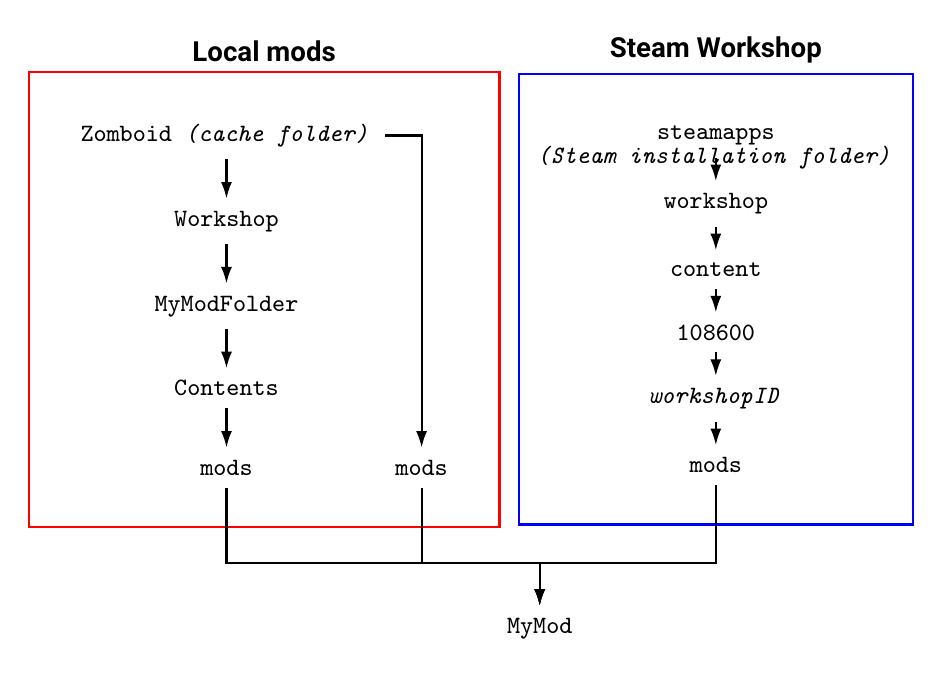
Also, I recommend ubsubscribing from the mod on steam so you don't have two copies. That's a lot easier that woarrying about which one the game is using.
 vague hedge
silent zealot
Also, I recommend ubsubscribing from the mod on steam so you don't have two copi...
vague hedge
silent zealot
Also, I recommend ubsubscribing from the mod on steam so you don't have two copi...
Alr good to know this. Was wondering how the game handled that.
Didn't know the Mod_structure page was on the wiki, only saw the link to the Modding page
silent zealot
There is is a default order I can never remember, and you can change the order with command line arguments, but... so much easier to just not have duplicates. (three possible locations: steam mod downloads, ~/Zomboid/Mods, ~/Zomboid/Workshop/... )
There's been a lot of really good content added to the wiki over B42, it's a good modding resource
vague hedge
Just gonna use the Zomboid\Workshop section for the mod(s) I made so there aren't any "oh yeah there's this in this folder" issues
Sticking to B41 for now, know the most knowledge for that version.
ionic vale
So I am messing around and trying to learn how to create my own buildables for Build42 and a similar question about this seemed to go unanswered on this one..
How can I use an existing tile for a custom buildable entity in B42? In this case, I want to use the crafted_01_65.


 icy night
My little Vault Boy health hud 
 bright fog
ionic vale
So I am messing around and trying to learn how to create my own buildables for B...
bright fog
ionic vale
So I am messing around and trying to learn how to create my own buildables for B...
You can't
Bcs it associates the entity script to that tile via that tile name
So you can't have two
 coral blade
Hey!
**Project Zomboid Mod Updater/Downloader  👑 **
👑 **
Update 1.1.7:
- updated SteamCMD executable.
- updated browser assembly.
- fixed edge case when trying to open downloaded mod folder and program crashes because mod sub folder is different than description.
- restore backup option was returning boolean whereas it shouldn't, fixed.
- program now creates the dummy "mods" folder automatically if not exist for game path.
Instructions:
- download and extract the archive preferably into your PZ installation folder.
- if C:\Users\yourusername\Zomboid\Mods folder doesn't exist, please run the game once just to create the settings environment.
- run with PZModUpdater.exe
- minimum screen resolution required 1600x900
If you have any feedback/bug reports/good vibes, do tell and share...
https://drive.google.com/file/d/1_yCDaG3yRhWBo6Vdz6LH6rz8PJCUjs4S/view?usp=sharing

Google Docs
 cold epoch
Cost me two days but I got my project zomboid server running over ipv6
only cost -nosteam
and reimplementing ZNetNoSteam64.dll and RakNet64.dll
GitHub
Reimplementation of Project Zomboid's Network Bridge (ZNetNoSteam64) - 12brendon34/PZNET
the IPv6 branch has no voip, the base branch does as it links to the original RakNet64
screenshot, doesn't really show anything other then my base, but this is connected over starlink

I run the server on docker, using some random dudes image.
It compiles for linux also ofc
 covert adder
is there a place with all the coding lingo? i looked at the wiki but im not sure where to look for just like the coding terms and stuff
like for example player:getXP()
bright fog
cold epoch
https://github.com/12brendon34/PZNET/tree/IPv6
Interesting
covert adder
can u just use default zomboid icon and model like this for items?
module TestMod
{
item Test
{
DisplayName = Test,
DisplayCategory = Material,
Type = Normal,
Weight = 0.1,
Icon = Item_Sandbag,
WorldStaticModel = Sandbag,
}
}
ionic vale
bright fog
So you can't have two
Would it be safe to assume that I could just duplicate the existing tile I want to use into my own custom tile and use that instead?
bright fog
ionic vale
Would it be safe to assume that I could just duplicate the existing tile I want ...
Yes
That's usually what people do
bright fog
covert adder
can u just use default zomboid icon and model like this for items?
module TestM...
Yes you can reuse those in your own scripts of course
bright fog
Add the correct parameters and fill the values based on the item you're trying to implement
covert adder
well im trying to add Sandbag stuff as you can see are these the right parameter for that? Should I just use what in the game files for the sandbag item?
bright fog
covert adder
well im trying to add Sandbag stuff as you can see are these the right parameter...
Wdym by sandbags ?
covert adder
the item sandbag
yk the building material
item Sandbag
{
DisplayCategory = Material,
Weight = 2,
Type = Drainable,
UseWhileEquipped = FALSE,
UseDelta = 0.25,
DisplayName = Sand Bag,
Icon = Sandbag,
ReplaceOnDeplete = EmptySandbag,
ReplaceInSecondHand = Bag_Sandbag_LHand holdingbagleft,
ReplaceInPrimaryHand = Bag_Sandbag_RHand holdingbagright,
WorldStaticModel = SandBag,
Tooltip = Tooltip_item_empty_sack_container,
}
bright fog
covert adder
item Sandbag
{
DisplayCategory = Material,
Weight = 2,...
Why are you readding it ?
covert adder
bright fog
Why are you readding it ?
what do you mean?
oh wait i see what u mean
im not readding it im just using the static model and icon
ok cool got it to work thanks 🙏
bright fog
covert adder
im not readding it im just using the static model and icon
Yea but what for ? 😅
covert adder
so
bright fog
Also I suggest not naming your script ID the same as the original item preferably to reduce conflicts
covert adder
im making a mod for this server im in it like a life server with no zombie and i wanna make a trucking system right but they have those op Methyl crate with 6k storage + rv interior so I'm making a crate item u can only put in car trunks
and the sandbag was just a good placeholder
for a trucking item
covert adder
bright fog
Also I suggest not naming your script ID the same as the original item preferabl...
mhm okay that fair
covert adder
bright fog
Also I suggest not naming your script ID the same as the original item preferabl...
is the script ID the the after item?
bright fog
Why use a sandbag as a placeholder ?
bright fog
covert adder
is the script ID the the after item?
Yes
bright fog
covert adder
seems fitting?
But that's a crate you're making ?
Also which version of the game ?
covert adder
so should i do something like coding lingo for the script Id then just keep the standard presentable version for the original item?
covert adder
bright fog
But that's a crate you're making ?
yea this is true prob should change the name im just testing rn and it b41
bright fog
Idk it's a bit weird what you're doing tbh 😅
covert adder
yea cuz the server i play on extremely untraditional
it a zomboid server with no zombies
lmfao
bright fog
Why an item tho if it's a buildable ?
covert adder
it not
think of it like this it like material a trucker is hauling right
so it an item
bright fog
Wait you're making the crate or the item I don't get it
bright fog
Oh a small crate ?
covert adder
to then haul
yea something like that
not like an actual crate u place in the world
mb should've been more clear lol
bright fog
covert adder
can i make custom display category?
Yes
covert adder
fire
covert adder
print("Mod Running")

local original_isValid = ISInventoryTransferAction.isValid

function ISInventoryTransferAction:isValid()

    local item = self.item
    local dest = self.destContainer

    if item and item:getFullType() == "Base.Supply_Bag" then

        if not dest then
            return false
        end

        local type = dest:getType()

        -- only allow these containers
        if type == "TruckBed" or type == "Floor" or type == "Inventory" then

        else
            return false
        end
    end

    return original_isValid(self)
end
what am i missing here
im trying to make it so the item Base.Supply_Bag can only be placed in TruckBed, Floor, or the Inventory of the player but some reason it only allows it to be placed in the truckbed
and ignore the other two
shy mantle
covert adder
im trying to make it so the item Base.Supply_Bag can only be placed in TruckBed,...
More prints is usually helpful, you definitely want to print the local type variable you're creating to be sure it matches the intended strings you're checking
covert adder
mhm ok
shy mantle
should also simplify the expression so there's no blank if statement
Using ~= for all of those and returning false or not and surrounding all 3 checks in parentheses
covert adder
yea i tried that didnt rlly help
shy mantle
Did you do the print thing yet?
red tiger
covert adder
ill put it like that once i fix the issue
Oh cool. Someone syncing their logo design energy with mine.
covert adder
lmfao
shy mantle
You guys have identical pfps...
covert adder
how do u guy require code from another mod?
mellow frigate
covert adder
how do u guy require code from another mod?
it depends if it is loose or strong dependency.
strong dependency: set it in the mod.info see require tag on the wiki. https://pzwiki.net/wiki/Mod.info
loose dependency: take exemple on any mod doing it. e.g. AutoTailoring loose dependency on MoodleFramework under media\lua\client\AutoTailoring_Moodles.lua. https://steamcommunity.com/sharedfiles/filedetails/?id=3388183573
In both cases, use require in your lua to ensure load order if you use the dependency at lua load time.
covert adder
mhmm ok
 vale orbit
Hello hello :D A few days ago my sister @vagrant ibex posted on my behalf regarding troubles loading a map mod I have created into the game. It's just a tiny spit of land in the Ohio River where we like to usually build our bases, but this way it saves me having to dig up and/or spawn in a bazillion sacks of gravel.
The server.ini is updated and all files I believe are in the correct place, the map works perfectly fine in SP but whenever I try load the mod into MP, it says 'Terminated' and then 'Normal Termination' afterwards.
I thiiiink these are the error logs and from what I can tell, it's failing to download the mod. Any aid would be mucho appreciated :D
upbeat harness
vale orbit
Hello hello :D A few days ago my sister <@353520826852704256> posted on my behal...
mod 3734572661 is not exist
vale orbit
Any ideas how I can make it exist? I uploaded the mod to the Steam Workshop and also subscribed to it, but when I check my steamapps workshop, the workshop id folder isn't there.
upbeat harness
link to you mod in steam
vale orbit
It was set to Friends only, but I just made it Public so you can see. Here:
https://steamcommunity.com/sharedfiles/filedetails/?id=3734572661
upbeat harness
Now it's there. Try starting the server again.
vale orbit
Oh, hey the files have showed up for me too now! And the server has loaded without issue :D
Was that the problem then? I had it set to Friends only? xD
upbeat harness
Sometimes Steam takes a long time to verify uploaded files in the workshop. Today it was even slower.
vale orbit
Just started a new MP world and my map has loaded in :D
Yay! Thanks for the help, even if all it was was Steam being slow xD
bronze yoke
vale orbit
Oh, hey the files have showed up for me too now! And the server has loaded witho...
workshop mods have to be unlisted or public to work in multiplayer
the server downloads its own copy (even if you're hosting in-game it won't use your normal copy) and it does that anonymously so it can't have restricted access
bright fog
shrewd tide
How you port a modification from B41 to B42?
Depends what the mod does
First off you have to change the structure of the mod files
shrewd tide
bright fog
Depends what the mod does
Yeah, i got permission from KD6 (Author of firearm mods like AR-7, S&W Model 3, Glock 17, Derringer and etc)
bright fog
shrewd tide
Yeah, i got permission from KD6 (Author of firearm mods like AR-7, S&W Model 3, ...
That's not what my remark was for but okay
 flint beacon
is it possible to hot reload textures from a mesh
flint beacon
damn
 trim pelican
uhh


why does it do that for like only 40 pixels
50
help
i want back
changed the colors
it didnt fix
bright fog
Likely because those pixel colors got blured
trim pelican
bright fog
Likely because those pixel colors got blured
how to fix

 bright fog
For further help tho ask in #mapping which is more suited for mapping related questions
bright fog
trim pelican
this is it
If there's a single RGB inexact value it won't work
So you need to make sure to use the exact pixel colors
trim pelican
i used this
 bright fog
Which version of the game ?
trim pelican
wdym?
bright fog
Which build of the game
trim pelican
newest version of 42
bright fog
Those are not the color rules for B42 if I'm not mistaken
bright fog
trim pelican
ohh

GitHub
map.png and map_veg.png Colors. Contribute to pzmapping/B42-Colors development by creating an account on GitHub.
trim pelican
thx
shrewd tide
bright fog
That's not what my remark was for but okay
So, what's next? After i changed the folder structure?
bright fog
shrewd tide
So, what's next? After i changed the folder structure?
Test it out
Also you still haven't answered my question
If you don't, I can't point you in the right direction
shrewd tide
bright fog
If you don't, I can't point you in the right direction
The mods i am porting are firearms mods (that add guns into the game)
 fleet folio
I cannot mod
 next narwhal
MeeM ZomboidiobmZ
 odd dagger
then go to #pz_b42_chat
next narwhal
Well Speaking Of modding.
 atomic parcel
👩❤️💋👩
 crimson salmon
This is the cool chat now.
 iron salmon
@atomic parcel , keep it modding related.
next narwhal
I made this.
local debounce = false
local firsttime = 0
function SpawnHorde()
if isKeyDown(Keyboard.KEY_Q) then
if debounce == false then
debounce = true
if firsttime == 0 then
firsttime = 1
getSoundManager():PlayMusic("media/music/tune20.ogg", "media/music/tune20.ogg", false, 1)
local PlayerX = getPlayer():getCurrentSquare():getX()
local PlayerY = getPlayer():getCurrentSquare():getY()
getWorld():CreateSwarm(1000, PlayerX + 10, PlayerY + 10, PlayerX - 10, PlayerY - 10)
print("Hey you! Nice job at creating hordes.")
getPlayer():Say("OH FUCK WHAT DID I DO")
end
else
debounce = false
end
end
end
Events.OnTick.Add(SpawnHorde)``` vernal jackal
why not use
code
tags
getSoundManager():PrepareMusic("media/music/tune20.ogg")
local debounce = false
local firsttime = 0
function SpawnHorde()
   if isKeyDown(Keyboard.KEY_Q) then

      if debounce == false then
      debounce = true
if firsttime == 0 then
firsttime = 1
getSoundManager():PlayMusic("media/music/tune20.ogg", "media/music/tune20.ogg", false, 1)
      local PlayerX = getPlayer():getCurrentSquare():getX()
      local PlayerY = getPlayer():getCurrentSquare():getY()
      getWorld():CreateSwarm(1000, PlayerX + 10, PlayerY + 10, PlayerX - 10, PlayerY - 10)
      print("Hey you! Nice job at creating hordes.")
      getPlayer():Say("OH FUCK WHAT DID I DO")
end
      else
      debounce = false
      end
   end
end

Events.OnTick.Add(SpawnHorde)
Interesting.
next narwhal
TraitFactory.addTrait("NotAFuckingMemerKillYourself", "Meme Safety", 3, "o Less prone to meme disease<br>o Slower rate of memefication", false);
sure
but i got no tbx files.
TraitFactory.addTrait("Hypercondriac", "FAKE INFECTED", -999999999, "o get scratched and your body wants to kill you", false);
The perfect trait
HYPERCONDRIAC
How do you add new items?
I tried this

Pastebin
vernal jackal
Look at the vanilla script files.
next narwhal
Oh im Dumb.
vernal jackal
module foo
{
    item bar
    {
        ...
    }
}
aaaaaaaaaaaaaaaaaaaa
vernal jackal
"Oh im Dumb." No comment 😛
next narwhal
{
    item EARGUN
    {
        Type                =           Weapon,
        DisplayName         =           Ear Gun,
        Icon                =           Shotgun2,
        Ranged              =           true,
        MinAngle            =           0.88,
        MaxDamage           =           9999.3,
        MinDamage           =           99.3,
        MaxRange            =           8.0,
        SwingAnim           =           Rifle,
        WeaponSprite        =           shotgun,
        SwingSound          =           shotgunEARRAPENOFUCKINGJOKELOL,
        SoundVolume         =           500,
        SoundRadius         =           500,
        AngleFalloff        =           true,
        ToHitModifier       =           1.5,
        NPCSoundBoost       =           99,
        Weight              =           25,
        WeaponWeight        =           1.8,
        DoorDamage          =           20,
        MinimumSwingTime    =           8,
        SwingTime           =           8,
        SwingAmountBeforeImpact =       0.0,
        PushBackMod         =           0.3,
        SplatNumber         =           5,
        KnockBackOnNoDeath  =           false,
        SplatBloodOnNoDeath =           true,
        ImpactSound         =           null,
        RangeFalloff        =           true,
        UseEndurance        =           false,
        ShareDamage         =           false,
        AmmoType            =           ShotgunShells,
        ConditionLowerChanceOneIn =     5,
        ConditionMax              =     150,
        MultipleHitConditionAffected =  false,
    }
}```would this work
i spawn succ.EARGUN
next narwhal
k time to test.
vernal jackal
looks like its formatted correctly at least
vernal jackal
You need to download more RAM probably
odd dagger
i have 8GB ram
vernal jackal
what did you try to do?
next narwhal
download more ram
next narwhal
odd dagger
i tried to switch out the png, bmp so i can increase the roads
next narwhal
You need to download more ram 😄
odd dagger
no the map is toast.