#mod_development
1 messages · Page 336 of 1
 bright fog
ngl I don't even remember what these are LMAO
Ooooh ik !
Ik !
It's actually not me who creates this class
It's something the game does
I think
Wait
Yes
It's the output of SandboxOptionsScreen.createPanel
Oh yea !
Ok so what's going on is that I get a SandboxOptionsScreenPanel instance
local panel = SandboxOptionsScreenPanel:new(self.listbox:getRight() + UI_BORDER_SPACING, self.listbox:getY(), self.width - self.listbox:getRight() - UI_BORDER_SPACING*2-1, self.listbox:getHeight())
But Umbrella, doesn't recognize SandboxOptionsScreenPanel

And so I declared it for better indications of what the modders are getting with this
But that would really be best to just have Umbrella recognize it I think @bronze yoke
Tho I feel like I had already discussed this with you
 bronze yoke
might be ignoring it because it's local or something
bright fog
Here I define it and no errors

Also SandboxOptionsScreenPanel is not defined in a file of the same name
It's defined inside SandboxOptions.lua
bronze yoke
yeah, it's local to another file
 bronze yoke
@frank elbow some lua class annotations are missing here, probably because it's a local?
 frank elbow
Yeah—there's some logic to not emit local classes that it doesn't detect as “used”, which needs some improvement
bright fog
 frank elbow
The ones there certainly should be included
bright fog
Would be cancerous to declare due to this shit anyway
frank elbow
It's ugly, but it would prob be ideal to have it even if it's namespaced with the file or something
bright fog
wdym namespaced with the file ?
 frozen vessel
Guys, how do I make the rear and front bumpers appear in the maintenance menu? I'm using tsarslib as dependency. Also, the car window isn’t going down — any idea how to fix it?
 frank elbow
bright fog
wdym namespaced with the file ?
frank elbow
bright fog
wdym namespaced with the file ?
Like a class name of SandboxOptions.SandboxOptionsScreenPanel for the one in SandboxOptions.lua
bright fog
frozen vessel
Guys, how do I make the rear and front bumpers appear in the maintenance menu? I...
The car window is visually not going down or actually not going down ?
bright fog
frank elbow
Like a class name of `SandboxOptions.SandboxOptionsScreenPanel` for the one in `...
I see
Sounds good
Have local classes be with this name sounds like a good idea, that way you understand where it's from
frank elbow
Thanks for calling it out btw, I'll add an issue to the repo about that later. I had included it as a note somewhere but that note is lost to the ether (or just in a .gitignored directory, probably)
bronze yoke
thanks for all your work!
 rancid cargo
Yooo reshade depth buffer, sadly its super unreliable and unstable((
Did anyone managed it to work properly without buffer reseting all the time?

 quaint tartan
Sorry to respond back late but I'm talking about this template. It seemed as simple as defining one and then giving the ingredients I want that tag in the evolved recipe = section but I think I have to do a bit more then that.
When I try to reuse a vanilla template like soup just to try to get it to function my game crashes when loading and it tells me it cant find my base item that works fine if I dont have template = Soup.
When I have the template set to my custom definition I get a crafting ui error. So would I have to do something within the lua crafting ui files to give it right click functionality?

 modest oak
does pz support armature scaling
like, if i scale the head down, will attachments scale with it because its the bone being scaled instead of the model itself?
bright fog
quaint tartan
Sorry to respond back late but I'm talking about this template. It seemed as sim...
Send your scripts
bright fog
modest oak
like, if i scale the head down, will attachments scale with it because its the b...
No
modest oak

bright fog
modest oak
<:unhappy:721361533636182047>
why ?
modest oak
wanted to scale down the head slightly since it irks me that they are megaminds...
bright fog
rancid cargo
Yooo reshade depth buffer, sadly its super unreliable and unstable((
Did anyone...
@sonic needle has some experience with reshape
 trail ibex
is there a delay between updating a mod and being able to use it in its updated form?
bright fog
trail ibex
is there a delay between updating a mod and being able to use it in its updated ...
Wdym, you already have it locally on your PC so it's already up-to-date ?
You should in fact not download your own mod if you have it locally too
trail ibex
I see
bright fog
Both versions, the local and workshop ones, will clash
 brave bone
Quick question: is it possible to trigger zombie falling down/ stun thing manually through lua?
bright fog
brave bone
Quick question: is it possible to trigger zombie falling down/ stun thing manual...
A stagger ?
brave bone
bright fog
A stagger ?
yeah the stagger thing. where they fall down when hitting or pushing them
bright fog
sec
bright fog
brave bone
yeah the stagger thing. where they fall down when hitting or pushing them

GitHub
The Last of Us Infected is a mod for Project Zomboid which adds the infected of The Last of Us in the game. - SirDoggyJvla/The-Last-of-Us-Infected-B42
Should only need that
brave bone
bright fog
https://github.com/SirDoggyJvla/The-Last-of-Us-Infected-B42/blob/master/Contents...
thank you 🙂
bright fog
There's other methods I believe
bright fog
@agile nacelle that's the kind of visualizing for rays you can get
@bronze yoke in this case, what would be the mistake ? Because it can in fact convert to this type
 bronze yoke
would need to see more of the code to know why it's saying this
most likely you annotated type somewhere with just IsoObjectType
bright fog
    if object:isStairsObject() then
        local type = object:getType()
        if not type then return nil, nil end
        type = tostring(type)
        return type, WorldTools.IsoObjectType[type]
    end
I'm changing the variable (also I should change its name to not get confused with the function)
bronze yoke
i think they might have updated the language server to be more strict......? it doesn't usually care about stuff like this
bronze yoke
it's strictly enforcing type as an IsoObjectType but you never used a type annotation so normally it shouldn't care what you do to type
i'm getting the warning even from```lua
local test = 5
test = "string"
 agile nacelle
bright fog
<@1238866793234305116> that's the kind of visualizing for rays you can get
agile nacelle
bright fog
<@1238866793234305116> that's the kind of visualizing for rays you can get
Better than nothing
bright fog
agile nacelle
Better than nothing
I mean it's great xD
bronze yoke
this is honestly what i want the language server to do, but for lua code that isn't designed for it it's going to result in a lot of false positives 😅
frank elbow
I've always received a warning for this sort of thing, so they might've just switched the default for some option
agile nacelle
bright fog
I mean it's great xD
I'll check it out tomorrow!
i just woke up from a dream at... 3am
bright fog
oof
bronze yoke
bright fog
```lua
if object:isStairsObject() then
local type = object:getType()...
but if you just want to avoid the warning change it to one of these:```lua
if object:isStairsObject() then
---@type IsoObjectType | string
local type = object:getType()
if not type then return nil, nil end
type = tostring(type)
return type, WorldTools.IsoObjectType[type]
end
if object:isStairsObject() then
    local type = object:getType()
    if not type then return nil, nil end
    local typeString = tostring(type)
    return typeString, WorldTools.IsoObjectType[typeString]
end
```👌
declaration: package: zombie.iso.SpriteDetails, enum: IsoObjectType
Does it just defaults to MAX if no type is found ?
Seems like it
bright fog
You can throw a commission request in the modding Discord

Anyway, gonna go sleep so I can wake up early enough tomorrow to be able to actually do sport before I boil from the heat 🥲
 nimble yarrow
I'm still looking for some help turning off collision on a tile / square. Anyone ever do something like that?
I added the "water" flag to an IsoObject's sprite's properties. Now I cannot walk there.
quaint tartan
bright fog
Send your scripts
Oh geez I hope its not something incredibly stupid but it probably is lol 😭 this is everything (also my first time trying to learn this stuff)
frozen vessel
bright fog
The car window is visually not going down or actually not going down ?
its visually not going down
 terse delta
Can you disable/modify vanilla recipe?
 silent zealot
Not as much as we'd like to be able to.
declaration: package: zombie.scripting.entity.components.crafting, class: CraftRecipe
You can get ArrayLists for the inputs and outputs and change them, maybe do similar for the required skills...
but there are almost no set methods

 tranquil kindle
Is there an way to make right click context menu option which would change TextureChoices from XML files for diffrent/next/random one for certain items? I'd like to make a option to allow to pick diffrent texture, without relying on creating Completly new items which would have only one texture choice and using Recipes and such if its possible. I got a feeling that i once saw a mod that allowed something like that, but can't really tell and find it. B41 but if it worked for both b41 and b42 it would be even beter.
 tranquil kindle
Oh i see this mod, yeah something similar to this. I might need to check it out. I could manage it with recipes and i belive in b42 it would be even easier with the recipe changes they've done, but it would require me to pretty much reddo most itemscripts.
Thanks
silent zealot
setTextureChoice() works for itemvisuals
tranquil kindle
OH, there is setter for it? I tried looking for one, but maybe i missed it
Thats helpfull
silent zealot
that's not for inventoryitem, which is probably what you ware loooking for - that for the visual associated with worn items
tranquil kindle
For now my best bet would be checking out transmog mod. Seems as close to thing i'd need for now
silent zealot
It's in the game, it just doesn't show up on character creation
MainCreationMethods.lua:
 bright fog
frozen vessel
its visually not going down
bright fog
frozen vessel
its visually not going down
Bcs your car doesn't have a 3D interior ?
bright fog
quaint tartan
Oh geez I hope its not something incredibly stupid but it probably is lol 😭 thi...
I won't download that
silent zealot
did some checking while looking for other stuff:
getPlayer():getNutrition():setWeight(60)
getPlayer():getNutrition():applyTraitFromWeight()
That will give you Very Underweight. If you want to make a mod that add the traits back then create a new trait for character selection, then on game start if that trait is present remove it/set weight/call applyTraitFromWeight
silent zealot
How much experience do you have with scripting/programming? (in general, lua is easy to pick up if you're done any programming stuff before and know the basics)
The basic idea is add a new trait that give points. When a character loads into the game for the first time, if they have that trait you set their weight to 60 and force an update of traits-from-weight so they get the actual underweight trait that has game effects
You'll need some basic lua skills for this, but nothing too fancy.
silent zealot
That's why it is a seperate trait with a different name
bright fog
No
You don't get it
Your character WILL receive the underweight trait
Bcs you are below the limit
So now you have very underweight AND underweight
silent zealot
So?
bright fog
Wdym so ? 😭
silent zealot
"I was underwight when the apocalypse started"
the added trait doesn't do anything after that initial setup.
bright fog
In a save, your character will have both traits at the same time
silent zealot
You could also remove it if you want
silent zealot
It will check regularly, but I don't see the issue with having a "Started underwight" trait that does nothing and an actual trait related to your weight.
bright fog
silent zealot
It will check regularly, but I don't see the issue with having a "Started underw...
What ????
He wants to add very underweight
silent zealot
fine
bright fog
So you have
- very underweight
- underweight
...
silent zealot
pretend I added teh word "very" to that
bright fog
But underweight will be added if you are below the limit
It won't verify if you are above the limit for very underweight
silent zealot
And Very underweight will replace it
bright fog
No it won't
 silent zealot
The added trait (whcih does nothing other than setting initial weight) won't be automatically replaced.
but you can either remove it after it is used, or just give it a name like "started very underweight"
bright fog
Wait the trait is still present ?
silent zealot
The real weight traits are based on your weight, checked regularly via that funtion
Yes!
But you can't start with it
bright fog
Aaah I see, I had thought when I heard about it that the trait was straight up removed
Then yes that's fine here
silent zealot
you have to (in vanilla) drop your weight down to get it.
bright fog
That's why I was talking about adding a new trait
silent zealot
I was saying add a trait to set weight so you get the real (not an option at character creation) trait.
bright fog
I mean
silent zealot
Since AFAIK trying to edit the Traits once they are in TraitFactory is a huge pain.
bright fog
Just add the very underweight trait to the menu
silent zealot
You need to access the hashmap with the traits and edit the cost to not be zero, and there's also a boolean that I think does something about hiding it on the menu
But the Trait class lacks the setters you need and the TraitFactory:getTraits seems to rerurn a copy of the actual data so edits to that are no help. So you probably have to use reflection and the TraitFactory Hashmap and some more reflection.
bright fog
The traits are only added OnGameBoot tho ?
How do you get the trait in the trait chosing menu ?
silent zealot
Yes in the middle of all that

First two here are fast/slow metabolism, those do show up on the menu
 bright fog
The cost being 0 is the issue I think
silent zealot
make that 0 a negative number and the true a false and it will be on the list of traits you can buy
bright fog
Can you not chose underweight either too ?
silent zealot
you get underweight for free with fast metabolism
bright fog
silent zealot
make that 0 a negative number and the true a false and it will be on the list of...
The true at the end is for profession tho
silent zealot
In that case it can be ignored, but the cost can't be zero.
bright fog
Ah yea no if it's true it'll be linked to a profession I think ?
silent zealot
(if you want to directly purchase it)
bright fog
Yea it's the cost the issue
Why make very underweight chosable if you can't directly chose underweight either ?
silent zealot
if I was going to make a mod I'd include all of them
bright fog
yea
silent zealot
Start emaciated if you want, and good luck
I might make a mod like that, mainly because it will be easy and I can work on it during work con-calls lol
And people do want it, though personally I dislike "have more character points in return for making the start of the game less fun"
 ancient grail
silent zealot
Since AFAIK trying to edit the Traits once they are in TraitFactory is a huge pa...
ancient grail
silent zealot
Since AFAIK trying to edit the Traits once they are in TraitFactory is a huge pa...
about this . so you can still remove traits before it compiles the trait right?
tho looking at your convo about auto added trait by vanilla i realize that it might cause error if you remove underweight for example
oh yeah to prevent error just make the last param true (to make it not show up on the menu)
or was it false? i forgot
silent zealot
All the vanilla traits get added in one function, so to remove a line in the middle you'd have to recreate the entire function meaning your mod is going to break things any time vanilla traits change, and will conflict with any other mods doing the same thing.
I suppose you could hook into the Lua <-> Java interface and override the addTrait() API call
But you'd have to return a fake trait object because some traits then get things like "add -2 fitness to the trait I just added"
So possible, wouldn't need a lot of code to do, but does need far deeper Lua/Kahlua knowledge than you'd think something so simple would require
bright fog
silent zealot
All the vanilla traits get added in one function, so to remove a line in the mid...
If you readd the trait it should overwrite the previous changes
I think I had done that at some point
silent zealot
Didn't work when I tried, though I may have dune something wrong in the testing
terse delta
silent zealot
And people do want it, though personally I dislike "have more character points ...
I'm not really fun of consequences that will haunt me to the end of my save either tbh
bronze yoke
i personally don't really like traits that don't have permanent effects, otherwise the best strategy is objectively to make my start as horrible as possible so that i'll be overpowered later
terse delta
Early game is the most thrilling and engaging part anyway
bronze yoke
definitely, but that's because it's much harder, so negative traits that go away leaving you only with bonuses are part of the problem 😅
terse delta
If there was good alternative to just start with traits you like, I'd completely abandon trait purchase at the start
I'm for character growth
bright fog
terse delta
If there was good alternative to just start with traits you like, I'd completely...
There is
You can add extra points
Thus allowing you to take anything
Without limitations
terse delta
I think you misunderstood me. If there was a way to earn traits hard way, I'd start w/o them at all
bright fog
Welp, if I may this really doesn't sound like what the sentence you sent means 😭
good alternative to just start with traits you like
Anyway there's great mods out there that exist with dynamic traits
terse delta
Had an idea for gaining keen hearing for example. You need to find 4 episodes of "Hearing training" on CDs and listen them all with a headphones
It makes sense, albeit gameified
 alpine ledge
in build 41, where are the moodles located in the game files? they dont seem to be in the same place as 42
bright fog
alpine ledge
in build 41, where are the moodles located in the game files? they dont seem to ...
Inside texture packs ?
alpine ledge
is that where they are? as .pack files? they are just in media/ui/moodles in 42 as .png
bronze yoke
terse delta
I think you misunderstood me. If there was a way to earn traits hard way, I'd st...
there's several different popular mods that add that
bright fog
alpine ledge
is that where they are? as .pack files? they are just in media/ui/moodles in 42 ...
I mean, you found them ?
The B41 ones were in texture packs
If I remember right
alpine ledge
do those files unpack or open in a way that allows me to get the images themselves?
bright fog
alpine ledge
do those files unpack or open in a way that allows me to get the images themselv...
Of course
Download the official modding tools
alpine ledge
oh i see. ty
 bright fog
@bronze yoke "too long" aw. This is getting messy anyway 
---Data used to identify collision objects and conditions.
---@alias ObjectType string|IsoFlagType|IsoObjectType
---@alias StructureType string
---@alias PropertyToSegments table
---@alias ObjectValidChecks table< ObjectType, (fun(IsoObject,PropertyContainer):boolean)[] >
---@alias ValidProperties ObjectType[]
---@alias PropertyToStructureType table<ObjectType, StructureType>
---@alias RaysCollisionsProperties { ["propertyToSegments"]: PropertyToSegments, ["objectValidChecks"]: ObjectValidChecks, ["validProperties"]: ValidProperties, ["propertyToStructureType"]: PropertyToStructureType }
 bronze yoke
yeah aliases are a bit limited 😅 i don't really use them anymore
bright fog
bronze yoke
yeah aliases are a bit limited 😅 i don't really use them anymore
Don't have much of a choice here or it'd be extremely messy
I'd have a single line defining a whole ass dictionary
And I need to repeat it at at least two different places
bronze yoke
RaysCollisionsProperties can be a class
bright fog
I guess that's a good idea
That might help ordering things partially at least
Hmm doesn't show the content when overring the type tho
The class I mean
 bronze yoke
normally you'd just ctrl-click to jump to definition
i've used aliases for this kind of table in the past but a lot of features don't really work properly with it (definitely renaming fields, and i don't think they're properly type checked either) so i always end up making it a real class in the end anyway
bright fog
Yea that's fine I'll go with that I think
 simple bluff
Hello again!
I'm working on a weapon mod to add an AK (mainly for learning purposes). I've got all the "coding" and icons done, but in-game my character holds nothing, it's like the weapon is invisible.
Any idea what could be causing that?
bright fog
Can be many things
Either you wrongly referenced the model
Or your model has the wrong scale, having a too small scale
@agile nacelle I will be releasing an update for my raycast system which allows modders to customize which kind of tiles are recognized way more easily
simple bluff
I totally agree with you, but I just tried to do exactly what the Firearms mod does — same file structure, references, etc. I even temporarily "borrowed" its 3D model to test.
so it "should" work
bright fog
simple bluff
I totally agree with you, but I just tried to do exactly what the Firearms mod d...
We don't have enough informations to hep you man 
bright fog
simple bluff
so it "should" work
That's what you think
But the reality is that most times when it doesn't work it's just a dumb mistake that you are not aware of
Especially with this kind of issue I can assure you extremely confidently that you just made a mistake
simple bluff
i think it's more than just one mistake for me 😂
bright fog
A model rarely doesn't work because of something we can't control
simple bluff
like 2 or 3
bright fog
A model that's invisible is 99% of the time just a mistake somewhere
simple bluff
yeah i'll try to see what's the problem but idk where to start...
bright fog
Follow what the firearm guide tells you, not what an another mod does
bright fog
simple bluff
yeah i'll try to see what's the problem but idk where to start...
I gave you two possible mistakes already
Check these
Verify your model script
simple bluff
ok thanks !
bright fog
Verify your item script
Your item spawns, so that's a good sign that the mistake is not in the item script
Verify missing commas
simple bluff
Uh... yeah, you're right. I should've thought of that earlier.
thanks ill check that
bright fog
Lots of tiny bits you can check
Using a model file that you know for a fact already works is a good idea
That removes potential error points
simple bluff
oh yeah and just a quick question, zomboid can read .fbx files ?
bright fog
simple bluff
oh yeah and just a quick question, zomboid can read .fbx files ?
Yes
You should use .fbx
simple bluff
ok thanks
quaint tartan
bright fog
I won't download that
Sorry ab that I should just copy and paste?
bright fog
quaint tartan
Sorry ab that I should just copy and paste?
Preferably, or use a GitHub repository
 finite scroll
does anybody know where the file(s?) for the b42 spiffo map you see on the spawn select screen is? I figure it must be somewhere since it's modified by a couple map mods but can't find it for the life of me
brave bone
Do zombies have collision with each other? Or it just player to zombie only.
quaint tartan
bright fog
Preferably, or use a GitHub repository
https://github.com/JBone325/CrayfishBoilPot
Hopefully thats done right
GitHub
Zomboid Mod . Contribute to JBone325/CrayfishBoilPot development by creating an account on GitHub.
bright fog
brave bone
Do zombies have collision with each other? Or it just player to zombie only.
Yes
 lilac mural
print(getModFileReader("randomairdropsASV", "media/configs/AirdropPositionsDefault.ini", false))
Am I tripping? Why does it returns nil?

 sleek tusk
I'm having an issue with a mod I created — the image and thumbnail don't show up in-game, even though the mod itself works fine. I've already checked and edited the Workshop files and the mod folder. The preview.jpg, poster.jpg, and everything else seem to be in the right place, but the images still won't appear in the mod list inside the game. On the Steam workshop page, everything shows up fine — it's just in-game where the visuals are missing. Has anyone experienced this or knows how to fix it?

on the Steam workshop, the images only showed up 'cause I uploaded them manually through the site or forced them using SteamCMD. In-game, that didn't happen automatically, and the images still aren't showing up there
agile nacelle
bright fog
<@1238866793234305116> I will be releasing an update for my raycast system which...
Nice
bright fog
agile nacelle
Nice
I released it, check out the wiki on the git page
agile nacelle
yipyip
bright fog

GitHub
API for Project Zomboid which adds a bunch of tools that I use in my mods and that I make available to the modding community. - SirDoggyJvla/Doggy-s-Library
 mellow coral
does anybody have a list of all new names of containers in build 42?
bright fog
It doesn't allow for detection of vehicles or zombies, that's something I might consider later
bright fog
mellow coral
does anybody have a list of all new names of containers in build 42?
What containers are you talking about ? Tiles or items ?
mellow coral
mellow coral
does anybody have a list of all new names of containers in build 42?
for the items to spawn
items
bright fog
Procedural distribution you mean ?
mellow coral
yeah
lilac mural
lilac mural
`print(getModFileReader("randomairdropsASV", "media/configs/AirdropPositionsDefa...
I've checked everything and still haven't figured it out 🙏
agile nacelle
bright fog
It doesn't allow for detection of vehicles or zombies, that's something I might ...
Won't be an issue
bright fog
mellow coral
yeah
Check the bottom of this page https://pzwiki.net/wiki/Procedural_distributions
mellow coral
thanks
bright fog
agile nacelle
Won't be an issue
Don't hesitate to give me feedback or ask me if you don't understand something
Check out Check Around to have a working example (mentioned in the wiki)
agile nacelle
 sleek tusk
bronze yoke
do you point to the poster in your mod.info?
sleek tusk
bronze yoke
do you point to the poster in your mod.info?
yeah, I did
the file is named Hydrant.jpg, and I have poster=Hydrant.jpg set in the mod.info
bronze yoke
it must be a png
bright fog
Indeed
sleek tusk
bright fog
Show your mod.info
I even renamed it to "Hydrant_poster.jpg", but it still had the same issue
 bronze yoke
because it has to be a png
bright fog
sleek tusk
I even renamed it to "Hydrant_poster.jpg", but it still had the same issue
Yea read what Albion is saying please 😅
sleek tusk
bronze yoke
because it has to be a png
ohhh, ok
I'll change it
thanks for your help
bright fog
I added two new events to my library:
- OnZombieVisuals: triggers when a zombie gets its visuals set, which is the moment when modders can modify the zombie clothings directly.
- OnZombieRecycle: triggers when a zombie is unloaded from the game, when it gets recycled by the game.
https://pzwiki.net/wiki/Doggy's_API
https://steamcommunity.com/sharedfiles/filedetails/?id=3428272880
https://github.com/SirDoggyJvla/Doggy-s-Library/wiki/DoggyEvents
silent zealot
Nice additon!
silent zealot
Work on a super-shotgun has resumed.
bright fog
silent zealot
Work on a super-shotgun has resumed.
Railgun
silent zealot
bright fog
Railgun
I like that idea
But withouta visual effect it's going to be weird.
bright fog
silent zealot
But withouta visual effect it's going to be weird.
You can make some 
silent zealot
https://youtu.be/yF3P7q-iD0M?t=5 Not sure I can manage this in Zomboid.

RPS's Alice0 bursts Strogg nerks with the railgun to help illustrate this week's big decision. What's better: Quake 2's railgun or the currency 'Gold'? https://www.rockpapershotgun.com/whats-better-quake-2s-railgun-or-the-currency-gold
And that's nearly three decades old by now
ancient grail
silent zealot
But withouta visual effect it's going to be weird.
you can make visuals using markers
bright fog
In terms of visual effects, I know a specific mod which uses images to create them
Shaders, @red tiger can give more detail
But for example I draw lines on the UI of colors I want, so you could possibly use it
Tho interaction with the lighting system might be impossible idk ?
silent zealot
There's also the issue of converting from 3D space to the 2D screen space to draw lines.
 tight elm
silent zealot
Work on a super-shotgun has resumed.
tight elm
silent zealot
Work on a super-shotgun has resumed.
That thing should knock back the player on each shot
silent zealot
re: lighting: you have flashlights/vehicle headlights which are very limited, and you can place Iso light sources in the middle of a square
And there is a "flare" system that gives an overall ight effect to the world.
silent zealot
bright fog
In terms of visual effects, I know a specific mod which uses images to create th...
I've seen a mod that floated anime images above the player for... I can't remembr why.
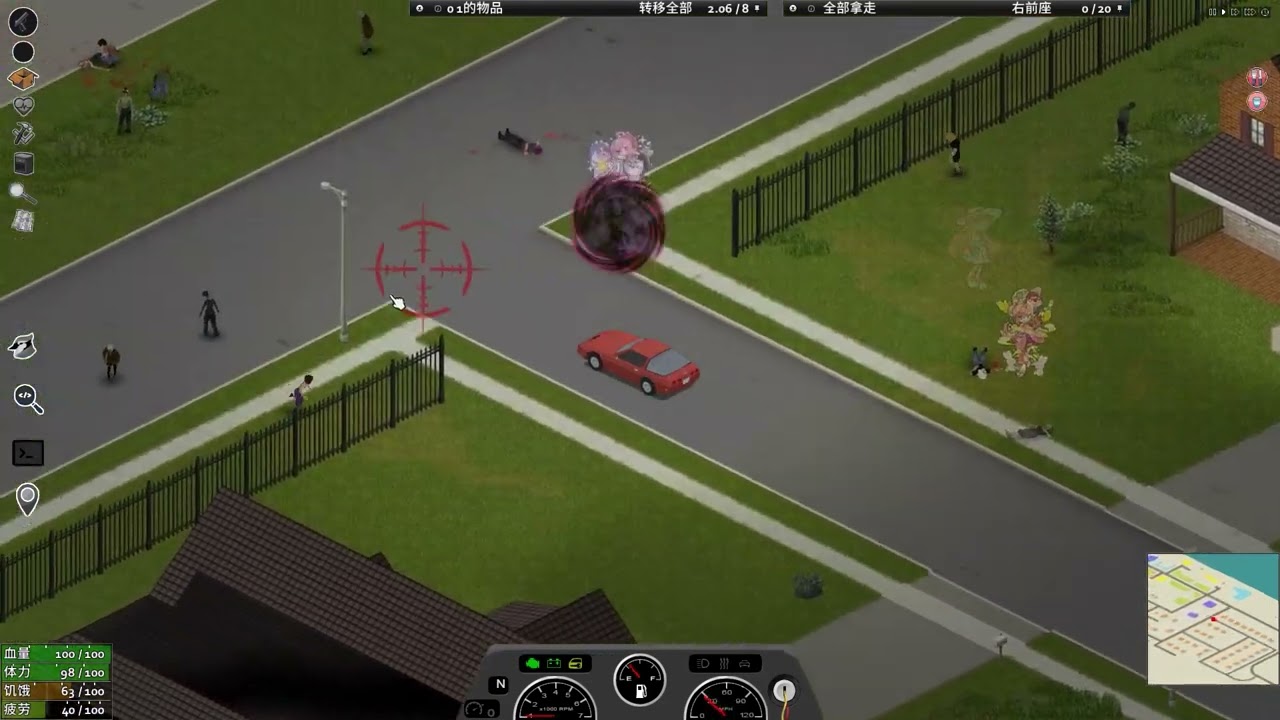
Looks like it just uses the 2D cursor position to decide where to place images, then moves things as the screen moves.
That might be good enough: https://youtu.be/1Q1pVhg8-W0?t=221
With a bunch of screwing around, use the player direction and just throw rotated sprites at things.
simple bluff
@bright fog I tried to do exactly the same as the game's files, but it still doesn't work. I think you mentioned that I didn’t give enough information about my whole mod, so here it is. I hope this helps make things clearer.
Console Error:
WARN : General f:670, t:1751277075318> MeshAssetManager.loadCallback > Failed to load asset: AssetPath{ "AK47" }
Mod file structure:
C:\Users\user\Zomboid\Workshop\EscapeFromKnoxCounty\Contents\mods\EscapeFromKnoxCounty
├── media
│ ├── models_X
│ │ └── weapons
│ │ └── firearm
│ │ └── AK47.fbx
│ ├── textures
│ │ └── weapons
│ │ └── firearm
│ │ └── AK.png
│ └── scripts
│ └── models_weapons.txt
models_weapons.txt:
model AK47
{
    mesh = Weapons/Firearm/AK47,
    texture = Weapons/Firearm/AK,
}
EFCK_weapons.txt:
item AK47
{
DisplayName = AK-47,
WeaponSprite = Base.AK47,
}
silent zealot
I'll have a look into it, there's a lot more work to do on the supershotgun first - I just wanted to make sure I could actually get the "hit all the zombies in a cone" thing working before spending time on the bits I know I can do (model, weapon item, ammo item, crafting shells using an empty can, a jar of gunpowder and some scrap metal.
silent zealot
simple bluff
<@293815892805025793> I tried to do exactly the same as the game's files, but it...
Do you have an item script in addition to the model script?
Also, please rename it from AK47 - that name will conflict with other mods; I've had issues with a gun mod adding Base.AK47 and a Marijuana mod adding Base.AK47, resulting in being able to grind up and smoke an assault rifle.
I prefix names with "Nep" because Base.NepAK47 is much less likely to ever conflict.
lilac mural
lilac mural
`print(getModFileReader("randomairdropsASV", "media/configs/AirdropPositionsDefa...
Any help pls
tight elm
lilac mural
Any help pls
Using a debugger is much quicker than waiting for someone to help
lilac mural
tight elm
Using a debugger is much quicker than waiting for someone to help
wait wdym?
tight elm
Setup a debugger https://pzwiki.net/wiki/Remote_debugging
Place breakpoint inside getModFileReader method in LuaManager class and see what is going wrong
@lilac mural
simple bluff
@silent zealot I renamed my .fbx file NepAK47.fbx, i also renamed "WeaponSprite = Base.NepAK47," , "item NepAK47" and
model NepAK47
{
mesh = Weapons/Firearm/NepAK47,
texture = Weapons/Firearm/AK,
but the gun is still invisible
silent zealot
Nep was just an example, because I use "Nepenthe" as the name for modding
BabaAK47 is the sort of thing I expected, but that's fine lol
So the gun is in the game and work, it's just invisible?
simple bluff
yes
silent zealot
There are a few things that can cause this.
Step 1 of diagnostics: replace the NepAK47.fbx file with a copy of a weapon model that does work.
eg: copy the the default shotgun.x as NepAK47.x
and move your model out of teh mod for now
if that shows up, something went wrong with your model - most likely the scale when you exported, or you didn't join all the bits into one object, or you didn't select the gun and tick "export selected only"
simple bluff
oh no your right ! i can't shoot, but i can reload it, and i could shoot when i was using the AssaultRifle weapon sprite
and my Ak 3D model is not mine, i took it from the firearms B42 mod just to do some tests
ok, i used the WeaponSprite = Base.AssaultRifle, from the game and it works perfecty, i can shoot, reload and i can see the gun
silent zealot
Now Set WeaponSprite = <your model definition>
but replace the model file (i.e.: the fbx) with a working one
is this your entire model definition?
model AK47
{
mesh = Weapons/Firearm/AK47,
texture = Weapons/Firearm/AK,
}
Because that has no muzzle definition, so can't shoot.
model AssaultRifle
    {
        mesh = Weapons/Firearm/AssaultRifle,

        attachment muzzle
        {
            offset = 0.0000 0.4020 0.0270,
            rotate = -90.0000 0.0000 -180.0000,
        }

        attachment scope
        {
            offset = -0.0050 0.0350 0.0780,
            rotate = 0.0000 0.0000 0.0000,
        }

        attachment scope2
        {
            offset = 0.0000 0.0210 0.0610,
            rotate = 0.0000 0.0000 0.0000,
        }

        attachment recoilpad
        {
            offset = 0.0000 -0.1450 0.0050,
            rotate = 0.0000 0.0000 0.0000,
        }

        attachment reddot
        {
            offset = 0.0010 0.0150 0.0670,
            rotate = 179.0000 0.0000 -180.0000,
        }

        attachment laser
        {
            offset = 0.0000 0.2340 0.0020,
            rotate = 180.0000 0.0000 180.0000,
        }

        attachment world
        {
            offset = 0.0200 0.1300 0.0000,
            rotate = 180.0000 0.0000 180.0000,
        }
    }
That's the vanilla sssaultrifle definition. At minmum you need the muzzle and world attachments defined; muzzle for bullets to come out, world for offset when placing in the world.
If you have attachments you need to define where the attachment point on the model is as well, but you can ignore that for now.
simple bluff
module Base
{
model NepAK47
{
mesh = Weapons/Firearm/NepAK47,
texture = Weapons/Firearm/AK,
    attachment muzzle
    {
        offset = 0.0000 0.4173 0.0180,
        rotate = -90.0000 0.0000 0.0000,
    }

    attachment sling
    {
        offset = 0.0029 0.3186 0.0153,
        rotate = 179.8380 -19.0067 175.8490,
    }

    attachment scope
    {
        offset = 0.0000 0.0510 0.0414,
        rotate = 180.0000 0.0000 180.0000,
    }

    attachment reddot
    {
        offset = 0.0040 0.0470 0.0460,
        rotate = 180.0000 0.0000 180.0000,
    }

    attachment gunlight
    {
        offset = 0.0000 0.2955 0.0165,
        rotate = 89.9967 -89.8813 89.9967,
    }

    attachment laser
    {
        offset = 0.0000 0.4020 0.0270,
        rotate = -90.0000 0.0000 -180.0000,
    }

    attachment stock
    {
        offset = 0.0000 0.4020 0.0270,
        rotate = -90.0000 0.0000 -180.0000,
    }

    attachment silencer
    {
        offset = 0.0000 0.4230 0.0180,
        rotate = -179.8829 -0.0000 -180.0000,
    }

    attachment world
    {
        offset = 0.0149 0.1103 0.0172,
        rotate = -180.0000 -3.0001 180.0000,
    }

    attachment magazine
    {
        offset = 0.0000 0.1116 0.0105,
        rotate = 180.0000 0.0000 180.0000,
    }
}
}
this is my model definition
silent zealot
OK, in that case go back to what I was talking about - replace NepAK47.fbx with a copy of a working gun model, and make sure that works.
simple bluff
ok but it will be "AssaultRifle.X" to "NepAK47.X" is that right ? because i don't find .fbx files in the game files
tranquil kindle
simple bluff
ok but it will be "AssaultRifle.X" to "NepAK47.X" is that right ? because i don'...
From your console it simply means it can't find your mesh/model
If its in correct place, maybe you exported empty fbx/x file by mistake
simple bluff
WARN : General f:741, t:1751287493361> MeshAssetManager.loadCallback > Failed to load asset: AssetPath{ "NepAK47" }
yeah but it's not my file and it work for the mod that i took the model from
silent zealot
simple bluff
ok but it will be "AssaultRifle.X" to "NepAK47.X" is that right ? because i don'...
yes
.x and .fbx can be used interchangeably, but .fbx is a much better format for anything new you make.
 thin swan
Alrighty let's see what's in this one
https://theindiestone.com/forums/index.php?/topic/84895-42100-unstable-released/
The Indie Stone Forums
Slightly shorter changelist for this patch due to various team members working on larger scale changes required for balance, QOL and other required features for 42. NEW - General improvements to player map. - Added street names to the in-game map. - Added a new type of style layer to the in-game ...
Oh hell yeah
- Added gizmo controls for rotating and moving items during extended placement.
thin swan
Thank god
- Fixed bumped state causing an odd 90-degree turn when player bumps into something.
Uh oh, it breaks buildable tile objects with custom OnCreate functions
- Replaced the created thumpable object as the parameter for the OnCreate lua function with a table that includes the thumpable, craftrecipedata and character. --TO MODDERS: if you have a buildable tile object that uses a custom OnCreate function that will need to be updated.
Easy to fix though, but yeah, no OnCreate's that use the passed thumpable will work until updated
bright fog
simple bluff
<@293815892805025793> I tried to do exactly the same as the game's files, but it...
Caps
Inconsistent caps
And yea rename it
silent zealot
Voronoi Noise zombies! that should make for better distributions instead of evenly spreading them everywhere with the same population
- Reverted a previous fix for Balaclava Clipping after player feedback. Changed Balaclava body location back to Mask.
TIS stealing my mods again! 😂
thin swan
Seems the map breaks on existing saves, at least it does on mine.
Fixed by commenting out line 1386 and 1396 in ISWorldMap.lua:
function ISWorldMap:initDataAndStyle()
    local mapAPI = self.mapAPI
    if MainScreen.instance.inGame then
        MapUtils.initDefaultMapData(self)
        mapAPI:setBoundsFromWorld()
        -- MapUtils.initDefaultStreetData(self)
        self.hideUnvisitedAreas = true
    else
        -- TEST in main menu
        MapUtils.initDirectoryMapData(self, 'media/maps/Muldraugh, KY')
        mapAPI:setBoundsFromData()
        local markers = mapAPI:getMarkersAPI()
        markers:addGridSquareMarker(11342, 6779, 50, 1.0, 1.0, 0.0, 1.0)
        self.hideUnvisitedAreas = false
    end
    -- MapUtils.initDefaultStyleV3(self)
    MapUtils.overlayPaper(self)
end
it doesn't work...idk what to do...but thanks anyway!
silent zealot
I'll have a proper look tomorrow, I shoudl be able to upgrade Street Smart by using the street DB instead of forage data
silent zealot
simple bluff
it doesn't work...idk what to do...but thanks anyway!
It doesn't work even with the model from another, working weapon in place?
Triple check all the paths and filenames, check for any error about failed to load or missing models/textures.
simple bluff
the only error that i have is : WARN : General f:882, t:1751292628728> MeshAssetManager.loadCallback > Failed to load asset: AssetPath{ "NepAK47" } and i renames all paths and filenames
 icy night
Hey, what command can I use to get the amount of XP that a player has just earned?
Simply getXp() ?
 fleet bridge
there's an AddXp lua event
ancient grail
simple bluff
the only error that i have is : WARN : General f:882, t:1751292628728> Mesh...
maybe your model ile has more than 1 object? or something else wrong with it
simple bluff
maybe i'll try something else
 worn lodge
lil socom done

now onto figuring out how to actually get it in game bc ive never done this ✌️
terse delta
I struggle to read javadocs. I don't understand what kind of arguments do I need, and moreover, is it even working and what it does?
Is there anything I can do about it?
bronze yoke
the javadocs tells you what methods exist and the types of the arguments and return value, but the rest is basically up to your best guess based on those things, since there isn't much proper documentation
the best way to check when you're unsure is to decompile the game and just read the method's source to work out what it does
terse delta
I've saw methods a few times that are just blank
(
)
literally
I think I should interpretate that as "not working"
worn lodge
so uh

no gun
anybody has a b41 item description script that i can take as an example for me to modify? cant really find one anywhere
terse delta
Icon faiure?
worn lodge
havent put an icon
im trying to get to see the mesh first
Also seems important to mention
im updating the mod and script
i changed the weapon name and then updated the mod and it didnt change at all
tranquil kindle
worn lodge
so uh

Your first time trying to create your own gun mod, or struggling with making it work? I've been there. I've spend days figuring out why my gun model does not show / is semi transparent / is upside dow
terse delta
worn lodge
i changed the weapon name and then updated the mod and it didnt change at all
I think you're working in a wrong folder
Just assumption
Check that you modify files in the proper location
bronze yoke
worn lodge
i changed the weapon name and then updated the mod and it didnt change at all
are you pushing updates to the workshop to test every change? 😅
worn lodge
Yeah i am that dumb
bronze yoke
don't do this, you can test mods locally 😅 it can cause a lot of issues like steam deciding to just not update your mod, making you think you did something wrong but it was just steam
worn lodge
sounds about right
bright fog
terse delta
I think I should interpretate that as "not working"
Can you show them ?
bronze yoke
if you have your mod set up to upload then you're already set up for local testing, i suggest unsubscribing from the mod on the workshop when you're testing (sometimes it likes to load files from the wrong version) and just enable the mod like normal
terse delta
bright fog
Can you show them ?
I've stumbled upon few when I was looking for ways to meddle in zombies AI
I think those are unfinished/cut ones
terse delta
How I can see recipe source in-game?
silent zealot
terse delta
How I can see recipe source in-game?
There's a recipe list in the debug menu
Doesn't show the raw source script, shows the script after it's been loaded/interpreted
terse delta
Knowing the mod name is enough
worn lodge
bronze yoke
if you have your mod set up to upload then you're already set up for local testi...
local testing is just having the mod on the mods folder right?
bronze yoke
it can be in the workshop folder as well
worn lodge
bronze yoke
it can be in the workshop folder as well
alright
so good and bad news
worked ish
silent zealot
YAY!
worn lodge
model STILL not showing up
silent zealot
BOO!
 terse delta
What is ItemPickerJava.Parse?
worn lodge
terse delta
What is ItemPickerJava.Parse?
loot table stuff afaik
item selections
1751328952600> MeshAssetManager.loadCallback> Failed to load asset: AssetPath{ "weapons/firearm/SOCOM" }
yea idk what the issue is atp
taking a break'
could be something abt my model?
 supple briar
It might be a naming issue?
Since it isn't loading, either it's corrupted or named wrong, or the wrong file type
worn lodge
might be onto something hold on
 supple briar
worn lodge
same error
supple briar
worn lodge
same error
is the model a FBX?
worn lodge
Nope, .x
supple briar
maybe try a fbx?
if that doesn't work it's probably the model itself
maybe it didn't export properly
supple briar
Well, you may have not actually exported it, depending on your export settings
after that it could be a issue with the mesh
worn lodge
supple briar
Well, you may have not actually exported it, depending on your export settings
wdym?
supple briar
Are you using blender?
worn lodge
Yes
silent zealot
My suggestion fro @worn lodge and @simple bluff who are facing the same issue:
https://steamcommunity.com/sharedfiles/filedetails/?id=3060255898 in this tutorial there is a link to an exampel gun mod
Your first time trying to create your own gun mod, or struggling with making it work? I've been there. I've spend days figuring out why my gun model does not show / is semi transparent / is upside dow
"Also here is link to download this mod in case you want to take a look at it yourself"
Download that, make sure it works.
Then to test your weapon model replace the example mod's Media\models_X\weapons\firearm\CustomAssaultRifle.fbx with your model.
(texture won't want, but don't worry about that for now)
This isolates the issue as being either "your model will not load wven when the .fbx is found correctly" or "something in your script files is wrong"
If it loads in the example mod, triple check every path and filename. Especially paths, eay to get hose slight wrong. I've lost an hour to weapon vs weapons.
If it still doesn't load have a look at the tutorial and how you have to set things up to export, especially the scale, having only a single object in blender (Ctrl-J to join parts together if needed) and ticking "selected objects only" on export.
worn lodge
silent zealot
https://steamcommunity.com/sharedfiles/filedetails/?id=3060255898 in this tutor...
This did it thanks, now the thing is re scaling the model, im trying to import an ingame model for reference but the scaling is obviously not right since its decently big
terse delta
I never thought about that, but can you tie context menu option to muscle strain condition? Like, is it even possible to call context menu on right click?
silent zealot
worn lodge
This did it thanks, now the thing is re scaling the model, im trying to import a...
My suggestion is 1) load in a vanilla gun 2) make your gun match the size, scale up 100 times, Strl-A apply transformations -> scale, set the scale in the object properties to 0.01 so it's make to the correct size.
I do this on a copy, since I find it easier to model @ a larger size/with mutliple objects/faces with many vertexes, and then I make an "export version"
ancient grail
terse delta
I never thought about that, but can you tie context menu option to muscle strain...
but context menu is via right click
silent zealot
terse delta
I never thought about that, but can you tie context menu option to muscle strain...
Do you mean control what is shown in the right click context menu based on how much muscle strain the player has?
terse delta
silent zealot
Do you mean control what is shown in the right click context menu based on how m...
Let's say I want to add medication to muscle strain that is applied like bandage
silent zealot
Applied directly to the body part?
terse delta
Yes.
silent zealot

Should be possible, though I've never looked for where the medical UI context menu is done
That assuming you want to right click bodypart -> apply gel
if you want to right click gel -> apply to left arm, apply to right arm, etc) that's the standard right-click context menu
I suggest looing at lua\client\SpSstem\ISUI\IShealthPanel.lua , especially ISHealthPanel:doBodyPartContextMenu(bodyPart, x, y)
terse delta
Thanks, I'll try
silent zealot
If that doesn't work out, right click gel and get context menu option for each strained bodypart is definitely possible.
Using the good old OnFillInventoryObjectContextMenu event
Your mod may become essential if I get this mod completed:

Weird quirk: all firearms do the same amount of muscle strain per shot, unless they are full auto in which case they do half the amount.
So setting your gun to full auto and firing single shots with short taps is less strain than single shot mode.
supple briar
That makes zero sense, truly a PZ moment
worn lodge
silent zealot
My suggestion is 1) load in a vanilla gun 2) make your gun match the size, scal...
yeah thats what i wanted to do, but i think my import addon is broken since it imports the gun at full size
silent zealot
The latest versions of blender have native .fbx support
...you're not using .x are you?
worn lodge

i am BUT
the game files
are on .x
not fbx
therefore me trying to put on a .x file in blender
supple briar
So question, I've seen a few mods do it, but how would someone start to have a script so when a gun runs out of ammo, it automatically ejects the spent magazine?
I wanna make a M1 Garand for a pack I'm working on and I was curious where to start with that
silent zealot
Start with ISReloadWeaponAction.onShoot in ISReloadWeaponAction.lua
You should be able to add a postfix patch to that "if weapon ==Base.CakeM1 and ammoleft ==0 then remove mag from weapon, drop it on floor, play PING! sound"
supple briar
I gotta say, you are really good at explaining stuff to people with 0 coding knowledge
silent zealot
Years of working in IT 😂
Another option: don't use a magazine at all, use InsertAllBulletsReload = TRUE
supple briar
A second question, if I were to add a crafting recipe for a rifle, in this case to convert it to use a different type of magazine, I assume it wouldn't keep loaded ammunition inside. is there a way to block the crafting recipe if it was loaded?
silent zealot
It's meant for double barrel shotguns but if you use it on something with more capacity it shoudl just shove all teh bullets in at once.
supple briar
silent zealot
It's meant for double barrel shotguns but if you use it on something with more c...
Hm, that might work for both ideas actually
silent zealot
This does mean there is no stripper clip object, just shells you put directly in
supple briar
The thing with the Garand is my idea involves a map, and I thought it would be cool to have M1 Garand clips spawn as trash when foraging
but, that might work well with the bolt actions
worn lodge
silent zealot
My suggestion is 1) load in a vanilla gun 2) make your gun match the size, scal...
alright so i kinda did it, i focused on getting it done first but the model appears patchy and translucent in some spots
silent zealot
supple briar
A second question, if I were to add a crafting recipe for a rifle, in this case ...
You can attach functions to craftrecipies: I think OnTest is a lua function to decide if you can do teh recipe, and OnCreate is the function that runs to do stuff the recipe script can't handle
So you could have an OnCreate that says "if old gun has bullets, put that many bullets in the new gun"
silent zealot
worn lodge
alright so i kinda did it, i focused on getting it done first but the model appe...
Good! try: select gun, tab for edit mode, A to select all, F3 to search for command, triangulate faces
supple briar
silent zealot
So you could have an OnCreate that says "if old gun has bullets, put that many b...
but would this screw with stuff if the new gun didn't have a magazine inside? because I could see that causing a dupe bug where you just keep switching back and forth to gain infinite clips
silent zealot
Because a face with more than 4 vertexes shows up blank when zomboid renders it
worn lodge
ohhhhhhhhhhhhhhhh
silent zealot
supple briar
but would this screw with stuff if the new gun didn't have a magazine inside? be...
Do both old and new guns have magazines?
oh you're changing magazine type
supple briar
silent zealot
Do both old and new guns have magazines?
It would be going, in my head, from no magazine to a "magazine"
silent zealot
in that case, just have the function remove the magazine from the old gun and shove it in your pocket.
(if there is a magazine loaded)
supple briar
Some?
silent zealot
If you have, basic lua is easy to pick up
supple briar
Simple stuff, mainly editing values and coping stuff
I understand what you're saying, but putting it into practice is the hard part
silent zealot
If you know the basic of functions, variables and if statements you're good to start hacking away
Note: AI is very very very bad at anything relatd to project zomboid mods, but it it pretty good at general lua questions.
And also "I have a function that does <thing>, can you explain this to me" is pretty good - not perfect, but very helpful.
supple briar
I can probably figure this out
modeling first though, that's fun
then the code mines
silent zealot
hahah
yeah, get it working using vanilla weapon features first
Sounds like you're making two guns, one with mag/one without
supple briar
In all honesty
I might use the double barrel code instead
the M1 garand would use mags, but just eject them when spent
the stripper clip thing is a bit cumbersome for not much use outside a "oh that's neat but annoying" reaction I think
silent zealot
You can also pretend stripper clips do not exist and load bullets in one-by-one, that's what I did for my Keltec PR-57
worn lodge
silent zealot
Good! try: select gun, tab for edit mode, A to select all, F3 to search for comm...
fawk it didnt work

ignore the incorrect anims
supple briar
faces are a pain
silent zealot
Has the bonus of not needing to figure out what to do if someone reloads and the stripper clips have 10 bullet but the gun only has room for 5 more
supple briar
even on single out of place vertices and it's ruined
silent zealot
worn lodge
fawk it didnt work
next thing to check: inverted faces
supple briar
also, probably not causing that issue, but check inside for any hidden faces
that can mess up UVs
worn lodge
silent zealot
next thing to check: inverted faces
how do i proceed with that
silent zealot
search for "inverted faces" in this channel & #modelling
I don't have time to give details again sorry, but have described it in the past
silent zealot
"normals"
worn lodge
got it yeah
worn lodge
how do i know which are messed up
silent zealot
there is probably a better way
you can also just tab -> A -> F3 -> recalaculate normals and hope it works.
supple briar
Maybe it's a UV issue?
worn lodge
i mean if it was what could it be
supple briar
Well the texture seems screwy to me
so I'd assume the UV might be messed up
I'm trying to work through this how I would work through a issue with my own mods
it's either a model or UV issue I would assume
worn lodge
im thinking model issue
would you do me a favor and look at it
also yes the textures are kinda fucked
but its the texture not the UV as far as i can tell
supple briar
yeah sure just shoot me the fbx in dms
 slim swan
the new map is so great
everything of the map is so smooth
it seems they use a new way to render text,the text got outline first time
silent zealot
They are using "image pyramids" for nice smooth multilevel zoom
silent zealot
Ooooooh, you can enable the "detailed fancy map" look and not lag the game out
rancid cargo
How do I clear shader cache?
bright fog
rancid cargo
How do I clear shader cache?
Why ?
rancid cargo
bright fog
Why ?
I'm trying to tweak water shader, and after few changes it just starts flickering light
 graceful glacier
how can i remove the js2000 shotgun from the server distributions?
 heady kiln
<@&671452400221159444> swing thy ban hammer

@slow granite spam bot (not sure which ping works best)
tight elm
not the stearncornmunlty
 finite dune
heady kiln
<@&671452400221159444> swing thy ban hammer
finite dune
heady kiln
<@&671452400221159444> swing thy ban hammer
ty
and to answer your question, the best imo is to reply to the offending post and tag the spiffo bot, just makes finding it easier, but either honestly works (we find them pretty fast either way)
heady kiln
alright, i'll keep that in mind
silent zealot
graceful glacier
how can i remove the js2000 shotgun from the server distributions?
The distribution table is just a big lua table of lua tables of lua tables. Iterate through and and anytime you find an entry for Base.shotgun set probability to 0. Either do this when your file loads, or if you do it later call ItemPickerJava:Parse() after to make the java loot system re-read the lua table.
graceful glacier
silent zealot
The distribution table is just a big lua table of lua tables of lua tables. Ite...
thank you very much
silent zealot
If you look at the EasyDistro mod it has code for looping through the loot table to find all instance of an item, though it does it for purposes of adding a new item.. but you could edit the found item instead.
silent zealot
Probably, if it runs on the server.
EasyDistro is for B42, but should work fine in B41 - some of the loot locations were renamed, but the "iterate through everything" approach doesn't care if the location names change.
 dreamy birch
finite dune
and to answer your question, the best imo is to reply to the offending post and ...
dreamy birch
finite dune
and to answer your question, the best imo is to reply to the offending post and ...
id say @ moderator works better, spiffo bot tag only sends a notification to one channel, moderator sends me a push notification @heady kiln
 sudden cradle
<@&671452400221159444> another scammer
ancient grail
done with my mod
off to the next one!
https://steamcommunity.com/sharedfiles/filedetails/?id=3514342194
 worn lodge
ancient grail
done with my mod
off to the next one!
https://steamcommunity.com/sharedfiles/fi...
worn lodge
ancient grail
done with my mod
off to the next one!
https://steamcommunity.com/sharedfiles/fi...
Yooo fire
ancient grail
silent zealot
Now make a mod with with raidtool-proof walls
yep
it includes blacklist
worn lodge
@silent zealot @ancient grail excuse the ping but i need some thoughts
how difficult could it be
to make a backpack in game'
ancient grail
you can configure it however you want cuz of the sandbox
worn lodge
that changes model depending on weight held on it
ancient grail
worn lodge
to make a backpack in game'
you need to learn clothing mods basically
it should be relatively easily as long as you follow the format and the vanilla provides you with all the files you need that can be used as template
you just need a list of stuff
fieldguid entry
clothing xml
texture
the ground model script
item script
the fbx file
thats about it i believe
ancient grail
worn lodge
that changes model depending on weight held on it
thats doable
you just need to change its sprite via lua
that runs on tick or every ingame minute maybe
or when inventory refreshes
i think thats better option
ancient grail
worn lodge
<@199880931803267072> <@591976049592631298> excuse the ping but i need some thou...
feel free to ping or dm me anytime bud
worn lodge
ancient grail
or when inventory refreshes
i think thats better option
yeah thats what im thinking
because i want to do the death stranding backpack (as seen in this WIP model)

and well obviously the backpack gets filled with whatever you carry
lets say it can carry like 32kg for balancing purposes so if it reaches 6kg it has one cargo box and so on for every 6kg
silent zealot
worn lodge
that changes model depending on weight held on it
Tricky, because getClothingItem() has no set as it just goes back to the original item script:

What I suggest instead: make the basic backpack
Make a bunch of "fake clothes" - Leaving the displayname blank (or something similar) means you end up with clothes that don't show up in the inventory but can be equipped via lua for visual effect
the fake clothes are various collections of extra boxes/packages/etc that go on top of the main backpack
then you just check "if special backpack equipped then check how much is in it, and equip the matching extraStuff clothing item"
worn lodge
so like these containers could be the "fake clothes" right
 silent zealot
and do that on a scedule, or if there is an event for moving itmes in/out of a container
They could look like anything you want them to look like
worn lodge
alright then
i kiiiinda got that
id still need to get started on the backpack code
how different is making backpacks from clothes or guns?
silent zealot
Start with a proof-of-concept of the idea, so you don't do lots of work on models before realizing you need to do them differently
Backpacks are clothes
worn lodge
Does boolean modifier on blender transfer well to zomboid
silent zealot
Typically a static model
worn lodge
mirror modifier kinda fucks up my containers
silent zealot
worn lodge
Does boolean modifier on blender transfer well to zomboid
I always apply modifiers before exporting the final fbx.
fucks up how? I've used it and it works fine
But that's with Applying the modifier to the export copy of teh item in blender pre-export.
worn lodge
silent zealot
fucks up how? I've used it and it works fine
as in doesnt let me mess with the model freely
thats why i added the boolean
silent zealot
I don't knwo what that means
worn lodge
but itll count as two items now that i think about it
boolean modifier kinda makes two separate meshes one
but doesnt
since i wanted to make a container but i couldnt do it around the mirror modifier since its a cilindrical shape
worn lodge
alright
silent zealot
And if mirror doesn't make modelling easier, don't use it... it's not always the right thing to use.
worn lodge
silent zealot
Backpacks are clothes
the scale is the same as anything else then?
silent zealot
Shoudl be, check a vanilla backpack model to be sure
worn lodge
silent zealot
Shoudl be, check a vanilla backpack model to be sure
you got the link to a good .x importer addon? or a better way to import ingame models to blender
because i couldnt find any that are not outdated
silent zealot
Not sure what to use with the latest blender
worn lodge
silent zealot
Not sure what to use with the latest blender
what version do you use?
or well, how do you import the models
 manic dock
anyone knows if there's an easy way to fix some clipping with items attached to a backpack ?
its authentic z backpack upgrades mod i think
ancient grail
worn lodge
lets say it can carry like 32kg for balancing purposes so if it reaches 6kg it h...
sounds good
goodluck bud
ancient grail
worn lodge
so like these containers could be the "fake clothes" right
have you successfully added the bag? i mean is it already in game?
ancient grail
manic dock
anyone knows if there's an easy way to fix some clipping with items attached to ...
ughh maybe try contacting peach first . ask permission to patch it or maybe he will patch it if you report?
worn lodge
ancient grail
have you successfully added the bag? i mean is it already in game?
Nah im still yet to do so, i need to learn how to do that first
finite scroll
idk where the best place to ask this is but it'll get buried immediately in general, does anybody know what font is used for the spawn map added in b42? specifically, the one used to indicate points of interest (the country club, sanatorium, coalfield, etc)
 sharp plinth
Modix Game Panel. Built for Project Zomboid, running smoothly on Linux + Docker! I’ve added a ton of new info and screenshots to showcase the latest features. v1.1.2 coming out shortly.https://steamcommunity.com/sharedfiles/filedetails/?id=3422448677


 drifting ore
Does anyone know how much of a headache it would be for me to make a mod that adds zombies as a viable animal to butcher?
I'm looking for a way to get more animal bones, and honestly zombies and the most common source of bones out there.
I'm fine with them giving really poor return rates and everything.
A cow for example weights as much as five to eight humans.
Plus, zombies wouldn't be in the best condition...
 tranquil reef
What does Iso stand for in the java codebase
bronze yoke
isometric, but sometimes they put it in places that don't make sense
tranquil reef
yeah, that's why I was kind of confused. thought it might've had a different meaning
silent zealot
Is there any hackery that allow accessing a class that is not exposed in lua? I can get a WorldMapStreets objects but it's not exposed, so none of the public methods work and none of the tricks to access public fields work, starlit reflection didn't find anything...
The public methods getStreetCount and getStreetByIndex are exactly what I need to get all the street data. But lua only has access to other classes that give features like "what street is at this location"
bronze yoke
silent zealot
Is there any hackery that allow accessing a class that is not exposed in lua? I...
there's a slower backup method for accessing fields of non-exposed classes
local Reflection = require("Starlit/utils/Reflection")

local fieldValue = Reflection.getField(object, "fieldName")
unexposed classes don't have metatables so it can't do the same trick it usually does for field access
silent zealot
that works:
m_streets=Reflection.getField(ISWorldMap_instance.mapAPI:getStreetsAPI():getStreetDataByIndex(0), "m_streets")
gets an ArrayList with 586 entries!
Thanks
silent zealot
Follow-up question :Is there any equivalent process for methods?
Follow-up follow-up question: ...and if so, what about methods inherited from a parent class?
I can make this work without methods, but it would skip a thousand reflections and 500 conversions of text to a series of numbers if methods were available.
bronze yoke
nah, we can't get methods
i prototyped some very limited method calling but it only worked in debug mode and only for methods that met very specific conditions
so it wasn't really worth including
 autumn bluff
can anyone help me find the file that defines fluid containers? specifically the file that stores the ContainerName properties? i want to add a new bottle to the game and keep getting stuck
i assume its somewhere in the lua folder
silent zealot
Names get generated based on the fluid in the container
You can just copy the item script for a canteen or similar, no need to mess with lua code
module Base
{
    item NepFunCan
    {
        DisplayName = Can of Fun,
        DisplayCategory = Food,
        Type = Normal,
        Weight = 0.3,
        Icon = BeerCan,
        EatType = popcan,
        Packaged = TRUE,
        StaticModel = BeerCan,
        WorldStaticModel = BeerCan_Ground,
        FillFromDispenserSound = GetWaterFromDispenserMetalMedium,
        FillFromLakeSound = GetWaterFromLakeSmall,
        FillFromTapSound = GetWaterFromTapMetalMedium,
        FillFromToiletSound = GetWaterFromToilet,
        Tags = LowAlcohol;HasMetal;EmptyCan;SealedBeverageCan,
        EatTime = 160,

            component FluidContainer
            {
                ContainerName   = NepCanOfFun,
                Opened    = false,
                capacity        = 0.3,
                CustomDrinkSound = DrinkingFromCan,

                Fluids
                    {
                    fluid           = Tequila:1.0,
                    }
            }
    }
}
That's a test item I made a while ago.
autumn bluff
how did you get it to not be the ? icon?
silent zealot
And it needs a translation entry in Fluids_EN.txt
Fluids_EN = {
    Fluid_Container_NepCanOfFun = "Can of Fun",
}
Icon = BeerCan
autumn bluff
would you be willing to assist in DMs? its a private mod
silent zealot
I worry about anyone storing fluids they can't talk about publicly...
silent zealot
Also, no to DMs -- too much like the work I'm supposed to be doing
autumn bluff
hec
silent zealot
Where is the texture file for the bottle?
autumn bluff
 silent zealot
rename it to Item_Alfadorbottle_Empty
autumn bluff
ah
silent zealot
And where is the Alfadorbottle_Empty model? in media\models_X?
autumn bluff
ah it was in worlditems
silent zealot
actually, that's the wrong question... have you defined the Alfadorbottle_Empty model in a script?
silent zealot
Try StaticModel = Animal_Bottle and WorldStaticModel = Animal_Bottle
I don't know if you need StaticModel = AlfadorBottle.Animal_Bottle , I've had enough pain trying to use a namespace I stick to Base and prefix everything with "Nep" to avoid collisions.

 bronze yoke
your texture path doesn't match where the texture actually is
silent zealot
doublecheck the mesh path as well, the location of your .fbx model
autumn bluff
okay thats good now. how do i do the translation string?
silent zealot
actually ignore that, the model is loading
autumn bluff
bronze yoke
rename to Fluids_EN.txt
autumn bluff
thank you
silent zealot
Again, no idea how that works outside of the Base namespace
ancient grail
silent zealot
Again, no idea how that works outside of the Base namespace
i think you just need to import base? tho im not sure i understood what you mean
they say its best to always have your own module instead of using base
but i prefer to use base if the mod contains few items
i only change it when the mod has more than 5 items
tho recently i just use base
its cuz of the item pickers tab
i dont want to add cluster
silent zealot
ancient grail
i think you just need to import base? tho im not sure i understood what you mean...
For the translation strings. If my fluid container itme is Base.NepCan I know I need to make a translation entry in Fluids_EN for Fluid_Container_NepCan, but what if my item is Nepenthe.Can?
How does the translation figure out what to do with Base.Can vs. Nepenthe.Can?
ancient grail
ah
welp i have no idea
i dont know much of b42
silent zealot
Luckily I've never made a mod that adds enough items that putting them in Base was an issue
bronze yoke
TIS seem to be moving away from modules as a design, which is fair since they do literally nothing for them and are just a holdover from a completely different system
silent zealot
bronze yoke
it just uses the item type
So if using a namespace having the same item name will still cause translation issues?
bronze yoke
yeah
silent zealot
No wonder I was confused how it work. Answer: It doesn't. 😂
Also, once again thank you for Starlit - I'm learning a lot working through the reflection code to build a stripped down version for Street Smarts so I can add highways without adding the full starlit as a dependency.
bronze yoke
🙇♀️
silent zealot
It's amazing how computers can make complicated things trivial and trivial things complicated.
autumn bluff
is there any tag i can use to prevent a clothing item from getting dirty or bloody?
tranquil kindle
As for texture of blood being applied only, or overall not getting dirty/bloody so it does not count for Fear of blood trait?
supple briar
is there a big list of all the fuctions in PZ
silent zealot
autumn bluff
is there any tag i can use to prevent a clothing item from getting dirty or bloo...
Try CanHaveHoles = FALSE,
I think that prevents holes AND blood/dirt
I'm not sure though
tranquil kindle
I belive it having false means that it wont ever get damaged. I remember adding it once on piece of armor that had 100% defence and it kept blocking attacks
But blood still will apply
I'd more say that cosmetic=true might be it. I never seen option to wash glasses or earrings as far as i know and those i belive use that line in item script
rancid cargo
I've modified the water shader to include new texture samplers but the textures are not appearing ingame. I did put them in \textures folder but that didnt work ofc, so I'm guessing I'd have to put them where those 3 are? Which I'm guessing its one of .pack texturepacks. So how do I load my 2 textures into the game?
 tranquil kindle
bright fog
Doesn't look like it
tranquil kindle
bright fog
Doesn't look like it
Where did someone get that information thoug?
 mossy crypt
Is there a special way to add a callback to a Lua event? I'm trying to add a callback to OnClientCommand (on serverside, of course), but it doesn't seem to be executing it
tranquil kindle
That does not make any sense. Why wouldint it render 3d item?
bright fog
tranquil kindle
Where did someone get that information thoug?
No idea
bright fog
tranquil kindle
That does not make any sense. Why wouldint it render 3d item?
Idk either lol
I haven't verified most of the parameters listed on the wiki
tranquil kindle
I call bs to be honest
bright fog
Was a guy a while ago that created these
bright fog
tranquil kindle
I call bs to be honest
Yea idk what it would mean either
What other clothing doesn't get dirty ?
Watches ?
Necklaces ?
Check these out too maybe ?
bright fog
Hmm
silent zealot
Otherwise, looking at java, clothing will get dirty if it has bloodlocation(s) defined.
bronze yoke
tranquil kindle
Where did someone get that information thoug?
most of them are just made up based on what the name sounds like it does
bronze yoke
mossy crypt
Is there a special way to add a callback to a Lua event? I'm trying to add a cal...
what have you tried?
mossy crypt
I've tried creating a local function and referencing it using Events.OnClientCommand.Add(...), like its done with vanilla client commands
and have also tried defining the function straight in Events.OnClientCommand.Add(...)
specifically this, just to debug:
Events.OnClientCommand.Add(function(module, command, player, args) print("onclientcommand: " .. module .. " / " .. command .. " / " .. tostring(player)) end)
bronze yoke
that should work, is your file actually loading?
mossy crypt
yeah, file is loading
bronze yoke
and you're testing in multiplayer?
and you're not checking the client log for server prints?
silent zealot
tranquil kindle
That does not make any sense. Why wouldint it render 3d item?
Might not make sense, but cosmetic affects the item rendering in a few places and hides some things in the tooltip.
 bronze yoke
this is what i had for it: If true, this item does not show any stats in its tooltip and always spawns in perfect condition.
silent zealot
There's similar code elsewhere too, because why use an items's method when you can recreate the code in 4 different places?
 bronze yoke
iirc that method did not exist in build 41
i remember looking at this code when i was trying to work out what cosmetic did myself and i never came across canBe3DRender
silent zealot
Could be, someone realizes that the method should be on clothing and then there is no time to actually change anything to use it.
Since they can add a method and be confident nothing wil break while it is not used.
But changing things to use it needs testing
mossy crypt
bronze yoke
and you're testing in multiplayer?
not testing in multiplayer, but i can try rq. my other prints in this same file are appearing in-game in my command console log
bronze yoke
client commands don't run in singleplayer
or, wait, no, i think it's server commands that don't...? it's only one of them and it's an incredibly annoying design
mossy crypt
hm
im picking apart some actions that use client commands, don't see where else they'd be defined to work in singleplayer otherwise
honestly not sure why it mattered, or why i never tried it, but restarting my game seemed to fix it
 red tiger
rancid cargo
I've modified the water shader to include new texture samplers but the textures ...
red tiger
rancid cargo
I've modified the water shader to include new texture samplers but the textures ...
Neat. Someone's touching shaders.
mossy crypt
on to the next issue. my goal is to change the appearance of a wall. i'm not sure of the best way, but I assumed changing the sprite would've worked - and it does. it changes the appearance of the wall BUT it stops functioning as a wall and no longer has collision. any ideas anyone? figured it out oop
 pastel wolf
.. i have NO idea how to make my model show up in game lmao
i got the icon to change! but when equipping the item its just invisible
i'm trying to study how other mods do it but they seem to have different like, syntaxes for their scripts file?
pastel wolf
oookay now im crashing when i try to equip the item.. would anyone here a bit more familiar with mods be able to help me out here?
worn lodge
pastel wolf
i got the icon to change! but when equipping the item its just invisible
in my most recent experience
your model may just be fucked
and or
code
if it doesnt show up at all its the code
if it shows up patchy with missing spots its the model
pastel wolf
okay so weird thing, i can't equip it, game crashes, but if i drop it all the fog on the maps disappears?
the model is fine as far as I can tell like, I know how to mesh, fbx viewers are fine with it
 pastel wolf
 pastel wolf
ah caps is sensitve
worn lodge
yea
worn lodge
you should use visual studio code btw
there are zomboid addons for it
itll make your life wayyy easier
pastel wolf
yeah i know using notepad isn't ideal just
i wanted to get a feel for how the files worked and started small
worn lodge
fairs
pastel wolf
and the syntax and what have ya
worn lodge
although im not so sure if no texture will make it invisible id imagine its just a missing texture look
pastel wolf
that's probably not the main issue though, because wouldn't it just draw as the red missing texture checkerboard? last night when i was testingg it wouldnt have a ground model just the icon
pastel wolf
another thing is
it lets me drop it on the ground
just not equip it holdon
lemme start er up again and test
worn lodge
might be something about what kind of holding youve got it on the code
pastel wolf
I basically just completely copied the fishing rod's code
worn lodge
hmm
pastel wolf
i only gave it a bit less weight and increased the durability by like 2 from 3
worn lodge
might be dumb but just
recopy it
see if it still happens
who knows maybe you changed something without noticing
pastel wolf

and it shows up as its own thing!
with its own icon, which is a small win
i'll try that in one second
okay so this is odd
when i drop it on the ground
sprites disappear? like the grass sprites outside or the fog?
worn lodge
hmm
because to me it sounds like the model is so big it
1
crashes
2
drops on the ground and covers a big area
so it makes grass and fog disappear
pastel wolf
maybe
i'll try recopying it first now

okay so i got it to show up
not using its custom sprite anymore though
drops on the ground as its sprite, is invisible when held
but it can be held!
and doesn't crash the game
pastel wolf
okay, model path?
pastel wolf
hell I can even fish with it
worn lodge
one question
pastel wolf
450 polys
autumn bluff
random curiosity, anyone have any context for this item tag?
 worn lodge
because more than 4 vertices for a face wont show
pastel wolf
898 tris
pastel wolf
doesn't fbx automatically triangulate it anyways?
worn lodge
no idea tbh
pastel wolf
or should I just to be safe go in and triangulate the mesh
worn lodge
yeah just to be safe
pastel wolf
make surethere are no faces with too many tris

like for sure there is atleast one but presumably it would just be that face
pastel wolf
i'll have to retexture it probably but I saved the project file in substance so it'll be easy to redo
k so the model path
worn lodge
what i did to test when my gun wouldnt show was take the vanilla model and put it in place of mine to see if it was a me issue
yeah so like
worn lodge
pastel wolf
k so the model path
you put weapons/2handed/ProfishingRod
on the mesh
and the other for the texture
on the recopied code right
pastel wolf
yeah the models script didn't change
oh actually shit yknow what
there is a little caps issue
i need to remember to camelcase this shit
 pastel wolf
so now i go to the models_x and
 worn lodge
try getting in the game and pray it works
pastel wolf
doesn't zomboid compile on the fly?
worn lodge
ahh
worn lodge
id just restart the save
and reload lua
on debug mode itll let you do that
in the start menu
pastel wolf
yeah shit i should probably be in debug mode
autumn bluff
random mystery for you guys, what is this tag for?
 pastel wolf
dog food n stuff prolly?
autumn bluff
im honestly clueless
pastel wolf
okay I reloaded, its still invisible in my hands, but nothing has died
worn lodge
its a spork tag
worn lodge
pastel wolf
okay I reloaded, its still invisible in my hands, but nothing has died
hmmmmmmm then troubleshoot
add the vanilla rod model
in place of yours
and see if it works or not
autumn bluff
okay but the "spork" tag is actually just both fork and spoon tags

 autumn bluff
 autumn bluff
odd that its only on the spork then
worn lodge
Yea
pastel wolf
okay its sprite updated!
still nothing model wise though

but it doesn't crash horrificly when I try to equip it too, so thats good too
and while I can fish with it it doesnt let me swing it
bronze yoke
autumn bluff
random mystery for you guys, what is this tag for?
nothing, it doesn't do anything
worn lodge
if not do so and check the console
bronze yoke
there's a lot of weird references in the code so it's probably just a reference or inside joke
autumn bluff
scanned through the lua... found that its referenced in "SpecialItemData_Misc.lua"
attached to a list of dog names
bronze yoke
that wouldn't have any connection to tags