#mod_development
1 messages · Page 181 of 1
 sleek forum
and a tile can be a container
a tile afaik is just another word for texture (like a radio, wall, floor)
 worthy sparrow
rubber duck 🤔

 dusky schooner
would love some help with a baseball bat I'm making, I don't have a clue what's wrong with it as it looks broken in game (screens on the way)
this is how it looks in game

this is how it looks in substance painter (simple texture I know, was just testing it for now)

this is how it looks in Blender

 neon bronze
You need to rotate it in blender and then export it in fbx format
 void cargo
Anyone know how to point the global objects defined by zomboid to the lua language server? (as in IDE/editor stuff) using neovim
dusky schooner
 faint jewel
ctrl+a and all transforms.
faint jewel
ctrl+a and all transforms.
with the 3d model selected?
faint jewel
yeah in object mode
 vagrant valley
What scale does this game use
I had to use 0.0000005 to make models real size ish
faint jewel
honestly, i would look for a model in the scripts that is set to 1.0 and use it as a base.
SpiffoPlushieBig for instantance is a 1.0
Bucket
CanClosed
GasCan
vagrant valley
Are their dimensions available
faint jewel
all 1.0 scale models you can use as a base item size.
just import them into blender at 1.0 scale.
faint jewel
i can make you an fbx real quick.
vagrant valley
Okay
 tepid dawn
Hello, what would be the reason for an Events.EveryOneMinute.Add(func()) to run the function only when its manually reloaded ?
The exact same code was running every one minute yesterday but now its only when I press F11 and reload it
faint jewel
they are already fbx files. lol
 fast galleon
tepid dawn
Hello, what would be the reason for an Events.EveryOneMinute.Add(func()) to run ...
fast galleon
tepid dawn
Hello, what would be the reason for an Events.EveryOneMinute.Add(func()) to run ...
Are you calling your function in that line?
faint jewel
see?
tepid dawn
fast galleon
Are you calling your function in that line?
Yeah, I mean i think it'd not do anything if I wasn't
Cuz there is a debug message in the function and I can see it printed when I manually reload
Whats even more interesting is that even if I just make it like:
Events.EveryOneMinute.Add(print("blabla"))
It still runs only once when reloaded
fast galleon
Events.Event.Add(function()...end)
tepid dawn
Could you elaborate a little please ? I don't understand what this means
fast galleon
print("blabla") is not a function, it will instantly print blabla and nothing will be added to event, same when you call your function, unless it returns another function
 crystal terrace
is there a resource to convert .x files to .fbx files? i can look it up but if there was something already established in community id prefer that
fast galleon
You need to pass a function in the Add(), e.g Events.EveryOneMinute.Add(function() print("blabla") end)
tepid dawn
fast galleon
You need to pass a function in the `Add()`, e.g `Events.EveryOneMinute.Add(funct...
Its basically what it was like at first though
Events.EveryOneMinute.Add(OneMinute())
OneMinute() was my function here which had declared beforehand
Man this is so messed up
fast galleon
Events.EveryOneMinute.Add(OneMinute)
tepid dawn
I dont need parantheses ?
crystal terrace
yep
fast galleon
exactly
fast galleon
they are not added during in-game reload, reload from main menu
or use console if possible
vagrant valley
Can you define multiple attachment types for items?
tepid dawn
fast galleon
or use console if possible
How do i reload using console pls ?
vagrant valley
neon bronze
Pistols already do that in vanilla
Thank you
fast galleon
tepid dawn
How do i reload using console pls ?
I meant add/remove the event from console before and after reload.
        Events.OnPreFillWorldObjectContextMenu.Remove(IFP.OnPreFillWorldObjectContextMenu)
        reloadLuaFile("media/lua/client/IndustrialFuelPumpsClient.lua")
        Events.OnPreFillWorldObjectContextMenu.Add(IFP.OnPreFillWorldObjectContextMenu)
 rich void
Hey ya'lll
What's the deal with webhooks, supported or no? getting very mixed messages online and digging back through chat history
Just looking to send a string
 proper crater
anyway to use ide as debugger instead of using ingame?
rich void
proper crater
anyway to use ide as debugger instead of using ingame?
Only really to check syntax mate


 hybrid walrus
Hello everyone I would like to find a mod or to make one or find a solution to be able to ensure that the book is readable only by the person doing the trades concerned ex: I created 9 trades. if I choose electrician I would like to read only electricity books and elec magazines if reading is not blockable ,Can i mak something to earn xp only for the profession concerned
proper crater
btw, is there gud way to optimize a mod that create lag on context menu?
ex more builds add submenu and alot of stuff in
cause few seconds lag
proper crater
hybrid walrus
Hello everyone I would like to find a mod or to make one or find a solution to b...
why would you want to block people from reading magazine
kinda not make sense much
:concerning:
 wet sandal
Mod maker do as mod maker do
proper crater
or you mean you want a profession that only focus on level certain skill only?
 elfin stump
Nice! Thank you
I have not made a vehicle so I cannot help you with the details but I do know that you need to setup the wheels differently and of course texture it, you can find a nice guide on how to do a basic PZ vehicle here. https://theindiestone.com/forums/index.php?/topic/28633-complete-vehicle-modding-tutorial/
 marsh wagon
Hi, all
I am making my first mod and I unfortunately made the invisible car !
Please can someone help me?
 elfin stump
You will want to look at Timed Actions for that instead of recipes, vanilla location is steamapps\common\ProjectZomboid\media\lua\client\TimedActions but I think that is the keyword you are looking for anyway.
 mellow frigate
marsh wagon
Hi, all
I am making my first mod and I unfortunately made the invisible car !
Pl...
mellow frigate
marsh wagon
Hi, all
I am making my first mod and I unfortunately made the invisible car !
Pl...
You can release it and pretend having an invisible car is the objective of the mod.
marsh wagon
mellow frigate
You can release it and pretend having an invisible car is the objective of the m...
Of course but I want to see my car
 covert carbon
What is the variable for the player's health amount? Where could I find it
I am trying to set the health to 0 to cause the player to die. If there is an easier way to do this then that would be nice.

 crimson cypress
Could anyone tell me if it would be possible to change the lightbar patterns of existing car
also i want to turn the lightbar menu into something that can be dragged around the screen instead of being static in the center
elfin stump
covert carbon
What is the variable for the player's health amount? Where could I find it
I don't know if a health amount like you might see in other games. PZ has a very robust system for dealing with player damage and it is measured from each bodypart as a collective whole, however, one body part can also kill you. So in your case, you may want to utilize some of the higher level player variables that also have the ability to kill the player. That ends up being FoodSicknessLevel and InfectionLevel - the first will kill you via the stomach, the second will kill you and turn you into a zombie. You can probably also kill the player by dropping their temperature to 0 or something like that too.
covert carbon
I'm looking through the script of that gun suicide mod to see what it did. If I can't find anything i'll try that.
elfin stump
I would guess that they directly coded a bullet in the head to kill the player with that, the head is a bodypart, so you could kill the player by initiating trauma there. A deep wound, embedded bullet etc and you can set a high bleed rate. So you can also kill the player from a body part like that.
covert carbon
That would probably be the best solution for me then. Thank you.
mellow frigate
covert carbon
I am trying to set the health to 0 to cause the player to die. If there is an ea...
character:setHealth(0) is used in the java code
tepid dawn
function addNewTrait(player,label)
local traits = player:getTraits()
for trait in traits do
if trait:getLabel() == label then player:addTrait(trait)
end
end
end
Sorry if this code block gets messed up while posting but am I doing something wrong here ?
I just couldn't add a trait with player:getTraits():add("clumsy")
So I tried something like this
Still doesnt work and throws java errors too
mellow frigate
tepid dawn
function addNewTrait(player,label)
local traits = player:getTraits()
for ...
you can use '''lua<return> my code''' but replace ' character by ` character
function myFunc(param)
end
You are adding a trait if it is already one of player's traits.
tepid dawn
Yeah I was wrong at that paet
Part*
But what I mean is
1- I don't know how to get all the vanilla traits of the game in the first place
2- the code still throws errors if I remove everything inside the for loop
elfin stump
covert carbon
That would probably be the best solution for me then. Thank you.
It is very similar to some medications I am working on that cause some severe side effects at the body part level. I modified my code to get you started but it would look something like this I think:
`--You will need reference to player
local bodyDamage = player:getBodyDamage();
local bodyParts = bodyDamage:getBodyParts();
for i=bodyParts:size()-1, 0, -1 do
local bodyPart = bodyParts:get(i);
if tostring(bodyPart:getType()) == "Head" then
player:Say("Oh no.");
bodyPart:setHealth(5); --Zero will kill instant, setting to something low and then bleeding will initiate gore effects I think this health is 0-100
bodyPart:setBleeding(true);
bodyPart:setBleedingTime(100);
bodyPart:setHaveBullet(true, 5); --This second number is 'doctorLevel' in the docs, I am not sure what the range is here, it might be related to skills.
end
end
`
covert carbon
I looked around a bit. would setOverallBodyHealth(0) work?
elfin stump
Most likely it will you could test it out, but it would not initiate any blood or anything like that
One thing to note, for your application of setting to 0 you will have no issues I think because the goal is the player dying. Changing high level variables without modifying a body part can cause problems when the player relogs, in your case this wouldn't apply because they would be dead. But if you do anything where they do not die, you need to worry about that.
covert carbon
so if I were to set the overallbodyhealth to halfway to death, the game could glitch?
elfin stump
I do not know the specifics of that function, it might take this into account and assign health to body parts when it is called. If you set the health directly then the body parts will not be adjusted and then you can have instances where the player gets damaged and has a sudden disproportionate drop in health.
covert carbon
alright
elfin stump
These types of glitches tend to occur after the player had relogged or restarted their game, I have found the best way to handle things is from the body part up.
tepid dawn
Anybody has a clue why player:getTraits():remove("trait") works perfectly but player:getTraits:add("trait") does not work at all ?
 heady crystal
I'm checking every minute if the player is inside a building and the moment you step in that variable becomes true
Also isFullyExplored or something like that
So it's not really useful for me
elfin stump
tepid dawn
Anybody has a clue why player:getTraits():remove("trait") works perfectly but pl...
I could take a look but I haven't worked with this part of things too much. Can you give an example of the code that is working?
mellow frigate
heady crystal
I'm checking every minute if the player is inside a building and the moment you ...
but ain't that exactly what you asked ?
heady crystal
I wanted to know if the player has been to the building in the past
But since for some reason it's immediately "fully explored" it seems I can't really know. Unless there was an event for when you get inside immediately before the game decides to tag the building as visited too
tepid dawn
function canReadNow(player)
if(player:hasTrait("illiterate") and player:getPerkLevel(Perks.LearningReading) >= 3 then
player:getTraits():remove("illiterate")
player:getTraits():add("fastreader")
end
end
Remove works perfectly fine, but no luck from add
elfin stump
I just ran a script on my end I am seeing that player:getTraits():remove("Fit") and player:getTraits():add("Fit")
try FastReader
or "Fast Reader" is probably better
elfin stump
likely the formatting of the two words need adjusted but I don't know what it would be exactly, I would start with "Fast Reader"
elfin stump
no problem, the true battle of zomboid is in the coding 🙂
tepid dawn
Fr fr
elfin stump
looks like it is "FastReader" @tepid dawn
tepid dawn
Yeah lol I think the problem was with capital letters
Rather than spaces
This will solve a lot of my problems, thank you again.
I've noticed how narrow of a tunnel vision I was in lol
elfin stump
No problem, glad to help!
covert carbon
For my russian roulette mod, would a script like this work.
--Mod For Russian Roulette in Project Zomboid
function RussianRoulette()
{
local x = ZombRand(7)
if x == 6 then
setOverallBodyHealth(0)
end
}
Recipe Russian_Roulette
{
Base.Revolver_Short = 1, Base.Bullets38 = 1,
Result: RussianRoulette()
}
end
I intend for it to take a .38 special revolver which has 6 chambers, give you a 1 in 6 chance of dying
I'm not sure if the gun would return back to you though which worries me
But I could fix
elfin stump
It does need some corrections but you are on the right track, let me adjust it ab it
covert carbon
It's my first ever mod and I have only been coding for a few days
i dont know if im coding in lua or java at this point
and im being 100% serious when saying that
neon bronze
you are doing lua dont worry
covert carbon
thank god
neon bronze
also you cant define the function in the same file as your recipe
the recipe goes into the .txt the function goes into .lua
and you would have to call it in the recipe with OnCreate: [Recipe.RussianRoulette]
elfin stump
`--Mod For Russian Roulette in Project Zomboid
Function (LUA):
function RussianRoulette(items, result, player) --item result player comes from calling from the recipe system
{
local x = ZombRand(7)
if x == 6 then
player:setOverallBodyHealth(0) --you need to reference the player that used the recipe, it is provided from the recipe call
end
}
end
Recipe (TXT):
Recipe Russian_Roulette
{
Base.Revolver_Short = 1, Base.Bullets38 = 1,
--Alternatively, you can keep the gun by marking it as "keep Base.Revolver_Short"
Result: Base.Revolver_Short, --This is a bit of a hack, it would repair a damaged gun, but when using a recipe you need to get something out of it, since you don't want anything, you could return the gun, but don't use with keep or you will get two.
OnCreate:RussianRoulette --This is your function call
}`
Something like that ^ but as haram is saying, they need to be separate files
 nimble yarrow
@covert carbon pretty sure ZombRand(7) has seven outcomes: 0,1,2,3,4,5,6.
neon bronze
i would honestly make the whole things as a context option but that would take waaaaaaaaaaay more work than a simple recipe
elfin stump
That would also prevent the risk of accidently Russian Rouletting when you are crafting too fast...
covert carbon
So I have to create to seperate files or do I just seperate them with the Recipe (TXT): and Function (LUA):
neon bronze
also would make that somewhat realistic but you'd have to thoroughly check first
neon bronze
covert carbon
So I have to create to seperate files or do I just seperate them with the Recipe...
2 different files
elfin stump
mods\yourmod\media\scripts\yourmodrecipes.txt for the txt and mod\yourmod\media\lua\client\yourluastuff.lua for the other
I strongly recommend downloading some mods and looking at the file structure to understand it better
covert carbon
elfin stump
I strongly recommend downloading some mods and looking at the file structure to ...
ive been doing that a little bit
honestly I understand it all but at the same time im so confused
elfin stump
covert carbon
ive been doing that a little bit
honestly I understand it all but at the same ti...
sounds like you are on the right track 
 neon bronze
use notepad
covert carbon
Alright so I have it set up as mods/RussianRoulette/media/lua/client/RussianRouletteFunctions.lua
&
mods/RussianRoulette/media/scripts/RussianRouletteRecipes.txt
does that work?
nimble yarrow
C:\Users\username_here\Zomboid\Workshop\RussianRoulette\Contents\mods\RussianRoulette\media\lua\client\RussianRouletteFunctions.lua
C:\Users\username_here\Zomboid\Workshop\RussianRoulette\Contents\mods\RussianRoulette\media\scripts\RussianRouletteRecipes.txt
elfin stump
^^ Yep that is what you want right there, you can also check existing mods and make sure that your LUA formatting is good and that your TXT file has the proper brackets etc

 nimble yarrow
The C:\Users\username_here\Zomboid\Workshop\RussianRoulette folder needs preview.png and workshop.txt
you can find examples of these in the example mod.
C:\Users\username_here\Zomboid\Workshop\\ModTemplate
The C:\Users\username_here\Zomboid\Workshop\RussianRoulette\Contents\mods\RussianRoulette folder needs poster.png and mod.info
you can find examples of these in the example mod.
C:\Users\username_here\Zomboid\Workshop\ModTemplate\Contents\mods\ModTemplate
covert carbon
Alright. Thank you
 crystal oar
if i do result:setBaseHunger(result:getBaseHunger() / OilDivisor); will it round automatically?
or should i round it?
 bronze yoke
it won't round automatically
crystal oar
okay thanks
marsh wagon
marsh wagon
Hi, all
I am making my first mod and I unfortunately made the invisible car !
Pl...
Sorry to ask again, but can you help me with this

 pearl prism
marsh wagon
Sorry to ask again, but can you help me with this
pearl prism
marsh wagon
Sorry to ask again, but can you help me with this
Did you check the Normals ?
crystal oar
i'm adding sandbox options to a mod and they won't show up in game. I added sandbox-options.txt to the media folder and Sandbox_EN.txt to the lua\shared\Translate\EN folder, but no luck. any common mistakes i could be making there?
covert carbon
How do you make a .info file?
neon bronze
You can just copy the one from the example mod and then edit it with a text editor
covert carbon
👍
crystal oar
crystal oar
i'm adding sandbox options to a mod and they won't show up in game. I added san...
i have the sandbox option ```VERSION = 1,
option OilFromSeeds.OilPerPacket
{
type = Double,
default = 1,
page = OilFromSeeds,
translation = OilFromSeeds_OilPerPacket,
}``` but no luck getting it to show up in game
did i goof it up?
 ancient grail
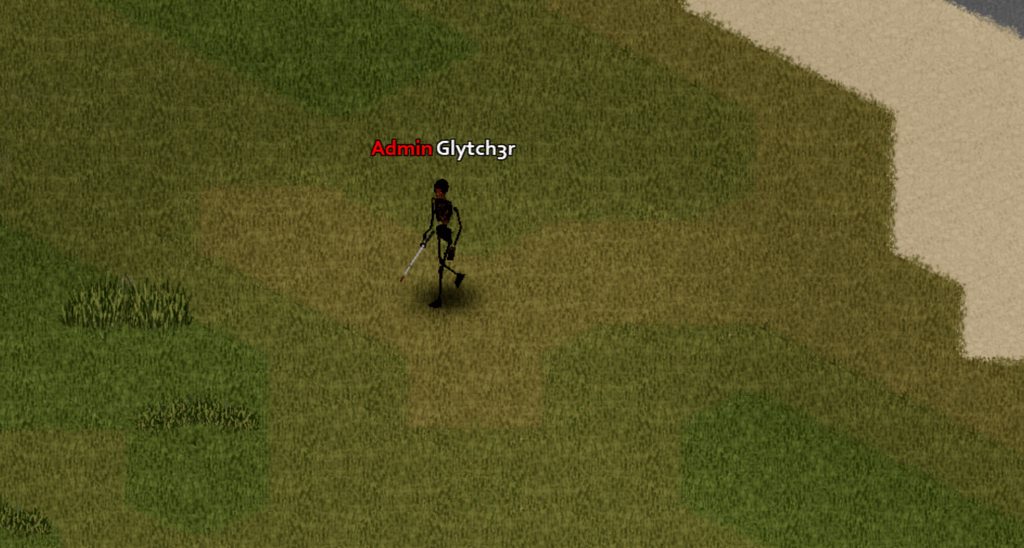 crystal oar
that reminds me of how i moved around in super mario sunshine, just jumping and diving
crystal oar
crystal oar
did i goof it up?
i forgot to put a min and max
covert carbon
Can you activate a function in the same file where the function is declared
bronze yoke
yeah
covert carbon
is there a way to activate a function when you spawn in?
 storm flame
ancient grail
https://imgur.com/AC86Kgd
WIP
storm flame
ancient grail
https://imgur.com/AC86Kgd
WIP
That looks awesome! Definitely gonna spice things up
ancient grail

crystal oar
covert carbon
is there a way to activate a function when you spawn in?
Events.OnGameStart.Add(RecipeDisablerOnGameStart) something like this, also here's a list of events https://github.com/demiurgeQuantified/PZEventDoc/blob/develop/docs/Events.md
GitHub
Tool for generating Lua documentation for Project Zomboid events and hooks - demiurgeQuantified/PZEventDoc
covert carbon
Thank you
 grand bough
If I wanted to find someone to create a mod on commission, would it be okay to ask here?
FOOL wanted a vacation.
covert carbon
How would you make a recipe allow different ingredients. Like if I wanted to have a recipe require you to have either a .38 revolver or a .45 revolver but you only need one of them, how would I do that.
crystal oar
covert carbon
How would you make a recipe allow different ingredients. Like if I wanted to hav...
    {
        destroy farming.BroccoliBagSeed/farming.CabbageBagSeed/farming.CarrotBagSeed/farming.PotatoBagSeed/farming.RedRadishBagSeed/farming.StrewberrieBagSeed/farming.TomatoBagSeed,
        keep [Recipe.GetItemTypes.MortarPestle],
        Result:OilVegetable=1,
        OnCreate:Recipe.OnCreate.CraftOilFromSeeds,
        Time:60.0,
        Category:Cooking,
}```use a little / between items
covert carbon
what if I want to required items like a bullet and either of the two items
Like
-Either need twig or branch
-requires ripped sheet
crystal oar
then you could do like destroy bullet/bullet2 destroy gun/gun2 Result:whatever
bronze yoke
you'd probably want the gun and bullet to match
crystal oar
ooh
marsh wagon
pearl prism
Did you check the Normals ?
idk, what is that?
crystal oar
covert carbon
Like
-Either need twig or branch
-requires ripped sheet
in this example are you consuming the ripped sheet or not?
crystal oar
covert carbon
Like
-Either need twig or branch
-requires ripped sheet
destroy Base.RippedSheets
Result:Profit```would this work
Recipe Russian_Roulette
{
Base.Revolver_Short = 1/Base.Revolver_Long = 1/Base.Revolver = 1, Base.Bullets38 = 1,
Result: RussianRoulette()
}
end
I know the bullets wouldnt match but would that work as an example
crystal oar
you probably want to keep the revolver right?
covert carbon
yes, just destroy one bullet
bronze yoke
are you trying to call a lua function as the result?
crystal oar
so then like Recipe Russian_Roulette { destroy Base.Bullets38 = 1, keep Base.Revolver_Short = 1/Base.Revolver_Long = 1/Base.Revolver = 1, Result: RussianRoulette OnCreate:Recipe.OnCreate.DoRussianRulette, }
covert carbon
what is the difference between Result and OnCreate
crystal oar
result is an item, the oncreate can call lua
covert carbon
So I would do
OnCreate: RussianRoulette()
there isn't an item being crafted in the end, I would just keep the old gun
bronze yoke
it'd just be the name of the function without brackets
recipes have to have a result no matter what, it uses the result for the recipe icon and stuff
crystal oar
can you make a recipe without an item result?
covert carbon
I would assume so
crystal oar
you are so fast albion lol answering my question before i even ask lol
bronze yoke
there's a RemoveResultItem:true to have it not actually create the item, but there has to be one
you could make the result a bullet or a revolver and set that flag
covert carbon
so I could just set the result item as a junk item and just remove it immediately
crystal oar
ya as part of the oncreate you could remove the item from their inventory
bronze yoke
or just set removeresultitem
crystal oar
albion knows better than me, you should listen
bronze yoke
i'm not sure there is a big difference but i'd rather keep things simple and let the game handle that part
covert carbon
`--Recipes for Russian Roulette
Recipe Russian_Roulette
{
Base.Revolver_Short = 1/Base.Revolver_Long/Base.Revolver, Base.Bullets38 = 1,
keep Base.Revolver_Short = 1/Base.Revolver_Long/Base.Revolver,
Result: Base.Revolver_Short, RemoveResultItem:true
OnCreate: RussianRoulette(),
}
end`
crystal terrace
if im using an existing texture from in-game, do i need to give path as texture/textureName or just textureName for texture field in model script
covert carbon
does this work
crystal oar
i think that will eat a revolver
covert carbon
how so
crystal oar
covert carbon
`--Recipes for Russian Roulette
Recipe Russian_Roulette
{
Base.Revolver_Sho...
the first line i think will eat the revolver,
crystal oar
covert carbon
`--Recipes for Russian Roulette
Recipe Russian_Roulette
{
Base.Revolver_Sho...
RemoveResultItem:true needs a comma, the result and oncreate have a spoace that i think needs to go, and there needs to not be () at the end of the function call
and it doesn't need end at the end
{
    Base.Bullets38 = 1,
    keep Base.Revolver_Short/Base.Revolver_Long/Base.Revolver,
    Result:Base.Revolver_Short,
    RemoveResultItem:true,
    OnCreate:RussianRoulette,
}```-- comments aren't valid in scripts, should be java style /* comment */
covert carbon
`/* Recipes for Russian Roulette */
Recipe Russian_Roulette
{
Base.Bullets38 = 1,
keep Base.Revolver_Short = 1/Base.Revolver_Long/Base.Revolver,
destroy Base.Bullets38
Result: Base.Revolver_Short, RemoveResultItem:true,
OnCreate: RussianRoulette,
}
`
crystal oar
well that first line already eats a bullet, Base.Bullets38 = 1,
also have you thought about importing base so you don't have to put base before all the things?
covert carbon
wdym
crystal oar
{
    imports
    {
        Base
    }

    recipe Make Oil from Seeds
    {
        blahblahblah
    }
}```then instead of putting Base.whatever you can just put whatever
covert carbon
that's cool
okay I think I have it
`/* Recipes for Russian Roulette */
Recipe Russian_Roulette
{
Base.Bullets38 = 1,
keep Base.Revolver_Short = 1/Base.Revolver_Long/Base.Revolver,
Result: Base.Revolver_Short, RemoveResultItem:true,
OnCreate: RussianRoulette,
}`
ill import the thing later
crystal oar
ya that looks right
 tribal quarry
Hi, stumbled upon this awesome game and i was wondering how the rendering works. i found this https://theindiestone.com/forums/index.php?/topic/1844-iso-revolution/ old devlog, stating that they are rendering 3d tiles for the floor. furniture and trees for example are just 2d images. how does the rendering of characters, like players and zombies work? are they 3d models with sceletal animations, rendered insisde a framebuffer, then drawn?
covert carbon
im also trying to spawn with one of those revolvers
function RussianRoulette()
{
local x = ZombRand(7)
if x == 6 then
setOverallBodyHealth(0)
end
}
Events.OnGameStart.Add("Base.Revolver_Short")
Events.OnGameStart.Add("Base.Bullets38")
crystal oar
this isn't going to work Events.OnGameStart.Add("Base.Revolver_Short")
Events.OnGameStart.Add("Base.Bullets38")
covert carbon
why won't it work?
crystal oar
give me a sec i'm writing up something that might work for what you are trying to do. it won't work because that will run a lua script named Base.Revolver_Short on game start
bronze yoke
not even that, it'll just error because it's a string and not a function
covert carbon
so how would I get my character to spawn with an item upon him loading into the world?
crystal oar
covert carbon
so how would I get my character to spawn with an item upon him loading into the ...
i'm writing you an example as we speak
maybe ```function RussianRouletteAddItemsOnGameStart()
local player = getPlayer()
player:getInventory():AddItem("Base.Revolver_Short")
player:getInventory():AddItem("Base.Bullets38")
end
Events.OnGameStart.Add(RussianRouletteAddItemsOnGameStart)```
do you want it on loading into the world or only on new character creation? the way i wrote it it will give one each time you start the game
covert carbon
I would like it to only spawn on you once
this is just so I can test the rest of the script and not be forced to search around for a revolver every time
crystal oar
does that help show why the first way wouldn't work tho?
covert carbon
yes
crystal oar
    local player = getPlayer()
    player:getInventory():AddItem("Base.Revolver_Short")
    player:getInventory():AddItem("Base.Bullets38")
end

Events.OnNewGame.Add(RussianRouletteAddItemsOnNewGame)```Events.OnGameStart.Add doesnt give the player a new item, it activates a function that you want and the function can do things, one of those things being adding the item to your inventory
am I right?
crystal oar
yes
but notice that i changed that to OnNewGame to correspond to the event we are looking for, which is new game not on game start (which is when you press click to start)
covert carbon
so I tried to spawn in but I am not spawning in with the gun
lemme try something rq
crystal oar
tell me about the file structure of your mod, did you make that script a client script?
covert carbon
one sec
sorry
It goes
This PC > Local Disk (C:) > Users > Myusername > Zomboid > Workshop > RussianRoulette > contents > mods > Russian Roulette > media > lua > client
crystal oar
okay word, then i feel like it should work when the event triggers. still no luck tho?
covert carbon
this is the full file
function RussianRoulette()
{
local x = ZombRand(7)
if x == 6 then
setOverallBodyHealth(0)
end
}
function RussianRouletteAddItemsOnNewGame()
{
local player = getPlayer()
player:getInventory():AddItem("Base.Revolver_Short")
player:getInventory():AddItem("Base.Bullets38")
}
Events.OnNewGame.Add(RussianRouletteAddItemsOnNewGame)
crystal oar
i don't think lua uses curly brackets there, let me look
crystal oar
ya i think in lua those brackets define arrays? maybe
covert carbon
do I have to restart my game evertime is want to retry a script?
crystal oar
and function gets closed out with end
crystal oar
covert carbon
do I have to restart my game evertime is want to retry a script?
i think so
i restart each time i make a change
crystal terrace
i need halp

 crystal terrace
lol i tried to put a texture i made on pop bottle
im just happy atleast it works lol
 tranquil kindle
Would it be possible for recipe to have Gun Magazine that is fully loaded as a result?
elfin stump
covert carbon
do I have to restart my game evertime is want to retry a script?
Make a shortcut to the game, and then right click on that and goto 'properties' and change target so that it has -debug on the end of it, so the end of 'target' should be "...ProjectZomboid\ProjectZomboid64.exe -debug" without the quotes. This runs the game in debug mode, you can press F11 to bring up one of many screens it unlocks. Then you can search for your script and double click it so you can read it, then press 'reload script', that way you wont need to restart. It should work with any '.lua' file. If it is a '.txt' file then you need to restart I think.
bronze yoke
you can also just set launch options in steam
elfin stump
crystal terrace
i need halp
It looks bizarre, is there more going on there than just the model is too large? If the model is to large, you can use scale = scaleHere when you define the model like this model CDCLeaflet { mesh = InformationBooklet_CDCRR, texture = Object_CDCLeaflet_CDCRR, scale = 0.25, } for example
crystal terrace
let me try this one and see if it affect the size
elfin stump
I have used both calling the mesh = to a vanilla existing model, or my own, or a copy of a vanilla that I put in as my own for some reason, but that also works.
covert carbon
`function RussianRoulette()
local x = ZombRand(7)
if x == 6 then
setOverallBodyHealth(0)
end
function RussianRouletteAddItemsOnNewGame()
local player = getPlayer()
player:getInventory():AddItem("Base.Revolver_Short")
player:getInventory():AddItem("Base.Bullets38")
end
Events.OnNewGame.Add(RussianRouletteAddItemsOnNewGame)`
I do this yet I do not spawn with a gun
idk what to do at this point
elfin stump
covert carbon
`function RussianRoulette()
local x = ZombRand(7)
if x == 6 then
...
The problem might be 'OnNewGame' that is called when the world is create, not the player, you can try 'OnCreatePlayer' instead
crystal terrace
elfin stump
It looks bizarre, is there more going on there than just the model is too large?...
think there's a noticeable difference now, ill need to tweak teh scale setting a bit more
 elfin stump
Nice! Yeah, I have seen some mods with crazy numbers like scale = 0.00001 so I think you are on the right track. There may be some downside technically, but with most of the models in this being so low poly anyway, I don't think anything like that is going to have a negative impact.
It could be his house
pearl prism
marsh wagon
idk, what is that?
PM me if you need help, it's probably some error in ur script or something
bronze yoke
elfin stump
The problem might be 'OnNewGame' that is called when the world is create, not th...
OnNewGame is fired when a player is created for the first time
there are a couple odd situations that the game misses though
crystal terrace
ill give it a bunch of tries and find a reasonable size, btw i don't understand i have a seperate icon for empty bottle but instead of that it shows "?" which doesnt make sense since icon for full bottle works perfectly
elfin stump
@bronze yoke Do you know of any good documentation for the order of different events? I did a variety of things with those events before and some of them did seem inconsistent it was a bit frustrating. I was thinking of just running a debug logger on all of them but then but ended up solving it without that. I still may do that, unless there is better documentation somewhere than the page at: https://pzwiki.net/wiki/Lua_Events#:~:text=An event in programming is,when the event is called.
elfin stump
crystal terrace
ill give it a bunch of tries and find a reasonable size, btw i don't understand ...
the ? I think is saying that it cannot find the icon so you could double check file format, locations and names I think. What is the file name of the icon, where is it stored, and how are you calling it in the item .txt file?
crystal terrace
alr ill double check everything
bronze yoke
i don't have an order yet (it's been on my todo list) but i think my documentation https://github.com/demiurgeQuantified/PZEventDoc/blob/develop/docs/Events.md is better than the wiki's
elfin stump
Nice! Thank you so much, I will take a peek there. If I end up running a debugger to show me the order I will share it and tag you, its also on my to do haha.
elfin stump
crystal terrace
alr ill double check everything
Icons should be in ...Contents\mods\YourMod\media\textures\Item_ITEMNAME.png and called like Icon = ITEMNAME,
 balmy swan
Ugh. Would anyone mind helping me figure out why a custom animation isn't playing? It is showing up correctly in the Animation Viewer, but trying to call it through LUA does nothing. Would it be okay if I upload the anim and xml file here?
elfin stump
You do need Item_ on the filename, and you need to make sure not to include Item_ on the call
 red rapids
is there a way to convert x files to fbx?
balmy swan
red rapids
is there a way to convert x files to fbx?
If you're trying to load the original animations, you'll have to use something like fragmotion to load them, rather than blender.
red rapids
textures not animation
balmy swan
You should still be able to see which textures a file uses, with that method.
red rapids
So there is no way to turn them into fbx?
Fragmotion loads correctly to blender?
I have the model in blender I just need to do some minor sculpting
crystal terrace
elfin stump
You do need Item_ on the filename, and you need to make sure not to include Item...
what if file name already has item as prefix?
balmy swan
Blender uses a version of X importer that can't read PZ's .x files, Fragmotion's works fine. I assume you can just export to a format Blender likes through Fragmotion
red rapids
So it would be going through fragmotion export and then open it up in blender right
elfin stump
crystal terrace
what if file name already has item as prefix?
It should also be a 32x32 .png, it could be the size is an issue
balmy swan
Yeah. Export to FBX or OBJ in Fragmotion then open that in blender.
red rapids
Okay thank you first im gonna look if there is some kind of what you call it? add on
for that
crystal terrace
size is exactly that, maybe its confused because im replacing it with water bottle idk
elfin stump
It is a custom object that you have created? Can you share the call to the icon that is in the .txt file?
crystal terrace
yes, been working on this tutorial from blackbeard where he adds nuka-cola to game. wait ill just post it.

{
DisplayCategory = WaterContainer,
Weight = 0.1,
CanStoreWater = TRUE,
Type = Normal,
DisplayName = Empty Nuka Cola Bottle,
ReplaceOnUseOn = WaterSource-WaterPopBottle,
Icon = item_NukaCola_Empty,
MetalValue = 5,
WorldStaticModel = NukaColaEmpty,
Tags = EmptyPetrol,
ReplaceTypes = PetrolSource PetrolPopBottle;WaterSource WaterPopBottle,
}``` pulsar rock
bronze yoke
i don't have an order yet (it's been on my todo list) but i think my documentati...
pulsar rock
bronze yoke
i don't have an order yet (it's been on my todo list) but i think my documentati...
This is neat stuff for sure
elfin stump
I think the lower case i may have struck
Item instead of item on teh file name
and also "Icon = item_NukaCola_Empty," should be "Icon = NukaCola_Empty,"
crystal terrace
but this is exactly the file name
 elfin stump
you will need to change it to 'Item_NukaCola_Empty' instead, the Item_ prefix is built in for icons
it requires a capital I
crystal terrace
oh
elfin stump
then when you do the call, leave it off so call item = 'NukaCola_Empty'
well, without the ' quotes
crystal terrace
so do i drop the item prefix or just change it to capital i
elfin stump
item = NukaCola_Empty,
crystal terrace
sounds great
elfin stump
both
crystal terrace
makes sense why icon for other one works, it starts with capital letter
elfin stump
No "Item_" on the text file and yes "Item_" on the filename, and make sure it is capital, that should get you any icon in your folder
Yeah, it is a bit weird but that should get you there
crystal terrace
im a bit confused, is it necessary for icon file to have "Item" as prefix?
elfin stump
I do not know for sure but in my experience all icons will be prefixed with Item_ - and the calls for them will not include Item_ and that does work, now there may be another way or some different setup out there but I do not know about it
crystal terrace
ok ill keep this one in mind
covert carbon
Is there anything wrong with this recipe?
Recipe Russian_Roulette
{
Base.Bullets38 = 1,
keep Base.Revolver_Short = 1/Base.Revolver_Long/Base.Revolver,
Result: Base.Revolver_Short, RemoveResultItem:true,
OnCreate: RussianRoulette,
}
crystal terrace
elfin stump
I do not know for sure but in my experience all icons will be prefixed with `Ite...
just confirmed by doing it, you def need "item" prefix on icon file name and what you said about capital letter on name when calling it
elfin stump
covert carbon
Is there anything wrong with this recipe?
Recipe Russian_Roulette
{
Base.Bu...
recipe Russian_Roulette { Base.Bullets38 = 1, keep Base.Revolver_Short = 1, Result: Base.Revolver_Short, RemoveResultItem:true, OnCreate: RussianRoulette, }
recipe needs to be lower case, you also had a bunch of revolvers but they use different ammo than 38, I would recommend making a recipe for each revolver. That is a 38 = short, 45 = revolver, 44 = long (I think).
covert carbon
alright thank you 🙂
crystal terrace
model script?
crystal terrace
{
    model NukaCola
    {
        mesh = WorldItems/PopBottleEmpty,
        texture = nuka-cola-texture,
        scale = 0.02,
    }

    model NukaColaEmpty
    {
        mesh = WorldItems/EmptyPopBottle,
        texture = WorldItems/EmptyPopBottle,
        scale = 0.011,
    }

}```i just realised something
i think that one definitely is for trash pile
otherwise two same items doesnt make sense
crystal terrace
if you look at names, one says popBottleEmpty other one is EmptyPopBottle, that def there for a reason otherwise they could have used the same model
im pretty sure the model in top one is for trash piles
 tawdry solar
trash piles arnt models
crystal terrace
oh
crystal terrace
well then this is def strange
but i think i can just replace the mesh value to other model and itll be fine
elfin stump
I just checked, they are the same, PZ devs are human too 🙂 it could have been an artifact of the workflow
ohh actually, the scaling looks to be a bit different, but that looks like it
You could probably use either or but not both or your bottle will change size
unless you tune it perfect
crystal terrace
elfin stump
I just checked, they are the same, PZ devs are human too 🙂 it could have been a...
ye ig you are right about that, so many elements to look out for everything.
elfin stump
and on top of that sometimes when you are debugging a zombie eats you
crystal terrace
would you look at that glorious bottle 👀
 elfin stump
ooohhh yeah, now that's some drink alright
crystal terrace
its been a rewarding process, now im very confident at least with adding new items or textures and maybe at one point ill learn to work on models as well, Thanks to @elfin stump you have been very helpful today. ill prolly note down all these points somewhere.
elfin stump
crystal terrace
its been a rewarding process, now im very confident at least with adding new ite...
Glad I could help! This is definitely the best place to come for any modding questions. Good work!
covert carbon
elfin stump
` recipe Russian_Roulette
{
Base.Bullets38 = 1,
keep Base...
the recipe file is a txt file right?
elfin stump
covert carbon
the recipe file is a txt file right?
Yep, stored at ...mods\SapphCooking\media\scripts as a text file
The inside of it will look like this:
`module YourModPrefix
{
imports
{
Base,
}
your recipe here
}`
covert carbon
what does module do
tawdry solar
anyone got code for a junk item
elfin stump
tawdry solar
how can i make an item be interactable
That would most likely be a TimedAction for the teleport, and a custom context, but I do not recall exactly how this is done
tawdry solar
elfin stump
That would most likely be a TimedAction for the teleport, and a custom context, ...
thanks
elfin stump
Think about using a fireplace or something like that, that is the code you want to find, teleporting you can most likely do easy from lua if you have a player reference, I am not positive on that though
no problem!
tawdry solar
elfin stump
Think about using a fireplace or something like that, that is the code you want ...
ah thanks man
i just need to teleport to a custom sewer area i made outside the map
elfin stump
Sounds cool! Sewers in PZ, I like it. Someone else may be able to chime in but yeah I think you are looking for TimedActions and Custom Context Menus.
tawdry solar
elfin stump
Sounds cool! Sewers in PZ, I like it. Someone else may be able to chime in but y...
alright
ive never fucked with this stuff anywayh
elfin stump
tawdry solar
anyone got code for a junk item
For Junk item you can call DisplayCategory = Junk I believe
balmy swan
Could anyone take a look at a custom animation and see what is causing it to not be played, or are custom .X animations just not supported?
tawdry solar
elfin stump
For Junk item you can call DisplayCategory = Junk I believe
i just needed an item that doesnt do anythin
elfin stump
I have a test result that I use in one of my mods, that could be a good reference.
item ViralTestResultInconclusive { DisplayCategory = FirstAid, Weight = 0.00, Type = Normal, DisplayName = Viral Test Result - Inconclusive [..], Icon = TestResult_Incon_CDCRR, Medical = TRUE, WorldStaticModel = TestResultIncon, Tooltip = Tooltip_CDCRR_TestResultIncon, }
covert carbon
LETS GO IT WORKS
elfin stump
balmy swan
Could anyone take a look at a custom animation and see what is causing it to not...
I don't know a ton about the animation system but if I were you I would reference 'True Actions' - they have animations stored as .fbx but in the anims_X folder.
covert carbon
after 8 hours I got the recipe to pop up 😌
elfin stump
Nice!
covert carbon
thank you for showing me the module thing
that is what fixed my problem
I am still unsure of what a module even is, could you explain it please
elfin stump
Yes it is like a class that represents your mod, "Base" is the class for all zomboid stuff, you can make up your own or even use multiple, usually it is a shorthand version of your mod name. It prevents conflicts by isolating what you add under another layer.
You did a call that was Base.Revolver, if someone else added a revolver and they mod was MY COOL GUNS, it might be MCG.Revolver for theirs, for example
It is important that it is unique and not something like 'MyMod'
tawdry solar
fuck
elfin stump
or it could conflict with other mods, the more you work on this stuff the more you will see how people are tagging their work
tawdry solar
my code doesnt work
balmy swan
elfin stump
I don't know a ton about the animation system but if I were you I would referenc...
Yeah, I noticed that the mods all have .FBX. The game itself loads the .X animations fine, I just can't call them via LUA. A little bit annoying if I need to redo them in blender, but eh, what can you do
tawdry solar
module Base {
   item Manhole {
        DisplayCategory = Heavy,
        Weight = 10,0,
        Type = Normal,
        DisplayName = manhole,
        Icon = manhole,
        WorldStaticModel = manhole,
    }
}
this code is right?
crystal terrace
tawdry solar
```
module Base {
item Manhole {
DisplayCategory = Heavy,
Wei...
typo in weight value?
elfin stump
balmy swan
Yeah, I noticed that the mods all have .FBX. The game itself loads the .X animat...
It is hard to say, there may be a way to do it with the .x, but if someone has proven the fbx works it might be less painful to go that route in the end.
covert carbon
how are you all putting a box around your code
tawdry solar
tawdry solar
```
module Base {
item Manhole {
DisplayCategory = Heavy,
Wei...
i got this
elfin stump
the tilde ` on both sides of it
tawdry solar
it was in a subfolder
balmy swan
three 's and then ending with three `s
elfin stump
or i guess tildes cousin.. which I don't know what it is called haha
balmy swan
elfin stump
the tilde ` on both sides of it
Got it working! Apparently you had to put the files in a specific subfolder, rather than in just anims_x and animsets
covert carbon
okay so I took this code and whenever my character is supposed to die, I get an error. It says my setoverallhealth thing is wrong.
    local x = ZombRand(6)
    if x == 5 then
        player:setOverallBodyHealth(float OverallBodyHealth)
    end
end```Nice! For people struggling in the future, which folder did it need to go into?
balmy swan
Good point! It's a stupid mistake, but emote XMLs need to be in AnimSets>player>emote
...I figured putting it in AnimSets alone was enough, bad user error
elfin stump
Nice! Good find!
elfin stump
covert carbon
okay so I took this code and whenever my character is supposed to die, I get an ...
Try player:setOverallBodyHealth(0) instead of player:setOverallBodyHealth(float OverallBodyHealth)
covert carbon
what were floats again?
elfin stump
a number with a decimal that can grow
elfin stump
for lua INT for counting things, indexing etc, and float is your precise number like 0.10023023232
covert carbon
I tried and it gave me error
elfin stump
you might not have a reference to the player, let me check
function RussianRoulette(items, result, player) instead of function RussianRoulette()
(items, result, player) get passed when you call a function from a recipe, so you have access to those things in your code
tawdry solar
hey guys if i make a craft recipie how do i make an amount of an item be used and remove one type of item
like this for the amount

then it dissapears when used
elfin stump
recipe Recover Needles From Syrettes { keep otherItem = 1, SpentSyrette=20, Result:Needle=20, Time:120, OnCreate:CDCRR_RecoverNeedle }
thats an example there where the 1 item stays and the 20 items are used and produce 20 new items @tawdry solar
tawdry solar
ah
tawdry solar
elfin stump
`recipe Recover Needles From Syrettes
{
keep otherItem = 1, SpentSyr...
module Base
{


        recipe Prepare Flamethrower Fuel
    {
     propanefueltloutankempty,
     propanefueltlou,


      Result:propanefueltloutank,
      Time:100.0,
      Category:Survivalist,
    }
}
Where do i add the units for this then
our code is a bit different
covert carbon
    local x = ZombRand(6)
    if x == 5 then
        player:setOverallBodyHealth(0)
    end
end```

This look about right?propanefueltloutankempty = 1, propanefueltlou = 20, if you want to require 20 of the second item
As you see, you can leave off the = and it defaults to 1
elfin stump
Yes that should work just fine
tawdry solar
aight
bronze yoke
elfin stump
for lua INT for counting things, indexing etc, and float is your precise number ...
keep in mind that lua doesn't actually have different number types (it only has number) and kahlua will automatically convert them to whatever type the method wants
covert carbon
covert carbon
```function RussianRoulette(items, result, player)
local x = ZombRand(6)
...
Is this code right?
elfin stump
That is true, I misspoke there, the underlying java is typed so when looking at the docs you might see "float" or "int" - float is a more accurate number that is used in a variety of programming languages and int is more often used for counting but @bronze yoke is absolutely right, LUA just has the one number type without extending.
tawdry solar
{
    model manhole
    {
        mesh = WorldItems/manhole,
        texture = WorldItems/manhole,
        scale = 0.01,
    }
}
This shit is right?
elfin stump
covert carbon
```function RussianRoulette(items, result, player)
local x = ZombRand(6)
...
Looks good
elfin stump
Do you get the error on start up or when you run the recipe?
 turbid crypt
If you lose russian roulette, "setoverallbodyhealth=0"
That's ridiculously funny for some reason
covert carbon
So its russian roulette, meaning that the chances of dying are 1 in 6. Whenever I do the recipe and I am not supposed to die, nothing happens (which is good). But whenever I get unlucky and I am supposed to die, I am sent to the debug menu with this
 elfin stump
Press the Button that looks liek this |> at the top and scroll... down I think? To see the error
bronze yoke
i think you can just call player:die()
i think setoverallbodyhealth is on bodydamage not isoplayer
elfin stump
ohhh yep good catch on that
elfin stump
covert carbon
So its russian roulette, meaning that the chances of dying are 1 in 6. Whenever ...
you could try the player:die() that albion mentioned instead of trying to access body parts, if you end up accessing body parts you are just a few lines of actuallly drawing blood and lodging a bullet etc which I think would be a good option too.
turbid crypt
Would anyone have any guidance or a better resource for the discord integration in general? I seem to have it set up properly, it discovers and initializes the discord connection, and broadcasts /all messages from in game to the channel, but cannot send anything from the discord channel to in-game
covert carbon
okay so it worked this time but it still popped up with an error. I think it was trying to access my inventory even though I was dead. But I know how to fix this
thank you albion and Phil
elfin stump
Nice!


 elfin stump
Not sure but that looks like it is trying to tell you that it cannot find the texture
tawdry solar
elfin stump
Not sure but that looks like it is trying to tell you that it cannot find the te...
But it should be able to
The code points it to the file and folder
elfin stump
Can you show the contents of WorldItems and also the entire script?
turbid crypt
not sure how you cut the picture but the manhole.png isn't in worlditems
tawdry solar
elfin stump
Can you show the contents of WorldItems and also the entire script?
Not rn
I'm going to sleep
elfin stump
K see ya!
tawdry solar
turbid crypt
not sure how you cut the picture but the manhole.png isn't in worlditems
The one in world items is called manhole.png too
The other one is an ico
turbid crypt
ah, sorry
Just including console in case it helps at all. Discord integration bot seems to be set up properly, broadcasts /all messages in-game to the channel, but will not broadcast anything from the discord channel to in-game

Console sees the message in the discord channel but doesn't send anything.
Send message = "" for solusb33p3rz
covert carbon
nice
okay so my code works but the game says that there is an error in the bottom right. Would it be wrong of me to keep it this way or should I try and not have the popup
elfin stump
covert carbon
nice
You should fix it if you want people to feel confident using your mod. I would recommend instead of setting the health on the player, to instead call the body part for the head and then damage that, not dead, but terminal, so the player would shoot themself, they would die and bleed out, maybe it would take them a half a second or less but your code could run and deliver the gun into their inventory without throwing the error that way.
bronze yoke
i've heard the discord integration doesn't work great
covert carbon
elfin stump
You should fix it if you want people to feel confident using your mod. I would r...
ok
bronze yoke
it might be something that broke over time
crystal terrace
i thought i fixed the animation with bottle being upside down while drinking but nope, does anyone know how to fix that?
turbid crypt
It's got a mistype buried in the ini basically, the in game settings ask you to use channel ID first and then use channel name, but in the ini they're reversed
I figured that out and got this far but it probably is just jank 😦
covert carbon
is there a way for my russian roulette thing to not be seen on the crafting menu but only on the drop down for when you right click a gun?
elfin stump
I do not believe so, it will appear on the crafting menu as long as you are using the recipe mechanics I believe
turbid crypt
Would there be any way to do it via the "custom context" option available on the different handgun items? I don't know what i'm talking about almost at all, just spitballing
crystal terrace
crystal terrace
i thought i fixed the animation with bottle being upside down while drinking but...
this is how its being displayed while drinking
 elfin stump
Absolutely, that would be a great way to do it too, but that system is a bit more advanced that the recipes. It would be good approach tho.
covert carbon
what custom context
turbid crypt
So you'd have to rebuild the actual russian roulette math as a context action, like a duplicate of "drink"
covert carbon
im 1 day into coding lol. How do you make a context action?
elfin stump
Yeah, Drink is a TimedAction, and is called from a context.
turbid crypt
Same boat, I just started with a silly tutorial that changed what I was trying to do into making a coca cola lol, noticed all items have a "custom context" option and all the pop bottles had "drink,"
Sounds like you'd essentially edit the guns that you can play russian roulette with to include the custom context. and then just go into the rabbit hole for making the context
elfin stump
Contexts are located here: common\ProjectZomboid\media\lua\client\Context to get you started on that
bronze yoke
you'd have to make your own timed action (or just roll immediately when they click it)
covert carbon
time for another 7 hours of learning to code 
elfin stump
bronze yoke
you'd have to make your own timed action (or just roll immediately when they cli...
^^ This is great advice. If you did not use a timed action then players could kill themself accidently very easily. Timed action and recipe allows you to abort before the bang.
covert carbon
I remember messing with that gun suicide mod and I would just cancel the death right before the action ended
elfin stump
Yep, those little features are key, having a sudden bang if you misclick in your inventory could be bad
bronze yoke
i've done some hacky stuff to make actions uncancelable
so that sort of thing can be avoided
covert carbon
okay so quick question
the recipe file is a txt file
I looked up the code and it looks like java
is it?
elfin stump
No it is just a config file, more like JSON or something
For everything you are doing you shouldn't have to leave LUA land
tranquil kindle
Is there a general rule on how much % repair fixers do in game, is it set somewhere, or is it just order in which they're set that defines % repaired?
elfin stump
tranquil kindle
Is there a general rule on how much % repair fixers do in game, is it set somewh...
unsure, but knowing PZ it probably is not straight forward and likely has a bunch of logic connected to it that would check the condition of hte player, their skill, condition of item being repaired and all of that.
crystal terrace
covert carbon
I looked up the code and it looks like java
its lua if you are talking about context codes
elfin stump
crystal terrace
this is how its being displayed while drinking
If I were you I would try the other bottle real quick and make sure that isn't why it exists. Otherwise you may need to adjust the model... or maybe there are other options than just scale? I don't know about that tho.
crystal terrace
i tried the other bottle it made it so when i drop on ground it was placed like other bottles in-game but the drinking upside down thingy is with both the models.
from model script i saw something called "offset" which just rotates the object around its vertical axes, very confused although im pretty sure others might have faced the same issue. Are you familiar with any other mods that might have just added stuff like this? i can look at the code there maybe
elfin stump
crystal terrace
from model script i saw something called "offset" which just rotates the object ...
I think Saphhs Cooking would be an option, if I remember it has a bunch of custom 3d items that you can see during use like that.
crystal terrace
just found the popBottle model script, looks like nothing i can do with model script they have the same one.
 crystal terrace
elfin stump
I think Saphhs Cooking would be an option, if I remember it has a bunch of custo...
crystal terrace
elfin stump
I think Saphhs Cooking would be an option, if I remember it has a bunch of custo...
ill check that one, thanks
elfin stump
I found this in the models_item.txt in vanilla
`model Trowel
{
mesh = Trowel,
    attachment world
    {
        offset = 0.0000 0.1020 0.0000,
        rotate = 0.0000 -90.0000 0.0000,
    }
}`
have you tried that format to see if you can offset and spin it?
crystal terrace
ill give it a try, earlier i tweaked all vals of rotate to see if affects anything at all
elfin stump
I am curious how it goes, I haven't tried messing with that before
crystal terrace
i did offset, it turned my bottle by a bit so the logo wasnt visible just the red label on it
elfin stump
nice! if ya got a response then it is all about tuning now
keep in mind, we don't know the 3d system, if you change everything it is possible you could rotate it all back onto itself and into the same spot. I would recommend targeting one at a time.
crystal terrace
aight, i have a strong feeling rotate might be it ill check a bunch of values. Btw idk if we can reload scripts from debug mode without restarting the game? ik we can do lua files but not sure if i could find any scripts in there
bronze yoke
it should reload them when you do a full lua reset
crystal terrace
wow thats handy ty
elfin stump
bronze yoke
it should reload them when you do a full lua reset
Is the main menu the only place you can do the full lua reset?
elfin stump
k, thanks, I kinda forgot that existed even though I used it a lot in the past. I forgot where it was until you mentioned it now haha
Right thats true, is there any way to reset the lua of an entire mod group do you know?
bronze yoke
like reload all the files from a mod? don't think so, a utility could be created for that though
i'd usually take the work on myself but i don't usually reload files myself so it wouldn't help me much
elfin stump
Ah cool, the only way I know is one at a time reloads and that reload all. I wasn't able to select more than one or anything like, no biggie but wanted to check on that one.
elfin stump
Is there an event that runs the moment someone opens a loot container?
crystal terrace
no luck with rotate modifier
elfin stump
Ah bummer, I will be toying with that a bit more later today or tomorrow cause I am doing a similiar thing so I will let ya know if I find anything.
 plain crane
Someone lend me your brain. Trying to rotate the sword on player model but it doesn't seem to work after inputting this code.
I'm sure it's something obvious yet I don't see it. Probably from being sleep deprived
 covert carbon
setting the rotations to negative numbers probably doesnt work (I have no experience whatsoever in models so im just spitballing).
elfin stump
^ Yep that is a great place to start
covert carbon
elfin stump
Don't know for sure tho how that all works but thats where I would go with it
covert carbon
If those roation numbers are based on 360 degrees then just do
rotate = 225.0000 270.0000 0.0000,
crystal terrace
elfin stump
Ah bummer, I will be toying with that a bit more later today or tomorrow cause I...
sweet
crystal terrace
plain crane
Someone lend me your brain. Trying to rotate the sword on player model but it do...
play with offset values
im pretty sure that rotates objects around vertical axes
plain crane
I'mma try that
covert carbon
okay I took a break from coding earlier and I am getting back at it
I am kind of stuck
how do I even begin making a context menu
elfin stump
Anyone have a list of all the item Types for Type = and eat types for EatType = ?
bronze yoke
Normal, Weapon, Food, Literature, Drainable, Clothing, Container, WeaponPart, Key, Moveable, Radio, AlarmClock, AlarmClockClothing, Map
elfin stump
Nice! Any chance you know if there is documentation for these so I can see what properties I can use with which? Like Weapon wouldn't have EatType right? Do you know of a good place to find that info?
covert carbon
can, 2handforced, Bowl, Mug, Pot, Kettle, Bourbon, BleachBottle, Pot, 2handbowl, popcan, bottle, 2hand, plate, Can
that is what I got I could be 100% wrong
I don't know where to start with context menus
elfin stump
Sweet I will try those out and see if any of them work for what I am doing
elfin stump
Awesom!
elfin stump
Content menus are a way to make custom text pop up that can be applied to a lot of things included recipes and timed actions. If you are wanting to get your russian roulette off the crafting menu, and make only callable from a context menu, then you will be looking into Timed Actions
covert carbon
where would I find out how to do those
bronze yoke
it technically doesn't have to be a timed action, you could just roll when they click it, but that'd be prettier
covert carbon
Is there a site that explains context menus and all of that or is this just stuff you find out
elfin stump
bronze yoke
it technically doesn't have to be a timed action, you could just roll when they ...
Oh cool. Do you have an example of how that works? Calling a function directly from a context menu?
covert carbon
bronze yoke
mr bounty's guide might have it
what is that
bronze yoke
adding a timedaction from the context menu requires you to call a function from it to add it anyway
bronze yoke
covert carbon
what is that
https://github.com/MrBounty/PZ-Mod---Doc/tree/main has a lot of useful stuff, doesn't look like it has context menu though
crystal terrace
its a guess, try copying one and modify a bunch of options from vanilla files and keep the structure same and the name of the files should be same as in-game. Ofc i don't fully understand how it works just a direction to work with.
elfin stump
covert carbon
how do I make a context menu?
I don't know how to make a context menu and call a function from it. But you could make a timed action and then activate that from a context menu. The context menu in that case would appear because it is connected to the timed action, like how the recipe appears when you right click on it. Someone may know how to do it another way but otherwise I would look into ...common\ProjectZomboid\media\lua\client\TimedActions and check the github link that albion shared for the bit on timed actions.
covert carbon
ok thanks
 limpid grail
Mod idea: fuel storage silo
Crafting material:
12x metal sheets
12x metal pipe
1x valve
1x tap
Lootable/readable:
Required silo crafting manual
Capacity : 1000 fuel units
Ability to fuel cars if close enough to silo
Possible to make different sizes with different material requirements and storage capacity
covert carbon
👍
limpid grail
I can't create it because I don't know the first thing about making mods but maybe someone will like the Idea enough to create it
covert carbon
If I finish my Russian Roulette mod (pray I dont go insane) I will give it a try lol
crystal terrace
limpid grail
Mod idea: fuel storage silo
Crafting material:
12x metal sheets
12x metal pipe
...
there's already one for this tho
 limpid grail
That's a trailer, not a silo
covert carbon
I think he means a stationary silo
limpid grail
Yeah like the ones on farms that hold grain and stuff
vagrant valley
There is fuel API or some other fuel mods
crystal terrace
no worries i just thought you need something to that could handle gas supplies like that
bronze yoke
there's a mod that adds a fuel barrel that sort of behaves like this
limpid grail
At the moment I use the military truck with the huge gas tank
covert carbon
im looking at timed actions and the word "self" is brought up a lot. Sometimes self is used as a parameter and I cant find out what it is.
limpid grail
bronze yoke
there's a mod that adds a fuel barrel that sort of behaves like this
You can't directly fuel your car from the barrel though, you could also put a craft able fuel pump with silo to make your own at base gas station
 reef portal
local inventory = IsoPlayer:getInventory();
local items = inventory:getItems();
then loop thru the items?
covert carbon
thx
reef portal
you can do a type comparison with e.g.
item:getStringItemType() == "Ammo"
or for the full item name
item:getFullType()
which will return something like Base.ItemName
covert carbon
I understand 0 about timed actions
reef portal
unfortunately I don't know much about them either
I'm working on an NPC framework and they seem to work when you create a new one, feed it the right variables and add it to a queue
tho maybe theres some code by the Cows (the main author on the npc framework) that is doing something im unaware of
--- WIP - Cows: Need to clean up the ISTimedActionQueue queues eventually...
---@param npcSurvivor any
---@param npcQueueAction any
function PZNS_UtilsNPCs.PZNS_AddNPCActionToQueue(npcSurvivor, npcQueueAction)
    if (npcSurvivor == nil or npcQueueAction == nil) then
        return;
    end
    -- Cows: Perhaps add a check for how many actions are in queue? Automatic cleanup and updates will keep the NPCs responsive.
    local actionsCount = PZNS_UtilsNPCs.PZNS_GetNPCActionsQueuedCount(npcSurvivor);
    local actionsQueueLimit = 30;

    if (actionsCount < actionsQueueLimit) then
        ISTimedActionQueue.add(npcQueueAction);
    else
        PZNS_UtilsNPCs.PZNS_ClearQueuedNPCActions(npcSurvivor);
    end
end
this is mostly cows code
but this function I can call and add actions too
but it seems to be
IsTimedActionQueue.add(action);
doing the work
then you create new actions like this
-- load mags and then reload the mags into gun
local loadMag = ISLoadBulletsInMagazine:new(npcSurvivor.npcIsoPlayerObject, mag, count);
PZNS_UtilsNPCs.PZNS_AddNPCActionToQueue(npcSurvivor.npcIsoPlayerObject, loadMag);
you just gotta look at the vanilla code for the ISTimedAction Actions
 hollow current
Any idea why a world item would display as its icon when placed on the ground instead of its 3d model? I had a mod that added an item and it utilized a 3d model. It was working fine -- until it stopped doing so and 3d model no longer appears, and only the icon does, when its placed on the ground. I am not sure if its a recent update that causes that or I mistakenly messed something up in the mod (not that I made any recent changes to it anyways)
bronze yoke
there is no 'recent update'
vagrant valley
Did you define the world model for the item?
bronze yoke
pz has not received an update this year
vagrant valley
Something called attachment world
hollow current
vagrant valley
Something called attachment world
not sure what you're referreing to, but I guess you're talking about this?
module Base
{
    model Jumpstarter_Ground
    {
        mesh = WorldItems/Jumpstarter,
        scale = 0.001,
        texture = JumpstarterTexture,
    }
}```

If so, then ye I did. Like I said, it did work fine beforeI could try to revert to an older version maybe and see if I mistakenly messed up anything. My most recent update just messes with distributions
ye reverting to an older version seems to have fixed it.
not sure what was the issue tbh but not gonna question it lol
crystal terrace
if there's no 3-d model i think it looks for 2d model
tawdry solar
hollow current
not sure what you're referreing to, but I guess you're talking about this?
```
...
Texture
It doesn't know where to look
For model it has WorldItems/
hollow current
I found the issue. I was trying to change the texture during the same game session and apparently when you do that it doesn't show you the 3d model, i.e. I have to restart the game after each texture change
Thought it'd work like code where lua just resets after each save load
hollow current
soo I added a new item but only after that I realised I want it to be placeable as some kind of a furniture - rather than having it just be placed and still display as some kind of an object that is dropped on the ground. I looked into vanilla code and apparently those are defined as moveables, and they use sprites. I was wondering if that's really necessary and if there's another approach to it considering I never actually worked with sprites. I already have an implemented 3d model of that item in-game -- If I absloutely have to do it with sprites, can someone point me towards the guide/right place to learn about it? Thanks :)
bronze yoke
i don't think there are 3d movables
radios used to be sprites but are now mostly models, maybe it could work like those?
hollow current
hmm lemme see how those work
i mean, technically they're still the same issue - can place on ground like other stuff but will show in the nearby inventory a dropped item
nope. they do not if I place using the build menu
apparently they use sprites tho too
oki so I assume at the end of the day sprites are not sth I can avoid for something like this -- Is it possible to just generate the sprite using the 3d model? not sure how they work honestly lol
covert carbon
Everybody in the mod dev chat please go to sleep if you are EST.
 cunning dome
A sprite is literally just a 2d picture.
So you can orient your 3d model in each of the 4 cardinal directions and take a snapshot of it, cut it to size and make sure the transparency is set right.
Might need to adjust the resolution too.
bronze yoke
just two directions usually
you'd probably need to play with fov and stuff to get it to look just right isometrically, i know at least one of the big tilesets is made this way so if you ask around you might find someone who knows the setup
fast galleon
I'm sure I have seen a guide for this. Maybe this?
https://theindiestone.com/forums/index.php?/topic/35493-blender-template-for-creating-custom-pz-tiles/
The Indie Stone Forums
Blender template for creating custom Project Zomboid Tiles Hello. Recently been experimenting with creating custom tiles for Project Zomboid, and tried to create some model for it in the Blender software. So ive decided to prepare and share some instructions/template for people who would want to ...
hollow current
aaaaaah i'll look into it but probably will end up lazying out and just making it into a normal 3d model after all
thanks for all the assistance though
really appreciate it :)
By the way, is any event called when a player finds a specific item through foraging? Need to set something in its moddata once its found
bronze yoke
could onFillSearchIconContextMenu work?
onUpdateIcon might work too, i was never able to work out exactly how it behaves
hollow current
hmm will test out with both
bronze yoke
if it's an item that can only be found through foraging, you could also just do it in the oncreate
that's how fishing works
hollow current
bronze yoke
if it's an item that can only be found through foraging, you could also just do ...
It's indeed an item that can only be found via foraging but not sure which event you're talking about since none of them seem relevant
 bronze yoke
it's not an event but a script property
(also the wiki's event list is missing several events and shouldn't be used as a judge of this 😅)
if the moddata is always the same value for all instances of the item you could even set it in the script
hollow current
I am basically trying to set a table that contains the day and hour an item was found. In my case, im working with frogs lol
bronze yoke
in that case oncreate is suitable
hollow current
hm ye. I am still not sure about something tho - do I just hook it and edit it as needed?
it seems weird that OnCreate isn't an event
bronze yoke
you list the name of the function as the item's OnCreate and it calls that function when that item is created
hollow current
huh so each item supposedly has (or could have) an OnCreate? how exactly can they be set?
so assuming I have a function
funtion arendameth.OnFrogCreate()
  print("test")
end```how do I list it as an item's onCreate?
hollow current
oh its defined in the script of the item
I see
well that's super useful. Thanks so much!
tranquil kindle
Does anyone have an idea where i can find anything related to firearms spawning on zombie back (like police zombies somethimes spawn with shotguns on thier back, or as time progresses some zombies have rifles on their backs)?
neon bronze
I think thats BodyLocations.lua
tranquil kindle
neon bronze
I think thats BodyLocations.lua
Not exacly what i was looking for, but because of your lead i was able to find AttachedWeaponDefinitions.lua and i think thats exacly what im looking for, so thank you very much.
 dull oxide
Hey all,
I’m new to Project Zomboid modding.
I’m trying to change the player’s blood and dirt values but for some reason it’s not working.
I’m doing getPlayer():getHumanVisual():setBlood(part, 0)
The funny thing is if I print the current value before that change and then print again the getValue after the change, the console shows the new value. But the in-game model still has blood on them.
Not sure what’s going on.
neon bronze
I would suggest to look how washing erases blood and dirt from clothes
May need an update of the model
dull oxide
neon bronze
I would suggest to look how washing erases blood and dirt from clothes
how do I check the game's original wash function code?
Even the debug panel has issues with that, using the sliders to change blood doesn't work, but the button "add random" works. And the "zero all" button also doesn't work. It's weird
neon bronze
dull oxide
how do I check the game's original wash function code?
Its a timed action so its somewhere in your client folder
dull oxide
neon bronze
Its a timed action so its somewhere in your client folder
Cool. I will check that later. Thanks for the info!
turbid crypt
would anyone know where the code exists that lets you smash the beer bottle into a weapon?
neon bronze
its a recipe
turbid crypt
Ty, it's literally the very first recipe lol
If I'm adding my modded item to an existing recipe, does my mod have to include the original 4 ways to make the smashed bottle?

Keep in mind I have no idea on the real file structure yet 😦 just following a tutorial that's sorta out of date
neon bronze
turbid crypt
Yes
turbid crypt
When adding a custom sound into my item for "CustomEatSound =" it seems to play the bottle cap opening sound over and over and over for the entire length of the drink animation. Would anyone know what a remedy for that would be?
crystal terrace
@turbid crypt Sounds are looped, I'd suggest just add drinking sound instead of bottle opening. I didn't look too much into it for now hopefully there's a fix.
crystal terrace
It's what philjherman suggested to me earlier, I tried to increase the duration of sound but I don't think it helped. But you can try let me know if it works
As for time wrt game, I believe each 20 unit in game is about a sec irl
bronze yoke
48 units to a second
crystal terrace
You think it might work? @bronze yoke with looped sounds?
turbid crypt
two issues pop up quickly, the bottlecap noise plays everytime even if it's already been opened.
And I assume the timed action of drinking the full bottle of soda and drinking 1/2 of it are slightly different times
Unless I made a custom sound for both drinking half of it, and drinking all of it, it gets icky 😦
crystal terrace
Here's a suggestion, maybe checkout vanilla sound files for drinking and see how they did it.
bronze yoke
i think they actually take the same amount of time
crystal terrace
Also look at sound script while you're at it
Yes both take same time you're right
bronze yoke
if you want the bottlecap noise to only play once maybe play it separately from the action's main sound
turbid crypt
I can't actually find the default sound attached to the beerbottle, "DrinkingFromBottleGlass"
not in media\sound
neon bronze
Its probably an event sound
Vanilla sounds are defined a bit differently than your average sounds
bronze yoke
vanilla sounds are in FMOD soundbanks
a lot of them are still in the loose files because... idk? they didn't clean those up yet i guess?
turbid crypt
bronze yoke
if you want the bottlecap noise to only play once maybe play it separately from ...
Would that be going off what haram said and making the bottlecap pop be an event of some kind?
Is an FMOD like a compiled pack of game assets?
bronze yoke
fmod is the sound engine they switched to in b41
turbid crypt
ah
neon bronze
I dont think you can make your own sounds attached to an event
bronze yoke
custom soundbanks aren't possible
crystal terrace
@neon bronze watched your tutorial, great stuff 
bronze yoke
there's not really much point to having them anyway
neon bronze
my tutorial?
crystal terrace
Wait you don't have it on YouTube?
bronze yoke
nothing you can't do with loose files, and i doubt many of us have fmod tools to create them anyway
neon bronze
tutorial for what?
crystal terrace
Mods
neon bronze
can you be more specific a bit?
crystal terrace
My bad then I'm mistaking your for someone else
turbid crypt
Ultimately been going off of this to get an idea to start anything in general https://youtu.be/N6tZujOPnDw

This tutorial video will show you how to make a simple drink in Project Zomboid. I will go into the steps involved from start to finish. Read more below.
0:00 intro
1:08 Start
1:44 Searching for images to use in game
2:30 Searching for the Sound Effect
3:06 Creating mod file directory
3:54 Creating mod.info
4:34 Creating a poster
7:14 Adding ne...
neon bronze
i honestly dont remember making a guide
so maybe you saw someone else
thanks for the message anyways
turbid crypt
Using coca-cola instead, guides a bit outdated, came out before distributions were all procedural so that's still on my list
crystal terrace
neon bronze
so maybe you saw someone else
I feel stupid lol l, it was Duran gaming guy. Idk why had a strong feeling that it was "Haram gaming" Somehow. They have a YT tutorial for making mods, explained very well.
neon bronze
turbid crypt
When adding a custom sound into my item for "CustomEatSound =" it seems to ...
you can use this to make your own that you could then attach to your item
https://pzwiki.net/wiki/Scripts_guide/Sound_Script_Guide
 sinful scaffold
Can recipes yield multiple different items?
worthy sparrow
sinful scaffold
Can recipes yield multiple different items?
Like when dismantling a radio? (speaker, electronic scrap, receiver, ...)
 mild tundra
Hello, just started with zomboid modding. Is there a proper documentation that I can read on for pz functions
worthy sparrow
sinful scaffold
Can recipes yield multiple different items?
You have to use the OnCreate and pass a LUA function that spawns additional items, atleast thats what I see possible atm, im not an expert in pz modding.
turbid crypt
mild tundra
Hello, just started with zomboid modding. Is there a proper documentation that I...
PZwiki.net has an absolute ton of the lua functions
worthy sparrow
mild tundra
Hello, just started with zomboid modding. Is there a proper documentation that I...
Hi,
check those:
https://pzwiki.net/wiki/Modding
https://projectzomboid.com/modding/
turbid crypt
worthy sparrow
You have to use the OnCreate and pass a LUA function that spawns additional item...
second this person, not one single vanilla recipe appears to result in more than one type of item, even the recipes that have you reclaim an item are done with OnCreate like Feew said
Like getting your stick back when you take the various edged weapons off of it
sinful scaffold
worthy sparrow
You have to use the OnCreate and pass a LUA function that spawns additional item...
Thanks! I imagine I would put the lua file on /shared/?
worthy sparrow
sinful scaffold
Thanks! I imagine I would put the lua file on /shared/?
Yes
tawdry solar
elfin stump
Can you show the contents of WorldItems and also the entire script?
module Base

{
   item manhole
    {
        DisplayCategory = Tool,
        Weight = 0.3,
        Type = Normal,
        UseWhileEquipped = FALSE,
        DisplayName = manhole,
        Icon = manhole,
        Tooltip = a manhole where does it lead to?,
        SurvivalGear = TRUE,
        WorldStaticModel = manhole,
    }

        model manhole
                {
                mesh = WorldItems/manhole,
                texture = WorldItems/manhole,
                scale = 0.003,
                                attachment world
                {
                offset = 0.0000 0.1500 0.1500,
                        rotate = 0.0000 0.0000 0.0000,
                }
            }
}

 tardy wren
How can I make a piece of code run cyclically? What I mean is, I need to invalidate a cache, and don't want to check every update. Do I run it like... Every hour?
Alternatively, a piece of code delayed by a specific amount of time
covert carbon
Is there an issue with this function? I am attempting to create a timed function.
    local x = return self.surgeon:getInventory():FindAndReturn('Revolver' or 'Revolver_Long' or  'Revolver_Short')
    local y = return self.surgeon:getInventory():FindAndReturn('Base.Bullets38')
    if x == true then
        if y == true then
            return true;
        end
    end
end``` local x = self.surgeon:getInventory():FindAndReturn('Revolver' or 'Revolver_Long' or 'Revolver_Short')
local y = self.surgeon:getInventory():FindAndReturn('Base.Bullets38')
if x and y then
return true;
end
end```This look about right?
neon bronze
Remove the == true part
It will check if x and y actually exist and if they do it will return true
covert carbon
so like that?
covert carbon
covert carbon
```function MyTimedActionx:isValid() -- Check if the action can be done
loca...
I edited it, didnt want to keep repasting it
neon bronze
Yea
neon bronze
👍
turbid crypt
covert carbon
holy shit I didnt get an error
Have you thought about a benefit to your player if you're lucky enough to win russian roulette lol?
covert carbon
turbid crypt
Have you thought about a benefit to your player if you're lucky enough to win ru...
They live
neon bronze
You get to live? I thinl thats a big benefit
covert carbon
But that might be a good idea to give them something small.
turbid crypt
Lol I was gonna say something like adrenaline rush or temp skill ups but that's fair
tardy wren
Reloading skill
neon bronze
Aiming skill
tardy wren
Boredom and depression removal?
covert carbon
you are guarantied headshots within 2 blocks if you survived russian roulette 5 times
How would print work in zomboid?
where will my thing be printed
like print("Hello World")
where would Hello World be printed
hello world
I found a secret
neon bronze
covert carbon
where will my thing be printed
To your console
turbid crypt
spiffo be friendly 👀
covert carbon
just say Hello World and it happens
neon bronze
Yea its tje tjing in your lower left corner that looks like a window
covert carbon
The thing called "watch window" ?
covert carbon
Its in the f11 debug menu right?
covert carbon
oh okay
covert carbon
okay so I am trying to introduce my timed action into the code but it will keep giving me an error everytime I reload my lua.
ISTimedActionQueue.add(MyTimedActionx:new(player))
 hollow lodge
hey, how does the <subItems> function work? I'm trying to preset some clothing combinations for outfits but I don't want some items appearing with each other
neon bronze
covert carbon
okay so I am trying to introduce my timed action into the code but it will keep ...
You need to save the timedAction in a local var and then add it to the queue
neon bronze
No you need to pack the :new call in the var
covert carbon
covert carbon
```local timedx = MyTimedActionx:new(player)
ISTimedActionQueue.add(timedx)```
this work?
neon bronze
Should
covert carbon
It popped up with an error and wont let me leave the debug menu. I'll try and mess with it to see if I can fix it
covert carbon
I am looking in the debug menu. It's highlighting the line with
local timedx = MyTimedActionx:new(player)
I might have figured it out one second
crystal terrace
    {
         recipe Open Nuka Cola
        {
            NukaCola,

            Result:NukaCola=1,
            Sound:NukaColaOpen,
            Time:5.0,
        }
    }
```Is my recipe alright? i do see option to open Nuka Cola but the action cancels itself right away
turbid crypt
it looks like you're just creating the same nukacola again
mild tundra
There's a method to get closest vehicle window, but is there a way to get the closest vehicle door?
turbid crypt
Don't you need an additional item to actually be the open nuka cola?
crystal terrace
i can try to replace it with something else to see if it works before i go further
not sure, its upto you tho if you an item or not for your recipe
turbid crypt
yeah it's not cancelling itself, you're just immediately creating the same item you started with
crystal terrace
still if it were to run successfully, i should hear the sound and time bar doesnt even run for the duration
turbid crypt
didn't notice the time :/
get rid of the quantity as wel
none of the existing recipes specify =1 if they result in 1
crystal terrace
you were right
it did work but no sound or time bar for it maybe 5 is too fast to notice
i replaced it wirth two empty bottles and it worked
but still need to work on sound tho
turbid crypt
existing recipe shows opening condensed milk with a canopener is 80 for time
Albion on point
covert carbon
I think I fucked up
 turbid crypt
sublight coding with that wingding pack
crystal terrace
awesome
just tweaked time for action about 48 which equals to 1 sec irl aka time duration of my sound clip
now i think this might be the fix for bottle opening, now i can open bottle with recipe and consume it with gulp sound as well
covert carbon
okay it tells me I have an error and points at it but doesnt bother to elaborate
"This here is the issue but I wont explain the error it makes"
turbid crypt
crystal terrace
now i think this might be the fix for bottle opening, now i can open bottle with...
That's a super neat workaround I'll have to look into that to get better with stuff
Is there an existing bottleopener junk item you could need by chance?
crystal terrace
i doubt it but until you can design one yourself you can jsut open it without anything
as far you know how stuff works, models can be worked up on later
covert carbon
I am actually stuck
ISTimedActionQueue.add(MyTimedActionx:new(player))
this is what I need to call my timed action into my code. It keeps playing back an error
 dark wedge
covert carbon
I am actually stuck
dark wedge
covert carbon
I am actually stuck
What does the error say? Does "MyTimedActionx" actually exist?
neon bronze
How do you get the player
covert carbon
dark wedge
What does the error say? Does "MyTimedActionx" actually exist?
It says error in the bottom right and highlights the
ISTimedActionQueue.add(MyTimedActionx:new(player)) section. Im not sure how to actually know what the error is. MyTimedActionx exists. I have a file for MyTimedActionx
neon bronze
What does it say in the error log?
dark wedge
covert carbon
It says error in the bottom right and highlights the
```ISTimedActionQueue.add(M...
Click the "Errors" button in the debug window to pull up the log. Check the error log as well.
Also, you said "I have a file for MyTimedActionx", but what is in this file? Did you defineMyTimedActionx globally? From a glance, i'm betting that MyTimedActionx is not defined wherever you are attempting to call this TimedAction and its throwing an error. Share some code and we can help a bit better.
covert carbon
MyTimedActionx = ISBaseTimedAction:derive("MyTimedAction");

function MyTimedAction:isValid() -- Check if the action can be done
    return true;
end


function MyTimedActionx:update() -- Trigger every game update when the action is perform
    print("Action is update");
end

function MyTimedActionx:waitToStart() -- Wait until return false
    return false;
end

function MyTimedActionx:start() -- Trigger when the action start
    print("Action start");
end

function MyTimedActionx:stop() -- Trigger if the action is cancel
    print("Action stop");
    ISBaseTimedAction.stop(self);
end

function MyTimedActionx:perform() -- Trigger when the action is complete
    print("Action perform");
    ISBaseTimedAction.perform(self);
end

function MyTimedActionx:new(character) -- What to call in you code
    local o = {};
    setmetatable(o, self);
    self.__index = self;
    o.character = character;
    o.maxTime = 30; -- Time take by the action
    if o.character:isTimedActionInstant() then o.maxTime = 1; end
    return o;
end```

This is MyTimedActionx file. I copied the format from a tutorial and was seeing if I could make it run in my code.Im extremely new to coding so I probably made a mistake
dark wedge
MyTimedActionx = ISBaseTimedAction:derive("MyTimedAction");
That should be:
MyTimedActionx = ISBaseTimedAction:derive("MyTimedActionx");
You also have:
function MyTimedAction:isValid() -- Check if the action can be done
    return true;
end
Make sure everything has the correct name of MyTimedActionx
Otherwise, it looks fine
 dark wedge
Actually, in your new function, change it to:
function MyTimedActionx:new(character) -- What to call in you code
    local o = ISBaseTimedAction.new(self, character)
    o.maxTime = 30; -- Time take by the action
    if o.character:isTimedActionInstant() then o.maxTime = 1; end
    return o;
end
You need to still have it define some of the BaseTimedAction stuff
inheritance and all that
covert carbon
And I call the timed action with ISTimedActionQueue.add(MyTimedActionx:new(player))
?
dark wedge
yes
neon bronze
As long as you have the player correctly called
covert carbon
how do I correctly call the player?
dark wedge
you seem to be using getPlayer() in your code, that's fine
dark wedge
actually, how are you calling this TimedAction to begin with? Whats your code for that? because that code in the debug window is not valid at all
covert carbon
oh
    local player = getPlayer()
    player:getInventory():AddItem("Base.Revolver_Short")
    player:getInventory():AddItem("Base.Bullets38")
end

Events.OnCreatePlayer.Add(RussianRouletteAddItemsOnNewGame)

ISTimedActionQueue.add(MyTimedActionx:new(player))```

This is my code. It is supposed to make you spawn with a revolver and bullets. It does that fine. The error comes up with that last lineThe player is inly defined in the function scope not outside
dark wedge
ahhhhhh. yea. that's not going to do anything here.
playeris not in scope, you're passingnilinto your TimedAction- This TimedAction is outside of all functions, so it tries to run this on load which is not going to do anything.
You need to trigger your TimedAction from the player's input of somekind. i.e. they click a context menu, or press a button, or something like that.
covert carbon
what do you mean "not in scope" ?
neon bronze
Its only defined in the space of the function but not outside it
So once the function is done the reference to player is gone
Ie nil
covert carbon
oh okay
do any of you all know how to make a context menu?
like right clicking on something and one of those buttons on the drop down menu appear
neon bronze
Yea but honestly just make it a keypress event way easier to implement
covert carbon
what is that
neon bronze
Given you‘ll be spammed with it
An event is triggered when smtj happens in the game or by system and for different things you can attach to those events functions that will run when said event is triggered
dark wedge
covert carbon
do any of you all know how to make a context menu?
For the world context menu:
local example = function(player, context, worldobjects, test)
    -- Add a context cption
    local option = context:addOption(getText("ContextMenu_Turn_On"), TARGET, FUNCTION, PARAM1, PARAM2)
end

Events.OnFillWorldObjectContextMenu.Add(example)```
For the Inventory Context menu, you would use the event:
```Events.OnFillInventoryObjectContextMenu.Add(example)```
In the above, "TARGET" should be who this is going to impact, FUNCTION is the function to call on press, and any PARAM# will be sent to your FUNCTION.This is like the holy grail of what i've been trying to find for the past day
one second
are PARAM1 and PARAM2 required?
covert carbon
okay this is probably way off but does this look good
function RussianRouletteAddItemsOnNewGame()
    player:getInventory():AddItem("Base.Revolver_Short")
    player:getInventory():AddItem("Base.Bullets38")
end

Events.OnCreatePlayer.Add(RussianRouletteAddItemsOnNewGame)

function russianroulettegame()
    --i'll put an actual function here later
end

local roulettecontext = function(player, context, worldobjects, test)
    -- Add a context cption
    local option = context:addOption(getText("ContextMenu_Turn_On"), player, russianroulettegame)
end

Events.OnFillWorldObjectContextMenu.Add(roulettecontext)```You can remove that first:
local player = getPlayer()
Nothing that you have will use that anymore, and its not needed.
For RussianRouletteAddItemsOnNewGame, the Event is actually given the index and player:
function RussianRouletteAddItemsOnNewGame(playerIndex, player)
    player:getInventory():AddItem("Base.Revolver_Short")
    player:getInventory():AddItem("Base.Bullets38")
end
Now it works for local co-op too
But otherwise, it should work. You should see an option on right click in the world that says "Turn On" which will call your russianroulettegame function.
covert carbon
what if I only wanted the context to pop up for certain items
dark wedge
Then you have to check for those items in your roulettecontext function before calling context:addOption
Check the ISInventoryPaneContextMenu.lua in the game if you want info on how they do this.
Basically, the event is given the list of items that are selected. Check each item in the list for any items that allows your action, and then add the option in the menu.
covert carbon
imma go see if I can make it work
would I just need this section?
    if getCore():getGameMode() == "Tutorial" then
        Tutorial1.createInventoryContextMenu(player, isInPlayerInventory, items ,x ,y);
        return;
    end
if ISInventoryPaneContextMenu.dontCreateMenu then return; end```I am a little bit confused
covert carbon
Is there an issue with this?
player(AddDamage(Head, 95))
I have already defined player as
local player = getPlayer()
I think I fixed the problem, I had set one of my if statements to "=" instead of "=="
faint jewel
anyone trying to gets omething commissioned?
 cobalt fiber
covert carbon
Is there an issue with this?
```player(AddDamage(Head, 95))```
cobalt fiber
covert carbon
Is there an issue with this?
```player(AddDamage(Head, 95))```
Yes, AddDamage() is a java method, to call a java method, you need to do object:method() , in your case player:AddDamage(Head, 95)
covert carbon
Thank you 🙂
I am a little confused. I know that zomboid is both java and lua, but can a single file use both languages?
cobalt fiber
well, its complicated
zomboid uses Kahlua
which has a exposer that enables Lua to call java methods
I think albion can explain it a lot better than me, I just know how to use it, not exactly how it works 
covert carbon
same
I entered coding thinking I could learn
I only know how to do stuff, I cant explain why I do it lol
cobalt fiber
I know it has something related to tables and metatables, but that is a bit too much complicated to me
bronze yoke
yeah it's metatables all the way down
covert carbon
the game is calling an error with this code
    local player = getPlayer()
    local chancetodie = ZombRand(6)
    if chancetodie == 5 then
        player:AddDamage(Head, 95)
    end
end```Its only when I am supposed to take damage
bronze yoke
i don't see AddDamage in isoplayer
covert carbon
isoplayer?
cobalt fiber
covert carbon
isoplayer?
It's the Java class that "controls" the player
you can find more info about it here https://projectzomboid.com/modding/zombie/characters/IsoPlayer.html
declaration: package: zombie.characters, class: IsoPlayer
I would recommend you to take a look on these docs, it helps A LOT
hollow current
I thought getGameTime():getDay() gets the number of the current day since the beginning day, but apparently it only gets the number of the day in the current month, which is causing certain errors in my calculations. I found getWorldAgeHours which I could use instead but that means extra minor calculations. Is there another function I may have overlooked that directly gets the day number?
bronze yoke
that's what i've used in the past
hollow current
aah I will write a custom function for it then, thanks
bronze yoke
there's getNightsSurvived, i can't remember why that wasn't good for my usecase
so maybe it's good for yours
hollow current
I assume getNightsSurvived is relevant only to the amount of night survived by the player. In my calculations I need it in relation to the start day of the game

reason being it being used to calculate certain stuff like so ^
bronze yoke
i think it's just nights since the start
otherwise like
nights survived by which player?
it doesn't take an argument or anything
and players have their own method for it
that's what i remember it being when i looked into it anyway
hollow current
hmm that's a good point
lemme try to print it rq
ye it seems to have the same result as the custom function I created. Off by a day or so considering one takes into account nights only and the other is hours since beginning
I think I'll rely on the getWorldAgeInHours though since it seems to be more accurate
Thanks :)
 clever wagon
Dumb question, anyone here have experience with the world editor? I can't open .png or .bmp files now
covert carbon
If you are looking for help with world editing I suggest going to the modeling section
 tawny pendant
Is there a comprehensive list of items I can reference? Im having a hard time finding what scrap metal is marked as (I assume Scrapmetal, but I’d rather be sure)
 uneven mauve
Hello, I am trying to understand how items are spawned on the map, I see distributions.lua defines the chance of items appearing in certain places but I don't get where are those places defined on the map, let's say we have 'candystorage', is it possible to find how many spawned and their coordinates?
cobalt fiber
tawny pendant
Is there a comprehensive list of items I can reference? Im having a hard time fi...
On the vanilla files you can find it, it is media\scripts\items.txt
there's also newitems.txt and some others too, if you search correctly, the scripts folder will have everything you need
 sage magnet
Hello, I am trying moding this game for the first time, and I don't have a lot of experience.
I have been trying to add new gloves to the game but it doesn't load correctly.

I think it should be related to the icon but I didn't found any issues
What should I do/ look for ?
covert carbon
How do you administer an injury onto a certain body part. In my case I need a bullet wound in the head
tawny pendant
cobalt fiber
On the vanilla files you can find it, it is media\scripts\items.txt
Ah thanks!
bronze yoke
uneven mauve
Hello, I am trying to understand how items are spawned on the map, I see distrib...
they're the room types set by the mapper, if you enable lootzed you can see which tables a specific container can have
sage magnet
covert carbon
How do you administer an injury onto a certain body part. In my case I need a bu...
I found this in More Trait mod, it could probably help you
tawny pendant
Today I learned that Notepad++ doesn’t play nice with how the game reads scripts lol
covert carbon
Notepad doesnt understand that we are coding for two languages and for a game with its own functions already set
so yeah it is literally glorified notepad
covert carbon
sage magnet
I found this in More Trait mod, it could probably help you
Also thank you so much