#How to Make a Custom Moon in Lethal Company | Lethal Level Loader
6621 messages · Page 7 of 7 (latest)
 sour pier
where I couldnt evn get past the most simple step of downloading the patcher
but im glad i pushed thu
 gusty kite
okay
 gritty slate
I wanted to thank Pedro and AV because their discussions allowed me to set up the project. last night I stayed up until 4am but I missed the update so it didn't work. But now I can create my own moon: "Loon". I will keep you informed!  👍
👍
sour pier
gritty slate
I wanted to thank Pedro and AV because their discussions allowed me to set up th...
bet
plz do
gritty slate
sour pier
plz do
I do but I have a lot of issu
gritty slate
 I'm rly motivated and first time I try to land on "Loon", it worked !
So I move on and decide to put a hill on the terrain, I also moved the ships, lootship etc.. to fit to top on the hill. I build again and put the folder in my profile plugins. And now it's broken ! I can't see my moon I tried to delete the lethalbundle content and build again but nothing ... I'm rly tired I watched the tuto 10 times ! (My moon is set up for snow environement)
There is a manipulation that I missed to 'update' your assetbundle/mod ? Did I touch something I shouldn't ? Did I have to watch the vod again ?
🇭 🇪 🇱 🇵 😭 🏳️
 gritty slate
I don't understand why it doesn't work, of course I read the comments ..
 lavish pelican
gritty slate
<:Assistant:1179808794541297785> I'm rly motivated and first time I try to land...
lavish pelican
gritty slate
<:Assistant:1179808794541297785> I'm rly motivated and first time I try to land...
you moved
the ship?
okay

Check Pinned Comment!!!
A tutorial on how to set up Unity for Lethal Company content creation, specifically covering moons in this video, using Nomnom's Lethal Company Project Patcher and IAmBatby's Lethal Level Loader.
This is the first tutorial I've ever made, so the process was a bit nerve-wracking, but I think it came out pretty well!
Bu...
can you do me a quick favor and watch this again real quick?
i timestamped it to make it easier to figure out what you did wrong
when you think you found it just ping me to say
 crystal kraken
Ship stays!
lavish pelican
or you can just
crystal kraken
You can terraform around it
lavish pelican
tell them the
answer
and not let them figure it out for themself that works too
 sleek saddle
Tldr you can’t move the ship
crystal kraken
Btw im still having the same issue @grave lodge 🤔dont know if you could look into it 😅 cant seem to figure out how to spawn in a reskinned model for an enemy
crystal kraken
sleek saddle
Tldr you can’t move the ship
I mean he could in theory 🤔
 grave lodge
crystal kraken
Btw im still having the same issue <@979691257066561636> 🤔dont know if you coul...
grave lodge
crystal kraken
Btw im still having the same issue <@979691257066561636> 🤔dont know if you coul...
wouldnt be too difficult I dont think
Its a bit hard to explain
crystal kraken
It’d just need a ton of unnessecary work lol
grave lodge
give me a second, I need to finish this and then I can help
gritty slate
sleek saddle
Tldr you can’t move the ship
😂
sleek saddle
crystal kraken
I mean he could in theory 🤔
no
crystal kraken
I tried to just add the new prefab to the og script but that didnt do the magic
crystal kraken
sleek saddle
no
Oh you cant work around it? Nvm then
crystal kraken
Not needed tbh
lavish pelican
sleek saddle
Tldr you can’t move the ship
okay bruh 😭
crystal kraken
Tho i’d be lying if id say custom landing wasnt crossing my mind lol
I mean the animation
gritty slate
I want to cry, so I have to do it again.. 😂 I will show you my moon soon ty for the help
crystal kraken
gritty slate
I want to cry, so I have to do it again.. 😂 I will show you my moon soon ty fo...
Just load in the ship prefab again
sleek saddle
It’s fine for most animations but gamebreaking for ship animations
crystal kraken
Dont need to redo all of it
crystal kraken
sleek saddle
It’s fine for most animations but gamebreaking for ship animations
Yeah i also tried to customize the ship like the dropship ||didnt work||
gritty slate
I get it from assurance scene
sleek saddle
Unused
crystal kraken
Alrighty
 gusty kite
gritty slate
gusty kite
gritty slate
if main entrance is down the hill please dont add flooded weather :)
unless its static and halfway tall of main to atleast lower player speed
gritty slate
Ok, I'll try later and if this isn't working .. I'm going to keep going, I'm going to keep trying, I'm going to try again and again and again and again AND YOU WILL BE WITNESS TO MY VICTORY AHAAHAAAHAAAH
sour pier
crystal kraken
Making a moon isnt as easy as one might think at first glance
as long as you follow star lancers tutrioul. You should be fine
its an amazing video
i forat watched it fully without actually doing it, the 2nd time i watched it, then i started to follow
crystal kraken
yeah but im talkin about stuff outside of the tutorial
sour pier
crystal kraken
yeah but im talkin about stuff outside of the tutorial
lots of unity tutriouls online to help
and people to ask
but yea it still is hard
but making a simple moon is very easy, but trying to make a moon like the big 3, it very hard
gritty slate
sour pier
but making a simple moon is very easy, but trying to make a moon like the big 3,...
I have started from scratch 4 times already, each time my project seemed corrupted by my clumsy handling, my clicks seem to curse my project as it progresses, my mental health slowly declines and my self-confidence with it.
crystal kraken
sour pier
but making a simple moon is very easy, but trying to make a moon like the big 3,...
im super clueless what the big 3 is lol
all i know it has to do something with naruto - bleach - one piece
lavish pelican
crystal kraken
im super clueless what the big 3 is lol
I’m assuming it’s like
People
Likely either Wesley, Audioknight, sfDesat, Tolian, Rosie, etc.
crystal kraken
i might need to attend math class more
been counting eversince and i cant figure out how is that 3
lavish pelican
Just sayin it’s probably 3 of those people i mentioned
That the dude’s talking about
crystal kraken
yeah im just foolin around
gritty slate
I'm stuck at 25:30 bc my folder path doesn't look like this. For me Assets/LethalCompany/Tools is empty and Plugins is in lc folder. Did I install bepinex wrong and should I re-dl it? Or this is normal bc of update ? Pls help I'm very motivated !
 empty anvil
If you are using the new patcher, then put mmhook/etc into mods. Tools is more meant for non-mod tools, of which I forgot to write a note about.
gritty slate
empty anvil
If you are using the new patcher, then put `mmhook`/etc into mods. Tools is more...
Thanks, so I put nmhook in mods and nothing more ? No plugins folder in lethalcompany/plugins ?
empty anvil
If it's a plugin that requires loading via bepinex, put in mods. It it doesn't, put in tools.
gritty slate
empty anvil
If it's a plugin that requires loading via bepinex, put in mods. It it doesn't, ...
Thank you very much for your help, as a beginner it means a lot to me
gritty slate
So Assets/LethalCompany/Mods/LethalBundle is a correct path for build a bundle !?
grave lodge
I have absolutely no clue what happened. These just started showing up out of nowhere

nvm fixed it
that was simple
 outer pendant
grave lodge
nvm fixed it
outer pendant
grave lodge
nvm fixed it
Don't be a stack overflow user, how'd you fix it? xD
grave lodge
outer pendant
Don't be a stack overflow user, how'd you fix it? xD
It was a fully my fault thing
Unity Asset scripts downloaded which conflicted with those scripts
Just deleted them since I dont use those
gritty slate
4 days I've been trying to create a moon on lethal, 5 times I've started from scratch, 15 times I've watched the tutorial and it's too much! I'm abandoning this side quest, it must be at least lv.20 while I'm barely lv.7.. Thank you very much for your wonderful work ! And remember I didn't give up, I just prioritize other victories ahahah
 hearty tree
Hello, I put my .lethalbundle and .lethalbundle.manifest into my plugins folder, but when I launch the game, it gives me the error
[Info :LethalLevelLoader] No ExtendedMod Found In Bundle: labyrinthmod.lethalbundle. Forcefully Loading ExtendedContent!
[Error :LethalLevelLoader] Could Not Find Scene File For ExtendedLevel: LabyrinthLevel, Unregistering Early.
Selectable Scene Name Is: LabyrinthMoonScene. Scenes Found In Bundles Are:
 valid umbra
Did you not use extendedmod?
hearty tree
valid umbra
Did you not use extendedmod?
i dont know? i just followed the tutorial
valid umbra
Hmm I'll try making an updated version of the tutorial soon if @outer pendant doesn't
hearty tree
i can try sending a screenshot of the level folder if that would help
valid umbra
Its a bit complicated, but the tutorial uses LLL right? #1238598452137562223 I have an LLL tutorial in there for items but you could try and make sense of what im doing and do it for levels
outer pendant
The ExtendedMod thing isn't an error, it's just letting you know that you don't have one. LLL creates a dummy EM in that event.
The actual error means that the scene name you're using in your SelectableLevel doesn't match up exactly with the actual name of the scene
or
you're not exporting a bundle of your scenes
hearty tree
it doesnt show up in the terminal
outer pendant
It's not showing up bc it's not loading bc something is set up incorrectly. Doublecheck your scene name and your ExtendedLevel asset
outer pendant
valid umbra
Hmm I'll try making an updated version of the tutorial soon if <@244591333866602...
Other than nomnom's patcher, the rest of the vid should still get a moon up and running with no real changes. I'll prolly put out a short update vid soon just to smooth things out
hearty tree
I checked the name and its correct and here is the ExtendedLevel since i cant tell if somethings wrong
 outer pendant
show me your SelectableLevel
valid umbra
outer pendant
Other than nomnom's patcher, the rest of the vid should still get a moon up and ...
I remember batby saying he'll eventually start requiring an extended mod so if possible I'd include that
outer pendant
valid umbra
I remember batby saying he'll eventually start requiring an extended mod so if p...
Yea I'll run through tags and stuff
valid umbra
Pog
hearty tree
outer pendant
show me your SelectableLevel
i copied either artifice or titan Selectablelevel

 outer pendant
Disable LockedForDemo, and you're exporting two bundles correct? One with just your scenes marked, and the other with the LLL assets?
hearty tree
outer pendant
Disable LockedForDemo, and you're exporting two bundles correct? One with just y...
i think i forgot the actual mod and i just exported the scene so im gonna try and export both
It Worked Thanks
outer pendant
Glad to hear it :3
 idle raven
sorry if this is a dumb and/or already asked question, but how can I move where the ship lands? I tried moving the PlayerShipNavmesh but that didn't seem to work
 ancient meadow
idle raven
sorry if this is a dumb and/or already asked question, but how can I move where ...
ancient meadow
idle raven
sorry if this is a dumb and/or already asked question, but how can I move where ...
move the entire map
idle raven
ancient meadow
move the entire map
I was worried that would be the case lol thanks
 hard monolith
Been having a really confusing problem lately. For some inexplicable reason the dungeon on my custom moon doesn't generate. I found the problem is that RoundManager.dungeonGenerator isn't being set to the dungeonGenerator script in my scene, but I'm not sure why.


It wasn't always like this, it was working fine before today, and I never touched this script except to try and fix this problem
 leaden shell
why does my ropes in diffrent orientation when playing?

 gritty slate
Hello, my fog is stopping prematurely. I enlarged the occlusionAreas, the volume of the fog but nothing changed. Is it hard coded in the game? ty for your help
outer pendant
gritty slate
Hello, my fog is stopping prematurely. I enlarged the occlusionAreas, the volume...
Foggy weather bounds are hard-coded
grave lodge
Whats a good way to disable particles per person when inside the facility?
valid umbra
grave lodge
Whats a good way to disable particles per person when inside the facility?
foreach (PlayerControllerB player in StartOfRound.Instance.AllPlayerScripts) {
    if (player.IsInside) {
        // turn off particles
    }
}
Wrote it on phone so potentially might have some syntax errors
sleek saddle
lll has events in your level and dungeon for when players enter and exit the dungeon
valid umbra
Oh even better ye
grave lodge
valid umbra
```cs
foreach (PlayerControllerB player in StartOfRound.Instance.AllPlayerScript...
got it
grave lodge
sleek saddle
lll has events in your level and dungeon for when players enter and exit the dun...
I thought lethaltoolbox had something that did that but when trying it, it doesnt seem to work
grave lodge
valid umbra
```cs
foreach (PlayerControllerB player in StartOfRound.Instance.AllPlayerScript...
{
    [SerializeField] public ParticleSystem[] particleSystem;

    // Update is called once per frame
    void Update()
    {
        foreach (PlayerControllerB player in StartOfRound.Instance.allPlayerScripts)
        {
            if (player.isInsideFactory)
            {
                foreach (ParticleSystem particleSystem in particleSystem)
                {
                    particleSystem.Stop();
                }
            }
            else
            {
                foreach (ParticleSystem particleSystem in particleSystem)
                {
                    particleSystem.Stop();
                }
            }
        }
    }
}```

Would this work?I would do particleSystem.gameObject.SetActive(false);
And then you'd add an "else" that turns them on again
grave lodge
got it
Is isInsideFactory also set to true when the player goes into a reverb trigger which has Set Inside Atmosphere to true?
valid umbra
IsInsideFactory is a boolean the game turns on when you're inside the interior
It's probably some sort of reverb trigger
I dont know the actual ingame code for what calls it
grave lodge
ill look
valid umbra
Whether it's entrance teleport or whatever
grave lodge
alright, it seems like its a different thing, ig ill add some more stuff that checks for that
 royal void
you said you wanted to disable the particles per player right? what you wrote there seems like it would disable all particles if even one player (local or non local) entered the interior
grave lodge
royal void
you said you wanted to disable the particles per player right? what you wrote th...
hm?
Wouldnt it just disable all particles in the SerializeField, and would it disable the particles globally for every player?
It works for me in single player but I cant really reliably test multiplayer so idk
royal void
grave lodge
Wouldnt it just disable all particles in the SerializeField, and would it disabl...
yes and yes
grave lodge
welp
royal void
all the particles in the field would be disabled if any player entered, or with an else statement, only the last player would influence it
do you want the particles to be associated to players?
as in one to one?
grave lodge
royal void
do you want the particles to be associated to players?
Yeah, these particles are "weather" particles
the particle containers have MatchLocalPlayerPosition
So I just need to do that but instead of matching the player position, I need it to disable them when the local player is at certain location, eg. Inside factory
royal void
and MatchLocalPlayerPosition is from the toolbox I assume
grave lodge
Thats vanilla
royal void
oh
grave lodge
The Sun uses it
royal void
I've never seen that lol I see
grave lodge
Im just using it for something else
royal void
interesting
well, if you're making a SerializeField I assume that you can attach your components in the editor, so you could pretty much just remake that component with just a little extra functionality to disable the particle if the player is in the interior
and replace the MatchLocalPlayerPosition with that
with that change, you have each particle associated with a player in your code
grave lodge
Got it
It seems that MatchLocalPlayerPosition just uses GameNetworkManager.Instance.localPlayerController to do its stuff. Would that work or would the functionality be different?
royal void
oh wait, I brain farted reading that class name, it's only interacting with the local player
grave lodge
Yeah
royal void
well.. that complicates it a bit
you'll need a prefab for your particles and you'll have to instantiate and associate them based on the number of player scripts in StartOfRound.Instance.playerScripts or whatever it's called
grave lodge
grave lodge
It seems that MatchLocalPlayerPosition just uses GameNetworkManager.Instance.loc...
But yeah it essentially takes the GameNetworkManager.Instance.localPlayerController's position transform and applies it to the base obj's position
royal void
right
so as it is, if you have multiple of the particles, they'll all be attached to the local client's player, regardless of the number of other players
or particle emitters I suppose

 royal void
oh, snow? is this just falling snow particles?
grave lodge
Yeah basically
royal void
maybe you would only want one emitter on the local player then
grave lodge
Or rain in Eve's case
royal void
right?
grave lodge
hm?
royal void
well, the local client can generally only see the particles around its player or the spectated player
so I assume you wouldn't really need to have multiple emitters
grave lodge
yeah
royal void
only downside is that OpenBodyCams won't have your particles 
grave lodge
Only the client can see their own snow
grave lodge
royal void
only downside is that OpenBodyCams won't have your particles <:sad:5082408961190...
🤷♀️ I'll fix that in the future
I just want something to work atm xD
grave lodge
xD np
royal void
but yeah, in light of that, your old design seems like it would be fine if you make it only store one particle emitter, you can just make it refer to the same player that the MatchLocalPlayerPosition script does
(does MatchLocalPlayerPosition check the spectated player?)
grave lodge
royal void
(does MatchLocalPlayerPosition check the spectated player?)
it only checks if the GameNetworkManager's Instance.localPlayerController / Instance is null, if it isnt it does its stuff
grave lodge
yeah, its like 12 lines of code in total
royal void
that means that your snow particles would stop after the local player dies (or fall above a position that is out of bounds where the despawned players go)
grave lodge
got it
royal void
you could make your own component to take the spectated player into account though
grave lodge
how much more complicated would that be?
royal void
it's only like 30 more characters of code max
lemme see if I have an example in OpenBodyCams, I don't have decomp here atm
grave lodge
got it
royal void
maybe a little more than 30, I think I had issues with the scene unloading causing it to throw an exception here
grave lodge
Ah
sour pier
crystal kraken
im super clueless what the big 3 is lol
actually make it big 5
crystal kraken
make it big 6 then
sour pier
crystal kraken
make it big 6 then
whos the sixth
 grand prawn
so i followed the tutorial and im floating from something

its just a empty map

the box colliders have is trigger checked
crystal kraken
sour pier
whos the sixth
Generic
sour pier
crystal kraken
Generic
oh yea his moons are fire too
i gotta get back into moon making, prob gonna scrap my old ones cause they werent very good, gonna finish working on ombra
valid umbra
crystal kraken
Generic
One day he'll release the update
grand prawn
grand prawn
so i followed the tutorial and im floating from something
i fixed it, it was a terrain collision issue which i fixed

 sharp shuttle
Hey so I tried making a moon, followed the tutorial, but when landing, I get stuck on the random seed pop up and nothing more happens, any pointers please ?
grave lodge
sharp shuttle
Hey so I tried making a moon, followed the tutorial, but when landing, I get stu...
Couple reasons this could be happening, logs?
gritty slate
sharp shuttle
Hey so I tried making a moon, followed the tutorial, but when landing, I get stu...
-> check that the name of your scene is STRICTLY the same as in your selectable object, in the Scene name field
->Follow the tutorial carefully
-> Be careful with the different GameObjects, make them your own. The first time I moved the ship and I had your problem
->Check where you place your lethalbundle files, that you place the correct ones and if they are loaded correctly (on the terminal)
Keep us informed
 cinder wasp
how do you add the snowy moon blizzards to your own moon?
idle raven
How can I make enemies have collision with meshes on my moon? The meshes have mesh colliders and player collision, but enemies can run through them.
hard monolith
those meshes should be parented by the environment gameobject, and you need to bake the navmesh on environment
but they shouldn't let enemies through them still, are the colliders set as triggers? edit: no that would work, I don't think enemies have collision with anything really
idle raven
hard monolith
those meshes should be parented by the environment gameobject, and you need to b...
D'oh. I've been baking the navmesh for the terrain, but forgetting to do it to the environment. Thanks for the help.
hard monolith
yeah np
idle raven
yeah that was 100% the issue lol
sleek saddle
idle raven
D'oh. I've been baking the navmesh for the terrain, but forgetting to do it to t...
wait huh
do you have two navmeshsurfaces
idle raven
sleek saddle
wait huh
Yeah, for some reason I didn't put my terrain under environment and just had a nav mesh surface on the terrain
sleek saddle
the settings zeekers uses has it only bake children of the navmeshsurface parent
youll want to only use 1
as the game re-bakes at runtime and will only do that for the first one it finds
idle raven
I see
Thanks for letting me know, I'm not familiar with Unity and I'm learning as I go
sleek saddle
no worries
crystal kraken
any idea how i could make sure the sun is behind the mountain?

i know it follows the player
but when its setting down it just gets infront of the mountain
 cinder wasp
crystal kraken
any idea how i could make sure the sun is behind the mountain?
cinder wasp
crystal kraken
any idea how i could make sure the sun is behind the mountain?
you gotta edit the sun animator to move it farther
grave lodge
crystal kraken
any idea how i could make sure the sun is behind the mountain?
You could make a physically based sky instead of using the obj
Thats what i did
I cant help exactly with that but i think there is some stuff in this thread https://discord.com/channels/1168655651455639582/1212150109375037511
gritty slate
Hi guys, my moon has a big crater and I would like to kill the player who falls inside, is there a gameobject that does this? water would not be coherent and quick sand isn't working on my scene for no reason
 hard monolith
you probably need a trigger + script for that. I don't know if there's one that already exists in the game for a killbox but it's not a difficult piece of code
using UnityEngine;
using GameNetcodeStuff;

public class KillBox : MonoBehaviour
{
    private void OnTriggerEnter(Collider other)
    {
        if (other.tag == "Player")
        {
            PlayerControllerB component = other.GetComponent<PlayerControllerB>();
            component.KillPlayer(Vector3.zero, spawnBody: true);
        }
    }
}
The part where it gets involved is that you need to compile this into its own assembly first, rather than just making it a script, so you need visual studio or at least the build tools installed.
Actually there is a better solution
Open the prefab CatwalkTile2x1 and copy the interact trigger component from the killtrigger object
 balmy thistle
Hi there!
Is this a good(appropriate) place where to ask questions about "my first map's not working" - or there's a better place? ^^
(I watched the video, published the bundles but I'm getting an error)
AFAI understand, a "map mod" consists in 2 assetbundles.
I followed the tut about configuring the Scrip/objs but I believe something's missing?

the "no ExtendedMod found line".
I believe it causes a chain reaction that makes the player initialization to fail when starting a game:
 hard monolith
the line about finding an extended mod you can ignore, that's not the problem.
if you followed the video you aren't using an extendedmod
balmy thistle
I'm stuck in a chain of nullrefs tho. I thought it was because I ran it from the editor but - I'm getting the same behaviour when running the game from the modmanager.
Is throwing the 2 assetbundles in a subdir of Plugins in the profile folder/bepinex enough?
hard monolith
yeah that would work. Though tbh I'm not familiar with the error, IAmBatby would probably know.
balmy thistle
I wonder if it has something to do with tags or some field I nulled in the Scr/Objs. I was honestly hoping everything was going to run smoothly :S
hard monolith
I followed the tut about configuring the Scrip/objs but I believe something's missing?
Also, what tutorial are you talking about on this part
balmy thistle
AudioKnight's. Are there others? I thought the topic was about this very precise video as the names match https://www.youtube.com/watch?v=dnZG5464ZcE
Check Pinned Comment!!!
A tutorial on how to set up Unity for Lethal Company content creation, specifically covering moons in this video, using Nomnom's Lethal Company Project Patcher and IAmBatby's Lethal Level Loader.
This is the first tutorial I've ever made, so the process was a bit nerve-wracking, but I think it came out pretty well!
Bu...
hard monolith
oh sorry you were talking about the same thing still
I thought you were referring to another tutorial
balmy thistle
No no, that's the one. There are a few skips so I wonder if I missed something.
Where do people go to get some general direction when they're starting? is there a hub about mapmaking/deploying it on thunderstore?
balmy thistle
I'm suspecting this could be the offender. I probably was expecting to find the "official" tags ready to use and forgot to remove the empty tag ref.

just wondering -since we're not really using it, should we leave the "prefab" "template" inside the folder when deploying the level?
Is it ok to organize extra content (sound/textures/models) into subfolders or there are some special rules?
Also, most importantly, am I missing some quite essential docs about deploying maps with LLL?
 hard monolith
you can remove it if you want, the one in your scene is unpacked. Just I don't think it matters since if it's not used it won't get bundled
LLL doesn't have anything super comprehensive yet in the way of docs, I can't think of anything off the top of my head for what's essential. There are no rules for where you store your assets, the bundling process finds whats used and bundles it
balmy thistle
hard monolith
LLL doesn't have anything super comprehensive yet in the way of docs, I can't th...
(the error I was getting was that one tag I forgot to assign :P)
I see - from the little I saw - there's way more freedom than what I thought! 🙂
Btw, I believe the "override weather" settings are not working? On day 1 it was eclipsed, day 2-3 dust clouds, 4 - stormy.
I guess I should just leave one entry to actually override it?
 hard monolith
I haven't used that setting myself, there are some fields that just don't work as expected, so that could be one but it's worth looking it up in the server
idle raven
balmy thistle
(the error I was getting was that one tag I forgot to assign :P)
I see - from th...
Override weather wasn't working for me at first either. After a while it just started working. I couldn't tell you what I did to get it to work, but at least it is not 100% broken.
grand prawn
How would i take like the light poles from rend and be able to have them on my moon cause just copy pasting doesnt let me move it properly, it just leaves the mesh in its spot
hard monolith
either find their mesh in the files and add it to a new gameobject with a new mesh renderer, or use lc-project-patcher's combined mesh splitter
cinder wasp
how do i lock a door on my moon? i tried setting it to not interactable but keys can't unlock it
 turbid fern
cinder wasp
how do i lock a door on my moon? i tried setting it to not interactable but keys...
turbid fern
cinder wasp
how do i lock a door on my moon? i tried setting it to not interactable but keys...
I think I copied the locked cabin door from Adamance, but I think to lock a door I'm seeing two boxes that need to be set. In addition to setting the door to not interactable like you have, there is also a "Door Lock (Script)" component and in there there is an "Is Locked" bool. Make sure that that is checked to lock the door and allow the key to work.
balmy thistle
Just wondering - has anyone got this issue so far while buildin a moon?
most enemies (not all the times tho) seem to spawn with their foot attached to the nearest wall?
shouldn't enemies always spawn Y up?
What could be causing this? I'm quite clueless as there are no mods >_<


 balmy thistle
Ok, maybe I'm onto something.
I remember that - since I own a DunGen license, I followed @outer pendant advice to import it before using @empty anvil patcher IIRC. So I ended up with some missing script refs.
I fixed "ma way" as I knew from the video that was a Unity NavMesh Adapter - drag&dropping the appropriate script while the inspector is in Debug mode.
And yet. Now I wonder if the values/settings for the navmesh adapter I have here are the appropriate one.
On the left column: Rend. On the right, my "fixed" version.
Are those settings correct? Maybe they're spawning sideways as there's no navmesh/the links are borked?

I'm using DunGen v2.16
balmy thistle
Ok, maybe I found the proper settings from the vid - even if the inspector looks quite different:

Fact is - using Full Dungeon Bake, everything else is grayed out.
So I'm assuming - these are the proper settings?
 balmy thistle
solved ^^
 unkempt saffron
Does anyone know what can cause this to happend?
 valid umbra
unkempt saffron
Does anyone know what can cause this to happend?
valid umbra
unkempt saffron
Does anyone know what can cause this to happend?
Enemies aren't spawning on the navmesh you've baked, check ur spawn nodes
balmy thistle
valid umbra
Enemies aren't spawning on the navmesh you've baked, check ur spawn nodes
might as well be the very same issue I was having 1 post above 😄
unkempt saffron
valid umbra
Enemies aren't spawning on the navmesh you've baked, check ur spawn nodes
It was this, thanks!
valid umbra
:3
 fallow scroll
Hello! Does anybody have an idea why would scene lighting disable itself after exiting the dungeon interior? The sun texture is still in the sky, but it's dark as if both Indirect and SunWithShadows are disabled. And it stays disabled even after reloading the level by going there on the next day.
unkempt saffron
fallow scroll
Hello! Does anybody have an idea why would scene lighting disable itself after e...
It's happening because one of the door your using (either the one to enter or to leave the dungeon) has a missing reference in it, like an audio source etc
fallow scroll
unkempt saffron
It's happening because one of the door your using (either the one to enter or to...
Thank you, I'll check this out! I saw something about audio triggers in the log, but didn't realise it could be connected to lighting 😅
edit: this was exactly the problem, the teleport script was trying to reference audio sources that were missing, works like a charm after fixing reverb triggers
grand prawn
so i have ai points and i built a nav mesh is there anything else i would need for enemies to work outside cause they kinda just arent for some reason
cinder wasp
how do you make a scrap item spawn on the surface of your moon? trying to place the prefab itself makes the item disappear when taking off and also not have a value
sleek saddle
Custom scripting
cinder wasp
hm.
sour pier
cinder wasp
hm.
i know rosie did
cinder wasp
@grave lodge 
grave lodge
Eh depends
You can do what interiors use but it takes from that pool and may decrease the inner scrap amount. Batby is right about needing custom scripting if you want it to be its own thing
cinder wasp
unfortunately i don't know scripting
 sharp cave
Heya, I noticed when building the lethalbundles for my moon, it seems to create duplicate items with. ie "double barrel" shows up twice in the imperium spawn list when the moon is loaded in.
I'm trying to figure out what causes it and how to avoid it.
sleek saddle
its likely an "issue" with Imperium unfortunately
sharp cave
I'm not sure, just to make sure, I unloaded my custom moon and loaded other custom moons that use LLL such as Orion and the issue didn't occur.
sharp cave
I don't know the best place to ask so I thought I'd ask here in hopes of any other level developer who knows about this.
 shy quartz
hi there! uh, i suddenly started having this issue when i tried to use the build button in the assetbundle browser. would anyone know how to fix it? i am very new to unity (using this mod that im making as my way of learning)
 turbid fern
shy quartz
hi there! uh, i suddenly started having this issue when i tried to use the build...
turbid fern
shy quartz
hi there! uh, i suddenly started having this issue when i tried to use the build...
I’ve been trying to learn some of Unity through this too, so I don’t really know. However, for clarification since it might prove useful, by “…suddenly started…” do you mean that you’ve been able to before or that this is your first attempt and suddenly you’re hit with this?
shy quartz
turbid fern
I’ve been trying to learn some of Unity through this too, so I don’t really know...
i had no problems with the AssetBundle Browser, and was even able to fully develop and make a build with two working moons.
then after i tried adding water to one of my moons, i get this error when i try to build
this was yesterday. i had been working on my custom moons for about week at that point
i can also provide console if it would help
the only thing that i can think that may have messed something up was that i used the package manager to attempt to import some git link which i dont think did anything...
but any help at this point would be awesome
https://forum.unity.com/threads/moving-file-failed-the-system-cannot-find-the-file-specified.521656/
i tried following the advice from this forum link because some guy specifically mentioned making lethal moons here and that it helped him but i dont think it worked
Unity Forum
Hi,
I am having issues with Unity as of yesterday. I imported latest version of Google AdMob Unity plugin and I am getting the following error:...
(or i did it wrong)
sleek saddle
@shy quartz try with no bundle variant
If you have multiple scenes in 1 bundle
you’ll have to add the extension post build manually
Niche bug in Unity
shy quartz
@sleek saddle you mean to build with just the moon scenes? and not build with the mod folder?
sleek saddle
You have multiple moons ye?
shy quartz
yes
sleek saddle
Either have the scene bundle be 1 bundle per scene or if you want them all in 1 bundle you gotta remove the variant tag (the lethalbundle tag that’s like the second one)
and then add that file extension manually to the build that is no longer using it
so instead of mycoolbundlename lethalbundle
just mycoolbundlename
then add the .lethalbundle to the file in file explorerer
shy quartz
let me see if that works
sleek saddle
Basically the whole variant thing (the second tag) is kind of for a completely seperate feature but in this community we just use it to add the file extension that we wanna use
It’s convenient
Except for this 1 bug
shy quartz
that didnt work i dont think
just making sure im understanding you correctly
you are talking about this bit here
 sleek saddle
Ye
shy quartz
i have my one moon set like this

the other like this

and i still get the same error
ok ok so if i....
shy quartz
shy quartz
you are talking about this bit here
if i remove lethalbundle from this it seems to be working so far
shy quartz
AH okay i understand i think
so you are saying that i should like split my mod into two?
(or just manually change the file extension every time i bundle)
shy quartz
okay let me test this just to make sure everything is working
okay that seems to have fixed my issue here
im having a new issue but i think its something separate
thank you so much
turbid fern
What an odd quirk. Glad you all figured it out!
sleek saddle
turbid fern
What an odd quirk. Glad you all figured it out!
Makes abit more sense once you look into why bundle variants exist but yeah took me abit to nail down
shy quartz
what im curious about is
i got it to build like two or three times with the multiple scenes no problem
how tf did i do that
okay, so im not entirely sure what the problem was, but im going to go ahead and say this here in case anybody has the same issue. i did have to split the mod up. some kind of null exception was happening causing my game to be stuck on displaying the seed.
shy quartz
shy quartz
hi there! uh, i suddenly started having this issue when i tried to use the build...
and for anyone using CTRL+F in future: "The system cannot find the file specified."
shy quartz
okay, so, my next question is about water. i know this has been addressed here: #1199473521265475745 message but either things have changed since then or i dont understand the directions or something. the third point nomnom mentions i cannot follow as the lc project patcher does not have a runtime/water folder.
crystal kraken
Okay so peeps! If you ever find yourself in this situation -> delete the model you wanted to use. I'm still trying to figure out if I can somehow use it, but the issue has something to do with the model. You won't be able to build the assetbundle. You can uninstall unity and reinstall it, IT WONT FIX IT. If I do find out how to fix the issue AND use the model i want, i'll inform you peeps. For now i think this is an important info for anyone who could face the same thing later on...
( Moving Temp/unitystream.unity3d ) - just added this if anyone tries to search for it later
 sleek saddle
It’s nothing to do with models
crystal kraken
sleek saddle
It’s nothing to do with models
it was a material issue
When i deleted the model and everything the was with it that i prepped up i could build the bundle again. Found the solution on a japanese forum (i dont actually speak it lol) on that page they showed the issue with a 2D sprite -> so I reimported my model, changed the material with a force apply on the prefab and now i have my model too ^^
 unborn marsh
yo, how do i make the terrain itself? I've been following the tutorial, but as you said in it, you didnt clarify how to make the terrain.
im kinda new in unity tho and i havent used any terrain tools
turbid fern
unborn marsh
yo, how do i make the terrain itself? I've been following the tutorial, but as y...
I used Unity’s built in system. Over on the Hierarchy tab where all your scene’s objects are, right click and then 3D Object > Terrain. That’ll give you a blank terrain. I think I set its position to -500 -100 (roughly) -500 and that should center it well below the ship. With the terrain selected, you should have terrain options visible on the Inspector tab. I select the “paint terrain” button and then set the drop down menu below it to “set height”. Set the “height” field to about 100 and then with just one terrain tile either of the flatten buttons (this is to set the thickness of the terrain if you will. You can’t lower terrain below its bottom, only raise it so if you want dips this is how to work around that. Its bottom is technically at -100 while the surface is at 0 now, so you can add dips that extend down into the negatives if that makes sense).
The other options in that drop down are pretty self explanatory and have instructions. “Paint texture” and then “edit terrain layers” > “add terrain layer” allows you to add what it looks like and you can pick from some vanilla ones, though I don’t think grass and sand were in there and I had to recreate them on my own (I can share how if you’d like).
In the “terrain settings” (right-most of the things like “paint terrain”) there’s a few things you need to do. “Draw instanced” should be checked and at the bottom for “rendering layer mask” make sure you have layer 0, 8, 10 selected (quicksand for instance exists on one of those layers).
There’s a lot of text there I know, and probably some more details I didn’t cover. I myself don’t know what everything is but I can try to help more if you want it.
unborn marsh
turbid fern
I used Unity’s built in system. Over on the Hierarchy tab where all your scene’s...
thanks, i figured it out
i just need to do trees and spawns and its finished!
turbid fern
unborn marsh
thanks, i figured it out
You're welcome!
 glass forge
So what is the easiest way to update your Unity project files to v55 without breaking your moon? Or is creating a new project and importing the old one really the best way?
crystal kraken
Time to assemble the minds of the mooners
glass forge
That's fair, though the question still stands
valid umbra
i can probably give an answer when i update mine in full release
 green spear
now im really confused
how do i set up enemy curves properly?
like, im really having troubles to set things up correct
im not really interested in wasting 4+ hours just to make enemies spawn just fine
turbid fern
green spear
how do i set up enemy curves properly?
I’d have to look again to be certain but I’m pretty sure I usually copy/paste from a vanilla level and then alter it. I think they run from 0-1 along the horizontal axis. 0 is start of day, 1 is end. Vertically is how many enemies spawn, but there is another variable to account for (I think it’s called enemy spawn range?) that I believe means that it can offset from the curve by that amount. Example: if you set the variable to 2, at a point on your curve that has 2 as the vertical unit the spawns can be randomly between 0-4. As far as editing the curve itself, I think you can just right click along the curve and it’ll bring up something that allows you to add a key, which is a point at that place on the curve. You can then drag said point around to reshape or I believe right click to manually enter exact values.
It takes some tinkering to figure out, but I don’t think it should take 4+ hours.
green spear
Honestly
For me
Lc code is a spaghetti
And there is a lot of undocumented stuff that does opposite to what I assume based on its name
So
This helps a lot at this point
 rain hemlock
looking for some help if possible. I followed the video tutorial as well as the comments added below, and I am running into an issue. Whenever I go into the game (loaded with thunderstore, all of the described mods from the video, the mods mentioned by OP in the comments, plus the LethalBundles folder created from the Unity project in the plugins folder of the thunderstore profile which would contain the moon I wish to add) I can see the name of the moon in the terminal, but the game hangs at the random seed shown below (left).
Also below is the error I receive in the BepInEx console window (right).
If anybody has any suggestions, I'd greatly appreciate it!


 smoky storm
Hey, I was working in the moon and in the terminal, the custom moon doesn't appear, what do I do? Do I need to complete the terminal route override settings?


 rain hemlock
smoky storm
Hey, I was working in the moon and in the terminal, the custom moon doesn't appe...
rain hemlock
smoky storm
Hey, I was working in the moon and in the terminal, the custom moon doesn't appe...
If you are following the video check the comments, there are some extra notes not added in the video. That made the planet appear for me, but I cannot land on it unfortunately
 buoyant flare
Hi! i reimported my old LC using lethal level loader recently and noticed that the file size is 80 times larger than what it was with lethal expansion. Can I just remove these assets that are already in the game? Or do I have to manually figure out which ones i happen to use in the scene and remove the rest?

 sour pier
how do i make it so there can be holes on moons?
when I go in game
they are still covered lol
turbid fern
sour pier
how do i make it so there can be holes on moons?
Could you elaborate on what you mean by “holes”? There’s some tool in the terrain stuff like raise/lower that puts a hole in the terrain object I think, but haven’t used it. Are you trying to use that and the terrain is regenerating for some reason in game?
crystal kraken
turbid fern
Could you elaborate on what you mean by “holes”? There’s some tool in the terrai...
uhh maybe quicksand?
turbid fern
crystal kraken
uhh maybe quicksand?
If it is quicksand, there was some setting in the terrain for what layers it renders and I had to add one for quicksand to show, but I don’t remember off the top of my head. I don’t have access to my laptop so can’t check currently. You also don’t sink in quicksand if it’s on terrain that’s been tagged a certain way from what I can tell (like “concrete”).
sour pier
turbid fern
Could you elaborate on what you mean by “holes”? There’s some tool in the terrai...
yea
I use the unity terrain tools to put a hole
but then in game it regenerates
turbid fern
sour pier
but then in game it regenerates
Oh. That’s odd. I haven’t messed with it yet so unfortunately I don’t have any tips. I have a moon idea that might use it though, so I hope there’s some way to do it.
sour pier
turbid fern
Oh. That’s odd. I haven’t messed with it yet so unfortunately I don’t have any t...

im trying to make a cave here
looks fine in editor
in game, it is covered by the terrain
sour pier
turbid fern
Oh. That’s odd. I haven’t messed with it yet so unfortunately I don’t have any t...
all good
turbid fern
sour pier
looks fine in editor
Just because I can’t think of a logical reason for this, I want to make sure, you have saved the scene, built the assetbundle, and moved that bundle into your mod or whatever for testing, right? Because a few times I think I’ve made a change and saved it, built the updated bundle again, but didn’t move it into my testing mod so the changes wouldn’t show in-game.
sour pier
turbid fern
Just because I can’t think of a logical reason for this, I want to make sure, yo...
Hmm I will double check thanks!
sour pier
So im trying to place down cubes inside terrain, and there isnt any collision witht hem
turbid fern
sour pier
So im trying to place down cubes inside terrain, and there isnt any collision wi...
You might have to add a component to them. Either box collider or mesh collider.
sour pier
turbid fern
You might have to add a component to them. Either box collider or mesh collider.
I did both, and tried both of them alone, didnt work
im probably just not gonna do the cave system lol

how do I fix this boxy texture
when trying to paint terrain
 old cobalt
anyone active rn? i'm trying to start modding by making a moon
i have zero experience with unity or programming
or any of this stuff
crystal kraken
You should watch the video that Starlancer aka Audioknight made
Its a bit outdated but its still good for starters
old cobalt
crystal kraken
Its a bit outdated but its still good for starters
How outdated?
Also I'm currently following the tutorial
sour pier
crystal kraken
Its a bit outdated but its still good for starters
Eh not really
turbid fern
old cobalt
How outdated?
I don’t know exactly, but I think he’s been putting stuff in the comments as things update. Not sure if he still does though. Like, I know the most recent version of the game has a mold attraction point on each moon and I don’t know if he covers that, but you can look at vanilla scenes as well and just see what’s there.
sour pier
old cobalt
Also I'm currently following the tutorial
Anything he doesn’t answer, there is a lot of people here who will help like sniper above
turbid fern
sour pier
how do I fix this boxy texture
Not sure why the collision issue you were experiencing would be a thing. Could they be tagged weirdly or on an odd layer? In regards to the texture painting boxy, I think it kind of always will but you might be able to adjust the brush opacity or see if there’s some settings in the terrain stuff for it. I can’t remember but I remember having to Google for it.
sour pier
turbid fern
Not sure why the collision issue you were experiencing would be a thing. Could t...
I know I can increase the resolution, I just thing the road and the snow don’t blend together well lol, also the collision thing I just gave up, it’s fine tho I made a different system
I’m close to finishing that moon, all I need to do is make the read me which I’m to lazy, thx for the help to mate appreciate it
old cobalt
turbid fern
I don’t know exactly, but I think he’s been putting stuff in the comments as thi...
Mold attraction?
sour pier
old cobalt
Mold attraction?
For kidnapper foxes
old cobalt
whys it called mold
turbid fern
sour pier
I’m close to finishing that moon, all I need to do is make the read me which I’m...
Glad to hear it’s coming along. You’re welcome!
turbid fern
old cobalt
whys it called mold
I haven’t been able to play the newest version yet but from my understanding there’s some mold-like bushes that start to spread (like mold) on moons you visit frequently (or just in general over time?). Eventually that fox spawns from them.
sour pier
for some reason I cant build my bundle
there is an error

if I change the fodler same error
just to that folder
shy quartz
yeah okay, i had this issue too, do you have multiple scenes in your mod?
sour pier
shy quartz
yeah okay, i had this issue too, do you have multiple scenes in your mod?
Yea I have this random one let me delete it
shy quartz
yeah, apparently its a unity bug or something, cant build the mod with multiple scenes in it so you need to split your mod up if you want to do that
sour pier
shy quartz
yeah, apparently its a unity bug or something, cant build the mod with multiple ...
same issue
shy quartz
then ah, i dont know
sour pier
alr thx for the help tho

I did tried copying the fog trigger from rend
issue happened after that
but even if I removed that it still breaks
ok I deleted that file
seems to be working fine
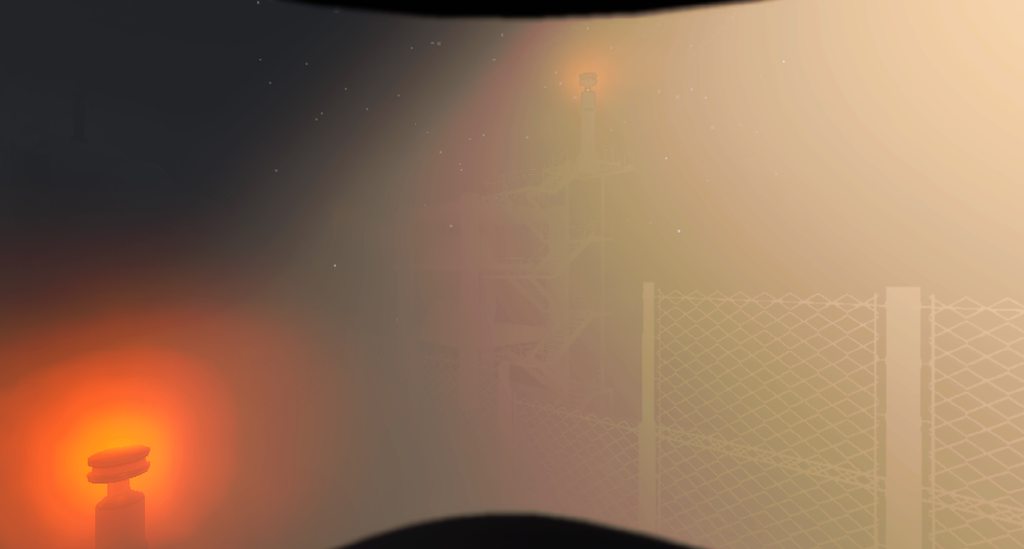 old cobalt
tutorial

my end

i dont have the same textures
why?
and why does everything look like this


but the tutorial looks like this
turbid fern
old cobalt
i dont have the same textures
Yeah, for some reason I can only assume Zeekerss deleted those terrain layers from the vanilla game and that’s why they don’t port. The textures are still there but you have to make the terrain layer yourself. I don’t know exactly how to make the one from the tutorial, but I think I recreated a grass and sand one like what vanilla levels use.
old cobalt
turbid fern
Yeah, for some reason I can only assume Zeekerss deleted those terrain layers fr...
so how do you go about creating them?
i cant find any grass textures or anything anywhere
turbid fern
old cobalt
i cant find any grass textures or anything anywhere
I think it was called moss or something. I gotta sleep for now, but I’ll try to get back to you on that
turbid fern
sour pier
im having trouble uploading images
Here was a comment someone made with some tips. I think one involved image adding, but I can get back to you in more detail tomorrow as I gotta sleep at the moment
sour pier
turbid fern
https://discord.com/channels/1168655651455639582/1204432295025578014/12618516459...
Thx
sour pier
turbid fern
https://discord.com/channels/1168655651455639582/1204432295025578014/12618516459...
Released my moon btw
https://discord.com/channels/1168655651455639582/1262986044001751041
old cobalt
turbid fern
I think it was called moss or something. I gotta sleep for now, but I’ll try to ...
thanks :3
sleep well
old cobalt
is anyone up?
i have no idea how to actually test the mod in game outside unity editor
the starlancer tutorial doesnt show how to actually get the test moon into the real game
so now i'm just left here having zero clue what to do next
crystal kraken
sour pier
Eh not really
Its outdated cuz LLL has now ExtendedMod where you would put your ExtendedLevel and everything else you’d make
Such as ExtendedItems if you have scraps
These need Level Matching Properties
And ContentTag
old cobalt
i have a working moon now :3333
does anyone wanna test it with me tomorrow?
well
later today
i stayed up until 8:30 am working on it
turbid fern
old cobalt
so how do you go about creating them?
Create a terrain layer somewhere in your project (In my case I have everything in the Mods folder, then I have subfolders assets -> materials for terrain layers and things). Fill out the stuff like I have and that should be the grass one. I set the alpha min and max to 0. I think that's how much light can reflect, so a max of 1 means 100% of the light that hits it reflects. I originally had that and the ground was really shiny. You can mess around with that stuff though. Once you have created your terrain layer, it should show up in the list of terrain layers that you asked about earlier.
 crystal kraken
Got this error on one of my next moon and i have no clue why i cant land on it 🤷♂️
 sour pier
does anyone have a death plane I could borrow
crystal kraken
fixed it - got a scenenaming convention issue
turbid fern
sour pier
does anyone have a death plane I could borrow
There's some in vanilla levels like Rend/Dine I think, not sure which ones. They kill you if you walk off a cliff which I think is what you're wanting. You can probably copy/paste it.
sour pier
turbid fern
There's some in vanilla levels like Rend/Dine I think, not sure which ones. They...
alr thx
outer pendant
valid umbra
pretty outdated lol
I'll put together a new tutorial this weekend. Anxiety is just a monster
valid umbra
outer pendant
I'll put together a new tutorial this weekend. Anxiety is just a monster
That would be nice :3 ty
cinder wasp
would it be possible to add a permanent rainy effect to my moon, no matter the weather?
outer pendant
Sure, use particle effects
cinder wasp
outer pendant
Sure, use particle effects
i mean the base game rain effects with it following you, don't know how to manually add that
outer pendant
Ah, not sure then. There was an attempt at one point to use the MatchLocalPlayerPosition component or w/e it's called on a particle system to maximize performance while having a decent number of particles. If you can find how to disable the particle system upon entering the facility that could work.
fallow scroll
cinder wasp
i mean the base game rain effects with it following you, don't know how to manua...
I think Rosie uses MatchLocalPlayerPosition on Summit moon for the snow particles, but afaik some custom code had to be written to disable it inside the facility.
outer pendant
fallow scroll
I think Rosie uses MatchLocalPlayerPosition on Summit moon for the snow particle...
That sounds right. She and I were discussing the whole idea way back when Summit was in its early stages 🤭
old cobalt
turbid fern
Create a terrain layer somewhere in your project (In my case I have everything i...
Ye, I already did all that. Managed to figure it out, thanks tho!
old cobalt
outer pendant
I'll put together a new tutorial this weekend. Anxiety is just a monster
Do you know if there's any current tutorials on how to package the files to be uploaded to thunderstore?
outer pendant
old cobalt
Do you know if there's any current tutorials on how to package the files to be u...
Nothing has changed regarding that. Take whatever mod files you've made along with a readme, icon, and manifest.json, compress them into a .zip archive, and upload.
https://thunderstore.io/c/lethal-company/create/docs/

Thunderstore
Thunderstore is a mod database and API for downloading mods
old cobalt
outer pendant
Nothing has changed regarding that. Take whatever mod files you've made along wi...
I don't know what files need to be put in
That's my biggest concern
Also thanks for that link :3
I had no idea where to find that
old cobalt
old cobalt
I don't know what files need to be put in
Is it just the files in the lethal bundles folder?
outer pendant
old cobalt
Is it just the files in the lethal bundles folder?
For a moon, you need the following files. You have to create the manifest, readme, and icon yourself. Changelog is optional. Readme and Changelog need to be in .md (markdown) format.
 old cobalt
this is everything in the lethal bundles folder

just the two that are lethalbundle files?
outer pendant
Yep. Meta and Manifest files created by the asset bundler are only for use by Unity, all you need are your .lethalbundles
old cobalt
how do i add LLL as a dependecy?
also thank you so much for the personal help
i think i found out
outer pendant
old cobalt
i think i found out
Just to put it out clearly, here's where you create dependencies. You just take the string you can find on LLL's Thunderstore page

 old cobalt
ye :3
thanks for confirming


wuh
its literally not???
anyone have advice for thunderstore gaslighting me?
i figured it out
nevermind
fixed the formatting error and its still gaslighting me
this is gonna make me punch a hole in my monitor
its impossible to be user error
i tried copying someone elses manifest and it still just said
"nuh uh"
turbid fern
old cobalt
fixed the formatting error and its still gaslighting me
Maybe it’s a syntax error? Can we see it’s contents? Also, your file extension seems to say the type is “json source file” but the one from Starlancer is “json file”. Don’t know if that’s just a different name for the same thing or those are actually different file types.
Just saw your newest comment. By copying, was it the file or the text within?
old cobalt
i got it working by directly copying the actual file from another moon mod
that was annoying
thanks for helping
turbid fern
old cobalt
i got it working by directly copying the actual file from another moon mod
Oh, cool. Interesting. Glad it’s working now.
 crystal kraken
Gotta try it out tomorrow ^^ you should probably make a mod-release thread for it
old cobalt
i have no idea how to do that
turbid fern
old cobalt
feels super cool having a mod i made public
It is a cool feeling. The one image looks cool. At some point you might want to add a few more, and a post in the mod-release area like the other person mentioned might be a good idea. Then you can put a link to it in the README.
Ah, one of the channels is mod releases. I think you can just go there and create a post there.
crystal kraken
Yeah you just need to have a small info for what the mod is about and place the thunderstore link in there + add tags to the thread
cinder wasp
fallow scroll
I think Rosie uses MatchLocalPlayerPosition on Summit moon for the snow particle...
snow particles aren't vanilla 🥹
cinder wasp
if adding permanent rainy particles isn't possible, i guess the best i can do is replacing clear with rainy. will have to find a way to make quicksand not spawn because quicksand would suck on the moon.
sour pier
I want to make another moon but I just dont know to do tbh
sour pier
cinder wasp
if adding permanent rainy particles isn't possible, i guess the best i can do is...
you can make it so its always rainy
but then you cant do other weather conditions
cinder wasp
override weather only overrides clear
sour pier
yea
cinder wasp
so i can still have other weathers
sour pier
you can also make rain particlies and place down mud
idk how you could randomize the placment of the mud
I would look into that
and bam, makeshift rainy weather
cinder wasp
i'm not trying to remake rainy weather i'm trying to just have the rain effects
sour pier
cinder wasp
i'm not trying to remake rainy weather i'm trying to just have the rain effects
yea
rain effects are
rain particlies
and mud
so just get rain particlies, and mud
cinder wasp
i mean the particles
sour pier
oh then find a tutrioul on how to make rain
crystal kraken
You will need lethal toolbox for that
cinder wasp
crystal kraken
You will need lethal toolbox for that
for what?
crystal kraken
Oh you are not talking about the rainy weather but having a constant rain on the moon?
cinder wasp
crystal kraken
Oh you are not talking about the rainy weather but having a constant rain on the...
yeah
sour pier
hello would anyone know how to spawn in scraps on the moon surface?
or would I need to make my own script
I remember it was possible to do it, but it would take it from the interior spawns as well, but I dont mind doing that
sour pier
grave lodge
You can do what interiors use but it takes from that pool and may decrease the i...
what is the thing that interiors use?
turbid fern
sour pier
what is the thing that interiors use?
I’m not sure exactly, but somewhere in the files are the prefabs for interior rooms and things I’m pretty sure. You could probably open the prefab and find it in there.
sour pier
turbid fern
I’m not sure exactly, but somewhere in the files are the prefabs for interior ro...
Ah ok thx
sleek saddle
people talking here can use #dev-moons now
turbid fern
sleek saddle
people talking here can use <#1263331414271594538> now
Ooh shiny
sour pier
sleek saddle
people talking here can use <#1263331414271594538> now
tbh I would need starlancers permission, I dont want to betray this thread
outer pendant
sour pier
tbh I would need starlancers permission, I dont want to betray this thread
lmao go right ahead
sour pier
outer pendant
lmao go right ahead
bet
outer pendant
I don't really get anything from people posting in this thread 🤭
sour pier
but yea I feel like people should move to the devolopment of moons, since its less hidden, and more people will see it
old cobalt
outer pendant
I don't really get anything from people posting in this thread 🤭
i have a question for you about the tutorial
if i wanted to follow the tutorial, but use rend to keep the blizzard effect, what would i do differently?
outer pendant
I think Rend uses a local volumetric fog with the 3D Smoke texture for a scrolling effect
sour pier
old cobalt
if i wanted to follow the tutorial, but use rend to keep the blizzard effect, wh...
you can just copy it from rend
sour pier
old cobalt
i dont really know what i'm looking for
I can show you an image
I will show it in devolopment moons
sour pier
old cobalt
i dont really know what i'm looking for
sent it
sour pier
turbid fern
Yeah, for some reason I can only assume Zeekerss deleted those terrain layers fr...
do you know how to recreate those old ones?
turbid fern
sour pier
do you know how to recreate those old ones?
I can check what I did for a sand one, but for the grass I did what’s shown here: #1210653206225363018 message
I only made the sand and grass, so not sure about any others. However, it would probably be similar. You’d just have to find the right things.
old cobalt
turbid fern
I can check what I did for a sand one, but for the grass I did what’s shown here...
You can also mix textures and normal maps
And mask maps
To create more unique textures
crystal kraken
Fun fact: That is also what zeekerss did for a material on the dropship ^^
 outer raft
i may start making mods honestly i have nothing else to do
learn unity and blender so i can start modding
omg i specifically set unity to NOT install on my c drive but it did anyways
sour pier
turbid fern
I can check what I did for a sand one, but for the grass I did what’s shown here...
ty!
outer raft
i cant find thge template in the video'
old cobalt
outer raft
i may start making mods honestly i have nothing else to do
Me
That's why I started
outer raft
outer raft
i cant find thge template in the video'
nvm i found it
outer raft
old cobalt
Me
i havent even touched unity in my life
outer raft
im so overwhelmed already omg
turbid fern
outer raft
im so overwhelmed already omg
Don’t worry. It takes time but you do figure it out. I’m still not great but I definitely know more now than when I started. Plus, this is a good place to ask questions/get help.
outer raft
omg it takes so long to set up unity
sleek saddle
turbid fern
Don’t worry. It takes time but you do figure it out. I’m still not great but I d...
more specifically #dev-moons
sour pier
old cobalt
until like 3 days ago
💀 I dont beleive you, ur way to good to only been using it for 3 days