#pc-gaming
1 messages · Page 39 of 1
 lethal yew
 smoky flame
those are likely safe but may mean for future updates you have to manually check as the background process won’t be doing that but in other cases disabling some processes could break key functionality with Windows so yeah, I’d be very careful with doing that
lethal yew
smoky flame
those are likely safe but may mean for future updates you have to manually check...
Ye im okay with manual updating honestly
lethal yew
smoky flame
those are likely safe but may mean for future updates you have to manually check...
Oh im not touching a single background process that isn't some kinda game launcher or social media app
 dusky wave
If using pc game pass u may need ubi connect and ea app to play some games.
lethal yew
Oh
But does xbox app not just auto open those launchers to run the game
Atleast that's what I've noticed happening whenever I run far cry 6 on xbox app and far cry 3 on steam
I should mention i only disabled the "minimize to system tray when pressing X button" for all the game launchers
So they can still run as background processes when required but not when I'm not playing a game
 quaint mirage
😮
 cinder veldt
dusky wave
If using pc game pass u may need ubi connect and ea app to play some games.
cinder veldt
dusky wave
If using pc game pass u may need ubi connect and ea app to play some games.
i hate that this happens because the ubisoft launcher pops everytime i open the xbox app and im like "no"
lethal yew
One thing I find a bit irritating about the ubisoft connect launcher is that it shows all the prices of the games in the store in euros instead of my local currency
All the other launchers show prices in my local currency tho
I read about this and apparently ubisoft doesn't support my currency :(
 spice cloud
Yo, can someone say what I need to do to make my laptop quieter, when I just open it it makes a lot of fan noises
spice cloud
 icy orbit
set power mode to max battery life
icy orbit
set power mode to max battery life
done all of that, the thing that helped me best was to sets fan to 60 % max, 60 fps and vertical sync on
lethal yew
Why would you want to set a fan limit tho, if it's running at those speeds it probably needs to because of the high temps
spice cloud
lethal yew
Why would you want to set a fan limit tho, if it's running at those speeds it pr...
yeah, like its true what youre saying but the thing that helped most was to put down the fps because higher resoulotion = more power = more heat and then the fan spins faster
should get a laptop cooling station maybe, because fans are under the pc so the dont get good air
lethal yew
Ye limit the fps but not the fan speed it needs to run at high speeds at times, especially when you start a game
spice cloud
lethal yew
Ye limit the fps but not the fan speed it needs to run at high speeds at times, ...
okay will do, but the things that I get annoyed at is how much spotify discord and google takes
its like crazy
lethal yew
Ye you can make them stop running in background by disabling some options in the app settings
spice cloud
lethal yew
Ye you can make them stop running in background by disabling some options in the...
no not thta
lethal yew
Oh when you're using them
lethal yew
Do they consume that much? Whats ur ram
lethal yew
spice cloud
would send a pic but cant here
We can take it to dms if u want
spice cloud
yeah
icy orbit
spice cloud
should get a laptop cooling station maybe, because fans are under the pc so the ...
no
 neat turret
Yo guys i got a question,why can't i access the save files of games downloaded through xbox like steam or epic?
Also has anyone tried modding gta 5 through vortex mod manager??
 wanton zealot
anyone have any good picks for a decent headset to use for gaming? mine broke finally
they were razor Kraken
cinder veldt
wanton zealot
anyone have any good picks for a decent headset to use for gaming? mine broke fi...
Hyper X has some solid headphones
spice cloud
wanton zealot
anyone have any good picks for a decent headset to use for gaming? mine broke fi...
Logitech g733 is what I use, and they are really good for me
 devout remnant

VideoCardz.com
ASUS to launch RTX 5090 ROG Matrix for 30th anniversary of its first graphics card Design unlike any RTX 50 card so far. ASUS has confirmed it will launch a next-generation ROG Matrix graphics card. The teaser comes just a week before Gamescom, where ASUS has already confirmed it will reveal a new graphics card […]
I 🤍 ASUS
dusky wave
devout remnant
https://videocardz.com/newz/asus-teases-geforce-rtx-5090-rog-matrix-graphics-car...
Looks pretty probably starting at 3000 lol
wanton zealot
spice cloud
Logitech g733 is what I use, and they are really good for me
i am wondering if i should stick to the whole wireless idea so my cord doesnt get chewed by my cats again lol
seems like a decent pair, was originally thinking something from Razor but these seem like a good alt
devout remnant
dusky wave
Looks pretty probably starting at 3000 lol
Yeah if I didn’t already have one I’d 100% buy this
I hate when they release these things months after the original release
I’ll wait and see the full unveiling
I may yet have to buy one 😄
spice cloud
wanton zealot
seems like a decent pair, was originally thinking something from Razor but these...
Yeah, I like them, had them for three years, still working perfectly
wanton zealot
spice cloud
Yeah, I like them, had them for three years, still working perfectly
awesome to hear 🙂
icy orbit
wanton zealot
anyone have any good picks for a decent headset to use for gaming? mine broke fi...
audeze maxwell
literally no idea why people just told you to get a logitech headset
that should be a crime if anything
 mellow lintel
Best ones we see recc'd here are the astro 50, the steelseries and uh .forgot. just a sec. We had a Convo in general about it yesterday
I'll see if I can link it here
icy orbit
steelseries dont have any good headsets though so i can already gauge the average quality of information being shared
icy orbit
looks like a large conversation about people comparing their personal experience
not a conversation about objective facts
mellow lintel
But if you dislike all the things then idk. Maybe recc some you like instead of dunking on what other people like 😂
icy orbit
i just did
maxwells. anything other than maxwell is cope

Headphones.com
The Audeze Maxwell is the best gaming headset you can buy. It's also one of the best tuned closed-back headphones you can buy. Fc-Construct explores these lofty claims.
typically large gaming brands just focus on features and gimmicks rather than creating an actual good headset.
theres occasionally a pair that pops up thats usable, such as the turtle beach stealth 600 gen 3 being a.. fine wireless headset. or the hyperx cloud ii are like.. cheap. and are fine.
theyre not good though if youre gonna compare them to actual good headsets (maxwell)
but realistically who actually cares just buy whatever and if it works for you it works
cant call it bad if you dont have anything good to compare it to
mellow lintel
I'm happy you have a thing you like. But yk...let other people have things they like without being insulting.
icy orbit
im not insulting them im just saying why would you recommend them
theres no redeeming qualities about them that make them worth recommending
the only advantage big gamer brands have over others is the availability
peripherals suck they should just make hologram headphones
mellow lintel
I've heard the same
Maybe someday lol
I have a few friends that have them and really really love them
dusky wave
My brother own a pair or two
I probably wont get a pair. My monitor speakers is good enough
mellow lintel
I live a place where it's pretty noisy so a headset or headphones is important
But I don't want to spend an arm in a leg 😅. The steelseries line has been pretty good to me
A nice variety of price points
 blissful carbon
dusky wave
I heard sennheiser headphones r great for audiophiles
blissful carbon
dusky wave
I heard sennheiser headphones r great for audiophiles
Get refurb ones. I paid $200 for HD 660S
 patent hound
icy orbit
maxwells. anything other than maxwell is cope
patent hound
icy orbit
maxwells. anything other than maxwell is cope
This is the best headset
wanton zealot
icy orbit
hit me up when a logitech headset becomes remotably comparable to maxwells
aint about to spend 300 on a headset unles its the Heavys lmao
i need those for my music
smoky flame
Most I’ve spent on a single pair of headphones is £430, which was what the Hifiman Edition XS cost me back in November 2023
cinder veldt
my headphones cost about 130
devout remnant
I think mine would have been close to £2,000
Got high end ones with a separate Amplifier
However I preferred Speakers
My Kef’s are going strong still 😄
icy orbit
wanton zealot
aint about to spend 300 on a headset unles its the Heavys lmao
just wait for hd560s to go on sale/refurbished and then get a mic then
not buying maxwells or a50 is just copium
smoky flame
I'd probably go for the Audeze Maxwell if I was looking for a gaming headset but I don't think I really need that. Not really one for talking with a mic so I have little use for a gaming headset hence why I instead opted for headphones without a mic
icy orbit
refurb hd560s + samson go
 jagged venture
mellow lintel
But I don't want to spend an arm in a leg 😅. The steelseries line has been pret...
jagged venture
mellow lintel
But I don't want to spend an arm in a leg 😅. The steelseries line has been pret...
Had a steel series arctis pro wireless for upwards of 6 or 7 years before the frame gave out. Instantly bought another pair.
Also the frame was my fault cause I never stored it properly. Hanging it on my desk by the cup rather than getting a headphone stand.
dusky wave
Are the samsung neo qled minileds good?
mellow lintel
only reason i got a second pair was bc i wanted a different color 😂
jagged venture
I'm not ashamed to say I got a different color too lol
mellow lintel
and i use a headphone clip thingy that attaches to the edge of my desk
jagged venture
I bought a 30$ wood tray with double headphone space
So now I also have a place to put my stuff as well
mellow lintel
mine is kinda like this

just clamps on the edge
small desk so i could not fit on top
jagged venture
Yeah I seen those but knowing my luck if bump into it and hurt myself or the headphones
jagged venture
PLus my desk is huge
mellow lintel
yeah if i had a bigger desk i would put above
jagged venture
3 27" monitors, printer and another 2-3 feet of space leftover still
mellow lintel
thats a biiiig desk
dusky wave
I feel with you all having headphones i should get a pair but i have been only using monitor speakers
jagged venture
Heavy as heck too
mellow lintel
i think mine is like.. 40'' wide and i have 2 24" monitors and kbm and a lamp etc
all juuuust so
jagged venture
dusky wave
I feel with you all having headphones i should get a pair but i have been only u...
I am so sorry for your suffering
mellow lintel
more will not fit
dusky wave
51 inch l shape black
jagged venture
At least get a good speaker system
jagged venture
Listen to the emperor. "Do it"
mellow lintel
my monitor speakers are not bad, but i live in a noisy space so its better to have a headset
plus being able to vc is really nice
jagged venture
Let me find my speakers.
mellow lintel
headsets seem to do a better job with that, for noise issues too
jagged venture
Amazon.com: Logitech Z625 Powerful THX® Certified 2.1 Speaker System with Optical Input, black : Electronics
It's gone up in price since I bought it like 5 years ago
I paid 129$ for it lmao. Now it's 200
But it's got some serious punch to it. Plus it's got so many inputs. I use optical. Plus output and control on the speaker rather than the subwoofer.
icy orbit
dusky wave
I havent lol
pebbles v3 are like $25 i think
 lethal yew
Is there a lightweight performance overlay app that also displays cpu temps?
Im happy with the Nvidia overlay but my only gripe with it is it doesn't show cpu temps as well like gpu temps
 mild thicket
lethal yew
Is there a lightweight performance overlay app that also displays cpu temps?
mild thicket
lethal yew
Is there a lightweight performance overlay app that also displays cpu temps?
I sometimes use NZXT Cam which is not heavy at all, note I play on integrated and it's working great for me
lethal yew
mild thicket
I sometimes use NZXT Cam which is not heavy at all, note I play on integrated an...
I see, and what all does it display if you mind telling me
mild thicket
real-time data like CPU and GPU temperatures, clock speeds, fan RPMs, RAM usage, network activity, and storage information and a control on the rgb and speed of the fans
mild thicket
lethal yew
Like how much % of cpu/gpu is being used at the timr
Of course
mild thicket
lethal yew
This might be exactly what im looking for
Hopefully this is working for you
lethal yew
Hmm
 normal plover
lethal yew
Is there a lightweight performance overlay app that also displays cpu temps?
normal plover
lethal yew
Is there a lightweight performance overlay app that also displays cpu temps?
Msi afterburner
lethal yew
normal plover
Msi afterburner
I've heard that causes occasional drops in performance tho
devout remnant
lethal yew
I've heard that causes occasional drops in performance tho
Heard it from where?
It’s used by millions even pro over clockers and I’ve never heard that 😄
lethal yew
Some subreddit lol, also a friend of mine noted the same
 errant sorrel
Afterburner doesnt work on every game sadly (Battlefield for example)
smoky flame
some anti chat can block it. Even blocks AMD's own performance monitoring features within AMD Software lol and yeah, there is something about MSI Afterburner. I linked it once here I think some time ago. Would have to dig through the stuff I've linked (which could be a lot) to find it but if I do manage to find it then I'll post it again
https://www.youtube.com/watch?v=bQH3DYNboM0 idk if I linked it here after all but found it in another server

Have you ever experienced microstuttering so bad that you thought your hardware was defective? That’s exactly what happened to me with my 9800X3D—it felt like every game was unplayable, and I was losing my mind trying to fix it. Was I perhaps experiencing the infamous AMDIP that many enthusiasts and PC gamers have complained about with AMD c...
icy orbit
lethal yew
Is there a lightweight performance overlay app that also displays cpu temps?
riva tuner
nzxt cam sucks
just dont use it all the time and its fine. dont understand why you need a performance overlay for longer than 5 minutes
dusky wave
i just use steam overlay fps counter is good enough
icy orbit
any overlay is good enough if all youre doing is just trying to find what settings work best for you
dusky wave
true
smoky flame
icy orbit
just dont use it all the time and its fine. dont understand why you need a perfo...
always good to check your hardware is performing as expected. Last thing I'd want is to not be aware that there may be issues. Obviously there may be more telling signs but the more subtle stuff may only show with the help of performance monitoring. Used to be I'd leave it on for the duration of whatever game I'd play but now I give it maybe 10 minutes and all looking good I hide it and play without an overlay now
icy orbit
is that not just this part? doesnt take a 8 hour gaming session with a large overlay obscuring half the screen to figure out somethings up
 dusky wave
i just choose one and stick with it. i wouldnt use like 3-5 different performance overlays that just overkill
smoky flame
icy orbit
is that not just this part? doesnt take a 8 hour gaming session with a large ove...
true, though at one point I liked seeing the FPS etc while gaming. Found it cool to look at. Was also helpful when I had a 7950X3D as I had MSI Afterburner set to show each core of that CPU while gaming and configured it in such a way that it took up a bit less sapce but reason for that was to check games were primarily using the 3D V Cache cores. Most were but I'm glad I done what I did as I caught some that weren't doing that. Would have been completely oblivious otherwise and might not have been getting the very best performance
main games where that 7950X3D failed to launch with 3D V Cache cores prioritzed were new releases and oddly enough Ubisoft games tied to their subscription as they appear to run off a separate .exe. I found that out by accident when I noticed I think it was Avatar Frontiers of Pandora wasn't displaying certain information from AMD Software on the top right of the screen any time I opened the game but adding the uplay+ exe to AMD Software fixed that. As for getting the game to then run on the 3D V Cache cores all I had to do was go into game bar and tick the option "remember this is a game", restart the game and that fixed that
lethal yew
icy orbit
riva tuner
nzxt cam sucks
Rtss as in the one you download with msi afterburner or there's a separate overlay by rtss
smoky flame
RTSS can be used by itself though I never tried that as I preferred the MSI Afterburner + RTSS combo a while back and the customization is almost endless, though took a bit of learning over time
lethal yew
smoky flame
RTSS can be used by itself though I never tried that as I preferred the MSI Afte...
What is the difference between just rtss and rtss + msi afterburner if you can tell
More performance options available?
smoky flame
I'd be the wrong person to ask having pretty much no experience of RTSS on its own
lethal yew
Fair enough
smoky flame
I don't think its as easy to customize the overlay without MSI Afterburner though
lethal yew
I should mention my cpu utilization never crossed 30% so i shouldn't be too worried about cpu temps right?
My gpu utilization has touched 70% or smth tho
smoky flame
that's pretty normal for games. Depending on settings used the GPU will be put to work far more than the CPU as it is far more capable of such tasks
lethal yew
lethal yew
My gpu utilization has touched 70% or smth tho
And the temps were like 70 degrees not very serious i belive, atleast for gaming laptop standards
The most demanding game ive played yet is dead space remake
smoky flame
sounds about right in terms of temperatures
lethal yew
It gave me around 80-90 fps on 1080p very high
But i reduced it to high settings and capped the fps to 60 to keep the temps low
Te temps became sub 60 after doing said changes
smoky flame
could have just kep it at very high and capped the FPS to 60 and it should have still achieved much the same result
lethal yew
I might do that next time ye, temp difference probably will be negligible
It's just that I have gotten a brand new gaming laptop(first gaming hardware in fact) and i get a little paranoid about temperatures haha
smoky flame
uncapped FPS is always going to use more power thus higher temperatures but if you were to cap a game to 60 FPS that ran at up to 100 FPS before then that should require less power so temperatures should lower but it only really works if the FPS you cap to is lower than what you get when uncapped
lethal yew
Yes true
If the game were barely running at 60, capping wouldnt make much of a difference
Btw i cap my fps using the Nvidia control panel for a game
Is that better than capping fps in the in game settings?
lethal yew
lethal yew
If the game were barely running at 60, capping wouldnt make much of a difference
Although I still think capping fps for every game is advisable because the main menu for most games run at insanely high fps and the gpu/cpu temps ironically get hotter at that time than in game
smoky flame
there is some debate about that. I'm not too sure it really matters that much tbh as an FPS cap is still an FPS cap. The only FPS capping method I have seen that is often frowned upon by the PC gaming community is the use of vsync
lethal yew
Ah
Ye I tried using that once, for a very old game (far cry 3)
It actually made the game laggier
icy orbit
lethal yew
Although I still think capping fps for every game is advisable because the main ...
a lot of modern games implement menu frame limits that are just automatically applied or customisable in settings
if they dont then who cares cuz what does it matter
lethal yew
True true
icy orbit
youre not gonna throttle sitting on a main menu and even if you did just press play
lethal yew
Hmm
icy orbit
not like hitting tjmax means your cpu is gonna blow up
it just means its gonna slow itself down until its not throttling anymore
icy orbit
the point it throttles
lethal yew
Oh
Ye but for really old games definitely advisable to preset an fps cap in the control panel because they really don't have any measures to limit ur fps in the main menu. I think ive once gotten 440 fps in the main menu of far cry 3 and the fans were loudly whirring lol
smoky flame
in cases like that I would cap the FPS 2-3 FPS below your laptop's refresh rate. Does your laptop support gsync? (not to be confused with vsync)
lethal yew
Im not super sure but its a 5070ti laptop
icy orbit
or freesync doesnt matter
smoky flame
seems likely it would support it
lethal yew
Interesting
smoky flame
should be able to find this out in the Nvidia app or NVCP manu somewhere. Not sure where it would be located within the Nvidia app as I've never used it and idk with it being newer if all the features from the NVCP are present
lethal yew
Ye im having a look at that
smoky flame
any luck finding the settings to do with gsync?
lethal yew
smoky flame
any luck finding the settings to do with gsync?
Ok apparently it doesn't auto display for me because my laptop has a mux with an igpu and the 5070ti, i believe i need to make the laptop run only on the 5070ti
I wanna ask before doing this tho, wont the laptop get a bit hotter running only on the 5070ti for even menial tasks
smoky flame
also, I probably should have gone into why I suggested a 2-3 FPS limit below your laptop display's refresh rate. Gsync is only active within the range it has, take 48-120Hz for an example. Below 48 FPS and above 120 FPS screen tearing will occur as you either don't meet or exceed the gsync threshold (this also applies to Freesync and Adaptive Sync too), even use of vsync where FPS would be limited to no higher than the display's refresh rate can still slightly exceed said threshold and reintroduce screen tearing and that is where the 2-3 FPS lower cap comes in as as 118 FPS limit FPS should never exceed 120 so screen tearing shouldn't happen. Slightly off topic but thought you should know
smoky flame
lethal yew
I wanna ask before doing this tho, wont the laptop get a bit hotter running only...
is there no way to switch between the CPU and GPU with this MUX switch? I really don't know a great deal about laptops. If you are on Windows 11 there is a setting that might help with this
lethal yew
I've read there's another option on asus laptops to have the display settings available is to change the operating mode to turbo mode (for clarification gsync comes under the display tab of Nvidia control panel)
And like I said I dont see the display tab
here is what my control panel looks like

there's only 3d settings and video tab, but there should be a "display" tab too
smoky flame
try this first and see if it works. Go into Windows settings: System -> Display -> Graphics and then you should see a list of some of your games (if not you may have to add them manually) but click on one of them and some options should show, the one to look out for is GPU Preference. For a game make sure it runs on the 5070 Ti but for non games you can probably change those to run off the CPU
lethal yew
oh ye i've done that before
but does that mean it'll only show the display tab while running the game?
since in "normal use" the igpu is being used
and as i said gsync comes under the display tab of nvidia control panel
smoky flame
different task so it would probably show as its showing now tbh but really not sure. I go for being pretty knowledgeable about PCs to having almost no clue when it comes to laptop stuff as I didn't even know that a laptop needed an MUX switch to allow the CPU and GPU to display on the laptop's screen. Would have thought that was a standard thing, especially with how efficient on one hand laptops are but also how conscious users have to be with battery usage
lethal yew
this is what you wanted me to do ye?
 smoky flame
yeah
lethal yew
ok you want me to open nvidia control panel by itself or with the game open
smoky flame
worth a try with the game open
lethal yew
alright doing that
smoky flame
just be ready for that GPU to be put to full use while it is set to high performance like that so battery life is likely to take quite the hit
lethal yew
Huh the game is crashing everytime I open it now
smoky flame
ok, revert back to default setting
lethal yew
smoky flame
just be ready for that GPU to be put to full use while it is set to high perform...
Oh there actually is a difference in performance when you force windows to use gpu for application?
Because i just assumed windows insta switches to your dedicated gpu for every game, which would be kinda the same as forcing it to run the game with dedicated gpu
smoky flame
that might be what Optimus tries to do. Try forcing the GPU instead and see how differently it behaves then
lethal yew
Yep the game is not crashing anymore when switching back to default, time to check control panel
Bingo
See the display settings with the game running now
smoky flame
nice!
lethal yew
Didn't take a screenshot because was little worried laptop may freeze 😅

But as you can see something has certainly changed
Gsync setting, ive not done any modifications to them

So these are the default
Correct me if im wrong but this means it was automatically enabled while running dead space?
Yep the gsync setting vanished the moment I closed the game
smoky flame
I guess forcing the GPU via NVIDIA GPU only wuld have it show all the time but might mean more power draw as the GPU will be primarily used even in less demanding tasks (though it can have its perks tbf)
lethal yew
Ye thats why im a little reserved doing this, i would put that setting on for a desktop pc but for laptops thats just creating unnecessary heat
Im more worried about overheating than battery life to be honest
smoky flame
Nvidia should have a setting that can reduce the power draw on the GPU within the NVCP as the GPU shouldn't use unnecessary power when it doesn't need to
lethal yew
Interesting, so like an eco mode
smoky flame
kind of
will still use more power than the CPU likely did but it would be almost like a desktop state
lethal yew
Say, dont most top tier desktop cpus come with igpus though, how is it that this situation doesn't occur with them, im guessing there's no mux kinda thing for desktop pcs so you just manually select the gpu of choice?
smoky flame
Most CPUs come with iGPUs but due to how powerful the GPU is people disable the iGPU in the BIOS (I do that) on AMD's side their CPU iGPU isn't much use beyond troubleshooting should you run into issues with your dGPU but AMD APUs are a little different as they have a more powerful iGPU onboard as a sort of all in one package
smoky flame
the iGPU on that isn't up to much. Would be better off using the Nvidia GPU
lethal yew
smoky flame
Nvidia should have a setting that can reduce the power draw on the GPU within th...
Alright I might as well just do that, but when I apply this setting too, it will give same performance while in game yes?
smoky flame
should do, though having the browser open and gaming at the same time may incur a slight performance penalty if hardware acceleration on the browser's end is enabled but that should make watching YouTube videos etc a lot better as it will put to full use the GPU encoding and decoding capabilities
lethal yew
Ahh makes sense
lethal yew
lethal yew
Didn't take a screenshot because was little worried laptop may freeze 😅
So do you want me to straight up disable the igpu via bios or just change this setting in the nvcp to make it run only only the gpu
smoky flame
just be sure to double check the NVCP for a setting that relates to GPU power usage. I seem to remember there being one when I used to have an Nvidia GPU but idk if that is still around or if it can be toggled globally or only on a per game/program basis
lethal yew
Got it will do
smoky flame
change the setting in the NVCP
that should be enough. idk enough about laptops to know if disabling the iGPU in BIOS is possible or not
lethal yew
Ye probably better to leave bios alone if the work gets done with just nvcp
smoky flame
yeah, something else to check. What did you set power plan/mode to? I'd recommend leaving that at balanced as that may also help keep power draw down and only put ti to full use when needed like when gaming or using some other 3D/GPU intensive program
lethal yew
smoky flame
yeah, something else to check. What did you set power plan/mode to? I'd recommen...
Power plan in the windows settings? that's set to best performance when plugged in
 smoky flame
try watching a YouTube video and seeing how much power the Nvidia GPU draws via the Nvidia app if performance monitoring is possible that way
lethal yew
wow, the display looks much sharper suddenly after switching to nvidia gpu only
lethal yew
smoky flame
try watching a YouTube video and seeing how much power the Nvidia GPU draws via ...
4k vid or any resolution works?
smoky flame
oh, that reminds me. Double check in the display settings if the native resolution and highest possible refresh rate is selected. Might be fine but if not you might want to change that
lethal yew
got it
smoky flame
auto will do
if you have the bandwidth YouTube should play videos at the highest resolution your display supports and depending on video it may also use AV1
smoky flame
right click on the youtube video and click on stats for nerds. Most of it is complete gibberish but useful info, that will tell you what codec etc is being used amongst a bunch of other stuff
lethal yew
ohh
so according to nvidia overlay on average 10 watts being used while running the yt vid
smoky flame
nice
lethal yew
by the gpu ofc
but task manager is plotting a graph for the igpu too, does that mean it's being used?
it's in fact plotting a graph for both the 5070ti and igpu
lethal yew
smoky flame
oh, that reminds me. Double check in the display settings if the native resoluti...
regarding this, why is display resolution blocked out for me?
 smoky flame
hmm, that I really don't know. Try the Nvidia app or NVCP for resolution and refresh changes instead
lethal yew
Hmm
yup highest res and refresh rate

i should mention i did not find any power settings option in nvcp
smoky flame
interesting, that might have changed over time then. My last Nvidia GPU was a 1080 Ti and I sold that back in 2019 or 2020 (big mistake  )
)
lethal yew
wth dude, that would make me regret super hard
but that's fine, mistakes were made haha
smoky flame
sold it for a 5700 XT at the time. One of my biggest tech regrets as it wasn't even an upgrade but a sidegrade at best. Main reason I did it though was for DSC support as the 1080 Ti didn't support that and I couldn't make full use of the 1440p 240hz monitor I had then 🙁
lethal yew
ah makes sense
plus nobody could predict covid and the consequence on pc parts market
smoky flame
yeah, 2020 up until now was rough for computer hardware overall, though there was the cryptoboom before that not long after the 10 series or 1080 Ti launched iiirc that effectively signalled the beginning of uncertain times for pricing going forward
lethal yew
ok so i found out "ordinary" apps are still using the igpu i think this is the setting i need to change to override that
 lethal yew
smoky flame
yeah, 2020 up until now was rough for computer hardware overall, though there wa...
lethal yew
smoky flame
yeah, 2020 up until now was rough for computer hardware overall, though there wa...
yep truly dark times
this is the graph of the igpu (amd radeon 610m) while a 4k vid is running in the background, i think this confirms the igpu is overriden now?

16-20 watts being used by 5070ti as per the nvidia overlay
smoky flame
 now I am a little curious to see if it is worth you turning off the iGPU in the BIOS so it doesn't get in the way. I really don't know if that is a recommended thing to do but seeing as your 5070 Ti is now equipped to handle everything and not consume max power (outside of certain tasks) the iGPU is kind of just there but not going to be doing much now
lethal yew
smoky flame
<:rooHmm:693910177929494529> now I am a little curious to see if it is worth you...
yup so basically got a portable desktop at this point haha
smoky flame
heh, you didn't originally want to use it like so but here we are in a way 😄
lethal yew
ye i was gonna get a desktop anyday but since imma study abroad so laptop was a more viable option
smoky flame
should still be fine. the use of the 5070 Ti is better overall anyhow. Might use a bit more power than what the iGPU would have used but that small trade off for better feature capabilities is a no brainer really
lethal yew
true true
smoky flame
if disabling the iGPU is possible through the BIOS for you it will also free up some RAM as the iGPU used up to 512MB
lethal yew
oh that 512 "dedicated gpu memory" is just space from the ram?
smoky flame
yeah
lethal yew
i guess that explains why my ram shows up as 15.2 gb and not 16 gb
this was all really helpful man but i'll be doing rest of the setting up tomorrow, gotta sleep now. we'll defo continue this some other time, maybe in dms if ure good with that
smoky flame
sure. Sorry if this was something of an eye opener haha 😄
lethal yew
No I truly needed this, I am total noob regarding this stuff so thanks a lot
smoky flame
I better think of sleeping too, lol 2:20am 😮
lethal yew
Ye gn 😂
cinder veldt
smoky flame
if disabling the iGPU is possible through the BIOS for you it will also free up ...
doesn't the igpu use the system ram as vram?
 fickle void
Guys can we mod games on pc obtained via gamepass
blissful carbon
fickle void
Guys can we mod games on pc obtained via gamepass
Some of them yes
 pulsar cargo
cinder veldt
doesn't the igpu use the system ram as vram?
pulsar cargo
cinder veldt
doesn't the igpu use the system ram as vram?
That's what he said yes.....
 solemn orbit
AOE3:DE is awesome
dusky wave
Thats not a game i enjoy. But i hope u enjoy it
blissful carbon
Well I found out I had secure boot on this entire time and just never noticed rofl
patent hound
Most people will
blissful carbon
There was once a point where secure boot made it a pain to install Linux/dual boot. Seems those days are long gone now though.
smoky flame
I don't think secure boot is commonly enabled by default. Now that some more games require it I won't be too surprised to see motherboard vendors issue a BIOS update before too long that enables it by default but still the small matter of updating to that version ofc. TPM is enabeld by default and been that way since Windows 11 really took off but before that users would have to go into the BIOS to enable it just like secure boot now
devout remnant
smoky flame
I don't think secure boot is commonly enabled by default. Now that some more gam...
Did you get a Gen5 drive in the end?
If I remember correctly, you were going to or looking to buy?
dusky wave
smoky flame
I don't think secure boot is commonly enabled by default. Now that some more gam...
my pc had csm on as default
smoky flame
devout remnant
If I remember correctly, you were going to or looking to buy?
considering it but idk yet
pulsar cargo
Can't wait to see the Black Ops 7 gameplay/reveal
Really hope it's optimised for PC well
cinder veldt
pulsar cargo
Really hope it's optimised for PC well

considering the performance of bo6 i doubt that
it took like 8 months just for it to feel okay to play
devout remnant
smoky flame
considering it but idk yet
Ah Oki
pulsar cargo
cinder veldt
??
cinder veldt
pulsar cargo
??
what?
pulsar cargo
cinder veldt
what?
I don't understand the gif/picture
cinder veldt
pulsar cargo
I don't understand the gif/picture
the image is secondary
dusky wave
Bo7 annoucement is on tuesday right?
 trim gazelle
hey does anyone know about regional price
pulsar cargo
trim gazelle
hey does anyone know about regional price
Why?
pulsar cargo
cinder veldt
the image is secondary
Secondary to what?
cinder veldt
pulsar cargo
Secondary to what?
its a reaction image
trim gazelle
pulsar cargo
Why?
im trying to send my friend a gift im in germany he in egypt is that possible
dusky wave
trim gazelle
im trying to send my friend a gift im in germany he in egypt is that possible
we already answered u in #general-chat
trim gazelle
dusky wave
we already answered u in <#114211522384756737>
he asked why
devout remnant

Singapore got some good internet 😄
10Gb + WiFi 7
$50 after 6 month promo of $40
pulsar cargo
1 day left!
normal plover
pulsar cargo
What
Gears of war reloaded
pulsar cargo
normal plover
Gears of war reloaded
Oh, I wonder if he'll benchmark it with framegen 🤣
 vernal crescent
when i try to play remotely on my pc my friends say my voice sounds weird in party chat, anyone else have this problem?
one thing i noticed when it started was that in my sound input it started listing my headset with my controller as “Headphones (3- Xbox Controller)”
before the problem started the “3-“ wasn’t there
 obsidian bobcatBOT
For support, head over to #1091756150644555946 and read through the pinned Self help topic as well as search to see if your issue has been solved previously and you can solve the issue on your own. If you still need assistance, you can create a new post, but please read through the post guidelines first.
NOTE: This is community sourced support and there is no official support here on Discord. People will help if/when they are able to. If you have an issue regarding your account and/or billing, reach out to official support at https://support.xbox.com/contact-us/ for assistance.
devout remnant
pulsar cargo
Oh, I wonder if he'll benchmark it with framegen 🤣
You’re more obsessed about me than me 😄
I’ll keep you in suspense till it’s released, keep it interesting for you 😝
dusky wave
If i benchmark gears reloaded it will be native settings lol
I just dont like using framegen
pulsar cargo
devout remnant
You’re more obsessed about me than me 😄
Nope. I find you hilarious.
errant sorrel
Whats the point of complaining about it LuigiGuy? It's not like hes hiding that he used framegen in benchmarks?
And even if he did.. why do you care, like, at all?
pulsar cargo
errant sorrel
Whats the point of complaining about it LuigiGuy? It's not like hes hiding that ...
I'm not complaining at all.
errant sorrel
You sure bring it up a lot though, surely you have better things to do than to care about that?
pulsar cargo
errant sorrel
You sure bring it up a lot though, surely you have better things to do than to c...
No I do not.
errant sorrel
Ok, sounds exhausting
 polar citrus
d
icy orbit
devout remnant
You’re more obsessed about me than me 😄
lol ikr
god forbid someone uses modern tech to bring them more frames
on an actually good frame gen system too.
pulsar cargo
icy orbit
lol ikr
god forbid someone uses modern tech to bring them more frames
God forbid people taking things the wrong way 😡😡😭
icy orbit
k
dusky wave
Hopefully with less latency
pulsar cargo
K
pulsar cargo
dusky wave
Hopefully with less latency
Apparently I'm not allowed to laugh at people who use framegen. 😡😡😭
dusky wave
pulsar cargo
Apparently I'm not allowed to laugh at people who use framegen. 😡😡😭
I dont like using framegen at all if i could help it
pulsar cargo
dusky wave
I dont like using framegen at all if i could help it
Same mate but I get sarcy comments if I say anything.
dusky wave
pulsar cargo
Same mate but I get sarcy comments if I say anything.
I would rather play at lower settings or res than use framegen. I would use upscaling non framegen if i have no choice. But at least its better than framegen with the latency
smoky flame
not a fan of frame generation either but best just leave others enjoy stuff the way they want to. I'm slowly learning to be that way. Is what it is 
dusky wave
How is the latency for frame gen still like 25 ms or more?
smoky flame
not sure what you mean there
 flat seal
Not here.
 weak orchid
flat seal
Not here.
weak orchid
flat seal
Not here.
where
devout remnant
errant sorrel
Ok, sounds exhausting
Thank You 🙏 - I appreciate understanding that you don’t have just “attack” or “have a go” at someone just because of something you can or can’t use.
devout remnant
icy orbit
lol ikr
god forbid someone uses modern tech to bring them more frames
Aha, it’s not allowed!!!!
devout remnant
icy orbit
on an actually good frame gen system too.
Anyway, yeah it’s absolutely fantastic.
I ran the two Doom Benchmarks and Frame Gen is wild

^ No Frame Gen ^

^ Frame Gen ^
This was maxed out Ultra Nightmare @ 1440p
dusky wave
 warm wasp
Hi do you play on pc?
warm wasp
Hi do you play on pc?
Yes as this is the #pc-gaming channel lol
lots of games mostly single player games
pulsar cargo
devout remnant
Thank You 🙏 - I appreciate understanding that you don’t have just “attack” or “...
Mate, I haven't attacked you or had a go. I can if you want me to though 😉😁
 devout remnant
warm wasp
Which game do you play on pc?
devout remnant
warm wasp
Which game do you play on pc?
At the moment Gears 4 & Gears 5
Soon Gears Reloaded
Wbu?
dusky wave
Does that count backlog lol?
devout remnant
I currently have 0 backlog !
dusky wave
With around 50 games installed rn
mellow lintel
devout remnant
I currently have 0 backlog !
x to doubt
dusky wave
X
mellow lintel
did you dump all the backlog in a bin or something? cause that cheating
dusky wave
Or hid them on steam library lol
cinder veldt
mellow lintel
did you dump all the backlog in a bin or something? cause that cheating
i simply buy games to look at them in my steam library
devout remnant
mellow lintel
did you dump all the backlog in a bin or something? cause that cheating
I’m mainly into story driven games from franchises that I know I like so atm I’m played them all 😄
Happy if someone wants to recommend!!!
mellow lintel
cinder veldt
i simply buy games to look at them in my steam library
its a collection! like a museum!
what kind of story driven games?
like.. in order or pieced together?
idk if that makes sense
devout remnant
Last of Us, Uncharted, God of War, Dante’s Inferno, Halo, Gears
Walking Dead, Wolf Among Us
devout remnant
Ooo Oki not heard of that one
Oh wow highly rated !!
Backlog = 1
I’ll check it out on Saturday 😄
mellow lintel
it is a really pretty game, imo beautiful movement controls and a great story
whole things felt very smooth
i personally have it on epic, as a note.. but i cant see it being an issue on other platforms
devout remnant
Once I play it on Saturday I’ll be sure to report back 🙏✨
pulsar cargo
🤣🙄
mellow lintel
 pulsar cargo
I hear the platinum on PS is really hard though
mellow lintel
trophies arent my jam, so i cant speak to that. but the game itself is really solid
icy orbit
subnautica is 75% off rn if you haven't played
dusky wave
Played that on game pass and the spinoff sequel thing
 pulsar cargo
icy orbit
subnautica is 75% off rn if you haven't played
pulsar cargo
icy orbit
subnautica is 75% off rn if you haven't played
Played it for achievements. Was kinda boring ngl
icy orbit
cool
dusky wave
pulsar cargo
Played it for achievements. Was kinda boring ngl
Same here and the other one
normal plover
dusky wave
How is the latency for frame gen still like 25 ms or more?
When people say input latency in frame gen, it’s because you feel the input lag of non generated frames. If you had 2x frame gen and the game was 30fps native, even if it was visually smooth, you might be able to feel inconsistency if you’re a long time gamer
At least I think
Idk I’m no expert
devout remnant
normal plover
Idk I’m no expert
Experts say it’s amazing
normal plover
I turn it on in story games if my fps is over 40, I can’t tell the input difference 😭
smoky flame
devout remnant
Experts say it’s amazing
What experts?
devout remnant
smoky flame
What experts?

Try SignalRGB here: https://bit.ly/SignalRGB-Unboxed
Support us on Patreon: https://www.patreon.com/hardwareunboxed
YT Membership: https://www.youtube.com/channel/UCI8iQa1hv7oV_Z8D35vVuSg/join
Buy relevant products from Amazon, Newegg and others below:
Radeon RX 9070 XT - https://geni.us/CH0CxfR
Radeon RX 9070 - https://geni.us/3neQ6nF
GeForce...

CDKeyoffer Valentine's Day Sale! 25% Off with code BW20
-Windows 11 Pro ($23): https://bit.ly/btWin11Pro
-Windows 10 Pro ($17): https://bit.ly/btWin10Pro
-Windows 10 Home ($15): https://bit.ly/btWinHome
-Windows 11 Home ($22): https://bit.ly/bt11home
-Office 2019 ($53): https://bit.ly/btoffice2019
Buy Microsoft Win11 Pro OEM Key Global: https://...
cinder veldt
devout remnant
https://youtu.be/I4Q87HB6t7Y?si=k5Yr8zVQfY5euhn5&utm_source=MTQxZ
This is a soild video however
devout remnant
 cinder veldt
devout remnant
https://youtu.be/FbwdM5NmhQ8?si=IudckaYELooSqYeD&utm_source=MTQxZ
cinder veldt
devout remnant
https://youtu.be/FbwdM5NmhQ8?si=IudckaYELooSqYeD&utm_source=MTQxZ
i feel this one is a bit of a bad example of frame gen being used
devout remnant
cinder veldt
i feel this one is a bit of a bad example of frame gen being used
Fair enough
smoky flame
First video is more to do with just DLSS upscaling and comparing the two models. Not so much about frame generation but I’ll have a watch of the bitwit video
devout remnant
smoky flame
First video is more to do with just DLSS upscaling and comparing the two models....
Nice, I just put both in one go
Ultimately the only thing that matters is whether YOU like it or not
And that’s ok, it’s not for everyone.
icy orbit
dlss 4 upscaling is amazing
normal plover
Dlss4 is difficult for me to see compared to native
I can’t tell most of the time unless it starts shimmering
cinder veldt
cinder veldt
i feel this one is a bit of a bad example of frame gen being used
i say that because its cyberpunk 2077 and its a game thats made specifically for nvidia gpus and i would assume CDPR worked with Nvidia to make frame gen work even better
also frame gen works better when the gpu can already hold a frame rate at or above 60 fps and its a 5090 so its a best case scenario methinks
if it was more realistic and was tested on a 5070 and a different game that supports frame gen like monster hunter wilds i think that wouldve been a better example
smoky flame
icy orbit
dlss 4 upscaling is amazing
Yeah, DLSS 4 upscaling does look pretty good
devout remnant
cinder veldt
i say that because its cyberpunk 2077 and its a game thats made specifically for...

#godofwarragnarok #rtx5070ti #7800x3d
Recorded using Nvidia App. (1-5% better performance can be expected.) Different playable settings in different resolutions benchmarks.
00:00 Ultra Preset 2160P (4K) Native
01:00 Ultra Preset 2160P (4K) DLSS Quality
02:00 Ultra Preset 2160P (4K) DLSS Quality Frame Gen ON
03:00 Ultra Preset 1440P (QHD) Nat...
devout remnant
cinder veldt
does ragnorak use framegen?
Yes it does
Stalker 4K on a 5070 doing 220 fps

NVIDIA GeForce RTX 5070 performance benchmark in 17 games at 4K, 1440p DLAA/DLSS 4 Quality/Performance + DLSS 4 Multi Frame Generation with Ray Tracing & Path Tracing and Ultra settings on RTX 5070 + i7 14700F
Timecodes:
○ 0:00 - Cyberpunk 2077 4K DLSS 4 Performance
○ 0:36 - Cyberpunk 2077 4K DLSS 4 Performance + FG 2X
○ 1:11 - Cyberpunk ...
cinder veldt
strange considering ragnorak can run well on the 1060
 pulsar cargo
smoky flame
What experts?
pulsar cargo
smoky flame
What experts?
Source; trust me bro
pulsar cargo
Sarcasm went right over your head.
cinder veldt
devout remnant
https://youtu.be/GO2aY0S1vk8?si=ezyg7dovfaXreMRH&utm_source=MTQxZ
only thing that sucks about youtube is its a bit hard to tell if theres any blurs from framegen because of compression
devout remnant
normal plover
It looks like source: hardware unboxed
Don’t worry troll going to troll 😄
pulsar cargo
devout remnant
Don’t worry troll going to troll 😄
Excuse me? I'm not a troll.
smoky flame
I don't think there is any trolling happening
devout remnant
cinder veldt
only thing that sucks about youtube is its a bit hard to tell if theres any blur...
Yeah I can say though I didn’t notice any at all myself
cinder veldt
devout remnant
Yeah I can say though I didn’t notice any at all myself
but for the most part is looks okay, i can kinda notice some blurring when the camera is moving around pretty fast on like AC Shadows but on like 2077 it looks good and i did notice some blur on GOW:R when the camera was moving fast
devout remnant
cinder veldt
but for the most part is looks okay, i can kinda notice some blurring when the c...
Depends on settings too - I disable motion blur in game
By default it’s on so idk what’s causing it tbh plus depends on how they captured the footage
cinder veldt
Like personally ill continue to advocate for pure rasterization but i wont try to downplay the advances of things like Frame Gen and Upscaling
smoky flame
I have that and a bunch of other camera based settings turned off. Only things I lower or turn off entirely in games
devout remnant
I did almost 60 hours in God of War on Frame Gen and was very happy with it
cinder veldt
but then again ill probably have to try some games with Framegen to actually see how it feels
devout remnant
cinder veldt
Like personally ill continue to advocate for pure rasterization but i wont try t...
Yeah whatever suits you best,
Going forward I’ll be native for multiplayer but for sure Frame Gen on SP if it’s an option
smoky flame
Motion blur, chromatic aberration, lens flare, film grain. feel free to add any I missed, though I think I got the bulk of them
cinder veldt
most sp games i play are usually locked to 60fps so framegen wouldnt help much
devout remnant
Ah see I’ve yet to play a hard locked game
However I will lock myself to 144Hz for SP
cinder veldt
devout remnant
Ah see I’ve yet to play a hard locked game
I mean games like Skyrim
devout remnant
Keeps temps, power consumption and overall system ticking over
smoky flame
frame gen should help with haard locked games unless you mean that the game can somehow limit even frame gen?
rare to run into hard locked games these days. I definitely haven't ran into one
cinder veldt
smoky flame
frame gen should help with haard locked games unless you mean that the game can ...
I mean maybe? im not too well versed on frame gen besides "Wowzas they made the frame from nothin but one real frame"
smoky flame
enable it and 60 FPS becomes almost 120, 180 or 240 FPS. I think there is a slight hit as it usually isn't quite 1:1 or is that more from the use of upscaling that incurs a slight performance penalty? maybe even both
cinder veldt
i might try like skyrim with amds driver level frame gen and then try lossless scalings version
devout remnant
smoky flame
enable it and 60 FPS becomes almost 120, 180 or 240 FPS. I think there is a slig...
Can more than 1:1
Not always though
 dusky wave
Does afterburner do track fps on the driver like amds afmf?
devout remnant
Not sure I don’t use AB
smoky flame
driver level works pretty well as I tried it on STALKER 2 but only way to see it properly is with the use of AMD's own performance overlay as it doesn't show on RTSS or even Steam's overlay. Though with it being driver level it has no developer specific input so it will render everything on the screen and generate that with an extra frame
UI elements etc. In game option (where available) would avoid those
I should see what happens if I use both AFMF 2.1 and in game frame generation on Stalker 2 see if that can 4x the frame rate. AMD's own MFG 😄
probably going to crash on the first launch though
dusky wave
Stalker 2 is what 200 gigs i forgot?
 smoky flame
steam overlay will show in game frame gen + FSR uspacling set to performacne at 4K and the other overlay is AMD's own custom configured within AMD Software that picks up AFMF 2.1. It works! xD
hmm, it didn't show?
weird how the AMD Software metrics doesn't show lol but I can get up to 250 FPS on there to show
smoky flame
that's annoying me now a little. Why isn't AMD Software's metrics showing in the screenshot? Never had this happen before. Usually it just shows, even tried on fullscreen instead of borderless windowed
dusky wave
Really?
smoky flame
yeah, oh well. Definitely works though. AMD's own MFG 😄

the 134 FPS on Steam's overlay was around 260 FPS on AMD Software overlay and would have been on the top right corner
I quite like how Steam's overlay shows both the actual FPS and FPS with FSR and frame generation enabled beside each other
devout remnant
smoky flame
I quite like how Steam's overlay shows both the actual FPS and FPS with FSR and ...
That is cool
smoky flame
kind of curious if it shows the same way for you in a Steam game when frame gen at 2, 3 and 4x is configured in supported games. Will no doubt show as DLSS and FPS at the left most side
devout remnant
smoky flame
kind of curious if it shows the same way for you in a Steam game when frame gen ...
I don’t really use any overlays
But I can try next time
smoky flame
something I should probably point out with Stalker 2. FPS limit for this game even using a 9800X3D seems to be limited to around 100-110 FPS at 1080p but enable frame gen in game and you can pretty much double that. Which is where I said what I said to MrFeatherbolt earlier where a game is hard locked on FPS. I'll try and show that
devout remnant
smoky flame
something I should probably point out with Stalker 2. FPS limit for this game ev...
I might try it this weekend
But I play 1440p
smoky flame
in game settings changed to resolution 1080p, still maxed settings but no upscaling active while frame generation is enabled. Notice the FPS being below 100 even on the high and 1% low side to the right of those figures
 pulsar cargo
smoky flame
I quite like how Steam's overlay shows both the actual FPS and FPS with FSR and ...
pulsar cargo
smoky flame
I quite like how Steam's overlay shows both the actual FPS and FPS with FSR and ...
How do I use that? Is it still in beta?
cinder veldt
pulsar cargo
How do I use that? Is it still in beta?
ye
devout remnant
smoky flame
in game settings changed to resolution 1080p, still maxed settings but no upscal...
Yo that game is too scary
Might have to pass 
smoky flame
pulsar cargo
How do I use that? Is it still in beta?
I don't think its still in beta. Just make sure your Steam launcher is up to date and you should find it here
 smoky flame
devout remnant
Yo that game is too scary
smoky flame
devout remnant
Yo that game is too scary
I didn't find it too scary. Scariest mutants in STALKER 2 are probably the bloodsuckers. They remind me a lot of a zombie type from Dying Light 2 (idk if you played that before?) but one game that really unsettled me was RE7 😱
I'm at a point in my STALKER 2 save where even two pseudogiants can't kill me. For some context. Pseudogiants are the second most tankiest mutants in STALKER 2 and pretty large so don't really move too fast. Tankiest and fastest goes to the Chimera. DOn't even try to run from one of those if you find it as it will catch you. best just try and fight it but luckily you really shouldn't encounter either early on. By the time you do though, be sure to have a shotgun ready for them
 verbal sorrel
If you like stalker 2 then you'll love the originals
warm wasp
Pc runs more better than every console
dusky wave
warm wasp
Pc runs more better than every console
thats not even true lol
lethal yew
warm wasp
Pc runs more better than every console
You do know pc also includes your average laptops/pcs that dont have a dedicated gpu right?
pulsar cargo
smoky flame
I don't think its still in beta. Just make sure your Steam launcher is up to dat...
Will try when I'm home! Thanks mate 😁
errant sorrel
warm wasp
Pc runs more better than every console
Id like to see my Pentium 3 500mhz PC to run Cyberpunk 😄
devout remnant
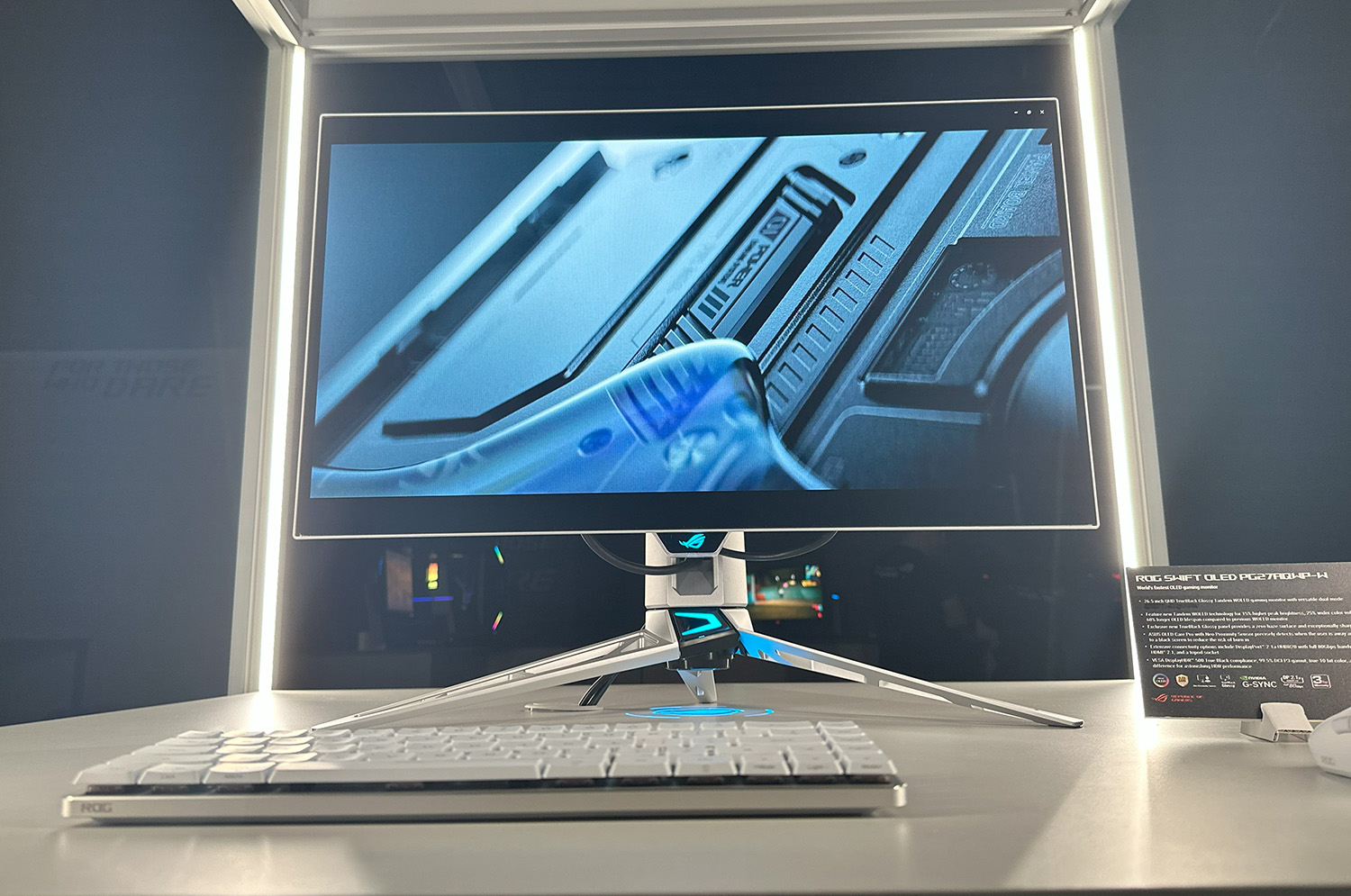
TFTCentral
Share this contentAnnounced today at Asus’ Gamescom 2025 event was the new ROG Swift PG27AQWP-W gaming OLED monitor, offering an amazing spec and loads of new, top-end features. We had....[click link for more]
My Next Monitor!!!!
I can’t wait 🩵🩵🩵
Highlights:
New 4th Gen Tandem OLED
- Brighter
- Improved Colours
- Longer Life Span
True Black Glossy Coating
- Superior Clarity
pulsar cargo
devout remnant
pulsar cargo
https://www.youtube.com/watch?v=9txkGBj_trg
Reminds me of Crysis x Call of Duty
Excited for it, hope they do a beta
wanton zealot
has anyone had any problems with Windows 11 and gaming?
devout remnant

Featuring innovations honed over 30 years of graphics card design, the ROG Matrix GeForce RTX 5090 - ASUS Graphics Cards 30th Anniversary Edition stakes its claim for GPU supremacy.
Learn more: https://rog.gg/Matrix_RTX5090
#ROGMatrix #RTX50 #GeForceRTX50
dusky wave
Nope
dusky wave
wanton zealot
has anyone had any problems with Windows 11 and gaming?
Update ur drivers?
icy orbit
wanton zealot
has anyone had any problems with Windows 11 and gaming?
at least 1 person has yes. are you aware that this question is incredibly vague
dusky wave
U could always downgrade though support of 10 ends in a month or two
wanton zealot
sure is
icy orbit
errr why would you go to 11 just to go back to 10
icy orbit
wanton zealot
was just asking that because im about to do the update
are you updating through windows or are you installing it with a usb
wanton zealot
windows
mellow lintel
I use 11 all the time to game with and it's been fine for me. 
wanton zealot
just heard some things recently of ppls storage drives getting corrupted from the recent update in Win11
icy orbit
🤷♂️
wanton zealot
👍
lethal yew
If any Nvidia gpu user can correct me if im wrong, but you can only have game ready driver or studio driver installed at any given time right? Because when I installed the studio driver, it asks me to reinstall the game ready driver
dusky wave
I never had a issue with my drives when i upgraded to 11
 ocean night
hey anybody can help me with the cloud gaming ?
obsidian bobcatBOT
For support, head over to #1091756150644555946 and read through the pinned Self help topic as well as search to see if your issue has been solved previously and you can solve the issue on your own. If you still need assistance, you can create a new post, but please read through the post guidelines first.
NOTE: This is community sourced support and there is no official support here on Discord. People will help if/when they are able to. If you have an issue regarding your account and/or billing, reach out to official support at https://support.xbox.com/contact-us/ for assistance.
 mental relic
icy orbit
errr why would you go to 11 just to go back to 10
mental relic
icy orbit
errr why would you go to 11 just to go back to 10
Im updating my oled to windows 11
pulsar cargo
devout remnant
Reminds me of Crysis x Call of Duty
Sorry but if I'm such a troll, why are you replying to me?
pulsar cargo
devout remnant
Excited for it, hope they do a beta
Beta in October, early access and then open beta
devout remnant
pulsar cargo
Sorry but if I'm such a troll, why are you replying to me?
Because I can get over it and hope to move on.
devout remnant
pulsar cargo
Beta in October, early access and then open beta
Nice 👌
pulsar cargo
devout remnant
Nice 👌
If you preorder you can get Reznov operator in Black Ops 6.
I'll wait for the beta to order though
Looks really good though! That, BF6 and GTA in 2026 (as long as there's no delays) should keep me happy 😁😊
devout remnant
pulsar cargo
I'll wait for the beta to order though
Same I’ll decide after the Beta 👍
devout remnant
pulsar cargo
Looks really good though! That, BF6 and GTA in 2026 (as long as there's no delay...
I’ll have to wait for GTA 6 to come out on PC so I hope it’s not too long after console 😭
dusky wave
devout remnant
I’ll have to wait for GTA 6 to come out on PC so I hope it’s not too long after ...
if rdr2 port has anything to go by-a year so 2027
mental relic
devout remnant
I’ll have to wait for GTA 6 to come out on PC so I hope it’s not too long after ...
the big bertha
smoky flame
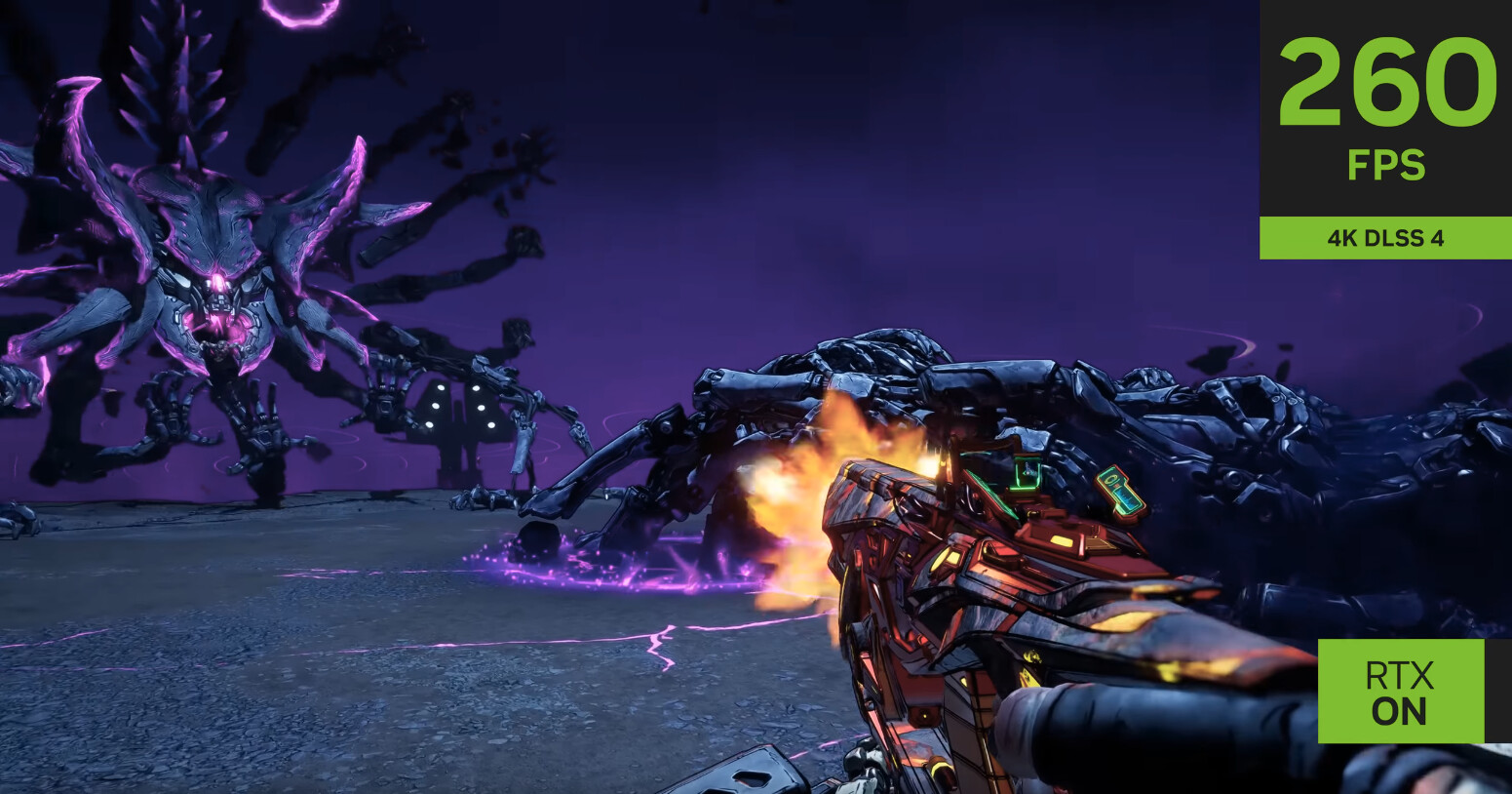
TechPowerUp
NVIDIA has officially shown off Borderlands 4 running with DLSS 4, MFG, and RTX enabled in a YouTube video, although fans of the game's franchise have some concerns that the game will depend entirely on generated frame to hit high frame rates. In the trailer, the POV character is facing off against ...
cinder veldt
smoky flame
Oh no… https://www.techpowerup.com/340103/borderlands-4-to-rely-on-nvidia-dlss-4...
Thanks randy
devout remnant
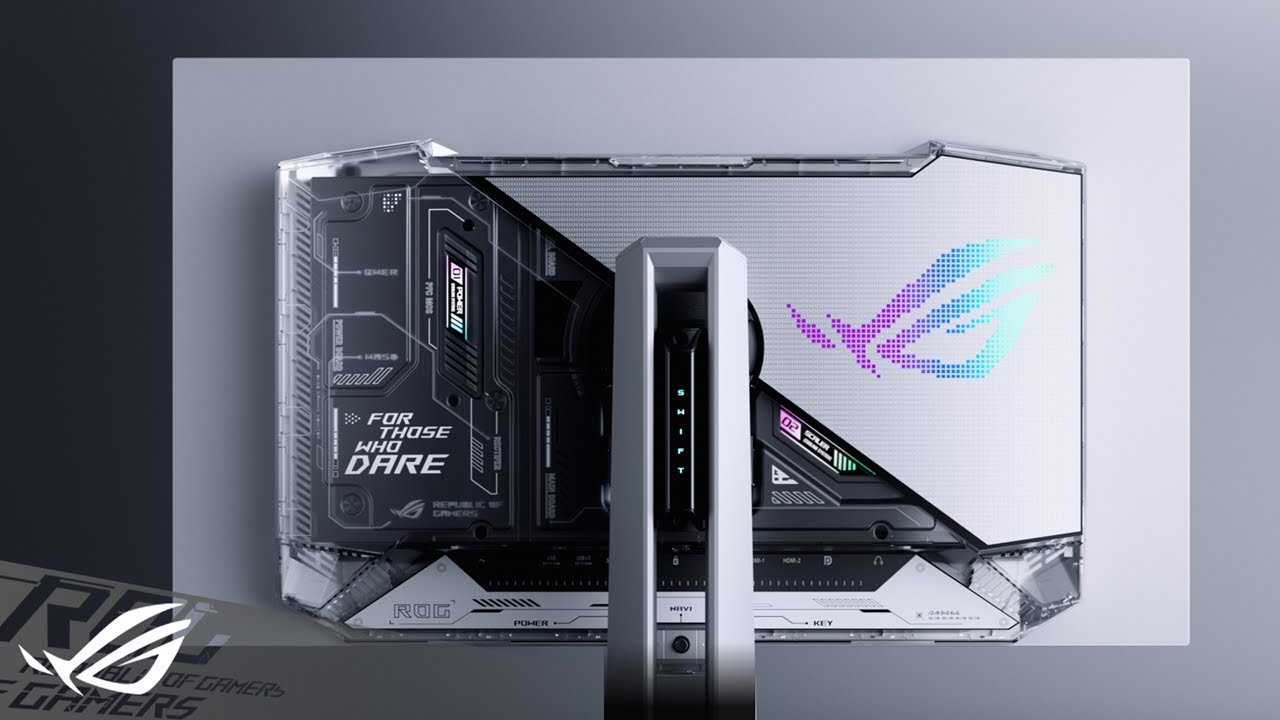
See the game like never before with the ROG Swift OLED PG27AQWP-W – the world’s fastest & brightest OLED gaming monitor.
With Tandem OLED technology, this beast delivers 15% higher peak brightness, 25% wider color volume, and 60% longer lifespan than previous-gen WOLEDs.
Native 540Hz refresh rate with dual mode flexibility: 1440p@540Hz or ...
ASUS do make some good trailers imo 😄
The Crystal Clear 0% Haze True Black Glossy Panel with Tandem OLED looks insanely good!
October needs to hurry up 🙏
pulsar cargo
The difference in quality with an Asus monitor and lg is crazy
normal plover
smoky flame
Oh no… https://www.techpowerup.com/340103/borderlands-4-to-rely-on-nvidia-dlss-4...
And it’s going to look almost exactly like borderlands 2 😔
errant sorrel
Got my OLED for like a week and I can never go back to non-OLED for sure 😄
 dense ore
who has Xbox PC here?
smoky flame
devout remnant
https://youtu.be/drJnSukFgfY?si=cwesKLDGR6K5UYvF
did I see that right it has a HD (720p) dual mode? that's interesting
devout remnant
smoky flame
did I see that right it has a HD (720p) dual mode? that's interesting
Yeah, I personally will never use it but hey, 720Hz OLED is like 1,000Hz LCD in terms of motion clarity.
Madness!
I’ll keep mine on 1440p 540Hz
And it has full DP2.1 80Gb UBR20 connection.
I can’t wait to Pre-Order, usually SCAN have it up first - plus I can collect as they’re about 20 minutes away from me.
 supple hill
Curious if y'all know how to change the Xbox PC app list of games on the side from "Most Recent" to "Installed" or "library"?
Is that even an option?
smoky flame
https://www.techpowerup.com/340032/microsoft-windows-11-24h2-update-may-cause-ssd-failures Not good. Sure hope this gets fixed soon as this is another reason why there needs to be more choice in terms of PC operating systems. Mainly to keep Microsoft on their toes more often so that things like this become less of a problem. Seems every few updates something gets broken and this might be the worst of it yet 🙁

TechPowerUp
Microsoft issued a Defender security update as part of the August 2025 Patch Tuesday cycle to counter the Lumma stealer and similar malware and exploits. The Windows 11 24H2 cumulative package KB5063878 was included in that rollout. Early deployments returned an installation error, 0x80240069, which...
update to stay secure they say, yet when updates with broken stuff like this happens the advice is to instead rollback which creates a vulnerability. I was even recommended to rollback but honestly, I'd rather not. Microsoft's issue and with how major this one is I'd hope there is a fix incoming to correct whatever was broken to cause this behaviour
dusky wave
dense ore
who has Xbox PC here?
Lots of us lol
devout remnant
smoky flame
update to stay secure they say, yet when updates with broken stuff like this hap...
I 100% will roll back because you could cause damage to your drive without knowing or realising.
It’s not fully known or made public what’s happening.
smoky flame
what on earth happened for what should have been a normal patch Tuesday update to cause this though? I'd maybe expect it to happen on Windows 11 25H2 beta or dev channels and not what should be the most stable version that gets pushed every second Tuesday of a month
if I wanted to beta test I'd be on the relevant channel for such but I'm not
devout remnant
smoky flame
what on earth happened for what should have been a normal patch Tuesday update t...

A recent Windows update has caused major problems for SSDs running on Phison controllers. Users are reporting crashes, slowdowns, and even drives disappearing from the system
○ Get your JayzTwoCents Merch Here! - https://www.jayztwocents.com
○ Join this channel to get access to perks:
https://www.youtube.com/channel/UCkWQ0gDrqOCarmUKmppD7GQ...
smoky flame
Yeah, was made aware of this already. Kind of frustrating when the stable channel isn’t so stable. So many users won’t be aware, may not understand the issue or know how to rollback
devout remnant

Digital Foundry is now fully independent! Join the DF Supporter Program and support the team: https://bit.ly/3jEGjvx
We had the chance to go hands-on with Resident Evil Requiem at an Nvidia event at Gamescom - this was the maxed out PC experience, running with path-traced lighting and DLSS on an RTX 5090-based system. John and Alex share their ...
dusky wave
devout remnant
https://youtu.be/JyHBDhwotpo?si=MPIrfDU1ad_7Kis5
Oh god
devout remnant
dusky wave
Oh god
Is that good or bad? 😄
Game is too scary for me 😝
Can’t deny graphics look amazing though
devout remnant
Idk if Gears 5 had it
But the Insane Settings absolutely killed my GPU
Going back 6 years
dusky wave
I dont have a 5090 so perf with path tracing on my 6800xt will be trash
dusky wave
Hey subzero did u get re4 remake. Its on sale on steam atm
smoky flame
I don’t like scary games that much STALKER 2 was bearable but definitely not that Silent Hill game
dusky wave
smoky flame
I don’t like scary games that much STALKER 2 was bearable but definitely not tha...
F u mean thats not for me either
devout remnant
smoky flame
I don’t like scary games that much STALKER 2 was bearable but definitely not tha...
 smoky flame
Yeah, mix up of games there lol but after my experience with RE7 it could be up there with Silent Hill F too
dusky wave
Re rt really isnt that noticeable tbh in re4 village etc
dusky wave
smoky flame
Yeah, mix up of games there lol but after my experience with RE7 it could be up ...
So no on re4 ok
smoky flame
RE4 from a discussion here may be manageable. I’ll get it some time and see but if it is anything close to as unsettling as RE7 was nope
dusky wave
I played it. Not really scarey like re7 at all. Maybe a jumpscare here and there in a few chapters
dusky wave
smoky flame
RE4 from a discussion here may be manageable. I’ll get it some time and see but ...
Its on sale for 20 usd atm
As well a whole bunch of capcom games
smoky flame
Jumpscares I can handle
dusky wave
Do u like john wick?
smoky flame
Yeah
dusky wave
I used a few mods to make leon as john wick with melee is a pencil
devout remnant
dusky wave
Do u like john wick?
First 2 are good imo
I would love a John Wick Game
smoky flame
Ooh, a John Wick game would be cool
 quaint iron
dusky wave
quaint iron
dusky wave
Clippy
 ruby spear
There's several bots in use, some of which are in-house custom ones. One that I think is regular access is Gaius.
mellow lintel
seriously its my 2nd favorite thing i ever did on this server. getting the bot renamed to clippy.
ima be proud of that for ages
blissful carbon
ruby spear
There's several bots in use, some of which are in-house custom ones. One that I ...
Clippy ❤️
cinder veldt
smoky flame
https://www.techpowerup.com/340032/microsoft-windows-11-24h2-update-may-cause-ss...
thanks microsoft
dusky wave
Isnt it getting delisted
devout remnant

Digital Foundry is now fully independent! Join the DF Supporter Program and support the team: https://bit.ly/3jEGjvx
What is Pragmata? Up until now, we weren't quite sure what to expect from this long-in-development title, but we've played it now on PC - and we like what we see. John and Rich explain what impressed them about the demo, how the ...
devout remnant


 dusky wave
devout remnant
https://youtu.be/mDNUHz0MpmI?si=Ogc3h1M_-oEY4wk7
dusky wave
devout remnant
https://youtu.be/mDNUHz0MpmI?si=Ogc3h1M_-oEY4wk7
Has really been 5 years since they unveiled this?
devout remnant
dusky wave
Has really been 5 years since they unveiled this?
Potentially I’m not sure on the background on it 🙏✨
dusky wave
devout remnant
Potentially I’m not sure on the background on it 🙏✨
Something about a space station
Looks pretty good
lethal yew
Would you all still recommend changing compatibility mode for every old game (2012 or older) to windows 7 even if the game is seemingly working fine with win 11?
dusky wave
i wouldnt. if the game works. if its not working thats another story
 dim pumice
devout remnant
dim pumice
devout remnant
oh look, another ASUS OLED monitor that's probably too expensive and unnecessary for the casual gamers
i mean yeah? 480Hz in 1440p sound awesome but think about how many GPUs on the market that could takke advatnage of it
devout remnant
dim pumice
oh look, another ASUS OLED monitor that's probably too expensive and unnecessary...
Why would a “casual gamer” even care this exists?
ASUS announced 3 different Models at 3 different price points
cinder veldt
dim pumice
i mean yeah? 480Hz in 1440p sound awesome but think about how many GPUs on the m...
he fell for the high fps in single player meme
only reason to have that high of an fps on a monitor is for competitive games and granted most high fps monitors were 1080p
dim pumice
cinder veldt
only reason to have that high of an fps on a monitor is for competitive games an...
Been playing Delta Force lately tho
cinder veldt
i think it fills the niche of making a comp game looking nice while playing nice
devout remnant
cinder veldt
i think it fills the niche of making a comp game looking nice while playing nice
For me it’s a one for all Monitor
Best Image Quality of any Monitor for SP
Fastest Refresh at 1440p of any Monitor for MP
Delivers on both fronts.
cinder veldt
devout remnant
Delivers on both fronts.
personally i think the monitor market is quite deceptive in the things they sell
and its for every brand
devout remnant
How so?
If you’ve got OLED monitor from any brand, it’s essentially one of the best by default as they all have amazing picture quality and incredible refresh rates.
cinder veldt
their marketing about Latency and Hz
devout remnant
Doesn’t apply to OLED Monitors.
cinder veldt
Asus is a prime example of this but they(monitor companies) tend to use metrics from the best case scenarios of their product to advertise the latency.
ie a monitor with 0.03 ms latency is one that a monitor could achieve but its like a range between that and a higher latency
cinder veldt
And the next one i think asus doesn't do but monitors advertising higher refresh rates through OSD
dim pumice
Then again I am in two minds on the LG 27GS95QE-B or XG27AQDMG
dim pumice
Again correct me if i am wrong but LG's OLED is one of the better price to performance put there
cinder veldt
Buying a monitor is similar to winning the silicone lottery
dim pumice
All I play is just some DF, BF and COD
Along with Halo and some Zenless
cinder veldt
could be better, could be what was advertised, could be worse
devout remnant
cinder veldt
Buying a monitor is similar to winning the silicone lottery
Again, used to be the case, not with OLED which is what you quoted me on.
Also
Your point isn’t valid on what I said about ASUS & OLED

You can read the context from the tester.
cinder veldt
devout remnant
Your point isn’t valid on what I said about ASUS & OLED
which Monitor is this and who tested it?
devout remnant
cinder veldt
which Monitor is this and who tested it?
IMO the best monitor review site

TFTCentral
Featuring a new 27" 1440p 280Hz 4th Gen Primary RGB Tandem WOLED panel and a True Black glossy screen coating. Is this an OLED game-changer?
This is the latest yet to be released ASUS monitor and is the mid range version of the one I posted
I will get the 540Hz version and this is the same except at 280Hz (of course lower price point too)
cinder veldt
devout remnant
Your point isn’t valid on what I said about ASUS & OLED
I did a look around through other reviewers and interestingly its not consistent with the stats in this review
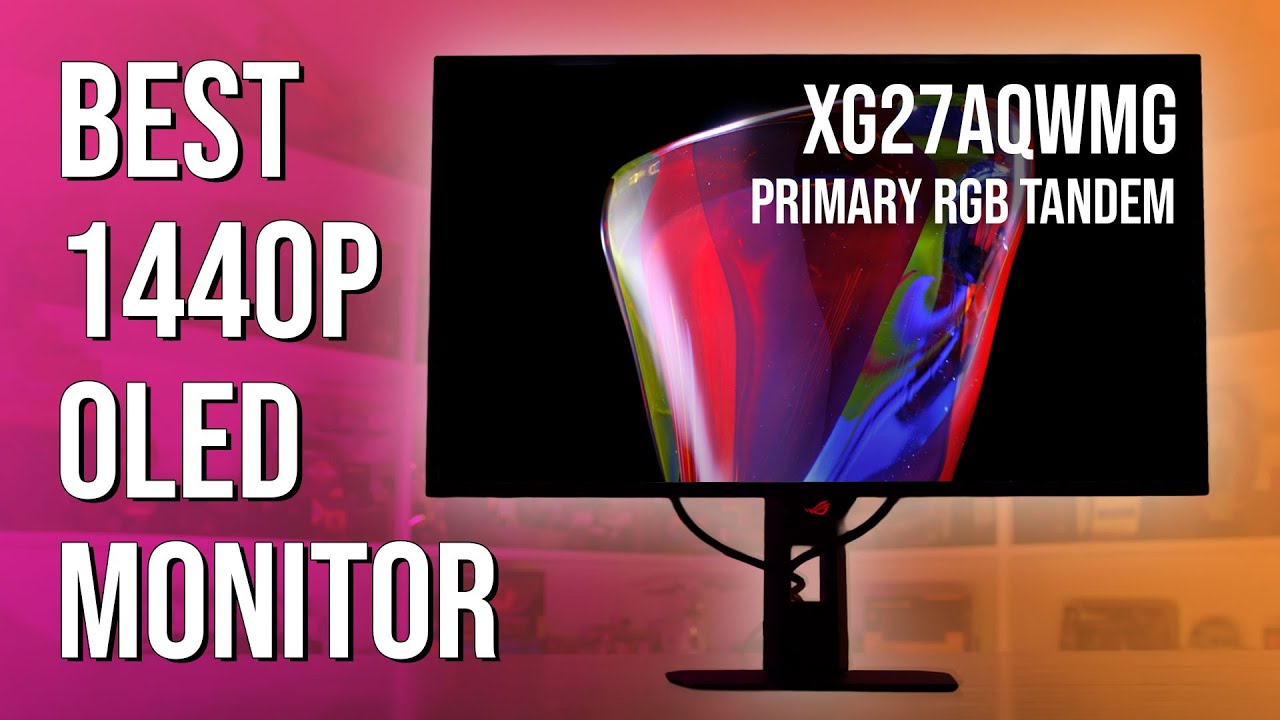
UGREEN Nexode Portable Power Bank 300W(29% OFF): http://amzn.to/47zE6gp
Check Out UGREEN Nexode Power Bank: https://amzn.to/4oGTr52
Support us on Patreon: https://www.patreon.com/hardwareunboxed
Buy relevant products from Amazon, Newegg and others below:
Asus ROG Strix XG32UCWMG - https://geni.us/scnBt
Asus ROG Swift PG32UCDP - https://geni.us...
in the Monitor Unboxed review they managed to get a Monitor that preformed better then the one provided to TFTs Monitor
cinder veldt
cinder veldt
Asus is a prime example of this but they(monitor companies) tend to use metrics ...
Perhaps i didn't explain what i was trying to say here in the way i wanted but my problem is that two of the same monitors will never be the same, one could be better then the other, while the company can advertise that all their monitors are the best one
devout remnant
cinder veldt
I did a look around through other reviewers and interestingly its not consistent...
What’s not consistent?
devout remnant
cinder veldt
Perhaps i didn't explain what i was trying to say here in the way i wanted but m...
Neither is “better” because both perform the same.
There will be minute variances in every single display ever produced because that’s the nature of the technology but if you put two side by side - as long as it’s not defective - they will be visibly indistinguishable to any consumer.
You have to go to extreme technical lengths to confirm the minute variances.
However I repeat, the same model will perform the same as every working model
That is, 1440p, 280Hz with almost identical picture quality.
smoky flame
I’ve wondered how two OLEDs would look side by side as it used to be having two of the same non OLED monitors side by side could be wildly different in picture quality and colour accuracy (no two would ever look identical with exception to the specs) but such a test featuring two of the same OLED monitor models would be pretty expensive lol
another site I trust for monitor reviews is rtings, though they have revised their review procedure over the years so it can be a little hard to keep track of what they have changed and how that compares to other reviewers. TFTCentral definitely go some length with their reviews though
results from both TFTCentral and rtings when they reviewed the LG 32GS95UE (the same monitor I have)


 smoky flame
what's the raw performance and weighted performance in reference to though? Chart seems to lack context other than lots of numbers
icy orbit
cinder veldt
Buying a monitor is similar to winning the silicone lottery
no it isnt wtf
just actually look at third party reviews
if youre blind buying monitors then yeah i can see why you think so. and in that case its just a skill issue
smoky flame
OLED monitor buying makes it so much easier but there is something of a panel lottery involved with LCD panel technologies like TN, IPS and VA as you buy two of each of the same monitor featuring any of those technologies I can guarantee it will not look identical to the other one and even using calibration software to try and correct that may give varying results but I still don't think both screens even then would look identical
smoky flame
actually, I may be a little wrong on the identical thing for LCD monitors but the only way that would be possible is if the monitors supported 3D LUT and outside of professional monitors that feature usually isn't a thing as very few gaming monitors support any hardware level calibration. Only one I do know of is LG with their Calibration Studio but that can only be used on supported LG monitors and even then not all support the 3D LUT feature
going down the monitor calibration rabbit hole is almost as bad as the audiophile rabbit hole. Both can become ridiculously expensive if you want to do it correctly and for many it may not be worth it
devout remnant
Just being teased at this point 😭
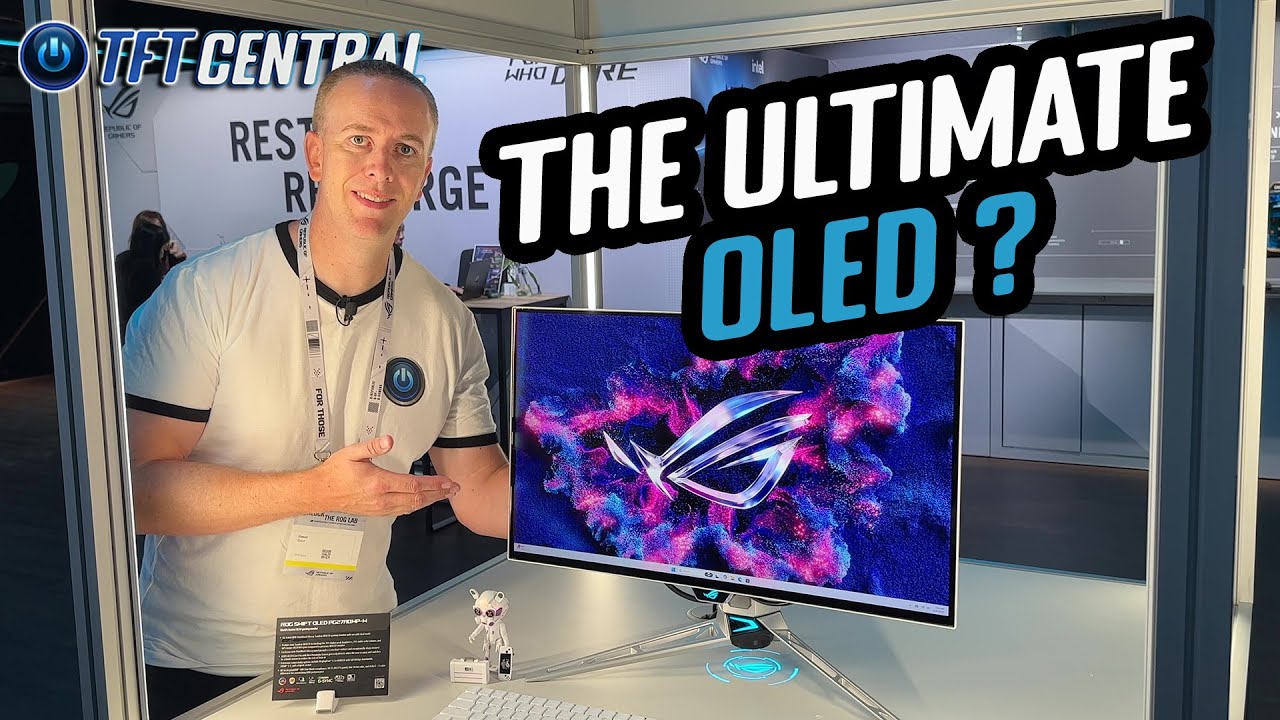
All the latest display news and announcements from Asus at Gamescom 2025. Including their amazing new 540Hz/720Hz OLED monitor with a beautiful new design, the new 4th Gen Primary RGB Tandem OLED monitors with a ‘True Black’ glossy screen coating, 610Hz eSports gaming screens and much more.
_Paid promotion references our attendance at the ...
I read ASUS may offer a black version as I do not like any other type of monitor finish - find it too distracting.
May have to buy this twice then in Silver then Black when it’s out.
devout remnant
 cinder veldt
devout remnant
cinder veldt
devout remnant
soild numbers, but i heard it runs well at 4k
 terse spear
I love me some OLED
the deep black color contrasts are out of this world on some games.
LG makes such a good monitor
/Panel
lethal yew
So i have downloaded msi afterburner with riva tuner for the performance overlay and initially it was displaying on desktop as well while customizing it, but after a while for some reason it stopped being displayed on desktop and the overlay only gets displayed in-game, is this normal or is it possible to tweak the settings to have it display on desktop as well
I have set the hotkey for toggling the overlay as well, but like I said the hotkey only appears to work in game and not on desktop anymore
 icy orbit
wonder if theres anywhere i could try a glass pad in london 🤔
been wanting to switch to one but none of my mates have one to try.
devout remnant
War Thunder - St Patrick’s Island

Interesting my friend with a 9950X3D gets a slightly better Min FPS however my 9809X3D got a higher average.
Although he got much better in the pure CPU FPS test
 smoky flame
isn't the 9950X3D's V Cache cores able to run at 5.6GHz? Could just be the higher frequency helped your friend out a little seeing as the 9800X3D runs at 5.2GHz
devout remnant
smoky flame
isn't the 9950X3D's V Cache cores able to run at 5.6GHz? Could just be the highe...
In the GPU, he got higher minimum but I got higher overall
In CPU, yes, it helped him get higher score
However my 9800X3D only performs about 95% to stock because I have it tuned for lower temps at the expense of performance.
My CPU runs at 38c when gaming most games and doesn’t go above 42c.
smoky flame
I find that crazy to believe as AMD's CPUs are meant to boost until they can boost no more. is that an AMD feature you are using or one of ASUS features? if the latter I'd be somewhat cautious about it as it won't be stock and may well be optimized to ASUS parameters. Still impressive though
devout remnant
smoky flame
I find that crazy to believe as AMD's CPUs are meant to boost until they can boo...
Well not always because stock max is 5.25GHz
Which is what my CPU achieves
It’s not going to boost higher unless you have PBO on with the +200
and then my board lets me push it even further to 5.85GHz
That’s the max
Unless you start to go pro and use LN2
My CPU stays at 5.2-5.25 and will control temps.
devout remnant
smoky flame
I find that crazy to believe as AMD's CPUs are meant to boost until they can boo...
Non-OC TimeSpy run

CPU on Benchmark hits 68c (lowest I've had is 65)
GPU on Benchmark hits 62c
cinder veldt
smoky flame
I find that crazy to believe as AMD's CPUs are meant to boost until they can boo...
Old amd cpus had a feature similar too that except it was not having any form of heat throttling

What really happens when you run a CPU without a heatsink. Not like that fake when the CPU exploded.
smoky flame
luckily these days limitations exist 😅
cinder veldt
smoky flame
luckily these days limitations exist 😅
imagine if the 14900k didnt
smoky flame
 vernal crescent
im trying to use the xbox app on my pc to play remotely but it crashes whenever i press unmute, anyone else have this problem?
dusky wave
Did u try via browser?
smoky flame
damnit, this is tempting!
 devout remnant
smoky flame
damnit, this is tempting!
devout remnant
smoky flame
damnit, this is tempting!
Personally would get a 5070 Ti for about 10% higher initial price, however I’d expect it to be 6% faster on average plus hold a resale premium better than the AMD.
verbal sorrel
smoky flame
damnit, this is tempting!
Crazy good deal
You should get it if your pc needs it
smoky flame
idk what brands to trust with Nvidia though. AMD have Sapphire and XFX that seem highly regarded. PowerColor would have been up there too but I think their reputation has taken a bit of a hit with the last few launches sadly
devout remnant
smoky flame
idk what brands to trust with Nvidia though. AMD have Sapphire and XFX that seem...
Anyone with Nvidia.
I haven’t seen anything out the ordinary
Personally,
1). ASUS
2). Zotac
3). Gigabyte
4). MSI
You can also go with the FE models.
smoky flame
I was told some of them are cheap. Plastic build quality and to avoid those particular ones. Zotac seem alright with the 50 series though
devout remnant
smoky flame
I was told some of them are cheap. Plastic build quality and to avoid those part...
Eh, as long as it performs.
They’re all high quality from what I can see / from the reviews of multiple models that I saw.
The Zatac 2080 Ti I had was absolutely amazing. Super cool, high boost clocks.
smoky flame
I'll sort 5070 Ti by cheapest and see how it compares
devout remnant
smoky flame
I'll sort 5070 Ti by cheapest and see how it compares
Cheapest is about 10% more.

 smoky flame
is that 10% more really worth it?
devout remnant
smoky flame
is that 10% more really worth it?
Yes
1). 6% faster on average
2). You get DLSS4
3). You get Nvidia Frame Gen
4). Resale value will be better whenever you decide to sell
Points 1 & 4 make it worth it especially for me even if you discount the features.
dusky wave
smoky flame
damnit, this is tempting!
Just dont. Ur 7900xtx is more powerful besides u dont like using upscaling anyways
smoky flame
my only concern with Nvidia GPUs is still the 12vhpwr. Luckily that seems to be a non issue for the 5070 Ti but I'd need to use the provided adapter which is either 2x 8 pin to 12vhpwr or 3x 8 pin to 12vhpwr. Not really about to go out of my way to get a new power supply when the one I've had is only 2 years or so old with a 12 year warranty attached to it. I plan to make as much use of this power supply as I can get
dusky wave
Didnt we had this convo when the 50 series and 9000 series gpu launched lol
smoky flame
things have changed a little since. Drivers have also improved a lot on Nvidia's side so they have also come back into the discussion after about 7 months worth of dodgy drivers that is 😄
dusky wave
But the 5070 ti only around 10 percent better perf than ur current gpu.
Do u really want to replace ur gpu after 2 years or so?
smoky flame
if the right GPU was to come along, yeah. AMD have been a bit frustrating as of late as FSR 4 and the upcoming FSR Redstone may be RDNA 4 and newer only
had been eying up the sapphire pulse 9070 XT since it launched but was in no way paying more than £600 for it at the time. At one point I'm sure it was priced at £679 so £599 is very tempting but Nvidia's driver fixing and prices falling has since brought them back into the mix too. Shame there is no 5070 Ti FE 🙁
next step up would be the 5080 which does have a FE but at £909 I don't think it is worth it over the 5070 Ti. Not when there is more than £200 a difference in it (or more than £300 vs the 9070 XT)
devout remnant
smoky flame
my only concern with Nvidia GPUs is still the 12vhpwr. Luckily that seems to be ...
12 pin power connection is fine imo. You’re always going to see the negative. I saw a melted AMD GPU the other day from the power connection.
A lot of the Nvidia ones were also related to user error. As in, people were not doing a full connection.
devout remnant
smoky flame
next step up would be the 5080 which does have a FE but at £909 I don't think it...
You’re always going to step up and pay more % wise for cost at the expense of Performance.

Also depends what games you play as some have huge swings.
smoky flame
I saw that about the AMD GPU too. First one in over 5 months. Nvidia’s issues with melted connectors started within days of release and most affected the 5090 though there was some rare instances of 5080 reports too
devout remnant
For example if you’re a Call of Duty player - the AMD GPU is the choice because for 10% less you get 22% more performance or the other way around depending on the
 devout remnant
smoky flame
I saw that about the AMD GPU too. First one in over 5 months. Nvidia’s issues wi...
devout remnant
smoky flame
I saw that about the AMD GPU too. First one in over 5 months. Nvidia’s issues wi...
Because Nvidia sell more GPUs and I watched a lot of the videos and almost all said that they were using 3rd Party cables and/or not fully having them pushed in or clipped in, causing the issues.

Also depends how much money you can get back for your GPU
smoky flame
Just how much force does one of these 12vhpwr connectors need to not fall into “user error” that I feel is a load of rubbish. The connector itself isn’t that safe and its design is bad. I’ve talked about it with others on other servers and some stuff said really was eye opening. Also, AMD’s 9000 series GPUs only have two (afaik) models that use a 12vhpwr connector. The rest are either 2x 8 pin or 3x 8 pin
Really shouldn’t take rocket science to insert a connector. Sometimes even when users think they have it connected properly all it takes is for one of those pins to be defective and then load balancing (or lack of on 50 series) goes into meltdown
devout remnant
It is what it is.
Unless you have numbers to confirm just how many people have issues versus how many numbers of units sold, it’s going to be impossible to say.
At least, me & Rhinne in this server have been fine 😄
 smoky flame
AI summarises it pretty well but finding figures isn’t easy. I suspect some foul play on Nvidia’s part there, if not on the AIB partners side as this information should be available publicly for all to see so they can see the full picture and not just all the good a brand wants people to see

If Gamers Nexus weren’t busy dealing with some drama from Bloomberg I’d try and ask them to see if they could pull some figures from Nvidia but after their latest adventure I doubt Gamers Nexus and Nvidia are on good terms
devout remnant
smoky flame
AI summarises it pretty well but finding figures isn’t easy. I suspect some foul...
Sure, it can happen.
But then anything can happen.
Including not melting, just as the case for the vast majority of people.
smoky flame
true, yeah
I would really like to see this 12vhpwr connector's design improve to a point where it is finally fixed and people can use it without fear of it melting but the only way that is likely to happen is a complete redesign (again) and one that involves load balancing and a higher safety rating. That I think are the only two things holding it back from being a true successor to the 8 pin connector. Those can and do melt too but far less frequently
plus I hear you can throw up to 288W into them (originally rated for 150W) though probably not recommended
devout remnant
smoky flame
I would really like to see this 12vhpwr connector's design improve to a point wh...
They heard you
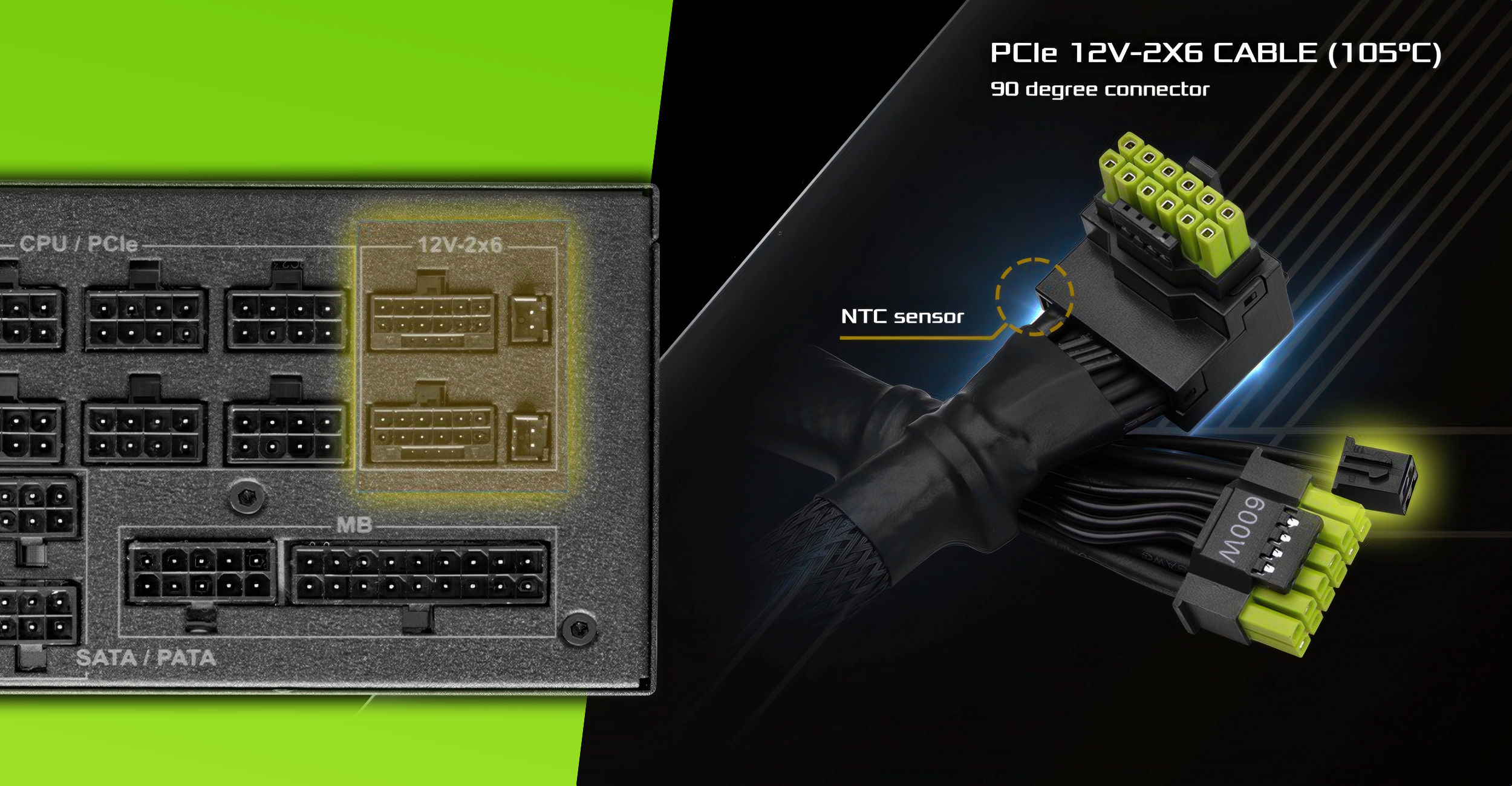
VideoCardz.com
ASRock’s green-tipped cable with NTC sensor At this pace, power cables will soon feature built-in screens. There is not much reason to go through everything we like and hate about 16-pin power cables for graphics cards. But we welcome changes that may prove useful in protecting often the most expensive and precious PC hardware. One […]
cinder veldt
devout remnant
https://videocardz.com/newz/asrock-launches-l-shaped-12v-2x6-gpu-power-cable-wit...
Asrock actually doing something good, as per usual
devout remnant
cinder veldt
Asrock actually doing something good, as per usual
I’m waiting for the Gold Dipped RGB Laden Super Premium ASUS cable 😝
blissful carbon
cinder veldt
Asrock actually doing something good, as per usual
inb4 the sensor somehow melts /j
icy orbit
i mean its user error but if theres so much user skill issue its just a design error
just make better cable idk
its fine tho just buy 5080
devout remnant
I just need a 6090 and I’ll be happy
 smoky flame
think I'm going to look at getting a 5070 Ti after all
lethal yew
devout remnant
I just need a 6090 and I’ll be happy
Ask Jensen to send you the prototype version for beta testing
devout remnant
smoky flame
think I'm going to look at getting a 5070 Ti after all
Sub you’re getting closer to DLSS4 & Frame Gen. I can feel it.
Step 1). First it’s always denial. “Fake frames not for me, no way, I’m a gaming purest”.
Step 2). Hmmm, upgrade time, the new Nvidia RTX 5000 seem like a good choice..
Step 3). I’m just going to TRY the AI stuff, you know, for research purposes. Just to see. I won’t like it. I won’t ever actually play with it. No way. Never. Not me. I’m a gaming purist. I like REAL frames. Not fake. Nope. Never ever.
Step 4). FPS goes from 100 to 300-400. Games look good. Eyes go Wow
Step 5). “You know what, DLSS & Frame Gen ain’t that bad like I thought”
😝😄😭
devout remnant
lethal yew
Ask Jensen to send you the prototype version for beta testing
I ask every day, trust me 😭
smoky flame
I might give it a try but I think my stance on frame generation is going to remain unchanged. I’d rather just use the upscaling side of DLSS and make use of additional features like ray reconstruction where available
devout remnant
Don’t worry, I completely understand, we’re on Step 1 for now - Step 2 is a huge step and needs to happen first.
smoky flame
Curiosity at most is all. The larger picture is a return to using an Nvidia GPU. Last was the 1080 Ti
lethal yew
smoky flame
I might give it a try but I think my stance on frame generation is going to rema...
100% agree on this, Nvidia should go full on investing in advancing dlss rather than bothering with frame gen
devout remnant
lethal yew
100% agree on this, Nvidia should go full on investing in advancing dlss rather ...
Nvidia do that for DLSS now every new generation.
lethal yew
devout remnant
Nvidia do that for DLSS now every new generation.
Ye but im saying dont even bother with frame gen, invest entirely on just dlss tech
devout remnant
lethal yew
Ye but im saying dont even bother with frame gen, invest entirely on just dlss t...
They’re not going to not bother with such a good feature.
Frame Gen gets hated on until people try it themselves.
smoky flame
Frustrating thing is Nvidia seems invested in frame generation otherwise I doubt we would have seen the 3x and 4x options with RTX 50 series. Luckily its all optional so people don’t have to use it
lethal yew
devout remnant
Frame Gen gets hated on until people try it themselves.
Ye but it doesn't come without downsides. Dlss on the other hand will have 100% upsides once it reaches its peak
devout remnant
lethal yew
Ye but it doesn't come without downsides. Dlss on the other hand will have 100% ...
I played Ragnarok twice over with Frame Gen.
Noticed absolutely zero downsides.
Like I said, until you’ve experienced it, you’re going off nothing but pre-conceived assumptions that simply aren’t true.
Game ran silky smooth, no artefacts, no stutters, no nothing.
It looked and played incredible throughout.
lethal yew
Frame gen differences will be more noticeable in shooters, where latency is a very big deal because unnecessary latency can mess up muscle memory and aiming. Gow does not have as much of a latency requirement, so differences will feel inherently minimal regarding that
devout remnant
For now, I haven’t tried it on Multiplayer - but playing Single Player Doom Eternal - I didn’t notice any latency.
And I was getting 600-800fps in Doom with frame gen.
lethal yew
Frame gen while good has relatively limited application where it works fine. Dlsss on the other hand has ZERO downsides in performance. There is no question dlss has more potential as being the superior option once it reaches its zenith
smoky flame
I tried the AMD equivalent with their FSR and didn’t notice a great deal of difference but that is limited to 2x frame generation while games often lack support for AMD’s latency reducing tech, even when there may already be Nvidia Reflex and/or Intel XeLL support present. Don’t understand how or why AMD’s Anti-Lag 2 can’t also be added
devout remnant
lethal yew
Frame gen while good has relatively limited application where it works fine. Dls...
I don’t disagree DLSS isn’t good 👍
devout remnant
smoky flame
I tried the AMD equivalent with their FSR and didn’t notice a great deal of diff...
Yeah I’m seeing a lot of games with Nvidia Reflex recently.
lethal yew
I mean ye I guess why not have both, im just saying dlss will work everywhere, while frame gen maybe not
devout remnant
I’ve used both technologies in a few games now. Frame Gen gets a lot of hate for no reason at all. And I always say reserve your judgement till you tried it first.
It worked really well also in Last of Us Part 2
lethal yew
Fair, I have a 5070ti laptop so i might just give it a go, it will be an effective tool for singleplayer games surely. Just not for competitive I guess
I dont play multi-player to begin with so meh
smoky flame
Definitely worth a try to see what you think of it. I’m just incredibly stubborn 😄
devout remnant
smoky flame
Definitely worth a try to see what you think of it. I’m just incredibly stubborn...
Sub stubborn????
Never 😝😝😝
lethal yew
But i will still stick to my argument that dlss has a higher ceiling than frame gen
smoky flame
Once I’m set on something its near impossible for me or anyone to try and convince me otherwise plus I’d prefer not to change things up too much, certainly not too soon
lethal yew
Ye honestly I haven't had much of a reason to enable dlss/frame gen in the first place. Most of the games are running fine with my target fps so im happy with just default really
 sly ruin
I really wish on Xbox app when looking at a game that it would show you the recent updates for the game as I really want to know what has been changed (especially with game previews).
sly ruin
lethal yew
Ye honestly I haven't had much of a reason to enable dlss/frame gen in the first...
I only don't use frame generation due to it working off of AI.
lethal yew
sly ruin
I only don't use frame generation due to it working off of AI.
So does dlss no?
icy orbit
sly ruin
I only don't use frame generation due to it working off of AI.
dlss is ai too
why is that a problem
its not like its those large data centers using up a crazy amount of water
its done locally on your gpu lol
dusky wave
I really dont know why people hate ai
icy orbit
because a lot of people arent researching things and see ai and think chatgpt
chatgpt and copilot and such are bad because of their environmental impact
the amount of water they use is ridiculous and people living near the data centers dont have drinkable tap water
they have to buy bottled water and use that for everything
their tap water is dirty and stuff
destroys habitats and stuff and whatnot
 wicked tiger
Not sure about other companies, but MS has been looking into ways of offsetting and reusing waste energy: https://cdn-dynmedia-1.microsoft.com/is/content/microsoftcorp/microsoft/msc/documents/presentations/CSR/2025-Microsoft-Environmental-Sustainability-Report-PDF.pdf
smoky flame
looks like I may be trying to stretch my GPU budget a bit as I now want to consider the 5080 FE. Comes in at £909 so is within the £1000 maximum I want to spend plus I like the design of the founders edition. Only problem I might have is being able to actually get one as Nvidia's FE are only sold on the Nvidia Store in the UK afaik and regularly sell out
devout remnant
devout remnant
smoky flame
looks like I may be trying to stretch my GPU budget a bit as I now want to consi...
Pretty much any 3rd party one is going to be better than the FE.
smoky flame
that may be the case but I don't really need a bulkier cooler as I don't intend to overclock it. May look at overclocking or undervolting later. Factoring in the 3rd party cards I think between keeping within my £1000 limit and any case dimensions limitations my options may be somewhat limited
dusky wave
smoky flame
that may be the case but I don't really need a bulkier cooler as I don't intend ...
So u getting a new gpu plus psu and maybe a case?
smoky flame
only a new GPU
devout remnant
smoky flame
that may be the case but I don't really need a bulkier cooler as I don't intend ...
Only realistic way of getting a FE is off eBay
dusky wave
smoky flame
only a new GPU
Oh i didnt know ur current psu have the nividia connector that they started using
smoky flame
it doesn't but going to use the adapter Nvidia provide in the box. 3x 8 pin to 12vhpwr for the 5080
sly ruin
icy orbit
dlss is ai too
And I don't use that either.
sly ruin
dusky wave
I really dont know why people hate ai
Well, AI art is stealing and storing existing art to use in it's algorithm and also the data centres it uses are one of the biggest contributing factors to climate change. The companies using AI have been taken to court multiple times for breaches of the Data Protection Act and only got through due to dubious arguments like saying that they don't store images but the instructions of how to make said art which if know anything about vector graphics is basically the same thing.
The only reason this stuff isn't illegal is due to the laws not being robust enough to clearly identify these things as directly illegal.
 latent gate
dusky wave
I really dont know why people hate ai
latent gate
dusky wave
I really dont know why people hate ai
Because fundamentally it’s a flawed system with a flawed implementation
The ways it was intended to be used vs the ways it has been used couldn’t be more than polar opposites
icy orbit
sly ruin
Well, AI art is stealing and storing existing art to use in it's algorithm and a...
are you aware that DLSS and Frame Gen arent the classic image generation models youll see online like chatgpt
turning on DLSS doesnt mean youre stealing art from twitter
feel free to use upscaling if you want lol
latent gate
pretty much. they use similar techniques as far as how they function, but they are not trained the same way nor how they are implemented.
 fathom oasis
You're picture-perfect blue
Sunbathing under the moon
icy orbit
wow thanks
 thorn tundra
Guys someone have a computer with at least 64gb ram who can do a heavy java program job?
pulsar cargo
thorn tundra
Guys someone have a computer with at least 64gb ram who can do a heavy java prog...
Nope.
cinder veldt
thorn tundra
Guys someone have a computer with at least 64gb ram who can do a heavy java prog...
java
thankfully no
thorn tundra
It's already solved using a 128gb Mac beast machine lol
Only 31,2gb ram was needed but windowsuae ram so 32 gb was not enough
Nut why did it memory leaks?
smoky flame
might have just secured myself a 5080  I say might as I tried getting it via buy now, pay later. Never done that before so idk how that will go but if approved that would be awesome

 green ermine
I kinda want to sell my PS5 and build something like a 13400f/3070 PC 🤔
is that dumb or no, cause i really dont care for exclusives much
pulsar cargo
green ermine
I kinda want to sell my PS5 and build something like a 13400f/3070 PC 🤔
Depends what you want to play. A 3070 is poor in today's GPUs. You can get a 9060 probably the same price. Or something even better!
I'd stay away from the 3070 tbh
errant sorrel
green ermine
is that dumb or no, cause i really dont care for exclusives much
What are you expecting to play with it and at what settings/resolution?
green ermine
errant sorrel
What are you expecting to play with it and at what settings/resolution?
I have a 1080p 60hz monitor so as long as I can get 60 in games like BF6 or Hunt Showdown I'm good to go, I've just always been fine with 60
I used to have a GTX 1650 but it died so got a 1050Ti now
errant sorrel
For reference I got 120ish FPS on 1440p Low with a i9-12900k and 3080ti
In BF6 beta
No DLSS. But I think there are better more recent cards than a 3070 that would cost the same(?)
normal plover
pulsar cargo
Depends what you want to play. A 3070 is poor in today's GPUs. You can get a 906...
??? The 3070 is not poor
There are people daily driving a 1660ti
If getting used the 3070 can get pretty low price wise
errant sorrel
I think what he meant is that there are better cards for a similar price now
errant sorrel
I mean thats gonna depend on where you live too, and ZoZo didnt mention whether they wanna buy used or new I think?
normal plover
That’s fair
errant sorrel
But yeah used you can probably get a really good system for pretty cheap, but comes with downsides of being used
devout remnant
smoky flame
might have just secured myself a 5080 <a:rooPeeking:806571920233070662> I say mi...
Usually get a decision quick
smoky flame
seems the ID thing might mess me up 😭 Was approved otherwise
smoky flame
or maybe not. I was successful 
devout remnant
smoky flame
or maybe not. I was successful <a:yayshark:886464886576676874>
Congrats 💚
Play now, pay later 😄👍
smoky flame
Haha, yeah!
Now I can finally see for myself what all the fuss is with the 12vhpwr connector
devout remnant
smoky flame
Now I can finally see for myself what all the fuss is with the 12vhpwr connector
See & feel* 🔥
😝
Just don’t let the GPU go above 20c and you’re fine 😉
errant sorrel
Ohh a 5080, nice!
smoky flame
Good thing is I should be fine with the 5080. Many have said as it doesn’t use nearly as much power as a 5090 the risk of issues should be lower, obviously not zero. As long as it works and performs as expected I’ll be very happy
errant sorrel
Those issues are super overblown anyway
Happy users dont post about it, only the few where it went wrong
smoky flame
True and maybe over the months I put too much into that and worrying but I’m knocking that wall down now. I wouldn’t have bought the 5080 if the issues were more widespread but then again how could Nvidia and retailers sell a product if that was the case?
I also secured a free copy of Borderlands 4. Had it pre ordered on cdkeys so should probably look at cancelling that soon
devout remnant
smoky flame
Good thing is I should be fine with the 5080. Many have said as it doesn’t use n...
Don’t worry, you got Frame Gen x4 now
😉
errant sorrel
devout remnant
Don’t worry, you got Frame Gen x4 now
Careful the frame gen police will come for you
devout remnant
errant sorrel
Careful the frame gen police will come for you
vernal crescent
hi when i try to unmute myself while playing remotely the xbox app crashes, anyone else had this problem?
video link
for some reason this problem doesnt happen if my xbox controller isnt plugged in
obsidian bobcatBOT
For support, head over to #1091756150644555946 and read through the pinned Self help topic as well as search to see if your issue has been solved previously and you can solve the issue on your own. If you still need assistance, you can create a new post, but please read through the post guidelines first.
NOTE: This is community sourced support and there is no official support here on Discord. People will help if/when they are able to. If you have an issue regarding your account and/or billing, reach out to official support at https://support.xbox.com/contact-us/ for assistance.
vernal crescent
yes i tried that