#wowhead-feedback-support
1 messages · Page 30 of 1
 timid osprey
Hmmmm...just loaded it in 4 different browsers they all look like what's been up for months.
 plucky fractal
The little side menu is where all the usual links are located
timid osprey
You have your browser width so small it's switched to mobile styling.
plucky fractal
Oh ok. I always had it this way. It's half my screen, in 1920x1080 resolution.
I just drag the window to the side so it gets half the space, like I've always done.
But ok, so the but is that the little menu on the side with mobile styling, isn't working.
timid osprey
Yeah, it switches from mobile at 1091/1092px width.
The hamburger button isn't working for you?
plucky fractal
That's new behavior for me. But I don't see why this would get me logged out?
timid osprey
It wouldn't.
plucky fractal
So that's not the problem then, something else must be off.
timid osprey
That's why I was asking about addons. I've logged in with Battle.net in multiple browsers and it has no trouble.
plucky fractal
I mean, I can still use the site, just with addon blockers to get rid of the ads. But it was nice to be logged in and use the character profile functions.
timid osprey
I've found most problems with login and load errors on Wowhead are addon related.
Your ad blockers, are they disabled for the Wowhead domain?
plucky fractal
They were, until I got logged out all the time, which made all the ads show up again.
I have premium, so I haven't seen any ads until now
timid osprey
Try disabling the ad blockers, not just excluding Wowhead, and then log in, see if it kicks you out, then.
plucky fractal
So wowhead doesn't work if you have adblockers enabled? That can't be right. I've had adblockers for years without problems.
timid osprey
No, it should work, but it's also not unheard of for ad blockers to cause problems.
I have 3 ad blockers and 4 privacy addons, but it took me a while to tweak the settings just right. xD
plucky fractal
I don't know. Even so, I'm not gonna disable my adblockers 😄 That's a recipe for disaster I hink.
timid osprey
Then try logging in from another browser or in incognito mode.
plucky fractal
If it's not something that will be fixed on their end, I can just go back to using adblockers like I used to, before I got premium. I was sure it was a bug, since I've never had this problem before. Just like I've never had to use the site in mobile view before either, so it's all a little weird to me.
timid osprey
The mobile styling may have been a recent change on their end, but I wouldn't be able to speak to that. As for the login issue, all I can tell you is that it does work. You're welcome to use the ad blockers, but if you decide you want to try troubleshooting the issue to see if it can be fixed, let me know. 😃
plucky fractal
It's just that I'm not gonna start using an alternative browser just for one site. Or incognito mode for that matter. I was sure it was some sort of temporary known bug that was going to be fixed. If it's not, no worries, I'll find a work around on my end. Thanks anyway!
timid osprey
I wasn't suggesting you use them permanently, just to help isolate whether the problem is related to the browser configuration (addons included) or not. Incognito mode, by default, blocks all addons in all browsers, so if the issue were to persist in incognito mode, we know it's not the addons. If it persists in another browser, we know it's not the browser.
plucky fractal
I have adblocker enabled in incognito mode, I dislike ads that much 😄 Nah, it's fine, I appreciate your effort! I just wanted to know if I should use adblock from now on, it's no biggie!
timid osprey
You know where to find me (or others who help out here) should you decide to pursue it. 😃
 teal dragon
@plucky fractal Can you try clearing your cookies and logging in again? See if that helps at all. You are seeing the tablet/mobile version of the site due to the layout your using... this wasn't changed recently, so I'm surprised you're just now seeing it though. The login should show up in the hamburger tri-bar, and you shouldn't be logged out once you're logged in (unless something is blocking the session cookies). I'm sorry for the trouble though, but I'm not sure why this issue seems to be isolated to you.. I don't have any similar reports like this.
 thin oriole
so is the wartime donation come back after 6 day duration of horde controll end ?
 royal cloak
Some NPCs have two genders but I can see only one gender in model viewer, I think there should be way to see the one you want?
 proud schooner
Where’s the app at wowhead
 tawny blade
We're not making an app at the current time since we've focused our efforts on Wowhead mobile and that covers everything on the site, an app would be a redundant use of dev resources
plucky fractal
The article that was put up today about the "Clever Use of Mechanical Explosives" achievement appears to be wrong, I just tried to get it following the instructions, and it did not award it so I put in a ticket, just letting you all know
 karmic dome
Aggro the mob first.
Quite a few friends had the same issue, they just used the bomb without being in combat.
plucky fractal
well the article says that you can just throw it and that should award it
"Once you obtain a Sporonite Bomb, all you have to do is throw it on The Lichen King! You will immediately get the achievement. You can then proceed to either kill the rare mob or just run away to evade it." so that's what I did, I put a ticket in either way
 arctic cairn
Putting a ticket in won't do anything - they'll direct you to the ingame bug report system
granting achievements is something that GMs are all hands off
 tidal brook
idk if its a known issue or not WoWhead site peoples but when you go to click th ebutton to sign in with battle net after signing in it takes you to your account management page on blizzards servers but doesnt redirect to wowhead, so you have to manually re visit wowhead and click log in with battlenet again and then it loads your account. dunno if anyone else has this problem though
timid osprey
@warm zinc, just worked for me. :S
 rocky acorn
any way to preview the 8.1 sets on other races?
really curious to see how the leather one looks on the more slender races
tawny blade
Not at the current time, whenever Blizz adds the items to the database, then you can select the items individually in the dressing room
 crude urchin
Site is down?
teal dragon
Looking into it.
 velvet holly
It works, thank you!
 rigid bear
teal dragon
rigid bear
teal dragon
It's coming back, should be back fully in < 10 minutes.
 mint cairn
Artifact appearences broke up, I cannt pick tint. Tested on 2 different laptops right now, 2 days ago worked just fine
p.s. still no calculator returned for fishing artifact, but no real need for it anymore (at least for me), all unlocked
teal dragon
We'll look into, the Fishing Artifact calculator is something we're aware of, it was wiped when we removed the others (an oversight) but we haven't had an opportunity to go back and re-add it as of yet. Someday though.
arctic cairn
The person that you guys posted an article on that solod some Uldir bosses has been banned. Might want to go back to those articles and add in a disclaimer so others don't get banned for the same reason if they try to do it themselves
tawny blade
We'll see if a reason was given. The obvious one to us seems to be Vectis, which we didn't post about
 coarse lion
I think both are obvious
arctic cairn
From what I found on reddit and a competitor was that they were banned for exploiting
A competitor has scheduled an interview with that person - I can DM you the competitor if you'd like so you can keep an eye
coarse lion
MOTHER kill used an unintended mechanic to gain the power and sustain of ten level 120s (but he's still one person so the sustain makes him invincible).
Vectis kill used an unintended mechanic to gain the power (not sustain) of a single level 140 (he killed the boss at legacy raid speed)
arctic cairn
Yeah - I saw that he was killed in .5 seconds which is madness
coarse lion
yea, I know it's madness, but both exploits must have taken close to the same amount of time to perform (getting all those maggots then killing MOTHER at normal speed, vs. getting all those buffs after god knows how long then killing Vectis in 0.5s)
I think both are the same severity
this time Blizzard took action because the person persisted their exploitative behavior
arctic cairn
There's more to it but ending the convo here to avoid issues 😃
 turbid ibex
artifact appearances do not seem to work. Not only for me but also for all the people I've asked to check them out. Please fix ;u;
 stoic acorn
It was brought up yesterday, they are looking into it: https://discordapp.com/channels/107362567793422336/173241171064127489/494059604389658635
turbid ibex
Alright thanks ♥
tawny blade
We've fixed an issue where some guides were showing blank content
 iron schooner
some of the news articles are also showing up blank for me
doesn't seem to matter if I'm logged in or not
this is in the Edge browser
tawny blade
That seems like perhaps an addon relating issue preventing part of the page from loading
teal dragon
I was able to replicate in Edge, we'll look into it.
teal dragon
@iron schooner Can you give me other article examples? Thanks.
 opaque smelt
Hello Wohead Team, i have a question regarding a particular quest in the Quest list of the todays Warfront Contribution news. This one:
My question is, is Blizzard aggresivly hiding this quest? or is wowhead datbase incomplete or the writer just "lazy" to find the right one(sorry) ?
I dont want blame anyone i just want to understand
I am from EU and this quest popped up on NA, i have no possibilities to check with eg different addons for QuestIDs and further information.
 verbal sky
Give my 1 day of missed days back from 100 days of wowhead 
though i logged in yday and counter just reset today
 crystal olive
days reset at midnight CST
tawny blade
If a quest has not been seen before, either on live or the beta, then it will not be in the database
we do datapushes fairly frequently to routinely add quests
 harsh idol
Is it possible to compare characters in the profiler? I'm trying to see which reps I've already got exalted and which are close across all my characters
teal dragon
No, there's no comparison tool between characters on the profiler, sorry.
 lament ocean

 thick ice
I'm getting ERR_SPDY_PROTOCOL_ERROR when entering https://www.wowhead.com/guides/restoration-druid-uldir-raid-tips-bfa
crude urchin
Is the site down?
 hushed dune
Seems so.
crystal olive
We're investigating some issues that are happening right now in some pages.
 graceful sparrow
there's a server error message when trying to access the how to gear in bfa video on the site. I saw the message about the issues and figured i should still mention this. 😃
 wary token
Server Error
Something is wrong with the Wowhead rocket!
We'll get our finest goblin engineers on it right away.
(Hopefully they won't blow it up again.) what's happening?
thick ice
It should be #wowhead-feedback-support not #site
 vague sonnet
https://www.wowhead.com/item=152876 I can't navigate items but use the site in general

 mossy berry
I get the server error message, too, but only for some pages (brewfest, for instance)
 cinder coral
So its clear the site is acting up this morning, must be a host server issue
 onyx trench
i get the error as well and sometimes in between it works again
plucky fractal
Completely down here
 zinc shore
I'm not having any luck.
Not even connecting to the Feedback page from the Error screen.
 halcyon wharf
I can't access the class guides
 tacit crest
I tryed to search for a few items .. new and old .. "Server error" error isHTTP502: BAD GATEWAY - The server, while acting as a gateway or proxy, received an invalid response from the upstream server it accessed in attempting to fulfill the request.
GET - https://www.wowhead.com/search?q=dark+iron+Bar
 brittle fox
Getting server errors as well
tacit crest
Be nice if staff or Moderator posted
hushed dune
They did, earlier.
 shadow hare
Reading is hard.
tacit crest
ha ha ha @shadow hare
 manic gust
@tacit crest I'm getting a Server Error also... I can't do mah research!
 white ocean
@crystal olive might wanna pin your message
tacit crest
yea thats what im looking to do ... research
 final ibex
Is the RSS feed not working for the site, or am I using it incorrectly?
hushed dune
Nothing is working correctly right now.
 small ore
ops has started looking into the issue
final ibex
Thanks, was working on adding RSS functionality to a discord bot, was getting errors, think this is the reason :)
 elfin shore
 karmic egret
https://www.wowhead.com/guides/destruction-warlock-uldir-raid-tips-bfa <- not working ^^
final ibex
They're having site issues and theyre looking into it.
 rose plank
Dudes, the site is down, look at what PigeonD wrote 😃
crystal olive
 zenith torrent
same just tried again after a couple hours getting zilch
timid osprey
It's being intermittent. The Wowhead Ops team is working on the issue.
zinc shore
Goblin engineering at it's bigly finest.
timid osprey
I think they may have tried contracting some of the work out to the Orcs.
 shadow sundial
we are back baby
 drowsy crow
The site is back online
zinc shore
Thanks guys, really appreciate the time you put into it.
 velvet sinew
not sure if this is where to ask this but...this new uldir tips is freaking awesome. are the talents and top builds info pulled from wowlogs or somewhere? will they update automatically or do they have to be manually updated?
crystal olive
@velvet sinew Glad you asked! They are pulled automatically from Warcraft Logs, I believe it is from the last 2 weeks logs
So whenever you look at it, that's the most recent data 😄
velvet sinew
daaamn that is going to be amazing to have. thank you wowhead gods.
crystal olive
❤
tawny blade
glad you like it 😄
 rare vector
Hi the new 8.1 PTR - New Paladin Animations: Avenging Wrath, Beacon of Light, Light of Dawn post doesnt show up for me on Microsoft Edge?
arctic cairn
Someone brought that up yesterday and it's something they're looking into. Work around is using a different browser
rare vector
Ooowh alright thnx 😄
arctic cairn
np
teal dragon
@rare vector That page should be loading on Edge for you now. 😃
 deft veldt
Is there a way to filter out PTR news from the Wowhead front page?
 winter jackal
I sent Sas148 a dm on it, but just incase they don't get messages from strangers. This weeks round up has a giveaway ending on August 31st. Which is all well and good, except its September now, and September doesn't have 31 days nor does it end on a friday. 😦
arctic cairn
@deft veldt no there isn't.
karmic dome
@winter jackal Thanks for the heads up, the date is now fixed - Friday October 6th at 11:59 PM Pacific
teal dragon
Friday is the 5th. Fixing again :D
arctic cairn
Lawl
 rustic whale
WoWHead won't load properly on Firefox since yesterday; any thing to remedy this?
teal dragon
@rustic whale Are you running any browser addons like AdBlock or Privacy Badger? If so, try disabling them and trying again, see if that resolves the issue. Based on your screenshot it appears the CSS for the page is being blocked/stripped upon page load.
rustic whale
Yep it was Privacy Badger. Thanks.
teal dragon
No problem, sorry for the trouble, unfortunately hard to control or predict what third party applications like that will do to the site. They can often be overzealous.
rustic whale
Not a problem.
 pallid temple
About the current gold making article: Would be nice if you could add something to the mentioning of collection shop: It isn't compatible with Auctioneer. Yes, it says so on the addons page, but I only spotted that on a second look.
crystal olive
@gloomy cloud ^
 gloomy cloud
@pallid temple Why isn't it compatible?
pallid temple
Oh, I didn't actually test it, the collection shop addon page says so.
gloomy cloud
Ok weird, it's a separate tab at the AH but I guess Auctioneer is interfering with it
I'll add a note thanks!
pallid temple
Auctioneer adds several tabs itself, maybe something with that? I haven't ever tried an other AH addon since starting in BC.
thanks
 small basalt
guys I get an error when trying to access my character from the pathfinder site
but just with one of my characters
velvet sinew
What error?
small basalt
Ciríon
We could not load Ciríon on EU-Tarren Mill from Blizzard Battle.net.
I think its a battle.net error and has nothing to do with wowhead tbh
I can't even try to update my character
 pallid temple
Probably nothing you can fix from your side of stuff, but gleam.io seems to think that my twitter account (which is ages old, but not used for personal stuff) is a throwaway account. I'll see if I can reach someone there to get this resolved, but I'm pretty sure I'm not the only one using twitter/facebook only for giveaways and similar stuff.
 pure gust
hello can i talk to someone off the staff pleas
 tribal vector
Uhh <@&299347348847329281>
 snow brook
@scarlet mist No.
 pastel hare
I'm having the same issue @small basalt
 viscid heart
The error reports the reason
 prime maple
Is there not gonna be a Blizzcon Party chat channel this year? 😦 (sorry if this is the wrong section to ask)
tawny blade
Think we're doing it again @teal dragon just haven't set it up yet
prime maple
awesome 😃 not long now!
 worthy briar
i cant see bfa gear in dressing room anymore, what happened?
 spare shuttle
The gleam app isn't loading in my browser :/
teal dragon
@spare shuttle 😦 Here's a direct link, perhaps it'll work for ya: https://gleam.io/OAGV2/blizzcon-2018-bfa-giveaway
spare shuttle
ty
... well, that was special. Everything worked fine till I got to 'join discord'. It gave me a page to login to discord in my browser. I didn't close it, I just clicked back to the tab with teh gleam app. I got another browser window with the discord login. When I hit X to close it, (which may have been just after I hit continue on the discord thing, which hadn't given me credit), my machine crashed. o.O
teal dragon
I... have no idea why that would happen. 😦
spare shuttle
I don't either. I don't really expect you to do anything to fix the gleam app, but I don't expect gleam to really do anything for me, either, since I'm running an offshoot of chrome (that doesn't report back to google), and I'm running linux. I'm a tech weirdo. And yet, all my training throughout my tech life is 'report problems'. So I type in here. : D Goo dluck.
Also, I've no clue what happens when I let gleam access my discord, and join a server/channel I'm already on. I really, really, REALLY wisih there was another option than giving J.Random.Marketing.App authorization over my account.s
teal dragon
All I can say is I've been using it for years now, never had anyone report a problem about authorizations or anything... but I can understand the reluctance.
 trail hill
Hey there, huh I've been trying to fetch my character API on the Twitch WoWhead extension for several minutes using differents browsers... But it still doesn't find anything. Any reason why ?
teal dragon
There's been some issues with other tools as well, best guess is that Blizzard's API is down.
However, if you're running AdBlock or Privacy Badger you should try again after disabling them, they can interfere with the connection to Blizzard, assuming it's not down.
trail hill
That's why I switched from Chrome to Firefox where no extension is installed : same problem. I guess there is some problems with the API
Is there any tracker somewhere to check if that API is behaving normally or not ?
teal dragon
This site shows most, if not all, of EU down: https://www.tradeskillmaster.com/wow-api
Several posts here about it as well: https://us.battle.net/forums/en/bnet/15051532/
So yeah, I'd say wait until tomorrow, maybe they'll get it fixed once business hours start.
trail hill
That's what I thought, thanks for the links it's useful !
 fast osprey
Hey folks, maybe someone is able to help me with character import on WoWHead?! I´m trying to add my new main to my character list but it only shows with a question mark and the site tells me that:
"We could not load [my characters name] on [my server] from Blizzard Battle.net."
My old one is in the list but not at his current level. Do I need to resynch my battle.net login somehow to update it?
 drifting fjord
why do you guys run a giveaway if every time you spam the channel the participatiion of that giveaway resets? if we join for it thinkin'g we'll be entered for 3 days and then find out we have to re-apply it 4 times over the duration, it's a pain in the butt. i see it all the time with like 1/5th the people because you guys cant stop spamming the channel
 regal hollow
If you've clicked the 🎉 reaction on the post from the Giveaway Bot, you're entered even if it may not show highlighted anymore.
`Sas148: Discord Functionality Re: Reactions
It's possible that the GiveawayBot post, after reaching a high number of reactions, will suddenly show a different # of entries to you, or the # may no longer be blue; please do not worry. This is an intentional mechanism by Discord to reduce the resource load on you due to the "extreme case" involved with the # of reactions on a single post. Your entry is still there, there's no need to try to enter again. You may be able to correct this by reloading Discord or trying on a different platform (mobile, web, desktop).
As a result, reactions have been disabled in this channel to reduce the frequency in which this occurs.`
teal dragon
Thank you Sela... Shadow, what Sela has copied is pinned in the giveaway channel. Posting more notices about other giveaways has no impact on your previous entry in the Discord specific giveaway.
 swift helm
i don't know if it's possible, but i think a nice shortcut would be the weekly post about mythic+ and "what's new on this week", i always need to search for it and i think such an important post need to get more visibility
 golden solar
having the same problem as @worthy briar -- can't get BfA gear to show in the dressing room
tawny blade
This should now be fixed
plucky fractal
hey anyone here can help me with the warlords of draenor? ill be in the lobby i need help
 trail sun
Holla, I just wanted to say the the Gear Audit on the profile planner is outdated for lvl 120 characters. It is still recommending Legions enchants.
 crimson hound
Not sure if this is the right place to ask this or not but I have a question for the Staff. If someone would want to get into helping datamine, how would one get started with that?
teal dragon
@trail sun The Planner isn't entirely set up for BFA yet, it's going to take some time for us to do that, so that section won't be very useful to you right now. Sorry about that.
@crimson hound I'm sorry to say that we're not equipped to help users learn how to datamine. You'd probably be best off using Google to figure out the various ins and outs regarding tools/languages involved with that kind of thing. If it was something we could teach we wouldn't have to hire developers to do it for us. 😛
crimson hound
lol no problem just didn't know where to start
golden solar
@tawny blade thanks!
fyi, cloth, leather and mail will populate when BfA gear is selected when you try to import a set into dressing room, but plate still says "no matches found"
 hardy bloom
They might not be in yet
A lot of the “sets” shown off were forced onto models and don’t actually render correctly in the model viewer
tawny blade
@hardy bloom that's not the case, the sets are showing up, there was a cache issue. I can confirm the sets are in the dressing room
arctic cairn
Thought Blizz said that the hivemind wasn't going to be a thing O.o
timid osprey
They said it wouldn't be released with BfA. I don't recall ever seeing them say it was being dropped entirely.
arctic cairn
timid osprey
Ah, so they did, but they didn't actually say it was being dropped from the drawing board.
 orchid citrus
Yes, they just said that the model that we knew (the Yogg brain model) was a placeholder. Good to see its coming though 😃
 mild thorn
Site just went down
small ore
doing a data push, expect to the see the site going slow a bit
 young jackal
pallid temple
young jackal
pallid temple
I just saw that you CAN do something about gleam complaining about "throwaway twitter accounts". That is a setting each giveaway creator can add to a campaign.
 limpid pike
https://www.wowhead.com/attunement is broken
I have tested in multiple browsers and computers same thing

Wowhead
Track your progression towards attuning for and completing various Battle for Azeroth content and see what your character has left that they can do to progress.
stoic acorn
It's working just fine here at least:
limpid pike
Well i have tested on microsoft edge chrome firefox opera safari etc and on other computers and different lactations it must be something blocked by ISPs in Australia now i guess
teal dragon
@limpid pike Are you using Privacy Badger or any sot of AdBlocker? They tend to block the connection to Blizzard's API resulting in this sort of behavior.
teal dragon
That's true but even without ads those extensions/addons could interfere so I wanted to ask about that first.
The page is loading okay for me for the character you linked: https://www.wowhead.com/attunement#us-frostmourne-aeranemoia
limpid pike
yer i get that i figured by telling you all the browsers i used you would see that i have used ones that dont have these extensions and options i guess i was too vague
like i said if its working for others it must be ISP related
teal dragon
I don't like to make assumptions, it's entirely possible you're using those kind of extensions on any browser you're using. The fact that you're not is good, but I'm unsure why you'd be having this issue then. You said you tried on different internet connections, on different computers and browsers, but can't ever get it to load properly? 😦
Load that link for me please and click F12, refresh the page with that developer console open and send me a screenshot of any glaring red things you see in there.
stoic acorn
Do you have access to a VPN to rule out ISP issues?
teal dragon
Thank you, I'll relay those to see if it's anything on our end. Do you have the ability to use a VPN to see if it has anything to do with your ISP like Arcanemagus suggested?
 wicked frost
Hey while we're discussing website display issues, is the legion artifact calculator known to be broken right now?
wicked frost
Yeah, on the left portion all the text jumbles up and is not interactive, and for weapons like shields that should display two items it only shows one of them
Ah, cool. Looking forward to it. I used it a lot lol
teal dragon
Yeah something we want to fix, that randomly broke itself recently, on the to do list. 😃
limpid pike
no but i did Teamviewer into another persons pc using their ISP and this is the result
teal dragon
Is that Grammarly up there in your extensions? Can you try just disabling all the extensions running for me?
limpid pike
on their pc yes
coarse lion
what browser is that
limpid pike
chrome
limpid pike
no i have the console open
coarse lion
wasn't talking about the console; let's not get into a tangent lol
coarse lion
¯_(ツ)_/¯
teal dragon
We've exhausted any troubleshooting ideas I'd have, I sent your error logs to the dev team to see what they can determine when they're in the office.
limpid pike
another PC in Australia another ISP
coarse lion
so it's your browser trying to make the page load faster
small ore
@limpid pike hey there, see pm?
limpid pike
yep
@teal dragon seen as its working for you could you do me a solid and send me a screen shot of their BFA progress partway down that page im chasing their unlock progress with WQs and War Campaign
limpid pike
yer i wanna know their prog for unlocking reps and WQS and stuff i think its at the bottom just before it shows the legion stuff
teal dragon
limpid pike
havent used it since i checked mine on BFA day one
teal dragon
limpid pike
perfect ty
teal dragon
yw
I have another user from Australia that is having the same problem, so that's probably not a coincidence.
 river hamlet
Oh sassy lad, this website is so complex we should just get a desktop app made 😉 Thanks for the great work over the years
timid osprey
@river hamlet, that wouldn't help with the complexity. ;P
 bold umbra
I am taking a break from the game and uninstalled it, but now the client keeps nagging about not being able to find the WoW folder every time I start my computer. I can't enter the client because when I click "no", the client shuts down again. How do I fix this?
arctic cairn
You'd want to ask in #retail-wow or open a ticket. @bold umbra
Or post on tech support on the official forums
bold umbra
I'm talking about the Wowhead client. are you as well?
arctic cairn
Ohh ok - thought you meant the game
bold umbra
The one to upload drop data etc
arctic cairn
Now I know not to read things here when I first wake up lol sorry about that
pallid temple
Just as an idea: Remove the wowhead client from autostart.
pallid temple
I would've needed to search for it, too, far too many windows version in my lifetime so far 😃
arctic cairn
Same - I remember dial-up XP and on lol trying to remember 7 is getting rough lol it's a good thing 7 is used at work though
pallid temple
I remember fiddling with config.sys and autoexec.bat to get 630kB or more free memory. Which was needed for some games.
teal dragon
@wicked frost Artifact Appearances should be working again. 😃
wicked frost
Nice, thanks for the direct heads up! You really do care ☺️
hardy bloom
Is there any reason why the new darkshore zone map hasn’t been posted on wowhead?
orchid citrus
I'm flying there to be 100% sure, but the questline I've reported on the PTR was a scenario and the overworld map of Darkshore did not change.
hardy bloom
But the scenario/warfront zone map is different
It isn’t live in world yet
But it probably will be
orchid citrus
yeah I lost access to the map after finishing the quest, I'm trying to recover it
hardy bloom
Currently only the top half of the zone is available
I have a pic I posted in ptr spoilers
 orchid citrus
oh okay I found another one, let me see if I can get rid of the quest markers
added to the post, thanks!
hardy bloom
😁
 ember knoll
probably not the right place, but please stop using gleam for giveaways. It's so broken that I can't even do most of the entries despite completing the actions. thanks.
teal dragon
I would recommend reporting any issues you're having to Gleam itself here: https://gleam.io/contact -- perhaps they can help you resolve whatever the issues are you're having.
 glad lintel
im part of the diecord group and yet it wont check my entry for discord
pallid temple
According to gleam this "throwaway twitter accounts are not allowed" is a setting a campaign owner has. And it is active again, so all twitter actions on gleam won't complete.
 fickle pecan
https://www.wowhead.com/npc=141934/kthir-guardian#sounds
Clicking the various K'thir sounds make it seem as if the sounds are not in the database. They work fine when played, but you can't sort NPCs by sound for their files
Wowhead
K'thir Guardian is a level 120 NPC that can be found in Boralus. The location of this NPC is unknown. This NPC is the objective of Gaining the Upper Hand.
 pure steppe
I'm already in the discord. even when I click on it nothing happen
I click accept but it's stuck like this
 hollow knoll
I would like to know or rather inquire on getting the Wowhead Bot or some kind of webhook or command bot in order pull up the "Today in WoW" information on the front page of the wowhead site on my discord server. <@&405255189092630530>
snow brook
@hollow knoll https://www.wowhead.com/news-webhook
Wowhead
Wowhead can automatically paste links to the latest World of Warcraft news in your Discord channel! Use this page to set up a Discord webhook.
stoic acorn
To save @teal dragon the mass of PMs: Mentioning that role should really be reserved for staff/moderators.
teal dragon
There is no bot or webhook for Today In WoW, it's only available on our site. This is intentional, too much info shared on Discord or elsewhere isn't wise for business.
Yes it should. Probably forgot to disable it. Fixed.
hollow knoll
I have the webhook enabled. Also, I see. So the best way basically is just visit the site daily to see the information?
teal dragon
That's correct.
hollow knoll
alrighty. Thank you
plucky fractal
is there a way to find the bfa elite plate pvp gear in the dressing room? I couldnt find the transmog after looking for a while
crude urchin
they're not actual in-game items
it's visual effects and therefore Elite PvP gear cannot be displayed in the Dressing Room
plucky fractal
oh alright ty
crude urchin
np! in the meantime, you can use something like MogIt to take a look at elite pvp gear.
 novel zodiac
so the latest comp that says join discord. well i was already joined. how ever its not accepting it and keeps telling me to complete the task
pallid temple
Well, that worked for me, however the twitter thing doesn't. Gleam so far doesn't even bother to send a non answer.
novel zodiac
nvm got it working. removed the link to discord in logged in settings on the comp. then re authorised it.
might work for ur twitter too
pallid temple
No, Gleam has decided to check Twitter accounts. If some not specified criteria are not met, they say its a throwaway account and won't grant the twitter actions.
According to Gleams changelog, that is a setting the campaign owner can, but doesn't have to set. Sas says, he can't do something about it, so I asked Gleam if there is a switch (and what someone with a rarely used twitter account can do).
No answer so far from them.
teal dragon
There may be a switch somewhere, but we're not opposed to blocking what would be considered a throwaway or low quality account. I would likely pursue disabling such functions, assuming it's possible, if the only entry methods were Twitter, but since we offer multiple platforms to enter, and the most lucrative is just visiting our site pages each day, I'd rather keep the Twitter accounts of higher quality. We don't gain much if the account is essentially unused/unseen.
pallid temple
Automatic profiling? 😉 So what are the criteria for low quality?
spare shuttle
What, so you have to be popular?!
pallid temple
Gleam hasn't said anything yet about what are the criteria. Sas' words could be read as that, though.
hardy bloom
low quality generally means a new account that has no history
pallid temple
My account is ages old, wouldn't know how to look it up though.
timid osprey
Why does the giveaway claim my Twitter is a throw-away account?
I've had it for 4 years. :S
pallid temple
It probably uses the same message for throwaway, temporary and low-quality accounts. Yours is probably a "low-quality" one (as mine).
Its a new Gleam "feature": https://gleam.io/docs/updates
timid osprey
It's b/s. Who are they to judge what makes a social media account valid or not? I understand why they're doing it, but they didn't really think it through if long-standing accounts with consistent, if low, use are rejected.
After I posted my question, I realized it was an issue with Gleam, so I've sent them a support request. Please disregard, Wowhead staff. ^^'
pallid temple
Well, there maybe is a switch for the campaign owners, which Sas admitted to not use if he finds it.
timid osprey
Yeah, reading up on it that feature can be enabled/disabled per giveaway. Not sure what the default is, but it's still something that Gleam should address. Giveaway providers shouldn't be afraid to use what should be a helpful feature so as not to alienate the minority of users that dislike social media and use it no more than they have to.
Anyways, getting WAY off topic.
iron schooner
Soooooooooo, the site seems to be completely down?
I gave it a bit but it hasn't recovered.
crystal olive
@iron schooner site just loaded normally for me
iron schooner
hm, let me try again
oh nvm, it seems to be back indeed
I gave it like 5 minutes and thought I should report it
crystal olive
yea I'll poke devs to see what was it
iron schooner
👍
 wide compass
Hey....we're looking for one more person who needs miimii....anyone interested? You must have finished Zandalar Forever
hardy bloom
wrong channel @wide compass
wide compass
sorry
 glad musk
Hello! I am looking for help with WoWhead Tooltip
 covert stag
Hey guys I am having trouble with the wowhead extension. Installed it to the best of my ability but nothing happens when I hover over the warcraft stream.
crude urchin
@covert stag Hi shrd. It's an extension for streamers
you, as a viewer, can't make it active on someone's else stream
covert stag
@crude urchin But apparently it was active for the twitch.tv/warcraft stream
to see their specs
so i installed it and still can't use it on their stream?
crude urchin
Correct. Warcraft installed the extension themselves. You, as a viewer, don't have control over streamer's extensions.
You can ask the streamer to install it tho
covert stag
Ok but it's interactive for viewers to use? It's supposed to allow viewers to see the specs and builds of those players on the stream
crude urchin
yes
covert stag
Yes I am only trying to use it on the warcraft stream
During the arena tourny
But it's not working for me
They literaly said in the stream
download the extension to see what specs and builds these players are using
crude urchin
I haven't heard anything about it. Perhaps someone from Staff will be able to answer.
covert stag
Thanks mate hopefully
glad musk
Could anyone give me a little help with WoWhead tooltip?
velvet sinew
What help do you need with it @glad musk
glad musk
Thanks a lot for your answer!
I have solved it. Sorry to bother you guys
velvet sinew
No worries
glad musk
Have a nice day!
tawny blade
We are uninvolved making the warcraft extension @covert stag and only discovered its existence when tuning into the stream. I don't think it will work on random streamers since it's only set up to work on tournament realms
 paper notch
so i guess the trolls became jelly of Tyrande's transformation? is this intended? (additional blood-trol like skin colors + this one)
regal hollow
Look at the checkbox underneath the Race selection: "Include NPC-only options"
That's probably why you can see the Blood Troll stuff
regal hollow
Don't worry about it, it was either here or... uh.. I guess #screenshots (even though that's mostly (99%) in-game screenshots, not site modelviewer)
Besides was just a minor derp, so no harm done
spare shuttle
So I'm trying to look up mail helms, and I went to the transmog dropdown, and I don't see any way to choose helms or any particular slot. Nor, on the database filter tool, is there any way to choose a particular slot. There's Name, Item leve, req level, usable by, source, color, type, and quality. under 'additional filters' there is style, which is where a set comes from, and expansion and recolor. What am I missing?
pallid temple
Wowhead
A complete searchable and filterable list of all Mail Head Armor Transmog in World of Warcraft: Battle for Azeroth. Always up to date with the latest patch (8.0.1).
Like that?
Database > Transmog Items > Armor > Mail > Head
 wind arrow
Sound&playlist doesnt work for me, yes I am logged in
 fading wolf
There is a server error on https://de.wowhead.com/zone=8499/zuldazar for about 1H now
hardy bloom
hey, in the model viewer, the chest pieces that have collars, dont render the collars
 north vault
Is there a way, to not have WoWHead site redirectioned to my own language if I type it on the bar?
teal dragon
We don't force a language on anyone, if you're getting to a non-English page it's because the search engine you're using is forcing the language on you. If you use the search option within our site, from the www.wowhead domain, it'll stay English until you click a link that directs to another language (e.g. ru.wowhead, pt.wowhead, es.wowhead, etc.). Depeding on your search engine, you may be able to change its settings to stop sending you to non-English pages.
 night arch
Heya! I just tried using the pathfinder tool to look check one of my characters, unfortunately Aman'Thul seems to be missing in the realm list for EU. A friend of mine can't see it listed either
teal dragon
Unfortunately this is due to Blizzard's API for EU realms going up and down frequently the past couple weeks. If the API for the realm is down it won't show in the list. You'll have to keep checking, sadly there's nothing we can do to force the issue since it's entirely reliant on Blizzard's API. Sorry! 😐
night arch
Oh, alright! No need to apologize if you can't do anything about it :) thank you!
 lone dirge
Is the "Attunement" page working for anyone in EU? Nothing happens if I click/select a character, but the error message 'Could not find character realm! sylvanas' shows in the console. Also, if I try to manualyl add a character, the realm 'Sylvanas' doesn't show up there either.
plucky fractal
https://www.wowhead.com/quest=41687/snail-fight
"Defeat Grixis Tinypop", but... this is Odrogg

Wowhead
Defeat Grixis Tinypop in a pet battle. A level 110 Highmountain Quest (Battle Pet World Quest). +75 reputation with Highmountain Tribe. Always up to date.
 wise locust
Trollbane seems to be missing from the realm list for pathfinder?
viscid heart
 dreamy meadow
maybe have warzone attack bar start full then empty instead of the other way around
teal dragon
I suppose that would make more sense. 😛
spare shuttle
Aha! Someone figured out what seems to be the criteria for 'throwaway account' on twitter for gleam - at least 2 people (if not more) added a user portrait, and got through.
@teal dragon Sorry to at you, but I can't find this - how is the current contest winner going to be announced/contacted?
teal dragon
Can you clarify which one please?
spare shuttle
The most recent one listed in the giveaway channel on this server.
teal dragon
Oh, winners will be contacted via the email provided on Gleam.
spare shuttle
Ok, thank you. I couldn't find where that was mentioned anywhere
teal dragon
I believe it's mentioned in the Terms & Conditions on Gleam. This particular giveaway wasn't attached to a post, just social and the blizzcon-party page, so not as much info was provided outside the gleam widget as otherwise there may have been.
pure steppe
If I won the BlizzCon 2018 Virtual Ticket Giveaway
do I get message on my email?
plucky fractal
is there any way i can access wowhead data from a specific patch, for example 7.2.5? i forgot to cache it while it was live 😦 (archive.org is not a solution)
plucky fractal
@pure steppe Correct.
pure steppe
thx
plucky fractal
that's not enough, i need the exact wowhead page from 7.2.5 :(. i assume there's no way i can ask someone from wowhead to send me the data, in any format, right ? 😄
crystal olive
Correct, there is really no way
You could search simulationcraft Legion-Dev branch and revert to a commit from 7.2.5
 toxic pine
Talentcalculator site language seems to be stuck on spanish für the "Top Builds" section. M.O.T.H.E.R: is now MADRE and the devourer is Divoratore Fetido
plucky fractal
simulationcraft contains some stuffs but not what i need. i want the cool printed wowhead stuff
oh, i'll just have to use my time machine, didnt want to end up doing this
lone dirge
@wise locust I'm seeing the same thing; My own realm 'EU-sylvanas' is also missing from those tools.
karmic dome
The API for a few realms is down!
lone dirge
Ah, that could explain yeah ^.^ It's like we don't exist now, for wowhead 😄
crystal olive
Unfortunately this is due to Blizzard's API for EU realms going up and down frequently the past couple weeks. If the API for the realm is down it won't show in the list. You'll have to keep checking, sadly there's nothing we can do to force the issue since it's entirely reliant on Blizzard's API. Sorry! 😐
stoic acorn
Seeing the same issue as @toxic pine with the language on the Top Builds list:
orchid citrus
@plucky fractal what you could try doing is using some kind of website archive like archive.org and finding versions of pages around the time of 7.2.5, but that can not be 100% reliable. Unfortunately that's all I can think off 😦
teal dragon
The realm list issue should be resolved for EU in our tools now. :)
 rancid copper
The post about the wow megathread gives background for the authors of comments on 3 druid specs but says nothing about the person who wrote about feral as far as I can see.
I realize it's a bit of a meme to ignore feral, but some background would be nice, since everyone else got one ;)
Ah wait NVM I see. Everything in the author description is about their guardian work, not feral.
orchid citrus
@rancid copper I was also corrected in Xanzara's participation in the druid community and he has since added to the post, although he has no active social medias and can only be reached on discordd.
Thanks for the feedback 😄
teal dragon
Any requests to join our discord-server site page list should be sent to feedback@wowhead.com please. Thanks 😃
 misty forge
is https://ptr.wowhead.com/spells dead?
plucky fractal
@misty forge It does appear to not be functioning currently. Someone will look into it when they get to it, thanks!
tawny blade
This should now be fixed, thanks for the report!
 steel tangle
Sorry bout that, was told to post here for it, apologies!
 supple epoch
Im sure its already known but the site seems to be down for a good chunk of people, just figured i'd report it here to be safe
 hardy oyster
Is wowhead down ? Seems like I get a server error all the time ?
 woeful swift
 empty trellis
@woeful swift I have same problem
woeful swift
@empty trellis Whelps left side
 humble delta
servers are melting X_X
orchid citrus
Servers seem to be a bit too excited with the upcoming PTR build. Our devs are already looking into it and we should be back ASAP!
hardy oyster
Thanks for the info !
orchid citrus
mhm, will let you all know both here and on twitter once we're stable again 😃 we apologize for the inconvenience.
 kind loom
❤
humble delta
it's not just wowhead either, i think AWS is having some issues right now
reddit crashed earlier
swift helm
wowhead is down for 2 minutes and the world is getting mad and starting riots around the world
orchid citrus
Minute 3 of Wowhead offline, the basement murlocs have learned how to construct a boat. They're coming for us.
woeful swift
spank it
orchid citrus
Looks like site is coming back up! Please let us know if you see errors in the next couple minutes. Thank you for your patience!
 raven shoal
Thanks..
regal hollow
is that really necessary @sharp imp ?
stoic acorn
<@&299347348847329281> ☝
 shrewd turret
arctic cairn
shrewd turret
arctic cairn
Why do I always miss the good stuff? 😦
 tiny basin
if i go to purchase something from the blizzard store will it automatically take from my blizzard balance first?
worthy briar
is wowhead down?
 uncut vale
I believe it does take from Blizzard balance first
 cinder smelt
so i noticed some sort of error i think, either on blizzard's end or your guys' end. you guys say the event dungeon can be entered at level 21+, but the blue post says 23+? here are some images to show what i mean
crystal olive
@cinder smelt Blizzard's 😛
also it seems to be fixed here https://worldofwarcraft.com/en-us/news/22548002
cinder smelt
alright, cool, just making sure
thought id bring it up for future reference, incase someone got confused
cinder smelt
hey, its me again, i had a quick question, do you guys still have like a Promocode for 10% off the blizzard store?
plucky fractal
I don't believe there's currently one active @cinder smelt
cinder smelt
alright, thanks! 😄
tidal brook
can someone on wowhead or knows more about site than i do, tell me what it means if your comment/reply is a red highlight?
royal cloak
Is it possible to add Heart of Azeroth animation into Model Viewer?
crude urchin
@tidal brook it means that comment is deleted either by you or by a moderator
tidal brook
@crude urchin ah alright, cause i was looking thru my achievements/rep thing on my profile and i clicked on a thing that said my comment was up voted but it happened to direct me to a guide that had a [removed] mouseover and my comment box itself was all red so i wondered what it meant
plucky fractal
@tidal brook If you go to a comment reply in the database from your profile it'll always show with a red background, it doesn't mean it's deleted.
Deleted comments can't be voted on so it clearly wasn't removed.
It's a bit confusing why it works that way but yeah.
tidal brook
ahh alright, that helps a bit at least, an now that i notice it, one of my comments was one that you actually deleted too. dunno why though. maybe it was no longer needed i guess
plucky fractal
@tidal brook If you have a link to the comment I can have a look at the reason.
 hardy dome
What has to happen to make tracking quests appear on wowheads db? IsQuestFlaggedCompleted returns true, but wowhead has no clue about the existence even months later and uploading my data quite often
That way we cannot comment on them and the tooltips are ugly when referencing them in a guide or a comment
tidal brook
https://www.wowhead.com/legion-leatherworking-guide#comments:id=2484917 | https://www.wowhead.com/noblegarden-guide#comments:id=2560997

Wowhead
Everything about Legion Leatherworking including leather armor, mail armor, toys, and moose mount to craft, profession questlines, and reagents.
Wowhead
Everything about the Noblegarden holiday, including hunting for eggs, acquiring Noblegarden Chocolates, and completing the Noble Gardener Achievements.
viscid heart
remove the ":replay=xxx"
tidal brook
huh it doesnt even show up on the 2nd one but when i logged in it shows it
thats just two of mine that show in red btw calalendt, i didnt want to link all of the ones that are like that
viscid heart
i didnt mean in the link from the post
its used to highligth the post you link to
https://www.wowhead.com/legion-leatherworking-guide#comments:id=2484917:reply=1067939 thats the link to the post under yours
Wowhead
Everything about Legion Leatherworking including leather armor, mail armor, toys, and moose mount to craft, profession questlines, and reagents.
 azure kraken
I'm trying to take part in the contest under the hunter pet series, but I can't seem to log in properly.
I click log in with Battle.net, and it seems I'm logged in. But then I go back to the news post... and I'm not logged in?
So I click log in again, and if I use the top frame, it shows me account settings again. But if I go back to the news post, I'm not logged in.
If I click log in under the comments, it just refreshes the site but keeps saying I'm not logged in.
I enabled all the scripts I could see from Wowhead/ZAM/etc. Adblock is not on.
...And just as I post it, the next refresh magically fixed it. I tried like five times before I came here.
viscid heart
always happy to help, thats the magic of showing others problems
plucky fractal
@tidal brook The first one is a comment reply, which as stated previously always show up with a red background when you go to them through a direct link such as your profile. This comment hasn't been deleted.
The second comment was deleted, because your comment mentioned an error with some tooltips, which I fixed, making your comment no longer relevant.
A deleted comment reply (comment replies are responses to a comment) isn't visible to anyone as they are hard removed, so if you see your reply that means nothing has happened to it. A comment showing in red means it's been deleted, making it visible only to you and moderators/Staff.
If you ever have any questions about why a comment was deleted, you can always ask here in Discord or contact feedback@wowhead.com
tidal brook
ahh alright makes sense, thanks for the clarification then.
 stoic carbon
hi, uh, idk if this counts as feedback, but it is about the site. it's entirely possible that I'm just dumb, but I'm on the site looking for any and all items that give +skill in a profession. not consumables or temp buffs, but any gear that has base +skill to a profession, like, as an example, Finkle's Skinner from UBRS has +10 to skinning or some such. I can't see a filter option for + to skill, so either there isn't one, or I'm dumb and just not seeing it
arctic cairn
I don't believe there is one. Best bet would be to look at the guides for the professions maybe? Not sure if the authors may have put that in or not but worth a look
 jagged siren
Hi. Is it possible to show only icon and count of a currency on our sites that using Wowhead tooltips? Like Wowhead did on event guides.
 night cove
Arathi Warfront EU Horde Contribution, is missing 60 Grilled Catfish for cooking contribution
royal cloak
Where does Wowhead get item droprate info?
worthy briar
can i open the map here with the locations in fullscreen? i cant see anything like this https://www.wowhead.com/hallows-end-guide
Wowhead
Everything about the Hallow's End holiday, including candy buckets, the Headless Horseman, costumes, pets, toys, Garrison Decorations, and Legion items!
karmic dome
@royal cloak through the client: https://www.wowhead.com/client
 agile quarry
Ehm, hi. I won a site contest (hunter pet series tmog contest) recently, but so far nobody has contacted me about the reward or anything. I've waited for a day and checked if my info was up to date. Has an email been sent already about this or did you all try to contact me via a different method?
plucky fractal
@agile quarry The person who handles the contests has been very busy the last couple of days, but he'll handle it as soon as he can, just keep an eye on your e-mail as that's generally the method of communication.
agile quarry
Alright, thank you for the swift answer! I'll keep a look out for it.
plucky fractal
And congratulations on winning!
agile quarry
Thank you again. By the way, I can provide the original picture for the site if needed, since Imgur sort of downgraded it to look worse.
plucky fractal
You can bring that up with the person who'll reach out to you and they'll let you know if they want it, thanks for offering.
agile quarry
Will do, thanks for informing me.
teal dragon
@agile quarry I was on vacation but will be catching up on that sorta thing this week. Thanks 😃
dreamy meadow
is there a way to turn off the auto play wowhead videos on top of wowhead pages? especially for wowhead on mobile because it autoplays and stops the stuff i am listening to through my sound files on my mobile
arctic cairn
Wowhead premium would be the only way for mobile unfortunately.
tawny blade
I believe there should be a rotating carousel but autoplay mobile should be a bug. If you can report it via feedback > bad ads at the top of the page and explain that it autoplayed on a certain mobile device, that will help
dreamy meadow
@tawny blade ok ty it happens on wowhead on pc as well but it only affects the mobile because of how playing sound stuff works on mobile oh great leader of wowhead
timid osprey
Loving this new quest tracker, but there appears to be a massive omission: Argus.
Or am I blind?
hardy bloom
is the site down?
night cove
anyone else getting "Server Error" ?
 uncut lichen
Yep
 marble ravine
I can't access the changes
night cove
rip
marble ravine
Server error
timid osprey
@hardy bloom said something first, so let's all blame him!
bold umbra
Shame, I just wanted to check what I needed to hand in for the warfront
 stuck wadi
Bad Gateway 502
 hexed bane
Nzall, you could just talk to the NPCs 😛
bold umbra
yeah, but that's hard to do at the AH, and I don't have a AH mount
 rich wyvern
We're aware and should be back ASAP.
hardy bloom
its back
north vault
Not for me
 tall onyx
was just here to check on this same thing. It's borked
timid osprey
@hardy bloom, stop breaking it 5 seconds after they've fixed it!
woeful swift
Wow head is intentionally down. That when it is up we are more in awe:
 west crane
It's up now
arctic cairn
When the site goes down, that means a new PTR build. Seems to be doing that with every build lately unless its just pure coincidence
hardy bloom
ive never had that problem
sounds like it might be a specific host near you or something
teal dragon
It does seemingly happen after new builds, yes, it's something we've been investigating. Each time we brace for it, doesn't always happen though so hard to isolate the cause really.
timid osprey
Looks like the site can't pull from the Blizzard API, atm.
All I'm getting from the quest tracker is "There appears to be a temporary API outage at Blizzard which is preventing us from loading the data."
 rotund egret
Is there an emoji for ditto/also?
(aka I'm having same issue with updating my characters)
teal dragon
It's Blizzard's API that seems to be down for mostly US realms. 😦
@timid osprey @rotund egret ^
timid osprey
So odd, I just tried pulling my character data with my own developer key and it says the account is inactive. :S
Oh, I see, the updated API uses a different domain for queries. The new URI worked for me to pull the character data, just now. Am I correct in guessing Wowhead is still using the old API access point?
teal dragon
Actually I was told it was updated to the new one already. I'll verify.
timid osprey
Easy enough to check, I'll just look at which URI is queried when trying to request something. 😉
teal dragon
You, definitely, have more knowledge than I when it comes to this then. 😛
timid osprey
Looks like it's the old one. I just tried pulling my character data for the quest tracker and the XHR went to the us.api.battle.net domain. The new domain is us.api.blizzard.com, but it's not just a plug-n-play update.
Assuming the Wowhead developers haven't already setup for the new domain, Blizzard provided a migration guide on the new portal: https://develop.battle.net/documentation/guides/migration-guide
I'm sure it's already setup, though, maybe just not fully implemented.
teal dragon
I wonder if he just changed it for the pathfinder/flying tool.
timid osprey
Nope, Pathfinder still uses the old URI, too.
teal dragon
Interesting, I'll have to look into this further, thank you!
timid osprey
n/p
Should just be a temporary outage on the old URI, though. Blizzard wasn't about to just cut it off.
teal dragon
It'd be nice if both versions worked until they discontinue the old one. 😄
timid osprey
Not really a good idea to have two APIs for the same functionality without 100% assurance that they operate identically. Otherwise, it requires more complex coding to account for both and one would only be a backup.
Anyways, digressing. ^^'
orchid citrus
Unfortunately it looks like API problems are widespread and not affecting just us. Raidbots also tweeted about it yesterday :( https://twitter.com/raidbots/status/1054956617840648192?s=19

Looks like WoW Armory API is having significant issues. Most armory lookups are currently failing due to this. Using SimulationCraft input on the website will work fine.
 Twitter
 quasi wolf
 brisk veldt
Wowhead
Track your progression towards attuning for and completing various Battle for Azeroth content and see what your character has left that they can do to progress.
Is that know to not be working right now?
NVM, more API stuffs..
 severe folio
Nice info, but when beeps with new messages all day long, crazy trying to take nap...thinking is my guild or another with my 16 toons. why I turn discord off now ( end task-Task manager) for nap time but then have to re boot CPU; 10 min's to do, just wrong I have to do that.
arctic cairn
Mute the server
severe folio
have a hammer in garage---I make fix
 stiff flume
go dnd mode and it wont alert you
severe folio
ok, wont get to much into it. was doing D & D with dice in H.S. in early 1980's. programmed commadore 64, IBM and apple back in 1983 in H.S. .High tech electronics and other 15 yrs in USAF, then 10 yrs as elevator mech, union, + 8.5 yrs college in 90% + all electronics. scores 92%-100% in all 8.5 yrs. I give up learning the newest and greatest because just like everything else, every 6 months programming changes, and you have to keep learning the newest for the 100th time...gets old at my age. for example having issues with copy paste since BFA came out. I give up because all will change again in 4 months with new updates
arctic cairn
What in the world...?
You went way off topic so that would go to #no-wow-discussion - not here.
severe folio
thanks @arctic cairn , got it/ fixed 😃 srry about bad attitude - just so many agros in game of late. I cant tolerate anymore being my age and agros. Thanxs again
north vault
Hey, where can I find the new avenging wrath animation for the paladin?
hardy dome
What has to be done to get a quest marked "valid"? some of the hidden tracking quests are unknown to the wowhead gnomes
karmic dome
north vault
Many thanks
teal dragon
It happens sometimes, not much we can do about it sorry to say, but I removed the duplicate from this server.
 slate elm
I wasn't fussed, I didn't even know it was a known issue. Just doing my bit to report it
teal dragon
appreciated 😃
 latent crystal
hello, raidbots posted the api issue is fixed, questing planer still does not work for me. any known issues with that?
 fast cedar
plucky fractal
fast cedar
plucky fractal
It's on Blizzards end, nothing we can do @fast cedar
I'm sure they'll fix it before it goes live.
fast cedar
We can only hope 😛
timid osprey
Quest tracker just loaded fine for me, so I think it's fixed.
Still missing Argus from Legion, though.
 civic patrol
hello the news bot is posting its news twice how should i fix it
crude urchin
@civic patrol hi.
civic patrol
ah ok i just wondered if we set it up wrong or something haha. thanks 😃
rocky acorn
no kul tiran heritage on the db yet?
wanted to see how it looks with different facial options
viscid heart
plucky fractal
Does the quest completionist tracker get quests that you cant do as well because I know ive done like every quest that I can see in BFA zones but it still says im missing some gonna guess thats normal to not be able to complete everything
viscid heart
shouldnt it say the quest you are missing?
civic patrol

plucky fractal
well its more blizzards fault because ive looked around read wowhead comments and I couldnt seem to do the quests
karmic dome
@plucky fractal a lot of quests are breadcrumbs so you won't be able to complete them.
For most breadcrumbs quests there will be a comment confirming that, if not you can PM me a link to the quest and I'll check/fix that.
 feral raven
When I try to make a equipment set, and I set a character to 120, the equipment set no longer works. It works at the default 90, but not 120. Any help?
I asked last week with no response, hoping to get a response this time
In fact, it works at 90, 100, and all the way up to 110. But anything 111+, it shows an eternal "Loading bar"
Above, that is 110
Below, is 111, and any level from 111-120
I would love this to be fixed!
I cannot accuretely plan out gearsets with 110 stats
feral raven
Update: Still can't use it, so I'm using the 110 character sheet with 120 gear, and slowly having to figure out (from the formulas at https://wow.gamepedia.com/Combat_rating_system ) what my stats would be at 120.

Wowpedia
Combat rating is a mechanic introduced in patch 2.0.1 which are for combat stats on items that were previously percentage based. Rating is converted linearly to percentage; the number of rating points needed to gain one percentage point increases with level and varies dependi...
teal dragon
Wowhead will be having a brief maintenance window starting at 10:00 PM PDT that we expect to last no more than 15 minutes. The site may be inaccessible at this time. We apologize for any inconvenience but appreciate your patience.
teal dragon
The site is back up, thank you everyone.
timid osprey
Looks like the site is back down. I've tried pulling it up in multiple browsers and multiple networks. 😦
 hybrid raptor
working now yay
regal hollow
Yeah was gonna say it loaded immediatelly for me, seems like it was a temporary issue.
 opaque thicket
Site is not loading for loading for me either, getting the "server error" page instead.
timid osprey
I haven't been able to play much of late, so not having access to the site isn't a big deal to me, but I don't want to lose my daily streak. xD
 crimson seal
It was an elaborate trick to appear down to get more people to join the discord to see whats up 😄
regal hollow

 frail forge
Looks like it's down again. Sounds like a yo-yo morning.
 pliant hill
 woven hearth
It's also down for me.
 junior dock
same
teal dragon
Try clearing cache if still having issues and try again, some instability may hear occurred during a brief site update around that time.
 hollow smelt
cleared the cache, but remains same. (update): works now after second attempt.
 tulip wasp
for me work on chrome but on opera with vpn same error
 silk osprey
 coarse echo
Didn't work once for me, just refreshed and fixed it for me.
 plain valve
After 3rd refresh it's working in ffox
plucky fractal
😫
 hasty marsh
Anyone else having a problem with outfit screenshots not showing?
timid osprey
@hasty marsh, I just pulled up several listings of outfits and the screenshots all loaded for me.
hasty marsh
Sorry I meant when you save an outfit.
timid osprey
o
Yep, no SS on the one I just made.
BfA gear just looks terrible. Converting my current gear from male to female is horrendous. xD
hasty marsh
Thanks
 void pagoda
Site shows down for me (update) clearing cache worked on Chrome.
 inner rain
Hrm. If I am logged in, I cannot access the site. The second I use the connect to Battlenet option, it stops being visible. 😦
I tried removing cookies, which meant that I could see the site again, but as soon as I logged in, nothing.
It works on FF, for what that's worth.
And now it works again.
 limber cave
Worked for me after clearing wowhead cookies and logging in again.
 quaint finch
I'm having the same problem s Wispfox. I'm on Chrome; I cleared my cache and cookies - could see the site fine but logged out. Tried to log in with ZAM and now the site errors out
 glossy zephyr
i cleared cookies and it resolved my issue
fickle pecan
Seems that newer objects appear on the classic site https://classic.wowhead.com/object=207866
Wowhead
Well of Twilight Vision is a World of Warcraft object. In the Objects category. Added in World of Warcraft: Mists of Pandaria. Always up to date.
timid osprey
Really? That's odd. I just pulled it up on mine and in the mobile view I don't have any ads. :S
plucky fractal
It happens like half the time I use it. Sometimes the ad overlaps it and sometimes it doesn’t. Moving the page makes the ad disappear but when I stop it instantly reappears
timid osprey
Yeah, just looked at the code and the ads blocks get hidden at the mobile widths. Is it displaying in the mobile view or the desktop view?
timid osprey
Well, it's not something you toggle. The mobile view is determined by the width of your browser.
At that width, you're definite in mobile.
I'm not sure. I can't get the ads to appear at that width. Sorry. 😦
It might be the ad, itself, though.
If the ad is doing something with styling that it shouldn't be, it could be causing that.
Until I can manage to get the same ad to load, though, I can't check to see if that's the case.
plucky fractal
Might try clearing your history? I clear my phones history fairly regularly so it could be that.
timid osprey
Tried in incognito mode, so no history/cache to clear.
teal dragon
Click the X to close the ad and then you can click the button, best I can suggest in a pinch.
plucky fractal
Usually takes me a couple clicks since it’s pretty small on my screen and I’ve got fat fingers
timid osprey
In the article about the new Jaina statue, in the sentence, "She holds the Lord Admiral's Pendant in her hand, a necklace which provided vital in returning the missing Kul Tiras fleet," "provided" should "proved."
 left haven
idk where to post it, but there's this thing on one of the servers I'm in
every post tripples
any way to fix it?
 warm zinc
try removing the webhook and adding it again
crude urchin
@left haven https://cdn.discordapp.com/attachments/173241171064127489/505225511056965642/unknown.png
 viscid heart
always and 3 times is quite strange
stoic acorn
If every single one is triplicated that sounds more like you have it registered 3 times in that channel. Check the list of Webhooks for that channel, the Wowhead one should only be listed a single time.
brisk veldt
@Official_MPF is my Twitter handle, I've got a thread going taking to Discord about it.
timid osprey
The link to the BlizzCon coverage (https://www.wowhead.com/blizzcon) in https://www.wowhead.com/news=288309 is giving me a 404 error.
 balmy valley
is the old hearthhead card reveal webhook extant in any way? I was looking to add card reveals to my local discord and couldn't find any options
hardy bloom
your 8.2 post says sunblossom instead of snowblossom
crystal olive
@timid osprey it should work now
 white jackal
I thought the same xD
crystal olive
@white jackal @regal hollow fixed
pallid temple
The classic dungeon/raid locations are better (at least they were when I looked last time). 😉
 white pawn
setting wowhead weekly as an autoplay video on website is really not cool and it frankly makes me really mad cause it eats up bandwith and i had to go close and remove your site from tabs list as i can't play multiple twitch streams as i dont have the bandwith to do that. Really sad when a nice site like yours has to prop your video's up this way. This type of despicable behavior might prop up view count but you won't get any more views from me on your main page after today!
for now i have clicked on random link on page and will go back to main page once that show is over. Very frustrating as i was watching netflix and it was bufferring and as soon as i clicked off your main page and stopped viewing a video i never started watching in the first place i had no issues. Very bad wowhead!
<@&299347348847329281>
crude urchin
@white pawn Post has been edited. Sorry for the inconvenience caused
white pawn
ty for fixing it 😃 I do like watching the show and i love the site. I use it daily and figured it was just an error. Ty for reply and fixing it!
teal dragon
@white pawn To give you a bit more background here... Twitch's copy/paste embed function does not have autoplay off by default, it has to be added manually to the code. Due to the mobile nature of the stream this most recent time it was just an oversight that autoplay wasn't disabled. It's not something we ever intentionally do.
 warm idol
will old allakhazam comments show up on classic wowhead?
warm idol
so allakhazam comments are planned?
tawny blade
We are aware there is an issue with tooltips not displaying on 3rd party sites. We are working to fix it
viscid heart
If allakazham is the same as tjottbot they are already in
 compact radish
Was browsing just fine until about 2 minutes ago when the site went like this
 steel verge
same
 versed anchor
Also same
crystal olive
These issues should be fixed by now, let me now if they persist.
 livid crane
It still persists
compact radish
Yeahp its doing it again
 flat merlin
same. I did the hard refresh. Still same issue.
compact radish
cleared cache and flushed dns.
flat merlin
I did. seems something went wrong?
seems only front page have the issue. It works fine on another page.
I have added a picture that contains URLs of the sites. Both have been refresh and reload. Even clear caches and flush dns.
 dreamy sonnet
I joined the discord just to say I'm also experiencing this, trying to view main page/legion fishing guide and search, most other pages work
Hey look at that it's working 😃
warm idol
@viscid heart nah, allakhazam ain't same as thottbot
tho allakhazam had no voting system
 rigid lantern
Why are zandalari troll armor preview still missing?
the 3d models in the dressing room are fine
 wild bluff
In the dressing room, the bun option for blood elves seems to not work
 rare tulip
Time to add a Warcraft III reforged channel in General ?
World of Warcraft / Ptr spoilers / Classic / Warcraft III
 haughty sedge
would be nice to see a old vs new side-by-side for things like the New Paladin Consecration Spell Animation, always people complaining they don't like new stuff and it's hard to judge for yourself
mint cairn
azerite traits viewer (from latest news onsite) doesn't work fine on firefox: all traits are stacked on each other in left top corner of viewer.
orchid citrus
@mint cairn the new 5-ring traits are not implemented on the site yet, devs are working on it. 😃
mint cairn
I see, but it was about bugged existed traits. p.s. I wanted to see 5th ring, and even didnt notice it's not present, because of I couldnt even see 4 rings
hardy bloom
For the new leveling news post, do you think you could include total xp to level from 20-120 at the bottom of the columns?
So that the total difference is also available?
 tiny prairie
new hearthstone card reveals?
hardy bloom
That would be on hearthpwn
 zenith tulip
Can you separate guild recruitment by region? So can look just at EU / NA etc?
 lapis coral
Getting a server error on this page: https://www.wowhead.com/artifact-weapon-guides
lapis coral
Yay 😄
 hushed hinge
everytime i try to do a search i keep getting a server error
 visual tulip
Same. Just came here to report the search error too.
arctic cairn
Most likely loading in the new PTR build fully. Errors most commonly pop up when that is being done. Give it a little bit then try again
visual tulip
Thanks
teal dragon
@lapis coral That should be fixed now. https://www.wowhead.com/artifact-weapon-guides
@hushed hinge @visual tulip Is this still happening for you?
hushed hinge
lemme double check
visual tulip
Still getting the server error when I try to do a search.
teal dragon
What are you searching for?
visual tulip
Cephalohide
hushed hinge
seems to be working now for me
teal dragon
Okay I can reproduce that, I'll relay. Any other terms?
hushed hinge
everything i type in seems to work
except Cephalohide
i get a server error for that too
teal dragon
Okay we'll look into it. Thank you!
compact radish
Search is borked
visual tulip
I haven't tried searching for anything else to be honest.
stoic acorn
For what term @compact radish?
compact radish
Everything Ive searched so far. 7th legion, Dread Gladiator, Pet battle
stoic acorn
Working: Dread Gladiator, Pet battle
Crashing: 7th legion
teal dragon
I can reproduce 7th legion
Wowhead
The largest World of Warcraft (WoW) information site, featuring guides, news, and information on classes, professions, azerite, raids, transmog, and more.
Wowhead
The largest World of Warcraft (WoW) information site, featuring guides, news, and information on classes, professions, azerite, raids, transmog, and more.
compact radish
Yeah Dread Gladiator is working for me now but pet battle is still giving server error on my end
Even clicking your link
teal dragon
Okay, I've sent the examples along, looking into it.
teal dragon
The searches should be working now, let me know if you encounter any others.
visual tulip
Looks good. thanks.
 lunar flame
I'd like some help with guide approval, what's the estimated time? It's been a few weeks now.
compact radish

Wowhead
It is sold by Chester. In the Other Items category. Added in World of Warcraft: Warlords of Draenor. Always up to date with the latest patch.
 graceful dock
I've been getting that exact same screen for the better part of the day. I thought it was my network this morning when I wasn't able to use the profiler tool and it's just been degenerating ever since
teal dragon
That screen from earlier was fixed shortly after it was reported. If you're still seeing it then you may have a cache issue, try clearing your cache and trying again. If you're still having issues please let me know.
arctic cairn
If clearing cache doesn't work right away, try a different browser and see if it happens there too. That would help rule out a network issue
severe folio
I need bit of advice/help. prior to BFA was able to copy and paste youtube vids on discord and pass along stuff. been having issue's making it work since pre patch back in July. tried diff things and at a loss atm.
hardy bloom
Isn’t that discord related?
severe folio
yes, to post youtube vids on discord...yes
severe folio
ooohh, srry
hardy bloom
You can post in #no-wow-discussion but I would suggest opening a ticket on discord’s website
severe folio
ok, thanxs
thick ice
Hello wowhead team, is there plans to have the classic database available to other languages? 😃
 bitter flower
Is the bottom banner ad supposed to block the ability to confirm the cookie stuff?
lapis coral
When hitting the arrow for the Death Knight dropdown on the following page it collapses everything instead of just the Death Knight class:
https://www.wowhead.com/class-changes-tides-of-vengeance-patch-81
Wowhead
All changes between live servers and the most recent Tides of Vengeance PTR build for every class in the game.
crystal olive
@lapis coral I took a look at it, found a different issue, but it didn't fix it. I'll take a closer look later and see what I can do with it
lapis coral
You support people are great ❤
timid osprey
Looks like there's a typo in the M Taloc article, second paragraph....members of Blizzard started that more mobile titles were in development"started" should be "stated"
teal dragon
Fixed. :)
@bitter flower it's not intentional, no. If you click the X to close the ad it should disappear long enough for you to click your preference on the cookie notice. That's what I do myself.
@thick ice Yes, we tentatively intend to support classic in languages currently tracked on the site.
crystal olive
@lapis coral @crude urchin found the issue and I've fixed it, should be 100% now 😄
 solid mason
Getting HTTP 500 and HTTP 502 responses from various URLs including the homepage right now
solid mason
I figured they'd know, but doesn't hurt to make sure 😃 Thanks for the quick response
small ore
no worries
bitter flower
@teal dragon if the X for the add was not so dang small I would accept that as a solution but seems to be a rather silly one. It would make more sense to have the cookie acceptance box to have a higher z-index than the ads. Thanks for the input.
solid mason
@small ore All seems to be back up now, props to the ops team!
small ore
no problem, it should be better now, but ops are still looking
slate elm
A suggest for the classic side of the site. Is it possible to create a spell calculator? Since they're heaps of ranks to each spell it would be a useful tool for builds to be able to map out which spells to learn in which order etc. Particularly if you want to buy a mount early on at level 40
 zenith stirrup
Is anyone else having issues with the site not letting you see the scaling versions of items? For example: https://www.wowhead.com/item=9447/electrocutioner-lagnut
On this page, I can only see item version 'Normal' and 'Normal + Normal'
Wowhead
This blue ring of item level 29 goes in the "Finger" slot. It is looted from Electrocutioner 6000. In the Rings category. Added in Classic World of Warcraft.
 polar tendon
Hi guys, are you working on the database ?
Cause i can't get items stats displayed on the website...
Print screen
teal dragon
Seems to load for me:
I'd like to suggest you clear cache and check your extensions, like AdBlockers or Privacy Badger, they could interrupt the page.
 vagrant glen
Hey, a minor error in the mythic Zul guide: https://www.wowhead.com/guides/mythic-zul-reborn-uldir-raid-strategy-guide
Wowhead
Guide to defeating the Zul, Reborn boss encounter in the Uldir Raid on Mythic difficulty. Written by FatbossTV.
crystal olive
which is? 😛
vagrant glen
The guide confuses Dark Revelation with Seismic Disturbance, which have similar spellIDs (273665 for Seismic Disturbance, 273365 for Dark Revelation)
deft veldt
Is there a way to filter out PTR new articles from the front page? Even reading post titles can lead to spoilers. For example, now I know that Tyrande is ascending to something. I know it is nitpicky but I like to be in the dark.
teal dragon
There is not, sorry. If you want to avoid this kind of news the best I can suggest is using wowhead.com/database as your home page or just keeping your eyes to the left and scrolling past any with the PTR tag. The vast majority of site visitors do want the PTR news front and center. We understand a minority of individuals don't like that but there are alternatives to avoid it most of the time. We do our best not to fill it with too many spoilers and properly tag them as such.
deft veldt
No problem, I know that you guys can't please everyone with every feature.
slate elm
Might be a good idea to add a filter I too have this same problem
Or add PTR story content with a different tag which is then abled to be filtered
viscid heart
Discussed as far as I know. Sas reported that people easily forget filters and complain then
 odd cairn
Hi there,
I'm using power.js on a website to show achievement tooltips, and I noticed
that when I pass a character name that contains non-ASCII characters in it, the
name showed on the achievement tooltip is getting truncated, for instance if I
pass:
?who=Anaÿza
the tooltip will show:
Achievement earned by Ana
After reverse-engineering the obfuscated power.js script, I managed to track
down the problem here:
https://i.imgur.com/aixmc0r.png
It seems that the URL querystring are parsed with the following regexp:
/([a-zA-Z0-9-]+)=?([a-zA-Z0-9:-]*)/g
which stops the argument parsing at the first non-ascii character it finds.
Would it be possible to fix this regexp (maybe using something like
([a-zA-Z0-9-]+)=?([^&?]*)) so that the non-ASCII characters don't truncate
the tooltip text?
Thanks!
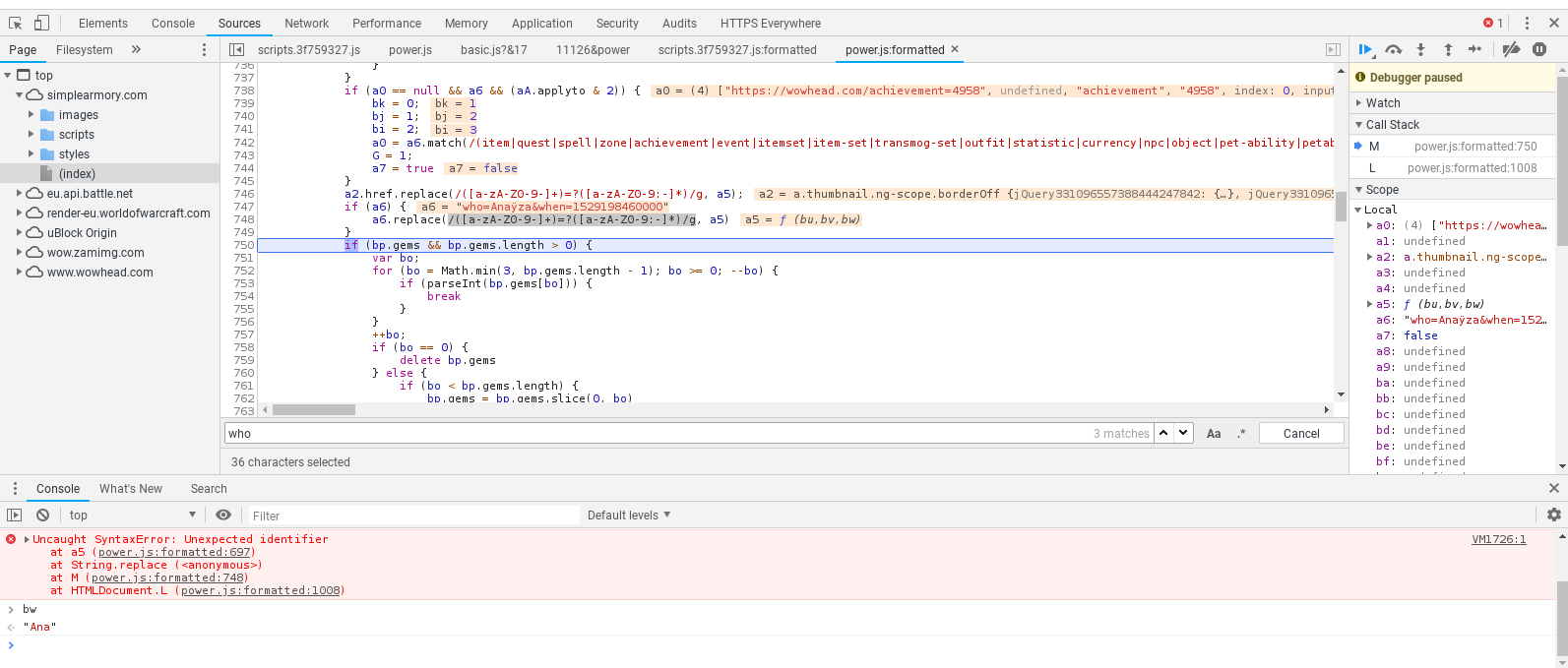


 odd cairn
am I allowed to ping the staff about this issue? @tawny blade maybe?
karmic dome
No need to ping, Staff will look into it 😄
viscid heart
i am not sure if a developer is here
karmic dome
Feedback will be sent to the proper people don't worry!
viscid heart
i meant more like pinging random staff people
karmic dome
And yeah, fixing the non-ascii chars for simple armory would be cool!
teal dragon
I forwarded the tooltip request along, can't say for certain if we'll do it but it's in the right hands. Thanks 😃
hardy bloom
Those spell videos via twitch are fine for short ones, but the long ones with some of the trinkets straight up crash the web page on mobile
odd cairn
@teal dragon thanks! Could you tell me when you know whether it's worked on/when it's fixed or if you won't do it for some reason? So that I don't have to keep trying myself until it works? Thanks 😃
crude urchin
@polar tendon please use a VPN to access the site
regal hollow
Would just like to bring it to attention that the Burning Crusade Timewalking event page is outdated (as are likely the other Timewalking events) and are displaying Legion-level rewards (pre-squish; 880 iLvl from dungs, and 900 from raid)
https://www.wowhead.com/outland-timewalking-dungeon-event

Wowhead
While this event is active, players level 71 or higher may access a special Timewalking Dungeon Finder queue, which scales players and their items down to revisit past dungeons from The Burning Crusade expansion. In addition, starting in patch 7.2.5, players may also enter th...
orchid citrus
@regal hollow I'm not home right now, but I'll be fixing it once I'm back. Thanks for the feedback :)
 smoky oyster
hi i have a question unrelated to the site but the discord and boosts being sold for IRL money
smoky oyster
done, thanks
 thick quail
Do Wowhead really have to spoil the cut scenes on their website? The little screen on the far right side.. it's very annoying to not try to look at it.. I love the lore and I would like to not get spoiled with ANYTHING not even a second of a cut scene. Anyone else feel like me? 😦
stoic acorn
A lot of people, but apparently we are part of the vocal minority.
 frail narwhal
The most annoying thing about it is, that it can't be paused nor closed, and it follows you throughout the site.
viscid heart
i only say it because it gets my everytime too, 14 years wow, 8 years cataclysm. most of WoW's history is now cataclysm
 stone shuttle
I am Fuming
WoWhead, I am turning Adblock back on and never turning it back off on your website
It has nothing to do with intrusive adverts or virus's this time though
YOU PUT VIDEO SPOILERS OF WARCRAFT INTO THE SIDEBARS!
I'm slowly doing the Horde Campaign! I didn't want to know what the ending was going to be!
hardy bloom
are you talking about the video by blizzard?
the fancy CGI thing?
thats literally in your launcher
anything else isnt an ad
hardy bloom
?
viscid heart
wait a bit
viscid heart
i cant see it either but i understand it
crystal olive
@thick quail @stone shuttle @slim helm @frail narwhal @hardy bloom
We deeply apologize for the the issue. Basically that's happening because our ad company recently added more of our content to that video rotation, which ended up also including spoiler content. We've reached them to better filter that content and have only non-spoiler content there. We are really sincerely sorry for any spoilers you might've received from these issues.
stone shuttle
Okay
Would you have a timeframe for when these filters will be live? I'll turn ads back on when they are
crystal olive
Hopefully early next week, as they haven't replied us before the weekend started.
 slim helm
I'm not incredibly upset about it, just found it to be annoying. Thanks for the fix!
stone shuttle
I'm in the middle of the honorbound quests and doing the bits where you are trying to work out who we are going after
orchid citrus
We just received an answer from the ad company, the spoilery videos are being removed from the video ad rotation. The change should be live in a few minutes. If after a couple minutes you are still seeing spoilery video ads, please let us know. Once again, we apologize for the issue!
stone shuttle
Thank you
arctic cairn
It's been a long time since the Stanza calendar has been updated. Any chances of it being updated?
 gloomy jetty
every time i try to use the pathfinder/attunement tool it says it can't load my character. another site says all APIs are up though. some kind of bug or?
teal dragon
@gloomy jetty What's the character, region and realm please?
gloomy jetty
but it's working now
but for a few hours it didn't matter what character or realm i selected, it said unavailable
i was just checking if there was a reported outage or something cause nothing on twitter or anything
like normally if i get that error i can just refresh the page or reload the character manually but basically all afternoon it just wouldn't work it's weird
teal dragon
May have been a temporary issue with Blizzard's API, glad it's working now at least. 😃
 abstract chasm
any idea what the reason for wowhead (and ONLY wowhead) doing this in Firefox suddenly? it did not do so last night, and it does not do so in Chrome, and it has persisted through restarts and cache clearing and cookie clearing. Any help at all would be appreciated.
plucky fractal
Did you check with all addons disabled?
abstract chasm
I want to kiss you for that response.
You could be a blue poster
😄
I ended up restarting my PCa second time, and this time it came back normal - so I am not questioning it any further to avoid upsetting the Loa of Trash, Jani, who is responsible for my PC.
teal dragon
Unfortunately some browser addons/extensions can be over zealous and block certain elements, in your case the CSS. Thank you Arlen for suggesting they check them and try again. Glad it's working now. 😃
 rough stump
Not sure if this fits here but is it allowed to browse wowhead through a professional privacy provider (in my case NordVPN)? For a few days now I can't access wowhead anymore because I get Connection Refused. Are commercial VPN IP ranges maybe blocked on your site? I'm using NordVPN for more than a year but it stopped working with wowhead somewhere during the last 7 days. I use the same VPN on mobile but there it works with wowhead
I'm currently connected to NordVPN UK Proxy #639 which resolves to 195.12.48.204
plucky fractal
No, that's fine to do.
It's even been recommended at times to circumvent region related issues.
rough stump
good to know, thanks! sad that the regional switch apparently is the issue for me :D. Regardless which country I choose to connect from, it results in Connection Refused. Maybe something related to my browser or addons instead of NordVPN. I'm investigating. thanks so far
teal dragon
Let me know if you figure anything out. NordVPN has been giving other people issues as well, though we haven't determined a reason, just that it's Nord.
rough stump
Okay Sas, I found out. There is a troubleshooting article https://support.nordvpn.com/#/Connectivity/Troubleshooting/1087249732/Websites-unreachable-with-VPN-connected.htm
the issue with wowhead is connected to "3. If it is a known and trusted website, try checking if you can reach that website with the CyberSec feature turned off in your application settings. If there is some trusted domain that you can reach with the feature off, you should let our customer support agents know of it."
If the CyberSec protection is active on NordVPN then wowhead won't load
this happens although the CyberSec feature doesn't have any ads to block for me as I'm premium user, but I also unfortunately don't know the exact conditions why it filters wowhead and prevents it from loading properly
" If there is some trusted domain that you can reach with the feature off, you should let our customer support agents know of it." hints that there might just be some whitelist in the background on their vpn servers where wowhead isn't listed on
teal dragon
Thank you! I'll relay that to others impacted.
teal dragon
It's a holiday weekend here, please allow extra time for responses or send any issues to feedback@wowhead.com. Thank you and Happy Thanksgiving!
timid osprey
@teal dragon, I have a problem. My name wasn't on the list in #sweepstakes. 😮
Have a great Turkey Day!
 smoky mountain
I would like to make a suggestion for the "same model as" tab on gear pages. Could you split the results in some way that organizes whether or not the other items are actually the same? Something like same texture/color, different texture/color, or something as simple as a checkbox that says "same appearance ID".
 limber pivot
Hey, the link to the Blizz Gear daily catalog is not working on the Black Friday news page (404 error page), I also couldn't find any other site (or blizzard) saying anything about it
https://www.wowhead.com/news=288806/black-friday-sales-for-blizzard-fans-2018
Edit: Oh.. I just got an email with the daily catalog, might want to fix that regardless - they are slightly different for EU

Wowhead
Tis' the season for getting deals on some Blizzards various games as well as merchandise! Check out great Black Friday deals for gamers in our post.
crude urchin
Fixed. Thanks for the feedback
 daring parrot
I have a quick question
I have been going to the wow-head site to track my flying and attunement progress---but lately all i keep getting is character can't be loaded...is there something i am missing?
crude urchin
@daring parrot
daring parrot
ty
crude urchin
You're welcome
 rare torrent
For mobile can u fix ur site every page this box pops up and plays a scene its very annoying because it u exit it, it just pops back up
jagged siren
Hi. I'm using Wowhead tooltips on my website, but on some pages I don't want to show icons for items, spells etc. Is it possible to do this for specific pages?
viscid heart
I assume it's JavaScript or css, just include/call different stuff. But I don't know how it works
 fathom gust
Just looking for an update on what's going on. Wowhead has been down for over 12 hours now and I can't find any info on it.
regal hollow
I was gonna say that WoWhead's working fine for me, but when trying to load the same page as you.. I encountered the same error.
regal hollow
Yeah, I'm checking various other boss pages to try and make a list.
fathom gust
I get it on a lot of pages. I need. I don't have time to make an entire list.
regal hollow
I've gone through Temple of Sethraliss, Motherlode, Underrot, Tol Dagor and Waycrest Manor, and all the bosses' page on Wowhead is displaying that error.
karmic dome
It's very early in the morning.
Staff will be looking into it, and will probably update when it's fixed 😃
tawny blade
Thanks! Having people take a look now that we're awake 😄
tawny blade
Should be fixed now
fathom gust
Thanks its working.
smoky mountain
https://www.wowhead.com/object=218949 is broken, nothing on the page loads, it's completely blank. I am running the most recent release of Chrome, console states a ReferenceError at line 4 for "object=218949" script ($ is not defined)
arctic cairn
I can replicate that. It's a blank white screen
Why hasn't an article been made on this? https://www.wowhead.com/bluetracker?topic=32749®ion=us - this is amazing news! 😃
Wowhead
View all Blizzard forum posts ("Blue posts") collected in one area.
teal dragon
@smoky mountain we'll look into it. @arctic cairn Maybe, we're aware of it.
teal dragon
@smoky mountain fixed: https://www.wowhead.com/object=218949/lei-shens-burial-trove
 violet pike
All my Favorites are gone! I tried relogging, clearing cache and cookies, etc. Am I SOL?
 shell eagle
Hi, I've a problem importing a character from account.
Character name Arthurill @ Pozzo dell'Eternità.
If i try importing him from my account i get this error: "Error Invalid realm: EU pozzo"
I created him as custom then I converted him to Blizzard Battle.net account but the server i got was "Pozzo Dell'eternità" with the "D" uppercase so now he is in a different menu list.
I hope to have explained the problem well, i'm not english, sorry.
 deep pagoda
Something goes wrong when I open a battle pet or mount page.
Header of the pages where the character and language selectors are don't load.
So no completion info either.
I get some errors in the console when I check. I tried loading on Firefox (I use Chrome normally) to see if maybe something conflicting with extensions or something, but doesn't load there either.
Here are some screenshots:
smoky oyster
Same issue as Antoniolo, all my starred guides, items, etc. are gone.
plucky fractal
I am still getting the cutscene videos on the right side of the webpage. I personally have seen them all, but it still shouldn't be there.
shell eagle
still need help. As you can see Arturillo deos not exists but i can't delete il, Arthurill is supposed to be in the same server as all other ones ("dell" lowercase)
Please HELP!!
importing Arthurill from Battle.net list:
crude urchin
@shell eagle please, be patient. A member of our staff will reach out as soon as possible. Thanks
plucky fractal
So who's idea was that? I'm getting spoilers every time I want to check something out using the website so I have to make sure to pause the video as fast as possible. Incredibly stupid idea. I know It's been really long time since the BFA launch and everyone probably knows these cinematics already, but I've been trying to avoid any spoilers for so long, and I'm actually doing good, and now I'm leveling an alliance character to learn and see the whole Kul Tiras story with my own eyes but guess what shows up on the right side of the most popular WoW website? A freacking spoiler. Really?
shell eagle
Ok, i wrote to premium support, thank you anyway 😃
timid osprey
@plucky fractal, Wowhead is nothing but spoilers. As for the video, I know they usually disable autoplay when they are embedded. It was likely just an oversight.
teal dragon
@violet pike @smoky oyster we're aware of the favorites issue, it's on the fix it list, hopefully within a week or two. Mines gone as well so I understand. Apologies.
@plucky fractal @plucky fractal the video you're referring to is an ad unit, which plays videos from our YouTube channel periodically (sound disabled) intermixed with ads that support the site. We've intentionally only allowed videos that are well past the generally accepted "spoiler" window... as in, it's been out awhile now. The degree to which something is a spoiler and for how long I admit is subjective but I don't think we're unreasonable in this case. This ad, like all ads, can be removed while still supporting our content with a Premium subscription: https://www.wowhead.com/premium
@shell eagle I'll look into your email today and get back to you. Not something I can really help with immediately on Discord. Thanks for your patience.
@deep pagoda could you send that report and screenshots to feedback@wowhead.com for me when you get a chance, assuming it's still happening? Thank you!
 finite quarry
(That's the wrong Archvile.)
plucky fractal
Ah, I didn't realize that was it's purpose. Disregard what I said haha :)
shell eagle
ok, thank you. I hope you'll find a solution 😃
teal dragon
@finite quarry sry bout that
finite quarry
No worries!
smoky oyster
will the favorites that were favorites before that bug be restored or will stuff have to be favorited again? if there is an answer to that yet
shell eagle
i think thet all issue on my account are caused by mispelllig, space and special characer in the server name. Those are the thing wich I fight every day at work
teal dragon
I have no way of knowing yet. I don't know if the bug destroyed them or just made them no longer appear. We'll have to wait for the devs to get around to that ticket.