#wowhead-feedback-support
1 messages · Page 28 of 1
 sinful sky
why is the talent calcs not working.
 tawny blade
The talent calc should be working on all pages, and displaying 8.0.1 information on the main site as of yesterday, which page are you on?
 teal dragon
Working on it... hopefully won't be long.
 scenic panther
cool, glad it's not me, the heats doing murder to our internet
teal dragon
@scenic panther should be good now.
 vernal rune
I meant talents.
 stoic acorn
All of the talent recommendations in the class guides have been updated for 8.0.1 @vernal rune. Are you finding one that hasn't?
vernal rune

Wowhead
The WoW Druid leveling guide recommends the best leveling spec and talents from 1-120 and covers basic concepts, racials, and abilities.
The over view section belowe is as expected. the 4 tabs of "best" traits are empty.
 crystal olive
wait a second for them to load
vernal rune
A few minutes should suffice yes?
 hardy bloom
If you are using any adblock it may conflict with the website bits
 ionic pebble
is there a way to change my display name on the wowhead site?
teal dragon
Email your request via the Feedback button on the upper-right side of the site.
ionic pebble
right on, thx ill do that when my computer unfreezes itself
ionic pebble
the deed is done
heck i just thought of a better name, is there a limit to how many i can do
teal dragon
I'd prefer you pick one and stick with it. I'm happy to change a person's username from time-to-time but not daily, weekly or monthly. 😛
ionic pebble
got it 👍
teal dragon
I'll send you a reply so you can reply again with your "better name" 😃
Rather than sending a whole new one.
ionic pebble
trust me its good
teal dragon
Sent.
ionic pebble
sent again
stoic acorn
Holy Paladin's T2/1 and T2/2 talents are swapped positions in the talent calculator on Wowhead vs. what the game shows.
https://www.wowhead.com/talent-calc/paladin/holy/csPc
Wowhead
Talent Calculator for the Battle for Azeroth expansion of World of Warcraft.
teal dragon
We're aware, but it's not exactly game breaking so not a huge priority, we'll look into it though. Thanks Arcane!
stoic acorn
As long as fixing it doesn't break the encoded talents (e.g. csPc in the link), that's why I even brought it up 😉
teal dragon
I'm not sure if the link would change as a result or not....
 rich zodiac
Any WoWhead Moderator/Admin around? I found myself logged in another WoWhead account when browsing the site:
http://www.wowhead.com/forums&topic=285721&p=4218855
Wowhead
It seems Wowhead logged me in the wrong account. Is this a caching issue? My name Sambu. I will post a reply within this thread to demonstrate the bug. I do no…
Ah I see you have replied in the thread
teal dragon
Yes, I've relayed it, but any of those individuals are likely asleep by now.
 pallid musk
Are there any plans on fixing the "Mechanicals" page for hunter pets? its had the mists tag and been empty of anything except comments, a little information, and 2 abilities since Legion dropped.
 remote rivet
^ i'm having the same problem
crystal olive
We're currently investigating what is causing the 502 errors and working as fast as possible to fix it. Thanks for the reports!
 maiden terrace
❤
crystal olive
Site should be coming back up!
 hasty remnant
❤
maiden terrace
@crystal olive Thank you! Very speedy response!
crystal olive
Happy to be of help!
scenic panther

 runic zodiac
hello all
 verbal sky
sup. Is it intended that we dont get data from undermine Journal anymore?
tawny blade
not at all. The dev works for wowhead actually
It should still be loading? do you have an example?
 fervent basin
Having issues with the Wowhead Client. It says my WoW install path isn't valid
What am I supposed to do??? That's my WoW install, it worked fine before
 plucky fractal
its off line
teal dragon
@fervent basin Hmm, I'm not experiencing that.
Can you tell me what version you're running?
fervent basin
Of the client or of WoW?
teal dragon
Help -> About
fervent basin
I'll have to open WoW, which will probably take 6 hours as the pre-patch downloads
fervent basin
teal dragon
Okay, that's correct...
Perhaps it's having an issue because of the pre-patch download.
fervent basin
I haven't installed any of that but a) I've never seen this happen, and b) if it's just the "you don't have the pre-patch" shouldn't the error message be a little more specific?
teal dragon
Ideally 😄 But it's not as easy as all that unfortunately.
teal dragon
You haven't even begun a download for WoW?
fervent basin
Noooo, I'm too concerned about it eating all my bandwidth and not being able to do anything else
teal dragon
I haven't pre-ordered it either btw, no issues here. So I'm going to assume that's not the problem.
fervent basin
It's patch week so everything has been breaking
teal dragon
But, I'm wondering since it was updated for 8.0.1 and you don't have that downloaded yet if that might be the cause. Entirely speculating here.
I assume you closed it and tried again?
fervent basin
Well, lemme launch the blizzard launcher and see what it says…
Nothing's downloading
Does that mean my WoW client is up to date?
 timid osprey
Nope, the version is old.
It might take a bit for the client to pull update information.
timid osprey
The client checks for updates to all your games and acts on whichever it finds updates for first.
fervent basin
(Why does it say my subscription is expired? I have a sub, it auto-renews)
timid osprey
I'd suggest checking you Battle.net account history.
It'll list your renewal payments and determine if it did renew.
It'll also designate the time length for the subscriptions.
teal dragon
Yeah, I'd suggest checking your account, it definitely thinks you're expired. Maybe something happened with the last renewal.
Let me know what happens when the client updates to 8.0.1
fervent basin
official Blizzard site shows I'm still subbed
timid osprey
May be a glitch in the client loading. I've had it happen before. Completely closing it and reopening would fix it for me.
But I only had it happen before I setup auto-renewal.
fervent basin
why is it so dark???
teal dragon
I really couldn't tell ya. 😦
 tribal vector
Someone here was having that issue the other day
fervent basin
Shame there's no way to opt out of the patch. I have ZERO interest in BFA
No Old-Gods-enforced PvP for me plzkthx
(╯°□°)╯︵ ┻━┻
timid osprey
If you don't buy BfA, you'll only have access to Legion content.
timid osprey
...and below?
teal dragon
You'll get blocked from actual BFA content eventually if you don't have it. But yeah, the game changes you'll still have regardless.
fervent basin
I'm not sure what about "no Old-Gods-enforced PvP for me please" made it sound like I want to play BFA content
timid osprey
I'm not sure I understand what you're asking about with that, but it's getting off-topic of Wowhead support. We should take that bit to #retail-wow.
timid osprey
As for the Wowhead Client, I got that when I reset my Wowhead password a few weeks ago to meet the complexity requirements (I hadn't changed it since I would use a 6-character all lower case password). Resetting the password should clear it up.
fervent basin
I only had to reset it on the site because i couldn't remember what it was ^^;
timid osprey
Oh, nvm, you replied while I slowly typed that out. xD
teal dragon
WoW Token Prices are back on 'Today In...' thanks all.
 bitter viper
why is WoWhead showing me the disenchanting rate for an item instead of where/who it drops off of?
timid osprey
The item doesn't have any drop information attached to it in the database and/or there haven't been any reports from the Wowhead client of characters looting it to provide drop data.
 regal hollow
Well, I can atleast it drops in Mount Hyjal (the Caverns of Time instance)
timid osprey
Yeah, but has anyone submitted that via the Wowhead client?
If I recall correctly, that's where they get the drop(rate) data from.
bitter viper
this is insane. it hasd ALWAYS shown where it drops. now I have to use other sites?
plucky fractal
¯_(ツ)_/¯
stoic acorn
Hmmmm, that page was actually showing a drop on 2018-01-02: https://web.archive.org/web/20180102012132/http://www.wowhead.com/item=30910/tempest-of-chaos
Sounds like something might have been dropped from https://www.wowhead.com/item=30910/tempest-of-chaos in the upgrade?
timid osprey
There have been many items that never had drop information listed.
If there was drop information previously, I'll just back away from this and leave it to the staff to answer. ^^'
bitter viper
I need to know where items drop, not just their drop rates
 mint pasture
Recent news on the Guild UI: http://www.wowhead.com/news=285759&webhook/new-guild-ui-limitations-and-guildroster-command says
Thankfully, with the old interface, you're still able to customize each rank to whatever permissions you need.
This isn't true, it's the exact same permissions UI - you even show that in your screenshots. It's the checkbox of "is officer" that is new in 8.0 vs all the individualized permissions for those settings, which no longer exist even doing a /guildroster command. This link is what the pre 8.0 permissions looked like, which is what people are complaining about losing (http://wowimg.zamimg.com/uploads/guide/images/7694.jpg)
stoic acorn
@bitter viper the web.archive.org link I posted shows the drop information (including source)
bitter viper
I don't get what you're showing me
look here
Wowhead
This epic staff has an item level of 88. It is looted. In the Staves category. Added in World of Warcraft: The Burning Crusade. Always up to date.
where is the drop location?
stoic acorn
As you brought up, it's currently missing from Wowhead, we'll have to wait for one of the staff to look into it. You can either use a different site, or use the waybackmachine version (which shows that that particular item drops from Illidan in BT)
tawny blade
This is something we are actively looking into fixing, thanks
bitter viper
I didn't know you were looking into it or it was a known issue, I just swore I saw it earlier in the week is all
tawny blade
We believe it started occuring when the prepatch data was added to the www domain, so late tuesday night
verbal sky
Hmm. Seems undermine links are shown to me again. NVM about that post earlier
tawny blade
there was an issue, related to some changes made on the site with the patch, affecting undermine and wow token
verbal sky
Cheers
hardy bloom
hey, for when you guys make a new post about the updated UI - rested xp has a unique visual displayed on the bar itself now
teal dragon
I might be missing something, but it's always had that blue transparency for rested XP. Are you talking about something else?
 rich wyvern
I believe that bar has always been there? I'm not sure about the faded blue.
hardy bloom
oh
i thought the faded blue was new
or at least different
it doesnt look like it used to
maybe its just the larger size of the bar
 sharp bear
It always looked like that
teal dragon
Yeah I don't think anything changed there. :)
ionic pebble
to me it seems a bit of a darker blue than what i remember
i also havent used the vanilla ui until prepatch so idk
 spare maple
Is there any way for me to get rid of this really obnoxious sidebar? http://rhap.city/i/dtK6D.png

I would much rather Wowhead look like it did before; http://rhap.city/i/X0lcF.png

I realize there's a button on the side to "hide the sidebar", but pressing it only hides the content, and doesn't shrink the sidebar; http://rhap.city/i/XMQ9c.png
 tawny blade
Wowhead provides the option to hide ads on the sidebar, which is an option many sites do not provide which also run similar layouts. It should be working as in image #2, but it's a bug on our end that it looks like image #3. While we do have plans to address it, at least hiding the ads is something. As for the sidebar, it's become more standard in the general industry to have the sidebar always show ads, as it optimizes better for revenue and allows sites to remove ad units farther down on the page, for a net gain to the user.
scenic panther
or for the small (too small honestly) price of $1 a month you get no ads and more features, don't be tight, they do a lot to make our lives easier
hardy bloom
^
teal dragon
Yeah, you get #2's version automatically with Premium.
tawny blade
Thanks, we're trying to transition the buildings to be lower priority as we make room for 8.0 things
scenic panther
like the region pull down, could you make one for expansion so we could look through quickly?
teal dragon
Eventually we won't have much of the data coming in necessary for large parts of 'Broken Isles' to work.... so I doubt we'll be able to accommodate that.
plucky fractal
Is the talent calculator being a bit missing known yet?


(have asked multiple people to verify, same issue)
tawny blade
something went wrong fetching the data for the wcl side panel, and it blew up all calcs which is pretty impressive
I'm trying to have a sense of humor about it
teal dragon
HIlarious. 
 teal dragon
link plz
tawny blade
it's possible that after the squish, there's no ilvl 245 items from wrath
 honest sable
Wowhead
Una lista completa que admite buscar y filtrar Armaduras de tela en World of Warcraft: Wrath of the Lich King. Siempre actualizada con el parche más reciente (8.0.1).
In short, you will not find anything in the database anymore?
teal dragon
Try using http://es.wowhead.com/cloth-armor?filter=166;3;0 and then right clicking the ilvl category and entering the ilvl you want. There isn't any cloth armor with ilvl 245
Wowhead
Una lista completa y siempre actualizada donde puedes buscar y filtrar todo lo referente a World of Warcraft: Wrath of the Lich King.
Right-click the NObj title to enter a specific ilvl you want.
tawny blade
Wowhead
Battle for Azeroth will be the stage of World of Warcraft second stat squish and the first item level squish. Learn all you need to know about these changes to the game.
due to the 8.0 squish, gear from wrath is a bit lower now
ilvl 245 is like mythic antorus loot, not wrath
honest sable
A few days ago we could see the armor up to plates placing nothing at the object level.
I do not understand now why he does not leave.
tawny blade
The stat squish occured a few days ago. The ilvl ranges you searched for previously will no longer return the same items
honest sable
uuuuu ok
Excuse me then I must look for the object with level 102 or lower.
Example I look for the witched chest (T10) and the normal one.
What level of object are in this expansion?
The Lich King
tawny blade
selecting 'wrath' should mean you don't also need to specify the item levels from wrath 😃 https://www.wowhead.com/cloth-leg-armor?filter=166;3;0
Wowhead
A complete searchable and filterable list of all Cloth Leg Armor in World of Warcraft: Wrath of the Lich King. Always up to date with the latest patch (8.0.1).
So with that it will just stop with the icecrown raid gear. I don't need to also specify an ilvl range
plucky fractal
guys at the bottom of the character planner the ilvl requirement isnt updated for the squish as shown below:
teal dragon
It hasn't been updated for BFA yet... we'll get around to it eventually though
plucky fractal
NP didn't know if it was on your radar
tawny blade
flying and attunement are on our list to adjust in the next week
 orchid warren
!!! Can anyone please assist me with how to use the filters on the site?
I'm trying to find elite mobs for the Eastern Kingdom but the only thing that comes up are instance NPC's
tawny blade
What filters are you trying to use? I don't believe we let you search by entire continents because that's a crazy amount of NPCs
if you are looking for mobs related to secrets, or notable hunter tames, we have guides spotlighting those
orchid warren
Well I tried level, I tried rarity, I tried patch, I tried a few things... but it comes up empty
for example: if I lookup Blackrock Battle Worg it only shows up on it's own not in the list... how would I search for an NPC like that? Not in an instance?
tawny blade
you would look up NPCs > Found in > Redridge Mountains, and hit "elite" on the right-hand sie https://www.wowhead.com/npcs/classification:1?filter=6;44;0
Wowhead
A complete searchable and filterable list of NPCs in World of Warcraft: Battle for Azeroth. Always up to date with the latest patch (8.0.1).
now if you were just looking for things to tame, you could narrow it to NPCs > beasts
orchid warren
okay one sec
ty btw
omg! it worked thank you! How come I couldn't- oh... I was searching "Hinterlands" instead of "The Hinterlands" wow I feel dumb. Thanks again
tawny blade
np!
spare maple
So clicking an imgur link on Wowhead brings me to a 403 Access Forbidden page on Imgur's domain. If I copy the URL and paste it into a new tab, it loads fine.
rich wyvern
Which link are you talking about?
spare maple
Apparently this is because Imgur blocked Wowhead from hotlinking?
Any imgur link, use the top post at http://www.wowhead.com/item=151623/lucid-nightmare#comments as an example
Wowhead
A mount collection item. It is looted from Puzzler's Desire. In the Mount Items category. Added in World of Warcraft: Legion. Always up to date.
rich wyvern
We've had some issues with imgur links on the site before but this link seems fine to me.
spare maple
http://rhap.city/f/j2t7V.mp4 example
Occurs in either Firefox or Chrome
Also occurs in Edge
If imgur blacklisted the site from hotlinking an apparent workaround would be to prefix wowhead with https://, which doesn't work since Wowhead has no https certificate, and by the sound of it you aren't actually blacklisted
So I'm wondering if this is an issue on my side or what.
It seems pretty conclusive that it occurs only if my referrer is Wowhead, though; if I click a hotlink from another site it works fine.
teal dragon
I'm really not sure, that would be a question for imgur. 😦
spare maple
You're able to access clicked imgur links properly, @teal dragon?
teal dragon
No, I experience the same thing you do, if it starts with i.imgur
spare maple
I mean this seems like the type of issue Wowhead staff need to contact imgur about personally since it appears the site might be blacklisted, then
teal dragon
the first link to imgur at the top without the "i" works fine.
My guess is Imgur doesn't allow any referrals to the specific image page.
The one that loads within the site is working properly.
spare maple
I think hotlink in this case refers to linking directly to the image, yeah
I'd imagine if a client could strip referrer information it'd work fine, I found a Firefox addon to do it but it's outdated and won't work on newer versions
I'll give it a shot and tell you if it works
Yep, that works
It apparently has a bug though that causes it to stop working after restarting the browser according to reviews, so another solution is to disable referrers entirely with https://www.technipages.com/firefox-enable-disable-referrer

Technipages
When you visit a web server using Mozilla Firefox, it can request the “referrer” that tells the server where the visitor is coming from. If you don’t want this information to be s…
^ also works
teal dragon
I sent a message to Imgur, but my guess is this is intentional on their part, I found similar reports about images shared on reddit.
spare maple
Apparently this occurs if an image that breaks Imgur's ToS was hotlinked on a site, which might've been the case
That being said you could probably bypass it by changing your referrer policy but I'd imagine that would screw with ad clicks and such
so not really viable
 sacred pebble
 thick ice
Hello, I just faced this issue: I just tried to access to the website trought the subdomain: es(.wowhead.com) using Ublock Origin, I recive a warning that es.wowhead.com was blacklisted as a malware domain
Exactly the list who has the website blacklisted is Malware domains, which is enabled by default
There is 2 subdomains of wowhead marked as malware: es.wowhead.com and ko.wowhead.com
This is the warning I faced
uBlock Origin prevented the page from loading .... as the result of the next filter: .... Found in Malware domains
The website of the list is this: https://www.malwaredomains.com/
tawny blade
This is due to a false positive reported by the site Open Phish earlier this week. They later reached out to us apologizing for the false positive. It would be great if their partners would update their listings.
Hi Jerek,
Thank you for reporting these false positives.
We were already aware of them and they have been removed from our phishing feeds and the verdict was flipped on Virus Total.
We added the domain wowhead.com to our internal whitelist.
Apologies for any inconvenience it may have caused.
 west osprey
why is live shut down
plucky fractal
Ask blizzard
 full totem
Two things... windows defender is telling me the wowhead client is a threat. Tried logging in to comment on http://www.wowhead.com/forums&topic=284322.2 but my login doesn't seem to be working. I see a note about a recent change and if trouble with log-in to contact y'all?
Wowhead
I clicked remove in Windows Defender and the wowhead was removed from the PC. So its false and not something nasty? What's making the programs such as Windows …
tawny blade
There shouldn't be widespread login issues, but you can email feedback for assistance. Nothing has changed on our end as far as the client/threats as well
orchid warren
I have a question does anyone know which mobs are the most likely to drop Book of Glyph Mastery in Icecrown?
Edit: Non-instance, Non-elite
scenic panther
Wowhead
This inscription technique is used for the Inscription profession. It is looted from Ancient Watcher. In the Inscription Techniques category.
orchid warren
@scenic panther why doesn't the drop list match? says it drops from this guy: http://www.wowhead.com/npc=32268/cult-taskmaster
but as you can see...
Wowhead
This NPC can be found in Icecrown. This NPC is the objective of Taking Battle To The Enemy. In the NPCs category. Added in World of Warcraft: Wrath of the Lich King.
ohhhhh nvm
"noteworthy"
got it thank you c:
scenic panther
😃
 fading cargo
I think it's showing drop count instead of percentage on mine. Here's a screenshot
 gaunt roost
hello i am having troubles loading up tooltips on Simple armory and other websites (warcraftlogs,mmochampion). I have asked a friend of mine to check these websites and he had no issues loading tooltips. How can i fix this ?
tawny blade
Check your browser settings, mmochampion does not use wowhead tooltips (they have their own) so this may be an issue affecting more things
gaunt roost
sorry mmochampion is actually working for me just went and checked it again
what should i look for on my browser settings (i use google chrome)?
teal dragon
What browser are you using? What is the URL of the page you took the screenshot from?
gaunt roost
https://simplearmory.com/#/eu/ravencrest/yalianna/collectable/mounts this is the page i took the screenshot from
Simplified armory site for World of Warcraft
i am using google chrome
teal dragon
Hmm, it has missing images... but all the tooltips work for me.
What extensions are you running on Chrome?
gaunt roost
Stylish and an out of date Fair Adblocker
teal dragon
Can you try loading the page in Incognito mode? Tell me if the tooltips work from there?
gaunt roost
oh nvm a Fair Adblocker that violates chrome web store policy
sure
doesnt work on incognito
teal dragon
Extensions often adversely impact website functionality, especially adblockers.
Go into your extensions and disable the adblocker entirely: chrome://extensions/
gaunt roost
i whitelisted the website
teal dragon
That doesn't, unfortunately, always make any difference.
Disabling it entirely is the only way to truly test if it's the cause of the problem.
teal dragon
If it's disabled it shouldn't need to be removed.
Strangely this site shows me logged in as someone
Anyway... admitedly I'm running out of ideas. Do you have another browser on your computer, like Edge or Firefox to test the behavior with?
gaunt roost
nah thats not a login if you search any character it "signs" you in on it
teal dragon
Did you also disable Stylish? I recommend just disabling all extensions just in case.
ah, should be worded differently imo, but 🤷
gaunt roost
edge gives me the same result
and disabled everything including some chrome extensions like google docs and i still cant see them
teal dragon
Okay, so the next thing I'd suggest is checking your computer security software, are you running anything like BitDefender? McAfee? Norton?
teal dragon
Not sure if it would or not, but try disabling Malware Bytes, exiting/closing it/shutting it down, w/e the options are for it. See if it's somehow interfering.
teal dragon
So now, some work, but not others?
gaunt roost
teal dragon
Btw, I recommend you remove Stylish, evidently Google/Chrome blocked it last month.
Let me see the URL for this new page you're testing on.
gaunt roost
teal dragon
yea not having any issues with tooltips on that page either.
So, you removed Stylish and that other adblocker? You disabled Malware Bytes? Did you restart your browser after doing all that?
gaunt roost
yep yep yep
teal dragon
Unfortunately that is all I know how to troubleshoot for you on this, the fact that I don't have other reports or issues and that it's working for me would suggest it's something isolated to your system. Perhaps your ISP/Router... but the fact that some work and some don't, that makes it rather unusual.
Last thing I can think, now that you disabled everything, is to clear cache for the browser and give it another try.
gaunt roost
should i clear my cache and cookies?
teal dragon
I don't believe cookies would have any impact on this, but if you don't mind being logged out then by all means.
teal dragon
Just out of curiosity, when you click the tooltip that isn't responding, does it load properly on our website?
gaunt roost
yes
when i click on the "item" it sends me to the website and on the correct item aswell
teal dragon
...and that page looks fine? Well that's good at least.
Okay, go back to the site that has broken tooltips for you, hover over one that doesn't work and click F12 to bring up the developer console. Take a screenshot of the console, especially if there's any red errors in there.
gaunt roost


"Failed to load https://www.wowhead.com/data=item-scaling&json&power: No 'Access-Control-Allow-Origin' header is present on the requested resource. Origin 'https://simplearmory.com' is therefore not allowed access."
teal dragon
hmm, at least there's some error to point at, I just can't replicate it.
timid osprey
@gaunt roost, I think it may be something with your browser configuration. I've pulled up 4 of my characters across 3 browsers without issue. :S
gaunt roost
yes i do believe that is the case however i have no clue on how this came to be
timid osprey
Do you have an addon like Privacy Badger?
teal dragon
@gaunt roost you're sure there are no other browser extensions enabled in chrome://extensions/
 timid osprey
So odd.
gaunt roost
is it something to do with search engines?
teal dragon
I doubt it. I'm attempting to ask someone for some guidance on this but it's the weekend, at nearly 10PM PDT, not sure I'll get a response.
timid osprey
Pull up the "Network" tab in the Developer Tools and check the calls to Wowhead.
gaunt roost
yeah i know kinda of a bad time for this
timid osprey
You should look specifically at the XHR requests.
gaunt roost
i have the network tab open
timid osprey
They should be red text with an error code. If you hover over it, it should give the error message.
gaunt roost
how do i check for calls to wowhead?

i moused over a lot of spells and this is the result
timid osprey
Okay, so the XHR isn't failing...
Click on one and screenshot it.
Should default to the "Headers" tab of data.
gaunt roost
 timid osprey
Yeah, the request is perfect.
In the developer tools, refresh the page. I think it's the first Wowhead XHR that is erring.
teal dragon
If/when I hear anything that might be of use I'll reach out Yalianna.
timid osprey
To refresh, use the Ctrl+F5 shortcut.
 timid osprey
Yeah, the call wasn't made. Might need to be initialized with a hover.
gaunt roost
 timid osprey
Actually, I'm certain that's the case. I just checked my own for it and it loaded immediately before the first item XHR.
Click on that top entry, "data=item-scaling&json&power"
timid osprey
No worries.
gaunt roost
want to see the header?
timid osprey
Yes, please.
gaunt roost
 orchid warren
just a quick question @tawny blade whats the cheapest passenger mount would you say?
timid osprey
At the top of your developer tools, there should be a few checkboxes, if it's not already, enabled the "Disable Cache" checkbox and try refreshing.
teal dragon
@orchid warren You can ask that question in #retail-wow please do not ping Perc directly for things like that. Thank you.
gaunt roost
hmmm
timid osprey
Did that change it?
orchid warren
you could've answered it too. But alright
gaunt roost
 teal dragon
That's not what this channel is for... I also don't know what the cheapest mount is.
timid osprey
wth, Gimme a few minutes, I have a theory.
I think this might be the problem: https://community.powerbi.com/t5/Developer/Error-No-Access-Control-Allow-Origin-header-is-present-on-the/td-p/350280
Hi Guys, I am trying to get the access token in order to embed the Power BI report. When i fetch the token using AcquireTokenAsync in C# application it works fine. But when i try to get the access token in my javascript code it throws below error: "Failed to load https://log...
Basically, adding --disable-web-security to your Chrome shortcut should allow the browser to do it, but I don't recommend it. It's a security risk.
gaunt roost
"chrome.exe --user-data-dir="C:/Chrome dev session" --disable-web-security" just ran that on windows
and it worked after i went to the website
timid osprey
Problem is that it disables your browser security.
There's still some security in place, but doing that disables quite a few safeguards meant to protect you from malicious code.
 timid osprey
It's a security concern. Basically, simplearmory.com is trying to load a JavaScript file from wowhead.com and Chrome is blocking.
timid osprey
Cross-Origin Resource Sharing (CORS) is VERY useful when properly done, but is SO easy to exploit.
I wish you could, but Chrome doesn't offer a way to do so without disabling the browser security.
At least, there isn't any way that I'm aware of.
gaunt roost
if this is the case why does it affect other browsers aswell?
only tested it on edge but that one was blocking the same request then
timid osprey
CORS blocking is a standardized security measure to protect the user from malicious use of CORS.
gaunt roost
ah alright
timid osprey
All the major browsers will block it.
gaunt roost
thats a bummer
timid osprey
For Chrome, I suppose you could try an addon like https://chrome.google.com/webstore/detail/allow-control-allow-origi/nlfbmbojpeacfghkpbjhddihlkkiljbi?hl=en, but I've never done so. I couldn't tell you if it'd work.

Allows to you request any site with ajax from any source. Adds to response 'Allow-Control-Allow-Origin: *' header
I have my browser security disabled because of the type of work I do requires it, but I use, literally, dozens of other addons to secure my browser use. It's not something I would recommend for the everyday user.
I'd suggest trying the addon as opposed to disabling your browser security.
timid osprey
It's also recommended in that original issue I found on Power Bi.
Just enable this extension whenever you want allow access to no 'access-control-allow-origin'header request.
As I said, I'm never used the addon, but it looks like you can setup specific domains to allow to execute, with wildcards to allow for multiple sub-domains and script paths.
So, adding Wowhead should be something like *://*wowhead.com/*
gaunt roost
ummh
timid osprey
If you delete the *://*/* and add domain-specific entries, it should work without having to toggle the addon on/off without risking unwanted CORS requests.
gaunt roost
it used to be enabled or whatever then i clicked disable and now i cant seem to find the button to enable it again
timid osprey
Did you disable, hide, or remove it?
Check you browser menu, it should display all the extension icons at the top.
gaunt roost
i just removed it and reinstalled it again

toggled that off then couldnt toggle it back on
timid osprey
If my understanding is correct, you should be able to set it up like this and it work.
Odd, that toggle is working fine for me. :S
gaunt roost
hmm i now realise that when you toggle it off the button seems to disapear
goldfish attention span
timid osprey
Mine just turns from green to red. :S
 timid osprey
Oh, the toggle.
gaunt roost
anyways
timid osprey
I thought you meant the extension icon. ^^'
gaunt roost
ive added *://*wowhead.com/*
timid osprey
Don't forget to delete *://*/* so you won't have to worry about enabling/disabling the addon, and relaunch your browser normally.
If it works as expected, you shouldn't have any further trouble with the loading of Wowhead tooltips on any website.
gaunt roost
:C
timid osprey
I'm sorry, but I don't know what else to try. It's a browser-level security restriction. If the addon isn't working, the only option I know of is to disable the browser security, which I don't recommend.
You could check other major browsers for a similar addon, see if they work, but otherwise I don't know what anyone from Wowhead could do to solve this. It's not an issue on their end. 😦
gaunt roost
☹
Anyways! how rude of me
thank you very much @timid osprey and @teal dragon for the great help!
timid osprey
No worries, I wasn't able to "solve" the issue, but I could tell you what the issue was. ^^'
teal dragon
yvw, I'm glad @timid osprey was able to provide you a solution at least. That was beyond my expertise. lol
timid osprey
I can tell you that I have no security modifications to my Firefox and it works fine for me.
gaunt roost
@teal dragon do you use chrome aswell?
teal dragon
I do, yes.
gaunt roost
could you give me a screenshot of your Privacy & Security settings ?
so i can check if i have anything toggled that might cause the issue
teal dragon
 hardy dome
It would be very useful if we could combine filters that relate to items with those relating to spells. So i would be able to find all items added in bfa that use a spell that gives reputation or similiar things.
Would make the db a lot more useful
 warm oar
Hi all, Just wondering if anyone can help me resolve a 403 access error when trying to get on the Wowhead site. Been getting the same error for a couple days now.
hardy dome
does this affect all pages on wowhead?
warm oar
Yes, no access at all.
It's kind of like my IP has been blocked. If i try to access it on my phone I cant until i turn wifi off.
hardy dome
403 means forbidden, does the page give any additional info?
warm oar
No, only an option to reload, which of course returns me to the same page.
Just says you don't have authorisation to view this page.
 weary flower
wowhead doesn't seem to be importing the mounts from battle.net properly right now... it definitely imported since the pets I got last night are there but mounts aren't
tawny blade
if you can email feedback a list of what isn't showing up, it can help us diagnose if it's something on our end, or a limitation of the blizzard API
weary flower
sure
weary flower
actually after going through all my mounts to see exactly what ones are missing, it's just the number that doesn't match so I incorrectly assumed it wasn't importing right
 regal bobcat
is there anywhere on the site to see what M VH bosses are up?
 karmic dome
regal bobcat
karmic dome
regal bobcat
thanks!
 rare tulip
Is it possible to show us what exactly stack when you use 2 or 3 of the same Azerite trait ?
For example when you use 2 or 3 of
Reckless Flurry Auto attacks deal 5 additional damage and reduce the cooldown of Recklessness by 0.1 sec.
How do they stack ? is it just the damage or it became 0.2 / 0.3 sec reduction?
or Gory Regeneration Mangle extends the duration of your active Frenzied Regeneration by 1.0 sec, and Frenzied Regeneration restores an additional 74 health every sec.
Does it extend duration by 2 / 3 sec when you stack them or just the healer number?
Would be nice to be able to stack some azerite traits and see how they work directly from wowhead
rare tulip
So with Gory Regeneration Mangle extends the duration of your active Frenzied Regeneration by 1.0 sec, and Frenzied Regeneration restores an additional 74 health every sec.
if it occurs multiplee times, it will be 2 sec?
rare tulip
It would be nice to be able to see that in the azerite trait page on wowhead, it will avoid using the same trait for no real gain
 lime perch
heya, i cant convert my profile to custom on wowhead.
 rancid copper
the call to arms link doesn't work for me, is anyone else having an issue?
nvm blizz issue, https error. lul blizzard...
rancid copper
site down for anyone else?
scenic panther
all good here
rancid copper
This site can’t be reached
www.wowhead.com’s server IP address could not be found.
Search Google for wowhead
ERR_NAME_NOT_RESOLVED
 north cipher
try dns flush?
rancid copper
it's the only site with an issue
teal dragon
Site seems to be fine @rancid copper -- I don't have any other reports of the issue you displayed.
Try following these steps, see if that resolves it: https://www.technipages.com/flush-and-reset-the-dns-resolver-cache-using-ipconfig
teal dragon
I'd suggest you try, if possible, to connect via a different internet provider. Perhaps a cell phone, or another wifi hotspot if you can access one.
rancid copper
I mean yeah, I get it, I can access it on my cell...but what changed in the last...2 hours...? to do that. Because nothing on my end changed.
Every other website is working without issue, didn't have any hiccups at all playing games or running my usual internet programs.
my BF gets this message trying to connect on his phone:
I get that
teal dragon
Nothing has changed on our end to cause such a problem. It's likely that something has happened with your ISP, router/modem, etc., since you can access it on mobile internet but not your Wifi. I'm unsure what else to suggest other than a DNS flush which you already did. Perhaps try restarting your router/modem?
rancid copper
That would cause all of our hosted servers to go down, which I would like to avoid.
(and, no hiccups from various game or website servers in this time, either)
that we host, that is.
 crude urchin
Do you have access to any VPN service?
teal dragon
I found a video with various suggestions for this. https://www.youtube.com/watch?v=yonEvIJkKNo -- Not certain it'll help but worth a try?
stoic acorn
It's likely your router's DNS resolver (or ISP) has cached a bad response. Changing to one of the public resolvers such as https://1.1.1.1/ at your router level will help for the future (since right now it's likely using your ISP DNS which are notoriously bad/unstable). For the moment though unless you are running advanced software on your router the only way to clear its cache would be to reboot it.

✌️✌️ Browse a faster, more private internet.
rancid copper
the boyfriend handles most of the server / router crap, but AFIK we have decent software for all of it. changing my dns to google worked though, so I'll let him know. Not really my forte, nor my part of the job, lol.
scenic panther
hey guys, before the last major site revamp, there was a link at teh bottom of the page back to the front page, any chance you can add one back instead of us having to scroll back to the top now?
 barren saddle
Here's an interesting problem I am having... Wowhead has no information for me
The first is just wowhead homepage, and the second is after I search for the BFA Blood DK guide.
stoic acorn
Looks like a too aggressive adblocker?
barren saddle
How is the content of the website considered an ad?
Also... i've disabled it entirely
and I still get this
wowhead homepage, adblock disabled
and the first bluetracker link, with adblock disabled
First Emmisary Link, adblock disabled
I just wanna read the content
but there's nothing.
tawny blade
Your adblocker can block parts of the site, treat css as ad code, etc. If you have multiple ad blockers running, they can do unexpected things as well. Try going into settings and disabling parts one by one
barren saddle
I removed them entirely
barren saddle
Just to be sure... I tried in Microsoft Edge browser, which I have only ever used once, to get Chrome.
No add blockers
Same problem.
Am I banned? Is that possible?
 viscid heart
no
stoic acorn
If you open up the developer tools in your browser, go to the network tab and reload the page, does it show a lot of red lines? If so, what is the error code shown for them?
rare tulip
http://www.wowhead.com/item=163127/smoldering-reins-of-the-teldrassil-hippogryph
Smoldering Reins of the Teldrassil Hippogryph
Item Level 40
Binds to Blizzard Battle.net account
Mount (Account-wide)
Races: Human, Dwarf, Night Elf, Undead, Gnome, Goblin, Draenei, Worgen, Pandaren, Nightborne, Void Elf, Lightforged Draenei
Wowhead
A mount collection item. In the Mount Items category. Added in World of Warcraft: Battle for Azeroth. Always up to date with the latest patch.
Undead Goblin Nightborne ???????
viscid heart
blizz data
 outer plover
@barren saddle is not loaded the interface
barren saddle
Okay, I did literally nothing, and now the problem is gone...
I've had this issue for days
I first noticed it last tuesday
I never "NEEDED" the site for anything, I just wanted to read the new articles... it worked on my phone, but I don't like reading long articles on my phone
Anyway, I had time today to troubleshoot w/ you guys
and... alas, my problem has disappeared
(Still doesn't load anything in Microsoft Edge though, but meh, who uses Edge?)
tawny blade
Some instability is happening on our spell pages. We tried to push a fix for accurate spell scaling and it broke some stuff. Trying to fix asap
tawny blade
Ok all good
 civic anchor
When attempting to report faulty info on a database page, namely a Transmog Set, should I use "Article misinformation" (doesn't seem to include current URL) or "Typo/mistranslation"?
plucky fractal
@civic anchor Whichever is relevant to the issue would be best, so 'Article misinformation' if the information provided is wrong or missing crucial info. 'Typo/Mistranslation' for minor grammar issues or surprise, mistranslations ;).
civic anchor
so it still attaches the current URL as context? 🙂
plucky fractal
Oh, I see what you're saying now. You could always manually copy the URL and add it into the description area for 'Article misinformation'. Strange that it doesn't do that automatically for that option.
Watch Sas148 tell you to do the exact opposite in 3....2.....1.....
teal dragon
Transmog stuff is difficult to change, especially if it's the data itself. I believe it was done by hand a long while ago. If you're clicking feedback I'm pretty sure I always get a URL for the page you're viewing, but you can always type it in related as well. As far as category, I rarely pay attention to it, it all goes to the same place.
civic anchor
thanks, reported now 🙂 you'll see what I meant 😄
full totem
Got this error after just disenchanting an item. I had just previous to that equipped the item for transmog, and unequiped it.
Technically, I got the error as soon as I clicked on the item to disenchant it . It is repeatable.
 marsh wraith
hay guys i need some help i am trying to find a spot to farm shal'dorei silk and evry place i have tryed does not drop help
 arctic cairn
@marsh wraith ask in #retail-wow this is for the website directly, not the game
 crude grove
Whats up with the WoWHead bot spamming my discord channel with the same news over 5 times
crystal olive
Hmm, that's odd, can you take a picture of it for us to take a look what happened?
 crystal olive
Hmm, that's really weird
crude grove
It happend - Last Sunday at 22:11 for the first time, there posting it 2 times and then with warbringers it posted 4x +
after the warbringers post it does it all the time
crystal olive
Make sure you don't have more than one web hook in that channel. I'll ask our Dev team to take a look at it either way
crude grove
Yeah i checked that, Its just the one, It's not a big problem either, it just surprised me, thanks for taking the time.
arctic cairn
That's been an issue for a couple months now btw @crystal olive - we've been told it's been looked into but no cause has been found.
teal dragon
A single double post from time-to-time is what has been reported before that we can't determine the cause. This was a bit different... unfortunately since we're not responsible for both ends of the pipe it's hard to troubleshoot the underlying cause.
plucky fractal
In "Mage leveling guide" https://www.wowhead.com/mage-leveling-guide some pictures are mixed up (Aluneth pic instead of Ebonchill, burning of Teldrassil instead of Aluneth)
Wowhead
The WoW Mage leveling guide recommends the best leveling spec and talents from 1-120 and covers basic concepts, racials, and abilities.
teal dragon
@crystal olive @orchid citrus ^^^
 orchid citrus
Hey there, the pictures have been fixed. Thanks for the feedback!
plucky fractal
You're welcome
 frozen reef
Hi, not sure if this is site related exactly, but my Jeeves spams 4-5 links of the same news article when I enable the webhook.
tawny blade
Trying to debug...we're not sure if this is on wowhead's end, or discord's, or jeeves if only people using it thru jeeves have issues
 icy nebula
Hey @frozen reef there are some issues croping up with discord in the last week or two causing messages to occasionaly double or even tripple post - this is mainly affecting bots and webhooks. Jeeves is unfortunately compounding the problem making the double ups even worse. As we wait for discord to fix the problem on their end, we are working on measures to completly fix or atleast minimize the issue. I'm hoping to have a good resolution in the next 24hrs - Sorry for the issues your having 😦
For the more technical minded people - What happens is the bots / webhook clients tell Discord to post a message. Discord returns a Interal server error during periods of high-latency. Per discords own advice you should attempt to retry requests if you encounter a server error, which is what most bots / webhook managers do. Unfortunatly in these cases, even tho a server error was returned, the original message was posted, resulting in duplicates.
frozen reef
sounds good, thanks for all the work 😃
 green lodge
Hi real quick, whenever I search an Azerite Trait on wowhead, the links that pop up are all in Russian (under the tab (n) Azerite Traits)
- Link used is bfa.wowhead...
- Everything else is english (I am english/Aus)
- [BFA] (Beta) is ticked
when Live is ticked/using www.wowhead.com, it is in english
As seen here (BfA ticked/bfa.wowhead)
tawny blade
Hey can you try searching on wowhead.com for now, we think there's cache on the bfa site
green lodge
no worries 👌
tawny blade
we should also have a better azerite tool coming soon
 fair pumice
why are the garrison follower abilities not showing up on the site? I noticed it last week already and thought it was just followers that no one ever picked, but I notice it's for all of them.
hardy dome
If you kill rare mobs and loot treasure chests, for most of them a hidden tracking quest is completed. So it would be cool if the wowhead addon would dump completed quests and refresh on loot_closed to associate a mob or object with the quest it completes. Would allow for a nice feature to see all things left to do on a certain character
tawny blade
@fair pumice please email feedback an example with a link and what you think it should be. I just accessed the https://www.wowhead.com/mission-ability=47/master-assassin garrison follower ability successfully
Wowhead
Grants a very large bonus to mission success chance. In the Follower Traits category. A mission ability from World of Warcraft: Warlords of Draenor.
fair pumice
oh man. I gotta dust off my email account?
Yeah. Here we go. The Internet Wayback machine shows how the pages used to look: https://web.archive.org/web/20160331042903/http://www.wowhead.com/follower=342.1/doc-schweitzer

The current version is the same but it's missing the "Abilities" tab, and just has "NPCs, Guides, Comments, Screenshots"
Wowhead
"Doc" Schweitzer is an Uncommon Discipline Priest follower. In the Alliance Followers category. Added in World of Warcraft: Warlords of Draenor.
tawny blade
alright thanks
 lime falcon
I saw the new dungeons and the first raid were added to the dungeon journal, including all the loot/transmog items, but they haven't been added to the dressing room yet. How come?
 past flax
Cannot log in to site; won't send or resend authentication email
arctic cairn
Send an email to feedback@wowhead.com @past flax from the email associated with your account and explain what's going on. Add your username to the email as well. Sas will be able to get you squared away when he gets the chance
tawny blade
@lime falcon they are in the dressing room. here is my character with an uldir weapon, and I didn't even have to type the name of the weapon in, I just selected BFA as an expansion and drop as the source https://www.wowhead.com/dressing-room#Rmzb0zJ89ccoc0Rz9c8eLQ808Dlv87cDlC87VDlD808DlB808DlH808DlE808DlF808SOI8zLO87M
Wowhead
Try out armor sets on any World of Warcraft character. Test different transmog and plan your wardrobe.
Please contact feedback if you searched for a specific item and it did not show up
 strong quiver
is this the place to post wowhead-looter error?
arctic cairn
For that, would be best to post on wowhead feedback forum quoting the error. Easier to read that way @strong quiver
I'm not staff but been here long enough to know their procedures :P
strong quiver
lol yeah i went to their FeedBack on site and reported it 😃 thanks for heads up
 pulsar wedge
Hey people, I just had a small question to ask, the profiler seems to take horribly long times to sync characters... I found a recent topic in the forum but it dates back to 10 days ago already; any updates on that?
 grizzled coral
Not that it really matters much anymore, but the Attunement Tracker shows Legion LFR required iLvls as their pre-squish values. There is no possible way for someone to hit iLvl 820-890 anymore.
tawny blade
the tool is in the process of being updated for BFA. we're focusing on inputting all the BFA values instead of doing another round of updates for pre-patch. Just don't have much time so have to prioritize
hardy dome
http://bfa.wowhead.com/npc=135795/toki#starts , i would say See if you've already completed this by typing:
/run print(IsQuestFlaggedCompleted(7)) is totally bogus
Wowhead
This NPC can be found in Stormsong Valley. In the NPCs category. Added in World of Warcraft: Battle for Azeroth. Always up to date with the latest patch.
even if it was a rare mob, the questid is far too low to be useful 😉
 nocturne jewel
Hi! Is this the place to get help with an issue I'm having with the Database?
crystal olive
Yes
nocturne jewel
I'm trying to find player abilities that can be dispelled, so I used the dispel type filter, but it's not working?
Wowhead
A complete searchable and filterable list of Abilities in World of Warcraft: Battle for Azeroth. Always up to date with the latest patch (8.0.1).
Am I just using it wrong, or is the filter broken?
crystal olive
Hmm, doesn't seem to be broken, but rather bringing all spells
including ones that aren't buffs
hmm, nvm, it brings more stuff for disease as well
nocturne jewel
When I use it, it's bringing up stuff like http://www.wowhead.com/spell=138430/ancient-zandalari-knowledge
Wowhead
Learn the ancient Zandalari secrets of taming Direhorns. This is a Hunter Ability. Learn how to use this in our class guide. A spell from World of Warcraft: Mists of Pandaria.
Which has no dispel type at all
crystal olive
yea it is def broken
Blizzard probably changed something in the spelldata at some point and broke it
nocturne jewel
Oh dear
http://www.wowhead.com/spell=12042/arcane-power As an example, this has the dispel type listed on the page
Wowhead
For 10 sec, you deal 30% more spell damage and your spells cost 30% less mana. This is an Arcane Mage Specialization Ability. Learn how to use this in our class guide.
crystal olive
Right, but the the filters aren't necessarily built using the same info as on the spell pages
they may have some hardcoded stuff that has since changed, sadly. I'll report to our devs to see if it is easy to be fixed
nocturne jewel
Hopefully it will not be too much of a hassle to get running. I appreciate all the effort that goes into running this site
Glad to know it wasn't my end, I suppose I'll have to learn the abilities that can be dispelled later. Means I won't be using those pets at all in PvP
past flax
Still cannot log into Wowhead. I emailed feedback@wowhead but no response
tawny blade
As it's the weekend, most staff are usually off
lime falcon
@tawny blade ah that explains it. I was looking in the 'raid' tab for the armor and the blank tab and none showed up
plucky fractal
Item levels used for raids in character planner haven't been updated after pre-patch squish
teal dragon
@plucky fractal
plucky fractal
oh, sorry then
teal dragon
No problem, appreciate the heads up regardless.
 obsidian robin
hey,is the site down or sth?
scenic panther
all good here
obsidian robin
hmm im getting ERR_NAME_RESOLUTION_FAILED
and i can acces other sites with no problem
it works now nevermind
hardy dome
If you filter for the quests from the war table in Zuldazar via http://bfa.wowhead.com/uncategorized-quests/name:Foothold:?filter=35;8;0 and hover over th questnames. the tooltips mention "requires: the honourbound/ 7th legion, but if you click the quests like http://bfa.wowhead.com/quest=51801/foothold-drustvar they no longer mention any "requirement"
Wowhead
A complete searchable and filterable list of Uncategorized Quests in World of Warcraft: Battle for Azeroth. Always up to date with the latest patch (8.0.1).
Wowhead
Assist Gallywix and Eitrigg in Drustvar. A level 110 Quest. Rewards . Added in World of Warcraft: Battle for Azeroth. Always up to date with the latest patch.
fair pumice
is there anywhere the garrison follower's abilities are archived? the internet wayback machine doesn't seem to have entries for most of the individual followers.
I found some old reddit post about the best scavenger followers, but it seems to be incorrect about what class/spec of followers fall into the categories that have the perfect potential combinations of abilities.
and since wowhead seems to no longer show abilities for garrison followers I can no longer use that like I used to.
grizzled coral
The "Rewarded by a quest in..." filter seems to be broken currently. I keep getting "Your criteria did not match any items."
nocturne jewel
Just submitted a screenshot of the rare spider Rekk'tilac because all of its other ones are outdated since the model update. First time submitting a screenshot, will it replace the outdated one being displayed automatically if/when it is approved?
teal dragon
It wouldn't be automatic, no, what's the link to the page please?
nocturne jewel
Wowhead
Rekk'tilac is a Rare NPC. This NPC can be found in Searing Gorge. In the Spider NPCs category. Added in Classic World of Warcraft. Always up to date.
I was going to tame it, and when I went to the page to be certain of the spawn area I noticed the screenshots were all of the old model that has been replaced, the submission is before taming, at his full size. His legs clip into the ground slightly in it because his scale is so much larger than the nearby greater lava spiders
teal dragon
What's your Wowhead username? I don't see a pending screenshot for this NPC page.
teal dragon
Hmm, not seeing it, can you upload it here real quick? When did you submit it?
nocturne jewel
Uh, I submitted it not too long before asking about how it works here
I'll go boot up my pc again real quick and get it, I'm on mobile now
teal dragon
kk ty!
nocturne jewel
Here's the png, I cropped it to avoid making it too big, this is direct screenshot
I also have the ones wow saves that are fullscreen but they are compressed to jpg
teal dragon
Can you try submitting it again now for me while I monitor?
teal dragon
Yes, got it, I've made it the sticky screenshot. Should be all set now. Thank you! 😃
nocturne jewel
No problem! I'm glad I checked here, I guess it must have messed up the first time
teal dragon
Yeah I think it did mess up the first time, I don't have any record of you having submitted a screenshot until this one.
nocturne jewel
If I help out with screenshots again, would you say that was a good one or should I have done something a different way? For future reference
teal dragon
I think it's great. Anything you can ever do to increase graphics quality helps, lighting seems good here as well. This doc talks a lot about screenshots and you may find it helpful: http://www.wowhead.com/help=screenshots-tips-tricks
nocturne jewel
That's why the client's shots were so compressed and ugly, good to know the command to up the quality
 violet sundial
https://i.imgur.com/kwSp14m.png which one of you killed the hamster? did you forget to feed it?

Response
:status: 500
Pragma: no-cache
Content-Type: text/html; charset=UTF-8
Cache-Control: no-cache, must-revalidate
Content-Length: 25
Date: Tue, 31 Jul 2018 10:02:40 GMT
Content-Encoding: gzip
Expires: Tue, 23 Nov 2004 02:00:00 -0600
Vary: Accept-Encoding
Server: nginx
x-instart-request-id: 6511777196766351605:YBA01-NPPRY21:1533031360:1923
x-origin-timestamp: 2018-07-31T05:02:40-05:00
ripperino
verbal sky
I know this part of site is mainly/solely used for site feedback and supporting. Im sorry to abuse #wowhead-feedback-support like this, but was planning to buy Most of Warcraft books. Already got All Chronicles and about to buy Before the Storm but which books i should exactly buy? I Mean there is so many writers. War Crimes , Tides of War for sure & Twilight Hammer Story of Thrall. But anything else you would suggest? Not entirely sure what Richard books are about. One of them is about Varian and one about Malfurion for sure but are they worth to delve into? Or is it just personal preference?. 😃
arctic cairn
@verbal sky - best bet is to ask in #retail-wow @violet sundial - working fine for me. Something may be going on, on your end
timid osprey
Does the last sentence of the second paragraph of https://www.wowhead.com/guides/burning-of-teldrassil-war-of-the-thorns-bfa-pre-patch-event#horde-war-of-the-thorns-questline-part-two not make sense to anyone else?He regrets that he struck Saurfang gives Tyrande and Malfurion a choice to go to Darnassus and die when the Horde takes over, or flee Azeroth to survive.

Wowhead
This guide is an overview of the pre-patch campaign The Burning of Teldrassil, otherwise known as the War of the Thorns, which will cover rewards, world quests, and a list of the quests for each faction.
tawny blade
probably just needs a period after struck
 brittle flume
In the battle for azeroth lordaeron scenario guide, at the end of the Alliance scenario, it says ' These quests and completing the Battle for Lordaeron scenario leads into the quest line that starts Battle for Azeroth content and sending you to Zandalar'
Should it say Kul Tiras?
Wowhead
This guide is an overview of the Battle for Lordaeron scenario, including a walkthrough from both Alliance and Horde points of view.
fair pumice
so since I reported the garrison follower pages don't show abilities, the tab for abilities is back, but it now contains nothing but "There is no data to display."
hardy bloom
@tawny blade I did math of the leveling changes using the new leveling text from the recent update and converted it into percent changes comparing pre-7.3.5 to 8.0 and 7.3.5 to 8.0
i can share the google docs if it would help you make an article
 true lintel
Is the in game link system broken for item currently?
copied a link for a cloak to paste in chat nothing happens ... double checked select all copy/paste enter... no link like usual
arctic cairn
That would be a question for Blizzard @true lintel
true lintel
Thanks @arctic cairn .. didn't know if blizz end or if something in the script output from wowhead may have had a snafu
arctic cairn
The game and wowhead aren't connected in any way. Wowhead gets the information by datamining which is snooping through the games files.
and the wowhead looter addon ofc
true lintel
well I mean the command line: /script DEFAULT_CHAT_FRAME:AddMessage("\124cffa335ee\124Hitem:98150::::::::120:::::\124h[Jadefire Drape]\124h\124r"); that produces nothing
so didn't know if the command line mebbe got a bug in the code in the pop up box
viscid heart
@true lintel did you ever press no on a popup after typing in /run /script or /dump ?
 vast hemlock
Any chance Darkshore world quests will make it to "active world quests" section?
tawny blade
It likely won't as they are being removed soon and we are prioritizing BFA work
 hallow torrent
Hey, I took a look at my reputation history. It seems like its displaying the history of another person. When I click on links (e.g. Your comment was upvoted etc) it shows comments from someone else.
plucky fractal
What's your username on the website @hallow torrent ?
hallow torrent
zehnplusfuenf
plucky fractal
I'm not seeing anything out of the ordinary. Do you have an example of 'Your comment was upvoted' that links to a comment not made by you?
hallow torrent
http://www.wowhead.com/go-to-comment&id=1704330 4 hr 51 min ago
Wowhead
Even the rats of Lordaeron fell to the apothecaries' plague, chewing upon the tainted flesh of the dead. Source: Pet Battle: Tirisfal Glades
It also tells me I uploaded data, which I've never done
timid osprey
I don't see that on your reputation list.
Wowhead
The largest World of Warcraft (WoW) information website, featuring information on classes, professions, artifacts, raids, transmog, and more.
hallow torrent
So I'm on http://www.wowhead.com/reputation site
Wowhead
Reputation is a rough measurement of how much you participate in Wowhead's community--it is earned by convincing your peers that you know what you’re talking about. Our community puts just as much work as our developers do into making our site as awesome as it is and reputa...
The personal one seems to display the wrong user
timid osprey
Ah, you're on the main reputation page, not your profile page.
plucky fractal
I'm seeing the same issue now using that page. For now, I suggest using the reputation page on your profile, which should show the accurate stats.
hallow torrent
Dont really care too much about that, just wanted to let you know that there might be an issue
Thank you, though
plucky fractal
No problem, and thanks for the heads-up on the issue!
 rancid turtle
So, I have this weird thing going on at my reputation page on wowhead. Checked it just now and have gotten a lot of "Your comment has been upvoted" and achievements etc. BUT, none of them are actually my comments. What's going on? I am confused haha
timid osprey
@rancid turtle, that issue was reported a few posts up by @hallow torrent. @plucky fractal recommends using your profile page to see the current reputation entries while the issue with the reputation page is investigated.
rancid turtle
ah ok, thank you!
timid osprey
n/p
 timber latch
Hmm, when I press submit (to submit a comment) nothing happens =/ the page just refreshes and going back up to the top and i can't find the comment in the comment list 😦
rancid copper
I have that happen all the time, mol. DUnno what it is but it's annoying.
timber latch
aw
teal dragon
@hallow torrent @plucky fractal Yeah I made a ticket for that yesterday, still surprised how many people are using that page rather than their profile; haha, but we're aware of it. Thank you!
@timber latch @rancid copper You've probably been prompted to complete a CAPTCHA at the bottom. Just scroll down after hitting submit to verify if the post was either submitted or if you need to complete a CAPTCHA (which it can only decide is necessary after you try to submit, not before).
rancid copper
that's....very annoying.
timber latch
indeed
rancid copper
why would it bring me way back to the top of the page without any kind of warning showing?
timber latch
and i think i didnt see any capcha, maybe my noscript bugged it?
rancid copper
(a new page, mind)
timid osprey
I don't think I've ever been asked to complete a captcha on Wowhead. :S
rancid copper
basically the page acts like I completed my comment, but then no new comment appears.
teal dragon
@timid osprey It's entirely dependent on a bunch of variables and if you have over 1500 reputation it never asks for it (except for failed login attempts).
timid osprey
@rancid copper and @timber latch, I'd suggest having the network tab of your browser developer tools open and set to preserve the logs next time you try. That should let you see if there was a submission sent to the server and what the response was.
teal dragon
@rancid copper Ideally it would prompt you to submit it immediately, but the site is old and isn't quite capable of easily supporting that. Once you submit it pops to the top, I know, but it may be asking you to complete the CAPTCHA at the bottom below the submit box. Just scroll back down to check, I'm sorry for the inconvenience.
rancid copper
Is there at least a way of making an error message at the top of the page?
timber latch
ill check it out
timid osprey
@teal dragon, I can help with that. 😉
rancid copper
Because as it is unless I scroll waaaaaaaaaaaaaaaaaaay to the bottom I would have no idea.
need to earn rep to freely comment, need to comment to earn rep... 🤔
teal dragon
Forum replies don't earn rep, but I get your analogy 😉
timber latch
well, it was indeed a captcha, where i had to promise i was a human and not a bot <.<
rancid copper
Good to know 😉
teal dragon
I'll bring it up again, just not sure they'll have time to do anything to improve it right now. 😐
timber latch
thanks for the answer though 😃
rancid copper
nod I hear you. It's just weird since most sites usually have some kind of big flashing red "you missed something!" at the top of a page/form if something goes wrong, so I didn't think to scroll way passed the comments AND the add comment box to look.
teal dragon
I've said the same thing actually.
timid osprey
@teal dragon, ah, yeah, I'm pretty sure I had over 1,500 rep when CAPTCHA was added. xD
teal dragon
But, I think most sites have the benefit of not being as old as us and can use newer, flashier techniques. We only recently got ourselves on Google Captcha V2, with images, rather than text/#'s. lol - and that took a few months to fully change.
rancid copper
I hear that
timid osprey
Maybe I'll make a new account just to try and see if I can patch it with a userscript. ^^'
teal dragon
...but I've relayed the unhappiness on this again. Just in case something can be more easily done.
Thank you!
rancid copper
School I used to work for needed their website and various programs to support ie6 when IE9 was a thing...so I understand "old tech" woes xD
 minor quail
Hello , me and my bf got some trouble with log in / creating an account on the website , he logged once and now it won't let him relog again with his battle.net account. and I tried to create one , never had the confirmation email and the log in battle.net icon bring me to the create account page of wowhead , how can we log on the website again or even create an account?
teal dragon
Okay, so common misconception. The Battle.net button is a "login with" button, it's not a "register" button. So you need to create an account first, and then you can link Battle.net to it in your settings.
Now, if you and someone else are accessing two different Wowhead/Blizzard accounts on the same computer, you're going to complicate the issue for yourselves.
So, depending on which Battle.net account is logged into, you'll log into that person's Wowhead account if you click the button (once it's all set up). You'd need to make sure you're always logging out of Blizzard and Wowhead to avoid issues like that.
All said though, sounds like you need individual help, so send me a private message and I'll troubleshoot with you.
minor quail
Thanks , it have fixed my issue 😃
teal dragon
Oh, alright then. Great 😃
arctic cairn
Hahah lizzard 😛 #latest-news-old 😛
 valid rose
hey can we get a fresh Today in Broken Isles page?
tawny blade
Can you elaborate on fresh? new layout? separate page?
valid rose
the weekly vh bosses its not listed yet
tawny blade
People are uninterested in running VH, and we rely on user uploads for that information
 small ore
hotfix is pushed once again on live site
 fickle pecan
I don't suppose there's a way to see pages for quests that are removed? Searching for the quest name give me this result with part of the description but the quest is seemingly removed.
Always a race against time trying to document stuff on wowpedia. If it's gone that's that, but if there's a way to see stuff like that, it would be neat
crude urchin
fickle pecan
Thanks! 😃
crude urchin
Np
fickle pecan
Always nice to have as many as possible of the removed bits archived 😃
timid osprey
The reputation tab is missing from the profile page. 😮
At least the main reputation page seems to be back to normal. 😄 (@hallow torrent and @rancid turtle)
timid osprey
Reputation tab is back on the profile page! 😄
 versed hamlet

 crude urchin
@versed hamlet Delete the +Wowhead_Looter.lua (and +Wowhead_Looter.lua.bak) file in your World of Warcraft/WTF/Account/<Account Name>/SavedVariables folder. Then, go relaunch World of Warcraft. Give it a minute, close it and try to upload again.
versed hamlet
let's see
that file isn't there
@crude urchin
Wait fuck
I'm blind
That did the trick, thanks!
crude urchin
Glad to hear things are resolved. Please don't hesitate to reach out if you continue to see this issue
 mint cairn
Since artifact weapon calculator still exists on main page (main word - calculator), but calculating traits is not present there for obvious reasons, how do I can compute traits for fishing weapon (which for the same obvious reason wasnt corrupted by sargeras's sword)?
teal dragon
@mint cairn Unfortunately when we removed the calculator for BFA we wiped out the fishing pole that wasn't removed in-game, it was an oversight really, we have a ticket to restore it eventually but just haven't gotten around to it yet. We'll also probably rename that to Weapon Appearances since that'll be more in line with what it is now.
 dense cove
anyreason wowhead is "not secure" again
timid osprey
@dense cove, I'm showing the certificate as valid in 4 browsers. What does it say is the issue?
teal dragon
@dense cove It's never been secure outside of login pages and such (unless you're Premium).
We're working on it though, it's just Chrome now shows HTTP as "Not Secure" for any and all sites.
 vague minnow
@teal dragon I'm sure the team is already aware but figured I'd mention anyway: https://letsencrypt.org/

Let’s Encrypt is a free, automated, and open certificate
authority brought to you by the non-profit Internet Security Research Group (ISRG).
That can be very useful to convert everything to SSL and not have to spend a lot of money
teal dragon
Thanks, but I know we already have our own certificates, the issue is deeper than that, but it's going to happen soon!
vague minnow
Glad to hear. Just wanted to mention cause sometimes issuing new certificates and such can be expensive 😃
stoic acorn
There's a trailing [/quote] in https://www.wowhead.com/news=286125 😉
Wowhead
Classes Death Knight Unholy The snare effect from Grip of the Dead will now correctly be reapplied to a target standing in your Death and Decay or Defile area if the snare is removed.
@crystal olive ☝
crystal olive
yea, I fat-fingered the go live button
so I wasn't done editing it :<
everything should be set now
 junior estuary
How do I "react" to a post? I just got this thing and have no clue what I'm doing?
plucky fractal
there is a emoticon icon next to the post. Click on it an select the emoji.
junior estuary
It's not showing up for me.
plucky fractal
place the mouse in the post and it should appear.
junior estuary
It's for the giveaways thing it says to use the 🎉 emote but I can't seem to find an option for it.
junior estuary
Tried that, no emoticon reaction option for me there. No idea why. It's enabled for other posts.
karmic dome
User Settings -> Text & Images
plucky fractal
Oh you mean that... Is below the post. You only need to click on it and it will turn blue
junior estuary
Oh. Ok. Was confused and not sure if it was working.
plucky fractal
You see it blue now?
junior estuary
kinda purplish blue. The text anyway. not the icon
karmic dome
If it still doesn't show up, then CTRL + R to refresh the discord. Sometimes the reactions dissappear once in the thousands.
junior estuary
Ok. it's over 4k so, that's probably why.
It's highighted now so I guess it worked. Thanks!
junior estuary
Going to explore this thing some more. No mic on my computer since I have satellite. delay is terrible. LOL.
plucky fractal
Anyone else getting this? Happens on my phone as well.
teal dragon
Yes, we're aware of it... it's a broken pixel image related to ads. Something we'll get corrected soon, thank you!
plucky fractal
Curse you ads!!! waves fist
hardy dome
Effect Unknown Effect (Effect #252) , for sure means teleport, i'd say it is time to rename it and make it available for search
viscid heart
?
hardy dome
the effect of http://bfa.wowhead.com/item=159224/zuldazar-hearthstone is http://bfa.wowhead.com/spell=267381/zuldazar-hearthstone
Wowhead
An item in the Junk Items category. Added in World of Warcraft: Battle for Azeroth. Always up to date with the latest patch (8.0.1).
Wowhead
Teleports the caster to the Royal Chambers of Zuldazar. This is an Uncategorized Spell. Added in World of Warcraft: Battle for Azeroth. Always up to date.
this has a spelleffect that means teleport, but only is written as a number
 terse ether
how to make news tip?
viscid heart
??
hardy bloom
That’s because those items weren’t used @hardy dome
They never showed up in game, so no data was gathered from them
hardy dome
http://www.wowhead.com/spell=8690/hearthstone still has half the problem i described 😉
Wowhead
Returns you to <Hearthstone Location>. Speak to an Innkeeper in a different place to change your home location. This is an Uncategorized Spell.
stoic acorn
That data comes from the Blizzard data files, if they haven't given it a name, there simply isn't one to show.
hardy bloom
^
It’s likely a separate effect from teleport
Unique to hearthstones
Hence it has no name since the effect only shows up behind the scenes
hardy dome
When will the stat squish be visible in the item search? http://www.wowhead.com/armor/min-level:200/side:2/class:10/role:1/group-by:source?filter=161;1;0#drop gets me itemlevel 910 in the ilevel column but 385 on the tooltip
scenic panther
does the allied race overview article need an update to remind folks that heritage armour unlocks at 120 now?
didn't realise they'd changed this, others may not have too
stoic acorn
It has always said "at max level", currently that is still 110, but once BfA hits it will be 120.
(Or at least, that's how it's described, not sure if the guide says that)
hardy bloom
@scenic panther heritage still unlocks at 110 for the legion allied races
only the bfa ones require 120
scenic panther
oh
 fast cedar
Yeah - I levelled a Void Elf to 110 two days ago and got my heritage armour.
 open hamlet
@rich wyvern I just noticed that the "Upcoming Schedule" for spec reviews lists Brewmaster twice and doesn't list Vengeance demon hunter

Wowhead
Throughout the pre-patch, we'll be launching a community opinions article for every class and spec. We're continuing our Battle for Azeroth Class Reviews and in this post, we'll be taking a look at the state of Havoc Demon Hunters. See if this spec appeals to you in Battle fo...
orchid warren
really random question... but does anyone know if there's something in cataclysm that can alter the drop rate of items? For example something that makes it more likely to drop a rare item or something like that?
plucky fractal
@orchid warren This in unrelated to Wowhead, so should not be posted in this channel. And the answer would be no.
orchid warren
sry ty
 warped canyon
@orchid warren www.wowhead.com/item=58488/potion-of-treasure-finding It won't drop blues, but you can loot extra Cata trade goods like volatiles, ore and cloth
 brittle fox
I wonder if Wowhead was planning on putting a countdown clock on their front page for the release of BfA?
tawny blade
it's not something we're opposed to...we just keep getting sidetracked with things like azerite, quest bugs, hotfixes etc
brittle fox
Ok. Thanks @tawny blade
 shrewd ridge
In the DB are Items like this where I can choose a class and spec. This adds a param to the url like „&spec=70“. In the WoWhead Toolstips for my own site I can’t use this param. Is that on purpose?
https://de.wowhead.com/item=152378/brustplatte-des-letzten-halts&bonus=3614:1472&spec=70
Wowhead
Diese episch plattenrüstung mit Gegenstandsstufe 210 wird für Brust benutzt. Es ist gelootet von Inquisitor Meto. Hinzugefügt in World of Warcraft: Legion.
<a href="http://de.wowhead.com/item=152378" rel="gems=151583&bonus=3614:1808:1492:3337&spec=70" target="_blank"><div class="gearimgleft"><img class="gearquality4" src="https://render-eu.worldofwarcraft.com/icons/56/inv_chest_plate_raiddeathknight_s_01.jpg"></div></a>
viscid heart
is that really what the rel attribute does?
shrewd ridge
the other params works
shrewd ridge
viscid heart
i have no clue why they pickup rel for it, but thats the wrong position, the other part is true, no tooltip changes for specs
shrewd ridge
if i use data-wowhead instead of rel theres no diffrence
 dim imp
I've been using the quest feature of the profile page on wowhead to keep track of where I left off with certain quests. I use this on my druid regularly and never have a problem. However I tried using this on my nightborn Hunter and it is not showing me all of the available quests. For instance the results I get on my druid are 10869 quests and on my hunter 669. Because of this I cannot find the quests I am looking through this profile. Is there any way to fix this?
 wind arrow
http://www.wowhead.com/death-knight-leveling-guide#55-58-blood
found out that warriors' level can go up to 1210 :D
Wowhead
The WoW DK leveling guide recommends the best leveling spec and talents from 55-120 and covers basic concepts, racials, and abilities.
timid osprey
I'm changing my main! xD
wind arrow
haha same
scenic panther
Warroior main already, booyah!
 stone shuttle
Not sure to who report this to
I've returned to WoW and am attempting to do the Silithis Questline. After struggling to get Summons to Stormwind to trigger at all, I made a ticket, and have gotten this responce:
The "Summons to Stormwind" (and "Summons to Orgrimmar" for Horde) are what we call "breadcrumb" quests, used only to direct your attention toward a specific area.

The breadcrumb quests have now been removed from the game, however you can still travel to Silithus on your own and do the end-part of the storyline from there (except for the Artifact overcharging bit as this is no longer in the game).

So in short; this is working as intended as the breadcrumb quests have gotten removed from the game. If you make your own way down to Silithus you can still do the few quests that still remain in the game from that storyline that end with the quest "The Blood of Azeroth".

Don't hesitate to contact us again should you need help with any other matters! :)```in Short, http://www.wowhead.com/quest=50371/summons-to-stormwind and http://www.wowhead.com/quest=49977/summons-to-orgrimmar have been removed as of 8.0.1
Wowhead
Meet with Mathias Shaw in Stormwind. A level 110 Stormwind City Quest. Rewards . Added in World of Warcraft: Legion. Always up to date with the latest patch.
Wowhead
Speak with Nathanos Blightcaller. A level 110 Orgrimmar Quest. Rewards . Added in World of Warcraft: Legion. Always up to date with the latest patch.
plucky fractal
There are comments on both pages already indicating the removal of said quests, but we appreciate the notification!
stone shuttle
oh, didn't notice the comments
orchid citrus
@wind arrow yeah it's the new beta discovery  thanks for the report, it's already fixed!
wind arrow
nice, good to hear
crude urchin
@stone shuttle Thank you. The explanatory notes have been added to the pages.
stone shuttle
oh awesome
 brittle flame
Wowhead
This epic two-handed sword has an item level of 100. It is looted from Runemaster Molgeim. In the Two-Handed Swords category. Added in World of Warcraft: Wrath of the Lich King.
the droprate seems wrong here
i have done this raid 8-9 times now and never gotten it, but it sais the droprate is a few thousand %
viscid heart
i always get it like 90 times per kill
brittle flame
does it work on 25man?
stoic acorn
Drop rates are currently broken for most old raids.
 final apex
Is the site down?
tawny blade
Nope
 crystal yarrow
I have white site right now
I see this after fully loaded page. When it's loading I see some parts and sudenlly goes white😦
scenic panther
all good here
viscid heart
ISP
crystal yarrow
I am on WiFi
 peak swift
Hey guys 😃 Hope you're having a good day
I don't really know where to post this, but i think it's the right place as it concerns your site.
I'm here just to make a report about your bot (discord/twitter etc). I know we can just not click on the links it shares, but please, can it stop spoiling us?
We're in EU and it's unbearable that it spoils everything that happens on US servers, or about the new contents that will come... We're okay with the articles about talents changes, or dev talks, or pvp fixes etc... But please, no spoils 😦
I know you're a datamining site, but still...
arctic cairn
The webhook posts for every article. They try not to include any of the story for that purpose in the webhook. Unfortunately, the only thing that can be done is to not click it
Or remove the webhook all together
viscid heart
the first was good, but the second did give a bit much
arctic cairn
I'm not seeing any spoilers recently honestly. We already knew jaina was going to join the battle so I'm not sure exactly what they did that was spoiler. Just don't click the links if you don't want to see more.
rancid copper
Erm, I didn't know Jaina was joining the battle
We knew she'd be involved in BFA, but not that she joined the battle
peak swift
Not recently? The last ones about the Battle for Lordearon were all spoilers :x Of course we don't click n the links, but still. I bet every next articles about to inc will be spoilers too, even in their titles :x
rancid copper
The rest of them don't really have anything spoilery in them (just saying that there's cinematics) but the one re:Jaina definitely is.
A simple solution would have been an overall "Battle of Lordaeron Cinematics" post, rather than breaking it down by the content of the video.
 coarse lion
@arctic cairn "we" as in the people trying to avoid spoilers at all costs (ok, that's not me) did not know about Jaina being in the battle.
Jaina was only known because of beta/ptr testing of the scenario.
because she was seen as an NPC in the battle.
scenic panther
yay, the joy of getting everything the day after, the US spoils things for us
#EUBoyCottWoWhead 😛
coarse lion
lol
crude urchin

 slate rover
Hey I'm having a hard time searching for sounds in Wowhead's database. Even without inputing a search or keyword when I click any of the categories to filter the sounds it says "Your criteria did not match any sounds."
Sorry if this is the wrong channel.
For example, no death sounds are listed in Wowhead's databse: http://www.wowhead.com/death-sounds , same for each of their other categories
Wowhead
A complete searchable and filterable list of all Death Sounds in World of Warcraft: Battle for Azeroth. Always up to date with the latest patch (8.0.1).
tawny blade
We did a fix recently to have sounds play on related pages. Database filters though...probably difficult for us to keep up with considering how fast everything went in legion
I don't believe there is an intention to retire it, when Blizzard breaks parts of wowhead, we try to address the major issues like maps, item stats, etc
slate rover
Thanks so much, I'm sorry I missed that post! 😃 Appreciate it.
brittle fox
@tawny blade and the entire Wowhead staff do such a good job on the website! Much thanks from a long time WoW aficionado 😃
full totem
Noticed a bunch of the new gear, horde only, is listing "Races" that can equip it that don't make sense... not sure if it is on wowhead's end, or in the source data. Check: https://www.wowhead.com/search?q=warfronts+horde and nearly all the pieces listed are showing "Races: Orc, Night Elf, Undead, Tauren, Troll, Golbin, Blood Elf, Worgen, Pandaren, Nightborne, Highmountain Tauren, Lightforged Draenei". Maybe it is an allied races thing? The new horde allied races are getting pulled in and printed out as some ally version?
Wowhead
The largest World of Warcraft (WoW) information website, featuring information on classes, professions, artifacts, raids, transmog, and more.
crystal olive
that's Blizzard's data, we sadly can't do anything about it
full totem
If we find a 'transmog set' with a rendered model showing funky things should we report them, or do they just automatically get rebuilt occasionally? e.g. https://www.wowhead.com/transmog-set=2762/warfronts-alliance-cloth-arathi-recolor for the human female is showing the texture of the face on the outside of the hood. If I view in 3d the hoods themselves, they render correctly.

Wowhead
A Cloth transmog set from Battle for Azeroth. View it on your character with the model viewer. See a list of what transmog goes with it. Always up to date.
full totem
Ok. I found 4 or 5 other wonky ones, but will leave it with 
 pliant hill
crude urchin
pliant hill
crude urchin
error 500
 open venture
site just droped
 crimson rover
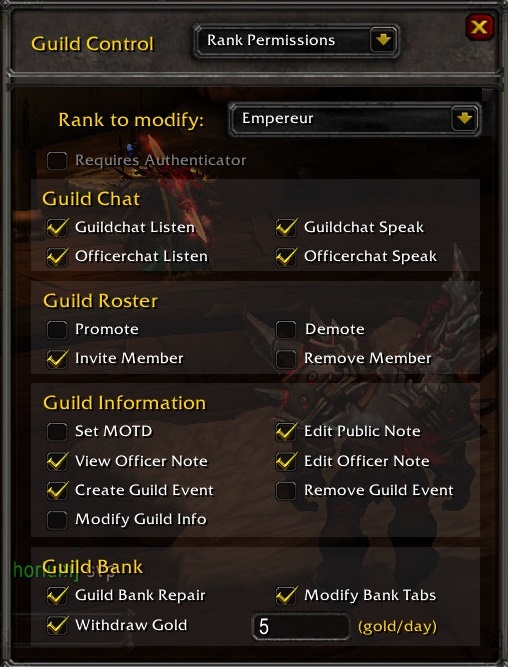


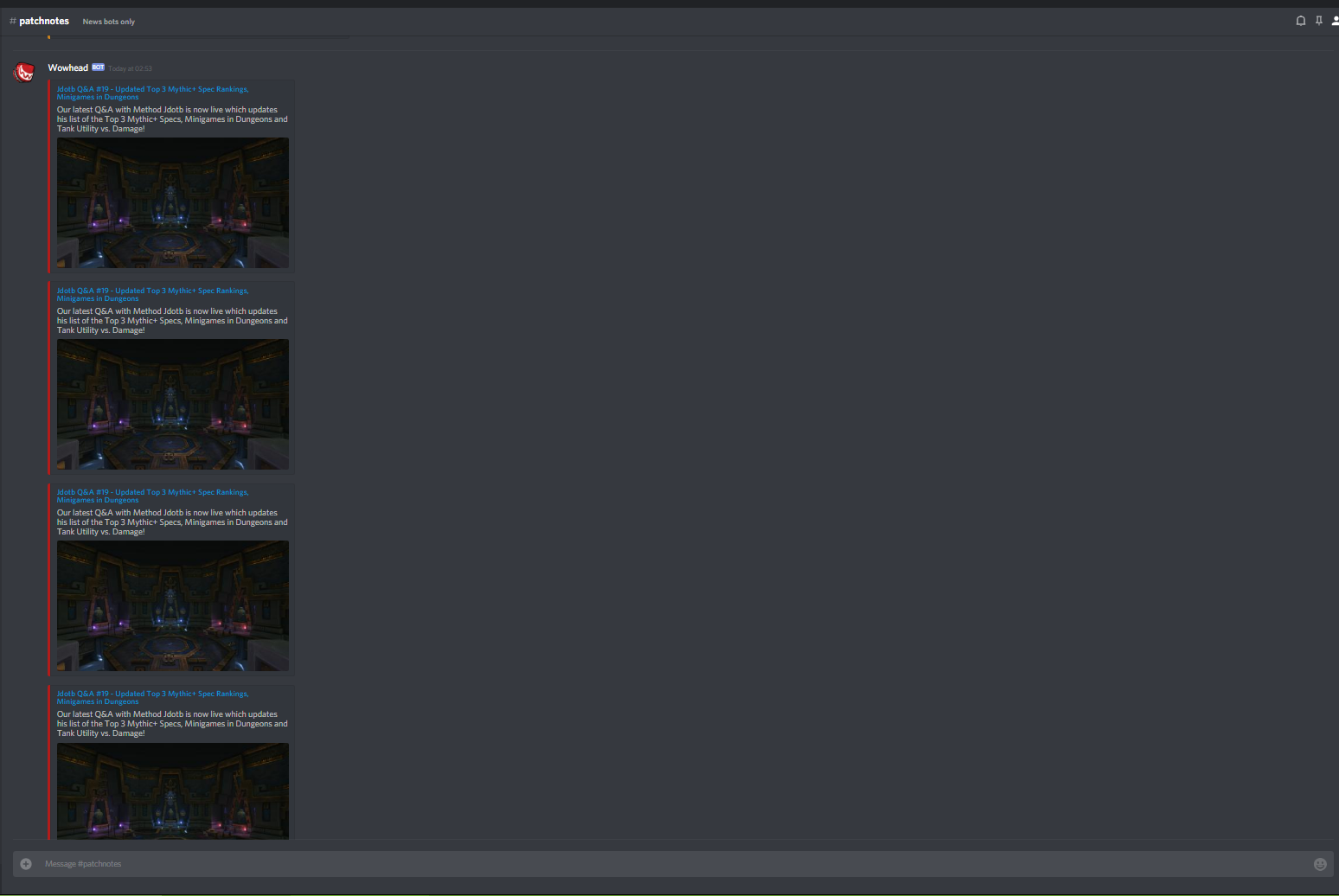

 stoic acorn
These two images I believe should be swapped, as all the other Sylvannas images are on the right.
From: https://www.wowhead.com/news=286223/sylvanas-motivation-and-parallels-to-arthas-in-the-bfa-pre-patch

Wowhead
lvanas' motivations and character development in the Battle for Azeroth pre-patch have been a source of controversy. In this article, we're highlighting her motivation for the attack on Teldrassil, hints at another motive, and analyze all the strong parallels to Arthas. Discl...
plucky fractal
Was there a way on wowhead to see what achievements you were close to completing i cant seem to find it anymore .
mint pasture
AP values in the charts on this page accurate> http://www.wowhead.com/guides/heart-of-azeroth-overview#heart-of-azeroth-item-level I'm seeing very different numbers in game on beta
 modern wing
My blizzard app wont connect to internet and when i click the Error code to see what it is, it times out on the site.... any one else having this problem ? im in AU
 lyric sparrow
Had that issue earlier today myself wound up restarting my machine and opening the battle net app in Admin mode and that fixed it.
modern wing
it's back now.... that was wierd lol
son had the same issue, and alsomy friend in the UK
lyric sparrow
I am in US so it might be a widespread thing
rancid copper
There was a disconnect about an hour and a half ago and then about half an hour ago my whole raid lagged out badly and crashed
so there's issues
nocturne jewel
I'm confused by the tooltip for http://www.wowhead.com/spell=255647/lights-judgment on the site displaying the formula
Wowhead
Call down a strike of Holy energy, dealing [Attack power * 3 * $pctD * (1 + Versatility)] Holy damage to enemies within 5 yards after 3 sec.
When it says attack power, does that mean spell power has no scaling?
Other racial damaging attacks like these display a spellpower portion:
http://www.wowhead.com/spell=69041/rocket-barrage
http://www.wowhead.com/spell=5227/touch-of-the-grave
Similarly, Arcane Pulse from nightborne displays only attack power
hardy bloom
i think its different
im pretty sure its not an accident
oh i see
some of them only show the spell power variation
some only show attack power variation
tthat is weird
nocturne jewel
Yeah, it seems like the new Allied Race ones are the ones only showing attack power
There is no version for spellpower in the database either
Does this mean that all lightforged draenei get no benefit to the scaling of light's judgement if they are a spellpower user? It seems odd, but as wowhead is displaying it, that is what the pages indicate
hardy bloom
no
it just means the spellpower one is missing
possibly hasnt been uploaded by players so wowhead doesnt have the data?
 fathom swan
Please , a bit of help here:
comments tab not showing on profile
and I cannot see my comment on the Keyboard giveaway 😦
 echo cargo
Nice, 3750% for Ashes of Al'ar 🤔 🤔
 light scarab
Ya I know that aint true lmao
 valid zephyr
When commenting my comment will always only show up in my native comment section, is there any way to comment in english? (I cant seem to find an option. If I click "Add your comment" in the english tab it'll still create a comment in my native language)
 tulip mirage
Can we have a help channel on the discord so new palyer like me dont fill up the general chat with boring stuff 😛
plucky fractal
@tulip mirage #retail-wow fills that role well enough, no need to be afraid to 'bore' others with your questions!
@valid zephyr Have you tried going to the English locale and posting your comment that way?
 fossil osprey
Ey, do anyone have time to fly me around Draenor? 😃
plucky fractal
Please direct your question to #retail-wow @fossil osprey This channel is for Wowhead support issues only.
fossil osprey
Oh, sry ^^
 crimson night
How do I let moderators know that I have subscribed to Wowhead premium in order to move my name up in the Discord?
arctic cairn
#welcome-rules @crimson night
crimson night
Thank you!
arctic cairn
4th bullet point down
 rigid pawn
anyone that can help me? https://i.gyazo.com/b996add34b1103ade681edca0c6ecf55.png the white "thing" at the bottom, just wont dissapear, i've tried everything to make it go away, and my googlefu failed me 😢

 teal dragon
@rigid pawn It keeps coming back or clicking the green button doesn't do anything?
rigid pawn
@teal dragon yea, as soon as i refresh it pops up again
teal dragon
Okay so in that case, something is blocking the fact that you've made a selection in your browser. The fact that you clicked anything, or even saw it, is stored on your browser as a cookie or in LocalStorage. If something is blocking that, or deleting it, you'll keep seeing it repeatedly because it doesn't know that you ever saw it. Are you running any adblockers or privacy extensions?
rigid pawn
@teal dragon ye adblock and ublock, but disabled both and tried again, but still no change
teal dragon
Disabled completely or just whitelisting/pausing?
arctic cairn
Also, make sure to restart your browser after disabling if you did so
teal dragon
Unfortunately just pausing or whitelisting doesn't stop it from blocking certain things, as one would imagine it would.
rigid pawn
ye disabled both on wowhead and restarted my browser, but it still popped up
teal dragon
I'm sorry, I'm still trying to make sure that you're disabling it in your browser extensions entirely and not just for our site.
Type chrome://extensions/ in your URL box, and click the toggle to disable any extensions we've discussed.
They should be gray, not blue.
Example:
Alternatively you could load an Incognito Window to test the behavior, assuming you didn't enable these extensions to run in incognito.
rigid pawn
ah ye, disabled them both completely like that example
and now it dosent pop up again, so now i can enable them again?
teal dragon
I'm not sure to be honest, not certain if they delete things retroactively or not. Unfortunately just pausing/whitelisting a site doesn't stop them from doing things like blocking cookies that are necessary to ensure you don't keep seeing the pop up more than once every 30 days.
You can play with it, turn them back on and see if it continues to interfere or not. If not, then when it comes back in ~30 days you can disable them again, select your preference/green button, then reenable. I'm not certain it'll work that way or not though.
Running more than one adblocker can sometimes cause issues as well, since they're both trying to do their own thing. It's possible only one of them is causing the problem, more trial and error would be necessary to see who's at fault.
rigid pawn
oh yeah, it pops up again, once i enabled adblockplus
teal dragon
...or, if you want to support the site but don't care for ads, we have a Premium sub which would prevent you from seeing ads at all without the need for extensions.
rigid pawn
just wondering why it have to be full of adds, other sites do fine without 100000 adds at once
its just sad really, wowhead wasnt like this years ago 😒
teal dragon
You shouldn't be seeing more than 4 ads at a time, excluding site skins.
rigid pawn
question, if i pay for premium sub, does it still take forever to search for things? aka loading slower than a gta loading screen?
teal dragon
Regarding how ads were years ago compared to now, all I can really say is that these industries change periodically. In order to ensure we can continue to operate ads are necessary to provide a free service such as ours. Video ads are more lucrative than static images that we were more accustom to years ago, but advertisers aren't very into static images anymore, the industry has turned more towards videos. It's not necessary something we enjoy, but it's necessary that we adapt.
Happy to give you Premium temporarily to try it out, determine if the speed is improved for you or not. Just send me a PM.
 civic magnet
Hello. I have a problem with login via battle.net. Every time i get registration page https://www.wowhead.com/account=signup
What should i do? I want to log in via battle.net only. Sorry for my english.
Wowhead
The largest World of Warcraft (WoW) information website, featuring information on classes, professions, artifacts, raids, transmog, and more.
teal dragon
Regardless of the login method you're still making a Wowhead/ZAM account in the process. The Battle.net button allows you to login with Battle.net, it doesn't allow you to register an account.
civic magnet
Thank you
 sweet harbor
Heads up, in the Azerite guide, there’s a part saying the quest is available to obtain the necklace after the Battle For Lordareon which released August 7th
viscid heart
you must do the lordaeron quest do get it
sweet harbor
Yes but is the quest available now? I meant the Azerite necklace quest
scenic panther
not yet
sweet harbor
Ok. Just making sure
stoic acorn
Are post times supposed to be localized to the user's current time zone? It seems right now they are in UTC-6 which leads to odd things like a post being posted "2 hr 22 min ago" with a timestamp of 23 minutes ago (in my timezone).
crude urchin
@stoic acorn please see http://www.wowhead.com/forums&topic=286022#p4224472
stoic acorn
That's actually not really relevant to what I posted... the times shown for the article post times are just plain wrong since they are hardcoded for a certain time zone. You can guess what the real timestamp is from the "... ago" text, but the timestamp itself is incorrect.
Of course fixing that will likely involve tangentially fixing this issue. 😉
crude urchin
Could you please add a comment to the topic?