#wowhead-feedback-support
1 messages · Page 17 of 1
 warm topaz
Well I'm an infrastructure (VMware/Cloud) guy, happy to help out anyway I can if you need it
 tawny blade
cool
we might be looking for SEO consulting since the wow eden situation sucked, and there were parts of the site I wanted to improve anyway
hopefully people realized that all the database links have actual words instead of numbers and syntax now! but there's more that can be done 😃
warm topaz
never really did SEO, do have some contacts at google however
tawny blade
yeah
we got a few people chiming in when I posted about wow eden that seemed to know their stuff
warm topaz
wasn't wow eden just a money grab on ad revenue? Or are they still persisting?
I always go to wowhead.com and search from there, rarely rely on google for answers
tawny blade
they're still not scrubbed from bing and other services
we resubmitted the site map and wowhead is back for some of the results, but not all
this also hit class mount posts which kinda sucks
there's also weird stuff like - google thinks that wowhead guides link to wow eden, or they're one and the same
warm topaz
That sounds like bugs in google's indexing. Have you had any contact with them about it?
tawny blade
warm topaz
It shouldnt be linking the sites together
tawny blade
no cube of malice here
we've filed several reports :/
also resubmitted the site map again
warm topaz
any replies?
tawny blade
nope
we pay for some of their other services and we've tried to reach out to our contacts there to put us in touch with another department but no luck
warm topaz
no promises but get me a ticket number and I'll reach out to some people I used to work with who now work with them
tawny blade
awesome
yeah let me check on the specifics tomorrow. dealing with wow eden and ptr and rogue ads is a lot for a small team
warm topaz
sure. matt@wowaddicts.net gets me.
tawny blade
thanks
warm topaz
You'll get more traction with google if we can point out a specific bug/exploit that they can act on I reckon
 teal dragon
Thanks for the feedback on all this Acaila. 😃
warm topaz
Like all feedback/issues, the more targetted the better and quicker the response 😃
teal dragon
Did you get Premium?
warm topaz
waiting on email to come in (redirect to my gmail is a little slow)
ah wait, it went to spam. Fixing that
teal dragon
Let me know, happy to make sure it's all set up properly and add your Premium status here in Discord 😃
warm topaz
Boo Acaila is taken 😦
teal dragon
Let me take a look.
teal dragon
I fixed it, you're Acaila now 😃
warm topaz
oh wow, thanks. I suspect the old one was me anyway 😃
teal dragon
Possibly, it had been inactive for ~6 years.
warm topaz
yeah that sounds like me 😃
hmm I should re-login before premium if you've changed the name
teal dragon
Shouldn't impact it, but feel free to be safe.
teal dragon
Looks good; thanks for the support! 😃
warm topaz
Np. Sorry i took so long to sign up. I think for some reason I thought WH was part of the curse network so thats why I never got around to it
(Since I'm a curse member too)
back to fishing. This Rusty Queenfish Brooch isnt going to fish itself
teal dragon
haha; good luck! 😃
 potent fog
You should read #welcome-rules and follow the instructions
teal dragon
Essentially yes, though I'd say it a bit less pointedly 😄
potent fog
Sorry almost 8am, I'm grumpy D:
 urban creek
Maybe this might better. 🍪 or 🍕
teal dragon
@urban creek What's your Wowhead name?
urban creek
messaging you now @teal dragon
teal dragon
😃
urban creek
Thanks again @teal dragon 🍕
teal dragon
np 😃
 granite fog
hey, is there a way to change the ilevel of relics in the artifact calculator?
 plucky fractal
@granite fog Not that I'm aware of, but since relic iLevel has no bearing on the artifact calculator, why are you asking?
granite fog
found it to be the easiest way to get the artifact string for simcraft. only used it for simming different artifact levels against each other, but I figured I could use it for relic export as well
thank you for the answer though, have to do it manually I guess >:
 coral flint
I've actually wondered this before... would it be possible in any way to grab the texture files for the Wardrobe previewer thing on wowhead from the WoW data on your own computer? Like have the option to do so?
Sometimes the models take a little while to load for me is all. .-.
 ruby halo
Just noticed the drop rate for items that old moroes drops is the same as the drop count
🤔
 timid fulcrum
Seems like "Has screenshoots" filter has broken :(
Tried at https://www.wowhead.com/humanoid-npcs page
Wowhead
A complete searchable and filterable list of all Humanoid NPCs in World of Warcraft: Legion. Always up to date with the latest patch (7.1.5).
plucky fractal
That hasn't been working for a long time @timid fulcrum
timid fulcrum
☹
potent fog
tawny blade
yeah was busy trying to get incorrect info out of the post, forgot to write a summary
coral flint
hey uh... what's with the.. layout being reverted to like a mobile-esque layout? O>o
on half-screen size
 tawny blade
half screen on what dimension?
if you have it really tiny, the site probably figures you are on a small device and swaps to a better layout
potent fog
Yeah the resize CSS is not perfect in any website, is hard to make propper CSS for every device
teal dragon
Yeah we released an update today for mobile responsiveness. Depending on the resolution you're at it may have switched to tablet/mobile.
coral flint
Half screen of 1080p btw
So like... 960x1080p? I think?
I just usually have all my windows like that because of double monitors, where I have WoW taking up 1, then chrome (wowhead) taking up half of the next and discord the other half
I actually had a similar issue with Icy-Veins website, though when I put it on the forum I saw maybe 3 or 4 other threads about it at the time and the one I made disappeared... 😓
Not saying that I think that they're bad / deleted my thread before I produce a witch hunt / conspiracy that they're "censoring people," I just found that highly suspicious.. >.>
coral flint
hey just wondering actually, would it break the theme to make the class text have their respective class colours for the Mobile-esque version here under Class Guides?
Better Screenshot*: http://i.imgur.com/8FBeQ5w.png

 quasi tulip
is the wowhead client still being updated?... i keep having problems updating it... if i download it from the website and try updating it, it crashes... if the client starts with windows, it always cant find the server
 crude urchin
Try to launch as an administrator
tawny blade
we're looking into the issue where if you look at wowhead zoomed out on a mac, on a laptop, the layout might swap between desktop mode and mobile mode
tawny blade
@coral flint we think we fixed an issue with the resizing. can you test it again?
I confirmed that my laptop resizing issue is now fixed
tawny blade
navigation bar is now updated with a patch 7.2 menu as well as 'class guide' text since we got a lot of feedback people didn't realize those icons went anywhere
if you would like anything added to the patch 7.2 menu let us know
coral flint
I'll take a look in a min :)
Hm. Maybe this is a caching issue? I'm still getting the issue. :I

Is there a way to manually switch from "mobile" to desktop version perhaps? I know I did that on my phone to test it (PS: Don't. Desktop on a phone is much much worse lol)
tawny blade
So it seems that because your device is really narrow, it's resizing to accomodate that
making it wider for the header to work will make the header appear
maybe we could squeeze another 100-200px out of it before the site starts to resize
coral flint
I think at exactly 1010px it resizes to that for my Chrome size itself. :p
http://i.imgur.com/caN3gxf.png

now I just need to figure out how to make it resize to 1010px when I snap it to the side of my screen
coral flint
:o
actually did you ever see the icons I suggested a while back for them?
https://raw.githubusercontent.com/keyboardturner/Player-Icons/master/Class Icon Colour Rings/class icons.png
https://raw.githubusercontent.com/keyboardturner/Player-Icons/master/class ring %2B flat player icons/class icons.png


RIP previews
potent fog
I don't think is good for WH to use the second, probably an artist made it
potent fog
Oh...
coral flint
teal dragon
@coral flint We used the link color so people might realize they're links... since feedback indicated people didn't realize it. We like your color idea though, but, we'll see how the default link color works. 😃
coral flint
I just sometimes get a little... "boggled"? "confused"? idk what the word is...
whenever I see just a bunch of icons without their class colours. :p
Idk what it is, I'm just used to class colours to identify a particular class. :p
I got the individual files for each icon here though for future reference: https://github.com/keyboardturner/Player-Icons
plucky fractal
that moderator stuff really seems like it shouldn't be volunteer, given the amount of work involved
plucky fractal
I mean I'm just going off your ad - "It's important to understand this is often a thankless role to be in; it's crucial that you really want to do this before applying. Far too many people show up with a ton of enthusiasm and then essentially vanish. I need people who are in it for the long haul."
teal dragon
I started as a volunteer though, you never know. 😃
plucky fractal
Even minimum wage helps a lot with that sort of thing, especially when asking for articles.
Anyway, just 2¢, hope you find a good candidate.
teal dragon
Of course! Appreciate the feedback, I don't entirely disagree. It just kind of ends up depending on how well it goes and how much they end up doing. Positions can often evolve and, like I said, you never know. We have many volunteers on the site though, moderators, localizers, screenshot managers, video managers... all volunteer and all with various levels of tasks involved. Community sites are often driven by volunteer work, we reward our volunteers when possible though in various ways and it is volunteer so if they ever decide to no longer continue they won't get any "sas" from me about it. ❤
plucky fractal
Not to put too fine a point on it, I don't think those positions (at any site) should be volunteer either, once a site is of a certain size.
 dusty narwhal
I'm interested, but I'll put some more work into the site from a viewers point of view before I apply, so maybe the next time you ask is when i'll apply ^_~. I've used the site for years, but haven't actually been a member for awhile. I'm planning on doing another guide or two soon as well ^.^
potent fog
I'll write it now, I was busy carrying guildmates 😛
coral flint
I'm pretty interested actually, wouldn't mind it too much and I'm online for like 90% of my time. :)
 cursive lark
I approve of keyboard. I've seen this sort of gig come around every now and then and despite my credentials, I've always preferred to be an outsider instead of letting potential bias color my criticism or rather, a lack thereof. Supporting another volunteer I can do.
 lucid rose
I'll be sending an email Sas148. I've been around a bit.
coral flint
I sent one myself. :D
 snow brook
🤙
potent fog
I feel like the random page button should be more visible, did you have any thoughs about having it by tthe Links/Add to the list buttons?
tawny blade
it's a light-hearted part of the site that has to take second priority over features/things people need to access quickly
cursive lark
Where would the forums fall under priority, out of curiosity?
potent fog
http://www.wowhead.com/warlock class icon missing, should I feedback it or is enough to type here?
Wowhead
Warlocks are the most volatile and insatiable of spellcasters. Though they often pledge themselves to the service of noble causes and are not innately evil, their desire to understand darker magics and exercise unwavering command over demonic forces breeds mistrust among even their closest allies. Warlocks peer into the Void without hesitation, leveraging the chaos they glimpse within to devastating ends in battle—their greatest abilities are fueled by the souls they’ve harvested from their victims. They ex...
tawny blade
The forums are the top entry under the Community menu
I don't think a forum or random page link should take visual priority on item database pages
you want to access links, buttons to other tools, quick facts...a random page is fun but I don't think it should be one of the first things you see. so the random page option is at the bottom of any page
potent fog
hmm okay
cursive lark
I was just curious how highly they are prioritized. In addition, I've criticized that the community menu actually hides the forums since previously, there used to be a Forum menu IIRC.
It also doesn't help that one cannot navigate to the forum thread from its equivalent news article, etc (at the very least it isn't exactly visible), but I'll leave that for the extended criticism if I ever get around to it.
potent fog
I just want email notification system on forum, or plain notification
tawny blade
appreciate the feedback, but I think we're talking about two different things. Visual priorities vs overall site priorities
We're interested in doing something with notifications, which can enhance forums, but the site priorities right now are ad/site performance and fixing data for 7.2
The random page button isn't really a ste priority - but it should have low visual priroity on an item page
cursive lark
What it could equate to is some increased CTR though.
which should mean more page views. The question is whether it's worth using a page's real estate to do that.
tawny blade
right - we feel that most users reaching a page are doing so to look up certain types of targeted info, or want to visit a related guide, model, tool. So we're prioritize that over a random page link
cursive lark
At the same time it shouldn't use a lot of space. In fact, I see some redundancy issues with the menus as is.
Some consolidation or the like there could open up that space. Kill two birds with one stone even.
tawny blade
there could be some menu reshuffling in the future, we'd like to continue tweaking things based on traffic
tawny blade
we can look at the whole site via google analytics (staff)
sometimes we'll modify the name of a news post URL which was affecting the forum viewcount, so we hid it
tawny blade

Wowhead
How to summon Nightbane, the ninth and final boss in Return to Karazhan, and get the "One Night in Karazhan" achievement and Smoldering Ember Wyrm.
the URl used to be the full title, wasn't really tracked well with page hits
it's something we'd like to bring back
(also - looks like forums was always under community - or at least pretty consistently - https://web.archive.org/web/20110203011912/http://www.wowhead.com/ https://web.archive.org/web/20140201062842/http://www.wowhead.com/ - this isn't to say things can't change, but database, tools, community was standard menus for a while)
tawny blade
https://web.archive.org/web/20140107230319/http://www.wowhead.com/news there used to be recent forum topics on the news page - maybe that was it?
cursive lark
i don't think so
it would help but I think there was more visibility than that. Worth mentioning that a lot of my activity was during the Wrath period
archives are not being nice about those
Either way, I'm often left wondering if people even knew a forum existed on Wowhead. There's other issues beyond visibility but that's the first thing that comes to mind, followed by "how welcoming is the forum community?"
tawny blade
yeah 2009 archives are looking strange for me
cursive lark
well there's a communinty button in the 2010 archives
tawny blade
yeah. we think discord is a good compromise in that it has some good tools set up and it seems fairly welcoming
cursive lark
but it also offers no ad revenue 😛
coral flint
I've personally never really used the forums.... ._.;
cursive lark
well okay it offers a little bit due to news links
tawny blade
FOrums also seem to be in an odd place as blizzard has links to things like reddit on their front page, highlights stream communities
they had devs for a while on twitter, etcc
so it's like, you get people that are fans of the site congregating and sharing info in all these various communities that weren't so much of a thing when wow came out
that isn't to say the wowhead forums shouldn't get improvements. but hopefully it explains why we have a discord, a twitter etc
cursive lark
This is true, but it probably doesn't help that the forums basically don't get a lot of activity, yet news articles do. Maybe people just come for the news, but I do wonder sometimes if it's possible to get more people posting on the forums themselves - in an environment where you can speak your mind without getting downvoted into the ground.
tawny blade
Yeah it would be nice especially since the downvote system on blizzard's forums is a bit basic
cursive lark
because both Reddit and the official forums have this exact problem, despite there being warnings against that behavior. Can't really stop bandwagoning.
tawny blade
I think it's something worth looking into more of a long-term project. 2016 had some staff transitions and it was a bit eye opening that we had to step back and address documentation/technical debt instead of new shiny things
So since we're on a big refactoring kick, and have adjusted to new staff/workflow, maybe we can get forums as part of that revamp. The notifications angle I want to do is mostly specced out and should help remind people to revisit the forums once they makea post
cursive lark
Probably. I don't expect the forums to be revived overnight...if at all.
potent fog
keyboardturner - Today at 1:31 AM
I've personally never really used the forums.... ._.;
Same, for me are hard to use, wowhead and wow ones
cursive lark
Wowhead's is really quiet. Come drop by the Recycle Bin on Off-Topic though. We have dusty cookies.
As for WoW Official. Self-explanatory as to why someone would stay away from there.
tawny blade
wonder if there could be some incentive for people to go to the forum to continue conversation they're having in discord, twitter etc
maybe more site achievements? just thinking out loud
cursive lark
I was thinking that forum posts, in some way, could contribute to reputation.
tawny blade
like some forums/social media draw people because it's unmoderated
cursive lark
And then make the premium system more attractive to have.
tawny blade
twitter in 2014 had the incentive of 'if you tweet a lot, you can chat with a blizzard dev'
cursive lark
(Which is something that should probably be a thing anyways.)
tawny blade
twitch chat has emotes and such
discord you get real-time interactions and bots and groups convos
cursive lark
Could run AMAs on Off-Topic or something.
cursive lark
I think at the very least it would help if the Feedback board got more visibility. I remember once upon a time that site-wide posts showed up on every forum in addition to being that little dropdown thing it is today. I wonder how many people would report bad ads if they even knew about the sticky, for example. Clearly, people don't.
potent fog
Forum are somethign going in a downfall hence push notifications (twitter, discord, twitch) are something very relevant nowdays
Some AMA in wowhead forums should be interesting tbh
tawny blade
I'm not sure what to say about the bad ad sticky :/ blizzard made several blue posts about the sticky and we saw 0 increase in reports
cursive lark
At the same time, the one part of the "forums" that is very active is the news articles. People like to comment and have conversations there.
So clearly there is some activity that could be harnessed.
That was only an example. At this point people are more likely to run ublock or something.
potent fog
BTW I'd add some +1 or -1 on the forums, specially if AMA happends.
cursive lark
I would prefer just +1
potent fog
Works enough
cursive lark
We don't need downvote bandwagoning like on Reddit.
potent fog
I'll try to make an example
tawny blade
I think one of the issues with the forums is that you can't tell if a staff replied, at least on feedback
which is how notifications can help
cursive lark
This is actually a problem with r/wow too.
tawny blade
If you got an alert that someone replied to your problem, you might be more inclined to revisit it
cursive lark
I saw a very clever method on r/2007scape.
tawny blade
or leave more feedback in the future
potent fog
Let's say er.. Ion comes to wowhead for an AMA, users will ask in the forum but this isn't reddit when a quote/reply can be hidden under a post (similar to the DB)
I'd use the +1 to say "Yeah, I find this a good question" instead of quoting it
cursive lark
It adds a tag next to the post that shows an official response.
WoW Official does this as well.
coral flint
+1 with a time relevance might work wouldn't it?
Sorry jumping back in after getting a drink
potent fog
Well, I can't live w/out notifications... is hard to check for replies if you don't remember the post or you are not F5' the post
coral flint
same
cursive lark
I do think there needs to be a notification system regardless but it would help to have the tags for other reasons.
potent fog
Why not both 😛
cursive lark
Sure, why not.
tawny blade
yeah
notifications can also help other parts of the site, like you could track an item
see if it gets comments added on patch day
coral flint
not meaning to say "copy facebook" but look how Facebook turned out in popularity
tawny blade
well, I don't have nearly as many developers as facebook
so I have to pick and choose what will be the most effective 😃
coral flint
of course. :p
but my main point being, they're still running on a system from what, 2004?
how old is Facebook? Like 10 years or something?
potent fog
2006-7 or so, yes
tawny blade
I think this is a bit apples to oranges
potent fog
Founded February 4, 2004; 13 years ago
coral flint
true, FB is also kind of a... well was supposed to be a dating website.
tawny blade
that doesn't really mean they are using the same tech
potent fog
As old as wow... woah
tawny blade
it means they were founded in 2004 😃
potent fog
I'm not sure I'm following you keyb
cursive lark
I agree. Facebook is a little bit different.
tawny blade
we'd love to have a team devoted to refactoring wowhead's base
coral flint
moreso I was mentioning the notification system part
What's made facebook and other sites basically allow me to "keep my attention" is the notifications
tawny blade
ah ok
I'm getting ready for dinner but thanks for the convo. lots of good insights 😃
 tropic mountain
getting lots of "ERR_CONNECTION_RESET"
tropic mountain
the website is very slow
potent fog
Works fine for me. Have you checked your internet connection?
tawny blade
yeah it may be something on your end - the wowhead team has automatic alerts set up if it looks like widespread performance issues are happening
we haven't gotten any yet and overall site traffic looks normal for a sunday
coral flint
^You can always try http://downforeveryoneorjustme.com/ when in doubt.
 zenith sedge
Apologies if this has been mentioned already, but I didn't find anything when searching Discord--Is anything being done to address the issue with Chosen Dead transmog sets not displaying correctly in the dressing room? Specifically, the head and shoulder pieces do not appear at all.
tawny blade
they're a bit tricky as there's no particular item for most of those tints
coral flint
Hey I was just wondering if you guys were going to check / update the mount requirements for the 7.2 class mounts?
http://www.wowhead.com/patch-7-2-class-mounts
Particularly with the paladin and the warlock. It seems they got cheaper supplies since these guides were initially created.
tawny blade
we'll do a final pass on our content before 7.2 is live. the quest database page should be updated so far
coral flint
Yeah I noticed the quest stuff was updated and the note was put in of basically "nerfs inc"
 strange wasp
Any way to find a list of tamable hunter pets that were added in Legion? Apparently these mobs are scaling and are giving Iron Challengers a mild heart attack. Don't see a "is tamable" option in the filter when I'm looking at NPCs:Beasts.
 pliant hill
strange wasp
pliant hill
strange wasp
okay thanks 😃
yeah... Petopia lets me search but I really need something that says "added in Legion expansion" AND "found in Non-Legion zones"
for instance Ol' Muddle in Hinterlands... usually Level 31 or something... but it scales now.
hence my desire to use wowhead. all that info should be there. 😃
coral flint
Petopia should have that
You just can't specifically search for it but it has indicators
tawny blade
PTR artifact calc updated - concordance can't be selected until you have all other traits
teal dragon
FYI: We're aware the Wowhead Client may be giving "Invalid status code: 500" when attempting to upload. Sorry for any inconvenience while we investigate.
teal dragon
Client Uploads should now function again properly.
 rancid veldt
The icons here in the minibox may need a re-linking or removal. http://www.wowhead.com/blackrock-caverns
Wowhead
Another dungeon located in Blackrock Mountains, Blackrock Caverns is a complex of tunnels created by Deathwing. A level 80-82 contested dungeon.
teal dragon
@rancid veldt Did that fix it?
coral flint
Hey I was wondering if you guys were able to find a file for me in the 7.2 data that looks like this image? (spoilers for reasons)
https://hydra-media.cursecdn.com/wow.gamepedia.com/1/12/Argus_7.2_Trailer.jpg
called "7du_kiljaeden_argus_planet01" (apparently)
coral flint
nvm I got a few files :D
https://cdn.discordapp.com/attachments/242364846362853377/294811074044362762/argus.png
 livid barn
not my post, just a heads up that this post is out here in case someone had time to respond - https://www.reddit.com/r/wow/comments/618v76/wowhead_failing_to_load_quickly_any_other/

reddit
i remember a post about this being a big issue that they were working on, but it was a couple months ago, it looks like it hasn't been fixed yet...
tawny blade
we are tracking on this thread: https://www.wowhead.com/forums&topic=260419&p=4037910#p4035539
Wowhead
Hi everyone, Over the past several months ZAM has been implementing various safeguards on Wowhead to prevent bad advertisements from having any substantial imp…
we made a change last monday and based on our testing and number of feedback replies, it did improve things. If the user still has an issue, they can email feedback@wowhead.com so we can help troubleshoot
I'm not sure I should respond since the last time I directed someone to feedback I got threats
I'll see if sas148 can reach out to the person privately to troubleshoot, to not turn the thread into trolling
 torpid wigeon
is there a npm package for wowhead tooltips or is linking to the script in <head> the only way to obtain it
warm topaz
Sorry you have to put up with that Perc, we appreciate what you do!
teal dragon
@livid barn They've been sent a private message, up to them if they wish to respond. Meant to tell you that earlier but forgot. Thank you for letting us know about it.
@torpid wigeon As far as I know the only options you have, or that we officially support, are those mentioned here: http://www.wowhead.com/tooltips
@warm topaz As always, thanks for the support. 😃
tropic mountain
website still does not work well for me
i get lots of connection errors
using firefox and chrome
restarted router
changed dns
ERR_CONNECTION_RESET
tawny blade
have you tried following steps like this? https://usefulpcguide.com/17265/err_connection_reset/

Four best ways that help you to fix Err_Connection_Reset error in Google Chrome. It's a step by step guide to fix the connection reset error.
 tidal brook
http://ptr.wowhead.com/transmog-set=2371/cruel-gladiators-scaled-armor-elite-recolor are the boots supposed to look like that on draenei females?
Wowhead
A Paladin transmog set from Legion. View it on your character with the model viewer. See a list of what transmog goes with it. Requires level 110.
view in 3d to see what i mean
coral flint
The bottom part looks a little weird but that actually does look like what it's supposed to be like. If that's exactly how it looks on live you could tweet at the WarcraftDevs or make a forum post to try to fix it
btw my browser lagged immensely and actually crashed upon looking at the model in 3d. O.o
tidal brook
mine lagged too thats why i wondered if it was intentional or pixels were just missing lol
and it was on the ptr site i think not the live one
tawny blade
yeah it wouldn't be on the live site because the boots are added in 7.2
tidal brook
oh did i link to the wrong channel? oops
tawny blade
I think it's accurate but you can doublecheck by making a level 1 on the PTR as a draenei and then accessing the wardrobe tab
ah I thought this was a site issue, the modelviewer loading funny
tidal brook
yeah thats why i posted it here cause i wasnt sure if the boots are intended to look open on the sides while viewing them on a female draenei or not.
being a ptr item wasnt sure if such needs to be kept to ptr channel
tawny blade
if there's a bug with the site you can discuss it here - ptr channel is more for ptr content discussion
tidal brook
okay thank you for clearing that up. can i still access wow ptr if my live client is inactive?
potent fog
Yes
 grim blaze
Anyone else noticing decresed site performance over the past few days?
 scenic panther
nope
coral flint
Hey I was wondering if this could be made into an actual like... guide thing rather than an article?
http://www.wowhead.com/news=254101/all-legion-glyphs-books-and-class-toys
I have a bit of trouble keeping track of the toys and glyphs and I go back to this one page every single time.
teal dragon
@coral flint Here ya go: http://www.wowhead.com/guide=4998/all-legion-glyphs-books-and-class-toys
coral flint
:D yeah that
teal dragon
coral flint
I just know it'll (probably) be out of date in 7.2 with all the new mounts and pets and glyphs and stuff
teal dragon
Yea, can't promise it'll necessarily be updated but wanted to give you something you can 'Favorite' as requested for frequent reference.
coral flint
That's fine :D
coral flint
Also I wanna say it's really cool to see you guys pair up with Nobbel. :p
potent fog
Is the tooltip on phones working as intended? When I click a tooltip instead of the pop-up it directly goes to the DB
teal dragon
can you give me a page example and what phone?
teal dragon
The tooltip should load for you to view, and then you can click the red X to exit out of it and move around the page still or click 'Tap Link' to go to the tooltip's database page.
potent fog
Yeah, it should, but it doesn't. It redirects me to the DB even if I don't click tap link
teal dragon
Ah, even if you don't, okay.
potent fog
It never finishes to load because the redirect load first
teal dragon
Can you give me the link to the page you're on and what phone you're using?
potent fog
MIUI 8.2.1.0 (phone software)
Browser is Chrome, up to date
It worked before
But I noticed hasn't been working for a while, and I kept forgetting to report. Sorry for that
teal dragon
We just implemented some responsiveness changes a couple weeks ago.
This may just be a bug. I was able to replicate it. I'll make a ticket for it.
The individual responsible for this isn't in today though and I'm not sure what other higher priorities he might have this week but I'll make sure he's aware of it. Thank you @potent fog
potent fog
Cool! Thanks for the work!
I can deal with that :P anyway wowhead is one of the very few if not the unique website I actually use with phone mode, hence the tooltip is great
 verbal sky
Am i only one having this problem happening with some old screenshots sometimes?
For Example: http://www.wowhead.com/quest=10796/crush-the-bloodmaul-camp
It clearly has screenshow when you check it but for some reason its not showing up, does it just mean that it was never "Stickied" or?
Wowhead
Slay 10 Bloodmaul Maulers and 5 Bloodmaul Warlocks. A level 65 Blade's Edge Mountains Quest. Rewards Darktread Boots, Twin Moon Shoulderguards, Chaintwine Cinch, or Fairweather's Wristguards.
If you want i can post some other examples
tawny blade
that would be good - I can't replicate it in the example given
plucky fractal
@verbal sky That page, and a few others related to quests in Blade's Edge had some older screenshots removed yesterday, and replaced with new ones. It takes the site a while to update and display the new screenshot as a thumbnail (sticky). It should all be displaying correctly now.
tropic mountain
still facing issues with website
it redirects me to "http://www.wowhead.com/g00/?i10c.referrer=" when i just want to go to main page
Wowhead
The largest World of Warcraft (WoW) information website, featuring information on classes, professions, artifacts, raids, transmog, and more.
coral flint
I think that's due to running ad-block?
the g00 is the indicator
There have been issues I think reported where if you run multiple ad blockers it goes awry
tropic mountain
thats how it looks
potent fog
Your adblock is messing your browser
Even if I click on your url I get redirected to the good website
Even with adblock.
coral flint
something's definitely going berserk. I don't have that issue at all.
it's almost like it's blocking the CSS or something
coral flint
no, that's the exact same thing that's happening
he's just scrolled down in his screenshot
potent fog
Here you go then, your adblock is probably killing the CSS
tropic mountain
diabled it
what happens is that it will go first to the normal url wowhead.com, i can scroll and so on, a second later it will go to the g00 url and hangs
coral flint
Yeah the g00 is the detection for adblock basically. idk wowhead's inner workings though so I can't say much beyond that. I'm sure one of the admins might explain a little further when they wake up or whatnot, though I'm going to guess they'll have a hectic day with 7.2 and all.
potent fog
What adblock are you using?
tropic mountain
ok now i am using google DNS and no extensions, no g00 redirection
i use pihole DNS
coral flint
which also means you can put on custom filters that absolutely destroy anything you want
tropic mountain
pihole dns is doing the g00 redirection
but now it is not lagging because no extenstions are enabled
just hanged xD
gotta see pihole configuration
verbal sky
@plucky fractal still cant see the stickies but that was me taking some replacement pictures so thats why i even stumbled upon them 😃
They do show up on screenshot tab ofc. Il give it some more time and check later.
plucky fractal
@verbal sky They were showing up for me earlier when I responded, try refreshing your cache
plucky fractal
Hah, was going to say it was a big coincidence that two people were looking to replace those specific screenshots, but I'm only now putting two and two together and realizing 'Rantsi' is probably 'RantsiProductions'!
verbal sky
Yh might aswell fix it here rather than asking another rename to wowhead heh
plucky fractal
Thanks for all the work you put into submitting quality screenshots, it's much appreciated!
verbal sky
Sometimes i do wonder are my Screenshots up to the task tho
plucky fractal
Why do you think they don't?
verbal sky
Umm for example the specifiec Picture which i posted as a question about sticky last night.
Should i take closer look the mob as its picture for the Quest rather than the NPC itself
I Could clearly crop out this picture and just leave one ogre standing on it but the Quest happens in this area and those are the mobs you need to kill

so was wondering should i rather crop picture out and leave only mobs on the picture or is it okay to post the area in this case aswell
Just minor issues and thinking while posting some of my screenshots, nothing too drastic 😄
plucky fractal
For NPCs, you should definitely crop everything out short of the NPC in most situations. For quests, it's fine if you take wider shots that show more of the area as that information can be just as useful as how the NPC looks.
You are also free to submit two screenshots, one wide one such as the one above, and another one that's purely the quest NPC in question.
verbal sky
👌
one another question:
Do you people prefer
this : http://wow.zamimg.com/uploads/screenshots/normal/528519-havis-test.jpg
Over of having all 3 Quest Objects on different picture on quest

as i still see these pics from time to time and wonder should i just post a 1 pic rather than 3 different pics of the different object from the same Quest
plucky fractal
I'm fine with images like that, as long as it's done in a clean manner such as above, and not with all sorts of weird extra lines. However, they make for poor thumbnails/stickies, so if you're submitting them for a page that doesn't have any (high quality) screenshots yet, I'd prefer to have them individually.
verbal sky
Okay then! This really helped me alot when thinking how i should post those pics etc. Appreciated the help CalaelenDT !!
plucky fractal
Anytime, if you ever have any concerns or questions regarding screenshots don't hesitate to shoot me a message.
verbal sky
Will do!
tropic mountain
so i noticed that using either ublock origin or pihole destroys wowhead
potent fog
uBlock origin is fine for me
potent fog
Just use one
tropic mountain
even using one is not possible
i said
having any adblock breaks the website for me
using Edge for wowhead
teal dragon
It may be some configuration that is interferring with your experience. We don't run/maintain/operate uBlock so I can only really speculate but you might try removing the extensions and reinstalling a clean version of it. Perhaps that will fix it. Or maybe there's a way to wipe out anything to do with Wowhead to "reset" it. Alternatively, if you want to get rid of ads while still supporting us, we have a Premium option. It's $1/month or $9/year and it removes ads entirely while you're logged in (plus some other perks).
 tough owl
Google Chrome is marking wowhead.com as Dangerous. I'm on this link specifically
http://www.wowhead.com/news=260072/7-2-artifact-calculator-updates-artifact-power-trait-ranks-knowledge-ranks-to-40
Also some ad is trying to forward my page and another just screamed at me with some ladies voice. 😦

Wowhead
Wowhead's 7.2 Artifact Calculator is updated with new Artifact Trait costs, 4/4 Trait Ranks, and the new path to unlock empowered traits.
potent fog
Is fine for me. Is your Chrome up to date?
 worn pewter
Yeah that opened up fine on my chrome too
potent fog
Also, report the ad with feedback plus the report ad button pleaserino
tough owl
Yep. Version 57.0.2987.110 (64-bit)
scenic panther
tested, all good for me too, and that not logged in, so no premium either
tough owl
Here's a snippet of what I see.
potent fog
Uhm
tawny blade
I would check browser addons - the ad in the picture looks normal and I'm also testing in chrome logged out and don't get a dangerous notification
tough owl
i closed the tab and visited www.wowhead.com directly and the Dangerous is gone. Must have been one of the ads on that page shrug. Just something to keep an eye out for.
False alarm it seems. I'll keep watching to see if it pops up again for me.
Enjoy 7.2!
verbal sky
I keep forgetting that Premium removes my adds 😛
 nocturne ether
 buoyant widget
hi I can't acces wowhead.com
it redirects me to http://www.wowhead.com/g00/?i10c.referrer=
Wowhead
The largest World of Warcraft (WoW) information website, featuring information on classes, professions, artifacts, raids, transmog, and more.
but when I switch to another language it works fine
all languages work except English 😐
potent fog
You're running adblock
buoyant widget
yes
potent fog
I know, was not a question
buoyant widget
oh
it doesn't make much sense
maybe putting a "please disable addblock" message is better than blocking only one language
thanks anyway
potent fog
... i never said they are blocking anything.
I just said that there's an error with some adblocks blocking way too much from Wowhead
what error do you have? a blank website with few blue links?
@buoyant widget
potent fog
There you go
Exactly the same error another guy had before
Check your adblock or switch to another one
Is blocking the whole CSS of wowhead
scenic panther
or buy premium, help the wowhead team and adblock won't block it
scenic panther
$1 a month, thats a red bull
tidal brook
redbull by me is like 2.49
scenic panther
wtf seriously?
tidal brook
ya can get 2 12 oz cans for 5.33 before tax
potent fog
More like 0.75 usd per month if you buy a year
scenic panther
well there you go, thats nearly 3 months of wowhead premium (they could make an advert from that)
potent fog
That's actually 3 free months!
tidal brook
monster energy cans are 2.69 v.v
scenic panther
(can you tell I work in radio?)
tidal brook
no lol
potent fog
Expensive af Artic. 1.5 here
tidal brook
3.49 for the big boy monster cans too
whats really crap is stores an gas stations here sell the red bull an monster cans for 2-3$ then you go to bars an venues and its like 5$ for the same thing lol
scenic panther
"For the price of 3 Red Bulls, you could help a wowhead staff member datamine wow so you don't have to learn something yourself... Help the poor wowhead team make your life easier"
tidal brook
hahaha nice one
potent fog
"Remember that those annoying WQ with portals are easier with wowhead!"
(I hate portals)
tidal brook
i think when i looked at wh premium it was the same price as a twitch sub of 4.99
potent fog
Used to be 25 usd year
scenic panther
it's $1 a month or $9 a year
verbal sky
I keep forgetting that every new patchday its nearly impossible to take screenshots when like 100 guys are stacking on the NPC:S etc 😄
If i could just dezone myself, damm it
This pic would be just perfect for the site without all people standing there 😫
scenic panther
funnily, it's actulaly why I chose Thursday night for my streams, cos it means a drop off of folks doing it, but I agree, would be nice if that phased us
verbal sky
^ Well anyhow, so many pics not taken during PTR so time to start keeping Tabs on All ID:S in notepad again to make sure i wont post duplicates 😂
26 on pending but most of them were from start scenario and before that so il just left them out, still easy to rmbr the larger Scenarios if im done with em etc.
verbal sky
In some cases it would be great if id see somehow from site is there screenshot already pending from somebody else or not <@&107470849447034880> s 😉
 crystal olive
hai
verbal sky
Hai Anshlun 😃
 woeful bobcat
Hello
verbal sky
i did not check but moderators in this case are just discord moderators with some wowhead staff mixed on it?
 shrewd turret
sound the mod alarm
crystal olive
Moderators is a lot of people!
verbal sky
Now ive gone and done it 😂
shrewd turret
xD
crystal olive
XD
 shut vigil
Who wakes me from my slumber?
shrewd turret
Mods include like... localisers, screenshot queues, video queues, etc.
crystal olive
you probably should've tagged @Administrator for that request of a feature 😛
shrewd turret
Asakawa sleeps?
verbal sky
Cant tag staff apparently 😄 or admin 😄
crystal olive
hmm
woeful bobcat
.... "Mods include like... localisers, screenshot queues, video queues, etc." and Moderators 😉
verbal sky
And goat has nothing to do with this!
woeful bobcat
thanks ❤
shrewd turret
goats?
verbal sky
Ornyx?
crystal olive
you know, the people that should be tagged are included too!
Ornyx is from Blizzard
verbal sky
Yea thats why i said goats have nothing to do with this
woeful bobcat
crystal olive
so he can't help you with website stuff
verbal sky
^
crystal olive
for that request in particular, Sas might be the one to ask
shrewd turret
^
shrewd turret
Doesn't hurt to ask
shrewd turret
if there are screenshots pending
woeful bobcat
ha 1sec
crystal olive
to be able to normal users to see if there are pending ss for something
woeful bobcat
well it's okey if there is duplicate, but notmal use can not see the pending screenshot (not possible, security and stuff)
scenic panther
the mods have awoken... the hammers are ready 😮
shrewd turret
Plus, I think someone actually goes through and accepts the screenshots(?)
scenic panther
actually I was gonna ask, I did upload a new avatar tot eh site
verbal sky
Yea they are checked manually far as i know
woeful bobcat
"Plus, I think someone actually goes through and accepts the screenshots" yes it's CalaelenDT, is our Screenshot manager
shrewd turret
(sorry Cal...I forgot you existed for a second)
verbal sky
Haha
shrewd turret
Better to have more screenshots than none though
scenic panther
😮
verbal sky
True. Sometimes i just see no reason to have pic of same npc from 10 different angles 😁
woeful bobcat
to make a 360 view of that npc, duh ! xD
shrewd turret
VR!
scenic panther
just resubmitted my avatar, hopefully it's ok
verbal sky
I though avatars just go without checking and reported later on ;p
verbal sky
Umm is there way to check on wow which Quest has specifiec ID
potent fog
I think so but I don't remember how
verbal sky
For example, there are around 10 different quests in wowhead for it but id rather just post it to the correct area like DH 😛
potent fog
You can check if you have a quest active by the id tho
verbal sky
ah yea, thats one way
that would take an while tho, must be easier way to do it 😛
Found Addon for it!
IDtip
potent fog
ID for EVERYTHING?
verbal sky
Id for pretty much everything yea

"
Supported Types:
Spell
Item
NPC
Quest
Talent
Achievement
Achievement Criteria
Pet Ability
Artifact Power
"
Anyhow i suppose i wont need site help after all then so nvm 😄
 turbid acorn
Premium member here please help. Every computer and browser in my house except for my phone even after clearing cookies is getting this when trying to login.
shrewd turret
No idea about the site thing, but you should pm Sas about getting a premium member tag. It's in the welcome channel
turbid acorn
I am aware of that I just joined the server. Am more concerned with trying to be able to login at the moment. Thanks.
scenic panther
are you using the battle.net log in or ZAM login?
potent fog
Picture's Zam
turbid acorn
both dont work
turbid acorn
I even turned off all securitry on my router and my antivirus to see if that was causing tghe issue.
turbid acorn
??
potent fog
Your adblock extension is called uBlock
turbid acorn
I dont use any adblock extensions
 viscid heart
that pages looks more like the sad page if you cant load a site
potent fog
^
turbid acorn
Nope 😦
potent fog
Hmmmm
Can you do a DNS Flush and a ip release?
Blizzard Support
This guide walks you through releasing, renewing, and flushing your DNS information, which is used to address networking issues. Select your operating system below.
viscid heart
atleast its now the full site and not only the sad page
calaelen knows more and he writes at the moment
turbid acorn
flush and release did nothing
plucky fractal
@verbal sky There's no harm in having duplicate screenshots, and if there are multiple that are near identical I'll just decline the duplicates. If you find a page without a screenshot, even a new one such as 7.2 content currently, it'll be very rare that there will be a lot of screenshots already in the queue when you submit yours.
viscid heart
or he writes something about screenshots
verbal sky
😄 yea sorry CalaelenDT i shouldve asked from you first 😄
plucky fractal
No worries, just saves you a lot time not having to read what those other wannabe greens tell you 😛
turbid acorn
Not even switching to Googles DNS has worked so far argh
Only thing I can think of at this moment is its an issue with my ISP
teal dragon
@turbid acorn I have a couple reports of similar issues. As of yet I haven't been able to replicate the behavior but still, you're not the only one. I've asked it to be looked into, hopefully we'll figure it out fairly easily. Seems very isolated.
potent fog
@teal dragon are you aware too about the error 500 on the client?
teal dragon
 blazing lance
Haven't see http://www.wowhead.com/action-bars before, what's its purpose?
potent fog
Uh, forum... sorry
turbid acorn
Yeah it is so weird I used a browser in browser and could access it just fine. But every computer and broswer in my house cannot login but my iphone and ipad can all on teh same net.
shrewd turret
@plucky fractal pft wannabe
teal dragon
@blazing lance Just a place for you to create/share action bars with others rather than just a screenshot or something.
blazing lance
I see
teal dragon
It's fairly old, not sure how much so but.. definitely been around awhile.
turbid acorn
And just used a vpn and it works so there is something going on between my connection and my isp. Wether its on my side or theirs I will have to explore later as I need to get ready for work.
teal dragon
Thanks for checking all that Jadasa, may I ask which ISP and your general location?
turbid acorn
Comcast in Maryland
teal dragon
Thank you.
 hardy bloom
maybe some kind of weird blockage thing?
turbid acorn
Yeah I am gonna try firstr off direct copnnecting with my modem to make sure its not my networking equipmenmt causing the issue later.
teal dragon
@potent fog and others: The Client should properly upload again. 😃
scenic panther
aye, was just about to say the same
 pale ruin
question : is it me.. or the flying tracker thing on site isn't complete yet?
tawny blade
please try again, we've been making some tweaks this morning. everything shows up for me now
coral flint
oh I forgot to redownload the client because of my clean OS install
oh hey you guys fixed the half-screen issue I was having. :D
 teal dragon
With it switching to mobile?
Yeah an adjustment was made to make it less likely to happen for some sizes.
coral flint
:D
scenic panther
is there a list of teh PVE sets from Broken shore? I found the plate version (love it), looking for the other types
verbal sky
Pve sets from broken shore?
scenic panther
yup
I actulaly found them :D
http://www.wowhead.com/warrior-broken-shore-questing-transmog-sets
Wowhead
Warrior Transmog Sets in World of Warcraft: Legion. Preview them on any race in the model viewer, or use additional filters or searches.
cos the team are awesome, tehre is a Broken Shore option in teh pull down menu under PVE Sets
 snow dock
@potent fog I"m seeing the same issue as Jedasa...TWC in Raleigh, NC area
potent fog
@teal dragon
teal dragon
Thank you @snow dock - Our operations team is looking into it, unfortunately it's not something Wowhead's staff has any direct control over. I don't have an ETA on a resolution at this time either. Appreciate your patience.
snow dock
@teal dragon actually am able to load with Firefox but not Chrome, if that helps anyone
teal dragon
I'll pass it along. 😃
I'm glad you have a workaround. I don't believe some of the other reporters have had the same luck.
snow dock
I also switched DNS from Google to OpenDNS, but still not loading in Chrome
teal dragon
Jedasa had also made similar attempts without success. They were able to fix it using a VPN and that was it.
snow dock
I'll just suffer with Firefox for now....it's unfortunate only because Firefox always seems to have issues loading Wowhead pages for some reason....oh well, first world problems! Thanks for all the good work the Wowhead team does 😃
teal dragon
Thanks for your understanding Astolphos. I do apologize for the inconvenience, I just really hope our ops team and relevant vendors will be able to get it fixed soon! 😃
 clever tree
Can we have a post listing all of the undocumented dungeon changes that came with 7.2? I did a few mythic+ dungeons today and was surprised by some of the changed mechanics.
For example, in the Arcway, the little spiders in Nal'Tira's room no longer explode on death, but a few seconds later (similar to mana wyrms at the beginning of CoS), Ivanyr now teleports to the crystal to start casting rather than running etc...
teal dragon
@clever tree I encourage you, and anyone else in the community, to create a thread in the WoW General forum on Wowhead to start gathering any undocumented changes you, or anyone, discovers. :)
Could also add your observations as a reply to our news post about some undocumented 7.2 changes we've already seen: http://www.wowhead.com/news=261723&webhook/undocumented-changes-in-7-2-custom-lag-tolerance

Wowhead
Patch 7.2 is live on US realms and there are multiple changes that were not documented in the patch notes. Check out the Tomb of Sargeras Survival Guide for more information about the Patch!
tawny blade
I know ketsuki is running dungeons and finding changes - leaving comments on the mythic+ guide is a good place to help ou
t
scenic panther
I know I just woke up, but did anyone point out the Nighthold misspelling in the last site article?
plucky fractal
I saw it mentioned in the thread, yes.
scenic panther
cool, just noticed it, so thought I'd mention 
tawny blade
it was fixed within 5 min of publication
scenic panther
noticed on the discord webhook while I was on teh train in London, then realised the time on it and that you'd probably got it, so ignore me 😃
 heady sky
Working on the site at the moment? getting errors loading pages getting redirected to a wowhead.com/G00 page a couple times when i do get it all loaded the log in screen is timing out for both blizzard and zam log in screens.
heady sky
it's wowhead has always been allowed. but i'm seeing that all the ads and trackers that are trying to load is probably causing the issue.
potent fog
When the g00 do you see a blank page with blue links?
heady sky
don't know why it's started today.
ah. i bet it's the java. gotta uninstall that crap.
potent fog
Screenshot the wowhead/g00 please
heady sky
yeah it's the perpetual java scripted ads trying to load from all the ad sites i have blocked.
i'm good now. removing java fixed it.
thanks.
potent fog
😮 @snow dock @turbid acorn should you try that?
turbid acorn
Java isn't installed on my machine 😦
 lucid bobcat
Is there a way to see all world quests from the Broken SHore?
heady sky
hah. restarting the pc broke it again. it's like you said all white with blue links. and no log in section.
potent fog
Yeah, looks like something in your adblock is blocking the CSS of the website
So you only see the HTML
Look in your adblock configuration the following url
http://wow.zamimg.com/css/XXX (XXX = something.css?#####)
turbid acorn
So just did what I said I was going to do last night, eliminated all networking equipment between my laptop and the modem and it still refuses to load. So that rules that out. I also reset the cable modem as well so it has to be somewhere between myself and my ISP or an issue on the site itself.
tawny blade
@lucid bobcat we have plans to track it (and a few other things) so hopefully within the week
lucid bobcat
Alrighty, thanks
turbid acorn
I have the issue on all PCs and browsers so dont think its the https causing it.
heady sky
looks like maybe someone has been converting more of the site to js. even though i have it uninstalled the site is asking me to "turn it on" like that is an option.
turbid acorn
if using chrome javascript still exists they just tend to not favor it now. They havent started blocking it entirely yet. If you click on the little i in teh circle to the left of tghe web address you will see where you can enable it.
turbid acorn
I use no adblocks
potent fog
Right, you had a different error sorry
I forgot
@heady sky If you don't use uBlock Origin, use uBlock Origin
If you use it, restore it to the default settings and try again
heady sky
I see what you mean Jedasa. isn't working on firefox now either. keeps being rejected as being insecure.
when i try to use the battlenet log in.
potent fog
If you have Java disabled it will show that:
heady sky
I use ABP. just started using Chrome.
potent fog
heady sky
but was doing firefox with that and noscript without issue until yesterday.
potent fog
https://chrome.google.com/webstore/detail/ublock/epcnnfbjfcgphgdmggkamkmgojdagdnn install this, is more stable than ABP

A fast, potent, and lean blocker. Easy on CPU and memory.
And very light
heady sky
cdn.doublverify is what is crashing login removed all the adblockers and tried.
teal dragon
So you got it to work @heady sky ?
heady sky
i can get the site to load but it times out when the login screen opens.
teal dragon
okay at least I know you're having the same issue. They're different issues, so at least you're half way there.
heady sky
it's likely related. it seems that the log in screen queues up some trackers and ads somewhere and neither firefox nor chrome are up for that.
you can see them flashing in the lower left as is opens and starts loading.
teal dragon
The login window you're seeing is an iframe containing an HTTPS page. Seems you and others have issues loading the HTTPS pages. Frankly not entirely sure why, still investigating.
heady sky
seems to also be an issue related to the video ad player. on the main page. it's loading things like areyouahuman.com,adnxus i think and some lq something or other nearly non-stop.
ah well. it' will get fixed at some point.
just annoying to not be able to log in and get past all the ads.
teal dragon
Yeah I entirely understand that. Some have been able to get around it via Incognito/Private browsing, have you tried that?
Re: Video ads, yea.. we run into that way more often than we want right now. We're actively looking to address that but it's a very complicated issue. If you ever notice an ad that seems to be causing the page to continously load (because the video is failing) please click Feedback and select Bad Advertisement. You can also click 'Report Ad' under it. The staff is always reporting any troublesome ads as we encounter them as well.
heady sky
unfortunately it is difficult to tell which ad it is and when i click on log in. there are a lot of sites that fly through the waiting for bar at the bottom.
this time it was some s7.algovid that was the most prominent.
not sure why they are trying to load when i click log in though.
teal dragon
Hmm, no additional ads should be loading or doing anything when you click the Battle.net/ZAM buttons, the iframe page doesn't have any ads: https://www.wowhead.com/account=signin-form
heady sky
right. that's why it doesn't make sense. it does it when i click either one. zam though just doesn't load the pop up window. the blizzard.net page is the entire page that does the "time out" effect.
teal dragon
It may be that it's still trying to load some ad from your initial loading of the page; unrelated to the login button clicking.
The Blizzard one confuses me a bit because it takes you to Blizzard's site, not ours.
heady sky
the number of cookies after clicking the zam log in button
teal dragon
Is this with an adblocker enabled?
heady sky
no. uninstalled it for testing.
teal dragon
ok, I'm just gathering all this info to forward along to our operations team. Appreciate the additional data.
heady sky
no problem figured that might be the case.
teal dragon
In Incognito this is what I had after succesfully loading the ZAM login button:
scenic panther
sorry to be a pain in the butt, but the Qwurky Murloc Plush link in the new article goes to the 404 error page ont eh gear store
teal dragon
I'm looking to get someone to come troubleshoot with individuals experiencing this sometime a bit later today. Think you'll be around @heady sky @turbid acorn @snow dock
@scenic panther checking, maybe they pulled it as a mistake or it's already gone.
heady sky
I likely should be. no promises that something will not take me away.
scenic panther
just did a search onteh site, looks like it's been pulled
teal dragon
yea it's gone
heady sky
bitdefender pulled this during our messing around.
teal dragon
Not sure how much of this is HTTPS related or just suspected 'bad ad' behavior.
heady sky
no idea why I am getting this much more. just incognito. not even trying to login after 2 minutes
teal dragon
Well you're going to get more each time the ads refresh (~90 seconds) but it has been climbing a lot for me as well. Also, not sure if HTTPS related or not. Here's hoping we'll get it figured out sooner rather than later.
heady sky
tried ublock and back to getting my link changed to http://www.wowhead.com/g00/?i10c.referrer=
Wowhead
The largest World of Warcraft (WoW) information website, featuring information on classes, professions, artifacts, raids, transmog, and more.
but nothing loads at all.
potent fog
uhm
teal dragon
Buildings are now listed on our 'Today In...' section via the main page. If you want to see the World Quests till, click the red 'World Quest Maps' button on the top right. Enjoy!
potent fog
Oh boy! Awesome job! Do you pull the WQ by API or by the client?
turbid acorn
@teal dragon I will not be home till 1 am est at work. I as well when clicking on the battle.net login get the full page time out as well. I don't think this has anything to do with https as it's all browser types for me (Chrome, Edge and IE). Also chrome just notifies you if pages aren't using it so you know it's not secure as far as I know it doesn't necessarily block non https pages.
teal dragon
I'll be in a meeting with some more knowledgable people in about 15-20 minutes. I'm hoping one (or more) of them may be able to come in here and troubleshoot with those literally experiencing it.
turbid acorn
Though here is my results pulling it up at work on chrome.
Wow after just opening page and clicking on the login video though I am up to 900 cookies.
teal dragon
Yea I'm experiencing that as well, do you happen to see where the majority of them are coming from? Cookies are mostly a result of our ads, which is expected, but if I could narrow down which is causing such a large # to happen I might be able to see about some action being taken.
turbid acorn
Just went to look and they have all dropped away but like 67 let me do a refresh and see if it happens again.
Oh wait I know why they dropped off I logged in derp.
teal dragon
lol yea, no ads = less cookies
verbal sky
turbid acorn
Ok so I went through all the cookies the average per site is 5 cookie there are like 5 sites using about 30 cookies and the two worst are pubmatic.com at 60 and rubiconproject.com at 102.
teal dragon
Let's just look at the HTTPS issue for now Jesasa.
Don't think the cookies are related to this.
Oh, and my apologies @turbid acorn.. I got side tracked there and forgot that I had asked you to look at your cookies. Getting a bit bogged down by different issues. I want to work to get the HTTPS stuff fixed for you and the others affected. Pretty sure cookies are a separate problem.
@potent fog The tooltips should work properly now on mobile rather than auto-opening the database page.
@turbid acorn Any chance you can give me a summary of everything you've done so far to fix the HTTPS issue you're experiencing?
turbid acorn
I am not having an https issue
teal dragon
You're not having the issue where you can't login to the site?
Because the HTTPS pages don't respond?
turbid acorn
Only thing I mentioned about https is that chrome doesnt block non http websites it just informs the end user that the website is insecure
I mean I cannot login that is true
teal dragon
Yes, that's what I'm referring to. The HTTPS pages don't load for you: https://www.wowhead.com/account=signin-form right?
potent fog
Uhm
turbid acorn
potent fog
Connection is secure for me
teal dragon
Okay, so this is specifically what we're looking to fix Jedasa.
A couple dozen people have reported the same behavior. The vast vast majority are able to load the pages fine, and we haven't been able to replicate the problem, which is why we're relying so heavily on help from those who are experiencing it; such as yourself.
Now, if I recall, you said you restarted your modem/router, changed DNS, and some other things. You also are in Maryland? On Comcast? You were able to get it to work using a VPN but that was the only way, is that all right? Can you elaborate further on any other steps you attempted?
turbid acorn
es MD, Comcast and ruled out local network issues and it worked a vpn
I am sending a video to my computer at home so I can send it to yall so you can see exactly what I see from clicking on the link to getting the broken login box cannot install discord on work comp. Gonna take about 10 mins to transfer it to home laptop.
teal dragon
Understood. Thank you 😃
turbid acorn
lol 8mb is max upload ok now to try to compress the file lol or actually I think ill upload it to a website and link it
uploading to youtube and will provide a link /sigh
teal dragon
@turbid acorn Thanks, in the meantime, can you open one of the pages again, open your console (F12) and click the Network button. Reload the page with Console open and let me know what errors you see. Might also have you grab some other info as well.
turbid acorn
teal dragon
Okay, click the first account=signin failed
let's look at the Headers tab that opens to the right.
Looking for a Response Headers section that includes x-instart-request-id: and a string of #'s/letters after that. Presumably will show after clicking and selecting Headers.
turbid acorn
teal dragon
Do all 3-4 of those account=signin errors look the same in the headers?
 teal dragon
Can you check the non-error ones, see if a x-instart-request-id is shown in any of them
Does that blinking thing actually happen on your computer that I'm seeing in the video or just a glitch in the video?
Oh, and I can confirm, what you're seeing on the bottom left "Waiting.../Requests..." is related to the ads already shown on the page, not related to the login page you're unable to load.
turbid acorn
that would be a wonderful youtube encodin glitch
teal dragon
okay that's fine, just wanted to make sure.
I'll pass all of this along for them to continue troubleshooting. Thank you Jedasa.
turbid acorn
no problem
oh and none of them had that x-instart-request-id you were looking for btw
teal dragon
That's unfortunate, evidently that would help narrow this down faster. Appreciate you looking for it though!
heady sky
rubicon project is 49 cookies
tried the f12 restart thing but i get flooded immediately. showing 8000 requests in .36 mins.
3.6 mins.
turbid acorn
can I have ya'lls job right now we just lost power to a couple of our buildings and its chaos right now lol. I would much rather be troubleshooting the website.
heady sky
used the first link above on firefox. and http://wow.zamimg.com/css/wowhead.css?1490812598 turns up grey. most of the other sites are under 140ms response but that one page is showing at 46.166ms.
potent fog
What do you mean by turns up grey?
heady sky
most of teh others show up as either green dots or yellow caution symbols.
potent fog
here?
potent fog
Ok
heady sky
chrome doesn't show any attempts to connect at all no sites or anything it just doesn't connect to https://www.wowhead.com/account=signin-form at all.
potent fog
err_timed_out ?
turbid acorn
it does the same thing in Microsoft Egde and Internet Explorer 11
Here is Microsoft Edge
Here is IE
heady sky
this was in the debugger.
turbid acorn
This is really weird on my end on the security tab it shows the website is unsecure then proceeds with two bulleted points saying it is.
teal dragon
Since the page isn't loading properly in the first place let's just chalk it up to that for the time being, if it's still showing strangely after it's resolved then we can revisit.
turbid acorn
I feel you I know we are obsessivley pouring over every detail as its so weird that like here at work in DC it working just fine but at home only 45 mins away form here it isnt 😩
 smoky yarrow
Hi there. My wife is also a paid user and is having troubles getting to WoWhead at all with any browser (firefox worked for a while yesterday) but I am connecting fine without a subscription. She can also access the site on her phone. Her errors seem similar to what is being reported here.
teal dragon
Exactly! Which is why I imagine the ops team is having a hard time figuring it out, plus we're not a 24/7 team here... most of them may have gone home and will resume researching tomorrow.
Some of us just happen to always be online 😄
turbid acorn
@smoky yarrow if running any adblocks it seems to be messing with the page atm
teal dragon
@smoky yarrow If it's the same issue with being able to login or not then yea, we're working on it, and I apologize for the inconvenience there. Hopefully she can still access the site while logged out for the time being; albeit with ads since she can't login, and our apologies for that.
smoky yarrow
I'm running uBlock but have tested with that disabled. Also running a very large hosts file that is stripping out a lot of the worst advertisements. Again, I can get to WoWhead fine, but she is unable to.
She can't even get to the site to log out.
turbid acorn
I initially had that issue as well and cleared all cookies from wowhead and zam and it loaded up for me
teal dragon
Have her clear cache/cookies and such, once she's logged in she's going to have HTTPS issues.
smoky yarrow
She cleared all cookies from all sites yesterday when we were trying to debug.
teal dragon
Once those are cleared she should be able to at least access the site until we can get a fix implemented.
smoky yarrow
Ok, I'll try having her clear them again, and cache (temporary internet files/etc)
teal dragon
I'm not fully understanding, if she can't access the site at all now, logged in or otherwise, that's bigger than what we're aware of.
Yes, would appreciate double checking to make sure everything is clear... maybe even use incognito mode. The site should be still accessible to her if not logged in.
smoky yarrow
It just keeps redirecting her when she goes to wowhead.com to www.wowhead.com/g00/?i10c.referrer=
I tried having her use incogneeto mode and it redirected to the same URL, strangely enough.
teal dragon
It's doing that even after cookies/cache is cleared and with no adblocker enabled?
smoky yarrow
Much of this was tried yesterday, but yes. She hasn't cleared her cache/cookies today because of the amount of other sites she has to re-enter data to.
I'll try having her clear just the wowhead stuff again, and her cache file.
But I was surprised that incogneeto mode wasn't working either, that shouldn't use any of the cookies that are there.
teal dragon
I'm equally puzzled. 😐
smoky yarrow
Yeah... and we just tried incogneeto a few minutes ago.
teal dragon
Try an entirely different browser if that somehow still doesn't work.
smoky yarrow
Ok, cleared cache, all cookies for wowhead.com. It now lets her get to the main data of the site, but won't load any CSS so it's all just text. Doesn't appear that she's logged in.
Having her check Firefox now.
(still re-directing her to the g00/?il10c.referrer= link as well)
Here's her Chrome window with the console right after going to the page. I had her open a "Guest" browser window to keep any other cookies/etc from interfering.
Firefox fails entirely now. "The connection to www.wowhead.com was interrupted while the page was loading. The page you were trying to view cannot be shown because the authenticity of the received data could not be verified."
teal dragon
Jeez, it's not getting any better is it. Okay, can you reload the page with Console open and under Network find any Headers that say x-instart-request-id and provide me the value and/or screenshot
smoky yarrow
She's playing WoW now and getting annoyed by the interruptions, but I'll try to get that in a few moments.
teal dragon
Send her my apologies. If I had a magic wand to fix this let me assure you I'd do so!
smoky yarrow
I know. 😃
teal dragon
I died in WoW if it makes her feel any better, haha
smoky yarrow
Hm, ok... suddenly, she's able to load the site. Login window still hangs but you mentioned that was an issue. Not sure what changed that it suddenly let her in though.
uBlock is also still an issue with it loading, but again it was mentioned that that is an issue too. So she's able to load without logging in and with uBlock disabled.
teal dragon
Nothing on our end has changed. At this point I'd only be speculating on her end. The login page for some people is causing issues, due to something involving HTTPS pages, which we only run on signin pages and then after being logged in. Seems to be affecting a handful of people. It is being investigated but the efforts may be paused until tomorrow morning since we're approaching 8 PM Pacific here.
smoky yarrow
If it helps, she's also running MalwareBytes' security product as well and I am not, so that is a difference.
teal dragon
Some adblockers, not all, do cause our CSS to get blocked which is why that might be an issue, though a separate one.
Perhaps! I'll keep it in mind when troubleshooting.
smoky yarrow
Yeah, we're in PST as well. At least she can get to the data now.
Good luck, I'll keep tabs on this discord channel.
teal dragon
Thank you for troubleshooting with us Alyred. Thank your wife for me please. 😃
heady sky
cleared out ssl certificates getting this is a small clip of what is being logged. things like loading icons are not on https.
teal dragon
If you're doing testing I recommend you stick to the direct login pages rather than clicking the ZAM button from within another page. This is because it's complicating the issue a little. See, the box that appears is an iframe (a webpage within a webpage). That box is loading this link: https://www.wowhead.com/account=signin-form anything outside of that box is not loaded via HTTPS.
heady sky
ah.
teal dragon
That much is intended. The iframe (or rather the page within it) is what's not loading properly which will continue to be looked into through tomorrow and on if necessary, though I am hopeful they'll find a solution before the weekend.
heady sky
i just figured that the stuff wasn't loading as it was pausing to attempt to load a different ad .
dusty narwhal
@tawny blade in your latest article the W in When is missing in the last sentance. hen her NPC was discovered, Faebelina created a piece of art of her NPC as well.
tawny blade
thanks, updated
dusty narwhal
np
scenic panther
btw, can I just say, loving the building progress on teh front page
plucky fractal
Hey
teal dragon
Can we please remember not to use #wowhead-feedback-support for anything other than site issues. This is an important channel that causes staff pings and such so let's use #no-wow-discussion or another channel. Thank you.
dusty narwhal
Don't know if this counts as site, but I got pinged the same wowhead news twice about the community tribute
happened for the news in this discord too
potent fog
A post was deleted.
potent fog
So it pinged last news post
 analog widget
Clicking on the "View Original" button on the new post regarding Nethershards redirects to https://us.battle.net/forums/en/wow/topic/20753487404, instead of https://us.battle.net/forums/en/wow/topic/20753736598#1
tawny blade
updated
scenic panther
hey guys,just a small one before I call it a night, just noticed:
http://www.wowhead.com/nethershard-currency-broken-shore#spending-nethershards
leads to the broken link page for the Dauntless tokens
Night all
Wowhead
Acquiring and spending Nethershards in Patch 7.2, a returning currency on the Broken Shore. Used for Relinquished tokens and Armies of Legionfall items.
coral flint
I don't see that problem I think?
This is what I get.
https://i.imgur.com/iOG0oJA.png
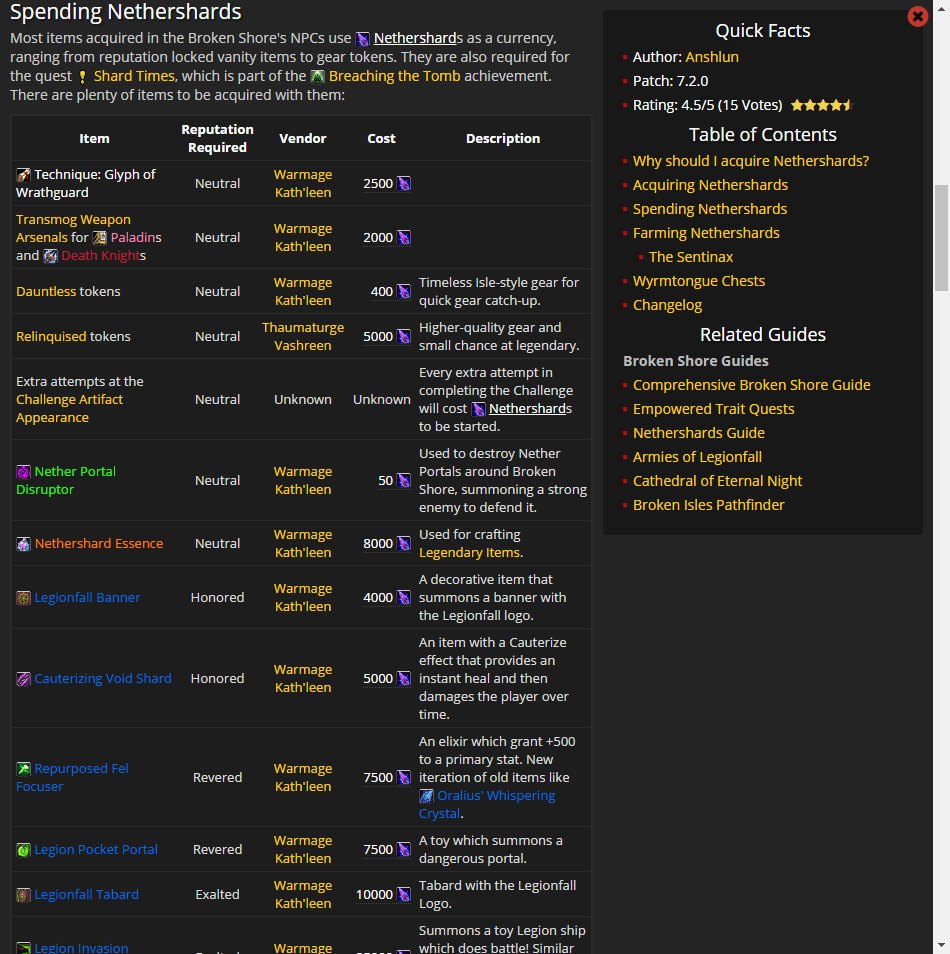 tidal brook
can you do this broken shore stuff that just released on sub 110 lvl characters? and or how long will be going on for? my main account is currently out of game time since feb 23rd but i dont want to miss the launch thing if thats what theyre calling it
turbid acorn
@teal dragon So I just discovered that if I sign into the site while on the vpn and then disconnect the vpn I stay signed into premium yay
teal dragon
Woo a work around for you :) I wish I could easily help others use a VPN in the meantime but that's a bit much for novices.
turbid acorn
Well just discoverd this page also does not load due to teh HTTPS issue https://www.wowhead.com/account=premium
teal dragon
Not surprising :|
turbid acorn
They just need to go to https://chrome.google.com/webstore/detail/betternet-unlimited-free/gjknjjomckknofjidppipffbpoekiipm?hl=en if on chrome its one click to connect to the vpn.

Betternet unlimited free VPN Proxy for Chrome enables you to access to all blocked websites and makes you secure
Well that is after the install the chrome extension from that page
teal dragon
I'll look into that Jed. I'm not personally familiar so will need to try it out before suggesting it to users. It's the weekend though so might wait until Monday.
turbid acorn
Yeah I use taht VPN on my iPhone was one that Apple promoted. Pretty easy to use.
teal dragon
I'm glad you have a workaround through. I was really hoping they'd solve it before the weekend but not all wishes come true. lol
hardy bloom
So what happened to the discoveries post?
coral flint
Which?
If you mean the Black Piglet one, it was a joke and would lead to misinformation ._.
 tender blade







 snow dock
@turbid acorn your Chrome extension solved the issue for me...thanks!
turbid acorn
Just a heads up though it seems to log you out after 24 hours or so though could have just been a glitch as I started the vpn again and was already logged in and then just cut it off and was still logged in.
 clever sedge
@turbid acorn @teal dragon I noticed y'all haven't checked you DNS server setup. The problems @turbid acorn is having could be caused by a problematic DNS---and in that case using a VPN would solve the problem. You might want to try using the Google Public DNS servers (8.8.8.8 and 8.8.4.4) instead of the default ones.
snow dock
@clever sedge we all tried that fix already. I've tried Google DNS, OpenDNS, and my native TWC DNS servers. I was able to get to site using Firefox and Edge, but not Chrome
turbid acorn
@clever sedge I had tried that didn't work. @snow dock It doesn't work for any browser on my end and I believe some of the others here.
cursive lark
So random thing on the site. When I get the error telling me I can't vote on my own comment, it's cut off and I have to scroll down to actually see the message.
teal dragon
On mobile?
Seems okay to me:
Seems okay on mobile as well:
Send me the URL/screenshot to feedback Interest so I can take a closer look. Thanks.
cursive lark
I should've been more specific. This only seems to apply if the comment is short
for example
Wowhead
Question citizens in the Bank of Dalaran to find out what was stolen. A level 110 Quest (Artifact). Rewards . Added in World of Warcraft: Legion.


also this is on desktop and chrome
teal dragon
Was finally able to replicate it. Seems it needs to both be short and the lowest/only comment on the page.
cursive lark
Infrequent issue. Probably low prio I'd imagine
tropic mountain
waiting for ib.adnxs.com...
loading
this site doesnt work even with no ad block used
5 minutes later, still waiting for ib.adnxs.com ...
i mean i am trying to pay for premium but it is not doing connection
 marsh ravine
you got any spyware/anti virus running as they might be blocking something
tropic mountain
whitelisted wowhead, still this adnxs.com is causing issues
it is trying to load stuff from adnxs.com
most likely advertisement stuff
that website is down according to google
teal dragon
@tropic mountain Mandy this is related to a known issue some are experiencing with our HTTPS pages. We're still troubleshooting the cause but it's definitely a priority. Sorry for the inconvenience. Some workarounds are discussed here: http://www.wowhead.com/forums&topic=261790&p=4041569
verbal sky
im not 100% sure as its hard to track scenarios trough site sometimes.
http://www.wowhead.com/quest=41937/
I suppose this most likely is Questrigger for Boosted Charaters area?
Wowhead
[PH] Log Description. A Sword of Dawn Quest. Rewards . Added in World of Warcraft: Legion. Always up to date with the latest patch (7.2.0).
- completion trigger is this:
http://www.wowhead.com/npc=105426/boost-kill-credit
Wowhead
The location of this NPC is unknown. This NPC is the objective of Combat Training. In the Critter NPCs category. Added in World of Warcraft: Legion.
Was thinking should i use questID of 41937 for posting screenies of boosting area or just leave it be.
tawny blade
Note: pushed a draft post with some spell formatting to live by accident. The post was deleted within 10 seconds but I'm not sure if it will be picked up in the discord tracker
Looks like it was not picked up in the Discord tracker, but it is showing up on the front page...I changed the draft to mirror the hotfixes posted, but of course the site slowly updates that useful info
Seems to be good again for logged out users.
teal dragon
Everyone who has bene having HTTPS issues this past week: an update has been posted on our Feedback forums with a fix for you. Please take a look at it when you can. Thank you!
http://www.wowhead.com/forums&topic=261790&p=4042010#p4042010
heady sky
thank you for the heads up.
potent fog
The knowledge level is not updated yet with 7.2
teal dragon
Thank you @potent fog will make a ticket to have that updated.
 wild wing
i am not sure if thats an issue however the main site is not showing all 3 affixes for m+ in the "today in broken isles" for EU.
teal dragon
We probably haven't had enough people using the Wowhead_Client on EU realms upload data for Mythic 10+ dungeons to provide any data. I think the US version was just added today as well.
tawny blade
Yep
not as many people are doing mythic 10+ off the bat with how dungeons are more difficult in 7.2
 neat cape
how does one get wowhead premium rank linked in discord from the site?
cursive lark
Send a DM to Sas
cursive lark
Actually, on contests, I thought there was going to be something for premium/high rep users.
teal dragon
It's difficult to do contests for only a specific group of people without walking into potential legal issues. The 'Top user' giveaway, if I'm not mistaken, ended up being an eventual issue because people would try to game reputation, etc., so we discontinued that (years ago now).
verbal sky
lot of ppl would probably complain about that specifiec targeting aswell of course. "Its not fair that people who contribute to site can only take part into competion". I bet i would see few threads like that popping out 😄
teal dragon
Definitely. I did a Premium only giveaway in Discord once but that's it and it was a trivial prize. Doing giveaways where an actual purchase is required to participate is a potential legal issue of its own. Anyhow, we'll have some good prizes in our annual Noblegarden giveaway. Watch out for it.
Good night all.
verbal sky
gn. not that you need to purchace prem if you are overcontributing 😛
cursive lark
Having a monthly raffle as a listed Premium benefit wouldn't be the worst thing, but oh well.
night
 tribal jacinth
So I've got a random problem, every time I try to load the website I get some crazy url extension on it http://www.wowhead.com/g00/?i10c.referrer= and it never loads.
Wowhead
The largest World of Warcraft (WoW) information website, featuring information on classes, professions, artifacts, raids, transmog, and more.
potent fog
Do you have and adblock?
potent fog
Disable the adblock then for Wowhead
tribal jacinth
so adblockers literally make the website not load?
potent fog
some adblockers block more than ads and break wowhead CSS so the website doesn't kinda load
tribal jacinth
womp, thanks
potent fog
Is not like wowhead blocking adblocks, more like adblocks not doing their job
 dreamy matrix
Is there anyway to know if my wowhead webhook for discord is working? Or do I have to wait for the next news post?
viscid heart
news post
dreamy matrix
Thank you
 versed pike
I have a question regarding using wowhead's tooltips on a personal website. Is this the right place to ask?
teal dragon
Sure, though Wowhead.com/tooltips pretty much covers it. :P
versed pike
I tried looking through the guides but can't find a solution. Two things, 1 to show only an icon/change the size of the icon, and 2 to display the tooltip information without having to hover (eg, just show the information by default)
teal dragon
I'm not certain we have support for that but I'll ask.
versed pike
Thanks! I'd really appreciate it
teal dragon
I checked just to make sure: it's not supported functionality. Sorry, the only was is as described in the /tooltips page I mentioned earlier.
versed pike
Thanks for checking 😦
 vocal shard
Hi, i have a question
I buyed this night premium account on wowhead website, and i don't have premium color in chat, is it normal ?
verbal sky
@vocal shard PM to sas148 with your registered email and wowhead profile name and you will get your premium colours here.
vocal shard
Thank you @verbal sky 😃
verbal sky
@plucky fractal accidently posted Mushroom picture from earlier quest to this Quest: http://www.wowhead.com/quest=41784/borrowed-time
Could you remove the Mushroom from there when you get back, thx 😃
Wowhead
Give the Elixir of Suspension to Shinfel Blightsworn. A level 110 Quest. Rewards Wristbands of the Black Harvest, Greater Glory of the Order, and 1500 Order Resources.
plucky fractal
@verbal sky Sounds like you've been tasting some of those shrooms as well, and it's clouding your mind!
Screenshot declined, all is well again.
Thanks for the heads-up.
 nimble basalt
So, I'm seeing this on the Today in Broken Isles for NA:
but, it's not actually up anymore, it ended quite a while ago i think?
teal dragon
We'll have to look into it. Thanks moosecat.
turbid acorn
@teal dragon Any news on the HTTPS issue with Bitdefender?
teal dragon
In respect to them no longer doing whatever it is that they're doing that's causing a problem? No, not that I've heard. The email I sent as an individual hasn't been replied to. Any official correspondence the company has initiated I haven't heard an update on yet. 👎
I don't even know if BitDefender is ever going to address it.
 fallen belfry
So, browsing the site, I found "http://www.wowhead.com/whats-new", and wondered, why hasnt it been updated?
tawny blade
It's always on our to-do list but there are always higher-priority things. For example, in the last year that page has gotten 20k pageviews total...something like one artifact challenge quest gets more than that in one day
warm topaz
@tawny blade Re: Screen shots looking drab. Check out this DirectX post processor: https://reshade.me/ You can use it to up the contrast/saturation live in game (and take higher quality screenshots)
tawny blade
cool
yeah I think my bigger point was that people naturally taking and sharing screenshots had kind of shabby looking ones (I have a premade set of 'good' broken shore screenshots I try to use for news)
like shadowmoon valley is all fel, but looks more visually striking in screenshots because the sky is neat
warm topaz
yeah the ground/sky contrast is missing on the broken shore
tawny blade
yeah
isle of thunder was dark too but the buildings were silvery with gilt on it, so there was contrast
coral flint
what about places that are supposed to already be "dark" like the orc / human starting zones? :p
warm topaz
undead is dark, but they get the balance right there. I think the issue with the BS is taht there is just lots of grey rock, blending into a grey sky
gives an overall feeling of "meh"
plucky fractal
Hey guys
snow brook
@plucky fractal Please only use this channel for reporting site issues, or submitting site related questions or feedback.
 empty thistle
why can't I find any information on the newest riddle on Wowhead? the only page available on the database is Page 9
coral flint
Because it requires to actually have "looted" the item enough times.