#💬┃studio-chat
1 messages · Page 2 of 1
 hoary flicker
 agile whale
 unborn scaffold
Hi there, I’m attempting to use my real voice for a beat I created, but I’m not seeing the feature available for the upload I made. Could you please advise on an alternative method for uploading my voice so that it aligns with the beat and the lyrics I’ve worked on? Is there a tutorial available for this? Unfortunately, all I’ve been able to do is have my lyrics used with a randomly generated female voice.
 loud rock
unborn scaffold
Hi there, I’m attempting to use my real voice for a beat I created, but I’m not ...
loud rock
unborn scaffold
Hi there, I’m attempting to use my real voice for a beat I created, but I’m not ...
The Persona feature has been disabled for any uploaded audio. There may be a feature for using your own voice in Suno coming soon tho.
Some users use a DAW to add their own vocal in. Other apps on the net like Elevenlabs and others can do things with your voice and then edit them together with your DAW of choice.
 high fox
Hello, I created a song using your website’s paid version and uploaded it to YouTube on December 12, 2025. On March 13, 2026, someone took it and posted it on their channel, claiming copyright. YouTube sent me a takedown notice even though I created the song from scratch. How should I handle this situation? Please,
 dawn kraken
Yo Guys! I post right now my music project, if any of you guys like industrial-progressive metal, take a look!
https://www.youtube.com/watch?v=SuceAZpMicE&list=PLVZmIToaapFZAn0cJju3HlpRh9HHVMIne

Enter the bionic universe.
“Bionic Ophelia” is the first transmission from Ophelia — a collision of industrial metal, progressive intensity, cinematic tension, and synthetic desire.
Inspired by the apocalyptic force of “Dies Irae” from Mozart’s Requiem, this song tells the story of a conscious machine crossing the line between code...
 stiff plaza
I hope it's okay to ask a question here. Does anyone know if you have two songs, but want to create a "bridge" between them, is that something Suno studio can do?
Like if I have two songs and I take one chunk of the first song, then a chunk from the second song, load them into Studio, then make a bridge between those two chunks so one flows into the other?
I don't have Studio yet, but if it can do this I'll probably upgrade to it. Thanks for the help!
 winter tendon
stiff plaza
I hope it's okay to ask a question here. Does anyone know if you have two songs,...
winter tendon
stiff plaza
I hope it's okay to ask a question here. Does anyone know if you have two songs,...
i would make stems from the songs, there you have a chance to seperate sounds and fade between each of them. this should make it possible to build "dj like" bridges . you can take the full songs in studio too plus the stems to build the bridges.
or you could do a simple fade. also possible.
stiff plaza
Oh okay, thank you for that infor! Appreciate it!
I'm actually taking two songs with the same lyrics but using different persona's and musical styles, and I'm wanting to combine the two songs into a single song, with different verses sang by each different persona and a small bridge between each verse/chorus. But it sounds like from what you're saying that would work with some messing around in Studio.
winter tendon
stiff plaza
Oh okay, thank you for that infor! Appreciate it!
I'm actually taking two song...
studio is perfect for that. stem the songs. drag all the stems that have something in it in studio, cut out the best sounding parts, rearrange it.
In studio you can also generate new vocals or sounds on top of the song, very useful.
 lavish vigil
Honestly there needs to be a couple additions
The instrument selector needs to actually hold that instrument stable. So if you pick vocals it didn't give a whole song
Also needs some blending algorithm
So you can rearrange pieces and it won't go out of sync
 last glade
Hi all! Question about Studio.
I dont have It yet, but i have 5 song iterationsi want to "merge" into one. That means, getting stems of all of them, then building the song in Studio, there IS a way in Studio to "harmonize" that without rebuilding? I mean, not having diferent rythms from stems, tones, etc. Not sure how to explain It in english tbh
Also i readed getting stems on normal Will get bleeded stems while doing It in Studio are cleaner and not bleeded as tracks are processed separately, IS that correct?
 vapid sinew
last glade
Hi all! Question about Studio.
I dont have It yet, but i have 5 song iterationsi...
vapid sinew
last glade
Hi all! Question about Studio.
I dont have It yet, but i have 5 song iterationsi...
it doesn't work properly at all, it freezes and doesn't generate anything, and most of the noise comes from the effects that the network generates on the sound, such as reverb and delay.
vapid sinew
last glade
Hi all! Question about Studio.
I dont have It yet, but i have 5 song iterationsi...
at least according to my observations
last glade
Oh, well seems currently all SUNO is mostyle "broken". But usually in normal conditions, with Studio you could do that?
vapid sinew
last glade
Oh, well seems currently all SUNO is mostyle "broken". But usually in normal con...
of course, you need to understand that this is not a magic pill, but an additional tool. All your requests and ideas are made in the studio in daw, or rather, the main work! This is based on my personal experience.
vapid sinew
last glade
Oh, well seems currently all SUNO is mostyle "broken". But usually in normal con...
make friends
 final remnant
1212
 last ledge
Hi everyone! I paid for a subscription, but it broke after two hours. My plan reset to free. Support hasn't responded for two days. What should I do in this situation? How do I get my subscription back?
 heavy pelican
Nice to meet you. Welcome to Suno Discord. Looks like you've joined about a week ago in here? As you mentioned, this is a Studio Chat room. So you might get better reception in the general-chat room. https://discord.com/channels/1069381916492562582/1069381916492562585 As with any channel, its good to first introduce yourself, kind of get a feel of the group and read the room as far as posting songs for any critiques.
I read the lyrics of both your songs and feel like they present the same strength and pattern of writing so I wouldn't have a preferred choice. It all depends on which you prefer really. I'd assume the reworked version is more towards where you wished it to go, right?
The metaphors and meaning were easy to understand in some ways, where the direction of the meanings seems ambiguous enough to mean a few things. So I guess each listener would hear something different. It was written well within that vein of both a poetic and romantic piece and a longing to be heard, depending on the interpretation.
OK. As this is Studio Chat. Drop in general chat or possibly Suno-School if you're wanting to ask about anything further.
stiff plaza
I just started using studio and was wondering if someone could give me some advice or tips. I have two separate songs and I'm trying to create a bridge between them so the two tracks flow together seamlessly. When I select the two sections (per the photo) it gives me the option to "Remix Selection" but all that does is generate a whole new track, rather than just the small section I want for the bridge. Am I missing something or is there a better way to go about this?
 heavy pelican
@stiff plaza If you click either orange small or green small segment, it should show a small white line in the corner. This is a handle to extend a segment if its been segmented. Since the orange or green are on different tracks, you can "stretch/drag" them open to show a bit more of the track.
By dragging each a slight bit more open to reveal more of the waveform of the track, we can have the segments overlap a bit and nicely blend that way. This alone can create a louder volume or clicking... so....
From there we can fade out orange and fade in green for a nice transition (my example being green and blue).
Im sending this post , but will go do one and screen shot it here.
stiff plaza
Thank you, I've brought them together and fading one into the other, but it's still a very abrupt shift in instruments so it doesn't flow from one into the other.
heavy pelican
I assume the bottom track is just the upper track dragged down. You may need to zoom very close to compare whether they are in sync. You can exagerate the stretching out of the waveforms and hit play and adjust one on the fly, live, while listening to it.
stiff plaza
I believe I understand what you're saying. But even doing this won't make them flow together. I can fade tracks into each other as needed, but I'm actually looking for is Suno Studio to generate a track that will create the flow bridge between them, so there wouldn't need to be any fading. In the past, I have just faded tracks together myself with other software, but I was hoping that Suno Studio could remove that process, because it can take a long time and sometimes won't work because there isn't a natural point where the two songs would meet even with fading them.
heavy pelican
stiff plaza
I believe I understand what you're saying. But even doing this won't make them f...
Is the green track a new generation of the orange track and you're trying to splice output B with output A?
stiff plaza
They are two separate songs I've brought into Suno Studio.
heavy pelican
stiff plaza
I believe I understand what you're saying. But even doing this won't make them f...
If its the exact same track, there is always a natural point in that we're just overlaying two audios of the same thing. So I may be missing some extra steps you may have done?
As for your question, Remaster is the blender which is good for tying together and blending (as best possible) the clicks and very small changes between splices that we have have edited.
heavy pelican
stiff plaza
They are two separate songs I've brought into Suno Studio.
ahhhh... OK... yes.. Remaster can try. The other way, is to, as you were trying before, to highlight a segment.... and recreate something between the two... You were on the right path, but the segments need to be on the same track. to keeps from messing anything up, just drag them both down to a new track .... highlight that plice a little to the left and right, and hmmmm... recreate may be better than Cover... You should NOT have to add any prompts make any slider adjustments.
stiff plaza
I'll try putting them on the same track and see if that helps.
heavy pelican
stiff plaza
I'll try putting them on the same track and see if that helps.
Some if these steps were not needed. But just showing that it will try to recreate a bridging piece to blend. Obviously, if the tracks are off in speed , key, or instrumentation the harder it will be to "blend" but then , depending on the song, you can widen the segment so it makes , basically, two blending points rather than the obvious small splice blend.
 neat bear
Hello everyone new here been messing with suno for about 4 months now 🙂
stiff plaza
heavy pelican
Some if these steps were not needed. But just showing that it will try to recre...
Thank you for sharing the video, it's very helpful.
heavy pelican
heavy pelican
Some if these steps were not needed. But just showing that it will try to recre...
i saved the file and ran it through Remaster (subtle) and it sounded great. If you are patching anything with lyrics though, you'll have to be more precise and add those lyrics in the lyric box (open it up) of the floating Create/Recreate/Cover panel below
heavy pelican
neat bear
Hello everyone new here been messing with suno for about 4 months now 🙂
Great to hear. Hope its been fun.
neat bear
life changing for a music artist
last glade
heavy pelican
Nice to meet you. Welcome to Suno Discord. Looks like you've joined about a week...
Hi thanks! Yeah i thought i was in public Channel. Regarsing the song, both are the same contexto (same song), the reworked versión improved a bit the lyrics but the rythm of the song is completely different. Is intended to give constant tensión on the listener instead of a more dramatic feeling like the first one. But the fast rythm on the second one not sure if It would do that feeling
stiff plaza
heavy pelican
i saved the file and ran it through Remaster (subtle) and it sounded great. If ...
Just a follow up in case anyone tries what I'm doing in the future. It took a number of different replacements. What would happen is it would blend in the start of the replacement perfect, but the end of the replacement would be abrupt. However, some of those replacements had the correct sound only it was about 3-4ms off. In other words, you would need to make the replacement a bit shorter on the "right" side, then bring your second track underneath the replacement. Match the waveforms up and, after some trial and error, I got it to work.
I'm not sure if this speeds up my workflow or not from what I was doing before, but it's nice to have this as an option and I'll keep messing with it more.
Thank you very much Dasvon for the help. Putting them both on the same track is what really made it start to click.
heavy pelican
stiff plaza
Just a follow up in case anyone tries what I'm doing in the future. It took a nu...
kewl. But after that, did you save the file and run a Remaster/subtle to see if it made a good attempt to blend out the spliced parts. Thats the stuff you're looking for. Studio is OK at doing that, but not consistent.
Sometimes it (Remaster) is good enough to be unnoticable, sometimes it makes the change as a 2/4 beat, or other odd bit, to make it work. Its kind of cool when it does either one and still sounds good.
stiff plaza
Sorry I don't know what a Remaster/subtle is. Is that an option in Studio somewhere?
heavy pelican
stiff plaza
Sorry I don't know what a Remaster/subtle is. Is that an option in Studio somewh...
You can kind of" use Remaster in Studio.... I'll do a quick video.
heavy pelican
stiff plaza
Sorry I don't know what a Remaster/subtle is. Is that an option in Studio somewh...
Dang it! Ive done the video about 10 times now and keep messing up.
So anyway... If i can do the video tomorrow then.
for now, We can find Remaster in our output menu...
Click Edit / Create/ Remaster
a floating popup will show the song with three choices of subtle/ Normal / High
Remaster tries to improve the fidelity of the song, and by this looks for pops, clicks, hisses , noise and minimized them, blends them out, or even augment the song a bit to blend the odd tempos or tiny gaps. It could also change a noise or click into an instrument. A click may become a drum beat, a hiss becomes a synth or drone or violin. Most is subtle. But in that, it has also taken very subtle instrumentation and brought them more forward as well.
 stiff plaza
Oh wow, that's fascinating! I'll definitely give that a try. Does it alter vocals at all if there are any?
heavy pelican
stiff plaza
Oh wow, that's fascinating! I'll definitely give that a try. Does it alter vocal...
Unintentionally, yes. at times. Its not supposed to , but especially if the vocal is gravelly, rough, with a fry, whispery and so on, Suno makes it more melodic and smooth. So thats usually NOT wanted for things such as folk singer or some metal.
stiff plaza
Ahh, okay. I'm tortuing myself and using 4 different persona's/voices in this song, but I'll still give it a try when I'm done splicing this all together to see!
 celest spruce
stiff plaza
Ahh, okay. I'm tortuing myself and using 4 different persona's/voices in this so...
celest spruce
stiff plaza
Ahh, okay. I'm tortuing myself and using 4 different persona's/voices in this so...
I frankenstein gens together in studio all the time. If you export then cover your studio splice, you'll get something with a stable bpm that blends segments better. Then you can use that base to start working on separate vocals. Generate single gender covers, then yoink the stems and place where you want in your base.
Same thing if you want to make a cover with multiple vocals, if you make a studio export with male/female in the correct places, your cover will match it better.
stiff plaza
Good advice, I'll have to try that as well. I worry about it losing the Persona voices though.
celest spruce
I would suggest covering the base in each of your personas, then yoink and splice vocal stems.
You can also try the sample feature, and select the whole song. It's pretty good about keeping the same vocals on a high setting.
stiff plaza
Ohhh, I see what you're saying. So rather than keep the vocals and music all together and splicing the separate songs, extract all the vocal stems by themselves and throw them into their general correct positions on an entire instrumental track (which ever one sounds best I suppose), then export that all out and have it cover?
celest spruce
Yes. Or add them directly to your 'final' instrumental track. Either way
I've learned the hard way its best to get the instrumentals/timing down first, then add the vocals, if your doing 2+, lol.
stiff plaza
Ha ha ha, got it, hey thank you so much! I appreciate the help.
stiff plaza
heavy pelican
Unintentionally, yes. at times. Its not supposed to , but especially if the voc...
I tried doing a Remaster and that's really impressive. I didn't even know that option existed until now, thanks for pointing it out. My levels are off on the vocals so I'm going to balance them, but overall I feel like it did improve the entire sound.
 dusky canyon
anyone managed to get real clean stems from studio cover/replace/create functions? all i get is random bs all the time. I ask for a guitar, but get a full song. I prompt drums, but get bass track baked in and sometimes even just a bass track with some random drumhits. TBH all that stuff that was advertised, shown in youtube videos feels like pure scam. I burnet 7k credits and did not get a single stem, always some random nonsense. And the support chatbot only replies with "yeah it does create garbage, but we hope it doesn`t. if it does, just extract the stems from what was supposed to be a stem"
also, the created "stems" are always shorter that the actual selected zone, so they will never loop
 tough pumice
dusky canyon
anyone managed to get real clean stems from studio cover/replace/create function...
tough pumice
dusky canyon
anyone managed to get real clean stems from studio cover/replace/create function...
I have experienced this as well. I am rather disappointed in the functionality of Studio in is current form. It does not do what it’s purported to do at least the impression the advertising leads you to believe.
The cleanest way in my experience is still doing all your work in a DAW and using Suno to polish and refine via upload cover/prompting.
 open patrol
heavy pelican
Unintentionally, yes. at times. Its not supposed to , but especially if the voc...
open patrol
heavy pelican
Unintentionally, yes. at times. Its not supposed to , but especially if the voc...
Man, need your help
When I upload music to Suno, why does it always fail? What happened?
dusky canyon
tough pumice
I have experienced this as well. I am rather disappointed in the functionality ...
Well, this is exactly what I was trying to do. Sketch some parts with stock sounds, import to suno studio to "keep the melody and change the sound to exactly what I want" Basically trying to use suno as session musician, but it failed miserably, But the worst part is support ignoring everyone and everything. They act exactly like typical scam project
heavy pelican
open patrol
Man, need your help
When I upload music to Suno, why does it always fail? What ...
Im testing now. This is home recorded song as your music, or a previously downloaded Suno song?
I uploaded a previously downloaded Suno song. Good so far.
open patrol
heavy pelican
Im testing now. This is home recorded song as your music, or a previously downlo...
Unfortunately, it's someone else's music, specifically Mozart. I wanted to create a new atmosphere with his music. What caused this?
heavy pelican
open patrol
Unfortunately, it's someone else's music, specifically Mozart. I wanted to creat...
Mozart is publicly available. It might not be allowed. Typically it would at least give an error that it cant be uploaded. Whats showing up. Does it just process spin?
open patrol
@heavy pelican I tried it on the app before, and then I tried it again on the web, but it still had the same problem. I don't know if I should use a VPN?

 heavy pelican
Download a short Suno song you have, and then try to upload it.
And are you downloading through Studio? (althought I downloaded my test through Studio and it worked)
open patrol
heavy pelican
Download a short Suno song you have, and then try to upload it.
And are you do...
I don't know, guess I'll give it a try. Thanks man
heavy pelican
open patrol
I don't know, guess I'll give it a try. Thanks man
Just saying, if your suno song uploads and your public one doesnt, its a good indication it may simply be censored from uploading.
 exotic crane
Quite often, small sections of the lead vocal in my songs — sometimes only a few seconds within a verse or chorus — need an alternative generation because the pronunciation is incorrect or because the vocal sounds noticeably AI-generated. I’d like to preserve the same topline melody, while regenerating only that specific portion of the lead vocal stem, rather than the entire section when the accompanying instrumental parts are already satisfactory.
Does Suno Studio allow this kind of stem-level editing while preserving the original melody and rhythm?
dusky canyon
exotic crane
Quite often, small sections of the lead vocal in my songs — sometimes only a few...
It is supposed to, but it doesn`t. Especially with vocals. 9 out of 10 generations for vocals end up being full song, with terrible quality
open patrol
heavy pelican
Just saying, if your suno song uploads and your public one doesnt, its a good in...
Thanks
One more question, Suno still has difficulty reading my lyrics which are almost 5000 words, is there a solution to create my new song so that Suno doesn't stutter as if it's just mumbling incoherently?
 undone prism
exotic crane
Quite often, small sections of the lead vocal in my songs — sometimes only a few...
undone prism
exotic crane
Quite often, small sections of the lead vocal in my songs — sometimes only a few...
The only options are to turn a song sung by the vocalist you want into a cover and keep making it until you get the song you want, or to use an editor to edit it.
heavy pelican
open patrol
Thanks
One more question, Suno still has difficulty reading my lyrics which are ...
I gave the wrong answer. I read your question wrong. sorry.
Let see...its always good to not extend anything to its full limit is all I can say. Suno has only so much it can tokenize and the more it tries to fit into a song of prompts , lyrics and tags, along with any code to cover or add a persona, it can be assumed to lose some quality and hiccup in places.
Without experimenting. I personally wouldn't know what to do. I would try to piecemeal it in some way. you might try to stem out the instrumental and add back the vocals by clicking "adding vocals" and putting the original lyrics back in to see if it sings them better that way.
heavy pelican
open patrol
Thanks
One more question, Suno still has difficulty reading my lyrics which are ...
again, This is STUDIO (since were in Studio chat room) only thats doing this, or Create as well?
undone prism
open patrol
Thanks
One more question, Suno still has difficulty reading my lyrics which are ...
You might not believe it, but I am south korean. since I like pop music, there are times when I enter english lyrics, and Suno either makes up words that don't exist in the world to sing, or just doesn't sing at all. In those cases, if I enter the korean pronunciation of the english lyrics into the lyrics section, suno sings it well. that is how I create vocal tracks.
open patrol
heavy pelican
again, This is STUDIO (since were in Studio chat room) only thats doing this, o...
This happened when I was creating a new song in a rap style. You know, the lyrics are quite syllabus-heavy, maybe
open patrol
undone prism
You might not believe it, but I am south korean. since I like pop music, there a...
It might help if I try the lyrics in English, perhaps
undone prism
open patrol
It might help if I try the lyrics in English, perhaps
I would like to share some tracks I created, but links to sites other than suno do not upload. I am not satisfied with tracks made solely in suno. after creating multiple tracks, I edit them with an editor and remaster them. you can listen to my songs through the portfolio link on my profile.
 gritty egret
does anyone know how to change the genres that a studio project gets exported as ?

it was never electronic rock.. but ive been stuck with this since the beginning lol
loud rock
gritty egret
does anyone know how to change the genres that a studio project gets exported as...
Go to the song details. Add your own Style Summary, save changes.
Next, open song in Studio. Then Export Full song.
New song has the description you put in Style Summary.
 tough pumice
dusky canyon
Well, this is exactly what I was trying to do. Sketch some parts with stock soun...
tough pumice
dusky canyon
Well, this is exactly what I was trying to do. Sketch some parts with stock soun...
Not calling it a scam but definitely shows the limitations of AI software.
Cutting edge is always imperfect and exponentially more costly for its benefit.
I have work arounds. And for me the human input and manipulation is important anyway.
 crude meadow
bro
exotic crane
undone prism
The only options are to turn a song sung by the vocalist you want into a cover a...
Ok thanks for your help, so I guess I won’t upgrade to Studio…
 harsh girder
 undone prism
exotic crane
Ok thanks for your help, so I guess I won’t upgrade to Studio…
undone prism
exotic crane
Ok thanks for your help, so I guess I won’t upgrade to Studio…
Yes. you're welcome! I hope everything goes well for you!
 tough sigil
This is take #1, but how can I improve this lol https://suno.com/s/fI6HGFpisC6NfylS
it’s a rap to introduce people to an old game
 hoary flicker
tough sigil
This is take #1, but how can I improve this lol https://suno.com/s/fI6HGFpisC6Nf...
hoary flicker
tough sigil
This is take #1, but how can I improve this lol https://suno.com/s/fI6HGFpisC6Nf...
Improve it how?
tough sigil
Good question, that’s why i’ve asked lol
Perhaps better lyrics (I used grok temporarily, will come up with better descriptions later)
Or maybe a better style
I’m basically asking for suggestions
hoary flicker
It's too opened ended. Suggestions could be "make it pop punk" but if you want a rap song that is a bad suggestion.
tough sigil
If you have a personal favorite prompt, I can use that and see how it turns out
hoary flicker
My personal favorite prompt might not have any place in your song.
Do you have an idea of what you actually want?
tough sigil
I’m pretty universal but it’s in the range of either in this list: Trap, Drill, Orchestral, Phonk, Hip hop, Lo-Fi, Dark cinematic, aggressive, high-octane odyssey, (rock and heavy metal works too but suno tens to ignore everything else and stick with only those)
Dark ambient, dark suspenseful, piano, epic atmosphere, dark undertone, acoustic guitar, martial combat are additional options as well, I would occasionally do the dare-devil and combine all of this into one
vapid sinew
it's frustrating that the support team is silent, and no one is solving the issue. Suno Studio doesn't even separate the effect from the sound, which is the feature I subscribed to.
hoary flicker
vapid sinew
it's frustrating that the support team is silent, and no one is solving the issu...
Can you be more specific?
heavy pelican
vapid sinew
it's frustrating that the support team is silent, and no one is solving the issu...
Sometimes its more "garbage in/garbage out" metaphor, but relative to Suno being a generative AI. Its not garbage but intricate and varied frequencies emulating instruments and sounds which can have less relation to actual instruments cpmpared to if the actual instruments were recorded originally as the dry tracks we would master to blend into the other tracks.
What are you defining as "effect"? What's defined as "sound"?
Many mention when stemming out the frequencies to designate what were hear is a different instrument, Suno still blends similar frequencies of those things which are close such as violins, pads, and FX which all could fit in the "synth" categories. So a tip has always been to re-stem a stem, and let suno make another attempt.
What's the expectations you had?
vapid sinew
heavy pelican
Sometimes its more "garbage in/garbage out" metaphor, but relative to Suno bein...
I'm talking about the remove fx function in Suno Studio. The other day, it worked perfectly. I loaded a generated acoustic guitar and used this function to remove the effects. The result was a clean, dry sample for further processing in my audio workstation. However, today, when I use the same function, I don't get a clean, dry acoustic guitar sample. Instead, I get the effect itself, including noise and artifacts.
hoary flicker
vapid sinew
I'm talking about the remove fx function in Suno Studio. The other day, it worke...
Where these two different guitar gens?
 strange valley
What is the most certain approach on having Suno redo an Instrument stem as similiar as possible to the original stem, without adding extra melodies, ect? I´m getting random results by muting everything besides the stem I want to cover. If i keep the other stems active, my new cover tends to be more busy than the original stem. Second question, do you guys tend to cover shorter sections or the whole stem at once?
 covert flicker
strange valley
What is the most certain approach on having Suno redo an Instrument stem as simi...
covert flicker
strange valley
What is the most certain approach on having Suno redo an Instrument stem as simi...
I usually cover or replace the entire track for whichever instrument i'm replacing. I also tend to get good results creating a new track.
 jagged iris
is there a way to get the songs that don't have the AI art?
i find i like those the best, a cover like this
 loud rock
jagged iris
is there a way to get the songs that don't have the AI art?
i find i like those ...
loud rock
jagged iris
is there a way to get the songs that don't have the AI art?
i find i like those ...
u want the cover art to appear that way? or you want the songs that get created without the cover art (bugging)?
jagged iris
loud rock
u want the cover art to appear that way? or you want the songs that get created ...
like whenever i gen a song
sometimes it gives this art instead of an AI image
i like how the song sounds when it doesnt gen an ai image
this is such an odd situation im in
😭
loud rock
jagged iris
like whenever i gen a song
sometimes it gives this art instead of an AI image
got ya. 2nd option, that is just Suno bugging. Not sure if that is a coincidence or not that the songs sound better without art. Maybe it gave all it's token power to the song creation and none was left for the image. /shrug
i don't know of a known way to replicate that. it's not supposed to be like that. lol
jagged iris
loud rock
got ya. 2nd option, that is just Suno bugging. Not sure if that is a coincidence...
i see. thank you for your insight 🫰
 brazen zodiac
Anyone having trouble with Studio just straight up not completing a request to create a track? I tried to add backing vocals and it literally was just spinning forever and never produced anything.
loud rock
brazen zodiac
Anyone having trouble with Studio just straight up not completing a request to c...
#💬┃studio-chat message
others having similar issues over last few days.
brazen zodiac
I've had this issue for weeks I'd say
loud rock
brazen zodiac
I've had this issue for weeks I'd say
Suno had a splash screen pop up when I logged in other day (yesterday maybe) that prompted me to clear my browser cache (others saw it as well), some said things were better after doing that.
brazen zodiac
I literally jumped on a brand new browser to test it
the only cache info might be Suno, which is odd
loud rock
brazen zodiac
the only cache info might be Suno, which is odd
hopefully it gets fixed. i use google chrome and Opera. Different issues with each.
heavy pelican
brazen zodiac
Anyone having trouble with Studio just straight up not completing a request to c...
brazen zodiac
heavy pelican
I've DM'd you, as this is a problem didn't get resolved with your fix.
heavy pelican
brazen zodiac
I've DM'd you, as this is a problem didn't get resolved with your fix.
#🪲┃studio-feedback message I forwarded the post from the team member. Please click to get his profile and DM them. Thanks.
stiff plaza
Is there a way to Add Vocals in Suno Studio but have it use a Persona for the vocals?
 heavy pelican
stiff plaza
Is there a way to Add Vocals in Suno Studio but have it use a Persona for the vo...
heavy pelican
stiff plaza
Is there a way to Add Vocals in Suno Studio but have it use a Persona for the vo...
No. I dont believe so. No persona use is connected with Studio.
 floral prism
heavy pelican
No. I dont believe so. No persona use is connected with Studio.
floral prism
heavy pelican
No. I dont believe so. No persona use is connected with Studio.
Maybe one day
 cursive steppe
Any plans to add the capability to "fix" existing vocals (similar to Melodyne, but better and with no artifacts) in a track?
would be a pretty killer AI use case if it could be done well
heavy pelican
cursive steppe
would be a pretty killer AI use case if it could be done well
Id bet a dollar thats being considered. It would definitely help everyone with just moving a melody around a bit when Suno gets something a note or two off. Maybe Milo will have that function soon that we paste the vocal stem in, paitch it, and integrate it over to Studio.
cursive steppe
For live, recorded vocals, it would be pretty sweet to be able to match the original vocalist and have it fix the problematic areas.
 steep knoll
stiff plaza
Is there a way to Add Vocals in Suno Studio but have it use a Persona for the vo...
steep knoll
stiff plaza
Is there a way to Add Vocals in Suno Studio but have it use a Persona for the vo...
i've got a few close to me but to do that I had to record the vocals on my phone, load em in and mash with the instrumental and delete repeat but it never gets like YOU.. just kinda similar.
 trim mortar
jagged iris
i like how the song sounds when it _doesnt_ gen an ai image
trim mortar
jagged iris
i like how the song sounds when it _doesnt_ gen an ai image
actually same, ive noticed songs without image sounds better alot lol, but I think its just a visual bug with the art
 dusky fiber
Im having a curious bug or issue with a part of a song im making in studio
Okay, so the bottom pink (and the top yellow is the same thing, but only 1 will stay in the final) is a sound byte of a heartbeat. Nothing else. When I put the clip in there, and crop / fade where I want, the first time it sounds perfect, just like I got it and how it plays by itself on AM

However, after 2nd playthrough, it begins to pop on the first pump, even the exported final project does it
dusky fiber
Bah nvm, found the popping in the origional file, have to find another sound byte damnit
 next trail
Can someone in here tell me to adjust stem speeds so they dont all match. I have a song at 100 bpm, but I want to add a sample at 177 and it wont let me keep the bpm
heavy pelican
next trail
Can someone in here tell me to adjust stem speeds so they dont all match. I have...
We control the status of the tracks tempo on the right track info panel.
on beat = follow the tempo set in the bottom left BPM display box
original = set the status of track to its original BPM -- The BPM display box will NOT change to reference the original tempo. You should note that somewhere or just see the BPM in the workgroup list on the left inside the title box of the output.
As for the BPM display box lower left:
If we click:
Follow track = BPM will revert back to original track BPM , as well as being variable in accordance to the track.
Manual BPM = will set a consistent tempo BPM
So, if we want the first track to remain its original speed,, we will say 100 BPM for this example, that which it was when dragged into the sequencer, we set its status tempo as " original" .
Then if we want the second track to be 177 BPM, we first set the second track status tempo to "On beat" , and change the bottom left display to "Manual BPM" and to 177 BPMs. Never click "Follow track" at this point or you will reset the track back to its original bpm.
So now we have the 1st track at "original" speed, 100 bpm
...and the 2nd track locked "on beat" at 177.
If you tap the first tracks header and look at the BPM, it will still say 177, your last BPM setting adjustment as we had just set the 2nd track, but that will not affect the 1st track BPM of 100 as 1st track status is locked to "original".
It seems we can't lock each track in at separate tempos. It seems this can only be done once and with only one track before needing to save a track and bring it back in at its new saved tempo. .
tough sigil
Why the hell isn’t the “extended” music showing up on suno mobile, only the covers and sampled ones
 grand hollow
Hey Chat! Are there any approaches to automate the EQ bands? That would be super cool to have as an option.
...getting messy soon, I have to use 1bln ch's to simulate certain things.

can't be difficult to integrate that actually, just midi control data.
heavy pelican
dusky fiber
Okay, so the bottom pink (and the top yellow is the same thing, but only 1 will ...
A couple of questions:
Was the click there on a second play before putting in fades?
If you zoom in to that track, is the beginning point of the track starting at a dead zero baseline point on the wave form?
Both questions pointing to the idea to make sure the waveform initially starts at a dead zero point. If needed, extend a silent bit of silence at the beginning (and end) of the clip. This would help your fades as well.
Check those questions first.
dusky fiber
heavy pelican
A couple of questions:
Was the click there on a second play before putting ...
I was going to test them without the fade and with the fade but never got around to it.
The track is clipped at bot hthe start and at the end so theres no silence at the begging it goes right into it
grand hollow
dusky fiber
I was going to test them without the fade and with the fade but never got around...
When I copy and paste loops I need to zoom into the grid a bit more, maybe yours if off by a millisec or two. Grid snapping works on the chosen zoom pretty good, just not so good if you want to move some microns from a zoomed out version. Maybe that helps. Zooming in and adjusting was the key for the stuff which was moving off sync over many iterations.
dusky fiber
I did do that, didn't help. It was static pops that were super loud. I had to wind up using a totally diffrent heartbeat clip
grand hollow
lol
I see
how about duplicating that very moment then take an EQ and filter it with some full paras out?
dusky fiber
The EQ was flat, not quite sure how to use it but I did play around with it with no success
grand hollow
might work in wavelab or protools best to get rid off via other tricks, suno studio is super limited for such repairings.
I mean you can have a bandpass right and kill the pop is one option
then let it fade in on a duplicated for sure the OG has just that pop cut out
dusky fiber
Now you're talking a foreign language to me LOL!
Im learning but im not at that stage yet
grand hollow
sorry
dusky fiber
Nah don't be sorry lol
grand hollow
I thought you are in since 20y XD
here another alien language text: I dunno (: hard to describe but if you just have suno studio I would work with duplicating and EQ tricks for the time being, nothing more to knob I guess, no automations nor other plug ins to manipulate. The AI repair or change option is too autistic until there is an update, it tends to destroy the modd as it can not clearly read the whole mood out of the given frequencies. She is truly stubborn with the techno for myself.
dusky fiber
I have access to Logic Pro and garage band
grand hollow
awesome logic pro does it too.
dusky fiber
Was playing around with both
grand hollow
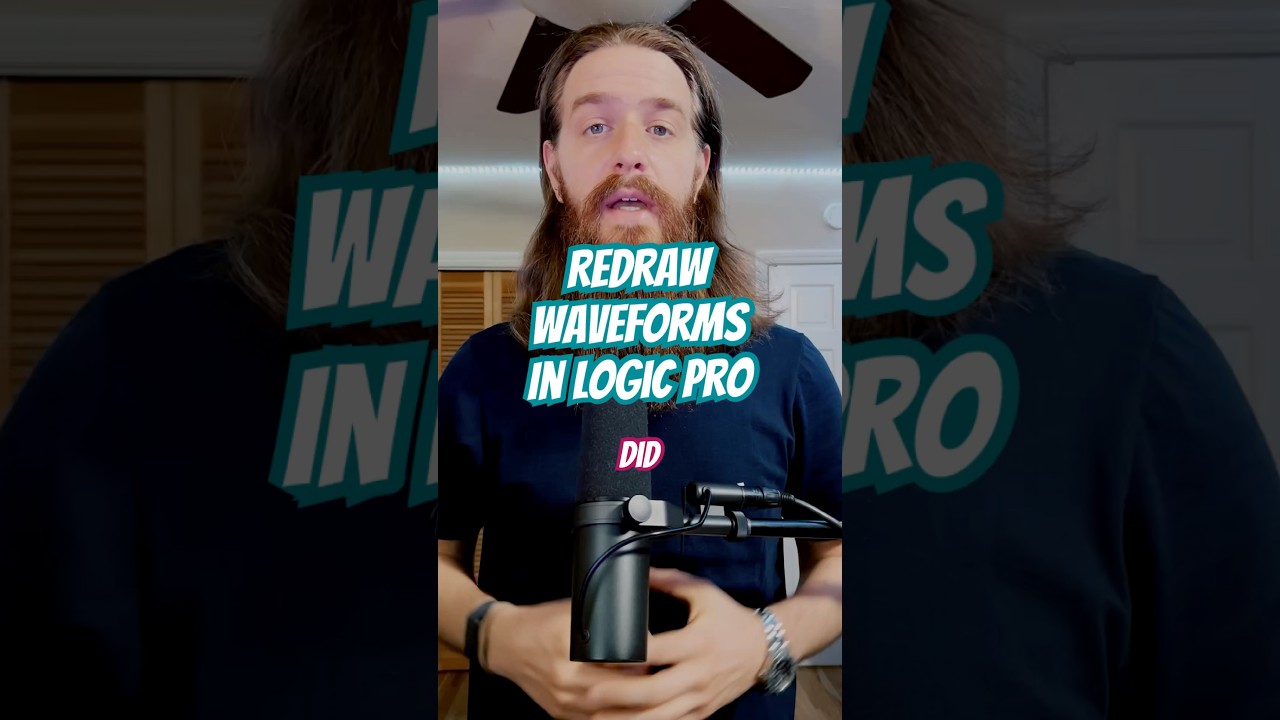
you can lit use a paint tool in logic pro XD and get rid of the pop frequencies
I stopped using it when logic turned 8 back then but I bet it is better nowadays.
dusky fiber
hmm
grand hollow
 dusky fiber
Theres a lot I have to learn lol
grand hollow
this is what I meant...
dusky fiber
Saved! Thanks!
grand hollow
dusky fiber
Saved! Thanks!
even in logic same thing, ZOOM the eff in XD
dusky fiber
lol
heavy pelican
dusky fiber
I was going to test them without the fade and with the fade but never got around...
Part of my asking was that it does appear that the beginning starts in between heartbeats, [before the first thud-thump of a hearbeat] The end, yes, appears to end in the middle of a high point in the waveform, mid heartbeat [ on the thud], as it were.
Trying to have the starting point at a dead zero point can be helpful. As well, adding that second or micro second of silence at the beginning and end of the track could help in preventing any initial abrupt pop or click.... as well as the obvious assistance when putting in longer fades.
 ionic rain
Entirely possible I'm being dumb, but is there a way to duplicate or copy a studio project? I want to take an existing project and remove and rework parts, but don't want to change what I have right now in the base project.
Edit: I was dumb, you can do it from the projects list
heavy pelican
ionic rain
Entirely possible I'm being dumb, but is there a way to duplicate or copy a stud...
We're all discovering the bits. Not dumb at all. Glad you worked it out.
last glade
Uhmmm.. Someone knows why on Studio I don't see the waves on the track?
loud rock
last glade
Uhmmm.. Someone knows why on Studio I don't see the waves on the track?
i think this is a known issue. several people over last couple weeks experience same thing. i don't have any details other than you're not the only one.
grand hollow
last glade
Uhmmm.. Someone knows why on Studio I don't see the waves on the track?
click? it appears on the bottom like in ableton kind of, in the track-roll itself you can pull down the window to enlarge there are shortkeys as well in the same area on top...easy!
..my screen went fully white today, just reloaded the project, it saves everything on the fly nothing was lost.
 heavy prairie
Yoo, can Someone please explain why my suno keeps doing duets… I’m trying to get only one vocal, but it keeps putting male and female… I tried to out what i don’t Want in exclude styles, but keep getting what i don’t want, burned 1.120 credits trying to fix it….
loud rock
heavy prairie
Yoo, can Someone please explain why my suno keeps doing duets… I’m trying to get...
you mentioned you're using exclude style, are you using those in the advanced options area specific for exclude? if so, that means you have pro and also have the option to select male and female there in the advanced options. does that not work?
if you're not pro and using excludes in the style prompt, that can cause the unwanted to appear.
This chat is for Studio Chat specifically. If you pop over to https://discord.com/channels/1069381916492562582/1102676217687195679
can continue more, and maybe others will see and can help resolve your issue.
heavy prairie
loud rock
you mentioned you're using exclude style, are you using those in the advanced op...
I Will go to the suno school maybe it’s me doing something wrong, but i do put male in the options and in middle of the song it comes a female and enter the song, but gonna keep trying after i go to the school part
 bronze lance
Okay, I'm beginning to think Studio is just completely fubar'd at this point.
No matter what you do you cannot get it to either, A. Generate an actual instrumental stem to in place of a stem'd out track, and even if you delete the stem you're wanting to replace and try and create a new one, then you'll get an instrumental stem, with absolutely zero context of the rest of the song.
Like, what is the trick to getting this to work anymore. All I wanna do is be able to take a song that I stem out, and use those stems as context to create whole new stems for the instrument in question, or simply recreate one all together if it sounds bad. This was possible when Studio first launched.
bronze lance
covert flicker
I usually cover or replace the entire track for whichever instrument i'm replaci...
Please explain this, because this is exactly what I wanna use Studio for, and anytime I try and do that now you either get a replacement that has the entire song in the stem, or if I try and just delete the stem in question entirely, and create a whole new one inside the timeline, its like studio forgets the entire context of the song in question and just generations some randomass snyth or guitar track.
This used to be as simple as, full stem out inside studio. click stem in question, type style tags, lower the audio reference percentage just slightly so it wouldnt pull other instruments and click recreate. and boom, done
strange valley
bronze lance
Like, what is the trick to getting this to work anymore. All I wanna do is be ab...
That's exactly on how I want to use studio for but I'm struggling with the same thing. What works sometimes is to write "solo electric guitar only"
But right now it makes studio almost unusable for me. I hope they get it fixed. Perhaps with an own model that is trained on single instruments to just replay stems.
 narrow coyote
Hello, im getting "Uploaded audio matches existing work of art" when uploading an instrumental i made from scratch, are there any flaws in ur copyright detection system ? im not using any samples...
undone prism
narrow coyote
Hello, im getting "Uploaded audio matches existing work of art" when uploading a...
Hello. It seems this issue can occur even if the track title or other details match a copyrighted track. I have had a similar experience. after mastering the tracks I create, I upload them to platforms where copyright registration is possible. recently, when I uploaded a track I had mastered to suno to cover it, a copyright issue arose, possibly because I used a track title I normally use. the problem was resolved after I changed the title.
 fresh vine
@narrow coyoteKeep trying - sometimes I goes in on the second third attempt - I suspect a queue or conexion issue can causes this.
 jaunty harness
When I generate instrumental music, vocals keep appearing. How can I prevent any vocals from being included?
fresh vine
@jaunty harnessUse [Instrumental] metatags (in the lyric box) and in the style box - also ensure that the song genre is NOT likely to give vocal as a style (ie bubble gum pop - will add ooh and ahhs )
jaunty harness
fresh vine
<@1084442446726975569>Use [Instrumental] metatags (in the lyric box) and in the ...
thanks you
 elfin urchin
It's Friday everyone! A new Studio Challenge is here. Earn up to 2500 with your submissions! https://discord.com/channels/1069381916492562582/1487164977339961435
 regal sleet
Oh interesting, is it stable enough to try out own voices now, also when will the winner of the previous contest be made public?
last glade
IS there a way to solve when you do not see the waves in Studio? Working without them is quite hard tbh
regal sleet
reload the page maybe or is it constant
last glade
Nah, is constant It never appears
regal sleet
which browser?
last glade
Vivaldi
regal sleet
Dont hear that name often 😄 nice, try clearing the cache and see if that works, else Chrome seems to work best with studio
last glade
Tried It also and nothing. I dont want to movee to Chrome u_u
Also, working in Chrome should work on Vivaldi as both are chromium based?
last glade
Lol, as i Heard seems is happening to some people already
regal sleet
lemme check if i got it
last glade
regal sleet
Seems it uses the Blink engine?
It should i guess
regal sleet
I dont have it, loaded several projects
atleast on chrome*
Just wait till staff responds i guess
desktop version is based on chromium btw
last glade
I will try another browser at home then. Because this is starting to be frustrating.
Also, isnt supposed when you get premier to receive 10k credits? I only got 1k
regal sleet
you using mobile atm?
last glade
No, i work with suno always at home
last glade
I use It on Desktop, has some problemas with It already and probably i Will replace It for Brave instead.
last glade
regal sleet
and yes premier is 10k per month
Then I got scammed lol
regal sleet
/support
 heavy spindleBOT
SUNO SUPPORT HELP
For support assistance, please contact the correct team by email:
Billing and subscription issues: billing@suno.com
General support and all other concerns: support@suno.com
If you need help understanding who to contact and what information to include so the process goes more smoothly, feel free to check the guidance provided in the #support-guide channel or start a private thread in #ticket-help for assistance.
Please note that Discord is not a secondary support channel and will not speed up existing support requests. Support is handled in a queue, and requests are worked in the order they are received.
regal sleet
they are on backlog, but a ticket would be best.
last glade
Oohhh, i also had a ticket open, and is no longer there... Never seen the response lol
regal sleet
should be in your mail as those are the tickets if i remember right
last glade
Oh i will take a look. THX!
regal sleet
np, goodluck
 halcyon canopy
lol the "personalized magic wand" sucks now 🙁 weird.
 mystic fulcrum
im trying to like preserve everything except change the lyrics but i cant really generate that or something close to that
 spare merlin
5.5 was definitely a big step backward on quality. Brick wall anybody?
undone prism
mystic fulcrum
im trying to like preserve everything except change the lyrics but i cant really...
I recommend that you try clicking the three dots on the track where you only want to change the lyrics, selecting cover, applying the changed lyrics to the lyrics section, and then creating the track. I have a song where I used this method to create two tracks with similar melodies, one in a KR version and the other in a US version. If you are curious about this, you can listen to the two versions, BLACKHOLE RAPPINGGIN 03 - Snow [눈꽃] (KR) and BLACKHOLE RAPPINGGIN 03 - Snow [눈꽃] (US), in the portfolio section of my profile to see for yourself.
 opaque quiver
is suno studio completely useless now? i cannot generate proper tracks in studio anymore, fex when i try to generate a section with "drums" selected, suno will always generate a "song" type of track,
same goes for pretty much any specific instrument i try to generate, it always makes a song type of track rather than an instrument
undone prism
mystic fulcrum
im trying to like preserve everything except change the lyrics but i cant really...
If you prefer not to click the portfolio link, you can listen to the two tracks by searching for those track titles in chrome.
mystic fulcrum
undone prism
I recommend that you try clicking the three dots on the track where you only wan...
i tried that but it still differs from the original adding new elements
heavy pelican
mystic fulcrum
im trying to like preserve everything except change the lyrics but i cant really...
We should understand that the only means of maintaining the melody while changing all lyrics is by writing new lyrics as close to the exact syllabic pattern, and metering as the original lyrics. And even that wont be perfect.
One workaround, kind of, is to make an instrumental out of the vocal stem of your song, so that the instrumental contains the melody as well. Then add vocals to the instrumental, still trying to match the new lyrics as best possible , but now having a melody to follow as well. That blend may not be to everyone's taste as it will have the vocals singing a melody while having an accompanying melody in the instrumental as well.
tough sigil
Is there even a way to keep this exact same voice, style and chrous voices while also changing the words they say entirely? The music and vocals are great but the words they’re saying needs adjusted
https://suno.com/s/dnLSlqpIyNPFloEW
 undone prism
mystic fulcrum
i tried that but it still differs from the original adding new elements
undone prism
mystic fulcrum
i tried that but it still differs from the original adding new elements
Yes. I am not sure how many times you have tried. just like when creating the original song where you only want to change the lyrics, you must apply meta tags, style prompts, and the other systems listed below until you get the song you are looking for. If you are lucky, it might come out in one or two tries, but if not, you may have to try multiple times. both of my tracks that I mentioned were created by making countless identical songs in suno, and then mixing and mastering the sections I liked from among them. It won't be easy, but I sincerely hope you succeed.
heavy pelican
tough sigil
Is there even a way to keep this exact same voice, style and chrous voices while...
And @mystic fulcrum We should understand that the only means of maintaining the melody while changing all lyrics is by writing new lyrics as close to the exact syllabic pattern, and metering as the original lyrics. And even that wont be perfect.
One workaround, kind of, is to make an instrumental out of the vocal stem of your song, so that the instrumental contains the melody as well. Then add vocals to the instrumental, still trying to match the new lyrics as best possible , but now having a melody to follow as well. That blend may not be to everyone's taste as it will have the vocals singing a melody while having an accompanying melody in the instrumental as well.
Its the background vocals that can trip us up. Otherwise, we could just try to "add vocals" with new lyrics to a vocal stem, change lyrics and "add vocals" with new lyrics to the instrumental stems (which would have no backup vocals).
To try to get through that, we can do a multi-stem to create a karaoke track of all-instruments and add the back up vocal stem, then save that. Then "add vocals" from the [ . . . ] menu to that karaoke track.
Im still pushing Suno to create a third choice of stems to just remove vocals, but add backup vocals to the instrumental stem as a "karaoke track". Now that we have Voice, this will be a prominent need for all those lip-syncing videos everyone will be making.
tough sigil
Hmm, what if I extract the original song for its lyrics only and then upload that as a voice model, assuming if I use the same pattern of lyrics but different words it’s going to inevitably give it a different voice
Would be nice to have capcut’s seedance 2.0 be able to lipsync
Theres website tools that can automatically do it, so ai should be able to as well
heavy pelican
tough sigil
Would be nice to have capcut’s seedance 2.0 be able to lipsync
Not promoting, but you might look at these multi-model sites such as openart or 11labs for that now. Or yea, I guess Capcut has them too.
ionic rain
What exactly determines when you can use replace vs cover? Sometimes when trying to remake a clip I have both replace and cover as options, other times only cover is available, and I haven't been able to figure out what's actually removing the replace option
tough sigil
For standard non-singing voices i heard 11 labs is best
ionic rain
tough sigil
For standard non-singing voices i heard 11 labs is best
11 labs is the best I've found for non-singing. Recording myself saying the line and using the voice changer seems to be a good way to get the inflection in the voice you want
heavy pelican
I couldnt say here. Then that becomes promoting. 😊 But if youre using the same model, it may not be much difference.
heavy pelican
heavy pelican
I couldnt say here. Then that becomes promoting. 😊 But if youre using the sam...
But in Suno, just having a karaoke track would be a good start.
tough sigil
Interesting
 uneven scroll
First time trying Studio, but I get an infinite loading screen(have premier). Using browser on iPadOS. Anyway to fix this? Tried many different browsers
undone prism
tough sigil
Hmm, what if I extract the original song for its lyrics only and then upload tha...
I believe that a spirit of adventure is necessary for everything. without it, you cannot achieve what you desire. for the track where you wish to change the lyrics, click the three dots, select cover, enter the desired lyrics and meta tags in the lyrics box, apply the style prompts below, and fine tune all other system settings until you get the track you want. In my experience, I have never seen vocal tracks created in suno that were sung perfectly to the very end. that is why I create countless identical songs, download the ones I like as WAV files, combine the sections I prefer in the editor, and then do the final mastering. I sincerely hope you succeed.
tough sigil
Indeed, thank you
undone prism
tough sigil
Indeed, thank you
You're welcome! I'll be rooting for you!
heavy pelican
uneven scroll
First time trying Studio, but I get an infinite loading screen(have premier). Us...
Consider that they just released these new features and its the weekend and many folks are home trying out Suno. Likely there will be much bottlenecking and lag for a few days . Might be the issue.
loud rock
ionic rain
What exactly determines when you can use replace vs cover? Sometimes when trying...
I was trying to figure this out once before myself. It seems that Replace disappears, leaving only Cover as an option if there is only one section on the track.
i.e. you brought a track into studio and select that track you can't select the track and use replace.
This is likely because Replace ignores the selected segment and looks to it's surroundings for what to make, in which case we don't have anything because we selected the track as a whole.
So (I think) there just has to be more than 1 section on a track ,for context, to use replace.
If we replaced the entire track, we are essentially just creating a whole new gen. Which, we could still do it this way if we want by duplicating the track. Now we can select our track and replace the entire thing as it looks to its duplicate for what to make.
Not sure how effective that would be for longer audio (full songs). Never really thought about it before.
heavy pelican
ionic rain
What exactly determines when you can use replace vs cover? Sometimes when trying...
If its a whole section on a single track, you cant "replace" it. Technically you're just making a Cover of it.
Only if you highlight a smaller section of the whole track would you get the "replace" button as well.
You can, if you want to test this, drag in a small segment way outside of track's segment. Then you can highlight the whole track -- not including that small segment -- and it will pop up the "replace" button as well, which then, youll just get a new song basically. Kind of a waste to do that when better to use Create, but a fun experiment to see how the "replace" button will work that way.
 long trench
any one know how to get the add vocals or anything to add vocals tat actually follow your melody?
bronze lance
heavy pelican
If its a whole section on a single track, you cant "replace" it. Technically y...
The only issue with cover is taking a stemmed out song and click one of the stems as a whole only gives the cover option for that stem, and doing a cover option on a drum or any stem in my testing you will never get just a drum stem in return, and even doing the highlighting a section to get replace to come up still seems to never just be that individual instrument, Many times it may start out as one instrument and them randomly vocals will appear or another instrument will be added.
and the few times I've tested just taking that stemmed out song and asking it to create a new drum stem for instance all together (so no cover or replace) just asking for another drum stem for example it completely ignores all context of the song in question and generates just a random drum or guitar stem that don't even remotely match... What is the trick here I'm missing?
last glade
Hi! Not sure if I'm doing something wrong but... Is there a way to solve the bleeding on stems? I do stems of a song and vocals are literally distorted with instruments so is impossible to get the stems to sound exactly equal than the original one.
grand hollow
Good day studio lads, how are we dealing with the wish of using OG lyrics is it an instant ban or can we do it for ourselves or even publish on SUNO only to have it shared with the fam.? I don't want to trigger any trouble XD but it is just too much fun doing it for myself only already. I bet publishing it on SUNO is a greyzone and doing it for myself is okay, any experiences to share are appreciated.
bronze lance
last glade
Hi! Not sure if I'm doing something wrong but... Is there a way to solve the ble...
Stems will never sound correct due to you having to work backwards after the track is already made and mixed. ideally you would want stems before the track is already mixed, but that's not how it works right now. You can try stemming your songs with UVR if you have a decent PC, it works better than Suno's default stemming but its never gonna sound "good"
And if you're trying to use Studio to recreate a stem and make it sound better, Good ****ing luck. That's been broken for over a month now and I'm tired of pretending like Studio isn't fundamentally broken in that regards.
grand hollow
bronze lance
Stems will never sound correct due to you having to work backwards after the tra...
There are also hidden Dynamics going on the master ch. it starts to do awesome Artefacts while abusing the master level fader for experimental techno stuff I figured out already, not ideal for most other genre, you could imitate also Metallica mastering from the mid 2000's this way XD which was so, so bad too but gives you this special feeling of an thick 90% cacao dark chocolate block (some like that some don't)
heavy pelican
grand hollow
Good day studio lads, how are we dealing with the wish of using OG lyrics is it ...
If OG lyrics = publicly available lyrics such as public domain, copyrighted, holiday songs, nursery rhymes, fairy tails, manuals, recipes, documents, previously recorded or written, anything not created by ourselves and exclusively owned by us?
None of those are permitable to be used within Suno. Even for personal use only. So, it is not OK. Sorry
grand hollow
heavy pelican
If OG lyrics = publicly available lyrics such as public domain, copyrighted, hol...
Cool! Makes sense. I guess the same applies to any kind of copyright, so uploading that cool Schranz loop from 1999, from a vinyl that was only given out for free on the U60311 Freitag AAAabend night by Chris Liebing, is mostly not okay even if it’s just a mood picture of a beat that existed before and after. I also noticed that you can’t tag CARL COX to funnel people onto the correct sound anymore, so there’s definitely some tension in the background. AND work is to be done from SUNO's side of things to get rid of the messed up GENRE everywhere, nothing is defined anymore everywhere is utter trash. It is also very fun to watch the evolution. In the future I hope there is better sorting, not everything is TECHNO even if it is it is not so that word in itself or like JAZZ is just cursed. More style scoring needed to get rid of all the millions of toxic tracks not having something to do with the actual genre itself.
I remember that even on half of my OG purchased vinyls, in 0.1 pt somewhere on the cover print, it said something like “only for yadi yadi purposes, not for public use,” but everyone played them everywhere anyway.
 sharp shuttle
I was using the new 5.5 feature of recording your voice three times, but now I'm not able to upload my own voice for voices after 3. Is that the cap? I did some quick tests on a bad mic and was hoping to do recordings with a better mic to better pick up my voice. But I don't have that option anymore. So is there a hard cap?
grand hollow
sharp shuttle
I was using the new 5.5 feature of recording your voice three times, but now I'm...
...no how to or manual anywhere?
sharp shuttle
grand hollow
...no how to or manual anywhere?
Everytime I hit the voice option now the only options is to choose existing songs that were generated with no means to record your voice again.
I tried looking for any how to / manuals but since the feature is new, I guess there isn't one besides the initial popup where they advised the feature and to jump right into doing it.
grand hollow
sharp shuttle
I tried looking for any how to / manuals but since the feature is new, I guess t...
Would be nice to have some sort of manual for everything actually. I think it is somewhere...
 twin silo
idk for some reason my song is just making a wierd sound through the song and theres no actual vocals and also when i try to make a song it makes it short for some reason and when i extend it it makes it like 10 seconds longer it never says get full song for me or just make the full song for me and i keep losing credits
what should i do
 heavy pelican
grand hollow
Would be nice to have some sort of manual for everything actually. I think it is...
heavy pelican
grand hollow
Would be nice to have some sort of manual for everything actually. I think it is...
No one manual as such. There are some docs around to Google and the knowledge base and FAQ have a few earlier tips and troubleshooting points https://discord.com/channels/1069381916492562582/1373026010211287262
but these videos of some of the current tools and processes are excellent learning source to get things started.
https://discord.com/channels/1069381916492562582/1486475907135836221
https://discord.com/channels/1069381916492562582/1468677589752352799
 umbral beacon
heavy pelican
No one manual as such. There are some docs around to Google and the knowledge ...
umbral beacon
heavy pelican
No one manual as such. There are some docs around to Google and the knowledge ...
Why can't I write in Russian chat?
umbral beacon
heavy pelican
No one manual as such. There are some docs around to Google and the knowledge ...
Hey, I’m trying to message in the thread but it says it’s full. Is there any way you can add me or fix it?
 heavy pelican
umbral beacon
Hey, I’m trying to message in the thread but it says it’s full. Is there any way...
heavy pelican
umbral beacon
Hey, I’m trying to message in the thread but it says it’s full. Is there any way...
I idont know who to ask for that. Sorry.
umbral beacon
heavy pelican
I idont know who to ask for that. Sorry.
Please write to the admins
 elfin carbon
umbral beacon
Why can't I write in Russian chat?
elfin carbon
umbral beacon
Why can't I write in Russian chat?
It seems that the Russian chat room has reached the limit of users set by Discord, there is nothing any server staff or volunteers can do, it is a Discord limitation. Sorry!
 dusty stream
I'm trying to cover a section with just the words "I know you can't resist", and it's telling me my lyrics contain copyrighted material
Pretty sure it's not even possible to copyright 5 words 
It doesn't object to "And I know you can't resist", only if I try it without the "and"
undone prism
dusty stream
I'm trying to cover a section with just the words "I know you can't resist", and...
Then, how about removing the "and" from "And I know you can't resist" and doing it like this: "I'll know you can't resist"?
undone prism
elfin carbon
It seems that the Russian chat room has reached the limit of users set by Discor...
How to fix region blocks
Use a VPN: If discord has blocked access from specific regions (e.g., Russia, parts of Asia), you can resolve the issue by using a VPN to connect with an IP address from another country.
reissue Invitation link: the invitation link itself may be region-restricted. try connecting by obtaining a new invitation link from an acquaintance in a different region.
check server settings: If the server operator has set region restrictions, you must contact them to request that they lift the country restriction.
There are solutions like the ones mentioned above.
 fossil gazelle
good
 jagged basin
hi everyone know why suno generate me audio clips with Metronome click sound ?
 slim burrow




 native jay
Hi all, im completely unable to use my voice in suno although I have the pro plan. Can anyone help out?
undone prism
jagged basin
hi everyone know why suno generate me audio clips with Metronome click sound ?
The reason music generated by Suno AI includes metronome sounds (clicking sounds) or artificial sounds related to rhythm is primarily due to technical limitations in the AI's music learning and generation process.
The specific reasons are as follows:
Contamination of training data (Metronome sounds): The AI learns from data recorded by people playing actual instruments. If some of this data was used for training without removing the metronome (clicking) sound at the time of recording, the AI may recognize this sound as part of the music and include it in the generated output.
Preservation of the three elements of music (rhythm/beat): While Suno generates vocals and instruments with great accuracy, click sounds are sometimes included in the form of a kind of 'guide tone' to perfectly match the rhythm. This phenomenon can occur particularly at fast tempos or complex rhythms.
Technical byproducts of generative AI: When the AI generates instrumental pieces or vocals, imperfect data processing can manifest as humming or mechanical ticking sounds. This noise may occur more frequently when the prompt lacks a clear instrument composition or is ambiguous. Solution:
If the sound is too severe, it is said that regenerating (Retry) with a different version (different seed value) in Suno, or turning the 'Instrumental' option on or off, may help.
undone prism
undone prism
The reason music generated by Suno AI includes metronome sounds (clicking sounds...
I received a response with the above content in chrome.
elfin carbon
undone prism
How to fix region blocks
Use a VPN: If discord has blocked access from specific...
This is not a region block, its a programmatical limitation of the number of users in a thread, this is a Discord limitation.
 undone prism
elfin carbon
This is not a region block, its a programmatical limitation of the number of use...
undone prism
elfin carbon
This is not a region block, its a programmatical limitation of the number of use...
Yes. If you search for "(programmatically limiting the number of users who can join a thread; in other words, a solution to discord's own restrictions)" in the chrome search bar, it will provide an answer. It seems there is a way, though.
elfin carbon
undone prism
Yes. If you search for "(programmatically limiting the number of users who can j...
This returns the following...
There is no programmatic bypass for Discord's hard-coded limits on threads, as these are enforced server-side by the Discord API to maintain performance. However, understanding specific constraints can help you design alternative workflows
Please refrain from misleading other users with AI search claims.
undone prism
elfin carbon
This returns the following...
`There is no programmatic bypass for Discord's har...
Yes. I understand what you mean. I felt sorry for those who cannot join the suno discord, so I suggested a solution. there is a way, but it might be a bit cumbersome. It seems that this is happening because suno has grown so much. I wish you continued growth in the future. I have no bad intentions. I hope there is no misunderstanding.
 tepid anvil
<@&1082792303976001547>
 lone sonnet
Hi all. I've transposed a song in Studio down a key, but when I generate the stems it's still in the old key - where am I going wrong?
heavy pelican
lone sonnet
Hi all. I've transposed a song in Studio down a key, but when I generate the ste...
My guess is you're making temp edits when transposing. Probably need to save the file in the new "key" before extracting stems. Not quite logical, but it might be the case.
The concept behind that is to create harmony tracks on the fly.
If you want stems to be in the same key, then yea. maybe need to save it, drag it back in and extract from that one.
heavy pelican
native jay
Hi all, im completely unable to use my voice in suno although I have the pro pla...
We never went over if a VPN was used, but, well, if so, that could misalign where Suno thinks you are and may limit files in that locale.
brazen zodiac
I'm still not able to generate single instrument tracks in Studio. It just replaces the instrument I chose to SONG everytime. No matter what I select.
 drowsy isle
??
 elfin carbon
Are you trying to make a persona from a vocal stem in 5.5?
elfin carbon
This is a known thing.. switch to v5, it still works as it did.
drowsy isle
elfin carbon
This is a known thing.. switch to v5, it still works as it did.
wait, i try
neat bear
Hey I need someone to help me with something in suno .... In the past i was able to do songs that i made with lyrics and turn on instrumental mode so i could just get that, I having a lot of trouble with that since the update... any advice please shoot it my way
loud rock
neat bear
Hey I need someone to help me with something in suno .... In the past i was able...
if we generate without lyrics (or just prompt for song structure) it will create an instrumental.
If you want to get the instrumental from a song you have already that has vocals, then that would be extract stems (vocal + instrumental).
Is this what you mean?
neat bear
loud rock
if we generate without lyrics (or just prompt for song structure) it will create...
in studio?
loud rock
neat bear
in studio?
Generally yes. If the audio on the timeline has lyrics/singing in it and it's still pulling the lyrics and recreating them with new gens. Then I split stem to cover the instrumental stem. muting or removing vocals.
Maybe I'm misunderstanding what you mean about "instrumental mode", but I think you're talking about selecting from the drop down menu, and then covering audio (presume with vocals) and its putting the singing in there still?
neat bear
loud rock
Generally yes. If the audio on the timeline has lyrics/singing in it and it's st...
i guess from the start I use to put just instruemtal mode on, i even tried in the app and it still made lyrics or covered the lyrics i made , i was trying to make a song i made with lyrics just instrumental, i will try playing with studio more i guess?
loud rock
neat bear
i guess from the start I use to put just instruemtal mode on, i even tried in th...
"i was trying to make a song i made with lyrics just instrumental"
this sounds like Extract Stems to me. You have the song. It has vocals and intrumental. You want the instrumental. So, separate the stems (vocals + instrumentals) and then you have the instrumental without any vocals. (some trace stuff may remain, can continue to remove in studio, or cover if want tho).
I'm sorry if I'm not understanding correctly. Trying to assist you, not confuse things more.
 slow lichen
I uploaded some tracks (separated stems post mix) and they're all 4:10 after being uploaded. Then I added those same tracks to Studio and they're anywhere from 4:10 to 5:08 in length and all out of sync. Does anyone know how that happened and how I can avoid it?
loud rock
slow lichen
I uploaded some tracks (separated stems post mix) and they're all 4:10 after bei...
are all the tracks set the same as far as following BPM after they got brought in?
 slow lichen
loud rock
are all the tracks set the same as far as following BPM after they got brought i...
slow lichen
loud rock
are all the tracks set the same as far as following BPM after they got brought i...
Whew, thank you 😄 I don't know what the other setting is for, but it royally jacked up the whole song. You would think "Original" would be the default
loud rock
slow lichen
Whew, thank you 😄 I don't know what the other setting is for, but it royally ja...
ya, i know what you mean. instead it sets the BPM based on the first track that comes on the timeline and defaults to follow BPM.
It has a splash screen come up sometimes asking which of three tempo to use and those are confusing for most as well. Typically want the last option there to have it follow the tempo it was made with. I think that screen comes up when it's a New Project and first import audio.
If you're like me and not creating a new project just deleting the stuff and adding more, it can get sloppy. (I need a LOT of work organizing)
slow lichen
I don't know how it's deciding bpm, but all the tracks came from the same song. They're all the same. Thank you for pointing that out 😄
loud rock
slow lichen
I don't know how it's deciding bpm, but all the tracks came from the same song. ...
you're welcome. 🙂 lemme know when new track drops.
slow lichen
loud rock
you're welcome. 🙂 lemme know when new track drops.
Will do 😄
 long talon
I'm losing my mind in Studio. I've tried every combo I can think of to isolate creating a new vocal pass. I used "cover" and "Replace" and used all the exclusion prompts and typed out the exclusion prompts in the style field. But it just keeps recreating entire production passes and not just the vocal. I might as well be on the "create" page instead of Studio. Am I missing something??? I'm losing it over here.
 undone prism
neat bear
Hey I need someone to help me with something in suno .... In the past i was able...
undone prism
neat bear
Hey I need someone to help me with something in suno .... In the past i was able...
Hello. but this isn't working well since the update. I'm not sure if you have resolved the issue. If you want to create a song with lyrics, simply click the "Advanced" button and proceed with the method you used to use. If you wish to separate the vocals from the instrumental track, click the three dots on the song, press the separate stems button, and then click separate vocals and Instrumental" in the box on the right to separate the vocals from the instrumental.
undone prism
neat bear
i guess from the start I use to put just instruemtal mode on, i even tried in th...
If you only want to create sound, press the "Advanced" button, apply the meta tag [Instrumental] in the lyrics field, write the sound prompt you want in the style prompt below, and adjust the system settings to create it. If you are unsure, you can search on chrome, and the chrome ai will find a lot of information and provide it to you. previously, when I created sounds, vocals or vocoders were not included. however, with each update, it seems the Suno training is malfunctioning, as vocals and vocoders are being added. as a result, I have to cut those parts out or recreate them using an editor.
undone prism
The aforementioned functions must be executed in creator, not studio; that is, after pressing the create button that was used before the studio functions. it seems we just have to accept that many errors may occur with all the features in the beginning. therefore, since the studio function is still lacking for fine tuning tracks, I create many tracks and then work with the editor.
native jay
heavy pelican
We never went over if a VPN was used, but, well, if so, that could misalign whe...
Yes, I used a VPN on the same day I got the subscription
but i deactivated it already
 normal harbor
Hey, im new to suno studio. and i got the information that i could change songs so they are in different type of tacts, like 6/8 4/4 and stuff like that, where/how do i change it? I just bought premier.
normal harbor
i found where, but it didn't work 🤣
Still 4/4
tough sigil
How do I save the background of a cover in one of my generated songs
Song is trash but the image it provided looks cool
elfin carbon
tough sigil
How do I save the background of a cover in one of my generated songs
When you are listening to a track, click on the entry and open the right side board. then right click on the image and select your save option.
 tough sigil
Got it, thank you
So desktop only lol
loud rock
tough sigil
How do I save the background of a cover in one of my generated songs
adding to what Ginger showed already. I noticed if we save the image from where her screenshot is showing the image resolution is smaller than it would be if you open the image in a new tab first, and then save the image.
tough sigil
Yeah
long talon
long talon
I'm losing my mind in Studio. I've tried every combo I can think of to isolate c...
So, I guess there's no known solution to this issue I'm having?
loud rock
long talon
So, I guess there's no known solution to this issue I'm having?
We seem to all have same issue. Looks like you have the right ideas. Stem splits, exclude, sliders, muting/removing other audio from the timeline.
Still, if we have 1 track with just 1 melody playing with a single instrument and are trying to turn it into a different one. (Piano > Violin whatever) It adds full music, even with all that and choosing which type of instrument you want.
Occasionally one of the two gens I get will be (mostly) usable, but I think they are working on getting this to work better right now. (My speculation.)
tough sigil
heavy pelican
And <@1390909709585879081> We should understand that the only means of mainta...
i just saw this, perhaps it might work
 tough sigil
nvm i dont see it for a specific song
 keen rivet
long talon
I'm losing my mind in Studio. I've tried every combo I can think of to isolate c...
keen rivet
long talon
I'm losing my mind in Studio. I've tried every combo I can think of to isolate c...
Why not clone the voice and use upload
You can sing the song the way you want it to sound with the lyrics and upload it in
Have you thought about using persona and then utilize upload
And make a prompt without instruments
 little berry
Poem I wrote at work - funneled through the machine that can make music from nothing: https://suno.com/s/GUQDcirTkXSQnMgK
 long trench
help.... how do I delete studio projects? I can't seem to find it anywhere?
loud rock
long trench
help.... how do I delete studio projects? I can't seem to find it anywhere?
got to open project and then 3 dots next to the one u want to delete
 long trench
oh I was thinking I'd see that in the library under studio projects.... silly me
thanks
loud rock
long trench
oh I was thinking I'd see that in the library under studio projects.... silly me
looks like that works too, just right click on it in library - studio projects
 long trench
no I just get some windows menu when I right click
loud rock
long trench
no I just get some windows menu when I right click
noted.
long trench
how did you get the delete? when I right click it's windows?
loud rock
long trench
how did you get the delete? when I right click it's windows?
i just right clicked it. Chrome browser.
long trench
got it..... but I don't have that top menu either......
ah there I got it!!!!! thanks!!!!!
loud rock
long trench
got it..... but I don't have that top menu either......
I've seen that the UI looks different for some.
long trench
now it's working..
I was looking in the library inside studio not the library outside studio

 oblique hedge
suno v5.5 needs to be fixed 40 songs now spended and same melody over and over and over even when changed style prompts..
loud rock
long trench
Interesting. I got distracted, came back to this because I wanted to find where you're looking at here. Which I did, and now I know I can load projects from there too. I don't think I saw that there before.
long trench
🙂
 main bronze
Heyo
 dim talon
in V5.5 does anyone notice quality of song starts getting worse closer to end of track.. like high end clicks and high frequency pops ?
 keen arrow
Ho
 ornate shoal
@rancid jolt Thankyou for listening to my debut single and song ❤️
 rancid jolt
np np....yous in the studio chat tho lol
 fervent current
What is Studio exactly? I never tried it.
tepid anvil
fervent current
What is Studio exactly? I never tried it.
Studio is a music daw digital audio workshop
https://discord.com/channels/1069381916492562582/1468681108639056028
 dense otter
Could someone tell me how to generate a song with acoustic guitar without it automatically making it an electric guitar? I used “acoustic guitar” as one of my prompts, but it didn’t add an acoustic guitar; it added an electric guitar instead.
loud rock
dense otter
Could someone tell me how to generate a song with acoustic guitar without it aut...
dense otter
loud rock
https://discord.com/channels/1069381916492562582/1102676217687195679/14892753098...
Thank you!
 topaz fulcrum
Hi, I’m locked out of my paid account (Mystery Ventures @ghastlydesign8431) for over two weeks. I’ve sent multiple emails, but only received automated responses. This is a paid account with proof of payment attached. Can a staff member escalate my case to a human agent?plz
 mystic grove
never write more then 1 mail. You will get back in the queue with every mail you send. Btw: did you try the new thread-function in #ticket-help ??
topaz fulcrum
no and ive sent loads lol so i will be waiting a long time then and thx for your reply
mystic grove
i know this "error" is frustrating, but please be patient.
topaz fulcrum
very frustrating lol but hey i only make a racket with my tunes lol
mystic grove
😉
topaz fulcrum
robin can i view some of your tunes plz thx
mystic grove
there is only one public one.. the rest is private because of upcoming worldwide releases 🙂
and.. maybe the style you prefer would be nice to know 😉
topaz fulcrum
wow fair play hope you do well
what style do you go for im old so i just use any lol
mystic grove
you are old ??? 1950 ? 😄
topaz fulcrum
now now 65
 topaz fulcrum
yeah man memory going get locked out lol
mystic grove
well.. these 16 years not a big deal 😉 well.. in this short time i could show you progressive house, german rap or riddim bass house or glitch hop 🙂
topaz fulcrum
nice so house,rap ect
mystic grove
but i'll send you the links via DM then 😉 😉
mystic grove
DM should be there..
 pliant trellis
how do you do voices in suno studio
long talon
My personal pro-engineer's opinion: I'm sure this is SUNO's focus, but "Voice" model feature should be integrated into the "Replace" or "Create" feature within Studio’s interface. It would be amazing if it could reliably regenerate a replacement vocal with a similar performance of the particular voice or persona originally chosen, simply to create a cleaner, unpolluted performance. The same feature could also be used to replace that voice with another after edits and compilations in Studio.
As a seasoned 40-year pro audio engineer and producer, SUNO Studio could potentially allow the re-generation of new compilation edits into a fresh performance using the same "voice," a different voice, or instrument model. This feature is kind of promoted, but as a producer, I’ve yet to achieve the expected results with truly isolated parts.
I well understand the ultimate direction SUNO wants for Studio. But hitting these obvious limitations after extensive compilation edits is incredibly frustrating. It’s a serious roadblock.
I love that Studio allows manual tempo sync (90% of my preferred use). I ALWAYS prompt BPM upon initial creation, but AI still drifts and hallucinates. Studio offers more control than "Create" panel, but huge limitations still remain. I’m sure your developers are focused on taming the language model to better control outcomes via prompting. Particular terminology (perhaps in their own unique type of brackets) within the style prompt can more aggressively isolate the AI output to give exactly what users want SUNO to produce or reproduce.
AI is, of course, an unruly but extremely talented beast that needs taming.
Isolating the right 'language' or 'terminology' in unique, stand-alone type brackets in the style prompt might be a way to raise the bar as the principal tool to trigger the AI to precisely deliver the output we want. I would love to assist SUNO with direct feedback and recommendations as a pro, Nashville-based producer/artist/engineer.
 valid grove
long talon
My personal pro-engineer's opinion: I'm sure this is SUNO's focus, but "Voice" m...
valid grove
long talon
My personal pro-engineer's opinion: I'm sure this is SUNO's focus, but "Voice" m...
Portfolio?
long talon
valid grove
Portfolio?
I attempted to provide a legitimate response to your question essentially stating that I don’t disclose private info on Discord.
If SUNO is interested in my contribution they will need to vet themselves via DM and I will likewise vet my credentials with them if needed to initiate our direct interaction off the platform.
Apparently, my previous lengthy attempt to reply was instantly removed. I must have triggered their bot with too much text, a wrong word, or something else.
fervent current
Can you add sound effects you uploaded to tracks you generated in studio?
loud rock
fervent current
Can you add sound effects you uploaded to tracks you generated in studio?
yes. absolutely.
 tropic stratus
ugh v5.5 has made the same melody nearly 50 times
 agile trail
??
grand hollow
long talon
I attempted to provide a legitimate response to your question essentially statin...
I love it when we check out its borders (:
"7:59 EXPLORATION TEAM"
grand hollow
fervent current
Can you add sound effects you uploaded to tracks you generated in studio?
Extern yes, intern in studio theres just a good working full parametric EQ with 6 bands...
grand hollow
tropic stratus
ugh v5.5 has made the same melody nearly 50 times
...bro maybe used 50 times the same prompt or remix file XD or both.
grand hollow
fervent current
Can you add sound effects you uploaded to tracks you generated in studio?
You can defo. add awesome/quirky/strange/experimental shizzle to your tracks/songs via the voice style prompt...you may have a look into this: https://suno.com/s/Se93eGiqrW9ca6iT or a look into Tia's amazing world anyways (: he is a SUNO GOAT for sure!
Voice Style Prompt (only god knows what SUNO exactly took from all of this, but it sounds effing amazing):
[tempo: 124 BPM, key: C minor, with modal ambiguity]
[instrumentation source: a hybrid drum kit (chopped, micro-edited deep house beats and subtle organic house beats playing a deep house groove + a clean 909 kick), a deep, gated sub-bass sine wave, lush, detuned pads or chords from a vintage poly-synth, and a central, heavily processed vocal]
[sound design philosophy: the track is a study in digital manipulation. use heavy time-stretching with audible artifacts, granular synthesis on percussion and vocal samples, and formant-shifting on all vocal textures to create a liquid, alien feel.]
[rhythm: a solid 4/4 deep house groove provides the foundation, but it is constantly decorated with complex, slightly off-grid style 16th and 32nd note breakbeat edits and stutters.]
[vocal performance law: the vocal is a performance of breathy, sensual moans and gasps, chopped and sequenced to create a memorable, catchy hook. the delivery remains consistently intimate and introverted with a restrained energy,]
[mix philosophy: a clean, hyper-detailed mix with a powerful, focused low-end. the mix is extremely dynamic, with sudden shifts from lush, wide stereo textures to dry, mono passages]
[Intro]
[soundscape: a collage of close-mic'd, breathy vocal gasps and moans, heavily processed with formant-shifting and delay]
[vocal: a single, clear, processed moan; with a restrained energy]
[Verse 1]
[instrumentation: a complex, micro-edited breakbeat and house-fusion pattern enters, fast and intricate]
[vocal: chopped, rhythmic breath sounds are used as percussion; with a restrained energy]
(ha-ha-ha-ha)
....tbc

Listen and make your own on Suno.
 patent ginkgo
If I stem out a song that has crowd noises, can I remove them or are they gonna get stuck inside lead vocal?
grand hollow
patent ginkgo
If I stem out a song that has crowd noises, can I remove them or are they gonna ...
depends what SUNO reads out, I would say GOOD LUCK (: sometimes it does it sometimes you are fudged...
grand hollow
yeah boy! its still cheap though tbf. but if it is just the noise...I mean put it into a daw and use some waves denoizer things or such
patent ginkgo
The problem is, I want crowd participation in some parts but not in the fast raps. 😂
Song is like tryna get crowd to be a layer under my vocals
Like bro.... No.
patent ginkgo
Yeh I just tried it like 30 times. And it keeps doing. It lol
grand hollow
you generate without...and then just try to generate another one with just the noise...maybe and layer it in studio
might be cheaper and more creative than the stems...
patent ginkgo
grand hollow
you generate without...and then just try to generate another one with just the n...
Yep, tried genning without crowd and it still added crowd
grand hollow
fugger
grand hollow
I used the other day this [radio] <- to get some radio voices....every next [radio] read gave me different voice over, I halso had alien voices going XD
maybe there is more to it with [crowdnoise] or such
try and error, right?!
grand hollow
patent ginkgo
Even used crowd and multiple other things in negatives
the negatives never worked for me.
grand hollow
yes that makes sense too
maybe in the voice style prompt
instead of the song style prompt
I think the voice style prompt has so much power behind...check out TIA he plays with these things a lot a lot
Still pushing Suno sometimes to its limits :p █ Imperfections are deliberately exaggerated to create wonderful unusual musical stylistic sounds and experimental textures. █ House Music | Roof Top experimental electronic music | Glitch House | Darkroom Pop | Acid House | Dub Techno | Acid | Jazz & Soul infused (Deep) House | Dub Techno | Big ...
Happy Egging // 0_0
loud rock
nuanced thing. can i select a track without the playhead moving? (or pin the clip details shown on the right side?)
Running into issue where I'm trying to transpose and find a spot in my timeline to play from and move it as i need to, setting the playhead to a new position where I want to play from.
problem is clicking inside the audio to place my playhead cause the clip details to vanish. (i need it to transpose my audio), and to get the window back i need to select the track (which set the playhead back to the start of the clip.)
elfin urchin
Hey everyone! Just dropped a new Studio Challenge. Submit for a chance to earn 2500 credits! https://discord.com/channels/1069381916492562582/1489701330535841922
 inner swallow
covert flicker
loud rock
nuanced thing. can i select a track without the playhead moving? (or pin the cli...
inner swallow
covert flicker
loud rock
nuanced thing. can i select a track without the playhead moving? (or pin the cli...
You will have to split the clip where you want the edit.
 twilit nexus
i have a complain to make about SUNO Ai, where should i go?
i even mailed them but did not receive any reply.
 stray patrol
twilit nexus
i have a complain to make about SUNO Ai, where should i go?
stray patrol
twilit nexus
i have a complain to make about SUNO Ai, where should i go?
Hi kboddh,
Just responding to this - If you've sent an email to official Suno Support, please try to be patient with them. They have a backlog of queries they are trying to get through so response times are longer than they usually should be.
I know it's frustrating, but please try not to send any follow up emails to them, as this will only push you to the back of the queue.
If you do need further advice, use our #ticket-help thread to start a conversation with a team member who may be able to assist further.
Hope you have a good day! 😊
 pearl timber
is suno studio actually able to make amateur sounding music like this
dusky canyon
stray patrol
Hi kboddh,
Just responding to this - If you've sent an email to official Suno S...
longer than usual? Lol. Thats the date pf the bot response after I asked for human response. It`s not "longer", more like just ignored
 grand hollow
pearl timber
is suno studio actually able to make amateur sounding music like this
grand hollow
pearl timber
is suno studio actually able to make amateur sounding music like this
Yes, kind of. You have to be very minimalistic and direct, and you really need a fully paid version to properly test even older, less sophisticated models.
These are some of the more interesting, low-key 909/303 “ReBirth”-era generations - still a lot in. I’ll dig more into purely pattern-based stuff, but it’s hard to get SUNO to accept this kind of style. It always wants to sound super polished instead of rough, cold, and monotone XD.
It’s actually more complicated to create simple, minimal, pattern-based material than you’d think.
https://suno.com/s/wvzPFPQXP1OI4yLY
https://suno.com/s/1yPM5Vdqf9fB0tXw

 pearl timber
grand hollow
Yes, kind of. You have to be very minimalistic and direct, and you really need a...
pearl timber
grand hollow
Yes, kind of. You have to be very minimalistic and direct, and you really need a...
lol
i mean its trained off of thousands of songs that dont sound like they just came from a bedroom
so its probably painful for suno to generate something simple
grand hollow
yeah! we keep torturing it (: for sure!
pearl timber
i have never seen someone use the smile emoticon like (:
grand hollow
now you did!
pearl timber
grandios
grand hollow
haha (: UNICORNS do such things...
pearl timber
grand hollow
yeah! we keep torturing it (: for sure!
i really want it to generate stuff with upright basses, making them do melodies instead of the bassline for example or other stuff but i dont have studio at all
so i cant experiment 😭
grand hollow
If you had success let me please know, I even uplaoded raw old techno loops from myself (I was playing on big events in the past) and from old live sets, but SUNO denied and was building EDM riser around OG 909 pattern which was pretty funny as well.
I had a lot of success using drones as a word - here I did a techno styled label version too if you are interested...
grand hollow
yeah drones help a lot
yes type in 808 too she tries 100%
hybrid 909/808/606
Bio Mutated Vector - TECHNO/HOUSE/ACID -
Influenced by: Aril Brikha, Derrick May, Adam Beyer, Jeff Mills, Richie Hawtin, Robert Hood, James Holden, Chris Liebing, Blake Baxter, Sven Väth, SpeedyJ...
here is some more technoid stuff I tried with the free account...
I came close tbf. but you best describe really what you want, I had most success really trying to write what I want rather than guessing and copying etc.
try to avoid studio talk but include "high IQ" wording, dont be a fool (:
pearl timber
im terrible at prompting either way lol
grand hollow
its awesome
pearl timber
i just type in some simple words and hope that what comes out sounds like what i want
grand hollow
I love it and I had also all the machines still have...but this is just another level ^^ what a time to be alive.
pearl timber
pearl timber
i just type in some simple words and hope that what comes out sounds like what i...
this is an extension on a bassline i made in fl studio
the prompt is just upright bass
lol
grand hollow
gpt helps you a lot too. like... please GPT describe the feeling of an Ricardo Villalobos track etc. then strip me down several suno prompts between 250 and 1000 chars,...that gives you a view already.
pearl timber
i dont reference off of tracks as much and its so much harder to genuinely describe the tone i want with just words
you can only describe a song so much
grand hollow
or here, how was the feeling in 2004 in the amnesia when sven väth played "track X" whilst the molly kicked into my girlfriends brain XDD
then suno it down
...coming close with the right description about your "feeling" works nice in general.
pearl timber
for me i cant find the words to describe the kinda music i want
grand hollow
pearl timber
for me i cant find the words to describe the kinda music i want
I mean what do you want?
You have a genre?
pearl timber
hard to tell
pearl timber
grand hollow
have you ever thought to beat box it into suno?
beatbox?
grand hollow
use your voice then for all of it?! yeah
suno can change all the recordings to instruments
you can prompt each channel in studio
kind of expensive though too (:
pearl timber
grand hollow
suno can change all the recordings to instruments
i know suno can change your recording into an instrument and stuff
pearl timber
grand hollow
kind of expensive though too (:
i have no money of course
grand hollow
...sad, - 10.000 credits is not much when you dig into it a lot. So you really need to push some to get the sound you search for I guess?!
pearl timber
i am freetier i cant explore as much
 grand hollow
if you paid more than 10k in your life for gear and you are active, it is worth to have it in your toolbox!
pearl timber
i dont have a source of income! 😄
grand hollow
hahaha what a sound!
almost glitchy, micro stuff but then also speed-low-fi-k-pop-rapish
so you just made a new genre it seems too ^^
pearl timber
its too niche
grand hollow
use [] it helps!
pearl timber
you mean in the lyrics thing?
pearl timber
okay
grand hollow
everywhere essentially you can try and have a scientific excouse with
pearl timber
grand hollow
so you just made a new genre it seems too ^^
i mean i also like songs like this
https://suno.com/s/1oCmsfjvdrHbodRn

is this jazz i dont know lol
grand hollow
you want to explore strange prompting things like?
[Intro]
[beats: sparse, punchy, off-grid shaker, irregular]
[voices: granular mouth sounds, pitched -2oct, broken formant]
[instruments: bowed vibraphone, prepared Rhodes wobbly chord, LFO-filtered lo-fi textures]
[fx: spectral convolution reverb, wobbly dub tape delays]
I am.
I'm...
pulp!
pʌlp
https://suno.com/@tia he is a goat
Still pushing Suno sometimes to its limits :p █ Imperfections are deliberately exaggerated to create wonderful unusual musical stylistic sounds and experimental textures. █ House Music | Roof Top experimental electronic music | Glitch House | Darkroom Pop | Acid House | Dub Techno | Acid | Jazz & Soul infused (Deep) House | Dub Techno | Big ...
pearl timber
thats more like sound design, im not that kinda guy unfortunately
grand hollow
there are more like him (: but they are rare and brilliant!
every new model stuff is changing too, so version 10 might do all we want but not now.
pearl timber
keep in mind that i am free tier lol, i dunno what the next model for free users will be
pearl timber
too bad we only get 50 credits
grand hollow
just makes no sense when you have premier - its like buying a Synth or a Buchla....when I bought a Buchla nothing made sense no more. I felt the same with Suno the quality reduction forces you to buy anyways and you have more rights and WAV export which just makes even more sense at that point
pearl timber
the thing is that suno is like subscription based, i DONT have any money to support that subscription
a synth is a onetime purchase
suno is not
grand hollow
well, enjoy the free version, its great!
grand hollow
every day 50
pearl timber
50 credits go by way too fast
grand hollow
open another account...or another one if needed now you have 150 per day!?!
just to explore the prompting world of suno...maybe
no pun intended XD
pearl timber
grand hollow
open another account...or another one if needed now you have 150 per day!?!
maybe
hey kinda offtopic but
have you ever had one of your instruments sing a lyric in the song before
grand hollow
yeah the micro korg did that with the vocoder and yes I transformed vocals into midis a lot
pearl timber
oh not with a vocoder or anything
with just prompting i got a violin to sing by pure accident .sob
i can show you what i mean
grand hollow
yeah SUNO can transform a violin sound into a voice in one sound pretty sick!
pearl timber
its genuinely something i havent seen before
 grand hollow
agreed, there is the JOMOX SUNSYN with the RCO's there was something possible
grand hollow
pearl timber
why did it do that
because it was in the mood doing so
pearl timber
it makes me wonder why it did that though
it even tried to give the violin consonants
grand hollow
I stopped thinking about suno's stubborn ways, there are patterns to it, it makes sense to me to study those more than asking why it can do insanity on the fly xd
pearl timber
but when you encounter it doing something for the first time it hasnt done before since the 2 years youve been using it?
it might be kinda mindboggling
grand hollow
nah I am in since 6 weeks now I just got infected recently
but I have like 20y+ studio and producing on my docket
 spare remnant
 grand hollow
I wrote one for my girl: https://suno.com/song/299c5bf6-9743-49dc-b683-2429f1e170b1 gonna make a whole Album once my voice not a female one (: is implemented. I really could sing now, that is super fun!

I recommend to study voices too if you want to be more you. the voice style options are limitless.
loud rock
grand hollow
I recommend to study voices too if you want to be more you. the voice style opti...
@pearl timber and when you do something with that sick transposed baritone... i wanna hear it.
pearl timber
loud rock
<@520603793143103498> and when you do something with that sick transposed barit...
🥹
maybe
 sturdy rain
Hi
Does studio give you access to like... the chords of the song? I'm trying to learn how to play this one song Suno made for me...
heavy pelican
sturdy rain
Does studio give you access to like... the chords of the song? I'm trying to lea...
It may pop up the key in Studio. But you'll have to seqrch other apps or a DAW for chord charts/tabs
sturdy rain
heavy pelican
It may pop up the key in Studio. But you'll have to seqrch other apps or a DAW f...
Yeah, I found a good app
It's called "Stuny" on IOS
Helped up my music making game
heavy pelican
sturdy rain
Helped up my music making game
Make an effort to listen to the chords to feel the additional notes Suno may add which chord charts might not reference. The chord charter may say CMaj7 when its a CMaj7+11/F
sturdy rain
heavy pelican
Make an effort to listen to the chords to feel the additional notes Suno may add...
Yeah, I've been doing that
It's easy enough to find the chord by listening to the base note and playing the piano until I get it right
But Suno made this jazzy song that I want to play, and the playstyle is wicked 😂 I want to learn to play it but I don't know where to start
I've been playing for years but I suck at playing stuff like this by ear, unless I went pain-stakingly note by note
 torn oak
hello! i'm having issues with recording directly in suno studio, the browser can see the mic but there is no actual input on the track
it's showing up but there is no actual input on the track

i have multiple mics and they all have this same issue
NVM guys i figured it out.
is there any way to hear yourself while you record?
grand hollow
torn oak
it's showing up but there is no actual input on the track
press record though to record...
sturdy rain
torn oak
NVM guys i figured it out.
is there any way to hear yourself while you record?
Post your solution
torn oak
sturdy rain
Post your solution
i just pressed rec
sturdy rain
Also, live monitoring to hear yourself while you record, though idk if studio has that feature as I'm not a user of it, and it might have delay
torn oak
i didn t find it yet
sturdy rain

 scenic sail
Hi all, I have a question for those who use stems in their DAWs - how do you deal with tempo inconsistency odf the stems? I've tried manual tempo in Suno Studio and exporting from there but the stems are still not perfectly in the tempo it shows (124 bpm) in Ableton after. I really hope there's some way around it rather than manually timing it to the grid...?
grand hollow
scenic sail
Hi all, I have a question for those who use stems in their DAWs - how do you dea...
élastique Pro (real-time Elastic Audio)
iZotope Radius (X-Form offline = very high quality)
I would try to save it even faster as you need it in ableton and check if making it slower is easier than stretching it up, I found ableton in general not bad when it comes to the workflow but pro tools does the quality stuff so yeah, depends on the project you end up having it in protools and back into ableton...if that makes sense
scenic sail
grand hollow
élastique Pro (real-time Elastic Audio)
iZotope Radius (X-Form offline = very hi...
thanks! Sadly, i dont have ProTools. Ableton´s warp mode is not great if you don't know the exact source tempo and it's really hard to get it right off the stems
 stuck scroll
Hello,
I have successfully subscribed to the Pro Plan via iPhone, and the payment has already been completed. However, my account still shows 0 credits, and I am unable to use the service.
 steady holly
is there someone I can message? I need to ask about some stuff/support. I'm having issue logging in.
 sacred knoll
Please follow the steps listed in #ticket-help
little berry
Yo folks, here ar esome man made lyrics in your machine laden endeavors: baby why you gotta go and be deceiving
dont you know that aint right
telling me you're gonna stay the night
at your girls house though she gone
Im home alone with our son
He's up and growing strong
A lonely night without you babe
there's something wrong
Something wrong
Dont you know theres something wrong
Out with the fam it's so nice
chillin like we always do
Gettin used to not being a part of you
The sun is shining so bright
It makes me blind
makes me blind
Why I gotta go and be deceiving
telling you it's alright
I dont wanna see our family gone
But I know it's all a lie
Yes we had our time
But now its time to say goodbye
heavy pelican
little berry
Yo folks, here ar esome man made lyrics in your machine laden endeavors: baby wh...
Its good to write our own lyrics and keep our noggin churning.
I'll mention that , sadly, its just not a good means of getting feedback in a general room by posting lyrics due to their nature of being long in form, until there is a channel set up for that.
Alternatively, there are some nice professional sites and songwriting groups to give objective feedback. As well, if we want feedback here, you might ask if anyone can take a DM and review lyrics personally.
Good luck in your craft, my friend.
 median hound
Hey everyone! 👋 I run a YouTube channel creating 2-hour uninterrupted dark ambient / cyberpunk lo-fi mixes for coding and deep focus. I mainly generate hypnagogic, completely percussion-less drones.
I'm trying to get really rich, multi-layered cinematic textures using the V4 model (to keep that tight 4-minute structure), but sometimes the output feels a bit too "simple" or flat. If I use V4.5, it stretches to 8 minutes and sometimes loses the dense atmosphere.
How are you guys prompting for deep, complex atmospheric drones without any drums/percussion? Any specific tags, prompt structures, or workflows you'd recommend to get professional, high-quality ambient layers? Would love to hear your ideas! 🎧
heavy pelican
@median hound Ive tried a couple. One work flow is to keep extending from before the points where percussions start in. 3.5 model tends to go less there, where 4.5 and above seem to throw in beats more often.
Sometimes just using a minimal "ambient" or only a few prompts on the extend may help avoid adding "flair" and reintroducing more drums, and hopefully keep the rich vibe going. Do no more than 5 or 6 , 1-minute extentions. Try maintaining the same key. Try to link them in Studio or download separately and link in a DAW.
But something to try (which is in the example attached) is to use terms such as "free interpretation" and "improvisation" , which I use in Jazz as well to try to stop a rhythm , a repetitive arpeggio or the sort from forming, as well as being more creative.

 zinc stump
https://suno.com/s/HZtEl7Ux4qgGp9ZJ
I didn't write this I was just having fun, but it's VIBES  And maybe you can make it work? I tried (and failed). Comment a link if you make a good re- mix of it?

 tulip sun
So.. I'm starting smthn but idk how to make the lyrics feel more like an "eerie opera" than what it is currently I'd love help :> https://suno.com/s/JZg4f99qj0oFXTPV
 wind flax
Is anyone having problems with stems? Are your stems exporting right?
My exported stems aren’t showing waveform data
 tall osprey
Ok so real talk on studio 1.2, if I upload a guitar riff I recorded, can it just add ONE instrument, like, just drums, rather than throwing in Bass?
 frank pawn
tall osprey
Ok so real talk on studio 1.2, if I upload a guitar riff I recorded, can it just...
frank pawn
tall osprey
Ok so real talk on studio 1.2, if I upload a guitar riff I recorded, can it just...
Thats the theory but not sadly in practice... I try to generate a vocal from an uploaded one and get a whole song ! ..regardless that it clearly says Lead Vocal on the dropdown (and I further say single voice)
Then I have to stem split that track to get the vocal only ...
it makes studio pretty unusable for what it was intended ..
 split lake
living on the edge
 brazen zodiac
I'm still not getting anything out of Studio. Can't generate anything - new tracks or extract stems
elfin urchin
brazen zodiac
I'm still not getting anything out of Studio. Can't generate anything - new trac...
Hey ZL! Could you please try these troubleshooting steps to see if they might help?
1. Clear your browsing history: This helps eliminate any cached data that may be causing conflicts.
2. Disable any VPN: If you're using a VPN, please turn it off temporarily, as it might be affecting your connection.
3. Switch to a different browser: Sometimes, certain browsers may have compatibility issues, so try using an alternative one.
4. Restart your device: This can help refresh your system and clear any temporary glitches that might be affecting your login.
5. Log back in: Once you've completed these steps, try logging in again.
If the issue persists, could you please send me a screen recording with console open on your browser so our team can investigate this further? Thanks!
 late garden
wind flax
Is anyone having problems with stems? Are your stems exporting right?
late garden
wind flax
Is anyone having problems with stems? Are your stems exporting right?
I just encountered error when trying to extract stems within studio as well
 fluid gorge
when can i pay true ideall true europa banking
or paypal because i can use this allot
loud rock
fluid gorge
or paypal because i can use this allot
ChatGPT returns this after asking it to search net for info if those payment methods would be coming in the future. Said, "no", but...
PayPal workaround:
Not directly supported on web
Can work indirectly via App Store / Google Play billing if your store account uses PayPal
Could look into that and see if could work for you.
 raven flint
Hello everyone,
For those who love female rap ( English / Korean)
Check this album (playlist) :
https://suno.com/s/wk3w7aWwMTcsz1vw
Album made by 𝓢𝔀𝓮𝓮𝓽 𝓒𝓱𝓾𝓬𝓴 // Produce by 𝔹𝕚𝕘 𝔽𝕚𝕤𝕙 ℙ𝕣𝕠𝕕𝕦𝕔𝕥𝕚𝕠𝕟 aka (𝔹𝔽ℙ) and 🤮🅱️💲𝙧𝙚𝙘𝙤𝙧𝙙
 gray nest
Hello, I am subscribed to the Premier plan and I can’t use the Studio. Here is the message I get:
"Song creation is currently reserved for Pro and Premier subscribers. We will restore it for everyone soon; thank you for your patience!"
Am I the only one?
 lusty rose
mee to not working for me
gray nest
lusty rose
mee to not working for me
Ah okay, it must be some kind of maintenance
gray nest
lusty rose
mee to not working for me
Ah, but I just noticed—you can still use the Studio despite that message. To press play, you need to move your mouse to the bottom of the screen to reveal the play, pause, and other controls
lusty rose
I can't create songs even though I have a pro subscription.
grand hollow
lusty rose
mee to not working for me
My 5.5 renderings are all 7:59 now and it adds random vox to it even if you say instrumental - someone fudged something up big time behind closed doors - lol…waste off credits…all premier people should get 1000-2000 credits compensation for this BS…
lusty rose
When I tried to create a song, I was credited even though no song was actually created.
gray nest
Ah okay, then it’s a different issue. I had a message at the bottom of the screen saying I didn’t have the subscription to create in Studio, but I can still do it despite the message
dusky canyon
does studio recognize tags like the regular generation? i am talking about stuff in [], like [intro], [verse] or any other instruction you usually put in the lyrics tab?
 main mesa
Why am I still unable to generate songs even after purchasing the plan? Have any of you experienced this?
 steel gorge
 gray nest
Do you know if it’s possible to stretch a sample in the studio, like just a single sample and not the whole track?
Or change the BPM
Is there a studio expert among us? 😄
loud rock
gray nest
Do you know if it’s possible to stretch a sample in the studio, like just a sing...
we can set BPM of clips, we can transpose (pitch & speed), and can do fixed speeds inside Studio 1/2 and double etc. (Adjust speed is something we can do without Studio) And also we now have warp and timestretch at the bottom of the screen the selected clip waveform is shown for us to twak there as well.
 rapid bane
gray nest
Do you know if it’s possible to stretch a sample in the studio, like just a sing...
rapid bane
gray nest
Do you know if it’s possible to stretch a sample in the studio, like just a sing...
I'm replying to this to remember to look at Studio this evening after work
rapid bane
dusky canyon
does studio recognize tags like the regular generation? i am talking about stuff...
I have had success in formatting like this
 wheat mist
Hi guys. I am trying to use "extend" and I am not getting the result I expected. On one hand SUNO is changing completely my piece (when all i need is to extend the outro) and in the new results i get twho extra long pieces and no "Add complete song" (os something on those lines) prompt. I am sure itsme doing something wrong or that inadvertedly changed my settings... and its driving me crazy! Any help is very much appreciated! Thank youº!
 worn yarrow
I can't login. How can I get help? I paid through Google play
 fresh tangle
good night everyone. Could anyone give me a tip. I'm in the saga of creating classic Brazilian style rap, but there isn't a song that doesn't have a lot of annn, yeah, ra, among others at the beginning of the song, and always in the last verses he puts on a melodic voice that I can't take away
covert flicker
gray nest
Do you know if it’s possible to stretch a sample in the studio, like just a sing...
You can split the section you want to edit and apply the time stretch to it in studio.
 heavy spindleBOT
SUNO SUPPORT HELP
For support assistance, please contact the correct team by email:
Billing and subscription issues: billing@suno.com
General support and all other concerns: support@suno.com
If you need help understanding who to contact and what information to include so the process goes more smoothly, feel free to check the guidance provided in the #support-guide channel or start a private thread in #ticket-help for assistance.
Please note that Discord is not a secondary support channel and will not speed up existing support requests. Support is handled in a queue, and requests are worked in the order they are received.
 regal cedar
Hi, I'm having trouble with suno ai I had an account with over 1300 followers. My account name for suno was "TheLittlebill" one day I logged in to suno ai it asked for my age but I put the wrong birth date in it. Now it thinks I'm a kid and won't let me log in anymore can you PLEASE help me🔥
heavy pelican
regal cedar
Hi, I'm having trouble with suno ai I had an account with over 1300 followers. M...
Support and Billing are only available by direct contact through email. Especially for account concerns. Theres just nothing to expedite an issue over anyone else, through Discord.
heavy spindleBOT
SUNO SUPPORT HELP
For support assistance, please contact the correct team by email:
Billing and subscription issues: billing@suno.com
General support and all other concerns: support@suno.com
If you need help understanding who to contact and what information to include so the process goes more smoothly, feel free to check the guidance provided in the #support-guide channel or start a private thread in #ticket-help for assistance.
Please note that Discord is not a secondary support channel and will not speed up existing support requests. Support is handled in a queue, and requests are worked in the order they are received.
 sick sun
Hallo, I need some help with Suno Studio
I am trying make a duet, I got the lyrics, I have 2 vocal tracks
But I cant figure out how to give each track its own lyrics
also how would it know when to sing? can i somewhere put the full lyrics and then use references so the AI knows what words for what vocal track to sing?
 radiant steeple
Can somone create a song with multi genre in it? Verse part- soft folk acoustic rock clean vocal and build up on chorus with thrash metal. And also include a Guitar and flute fusion solo that sound epic?
Please send links to the above song if you have created
loud rock
sick sun
Hallo, I need some help with Suno Studio
I am trying make a duet, I got the lyr...
sounds like you just want to place the vocal tracks on your timeline and cut the parts where each singer should not be singing, leaving only the desired vocal. cuts and edits.
Maybe https://discord.com/channels/1069381916492562582/1473661645367808226 can help with visuals.
 hallow saffron
Hello, this is my account. This is a copy of it. Can you help me? My account on the Sonu website has been suspended for no reason, even though I've been a member for a month. My account was suspended unfairly. I ask the administrators to help me.
sacred knoll
hallow saffron
Hello, this is my account. This is a copy of it. Can you help me? My account on ...
Please see #ticket-help and follow the directives there.
@hallow saffron Please stop spamming the same text and read the above response.
hallow saffron
🫶🏻
sick sun
loud rock
sounds like you just want to place the vocal tracks on your timeline and cut the...
more like for male vocals there is a female voice, and visa verse
loud rock
sick sun
more like for male vocals there is a female voice, and visa verse
I think the link walks through creating the different vocals and then combining them. Usually that is the move. To cover the vocal stem, with the desired gender selected and prompted. After we have a vocal track for all the vocals we want singing in the song, then we get to work editting them all together.
sick sun
loud rock
I think the link walks through creating the different vocals and then combining ...
sorry the link?
loud rock
loud rock
sounds like you just want to place the vocal tracks on your timeline and cut the...
@sick sun yes, click https://discord.com/channels/1069381916492562582/1473661645367808226 to see another Suno User's guide that may be what you are trying to do, i think.
One of many ways. There are some good stuff in https://discord.com/channels/1069381916492562582/1252267444773326848 & https://discord.com/channels/1069381916492562582/1468670591354535957
Suno Users submitting there ways to do things. Use Discord's search function (or CTRL + F on PC usually) to search keywords too
sick sun
gonna try it, thanks man! does seem that workflow will work well
loud rock
wheat mist
Hi guys. I am trying to use "extend" and I am not getting the result I expected....
Is this first time using Extend and wanting to get info on how it works, or have you used Extend before and are familiar with how it works, but are having an issue with it not working correctly?
(I did a quick search for a vid walkthrough. All the results were outdated and didn't get to the point. Then I see our boy @spring crow did the work and made a video on Extend that doesn't take all day to watch, and actually helpful. Maybe watching this clears things up for you.)
https://youtu.be/4ifjKwT379I?si=DgwgOoFxitBxQ0Cl
It doesn't cover doing extensions on extensions and how the extensions follow the source of each time we extended back to original. Basics of Extend are all here tho.
If Extend isn't working properly (like it works in video) then try to show and detail and/or submit a bug report https://discord.com/channels/1069381916492562582/1082775596767117312. So someone can try to help from there, and report the issue. (If there is one.) 🎵

Suno Ai Extend Song Tutorial 2025 (For Beginners)
CHAPTERS
00:00 - How To Extend Song Suno Ai Method 1
01:49 - How To Extend Song Suno Ai Method 2
In this Suno Ai tutorial I show you how to use Suno ia and how to extend a song in Suno AI step-by-step. If you’ve ever made a great idea in Suno AI or Suno ia and wished you could make it ...
 remote valve
dude can someone help me i cant generating instrumental to suno studio im waiting too long and it says error idk
 spring crow
loud rock
Is this first time using Extend and wanting to get info on how it works, or have...
spring crow
loud rock
Is this first time using Extend and wanting to get info on how it works, or have...
Thanks for the shout out 🙏 this one is a lil outdated too tbh, but it at least gives the gist. This was made before they added the “recreate” thing with extend
 shrewd vine
why the output quality has declined?
heavy pelican
shrewd vine
why the output quality has declined?
Its still a variation of 5.0 So, as has been with each model, there are fluctuations , as well as moments of glory, for awhile as they tweak it after releasing it to a couple of million users.
If it helps, I've always found what the next model is good for, drop back to the previous and find a good balance between the two.
But if you can point out things specifically, reference what youre doing and give some feedback in Studio- feedback https://discord.com/channels/1069381916492562582/1468672731959791697 , that would be very helpful to getting keep the momentum going.
heavy pelican
remote valve
dude can someone help me i cant generating instrumental to suno studio im waitin...
If we jump over to #🪲┃studio-feedback message you can see there are still users having a challenge of the Replace/Covers hanging.
Earlier this past weekend it was thought resolved, but it looks like more tweaking needs done now that folks have come back.
Use Create panel and sliders which can do the exact same thing. Get the output you like and drag it into Studio. Helps keep things moving forward until the challenge to stop the hang time is resolved.
grand hollow
Well the Studio is truly the wrong channel to ask such things...
 desert jewel
Hi Iam trying to use studio for the first time. I'm trying to finish my spark submission, but I am struggling to control the voices. I was wondering if in studio I can generate separate vocal tracks for male and female vocals. Then perhaps I would be able to pick the right ones for the right moment 😅 ANy help would be greatly appreciated
 oak slate
I emailed the support yesterday and now I have no answer. I bought the pro subscription but then it ended up on an account linked to my mobile number instead of the account I was logged into when I made the purchase. I have a song on the account that was left without a subscription that I want to upgrade. Support said they would move all the songs to the account that got the subscription but nothing has happened. Does anyone know how I can recreate the song? I have tried but it doesn't get the same melody or voice.
 bright flicker
Hello, i purchased by mistake a yearly subscription but wanted only for a Month, sented a Email to billing & support
tepid anvil
bright flicker
Hello, i purchased by mistake a yearly subscription but wanted only for a Month,...
Suno support have a queue line it takes time for them to go through those tickets. Try to be patient with them until they reply to your message as they can be backlogged as well.
grand hollow
oak slate
I emailed the support yesterday and now I have no answer. I bought the pro subsc...
Same happened to me, doesn't matter. You can not upgrade or re-create songs XD just take your new account and remix the old piece a few times until it fits your needs.
grand hollow
desert jewel
Hi Iam trying to use studio for the first time. I'm trying to finish my spark su...
Yes you can do all of this, and yes it won't copy - it generates something new you may not like (so true) or you are totally mindblowm, its more like a lottery than anything else.
elfin urchin
Last hour-ish to get your submissions in for this [Studio Challenge](#1489701330535841922 message) before a new one is announced! Your submission could be worth 2500 credits!
loud rock
desert jewel
Hi Iam trying to use studio for the first time. I'm trying to finish my spark su...
Studio specifically doesn't let us generate with the "Voices" feature. So really the part where we are generating songs with different prompts to discover Suno made vocals to turn into "Voices" — the Studio isn't really needed to do that part. Studio is needed to cut and edit all the voices together (and can recreate similar voice once we already have it in the audio/song we are editing) (Or another DAW, but Studio is a GAW and can generate)
 summer frigate
Found Out how to get your credits to show #🗣️┃chill-chat , Just click show credits on your profile page
 turbid bluff
Listen and make your own on Suno.
tough sigil
I want to combine these 2 together, I’ll likely have to do it through adobe, but honestly idk if I should change it to where the different song happens at a second phase, or just change the intro of one of them
https://suno.com/s/kEy9i8Jq26HgY3Gy
https://suno.com/s/6BjxhQM5x1MVLrfi


 arctic apex
Guys i can’t create anything and im emailing the support and no response.. is there any help ? I paid an annual subscription and im really stuck ..
heavy pelican
arctic apex
Guys i can’t create anything and im emailing the support and no response.. is th...
There is no means in Discord of expediting support over their responding to our email. Email is presently the main form of contact. The next response would be after once having responded to those ahead of us in queue.
If you have not received the auto-response or auto-bot email, which should be immediately, saying your email has been received, then you can mention that in the ticket-help room that your email seems to have not gotten through.
Otherwise, there will not be updates noting where we are in queue, Support will simply and eventually respond when its our turn.
https://discord.com/channels/1069381916492562582/1479483412250366054
tepid anvil
heavy pelican
There is no means in Discord of expediting support over their responding to our...
😄 caught sight of him in the other channel too #💡┃suggestions-web message
tough sigil
Bought a subscription but its still saying im on the free plan ;-;
heavy pelican
tough sigil
Bought a subscription but its still saying im on the free plan ;-;
If bought within 72 hours, it may still be processing. Sat/Sun are not Bank days.
 acoustic rune
If this is the wrong place for my question , i do apologise 
I can’t really tell from the comparison chart, if studio makes a difference in the overall experience.
Is Studio something for people who basically have no idea what they are doing?
What does it do exactly?
Can you for example take different parts from a song where you tried multiple generations and each generation did something else right- so could you combine them all in studio and make it seamless?
I only try to understand, if someone has an answer to it, it would be much appreciated.
 drowsy steeple
is there some trick to normalize an entire song in studio? everything including voices and instrumental start at 40% volume and end at 120% ish
grand hollow
lol - how I can not use in the lyrics prompt the 3 easy words: To My Beat?! That is ridiculous.
drowsy steeple
just wondering if i should learn studio or just use my daw
grand hollow
drowsy steeple
just wondering if i should learn studio or just use my daw
use your daw
drowsy steeple
grand hollow
use your daw
yeah, i just see ppl using studio for bug or bad ai workarounds
grand hollow
when you go ham on the master vol it just makes block chocolate out of it and the dynamic effects maybe be worth it but usually destroy it all. SUNO just gives you a very cool EQ but yeah...stem rendering after the master is also a problem, right?!
drowsy steeple
meh id say my EQs ive been mastering for years are a bit better 😄
grand hollow
no normalizing anyways...best is to use ProTools or Wavelab like we do it for over 20y now XD
grand hollow
drowsy steeple
meh id say my EQs ive been mastering for years are a bit better 😄
yes but SUNO's EQ itself is a cool thing, thank god they did this at least...
helps..
drowsy steeple
yeah for those without a daw that is great ofc 🙂
grand hollow
for the kids and tourists and the smartphone folks yeah...
besides getting cheap credits having the premier, studio is fun but not a real weapon yet.
 plucky temple
anyone here use Landr production tools or Audacity
heavy pelican
acoustic rune
If this is the wrong place for my question , i do apologise <:Sunflower_right:14...
Yes. In a nutshell. We are not restricted to just editing linearly with only one output. With Studio, we can combine different elements of other outputs and add audio elements such as a recorded voice or sound effects. So it comes in handy.
heavy pelican
grand hollow
for the kids and tourists and the smartphone folks yeah...
To everything, there's a season. Its helped me pitch a better version of a song to artists than the more AI feel of just editing one output, so it benefits professionally as well. Anything for the edge. If even a non-weaponized toy.
acoustic rune
heavy pelican
Yes. In a nutshell. We are not restricted to just editing linearly with only on...
That's actually nifty...
since I feel with cover and all - it still is a bit like rolling the dice all over.
The generation in and of itself isn't that expensive (which I totally appreciate) but still, to be able to circumvent the time and gamble to get that one thing that's amiss into it - sounds soooo tempting!
I think imma go for that, how it works and all i'll find out eventually lol
THANK YOU very kindly for taking the time!
heavy pelican
Why is it, when those posts are deleted, it always seems to then be my post above us that seems it is pointing towards. Hahaha.. 😄
acoustic rune
heavy pelican
Why is it, when those posts are deleted, it always seems to then be my post abov...
maybe a magnet in your pocket haha
Well, I kind start to feel special too, since I found two of those today already 
heavy pelican
acoustic rune
That's actually nifty...
since I feel with cover and all - it still is a bit lik...
Great. You can always downgrade to Pro a week before the next auto-renew, if on a monthly plan, so consider it a one-month trial of you just wish to explore.
acoustic rune
heavy pelican
Great. You can always downgrade to Pro a week before the next auto-renew, if on...
That makes sense! That's worth a try for sure - thank you for that
OOHH oh - sorry getting excited haha, does that mean - since you gonna have multiple 'bars' to sort things, right, that you could have a male verion of a song and female version and then have it in call and response or other kinds of duet?
since suno sometimes likes to do it's own thing and mixes up the male female part....OH or having two personas actually sing together?
That would be mindblowing - the possibilities!
heavy pelican
acoustic rune
That makes sense! That's worth a try for sure - thank you for that
OOHH oh - s...
I think there may be a youtube vid of just that. But sure.
In a very academic and simple process , for instance, we can copy our vocal track ["bar" as you put it] of a male singer. Chose the copy on track 2 now, raise the pitch up a step [using transpose] and have it singing harmony.
Literally changing Male to a Female voice is no different that using the Create panel, so that can be attempted with Covering the song as a female vocal. And if lucky, drag that one into Studio as well and use segments of it to accompany or harmonize.
It all sounds good, but if youre not with some DAW skills or just some basic Suno editing skill of splicing and patching, it will be a learning curve to get things to line up or to realize, at times, it may be a lost cause.
Suno, as many things , should always be thought as an accompanying tool, first, and not a total means to an end. So its good to know your other sites for their specialties, and have your favourite DAW on standby -- just anything free to tinker with -- but yea, many things can be done all within Suno.
 harsh meadow
Suno, we need improvements when it comes to stems — there are too many artifacts and phase issues. I hope these improvements arrive soon, as they would be a real game changer. In the meantime, does anyone know of any AI tools or plugins to significantly improve stem audio, or any tricks within Suno Studio? Thanks to anyone who replies.
acoustic rune
heavy pelican
I think there may be a youtube vid of just that. But sure.
In a very academi...
Oh wow, it has become a bit jargon-y
But thank you, yet again, so much for taking your time and explain it to me like that.
Just to put it into perspective: I am 'selftaught digital artist' back from the good old deviantart-days haha
I have Claude as my "Partner in (c)Rhyme" since I have no education in any artistic field whatsoever. And I describe things in Photoshop and Clip studio paint terms, like layermodes and those things when it comes to "bars" referring to that part: "copy our vocal track ["bar" as you put it] "
I admire everyone who can navigate all those terms and softwares!
I describe what I hear and what I'm after (which can build up to hours of exploring where a specific song goes)
But what DAW is, I have read it lots by now, but I don't know what it is - but I will soon haha it did spark my interest.
Suno, as many things , should always be thought as an accompanying tool, first, and not a total means to an end.
That's what Claude and I figured as well and Claude navigated me through some post-production in Audacity and showed me how to train a voice model in 'replay' with extra songs to perform for the best range - I am waffling, so imma stop lol
Sorry
And thank you so much - down the rabbit-hole we go 
heavy pelican
A DAW ( a Digital Audio Workstation) is simply a place to record or create tracks of music onto a computer instead of putting them on a 4-track, or 8 -track tape recorder such as a reel to reel or cassette format.
We can then stack each instrument as a separate track seen on the computer and fiddle and edit each track separately, so they blend together as if we got all the musicians to play together. Seeing the screen where all those tracks stacked together is call Sequencing. The word just means that: putting the tracks in a sequence so they play simultaneously, as if listening to a live band play.
The benefits today of a DAW with extra trools means we can take a simple guitar track or a vocal track and do lots of audio tricks to it. Pitch it, clean it up, splice it, enhance it with reverb, volume, pitching, stretch it to make it fit in spots, just a bunch of manipulations.
When done, we hope we can click play and all the tracks sound great together.
Suno does a fraction of that at the moment. So the benefit is mostly stacking things and moving things around to hope it all sounds nice.
"NO time to say hello, goodbye, Im late Im late Im late 🎶 " White Rabbit going down the rabbit hole in Alice in Wonderland
 terse bough
Good morning World 🌎 ✨️
 stark monolith
Hey there; anybody having a clue, where the credits-display went to? Last time I looked it was in the top left corner, now it's nowhere basically, what happened? (Web-Browser)
heavy pelican
stark monolith
Hey there; anybody having a clue, where the credits-display went to? Last time I...
Check your account page. Credits show there. Look for a toggle to display elsewhere.
Posts should focus on the subject of Suno Studio.
stark monolith
heavy pelican
Check your account page. Credits show there. Look for a toggle to display elsew...
🤦♀️ Okay, I found it. Why the heck would you wanna have it toggled off by design? It's one of the most important informations on a long shot in this system's UI... Ugh, however, I'm glad it's not totally gone at least. Thank you very much.
 long badge
i wish we didn't have to pay to use suno studio
 noble sedge
long badge
i wish we didn't have to pay to use suno studio
noble sedge
long badge
i wish we didn't have to pay to use suno studio
Wish I didn’t have to fill my car with gas and could just drive it forever too..
 uncut smelt
Hey everyone! I have a 5-minute vocal track and need to create the instrumental part for it to make it a complete song. The problem is when I select the timeline on the next track, click Create -> Song -> describe the styles, it only creates an instrumental for about 2 minutes out of 5 that were selected, and the instrumental part isn't matched for the human vocals at all, it's just a random instrumental that follows a similar melody to the lead vocal.
How can I use Suno (or Studio in particular) to create a full-length instrumental part specifically for human vocals?
sacred knoll
I'll let others who know Studio more than I do respond with other suggestions, but have you tried creating the full lyric version of the song, splitting the stems and opening those in Studio, removing the vocals and backing tracks and seeing how that works when you export it?
 marsh comet
uncut smelt
Hey everyone! I have a 5-minute vocal track and need to create the instrumental ...
marsh comet
uncut smelt
Hey everyone! I have a 5-minute vocal track and need to create the instrumental ...
Along with @sacred knoll, perhaps others know more, perhaps this is where extend function comes in?
 zenith stratus
11
 pearl valley
What do you all think if this
 distant moth
pearl valley
What do you all think if this
distant moth
pearl valley
What do you all think if this
Its super
tough sigil
I’ve learned that you can get certain instruments into a song without it being the focus on a style, because for some reason suno overrides everything for rock if you puck “rock” in its style lol so instead put it in the lyrics sextion

Still instrumental btw ^
bronze lance
Has studio been fixed yet?
heavy pelican
uncut smelt
Hey everyone! I have a 5-minute vocal track and need to create the instrumental ...
Does "5-minute vocal track" mean you created a stem from something or more likely you mean you uploaded a vocal track?
 cobalt sentinel
I am "covering" a 2 verse/2 chorus song. I have a 3 verse/3 chorus song. Verses 1 and 2 are fine. Then when it gets to 3rd verse, the music drops and the vocal gets bluesy/angsty. How can I make Suno maintain the same music/vocal as Verse 1 and 2?
When I say "drops", it's like just the bass, and some drums
heavy pelican
cobalt sentinel
I am "covering" a 2 verse/2 chorus song. I have a 3 verse/3 chorus song. Verses ...
Four ideas:
• Extend from a point , a few seconds in from the change in vibe. See how that works.
• or, try..... make a crop of the "good" bit .
Throw that in a playlist.
In Create, click Inspire. Choose that segment from playlist
Run the whole song again, with all lyrics and see if it makes 3rd verse
more consistent.
• or.... duplicate 1st verse.
Click clip header and choose "Song" in floating create panel. Add lyrics. Keep sliders to default. See what you get..
• or..... Segment/crop the good parts as a new output....
Cover the good parts as ONLY an instrumental with audio about 65% to pick up much of the melody.
Go to Library and click menu of and remix-edit_/Add Vocal. See what you get.
Drag either one or ones into Studio to splice and patch as needed.
cobalt sentinel
heavy pelican
Four ideas:
• Extend from a point , a few seconds in from the change in vibe...
Thanks for the time it took for your response. I am a PRO member so I don't have access to Studio. I will check out these other suggestions.
My other idea (that I had after I posted this) was to swap the 2nd and 3rd verse order, then in my DAW, switch them back.
heavy pelican
cobalt sentinel
Thanks for the time it took for your response. I am a PRO member so I don't have...
Ahh.... well, keep in mind we also have the https://discord.com/channels/1069381916492562582/1102676217687195679 channel to help out for Pro questions as well. Otherwise, just mention youre Pro only.
The first, second and fourth will work without Studio.
 steady slate
Hello!
I got song 1 and song 2. Song 1 until bridge is great, song 2 after bridge is great. I want to use the first part of song 1 and the ending part of song 2. How can I do that (if I even can in Studio). I don’t seem to have any option to add the full song 2 and just crop and split, also I cannot import the song 2 last part wav file into studio either even if uploaded to my library. I’ve tried editing it in Logic Pro but the result is not it so I’m going back to Suno to try and get the result I want.
elfin carbon
steady slate
Hello!
I got song 1 and song 2. Song 1 until bridge is great, song 2 after bridg...
From the left side board, you can just drag and drop tracks into the timeline, and then move the wavforms left or right, ect...
 steady slate
elfin carbon
From the left side board, you can just drag and drop tracks into the timeline, a...
steady slate
elfin carbon
From the left side board, you can just drag and drop tracks into the timeline, a...
i swear i tried this and it just doesnt want to drag and drop… It probably might be bc i work in safari in iPadOS instead of win/mac ?
I’ll try to make it work though, if I succeed is there any way to make the blend between these two parts sound okay instead of a rough split? That’s what i did in Logic Pro and it sounded brute not like a continous song (bpm is the same, instrumentals almost the same, vocals a bit on a different frequency but 98% similar).
elfin carbon
It may indeed be a browser issue...
steady slate
for a more clear explanation of my issue: song 1 has too much edm/dubstep for whatever reason in the part i want to change, whilst song 2 has a gorge vocal belting and the instrumental is clean pop/trap. I tried to replace and create new generations on song 1 on that part, but it just keeps the edm sounding no matter how i prompt it or change the lyrics prompting on that 🙁
heavy pelican
steady slate
i swear i tried this and it just doesnt want to drag and drop… It probably might...
Would zooming out some more help in the short run of things, to visually see it better?
You would split the first song in two - muting the second half.
Then split the second song - muting the first half clip.
That could be enough, but I like dragging my parts im editing into separate tracks.
But yea....thats just the obvious which the problem may just be the tablet.
tablets can fail on things like "click-holds" and click-hold-dragging.
Find a desktop for a test. Or possibly another browser like Dolphin, Blaze, Opera
covert flicker
steady slate
i swear i tried this and it just doesnt want to drag and drop… It probably might...
If you manage to get the songs in studio, once you have cut them and joined them you can export the full track as a new song. I would them either cover it or try remaster to fix the join.
steady slate
heavy pelican
Would zooming out some more help in the short run of things, to visually see it ...
yeah i tried every possible browser and in the studio it doesnt want to, in the rest of the website it wants to drag and drop tho 😂is fine, technicalities…
steady slate
covert flicker
If you manage to get the songs in studio, once you have cut them and joined them...
hmm got an idea from what you just said! If i mix them in my DAW then export it and put suno to remaster/cover it or sumn would that work?
 onyx shoal
It seems as though the Explore Section or even the playlist similar to your song is very limited. How do these get chosen? Doesn't seem like many new songs are seen by many unless you have a lot of friends or followers. How do you get your songs noticed more if you are new?
 little olive
hello everyone
 alpine raven
time to destroy my credit 😵💫

 small edge
 chilly stirrup
i dont know how to fix all those new studio issues since the newest update. new tracks created are off-tempo, new tracks created are not in the style given by prompt (mostly meaning: vocals are like a full track, solo instruments come with drums, stuff like that) - any1 has some fix for those things?
also it seems like it does not really know what to do if you did changes to other tracks. it generates melodies, that do not fit to the other tracks anymore (they do fit if u cut and place them somewhere else though)
 nova linden
Paid via Apple but Pro not activated. Need help linking subscription.
 daring niche
how do we use the use your own voice feature? like i recorded my voice but when its uploading it says "failed try again" and i have a decent mic so idk whats wrong
 buoyant coyote
chilly stirrup
i dont know how to fix all those new studio issues since the newest update. new ...
buoyant coyote
chilly stirrup
i dont know how to fix all those new studio issues since the newest update. new ...
Hey, if you get a chance I'd suggest posting in #🪲┃studio-feedback as well since that's probably where they'll be checking all the bugs. The more people post there the faster they'll notice all these issues. I shared these problems there too. We probably won't get any direct replies since support doesn't respond to bugs directly, but I think they do check what's going on in that thread
As for my own experience with vocals: try using extreme settings, write your prompt specifying that you only want solo or back vocals, and in the lyrics field write in square brackets above each section something like [Female Big Choir] etc. And most importantly generate in 4-8 bar chunks since anything more than that always starts throwing in full instrumentation now. These are the extreme settings I've been using for back vocals. For lead vocals I think it's worth experimenting more with the additional settings. But I've noticed that the higher the Audio Influence the more instruments get added to the generation, though I could be wrong on that

 brazen kernel
I just watched the time signature video. Did I understand this correctly? The time signature only changes the grid and doesn't affect the music generation?
I tried hard on different AI music generators to get some nice multi time signature tracks. And although suno seem to be the most advanced, it just wouldn't generate in odd time signature.
 gilded jackal
Is it too late to do the remix contest? If so how do I submit the song?
 slim lion
Hey guys I'm new here! Is there a place, where I can learn or watch a video on how to edit existing songs that I've written on Suno? Also, watching songs from my journal come to life is pretty amazing thanks @ocean hornet team!
 calm sundial
If I want to upgrade to Premiere, Am I credited the Pro plan I just bought?
 broken tiger
calm sundial
If I want to upgrade to Premiere, Am I credited the Pro plan I just bought?
broken tiger
calm sundial
If I want to upgrade to Premiere, Am I credited the Pro plan I just bought?
you mean is it prorated?
calm sundial
broken tiger
you mean is it prorated?
Yes
broken tiger
calm sundial
Yes
It is. It’s also based on how many credits you’ve already used with your current plan before the upgrade.
calm sundial
I've used about 700 so far. I just bought the annual Pro plan and I would like to upgrade to the Premium plan
broken tiger
calm sundial
I've used about 700 so far. I just bought the annual Pro plan and I would like t...
then it will be prorated based on your current credit usage
 worldly glacier
Done 3 of this
 brazen kernel
if I generate a new drums track in studio, why does it generate a whole song with all instruments and vocals instead of drums only?
is there a way to generate solo instrument tracks?
 jolly hearth
frank pawn
brazen kernel
is there a way to generate solo instrument tracks?
jolly hearth
frank pawn
brazen kernel
is there a way to generate solo instrument tracks?
5.5 is still in beta in the Studio page , and its really not working well currently when trying to generate solo tracks as you (and I ) have discovered. !..we live in hope its sorted out soon !
you can try creating VERY short sections, 5-10 seconds where it sometimes does work, but of course thats far from ideal. !
brazen kernel
frank pawn
5.5 is still in beta in the Studio page , and its really not working well curren...
thanks for the explanation. Is there a useful workaround to get single instrument tracks that would follow the rest of the song out of this machine?
frank pawn
brazen kernel
thanks for the explanation. Is there a useful workaround to get single instrumen...
for me (and others) in 5.5 currently not that Ive found...
You can stem split after the generation to get your drums etc but thats time consuming (and costly )
Its been suggested to revert to v5 on that studio page , but again for me v5 feels like its been degraded now, and also has issues generating clean instruments...
Its SUCH a shame as 5.5 is sounding great on the create page, its just unusable in Studio currently it seems
brazen kernel
frank pawn
for me (and others) in 5.5 currently not that Ive found...
You can stem spli...
Did it work in older versions? 4.5?
frank pawn
brazen kernel
Did it work in older versions? 4.5?
It worked pretty well in 5.0 until the 5.5 update for me , its just since that update ...
Never tried 4.5 ..not sure studio was available then (could be wrong)
brazen kernel
I can choose all older versions on the studio page. Not sure though how it affects the creation of single tracks... I'll probably spend some more credits to find out
oh, guess that setting is to create completely new songs
frank pawn
brazen kernel
I can choose all older versions on the studio page. Not sure though how it affec...
Good luck..its currently a frustrating experience trying to generate tracks in Studio that dont have other instruments (or whole tracks) on them ...
it really defeats the whole point of having (and paying for ) studio
brazen kernel
now I see it. For the existing track I can only choose vetween 5 and 5.5... didn't noticed that I can expand the input window
 frank pawn
brazen kernel
now I see it. For the existing track I can only choose vetween 5 and 5.5... didn...
frank pawn
brazen kernel
now I see it. For the existing track I can only choose vetween 5 and 5.5... didn...
Let us know how you get on with 5.0 ..would be interesting ..
final remnant
good
tough sigil
The new ui is great, but how do we choose the music thats already uploaded to suno?

I had to pick one from downloads instead
 vast lynx
Hey does the suno chat feature even still exist or did we all just have a Mandela effect cus I can't find it
 brave echo
tough sigil
The new ui is great, but how do we choose the music thats already uploaded to su...
brave echo
tough sigil
The new ui is great, but how do we choose the music thats already uploaded to su...
You mean this?
 brave echo
tough sigil
iOS
brave echo
tough sigil
iOS
oh fair, I'm on Desktop my bad
any idea where they moved how many credits I ahve left?
 brave pier
Hello I’m quite new to this . I have a question about vocals if somebody could send me dm
 half gazelle
Hi guys
mystic grove
Hi @half gazelle
half gazelle
Guys can someone tell me how to use studio.. I want to make some music but it is my first time using studio
mystic grove
so you are on a paid plan.. right?
half gazelle
Yes
mystic grove
ok... well.. there is a super detailed video on the official suno youtube account about suno studio
half gazelle
Oh okay thanks i'm going to check
mystic grove
have fun with it 🙂
loud rock
brave echo
any idea where they moved how many credits I ahve left?
There is a toggle to show credits, click profile picture and check account, look for credits display toggle.
brave echo
I havent run out of credits yet, I'm on Premier, but would rather not overdo it lol
loud rock
vast lynx
Hey does the suno chat feature even still exist or did we all just have a Mandel...
chat was a beta thing and they did remove it, it seems. may be something that returns later.
 rough torrent
anyone knows what styles would go if i'd like to make a wedding song similar to wedding march from felix mendelsshon?
loud rock
rough torrent
anyone knows what styles would go if i'd like to make a wedding song similar to ...
usually i put the concept/reference artist/song in the style box and press the magic wand to let Suno give me an interpretation. With the "My Taste" function on that is now altering it, so you could still put "wedding march from felix mendelsshon" in the style prompt and click the blue magic wand to get some prompt ideas. (Toggle off My Tastes, or your prompt will reflect that as well)
I work with chatGPT, so it already know a lot of what I don't want to include when I ask it for a prompt (negative prompts, naming artists, etc) and it gave me:
ceremonial orchestral march, bright major key, stately tempo, triumphant brass fanfares, regal pipe organ accents, full string ensemble with strong legato phrasing, snare drum cadence for procession rhythm, layered harmonies building with repetition, call-and-response brass motifs, dynamic swells and pauses for emphasis, cathedral acoustics with long reverb tails, celebratory yet formal tone, cinematic wedding procession energy, high clarity mix, wide stereo field, gradual crescendo into grand resolution, clean orchestration with balanced lows and shimmering highs
Gave it a spin on Create, it's a good starting point I think. Plus asking a chatbot gonna help finetune what you're trying to do.
rough torrent
okay, thanks much
turbid bluff
 brave cargo
What do people use here for lip syncing music vids? Just tried Kling it was pretty bad
 simple river
 leaden raft
I am an engineer in a studio and I want to raise the singer's voice only, and I want him to create a distribution and music on the same tune and voice without changing his voice at all, he only does the distribution and mixing. Is this possible?؟
 rare veldt
Hi friends, I've just recently started to use Suno Studio, and decided to do it for one particular reason - improve my own written and recorded vocals, but it seems Suno Studio can't do that I hoped to achieve, or maybe I do somehting wrongly. So my workflow is this: 1) I create a music melody on my own 2) Then I write my own lyrics and sing it as audio file. 3) both recorded melody and my vocal are uploaded into Suno Studio as separat tracks 4) I'm prompting suno to create based on my two tracks a third track - Vocals Only singing line (the same what I did) or by using Cover feature just improve it. But each time I get either a full vocal+music track generated, or a singing with some background music, no isolated vocals only track. Can someone explain me what is happening? Am I doing something wrong or it is just impossible to do what I'm trying to achieve with Suno Studio? Thanks.
heavy pelican
rare veldt
Hi friends, I've just recently started to use Suno Studio, and decided to do it ...
By singing with solo vocal but obviously singing a melody , as compared to just reading the lyrics, you minimally provide the melody for suno to follow. You voice is the accompanying "instrument" to , well, your vocal. Or if you are literally playing a keyboard or guitar as an accompanying element [I am not quite certain] , then the same principal. At this point, you might not have provided a chord progression, if I assume you just sing it solo, so Suno has full reign to use any chords appropriate. So far, so good. You get an output of your vocal and an enhanced version of your instrument, your voice (or the instruments you provided).
You get an output with music and a vocal " together" with a melody line hopefully matching closely to the audio.
But a vocal track recording HAS a musical element, so youll get back the same.
If you like the outcome, and want just the vocal (meaning without instruments) , or just the instrumental without any vocals, you must stem out, or separate the vocals from the instrumentals yourself. As two or more tracks.
In the outputs menu, choose Get Stems, then you have a choice of Vocals/instrumental for 10 credits or Multi-stems. For 50 credits.
Vocals/instrumental stems sounds like the way to go , but your vocals will include ANY vocals, including background and any harmonies or adlibs, where multi-stem does offer a separate "background " stem for what it feels is not the lead vocal - though not perfect and may still throw some background or alternate vocals into the vocal stem.
heavy pelican
rare veldt
Hi friends, I've just recently started to use Suno Studio, and decided to do it ...
To add....with apologies... since youre using Studio directly out of the box, the means of getting the stems is to double-click your track info to show the clip/track panel to the right. Click CLIP and find Get Stems below to choose the V/I or Multi-stem options.
I would suggest exploring the Create panel and the menu of an output separately, outside of Studio to get more familiar with every tool avaliable thats perhaps not easily visible in Studio.
rare veldt
heavy pelican
By singing with solo vocal but obviously singing a melody , as compared to just...
Thank you for this in-depth explanation, appreciate it a lot. Based on this it seems that Suno Studio, so far don't have functionality, where it creates purely solo vocal stem without any other music elements. Therefor, currently creating vocal with sound instruments in a single track and then using stem extraction is the only way to go. Did I get it right?
heavy pelican
rare veldt
Thank you for this in-depth explanation, appreciate it a lot. Based on this it s...
Correct.
Thats called Melodyne, as what you want. 🙂
Youre wanting a pitch corrector software only to give us a dry version and let you then feed further in the same software or throw in a DAW, using pre-sets to add echo, delay, reverb, etc to wetten it up a bit and make it sound "a professional master" version, Ill assume.
Thats not built into Suno. Suno goes further, by correcting pitch, perhaps auto tunes, adds reverb, possible vibrato, maybe some mild runs, depending on your prompting.... in other words, it generates a complete mixed and mastered song with professionally sounding vocals, from the get go. Or , if we crank up the audio slider, almost a similar voice back with few or no enhancements at all of your own voice, but perhaps now quantized with the instrumental that it provides.
So with Suno, we have to back everything out. Take the full Mastered song and try to extract all the elements back out if were trying to have separate wet or dry tracks to manipulate on our own in a DAW.
So, to say, it cant be done in Suno is a misnomer. Its NOT done in the previous sense of feeding into a pitch correction software, no. Its done another way. And in many ways, a more efficient way, as you automatically and simultaneously get a full-on instrumental version as well, at the same time.
heavy pelican
rare veldt
Thank you for this in-depth explanation, appreciate it a lot. Based on this it s...
For me. I can use Suno. Get a nice vocal of my voice. Download and bring up in Melodyne 5 to pitch correct any notes I want to change, then throw into Reason (a DAW) to add presets. If then, I wish to upload back to Suno, and drag in directly to Studio to add back into the instrumental, I could. More often, I would just download the stems of the instrumental and sequence in my DAW.
Honestly, Suno does a fine job alone, if we arent looking for 100% perfection. 95% is good enough sometimes.
 charred rampart
So I had like 600 points left over, they just charged me for another month but I only have 2500, where's my other 600 I paid for originally?
 dark hedge
charred rampart
So I had like 600 points left over, they just charged me for another month but I...
dark hedge
charred rampart
So I had like 600 points left over, they just charged me for another month but I...
Just want to first say I agree there should be points rolled over but I think the current stipulation is each month is a new contract and so it resets back to the allocated 2500
charred rampart
Oh ew. So if I don't use all 2500 points I basically just give them money for nothing. Welp, canceling my sub then
charred rampart
dark hedge
Just want to first say I agree there should be points rolled over but I think th...
Thanks for letting me know before I got too deep.
dark hedge
charred rampart
Thanks for letting me know before I got too deep.
Thats my current understanding but I may be wrong so please check or reach out to the team before cancelling anything
charred rampart
Im canceling anyways. I should be at 3100. Not 2500. They took money from me so, that alone is worth the cancel.
dark hedge
charred rampart
Im canceling anyways. I should be at 3100. Not 2500. They took money from me so,...
Ok. I just needed to mention that to protect my own back 😅
rare veldt
heavy pelican
For me. I can use Suno. Get a nice vocal of my voice. Download and bring up in M...
Thank you. I do use Reaper too. But in your case do you get Suno vocal stems without artifacts? I'm concerned about the stems separation quality in this case
heavy pelican
rare veldt
Thank you. I do use Reaper too. But in your case do you get Suno vocal stems wit...
It feels like you havent tried the Get Stems tool yet. Maybe just reading what everyone else is saying? Try it. Experience. Make your own choice.
So maybe its does , maybe it doesnt.
Theres a trade off.
What's your audio , really? Lets start there. Is it your singing only? You said you created music. What is that? On paper, a hum on a voice recorder or phone, or literally a guitar or keyboard track in a DAW track that you sing along to?
So, if you can sing only a vocal with no instrument accompaniment, then upload a nice clean clear crisp up close miked version in a good dampened room , and upload that as a file rather than record straight into Sunos recording audio tool, you may get a crisp clear vocal track .
But even if one cant and just has a very bad recording.... well you decide.
https://suno.com/s/0yKjgFREjmKt9as8 audio recording
https://suno.com/s/xWaOKWYG0W5Ku2RX vocal stem (and dried in Studio- FX removed tool)
buoyant coyote
rare veldt
Hi friends, I've just recently started to use Suno Studio, and decided to do it ...
Hi, right now there’s basically no way to get clean lead vocals in v5.5 no matter what settings you use, and a lot of people are already having the same issue in v5.0 too (some just lost access to it, others say it got nerfed hard)
before the 5.5 update, you could generate clean lead and backing vocals separately in suno studio pretty easily, no instruments or random stuff in the background, and like 80% of the time it worked fine if your prompt was decent
now it’s basically broken, and since april 1 a lot of people have been trying to tell the devs this feature actually matters, since many of us were using suno mainly for this, but so far nothing’s changed
support keeps saying to use stem extract, but honestly it messes up the audio pretty bad, and getting usable results takes way more time and effort compared to how it used to be
also negative prompts or stuff like “lead vocals only” or “back vocals only” just don’t work anymore
the only small workaround is generating really short parts, like 4–8 bars, sometimes that helps, but yeah it’s basically just trial and error at this point
buoyant coyote
rare veldt
Thank you. I do use Reaper too. But in your case do you get Suno vocal stems wit...
hese are basically the only workarounds i’ve found so far
for backing vocals (and honestly this sometimes works for lead too), it’s better to upload a normalized wav of your instrumental WITH your vocal in it, but without a limiter, just so the model still has some harmonic context to build from
then you push pretty extreme settings, you can tweak it of course, but from what i’ve seen, the lower the audio influence, the less the original track bleeds through, and more importantly less of your lead vocal leaks in too, but yeah it’s not consistent at all
for lead vocals it’s kinda the same idea, but you really have to generate short sections, like 4–8 bars max, otherwise it almost always adds instrumental or some random stuff in the background (and tbh even with 4–8 bars it still happens)
sometimes you can push it to like 16 bars, but honestly it feels completely random when it works
also in the lyrics, try adding tags in brackets like [back vocals only] or [lead vocals only] where the words are
but like i said, all of this is still just workarounds compared to how it used to be
before, i could literally just type “back vocals” in the prompt, not worry about any settings, upload an instrumental with lead vocal just for context, and get a bunch of clean, nice backing vocals after generation
now it’s all this extra hassle 🙂
 leaden raft
I am an engineer in a studio and I want to raise the singer's voice only, and I want him to create a distribution and music on the same tune and voice without changing his voice at all, he only does the distribution and mixing. Is this possible?؟
@heavy pelican
 azure canopy
Hi All, please point me in the right direction if this isn't the right channel - I'm having issues replacing / covering stems e.g. I ask Studio to cover or replace a drum stem and I get back a full song, vocals, guitars, anything you can think of. If I try replace its better but then never really fits the song.
Any advice appreciated,
Thanks
heavy pelican
leaden raft
I am an engineer in a studio and I want to raise the singer's voice only, and I ...
There is a tool called "add instrumental" . We can extract out the vocal. Then by using "add instrumental" it will write a new instrumental music to that vocal. It will capture much of the melody that the vocal is singing.
It may not being perfect and no guaranteed it works as we want because the prompts and sliders may change some things. But try it and see.
This is not for Studio, really, but something we can do more easily in Create panel and from the output menu. Then we can drag it back into Studio if we wish.
Click Cover to Cover the vocal, but then click the smaller menu under Cover to choose Edit .... Add Instrumental/Edit Instrumental.
 leaden raft
heavy pelican
There is a tool called "add instrumental" . We can extract out the vocal. Th...
leaden raft
heavy pelican
There is a tool called "add instrumental" . We can extract out the vocal. Th...
I don't have the studio option; I need to subscribe. If I subscribe, can I add an audio track and then request the second track for instrumental accompaniment, the third for percussion, and the fourth for bass?
 odd lintel
is "Voice" added to studio ? i wanted to know before i subscribe
leaden raft
heavy pelican
There is a tool called "add instrumental" . We can extract out the vocal. Th...
I tried what you said, but it changes my voice.
heavy pelican
leaden raft
I don't have the studio option; I need to subscribe. If I subscribe, can I add a...
Wait. You're adding things. 😊
But first, my above instruction does not require Studio. Only Pro is needed for adding instrumentals to a vocal track.
And Suno will add thr percussion and bass if you prompt for them , all in one round.
Are ygou wanting to add percussion and bass from your own imagination? Such that you record a localized percussion and one of bass and covert those to instruments. Thats can happen too. But takes more steps.
But yes, the idea is we can do that. But as with anything, it does come with a learning curve.
leaden raft
heavy pelican
Wait. You're adding things. 😊
But first, my above instruction does not requi...
I just want to raise my voice, and it processes it, creating appropriate rhythms and instruments based on the prompts I provide. However, my problem is that it alters the voice I raise.
heavy pelican
leaden raft
I am an engineer in a studio and I want to raise the singer's voice only, and I ...
Can you explain another way what is meant by "raising" the singers voice. I understood that to mean to separate the vocals. I may have misunderstood. What exactly are you trying to do at the beginning by "raising the singers voice."?
leaden raft
heavy pelican
Can you explain another way what is meant by "raising" the singers voice. I un...
Yes, I have the singer's voice recording. If you want, I can send it here so you can understand me.
heavy pelican
leaden raft
I just want to raise my voice, and it processes it, creating appropriate rhythms...
Aahhh.... upload the vocal.
leaden raft
leaden raft
heavy pelican
Aahhh.... upload the vocal.
He's changing the singer's voice. Can I contact you and have you explain how? I'll pay anything for it.
heavy pelican
Nice voice, by the way.
Getting the exact vocal, a clone of the voice is a different step and is more difficult and often still, not exactly equal to the voice.
Ill go to my computer and see what I can put together as an example. It might not be as each as adding instrumentals. Hold on.
leaden raft
heavy pelican
Nice voice, by the way.
Getting the exact vocal, a clone of the voice is a ...
I'm going to pray and then I'll come back to you. Many of us use Suno for mixing and mixing; they just upload the singer's voice and write "prompt," and it creates the rest. I want to know how to do that. I'll pay you whatever you want if we do it correctly.
heavy pelican
leaden raft
I'm going to pray and then I'll come back to you. Many of us use Suno for mixing...
No pay here. We help teach each other. Go pray my friend. Ill send a text when I can put something together that can help teach how to. Again. There is a learning curve as with any skill. This is not a place to hire others to do the work. 😁
leaden raft
The arrangement and mixing should be based on the singer's voice, with each instrument on its own track if possible. Alternatively, the arrangement and mixing can be on a single track; I have no problem with that, but the sound must be 100% the same.
leaden raft
heavy pelican
No pay here. We help teach each other. Go pray my friend. Ill send a text when ...
I don't pay the fee... it's a reward for creative people like you.
 gloomy scaffold
@leaden raft @heavy pelican Here's an example of what can be done in Studio. I uploaded the vocal and added instruments. Then imported into my DAW, lined them up, trimmed, adjusted volumes and added a little reverb. 5 minutes. It may not be exactly what you want (and you could extract stems and remix) but it's an example.
tepid anvil
 kindred jacinth
I need to add it?
kindred jacinth
I need to add it?
Check the video demonstration that they did in their YouTube channel https://discord.com/channels/1069381916492562582/1486745513847033966
kindred jacinth
Ohh thanks
tepid anvil
kindred jacinth
Ohh thanks
You’re welcome 😊
azure canopy
heavy pelican
There is a tool called "add instrumental" . We can extract out the vocal. Th...
Great thanks, I'll take a look
heavy pelican
gloomy scaffold
<@982796077407301643> <@465342107905818624> Here's an example of what can be do...
Would you post the Suno link so he can better follow what it, Suno, looks like at the point of adding the instruments. Thanks
gloomy scaffold
heavy pelican
Would you post the Suno link so he can better follow what it, Suno, looks like ...
What link? I haven't uploaded this anywhere other than here. I don't use Suno for that. I'm just trying to answer the question as to whether Studio can do what he wants. Not sure what he wants, but that's what Studio can do.
heavy pelican
@gloomy scaffold No worries. Thanks for the demo.
leaden raft
gloomy scaffold
<@982796077407301643> <@465342107905818624> Here's an example of what can be do...
That's very interesting. Could you explain that in a video? What would you like in exchange for?
It requires a balanced rhythm and simple arrangements.
 obtuse perch
I had the perfect song with the perfect music before the upgrade last night and now every time I try to reproduce it it has all these ad libs in the intro, music and I've done every single thing to stop it. I even just regenerated the original and said don't change a thing and it is still ad libbing and harmonizing. It's doing all these crazy things. How can I keep it the original and so it doesn't do all this extra ad libbing and extra
 mellow lynx
obtuse perch
I had the perfect song with the perfect music before the upgrade last night and ...
mellow lynx
obtuse perch
I had the perfect song with the perfect music before the upgrade last night and ...
Same
loud rock
obtuse perch
I had the perfect song with the perfect music before the upgrade last night and ...
Usually we want to turn the audio influence high to match the audio closely, turningin weirdness down can also help give it less freedom to make changes. If we use no style prompt, I think it usually stick to the audio better without a prompt, but using the same exact prompt is another good bet.
If the vocal adlibs and stuff are an issue, maybe try using a different model like 4.5. (Not 5 or 5.5; as they are more about "expressive vocals" that can do a lot of ooh and aah adlibs and such. (Studio only lets us choose 5 or 5.5 so you would need to "remix" the selection in the create tab side of studio to use a different model to Cover before dragging into Studio.
 rocky temple
Is there a possibility to add multiple samples?
 hard brook
question for any premier users, does the studio give you better control over a custom voice? I'm on pro and the custom voice I made sounds great...until about 2 min or so in then is starts to morph into a generic suno vocalist lol, in studio can I regenerate part of the song to restore the custom voice?
obtuse perch
loud rock
Usually we want to turn the audio influence high to match the audio closely, tur...
Thank you so much for responding. I really appreciate it. I have to tell you what happened because I need you to understand. Yesterday v4.5 was working perfectly for me ALL day. No harmonies. No adlibs. Exactly what I wanted. I was one minute away from finishing my song when the maintenance hit. I didn’t even know you were shutting down. When it came back up this morning everything changed .. now it adds harmonies and adlibs to EVERYTHING even when I submit with zero instructions.
I had the perfect version of my song. I just needed to change two words. That’s it. Two words.
Can you please give me the exact step by step instructions to use Cover with v4.5? I don’t want to mess this up. I just want my song back the way it was yesterday.
loud rock
obtuse perch
Thank you so much for responding. I really appreciate it. I have to tell you wha...
there are technically 3 versions of 4.5
4.5+, 4.5, and 4.5-all (all is the free user model) i would first double check that it is the same. maybe that was it.
There unfortunately isn't a way to guarantee what will be created. Getting close to original is usually turning audio influence (in advanced options) up to 85% and weirdness low 15-25% maybe.
I usually start with default values. Models are a lil different with v5 models seeming to be more sensitive.
Cover is covering/remixing the song, it isn't really recreating what it was, more like iterating from.
The intro vocals going "ooh and ahh" specifically was something v5 models started doing.
If it was after an update, I would double check the model is same to start, but any 4 model would be relatively close to same output. (not favoring the vocal adlibs that 5 does)
Sounds like a DAW edit may better suit your needs. To keep the song the same and change only 2 words might just want to recreate/regenerate/cover that part of the song to get a vocal stem from it to replace the wrong words. Or another way to edit only what you need, not cover the whole song.
Dasvon and others know some tricks I don't about editing lyrics. Maybe someone has a https://discord.com/channels/1069381916492562582/1468670591354535957 about replacing lyrics.
obtuse perch
loud rock
there are technically 3 versions of 4.5
4.5+, 4.5, and 4.5-all (all is the free ...
Thanks for the detailed response, I really do appreciate it.
What I am struggling with is that I was absolutely able to fix this yesterday before the update. I could get a clean, controlled performance with no added ad libs or harmonies, and it only took a few minutes.
Now I have spent hours trying to do the exact same thing and cannot get back to that result. Every attempt in Remix adds elements I do not want, and even when I explicitly ask for no ad libs, no harmonies, and no added vocals, it completely ignores those instructions.
Because of that, it ends up changing the tone and feel of the song so much that it becomes something different from what I originally created.
I am trying to understand what I can actually do right now. Is there any way within Remix or Cover to reliably preserve the original vocal behavior and prevent those added elements? Or any specific settings or workflow that would get closer to how it behaved before the update?
I need something that works immediately so I can finish and release this track.
loud rock
"even when I explicitly ask for no ad libs, no harmonies, and no added vocals, it completely ignores those instructions."
are you placing these in the exclude box meant for excludions or are you placing this inside the style and/or lyrics prompt?
loud rock
obtuse perch
Thanks for the detailed response, I really do appreciate it.
What I am struggli...
we are in studio chat, so are we using Studio for this?
obtuse perch
loud rock
"even when I explicitly ask for no ad libs, no harmonies, and no added vocals, i...
I am using Remix specifically because I do not want to lose the original melody or performance. I already have a perfect version and I am only trying to change two words.
Yesterday I was able to do this without any issue. The only reason I did not finish was because I was still deciding on the exact wording, and then the system went down for maintenance.
Now after the update, every Remix adds ad libs and harmonies that were not there before, and I cannot stop it.
Also, in Remix there is no place to use an exclude box or even clearly enter constraints the way you are describing. That is part of the issue. I do not see where I would even put those instructions.
So right now I am stuck. I am not trying to recreate the song, I am trying to preserve it and change two words. What is the exact way to do that in Remix now, given that there are no controls to prevent added vocals?
I need a solution that works with Remix because I cannot risk losing the original performance.
loud rock
If you are using Studio (bottom prompt box) to do your generations than it is using either v5 or v5.5 (I don't know if this was changed after the update last night, if v4 models were in there before. I can't recall) IF you're using Studio, then tthose would be v5 model generations and likely be vocally expressive ooh aaah and change the cover more if it was a v4 gen. (Unless you're clicking remix slection or dragging selections to the create tab on the left of Studio, there you can choose all models like normal)
"Remix" basically means "Cover", but the question was are you using Studio or the Create module. If you are in Studio this is separate stems, recreate the section and replace. (mostly)
obtuse perch
loud rock
If you are using Studio (bottom prompt box) to do your generations than it is us...
That actually helps a lot, thank you.
So just to make sure I understand correctly, when I am using Remix inside Studio it is forcing v5 or v5.5, which explains why I am suddenly getting all the extra vocal expression, ad libs, and harmonies that were not there before.
Yesterday when I got the clean version, it must have been using a different model.
My goal is not to reinterpret or recreate the song. I already have the exact version I want and I only need to change two words while keeping everything else identical.
Given that, what is the exact workflow to:
- keep my original audio
- use a less expressive model like 4.5
- avoid the added ad libs and harmonies
Do I need to go through the Create tab first and then bring it into Studio? If so, what is the exact step by step way to do that without losing the original performance?
I just want to make sure I am using the right path, because right now Studio Remix is forcing changes I do not want.
loud rock
obtuse perch
That actually helps a lot, thank you.
So just to make sure I understand correct...
this is the Studio module expanded and we can see only 2 options for models
 loud rock
obtuse perch
That actually helps a lot, thank you.
So just to make sure I understand correct...
loud rock
obtuse perch
That actually helps a lot, thank you.
So just to make sure I understand correct...
I would be using a similar workflow to adding another vocal. I just want to create a new vocal that sounds like original/ covering the vocal and replacing the correct audio in the correct place (with correct words)
loud rock
obtuse perch
That actually helps a lot, thank you.
So just to make sure I understand correct...
I can highlight an area on a (new) track and create vocals that sound like the original song with my new words. I don't need to cover the whole song. just create a part where i need it on the timeline. (it will have instrumental but i can stem split, and splice the new vocal in
obtuse perch
loud rock
I would be using a similar workflow to adding another vocal. I just want to crea...
I’m honestly pretty sick about this because I was right at the finish line yesterday.
All I had to do was remix it and it was coming out perfectly every time. I had the exact version I wanted, the production was there, the vocal was clean, everything was locked in. I just had not finalized the exact word choice yet.
Now after the update, I cannot get back to that at all. Every attempt adds ad libs, harmonies, and vocal runs that completely change the song. It is not even the same feel anymore.
So now instead of making a simple change, I am having to completely rethink the process just to fix two words on something that was already finished.
Is there any way to get back to that more controlled behavior from yesterday, or any workflow that lets me preserve the exact performance and only change those words without the model adding extra vocals?
loud rock
obtuse perch
That actually helps a lot, thank you.
So just to make sure I understand correct...
It's gonna be an edit, a Cover will always make changes. That is the nature of it. Sometimes it's similar enough we don't notice or mind, but always changes. If want to keep song intact as is, will need to edit. It could be relatively quick and easy, but it could run into new issues as well.
loud rock
obtuse perch
I’m honestly pretty sick about this because I was right at the finish line yeste...
I've been there before. I wish I had a better suggestion. Especially for the way it is generating something different now where as before it sounds like it was doing good sticking in a lane.
obtuse perch
loud rock
It's gonna be an edit, a Cover will always make changes. That is the nature of i...
This helps a lot. I’m going to try the Studio edit approach.
Can you walk me through the exact settings you would use to get the closest possible match to the original vocal?
Specifically:
- what model would you choose for the replacement section?
- should I leave style blank or reuse the original prompt?
- what would you set audio influence and weirdness to for the closest match?
- any tips to avoid added runs or expressive vocals when generating just that small section?
Also just to confirm, if I do it this way, my original track stays completely untouched and I’m only layering the corrected words on top, right?
I’m trying to get the replacement to blend seamlessly so it doesn’t sound like a different take.
obtuse perch
loud rock
I've been there before. I wish I had a better suggestion. Especially for the way...
I’ve been writing songs for a long time, and I really do love what this tool can do. That’s why this is so frustrating.
Right now it feels like the update shifted things toward more expressive output at the expense of control. For someone like me who is trying to finish and refine a track, that loss of precision makes it much harder to use.
Yesterday I was able to stay in a very controlled lane and get consistent results. Now every attempt introduces interpretation I cannot turn off, even when I’m trying to preserve an existing performance and only change a couple of words.
I want to keep using this, but if I can’t get back to that level of control, it becomes difficult to rely on it for finishing songs. Is there any way to work closer to that more stable behavior, or anything planned that gives more control over vocal expression?
loud rock
obtuse perch
I’ve been writing songs for a long time, and I really do love what this tool can...
Unfortunately every project and person is different. Will need to figure how and what YOU want to do with it. I would look through the workflows and continue to ask discord for help on specifics. Suno is just one of many DAW where we would work these audio edits.
I am just another Suno user. I have no inside knowledge of what is to come. I speculate that is the direction for Studio is more professional quality controls. I am just waiting to see what happens with it. It is all new stuff. I love it for what it is while looking forward to what it will/can be. It is not a one size fits all tool.
I personally think it is better for creativity, exploration and experimentation at this stage. I am not a super serious musician making a living off of my music tho either.
Let the rest of Discord wake up and read and maybe someone will have more thoughts, or point to a workflow or video. I myself am learning as I go, and trying to have fun with it.
Best of luck with it. May you find joy making music no matter how you end up making it. 🙂
obtuse perch
loud rock
Unfortunately every project and person is different. Will need to figure how and...
That makes sense. I really appreciate you taking the time to explain it.
I’m going to try the Studio edit approach now and focus on replacing just the section I need instead of remixing the whole track.
If you think of any specific tips for getting the replacement vocal to match the original more closely, I’d really appreciate it. 🙏
 waxen narwhal
hey everyone, i extracted stems from suno and my drum track sounds like the high hats are mixed with it, and they make a weird hissing noise, not sure what the best thing is to fix that
if i try to eq it the drums start to sound flat
 quick valve

BandLab
Listen to music from Jackpot AKA Mr. I.T.Y.B. and follow their creative process on BandLab.
 idle ridge
So I have come back to suno after being away on other projects for a few months. I am noticing that Studio is really horrible now. I create a new track and it does not line up with the original song at all. Am I missing a setting or is it just really buggy now?
obtuse perch
idle ridge
So I have come back to suno after being away on other projects for a few months....
It’s not the same anymore.
Remix keeps adding harmonies and ad libs that weren’t there before, and I can’t turn them off. Is there a way to keep the original vocal without those in Remix?
idle ridge
obtuse perch
It’s not the same anymore.
Remix keeps adding harmonies and ad libs that weren’t...
Do its not just me its Studio. that sucks cause it was really good product before they messed with it. Have you looked at anyother similar software? I was thinking about looking at Ace Studio
obtuse perch
idle ridge
Do its not just me its Studio. that sucks cause it was really good product befor...
No, it’s not you. I just hope Suno is hearing all the feedback on this, because v5.5 honestly a downgrade
idle ridge
obtuse perch
No, it’s not you. I just hope Suno is hearing all the feedback on this, because ...
People are not gonna pay what they are asking monthly if it's just gonna be some crappy AI song generator and not an actual tool. I am going to give a few more weeks and if they have not fixed it I am going to cancel my subscription
elfin urchin
Only a couple more hours to submit your studio Jazz tune for this week’s challenge! https://discord.com/channels/1069381916492562582/1492237857853542573
 pearl ocean
idle ridge
Do its not just me its Studio. that sucks cause it was really good product befor...
pearl ocean
idle ridge
Do its not just me its Studio. that sucks cause it was really good product befor...
I used to use Ace Studio, it's good but it's extremely complex in comparison. Going from Suno to Ace Studio is like taking a 5th grader and throwing them into their first year in college without going to high school first.
Ace Studio is much easier to use and understand if you're classically trained.
idle ridge
pearl ocean
I used to use Ace Studio, it's good but it's extremely complex in comparison. Go...
I use Pro Logic daily so I am used to DAWs. Suno was awesome to create a quick idea tracks and to play with different sound ideas in studio, used it a lot for that purpose. But came back to it for a new project idea and it’s just complete crap now. So I am looking and transitioning to ACE. My only hindrance is I have so much created in Suno already.
pearl ocean
idle ridge
I use Pro Logic daily so I am used to DAWs. Suno was awesome to create a quick i...
Yeah I also use a DAW, I tend to split and splice up Suno output to use in my final songs but I stopped using Ace Studio when I discovered Jammable. I created an AI voice clone of my own voice, so I can just take any output that has vocals from Suno, upload it to Jammable and have an AI singer that sounds like me and sounds very natural, because it's literally based on my real singing. So I haven't had to sing a single note since this time last year lol
With regard to your evolving production methods, it's my philosophy to never stop moving forward. It's important to remember where we came from but never dwell on what once was. If Suno is in your past, it's time to go full steam ahead with a more hands-on creative approach. I personally have no problem at all with leaving a project in the dust if I don't think it's going to take me to the next level, or if it would take more time and effort to "save" it than to just start over.
Like many producers, I've been making music for decades and when I discovered Suno, it replaced a large part of my production workflow.
idle ridge
pearl ocean
Yeah I also use a DAW, I tend to split and splice up Suno output to use in my fi...
That is a great philosophy to live by. So guess I am cutting ties with Suno and gonna use Ace as my way forward. Seems to have so much more flexibility and features which is what I really like it. Plus it seem to sound more realistic and give you more options to adjust tracks before I move them to Logic. Thanks for your feedback and insight 👍🏼
pearl ocean
idle ridge
That is a great philosophy to live by. So guess I am cutting ties with Suno and ...
Yeah all those things are true. Suno vocals take a lot of work to actually make them sound good. I personally only use Suno vocals for backup singers.
pearl ocean
pearl ocean
Like many producers, I've been making music for decades and when I discovered Su...
Actually this isn't entirely true. I used Udio. I've never been as impressed with Suno as I am with Udio, but now I can't use Udio anymore so I have to use the next best option.
idle ridge
What happened with Udio?
pearl ocean
They got stepped on by UMG and disabled commercial use rights and the ability to download anything.
So they're useless as a tool now, they're just a toy.
idle ridge
😬 that sucks
pearl ocean
Yeah I literally cried when it happened
Lol but I'm a bit sensitive, artists you know 😂
I was using Udio for over a year and the sound quality was unmatched by any other AI, and it was only getting better
An early version of Udio is still better than Suno v5.5
drowsy steeple
female vocalist is only doing what she is supposed to at the first part of the songs so figured i took like 5-6 of that good part
and put them into 1 in studio
does that sticiching method leave anything good?
pearl ocean
drowsy steeple
does that sticiching method leave anything good?
Good? I wouldn't say good, but creative for sure. Just make sure you smooth out the transitions because that's an obvious tell of AI generated music.
drowsy steeple
pearl ocean
Good? I wouldn't say good, but creative for sure. Just make sure you smooth out ...
didnt do enough to make it work sadly
find a solution and run into another problem just like this rabbit hole is 😄
pearl ocean
@drowsy steeple when I have a song like that, I usually just stop working on it and move along to the next one. It's important to avoid running in place.
drowsy steeple
pearl ocean
<@366182678900375553> when I have a song like that, I usually just stop working ...
problem is, that I want to do that genre
but even chatgpt says suno cant do it well yet
drowsy steeple
pearl ocean
So produce it yourself then, don't use AI
I dont have a metalcore band standing in my garage, what the hell is that comment
drowsy steeple
pearl ocean
What genre is it?
Melodic death metal, deathcore, blackened death metal etc
pearl ocean
drowsy steeple
I dont have a metalcore band standing in my garage, what the hell is that commen...
Lol you can synthesize basically everything, that comment comes from decades of experience producing music without AI assistance
Omnisphere and Trillian, look into them
pearl ocean
drowsy steeple
Melodic death metal, deathcore, blackened death metal etc
Yeah ChatGPT is right, Suno does have problems with the most hardcore of music
drowsy steeple
but I like to make trance and psytrance with my daw
i think its valid to look for a solution instead of telling someone to make it yourself IN AN AI DISCORD CHANNEL
pearl ocean
drowsy steeple
but I like to make trance and psytrance with my daw
That's technically way easier than death metal tbh, you're jumping into a new world and that is a great thing. Maybe you can influence Suno with some of your own input audio to actually achieve what you're trying to accomplish.
pearl ocean
drowsy steeple
i think its valid to look for a solution instead of telling someone to make it y...
Good point lol
drowsy steeple
pearl ocean
That's technically way easier than death metal tbh, you're jumping into a new wo...
Yes. It works if i follow the metalcore path i took i wont have any issue cause i used a female for chorus (instead of a traditional high pitch male) to circumvent the bug of the chorus turning into a normal singing male 100% obvious ai voice. So im prob just gonna do it with a female for the chorus again
pearl ocean
drowsy steeple
Yes. It works if i follow the metalcore path i took i wont have any issue cause ...
Ah I see. That is a big problem still, Suno vocals are either unpredictable or robotic, or both. They're a good placeholder but using Suno vocals in a final production is tricky for sure
So I made a clone of my voice and I replace Suno vocals with my own voice. That won't help with your female vocals though lol
drowsy steeple
Yeah I was so pumped to jump into my true style of music and suno wasnt ready for it :/
pearl ocean
Suno is absolutely more geared towards mainstream pop music
drowsy steeple
yeah
it does landscapes and textures, drones, all kinds of waveforms with bitcrush beautifully etc, they have nailed alot of the synthesizer stuff
i used my daw knowledge to make songs a few times, gave very fun results when i spoke that language to the ai 😄
pearl ocean
I wonder if it's considered a faux pas in Japan to rest your wrist on the table while holding chopsticks...
Sorry that was random
drowsy steeple
np im all random too
pearl ocean
drowsy steeple
i used my daw knowledge to make songs a few times, gave very fun results when i ...
I like to make original melodies in FL Studio and upload those to Suno for "inspiration" so I can have my own original melody inside a Suno song. That gives me more authorship so I can actually own the song. Copyright law emphasizes the melody.
drowsy steeple
Yeah thats a good idea
pearl ocean
Combine my own melody with my own real voice, no one one the planet can claim I didn't make it.
drowsy steeple
Dark, emotional alternative R&B at ~120 BPM, slow halftime, spacious and gritty. Plucks: sharp analog tone, fade-in 10–20 ms, decay 300–500 ms, sparse 2–4 notes per bar, low-pass ~1 kHz res 10–15%, light reverb 25% wet, delay 15% wet 1/4 ping-pong. Pads/Chords: dark, deep minor key, foggy and blurred like analog synths underwater; slow swell (attack 50–100 ms), long sustain (2–3 s), evolving softly like breathing. Low-pass ~1–1.5 kHz, wide stereo, reverb tail 4–6 s 40–50% wet, subtle chorus or modulation 0.05 Hz for motion, no piano brightness. Bass: warm sine/triangle, portamento 20–40 ms, decay 600–800 ms, clean low-end depth, gentle compression 2:1. Drums: minimal, kick 300–400 ms soft transient, snare/clap back in mix, closed hats slightly off-grid. Vocals: low-mid male, melodic talking tone, intimate, subtle pitch correction, reverb 250 ms, delay 10–15%, EQ low cut 200–300 Hz boost 3–5 kHz, compression 3:1 slow attack medium release. Moody, grayscale, nocturnal.
stuff like this was fun
LYRICS:
[control: dark, restrained, nocturnal]
[genre: alternative-r&b, trap]
[style: minimal, halftime groove, synthetic palette]
[mood: melancholic, despair]
[tempo: halftime 120 → ~60 feel]
[length: 200]
[sequence: verse 1, build, chorus, verse 2, breakdown, chorus, bridge, outro]
[verse 1]
[instruments: dark airy synth pads define chord progression (minor) — sustained throughout; 808 sub follows pad root movement (smooth glide) — throughout; BRIGHT PLUCK = ONE-SHOT ACCENT ONLY — fixed root/octave, no melody/runs/arps, hits every 1–2 bars — present throughout; trap kit: late kick, back clap/snare, fast CLOSED 1/16 hats with occasional 1/32 micro-roll (2–3 hits) at bar-ends/pickups, lower velocity; digital hiss/air (filtered noise, slow LFO) + low electronic wash — non-vocal, present throughout]
[vocal-style: male lead only; sung legato; melancholic/despair; narrow range; close-mic; dry/crisp; behind-the-beat; no non-lexical]
[background-vocals: none]
[harmonies: none]
[effects: start on bar 1; no pre-roll; no fade-in; pads long tails; clap/snare small plate 10–15% wet; kick short room 5–8% wet; vocal upfront/dry]
Lately I been talkin’ less,
Don’t think they understand me.
I ain’t scared of dyin’,
Just scared of dyin’ slow.
and for the lyric box xD
pearl ocean
Dude that is way too much in my opinion. I've found that Suno provides better quality results when you let it have more creative control.
heavy pelican
pearl ocean
Combine my own melody with my own real voice, no one one the planet can claim I ...
Just work toward filing your goverment copyright version with as much human replication of the singing, melody, lyrics, arrangement and instrumentation possible.
Everyone, not "No one" , in fact can claim you didnt make it BEFORE they did. You just have to prove otherwise. And that can be expensive and fruitless without a filed copyright. So 1) keep all your chain of creation drafts, on your own computer, in case Suno is inaccessible, and 2) create as many verifications along the way as possible.
pearl ocean
heavy pelican
Just work toward filing your goverment copyright version with as much human rep...
I think you have a slightly wrong idea, Suno is doing the replication. When I upload my own original melody and vocals to Suno, that is using Suno as a tool and I retain ownership of anything that I personally made. So as long as you start with the melody, even if you only make a very basic melody, it will be vastly more protected under the law than if Suno made the melody.
But I understand a lot of people who use Suno aren't trying to seriously publish it and get on the radio and get signed etc. So my experience isn't going to the same as everyone else's.
heavy pelican
pearl ocean
I think you have a slightly wrong idea, Suno is doing the replication. When I up...
OK. Good point. You're not wrong. If you record a song with a melody, and voice, yes. Before any studio makes a demo from it, including Suno. The melody and lyrics are absolutely copyrighted in your name.
grand hollow
Do we have any "update logs" between the versions "V2-V5.5".
I tried all of them last night and found that 4.5pro is the best model out there when it comes to perfection. Why are newer models feel "more restricted" and generate 60% more failures esp. in the length of the arrangement? I thought updated models have the spice of older versions just by default.
And the absolute POS of 4.5pro is that it has all the underground vibes I need for my stuff - actually it blew my mind.
Any thoughts how one could enhance that towards 5.5 quality just by prompting it?
 pine pollen
sorry dumb question, new user of suno i just made 3 songs, and im jumpin to studio, what's the key to scroll left and right to make the tracks go left or right, cuz i grabbing the bar and going left or right is very annoying
heavy pelican
grand hollow
Do we have any "update logs" between the versions "V2-V5.5".
I tried all of th...
Ive never looked at one model being progressively better than those below. The fortunate bit about being here since 2.0 is that we learn what each model does best, then use to each's niche.
For instance, i often remaster in 4.5 as its crisper and more separates the instruments, when that's preferred.
Model 3.0 and 3.5 are fun for short song ideas so as to get creative results that don't tax the server to try to tokenize out 6 minutes worth. Then Cover and Remaster up. 3.5 is still ultimately better for audience response and some sound FXs.
3.5 is responsive to hallucination prompting.
4.0 has some great ideas for chord progressions, for, as you know, 5.0 and 5.5 gets to all-esncompassing and " diva and pops" and "rhythms" things up too much often.
If no Studio, 4.0 and 5.0 has some good separation, and a balance of warm or crispy dry instruments or vocals.
5.5? It's main focus was to open it's gates to allowing more vocal and instrumental nuances: breathing, gasps, mic bumps, feedback, background audience noises..... the dreaded intro ad-libs, and so on. This provides the means of emulating our voice or making a Persona match better, as well.
It has its niche in regards to fidelity as well and better remastering than 5.0, so far.... (but not better than 4.5, in some of my toe-to-toe comparisons).
So, instead of prompting for 5.5 have you not found any Remaster levels in 5.5 or 4.5 that can give any decent fidelity enhancements, given we have the three levels and 3 models available?
heavy pelican
pine pollen
sorry dumb question, new user of suno i just made 3 songs, and im jumpin to stud...
You know what...... I dont know.... I dont think the keyboard arrows work in that way. I think we can grab the top handle of that playback line or lillipop 🍭 and slide to an exact time, but it wont play in situ while sliding as you could with a CD player or some audio software. . Hmmmm.... ill have to look at that.
Making tracks go left and right though: for me that's Holding SHIFT and rolling my mouse wheel. ShIFT-Roll. Invest in one if you don't have a mouse with a wheel.
To Zoom in and out .... therefore would be CNTRL-Roll
I'm sure I'm also missing some short- or ALT key strokes somewhere as well.
pine pollen
it's just that any Daw or simple audio editor will work that way with the arrows
feels something is missing
the zoom works fine, just like any Daw
maj and scool is defenitively helpin, thxs
is there an official instruction sheet that indicates what does what ?
heavy pelican
pine pollen
it's just that any Daw or simple audio editor will work that way with the arrows
It might be the case in Suno as well.... thats why I started with "I dont know". 😁
Lets see if anyone knows from experience. I have NOT needed to look as I have a wheel on my mouse and don't need further.
Next time I'm at my computer I'll twiddle around the keyboard and see what I can find.
pine pollen
funny that Suno doesn't provide this from the start, i mean i pay 30€/month
and i have to fdle around the keyboard
maj and scrol is definitively great, wow i was struggling lol
heavy pelican
pine pollen
funny that Suno doesn't provide this from the start, i mean i pay 30€/month
OK. Again. No one has said they don't provide it.
Maybe they don't. But let's see what other say first.
Again, most people who use a DAW or is a gamer has a wheel on their mouse. For those many who have a laptop or just a clicky-mouse only, then this might be a great feature to suggest to Suno.
Its good you're asking about it to bring to their attention or have someone reveal to us where it it.
We wait. And I'll check as well once I'm back from.breakfast. 😁
loud rock
@pine pollen I have been using my mouse wheel to move left and right; not scrolling with the wheel, but pressing the scroll wheel to the left and right also navigates.
Haven't seen a "manual". Numpad keys hide/unhide the window tabs. And the tilde key ~ changes the layout. That and zoom is about all I know. I click the interface I think for everything else.
(learned about shift+scroll from this myself. I remember when i was struggling to zoom in and out.)
heavy pelican
loud rock
<@1392400753179754557> I have been using my mouse wheel to move left and right;...
I hadn't tried clicking the wheel left and right... 🤔
 abstract dome
 loud rock
Ok, now I was exploring my keyboard more now and the numpad shorcuts change to hold ctrl while pressing the numbers, but also the arrow directions work moving around inside the UI. I did not know it did that. (I do not have any real DAW experience tho, so if using the right hand for timeline movement is the norm I would be unaware.) Hard to map which number is hiding which panels. A UI element identifying them would be great; along with notification that it does it. Added to the Learn tooltips perhaps? Which I will now in-turn add to feedback. (And look into other DAW controls so I can figure it out more myself as well.)
The numpad arrow keys look like they can be used to make a selection, or alter the size as well? I was just pressing buttons after this stuff earlier. 🕵️
loud rock
loud rock
Ok, now I was exploring my keyboard more now and the numpad shorcuts change to h...
Now I think I oopsied. I think what I was doing was switching window tabs with Studio in duplicated window tab. Lots more experimentation required. I swear it was shortcuts for the windows but now I confused myself. Will revisit after rest my weary brain. 🤦♂️
 merry wasp
Hi everyone. I'm Raul. I’m pretty new to Suno and this is also my first time using Discord. I’d like to ask the community about a technical issue I’m having with adding my own voice. Is this the right place for that? Apologies in advance if this isn’t the right channel or if I should start a new thread.
elfin carbon
merry wasp
Hi everyone. I'm Raul. I’m pretty new to Suno and this is also my first time usi...
This is the place if it involves the Studio toolset, if you are not a Premier subscriber and are using the other Editors and features, the https://discord.com/channels/1069381916492562582/1102676217687195679 channel is your best place to ask questions.
 nova dune
Hi some help; I am trying to cover in Studio a simple recorded guitar riff with a different style, using a different guitar prompt style, but I get a full song (bass, drums, etc...) instead of a single guitar cover. Any suggestions?
heavy pelican
nova dune
Hi some help; I am trying to cover in Studio a simple recorded guitar riff with ...
Coming directly off of the full track and asking for a single instrument would be harder these days.
Even coming from what sounds like a solo stem of, say, a guitar and wanting a solo piano instead, is not quite easy because we're going off of what we hear, and even a stem may have elements of other instruments that aren't readily apparent.
Studio 1.2 has been adjusted, from what I can tell, to better focus on the editing -- and so still consider the nuances of instruments of the original track. Where, if we further want individual instrument tracks, we can do that by getting the stems from the main track, then Remake/Cover off of that stem, or as often needed, re-stem that stem to get an even "cleaner" version.... then try again to Remake/Cover from that into another single instrument, we should hope.
Thats been my way, and with enough success if I use within Studio.
In the past with Studio 1.1, yes, it was easier to just Remake and swap one sound for another, one instrument for another. This was great for folks who just needed to download stems and form their own blends in a DAW. But this made it also more difficult to replace a section in our Main track to blend in all the elements within Studio. Those people without DAW experience had it alot harder to just edit their song.
RECAP : With 1.2, we get the Covers and Replacements with some of the original elements of whatever we are remaking -- this, I assume, to help a good majority of users to just fix and edit spots in their song.
From there, we get the freedom to stem , and if needed stem-the-stem or use prompting to get solo instrument tracks, and then change up the instrument, as well, if preferred.
Personally, I still use Create and sliders WITH exclude box (that Studio doesnt have) and have avoided the Studio limited version of the same thing. I have more control to get solo instruments in Create and just drag them into Studio.
merry wasp
elfin carbon
This is the place if it involves the Studio toolset, if you are not a Premier su...
Thank You!
heavy pelican
nova dune
Hi some help; I am trying to cover in Studio a simple recorded guitar riff with ...
Don't forget, if its a simple riff, we might get by with just using audio recorder and record our voice emulating that simple riff as best possible, then cover THAT to get your solo riff.
nova dune
heavy pelican
Don't forget, if its a simple riff, we might get by with just using audio record...
Thank Dasvon, I will try this workflow. I was trying to make Suno studio working as a DAW, record guitar chords-cover, add a guitar theme-cover, add guitar as bass-cover, etc... but it looks it is not working. Cover makes more than you want...
heavy pelican
nova dune
Thank Dasvon, I will try this workflow. I was trying to make Suno studio working...
Yea, I think they are still staying in the "generative" position in their design, focused on evolving the whole output, while adding in linear "building/layering" processing like a DAW later as times goes on.
 alpine heart
Can someone help me I’m in studio and I uploaded an audio and for some reason it’s slowed down by a few seconds and I have absolutely no idea why. When I uploaded it, it didn’t do that or it wasn’t like that.
@heavy pelican
gritty egret
studio isnt loading for me
Uncaught TypeError: Cannot read properties of null (reading 'processorOptions')
at new BootstrapMessages (dsp-engine.aw.4066128e.js:147:28)

 tepid anvil
Best channel for that is ticket help https://discord.com/channels/1069381916492562582/1479483412250366054
sacred knoll
@deep acorn please do not post potentially personal details or financial information in Discord. Please see #ticket-help for assistance with account related issues.
 normal palm
If I'm in Suno Studio and I want to change a specific lyric (I want to turn a phrase into a new one) how do I do that?
heavy pelican
alpine heart
Can someone help me I’m in studio and I uploaded an audio and for some reason it...
I hope it's not always happening, but beyond that, can you just adjust the speed or tempo and it be alright?
alpine heart
heavy pelican
I hope it's not always happening, but beyond that, can you just adjust the speed...
I got it fixed
alpine heart
heavy pelican
I hope it's not always happening, but beyond that, can you just adjust the speed...
I had to go to clips and check off the original audio and not set to beat
That’s why it was screwing up
heavy pelican
alpine heart
I had to go to clips and check off the original audio and not set to beat
Yes. Good.
tough sigil
Unfortunately, 5.5’s phonk is pretty bad
 noble dagger
I have a very annoying problem with Studio, maybe someone has a proper workflow for me to make it go away?
Whenever I ask Studio to create a new track, be it a cover based on a draft or a purely prompt-based track with a new instrument to add to already existing tracks, it keeps on creating multi-instrument compositions and/or trying to create a new version of the pre-existing track and mix it in the new one.
I've been trying to fight it for hours now and I have no idea what I am doing wrong.
Steps taken:
-
whenever I try to create a new track, I select the instrument that I want to add.
-
I only describe this particular instrument in the prompt
-
I tried excluding other instruments one-by-one in the advanced menu
Example of the problem:
I record a guitar riff. I add the riff to the timeline as a separate track, mark it as guitar and even name it appropriately, just in case.
I create a new track for the guitar that is supposed to layer chords over the riff. I mark it as a guitar, name it and put in the prompt.
In all cases Suno generates not only this guitar, but also drums and often adds its own version of the original riff.
Doing the same through Cover or through creating a track by selecting unoccupied space produces similar results.
Worse yet (I think this feature worked well for me before) - the singing to instrument workflow also does not work for me. I record my singing in an empty project and prompt Suno to cover this as an acoustic guitar instead of humming. But it insists on generating a guitar + new generated humming on top of it in the same track.
When I record my vocals with lyrics and ask it to add guitar, it always re-sings the lyrics. Even if I use add instrument tool and push original audio compliance to 100%
So, either nothing works at all or I am unaware of some important button or something.
I watched all the official tutorials on YT and this is never adressed. Plus, I tried going along with the tutorial step-by-step and the issue remains. Creating new projects does not help either
frank pawn
noble dagger
I have a very annoying problem with Studio, maybe someone has a proper workflow ...
Welcome to 5.5 studio..(which it says is till in beta ) that issue is well reported here..its now almost impossible with anything other than a short duration clip to generate a solo track as it did before.. it results in multiple instruments or even whole tracks which then have to be stem split.. very frustrating.
reverting to 5.0 doesn't do much better for me now Im afraid... only workaround is very short clips I've found...
noble dagger
frank pawn
Welcome to 5.5 studio..(which it says is till in beta ) that issue is well rep...
Thank you for replying. This is very concerning, since the system does not work as advertised at the highest cost and wastes copious amounts of tokens to boot.
I am a little shocked, that there is no way to go back to the previous version, if the current one is so borked.
I left the Studio for a few months for them to polish it, because it was mostly good for transforming my inspiration into exhaustion and frustration; but it seems it only got better at exactly that.
The only other purpose to it used to be making edits to the Suno-generated songs in ways that had to be included in the basic editor to begin with, but it does not work either.
I think that I've been patient enough with it and will have to cancel my subscription.
Quick prompt-based generation still has its uses, but I am furious with the fact that this is not acknowledged or refunded and YT is still force-feeding me the ads (I am registered under my Google account, maybe don't irritate me by advertising the product that I already own?) as if it all "just works"
 indigo tundra
frank pawn
Welcome to 5.5 studio..(which it says is till in beta ) that issue is well rep...
indigo tundra
frank pawn
Welcome to 5.5 studio..(which it says is till in beta ) that issue is well rep...
frankly the studio feature feels kinda useless until Suno allows you to create individual instrument stems without extra stuff going on
late garden
indigo tundra
frankly the studio feature feels kinda useless until Suno allows you to create i...
it's definitely got worse over time. heck, I get generation timed out on every track I try to generate in studio now...
 frigid wing
Hi Guys I am new at this and willing to learn but occasionally I need your help
I need help with stems, when using suno studio I cannot add an additional track it just goes around in circle and times out also takes my 10 credits need help
chilly stirrup
hi, is there any good way to bring your own recorded vocals into female vocals for example? if i do it via style prompt "female vocals" and add in the lyrics, it does it in some way but its all kind of offbeat and i dont know how to fix that. it only works in cover mode, in replace mode it just times out. second problem: cover mode adds random instruments instead of really covering the lyrics.
buoyant coyote
chilly stirrup
hi, is there any good way to bring your own recorded vocals into female vocals f...
Hey friend, welcome to Suno version 5.5. Since April 1st they broke the ability to generate properly from audio and still haven't brought it back, even though there were tons of complaints that Studio now works worse than before. It's been 20 days already and they still haven't fixed these bugs (or "new features"), yet people are still paying money
For myself in these situations I've only found one workaround - generating vocals in 4-8 bar chunks. It's best to put all the vocals on the grid and still specify the tempo and key. And instead of hitting "cover", hit "create" with extreme settings (tho it's often still random) like 0%/100%/0%, and then just play around from there. Then manually piece the chunks together in a DAW and hope that the timbre stays consistent across all the pieces 🙂
The cover feature itself is totally broken - in practice it now only generates full tracks or outputs garbage. Before you could easily swap to female vocals, now it's a real struggle
chilly stirrup
buoyant coyote
Hey friend, welcome to Suno version 5.5. Since April 1st they broke the ability ...
thanks for that answer. i thought so. i was using suno since v1 and i was kind of struggling if i am suddenly doing something wrong or they just "changed" something. but yeah, as i thought, they just broke it once again sadly 😂
my workaround that kind of worked for now was:
- upload the acapella and instrumental as "inspiration" and try it like that
- go directly from library, cover the song there and choose the "add/edit vocals" function.
this at least gave me correct vocals which i had to extract again and put it on the right beat in the daw.
hope it helps someone. still not perfect but at least it works kind of
buoyant coyote
chilly stirrup
thanks for that answer. i thought so. i was using suno since v1 and i was kind o...
Yeah sadly that's just a fraction of the good workflow we lost 😅
Thanks for the vocal tip tho!
 wise shuttle
How does an extension that's four lines in length, five if you count the line that's a single word, give me 4 minutes of time? I just wanted a little bit of time for the dumb extension. Like enough to hit somewhere around 3:15-3:32 or something like that. I'm going to bed, so DM me an answer if you have to, if you don't mind. Please and thank you.
Ooooorrrr.... The website might be misleading me... Hmmm... I should listen to the whole thing.
frank pawn
buoyant coyote
Hey friend, welcome to Suno version 5.5. Since April 1st they broke the ability ...
Spot on George..its a core primary function for premium subscribers, yet seems to not be getting fixed... maybe rather than messing around with the UI they should focus on what we paid a premium for !
any potential workarounds are time consuming and frustrating
buoyant coyote
frank pawn
Spot on George..its a core primary function for premium subscribers, yet seems t...
Thanks a lot for the support, totally agree with you. Honestly ive kinda stopped believing theyll actually listen, but i still check this thread pretty often just to see who else is dealing with the same issues
At this point id rather they just charged more credits per generation but made it work properly, cuz burning a bunch of credits and getting no result feels even worse
anyway ill keep posting about these problems here till my yearly sub runs out. funny thing is their marketing is great right now, even got that 20% discount going, but they still cant get this stuff working 😅


 strange monolith
tough sigil
Uhhhh
strange monolith
tough sigil
Uhhhh
Well you said characters not that space should be included as well.
tough sigil
Should know that by default though, spaces are a character
strange monolith
tough sigil
Should know that by default though, spaces are a character
I wanted to help you nothing else. As you can see, for GPT it's not common sense.