#Enhanced Radio Mod
1 messages · Page 1 of 1 (latest)
 small venture
Amazing, can't wait to use it and for the future updates
 ivory grotto

Having some screen issues on Xbox. Seems to be maybe the screen colors are reveres as the background is black with some small green accents however those screen accents are unreadable
 dapper remnant
seems to be platform specific issue that was reported here #enf_mods_feedback message
 gentle python
ivory grotto
https://www.xbox.com/play/media/SC33UQ3QK9
gentle python
ivory grotto
https://www.xbox.com/play/media/SC33UQ3QK9
https://images-ext-2.discordapp.net/external/qUFAAY_hlsM62JCC_6Qc5uAvEwWzOeP6T30zkPOpiCY/https/ar-gcp-cdn.bistudio.com/image/HLRt/ZwEG0IlizuZYvu9L5mc_bgRhOLwFlSUrJbbTB4c/209282.jpg?width=810&height=510 Should look like this when holding, try to use it via default character
 small venture
gentle python
https://images-ext-2.discordapp.net/external/qUFAAY_hlsM62JCC_6Qc5uAvEwWzOeP6T30...
small venture
gentle python
https://images-ext-2.discordapp.net/external/qUFAAY_hlsM62JCC_6Qc5uAvEwWzOeP6T30...
I've tried on a default freshly spawned character and I've got the same issue I reported in feedback (also on Xbox)
ivory grotto
Screen is still black @gentle python
I just used ether default character with no other mods other the the EARS mod and same result
gentle python
Need to have more feedback from PC users.
We need to divide it to know where to start to search.
Please, lets talk on #enf_mods_feedback .
 quiet tulip
Have you got a basic use guide in text format? thx
ivory grotto
quiet tulip
Have you got a basic use guide in text format? thx
Might just need to look up the real manual 😂
small venture
quiet tulip
Have you got a basic use guide in text format? thx
I think it was mentioned above that it will be coming soon to the field manual
 atomic plover
Hey, thanks for the hard work, awesome mod! Whats the bind to change and use second channel?
 zealous smelt
Thank you so much! We needed this and I'm stoked it here
dapper remnant
Punky just sent commit with updated field manual and its up on workshop rn
u can always just use this vid as iirc it has everything that is currently implemented https://www.youtube.com/watch?v=lb_IgICCIRo
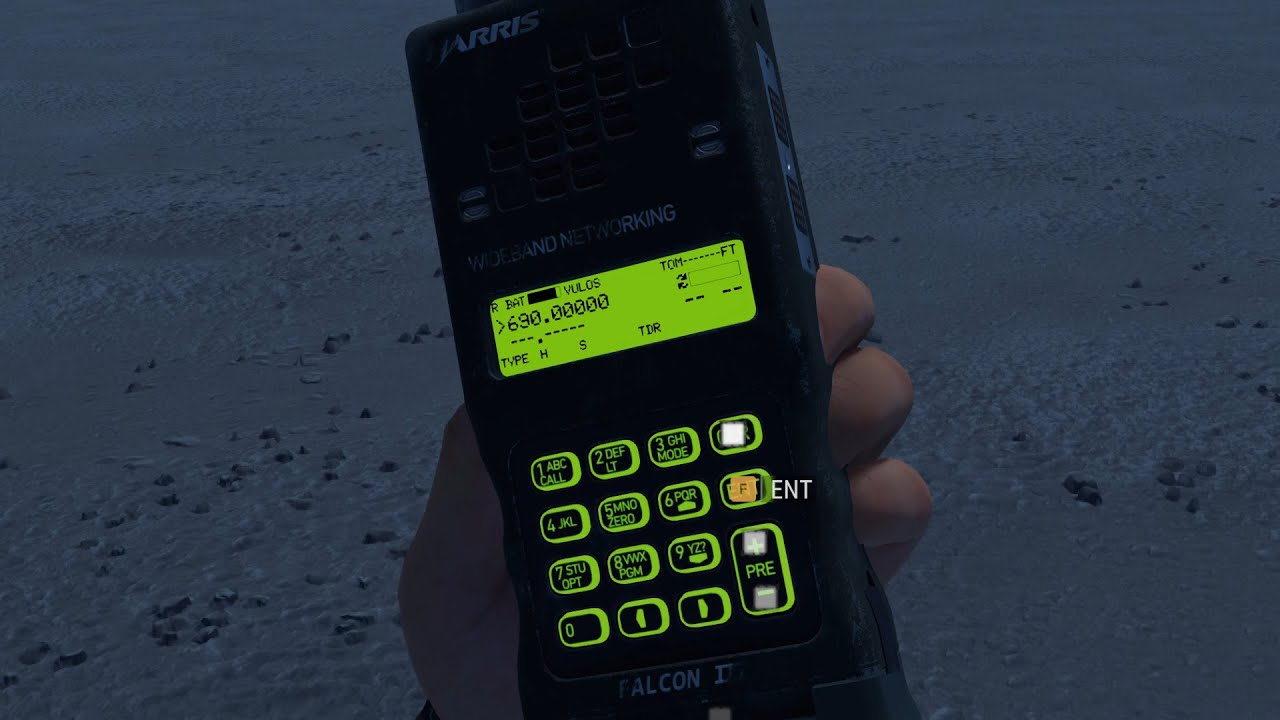
'smol' update for ANPRC152 with 'a lot' of features to show
 slow nimbus
I can confirm the screen issue on console... The screen doesn't work
gentle python
I think we will need bohemia's help here. We think that target renderer is managed differently on consoles. Unfortunately me and Odkupiciel don't own any.
small venture
It's odd it's handled differently. Could you perhaps look at how the compass uses it, or is that a daft idea?
gentle python
Compass is not handled by target renderer, its filled by bones and acting like horizontally placed rotator.
That radio is second type of asset using target renderer after the scope.
small venture
Ah okay
I presume you've checked how the scope uses it then. Could you perhaps get in touch with the creator of Modern Optics and see how they got those working on console?
gentle python
He's not responding to my dm's but we were in touch with 🥓 who makes some scopes too and he most likely help us out sort theese things out.
It's really odd behaviour considering fact that on PC everything works okay. Maybe it's a engine problem - but as I said we didn't figured it out yet.
But there is one think that I can be 100% sure of
There is no code that is disabling screen on consoles.
small venture
Well as I said yesterday, take your time, it's still a working radio and it's still really cool
If there's anything you need from a console player for it, feel free to DM me and I'll do what I can
zealous smelt
I second what he said.
slow nimbus
Yeah most mods are being tested on pc so sometimes could have some basic issues on console... But still we are willing to help if needed
zealous smelt
Ive almost memorized the configuration on console due to black out screen. Can't wait until things are sorted. I can't get enough of the mod. Using it daily
slow nimbus
Latest update on console


 small venture
It's getting better which is good
zealous smelt
Agreed and im thinking the fold/unfold function will increase the range yet again even at low pwr
gentle python
This is what we've been about. This looks like target renderer issue happening only on Xbox. We have looked several times into it since problem occured.
small venture
Did 🥓 have any ideas to what the issue could be with how Xbox handles it?
zealous smelt
gentle python
This is what we've been about. This looks like target renderer issue happening o...
Where do you think the problem persists? If you dont mind a novice asking?
gentle python
I'm repeating it all the time to you guys, it's something that handles $targetrenderer diffrently on xbox. I can bet it because on last screens from you guys someone is actually able to see that part of the messages on screen are being updated correctly.
small venture
gentle python
I'm repeating it all the time to you guys, it's something that handles $targetre...
Yeah, I know. I was asking if you had spoken to Bacon, did they have any thoughts on what the difference in how $targetrenderer was handled on Xbox and PC is, or if they had thoughts on what you could try to resolve the issue
Also, I'm on the latest version of the mod and mine hasn't changed. I assume I'm on a different resolution TV to @slow nimbus. So perhaps that will help you
gentle python
2 different cases on same type of console.
WOW
 native coral
The mod have a problem when someone join, all players change to same frecuency
dapper remnant
slow nimbus
Latest update on console
"funny" thing is that the only update that we released was iirc 2d ago and all it had was a small mp sync fix as I didn't had time to work on those mats so this seems to be deeper issue than we have originally assumed
dapper remnant
zealous smelt
Agreed and im thinking the fold/unfold function will increase the range yet agai...
Yes it will but its not going to be as big of a difference as switching from LPM to HPM - we plan to make it boost the signal by 10% where HPM is a boost of 300%
To put that in actual numbers then rn LPM = 2km and HPM = 6km and with unfolded antenna it would be 2.2 and 6.6 respectively
zealous smelt
Very nice! That would help for that little boost of range if the need arises.
dapper remnant
soon™️ we might be releasing new version which will contain some fixes (not black screen... thats the tough one) and new features like for eg working antenna folding/unfolding, roger sound, knob sounds and change of existing button and latch sounds to the ones from actual 152
zealous smelt
dapper remnant
soon™️ we might be releasing new version which will contain some fixes (not blac...
Sounds great! Appreciate the work you put in
small venture
dapper remnant
soon™️ we might be releasing new version which will contain some fixes (not blac...
Does that mean Pastas Radio Sounds won't be needed anymore?
dapper remnant
small venture
Does that mean Pastas Radio Sounds won't be needed anymore?
idk what u r talking about
small venture
dapper remnant
idk what u r talking about
Don't worry about it, was probably a silly question anyway reading back on what sounds you may be adding
dapper remnant
still wip (thats why textures aint right) but heres a preview of the antenna procedural animation
atomic plover
dapper remnant
To put that in actual numbers then rn LPM = 2km and HPM = 6km and with unfolded ...
Are this numbers related to server parameters like nwkResolution or streamingBudget?
dapper remnant
atomic plover
Are this numbers related to server parameters like nwkResolution or streamingBud...
no, those are values represent the range of which AN/PRC152 is capable when conditions are met:
- LPM+folded atnenna = 2km
- HPM+folded atnenna = 6km
- LPM+unfolded antenna = 2,2km
- HPM+unfolded antenna = 6,6km
*"HPM" - "High Power Mode" and " LPM" - "Low Power Mode"
unfolded antenna gives 10% boost to the signal strength
atomic plover
Awesome, thanks
native coral
dapper remnant
no, those are values represent the range of which AN/PRC152 is capable when cond...
this was tested on server? Cause for now the radio signal is limited by nwkResolution or streamingBudget (Was said by a developer)
we tested that different radiocomponent signal strength and with some parameters of nwkResolution or streamingBudget the radio is VERY limited
dapper remnant
native coral
we tested that different radiocomponent signal strength and with some parameters...
thats interesting - we tested it in small scale tests but ill keep an eye on that
dapper remnant
native coral
we tested that different radiocomponent signal strength and with some parameters...
i guess that it has to work differently for workbench with peer tool cuz i accidently managed to set radio range to 60km and was able to broadcast from one side of the map to the other xD (N to S) but when we will publish new version we will probably test it with dedicated server
dapper remnant
this is rough visualisation of what i tested in workbench with peer tool (and proper radio range)
red - 2km = LPM
purple - 2,2km LPM+unfolded antenna
blue - 6km HPM
green - 6.6km HPM+unfolded antenna
 dapper remnant
0.8.74 is up on workshop but heres a brief overview of whats new
+Fixes... a fair bit of that
+Antenna un/folding with range boost mechanic
+LED Auto mode (now this is default option) for backlight that will turn on the backlight for 5s automatically when any action is executed (buttons/knob/ptt)
+Added knob sounds
+Added 'Roger' sound (currently its only played locally) player finishes the broadcast
+Changed buttons and latch sounds to samples from actual AN/PRC 152
ik about at least two issues 1) roger sound is not played for other players and 2) antenna may end up under ground when dropped but players should be able to pick it up through the inventory screen


*im currently unable to test this version on dedicated server as i run out of time for today but let me know here if something isnt working (like that range which should but 🤷♂️)
zealous smelt
dapper remnant
*im currently unable to test this version on dedicated server as i run out of ti...
So on xbox apparently it shows the full green LED screen when looking to the bottom left of the screen whilst keeping the radio visible. Also unsure how to reattach antenna? There is no prompt to make possible
small venture
Open the radio in the inventory and drag the antenna into it. It does show a full green screen but nothing on it, as if the radio is turned off
zealous smelt
small venture
Open the radio in the inventory and drag the antenna into it. It does show a ful...
Tried and showed it was "heavy" or "incompatible" onscreen. I'll show you picture later
small venture
Interesting


 dapper remnant
zealous smelt
dapper remnant
zealous smelt
Sheesh... I forgot about
native coral
dapper remnant
i guess that it has to work differently for workbench with peer tool cuz i accid...
u tested this?
dapper remnant
native coral
u tested this?
we had yesterday a short playtest and the results were mixed cuz we found some (silent?) npe and presets were messed up but when we took new set of radios from the arsenal we werent able to reproduce those issues sooo... tl dr: theres still a fair bit of work to do
 flint radish
Here’s a little bit of a better quality video to show you what we are seeing on Xbox. After the latest update. The screen is still not readable with the auto lights after each press.


 knotty fern
We've made custom fonts for the radio. As far as I can tell all of them are 100% true to what's in the real units.

It took way much more work that I expected
 flint radish
Awesome man I appreciate it. I was trying to get you guys a better view of the screen to help maybe figure out what’s going on, on Xbox. I know it sucks because console players are limited to any kind of logs to help you guys.
Keep up the great work though.
 rough scaffold
looking forward to your next mod, interactive Ti-83 calculator 😄
genuinely impressive stuff, great work!
gentle python
Hold my beer
dapper remnant
rough scaffold
looking forward to your next mod, interactive Ti-83 calculator 😄
genuinely im...
meh... i was think king about adding notepad for players that want to do some ballistic calculations 😉
small venture
dapper remnant
meh... i was think king about adding notepad for players that want to do some ba...
Notepad would actually be great though
dapper remnant
can anyone with the console check if screen is still borked or maybe something got fixed with 0.9.7.41
 sleek vapor
Honestly I haven't been able to see the screen most the time it's either blank or glowing lines
dapper remnant
sleek vapor
Honestly I haven't been able to see the screen most the time it's either blank o...
with new game update as well? (cuz 0.9.7 just dropped and want to know if maybe that fixed it)
sleek vapor
Yeah for what I was able to see before my game borked itself
ivory grotto
dapper remnant
can anyone with the console check if screen is still borked or maybe something g...
I can check rq
dapper remnant
ivory grotto
I can check rq
dont bother... cuz it seems like with 0.9.7 a lot broke... 😢
 small venture
I can't quickslot the radio anymore. That's great
gentle python
Yeah we know that.
small venture
Oh okay
dapper remnant
small venture
I can't quickslot the radio anymore. That's great
actualy u can but since preview renderer broke whole radio is invisible in eq and when u attach the radio to the slot (some slots are item specific for eg. in 0.9.6 u were able to asign bandage or radio to slot 3 but now its locked for pistols) the only way to tell if its asigned to the slot is by the fact that slot number is gone 😦 (*at least thats how it is rn on pc)
tl dr: lots of fixin to do
small venture
dapper remnant
actualy u can but since preview renderer broke whole radio is invisible in eq an...
Ah okay. I'll do some more testing with it later and see what slots it can go in and if there needs to be an order to how you build your loadout
dapper remnant
oy lads i have potentially interesting 'hotfix' for you
first thing is that i fixed issue caused by 0.9.7 so attachments are now visible again 😄
small venture
Yay
dapper remnant
other thing is that i made potential fix for console players (cant tag u cuz when i try to ping 5ppl i got 'suspended' for 1min) so u can try it and let me know if it works... and if it works then ull have to work with white text cuz rn idk of any other way to make it :/
 gentle python
Omg
dapper remnant
small venture
Just static on the screen
to me this looks like $rendertarget is completely broken on consoles and will probably require fix from BI
small venture
I would agree
gentle python
Is there any Xbox players willing to chceck something for us ?
dapper remnant
ill push an update with another potential fix for radio screen
gib me a sec cuz my isp sux and this will take a 'sec'
small venture
No worries
dapper remnant
small venture
Yeah it is
lol rn i have 0.8.74 installed and no option to update it... lovely now i have an option to download the update xD
small venture
dapper remnant
~~lol rn i have 0.8.74 installed and no option to update it... lovely~~ now i ha...
That's crazy. Although I had to restart my game 3 times to actually download the update
@dapper remnant IT WORKS
I CAN SEE TEXT ON THE SCREEN
zealous smelt
Testing as well
zealous smelt
Xbox series S works as well
dapper remnant
lovely 😄
zealous smelt
Hot damn!
small venture
I'm on an S too and it works for me
zealous smelt
Imma push this to other servers and try and get a mass test
zealous smelt
small venture
I'm on an S too and it works for me
We in this together 👍
small venture
LED works amazing too. It's actually more clear than with it off
zealous smelt
Agreed
small venture


 dapper remnant
zealous smelt
Finger phasing into radio
dapper remnant
zealous smelt
Finger phasing into radio
i have no clue how u r doing that xD
zealous smelt
But it could be the outfit i have on
small venture
Mine doesn't phase through, that's strange. I wonder if the different models of characters have different finger lengths
dapper remnant
zealous smelt
But it could be the outfit i have on
afaik it shouldnt be but who knows how things work in reforger...
zealous smelt
dapper remnant
afaik it shouldnt be but who knows how things work in reforger...
Tis a strange thing indeed
gentle python
And then show the screen.
 small venture
@gentle python I'm in vanilla in my screenshots
dapper remnant
small venture
<@183934160195420160> I'm in vanilla in my screenshots
and u ever had that clipping issue?
zealous smelt
gentle python
And then show the screen.

Fingers are inside the radio
Maybe the gloves of other outfits causes clipping due to extra length?
small venture
dapper remnant
and u ever had that clipping issue?
Never as bad as in Golds first screenshots. I do get it like the above but it's hardly noticeable
gentle python
Yes because due to animation graph inherited from watch.
We are not able to create our own poses but we re really want to. Right when bohemia will release full samples that will be done.
dapper remnant
cuz we never seen such issue on pc... maybe there are more differences between pc and consoles than we might think
 small venture
I thought it would be the watch animation, so I accept that
small venture
Seriously I love this mod and I'm so glad it's working fully on console now
gentle python
All credits to odkupiciel, he found some patience after milion crashes and done it today
small venture
 zealous smelt
gentle python
All credits to odkupiciel, he found some patience after milion crashes and done ...
zealous smelt
gentle python
All credits to odkupiciel, he found some patience after milion crashes and done ...
Shh heres some credit 💳
Both put it copious amount of work
👏🏾
flint radish
Yo you guys are the best for getting this to work on Console.
ivory grotto
@dapper remnant how long is the range for the 152 radio?
And what all comes with it?
dapper remnant
ivory grotto
<@152080599367024640> how long is the range for the 152 radio?
should be like that but iirc there were some issues with syncing between the players on long range so we will need to do more testing
#1043201518221918248 message
ivory grotto
dapper remnant
should be like that but iirc there were some issues with syncing between the pla...
Nice, as for features of the radio other then the ranger what does it offer, or is there a doc or already made explanation?
small venture
ivory grotto
Nice, as for features of the radio other then the ranger what does it offer, or ...
'smol' update for ANPRC152 with 'a lot' of features to show
dapper remnant
ivory grotto
Nice, as for features of the radio other then the ranger what does it offer, or ...
rn theres no doc cuz we plan to change some stuff (radio ui)
rn it offers:
- 5 programable frequency presets that u can switch by switching knob position
- 2 transceivers where second one is only for receiving comms on platoon frequency
- ability to 'disable' second transceiver (for eg when some noobs are broadcasting on platoon freq)*
- ability to input and use custom encryption keys to make sure that ur transmition is more secure
- screen backlight with 3 options (off, on and auto - which is default - which will turn on the screen for 5s after any interaction) and during night time ops u better make sure that there are no enemy soldiers around cuz they will see that GREEN light
- Ability to fold and unfold the antenna for 10% range boost (at a cost of being easier to spot 🤷♂️ )
- High and Low power mode which impacts battery consumption and range that radio can broadcast at
- battery drainage with battery status indicators
- audio 'signals' that (can be disabled) inform about: **
- short BEEP = radio ON || button pressed
- medium BEEP = every 2min reminder that ur radio is ON
- long BEEP = 25% of battery left
- short BOOP = radio OFF
- long BOOP = battery at 0% and radio is shutting down
- theres also 'Roger' sound that is ment to be played when player finishes transmitting***
*technically its possible that u will be able to hear someone when its disabled but its very unlikely
**iirc rn theres a bug that unless u take the radio from the arsenal or pick it up from the ground (drop and take back) u wont hear those sounds
***rn theres a bug which makes it so this sound is only played for client that finished transmitting and no one around him wont be able to hear that sound
there are some small changes since i posted that video linked by Obscur4ns but rn most interactions are the same (iirc we removed ability to attach other battery while one is still connected and some other changes like for eg "Auto" mode for backlight)
ivory grotto
Awesome, thanks man so much!!
zealous smelt
There are some issues experienced during extensive play a testing
when setting radio channels with encryption it switches channel automatically
beeping stays off after death (even when switched back on
Increased battery depletion after death
interferes with Pastas Radio Mod
zealous smelt
Also when joining a new group of creating one, it will automatically change to random radio station
dapper remnant
zealous smelt
>when setting radio channels with encryption it switches channel automatically
...
*>beeping stays off after death (even when switched back on *
did u try to drop and pickup the radio? cuz if that fixes missing sounds then its a known bug
*>when setting radio channels with encryption it switches channel automatically *
can u give me a bit more detail or step by step of how it works? cuz im not sure if theres an issue with functionality of switching between frequency presets or with encryption changing ur current frequency
>Also when joining a new group of creating one, it will automatically change to random radio station
by random radio station do u mean ur new squad frequency? cuz iirc game assigns frequency to each squad and when u join one then game will automatically tune ur radio to that freq and if thats the case then i dont consider this as a bug
zealous smelt
dapper remnant
*>beeping stays off after death (even when switched back on *
did u try to drop ...
when setting radio channels with encryption it switches channel automatically.
I tried dropping it, switching to entirely new battery and respawning to no avail.
beeping stays off after death (even when switched back on
Say that we change to 2nd knob 56mhz and set encryption to custom with code: 5555 it will simultaneously change the radio freq by a little or a lot (ex. 39.5 or 56.6) not sure how to isolate further. Its different every time
Increased battery depletion after death
Perhaps not. Curious as to why it didnt work that way for vanilla radios or 2DAB core. Id love to find out. Although if we were able to preset or alter freq in player groups, it would make it easier to use after death. Despite that, its manageable
slow nimbus
Excuse me... It might be a silly question that I'm sure someone might have asked already but why aren't we allowed to use the numbers on the radio? I mean to digit like a specific frequency instead of just go through each one every time.
I've finally been able to test it on series x and finally the screen shows up how it's meant to be but it's a pain to set up all the frequencies each time I get into my game.
Would it be possible to allow numbers Only for setting up the frequency?
zealous smelt
slow nimbus
Excuse me... It might be a silly question that I'm sure someone might have asked...
I'd like to use the keypad to input encryption code so having it only affect freq onscreen would be a downer. It'd be cool if we could override the group set frequency and have it save after death. Would save a lot of the large scale comms funk
gentle python
Like in TFAR you are able to set frequencies on Workbench while creating a scenario.
We can't double invidual setters for GameMaster, and Combat ops.
We were considering input via kepad but this is on our idea list.
dapper remnant
Like Punky said we have a fair bit of plans for the radio and to answer @slow nimbus question is that rn we dont have proper programming mode which might come in the future so rn u set radio freq by 'scrolling through the frequency spectrum'. current version is still wip and we are working in our free time to get it to the level that we are happy with (which means as close to the original as possible but everything has to start somewhere). rn im working on network stuff (which is painful...) so its possible that next update may not bring new stuff besides fixes for how things work
slow nimbus
Roger💪
ivory grotto
@dapper remnant from the group I’m in seems are guys are having some issues. When there using the radio and they switch channels the way you would on a default radio after a little bit of time passes it reverts back to its default channel that be 520 on NOB 1 or 560 on NOB 2
Seems maybe the way you switch the channels threw the 152 vers switching in using the default way are not connected?
This is happing over and over and has not stoped happing over a course of multiple guys
ivory grotto
@dapper remnant is there any chance this could be fixed soon or in the near future?
dapper remnant
ivory grotto
<@152080599367024640> is there any chance this could be fixed soon or in the nea...
Cant tell. Rn i have some network fixes done so its possible that i could tackle that as my next task but its impossible to judge how long it will take to find such issue and fix it as it might be something simple or might actually require some major rework which may take more (or less... who knows :/) time
If u happen to find when this exactly happens then let me know cuz that might help me find root cause of that issue.
ivory grotto
It happens when we you switch channel Freqs the same way you do it with the default radios. Reverts back to its original/default Freq that be if your on NOB 1 it’s 520.000 or if your on NOB 2 it’s 560.000. You can switch it then it will stay for about 5-15ish minutes then will revert back
Does it everytime
Time based wise it does it every time you switch it that way
Could it be a fact if switching the channels threw the radio it’s self such as messing with the buttons it will save as you have “told” it do so how ever when you do it threw the default way it doesn’t communicate to the I guess you could say the command to say “hey save this”
dapper remnant
one more thing console or pc?
dapper remnant
ivory grotto
Console
and now u made it 10 times harder 😦
dapper remnant
ivory grotto
One of are PC players are getting it to I believe
thats promising
ivory grotto
I can see if we can have guys on console and PC do it and see if it reverts back or if it’s a thing of being in the Blackhawk mod
Should help narrow it down
dapper remnant
cuz atm theres no way to test bugs found on console with pc so it means that i would have to release new version to test something and to make things worse its impossible to get logs from console so i would have to implement something into the radio that would allow console players to tell me whats happening in the code
dapper remnant
ivory grotto
I can see if we can have guys on console and PC do it and see if it reverts back...
all information like this might be useful. I doubt that blackhawk mod might be the cause unless its modifying native radio component then thats more than likely - ill download and check it guts to see if theres something in there but if thats the case then depending how it looks like it may mean that i wont be able to fix it on my side
dapper remnant
just released new version 0.8.77
+ ADDED: Radio can now be attached to the Alice vest and then it will be visible on players back
+ FIXED: Antenna name changed - removed 'UNFOLDED' from it
+ FIXED: Potential fix for random frequency change when preset was adjusted
+ FIXED: some NPE during MP
+ FIXED: roger sound would play even when player was talking locally
+ FIXED: roger sound was only played for player that finished transmitting
+ Battery drain rework
+ Longer battery life
@ivory grotto @zealous smelt let me know if those issues that u reported still occur
zealous smelt
@dapper remnant most of the issues were fixed which is amazing! Another problem has arisen where it turning on radio the vanilla way (LB + X) would not keep radio on. It stays off. Also turns off randomly. Unsure why but it turns off other radios as well
-BREAK-
Im hoping that once we're able to save miscellaneous items we can save the item within hotslot also meaning that after death the options within radio stay the same
dapper remnant
zealous smelt
<@152080599367024640> most of the issues were fixed which is amazing! Another pr...
Another problem has arisen where it turning on radio the vanilla way (LB + X) would not keep radio on
thats intentional as i cant tap into that logic thus meaning im not able to start draining the battery so to prevent players from using this exploit i decided to turn off that radio when player either tries to transmit through that EARS radio or when player will receive transmission
this was made such way in order to ensure that player tuns on the radio through radio interaction as that will start draining process
but if u would want to turn off the radio then u can use that vanilla mechanic as it will be able to detect that and shuts itself down
dapper remnant
zealous smelt
-BREAK-
Im hoping that once we're able to save miscellaneous items we can save t...
thats one of planned features
thers (at least) one known bug where if u play in sp or self host mp game (idk if thats possible) then u (as a host of the game) wont be able to hear BEEPs and BOOPs (unless radio is reequipped - put in hand, put away, put back in hand)...spent like 4 days to fight with that and had no solution hence i gave up on that in order to fix other issues
zealous smelt
dapper remnant
thers (at least) one known bug where if u play in sp or self host mp game (idk i...
Yes i noticed that in sp but was never able to replicate in mp cause servers are always populated
zealous smelt
But that's fine considering the radio still works
zealous smelt
I'm hoping theres a way to switch so it turns/stays on in the future while using battery component. Its honestly better than vanilla radio and myself and many others use it as primary radio for almost all kinds of comms
small venture
zealous smelt
I'm hoping theres a way to switch so it turns/stays on in the future while using...
Hotbar it, select it and then inspect it
zealous smelt
That's what i do. But you're missing the extra step(s) which may be to switch radio channels, range and if need be the beeps and encryption keys
All which takes extra time to adjust after death of any kind
Also, not what I'm directly referring to. I'm hoping once we respawn, the handheld turns on too while starting the battery drain process. Whether it be due to a primary, secondary, tertiary radio rule or via selection via hotbar.
dapper remnant
zealous smelt
Also, not what I'm directly referring to. I'm hoping once we respawn, the handhe...
this might also come in the future - idk if and if so then when but it seems like BI made SCR_RadioComponent.RadioToggle() not private so i might be able to tap into vanilla mechanic a bit more and if ill get it working then i should be able to trigger battery drain through (LB + X)/[G]+[R]
zealous smelt
dapper remnant
this might also come in the future - idk if and if so then when but it seems lik...
You da man! One day I'll buy you a kings meal
 warm garnet
Hey guys quick question is this going to be reforgers rendition of the tfar radios? So like being able to use left and right ears and stuff?
dapper remnant
warm garnet
Hey guys quick question is this going to be reforgers rendition of the tfar radi...
🤷♂️ we will see what we will be able to do... Punky has wild ideas so who knows... even if we will try to implement something like that then it will be somewhere in probably far future as first we have to get one radio working as good as we can and then expand upon that foundation
warm garnet
Oh im so excited. Thank you guys man looks great 🤘
zealous smelt
I have reasonable suspicion that GM controls whether it be teleporting players AI or spawning enemies, it tends to either turn off the radio completely or change the radio frequency.
zealous smelt
Lastly, the knob frequencies can overlap displaying the same radio freq until you turn off/on or drop radio
ivory grotto
@dapper remnant found a weird bug, when in solo GM you can’t spawn not place down A.I. when you have the radio mod enabled
I have zero clue why and if it happens in multiplayer
ivory grotto
gentle python
Only EARS as addons ?
Yes, with just EARS and then EARS with other add-ons in use
I’m on Xbox as well
gentle python
Please make sure that it is happening with only EARS on.
I'm not able to reproduce it in any case when only EARS loaded.
ivory grotto
gentle python
Please make sure that it is happening with only EARS on.
I'm not able to reprod...
It’s only happening with EARS %101.
-I’m on Xbox and it’s causing me not to be able to spawn in or spawn A.I. in. I’m unsure if it’s just in solo GM (in which it’s happing for me) or also in multiplayer (in which I haven’t tested it)-
Cancel this posts above.👆
After uninstalling and reinstalling the mod it was fixed. Something must have messed up during the updating process
zealous smelt
Hey punky & odkupiciel
There's a few questions regarding the ears mod id like to ask you if you have time
Q1: Is it possible to fix how GM abilities affect the Radio mod?
Q2: What are your current plans for the existing mod?
Q3: Are you doing well? Nobody asks but i imagine you got a lot on your plate
gentle python
Hey,
Q1. We are mostly fixing these bugs that are being reported to us, most of them can be found here:
https://github.com/PunkyPL/RadioMod/issues
Q2. We were mostly off PC's these Christmas and new years eve, but earlier or later you will probably see.
Q3. Good enough, another 3D modeler joined the team so things should go easier.
zealous smelt
gentle python
Hey,
Q1. We are mostly fixing these bugs that are being reported to us, most of...
Q1 link gives error 404
gentle python
Oh, it's private repo.
Need to make audjustments
zealous smelt
All good g
Really been looking forward to any sort of update on the mod as many are. As far as I'm concerned EARS should be the standard radio system just off functionality alone
slow nimbus
The radio works fine, but some of my friends tell me that the radio sometimes goes off itself or resets to frequency 52 sometimes, is this happening to anyone else? Is there a work around maybe?
zealous smelt
slow nimbus
The radio works fine, but some of my friends tell me that the radio sometimes go...
Its tied to GM abilities (spawning entities, teleporting or using lighting etc.) turns off radio and there isnt a workaround that ive found unless they dont use GM at all. Its unfortunate because a lot of people loved the mod once they were taught how to use it
dapper remnant
slow nimbus
The radio works fine, but some of my friends tell me that the radio sometimes go...
another reason why it might turn off on its own is if they use vanilla way of turning it on - [G]=>[R] (LB + X) since as of today i still wasnt able to tap into that logic thus im unable to start battery drain so in order to prevent players from using radio indefinitely ive implemented small bit of logic that will turn off the radio either when player tries to broadcast with it or when theres incoming transmition - this is not going to happen when player turns on the radio through radio interaction - pull it out => [Ctrl]+[R] (idk how its done on console) => look at the knob => set to pos 1 - 5 (while ur battery is not dead cuz if thats the case then u wont be able to turn on the radio unless u change to battery that has some juice in it)
dapper remnant
zealous smelt
Its tied to GM abilities (spawning entities, teleporting or using lighting etc.)...
if u can then give me more specific description of what is causing what ie. "when gm poops then radio boops" then i might be able to track that issue
dapper remnant
slow nimbus
The radio works fine, but some of my friends tell me that the radio sometimes go...
another thing is to make sure that server is running newest version as ive seen in the past that server had outdated versions (probably not the case rn since ears was updated about ~3w ago or so)
slow nimbus
I've noticed that if I hold another radio in my inventory, once I start using the other radio the modded one turns immediately off.
I also have a theory on why sometimes the radio might go off even when just using that one, could it be maybe when there are a certain amount of people in the server connected with that radio maybe that sends weird commands to it? I dunno, just giving theories out there...
I really like the mod but gets frustrating sometimes having to constantly check if it's still on
zealous smelt
Trying to get some videos to best depict this via replication
However some removed the mod until the fix release
dapper remnant
slow nimbus
I've noticed that if I hold another radio in my inventory, once I start using th...
I've noticed that if I hold another radio in my inventory, once I start using the other radio the modded one turns immediately off.
ill look into that as i dont think that ive tested such scenario
dapper remnant
"
Its tied to GM abilities (spawning entities, **teleporting** or using lighting etc."
i was able to replicate the issue with where when zeus teleports player that will turn off his radio... odd but ill have to look into that deeper
I've noticed that if I hold another radio in my inventory, once I start using the other radio the modded one turns immediately off.
wasnt able to replicate that one
zealous smelt
dapper remnant
>"`Its tied to GM abilities (spawning entities, **teleporting** or using lightin...
Sweet! I'm curious as to how it transpired as well
Please keep us posted 
zealous smelt
Hey @dapper remnant i just purchased a server so we can freely test the EARS mod if you need a tester.
Sorry to ping btw
dapper remnant
we are rn in the process that im not sure we can talk much about but i bet ull know what im talking about when its done 😉
zealous smelt
Blessings
 spice lily
Did ya fix the glitch with the radio shutting off?
gentle python
It's still being tracked, we didn't get all repro steps what is more mostly Xbox players are affected again.
slow nimbus
We have both xbox an pc players and mostly everyone is experiencing either frequencies randomly going back to their standard frequency set on corresponding knob or shutting down completely
gentle python
Surely, this is why i wrote MOSTLY above.
But need to admit that i never encounter that bug while testing and playing scenario.
dapper remnant
dapper remnant
we are rn in the process that im not sure we can talk much about but i bet ull k...
😏


 dapper remnant
a fair bit of changes are coming
flint radish
Looks awesome guys. Keep up the great work!
dapper remnant
 zealous smelt
Oh!! Sweeet! Is there a possibility of having an EGR (Embedded GPS reciever) or an EPLRS?
dapper remnant
this and more is in back of our heads but we have to first get radios working as best as we can
zealous smelt
Affirmative and great work! Been missing long range comms for a long minute and this was the piece to the puzzle
zealous smelt
@dapper remnant i have much more questions for you in terms of functionality but i can wait
Otherwise godspeed n have a great one
dapper remnant
zealous smelt
Affirmative and great work! Been missing long range comms for a long minute and ...
long range comms are coming... maybe not soon but at some point they will
dapper remnant
aaaand new version just went up and heres a video that describes some of the changes + something more 😏 https://www.youtube.com/watch?v=i0IrDibWDOE
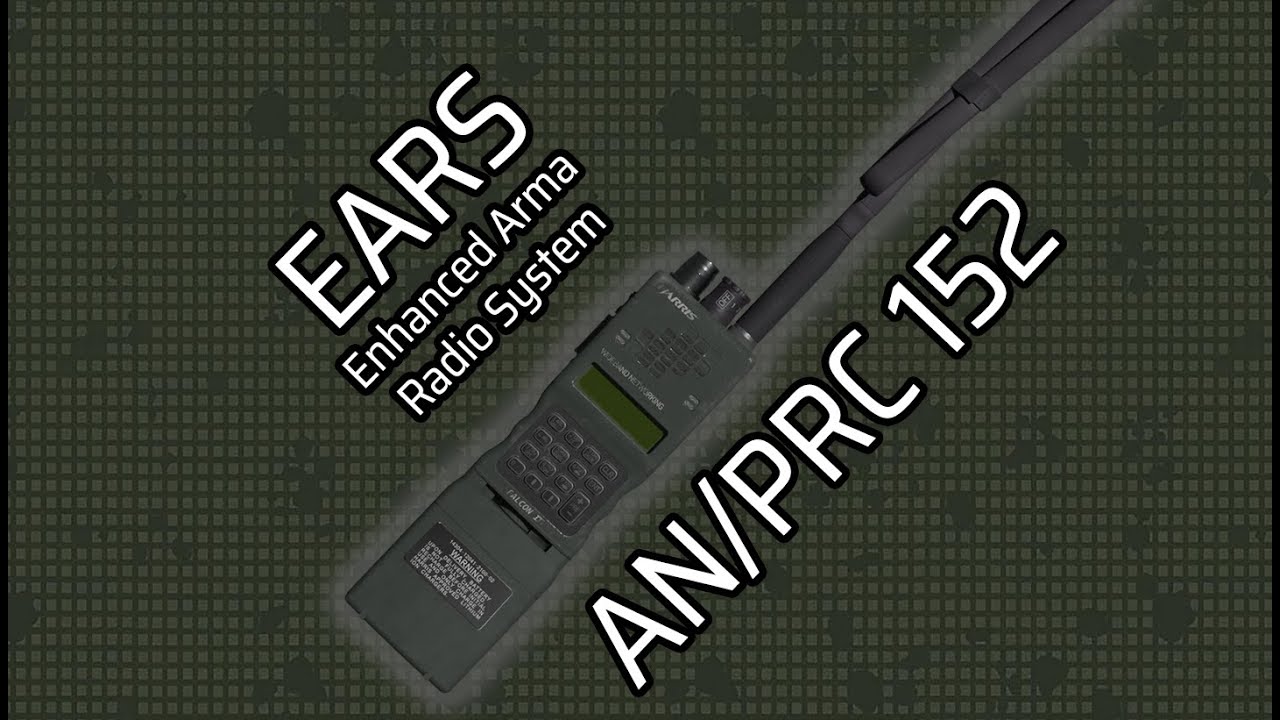
In this video i wanted to brief you about changes that were made in newest version (as of 2023.03.02) of EARS mod for Arma Reforger
00:00 Intro
0:10 On by default
1:10 Radio Screen
2:00 Presets
2:55 Menu Navigation
3:16 Frequency Adjustment
4:45 Encryption
5:45 New Presets
6:25 More Power
6:50 Announcement
let me know if those random frequency changes will still occur as they shouldnt anymore
it should also fix the issue where radio would turn off when player was teleported
aaaand whole bunch more fixes cuz 'backend' received a lot of changes
 zealous smelt
Unfortunately i can't open a solo GM experience with the mod rn
Not exactly sure the cause but what i do know is as the only mod enabled its unable to run
dapper remnant
zealous smelt
Unfortunately i can't open a solo GM experience with the mod rn
did u try to restart the game cuz it seems to bw working for me
zealous smelt
It's funny. It crashes altogether putting me back to home screen so technically speaking yes
Crashes every time
dapper remnant
maybe try redownloading the mod... this is so weird
zealous smelt
Would a complete wipe work on favor? I'll try redownloading
dapper remnant
zealous smelt
Would a complete wipe work on favor? I'll try redownloading
since u running reforger on console i wouldnt be surprised if even bi would have hard time telling what might be the cause
zealous smelt
That'll be my last resort but definitely worth it
zealous smelt
dapper remnant
maybe try redownloading the mod... this is so weird
Same thing after redownload. Trying a complete wipe although itd be a bummer if it was same result lol
I'm sure you're doing your best
Complete wipe n testing...
Crash ensues
gentle python
And now the question that matters now should be like:
How to check it on xbox ffs?
zealous smelt
^exactly that. But o may have a way to help you as I have access to logs now on nitrado
Only thing is we're a public/ private server and have a lot of people using said server
Perhaps during downtime myself and a few others can test 3am-6am EST
dapper remnant
If u have RHS status quo downloaded the let me know if it does the same thing as ears was integrated into rhs and I know of one small difference in between ears and earhs (with silent h)
I have doubts if server side logs are going to give us any information as to why client I having some issues but who knows... Maybe consols shoot their errors to the server - I'm saying that as I'm doing mp test with 'peer tool' which simulates host (server) with two clients
dapper remnant
and one more thing when u r starting solo gm then are u using that option to "restart" it (iirc its 'Y' on xbox)?
zealous smelt
dapper remnant
and one more thing when u r starting solo gm then are u using that option to "re...
Yes, this worked for me as well
Thank you
I was informed of the information earlier
dapper remnant


but... i published new version to fix potential issue when EARS and RHS was loaded at the same time
+small fix fo loading ai component that was only present for players
zealous smelt
It works well in MP
Will give various tests
 charred flame
Hi all, apologies if it has been asked and answered... is there support for Left and Right Ear with usage of multiple channels? If not, is that something you plan to do downstream?
dapper remnant
charred flame
Hi all, apologies if it has been asked and answered... is there support for Left...
support for L/R ear
- Not right now
is it planned
- Not right now but god knows what might come in the future
charred flame
Hey, I appreciate the quick response. Completely understandable, this is a great mod and I and my group are huge fans
dapper remnant
main issue that i see with something like that is the fact that reforger doesnt support usage of multiple enc keys at the same time so both T and R share same enc key thus meaning that unless the person that broadcasts at R: 48.000 usess same enc key then u wont be able to hear that
so multi channel usage is fairly limited rn
all tho technically u could use second radio... so maybe theres a way to do that 🤔
charred flame
It "technically" works with the current in-game radio wherein you can hear both but only talk on one
dapper remnant
this sounds interesting so i might look into that cuz it might be fun to play around with it
charred flame
the problem with it is it seems to broadcast your voice over a speaker or something similar and acts as a voice jammer lmao
not to mention its both ears so telling what is coming from one channel or another is difficult
dapper remnant
not right now, its tuned to default team frequency (or how its called) and u can only 'disable' it
slow nimbus
Hello there, I'm loving the radio! Everything works finally with no issues or resets like the older version!!!
But I was wondering...
Is there or there would be any plans on adding a way to save frequencies or radio settings through a save loadout option?
As much as I love the radio it takes sometime to customize everything, but each time I die I need to set everything up and it kinda complicates a bit some comms...
dapper remnant
slow nimbus
Hello there, I'm loving the radio! Everything works finally with no issues or re...
good to hear that its working finally! 😄
tbh i didnt thought about presets but that might be an interesting idea cuz i had in plans to find a way to save in player session or something like that but there was always something else to do... so to answer ur question i might look into that 👍
zealous smelt
Please! If it can be done then it'll save SO much time and effort reestablishing comms and missing out on relevant information. The current state as @slow nimbus said is solid 👍🏾 and saved presets would be phenomenal
Thank you in advance
dapper remnant


Arma Reforger
Read about the 0.9.7.102 Update that introduces significant VFX update, fixes, and more.
zealous smelt
Lmao apparently you're changing the game
slow nimbus
Hi! Any plans on increasing a little the max range of high power mode? It's around 7km right now I think, would it be possible to reach somewhere near 10km? Too much?
zealous smelt
6.6 km to be exact yeah
dapper remnant
slow nimbus
Hi! Any plans on increasing a little the max range of high power mode? It's arou...
For 152 no but when I'll get around to integrate 117 then ull probably have more tah enoght of range to talk with ISS
But first I have to prepare everything for 0.9.8 since a fair bit of things broke