#enfusion_particles
1 messages · Page 2 of 1
 amber arrow
 true bear
Can you do me a favour and see if it’s connecting with players and terrain
That will confirm both our suspicions
Additionally you should also try to hit a vehicle tire if that makes a difference
amber arrow
trigger blast doesnt interact with players/bots
tire also doesnt work
I made a lot of tests but let me check again with video
 floral ocean
This also has to do with the shear amount of spalling the rpg heat shell has
I know the tracless explosion mod is just a ticked box in a conf file can’t remember what one
amber arrow
true bear
Can you do me a favour and see if it’s connecting with players and terrain
https://youtu.be/H4zZxU0xW2w here is full test with some kind of explanations
 true bear
amber arrow
https://youtu.be/H4zZxU0xW2w here is full test with some kind of explanations
true bear
amber arrow
https://youtu.be/H4zZxU0xW2w here is full test with some kind of explanations
Couldn’t have explained it any better. This sums it up very well!.
This has been an issue for a bit now. I’m going to do some research when I’m home and root the issue completely
amber arrow
I somehow was able to fix particle oriented setting with chatgpt in my BetterHitsEffects mod lol
true bear
amber arrow
I somehow was able to fix particle oriented setting with chatgpt in my BetterHit...
Define what you mean by this
Unless you’re talking about the “.ptc” which in that case Chat GPT can edit them and create yes. As far as enforce no. Well to an extent the scripter has to have knowledge for it to even work in some favourable manner.
amber arrow
true bear
Define what you mean by this
So a long time ago (since particle update ever was published by Bi) settings in blast triggers "Particle oriented" and "First contact only" didnt work (so they do now in vanilla), so I made a ticket like a year ago about this problem (https://feedback.bistudio.com/T180643, video https://www.youtube.com/watch?v=OxNgU-DwnRg) and it problem still there. Yesterday I was upset that effects on rpg explosion was looking bad on buildings (since effect always spawn upward) and tried to fix it via AI and I just sent code from "SCR_ParticleOnContactComponent" to deepseek with mega prompt "why eoncontact doesnt work" and with some miracle it was able to identify problem with 3d matrix in code and sent me WORKING code - but since I dont understand anything about scripting, I didnt know how to put code in workbench so I asked deepseek how to make it and it gave me working instruction and now blasts in BHE spawns surface related lol
 true bear
amber arrow
So a long time ago (since particle update ever was published by Bi) settings in ...
true bear
amber arrow
So a long time ago (since particle update ever was published by Bi) settings in ...
Ohhhhhhhhh yes I looked at that a while ago
 mint night
is there a bootcamp vid that could allow me to learn how to take such pictures ?
I... want to do similar things... but my dumb ass is really dumb when it comes to cinematics / photography
true bear
mint night
is there a bootcamp vid that could allow me to learn how to take such pictures ?...
My YouTube account will have a video posted on this soon. Once I fully cover world editor I will move on to the particle editor
mint night
Thanks, if you remember me please let me know then you legend
 north forum
mint night
is there a bootcamp vid that could allow me to learn how to take such pictures ?...
north forum
mint night
is there a bootcamp vid that could allow me to learn how to take such pictures ?...

Get #ArmaReforger now ➡ https://reforger.armaplatform.com/buygame
Community videos and cinematics (also known as machinimas) have always been a part of Arma and DayZ platforms. Vladimír Jaške, director of the #ArmaReforger launch trailer, will show you step-by-step tutorial workflow for creating awesome cinematic and VFX effects in the next...
true bear
north forum
https://youtu.be/gm2NjrWQWpY?si=TDk6wKqbeLl4MKtu
This does not help with explaining the process of particle creation just modification of a few things. I will be creating an in depth video for all players explaining it soon. Following the series on my YouTube.
 silver schooner
Some, have a look at the effect manager component
 north surge
Does anyone know how to stop the "effect", e.g. I want to have only the particle effect but frozen in time, one frame only
silver schooner
Would need to pause the game/simulation
north surge
silver schooner
Would need to pause the game/simulation
so no :D, thanks anyway 😉
silver schooner
What do you mean? If you want to pause particle effect then pause the simulation
north surge
silver schooner
What do you mean? If you want to pause particle effect then pause the simulation
this is because I don't know how to stop the simulation, I'm trying to figure out the "bullet time" effect in cinematic where everything is frozen in place but the camera works normally
silver schooner
You can check how the game master pause button works
north surge
I don't even know how to check it, but I don't want to bother you with explaining it to me, so let's leave it at that. but thanks anyway
true bear
silver schooner
Would need to pause the game/simulation
Use frame event on particle effect entity
Otherwise it runs indefinitely regardless of pausing
@north surge
true bear
north surge
nice workaround, thank you 😉
work around? No. Correct use of particle Entity. Yes.
a .PTC file on its own placed in a world should become a ParticleEffectEntity. Bypassing this using triggers or using a scripted method to place in world results in a off frame particle.
north surge
still iam too green to execute something like "stop simulation" script like you or bacon suggested its out of my reach, but thanks anyway, too bad bohemia cinematic tutorial is already very out of date, but big thanks for helping
true bear
No Problem!
true bear
@north surge additionally you can do stuff like this.
true bear
Almost near the start of the particle editor video a few more things I want to run by world editor first before I dive into that section
 jovial owl
Is there a way to prevent particles from showing beneath water, having a hard time figuring it out.
true bear
jovial owl
Is there a way to prevent particles from showing beneath water, having a hard ti...
Technically no. Particles and post processing do not mix. Particles tweak out underwater
(Underwater is a PPE)
What are you trying to achieve
jovial owl
true bear
Technically no. Particles and post processing do not mix. Particles tweak out un...
Thanks man, I have some waterfalls but my work around this issue is just to have rocks at the bottom and water "bouncing" into a lake/pond
true bear
Your restitution on your particle creates that bounce
Your collision. Is what controls all of that when enabled but if you’re trying to cut off the water change your alpha on the lifetime curve to cut before the particle can make its full range
That should fix your issue. I recommend going in the particle editor moving your particle to the height of your water fall.
Also you can Use your measure 📏 tool to calculate your height from water to top where it’s placed and then off set the particle by that height if needs be that way you can accurately get a height.
jovial owl
Alright I'll check this out later. Thank you for the info
 coral star
Is a semi invisible shockwave possible to make with the current vanilla particles?
silver schooner
Depends how you define shockwave
A realistic one probably not
Since there's no way to do that air density and pressure change visually very well
Because particles are not rendered behind glass material (once refraction is enabled) that I'd need to use to refract the shockwave sphere
true bear
Yeah increasing the size of a sphere would really be the best way to do this like in other games
But I agree this whole refraction stuff ruins these effects
Wish the engine handled it differently
jovial owl
@true bear sorry for the @, do you know a way to add a damage entity to particle effects? I know vehicles have secondary damage options but you cannot add vehicle damage to non vehicle prefabs.
true bear
jovial owl
<@496082959581970444> sorry for the @, do you know a way to add a damage entity ...
What kind of damage do you want
Like an explosion
jovial owl
true bear
What kind of damage do you want
Flames burning you
Persistent damage or damage over time
true bear
jovial owl
Flames burning you
You can create a particle that uses a prefab trigger entity in its place after an explosion to create a thermite effect. Then have it set to clean up itself.
Kinda neat
jovial owl
true bear
You can create a particle that uses a prefab trigger entity in its place after a...
Thank you!
true bear
jovial owl
Thank you!
It’s gonna require some script work however
Disappointment commence
 true bear
Currently what I do for my fireworks. They have an auto clean up script I made on em. That way the gm doesn’t need to worry,
jovial owl
true bear
Currently what I do for my fireworks. They have an auto clean up script I made o...
Nice! I appreciate your help!
jovial owl
true bear
You can create a particle that uses a prefab trigger entity in its place after a...
Are you open to dm?
true bear
jovial owl
Are you open to dm?
Yeah
 soft ember
true bear
<@290062199869800449> additionally you can do stuff like this.
soft ember
true bear
<@290062199869800449> additionally you can do stuff like this.
dude that looks awesome ! any chance for some yt tutorial ? there is practically none about doing stuff like this in workshop
true bear
soft ember
dude that looks awesome ! any chance for some yt tutorial ? there is practically...
yes'
 urban blade
how can i add some water particles on the ship hull when i contacts the water
 small hinge
urban blade
how can i add some water particles on the ship hull when i contacts the water
small hinge
urban blade
how can i add some water particles on the ship hull when i contacts the water
Im new with particles, but i think you can make a particle with a splash or something that imitates the normal wave contact and just attach it with Hierarchy then you can link it to a bone and move it where you want it to be so its set to be always on there and give you a movement effect in case it moves. For sure someone will have a better solution,at least with this you can start to try out the effect and how it looks
silver schooner
It should be fun to script something to change how it behaves based on speed of the ship
true bear
silver schooner
It should be fun to script something to change how it behaves based on speed of ...
I’m unsure if PTC can be referenced and altered in game on runtime
I’ll try it out I know emats can which is very nice
 plush lake
urban blade
how can i add some water particles on the ship hull when i contacts the water
plush lake
urban blade
how can i add some water particles on the ship hull when i contacts the water
there is a "wheeldust" componant thats mentioned in this vfx bootcamp. Maybe that could be used? "creat particals around the wheel basedo nthe terrain"https://youtu.be/gm2NjrWQWpY?t=696
Get #ArmaReforger now ➡ https://reforger.armaplatform.com/buygame
Community videos and cinematics (also known as machinimas) have always been a part of Arma and DayZ platforms. Vladimír Jaške, director of the #ArmaReforger launch trailer, will show you step-by-step tutorial workflow for creating awesome cinematic and VFX effects in the next...
urban blade
plush lake
there is a "wheeldust" componant thats mentioned in this vfx bootcamp. Maybe tha...
tbh i was thinking the same thing glad im not the only one ❤️
urban blade
silver schooner
It should be fun to script something to change how it behaves based on speed of ...
This whole project has been loads of fun tbh
urban blade
small hinge
Im new with particles, but i think you can make a particle with a splash or some...
Thanks for the suggestion ❤️
small hinge
Hey guys i need some help, my head is booming, im trying to finish a thing and i got pretty much 4 more days left, im trying to have a particle effect that simulates a shockwave, wich settings should i adjust or at least wich settings to tweak to get that result if anyone has figured it out already. because i cant seem to understand how to make the particle get pushed away. The general idea is like an implosion(if thats english) so something that pushes out and goes back to its origin, that part is good is just the pushing shockwave that i cant find a solution. Thanks
true bear
You can have the size decrease over liftetime and have It look as if it shrinks. So you could make a curve like this.

Something of that shape will get you a small to big to small.
What you need to do next is gauge your speed withe the lifetime time itself normally I use 0.100 as a strong explosion reference as this plays perfectly on time for an explosion or quick burst
Emitting time should be 0.010
Should only emit once
silver schooner
So like a spring
true bear
Sort of. There’s no real expand and contract it’s just scaling. You could also modify the birth rate along side to make this look wider I guess
As far as the actual spring option goes (I’d avoid using it unless you’re working with something specific)
small hinge
true bear
You can have the size decrease over liftetime and have It look as if it shrinks....
managed to get a similar effect tho thanks, not as i wish but will do the work
true bear

 dense flume
is there a way to copy/paste multiple particle emitters?
amber arrow
dense flume
is there a way to copy/paste multiple particle emitters?
you can "save as" and choose another ptc file, it will be like ctrl-c + ctrl-v
dense flume
but that would be all
for example i made a gas effect for a rifle and want to copy that over to other rifles
dense flume
also, how do Blast prefabs work?
like, what exactly does all of this do under scr_particlecontactcomponent?
 dense flume
mmm yum
dust kick up from nearby stuff
also new ak74 muzzleflashes because uhm.
same for aks74u.. since it apparently had basically no actual visual muzzleflash for 1p
dense flume
dense flume
like, what exactly does all of this do under scr_particlecontactcomponent?
Sorry to bump but I'm still having issues with this... what does Game Material Effect mean? What's the Effect Index?
dense flume
so the way ashyl did his ak74 effect is to use multiple sprites that always look towards the camera for the muzzleflash
the same technique that smoke uses
instead of using axis locked billboards, that face the camera but also have a axis theyre locked to, making them seem more 3d as they dont rotate to look at you in a weird way
the reason why this is pretty hm :/ for muzzleflashes is that
it will usually leave gaps between the seperate little particles for the flash
 ripe tangle
Ah yes that makes complete sense, axis locked is 100% the way to go
 ripe tangle
Having it locked to camera makes it look completely out of whack, so agreed
dense flume

something like this
since its a texture sheet with a detailed muzzleflash
i use 2 of them per side to give the flame closer to the muzzle a thicker appearance while making some flame shoot out quite arrow like
at the end its all just personal preference at which is used but i really believe the texture he used makes the gaps lok VERY out of place
ripe tangle
I dont use particle effect mods, or any of the "better XXX" mods, they usually ruin either performance, visual/audio quality or both, vanilla stuff is peak
dense flume
welll...
muzzleflashes, vanilla is pretty good
i want to def keep vanilla style but make them a bit more realistic
dense flume
mmm yummmm
occasional supressor sparks
same for the flashhider
like 1 spark sheet makes it look so nice already
dense flume
this is what dday felt like
true bear
cricket noises
 low mango
Anyone have any insight on creating I guess best way to describe it is a laser bolt or beam shoot out of a gun
Also hopefully this is the right channel to ask
silver schooner
You can't do that with particles, but you can draw a beam from point A to point B with script or a dynamically scaled beam mesh
true bear
silver schooner
You can't do that with particles, but you can draw a beam from point A to point ...
You can it would just be very expensive
The beam drawing is definitely a better way to go about it.
You can use light and streak the flare as well.
low mango
Any guides to this I’m coming from SDK which runs off UE4 and having hard time with enfusion tools however what your saying does make sense and definitely would use the “drawing a beam” feel free to DM also! Don’t want to flood the wrong channel with my nonsense
true bear
Mm actually that’s got me thinking you could probably use a spotlight cone with a mask and probably resemble the same effect. Now you’ve got me interested since I do need lasers for something,
Mesh like tracers work too if you technically want to be really cheap
true bear
Hmm I think tonight I may make that video depends on how my day at work goes if it’s not too busy
I’m also likely going to cover scenario framework basics and a few other things. Hopefully seeing some new missions be created down the road from users.
We shall see
 sharp trellis
What controls the distance between particles and character camera? Trying to make smoke completely engulf a players field of view instead of being a couple feet away (i know my pc will probably blow up)
silver schooner
material of the particle
sharp trellis
 amber arrow
Currently, I am working on new impact particle system that will be more physics-based. The vector of the particles is based on the impact angle. Particle size, velocity and other parameter of emitter changed (multiplied) depending on the energy of the projectile and the impact angle. For example, larger calibers produce larger hit effects, and the opposite is true for smaller calibers and as the projectile loses speed and energy, the effect will become smaller.
The current version of mod is already working well, and I have been able to optimize it significantly. It works well even with my shrapnel mod, which produces around 300 physical effects per explosion - however it is a compatibility issue that I will address when I publish the new Better Hits effects (I will make compat for shrapnel and BHE). The particles are local to the client, making it MP-ready
true bear
amber arrow
Currently, I am working on new impact particle system that will be more physics-...
Good well needed
I’ve thought about this but never got around to it. Very very very very very very nice
mint night
Hello.
I was wondering if it is possible to freeze particles in the timeline this way the smoke don't propagate too much or we can make sure the explosions are properly display on the screenshot
(i don't do cinematics(yet), just set up a scene and take a screenshot)
Thanks in advance.
What i mean by this is that this particle stay this way regardless of what time it is and that it stays display this way on screen
 amber arrow
mint night
What i mean by this is that this particle stay this way regardless of what time ...
amber arrow
mint night
What i mean by this is that this particle stay this way regardless of what time ...
You can disable particle update in debug menu when effect is in right state
mint night
amber arrow
You can disable particle update in debug menu when effect is in right state
I'll try to do that then.. will be harder to make bullet impacts then but this should be pretty useful.
Thank you
mint night
Got the job done btw.
Thanks a lot ^^

 coral wave
How would I block some of the light in this particle effect? It is still showing the full orb of light even when looking at the pipe from underneath

 safe saffron
Hi any ideas why the muzzle Effect (Backblast) is not working? the Rocket is fired by script, its working but these Effect dont trigger or so?

 hazy lynx
safe saffron
Hi any ideas why the muzzle Effect (Backblast) is not working? the Rocket is fi...
hazy lynx
safe saffron
Hi any ideas why the muzzle Effect (Backblast) is not working? the Rocket is fi...
If they are fired from script then you probably have to manually trigger their effects from script too.
 restive forge
hazy lynx
If they are fired from script then you probably have to manually trigger their e...
restive forge
hazy lynx
If they are fired from script then you probably have to manually trigger their e...
Hi, i can't find any method to trigger a MuzzleEffectComp 🙁
 wild wave
Hi, I would like to know what the particle count limit is in the Arma Reforger engine, and if this limit is exceeded, will the engine forcibly remove the extra particles like in Arma 3?
true bear
wild wave
Hi, I would like to know what the particle count limit is in the Arma Reforger e...
1300 stability issues start. 1600-1800 Performance tank issues and render self destruction (particles being invisible or clipping, i can never tell if they are actually deleting or just going out of render because they re appear.). [measured from normal non emissive] this is also measured by density in a localized single region not world.
Particles are on CPU for collision reasons and simulation i assume. regarless please take my answer with some salt as this is what ive "personally" went by not what is official. always shoot for 1-180 for optmization 250-600 if you need to push it. Emissives will heavily tank performance and decrease that number. emitter count isnt the worry its the particles being emitted.
you should realisticly never be exceeding what bohemia is already doing unless you need a bit of push rule of thumb is always see how the developers did theirs in terms of size they have more familiarity.
also due to rendering layers particles do not show behind post process layers like chormatic abberation on glass for example so PPE + Particles arent exactly hand shaking.
 proper nymph
thats pretty low, wasnt a3 like 20 thousand or sth 
wild wave
true bear
1300 stability issues start. 1600-1800 Performance tank issues and render self d...
Have you seen this video? After watching it, I thought the new engine had greatly increased the particle limit and that particles would no longer disappear. In the video, you can clearly see a huge number of particles being generated, and I didn’t notice any disappearing issues. https://www.youtube.com/watch?v=ATBChqlUiJA
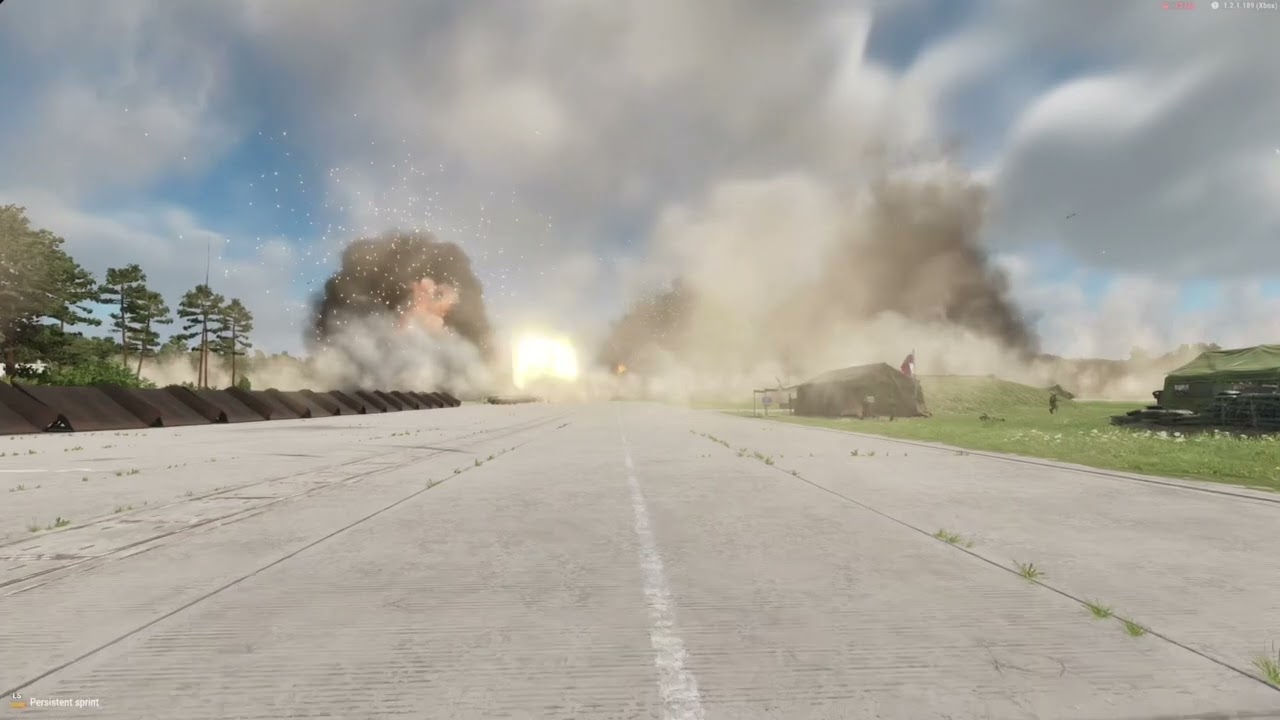
Cruise missile strike on the airfield just before a raid
#arma3 #Arma #xbox #gameplay #fun #pc #ps5 #server #mods #army
wild wave
true bear
1300 stability issues start. 1600-1800 Performance tank issues and render self d...
I think the number of particles in the video exceeds the 1600–1800 limit, or is it just that larger particles were used so the actual count didn’t go over that number? Also, I didn’t notice any frame drops in the video (though I don’t know the creator’s PC specs).
wild wave
wild wave
I think the number of particles in the video exceeds the 1600–1800 limit, or is ...
Sorry, I just noticed that the video’s FPS dropped to 25, so never mind what I just said.
wild wave
true bear
1300 stability issues start. 1600-1800 Performance tank issues and render self d...
So what you mean is that the particles exceeding the threshold are temporarily stopped from rendering (disappear), but their data isn’t deleted, and when the particle count goes back down, they are rendered again (reappear)? Just like in the game "Call to Arms - Gates of Hell: Ostfront" ?
silver schooner
Limit is 10240
Or was last time I messed with it, once I crossed it the subsequent particles were not being rendered
One smoke particle occupying half of the screen has much bigger performance cost than 100 smoke particles far away
true bear
wild wave
I think the number of particles in the video exceeds the 1600–1800 limit, or is ...
I only say limit as a safety net anything in a local region exceeding that can cause some performance issues.
wild wave
true bear
I only say limit as a safety net anything in a local region exceeding that can c...
So is 10240 the actual limit enforced by the engine?
silver schooner
I know I hit the rendering limit when making my nuke since it creates particles on a quite wide area, if you ping me in the evening I can repro for you, but having 10000 particles in a single system is too many anyway
The only relatively legitimate circumstance where particle limit is an issue is when you start dealing with rocket trails, since for a continuous rocket trail you need to spawn a lot of particles, which is a bigger performance hit than drawing a trail mesh
So something like a GRAD launcher would need a lot of particles to look good
dense flume
amber arrow
Currently, I am working on new impact particle system that will be more physics-...
I dont have shit on this. Holy crap
dense flume
amber arrow
Currently, I am working on new impact particle system that will be more physics-...
This is what Reforger should have been shipped with
 uncut lantern
Is an engine level mod like this possible? I see there's already support for curves for other properties but not the flipbook animation.

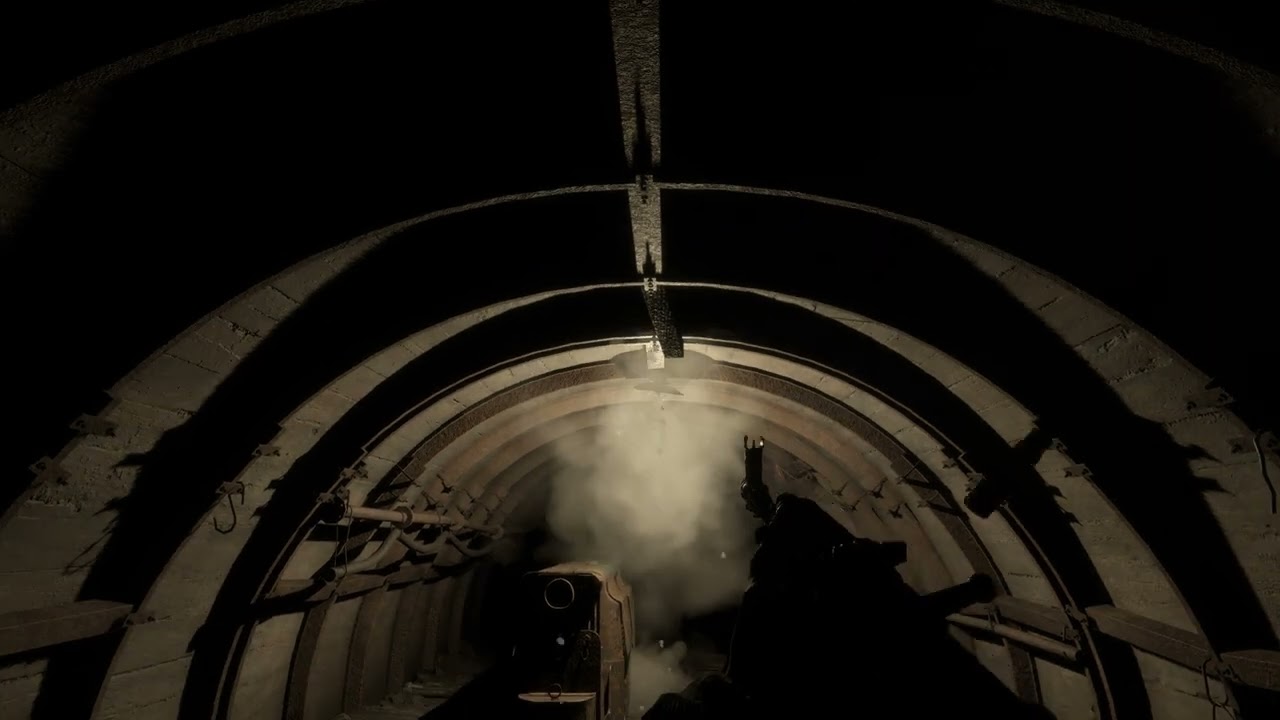
 dim knot
The industrial lamps used in the Kolguyev coal mine shafts uses a ParticleEffectEntity as it's light source, rather than a LightEntity used in regular streetlamps, etc.
It seems once the lamp has been destroyed the light source remains.
Is it possible to add a damage/destruction component to the ParticleEffectEntity in order to destroy it too? Or is there another way to delete the light source once the parent (lamp) has been destroyed?
 true bear
dim knot
The industrial lamps used in the Kolguyev coal mine shafts uses a ParticleEffect...
true bear
dim knot
The industrial lamps used in the Kolguyev coal mine shafts uses a ParticleEffect...
Is the particle slotted as a child?
I’ll likely look at this tonight
dim knot
true bear
I’ll likely look at this tonight
It is, however when you try and pass on damage via the parent it still doesn't work.🤷♂️
true bear
Just the light remains eh?
 small hinge
dim knot
https://youtu.be/R6CeCYGHbUg?si=RbUKm85JvM2bgFiL
small hinge
dim knot
https://youtu.be/R6CeCYGHbUg?si=RbUKm85JvM2bgFiL
I think the only way could be making the light directly a destructible entity so that it swaps completely the prefab with no light, I did that for my portal and worked. Obv is kinda a pain in the ass but at the end I think you will just duplicate them in the world editor and be fine with it.
 forest mesa
dim knot
The industrial lamps used in the Kolguyev coal mine shafts uses a ParticleEffect...
forest mesa
dim knot
The industrial lamps used in the Kolguyev coal mine shafts uses a ParticleEffect...
I did the same thing with particel effect to get color-changeing lights.
I simply added SCR_LampComponent and set there the according .ptc
I think the other things i added was only to make it switchable etc., as far as i remember it should work out of the box with only the lampcomponent. Ah, and yes, there is a SCR_DestructionMultiPhaseComponent, delete after final phase checked.
Works fine for me, i can change the light very easy to every color via .ptc (well and let it smooth change through the color range, which is pretty nice). If you shoot it, it gets destroyed, so working as intended.
Only thing a bit suboptimal is you have to be careful not to use it on thin walls etc. since sometimes (yeah, nice to fix.^^) it shines trough (would be glad to fix it, if somebody knows why this is happening?) .

 urban laurel
Has something changed with the lifetime of tracers in the latest experimental build?
Seems one of our weapons is having the visible tracer appear behind the gun now
 dusky hazel
the Operation Omega SP campaign trailer should have used more puddle effects with the rain hitting the ground, even if it only becomes an optional feature in the game
 wintry thistle
If i wanted to change the color of a base game particle, what would be the steps to do so? Ive been looking around in the editor and im a bit lost.
small hinge
wintry thistle
If i wanted to change the color of a base game particle, what would be the steps...
Duplicate/overwrite depending on what you want to do with the particle and in the editor at the bottom you should check for the color curves
wintry thistle
Cool cool ill take a look
wintry thistle
small hinge
Duplicate/overwrite depending on what you want to do with the particle and in t...
Havent been able to find that setting yet unless im blind
true bear
wintry thistle
If i wanted to change the color of a base game particle, what would be the steps...
Alter the Ematerials albedo colour on the particle class. Or within the lifetime/emitting time curves modify the colour within the Particle editor.
wintry thistle
Found it thanks yall
 native zealot
jovial owl
Flames burning you
native zealot
jovial owl
Flames burning you
I just made a (close enough) White Phosphorus particle and incendiary particle for a grenade mod and I used the Trigger entity from Bacon's GMFX mod for the damage. I couldn't figure out a way to do it myself so after days of trying I used GMFX as a dependency.
true bear
native zealot
I just made a (close enough) White Phosphorus particle and incendiary particle f...
How many particles does it emit at peak
native zealot
true bear
How many particles does it emit at peak
Until GMFX is updated I don't know. I know the original particle was bad for performance, I wanted to have the realistic "sprites" with the smoke trail so used another particle prefab to do so. It looked okay. (Image is one of the screenshots taken during my testing)
 native zealot
Got it loaded up, at peak the current particle was 158 "things". IDK if that's a lot or not.
true bear
158 is alright. Check out my smoke particle in Space Core for the Grenade launchers on our tanks you’ll like those same concept

 worn dragon
Thought I put the qeustion in here as well.
Im working on a new round for my gun it shoots quite few sub pellets I got that part all to work however the base warhead effect kinda breaks my performance.
I like the hit effecht on enemy and objects and like to keep it just not the smoke since with all extra pellets it fire its kinda overwelming.
silver schooner
How many pellets are there that it causes lag lol 500?
worn dragon
silver schooner
How many pellets are there that it causes lag lol 500?
turned out my pellets where hitting the barrel of the gun (:
silver schooner
classic
 minor kettle
Hey guys, its possible to make a particle not move ? like b eing static just there?
The particle im trying to edit has a 10s run time, is it possible to set it to 0 somehow? i just cant find where to do it
forest mesa
velocity 0?
minor kettle
I had set it to 0 but it still kept moving last night. Just now when i get on, its not moving.. i dont understand lol
Thanks tho
forest mesa
check settings for randomness and wind?
 rich compass
minor kettle
Hey guys, its possible to make a particle not move ? like b eing static just the...
rich compass
minor kettle
Hey guys, its possible to make a particle not move ? like b eing static just the...
Set everything to 0 unless it’s a prefab. If it is, set the velocity to 0 as well. Also, check if it’s attached to a parent or something, since it’s a prefab.
coral wave
Anyone else having crashes as soon as they open their particle effects in the editor or just opening the folder the particle effects are in? It keeps giving me this error:

I remade the particles from scratch and they were fine until I closed the tools and reopened them
 tawdry scaffold
 coral wave
tawdry scaffold
coral wave
tawdry scaffold
It's not out of bounds though, still sitting at 0,0,0
the only way I can fix this is if I create a new particle from scratch (doesn't have to be anything, just the default smoke) and save it and then I can open the other particles
true bear
coral wave
It's not out of bounds though, still sitting at 0,0,0
Your file is likely corrupted because the error is showing your particle quite literally showing at 2.09e+09 which is more than likely the issue with the entity transform. Unsure what you did but the system can’t manage the entity resulting in the crash

Having it be the same on every axis just kinda points at it even more. Realistically you can just copy your emitter and paste it into a new PTC
coral wave
true bear
Having it be the same on every axis just kinda points at it even more. Realistic...
I've remade these a few times. A fix for a bit is to create a blank particle effect and then it let's me continue to work on my old ones
Also, specifically started happening after this update
coral wave
Ill make a video of it tonight if I can
true bear
Is it possible we could please get a timeline slider for the particle editor to allow us to move between frames whilst viewing the animation?
north forum
true bear
Is it possible we could please get a timeline slider for the particle editor to ...
THey are not frame based like that, so most likely not
They are simulated
Maybe perhaps doing soemthing like the anim editor could work, where you can record the frames
 past iron
Has anyone managed a second exhaust emitter ? I was having a look and it seems that maybe I have to add a child prefab or something rather than a script to emit a second particle from the motorexhaistcomparrnent ?
native zealot
So, I'm working on a Bouncing Betty and I was wondering how I could offset an effect in the particle editor? I have the Betty's prefab spawn as an effect to mimic the bounce and I was wondering how I would get the other effects to trigger after the bounce effect.
true bear
native zealot
So, I'm working on a Bouncing Betty and I was wondering how I could offset an ef...
Use velocity/angle to spring it upward as you have an use restitution values on collision to control the “bounce/stickyness” of it
 trail nacelle
hello. how can i manipulate the shape of a particle [ smoke or something ] or create a particle to simulate a vapor cone? ive tried with little progress
 forest mesa
trail nacelle
hello. how can i manipulate the shape of a particle [ smoke or something ] or cr...
forest mesa
trail nacelle
hello. how can i manipulate the shape of a particle [ smoke or something ] or cr...
You could use vanilla assets and play with the angle the particles get spawned to get a cone - be mindful of how many you spawn though.
silver schooner
Particles are textures drawn on top of quads
For your use case I'd use a mesh with some funny alpha material, assuming devs fixed z-buffer issues with translucent materials
north forum
amber arrow
You can disable particle update in debug menu when effect is in right state
This functionality has been added to control particles with ease in cinematic editor as per@mint night request on https://feedback.bistudio.com/T196736
true bear
north forum
This functionality has been added to control particles with ease in cinematic ed...

 ornate parcel
How do I get my particle to not stick around for forever? When I edit the existing particles I dont have this issue, but when creating a fresh one from scratch I can't seem to get it to abide by the lifetime I set
It's two emitters, each with the same values.

(After the 30 second mark it's just the particle continuing to be displayed, nothing interesting happens)
ornate parcel
It was this being checked that did it 🥲
 dense flume
ornate parcel
(After the 30 second mark it's just the particle continuing to be displayed, not...
dense flume
ornate parcel
(After the 30 second mark it's just the particle continuing to be displayed, not...
sun in a briefcase 😭
dense flume
uncut lantern
Is an engine level mod like this possible? I see there's already support for cur...
looking back up and we need this BADLY
 dim meteor
I have the same question
 balmy mist
hello how am i able to add things like fog to a certain area on a custom map im creating , trying to get this to stay but when i hit play it dissapears
 forest mesa
fog currently is only global (you can only add ONE per map, if you have a subscene it will pull from original file as soon as you F5), so you would have to do it either per particle or script.
also i think it needs to be in the default layer
balmy mist
forest mesa
fog currently is only global (you can only add ONE per map, if you have a subsce...
Yes it does I just figured it out ,it would be awesome if you could place it like an entity
 median thistle
dense flume
mmm yum
median thistle
dense flume
mmm yum
Is this a thing?
median thistle
Very nice
 wide echo
Hello guys , when i put to zero the air resistance and wind influence, my smoke is still influenced by the wind on the world , what am i doing wrong ?
 past iron
you want all emitters to be like this ot just the one highlighted ? Smoke Main ?
maybe all emitters need the setting seperately
native zealot
balmy mist
hello how am i able to add things like fog to a certain area on a custom map im ...
Look at how BI does the steam at the hot springs on Koleyguv, or Cain in tools.
balmy mist
native zealot
Look at how BI does the steam at the hot springs on Koleyguv, or Cain in tools.
I figured it out already my g , u can use different particles, hot spring steam and such 👌🏾 appreciate you tho g
wintry thistle
Is there a method of importing custom particles?
silver schooner
You can import textures. You make particle systems in the particle editor.
wintry thistle
silver schooner
You can import textures. You make particle systems in the particle editor.
Same way I would import a mesh?
 spiral dragon
does anyone know if you can have more dynamic explosion effects? for example more explosives = bigger explosions
and it not being tied to the specific explosive
true bear
spiral dragon
does anyone know if you can have more dynamic explosion effects? for example mor...
Elaborate a little further.
spiral dragon
true bear
Elaborate a little further.
best way id explain it is like in squad, 1 tnt block = small explosion, 10 = medium, 50= sizeable explosion
true bear
Like a compacted explosion all together for particles? Hmm you could see how the logi trucks handle the explosion effect or perhaps you may have to script something.
spiral dragon
true bear
Like a compacted explosion all together for particles? Hmm you could see how the...
logi trucks have a seperate explosion i believe for each stage of fullness iirc
not opposed to scripting but i am worried of engine limitations lol
 coarse helm
spiral dragon
logi trucks have a seperate explosion i believe for each stage of fullness iirc
coarse helm
spiral dragon
logi trucks have a seperate explosion i believe for each stage of fullness iirc
The fuel depots had it in 1.4, but it looks like BI disabled the destruction component in WB. Not sure if all three containers still blow up or what they went off of but there's probably something in there you can check out -- likewise for the fuel trucks.
spiral dragon
coarse helm
The fuel depots had it in 1.4, but it looks like BI disabled the destruction com...
once i get around to it i will report my findings
 sly quarry
Im basicaly zero on particles, but i want recreate something as huge forest fire, maybe someone saw good prefabs/particles for that
native zealot
native zealot
So, I'm working on a Bouncing Betty and I was wondering how I could offset an ef...
I just figured out a way to do this using Bratemast while making a molotov.
native zealot
I am working on a APERS Mine, modeled after the widely known Bouncing Betty, I used the M14 ptc as a base and I was wondering what are the trigger emitters and what do they do?
median thistle
native zealot
I am working on a APERS Mine, modeled after the widely known Bouncing Betty, I u...
Wow this looks great!!
If I’m not mistaken CollisionTriggerComponent (pressure), then the ejected sub-projectile you spawn from it gets either a TimerTriggerComponent (fixed delay after ejection)
 tough cypress
I'm new to particles, but either blind or doing something stupid... Trying to edit a smoke emitter, but can't seem to change the color. Looking at the .ptc file.
Under 'Particle Lifetime', clicking on 'color' has no effect (doesn't bring up a picker). I can hit 'reset' which takes it to black, but nothing else. Under 'Emitting Time', Color Mast is white, and similarly unresponsive to clicks.
 native zealot
tough cypress
I'm new to particles, but either blind or doing something stupid... Trying to e...
native zealot
tough cypress
I'm new to particles, but either blind or doing something stupid... Trying to e...
Look here to change the color of things in the particle editor.
 sharp trellis
is there a way to get particles to rotate around the center instead of themselves? Bascially need a particle to travel in a revolving circle
true bear
sharp trellis
is there a way to get particles to rotate around the center instead of themselve...
3D particles
Just get a particle effect entity turn it into a prefab and use it as 3D
You’ll have to have 2 versions of it one that’s static one that’s on the required axis
sharp trellis
true bear
Just get a particle effect entity turn it into a prefab and use it as 3D
Ended up just making particle a prefab and created an animation in blender to move it around how I wanted. Is that what you meant or is there a better way to do it?
sharp trellis
tough cypress
I'm new to particles, but either blind or doing something stupid... Trying to e...
If you are using a standard 2d particle then duplicating the material and change the color in the actual emat file is a lot easier than using particle editor to do it imo. You can open the emat file in its own window and have it open while looking at particle editor to see the changes live if you don’t want to use two monitors
true bear
sharp trellis
Ended up just making particle a prefab and created an animation in blender to mo...
You can use the 3D particles in particle editor to move them
It uses a prefab instead of texture.
And then that prefab you use can be a particle
sharp trellis
ohhhhhhhh ok I see what you're saying
true bear
I mean using animation player is one thing but if it’s a simple animation like rotating it can be done through ptc
 dreamy sinew
How can I make the particle static after a while? like 10 or 20 sec later
 tranquil geode
can someone help me start somewhere with my mod?
i am trying to add cloth physics to clothing items that changes based on wind
is this the right channel?
 half minnow
tranquil geode
i am trying to add cloth physics to clothing items that changes based on wind
half minnow
tranquil geode
i am trying to add cloth physics to clothing items that changes based on wind
It’s the wrong channel, but I’m not entirely sure this would be possible anyways. Someone more knowledgeable could comment, but I think trying so would be going down a rabbit hole to nothing.
Right channel would probably be more so #enfusion_model or #enfusion_physics , even
tranquil geode
half minnow
It’s the wrong channel, but I’m not entirely sure this would be possible anyways...
it is possible
but thank you for your help
half minnow
No problem, good luck in your journey 
tranquil geode
i will make them
hazy lynx
You'll fake them, not make them.
hazy lynx
It's gonna take longer than that.
tranquil geode
so be it
hazy lynx
The engine doesn't support soft body physics.
hazy lynx
I hate to say you're wrong but, you're wrong .
The only thing you can do is create fake cloth physics
Which will be unoptimized and expensive.
Unless you do animations.
tranquil geode
i hate to say that I cant stop at this point
tranquil geode
hazy lynx
Unless you do animations.
it might be this
tranquil geode
hazy lynx
The only thing you can do is create fake cloth physics
or this
or true cloth physics
regardless i will learn this engine
and implement it
hazy lynx
You're not going to create real cloth physics. Sorry to burst your bubble. But good luck.
tranquil geode
thank you for the luck and dont apologize you have not bursted my bubble
 hidden tapir
tranquil geode
i am trying to add cloth physics to clothing items that changes based on wind
hidden tapir
tranquil geode
i am trying to add cloth physics to clothing items that changes based on wind
Possible it cooooould be if you use the PBRTreeMat.. it reacts to wind values.. but if it will look like you want to have it is the other thing 
past iron
You maybe able to use that treemat data and use baseanimcomponent for a pseudo cloth script
In combination with some spine like anims agr in the way vehicle spine react to speed
hazy lynx
hidden tapir
Possible it cooooould be if you use the PBRTreeMat.. it reacts to wind values.. ...
Causes crash lol
hidden tapir
hazy lynx
Causes crash lol
You tried it?
hazy lynx
Of course
hidden tapir
Hahaha nice 😂😂 okey then i got no solution so far.. only thing would work a new type of shader 🤔
hazy lynx
We can't do custom shaders
hidden tapir
I know 
sharp trellis
Just make every triangle its own dynamic physics object. A single cloth will only cost 99% of your FPS🤣
silver schooner
I tried putting a ragdoll entity as a child of a character to have a moving cape but it just instantly crashed
 lilac oriole
How do i change the color of the particles? I've overidden a particle system in my mod, but clicking on the color box does nothing. Do i have to edit it manually?
hidden tapir
lilac oriole
How do i change the color of the particles? I've overidden a particle system in ...
Particles have textures, you need to change the color of the texture. But in the particle effect you also need to select your texture
lilac oriole
native zealot
Look here to change the color of things in the particle editor.
OH MY GOSH
thank you so much!!!!
I was editing the file by opening it in visual studio
and just changing the numbers
 noble copper
@obsidian garnet - Notice the console optmization and we had been looking at doing somthing similar. Does your addon detect and only apply the changes to the console users locallly?
native zealot
Is there a way to make the blue ground square larger? I tried using a flat plane model with a terrain collider but it didn't really work.
 high kestrel
Why are particles not displayed behind glass 😢 my dreams for a shockwave effect are ruined
@silver schooner have you ever found a solution for this? I see you attempted this as well
silver schooner
No, I don't work for Bohemia so I am not able to fix bugs in the game engine
 obsidian garnet
noble copper
<@705057662928158732> - Notice the console optmization and we had been looking a...
obsidian garnet
noble copper
<@705057662928158732> - Notice the console optmization and we had been looking a...
hi, sorry for slow reply, so currently the mod reduces vanilla particle effects globally for all users, i am currently making a compatability mod that detects all third party particles and effects and reduces them all for all users, irrespective of platform. So although labelled as a console optimiser, it acts more of a global performance optimiser. more updates coming. stay tuned! i may look at making a section in enfuzion showase so you can more easily track progress
obsidian garnet
noble copper
<@705057662928158732> - Notice the console optmization and we had been looking a...
https://discord.com/channels/105462288051380224/1502963717359276092 for any discussion related to the mods 🫡
 sage sleet
third time lol
sage sleet
obsidian garnet
sage sleet
the destroyer of consoles
sage sleet
only fires once. witha hundred or so ptc that disappear quickly
 vestal trout
sage sleet
vestal trout
sage sleet
Reminds me of the combine
urban laurel
sage sleet
Hammer Of Dawn mod wen
 topaz solar
hi! can i somehow attach this "hot" effect to vehicle? so it wont stay in air when lav will drive
 mental path
Curious if anyone in this channel knows how to make a convincing waterfall. I've only seen one in game before and it was pretty good but I couldn't replicate it myself.
 arctic wave
mental path
Curious if anyone in this channel knows how to make a convincing waterfall. I've...
arctic wave
mental path
Curious if anyone in this channel knows how to make a convincing waterfall. I've...
Custom falling water plane w/ stream material?
silver schooner
Probably a combination of particles and scrolling texture on a mesh
 chrome pagoda
mental path
Curious if anyone in this channel knows how to make a convincing waterfall. I've...
chrome pagoda
mental path
Curious if anyone in this channel knows how to make a convincing waterfall. I've...
#enfusion_terrain is a better place to ask for terrain related particles. Lots of wizards

Check out this document for additional FAQ. Credit goes to its original author.
https://docs.google.com/document/d/1viZSm7OquK8vhahskP0Bthy9uQufmz2PA01g1SHzFd0/edit?tab=t.0
Tutorial published by ARMA Developers
Arma Reforger Modding Boot Camp #11 - Environmental Design
https://www.youtube.com/watch?v=xhi2_A1zXHo
ARMA Reforger Workbench Terr...
 spare tiger
arctic wave
Custom falling water plane w/ stream material?
spare tiger
arctic wave
Custom falling water plane w/ stream material?
One of the EOH maps has a pretty convincing waterfall. Can always check to see how they did it
Wrong user..Sorry. @mental path
arctic wave
All good
amber arrow
Is there a way to bind hit particles not to a specific weapon, but to all at once?
i want to make mod like "better hit effects"
 lofty sundial
amber arrow
Is there a way to bind hit particles not to a specific weapon, but to all at onc...
lofty sundial
amber arrow
Is there a way to bind hit particles not to a specific weapon, but to all at onc...
Check the prefabs the weapons are using, that should point you in the right direction.
amber arrow
lofty sundial
Check the prefabs the weapons are using, that should point you in the right dire...
i found only muzzle flash and smoke component,i need hit particles effects, like when bullet hit concrete
lofty sundial
amber arrow
i found only muzzle flash and smoke component,i need hit particles effects, like...
Hmm, @warped oriole?
But I believe these should work in a similar manner, try searching for hitEffect on projectile prefabs 🤔
 warped oriole
Gamematerials have those hit particles assigned to it
amber arrow
warped oriole
Gamematerials have those hit particles assigned to it
yea, i found .ptc files. But i need to replace them with my own .ptc files
and do they work with any weapon
https://steamcommunity.com/sharedfiles/filedetails/?id=2190826124 i want to make similar mod for new arma
 warped oriole
If you search for e.g. concrete.gamemat, it has Particle Effect param, that's the one.
amber arrow
warped oriole
If you search for e.g. concrete.gamemat, it has Particle Effect param, that's th...
Found it, but how i can replace them with my .ptc?
warped oriole
You have to overwrite that in your mod
amber arrow
warped oriole
You have to overwrite that in your mod
just name my .ptc files the same as the original ones?
amber arrow
warped oriole
You have to overwrite that in your mod
How to overwrite that?
warped oriole
Don't ping me, please.
amber arrow
ok
amber arrow
https://imgur.com/a/3gLL1Ka is that what i need?
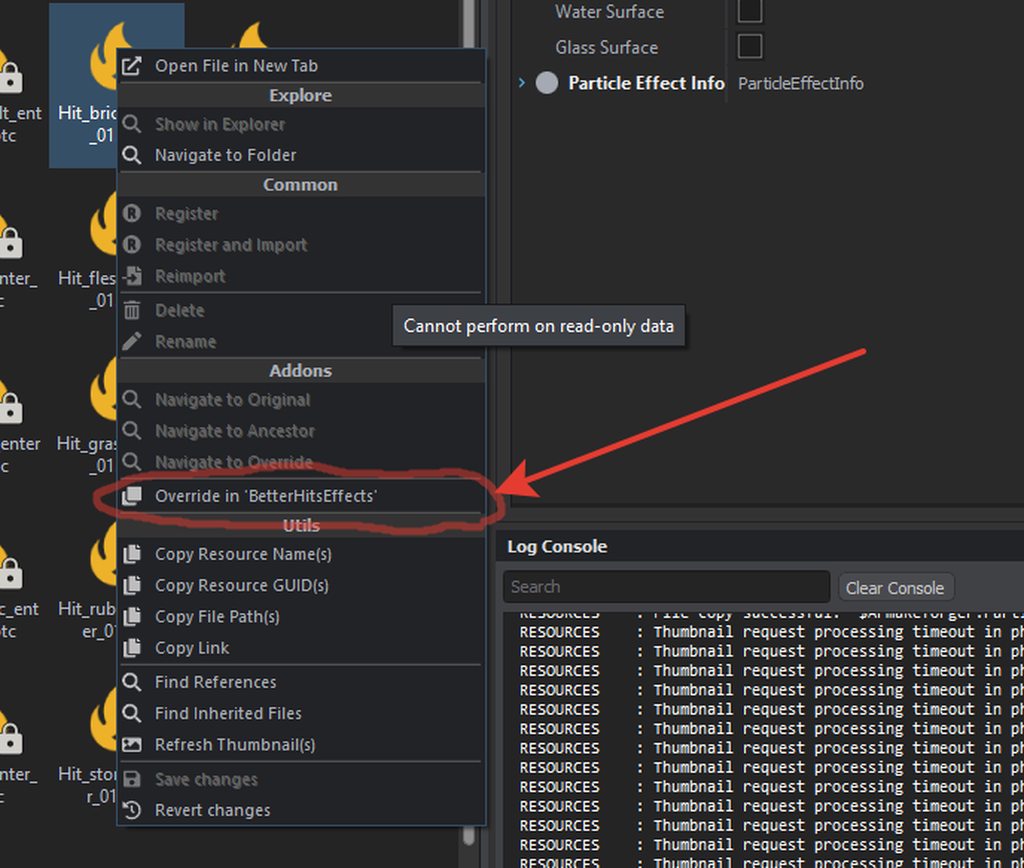 amber arrow
YEEEEEES I FOUND WAY TO DID IT
 eternal path
Real question for yall, with this new engine when helicopters comes out (eventually) do any of yall think you can add the Kopp Etchells Effect on rotors when landing in a dusty environment?
https://external-preview.redd.it/3QKlTre4ZJKyZoprC61w40AgctzuQnehrkFfDfWTzJ4.jpg?auto=webp&s=98a56acc1f096b6eed5ccda65013325310b96e71
 amber arrow
BetterHitsEffects mod finally done, check it out
 raw jay
amber arrow
BetterHitsEffects mod finally done, check it out
raw jay
amber arrow
BetterHitsEffects mod finally done, check it out
Haha it won't be long until we have blastcore
 sudden tartan
ive been using BetterHitsEffects mod, i like it
did it get updated?
its not as good as Extreme particle settings in Squad, but its better than the default A:R particle effects
 crimson oak
Would explosions like this be possible in enfusion?
Reference: https://www.youtube.com/watch?v=993wlZ6XFSs
Imagine seeing something like that at night time.. at the enemy base. Turning around to your pals and saying "I think... we gottem"
 runic minnow
crimson oak
Would explosions like this be possible in enfusion?
Reference: <https://www.yo...
runic minnow
crimson oak
Would explosions like this be possible in enfusion?
Reference: <https://www.yo...
If you spend enough time on your particle effects, yes
 alpine tide
So far best explosions and effects are in squad imo. If we will have something similar it would be neat. Current visual effects in AR is very basic. I hope this engine will surprise us all and show next level of visual effects. Looking forward.
 viscid nymph
Dose anyone know if your able to connect a light to a particle
amber arrow
crimson oak
Would explosions like this be possible in enfusion?
Reference: <https://www.yo...
Yes i think, but we dont have such powerful explosives yet
amber arrow
sudden tartan
did it get updated?
ye, u can see all updates in mod page in workshop
I am planning to add hit effects which depends on the caliber of weapon, like 14,5x114 have same effect like 9x18, is there a way to did it?
sudden tartan
imo the best looking explosions in videogames right now is in Squad, they got really impressive columns of smoke coming up wherever artillery hits, and the sparkles of shrapnel getting heating looks amazing
hopefully with modding arma refooreger can surpass that

Squad gameplay
Showing off the amazing FX!
System
FX8350
RX480 (4gb)
MSI Gaming 970 mobo
16gb RAM
amber arrow
i will try to do same effect
i will try to do shrapnel effect (only visual) for grenades
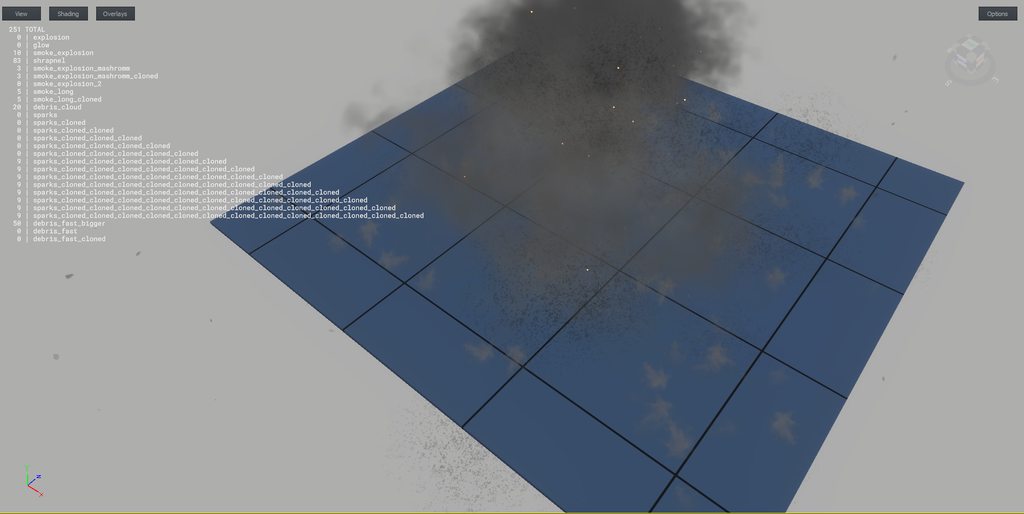
shrapnel effect for rpg
does anyone know how can i open small world from sample mod? I'm tired of waiting five minutes for the loading to see what my particles look like in the game
amber arrow
maybe there are users of my mod here, why such a low rating? Is there a problem with the mod?
 crimson oak
If someone could make those mortar FX that would be epic
amber arrow
If some one wants to work with me, dm me
alpine tide
amber arrow
maybe there are users of my mod here, why such a low rating? Is there a problem ...
Flash itself looks good, but I not a fan of sparks
amber arrow
alpine tide
Flash itself looks good, but I not a fan of sparks
ok, i will make them less visible
done
 gritty iris
amber arrow
does anyone know how can i open small world from sample mod? I'm tired of waitin...
gritty iris
amber arrow
does anyone know how can i open small world from sample mod? I'm tired of waitin...
 amber arrow
yes, i know about this map, but i need map with diff materials and buildings to see patricles for concrete, brick and others
 paper frost
only one way, is to make your own small map with different terrain painted on it
no need to add trees or buildings, just 4 squares of different terrains type
amber arrow
thank you
i will try to do something like this https://youtu.be/dXi7orrbOb4
Original: https://twitter.com/AfterconflictLW/status/1446161146306772992
In another blatant display of a lack of range safety, we have a new preview for you!
Sometimes when hitting a hard surface, tracers don't penetrate, ricochet, or shatter, they instead "bounce", usually then burning on the floor.
Whaddya think?
#GameDev #IndieGame #ColdW...
alpine tide
amber arrow
i will try to do something like this https://youtu.be/dXi7orrbOb4
Would be neat
 charred tree
sudden tartan
imo the best looking explosions in videogames right now is in Squad, they got re...
charred tree
sudden tartan
imo the best looking explosions in videogames right now is in Squad, they got re...
yeah, particles in squad are really impressive
amber arrow
a big update for BetterHitsEffects has been released, check it
https://youtu.be/JeYm_qiYSd4 Concrete hits effect
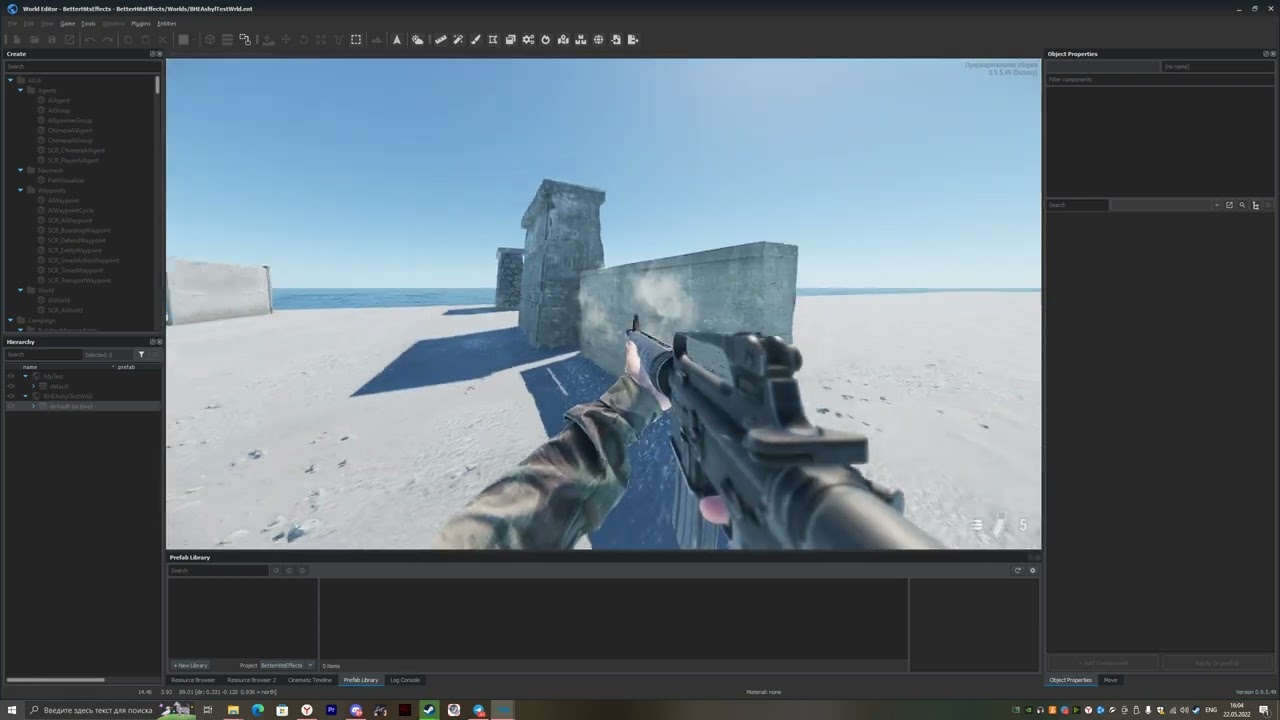 amber arrow
https://youtu.be/lelDYFqvaGs Explosion and physical debris
 amber arrow
I need feedback about betterhitseffects, so, please, leave your opinion and suggestions here
 supple radish
amber arrow
I need feedback about betterhitseffects, so, please, leave your opinion and sugg...
supple radish
amber arrow
I need feedback about betterhitseffects, so, please, leave your opinion and sugg...
This is amazing so far! Rpg might be cooler if it had a more noticable flash? Other than that I think more variety is the only thing that can be improved.
amber arrow
supple radish
This is amazing so far! Rpg might be cooler if it had a more noticable flash? Ot...
Thank you! I will do that
 stark crane
A thing that GTA V does when there's a lot of gunfire or impacts in an area, a cloud forms around the location
So I recommend making the particles like 3-5x larger and see about creating a big dust cloud if you shoot up an area
Same with the smoke cloud if there's a lot of gunfire
@amber arrow
amber arrow
stark crane
A thing that GTA V does when there's a lot of gunfire or impacts in an area, a c...
yes, this effect is already included in the mod, each hit has an almost transparent large cloud of dust
stark crane
In that case I'd just increase the dust cloud size
amber arrow
Ok, i will do that in next update
stark crane

To find out if our concrete walls are bullet proof, we produced 2' x 2' sections of our most common panels (10" insulated and 5.5" solid) and fired four different rounds at them. The calibers chosen were 6.5-284 Norma, .340 Weatherby, .416 Rigby and 5.56 NATO AP (Armour Piercing).
Look how big that cloud is and consider how windy it is in that video
amber arrow
yea, i will use this reference
stark crane

Dame goes to Barstow to shoot guns with his cousins.
Here's more refs if you're interested
Primarily at 11:11
Idk if infusion is capable of going that far, but it would be cool to try
At some point it looks like a smoke grenade lmao
amber arrow
stark crane
Primarily at 11:11
yes, thank you
alpine tide
https://youtu.be/7VeqqNuQU_4
Different calibres and different walls

Special “Thanks” to all our Patrons, whos financial support was used to build these walls and purchase expendables and ballistic gel for this video.
One of our favorite videos (and most commented) was Karl’s “Best Weapon for Home Defense.” Who would have figured that Karl would pick a rifle? Go Figure. Many of the controversial comments we...
gritty iris
Squad has the most realistic weapon effects ive seen in a game. They would be great to use as a reference.
 onyx pond
Shooting sand should kick it up like smoke kinda
 ornate saddle
cross post from scripting: any ideas on how to get smoke particles emitting between two points in a straight line? Would like to do a steam catapult like effect like on a3 Nimitz - needs to be scripted
ornate saddle
is the class the right path? SCR_ParticleEmitter
sudden tartan
amber arrow
https://youtu.be/lelDYFqvaGs Explosion and physical debris
is this the current version?
because it looks nothing like this for me in-game, which makes me think the automatic update in the workshop is doing something wrong
alpine tide
sudden tartan
because it looks nothing like this for me in-game, which makes me think the auto...
I assume it's old version in video
amber arrow
sudden tartan
is this the current version?
2.0.0 is current version
amber arrow
sudden tartan
because it looks nothing like this for me in-game, which makes me think the auto...
https://www.youtube.com/watch?v=o2fdcQqh-vY i just recorded it, it works for me
 alpine tide
amber arrow
https://www.youtube.com/watch?v=o2fdcQqh-vY i just recorded it, it works for me
alpine tide
amber arrow
https://www.youtube.com/watch?v=o2fdcQqh-vY i just recorded it, it works for me
Frag grenade explosions are really good. Maybe a bit bigger than irl, but still good.
IMO lifespan of sparks are too long. Maybe glow should go off before sparks starting to fall down. Also sparks glow too bright.
amber arrow
alpine tide
IMO lifespan of sparks are too long. Maybe glow should go off before sparks star...
i will do that
alpine tide
Tested a bit mote. Sparks are to bright only at close range. At long distance they are fine.
crimson oak
I bet it looks good at night
 raw zephyr
Yo
supple radish
amber arrow
https://www.youtube.com/watch?v=o2fdcQqh-vY i just recorded it, it works for me
Amazing as always, some very nit-picky feedback; frag grenades cloud of smoke could use a little longer duration? And grenade launcher isn't quite as good as frag, again this is very picky. (As late said sparks last a little long.)
amber arrow
supple radish
Amazing as always, some very nit-picky feedback; frag grenades cloud of smoke co...
Thank you, working on that
raw zephyr
Someone make blastcore please
 prisma monolith
raw zephyr
Someone make blastcore please
prisma monolith
raw zephyr
Someone make blastcore please
this not a request thread mind you
raw zephyr
prisma monolith
this not a request thread mind you
I am aware lol i just saw the video above
supple radish
amber arrow
Thank you, working on that
Just remembered, is it possible for the grenade fragmentation effects to have varying sizes and amounts?
amber arrow
supple radish
Just remembered, is it possible for the grenade fragmentation effects to have va...
Yes
amber arrow
Does anybody know how to increase the lifetime of decals?
 pallid topaz
What’s the easiest way to see a particle in world editor? Make a prefab out of the .ptc file?
amber arrow
pallid topaz
What’s the easiest way to see a particle in world editor? Make a prefab out of t...
This is my test world for particles
 inland wind
Has anyone made a flare yet?
I'm absolutely clueless about how to set up lights in this engine 😄
 autumn sigil
So im finally getting a different error for my tasks when JIP, im now getting this FrameCorruption and RplCorruptionError. The result being I spawn in the ocean with the faction screen flickering in and out.

Anyone knows what those mean, im guessing its to do with my taskData
lofty sundial
autumn sigil
So im finally getting a different error for my tasks when JIP, im now getting th...
taskData is an instance of custom class? It needs to have codec defined, I know I wrote one for class SCR_GameModeEndData, check that for reference
autumn sigil
ahh I think I see what you mean, the Encode and Decode functions?
lofty sundial
autumn sigil
ahh I think I see what you mean, the Encode and Decode functions?
Encode, Decode, Extract, Inject.. There is plenty of them
lofty sundial
autumn sigil
ahh I think I see what you mean, the Encode and Decode functions?
/*
class CustomClass
{
    //! From snapshot to packet.
    static void Encode(SSnapSerializerBase snapshot, ScriptCtx ctx, ScriptBitSerializer packet);

    //! From packet to snapshot.
    static bool Decode(ScriptBitSerializer packet, ScriptCtx ctx, SSnapSerializerBase snapshot);

    //! Snapshot to snapshot comparison.
    static bool SnapCompare(SSnapSerializerBase lhs, SSnapSerializerBase rhs, ScriptCtx ctx);

    //! Property mem to snapshot comparison.
    static bool PropCompare(RplTestPropType prop, SSnapSerializerBase snapshot, ScriptCtx ctx);

    //! Property mem to snapshot extraction.
    static bool Extract(RplTestPropType prop, ScriptCtx ctx, SSnapSerializerBase snapshot);

    //! Snapshot to property memory injection.
    static bool Inject(SSnapSerializerBase snapshot, ScriptCtx ctx, RplTestPropType prop);
}
*/```

From `EnNetwork.c`So I have implemeted the codec methods, like done in the ElminateTask in the coop sample but am still getting that RPLCourruptionError. Using this code ``` static override void Encode(SSnapSerializerBase snapshot, ScriptCtx ctx, ScriptBitSerializer packet)
{
snapshot.Serialize(packet, GetDataSize());
}
static override bool Decode(ScriptBitSerializer packet, ScriptCtx ctx, SSnapSerializerBase snapshot)
{
    return snapshot.Serialize(packet, GetDataSize());
}

static override bool SnapCompare(SSnapSerializerBase lhs, SSnapSerializerBase rhs, ScriptCtx ctx)
{
    return lhs.CompareSnapshots(rhs, GetDataSize());
}

static bool PropCompare(SCR_GOLKillTaskData prop, SSnapSerializerBase snapshot, ScriptCtx ctx)
{
    return snapshot.Compare(prop.m_TargetEntityRplID, 4);
}

static bool Extract(SCR_GOLKillTaskData prop, ScriptCtx ctx, SSnapSerializerBase snapshot)
{
    snapshot.SerializeBytes(prop.m_TargetEntityRplID, 4);

    return true;
}

static bool Inject(SSnapSerializerBase snapshot, ScriptCtx ctx, SCR_GOLKillTaskData prop)
{
    snapshot.SerializeBytes(prop.m_TargetEntityRplID, 4);

    return true;
}```
oops, just realised this isnt the scripting channel
 empty bison
Hey @tidal leaf did you know how can i make and effect in the camera of the player ?
 tidal leaf
empty bison
Hey <@136967405766180864> did you know how can i make and effect in the camera o...
tidal leaf
empty bison
Hey <@136967405766180864> did you know how can i make and effect in the camera o...
sorry not really my cup of tea, what effect do you have in mind?
empty bison
tidal leaf
sorry not really my cup of tea, what effect do you have in mind?
night vision ? 😄
i've see we can setup post effect materials but I don't know which one to take and how can i apply this to the main camera
tidal leaf
I guess that would need a new post process shader, but as far as I know we don't allow to do so...
empty bison
tidal leaf
I guess that would need a new post process shader, but as far as I know we don't...
internal reason or cause its not possible ?
tidal leaf
don't really know what the reason is
empty bison
tidal leaf
don't really know what the reason is
ok thanks 😉
amber arrow
empty bison
i've see we can setup post effect materials but I don't know which one to take a...
https://goo.su/EPSkF here is instruction
fuxk
empty bison
...
 tribal mantle
LMAO
alpine tide
I think it's great 👍🏻
amber arrow
 amber arrow
Is it https://www.youtube.com/watch?v=XB7Ob7I0KWw better than it
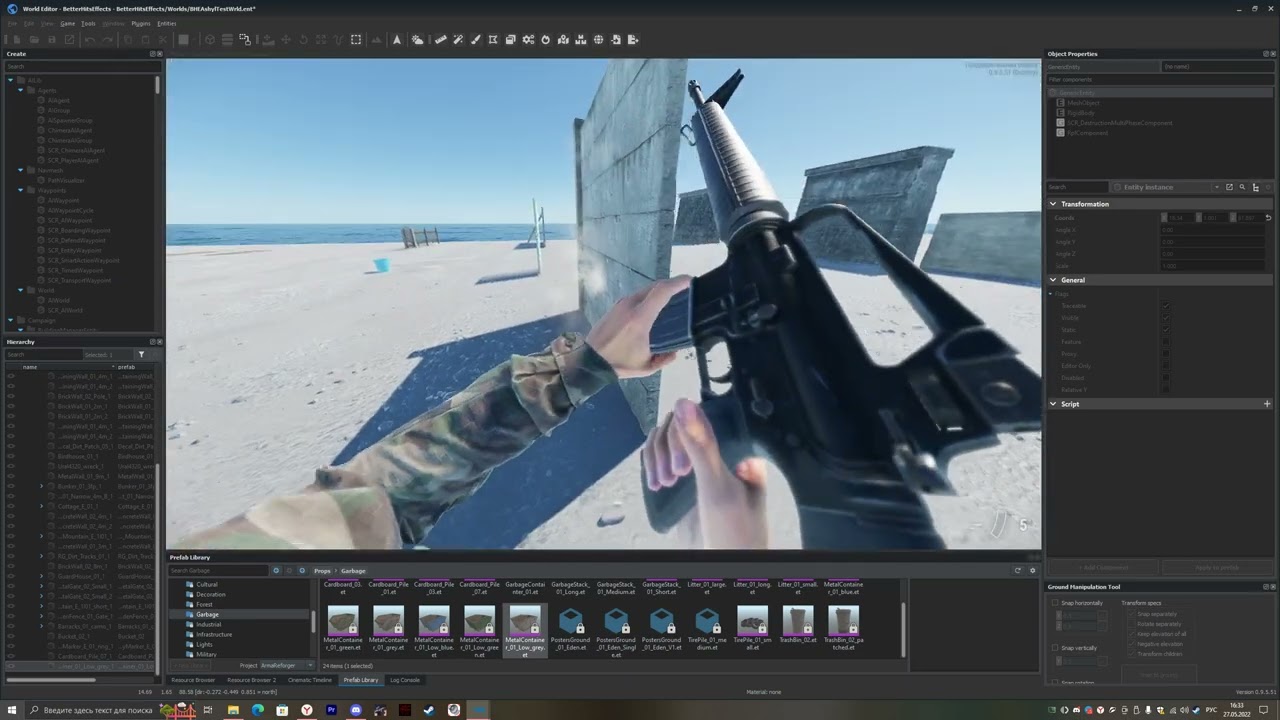


 queen totem
amber arrow
queen totem
amber arrow
shouldnt the amount of sparks depend on the hardness of the target? Very hard target and soft projectile -> lot of sparks. Thin and/or soft metal target -> no spark at all, projectile just goes through
amber arrow
queen totem
shouldnt the amount of sparks depend on the hardness of the target? Very hard ta...
It is real to make in Enfusion, but it will be a lot of work
queen totem
in A3 we had impact sound and stuff defined for different materials, per bullet. So author of building/object defines hard/thick material etc. And bullet chooses based on impact material type the type of impact effect (soft bullet -> sparks for most metals; AP bullet -> sparks for hard/thick metals )
amber arrow
queen totem
in A3 we had impact sound and stuff defined for different materials, per bullet....
Yea, i know about that, but in reforger there are only 1 material for each type, like 1 type of concrete, metal and others
queen totem
oof ok...
queen totem
its just 5-7mm thick
amber arrow
amber arrow
btr can be penetrated from the M60
and cant be penetrated from the PKM as i remember, but pkm has 7,62x54 instead 7,62x51
queen totem
could it be checked if projectile "dies" on the impact or not? Imagine having 30 Metal "plates" of 0.05mm thickness arranged behind eachother. If it was like your current effect, all of them would display the sparks impact (lag?)
 fathom jackal
amber arrow
and cant be penetrated from the PKM as i remember, but pkm has 7,62x54 instead ...
fathom jackal
amber arrow
and cant be penetrated from the PKM as i remember, but pkm has 7,62x54 instead ...
bigger bullets travel slower (not in every case), speed is the key to beating armor. M60 m-velocity is 853m/s, PKM m-velocity is 825 m/s. idk if that's enough of a difference but it would make since.
amber arrow
queen totem
could it be checked if projectile "dies" on the impact or not? Imagine having 3...
im trying to make an explosion decal now, but i dont know how

Does anyone knows how to place decals?
on trigger
what is "hierargy" component

Hierarchy?
raw zephyr
If you want to make a scripted decal, you can call World.CreateDecal()
@amber arrow
look up the documentation on that function by going to its declaration
it accepts a resource name of the material
/*!
    Creates single visual mark, e.g. from shots, version with projection vector and angle
    //when lifetime=0, pointer to decal is returned, that can be removed by RemoveDecal then
    \param entity                entity where the Track should be created
    \param origin                first point of the decal, nothing is done now
    \param project            projection direction (length is far clipping distance)
    \param nearclip            near clipping distance
    \param farclip            far clipping distance
    \param materialName Material used for decal
    \param size                 size of decal
    \param stretch             stretch of decal
    \param lifetime            Lifetime in seconds, if created with zero or negative value it's used as static and the pointer to decal is returned
    \param color                color of decal
    \return Decal pointer for static decals or null if the decal is dynamic or wasn't created for some reason (invalid material, NoDecal flag, ...)
    */
    proto external Decal CreateDecal(notnull IEntity entity, vector origin, vector project, float nearclip, float farclip, float angle, float size, float stretch, string materialName, float lifetime, int color);
here's a snippet of how I create a blood decal in BloodLust2:
auto surfaceTraceParam = BL_Utilities.GetSurfaceIntersection(
            _owner,
            _world,
            hitPosition,
            hitDirection,
            BL_Constants.SURFACE_SPLATTER_INTERSECTION_DISTANCE,
            intersectionPosition
        );
        if (surfaceTraceParam.TraceEnt) // spawn splatter on surface
        {
            _world.CreateDecal(
                surfaceTraceParam.TraceEnt,
                intersectionPosition - hitDirection * (BL_Constants.DECAL_FAR_PLANE / 4),
                hitDirection,
                0,
                BL_Constants.DECAL_FAR_PLANE,
                Math.RandomFloat(0, 360) * Math.DEG2RAD,
                Math.RandomFloat(MIN_DECAL_SIZE, MAX_DECAL_SIZE),
                1,
                GetRandomSplatterMaterialPath(),
                BL_Constants.DECAL_LIFETIME_SECS,
                materialColor
            );
        }
    static TraceParam GetSurfaceIntersection(
        IEntity owner,
        World world,
        vector origin,
        vector direction,
        float distance,
        out vector intersectionPosition
    )
    {
        auto param = new TraceParam();
          param.Start = origin;
          param.End = origin + direction * distance;
          param.Flags = TraceFlags.WORLD | TraceFlags.ENTS;
          param.Exclude = owner;
        float intersectionDistance = world.TraceMove(param, NULL) * distance;
        intersectionPosition = origin + (direction * intersectionDistance);
        return param;
    }
hope that helps
amber arrow
Thank you!
amber arrow

List of mods:
BetterHitsEffects
BetterTracers
BetterMuzzleFlashes
BetterRecoil
War Tapes
All mods can be found in Workshop
stark crane
amber arrow
sand
Looking pretty good but the dust cloud should stay in the air for longer
Lifetime should be like 10-15 seconds
I actually played around with one of your particles and got this
Doesnt exactly look like a dustcloud but it does stay in the air for a good amount of time
silver schooner
are the particle systems gpu driven?
 mint ruin
silver schooner
are the particle systems gpu driven?
mint ruin
silver schooner
are the particle systems gpu driven?
Individual particles yes, but emitters no, AFAIK
silver schooner
is there wiki info on what is an individual particle?
also, any plans on making emitters gpu driven?
silver schooner
btw I noticed alpha blending looks better when particle tex is imported as sRGB instead of linear, does this have any repercussions?
amber arrow
stark crane
Looking pretty good but the dust cloud should stay in the air for longer
I will do that in next update
amber arrow
alpine tide
amber arrow
I think we need better "better ost" mod )
gritty iris
stark crane
Looking pretty good but the dust cloud should stay in the air for longer
I mean if you are going for realism when shooting sandbags you dont see any dust what so ever.
 stark crane
gritty iris
I mean if you are going for realism when shooting sandbags you dont see any dust...
stark crane
gritty iris
I mean if you are going for realism when shooting sandbags you dont see any dust...
This wasn't intended to be a sandbag impact
amber arrow
First try to do shock wawe
amber arrow
Wich one is better?
is there any ways to make shrapnel hit effect like this when shell explode on a wall? Like attache these particles to terrain

 fathom jackal
3 I think
 winged lintel
They all look really good tbh 🥺
silver schooner
if you're working with a shockwave have you tried a transparent particle with a radial gradient as a normal map? would that distort things? it doesnt
amber arrow
lol
 loud meteor
amber arrow
Wich one is better?
loud meteor
amber arrow
Wich one is better?
Sound of clip 3 is really good. Visuals of clip 2 are the best. If you put them together, they kinda feel like Squad (Another Realsim Military Simulator).
But why not make the explosions random?
amber arrow
 hushed nova
amber arrow
hushed nova
amber arrow
these tracers are the best i have seen in any game. Only thing that could make them better is if they could somehow generate a bit of light to objects around them. Also every once in awhile a tracer will get "stuck" in a wall and continue to burn. I think you have that modeled but im not sure
amber arrow
hushed nova
these tracers are the best i have seen in any game. Only thing that could make t...
Im working om that
 solemn island
I have an issue where particles don't look the same ingame as they do in particle editor
amber arrow
solemn island
I have an issue where particles don't look the same ingame as they do in particl...
This is due to the lighting in the editor, I do not know how to fix it. You just need to get used to it
 young tree
How would I go about making a glowstick?
Is it a particle effect that I use for the illumination?
silver schooner
me thinks a prefab item that has a light or an emissive texture?
 storm stratus
Is there a way to get smoke to linger around after each gunshot?
I am firing a large cannon and need smoke to be produced after each shot and stick around for a while but every time I shoot the next shot, the smoke from the first shot disappears
amber arrow
storm stratus
Is there a way to get smoke to linger around after each gunshot?
I am firing a l...
I did it quickly, so it's not very high quality, but it's possible
storm stratus
amber arrow
I did it quickly, so it's not very high quality, but it's possible
How? Is it maybe a function of my particle system?
storm stratus
Figured it out
amber arrow
Does anyone know how to increase the size (area) of the decal?
 hushed nova
amber arrow
Does anyone know how to increase the size (area) of the decal?
hushed nova
amber arrow
Does anyone know how to increase the size (area) of the decal?
any updates on the tracers? i love the look. Last you were saying you were trying to get the tracer to get stuck and "burn" any luck doing that?
mint ruin
hushed nova
any updates on the tracers? i love the look. Last you were saying you were tryin...
I've seen it public mod already
amber arrow
hushed nova
any updates on the tracers? i love the look. Last you were saying you were tryin...
at the moment we have the effect of hitting the tracer, but this is not what I want, I will definitely finish it soon
hushed nova
amber arrow
at the moment we have the effect of hitting the tracer, but this is not what I w...
is the effect randomized and rare? like once every few dozen bullets the tracer will get stuck in something?
amber arrow
hushed nova
is the effect randomized and rare? like once every few dozen bullets the tracer ...
Now there is no tracer jam at all, when hitting the surface, the tracer "explode" or something effect appears (for example in a wall), and all tracer bullets have a very high chance of ricochet and they slow down after hit by ~ 70 percent
hushed nova
amber arrow
Now there is no tracer jam at all, when hitting the surface, the tracer "explode...
shouldnt it be randomized so every once in awhile a tracer get stuck? have you seen combat footage this sometimes happens
amber arrow
hushed nova
shouldnt it be randomized so every once in awhile a tracer get stuck? have you s...
I'll do it in the best possible way, but I need to figure out how
ornate saddle
I'm trying to add a SCR_MotorExhausEffectGeneralComponent to my cube. The component asks for 'RPM Signal' and 'Thrust Signal'. Any ideas how to generate those signals on a static level, e.g. 1000 RPM and 100% Thrust?
alternatively, any scripted approach with CreateDecal that generates a Vehicle_smoke_car_exhaust_normal particle would be great
mint ruin
ornate saddle
I'm trying to add a SCR_MotorExhausEffectGeneralComponent to my cube. The compon...
you need to have a script which
- finds SignalsManagerComponent on same entity
- finds signal RPM
- sets value of signal
 severe otter
Apologies if this is the wrong channel. Could anyone tell me where a the brightness of a weapon's muzzle flash is defined? Not the flare itself, but rather the light that emits around the shooter.
ornate saddle
mint ruin
you need to have a script which
- finds SignalsManagerComponent on same entity
-...
Thanks, I put something together: added a SignalsManagerComponent to the entity. Used a small script and tied the exhaust to RPM and Thrust signal names. Unfortunately no particle effect visible. The mod is up at https://tetet.de/arma/reforger/TeTeTCube.7z . In SCR_MoveCube.c (scripts/Game/scripts) I have the following code now: cs m_SignalsManager = SignalsManagerComponent.Cast(owner.FindComponent(SignalsManagerComponent)); Print("Setting RPM to 1000"); m_SignalsManager.AddOrFindSignal("RPM", 1000.0); m_SignalsManager.AddOrFindSignal("Thrust", 100.0);
amber arrow
severe otter
Apologies if this is the wrong channel. Could anyone tell me where a the brightn...
Its "Glow", to increase brighthness set "Alpha", u can add "Explosion_..." to particle fol light that emits around the shooter.
 tacit zinc
Hi al. some of the stuff in here is look great. quick question please. where do I save my new effect so it can be used ingame to test? as you cant save over the original .Ptc file what is the process to get a working partical mod
tacit zinc
Nvm figured ot out 👍
You need to override the original .ptc file into your own mod folder. By right clicking the original effect and select "override into nameofyourmod"
ornate saddle
ornate saddle
Thanks, I put something together: added a SignalsManagerComponent to the entity....
This more simple script approach seems to work: cs SCR_ParticleAPI.PlayOnObjectPTC(owner, "Particles/Vehicle/Vehicle_smoke_car_exhaust_normal.ptc", vector.Zero, vector.Zero, -1, true);
not clear to me if the PTC should be addressed with the GUID or not, e.g. {E60F6CCD3E871566}Particles/Vehicle/Vehicle_smoke_car_exhaust_normal.ptc or Particles/Vehicle/Vehicle_smoke_car_exhaust_normal.ptc ?
amber arrow
i think i lost my BetterHitsEffects mod(
 severe otter
amber arrow
Its "Glow", to increase brighthness set "Alpha", u can add "Explosion_..." to pa...
severe otter
amber arrow
Its "Glow", to increase brighthness set "Alpha", u can add "Explosion_..." to pa...
I had no luck getting what I wanted by editing particles, and I found that the light flash is actually part of the weapon prefab. You can edit "Radius Of Flash" and "LV" under SCR_MuzzleEffectComponent on Rifle_Base and MachineGun_Base to increase flash brightness on almost all guns.
 amber arrow
severe otter
I had no luck getting what I wanted by editing particles, and I found that the l...
amber arrow
severe otter
I had no luck getting what I wanted by editing particles, and I found that the l...
Thank you, I will use it
I also figured out how to fix the project in enfusion, if you have problems with the engine, I can help
hushed nova
amber arrow
Thank you, I will use it
hey i loaded up your tracer mod and its come along nicely. However i noticed some issues.
- The tracers appear small at some angles and huge at other angles
- The "burn in effect" on walls and surfaces looks great , however a bit short lived. If you can get it to be a bit more random it would be perfect. maybe add a smoke particle that burns with it for a short time.
- There isnt any way to get the particles to emit light correct?
amber arrow
hushed nova
hey i loaded up your tracer mod and its come along nicely. However i noticed som...
Thank you for feedback!
- unfortunately i dont know how fix it
- Im working on that and i think i can do that
- Only using scripts, I think I can't implement it yet.
hushed nova
amber arrow
Thank you for feedback!
1. unfortunately i dont know how fix it
2. Im working on...
- i dont have much experience in the particle editor but there are tons of options i bet you can fix it.
- Fantastic!
- Yes this is what i thought. It would be the icing on the cake for this mod. But not really needed. Just would put it beyond great.
mint ruin
ornate saddle
not clear to me if the PTC should be addressed with the GUID or not, e.g. `{E60F...
Guid is safer because can handle situation when asset is moved to different location
 worthy grail
Is there any way to make particles collide with the environment?
silver schooner
@neon zephyr this ok?

 neon zephyr
silver schooner
<@714201751485415486> this ok?
neon zephyr
silver schooner
<@714201751485415486> this ok?
That looks more than ok, it's good 👍
I think it's now worth testing if the lighting from the fires work
worthy grail
Is it possible to have particles react to the terrain?
silver schooner
neon zephyr
I think it's now worth testing if the lighting from the fires work
dont think they do, but I can add a light
neon zephyr
silver schooner
dont think they do, but I can add a light
well they only give off a feint light which doesn't effectively affect the environment, so it's not necessary but it is a nice ambient thing to have
silver schooner
neon zephyr
well they only give off a feint light which doesn't effectively affect the envir...
too late, already added it

also made it damage players/vehicles
@vernal zodiac fire fx progress if you're interested
neon zephyr
silver schooner
too late, already added it
the fires looks really good though, did you use the fire from the campfire?
silver schooner
neon zephyr
the fires looks really good though, did you use the fire from the campfire?
used existing fire textures with some tweaks, combined campfire and vehicle fire
@neon zephyr I'll tweak it a bit and release tomorrow or sunday
neon zephyr
silver schooner
<@714201751485415486> I'll tweak it a bit and release tomorrow or sunday
good job 😄 , felt like you needed that
silver schooner

 vernal zodiac
silver schooner
<@83372844284641280> fire fx progress if you're interested
vernal zodiac
silver schooner
<@83372844284641280> fire fx progress if you're interested
Amazing
silver schooner
@supple radish 
I herd you wanted a bigger one
whoever did the standard particle textures did an excellent job
worthy grail
Alright so how do you have particles to react with the terrain?
Like lets say you wanted leaves to fall and disappear after a bit
Or your rubble from explosions
silver schooner
worthy grail
Alright so how do you have particles to react with the terrain?
they don't react to terrain, just fire in a specific direction and fall below terrain
worthy grail
Well they should, it's basic for particles
How do bullets ricochet, is that not particle reacting with a collider?
silver schooner
worthy grail
Well they should, it's basic for particles
you can play around with the experimental restitution feature
worthy grail
Hmmmmm
silver schooner
worthy grail
How do bullets ricochet, is that not particle reacting with a collider?
don't think so, bullets arent particles
collision doesn't really matter for explosion particles
worthy grail
It does matter, shrapnel
silver schooner
it's nice, but I wouldn't want to waste processing power on collision detection for 150 dirt particles
worthy grail
Well you wouldn't but I do.
silver schooner
until they are GPU particles
worthy grail
Like in Arma 3 when you put a smoke grenade down the smoke reacts with the helicopters and is pushed away along the gorund
silver schooner
the wind effect is not collision
I mean, current wind effect is weather controlled
technically it could be a floating volume for helicopters
worthy grail
Its restitution!! Thank you so much man!!
silver schooner
worthy grail
I know its superficial but we're just messing around with rolling fog so this helps a TON
silver schooner
show some screenshots when u get it going
worthy grail
will do
supple radish
silver schooner
<@360529760092422148> <a:peeposhy:752633606824001576>
Cool! ... Nuke soon?👀
silver schooner
supple radish
Cool! ... Nuke soon?👀
it would be the lamest nuke ever since it can't even blow up trees
amber arrow
Just updated BetterHitsEffects, added new btr 70 explosion effect and improved sound of cook off
 astral swallow
Hey, how can I add my particle effect to a static object? Want to play it constantly
amber arrow
astral swallow
Hey, how can I add my particle effect to a static object? Want to play it consta...
for emmiter on "repeat" option
astral swallow
okay, will try that
astral swallow
amber arrow
for emmiter on "repeat" option
Which component should I add to my Prefab? I used the "BaseEffectComponent" and set the emitter to "repeat" and added my Particle Effect. But it´s not working.. Sorry for being a little bit dumm on that 😅
astral swallow
amber arrow
for emmiter on "repeat" option
Okay got it, thank you!
vernal zodiac
@silver schooner
Game Master Smoke, the black infinite smoke drops FPS quite heavily on placing it straight away.
Also running both mods on our server we ran into an issue that all the entities in the view were incorrect. Yellow smoke would be a small explosion, purple smoke would be large explosion, green smoke would be white smoke. etc etc
Just thought I should feedback
silver schooner
vernal zodiac
<@267285803720245258>
Game Master Smoke, the black infinite smoke drops FPS qu...
"wrong entities" is a reforger bug https://feedback.bistudio.com/T165829
other smokes dont drop fps?
vernal zodiac
no not really
silver schooner
hmm ok maybe it's a LOD thing
vernal zodiac
but the black one seemed to take off 10 fps instantly
silver schooner
vernal zodiac
but the black one seemed to take off 10 fps instantly
it gets better, placing a fire FX from game master FX addon kicks you out of the server 
vernal zodiac
silver schooner
it gets better, placing a fire FX from game master FX addon kicks you out of the...
perfect
silver schooner
I'll try to get better fps going with the black smoke
but if I spawn less smoke clouds it doesnt look as dark

vernal zodiac
I do love how tall it goes
silver schooner
vernal zodiac
I do love how tall it goes
if you want to go into uncharted territory you can replace the smoke + explosion addon with game master fx as it combines the two... but placing fire will kick you out (at least the entities MIGHT not get mixed up)
silver schooner
vernal zodiac
perfect
fixed the kick, u should be able to place fire now in latest version
hushed nova
check it out. If you use a river on top of a lake you can simulate moving water from a waterfall/water jet https://streamable.com/rqeoej


 silent pawn
Hello ppl, I've got 2 questions here:
- How can I make my Particles can be seen even from kms away?
- How can I add Light to Particles?
🙄
silver schooner
silent pawn
Hello ppl, I've got 2 questions here:
1) How can I make my Particles can be seen...
there's probably an upper limit to how far away they are rendered from, for light I guess you could use a literal light entity
silent pawn
Alright but how can I make it to its upper limit? 🤔 Is there an option or is it automatic?
silver schooner
silent pawn
Alright but how can I make it to its upper limit? 🤔 Is there an option or is i...
there are lod levels next to the emitter
0 1 2
silver schooner
when gpu particles
hushed nova
amber arrow
at the moment we have the effect of hitting the tracer, but this is not what I w...
hey are you going to update the tracer mod again? it still has a bug where tracers become the size of schoolbuses at certain angles. Also the "burn" hole needs tuning
amber arrow
hushed nova
hey are you going to update the tracer mod again? it still has a bug where trace...
yes, i will make it better, but i need time
amber arrow
hushed nova
hey are you going to update the tracer mod again? it still has a bug where trace...
is this better? Sorry for music
amber arrow
hushed nova
ya ya ya
i posted new update, i will be glad to get feedback
hushed nova
amber arrow
i posted new update, i will be glad to get feedback
its really good
lighting for the tracers is much better
silver schooner
I don't understand angular fade out start/end
 signal ocean
silver schooner
signal ocean
silver schooner
o wow
there seems to be an upper limit to how many particles are on screen
also, are particles planned to be running on GPU?
signal ocean
signal ocean
https://community.bistudio.com/wiki/Arma_Reforger:Particle_Editor arrived!
hushed nova
silver schooner
o wow
one thing i noticed when making my particle for my pipe is that there is definately a limit. If your map was slow it might be because you jacked it up too much. You can do alot with a little if you fiddle
silver schooner
hushed nova
one thing i noticed when making my particle for my pipe is that there is definat...
I just wanted to see what the number is
hushed nova
usually around 300 is when i can achieve any effect i want
1000 is where problems occur
at least for me
silver schooner
like, I just want to know what the upper number is before they are culled
hushed nova
oh are they putting a hard limit?
hushed nova
well i got a crash from one of mine so i assume it was up there past 1000
but that was one particle
do you think particles are all running rgardless of where you are or are they like LOD and disabled
silver schooner
there is a LOD setting per emitter
hushed nova
hmm
silver schooner
closest, middle, far
hushed nova
i cant see them putting a big limit on them then it might be like textures where there is a tile limit
silver schooner
LOD 0: < 25m
LOD 1: 25m - 200m
LOD 2: > 200m
ya i think a tile is 25-200
silver schooner
sure, the limit is actually quite low - but this is understandable since the particles run on CPU and not GPU
hushed nova
thats funny
silver schooner
or at least so I've been told
if they are running on GPU then they are not optimized well yet
hushed nova
i still dont understand the CPU/GPU difference as far as game engines these days i assume the GPU is thousands of times more powerful for stuff like this
silver schooner
CPUs being general purpose as opposed to GPUs you can imagine it like CPU being a handyman that can do a lot of different things whereas a GPU would be an electrician that can do electrical very efficiently but not much else
if that makes sense
making some things run on the GPU is also a bit harder
hushed nova
ya its a good analogy but i still dont get it
to be they are both "engines" that burn gas "electircity" to do work
silver schooner
the only thing a lambo does better than a toyota corolla aside from looks is it's faster
hushed nova
i guess , i just dont know anything about code so im sure its about that
silver schooner
they both have an actual processor chip, but everything around that chip is designed to handle different things
it's quite hard to explain this without going into the technical stuff so I have to make up analogies
amber arrow
is there any way to make decals bigger?
 zenith smelt
amber arrow
is there any way to make decals bigger?
zenith smelt
amber arrow
is there any way to make decals bigger?
You can change Decal Scale parameter inside game material
 amber arrow
zenith smelt
You can change Decal Scale parameter inside game material
amber arrow
zenith smelt
You can change Decal Scale parameter inside game material
Yes, but it works a little wrong, I can't override the config, the only thing left is to make a duplicate and override the materials, but this will only work for the ground surfaces
zenith smelt
amber arrow
Yes, but it works a little wrong, I can't override the config, the only thing le...
you can do it manually in text editor right. Duplicate gamemat and then edit in text file meta file so GUID of that duplicate matches original file
in future updates overriding of gamemats should be possible without doing such tricks