#enfusion_model
1 messages · Page 36 of 1
 mental onyx
 daring condor
@shut bloom I feel like half the people here could use some tie feedback
 eager hill
Three shall be the number thou shalt count, and the number of the counting shall be three

I was bored
and it works like a grenade should
 shut bloom
daring condor
<@314010046058987520> I feel like half the people here could use some tie feedba...
shut bloom
daring condor
<@314010046058987520> I feel like half the people here could use some tie feedba...
tie feedback?
eager hill
are there any rabbits on everon?
 bitter tendon
eager hill
are there any rabbits on everon?
bitter tendon
eager hill
are there any rabbits on everon?
not anymore
 thorn topaz
o lord bless this thy holy hand grenade, that with it thyst may blow thy enemies to tiny bits, in thy mercy
shut bloom
daring condor
The guy who really doesn't mince words
I have no clue what you are trying to tell me.
daring condor
Ah fair enough, I thought I remembered you being active on the blender discord
Probably confused you for someone
Disregard
@sly bridge how does moderation staff feel about linking to external servers, like the blender community one
 mortal sentinel
eager hill
Three shall be the number thou shalt count, and the number of the counting shall...
mortal sentinel
eager hill
Three shall be the number thou shalt count, and the number of the counting shall...
this NEEDS the halleluyah sound
daring condor
I think it could be useful and better suited for people wanting to learn that specific software than this place
mortal sentinel
there was a mod in dayz for such grenade
eager hill
mortal sentinel

As heard in the original Worms game.
 kindred thistle
Hey guys, I made textures for this gun from scratch using substance, and used color IDs. Can I get rid of the color IDs in the Workbench?

 hidden yarrow
put the textures over it?
thorn topaz

The Holy Handgrenade skit from Monty Python and the Holy Grail.
I do not own any of this material it's all courtesy of Monty Python at www.youtube.com/MontyPython .
I only upload these videos because i'm tired of all the shitty quality ones on youtube.
hidden yarrow
oh just remove the color id from blender then?
thorn topaz
gotta go to the source
kindred thistle
in the data folder seen in the screenshot. I also made a .emat for it
The textures are visible below the color IDs
hidden yarrow
inthat case just remove the color id in blender?
 sly bridge
daring condor
<@105574759248437248> how does moderation staff feel about linking to external s...
sly bridge
daring condor
<@105574759248437248> how does moderation staff feel about linking to external s...
no issue, but blender & discord user are already aware of it
sly bridge
kindred thistle
Hey guys, I made textures for this gun from scratch using substance, and used co...
have a look over the xob i guess
mortal sentinel
https://www.youtube.com/watch?v=Aj05NwAzkIk&ab_channel=ChamferZone this is a very sexy gun
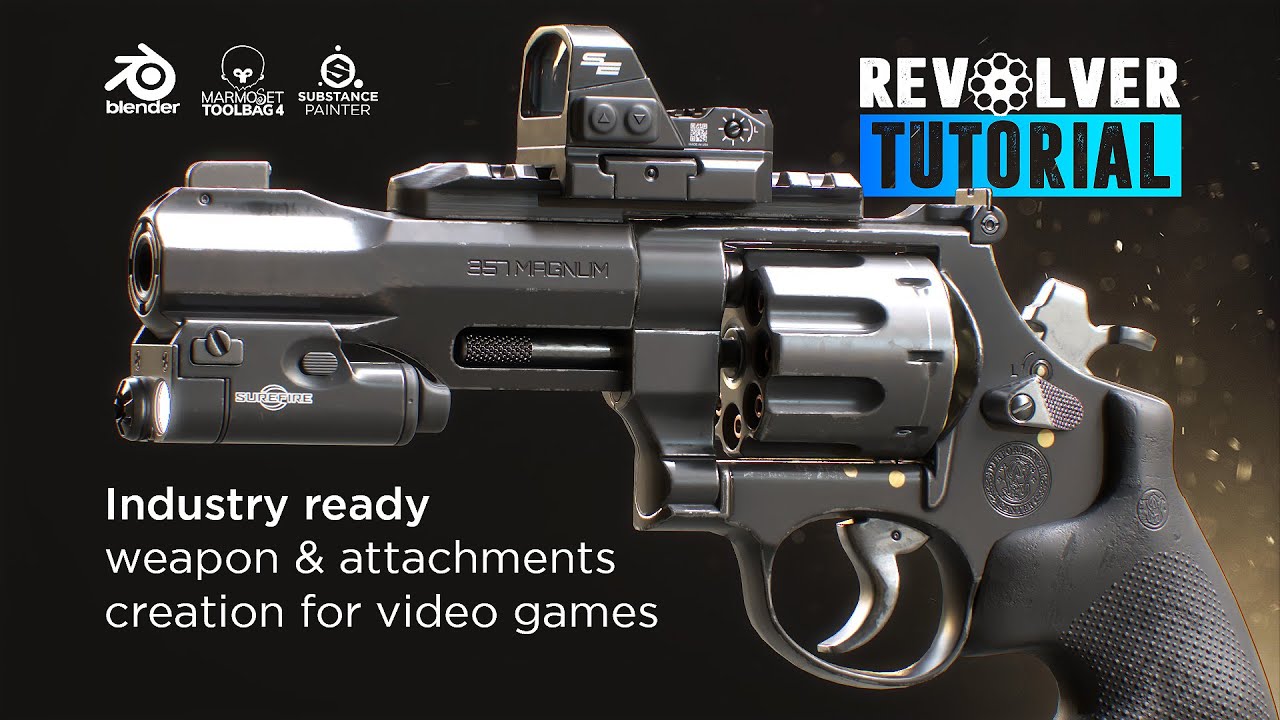
Hello everyone! 👋🙂 Tim from ChamferZone here. Today, I am excited to share with you the chapter overview for the all new weapon tutorial available at
Gumroad https://chamferzone.gumroad.com/l/RevolverTutorial
Artstation https://www.artstation.com/a/8792543
Flipped Normals https://flippednormals.com/downloads/revolver-tutorial-industry-ready-weap...
holy shit that looks so real
sly bridge
mental onyx
Yeah sure, I know you use 3ds. But 3d is 3d, so if you saw a tutorial that you t...

YouTube

YouTube
mortal sentinel
thanks @sly bridge
sly bridge
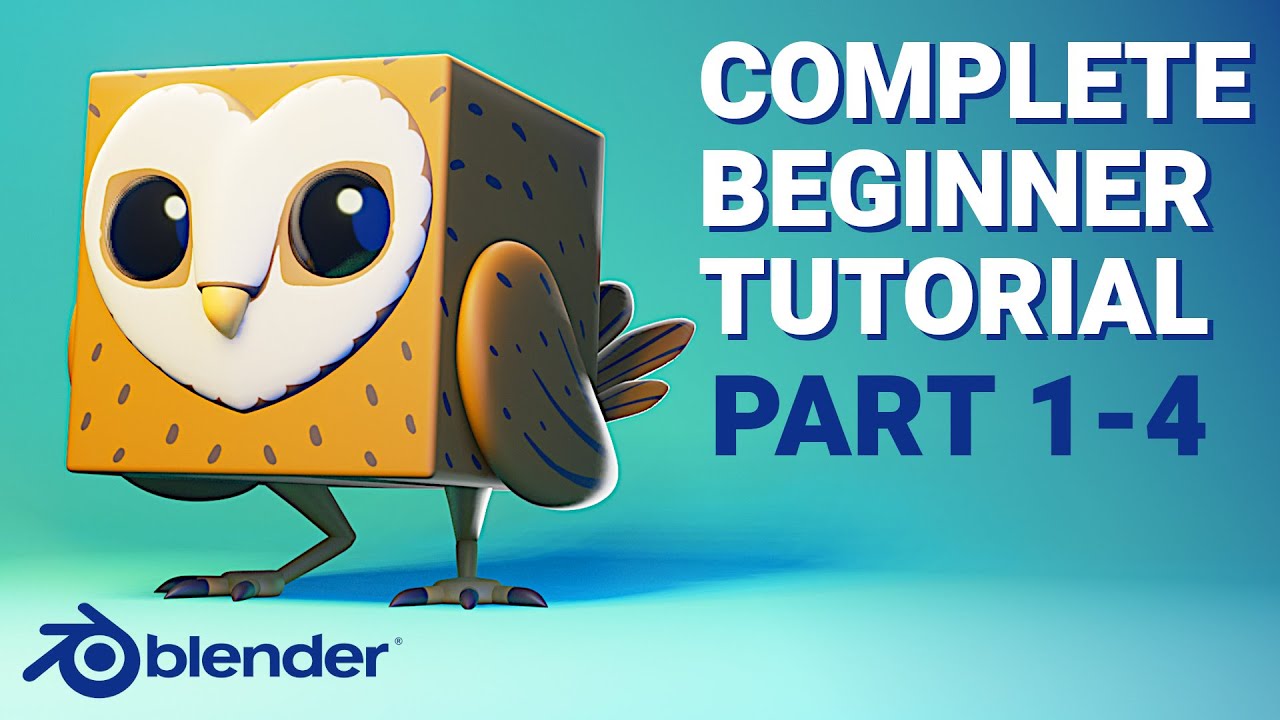
The perfect tutorial to complement the Blender Fundamentals series! Julien Kaspar explains you how to apply everything you've learned so far, let's make something out of the default cube!
Part 2 - Modeling: https://www.youtube.com/watch?v=LbQ6_D-wLQs
Part 3 - Shading: https://www.youtube.com/watch?v=eX3skhOOmco
Part 4 - Rendering: https://www.y...
arimus is a great guy to learn stuff from
mortal sentinel
angry cube owl grenade, that could be a thing in arma
I'll probably drop dead before I watch all of these videos, but I'll watch some and make some stuff
maybe better that way instead of going from donut to a gun
mental onyx
sly bridge
https://youtube.com/playlist?list=PLxt9ZAGPLIpcuPkSTGOJ9iZssTG3o1a0p
Ive watched a lot of his videos, I agree they are great
 spring pond
idk if you managed to solve this issue but now i see my flag post in the game but for some reason when i try to search for it by name it wont showup but its there and it works
mental onyx
I also like https://youtu.be/xOiVIeOxrMU this guy, has some paid courses but some really good free ones as well

In this video, we'll model part 1 of the hard surface game asset.
➤ Download our FREE Game Asset Guide - https://www.blenderbros.com/game-asset-guide
Hard Ops Classic Inserts - https://gumroad.com/l/hopsclassicinserts
Kit Ops (free) - https://gumroad.com/l/kitops
Website - https://www.blenderbros.com
Patreon - https://patreon.com/theblenderbr...
 terse star
spring pond
idk if you managed to solve this issue but now i see my flag post in the game bu...
terse star
spring pond
idk if you managed to solve this issue but now i see my flag post in the game bu...
I followed the documentation, still doesn't show up
sly bridge
what i am trying to say is that out of the entire bunch, the self entitled blender guru is one of the worst
spring pond
terse star
I followed the documentation, still doesn't show up
(i did not XD) i have to verify to make sure that i know why it works but ill let u know what i did to make it work
terse star
spring pond
(i did not XD) i have to verify to make sure that i know why it works but ill le...
On my side i did what's in the doc that just been released
MP me when you know :)
 round orbit
Anyone have good art reference websites? Like side, front, top views of weapons or cars?
 fathom bolt
round orbit
Anyone have good art reference websites? Like side, front, top views of weapons ...
fathom bolt
round orbit
Anyone have good art reference websites? Like side, front, top views of weapons ...
you can find some good art here but u need to search for reference in google, on video, forum ...

ArtStation
ArtStation is the leading showcase platform for games, film, media & entertainment artists.
spring pond
terse star
MP me when you know :)
ive checked and it seems like it might have been working for me from the beginning but since it wasnt showing up when i was searching (by name - even tho that name is displayed in the zeus 'spawning menu') for it i assumed that it wasnt there but...
- Override prefab of existing flag pole (from PrefabsEditable/Auto/Structures/Military/Flags/E_FlagPole_02_V1_US.et - notice that its one from "PrefabsEDITABLE" instead of just "Prefabs")
- Inherit from that 'override'
- changed what i needed - model, texutres etc
- save
- override config/editor/placeableEntities/objects/Structures_Military.conf
- added to overriding version of Structures_Military.conf my new prefab
and thats it 😮 (the suspect that the issue with searching comes down to the fact that i didnt use proper localisation string in prefab name - in SCR_PrefabEditableComponent - and just placed what i wanted to see in game in that place)
terse star
spring pond
ive checked and it seems like it might have been working for me from the beginni...
I did all of that already when I posted my stuff
 minor crystal
kindred thistle
Hey guys, I made textures for this gun from scratch using substance, and used co...
minor crystal
kindred thistle
Hey guys, I made textures for this gun from scratch using substance, and used co...
what are your export settings in Substance?
it should never really output the colorID map unless you tell it to lol
terse star
spring pond
ive checked and it seems like it might have been working for me from the beginni...
I just missed that Editor/Modes/... that is in the doc
but still doesn't work lol
minor crystal
mental onyx
I also like https://youtu.be/xOiVIeOxrMU this guy, has some paid courses but som...
josh is amazing, love him
spring pond
terse star
I did all of that already when I posted my stuff
but did you went through and manually checked every page in zeus asset spawning menu to see if its no there
cuz that was the problem for me
kindred thistle
minor crystal
what are your export settings in Substance?
Not sure, but now I downloaded a spexp for reforger exports, it seems to be much better
terse star
spring pond
but did you went through and manually checked every page in zeus asset spawning ...
I did couples times xD
spring pond
ok then idk 😄
minor crystal
you probably used a bad export preset then for sure
mental onyx
minor crystal
josh is amazing, love him
Yeah I agree
kindred thistle
 minor crystal
kinda looks like the metallic/roughness is missing
kindred thistle
yeah, need to tweak exports and such
minor crystal
i think the normals are doing a bit of weirdness too? idk looks off to me
i can send you what i export as
kindred thistle
yeah pls
minor crystal
also did this on release night, haven't really had the time to work on it since


 dense plover
Large
kindred thistle
Damn
minor crystal
beeg dmr
dense plover
The Reach DMR is the best one
minor crystal
i love it so much, i spend so much time on recreating it but worth it
still my favorite work
dense plover
You did a very good job
minor crystal
thanks^^
minor crystal
kindred thistle
yeah pls
go ahead and create an export preset and set it up like this:

with these set to red and green respectively

the Blue is metallic in the NMO and Alpha in BCR is roughness
oh and alpha on NMO is mixedAO
kindred thistle
alright, thx!
eager hill
Or just use this preset
minor crystal
or that yea
eager hill
it's the same, but you won't have to learn it. Although I recommend you to find out how to do it
minor crystal
although i don't think it'd hurt to know how to set them up yourself either, in general for other games n use cases n such
exactly
 tulip sail
how come when i drop my item from wearing it. it floats?
before i pick it up.

after i drop it again

nm fixed it 😄
eager hill
Is it possible to add proper holo sights? Reticle in them should be focused at some point ahead of weapon and I haven't seen any option for this
 astral oar
tulip sail
after i drop it again
astral oar
tulip sail
after i drop it again
pot
 willow sage
Guys how to remove this effect ?
 tulip sail
add opacity texture to it. like on the other helmets.
willow sage
on it!
willow sage
Picked vanilla one, didn't helped 😦
 slender steeple
Hello guys I've a question ,if a buy a 3d model from CGtrader ,how hard it is to put it in the game ,I've no experience what so ever in modding
minor crystal
its not so hard however make sure the model you buy allows you to re-distribute it as a free mod
slender steeple
Yeahhh , forgot about this ,ty
 south hornet
When importing an FBX from blender with vertex colors set, it looks like the in-game model is tinted by the vertex colors. Is there any way to get rid of that short of removing the vertex colors from the original model (which I need for ID masking in Substance painter) ?
 unique current
any reason my material is not showing on my model after import, even though texture is applied to material (see top right)? in fact, background of screen is gray

 modest horizon
anyone got an documention on making new compositions
unique current
unique current
figured it out for anybody wondering-- model was scaled too big and apparently that prevents it from having the texture applied. why? idk...
 plucky rover
unique current
figured it out for anybody wondering-- model was scaled too big and apparently t...
plucky rover
unique current
figured it out for anybody wondering-- model was scaled too big and apparently t...
It's fucking huge lol
Look at the little tiny grid i love it
unique current
plucky rover
It's fucking huge lol
i get that a lot
plucky rover
Uh huh sure
 opal moat
interested in potentially making uniforms/weapons in Enfusion. I am still learning Blender but I have some experience. How much time and frustration should I expect to make decent quality mods as a newbie?
(Posted this in the wrong channel before)
plucky rover
opal moat
interested in potentially making uniforms/weapons in Enfusion. I am still learni...
Since you have access to all of the game objects and assets in reforger you could potentially have something working in a few hours
 sharp mist
Hello, does anyone know why my memory points might not be seen by arma tools? In a vehicle model.
plucky rover
sharp mist
Hello, does anyone know why my memory points might not be seen by arma tools? In...
Import settings, make sure youre importing scene hierarchy
sharp mist
could you show me an example of how it should be set up?
 calm rune
Yes 2k! Everything was 4k but it was just way to big in file size. So I asked what BI used and Sasha said 2k so I switched.
willow sage
It looks nice, i downgraded all uniforms to 2k too
calm rune
switching from 4k too 2k made the size go from 360mb to 109mb.
willow sage
How many items ?
willow sage
Piece by piece
calm rune
No it is split piece by piece.
daring condor
Ah yeah, fair
 analog zenith
where are you planning on posting videos on those?, if you will make videos on them that is.
daring condor
I should get around to try something with reforger
But the lack of actual editor makes me not that enthusiastic
calm rune
daring condor
But the lack of actual editor makes me not that enthusiastic
what do you mean actual editor?
willow sage
Me neither, always f***ing up something.
daring condor
I hope they put the actual 3den editor from a3 in it
And allow us to make missions easier
Basically
I just want full a4 lol
But yes I know
I gotta wait
I'll finish some stuff for a3 then see if I make some tests for refrogger
calm rune
Does anyone know how to make multiple camo variants for the same uniform? I hope I dont need to make multiple prefabs of the same model.
willow sage
calm rune
Does anyone know how to make multiple camo variants for the same uniform? I hope...
But actually yes, you need to duplicate prefab.
plucky rover
sharp mist
could you show me an example of how it should be set up?
you should have a collection in your blender file called memory points
Place all empties in there
Then make all empties children of the w_root bone (if you don't know how to do that i can't help you.)
sharp mist
I'll try that, thanks
opal moat
I’m really intimidated by texturing. Can someone link some good resources for learning that worked for them?
hidden yarrow
Depends on what you are wanting to do and what kind of program you plan on using
opal moat
Plan on using blender. I will mainly be focusing on weapons and uniforms for the time being.
plucky rover
blender by itself is not very powerful for texturing work, it'll let you brush some colors onto a texture but anything more complex will probably require an actual image editor like gimp or photoshop
Or you could use substance or quixel
hidden yarrow
Do you also plan on texturing in blender? If so id recommend Substance Painter
It will be alot easier
plucky rover
Substance gives you a free trial for 30 days i think
After that you can just buy it for like 150
hidden yarrow
https://youtu.be/umDB-Eq7MJI with this video you can kind of get an idea on whats what with Substance Painter

Here is some knowledge to help improve your texturing skills in Substance Painter.
Substance Source:
https://www.substance3d.com/
Artist referenced: https://www.artstation.com/olivierpflaum
Also helpful to optimize Substance Painter Performance:
https://80.lv/articles/optimizing-workflows-in-substance-painter-to-make-cpu-s-life-easier/
====...
astral oar
analog zenith
where are you planning on posting videos on those?, if you will make videos on t...
Couldn’t today probably tomorrow if I have time
hidden yarrow
astral oar
Couldn’t today probably tomorrow if I have time
The answer to your question is yes btw id love a tutorial for all of it
astral oar
 ❤️
❤️
analog zenith
awesome, no hurry ofc
astral oar
might do something tonight probs

 worthy citrus
How do I make a new prefab based on building_base? when I duplicate it doest save when I edit it
nvm had to reopen the tools, also when I add a door to a socket its sideways, is there a way to fix that without it flipping over when I open it?
 dim gate
plucky rover
After that you can just buy it for like 150
dim gate
plucky rover
After that you can just buy it for like 150
yearly payment, right ?
plucky rover
substance is on steam for a flat price, idk if it gets updates tho
round orbit
Can we not have more than 1 material per xob? I have a shirt and gloves, both having seperate materials. The shirt displays the correct texture but the gloves only display the normal.
plucky rover
you can have as many materials as you want usually
there might be an issue with your material export
round orbit


 plucky rover
It's messed up on both gloves i assume?
round orbit
plucky rover
It's messed up on both gloves i assume?
Yeah it's wierd
plucky rover
Kind of a long shot but I'm not exactly sober buuut is your normals facing the correct direction in blender
round orbit
plucky rover
Kind of a long shot but I'm not exactly sober buuut is your normals facing the c...
yeah
round orbit
 plucky rover
I'm going to go on a whim and assume the object naming is not your problem but honestly i wouldn't be surprised if it was

 plucky rover
Are you getting any errors at all in your log
round orbit
plucky rover
Are you getting any errors at all in your log
None, I really don't understand
plucky rover
I'm pretty new to the modding scene for arma games but i can't say I've ever seen anybody use normal edit before
round orbit
plucky rover
I'm pretty new to the modding scene for arma games but i can't say I've ever see...
Clearly it's my gloves because I can export my vest in the same FBX as my shirt and gloves but the texture works
 plucky rover
What're you using the normal edit modifier for?
round orbit
plucky rover
What're you using the normal edit modifier for?
I am not, It was just to try and test if my normal was inverted
plucky rover
There's an easier and frankly better way to do that
round orbit
plucky rover
There's an easier and frankly better way to do that
I wouldn't know, I am new to 3D modeling
plucky rover
There's a viewport overlay that shows you the direction of your face normals
round orbit
plucky rover
There's a viewport overlay that shows you the direction of your face normals
 plucky rover
Alright normals are good then
analog zenith
astral oar
made a 20 minute video
 where will you post it
plucky rover
I'm all out of ideas
astral oar
#enfusion_resources in a little bit
round orbit
plucky rover
I'm all out of ideas
All good I appreciate the help, I'll look into it tomorrow
analog zenith
awesome
plucky rover
It's probably some stupid thing making it not work
Some ridiculously minor discrepancy
round orbit
#armababy
plucky rover
round orbit
By the way, idk if you just didn't change the names or what but BCR is base color plus roughness and NMO is normal metallic and occlusion, not just normal information
Those textures are either exported improperly or you are REALLY bad at naming things
round orbit
plucky rover
Those textures are either exported improperly or you are REALLY bad at naming th...
Still learning, Thanks
plucky rover
alr
dunno what you're exporting out of so i can't give you any specific direction
You'll figure it out
It's all trial and error

 sick shard
Anyone know how to adjust the models position on the character
this is my next issue lol is it done in blender or is there away I can adjust this in the prefab?
https://cdn.discordapp.com/attachments/967086550980632576/978190130147913798/unknown.png

 wheat bay
sick shard
Anyone know how to adjust the models position on the character
this is my next ...
wheat bay
sick shard
Anyone know how to adjust the models position on the character
this is my next ...
I've done it in Blender. Not sure if there is an offset
Plus it's probably best to fix it in blender because the offset would be a temp fix, but will probably lead to other issues.
sick shard
I'll give it a shot lol see what happens
spring pond
does anyone know how to add localization for object? as without it (when name for eg. is changed to 'simple' string) will not showup when searched in gmae master entity browser
 tidal latch
spring pond
does anyone know how to add localization for object? as without it (when name fo...
tidal latch
spring pond
does anyone know how to add localization for object? as without it (when name fo...
non localized strings are also working in game master search
spring pond
tidal latch
non localized strings are also working in game master search
not for me


 tidal latch
maybe its case sensitive?
spring pond
nope
 spring pond
tidal latch
maybe its case sensitive?
spring pond
tidal latch
maybe its case sensitive?
im pretty much sure that its working only for localized strings as i tested it with soldiers and when i made it as "PL #AR-Role_MachineGunner" then it stopped working but when i left it as "#AR-Role_MachineGunner" it works
tidal latch
ok, then it might be bug
documentation for adding localized strings should appear today so I hope you can couple more hours
spring pond
tidal latch
documentation for adding localized strings should appear today so I hope you can...
then ill wait for that, thx
spring pond
tidal latch
ok, then it might be bug
sorry to bother you about that but is there a way to create a proper bug report instead of using 'Feedback' function in game?
tidal latch
slender steeple
minor crystal
its not so hard however make sure the model you buy allows you to re-distribute ...
"Royalty Free License
Royalty Free License allows you to use the product without the need to pay royalties or other license fees for multiple uses, per volume sold, or some time period of use or sales. Products published with this license may not be sold, given, or assigned to another person or entity in the form it is downloaded from the site, but can be used in your commercial projects multiple times after paying for it just once." its ok i guess , ty
 tacit eagle
hey boys
having some trouble here
RENDER (E): DX12 Failed to create a pipeline state object
RENDER (E): VS vs_fulltriangle (OUT_TEX=1, )
RENDER (E): PS postprocess/bloom/ps_bloomupsample ()
RENDER (E): DX12 Failed to create a pipeline state object
RENDER (E): VS vs_fulltriangle (OUT_TEX=1, )
RENDER (E): PS postprocess/ps_hdr (BLOOM_METHOD=0, GLOW, TONEMAP_METHOD=2, )
RENDER (E): DX12 Failed to create a pipeline state object
RENDER (E): VS vs_fulltriangle (OUT_TEX=1, )
RENDER (E): PS ps_compasscopy ()
RENDER (E): DX12 Failed to create a pipeline state object
RENDER (E): VS vs_fulltriangle (OUT_TEX=1, )
RENDER (E): PS ps_copycolor (PASSTHRU, )
RENDER (E): DX12 Failed to create a pipeline state object
any idea?
trying to import a model
so weird tbh
spring pond
any idea why preview image of my prefab in workbench looks good but it is so washed out in actual game? i imported DDS file with default settings from gimp


 dim gate
i think you can change the picture settings in devtool, no ?
tidal latch
spring pond
any idea why preview image of my prefab in workbench looks good but it is so was...
check import settings of the texture
you might need to change color space to sRGB
spring pond
tidal latch
you might need to change color space to sRGB
it worked 😄 thank you! for others this is what i had to change


 tacit eagle
Do sight attachments need a separate skeleton or can you just use an empty as attachment point? My sight spawns correct (setup with empty) but it does not follow the weapon moement
 normal quail
With regards to Vehicle modelling, I thought I was to rig the car in Blender, however reading the vehicle creation wiki, this is not mentioned but points to using workbench for memory points. Am I right in thinking that's the case?
 spark marlin
Any recommendations for tutorials/sources of information on modeling new guns? I'm working on a Finnish RK62, but I have no previous experience of making the model compatible with Arma. I got the sample project and got some elements from there, but a complete tutorial with more in-depth explanation on what to do and why
 south hornet
sick shard
Anyone know how to adjust the models position on the character
this is my next ...
south hornet
sick shard
Anyone know how to adjust the models position on the character
this is my next ...
Make sure you apply transformations before exporting (CTRL+A and apply all)
 digital vector
fathom bolt
For what ?
digital vector
fathom bolt
For what ?
house
opal moat
Do I make weapon animations in blender or is that something I do with enfusion tools?
fathom bolt
digital vector
house
Check on prefab but im not sure
digital vector
fathom bolt
Check on prefab but im not sure

 white plover
any way to move the hands on a weapon as its a smg the hands just dont fit even if moved in blender
 leaden chasm
just some photogrammetried house model piece


 wise karma
God damn those look great
daring condor
leaden chasm
just some photogrammetried house model piece
Nice, what software you use for that?
 serene halo
leaden chasm
just some photogrammetried house model piece
serene halo
leaden chasm
just some photogrammetried house model piece
This was the first idea when I saw the new arma's engine, put scanned models in there.
https://cdn.discordapp.com/attachments/782728628358086677/976605272409788436/unknown.png
 leaden chasm
daring condor
Nice, what software you use for that?
leaden chasm
daring condor
Nice, what software you use for that?
well, most photogrammetry soft can do that, this is metashape
daring condor
Ah okay, neat
Im cheap so I stick with meshroom
Slow, but it works
Looks lovely
serene halo
daring condor
Im cheap so I stick with meshroom
Try metashape or reality capture. Metashape have a good chank's system.
daring condor
Counterpoint, meshroom is foss
leaden chasm
serene halo
This was the first idea when I saw the new arma's engine, put scanned models in ...
noice
wise karma
daring condor
Counterpoint, meshroom is foss
Does meshroom work with amd cards now? I remember it didn't used to, then saw some talk of getting it to 'somewhat' work
shut bloom
so iam kinda stuck idk, if I did something wrong while setting up the Armature or something. but the bones are in a different positions in Engine than in Blender.

 daring condor
wise karma
Does meshroom work with amd cards now? I remember it didn't used to, then saw so...
daring condor
wise karma
Does meshroom work with amd cards now? I remember it didn't used to, then saw so...
No clue
tacit eagle
shut bloom
so iam kinda stuck idk, if I did something wrong while setting up the Armature o...
I think you are missing vertex groups on the bones that appears red
or an armature modifier
i would start to check those atleast
round orbit
anyone have an idea why my gloves textures are not showing up in enfusion but are well set in blender?


 eager hill
are you sure you have correct BCR and NMO maps?
round orbit
eager hill
are you sure you have correct BCR and NMO maps?
if i didn't have the correct ones, why can i see it applied in blender?
eager hill
round orbit
if i didn't have the correct ones, why can i see it applied in blender?
how does your material setup look like in blender?

 eager hill
That's why it doesn't work. In Blender as you can see you have Base Color, Roughness, Metalness and Normal Map. All of them are needed for PBR material.
Enfusion uses BCR and NMO, which stand for BaseColor/Roughness and NormalMap/Metalness/Occlusion
round orbit
And how do I get myself my BCR and NMO bud?
eager hill
BCR texture is basically Base Color in RGB channels and Roughness in alpha channel
What software do you use for creating textures?
round orbit
eager hill
BCR texture is basically Base Color in RGB channels and Roughness in alpha chann...
These are purchased assets from CGTrader
sly bridge
@round orbitlink please
round orbit
round orbit
These are purchased assets from CGTrader
All other assets from the author work except the gloves
round orbit
sly bridge
<@169186846650269696>link please

CGTrader
Model available for download in Autodesk FBX format. Visit CGTrader and browse more than 1 million 3D models, including 3D print and real-time assets
eager hill
Then the only way is to add Roughness into alpha channel. The problem you have is caused by lack of Roughness map and because you have Z coordinates of normal map in place of metalness map
round orbit
eager hill
Then the only way is to add Roughness into alpha channel. The problem you have i...
These are the textures that i have

 delicate condor
round orbit
These are the textures that i have
delicate condor
round orbit
These are the textures that i have
you will need to manually combine them to fit the engines needs
round orbit
delicate condor
you will need to manually combine them to fit the engines needs
In enfusion or with an external software?
eager hill
external software. Photoshop, GIMP or whatever you're using
round orbit
It's weird that all the other assets work fine
eager hill
No idea whether it is possible in blender
sly bridge
it isn't afaik, not an image editor
hidden yarrow
round orbit
These are the textures that i have
If you have substance painter you can add a fill layer then add all of the textures you got and then export in the reforger preset
That’s really easy if you have substance
delicate condor
Id dare say image editing is still simpler
round orbit
hidden yarrow
That’s really easy if you have substance
I don't, I purchased my first pack so I can get used to enfusion and how things work. All my other models have been working fine but the gloves aren't which is weird because I have been using the same process. This is my first 3D project, I am getting into it.
delicate condor
buying models is not really a shortcut
hidden yarrow
In that case id just do what horriblegoat said idk how to but he probably does
delicate condor
well as you can see, it is not as you still have to learn the "basics"
I can appreaciate your life having other priorities than this
round orbit
delicate condor
well as you can see, it is not as you still have to learn the "basics"
Right, and I am ok with that. I'd love to model my own stuff. I just thought I could support an artist in the process
delicate condor
yeh no problem with that.
round orbit
Ok so I will look into how to make my files with GIMP. Thanks everyone
delicate condor
bought assets just usually are not compatible with various engine quirks so they need the tweaking
gimp should be able to handle the compiling just fine
and it has quite a lot of guides on the web
round orbit
So I'll look for BCR and NMO creation with GIMP
Blackburn — Today at 10:59 AM
That's why it doesn't work. In Blender as you can see you have Base Color, Roughness, Metalness and Normal Map. All of them are needed for PBR material.
Enfusion uses BCR and NMO, which stand for BaseColor/Roughness and NormalMap/Metalness/Occlusion
sly bridge
This is my first 3D project, I am getting into it.
this isn't a 3d project, it's an importing process, not the same thing. it's a hobby, no need to force yourself to do something you don't really like/wanna do it
round orbit
sly bridge
`This is my first 3D project, I am getting into it.`
this isn't a 3d project, it...
I'll learn, that's why I ask questions here on the daily

 shut bloom
turn off leaf bones
 spring ferry
that doesn't help
shut bloom
iam not sure if thats gonna fix it but just dont use it
do your bones have skinning ?
shut bloom
spring ferry
skinning?
are the bones skinned/weight painted to a mesh
spring ferry
yes
shut bloom
are they in their correct Collection ?
spring ferry
 shut bloom
then idk have you reimported with skinning etc activated inside Enfusion
spring ferry
I see some issue - the bones are in "Pose" instead of "Scene_Root" armature
yeah I do have the skinning export thing in import settings - otherwise it doesn't import the memorypoints
ah it's only when I'm in pose mode
shut bloom
try naming the the root bone w_mauser etc
 blazing agate
Hey, you guys know wich config files needs a static object to appear on Game master and be used, so it can be placed etc... and also what components appart form RigidBody??
shut bloom
spring ferry
ah it's only when I'm in pose mode
did you find the error or did my suggestion fix it ?
tidal latch
spring ferry
I see some issue - the bones are in "Pose" instead of "Scene_Root" armature
How is your lod0 looking like?
 surreal ore
@round orbit Do you have photoshop?
@spring ferry

These are my export setting and everything works as it should
round orbit
surreal ore
<@169186846650269696> Do you have photoshop?
@hidden yarrow helped me fix my issue, thank you though!
plucky rover
spring ferry
any idea how to make my bones export as bones and not memorypoints?
Import hierarchy
And skinning
surreal ore
@round orbit Im working on a photoshop script right now that i should have released by the end of the day.
plucky rover
spring ferry
I see some issue - the bones are in "Pose" instead of "Scene_Root" armature
That happens when you enter pose mode, they don't export under pose in any circumstance.
surreal ore
No need for manual creation if i can make an automation for people to use
plucky rover
Unless your script accommodates for all possible edge cases you're going to have to do some stuff manually
surreal ore
If you have all the required textures then it can be automated, I did the exact same thing for DayZ texture types
plucky rover
That's assuming a conversion from one type to a different one where the input is always the same, is it a conversion for like, older arma stuff?
normal quail
Are we allowed to model using the Arma 2 assets?
round orbit
surreal ore
<@169186846650269696> Im working on a photoshop script right now that i should h...
Thank you for supporting the community I appreciate it
fathom bolt
normal quail
Are we allowed to model using the Arma 2 assets?
https://www.bohemia.net/community/licenses/licensed-data-packages
Those yes, I guess

Bohemia Interactive
Bohemia Interactive is an independent game development studio, known for the Arma series, DayZ, Take On Mars, Ylands, and more.
normal quail
fathom bolt
https://www.bohemia.net/community/licenses/licensed-data-packages
Those yes, I ...
Thanks bud
tulip sail
is that a bug when u need to put the item on the ground to drag it into a slot? altho dragging on to a player model always works.
tacit eagle
#enfusion_terrain message
Anyone?
 wise kite
Hello, can I ask something.
My bones are ready on the blender, but when I extract them as .fbx, my bones are not visible.

 eager hill
Some progress
 tidal latch
wise kite
Hello, can I ask something.
My bones are ready on the blender, but when I extra...
wise kite
tidal latch
wise kite
Hello, can I ask something.
My bones are ready on the blender, but when I extra...
wise kite
okey i was fixed
 wraith forge

CGTrader
Model available for download in Autodesk FBX format. Visit CGTrader and browse more than 1 million 3D models, including 3D print and real-time assets
sly bridge
wraith forge
https://www.cgtrader.com/3d-models/military/other/ops-core-fast-sf-high-cut-helm...
???
wraith forge
Wondering if anyone can use this to get into the. Game
sly bridge
emphasis on makers
eager hill
eager hill
Some progress

 misty cave
wraith forge
https://www.cgtrader.com/3d-models/military/other/ops-core-fast-sf-high-cut-helm...
misty cave
wraith forge
https://www.cgtrader.com/3d-models/military/other/ops-core-fast-sf-high-cut-helm...
bing chilling
sick shard
wise kite
Hello, can I ask something.
My bones are ready on the blender, but when I extra...
in the xob go to import settings and click export skinning and click the reimport button
mortal sentinel
eager hill
dafuq is that? I can guess it's a scope, seeing the buttons, but I don't see the scope 😄
astral oar
It’s a holo it looks like
tacit eagle
mortal sentinel
dafuq is that? I can guess it's a scope, seeing the buttons, but I don't see the...
holo sight
 inland oar
it's an Eotech EXPS
eager hill
mortal sentinel
dafuq is that? I can guess it's a scope, seeing the buttons, but I don't see the...
EOTech XPS3
 inland oar
Lookin' good 👀
mortal sentinel
ah, now I see
nice
btw why is it red? I saw pufu post a gun in red color, is it easier to work with if the default color is not grey?
eager hill
it's called a matcap. It's easier to see interaction of surface and light thanks to it
mortal sentinel
interesting
wheat bay
Would you be interested in helping out with a Ammo mod to make ammo that isn't in Reforger yet?
Okay! No problemo. Thank's
 coarse needle
is there a way to re-skin assets currently in game or do i have to make my own stuff from new
 odd granite
coarse needle
is there a way to re-skin assets currently in game or do i have to make my own s...
coarse needle
odd granite
coarse needle
is there a way to re-skin assets currently in game or do i have to make my own s...
coarse needle
ah ok thanks
eager hill
wheat bay
Would you be interested in helping out with a Ammo mod to make ammo that isn't i...
There is a great tutorial by Tim Bergholz about it. He shows how to model an artillery shell, but it's basically the same as normal cartridge. https://www.youtube.com/watch?v=g2U0MiZSV9A

Hi everyone, it's been a while but today I am happy to share a 2 hour and step by step Blender beginners course. All the way from basic navigation, setting up shortcuts, installing and mastering free and useful plugins, modifiers, tools over to modelling a 20mm Vulcan cannon round at the end to make it worthwhile to sit through the 2 hours. Oh a...
wheat bay
Oh, I can model! I just need help because a lot of bullets exist IRL
coarse needle
odd granite
https://community.bistudio.com/wiki/Arma_Reforger:Weapon_Modding#Retexturing_ass...
do i have to create the texture out of enfusion or what? not sure how id pull the original uniform texture to modify
wheat bay
I want to make a mod to add all new bullets in code so modders can use new ammo without creating their own
odd granite
coarse needle
do i have to create the texture out of enfusion or what? not sure how id pull th...
I screen cap and resize the texture in photoshop to the originals dimensions
wheat bay
Thanks though!
eager hill
wheat bay
I want to make a mod to add all new bullets in code so modders can use new ammo ...
good luck with that
odd granite
unsure if there's a way to officially export the texture
 winter current
how are people fixing the extra armature bone with blender? i just can't find a proper way to do it -.-
coarse needle
odd granite
https://community.bistudio.com/wiki/Arma_Reforger:Weapon_Modding#Retexturing_ass...
sorry for constant tags, but this just shows like an AK, i want to reskin the pants, how do i do that?
odd granite
coarse needle
sorry for constant tags, but this just shows like an AK, i want to reskin the pa...
no worries glad to help 🙂 in the original prefabs .emat after you duplicate it click change class and add the MatPBRCamo
coarse needle
wait i think i found a vidya
tysm

so like im trying to get the full version of the jacket to retexture, but it wont let me duplicate that to my project
only the folded up version
me rn

sorry im new to all this
thanks for your help
so i just screenshot this and edit in photoshop?

wait no .ewhatever
odd granite
yeah 2048x2048
coarse needle
what file do i save this as in photoshop
odd granite
ive only used jpg but itll import it as .edds


 fast notch
I made a collision at the building in the blender, called "name_LOD", but it does not work in the game what could be the problem?
coarse needle
honestly i dont know where to find the worn one
 hot pumice
 odd granite
fast notch
I made a collision at the building in the blender, called "name_LOD", but it doe...
odd granite
fast notch
I made a collision at the building in the blender, called "name_LOD", but it doe...
collision or model? collisions dont use LOD
coarse needle
coarse needle
it wont let me save this as its read only @tacit eagle ... wat i fuck up?

currently here.. sorry idk how to set an override

ok ive done this
im not sure what you mean by "clothing component"
odd granite
override changes the original prefab. duplicate makes a new item
coarse needle
ok idk how tf i did it but now the texture is back to original
fast notch
odd granite
https://community.bistudio.com/wiki/Arma_Reforger:FBX_Import#FBX_Export
thanks!
coarse needle

honestly this is all just confusing me
do you think you could write out a step by step as if you were teaching it to a 5 year old lol
tacit eagle
MAN HX60 WIP, soon to have interior
 spring pond
coarse needle
do you think you could write out a step by step as if you were teaching it to a ...
spring pond
coarse needle
do you think you could write out a step by step as if you were teaching it to a ...
here is one that i wrote few days ago (for simple overridng texture - 1 step - and adding new variant - a lot of steps 😉 )
#enfusion_texture message
 dusk fjord
Is there a way to make an ironsight to go down as an sight is placed on the weapon?
plucky rover
I really wish we had the ability to natively create meshes in the xob format
i have to set all my bones at a weird angle
 modest parcel
Anyone know how to create geometry for a mesh (I'm super new to blender)
plucky rover
all my bones point towards the y axis in blender and that ends up being the upward axis in enfusion

since bones are z dominant
slender steeple
@shadow karma did tactical flava have a public discord?
 plain citrus
Some people work on french camo ?
slender steeple
Probably 
dim gate
plain citrus
Some people work on french camo ?
depend, if i use stuff from my arma 3 mods i can do CCE, Daguet and Alegrian lizard "type D" ( which was mostly used for tents and not uniforms )
for more 80s stuff related to the current game, i do think about making something but i don't have the propper french lizard camo
plain citrus
dim gate
for more 80s stuff related to the current game, i do think about making somethin...
Nice, i'm talking about recent camo
dim gate
ah yeah, that's CCE / Daguet
plain citrus
y
dim gate
eh, for now i'd rather just stay in the 80s timeline so i can use it along vanilla content
modern stuff will wait, beside that, i still can't even play multiplayer at all, so making mods for the game is kinda ... meh
eventually by the time the server issue is solved, i will have plenty of stuff ready
plain citrus
yes I understand
sick shard
plucky rover
all my bones point towards the y axis in blender and that ends up being the upwa...
I have this same issue with Maya lol but I was able to fix it in blender and import it I'm not to sure why it would be flipping the axis on import that's really odd
plucky rover
As far as i can tell it's because of the difference in primary axis between both programs
Unfortunately I'm not using the vanilla blender exporter so I can't match up the export settings, I really need to change over to using it.
Normally you would just change the bone axis and it should be fine
 swift goblet
why when importing the character fbx from the new character sample, it looks like this?
 hidden yarrow
If I remember there were some problems with the samples rig
Idk if its that problem
 thorny galleon
swift goblet
thorny galleon
swift goblet
Go to your enfusion blender tools and sort object
swift goblet
ty
opal moat
Noob question, how do I rotate an object that I have added to the scene using numbers to ensure it is exactly 90 degrees instead of having to eyeball it with the mouse?
^ Blender
 rocky sedge
opal moat
Noob question, how do I rotate an object that I have added to the scene using nu...
rocky sedge
opal moat
Noob question, how do I rotate an object that I have added to the scene using nu...
N to open side menu and under transform should be rotation. or press r and press the key to what axis you want to rotate and type 90
opal moat
Thank you
tulip sail
So whats the point in the prefabs library? if u just have ur prefabs in the prefab folder anyway?


 delicate condor
opal moat
Not super sure about this stock. Any opinions?
delicate condor
opal moat
Not super sure about this stock. Any opinions?
is there any real life reference you use or is it your own design?
opal moat
My own design
delicate condor
is there anything that feels off to you?
using real life weapons for reference can be useful even for fictional designs
also if you want it to be functional loooking you can mock up the internal mechanism to make sure everything fits in
opal moat
Idk it just feels off for some reason, I'm wondering if I'm missing something, using the stock of an M16A2 as a base then building a bullpup around it.
opal moat
delicate condor
also if you want it to be functional loooking you can mock up the internal mecha...
Have done this
dim gate
don't make the whole thing held together, separate the parts
i did this when building my first gun a daewoo K2
no need to make the entire trigger group either or small parts, that's useless
delicate condor
well the side faces ho a little odd perhaps
 opal moat
dim gate
don't make the whole thing held together, separate the parts
opal moat
dim gate
don't make the whole thing held together, separate the parts
Yeah I'm planning on that, almost done with the general shape of the reciever. Just need to figure out how to make separate parts.
delicate condor
this might shade oddly
dim gate
but lower, upper, stock, grip, barrel handguard ... all of that separate
you should have made them separate at first
opal moat
dim gate
you should have made them separate at first
oooooooooof
Well it was good practice, back to learning.
dim gate
haha don't worry, i do the same sometimes
spend 1 hour making something
eh, i fucked up at some point and now it's no good
welp, time to erase and redo the whole thing
opal moat
Maybe starting with building a gun from scratch as my first modding project isnt the greatest of ideas.
dim gate
not really, the only limit is your mind
you have all the tools available to succeed, it's only up to you to use them as intended
opal moat
How about I start by modeling a *donut first lol.
delicate condor
main thing is to keep doing stuff
modeling is something you learn only by doing it
and making mistakes will be part of that process
and making stuff again after you have learned more
dim gate
the donut teach you how to handle blender and use basic tool, which you already did by making that stock
also what goat said, mistakes are a natural process
opal moat
Thanks guys
 prime echo
Ummm... Is there any possibility of developing a gun custom on Arma?
 cedar osprey
opal moat
cedar osprey
opal moat
well for one there topology has no flow, its just all over the place
try to have your loops running vertically with an equal amount of space between them

something more like this
 opal moat
👍
cedar osprey
opal moat
👍
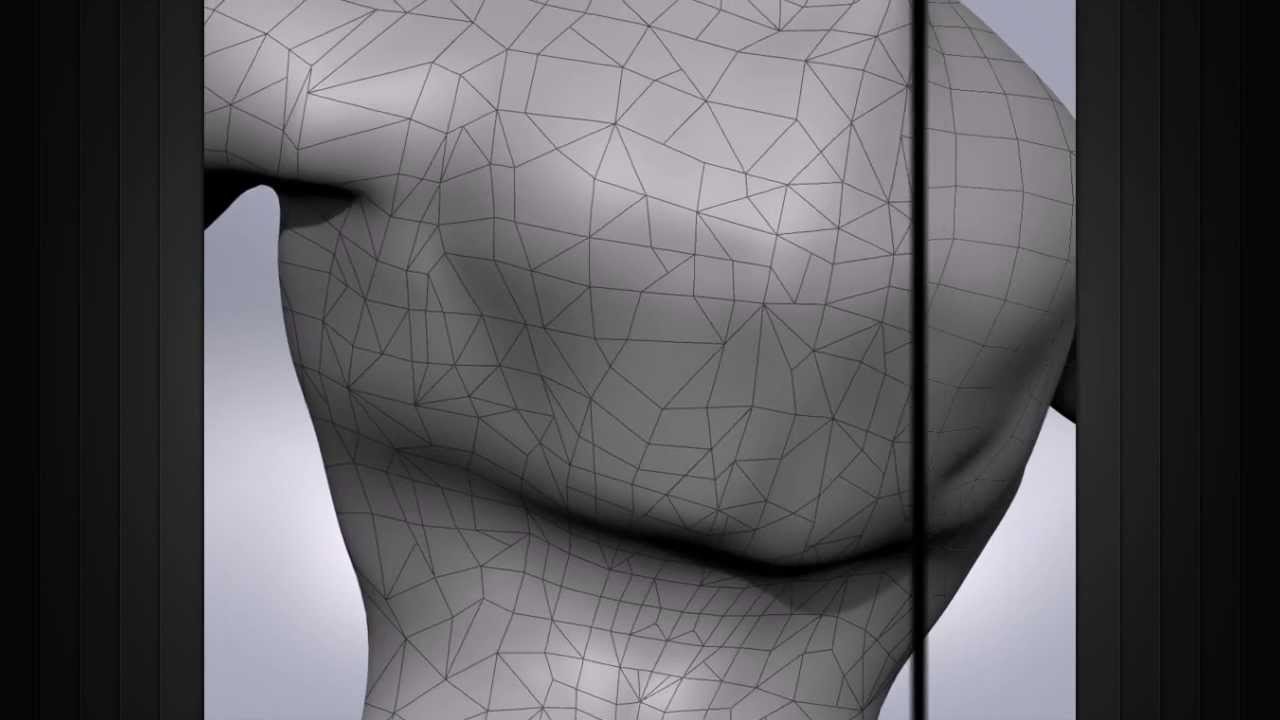
Learn more: http://www.digitaltutors.com/tutorial/712-CG101-Modeling
In this lesson we will learn about Edge Flow. The Edge flow not only helps us shape our model, but also defines how well our model will deform.
-~--~--~--~
Digital-Tutors is now Pluralsight. Learn more:
➨ https://www.youtube.com/watch?v=DswEJDodZEI
-~---~-
Digita...
opal moat
Thank you, I'll check it out
cedar osprey
I'd also recommend practicing with modelling smaller and less complex objects until you get the hang of the theory before doing something big and complex like a gun
 lime comet
on the M35 truck import, I try to get the wheels turning. I went into the blend file and separated the wheels from the UTM_Object and named them UTM_Wheel_L1 to R3. Now when I import the fbx I only get UTM_Object as Collider detected, and the wheels not. Custom Properties upon FBX export is toggled. Any pointers?
is it a problem of not separating the objects completely in blender? I used L and P->selection, but all the split objects share the same Vertex Groups
 tidal latch
lime comet
on the M35 truck import, I try to get the wheels turning. I went into the blend ...
tidal latch
lime comet
on the M35 truck import, I try to get the wheels turning. I went into the blend ...
Merge tri meshes option probably, refer to fbx import page
lime comet
tidal latch
Merge tri meshes option probably, refer to fbx import page
Thanks, 7 Colliders now! Awesome
Is my next step to isolate/P the wheels from the LOD0 to LOD5 meshes and somehow assign them to the wheel bones?
tidal latch
you would need to assign vertex groups to wheels - they don't have to be in separate objects
lime comet
ah, I have them from a3, named Wheel_1_L and so forth. Unclear what the next step for a turning wheel is, sorry 😦
tidal latch
vertex groups & armature modifier is necessary at least
imagine that vertex groups are named selections and armature modifier is equivalent of saying in model.cfg skeletonName = "something"
lime comet
is the armature bone to be connected to the wheel's vertex group?
lime comet
yes, but I didn't understand it, I guess for my lack of Blender knowledge
I see there below Armature the UTM_FG_Wheel's definition and also wheels_LOD0
tidal latch
look for modifiers instead
wheels are using Relations->Parent without Armature modifier because they are colliders https://community.bistudio.com/wiki/Arma_Reforger:Vehicle_Creation#Setting_skeleton_.26_rigging_mesh
in wheels_LOD0 you have Armature modifier and four vertex groups
in edit mode, you can assign or remove vertex groups. Creating new vertex groups is done by clicking on plus

double clicking on the vertex group will let you modify the name of VG
lime comet
the vertex groups are named Wheel_1_L and so forth, they exist
tidal latch
are they named same as bone?
lime comet
no, bones are named after the sample car, v_wheel_l01 and so forth. Shall I rename the Vertex Groups?
tidal latch
yes
vertex group = named selection, armature bones = skeleton definition in model cfg
they need to have matching names obviously
lime comet
do I need to set this wheels_LOD0 up under Armature and link to the bones?
lime comet
sorry, I don't know how and where to add
tidal latch
no problem 🙂 this is for older version but interface more or less matches latest version https://www.youtube.com/watch?v=KelTx1ZYyuE

Blender 2.8 tutorial for beginners on modifiers. Modifiers allow for complex, non destructive, operations.
I go over:
Subdivision Surface Modifier
Mirror Modifier
Bevel Modifier
Weighted Normal Modifier
Solidify Modifier
Array Modifier
Triangulate Modifier
Decimate Modifier
Skin Modifier
Lattice Modifier
Curve Modifier
Shrinkwrap Modifier
Boole...
 simple meteor
tidal latch
wheels are using Relations->Parent without Armature modifier because they are co...
simple meteor
tidal latch
wheels are using Relations->Parent without Armature modifier because they are co...
Oh wiki for car is out, so nice
lime comet
tidal latch
no problem 🙂 this is for older version but interface more or less matches lates...
Thanks, something is turning now. Seems my defs of axis and such are off though, lol
tidal latch
it is not complete - I had to remove temporarily some of the elements which were outdated (or at least I thought they could be misleading)
tidal latch
lime comet
Thanks, something is turning now. Seems my defs of axis and such are off though,...
can you show us you skeleton?
simple meteor
tidal latch
it is not complete - I had to remove temporarily some of the elements which were...
👍
tidal latch
position and rotation of bones is used as reference, so you no longer have to make two vertexes to define axis like in RV
https://community.bistudio.com/wiki/Arma_Reforger:Weapon_Creation#Adding_slots.2Fsnap_points in dummy (empty) objects are working in exactly same way as bones when it comes to transformation
lime comet
tidal latch
can you show us you skeleton?
I guess the third axle is missing, as it was not in the sample car. and I need to move the 2nd axle forward for the the middle wheels and figure out how to get 3rd axle going
 tidal latch
indeed, you might start looking for videos on youtube about adding new bones to Armature 😉
tidal latch
lime comet
I guess the third axle is missing, as it was not in the sample car. and I need t...
although one thing more - are you using some existing vehicle animations ?
simple meteor
is there a size limit for objects in enfusion?
lime comet
yes, the default for the original Reforger truck
simple meteor
Like the 60m in rv
lime comet
should I disable them?
tidal latch
lime comet
yes, the default for the original Reforger truck
In VehicleAnimationComponent? I'm afraid you won't be able to use it. M923 truck has different skeleton (positions) and as result, your animation will get screwed
tidal latch
you need some really bare bone (but not empty!) animation workspace for it
lime comet
haven't touched animations yet, must be done another morning 😄 Thanks for all the help and advice!
wheat bay
Has anybody figured out what Snap_Hand_Right does for weapon making?
 last hill
wheat bay
Has anybody figured out what Snap_Hand_Right does for weapon making?
last hill
wheat bay
Has anybody figured out what Snap_Hand_Right does for weapon making?
I am thinking it is where the engine snaps the right hand bone on the character skeleton to for animation purposes? Just a guess
wheat bay
That's what I thought, but it doesn't quite seem to do anything from what I've tested.
I've moved that point before to random places to see, and it didn't really move the hand
 bright raft
wheat bay
That's what I thought, but it doesn't quite seem to do anything from what I've t...
bright raft
wheat bay
That's what I thought, but it doesn't quite seem to do anything from what I've t...
Maybe it snaps hand to after the animation? Like magazine snap
 shell hedge
does the license allow modifying ingame assets like if I wanted to add snow onto a tree?
dim gate
no it doesn't allow it
 quasi thistle
so, I have basic modelling and texturing skills. the wiki page about importing however completely overwhelmed be because I don't have any idea how to do lods or whats lods exactly are and how to do colliders. is there any guide on that?
 lofty hull
Where can You buy good vehicle models that will be combatible with reforger?
 lean spruce
lofty hull
Where can You buy good vehicle models that will be combatible with reforger?
lean spruce
lofty hull
Where can You buy good vehicle models that will be combatible with reforger?
Pretty much any model that is exportable as .fbx is usable in Reforger.
Problem is the creation of a rigid body es well as the joints/bones and animations.
lean spruce
lofty hull
Where can You buy good vehicle models that will be combatible with reforger?
When getting a 3d model from anywhere, you need to be very careful with the license, since by uploading to the workshop you share that 3d model with others to do as they want, and that is not something compatible with most licenses, except creative commons.
Even Creative Commons licenses usually require you to give credit to the creator of the model, so do so in your mod description.
lofty hull
Any one here want to partner up if I buy the models and someone convert it
@lean spruce Thankyou for the info
 dire pecan
someone needs to make a detachable washing machine
are all the furniture in the house model, or are they separate objects that could be removed?
 fathom sonnet
separete objects
willow sage
lime comet
I guess the third axle is missing, as it was not in the sample car. and I need t...
❤️
spring pond
anyone knows if axis 'rotate' when different preset is chosen?

*result of that configuration
 wise kite
how to do debug menu for vehicle creation?
spark marlin
Does anyone know why does this happen? My other helmet works just fine and I followed the exact same process
 spring pond
anyone knows if axis 'rotate' when different preset is chosen?
spring pond
spring pond
anyone knows if axis 'rotate' when different preset is chosen?
i have hard time wrapping my brain around this but in order to get veiw like this i had to rotate on Y (green) axis by **-**45
 eager hill
spring pond
i have hard time wrapping my brain around this but in order to get veiw like thi...
eager hill
spring pond
i have hard time wrapping my brain around this but in order to get veiw like thi...
X is horizontal axis, Y is vertical and Z is horizontal but in depth direction. Your object is rotated around vertical axis by 45 degrees.
done a bit more

 crystal zodiac
Hello together, i got the Problem when i import my car in to the Reforger Tools with the Colliders, the Wheels are all together in one Selection (Wheel_L01) But in Blender i got all 4 separately and they also have the right names (L01,L02 etc). Does anyone have an Idea ?
 tidal latch
crystal zodiac
Hello together, i got the Problem when i import my car in to the Reforger Tools ...
tidal latch
crystal zodiac
Hello together, i got the Problem when i import my car in to the Reforger Tools ...
Uncheck merge tri meshes option https://community.bistudio.com/wiki/Arma_Reforger:FBX_Import#Collider_usage
spark marlin
spark marlin
Does anyone know why does this happen? My other helmet works just fine and I fol...
Solved it. I forgot to add armature modifier to the model in blender, reimported in workbench and now it works
crystal zodiac
tidal latch
Uncheck merge tri meshes option https://community.bistudio.com/wiki/Arma_Reforge...
Thanks it worked 👌🏼
 queen pike
eager hill
X is horizontal axis, Y is vertical and Z is horizontal but in depth direction. ...
queen pike
eager hill
X is horizontal axis, Y is vertical and Z is horizontal but in depth direction. ...
I would like to see the wireframe on the lowpoly model 🙂
eager hill
queen pike
I would like to see the wireframe on the lowpoly model 🙂
could be better, but isn't terrible

I've seen worse
eager hill
And it pretty much doesn't matter how verts are placed as long as they create a flat planar surface.
plucky rover
Topology is mostly relevant for deformation
You want good surface geometry whenever your mesh is going to be intricately textured or deformed, that way your mesh bends well
plus texels so yk
fast notch
it seems like I set the right names, but the character walks through the cube. what's the problem?
 terse star
fast notch
it seems like I set the right names, but the character walks through the cube. w...
simple meteor
opal moat
terse star
fast notch
it seems like I set the right names, but the character walks through the cube. w...
simple meteor
opal moat
Does anyone know how damage works in reforger yet?
Mostly interested in infantry damage not vehicles.
spark marlin
I made an uniform model and used the M88 jacket prefab, is there a way to get rid of that god damn belt?
 merry gale
Hello guys, I'm trying to create some optics for my weapons and I'm facing a problem, does anyone know why the optic view is inverted?
 spark marlin
Got around it using the M70 as prefab instead
thorn topaz
merry gale
Hello guys, I'm trying to create some optics for my weapons and I'm facing a pro...
does it have anything to do with a UV map, are empties or other axis oriented objects used for scopes and if so is it facing the correct direction or inverted?
eager hill
Bit more progress on that eotech

 winter valve
merry gale
Hello guys, I'm trying to create some optics for my weapons and I'm facing a pro...
winter valve
merry gale
Hello guys, I'm trying to create some optics for my weapons and I'm facing a pro...
Try scaling the uv of the screen to -1 on the x axis
that would flip it prolly
bright raft
eager hill
Bit more progress on that eotech
That's a high poly tho, right?
eager hill
bright raft
That's a high poly tho, right?
Of course. If I remember correctly at this point it was around 4 millions verts.
fathom bolt
4 millions ??
bright raft
Dang
eager hill
Normal for remesher workflow
bright raft
Which subd lvl is that 😃
fathom bolt
for an entire weapon i've only 400k in fusion 0_o
eager hill
2nd subd level + voxel remesher
plucky rover
Retopoflow gang
bright raft
I do low poly to high poly workflow mainly. Hardops all the time.
eager hill
Earlier I was using bevel weight + subd, but now I think it's easier to get good looking results with remesher
simple meteor
can we see sections in enfusion ?
tacit eagle
has anyone managed to get gun imported into game? I mean I do, but i cannot get good with bones and overal point assigment
anyone out there to take a look?
and explain the process shortly
fathom bolt
you take the prafab of the m16 or the ak ? @tacit eagle
fathom bolt
ok and have you set your bones in blender ?
tacit eagle
i probably did, but I dont know, hahah is it possible for you to take a look?
i can jump in call when ever you are
free
i did work with uniforms
and everything , but not the guns
fathom bolt
i'm not an english speak so 😄
tacit eagle
I still can share screen haha
fathom bolt
ok lets go
shut bloom
Currently working on Putting my first car ingame. lets hope its not too much pain.
 merry gale
@thorn topaz @winter valve That's right guys, I managed to solve it thanks 
tulip sail
never tried the remesher workflow in blender. will give it a try. (only ever used the zbrush>blender back again workflow for stuff
 thorn topaz
what do your export and import settings look like?
 thorn topaz
by chance are your memory points going into the skeleton collection?
 dim gate
shut bloom
dim gate
shut bloom
to get your bones working you need to enable the armature modifier to your LOD parts
shut bloom
I may have found the problem.
its me being an idiot. forgot to name the vertex groups correctly
dim gate
just activate the modifier and live it as such, do not click on "apply"
shut bloom
dim gate
to get your bones working you need to enable the armature modifier to your LOD p...
i know that thats allready on it. its because i forgot to rename the vertex groups
dim gate
alright cool
shut bloom
atleast i hope that fixes it
shut bloom
dim gate
alright cool
now the only problem is that my memory points are not under the scene root
or more like the vehicle root
dim gate
if i remember well, make the armature parent of your memory point
that should be the root back on top of the hierarchy
shut bloom
you prob mean parent the memorys to the root
otherwise the memories would be on top right ?
thorn topaz
if the root is part of the armature and the armature becomes the parent then the memory points would be children of it
normal quail
Is there an efficient way of making colliders? I have an object, I have duplicated and separated the object. Now I want to use a modifier to create the collider mesh, Is this the best way going about it
dim gate
depend on your object
normal quail
Wheel
normal quail
Oh really, I will just do that haha thanks
shut bloom
so iam trying to add user Actions. but they dont seem to show up in the component after I add them from the bones.
 normal quail
How about an undercarriage, fire geo, this must be time to use a modifier.
thorn topaz
do the empties show up in the component?
thorn topaz
normal quail
How about an undercarriage, fire geo, this must be time to use a modifier.
how pronounced is the under carriage? it may work just as well to use a box
dim gate
shut bloom
so iam trying to add user Actions. but they dont seem to show up in the componen...
try clicking on the + next to action contexts
normal quail
8k, I used decimate and collapse which brings it down to 1k
dim gate
yeah, a cube is also good, give it the general shape of the vehicle
you can also add more cubes to fit the rest and make the collision model more accurate
thorn topaz
don't get too hung up on the shape, just think of it as "what of this vehicle will my character bump into", in most cases vehicles can be very simple
normal quail
Had hoped there was a modifier that would shape around the selected objected. I have been create the collisions out of cubes around the object but I thought they may be a more efficient way I am not yet aware of in Blender
thorn topaz
there is no modifier that goes that far but you can turn your geometry into a convex shape


you can then use the decimate modifier to simplify the mesh even further, but you will need to re-convex it
dim gate
or ... you could just make a cube, select the bottom face only and scale it down until you have the desired shape
normal quail
Thanks both
 carmine vapor
Any documentation on how the texturing on models is set up in enfusion?
I know SS and multimat from A3, but things have prob changed massively?
 solar salmon
Im trying to retexture characters' bodies in my mod, basebody xob is locked so am i screwed?
spark marlin
Does anyone have an idea what could cause this? The rest of my model is perfectly fine, but the belt buckle has a mind of its own and doesn't appear to be properly attached to the skeleton
 delicate condor
wrong weighting
plucky rover
Looks like a weight paint issue
spark marlin
That's odd. It's a part of the uniform model and I haven't weight painted anything so far. How come only that specific part of the model is "loose" from the rest?
last hill
Has anyone had any success bringing a boot mod in? I have tried a few different things bit either the boot half works but angles weirdly in the engine after being equipped or the skinning causes parts of the boot to not move correctly.
Working with 3ds max and the sample character for the skeleton. Will have another crack next time I am on, just curious if anyone has done boots or if there is something breaking the samples as the feet look a bit Weird?
dim gate
sample skeleton is broken
spark marlin
delicate condor
wrong weighting
I weight painted it properly but the problem remains. Any other ideas?
Wait, I think I might have just had a brain fart
Yep. Brain fart it was. Thanks for help
plucky rover
What ended up being the issue?
spark marlin
I had duplicated the model, forgot it and weight painted only the other one. I noticed that there were two belt buckles
shut bloom
sadly my car is stuck in the ground and the engine does not start ? can anyone who got further than that help me thx.
 normal quail
@shut bloom I am in the same boat, I cant get passed the armature stage no matter what I attempt.
shut bloom
plucky rover
Hope you have permission to use it, if you didn't make it yourself. :p
its purchased,
shut bloom
normal quail
<@314010046058987520> I am in the same boat, I cant get passed the armature stag...
iam sad some people got it working but we are both stuck at this idk ima see tomorrow.
normal quail
@shut bloom I have tried 3 times from scratch thinking I am doing something wrong. I clearly am, I just do not know what that is
simple meteor
Did u see the docs?
 vocal belfry
shut bloom
sadly my car is stuck in the ground and the engine does not start ? can anyone w...
vocal belfry
shut bloom
sadly my car is stuck in the ground and the engine does not start ? can anyone w...
Wheel colliders?
normal quail
Docs are not explaining how to set up the Armature in blender. I have copied the sample car but when I load up into workbench I have just memory points no bones, even though the bone names are there but just as memory points
shut bloom
normal quail
Docs are not explaining how to set up the Armature in blender. I have copied the...
I fixed that i can help you tmorrow
normal quail
@shut bloom Thanks, that would be great
 plucky rover
normal quail
Docs are not explaining how to set up the Armature in blender. I have copied the...
plucky rover
normal quail
Docs are not explaining how to set up the Armature in blender. I have copied the...
Import scene hierarchy and skinning
wheat bay
Really quick question. What is FireGeo?
normal quail
It tells the game engine how to handle bullet penetration in very basic terms
wheat bay
Okay. I've only been making one collider, so I wanted my next gun mod to be using the tools properly
 weary bane
@wheat bay did you follow the weapon creation documentation as I can’t seem to get my head around it?
wheat bay
I did for a bit, but then I just learned through tinkering a lot. Only really just got a solid proper workflow down on my end.
Still got to learn Pip Optics and Animations
weary bane
Ahh okay I see
wheat bay
I'd make a tutorial, but I want to make sure I'm at least 98% doing things correctly, and I would also like to wait for hand position IK anim stuff to be figured out
blazing agate
one little question, wich are the config files to make a prefab appear on the game master?? There's any documentation?? Becouse I followed this one and the mesh did not appear on editor
https://community.bistudio.com/wiki/Arma_Reforger:Asset_Browser_Mod_Integration

 dusk fjord
How do you export from blender with armature?
 dim gate
normal quail
I cant work this out at all
dim gate
normal quail
I cant work this out at all
activate armature modifier to LOD
do not "apply", just turn it on, select the right bone parent for each LOD model and then export
normal quail
Is that right?
 normal quail
Yeah I did here too, still not working grr. I dont know whats gone wrong at this point
 outer citrus
dusk fjord
How do you export from blender with armature?
outer citrus
dusk fjord
How do you export from blender with armature?
i've that issue as well. opened the rigify example character's blend file, exported as fbx but workbench imported without bones/colliders.
normal quail
I am starting to think its a bug. I have been at this for hours comparing my set up to the sample set up
dusk fjord
I have the same export settings as @normal quail but still comes into enfusion without bones...
normal quail
I was thinking of a name of my generic 4x4. I am settling with boneless if I can ever get it into the game
wheat bay


I'm not sure if there is something I'm not understanding here, but why is there such a difference in Colliders between these weapons? Like, why doesn't the SVD have firegeo? I understand the M14 because it's for different materials.
surreal ore
Has anyone been able to put the rigify rig in tpose?
plucky rover
normal quail
You have skinning turned on in your import settings, right? I know it's a stupid question
surreal ore
IIRC with out it, no bones or anything are imported
plucky rover
Skinning no, it'll import as memory points
If you have no scene hierarchy imported it won't show memory points either
Skinning just imports the vertex groups associated with the mesh
 zenith quartz
What tangent space should I be using for Enfusion when baking in Marmoset, for example?
I'm using Mikk by default and it's showing up with shading issues specifically in Enfusion.
 vocal belfry
I need, like, a video showing me how to do stuff. Like just running though the AK import tutorial but I need to *SEE someone do it rather than just read it.
opal moat
vocal belfry
I need, like, a video showing me how to do stuff. Like just running though the A...
Agreed. I learn better when I watch someone else walk through it, I’m sure we’ll be getting plenty of modding tutorials on the tube with the new engine so we’ll just have to wait.
When making uniforms do I need to use the cloth physics tool or can I just sculpt everything normally?
last hill
opal moat
When making uniforms do I need to use the cloth physics tool or can I just sculp...
I sculpted all of the stuff I edited on some stuff I bought to import in that needed changing. I don't think any of it was made with cloth physics
last hill
dim gate
sample skeleton is broken
Any word on a fixed one coming for folk using 3ds? I saw a Blender one was linked but might have missed the 3ds one?
opal moat
Gotcha. I probably will have to build it from scratch as I’ll mostly be working off what is in my head.
thorn topaz
zenith quartz
I'm using Mikk by default and it's showing up with shading issues specifically i...
was your mesh triangulated when you baked and if so was that same mesh the one exported?
 lethal frigate
anyone who will do some more structures 😄 only guns in here
sly bridge
@lethal frigatewhy don't you? people are doing whichever they want, 50%+ here are actually importing meshes rather than making meshes
last hill
sly bridge
<@207599811866656779>why don't you? people are doing whichever they want, 50%+ h...
Planning on looking at making a few basic structures once I am done importing the stuff I bought, figure starting with buildings would be a decent entry to 3d modelling.
lethal frigate
ill have to learn that
sly bridge
lethal frigate
ill have to learn that
go right ahead, there is no better time than present
lethal frigate
what would you suggest
last hill
lethal frigate
what would you suggest
Google for inspiration in the area of the world you would like to replicate, find good angles and if possible interior and work from those, start basic and have a look at Blender tutorials and basics to get a start, or 3ds max if you have that, Blender is free.
Or even simpler, work on furniture prefabs? Learn scaling models to the engine you want to create for. There is endless options to start out.
dim gate
last hill
Any word on a fixed one coming for folk using 3ds? I saw a Blender one was linke...
i haven't seen a 3DS one yet
sly bridge
if you haven't used any 3d software so far, blender is just as good. the only max / maya users left are ones that are actually using these tool professionally and is not worth changing over / too old to bother changing
sly bridge
for model LODs / anim / mem points / collision etc = FBX
sly bridge
@lethal frigatenope
lethal frigate
Oof
zenith quartz
thorn topaz
was your mesh triangulated when you baked and if so was that same mesh the one e...
Ah, oops - potentially. The mesh I used in substance painter and Enfusion are both triangulated and they have the same triangulation because I applied it. They aren't totally triangulated, though. I used the modifier just to catch ngons. Model exported for baking in marmoset didn't have this applied yet, but it was there.
But I see what you mean that the triangulation here is probably different from the triangulation I baked with and I'm not sure what to do about this. 😅
I guess just manually triangulate the low poly and rebake and make sure I use the same triangulation for SP and Enfusion?
sly bridge
one of the basic rules of bakeing / game asset creation- always have meshes triangulated on export
 fathom grove
I imported the Character_Template.fbx file from the NewCharacter sample mod in blender, and the rig is all messed up
 sly bridge
zenith quartz
I guess just manually triangulate the low poly and rebake and make sure I use th...
sly bridge
zenith quartz
I guess just manually triangulate the low poly and rebake and make sure I use th...
yeah, precisely, i usually have a modifier on top of the mesh that i activate before export, making sure that way that traingulation is not handled by the exporting algorithm (you can triangulate on fbx export)
fathom grove
sly bridge
one of the basic rules of bakeing / game asset creation- always have meshes tria...
You just solved one headache I was having 😄 Such a simple thing... and makes sense too, how could I have missed it? Well, now I know 😂
zenith quartz
Gotcha! Thanks I'll give this a go in the morning!
sly bridge
fathom grove
I imported the Character_Template.fbx file from the NewCharacter sample mod in b...
ask in #reforger_samples
wheat bay
I'm getting a really strange issue where I'm trying to use the PSO1 Material on my own mesh lensglass. The UV's match, but the texture quality is really bad. Not sure why this is the case.

Original Optic_SPO1_Lensglass material ^

My Own Mesh, with the exact same material applied ^
My UVS
 fathom bolt
Don’t use a full sphere and hit the case « isolate texture » on the pso to see the 3D part
Cause you need to use the half of the sphere I think
 bitter quartz
Is a "NMO Map" the same as a normal map?
shell hedge
what is the license for vegetation assets? can I reuse them with different materials inside my mods?
ie. a version of spruce tree with snow on it
sly bridge
you can create dependency mods with textures changes just fine afaik
shell hedge
ok, any way to make sure before I put 7 billion hours into retexturing?
wheat bay
fathom bolt
Don’t use a full sphere and hit the case « isolate texture » on the pso to see t...
Bad angle, but it is only half.
fathom bolt
wheat bay
Bad angle, but it is only half.
that why ok
fathom grove
I'm trying to change the MeshObject in a prefab, but it isn't updating. I've tried closing and reopening, but it still remains the old model
 last hill
fathom grove
I'm trying to change the MeshObject in a prefab, but it isn't updating. I've tri...
last hill
fathom grove
I'm trying to change the MeshObject in a prefab, but it isn't updating. I've tri...
Needs to be done in basicclothloadoutcomponent as well. Worn model plus item model.
Check the reforger documentation. Fully explained in there.
tidal latch
fathom grove
I'm trying to change the MeshObject in a prefab, but it isn't updating. I've tri...


 round orbit
anyone have a good trick to fold clothing like this
 sly bridge
round orbit
anyone have a good trick to fold clothing like this
sly bridge
round orbit
anyone have a good trick to fold clothing like this
that's not really a fold, so there is really no trick involved, it's a completely different 3d mesh
 bleak depot
round orbit
anyone have a good trick to fold clothing like this
bleak depot
round orbit
anyone have a good trick to fold clothing like this
original cloth from player character -> cloth system and flat on the ground. Rigging your model with simple bones. After that, do it in this position. Safe the model -> Remash for performance (lower polys, reduce mesh or something) and after that check your UV map
Need help:
can i do the materials setup for firegeometry in maya? is a list online for the codes?
fathom bolt
 junior thorn
Hi, i have a problem
Wheel and interior LOD doesn't appear
junior thorn
Hi, i have a problem
Wheel and interior LOD doesn't appear
there is no interior lod
junior thorn
from sample
fathom bolt
in the lod you need the full body
like in game asset
its just a selection in the sample
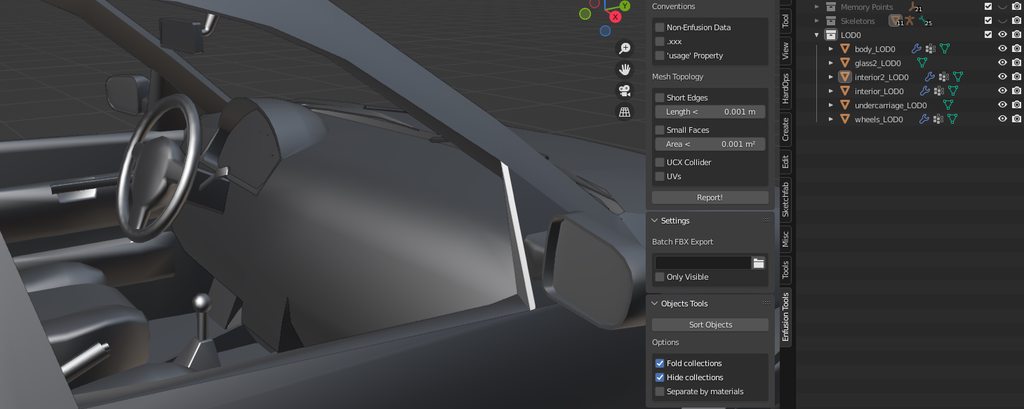
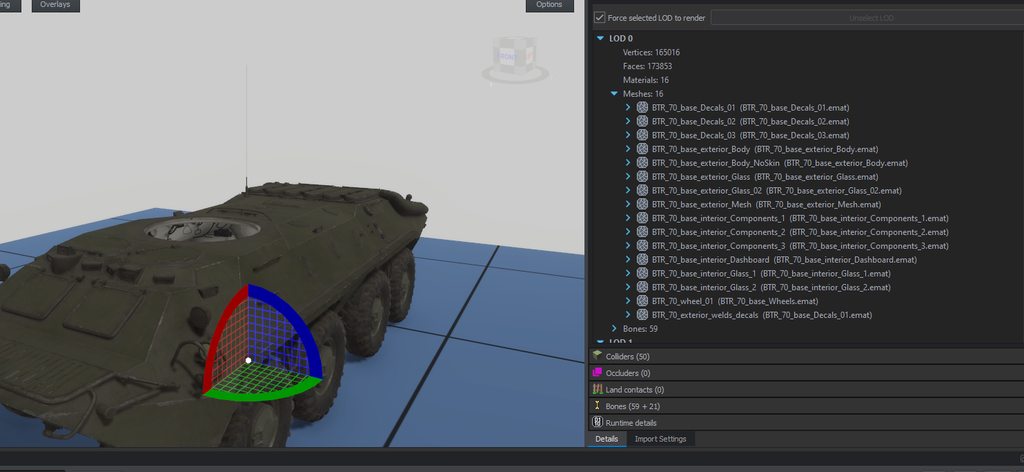 sly bridge
bleak depot
Need help:
can i do the materials setup for firegeometry in maya? is a list onli...
sly bridge
bleak depot
Need help:
can i do the materials setup for firegeometry in maya? is a list onli...
what material setup are you referring to?
bleak depot
@sly bridge in the wiki is: Collision layers page. but i cant find that.
and in blender you can use the layer preset. i need that for maya. maybe this -> NameOfMaterial_GUIDofMaterial - example: Weapon_metal_3B2D2687F56BB4EF
but for all game materials
junior thorn
fathom bolt
https://imgur.com/a/QEi2UZR
for the btr
https://imgur.com/a/ThUxH8s
<@268782...
yes i know
it's what i did
sly bridge
ahhh, for the colliders
bleak depot
yes
fathom bolt
junior thorn
it's what i did
you blender files isnt sort in the right way hit the "sort objects" in the enfusion plugin
junior thorn
 junior thorn
fathom bolt
you blender files isnt sort in the right way hit the "sort objects" in the enfus...
junior thorn
fathom bolt
you blender files isnt sort in the right way hit the "sort objects" in the enfus...
where?
sly bridge
@bleak depotgood question, i'm on max, not sure how could i setup this, maybe via some custom plug-in. You do have however a seeing in the import settings once you imported the FBX unde Physics tab -> surface properties
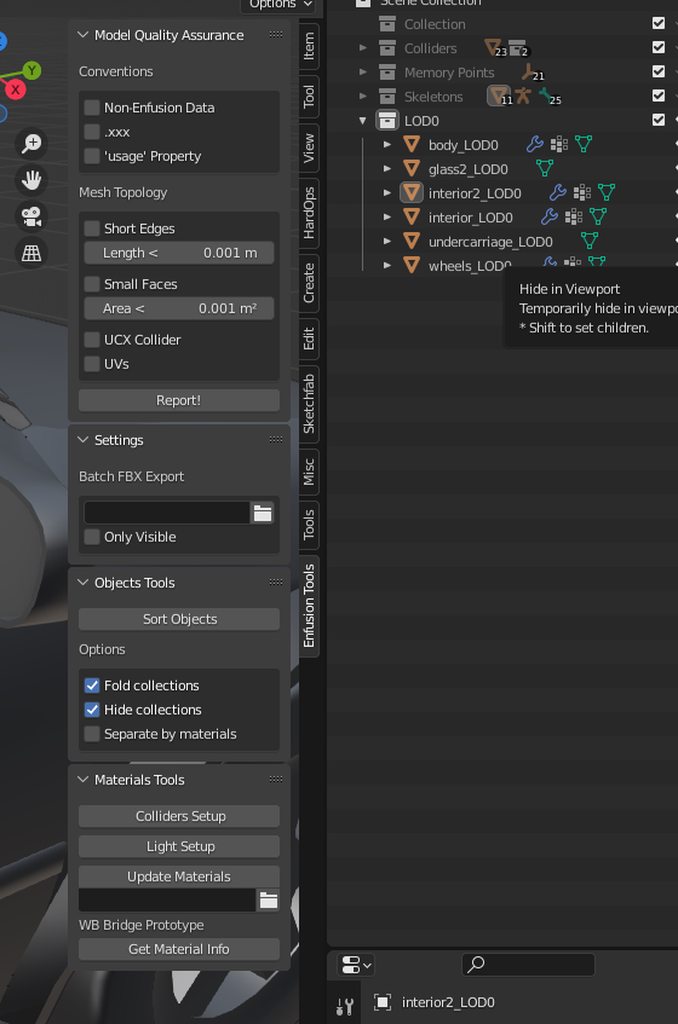 shell hedge
round orbit
anyone have a good trick to fold clothing like this
shell hedge
round orbit
anyone have a good trick to fold clothing like this
start with the sleeves
bleak depot
sly bridge
<@219926554162102272>good question, i'm on max, not sure how could i setup this,...
i try a other way now. but later 🙂
astral oar
last hill
Has anyone had any success bringing a boot mod in? I have tried a few different ...
quebec figured it out last time i checked if you have his dm's try him
fathom grove
Hat isn't moving with the character rig, even though it does have skinning

and animate is enabled in BaseLoadoutClothComponent
 fathom grove
hidden yarrow
You need to check your bones
fathom grove
hidden yarrow
You need to check your bones
Thank you! 😄 Now works
white plover
https://gyazo.com/61b823fb38618e95904948050065f8ab any one know how i can raise this hand up. other hand is fine just this one
 dim gate
can't, it's part of the animation
best you can do is rotate the weapon to lower the front and then change it's position to make it match the hand
fathom bolt
white plover
we cant add alot of guns then. without being able to edit the animation for it
why we cant ?
white plover
as some guns you wont be able to move the hands to fit just in blender. while makeing it look good
fathom bolt
but you can do a handanim ??
hidden yarrow
Yeah lol
fathom bolt
you need to put your custom anim in the graph
but you need to make all the animations
so you need the IKOffset and of course if its not an ak or an ar the reload animations
IKOffset is a static pose so 1 frame
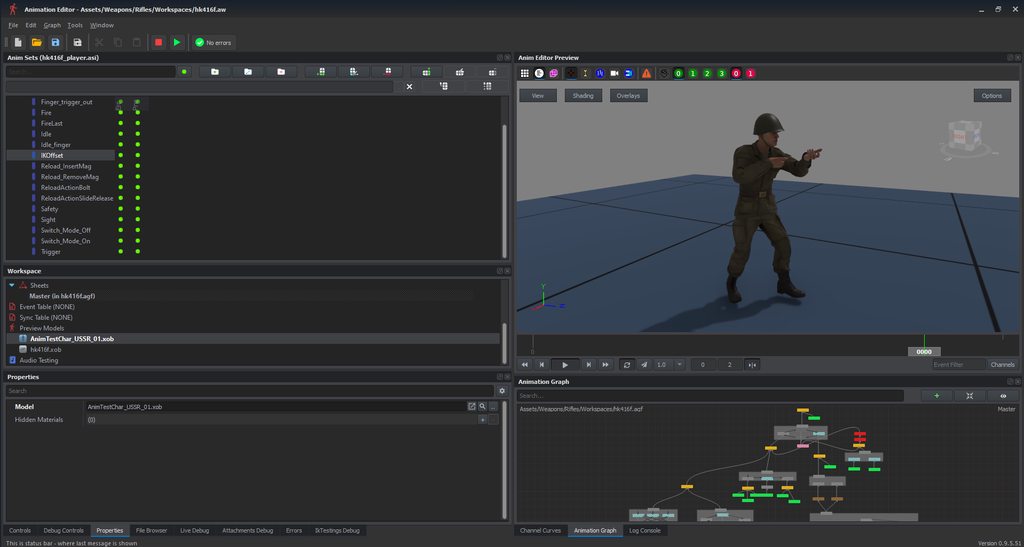 sharp mist
Hello, does anyone know why do i get this message, and how to fix it?
 bright raft
Has anyone been able to make collimated sight?
dim gate
someone tried to make a holo sight, using the PiP feature but giving it no zoom
bright raft
In A2 we could use face sorting with tunnel and reticle approach
dim gate
well, in A2/A3 the reticle is basically a texture with specular on it
here you can still do the same
create a plane face in your scope and apply a reticle texture on a transparent background
bright raft
bright raft
dim gate
create a plane face in your scope and apply a reticle texture on a transparent b...
That will still not be that
I'd like to have a 'depth' in that sight, but I cant find a way in enfusion, to make face with reticle be occluded by invisible tunnel
vocal belfry
TBF, there's a possibility that that functionality isn't even written into the engine yet.
 solemn goblet
WOW! Just looked at the documentation and it looks like someone made amazing docs in the past few days. Great work guys.
vocal belfry
If there any way to get a good refrence for a model that I'm making? I'm fairly new to all this.
sly bridge
define reference pictures, blueprints?
vocal belfry
Ideally, I'l like to being the RPG-7 model into blender as a read-only and then build my own model of a RPG-27 over that to get good measurements.
tacit eagle
vocal belfry
If there any way to get a good refrence for a model that I'm making? I'm fairly ...
I use a free software called PureRef, which allows you to make a mood board of images that you can use for reference.
sly bridge
vocal belfry
Ideally, I'l like to being the RPG-7 model into blender as a read-only and then ...
that isn't possible. though you might be able to find blueprints and schematics for RPG-27
vocal belfry
sly bridge
that isn't possible. though you might be able to find blueprints and schematics ...
Darn... Well then I'll just stick with scaling stuff... Anyone say hand-held naval cannon?
hidden yarrow
vocal belfry
Darn... Well then I'll just stick with scaling stuff... Anyone say hand-held nav...
The arma models are more than likely the same dimensions/scale as real life if you just model true to real life you will probably be fine
vocal belfry
hidden yarrow
The arma models are more than likely the same dimensions/scale as real life if y...
Oh... Well isn't that just perfect!
 trim needle
Can anyone help me with getting the collisions for my static object/prop working. I've followed the FBX import doc loosely.

The object in the workbench reports a missing mask. Not sure what that is.
 terse star
trim needle
Can anyone help me with getting the collisions for my static object/prop working...
terse star
trim needle
Can anyone help me with getting the collisions for my static object/prop working...
Did you use the enfusion tools to set the collider layer ?
trim needle
I did actually yeah, I manually changed the property in the bottom right corner of the top image just testing stuff.
I set the material as stone, and type as a Prop
Not sure if prop is the correct type in this instance. As it's a bridge.
 livid gate
vocal belfry
Darn... Well then I'll just stick with scaling stuff... Anyone say hand-held nav...
livid gate
vocal belfry
Darn... Well then I'll just stick with scaling stuff... Anyone say hand-held nav...
Check out Airsoft websites. They are a massive hobby in Russia, and I found many modernized RPG systems with at least side views to model off of.
terse star
trim needle
I did actually yeah, I manually changed the property in the bottom right corner ...
Try UCX instead of UTM
I had a cube, but for some reasons, UCX worked but UBX didn’t
eager hill
make sure custom properties are enabled in export settings
 trim needle
So I didn't have the custom properties ticked so that helps 😄 I still can't seem to get the collision working though.
I'm using UTM and when I change to UCX my workbench crashes.
I wonder would it be because I triangulated the collision mesh in Blender.
fast notch
Guys. no one can send me the correct model, through which the character cannot walk?
 fathom laurel
Yeah, anyone please send it as an example if it's not hard. We would be greatful for that.
sharp mist
Anybody knows, how to fix my wheelposinfo? It says that configuration is missing, and that setting up the power train has failed. What schould i do?
terse star
fathom laurel
Yeah, anyone please send it as an example if it's not hard. We would be greatful...
GitHub
Modding Samples. Contribute to BohemiaInteractive/Arma-Reforger-Samples development by creating an account on GitHub.
bleak depot
anyone knows how get open doors from custom wreck? Driver, CoDriver and so on. I have actionsManagerComponent and DoorComponent. But my wreck turn around. not the driver door
 pine flame
bleak depot
anyone knows how get open doors from custom wreck? Driver, CoDriver and so on. I...
pine flame
bleak depot
anyone knows how get open doors from custom wreck? Driver, CoDriver and so on. I...
Not enough information. How are you trying to open the doors, what components are you using on the wreck. Or is it the wreck model in typical vehicle?
(context)
DoorComponent probably won't work on vehicle wrecks.
Vehicle wrecks may have disabled action manager.
If its just wreck as placed asset and you want action to open door on it - look at hatches in BTR to have example how to do it through user action and procedural animation.
bleak depot
this is a static prop model. my model has bones with bind on Doors and Engine Hood. i can use the bones
manually and the doors turn correctly (.xob file). The vanilla vehicles has for the doors to get in a animation on vehicle model? I try to check the BTR. My example was a normal door from buildings
normal quail
24 hours later and I have re done the armature, I still have no bones showing. Can anyone see what I am doing wrong here


 civic surge
I am in the process of learning the basic modding things and now have the following problem:
I added an Object ingame and now want to open a dialog by interacting with it. I already added the ActionManagerComponent to my prefab. Is there a standard action to open the dialog or do i have to create a custom via script and if so how must it be structured?
trim needle
Should my object/prop mesh be triangulated? I can't seem to get the object fireGeo and character collisions working still. I've tried simplifying my collision object.
normal quail
normal quail
24 hours later and I have re done the armature, I still have no bones showing. C...
I fixed it, anyone with this problem. Check your weight painting.
 merry python
why do some parts of the object has different colors?
I didn't applied the tex yet
 tacit eagle
It might be a debug to show where different materials are applied?
As you have the metal and polymer materials applied to the weapon.
 wanton vigil
merry python
why do some parts of the object has different colors?
wanton vigil
merry python
why do some parts of the object has different colors?
Check vertex color. PBRBasic us using vertex color for multiplying the PBRBasic albedo output by it.
 topaz bay
Hi there,
I had some 3d files bought it from turbo-squid -some of old Russian cars- my question is:
Will reforger support my files
3ds-max?
Is it eligible to use it with arma workshop
wanton vigil
topaz bay
Hi there,
I had some 3d files bought it from turbo-squid -some of old Russian ca...
The only supported format is FBX, which can be exported from 3dsMax. Check "FBX import" in BIKI docs. for details.
topaz bay
@wanton vigil I’ll try to do so, thank you very much
Hope it work 👍🏻
wanton vigil
civic surge
I am in the process of learning the basic modding things and now have the follow...
Try asking in "configuration" or "scripting" channel i guess
civic surge
Okay thanks i'll try
wanton vigil
trim needle
Should my object/prop mesh be triangulated? I can't seem to get the object fireG...
Make sure your colliders are done properly ( Check FBX Import in BIKI docs.). Maybe share here error messages that show upon re-importing of the model.
If your collider i UCX ...meaning convex, definitely triangulate and check if it is really convex before pushing it to Enfusion.
sharp mist
Anyone knows why my car might be dessapearing when falling on the ground?
wanton vigil
sharp mist
Anyone knows why my car might be dessapearing when falling on the ground?
I am not sure...but if it is falling through the ground, then check if collision colliders are functional maybe.
sharp mist
It all started when i finished doing handling. Before that i could normally sit in it and everything was fine. I'll try what you told
wanton vigil
sharp mist
It all started when i finished doing handling. Before that i could normally sit ...
Our encoders might know more, @tidal latch maybe?
wanton vigil
terse star
I had a cube, but for some reasons, UCX worked but UBX didn’t
UBX works only on cube primitive which has pivot orientation aligned with the box properly. I dunno how it looked in your case.
daring condor
wanton vigil
Check vertex color. PBRBasic us using vertex color for multiplying the PBRBasic ...
Is there any way to disable that or clear vertex colours from within the workbench? It's something I and others use to generate colour ID maps for texturing in substance or similar software
wanton vigil
daring condor
Is there any way to disable that or clear vertex colours from within the workben...
Currently no way to purge vertex color during import. So you need to do it in your 3d suit before export I am afraid .
But I am taking note and will ask inhouse if this option would be doable at some point.
daring condor
Cool, thanks for the answer
solemn goblet
Are there any samples for ArmA 3 style autonomous vehicles within Enfusion? Something that can be controlled remotely.
solemn goblet
Hey man. I don't know what shenanigans people have come up with. I just watched a guy in the VC turn a screw press into a machine gun. I have no idea.
sick shard
So I found out you can export models from Maya when they're rigged you just have to invert all of the bones by -90 on the x axis and it will import just fine into infusion just anyone in the future asking if it's possible that to import with Maya
opal moat
What is involved in making clothing for reforger that I should know before I start to model it?
willow sage
You'll have to get a good skeleton
And download reforger characters samples from their git hub
Skeleton is actually needed for rigging your clothes, but even you get fixed one from Quebec - does not get automatic weights in proper way.
Samples for scale and orientation.
Textures resolutions for :
Headgear 1024px
Upperbody 2048px
Lowerbody 2048px
Footwear 1024px
Vest / Belts with pouches on one tex 2048px
Backpacks 2048px
tidal latch
Samples were updated yesterday with fixed Character_Template.fbx
sly bridge
@zenith quartz https://discordapp.com/channels/105462288051380224/976591280786276362/979495243575611443 - what's the vert count on these gen5s? wanna compare with my A3 gen4 model
 terse star
wanton vigil
UBX works only on cube primitive which has pivot orientation aligned with the bo...
terse star
wanton vigil
UBX works only on cube primitive which has pivot orientation aligned with the bo...
That was probably the issue then, thanks ❤️
zenith quartz
sly bridge
<@148601922721546241> https://discordapp.com/channels/105462288051380224/9765912...
10K verts off the top of my head but I'll give a more accurate number when I wake up later.
sharp mist
anyone knows why gears in my car won't change?
it drives, but only on the first gear
an in gearbox there are other gears present
daring condor
@hot pumice does reformer have tracked sim?
hidden yarrow
Ive seen some tracked components
fast notch
I understand this setup is done in a blender, but how to connect it in the engine itself?

"rigid body"
here, I turned it on in the blender, but it does not display like a tree
 tidal latch
fast notch
here, I turned it on in the blender, but it does not display like a tree
tidal latch
fast notch
here, I turned it on in the blender, but it does not display like a tree
do you want to know how to add RigidBody component? I'm not sure what is your question
fast notch
tidal latch
do you want to know how to add RigidBody component? I'm not sure what is your qu...
yes, it is this component. I'm sorry, my English is very bad
tidal latch
fast notch
yes, it is this component. I'm sorry, my English is very bad
https://community.bistudio.com/wiki/Arma_Reforger:Vehicle_Modding#Adding_turret_to_vehicle take a look here - here is a gif how to add component to entity
plain citrus
Anyone have a tutorial on how to properly adjust a weapon with blender or 3d max?
solemn goblet
plain citrus
Anyone have a tutorial on how to properly adjust a weapon with blender or 3d max...
Adjust in what way?
plain citrus
for correctly set armature, skeleton etc ...
sly bridge
i am working on one for 3ds max
if i figure out the animations, will be available including some sort of base mesh template
plain citrus
Nice tell me when it is online ! 🙂
Because i have some fbx but i'm little bit lost x)
zenith quartz
sly bridge
<@148601922721546241> https://discordapp.com/channels/105462288051380224/9765912...
I overestimated, together they're 6K verts.

11.5K tris.
eager hill
With modifiers turned off it's around 4.5K verts, so not that bad
 eager hill
It's almost finished and I'm going to simplify it as much as possible
quasi thistle
is there maybe somebody who can walk me trough the whole process of importing a model and making it game ready?
eager hill
dense plover
Try get it down a bit more. 3k range
And to be honest it's not that bad. ARTII scope which is in the game is somehow 10K verts
dense plover
eager hill
And to be honest it's not that bad. ARTII scope which is in the game is somehow ...
LMAO WTF.
ok nevermind, go crazy.
 dense plover
Awesome, this is good news. I'm making an L85A3 with 15K atm. Worrying I was at the high end.


 zenith quartz
AK-12.
 woven swallow
#WIP. Does anyone know what's the new limit on poly count for Enfusion ?


 delicate condor
woven swallow
#WIP. Does anyone know what's the new limit on poly count for Enfusion ?
delicate condor
woven swallow
#WIP. Does anyone know what's the new limit on poly count for Enfusion ?
No matter the limit, models should always be optimized
normal quail
woven swallow
#WIP. Does anyone know what's the new limit on poly count for Enfusion ?
Nice cart, I too wonder what the limit is. I am working on a beetle at the moment. Its around 70k faces at the moment. Loads perfectly. Testing around last night I put in a high poly sample model in enfusion and it renders in workbench but yeah would never put it in the game