#enfusion_model
1 messages · Page 30 of 1
 pulsar sandal
 stray bridge
layer preset is set to terrain, use buildingfireview for the colliders and you cant pass trough anymore
 delicate condor
A mod content reminder that you have to have the rights to use the IP you upload and that covers trademarked logos and such markings. Like from clothing or gun manufacturer. People will be notified of issues but I would appreciate proactive cleaning of your content.
Questions can be asked at #workshop_admin


 brisk grotto
 dense thicket
How can I seperate meshes in blender to get this effect in enfusion
dense thicket
How can I seperate meshes in blender to get this effect in enfusion
Make each their own _LOD

 brisk grotto
How are you exporting? It may be merging them
dense thicket
 brisk grotto
you aren't exporting with BIs plugin, try use that instead?
dense thicket
brisk grotto
you aren't exporting with BIs plugin, try use that instead?
Still merging
 brisk grotto
Odd, I thought thats all it needs. Maybe someone here knows

 brisk grotto

 primal zealot
 austere yew
<@1003768230860566558> I was working on a pre explosion Chernobyl unit 3+4 model...
austere yew
<@1003768230860566558> I was working on a pre explosion Chernobyl unit 3+4 model...
Looks great! How long did it take you to make?
austere yew
Oh wait
Shit
I thought I replied to someone ab my tank model
I started that model last year in August
Made a couple renders with it
I stopped working on it at about September 14th
primal zealot
Did you also do the interiors?
austere yew
primal zealot
Did you also do the interiors?
Not at that time no
I was working on exterior at the time
 primal zealot
Thought you was that one guy from reddit which did a really detailed chnpp model according to floorplans ect. Which took him over a year to make and it is still not done.
Those projects take ages
austere yew
primal zealot
Thought you was that one guy from reddit which did a really detailed chnpp model...
I spoke to that dude before
Thatchernobylguy
I think that’s his name
primal zealot
austere yew
Thatchernobylguy
Yea exactly!
austere yew
He made a live stream with a YouTuber with his cgi exactly outlying the explosion in real time at the same time it happened but this year instead of the 80s
primal zealot
Thats crazy work to behonest. But i guess that the asset would be to heavy on performance on enfusions engine
austere yew
primal zealot
Thats crazy work to behonest. But i guess that the asset would be to heavy on pe...
Ye he was doing it in unreal engine
I actually met him through a Roblox RBMK-1000 simulator LOL
The owner is making the same game but with more accurate physics and so on in godot
primal zealot
austere yew
I dont see the second vent stack but it still looks very good
austere yew
You have grid synchronisation control rods ARM etc
austere yew
primal zealot
I dont see the second vent stack but it still looks very good
ye I only did unit 3/4
I was moving onto unit 1/2 after
primal zealot
What the hell haha. Ive seen chernobyl scenarios on roblox, crazy
austere yew
primal zealot
What the hell haha. Ive seen chernobyl scenarios on roblox, crazy
This is the game but in godot
It has actual ORM calculations, thermal activity of the core with 3d simulations rather than 2d
primal zealot
austere yew
This is the game but in godot
Im curious if its possible to get the reactor stable again from the critical point
austere yew
Another amazing thing is working AR
austere yew
primal zealot
Im curious if its possible to get the reactor stable again from the critical poi...
No
You see the issue was
Skala was offline
Operators should’ve recalculated the ORM
and done actual checks to see if the core was xenon poised
But given the decay chain of iodine 135 to xenon 135
It’s impossible for a xenon buildup
As it’s half life is about 5-6 hours
Power went low near midnight
They pulled control rods without following procedure to pull the core back up to power over the next hour
They did it too fast and accounted for theoretical xenon buildup
When there was non
So it slingshot into the state of criticality
Then a design flaw was the tip of the iceberg
Graphite displacers etc
Given they followed procedure it wouldn’t have happened
It’s a mix of Soviet error and operator error
Sorry for dumping that info
LOL
The second power started rising fast it was impossible to turn back
primal zealot
I think they said that its possible, not in the period when they pressed AZ-5 but before, like at 1Am.
Shutting down the reactor slowly and wait 24-48 hours for the xenon to decay but they raised the power again.
I mean critical moment is already when the reactor gets at very lower power and becomes unstable right
austere yew
primal zealot
I think they said that its possible, not in the period when they pressed AZ-5 bu...
Oh ye, that part was preventable
all they had to do was
check ORM
and safely and strategically remove control rods and placing them in
in various areas
I heard a rumour somewhere idk if its been proven
but apparently, toptunov was moving control rods erratically
primal zealot

 urban palm
 brisk grotto
As much as I love a good history/chernobyl rant, can we keep this model channel on topic 🤣
austere yew
brisk grotto
As much as I love a good history/chernobyl rant, can we keep this model channel ...
xd sure, I just get a little carried away sometimes and info dump out of nowhere 😭
 gaunt bane
You set the prefab placement to “slope and contact”?
 viral geyser
gaunt bane
You set the prefab placement to “slope and contact”?
viral geyser
gaunt bane
You set the prefab placement to “slope and contact”?
yea i think swampfox got me on the right track now, i had all of the settings set identical to base game sidewalks but they werent working the same

 ornate walrus
Assign material in blender?
 idle drift
ornate walrus
Assign material in blender?
idle drift
ornate walrus
Assign material in blender?
It has one
 quiet ledge
idle drift
quiet ledge
idle drift
Probably vertex color, if you go to the clean up section in enfusion tools it can auto remove them
 idle drift
quiet ledge
Probably vertex color, if you go to the clean up section in enfusion tools it ca...
idle drift
quiet ledge
Probably vertex color, if you go to the clean up section in enfusion tools it ca...
Thank
delicate condor
The vertex color seems to come up pretty often and Im curious how people are using it when it does not really have any apparent function in modeling. So how do people end up having vertex colors on their models?
 calm rune
delicate condor
The vertex color seems to come up pretty often and Im curious how people are usi...
calm rune
delicate condor
The vertex color seems to come up pretty often and Im curious how people are usi...
A lot of ripped models tend to come with vertex colors. Not accusing these people but when people would send me their models to figure out why it was "black" and I applied the texture to it, it was always a model I've seen in other games and not modded games.
delicate condor

 worn plover
delicate condor
The vertex color seems to come up pretty often and Im curious how people are usi...
worn plover
delicate condor
The vertex color seems to come up pretty often and Im curious how people are usi...
I use vertex color to create id maps in substance sometimes.
 haughty oasis
Yeah vertex colour is useful for id maps but ive transitioned to using material colours for it as its easier to apply
 sly bridge
delicate condor
The vertex color seems to come up pretty often and Im curious how people are usi...
sly bridge
delicate condor
The vertex color seems to come up pretty often and Im curious how people are usi...
in my 20+ years of modelling, i have used vetices colors function twice. Once because it was used by the game engine i was commissioned to do models for, and secondly for MCG script as a soft selection type thing...
i always thought that vertex paints will be used by enfusion for thermals to be fair
delicate condor
sly bridge
i always thought that vertex paints will be used by enfusion for thermals to be ...
that could be quite cool thing. But wouldnt texture be better for being able to edit it between model versions?
sly bridge
delicate condor
that could be quite cool thing. But wouldnt texture be better for being able to ...
of course it would be a ton better, and seems that is what BI did, although it is not fully implemented just yet game wise, there is this new entry in the material/shader parameters

 remote palm
I mean if you use vertex colors for ID maps, you (really) should know how to remove them afterwards for export.
 burnt surge
remote palm
I mean if you use vertex colors for ID maps, you (really) should know how to rem...
burnt surge
remote palm
I mean if you use vertex colors for ID maps, you (really) should know how to rem...

In normal case yes cause you did it
 mighty lodge
idle drift
mighty lodge
idle drift
It’s because of the attributes that are in the model
remote palm
If you duplicate the prefab you can remove the cargo prefab


 bold saffron
My bullet collider is invalid, says face is degenerated on every single mesh I try using, even a cylinder with no changes other than scaling it to the appropriate shape and exporting as an fbx will give me the invalid collider face is degenerated, and then lists every single face as an issue

 remote palm
bold saffron
My bullet collider is invalid, says face is degenerated on every single mesh I t...
remote palm
bold saffron
My bullet collider is invalid, says face is degenerated on every single mesh I t...
Dunno if that is already the issue, but the faces at the tip are Ngons.
Have you also tried applying transforms?
Also, are you sure you applied the collider properties properly?
And have you tried trianulating the collider? I might be incorrect here, but i think that is also needed 🫣
bold saffron
i don't know how to triangulate things lol, and i think i had the collider work once, until i had to shift the actual bullet back towards 0,0,0 so it wasn't offset but /shrug
i triangulated the faces i did apply transforms, i merged the vertex at the tip too and still the same error
i'd use a capsule for the collider like the other bullets use but i don't know what to use in blender for that, the capsule blender has doesn't let me use the collider setup with EBT
 young shard
bold saffron
i don't know how to triangulate things lol, and i think i had the collider work ...
young shard
bold saffron
i don't know how to triangulate things lol, and i think i had the collider work ...
You can add a triangulation modifier in blender.
bold saffron
i think the ctrl+T bind also works, i had tried the modifier but it didn't seem to like that lol
young shard
Well it tends to work better with quads. Since you have ngons it won't like it.
I'd recommend lowering the poly count on that as well since it's just a bullet. + Shade smooth it.
bold saffron
it is still broken
though now i am getting new errors, face edge shared by too my faces and convex is not closed
well i just went with a UBX to test and that worked no issue
and now i can't get interaction layers to work 
wait nevermind i figured that out
 covert rune
Hey everyone,
I was wondering if any of you are using InstaLOD Studio to create additional LODs for uniforms/clothing.
I’m completely new to LOD creation, but I’ve been reading that it’s really important for performance and optimization, especially for player-worn equipment. So I’d really like to learn how to create proper LODs correctly.
If you have any tips, recommended settings, a good workflow, or even common mistakes to avoid,
I’d really appreciate the help 😄
Thanks in advance 😉
bold saffron
i have a new problem lol; when following the tutorial in the weapon animation section it shows how to import the magazine into the same scene for animating, it says to apply all transforms to the empty plain axes "snap_weapon" and then parent the magazine to it. when i do that the snap_weapon moves back to 0,0,0 making the snap_weapon offset from slot_magazine, and if i try to parent the magazine not doing that it will offset the magazine backwards from where it should be
first image: no apply transforms and parent magazine to snap_weapon
second image: apply transforms to snap_weapon and parent magazine to snap_weapon, the magazine will now be ofset forward and no long aligned properly

 bold saffron
covert rune
Hey everyone,
I was wondering if any of you are using **InstaLOD Studio** to cre...
bold saffron
covert rune
Hey everyone,
I was wondering if any of you are using **InstaLOD Studio** to cre...
i think a shitty way of doing it in blender would be to make a duplicate of the object and use the decimate modifier? /shrug i am sure there is maybe a better way, someone i'm sure will say if this is a bad idea or not lol
bold saffron
i seemed to have fixed my issue by applying the transforms to delta, and also shifted the axes to a different location and they seem to work i guess? /shrug
 muted narwhal
young shard
muted narwhal
young shard
Are you doing this solo or group design
brisk grotto
covert rune
Hey everyone,
I was wondering if any of you are using **InstaLOD Studio** to cre...
I tend to just do it in Blender, duplicate & decimate with some manual deletions
young shard
muted narwhal
Are you doing this solo or group design
Just solo.
Mostly just messing around experimenting with making vehicles in Reforger.
muted narwhal
Are you a part of any unit that does the Warhammer theme?
young shard
I'm not.
Just something I did a couple months ago.
Though it seems we have a mutual friend.
If you want the model I'd be fine with giving it.
 mighty bronze
bold saffron
i have a new problem lol; when following the tutorial in the weapon animation se...
mighty bronze
bold saffron
i have a new problem lol; when following the tutorial in the weapon animation se...
Never apply all on empties/plain axis
Just rotation and scale
Also I usually put it at 0,0,0 anyways (or none at all given it creates a scene root anyways)
 trail hornet
I forgot to line up my model with the world origin in blender and now when I tried to use a wheeled prefab it was a bit offset, is there anyway to fix without re importing?
Also I can’t seem to get the collision to work with the vehicle
https://youtu.be/4OTInKO2pKc?si=KfM_OtMnzwjOzhdF
this is the vehicle
 bold saffron
just move everything closer/to 0,0,0 so it isn't offset? and then reimport it
 surreal ore
trail hornet
I forgot to line up my model with the world origin in blender and now when I tri...
surreal ore
trail hornet
I forgot to line up my model with the world origin in blender and now when I tri...
No, you can't make changes to the model within workbench, that's what Blender is for.
 sage lance
 plush torrent
Where can I learn how to make probes?
plush torrent
Where can I learn how to make probes?
Are you reffering to interior shading, such as for buildings?
plush torrent
Yes
sage lance
I will dm you in a sec w/ stuff
plush torrent
sweet
 manic maple
Can we modify a vehicles stock performance values in the prefab editor?
 fluid dragon
What could be the reason why my model that i import has double the vertex count compared to my model in blender ?
stray bridge
fluid dragon
What could be the reason why my model that i import has double the vertex count ...
it gets triangulated on import automatically
fluid dragon
that shouldnt change the vertex count tho should it
As Example, My wheel has 6418 Verts in Blender and in the workbench it shows 12634 Verts for whatever reason
fluid dragon
The Facecount/Triangle count matches btw
brisk grotto
fluid dragon
that shouldnt change the vertex count tho should it
It will, the engine triangulates it differently to how blender does, including adding verts where it thinks it needs them. vert count will always be higher in enfusion than blender
fluid dragon
brisk grotto
It will, the engine triangulates it differently to how blender does, including a...
so looks like it will also split up the meshes into multiple ones ?
brisk grotto
fluid dragon
so looks like it will also split up the meshes into multiple ones ?
If you’ve got separate mesh in blender they will import separate yes
fluid dragon
i have them all joined into selections, but in workbench one material is getting split in like 5 meshes ?
eventhough its one selection in blender
brisk grotto
fluid dragon
i have them all joined into selections, but in workbench one material is getting...
Hard to say without seeing your setup/output
dense thicket
Is there a way to view my colliders in game for helmets to see if they are updating?
brisk grotto
dense thicket
Is there a way to view my colliders in game for helmets to see if they are updat...
There’s an option on debug menu to view colliders or if you look at the XOB in workbench you can view collisions
sly bridge
dense thicket
Is there a way to view my colliders in game for helmets to see if they are updat...
 glacial wharf
Howdy hey
Recently I got this gen 2 glock mod for reforger but I wanted to know how I could possibly import it into blender and it's textures

I have my enfusion blender tools set up and my workbench
delicate condor
glacial wharf
Recently I got this gen 2 glock mod for reforger but I wanted to know how I coul...
No you can't take someone else's models out of the game
glacial wharf
delicate condor
No you can't take someone else's models out of the game
Ah
What about just reforger models how do I import those into Blender?
delicate condor
It's model making, not model taking
delicate condor
glacial wharf
What about just reforger models how do I import those into Blender?
You dont
glacial wharf
Alright then
stray bridge
smh 
young shard
glacial wharf
Recently I got this gen 2 glock mod for reforger but I wanted to know how I coul...
Learn how to make game assets is the only thing I could suggest.
stray bridge
young shard
Learn how to make game assets is the only thing I could suggest.
good try but he already left the dc 
young shard
stray bridge
good try but he already left the dc <:hmmyes:1147624204909433022>
Left the dc?
Oh he left the server.
Lol
delicate condor
While these are skills anyone can learn, not everyone has time or want to learn. 
remote palm
Or the creativity to actually model something good ^^
I tried it for two years but never really completed anything "big"
Only my one helmet i did ^^ - harder shapes are the issue for me atleast. I tried an Opel Blitz for Reforger, but the cabin i am breaking down at...

 midnight path

 delicate condor
remote palm
Or the creativity to actually model something good ^^
I tried it for two years b...
delicate condor
remote palm
Or the creativity to actually model something good ^^
I tried it for two years b...
it does take some practise to find good workflow that fits your thought process
you got great model going there already
sage lance
remote palm
Or the creativity to actually model something good ^^
I tried it for two years b...
In general, I think texturing skills are more important than modeling skills, at least in regards to looks (not performance). I know I’m biased considering I haven’t created my own model before, but based on all the assets I’ve worked with, a great looking model with god-awful texturing is a lot worse than a mediocre model with great textures. Though, there is definitely some overlap with those skills due to the requirement of a normal map
That being said, still love high quality models, which your truck certainly is
 shell hedge
To be fair if your model sucks then so will the texture (maybe indirectly)
plush torrent
shell hedge
To be fair if your model sucks then so will the texture (maybe indirectly)
Depends
If your models looks bad because of your intentions for optimization and doing more with textures then it doesn’t really apply
brisk grotto
In this day and age of technology for modelling the bigger problem is making good looking but optimised models. Anyone can follow a doughnut tutorial on YouTube but end up with a few million verts, the art is in taking the concept and making it lower poly.
sage lance
🤦♂️
Couple things. Not right channel. And you can’t pay ppl to mod within the enfusion tools per BIs EULA. Your mod will get removed. Not trying to be mean; just letting you know
But you can pay ppl to make models and texture as long as all of that is done outside of the workbench
 summer owl
Understand u my friend but im looking for someone take a project of my server and be our dev
calm rune
shell hedge
To be fair if your model sucks then so will the texture (maybe indirectly)
Hard surface might be more forgiving but organic isn’t. If you have a shit looking highpoly you’ll have a shit looking model after texturing.
burnt surge
shell hedge
To be fair if your model sucks then so will the texture (maybe indirectly)
Nope wrong, you can make a bad model and make it good and cool looking with a great unwrap and neat texture work. You can also make a perfect model and texture it with smart UV project by Blender and it will look like trash at the end cause edges etc wont fit to each etc.. even bad texture work can ruin your great model at all.. at the end for visual purpose the texture artist will decide if your model will look good or bad.
calm rune
burnt surge
Nope wrong, you can make a bad model and make it good and cool looking with a gr...
You are 50% right. Refer to what I said above your comment.
burnt surge
calm rune
You are 50% right. Refer to what I said above your comment.
You still can manually "repair" the trashy highpoly model when you paint the normal map manually instead of baking the trash. You also can safe a lot if texture work gets manually done, wont look perfect at all but not that worse without textures 😅.. You are right about organic stuff this might be more difficult to make it looking good at all but if its like that most texture artits will say you got to redo or improve what you did. When you do all by yourself, its more or less a skill issue, so you will redo it anyway when you have gained more skills in stuff.. no master has fallen from the sky 🤪
shell hedge
calm rune
Hard surface might be more forgiving but organic isn’t. If you have a shit looki...
I was thinking also about bad topo making it texture bad and look bad
delicate condor
cant pay for that
tools are non commercial use only.
I would assume you dont want to waste money on banned mod
delicate condor
summer owl
Understand u my friend but im looking for someone take a project of my server an...
U need to be your dev if you want to have server with custom mods
thats the whole thing

 obsidian grail
calm rune
Hard surface might be more forgiving but organic isn’t. If you have a shit looki...
obsidian grail
calm rune
Hard surface might be more forgiving but organic isn’t. If you have a shit looki...
💯
remote palm
sage lance
That being said, still love high quality models, which your truck certainly is
ty - maybe at some day ill get my head around the cabin - but till today i just havent.. 🙁
calm rune
obsidian grail
made some combat clothing, zbrush and marvelous
How did you use photo scanned data in marvelous?
obsidian grail
calm rune
How did you use photo scanned data in marvelous?
scann- retopo- import marvelous convert to garment simulate etc
calm rune
obsidian grail
scann- retopo- import marvelous convert to garment simulate etc
I don’t understand the logic behind that. You have a scanned mesh that is already a highpoly. All you have to do it retopo, bake then texture. Can we see the MD version? I’m intrigued.
obsidian grail
calm rune
I don’t understand the logic behind that. You have a scanned mesh that is alread...
Well when i scanned it, it had some odd creases and they were barely any too and i wanted to try something new so i imported it into marvelous and simulated it to have more wrinkles then baked in marmo with original scann textures
calm rune
obsidian grail
Well when i scanned it, it had some odd creases and they were barely any too and...
Can we see it though? This is gonna blow my mind lol
obsidian grail
calm rune
Can we see it though? This is gonna blow my mind lol
Yes, i can post later just out rn
calm rune
obsidian grail
Yes, i can post later just out rn
Aight cool
delicate condor
first stop at #rules to learn about our stance on crossposting same thing on multiple channels
young shard
obsidian grail
made some combat clothing, zbrush and marvelous
Very nice looking though.
Marvelous is so... Marvelous.
 urban needle
Hey guys, I’m hoping you can help me out. My building has this issue where outside light leaks in (you can see it in the pic highlighted in blue). When you get closer it fixes itself.
It’s just a visual bug, but it makes the model look off. Anyone know what’s going on? Thanks!
 brisk grotto
urban needle
Hey guys, I’m hoping you can help me out. My building has this issue where outsi...
brisk grotto
urban needle
Hey guys, I’m hoping you can help me out. My building has this issue where outsi...
Your model isn’t fully sealed in either the LOD it’s using for shadows, or your box volume if you’ve made those.
 void sluice
urban needle
Hey guys, I’m hoping you can help me out. My building has this issue where outsi...
void sluice
urban needle
Hey guys, I’m hoping you can help me out. My building has this issue where outsi...
so every building has a env probe which tells the engine to render interior lighting and make it darker its the reason why when you look into a building window at day its completly dark from the inside


 calm rune
obsidian grail
Yes, i can post later just out rn
calm rune
obsidian grail
Yes, i can post later just out rn
👀
 devout dune
obsidian grail
made some combat clothing, zbrush and marvelous
devout dune
obsidian grail
made some combat clothing, zbrush and marvelous
This looks great
 civic holly
obsidian grail
scann- retopo- import marvelous convert to garment simulate etc
civic holly
obsidian grail
scann- retopo- import marvelous convert to garment simulate etc
Wait…. You can convert an existing mesh into a simulated on in MD???? How did I not know this!!!
 uneven vessel
calm rune
civic holly
Wait…. You can convert an existing mesh into a simulated on in MD???? How did I...
uneven vessel
calm rune
civic holly
Wait…. You can convert an existing mesh into a simulated on in MD???? How did I...
You can but you need to have it UVd then you need to stitch all the seams together in MD. It’s quite messy. You also will loose all original shape the moment you hit simulation which is why I’m curious to how it achieved what he said. I’ve been using MD for over 4 years and what he is saying just doesn’t make sense to me which is why I want to see what he did.
The picture he posed also doesn’t look like a lowpoly but just the high poly with a texture over it.
obsidian grail
calm rune
The picture he posed also doesn’t look like a lowpoly but just the high poly wit...

 calm rune
obsidian grail
calm rune
obsidian grail
Yeah so original image is not the lowpoly
obsidian grail
calm rune
Yeah so original image is not the lowpoly
yes it is? just used marmo to bake the textures
calm rune
obsidian grail
yes it is? just used marmo to bake the textures
No it’s not. I’ve been doing this for 8 years. The first picture you post has much more geometry then that very secretive 1/4 of a shirt you just posted.
obsidian grail
calm rune
No it’s not. I’ve been doing this for 8 years. The first picture you post has mu...
it's the exact same one i've shown in the first picture, we can go to a vc if you want, i'll show you 🙃
calm rune
obsidian grail
it's the exact same one i've shown in the first picture, we can go to a vc if yo...
Look at your pocket flap geo on the first image and then on your retopo. Ones a complete flat surface and the other isn’t. Doesn’t matter how good of a bake you get it will not have that protruding with a complete flat surface. Again the first image isn’t just the highpoly with a texture over it. I could pick out so many more areas on this but I’m not gonna waste my time lol.


Just to clean up any confusion what I am saying is that the first image you posted is not your lowpoly model. It is just a highpoly with textures.
obsidian grail
ohh that's not the full retopo i made the pockets and other parts separate...
 half marlin
Did you ever get an answer on this. I am also curious
 paper mantle
half marlin
Did you ever get an answer on this. I am also curious
paper mantle
half marlin
Did you ever get an answer on this. I am also curious
Not really. Some of it is created from blender. Otherwise you can place your logos on the actual skins of the vehicles, buildings, weapons etc.
half marlin
Thats what I had been doing is what your video from 7-8 months ago had done
obsidian grail


 half marlin
paper mantle
Not really. Some of it is created from blender. Otherwise you can place your l...
half marlin
paper mantle
Not really. Some of it is created from blender. Otherwise you can place your l...
- Create Decal Entity,
- Create a emat with your image,
- Apply emat to the mat section in the entity,
- Turn off terrain only,
- Nest the entity within the object you are applying it to,
- Profit
EDIT: Of course move/scale/transform as needed to fit your taste
paper mantle
half marlin
- Create Decal Entity,
- Create a emat with your image,
- Apply emat to the mat ...
Cheers mate

 slate stump
Hello I have a quick question. I'm considering making a building pack for my map. I plan on using free 3D assets I find on the web I was just wondering if there's anything special I need to do before uploading them and publishing the building pack?
Do I need to set any special licensing or do anything in the bio specifically?
stray bridge
Depends on the license of the models ur getting. Just read the license 🙂
Also make sure its not some ripped stuff 
slate stump
stray bridge
Depends on the license of the models ur getting. Just read the license 🙂
Also m...
From what I can tell reading the description of this it seems it can be used without any problems but is this something that is safe?. https://free3d.com/3d-model/watch-tower-made-of-wood-94934.html
stray bridge
slate stump
From what I can tell reading the description of this it seems it can be used wit...
its pretty obvious displaying license for personal use, what this includes you have to check for urself on the side and figure it out
 cold zinc
Im sure its been asked a billion times,
but why the further I go out the leaves for my tree just shrink up and dissappear, what setting am I missing here.

how its supposed to look lol.
 stray bridge
use opacity map instead of alpha
cold zinc
stray bridge
use opacity map instead of alpha
Elaborate cause as far as I am aware I am using the opacity map
 cold zinc
Cant seem to figure it out
stray bridge
ur not using alpha bias?
maybe try to use a black and white opacity map
did this like 2 years ago so I might not have the solution to ur problem
treecrown has some spefics im not aware abt rn I would need to check it out myself again :/
civic holly
cold zinc
Im sure its been asked a billion times,
but why the further I go out the leaves...
I recently had the same issue with my cam netting.
I resolved it by changing the sort by setting in the material. I can’t remember off the top of my head which one I used but there’s only 4 or 5 options so test each one out.
civic holly
cold zinc
how its supposed to look lol.
Also… I’m curious, is it a gum tree?
cold zinc
stray bridge
ur not using alpha bias?
maybe try to use a black and white opacity map
Exactly what im using lol, I have had this issue in the past and now cant remember for the life of me what I did to fix it.
cold zinc
civic holly
I recently had the same issue with my cam netting.
I resolved it by changing t...
I will give it a shot.
cold zinc
civic holly
Also… I’m curious, is it a gum tree?
acacia
 olive fern
cold zinc
acacia
olive fern
cold zinc
acacia
try increasing alpha mul and/or the other alpha option below
If the issue persist you may have to use a matbasicpbr sadly idk
obsidian grail
 surreal oracle
soon tm figuring out textures :{
surreal oracle
soon tm figuring out textures :{
how did this go?
surreal oracle
obsidian grail
how did this go?
textures?
obsidian grail
surreal oracle
textures?
yes
surreal oracle
obsidian grail
yes
i kinda gave up and started on making some wizard drip
obsidian grail
surreal oracle
i kinda gave up and started on making some wizard drip
wizard drip 😭 hows that coming along man?
surreal oracle
obsidian grail
wizard drip 😭 hows that coming along man?
alright so far! il post a showroom image once done!!
obsidian grail
surreal oracle
alright so far! il post a showroom image once done!!
nice man, ping me i wanna see how this comes out 🙃
cold zinc
Ive been looking into it, trying to figure out what is different.
this is the only option on the image texture file that is different.

and I believe this is the reason why my leaves dissappear at distance.
However I cannot figure out how to remove the alpha channel
cold zinc
Its gotta be the image texture file cause I replace my opacity file with a vanilla base game one and it works fine, no more disappeary leaves.
using mine breaks it.
brisk grotto
cold zinc
Its gotta be the image texture file cause I replace my opacity file with a vanil...
Like Ben said opacity maps supposed to be greyscale not black/red like your current one. Change the red to white and try again
cold zinc
brisk grotto
Like Ben said opacity maps supposed to be greyscale not black/red like your curr...
Casey it is white for me.
there were two version one red cause on one import it turned the white areas red.
and the second one on import is just white.
Neither of them work.
Im also using substance painter.

This, This does not work.
theres still a alpha channel or something attached to it.
cold zinc
also the error it spits out at me.

if theres a naming convention im unaware of.
Currently set it as Acacia_A and that still doesnt work so im utterly stumped.
 leaden chasm
cold zinc
Im sure its been asked a billion times,
but why the further I go out the leaves...
leaden chasm
cold zinc
Im sure its been asked a billion times,
but why the further I go out the leaves...
you are welcome

Also sliders below do something but i don't remember what exactly
cold zinc
leaden chasm
you are welcome
I love you, will give it a shot here in a few.
brisk grotto
cold zinc
if theres a naming convention im unaware of.
That table at the bottom of this page lists all the suffixes, if you're dragging and dropping a png in to convert it make sure the suffix is right as it reads that to define import settings
cold zinc
leaden chasm
you are welcome
It worked thank you so much my man
 leaden chasm
cold zinc
It worked thank you so much my man
leaden chasm
cold zinc
It worked thank you so much my man
That was my pain and tears
leaden chasm
cold zinc
It worked thank you so much my man
Also try different foliagealpha modes and sliders, maybe you can get better results.
cold zinc
leaden chasm
Also try different foliagealpha modes and sliders, maybe you can get better resu...
will do
civic holly
Hey lads, is there any tutorials on Tree imports? I've had a dive through the wiki and cant find much.
I have the tree model in with correct colliders etc (matching vanilla colliders) and prefabs setup the same as vanilla. However they don't sway and move like the original ones do so I assume I have missed something along the way. The original games tress dont have bones but they also dont have morphs so im curious how they did it.
cold zinc


click change class,
Then choose PBRTreeCrown For the leaves
and PBRTreeTrunk For the Base Trunk of the Tree.
Shader magic
obsidian grail
surreal oracle
alright so far! il post a showroom image once done!!
you ever get around to this?
surreal oracle
obsidian grail
you ever get around to this?
Yeah I just haven’t posted the drip yet!
 uncut idol
Hi, I am trying to use the Blender addon, I have Workbench Running with the NET API on and the Port configured correctly in Blender + workbench, the options that need the NET api also work, however all things Like exporting/saving Materials give me the Message that it needs to be Inside an Active addon, Even when saving Inside the Open addon folder, why is that Happening?
 sweet onyx
uncut idol
Hi, I am trying to use the Blender addon, I have Workbench Running with the NET ...
sweet onyx
uncut idol
Hi, I am trying to use the Blender addon, I have Workbench Running with the NET ...
I get this error all the time, save your project from the top left and relaunch your project and it will fix this
uncut idol
sweet onyx
I get this error all the time, save your project from the top left and relaunch ...
In Blender or the workbench?
sweet onyx
uncut idol
In Blender or the workbench?
Workbench, save workbench close it relaunch and reimport
uncut idol
Okay, I will try that, thank you!
obsidian grail

 sage lance
Can anyone explain what the 'static' layer of the "Building" collider type does within the context of the Enfusion engine. I am trying to get a better understanding of it so that I can more accurately determine the level of detail that I must include in my structure's BuildingView/Building collider(s). I know the building collider should be as simple as possible while preserving the building's overall shape. That said, I have some large columns that have some relatively large, detailed parts that jut out. I don't know whether to include them in the building collider or keep them out to reduce the vert/tri count.


I plan to make a separate, far more detailed FireGeo collider
trail hornet
How do I import a model and make it appear in GM? I can get the fbx in the workbench fine
Like say I wanted to import a wall
sage lance
trail hornet
How do I import a model and make it appear in GM? I can get the fbx in the workb...
Just to clarify, you’ve already successfully imported the model into Enfusion from Blender?
worn plover
sage lance
Can anyone explain what the 'static' layer of the "Building" collider type does...
open up a building .xob in the editor and look at its colliders. i believe they use a UTM for fire geometry aka bullet holes. and for actual physical collisons it will be simple planes i think dont quote me just go look
sage lance
worn plover
open up a building .xob in the editor and look at its colliders. i believe they ...
Again, I understand all of that and have been actively looking at base game assets for reference. That's not my question though. Im just kinda wondering how much detail I should be adding to the building collider such that player collision is best while minimizing the vert/tri count
I guess I can just test it as I go. And try to just use cube shapes rather than conforming to every large edge on the columns. The base game models sometimes just make me think I should be adding more detail than is neccesary. Like some of the base game structures have building colliders where a fence is fully detailed whereas others have fences that are just made of cubes
surreal ore
sage lance
Again, I understand all of that and have been actively looking at base game asse...
Detailed enough to work but also not cause issues.
That is on a per model basis.
sage lance
Got it. Thx!
worn plover
sage lance
Again, I understand all of that and have been actively looking at base game asse...
again they list the vert counts in workbench
surreal ore
ALL colliders should be as primitive as possible.
worn plover
farmhouse BD is a tenth the verts that its LOD0 is
sage lance
worn plover
farmhouse BD is a tenth the verts that its LOD0 is
Well the building im working on has a lot more exterior detail that juts out compared to any of the base game models, so there is no base game asset that I can directly reference the vert count to. But I get your point
At least not on a 1:1 scale
worn plover
your building looks like the church
sage lance
worn plover
go look at how the church colliders are done
sage lance
worn plover
go look at how the church colliders are done
Good reference. Hadn't considered the church yet
surreal ore
If you're questioning how to do this that much, watch some videos about "game ready assets" specifically the colliders.
I'm sure there are plenty on youtube.
worn plover
sage lance
Good reference. Hadn't considered the church yet
nobody considers the church and look at the state of modern society
trail hornet
sage lance
Just to clarify, you’ve already successfully imported the model into Enfusion fr...
yes
 sage lance
Well now Im pissed b/c i've done like a days work attaching the exterior detail to mesh rather than keeping that detail and the buildings shape as seperate b/c the wiki said the best practice for making structure colliders was to make a single trimesh
sage lance
trail hornet
yes
Place asset in GM, go to the side list and find your asset in the world, drag it from the list back into your resource maanger to create prefab (name it)
surreal ore
sage lance
You'll need to add all of the applicable components for a prop to your prefab
trail hornet
sage lance
Place asset in GM, go to the side list and find your asset in the world, drag it...
what so make a world?
surreal ore
Or just read the link I posted last
sage lance
Or you can duplicate a preexisting prop and just replace its .xob with your own, which will bypass the need to manually add the required components since it will already have them
sage lance
trail hornet
what so make a world?
Yeah you should prob read that or watch a tutorial
 sage lance
trail hornet
sage lance
trail hornet
I have no refrence
surreal ore
It's the size that you imported it as
 sage lance
trail hornet
sage lance
trail hornet
The opacity associated with the material is causing it to appear that way
trail hornet
ah
sage lance
One sec


 trail hornet
thank you

it is beautiful
so from here how do I make it so it's placeable
I can't find any good tutorials
sage lance
Read wiki links from Zelik so you understand what your doing as youll gain more that way. Then once your done with that, do what I previous said
sage lance
Or skip the wiki and do what I said. But you will not learn much that way
trail hornet
I will do both
trail hornet
sage lance
Or you can duplicate a preexisting prop and just replace its .xob with your own,...
what existing prop would be best to duplicate?
sage lance
trail hornet
what existing prop would be best to duplicate?
I assume your model is a fence. Find a fence prop
surreal ore
sage lance
Or skip the wiki and do what I said. But you will not learn much that way
What you said doesn't include registering it so it's actually placable via gm mode.
worn plover
i thought its was a cheese grater
sage lance
surreal ore
What you said doesn't include registering it so it's actually placable via gm mo...
You can place an .xob in GM mode, right?
surreal ore
Doesn't matter if all the components are there, if it isn't actually registers to be placeable
You can only place things that are placeable.
And no, you can't place xobs
Only prefabs that are registered..
sage lance
I placed an .xob
 surreal ore
That's world editor
sage lance
 surreal ore
That isn't GM mode
worn plover
sage lance
I placed an .xob
ye and look at the components list on the right. it instantly becomes an entity
sage lance
surreal ore
That isn't GM mode
ah didn't mean to say GM then
worn plover
drag it back into the folder to save it
surreal ore
He asked about GM mode though.
sage lance
Yeah but hes got to make a prefab first to create an editable prefab, which can then be added to the gm list
surreal ore
And the wiki article explains it.
sage lance
And I told him to read it. Im not disagreeing
trail hornet
so do i get the thing i duplicated and give it my mesh?

I think I've made the prefab
Would this now work if i made this a mod?
also what does this mean?
 sage lance
Sry, I can't keep helping you (and another person via DM) and work on my model in Blender at the same time. Read wiki. If you havent figured it out by the end of the night, ill explain more
 short marsh
sage lance
I placed an .xob
short marsh
sage lance
I placed an .xob
that looks really familiar, where do i recognise that building from? 
sage lance
Ignore that
sage lance
short marsh
that looks really familiar, where do i recognise that building from? <:thonk:109...
How should I know. I paid for it from a reputable artist on FAB. I always do background checks on any model I purchase, so I hope your not accusing me of using stolen assets
sage lance
short marsh
that looks really familiar, where do i recognise that building from? <:thonk:109...
Srysly. I got $1k in purchased models in my mods. I'm not risking using content that could get me banned
short marsh
sage lance
How should I know. I paid for it from a reputable artist on FAB. I always do bac...
oh hell nah, no accusations. i always believe innocence unless proven otherwise
i meant the building itself looks familiar
i cant pinpoint it tho
trail hornet
why does the prefab have no collision?
short marsh
trail hornet
why does the prefab have no collision?
either no colliders or its still a xob in nature (aka no rigid body etc etc)
trail hornet
it says rigid body is inactive
sage lance
Well if you do actually learn that its a stolen model, pls let me know. Like actually. I try to do significant background checks via reverse image searches and looking at games that it could have possibly come from, but its not always full proof. Ive had to remove a model I was working on once before (early on when I began modding) after someone told me he thought it was stolen. The models he thought it were wasn't it. But it got me to do more searching, and I discovered it was from an old Modern Warefare map. After that, I dont trust artists without reputable catalog and artstation portfolio
Model never got uploaded to base game. That was good timing too. I was just about to begin the LODs for that model (crashed Mi-24) prior to the heads up from that person
short marsh
sage lance
Well if you do actually learn that its a stolen model, pls let me know. Like act...
thats kinda why i started making my own models, trusting in other people selling assets or including dependecies in my mod can always lead to me getting shafted lol
sage lance
short marsh
thats kinda why i started making my own models, trusting in other people selling...
It takes so much time though. In fact, my mods try to solve this issue for map makers. I make prop mods for map makers so that they dont have to learn all about modding in assets and creating/purchasing their own (ie, I dont make my mods for myself (ie, server or map))
short marsh
Yaniv station is what it reminded me off, its the closest i could find honestly
 short marsh
sage lance
It takes so much time though. In fact, my mods try to solve this issue for map m...
short marsh
sage lance
It takes so much time though. In fact, my mods try to solve this issue for map m...
looks at my as close to 1:1 model of the 121-60-25 building from pripyt trust me i know 😭 shit was 2 months so far, mostly research and whatnot
sage lance
short marsh
Yaniv station is what it reminded me off, its the closest i could find honestly
Well Im sure it was inspired by Yanov (and Chernobyl). The majority of his portfolio is abandoned soviet buildings and props
sage lance
short marsh
*looks at my as close to 1:1 model of the 121-60-25 building from pripyt* trust ...
Well your apartment looks great (based on your prior photos). Cant wait to see it textured
short marsh
sage lance
Well Im sure it was inspired by Yanov (and Chernobyl). The majority of his portf...
fucking hell its probably some random ass town called Shuntsyuvisk or something with a population of 5, in the middle of siberia and youd find that type of building 😭
sage lance
trail hornet
it cant be this hard to import a fence
Yeah, modding is way more time consuming to learn and difficult then it seems at the onset. Proof of my point as to why I try to make props so that ppl dont have to learn this shit considering how difficult it can be to learn at first
short marsh
enfusion makes it seem alot easier than it is for beginners especially
once it clicks its super fun tho
trail hornet
I just want one tutorial or one person to run me though how to get a prop in from start to finish
Like I thought there would be more
short marsh
trail hornet
Like I thought there would be more
alot of people (not everyone) who managed to get through the initial slugfest of modding dont feel like helping newcomers because you usually get the idea guys that request you to do absolutely everything for them, people who just dont listen, or who only see you as a means to an end and are rude as shit towards the person helping them
as for video tutorials you can check out swampfox on youtube
he covered alot of diffrent things, maybe he has one up
sage lance
short marsh
as for video tutorials you can check out swampfox on youtube
I actually checked his videos already to see if he had one for this. He doesn't (at least not for 2nd part of what he will need to do, which is add the finished prefab to GM)
Though if he gets that far, I can explain that process. The wiki is shit on that subject
surreal ore
sage lance
Though if he gets that far, I can explain that process. The wiki is shit on that...
No it's not. Just read it and do what it says. Pretty simple in fact.
sage lance
surreal ore
No it's not. Just read it and do what it says. Pretty simple in fact.
It tis'. I've read it before when trying to learn. Learned far more from this discord on how to do it (specifically EditablePrefabs) then I did from that wiki
short marsh
the wiki is sometimes hit or miss imo
surreal ore
I guess that's a matter of opinion.
sage lance
surreal ore
I guess that's a matter of opinion.
Well I will say that its def not an amazing source for learning interior shading. I've had 4 ppl dm me for help regarding it b/c the wiki and SwampFox's videos weren't enough. Plus, it fails to cover a few topics, such as setting exterior/interior materials via the 'disable interior probe' setting in the .emat.
short marsh
some of the things kind of rely on a base level of understanding and most people that started modding with reforger have absolutely fuck all of that majority of the time so youre kinda just sitting there reading a wall of text which feels randomly throws in words in vietnamese
my experience atleast
surreal ore
sage lance
Well I will say that its def not an amazing source for learning interior shading...
You know the most amazing source for learning most things though? The game and all of the assets that are supplied to you. They are all working examples. All you have to do is look at them. Being here since the day the game dropped, I can tell you for a fact that I have learned more from the game than any external source.
sage lance
surreal ore
You know the most amazing source for learning most things though? The game and a...
True. But you cant learn about BSP in game bc its not accessable
short marsh
surreal ore
You know the most amazing source for learning most things though? The game and a...
works if you know what youre looking at tho
sage lance
Doesn't matter. Im not looking for an argument. Ppl have their opinions on the matter. I just want to work on my model
trail hornet
Why is the only resource the driest wiki article that usually misses a few bits
Like for arma 3 it was hell and I thought moving to reforger would mean more stuff
I just want this fence in 😭
surreal ore
trail hornet
Why is the only resource the driest wiki article that usually misses a few bits
The wiki article for what you're doing isn't missing any bits.
sage lance
surreal ore
The wiki article for what you're doing isn't missing any bits.
That part is true THP801
But it is difficult to understand some of it without context, especially if using the workbench for the first time without any prior modding experience. Alright, no more type from me. I shut down discord.
brisk grotto
sage lance
True. But you cant learn about BSP in game bc its not accessable
You can see the BSPs in workbench? 🤷♂️
brisk grotto
trail hornet
Like for arma 3 it was hell and I thought moving to reforger would mean more stu...
Reforger is nicer than arma 3, more streamlined and industry standard stuff
olive fern
brisk grotto
You can see the BSPs in workbench? 🤷♂️
How? I think you might be mixing it up with Boxvol_n which can be seen when putting down a probe.
brisk grotto
olive fern
How? I think you might be mixing it up with Boxvol_n which can be seen when putt...
Nope not mixing it up, you can look at the XOB and see it under colliders
sage lance
brisk grotto
Nope not mixing it up, you can look at the XOB and see it under colliders
Are you sure? I've never seen that before and just double-checked one of my models that has a working BSP and cannot find it under the .xob's collider tab. Can you show me what your talking about.
 slate stump
trail hornet
I just want one tutorial or one person to run me though how to get a prop in fro...
slate stump
trail hornet
I just want one tutorial or one person to run me though how to get a prop in fro...
This got me to where I needed to be. As for having a GM placable object if you open one in the workbench from vanilla you can see there is a component added you can add to your prefab too.

Updates:
08/17/25 - None at this time
Bohemia Interactive Substance Painter Export Profiles
https://github.com/BohemiaInteractive/Arma-Reforger-Misc/tree/main/Art/Substance Export Profiles
My references:
https://youtu.be/bsRyO1QStC8?si=b04BnuQW8QhShVpL (4 part series, Piano_Man has great videos and he sounds better than me!)
Beginner Tut...
sage lance
slate stump
This got me to where I needed to be. As for having a GM placable object if you o...
Your description is going to cause more confusion for him then benefit. Its called an editable prefab, which is a specific prefab variant intened for game master. He first needs to create a regular prefab that contains the proper components for a prop (as well as create colliders and LODs for the .xob in Blender). Then, he'd click on the prefab in the resource manager such that its highlighted and click Ctrl+Shift+U to generate an editable prefab based on the regular prefab variant. Next, he will need to fill in the required components for the editable prefab; they will automatically be added when generated but he still needs to fill in things such as UI name, description, etc, and added the white prop outline that appears when placing an object in GM. After all that, he needs to 'override' the "EditablePrefabsConfig.conf" file, open it, and add his editable prefab to the list that appears.
https://community.bistudio.com/wiki/Arma_Reforger:Game_Master:_Editable_Entities_Configuration
slate stump
sage lance
Your description is going to cause more confusion for him then benefit. Its call...
Alright clearly you know a lot more than I do. I was just trying to be helpful. That tutorial is useful at the very least.
sage lance
I'm not trying to put you down. Just want to prevent potential confusion
slate stump
sage lance
I'm not trying to put you down. Just want to prevent potential confusion
Actually you just answered a lot of questions I had because I haven't actually gone through the process of doing it yet but I wanted to make a pack soon for the server I'm on.
olive fern
brisk grotto
Nope not mixing it up, you can look at the XOB and see it under colliders
Well, please share a screenshot.
worn plover
sage lance
Are you sure? I've never seen that before and just double-checked one of my mode...
I'm like 99 percent sure you can show bsp with debug tool
But I'm at work so I cannot provide example
brisk grotto
olive fern
Well, please share a screenshot.
I’ll dig it out when I’m on my computer later. Worst case like dusty says it’s also in the debug tools
 wary crest
Hello guys, I am planning to use some items from sketchfab I stuck on when importing models from blender into workshop How does one properly Re-texture the texture of the clothing or item to match the look of the textures that Arma reforge haves? So the custom clothing I make or use from sketchFab looks like it belongs in the video game texture wise. If anyone has advice or even a video that you can suggest, please let me know. Here is a picture of a jacket I want to use.
 brisk grotto
wary crest
Hello guys, I am planning to use some items from sketchfab I stuck on when impor...
brisk grotto
wary crest
Hello guys, I am planning to use some items from sketchfab I stuck on when impor...
People learn to texture idk it's not that complex in the grand scheme of things but like everything it's learning the skills not just grabbing a model online and slapping it in. Most people here use Substance painter to make textures
wary crest
brisk grotto
People learn to texture idk it's not that complex in the grand scheme of things ...
Ah okay so substance painter is basically the main tool I will need to use to properly re-texture an object to make it have the same “look” that the clothing textures have in arma. By any chance do you know of a video I can look for on YouTube that can guide me at least to where I need to start? Everything I look related Arma reforge related for retexturing is just mainly how to change the vanilla texture camo of an asset into something completely else which I’ve learned so far. If not do not worry thank you for the information you’ve told me. I was questioning if I needed substance painter or not in the first place.
brisk grotto
wary crest
Ah okay so substance painter is basically the main tool I will need to use to pr...
Theres litterally thousands of guides and videos online if you google to learn how to use substance painter, it's not reforger specific. You can't use it to edit base game stuff only custom models. Once you get your head around the tool theres export templates pinned in this channel to get them in the reforger format
wary crest
brisk grotto
Theres litterally thousands of guides and videos online if you google to learn h...
Ah OK, so I just was pretty much searching up the wrong guide videos, I was mainly looking on how to re-texture on workshop did not know that substance painter was something I needed. But I just realized it isn’t free I’m going to go have to look for an alternative. Thank you for your advice and info. Maybe one day I’ll be able to afford that program. Lol for what I want to do could I possibly do it on blender? If so, that’s all I need to know and I will somehow figure it out. Google search is giving me mixed answers and I just need a straight one. Lol
brisk grotto
There are ways to do it on Blender but it's a bit more messy IMO
Instamat is a free alternative to subtance but it's a lot more complex
wary crest
brisk grotto
Instamat is a free alternative to subtance but it's a lot more complex
OK, that’s good to know that’s possible. I have managed to turn a doughnut into a mech I’m sure I’m able to figure out this . Btw By complex, do you mean the spiderweb of nightmares of attaching plug-ins into another plug-in into another one? For both blender and Instamat.
brisk grotto
Substance is so popular in part because they've nailed the simplicity of putting model in, dong textures, AO etc and exporting it in whatever formats you need. Blender and InstaMat are less plug and play you kinda need to set a lot more stuff manually to get what you want
wary crest
brisk grotto
Substance is so popular in part because they've nailed the simplicity of putting...
Yeah, I see what you mean. I’ve been watching videos while messaging, I see how easy it is and less headache, headaches compared to the other two programs. Looks like I’m either gonna either bite the bullet spend 25 bucks for one month spend an unhealthy amount of editing then cancel my subscription lol or learn the hard way. Thank you for taking your time to explain some of this to me i’m new to the re-texturing part of stuff so trying to figure out where I should start it was difficult.
wary crest
haughty oasis
Not sure if that helps
Thank you very much. That does actually help me if I end up getting government aid for school, sadly, though I am not in college because I am too broke to go to college too 🤣🤣🤣🤣 still good advice if anyone else sees this if they go to college
shell hedge
3d modeling and texturing skills are general and get those first then figure out how to put it in the game
young shard
wary crest
Hello guys, I am planning to use some items from sketchfab I stuck on when impor...
There is no one video that will teach you how to match the Reforger "look" in terms of textures. It takes time and skill to create all those 3d assets in Reforger from which you will need to learn yourself to get the look you want. There are thousands of videos and tutorials online that you can use to learn to be a better texture artist so I'd recommend just doing your research and developing your skills.
There really is no straight answer for this kind of thing.
brisk grotto
Is there a way we can mirror/flip a texture against it's UVs within Enfusion? I know I can in Blender but that would require separate xobs for whats essentially the same thing. I know I can offset/rotate I just dont see mirror
young shard
I can't imagine Reforger would have such a thing.
burnt surge
brisk grotto
Is there a way we can mirror/flip a texture against it's UVs within Enfusion? I ...
Maybe somehow with shapekeys and morphing script
brisk grotto
Guess I'll just stick with two xobs then, not worth that effort to try be slightly more space efficient
 chrome crater
Im in the making of a few backpacks. These are my first backpacks and i totaly struggle and the soulder straps. Im not a real Waightpaint pro at Blender. Does anyone have an idea how do i fix it? Do i need to remove any bones or waights or add waights... i am total stuck...


 brisk grotto
chrome crater
Im in the making of a few backpacks. These are my first backpacks and i totaly s...
brisk grotto
chrome crater
Im in the making of a few backpacks. These are my first backpacks and i totaly s...
Depends on the type of backpack model but usually you can get away with just weighting it to one of the spine bones, it doesn't always need to move with the rest of the body
chrome crater
Uhh just spine bone. Ok i try that.
burnt surge
chrome crater
Uhh just spine bone. Ok i try that.
Spine5 works fine for me, you could try
 chrome crater
burnt surge
Spine5 works fine for me, you could try
chrome crater
burnt surge
Spine5 works fine for me, you could try
crazy ass Nice 😄
burnt surge
chrome crater
crazy ass Nice 😄
Its a bit a special thing yes 😅.. automated sentry gun as backpack, while you wear it you got one barrel of it as shoulder mounted automated cannon and when you put the sentry gun backpack to surface you can assemble it to a automated sentry gun (2 barreled)
chrome crater
burnt surge
Spine5 works fine for me, you could try
wait a minute... There is a freaking star wars mod or stuff? xD
burnt surge
chrome crater
wait a minute... There is a freaking star wars mod or stuff? xD
No its Command & Conquer Tiberian Sun related mod, but that backpack stuff is a own idea i did already in Arma 3
chrome crater
Bro wtf!
 loud kayak
Hey guys, I'm having an issue with the Hiding option in the BaseLoadoutClothComponent.
When I remove the vest, the polo underneath doesn't reappear in the TAB inventory menu. However, on the character itself everything displays correctly — the polo reappears normally in-game. The issue is purely visual in the TAB menu.
For context, the polo is registered as a Jacket slot and the motorcycle vest is registered as a Vest slot. The polo has a Hiding entry targeting the motorcycle vest, which works correctly in-game.
Any help would be appreciated!
 burnt surge
loud kayak
Hey guys, I'm having an issue with the Hiding option in the BaseLoadoutClothComp...
burnt surge
loud kayak
Hey guys, I'm having an issue with the Hiding option in the BaseLoadoutClothComp...
Its a bug, looks like you did it right, i got the same issue with pants and jacket
chrome crater
Hey, im a little stuck in here... what can i try? How do i fix the Thumbnail request timeouts?
 sly bridge
brisk grotto
Is there a way we can mirror/flip a texture against it's UVs within Enfusion? I ...
sly bridge
brisk grotto
Is there a way we can mirror/flip a texture against it's UVs within Enfusion? I ...
not possible afaik
 spiral hedge
How can i lerp a BOXVOL only on one side? If i make it bigger, my building is black on the outside, but with less lerp, there is a black line when moving through the door.
 nova pagoda

Something I would like to do, is reconfigure the side turrets to be fixed forward and controlled by the pilot.
I understand how to add a weapon slot facing forward. But i dont know how to attach it to the mounted gun model and then rotate the top part forward.
The case catch needs rotated forward.
How can I configure the bone for the turret mount to rotate the top forward at init or by component?
sage lance
Does anyone know what the difference between a material collider with no unit, "unit" , and "unit min" is (e.g., wood vs. wood 50mm vs. wood 50mm min)? I obviously understand that it denotes the material collider's thickness, which will effect bullet penetration for Fire collider types. But is the no unit ("wood") the thinnest option or would that be the collider with the smallest unit ("wood 10mm")? And is the min (ie, minimum) the thicker option for the same unit the thicker to the two options?
Ever since I started creating mods half a yr ago, I assumed that the no unit option is the thinnest and the min option is the thicker option between same unit options. Just looking for confirmation as to whether that is correct
 white garden
My colliders refuse to work and it's dirving me nuts, I've tried UBX, UCX, UTM, XOB and nothing will let me get collisions to correctly function. I need help

they show up in the engine, but I can still walk through it, and everything else goes through them aswell
nova pagoda
Do you have the colliders component on the entity?
plush torrent
white garden
My colliders refuse to work and it's dirving me nuts, I've tried UBX, UCX, UTM, ...
show your prefab
white garden
plush torrent
show your prefab
?
 burnt surge
white garden
My colliders refuse to work and it's dirving me nuts, I've tried UBX, UCX, UTM, ...
burnt surge
white garden
My colliders refuse to work and it's dirving me nuts, I've tried UBX, UCX, UTM, ...
BuildingFireView
plush torrent
white garden
?
does your prefab have a rigid body component?
white garden
burnt surge
BuildingFireView
yup, I have that
burnt surge
white garden
yup, I have that
I see only Building
burnt surge
white garden
yup, I have that
Then go to your Component "RigidBody" and select checkbox "Model Geometry"
plush torrent
white garden
thank you
haha no worries
olive fern
brisk grotto
I’ll dig it out when I’m on my computer later. Worst case like dusty says it’s a...
And?
 cosmic wren
Do anyone know how to make clothes?
 thick cloak
spiral hedge
How can i lerp a BOXVOL only on one side? If i make it bigger, my building is b...
thick cloak
spiral hedge
How can i lerp a BOXVOL only on one side? If i make it bigger, my building is b...
Make 2 separate boxes, one side cutted
sly bridge
cosmic wren
Do anyone know how to make clothes?
yes, why?
brisk grotto
olive fern
And?
Forgot about this, I was tripping balls it’s not on the colliders but you can use the debug menu when previewing the XOB to show it
olive fern
brisk grotto
Forgot about this, I was tripping balls it’s not on the colliders but you can us...
how? you mind showing me?
brisk grotto
olive fern
how? you mind showing me?
THis details the shortcuts for diag/debug menu
loud kayak
Hey guys,
I'd like to implement visible holstered pistols on the character's hip — similar to how rifles are visually slung on the back or chest when not in hand. Would anyone happen to have any idea about this?
olive fern
loud kayak
Hey guys,
I'd like to implement visible holstered pistols on the character's hi...
I’d be asking in the scripting channel
loud kayak
olive fern
I’d be asking in the scripting channel
okay thanks 🙂
obsidian grail


 obsidian grail
obsidian grail
obsidian grail
if anyone wants these boots you can have the 3d model and textures for free just dm me you can change them to what ever you want 🙃
 wicked lance
Hello everyone, I need help
I’ve tried many ways to weight paint my clothes in Blender, but it’s hard
Does anyone know how to do it?
obsidian grail
wicked lance
Hello everyone, I need help
I’ve tried many ways to weight paint my clothes in B...
this might help

you can use this for 3d too
wicked lance
Thanks🙏🏽
uncut idol
Is there any guide how you can create custom attachments for helicopters?
Like a custom mount for a custom weapon in? With blender
trail hornet
I have a turret with 2 parts and UV maps, should i export it as 2 seperate FBX's?
delicate condor
obsidian grail
just remember you cant use real product names or logos and such without permission
delicate condor
uncut idol
Is there any guide how you can create custom attachments for helicopters?
Like a...
no, nothing that specific.
first you start from learning model making and texturing and such though
uncut idol
So you just have to guess the shapes etc? Because you obv. cannot open the reforger assets in blender
delicate condor
uncut idol
So you just have to guess the shapes etc? Because you obv. cannot open the refor...
some things you might attach in way that you finetune their position in the prefab in Workbench
and making things in real scale usually works as Arma things are made in relatively real scale
you can also create a dimension helper object you can finetune first by series of imports into workbench and matching rough size with whatever you want to measure
uncut idol
Thanks for the tips 😄
obsidian grail
delicate condor
just remember you cant use real product names or logos and such without permissi...
yeah there's none of that sort on there, it's just my name and a random design i made and who ever wants them like i said can change it to what ever they want
final with sharpness mask


 fierce kraken
uncut idol
So you just have to guess the shapes etc? Because you obv. cannot open the refor...
fierce kraken
uncut idol
So you just have to guess the shapes etc? Because you obv. cannot open the refor...
For scale I use an FBX i saved of the character that comes with the weighting sample from the github.
 keen fossil
white garden
why did it not have a rigid body I won't know
keen fossil
white garden
why did it not have a rigid body I won't know
There should be a “building base” entity which is a box when you place if. Replace its xob with yours, then save it as prefab. It should have all the minimum requirements for a building.
 vale pond
anyone know what component to add to get access to a previewrender attribute for just a generic item?
 brisk grotto
cold zinc
so uh update broke my trees?
brisk grotto
cold zinc
so uh update broke my trees?
What PBR is your material using?
cold zinc

tree was legit working fine before 1.7
textures are fucked now and I cannot seem to fix it
brisk grotto
Do you have multiple UVs? Maybe it’s changed which one it’s looking at
cold zinc
how would I change that in reforger
they shouldnt have switched uvs, only have the 1
no idea whats up, even re imported the assets
 glacial osprey
when making a cockpit is there anything you can do to stop the exposure from getting funky and boosting like crazy bc of the large amount of dark values on the screen?
cold zinc
I would assume, occluders.
similiar to how interiors work.
well if anyone else has issues with their trees lmk, not sure whats going on with mine.
cant seem to reimport them or anything to get the materials to work.
its like it has a overlayed material over it.
civic holly
cold zinc
so uh update broke my trees?
It’s not vertex colours on the model is it?
Oh wait you mentioned the update so I assume it was fine prior
cold zinc
it is vertex colors, but had no issues prior.
ill actually have to check the model I use tree it and it generates the models a certain way
civic holly
I’ve always had issues with vertex colours man. I’ve always had to remove them before import
Just reexport from blender after you clear
sly bridge
cold zinc
it is vertex colors, but had no issues prior.
game doesn’t use vertex colors, you should remove before export/import
cold zinc
where is the um vertex colors located in blender?
sly bridge
cold zinc
where is the um vertex colors located in blender?
why would you have them then?
cold zinc
as stated earlier I use treeit to generate the trees
it generates the models a certain way
on export.
 cold zinc
thank you I assumed it was that
sly bridge
cold zinc
as stated earlier I use treeit to generate the trees
weird…
civic holly
Tree it uses vertex colors for reference on wind animations. So I get how it happened
sly bridge
cold zinc
How's that weird?
not sure what it is used for
sly bridge
cool, in general for game engines vertex colors is not really used, hence the question
it might be used for baking purposes / setting up maps etc but that’s about it
cold zinc
yeah thats what I believe its used for I just never really use it for that matter cause shaders are easier done by hand lol
interesting that the update just now caused issues for me
sly bridge
fair enough. in general if colora imported are anything but white before assigning material the issues is almost always vertex colors
sly bridge
cold zinc
interesting that the update just now caused issues for me
neah, it always been the case
cold zinc
I swear ive never had issues in the past with it lol
brisk grotto
Whoever in BI added the panel to see BSP etc in the xob I love you
worn plover
brisk grotto
Whoever in BI added the panel to see BSP etc in the xob I love you
YEOOOO
HUGE
 odd goblet
anyone have any idea why many of my imported clothing models are now animated in the inventory previews when "preview worn model" is selected? previews of these items were working fine before today's update, but I can't figure out what changed
young shard
sly bridge
cool, in general for game engines vertex colors is not really used, hence the qu...
Vertex colors are used a good bit in most UE games for environmental art.
 mystic jungle
Hello, I wanted to ask if anyone can help me make my mask transparent, that is, transparent on the inside but not on the outside.

 brittle osprey
mystic jungle
Hello, I wanted to ask if anyone can help me make my mask transparent, that is, ...
brittle osprey
mystic jungle
Hello, I wanted to ask if anyone can help me make my mask transparent, that is, ...
Once basic textures are assigned and visible in Resource Manager viewport, there is still one more thing to do, which will hide headgear in first person view . To do so, perform following steps
-
Assign HeadClipping_A.edds texture to Opacity Map
-
Enable both Allow User Alpha Bias & Disable User Apha in Shadow properties
From the BI wiki
brisk grotto
brittle osprey
Once basic textures are assigned and visible in Resource Manager viewport, there...
Clarification here, if your hiding the whole thing for first person you don’t need a head clipping alpha
mystic jungle
brittle osprey
Once basic textures are assigned and visible in Resource Manager viewport, there...
thank you
sage lance
Nice! I can finally view my BSPs, portals, and volumes in engine

 forest fossil
odd goblet
anyone have any idea why many of my imported clothing models are now animated in...
forest fossil
odd goblet
anyone have any idea why many of my imported clothing models are now animated in...
Having same issue, all models are now suddenly animated and take animations from a character which looks bizarre, disabling any options doesnt work. Hell, even if you copy vanilla prefab and use as a base its still animated even though it works fine for vanilla assets

 eager warren
sage lance
Nice! I can finally view my BSPs, portals, and volumes in engine
eager warren
sage lance
Nice! I can finally view my BSPs, portals, and volumes in engine
i was working on a building the day before the update. seeing this yesterday made me smile.
chrome crater
did BI changed anything at the Character_Base model?
odd goblet
forest fossil
Having same issue, all models are now suddenly animated and take animations from...
I think I figured this out. still double checking, but it seems like all my affected models had working skeletons, but were missing memory points. adding the missing memory points and reexporting seems to make the models behave normally in the inventory previews again
 cloud rampart
odd goblet
I think I figured this out. still double checking, but it seems like all my affe...
cloud rampart
odd goblet
I think I figured this out. still double checking, but it seems like all my affe...
Its a engine issue of 1.7, need a fix
 robust wraith
Hi guys I am very new to modding . I wanted to make a Black Huey do you have any guides/tutorials I should watch or recommendations in general ?
chrome crater
robust wraith
Hi guys I am very new to modding . I wanted to make a Black Huey do you have any...
There are many videos about reskinning. Watch them, itll help a bit. There are some mods/tools too, to extract the packed. Edds fromthe hue textures.
 fervent knoll
guys since the udpate all my modded cars got "strange" issue like the tire sound noise even if the car is stopped, and the camera shake is terrible, anyone else got the issiue?
 hazy path
forest fossil
Having same issue, all models are now suddenly animated and take animations from...
hazy path
forest fossil
Having same issue, all models are now suddenly animated and take animations from...
lowkey adds a bit of life to the menu
fervent knoll
if someone has problem with custom cars, since the update bis touched the Pacejka, just reset them to default data
 rose yarrow
odd goblet
I think I figured this out. still double checking, but it seems like all my affe...
rose yarrow
odd goblet
I think I figured this out. still double checking, but it seems like all my affe...
Yes, thank you! I noticed my memory points had .001 after it, once I removed the .001 my models started to act like vanilla models.


 cold rune
odd goblet
I think I figured this out. still double checking, but it seems like all my affe...
cold rune
odd goblet
I think I figured this out. still double checking, but it seems like all my affe...
Hey i was having the same issue and this fixed it. When reimporting did it make a new .xob and not replace the old one for you by any chance?
brisk grotto
cold rune
Hey i was having the same issue and this fixed it. When reimporting did it make ...
It will only do that if you didn’t select to overwrite the file
forest fossil
rose yarrow
Yes, thank you! I noticed my memory points had .001 after it, once I removed the...
This doesnt work, thats what I have and preview picture is still animated, pants are running, hands moving etc. This wasnt a problem in 1.6
 rose yarrow
forest fossil
This doesnt work, thats what I have and preview picture is still animated, pants...
rose yarrow
forest fossil
This doesnt work, thats what I have and preview picture is still animated, pants...
What does it look like in blender?
forest fossil
rose yarrow
What does it look like in blender?
 rose yarrow
forest fossil
This doesnt work, thats what I have and preview picture is still animated, pants...
rose yarrow
forest fossil
This doesnt work, thats what I have and preview picture is still animated, pants...
Can you despand the "hips" bone?
forest fossil
rose yarrow
Can you despand the "hips" bone?
 rose yarrow
forest fossil
rose yarrow
forest fossil
hmmmm, despand your armature and show me your memory points
 rose yarrow
forest fossil
rose yarrow
forest fossil
this is what mine looks like:

 knotty cedar
Model.
 wanton oak
I better be able to put my face on the character model
 jagged smelt
Hello! Is there any guide to put a gun model in Reforger?
And uniforms?
 mental onyx
Didn't see any channel for textures, but does anybody know what shading they are using? In the Enfusion tool I see Base colour, Opacity and Normal map.
 thorny cobalt
PBR metal rough afaik, if you mean that?
I think you might be able to switch the shader in the material
 tidal latch
jagged smelt
Hello! Is there any guide to put a gun model in Reforger?
And uniforms?
tidal latch
jagged smelt
Hello! Is there any guide to put a gun model in Reforger?
And uniforms?
not publicly available yet, you can check samples though for some inspiration https://github.com/BohemiaInteractive/Arma-Reforger-Samples/tree/main/SampleMod_NewWeapon

GitHub
Modding Samples. Contribute to BohemiaInteractive/Arma-Reforger-Samples development by creating an account on GitHub.
 dull yew
Yay no more smdi!
 rain wadi
mental onyx
Didn't see any channel for textures, but does anybody know what shading they are...
rain wadi
mental onyx
Didn't see any channel for textures, but does anybody know what shading they are...
yup pbr metal rough
 bright raft
Amazing
rain wadi
someone already shared a substance export present
 willow sage
Can I have it ?
dull yew
willow sage
Can I have it ?
tidal latch
 swift anvil
Good evening, could you tell me how to convert my p3d/blender to xop please?
leaden chasm
a4, neat
dull yew
🤯
rain wadi
tidal latch
can you pin it?
tidal latch
rain wadi
can you pin it?
I hope to have it on wiki tomorrow
willow sage
Thank you guys!
tidal latch
swift anvil
Good evening, could you tell me how to convert my p3d/blender to xop please?
you can use blender plugin attached with Arma Reforger tools to import p3d and then export such model to fbx
willow sage
Are you trying to bring something ATM?
tidal latch
after that, you can import FBX in Workbench
mental onyx
rain wadi
yup pbr metal rough
Thing is tho, with Substance painter PBR metal rough does not have opacity. And Opacity is unsupported with PBR. So how could that be right?
swift anvil
I saw this plugin but I don't understand how to use it
tidal latch
mental onyx
Thing is tho, with Substance painter PBR metal rough does not have opacity. And ...
opacity is separate mask in Enfusion
mental onyx
thorny cobalt
PBR metal rough afaik, if you mean that?
I think you might be able to switch the...
You are right, it says PBR in Enfusion on the dropdown.
mental onyx
tidal latch
opacity is separate mask in Enfusion
How would I export an opacity map from substance then?
tidal latch
opacity is separate mask in Enfusion
 mental onyx
tidal latch
opacity is separate mask in Enfusion
mental onyx
tidal latch
opacity is separate mask in Enfusion
Yeah I see, but my textures look nothing like they do in substance
tidal latch
and are you doing some transparent objects?
rain wadi
mental onyx
Thing is tho, with Substance painter PBR metal rough does not have opacity. And ...
your opacity is already in a separate channel in painter (using the pbr metallic roughness alpha-blend template)
 thorn topaz
you may have to add opacity through the texture set settings
rain wadi
should be there by default with this template
mental onyx
https://i.imgur.com/5txufhS.png In Substance
https://i.imgur.com/YB0UlqZ.png In Enfusion
 uneven seal
I dont get, what is with the Roughness and Metalic?
rain wadi
hold on, I need to try something
willow sage
Guys, can you please create something like draft guide for that ?
Because its kinda confusing.
willow sage
mental onyx
https://i.imgur.com/YB0UlqZ.png In Enfusion
Especially here
rain wadi
mental onyx
https://i.imgur.com/YB0UlqZ.png In Enfusion
looks like your normal map is not loaded?
delicate condor
It might be some patience is required to wait till all the docs and samples are up
I get that in these interwebs times everyone wants to be first but there is plenty of time
rain wadi
@mental onyx
substance: https://i.gyazo.com/f3d25eb626f754a728d4292eb7e1b9bf.jpg
workbench: https://i.gyazo.com/7cad185ae7e3942b1f53a15a73db5706.jpg
not perfect but the normal map works for me
swift anvil
But how do you do? I must be stupid not knowing how to import my 3d XD
mental onyx
rain wadi
not perfect but the normal map works for me
Maybe its because my normal map is the one I used for A3?
Probably not. I will have to look into it tomorrow
knotty cedar
I might be able to assist with some of this tomorrow
rain wadi
mental onyx
Maybe its because my normal map is the one I used for A3?
probably, try to export it using the preset that reyhard sent earlier
rain wadi
bright raft
Normal map is DirectX or OpenGl
DirectX
uneven seal
How can I open the xob file in Blender?
mental onyx
rain wadi
probably, try to export it using the preset that reyhard sent earlier
Yeah I will! Thanks. Wrong channel for this, but I was hoping to inherit all coding from the B22 binocular but change a few variables Just like I did with the same bino in a3. Havent found a way to do that yet either, but documentation will be Released I asume
rain wadi
swift anvil
But how do you do? I must be stupid not knowing how to import my 3d XD
Check the samples on github,. You just have to export your FBX from blender and then import it (drag and drop) in workbench
sly bridge
why would you need that?
rain wadi
uneven seal
Is this possible?
I don't know
uneven seal
sly bridge
why would you need that?
Now I get it, my work flow is still stuck in Arma 3 😂
swift anvil
rain wadi
Check the samples on github,. You just have to export your FBX from blender and ...
ooooh i know thanks
rain wadi
uneven seal
Now I get it, my work flow is still stuck in Arma 3 😂
yup, you need to change your workflow
knotty cedar
You can't import xob into blender but you can import the fbx source file that the xob uses, in blender 🙂
uneven seal
I thought that the fbx is just for the import, but its still a part of the .xob which is really nice.
knotty cedar
Simply overwriting the fbx with changes will instantly also rebuild the xob
mental onyx
@knotty cedar Do you have any idea on polycounts for this?
 winter current
has anything been said about the tool to help to the conversion of existing p3d's to enfusion? or is that the blender addons included in the tools?
sly bridge
winter current
has anything been said about the tool to help to the conversion of existing p3d'...
unlikely for that to happen
winter current
sly bridge
unlikely for that to happen
i mean, they literally said it, it's on the enfusion website https://gyazo.com/8d0adfdbab56e8662f32f7fdcaacf49e
sly bridge
you ca. have the meshes used if you wanted to
winter current
was wondering mostly if there was some clarification of what that tool is or if it's out ,etc
jagged smelt
tidal latch
not publicly available yet, you can check samples though for some inspiration ht...
Is this the coding? What about to how to export to tools? I just drop my model and textures? I'm very confused D:
knotty cedar
mental onyx
<@156003128163041280> Do you have any idea on polycounts for this?
No sorry, I don't wanna give the wrong info I'll check if this is in any of the planned documentation tomorrow though cause it's a good point
sly bridge
winter current
i mean, they literally said it, it's on the enfusion website https://gyazo.com/8...
didn’t see it till now, still, you can easily move over the meshes for all lods if you wanted to (and had access to the source files)
winter current
yeah so far the biggest change is textures, some models are not dramatically different from the samples i've checked like weapons
there's 2 blender addons in the reforger tools folder that should be pinned, helps sorting the samples to properly understand the lods
sly bridge
without having check any samples
you can check all the data existing in the reforger assets list
as such, it is way easier to figure things out on your own
 lone orbit
winter current
has anything been said about the tool to help to the conversion of existing p3d'...
lone orbit
winter current
has anything been said about the tool to help to the conversion of existing p3d'...
p3ds are convertable
winter current
lone orbit
p3ds are convertable
how exactly? i can't figure it out lol
 zinc crow
jagged smelt
zinc crow
jagged smelt
Does toolssupport fbx models?
rain wadi
jagged smelt
Does toolssupport fbx models?
yes, they are made to work with FBX files
rain wadi
jagged smelt
In the workbench... Wich quick launch I should select to open a 3d model?
none, you can directly preview a 3D model by double clicking on any .xob file
jagged smelt
rain wadi
none, you can directly preview a 3D model by double clicking on any .xob file
So... I need to click in my model, right?
rain wadi
jagged smelt
So... I need to click in my model, right?
yup, import your model, it will convert it to xob then you just have to double click on it.
jagged smelt
got it, thanks!
do you know what textures do I need? Like normal, specular, diffuse...
sly bridge
have a look over emats
rain wadi
jagged smelt
do you know what textures do I need? Like normal, specular, diffuse...
you need a BCR (Base Color/Roughness) and a NMO map ( Normal/metallic/Occlusion). Here is an export preset for substance painter: #enfusion_model message
you can also add an opacity map
PBR Metallic-Roughness Workflow
but Enfused
mental onyx
Base colour and roughness in the same map? How does that work? I only know texturing for A3. Might be a dumb question
sly bridge
the textures are 32bit
4 channels x 8bit/channel
BCR - rbg = albedo + a = roughness
sly bridge
rain wadi
you need a BCR (Base Color/Roughness) and a NMO map ( Normal/metallic/Occlusion)...
also, NMO = normal metalness ao
rg = xy normals , b = metalness and a = ao, at least from the emat description
mental onyx
Appreciate the info @sly bridge I Just need to figure how to properly make and export these texture sets from substance
sly bridge
you can have mouse over materials slots for quick description
sly bridge
mental onyx
Appreciate the info <@105574759248437248> I Just need to figure how to properly ...
this doesn’t work as intended?
mental onyx
sly bridge
this doesn’t work as intended?
https://discord.com/channels/105462288051380224/...
Ive yet to try it, been celebrating our National day all day. So went off to bed. I will test tomorrow. Thanks again for all the info 😄
lone orbit
the blender plugin how do you install it
uneven seal
lone orbit
the blender plugin how do you install it
Edit - Preferences - Add Ons - Install - select the Zip
I'm currently trying to add an collider to my object. I pressed the "Colliders Setup" in blender but its still importing it as an visual Mesh. Is there anywhere a description?
 green hemlock
@winter current in blender under enfusion tools u can import Arma 3 P3D into .blend that allows u to export it to FBX for the .xob
 hot pumice
created an Emat with a BCR and an NMO
normal, roughness and metallic seem to work but base color looks completely black
rain wadi
sly bridge
also, NMO = normal metalness ao
Indeed
winter current
green hemlock
<@102547990710857728> in blender under enfusion tools u can import Arma 3 P3D in...
yeah i'm working on it, i managed to properly install the plugins and import it, gotta work on texture conversion first and then i'll go back to it 😄
hot pumice
anyone managed to import emats correctly?
uneven seal
uneven seal
I'm currently trying to add an collider to my object. I pressed the "Colliders S...
Ok for me it work when I renamed the collider object to "UCX_Component01", I dont know if this is the right way but worked for now.
hot pumice
you need to open the xob that autogenerates once you import the model
not the fbx itself
lone orbit
hot pumice
you need to open the xob that autogenerates once you import the model
not the fb...
it just made an .fbx file and .txo file no xob file
hot pumice
ideally it autogenerates when you import it into enfusion
rain wadi
hot pumice
anyone managed to import emats correctly?
what do you mean? Your emats don't work?
hot pumice
rain wadi
what do you mean? Your emats don't work?
exported the textures correctly and imported them onto an emat, it all works except the base color, the model has correct roughness and normal, and I think metallic too
just the base color doesn't work
making it all black
 pulsar drift
Hello,
I can't import .obj into enfusion... Has anyone succeeded?
rain wadi
hot pumice
exported the textures correctly and imported them onto an emat, it all works exc...
Weird, how did you export your BCR? How does it look like?
rain wadi
pulsar drift
Hello,
I can't import .obj into enfusion... Has anyone succeeded?
I don't think you can import obj but I'm not sure. Use FBX.

mine works
hot pumice
rain wadi
https://i.gyazo.com/7b2761dbf2804e540e85810fa5defb7f.jpg
used the export setting linked here
the BCR seems to work, in fact on the material itself its the correct color
but on the model its black
might be a model problem but what could it be
pulsar drift
not working...
rain wadi
hot pumice
used the export setting linked here
the BCR seems to work, in fact on the materi...
Check your model's normals
hot pumice
rain wadi
Check your model's normals
normals seem alright
I might be missing something in the workflow
I created a new emat, added the BCR and NMO, then added the emat on the model
am I missing a step?
 odd spade
Any clue on where to find the exporter for Reforger, if there's any anything close to "official"?
Ah, nevermind, found it under #enfusion_blender_tools ...but I guess "PINNED MESSAGES" should be a thing staff, shouldn't they? 😄
hot pumice
ok it seems to be related to my model but I'm not sure why
do I need to observe special procedures when exporting?
or is it just a simple fbx?
 pure kayak
Howdy gents, arma 3 modder looking to test out enfusion
im trying to work out how the new rigging system works, any pointers?
jagged smelt
Model's dimensions are the same as arma 3? Like uniform, vest and gun dimensions?
jagged smelt
Oh no uwu
 crude star
hot pumice
crude star
hot pumice
https://i.imgur.com/gTC2hVM.png
for some reason this chair ends up black once in enfusion
it should be white like the blender default cube underneath
can't find any discernible difference between the two
turns out if I export the chair as p3d and then reimport in blender and re export as fbx it works
why? you might ask
good question
 wise karma
hot pumice
turns out if I export the chair as p3d and then reimport in blender and re expor...
wise karma
hot pumice
turns out if I export the chair as p3d and then reimport in blender and re expor...
In blender are they the same material?
Perhaps reimporting and exporting is stripping the material data, making them both identical.
hot pumice
I though of that, but nope, I tried removing the material, tried recalculating normals
no dice
the p3d export must remove something that the chair had and a3 doesn't need
making it viable for reforger
this is confusing but hopefully a dev could explain what makes untextured objects black when in the workbench
wise karma
Hmm, haven't downloaded the game yet so can't be of much help. Is that cube a cube from blender or a sample thing? If you added a sphere for example then re-rexported is it a third colour, white, or the same as the chair?
hot pumice
cube from blender
but if I add a 3rd object its also white, I'm assuming that all properly imported objects are white
wise karma
Are they both unique objects in blender, or the one?
If you join the chair into the cube is it still not white
hot pumice
so wether they're different objects or one merged object the difference remains
which is even stranger
wise karma
Well thats interesting.
hot pumice
also tried moving onto another blend file
wise karma
Once they are merged is it still only showing one material
hot pumice
yes I tried exporting with them having different materials, same materials, no materials
same results
wise karma
Its a stretch... But does the chair have any vertex weights painted to it?
hot pumice
checked and no
no weight nor vertex paint on the object
winter current
has anyone played around with the car sample? i can't figure out why the doors are not animated, none of them work
pure kayak
so when or if documentation is released, will there be info on how to import clothing parts/set them up for ingame?
 copper beacon
pure kayak
so when or if documentation is released, will there be info on how to import clo...
copper beacon
pure kayak
so when or if documentation is released, will there be info on how to import clo...
probably i imagine
i think documentation is released tmr according to dedmen 
or well its like uhhh 11:37pm CDT for so like tmr is in like 30
xd
 frank spindle
is there a way to dierectly import an arma 3 helemt to reforger.
or at least use the model with the texture ?
tidal latch
frank spindle
is there a way to dierectly import an arma 3 helemt to reforger.
directly, no. You will have to import it to some 3D software first. With official Blender plugin you can import any existing P3D and it will do some very basic setup for you, like renaming objects and adding proper suffixes/prefixes. Once you have that in Blender, you can export it to FBX
frank spindle
ahh okay, do i need to press something in blender to sort it ou ?, is there documentation somewhere ?
winter current
frank spindle
ahh okay, do i need to press something in blender to sort it ou ?, is there docu...
Use the blender addons included in your reforger tools folder and check this for how to set it up properly
frank spindle
also will the textures already made for arma 3 work or will i need to completely redo them ?
winter current
you'll have to remake them, there's a substance painter export preset already
frank spindle
ahh thats good at least, means its going to be relatively easy
any idea where i can find that ?
btw i already have blender set up
frank spindle
once again thank you
 sage bay
can anyone tell me how to create a prefab?
knotty cedar
sage bay
can anyone tell me how to create a prefab?
There's a couple of ways to go about that:
- You can create entity via "Create" tab in World Editor and then drag it to Resource Browser attached to World Editor
- If you have a model ready (as .xob) you can place xob in World Editor, it will automaticly create entity and dragging entity to Resource Browser again will create entity out of it
- You can inherit prefabs via "Inherit Prefab" or "Inherit Prefab in 'addon name'" action in Resource Browser attached to World Editor
 honest wave
How do I import models into Arma Reforger?
knotty cedar
honest wave
How do I import models into Arma Reforger?
Place your .fbx in (or export .fbx to) the directory of your choosing. Then within Workbench, navigate to the directory, right click the .fbx file and click "Register and Import" to import the model and generate the .xob from it in the same directory.
honest wave
Cheers!
@knotty cedar Could I dm you like where I am in the editor, as I cannot send photos here?
 upbeat wyvern
Do the models live update in the workbench or do you have to reimport the FBX
 digital badge
knotty cedar
There's a couple of ways to go about that:
- You can create entity via "Create" ...
digital badge
knotty cedar
There's a couple of ways to go about that:
- You can create entity via "Create" ...
what are .xob files like where do you get them from ? i only know normal formats for models like obj fbx etc
sly bridge
.xob are new file formats that replaces p3ds, and are auto-generated from .fbx files
digital badge
ahh oky
knotty cedar
upbeat wyvern
Do the models live update in the workbench or do you have to reimport the FBX
Whenever the .fbx is changed, (and if workbench is running) it will immedietly re-import and rebuild the xob
tidal latch
it's worth to note that you can reimport things when world editor is in play mode
winter current
knotty cedar
There's a couple of ways to go about that:
- You can create entity via "Create" ...
When doing this, how do i change what type of entity my model is? not sure if it's the right question lol
so basically i imported a car model, but when i drag it to the world editor it's defined as a generic entity, is there a way to change that when creating the prefab or it's defined somewhere else?
wait, components, i think that's it?
 eager topaz
Hello, quick question, what is the normal time for a .fbx to be registered and imported?
tidal latch
best would be to use existing prefab as base
eager topaz
I'm kind of limit testing right now, have 1.5 mil edges and tris
tidal latch
so place i.e. Wheeled_Car_Base.et prefab in world editor and then drag it to resource browser to create a new prefab
 pliant pendant
eager topaz
pliant pendant
eager topaz
My high poly f-117a
xd
Just seeing what happens and what it looks like under the new engine
 last parcel
Took less then a sec on a 20k model but att 1,5 million i would says mins IF it even works
 near portal
Hello, do you have any information regarding the faces of the 3D models?
From what level it starts to be too much, etc.
willow sage
i would like to add Nightcamo parka and PLCE chest rigg
https://cdna.artstation.com/p/assets/images/images/042/538/286/large/punky-unknown-20.jpg?1634766052

But every time when im importing these models Enfusion crashes
eager topaz
I'll have some information for you maybe later tonight or tomorrow, I'm currently implementing the said amount of polys and I'll give feedback about my performance
knotty cedar
near portal
Hello, do you have any information regarding the faces of the 3D models?
From wh...
Have you checked out the sample mod assets? They should give you a rough idea as those assets have been designed to balance visual quality and performance in Everon
winter current
tidal latch
so place i.e. Wheeled_Car_Base.et prefab in world editor and then drag it to re...
i'm sure i'm doing something wrong cause i can't find that prefab at all lol, don't know why
 lime comet
how are prefabs (.et) and models (.xob) related? Is a prefab like an instance with specific config/variables of a model?
tidal latch
prefab is a config basically
where model is... a model, sort of p3d
enfusion://ResourceManager/~ArmaReforger:Prefabs/Vehicles/Core/Wheeled_Car_Base.et
knotty cedar
winter current
i'm sure i'm doing something wrong cause i can't find that prefab at all lol, do...
Just checking, did you download samples 😁 ?
winter current
knotty cedar
Just checking, did you download samples 😁 ?
yes, all of them and they've been useful so far to work on the models, it's the workbench part so far the struggle lol
tidal latch
in Resource Manager options it is possible to register enfusion protocol, so link above will redirect you to this prefab
 winter current
i did something super janky, replacing the model from an existing prefab and it kinda worked in a super funny way lol
lime comet
tidal latch
in Resource Manager options it is possible to register enfusion protocol, so lin...
sorry for being slow, where would I enter the URL for enfusion:// ?
tidal latch
for instance browser, for some reason discord doesn't recognize it
lime comet
Resource Browser?
 heady osprey
Hi. Where can I find this plugin?
https://community.bistudio.com/wiki/Arma_Reforger:Enfusion_Tools:_P3D_Conversion'
lime comet
tidal latch
firefox
works!
but I only see an empty platform, there's an error in the log: Create entity @"ENTITY:1" ('Vehicle') at <0.000000 0.000000 0.000000> @"{1F9BB80C3EC3C891}Prefabs/Vehicles/Core/Wheeled_Car_Base.et" VEHICLE (E): Wheeled - no physics component! (@"ENTITY:1" ('Vehicle') at <0.000000 0.000000 0.000000> @"{1F9BB80C3EC3C891}Prefabs/Vehicles/Core/Wheeled_Car_Base.et") VEHICLE (W): No steering axle on ()
lime comet
ah, ok, so as intended!
hopefully the right channel for this question: The models as fbx that I imported into workbench are untextured. How do I convert the paa's to the right format so the object is textured in Reforger?
winter current
tidal latch
in Resource Manager options it is possible to register enfusion protocol, so lin...
This is was huge, i guess the component action manager is my culprit now since i can see the car ingame, i have collision with it but no actions to get in or interact at all
and i guess they're defined in that component?
 eager hill
Just managed to import first weapon model to the workbench. There are no LODs or colliders, but it somehow works. https://imgur.com/dExaP32
 tidal latch
you don't have collider probably @winter current
eager hill
lime comet
hopefully the right channel for this question: The models as fbx that I imported...
maybe try to convert them back to png with arma 3 tools. I imported my textures like that and they automatically converted to dds in workbench
lime comet
eager hill
maybe try to convert them back to png with arma 3 tools. I imported my textures ...
ok, where did you place the pngs? Same dir as the fbx?
mental onyx
eager hill
Just managed to import first weapon model to the workbench. There are no LODs or...
Same here https://imgur.com/0z9hd21 altough not a weapon, what I am struggling to figure out now is how to do inheritance from base game classes.
 eager hill
nope, i just looked for the directory with Substance Painter exports.
eager hill
mental onyx
Same here https://imgur.com/0z9hd21 altough not a weapon, what I am struggling t...
I didn't have anything except of that one mesh in the fbx so I knew I wouldn't get anything else. We have to wait for documentation
mental onyx
eager hill
I didn't have anything except of that one mesh in the fbx so I knew I wouldn't g...
Yeah same I'm waiting for docs. As of now I have no clue on how to get this into the game itself. I dont know how configs work at all this time around, and dont know how to inherit values from lets say the US B22 Binocular, which is what I was thinking about using for inheritance for this Leupold mk4 spotting scope.
tidal latch
mental onyx
Same here https://imgur.com/0z9hd21 altough not a weapon, what I am struggling t...
in Resource Browser attached to World Editor (this is very important!) you can use "Inherit in 'addon name'" action
alternatively you can use this method

(gif from tutorial which I'm converting to wiki right now 😉 )
mental onyx
tidal latch
(gif from tutorial which I'm converting to wiki right now 😉 )
How would I setup my file structure like that? Assets, configs, language etc
Is everything done trough the workbench or do I still have to go to a specific folder location and make these?
tidal latch
you can create structure manually in workbench but in some cases it is also possible to relay on autogenerated structure
mental onyx
tidal latch
you can create structure manually in workbench but in some cases it is also poss...
I'm going to have to wait until the docs come out. I'm stuck with this https://imgur.com/TBSrwKN and dont understand how to proceed, setup file structure, basically do anything except importing fbx and applying texture.
 tidal latch
mental onyx
I'm going to have to wait until the docs come out. I'm stuck with this https://i...
tidal latch
mental onyx
I'm going to have to wait until the docs come out. I'm stuck with this https://i...
you can create new folders

you can also do that in file explorer if you wish
mental onyx
tidal latch
you can also do that in file explorer if you wish
Yeah but I dont even know where the file location is for my Leupoldmk4 folder 😅
I just hit start new project, and started importing. I have no clue where on my pc that is actually saved.
tidal latch
 mental onyx
Alright, so my documents. Thanks
sly bridge
?
 dense plover
Sorry, just excited for modeling and adding in scope ideas.
In ARMA3 the LPVOs were either 1x or 6x. now they can be everything inbetween too
 buoyant tiger
How do you package a mod, similar to create a pbo in arma 3 ?
lone orbit
file publish bundle then publish again. can put it private unlisted or public
buoyant tiger
Server connection failed. [RestApi] ID:[8] Error Code:400 - Bad Request, ApiCode:
cant even open the publish menu
lone orbit
yh the servers for it are abit shocking rn,
keep trying it it might work after a few attempts
buoyant tiger
Why would you need an internet connection to pack your mods o_O
lone orbit
beacuse it get published to the workshop.
depending on what visibility you selected public unlisted private test
buoyant tiger
But I may want to test my mods w/o uploading them somewhere. Imagine having a terrain with +2gigs in size.
Furthermore if I had Internet problems and may want to work on my mods - could get difficult.
delicate condor
tidal latch
directly, no. You will have to import it to some 3D software first. With officia...
also binarized p3d?
tidal latch
no
 low mica
I'm having trouble getting bones/memory points imported to workbench with FBX, is there any specific export setting I need to use or something?
knotty cedar
low mica
I'm having trouble getting bones/memory points imported to workbench with FBX, i...
Have you ticked Export Skinning in fbx import options? (within Workbench) 
lone orbit
any one use substans painter?
 abstract burrow
Should we expect functionality for vehicles on tracks like "selectionLeftOffset = pasoffset"?
lone orbit
how do you install export templates
low mica
knotty cedar
Have you ticked Export Skinning in fbx import options? (within Workbench) <:thon...
That fixed it! thanks 😄
 fossil crystal
knotty cedar
Have you ticked Export Skinning in fbx import options? (within Workbench) <:thon...
fossil crystal
knotty cedar
Have you ticked Export Skinning in fbx import options? (within Workbench) <:thon...
where is that exactly (i'm having issues with importing bones as well)
knotty cedar
fossil crystal
where is that exactly (i'm having issues with importing bones as well)
On the right side of screen, in workbench you can find a tab called import settings or something, (if you have an xob opened)


 fossil crystal
knotty cedar
On the right side of screen, in workbench you can find a tab called import setti...
fossil crystal
knotty cedar
On the right side of screen, in workbench you can find a tab called import setti...
ok, it worked (i just forgot to click the reimport ressource button)
 fathom bolt
Hello how can i create a prefab for my weapon ?
 iron ridge
Anyone up to make a quick TLDR on the import process for me ?
As many Lod work as before ? is model.cfg still a thing ?
fathom bolt
No more model.cfg
and lods you just make all that things in blender with multiple collection
and after export in fbx and import in fbx in enfusion
 digital vector
I have the same vehicle issue.
 glacial bobcat
I tried to fix it in object builder and reimport it but it does not change
fathom bolt
don't use object builder anymore use blender
glacial bobcat
in blender it's good it's when I import in enfusion
fathom bolt
in fbx ?
glacial bobcat
yes
fathom bolt
you have multiple lods ?
glacial bobcat
no
fathom bolt
did you have the enfusion plugin for blender ? the plugin tell you if he find error
"\SteamLibrary\steamapps\common\Arma Reforger Tools\Blender"
glacial bobcat
yes I have it, when I import it on blender there is no problem with the face but when I pass it on enfusion it becomes broken
fathom bolt
with the report button ?
knotty cedar
digital vector
Hello, impossible to put a geometry on my objects 😦
In your screenshots it looks like your collider (geometry) is being recognized, as box, which looks fine. Layer presets are also imported correctly it seems. What do you see when you activate collider display mode here? You should see a cube
 digital vector
 fathom bolt
after one day i have finally my weapon in game !
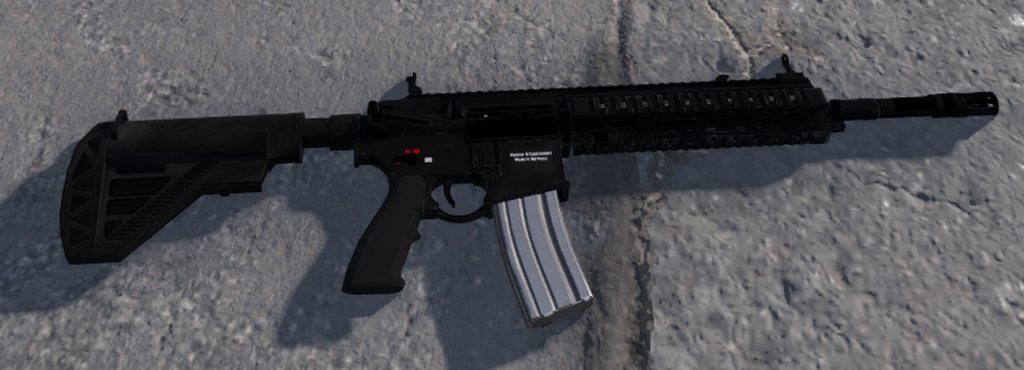 glacial bobcat
fathom bolt
with the report button ?
glacial bobcat
fathom bolt
with the report button ?
where ?
fathom bolt
glacial bobcat
where ?
in blender
glacial bobcat
nice
 last hill
fathom bolt
after one day i have finally my weapon in game !
https://imgur.com/a/3t2RgVt
last hill
fathom bolt
after one day i have finally my weapon in game !
https://imgur.com/a/3t2RgVt
Could you explain how you got it to appear ingame?
fathom bolt
last hill
Could you explain how you got it to appear ingame?
wow 😄
fathom bolt
last hill
Could you explain how you got it to appear ingame?
You make the model in blender with the textures blabla...
You import it in fbx in Enfusion with good folder
Import the textures with materials
last hill
fathom bolt
wow 😄
I've got a helmet, trying to get it to be a selectable item, got it in the tools, created the prefab based off the model
fathom bolt
i take it in the arsenal box
last hill
Just can't get it to be visible in the arsenal
fathom bolt
ok
knotty cedar
Simplest way is to go into world editor (empty map is fine) drag the .xob of the structure into the world, this will create a generic entity with the model plugged in, then drag the entity back to resource browser and a prompt will ask you for the name of your newly created prefab 🙂
lone orbit
okay
digital vector
Is there mass management like on A3?
lone orbit
knotty cedar
Simplest way is to go into world editor (empty map is fine) drag the .xob of the...
that makes a .ct file
willow sage
@fathom bolt can i pm tou
fathom bolt
Yes you can
 dawn pine
Correct normals?
knotty cedar
digital vector
Is there mass management like on A3?
Mass here
 glacial bobcat
dawn pine
Correct normals?
glacial bobcat
dawn pine
Correct normals?
heu idk i just import it
knotty cedar
Center of mass
- Center of mass can be defined through empty dummy/null object, with prefix:
COM_ - When FBX doesn't have COM prefix...engine will create center of mass in 0,0,0 coordinates
- When there are two or more COM prefix dummies, engine will take the first one it find and ignore the rest
dawn pine
glacial bobcat
heu idk i just import it
Turn on the backface culling on blender and youll see if it makes the same thing.
 mossy moth
I have no idea how to mod but , please i beg you do a silenced AR platform like M4
digital vector
Even with mass there is still no geometry
lone orbit
are coliders done thro blender or in the workshop i have no idea on them
digital vector
the object here we pass through
https://github.com/BohemiaInteractive/Arma-Reforger-Samples/tree/main/SampleMod_NewProp

GitHub
Modding Samples. Contribute to BohemiaInteractive/Arma-Reforger-Samples development by creating an account on GitHub.
knotty cedar
lone orbit
are coliders done thro blender or in the workshop i have no idea on them
You model them in blender and you can already define layer presets there too
fathom bolt
@knotty cedar How can i import my bones in enfusion cause i have them in blender but not in enfusion ?
its in the "skeletons" collection in blender
knotty cedar
fathom bolt
its in the "skeletons" collection in blender
it could be that if bones fail to import from fbx 🤔
fathom bolt
like this ?


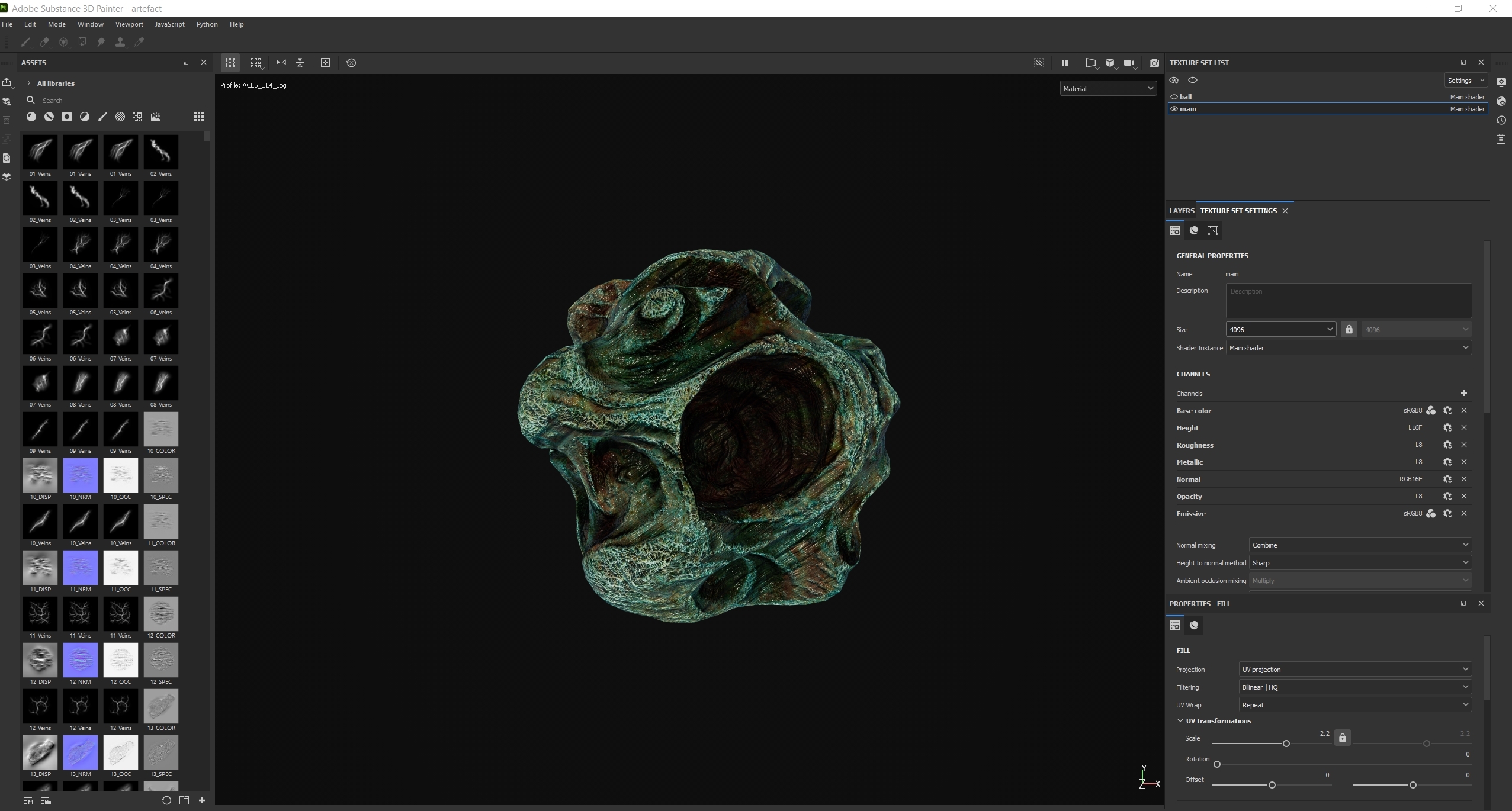
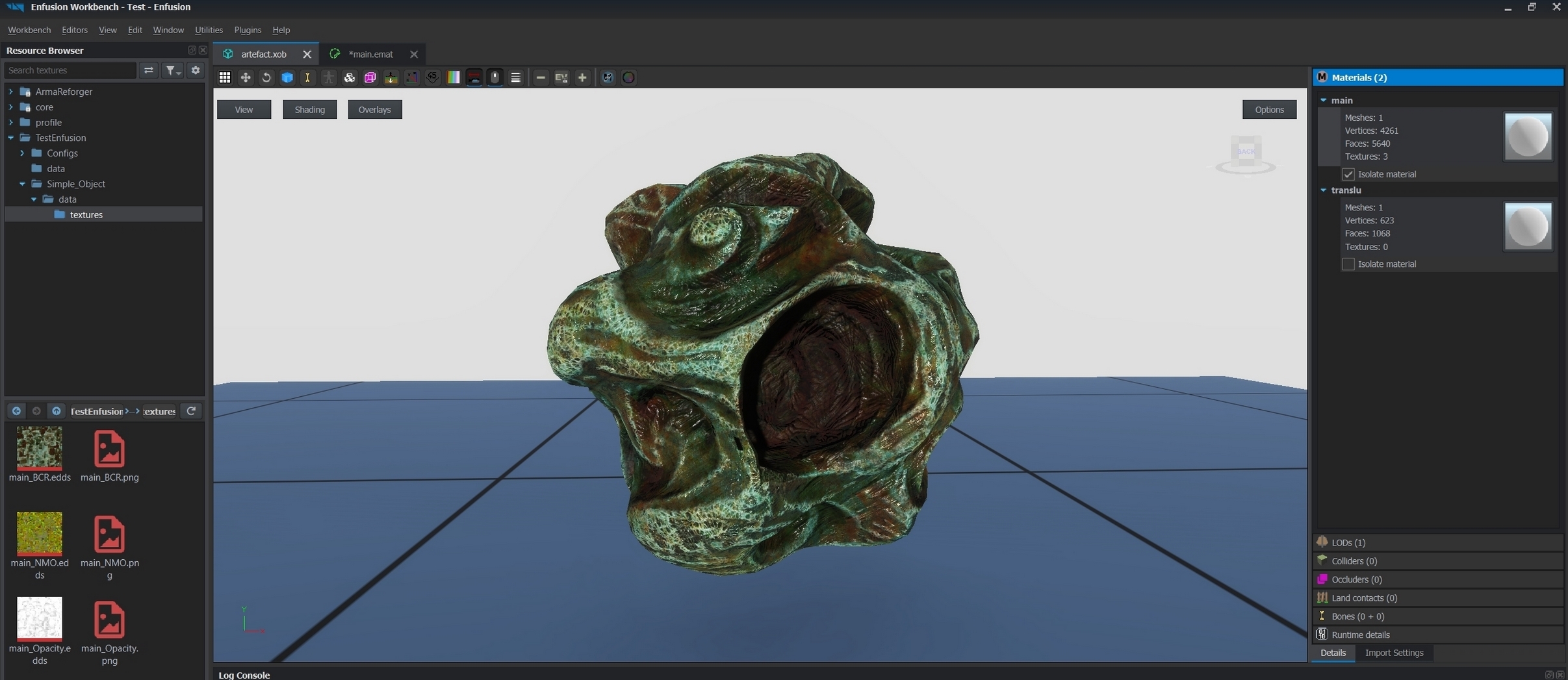
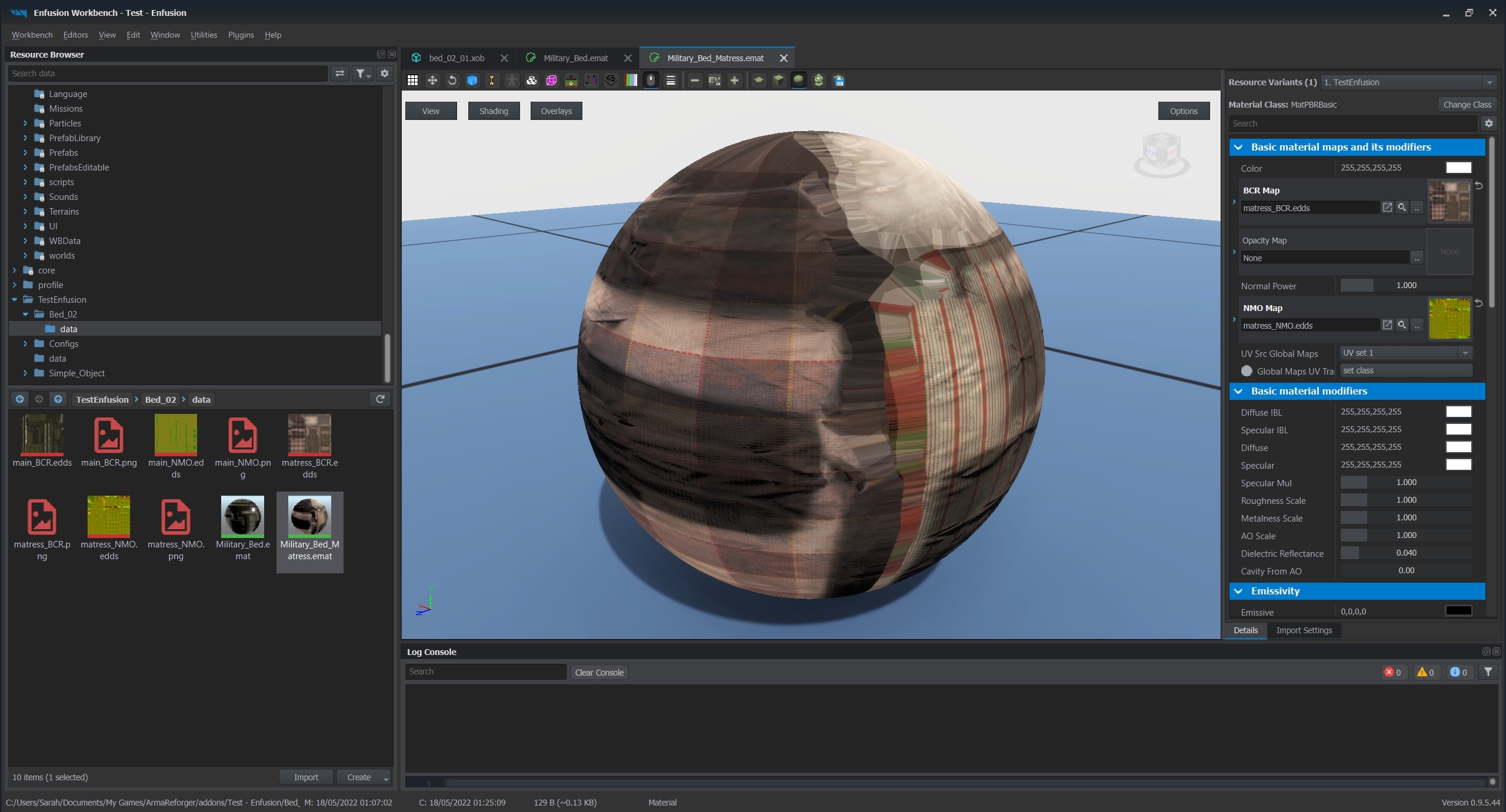

 knotty cedar
fathom bolt
like this ?
https://imgur.com/a/c9ih84k
knotty cedar
fathom bolt
like this ?
https://imgur.com/a/c9ih84k
 fathom bolt
And its worked thanks ! you confirm that the memory points are now bones ?
knotty cedar
fathom bolt
And its worked thanks ! you confirm that the memory points are now bones ?
They show up in bones indeed
 serene halo
Hello there. I'm trying to upload my model in game. I can see it in Arma reforger, on "Workshop" page, but i can't download and test my own project in the local "Zeus" mod. I just see default models from Arma. Where i can find any guidelines? On the community wiki just nothing about this.
fathom bolt
knotty cedar
They show up in bones indeed
Thank you
 hidden yarrow
Hey is there a way to kind of have a HDRI in the view port? Mainly of like the base game map so i can see what my textures will look like there?
digital vector
I couldn't find to put the geometry, I'm waiting for the wiki
 safe sierra
Hello, do you guys know if there's some kind of Bulldozer to test the animations, like the one for A3?
I want to see if the doors on my truck open and stuff
knotty cedar
One thing you can do is use an environment map texture to get some cool image based lighting on your model:
 hidden yarrow
Sick ty
knotty cedar
hidden yarrow
Sick ty
some should be included and I think you can find them if you search for 'env' in file names
hidden yarrow
ah thats amazing ty
also whats the size limit for a model in meters?
same as before or is it more now?
fathom bolt
For the weapon a part of the documentation is there :
https://community.bistudio.com/wiki/Arma_Reforger:Weapon_Modding
knotty cedar
hidden yarrow
also whats the size limit for a model in meters?
I think it was like 50x50x50 meter in A3 right? I don't think we stil have that low limitation but not sure on the extreme limit 😁
serene halo
Ok, how i understand, for creating a static models you need a prefabs for it. How i can create a prefab in "Workbench"? I'm already imported my model and setup material.
rain wadi
So, about colliders, they need layers to work, right?
 sweet kettle
How do you make a gun prefab appear in the ingame arsenal?
I've added it to the "ArsenalConfig_BLUEFOR.conf", but it does not appear ingame
tidal latch
sweet kettle
I've added it to the "ArsenalConfig_BLUEFOR.conf", but it does not appear ingame
have you tried to load it with sample mod new weapon and compare it if its visible?
sweet kettle
The new weapon sample project does not appear either
hidden yarrow
https://imgur.com/gallery/rfKSQ2G managed to import my first model
tidal latch
sweet kettle
The new weapon sample project does not appear either
and are you using crate placed by game master?
or weapon rack?
sweet kettle
I am placing an arsenal crate with gamemaster
the untextured m4 that's in the workshop right now does show up there
but the sample project weapon and my honey badger do not
fathom bolt
In MyProject>Assets>Weapons>Rifles>Myweapon
you need the .xob file (the model)
In MyProject>Prefabs>Weapons>Rifles>Myweapon
you need the file (the prefab) : "Rifle_Myweapon.et
in the prefab you need to modify the "meshObject"
after that
in MyProject>Configs>Arsenal
you need to add the line :
Rifle_Myweapon.et
Item Ressource Name : Rifle_Myweapon.et
Item Type : Rifle
Item Mode : DEFAULT
Max count per item type (1)
with this i have my weapon in game
In the folder arsenal you need the file "ArsenalConfig_BLUFOR.conf" of course
sweet kettle
fathom bolt
In MyProject>Assets>Weapons>Rifles>Myweapon
you need the .xob file (the model)
...
Thank you very much, I think I did all that, but I guess I missed something? https://puu.sh/J0ZHx/1f3bb1dd03.png


I can place the prefab object in the world builder editor thingy and pick it up there
fathom bolt
So if you save, bundle, publish and go to the editor you normally see your weapon in the arsenal box (bluefor) on page 3 maybe
fathom bolt
i've only tried with default