#enfusion_model
1 messages · Page 25 of 1
 tidal latch
 bold briar

 tidal latch
bold briar
tidal latch
bold briar
it is configured as .ct file though and I would advise changing it over there
this way it will be propagated to all game modes
bold briar
, sweet so just override and update with all prefabs ye?
 tidal latch
yes, I think that is the file you are looking for
bold briar
bold briar
It's weird that the component here is clearly a whitelist already, but still blocks the prefabs included in the array.
class SCR_CampaignBuildingObstructionExceptionComponentClass : ScriptComponentClass
{
}

class SCR_CampaignBuildingObstructionExceptionComponent : ScriptComponent
{
    [Attribute("", UIWidgets.ResourceNamePicker, desc: "List of prefab that can colide with this entity on Free Roam building obstruction test.", params: "et")]
    protected ref array<ResourceName> m_aWhiteListPrefabs;

    //------------------------------------------------------------------------------------------------
    //! return true when there is no prefab set on the whitelist.
    bool IsWhitelistEmpty()
    {
        return m_aWhiteListPrefabs.IsEmpty();
    }

    //------------------------------------------------------------------------------------------------
    //! Check if the given ID is ont he list of whitelisted prefabs
    bool IsOnWhitelist(ResourceName resName)
    {
        return m_aWhiteListPrefabs.Contains(resName);
    }
}```but still blocks the prefabs included in the array
what do you mean?
bold briar
They still can't build, despite the prefab being linked in the array of the component attached to the helipad.
Unless it's being overwritten somewhere
either way I think i'll update the .ct file like you mentioned
tidal latch
You can open script editor and put breakpoint on return of IsOnWhitelist to see if you prefab is being reported correctly
bold briar
tidal latch
You can open script editor and put breakpoint on return of IsOnWhitelist to see ...
overriding that file worked
they can place now, cheers.
tidal latch
splendid
bold briar
I actually think it was your rhs file overriding it
went and tested with the mi8mt that was listed in your .ct and it worked
tidal latch
I checked it and RHS is just extending that array
 m_aWhiteListPrefabs +{
  "{4A465E25A866520E}Prefabs/Vehicles/Helicopters/Mi8MT/Mi8MTT-A_Black.et"
  "{80C975F8482DEE97}Prefabs/Vehicles/Helicopters/Mi8MT/Mi8MT_armed_black.et"
 }
}``` - make sure it is +{ and not just {Yeah not sure why, maybe wrong path in resources on the prefab itself not overriding vanilla ct array
but overriding helipad.ct worked so, wonderful ty
tidal latch
or maybe you were overriding wrong prefab - I think there is more than one
 stray bridge
yes, arma reforger has armored vests
 idle talon
does anyone know where to find the armored vests ? only ones i found look like something youd take out fishing with your granddad
bold briar
idle talon
does anyone know where to find the armored vests ? only ones i found look like s...
everything vanilla will be in prefabs
idle talon
bold briar
everything vanilla will be in prefabs
yeah turns out arma doesnt have vanilla assets for plate carriers so im just having to learn how to import into blender and do it from there
bold briar
idle talon
yeah turns out arma doesnt have vanilla assets for plate carriers so im just hav...
not wanting to use rhs?
idle talon
given the nature of my mod i don't think id be able to do what i want to do without violating RHS's APL license

bold briar
doing some ukraine type war scenario?
idle talon
bold briar
doing some ukraine type war scenario?
nah, attaching a tactical tablet onto a vest
bold briar
that's not against their license
idle talon
 idle talon
bold briar
that's not against their license
idle talon
bold briar
that's not against their license
with the nature of my mod it will be
bold briar
In general, we choose to tolerate derivative mods based on our original content, as long as these mods do not negatively impact the image of RHS
idle talon
yeah thats fair enough. ill check them out. are you able to link me there discord in my dms ? cant find it on google unless im being "restarted"
the thing is id have to open there 3d models in blender to attach the tablet object
so i dont know if thats a no no with them
bold briar
idle talon
the thing is id have to open there 3d models in blender to attach the tablet obj...
probably not
I'm not certain on it cause I haven't worked with the models, but you could probably use baseloadoutclothcomponent and set an offset to where you want it placed
idle talon
bold briar
I'm not certain on it cause I haven't worked with the models, but you could prob...
im a straight nood when it comes to modeling so ill have to check it out
bold briar
just open the prefab of a vest of theirs, and look at the components for attachments
idle talon
tho i cant seem to find rhs's discord. i guess they dont have one ?
bold briar
Nah, not for mod support or requests etc. You're best off probably asking in wcs discord or trying yourself and then asking here. watch the youtube workshops first
idle talon
this is pretty much the idea, obviously it looks stupid come i just practically slapped a rough modeling of it up but ya ima make the screen bigger but it'll fold and unfold etc
 idle talon
bold briar
```In general, we choose to tolerate derivative mods based on our original conte...
idle talon
bold briar
```In general, we choose to tolerate derivative mods based on our original conte...
where did you find info on this ?
bold briar
idle talon
where did you find info on this ?
Check any of their mod info in reforger workshop
 tropic kayak
when we create our own helmets how do make it to where we can put stuff on it like patches and stuff like that
 lost jackal
Make sure to check boxes for skinning and hierarchy under “import settings” when you import the FBX files into Enfusion
 fluid moat
Hello guys
does there is a good tutorial how to start modeling in reforger , I did a lot in arma 3 but I only did terrain in reforger and I want to create my own Rock
idle talon
tropic kayak
when we create our own helmets how do make it to where we can put stuff on it li...
Check out rhs they explain it quite well
tropic kayak
idle talon
Check out rhs they explain it quite well
do they have a Document or a Youtube Video??
idle talon
tropic kayak
do they have a Document or a Youtube Video??
i believe there is youtube videos somewhere on their website iirc
tropic kayak
ill check it out thanks brother
tropic kayak
idle talon
i believe there is youtube videos somewhere on their website iirc
nope no youtube video
idle talon

A video showing you how to use RHS patches to create your own custom patch.
Mod: RHS Status Quo - https://reforger.armaplatform.com/workshop/595F2BF2F44836FB-RHS-StatusQuo
Interested in joining our Aussie Arma Community? Jump into our discord server and say hi. https://discord.gg/tpmtactical
Music from #Uppbeat
https://uppbeat.io/t/night-dri...
use tpms rhs video on custom patches. hopefully that will help
idle talon
is someone able to answer a question of mine?
im wanting to make a prefab that locks to the middle of a player by connects with an vest that's on said player ?
for example im making a tactical tablet that displays the players map etc
however i dont have the budget to buy multiple plate carrier models so im at an impasse, can i make it so the tablet prefab locks to the players body without it looking like its floating if that makes sense ?
also is somone who knows blender be able to help with rigging ? im new to blender so it would be very helpful to have a set of eyes help me out 😄
 steel hare
idle talon
also is somone who knows blender be able to help with rigging ? im new to blende...
steel hare
idle talon
also is somone who knows blender be able to help with rigging ? im new to blende...
you can purchase this Blender course bundle which should have you covered: https://superhivemarket.com/products/best-of-blender-education It is a good offer for new beginners

Superhive (formerly Blender Market)
Learn Blender from the best courses available and the best teachers in Blender Education.
idle talon
yeah i mean as much as i would love to learn blender i dont think me spending the next months just for a few things would be useful in my case. however thanks for providing me with this course. ill look at it later tonight
so imported my model when i know it has textures ?


nvm im dumb i figured it out
 lucid aspen
is there or does anyone have an "A pose" or "T pose" version of Arma Reforger skeleton and mesh?
 faint viper
lucid aspen
is there or does anyone have an "A pose" or "T pose" version of Arma Reforger sk...
faint viper
lucid aspen
is there or does anyone have an "A pose" or "T pose" version of Arma Reforger sk...
sample on github
lucid aspen
faint viper
sample on github
i have samples but i don't see anything other then the normal one, not really A or T pose. if your saying there is one in there could you link me to it?
faint viper
not sure for what you need the A/T pose, but they are rigged, and even the default pose is fine for everything
idle talon
any thoughts too big ?


 devout dune
idle talon
any thoughts too big ?
devout dune
idle talon
any thoughts too big ?
Way too big, scale it at 50%
Or try and get the actual measures
lucid aspen
faint viper
not sure for what you need the A/T pose, but they are rigged, and even the defau...
it's for a custom model all the models use T and A pose but reforger uses a custom A pose which doesn't line up with custom models and sculpting is to risky
 little kayak
idle talon
any thoughts too big ?
little kayak
idle talon
any thoughts too big ?
Should be roughly 50-60% of that in size, depending on what device it's based on of course.
Most systems use mobile phone sized devices, while others are small tablets.
 shell hedge
lucid aspen
it's for a custom model all the models use T and A pose but reforger uses a cust...
shell hedge
lucid aspen
it's for a custom model all the models use T and A pose but reforger uses a cust...
Align your model to match the reforger sample pose and then weight
faint viper
lucid aspen
it's for a custom model all the models use T and A pose but reforger uses a cust...
I sculpted many things based on that, it’s not bad and you can add everything with weight painting
idle talon
im confused how i should go about rigging this to fold

im guessing it just one bone and then i select everything in this hierarchy to said bone and do the animation there ?
tidal latch
two bones: one for base and second one for screen. Bone for screen should be placed where axis of rotation is
 nimble shell
How much LOD should a uniform have?
 surreal ore
nimble shell
How much LOD should a uniform have?
surreal ore
nimble shell
How much LOD should a uniform have?
Look at the vanilla uniforms as reference
 woeful hollow
 idle talon
is anyone able to help me with rigging on blender ?/ this shit is so confusing
 rotund pelican
woeful hollow
rotund pelican
woeful hollow
Hi everyone, I started creating mods for arma, and I would like to learn all the details when adding a model to the game. The question concerns the geometry of the model, what kind of geomancy nodes should there be, like fire geometry or building view as in dayz, I would like to know which ones to add and which ones to do and what I should end up with in the hierarchy, because I have not found specific examples of such things, and I would like to do the mods correctly from the very beginning To begin with, I'm attaching screenshots, since based on the experience of Daze, there are certain rules for creating a model and the requirements for certain lodes for a particular game mechanic.
Sorry, I copied the wrong text from the translator, I hope for help.

 idle talon
is anyone able to help me with rigging on blender ?/ this shit is so confusing
idle talon
idle talon
is anyone able to help me with rigging on blender ?/ this shit is so confusing
??
 noble ravine
idle talon
im confused how i should go about rigging this to fold
noble ravine
idle talon
im confused how i should go about rigging this to fold
you can imagine that the base of the bone is a hinge point.
Place the Tail of the bone where will be this hinge/rotation center. Bones dont need to be like a snake (connected the base and end point). You can see that in vehicles and weapons riggs
idle talon
noble ravine
you can imagine that the base of the bone is a hinge point.
Place the Tail of th...
Sadly I tried rigging before and it just breaks the model
I’m doing everything the step by step is telling me on videos etc but when it goes to parent the armature it just breaks
noble ravine
be carfull to not mess/edit. You need to check if you are in Edit mode or Pose mode
idle talon
noble ravine
be carfull to not mess/edit. You need to check if you are in Edit mode or Pose m...
Was in pose mode :/
noble ravine
rip
idle talon
Was wondering if you’re free to look over it to see if I’m doing something wrong ?
noble ravine
Pose will be used for animation. if you are setting up the bones you need to do that in edit mode.
Sure, dm me for a call
 upbeat sinew
rotund pelican
Hi everyone, I started creating mods for arma, and I would like to learn all the...
upbeat sinew
rotund pelican
Hi everyone, I started creating mods for arma, and I would like to learn all the...
I looked at how BI did it via the .xob, there is a window that tells you what what geometry they used.
If you using Blender Tools it is VERY easy to create the geometry!
The tutorial on BIwiki on geometry is also a huge help.
 waxen current
Anyone have experience with BSP/Portals for buildings? Has anyone made structures without these, and if so how well did it work?
For context, my goal is a modular-buildings kit, but because it's 3.3m floor/wall/roof/etc pieces, building a BSP or portals wouldn't work as they require static rooms.
lost jackal
waxen current
Anyone have experience with BSP/Portals for buildings? Has anyone made structure...
I haven’t put portals on any of my structures. Everything works fine in Enfusion, but I’ve never run them on a server
waxen current
I assume BSP/portals is important for navmesh calculation, just wondering how bad it is without them.
Do you use UTM for all of your collision mesh?
 leaden trench
waxen current
I assume BSP/portals is important for navmesh calculation, just wondering how ba...
leaden trench
waxen current
I assume BSP/portals is important for navmesh calculation, just wondering how ba...
BSP/portals only used for light and sound
fluid moat
Does anyone get a guide to done mesh from blender to prefab ingame to add components I used Chat GPT but it look bug
 compact scarab
Anybody give me a resource or quick rundown on breakable windows?
compact scarab
waxen current
I assume BSP/portals is important for navmesh calculation, just wondering how ba...
More for lighting I thought but not totally sure.
compact scarab
Whats max tri's for colliders?
 next crown
ok so ive been in the bi wiki for 3 days now im trying to make a new helmet i followed to wiki up to the weight painting when i do it either way by weight transfer or the manual way it links the armature to the mesh how ever when finished all the other steps and import it , it unlinks the bones to the mesh and it doesn't pull over the bone only the red bones import over i feel like im missing something but i dont know what
compact scarab
next crown
ok so ive been in the bi wiki for 3 days now im trying to make a new helmet i fo...
Make sure you have export skinning checked on the import settings of the model.
idle talon
Would anyone be able to explain UV mapping for 3d models for Arma reforger mods
Im wanting to prepare the screen of my tablet model to display the map. However im a noob when it comes to blender.
Any help would be greatly appreciated 🙂
waxen current
compact scarab
Whats max tri's for colliders?
65535, max size of a 16bit integer.
 urban cove
I decided to try to learn how to DL a few models I found for my terrain. I downloaded a simple tree from fab.com and when I drag the .fbx file into my project I get error and the Reimporting gets stuck @ 58%.

Fab.com
This product comprises a selection of top-notch 3D plant models, encompassing diverse variations in growth, age, and form. As a result, it enables you to encompass all developmental stages, thereby facilitating a comprehensive production solution. Compatibility with PBR materials ensures effortless utilization. Furthermore, we offer pre-configur...
 quiet ledge
urban cove
https://www.fab.com/listings/5405560a-681a-4f55-811d-21199b12f205
quiet ledge
urban cove
https://www.fab.com/listings/5405560a-681a-4f55-811d-21199b12f205
Turn on statistics and look at the vert count, might be high
 next crown
compact scarab
Make sure you have export skinning checked on the import settings of the model.
next crown
compact scarab
Make sure you have export skinning checked on the import settings of the model.
import skinning is checked what you mean inport settings on the model
urban cove
@quiet ledge Sorry man, where/how do I do that?
quiet ledge
urban cove
<@484893927112179753> Sorry man, where/how do I do that?
Top right of your viewport in blender

 compact scarab
Check statistics box
urban cove
 quiet ledge
urban cove
quiet ledge
urban cove
Yeah thats alot 😭
urban cove
Thanks @quiet ledge
That's why it looks good! 
but is my method ok? I should be able to simply drag an .fbx file over to my project folder. I assume I should follow the same path as default only in my project?
quiet ledge
urban cove
but is my method ok? I should be able to simply drag an .fbx file over to my pro...
I use this export button here and that auto sets up the quick export

 compact scarab
I'm not seeing any documentation for setting up the wheels on 3d model for new vehicle. Anybody know?
 fallow pond
2.5 mil tris is like for battleship 😄
waxen current
urban cove
Yeah, you're going to need to decimate that.
urban cove
ha ok Thanks!
waxen current
urban cove
ha ok Thanks!
Additionally, there will be required steps in blender before you can take some asset into the engine- you’ll atleast need to setup collision, but should also setup LODs
 spiral hedge
Question to our model guys: What could it be when 2 faces of a model where transparent after import? The face-orientation (normal) in blender is correct.
 fathom bolt
Is the rig of character has changed recently ?
idle talon
fathom bolt
Is the rig of character has changed recently ?
There was a recent update to the game and Arma tools so there may have been a chance ?

Who here uses blender ? Needing some help badly haha
fathom bolt
Something brake my helmet
stray bridge
spiral hedge
Question to our model guys: What could it be when 2 faces of a model where trans...
apllied all transforms and modifiers?
if it still persists I usually just flip the one face or whatever to the „wrong“ side and it fixes it
if it doesnt work at all I usually just redo the face or replace them with working ones
cant explain why this happens tho
 neat ocean
Where to start if one wants to learn blender to make some simple models(no guns and complicated models like that).
I tried making some stuff but i dont know how to properly scale it for Reforger and what steps i need to take to even get model into game. I also want to know if one can use base game textures on your model.
I know there is thousands of tutorials but Im not sure where to start and if there is any good teachers on youtube
This guy is best that I found but i still have no clue how to get table into game. Is there any specific guides for that?
https://youtube.com/playlist?list=PLn3ukorJv4vuchEeJ3a6tIAVlWZZ_5fi0&si=dRa0QviwxfZEBD85
 faint viper
to get the table into the game you simply drag it in the folder you want, import as model and not animation (if fbx) and then adjust
i'll make a fast video for you in a sec
neat ocean
faint viper
to get the table into the game you simply drag it in the folder you want, import...
Brother sorry but i didnt understand any of that.
Could you maybe show me the steps on stream once or send a video related to it?
Thanks
faint viper
faint viper
neat ocean
Brother sorry but i didnt understand any of that.
Could you maybe show me the s...
for the future and anything else try always to check guide or video bootcamp they help a lot, i know at start everything is kinda confusing but after a certain point everything because normal
neat ocean
Yeah it's very confusing. But it got a bit clearer now. How do I scale it properly so it's not too big or to small? Is there any reference models which you can place in blender?
faint viper

GitHub
Modding Samples. Contribute to BohemiaInteractive/Arma-Reforger-Samples development by creating an account on GitHub.
use the sample character for scale ref
neat ocean
Thank you very much!
spiral hedge
stray bridge
if it doesnt work at all I usually just redo the face or replace them with worki...
Hi Ben, thanks, i recreated the two faces. Now they are working
 worn plover
neat ocean
Yeah it's very confusing. But it got a bit clearer now. How do I scale it proper...
worn plover
neat ocean
Yeah it's very confusing. But it got a bit clearer now. How do I scale it proper...
 fading mirage
Not exactly a ~model~ question, but it concerns models I suppose. Can you remove full auto, from vanilla weapons?
compact scarab
fading mirage
Not exactly a ~model~ question, but it concerns models I suppose. Can you remov...
Yes on MuzzleComponent I believe under fire modes. You prob will have to override the weapon_base prefab or similar
 wary inlet
neat ocean
Where to start if one wants to learn blender to make some simple models(no guns ...
wary inlet
neat ocean
Where to start if one wants to learn blender to make some simple models(no guns ...
There is a sample character model created by BI you can use for scale, additionally it's good to note that one unit in blender is one meter in enfusion, making the transfer quite easy
waxen current
I cannot for the life of me figure out sockets, I have empties in my FBX, and Export Skinning turned on in the import settings, but nothing.
 rare topaz
have anyone a sample of building?
noble ravine
rare topaz
have anyone a sample of building?

The goal of this documentation is to provide all the tools needed to create a building from A to Z i...
rare topaz
no works
 autumn topaz
Hey everyone! Question so I’m trying to import a new character model that only GM/Admins will have access too. I have already loaded this new character into enfusion and since it has no extra movement or animation I was going to use the base character entity. But once I loaded the character mesh it just turns into a box and no character is visible. Any guides out there that help with custom character importing or any advise?
nimble shell
I am making a patch to attach to my clothes. I am following the RHS guide but I can't change the Class name as shown in the picture.

 fluid moat
hello all! i am working on a new terrain ,but right now to make my terrain more realistic i need to make some 3d cliff i know to make example_LOD0 ,example_LOD01 , example_LOD2 , example_LOD3 , UTM_example , i know how to make it collider and its all work nice , but i need to UV wrap it in blender and honnestly i dont know how to do a proper work for a good cliff i need 2 texture ( 1 for side and front view and new one for top view) any help will be appreciated
spiral hedge
nimble shell
I am making a patch to attach to my clothes. I am following the RHS guide but I ...
Change it in Notepad++
Vehicle Problem: If i place my vehicle, its starts bumping around and than glitching trough the world surface. Is this a collider or Suspension issue?
 wicked dirge
nimble shell
I am making a patch to attach to my clothes. I am following the RHS guide but I ...
wicked dirge
nimble shell
I am making a patch to attach to my clothes. I am following the RHS guide but I ...
are you using rhs as dependency?
nimble shell
wicked dirge
are you using rhs as dependency?
Yep
steel hare
fluid moat
hello all! i am working on a new terrain ,but right now to make my terrain more ...
You can either have two different materials for your cliff model. Assign the materials to the respective faces in edit mode and you should be fine. Then UV unwrap the model for material one and do the same and unwrap the other part of the mesh with material two. Lateron in Enfusion you can will have two material slots where you basically set the textures / materials.
steel hare
I checked through BI's assets and they indeed have the glas and the windows as separate model files. Is there a way to add those elements to an own model if one has the cutouts in the model done?
 sullen charm
fluid moat
hello all! i am working on a new terrain ,but right now to make my terrain more ...
sullen charm
fluid moat
hello all! i am working on a new terrain ,but right now to make my terrain more ...
I would just create an ID map and that would allow you to apply as many textures as you want in substance or whatever you’re using and it would only be one material.
fluid moat
@sullen charm @steel hare thanks very appreciate! i finnaly set 2 selection make a groupe for each selection to dont lose it then i assign the selection to material and it worked
i done many car in arma 3 , used buldozer to create lod and selection but on blender i was confuse to use like this
now i know how
fluid moat
and now i get a new problem my model ingame get a wrong shadow cast . i explain : when im really close of the model i get a weird shadow and if i go away the wrong shadow disapear but the real nice shadow is still here at any distance
fluid moat
problem solved it was Zbias of my .emat wrong Value
 grizzled mural
🙃
 steel hare
Hej guys, how can I create a new prefab which I can place in the world editor? I made modular parts and want to create an assembled version which is placeable on the map. How do I do that? The prop creation tutorial is not really of much help. Any help is appreciated!!! 😗
 rotund pelican
Hi guys, can someone help me, I would like to understand better how to configure the model to send it to the game, could someone send me their blender model so that I can see how the model is configured before it is ready to go to the game, I would appreciate it If someone could help me with this, or could describe the pipeline for preparing a model of a static, non-destructible building to be sent to the game.
fluid moat
@steel hare I never do that on reforger , but as a first try by myself I will probably duplicate a prefab similar at this then mess with config
fluid moat
Or maybe place one by one alone for the first one then create a parent after parents created I think there a way to right click on hiarchy then create a prefab but honestly as I never try it I don’t know but I think that’s the way to start it
 bitter grove
what do i need to enable or add to have this show light in the dark?

 mighty steppe
bitter grove
what do i need to enable or add to have this show light in the dark?
mighty steppe
bitter grove
what do i need to enable or add to have this show light in the dark?
Just look how the vanilla street lamps are done it, then copy the function with your own light. Or simply add a light prefab as child to the chandelier.
waxen current
steel hare
Hej guys, how can I create a new prefab which I can place in the world editor? I...
Drag the root entity into your resource browser and name it, that creates a prefab.
steel hare
waxen current
Drag the root entity into your resource browser and name it, that creates a pref...
Thanks a lot! I will give this a try!
 hollow hornet
grizzled mural
🙃
hollow hornet
grizzled mural
🙃
🔥
lost jackal
steel hare
Thanks a lot! I will give this a try!
Make sure to apply RigidBody and Hierarchy components to your new prefab
fluid moat
RigidBody ok but what that Hierarchy give?
 fluid valve
Okay I'm losing my mind where do I find a character model to work off of I'm trying to make clothes
 livid hull
fluid valve
Okay I'm losing my mind where do I find a character model to work off of I'm try...
fluid valve
livid hull
https://github.com/BohemiaInteractive/Arma-Reforger-Samples/tree/main/SampleMod_...
livid hull
fluid valve
Okay I'm losing my mind where do I find a character model to work off of I'm try...
fluid valve
livid hull
https://github.com/BohemiaInteractive/Arma-Reforger-Samples/tree/main/SampleMod_...
God I love you Matt
livid hull
May I suggest following the gear tutorials on the wiki as all of this would have been explained in there 😛
https://community.bistudio.com/wiki/Arma_Reforger:Character_Gear_Creation
 dull tinsel
!verify
 wet skyBOT
dull tinsel
!verify
wet skyBOT
dull tinsel
!verify
Check your messages!
waxen current
When I set it like the above, the door is 90 degrees off, but when I increase each value by 90, there is no change...
 silk glen
Any idea why my LOD1 model is rendering with my LOD0?

nevermind, forgot to underscore in the mesh names
idle talon
do you guys still use 4.2 LTS for modeling in blender or have you updated to blender 4.5 LTS ?
idle talon
rotund pelican
Hi guys, can someone help me, I would like to understand better how to configure...
you still needing infomation ?
silk glen
idle talon
do you guys still use 4.2 LTS for modeling in blender or have you updated to ble...
I'd also like to know if it'll be changing
im 4.2 right now
idle talon
exactly. and also is it me or does the ebt.zip not insall in the add ons folder for blender 4.4 lts?
or do i have to be in 4.2 lts for it to install
silk glen
probably 4.2 still
idle talon
 steel hare
lost jackal
Make sure to apply RigidBody and Hierarchy components to your new prefab
steel hare
lost jackal
Make sure to apply RigidBody and Hierarchy components to your new prefab
I applied rigidbody to every object which I added to the prefab. Should I not do this? And what do you mean with Hierarchy exaclty if I may kindly ask? 🙂
livid hull
you have to use 4.2 LTS
4.2.11 just came out, grab that https://ftp.halifax.rwth-aachen.de/blender/release/Blender4.2/blender-4.2.11-windows-x64.msi
fluid moat
@livid hull what different with 4.2 to 4.2.11?
stray bridge
im using 4.5 and its fine tbh
stray bridge
livid hull
4.2.11 just came out, grab that https://ftp.halifax.rwth-aachen.de/blender/relea...
rwth aachen ist crazy
livid hull
using 4.2 is literally a requirement from Bohemia
idle talon
after importing i realised that the UV Mapping i did on the display screen failed to show up in the import when applying all textures to the BCR Map im left with this annoying white texture.
is there anyway to fix this or have i done something wrong ?

 rotund pelican
idle talon
you still needing infomation ?
rotund pelican
idle talon
you still needing infomation ?
yes
idle talon
idle talon
after importing i realised that the UV Mapping i did on the display screen faile...
?
waxen current
idle talon
after importing i realised that the UV Mapping i did on the display screen faile...
What does enfusion say your materials are for the .xob? Is the material not there at all?
idle talon
waxen current
What does enfusion say your materials are for the .xob? Is the material not ther...
It’s not there at all
Not even a .emat
What I’m meaning is display-screen.emat (this is just an example)
waxen current
So there’s no slot for Tablet_01_Screen material?
Based on your screenshot that’s what it would be called.
idle talon
Yeah, there’s no slot at all ?
tidal latch
can you post full screenshot of workbench
 neat pulsar
 stray bridge
select model and right click, either use auto smooth and adjust the level or just smooth
make sure to check attributes if thats a bought model, sometime ull find custom normals ans sharp edges you maybe dont want
also apply transforms sometimes fixes problems
idle talon
tidal latch
can you post full screenshot of workbench
I’ll be able to later tonight once I get home 🙂
lucid aspen
any advice on setting up steering wheel bones? i always keep running into an issue where the steering wheel loops around
 tidal latch
so you fixed it? Tablet_01_Screen seems to be there
idle talon
i want to find the X,Y,Z at this postion on my prefab ? iv animated it n blender to fold/close so the x,y,z postion would change
im adding an UIinfo to this prefab to create a "F" action to activate ?? anyone able to help?

or do i set the action context's position class to PointInfo and manually enter different x,y,z cords till i get the desired spot for it ?
waxen current
I just manually adjust the point info
 fading temple
Sorry for the shitty video. But can anyone explain to me why the bottom of my backpack is doing this? I tried going in and messing with the weight painting stuff but that didn’t seem to help
worn plover
fading temple
Sorry for the shitty video. But can anyone explain to me why the bottom of my ba...
It's rigged to a different part of the character. Rig the whole back pack to a single bone and the straps to their respective shoulders
 solar heron
Anyone knows if its possible to get the textures auto assigned to the Material? Is there a other naming convention needed?? i currently use material_BCR and material_NMO for my textures. It will make life a little easyer when its automaticly assigned

 unkempt bobcat
fading temple
Sorry for the shitty video. But can anyone explain to me why the bottom of my ba...
unkempt bobcat
fading temple
Sorry for the shitty video. But can anyone explain to me why the bottom of my ba...
He left the training weights in his rucksack
 trail hornet
how full can I make interiors? I want to make an apartment complex
super early but this is what i have so far

 fast wagon
Does anyone know how to Name an item so when it show in GM while hovering the name? and does anyone know how to spawn it in through GM Resource Browser?
stray bridge
fast wagon
Does anyone know how to Name an item so when it show in GM while hovering the na...
stray bridge
trail hornet
how full can I make interiors? I want to make an apartment complex
look at base game
better to make the props separate and work with sockets
trail hornet
stray bridge
better to make the props separate and work with sockets
wdym?

here's what i have now
fast wagon
stray bridge
https://community.bistudio.com/wiki/Arma_Reforger:Asset_Browser_Mod_Integration
Thanks
fast wagon
stray bridge
https://community.bistudio.com/wiki/Arma_Reforger:Asset_Browser_Mod_Integration
Followed the instructions but still can't get it to show in Entity Browser?
fallow pond
the windows and doors aren't apart of the mesh / object of a building.
stray bridge
what is this building btw looks kinda random, many small rooms, no stairs
many rooms you cant access due to missing doors etc
lost jackal
trail hornet
Depends on if you want the building to be modular or not. You can use your method and export the whole building (minus doors and windows) as one big collider or you can set up each wall as its own “prop” as @stray bridge mentioned
Messed around and modeled a damn subway car today. I’m very proud of the boot that connects the cars

☝🏻 first time modeling a unibody vehicle shell.. although I don’t plan to make this a vehicle
lost jackal
steel hare
I applied rigidbody to every object which I added to the prefab. Should I not do...
RigidBody enables the colliders in your FBX, so the player can interact with it. Hierarchy is for nesting objects together. It allows one object to reference the position of another object
trail hornet
lost jackal
Depends on if you want the building to be modular or not. You can use your metho...
What do you mean minus the doors and windows??
stray bridge
you want the windows and doors separate to make them work as intended
trail hornet
Oh okay
Do I need to have holes?
This is what I have so far (still super rough)
 lost jackal
trail hornet
Do I need to have holes?
lost jackal
trail hornet
Do I need to have holes?
Yes, you’ll need to have rough openings in your apartment model. You can add sockets where the windows go and reference them later when you setup your prefab in Enfusion.
Also I recommend placing sockets at each door hinge location (just one socket per door). That way you can use DoorSlot Components on you building to easily setup your doors.
You’ll reference each socket via PivotID in Enfusion. It’ll be the same as you name it in Blender:
https://community.bistudio.com/wiki/Arma_Reforger:Prop_Creation
Pro tip: import your base structure to Enfusion and do a run through before setting up doors and windows. Make sure everything is sized appropriately
 boreal cipher
Can someone tell me the scale im supposed to set my model to in Blender, i imported a pistol im working on and its absoluetely massive in enfusion
fluid moat
You can import a character into blender
 hoary gazelle
boreal cipher
Can someone tell me the scale im supposed to set my model to in Blender, i impor...
hoary gazelle
boreal cipher
Can someone tell me the scale im supposed to set my model to in Blender, i impor...
copy over the sampleweapon into your project and scale to around that size. then its just trial and error to you get the correct size
 placid sapphire
What's the default character model height? 1.8m?
rotund pelican
Hello everyone, could someone tell me what I'm doing wrong, or what I need to do, I have this problem with the texture of the model when illuminated by the sun. I have only 2 maps, normals and textures, maybe I need some more? If so, what is it, and how is it done, can you please give me an example so that I can figure it out thoroughly?
 rotund pelican
I have these textures of different channels of the material and different maps for it, can I use any of these in the game besides the feed card and the texture itself?

I tried to insert them into different slots, but there were no changes, only if I changed the slots for the texture and the normal map, maybe I'm doing something wrong and need to adjust somewhere, I would be grateful if someone who understands this could prompt and explain. I like to do it, I would really like to learn how to do it right from the very beginning.
lost jackal
rotund pelican
I have these textures of different channels of the material and different maps f...
Use Color and Roughness to create a BCR map. Then use Normals, Displacement, and AO to create NMHO map. You’ll import the BCR and NMHO as PNGs and use those to create your material in Enfusion
Piano_Man on YouTube has some videos on how to do that in Blender
 hot viper
placid sapphire
What's the default character model height? 1.8m?
hot viper
placid sapphire
What's the default character model height? 1.8m?
Use the measure tool
 tulip flower
Hey, guys, I am wondering, how do you create this green texture that moves terrain up above ground to stretch over it, like AirfieldBunker Prefab, here are some examples:
#enfusion_terrain message
#enfusion_terrain message
#enfusion_terrain message
lost jackal
tulip flower
Hey, guys, I am wondering, how do you create this green texture that moves terra...
Apply the same texture that the Bunker uses to your model
It’s a default material
tulip flower
So, you are saying I can just use Workbench and drop that green texture over the original prefabs?
Or do you mean it needs to be done through Blender?
lost jackal
tulip flower
So, you are saying I can just use Workbench and drop that green texture over the...
As long as a texture is assigned to the face in Blender, you can replace it with the default .emat in Enfusion
tulip flower
lost jackal
As long as a texture is assigned to the face in Blender, you can replace it with...
Blender, got it.
I know so little of Blender, I think I got miles ahead of me to learn it
neat ocean
Is there anything wrong if I install blender 4.5 instead of 4.2 version?
 tacit eagle
hello how i add engine collider?
 tawny shale
Anybody know of any good hedgerow/bocage style 3d assets that can be used in Enfusion?
neat ocean
I made a few very simple models like chairs, table and ashtray. Now I have no clue what steps to take next to get them as props into game.
I have only made models nothing else. I was wondering if its possible to use textures from base game or do you need to make custom ones.
Is there any video or anything that describe whole process from modelling to getting into game?
stray bridge
neat ocean
I made a few very simple models like chairs, table and ashtray. Now I have no cl...
you can use base game shared textures yes, just make sure ur texture density is correct on ur model
read the wiki and try and error it
stray bridge
tacit eagle
hello how i add engine collider?
boreal cipher
Can anyone tell me why when i export my file from blender into enfusion my memory points got all thrown out of place?
 lucid moat
Anyone got any trucks or anything with sirens I can mess with?
steel hare
lost jackal
RigidBody enables the colliders in your FBX, so the player can interact with it....
Thanks a lot! I will give it a try! I have not found a written documentation on this so I was not sure 🙂
neat ocean
When I'm trying to install Blender Enfuison Tools plugin I get error on picture. Is that a problem because i use linux? Or is it because on their site it says to use blender 4.2 but i have 4.5?
I followed these instructions
https://community.bistudio.com/wiki/Arma_Reforger:Enfusion_Blender_Tools

I noticed that last line in error has incorrect path and for some reason it switches from "/" to "" and some slashe are doubled
tacit eagle
stray bridge
https://community.bistudio.com/wiki/Arma_Reforger:FBX_Import
thx Ben u has park garage on workshop now i can find it
this big building
faint viper
neat ocean
When I'm trying to install Blender Enfuison Tools plugin I get error on picture....
is it because on their site it says to use blender 4.2 but i have 4.5? this
neat ocean
Now i need to figure out how to install 4.2 on linux🥲
Steam came in clutch 😄
Nah...still getting the same error
[Errno 2] No such file or directory: '/home/jaydee/.config/blender/4.2/scripts/addons\EnfusionBlenderTools\data\icons'
It's reversing slashes for 2nd part of path
they are also duplicated which i can't copy past in for some reason
 tidal latch
thats on Linux, right?
 pastel bluff
neat ocean
[Errno 2] No such file or directory: '/home/jaydee/.config/blender/4.2/scripts/a...
pastel bluff
neat ocean
[Errno 2] No such file or directory: '/home/jaydee/.config/blender/4.2/scripts/a...
if you can edit the file yourself, go to EnfusionBlenderTools/utils.py and in load_icons() function replace the line starting with **icon_path = ** with this icon_path = Path(bpy.utils.user_resource('SCRIPTS', path="addons") + "\\" + __package__ + "\\data\\icons").as_posix()
neat ocean
tidal latch
thats on Linux, right?
yes
neat ocean
pastel bluff
if you can edit the file yourself, go to EnfusionBlenderTools/utils.py and in lo...
Will try. Thank you
neat ocean
pastel bluff
if you can edit the file yourself, go to EnfusionBlenderTools/utils.py and in lo...
now I get this error
name 'Path' is not defined
when trying to enable plugin
pastel bluff
sorry, just above that line do from pathlib import Path, we have different file versions 🙂
neat ocean
neat ocean
Now when I do this I'm back to square one. Getting this error
neat ocean
pastel bluff
give me a sec
Take any time you need and thank you a lot for even trying. I have no clue what it could be.
pastel bluff
try this
from pathlib import Path
icon_path = Path(sys.modules[__package__].__path__[0] + "/data/icons").as_posix()```if its the same error. would need to look more into it
neat ocean
pastel bluff
try this
```import sys
from pathlib import Path
icon_path = Path(sys.modules[__...
do i need to do "import" on top?
pastel bluff
you should be able just to copy this into the function
neat ocean
pastel bluff
you should be able just to copy this into the function
brother it seems like it's working! Thank you!
pastel bluff
awesome
neat ocean
Was affraid that I would need to go back to windows
Someone should pin this or something to save it
tacit eagle
i cant host what is this mod? i cant find in workshop and config dont have it inside in mod sector
 neat ocean
tacit eagle
i cant host what is this mod? i cant find in workshop and config dont have it i...
neat ocean
tacit eagle
i cant host what is this mod? i cant find in workshop and config dont have it i...
do you get this error while you are trying to join server?
tacit eagle
neat ocean
do you get this error while you are trying to join server?
i host with Arma Reforger Server
when i press bat file Startserver
why by hosting server local i get this error


this addon is only in enfusion tool
neat ocean
you don't have that addon downloaded on server probably
i don't have any exp with setting up servers with that bat file so i can't really help you
and btw @tacit eagle you should post this to #reforger_servers
 simple musk
Quick question for someone on the WCS team and for workshop content in general.
I want to add the AH-6M (along with several other vehicles) to the British Forces faction for use on my own server.
Assuming that this is okay to do via a mod?
Secondly, if it is, can I also amend the colouring from blue to green to differentiate between the USSR & UK variants of the helicopter?
lost jackal
New undergound subway station coming along nicely


 gaunt apex
I'm trying to create a reforger weapon RP server. If anyone knows about the mods and features I need, please contact me.


 quiet ledge
silk glen
light passes straight through my mesh
quiet ledge
silk glen
light passes straight through my mesh
https://community.bistudio.com/wiki/Arma_Reforger:Enfusion_Blender_Tools:_Portal_Tools This is all i can find on light portals, this one is for buildings but maybe somethings here transfer over to vehicles?
silk glen
quiet ledge
https://community.bistudio.com/wiki/Arma_Reforger:Enfusion_Blender_Tools:_Portal...
in the example photo is had the window metrics in the socket name ie. socket_win_150x71. Would that be milimeters?
lucid moat
Anyone got any models with the bones attached?Ive tried and tried just need more practice but been wanting to mess with an actual working model.🤣
 wide warren
I need a few models made, anyone want to help a brother out?
fluid moat
Hey guys I got a problem with my rock/cliff from blender the they all got same texture but the color look not same on all , I get different size so it’s hard to get the exact same UV mapping I think it’s maybe about that https://youtu.be/RPWpb_XV79I.
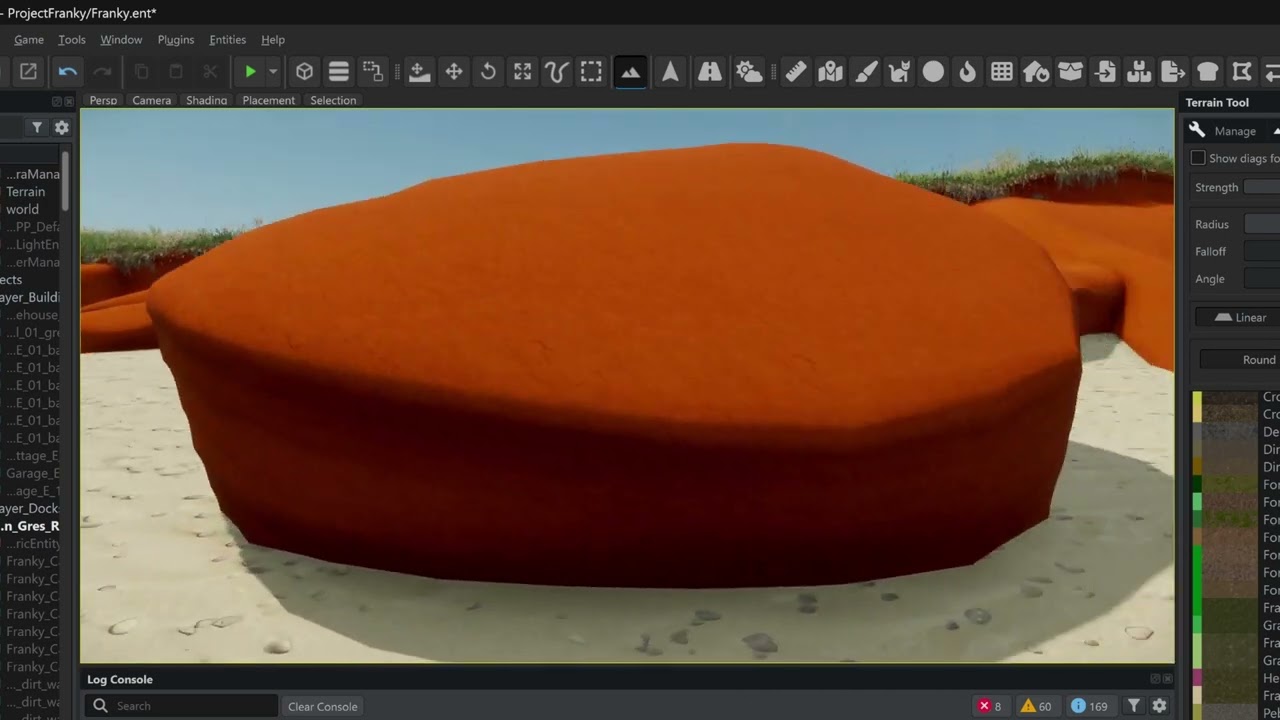
You can move to 5min10 you will see what I mean
 fallow current
Does anyone know where I can find documentation on socket naming convention and locations for building portals?
 rotund pelican
fallow current
Does anyone know where I can find documentation on socket naming convention and ...
rotund pelican
fallow current
Does anyone know where I can find documentation on socket naming convention and ...
Hi bro, I'm also interested in this, I can tell you from the documentation where to look, here's the link. As far as I understand, the best way to create portals is to extrude a cube according to the interior of the building for lighting
https://community.bistudio.com/wiki/Arma_Reforger:Enfusion_Blender_Tools:_Portal_Tools?useskin=darkvector
faint viper
Hi guys, i need a little tip, so basically i've been working for a few hours on this model, and now when i was checking the weights to transfer them to the horns i realized that they are missing and are not there anymore, do you have any solution to bring them back without single typing each one of them and weight it? (cuz honestly i have no clue how they are painted on the head template) normally to just attach things i would use the head weight and it would work, but i guess using just head weight for all the head wont work in reforger in terms of movement or looking around. Thanks for any advice
 stray bridge
use reforger basemodel, transfer weights and go from there
faint viper
stray bridge
use reforger basemodel, transfer weights and go from there
so for some reasons it didnt allow me to transfer them, the operation would just be blank, i tried by adding them manually and it worked, its like it remembered the paint where it was based on the weight name
bitter grove
Does the engine render faces that aren’t shown?
fallow pond
afaik maybe... I know it does auto distance lods based on how big a model is. as for rending its either faces or its the entire object... I know the engine is pretty good about it.
spiral hedge
Does anyone know how to reduce the brightness on portals?
 leaden trench
spiral hedge
Does anyone know how to reduce the brightness on portals?
leaden trench
spiral hedge
Does anyone know how to reduce the brightness on portals?
I remeber portals have an .emat somewhere, you can change settings on the material
spiral hedge
leaden trench
I remeber portals have an .emat somewhere, you can change settings on the materi...
Yep, i tryed different PRT emats, like Garage or a size that fit. But does not change anything 😦
if i walk trough the portal, its like a hard cut. i can also see the "plane lines" if i stay in center with the character
spiral hedge
leaden trench
I remeber portals have an .emat somewhere, you can change settings on the materi...
Ahhh... created my own PRT, now its working 😄 TY
rotund pelican
spiral hedge
Ahhh... created my own PRT, now its working 😄 TY
Hi friend, I see you've managed to make a portal, you know, I'm trying to learn this too, but I can't figure it out. Could you help me with that? How to create it correctly and what kind of geometry is needed, I couldn't really figure it out, I would be grateful for help.
spiral hedge
rotund pelican
Hi friend, I see you've managed to make a portal, you know, I'm trying to learn ...
Hey, i just follow the steps: https://community.bistudio.com/wiki/Arma_Reforger:FBX_Import
rotund pelican
spiral hedge
Hey, i just follow the steps: https://community.bistudio.com/wiki/Arma_Reforger...
Yes, I read it, but it didn't work out for me, it just throws some kind of error and doesn't create portals. Can you tell me how to create geometry for portals correctly, or maybe you have examples of a ready-made model in a blender of how it should look?
spiral hedge
On my model its just a simple box with 4 openings
So, i created a BOX -> BOXVOL with dummyVolume mat. Then i duplicated such box and modeled the outside walls with openings for Portals. This box will now renamed to BSP_room. in the openings of this BSP Mesh, i placed the portal planes with Face-Orientation inward. Each Plane called PRT_01 - PRT_02... as material i first used a default one.
rotund pelican
spiral hedge
So, i created a BOX -> BOXVOL with dummyVolume mat. Then i duplicated such box ...
That is, you need to squeeze a cube inside the building along the contour of the rooms and that it would be a single trimesh? And then use the portal in the enfusion tools?
spiral hedge
i did not use the portal tool. for this you need to make sockets i think
rotund pelican
spiral hedge
i did not use the portal tool. for this you need to make sockets i think
So it's not all as simple as it sounds, it would be great to see it from someone using a video to visually figure it out.
spiral hedge
i also had problems while importing.. Error with portal.. leaking or something. But the plane was just to big
oh, and make sure, the portals will onyl work with BuildingEntitys
And you need WorldSubsceneComp
spiral hedge
hmm i still have the issue with the hard portal cut:
 spiral hedge
hmm i still have the issue with the hard portal cut:
spiral hedge
spiral hedge
hmm i still have the issue with the hard portal cut:
Fix:

 thick wave
not sure if this is the right section, but im trying to import these pants into reforger, followed a tutorial on how to rig the bones and everything, yet when the model is ingame the pants dont appear to actually be rigged
 wary inlet
thick wave
not sure if this is the right section, but im trying to import these pants into ...
wary inlet
thick wave
not sure if this is the right section, but im trying to import these pants into ...
so it has been weight painted accurately? and you are using the most up to date sample character model?
thick wave
wary inlet
so it has been weight painted accurately? and you are using the most up to date ...
i believe i am using the latest sample character, but is there a way to check that?
also how do i weight paint accurately that part kind of went over my head and i just did what looked like they did in the video
wary inlet
thick wave
i believe i am using the latest sample character, but is there a way to check th...
not entirely sure how, you could maybe inspect face rig which was the most changed part of the newest character mesh, if it lines up with what you see in workbench then you are green, otherwise you may need to re import the newer one
 calm rune
thick wave
also how do i weight paint accurately that part kind of went over my head and i ...
calm rune
thick wave
also how do i weight paint accurately that part kind of went over my head and i ...

You will find the blender files for the weight reference and skeleton in the #enfusion_blender_tools channel of the official Arma Discord server.
FBX Import Documentation - https://community.bistudio.com/wiki/Arma_Reforger:FBX_Import
wary inlet
thick wave
also how do i weight paint accurately that part kind of went over my head and i ...
weight paint is essentially just setting rules for each vertex on how they move relation to bones within your model, eg you would select the thigh bone and pain the pant area around thigh as that bone will have influence over those vertices
thick wave
wary inlet
weight paint is essentially just setting rules for each vertex on how they move ...
the video i watched, essentially said red is bad and green/blue is good, but that was for a shirt model rather than pants
wary inlet
thick wave
the video i watched, essentially said red is bad and green/blue is good, but tha...
I havent done much weight painting personally, so idk what values are recommended, green is around halfway mark, does your model bend with character but not snap into place entirely? If so this could be the issue
thick wave
it doesnt bend either
calm rune
thick wave
not sure if this is the right section, but im trying to import these pants into ...
You’ll also need to rotate the pans model 180.
thick wave
calm rune
You’ll also need to rotate the pans model 180.
inside enfusion?
inside blender its the right way round
calm rune
Just follow my quick tutorial and yo should be fine. Rotate inside of blender or Enfusion. Doesn’t matter tbh.
thick wave
calm rune
Just follow my quick tutorial and yo should be fine. Rotate inside of blender or...
ill give it a go now
@calm rune in your video you use arma_reforger_weigtref and armar_skeleton
any idea where to find these blend files?
wary inlet
thick wave
<@165928416669990912> in your video you use arma_reforger_weigtref and armar_ske...
are they not in the character samples folder in BI samples zip?
calm rune
thick wave
<@165928416669990912> in your video you use arma_reforger_weigtref and armar_ske...
Google Arma Reforger samples an Arma Reforger miscellaneous GitHub
Everything you need will be in there.
In my video I use the old character sample but it’s the same exact concept. Just use the new.
 thick wave
calm rune
In my video I use the old character sample but it’s the same exact concept. Just...
thick wave
calm rune
In my video I use the old character sample but it’s the same exact concept. Just...
i was wondering, because the names are different
calm rune
thick wave
Weights template would have the base body you need. Not sure if the skeleton is in that one or not. Open it up and show me
 calm rune
No that’s not it
thick wave

ive deleted character_template.fbx down to all the LOD0s, should i delete them as well and use whats left as the skeleton?
which is what i did before turning to here for help

looks more like the one in your video
thick wave
calm rune
Weights template would have the base body you need. Not sure if the skeleton is ...
im still stuck, followed all the steps in your video and it still ended up in-game looking like it did at the start
faint viper
stupid thing that i forgot 1 time and ruined everything, didnt read all so maybe u checked it, you made sure to have the armature set right for the item right?
because 1 time i put the armature modifier without selecting it, and even if it had weights it wouldnt work without the armature
 fallow current
Does anyone have a clue why my lighting is messed up? I'm expecting the room to be darker inside instead of just my character
The models have no MQA failures, BSP works, no errors when exporting except for materials not existing and dummyvolume materials are assigned to PRTVOL, BOXVOL and BSP


 clever inlet
Does anyone have any good resources on making uniforms?
Not looking for anything in particular but for me wanting to create world war 2 uniforms it will most likely have to be from scratch
I would greatly appreciate any vids or wikis to be DMd to me!
 humble sonnet
Is there something I need to do to a model to keep it from rendering in first person? I've set the texture for the frames up like the wiki says to but it's still rendering in 1PP. 
 humble sonnet
yeah thats enabled, but still renders
Ive set it up like other glasses have it set up, but its still rendering
the parametric material component or w/e its called
 humble sonnet
yep both those checked like the wiki says to
still renders
I even tried importing another model thinking something was wrong with the first one i tried
I even added a script to include my custom glasses slot to SetAlpha()
...still rendering
spiral hedge
Ok this is strange 😦 i also added some stuff to AlphaTest and they will be hide
humble sonnet
yeah I dont understand. Ive spent hours/days searching for others with this problem but it seems like everyone else has managed to fix their issues.
but a lot of people do have this same issue.
theres got to be something im missing
spiral hedge
How did you manage it in your Script?
humble sonnet
this is the last step keeping me from publishing too, everything else i figured out/set up in an hour or two.
modded class SCR_CharacterCameraHandlerComponent : CameraHandlerComponent
{
    override void OnAlphatestChange(int a)
    {
        super.OnAlphatestChange(a);

        if (m_LoadoutStorage)
        {
            IEntity glasses = m_LoadoutStorage.GetClothFromArea(LoadoutGlassesArea);
            if (glasses)
            {
                Print("[CA] Glasses found! "+glasses.ToString());
                BaseLoadoutClothComponent cloth = BaseLoadoutClothComponent.Cast(glasses.FindComponent(BaseLoadoutClothComponent));
                if (cloth)
                {
                    Print("[CA] Glasses component found and alpha set to "+a);
                    cloth.SetAlpha(a);
                }
            }
        }
    }
}
correctly
humble sonnet
Alpha sets to 0 in 1PP but it still renders. Also renders at 255
spiral hedge
Can i send you a script on PM?
humble sonnet
sure
 violet smelt
Can someone explain to me why my building goes flying when I run into it?
violet smelt
Solution was setting the model to static
faint viper
Hi i was checking some videos around but nothing rly helped me out, why when i add the scr_des component my model disappears, even if i gave it the right colliders and the hit zone? Not sure is the right channel

 shell hedge
faint viper
Hi i was checking some videos around but nothing rly helped me out, why when i a...
shell hedge
faint viper
Hi i was checking some videos around but nothing rly helped me out, why when i a...
check log?
faint viper
shell hedge
check log?
Yeah i think 5 sec before you wrote i was like "why am i not checking the console" sometimes i just forget about the basics(rpl component was missing)
shell hedge
Relatable
steel hare
solar heron
Anyone knows if its possible to get the textures auto assigned to the Material? ...
I do not know if you found a solution already but you can assign your materials manually.
Double click on your white Baumschutz.emat file. It should open a new tab. On the right hand side you should see how the material is set up, per default the class is PBRBasic. There you should find one input field for your base material. Drag and drop your Baumschutz_BCR file there. And another input field for normal material. There you assign the Baumschutz_NMO file. And that should be it. Repeat this for you Baumschutz_MLOD.emat aswell
neat ocean
I know I'm missing something very stupid here but how do I get to this setting? Enable net API (for communication with external applications)
https://community.bistudio.com/wiki/Arma_Reforger:Enfusion_Blender_Tools
I really cant find this menu anywhere
lost jackal
Anyone ever run into this issue? I made a mesh to cover up the area of terrain that I excavated to fit an underground tunnel (beneath the road). When I look at the cover piece from certain angles, it disappears.
Here is a view of my mesh in Blender from the same angle as the clip. All normals are facing the correct direction and it seems dense enough to not have any holes in the mesh.

 turbid moss
lost jackal
Here is a view of my mesh in Blender from the same angle as the clip. All normal...
turbid moss
lost jackal
Here is a view of my mesh in Blender from the same angle as the clip. All normal...
Collider dont match?
lost jackal
turbid moss
Collider dont match?
It matches. I decimated the collider a little, but it's the same geometry
lost jackal
turbid moss
Collider dont match?
I needed to use IndestructibleEnvironmmentalEntity instead of Generic 🤦♂️
Working as expected now
waxen current
@lost jackal any video coming with what you’re learning with the tunnels?
fallow pond
maybe its problem with road besides it making it act like that
 fluid moat
lost jackal
Anyone ever run into this issue? I made a mesh to cover up the area of terrain t...
fluid moat
lost jackal
Anyone ever run into this issue? I made a mesh to cover up the area of terrain t...
Hello the problem is your .emat I don’t remember the name of the config you have to modify but I see the exact same bug when I messed with a emat , try with a reforger official emat on it
If I remember correctly well it’s about CCR and opacity if it set to near then when you are near it’s get invisible
steel hare
neat ocean
I know I'm missing something very stupid here but how do I get to this setting? ...
There are no stupid questions! The settings to enable net API you find in Enfusion workbench directly. Workbench → Options → Workbench settings (secong tab on the menu which opens up then). There's a list of checkboxes below two input fields. The fifth checkbox that would be. Or check this page in the Wiki https://community.bistudio.com/wiki/Arma_Reforger:Resource_Manager:_Options
In Blender you then can open the Enfusion tools by e.g. clicking the "N" key, which opens the sidebar
neat ocean
steel hare
There are no stupid questions! The settings to enable net API you find in Enfusi...
And here I was looking for this setting in blender🤣🤣
steel hare
neat ocean
And here I was looking for this setting in blender🤣🤣
did you find what you were looking for?
neat ocean
steel hare
did you find what you were looking for?
I did but not where I was originally looking for it. Thank you bro
 remote palm
Hey, a question to everyone that has already imported vehicles/tanks.
Does the tank really have to have an interior? Or is there also another way to make it work?
lost jackal
waxen current
<@798965817898696704> any video coming with what you’re learning with the tunnel...
Yessir! Planning to put together a how-to video. Just busy working toward the deadline for MANW.
Here's a TLDR version: Make a tunnel sandwich - Above the tunnel is your ground cover (roads or some kind of mesh to fill in terrrain - shown in green and gray), then your actual tunnel beneath that (shown in red), then place a mesh to adjust terrain height map beneath the tunnel (shown in blue)
 lost jackal
fluid moat
Hello the problem is your .emat I don’t remember the name of the config you have...
lost jackal
fluid moat
Hello the problem is your .emat I don’t remember the name of the config you have...
I'm using the default terrain emat (with shadows) on the ground cover. LMK if you remember the config you adjusted
fluid moat
lost jackal
I'm using the default terrain emat (with shadows) on the ground cover. LMK if yo...
Did u try with another one
lost jackal
fluid moat
Did u try with another one
Yes, I have tried both. I set the ground cover to IndestructibleEnvironmentalEntity instead of GenericEntity, and it seems to be working now.
Using this material
 fluid moat
lost jackal
Yes, I have tried both. I set the ground cover to IndestructibleEnvironmentalEnt...
fluid moat
lost jackal
Yes, I have tried both. I set the ground cover to IndestructibleEnvironmentalEnt...
Im glad you find something to work
clever inlet
when adding new boots to the game, it seems the feet will obviously clip through the bottom. do boots normally make players "taller"

or is the mesh under the boot deleted
it deletes the feet I have discovered
remote palm
Hello everyone!
Sadly i was not able to find a good tutorial on YouTube for importing shoes...
I tried to tinker around a bit and use the Vest and Headgear tutorial somewhat as a base for the shoes, but i just cant really wrap my head around it.. 😄
I have transferred weights from the "Body_LOD0" from the "Character_Weights_Template" blend file. But the weird thing is, that the Armature from this version has 224 bones. + 6 when you also count in the MemPoints.
Once i export my model with the bones, and i import it into enfusion i suddenly have "5 + 364" bones 😄
Would anyone have a clue for me what i am doing incorrectly? That would be much appreciated 🙂
Edit: I forgot to uncheck "Add Leaf Bones" hence why i had so many bones, but the main issue still remains. The boots are not attached to the rig :/


 wide warren
anyone want to make some models for me? I dont think theyre complex at all
 feral jolt
wide warren
anyone want to make some models for me? I dont think theyre complex at all
feral jolt
wide warren
anyone want to make some models for me? I dont think theyre complex at all
then that would be #creators_recruiting
wide warren
LOL thanks
 fathom elbow
anyone want to send me money? i dont think it's difficult at all
bitter grove
remote palm
Hello everyone!
Sadly i was not able to find a good tutorial on YouTube for impo...
Do you have the armature modifier set up in blender
remote palm
bitter grove
Do you have the armature modifier set up in blender
Yeah, i did that, but it does not do anything 🫤
bitter grove
I’d check and make sure you’re using the most up to date skeleton and then I would make sure when you’re importing you have the armature and the memory points selected
Maybe just try redoing the process, I’m not sure what else it could be. Sounds like you’ve done the weights right
Maybe the prefab setup is wrong but I really wouldn’t know
humble sonnet
spiral hedge
Can i send you a script on PM?
Finally figured out (thanks to Zelik) that it was all because my prefab was a Generic Entity and not a Game Entity... 🤦♂️
remote palm
bitter grove
Maybe just try redoing the process, I’m not sure what else it could be. Sounds l...
Copy. Would you happen to know which skeleton is most up to date? 😄
remote palm
I can now finally move them with the rig and they follow, so redoing the rig part worked. But they still will not stick to the feet 😄
fallow current
fallow current
Does anyone have a clue why my lighting is messed up? I'm expecting the room to ...
Turns out BOXVOL is meant to consume the interior walls as well instead of just border them
remote palm
Hello 🙂
Is there any kind of "Jacket_xxx_Item" sample that i can use to make my own uniform items? Right now i haven´t found a sample on the github :/
wary inlet
remote palm
Hello 🙂
Is there any kind of "Jacket_xxx_Item" sample that i can use to make my...
Check the character rig among the sample mods on BI GitHub
remote palm
There is only "Jacket_Deflated_Template" but this is not the "Jacket_xxx_item" and the SampleVest does not really help either
tidal latch
remote palm
There is only "Jacket_Deflated_Template" but this is not the "Jacket_xxx_item" a...
how would sample help? There is nothing hard tech wise - its almost like a prop
remote palm
Well, having the base mesh UV unwrapped would somewhat help to apply texutres to it
 ornate walrus
any good guides on making buildings in blender?
well more of making the points to place doors ect.
stray bridge
ornate walrus
well more of making the points to place doors ect.
place emptys for sockets, origin of the door = coords of the socket
steel hare
stray bridge
place emptys for sockets, origin of the door = coords of the socket
The trick how to add doors (or windows) to that empty in Enfusion is something which I have not yet figured out 😄
stray bridge
steel hare
The trick how to add doors (or windows) to that empty in Enfusion is something w...
parent the prefab you wanna slot to the main prefab (building) go into hierachy comp and select the socket you wanna use
trail hornet
ornate walrus
any good guides on making buildings in blender?
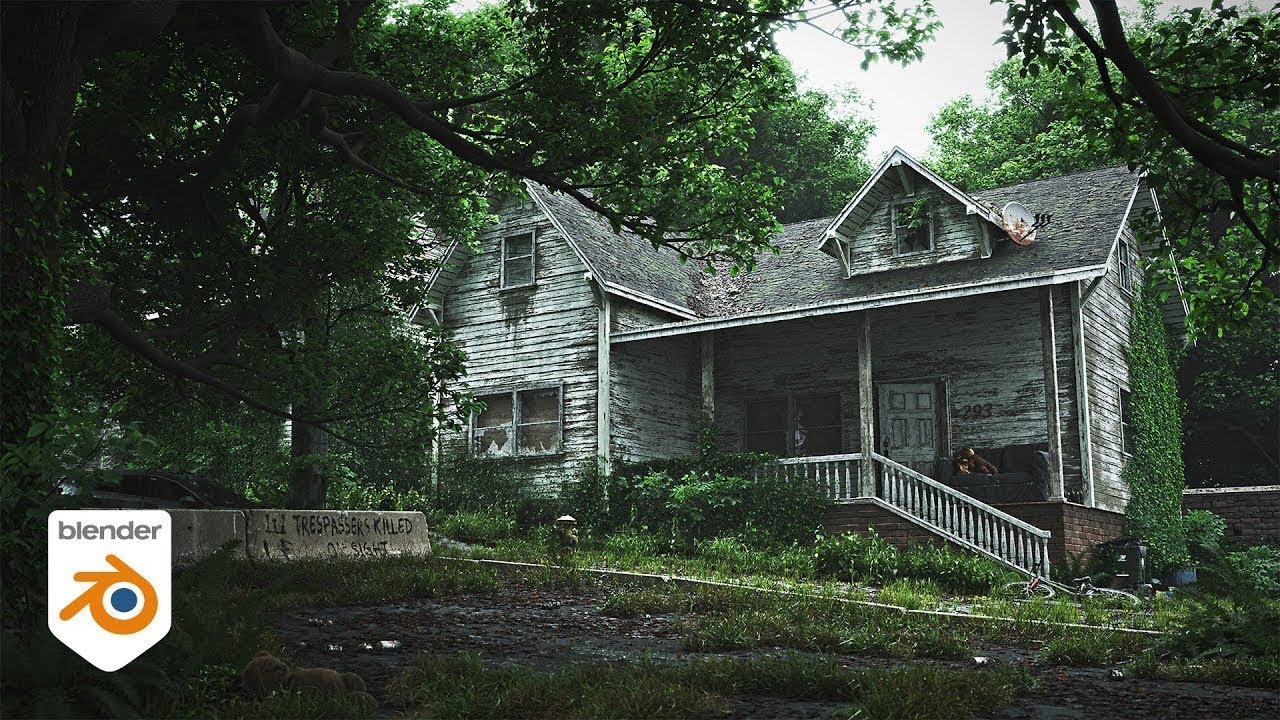
Blender tutorial showing how to create an old post-apocalyptic, abandoned house. Modelling, shaders and texture painting.
Join Poliigon for Free: https://www.poliigon.com/?utm_campaign=abandoned-house&utm_source=youtube&utm_medium=video
Links:
PureRef Software: https://www.pureref.com/download.php
Human scale model (CC0):
https://drive.google....

https://www.patreon.com/IanHubert
Lazy Tutorial #8! For lazy people by lazy people.
So, you can do it without, in the way shown in the video, but the BoolTool addon makes it just one hotkey, and it's fantastic.
Does anyone have any good tutorials on how to make damaged houses?
I’m scared that I’m going to use way too many polygons
faint viper
trail hornet
Does anyone have any good tutorials on how to make damaged houses?
I’m scared th...
if im not mistaken i saw someone using the enfusion plugin to create fractures on a 3d model, not sure where i saw it but for sure if you look up you will find it
https://youtu.be/XaKWJwTuK_c?t=334 found it

This is not a full creation of how a proper house should be implemented in arma, this is more of a prop house. But its way faster to make then a full house model for arma. However i will make updates later on to the addons and video
Part 2: https://youtu.be/A9AywXyFfA0
Download addons: github.com/steffenbk/Arma-Reforger-Addons/tree/main
Model...
trail hornet
faint viper
https://youtu.be/XaKWJwTuK_c?t=334 found it
Thank you!!
 dark geyser
Mby worng channel but
Anyone know how i can remove the huey stuff frome my heli xD

 topaz willow
dark geyser
Mby worng channel but
Anyone know how i can remove the huey stuff frome my heli ...
topaz willow
dark geyser
Mby worng channel but
Anyone know how i can remove the huey stuff frome my heli ...
Look in your SlotComponentManager, but probably should be inheriting from Helicopter_Base.et where that wouldn't be an issue
dark geyser
topaz willow
Look in your SlotComponentManager, but probably should be inheriting from `Helic...
Cheers manage to make it go away !
 raven carbon
What is a good starter workflow to make buildings with? Blender then enfusion?
 vague breach
How does one open an arma building p3d in dayz object builder without it throwing an error for missing includes.hpp?
topaz willow
vague breach
How does one open an arma building p3d in dayz object builder without it throwin...
might wanna ask in the correct channel first, or the DayZ discord even. This is for ARMA Reforger Enfusion
vague breach
Its arma models...a3 i think they are from
SO asking in a channel labeled enfusion_model was my first guess
ill do more research
topaz willow
If looking for A3 modding, there's other channels for that I believe somewhere in this Discord. I'm not in them so I unfortunately can't link them 😅 But anything Enfusion related in this Discord is currently solely for ARMA Reforger Enfusion
vague breach
Word
tacit eagle
silk glen
how did bohemia manage to pull off double sided normals
There's an option that does that but I can't remember.
remote palm
silk glen
how did bohemia manage to pull off double sided normals
These are not double sided normals. This is just extra geometry as you can see in your video once you see the wireframe
silk glen
remote palm
These are not double sided normals. This is just extra geometry as you can see i...
Thanks
stray bridge
raven carbon
What is a good starter workflow to make buildings with? Blender then enfusion?
yup blender, best to use addons in blender, at least enfusion tools, you may wanna use addons like simple colliders and texel-density
 north heart
hello, been wanting to make this thing for arma from gundam, but I was wondering as I do know it could possible work for a static background prop for arma 3 as it's too large, but is there a difference for reforger and the enfusion engine, I don't have it yet but been trying to do more models of late and thought to ask here before anything too big was made, if not to ask here am sorry my eyes are hurting from the weather and it's late all of this just popped into my head to ask before getting sleep

 faint viper
north heart
hello, been wanting to make this thing for arma from gundam, but I was wondering...
faint viper
north heart
hello, been wanting to make this thing for arma from gundam, but I was wondering...
If you want it as a background prop, is kinda easly in refoger, you wanna keep it low poly and ispretty much textures work to make it look cool even if is low poly but yeah you can
rotund pelican
Hi guys, I have a question, does anyone know how to create ladders for their model correctly? Because I was trying to find some information on this, and anything related to it, but it turned out to be empty everywhere. All I found was just the assignment of the game material in blender to geometry, there was a ladder preset, but I'm not sure if that's what I need. I know that there are ready-made prefabs with different doors and stairs, but I would like to learn how to create them myself.
solar heron
Any idea what settings i have to choose that my models not fall straight trought the ground? i have a UTM Colider for the dst model Part.
Hope i got no GEMA Strike 🤣 Sorry forgot to turn of Radio
tidal latch
solar heron
Any idea what settings i have to choose that my models not fall straight trought...
you cannot use UTM for debris
debris collision is bit simplified, so you need i.e. UCX, UCL, UBX etc - basically everything except UTM will work
 cosmic solstice
Does anyone know what causes this? Is it the collider on the wood thats doing? All part of the same model export to enfusion. Any idea where I need to look? excuse the wood texture its a placeholder.
cosmic solstice
cosmic solstice
Does anyone know what causes this? Is it the collider on the wood thats doing? A...
Set model to StaticModelEntity! Cheers Dusty
solar heron
tidal latch
debris collision is bit simplified, so you need i.e. UCX, UCL, UBX etc - basical...
Ah okay. I will try this out. Are there other things to take a look at? Simulation: active or always active?
tidal latch
debris are not using rigid body component
trail hornet
Does destruction currently work for large buildings?
solar heron
tidal latch
debris are not using rigid body component
Okay. Is there a sheet with some examples.? I dont got the logic behind this...there are a few different variants. Some were you Set up the dst meshes in scr_destructable Entity and others where the dst meshes are put in the multi phase destruction component. Not so easy to crack my head around
bold briar
Why can't I edit the overridden base prefab of these stumps? All options are grey'd out.
But I can edit the same named variant prefab. But it doesn't override the model in game.
There seems to be two of these model assets in game with the same name.


 rotund pelican
Hi guys, as before, I continue to deal with PBR materials in arma, can someone tell me about this? https://github.com/KaiXOF/Substance-Enfusion-Texture-Map-Graphs does this method work now, and does it handle resources correctly by combining them for the arm? And do I understand correctly that I need 2 textures for my objects in order for my emat to work well, these are BCR and NMO maps, which consist of Base Color and Roughess and NMO from Normal Map, Metal, Ambient Occlusion, is that right?

GitHub
I've created a number of Substance Designer graphs for those who wish to convert/merge their PBR Texture maps into their Enfusion Engine Compatible Counterparts. - KaiXOF/Substance-Enfusion...
 mortal marsh
Evening all - attempting to duplicate a base game backpack prefab and change its position to display on the front of the character instead of the back
Is this possible through component editing only, or would it require animation changes?
bitter grove
I feel that would have to be done in blender and rigged up that way
With the mesh that we dont have access too so maybe its not possible
mortal marsh
Yeah I thought that might be the case, with rigging and animations etc.
Ah well, thanks anyway 🙂
lucid moat
I imported a building,I have added it to a Building_base.Will I need to go back to blender to rig the doors or can I just use reforger doors and change the material in workshop?also is there a article on what components I should add?I added it to an empty test map as I walked through the building.
bitter grove
whats invalid about my collider?

 remote palm
Show it in edit mode. Is it triangulated?
steel hare
lucid moat
I imported a building,I have added it to a Building_base.Will I need to go back ...
There is no written tutorial how to do that I am afraid. I was also looking already 😄
But @stray bridge wrote something on this channel on —29.06.25 regarding that topic. I cannot link to his message in here though. You'd need to run a search through this channel with "in:enfusion_model door" and it should pop up. He also attached an FBX file
faint viper
rotund pelican
Hi guys, as before, I continue to deal with PBR materials in arma, can someone t...
not sure is the same guy, but check this video out, and they kinda say the same things, i do it for myself and works perfectly https://www.youtube.com/watch?v=K5IC4uIvZfA&t=525s
 faint viper
bitter grove
whats invalid about my collider?
faint viper
bitter grove
whats invalid about my collider?
think you just need to reimport with the right function. check from the model preview in refoger
tidal latch
bitter grove
whats invalid about my collider?
where is origin of collider?
bitter grove
I thought I had applied all transforms and set origin to geometry but maybe that go messed up when I rigged it somehow? I end up deleting it and I will try again today.
Would smoothing normals have something to do with it?
solar heron
tidal latch
debris collision is bit simplified, so you need i.e. UCX, UCL, UBX etc - basical...
Now it works pretty fine.
 quaint nacelle
Hello, does anyone know how to setup vehicles probe ? I've tried a lot of things but i failed a lot 😅
dark geyser
Hello.
Im trying to make a Heli right
I got the modell in to tools
But im kinda stupid so
(i have tried looking)
Dose anyone now of a site or something to help me out to put on the right stuff and other things for the heli?
Thank you for ur time reading this
And thanks to who evere kind person can help me out
 woven thistle
Can anyone tell me what i would need to look at if i want to make a different vehicle into a MCU?
rotund pelican
Hi guys, I'm continuing with the creation of buildings for Armagh. I would be grateful if someone could save a few days spent on this, because I figured out a lot when creating the building, but my main problem remains the creation of portals. For example, I create the geometry of a building by assigning a trimesh collider to a copy of my main node, but how do I create a portal? Somewhere I heard that this is done by creating a cube and stretching it over the entire area of the room where the character will be located, after which it is required to squeeze out these rooms from the inside, taking into account the doorways and window frames, after which we should get a single cube with squeezed-out rooms for the correct display of light and sound.. Did I understand everything correctly, or can this portal be created from several different primitive shapes? Maybe someone can explain the sequence of my actions in the program in order for me to succeed, as I have spent more than a month on it.
surreal ore
rotund pelican
Hi guys, I'm continuing with the creation of buildings for Armagh. I would be gr...
rotund pelican
surreal ore
https://community.bistudio.com/wiki/Arma_Reforger:FBX_Import
I didn't get an answer to the questions above, after reading all the documentation, maybe you could explain it to me easier based on the message above?
surreal ore
rotund pelican
I didn't get an answer to the questions above, after reading all the documentati...
The wiki explains what a portal is. I'm confused as to what you're actually confused about
rotund pelican
surreal ore
The wiki explains what a portal is. I'm confused as to what you're actually conf...
For example, I create the geometry of a building by assigning a trimesh collider to a copy of my main node, but how do I create a portal? I heard somewhere that this is done by creating a cube and stretching it over the entire area of the room where the character will be located, after which it is required to squeeze these rooms from the inside, taking into account the doorways and window frames, after which we should have a single cube with compressed rooms for the correct display of light and sound.. Did I understand everything correctly, or can this portal be created from several different primitive forms? Maybe someone can explain the sequence of my actions in the program so that I can succeed, since I spent more than a month on this.
rotund pelican
surreal ore
The wiki explains what a portal is. I'm confused as to what you're actually conf...
I can't figure out and understand from the wiki what the geometry of the portal is, should it be a single mesh in the form of a cube squeezed out from the inside according to the rooms of the building, or can you just create these rooms using a few primitive geometry shapes?
surreal ore
 rotund pelican
surreal ore
rotund pelican
surreal ore
I can't understand it literally, is there any physical example of the FBX model of what this mesh looks like in the program itself, so that I can understand it using an example like this
bitter grove
when setting up a harness using the slots my added prefabs to the belt get thrown up into the air. anyone know what im doing wrong

 bitter grove
nevermind i got it, i needed to create new slots and then click import parent skeleton or something like that
 faint viper
Anyone knows what this error could be? cant rly understand what could be the issue

 neat canopy
rotund pelican
I can't understand it literally, is there any physical example of the FBX model ...
neat canopy
rotund pelican
I can't understand it literally, is there any physical example of the FBX model ...
Where you able to figure it out? Otherwise feel free to contact me.
rotund pelican
neat canopy
Where you able to figure it out? Otherwise feel free to contact me.
I would appreciate it if someone could send me an example of an FBX model, with ready-made geometry for portals, so that I could feel it with my own eyes in the program and understand how it works, based on the documentation and examples that are on the Internet, I could not understand anything, because there are explanations I Couldn't figure it out
rotund pelican
bitter grove
nevermind i got it, i needed to create new slots and then click import parent sk...
Is there a problem with the bones or the scales? Did you transfer weights and tie the model to the bones?
neat canopy
rotund pelican
I would appreciate it if someone could send me an example of an FBX model, with ...
Hope this helps
rotund pelican
neat canopy
Hope this helps
Damn it, I've just opened this model and am trying to figure out how it's done, I'm amazed that someone was really sure that I could understand how it works according to the documentation, if I'm already looking at the model inside, and my head is already like a boiling kettle.
rotund pelican
neat canopy
Hope this helps
Bro thank you, I opened it and didn't understand anything at first glance, but I think if I spend more time on it, I'll definitely figure it out, because I have a ready-made example of this, and I could ask how to create something like this for me from someone, thank you, now I can continue to look for some information and get off the ground, I hope that people will be as kind as you are, and treat people like me with understanding, because each of us is different and understands everything differently, I just want to learn how to make mods right from the very beginning, and help in the same way With this other one, by passing on the knowledge that I have received and I know that it is exactly correct. I think as soon as I figure out how to create portals, I'll definitely write down a detailed guide on this on YouTube, because no one does.
neat canopy
rotund pelican
Bro thank you, I opened it and didn't understand anything at first glance, but I...
No problem, I also struggled back then to understand it.
Keep in mind that you also have to add a "environment probe" to your entity (.et) in order to make it work.
And also the WorldSubsceneComponent is mandatory.
 rotund pelican
neat canopy
No problem, I also struggled back then to understand it.
Keep in mind that you ...
rotund pelican
neat canopy
No problem, I also struggled back then to understand it.
Keep in mind that you ...
Okay bro, listen, I've been thinking a little more and it seems like I'm starting to come to something, as I understood from your example, I need to create a cube, and squeeze out all the holes for doors and windows in it using the jewel modifier, and convert this cube into BSP geometry, while the cube should be a single mesh not divided, and not made of triangles, after which, as soon as I make a BSP geometry out of it, I'll just select this mesh and click generate portal, right?
neat canopy
rotund pelican
Okay bro, listen, I've been thinking a little more and it seems like I'm startin...
The BSP can have triangles I think, if not it should convert it on import to the workbench. The Portals are not allowed to have triangles, thats important.
neat canopy
rotund pelican
Okay bro, listen, I've been thinking a little more and it seems like I'm startin...
Yeah try to use the generate Portals option, this should work
rotund pelican
Okay, this really gives more information, as soon as I have the opportunity to test it on my model, I will do it and report the result.
 stray ingot
I'd like to bring a car into Arma Reforger. Buildings are no problem, but I'm looking for help with cars. Does anyone know any good tutorials?
bitter grove
so i thought i understood what i was doing, but then when adding a item model to the prefab i have in the slot it makes this not rig right. for reference the stuff on the belts item model is the worn model. but its inconsistent because the gas canister has a item model and its rigged right but i see no difference between how those 2 are set up

 fallow pond
not weight painted properly or maybe transform/ scale/ rotation is off
bitter grove
All the mesh’s that have items are just duplicates of the already rigged ones but just lowered to the ground. I applied all trannys and set origin to geometry for them and this was still the case. For example, as soon as I deleted the item mesh from the prefabs base load out and replaced the item slot with the same worn model it worked fine
ornate walrus
hey so I have a helmet im working on andd i followed the modeling bootcamp to a T and when rigging my helmet it doesnt move in game put it is weighted in blender when i use pose mode
I export skinning and i see the bones when importing my fbx but when my character moves the helmet doesnt follow
tidal latch
faint viper
Anyone knows what this error could be? cant rly understand what could be the iss...
wrong gamematerial assigned
cannot tell more because of missing context
more pics preferable unless you can describe current model really well
faint viper
tidal latch
wrong gamematerial assigned
So that’s the only thing I get from the console, maybe once I’m home I can try to show better. The model is a skin model based on the sample character(custom character. Is mostly either the neckhead identity prefab and then body/arms identity prefab.
tidal latch
faint viper
So that’s the only thing I get from the console, maybe once I’m home I can try t...
that I've realized. What I would need are some screenshots of model and WB setup. It could be collider, it could be LOD with gamemat assigned
faint viper
tidal latch
that I've realized. What I would need are some screenshots of model and WB setup...
Ok then in few hours I should be able to send them, so screenshot of the model, colliders/settings and the LOD, what you mean with WB
tidal latch
faint viper
Ok then in few hours I should be able to send them, so screenshot of the model, ...
sure, I will wait
faint viper
@tidal latch made a video, let me know if you need anyhthing else
tidal latch
faint viper
<@105548653594193920> made a video, let me know if you need anyhthing else
probably something in colliders then
wrong game material assigned
faint viper
They are all fire geo tho
tidal latch
faint viper
They are all fire geo tho
gamematerial cannot be firegeo?
there is no firegeo game material
 tidal latch
gamematerial, yes
not layer preset
game material is incorrect somewhere
check it in import settings
faint viper
Oh i found it i think, the UCX_Head had a different material for both my stalker and whisper model, it had the wrong flesh material for some reasons, even if i never touched it, i swapped to the default one
tidal latch
it could happen when you duplicate something
you cannot have material with same name in Blender
and if material ends with number, it will silently increase the number at the end by one
and since GUID is a suffix, changing some char in GUID results in reference to completely different asset (or to non existent one)
faint viper
tidal latch
and if material ends with number, it will silently increase the number at the en...
Oh then yeah probably happened this, because i duplicated it many times, and reupload it many times too without adjusting the materials at first
tidal latch
faint viper
Oh then yeah probably happened this, because i duplicated it many times, and reu...
appending can also cause it
or copy pasting from two instances of Blender
faint viper
Last thing before, since my creature tries to simulate the fact that its flying, do you think the error that obv doesnt find all the colliders, because i dont want people to shoot on the ground and kill him when obv its model is not there, could cause any issues? or i can just leave there because does no harm other than just telling me "hey your model is missing half of the body"
 tidal latch
you would probably have to create a new ragdoll if you want to get rid of it?
I haven't tinkered with it but I can imagine it could cause some issues once ragdoll triggers in
faint viper
tidal latch
I haven't tinkered with it but I can imagine it could cause some issues once rag...
So far had no issue with its radgoll, works perfectly with the colliders, i'll take a look into maybe creating a new ragdoll to optimize it
tidal latch
faint viper
So far had no issue with its radgoll, works perfectly with the colliders, i'll t...
I guess it could have some problems with stability in some edge cases - I haven't played with ragdolls too much tbh though
lost jackal
@waxen current underground structure tutorial vid is live:

Taking a look at how to build "underground" structures in Arma Reforger using the sandwich method.
#armareforger #armamod
 snow cedar
I am trying to make my first ever mod for reforger. It is a rucksack and i was able to implement it in the game but the model is not quite in the right position. In blender i used a reforger character to make sure the backpack fit well and when i put it in game it was a bit off set to one of the sides. And also when the character was doing the statick moving around the backpack was statick too. My question is when you guys make vests, backpacks and anything that goes on to the characters what templates do you use so that the equipment sits properly in the right position? https://media.discordapp.net/attachments/1344384445574152213/1402129064709591173/image.png?ex=6892c9f3&is=68917873&hm=ab928494350c02310f0ea51affbb2ddc9b7964a5f2bd3be58a3b040f43bee689&=&format=webp&quality=lossless&width=1536&height=864
 stray ingot
Hey, is there anyone here who can show me how to get vehicles from Blender into Reforger? I'd appreciate it too 🙂
remote palm
snow cedar
I am trying to make my first ever mod for reforger. It is a rucksack and i was a...
Take a look at the Vest tutorial on the Biki. You are most likely missing the weights on the backpack and probably also have not „reset“ the transformations of your backpack
snow cedar
remote palm
Take a look at the Vest tutorial on the Biki. You are most likely missing the we...
okay i will definitly take a look, thank you
 normal raft
hey, i have a little problem, i want set the radio correctly in the pouch but i can't do it..
 hot viper
Just for future me to understand, what are the main causes of UCL, UCX, UTM.. colliders failing on import?
Side note for the DEVS, I got past it by just making it a box, is what it issss
tidal latch
hot viper
Just for future me to understand, what are the main causes of UCL, UCX, UTM.. co...
you had to try really hard to fail importing UTM
hot viper
tidal latch
you had to try really hard to fail importing UTM
😅 Had it working and then after a few more changes I made, WB was like... "Nah, it just doesnt work anymore :)"
tidal latch
hot viper
😅 Had it working and then after a few more changes I made, WB was like... "Nah...
I bet it was something silly yet unexpected
hot viper
tidal latch
I bet it was something silly yet unexpected
Sounds like you know all too well 
remote palm
Hello everyone 🙂
I am trying to make my own little patch system but i don´t seem to get it working.
My little patch always clips through my jacket mesh but it really should not?
I have tried it with and without bones, with and without weight paint, but i don´t seem to get it right..
Any tips for me on how i could solve this? The object origin is at the back of the patch and i have applied all transforms
Any help would be much appreciated 🙂


 remote palm
I got this one fixed somehow. But now i am facing a new issue. I cannot seem to add a new memory point to the export of my jacket. If i exceed the 6 default mem points it just does not rig at all.
Is there any workaround for this?
wicked dirge
remote palm
I got this one fixed somehow. But now i am facing a new issue. I cannot seem to ...
Nope, only the full standard skeleton works and that's it.
remote palm
So my best bet would be to make the parts part of the model i guess
 sick crown
is there a way to weight paint over an specific animation? i'm having problems skinning a combat shirt while holding a rifle. it basically fucks up the mesh on the armpit and shoulder regions.
fallow pond
the shirt is not made properly and or not weight painted correctly
you can also try hiding parts of the body depending on how the clothes cover up parts of the body. the jumpsuits in game hide everything but the hands and feet of the body
 brisk grotto
SIlly question, is there no video or written documentation similar to the other bootcamp videos that specifically covers buildings?
 lament hare
I am not entirely sure why this is happening 😭
I transfer the weights from the body to my pants, and for some unknown reason the area around the hips just weight... really poorly.

It has gotten worse after removing Spine1-5, and Stomach1-3
 lament hare
Its been fixed, thankfully(?)
Had to remove the hips weight. I have NO idea why
 cunning void
Can you tell me what the problem might be? I created a Collider and pressed Transform. I imported it. But in Tools, it's outside the desired object.The collider is above and below where it should be.Test Collider

 tidal latch
apply all transform instead of pressing (??) it?
cunning void
tidal latch
apply all transform instead of pressing (??) it?
yes
tidal latch
can you reply in full sentence please?
cunning void
tidal latch
can you reply in full sentence please?
Yes, I applied all the transforms using the ctrl+a command.I also used the transform on the anti-personnel mine itself
 tidal latch
are you using object relations?
can you provide full screenshot from workbench?
on UCL you shouldn't apply transform
Use Origin to Geometry
cunning void
 cunning void
tidal latch
are you using object relations?
cunning void
tidal latch
are you using object relations?
I don't quite understand what that means.
tidal latch
try origin to geometry on UCL
cunning void
Ok,I'll try it now
cunning void
tidal latch
try origin to geometry on UCL
It helped, thanks
stray ingot
my first model in reforger :3


 gray hinge
stray ingot
my first model in reforger :3
gray hinge
stray ingot
my first model in reforger :3
I feel like I'm playing "Motor Town: Behind The Wheel". 👍 👍 👍
stray ingot
my last model in arma 3, its better ?
 surreal ore
stray ingot
my first model in reforger :3
surreal ore
stray ingot
my first model in reforger :3
with portals and probes?
 runic cave
hi, how can I add "land contact" to my model? (for example, as in this screenshot)
 surreal ore
runic cave
hi, how can I add "land contact" to my model? (for example, as in this screensho...
surreal ore
runic cave
hi, how can I add "land contact" to my model? (for example, as in this screensho...
https://community.bistudio.com/wiki/Arma_Reforger:FBX_Import#Land_Contacts
Perhaps read the wiki.
 white plover
any one know how to make it so the collider isnt just a massive box but follows the model it self or would i need to make say 4 or 5 collorders for the outside walls
 surreal ore
white plover
any one know how to make it so the collider isnt just a massive box but follows ...
surreal ore
white plover
any one know how to make it so the collider isnt just a massive box but follows ...
If you don't comprehend how it works take a look at base game xob files
white plover
thats what iv been looking for could not find that page for the life of me lol
 hazy tiger
 remote palm
Hello everyone 🙂
I am currently trying to get a harness up and running identical to the vanilla harnesses.
Currently i am stuck at the belt since it does not seem to import correctly.. I have applied all transforms, i have the Armature to Armature modifier, i have transfered the weights and i have 8+222 bones in the workbench. The belt does not want to attach to the character and just floats on the ground. I have checked the setup of my prefabs and they seem to be correct. Any idea what my issue could be caused by?


 hexed sandal
remote palm
Hello everyone 🙂
I am currently trying to get a harness up and running identic...
hexed sandal
remote palm
Hello everyone 🙂
I am currently trying to get a harness up and running identic...
You must create an .ET and it will still show up on the ground. Only by dressing it to a soldier configuration in the vest box will you be able to see if it is properly animated.
Remember that when there are no content spaces inside the object, the soldier animation is not previewed, but it happens in the whole doll.
 fervent temple
hi guys, is there anybody really good with blender ? I have an issue with sculpting properly that result in "broken" normals
remote palm
fervent temple
hi guys, is there anybody really good with blender ? I have an issue with sculpt...
Dont think this is the place for this, but you can give „Recalculate Normals“ a go under „Mesh -> Normals -> Recalculate Normals“
remote palm
hexed sandal
You must create an .ET and it will still show up on the ground. Only by dressing...
Yeah, i dressed it up. Dunno why i have not attached a screenshot of that here… my Harness is equipped properly, only the belt is „bugged“
remote palm
hexed sandal
You must create an .ET and it will still show up on the ground. Only by dressing...
It is super weird... It works now once i put it on, but if i drop a random clothing item it bugs out again. If i put any clothing on again, it might fix itself.
 placid mason
Idk if this is the place but when working on a map, I've been having this issue occur with certain dependencies, any idea on how to fix this?

 neat tangle
Does anyone know why every time I spawn in a moded building it becomes faze threw once I re open that word??
 severe bolt
neat tangle
Does anyone know why every time I spawn in a moded building it becomes faze thre...
severe bolt
neat tangle
Does anyone know why every time I spawn in a moded building it becomes faze thre...
Can you provide a better explanation please.
neat tangle
when i place down a zbk mod asset for a map im working on it wont let my character in gm mode touch the structure and insted they walk right through it
severe bolt
neat tangle
when i place down a zbk mod asset for a map im working on it wont let my charact...
Are you using the .xob or the .et when placing down?
neat tangle
et
severe bolt
neat tangle
et
Okay so lets cross a few things out, check the .xob - double click open it and look at the bottom right do you see this

Colliders?
Is it 0 or 1 or more?
neat tangle
i cant see that window at sec vc?
severe bolt
Can't vc, look for the models .xob file in your resource browser, double click on it and it will open a new window displaying the model. At the bottom right you'll see those headings like I sent above.
 severe bolt
Look for colliders at the top because its been expanded, does it show a number beside colliders?
 severe bolt
Okay so the model has collision, now going back to the .et - check the object properties and make sure it has rigidbody as a component and make sure in rigidbody Model Geometry & Static are checked.
@neat tangle
 severe bolt
Is this your model or someone elses?
neat tangle
someone elses its under the zbk buildingd addon
severe bolt
neat tangle
someone elses its under the zbk buildingd addon
I'll jump in vc 1 sec.
neat tangle
thanks bans
hexed sandal
remote palm
It is super weird... It works now once i put it on, but if i drop a random cloth...
Remember that there are versions of clothing that are narrower or wider depending on the clothes you wear underneath or on top...
It seems to be something like that.
remote palm
hexed sandal
Remember that there are versions of clothing that are narrower or wider dependin...
I have a INFLATED model for when there is no jacket equipped, and i have a regular belt for when there is a uniform equipped
white plover
can anyone help me out with this vest it has all the bones and has weights
 remote palm
white plover
can anyone help me out with this vest it has all the bones and has weights
remote palm
white plover
can anyone help me out with this vest it has all the bones and has weights
You have to add the „Armature“ modifier to your Vest in blender and then add „Armature“ to it under the modifier
hexed sandal
remote palm
I have a INFLATED model for when there is no jacket equipped, and i have a regul...
Just tell you to check your BaseLoadoutClothComponent on the belt and on the suspenders, as the fault is in one of the two. I don't see the Inflated effect of either element.
A good example is the Vest_ALICE_officer.et.
white plover
is there a wiki page for adding doors to a building/makeing doors?
 tacit shard
Hi Guys,
Working on a ATM Mod, I have the model in the game and I have setup the collider which is working in game but when I add interaction it always shows at the base of the object rather than where I set the offset too
I tried adjusting the collider so it didn’t exceed the dimensions of atm object but didn’t make a difference
severe bolt
tacit shard
Hi Guys,
Working on a ATM Mod, I have the model in the game and I have setup th...
Actions manager component, you can change the offset of the interaction point.
placid mason
How do you fix this sort of error? At first I thought these were mucking up in my mod but then I tried loading these mods on their own and they have this same error occuring by themselves which means it can't be my mod, any fix?
ENGINE : GameProject load
INIT : GameProject load project data @"C:/Users/kayne/Documents/My Games/ArmaReforgerWorkbench/addons/BetterInventory_5DAC39D2C3D4C8CD/addon.gproj"
RESOURCES (E): Wrong GUID/name for resource @"{6F299DA08DA25951}Language/BetterInventory_localization.st" in property "StringTableSource"
INIT : GameProject load project data @"C:/Users/kayne/Documents/My Games/ArmaReforgerWorkbench/addons/ArmSTALKER2_616A808A84D554BB/addon.gproj"
RESOURCES (E): Wrong GUID/name for resource @"{756EB8A0F9E437C2}lokalizations/perevod_main.st" in property "StringTableSource"
RESOURCES (E): Wrong GUID/name for resource @"{FA5FFE6AADF9FCA6}localizations/perevod.st" in property "StringTableSource"
RESOURCES (E): Wrong GUID/name for resource @"{7DBCE3BBA820FF17}lokalizations/perevod_equipments.st" in property "StringTableSource"
RESOURCES (E): Wrong GUID/name for resource @"{A0BBD60B55D15D52}lokalizations/perevod_faction.st" in property "StringTableSource"
RESOURCES (E): Wrong GUID/name for resource @"{FA30054846655E40}lokalizations/names/names.st" in property "StringTableSource"
INIT : GameProject load project data @"C:/Users/kayne/Documents/My Games/ArmaReforgerWorkbench/addons/ArmSTALKER2-Mainmod_6596A5F2DF0FA816/addon.gproj"
RESOURCES (E): Wrong GUID/name for resource @"{8562862C3A9D90F8}UI/PDA/translate/pda_wiki2.st" in property "StringTableSource"
RESOURCES (E): Wrong GUID/name for resource @"{EA2FAB887877A395}Prefabs/QUESTS/localizations/quests.st" in property "StringTableSource"
RESOURCES (E): Wrong GUID/name for resource @"{D328C05268A0FDBF}UI/Trader/localization/trader.st" in property "StringTableSource"
placid mason
 tidal latch
placid mason
How do you fix this sort of error? At first I thought these were mucking up in m...
tidal latch
placid mason
How do you fix this sort of error? At first I thought these were mucking up in m...
ignore those errors - in next version of AR they will be hidden
 astral hull
tidal latch
ignore those errors - in next version of AR they will be hidden
astral hull
tidal latch
ignore those errors - in next version of AR they will be hidden
Hidden or fixed? Lol
tidal latch
astral hull
Hidden or fixed? Lol
Hidden. St files are removed from packed Addons on purpose
tacit shard
How does one make a new prefab? Lets say we have a new XOB we imported from FBX and all is well, how to create a *.et prefab out of it?
faint viper
You drag it into the world, then drag it back to your folder, thats your prefab
tacit shard
thanks that worked i was trying to right-click and create a prefab instance which wasn't right
also trying to figuring out how interactions work
img 1 i have my offset where i want it to display
but when i test in img 2 it appears at the bottom
any help would be appreciated
faint viper
never used them but maybe
 mighty steppe
what causes this issue when creating a "seat" it say its obstructed
what i done so far is added a "compartment slot" and a "door info " to SCR_BaseCompartmentManagerComponent also added "action contexts" to ActionManagerComponent
is there something I miss out to create a seat or what causes this?
 mighty steppe
nvm i got it to work 🙃
gray hinge
mighty steppe
nvm i got it to work 🙃
For anyone searching for this in the future, OBSTRUCTED seats usually happen due to Doors configuration, in the same BaseCompartmentManager . Sometimes, one need just to change the class of the door reference and it will work right away.
mighty steppe
gray hinge
For anyone searching for this in the future, OBSTRUCTED seats usually happen due...
yh i watched your video lol, thx for that bc i thought i was looking at the wrong components bc i never done this before


 jade kayak
hi everyone) can someone suggest a normal guide on how to export a model from a ready mod on arma reforger, to use it in blender and then import it back, sorry, I don't speak English, so I may make some mistakes in translation, thanks in advance
solar heron
Hello. what do i wrong? i need to select the layer preset per hand at every single mesh that i import. i did the collider setup in Blender...but its not made it to enfusion

 honest pine
jade kayak
hi everyone) can someone suggest a normal guide on how to export a model from a ...
honest pine
jade kayak
hi everyone) can someone suggest a normal guide on how to export a model from a ...
you can't export 3D model from another mod
jade kayak
honest pine
you can't export 3D model from another mod
does this apply to any mods from the internal store?
sullen charm
jade kayak
does this apply to any mods from the internal store?
Yes
honest pine
jade kayak
does this apply to any mods from the internal store?
only 3D model you have access to are the one given with samples_mods from bohemia, that are here to teach you modding
jade kayak
Ok, then I'll try to do my own thing, thanks to everyone who responded.
 golden pagoda
hi all, hope you're doing great, may i ask is there a way to extract the meshes and textures from a reforger mod to use in Blender? sorry im very new to this, all i want is to take a single mesh and its texture from a mod to use in my kitbashing model
ah shit, i just read the previous message, so it's impossible to extract the mesh from mod 
 olive shard
Hello, I have published my project with this image, it shows up for PC users but not in the console, does anyone know how to fix it?

 gray hinge
mighty steppe
<:HPNOyellow_myman:966075758244143135>
gray hinge
mighty steppe
<:HPNOyellow_myman:966075758244143135>
That's really nice! A properly working medical bench. Cool! ⛑️ 🍻
mighty steppe
gray hinge
That's really nice! A properly working medical bench. Cool! ⛑️ 🍻
Even more (with skyhook mod)

 mighty steppe
olive shard
Hello, I have published my project with this image, it shows up for PC users but...
mighty steppe
olive shard
Hello, I have published my project with this image, it shows up for PC users but...
Check the resolution of the texture map you're using, try to use a vanilla similar sign and use this resolution they use. Also sometimes lower the resolution does the trick. I'm not an expert but somehow this fixes this problem for me
steel hare
Hello everyone. I hope somebody can shine some light on it.
What is the difference between the "Slot autogeneration" in the class of a prefab (e.g. for class "SCR_DesctructibleBuildingEntity") and the SlotManagerComponent which I can add to that? When I add a prefab (vanilla Reforger *.et file) in the SlotManagerComponent it shows this respective model in the world editor at the place where I set my Empty in Blender.
When I do the same in the "Slot autogeneration" option though, nothing happens. I checked some of BI's model and they mostly have the "Slot autogeneration" used for prefabs which they combine. They do not use the SlotManagerComponent as it seems.

 lucid moat
I have a police department model that if anyone would be willing to import into the game or send more links to show the way.You can pm me if interested.
lucid moat
mighty steppe
Even more (with skyhook mod)
Pretty good
lucid moat
lucid moat
I have a police department model that if anyone would be willing to import into ...

This is the police department in question btw
 sonic tree
where i can find setting to change/setup wreck on destroyed car
stray bridge
lucid moat
looks like its from a pack "CityAssets" ?
Also looks like it needs some work, wont be easy as "just import"
lucid moat
stray bridge
looks like its from a pack "CityAssets" ?
Also looks like it needs some work, w...
Oh yea,of course.Yea,you will have to move out all the assets and doors then upload the base then so on.Im sure rigging the doors would be easy besides the roll up door may just need to stay open.
The textures would be a easy fix also it comes with almost all the textures needed
stray bridge
lucid moat
The textures would be a easy fix also it comes with almost all the textures need...
Dont get me wrong I dont wanna hate on it too much but:
-
everything is grey (63 mats [way too many])
-
no shared materials are used so 2k textures 63x2 = mega file size
-
colliders would need to be created
-
bsp and volumes
-
occluders
-
glass has to be seperate and prepared so you can shoot it
-
same for doors, adding sockets etc
-
as fas as I know for a rolling gate you need a custom script (possible yes)
-
does the license of the asset pack even allow to share it online?
I appreciate the generous offer tho
lucid moat
License does allow for it.It does seem like alot now that you mentioned all of the details.I was just wondering on it,Thanks for the input.
stray bridge
lucid moat
License does allow for it.It does seem like alot now that you mentioned all of t...
it can be done fast for sure, but not well optimized.
I guess depends on the purpose and how much time someone is willing spend.
As you said I just wanted to give you some input, not saying its bad or ur generosity was bad
lucid moat
stray bridge
it can be done fast for sure, but not well optimized.
I guess depends on the pu...
Purpose is really to just use it for roleplay for now.Im sure somebody could tie it into a map they’re making.
hot viper
So I have only applied scale and rotation to my UCL collider/s, but when I imprt into workbench, the collider is rotated 90deg. Am I missing a step??


Do I parent it 
 short marsh
never really posted any of my things in here so i thought id go ahead and show it off for once 🫡
FAB-500


PV2 Dentonator Unit (modified to use GPS instead of wires)

KPU-7 GPS Reciever loosely based on the TX-500 direct counterpart to the detonation unit
not fit to be out in showcase yet since i dont know if ill finish this mod or not lol
 idle torrent
What “bones” could be used to create gravity effected clothing strands or pieces
leaden trench
https://www.cdrin.com/en/ai-assisted-costume-creation/ This is great, looks seriously useful.

The video game industry constantly seeks efficiency, especially in graphics quality. CDRIN contributes through initiatives like the R&D project "Unleashing Creativity Through Digital Intelligence," supported by CRNSG. One of the research areas aimed to generate sewing patterns from 3D models for faster costume adjustments. Using AI, this open-so...
white plover
any one know how to make doors on a building function
or if there is a wiki link somewhere for it
 stray crater
white plover
any one know how to make doors on a building function
stray crater
white plover
any one know how to make doors on a building function
The best thing to do is to watch the prefab of in game doors and see how they’ve done it.
The best thing to do is to export your door alone and add it then in reforger. In that way, you can config the door properly in reforger and then add it to your building, still in reforger.
tacit eagle
Hello, would anyone have a guide on how to create monsters? Similiar to how AlienBalien created his workshop projects?
mighty steppe
tacit eagle
Hello, would anyone have a guide on how to create monsters? Similiar to how Ali...
Just look how those mods done it in enfusion workbench. It's just sometimes a matter of where to find something. But there is also an example from bohemia:
https://github.com/BohemiaInteractive/Arma-Reforger-Samples/tree/main/SampleMod_NewCharacter

GitHub
Modding Samples. Contribute to BohemiaInteractive/Arma-Reforger-Samples development by creating an account on GitHub.
hot viper
Please would someone throw out some ideas as to why my collider imports incorrectly rotated 

 winged shale
hot viper
Please would someone throw out some ideas as to why my collider imports incorrec...
winged shale
hot viper
Please would someone throw out some ideas as to why my collider imports incorrec...
the center of transformation need to stay in the center of ucl colider
hot viper
winged shale
the center of transformation need to stay in the center of ucl colider
Yes, I have done this. I have also tried parenting to Armature bone for the suspension. Just not sure anymore 
stray bridge
hot viper
Please would someone throw out some ideas as to why my collider imports incorrec...
just go the lazy way and rotate it "wrong" in blender so its right on import
surreal ore
hot viper
Please would someone throw out some ideas as to why my collider imports incorrec...
 hot viper
stray bridge
just go the lazy way and rotate it "wrong" in blender so its right on import
hot viper
stray bridge
just go the lazy way and rotate it "wrong" in blender so its right on import

what I had to do
I noticed the sample car does it...
 hollow sierra

 karmic merlin
So i created a custom Brirdge in blender, set the proper Colliders on it, UV mapping etc.. Everything works fine, AI uses the bridge aswell etc.. But when i generated my MAP this is how my Custom Bridge appears on the Paper Map, like a big grey Object.. How to fix it?


 keen fossil
So i did a vide on explaining what I currently know about doing a basic box in Blender, setting up the LOD's, Collider, texturing in Subsance Painter, and importing in the Workbench. I FULLY understand i know very little about this stuff, and that is expressed in the video several times. But it hopefully gets the basic idea across of how to go from each program and into the Workbench. On the chance I have really bad information in the video, it is not listed and can only be viewed from this link. If im not made aware of anything aboslutely incorrect, i'll change it to public after couple days or so. If you find something wrong in this video, feel free to reply to this or DM me on here. (sorry for the mouth breathing in the video, I swear the mic wasn't that close). https://youtu.be/JRcm75FfYig

WILL BE ADDED SOON
https://github.com/BohemiaInteractive/Arma-Reforger-Misc/blob/main/Art/Substance Export Profiles/Arma Reforger PBR (MCR).spexp
00:00 Intro
3:38 Starting in Blender
3:56 Importing Enfusion Tools
7:52 How to move in Blender
8:45 Editing the Noobix Box
10:13 Adding extra face with "I" on keyboard, typing .1
11:45 U...
karmic merlin
karmic merlin
So i created a custom Brirdge in blender, set the proper Colliders on it, UV map...
Bump
gray hinge
keen fossil
So i did a vide on explaining what I currently know about doing a basic box in B...
That is a great job!!!!
And I think that messing around with those options at the bottom of RigidBody , changing them from Simulation/Collider/etc. , might do the trick to kick and move stuff around. I think. 
keen fossil
gray hinge
That is a great job!!!!
And I *think* that messing around with those options at ...
Thank you! And okay good to know. It’s honestly been months since I PLAYED the game, I couldn’t tell if you props can even be kicked around lmao.
keen fossil
karmic merlin
Bump
Are you knowledgeable in blender to have done the object properly? With the little (I’m talking less than probably 20 hours) I’ve been in blender, I’ve seen it where I’ve shaped an object, but it keeps a box outline around object. That’s what I’m picturing is there’s an invisible box workbench is seeing. Unless it just can’t render a bridge that isn’t rectangular.
karmic merlin
keen fossil
Are you knowledgeable in blender to have done the object properly? With the litt...
Yes, this is not my first object i did in BLender. There is no invisible box. Faces are properrly setup, colldiers also just liek BIs on their bridges..
keen fossil
karmic merlin
Bump
Just my two cents, but could also worse case scenario, I think there’s an invisible road you could put on a spline that follows that shape and make the bridge not show on map.
karmic merlin
keen fossil
Just my two cents, but could also worse case scenario, I think there’s an invisi...
Yea i can try that, was just asking if there is a way to fix this.. Maybe the long size of the Bridge is something Enfusion Tools dont liek and cant calculate its proper size and shape.
Thats why they have their bridges segmented 😄
my guess
keen fossil
karmic merlin
Yea i can try that, was just asking if there is a way to fix this.. Maybe the lo...
Sorry I wasn’t much help, but wanted to give couple ideas in case no one else chimed in. Hope you get it figured out. I like the idea of the custom bridge. A map I’m working on I want curved bridges and a on ramp for roads, but I got a lot of learning to do.
 flint ivy
keen fossil
So i did a vide on explaining what I currently know about doing a basic box in B...
flint ivy
keen fossil
So i did a vide on explaining what I currently know about doing a basic box in B...
A fantastic resource for those starting out mate!
fallow pond
karmic merlin
So i created a custom Brirdge in blender, set the proper Colliders on it, UV map...
I think the game auto generates the 2d icons by using the bounding box.


how bridges work I dont know
surreal ore
What's the issue??
 pliant apex
Really dumb question I know but how do you make a generic entity .et file in workbench?
or just an .et file in general cause the only way i know rn is duplicating something then deleting everything out of it?
So I can add componens like InventoryIem and MESH
keen fossil
pliant apex
Really dumb question I know but how do you make a generic entity .et file in wor...
On the left hand side, at bottom, there should be a create tab. Search genericentity.et and click and drag that into map. Then you can use that as the parent, and click and drag anything else into it. Then you can drag that entity into the resource browser in a folder of your project, and it becomes a prefab.
pliant apex
keen fossil
On the left hand side, at bottom, there should be a create tab. Search genericen...
my hero
keen fossil
pliant apex
my hero
Haha. Is it a 3d model you made or are importing?
gray hinge
pliant apex
my hero
Check at the time of 58:30 in the video bellow, straight from your new hero's channel. 😂
https://youtu.be/JRcm75FfYig?t=3510
WILL BE ADDED SOON
https://github.com/BohemiaInteractive/Arma-Reforger-Misc/blob/main/Art/Substance Export Profiles/Arma Reforger PBR (MCR).spexp
00:00 Intro
3:38 Starting in Blender
3:56 Importing Enfusion Tools
7:52 How to move in Blender
8:45 Editing the Noobix Box
10:13 Adding extra face with "I" on keyboard, typing .1
11:45 U...
pliant apex
keen fossil
Haha. Is it a 3d model you made or are importing?
Import! I have been doing some modeling (I was making a vest) but I stopped and turned back to the dark side (scripting) for a while
I had to learn how to UV wrap the damn thing because it wasn’t wrapped properly either
keen fossil
pliant apex
Import! I have been doing some modeling (I was making a vest) but I stopped and ...
Ah I haven’t learned UV yet myself. I’m starting with small objects. If you are importing a custom object watch the 3d video and skip to the importing section. It shows importing and how to make it a prefab. You want to set up the Lod and collider in blender too in case you don’t know that.
 severe bolt
white plover
severe bolt
white plover
Looks like a weight issue..
white plover
i have made the waight lighter and have also removed the wight for the arms and its the same issue
severe bolt
white plover
i have made the waight lighter and have also removed the wight for the arms and ...
Could be you went to light on certain areas of the model? Also this may or may not help. When you set the weights in those areas did you move the camera to insure you had all the vertices selected in that area?
Some models having that gap in-between
white plover
Right arm. Left arm

 keen fossil
Did a quick tutorial on importing from Polyhaven.com (likely can be applied from other sites too) https://youtu.be/QSXPbMuudIw?si=acVp2d0p3s6jH9v3
ARMA Reforger Workbench - How to import 3d FBX from Polyhaven to Workbench
PENDING DESCRIPTION
worn plover
white plover
Right arm. Left arm
What does your topology look like?
stray ingot


 pine stream

 last hill
white plover
Right arm. Left arm
last hill
white plover
Right arm. Left arm
There are a heap of arm bones, shoulder etc. Check all of those for weights painted if you are weight transferring from the base skeleton samples.
 short mountain
white plover
Right arm. Left arm
short mountain
white plover
Right arm. Left arm
Your cummerbund shouldn’t be weighted to your arms at all
That’s why it’s tearing your vertex’s
Your shoulder straps should be lightly weighted to your should and only a little into the strap
urban cove
I know this is going to end up being embarrassing but I'm really stuck. A few weeks ago I bought (blindly) a bridge pack from fab. After figuring out a few things it come down to having an older version of UR. So when I go to fab.com and find my bridge pack, I can "view in Launcher (Epic) but now I don't know how to open it in UR. Thanks for helping

So my objective is to open it in UR and then convert it to Blender, which apparently can be done according to YT
 kind cobalt
urban cove
So my objective is to open it in UR and then convert it to Blender, which appare...
kind cobalt
urban cove
So my objective is to open it in UR and then convert it to Blender, which appare...
open epic games launcher

should appear there i think
urban cove
This is all I see. I don't get that little box you've highlighted
 urban cove
Had to: Uninstall 5.6. Launch 5.4, create new project, then find my Bridge Collection from Fab and select "add to project". Now I just have to figure out the UR software....tbc
hot viper
I come with a question for yee, Is it possible to set the rotation limit on a bone in blender? or the bones are literally only there as a pivot, it doesnt transfer data?
Just want to set a visual rotation limit for my suspension (workbench is too much assing around)
shell hedge
No
hot viper
shell hedge
No
Always have to be the bearer of bad news.. ty blacon
shell hedge
hot viper
Always have to be the bearer of bad news.. ty blacon
I got you bro. Also you can't do it in workbench. Let me know if you need more bad news.
I mean the only limit is the one you might add into your animation graph, not a general one
hot viper
shell hedge
I got you bro. Also you can't do it in workbench. Let me know if you need more b...
i mean max travel up and down would work? no? or is that another reforger 'gotcha' feature..?
shell hedge
The what now
hot viper
 shell hedge
That's for simulation not for bone angle limits
hot viper
So it doesnt use my armature for a pivot point?
shell hedge
You asked for rotation limit for a joint, this isnt one
hot viper
shell hedge
You asked for rotation limit for a joint, this isnt one
Alr, I guess i'll set it through workbench
urban cove
Is there a place to adjust whether a garage door is open or closed ?
hmm, maybe I see something...
 urban cove
no maybe not.
keen fossil
Is there anything out there other than this about setting up a building? Anything official from BI Boot camp? https://community.bistudio.com/wiki/Arma_Reforger:FBX_Import#Probes_and_Probe_Volumes
surreal ore
No
keen fossil
surreal ore
No
Dang. It is brutal to figure out using that link. It’s like it assumes you know the other 80% of what to do with no direction on where to learn that other 80%.
surreal ore
Well like 80% of it is done with a press of a button
The Enfusion Blender Tools have qol buttons for "most" of it
keen fossil
The BSP and portals arent explained well on that site. I managed to get it to make a portal, but i cant get it to apply like what is in this example. I have the PRTs in blender, maybe theres a simple button im missing.

 remote palm
Hello!
I am currently trying to import my belt model, but it always seems to import incorrectly.
In blender i have applied all transforms, have the Armature Modifier, have all the weight paints transfered and the naming correctly. Still ingame it will just not "attach" to the character. Its like a static object.... Have i missed something when importing the belt? the prefab is 1:1 setup identical to the "Vest_SovietHarness_assembled_base.et"
Any help would be much appreciated 🙂


 faint viper
Quick question why my prefab rotations doesnt save itself and everytime i place it down it ignores the save i did? or at least the rotation i gave it?
wicked dirge
faint viper
Quick question why my prefab rotations doesnt save itself and everytime i place ...
These are the transformations of the INSTANCE of this prefab in the world, they are not saved in the prefab, these transformations are saved in the world file per instance of that prefab.
faint viper
wicked dirge
These are the transformations of the INSTANCE of this prefab in the world, they ...
i see, so i just have to tweak it inside the prefab editor? at the end i changed it in blender to have it working here
wicked dirge
faint viper
i see, so i just have to tweak it inside the prefab editor? at the end i changed...
or even in the xob import settings
worn plover
remote palm
Hello!
I am currently trying to import my belt model, but it always seems to imp...
on the right hit import settings then tick export skinning and export scene hierarchy. then reimport button at the top

 remote palm
Oh, i really need the scene hierachy for the belt? Ill try once im home again!! Thank you 🙂
worn plover
¯_(ツ)_/¯
remote palm
Do i also need it for all the other clothing items or what does it exactly do?
worn plover
remote palm
Do i also need it for all the other clothing items or what does it exactly do?
idk y but after you import you gotta tick those and reimport.
remote palm
worn plover
on the right hit import settings then tick export skinning and export scene hier...
Sadly this wasn´t it 🙁
The belt still wont stick to the armature ingame and is just a static item. I triplechecked my prefabs and everything is setup correctly
worn plover
did you transfer weights?
remote palm
Yes
worn plover
and u made it a prefab?
its not just the .xob?>
is this your first clothing model import?
remote palm
Wow. The vanilla prefab is just broken. lol
worn plover
lmao u mightve just picked the wrong one
idk what slot you are trying to add the belt too
remote palm
No. I duplicated the "Vest_SovietHarness_assembled_base.et" and under "Mesh Object" that one has the "_item" selected. When i do the same with my "_item" it will show like my screenshot above. If i change it to either my ".xob" or "_inflated.xob" it is fixed.
solar heron
I made a mobile traffic light and want to animate the lights to automaticly cycle trought. Maybe someone knows hows to be done?

 clever gyro
does anyone know where I can tweak vehicle "armor"? my vehicle seems indestructible
lament hare
Have you set the health setting in the armor component
clever gyro
lament hare
Have you set the health setting in the armor component
I guess you mean this from the SCR_WheeledDamageManagerComponent? I'm sorry I have no clue if I did it correct 😄
 gray hinge
clever gyro
I guess you mean this from the `SCR_WheeledDamageManagerComponent`? I'm sorry I ...
gray hinge
clever gyro
I guess you mean this from the `SCR_WheeledDamageManagerComponent`? I'm sorry I ...
Try to remove at least two zeros from it, and see whether is goes more in the direction you want.
You might have already read the wiki, but in case not, there are a few suggestions there, regarding the "Hull" specifically 😎
clever gyro
gray hinge
Try to remove at least two zeros from it, and see whether is goes more in the di...
I didn't so thank you for the wiki, very helpfull information!
I took the LAV as inspiration, it seems RPG's damages the vehicle, but a BTR/LAV can't damage it 🙂
kind cobalt
ive made a road flare by replacing the RDG2 but it doesnt seem to want to hide the cap/pin of my flare, would anyone know why?
also not sure if it has anything to do with it but the hide option in the objects import settings dont work either
could also be an animation issue i guess? but id have no idea where to even start with that, so im hoping its a model issue


wait
nvm ffs, i noticed a typo there but that isnt the issue, still doesnt hide the mesh of the cap
clever gyro
clever gyro
I guess you mean this from the `SCR_WheeledDamageManagerComponent`? I'm sorry I ...
for those who wonder, it seemed that the kinetic multiplier was too low
next crown
Asking this cuz i really am stumped ive read alot of the bi wiki on modding new items its ive got clothing and guns nailed down are there any samples out there from helicopters ive been messing around with the sample mod new car ive somewhat got an understanding of it ive made an armature for my heli from scratch but cant seem tk get things working , any help is appreciated
 weary heart
i tried to make a 1,5 x scope
i added the pip in the scope
but i get this error
Class: 'SCR_2DOpticsDisplay'
Function: 'SetReticleOffset'
Stack trace:
Scripts/Game/UI/HUD/SCR_2DOpticsDisplay.c:487 Function SetReticleOffset
Scripts/Game/UI/HUD/SCR_2DOpticsDisplay.c:174 Function DisplayUpdate
Scripts/Game/UI/HUD/SCR_InfoDisplayExtended.c:551 Function UpdateValues
fervent temple
Hi Guys, I don't understand why I have a missmatch between blender rig and the rig in the editor
All the bones work in blender but once in the editor, some bones like the leg stop working
I followed this tutorial : https://community.bistudio.com/wiki/Arma_Reforger:Character_Gear_Creation/Headgear/Asset_Preparation#Importing_skeleton
*the count of bones seem broken because the editor show 55 + 313 for the xob and I've taken all from the "Character_Weights_Template.blend" and transfer skinning weight

 worn plover
fervent temple
Hi Guys, I don't understand why I have a missmatch between blender rig and the r...
worn plover
fervent temple
Hi Guys, I don't understand why I have a missmatch between blender rig and the r...
you imported leaf bones
or exported technically
fervent temple
worn plover
you imported leaf bones
thanks you very much ! that worked like a charm and now it's in game ! thanks !


 echo marsh
Hi, can someone help me with this, I've created patches but people on PS5 can't see them.
stray bridge
fervent temple
thanks you very much ! that worked like a charm and now it's in game ! thanks !
make sure to hide meshes like Torso or ArmUpper_L & ArmUpper_R
 fervent temple
I will do it ! it is the first time I've done such thing in enfusion, I just wanted to learn how it work on enfusion and spend this day doing it ^^ it deffo can be improved, especially the texture
stray bridge
fervent temple
I will do it ! it is the first time I've done such thing in enfusion, I just wan...
I understand, was just giving you a hint ^^
solar heron
https://youtube.com/playlist?list=PLW_2sDEfasH1FfrJgHpyUviFuC15CP_Ih&si=naC6vis3Hbz-XlUq
Hey Guys...
There are these good Videos für Weapon modding in this Playlist. Is there anything similar for vehicles?

YouTube
Series of videos documenting the creation of a weapon mod
next crown
Asking this cuz i really am stumped ive read alot of the bi wiki on modding new items its ive got clothing and guns nailed down are there any samples out there from helicopters ive been messing around with the sample mod new car ive somewhat got an understanding of it ive made an armature for my heli from scratch but cant seem tk get things working , any help is appreciated
solar heron
next crown
Asking this cuz i really am stumped ive read alot of the bi wiki on modding new ...
I think its a common Problem that there is not a good detailed documentation for all the stuff. It takes so much time for research and trial and error of all this things...i think if there were a realy good documentation we could have much more good mods out there. I mean bohemia spent a lot of time and effort to bring these Workbench for the community...they should do this 3 weeks amount of work for 2 persons to bring much more in detail documentations for Terrain, Cars, Weapons and Szenarios
next crown
solar heron
I think its a common Problem that there is not a good detailed documentation for...
There are many good vehicle mods out but documentation on processes are scarce ive been told to read bi wiki on modding ive read it all 3 times over i get the basics but the more advanced things are just not there i get most of these modders come from old arma days i get people are busy but a simple step by step tutorial would do wonders for the modding community
leaden trench
fervent temple
thanks you very much ! that worked like a charm and now it's in game ! thanks !
This winter I was ski touring all classic routes around Chamonix so I got to know some of these guys IRL. Probably the best job in the world. What gets better than getting paid to fly helicopters, ski and save lives?
fervent temple
leaden trench
This winter I was ski touring all classic routes around Chamonix so I got to kno...
well, EC145 in progress, idk when it will be ready but it's in progress
upbeat sinew
I added LOD's to all my blender objects but some objects thumbnail/preview pics shows all the LOD's and warps the thumbnail and preview picture.
What have I done wrong ?
Do LOD's need their own material or does it use the original material in LOD_0 ?
remote palm
Hello everyone 🙂
I am having an issue with my one prefab item. It just wont attach to my character.
Im not sure what my issue is currently, but i just cannot get it working... When its closer to the body i equiped the rig when i had no clothing, and the one further away is when i had a vest equipped. Could anyone provide me guidence to fix my issue? This would be highly appreciated!
(Edit: found there is an option for inflated offset. Other issue with the attachment is still present sadly..)


 remote palm
upbeat sinew
I added LOD's to all my blender objects but some objects thumbnail/preview pics ...
remote palm
upbeat sinew
I added LOD's to all my blender objects but some objects thumbnail/preview pics ...
I dont fully understand. You want to add the suffix "_LOD0" "_LOD1" ect.. to the end if your item. They all have to be named the same, only the LOD suffix changes.
Once you import you will only see the LOD0 and can click through the LODs once you open the .xob
Materials are the same as LOD0
 sick shard
Does anyone know how to make inside a building darker than normal say like the bunkers in vanilla game or a cave?
fallow pond
yes you can play with the portal volumes
upbeat sinew
remote palm
I dont fully understand. You want to add the suffix "_LOD0" "_LOD1" ect.. to the...
No the LOD's are done and working fine, but now the object preview picture and thumbnails look weird.
remote palm
upbeat sinew
No the LOD's are done and working fine, but now the object preview picture and t...
Could you show an example?
upbeat sinew
Will do, just at work.
wicked dirge
You can set the preview image lod in its attributes
upbeat sinew
I did check LOD0 for the preview.
but It has nothing to do with LOD's I found the issue more of a texture issue than modelling issue.
the UV map of my suppressor (Cylinder) was unwrapped by section not one continuous section, this caused the join lines to show.
thanks for the interest to help !

the fault lies with me.
bitter grove
Anyone know why the UK-59 machine gun has 20+ colliders, while the PKM only has two? I’m just curious on the why behind it
fallow pond
pkm is a much older asset
bitter grove
Don’t most of the tutorials just call for a collider in the weapon layer and one in fire geo? I guess I’m confused on what all the extras are for
short marsh
does anyone know perchance if you can add your own building destruction animation?
surreal ore
bitter grove
Don’t most of the tutorials just call for a collider in the weapon layer and one...
Depends on how it was made. I'd suspect that if you look at the pkm it would have numerous meshes and each of those meshes would have their own collider.
I'm sure that's probably why there are so many.
remote palm
remote palm
Hello everyone 🙂
I am having an issue with my one prefab item. It just wont att...
Just wanted to bump this. Maybe someone has the answer for me 😄
surreal ore
remote palm
Just wanted to bump this. Maybe someone has the answer for me 😄
Attached items don't need to be weighted to the armature.
Look at the base file of any of the vanilla rigs
remote palm
Well i tried it with and without Armature, both did not work. And since the "Vest_SovietHarness_6Sh46.xob" has a memory point for a collider, and this was the vest i was referencing from, i thought i make it identical.
surreal ore
Wdym, all "clothing" items use an identical armature.
The bone for the collider is used by the character and it's collider.
Iirc the base prefab should just have a slot for the suspenders.
The child prefabs should all add their own stuff
Suspenders need to be weighted and to have "inherit parent skeleton" ticked.
So create a slot for your item, name it, give it a pivot I'd (hips probably) then set its offset
 south topaz
any tutorials on how to animate a door to a building in enfusion using blender?
surreal ore
south topaz
any tutorials on how to animate a door to a building in enfusion using blender?
You just need to look at one of the in game doors. They all just have their prefab rotated. You don't need to create an animation.
south topaz
ok
surreal ore
Search for DoorSet in the resource browser
The only thing required for doors to work correct are 2 memory points
The DoorSet will have one or 2 door prefabs as children.
Look at any of the DoorSets and it's door prefab(s) and mimic exactly what it does. You should probably just find one close to what you're doing and duplicate it and it's child prefabs and make your own that way and just replace with your custom models
remote palm
surreal ore
Wdym, all "clothing" items use an identical armature.
This is what i mean. (Screenshot) Since i want a "modular" vest with quite a few options, i used this Soviet Harness as a base.
My suspender is rigged and weighted for inflated and default. It works great. For the suspender prefab there does not seem to be a "inherit parent skeleton" only a "inherit skeleton" which is unchecked.
For the "vest_assembled" i have the option to toggle the "inherit parent skeleton" for the suspender slot. If i check this for the suspender and my ammo pouch item which i´m having issues with, the issue is still present.
I don't have the ability to select any pivot ID´s for the character rig. And even if i could (i just tried) it would still just be floating.
And then i also don't have the ability to edit the position of my ammo pouch in its prefab. If i move it in my vest prefab i´m moving the _item preview.
In blender everything aligns properly. I´m guessing its just because of the weights that it is different ingame, correct?
What could i provide you to assist me more?
 surreal ore
remote palm
This is what i mean. (Screenshot) Since i want a "modular" vest with quite a few...
surreal ore
remote palm
This is what i mean. (Screenshot) Since i want a "modular" vest with quite a few...
I'm currently at work with no real way to assist. When I get home I'll toss together an example.
remote palm
Totally understandable. Thank you very much!
surreal ore
Until then, duplicate a default Russian rig and replace one of the pouches with yours and send a screenshot of how it looks when worn
In Blender your "punch" should be facing forward with the origin being its "attach point"
remote palm
Just leaving them here for now. I just replaced the models.
I saw that my origin point is off. That probably needs fixing as well.. its such a shame that we dont have a proper tutorial yet.. 🙁

 surreal ore
remote palm
Just leaving them here for now. I just replaced the models.
I saw that my origin...
surreal ore
remote palm
Just leaving them here for now. I just replaced the models.
I saw that my origin...
The game supplies everything you need to know about configuring prefabs and what is required of their models.
remote palm
I know. Still a bit harder to understand then to follow a proper tutorial 😄
surreal ore
Figuring it out yourself plants it deep in your brain. Tutorials do the work for you.
Some people might learn better that way but in 95% of cases they learn better by figuring it out themselves.
remote palm
Totally right. But you can also do so much wrong and plant errors deep, where you will most likely not find them without the help of others.. 😄 like me right now
wicked dirge
Also tutorials made by modders can teach you the wrong thing
 reef moss
Hello everyone. Can anyone tell me how to make portals for rooms? I've spent a lot of time trying to understand their structure, but I haven't been successful. I've read a lot of documentation, but it hasn't yielded any results. I've also been provided with an example model with portals, but I don't understand what each part does or how to generate them.
 fluid dragon
wicked dirge
Also tutorials made by modders can teach you the wrong thing
fluid dragon
wicked dirge
Also tutorials made by modders can teach you the wrong thing
Then BI should hurry up and update and improve their tutorials.
 fluid dragon
Am i wrong though ? The Car Tutorial as example seems totally outdated and is lacking a lot of stuff that people need to get a car totally functioning ingame
faint viper
What could be the issue? the collider works perfectly, but for some reasons i cant import into the workbench, something that never happened to me. How would i fix that?
shell hedge
faint viper
What could be the issue? the collider works perfectly, but for some reasons i ca...
If problem then logs, need to make that a habit.
 faint viper
shell hedge
If problem then logs, need to make that a habit.
faint viper
shell hedge
If problem then logs, need to make that a habit.
💀 HAHAHA
faint viper
faint viper
💀 HAHAHA
yes because at the end i always end up checking them and figure out the issue, but at first my brain just doesnt allow it to elaborate hey theres a log just check it 8)
stray ingot
WiP Police

 slow latch
Hello gents, just joined in. I have a question that might be silly but I cannot find a solution online.
I am trying to export a static mesh asset to Blender or export to FBX. The asset is in Read-Only mode as it is from the base game. Is it possible to duplicate it or unlock it somewhere in order to export it?
TilePavement_01_Wide_90.xob This is the model I would like to start working from.
How do you guys do it when you would like to just export or tweak an existing asset ?
 bitter grove
No, you can’t export items from the game
slow latch
Ah damn, I was afraid of that... Thanks though
bitter grove
Looks like a pretty easy make in blender tho if you wanna give that a try
slow latch
It is not so much about complexity but to reuse some portion and adapt it to my needs. I thought that we were able to export base game models to Blender
Was mostly to save time and effort
keen fossil
is there somewhere that explains what these different game materials and layer presets do? Im making a concrete road barrier and im using the concrete material, with a rigid body and and model gemoetry and static. But you can shoot right through the object, but it has a collider can not walk through it. If i change the material to concrete 100cm or the other one, it doesn't have a collider on export anymore. Even redid the collider set up and still no luck.

 keen fossil
looks like choosing prop let it be shot through. chose propfireview and it fixed my issue and gave the concrete being shot splash effect
why would my object not render a bullet hole more than a few steps back? The vanilla object has a bullet hole at a much farther distance.


 candid cave
keen fossil
is there somewhere that explains what these different game materials and layer p...
candid cave
keen fossil
is there somewhere that explains what these different game materials and layer p...
Do you have the fire geometry layer set up correctly?
tidal latch
keen fossil
is there somewhere that explains what these different game materials and layer p...
game material shouldn't affect visibility of the collider - I guess Layer Preset is incorrect
Fire layer interact with bullets, so I guess you want PropFireView (View is for AI visibilisty)
keen fossil
tidal latch
https://community.bistudio.com/wiki/Arma_Reforger:Collision_Layer
thank you, not sure how i didnt find that. yeah the concrete 100mm and 100mm min made it not generate a collider.
tidal latch
keen fossil
thank you, not sure how i didnt find that. yeah the concrete 100mm and 100mm min...
I don't think it was caused by it - probably something else affected it
keen fossil
tidal latch
I don't think it was caused by it - probably something else affected it
okay ill keep an eye out if/when i need to do it again or on something else. you by chance know the answer to my other question above with why my object will only show a bullet hole a few feet away when a vanilla object will show it alot further away?
tidal latch
I don't know answer for that
keen fossil
tidal latch
I don't know answer for that
okay thank you for your help i do appreciate it. I try to look and research and troubleshoot before asking. once i think i got a small grip on doing the modeling stuff, some new curveball comes my way lol.
wicked dirge
keen fossil
okay thank you for your help i do appreciate it. I try to look and research and ...
you look for what is different in your xob/prefab and one in vanilla that is closest to what you want to mod. You look VERY carefully and soon enough you will find whatever is causing it.
keen fossil
wicked dirge
you look for what is different in your xob/prefab and one in vanilla that is clo...
That’s actually how I found out to use propfire not just prop lol. I looked through couple times but maybe I’m missing something then. Was wondering if it’s a texture, LOD, or collider causing it. Thanks for reply.
slow latch
Hello there, I am struggling a bit with an issue. I have read the documention on colliders quite a few times and I don't see what my issue is at all.
I have modeled in 3dsmax both mesh and UTM. I import them in workbench and I can see my collisions, but I am still walking straight through my mesh in the world.
I must be missing something super silly but I have been running in circle for the past 2 hours.

I have followed the logic with HarborCrane_01.et, seems to be using the Building profile
bitter grove
Do you have rigid body component added?
Look at a vanilla item similar to that and see how it’s set up
slow latch
I am investigating. I see that there was no Rigid Body in my Prefab. Still not working but at least I have somewhere new to look at. Thanks
bitter grove
I think there’s something you gotta tic in rigid body. I can’t remember what it is tho.
slow latch
Yup. Finally got it to work. You saved me I would have never found it

Too used to Unreal Engine... And this all Prefab is quite the mental gymnastic when you are not used to it
clever inlet
Does anyone have any suggestions for uniform building? I see a lot of tutorials and guides for cloth simulations/sewing, is that most likely what modders and devs have been using to create these uniforms? Just wondering outside of just creating a mesh around the SampleMod character mesh template.
Of course creating the topology directly off of the character model and doing solidify and sculpting may be better...
surreal ore
clever inlet
Does anyone have any suggestions for uniform building? I see a lot of tutorials ...
Any software specifically for creating clothing, Marvelous Designer being the most well known/used.
clever inlet
Interesting, already learning Blender and Substance painter lets just throw in Marvelous Designer, Sketchup, and Solidworks while we are at it 😂
thank you
surreal ore
clever inlet
Interesting, already learning Blender and Substance painter lets just throw in M...
You can create them from scratch but, anything coming from specific softwares will look better and take a fraction of the time.
clever inlet
surreal ore
You can create them from scratch but, anything coming from specific softwares wi...
Sounds good I appreciate it, my fashion designer arc starts now
Inflated vs deflated models is a whole conversation unto itself
 marsh ermine
Hey, I’m busy working on a pilot helmet that I could like to be compatible with NVGs, IR strobes and patches, is there any tutorials on how to make it compatible with attachments that someone could link me to?
I’m not sure if this is the right channel but I don’t know where it would go under
 stoic zodiac
Hello everyone! Who can I contact for help with rendertarget? I tried to analyze the VPAD mod, but I couldn't figure out how it works...

 bitter grove
Is the Y+ axis barrel to the left or right? The wiki has it going to the left but my to the left is Y-
remote palm
bitter grove
Is the Y+ axis barrel to the left or right? The wiki has it going to the left bu...
Then rotate it to Y+

 lost jackal
 dense thicket
Anyway to get my imported model to stop floating
dense thicket
Anyway to get my imported model to stop floating
Best way is to make sure your origin is set correctly prior to fbx export