#enfusion_model
1 messages · Page 24 of 1
 loud mist
 leaden chasm
Is this set in stone forever (Reforger and Arma4) or is there a chance it might change in the future?

 olive fern
leaden chasm
Is this set in stone forever (Reforger and Arma4) or is there a chance it might ...
olive fern
leaden chasm
Is this set in stone forever (Reforger and Arma4) or is there a chance it might ...
There is many vanilla trimesh colliders in the game, they work but are not the most efficient
 patent flower
Hi all , is there a way to offset the worn version of a model? im trying to set up some pouches on webbing belt, when in item they line up perfect but when worn they are too high

 leaden chasm
olive fern
There is many vanilla trimesh colliders in the game, they work but are not the m...
leaden chasm
olive fern
There is many vanilla trimesh colliders in the game, they work but are not the m...
They don't collide with terrain unfortunately.
olive fern
leaden chasm
They don't collide with terrain unfortunately.
wdym?


 burnt temple
why does the tree looks blown out in the world than in the asset viewer?


 deft owl
burnt temple
why does the tree looks blown out in the world than in the asset viewer?
deft owl
burnt temple
why does the tree looks blown out in the world than in the asset viewer?
Different lighting. You can modify the background scene in asset viewer with a different sky so it looks more similar to world view

 faint viper
Anyone knows why the head collider is giving me this?
 faint viper
"fixed, for anyone that will have same issue it wasnt properly set in the reimport settings, you have to put it to FireGeo if its blank"

 shell hedge
It should be somewhere in there
faint viper
shell hedge
Hover mouse pointer over the warning icon
yeah managed, thanks bacon
shell hedge
The vanilla character uses firegeo there?
faint viper
seems
 cunning void
Can you tell me?
After linking the Bones to the objects, after importing, the model moves away from 0, the coordinates and the chassis detach from the main model and they have a crazy size.


 remote palm
Because the location of your bone(s) seem to not be on 0,0,0 - but this is something for #enfusion_animation if you need further help 😄
 void goblet
Hi, I tried importing a model that has bones but they don't show up at all in Enfusion
remote palm
void goblet
Hi, I tried importing a model that has bones but they don't show up at all in En...
Have you reimported your model?
 leaden trench
 glossy prairie
You could fix the shadow under fire selector by removing the switch from high-poly mesh. If you are baking with low-poly continue to but with the selector switch removed.
 mortal marsh

Got my first ever door anim working 😂 Only a small victory, but Im proud all the same 🙌
cunning void
mortal marsh
Got my first ever door anim working 😂 Only a small victory, but Im proud all th...
Can't it be opened from the other side?
mortal marsh
It does work from the other side, but its a very specific use case for our unit so not really that important either way
 honest pine
mortal marsh
It does work from the other side, but its a very specific use case for our unit ...
honest pine
mortal marsh
It does work from the other side, but its a very specific use case for our unit ...
Just tweak the action to be display not onmnidirectional but angle based and define angle
 fluid fern
Hi all,
Since 1.3, I can't quite figure out the new blender plugin, especially the BSP check. Has anyone tried it out yet?
 astral hull
cunning void
Can you tell me?
After linking the Bones to the objects, after importing, the mo...
astral hull
cunning void
Can you tell me?
After linking the Bones to the objects, after importing, the mo...
Apply transforms in blender
Ctrl+a
 drowsy geode
Hey there, sorry to bother!
I have been working at adding some models into the game and have fully brought everything over, but it seems certain character models slightly deform the helmet I have created and imported. It works fine with the character model provided in the Sample; but any of the other models slightly differ and certain parts of my helmet such as the front seem to bend upwards, or become distorted in shape.
Anyone experienced this before and knows how to address it?
(I am very inexperienced and have just started this, so I apologize if this is something self explanatory.
 faint wyvern
fluid fern
Hi all,
Since 1.3, I can't quite figure out the new blender plugin, especially t...
faint wyvern
fluid fern
Hi all,
Since 1.3, I can't quite figure out the new blender plugin, especially t...
i kept unistaling an closing down both workbench an blender untill it finaly let me use it again
faint wyvern
fluid fern
Hi all,
Since 1.3, I can't quite figure out the new blender plugin, especially t...
i aslo had to switch blender to 4.2
 calm isle
Anyone know why a rigged mesh won't actually follow the character? It's rigged and the .xob viewer realizes that, I triple checked all my settings and nothing is out of place


 fiery fossil
calm isle
Anyone know why a rigged mesh won't actually follow the character? It's rigged a...
fiery fossil
calm isle
Anyone know why a rigged mesh won't actually follow the character? It's rigged a...
My guess is weight painting or it’s not actually linked to the skeleton
 surreal ore
Scale probably wasn't applied to the mesh before exporting
calm isle
Thanks both of you, ok check both those things, they should both be fine but it won't hurt to check
 solar heron
leaden chasm
Is this set in stone forever (Reforger and Arma4) or is there a chance it might ...
solar heron
leaden chasm
Is this set in stone forever (Reforger and Arma4) or is there a chance it might ...
I used trimesh now for 10 models or so...and cant notice any impact on performance
Any ideas what shader or hack i can use to make the canister more look like thin plastic and not like a solid block. is there a way to make subsurface scattering or similar for models like this?
 leaden chasm
solar heron
I used trimesh now for 10 models or so...and cant notice any impact on performan...
leaden chasm
solar heron
I used trimesh now for 10 models or so...and cant notice any impact on performan...
My take was not performance but not fully supported Dynamic mode. From my experience dynamic trimesh sometimes collides with other objects and never with terrain
 fallow pond
solar heron
Any ideas what shader or hack i can use to make the canister more look like thin...
fallow pond
solar heron
Any ideas what shader or hack i can use to make the canister more look like thin...
you cant make your own shaders afaik, so you cant have something like hl alyx vodka bottles. maybe with elements you can try to make something similar to liquid. but to make the container you just have to create the inside part which is easy and use alpha map to give it some transparency
I don't know if SSS is used in arma. maybe if you look at the player mesh you can find something in the materials that suggest its possible or the leaves for the trees but I dont think its in the game.
solar heron
fallow pond
you cant make your own shaders afaik, so you cant have something like hl alyx vo...
The liquid inside isnt important for me...more something like you mentioned second. Hmm i will take a look at the leaves... there is something like sss for sure i think. But dont know if its work correctly in my case
solar heron
leaden chasm
My take was not performance but not fully supported Dynamic mode. From my experi...
Hmm i dont know for sure...but my dst (destroyed) meshes for some models are colide also with the terrain.
 wicked dirge
fallow pond
you cant make your own shaders afaik, so you cant have something like hl alyx vo...
wicked dirge
fallow pond
you cant make your own shaders afaik, so you cant have something like hl alyx vo...
You can't make your own shaders
 quiet summit
Why are the faces not rendering, even though they are shown as correctly oriented in Blender?

 solar heron
quiet summit
Why are the faces not rendering, even though they are shown as correctly oriente...
solar heron
quiet summit
Why are the faces not rendering, even though they are shown as correctly oriente...
Did you apply the transforms. Sometimes when you join some elements and after apply transforms (happens also at the export) some faces are wrong... Try to apply transforms and inspect the faces again.
fiery fossil
quiet summit
Why are the faces not rendering, even though they are shown as correctly oriente...
Go into edit mode and press “a” to select all the press “shift+n” to flip/recalculate normals. That should fix the issue.
 tidal latch
calm isle
Anyone know why a rigged mesh won't actually follow the character? It's rigged a...
tidal latch
calm isle
Anyone know why a rigged mesh won't actually follow the character? It's rigged a...
https://community.bistudio.com/wiki/Arma_Reforger:Character_Gear_Creation/Vest/Asset_Preparation#Importing_model
Make sure that you have 🟥 230 bones in total 🟥 and there is at least one skinned bone - i.e. 1 + 229
In Details tab, you can find current amount of bones and dummies in Bones section. First number represents amount of bones and second, number of dummies. By default, bones which are not affecting any mesh (there is no Vertex Group representing it)

 short abyss
mortal marsh
Got my first ever door anim working 😂 Only a small victory, but Im proud all th...
short abyss
mortal marsh
Got my first ever door anim working 😂 Only a small victory, but Im proud all th...
Love the happy shake at the end 😂
 rancid cape
Do the fbx for watches need to be rigged and weight painted?
shell hedge
Just stumbled upon this, it renders thumbnails for fbx and some other formats in Windows Explorer, not sure if useful for anyone https://github.com/EYHN/space-thumbnails
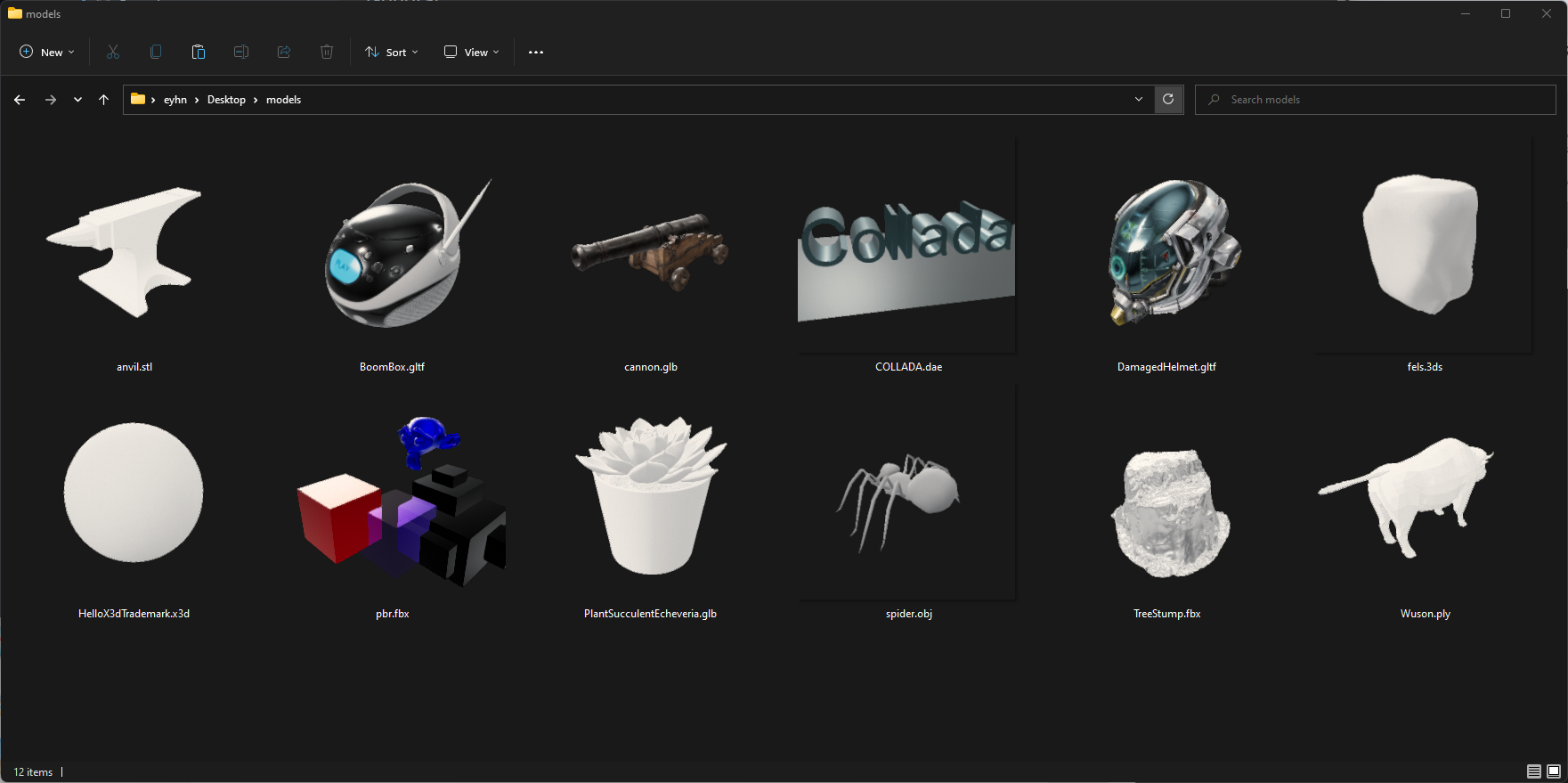
GitHub
Generates preview thumbnails for 3D model files. Provide a Windows Explorer extensions that adds preview thumbnails for 3D model files. - EYHN/space-thumbnails
calm isle
tidal latch
https://community.bistudio.com/wiki/Arma_Reforger:Character_Gear_Creation/Vest/A...
Appreciate it, I actually found out I was using the old, old skeleton 😂
 strong burrow
Hey y'all. I have some shoes I am working on. I rigged them up, brought them in and textured them. Everything is working except for the model and emat previews in tools. Is there something I am missing?


Getting this error in the Log Console
Thumbnail request processing timeout in phase 2
 crimson sail
does anyone know what Enfusion supports for texture resolutions from SP?
Is it just 1024 or can I go to 4k?
shell hedge
You can go for 4k but you usually shouldnt
crimson sail
Gotcha, my export from SP is creating different texture sets for the materials. Do I have to make one material only in Blender or is there a way I can apply the materials to the individual parts of the model in Workbench?
 stray bridge
crimson sail
Gotcha, my export from SP is creating different texture sets for the materials. ...
stray bridge
crimson sail
Gotcha, my export from SP is creating different texture sets for the materials. ...
you can apply the textures to the materials in workbench, you should use as less different materials as possible
 cloud rampart
When I import an asset with the character's armature, it gets imported rotated. Is something wrong? I read that it's no longer necessary to rotate the weight-painted model
surreal ore
cloud rampart
When I import an asset with the character's armature, it gets imported rotated. ...
Then you're using the wrong character template blend file
cloud rampart
surreal ore
Then you're using the wrong character template blend file
What is the right one? I'm using the one mentioned in the updated documentation
 river mango
not sure if this is the right place
has anybody tried fixing some of the oddities with the RHS t14 here?
 livid hull
cloud rampart
When I import an asset with the character's armature, it gets imported rotated. ...
livid hull
cloud rampart
When I import an asset with the character's armature, it gets imported rotated. ...
I think this happens with the latest template but it should still be fine in the world itself. If not just set a rotation in blender and apply it before you import it
 eternal jewel
can someone help on why my custom helmet is visible in first person? it blocks the view on certain POVs
 shell hedge
eternal jewel
can someone help on why my custom helmet is visible in first person? it blocks t...
shell hedge
eternal jewel
can someone help on why my custom helmet is visible in first person? it blocks t...
Go to the material of your helmet and find and enable:
- Enable user alpha bias
- Enable alpha blending
Under general tab
 eternal jewel
thanks alot!
faint viper
what could be the issue? First screenshot is the prefab for the character, 2nd is the actualy prefab used on the actual character, is like the teeths are broken for the skeleton... For now i've tried to link them in the riggin with the spine3-head but didnt work out, and same result while making them 1mesh with the head


i made sure they are linked properly into blender, as even in posemode they follow up perfectly the head, but still this happens
 tidal latch
what is happening when you try to move spine3 bone in Resource Manager viewport?
 tidal latch
do you have any warnings in Log Console when reimporting this model?
keep in mind number of bones
Export Skinning: loads skinning data (required only if there is skeleton available, maximum 4 bones can affect single vertex)
faint viper
bones should be correct, no errors

 tidal latch
so are you sure teeth are influenced by just one bone?
Missing Armature modifier maybe?
faint viper
So i parent it with the spine/head, a before i forgot to add the armature, if i do it actually goes like this @tidal latch...


 fading wren
Well I got my first model ready and working in Enfusion! Yay! :D🥳

 steel hare
How can I prevent that all LOD from my model are merged into LOD0 when I import it to workbench?
shell hedge
Smol correction _LOD0 _LOD1 _LOD2
steel hare
ah thanks a lot guys! I had a typo and it was .LOD1, .LOD2 etc
shell hedge
But also make sure they are actually different meshes, multiples of the same mesh can be merged automatically
steel hare
shell hedge
But also make sure they are actually different meshes, multiples of the same mes...
like that you mean?
 shell hedge
looks fine
steel hare
Thank you!
 last parcel
LOD01 and LOD02 works fine too.
shell hedge
Does it strip out the 0? Automatically
last parcel
yea, seems so
shell hedge
Oh ok cool I had no idea thank you
steel hare
Thanks a lot for today guys! With your help I managed to import two of my models into workbench
shell hedge

remote palm
fading wren
Well I got my first model ready and working in Enfusion! Yay! :D🥳
Looks really good!
faint viper
faint viper
So i parent it with the spine/head, a before i forgot to add the armature, if i ...
sorry to bother you reyhard, do you think maybe having them as item could be a solution? because atm i keep having this issue where is just impossible to make it work for some reasons
tidal latch
faint viper
sorry to bother you reyhard, do you think maybe having them as item could be a s...
the issue seems to be skinning so thats why I didn't replied any further
perhaps you used before "relations" instead of skinning and thats why you see it misplaced upon import
faint viper
tidal latch
perhaps you used before "relations" instead of skinning and thats why you see it...
what does that mean sorry
tidal latch
isolate teeth and try one by one determine which thing is influencing it
my bet is on Relations in Objects tab
 cosmic solstice
Hi, guys got my tent in. LOD works Collison works. But its red! Should the material be PBR basic, the materials dont show as red (second picture)

 tidal latch
search for vertex color
cosmic solstice
in the material or xob? Off back to work
cosmic solstice
cosmic solstice
Hi, guys got my tent in. LOD works Collison works. But its red! Should the mater...
Thanks @last parcel

 keen folio
First time reforger model maker here, I made an object, and then textured in SP, Imported into workbench, and i Have a bunch of missing faces. Did a model check in blender, all my normals are correct, kinda at a loss here. Any suggestions or like, tutorial reccomendations?
 fallow pond
your missing faces is due to inverted normals
keen folio
I fixed it by adjusting face smoothing on export!
Got it!
@fallow pond
Apprecaite it.
Now I just have to figure out how to pop a light inside of this thing.

 mighty lodge
I need a mod team 😂😂 you all are doing amazing work boys🤟🏻🪖
keen folio
If anyone knows the best way to put a small light in here to make it a bit brighter on the interior, I would love you forever.
 stuck kraken
keen folio
If anyone knows the best way to put a small light in here to make it a bit brigh...
stuck kraken
keen folio
If anyone knows the best way to put a small light in here to make it a bit brigh...
First step would be to change the Emissivity values in your material. Next step would be to add an Emissive Map there.
 inner torrent
Hi everyone, can someone direct me to a video that explains how to add collaiders to a 3d model, for example, a molitare tent?
Thanks
honest pine
keen folio
If anyone knows the best way to put a small light in here to make it a bit brigh...
add light prefab in slot ?
faint viper
inner torrent
Hi everyone, can someone direct me to a video that explains how to add collaider...
check the arma bootcamp modeling 3#, has a little bit of topic for colliders too
 worn plover
stuck kraken
First step would be to change the Emissivity values in your material. Next step ...
worn plover
stuck kraken
First step would be to change the Emissivity values in your material. Next step ...
We had tried modeling our own and setting the appropriate emissive and map but it never seemed to interact with the interior. Throwing a spotlight on the ground and shining it at the box does tho
cosmic solstice
Is there a issue with the laddercompents ? cannot add the action to my model
drowsy geode
Hey folks, sorry to bother.
I am having an issue with helmet models/hat models that consitently seems to happen even when using the Character Weight Template with the 229 + 1 bones; I create a helmet, hat or etc and import it over with the skinning, meshes and bones, but when it comes into the game; the hat, helmet or whatever I add seems to bend whenever I move my head.
It seems to vary per character as to how bad the item bends or disfigures, with some characters making it look absolutely awful while others it doesn't seem to be effected.
I assume this is a weight painting issue, but I can't seem to fix it no matter what approach I take.
I will include a screenshot or two below for reference.


If anyone ends up being able to point me in the right direction, I really appreciate it in advance. I've tried asking around a few times to no avail. Kinda at a loss in terms of setting this up as I can't find any tutorials really covering this portion.
tidal latch
can you post pic of actual worn hat, no the item variant without skeleton?
drowsy geode
tidal latch
can you post pic of actual worn hat, no the item variant without skeleton?
I included a picture of the worn hat in a second screenshot, unless I am misinterpreting what you are asking?
tidal latch
pic in resource manager would be useful
keen folio
stuck kraken
First step would be to change the Emissivity values in your material. Next step ...
The inside of the machine is it's own mesh and has it's own texture set. I found a video on how top pack and export from substance so I followed that, I don't think an emissive mat was included. So what you are saying is that I should generate an emissive map for that part of the model, and it will allow me to control the light source to bounce off of it in a different manner?
Finding a light source is also my issue, I can only find premade vehicle lights, and things of the sort that are incredibly strong.
 calm rune
Do you have node wrangler active in the addons area?
Yeah I’m not sure what that’s about.
mortal marsh
Evening - Trying to understand how sound attenuation works with BSPs, is that what theyre for? Seems BSPs are in the Light Portals part of the model, so Im a bit confused as to how they determine sounds, like the difference between indoor & outdoor gunshots
Have I misunderstood that, or is this what the BSP is (in part) used for?
Apologies, found what I was looking for here - https://community.bistudio.com/wiki/Arma_Reforger:FBX_Import#BSP_Geometry:~:text=Portals %26 BSP Geometry-,BSP Geometry,-BSP geometry is
 elder rune
What i need todo for correct light on the roof... In default arma reforger we have default Barn with curve roof than working fine. How i can repair my model for correct light?
 strong burrow
I have custom shirts i rigged and textured but the ground model has player collision, I have checked the universalinventorystoragecomponent, rigid body and other settings
i'm definitely missing something
what gives?
fixed it -- dumb fbx issue
rancid cape
Just curious does anyone know if its possible to use the morph target from the RHS patch system on pouches somehow? That way i wouldn't need to make different variant pouches for the front flaps or cummerbunds i could just import one fbx thats straight and curve it as needed, or is there another way to curve stuff inside of the reforger tools?
 wicked dirge
rancid cape
Just curious does anyone know if its possible to use the morph target from the R...
wicked dirge
rancid cape
Just curious does anyone know if its possible to use the morph target from the R...
Morphing is a vanilla concept. You just gotta write some scripts to adjust it when you need it.
rancid cape
Is there no sample mag of the 556 stanag?
rancid cape
livid hull
nope but there is https://github.com/BohemiaInteractive/Arma-Reforger-Samples/tr...
Yeah saw that one but wanted a stanag to fit my pouches to, but found one that was pretty close
glossy prairie
Sample weapon cannot hold fore_grip?

 distant viper

 tidal latch
glossy prairie
Sample weapon cannot hold fore_grip?
tidal latch
glossy prairie
Sample weapon cannot hold fore_grip?
it is left over - it is not functional. I left it in case some good solution would be found to it
faint viper
@tidal latch Just wanted to let you know even if prob passed lot of days i managed to make it work. here obv is just a random sphere for test. My mistake was that i totally forgot about weight painting on the other mesh...

 faint viper
actual face of bacon after the update

 hot kayak
Hi, been working with a balaclava and what shows up in game isnt anything like what LOD0 is on the .xob. The issue is not another LOD loading early, its like a deformation of the LOD0 im guessing. Is there some issue with the bones on the model or something? Im new to the process of export/import in Enfusion so it could be something very simple. Thanks


Answered ^
 bitter grove
What’s the answer
hot kayak
bitter grove
What’s the answer
Issue is due to the weightpaint. Ill update this once i figure out what exactly about the weights needs to be changed
 warm oak
this looks good dude
 whole epoch
I have multiple door prefabs attached to a parent building on pivot ids (e.g. DOOR_01, DOOR_02). In the workbench all the doors are placed correctly but in a dedicated server only 1 door of each type is visible. Any ideas?
elder rune
What i need todo for correct light on the roof... In default arma reforger we have default Barn with curve roof than working fine. How i can repair my model for correct light?
 warm oak
How good does topo need to be in order to properly work?
calm rune
Like retopology? Your edge flow should be smooth for clean animations. Also prevents odd stretching. Try and use quads only(sometimes very difficult to do). Then lastly keep the tri count relative to the vanilla assets. @warm oak
warm oak
calm rune
Like retopology? Your edge flow should be smooth for clean animations. Also prev...
Whats the vanilla assets like I'm terms of topo bc my model the one I downloaded sucks for topo
calm rune
warm oak
Whats the vanilla assets like I'm terms of topo bc my model the one I downloaded...
I do not know it off by heart but just launch the workbench and have a look. They range from 4K-8k for LOD0 for a piece of clothing.
warm oak
calm rune
I do not know it off by heart but just launch the workbench and have a look. The...
Ah mine is like 50k faces or something idk also why does it need to be tris anyway
calm rune
warm oak
Ah mine is like 50k faces or something idk also why does it need to be tris anyw...
The game turns your quads into tris. So if you happen to not triangulate inside of whatever modeling application you use(which I recommend for baking and texturing accuracy) the game engine itself with triangulate your model once injected.
Depending on what you are trying to inject 50k might be fine. If it’s clothing then no, NOOOO.
warm oak
calm rune
The game turns your quads into tris. So if you happen to not triangulate inside ...
Ah well my gun doesn't have textures it looks alright it's in the game in a testing phase and the topo is horrible on it like really really bad for the most part it works well tho
warm oak
calm rune
Depending on what you are trying to inject 50k might be fine. If it’s clothing t...
Gun small gun vz 61 specifically
Which is alot for a small machine Pistol but yea can't do much or it'll look weird
Distorted or just glitchy if I try to do anything really
calm rune
Would be better if that was around 25-30k tri count.
warm oak
calm rune
Would be better if that was around 25-30k tri count.
It's faces idr the tri count
shell hedge
I have had more luck triangulating the mesh before import than letting enfusion do it but that might be my fault
calm rune
Inject it and see what happens. Worst case scenario is that it’s not really optimized but may not effect the game negatively in a too harsh of way.
warm oak
shell hedge
I have had more luck triangulating the mesh before import than letting enfusion ...
Mh I might do that idk
shell hedge
just try to be within vanilla ranges, dont do shit like this bro
 warm oak
calm rune
Inject it and see what happens. Worst case scenario is that it’s not really opti...
warm oak
calm rune
Inject it and see what happens. Worst case scenario is that it’s not really opti...
Works we've had it in the game for a little while no animations or rig I think idr if it does or not for in the game
shell hedge
those poly counts start to matter when you have multiples on the screen, especially on lower end systems
warm oak
shell hedge
just try to be within vanilla ranges, dont do shit like this bro
Uh yea 3 of my guns or 4 would be equivalent to that in faces
warm oak
shell hedge
those poly counts start to matter when you have multiples on the screen, especia...
Yea true
shell hedge
yeah this gopro above has no LOD at all
warm oak
But I suck at modeling bro and topo
120k faces for that thing why so many? That seems like way to much but I wouldn't know
shell hedge
Yeah it's about 115k too much
warm oak
shell hedge
yeah this gopro above has no LOD at all
You need lod things?
Yea ngl idk what my model in game is in face count
shell hedge
They are optional, but you will ruin people's performance if you don't do LODs, and it generally sends a message that you don't care about optimization and how well your mod runs
warm oak
shell hedge
They are optional, but you will ruin people's performance if you don't do LODs, ...
Ah luckily I have 2 different add-ons for that
So that's good
shell hedge
Remember even bad LODs like 1k faces in LOD4 for clothing is WAY better than no LOD
shell hedge
I'm good
warm oak
Alr how do you do them btw just wondering
shell hedge
manual + polygon reduction modifier with preserve UV edges checked for LOD1
then LOD2+ depends largely on the result of LOD1 lmao
warm oak
Ah that must suck to do manually you sure you don't want the things I use?
shell hedge
I also remove a lot of parts of the mesh that are not visible
warm oak
Will save time in the long run
warm oak
shell hedge
I also remove a lot of parts of the mesh that are not visible
Ah that's a good idea
shell hedge
I'm sure, cinema 4d's automatic reduction algorithms are better than anything I've used
warm oak
Ah is that free or paid I'm guessing paid cuz ngl idr if I've heard of cinema 4d
shell hedge
it's not that popular in games, moreso in VFX and motion graphics
but seeing as I already have a license and no time to bother learning blender
warm oak
Also I got 2 people that want to work for me that have no message history on this server at all but joined in Jan and April
warm oak
shell hedge
but seeing as I already have a license and no time to bother learning blender
You do use blender tho right?
warm oak
Oh didn't know that so you do all your models on cinema 4d then didn't know you could do that
calm rune
shell hedge
I have had more luck triangulating the mesh before import than letting enfusion ...
I always triangulate before importing. Mainly due to the fact that I know my normals will be accurate for baking. I’ve run into a lot of issues with baking if you do not triangulate the mesh beforehand.
Produces a lot of weird artifacts
shell hedge
if you google cinema 4d showreel you will see what the typical use case is, it's usually not games but I have no issue using it for games
warm oak
shell hedge
if you google cinema 4d showreel you will see what the typical use case is, it's...
Ah also do you make your models or buy them or what
shell hedge
if I didnt have experience with any 3d tool I would probably start learning blender since in 2025 it doesn't suck as much as it did 10 years ago
both, usually buy if one is available
warm oak
calm rune
I always triangulate before importing. Mainly due to the fact that I know my nor...
Ngl I tried doing that to my Mag it didn't do anything at all it changes like 2 verts
warm oak
shell hedge
both, usually buy if one is available
Ah ngl I would suggest learning blender for animation
shell hedge
if I didnt know cinema 4d I would
warm oak
Mh can you do animation on there or not?
shell hedge
of course bro you can just google it to see what it is
warm oak
Alr I'll Google it later today I would suggest to learn animations bc I'm sure your mods will be like a thousand times better if you did yk
shell hedge
I would do animations in mods if I wanted to do them, but I don't
warm oak
Ah so you just don't care then about animations per say
calm rune
warm oak
Ngl I tried doing that to my Mag it didn't do anything at all it changes like 2 ...
It won’t. You need to go in a dissolve some edges and such. Lower the count. That may in turn mess up the texture. I suggest before buying any new models to look at the try count.
shell hedge
for most of my mods they are not even remotely necessary
I dont pick up projects that require me spending a week on animating something
people that enjoy animating can do that
warm oak
shell hedge
for most of my mods they are not even remotely necessary
Ah yea true would be nice tho for some like ravage so they yk don't just look like weird bloody people running at you yk
warm oak
shell hedge
I dont pick up projects that require me spending a week on animating something
Ah makes sense
shell hedge
they look fine to me, and the only person they have to look good for is me
but thank you for your concern
warm oak
calm rune
It won’t. You need to go in a dissolve some edges and such. Lower the count. Tha...
It was a free grabcad model
warm oak
shell hedge
they look fine to me, and the only person they have to look good for is me
Yea true I still like them tho since I do find it fun to spawn like 100s of them and see if I can survive makes it harder that they can track you through walls and open doors too
shell hedge
if you avoid them for 5 seconds they should lose track of your position
warm oak
shell hedge
if you avoid them for 5 seconds they should lose track of your position
Yea I think I noticed that they're also blind in the dark unless you shoot at them
calm rune
Well I think my input has ran its course. Imma get back to my rl job now 🤣
warm oak
shell hedge
This is not really modeling related anymore
Yea?
Also ngl I gtg I'll be able to talk again in like 6 or so hours idk
shell hedge
alr bro cant wait
warm oak
shell hedge
alr bro cant wait
Well if you wanna dm me it you can ill see it later
I get no internet where I'm going so yea
 fallow pond
but it free on sketchfab
calm rune
fallow pond
but it free on sketchfab
?
bitter grove
shell hedge
Lol 1500 faces for a rectangular patch
Is this bad for that model?
shell hedge
bitter grove
Is this bad for that model?
For a rectangular patch model? try 50
fallow pond
150k faces for NVG is insane
 sly bridge
bro why game not optimized bro ^^
bitter grove
I read that as 1500. 150k is wild for faces tho
What are the vanilla helmets and uniforms at?


 arctic crow
Very nice
warm oak
shell hedge
bro
That's alot for some gpnvg
 novel bramble
arctic crow
Very nice
novel bramble
arctic crow
Very nice
thanks
arctic crow
shell hedge
bro
Holy faces and verts
novel bramble
now the model is a carousel of the automatic loading machine and a mechanism for lifting the cassettes
 fallow pond
novel bramble
I am creating a future mod of the T-72 with an interior for three people
fallow pond
novel bramble
I am creating a future mod of the T-72 with an interior for three people
you can make that shell holder 32 sided at the very least
novel bramble
after creating a mod for the t-72а. plans to make a mod for the m1 abrams with an interior for 4 people
fallow pond
16 is a little too low and its in view
warm oak
fallow pond
16 is a little too low and its in view
Hey btw I sent you a dm a couple actually
fallow pond
yes I saw. im not interested
novel bramble
fallow pond
you can make that shell holder 32 sided at the very least
somewhere I use 16 vertices, somewhere 32
novel bramble
fallow pond
you can make that shell holder 32 sided at the very least
but in most cases 16, because the interior will eat up a lot of fps
fallow pond
nah this cannon can easily be 40 to 60k no problem
warm oak
fallow pond
yes I saw. im not interested
Ah I though someone did say you were tho my bad
fallow pond
lod0 for tank in warthunder is around 300k and that is with a simple interior. that's a good amount of density for a vehicle of that size for dx 12 300k to 500k 🙂
you can also bring in the PKT from the base game too
novel bramble
fallow pond
you can also bring in the PKT from the base game too
I'll probably do that because my PCT isn't that detailed
warm oak
fallow pond
lod0 for tank in warthunder is around 300k and that is with a simple interior. t...
Oh yea BG how far is your vz 61 coming along?
 frozen sierra
does anyone know where i can Get ready to Models pre rigged ready for import and Texturing+configuring?
novel bramble
fallow pond
lod0 for tank in warthunder is around 300k and that is with a simple interior. t...
although the PKT in the tank is different from the manual one or are you talking about the PKT from the armored personnel carrier?
fallow pond
you can just remove your pkt and use the one from the game instead. no need to make another since the one in the game is very well made by itself
novel bramble
fallow pond
you can just remove your pkt and use the one from the game instead. no need to m...
I just don't know what kind of PKT you're talking about. If you're talking about a manual PKT, it will be different. The tank PKT has an electronic trigger module built in.

vert 82k
fallow pond
you can remove some of the detail from front which wont ever be seen ever.
novel bramble
fallow pond
you can remove some of the detail from front which wont ever be seen ever.
where is it better to create animations in blender or in soft bohemia?
 novel bramble
for the game I will remove the UZM gun breech
novel bramble
fallow pond
are you gonna make a hp?
no, i want to make something like war thunder


 spiral hedge
Hey, how i can create a Pool "Water" ? i created a simple box for the water, added Water material and set a Collider with "Water -> Liquids". But i can walk on the ground of the pool and the underWater does not work. Do i miss something?
leaden trench
spiral hedge
Hey, how i can create a Pool "Water" ? i created a simple box for the water, add...
There is some pools of sewage on Everon. Not unlike a swimming pool, you could find those prefabs and inspect how it's done
spiral hedge
leaden trench
There is some pools of sewage on Everon. Not unlike a swimming pool, you could f...
i can only find ponds which are fixed/created with terrain (no prefab)
leaden trench
spiral hedge
i can only find ponds which are fixed/created with terrain (no prefab)
In north of Everon iirc you can find them. It's like a Square concrete pool.
spiral hedge
leaden trench
In north of Everon iirc you can find them. It's like a Square concrete pool.
i will check
spiral hedge
leaden trench
In north of Everon iirc you can find them. It's like a Square concrete pool.
Its also no prefab
leaden trench
spiral hedge
Its also no prefab
So, copy how this done. Make model in hole in ground and put water polygon there
spiral hedge
Yes, but you can not mod terrain.
leaden trench
spiral hedge
Yes, but you can not mod terrain.
oh, you didn't mention you want to put it on a map you didn't make assumed you wanted put a pool on your own map
warm oak
novel bramble
ngl i have no idea how you modeled this bc theres so many small parts that need to be modeled accurately
 short karma
Hey fellas, is there anyone here that might be able to walk me through rigging/weight painting in a VC? I bought a PCU off of CG Trader, followed a YouTube tutorial on how to rig it/weight paint it from HercPlayz step by step, and for some reason it didnt work. When I import the model into Enfusion, then reimport after selecting export skinning, all of the bones etc appear to be there, however when I put the jacket on in game, it is in a completely different pose from what I setup in blender/appears in Enfusion, and it doesn't like up with the character at all. Thanks in advance for any help.
surreal ore
short karma
Hey fellas, is there anyone here that might be able to walk me through rigging/w...
Make sure you're using the correct version of the rig
short karma
surreal ore
Make sure you're using the correct version of the rig
Do you happen to have a link to it, or know where it might be found? The one I have is
Disregard, the rig one was
surreal ore
Don't use it if to doesn't come from Bohemias GitHub
frozen sierra
i cant even get the one from thier Github to work for me XD
frozen sierra
ive spent 4 days on a Single Helmet
surreal ore
And have a different outcome then you're missing a step or doing a step wrong
short karma
Okay, so for a jacket, which version off of their Github do I want?
frozen sierra
like i got the Skeliton to Attache Paints Transported i can Spawn it in but its 1 off center and is in fact not following my head in game
but in Blender it Follows the skeliton just fine
surreal ore
I suggest cloning the repository
There's a blend file,
It has the mesh and skeleton
short karma
Looks like the Character_Weight_Templates.Blend is what I want, but you suggest just cloning the whole thing, I assume so I have all of the assets if I want to make anything else in the future
surreal ore
Cloning the repository with one of the GitHub applications will then allow you to update the repository with a single button click
Doubtful that the character skeleton will get changed again
But, the samples have some good stuff for beginners
And they might update them to include more things
And having the repository cloned will help you in the long run
short karma
surreal ore
Cloning the repository with one of the GitHub applications will then allow you t...
Okay cool, quick question, using that skeleton, can I move the armature to line up with the jacket I am making, if say for instance the sleeves arent in the same position as the armature, and it still work inside Enfusion?
surreal ore
No
The armature has to stay in the position that it is in
Alter your mesh to fit the skeleton, not the other way around.
short karma
Copy, was just seeing if there was an easier way, as opposed to dragging vertices/faces around lol
surreal ore
You're weight painting the mesh to follow the righ
rig*
Not the other way around.
You should watch some blender tutorials to learn about skeletons, and their relationship with meshes
short karma
Yep, I'm tracking. I just was looking to see if there was an easier way to cover up the exposed arms etc, than dragging individual pieces around
 surreal ore
Yes, but you need to know how to use blender to do such things
So watch Blender tutorials
surreal ore
frozen sierra
like i got the Skeliton to Attache Paints Transported i can Spawn it in but its ...
Watch a tutorial
You're missing a single step
Creation of a helmet is literally in the documentation btw
bitter grove
In this video i'm gonna show you how to use cloth simulation brushes the correct way in blender
▼ Real-Time Character Creation Videos & 3D Object files:
✏ Patreon: https://www.patreon.com/PixelicaCG
✏ Gumroad: https://pixelicacg.gumroad.com/
▼ Discord Server: (Come hang out with me and others :D)
✏ https://discord.gg/6ZfWcPZyDV
▼ Y...
@short karma I haven’t tried it but probably will in the future. Goes over pose brush and face sets, may be a clean way to move your sleeves
short karma
bitter grove
https://youtu.be/Y5J5os8P4jg
Ill have to check that out, I just went back through the tutorial for the helmets posted by BI, and ended up repositioning my sleeves, but i'm still running into the same issue. The bones all show up in Enfusion, everything looks right in blender, but then my jacket is just floating in space in front of my character once I equip it
bitter grove
I’d make sure you’re using this rig
 short karma
Yeah, thats the one from their Github that i'm using
Do I need to size/adjust the sleeves before throwing it in with the rig?
Or can I use the Body_LOD0 on the rig to adjust it, and then transfer weights/etc after that?
bitter grove
Hide the armature and adjust your shirt to the character model and then go through the steps of weight painting after you’re satisfied with how your shirt looks
short karma
Okay, thats what I did, just making sure that wasn't causing issues
bitter grove
Maybe apply all transforms too after idk. I’m sure there is something missing in between weight painting and exporting
short karma
Thats my guess as well, when I move the armature in Blender, the jacket moves with it. So its something between the export, and Enfusion thats giving me issues. I'm sure theres a step or check box i'm missing, Im just not familiar enough to figure out what.
bitter grove
You probably did but did you add armature modifier to your LOD0?
short karma
Yeah, I added that. Now I didnt name it LOD0, although I do see that in Enfusion as the LOD it detects.
bitter grove
Just name it shirt_LOD0. Not sure if that’ll fix anything but that’s the by the book way. Maybe try deleting it from enfusion and just redo everything in blender and try again. Could also maybe be the way you set up your prefab but idk if that would affect it
short karma
I just got it
bitter grove
I’ve had times where I thought I did everything right and then it would be floating or offset, then I’d just delete it all from enfusion and redo the whole weight paint and rigging process and set up a new prefab and it worked. Idk what I did different to fix it but I did
bitter grove
short karma
I just got it
What was it
short karma
I changed the name to _LOD0, but I also drilled down and made sure to manually select everything under the Jacket in Blender during the export this time
I'm not sure which fixed it, but one of those two things took care of it, lol
bitter grove
Coulda been both I guess we’ll never know! Glad it got fixed tho that stuff can be frustrating when it doesn’t work
spiral hedge
spiral hedge
Hey, how i can create a Pool "Water" ? i created a simple box for the water, add...
@tidal latch any idea how this works?
fluid fern
Hi, since 1.3 the new blender pluggin has changed.
I want to validate my BSP, so I went to Model Quality Assurance, selected the BSP preset and clicked on MQA Overlay.
However, it shows me that my object is in error, but compared to before, I don't have a dupplication of this object to see exactly where my non-manifold arretes are.
Do you have an explanation?
Then I can update the tutorial https://wiki.nabla.sh/books/3d-building-creation-tutorial/page/3d-creation

A - Creating the HierarchyStart by creating your working hierarchy, right-click → New Collection.Wha...
 merry rivet
Does it makes sense to have box colliders (left) for a garden fence like this (right)?
 fluid fern
merry rivet
Does it makes sense to have box colliders (left) for a garden fence like this (r...
fluid fern
merry rivet
Does it makes sense to have box colliders (left) for a garden fence like this (r...
Your collider needs to be as simple as possible - you won't be able to put in a collider with more than 65k trimesh anyway.
merry rivet
Yes, that's why I made it like this, with box colliders.
Because box colliders are better than mash colliders
tidal latch
one trimesh might be better than 15 convex though
1 trimesh for fireview and few boxes for rest of collision could be good
merry rivet
But you can't mix box and trimesh colliders
But that is the question... is 15 box colliders better or worse then creating one complex trimesh collider
merry rivet
Okay, yeah, that would work, if it's two different colliders for the same object
fluid fern
fluid fern
Hi, since 1.3 the new blender pluggin has changed.
I want to validate my BSP, so...
Nobody add solution? Or else
tidal latch
fluid fern
Nobody add solution? Or else
try in #enfusion_blender_tools
rancid cape
Anyone able to give me some tips on weight painting? Do i add more to the ForeArm or the ArmTwist to fix this?


 quiet ledge
rancid cape
Anyone able to give me some tips on weight painting? Do i add more to the ForeAr...
quiet ledge
rancid cape
Anyone able to give me some tips on weight painting? Do i add more to the ForeAr...
Not sure if this will help out but i know you can open Charactor_AnimationRig_Example and maybe look at that shirt for a reference
rancid cape
quiet ledge
Not sure if this will help out but i know you can open Charactor_AnimationRig_Ex...
I will check it out tomorrow, thanks!
bitter grove
rancid cape
Anyone able to give me some tips on weight painting? Do i add more to the ForeAr...
There are also settings in enfusion when you set up your prefab to where you can hide certain body parts while your item is being worn. So you wouldn’t see your arms
But I’d also try getting the model lined up as close as possible to the character weights template
fallow pond
rancid cape
Anyone able to give me some tips on weight painting? Do i add more to the ForeAr...
red = 100% influences, blue = 0%
 fathom elbow
you can transfer weight from one object to another, if you have a reference mesh that is weighted to the Skeleton. This should give a good baseline. Secondly, by having the reference imported, and animating it in blender, you can check how they behave, and directly fix errors. Doing it by eye statically, import and check is a nightmare.
fluid fern
Hi, is there a solution to correct this problem? I've already cleaned up on blender.
 cosmic solstice
Anyone know why the "feet" are imcomplete _ where should I look?

 quiet ledge
cosmic solstice
Anyone know why the "feet" are imcomplete _ where should I look?
quiet ledge
cosmic solstice
Anyone know why the "feet" are imcomplete _ where should I look?
Looks like the faces are flipped, in blender edit mode click face orientation, then click the faces that are red and press alt+n,

 cosmic solstice
quiet ledge
Looks like the faces are flipped, in blender edit mode click face orientation, t...
cosmic solstice
quiet ledge
Looks like the faces are flipped, in blender edit mode click face orientation, t...
Yea they where red, I flipped to outside, they show blue but imported model is still "inside out"

 quiet ledge
cosmic solstice
Yea they where red, I flipped to outside, they show blue but imported model is s...
quiet ledge
cosmic solstice
Yea they where red, I flipped to outside, they show blue but imported model is s...
hmm, you could go into the .emat and search for cull and change it to none, thats makes it so 1 face can have textures on both sides
 remote palm
cosmic solstice
Yea they where red, I flipped to outside, they show blue but imported model is s...
remote palm
cosmic solstice
Yea they where red, I flipped to outside, they show blue but imported model is s...
Well it probably did not import correctly. Delete your model, save your project, close the workbench and import again - that always fixed such issues for me
cosmic solstice
remote palm
Well it probably did not import correctly. Delete your model, save your project,...
Did that three times 🙂
Next question:) LOD's do I need to decimate in Blender or is that what the sliding scale does in enfusion?
remote palm
Decimate in blender - but that can look terrible - probably better of making handcrafted LODs or finding a good addon - i have not yet tried „G-Ready“ but that has LOD creation

Gumroad
G-ReadyHey! I made this addon to solve some real problems I kept running into while making game assets in Blender.If you're using a non-destructive modeling workflow (like me), especially for sci-fi or hard surface models, this tool might save you a lot of time.🔧 What it can do:• Clean up messy Booleans• Automatically rename your meshes w...
shell hedge
There are no auto LOD tools that produce consistently quality results
But depending on your mesh, decimating with preserving UV boundaries can sometimes be enough for first one or two LODs
Third and further LODs can just progressively turn into a potato
stray bridge
cosmic solstice
Next question:) LOD's do I need to decimate in Blender or is that what the slidi...
personally I use InstaLOD which is free and depending on the mesh produces solid lods
cosmic solstice
I was trying to get this in but unfortunalty it is beyond with me. Im going to get back to the terrain!

 stiff reef
When I'm creating the BSP geometry of a multifloor building I should add the stairs too? Or just the walls with holes for windows and doors? Thanks!
 covert rune
Hello,
I'm looking for a good tutorial to learn how to rig clothing. I've seen several, but I still haven't managed to get it right.
Does anyone have a solid one on hand that I can follow with complete confidence ?
 hollow hornet
I don't really model much in blender and only really know the basics, I've been looking into marvelous designer for clothing and wanted to know if anyone had anything (good or bad) to say about it?
fallow pond
its good. but if you know tricks with blender you dont need it
substance painter / designer if you wanna make your own pbr materials is something that you need imho.
 sick shard
stray bridge
personally I use InstaLOD which is free and depending on the mesh produces solid...
sick shard
stray bridge
personally I use InstaLOD which is free and depending on the mesh produces solid...
I think I use the same thing or something similar and it does the job and saves a lot of time
calm rune
fallow pond
where is instalod free?
You didn’t try very hard to look did you..

Btw 5 clicks. I found the download button in 4.
fallow pond
 calm rune
fallow pond
calm rune
fallow pond
Read it again. The pink part lol
fallow pond
you right
 lilac badge
Why are my faces inverted in enfusion, when they are fine according to blender?

 lilac badge
What's what I'm showing they already are in the second picture (blue color from blender's "Face orientation" feature).
Or are you referring to something else?
leaden chasm
calm rune
Read it again. The pink part lol
Acktchyually

 spice tulip
Beginning stages of work I’m doing to create the SOKL “leshyy” 4z leaf suit. So far have the base jacket’s fabric modelled and the leaves are on the hood. Shape of the hood definitely needs work
 remote palm
calm rune
You didn’t try very hard to look did you..
remote palm
calm rune
You didn’t try very hard to look did you..
Totally shit
 rancid glade
hi, do you guys know if there is still a testing world like that in the tools ?
 stray bridge
mp_test / mp_test_basic, but they don’t look as „cool“
you can access the „advanced“ tools with pressing win + alt I think
eternal jewel
how does the "inflation" of the ALICE vest work when putting on the PASGT. Does the game do that automatically with through weight paint or do you have to create an inflated model manually?
Is there any documentation on this?
calm rune
leaden chasm
Acktchyually
?
leaden chasm
calm rune
?
It's free
calm rune
leaden chasm
It's free
Yes? That was the whole point of yesturdays discussion lol
rancid glade
stray bridge
mp_test / mp_test_basic, but they don’t look as „cool“
you can access the „adva...
this is awful

ahah
stray bridge
you can just setup ur own debug world and safe it inside the profile folder
 last hill
lilac badge
What's what I'm showing they already are in the second picture (blue color from ...
last hill
lilac badge
What's what I'm showing they already are in the second picture (blue color from ...
If you mirrored or scaled it at all, try applying scale in Blender, see if it reverses the face direction, then just flip the face normal.
If it's not scale related I am not sure.
honest pine
lilac badge
Why are my faces inverted in enfusion, when they are fine according to blender?
👆 apply all transform, then check face orientation again.
eternal jewel
eternal jewel
how does the "inflation" of the ALICE vest work when putting on the PASGT. Does ...
bumping this question
tidal latch
rancid glade
hi, do you guys know if there is still a testing world like that in the tools ?
its part of the samples

GitHub
Modding Samples. Contribute to BohemiaInteractive/Arma-Reforger-Samples development by creating an account on GitHub.
tidal latch
eternal jewel
how does the "inflation" of the ALICE vest work when putting on the PASGT. Does ...
Right now, those deflated variants of the jackets are created by hand
eternal jewel
Thats talking about jackets, im talking about load bearing vests
Ig its the same explanation?
tidal latch
Yes
eternal jewel
What are good tips and tricks that works well with creating deflated/inflated models in blender?
 abstract horizon
Hello guys! I trying to understand how works Portals, and still cannot understand why its not working, maybe I lost something 😦 So for test, I make simple room, placed Portals and Portal Volume, Portals have material like PRT_blabla, Volume dummyvolume, and BSP. And after all of that in engine it doesnt work, so maybe I miss something, can anybody help please? Very appreciate


 abstract horizon
Hello guys! I trying to understand how works Portals, and still cannot understan...
abstract horizon
abstract horizon
Hello guys! I trying to understand how works Portals, and still cannot understan...
Never mind, I found reason, why it's not appear, just need add component with name "WorldSubsceneComponent", finnaly!

 plush sandal
why am I going through the prop set even though I have a collider with the prop category
 lament hare
Hey lads. Where is the player body for equipment modeling?
lament hare
Is there not a template human for Reforger to make uniforms and whatnot
loud mist
lament hare
Is there not a template human for Reforger to make uniforms and whatnot
Use this it is it also has the weights in it https://github.com/BohemiaInteractive/Arma-Reforger-Samples/blob/main/SampleMod_NewCharacter/Assets/Characters/SampleCharacter/Character_Weights_Template.blend
GitHub
Modding Samples. Contribute to BohemiaInteractive/Arma-Reforger-Samples development by creating an account on GitHub.
Does anyone know how tweak clothing items to fit with arma body have a combat shirt that dosent fit properly and don’t know how to make it fit onto an Arma character it keeps turning out very wonky
 waxen current
After opening my imported FBX in workbench, it takes on bright pink/green colors. I assumed once I mapped my textures to the materials it would go away, but instead my materials are tinted whatever color is there. What am I doing wrong?
The textures are correctly packed, and I can see in their preview they look fine.
EDIT: Vertex colors in blender.
 steel hare
waxen current
After opening my imported FBX in workbench, it takes on bright pink/green colors...
steel hare
waxen current
After opening my imported FBX in workbench, it takes on bright pink/green colors...
remove the vertex colors in blender before you export the FBX and import it to workbench. Been there, done that 😄
lament hare
loud mist
Does anyone know how tweak clothing items to fit with arma body have a combat sh...
https://youtu.be/vTrKnRzMAR0?si=cvZso1X1d1nGD9UU
You may find this helpful
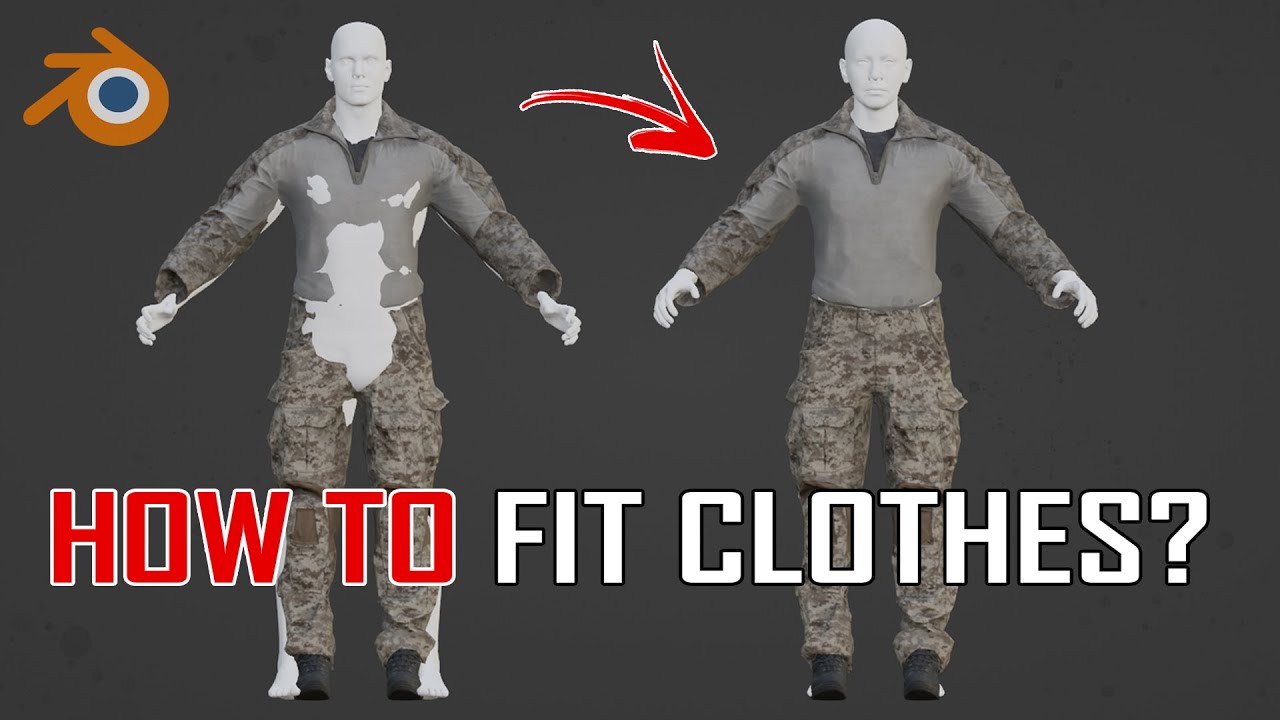
Our website: https://www.3dmilitaryassets.com/
In this tutorial, we will take a look at how to pose clothes of any type on different character meshes from various engines or games.
We will use a mixture of different tools, from proportional editing vertices to Pose and Grab brushes from the Sculpting Menu.
Hope you find the video useful!
 summer sierra
anyone have any leads what im messing up? this beard only does this getting in and out of cars
 steel hare
Hej guys, in regards to the upcoming Kolgujev map I started working on a coke plant for map makers. Is there any kind of decent tutorial which explains how I can create a placeable object (prefab) in the world editor? I am following a somewhat modular approach and setting this thing up with all its modules will take a while, that's why I wanted to create a prefab.

 surreal ore
steel hare
Hej guys, in regards to the upcoming Kolgujev map I started working on a coke pl...
surreal ore
steel hare
Hej guys, in regards to the upcoming Kolgujev map I started working on a coke pl...
Yes, the wiki.
cosmic solstice
Hi all I have a bunker - im applying concrete 100m Collider what layer should it use?
steel hare
cosmic solstice
Hi all I have a bunker - im applying concrete 100m Collider what layer should it...
You could check one of the bunkers in workbench which Bohemia Interactive made. there you can also view theiry colliders and layers
Find the desired XOB model in the resource browser and double-click on it. Then check the details tab on the right part of the viewport and open its Colliders sub-tab
 autumn osprey
novel bramble
I am creating a future mod of the T-72 with an interior for three people
autumn osprey
novel bramble
I am creating a future mod of the T-72 with an interior for three people
its look amazing, good luck in make mod, can you share blueprints?
 compact scarab
You guys ever going to have a non-humanoid character example for model / animations?
 surreal oracle
compact scarab
You guys ever going to have a non-humanoid character example for model / animati...
surreal oracle
compact scarab
You guys ever going to have a non-humanoid character example for model / animati...
i have one but the rig is off by abit
sly bridge
compact scarab
You guys ever going to have a non-humanoid character example for model / animati...
like what? animals?
shell hedge
What I would appreciate is an animation graph compatible with the character movement component that contains ONLY basic locomotion
Since animation editor crashes every 5 seconds it would save me a bunch of time
remote palm
What is your guys best „strategy“ for retopology on weapon models? I have gun models that are in the 10-15k poly count, but i want to increase it so it fits the Reforger count of about 70k. Also want to make the model as quad as possible since i heard that is the way to go?
shell hedge
Do they really look bad in LOD0?
I guess step 0 is you could try beveling everything but it might ruin some of the baked detail, among other things
but if it works it'll result in a less pointy outline
remote palm
So i dont have to „exactly“ match the 70k polys as the vanilla guns? Thats just wasting resources?
shell hedge
What gave you the impression that you have to have any specific amount of polygons?
remote palm
Well, since the guns on reforger did it like that 🤷🏻♂️
shell hedge
You decide how many polygons you want
Generally speaking lower = better
So as low as possible while maintaining similar visual quality level
shell hedge
Would be a good target
If your model looks like it was made for a ps2 game then by all means crank it up, at least for the first LOD
remote palm
Any tip for retopology then? I have plenty of tris, even when „removing“ them in Blender with Alt+J
shell hedge
Someone here might be able to give some tips but I imagine they'd like to see the model
 mighty bronze
Most likely going to have to manually convert some tris to quads
not all tris are bad
but generally working with quads is 1000x fucking easier
mighty bronze
shell hedge
I dont hate ngons
 mighty bronze
shell hedge
I like melting verts by surface angle (of 0) among other things
mighty bronze
shell hedge
I like melting verts by surface angle (of 0) among other things
I guess that works, never tried it
but then could get rid of ngons by selecting faces with more than 5 sides
shell hedge
its not horrible if you trust your tool to triangulate it well afterward
remote palm
shell hedge
its not horrible if you trust your tool to triangulate it well afterward
Damn. That aint too bad.
shell hedge
Using something like ZRemesher doesnt apply since it just nukes the UVs
But for example it sucks here

But thats just down to the angle settings
Or just turn off ngons idk
But the good news is you only need it to work well around the areas you intend on modifying
So you can use different settings on different areas I suppose
mighty bronze
I forgor
but reforgor has issues rendering ngons right? tbh I've always avoided using them so idk what happens when you try to import a model with ngons
shell hedge
There is no such issue because its triangulated
But I prefer triangulating before import because I dont trust it
mighty bronze
I usually never run into any issues with my models exporting
but uh, I've never exported with ngons so I can't be sure
plush sandal
Hello guys, why can I shoot through the prop and why does the weapon not press against the body when I approach the prop, is there a collider, what to do??
mighty bronze
plush sandal
Hello guys, why can I shoot through the prop and why does the weapon not press a...
plush sandal
Thx, i found fireGeo layer and propfireview it works❤️
mighty bronze
also if you want to know some more about collider's in particular this one is helpful
https://community.bistudio.com/wiki/Arma_Reforger:FBX_Import#Collider_Usage
compact scarab
sly bridge
like what? animals?
Yep
surreal oracle
how do i hide these ive tried Ankle_l Ankle_R AND Shins for the l and r anyideas?
 shell hedge
Check the mesh list in character model and use correct names
waxen current
Is there some method/trick to get the child entities of my Destructible Building to actually fall with the parent? Some entities do, some don't... and there doesn't seem to be any rhyme or reason.
tidal latch
hierarchy component + there is small list of excluded object types like StaticModelEntity
covert rune
Someone have a solution to fix this. or point me to the right direction ?
on other xob item i dont have this error :/
RESOURCES (E): Trying to create RigidBodyComponent on model @"Assets/Characters/Uniforms/G4_Uniforms/ATM_Pants_v2.xob" without geometry
honest pine
covert rune
Someone have a solution to fix this. or point me to the right direction ?
on oth...
missing collider
worn plover
waxen current
Is there some method/trick to get the child entities of my Destructible Building...
Mr. rage what's the purpose of the child entity on the editable entities that players build. I'm just trying to understand more about the process of creating my own entities.
 cerulean patio
Question: How do you prevent a mask from appearing in first person?
cerulean patio
thankss
 burnt mist
Is it allowed/possible to export modded content models to make adjustments or different prefabs?
wicked dirge
burnt mist
Is it allowed/possible to export modded content models to make adjustments or di...
You can't export modded content. You can make different prefabs by deriving if the license allows.
burnt mist
wicked dirge
You can't export modded content. You can make different prefabs by deriving if t...
So its impossible to export this vietnam helmet and add foliage and such?
 wicked dirge
Export? No. But you could add foliage through a slot in the prefab for example if you make the foliage separate
 torn token
Would it be against TOS if I made a Barbie jeep with the Barbie logo on it?
I would read the TOS but i'm blind and can't read that well
I don't want to get my mod banned because I violated TOS
stray bridge
is the barbie logo licensed? most likely..
do you have permission to use it? probably not..
Should you use licensed Logos you dont have permission to? No
torn token
stray bridge
is the barbie logo licensed? most likely..
do you have permission to use it? pro...
Thanks for clearing that up, what if I make my own Barbie logo in text that isn't a licensed one
stray bridge
if its ur own logo you can obv use it inside ur mod
torn token
stray bridge
if its ur own logo you can obv use it inside ur mod
I just submitted an email to mattel about using their barbie logo hopefully they say yes 🙂
 lunar mulch
Do you think it's clean enough?

 hybrid mountain
torn token
Thanks for clearing that up, what if I make my own Barbie logo in text that isn'...
hybrid mountain
torn token
Thanks for clearing that up, what if I make my own Barbie logo in text that isn'...
Trademark is still a thing
Just be careful is all
lunar mulch
 torn token
hybrid mountain
Just be careful is all
torn token
hybrid mountain
Just be careful is all
Thanks man 🙂 and yea I'm trying to do my best to be careful. I'm not publishing anything until I know I have permission to use
burnt temple
How to set multipler layer presets like this in Blender? I have the Enfusion Blender Tool add on installed but it only allow me to set one layer preset for each mesh.
 tidal latch
burnt temple
How to set multipler layer presets like this in Blender? I have the Enfusion Ble...
tidal latch
burnt temple
How to set multipler layer presets like this in Blender? I have the Enfusion Ble...
Object can have one layer preset
What you see is a binarized layer preset mask which fits Two layer presets
Once model is binarized, only mask as digit is baked into model - not the string
Due to that, workbench is trying to make educate guess based on that mask - if that mask fits multiple layer presets then you will see all matching presets
burnt temple
Thank you!
calm rune
lunar mulch
Maybe put some folds and seams in the hp to bake into the low? It’s looking a little flat.
lunar mulch
calm rune
Maybe put some folds and seams in the hp to bake into the low? It’s looking a li...
Yes, it's the beginning, thank you.
 fallow pond
lunar mulch
Do you think it's clean enough?
fallow pond
lunar mulch
Do you think it's clean enough?
you should have more or less the same mesh density as the player model tbh
this way when you weight paint the clothes they deform properly with the player mesh. ofc you do some tricks like making the clothes more loose fitting and hiding parts of the player mesh

 halcyon dew
I have set my w_fire_mode correctly in the center of the selector. However, in-game the selector itself changes position, ending up weirdly. What did I do wrong? Mind you, it does look correct in the .xob, but not in the .ent prefab. Using stock M16A2 animations.

 tidal latch
Create your own animations
If bones are not exactly the same (including location) as on vanilla then you cannot use vanilla weapon anims. You can still use vanilla character weapon anims
halcyon dew
Yeah, thanks, already started making my own and that fixed it.
 halcyon agate
what am i missing when i reimport my blender model scaled down from 1 to .1? it's not applying the rescale at all anymore while 2 days ago this function was working fine
 slow canopy
hello was woundering if blender is the best tool to use to design buildings in reforger also does anyone know were i can find some videos on how to build buildings been trying to find some but not really found what i looking for
 wary inlet
slow canopy
hello was woundering if blender is the best tool to use to design buildings in r...
wary inlet
slow canopy
hello was woundering if blender is the best tool to use to design buildings in r...
blender is indeed the best tool for this, check out the biki, it has a page on asset preparation in blender and goes into extensive detail about building modelling, collisions, and light portals
 rigid mica
wary inlet
blender is indeed the best tool for this, check out the biki, it has a page on a...
rigid mica
wary inlet
blender is indeed the best tool for this, check out the biki, it has a page on a...
what is biki? blender wiki?! 🤣
btw, does anyone know underrated videos for teaching how to make buildings in blender? Found few, just wondering if there are other good videos.
wicked dirge
BI wiki
rigid mica
wicked dirge
BI wiki
oh bohemia... 🤦
stuck kraken
rigid mica
btw, does anyone know underrated videos for teaching how to make buildings in bl...
It is not a video but helpful:
https://wiki.nabla.sh/books/3d-building-creation-tutorial

The goal of this documentation is to provide all the tools needed to create a building from A to Z i...
 final vector
Can anyone explain whats causing the deformation of the right chest?? It isnt present in blender on the model or in substance, only when imported into enfusion


 halcyon dew
Anybody know how they hide the front sling swivel when the M16 has the M203 mounted?
stray bridge
final vector
Can anyone explain whats causing the deformation of the right chest?? It isnt pr...
most likely the weight paint is causing it
final vector
So should the pectoral be painted red
 dusky shoal
anyone had this issue my eye memory point is not taking?
 slow canopy
what would yall recomend for textureing software that is free wanting to try hand at it but there no way i can afford substance painter right now
quiet ledge
slow canopy
what would yall recomend for textureing software that is free wanting to try han...
probably quixel mixer or armor paint
wary inlet
rigid mica
what is biki? blender wiki?! 🤣
No that would be blikie
 harsh lance
hey guys does anyone know if its possible to extract a mesh from the engine and import it into blender ?

i tried to use the pluging "send to blender" but it doesn work
its says "SCRIPT (W): No blender executable set! Please set one in EBT Config!"
leaden chasm
harsh lance
no and it's illegal anyway
harsh lance
how are we supposed to see how they made the helicopter ?
leaden chasm
harsh lance
how are we supposed to see how they made the helicopter ?
what exactly do you want to see in blender that is not in wb?
harsh lance
wb ?
leaden chasm
they might release a sample aircraft at some point
leaden chasm
harsh lance
wb ?
workbench
harsh lance
how they set up interior and exterior mesh
lods , occluder etcc
maybe we can see that into their sample pack ?
 wicked dirge
harsh lance
how they set up interior and exterior mesh
wicked dirge
harsh lance
how they set up interior and exterior mesh
You can see all that in workbench
But short answer you cannot export it
remote palm
harsh lance
how they set up interior and exterior mesh
You can toggle to only show (isolate) specific parts of the vehicle. That will be the best you’ll get
final vector
slow canopy
what would yall recomend for textureing software that is free wanting to try han...
Trial of Substance paint
stuck kraken
slow canopy
what would yall recomend for textureing software that is free wanting to try han...
Try Ucupaint. It is a plugin for blender to allow texturing by layers/masks. That is needed for making good enfusion materials.

 leaden trench
strong burrow
Is there a way for me to fix this trash geometry in this model
leaden trench
strong burrow
Is there a way for me to fix this trash geometry in this model
geometry is fine problem is the weights. Look for the "Smooth" button. iirc it shows in bottom left of viewport in vertex paint mode. Put interations sth high like 50 then click the button.
strong burrow
Ill try that
remote palm
leaden trench
geometry is fine problem is the weights. Look for the "Smooth" button. iirc it s...
Geometry is fine? Damn…. 😄
 vagrant plaza
Does anyone know about some good sites for image references for more obscure/unusual weapons? Im currently modelling the RGM-40, but Im having a hard time finding consitent references to use. Every image and video I find of the thing has slightly different variations to the design. Is there like a hidden magical site that has f.ex. blueprints or something??

Also, Im curious about the process for modelling sights. Obiviously they serve an actual purpose in-game so they need to be somewhat accurately modelled so they can be properly zeroed, but is there a guide or something somewhere that can take me through purpose of how to model it correctly??
 viral knot
Hello. Is there are any way to create simple model like white banner with text. Without blendor, using onle arma reforger tool?
remote palm
viral knot
Hello. Is there are any way to create simple model like white banner with text. ...
No. You will need a 3D modeling software to model… 3d stuff 😐
 noble ravine
viral knot
Hello. Is there are any way to create simple model like white banner with text. ...
noble ravine
viral knot
Hello. Is there are any way to create simple model like white banner with text. ...
Cant be simple than this 🙂

If "Import Images as Planes" is missing for you in Blender version 4.2 or newer, here's how to do it.
In Blender 4.2 the "Import Images as Planes" addon was fully incorporated into Blender so there is no longer a need for the plugin. But, the labeling changed slightly and this Blender tutorial will show you how to Import Images as Planes in a ...
you dont need high res img, keep 720-1080p you will be fine for the big billboards sizes.
stuck kraken
vagrant plaza
Does anyone know about some good sites for image references for more obscure/unu...
Maybe you should evaluate your references by the originality to the real weapon:
- There are media of the real weapon
- There are maybe media of knock offs
- there are media of air soft weapons
- there are media of 3d models
All Points except the first are second grade information because they are derived work. If you sort this references out may the picture is more clear.
If this not help here exist a Military Channel for real stuff.
 trail hornet
What’s the recommended/ upper limits of polys for buildings?
And size, I know for arma 3 you could only have 50x50m
stuck kraken
trail hornet
What’s the recommended/ upper limits of polys for buildings?
You can view the meshes in the editor by yourself. The number differs by size.
vagrant plaza
stuck kraken
Maybe you should evaluate your references by the originality to the real weapon:...
Thanks for the tips! Its most likely going to end up being a bit of a mix. I see that even on channels showcasing the weapon (for example in usage in Ukraine) it is slightly different from the one in another video where it was tested on a firing range and even the images from official info sites have it looking different. Very confusing indeed lol
 thin ridge
Hey! I placed down some assets instead of prefabs and they dont have collision enabled, how do I go about re-enabling or setting them to be solid objects?
stray bridge
thin ridge
Hey! I placed down some assets instead of prefabs and they dont have collision e...
add rigidbody component and tick the boxes
thin ridge
stray bridge
add rigidbody component and tick the boxes
I figured that out already but I appreciate it!!
stray bridge
yup better make a prefab with the component added and replace the object with it, you can right click the assets and press replace with prefab or smth. Way faster this way. Also if you wanna edit the assets afterwards you just need to edit the one prefab
thin ridge
stray bridge
yup better make a prefab with the component added and replace the object with it...
So how I got here was I placed things out of the assets > prefabs instead of the Prefabs direct folder and the assets dont have physics or sub components added to them besides their mesh
 sleek forum
tidal latch
hierarchy component + there is small list of excluded object types like StaticMo...
sleek forum
tidal latch
hierarchy component + there is small list of excluded object types like StaticMo...
Can I somehow destroy children objects without having this box ticked? I want children to get destroyed before parent gets fully destroyed if that makes sense...
 tidal latch
pass damage to children
sleek forum
I want child objects to be destroyed before the parent reaches its final destruction phase.
tidal latch
or destroy children when parent is destroyed
sleek forum
it doesnt work
sleek forum
they do have less hp, I also have Pass Damage To Children box ticked. Children still get destroyed only after I tick Delete After Final Phase, which leaves no ruins
tidal latch
Do you have hierarchy component on children?
sleek forum
yes
tidal latch
Have you checked with diag if damage is passend at all?
sleek forum
no, not even sure how to do that
sleek forum
tidal latch
Have you checked with diag if damage is passend at all?
Ok I figured it out, thank you for taking the time and helping out🙏
tidal latch
sleek forum
Ok I figured it out, thank you for taking the time and helping out🙏
what was the problem?
https://community.bistudio.com/wiki/Arma_Reforger:Diag_Menu#Type_of_damage_info as for diag, it is this one I think
sleek forum
I have set my ruin prefabs and particles under Destruction Multiphase and not Destruction FX🤦♂️
thin ridge
Hey on the cargo containers how do you make the doors open? The interiors are modeled so I'd assume there's a way
lament hare
Hello, artists! I am experiencing issues.
I have made an Exosuit, and weight painted, rigged, etc. It works fine, HOWEVER, when I go to update the mod with the exosuit in my mod, it refuses to update, giving a 403 (Forbidden) error.
Without the exosuit, I can update the mod just fine.
If anyone is able to help, this would be much appreciated. I am not sure what other information I can share to help explain my issue better, as I am quite new to arma reforger and enfusion
MarioE has deduced there is something wrong with the model (I agree) and it is causing issue when uploading
halcyon dew
I currently have a weapon flash hider that is longer than usual. Is there a way to move the barrel_muzzle memory point only when this specific weapon is attached? Can I just add another barrel_muzzle inside the flash hider .fbx/.xob and that will automatically override the default memory point from the weapon itself?
 dusty ember
question why ?


 lament hare
backface culling
halcyon dew
dusty ember
question why ?
I believe this do with culling. There should be a setting in the material. Change it from ccw to none
lament hare
You can also just model in the seam further
dusty ember
halcyon dew
I believe this do with culling. There should be a setting in the material. Chang...
where can I find this setting
halcyon dew
dusty ember
where can I find this setting
In the material for the helmet. When you imported it, it should have made an material automatically.
dusty ember
i found it thanks
dusty ember
halcyon dew
In the material for the helmet. When you imported it, it should have made an mat...
its that too mutch for a helmet tris ?
 halcyon dew
I have no idea unfortunately. Somebody else here might hopefully be able to tell you 😉
 chilly dragon
dusty ember
its that too mutch for a helmet tris ?
chilly dragon
dusty ember
its that too mutch for a helmet tris ?
Check the tri count in tools. Just open the xob of a vanilla helmet and you'll be able to see the amount of faces used in the top right
steel hare
are you using BI textures for you building? How is your workflow if I may ask? Do you model and UV map your model and then only apply one material to your whole model?
remote palm
dusty ember
its that too mutch for a helmet tris ?
This is completely fine. I believe if i remember correctly you can even triple that and it will still be fine. But make sure to create LODs then. Otherwise it might be impacting performance greatly..
dusty ember
remote palm
This is completely fine. I believe if i remember correctly you can even triple t...
thanks
 pine stream
Does anyone have a step-by-step guide on how to make a fully working model of your car?
 karmic adder
pine stream
Does anyone have a step-by-step guide on how to make a fully working model of yo...
pine stream
karmic adder
pine stream
Does anyone have a step-by-step guide on how to make a fully working model of yo...
pine stream
yes i saw it. i'm more interested in a video or a document that shows step by step how to do it
wicked dirge
pine stream
yes i saw it. i'm more interested in a video or a document that shows step by st...
...that is the step by step document that shows how to do it
sick shard
Is there step by step guide on iron sights I've seen small part on the wiki but not actually how to set it up however I did figure it out I just thought it was a little weird that it gets the smallest part out of thr wiki lol
 fluid dragon
the current car creation tutorial is just to bare bone, there is no way to get a car completly setup with it including suspension and animations for it
surreal oracle
fluid dragon
the current car creation tutorial is just to bare bone, there is no way to get a...
ffr fr
 undone flame
can someone help me? ive already activated rigid body, but it still have no collision
 noble ravine
undone flame
can someone help me? ive already activated rigid body, but it still have no coll...
noble ravine
undone flame
can someone help me? ive already activated rigid body, but it still have no coll...
check in the xob and the inport setting the collision layer type
undone flame
its my first time on mods, where can i check that?

 molten pawn
Why do my LOD factors get ignored when my suppressor attachment is on a gun?
I read this on the wiki, but it seems like it's talking about something else:
"An important note is that LOD Factors are inherited from parent prefabs to children prefabs as all the other mesh object component parameters. So it is possible to have some factors setup for the "base" or "core" prefab which fits most of the prefabs inheriting from it; yet there is always the possibility to not inherit and to change the factors for any specific prefab/entity in the prefab hierarchy."
https://community.bistudio.com/wiki/Arma_Reforger:Level_Of_Detail#Manual_Override
Could it be that after attaching, it becomes a child of the gun and therefor uses the gun's factors? If so, how can I avoid this behavior? The LOD lod switching is completely messed up when on the gun, but when off it, it works fine.
wicked dirge
molten pawn
Why do my LOD factors get ignored when my suppressor attachment is on a gun?
I ...
That's absolutely what happens
molten pawn
wicked dirge
That's absolutely what happens
unfortunate, im guessing there is no official way to toggle that off and make them independent. I looked and couldn't find any option like that. Since my suppressor has less LODs and different preferred set of LOD factors, it doesn't match up well at all. I could theoretically duplicate some LODs in my model as a hacky solution, but then the file gets bloated... is there a feedback tracker for this?
wicked dirge
molten pawn
unfortunate, im guessing there is no official way to toggle that off and make th...
I think there might be no point in asking for this, the performance benefits of having it unified overall outweigh any benefits of unbloated files. Just make your LODs in similar way to the weapons you target, best way, that way its all uniform
burnt temple
What does this foliage height do in the tree class?
 remote palm
 tropic loom
Looking good! Keep going
 heavy cipher
Hello I've been following along on the tutorial for helmets but when I go to edit and make my prefab it doesn't give me any other options but entity instance in the world editor does anyone know why it might be doing this and what I need to do so I can get to the proper window?
 deft spear
stray bridge
deft spear
stray bridge
is the logo licensed? most likely
are you allowed to use this logo even tho its „just“ a modding context?
nope probably not.
should you use it?
no
check the licensing of the brand and if ur not sure or its forbidden its a no
 tacit eagle
RESOURCES (W): ExtractConvexEnvelope(): AreaPortal 'PRT_01' (0) doesn't have vertices assigned! Check the model, it's leaking.
RESOURCES (W): ProcessAreasAndPortals(): AreaPortal 'PRT_01' (0) doesn't have reachable areas assigned!
RESOURCES : Not all light portals were properly detected, the model is leaking!
RESOURCES : UpdateAreaPortals(): AreaPortal 'PRT_01' (0) has 4 orphaned fragments out of 4. Check the model, it may be leaking.
any one can explain this annoying error
undone flame
How can I figure out the correct door measurements for the game? I made a building and left openings in the walls sized 90x210 cm, but the doors didn’t fit properly. I know I can scale the door by pressing R, but I don’t think it lets me adjust X and Y separately — it only scales everything together. So the door never fits quite right.
steel hare
undone flame
How can I figure out the correct door measurements for the game? I made a buildi...
Did you check the correct metrics in the Wiki? https://community.bohemia.net/wiki/Arma_Reforger:Environment_Metrics
 dawn cargo
Does anyone know how to fix this

 primal cedar
is there a quick model tutorial for how to just import model with colision ?
using the blender tools.
 severe bolt
primal cedar
is there a quick model tutorial for how to just import model with colision ?
severe bolt
primal cedar
is there a quick model tutorial for how to just import model with colision ?
https://www.youtube.com/watch?v=VAqKio7wTvs I followed this guide few months ago worked for me, covers collision & lod.
https://www.youtube.com/watch?v=GFOgsRc_E-s - straight forward how to make sure your object is set up correctly with object properties.

Here we talk about the basic setup for models before they are sent to enfusion. Next we will cover the Arma Reforger addon for blender that will allow us to export from blender into Enfusion. Then we will cover setting up the model in Enfusion.
Join the discord: https://discord.gg/deNQHqJAQE
Documentation: https://community.bistudio.com/wiki/A...

hope this helps! If not leave a comment, I'll try and see what I can do.
fading wren
Heey heey, small general question.
Do you guys usely give assets 1k or 2k?(textures)
stray bridge
both depending on the usecase
viral knot
Hello. I have created one model with 3 copies(separate material name). One working for PS5 and PC, others working only on PC and on PS5 its a glass. Why?
How to enable it or fix on PS5? Or where I can find config for few platforms for model
remote palm
fading wren
Heey heey, small general question.
Do you guys usely give assets 1k or 2k?(textu...
2K for 1P Assets - at least that is what bohemia uses for their guns
 sinful musk
Would anyone have any recommendations for hard surface modeling tutorials for games?
Paid or otherwise.
Thanks in advance.
dusty ember
Hello, I have a question about the collider. My first question is why do I need two different colliders: "Collider with Weapon Layer Preset" and "Collider with FireGeo Layer Preset."

My second question concerns the material. Is it possible to assign the material directly from Blender? Or, as you can see in the screenshot, there are two materials for your collider.
tidal latch
Weapon requires at least one collider with Weapon layer preset - if you don't have it, then weapon actions like equip will be missing from it. If your geometry is simple enough, it is possible to just use one collider for both weapon & fire geometry collision. Otherwise it might be necessary to have two colliders:
One for Weapon collision - should be very simple collider (i.e. convex)
Another for FireGeo collision - can be more detailed, trimesh can be used to provide best experience available.
whats the problem of this collieder
 tidal latch
Inverted normals
dusty ember
dusty ember
Hello, I have a question about the collider. My first question is why do I need ...
and why two materials ?
tidal latch
it can be even 5 materials
it should match materials of the weapon
metal parts are metal
wood parts are wooden
etc
dusty ember
How can you have two meshes or types in one object? Or how can I understand this?
 remote palm
dusty ember
How can you have two meshes or types in one object? Or how can I understand this...
remote palm
dusty ember
How can you have two meshes or types in one object? Or how can I understand this...
Give all the parts you want to have in one LOD (what you see there should be your LOD0) the ending “_LOD0”
 cyan girder
dusty ember
How can you have two meshes or types in one object? Or how can I understand this...
cyan girder
dusty ember
How can you have two meshes or types in one object? Or how can I understand this...
in blender, just don't combine the meshes in to one, and uncheck "combine meshes" in the import settings in workbench
dusty ember
okay thanks
dusty ember
What is the difference between firegeo and itemfireview?
Is it described somewhere what they do?
 dusty ember
tidal latch
Inverted normals
dusty ember
tidal latch
Inverted normals
Can you explain to me a little more what you mean by that?
same problem here
 surreal ore
dusty ember
Can you explain to me a little more what you mean by that?
surreal ore
dusty ember
Can you explain to me a little more what you mean by that?

In this video, I will explain the basics of recalculating normals in Blender.
● Help support the channel:
• Patreon: https://www.patreon.com/ryankingart
• Gumroad: https://gumroad.com/ryankingart
• YouTube Memberships: https://www.youtube.com/channel/UCIXjev1_mJ1plJhF9lGarQg/join
Procedural Asteroid Tutorial: https://youtu.be/QHPHAwiqIp...
stray bridge
dusty ember
same problem here
display face orientation in blender and flip the normals which are being displayed in red
tidal latch
dusty ember
Is it described somewhere what they do?
Yes, there is wiki page for it
 rare sundial
I am currently writing script for a three stage process on a rp server, but i am having issues converting them from .fbx to .et it's not even giving me the option. Can anyone help?
stray bridge
rare sundial
I am currently writing script for a three stage process on a rp server, but i am...
if you import a .fbx it turns into .xob which can be used inside a meshcomponent on a .et
rare sundial
@stray bridge it still has it listed as a .fbx in my viewer
remote palm
rare sundial
<@393508675047784448> it still has it listed as a .fbx in my viewer
Well, showing some screenshots would certainly help
stray bridge
rare sundial
<@393508675047784448> it still has it listed as a .fbx in my viewer
if you only have the .fbx even tho you tried to import it (either import directly or drag and drop the file) smth. is wrong with the model which leads to an error not converting most likely. The console might tell us more about it
dusty ember
surreal ore
https://youtu.be/cn5BC3Vzcsc?si=OBoGS_HTrEQ_YJ8o
i understand thank you so mutch
faint viper
So if i wanted to have my colliders to be applied with a scale modifier how would that work? Do i have just have to make them bigger in blender or is there a way that they will adjust to the scale applied in enfusion?
shell hedge
No collision only works for initial scale
If you have a character that gets scaled then collision only works within the original sized bounding box
faint viper
shell hedge
No collision only works for initial scale
So the job has to be done in blender right?
Means that i'll make my colliders bigger so that they fit almost the scaled up version into enfusion
shell hedge
Yes, if you want colliders to work you must not apply scale in the game
 brazen shoal
Anyone know of a fix for Blender saying ASCII Fbx unsupported when trying to import an FBX file?
dusty ember
why my root bone its not a bone ?

 spiral hedge
Hi, how can I prevent water from entering a model? I looked at it with the BTR, but the vehicle doesn't have a special collider that prevents this. That means all the colliders are also present on other vehicles. But if you drive the BTR into the water, it doesn't penetrate.
tidal latch
spiral hedge
Hi, how can I prevent water from entering a model? I looked at it with the BTR, ...
its not colliders, it is a plane in visual LOD with special material applied to it
tidal latch
dusty ember
why my root bone its not a bone ?
its fine - if nothing is skinned to a bone then it is just a point in hierarchy
dusty ember
So the root bone has to be skinned to the weapon mesh? No or
spiral hedge
tidal latch
its not colliders, it is a plane in visual LOD with special material applied to ...
TY
tidal latch
dusty ember
So the root bone has to be skinned to the weapon mesh? No or
no, it is not necessary
spiral hedge
tidal latch
its not colliders, it is a plane in visual LOD with special material applied to ...
Rey... i can still swim inside the model, even there is no more water.
tidal latch
it is just a visual thing
spiral hedge
But you won't drown in the BTR 😄
tidal latch
that is a different param
spiral hedge
tidal latch
that is a different param
I have the interior of a ship. Here, you should be able to move freely, even if the hull is slightly submerged.
tidal latch
I don't think it is possible in engine now
brazen shoal
Anyone know any good marketplaces to find good models for vehicles that actually have interiors?
shell hedge
tidal latch
I don't think it is possible in engine now
Did anyone try applying position delta of vehicle every frame for characters standing on top of vehicles? With a way to disable vehicle collision between the character and the vehicle that is
 silk glen
spiral hedge
Rey... i can still swim inside the model, even there is no more water.
silk glen
spiral hedge
Rey... i can still swim inside the model, even there is no more water.
i also urgently need an answer for this
spiral hedge
silk glen
i also urgently need an answer for this
silk glen
spiral hedge
https://feedback.bistudio.com/T192762
thanks I'll check back to it periodically
sinful musk
does anyone know a quick way to stop the player from seeing something they're wearing to avoid blocking view?
tidal latch
sinful musk
does anyone know a quick way to stop the player from seeing something they're we...
sinful musk
tidal latch
https://community.bistudio.com/wiki/Arma_Reforger:Character_Gear_Creation/Headge...
perfect. thank you so much.
fallow pond
hey has anyone added the water blocking mesh like what found on the btr to a building? would that even be possible and if so would it stop the player from swimming inside it?
or say a large vehicle, doesnt have to be a building
fluid fern
https://youtu.be/sx-m0wRadks
Hi, I created some doors on blender, I put the right pivot etc..
The simple door works well, but as soon as I want to put this door in a building it rotates according to the origin of the building.
The same goes for the prfab doorset, which links my 2 doors.
Any ideas?

 trim bough
I’m building a map and have added in buildings from 2 different workshop mods and for some reason all of the buildings are not useable, you can walk through them and you’re not able to access other floors or rooftops. Can someone please direct me to a proper fix so these buildings can be used
whole epoch
fluid fern
https://youtu.be/sx-m0wRadks
Hi, I created some doors on blender, I put the righ...
In the building model add a “empty” in blender for each door at the point they pivot on . For example “SOCKET_DOOR_L” and “SOCKET_DOOR_R”. Reimport with skinning enabled. In the building prefab place the doors using the socket, rather than manually moving them to position
whole epoch
Is it bad to put entities as a child under a vehicle prefab rather than adding them via the SlotManager?
karmic adder
whole epoch
Is it bad to put entities as a child under a vehicle prefab rather than adding t...
You should use the SlotManager for such things usually
shell hedge
Slot manager has some nice stuff like registration
But all it is is a wrapper for addchild
But I think we cant disable physics interaction without using slot manager correct?
whole epoch
Thank you
trim bough
I’m still having a problem with the models. Every time I place a building down and test play my character walks right through the building likes it’s just a prop. Does anybody know how to make the buildings useable
faint viper
trim bough
I’m still having a problem with the models. Every time I place a building down a...
You are just missing colliders
shell hedge
what if you use hierarchy
instead of slot manager
hierarchy component has a pivot dropdown
faint viper
shell hedge
what if you use hierarchy
still need to "learn" them and how they properly work, but if you think is better i'll give it a try
shell hedge
I have characters with particles but it's all spawned through script, but it is using hierarchy and not slots
faint viper
shell hedge
I have characters with particles but it's all spawned through script, but it is ...
i see, then i'll read the wiki a little bit maybe to understand it better since it gives better results
 untold nexus
Please tell me how can I remove vanilla trees from a vanilla map? I want to replace them with others
 trim bough
faint viper
You are just missing colliders
trim bough
faint viper
You are just missing colliders
How do I add colliders? Is there a proper tutorial to watch
faint viper
trim bough
How do I add colliders? Is there a proper tutorial to watch
theres a video of bootcamp , https://youtu.be/dUNN_KeyjkQ?t=1345 should be from this minute here, check it, it says everything you need to know for colliders, obv this is made for equipment but the same can be done for a building since its easier because it doesnt move around, otherwise on the wiki i think in the prop creation you can find it https://community.bohemia.net/wiki/Arma_Reforger:Prop_Creation?useskin=darkvector

Follow along with our guide here: https://reforger.armaplatform.com/news/modding-boot-camp-3-modeling
Bohemia Interactive Community Wiki (BIKI) Tutorial: https://community.bistudio.com/wiki/Arma_Reforger:Character_Gear_Creation/Headgear
This Modding Boot Camp seminar was originally held on the Arma Discord Server on December 18th, 2024.
Artis...
trim bough
Thank you very much. You are appreciated
 neat ocean
What would I need to know if i wanted to create a composition like Drone Radar Jammer that could be built on bases?
I cant find any tutorials or anything on making buildable prefabs
Sorry if im not in the right channel for it
faint viper
neat ocean
I cant find any tutorials or anything on making buildable prefabs
You simply have to add the prefab to the building catalog of the faction
faint viper
shell hedge
hierarchy component has a pivot dropdown
btw managed to make it work thanks, because with the slot manager one thing that was ruining it was not be able to attach it to a bone so if the body goes down the vfx would just stay in the air while like this follows perfectly the body
shell hedge
yay
 next crown
Can anyone help me figure out how to set up new vehicle armature im having a hard time getting things to jive . Also if there is a github that may have a armature i can reference
dawn cargo
For some reason the hat not moving with the person and when lined up properly in blender and I export it over to Enfusion tools it goes off to the left

 tidal latch
dawn cargo
For some reason the hat not moving with the person and when lined up properly in...
tidal latch
dawn cargo
For some reason the hat not moving with the person and when lined up properly in...
Weights
stray bridge
dawn cargo
For some reason the hat not moving with the person and when lined up properly in...
probably weights or not linked with the armature in blender
dawn cargo
stray bridge
probably weights or not linked with the armature in blender
nah i did all of that
wicked dirge
Did you import skinning? How many bones in xob?
stray bridge
dawn cargo
nah i did all of that
smth has to be wrong otherwise it would work, would be helpful if you provide screenshots of blender and the xob
neat ocean
faint viper
You simply have to add the prefab to the building catalog of the faction
Which catalogs do you mean?
I only know about config files that relate to buildings in /configs/editor/compositions
faint viper
neat ocean
Which catalogs do you mean?
I only know about config files that relate to buil...
the faction catalog where everything is listed, equipment etc, https://community.bohemia.net/wiki/Arma_Reforger:Faction_Creation?useskin=darkvector , from down here just see and it will explain a little bit how everything works and how you can add stuffs
 neat ocean
faint viper
the faction catalog where everything is listed, equipment etc, https://community...
neat ocean
faint viper
the faction catalog where everything is listed, equipment etc, https://community...
Thank you brother. Will read through this and see what Im missing.
 short compass
hello thank to everbody help me to my project ,you can see it on server Artillery village assault , if you have question to game or engin tell me , i'm happy to help you , cordialy barnaber
 neat ocean
short compass
hello thank to everbody help me to my project ,you can see it on server Artiller...
neat ocean
short compass
hello thank to everbody help me to my project ,you can see it on server Artiller...
Is this placable artillery?
short compass
you can do it placebll easy , another 77mm is movable and spawn to small maintenance vehicle try it at Artillery village assault server
neat ocean
short compass
you can do it placebll easy , another 77mm is movable and spawn to small mainten...
Can you just give me mod name please? I want to try it out on my server
short compass
Yes you can do what you want ! Mod have the Same name , Artillery Village Assault
neat ocean
short compass
Yes you can do what you want ! Mod have the Same name , Artillery Village Assaul...
thanks
neat ocean
short compass
No problème tell me the result of your work
It's not going well right now 😄 ....i have no idea what im doing wrong but building doesnt show up in build menu on bases
I just need to make edited "ApproachRadar_RPL5_01.et" with one component added appear in build menu on bases and that is basically it
It's probably so simple but I don't understand what im doing wrong
@short compass could you maybe give me some help please
neat ocean
faint viper
the faction catalog where everything is listed, equipment etc, https://community...
I looked through this and still can't find a solution to my problem., because its not faction related.
I got it kinda working once when I duplicated /PrefabsEditable/Auto/Compositions/Slotted/SlotFlatSmall/E_FuelStorage_S_US_01.et then renamed it and added function i wanted, I also tried deleting all prefabs that i didn't need but they reappear. The problem is that in build menu it still shows up as Fuel Storage, also when I place it down it has all the functions of fuel storage on top of jammer function added.
I have been trying everything past 2 days and I just can't get it to work correctly
faint viper
Try to create a unique faction duplicating us files, and put it in there just to see. Because i had many issues my first time with faction creation and if you miss just 1 little thing everthing doesnt work, if its just an addition to US example then just overwrite the file and add it there and 100% is gonna show up if you made it right. BE SURE THAT EVERYTHING IS CHECKED AND MADE SAME WAY AS THE WIKI. trust me is something small and stupid that you are missing that fucks your work
neat ocean
That's the thing...I probably didn't make it right.
I looked through some other mods adding turrets and hesco walls, to try reverse engineering but it didn't work also. Those mods work fine and they are not touching any faction config at all
fluid fern
short compass
hello thank to everbody help me to my project ,you can see it on server Artiller...
Wrong channel
short compass
fluid fern
https://discord.com/channels/105462288051380224/976591280786276362
ok desoler
dawn cargo
stray bridge
smth has to be wrong otherwise it would work, would be helpful if you provide sc...

 dawn cargo
wicked dirge
Did you import skinning? How many bones in xob?
dawn cargo
wicked dirge
Did you import skinning? How many bones in xob?
Yeah i did
stray bridge
dawn cargo
some screenshots we can actually see stuff like how many bones etc same for blender
dawn cargo
stray bridge
some screenshots we can actually see stuff like how many bones etc same for blen...
i see the problem for some reason I don't have 230 Bones
lament hare
Hey lads. I'm importing two models into Enfusion, a Deflated Vest, and a normal Vest. They have the same materials, but for whatever reason, the order they are imported in the materials are flipped...


Fixed it. Dunno how. But I did. Nevermind!
lament hare
dawn cargo
i see the problem for some reason I don't have 230 Bones
Makes sure to disable Add Leaf Bones when exporting. Should be under the armature tab
I had some 357 bonse when I forgot to do that once
dawn cargo
lament hare
Makes sure to disable Add Leaf Bones when exporting. Should be under the armatur...
did that
dawn cargo
lament hare
Do you have less or more than 230
less
lament hare
Ahh. Alright. When you import the rigged model, does it say that there are weights missing, and it weights them to Root?
dawn cargo
lament hare
Ahh. Alright. When you import the rigged model, does it say that there are weigh...
nope
lament hare
Hmmm
Usually the only time I have less than 230 it is because I messed something up on the export/import. If you're certain your weights are correct, and that you are enabling Export Skinning... It is likely that there is something wrong with the armature you are using to export the model with
How many bones does it say your armature has, in Blender? Should be a number by the armature. It should be 224, plus the 5 IK splines, and 1 Entity Position
 lament hare
Not sure if you still need help. If you still do, let me know
neat ocean
Anyone knows how to properly create prefabs to be buildable on the base. I was trying to do it for 2 days and managed to get it kind od working, but its not how i would like it to be. I want to create cool looking Antenna for Jamming Drones, but when I added antena to prefab i cant move it around. I would really appreciate if someone can help me with this.
This is my mod currently.
https://reforger.armaplatform.com/workshop/65B332B45D9FC9A5-RealisticDroneJammingAntena

Any guides related to this would be highly appreciated too.
 narrow chasm
Hello
🙂
Got a question, does somebody know why my faces flip when i export to Enfusion?

 stray bridge
applied all transforms?
stray bridge
you got any modifiers?
try importing the fbx you export and have a look if theres smth flipped
narrow chasm
all modifiers applied
stray bridge
puh
narrow chasm
 stray bridge
had this case before and just flipped the face so its „wrong“ in blender but works in game lol
narrow chasm
Thanks riva tuner xd
narrow chasm
stray bridge
had this case before and just flipped the face so its „wrong“ in blender but wor...
ye i figured but whyyyy
xd
Happened to me yesturday
stray bridge
there must be a reason but tbf I didnt bother
narrow chasm
with another model, relaunched everything then it works, but it does not work on this model
Got it!
Too many verts loose
i got double faces
god i need to learn how to use blender properly xddd
Ah yes
 narrow chasm
Redone it, works now. i think i somewhere reversed something on the first model wich Enfusion did not like

 idle talon
neat ocean
Anyone knows how to properly create prefabs to be buildable on the base. I was t...
idle talon
neat ocean
Anyone knows how to properly create prefabs to be buildable on the base. I was t...
Let me know how you go with this
noble ravine
Anyone has made a picture showing the names and what part of base character mesh to hidde for the clothing?
 shell hedge
just open character xob and look at the list
 terse gyro
Hi everyone, I have a question. I have a 3d model, and there are textures and materials for it in png format, is there any way to export the model to an arma reforger, so that I don't have to manually assign textures and materials for this model in the workshop itself. I would be grateful if someone knows how to do this.
 real arch
I exported a model with colliders, but two of them, the UTM_FGs for the model itself, didnt export correctly
They dont appear in the Colliders tab or my Import Settings
stray bridge
terse gyro
Hi everyone, I have a question. I have a 3d model, and there are textures and ma...
no on import tools creates the .emat files. You have to drag and drop the .edds files which are also created on import into it
you could probably write a script that does the „link“ for you editing these files directly
stray bridge
real arch
I exported a model with colliders, but two of them, the UTM_FGs for the model it...
what does the console say on import?
real arch
stray bridge
what does the console say on import?
Nothing, no errors
It just doesnt import those two specific colliders
tidal latch
real arch
Nothing, no errors
It just doesnt import those two specific colliders
Maybe you have some filters enabled in Log Console? Are you sure those colliders are in exported FBX?
real arch
I had selected them in my BLEND project for export
Perhaps it could be cause theyre a little too large?
tidal latch
can you check by importing FBX to clean Blender instance?
real arch
Yeah I went through, reopened everything, unfiltered my Logs from errors only, and it said the UTMs were just a little too big
I decimated them until they were a good size
tidal latch
alright, though so it is problem with Log Console filters
sometimes you can also stop seeing thing after changing context settings

or Log Level Filter
real arch
Thanks for the help man
tidal latch
no problem 🙂
 devout dune
Hello guys, I have a problem with my flyby animation, basically the model disappears at certain angles, do you know how to fix this issue ? Thanks in advance
I put this here because I think this is mainly a model issue
tidal latch
its more of animation issue
your model is animated but the entity center remains at same place. Object will be only visible within original bounding box of object
devout dune
Ok makes sense! Any idea on how to fix it ?
Can I just fix it with a huge dummy box in blender ?😂
tidal latch
in RHS it was solved by creating another object and then animating bone over there
then plane is connected to that bone via i.e. SlotManagerComponent and Pivot ID
devout dune
Thanks a lot!
 next minnow
can someone explain to me why my colliders arent exporting ? its just a helmet.
faint viper
next minnow
can someone explain to me why my colliders arent exporting ? its just a helmet.
photos or anything else helps, in case this is what you are looking for https://community.bistudio.com/wiki/Arma_Reforger:Character_Gear_Creation/Headgear/Asset_Preparation
next minnow
faint viper
photos or anything else helps, in case this is what you are looking for https://...
yeah i read that from tip to butt, hold up ill get pics
faint viper
because remember even just 1 small things ruins everything else, just make sure sometimes to read it like backwords helps a lot
next minnow
faint viper
because remember even just 1 small things ruins everything else, just make sure ...
read it in piglatin tbh lmao. i cant even count on two feet how many times i read it. two screenshots. need some specific lmk cause tbh not sure. but before someone says, remove this or that. i have done it every possible way, changed the names of the colliders from UTM to UCX and back. removed the entity positons, wasnt sure wich one it needed. thanks for incite tho!

 tidal latch
next minnow
read it in piglatin tbh lmao. i cant even count on two feet how many times i rea...
tidal latch
next minnow
read it in piglatin tbh lmao. i cant even count on two feet how many times i rea...
you are missing empty objects
like IK targets, compare it with samples or what is in Wiki
you also have EntityPosition duplicated - that will also cause error
faint viper
next minnow
read it in piglatin tbh lmao. i cant even count on two feet how many times i rea...
Advice if you dont want to read again something that helped me on pretty much all the modelling i did in arma in terms of custom characters with custom parts added to them with weights, colliders or anything else, this video that is perfect for you because is for the helmet says everything you need to do or make to make anything else functional. Sending it to the right minute you should check out but even watching it full or just skipping like UVs is fine. https://youtu.be/dUNN_KeyjkQ?t=1344
Follow along with our guide here: https://reforger.armaplatform.com/news/modding-boot-camp-3-modeling
Bohemia Interactive Community Wiki (BIKI) Tutorial: https://community.bistudio.com/wiki/Arma_Reforger:Character_Gear_Creation/Headgear
This Modding Boot Camp seminar was originally held on the Arma Discord Server on December 18th, 2024.
Artis...
next minnow
faint viper
Advice if you dont want to read again something that helped me on pretty much al...
thanks dude this really did help alot, i figured out what i was doing
neat ocean
Is it allowed or possible to edit base game model?
My new project is going to be small camo net that you can put into backpack and then drop it on the ground and assemble it. Something like what Squad has
wicked dirge
neat ocean
Is it allowed or possible to edit base game model?
My new project is going to ...
no and no
neat ocean
wicked dirge
no and no
okay thanks for information. So that means I have to make my own model? Is that #3 modelling guide still relevant to what I need? Is there any other way of acquiring models?
I found this camo net model in game files, would it be possible to just make it so half of it is under ground when you try placing it down?
 stray bridge
neat ocean
okay thanks for information. So that means I have to make my own model? Is that ...
stray bridge
neat ocean
okay thanks for information. So that means I have to make my own model? Is that ...
You can buy models of various websites, just make sure its not a ripped asset.
Important to know, you cant pay someone to do work for you using the reforger tools
neat ocean
I know about 2nd one
stray bridge
neat ocean
I found this camo net model in game files, would it be possible to just make it ...
just go with a proper camo net, its not worth the hustle to make this one work
neat ocean
stray bridge
just go with a proper camo net, its not worth the hustle to make this one work
how hard would it be for a noob like me to make something like this from scratch?
faint viper
neat ocean
how hard would it be for a noob like me to make something like this from scratch...
im not a master in 3d but i would say is pretty much few planes with colliders and the texture like this, then you just make the sustains thats it, pretty simple at the end
neat ocean
faint viper
im not a master in 3d but i would say is pretty much few planes with colliders a...
 faint viper
Basically just to let you understand the squares are the planes, then you make the sustains like cylinders and just scale them on the Y, then colliders so people cant walk through and in adobe substance or whateever you use , you apply a texture of a net
 stray bridge
neat ocean
how hard would it be for a noob like me to make something like this from scratch...
stray bridge
neat ocean
how hard would it be for a noob like me to make something like this from scratch...
model and script when ur a complete noob, forget about it and start with smth smaller which actually leads to progress and a steeper learning curve
neat ocean
Im not complete noob to AR Tools but to modeling yes. What did you mean by proper camo net before?
neat ocean
faint viper
Basically just to let you understand the squares are the planes, then you make t...
I would then only need 2 planes and 3 cylinders. Do you need to make your own texture or how do you make it see through?

It would be like a hiding spot where you can crawl in
faint viper
if you want it like that sure, you can find them online or see how to make one with substance, for sure theres gonna be a tutorial only for a net texture using some alphas
neat ocean
Improved picture😅 got carried away in paint
 stray bridge
neat ocean
I would then only need 2 planes and 3 cylinders. Do you need to make your own te...
stray bridge
neat ocean
I would then only need 2 planes and 3 cylinders. Do you need to make your own te...
its not easy as creating 2 planes and 3 cylinders and calling it a day
neat ocean
stray bridge
its not easy as creating 2 planes and 3 cylinders and calling it a day
It never is🥲 ... i will give it a try and we will see if anything comes out of it
 velvet falcon
this iraq weapon mod has no colliders on their xob mesh / model. I assume that's why the weapon floats when "dropped" from uncon character
wary inlet
neat ocean
I found this camo net model in game files, would it be possible to just make it ...
There should be placement anchor settings in the prefab
 fading temple
Ok.... please dont roast me too hard. this is my first attempt at this kinda thing. Im working on a radio packpack to go with a existing radio mod i have. This is the first time that i am actually creating a model though thats worn and its giving me some serious headaches. Ive given it LOD's, Ive given it colliders, and ive weight painted it. imported the bones(at least thats what ive seen talked about on a video involving clothing mods). yet... it seems to be doing this. Im at a total loss. and like i said. Im new to this portion of the modding side. and any help would be greatly appreciated

 faint viper
fading temple
Ok.... please dont roast me too hard. this is my first attempt at this kinda thi...
faint viper
fading temple
Ok.... please dont roast me too hard. this is my first attempt at this kinda thi...
have you checked the modelling bootcamp video? thats the best thing has all the things to be done and shown, try to look at it, it will help for sure
fading temple
I thought I did. But I’m a bit of a squirrel brain. And I may have missed or miss understood something when I was trying to watch it.
 rare topaz
Hello .Have anyone a blender example of simple house model ? it only to check how is the doors and windows .Thanks
stray bridge
rare topaz
Hello .Have anyone a blender example of simple house model ? it only to check ho...
doors and windows are separate
WindowExample
add a socket (empty) to your main Building Window Frame, to the bottom left (basically where the origin is on the window) to use the socket inside the hierachy to put the window in the right spot.
Lol that sentence is confusing as hell
^ this only if you want separate windows that can break, otherwise just assign glass material to the mesh you want to be glass as well as the glass collider + fireview.
This will look like regular glass but doesnt break
- for the doors, best to look at the prefab setup of the base game doors to copy that.
The "hinge" basically is the origin in blender.
you have to child ur doors to a frame, the frame needs to be childed to the house prefab
 wooden wolf
Okay gents any idea why my rifle isn’t importing into tools

Any help would be appreciated
glossy prairie
wooden wolf
Any help would be appreciated
rename scar_l. x-y-z coordination make zero
 tropic kayak
Anyone find a Fix to this trying to fix my Shirt
tropic kayak
I’m trying to get my Arms to show it’s my custom shirt not RHS
 lost jackal
https://www.youtube.com/live/j1Whal0_frw?si=UgE3y7x4tbYEjmPj
Posted my first how to mod video yesterday. Lmk what y’all think. Advice/feedback is very welcome

YouTube
Sharing my workflow for creating custom building mods for Arma Reforger. Join the stream, ask questions, give advice, share ideas.00:00 - Intro02:35 - Mod id...
 lyric granite
I am trying to export a weapon made up of different objects and for some reason one of the objects exports black and my textures do not appear on it after I set up my textures for it. Everything I can find on this issue tells me it must be a UV mapping error, but I just can't seem to see how that is possible. It is correctly UV unwrapped with no overlap. All objects are using the same UV map. I've tried making a new UV map and just export the problem object, but it still shows up black. In Blender the texturing looks correct. Once I export it over to workbench the .xob file is it's usual white except for that same one object. Any help on identifying the issue would be greatly appreciated!
 remote palm
lyric granite
I am trying to export a weapon made up of different objects and for some reason ...
remote palm
lyric granite
I am trying to export a weapon made up of different objects and for some reason ...
Vertex color in blender
worn plover
Hey so we imported a model into infusion before we did we packed our islands for uv but we are unable to get decals to show up when placing them in infusion. Is there something we missed or did wrong?
shell hedge
decals on vehicles? I would suggest making decals as part of your mesh
worn plover
shell hedge
decals on vehicles? I would suggest making decals as part of your mesh
No sorry, we modeled a tunnel
 shell hedge
default decals are terrain only maybe you need to change it
in the entity attributes
worn plover
Ahh ok
Yea after we set up uv we noticed that the decal would attempt to align but the actual image wouldn't show. Worst comes to worse we'll do it in substance I guess
 scenic gust
Anyone have any beginner blender tips for modeling ,primarily gonna be working on naval vessels.
keen folio
Got some UV/texturing/decal work to complete but @worn plover and myself have been slaving away self teaching on how to make this shit work.
 idle talon
i want to learn how to import vehicles into the game. wheres the best place to start learning everything
idle talon
keen folio
Got some UV/texturing/decal work to complete but <@252510288530636803> and mysel...
are you trying to learn how to make caves/tunnels ?
 hot viper
If a mesh extrudes -Z axis in blender, is there a way for it to automatically alter the terrain? I always thought there was already prefabs achieving this in-game already..
Or does the terrain need to be built around this object?
keen folio
idle talon
are you trying to learn how to make caves/tunnels ?
I already have my tunnel mesh made, just figuring out how to make an entity splineable and all the texturing etc. Going to import the terrain mesh to blender and block out the chunks that are missing up top and export multiple single face pieces to slap on the terrain so it can look normal.
and not covered up with rocks etc
 neon sorrel
Guys, does anyone know how to make a patch that can be attached to RHS clothing?
idle talon
neon sorrel
Guys, does anyone know how to make a patch that can be attached to RHS clothing?
not without ripping the model from rhs, no
shell hedge
What if you download the one they supply and edit it? https://docs.rhsmods.org/rhs-status-quo-user-documentation/arma-reforger/rhs-status-quo/for-developers/patches
 devout dune
tidal latch
then plane is connected to that bone via i.e. SlotManagerComponent and Pivot ID
devout dune
tidal latch
then plane is connected to that bone via i.e. SlotManagerComponent and Pivot ID
Hello, could you explain this a little more please? I don’t understand if I have to do this in blender or just in enfusion
hybrid mountain
idle talon
not without ripping the model from rhs, no
False, there are people who have created their own geometries. They just use custom component config to tell the game it’s compatible as a “patch”
sly bridge
idle talon
not without ripping the model from rhs, no
false, please don't spread false information around this discord, thanks
idle talon
sly bridge
false, please don't spread false information around this discord, thanks
It’s not that I’m throwing around false information, the last person I asked said it 🤷🏼♀️
It’s just an assumption, you don’t have to get so pressed about it my guy
And you corrected the assumption so all it good now 😎
idle talon
hybrid mountain
False, there are people who have created their own geometries. They just use cus...
Oh yeah fair enough, makes sense now that I think about it
tidal latch
devout dune
Hello, could you explain this a little more please? I don’t understand if I have...
I'm away now but if I will not forget, I might write it down on Sunday
devout dune
tidal latch
I'm away now but if I will not forget, I might write it down on Sunday
Thank you very much! I’ll remind you on Sunday! Have a great weekend
lilac badge
Hello. I am having this exact issue. I am very new to rigging, so can you explain what is meant by "parent the collider to the bone directly"?
 reef sun
lilac badge
Hello. I am having this exact issue. I am very new to rigging, so can you explai...
reef sun
lilac badge
Hello. I am having this exact issue. I am very new to rigging, so can you explai...
On the collider object
 lilac badge
Thank you. Can I do this without the collider's transform becoming relative to the bone?
reef sun
Maybe with ctrl+p and keep transform?
lilac badge
Looks good in blender now. But now the collider is colossal in enfusion for some reason.
hmm. and collider still doesn't move with bone.
Ah got it now. Forgot to remove the armature modifier. Thanks again @reef sun

 remote palm
Look at the normals. Most likely inverted
stray bridge
check face orientation
next crown
is there a github that has sample mod helicopters ive been told there is and i cant find anything only the sample mod new car
quiet ledge
next crown
is there a github that has sample mod helicopters ive been told there is and i c...
I know theres sample player anims for helos i dont think there's a actual helicopter sample
next crown
rgr that thank you
keen folio
1600m+ Bridge and tunnel pretty much completed. Just needs some fine tuning.
waxen current
Is there a good resource everyone is referencing for preparing building/structure assets for enfusion?
keen folio
I've been looking myself, particularly for the texturing aspect.
Not a whole lot out there.
fallow pond
that bridge look mega skinny
lost jackal
In case anyone is modeling buildings for destruction:

Doing a deep dive into the different ways to configure and combine destruction techniques when creating modded buildings in Arma Reforger.
#armareforger #makearmanotwar #modding
lost jackal
waxen current
Is there a good resource everyone is referencing for preparing building/structur...
I’m putting together a playlist. LMK if you have any specific questions to cover. I have made a bridge, and yes, texturing it is a pain…
waxen current
Sweet! Yeah, mostly I want to take paid assets (cgtrader; etc) and prep them for the engine, including all facets like destruction, navmesh, portals, collision, and everything else. I'm not GREAT at modeling but I can figure my way around.
lost jackal
waxen current
Sweet! Yeah, mostly I want to take paid assets (cgtrader; etc) and prep them for...
I haven’t messed with portals or navmesh, but I know the rest pretty well
 keen fossil
I hope this is the right channel and an easy answer. My knowledge in blender and texuting is .01% right now, and im wanting to learn. I've managed to watch PIano_Mans videos and piece mealed some information together, and have download this football/socerball, and have succesfully (best i can tell) imported it into the game and have it in a world. The main question I have, is these textures on the right, do i have to do anything with them, or name them the BCR and other proper names?

 hasty condor
this is a model i imported from blender for terrain, how do i add collisions?


 worn plover
trying to make a double door rn but when i import the frame everything but the sockets seems to go in
 sick shard
what's in charge of the side to side recoil like head bob like in the video I thought it was Angular Z but doesn't seem todo anything noticeable when i change it to zero just seems very jarring when shooting
think my curves are to aggressive on the linear side I'll adjust and see if that improves
spiral hedge
Morning, question the Attachment LOD render: I added different type of handguard for a weapon. Like the M16 Vanilla. The preview of the weapon renders in LOD1 to look good. But the attachment Handguard always renders in LOD2 or 3 and looks dump in the preview. How can i change this? I already tryed to add InventoryComp and set PreviewRender to LOD1, but it does not change anything. Thanks
shell hedge
Its in item component attributes under preview render attributes, it might also be taking lod level from the parent maybe?
spiral hedge
shell hedge
Its in item component attributes under preview render attributes, it might also ...
Like written, even if you set this to LOD0, the Handguard is rendered on LOD2. If you take a look onto the original M16 Handguard, BIS does not even use ItemComp on it.
shell hedge
I'm telling you 2 options where LOD comes from, either that preview render attribute or parent entity.
I always set preview entity lod to lod0 in loadout editor to avoid any such nonsense.
spiral hedge
shell hedge
I'm telling you 2 options where LOD comes from, either that preview render attri...
Handguard / Weapon

 shell hedge
so when you enable the inventory item component attributes it doesnt change anything?
spiral hedge
shell hedge
so when you enable the inventory item component attributes it doesnt change anyt...
Nope 😦 i already tryed and set LOD0 there. But does not change anything
spiral hedge
Maybe @tidal latch knows anthing about this? TY
tidal latch
spiral hedge
Maybe <@105548653594193920> knows anthing about this? TY
no pings pls
 bold briar
What setting is it so that helis will snap to this rather than try and place on the ground? more often than not, trying place a heli wont be allowed (red model) because it's trying to place inside the heli pad on the floor, not above the heli pad
 faint viper
hasty condor
this is a model i imported from blender for terrain, how do i add collisions?
faint viper
hasty condor
this is a model i imported from blender for terrain, how do i add collisions?
So copy your model then decimate it to around 250/500 poli and rename the duplicated with UCM or UCX_nameofuritem, check the guide to be sure, once you imported them, into the import settings select the collider and give it FireBuilding collision. Then create the prefab with a rigid body with collision. I’m not home but hope it helped even if it’s written badly
waxen current
bold briar
What setting is it so that helis will snap to this rather than try and place on ...
That is the building mode snap-to-terrain. Essentially, in Building and Game Master mode, all objects placed snap to terrain by default- the only difference is that in game master you can use vertical editing to raise/lower by some offset. There is code for snap-to-objects (so you can stack things) but it's turned off completely with a comment about it being broken.
I wrote a mod that tries to correct this, but it's a bit buggy because placing an object in the build mode goes through several phases (preview -> placed preview -> built object).
bold briar
waxen current
That is the building mode snap-to-terrain. Essentially, in Building and Game Mas...
Figured. I was kinda hoping changing flags of the heli base to terrain would solve that but didn't work
Grim
idle talon
does arma tools have vanilla armor vests ?
tidal latch
bold briar
What setting is it so that helis will snap to this rather than try and place on ...
helipads are using very hacky way of solving it - there is some array of prefabs on this asset (or some placement prefab) which whitelist prefabs which shouldn't be checked for collisions
toooook me quite a long to figure it out how to set up it in RHS
click on helicopter prefab which is used in conflict and use Find References functionality to pinpoint file holding this configuration