#enfusion_model
1 messages · Page 11 of 1
 calm rune
 rancid silo
THIS NOT WOOD!! BUT PLYWOOD!!
rancid silo
THIS NOT WOOD!! BUT PLYWOOD!!
Show me a plywood stock where the grain stops then continues in a completely opposite direction.
rancid silo
calm rune
Show me a plywood stock where the grain stops then continues in a completely opp...
What. Still do know what do you write.
calm rune
rancid silo
What. Still do know what do you write.
You do not even understand me so I am not going to continue this lol.
rancid silo
calm rune
You do not even understand me so I am not going to continue this lol.
😉 this same i wantet write. But you write as Kid. If you have problem is problem make picture with problem?
calm rune
rancid silo
😉 this same i wantet write. But you write as Kid. If you have problem is probl...
 rancid silo
 rancid silo
calm rune
https://tenor.com/view/huh-rabbit-cute-gif-15676652
rancid silo
calm rune
https://tenor.com/view/huh-rabbit-cute-gif-15676652
I am 40 years old. I love pictures 😄
rancid silo
calm rune
Thank you for showing a picture that proves my point lol
I know what do you mean. 😉
But when do you have problem is more better send pictures.
And again. It is only test 😀 . Textures etc. is from A3 old model.

 pure kayak
petrlacht being petrlacht as usual it seems
 eager hill
I'll just leave this here. https://80.lv/articles/sks-hard-surface-texturing-in-weapons-art/

Simon Mercuzot has shared the texturing workflow behind the SKS project, explained how wooden and metallic surfaces were created, and showed how dust and grease were added.
 sand pagoda
calm rune
Show me a plywood stock where the grain stops then continues in a completely opp...
sand pagoda
calm rune
Show me a plywood stock where the grain stops then continues in a completely opp...
plywood might have different direction of grains. BUT only on different layers

but in this case, stock has wrong "layering". it should match form of the stock

 sand pagoda
eager hill
I'll just leave this here. https://80.lv/articles/sks-hard-surface-texturing-in-...
sand pagoda
eager hill
I'll just leave this here. https://80.lv/articles/sks-hard-surface-texturing-in-...
it can be easily fixed by using Simon's guide above^
 shell hedge
I love the stripes trick
calm rune
sand pagoda
plywood might have different direction of grains. BUT only on different layers
Exactly. The texture on that rifle doesn’t look like a plywood stock at all. Doesn’t show any layering.
sand pagoda
calm rune
Exactly. The texture on that rifle doesn’t look like a plywood stock at all. Doe...
it does show layering, but with some bugs
calm rune
sand pagoda
it does show layering, but with some bugs
I don’t see it.
rancid silo
pure kayak
petrlacht being petrlacht as usual it seems
YOU KNOW READ? ME NAME IS PETRTLACH
 vague wind
Rename this guy petrlacht
rancid silo
eager hill
I'll just leave this here. https://80.lv/articles/sks-hard-surface-texturing-in-...
SKS wood is another as Kar98k wood. Another layers in plywood 😉
rancid silo
calm rune
I don’t see it.
Why do you have still problem? I wrote "it is only test". I test port and this is 10 years old models. 😀
calm rune
rancid silo
Why do you have still problem? I wrote "it is only test". I test port and this i...
Sorry guy but I do not understand your broken English and you clearly do not understand me so this discussion is over.
rancid silo
vague wind
Rename this guy petrlacht
How many mods or models you released in ArmA series?
rancid silo
calm rune
Sorry guy but I do not understand your broken English and you clearly do not und...
If Do you have problem with me EN, dont react!
SKS and K98k use anothe plywood
rancid silo
sand pagoda
plywood might have different direction of grains. BUT only on different layers
How many kar 98k do you have at home? SKS use plywood with changeover layes (therefore dark and lights layers). Kar98 use direct layers and dark is only glue 😉
 sand pagoda
rancid silo
How many kar 98k do you have at home? SKS use plywood with changeover layes (the...
sand pagoda
rancid silo
How many kar 98k do you have at home? SKS use plywood with changeover layes (the...
not enough to judge about how layers work probably
rancid silo
sand pagoda
not enough to judge about how layers work probably
But why you send about SKS?
sand pagoda
rancid silo
But why you send about SKS?
because you can apply same method on kar98 ?
even though it has slightly different layering, you still can apply same method to avoid weird pattern behaviour
 rancid silo
sand pagoda
because you can apply same method on kar98 ?
rancid silo
sand pagoda
because you can apply same method on kar98 ?
It is only about scale layer 😉 and i wrote ,it is only test for model.
This is original production. Think Brno

 eager hill
sand pagoda
because you can apply same method on kar98 ?
eager hill
sand pagoda
because you can apply same method on kar98 ?
Don't bother. You're wasting your time on a person that can't accept constructive criticism
sand pagoda
eager hill
Don't bother. You're wasting your time on a person that can't accept constructiv...
no, dont start this
rancid silo
eager hill
Don't bother. You're wasting your time on a person that can't accept constructiv...
But i this know. I just don't understand that they are insulting me here.
This channel is about model 😉 texturing is another level and another channel
rancid silo
sand pagoda
texture is about procedural stuff
Nop. This is about models 😉
sand pagoda
as you wish, sir
rancid silo
sand pagoda
as you wish, sir
yes.
 grizzled pivot
Where’s PUFU when you need him
 tacit eagle
why?
rancid silo
tacit eagle
why?
About me 😄 Pufu (about IFA3, RHS etc.) 🙂 another work is when people make mod and singl addon with one model. RHS use me SA61, Kar98k, F1 etc. IFA3 use me more models too.
 tacit eagle
is milkman also pizzaman and plumber?
rancid silo
And this made only layers scale 😉

 versed escarp
tacit eagle
is milkman also pizzaman and plumber?
versed escarp
tacit eagle
is milkman also pizzaman and plumber?
Nope. I only handle milk and occasionally pop in to make sure everyone is acting civil.
rancid silo
@calm rune Do you mean layers with glue?
 tacit eagle
the glue is not gonna be seen since they compress the layers together so tightly
rancid silo
tacit eagle
the glue is not gonna be seen since they compress the layers together so tightly
nop, red line is glue.
 tacit eagle
and when they shape the stock on shaper lathe it will look even better
rancid silo
tacit eagle
and when they shape the stock on shaper lathe it will look even better
What?
calm rune
rancid silo
<@165928416669990912> Do you mean layers with glue?
Im not talking about that. Im talking about here.
 rancid silo
calm rune
Im not talking about that. Im talking about here.
rancid silo
calm rune
Im not talking about that. Im talking about here.
Still not know what do you mean. Really.
rancid silo
calm rune
Im not talking about that. Im talking about here.
This layers or what do you mean?

 delicate condor
As far as I can understand they mean these parts.
Now this conversation is likely now run through all its constructive parts and much over to the non constructive passive aggressive shit so lets conclude this and move forward to other model making related matters.

be better people. thanks.
rancid silo
delicate condor
As far as I can understand they mean these parts.
Now this conversation is like...
edge?
 delicate condor
 doesn look like that to me but in anycase, I dont think there is point continuing this further.
rancid silo
i use another camera position
 delicate condor
that makes more sense then. Case concluded. Now in the future, lets keep the chat respectful for one another even if its sometimes difficult to understand what someone else says or means.
rancid silo
delicate condor
that makes more sense then. Case concluded. Now in the future, lets keep the cha...
Tnaks mate. I now know what people mean.
 sly bridge
grizzled pivot
Where’s PUFU when you need him
sly bridge
grizzled pivot
Where’s PUFU when you need him
what?
some people want feedback, some don’t. Both is fine, as long as it all done in a civil manner (expect feedback if you post here either way)
 bleak depot
I create a house and i have a probe, LOD0, UTM_collidor, and Portal with socket. but when i import the model in workbench, i have a workbench crash. i import without UTM_collidor, my game running. any idea?
tacit eagle
doesnt the collider need have volume?
bleak depot
yeah, BOXVOL_01
tacit eagle
no the mesh itself
bleak depot
what you mean with collider and volume?

with "Force Create Portal" worked... i dont know why...
 bleak depot
ah no... my prob isnt working ingame.. i dont know why.


 vocal forge
Is there an MD reforger sample avatar uploaded anywhere?
delicate condor
vocal forge
Is there an MD reforger sample avatar uploaded anywhere?
pinned messages
vocal forge
Sorry if I'm missing it but I don't see anything like that pinned, just collider meshes. I know of the sample mods on github but I don't think that's exactly what I'm looking for
delicate condor
What exactly are you looking for then?
vocal forge
I guess a reforger body set up for use in marvelous designer with arrangement points placed etc.
delicate condor
Ah no such things are not ready made.
vocal forge
Gotcha, thank you
 bleak depot
 surreal ore
<@219926554162102272> https://community.bistudio.com/wiki/Arma_Reforger:FBX_Impo...
surreal ore
<@219926554162102272> https://community.bistudio.com/wiki/Arma_Reforger:FBX_Impo...
Yeah but doesn’t work. Look at the last post from me. Worked only with force to portals. I dont know why. But Probe worked
calm rune
vocal forge
I guess a reforger body set up for use in marvelous designer with arrangement po...
I just import the one from the blend file into MD.
vocal forge
Ah okay I was doing the same except I set the scale to 1000 when importing just now and the boundings/arrangement points added automatically
Dude's got a nasty nipple injury btw
rancid silo
vocal forge
Ah okay I was doing the same except I set the scale to 1000 when importing just ...
Scale 1:1 in 3d
vocal forge
Incase any aspiring marvelous designers are looking for the same thing I was. Someone more experienced might wanna double check this to make sure I didn't fuck anything up though
 willow sage
rancid silo
Setting for SP, export materials.
willow sage
rancid silo
Setting for SP, export materials.
You have alpha opacity for BCR, or I'm wrong ?
surreal ore
If you're that bored I have a survival framework that would love some clothing to add to it's loot pool lol. Looks great btw
 plush shard
surreal ore
If you're that bored I have a survival framework that would love some clothing t...
plush shard
surreal ore
If you're that bored I have a survival framework that would love some clothing t...
sure man, drop me a dm
vocal forge
Running into clipping like this quite a bit in md. Any other way to go about fixing this than just grabbing the piece that's inside and kind of teasing it out?
 vocal forge
Running into clipping like this quite a bit in md. Any other way to go about fix...
vocal forge
vocal forge
Running into clipping like this quite a bit in md. Any other way to go about fix...
Nvm. Just discovered layers
 tidal latch
It should work if you would sort first, so collider is in collider section
as for your initial situation - there is glitch in EBT which will be fixed in upcoming versions
willow sage
One of RHS buddies encouraged me to Plasticity.


 blazing agate
you guys make retopo by hand, or use zbrush for example?
 stray bridge
rename the collection to "colliders" restart blender now try again, now it should work
sometimes if you dont restart it trys to sort it in and it just disappears, restart fixes that
plush shard
blazing agate
you guys make retopo by hand, or use zbrush for example?
Retopo by hand
plush shard
vocal forge
Running into clipping like this quite a bit in md. Any other way to go about fix...
Is it a stacked layer?
vocal forge
plush shard
Is it a stacked layer?
As in both patterns being on the same layer? Yeah
plush shard
vocal forge
As in both patterns being on the same layer? Yeah
symmetric pattern
vocal forge
Yeah
plush shard
if you pause the sim then double click on it an arrow should pop up pull it outwards a bit then try unpausing the sim
calm rune
vocal forge
As in both patterns being on the same layer? Yeah
Make sure your simulation is set to normal as well.
vocal forge
calm rune
Make sure your simulation is set to normal as well.
Starting to get the hang of it I think. Found a nice free resource of some crye gear that I've messed around with to try and recreate the marine BDUs from halo infinite on the right

Just need to figure out how to make kneepads
calm rune
vocal forge
Starting to get the hang of it I think. Found a nice free resource of some crye ...
Looking good!
 covert eagle
is there any documentation for rigging and setting up a vehicle for ingame use
 glossy lynx
pure kayak
glossy lynx
pure kayak
would it be possible to straighten the arms on the reforger body to sculpt a uniform, rig it then move it back to the "Bent" position?
delicate condor
yes
animate the reference model pose to T-pose, model around it, weight the mesh to it, change pose back to the default pose
vocal forge
 tacit eagle
Anyone know of any resources available on creating a ghillie suit? I've tried a few different methods and nothing is quite working out
how are you making them?
its like combination of making a tree and clothes. if you can do both you can make la ghillie
tacit eagle
Ah I see, I've been doing it wrong then. I've been trying to use the particle system in blender to make a physical ghillie mesh but it always leave way too much data
tacit eagle
its just billboard planes with alpha opacity
I think you can also make it double sided
 agile crater
@vocal forge dont forget close meshs but its very nice work congrate
vocal forge
agile crater
<@228311434013048832> dont forget close meshs but its very nice work congrate
Thanks man 
Still have to figure out how to make textures that don't look like ass
agile crater
lol
tacit eagle
tacit eagle
I think you can also make it double sided
That was my main issue with the flat planes not showing up in enfusion, I'll give that method a go. Thanks!
versed escarp
These light portal may be the death of me
surreal ore
@versed escarp Do you do any blender script writing?
versed escarp
No. Is that needed for the proper use of the portals? I just have it set up like the biki
surreal ore
no no, I just have a script laying around that might make things a little easier
versed escarp
Ah gotcha. Thanks.
surreal ore
I wrote a script a while back where i could select an empty and create an object at it's location
could be useful creating the planes for portals
versed escarp
Must be something dumb I’m missing because I can’t even get the entryway sockets to show when I import
versed escarp
Sweet. That would be much appreciated


 last parcel
Do you import with skinning on milkman ?
last parcel

versed escarp
Well now I’m not sure haha. I had to run out. But I’ll check and report back shortly 🤣
Thanks!
 last parcel
And when importing into the workbench ? Do you check on skinning?
versed escarp
Yea I gotta check that part out. I didn’t see where that option was but unfortunately as soon as I uploaded that pic I had to run back out again LOL. I’ll check when I get back
versed escarp
ok maybe im blind...where does it say import with skinning
last parcel
I can put up a picture in 30 mins.
last parcel
i think you may need to click on Generate BSP too to make portals fully work
 versed escarp
Ahh. Ok. Ive done that. It crashes the workbench.
last parcel
yea, welcome to the world of portals i got the same issue 
but if you just export with skinning then the sockets will show up atleast
versed escarp
LOL. Thanks. I thought it was something I was doing. I’ll give that a go and just proceed with the other models
surreal ore
what material do you have on the portal
versed escarp
 vocal forge


 calm rune
vocal forge
calm rune
vocal forge
Addicting isn't it?
vocal forge
Man I've been doing nothing else for like 3 days lol
 tall plinth
vocal forge
tall plinth
vocal forge
Gotta ask since I see it, but might we be seeing UNSC assets/uniforms or was the logo just placed on there for the fun of it?
vocal forge
They actually are UNSC things, with the exception of the 8-point cover I guess. I recreated the Marine BDU's from Infinite though only the arms are visible in game and I don't think UNSC uniforms are ever shown without armor covering the chest, so I improvised a bit. Also the ballcap is my attempt at making the hat that Cutter wears in Halo Wars
For reference this is the Marine model from Infinite (not mine)

Focusing on clothing right now, armor is gonna be a whole different ballgame
tall plinth
Understandable, keep it up can't wait for this tho
calm rune
vocal forge
Man I've been doing nothing else for like 3 days lol
You are learning quickly! I love it.
vocal forge
Gotta learn before MDs 30 day trial runs out lol
willow sage
Nah, you will probably run another trial. It's never end like this
vague wind
vocal forge
Gotta learn before MDs 30 day trial runs out lol
I'll just dm the question
tacit eagle
do you know about our lard and flavor? blender?
is MD buy and own or is it bend over and say AHHH?
calm rune
tacit eagle
is MD buy and own or is it bend over and say AHHH?
For every monthly payment you get a complementary bottle of K-Y
tacit eagle
yeah that you pay for 😦
 plush blaze
yo guys, quick question, I want to try making new buildings for reforger, how would one even start ? Is Blender a good tool to use ?
delicate condor
Blender is a good tool for that
plush blaze
ok thanks


 eager hill
tacit eagle
eager hill
tacit eagle
Have you used "smart" uv unwrapping?
 last hill
eager hill
Have you used "smart" uv unwrapping?
last hill
eager hill
Have you used "smart" uv unwrapping?
That looks to me like hand unwrap. Smart isn't so smart. Or I just do it wrong.. 🤷
eager hill
last hill
That looks to me like hand unwrap. Smart isn't so smart. Or I just do it wrong....
Smart uwrap isn't smart and that's why I suspect it's been used here. It is known for creating a lot of tiny uv islands and that's exactly what we can see above. There is a lot of wasted spaces and some parts don't have uniform scale of the islands
shell hedge
relatively smart
last hill
eager hill
Smart uwrap isn't smart and that's why I suspect it's been used here. It is know...
I have never seen one that clean, those little islands are full components. The margins could be smaller and packed a bit better but if that is an auto unwrap, tell me the unwrapper because I want it.
shell hedge
tiny islands is a common theme in those

I don't think there's an auto unwrapper that will do everything correctly, thankfully you can use it on a selection of polygons and then adjust it
calm rune
ZenUV and Packmaster 3. Worth every damn penny.
 woven swallow
I manually UV unwrap all my garbage..
I got really good at it by doing it manually
 topaz willow
I have bones assigned to the parts needing to be animated, and they get imported into WB, but when testing, none of them move. I also notice w_bolt_end and w_trigger_end get added in WB for some reason 
What could I be doing wrong? (Using vanilla AK74 anims, mixed with vanilla M16 mag reload anims)


I am able to grab the bone in both Blender and WB and move bolt mesh as well
tidal latch
topaz willow
I have bones assigned to the parts needing to be animated, and they get imported...
https://community.bistudio.com/wiki/Arma_Reforger:Weapon_Creation/Asset_Preparation#FBX_Export_Settings check export settings. You are adding leaf bones
Using vanilla weapon anims is not going to work very well unless bones or your weapon skeleton are located at same location
topaz willow
tidal latch
https://community.bistudio.com/wiki/Arma_Reforger:Weapon_Creation/Asset_Preparat...
ohhhhhhhhhhh, I completely glanced over the "turned off" part and thought the highlight in red and exclamation points was meaning to turn it on lmao. That's on me for not reading
topaz willow
tidal latch
Using vanilla weapon anims is not going to work very well unless bones or your w...
And I guess, since coming from DayZ modding weapons, using vanilla anims works, hand positions may just not line up the best.
Guess that's not the case with Reforger
shell hedge
I'm using vanilla anims for all my guns relatively successfully
topaz willow
hmmmm, I must be missing something still then, because it's still not animating 🤔
shell hedge
maybe something is up with the blender side of things, but I can't help you with that as I don't use blender
topaz willow
might be a weighting issue in Blender, I'll peak at it again
actually, shouldnt be a weighting issue
small difference I notice that I'm not sure if it matters or not, the vanilla AK74 bones (1st image) have everything, including the mem points, under w_root. My weapon (2nd image) has the mem points above the w_root, does that matter?

 delicate condor
wrong bone hierarchy in your source perhaps
topaz willow
How would I go about fixing that?
tacit eagle
Do I have to add arms to things like tshirts? Or is there something I'm missing
 shell hedge
There's a hide meshes thing in the cloth component where body meshes are setup to be hidden
tacit eagle
Ahhh, I knew there was a pesky setting I was missing. Thanks!
 bright raft
tacit eagle
bright raft
tacit eagle
I suggest UVPackmaster
willow sage
topaz willow
How would I go about fixing that?
If you still facing a problem just try replacing mem points with bones, i know that is no official solution but it works.
 agile crater
@tacit eagle no arms no chocolat
tidal latch
topaz willow
small difference I notice that I'm not sure if it matters or not, the vanilla AK...
you can do it via relations if you want. It doesn't affect in game behavior but such setup is useful for creating animations in animation software like Blender https://community.bistudio.com/wiki/Arma_Reforger:Weapon_Animation/Basic_Tutorial#Adding_magazine_to_the_Scene
 unreal sable
Hello, I'm currently working on designing doors and I have a few queries and concerns that I hope you can help me with:
Should the door's animation be incorporated within the file itself or is it the responsibility of the Enfusion engine to manage the door's movement?
Is it necessary for me to create just one door and then situate it within a prefab?
Is the glass collider capable of responding to and simulating glass shattering upon impact?
Could you provide guidance on how to integrate door functionalities and actions within the Enfusion environment?
I apologize for the numerous questions. I find the existing wiki documentation to be quite nebulous and user-unfriendly. Unfortunately, there seems to be a lack of any instructive videos online pertaining to building creation in Enfusion. The learning curve has been steep, to say the least, and at times it feels rather exasperating.
Thank you for your time and assistance.

 covert dune
unreal sable
Hello, I'm currently working on designing doors and I have a few queries and con...
covert dune
unreal sable
Hello, I'm currently working on designing doors and I have a few queries and con...
I'd recommend looking into a prefab inside the workbench. There's a doorframe prefab, a door prefab, and a prefab with both combined. The door prefab carries the DoorComponent which handles which way it opens etc. (as far as I can see here), and the frame holds the DoorSlotComponent to attach the door prefab to the doorframe prefab in your new combined prefab. There's some other components aswell, but it seems pretty straight forward. 👍
 fluid jacinth
Hello Comunity, I gave the prop creation a shot but have a problem wiht my geno not interacting with the player. He can walk right trough.
I sadly cant send pictures for some reason. It is a wooden shed.
In blender I have UBX_ colliders set to the preset BuildingFireView.
This also gets properly imported into the .xob there the objects habe the following Layer Presets:
BuildingFireView
TreeFireView
and the Interaction layers:
Static
FireGeometry
ViewGeometry
Navmesh
NavmeshVehicle
The origin seem to be a bit funcy could that be the problem?
Thanks for helping out
Could it be that I have to many coliders? I have 13 UBX boxes
tidal latch
fluid jacinth
Could it be that I have to many coliders? I have 13 UBX boxes
From which prefab do you inherit?
fluid jacinth
tidal latch
From which prefab do you inherit?
Props Base and then I set the MeshObject
tidal latch
And is model geometry enabled In rigid body component?
fluid jacinth
tidal latch
And is model geometry enabled In rigid body component?
Ahhh that could be the Problem thanks.
Should I use a difrent Base Prefab for Buildings?
fluid jacinth
Used building base now and it works 🙂
 fringe cradle
anyone got shoes model so I can use it as reference on my reference body, so when making pants model, it doesnt overalp in game. To do it precise
 summer sierra
calm rune
summer sierra
summer sierra
calm rune
summer sierra
shoot house?
 buoyant nymph
summer sierra
buoyant nymph
summer sierra
Yooooo
summer sierra
calm rune
shoot house?
Yea


 turbid tendon
Has anyone had issues with colliders on their object. I have them added and they pop up when i look into the .xob, however the object just floats and can be shot through in the world editor
 turbid tendon
last parcel
that's becuse you need add a rigid body
turbid tendon
last parcel
that's becuse you need add a rigid body
Thank you so much!
fringe cradle
calm rune
shoot house?
hey vergy, you got plenty experience with clothing, I got question , simply i have this problem, my clothing models are overlaping with boots , and I cannot find and proper presentation of boots model to fit it in 3d program so i can use ti as reference for height overall shape of boots. Any idea or tips on doing it right? Using MD for clothing

this is the problem
more than happy to take any tips
calm rune
fringe cradle
hey vergy, you got plenty experience with clothing, I got question , simply i h...
You could use the boots that is attached the the character animation sample. That might work. Other then that a lot of it is just trial and error.
fringe cradle
calm rune
You could use the boots that is attached the the character animation sample. Tha...
you are genius
i will give a try
cuz doing a free hand "try" to fit its always horible ending 🥲
woven swallow
Enjoying this..
 sand pagoda
just saying, that you use trim sheets for this kind of assets
shell hedge
is that just a fancy way of saying one texture for multiple objects?
delicate condor
Also such textures can be used through multimaterial
shell hedge
pbrmulti is the most fun part of workbench, fight me
sand pagoda
shell hedge
is that just a fancy way of saying one texture for multiple objects?
yes :)
 brisk timber
are there any guides for getting geo to work in reforger?
 proven finch
Is this license allowed to make mods from?

 delicate condor
well cant click the [i] so dunno
proven finch


CGTrader
Model available for download in Autodesk FBX format. Visit CGTrader and browse more than 1 million 3D models, including 3D print and real-time assets
Just wanted to make sure so I won’t have any problems
delicate condor
looks alright
proven finch
Ok, thank you for the check
tacit eagle
why no save the 20 and make it yo self 😦
delicate condor
tacit eagle
why no save the 20 and make it yo self 😦
One might need to spend more than 20$ worth of time to learn how to
tacit eagle
the life time of b learnt
surreal ore
One might also not want to learn how.
willow sage
delicate condor
One might need to spend more than 20$ worth of time to learn how to
Udemy times past by very quickly.
 shut bloom
Question does someone have the Arma Reforger Character as a A pose or T pose making garmints for the one that is in the Samples is a bit tricky.
sly bridge
shut bloom
Question does someone have the Arma Reforger Character as a A pose or T pose mak...
A pose should be in samples
shut bloom
sly bridge
A pose should be in samples
but the one in samples has his Forearms twisted forward
 sly bridge
shut bloom
but the one in samples has his Forearms twisted forward
sly bridge
shut bloom
but the one in samples has his Forearms twisted forward
There is one that is rigged, so you can adjust the pose as needed
shut bloom
yea ofcourse its possible but it causes unessesary problems xD
shut bloom
I thought you were referencing to the question I posted sorry xD
shut bloom
confusion 100
plush shard
shut bloom
but the one in samples has his Forearms twisted forward
it should just register in the sofware as A pose
shut bloom
plush shard
it should just register in the sofware as A pose
yeah it works fine in Marvelous but the bend in the arms is not great because it creates folds that could be problematic later
plush shard
shut bloom
yeah it works fine in Marvelous but the bend in the arms is not great because it...
true you can move them with the rig provided in arma samples i think
shut bloom
plush shard
true you can move them with the rig provided in arma samples i think
problem is that the base Character mesh is not in there so you only have the basic clothing and I will probably start causing problems if I Parent the Body to the Rig
bit annoying ngl
plush shard
shut bloom
bit annoying ngl
i feel ya
shut bloom
plush shard
i feel ya
absolute pain xD
shut bloom
plush shard
i feel ya
btw question do you use patterns if so where do you get them cant find any good patterns for clothing ?
last hill
Probably MD sewing patterns as they were discussing MD I believe
shut bloom
last hill
Probably MD sewing patterns as they were discussing MD I believe
yes this
calm rune
shut bloom
yeah it works fine in Marvelous but the bend in the arms is not great because it...
How would it create problematic folds?
Unless you are extremely good at sculpting details then the A or T pose is horrible for clothing creation. The bent arms helps aid you in creating realistic folds. Not sure how any folds could be problematic. If anything it just adds realism to the clothing.
 heavy orchid
Hey guys, any idea why this vehicle is importing with these messed up rainbow textures? The textures overwrite everything and there is no way to undo it. It looks fine in blender and substance painter, this only happens when importing into reforger
 tidal latch
heavy orchid
Hey guys, any idea why this vehicle is importing with these messed up rainbow te...
tidal latch
heavy orchid
Hey guys, any idea why this vehicle is importing with these messed up rainbow te...
vertex color in model itself
heavy orchid
tidal latch
vertex color in model itself
I'll check that out, thanks!
delicate condor
heavy orchid
Hey guys, any idea why this vehicle is importing with these messed up rainbow te...
no using Forza models
sly bridge
heavy orchid
Hey guys, any idea why this vehicle is importing with these messed up rainbow te...
where is that model from?
agile crater
Ripping start
 lethal frigate
Is there a way to make neon tubes or somethung like that for modern skyscapers
Can it be just like one line or does it have to have some shape
bleak depot
Any idea why the model on the roof is brighter? This is not the case with the farmhouse...


is this a problem with the texture "AO" ?
found the solution
last parcel
what was the solution if i may ask ? got a similare problem with some of my buildings

 last hill
shut bloom
first ever Garment
last hill
shut bloom
first ever Garment
Is that in engine or just in MD so far (looks like MD at least)?
 leaden trench
lethal frigate
Is there a way to make neon tubes or somethung like that for modern skyscapers
leaden trench
lethal frigate
Is there a way to make neon tubes or somethung like that for modern skyscapers
Emmisive materials emit specular light. For diffuse you can put a point light with a custom cookie to shape it.
shut bloom
last hill
Is that in engine or just in MD so far (looks like MD at least)?
Thats in marmoset baked and textured ready for ingame
 light vault
versed escarp
Ahh. Ok. Ive done that. It crashes the workbench.
light vault
versed escarp
Ahh. Ok. Ive done that. It crashes the workbench.
@last parcel, @versed escarp Did you guys work out the issue for the workbench crashing when you reimport a model after checking the box for "Generate BSP"?
I'm trying to reimport a test model that I had made previously which had imported fine before with "Generate BSP" checked (this was before the latest update). But now workbench crashes when I'm trying to reimport the same model using "Generate BSP".
calm rune
shut bloom
Thats in marmoset baked and textured ready for ingame
If you use blender I would add a weighted normal to it to fix the shading issues.
 shut bloom
calm rune
If you use blender I would add a weighted normal to it to fix the shading issues...
shut bloom
calm rune
If you use blender I would add a weighted normal to it to fix the shading issues...
no that was due to me being dumb and having the normals reversed since marmo uses Opengl and the thextures were in Direct X kekw
 faint scarab
shut bloom
first ever Garment
faint scarab
shut bloom
first ever Garment
Awesome. When it's time to import in Enfusion could you tell me please how to rig and weigth paint it? Cause i'm following some tutorial but have always the same issue and I can't get out from that!
shut bloom
faint scarab
Awesome. When it's time to import in Enfusion could you tell me please how to ri...
welp iam not doing the importing sadly so I couldnt tell you. but I think what we do is Weight transfer from the Reforger Character
last parcel
light vault
<@154668893409902602>, <@140264394662608897> Did you guys work out the issue fo...
nop have not gotten it to work.
calm rune
faint scarab
Awesome. When it's time to import in Enfusion could you tell me please how to ri...
light vault
last parcel
nop have not gotten it to work.
Thanks - I'll see what I can work out. Was definitely working for me before something changed
woven swallow
I spent a couple of minutes creating this painted wood with peeling off paint effect smart material.
Any Inputs?
 calm rune
woven swallow
I spent a couple of minutes creating this painted wood with peeling off paint ef...
calm rune
woven swallow
I spent a couple of minutes creating this painted wood with peeling off paint ef...
Looks fantastic. Only suggestion I could make is the edges is completely worn which makes it looks a little too procedural. If that could be broken up then I’d say perfect. That being said the user could go in a manually bring back the paint on the edges himself.
woven swallow
Yeah I could adjust that but normally the edges are like that due to weather and rain coming from above plus other factors like gravity, wood stretching with temperature changes I've looked at many references but yeah I created this material in 30 mins after messing around with grunges and generators in substance painter

Tomorrow I'll tweak it a bit more but now time to hit the sack
Thanks for your input @calm rune
 knotty rapids
does anyone know how i can make a collider for a helmet that moves with the characfter?
iam using ucx
calm rune
knotty rapids
does anyone know how i can make a collider for a helmet that moves with the char...
The collider will automatically move with the helmet. That being said there is no armour in game yet to my knowledge so the only collider needed would be for the ground model.
knotty rapids
i one time actually managed to have working armor but i forgot how 😮💨
turbid tendon
Has anyone dove into modding in weapons? Looking to see if their is a better tutoirla than the Wiki
last hill
turbid tendon
Has anyone dove into modding in weapons? Looking to see if their is a better tut...
Lot of folk have. I have, bacon has, river has, rhs have, shadow has. The tutorial on the wiki has more information now than it did when we all learnt how, start at the first one and work from there.
calm rune
knotty rapids
i one time actually managed to have working armor but i forgot how 😮💨
How? I know for plate carriers, helmets, etc BI has not implemented ballistic armour yet.
knotty rapids
made it myself
knotty rapids
calm rune
How? I know for plate carriers, helmets, etc BI has not implemented ballistic ar...
only problem know is that i cant keep it on body height
 cinder hornet
hello, do you people have any documentation that i can use in regards to creating custom character models? thanks
 fathom bolt
cinder hornet
hello, do you people have any documentation that i can use in regards to creatin...
fathom bolt
cinder hornet
hello, do you people have any documentation that i can use in regards to creatin...
No but you can find the skeleton for it in tools. You need to have your character duplicate on itself cause one need basic textures and other one need wounded textures
You can check in workbench
Heads models are separate too
bleak depot
light vault
<@154668893409902602>, <@140264394662608897> Did you guys work out the issue fo...
I have the same issue. I import it with force to portals or something. Then it’s okay 👍🏼
surreal ore
knotty rapids
i one time actually managed to have working armor but i forgot how 😮💨
ive gotten armor to work as well with plates, but it's not convenient as to how it works
knotty rapids
surreal ore
ive gotten armor to work as well with plates, but it's not convenient as to how ...
what do you mean? I used custom game mats that represent the german armor classes
calm rune
surreal ore
ive gotten armor to work as well with plates, but it's not convenient as to how ...
Yeah ballistic armor is suppose to come in the Air Assault update but god knows when that is gonna drop now. So if anyone has working armor its not the way BI intended.
knotty rapids
calm rune
Yeah ballistic armor is suppose to come in the Air Assault update but god knows ...
i mean everything for working armor is in the engine atm
calm rune
knotty rapids
i mean everything for working armor is in the engine atm
For vehicles yes.
knotty rapids
same for clothing
calm rune
No. You can make colliders and assign the material but it doens't work.
knotty rapids
what do you mean?
calm rune
 calm rune
exactly. You can jerry rig something but it doesn't work the same way BI will impliment there own.
knotty rapids
i mean i dont think they use german armor classes but the rest should be similiar
 knotty rapids
calm rune
exactly. You can jerry rig something but it doesn't work the same way BI will im...
knotty rapids
calm rune
exactly. You can jerry rig something but it doesn't work the same way BI will im...
and you also have that

if i see smth wrong here im sorry
knotty rapids
surreal ore
Did that actually work?
thats why it now looks like this 
dont mind the form of the plates tried tthis beccause i thought using two broke smth
 uneven vessel
Very Lynch Dune Esque
knotty rapids
?
uneven vessel
 knotty rapids
ah
knotty rapids
knotty rapids
thats why it now looks like this <:Sadge:739407104099614744>
btw the blue coll on the bottom is my plate collider
surreal ore
Oh you couldn't get it properly rigged
surreal ore
You have to read the docs about FBX importation
surreal ore
Yeah they explain how to do it
I think I tried it your way the first go around and could never get to parent correctly
 woeful hollow
knotty rapids
i dont know what i did wrong
woeful hollow
knotty rapids
i dont know what i did wrong
did you try to make a geometry fire add a "reinforcement" modifier and attach it to some body bone?
knotty rapids
i guess not because i never heard of a reinforcement mopdifier
but ill try that thank you
but a lot of modifiers make the collider invalid
knotty rapids
woeful hollow
did you try to make a geometry fire add a "reinforcement" modifier and attach it...
do i find this under the normal modifier tab in blender?
 knotty rapids
this?
 woeful hollow
yep
knotty rapids
not working unfortunately
surreal ore
That's not how colliders work
knotty rapids
i mean it works on their default vests somehow
woeful hollow
you can try to add a selection to the fire geometry object itself with a name similar to some kind of bone in the torso
woeful hollow
surreal ore
That's not how colliders work

woeful hollow
surreal ore
That's not how colliders work
It turns out that the helmet does not work in the game?
surreal ore
im looking on the wiki, to find what i'm refering to and can't seem to find it now
surreal ore

colliders are "weighted" by Relations
though i don't see any mention in the wiki anymore
light vault
bleak depot
I have the same issue. I import it with force to portals or something. Then it’s...
Thanks @bleak depot. Yes, this does stop the workbench from crashing. Not sure what's happened with this - something must've changed. My previous models with light portals used to import correctly without using "Force Create Portals".
Also, another observation, it looks like importing models with box volumes (e.g. BOXVOL_01) for probe volume in Enfusion now get automatically managed on import? You used to have to assign "dummymaterial.emat" to the box volume material slot on the model, but that material slot doesn't seem to get created anymore, however, the probe volume does look like its working OK.
bleak depot
@light vault you need a dummymaterial.emat. BOXVOL_01 is active after import with material. but you need to change it with the vanilla one. not with yours. change it in "import settings" from model. i can see all my materials -> dummymaterial.emat and MatLightPortal.emat
But yeah, the BOXVOL_01 function is in Enfusion buggy... i dont know... maybe its a problem from alternative 3d software (Maya, 3ds max or so)
knotty rapids
surreal ore
colliders are "weighted" by Relations
it still doesnt work
but ill just wait until reforger release their vests
surreal ore
i've actually never been able to get that to work. My bear traps didn't have animated collision because it just never worked for me. Other people have been able to get it to work though. Maybe not for clothing but for other things.
woeful hollow
knotty rapids
it still doesnt work
try use vanilla Vest_PASGT.xob
 knotty rapids
i dont know how they parented it
woeful hollow
knotty rapids
i dont know how they parented it
I mean that you should try to connect it as a model in your prefab.
Still, you need to check whether helmets work at all as a means of protection 😄
surreal ore
woeful hollow
Still, you need to check whether helmets work at all as a means of protection 😄
they don't
calm rune
woeful hollow
Still, you need to check whether helmets work at all as a means of protection 😄
They don’t because like I said earlier BI has not implemented ballistic protection yet.
surreal ore
We know they haven't, that's why I (i can't speak for anyone else) have done tests for my own implimentation.
last hill
In theory, the utm (triangulated collider) says it can be skinned to a bone like a piece of clothing, on the wiki, I don't know if that is accurate but there you go, it's the only type that can be weighted to a bone.
surreal ore
And the other collider types can (or at least used to be) weighted to a single bone using the relations settings in blender.
I don't know if that was removed or what, I was unable to find it on the wiki, though it used to be there.
 knotty rapids
nice
 karmic adder
I'm using Vergys Military Gear as a dependency and having issues with material overrides.
Essentially, the mod has a base model of each equipment type which is then used in prefabs that have different material override parameters, to give the model different appearances.
The issue is that for some reason, the Worn Material Overrides do not appear to be working, it will just show the model with its base materials for me - the item override works though.
It also works when looking at the prefab in the Resource Viewer (instead of the World Editor), when looking at a character wearing it in the RV it again doesn't.
It also looks as it should when directly opening the VMG addon, just not in my own one. Temporarily this issue also disappeared before it came back, but I hadn't made any changes.
This is a really weird issue I have no idea how to approach anymore, I hope someone more familiar with material overrides can help.
knotty rapids
surreal ore
found it, https://community.bistudio.com/wiki/Arma_Reforger:Car_Creation#Setting...
i may have made a mistake
it seems like it still doesnt work
surreal ore
Lol after seeing your video I'm pretty sure I had similar results
knotty rapids
when i disable the layer for stepping up on it in the rrigid body just lays on the ground
so
surreal ore
Try changing the layers in the rigid body
knotty rapids
yep
knotty rapids
iam not stepping up on it anymore
but it just stays on the ground
doesnt come up to the bone
surreal ore
What are your layer presets?
knotty rapids
just interaction aand projectile
surreal ore
Should try with a prefab for worn, that uses layer presets that differ from the item
knotty rapids
me?
surreal ore
Yes
knotty rapids
i think you can only use xobs for this
surreal ore
The screenshot would suggest otherwise
knotty rapids
does anyone know why my clothing is just flying and not moving with the characterr animation?
i only have 61 assigned bones and 101 not assigned ones
blazing agate
Hey I have my model imported in enfusion, all bones look like are working fine:

I prepared the prefab using an existing one, duplicating it to my project
and replacing their pants for mine
but when i wear them

they don't work
any ideas of what's going on?
(The skeleton is the one from the samples)
tidal latch
how many bones do you have exactly?
blazing agate
25+133
tidal latch
can you post screenshot from workbench with bones section visible?

 tidal latch
you are missing something then - Reforger character has 161 bones
blazing agate
okey, i'll chek it
tidal latch
25+133 = 158
blazing agate
thanks! I'll let you know if it's solved
blazing agate
tidal latch
25+133 = 158
Solved, you were right, It was some missing bones
last hill
Yep, 163 total bones including entityposition and collision. Any more or less and it breaks everything
 alpine thorn
Hey guys ! I just finish my first helmet for Reforger, and then go to test it inside the World Editor. Everything work fine, expect 1 thing, it is visible in viewpilot (or LOD0) 😅
surreal ore
@alpine thorn for your helmet to work correctly it has to have everything that the vanilla helmets have
ParametricMaterialInstanceComponent
has to be set up correctly for hiding in first person
alpine thorn
surreal ore
ParametricMaterialInstanceComponent
I have setup everything exactly like the SampleMod_NewCharacter
In the Prefab right ?
 surreal ore
do you have an opacity mask on your material?
alpine thorn
You mean on the entire mesh ?
surreal ore
 alpine thorn
Yes
surreal ore
it's best to just duplicate a vanilla material and change the textures
alpine thorn
I have _A on every piece
 alpine thorn
hmm I didn't got it ! Will try 🙂
surreal ore
with everything set up correctly, you can test without going into the game
alpine thorn
Thank you that was it !
alpine thorn
surreal ore
.
alpine thorn
surreal ore
with everything set up correctly, you can test without going into the game
Yeah I'm using the World Editor
surreal ore
alpine thorn
You can test with the prefab opened by sliding "User Param Alpha"
alpine thorn
Oh didn't know, thank you !
surreal ore
That's what i was meaning by not going into the game xD
woven swallow
 woven swallow
 woven swallow
I made the texture from scratch.
 shell hedge
I see what you did there, scratched wood and all
 stone terrace
Any idea why is bug ?

 shell hedge
Mesh normals
stone terrace
What do you mean ? in blender? I'm completely new to 3d and especially to blender.
shell hedge
Well if you are using a material with ccw culling then mesh normals facing away from you arent rendered
Or something
stone terrace
shell hedge
Well if you are using a material with ccw culling then mesh normals facing away ...
ahhhhhh ok i understand better thanks a lot for the info i'll try to modify it! (i don't know how, but i'll figure it out 😅 )
shell hedge
stone terrace
ahhhhhh ok i understand better thanks a lot for the info i'll try to modify it! ...
I dont know blender but maybe this helps https://docs.blender.org/manual/en/2.79/modeling/meshes/editing/normals.html
stone terrace
I'll take a look at it, thank you very much.
tacit eagle
in the viewport settings there is a option to toggle face normal direction
delicate condor
and backface culling

 delicate condor
👍
 drowsy gulch
What would be the max polygon count for vehicles? Im just at 92,000 on my model right now and would like to know if i have to load my turret in separate to the hull (hull is 51,353 and turret is 40,731, total is 92,084)
tacit eagle
what are you making
drowsy gulch
tacit eagle
what are you making
an armoured vehicle
drowsy gulch
tacit eagle
still doesnt tell us anything
 glossy lynx
You should make the turret and cannon seperate anyway
 light eagle
drowsy gulch
What would be the max polygon count for vehicles? Im just at 92,000 on my model ...
light eagle
drowsy gulch
What would be the max polygon count for vehicles? Im just at 92,000 on my model ...
You make your gun, it will be it's own prefab
https://i.gyazo.com/19cbd5fca8fd4bf0d6353feb0cc51147.png

Then you make your turret prefab. The gun prefab gets added to it using the weaponslotcomponent
https://gyazo.com/10b51f69dd6af7fd9f3213f86646bdc0

The gun/turret combo prefab gets added to your vehicle prefab using the slotmanagercomponent
https://gyazo.com/ffd5756d588b5abe22bcf7976563a574
 drowsy gulch
light eagle
You make your gun, it will be it's own prefab
https://i.gyazo.com/19cbd5fca8fd4b...
drowsy gulch
light eagle
You make your gun, it will be it's own prefab
https://i.gyazo.com/19cbd5fca8fd4b...
thank you
light eagle
and your poly count is fine. Just make sure to create LODs.
drowsy gulch
glossy lynx
You should make the turret and cannon seperate anyway
i have stuff separated, i nave a fully modeled interior for the most part, just need to add a few more things


 tacit eagle
For a vehicle like this maybe you can push an extra 50 k. There is no limit. I like to use warthunder as a base of reference.
So you can afford to bevel somethings. in my opinion for the most part if you can see those angle steps at a reasonable distance it's not enough. Just look at how bad they made the inside of the btr 70. The closest thing to the gunners view is that stupid 12 sided cone they called an optic which easily have been 24 at a minimum.
shell hedge
drowsy gulch
What would be the max polygon count for vehicles? Im just at 92,000 on my model ...
LOD0 of the BTR body is 173k, you're fine
alpine thorn
Hi guys ! I'm currently working on a vest (plate carrier) for Reforger. I'm in the phase of the configuration and rigging, and tried to use what we can find with the sample helmet on the github. But as I can't find any vest example or tutorial, I don't know exactly how to setup it, and so the rig is barely bizare 😅

 sly bridge
IRC the chestrig needs to contain all the sample file bones
alpine thorn
Yes it is
But I think it's more a problem of weight to the vertex groupe
But I have to manage to make it as real for not deforming like the character_animationrig_example
sly bridge
you could transfer weighting info from one mesh to another then adjust where/if needed
alpine thorn
Hmm yeah
And what is the most important vertex group for a rigid plate carrier ? Does they need to be all here ?
 alpine thorn
I think I forgot to make the platecarrier parent with the Character, I'll test
last hill
alpine thorn
Yes it is
Did you enable the import options for skinning and hierarchy in your xob and hit reimport?
alpine thorn
Yes, let me finish the reimport and I tell you how many ^^
last hill
alpine thorn
Yes, let me finish the reimport and I tell you how many ^^
Character animation rig is the wrong model to be using for creating clothing. You need to transfer the weights from the weightref model that Vergy posted for us. Do a search for weighting tutorial from vergy on youtube.
alpine thorn
Thank you I go take a look 🙂
alpine thorn
last hill
Did you enable the import options for skinning and hierarchy in your xob and hit...
9+150
So Ihave to use which rig ?
I don't find the one of Vergy, I only have "Character_animationRig" and "Character_Template"
last hill
alpine thorn
9+150
Stand by for a link to his post

You will find the blender files for the weight reference and skeleton in the #enfusion_blender_tools channel of the official Arma Discord server.
FBX Import Documentation - https://community.bistudio.com/wiki/Arma_Reforger:FBX_Import
There is links in his description to the weightref blend file and full instructions on how to use it.
Follow that and you will be good to go.
alpine thorn
I tried with the same rig of Vergy and still have the problem link before
tidal latch
you should have 163 bones in total
alpine thorn
I have 9+149 (158) 😕 So I think I still not have the good one

And maybe in the prefab I put the wrong value but I double check it
tidal latch
try using Character_Template then
Empty objects that are in the scene also need to be present
alpine thorn
Thank you all ! I got it working ! Now it's just some tweaks ! Next step, importing my old uniforms 🙂
 sweet mist
Hi all, i am working on importing a car model from blender to enfusion, i started adding bones in blender but when i import it i dont see any bones in enfusion, i guess i am missing something obvious but i don't know what is it (leaf bones are unchecked during export) any idea?
thank you for the help.
leaden trench
sweet mist
Hi all, i am working on importing a car model from blender to enfusion, i starte...
in the import options on the fbx file in Enfusion, check you have checked the "Export Skinning" box.
sweet mist
I do it but same problems :/
i am not sure how to properly configure import settings, right now i am exporting my blender .fbx file into the addon project folder, then in workbench resource browser i double click ont it and there is a import settings tab, that is right now bugged and i dont even see same options as i had last time, is this the proper workflow to do ?


 covert dune
sweet mist
covert dune
sweet mist
Have you looked at the sample car or some of the guides ? In the weapon creation tutorial some things are explained about skinning and naming of bones, and the sample car downloadable from github shows the vehicle equivalent aswell.
I never did this myself, but I could imagine it could be good to look into. Especially the bone structure like v_root, v_body etc.
sweet mist
covert dune
Have you looked at the sample car or some of the guides ? In the weapon creation...
Hmmm ok ! I have looked at the guides but i was a little lost 😅 i try again later 🙂 thx 🙂
tacit eagle
Vbl thingy
woeful hollow
sweet mist
try to put these checkboxes in the model view in xob format and click button "reimport resource" (top button)
 sweet mist
woeful hollow
try to put these checkboxes in the model view in xob format and click button "re...
sweet mist
woeful hollow
try to put these checkboxes in the model view in xob format and click button "re...
no bones again :/
I try to follow the guides but nothing more. Maybe i do something wrong
tidal latch
are you exporting it correctly?
Missing Armature might be the culprit
Use default, Blender FBX export and not the EBT FBX one
sweet mist
Yes check that :/
Maybe a problem with my parent ? Object parent with armature bone or armature bone parent with object ?
 tidal latch
sweet mist
Maybe a problem with my parent ? Object parent with armature bone or armature bo...
tidal latch
sweet mist
Maybe a problem with my parent ? Object parent with armature bone or armature bo...
what is this structure? 😮
in any case, Workbench imports only one (1) Armature, what you have is definitely not going to work
https://github.com/BohemiaInteractive/Arma-Reforger-Samples/tree/main/SampleMod_NewCar download it and check how sample car looks like

GitHub
Modding Samples. Contribute to BohemiaInteractive/Arma-Reforger-Samples development by creating an account on GitHub.
on https://community.bistudio.com/wiki/Arma_Reforger:Weapon_Creation/Asset_Preparation page you have few more details about skeletons and mesh preparation
creating vehicles is a complex task so it is better to grab some experience with creating some simpler things as listed here https://community.bistudio.com/wiki/Category:Arma_Reforger/Modding/Tutorials/Assets
sweet mist
Ok thx for all the infos 🙂
sweet mist
it's true that it looks a little more like what we see in the guide ^^ @tidal latch

 zenith quartz

 woven swallow
zenith quartz
woven swallow
zenith quartz
amazing work!
zenith quartz
Thank you!
woven swallow
Any inputs?
 last parcel
does someone know how to remove the shading the boxvolum does to roof when it needs to go outside it to cover everything inside ? see example
 shut bloom
woven swallow
Any inputs?
shut bloom
woven swallow
Any inputs?
I would breakup the Edge damage it seems to constant and that makes it look unrealistic.
sly bridge
woven swallow
Any inputs?
yeah, the wood edge wear is way way too consistent, you need to randomize it a lot more
= not all edges needs to be darker (paint chipped)
woven swallow
thanks, I'll tweak those later when I'm ready for export. right now I'm just making a bunch of assets. I might do a Pirate open world type of game mode. so... these subjects are welcome to join. no money tho 😦 but lots of fun creating an open world for piracy 🏴☠️ ¡Raise the flag!..
- Clothing makers
- Miscellaneous Modelers
- Scipters..


 woven swallow

 lavish vigil

 woven swallow
Lets work together 
lavish vigil

 woven swallow
those are awesome!
woven swallow
Gallow Preview.
Inputs are very welcome!

aight. time to do the cannon ship version
covert dune
I think the boards are maybe a little bit too neat. Could make the odd one a bit longer or shorter. 
Would give it a more rustic look imo
woven swallow
covert dune
I think the boards are maybe a little bit too neat. Could make the odd one a bit...
damn it! you're right on that! quick fix 🙂 thank you!
woven swallow
 uneven vessel
I'm trying to animate the bullets disappearing in a magazine as it's fired in the same manner as the M60/M249 belts ('bullet meshes to hide' via MagazineAnimationComponent), I'm getting hung up on not being able to import separate meshes - I've got each bullet set up as a separate model in Blender (see pic 1) but then on import it doesn't seem to respect that structure, and instead splits meshes by material - am I doing something wrong here, or do I need a separate material per mesh?

 uneven vessel
Aha figured it out!
Turns out ticking 'Merge Meshes' does not help with importing separate meshes 😅
 bleak depot
last parcel
does someone know how to remove the shading the boxvolum does to roof when it ne...
bleak depot
last parcel
does someone know how to remove the shading the boxvolum does to roof when it ne...
Hm… I Write it tonight. I’m not on the pc yet
uneven vessel
uneven vessel
I'm trying to animate the bullets disappearing in a magazine as it's fired in th...
success!
last hill
uneven vessel
success!
This is something I couldn't figure out myself until recently-ish when I did the MK48 for TFM. I look forward to revisiting and setting it up for my PMAG's for any future content that's for sure. Adds that bit of immersion. Now if you figure out how to make the magazine drop on the ground when it's empty that would be awesome too as at the moment empty magazines just disappear.
uneven vessel
Oh grand, yeah if there's anything I can share to assist lmk - 1 trick is I needed to assign an animation (workspace? Instance? One or something else) to get the bullet hiding to work, even if it didn't need/use the animation
 lucid crystal
Is there a means to edit current buildings in Arma-reforger? I want to edit a few of the vanilla buildings, mostly textures and take off the roof's of some for a horror mod i'm working on.
last hill
lucid crystal
Is there a means to edit current buildings in Arma-reforger? I want to edit a fe...
If they are modular prefabs then to a degree yes. Editing the actual models of the vanilla stuff, no.
agile crater
no skeleton on your model
 midnight path
sweet mist
it's true that it looks a little more like what we see in the guide ^^ <@1055486...
midnight path
sweet mist
it's true that it looks a little more like what we see in the guide ^^ <@1055486...
v_root > v_body > v_door_l01
v_door_l02
v_door_r01
v_door_r02
v_axle_01 > v_suspension* > v_rotator* > v_wheel*
v_axle_02>v_suspension* > v_wheel*
suspension, rotator and wheel will be same as doors _l01, _l02, _r01, _r02
take a look at the bones section in the uaz469.xob
it should give you a good idea on how to structure your bones
feel free to pm me if you need more help @sweet mist

rotator bone on roughly the pivot point for where the front tires will turn for steering

 spice topaz
midnight path
rotator bone on roughly the pivot point for where the front tires will turn for ...
spice topaz
midnight path
rotator bone on roughly the pivot point for where the front tires will turn for ...
I wonder what this could be?
midnight path
spice topaz
I wonder what this could be?
thats the gatoma
spice topaz
midnight path
thats the gatoma
Oh alright great work on that BTW
 tacit eagle
midnight path
soon™
tacit eagle
midnight path
soon™
Fuck that's awesome 💪
 surreal ore
@zenith quartz looks good
covert dune
zenith quartz
https://cdn.discordapp.com/attachments/176680739314597889/1120382161338519593/im...

Very nice
 fathom elbow
zenith quartz
https://cdn.discordapp.com/attachments/176680739314597889/1120382161338519593/im...
fathom elbow
zenith quartz
https://cdn.discordapp.com/attachments/176680739314597889/1120382161338519593/im...
Gloch? 😄
tacit eagle
Block
 dire estuary
zenith quartz
https://cdn.discordapp.com/attachments/176680739314597889/1120382161338519593/im...
dire estuary
zenith quartz
https://cdn.discordapp.com/attachments/176680739314597889/1120382161338519593/im...
That is as hot as a ghost pepper shit! 👌 how did you make the text go inward? Actually looks like it’s affecting normals?
zenith quartz
fathom elbow
Gloch? 😄
Copyright avoiding Glock. 😄
fathom elbow
isnt the design also copyrighted itself?
zenith quartz
Probably, but picatinny rail makes it a bit different. I think. Haha.
fathom elbow
Guess it worked for BI so far... so you could say you are just "continuing the tradition"
zenith quartz
Hahaha.
zenith quartz
dire estuary
That is as hot as a ghost pepper shit! 👌 how did you make the text go inward? A...
It's an object that's being booleaned into the model and then a remesh / corrective smooth pass on top.
It's not very time efficient but it looks neat.
 nocturne sparrow
zenith quartz
Copyright avoiding Glock. 😄
nocturne sparrow
zenith quartz
Copyright avoiding Glock. 😄
BI convention is actually "Mlock" 💀
 fathom elbow
i would use Glonk
zenith quartz
Glonk woulda been good.
sand pagoda
glonk is good 
covert dune
We weren't ready when austrian clockmakers hit us with the Clock-19 
shut bloom
Blok-21
 steel tapir
Amazing 🤩
 fickle knot
thx 🙂
spice topaz
This out yet
steel tapir
@fickle knot do you have a modding discord ?
fickle knot
Nop 🙂
spice topaz
fickle knot
Nop 🙂
Alr cool tho
fickle knot
Yeah all is possibel 😉
steel tapir
 fickle knot
Yeh ?
steel tapir
Maybe make the camo a bit more yellow cause it kinda looks like UCP
fickle knot
yeh of course . I just test for import on enfusion
I make the better texture later
when all is imported
sly bridge
@steel tapir + @spice topaz this channel is for people who create models for enfusion. if you can’t contribute in a meaningful way please don’t post at all..:
last parcel
no
woeful hollow
last parcel
no
then why is his character wearing DayZ pants?
to be more precise, these pants are called USMCPants in DayZ Standalone
 thorny cobalt
It isn't. No they aren't.
Similar yes, but they are not the DayZ ones
woeful hollow
thorny cobalt
It isn't. No they aren't.
Similar yes, but they are not the DayZ ones
so similar that they are exactly the same
 woeful hollow
thorny cobalt
That's not the DayZ pants shown on DayZ wiki
woeful hollow
thorny cobalt
That's not the DayZ pants shown on DayZ wiki
in the game files, these pants are called bdu_pants_woodland_co.paa

so maybe I made a mistake in the classname, but I was not mistaken in where they came from
thorny cobalt
Ah the wiki has two pages, one is from old dayz 0.59 from before engine switch
woeful hollow
BDU Pants in DayZ on current patch

and pouches on body armor and warbelt are most likely from CODMW2019
thorny cobalt
#enfusion_configuration message
And this looks like the DayZ "Combat Jacket" with different texture
@fickle knot Well content theft is clearly illegal and forbidden, anything else you want to say about that?
 feral jolt

Bohemia Interactive
Bohemia Interactive is an independent game development studio, known for the Arma series, DayZ, Take On Mars, Ylands, and more.
thorny cobalt
Also for your information, the model MAKERS channel is for model MAKERS.
Not for rippers/thieves taking other peoples stuff and pretending that they made it.
shell hedge
model makers everyone post donuts
sand pagoda




zenith quartz
I can't wait for the first in-game edible donut mod.
tacit eagle
COMBAT DONUT
tacit eagle
woeful hollow
BDU Pants in DayZ on current patch
Those look really nice and matte
Rather than being a jagged, one colour bland thing like I see some uniforms
tacit eagle
which game is the pants from?
tidal latch
In which program did you made that clothing?
tidal latch
A3m? What is this?
covert dune
Probably Autodesk 3ds Max
sand pagoda
can you send screenshot how it looks in substance painter?
sly bridge
covert dune
Probably Autodesk 3ds Max
unlikely…
covert dune
Oh I'm not saying they definetly made it themselves, A3M just sounds like Autodesk 3ds Max.
sly bridge
covert dune
Oh I'm not saying they definetly made it themselves, A3M just sounds like Autode...
as a daily max user for the past 15 years or so, this is the first time i see / hear someone call max a3m…
covert dune
As a Blender user, I wouldn't know. 👍
shell hedge
you've just been using it wrong then, clearly it's a3m
last hill
Can you show us the raw model in your 3D software?
It looks like Marvelous Designer with those puffy seams etc but I could be wrong, the low detail could be from ripping and porting (the first image has disconnected verts which I see in crap rips hence my question).
calm rune
Your credibility is on rocky ground right now so when you post images of clothing that you say you made but doesn't look like it fits the model then questions will be asked.
 little kayak
That as well, however ripped (even not directly by the uploader) content is not something new in Arma.
And to protect the original content creators we, as a community, have to be harsh at times to prevent people getting banned (or worse) for using illegal content.
If its all self made, I'm sure you understand that and shouldn't it be an issue to provide some proof (eg. screenshots of your work process, or source files) to one of the orange guys (moderators).
calm rune
Not at all. You posted ripped content so now questions are being asked. Everyone would be treated the same.
sly bridge
I would thread very carefully if i were you.
You still have the ban hammer above your head...
i am serious yes
!purgeban 639387590411157506 0 ripping content, including Bi games = 0 tolerance
 wet skyBOT
sly bridge
!purgeban 639387590411157506 0 ripping content, including Bi games = 0 tolerance
wet skyBOT
sly bridge
!purgeban 639387590411157506 0 ripping content, including Bi games = 0 tolerance
*fires them railguns at @fickle knot* Ò_Ó
c.o.r.s.o#0000 now has 2 infractions.
sly bridge
¯_(ツ)_/¯
sly bridge
steel tapir
What did he do lol
why is it relevant to you? going offtopic in a channel where i prefer to stay 100% on topic
steel tapir
sly bridge
why is it relevant to you? going offtopic in a channel where i prefer to stay 10...
Ok☹️
 late spear
I am thinking of doing my Gulfcoast Islands terrian for Reforger but I have alot of assests that I created like roads, bridges, and structures. Am I going to need to rebuild every one of them to add them to the terrain. Sorry if this has been answered before but searching discord and the web is not really giving me any relevant a answers.
surreal ore
wdym by rebuild? @late spear
shell hedge
sand pagoda
<:donA:854670054107643924><:donB:854670064418422794>
<:donC:854670075712897024>...
late spear
Like redo all the doors and windows axis points, redo all the textures
surreal ore
if they're p3ds then you can open them with the addon for blender and it may handle most of it for you
delicate condor
A lot will need to be refitted yes
surreal ore
afaik. I haven't ported any of my stuff though
@light eagle can tell you what all is involved though
late spear
delicate condor
A lot will need to be refitted yes
Well that is what I thought but was hoping for a easier solution.
sand pagoda
shell hedge
Donut!
delicate condor
There is likely a lot you can reuse too. But I don't think there are any one click solutions
light eagle
No one click solutions. But a bunch of things to speed up your work.
late spear
delicate condor
There is likely a lot you can reuse too. But I don't think there are any one cli...
Not really needing a one click solution, but a few of my structures I lost the blend files to.
surreal ore
if you have the p3ds then you should be fine, assuming you're coming from alternate Arma titles
late spear
surreal ore
if you have the p3ds then you should be fine, assuming you're coming from altern...
What do you mean alternate Arma titles
light eagle
a2/a3
late spear
Yes it is from A3
delicate condor
If you have the original P3d that works yes
late spear
Okthats what I was hoping
light eagle
If you don't want to create new textures from scratch, I did a write up on converting the spec/gloss non pbr textures from a2/a3 to the current metal/rough pbr packed textures Reforger uses.
This could help you as well. it's a blender script to convert your memory points to named empties.
import bpy

# Get the "Memory Points" collection
collection_name = "Memory Points"
collection = bpy.data.collections.get(collection_name)

if collection is not None:
    # Create a list to hold objects for deletion
    objects_to_delete = []

    # Iterate over each object in the collection
    for obj in collection.objects:
        # Check if the object is a mesh
        if obj.type == 'MESH':
            # Go to object mode and select the object
            bpy.ops.object.mode_set(mode='OBJECT')
            bpy.context.view_layer.objects.active = obj
            obj.select_set(True)

            # Enter Edit Mode, select all vertices, and go back to Object Mode
            bpy.ops.object.mode_set(mode='EDIT')
            bpy.ops.mesh.select_all(action='SELECT')
            bpy.ops.object.mode_set(mode='OBJECT')

            # Create an empty for each vertex
            for vert in obj.data.vertices:
                # Create new empty and link to the collection
                empty = bpy.data.objects.new(f'{obj.name}_{vert.index}', None)
                empty.location = obj.matrix_world @ vert.co
                bpy.context.collection.objects.link(empty)

            # Add the object to the deletion list
            objects_to_delete.append(obj)

    # Delete the original objects
    bpy.ops.object.select_all(action='DESELECT')
    for obj in objects_to_delete:
        obj.select_set(True)
    bpy.ops.object.delete()

    # Deselect all objects
bpy.ops.object.select_all(action='DESELECT')```So you don't need to manually recreate your action points.

My Site 1
Arma Reforger is a major graphical improvement over previous BI titles. We finally have the use of PBR (Physics-Based Rendering) materials! This differs from the previous Diffuse/Specular format BI used in earlier Arma series games and DayzSA/Take on Helicopters/Take on Mars. Do not fret though, there is a free method for converting those ol...
late spear
That is what I was hoping for. I did not have the files for color_id or the blend files to recreate them. I had a drive failure couple years ago that had them on it.
Thanks @light eagle and @delicate condor for the information
delicate condor
👍Good luck!
shut bloom
So seems like that Light portals still are not able to be implemented since the workbench crashes as soon as you reimport with generate BSP sadge
 wary inlet
shell hedge
wary inlet
shell hedge
oh god i knew this was coming 🤦♂️, now you jut need to throw it like a frisbee
woven swallow
 woven swallow
 covert dune
woven swallow
covert dune
woven swallow
woven swallow
covert dune
<:BlobCatMelt:1120407523145551943>
Does it look good ? haha
covert dune
It's a nice wood finish, and I like the little indents. 
Although most of the examples I see on google have an iron ring in the center, likely to aid stability and assure smooth steering.
woven swallow
covert dune
Although most of the examples I see on google have an iron ring in the center, l...
I will be adding those details later. I'm not just making the wheel. I'm modeling a whole ship
covert dune
Gotcha! Was wondering if you would, since you talked of the pirate stuff a while ago. I'm sure it'll turn out great with how you handled wood so far. 
woven swallow
covert dune
Gotcha! Was wondering if you would, since you talked of the pirate stuff a while...
Thank you!

 wary inlet
woven swallow
wary inlet
woven swallow
all aboard!
wary inlet
woven swallow
tbh i would absolutely love a mod that includes weapons and vehicles from the colonial ages!
woven swallow
wary inlet
tbh i would absolutely love a mod that includes weapons and vehicles from the co...
That's the idea so far..
shell hedge
I'll do the blunderbuss
woven swallow
Getting there... a lot of work in this ships..
 plush shard
woven swallow
plush shard
woven swallow
i remade this becasue i got bored haha

 woven swallow
Haha looks very nice and similar to mine
wary inlet
shell hedge
I'll do the blunderbuss
shiver me timbers 😆
tacit eagle
Blenderbus and also this need to have rockets on the bottom of it like in Todd Howard's game failout 4
stone terrace
hi any idea of what grid size and comparison object we have to make a 3d object on blender for effusion
delicate condor
stone terrace
hi any idea of what grid size and comparison object we have to make a 3d object ...
Enfusion uses same metric system
1 blender unit is 1 meter
stone terrace
ok I managed to find the reforger chimera to do my size comparison.
stone terrace
Hello, little question on blender I have 2 well dissociated texture, one red and one blue, but when I import it on reforger I have only 1 texture displayed on the right and complete white. any idea?


 karmic adder
stone terrace
Hello, little question on blender I have 2 well dissociated texture, one red and...
karmic adder
stone terrace
Hello, little question on blender I have 2 well dissociated texture, one red and...
Did you use the Enfusion Blender Tools plugin?
stone terrace
karmic adder
Did you use the Enfusion Blender Tools plugin?
Yes for exporte and importe
delicate condor
stone terrace
Yes for exporte and importe
you have blender materials not actual textures
blender materials have no direct connection to game (practically any game)
you will need to create actual texture files (tga/png) that get converted to fitting Reforger textures
stone terrace
delicate condor
you will need to create actual texture files (tga/png) that get converted to fit...
so, do I add a PNG image in the material? or instead?
karmic adder
That's not the issue, Blender material slots will carry over to Enfusion.
I suspect the issue is rather related to you having multiple different objects with only one material each - try merging them into one object with multiple materials.
Also make sure your objects are exported properly: You need to name them right (e. g. Laptop_LOD0, UTM_Laptop) and then sort using the EBT.
surreal ore
Could simply untick merge meshes in the import settings but having the proper naming conventions will be more sufficient
 proven pulsar
I have a questions regarding materials. I quite don't understand the reason for using multiple materials, when one could just additionally use the opacity and emissive map. I am a noob, but maybe with materials the rendering is more customizable?
surreal ore
Using multiple materials allows for better looking models. Not every piece of the model can get the correct texture detail if the entire model shares the same uv space.
proven pulsar
Well than the argument is just about the size of the UV map. With a bigger resolution, details will be more visible and you can chose a fitting size inside the UV map for each part of the model.
surreal ore
Yeah and the bigger the resolution the more graphically intensive
Gotta balance quality and performance
karmic adder
You might also want different materials not just in terms of what's on the texture but also in terms of material type or PBR parameters.
surreal ore
Yes
Like a render target material or something
I think multi-materials are still better as opposed to actually multiple material slots (depending)
Anyone know how many draw calls for a multi-materials?
I'd assume they're less performance intensive
 upper iron
delicate condor
blender materials have no direct connection to game (practically any game)
upper iron
delicate condor
blender materials have no direct connection to game (practically any game)
Now many things get clearer. Thx
upper iron
Question, if i dont know exactly, where the 3D models are coming from, better delete?
sly bridge
upper iron
Question, if i dont know exactly, where the 3D models are coming from, better de...
yes
you are resposible for what you get into game, and you need to own the models / textures in order to get them into mods
upper iron
Ok
summer sierra
Not sure if the correct channel, anyone have any tutorial videos on creating a placeable GM prop. I have a hard time interpreting the wiki normally.


 stone terrace
surreal ore
<@352053309005103104>
stone terrace
surreal ore
<@352053309005103104>
Ok ! i see thx
stone terrace
surreal ore
So, I did as you said, when the pc is in the initial 0 position it works fine (first photo) and when I move it a few degrees (second photo) it doesn't manage to put itself in the right place (and yes I haven't put it perfectly in the port yet, it's just for testing). any idea ?


 surreal ore
there is an offset because of the origin of the usb drive
that's why i said to import it into blender and adjust accordingly
stone terrace
surreal ore
that's why i said to import it into blender and adjust accordingly
that's what I did in this case
surreal ore
is there an offset in the prefab?
stone terrace
My bone is perfectly on the usb drive like this

 surreal ore
in the prefab in workbench
stone terrace
Offset 0 0 0
 stone terrace
 surreal ore
let me see the usb model in blender
stone terrace
 stone terrace
surreal ore
let me see the usb model in blender
stone terrace
surreal ore
let me see the usb model in blender
The problem isn't that it's in the wrong place - I can fix that by changing the position of the bone - but, as shown in the video, when the PC is in the Initial position (beginning of the video) the USB flash drive clicks into place, but as soon as the PC is in a different position, the flash drive doesn't click into the right place at all.
 crisp musk
Have you tried maybe just setting the pivot ID to a bone that already attached to the computer and not the USB itself? For example let’s say you had a bone in the center of the computer and you set the power pivot ID of the USB to that, then just edit the offset of the USB and then see what it does.
Idk maybe I’m just spitting out something you’ve already tried.
stone terrace
crisp musk
Have you tried maybe just setting the pivot ID to a bone that already attached t...
This is already the case, the bone and attached to the pc
last hill
stone terrace
The problem isn't that it's in the wrong place - I can fix that by changing the ...
So it seems to be not recognising the computer orientation, is that what you are trying to find out about? What is your bone set up? Assuming you have the computer itself weighted to a bone so the engine knows it is being rotated?
stone terrace
last hill
So it seems to be not recognising the computer orientation, is that what you are...
Yes it is
last hill
Collider is also weighted so it is being recognised?
stone terrace
last hill
Collider is also weighted so it is being recognised?
so I'm not colliding...
last hill
I don't do a lot with items in the world, mostly taking stabs at things
stone terrace
 last hill
I know for item pickup models for uniforms it needs to have a collider to let the world know it is there
Could you try rigging a standard box, as a UBX collider and exporting with that set up as a itemfireview layer preset in the blender tools? Just to see if that is possibly the cause of the engine not realising it is there?
stone terrace
so colliders are important...
last hill
stone terrace
so colliders are important...
In anything interactive, yes, they are very important from my knowledge I have learnt in my time with Enfusion/Reforger, they literally tell the engine what is there and what isn't.
It may not be the issue, just another idea for you to try mate, don't get your hopes up
Assuming you are already aware of how to set up the collider mesh?
Sort Objects in Blender Enfusion Tools > Collider Setup when mesh is selected for your collider?
stone terrace
a friend is helping me set up the colliders i'm going to test and see if it works thanks for the idea to explore
last hill
stone terrace
a friend is helping me set up the colliders i'm going to test and see if it work...
Good luck, feel free to ping me with the outcome, or a simple reply directly to me so I know if I was of any help, I'll be in Blender setting up a boot model for uvmapping.
stone terrace
last hill
Good luck, feel free to ping me with the outcome, or a simple reply directly to ...
After setting up the colliders it doesn't work any better, but thanks for the helping hand 😅
last hill
stone terrace
After setting up the colliders it doesn't work any better, but thanks for the he...
Alright, can you show the shot of your configuration for the laptop itself and the usb?
Also your bones are showing 0+7 in the shot above, did you weight the mesh model in Blender? @stone terrace It should say 1+6 etc once you weight your mesh to the bone. Again, not sure if that is the problem either, but it's definitely showing there no weights are applied to the model itself, just the empties are there
Can I suggest you make an empty, calling it usb_slot on the laptop, weighting the slot as 1.0, then reimport your laptop. Then make your empty in the same spot on the usb stick, calling it usb_stick weighting the stick as 1.0 and then reimport, setting it as your connection position in the prefab?
This is only a suggestion as I had issues when I was building my MK48, the top cover had to be weighted, to allow it to flip the scope/sights up and down when open and closed. Just an idea from a modder who has had issues with what I would call similar problems
stone terrace
last hill
Also your bones are showing 0+7 in the shot above, did you weight the mesh model...
or the bones, I don't really know how to do it because I followed a tuto ^^', and what do you mean by configuration, blender or my enfusion with the script? Okay, I see, making empty on blender at the connection point, but what do you mean by "weighting the slot as 1.0" in blender?
last hill
Also, quickly, is your laptop itself weighted to a bone? Or is it showing 0/?
last hill
stone terrace
or the bones, I don't really know how to do it because I followed a tuto ^^', a...
Stand by one sec
stone terrace
last hill
Also, quickly, is your laptop itself weighted to a bone? Or is it showing 0/?
 last hill
stone terrace
last hill
stone terrace
Same issue as your usb, nothing is actually weighted to anything. Let me see if I can get you a screenshot of what I am trying to explain
stone terrace
last hill
Same issue as your usb, nothing is actually weighted to anything. Let me see if ...
I agree, but my usb has no bone at all, but I'm not sure it's the problem.
last hill
stone terrace
I agree, but my usb has no bone at all, but I'm not sure it's the problem.
Let me just get you a screenshot, see if it will help at all, if you make a slot on the usb, it may then be able to figure out where to attach to specifically on your laptop model
You probably won't need to weight your empty on the laptop. You might not need to weight it on the usb. I'm just not sure.
stone terrace
a slot like this on your mk18 you talk to me ?
 last hill
stone terrace
a slot like this on your mk18 you talk to me ?
last hill
stone terrace
a slot like this on your mk18 you talk to me ?
Slot yes. They don't need weighting.
My mk48 lmg had to be weighted as it was animated.
Can you do me a favor, create yourself an empty on your usb mesh and give it a name. Then import on the workbench with skinning and hierarchy checked, reimport, then in your workbench usb prefab itself, set that new empty as your child bone. Then in your laptop, create a slot empty and reimport. Without weighting as none of it is animated.
stone terrace
If I understand, I'll make a bone point on the tip of my USB to link them, and when it's put into the SlotManagerComponent it will align X, Y, Z and angles.
last hill
stone terrace
If I understand, I'll make a bone point on the tip of my USB to link them, and w...
Hopefully.
The laptop and usb itself may need to be weighted to something for the engine to recognise where it is, but that I am not sure of as I don't do those kind of mods - yet.
stone terrace
Okay, do you have a tutorial for weighting a bone? Because I haven't figured out how to do it, I'm new to blender.
last hill
I'm going to direct message you real fast and show you on a quick video stream
woven swallow
A lot of work but getting there
 zenith quartz
Old pistol vs new pistol.
Textures aren't quite where I want them yet (mainly the dirt) but I consider it an improvement overall.


New one is also about half the tri count.
tacit eagle
Looks like a real pistol
 turbid crow
i just finished my model in blender, just wondering which file do i put in enfusion to put out for the workshop?
turbid crow
i am doing some props for operations. Im trying something really simple i hope. I just want the avatar to be able to pick up and put the entity in its storage
can you point me in the right direction of the official guides? Something that explains how to make the object interactive with said player
 hazy crane
turbid crow
i am doing some props for operations. Im trying something really simple i hope. ...
hazy crane
turbid crow
i am doing some props for operations. Im trying something really simple i hope. ...
There is a Prop Guide in the wiky. (https://community.bistudio.com/wiki/Arma_Reforger:Prop_Creation)
If you want them to be used in the inventory then you should follow the same procedure but using item_base prefab instead of a prop_base + some aditional configuration
tacit eagle
Is there a way I can get a better inventory icon for these props I'm making? They're so small you can't really tell what they are
 covert dune
tacit eagle
Is there a way I can get a better inventory icon for these props I'm making? The...
covert dune
tacit eagle
Is there a way I can get a better inventory icon for these props I'm making? The...
Have a look at InventoryItemComponent > Custom Attributes > PreviewRenderAttributes
tacit eagle
Perfect, thanks
 slim knoll
How do I hide the headgear from 1st Person?
 tacit eagle
slim knoll
How do I hide the headgear from 1st Person?
tacit eagle
slim knoll
How do I hide the headgear from 1st Person?
Watch from 13:08 - https://www.youtube.com/watch?v=8o3WnGLIQ_4&t=800s
 sly bridge
 broken path
Is this a released mod??
broken path
Is this a released mod??
wrong channel for these sort of questions…(read description + pinned)
broken path
Ahh well zelik, if you actually read this @ me somewhere with a response, don’t wanna double ping you
surreal ore
@broken path no I haven't released it. It will be a part of my survival framework more than likely
 mighty quartz
Anyone got a tutorial on animated doors that move verticial like a garage door? Trying to import some of my old assets and want to keep the doors sliding and lifting.
tacit eagle
My models have randomly started wobbling when placed
 shell hedge
COM or center of mass issue?
tacit eagle
shell hedge
COM or center of mass issue?
That was the issue, thanks 🔥
 distant pewter

Hey guys Im having this problem with splits and holes in the model. Does anyone know how to fix it please?
sly bridge
distant pewter
https://cdn.discordapp.com/attachments/1122476149969264662/1125868260970221728/i...
can you show the wireframe of the imported file?
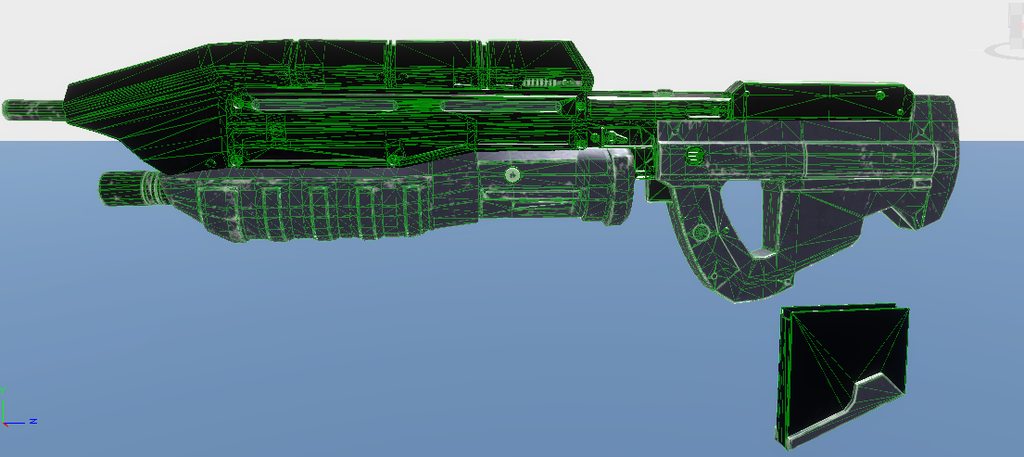
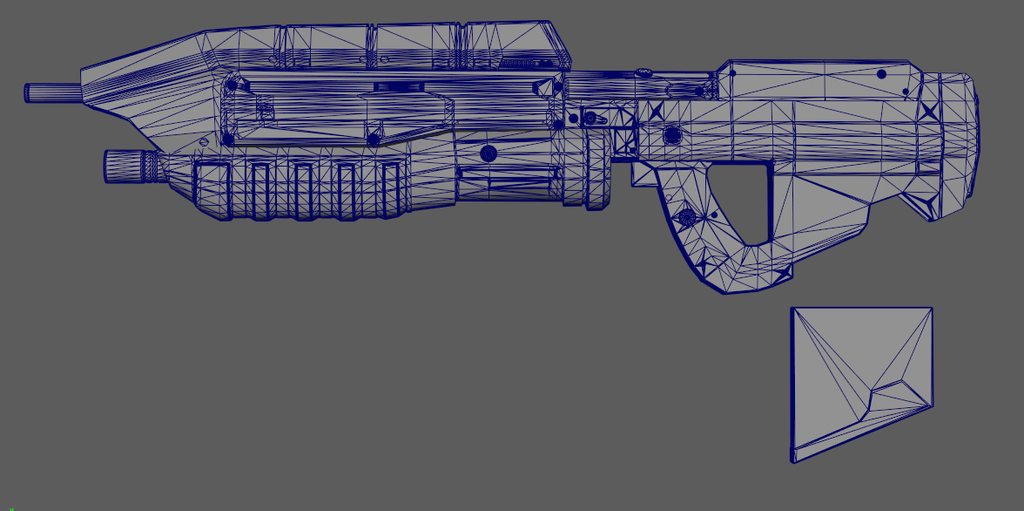 sly bridge
distant pewter
<@105574759248437248> Does this help?
sly bridge
distant pewter
<@105574759248437248> Does this help?
weird, how do you import it?
covert dune
I think it's notable that it happens on all spots where lots of vertices come together. Wasn't there an issue where the game merged vertices too close together ?
I remember someone had this issue with bullets on an LMG belt
#enfusion_model message
distant pewter
@covert dune Thank you I think I might be able to solve the issue now.
distant pewter
Yep the scaling was the issue lie @sick shard discovered.
calm rune
what do you set the partical distance too when exporting from MD?
plush shard
calm rune
what do you set the partical distance too when exporting from MD?
Around 5
wary inlet
i leave for a while but the workbench keeps dragging me back, ssh-60 i modeled and textured

 kindred thistle
In a model, should the socket be located where the center of the object is supposed to be, or rather where the origin is supposed to be?
sly bridge
kindred thistle
In a model, should the socket be located where the center of the object is suppo...
socket = pivot?
 inner girder
My normals/face orientation is messed up and I can’t seem to find any info on flipping normals in any arma stuff
 delicate condor
inner girder
My normals/face orientation is messed up and I can’t seem to find any info on fl...
delicate condor
inner girder
My normals/face orientation is messed up and I can’t seem to find any info on fl...
you would fix that in the source model
inner girder
So flip the normal in blender to be backwards to show the right orientation in reforger tools? @delicate condor
The model in blender is all in the right orientation but not once it’s imported over
covert dune
You're checking with the Face Orientation option Blender, right ?
 delicate condor
yep not blender
and blender by defauls draws both front and back of a face
where games typically draw only front
inner girder
Sent wrong pic
delicate condor
so it might look right in blender if you have not set it up to no draw backfaces (backface culling)
but its likely not
inner girder
Is it because one mesh goes inside the other, the algorithm that figures it out recomputed the normals and flipped it?
delicate condor
or you have negative scaling which when applied on export flips the faces
delicate condor
inner girder
Is it because one mesh goes inside the other, the algorithm that figures it out ...
should not be
inner girder
Ok I’ll try both tips
covert dune
Import model into Blender, click on the magazine, go into edit mode, alt+N, recalculate Outside, export back to fbx, fixed.
delicate condor
no need to reimport if its already made in blender
covert dune
Wasn't sure. But yeah. 😛
inner girder
covert dune
Import model into Blender, click on the magazine, go into edit mode, alt+N, reca...
So flip the normals backwards in blender for it to show up correctly in tools?
delicate condor
check if the magazines scale is negative first
then turn on backface culling so you see what way faces point at (will be useful in the future)
then go flip or recalculate normals on anything that is the wrong way
 inner girder
Thanks guys trying now
inner girder
Rookie mistake forgot to apply transformations 😅 thank you guys for the help
inner girder
I cant figure out how to export my model with the textures and UVs in place so that carries over to Arma Reforger.
I’ve tried the tutorials and whatever my issue is it’s not covered in those vids 😅.
I know this is going to be possibly a super silly easy fix but I can’t wrap@my head around it
last hill
inner girder
I cant figure out how to export my model with the textures and UVs in place so t...
If you created the UVmaps yourself, then you export the fbx out, then the materials in enfusion/reforger are where you'd plug in your textures, created or imported by you, into enfusion/reforger as png/tif/tga.
Otherwise you'd have to uvmap your model/mesh first.
stray bridge
inner girder
I cant figure out how to export my model with the textures and UVs in place so t...
Make sure your Material names are not eg xy.001
tacit eagle
Does anyone know why changing the model of a mine in the MeshObject data might stop the mine from being armed? All the animations and everything works, it just won't stay armed and it defaults back to its original state after a few seconds
last hill
tacit eagle
Does anyone know why changing the model of a mine in the MeshObject data might s...
Is there multiple positions it is called to? Checked the xob file and prefab of the original mine to ensure you have all of the colliders etc built? If it's a mine, it might have multiple prefab positions that are called
tacit eagle
@last hill Ah that makes sense, I didn't bother with any of that I literally just changed the mesh data so I'm not surprised it doesn't work properly haha
Thank you, that's a good place to start, I'll take a look at all the colliders. Just on a side not, do you happen to know what MineFuze_M15AT_M603.et does? I'm assuming it's the collision for detonating the mine
 noble ravine
I'm trying to export a model from Blender to the Workbench, following the tutorial on the Wiki, I've used Enfusion Tools plugin in Blender to export my .fbx file into my Models folder located in my project.
After the export, WB creates a .txo and .xob files.
The model is correctly imported but the textures aren't and everything is white.
Does the textures needs to be exported/imported separately?
leaden trench
noble ravine
I'm trying to export a model from Blender to the Workbench, following the tutori...
Yes
kindred thistle
sly bridge
socket = pivot?
I think so, yeah. For doors and such


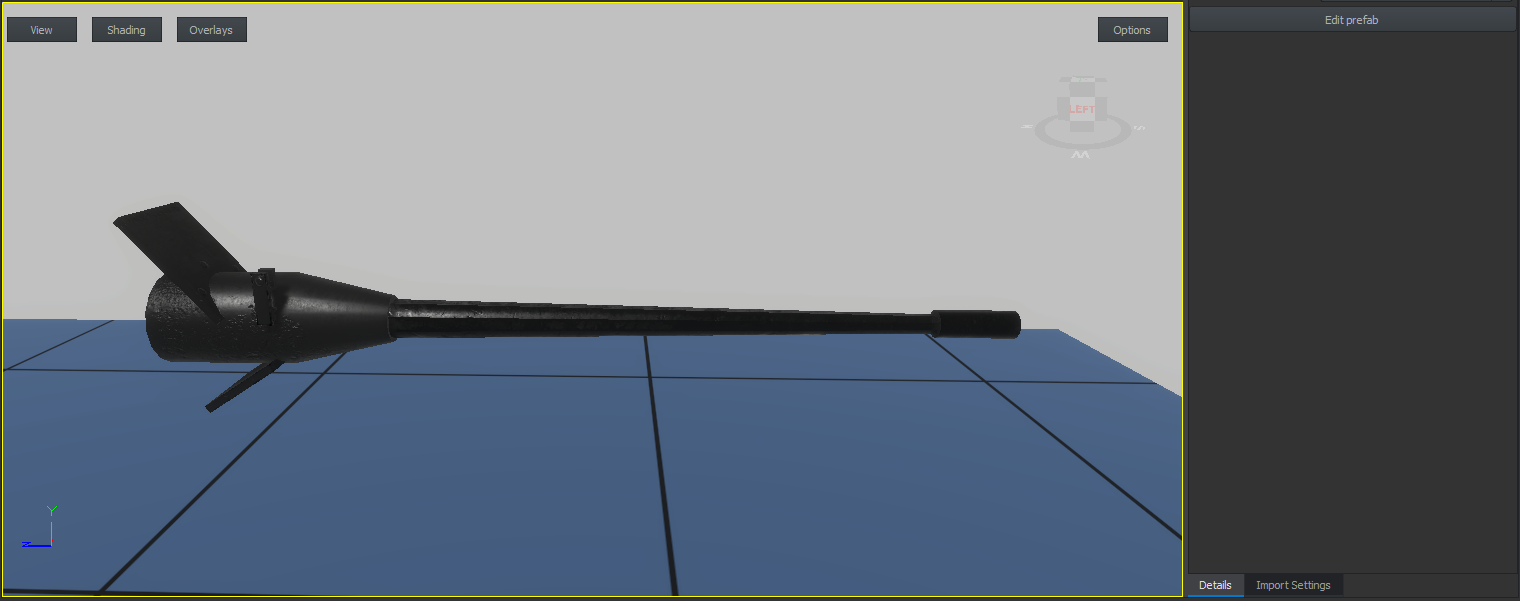


 young flame
Perhaps someone can educate me a little, does anyone know the poly limit? currently importing a weapon 29k LOD0, what is everyones practices for setting up extra LODs? do you have a polycount for each lod? also what are the distances for rendering each LOD? i know sometimes its takes more resources to load each lod than it does to load all faces.
shell hedge
you could try to aim to be near vanilla poly counts
kindred thistle
surreal ore
<@490047520597344257> the socket is the origin of the attached object
thanks 🖤
noble ravine
leaden trench
Yes
Any tooltips or documentations to get started on that front?
I've found these links:
https://www.youtube.com/watch?v=H0BfD3Ri8L0
https://www.youtube.com/watch?v=K5IC4uIvZfA
https://www.youtube.com/watch?v=kEP34CbPWUo
But I can't find a way to export the Materials/Textures from Blender to Substance Painter, only thing I've managed to extract was using UV Editing view:
 tacit eagle
noble ravine
Any tooltips or documentations to get started on that front?
I've found these li...
tacit eagle
noble ravine
Any tooltips or documentations to get started on that front?
I've found these li...
You can just drop them into substance as textures, and then when you drag/drop them onto your object you can tell substance what it is. Match the size to your UV, then bake and export
noble ravine
tacit eagle
You can just drop them into substance as textures, and then when you drag/drop t...
I tried that with the following link between SP and Blender:
Leaf:
- color -> BC
- metal -> nothing
- rough -> ORS
- nrm -> NM
Bark: - color -> BC
- metal -> ORM
- roughness -> ORM
- nrm -> NM
But Bark is a little weird lol
 surreal ore
Wtf are orm and ors?
shell hedge
occlusion roughness metallic, not reforger workflow I guess
surreal ore
And occlusion, roughness, spec? I assume
shell hedge
noble ravine
I tried that with the following link between SP and Blender:
**Leaf**:
* color -...
ORM has three channels, occlusion in R, roughness in G, metallic in B, looks like you applied the whole image instead of just the channel
you need to get a grasp on what channels in an image are before proceeding
surreal ore
"But Bark is a little weird lol"
I can totally see normal data from the leaves in the bark
noble ravine
Ok I need to use the unpack program for that thanks
surreal ore
Or just open the images in Photoshop and export the channels and their own textures
Or use Blender compositing to separate them and save that way
@noble ravine where's the model come from?
Never even heard of orm,ors standards before
noble ravine
surreal ore
<@545111875675881472> where's the model come from?

BlenderKit
Paid and FREE 3D models, materials, brushes and HDRs for Blender. Create beautiful 3D artworks and 3D visualizations with ease. Explore now or download directly in Blender.
surreal ore
Wonder if that all use packed textures like that?
noble ravine
surreal ore
I can totally see normal data from the leaves in the bark
what do you mean?
surreal ore
noble ravine
I tried that with the following link between SP and Blender:
**Leaf**:
* color -...
This image
I think that's just how the plant grows from the looks of it actually
tacit eagle
Does anyone know what ProximityTriggerComponent does? I thought it would make my mine blow up when I walk close to it but it doesn't seem to do anything
last parcel
just look how they setup the mine they have ingame and just do it like they do.
tacit eagle
I made a few with that method, I was trying to make a proximity based one but not sure if that's even possible
stray bridge
tacit eagle
I made a few with that method, I was trying to make a proximity based one but no...
this would probably be the "hard" way, depending on what you wanna achieve but you can make use of the spheres and write ur own script to execute it when a player (chimeraCharacter) is inside the "zone"
 fluid fern
Hi all,
I wanted to know if anyone had worked on train tracks?
If so, are they flexible?
Because I made some 1 year ago but I don't have the source anymore (because they're still ugly).
https://reforger.armaplatform.com/workshop/59E74A971B88D82B-Rail_Enfusion
What I'm also looking for is whether anyone has managed to make generators out of them? like the wall? I can make them but the rails are too big or not really aligned.
karmic adder
For straight lines, it should be easy, but I'm pretty sure you'd have to script an entirely custom generator type if you want smooth curves to be possible.
If you tried making a curve using an existing generator, this would be about as good as it gets: #enfusion_terrain message
So unless you want to spend a significant amount of time writing an entirely new generator type, you're probably best off just using the existing prefab generator for long straight lines and then manually connecting them with curves.